#blueprint
1 messages · Page 249 of 1
 dreamy mountain
 stone field
dreamy mountain
my character bp got erased for some reason, so had to remake it, but in doing so...
stone field
dreamy mountain
my character bp got erased for some reason, so had to remake it, but in doing so...
Do consider using version control to avoid losing work
 main lake
dreamy mountain
my character bp got erased for some reason, so had to remake it, but in doing so...
main lake
dreamy mountain
my character bp got erased for some reason, so had to remake it, but in doing so...
what do you mean "disjointed" ?
dreamy mountain
main lake
what do you mean "disjointed" ?
when i move the mouse, it moves the camera and character seperately, instead of the camera following the player
dreamy mountain
stone field
Do consider using version control to avoid losing work
i would but i dont have anything to link it to, got no version control thing i could do
 maiden wadi
dreamy mountain
i would but i dont have anything to link it to, got no version control thing i c...
maiden wadi
dreamy mountain
i would but i dont have anything to link it to, got no version control thing i c...
Look up AzureDevOps, and GitDesktop. Both free and fairly easy to set up and use.
 still arch
Is possible to make the string (switch on string) not affected by localization and language switching? It stops working when i switch language and unfortunately it has to be "String" variable
maiden wadi
still arch
Is possible to make the string (switch on string) not affected by localization a...
Why does it need to be a string? What are you switching for? Anything that is from FText should stay in FText, it should never be converted to a string for any reason.
And there are really few reasons to ever truly actually use Strings. The only real cases are if you are making some sort of coded or serialization system where you need to actually append strings and such. Most times Names are a better choice for a lot of things developers use Strings for.
still arch
maiden wadi
Why does it need to be a string? What are you switching for? Anything that is fr...
Well , I have a market place asset (menu tool) that is using switch on string for gamepad buttons he converts the buttons display names texts to switch on string node based on index
Which works fine till i switch the game language, i tried changing the type to names but his bps got missed up
So if possible to force not to translate the strings then it would work
main lake
dreamy mountain
when i move the mouse, it moves the camera and character seperately, instead of ...
is your character that Dr House poster ?
maiden wadi
still arch
Well , I have a market place asset (menu tool) that is using switch on string fo...
O.o Switch on string for what though? Why isn't it just giving you the key itself?
You can't not translate the key DISPLAY name, it's intentionally translated. If you had the key, you could switch on it's FName.
 still arch
maiden wadi
O.o Switch on string for what though? Why isn't it just giving you the key itsel...
still arch
maiden wadi
O.o Switch on string for what though? Why isn't it just giving you the key itsel...
Apparently because he set the keys to be customizable I'm not sure , thanks i will check up that fname node hope it will work
dreamy mountain
main lake
is your character that Dr House poster ?
only image i had on hand
main lake
dreamy mountain
only image i had on hand
Don't make the spring and camera a child of your poster, put both as children of the capsule.
still arch
@maiden wadi nvm no success thank you tho
I sent a mail for the asset dev and will see what can be done
 maiden wadi
Drag off of GetKey and type Name, the other node should show up.
Oh. Nevermind that is from some plugin. Uhh. Sec
maiden wadi
still arch
<@143471961723371520> nvm no success thank you tho
I sent a mail for the asset...
🤷♂️ Could always pass the Key itself and just make your own switch case with a map of Key/String
EG something like this.
 still arch
Thank you, will try that up
 lunar sleet
Maybe ask in #ue5-general
 raw wraith
How would you go about attaching a blueprint component, that you added to a pawn, to a specific socket of its skeletal mesh? There is the Attach component to component node but it needs a scene component object, which is incompatible with the blueprint component when you add it to the pawn

 dawn gazelle
raw wraith
How would you go about attaching a blueprint component, that you added to a pawn...
dawn gazelle
raw wraith
How would you go about attaching a blueprint component, that you added to a pawn...
Actor Components don't really exist in the world space, they are just attached to the actor itself and are used only for logic and are not represented visually on their own.
Scene Components can be things like Meshes and what not that can be visually represented.
raw wraith
I must have done something wrong then because I recall some sort of component being attachable to a skeletal mesh while still holding blueprint logic and all 🤔
dawn gazelle
yes, those would be scene components.
raw wraith
Alright then, thanks for the help
 daring spruce
I'm working on save game system and I want to restore the level on load (or open the one from the save game)
The only problem is once I use the open level node the rest of the properties don't get loaded.
I'm sure that the save game object ref is valid and that all the info is intact it's just not setting the properties.
I have tried:
using the open level node at the very end
using a delay right after opening the level

 proven axle
My weapon trail shows up in the animate montage but not in game.
Not really sure why it won't show can anyone help? I'm new :P


 fair tapir
What is the correct way to check if something is destroyed/pending kill? Using IsValid still gives errors? "X is not valid (pending kill or garbage) Node: Branch Graph: IsValid Function"
lunar sleet
fair tapir
What is the correct way to check if something is destroyed/pending kill? Using I...
Show code
fair tapir
lunar sleet
Show code
 lunar sleet
Easier to use the other isValid node btw. Also, try not actually destroying the Player, otherwise you can use a CollectGarbage node right after, so that it doesn’t wait in pending kill
Just don’t try running that code from the actor that is actively being destroyed
fair tapir
lunar sleet
Just don’t try running that code from the actor that is actively being destroyed
It is on a separate actor. Thanks ill try collect garbage.
lunar sleet
fair tapir
It is on a separate actor. Thanks ill try collect garbage.
The other thing you can do is when you call destroy, set Player ref to null (empty Set node)
Then isValid will automatically fail silently
 boreal crypt
If I have an ActorComponent with an exposed SceneComponent variable, is there a way to have the options automatically populate with scene components from the actor my ActorComponent is attached to?
I have an InteractableComponent that sets up some UI hints and sets up the ability for the player to interact/use the attached actor, but I want to be able to specify a location on the actor that is the available part. I can currently set the attachTo variable in my construction script, but was hoping to be able to just configure it in the details panel
 inland walrus
Can someone help me figure this out. I need it so that it moves the percentage above it

Watch Unreal Engine and millions of other Unreal Engine videos on Medal, the largest Game Clip Platform.
 meager acorn
Is it possible somehow to get beat from sound and call event to the beat?
 faint pasture
meager acorn
Is it possible somehow to get beat from sound and call event to the beat?
faint pasture
meager acorn
Is it possible somehow to get beat from sound and call event to the beat?
depends
you can probably get somewhere with an envelope follower
but you won't be able to make a thing that can detect any arbitrary beat
meager acorn
I see. That's something I was afraid of
faint pasture
What are you trying to do?
dawn gazelle
inland walrus
https://medal.tv/games/unreal-engine/clips/j4wvpJ7t4rzJaoCiE?invite=cr-MSxBcnksM...
Your slider has an on change event that reports its value, and by default the value goes between 0 and 1. Use the event to set your text labels. Your Gold value would be (100 * (1 - slider value)). Your stone value would simply be (100 * slider value)
meager acorn
faint pasture
What are you trying to do?
I want to spawn enemies to the rhythm of the beat
And I was trying to do it dynamically like Audiosurf does
 unique bone
anyone know how to turn a float with an absolute value equal or above 1 to 1 while keeping whether it's a negative or positive?
faint pasture
meager acorn
I want to spawn enemies to the rhythm of the beat
Totally depends on the song and how complex you make your beat detector
You certainly could make something passable but it's not a trivial matter, it's a lot easier to just have the beat as a seperate thing
meager acorn
I'll try cooking something up, thank you
 atomic salmon
unique bone
anyone know how to turn a float with an absolute value equal or above 1 *to* 1 w...
atomic salmon
unique bone
anyone know how to turn a float with an absolute value equal or above 1 *to* 1 w...
min(abs(x),1.0) * sign(x)
 noble ledge
Lets say I have some functionality that only makes sense to be on a character. Is there any reason to put it into its own component and attach the component to the character?
faint pasture
noble ledge
Lets say I have some functionality that only makes sense to be on a character. I...
Depends
What is it?
Are NPCs characters? Do they have this functionality?
noble ledge
Yes
I am sort of steering towards what sort of performance hit/gain would it be to move stuff to another component that would also have to replicate. Versus just keeping it on the character.
faint pasture
Don't worry about it
I'd throw it on the chracter if it applies to ALL characters
and only characters
What is the functionality?
faint pasture
and you'll never have stationary weapons or turrets or other things that want procedural movement?
noble ledge
Not at the moment and not something that is planned. But if anything it would be like a mounted weapon but it would become the characters equipped weapon so it would still be fine.
 atomic prairie
Hi everyone, I'm trying to integrate 'display options' and 'screen resolution' options into my project, but every time nothing works as it should. When changing the resolution it goes back to windowed or fullscreen, do u have a video or a website that explains how to make nice display options and change resolution? thanks!
 fading garden
Hi. I am new been working on a project for while solo. I have a frustrating bug with a BPC not recognizing an owner so Ignore Owner when moving won't work. Can anyone help?
faint pasture
fading garden
Hi. I am new been working on a project for while solo. I have a frustrating bug ...
show code
and what do you mean by BPC


 unique bone
in the templates for third person and first person, why is the inputaction for movement set up so that WS feeds in to Y movement and AD into X
 olive yarrow
putting together a rushed janky reload just to test a concept - however i can't get the stored ammo to subtract and set correctly... I have the return for the clamp subtracting from the stored ammo but i'm guessin' i need to find out HOW much ammo needs to be added instead of just filling it up to a clamped level... How aaaah, how would you smarter folk go about it
 dawn gazelle
olive yarrow
putting together a rushed janky reload just to test a concept - however i can't ...
dawn gazelle
olive yarrow
putting together a rushed janky reload just to test a concept - however i can't ...
Why are you using floats for ammo counts? It should be an integer as you should never have a fraction of ammo remaining - ie. you never fire half of a bullet.
I posted this function some time ago that can work out the math for you, you just need to feed in the current ammo in the weapon, the magazine size and the total amount of spare ammo the player has and you'll get an output of what the current magazine should have loaded after the function executes and how much spare ammo would be remaining. https://blueprintue.com/blueprint/n2ypnyi2/

No description provided
lunar sleet
unique bone
in the templates for third person and first person, why is the inputaction for m...
Character class is weird in that it faces the wrong way by default, that might be why
 clever comet
Hey guys, hitting a weird issue here -
I'm trying to replace a 'cast to bp_thirdpersoncharacter' with a simple interface to get the ref instead.
All was working good until an hour ago when I noticed the ref is empty sometimes 🤷
More specifically I'm using the ref (from the interface) to transfer items from player inventory to a container inventory then back to the player inventory, one function I'm just swapping which inventory to take/give to... When giving items the ref is valid, but when taking items the ref is always invalid.
The ref/interface is working fine elsewhere, but not in this one function under that one circumstance.
Using a cast to node always gives a valid ref, just not this damn interface 🤷
Question is: what gives? How can the ref sometimes be invalid?
lunar sleet
fading garden
Which one of the GetOwner nodes is failing cause you have have a lot in there. And what comes through it when you use a breakpoint?
lunar sleet
clever comet
Hey guys, hitting a weird issue here -
I'm trying to replace a 'cast to bp_thir...
Neither of those bp comm methods get you refs.
No bp comm method is for getting refs, it’s for using refs to pass information.
A cast just makes sure the incoming ref is of the right class and if it’s not, it fails
An interface doesn’t give a rat’s ass what ref you deigned to pass it
It assumes you know what you’re doing and if the receiver doesn’t implement the interface it just fails silently
Go watch the pinned video on bp comms if you haven’t
dawn gazelle
clever comet
Hey guys, hitting a weird issue here -
I'm trying to replace a 'cast to bp_thir...
An inventory could be an actor component making it easy to retrieve from any actor reference without requiring any casting or interface call, just a simple "Get Component By Class" call and feeding in an actor reference.
clever comet
lunar sleet
Go watch the pinned video on bp comms if you haven’t
Thanks, I'll go find that now 👍
clever comet
dawn gazelle
An inventory could be an actor component making it easy to retrieve from any act...
Yes the inventories are inside actor components, the ref I'm trying to get from the interface is to send a notification to the player HUD each time an item is transferred, the actual transfer and inventories are working fine, just like I say for some reason when transfering items back to player the ref from the interface is invalid 🤷 even though it just sent a notification to the same hud using the same ref when transfering items to the container 🤷😅
 zealous moth
is it possible to use an BPI (interface) to communicate between the ABP and the BP agnostically?
the BPI call is made into a function rather than an event, so how would you pick up that data?
 frosty heron
zealous moth
is it possible to use an BPI (interface) to communicate between the ABP and the ...
frosty heron
zealous moth
is it possible to use an BPI (interface) to communicate between the ABP and the ...
I don't see why not but that's probably something that I won't do.
zealous moth
why not?
frosty heron
But as far interface goes it will return a value as long the other side implements it.
Well an anim bp should be tied to it's owner. If you want to make something generic use anim blueprint template.
zealous moth
well the ABP can call it as a message but how do i trigger it?
frosty heron
I don't see interface as the answer for a lot of things
frosty heron
zealous moth
well the ABP can call it as a message but how do i trigger it?
U pass the object you want to trigger the interface?
zealous moth
Do you happen to have an example? :/


I'm stuck here

Like... do I make another BPI event call?
frosty heron
You need to pass something to the targer
Something being the bp that you want to use
zealous moth
no that's fine, but how to i trigger it. The target is itself since it gives its own data. But I want to give it to the ABP
am I running this on tick?
zealous moth
I want the ABP to send a message to the Character BP to get the data out of it. In this context, it's the anim BP owner
frosty heron
You can pass the owner to the bpi node.
zealous moth
yup
frosty heron
You need to pull the bpi with the message icon
frosty heron
zealous moth
it's an override function
So you were wondering how to implement the interface from the owner?
But yea it's kinda the same as override function
zealous moth
yeah that didnt make sense until now since i'm used to using the BPI events
good call, thanks!
dawn gazelle
clever comet
Yes the inventories are inside actor components, the ref I'm trying to get from ...
Ideally your game logic shouldn't communicate directly to your UI and instead your UI should read from the objects it cares to know about.
As an example, let's say you have a grid-based inventory where each part of the grid stores a single item. When you change the contents of a single grid item, you can call an event dispatcher that notifies anything that cares that a particular inventory slot of that particular inventory was updated. Your inventory UI then when it is constructed, just needs a reference to the particular actor component that contains the inventory it cares about, it can first read the current data it contains and refresh itself but then it can bind to that event dispatcher to know that a change happened, and then refresh itself as needed with the new data. This makes it much simpler to manage as your game logic no longer needs to care about your UI, it just needs to signal that something changed, and the UI can just update itself as needed based on the data the object contains.
This also means you wouldn't necessarily need to use any interfaces at all, nor do you need to get a reference to any widgets you may have created. You just need to ensure that you pass the reference of the object the UI needs to care about to the widget and the widget can then bind to whatever dispatchers.
olive yarrow
dawn gazelle
Why are you using floats for ammo counts? It should be an integer as you should...
Bless
 fervent crypt
Hey guys, so I been looking into this for two days have have not resolve this issue, I have a simple cinematic sequence when I play level, it works when I preview the game in "Play" and in "New editor window" However when I package the game it will not play sequence at all. is there a sitting or something i am not doing when packaging, i looked at countless of videos and UE forums but there's seem to be no answer. I am using version 4.27.2
frosty heron
fervent crypt
Hey guys, so I been looking into this for two days have have not resolve this is...
Are you sure you are in the same map when playing in package?
 gentle urchin
clever comet
Yes the inventories are inside actor components, the ref I'm trying to get from ...
gentle urchin
clever comet
Yes the inventories are inside actor components, the ref I'm trying to get from ...
As Datura mentioned , event dispatcher is what you want
If you dont know how to use them, I suggest getting familiar with them sooner rather than later 🙂 They're incredibly useful
 fading sail
being used to text-based coding and new(ish) to node-based coding, I have no idea how to use the "set members in struct ref" node —
the (split here by me) fields on the right, are they input fields in this node type, or output fields as usual in all other node types?
to change only one field, can I leave the others unconnected or do i need to fill them all from the old values (apart from the 1 changed one)?
 gentle urchin
when selecting the "SetMember" , in the details menu you can check the members you want to modify
the output is just for convenience
You only need to check and provide an input for the fields you want to modify. Rest remains the same
fading sail
thx @gentle urchin =)
 jagged wharf
Hii
I want to run mp4 video on full screen of viewport with customizable blueprint ? What is the process
 willow tendon
ive got a question: ive got a buncha actors that get spawned and then put into an array.... what i need to do after that is check all the actors Track State enum and see if theyre all "primed" so to speak, then once theyre all primed, the logic can continue:

so basically, my for loop needs to be completed only if all actors in the array are set to loaded / primed
main lake
willow tendon
use a For Each Loop with break
willow tendon
but that only stops if one isnt primed
id have to keep cycling thru the array until theyre all ready
main lake
willow tendon
id have to keep cycling thru the array until theyre all ready
then a for each loop doesn't seem to be the right approach, better to go for events
willow tendon
yeah maybe dispatch when ready and compare an int counter to the array length?
main lake
willow tendon
yeah maybe dispatch when ready and compare an int counter to the array length?
yup
willow tendon
one way i suppose
okie. just thought maybe there was a clever-er way to poll an array
thanks for the sanity check 😄
atomic salmon
willow tendon
thanks for the sanity check 😄
You can use a timer to call your Check Pool function let's say every second. The function should return the count of actors which are not yet primed. When the returned count is 0, you know all your actors have been primed and can stop the timer.
willow tendon


simple enuf i guess
kinda wanna avoid timers
timers would work and all, i just dont want a gap in there in case the full load happened mid way thru a timer or something.
oh i dont need that set node after ++ ... derp
atomic salmon
I had suggested using a Timer because you didn't specify you have a delegate (callback) for the priming of your actors. I would still do it the other way around, decreasing the counter which is initially set to the number of actors you expect to be primed so you don't have to poll the array length each time but only once at the beginning.
atomic salmon
Also how do you know when they have all been primed?
You need to check the counter from elsewhere
willow tendon
thats what iw as trying to figure out
basicaly, its "dont process any more logic in this bp until all these actors have their state set to primed"
atomic salmon
You can set a bool bAllPrimed from your callback
willow tendon
could do.
atomic salmon
And do not proceed until that becomes true
willow tendon
that would have to be in the timer loop
atomic salmon
No you can do from your Pool Counter above because every time a resource is primed you have the chance to check it
And the change can only happen when a resource is primed, so that would work
willow tendon


so this?
nope. im slow.
this should just be one function
ill do the for loop / bind after the actors are created, not in the function
atomic salmon
The part until the bind you only do once
For the code to be executed only after every actor has been primed you could set a custom event and call it directly after all actors have been primed
Largely depends on what you need to do at that point
Having a branch after the bind implies that function keeps being exectued over and over, which you don't want
willow tendon
gotcha, thanks for your patience, not a fulltime programmer 😉
atomic salmon
So Begin Play --> you call your Pool check which binds to the delegate --> that calls Pool Counter every time an actor is primed --> when all actors are primed you call your custom "Continue with the rest of the code" event, you can also unbind the delegates because at that point you don't need the bind anymore
So in the end you don't really need the All Tracks Primed bool variable unless you want to refer to that condition further down in your code
 slender torrent
Hello guys, I need some help here please..
I am creating a sword game, where I have two swords and enemies will be spawned on target point then will come towards me. After I hit them score increases. Enemies are spawned using set timer by event and spawn actor nodes. Then I want to update the Current Enemy spawn time variable after score is >3. I am debugging and it's all okay it says it's decreasing current enemy spawn time but not affecting anything in game. I guess what I am forgetting is to update this variable somewhere else...


 finite flax
When I duplicate my image, I have to manually re-do the offsets locations, anyway to auto set this? I place many duplicates I can't do this one by one eachtime, anyhelp?


 narrow sentinel
Anyone know whats going on here ?

I have the thrusters on my ship as actors and I have these added onto my ship as child actors but when I try to go through chain casting to get their correct references it doesn't seem to work and fails on the cast to ship thruster
 willow gate
Good morning folks. So I haven't done much in the way of file management from inside of UE and I recently discovered the Blueprint File Utilities plugin. It only contains a few nodes but the documentation is very unclear as far as implementation and I'm doing it wrong because none of my attempts have worked properly. I'm trying to delete a file using the "Delete File" node. What's unclear is in the "Filename" input, does that need just the name of the file or the entire path. And if it needs the path, does it need it in a certain format? I have tried with and without an absolute and relative path and none of it has worked.
fading sail
via a print-string in one of my main menu's widgets' binding function, I just noticed that those bindings get called every frame even when the menu is (thus all its widgets are) totally fully hidden. in PIE at least
why on earth would UE do such a wasteful thing? code not contributing to current or immediately-upcoming frames shouldnt run at all imho? what am I missing? 😵💫
 smoky plume
hi im trying to make a quake 2/GoldSource Movement in UE5 using blue prints, Somthing with Wish_Dur is that possible with blue prints?
clever comet
@dawn gazelle @gentle urchin - thanks for the advice on UI using dispatchers instead of interfaces last night 👍
My problem with the reference to player being invalid turned out to be some other stupid error on my part, I was asking my container for its owner interface ref instead of the character for its ref 😅 so of course the container would never give me bp_thirdpersoncharacter ref 😅
gentle urchin
I usually use "Get owning pawn"
just make sure you provide the owning controller when creating the UI

 little moat
What does this mean? Anyone help?

 lapis urchin
Bit of a unique question so not sure if this is even possible BUT
Comment Boxes
You can set the color of the comment box on the left side.
Is there a way to set the box color depending on what nodes are inside the comment box?
Is this maybe something i would need to extend on the base comment box class in slate? can you get the children of a comment box? Potentially so if theres a move mode as a group it must hold a list of items inside its boundaries.
 lunar sleet
lapis urchin
Bit of a unique question so not sure if this is even possible BUT
Comment Boxes...
lunar sleet
lapis urchin
Bit of a unique question so not sure if this is even possible BUT
Comment Boxes...
Not in blueprint, but like… if you’re writing the code you should know what’s in the comment box and set the color accordingly. Unless you rly think you’d be saving a lot of time and want to deep dive slate for the sake of saving 2 clicks
If so, you can try #slate
lapis urchin
decided to deep dive into the slate for this and its possible to write a custom plugin for it. It would be for a large group of people, and would save a lot of time in the long run, those 10 seconds for every comment box fills up and if your trying to do a blueprint convention this works well
IE, you slect a chunk of nodes, Hit C and on creation it sets the color of the box depending on the main node being used. IE, Events being blue, IA's being yellow, Button click/hovered events being green
so if a team member jumps into a blueprint you did, at a zoomed out view, they can see where everything is structred
lunar sleet
lapis urchin
IE, you slect a chunk of nodes, Hit C and on creation it sets the color of the b...
Ah, well that makes more sense, I thought you’re talking about color based on the logic within
Yes, for a team it makes sense
Prly something you could sell on Fab too
 spark steppe
if it doesn't exist already, i recall there was some plugin which does some comment stuff
https://www.fab.com/listings/a7cb2ef1-ebed-4008-b043-6295fa96424c might be this, not sure if it supports auto coloring tho
lapis urchin
Yes, My senior and I had a look at that plugin, great for a lot of stuff, just need to get it approved by finance 😂
 bold fjord
Hey friends! I have a quick question here, and probably a NOOB one at that... But I am trying to eliminate casting for efficiency because it is the "Proper" way to do things. I have a BPI all setup that allows me to automatically open up a door when I walk up to it for example. I have two collision boxes, one for the front and one for the back. When I was using Casting, I was able to define what box does what animation (forward and backward swing depending on player direction) but whith the BPI, any overlap with my player capsule triggers everything. I was wondering if there is a way of checking what collision box was being overlapped at time of overlap?
 feral parrot
How would I having selected a variable with Enum be able to Set the variable subtracting some value?
 frosty heron
little moat
What does this mean? Anyone help?
frosty heron
little moat
What does this mean? Anyone help?
Check the collision enabled setting. Make sure is set to physich
little moat
frosty heron
Check the collision enabled setting. Make sure is set to physich
The problem was me having collision disabled
frosty heron
The log is quiet clear. You are trying to setup physic simulation on a component that doesn't have physich enabled
lunar sleet
bold fjord
Hey friends! I have a quick question here, and probably a NOOB one at that... Bu...
you should prly ignore whoever told you "eliminating casting for efficiency is the proper way of doing things"
 surreal sonnet
feral parrot
How would I having selected a variable with Enum be able to Set the variable sub...
surreal sonnet
feral parrot
How would I having selected a variable with Enum be able to Set the variable sub...
set var by ref node should be for that
bold fjord
lunar sleet
you should prly ignore whoever told you "eliminating casting for efficiency is t...
Do most poeple just Cast?
lunar sleet
bold fjord
Do most poeple just Cast?
yes, there is nothing wrong with casting, you just need to be aware it creates a hard ref to the object so it gets loaded in memory. If it's a door in front of you, it's already loaded.
bold fjord
lunar sleet
yes, there is nothing wrong with casting, you just need to be aware it creates a...
That Makes sence! Thanks!
lunar sleet
bold fjord
That Makes sence! Thanks!
but to answer your question, there's a component begin overlap event and also a getOverlappingComponents function, so you can look for specific components before triggering logic.
 shy matrix
Well casting often might get you to build systems that do not scale or that are very limited to the types of actors you are casting to. But it indeed feels like its demonized more than it should
bold fjord
lunar sleet
but to answer your question, there's a component begin overlap event and also a ...
Ah! And I can have it look for a specific BPI that can trigger the specifc box!
gentle urchin
Am i correct thinking i can use FInstancedStruct as a function input to achieve wildcard functionality ?
frosty heron
@bold fjord https://dev.epicgames.com/community/learning/tutorials/l3E0/myth-busting-best-practices-in-unreal-engine
Read this and spread the word.

Epic Games Developer
Are Ticks really that problematic? Should you make all your meshes Nanite? Is the ChildActorComponent truly cursed? Should you never use Cast?
You've pr...
lunar sleet
bold fjord
Ah! And I can have it look for a specific BPI that can trigger the specifc box!
realistically, I would put the logic on the door, and onComponentBeginOverlap (for each respective box), cast to the character and do the logic, but there's many ways to do this
lunar sleet
shy matrix
Well casting often might get you to build systems that do not scale or that are ...
all a matter of using the right tool for the right job and understanding its respective caveats
there are no bad comms tools, only bad devs 😄
@frosty heron is the bp comms live training pin missing for you?
frosty heron
lunar sleet
<@1050954229902213150> is the bp comms live training pin missing for you?
I don't see bp coms in the pinned channel.
frosty heron
shy matrix
Well casting often might get you to build systems that do not scale or that are ...
If you need to make a generic system, use component.
Casting is just a type check
bold fjord
lunar sleet
realistically, I would put the logic on the door, and onComponentBeginOverlap (f...
Thats how I had it setup before, but was trying to adjust with new knowladge. Good to know the way I did it is just as valid!
lunar sleet
this needs to stay pinned in perpetuity, please https://www.youtube.com/watch?v=EM_HYqQdToE

Announce Post: https://forums.unrealengine.com/showthread.php?101051
This Training Stream takes a look at Blueprint Communication. We find that Unreal Developers of all levels can sometimes struggle through the concepts behind moving data between objects. So in this video we'll take a look at the different ways to make Blueprints talk to one an...
@twin tide where you at lol
feral parrot
surreal sonnet
set var by ref node should be for that
how would i get the index of what I select?
shy matrix
feral parrot
how would i get the index of what I select?
Quickly looking at your example you'd then probably be better switching on the enum
Rather than using select float
gentle urchin
not really understanding the question
frosty heron
But why?
if you just need a value from the index then use select
better than switch case
shy matrix
It seems he needs to do more operations after selecting the value
frosty heron
instead if if X, Play sound A,
If Y, play sound B,
If Z, play sound C
with select node you can just do it in one single clean node.
only one play sound node for example
instead of every single case
gentle urchin
can just substract from it and set by ref 😄
frosty heron
so subtract the selected value then?
gentle urchin

 twin tide
lunar sleet
this needs to stay pinned in perpetuity, please https://www.youtube.com/watch?v=...
lunar sleet
twin tide
lunar sleet
this needs to stay pinned in perpetuity, please https://www.youtube.com/watch?v=...
lunar sleet
thx @twin tide , idk how that got unpinned
twin tide
lunar sleet
thx <@261183265438695424> , idk how that got unpinned
We did a cleanup recently and might have been removed by mistake
shy matrix
frosty heron
so subtract the selected value then?
But how do you determine which variable to subtract from? Maybe I misunderstood the question
Oh wait set float by ref? I have never seen that node. I guess that explains
smoky plume
is this how you create a wish_dur for the quake movement?
 dawn gazelle
smoky plume
is this how you create a wish_dur for the quake movement?
dawn gazelle
smoky plume
is this how you create a wish_dur for the quake movement?
For standard first person type of movement, you usually use the "Axis Value" directly connected to the "Scale Value" and the vector you want the pawn to move into the world direction.
smoky plume
oh okay, yeah im trying to make a wish_dur type of movement, so like
 frosty heron
Don't use legacy input
frosty heron
Enhanced input has way more functionality.
Old one is deprecated and inferior in all ways except it has no setup required.
smoky plume
oh okay, thanks for the tip, maybe now i can get this movement on the roll.
dawn gazelle
smoky plume
oh okay, yeah im trying to make a wish_dur type of movement, so like
That seems more like something that would be handled by the movement component rather than the input side of things. If you're uing the Character Movement Component try messing around with braking and ground friction.
smoky plume
oh okay, so i dont need to do nothing to fancy with it right? because im just honestly trying to make a clone, dab my toes in this a bit
air strafe, bhop, picking up valocity with like everyjump ever so slightly, boomer shooter style
 faint creek
Hi guys, I'm making a AI enemy which chase the player using sight sense. When the enemy see it, change the max walk speed. With the system that I made it works, however is there another way to change the character movement of the AI without using the "Cast to Standard Enemy" but using maybe the Blackboard? Is there a better way?
Thank you


 shy matrix
faint creek
Hi guys, I'm making a AI enemy which chase the player using sight sense. When th...
shy matrix
faint creek
Hi guys, I'm making a AI enemy which chase the player using sight sense. When th...
You don't need a cast, you can use getcomponentbyclass and get the mov component from the pawn. Ps, this question is probably better in #gameplay-ai
Then depends if this answer is enough for you
 red briar
hey all, why wont this work? im trying to replicate from client to server from a bp actor (im making a mod so editing the player character is not feasible, and yes, the game does allow modding)
i do have replicates turned on, and ive always had this issue but never found a clear answer
 faint pasture
red briar
hey all, why wont this work? im trying to replicate from client to server from a...
faint pasture
red briar
hey all, why wont this work? im trying to replicate from client to server from a...
That will set Player Character 0 (on the server) to be that things owner
is that what you want? I kinda doubt it.
red briar
faint pasture
is that what you want? I kinda doubt it.
wont it do the same on the client too?
faint pasture
red briar
wont it do the same on the client too?
Player 0 on server and Player 0 on client are not the same player
not necessarily
faint creek
shy matrix
You don't need a cast, you can use getcomponentbyclass and get the mov component...
Ok thank you 🤓
faint pasture
That's why it's usually bad design to be using those get player by index nodes
red briar
faint pasture
Player 0 on server and Player 0 on client are not the same player
yes but mainly player 0 is the local player
faint pasture
red briar
yes but mainly player 0 is the local player
on CLIENT
on server player 0 is the first player
client can't set ownership
red briar
the server will also be a player btw
faint pasture
what are the rules here, how do you know which player you want to be the owner of that thing?
red briar
faint pasture
what are the rules here, how do you know which player you want to be the owner o...
its not possible for more than one player to have ownership on one thing, is it?
red briar
i need the server to do something when the player presses "R"
there can be more than one client, if that helps
would a way of doing it be to spawn a new bp for each player or is that stupid
faint pasture
red briar
i need the server to do something when the player presses "R"
And you can't modify the playercontroller or pawn?
faint pasture
red briar
hey all, why wont this work? im trying to replicate from client to server from a...
How are you spawning this thing?
red briar
faint pasture
How are you spawning this thing?
The gamemode spawns it
red briar
faint pasture
And you can't modify the playercontroller or pawn?
Well... I could, but it's likely to break with updates if the developer changes the player
red briar
faint pasture
how
Sorry I can't show my code, I'm not at my pc right now
red briar
faint pasture
Are you able to change the gamemode class?
Yes
faint pasture
Oh in that case just spawn one of these things per player and give them ownership
on login or wherever
red briar
Alright, sounds good.i have a few questions if that's fine
If net load on client is on, does that mean that when the server spawns it, it spawns the same one in the client?
(tbh I could Google this now that I think of it)
faint pasture
pretty sure that only matters for stuff that exists on the level
this thing is being spawned at runtime when the pawn and such are spawned for a player
just make it a replicated actor and it'll exist on the client
faint pasture
I'm not sure the best way to enable input but you could do it on begin play, enable input for owners controller or just for controller 0
faint pasture
red briar
And I just spawn one each time a player logs in?
Yes, do it in the same function where you're spawning a pawn or whatever
this really could be a component tho
just attach a component to the pawn after spawning it
red briar
faint pasture
I'm not sure the best way to enable input but you could do it on begin play, ena...
Don't worry about input, I already have that sorted and everything works when the server does it
faint pasture
This whole thing is just a way to "extend" a pawn and have additional inputs right?
red briar
faint pasture
this really could be a component tho
Yeah it could, that blueprints sole purpose is mostly to replicate things (it's called bp_replicator lol)
red briar
faint pasture
This whole thing is just a way to "extend" a pawn and have additional inputs rig...
Not quite but at the same time yes. I'm making a racing mode for a game, and I'm using the r key to respawn the vehicle if it is damaged too much or flipped over
faint pasture
An actor will work but a component might be cleaner, either way, spawn the thing when giving a player their pawn or somewhere after that, because at that point you know WHICH player you care about.
red briar
faint pasture
An actor will work but a component might be cleaner, either way, spawn the thing...
Alright, thanks for the help. I appreciate it and I hope I'll be able to fix it
 ruby venture
Is there a way to use Set View Target with Blend with a custom curve?
 runic anchor
Could someone hep me please, I've been following this tutorial on how to make a game on unreal engine 5, just so i can get the hang of it, and I'm having this one issue which isn't being shown in the video. For some reason, the player gets attacked twice at the start even though the player is no where near the enemy. I've rewatched the segment I'm stuck on multiple times and I believe everything is correct. I've attached screenshots of my blueprints for the enemy's attack. I've been stuck on this for 30 minutes so would appreciate any help.


 timid yoke
runic anchor
Could someone hep me please, I've been following this tutorial on how to make a ...
timid yoke
runic anchor
Could someone hep me please, I've been following this tutorial on how to make a ...
I think its attacking itself, do you need to plug the enemy somewhere? Also you're posting on the wrong forum, this is not a course forum so dunno which course.
runic anchor
timid yoke
I think its attacking itself, do you need to plug the enemy somewhere? Also you'...
I though this was to get help for blueprints? WHich channel do i go to
Also i don't believe i need to attach the enemy to anything
timid yoke
red briar
Alright, thanks for the help. I appreciate it and I hope I'll be able to fix it
There seems to be a blend func dropdown in there which probably does this sort of thing and has some built in curves but custom may require C++. You could fake this by just moving the camera on a curve instead of during setviewtarget.
timid yoke
runic anchor
I though this was to get help for blueprints? WHich channel do i go to
Yes it's for general blueprints but I do not know which video you're following.. maybe that tutor has their own discord for the course related questions. Which course is this? Look at how to do breakpoints in blueprints then you can figure this out. Right click on the attack node, add breakpoint, then click play and it will stop at this node each time so you can see the values. Usually on overlap you plug in the other overlapped actor to do damage but your player isn't doing anything to the enemy within radius.
dawn gazelle
A couple of things:
- You have the "Test Already Released" checked, so it'll automatically go to the "SPRINT STOP" print string.
- Seeing as you're triggering the activation through a gameplay event, you likely haven't properly set up your abilities to register inputs. "Wait Input Release" is waiting for a specific condition, namely, it's waiting for a signal in the ASC that toggles whether or not an input for an ability has been released. A Lyra-like example and Information on how you can set up an enhanced input input binding with abilities can be found here: https://github.com/intrxx/Enhanced-Input-Ability-Activation
dawn gazelle
runic anchor
Could someone hep me please, I've been following this tutorial on how to make a ...
This is probably happening because any time anything overlaps it'll end up triggering the overlap event. Instead, you could check if the other actor == get player character 0, and if so, then you can do your set to true. You may also want to do the same on the end overlap.
 silk hatch
Blueprint architecture question: I am trying to make a vehicle that the player can freely move around in and interact with things inside. I would like to have a button BP actor that manages its own state/animations/etc. but also controls things on the vehicle (e.g. open a window). I would also like to place this generic button in the world for other things. However, it seems like you can't edit any of the values on child BP actors. Do I need to make a separate button BP component just to make this work? If so, can I make this component a mirror of the BP actor so I don't have to copy changes back/forth?
 cobalt iris
what would be an easy way to only allow my "go" button to work if i have a level selected? right now it sends me to the projects default level if i press go without a selection

also if anyone knows how i can unhighlight a button when i click it a second time that would be great
dawn gazelle
cobalt iris
what would be an easy way to only allow my "go" button to work if i have a level...
What you have there should work. Set the bool true on your bound event there, and it should be set to false by default.
cobalt iris
dawn gazelle
What you have there should work. Set the bool true on your bound event there, a...
ah youre right it does 😅 i assumed it would set the bool false if i changed selections but it already knows what i want for once
silk hatch
cobalt iris
also if anyone knows how i can unhighlight a button when i click it a second tim...
Add a branch after the Unhighlight function that checks "Level to Open" against "Level to Load" and if it's false, do what it does now, and if true, unsets "Level to Load"
cobalt iris
silk hatch
Add a branch after the Unhighlight function that checks "Level to Open" against ...
thank you!!
 neat oriole
Why can I not select my actor that is implementing said interface in the variable?


 dawn gazelle
neat oriole
Why can I not select my actor that is implementing said interface in the variabl...
dawn gazelle
neat oriole
Why can I not select my actor that is implementing said interface in the variabl...
You can't set references in blueprints as the those objects don't exist yet.
cobalt iris
cobalt iris
thank you!!
i also needed the bool at the end to make sure "go" didnt send me to the default level if i unselected a level then pressed go
 neat oriole
dawn gazelle
You can't set references in blueprints as the those objects don't exist yet.
neat oriole
dawn gazelle
You can't set references in blueprints as the those objects don't exist yet.
Right. How would I go about this then?
I don't want the buildable component to depend on a specific implementation, but only an interface
here is the context
 dawn gazelle
neat oriole
Right. How would I go about this then?
dawn gazelle
neat oriole
Right. How would I go about this then?
It's not possible to set a reference to something at editor time. You'd have to do it on Begin Play after you can retrieve a reference to the thing you want to use.
An "interface" isn't really a thing. The thing is the thing that implements that interface which you can then call.
neat oriole
So it basically isn't possible have it selectable in the detailspanel?
Ideally, I'd kinda want a class reference, but only allow classes that implement this interface to be selected, I think
Wait, is it possible to have like a function field? Because in my case, the spawner doesn't actually have to live inside the world. It really only needs to be a static function
(More context: different buildables need to be initialized in different ways, and I don't want to tie the items to their "spawning logic" as that would prevent me to use the same data in other projects where I don't have the same building setup. I also want to remove the spawning-logic responsibility from the building component. So my idea is to have a "spawner" for each building that requires a specific initialization)
dawn gazelle
It's not possible to have a field that allows you to select a reference to an interface that is implemented in an actor at editor time.
What you're doing here with these variables is saying "Execute the 'Spawn' Interface from the 'Buildable Spawner' interface, on the object stored in 'Buildable Spawner' while passing along a reference to 'Equipped Buildable' which would need to be a reference to an object"
All of this could likely be done without any interface related variables (the yellow ones), and instead just using object references and calling the appropriate Interface messages when needed.
neat oriole
You mean like this?

I guess this would be the solution in that case?

(Obviously, I wouldn't call SpawnActor in the BuildObject event, only once in the begin play or construction script)
inland walrus
Any reason why this pawn won't moveTo a different pawn?

it moves to the player when the player character is the target, but when I want it to also target other pawns it wont
dawn gazelle
neat oriole
You mean like this?
Precisely.
neat oriole
dawn gazelle
Precisely.
But there is no way to limit the "selectable" actors to only allow actors that implement the interface?
dawn gazelle
inland walrus
Any reason why this pawn won't moveTo a different pawn?
Print out the movement result on the On Fail output.
That'll give you a reason at least.
inland walrus
dawn gazelle
Print out the movement result on the On Fail output.
where would it print?
ignore that
nothing comes up
dawn gazelle
neat oriole
But there is no way to limit the "selectable" actors to only allow actors that i...
Nope. If you want to limit your spawner in some way, then you may want to consider using some inheritance in your classes. There may be something you can do in C++, but blueprints alone I don't believe there is anything available like that.
inland walrus
dawn gazelle
Print out the movement result on the On Fail output.
They only sense me
and even then it's aborting
frosty heron
cobalt iris
i also needed the bool at the end to make sure "go" didnt send me to the default...
Using string to open level is error prone.
The alternative is to use soft obj
dawn gazelle
inland walrus
They only sense me
Do you have a nav mesh set up?
inland walrus
dawn gazelle
Do you have a nav mesh set up?
yeah, in the video you will see the other npcs moving around
 sleek plover
Hi, all. any idea to show a decal actor only in a scene capture component?

 dawn gazelle
 vocal adder
the bar at the bottom is supose to be green to show my stamina and it wont work
vocal adder
the bar at the bottom is supose to be green to show my stamina and it wont work
You need to have the ++ and -- nodes hooked up to the execution path for them to do anything.
What's your code look like for reading the stamina value in your widget?
vocal adder
dawn gazelle
You need to have the ++ and -- nodes hooked up to the execution path for them to...
oh
 vocal adder
dawn gazelle
You need to have the ++ and -- nodes hooked up to the execution path for them to...
vocal adder
dawn gazelle
You need to have the ++ and -- nodes hooked up to the execution path for them to...
like this?
 dawn gazelle
Do you really want them on separate events?
vocal adder
dawn gazelle
Do you really want them on separate events?
how do i make them the same event?
dawn gazelle
Plug in the execution from "Regen Stamina" into the ++ then connect the outgoing > to your set.
vocal adder
dawn gazelle
Plug in the execution from "Regen Stamina" into the ++ then connect the outgoing...
ohhh
 vocal adder
dawn gazelle
Plug in the execution from "Regen Stamina" into the ++ then connect the outgoing...
vocal adder
dawn gazelle
Plug in the execution from "Regen Stamina" into the ++ then connect the outgoing...
that fixed it thank you so much
frosty heron
sleek plover
Hi, all. any idea to show a decal actor only in a scene capture component?
Check the list of what the scene comp can show in the component detail tab.
sleek plover
frosty heron
Check the list of what the scene comp can show in the component detail tab.
It can be turned on/off using SetDecals() in postprocessing. but I actually need to show specific decals. 🥲
frosty heron
sleek plover
It can be turned on/off using SetDecals() in postprocessing. but I actually need...
There is show only list (actor) iirc in the scene component
Try to make the decal lives inside a custom actor
sleek plover
frosty heron
There is show only list (actor) iirc in the scene component
I just tried it, but It seems only actors that have primitive component work.
Should I do something after doing "showonlylist()"?, like MarkRenderDirty().
frosty heron
@sleek plover I never try to render decal only.
Only filter skeletal mesh for my use case.
Not doing anything special either after adding to show list
sleek plover
I see. thx bro 😆
fading sail
movable spatially-loaded pawn actors: they always segfault-crash or freeze (until killing ue process) my PIE as soon as they're moving outside their loading region / range (eg npc running after the player), at least while they're close to the player / camera. anyone else also have that issue? wonder if it's a linux or vulkan only bug
now I have to somehow restrain them to a local area and they can't travel all over the map. workable gameplay-wise for this current side project but generally — suckage =/
red briar
timid yoke
There seems to be a blend func dropdown in there which probably does this sort o...
Uhh... Did you ping the wrong person?
timid yoke
red briar
Uhh... Did you ping the wrong person?
Oh sorry.. okay now i have to retype this
timid yoke
ruby venture
Is there a way to use Set View Target with Blend with a custom curve?
There seems to be a blend func dropdown in there which probably does this sort of thing and has some built in curves but custom may require C++. You could fake this by just moving the camera on a curve instead of during setviewtarget.
red briar
timid yoke
Oh sorry.. okay now i have to retype this
No problem 😅
lunar sleet
timid yoke
Oh sorry.. okay now i have to retype this
For future reference you can CopyText from the context menu in discord
shy matrix
inland walrus
yeah, in the video you will see the other npcs moving around
Try recording a session with visual logger and look for errors on nav system, pathfinding or anything related to movement
 hollow nova
Hello. as you can see here I have made it so 'heavy' physics objects require more effort to pick up (using PhysicsHandle and changing its interpolation speed). the problem is, when I grab a lighter object and push the heavy object using it, the heavy object takes no effort to move (as shown in video when I grab the cube and push the grill around with it). how can I make it so 'heavy' objects take effort to be moved around by other physics objects?
shy matrix
hollow nova
Hello. as you can see here I have made it so 'heavy' physics objects require mor...
increase mass
hollow nova
oh dang, as simple as that! thanks!
 crimson rapids
My switch is working

but it doesnt call here, whats wrong please?

this is working ( the printstring )

but nothing receive here
 shy matrix
crimson rapids
but it doesnt call here, whats wrong please?
shy matrix
crimson rapids
but it doesnt call here, whats wrong please?
you are looping actors inside a timeline update. call the state change on finished
frosty heron
You are not calling it
crimson rapids
i didnt see it was not the message
 frosty heron
Where do you call event is active fn on puzzle test?
crimson rapids
shy matrix
you are looping actors inside a timeline update. call the state change on finish...
that still should work
frosty heron
crimson rapids
i didnt see it was not the message
You need to provide target
crimson rapids
frosty heron
Where do you call event is active fn on puzzle test?
one of the switch, one on the light
frosty heron
crimson rapids
one of the switch, one on the light
I don't c it called anywhere
crimson rapids
this is not a call??
 frosty heron
That's implementation
Where do you actually call the function?
Where did you do bp puzzle -> some func
 frosty heron
Yea that's not in the screen shoot earlier
Well what ever you plug to the target should call it.
crimson rapids
So now I have this on my switch
everything work properly until the printstring

but this is never called

from what I understand, if "Is Active fn " is fired
then it should call the other blueprint
frosty heron
crimson rapids
but this is never called
But is this the lever?
crimson rapids
a static mesh
frosty heron
Pause and look first
crimson rapids
Because Im not sure what I should use as target for that
frosty heron
You are calling id active fn on a static mesh
Which doesn't implement the interface
crimson rapids
then I should do this
But it doesnt make sense
 frosty heron
Casting is just a type check
crimson rapids
Wich target Can I use then?
crimson rapids
then its the light
 crimson rapids
i know
frosty heron
Casting is just a type check
crimson rapids
thats why i dont understand what should i use as target
frosty heron
Your problem is you don't know how to pass references
My suggestion is to watch blueprint communication video
crimson rapids
When i do this from my other blueprint its working

as I use the for each loop array as target
frosty heron
Sure cuz u grab what ever you overlap with on the world
My suggestion remain the same, watch blueprint comes video
If you just copy paste tutorial, it's not gonna help you understand
crimson rapids
there is no good video in my language and im not able to follow 2h of video in english unforuntately
I Understand that in this Pickup
the target is what is overlaping
But in my switch to light button is different as there is no overlaping
My question is What is the name of this target type
frosty heron
If you can write like that you will be fine
2 hours video is nothing but if you want shorter one, matthew made one too
You are just gonna get stuck on the next problem if you don't understand how to grab or pass instances that you want.
If there's no overlapping then get it some other ways. How? Depends on your game/system. There are soo many ways and you can do the one that make sense if you understand object reference
One example is to pass it on spawn
Or if the lights are pre placed, you can hold a container in your bp. Drop your bp switch to the world, and pick the lights that you want.
Another way is to use tags
Endless ways. Just understand the basic and you can apply it everywhere.
 queen heron
Blueprint interfaces are really easy to understand
I used to whine alot about them back in 2019
crimson rapids
I have the switch and the light
The mechanism to use the switch is working
the mechanism to change the light is working ( I can use a overlap if i want and it will change the light color )
But I dont get how to communicate between them
As I understand the blueprint system but Im only missing 1 information as my other blueprint are working
I dont understand how its not working a
 queen heron
When you use blueprint interfaces, you gotta make sure in the Class Defaults, you have added that specific blueprint interface so the communication will work
frosty heron
Watch blueprint coms and you might
crimson rapids
 frosty heron
Just bite the bullet
crimson rapids
I just need this target i guess
 queen heron
Yes, and what is your target?
crimson rapids
I dont know what I should use
As my other blueprint I use a different type of activation
queen heron
You need a reference to the target
 queen heron
If this blueprint setup is in then light switch bp, then you must reference the point light
crimson rapids
queen heron
If this blueprint setup is in then light switch bp, then you must reference the...
the point light is in a different blueprint
queen heron
And then get the point light reference and connect it to the Target input of the blueprint interface
crimson rapids
 queen heron
Not like that 😌
crimson rapids
I know
Because this pointlight should not even called
I just show that I dont get
queen heron
If the point light is a component in that blueprint, then get the blueprint reference
crimson rapids
The target in the switch should be a target from the light?
timid yoke
 queen heron
crimson rapids
The target in the switch should be a target from the light?
queen heron
crimson rapids
The target in the switch should be a target from the light?
Get the reference of the blueprint which the light is in so that you can control the light in there
crimson rapids
queen heron
Get the reference of the blueprint which the light is in so that you can control...
Do you mean cast?
queen heron
Yes
crimson rapids
 lunar sleet
No, getting a reference != cast
 timid yoke
crimson rapids
Do you mean cast?
timid yoke
crimson rapids
Do you mean cast?
If you'd shown him the function calling this you'd have gotten a better solution in the end perhaps.
crimson rapids
Now I can do that with 1 switch
I have to try with 2 different switch
I have to check if with this system it can be the same switch multiple time, or if i have to use different switch blueprint
(for exemple : 3 switch for 1 door )
queen heron
crimson rapids
(for exemple : 3 switch for 1 door )
Open a door if 3 switches are on?
You'll be going on a slightly more difficult road then
Cause you need conditions for that
timid yoke
This is kind of funny to watch but I'm probably just being mean. Pass the light as a variable into this event call.
crimson rapids

something that use like this (as the print string, in this exemple, if has been activated 1 time on 3 )
at 3, it should trigger the next node
I can also maybe "apply damage " to my light
it has 3 life
each switch apply 1 damage
so at 3 damage, it change the light
but this not pro
queen heron
The target actor would need to read specific actors in the scene in order to be triggered
Which is why is slightly more difficult and tedious
Like a door knowing when one of the buttons have been pressed
frosty heron
crimson rapids
damn its working
"Working" until you only want a select lights to be turned on.
Don't use get all actor of class
Just learn how to pass, set and get references
lunar sleet
frosty heron
Just learn how to pass, set and get references
He didn’t want to watch the bp comms video so that’ll be a tall order
 zinc ermine
anyone know how to create a weapon system that can be used by AI as well as the player?
 maiden wadi
zinc ermine
anyone know how to create a weapon system that can be used by AI as well as the ...
maiden wadi
zinc ermine
anyone know how to create a weapon system that can be used by AI as well as the ...
Very easily. Don't make it rely on the player or AI. AI shoot at a focus point. Players shoot at the middle of their screen or at mouse cursor. Both rely on shooting at a point.
queen heron
crimson rapids
You don't really need to output the increment result into the same variable
narrow sentinel
if I have a BP that has a lot of child actors compared to derived Scene component why would one run worse then the other when the actor in general is moved ?
queen heron
The variable will have its value changed either way
narrow sentinel
does scene component have less involded so can be move quicker in terms of what goes on in the backend ?
queen heron
narrow sentinel
does scene component have less involded so can be move quicker in terms of what ...
If one runs worse, do you get warnings in the Output Log?
narrow sentinel
queen heron
If one runs worse, do you get warnings in the Output Log?
not 100% but after I put the components into a derived scene component when I move the actor it ran better
when I say move I move using the gizmo in editor viewport
queen heron
Ah, you simulate the scene
Do the actors have any references to the player?
Or whatever you reference that requires a player actor first?
narrow sentinel
no references to the player needed
but they did when I first built the actor I used a lot of child actors
which obvs would be refs to actors
but as I say after switching it to be a derived scene component with the same stuff within and roughly same amount but this time derived scene component the lag that would occur when moving actor around went
just weren't sure if there was something that would cause that
queen heron
Its deffinetly a missing reference error in the first frame
Which might explain why it does not run properly
Can't think of any other explanation for that
narrow sentinel
yeah odd one
 dark drum
narrow sentinel
if I have a BP that has a lot of child actors compared to derived Scene componen...
dark drum
narrow sentinel
if I have a BP that has a lot of child actors compared to derived Scene componen...
Short answer is that components are less intensive than actors.
For an actor just to exist, there's a lot it has to do in the background in terms of registering with the word, setting up the tick events, initializing yad yad... The component, whilst it has stuff to do, there's less of it as the actor it sits on as already done a lot of the heavy lifting.
A child actor component is just a fancy component that can spawn an actor in editor time.
narrow sentinel
dark drum
Short answer is that components are less intensive than actors.
For an actor ju...
so unless the thing needs to be an actor I'm best doing what I'm doing which is have my own Derived cpp class of scene component if I need something bit mroe specific then what UE already provides
dark drum
narrow sentinel
so unless the thing needs to be an actor I'm best doing what I'm doing which is ...
In a way yes, actor components tend to be the better route in a lot of cases. Especially if it's mostly logic based stuff. However, remember, these still need to be added to an actor to be present in the world.
narrow sentinel
dark drum
In a way yes, actor components tend to be the better route in a lot of cases. Es...
oh yeah obvs
it's just cause for my game there is a ship which I have effects and stuff on it so I originally made a thruster actor that I could modular put on however with a few of them as I say it lagged out when I moved the ship actor around in the world
and then I created my own derived class from USceneComponent with the stuff I needed within and did that and it ran much better not lag when moving the ship actor around
dark drum
narrow sentinel
and then I created my own derived class from USceneComponent with the stuff I ne...
In this case the difference is most likely down to the overhead for an actor over that of a component.
narrow sentinel
ohhh fairs
gentle urchin
transform update cost increases with each scene component, mind you
Is my best bet for wildcard inputs to a function without some fancy thunk, to just use InstancedStruct, or is there another method commonly used ?
queen heron
are rerouted pins the only way to get this same setup in custom functions?

cause we all know we can't call custom events in functions
gentle urchin
huh ?
in a function you dont need the break
you can just return when done , mid loop
queen heron
gentle urchin
in a function you dont need the break
you need to break in case something has happened within the loop so that it doesn't need to fire the set number of times
gentle urchin
thats what return does 🙂
gentle urchin
and on completed, you return with whatever alternative state if it didnt get filled or whatever
usually failed
queen heron
so if a condition has been met within the loop, the Completed execution will fire if the Return node is fired?
queen heron
hmm, then that brings me back to break 😄
 lean spruce
guys should I use sockets or just fix weapons on enemy mesh.
I have 140 enemies and all of them have weapons in their hands. One option is to spawn enemy and spawn a weapon in their hand using blueprints. Second option is to hand all characters a weapon right from the get go
queen heron
gentle urchin
just do what you need to do on completed, after the branch where you'd return
you said completed does not execute
gentle urchin
queen heron
you said completed does not execute
exactly
queen heron
and I need it
maiden wadi
If you need stuff to run on completed, you need reroutes. If you just want the loop to finish early you can just return early.
queen heron
so to say it in short, I need a new custom function that will be fired if a condition is met and then fire the Return node
 maiden wadi
lean spruce
guys should I use sockets or just fix weapons on enemy mesh.
I have 140 enemies...
maiden wadi
lean spruce
guys should I use sockets or just fix weapons on enemy mesh.
I have 140 enemies...
Depends on performance and implementations. If they never swap weapons, then putting the weapon directly in their skeletal mesh is better since you end up with less component transform updates and just one mesh. But it means that unit is locked into that weapon display.
queen heron
just to do this
 gentle urchin
if Separated words is a local variable, you dont need to clear it
same for WordArrayIndex
queen heron
I see
lean spruce
maiden wadi
Depends on performance and implementations. If they never swap weapons, then put...
yes every enemy only has 1 weapon he will use
frosty heron
i really hate non vanilla wires
gentle urchin
queen heron
so when the Return node is fired, local variables will be auto cleared
yes , local variables are locally scoped, and "created new on the spot"
maiden wadi
lean spruce
yes every enemy only has 1 weapon he will use
Then I'd generally ask if you ever need the weapon to detatch in a way that you can't animate in it's skeletal mesh. If you can do everything in the mesh then the weapon is better attached. Less components means more performance means more possible units. But it really locks you into some specific limitations like that.
gentle urchin
more performance = good 😄
there's also alot of magic that can be done with materials in terms of removing and animating parts of the mesh
lean spruce
maiden wadi
Then I'd generally ask if you ever need the weapon to detatch in a way that you ...
yes thats for sure that we dont need the weapon deatched at any time
queen heron
lean spruce
guys should I use sockets or just fix weapons on enemy mesh.
I have 140 enemies...
it would be best to give them an empty instanced static mesh as the weapon mesh
so that there are less draw calls
lean spruce
GOT IT 😇
queen heron
but don't spawn the ISM on game start
lean spruce
ISM?
queen heron
on game start you should only set the mesh depending on whatever condition you use to set the weapons
lean spruce
got it 🫡
narrow sentinel
gentle urchin
transform update cost increases with each scene component, mind you
yeah well for my ship that I'm making there isn't really a way around lowering the cost for transform updates as well the thruster flames and sounds etc need to follow the right places to work right so I can accept the cost in this case
the cheaper cost that is of using scene component
gentle urchin
It's always a tradeoff, and you decide if you can take the cost or not 🙂
not sure if a dynamic mesh would perform better . possibly at some point
 faint fjord
Is there an easy way to edit the default values of arrays or maps variables in blueprints? For example, I need to make more than 10 map variables in each must have about 30 key-value pairs, this is too many clicks to do this in the UI. The only way I see right now is to make these variables "config variables", but maybe there are better options for how I can do this?
gentle urchin
you could move it to a component, and only do it once on the component , adding it to the different actors
might not make sense if that's the only thing tho
editor utility functions can also be usefull for this kind of work
faint fjord
gentle urchin
you could move it to a component, and only do it once on the component , adding ...
This is not the case, let's say, all ten map variables are internal static data that the blueprint needs. In my case I think I can name it like comparison table
maiden wadi
queen heron
it would be best to give them an empty instanced static mesh as the weapon mesh
The thing is that they always have the same weapon. Making this a separate component introduces a lot of overhead. Also ISMs do not benefit when you're only using one instance, they're more costly than a normal static mesh in this case.
queen heron
🤔
gentle urchin
I think Maker ment a shared ISMC, which provides instances for all the weapons of the same type
you still have to update the transform of those individually tho, but it's still a fair bit cheaper than a regular component
maiden wadi
Still more expensive than just putting it as part of the mesh though. Specially once you get to shadowing.
faint fjord
gentle urchin
editor utility functions can also be usefull for this kind of work
I used editor utility widget with python, and it work for me
gentle urchin
Superb
faint fjord
import unreal
import ast

BP_CDO = unreal.get_default_object(object)
#print(BP_CDO)
data = ast.literal_eval(string_data)
BP_CDO.set_editor_property(variable_name, data)

 gentle urchin
block it with a branch
I -> bIsBlockingWidgetOpen ->
or check if SellerWidget specifically is open/visible
I'd make a function for it and include the SellerWidget check, easily exandable with new criteria , blocking a wider set of input keys
 burnt citrus
i've made a blueprint to basically extract a spline from a cable component (so i can control the tangents at start and end) https://i.imgur.com/JmJUeDj.png
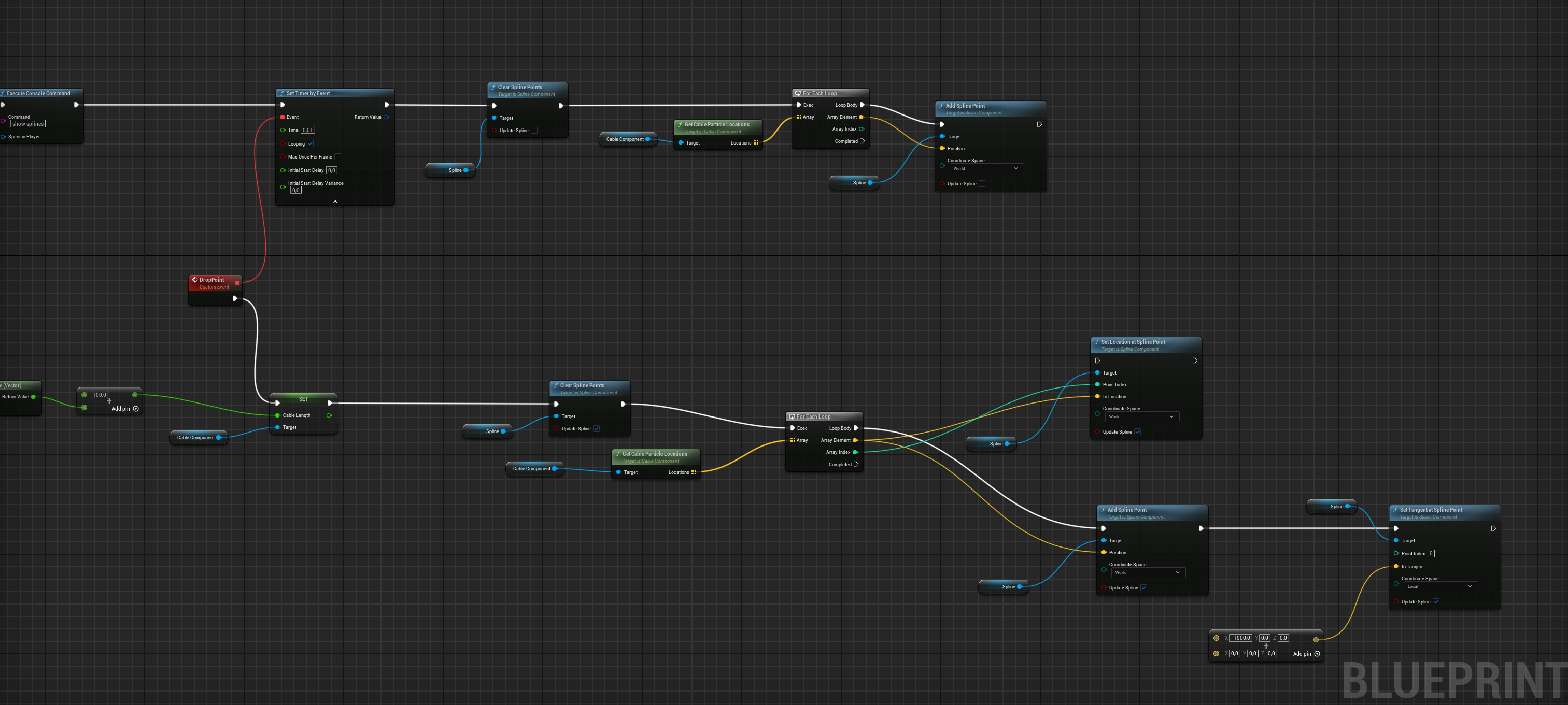
it basically create the spline and delete it everytime the event update
now, there's a way to attach some static mesh? and deleting the mesh every update?
or some other way to just make a static mesh follow the spline. I'm trying to do some kind of firehose
 teal talon
Question:
I got a out of memory crash while letting system idle in game. So I assume I have a memory leak. When doing Blueprints where can you get memory leaks? This seems odd to me.
Fatal error: [File:D:\build\++UE5\Sync\Engine\Source\Runtime\Core\Private\GenericPlatform\GenericPlatformMemory.cpp] [Line: 253] Ran out of memory allocating 6242400 (6.0 MiB) bytes with alignment 4. Last error msg: The paging file is too small for this operation to complete..

UnrealEditor_Core
UnrealEditor_Core
UnrealEditor_Core
UnrealEditor_Core
UnrealEditor_Core
UnrealEditor_Core
UnrealEditor_NavigationSystem
UnrealEditor_NavigationSystem
UnrealEditor_NavigationSystem
UnrealEditor_NavigationSystem
UnrealEditor_NavigationSystem
UnrealEditor_NavigationSystem
UnrealEditor_NavigationSystem
UnrealEditor_NavigationSystem
UnrealEditor_NavigationSystem
UnrealEditor_NavigationSystem
UnrealEditor_NavigationSystem
UnrealEditor_Engine
UnrealEditor_Engine
UnrealEditor
UnrealEditor
UnrealEditor
UnrealEditor
UnrealEditor
UnrealEditor
kernel32
ntdll
This system was just moved to a new motherboard and cpu. So could be a new system issue too.
narrow sentinel
Anyone able to help I have this odd thing happening where on restart of the editor after saving everything it seems a lot of stuff I've done has broke and is missing
teal talon
What errors do you get?
maiden wadi
teal talon
Question:
I got a out of memory crash while letting system idle in game. So I a...
Are you seeing RAM usage go up over this time?
If not I'd check your paging file settings to see if they're okay or too small for some reason.
teal talon
It was using 48gb of paging.
I didn't check ram. I'll test it tonight
It's just sitting paused at this screen waiting for user
 maiden wadi
It's hard to say. That's a lot of data though. O.o In general memory leaks just come from something like continually adding to an array that you never clear or reuse.
How long does it usually take for this to happen?
teal talon
No idea. First time it crashed was last night. I'm pretty sick so I went to bed at 8pm and saw it was crashed at 6am. I do have some arrays and I'm pretty new so I could have messed that up.
I'll watch it tonight and see but seems pretty flat just one off. I assume if my memory grows my times will too?

 split salmon
how to skip a sequencer making sure that every event is fired?
 dry sleet
teal talon
Question:
I got a out of memory crash while letting system idle in game. So I a...
dry sleet
teal talon
Question:
I got a out of memory crash while letting system idle in game. So I a...
Are you spawning any actors?
If it is something you've done, it must certainly be something that is being done sequentially (on tick, or on a repeating timer), and something that allocates some resources that doesn't get freed.
teal talon
no, I think it's just a index of the music so I can next song. It's very veyr basic
dry sleet
Spawning actors (say for some visual effect or something) and not Destroying them properly would cause this issue.
And like Authaer said, growing arrays forever will also do it.
olive yarrow
dawn gazelle
Why are you using floats for ammo counts? It should be an integer as you should...
finally got around to putting this in but it gets hella wonky - you available to help on out?
faint creek
Hi guys, I'm using the variable of type "Random float", what is the seed and the duration? I don't understand.
Somebody knows?
Thank you
 dawn gazelle
olive yarrow
finally got around to putting this in but it gets hella wonky - you available to...
dawn gazelle
olive yarrow
finally got around to putting this in but it gets hella wonky - you available to...
Works correctly as far as I can tell.
This is an example setup of how you can use it, I renamed the inputs and outputs for clarity here. Make sure you have a value defined for magazine size.


 high iris
Quick question for the gang. I'm told that relying on index 0 to identify the player on the current instance of the game in a multiplayer context may backfire. What alternatives do folks recommend to this sort of check that might be more bullet proof?
 fading sail
so I have a GUI widget component in 3d space on an actor, and that widget I want to retain on screen (at the edge or wherever) even as that actor gets outside the cam frustum — is there a builtin convenience or does anyone know a neato BP snippet for that?
(if this proj wasnt a b-day gift for my lil bro, hence severely deadlined, I'd work it out from first principles and what not, but this way, I gotta say "it's either out there already, readily adoptable — or else outa scope" 🍰 =)
lunar sleet
high iris
Quick question for the gang. I'm told that relying on index 0 to identify the pl...
Get controller can be an option but your best bet is #multiplayer
 hard charm
Guys, I want to make a load asset for Niagara particles so that later my player doesn't have to load them, how is this achieved?
lunar sleet
hard charm
Guys, I want to make a load asset for Niagara particles so that later my player ...
Async load asset?
hard charm
Yes or load asset too
lunar sleet
hard charm
Yes or load asset too
Well that’s the node you would use.
 ancient moth
I have a node, that after every restart comes up with this error, after refreshing the node and compling the blueprint everything works, but this happens after every restart.
Is there something I can do about that?

 thin umbra
Hello, does anyone know a way to make the Enable input more reliable?
I am still facing the issues where sometimes the client fails to get their inputs enabled even with replication and a lot of effort like setting it in a loop...etc
Is there a more reliable way to disable/enable inputs for clients that doesn't let us get into the destructive end where the client never has their inputs enabled?
lunar sleet
thin umbra
Hello, does anyone know a way to make the Enable input more reliable?
I am still...
#multiplayer for such things
lunar sleet
ancient moth
I have a node, that after every restart comes up with this error, after refreshi...
Is it a bp struct that you’re drawing data from?
thin umbra
lunar sleet
<#221799385611239424> for such things
It's a good idea.
I found a nice revelation that it is the enhanced inputs specifically that are being unresponsive.
so I may have been unjustly harsh on the enable input node 😅
frosty heron
teal talon
I'll watch it tonight and see but seems pretty flat just one off. I assume if my...
Is this only for PIE or also happend in shipping?
PIE garbage collector doesn't work the same way it seems. Last time I made a space war mini game made my game down to 4 fps after 50s spawn. They are not cleared for some reason.
But in shipping I got constant 300 fps, no matter how many enemies I spawn and destroy.
teal talon
frosty heron
Is this only for PIE or also happend in shipping?
I've never seen it before today, so not sure yet. I'll test tonight. I swapped out the motherboard, and cpu yesterday for a new one and it could be a drive issues with the swap space. but I did check it and windows ssays it's fine. .. but you know windows.
teal talon
frosty heron
PIE garbage collector doesn't work the same way it seems. Last time I made a spa...
oh, thats good to know
frosty heron
teal talon
I've never seen it before today, so not sure yet. I'll test tonight. I swapped o...
Umm, I mean are you testing in editor or shipped?
teal talon
honestly I'm too noob to understand the recycling toggles for my particles and stuff. I assume it's just doing it's thing. That might be a hard wake up call down the road
teal talon
frosty heron
Umm, I mean are you testing in editor or shipped?
standalone was how it crashed
I leave it running all night to see how stable it is. first time it crashed
frosty heron
Package it and leave it all night
teal talon
ok I'll do that next.
frosty heron
You should be fine, hopefully.
teal talon
It could be a one off too, since I just moved these drives. I changed a drive letter and have had a few things that didn't update. so many an reboot will fix it too
Went from a ryzen9 3800x to 7800 series. so motherboard changed too. I could easily have a drive a miss. I had to reinstall engine because of the drive letter change.
 jaunty night
hi, are there any plugins or settings to make an array of big structures easier to edit?

 flat coral
I feel like code kinda sucks, and it's only gonna suck more if I add more sense configs. Am I being a snob? Or is there a cleaner way to do this?

I really wish I could do this.

 tawdry goblet
Hi all. I wonder if someone could help.
How would I set the barrel of my tank to always range correctly whether I'm close or far, obviously the projectile has gravity so i want to be able to look at any spot and have the barrel adjust automatically for the range if that makes sense. Any idea? I know some guys have done this before but can't find anything on it.
Thanks
gentle urchin
dawn gazelle
Works correctly as far as I can tell.
This is an example setup of how you can u...
One of the few times i've seen people use Min/max. Such underrated nodes
gentle urchin
flat coral
I feel like code kinda sucks, and it's only gonna suck more if I add more sense ...
is there no tag or anything to the sense ?
flat coral
gentle urchin
is there no tag or anything to the sense ?
I can apply tags to hearing that show up in the stimulus, but not to any other senses so it's not really useful
dry sleet
jaunty night
hi, are there any plugins or settings to make an array of big structures easier ...
Not in Blueprint. Well, I'm not sure about plugins actually.
But most convenient customisations options end up being C++ only. If you use Data Assets instead of structs directly you can edit them in the Property Matrix, which is pretty good.
dry sleet
tawdry goblet
Hi all. I wonder if someone could help.
How would I set the barrel of my tank ...
This sounds like a case for #game-math !
and our good friend trajectories http://hyperphysics.phy-astr.gsu.edu/hbase/traj.html
gentle urchin
flat coral
I can apply tags to hearing that show up in the stimulus, but not to any other s...
Hidden in c++ land there's a typewhich basically is the sense ID
to bad it's not exposed
flat coral
I'm already cutting some C++ to make this work

but the problem with SenseID is I don't think that type is exposed to BP either so I'd have to make a BP version of the type and at that point I might as well just make an enum because structurally that's what I'm doing but then that's a lot of infrastructure just to make a somewhat-shitty function a little less shitty
tawdry goblet
dry sleet
This sounds like a case for <#1174844469850419241> !
Thank you. I'll look into it
gentle urchin
flat coral
but the problem with SenseID is I don't think that type is exposed to BP either ...
it'd be hidden if you made a c++ switch case 😄
vocal adder
when i hold shift I loose stamina (even when I'm not moving) and when i run out of sprint it changes my velocity in the air and i use sprint in the air. dose anone know ways of fixing this?
 maiden wadi
Don't make shift call sprint logic. Make shift set intentions. You should have a timer somewhere that "ticks" to check springing logic. And by that I mean your character's actual velocity and if they're on the ground.
 small ice
What's the best practice for projectiles, like grenades? Should you wrap the mesh in a capsule component and use OnBeginOverlap to create a hitbox, or it is better to use the mesh's own collision as the hitbox and use OnHit?
vocal adder
maiden wadi
Don't make shift call sprint logic. Make shift set intentions. You should have a...
what? im new to unreal so...
faint pasture
small ice
What's the best practice for projectiles, like grenades? Should you wrap the mes...
That's effectively the same thing, I'd give the mesh a sphere simple collision
assuming you're using colliders for grenades, it all depends on what you're using for your projectiles (a grenade is just a slow bouncy projectile)
small ice
Is there a way to add collision to skeletal meshes in-editor, or is that only a feature for static meshes?
faint pasture
small ice
Is there a way to add collision to skeletal meshes in-editor, or is that only a ...
yes
small ice
faint pasture
yes
For static meshes there's a "Collision" dropdown menu, but I don't see one for the skeletal mesh editor
faint pasture
small ice
For static meshes there's a "Collision" dropdown menu, but I don't see one for t...
Open the editor and show a screenshot, not near Unreal rn
small ice
Do skeletal meshes use physics assets for collision?

 faint pasture
small ice
Do skeletal meshes use physics assets for collision?
faint pasture
small ice
Do skeletal meshes use physics assets for collision?
There's a tab, show the whole screen
small ice
faint pasture
There's a tab, show the whole screen
Editing Tools are all just for manipulating the model. The tabs are "Edit Bones," "Edit Skin Weights," "Deformations," "Shape Modeling," and "Mesh Processing"
faint pasture
Then its not in there, it'll be in whatever you get when you just double click the skelmesh
fading garden
lunar sleet
Which one of the GetOwner nodes is failing cause you have have a lot in there. A...
frankly im not sure which one is failing. I tried to use as few as possible.
small ice
faint pasture
Then its not in there, it'll be in whatever you get when you just double click t...
Do skeletal meshes not use physics assets as their collision, or is that just for physics simulations?
faint pasture
small ice
Do skeletal meshes not use physics assets as their collision, or is that just fo...
they do, that's one and the same thing
small ice
faint pasture
they do, that's one and the same thing
Ah, that's what I was missing. I know how to use physics assets; I just thought they were used for simulating physics, not detecting collision
 verbal kayak
How can I make frame independent trace?
Should I just add another trace and have that get its power from a small interval timer?
Like the speed is very fast who gives the trace and I want it to trace reliably
faint pasture
verbal kayak
How can I make frame independent trace?
What do you mean by frame independent?
What are you trying to hit test for
 autumn pasture
hello. I'm having a problem with mouse input after unpausing the game - one time LMB event is being processed correctly, and after that only double-click works (as a single click). not every second click, but only double-click.
I can't find what causes this. any ideas?
here's my pause/unpause setup:

 velvet pendant
Is there anybody who would like to be my personal teacher for a while?
timid yoke
verbal kayak
How can I make frame independent trace?
do the trace on a repeating timer instead of in tick is an easy way
autumn pasture
autumn pasture
hello. I'm having a problem with mouse input after unpausing the game - one time...
so the problem was "game only" input mode in my setup. it clearly conflicts with some other blueprints
lunar sleet
fading garden
frankly im not sure which one is failing. I tried to use as few as possible.
Use breakpoints so you’re sure
 rare gale
Can anyone help me with an issue regarding structs in BP? Is there any known issue with having structs within structs within structs? The first screenshot is my setup. The second is the code that'

 rare gale
Can anyone help me with an issue regarding structs in BP? Is there any known iss...
rare gale
rare gale
Can anyone help me with an issue regarding structs in BP? Is there any known iss...
... oops... is giving me issues. It runs fine when it hits the first Objectives Index (0). The second set (1) causes an error saying it tried to address Index one in an array of length 1
rare gale
rare gale
... oops... is giving me issues. It runs fine when it hits the first Objectives ...
When I print string to see how many indexes exist, it give me both of them. I don't understand what is keeping the second index from being editable
dawn gazelle
rare gale
... oops... is giving me issues. It runs fine when it hits the first Objectives ...
Arrays start at 0. If you are attempting to access an array index of 1 with an array that only has a length of 1, then index 1 isn't valid, only index 0 would be.
rare gale
dawn gazelle
Arrays start at 0. If you are attempting to access an array index of 1 with an ...
No, I understand that. There are 2 indexes in that array, set manually so it's not an issue of something not filling right. It's really weird that printing with a for each at the Objectives array gives me 2 indexes. It just seems to be when it tries to Set Members that it can't find it. I've verified it's getting the correct index (1) from the ObjID as well.
rare gale
rare gale
No, I understand that. There are 2 indexes in that array, set manually so it's n...
This code prints 0 1 when I run it. Same array called by the same functions. Why does it see both indexes there when it won't trying to set members? I'm guessing there's something about the inner workings of structs that I'm breaking?

 vivid quarry
This is probably something simple but I am having trouble getting my widget to update its percent. The widget appears and the value that feeds into the percent is being set properly (I have a print string and it goes from 0 to 1 as expected across a timeline). The percent is set from a function that just checks a float on the enemy BP that the widget is on, and it's set to instance editable and expose on spawn. As far as I can tell everything is set up just like another widget on the same BP that DOES update, so any ideas or things I missed would be welcome if people have ideas. Thanks!


Second image is off of BeginPlay when the widget is created
rare gale
vivid quarry
Is this set up as a bind? Did you forget to bind it?
dawn gazelle
rare gale
This code prints 0 1 when I run it. Same array called by the same functions. Why...
Generally speaking, there is no issue with using structs within structs within structs.
You're more than likely encountering a problem with how you've structured the data and how you're manipulating it. For example, you have that function earlier on that "Gets Current Phase". Does that function happen to attempt to access the Obj Count in the structure near the end? The value being incremented by the ++ might actually be incrementing the value within the structure, but then when you're going to set the members of that structure, it's having to call that function I mentioned again to get the structures underneath it.
vivid quarry
rare gale
Is this set up as a bind? Did you forget to bind it?
Yes the get percent function is bound, if you mean what I think? See the details on the progress bar in image 3
dawn gazelle
vivid quarry
All this bind is doing is reading the value you've fed into the widget originally. Your bind either needs to continually read from the actual source of the percentage you want or you have to do something that updates that detection percent variable within the widget.
rare gale
dawn gazelle
Generally speaking, there is no issue with using structs within structs within s...
Not sure I fully understand. This function is called when I pick up an object for the quest. On pickup, it's just incrementing the count on that struct. Each item has a component where the function is called back to another "manager" component. So, each component is calling another component that is updating text on the widget (screenshotted code). All of it is refering back to an array of structs that hold all my quests on the Game Instance. None of this should be a race condition since it's happening one at a time and I'm doing it slowly. I can start the quest and pick up a 0 and it works fine. Restart and pick up a 1 and it gives the error.
vivid quarry
dawn gazelle
All this bind is doing is reading the value you've fed into the widget originall...
OK that was my suspicion, the whole widget thing is new to me but I have a working health bar that seemed to update automatically so I was under the impression that the Get Percent function that bind calls is set to automatically retrieve its value and that the create node called on begin play was simply telling it which variable to monitor
dawn gazelle
It's not about a race condition. You're incrementing something, and then the very next thing you're doing is setting a member of a structure and then you're also reading a value - this is happening one thing after the other, and each pull of a pin from a pure node (the ones without execution path pins) will be executed for each pull from a pin. That function in the middle there will be executed 3 separate times here.
 vivid quarry
I got it working just now by manually setting the progress bar to the desired value right off of the timeline
I just thought that the bind was there to avoid having to manually update the widget every time its associated value changed
dawn gazelle
vivid quarry
I just thought that the bind was there to avoid having to manually update the wi...
That is what binds are for, but unless you're changing that value somewhere, it will always have the same value. The exposed on spawn that you have there feeds it in an initial value, but it doesn't keep it updated with the value from the original source of that variable.
rare gale
dawn gazelle
It's not about a race condition. You're incrementing something, and then the ve...
I'm not sure how that explains the issue I'm having, though. With the object at index 0, it works as expected. It's only on the object at index 1 that I get an error saying there is no index 1, even though there is.
dawn gazelle
When you're doing this part here, you're not modifying anything. The "Get Current Phase" function would presumably return the same result for both iterations of your loop.
When you're modifying the contents of your arrays, that function may not be returning the same value, and you may not be accessing exactly what you think it is you may be accessing.

Like, if that "Get Current Phase" relies on some kind of objective count to tell you what the phase is, you're modifying an objective count, and thereby the next time it gets executed on the next node it could end up pulling the wrong array, which in turn messes up the rest of your executions.
rare gale
How would I streamline that to avoid that issue?
vivid quarry
dawn gazelle
That is what binds are for, but unless you're changing that value somewhere, it ...
ah I got it, thanks for clarifying. I guess I was under the impression that GetPercent automatically updated on tick or on value change, whatever. I'll have to check out the old health bar I made since I don't recall setting anything like that manually it was a while ago. Anyway, thanks!
rare gale
vivid quarry
ah I got it, thanks for clarifying. I guess I was under the impression that GetP...
The bind does update on tick, but that value "Detection Percent" has to change in some way. A health bar likely had a change on hit or something, not sure how detection is changing it though.
dawn gazelle
rare gale
How would I streamline that to avoid that issue?
This is a tough one to answer as it kind of depends on how this object works and what its associations are. If this object is meant only to represent a single objective associated to a quest, then you'd ideally tell it what phase it was in to begin with rather than relying on the quest system to tell it what the current phase is and reading the values based on the phase it is associated to rather than what the current phase is - if that makes any sense.
As a "test" you could potentially set the output of the "Get Current Phase" to a local variable before incrementing and using that local variable instead of plugging in the function directly to the subsequent GET.
 marble tusk
I haven't read everything in this chat, but I would add that this node specifically is redundant. The increment int node is already setting the variable by ref
 dawn gazelle
@rare gale Something like this (using the original function with the increment... not this one where you were testing the array contents)
 rare gale
dawn gazelle
<@103535232736571392> Something like this (using the original function with the ...
rare gale
dawn gazelle
<@103535232736571392> Something like this (using the original function with the ...
Read my mind. Just tried that. Doesn't fix the issue with the array length though... 😦 @marble tusk That's interesting. I didn't know that worked like that in a struct. I'll see if I can streamline that part too
Hmmm, getting somewhere. I changed to this:
 vivid quarry
rare gale
The bind does update on tick, but that value "Detection Percent" has to change i...
vivid quarry
rare gale
The bind does update on tick, but that value "Detection Percent" has to change i...
The detection changes based on a timeline if the player is in view, so I'm not sure why it isn't working on its own
It's easy to work around by calling percent manually, just kind of bugging me lol
It would be much messier if that percent detection was set anywhere else too but it's only called in that one timeline so easy enough to remember I guess
rare gale
Index 0 works as intended. Now, strangely, the first item at index 1 works but the subsequent ones do not, they get the same length error. FYI, in the same Objective Sets struct where I'm getting ObjCount, I have a list of objects the player can pick up. Set 0 has 2, Set 1 has 3. Both work in set 0, only the first in set 1
rare gale
vivid quarry
It would be much messier if that percent detection was set anywhere else too but...
If you're setting it manually, you're better off to set a function to do the update rather than a bind. The bind is checking every tick whether it needs to or not.
vivid quarry
I wish I didn't NEED to set it manually but for some reason the bind is just not updating when the value is set by the timeline
dawn gazelle
The bind has to read from the source of the variable changing. So if you have a reference to the object that is running that timeline, then the bind can get the value from that reference.
For example, if the timeline is on the player's character, the bind should "Get Player Character 0" Cast To "Your Custom BP For Your Character" > Get the Variable that contains the number you want > Plug it in the return node.
rare gale
dawn gazelle
For example, if the timeline is on the player's character, the bind should "Get ...
If you have a direct reference you might even be able to select the variable from the dropdown list rather than setting up a function for it. Instead of selecting "Create binding", you should have a list of variables and arrows to see what variables are inside the direct reference variables.
vivid quarry
dawn gazelle
The bind has to _read_ from the source of the variable changing. So if you have...
Ah that makes much more sense, as the healthbar I have is taking an interface as the input so it's reading from that, whereas the detection is just a float. I'll mess with it tomorrow and see if I can get it reading dynamically, for now just setting it via the node gets the job done but it's not as scalable as I'd like and stuff like that bugs me haha
 vale solstice
Hi hello so in 5.5 Construction Scripts don't seem to work properly anymore. In 5.4 and below I can change out skeletal meshes on the fly but the same setup no longer works in 5.5 I am losing my mind
And no, hitting Compile manually does not cause the mesh to update.
inland walrus
Anyone know why the goblin goes from patrol to chase player to stop completely. I need him to go back to patrol if he's not chasing player
but "is seeing player?" is still true even though the goblin can not in fact see the player
lunar sleet
inland walrus
Anyone know why the goblin goes from patrol to chase player to stop completely. ...
Pawn sensing was replaced by AI perception. Go watch the #gameplay-ai pinned video on Behaviour Trees, it also includes a section on AI perception if you decide to just keep it in bp
fervent crypt
I'm am running crazy here, I tested countless methods but can't not figure out what issue is, I have a simple level sequence at the beginning of level and it play in preview as it should but when I package the game and test in on mobile it won't play.
I tired bidding it, overriding it, adding it to package manually doing auto play and blueprint but to no avail.
What am I doing wrong?
 gentle sonnet
Yo ! I was following a Youtube Tutorial: https://www.youtube.com/watch?v=newhrqTYAfs but my dash is not working the way it should. As you can see from the video, something is going wrong with the logic for checking more than one of the sphere collisions, if anyone can see anything wrong with the log, id appreciate it!


In this part of the "Games Dissected" series, I will be breaking down the "Dash" ability from Hades and recreating it in Unreal Engine 5.
"Games Dissected" is a series where I explain the details of how popular game mechanics work and show you how to recreate them for your own games.
Download the project files and support my channel on Patreo...
frosty heron
fervent crypt
I'm am running crazy here, I tested countless methods but can't not figure out w...
Test that you are running the same map
 drowsy rivet
how can I make gun attachment system like with grenade launcher, laser sight?
lunar sleet
drowsy rivet
how can I make gun attachment system like with grenade launcher, laser sight?
Well first you join a discord server, wait a year without reading the rules, then cross-post in multiple channels so you can create duplicate threads for no reason. Make sure to not Google anything either so that you can keep spamming others instead of doing your homework
drowsy rivet
lunar sleet
Well first you join a discord server, wait a year without reading the rules, the...
I ain't spamming brother, my question gets ignored and also I do my homework
drowsy rivet
lunar sleet
Well first you join a discord server, wait a year without reading the rules, the...
but yeah sorry, my personality is strange
lunar sleet
Do some googling but skeletal mesh for the weapon and sockets is prly what you’re looking for
drowsy rivet
lunar sleet
Do some googling but skeletal mesh for the weapon and sockets is prly what you’r...
I done it and collecting more information. I asked chat gpt, searched Youtube and then I would ask here so that I would combine all information and do action
this is how I work, collect everything you can, and do action
it will be more productive
lunar sleet
That’s ok, just don’t cross-post, pick a channel
drowsy rivet
lunar sleet
That’s ok, just don’t cross-post, pick a channel
ok
which channels are good for knowing about this types of guestions? like gun attachemnts, movement system?
is it blueprints?
or ue5-general?
lunar sleet
Either is probably fine, given blueprint is kinda generic too
dark drum
drowsy rivet
how can I make gun attachment system like with grenade launcher, laser sight?
Well it'll be a complex system but I would recommend you look into making custom actor components. The first person template uses a component for the gun and it's logic, you can apply the same sort of concept to how you handle guns and it's attachments.
For example, the weapon when you go to fire, first checks if it has any children, if it does, fire the logic on the attachement. If not, perform default behaviour. In theory it should be as simple as removing the component attached to the weapon and adding a new one.
ancient moth
lunar sleet
Is it a bp struct that you’re drawing data from?
yes it is
lunar sleet
ancient moth
yes it is
Bp structs tend to break very easily. Defining them initially in cpp makes them stable and it’s not very difficult to do
hard charm
Guys I am setting up my loading widget in my gameInstance. but it is deleted when I travel to another map, how do I fix that?
 lunar sleet
hard charm
Guys I am setting up my loading widget in my gameInstance. but it is deleted whe...
lunar sleet
hard charm
Guys I am setting up my loading widget in my gameInstance. but it is deleted whe...
You’re not creating it in the GI
You’re just telling the GI to store a pointer to your widget that’s created wherever that bp is
Then when that gets destroyed your pointer now points to Africa
hard charm
This blueprint is within the GI
lunar sleet
Then why are you casting to the GI ?
 lunar sleet
Should be able to use the set node that doesn’t have a target now, but either way print the loading screen value after level change or use a blueprint to see if it’s nullptr
It’s entirely possible widgets get destroyed between levels regardless, they are usually meant to be transient, so you may need to recreate it
frosty heron
hard charm
Guys I am setting up my loading widget in my gameInstance. but it is deleted whe...
You can't keep it alive in blueprint
You can with cpp
hard charm
With c++ I have seen that there is a configuration to indicate which widget I want not to be destroyed for transactions?
frosty heron
No configuration
You can make the widget alive by using a shared pointer in the game instance.
But there's no bp way to do this.
ancient moth
lunar sleet
Bp structs tend to break very easily. Defining them initially in cpp makes them ...
what do you mean by defining them initially in cpp, it is a c++ struct
hard charm
So do you recommend showing this widget using c++?
frosty heron
hard charm
So do you recommend showing this widget using c++?
If you want a widget that live across level transfer then use cpp
It's not about displaying, it's only about keep a reference to it alive
So the widget doesn't get garbage collected
frosty heron
ancient moth
I have a node, that after every restart comes up with this error, after refreshi...
If it's a cpp struct, big chance you are just running out dated build.
Always, always, run the project from your IDE
ancient moth
I'm always running it from IDE and compling it.
frosty heron
If you want for no reason to open your project by clicking uproject. Then compile for development editor build.
ancient moth
And after every restart, this is broken, I even trie to completely replace the node but it's still broken
ancient moth
I'm not sure if this is a c++ issue, to fix the issue, I'm just refreshing the construct node and complie the blueprint and it works
frosty heron
Then perhaps you exit and open the uproject?
ancient moth
I'm always starting it from the IDE
frosty heron
You should ask the cpp guys then, they have far more experience
Many of them knows how things work internally
fading sail
how do I get the extra right-hand-side pin on a timeline node? everywhere I look online, timeline nodes have that extra pin on the right (like here & here & here) where one plugs their Lerp or whatever, but nada at my end:


 ancient moth
But I don't understand, because when i refresh the node and compile it it shows changes for the blueprint which i save but after the restart i need to do the same thing again
dark drum
fading sail
how do I get the extra **right-hand-side pin on a timeline node?** everywhere I ...
Add a value curve to the timeline.
frosty heron
fading sail
how do I get the extra **right-hand-side pin on a timeline node?** everywhere I ...
Double click the timeline. Inside the timeline editor, you can see at the top the option to add float, event. Etc
fading sail
frosty heron
Double click the timeline. Inside the timeline editor, you can see at the top th...
superb, merci! (another lesson learned — dont just look at details tab, also try a double-click when stumped =)
dark drum
ancient moth
But I don't understand, because when i refresh the node and compile it it shows...
This would normally indicate a load order issue when opening the editor/project. Basically, the BP is loading before the structure is meaning it's not there when it first loads.
frosty heron
De rien
ancient moth
dark drum
This would normally indicate a load order issue when opening the editor/project....
is this even possible?
frosty heron
@ancient moth u got your answer after 1 second of posting 🐱
dark drum
ancient moth
is this even possible?
Yes, its what's causing your issue. Granted it normally happens with plugins that don't load at the right point.
ancient moth
frosty heron
<@338013818330546176> u got your answer after 1 second of posting 🐱
hmm?
ancient moth
dark drum
Yes, its what's causing your issue. Granted it normally happens with plugins tha...
ohh interessting
dark drum
ancient moth
is this even possible?
If you're not wanting to use C++ the only thing you can do is recreate the structure. It'll normally fix it but it could of course happen again.
ancient moth
dark drum
If you're not wanting to use C++ the only thing you can do is recreate the struc...
No I'm totally fine using C++ the struct is even a c++ struct
frosty heron
@dark drum have you heard, rider is free?
dark drum
frosty heron
<@430016173694779402> have you heard, rider is free?
I have not. I'll have to check it out.
frosty heron
dark drum
I have not. I'll have to check it out.
🥳
 tribal sigil
I’m setting up a virtual production in Unreal Engine 5 with multiple Composure compositions use as different camera angles. I want to switch between these compositions by pressing a single key (e.g. Pressing 1 to swap to comp1).
My current setup have no response and I’m stuck on this now, wonder anyone have solution to this or a different approach to this.
The setup was done with ChatGPT, I’m new to blueprint I have no idea what I’m doing
Hope I didn’t interrupt your conversation
🤣
tribal sigil
 frosty heron
@dark drum you are very well versed with blueprint, I think going to cpp would be an easy transition.
Unlocking the engine the first time is an eye opener for me. Hope you can cross over so I have someone to struggle with 🐱
dark drum
frosty heron
<@430016173694779402> you are very well versed with blueprint, I think going to ...
I do read some of the source code and I have tempted in the passed. I just get fed up after an hour trying to get the IDE not to spit errors at me left right and center. haha. (VS is a pain) I've heard a few people rave about Rider so with it being free, i'll most likely check it out.
I used intellij for a bit years ago when making some minecraft mods and it seems to work pretty well. I didn't encounter many issues.
frosty heron
dark drum
I do read some of the source code and I have tempted in the passed. I just get f...
That's because VS out of the box is broken for unreal! That was frustrating for me too but the moment rider is open for me. It's a whole new world.
dark drum
tribal sigil
What debugging have you done so far? Does the event fire?
 haughty sun
Hi all, bit of a noob question but I've got an Anim Sequence of a safe door opening which works fine, however I'd like to use the Completed pin on a Montage so I converted it but when playing it snaps back to the first frame when completed - so it opens then slams back shut and them fires the complete pin.
I can't seem to figure out why or how to prevent this and was wondering if anyone could shed any light on it?
I have found that unticking "Enable Auto Blend Out" on the Montage properties lets is stay on the final frame, but this also disables the Completed pin and it never fires so isn't really a solution.
Any help or pointers appreciated.
tribal sigil
dark drum
What debugging have you done so far? Does the event fire?
I’ve not really done much “debugging” other then make sure the variables contain the correct sources, and the names are correct, i have 2 comp in total, when i start the level, it will just stay on one of the comp, and when i press the assigned key, nothing happens
dark drum
haughty sun
Hi all, bit of a noob question but I've got an Anim Sequence of a safe door open...
A montage just plays over the top, essentially overriding the various bone transforms. When its finished, it will revert back to its original state. (as designed) What you'll most likely need to do is either look at root motion or have different 'idle' states for the safe door that are switched when needed. For example, play the montage, and during it, switch the safe door to an open idle state, when the montage finishes it'll go back to the new default.
dark drum
tribal sigil
I’ve not really done much “debugging” other then make sure the variables contain...
Where is the logic placed? in an actor placed in the level or on the player character/controller?
haughty sun
dark drum
A montage just plays over the top, essentially overriding the various bone trans...
I do have states in the BP for closed/open etc that I manage myself, but I'm guessing they aren't what you mean?
What open idle state are you talking about and where would I set those?
The AnimSeq I have starts closed, then animates open and I was just changing the play rate and managing the states as needed myself, but as the montage reverts back to it's first frame/state I'm not sure how to change it?
(First time using montages so I just thought the completed pin would be super useful but didn't realise they'd snap back so...)
tribal sigil
It’s done to a few compositing elements, the variable are directed to a few media player and media source, hope this make sense
 dark drum
haughty sun
I do have states in the BP for closed/open etc that I manage myself, but I'm gue...
dark drum
haughty sun
I do have states in the BP for closed/open etc that I manage myself, but I'm gue...
The montage just plays on top of the skeleton with 100% weight on all the bones. When it finishes, it just changes the weight to 0% showing what was underneath (the underlying animation). If the underlying animation is a closed state, that's what it will go back to.
dark drum
tribal sigil
It’s done to a few compositing elements, the variable are directed to a few medi...
That's not answered the question.
tribal sigil
Comp 1 and comp 2 are two different composure with camera as a player viewport output, and I’m looking for a way to switch between them by a switch
frosty heron
If a door doesn't need to be a skeletal mesh, perhaps use static mesh and animate it with codes ( normally using timeline )
tribal sigil
dark drum
That's not answered the question.
🤣 my bad, I have no idea what you mean, Im totally new on this sorry dude
maiden wadi
ancient moth
is this even possible?
If the struct is in C++, then it's likely a load order problem or something referencing your BP from a construction helper that shouldn't. If the struct is a BP struct, it could also be a circular dependency issue with the blueprint loading before the struct because they require each other and it just has to randomly pick one to load first.
tribal sigil
tribal sigil
Comp 1 and comp 2 are two different composure with camera as a player viewport o...
Or how would you approach this if you try to switch between different composure with keybinding 😶🌫️
haughty sun
dark drum
The montage just plays on top of the skeleton with 100% weight on all the bones....
Sorry for being thick, what do you mean by the underlying animation being a closed state?
It's an anim sequence that starts closed and opens over 3.6 seconds, do I need to attach states to it somehow?
Or do you mean to split it up into 3 anim seqs and change them and the state I'm managing myself?
Sorry for being thick, not been using UE for long.
dark drum
haughty sun
Sorry for being thick, what do you mean by the underlying animation being a clos...
If you're wanting to use skeletal meshes, you should learn more about the animation pipeline. It might be easier to just use a static mesh and drive it's rotation using a timeline.
haughty sun
I'm not an artist so I wouldn't know how to convert it to be able to move just the door, it's a skeletal mesh with the animation already baked into it and as I say using Anim Sequence works fine, I just need to work out how to stop the Montage version snapping back to the start.
What you said above, how would you convert the state halfway through the animation so that it went back to "open idle" rather than snapped back to "closed idle" where it starts?
haughty sun
dark drum
If you're wanting to use skeletal meshes, you should learn more about the animat...
I will add that I did try creating 2 static meshes (opened/closed) with the anim seq and hiding/showing them and running the montage but it snaps back before changing to the static meshes. I thought the completed pin would fire before it snapped back but seems that's not the case.
dark drum
haughty sun
I'm not an artist so I wouldn't know how to convert it to be able to move just t...
You would need to use the animation blueprint.
haughty sun
dark drum
You would need to use the animation blueprint.
Ahh okay now the state stuff makes sense, you meant states within an animbp.
Will give it a go now, thank you for the help, appreciate it!
narrow sentinel
So i'm making a ship that the player will control, it's only going to be for certain bits and at moment isn't massivly used throughout
would I be better just doing simple actor BP or derive from character class
bear in mind this ship is something they can posess and control but also get up and walk around it so
maiden wadi
narrow sentinel
bear in mind this ship is something they can posess and control but also get up ...
Single or multiplayer?
narrow sentinel
maiden wadi
Single or multiplayer?
single
maiden wadi
Not sure it'll matter much then. Pawn or Character. Character if you need the CMC stuff, but that is mostly for networking in flying mode.
narrow sentinel
maiden wadi
Not sure it'll matter much then. Pawn or Character. Character if you need the CM...
CMC stuff ?
narrow sentinel
What setting do I need to change for the mesh to not cull out when outside camera frustrum ?
 plain condor
Hello everyone,
Does anyone know how can i make some Camera Post Process settings visible (and active) to my BP. I would like to expose Focal Distance and Depth Blur Radius.
I've made a simple BP code which is visible but it doesn't affect my BP at all. I have few of these BPs around my scene and i would like for each to have a different Focal Distance and Depth Blur Radius, but i just can't get it to work...
 plain condor
narrow sentinel
What setting do I need to change for the mesh to not cull out when outside camer...
plain condor
narrow sentinel
What setting do I need to change for the mesh to not cull out when outside camer...
For some of SM i had to turn off nanite so they do not disappear
maiden wadi
plain condor
Hello everyone,
Does anyone know how can i make some Camera Post Process settin...
Unless I'm mistaken you need to get the camera from the player to affect that.

 lime crow
i am trying to display floating point numbers on an enemy, the problem is a project to world screen needs a player controller, and if i use the player, no matter what i put into the loction the numbers will always follow the player, any ideas?
 plain condor
 mighty crown
Does anyone know why this happens? Is it corruption?
mighty crown
Does anyone know why this happens? Is it corruption?
Try restarting the program, usually helps when things are not working like they are suppose to
mighty crown
plain condor
Try restarting the program, usually helps when things are not working like they ...
Already tried it, didn't work.
- I also tried resetting the editor layout window.
- Also tried deleting derived data cache, binaries etc.. and rebuilding. No dice.
- Tried verifying the engine files. That didn't help either.
If I view in property matrix the details appear just fine though which is odd...
drowsy rivet
dark drum
Well it'll be a complex system but I would recommend you look into making custom...
all right I will try that Thank you!
drowsy rivet
lunar sleet
Either is probably fine, given blueprint is kinda generic too
ok thank you!
 frosty heron
 silent brook
nothing to do with optimization
beside everything here is wrong
RPC is useless in game mode as it's run by the server machine only
game mode only exist in server machine.
silent brook
how to change it then? Can I still send the link thanks to the events?
frosty heron
not sure what you want to do but it's quiet clear you don't know how to get and set references
in which case, my advice is to avoid multiplayer
frosty heron
you are trying to sprint before you can crawl.
The problem with not understanding referenes is that in multiplayer you have to deal with multiple instances.
e.g. having to understand what is null in what machines
doing multiplayer at this stage will just hinder your learning
 pulsar osprey
it really will
frosty heron
not trying to attack you btw, I will give the same advice to my best friend
lime crow
lime crow
i am trying to display floating point numbers on an enemy, the problem is a proj...
bump
frosty heron
lime crow
bump
then don't use player as the target?
the target needs to be your actual target. In this case I am just gonna assume is the owner of the widget (the enemy perhaps)
or maybe the problem is, the widget owner is the player
so get actor location is the player's location
lime crow
frosty heron
then don't use player as the target?
Yeah thats what i thought at first, but project to screen needs a player controller. So nothing else will fit into there. Umless i reparent the enemy to the player, which i relly dont want to do
frosty heron
that part is fine, as you are displaying it for the player imo
the one that you need to check is the target in get actor location
if you want it to be the enemy then get the location of the enemy
lime crow
frosty heron
that part is fine, as you are displaying it for the player imo
im displaying for the enemy, not the player, the enemy is a separate class that does not use a parent controller
frosty heron
just show some screen shoot for visual reference
lime crow
 lime crow
i need that project screen to world to display it properly
it works fine, the dmage numbers pop up, but it follows the player when the player moves
frosty heron
lime crow
it works fine, the dmage numbers pop up, but it follows the player when the play...
is the set position happend every frame?
fervent crypt
@frosty heron By test do you mean package it in the map that sequence in? Or test it how?
lime crow
nah its called when the player takes damage
frosty heron
fervent crypt
<@1050954229902213150> By test do you mean package it in the map that sequence ...
You said the issue lies in package. Make sure that you are actually running the same map with the logic to view your sequence is run.
Make sure that the level is included in the package and you are actually running the level that you test in PiE
frosty heron
lime crow
nah its called when the player takes damage
You probably have to calculate it every frame
should update the position every frame so when player moves, the position will update accordingly
lime crow
frosty heron
You probably have to calculate it every frame
thats ok, cheers for the help
mighty crown
mighty crown
any ideas on this?
frosty heron
mighty crown
Does anyone know why this happens? Is it corruption?
you hide the name by accident
frosty heron
are u using laptop or low resolution screen by any chance?
mighty crown
Laptop, 2k resolution

Here's an example of the details panel scooted all the way out, not sure if there is some other panel I am missing that you're referring to?
frosty heron
@mighty crown
mighty crown
oh my god lol
trying that..

That worked thank you so much
I wish they would highlight that line or make it more apparent
 gritty pagoda
Hey, does anyone know how to access and alter the chaos vehicle transmission parameters through blueprints?
mighty crown
frosty heron
<@419351707126857734>
BTW ColdSummer are you Laura? I see the iconic red panda
frosty heron
mighty crown
BTW ColdSummer are you Laura? I see the iconic red panda
No I am not, she convert me to the church of red panda
mighty crown
ah okay another red panda enjoyer 😄
frosty heron
If I can have 1% of Laura's knowledge and wisdom, I do die a happy person
mighty crown
I have joined the club
queen heron
so I learned by myself that this node setup will not return anything even if a child does exist in that widget

so the right way to check if there is a child inside that widget is to check if the promoted child exists
 frosty heron
queen heron
so I learned by myself that this node setup will not return anything even if a c...
frosty heron
queen heron
so I learned by myself that this node setup will not return anything even if a c...
Nah, works for me
queen heron
huh


 queen heron
what if its a widget created at runtime?
frosty heron
my widget is created at run time
queen heron
thats what I was trying to do with
frosty heron
doesn't matter it should work
queen heron
yet for me it returns empty everytime
frosty heron
your issue most likely is just you are accessing it before you create the widget
queen heron
its actually created in the first place
frosty heron
ok, i will try to make one at run time
queen heron


 queen heron
its maybe due to the complexity of my setup then
frosty heron
Adding a child to a widget isn't really complicated
just 1 node away
Add Child
the main thing here, you have to make sure you don't try to access something that isn't created yet
so do breakpoints and watch if the widgets already created before you access it
queen heron


the Prepare Page node would be fired again if the text has reached the maximum height of the page
yet somehow Get Child At still returns null
so promoting a variable from Add Child works just fine
frosty heron
I don't know when you are trying to access it, you need to add breakpoint
but I can assure you, it's just a matter of flow / logic
nothing wrong with the node it self
 mortal wharf
Been wondering for a while, never looked for an answer before now.
Is [Unknown] (Class: [Unknown]) just Blueprint way of saying "null" or is there more information to gather from it?

And why "unknown"? Why not "None" or "Null"?
narrow sentinel
Anyone know why say Physics Thrusters won't work for me ?
i've found out why which is the Thruster component takes the attached parent rather then the actor it's one
on
narrow sentinel
Anyone know what this means at all ?
Attempting to move a fully simulated skeletal mesh /Game/FirstPerson/Maps/UEDPIE_0_FirstPersonMap.FirstPersonMap:PersistentLevel.AP_PlayerShip_V1_C_UAID_2CF05DE488FDAF2F02_2011834927.SK_PlayerShip_EXT_V1. Please use the Teleport flag
atomic salmon
narrow sentinel
Anyone know what this means at all ?
You are explicitly setting the transform of an actor which is controlled by the physics engine
narrow sentinel
atomic salmon
You are explicitly setting the transform of an actor which is controlled by the ...
stange cause i don't see anywhere within my code where I'm doing that
willow gate
Hey all. When a line or sphere trace hits a collider, does that collider register a hit or overlap at all? Or is there a way for me to get it to do that?
I'm trying to make a keypad mechanic that lets me use my regular interaction trace on a keypad actor that has multiple collision boxes and I'm trying to figure out if the keypad actor can tell which button is hit.
atomic salmon
@narrow sentinel In principle you should let the physics engine do it. If you want to set it explicitely, you need to tell the physics engine you want to teleport that actor. There is a flag for that in funtions like SetActorWorldLocation
narrow sentinel
atomic salmon
<@1258928379822870583> In principle you should let the physics engine do it. If ...
but I can't see where I'm setting the transform thats whats confusing me
atomic salmon
It may be a component you added to it
atomic salmon
willow gate
Hey all. When a line or sphere trace hits a collider, does that collider registe...
No because traces are "invisible" to the traced actor. However once your trace returns the traced actor (hit), you can call an event on it (better if an interface) to inform it it has been hit.
narrow sentinel
atomic salmon
It may be a component you added to it
out of interest lets say I had a physics thruster within a scene component and that scene component was attached to say a object with full physics on
would that be the cause of the error
atomic salmon
@narrow sentinelscene components are not primitive components, so they do not simulate physics nor can be moved by physics
willow gate
atomic salmon
No because traces are "invisible" to the traced actor. However once your trace r...
Ok. That makes sense. In this case, would I need each key to be a separate actor then?
narrow sentinel
atomic salmon
<@1258928379822870583>scene components are not primitive components, so they do ...
so reason I ask is cause I've made in cpp a derived scene component for my thruster which has all needed stuff within