
#blueprint
1 messages · Page 239 of 1
 lunar sleet
 gaunt ether
you're missing some casts there anyways. Are you getting any AccessedNone errors?
gaunt ether
lunar sleet
you're missing some casts there anyways. Are you getting any AccessedNone errors...
nope
lunar sleet
then you're probably right about your collision settings being wrong
make sure generate overlap events is checked on that actor and maybe even the pawn
and that they're each set to overlap each other
gaunt ether
lunar sleet
make sure generate overlap events is checked on that actor and maybe even the pa...
I did this already and it still didn't work. I should probably put a collision capsul on the portal huh.
might work
lunar sleet
yeah, try it
as for your screenshot: Remove getPlayerPawn and instead drag from OtherActor and CastTo whatever your character bp is called.
On Success, set Actor Location from that same OtherActor pin
this will make sure you're 1) teleporting the player and not just anything that happens to overlap the portal. 2) the ref is not null, so you prevent any access None errors
gaunt ether
I did it
gaunt ether
lunar sleet
yeah, try it
So apparently using a collision capsule is pretty useful for overlapping.
Probably should have thought of that earlier
lunar sleet
gaunt ether
So apparently using a collision capsule is pretty useful for overlapping.
Yeah, shaped collisions are pretty nifty
gaunt ether
lunar sleet
Yeah, shaped collisions are pretty nifty
My next thing is to have an array of dimensions (coordinates) and when you click on a dimension option, it sets the portal to those coordinates. So when you touch the portal it brings you to the dimension (coordinates).
should be simple
lunar sleet
Famous last words hehe
gaunt ether
(they will find my body in 2 days max)
 warped juniper
@gaunt ether What is the collision shape of the portal?
Hmm wait
I see the issue
You are using the actor begin overlap raw event node
That is then the actor starts overlapping with another actor
But actors don't always overlap with things
Try to make a collision shape, and make an event off of that shape's overlap
gaunt ether
warped juniper
<@963219261361377362> What is the collision shape of the portal?
I used a box and scaled it accordingly
gaunt ether
warped juniper
Try to make a collision shape, and make an event off of that shape's overlap
yeah I did that
so thankful for this server, I would not of thought of it
warped juniper
If you want a circular shaped collision, you can use a flatter cylinder shape instead
Ideally with some thickness for accuracy though
 inland walrus
Any idea why these are the same value even though they have different floats?

 gaunt ether
warped juniper
If you want a circular shaped collision, you can use a flatter cylinder shape in...
gaunt ether
warped juniper
If you want a circular shaped collision, you can use a flatter cylinder shape in...
I tried that and it was really weird for scale]
warped juniper
Well a cylinder like shape
In any 3D software you can make whatever shape you'd like as a model for collision
 sick sky
inland walrus
Any idea why these are the same value even though they have different floats?
sick sky
inland walrus
Any idea why these are the same value even though they have different floats?
Show code
 keen sun
I want to get screen pixel 2D vector values of a line trace hit result point how can I achieve that?
 fallen glade
using that node, straight from editing the slider
 sick sky
fallen glade
using that node, straight from editing the slider
sick sky
fallen glade
using that node, straight from editing the slider
yeah this node only fire when you release the handle
if you want to constantly update you would need to use tick or a timer and toggle on/off when you start/stop touching the slider
 hushed hinge
Bumping this if anyone can help out
 stone ivy
Hm, strangely its not working

 surreal peak
Singleplayer or Multiplayer?
stone ivy
surreal peak
Singleplayer or Multiplayer?
Just before you typed that I realized that interact is running on the server, its probs not replicating for some reason
surreal peak
Well yeah stuff like this doesn't replicate
Materials are seen as a state, so you need to put the material into a rep notify variable and assign it on OnRep of that variable
stone ivy
surreal peak
Materials are seen as a state, so you need to put the material into a rep notify...
Perfect, makes sense, thank you
Your compendium is top tier btw! but I clearly need to read more of it haha
 next jungle
Does blueprint provide any way to access the CDO from a type reference or do I need to write my own functions to get those values off the CDO and expose those to BP?
surreal peak
next jungle
Does blueprint provide any way to access the CDO from a type reference or do I n...
There is a node called ClassDefaults iirc
Used on a class node
But it won't give you access to functions, inner components etc iirc
I usually code my own. But you can't have that const in BPs so be careful with it
next jungle
that's perfect I just want to read default values from a CDO
Are there uproperty specifiers that govern what shows up here
I do not immediately see the values I want
surreal peak
I would assume it has to be Readable at least
And the type has to be supported of course
next jungle
okay cool thanks
gaunt ether
lunar sleet
you're missing some casts there anyways. Are you getting any AccessedNone errors...
Im creating some blueprints for the dimensions, and im casting them all to my portal blueprint, but I keep getting accessed none errors when referencing the variables between the blueprints.
Any ideas?
lunar sleet
Show code
And actually
Go watch the blueprint comms live training pinned here in its entirety
So you can understand how this stuff actually works
gaunt ether
lunar sleet
Show code

 lunar sleet
You can’t just create a variable of a certain bp class and try to use it as an instance of that blueprint
 fair wadi
Hey everyone! I'm trying to learn unreal and i just made this actor component blueprint but I haven't been able to get the left click action to actually trigger, am I missing something?
 lunar sleet
What you have there is an empty vessel. You fill it by grabbing an instance from the world and storing it within. The overlap’s other actor pin for example can do that. But you should cast first to make sure you’re storing the right thing @gaunt ether
Learn bp comms like I said, it’ll be worth it
 gentle urchin
Any reference variable is by default empty. Its just a place to store a reference and does by default not hold any reference
Setting it to itself doesnt really make sense as it will just remain whatever it currently is (empty, or poiniting at a live instance)
gaunt ether
lunar sleet
Learn bp comms like I said, it’ll be worth it
Yeah I'm watching the demo part and it did not help me. How am I supposed to cast to a blueprint without being able to get the object for it?
Like what do I put for the object?
lunar sleet
gaunt ether
Yeah I'm watching the demo part and it did not help me. How am I supposed to cas...
What demo part
gaunt ether
 lunar sleet
Ok, I mean I just explained to you exactly how one can get a reference for example
And if you’re just skipping through the video you probably won’t get it
It may be long, but it’s by far the best video you can ever watch for Unreal basics
Until you understand bp comms, you won’t be able to build shit
gaunt ether
listen no offense but watching a power point about the concept of blueprints is not gonna help me figure out how to cast to a blueprint with an object unless the dude actually shows me how to do that
bros giving me a word problem, not an equation
gentle urchin
Hopefully you understand the concept of it as thats the only thing that'll help you along
gaunt ether
gentle urchin
Hopefully you understand the concept of it as thats the only thing that'll help ...
whats more useful, telling someone they can go to the moon, or showing them how?
gentle urchin
Getting the instructions of how to do it
Me watching Apollo 17 doesnt really help me much beyond being aware that its possible to do so
 drowsy anvil
Hello, what did I miss here? I want the object to rotate every 0.2 seconds, but it only rotates it once and then stops
 drowsy anvil
lmao, I connected it now, but it still doesnt rotate more than once
gentle urchin
Where did you connect it ?
You also want to use "Combine rotators"
Iirc those dont fall prey to gimball locks
As it uses quats internally
drowsy anvil
I tried to connect it to both nodes but didnt work
gentle urchin
It should only be connected to the last node
But youre also uaing set rotation
Which.. sets it to the input
And since input is static, itll only update to that, and seemingly stand still
You want "AddRelativeRotation"
gaunt ether
lunar sleet
Ok, I mean I just explained to you exactly how one can get a reference for examp...
yo sorry for tweaking out, I figured it out🙏 Im an idiot, I said "get forward vector" for an object instead of "get world location".
 chilly crane
How do you access the default directional input in a blueprint? Like when creating a 3rd person template the WASD are already mapped, and I want to retreive data when someone starts moving forward/back, etc.
drowsy anvil
gentle urchin
You want "AddRelativeRotation"
this did it, thanks for the help
fair wadi
fair wadi
Hey everyone! I'm trying to learn unreal and i just made this actor component bl...
if needed i can provide extra context for this
gentle urchin
I think at the very least, if this can even work, the owning actor must be getting inputs
surreal peak
chilly crane
How do you access the default directional input in a blueprint? Like when creati...
Not entirely sure what you mean. This is by now done via Enhanced Input
There should be InputAction Assets and an Input Mapping Context somewhere
gentle urchin
GetLastInputVector might be usefull
chilly crane
surreal peak
Not entirely sure what you mean. This is by now done via Enhanced Input
basically I'm trying out a more advanced combat system, and I need to know when the character is trying to move forward/backward/left/right
surreal peak
That's very Pawn/Character specific
gentle urchin
Yes it is
surreal peak
What I usually use for that is the Acceleration of the Character Movement Component
chilly crane
is it the IA_Move?
surreal peak
Normalized that's the direction the player wants to move in in workspace
surreal peak
chilly crane
is it the IA_Move?
Depends on what kind of vector you want
gentle urchin
Which includes the use of rotation speed
chilly crane
surreal peak
Depends on what kind of vector you want
I want the horizontal directional input
gentle urchin
Which you may or may not want, guess it depends
surreal peak
Worldspace direction you can use Acceleration, Velocity etc, whatever makes most sense
chilly crane
the player doesn't need to move, just needs to press the button that would move them in that direction
surreal peak
But WorldSpace or LocalSpace?
If you press W, do you want a vector the points forward in worldspace relative to how your character is rotated
Or just x or y being 1?
chilly crane
surreal peak
But WorldSpace or LocalSpace?
😅 wdym? I've been using ue for about 2 weeks now?
chilly crane
surreal peak
If you press W, do you want a vector the points forward in worldspace relative t...
relative to the viewport if that's a thing, eg. if I'm attacking an enemy, and press S, it will do a backflip away from the enemy
but end up facing the same way
surreal peak
Right you just want to know if the player presses backwards, not the actual world direction
chilly crane
yes
surreal peak
Cause the backflip can figure out the direction itself based on the player rotation
gentle urchin
What if the player is facing away from the opponent?
Should he then backflip into the opponent?
surreal peak
Tbh that's the Backflip itself that should figure that out
Doesn't change that the player presses S
chilly crane
gentle urchin
What if the player is facing away from the opponent?
if the player is facing away from the opponent the attack sequence won't engage because there is no viable target
gentle urchin
Aight aight
surreal peak
I'm not sure right now how to get the input values
chilly crane
in that case S would make the player move towards said opponent & the viewport would turn around to focus again. Then you'd be able to initate backflips
surreal peak
You could store them when the input node calls
 zenith flume
drowsy anvil
Hello, what did I miss here? I want the object to rotate every 0.2 seconds, but ...
zenith flume
drowsy anvil
Hello, what did I miss here? I want the object to rotate every 0.2 seconds, but ...
I'm sure that you could add a rotator component to your log object.
surreal peak
And then check them when you need
The last input vector might also work as Squize said
That should be a variable on the Character itself iirc
surreal peak
But there is the * that this only has a value if you actively called AddMovementInput
chilly crane
surreal peak
That should be a variable on the Character itself iirc
I'm wanting to call this all in a seperate actor component bp
surreal peak
Then that component has to have a reference to the character
And ask it for the value
chilly crane
so specifcally what boxes do I need in the bp? If you can step me through it, that'd be appriciated 😄
surreal peak
In C++ you could bind a function of the component to the input
But in BP land you are out of luck iirc
gentle urchin
Get owner -> cast to pawn -> Get(last)InputVector
surreal peak
chilly crane
so specifcally what boxes do I need in the bp? If you can step me through it, th...
On my phone. Don't want to type that much on it. If the component is on the character then you can get the owner of the component on BeginPlay and cast it to your character class. Then you can ask that for the last input vector.
If you need value regardless of the AddMovementInput logic, you might need to manually create a variable and set its properties when the input events call
chilly crane
gentle urchin
Get owner -> cast to pawn -> Get(last)InputVector
Does this give a better idea?

for the condition, I want to check if it is say "move backwards" whatever the key that is mapped by the player. If it is, it's going to play the next animation in the sequence, otherwise, it can either check for a different direction, or break and go back to the start
gentle urchin
I think you need to compare the input vector with the facing direction (e.g. forward vector)
Wether facing direction is already covered, I believe we still need the comparison / dot product between them
The nodes remain the same
GetOwner -> CastToPawn/Character ->GetPendingInputVector
GetOwner -> GetForwardVectorb
chilly crane
gentle urchin
GetOwner -> CastToPawn/Character ->GetPendingInputVector
GetOwner -> GetForward...
I'm throughly confused now, and about to throw the book at UE. Would you be able to VC and show me what you mean on your screen?
 atomic violet
"I've created a point system stored in the GameInstance, since my game has multiple levels, and I need to carry over the points between them (TOTALPOINT). However, I can't figure out how to save the points every time they change, and make sure that when I exit the game and re-enter, the points are automatically loaded. I've tried various YouTube tutorials on SaveGame and LoadGame, but I just can't get it to work. Could someone please help me?"
gentle urchin
chilly crane
I'm throughly confused now, and about to throw the book at UE. Would you be able...
Might have a minute in a minute. Babysitting 😅
So gotta be quick
The nodes ive mentioned are pure nodes
And I assume this code is inside a component
Is that correct?
chilly crane
gentle urchin
And I assume this code is inside a component
so I've a BP component that is handling all the attack stuff, but I can't seem to get the directional movement in it, which is driving me mad, it's taken me like 2h so far
gentle urchin
Thats the get owner part
Your script componemt doesnt have a notion of direction, so you gotta base it on the Owner
Owner would be whichever actor that holds the compoment
chilly crane
gentle urchin
Thats the get owner part
so I have to go to the BP_ThirdPersonCharacter & create a new function. In that I need to do exactly what to make the input continuously updated & accessible to another BP?
chilly crane
gentle urchin
i can VC now if you wanna screenshare
sure, it'll have to be DMs though because I'm new to this server
gentle urchin
oh shiet
hushed hinge
is it not good to switch between use control rotation and orient rotation to movement
 tropic peak
still not quite there
inland walrus
sick sky
Show code
sorry for the delay I went to bed


Any idea why these are the same value even though they have different floats?

 sick sky
well you arent updating the text renderer
when not playing
if you want to update the text also in editor (like on your screen), call your event in ConstructionScript
inland walrus
sorry I should've mention the text render needs removing, I was just testing something
It's all in the widget
inland walrus
sick sky
well you arent updating the text renderer
but I also think it's the same thing with the widget not being updated but I'm not sure how. I thought the tick would of done it
sick sky
inland walrus
It's all in the widget
same logic, update your text widget in construction script
construction script gets called when you move the actor, and whe nyou edit values
sick sky
inland walrus
but I also think it's the same thing with the widget not being updated but I'm n...
tick only ticks when playing
if you press play it will work
inland walrus
sick sky
if you press play it will work
It's running on set visibility though, it won't update if i do it via construct
inland walrus
sick sky
same logic, update your text widget in construction script
It's also only spawning on the one character
the same one it's keeping the values with
sick sky
inland walrus
well here we dont care to use construction script since you are playing
you have an issue somewhere else in your code
inland walrus
I don't get why it's only calling the originals wbp
It's like if I make it destroy actor, it should only destroy the one I've clicked, not the original one
 ornate jetty
is it possible to assign Post Process Anim Blueprint to a SkeletalMesh via blueprint scripting?
 plucky cedar
Hello, everyone.
I have a project in unreal engine and joomla.
If anyone is interested, please dm me
 violet bison
for multiplayer replication, is there no simpler ways to do this?
 keen sun
what is the right way to do dynamic camera animation while playing montage (e.g Finisher moves or execution)
 trim matrix
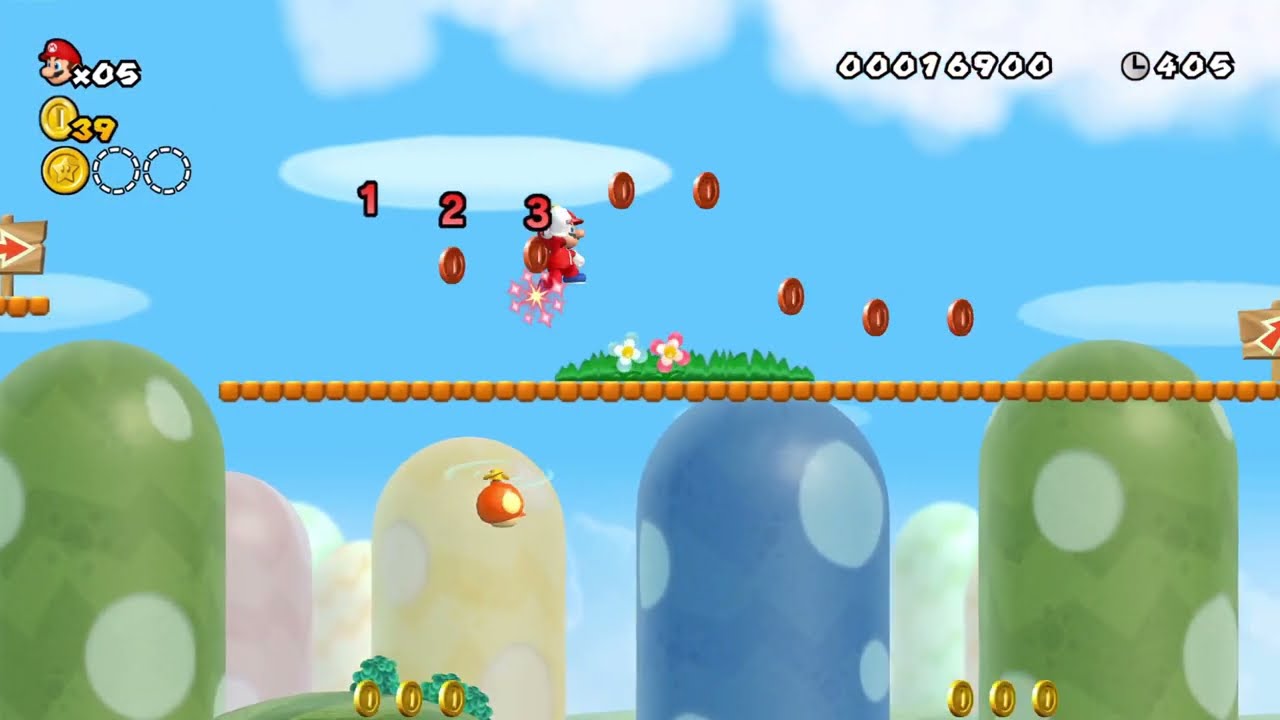
https://www.youtube.com/watch?v=LToQmb2VON4&pp=ygUUbnNtYmRzIHJlZCBjb2luIHJpbmc%3D trying to recreate this, but make it more customizable to spawn whatever blueprint i want to link to the ring, i have a blueprint setup w mesh and a box collision for a trigger but im kinda lost on where to go from there
Support the channel for $1 per month on Patreon:
https://www.patreon.com/ReplayingClassics
Mario collects 8 red coins and gets a reward!
New Super Mario Bros. Wii is being played on dolphin 5.0 to upscale the game.
______________________________________...
 hidden swift
Localization does not work Unreal Engine 5.4.4 & 5.5
What could be wrong?
I checked on different engines in new projects (third person template)


 storm solar
What does "use normalied root motion" actually do. Is there a practical example?

 mild jacinth
Its not possible to spawn a static mesh similar to SpawnActorFromClass, right?
inland walrus
Anyone know why it's selecting the same one each time
 obtuse mulch
inland walrus
Anyone know why it's selecting the same one each time
obtuse mulch
inland walrus
Anyone know why it's selecting the same one each time
where is the code for the selection
you need to get the character or AI instance
then cast
smth like that
inland walrus
obtuse mulch
where is the code for the selection

 inland walrus
 obtuse mulch
so it only does the logic for this
inland walrus
in the widget itself
obtuse mulch
you need to set that variable to the character you click
if they have collision component
you can do event on clicked
obtuse mulch
cant see the name
 inland walrus
obtuse mulch
cant see the name
inland walrus
obtuse mulch
cant see the name
 obtuse mulch
the "on clicked" logic must be in the character bp
inland walrus
obtuse mulch
the "on clicked" logic must be in the character bp
Is it not?
 obtuse mulch
its in the camera controller
im talking about the characters you click
they all must have their own
it is the same like with hp bars
sorry im kinda bad english but im trying to help 😄
inland walrus
Ah okay, so they would all need there own widget blueprint specifically for them?
inland walrus
obtuse mulch
sorry im kinda bad english but im trying to help 😄
then they'd all need their own bp too? I thought I could just have a master one with instance editsables and just reskin?
obtuse mulch
ye one parent mob blueprint witch has the logic when you press on them
idk if theyre mobs or npcs in your case
maybe something that i said helps but im feeling kinda stupid cus im drinking today
😄
violet bison
I want to do a client authorized damage (projectiles) and peer to peer network
but all the replication tutorials only teach about spawning in server
my end goal is to spawn a bullet on client's side that deals damage, and spawn a fake bullet on the server's side for other people to see
using multicast with a has authority switch seems to make clients shoot twice
 astral wyvern
I have an event that triggers when the input is started, but if it's cancelled too quick I want it to stop, is there a way to do this natively or do I have to use booleans?
What I'm doing : I call an event on a component when started, and if the player were to cancel, I want to stop that event. It's a value that lerps, but I don't want to execute fully if that were to happen. I want it to call another event instead
It shrinks if it's started, if it's held, but if the player cancels early, I want to go back to its initial size by growing
surreal peak
violet bison
I want to do a client authorized damage (projectiles) and peer to peer network
b...
It's usually not done like that so you won't find tutorials.
If you spawn it locally and then also via the multicast you will need to filter the local client. If the multicast is in the PlayerCharacter or anything with access to the owning Character, you can check if the character is locally controlled and skip the additional spawning
 wicked cairn
Anyone have advice (or any tutorials) on how to create a sense system where the player can press a hotkey to detect/see the recent footprint particles of another npc/player?
surreal peak
wicked cairn
Anyone have advice (or any tutorials) on how to create a sense system where the ...
Don't have a tutorial but you could have a manager like class (ActorComponent on the GameState) that keeps track of footstep locations and who they belong to in form of a struct entry in an array. Other characters can then notify that manager about their steps (e.g. every x units. I wouldn't use the actual animation notifiers for that in case the animation doesn't tick due to optimization).
When you press the key you can ask the manager for every foot step in a radius around the player location and then loop over those and draw them on the floor.
Might become a bit of a performance hole if you have a lot of entries. Your manager can also loop (backwards) over the array on tick and remove the oldest entries after x seconds if you want to decay them. Can all be done via information in the struct
Should be simple enough to set up
 iron gale
im trying to spawn my ai but for whatever reason its not spawing, i have never ran into this issue before, usally my spawn actor nodes always work

can anyone help me figure this out?
lunar sleet
iron gale
im trying to spawn my ai but for whatever reason its not spawing, i have never r...
Breakpoint and see if it reaches that node
 iron idol
is there a way to check how many items are in an array via print string
oh prolly a forloop
iron gale
lunar sleet
Breakpoint and see if it reaches that node
what do you mean break point, like break the point from the spawn node
lunar sleet
Click the node, hit F9
lunar sleet
iron idol
oh prolly a forloop
Length if you just need the number of items
iron idol
thanks
surreal peak
Yeah Epic thought "Length" is a good call instead of "Num" >.>
iron idol
yea its an odd choice
lunar sleet
surreal peak
Yeah Epic thought "Length" is a good call instead of "Num" >.>
Is it not length in cpp ?
Or just C
lunar sleet
Might have had this convo before 😅
 spark steppe
and this is not the only place they did this
lunar sleet
True, but array “length” is more legible than array num to the untrained eye
spark steppe
yea many other languages use length
 rotund harness
Is there any way of adding a constraint to the angle of my actor? So for exampe it stops at 45 degrees or something
surreal peak
lunar sleet
True, but array “length” is more legible than array num to the untrained eye
I think Length would be fine if TArray also used Length
lunar sleet
True
surreal peak
rotund harness
Is there any way of adding a constraint to the angle of my actor? So for exampe ...
Depends on when, where, how, what
lunar sleet
iron gale
now what do i do
Hit Play
If the execution stops on that node it means it reached it
spark steppe
since you use anothers actor location, i could almost bet for a collision issue
lunar sleet
Ok. So we eliminated one possible cause
Now when it’s stopped on that node hover over the location pin
See what it actually shows
Cause for all you know you could be spawning it in Africa
rotund harness
surreal peak
Depends on when, where, how, what
I'm making a vehicle, it is controlled by forces and some buoyancy physics, and essentially i want to constrain its rotation so it doesnt risk tipping over
iron idol
anyone ever come across an issue where an item is randomly added to an array with fresh save?
its the same item every time
 sweet silo
hi i wanna clear the array right after creating it is this not the right way of doing it ? thanks
 lunar sleet
iron gale
not where i want it
lunar sleet
iron gale
not where i want it
Now you know what the problem is
lunar sleet
sweet silo
hi i wanna clear the array right after creating it is this not the right way of ...
What’s the point of this lol
sweet silo
lunar sleet
What’s the point of this lol
ahha you are curious
lunar sleet
Perplexed more like but sure
sweet silo
sure 🙂
I'm updating a spline mesh with timer by event
lunar sleet
Try promoting it to a variable
sweet silo
because my normal spline was working but i need to see it in game
so i had to make it a spline mesh sadly
lunar sleet
Right but making an array just to clear it
Either way
Promote to variable and clear that one instead
sweet silo
sorry for the mess
 sweet silo
lunar sleet
Promote to variable and clear that one instead
sweet silo
lunar sleet
Promote to variable and clear that one instead
oh ok thanks a lot
lunar sleet
Pure functions fire each time they are connected fyi (once per connected node)
sweet silo
which one are pure functions here?
sweet silo
lunar sleet
Promote to variable and clear that one instead
u mean i don't need an array for this?
lunar sleet
The green ones
lunar sleet
sweet silo
u mean i don't need an array for this?
You might, idk. But promote to variable
sweet silo
like this ?
 gentle urchin
Youd use the component reference that you got
 thin owl
gentle urchin
Youd use the component reference that you got
thin owl
gentle urchin
Youd use the component reference that you got

sorry, i was making that to try and clarify what im doing
am i supposed to call, 'get owner?'
i dont know how to call the reference. i know its a get, even if its 'get a copy,' right?
lunar sleet
sweet silo
like this ?
I meant the array if that’s what you’re using
lunar sleet
thin owl
am i supposed to call, 'get owner?'
i dont know how to call the reference. i kn...
Yes
sweet silo
oh my ba
thin owl
lunar sleet
Yes
when i call this, it cant find the parent components
lunar sleet
Show code
 lunar sleet
thin owl
when i call this, it cant find the parent components
lunar sleet
thin owl
when i call this, it cant find the parent components
If you want components’ parent use get parent
sweet silo
it says item was removed but it's still there i don't get it
maybe because it's puting one right after
no i tried getting the value to 5 sec and it's still not removing it
gentle urchin
thin owl
when i call this, it cant find the parent components
Im very confused why you need the parent ? Child inherits from parent..
Ohhhhhh
CAC !
thin owl
gentle urchin
Im very confused why you need the parent ? Child inherits from parent..
well, if youre confused, then im way more confused. im still very green.
i understand that children inherit the attributes of the parent.
but i dont know how to call that attribute from the child or the parent without casting and it doesnt make sense to cast because i should just be able to call what i need from the child.
gentle urchin
I see now
thin owl
gentle urchin
CAC !
?
gentle urchin
Child Actor Component
CAC for short
So what you really should do
Is create a master weapon class
 gentle urchin
Which has all the interface you need
thin owl
the blue get at the bottom?
gentle urchin
Yepp
Thats your bp_wp_sword_base
But you need to specify its type for the engine to provide you with its functions
Casting is necessary (or use an interface(but dont use an interface))
thin owl
gentle urchin
Thats your bp_wp_sword_base
ok im reading. i was able to call that.
gentle urchin
What you really want to do tho
Is to create a bp_wp_base class
Which your sword inherits from
So when you cast in the above situation, you cast to bp_wp_base, which gives you all the functionality you need
thin owl
gentle urchin
Is to create a bp_wp_base class
oh i have that
the base weapon is my base class
gentle urchin
So thats what youd cast to
thin owl
ok, i think i was able to understand your instruction. That was helpful. I know i can remeber that and i have also commented on it
sweet silo
any idea how i could add the spline mesh created and then remove it at the end ?


 thin panther
Please don't use a child actor component, just spawn and attach your weapon
gentle urchin
Far safer, less juggle, and you can specify the type already
surreal peak
sweet silo
any idea how i could add the spline mesh created and then remove it at the end ?
Add/Remove?
Like, you can save it to a Variable and later destroy that component again if that's what you mean.
sweet silo
surreal peak
Add/Remove?
thanks yeah i tried but didn't work i do'nt know why
should this work ? @surreal peak
 surreal peak
sweet silo
thanks yeah i tried but didn't work i do'nt know why
surreal peak
sweet silo
thanks yeah i tried but didn't work i do'nt know why
That works but this also instantly destroy what you just created.
sweet silo
i get no spline anymore so i gujess it works 🙂 but i still need to see it before the next movement
yes 🙂
surreal peak
Yeah I mean, that's logical though as you instantly tell it to destroy.
 balmy jackal
LowLevelFatalError [File:D:\build++UE5\Sync\Engine\Source\Runtime\Core\Private\HAL\MallocBinned2.cpp] [Line: 1438]FMallocBinned2 Attempt to realloc an unrecognized block 000001CBD8350000 canary == 0x0 != 0xe3 Hey everyone, I'm releasing a game tonight but this crash keeps on happening seemingly randomly whilst going about my level. Would be incredibly grateful if anyone knew how to fix it. Have only programmed using bps so thought people with C++ knowledge would have a better idea of what's happening. Thanks for reading
sweet silo
because what im trying to do is this
i have a spline working perfecty and modifief by user input
surreal peak
Also I just saw it's a Loop, so you need to add them to an Array and not set them. Without an array you would only really set the last created one.
surreal peak
sweet silo
i have a spline working perfecty and modifief by user input
Yeah but you can't call Destroy on them if you still need to use them
sweet silo
but i realized i need a mesh spline
surreal peak
Yeah and yo uare creating SplineMeshComponents with the AddSplineMeshComponent function
Make an Array of that type and add them all ot the Array.
sweet silo
yes 🙂
surreal peak
Then use them like you want and when you are ready to destroy them you can loop over the array and destroy
You can't destroy them right after Add cause that's literally Creating and then Destroying in the same frame. That would make 0 sense to do.
sweet silo
like this ?
 sweet silo
ah okk!!
surreal peak
Then add a getter to the variable and call Add on that.
Depending on what you are actually doing there you might also want to loop over that array and destroy the Components BEFORE creating new ones, Otherwise you'll add more and more whenever that function calls.
sweet silo
like this ?
 sweet silo
surreal peak
Depending on what you are actually doing there you might also want to loop over ...
sweet silo
surreal peak
Depending on what you are actually doing there you might also want to loop over ...
yes so i would need to go back here

 chrome rampart
thin panther
Please don't use a child actor component, just spawn and attach your weapon
chrome rampart
thin panther
Please don't use a child actor component, just spawn and attach your weapon
:^)
surreal peak
sweet silo
like this ?
That's teh same thing again
sweet silo
ah damn sorry :/
surreal peak
sweet silo
yes so i would need to go back here
Yeah you would need to clear the existing ones there, correct. But make sure if you loop that you call the other loop one COMPLETED and not during the other loops loop.
sweet silo
shouldn't i do this here?
 surreal peak
That's where you change it to an Array, yes
Then you drag that Variable in the EventGraph
And use "GET"
And then call "ADD" on that variable
sweet silo
ohhh ok
surreal peak
Plugging in the result of your Add MeshComp node
chrome rampart
@surreal peak i admire your patience
sweet silo
yeah same
cn't i just destroy them after a small delay ?
i really don't get why this is not working sorry :/

 dawn gazelle
sweet silo
i really don't get why this is not working sorry :/
dawn gazelle
sweet silo
i really don't get why this is not working sorry :/
This is in a loop, right?
 dawn gazelle
The delay is retriggered every iteration of the loop (starting it again), and the reference you're trying to remove from the array is the reference that is being created each iteration of the loop.
So then it'll only remove the last thing added.
sweet silo
ah !! ok i got it thanks didn't know it worked that way 🙂
so i need another loop as cedric was saying
but it should still remove the one i created
 modest monolith
Hello guys, I have my Main Menu where I can choose difficulty for the level i'll open, when I open the level, it has the difficulty selected, but when I die and I press on retry, the difficulty returns to default and I have to go back to main menu to change it again. How is possible that the difficulty gets stored for the next level opened but when I reopen the same level the difficulty returns to default?
dawn gazelle
modest monolith
Hello guys, I have my Main Menu where I can choose difficulty for the level i'll...
How are you storing/telling the level to open the difficulty selected?
sweet silo
dawn gazelle
The delay is retriggered every iteration of the loop (starting it again), and th...
the prb is also how can i destroy something not created
modest monolith
dawn gazelle
How are you storing/telling the level to open the difficulty selected?
Yeah that's the issue. The menu has been made by another guy and is complex and I don't even manage to find it
surreal peak
sweet silo
cn't i just destroy them after a small delay ?
You can by adding the delay at the end of the loop (Completed pin) and looping over the array you filled and destroying them.
But then they are in fact also gone in the game, visually, etc.
sweet silo
very nice i'll try that thanks a lot again
dawn gazelle
modest monolith
Yeah that's the issue. The menu has been made by another guy and is complex and ...
You'll have to find how its communicated. There's lots of ways of doing it, like using the Game Instance, using a save game file, or even opening the level with options, and these can happen in basically any object. Your best bet may be to start with the widget that allows players to change the difficulty and see if that sets that in a variable somewhere and then try and see if anything references that variable.
sweet silo
it's working but also throwing an acess none error

but it's working ! already a big step 🙂
modest monolith
dawn gazelle
You'll have to find how its communicated. There's lots of ways of doing it, lik...
Oh.. maybe by removing the absolute boolan check on open level by name the difficulty remains the same
it looks like it.. lemme cofirm it
is it maybe the solution?
sweet silo
damn i wish materializing a spline was easier..
dawn gazelle
sweet silo
it's working but also throwing an acess none error
Use a reverse foreach loop.
sweet silo
dawn gazelle
Use a reverse foreach loop.
oh ok thanks :)))))
dawn gazelle
modest monolith
is it maybe the solution?
Potentially, but I believe only if the difficulty is communicated through travel options.
sweet silo
still getting the error.. trying to figure out why 🙂
 dawn gazelle
This is still very strange....
You're looping every .1 seconds, but then you're calling a delay every .2 seconds when the loop you've called from that timer ends.... Basically creating and destroying objects every .1 seconds.... Not great.
I believe part of the problem is that destroying the component doesn't necessarily remove its entry from the array. After the destroy component, try removing the array index from the array (not the element)
sweet silo
yeah i know but that's what i'm trying to have since i want the spline mesh to update to the position of the normal spline
modest monolith
dawn gazelle
Potentially, but I believe only if the difficulty is communicated through travel...
Which is ? 😛
sweet silo
but it's crazy that there is not a simpler way of doing hits
sweet silo
dawn gazelle
This is still very strange....
You're looping every .1 seconds, but then you're ...
i'll try this thanks a lot
sweet silo
dawn gazelle
This is still very strange....
You're looping every .1 seconds, but then you're ...
amazing it's not thorwing erro anymore !! but perf is wow so bad 🙂
dawn gazelle
Can you not just create the splines needed once, and then update their values?
sweet silo
tagt's because of all the creation and destruction
sweet silo
dawn gazelle
Can you not just create the splines needed once, and then update their values?
maybe 🙂
yeah tthis is kind of an event tick and it's bad..
but i wish i could just force show the splines instead of having to use spline meshes
sweet silo
dawn gazelle
Can you not just create the splines needed once, and then update their values?
but yeah this is a better idea def...
i mean i can have them already in my bp
 timid yoke
The motorbike probably has a camera as well which it's switching to.
tropic peak
It doesn't 🙂
timid yoke
It does a default camera at the origin of the motorbike then, you can set it to the other camera again right after possessing. There's probably a better way to specify the camera to avoid switching during possess but it's supposed to use the actor camera or spawn a camera at the origin normally.
sweet silo
omg finally got it to work !!
but now is only the end working not the beginning 🙂
must be the reverse loop
modest monolith
dawn gazelle
Potentially, but I believe only if the difficulty is communicated through travel...
it seems like it's working.
I didn't test it in standalone because my pc crashes
but it work in viewport
timid yoke
Oh in 5.3 there is an automatic way to do this in the playercontroller uncheck Auto Manage Active Camera Target and it won't switch the camera at all.
tropic peak
thanks @timid yoke, found it
I'll give it a shot
I might've fixed it this a second before you sent that message 😄
but yeah that thing you mentioned fixes it immediately, I spent hours figuring this out
thank you
timid yoke
tropic peak
thanks <@469382266137739273>, found it
You can just use setviewtarget node in the PlayerController right after possess as it's setting this on the same frame so it won't switch. Otherwise that setting should just disable the camera switching.
 faint pasture
tropic peak
still not quite there
faint pasture
tropic peak
still not quite there
what's wrong with that?
tropic peak
faint pasture
what's wrong with that?
It didn't fix the angles, but I got it to work after a while
 sweet silo
tropic peak
sweet silo
tropic peak
nic code pluygin is it worth it ?
sweet silo
nice ok thanks ill try it how is it called again
tropic peak
uhh..
sweet silo
don't worry ill find it
tropic peak
Electronic Nodes
 proud salmon
How can I avoid this error log? I don't care that the map isn't replicated, I'm not trying to make it replicated.
LogProperty: Error: Replicated TMaps are not supported.
I'd rather not replace all my maps with custom structures just to avoid it. Funcitonally everything works as expected, its just an annoying error that spams a lot.

 hushed hinge
is it bad to switch between use controller rotation and orient rotation to movement dynamically in my game?
Neither work 100% for what i need, and i prefer to let the movement component manage turning my character, rather than doing it manually
lunar sleet
 autumn parrot
anyone know what this means?
autumn parrot
anyone know what this means?
Well your code says, if the owner is BP_Enemy, store it in this variable. Then you’re telling it to do something on tick with that variable, whether or not it’s empty
Put an isValid? check before querying its variables
So if it’s ever invalid it will fail silently
lunar sleet
proud salmon
How can I avoid this error log? I don't care that the map isn't replicated, I'm ...
Did you make this map in bp or cpp?
proud salmon
BP
lunar sleet
Is there a replicated checkbox in its details panel?
lunar sleet
hushed hinge
is it bad to switch between use controller rotation and orient rotation to movem...
Nope, should be fine
hushed hinge
lunar sleet
Nope, should be fine
Cool ty
autumn parrot
lunar sleet
So if it’s ever invalid it will fail silently
ill try that thanks
gaunt ether
@lunar sleet I watched the thing about variable casting. I thought it was used to grab variables from other blueprints, but you use it to store data to the variables by the data from the blueprint you are casting in. You were right, big apologies. I fixed my game and I am very happy🙏
lunar sleet
gaunt ether
<@179343890409717771> I watched the thing about variable casting. I thought it w...
Yeah, that video is what got me from being completely lost to learning how to make bps talk to each other and build things on my own
gaunt ether
lunar sleet
Yeah, that video is what got me from being completely lost to learning how to ma...
Yeah I can actually build shit now
 indigo gate
Hello, is it really the case that a function that has an array as one of its outputs will return a copy instead of a reference to that array ?
lunar sleet
indigo gate
Hello, is it really the case that a function that has an array as one of its out...
Most refs are copies unless otherwise specified. You can maybe use pass by ref though I haven’t tried it inside a function for an array
indigo gate
The pass by ref option is only for inputs, outputs have none
lunar sleet
Are you talking checkbox or the node
indigo gate
I'm talking about this

This returns a copy of the array instead of a reference to it
 ripe sun
indigo gate
This returns a copy of the array instead of a reference to it
ripe sun
indigo gate
This returns a copy of the array instead of a reference to it
After the function finishes, all local variables of the function are "destroyed", it's impossible to "reference" such variables? what is your use case?
lunar sleet
indigo gate
I'm talking about this
Try using a set by ref node on the variable inside your function. Then your output should technically be the ref not a copy. In my mind anyways
indigo gate
This is my function, just a shortcut for accessing an actor component's variables based on an enum

Those variables are globals of the component
lunar sleet
Promote that return value to a variable
ripe sun

Epic Developer Community Forums
The only “way” in blueprint is to use Macro.

Epic Developer Community Forums
I have a helper function that I’m using to look up a struct in an array and return it. In that function, I’m using the Get (a ref) version of the getter and then using that value as my output. When I do this, it does a copy. How do I configure my blueprint function to return by ref?
Not sure
lunar sleet
Some forum posts can be misleading too especially if older
ripe sun
The second link is newer (2023)
indigo gate
Yeah Macro works
lunar sleet
Ok
indigo gate
This is weird, when scripting with other languages functions always return arrays by ref
lunar sleet
Was gonna say you can prly grab the output of the function outside of it and pass it by ref from there but yeah
indigo gate
Why is Unreal different ?
lunar sleet
That question returns nullptr
indigo gate
Okay but I can't call a macro from other classes
gentle urchin
Unless its in a macro library*
 remote belfry
I have this, and it works if I trigger it with a button. But if I tie it to "Event Construct" it does not work even if I delay it. For simplicity sake I have all the variables hard set. Except the "Background Brush" that variable is tied to a Bind function. This whole thing is changing the texture2d an image widget uses. I was using widget switchers, but I am experimenting with Data Tables and structs to do the same. I'ce also played with Async Load Asset and what not with no luck. Google is not being helpful either. Just looking for some direction if someone can.
 gentle urchin
I believe you must refresh the widget component after updating the resource like this ?
Normally you'd want to call it through events, as i believe those include the 'refresh' part
Invalidating the widget seem to be it
not sure why that would differ with a button
#umg might have more usuefull tips
 maiden wadi
remote belfry
I have this, and it works if I trigger it with a button. But if I tie it to "Eve...
maiden wadi
remote belfry
I have this, and it works if I trigger it with a button. But if I tie it to "Eve...
For starts, don't resolve. Load the asset async. If it's not loaded, it'll load it. If it is loaded, it'll just return it immediately.
Second you should just call SetBrushFromTexture or SetBrushFromMaterial
remote belfry
maiden wadi
For starts, don't resolve. Load the asset async. If it's not loaded, it'll load ...
I switched to resolve mucking around trying to get it to work. So I went back to this still same result. Only works if I activate the custom event with a button but not on event construct.
 maiden wadi
Do you get the failed print?
remote belfry
Nope
maiden wadi
Is the row found?
remote belfry
Yup added a print to the not found pin and it doesn;t print
I've also tried every form of is valid I can find
maiden wadi
When are you actually applying that brush? I assume that's being used in a UImage widget?
remote belfry
maiden wadi
When are you actually applying that brush? I assume that's being used in a UImag...
It is sent from form the Level BP to the game instance an then created, added and ect. Which gives me a thought about sending the exec to create it from the Player Controller.
maiden wadi
I don't understand. Why are you sending it to the game instance or pulling it if you're loading it here anyhow?
I'm more asking where are you using that brush? What is it being applied to? Is it being used in an Image widget?
remote belfry
maiden wadi
I'm more asking where are you using that brush? What is it being applied to? Is ...
The game is an open world visual novel kind of thing. I'm using levels to keep things compartmentalized. This also makes it easier to add content later. So a level BP contains the background images in a widget for backgrounds and any location specific variables ect. This gets sent to the game instance and created there so I can access it easily from anywhere. Right now I'm trying to make the navigation buttons change the background, which works. However I need to be able to set a default location that is shown when the background widget is loaded, like a player start location. I was using widget switchers to do all of this before, but am now experimenting with storing the backgrounds in data tables to make some things a bit simpler in the long run. I hope this makes any lick of sense. lol
Also all the logic for the location is in the widget that contains the backgrounds.
Also the desired image widgets texture2d is showing in the editor based on its binding.
maiden wadi
I think I follow. Though I would still recommend simply setting the Image's brush from the SetBrushFromTexture function.
 remote belfry
maiden wadi
I think I follow. Though I would still recommend simply setting the Image's brus...
remote belfry
maiden wadi
I think I follow. Though I would still recommend simply setting the Image's brus...
I did go back to doing it that way. But I also figured it out. and am happy to report I am a complete moron who needs to probably go to bed. There was an NPC widget that I forgot to disable while trying this new implementation. Since the NPC image for that location and time of day are not in yet the blank texture was showing. This made it appear that the background was not loading. It's actually been working the whole time. I just assumed the new thing I was doing was the problem because, well, duh. Nope. Me. I wasn't working. I was the problem.
Thanks again.
 dark drum
remote belfry
I switched to resolve mucking around trying to get it to work. So I went back to...
dark drum
remote belfry
I switched to resolve mucking around trying to get it to work. So I went back to...
I'm glad you sorted it but you might also want to check if the soft ref is already loaded, if it is, you can skip the async load.
dark drum
hushed hinge
when i play an anim montage my character falls through the map
Montages don't affect collision unless you've setup a custom notify event that does. You'll need to show your setup and give more context for when it happens.
 hidden fossil
So a quick question. What's the best way to hide or show a portion of an actor blueprint in relation to a conditional state? For instance, you have a device that opens a portal when stepped on, but after completion of the objectives on the other side of the passage it deactivates and can't be used again (and you therefore wish to change its appearance to indicate this).
 cedar viper
guys can someone help me, my capsule/box collision can't collide/detect/overlap with static meshes like a trace would
 hazy linden
hidden fossil
So a quick question. What's the best way to hide or show a portion of an actor b...
hazy linden
hidden fossil
So a quick question. What's the best way to hide or show a portion of an actor b...
You can use event dispacthers. U can call them smtg like OnPortalOpen and OnPortalClose and then update the state in the bound event
 obtuse oriole
how do I limit the rotation lag of the spring arm? I am using it to smoothen out my true FPS camera stabilization but I don't want it to lag beyond 45 degree which the player would see their own face when they spin around fast enough

solved it, I just used quaternion different formula to calculate angle from current to target and use an exponential function to set the rotation lag speed from 10 to 100
 pale lotus
how can i make objects that collide with radial force change their mobility?
 devout tide
pale lotus
how can i make objects that collide with radial force change their mobility?
devout tide
pale lotus
how can i make objects that collide with radial force change their mobility?
The purpose of having mobility is to not change it, that's why static is static. This also affects lighting etc. so ideally if something is going to move, its set to moveable
violet bison
how to get an actor (map object that is spawned by server)'s replication (in client) to call an event on its server self?
pale lotus
devout tide
The purpose of having mobility is to not change it, that's why static is static....
ok i dont care about the purpose
i just want to do it
devout tide
pale lotus
ok i dont care about the purpose
Well you should because that purpose is what will not allow you to do it. You cant
there is this node

but if you have baked lighting etc you will have issues most likely
Is there a reason you are avoiding a movable physics actor? Doesnt make sense to have physics on a static component, it most likely wont even receive the impulse as simulate physics requires movable mobility afaik
pale lotus
devout tide
Is there a reason you are avoiding a movable physics actor? Doesnt make sense to...
i have like 80k objects in my project and they are all set to static and i don't want to turn them all to movable
also i only want them to be movable for destruction
this is what i did

but it doesn't work
this works but it's a line trace meaning 1 object at a time
 devout tide
try this with TempComps being a local variable
 pale lotus
devout tide
try this with TempComps being a local variable
pale lotus
devout tide
try this with TempComps being a local variable
i managed to do this

it finally works
after 7 hours
devout tide
Not very efficient logic though, I'd avoid having so many casts and try to do it the way above
 inland jolt
https://gyazo.com/0722a01c8e7146d333f343c9642e4478 why is there pretty much nothing about this error online lol?
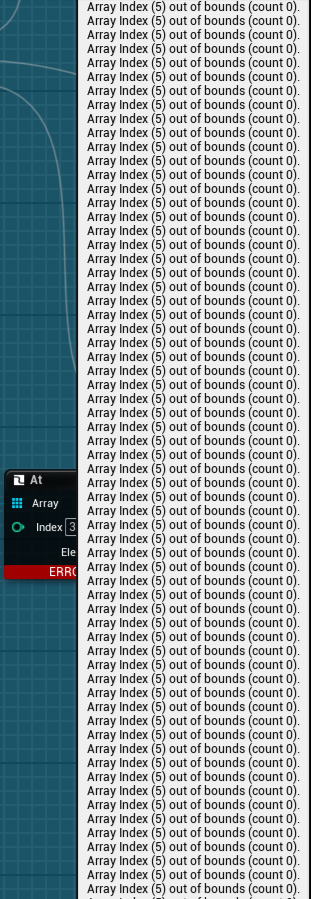
this is a control rig, feeding a variable fetching a list of bones and setting the target array as parent for an fk chain
dark drum
inland jolt
https://gyazo.com/0722a01c8e7146d333f343c9642e4478 why is there pretty much noth...
You're trying to get an element for an index that doesn't exist. From the error it looks like you're trying to get index 5 but the array is empty.
dark drum
devout tide
Not very efficient logic though, I'd avoid having so many casts and try to do it...
Why are you trying to avoid casting?
inland jolt
dark drum
You're trying to get an element for an index that doesn't exist. From the error ...
Yeah I found a section that wasn't supposed to be in use. I understand the issue now, it's just mentioning that there is an index that exists, not which one it is 😵
 hollow bane
Hello, quick question, I am sure it's actually super easy but im too stupid for this... 😄
I have collectibles my character can collect. I want them to move up to the right corner where my Widget is counting them. This is what I came up with so far. Can you help me find out what the problem is?
 surreal peak
hollow bane
Hello, quick question, I am sure it's actually super easy but im too stupid for ...
surreal peak
hollow bane
Hello, quick question, I am sure it's actually super easy but im too stupid for ...
You probably want to do this the other way round?
hollow bane
surreal peak
You probably want to do this the other way round?
Flipping A and B of the lerp?
surreal peak
Na rather deprojecting the widget to world and then moving the actor to the location
hollow bane
ah
thanks for the tip, im gonna try this
cool! I am one step closer, its not perfect yet but at least now the collectibles move! thank you!
 pale mica
good afternoon guys, does any one understand why it is not scaling as I zoom in or out


here is better quality
there is not really a player in the project
 dark drum
pale mica
dark drum
pale mica
There's no relationship between delta seconds and the player index. None the less, you probally need to be setting the screen size of the billboard instead of the scale.
pale mica
okay so I leave delta seconds disconnected
 slim pecan
hey yall i have a quick question regarding loops in blueprints
do loops in bp run every tick or do they wait until the code in the loop is executed to repeat
lunar sleet
slim pecan
hey yall i have a quick question regarding loops in blueprints
do loops in bp ...
The whole loop attempts to run in one tick. So don’t try putting delays in it or anything latent
slim pecan
gotcha
 azure sail
Hello Everyone, my inventory component is showing up blank on my old character blueprint but if I create a new blueprint the inventory shows up fine. Is there a way to fix my old blueprint class or is it broken? Refresh nodes does not seem to work bdubs

 desert juniper
azure sail
Hello Everyone, my inventory component is showing up blank on my old character b...
desert juniper
azure sail
Hello Everyone, my inventory component is showing up blank on my old character b...
this happens sometimes if you messed up something in the ctor of the actor class that (player character in this case)
usually the BP is fried and you need to make a new one.
 hexed cosmos
hi guys
i'm stuck at this bug for about an hour and it's weird
when i place my splineMover blueprint in level it works fine but when i spawn it from blueprints the ghost gets stuck sometime
i apprecicate if someone helps me out
desert juniper
but you can try deleting intermediate, and binary files, along with the solution and try rebuilding from source
along with fixing up redirectors
and maybe a save all
azure sail
desert juniper
this happens sometimes if you messed up something in the ctor of the actor class...
Dang 😦 yeah I completely retconned the inventory and player classes in C++ trying to setup my systems properly. Thanks for the info
azure sail
desert juniper
but you can try deleting intermediate, and binary files, along with the solution...
Fortunately I created a lot of defaults in the construction so I won't have to manually resave that much. This is a good pitfall to be aware of though
desert juniper
azure sail
Dang 😦 yeah I completely retconned the inventory and player classes in C++ tryi...
it mainly happens because you did something you weren't supposed to
- For instance not using the TEXT macro
- Renaming the components to a name that another component previously used
- Runtime code (things that should go in Begin Play)
maiden wadi
azure sail
Hello Everyone, my inventory component is showing up blank on my old character b...
@desert juniper You can fix this by the way. It's just a null pointer. The component still exists just the pointer to it serialized badly So the pointer needs set back to the component and the BP resaved.
https://brandtborges.wixsite.com/authaer/post/fixing-corrupted-blueprints

Authaer
Ever had a blueprint suddenly have a component that was unable to show the details panel of a component?If you've used Unreal long enough, chances are high that you'll run into blueprint corruption even without the usual cases like hot reloading. Source control issues, and bad hard drives can be a nightmare too.The thing is, there are cases wher...
desert juniper
maiden wadi
<@106621971705380864> You can fix this by the way. It's just a null pointer. The...
thanks. now that's a good resource to have handy
 steady night
hi math question


im trying to spawn a gridd pattern, now im spawning horizontally and vertically that works but i have to fill the spaces also
dawn gazelle
nest the loops
steady night
meaning :/?
dawn gazelle
Connect the "Loop Body" of one loop to call the next Loop.
then spawn the actor using the values of both loops on the loop body of the second loop.
steady night
hmm
dawn gazelle
loop1 acts for your vertical values, loop2 acts for your horizontal values.
steady night
y
dawn gazelle
as an example.
steady night
oh right it should be as simple as that
 wary rain
hello friends, I am trying to assign the most recently triggered gamepad to a new player controller that is not player 1. How do I get the controller id of the most recently used gamepad? am I on the right track with these nodes?

I cant use the skip player one when assigning new gamepad project setting because I need to be able to choose between gamepad or keyboard for player 1
this is a 4 player game so I need to be able to have player 1 choose between gamepad and keyboard, and any subsequent gamepad trigger will be assigned to a new player
trim matrix
im trying to setup a save system in my game, i want to be able to save the values of the coins, lives, and items collected, and to save after each star and world collectable is collected. where would i start w that
 distant grotto
why is my sphere multi trace not hitting after the first hit?


channel is definatley set up correctly
ok i had to set it to overlap
hushed hinge
dark drum
Montages don't affect collision unless you've setup a custom notify event that d...
Yep turns out I didn't recognize that co-pilot randomly decided to add an extra line removing the capsule collision, I ended up just opting for ragdoll physics for death instead of the montage because the montage just made the guy stand up after the montage was completed obviously
dark drum
hushed hinge
Yep turns out I didn't recognize that co-pilot randomly decided to add an extra ...
You can just turn off the auto blend out or make the montage looping.
dark drum
distant grotto
why is my sphere multi trace not hitting after the first hit?
Because it stops at the first blocking hit. It would only continue if what it hit was set to overlap instead of block.
hushed hinge
dark drum
You can just turn off the auto blend out or make the montage looping.
I'll try turning off the auto blend thank you
maiden wadi
distant grotto
why is my sphere multi trace not hitting after the first hit?
Think of MultiTraces like a flamethrower. You want to know all things it's able to hit, but you don't want to get things past a blocking wall.
 exotic harbor
some high level thoughts I could use some help with - I have a possessable vehicle component with a possessable rotatable gun turret in the back, all replicated, working nicely even in motion. the nasty bit is that my possessable turret is a child pawn inside of the vehicle BP. while it does seemingly work, I'd like to know what might be the best method of going about this.
 obtuse kiln
If I have between 4 and 12 spell slots I want to have as names (which let me look up everything important in a data table)
does it sound more sensible to have twelve name variables, where the variable name is the slot and the value is the spell
or a single map of slot name to spell name?
this is specifically for ui purposes, as a middle man for adding/removing gameplay ability system abilities, and for saving/loading said abilities
so I think that I'll be accessing all of them pretty much any time I'm accessing any of them, except for when I'm changing spells
 zinc depot
I have a problem! I am trying to make sprint when the player presses the shift key and after he reaches a certain distance he will come back to normal speed but it's not working can Anybody see the blueprint and tell me the problem

 obtuse kiln
it looks like you're missing a connection to the branch in the first screenshot, after setting current location
zinc depot
@obtuse kiln can you explain where i should connect that branch connection
obtuse kiln
@zinc depot Wouldn't you want to connect Set Current Location to the Branch? I didn't really look at the rest of it closely, but it seems like it wants to compare current location to start location and if the distance is too big, the branch returns true and stops you
 delicate seal
Do I need to have separate cast nodes for this functionality? Do I even need to have the execution noodles connected?
 maiden wadi
No. But yes.
You could do pure cast nodes. But you'll end up using an IsValid anyhow which the cast node does internally. So in the end it'll be easier just to use two cast nodes instead of two pure nodes and two isvalid nodes.
delicate seal
maiden wadi
You could do pure cast nodes. But you'll end up using an IsValid anyhow which th...
Got it, thanks!
 tiny tundra
Here's one that is making me tear my hair out. I am using a renderToTexture (showing multiple displays in the app) and I want to be able to point & click in a (renderToTexture) display to select objects. I have it working where an object will mimic my mouse's XY movement across the texture, and basically have a cube that can shoot a raycast down into the scene from there, that's all great. THE BIG PROBLEM is that as the movement is being mimicked across the XY plane, it's always pointing down toward the center of the landscape so the raycast is essentially firing to the same point in the ground regardless. My thinking was - maybe I can force my moving cube (shooter of raycast) to always look at the camera that this display is rendering from, and therefore it will always shoot the rays "down" from there? Now I am trying to do all of this in a single blueprint - and it is just not working, no matter how I come at it. Is there a better method I can attempt here, or t the very least a more sensible way to lock my moving cube to the same rotation (basically keep looking at) the sceneCaptureComponent Camera that is rendering my texture?
 haughty crow
Hey there! I'm a passionate 3D artist specializing in creating stunning game characters, immersive game environments, versatile game assets, and dynamic 3D animations. With a keen eye for detail and a love for storytelling through visuals, I bring virtual worlds to life. Whether you're looking for realistic characters, captivating environments, or seamless animations, I'm here to help turn your game concepts into reality. Let's create something amazing together


 desert juniper
haughty crow
Hey there! I'm a passionate 3D artist specializing in creating stunning game cha...
desert juniper
haughty crow
Hey there! I'm a passionate 3D artist specializing in creating stunning game cha...
not following the rules and cross posting your ads are great ways to get kicked out of any discord servers you join
 autumn pulsar
If I wanted to rotate a rotator around an axis, what would be the way to do that?
 hushed fox
distant grotto
why is my sphere multi trace not hitting after the first hit?
hushed fox
distant grotto
why is my sphere multi trace not hitting after the first hit?
I’m pretty sure it’s because the top cube blocks the rest of them, multi sphere trace can detect multiple hits but only if it’s not being blocked. For example if you had this horizontal and the trace could see all of them it would probably work. Another option is to add the hit actor to the actors to ignore array after it’s been hit and then run the trace on a for loop so each time it hits, it runs again but this time ignoring the one before
tiny tundra
delicate seal
Do I need to have separate cast nodes for this functionality? Do I even need to ...
thank you for introducing "execution noodles" into my vocabulary
delicate seal
tiny tundra
thank you for introducing "execution noodles" into my vocabulary
🪓 🍜 You are very welcome 👹
 crude helm
Hi there, I'm having an issue with loading level async on the second time.
It works fine on the first time I call it, but if I unload it, then it will always returns false in Load Level Instance (By Object Reference) and never loads...
Maybe I'm unloading it wrong? There is no errors, it just never returns true. There is nothing in the target level blueprint, in the level itself it only have the global sun as light and clouds.


Ah found it, just need to use Set Is Requesting Unload and Removal instead of Unload Stream Level (By Name)
and plug the level variable I got from when the level was instantiated.

 supple needle
I want the score to be carried on to the next levels till the end where it has to pop up the score and also timer and also want to add 2 milestones into my game but I can't quite figure out how to do it. I checked a few tutorials and it's not being helpful
 tulip yoke
supple needle
I want the score to be carried on to the next levels till the end where it has t...
tulip yoke
supple needle
I want the score to be carried on to the next levels till the end where it has t...
save the score to your game instance since that always exists
supple needle
tulip yoke
save the score to your game instance since that always exists
Can you explain how I can do that? I'm new to UE and can't quite figure out how things work
tulip yoke
game instance is something that is always existing in your game from the start to the finish and is great to save things like variables (i.e. a score, playerid, inventory). to create one go to your blueprints folder>new blueprint>game instance (you may have to expand to search for it) and then afterwards go to your project settings>maps and modes> and set the game instance class to what your new game instance is called. that's so our game knows exactly which one to use. afterwards in your game instance make a new variable called score (or whatever you want it to be) and then compile and save it. afterwards go to where you set the score and change that code to be for your gameinstance. you should probably save it as a variable as casting is heavy, but anyways get game instance>cast to your game instance> and then set the score. after for your hud you should go to it and change it to read from your gameinstance score variable~
supple needle
tulip yoke
game instance is something that is always existing in your game from the start t...
so i have done till the part where i make a variable called score in the game instance and i compiled and saved it. i'm confused with the later steps

I'm not sure if this is what you meant when you said where I set the score
supple needle
Currently my score and timer resets back at every level and my score goes up like normal while I'm in in the next level
steady night
any of these values that looks alarming ?

 steady night
0
Its only a small platform and on start i generate 50x empty platforms also they spawn unita upon overlapp
So i guess the plattforms counts as ticking actors tho
?
dark drum
steady night
any of these values that looks alarming ?
That would depend on what you're doing and you're hardware.
steady night
well aint doing much yet reallyu :/
dark drum
steady night
well aint doing much yet reallyu :/
how many cores have you got and whats the clock speed?
 indigo zenith
i doubt the cpu count will matter in this case, as u can see in the image hes cpu bound . his draw speed is way lower then my example
so something eating his cores up
if he can reduce his game time that will improve fps
from my knowledge that is
hes 10ms over budget in cpu
steady night
and game time is what ? what should i look fore
dark drum
indigo zenith
i doubt the cpu count will matter in this case, as u can see in the image hes cp...
the game thread runs on the CPU so it would make a difference. Hence why I asked lol.
dark drum
steady night
and game time is what ? what should i look fore
All blueprint stuff runs on the game thread. (and other game logic but unless you'd doing C++ then it's blueprints)
indigo zenith
 dark drum
steady night
and game time is what ? what should i look fore
dark drum
steady night
and game time is what ? what should i look fore
Whats the game thread ms in an unmodified template map? (either 3rd or 1st person)
 indigo zenith
ye as u can see the game thread is now reduces by 13 ms
and u gain double fps
so either u have a shitton of ticking actors
steady night
hm ok, so ticking actors can be anything right ?
dark drum
steady night
Yea you probably have a lot of ticking actors if you're not actually doing much. It'll be a little lower in a build though but definitely something you should look at reducing.
Having said that, you might not have a lot of ticking actors but do a lot in a handful of actors on tick
indigo zenith
or some weird overlap / hit actoes
steady night
well
indigo zenith
delays etc
steady night
 indigo zenith
so its not ticking actors
steady night
since my map only consists of 1 small platform in editor and on run its generating 50x more

can i dumptic ingame ?
indigo zenith
ye
dark drum
steady night
since my map only consists of 1 small platform in editor and on run its generati...
What BP's do you have in the level?
indigo zenith
might be something with his procederal spawner
steady night
 steady night
dark drum
What BP's do you have in the level?
steady night
dark drum
What BP's do you have in the level?
none really, im using the game mode to spawn the "level"
dark drum
steady night
none really, im using the game mode to spawn the "level"
Saying none isn't helpful. A single BP can tank you're game thread lol. What BP's do you have in the level and what do they do? lol.
steady night

No description provided
this is how im spawning the levels*
well liek what bps i have in the level, i have none except the gamemode
dark drum
steady night
https://blueprintue.com/blueprint/6a1q368o/
how often does it get called?
steady night
once
dark drum
steady night
once
Does the gamethread go down (lower ms) after this has ran?
steady night
well this is run on gameplay so hard to say
indigo zenith
i think he also runs multiplayer?
indigo zenith
so 2 screens
steady night
im only playing with 1 in this case
indigo zenith
allright
dark drum
indigo zenith
i think he also runs multiplayer?
It shouldn't make that much of a difference. From a client perspective, it should probally be slightly better as some of the calcs would be performed server side.
indigo zenith
agreed, but it will eat more cpu
dark drum
steady night
well this is run on gameplay so hard to say
What are the two BP's that you spawn? what do they do?
steady night
well the first spawn is just a location spawner (empty bp to get a transform) the 2nd one is the acctual platform
dark drum
indigo zenith
agreed, but it will eat more cpu
Technically yes because you have two instances running on the same machine but when running a single instance it would be lower.

 dark drum
steady night
are are randomly generated inside
dark drum
steady night
are are randomly generated inside
And what logic does that BP have inside it?
indigo zenith
also consider putting the bp on stationary instead of movable
steady night
the only logic inside i basicly just a random florloops "this rock here Y/N" change mesh on this rock Y7N
indigo zenith
are that nomral static meshes or instances/hierarchical?
steady night
normal static mesh
dark drum
steady night
the only logic inside i basicly just a random florloops "this rock here Y/N" ...
So there's loops in it?
 indigo zenith
that might also become a issue with these amount of meshes
steady night
but in my head is only runs once so a big fps bump upton creation sure but after shoujldent matter ?
steady night
yeah it dose
steady night
when playing in vireport its awesume
 indigo zenith
so whats the issue?
steady night
 indigo zenith
lol
steady night
in fullscreen
since we started ive disabled almost all tics / collisions in the spawning "plattforms"
i think it helped
steady night
or well now im playing as "listen server also"
before it was as client
lemme check sec
indigo zenith
i would try convert the static meshes to hierarchical or instances
set bp to stationary
and u should get even more fps
steady night
hm how do i do that ? or wdym
indigo zenith
blueprint defaults

if its on movable put it on stationary
if that are stationary tiles ofcourse
but i suppose so
indigo zenith
should be
steady night
ok, how so ? since im my head its already "stationary" since im not doing anything with it
or are any settings changing along with the change ?
indigo zenith
not entirly sure,. the difference between. i just learned it myself to do it that way. u can easely test right. see if there is difference wiht the amount of actors u have
and if it does change fps
steady night
yeahyeah im on it
also nother thing in the bps i have lights and is it enough to set them "Visible (no)" or dose it render "behind somehow" do i need to removethem all together to not cost anything =?
indigo zenith
i would either wait for mega lights
for now i would just change render distance
of lights
adjust to ur needs
steady night
ok
indigo zenith
its in the light somewhere
 indigo zenith
ye, just change back to movable
it prolly spawns em in and then move
doesnt matter
how does render distance of light affects fps
 steady night
hm i cant find that field on my light actors
indigo zenith
its on the light itself
steady night
5.3 ?
indigo zenith
all versions its present
steady night
so not in project settings but on the actor ?
ohh there it is
so its like a attenuation radius ?
or what is it relating to ? where my camera is or ?
indigo zenith
distance from camera to light
steady night
okok
indigo zenith
or other way around, it doesnt matter. u will see when u change the settings and move ur camera towards and away from light
hope that will save some fps aswell
steady night
aye thanks!
i think its better now overall, i think however the client "lag(rubberbanding or whatever)" is about multiplayer stuff that i have to check into
indigo zenith
ye those questions can be better asked in multiplayer
steady night
yeah, also the max distance thingi
i se now its responding to the camera distance
can i override that to the character location instead ?
like with the audiolistner ?
indigo zenith
thats beyond my knowledge
 severe wagon
Dunno if this is the best place to ask but, using the Async loading screen plugin on the marketplace, it works fine locally, everything loads as you would expect. When running it via pixelstreaming the loadscreen begins, works for a bit and then freezes for about 30 seconds before loading in properly. If I disable the loadscreen I get a black screen but only for a few seconds then it loads in. So the plugin seems to be causing it to freeze when pixelstreamed but works fine locally and works fine streamed without the plugin.
dark drum
severe wagon
Dunno if this is the best place to ask but, using the Async loading screen plugi...
It would be best to contact the author of the plugin. There's no guarantee anyone here knows the specific of how it works and it's unlikely to be blueprint related.
 ancient heath
How can I make my widget in my blueprint not look incredibly huge?


 primal summit
Hi Guys I have a big problem,
I packaged my game and i got a few errors about some materials in the editor folder so i changed the materials directory to my project one.
After that it continued to give me errors.
My PC turned off because my power turned off for a second, and now everytime i open a project i get this crash.
This crash occurs on every project i try to open, even on a blank project.

 primal tangle
primal summit
Hi Guys I have a big problem,
I packaged my game and i got a few errors about so...
primal tangle
primal summit
Hi Guys I have a big problem,
I packaged my game and i got a few errors about so...
Maybe verify Your UE files ?
primal summit
primal tangle
Maybe verify Your UE files ?
The verify option on my ue version is unavailable, i dont know why
primal tangle
primal summit
The verify option on my ue version is unavailable, i dont know why
and You can't open UE at all ?
primal summit
primal tangle
and You can't open UE at all ?

my projects wont open at all, on loading they crash with that error
 late canyon
can anyone help me for a movement fps base project?
spark steppe
primal summit
resume sounds like it's not finished downloading?!
or still running?!
primal summit
spark steppe
resume sounds like it's not finished downloading?!
oh i'll try to finish downloading it and let you know
primal summit
spark steppe
resume sounds like it's not finished downloading?!
that solved the problem
 storm vigil
agree on this one, when i learnt about interfaces, i tried to use it as much as i can. I was even using it on things that need to be loaded anyways, so now i removed some misuse about it.
 grizzled beacon
is there a way to shoot the trace in the forward direction of the character? :|

I'm unable to get it work
dark drum
grizzled beacon
is there a way to shoot the trace in the forward direction of the character? :|
for the end location, multiply the forward vector by the distance you want it to travel out and then add it to the start location. (get world location in this instance)
grizzled beacon
nope, the line starts from character but ends totally on a different part
the idea is to shoot it forward the character
it shoots to the left side of the character
dark drum
grizzled beacon
it shoots to the left side of the character
Try getting the forward vector of the actor itself instead of the mesh inside it.
grizzled beacon
it worked, thank you
dark drum
Does anyone have any idea what would cause this to look like it's going to work but then the NPC just stands still for a few seconds before the finished pin is fired? The NPC never reaches the target. If it failed to reach the target, I would assume the failed pin would fire instead.

 empty marten
Hey peeps,
2 separate questions. I'm hoping someone can help.
-
I'm trying to make my UMG Widget a bit more procedural by allowing users to set some variable settings upon generation rather than manually setting some things. How do I make it so when a user adds another drive to this array here, it exposes its default variables for a user to set? I'm trying to make it that the number of items in the array, is the number of drives that gets added to a wrapbox I have. Essentially how do I expose the default variables in the details panel here if possible? (Pic 1)
-
How do I get it so that if for example I have the Systems? boolean ticked, it hides the other variables that can be set? Trying to make it so that if a variable doesn't need to be used for a certain part of the blueprint, it doesn't have a reason to be shown. Is that possible? (Pic 2)


 waxen briar
hello guys i need help with basic multiplayer, i cannot trigger apply damage from client to other clients, only from server side, i tried to create custom shoot event to run or server that is isnide weapon blueprint but it kicks me out when i trigger it, what am missing? (screen is from my bp_weapon_component_pistol)

 grizzled beacon
Why the mesh it's not generating the HIT string? The animation is in place but the mesh compenetrate the other mesh during the attack


the bool variable is true as well
dark drum
grizzled beacon
Why the mesh it's not generating the HIT string? The animation is in place but t...
Should you be checking the bool for the actor that is being overlapped?
grizzled beacon
no the problem is that if I move toward the overlapped actor, while attacking, it generated the hit event
if I don't move towards him, even if both meshes compenetrates it doesn't generate the hit event o.O
 narrow sentinel
Anyone know what might be going wrong here, I'm bassically making a simple storage rack actor where I can choose amount of racks and it'll add them as needed.

at the moment though I get this

you can see the offset is and isn't working
dark drum
grizzled beacon
if I don't move towards him, even if both meshes compenetrates it doesn't genera...
For clarity, what you're doing is this.
Actor A gets overlapped, gets the anim instance for Actor A and checks bool from it. Should there be an Actor B in the equation?
grizzled beacon
not really
the thing is being able to get the hit event when the mesh overlaps something while playing the animation attack
narrow sentinel
nevermind sorted it
the origin for the meshes was in centre of the mesh so it was working just human error haha
grizzled beacon
the problem is that it doesn't get overlapped while the animation is played in place without going forward to the other actor (which could even be a wall, just for test)
astral wyvern
Question : I need to move bones manually while physics are disabled (or else I can't force them). But the weight shapes on them don't follow (obviously), which breaks collisions. Any fix here?
Basically you can see the collision as the sphere that remains there in this video, I'd like it to move with the bone I'm moving
 rancid moat
I feel like I'm missing something, but is there no way to sphere cast and retreive every hit? Not just the first hit per object
faint pasture
rancid moat
I feel like I'm missing something, but is there no way to sphere cast and retrei...
multi sphere trace?
What are you trying to do?
multiple hits on a single object from a sphere trace doesn't make sense
rancid moat
faint pasture
multi sphere trace?
it only return the first hit per object
I want a sphere, from a point, and retrieve every hit that sphere get
Which would give me the outline of any shape in that sphere based on the density of that sphere
 dapper panther
Anyone know of how to modify crouch height by user input? Ie. Ltcrl is crouch but ltcrl + mouse wheel up adds X cm of crouch height to the PlayerCharacter
Trying to figure out where I can modify this in the crouch BP I set up but I don't see how I can edit that value
 left valley
forgive what is probably a common question, but looking for advice on how best to implement a grenade launcher that travels correctly to the crosshair, allowing the player to easily shoot it through a small gap without:
- the projectile offset on the gun model changing the travel path due to being offset from the crosshair widget
- putting the gun model in the center of the screen (my game won't have ADS)
- Making the grenade magically fly out of the player camera (ok to concede on this requirement if its the only way)
I figured I'd just do a line trace and set the rotation of the offset to hit it, but that doesn't work great when you're trying to shoot it through a gap into the area behind it
I know there's probably a load of ways to achieve this, but is there a common best practice?
additionally any way that automates it so you cant fire it through thin walls via poking the gun model through it would be great
trim matrix
im trying to recreate this camera system for my game, but im not sure how, noteable things being the following the player when they turn, only moving up on the second jump not both, and still being able to have camera rotation while the camera follows the player, how could i recreate this?
 noble robin
Hi all, I am trying to write a small shared blueprint function library.
Inside this library I want to fetch the actor label, this function does not seem to be available for some reason though.
Any ideas as to what might be going on?
 maiden wadi
noble robin
Hi all, I am trying to write a small shared blueprint function library.
Inside t...
maiden wadi
noble robin
Hi all, I am trying to write a small shared blueprint function library.
Inside t...
Unsure of your specific case. But that is an EditorOnly function. So depending on what you're trying to use it for, it won't work in a cooked game.
noble robin
maiden wadi
Unsure of your specific case. But that is an EditorOnly function. So depending o...
I did read it can not be used outside of editor-time, but since I'm trying to use it in an editor utility widget I thought it should be fine.
There don't seem to be any settings I can tweak on the blueprint function library to make it appear though
maiden wadi
noble robin
I did read it can not be used outside of editor-time, but since I'm trying to us...
Then you're trying to do this in a normal Blueprint Function Library. Which protects your from yourself by forcing you not to use editor only functions. Since it cannot promise you won't try to run this in some runtime class.
What you need is an Editor Function Library. Go to Editor Utilities and make a new Editor Utility Blueprint. The fourth option down is an Editor Function Library.
noble robin
maiden wadi
Then you're trying to do this in a normal Blueprint Function Library. Which prot...
Aah okay, that's what I'm looking for, perfect!!
 ancient moth
Hey guys, I'm trying to open a level, which works fine, but the PlayerState is always resetted, even though iI have enabled Use Seamless Travel
 faint pasture
rancid moat
Which would give me the outline of any shape in that sphere based on the density...
faint pasture
rancid moat
Which would give me the outline of any shape in that sphere based on the density...
That's not gonna work. It'd be an infinite amount of hits
steady night
stuck like this for over an hour.. ideas :/ ?

ive build many times usually takes 1-5 mins
 wise ravine
Hi can someone help me understand what is wrong with my door BP


please and thanks in advance
tiny tundra
Here's a scene, with BP Actor containing a SceneCaptureComponent2D in the top left. Given that I will have a few instances of this (different views into the same scene) - I want to mouse-click on an object in the mini-display and be able to make a selection (ultimately drag and drop). Right now I am struggling with how to do a raycast in this manner. I am able to get my XY coords 0-1 on the image so I know where the mouse is hovering over, but I don't know how to shoot a ray out of where that is using that SceneCaptureComponent correctly. Doesn't seem like this should be a very hard issue but I am struggling with it..

 ivory spoke
Hey is there any method to make landscape generated grass interactable? Cut with sword or remove if actor is placed on?
chilly crane
Why won't this return the movement vectors?

it's supposed to be used for combat, I'm wanting to get the movement so that it can correctly decide the next attack index to go to
trim matrix
im a roblox coder primarily tryna start in unreal does anyone know what this would look like in blueprints? array index's coupled with variables, havent found out how to do it with BP yet. apologies, im new
 chilly crane
Why won't this return the movement vectors?
chilly crane
chilly crane
Why won't this return the movement vectors?
This doesn't appear to work either...
 trim matrix
im a roblox coder primarily tryna start in unreal does anyone know what this wou...
trim matrix
trim matrix
im a roblox coder primarily tryna start in unreal does anyone know what this wou...
this is essentially setting variables that arent in that script, and are declaring them in a script that uses them. I am unsure of how to create smth like this in UE bcuz one idk how to nestle these other ghost variables into each other in an array like this, and two, dunno if I could do the same calling without setting stuff. would it be advantageous to make them functions in one blueprint instead of 2 seperate ones or smth?
 desert juniper
trim matrix
this is essentially setting variables that arent in that script, and are declari...
desert juniper
trim matrix
this is essentially setting variables that arent in that script, and are declari...
unreal is going to be a hell of a lot harder than scripting in roblox
Take a look at a course from epic, and follow the rest of their courses
https://dev.epicgames.com/community/learning/courses/3ke/your-first-hour-in-unreal-engine-5-2/vvdk/your-first-hour-in-unreal-engine-5-2-overview
trim matrix
desert juniper
unreal is going to be a hell of a lot harder than scripting in roblox
Take a loo...
I know most of the essentials ive been at this for a month im wondering the most optimal way to do smth like this since im still kind of new, yes ive gone thru that obviously
desert juniper
trim matrix
I know most of the essentials ive been at this for a month im wondering the most...
idk about the obvious part. js
anyways what you're probably looking for is structs
 abstract obsidian
lunar sleet
abstract obsidian
lunar sleet
Iirc people usually use 2 spheres
supple needle
How can I add game instance to the timer, collected and milestones so I can carry all that data across levels?


I wanna add them to blueprints and I can't figure out what I'm supposed to do
trim matrix
desert juniper
idk about the obvious part. js
anyways what you're probably looking for is struc...
srry ppl just assume roblox dev = doesnt know any code
anyways any advice for using one struct multiple times for different rooms (gonna use a cast to the parent class to get the ref easily) or do I just have to experiment
desert juniper
trim matrix
srry ppl just assume roblox dev = doesnt know any code
anyways any advice for us...

before steering you in the wrong direction here, why don't you let me know what your actual goal is
trim matrix
desert juniper
before steering you in the wrong direction here, why don't you let me know what ...
essentially rebuilding a dungeon generator system from roblox. I have it all spawning and such in orientation so it all works and I can make it do tons of rooms what im currently working on is a system of reworking how it chooses rooms. rn its just an array and a random node. essentially, the structs are going to hold the room class but since I dont want structs for every room, I'm wondering if I could just use the parent class and do casting in the BP. it also holds the direction of the room (left turn/right turn) and if it went vertical (has stairs) which are now after a bit of work are set up in a function to be set pretty easily, I just don't know how to select the room. (might go the manual route and just add an extra few nodes in a function instead of a struct.
but at that point the room and var arent even together so it might as well all be done without structs
desert juniper
got to be honest, still don't know exactly what you're asking
I'm gathering that you want to store information about a room that was generated, but at the same time you don't?
are these rooms procedurally created? or are they handmade?
trim matrix
desert juniper
are these rooms procedurally created? or are they handmade?
right sorry should explain more. it is an array of prefab rooms that are stored in a single array. I want to store the room class (a class reference cuz I dont need any specific object for spawning) and intertwine it with the direction and if it has verticality, so it does not, for instance, repeat multiple right turns in a row. I cant seem to find if I could set the room types in a way easier then just adding a cast to node or smth, and at that point the struct loses its value. at this point, I'm realizing that it most likely is unnecessary
desert juniper
I don't think casting means what you think it does. part of the confusion is that you're using some terms incorrectly when trying to explain.
I want to store the room class (a class reference cuz I dont need any specific object for spawning) and intertwine it with the direction and if it has verticality,
This would be perfect for a struct
So the way I build my dungeon generator, as it's storing rooms it's creating a struct that holds a reference to the room that was created (in my case, my rooms are PDAs with a softpointer to ULevelInstance), and information about where it was spawned. such as the location, rotation, etc
trim matrix
desert juniper
So the way I build my dungeon generator, as it's storing rooms it's creating a s...
yes, thats a good idea. sorry I'm realizing now I explained this a bit wrong
desert juniper
in my case when i do the path generation, i also store which enterances are used, and which ones aren't so I can close up unused doors
trim matrix
the stuff its storing wouldn't have been created yet. therefore, I would not have an object reference for the room to add yet. these structs would be for the generation deciding so it doesn't attempt to spawn smth that was just spawned instead of checking afterwards.
therefore, unless im wrong, I wouldnt be able to store any rooms without already setting them as a variable or taking them out of the array at which point, theres most likely an easier way to do this.
desert juniper
trim matrix
the stuff its storing wouldn't have been created yet. therefore, I would not hav...
yeah do all the math, and generation first, then lastly create the rooms
you don't need to store the spawned actor / level instance right away. just store the struct / data container that holds all the information about the room to spawn
then one all your generation logic is done you can go back and iterate through your array of rooms, and actually spawn the levels
trim matrix
desert juniper
then one all your generation logic is done you can go back and iterate through y...
hmm spawning them all at the end is an interesting idea.
desert juniper
side note: you alluded to the fact that the rooms may actually be blueprints
if this is the case, it's a recipe for disaster. child actor blueprints are horriblly broken
I'd recommend looking at packed level actors instead
it's basically unreal's version of unity's prefab system
What I do is I have a PDA that stores room data , and which level instance to spawn
the data holds info like door locations, room size, room type, etc
trim matrix
desert juniper
side note: you alluded to the fact that the rooms may actually be blueprints
if ...
oh damn really? whats wrong with child BP's?
desert juniper
then i have a struct that holds the PDA, location, rotation, etc
when i have all generation done, I iterate through that array, get the PDA, get the world (Level Instance) and spawn it
(I mispoke so i corrected my messages. LevelInstance instead of Packed Level Actor)
desert juniper
trim matrix
oh damn really? whats wrong with child BP's?
buggy af. completely broken. sometimes child actors spawn, sometimes they don't. sometimes they spawn at world origin, and a bunch more issues.
bed time. gl
trim matrix
desert juniper
buggy af. completely broken. sometimes child actors spawn, sometimes they don't....
know ur asleep so u prob wont respond but I dont got any errors with em. u sure its a big thing?
desert juniper
trim matrix
know ur asleep so u prob wont respond but I dont got any errors with em. u sure ...
You won’t get errors. Just bugs. Look through the server for mentions of them and bugs
trim matrix
dang alri
supple needle
hello?
trim matrix
desert juniper
You won’t get errors. Just bugs. Look through the server for mentions of them an...
can u explain more on how u do it? for instance, how are you getting the exits before the object is actually spawned and created?
desert juniper
trim matrix
can u explain more on how u do it? for instance, how are you getting the exits b...
I lied about sleeping. decided it was more awake than asleep
so my room PDA contains a struct that stores all the entires / exits (I just call them entries)
it stores the entry transform so that I can get location as well as rotation
I created some editor tooling to help automate the entires of where the doors should be
for my dungeon generation i calculate where every single actor / level istance should be before anything is ever spawned
 sudden nimbus
I'll just underscore that ChildActorComponent is broken exactly as described -- use as last resort. Level instances or packed level actors are a much better solution
hushed hinge
how can i remove a specific gameplay effect by a tag
I am applying a effect and want to remove it before ability ends
lunar sleet
hushed hinge
how can i remove a specific gameplay effect by a tag
I am applying a effect and ...
steady night
hi if i disable tic´s on actors is the another way to handle collision overlapps on them ?
maiden wadi
steady night
hi if i disable tic´s on actors is the another way to handle collision overlapps...
Disabling tick shouldn't disable overlap calls?
steady night
hmm aye i just saw my collison being wrong, ok but what dose tics disable affect primarily then ?
ripe sun
steady night
hmm aye i just saw my collison being wrong, ok but what dose tics disable affect...
It disables "event tick"?
iirc
steady night
yeah but what would that entail if the actor dosent use any tics ? in bp for instance or is there something underlaying or by default it turns off ?
ripe sun
by default an most actor should tick, I'm not 100% sure but there should be an option to disable ticking in the properties menu or somethign
steady night
yeah but im disabeling it someone say performance will increase by disabeling even if i dont use nay "tics"
ripe sun
steady night
yeah but im disabeling it someone say performance will increase by disabeling e...
Disabling it will disable event tick. It can improve performance if your event tick takes a long time.
maiden wadi
By default all actors tick, It's function overhead. But to notice it you need thousands of actors running a blank tick to notice it.
steady night
aye but im spawning "platform playable areas with like 100 actors on each" and im spawning 50x100 so about 5000 actors
i guess
so it should help atleast ?
or rather it dosent hurt
steady night
or well not actors (static meshes)
maiden wadi
Possibly. But don't take people's random advice and do random optimizations. Profile it using insights. Don't guess.
ripe sun
https://dev.epicgames.com/community/learning/tutorials/l3E0/myth-busting-best-practices-in-unreal-engine
this talks about event tick in the first part

Epic Games Developer
Are Ticks really that problematic? Should you make all your meshes Nanite? Is the ChildActorComponent truly cursed? Should you never use Cast?
You've pr...
steady night
true but i like listening to ppl and learning,
youve helped me alot over the years Authaer >)
steady night
ripe sun
https://dev.epicgames.com/community/learning/tutorials/l3E0/myth-busting-best-pr...
thanks ill read it
maiden wadi
Listening to people is good. 😄 But I'm just saying that nothing will beat a profiler. What people say change based on the info they're given. And an actual profile means solid proof of issues instead of guess work.
steady night
yeah but insight is complex and im using it in babysteps
so if i get tips in befgorehand il will try them
maiden wadi
Insights is fairly easy once you're used to it. Just have to get used to reading the chunks of time.
steady night
exactly
yeah im using it frequently and trying to learn
but once i get a hang on it im sure its verry usefull
also
about vfx
https://gyazo.com/4b3c9e6b42ff45bf1ad2a6620a3e1030 i have this vfx effect

that looks fine in preview
but ingame it looks awfull

tips ?
maiden wadi
Hard to say. Partially looks like scaling issues. Not sure what to do about the wall clipping though.
steady night
aye clipping is fine but it must have something with the ppvolume i tihnk
aye i found thats its the intensity of the directionalLight thats doing the weird stuff
1
 brittle flame
-------------blueprint initialisation process-------
i had a compoent on an actor working fine and now its not working correctly. the issue is that the variables that exist on the component never seem to initialse in editor time, not even after running the construction script multiple times.
I have a variation of this that is an actor- and all is well with the world. I think the cause is related to how variables are initialised in editor.
An example variable is the number of rows 'rows' that my LCD display needs:
Here is what the working one looks like:


and if i edit the number of rows it operates as i like:

and this is the actor that has the component variable that is giving me problems:

and the relevant code and log output:

i vaugley recall that someone mentioed this being fixable in c++ which i can do if ihave to - but i'd like to sticik to blueritn if possible.
any ideas?
oh sorry i shoudl say the defualt value of teh variable is '2' but i'm changing the variable in editor and the construtor keeps outputing '2' and not whatever random number i type
dark drum
brittle flame
any ideas?
I've encounted this issue as well. I wasn't able to locate a BP based solution to it unfortunately. :/ The closest I got was using Begin Play to run what I would have ran on construction script. This does mean you won't be able to see the changes in the editor though but should be correct when playing.
 pine root
Hi guys.
So I have a problem.
I'm trying to create a "true" first person character controller using the new third person sample pack that came out in 5.4.
My problem, is that in when looking left and right, I end up looking inside the head. I found a workaround for this by clamping the x Mouse input. But the problem is that this doesn't work for my client's PC (the person I'm building this project for). He has a logitech gaming mouse, and I'm using a standard mouse. He says the camera still goes inside the character model for him. I'm guessing this is because of mouse sensitivity/delta time. What's the proper way to calculate delate time for this?
Can someone help?
 dawn karma
huzzah i have solved (kinda) turn based combat. all i need to do now is figure out how to make the turn start for each one.

Here's a better picture

i accept this might not be the best way to do it, but the basic gist is that i want the character with the highest speed to go first, second second, etc
 frosty heron
@dawn karma you should store the actors you want to query in a container.
Using get all actor of class is like a pinky promise that you want to get every single instance of the said class.
You can get a list of every single characters that you want to query, store reference in an array.
Then sort them based on the highest speed
dawn karma
o7 !
frosty heron
dawn karma
o7 !
if you are stuck with sorting, you can take a look at this method
https://www.geeksforgeeks.org/bubble-sort-algorithm/
GeeksforGeeks
A Computer Science portal for geeks. It contains well written, well thought and well explained computer science and programming articles, quizzes and practice/competitive programming/company interview Questions.
 sharp python
Hmm... I'm trying to optimise frame time and I can't tell what the problem is because all of these time sinks don't add up to the game time. What is the time spend I'm missing here?
 maiden wadi
pine root
Hi guys.
So I have a problem.
I'm trying to create a "true" first person charac...
maiden wadi
pine root
Hi guys.
So I have a problem.
I'm trying to create a "true" first person charac...
Hard to help. Your question doesn't really present what you're trying to accomplish. What does "true first person character controller" mean? Why is this different from.. others? What is wrong with the camera being in the head? You would think that for a true fps view the camera would be in the head?
frosty heron
sharp python
Hmm... I'm trying to optimise frame time and I can't tell what the problem is be...
try #profiling
maiden wadi
Game stats are only part of the gamethread picture. For example, Slate is also ran on gamethread and not part of the stat game list.
 primal smelt
Trying to get socket rotation from actor bp when animating in control rig but it only gives the initial rotation. Is this normal or should I be able to pass this information from control rig to blueprint?
 maiden wadi
Should work fine, assuming that is the correct WidgetComponent housing it.
 pine root
maiden wadi
Hard to help. Your question doesn't really present what you're trying to accompl...
pine root
maiden wadi
Hard to help. Your question doesn't really present what you're trying to accompl...
The camera keeps going inside the mesh when he turns.
True as in you can see the legs and hands
 proper flower
Guys, some insights on projectile collisions?
Cause my cannon when shooting and hitting the target, cause the target to slightly teleport near, or being shooted at high force.
Even if I disable impulse on damage and similar.
Need a proper tutorial that explains all of this very well, cannot find one online
 chrome glacier
Hey guys, Is it possible to run console commands from a blueprint? For example changing the screenpercentage from 85 to 125?
