
#blueprint
1 messages · Page 236 of 1
 dark drum
 tight moon
How do you obtain the "Get" node ?
dark drum
tight moon
How do you obtain the "Get" node ?
Right click on a variable and convert to a validated get.
Also, need to clear the current actor after removing highlight. Forget it in the initial screenshot.
 dark drum
tight moon
How do you obtain the "Get" node ?
dark drum
tight moon
How do you obtain the "Get" node ?
Are you able to follow the logic behind what's happening or would you like an explanation?
tight moon
What kinda of variable is the Current actor ?
Otherwise I think I get it.
@dark drum
dark drum
tight moon
What kinda of variable is the Current actor ?
Just type actor.
tight moon
It doesn't work.
dark drum
tight moon
It doesn't work.
Show how you've set it up.
tight moon


 tight moon
Still not working.
dark drum
tight moon
There's a few issues.

 frosty heron
@tight moon you should thank pattym for doing your homework
 copper chasm
I’m going to do my last new project for this character creator nonsense, and I’m going to sketch it all out in psuedocode first so hopefully I don’t run into another wall 10+ hours in
dark drum
frosty heron
<@421022673578229760> you should thank pattym for doing your homework
I wish I have access to UE5 when i was at uni. It proper bumbed me out when it dropped a few weeks after I graduated. It felt like learning kismet was a waste of time haha.
frosty heron
dark drum
I wish I have access to UE5 when i was at uni. It proper bumbed me out when it d...
I wish I self study instead going to uni 😭
well, game's club and pizza was fun times but other than that. Writing essays sucks
dark drum
frosty heron
well, game's club and pizza was fun times but other than that. Writing essays su...
Get to uni for 12, stay in the labs til about 7-8 and then went to the pub lol.
 drowsy steppe
Hey guys, I need some help. I don't know why this interface for gameplay tag does not work anymore, it can't see the tags on my other actor, even if they have it. it always return false. I set it up with C++ and yesterday it was working fine, now it's like tags do not exists anymore
 dark drum
I've been working on this the last few days. It's turning out pretty well, just need to sort out some checks for allowing different stand to sit anims depending on the direction.
tight moon
Looks like this now but thank God everything works as intended.

So yeah @dark drum thanks a lot for the help, frankly there's no way I would have done something like this myself.
dark drum
drowsy steppe
Hey guys, I need some help. I don't know why this interface for gameplay tag doe...
Show how you implented the get ower tags function in the interface.
drowsy steppe
dark drum
Show how you implented the get ower tags function in the interface.
first is the .h file and second the .cpp file


it shows up like this

yesterday it was working, i tested it and it returned correctly the tags
dark drum
drowsy steppe
first is the .h file and second the .cpp file
Where do you define 'OwnedTags'?
drowsy steppe
I don't know i just added the code ChatGpt gave me since i couldn't find any tutorial online. By the way i just took out the gameplay tags from "get owned tags" and now it's working
drowsy steppe
drowsy steppe
I don't know i just added the code ChatGpt gave me since i couldn't find any tut...
before i was taking my tags from a new variable of tag container i created in blueprint but it wasn't working. i don't know why yesterday it worked and now it wasn't but doing so (taking the tags from "owned tags" it's working
 dawn gazelle
drowsy steppe
Hey guys, I need some help. I don't know why this interface for gameplay tag doe...
dawn gazelle
drowsy steppe
Hey guys, I need some help. I don't know why this interface for gameplay tag doe...
"MyManager" doesn't do a good job describing what the actor is, and then in your screenshots it appears that you're checking the tags of "Tools". Are your "Tools" children of "MyManager"?
drowsy steppe
dawn gazelle
"MyManager" doesn't do a good job describing what the actor is, and then in your...
No, I made a class for a tool, one for a manager and one for the pawn doing the same as the picture with c++. also i added themodule "gameplaytags" on the build.cs file.
Then with blueprint i'm working with events, casting, and the gameplay tags interface to communicate between them to have my pawn make their routine receiving the command from a single manager
dawn gazelle
drowsy steppe
No, I made a class for a tool, one for a manager and one for the pawn doing the ...
Ok, what does your implementation of the IGameplayTagAssetInterface look like for your tools?
 warm parcel
Hello. I have two objects connected by a spline mesh component. The spline mesh component belongs to the wheeled cart.
I have it updating as the cart or the spray wand moves, but unfortunately, when I move the cart there is some “lag” between the component’s location updating and the spline endpoint updating. You can see this as the hose appears to disconnect from the wand as the cart moves. The spline endpoint update is happening on tick.
Is there a way I can make it happen at the same time that the cart’s movement is updated? The cart’s movement is driven by physics.
Thank you!
drowsy steppe
dawn gazelle
Ok, what does your implementation of the IGameplayTagAssetInterface look like fo...
Sorry if i don't answer correctly. I'm a noob and i'm not native english speaker. I appreciate your help by the way. The IGameplayTagAssetInterface is the same between manager, tool, and pawn. I wrote it the exact same way apart from the AMyPawn name. The tools get spawned by the manager and added in an array. In the blueprint of the tool i have an event which gets triggered by the manager that add or remove a tag for the tool. Based on the tags (occupied or not), the tools get chosen and assigned to a pawn that goes to the tool. When the pawn finishes the job it returnes a message to the manager who removes the Tag from the specific tool. Now it's working, thank you very much. I wish there was an actual documentation for this, or if there is that i was able to find it
 mild jacinth
if I have event dispatcher whats the easiest way to see where the function is implemented.
i can only see 'call x function' but idk what is listening
dark drum
mild jacinth
i can only see 'call x function' but idk what is listening
I don't believe there's anyway to see what's bound to an event dispatcher. It would be useful though.
mild jacinth
dark drum
I don't believe there's anyway to see what's bound to an event dispatcher. It wo...
thats weird. ..
 ember veldt
You could just create an array of actors that something adds itself to when it assigns to the event dispatcher
 lunar sleet
And if editor time only just find ref and delete the “bind” part
 summer bolt
adding on to that when i give phyusics to the skeletal mesh it collapses
how can i give it a capsule in the meshs shape
summer bolt
 mental trellis
A capsule isn't teh shape of your mesh.
mental trellis
A capsule isn't teh shape of your mesh.
how can i make one that shape
mental trellis
Change your mesh so it's a capsule.
Kinda makes having a skeleton a bit pointless, though.
summer bolt
mental trellis
Kinda makes having a skeleton a bit pointless, though.
i want to use the skeletons for animations
wait
would implementing an idel animation fix that
idle****
 surreal peak
Fix what?
surreal peak
The capsule on a character is not the same as the meshcomponent
summer bolt
surreal peak
The capsule on a character is not the same as the meshcomponent
I know
surreal peak
If you simulate physics on a skeletal mesh component and the skeletal mesh collapsed strangely then you need to modify the PhysicsAsset of the Skeletal Mesh
summer bolt
surreal peak
If you simulate physics on a skeletal mesh component and the skeletal mesh colla...
Ty
thats what i needed
 maiden wadi
mild jacinth
if I have event dispatcher whats the easiest way to see where the function is im...
maiden wadi
mild jacinth
if I have event dispatcher whats the easiest way to see where the function is im...
I'm curious why you need to know? What is the use case for it?
mild jacinth
maiden wadi
I'm curious why you need to know? What is the use case for it?
debugging purposes as i didnt develop code so i would need to know where it is being binded but luckily i found it already
maiden wadi
Ah, you should generally be able to open the class it's from or search it by name in the find in blueprints to see any cases of a Call/Broadcast/Bind
dark drum
maiden wadi
Ah, you should generally be able to open the class it's from or search it by nam...
I think he was referring more at runtime. I've had a few cases where I wanted to see what had be bound to an event dispatcher at a given time but i wasn't able to find anyway to see it. There could be a way as the debug tools can be pretty extensive haha.
copper chasm
mild jacinth
thats weird. ..
I always put a little text comment on my calls and bindings
this is going to sound stupid - if I make a custom event that does all the ED bindings I'll need in a given blueprint, I can just call that event on beginplay and the bindings should be set, right?
like idk why it WOULDN'T work, I've just always strung them off my beginplay and I realize that can get ugly
lunar sleet
dark drum
I think he was referring more at runtime. I've had a few cases where I wanted to...
Looks more like it’s not their code and don’t know how to use the search function 😀
 faint pasture
warm parcel
Hello. I have two objects connected by a spline mesh component. The spline mesh ...
faint pasture
warm parcel
Hello. I have two objects connected by a spline mesh component. The spline mesh ...
tick group
endpoint is being moved before physics is ran
change tick group to post physics
warm parcel
faint pasture
tick group
Thank you!
 haughty jolt


how can i make the icon onyl spawn on the right team or only make it visible for the right team? can someone help me
on the pictures you see the whole project
 tight pollen
hi, DataTable can be translated?
dawn gazelle
tight pollen
hi, DataTable can be translated?
From what I know, FText fields within the DataTable can be translated fairly easily.
 surreal bridge
I am using a weight system to determine certain outcomes.
However, when I go to generate a random float, it returns the same number multiple times.
I tried a few things, like adding a seed to it that uses the millisecond
And I changed them from pure nodes into impure nodes but the result was the same.
It is in a function library so I can't add a delay
 crude dew
Any ideas why a spawned enemy would just stand there and not move ? I am using the Simple AI Move To Node to move to a target location but some do it but occasionally one will spawn and not move and walk on the spot please? I do have the Auto Possess AI set to Spawned or Placed in World also.
 faint pasture
surreal bridge
I am using a weight system to determine certain outcomes.
However, when I go t...
faint pasture
surreal bridge
I am using a weight system to determine certain outcomes.
However, when I go t...
show code
crude dew
https://blueprintue.com/blueprint/c3um21y4/ This is the blueprint for the enemy, I checked that X has a target location set which is valid too I put it on BlueprintUE as a picture would have been too big hope thats ok.

No description provided
surreal bridge
This is one of the places it is calling the random but it returns the same thing like 5 or 6 times then changes to a new random and does the same.
I have it calling the function 100 times just to debug and see all the outputs
 dawn gazelle
surreal bridge
This is one of the places it is calling the random but it returns the same thing...
dawn gazelle
surreal bridge
This is one of the places it is calling the random but it returns the same thing...
You'll need to show some more of what you're doing.
I'm doing this for example, and I always get varying numbers output, so it's not likely something to do with the random number generation itself.

 surreal bridge
This is one of the functions

And this is the one that is calling it:

Actually. I just added a log to the end after the random number is made and it does look like it outputs different numbers, but its odd that it picks the same cards.
Let me get the log really fast
Looking at this, I am thinking that something might be off with something other than the random.
The numbers don't add up to what i was expecting them to be. So it could just be getting the last card or something like that:

Yeah.. I found my issue. For some reason, the total weight is starting off (at least in this test) at 2206. Which is way more than the total weight should be.
 hidden cape
kind of a noob question...when would you use a macro over a function
surreal bridge
Well, a macro can have many exec pins but a function can't have more than the in and out.
hidden cape
hmmm ok thanks
surreal bridge
A macro that I made is to only execute if it reaches a certain time, otherwise it will output a different exec line

 hidden cape
the event would then go to the input, add an exec pin, and have the custom event outside of the macro?
surreal bridge
That sounds about right
surreal bridge
No problem
 mild ibex
I'm trying to make a function / macro to replace a timeline because I have a dynamic number of static meshes that have different start and end points and all I really need is an alpha on a timer. I dont want this running on tick, I'd rather use set by timer but it's not really working
 fickle rampart
mild ibex
I'm trying to make a function / macro to replace a timeline because I have a dyn...
fickle rampart
mild ibex
I'm trying to make a function / macro to replace a timeline because I have a dyn...
Timers are limited in their usage in terms of not having a body to run within the specified time to run like timlines do. Timers are a good and lightweight way to trigger an event after a certain time has passed. Like a stop watch. Timelines instead can run and execute logic within that timespan.
So I am not entirely sure what you try to achieve but timelines or Tick-Events might be more what you want.
fickle rampart
mild ibex
I'm trying to make a function / macro to replace a timeline because I have a dyn...
In addition:
Timelines can only be used in Actor-BPs as far as I know, which is frustrating in my opinion.
To achieve a similar, custom functionality, you could try and create a custom BP-Component which's only task is to run logic within the tick event and stop after a timer ended. So a timer and Tick-Event combination within a component. And this component could be used multiple times for different use cases.
Edit: But BP-Components can also only be put into an actor I think. Which is why timelines are still a better solution as long as there is no real reason to outsource such functionallities into a custom component .
 worthy fractal
Is there a good tutorial on how to make a RPG character creator like in Caves of QUD/ Fallout 1 and 2 and other CRPGS ?
whenever I look for character creator tutorials they are all about visual customization, which is nto what I am looking for.
mild ibex
fickle rampart
In addition:
Timelines can only be used in Actor-BPs as far as I know, which is ...
Ohh I see. Because yea, think of it like multiple moving static meshes. I got close with a function but the set timer keeps redoing the function so my local time keeps staying at 0.02
fickle rampart
mild ibex
Ohh I see. Because yea, think of it like multiple moving static meshes. I got cl...
Wait... now you mention "redoing":
You can set timers to "loop" a function/event. But I never tried this an have therefore no detailed knowledge to help you with this variant.
In theorie, setting the timer as small as possible and enabling looping could do what you wrote/want.
But I do not understand what you mean with "staying at 0.02". What exactly is your problem?
mild ibex
So, it does work how I would expect outside a function. It does exactly what I'd want. But once it's in a function there is a local variable that adds up the loop value and should match a duration.
But it gets to 0.2 or something and goes back to 0 so the timer constantly goes instead of reaching a condition to clear the timer
fickle rampart
Don't use local variables if you want global ones instead. Using local variables in a function resets the variable as soon as the function reapeatedly triggers again.
mild ibex
fickle rampart
Don't use local variables if you want global ones instead. Using local variables...
Ah, I thought I had tried a global variable. I'll try that again but it didn't seem to work as I recall
fickle rampart
If that doesnt work then there might be some other logical error. Hard to tell to be honest without screenshots.
 rotund barn
how can i get a wheel axis input? i cant seem to get any output value no matter what i do
 zealous moth
@rotund barn in the input mapping, set it as an axis 2d and it should output the middle mouse as a float of -1 or 1
rotund barn
zealous moth
<@799609350658064384> in the input mapping, set it as an axis 2d and it should o...
ohhhh yeah, sorry, i completely forgot to change that. i spent an hour on this today, another hour yesterday. i feel dumb : D
 sweet silo
hi !
So i have a capsule staying inside some sort of enclosure.
The capsule is started by a ' set timer by event" every 10 sec.
Then i wanna know if the capsule stayed at this position for the next 10 sec or if it collided with some sphere i set up.
How can i create the second timer ? thanks 🙂
for now i have this but not working

 lyric basin
sweet silo
hi !
So i have a capsule staying inside some sort of enclosure.
The capsule is...
lyric basin
sweet silo
hi !
So i have a capsule staying inside some sort of enclosure.
The capsule is...
In my head, I am thinking that you could use an AND BOOLEAN for this but I'm on mobile so I can't check for sure. But you would basically have a delay start for however much time that fires into a Boolean setting it to false at the end. This first bit is the 10 second timer and is used to check if the clock is running.
You could then use the begin and end overlap nodes for the capsule to monitor whether it is inside. Have the end overlap fire into another Boolean setting to true if end overlap fires. This will tell you if the capsule left the space.
Both of these would then feed into an AND Boolean and if BOTH are false, then that means that the ten seconds timer elapsed with the object still inside
Make sense?
summer bolt
surreal peak
If you simulate physics on a skeletal mesh component and the skeletal mesh colla...
I realise now simulate physics is meant to make the sketal mesh collapse
Is there a way i can use the collision of that skeletal mesh without stimulating physics on it
lyric basin
What value are you trying to change specifically?
maiden wadi
Generally you're supposed to use GE's to affect attributes.
frosty heron
@mild ibex if performance is the concern, timeline is also running on tick.
And if you are trying to do something frequently and use a timer with 0.01 as the value, you will end up with more overhead.
If something is of fixed length, use timer. Otherwise tick.
You can just make a component that runs something on tick and stop it self after the time reach its limit
Time is just time plus delta time
mild ibex
frosty heron
<@230790753167605760> if performance is the concern, timeline is also running on...
No it's not performance thankfully. I just want a way to do a timeline esque process without having to dupe a whole bunch of time lines. Basically moving a lot of items around a circle that all have different starts and ends. And they aren't spawned, already exist in the world but there could be any number of them, so it's a bit tricky.
 obtuse oriole
is there any node for changing rendering settings or I have to use the execute console command?
 thin panther
game user settings and it's functions are mostly for those
surreal peak
summer bolt
Is there a way i can use the collision of that skeletal mesh without stimulating...
Do you just want to be able to trace against it or do you want it to semi physically react to obstacles, as if sim physics and the animations are blending?
crude dew
Anyone know why a spawned character with a simple move to node would not move but randomly mobs before and after it spawned work fine please?, Seems to be random whether it works or not.
this is the code for the walking part prior to this on Begin Play I have a Delay node of 0.2s (Thought maybe was a possession issue)

I checked Target Location and the value is set to the location it should walk to, I have a NavMeshBounds volume which is useable, So Im out of ideas why it isnt working. 😦, Have noticed another weird thing its spawning the enemy (Walking on the spot) but it also loses all its Collision Propertys, The other ones which are walking and moving fine the collision system works.
surreal peak
Are you sure the Character does in fact have a valid AI controller?
crude dew
I tried using OnPossessed event to check it has a valid controller.
Its using the default AIController

AutoPossess is set to Placed in World or Spawned.
and this is run in the level map ( I have multiple spawner actors) and the Spawn the actual enemy code inside the spawner

 surreal peak
One thing I'm partially sure of is that you don't want to use Destinatin and TargetActor
Cause TargetActor should in theory cause the AI to follow, while Destination won't.
crude dew
I can disconnect the Destrination (Only added it to test it) 🙂
surreal peak
The TargetActor is also valid?
crude dew
I,ll promote to variable and make it visible in editor to check
surreal peak
What does the MovementResult print on the OnFailed pin?
crude dew
Cast Failure
surreal peak
crude dew
I,ll promote to variable and make it visible in editor to check
You could just plug an isvalid with a print
crude dew
Ok added this

the first 2 spawned fine then the 3rd just walks on the spot and collisions dont work

So spawned 7 enemys, 1 - ok, 2 - ok , 3 - bugged , 4 -ok , 5 - ok :S 6- ok 7- ok
surreal peak
It's probably important to figure out why the 3rd one bugs inside the AIMoveTo node.
I assume you have no C++ knowledge?
crude dew
I have a bit of c++ knowledge but no expert in it.
surreal peak
The MovementResult could be the first thing to check
crude dew
rerun 1st - bugged and 2nd spawned was ok lol
surreal peak
Yeah it's probably cause the AI can't find a path
And you have no fallback
You can try, just for debugging, to add a delay and rerun the IA MoveTo if it fails
crude dew
Ok added a 1 second delay if failed and restart the AI Move to process

now 1st - Bad, 2nd - Bad, 3rd spawned ok , 4th bad xD
 surreal peak
And they don't recover?
crude dew
Nope
surreal peak
Can you display the navmesh while playing?
crude dew
You can see a lot of them here have spawned and walked to location but some just spawn and dont move and disable collisions

how can i show nav mesh during play ? I know it,s P in editor.
surreal peak
probably via console
show navigation
The "Disable Collision" part seems strange. I don't think that's a normal behavior.
Do you disable collision in any of your code?
crude dew
Nope theres nothing to disable collision
crude dew
Odd i eject from controller and press P and have Show Navigation enabled but it doesnt display the navmesh
but here is navmesh before run

 surreal peak
Does Success call?
crude dew
Nope.
surreal peak
Not even for the ones that work normally?
crude dew
for the ones working normally it does
crude dew
yup
surreal peak
Are there other AIMoveTo Nodes?
crude dew
nope
The ones not walking do get to the patrol point collection node

I think its something to do with the replcated EState maybe ?
 surreal peak
I'ma bit confused what that AIMoveTo node even is in code
They have like 2-3 versions of it
It must be the UK2Node_AIMoveTo cause the other one has way more properties.
Strange to make a custom node for this..
crude dew
maybe i,ll try the Simple Move To Actor
surreal peak
"Simple order for Pawn with AIController to move to a specific location"
Does this show whne you hover teh AIMoveTo node?
crude dew
Yes
surreal peak
Okay
crude dew
can see why im a little confused why some are spawning "ok" and others are not.
surreal peak
The node can generally fail before it even reaches the point of handling the pins
Mostly if there is no valid AI Controller
crude dew
Ok if i add a delay after Begin play would this give time to "possess"
but no AIController would not disable the collisions on the mesh's ?
surreal peak
In theory you shouldn't run this on BeginPlay, but rather on Posessed
But I thought you tried that already
crude dew
i did try the delay and OnPossessed event.
surreal peak
And the delay doesn't make it work either?
crude dew
nope
surreal peak
Does your project have C++?
crude dew
no its all blueprint im afraid.
surreal peak
Does the code even reach the AIMoveTo node for everyone?
crude dew
It must do for some of them who spawn because they walk to locations but for some others they dont even enter the "cycle"
surreal peak
The thing is, this is the code that is used for the node:
UAIAsyncTaskBlueprintProxy* UAIBlueprintHelperLibrary::CreateMoveToProxyObject(UObject* WorldContextObject, APawn* Pawn, FVector Destination, AActor* TargetActor, float AcceptanceRadius, bool bStopOnOverlap)
{
    if (WorldContextObject == nullptr)
    {
        if (Pawn != nullptr)
        {
            WorldContextObject = Pawn;
        }
        else
        {
            UE_LOG(LogAIBlueprint, Warning, TEXT("Empty (None) world context as well as Pawn passed in while trying to create a MoveTo proxy"));
            return nullptr;
        }
    }

    if (Pawn == nullptr)
    {
        // maybe we can extract the pawn from the world context
        AAIController* AsController = Cast<AAIController>(WorldContextObject);
        if (AsController)
        {
            Pawn = AsController->GetPawn();
        }
    }

    if (!Pawn)
    {
        return NULL;
    }
    UAIAsyncTaskBlueprintProxy* MyObj = NULL;
    AAIController* AIController = Cast<AAIController>(Pawn->GetController());
    if (AIController)
    {
        UWorld* World = GEngine->GetWorldFromContextObjectChecked(WorldContextObject);
        MyObj = NewObject<UAIAsyncTaskBlueprintProxy>(World);

        FAIMoveRequest MoveReq;
        MoveReq.SetUsePathfinding(true);
        MoveReq.SetAcceptanceRadius(AcceptanceRadius);
        MoveReq.SetReachTestIncludesAgentRadius(bStopOnOverlap);
        if (TargetActor)
        {
            MoveReq.SetGoalActor(TargetActor);
        }
        else
        {
            MoveReq.SetGoalLocation(Destination);
        }
        MoveReq.SetNavigationFilter(AIController->GetDefaultNavigationFilterClass());

        FPathFollowingRequestResult ResultData = AIController->MoveTo(MoveReq);
        switch (ResultData.Code)
        {
        case EPathFollowingRequestResult::RequestSuccessful:
            MyObj->AIController = AIController;
            MyObj->AIController->ReceiveMoveCompleted.AddDynamic(MyObj, &UAIAsyncTaskBlueprintProxy::OnMoveCompleted);
            MyObj->MoveRequestId = ResultData.MoveId;
            break;

        case EPathFollowingRequestResult::AlreadyAtGoal:
            World->GetTimerManager().SetTimer(MyObj->TimerHandle_OnInstantFinish, MyObj, &UAIAsyncTaskBlueprintProxy::OnAtGoal, 0.1f, false);
            break;

        case EPathFollowingRequestResult::Failed:
        default:
            World->GetTimerManager().SetTimer(MyObj->TimerHandle_OnInstantFinish, MyObj, &UAIAsyncTaskBlueprintProxy::OnNoPath, 0.1f, false);
            break;
        }
    }
    return MyObj;
}
The top part is it just trying to grab a Pawn and AIController
In one way or another
crude dew
Ahh i,ll check the UELog output as well i forget to check that.
surreal peak
The main issue is that if it returns early due to !Pawn or due to AIController not being valid, I don't see it handling that case on the node.
crude dew
LogBlueprintUserMessages: [BP_Enemy_C_0] Server: Blocked
LogBlueprintUserMessages: [BP_Enemy_C_2] Server: Blocked
LogBlueprintUserMessages: [BP_Enemy_C_5] Server: Blocked
Ok seems the failed ones are being Blocked but not sure what this means.
crude dew
So are they saying "Hey i cant reach the location?"
surreal peak
UENUM(BlueprintType)
namespace EPathFollowingResult
{
    enum Type : int
    {
        /** Reached destination */
        Success,

        /** Movement was blocked */
        Blocked,

        /** Agent is not on path */
        OffPath,

        /** Aborted and stopped (failure) */
        Aborted,

        /** DEPRECATED, use Aborted result instead */
        Skipped_DEPRECATED UMETA(Hidden),

        /** Request was invalid */
        Invalid,
    };
}
Ok i guess the question is now "Whats blockling them"
lunar sleet
#gameplay-ai is a better channel for this stuff usually but anyways use Visual Logger to find out exactly what the issue is
surreal peak
Try adding this to your console log LogPathFollowing Verbose
surreal peak
No worries. #blueprint is a melting pot anyway
crude dew
lol
lunar sleet
VisualLogger should be able to give you plenty of verbosity (if you need it)
crude dew
I set them to Enemy Object and set Collisions to only Overlap so Enemys should not Block other Enemys from moving
 lunar sleet
Under Tools->Debug btw
crude dew
thank you
surreal peak
This is not a Collision block
It's most likely that your AIs affect Navigation and alter the NavMesh.
Can you check if the Capsule has CanEverAffectNavigation turned on?
crude dew
No not checked.
surreal peak
The randomness then comes from the AI sometimes spawned and requesting when the other one is on top of the spot I guess?
crude dew
I mean unticked.
lunar sleet
You should see holes in the mesh if that was the issue
surreal peak
Yeah I tried to have them show the NavMesh during play
lunar sleet
Well maybe not if it’s not dynamic ig
surreal peak
should be show navigation fwiw
lunar sleet
You can usually just press P assuming it’s PIE
lunar sleet
I can’t rmbr but yeah maybe
crude dew
Ye i tried P when ejected but it doesnt show it. .
crude dew
surreal peak
The randomness then comes from the AI sometimes spawned and requesting when the ...
Nope some can spawn after the "blocked" one has spawned and walk fine.
Ignore Collisions is set to enabled when spawning them, at least I have a error to google now rather than random, So thats very helpful 🙂 ty
lunar sleet
If your navmesh isn’t showing at runtime you might be moving the landscape from 0,0,0 somehow or your nav volume is glitched
You can try deleting the navmesh volume and readding it
crude dew
location before play

if i eject and select the NavMeshBounds in the world outliner and press F it sends me to this location
 surreal peak
There should be 2 nav mesh related actors in your outliner
One of them should have checkboxes to debug draw
crude dew
NavmeshBounds Volume has no option to Debug Draw and RecastNavMesh has no option too.
I know this code is bad but just testing something.
ok every 3 seconds spawn enemy
 surreal peak
crude dew
NavmeshBounds Volume has no option to Debug Draw and RecastNavMesh has no option...
surreal peak
crude dew
NavmeshBounds Volume has no option to Debug Draw and RecastNavMesh has no option...
I'm pretty sure one of them should definitely have debug options. Cause that's what you toggle with p iirc
crude dew
Ok new move to code made it as simple as i could

so they should spawn and pick to move to 1 of 4 possible locations
lunar sleet
Increase your acceptance radius a little
Like 50
But if they’re not moving it’s likely that navmesh that’s not showing
crude dew
but wouldnt ALL of them not move not just some of them ?
does not print anything so its not failing and theres no "Blocked" message in the output log either this is so odd.

The X does not move but knows about the actor locations. :S.


im all out of ideas gonna have to go watch some videos on this because a code this simple shouldnt be randomly failing surely... Not intermittently at least.
lunar sleet
crude dew
im all out of ideas gonna have to go watch some videos on this because a code th...
All these guys are spawned or some placed ?
crude dew
All are spawned
lunar sleet
Ok. Did you use visual logger yet ?
crude dew
i just brought it up not sure what im looking at though 1st time i seen it
lunar sleet
Ok, start logging, then play the game, do what you’re been doing
crude dew
 lunar sleet
Click on each of those frames one by one to see which one says Blocked
Spawn less dudes if need be
crude dew
ok i added 15s delay between spawns should give time to pause and check log
lunar sleet
Hopefully you didn’t do that delay on tick again 😀

 lunar sleet
One might not be possessed properly
 lunar sleet
Tough to say, multiplayer has its own different set of rules
crude dew
omfg... im a dumbass. xD
1 player but play as a client....

now is all working fine with no issue #shameface....
cant believe i got myself stuck like that for hours. lol
thank you so much for all the help !, Not a single one is "bugging" out now lol
lunar sleet
crude dew
cant believe i got myself stuck like that for hours. lol
That is a common gamedev experience, getting stuck on silly things happens to all of us
crude dew
🙂 thank you makes me feel a bit better about myself lol 🙂
sweet silo
lyric basin
In my head, I am thinking that you could use an AND BOOLEAN for this but I'm on ...
oh nice sry i went to bed i'm in france so it was pretty late ! Sure i could try that ! without timer then ! What does the "AND" boolean does exactly 🙂
lunar sleet
sweet silo
oh nice sry i went to bed i'm in france so it was pretty late ! Sure i could tr...
It lets you add 2 conditions together
So you can use only one branch, if your use case permits
summer bolt
surreal peak
Do you just want to be able to trace against it or do you want it to semi physic...
The latter I think?
I just want it to be animated, and have th precise skeletal collision and gravity
surreal peak
@summer bolt https://www.youtube.com/watch?v=FK7FBBdY5fY

Watch the recording of our presentation ‘New Character Physics in UE5: Can You Pet the Dog?’, originally shown at our booth at GDC 2023.
The new Physics Control component is a plugin that enables you to add simple, intuitive, and powerful physically based controls to a Blueprint in Unreal Engine 5.
In this talk, we demonstrate the basics of g...
I somewhat think this is what you want
The start of it might not show what this is really about, but if you skip a bit to the end to see the result you'll see that the Dog has animations etc. but also reacts to physics
summer bolt
Ill have a look ty
surreal peak
Is that like an Actor Mouse Over thing?
Or are we talking UMG?
If it's an Actor, why not just replace that with your own Trace?
 empty wasp
Hello guys I'm new to unreal and I want to make an app to show images from my headset on 3d environment can someone send me a link to a tutorial that shows how to set image on 3d place
 stable bane
Hey everyone! Im currently building my first spline mesh tool blueprint and wanted to know if there is a way to switch the get actor scale 3d output based on the Spline forward axis you set in your variable.
Meaning if the user sets his spline mesh forward axis to Y, the output should also use the Y one.

 barren relic
I'm trying to get a pawn to move left and right, I have a nav mesh and I have also tried the simple move to node but it just doesn't move.
 dark drum
barren relic
I'm trying to get a pawn to move left and right, I have a nav mesh and I have al...
dark drum
barren relic
I'm trying to get a pawn to move left and right, I have a nav mesh and I have al...
You don't specify the actor you're trying to get the AI controller from.
barren relic
dark drum
You don't specify the actor you're trying to get the AI controller from.
don't or didn't
dark drum
barren relic
don't or didn't
 barren relic
still didn't work
 dark drum
barren relic
still didn't work
dark drum
barren relic
still didn't work
Does it print 'Failed to Move'?
barren relic
no
dark drum
barren relic
no
Does it print the goal location?
barren relic
yes
barren relic
dark drum
Does it print 'Failed to Move'?
now it's printing
dark drum
barren relic
now it's printing
The goal location probally isn't reachable. Try projecting it to the nav mesh.
barren relic
dark drum
The goal location probally isn't reachable. Try projecting it to the nav mesh.
Is this the node? I've never used it before
 dark drum
barren relic
Is this the node? I've never used it before
dark drum
barren relic
Is this the node? I've never used it before
Yea, put the goal location in the top and modify the query extent to change how big of an area it will check to adjust. 100, 100, 100 can be a good start. The other to you can ignore for now.
barren relic
still failing so far, do I expand the query extent?

made it spawn an effect to show where it's supposed to be heading, and it's definitely within the nav area so im confused
 dark drum
barren relic
still failing so far, do I expand the query extent?
dark drum
barren relic
still failing so far, do I expand the query extent?
How have you connected it?
barren relic
I expanded the query extent just in case
 dark drum
barren relic
I expanded the query extent just in case
dark drum
barren relic
I expanded the query extent just in case
So the next things I would check is that there's definitely a nav mesh in the scene that covers the relevant area and that the pawn spawns with an AI controller.
barren relic
well here's the nav mesh, I have to check that ai controller though
 barren relic
dark drum
So the next things I would check is that there's definitely a nav mesh in the sc...
barren relic
dark drum
So the next things I would check is that there's definitely a nav mesh in the sc...
and here's the controller settings

 narrow sentinel
I have my static mesh, is there a way to have certain collision be different to others ?

as the slope bit I want to be more slippy so the item slides down it, but apart from the I'm happy with everything else being normal friction etc
maiden wadi
Two things you can add to your game specific ability system component early on. First allows you to add attribute sets at runtime from BP. Second is a function that uses a runtime GE to set values. It only works on instant GEs of course since it has no static data, so it can only set values
UFUNCTION(BlueprintCallable)
void AddNewAttributeSets(TArray<TSubclassOf<UAttributeSet>> AttributeSetsToAdd);

UFUNCTION(BlueprintCallable)
void TrySetAttribute(FGameplayAttribute AttributeToAffect, float Value);```
```cpp
void UHomesteadAbilitySystemComponent::AddNewAttributeSets(TArray<TSubclassOf<UAttributeSet>> AttributeSetsToAdd)
{
    for (TSubclassOf<UAttributeSet> SetToAdd : AttributeSetsToAdd)
    {
        GetOrCreateAttributeSubobject(SetToAdd);
    }
}

void UHomesteadAbilitySystemComponent::TrySetAttribute(FGameplayAttribute AttributeToAffect, float Value)
{
    if (!AttributeToAffect.IsValid())
    {
        return;
    }

    UGameplayEffect* DynamicAttributeSetter = NewObject<UGameplayEffect>(GetTransientPackage(), FName(TEXT("DynamicAttributeSetter")));
    DynamicAttributeSetter->DurationPolicy = EGameplayEffectDurationType::Instant;

    int32 Idx = DynamicAttributeSetter->Modifiers.Num();
    DynamicAttributeSetter->Modifiers.SetNum(Idx + 1);

    FGameplayModifierInfo& DynamicValueSetter = DynamicAttributeSetter->Modifiers[Idx];
    DynamicValueSetter.ModifierMagnitude = FScalableFloat(Value);
    DynamicValueSetter.ModifierOp = EGameplayModOp::Override;
    DynamicValueSetter.Attribute = AttributeToAffect.GetUProperty();

    ApplyGameplayEffectToSelf(DynamicAttributeSetter, 1.0f, MakeEffectContext());
}
Makes testing a little easier early on til you get your data sorted out.

 fair tapir
So I have to different actors of the same class placed in a scene, and they both exist in an array, but when I use Array#Find to get the index it returns 0 for both of them? Can I not use Find if both are the same class?
dark drum
narrow sentinel
as the slope bit I want to be more slippy so the item slides down it, but apart ...
It sounds like you want physics materials.
maiden wadi
Then make GEs for every attribute and use them.
narrow sentinel
dark drum
It sounds like you want physics materials.
well I have that already however I wondered if I was able to give the specific box collision a different one to others
dark drum
narrow sentinel
well I have that already however I wondered if I was able to give the specific b...
I don't believe so.
narrow sentinel
fairs, not end of the world just was a thought if it was possible 🙂
dark drum
fair tapir
So I have to different actors of the same class placed in a scene, and they both...
It should work fine for multiple objects of the same class.
fair tapir
dark drum
It should work fine for multiple objects of the same class.
Hmm...
maiden wadi
You're only ever supposed to set attributes on the server anyhow.
You make a GE that overrides the attribute and you apply it to the target through their ability system.
summer bolt
surreal peak
<@508566496562380800> https://www.youtube.com/watch?v=FK7FBBdY5fY
The thing just like doesnt work
the phycics control does ntohing
any clue on it?
surreal peak
Nope, never used it
 errant scroll
hello, im try to make the line trace start from the suppressors but my issue is when u i start shooting is start from suppressors and going left side not forward how i can fix it
 surreal peak
errant scroll
hello, im try to make the line trace start from the suppressors but my issue is ...
surreal peak
errant scroll
hello, im try to make the line trace start from the suppressors but my issue is ...
Your Mesh is probably rotated 90° or something like that
You can try taking the right vector instead. Also you don't need to multiply each component of the vector. You can just multiply it by a float by changing the pin type (rightclick it)
errant scroll
surreal peak
Your Mesh is probably rotated 90° or something like that
even when i try to rotated the suppressors in gun mesh noting change
and this what component i have in character BP
 dark drum
errant scroll
even when i try to rotated the suppressors in gun mesh noting change
dark drum
errant scroll
even when i try to rotated the suppressors in gun mesh noting change
You could get the sockets rotation and get the x vector. Then you can just rotate the suppersor socket so its in the direction you want want forward to be.
errant scroll
dark drum
You could get the sockets rotation and get the x vector. Then you can just rotat...
so i get the socket rotation but what node should i use to modify the current socket rotation
dark drum
errant scroll
so i get the socket rotation but what node should i use to modify the current so...
Actually, is the suppressor socket an actual socket or a bone?
errant scroll
dark drum
Actually, is the suppressor socket an actual socket or a bone?

is socket
i thing im just still learning
dark drum
errant scroll
Then select it, rotate it and save. Granted it might cause problems if the socket rotation is used for other things.
surreal peak
fwiw you should probably also attach the Gun to the Mesh and not the Capsule
errant scroll
dark drum
Then select it, rotate it and save. Granted it might cause problems if the socke...
yes i did that also not change for and also i have emitter for muzzle flash and also is attached with the suppressors when i select and rotate the suppressors the emitter it will effect by the change but the line trace is not effected
this part when i change the suppressors rotation is effect with the change

but the line trace is not effect
tight pollen
how can i get Post Process Materials from Camera?
 errant scroll
surreal peak
fwiw you should probably also attach the Gun to the Mesh and not the Capsule
errant scroll
surreal peak
fwiw you should probably also attach the Gun to the Mesh and not the Capsule
same thing
sweet silo
lunar sleet
It lets you add 2 conditions together
ok nice !
barren relic
barren relic
I'm trying to get a pawn to move left and right, I have a nav mesh and I have al...
Fixed, I keep forgetting you can't use a pawn with these movement nodes
surreal peak
You probably can, but you gotta add some form of MovementComponent
barren relic
yea if I tried that I probably would have saved time
maiden wadi
You make a GE as a new class.
 summer bolt
surreal peak
<@508566496562380800> https://www.youtube.com/watch?v=FK7FBBdY5fY
summer bolt
surreal peak
<@508566496562380800> https://www.youtube.com/watch?v=FK7FBBdY5fY
do you have an alternate idea? i cant get the first part working of this.
like someother way to do the collisiuon thing
 open dune
Hi I'm looking to implement a banking effect to my spaceship, i got a prototype working, however i can't have collisions because my ship's mesh isn't the actor's root.
as you can see from the video, the ship itself is independent from the camera.
i want to set the ship as the root and have the camera still independent from the mesh, do i create another actor as the camera and follow the ship?
note: i also want the camera to inherit the ship's roll so when the player presses Q or E to roll, the camera does as well


 thin raptor
Having trouble with my projectiles colliding with their owner and failing to fire. I've tried ignore actor when moving but it isnt working reliably
For some reason it works when the actor is stationary, but stops working when they move
 jaunty solstice
Trying to reproduce a Blueprint from a blurry 720P youtube tutorial.
https://youtu.be/5aqo04SmGCc?t=164
Has anyone had this challenge before?
Were you able to solve?
If I could simple read all the text I could probably figure out data types etc.

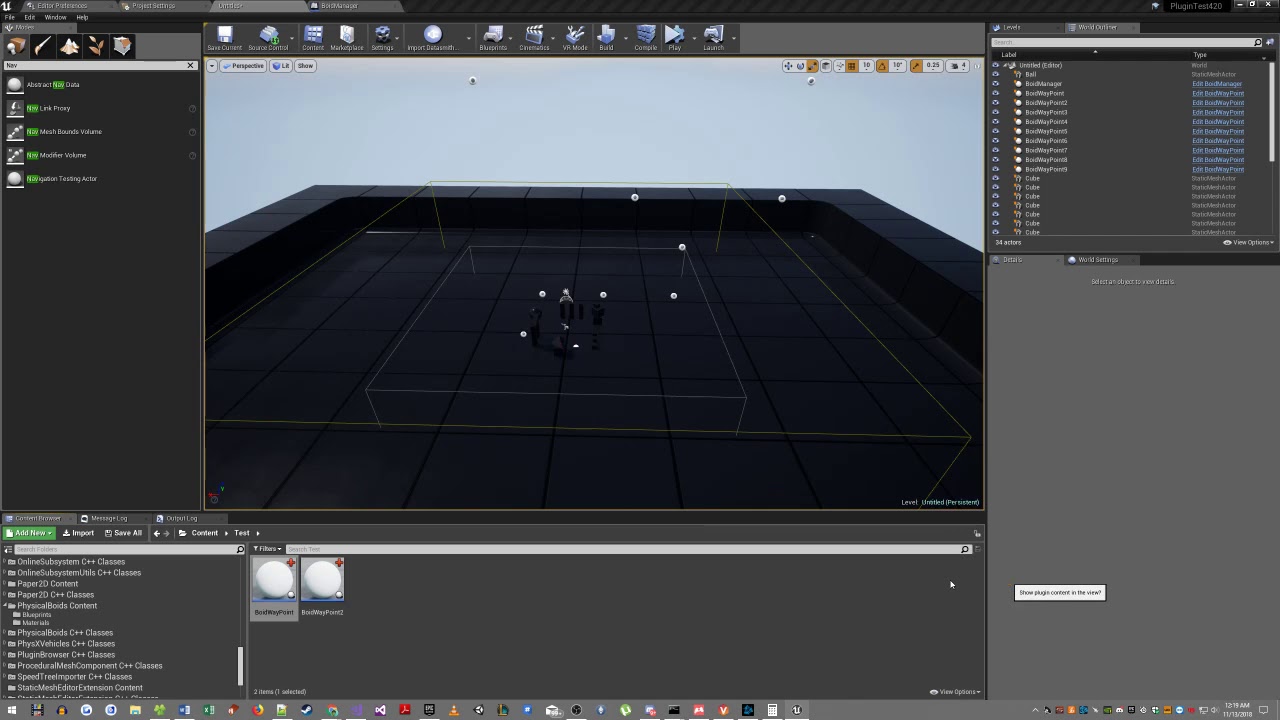
This is a quick tutorial made due to popular demand to show how you can get boids to follow a desired looping path. You can tweak the logic and the path as you see fit.
Enjoy.
https://www.unrealengine.com/marketplace/physical-boids-a-physics-based-flocking-ai
 manic vessel
CAN anyone tell me why this is not working in my ANIM bp. I wanted to clean up and make a single function . If the socket names are hard coded It works but as a function passed it they don't?. Normally This method works for me


 lunar sleet
Hard to tell what you actually put in the default value of those name variables, especially seeing that your socket naming convention is a bit whacky to begin with
manic vessel
there is no default value, as its the input values inside the function

I was trying to make it work with both hands and not have one for each.
lunar sleet
Ah I see you’re using the local gets
manic vessel
yes
normally works in my character, but this is the first time its not, is there some difference with the anim BP
its a new one for me
wierd part is it works on the grabbed bool when I attatch the hand to held items

when I let go it goes mental
I will just revert it, if it aint broke!
copper chasm
manic vessel
I will just revert it, if it aint broke!
if it aint' broke, it probably will be soon
that's my motto 😄
 bold torrent
I'm not sure what is going on, but today suddenly the built in lerp functions from unreal engine decided to stop working correctly?
I'm lerping between 0-100 and the alpha is a linear curve from 0-1 in both XY, the function executes every 0.01, when I print out all the values, I reach 100 at elapsed time 0.45, while alpha is still 0.45.. Double checked everything I can think off so far.
summer bolt
summer bolt
do you have an alternate idea? i cant get the first part working of this.
bump
summer bolt
surreal peak
Do you just want to be able to trace against it or do you want it to semi physic...
Discussion is here.
(if anyone else has ideas)
lunar sleet
bold torrent
I'm not sure what is going on, but today suddenly the built in lerp functions fr...
Why are you firing a lerp almost on tick lol
bold torrent
lunar sleet
Why are you firing a lerp almost on tick lol
What do you mean?
lunar sleet
You said your lerp function fires every 0.01
bold torrent
Yes, to interpolate between 2 values, I don't understand your initial statement though
maiden wadi
I think he's asking why you're not simply using Tick or a Timeline.
lunar sleet
And also based on what you described, I’d wager you’re doing something silly like overwriting A or B while the lerp runs
Hard to tell without screenshots
bold torrent
Not sure how it's related to much initial question, but I initiate a timer that runs 0.01 on a loop, then I simply clear the timer when my target values are reached. I dumbed down my calculation description, I calculate a large amount of values during each iteration. The Component have tick disabled, I consider this somewhat of a micro optimization, and preference. Timelines are ugly and I don't want to introduce the overhead when I can just as easily implement a timer or tick and interpolate a curve of my own for the output value equivalent of a timeline..
maiden wadi
Did you check the MaxOncePerFrame setting on the timer?
bold torrent
lunar sleet
And also based on what you described, I’d wager you’re doing something silly lik...
The interpolation worked just last night, but now it doesn't. I'm in the cleanup refactoring state, so I guess I might have to double check if I changed the Current/Target values somewhere unintentionally, hopefully this is the case
bold torrent
maiden wadi
Did you check the MaxOncePerFrame setting on the timer?
I am not aware of this setting, is it available in blueprints?
maiden wadi
Yes but you probably didn't then. It's disabled by default. Also not sure if it'd matter here but hard to speculate with no logic.
What is stopping the timer? You said you're lerping between 0-100. But how do you get 100 from a 0.45 alpha?
bold torrent
maiden wadi
What is stopping the timer? You said you're lerping between 0-100. But how do yo...
This is exactly what has me dumbfounded. I clear the timer when the target value is reached, and I'm checking what values it output every frame and they look good, except for the output of the lerp function itself which seems to be ahead of everything else, even if the alpha input is correct
Starting frame
------------------------
[STARTING VALUES]
Update Interval: 0.01
Elapsed Time: 0.01
Alpha: 0.01
Current Socket: X=0.000 Y=0.000 Z=10.000
Target Socket:  X=0.000 Y=-100.000 Z=10.000
Bool: false
------------------------
Final frame
------------------------
Update Interval: 0.01
Elapsed Time: 0.27
Alpha: 0.27
Current Socket: X=0.000 Y=-99.999 Z=10.000
Target Socket: X=0.000 Y=-100.000 Z=10.000
Bool: true
------------------------
``` And only using built in Lerp with the A = Current, B = Target, Alpha = well, alpha. gentle urchin
Guess it'd be interesting to see the actual code behind this
summer bolt
Anyone familiar with blender would be good at answering, anyone know how to replicate the shrinkwrap effect in ue5 (like falttening a mesh against something). THanks.
 wind veldt
hello everyone. is blueprint enough for multiplayer co-op game with tps? or it must be c++
maiden wadi
wind veldt
hello everyone. is blueprint enough for multiplayer co-op game with tps? or it m...
Insufficient data to answer the question.
wind veldt
Maybe there is someone here who has experienced this
maiden wadi
I do. Your question does not have enough data to answer the question.
wind veldt
for example think a game like devour. 4 person co op game
gentle urchin
Authaer is a bot
maiden wadi
Coop Multiplayer third person shooter leaves a lot open. What kind of coop? is it local or online? What kind of game? What are the primary mechanics like? How many players?
gentle urchin
You must feed it enough data
maiden wadi
DATA
wind veldt
gentle urchin
Authaer is a bot
ahahahahahaha i didnt know that
maiden wadi
I wish I was a bot. That would make so many things much simpler.
wind veldt
maiden wadi
I wish I was a bot. That would make so many things much simpler.
is he joking?
gentle urchin
Who knows
wind veldt
i believed
maiden wadi
Error 404: joke not found.
wind veldt
can i text you directly?
maiden wadi
You can. But I generally don't answer DMs.
gentle urchin
You can share details about a game without sharing details about a game
(Auth ignored my dm's for years, so get in line)
maiden wadi
Am watching Devour gameplay though. In general I want to say possible maybe. It looks fairly simple.
wind veldt
yes simple but im new at unreal engine. formerly i were developing e commerce systems but i tired i wanna develop a game thats why i dont know c++ its come so complicate as all new person
maiden wadi
Someone just put a fucking goat in a brazier.
wind veldt
so blueprint is came to me basic and simple but i saw some test videos blueprint is some slow
gentle urchin
Theres some gotchas but you can do quite a lot with it
wind veldt
that why i wanna ask who experienced about this
gentle urchin
Usually advicible that you do atleast some cpp for some of the networking stuff
wind veldt
So will this slowness cause problems on online servers If so, I dontt want to get involved in this
maiden wadi
Realistically it's possible with what I'm seeing in the videos. But also realistically C++ would make life much easier in some cases. I don't see this game having much bottleneck issues, there don't seem to be a lot of AI, and there isn't a lot going on in the world, it seems rather atmospheric.
gentle urchin
wind veldt
So will this slowness cause problems on online servers If so, I dontt want to ge...
If it does, you definetly can tackle it down the line in 97,3% of the cases
maiden wadi
I can't imagine making a game without C++ anymore. Like I'm making this Devour game in my head in BP only and some of the handling issues hurt. Possible to do but erg.
gentle urchin
Guess networking deserves a special * there as doing c++ gives you far better control over whats replicated for who, when
So refactoring that can be a bigger task than other casual stuff
wind veldt
gentle urchin
So refactoring that can be a bigger task than other casual stuff
Yes. If you are a single team like me, I think it can cause brain damage that could lead to suicide.
thanks for reply guys
i guess learning c++ would be more good
bold torrent
Made some simplified logic for a screenshot to show my previous issue, let me know if you see anything that might be causing the issue im experiencing

------------------------
[Starting Value]
Update Interval: 0.01
Elapsed Time: 0
Alpha: 0
Current Socket: X=0.000 Y=0.000 Z=10.000
Target Socket:  X=0.000 Y=0.000 Z=150.000
Bool: false
------------------------
------------------------
#Final Value
Update Interval: 0.01
Elapsed Time: 0.45
Alpha: 0.45
Current Socket: X=0.000 Y=0.000 Z=149.999
Target Socket:  X=0.000 Y=0.000 Z=150.000
Bool: true
------------------------
Ah. That will be your issue.
You're updating the starting point
Lerp is to know you're going from A, to B. But you're moving A closer and closer as you lerp. Which makes your distance take less and less time to get where it's going. At the beginning you need to save A, and B, and simply use the elapsed time to lerpto them. Instead of checking if A==B, check if ElapsedTime>=1.0
bold torrent
Derp, you are right on the money. I disconnected the update and it lerps all the way to 1.0
maiden wadi
wind veldt
i guess learning c++ would be more good
To be fair on this. You don't need to spend four years becoming a master. If you have any programming background at all or understand basic logic and just need to translate it to code, you'll have a much easier time. With some persistence you can learn a ton of what you'll need for Unreal in a year.
bold torrent
Seems no matter how long time passes, these basic mistakes happen from time to time.. @maiden wadi Thank you for point out the issue.
Can't believe I spent 2~ hours on this without seeing it
maiden wadi
They happen. 😄 Glad it's working though.
maiden wadi
bold torrent
Seems no matter how long time passes, these basic mistakes happen from time to t...
On a curious note. I wonder if the MoveComponentTo node works for this?
I don't think I've ever tested latent action nodes in a graph with disabled tick. It probably doesn't run the update I assume?
bold torrent
I've used the MoveComponentTo node for ziplines, but that was on an actor with tick enabled, so can't say for sure!
Unless it connects to the worlds TimerManager to circumvent the actors tick settings, it shouldn't technically work
dawn gazelle
maiden wadi
I don't think I've ever tested latent action nodes in a graph with disabled tick...
MoveComponentTo uses the World's LatentActionManager's tick.
maiden wadi
Yeah, just tested. It seems to work at least in an Actor with it's tick off.
Would make your life a lot easier. 😄
Interestingly the Return doesn't work after it's completed. That's kinda dumb.
Ah. Cause the action is finished and data removed from the action manager. 😦 Should have been an Async node that does the same thing but maintains it's own state after the action manager is done.
The new slate postbuffers are really awesome. 😄 radial faded blur.

 spark steppe
slate keeps crashing on me in 5.5 -_- (there seems to be a 50/50 chance when switching back to the level tab)
maiden wadi
I'm still on 5.4.4
spark steppe
what's up with all the animals? 😄
maiden wadi
Was testing the new anim parent thing.
Er. Templates, not parent.
I mean it is a parent, I think. But it's the neat new thing where you can use the same AnimBP even for multiple skeletons.
lunar sleet
I stopped downloading previews, not really worth the trouble lol
spark steppe
yea but 5.4 wasn't good on Linux 😦 vulkan crashes all the time
also what's up with the blur in the bottom right?
 teal talon
Question: I cant figure out why my timer just doesnt' count. I have it set to 300 and it's in same tick just keeps going. I'm trying to use these vs delays but I don't understand why it's not working. Could I get a hint please
 maiden wadi
spark steppe
also what's up with the blur in the bottom right?
maiden wadi
spark steppe
also what's up with the blur in the bottom right?
Blur on the bottom right?
spark steppe
the box shape
copper chasm
Is there a better way to do this? For character creation, in the level, there's going to be the BP_CharacterCreation actor, which spawns a WBP_CharacterCreation widget (that holds all the other widgets inside of it) and then likely a Character for toggling through visual modeling. I have all the widgets grab the BP_CharacterCreation actor, to pass info directly to it when they do things and then have it dole that info out wherever it needs to go.
 copper chasm
maiden wadi
The new slate postbuffers are really awesome. 😄 radial faded blur.
copper chasm
maiden wadi
The new slate postbuffers are really awesome. 😄 radial faded blur.
lookit all them cows
maiden wadi
teal talon
Question: I cant figure out why my timer just doesnt' count. I have it set to 30...
What do you mean by not counting? If it's at 300. It'll simply wait 5 minutes and then run once.
maiden wadi
copper chasm
Is there a better way to do this? For character creation, in the level, there's ...
IMO this is fine as long as there will only be one.
maiden wadi
spark steppe
the box shape
Still not following. You mean the corner of the cube, or?
copper chasm
I did this for my "GameMaster" pawn in gameplay and everything was okay, I figured it'd work in CC but what do I know (less by the day)
teal talon
maiden wadi
What do you mean by not counting? If it's at 300. It'll simply wait 5 minutes an...
yeah I know, but I watch it skip right past it in the blue print while I'm playing it. I dont' understand why
maiden wadi
teal talon
yeah I know, but I watch it skip right past it in the blue print while I'm playi...
Oh. I see what you mean now. The SetTimer block doesn't stop things after it like a delay.
teal talon
I might not understand how to setup timers then.
I assumed it was this simple.
Does it not stop and wait until done?
maiden wadi
For example. These are logically identical.
 lunar sleet
What the actual fuck is that code tho lol
teal talon
oh...
lunar sleet
Event containing the timer that calls the timer who taught you this chatGPT? 🤣
teal talon
maiden wadi
For example. These are logically identical.
thank you. I miss understood this. you rok
spark steppe
maiden wadi
Still not following. You mean the corner of the cube, or?
oh, yea. i didn't notice the cube. it looked off. but knowing there is a cube... it seems fine
 woeful yoke
I am trying to create this "Placing item on shrine" thing. Where when overlapping with pickup objects the Beam above the shrine will scale up. And if player decides to remove the item from the shrine it should shrink down. However at present the scaling up is happening as expected, but soon as I drop the item on shrine and go back its also doing the shrinking down thing. It should not do that, as the overlap is still happening since the pickup is on the shrine. How do I solve this? Please help!
 maiden wadi
lunar sleet
Event containing the timer that calls the timer who taught you this chatGPT? 🤣
maiden wadi
lunar sleet
Event containing the timer that calls the timer who taught you this chatGPT? 🤣
TBF I do this sometimes. Even in C++. Sometimes you just need to call the same event multiple times and start a new timer. 🤷♂️
teal talon
lunar sleet
Event containing the timer that calls the timer who taught you this chatGPT? 🤣
I'm just learning, I was using delays but then someone said those were bad, so I'm trying to use timers.
Making fun of me for not knowing what I don't know is pretty odd in a creative discord ment to help people.
Do you make fun of all new creators?
lunar sleet
maiden wadi
TBF I do this sometimes. Even in C++. Sometimes you just need to call the same e...
I mean… sure. I would just have a separate event that calls the timer tho
lunar sleet
teal talon
I'm just learning, I was using delays but then someone said those were bad, so I...
I’m making fun of chatGPT
Better that you’re using timers over delays at least
teal talon
I'm trying
maiden wadi
spark steppe
oh, yea. i didn't notice the cube. it looked off. but knowing there is a cube......
The blue area has a blur that tapers off at the edges. And it's done in a UI material. So you can have blurs on things without having to use the box shaped blur widget.
It's kind of like a UI based post process. 😄 I love this.
 random bobcat
hello everyone , any idea how to spawn an object in a random point in a navmesh
maiden wadi
Get random point on nav mesh. Call spawn actor with that point as the location.
teal talon
maiden wadi
For example. These are logically identical.
Thank you so much this solved my issues. You are a super star.
 maiden wadi
🦸 ⭐ ❗
maiden wadi
teal talon
Thank you so much this solved my issues. You are a super star.
Out of curiosity, about your SetVisibilities there. Are you just trying to hide the entire actor?
Or show in this case.
teal talon
yeah it's fish bird particles I want to make disappear after you harvest it
Then after 300 they come back
maiden wadi
If it's the entire actor you can do a simple SetVisibility on the actor itself instead of all of the components. Less upkeep there.
teal talon
oh really
thats great. yeah it's a bp
I get stuck here where I can't use self and I can't seem to get the bp resources pin
 lunar sleet
random bobcat
hello everyone , any idea how to spawn an object in a random point in a navmesh
lunar sleet
random bobcat
hello everyone , any idea how to spawn an object in a random point in a navmesh
Generally you want to place certain spawn areas than just pick any random point. You can then use get point in navigable radius to add some randomness
With high enough range you could prly just use one point in the middle and the aforementioned node
lunar sleet
teal talon
Notice what the target says. You need to give it a scene component
maiden wadi
teal talon
Ah. My bad. Actor version is SetActorHiddenInGame.
random bobcat
there is too much geometry in in my map so i prefer to use Get random point on nav mesh because this object is a pick up
lunar sleet
I forgot that was a thing 😅
teal talon
lunar sleet
Notice what the target says. You need to give it a scene component
This seems illogical to me. I'll have to remember this
lunar sleet
teal talon
This seems illogical to me. I'll have to remember this
Which part
random bobcat
but this funtion does not appear to me
lunar sleet
teal talon
Using a sceneroot vs the actor pin
I mean for that node. See Authaer’s message on hiding the actual actor
To clarify
The node you were using is looking for a component
teal talon
interesting. Is there a pro cons vs these 2
 teal talon
lunar sleet
The node you were using is looking for a component
teal talon
lunar sleet
The node you were using is looking for a component
oh ok.
I'm coming from Minecraft Bedrock dev, so still having to figure out these logic loops.
lunar sleet
teal talon
interesting. Is there a pro cons vs these 2
Well if you say wanted to hide only one mesh component but leave the rest of the actor alone, the second node would be more appropriate
teal talon
perfect
lunar sleet
random bobcat
but this funtion does not appear to me
Are you sure “get random point on navmesh” is a function? I would check but Epic deleted the docs so idk for sure now
teal talon
So if I wanted to leave 1 on as a hint where the resource was, I'd use 2nd. Makes sense. Just have to remember 2nd wants a component pin
Is there a reason why compoent pin and actor pin isn't a diff color?
That would have helped me
lunar sleet
Generally all ref targets are the same color. Easiest way to differentiate is to read the “Target is” part
 dawn gazelle
teal talon
Isn't the target look the same here? Or am I missing a detail
dawn gazelle
teal talon
Isn't the target look the same here? Or am I missing a detail
The top of the node states "Target is ...."
maiden wadi
teal talon
interesting. Is there a pro cons vs these 2
Whoever originally created these settings was not very consistent. There are two visibility settings on Components. Visibility and HiddenInGame.
Visibility is replicated so if set on server it will hide it for everyone.
HiddenInGame is local to the machine using it.
If Visibility is false or HiddenInGame is true, the primitive will not render.
Actors have a single setting called Hidden. Hidden for an Actor is also replicated and works same as a Component's Visibility setting.
If an Actor's Hidden is true, none of it's primitives can render regardless of their own settings.
teal talon
I've been not paying enough attention to that, and focused on the pins. Thats my bad
lunar sleet
The other difference between Visibility and Hidden in game is that the first one hides it in editor time too, whilst the latter only hides it at runtime
For instance I have spawn point spheres in my level that I can see before I hit play but they disappear thereafter (because I’m using Hidden in Game but Visuble)
teal talon
lunar sleet
For instance I have spawn point spheres in my level that I can see before I hit ...
thats good to know. When I'm doing widgets it's painful if they are hidden in the editor.
I'm not sure I understand the logic of "New" Hidden. Now Hidden?
 dawn gazelle
Here's why you can't rely on the color...
An "Object" reference can contain any type of reference to basically anything within the engine, including Actors, their Components or even assets. So the blue pin basically means, it's a reference to something. Further refining what it stores doesn't change the color, just what it is allowed to contain.
 lunar sleet
teal talon
I'm not sure I understand the logic of "New" Hidden. Now Hidden?
lunar sleet
teal talon
I'm not sure I understand the logic of "New" Hidden. Now Hidden?
It’s just a fancy way of saying Hidden is true
teal talon
thats good to know. I feel like this is a frustration point when I can't figure out the right pin to connect
lunar sleet
Tbh, sometimes it’s just a matter of dragging from that pin and seeing what the options are
Eventually you’ll learn what each pin is actually looking for
teal talon
Yeah, I'm having to build exp to learn more. Thank you so much this was very helpful
Getting my game instance setup was a big step so. I'm moving forward atleast
On a side note: How often do you if ever crash your game to the point you need to recover from a backup? I don't really want to use version controlls and just going to backup the entire projects from time to time. but I'm not sure how often this should be.
Any advice on if full crash is common?
 scarlet compass
I think I'm very close to this working as intended but clearly missing something. The goal is to take a full list of potential owned items (fed into "current owned pieces") and check it against the current inventory ("Content") to remove rows that the player does not have at that time. Right now it only removes one row at a time rather than all of them that are not in content. Any help much appreciated
 dawn gazelle
scarlet compass
I think I'm very close to this working as intended but clearly missing something...
dawn gazelle
scarlet compass
I think I'm very close to this working as intended but clearly missing something...
You'll run into problems if you're removing an index from the array while you're currently looping through it using a For Each Loop as you may be preventing the loop from continuing further. If you use a reverse foreach loop instead, that can mitigate this problem.
Based on what you have in your code, this may be the problem you're facing. Your loops should otherwise be removing whatever is contained in the BPC Piece Inventory's Content array from the Current Owned Pieces array if the names match.
scarlet compass
dawn gazelle
You'll run into problems if you're removing an index from the array while you're...
Ok I will try the reverse then thanks!
 barren tangle
hey i'm using the node GetRandomLocationInNavigableRadius and it return only 2 positions

i can see the nav bound

on all the surface. but the function return only 2 positions
 sweet silo
h
maiden wadi
barren tangle
hey i'm using the node GetRandomLocationInNavigableRadius and it return only 2 p...
What do you mean by it only returns 2 positions? As opposed to what?
barren tangle
i was expecting to have a random location inside the green area
but it's only returning the same position
 maiden wadi
What is calling this and printing these?
maiden wadi
The actor is that thing in the middle?
barren tangle
each second i'm search for a random position
yes
i put it into the center of the map
i have reduce the timer
i set 0.1 sec
and i can see that

it spawnin at rondam location but not all the time
most are on the same location, and after some random reason it spawn somewhere else

the full blueprint of this spawning actor is that
a timer by event (looping)
and a getRandomLocationInNavigableRadius
I put 5000 to be sure to cover the level
and i spawn at that "random" location
and print the position where i spawn
maiden wadi
That's odd. I can't repro it. 🤔 Your navmesh looks fine.
maiden wadi
barren tangle
What is the map location of your spawner?
barren tangle


i move the navmesh volume to see what happend

lot of spawn but only at 2 locations
 lyric basin
lunar sleet
It lets you add 2 conditions together
lyric basin
lunar sleet
It lets you add 2 conditions together
It doesn't add them together, it checks if both conditions are the same value, namely if they are both true. If they aren't, then it evaluates to false.
barren tangle
is there i kind of timer inside the random function?
lyric basin
sweet silo
oh nice sry i went to bed i'm in france so it was pretty late ! Sure i could tr...
It checks if both the bool inputs are true and then evaluates to true if they are and returns that value
maiden wadi
barren tangle
is there i kind of timer inside the random function?
No. Usually the cases for this are because the origin is outside of the nav area. It'll default to the origin in that case. But your origin seems fine and in the nav area. :/
barren tangle
maiden wadi
No. Usually the cases for this are because the origin is outside of the nav area...
yes i have checked and it's inside 😢
sweet silo
lyric basin
It checks if both the bool inputs are true and then evaluates to true if they ar...
thanks i'll try the solution now
maiden wadi
I dunno then. 😦 I can't seem to replicate it. I get very random placements.
 lyric basin
sweet silo
thanks i'll try the solution now
lyric basin
sweet silo
thanks i'll try the solution now
When I get to my rig tonight, I can make a mock-up for you for what's in my head
It's hard to explain
sweet silo
 copper chasm
I wish there was an easier way to get to my gameplay tags
barren tangle
maiden wadi
I dunno then. 😦 I can't seem to replicate it. I get very random placements.
mmm same code as me?
maiden wadi
Correct
maiden wadi
copper chasm
I wish there was an easier way to get to my gameplay tags
How do you mean?
copper chasm
This is the whiniest whine I have ever whun, but clicking into project settings and then tags and then opening the editor
I know I could do it in notepad, I know I can drag it to another monitor
maiden wadi
Lol, fair.
copper chasm
I decided this (my 9th) copy of the project is do or die, cause I'm getting behind re-hashing everything, so I'm going very slow, I'm commenting every bit of BP and marking it red or green for whether it's locked in or not
so far so good
maiden wadi
Should get yourself some source control. So you can make big changes and revert easy if they don't work out.
copper chasm
I really ought to, I had it all set up when I was doing C++ because I knew what I was doing with Rider
I'm not super confident in setting it up in the editor, I should go look
my big thing is, ttrpg players will play a game that looks like dogfood if the data is right and the gameplay is tight, so I just really have to make sure the options are there and are doing what they're meant to
maiden wadi
I just use azure devops and GitDesktop for personal stuff. Served me well enough so far. I really should learn Perforce at some point though.
maiden wadi
copper chasm
my big thing is, ttrpg players will play a game that looks like dogfood if the d...
👀 My dog's food looks better than mine most times.
copper chasm
man, my cats get like a ground up powder mixed in with their canned wet food and some hot water, I spend more time feeding them than I do making my own mac and cheese some days
they're the whole reason I got into gamedev, I made a little silly 2d pixel platformer for the wife so she could play while she was at work, drew all 3 cats 😂
maiden wadi
Some days I wish I had went with a simpler engine for simpler games. Probably not as bad if you're not a generalist but learning Unreal certainly is a task.
copper chasm
So I have a custom event in my BP that just establishes binds from all the widgets. It's getting pretty long, can I just run a sequence off the event instead of looping my exec lines back down and around?
I don't see why not specifically

but it's going to be like 30 boxes long by the time I'm done and I'd like to make it neat
maiden wadi
I usually just add a call right after the bind with the desired inputs.
copper chasm
So like, there's an Actor that creates a "hub" widget where it's the canvas panel, 4 buttons, a widget switcher with 4 widgets, and the character sheet widget. My plan rn is to have the widgets in the switcher update the Actor through event dispatchers, and then the Actor will update the character sheet widget where needed, and then on finalization, the Actor will create the character with all the variables it got from the widget switcher widgets (word spaghetti)
So the Actor is basically a ton of "assign event on XYZ" and the widgets themselves get all the info and pass it through on calls
but eventually all them assignments are gonna get looooooong
I can just drag the pins down and around and reroute to make it pretty, but if I can also just sequence the binding event, 1 for each widgetswitcher widget
It should still fire them all anyway?
sweet silo
any idea why i have zero prinstring?

 dreamy mountain
hey, im making a shotgun using projectiles, but it keeps firing in one specific direction instead of where the player is aiming, does anyone know of a fix? im following a tutorial from my college tutor but i think someone deleted a few slides on the tutorial, so its missing info and hes on a week leave, so i cant really ask him; my friend said he fixed it with like 3 or 4 nodes but doesn't remember which. any help would be great, thanks


maxAngle is set to 70 at the minute
maiden wadi
copper chasm
So like, there's an Actor that creates a "hub" widget where it's the canvas pan...
IMO I would avoid this. Let the widgets just get the actor and call functions on it when you want to change something. Let the widgets also bind their own updates when the actor changes, or just tick their values. No need for the dispatchers to update the actor.
dreamy mountain
dreamy mountain
maxAngle is set to 70 at the minute
and the muzzle is a scene component, this oen
 copper chasm
maiden wadi
IMO I would avoid this. Let the widgets just get the actor and call functions on...
copper chasm
maiden wadi
IMO I would avoid this. Let the widgets just get the actor and call functions on...
Sounds like I’m doing it the exact opposite lol
maiden wadi
In general, always consider UI as a layer on top of your gameplay. Gameplay(your customization actor) shouldn't care about the UI. You should be able to drop that thing in a level and set it up from slash commands if you wanted to with zero UI. UI is nothing more than a display for the values on the actor and an interface to make the calls to change the values on the actor.
And true is pretty much for any game UI.
maiden wadi
dreamy mountain
hey, im making a shotgun using projectiles, but it keeps firing in one specific ...
This all seems fine. How are you moving the projectile? Projectile movement component, or simulate physics?
mild ibex
Question, when loading sub levels as level instances, is there a reason the lighting scenerio doesn't load with the sub level?
dreamy mountain
maiden wadi
This all seems fine. How are you moving the projectile? Projectile movement comp...
projectile movement id guess?
 maiden wadi
dreamy mountain
projectile movement id guess?
maiden wadi
dreamy mountain
projectile movement id guess?
Can you open the Projectile BP, click the PMC in the components list and past the settings under Projectile in it's details panel?
dreamy mountain
 maiden wadi
Checkbox the InitialVelocityInLocalSpace
Then try shooting again.
It may constantly shoot to the left of the gun?
dreamy mountain
that it is
yeah
im guessing thats to do with either placement or the maxangle variable
maiden wadi
Rotate your Muzzle so that the red arrow is facing forward.
maiden wadi
X(red) is forward backwards. Y(green) is right left. Z(blue) is up and down.
dreamy mountain
gotcha
what about reducing the spread? im guessing thats where the maxangle variable comes into it
the tutorial he gave us was mainly to compliment the class where he went through it
partially my fault for not listening to him
maiden wadi
Yeah your max angle should affect that given the code above.
maiden wadi
💯
dreamy mountain
thats what i got in the end which is exactly what i wanted
maiden wadi
Nice. 😄
sweet silo


so im launching a vessel into space and seeing if it's colliding with something after some seconds
but i never get to see "Has timer completed" being printed
faint pasture
sweet silo
Why are you mixing timers and delays and tick
sweet silo
faint pasture
Why are you mixing timers and delays and tick
idk i was looking for a way to do a timer inside a timer
 ionic quiver
When using a scene capture 2D node. Is it possible for it to only capture a component of an actor, or only a specific material (wherever it may be).
sweet silo
it's supposed to start a timer => the capsule starts moving
and then i wanna know if the capsule is touching anything before the 5 sec countdown is over
If it has touched => player lost @faint pasture

 lunar sleet
lyric basin
It doesn't add them together, it checks if both conditions are the same value, n...
lunar sleet
lyric basin
It doesn't add them together, it checks if both conditions are the same value, n...
Yes, that’s what I meant. Obviously I didn’t mean addition lol
Also if we’re being pedantic, your first sentence is incorrect
Cause if they’re both false it doesn’t return true 😛
 woeful igloo
the primary is the setup, kind of like the struct, the asset is made with the primary as the base.
a variable would use the primary, able to pull any of the assets tied to it
fickle rampart
sweet silo
it's supposed to start a timer => the capsule starts moving
and then i wanna kno...
Using timer in such a case can be tricky. You want to check for collisions within a timespan? Timers are mostly meant to trigger logic "after" a given time. Like toggle a boolean variable.
So what you should focus on more are TickEvent, HitEvent or Timelines instead. Those are meant to execute logic "within" your specified timespan. Especially for stuff like collision checks.
You can e.g. use a Timer to handle a boolean "CheckCollision", disabling it after timer ends. But the checking logic should be done in TickEvent or through HitEvent for as long as "CheckCollision" is enabled.
Worth to note that the usage of HitEvents depends on your Actor's setup in terms of collider and how you set them up.
Alternatively, it is also possible to use a timeline which doesn't need a timer or complicated countdown logic. Just start it and let it execute the check colision logic through its update-node. And since the logic happens in an actor, timelines can be used for sure.
Some more advanced knowledge about Timelines:
Every timeline you "add" into your actor's BP will be added as a variable. The variable then can be used to alter some values in it, e.g. its "duration" before you trigger it. Furthermore, timelines do not need "curves" at all if your goal is a simple "execute for given duration" stuff. The curves are only usefull when you need a relation between time and given values at a specific point in time.
So in your case, just create a timeline, set its duration, trigger it and let it execute logic through its update pin.
Edit: Updated my text due to @faint pasture 's info regarding the possibility to use HitEvents of an actor's collider in combination with timers.
maiden wadi
@woeful igloo A Primary Data Asset simply has the ability to be loaded through the asset manager easily and has bundling support. Beyond that there isn't a huge difference. They house static data.
woeful igloo
ah, thanks for the correction
faint pasture
fickle rampart
Using timer in such a case can be tricky. You want to check for collisions withi...
with hit events you can still use a timer
??? -> start timer
Timer -> print the number -> decrement -> if bTouched and number == 0 -> do the bad thing
Event Hit -> btouched = true
the "ticking" would be handled for you in the collision system, it'll let you know if a hit happens through Event Hit
fickle rampart
faint pasture
with hit events you can still use a timer
You are right. I've updated my text after you mentioned that. Thx.
lyric basin
lunar sleet
Cause if they’re both false it doesn’t return true 😛
If they're both true, it evaluates to true. The other two combinations evaluate to false. I said it namely checks if they are both true, so not sure where my sentence was incorrect... Not being pedantic, was just stating that it doesn't add them together.
Comparing and adding are two different things...
lunar sleet
lyric basin
If they're both true, it evaluates to true. The other two combinations evaluate ...
As in adding the 2 noodles into one that checks if both conditions are true, but alas, bigger fish and whatnot
lyric basin
lunar sleet
As in adding the 2 noodles into one that checks if both conditions are true, but...
Tomato tomato
 crystal wharf
Could someone help me build a sound alert system? I'm having struggles trying to figure this out
lyric basin
sweet silo
thanks i'll try the solution now
something like this might work, probably need some tweeking, but it gets the idea across
lyric basin
sweet silo
thanks i'll try the solution now
 ionic quiver
For some reason this works correctly in editor, but when packaging it always returns true, as in it doesn't find a match. Anyone know why this would behave differently in editor vs packaged?

In the package it even finds them by name during this. The pink is what it's finding inside the blue. So odd as again, it's completely fine in editor.
 dull kraken
any way to trim an animation? I want to move the start position forwards by some frames.
 lunar sleet
dull kraken
any way to trim an animation? I want to move the start position forwards by some...
lunar sleet
dull kraken
any way to trim an animation? I want to move the start position forwards by some...
Iirc you can right click and click on something there
 tough mica
Can anyone help me out with the "project world to screen" node. I've used it in previous projects with no problem but with this new project it works as expected when playing in editor but when I test it in a new window it always returns false with the coords 0,0.
ionic quiver
ionic quiver
For some reason this works correctly in editor, but when packaging it always ret...
It seems the Find just doesn't work at all in a package or something. I tried it even as just integers. Confirmed matches in editor and doing separate print strings in package. But despite seeing matches in package it still doesn't recognize them. Really odd.
But this is only a problem on first load. Afterwards it works fine.
 rotund ruin
WHY does my control rotation spaz out whenever I use a calculated location for the mouse in the world, but NOT when I use a standard trace under cursor? any ideas?
crystal wharf
Could someone help a brother out with a small footstep audio issue in public boole?
frosty heron
crystal wharf
Could someone help a brother out with a small footstep audio issue in public boo...
what is public boole?
gentle urchin
A VC in slackers
I will take a wild guess at you not spending much time there in vc😆
 jolly delta
hi, is there any way through bps that I can "project the view" of the camera onto the plane succh that it looks as if it is a mirror ( ik there is an another way of making a mirror but I was curious whether is it possible using this idea )
 jolly delta
thanks
spark steppe
jolly delta
hi, is there any way through bps that I can "project the view" of the camera ont...
planar reflection (also has to be enabled in project settings)
and it gives way more accurate results than what you plan to do (been there, done that...)


 spark steppe
you can't
tight pollen
so is slate:drawWindows so expensive?
surreal peak
Profile in packaged builds if you want more accurate numbers.
spark steppe
and if you want further advice you have to show us methods which take a long time
just from these profile chunks it's hard to tell what's even going on

 tight pollen
I don't know if I can optimize it any more

unless I turn off the lights and make them worse
surreal peak
0.00002s
surreal peak
tight pollen
I don't know if I can optimize it any more
That highly depends on what you are actually trying to optimize
tight pollen
I use lumens, on a computer with GTX 1660 ti I have 30-40 fps
surreal peak
There are two to three stages to optimization:
- Large chunks that take a lot of ms cause they are really unoptimized
- Small chunks that don't take a lot of ms but help to improve overall if you resolve them
- Tiny chunks that add up due to existing 100 (or a lot more) times (e.g. 0.01ms alone might be okay for doing A, but not if A is done by a 100 Actors per tick, then you are back at 1ms cost)
tight pollen
and use megalights
surreal peak
For CPU at least
tight pollen
just for the processor I think I optimized it to the limit
surreal peak
The first one is easy to fix and make out, the other two are a pain, especially the last one, because it's not always instantly visible if you don't have a profile that has 100 Actors doing it.
surreal peak
tight pollen
just for the processor I think I optimized it to the limit
I assume via C++?
Cause BP-only has a very shitty limit
tight pollen
so not, only BP 😄
surreal peak
We recently moved A LOT of designer and animator code to C++ which improve CPU cost by a ton, even though the actual logic didn't change.
If you start optimizing you'll start learning that all the peeps that say "BPs are slower than C++" were right.
 iron idol
anyone have any idea why this specific bool is not saving?
 surreal peak
And all the ones that tell you not to worry and that BP-only totally works never had to optimize a bigger game.
surreal peak
iron idol
anyone have any idea why this specific bool is not saving?
Not marked as SaveGame ?
iron idol
huh?
tight pollen
but basically everything that needs to work on Tick is worth optimizing
What do you think?
mild jacinth
if I cannot find bind event for a dispatcher from Find In Blueprints window, does it mean its not actually binded anywhere at all...?
iron idol
surreal peak
Not marked as SaveGame ?
I'm not sure I follow
the other variables seem to be working fine. Its just this one bool for some reason.
tight pollen
tight pollen
but basically everything that needs to work on Tick is worth optimizing
I know, it also depends
surreal peak
iron idol
I'm not sure I follow
You have a SaveGame Blueprint. In that you have the Variables. Did you set the Variable to be a SaveGame variable in its details?
iron idol

i take it you are talking about the save game box in here

located in this guy
If so none of the other variables that are saving have that box ticked. and when i ticked it and tested, it still didnt save
 quick imp
Does anyone know why whenever I try to do anything in my game, it seems to reload the world? Or what I can do to troubleshoot this?
 hushed orchid
quick imp
Does anyone know why whenever I try to do anything in my game, it seems to reloa...
hushed orchid
quick imp
Does anyone know why whenever I try to do anything in my game, it seems to reloa...
are you spawning the character from controller or game mode ?
quick imp
GameMode
It seems the game reloads after I try to interface to an actor component
Does this happen to anyone else?
tight pollen
does it make any difference, e.g. keeping a reference to 1 actor in 100 actors, or keeping 1 reference in ManagerActor and if necessary getting that reference from that Manager using Interface
frosty heron
not to me
iron idol
quick imp
GameMode
its kinda hard to make out what you are saying exactly. The gif shows you walking forward then shifting back. I assume this is what you are talking about. But then you run forward and jump.
frosty heron
tight pollen
does it make any difference, e.g. keeping a reference to 1 actor in 100 actors, ...
everytime you talk about optimization it sounded like a really useless stuff that you shouldn't be worry about
tight pollen
frosty heron
everytime you talk about optimization it sounded like a really useless stuff tha...
thanks 
frosty heron
a reference is just an address, at least in cpp. Int32
quick imp
iron idol
its kinda hard to make out what you are saying exactly. The gif shows you walkin...
yeah a bit hard to tell. I put a print string within the event beginplay that says world loaded. You can see it in the top left corner.
Essentially, from what I can understand, whenever I do anything that calls on an actor component. It seems to reload the world.
hushed orchid
quick imp
GameMode
can you show your world settings
i think a character reference is there and hence it is spawing in world and then game mode again spawns maybe ?
frosty heron
@quick imp do you have Open level node somewhere?
quick imp
 frosty heron
open a blueprint, ctrl + F . Type open level then hit the binocular button
quick imp
nothing lives within the level blueprint but the print string on event beginplay
hushed orchid
ya, u can put default pawn class to none as game mode is spawning
quick imp
Its nothing to do with spawning I know that for sure. It's whenever I call an interface to an actor component. In all my years, never seen this issue.
iron idol
is it a fresh project>
hushed orchid
quick imp
Its nothing to do with spawning I know that for sure. It's whenever I call an in...
maybe if you can explain about the flow, someone here may get an idea
so, its not that after few seconds, player respawns but it respawns only after calling interface ?
quick imp
Yeah, so here's an example. Within the player controller I cast to my parent player character and then message an interface that is attached to the PC. Then pass through a reference from the cast into the interface message, (may rework the reference to call on parent from within the component, but that's a talk for another time). Then from the event perform action, it calls... well the custom event. For this one, its just fire a simple projectile.

 quick imp
hushed orchid
so, its not that after few seconds, player respawns but it respawns only after c...
quick imp
hushed orchid
so, its not that after few seconds, player respawns but it respawns only after c...
Yeah, only when an actor component is interacted with.
So I disconnected my double jump, and only left the fire projectile code. I can walk around just fine, but once I press left mouse button, it reloads. As you can see in the attached video.
quick imp
iron idol
is it a fresh project>
As fresh as a first person template with the thirdperson template added in, can get 😅
frosty heron
why is the target null?

Try to disconnect the spawn First Person projectile
isolate the problem first
see if that still restart your world
quick imp
Well those two variables arent really that imporant. They just were reconnected after a few test of my own, trying to figure this out.
quick imp
yeah thats what I did before. Whenever I disconnect the spawner, still does the same. Whenever I unconnect the message interface inside the player controller, then it doesn't do the reload.
frosty heron
from what I can tell anyway, you get kicked out from the world.
The last print doesn't say Server / Client
probably worth, checking your logs
hushed orchid
my thoughts are , maybe its spawning but due to collision and location reference is null, its spawning near to character which is making character jump back or sort of .. ya step by step please connect and see logs .. here target is being used for spawn transform but null is being sent, that is where the whole problem is what i am guessing
quick imp
Yeah it seems to load into a standalone world
quick imp
hushed orchid
my thoughts are , maybe its spawning but due to collision and location reference...
yeah I was thinking of something similar, but whenever I try to test with my double jump ability, it does the same. However, I just learned that even if I try to cast into the actor component, it does the same. So it seems to only happen when i try to call on any code from within the component.
quick imp
Oh, I havent thought of that. I guess I just assumed it would pass through from the parent. Let me test that.
frosty heron
quick imp
Oh, I havent thought of that. I guess I just assumed it would pass through from ...
It's per component basis, click your actor component and make sure it's set to replicate
can't be calling RPCs or make variables replicated without the component set to replicate
quick imp
Yeah, its still not working. However, I now believe their is another layer added onto this. When I play in standalone mode, everything works without issue. But in client mode, it stil has the issue. Even after checking replicate component.
However, if I clear out all the code, and just create an empty component, it works... So I has to be something with calling Run on server or multicast.
frosty heron
you can get booted out from trying to do RPC on something you don't own maybe
quick imp
frosty heron
you can get booted out from trying to do RPC on something you don't own maybe
yeah that has to be it
frosty heron
I know it happend to some people, but I never experience it my self
quick imp
Fair enough, first time seeing this
frosty heron
for one, you need ownership of the actor to call a Server RPC
but if it's an actor component attached to the player, maybe you don't need it?
ask in #multiplayer
you skim through the logs?
it should tells you about the reason you get kicked out from the world.
quick imp
Yeah, I'm gonna drop that question in the Multiplayer chat. I haven't checked the logs, I need to find where those are first.
Found it, checking now.
Figured it out. When the actor component was dynamically created and attached, it wasn't created with the server's authority. So when the character tries to call the component and execute code from it, especially an RPC, it would kick the player out of the server, and the user would load into a standalone world.
The resolution: you run the create and attach actor component through a custom event multicast.
TBH, not sure if its best practice, but it works. I can also go back and refactor later. 🙂
frosty heron
👍
curious on how to spawn actor component at run time anyway
do you just spawn on server and client will get copies of it eventually?
quick imp
Well Im sure there is a more proper ways to do it, but I just run the code through a multicast custom event.
My code starts here

Then on one of the sequence executes it does this...

Would should the whole thing, but its a large amount of code.
frosty heron
Running delay in mp setting kinda give me heart attack
you should rely on RepNotify
quick imp
Yeah, sadly, I'm not that advanced yet. And not sure how to go about doing that. 😔
quick imp
Its not for this instance.
But it does seem insteresting, could apply it in some places
dull kraken
Ive got two pawns that can be possessed, i play the game, and can control the player, but is there a way after pressing f8 to possess the other pawn while in the same running instance?
jolly delta
spark steppe
and it gives way more accurate results than what you plan to do (been there, don...
okay thanks
barren relic
hi I'm trying to set up falling through platforms by holding down and pressing jump, is there a way to only look for the down input from the controller/ keyboard or do I have to make individual input actions for each direction? On controller I can't see that being feasible if I'm not using the D-PAD
 maiden wadi
barren relic
hi I'm trying to set up falling through platforms by holding down and pressing j...
maiden wadi
barren relic
hi I'm trying to set up falling through platforms by holding down and pressing j...
I feel like you should approach this with less of a controls mindset. You're on a platform and you need to fall through it. This is more of an "ability" than anything else. Regardless of input this should be a basic thing to make your pawn not collide with platforms until they've fallen through the one they started on when this ability was triggered. Your controls should simply be a chorded action where down is held and jump is pressed to trigger said ability.
barren relic
maiden wadi
I feel like you should approach this with less of a controls mindset. You're on ...
what im really asking is how do I get the down input from the move
maiden wadi
Ah. As in only that from the 2D Axis
barren relic
yeah or the S key
maiden wadi
I was thinking like a crouch button originally. 😄 I'd maybe drive that off of the look's direction value in this case. Unless there is a way to mirror controls and you could make an invisible IA mapped to the same thing as look down. But your look probably moves some vector or something or can set a direction you want to look. If it is DotProduct(Down, WantedLookDirection) > 0.5 allow the action?
barren relic
good idea, I'll link it to a crouch button and for the thumbstick i'll try that
nevermind I didn't know this was an option. silly me
 maiden wadi
barren relic
hi I'm trying to set up falling through platforms by holding down and pressing j...
maiden wadi
barren relic
hi I'm trying to set up falling through platforms by holding down and pressing j...
Btw random question on that. How are you doing the falling through platforms? Are you just setting the collision off until it falls for a short time, or?
barren relic
maiden wadi
Btw random question on that. How are you doing the falling through platforms? Ar...
following a tutorial and I'll show you

it's working if I use the crouch action but not the fall action so I did something wrong
seems like the jump is taking prio over the fall which is strange because I was told I had to reorder them for priority and I have already done so
maiden wadi
Won't this also pose issues for other things on that platform like other enemies?
barren relic
yeah but I don't know a better way to do it at the moment
tutorial is from 3 years ago so
maybe I should make a new collision channel for those kinds of platforms and change the player's collision when I press the button instead?
 storm solar
I clicked on "open full blueprint editor" on the top of the screen. how do i revert it back to just a data only blueprint?
 maiden wadi
storm solar
I clicked on "open full blueprint editor" on the top of the screen. how do i rev...
maiden wadi
storm solar
I clicked on "open full blueprint editor" on the top of the screen. how do i rev...
Go to the content browser where this class is and right click it and select AssetActions, and Reload. Alternatively, restart the editor.
 storm solar
thanks!
storm solar
one other question i have.
I have a third person character that has a BP component called attributes.
When i open a child of third person character, I cant see that component unless i open it in full blueprint editor.


 unborn maple
i have a issue where this does not close and open a widget visibility even tho it being called when i add a breakpoint the key press is also being called. any idea on what it can be?


it work before i added a second game mode for the main menu now it just broke everything.
never mind i got it working i had to remove from parent on is valid node.
maiden wadi
storm solar
one other question i have.
I have a third person character that has a BP compone...
There's no difference to a full Bp editor or not runtime wise. Data only is just a helper screen to set values on the subclass easier.
 crisp turtle
Hi I'm new here and need help I'm new to blueprints and i followed youtube videos to create what i do have and I'm planning to study what everything does after i fix this final issue, my character keeps jump when falling from a certain height and I'm clueless on how to remedy this. I hope this video loads so you can see my issue also here's some screen shots.


If some one could take a screen shot of how to fix my issue in blueprint form I'd be very grateful
frosty heron
You are stuck on jump start loop
You want to go from jump start to jump loop to jump end
Using time remaining ratio.
Look into third person template
And just copy the setup
I don't know what video you follow but the third person template got what you need
 primal hare
Is there an event that triggers when player starts falling?
Trying to kill player if falling more than certain seconds
maiden wadi
primal hare
Is there an event that triggers when player starts falling?
Their movement mode in the CMC changes to falling. So you could bind the movement mode changed, start a timer if == falling. Remove the timer if movement mode is something else.
primal hare
There is this but this triggers when player spawns
 primal hare
maiden wadi
Their movement mode in the CMC changes to falling. So you could bind the movemen...
primal hare
maiden wadi
Their movement mode in the CMC changes to falling. So you could bind the movemen...
so event would be tick?
maiden wadi
No, you have the right event above.
If NewMovementMode == Falling start a timer for n seconds. Save a handle from the set timer node. If NewMovementMode does not == Falling, use the handle from the timer to clear and invalidate it.
When the timer finishes, kill the player.
crisp turtle
I didn't want to use the third person template I want to set it up myself so I can learn the third person template doesn't have the animation blueprint I've been stuck on this for 3 days does anyone have a screen shot of a fix
thin panther
crisp turtle
I didn't want to use the third person template I want to set it up myself so I c...
Yes it does. Learning from the third person animation blueprint and how it's set up is going to be doing the same thing for you as someone sending you a screenshot of what to do.
 crisp turtle
I've looked through the third person template couldn't find the animation blueprint, if it's there I really can't find it.
thin panther
I've literally just shown you where it is
crisp turtle
Sry message wasn't showing, I found it, don't understand it lol bit I found it
I'm looking just on how to set up falling


 steady night
ive got a "lock on target" im updating the actor rotation towards the locked target every 0,01sec


but its glictching the camera like crazy
ideas :/ ?
crisp turtle
Nope still doesn't work dk
 kind estuary
The character movement component is lowering me to 50 fps when used on around 80 characters made of cubes.
Is this normal? Should i make my own APathfinding ?
lunar sleet
Look into optimizing the CMC first
You can try switching to navmesh walking and see if that helps, tho it has its downsides
 earnest vigil
Anyone know how to rotate just an actors mesh so I can align the front of the mesh with the forward vector? Ive got a drone and the forward vector is pointing out of the side of it and when I rotate the mesh it rotates the vector as well
maiden wadi
kind estuary
The character movement component is lowering me to 50 fps when used on around 80...
Pathfinding is only part of the issue. It won'y consistently lower your FPS unless you're calculating a new path every frame. Usually this doesn't happen.
Most of what causes issues in characters are lighting problems with dynamic shadows on your GPU, or paying the costs of scene component updates when moving on the CPU.
crisp turtle
I still can't get my character to stop jumping while he is falling
 tawdry walrus
If I have a data asset with an item that has a name, and I change the name of the item, will this change be reflected in all other references to this item?
 empty marten
Hey peeps,
Does anyone know how I can get the distance between the mouse cursor and a widget? I'm trying to set it so if the cursor is x distance or closer, it affects the opacity of the button.
maiden wadi
empty marten
Hey peeps,
Does anyone know how I can get the distance between the mouse cursor ...
The whole button at once, or like in a radius from the mouse location?
maiden wadi
tawdry walrus
If I have a data asset with an item that has a name, and I change the name of th...
What is the item in the data asset?
 last jolt
Hello, i have problem that occurs when i spawn niagara that should be attached to Skeletal Mesh Component. Niagara actually is spawned on camera location, and weirdly enough there is always a camera looking object that is connected to mesh. As you can see what is highlited is one object, that has both original mesh, and camera. The attachment is never setup in code, nor in blueprint, not even in niagara spawning code either. Melee weapon class follows the same logic of using niagara, attaching niagara to Static Mesh, and it spawns in right place. Is there a possibility of connection between Skeletal Mesh Component class and Camera Component, that I could miss? I would really appreciate help 🙂


 tawdry walrus
maiden wadi
What is the item in the data asset?
tawdry walrus
maiden wadi
What is the item in the data asset?
Another data asset has an ID.
empty marten
maiden wadi
The whole button at once, or like in a radius from the mouse location?
The button itself. Just wanna make it so that if the cursor is like 100 pixels or less the button fades in and then when outside that distance, it fades out.
maiden wadi
tawdry walrus
Another data asset has an ID.
Then it should. The only case where it will not is if you have copied this name somewhere. If you're always pulling it from the data asset directly it will always update if you change the data asset.
kind estuary
maiden wadi
Pathfinding is only part of the issue. It won'y consistently lower your FPS unle...
thanks though im quite sure that when vinterping planes it doesnt affect performance even with a thousand planes it goes 120 fps.
but 70 planes moving by Simple Move makes it down 80/90 fps
maiden wadi
empty marten
The button itself. Just wanna make it so that if the cursor is like 100 pixels o...
Is your button itself a userwidget already?
empty marten
maiden wadi
Is your button itself a userwidget already?
No. The button is inside a widget.
sweet silo
fickle rampart
Using timer in such a case can be tricky. You want to check for collisions withi...
That is really amazing info thanks a lot ! i have to read it many times to be sure to unredstand !
maiden wadi
empty marten
No. The button is inside a widget.
Maybe something like this? Untested
 mild ibex
I have an issue with timers in a function. The way I understand it is that functions are able to run in parallel when triggered multiple times. I have a map of int | struct that I'm using for this task and what I should see is that when triggering the function my static mesh moves around the curve, and this does happen, but the problem is it only happens for one mesh at a time and I dont understand why. I have the timer and the "current time" in the struct so its mapped to the proper key but when playing 1 then triggering another it will null out the prior monitor that was playing.
 lunar sleet
mild ibex
I have an issue with timers in a function. The way I understand it is that funct...
lunar sleet
mild ibex
I have an issue with timers in a function. The way I understand it is that funct...
Multi-threading is not really a thing in bp, aside from a few async nodes. If you call a function multiple times it’ll just fire sequentially
What you can do in parallel is instancing
Like firing a function on a class that fires at the same time on all its instances
empty marten
maiden wadi
Maybe something like this? Untested
What is that node before the make box? Not familiar with it.
Never mind. Got it.
empty marten
maiden wadi
Maybe something like this? Untested
I don't have the Find Closest Point on Box node even with context sensitive turned off.
kind estuary
maiden wadi
Pathfinding is only part of the issue. It won'y consistently lower your FPS unle...
This is just plain Character with just a Static Mesh (planes). 300 characters of planes cuts the fps down to 50 fps
This is what is expected, or im missing something?
This is why i always used vinterp.
kind estuary
Its the CMC because if i use vinterp the FPs is good
this is a plain project just to test the CMC
lunar sleet
Did you try a pawn?
kind estuary
Not today. But i tried it in the past, it was similar
it was a bit better
maybe its my pc ?
But from what i read. Unreal wasn't made for many characters. So this is kinda normal?
I think i will do again a Tile Based a pathfinding for this project
I kinda wanted to go at least once with the native tools. But it seems thats only for FPS game with few characters
lunar sleet
kind estuary
But from what i read. Unreal wasn't made for many characters. So this is kinda n...
When you get in the hundreds, some optimization is required. Like I said, start by changing the movement to navmesh walking instead of walking
kind estuary
lunar sleet
When you get in the hundreds, some optimization is required. Like I said, start ...
this one right?

didnt affect anything though
mild ibex
lunar sleet
Multi-threading is not really a thing in bp, aside from a few async nodes. If yo...
that seems to be the case, however I assumed a function taking different structs would be fine, because there arent any pulic variables being overwritten
 wraith haven
Hey everyone, I’m working on a game mechanic and could really use some advice on how to tackle the next part. Here’s the full breakdown:
What I want to achieve:
1.    Pick up parts: I want the player to be able to pick up different parts (let’s say components for a circuit board).
2.    Zoom in to the circuit board: Once the player is near the circuit board, they can press a button to zoom in and get a close-up view.
3.    Placing parts on the circuit board:
•    I want specific spots on the circuit board to be highlighted in red to show where each part should be placed.
•    When the player clicks on the highlighted spot with the correct part in their inventory, it should:
•    Place the part onto the board.
•    Remove the part from their inventory.
What I have done so far:
• I’ve implemented a camera zoom mechanic where pressing E moves the camera into a close-up view of the circuit board.
What I need help with:
•    How should I handle the mechanics of:
1.    Picking up the parts (adding them to an inventory system).
2.    Highlighting the correct spots on the board in red where the part needs to go.
3.    Clicking on the spot, placing the part, and removing it from the inventory.
Any advice on the best way to handle this, including any existing systems I could leverage (like inventory systems or interaction systems), would be awesome!
Thanks a lot in advance!
sweet silo
Hi ! I have several events happening one after the other and repeating
How good of an idea is it to do a "BP_EventsUnfolding" ?
lunar sleet
sweet silo
Hi ! I have several events happening one after the other and repeating
How good ...
It’s fine
sweet silo
lunar sleet
It’s fine
thanks 🙂
 finite hearth
Can somebody verify my understanding of event dispatchers?
I have an actor: BP_Resource
I have two unit actors: BP_Unit
- Unit1 starts harvesting BP_Resouce, it binds to dispatcher "ResourceCollected"
- when ResourceCollected called: StopHarvesting
- Unit2 starts harvesting BP_Resouce, it binds to dispatcher "ResourceCollected"
- when ResourceCollected called: StopHarvesting
When BP_Resource's HP < 0, then call "ResourceCollected"
Q: In this context, wouldn't both units receive the call and shouldn't both units StopHarvesting?
I'm finding that only Unit1 gets the call, while Unit2 will continue to harvest.
 tall knot
Hello! I'm having a problem with StaticMeshComponent collisions, anyone knows where the problem could be? I uploaded a video showing the bug https://youtu.be/1DFIrbz8_vs
 lunar sleet
finite hearth
Can somebody verify my understanding of event dispatchers?
I have an actor: BP_...
lunar sleet
finite hearth
Can somebody verify my understanding of event dispatchers?
I have an actor: BP_...
Watch the pinned video on bp comms, it has a section on dispatchers, if you haven’t
Are these units both instances of the same class?
 zinc depot
this is my pick-and-drop object blueprint for "the fps" controller! the problem is when I drop the object the first time and try to pick it up it works fine. but the second time its position changes. It snaps below the original position and onto the camera inside the camera. The first time working fine but as I pick up again and again it snaps inside the camera


 chrome crag
Is there a case switching node for booleans? I have three diff booleans in my WBP and want different outcomes based on which one is true
finite hearth
lunar sleet
Are these units both instances of the same class?
Both units are an instance of the same class. I think I traced the issue to an unbind all events node that should have been an unbind event node.
 ripe sun
chrome crag
Is there a case switching node for booleans? I have three diff booleans in my W...
ripe sun
chrome crag
Is there a case switching node for booleans? I have three diff booleans in my W...
This?
 chrome crag
ripe sun
This?
chrome crag
ripe sun
This?
Yes If I have three boolean values how does that get hooked up exactly?
ripe sun
Like this?
lunar sleet
You might be better off using an enum and a switch
ripe sun
 lunar sleet
3 selects seems like a lot
chrome crag
Hmm I see
Yah i was wondering if that was even better than a nested if statement or not lol
lunar sleet
There’s usually a better way than a nested if, beyond 2 conditions or so
chrome crag
basically its If isPerfect = 100 score, isGood? = 50, isMiss? = -10
the boolean value comes from the WBP which ive casted to beforehand
lunar sleet
Make an enum with 4 values: None, Perfect, Good, Miss
But I mean ultimately the select is fine too
chrome crag
Is there any performance benefits with using this versus nested Ifs or is it just more Blueprint cleanliness?
ripe sun
chrome crag
Is there any performance benefits with using this versus nested Ifs or is it jus...
A select node doesn't take a lot of time, 0.000001 ms or something. There isn't a noticeable performance difference.
If the performance is the same, write code that is more clean/easy to write. I recommend you watch this video about premature optimization: https://youtu.be/tKbV6BpH-C8
This blog talks about how blueprints can become expensive because of pure functions: https://celdevs.com/unreal-engine-and-the-hidden-pitfalls-of-blueprints/

When should you optimize your code?
Access to code examples, deleted scenes, song names and more at https://www.patreon.com/codeaesthetic

Celdevs
Hello!
Blueprints are useful, quick, and easy to use once you get used to them.
Event graphs are incredibly helpful to creating certain gameplay, cross-function references are particularly useful in certain scenarios.
However useful and quick Blueprints are, there are quite a few hidden pitfalls that can unintentionally cause avoidable
mild ibex
feel like im losing my sanity, I just want a blueprint to move an object from point A to point B along this spline. BUT this spline ONLY goes counter clockwise. And once it reaches the beginning or end it will not loop. I can get it to follow the shortest path from A to B but it will not go from max spline length to the start without going all the way back around the spline.
 ripe sun
mild ibex
feel like im losing my sanity, I just want a blueprint to move an object from po...
ripe sun
mild ibex
feel like im losing my sanity, I just want a blueprint to move an object from po...
Can you show some of your code?
Is this a and b?

You want it to go clockwise?
mild ibex
I'd like it to be able to go either way and just determine the shortest path.
 ripe sun
mild ibex
I'd like it to be able to go either way and just determine the shortest path.
ripe sun
mild ibex
I'd like it to be able to go either way and just determine the shortest path.
Shortest path between what?
I don't quite understand your question
mild ibex
between distances, Point A and B are input by user. This is also converted to degrees based on spline length. So rather than entering 5,000 it could be 180° but going from 25° to 360° I'd expect it to go clockwise. But it goes counter beecause that's the spline path.
I have tried coding it so that when distance is < 5° or something along those lines it snaps to the other side but that doesnt seem to work either.
ripe sun
uh, is the shortest path limited to be on the spline?