#blueprint
1 messages · Page 221 of 1
 zealous moth
no no i meant i made a static level with no proc gen to see if it works at all
that works fine
 gentle urchin
Baked is as in the name, baked, fixed to a predetermined landscape/area
zealous moth
in the proc gen area nothing works
gentle urchin
Ah ok then we just talked around each other haha
Cant you query the recast to regenerate?
zealous moth
query?
zealous moth
i know what query means, i meant how 😛
zealous moth
yeah so i generate the level, i find my nav mesh volume actor, i expand it, and i run the console command, the loading screen stays as long as "is navigation being built stays to true"
 gentle urchin
Thats what you do today already?
zealous moth
yep
gentle urchin
Rip
zealous moth
yep
 gentle urchin
If you dont , add it
gentle urchin
Crap
 zealous moth
@gentle urchin I'm gonna try an alternative tomorrow that I wanted to test out anyways where the entirety of the maze is already made and the nav is baked but I block off paths
gentle urchin
Under the build menu where you buildmlighting etc

Im sorta out of things to suggest at this point 😅
Been a while since i had to deal with it
zealous moth
didnt work either
it's ok, i'll try out my other method
when using rebuild, it creates a long load time
like 5-12 secs
I'd rather do something faster
ty
gentle urchin
This game looooks like it barely needa navigationnbut
Could need at some point i supposw
Some A* implementation would do the trick
Oh nvm its not actually tile based
zealous moth
it is proc gen rooms and the floor is also instanced since rooms may have holes
I generate box colliders that act as obstacles
but then I can just do that
anyways, i'm, off
 heavy gorge
Hi everyone,
Need your help with Save system. Currently I need to save my Actor Transform with Current Time (float).
I made instance and BP_SavePoint.
The system must work like this:
Actor overlaps BP_SavePoint and save game.
If player wants to continue, the game loads from main menu’s button Continue.
Upper is 3 BPs (Instance, SavePoint and MainMenu).
When I overlap BP_SavePoint and then start from “Continue” button, it’s place me in the beginning of the level, and next time I stepped into BP_SavePoint, it displayed error Accessed None trying to read etc…
What’s wrong with my BPs? Thanks in advance


 scarlet pewter
Hmm yeah, I’ve got it set up so that it gets the players forward vector and the forward vector of “Door Open Location”. It’s then plugged into a dot and then I have it setup so that if it is greater than 0 then the door open side is 1.0. Then likewise if it’s not then the door open side is -1.0. When you mention about inverting the rotation - how would I go about doing that?
 frosty heron
scarlet pewter
Hmm yeah, I’ve got it set up so that it gets the players forward vector and the ...
frosty heron
scarlet pewter
Hmm yeah, I’ve got it set up so that it gets the players forward vector and the ...
First , try to get the correct value. What you said sounds about right, compare the forward vector of the character and the door
this will determine which way it's facing
if 0 or great then do X otherwise do Y
you can use select node to determine which value the door should rotate to
also show your code next time
scarlet pewter
I did, I sent the blueprint in my post. I can resend it if that would help?

No description provided
frosty heron
Is that picture suppose to show anything? I can't see what handle door does
Don't c the point of using tick either, you prob can use timeline here for resident evil1 door animation
scarlet pewter
Handle Door has its own section down a little bit - this handles the door rotation
frosty heron
And that's the code that we should look at?
Unless it's there and I just cant see it on my mobile
scarlet pewter
In a nutshell, to partially open the door the door open side is multiplied by 15 and is then moved to another part called Handle Rotation. To open it fully, door side is multiplied with door open angle (which is set to 90). This should then obviously be that if the door open side is 1 or -1 it will open accordingly
scarlet pewter
frosty heron
And that's the code that we should look at?
Unless it's there and I just cant ...
Ahhh yeah it’s for desktop, it’s the entire blueprint from UE5 so that it can be shared
Same setup as when you’re in UE so you need to move around by dragging and clicking
frosty heron
I prefer ss but regardless if you have direction instead pulling the door toward you, just inverse the rotation when the dot product is less than 0
scarlet pewter
I’ll see if I can give that a go and then I’ll send over a ss to help. I get roughly what you’re saying with this, thank you. What did you mention about Tick before? Could you explain a little further, I’m relatively new to blueprints so I’m unsure haha
frosty heron
I don't see why you want to run your logic every frame which got driven by a boolean
How I would do it is player interact with the door, the door plays the animation using timeline
And that's that.
scarlet pewter
And I’d just plug each state of the door (partially open, fully open) in as animations rather than logic?
frosty heron
That will be driven by the float from the timeline
Interact with door -> check direction, if dot product greater than 0 play timeline A else play timeline B
And since you have curve you can control the animation more by editing the tangent, allowing for constant and ease in anim
scarlet pewter
Alright awesome, thank you! I’m loading up UE now, could you help me with another issue? The issue is the auto close functionality. I won’t try to explain it right now, I’ll send over a ss as it could be just be a logic error I’m not noticing.
This is the code for the mathematics (dot) for the door


This is for Handle Door which rotates the door

This actually rotates it

And this is for closing the door automatically behind you


And here is the start too
 frosty heron
I would re-do the whole thing and can only repeat what I would have done
No need for event tick
no need states
Just Timeline that gets played when door get interacted depending where the player is at relative to the door
 ocean gate
I have a strange issue where Enhanced Input System events starting spam triggering all outputs if they're triggered just a moment before loading into a new level and the input continues to be held. Anyone know why this happens / how to fix it?
For example if I hold the "sprint" button on my controller to trigger the IA_Sprint event and then loads a new level, then both the "Started", "Completed", and "Triggered" outputs will be fired every frame until the button is released.
 steady night
erhm need help with a formula
max amount 20
gain 10
if u at 18
you only get 2
how would i convert that "gain 10" to 2 ?
scarlet pewter
steady night
erhm need help with a formula
max amount 20
gain 10
if u at 18
you only get ...
You only get 2 what? Are these items or do you want to change the value?
steady night
i got 15 arrows my max is 20 that i can carry
i get a item that replenishes 10
so i can only get 5
 versed sun
Max - Current = Gain
 proven moat
Hi, Please help, waiting for reply for long, while reattaching to component ball stays at ground , if you want I can share blueprint
Please help, what's issue here for the above gameplay issue


 obtuse oriole
I am using UE's water plugin, is there a way I can change the dominant wind angle variable in runtime? I have dynamic wind system to put simply yea
 maiden wadi
obtuse oriole
I am using UE's water plugin, is there a way I can change the dominant wind angl...
maiden wadi
obtuse oriole
I am using UE's water plugin, is there a way I can change the dominant wind angl...
Usually this should probably be a Material Parameter Collection property that you can set somewhere in BP. Any material that relies on it can get it from that MPC. Am not sure how they specified it in that plugin though.
 weary wave
Hi, can anyone help a way to create a material for astroturf please?
https://stock.adobe.com/uk/search?k=astroturf
I'd like to avoid any tiling and have some small height effects, thanks
 obtuse oriole
maiden wadi
Usually this should probably be a Material Parameter Collection property that yo...
obtuse oriole
maiden wadi
Usually this should probably be a Material Parameter Collection property that yo...
you sure though?


did tried this, always return false
 maiden wadi
Oh, they did that in a data asset. That's an odd thing to make a static setting. But Epic does have an issue with considering dynamic worlds in a lot of their level design. I mean they're still using ALandscape for shit.
Still. If that needs changeable, it should be in an MPC
 storm vigil
is "cast to materialinterface" the first parent class of all types of materials like for dynamic material instance? i am trying to get the best cast to for asyn load thanks
maiden wadi
storm vigil
is "cast to materialinterface" the first parent class of all types of materials ...
Unsure of what you're asking for here? You async load, and then cast the return object pointer to whatever class the method you need to call is on.
versed sun
storm vigil
is "cast to materialinterface" the first parent class of all types of materials ...
I use Material Instance as my Asset type to load
Seemed more versatile

 remote meteor
storm vigil
is "cast to materialinterface" the first parent class of all types of materials ...
remote meteor
storm vigil
is "cast to materialinterface" the first parent class of all types of materials ...
correct, Set Material on a PrimitiveComponent uses MaterialInterface as input too
 obtuse mulch
why do i get this error if i do size to fit?

 versed sun
you are trying to access the Fifth item in the array, but you only have 4
obtuse mulch
but size to fit says it will expand if theres no index?
 marble tusk
It's likely talking about what's plugged into the set node
 gleaming crescent
Basic 2D animation question: while walking, stand-by and flying works, attacking and Death doesn't I did "Hit Q to set flipbook to attack" and HP => 0 set flipbook to death animation, but nothing
obtuse mulch
i got it now, its trying to get the item before expanding the array

strange that manually adding elements to this array beforehand doesnt work
also noticed the stupid truncate 😄
 muted edge
Anybody have any ideas how i can stop my FPS camera clipping through walls when aiming up or down?
 barren dove
hi folks I have a question
I'm passing an actor to a function, I need the function to branch out based one of like 20 tags
right now its just "is tag=xyz, if no, is tag=zyx, if no, is tag... ect ect"
This seems like a really dumb way of doing this, what would be a better way than like 20 branches with yes/no decisions?
 rich locust
i think it's a node called "contains" or "has tag"
maybe better to have all the tags in an array and have a single brach with a "Contains" check
barren dove
yeah in this case its one tag in (the item) and if it has one of 20 tags it runs down one of 20 different "paths"
however making an array of the tags is a great idea incase later i add a new one
sorry, I am bad at expressing what I mean , lol
rich locust
same
barren dove
yeah so that isn't the question
I have one actor in, it has one of 20 tags
each tag does a different thing, right now i'm using a ton of branches (one for each tag) which seems like a bad way of doing it
rich locust
technically i have an inventory system that also sorts thing by tags, i use marco functions to speed up things but the idea is something like this
 gentle urchin
Switch on tag/name/string
barren dove
yeah i'm doing something similar, in this case the tag determines what socket to attach to and what secondary logic to run
gentle urchin
It does the branching for you
rich locust
oh yeah i have this too))
 barren dove
ah there we go
rich locust
they run separately
gentle urchin
But strings are terrible imo
Gameplaytags are the way to go
The new world
Life is good then
rich locust
i'm fine rn
gentle urchin
Rn being keyword
rich locust
it's basically just text
barren dove
you can just deconstruct the tag into the string and its fine
rich locust
doesn't matter if it's a "string" "name" or whatever
barren dove
yep
gentle urchin
It matters hugely
barren dove
tags are just strings with more steps
rich locust
how?
barren dove
because you're not doing it his way and his way is the only way to program or somtehing
gentle urchin
Lol
gentle urchin
Enjoy
barren dove
thanks, see ya
gentle urchin
Grouping, management, not prone to typos, dropdowns, categories, queries, are just some of the things that makes it superior
barren dove
ok
 fallow hinge
@gentle urchin thank you mate after doing the practical today i got it working and its completely modular perfect many thanks!
Obviously there was more to it than just modulo and static mesh component as i had to sort out the interaction of said buttons but i was able to sort that logic because of the call buttons was basically the same setting the collision types to be the same
 storm dove
hey, do i need to set the struct after i modify it?

 dawn gazelle
storm dove
hey, do i need to set the struct after i modify it?
dawn gazelle
storm dove
hey, do i need to set the struct after i modify it?
You shouldn't in this instance.
gentle urchin
fallow hinge
<@231467939734355969> thank you mate after doing the practical today i got it wo...
No worries, glad it worked out
 gray lantern
In the construction script is it possible to spawn a mesh or add a mesh in an array that I can then select in the details panel in the level?

so that I can position it in the level ideally, with gizmo
 astral wyvern

The FOV is not lerping, it goes straight to the value
The timeline goes from 0 to 1 though and I can see the values if I print them
Is it because it's at the end of the execution?
 lunar sleet
astral wyvern
Is it because it's at the end of the execution?
lunar sleet
astral wyvern
Is it because it's at the end of the execution?
What does that mean? Also you prly just did the track wrong. But you may want to switch that to Play From Start if it runs more than once in the game
lunar sleet
gray lantern
In the construction script is it possible to spawn a mesh or add a mesh in an ar...
You cannot spawn things on construct, it’s a safety measure
You can however add placed meshes to an array, sure
rich locust
you can do a Lerp From To using EnhancedInput OnTriggered node, you can set it up so it fires every tick when you hold the button
lunar sleet
For what purpose?
astral wyvern
It's a lerp when I release the button basically
changed it to from start and it still doesn't work
 storm dove
dawn gazelle
You shouldn't in this instance.
storm dove
dawn gazelle
You shouldn't in this instance.
gotcha, thanks. if i need, i get a warning right?
astral wyvern
As you can see the fov increase works (also on a timeline, triggered On Start of the input)
rich locust
astral wyvern
Alpha in Lerp needs Delta time and to have a tickrate Exec node, idk if timeline provides such
 dawn gazelle
storm dove
gotcha, thanks. if i need, i get a warning right?
dawn gazelle
storm dove
gotcha, thanks. if i need, i get a warning right?
I don't think so. There are just certain things where you may need to use a set, like if that structure was replicated and you wanted to trigger an onrep.
 robust merlin
astral wyvern
robust merlin
astral wyvern
look at that glizzy go lol
astral wyvern
rich locust
Alpha in Lerp needs Delta time and to have a tickrate Exec node, idk if timeline...
So should I just leave the timeline alone and try another approach?
I thought this would be the easiest
rich locust
astral wyvern
So should I just leave the timeline alone and try another approach?
yeah, i dropped using timelines way back in 2016
i would personally advise using EnhancedInput method, just so you won't have to gate out Event Tick and roll back values and such
astral wyvern
What do you mean by enhanced input method?
rich locust
using Enhanced Input nodes
rich locust
astral wyvern
What's the approach here?
something ike this (ignore the bools and everything after the events themselves)
you can find how to set-up EnhancedInput on youtube, i think Epic have documentation on how to set them up too
 astral wyvern
I see
rich locust
the "Triggered" can be setup to fire continuosly akin Event Tick as far as you hold the button
astral wyvern
Yeah it's just that I don't know if I want to change my whole input system
to support one feature
You know what I mean?
rich locust
yeah, IMO EnahncedInput is very cool and project independednt, but up to you really
rich locust
i mean if you can add 1 more key to it idk if it's that much trouble
lunar sleet
rich locust
Alpha in Lerp needs Delta time and to have a tickrate Exec node, idk if timeline...
Timeline is frame independent provided you don’t do it wrong
lunar sleet
astral wyvern
changed it to from start and it still doesn't work
Define “doesn’t work”. Did you put a breakpoint to see if your timeline is even firing ?
Also your track length is 0.5s so if it completes right away that really shouldn’t be a surprise
Half a second is not enough time for a smooth transition
astral wyvern
What do you mean? I have the exact same track on the trigger and it works fine
It's supposed to be a quick transition also
lunar sleet
astral wyvern
What do you mean? I have the exact same track on the trigger and it works fine
Oh hang on I thought that was wrong but then I figured I was hallucinating
Your track goes from 1 to 0
So you’re trying to go from B to A instead of A to B in that lerp
 crimson pollen
I have a question. I am copying actors and spawning new ones. I want to keep all the variables from the copied actor. Is it possible to get a copy of all variables with a single node or do I have to set them all one by one. "Its annoying to do it one by one"


as you can see in the right image. When I use the spawn actor node it didnt expose all the variables with spawn actor so I had to set them all manually later on. This works its just ALLOT of work
lunar sleet
crimson pollen
as you can see in the right image. When I use the spawn actor node it didnt expo...
Jesus H. Spaghetti
crimson pollen
yeah I hate it but it works....
lunar sleet
Have you considered using structs?
crimson pollen
I have but this is not my project. I cant simply restructure the actors
so I figured there was a built in way to do it but im not seeing it
lunar sleet
What are all these variables covering? Can’t read the text in the second image
crimson pollen
so essentially I am taking an actor from runtime and creating a new actor in the editor with all the runtime actors variables. The variables you see are replacements on the newly spawned actor
 empty marten
crimson pollen
I have a question. I am copying actors and spawning new ones. I want to keep all...
empty marten
crimson pollen
I have a question. I am copying actors and spawning new ones. I want to keep all...
That 2nd image makes me feel uncomfortable XD
 spark steppe
wasn't there a duplicate actor node in BP?!
not sure if it was editor only or also works at runtime tho
maiden wadi
crimson pollen
I have a question. I am copying actors and spawning new ones. I want to keep all...
Do you have C++ access?
crimson pollen
unfortunatly no otherwise id make a duplicate actor mod. I dont even have plugin access.
which makes this project.... difficult
maiden wadi
Those are some.. interesting constraints.
maiden wadi
spark steppe
wasn't there a duplicate actor node in BP?!
There is. It's editor only.
UEditorActorSubsystem::DuplicateActor
crimson pollen
well in anycase my current method works its just laborious
frosty heron
Well you should add cpp to your project if it get that laborious
crimson pollen
I dont have the ability to recompile
im working in a mod editor of a game its a bit different
Im essentially takeing the actor from the game world and spawning an actor in the editor world with the same params. I just wish there was a way to transfer all params without having to break them all out
 olive yarrow
help me  i'm using the fps blueprint and whether or not i use pawn rotation - if im looking down or up i stop moving. ive tried getting the forward vector of my capsule instead but that didnt make a difference so im sdtill using character forward vector
maiden wadi
olive yarrow
help me <:facepalm:428968570337230849> i'm using the fps blueprint and whether ...
Code please.
olive yarrow
maiden wadi
Code please.
 olive yarrow
comin' up, though i havent touched it (im basically fresh into the FPS blueprint, have only changed out meshes)
olive yarrow
maiden wadi
What about your IA setup?
 maiden wadi
What about the...
Input Context Mapping
I'm assuming that for some reason the IA is passing back odd values, but not sure why yet.
olive yarrow
maiden wadi
I'm assuming that for some reason the IA is passing back odd values, but not sur...
?

 wheat citrus
Should be easy enough to check by printing the action values
wheat citrus
olive yarrow
Actually nvm you saying when looking down or up completely? Cause if so it could make sense. You add the action y movement input to the actor forward vector. If the vector points straight up or down then yea you won’t move cause gravity and the ground.
Did you perhaps when replacing meshes remove the default scene root? Does your new root get rotated with look direction? If so try reading a default scene root to your actor that doesn’t rotate.
 chilly geyser
Does anyone know how to fix simple move to location not going to exact click location? Someone else posted this pic online and I cant find very much information about it.
Even when changing the capsule component to a size of 1, its still off by up to ~50 units

 flat warren
Hey, I need help with a weird glitch I've been getting, I am new to unreal and have a basic ai setup. I just added randomized enemy types and a bug has appeared. The code works on the non-randomized enemies. But with the ones with randomized armor, when they die the armor appears above them for a brief tick. Ive tried everything I can think of to stop this from happening, and have narrowed the code down to when the deathpose is set for my ragdoll (before removing physics sim and lowering it into the ground to be destroyed). I've included a quick video, the code for setting the ragdoll position and the code for the randomized character skeleton

 wheat citrus
flat warren
Hey, I need help with a weird glitch I've been getting, I am new to unreal and h...
wheat citrus
flat warren
Hey, I need help with a weird glitch I've been getting, I am new to unreal and h...
Don’t know too much about this stuff but I did notice that before rebinding the leader bone component in the construction script, parent tick is called. Might wanna check there if there is any rebinding happening in there that has anything to do with it.
olive yarrow
wheat citrus
Actually nvm you saying when looking down or up completely? Cause if so it could...
the root shtick is possible, i use Terribilis Studios mixamo converterr
flat warren
wheat citrus
Don’t know too much about this stuff but I did notice that before rebinding the ...
The parent tick is due to it being a child class of my enemy types, the parent doesn't do anything in the construct script
wheat citrus
olive yarrow
the root shtick is possible, i use Terribilis Studios mixamo converterr
Hmm no idea there, but just try to add a new root to the actor that doesn’t rotate at all and see if it works. You can then easily attach everything with its previous hierarchy to that root
Or just print the forward vector of your actor to check
wheat citrus
flat warren
The parent tick is due to it being a child class of my enemy types, the parent d...
Hmm yea then unfortunately I wouldn’t know what could be the issue, was just something that caught my eye
flat warren
wheat citrus
Hmm yea then unfortunately I wouldn’t know what could be the issue, was just som...
Thanks anyway
maiden wadi
chilly geyser
Does anyone know how to fix simple move to location not going to exact click loc...
50 is about the default acceptance radius.
chilly geyser
Is it possible to get it to exact?
maiden wadi
Which function are you using for movement? Or are you using BTs?
chilly geyser
 wheat citrus
You could try teleporting the last 50 units, shouldn’t really be noticeable at such a small distance.
maiden wadi
50 units would be pretty noticeable for that.
chilly geyser
Yeah I tired to just shift the capsule component, it looks kind of janky
wheat citrus
Could also try to get the vector from actual end location to goal and lerp position along it to make it smooth
chilly geyser
Lerp position. I’ll mess around with that when I get back. Thanks for the suggestion 😊
wheat citrus
Nw also depending on if it’s an AI or player. If it’s AI you have some options and an Acceptance Radius value you can set. Check out this forum post https://forums.unrealengine.com/t/why-is-simple-move-to-location-not-working-as-expected/279113

Epic Developer Community Forums
I’m trying to create a simple a-rts(moba) kit using blueprint. I started messing around with the Top Down template. I’ve created the camera but now I can’t figure out how to “click to move” properly. I’m using the “Simple move to location” but it seems that it doesn’t work as I expected to. The character never reaches the click location. It ju...
wheat citrus
flat warren
Hey, I need help with a weird glitch I've been getting, I am new to unreal and h...
Btw in set leader pose component did you try checking the bools to see if it helps? Force update sounds like something you might want and can’t tell with the other but checking doesn’t hurt
maiden wadi
chilly geyser
Lerp position. I’ll mess around with that when I get back. Thanks for the sugges...
Had to read through code. You could fix this with C++. SimpleMoveToLocation will add a PathFollowingComponent to your PlayerController, which will be used to guide the pawn. This PathFollowingComponent has an AcceptanceRadius float on it that dictates distance. If I read correctly, this defaults to the pawn's nav agent radius. But you could set this to like 1.0 or 5.0 in code. I'm unsure if this can be set somewhere else in BP, but it didn't look directly BP exposed.
flat warren
wheat citrus
Btw in set leader pose component did you try checking the bools to see if it hel...
Just tried it, no luck. Still getting the empty armor popping up
wheat citrus
flat warren
Just tried it, no luck. Still getting the empty armor popping up
Ah unfortunate. A temporary/crude solution you could attempt would be to just hide the armor, delay until next tick, and then set it to be visible again on event begin play of this actor. Doesn’t fix the actual problem but might be good enough for a while.
flat warren
wheat citrus
Ah unfortunate. A temporary/crude solution you could attempt would be to just hi...
That is a good temporary fix, might just have to do for now, until I can sort out whats happening in the code, thanks!
chilly geyser
maiden wadi
Had to read through code. You could fix this with C++. SimpleMoveToLocation will...
Just got back, what could / would I do with this?
Edit Nvm wont work
Edit Edit : Idk what happened but its working perfectly now???
 lunar sleet
chilly geyser
Just got back, what could / would I do with this?
Edit Nvm wont work
Edit Edit...
lunar sleet
chilly geyser
Just got back, what could / would I do with this?
Edit Nvm wont work
Edit Edit...
I mean to start you’re showing a node that is not connected to anything. And if it only works sometimes you probably have it running on begin play which does not fire at a precise time
chilly geyser
lunar sleet
I mean to start you’re showing a node that is not connected to anything. And if ...
I was just trying to see if I can do anything with it
lunar sleet
Use Event Possessed to make sure your char has a controller when you run it
chilly geyser
I don't think we have direct access to path following components (in blueprints). I think you can only in C++
lunar sleet
Correct
chilly geyser
I was just asking in general if I could pull from that, and It didn't seem like you could.
lunar sleet
chilly geyser
I was just asking in general if I could pull from that, and It didn't seem like ...
Ah. At first it seemed like you’re saying the cast is failing
chilly geyser
My bad, I probably didnt explain very well
lunar sleet
Are you just trying to set the acceptance radius?
Are you the one that’s using move to with no navmesh?
chilly geyser
I have nav mesh, and yeah If theres a way to change acceptance radius without C++ that would be sick
lunar sleet
chilly geyser
I have nav mesh, and yeah If theres a way to change acceptance radius without C+...
Or sorry, navmesh but no AI controller
chilly geyser
lunar sleet
Or sorry, navmesh but no AI controller
Ah yeah, that's correct.
lunar sleet
Yeah, the AI move to nodes have acceptance radius option
SimpleMoveTo is kinda named that way for a reason 😀
chilly geyser
I don't want to have to unposess and re posses when using AI move to. If theres a way to do that, I would also be open to that
lunar sleet
Btw for your top down game there’s nothing wrong with having an AI controller move your pawn
lunar sleet
chilly geyser
I don't want to have to unposess and re posses when using AI move to. If theres ...
Shouldn’t be necessary to possess and unpossess, you can just have the AICon possess it, altho idk why you need the PC possession
chilly geyser
lunar sleet
Shouldn’t be necessary to possess and unpossess, you can just have the AICon pos...
I don't want to lose control at any point
lunar sleet
chilly geyser
I don't want to lose control at any point
Why would you lose control?
chilly geyser
Unless I'm just not thinking of a way to do it. With simple move to I can click somewhere, and If I change my mind, click to a different location and it will go to the new location isntead.
Can you do the same with AICon?
lunar sleet
Yep
chilly geyser
Oh..
lunar sleet
You may need to call StopMovement first
If you want to interrupt the current move
I did all of this in my RTS project btw 😀
And don’t worry, your PlayerCon can still run logic without being in possession of your pawn
 warped juniper
I need some feedback on my logic. I'm trying to make Mario style jump attack... Currently there is a "bounce" event handled via interfaces that makes actors force a jump out of the player, as well as resetting its velocity beforehand and tweaking air control.
However, I feel the default reaction of one actor trying to jump onto another and getting a weak bounce away is still affecting the results
 little orchid
Hi there, I'm trying to create some simple logic so that when the player character falls beneath the world (if at all) that the character will teleport back up to the surface, allowing for the user to continue playing.
I've got this, but it doesnt seem to trigger , when i cause a "falling" even to happen.. how can I fix this ?
 chilly geyser
little orchid
Hi there, I'm trying to create some simple logic so that when the player charact...
chilly geyser
little orchid
Hi there, I'm trying to create some simple logic so that when the player charact...
Hi there, I did this not too long ago, It might work for you?

It still isn't great on performance, but is better than event tick. Until I figure out a better way to do it.
little orchid
hmmm, thanks i'll try your method and see what happens
 thin panther
Even easier, just have a volume that when you overlap it, teleport to the last safe place
Like a kill volume, but for teleporting back up to last safe location, or last checkpoint or whatever
chilly geyser
little orchid
hmmm, thanks i'll try your method and see what happens
What @thin panther said, might be better in your case.
thin panther
For determining a last safe location, set up a looping timer for a second, store an array of locations, and trace a short distance down (to hit the floor).
Store these last, say 3 locations, always clearing out the old ones, then when it comes to respawn you can check each location for validity (I.e. not too close to objects, not inaccessible, etc.)
chilly geyser
Yeah basically check if falling and if not store it in a variable every so often, then if you do hit the volume, teleport to the last spot you were not falling
But then youre basically still using my code, just adding a bit to the false branch and no need for the volume
thin panther
I would advise against a delay loop, a looping timer functions preferably in that case
I'd also personally check more often than 5 seconds :P
chilly geyser
Looping timer might be better 🤔
5 Seconds was all I needed in my case because I didn't want to put them back where they were
little orchid
I tried use a timer and it wasnt working , maybe it was how my logic was set up 😦 not sure..
little orchid
chilly geyser
5 Seconds was all I needed in my case because I didn't want to put them back whe...
your example didnt work for me 😦 maybe altering the delay ?
chilly geyser
little orchid
your example didnt work for me 😦 maybe altering the delay ?
Send screenshot
Didn’t work ? At all? What was the result ?
little orchid
the result is just continual falling
 little orchid
ok ill do that
chilly geyser
Right now you have it run and it checks if you're falling, branch says youre not. Then doesnt cycle, just stops
little orchid
should i turn off the world bounds check ?
chilly geyser
Depends
little orchid
ya it just stops
chilly geyser
if you're not using kill z
then you can uncheck it
ah
youre hitting kill z in that video before it teleports you too
so either lower kill z or disable it
also fix the loop in your code so it doesnt stop on the branch
little orchid
All right I'll look into that, yeah what I'm trying to do essentially is not have things destroyed if they fall below the world but instead if the character somehow glitches through the map and starts falling endlessly I want there to be a failsafe so that the character can just be teleport right back to the surface, negating the chance for there to be a bug
chilly geyser
ah, then you probably want an aditional bit of code
Basically in Addition to the loop youll want to set a safe area vector variable
then when your branch turns true(Actor Location < z), set actor location at the safe area location
You can modify it to work for you, but thats the jist of it.
A problem with the way I made it, and if you set it up like that is
It depends on how often you check if youre falling
olive yarrow
why is my hit event not firin' ?
little orchid
I still have my other bit of code that was a bit longer so what if I were to merge the bit you made and the one I put together would that work?
 chilly geyser
olive yarrow
why is my hit event not firin' ?
chilly geyser
olive yarrow
why is my hit event not firin' ?
Not sure, you could try off the capsule component instead?
chilly geyser
little orchid
Neither of these are the code I made
little orchid
The top one is the bottom one was mine
chilly geyser
youre missing the function to reset
Your set actor location should also go into the delay
then after the delay, call the function
 olive yarrow
chilly geyser
Not sure, you could try off the capsule component instead?
olive yarrow
chilly geyser
Not sure, you could try off the capsule component instead?
it fired if i bump the npc but not via the scan 🤔
chilly geyser
little orchid
The top one is the bottom one was mine
Again, mine isn't the best way to set it up, just the method im using at the moment, but it is better than event tick. It might be better to just set up a volume and execute an event on event actor begin overlap
little orchid
Ok I'll try the volume method
chilly geyser
little orchid
Ok I'll try the volume method
If you want to set actor location strait up from where you fell off though, youll have to make that loop anyway
Ill see if I can make it real quicjk
little orchid
im learning as i go along
chilly geyser
I think this is what you need

Or a modified version of it
You could combine both custom events into one also
but basically a continuous loop that checks actors location, if its safe, set a safe variable for safe location, if its not safe, set location to last safe location
 molten pike
In my Character.cpp class I have a variable ThrowableClass which is set in BP_Character's Details to either BP_Grenade or BP_Claymore. How can I set ThrowableClass to either of the two BP options, inside Character.cpp or in BP_Character's event graph?
olive yarrow
progress
dawn gazelle
molten pike
In my Character.cpp class I have a variable ThrowableClass which is set in BP_Ch...
It's a bit difficult to set a blueprint class within C++, it can be done but requires file paths which probably isn't what you want.
You can ensure that the ThrowableClass variable is of type TSubclassOf<YourC++ThrowableClass> and its UPROPERTY() specifiers include BlueprintReadWrite and even EditAnywhere while also under either a protected or public, which will then allow you direct access to the variable and set the value as a default in blueprints.
If you're not currently using a C++ throwable class, create one and reparent your throwables to it.
molten pike
dawn gazelle
It's a bit difficult to set a blueprint class within C++, it can be done but req...
Thanks. Yeah, I've got ThrowableClass as a subtype of TSubclassOf<YourC++ThrowableClass> and can set the default in the BP_Character. But I want to be able to switch that assignment from BP_Grenade to BP_Claymore and back and forth
dawn gazelle
If you're wanting to change it at runtime in blueprints, then you'd be able to just set the variable as needed.
molten pike

snippet from the Character.h at left and the BP_Character at right. I've got ThrowableClass as EditAnywhere, and can set it in defaults. But in the blueprint I don't see anything for getting or setting the variable outside of defaults
I'm not seeing it exposed in the variables list on the left of the BP_Character either
Ahh! It had to be set as BlueprintReadWrite, and not EditAnywhere. I see it and can set it now
Thank you!
 surreal peak
molten pike
Ahh! It had to be set as BlueprintReadWrite, and not EditAnywhere. I see it and ...
surreal peak
molten pike
Ahh! It had to be set as BlueprintReadWrite, and not EditAnywhere. I see it and ...
EditAnywhere means it's editable in class defaults and on instances you place into the level.
BlueprintReadWrite means you can Get and Set the variable directly in BP code.
 rugged briar
hey ik these is a few months late but I am also having the same problem in 5.4.4. Have you found a solution for this? Sometimes my comments also disappears, even after I have compiled and saved the BP and and project file.
 craggy flicker
rugged briar
hey ik these is a few months late but I am also having the same problem in 5.4.4...
craggy flicker
rugged briar
hey ik these is a few months late but I am also having the same problem in 5.4.4...
just reload. closing the blueprint and reopening seemed to work most of the time, on rare occasions i had to relaunch
rugged briar
craggy flicker
just reload. closing the blueprint and reopening seemed to work most of the time...
got it. thank you and thanks for the quick response👍
craggy flicker
np
gentle urchin
Same happens here after 5.4.4
Rare (1-2 timer per day), but it hasnt happened since 4.xx something
lunar sleet
And also, just for sanity’s sake make sure you didn’t open UE twice by accident
Tho that’d be pretty obvious when you try to save and get errors
 cedar trail
Hi.i have a question. Is there any way for me to get the value of a variable in another bp without casting ? I know about BPI but idk how to make it to just get the value without making it too complicated. So any help would be greatly appreciated.
 mental trellis
You have to cast to the type of the BP that has the variable to get the variable.
If you want to avoid linking the bps, add a method that retrieves thr variable to an interface and use that.
wheat citrus
little orchid
Hi there, I'm trying to create some simple logic so that when the player charact...
You are using an and gate before the branch and have one input set to false. This will never be true. And is only true if both inputs are true.
 chrome pumice
Quick question. im creating a variable in my gamestate, then realize that i dont need the variable so i delete it 5 seconds later. now it checks the WHOLE DAMN PROJECT for refrences for +10 mins. Thats not the first time happening which puts me in this situation that i have to leave that var for a while and later forget abt it
wheat citrus
The checking part is normal though it only should take that long if you have a really big project or slow pc
maiden wadi
chrome pumice
Quick question. im creating a variable in my gamestate, then realize that i dont...
This just means that a lot of things depend on your GameState.
chrome pumice
maiden wadi
This just means that a lot of things depend on your GameState.
ohh okay that actually makes sence
thx
maiden wadi
cedar trail
Hi.i have a question. Is there any way for me to get the value of a variable in ...
Don't be afraid of casting just because some Noobtube video said so.
gentle urchin
Especially for default gameplay classes
 faint creek
Hey guys, somebody knows why my spline work like this?

 gentle urchin
you've mixed up the +1's
you want location and tangent at index
and location and tangent at index+1
obtuse oriole
I have a audio file byte, whether it is read from filesystem or fetched from a URL. How do I turn it into playable audio in UE? Basically I want to make like a radio that players can play music from soundcloud
marble tusk
faint creek
Hey guys, somebody knows why my spline work like this?
What Squize said, plus this should likely be -2. Reason being, there are one less spline sections being connected by spline points than there are spline points themselves, so that's the first -1. Then the first index is 0 despite it being counted as 1 in the number of spline points, so that's the other -1.

 limber parcel
#gameplay-ai anyone?
 strange kraken

is there a way i could add a niagara particle system component that already references a niagara system variable?
nvm figured it out just add your niagara system as an actor in the level right
and then reference it?
faint creek
marble tusk
What Squize said, plus this should likely be -2. Reason being, there are one les...
Ok thx, when I’ll come back home I will try🙈
faint creek
marble tusk
What Squize said, plus this should likely be -2. Reason being, there are one les...
However, I follow this tutorial. It’s my first time with spline
faint creek
marble tusk
What Squize said, plus this should likely be -2. Reason being, there are one les...
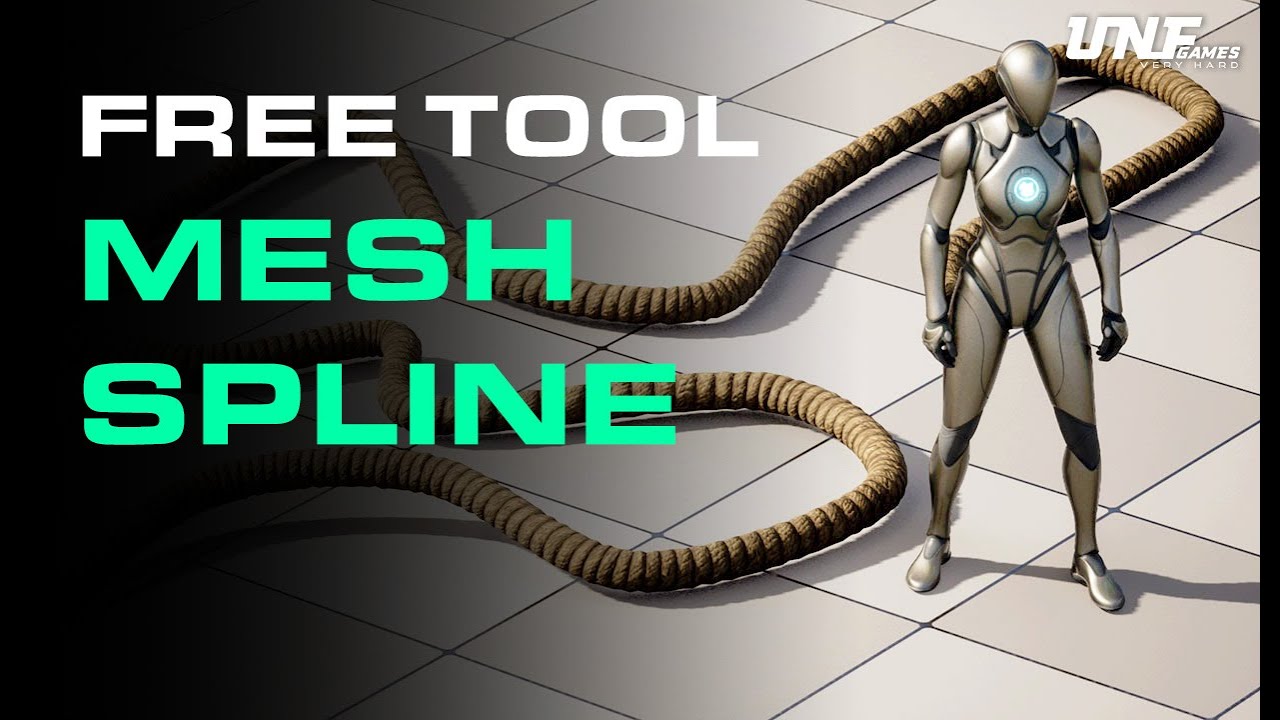
🎮Learn to create a game in Unreal Engine 5: https://www.unfgames.com/action-game
Want to learn Blueprints from scratch? Watch this: https://youtu.be/W0brCeJNMqk
🔨Download the Rope Spline Blueprint here! https://vault.unfgames.com/p/unf-art-tools
How to create a spline tool to generate ropes in Unreal Engine 5? In this tutorial you will learn ...
 true crater
Hey folks,
I am considering designing a locomotion system for my 3D realistic horror game. I have the options of using Lyra and Motion Matching systems. I am proficient in Blueprints but don’t have much knowledge in animation. I would like to create my own advanced locomotion system by taking advantage of some tutorials. For creating a lightweight and realistic system, should I use the Lyra system or take inspiration from Motion Matching? Also, is Motion Matching production-ready?
marble tusk
faint creek
https://youtu.be/OwQVSPxqUhA?si=e2tzZN0Wd1tTLnO7
Yeah, it should be -2, not -1. You can see in the tutorial the end of the spline looks strange since it's generating an extra mesh there
 dusk dagger
I am trying to create a third-person character with an isometric camera angle. I'm trying to smooth the character rotation but RInterpTo function just not working properly. The main logic was developed in C++ and I also tried creating the same with Blueprints, but neither works properly. If I change interp speed value from 0 to something else it either flickers or doesn't move at all. Here I captured a video with Blueprints.
https://streamable.com/5klrxg
I'd appreciate any help
 gentle urchin
Sounds like youve got 2 things trying to update the rotation
maiden wadi
dusk dagger
I am trying to create a third-person character with an isometric camera angle. I...
If this is a player possessed character, then SetControlRotation.
versed sun
hmmm, is it 'legal' to set an enum to E_Max if you don't want it to have a value?
this seems to work for now , but will it make an error down the line packaging or anything?
 spark steppe
wonder what happens if you type an invalid value 🤔
versed sun
it stops the Exec line
spark steppe
i usually have an UNDEFINED as first enum value, which you can even hide from BP
versed sun
that was plan B, but I didn't want to have to edit everywhere the enum is used if this works
wonder what a Select does...
spark steppe
you don't want to know... trust me 😄
dusk dagger
maiden wadi
If this is a player possessed character, then SetControlRotation.
It worked! Thanks!
 autumn parrot
How to do i stop an enemy ai from attacking after a player is dead using a behavior tree?
 rotund harness
Does anyone know why when i edit the waterbody blueprint of the water plugin it keeps moving it in unpredictable ways when I compile it? have I messed up the setup or is it a bug?
Also if I move it/rotate it in any ways and then ctrl z it fixes itself
It seems to check the "affect Landscape" box without actually doing it because if i check it and then uncheck it it fixes it
 warm fern
Unity Convert Noob Question: I have created an Actor Component that I want to add to a Blueprint and reference a specific collider (there are multiple) in the Blueprint to work with. In Unity this was just exposing a serialized field and dragging the GameObject into it. How do you go about this in Unreal?
 orchid loom
Can anyone help my, I have a widget when i use right click in the inventory, but i set an event on mouse leave to remove the widget, but i want it to be removed when i put the mouse a little mor far away than just leave it? pls help
 timber basalt
heya guys any clue on how do i check or fix this

 dry sleet
timber basalt
heya guys any clue on how do i check or fix this
dry sleet
timber basalt
heya guys any clue on how do i check or fix this
Under which circumstances are you getting it?
MallocBinned2 issues are low-level and often related to some form of memory corruption. Often the cause is stomped memory, which happens (among others) when you write out-of-bounds of arrays, etc.
When tracking these down, using the "stomp allocator" is handy. For a DebugGame you can run it with the switch -stompmalloc to run the game in a mode which forbids memory stomping (at the cost of performance).
It will then assert in case a stomp occurs.
 copper chasm
I'm having some trouble with the structure of my blueprints. I could be wrong, but I think the way I want things set up is to have a playercontroller where I set up all my input code, a pawn that is the camera and also recieves the input from the playercontroller to dispatch all my unit actions, and then my units themselves which hold the code for the actions the pawn has them do, does that sound correct?
 scenic osprey
i've got a canvas in blueprints i got to write data per pixel to, i guess i could draw hundreds of boxes but anyone got any ideas on how to just access the data like an array? any ideas on where i would even start researchign this?
scenic osprey
welp i at least figured out the box method it sems, at least its working
scenic osprey
or not, they are bleeding into eachother....
timber basalt
dry sleet
Under which circumstances are you getting it?
so this error happens when i try to run the game a low settings (change using my ingame setting) which cause this error
but when the game runs on higher graphics it dosnt show the error at all
but after reading your explanation i think i know the issue now
warped juniper
Is there some way to apply root motion (outside of animation, with code) without using GAS systems?
I need that for a basic thing though implementing GAS solely for that is overkill
 solid needle
how would i check for a float being a positive or negative value, i swear there was a node for it or am i insane

 versed sun
Also , if you search a variable name type, you can see a list of all the cool tools and ways to use it
 solid needle
yeah, ill be sorting through it for a WHILE
 zealous anvil
Hi everyone I was wondering if anyone could help me with my movement, Im trying to replicate tekkens movement style where it’s 2d but can move 3d, I got it all working but for some reason no matter what I do the w always makes the player go down and s always makes them go up but it’s supposed to be vise versa😭 here’s what I have for it

 zinc ermine
Im having issues with my hold crouch system where when i exit from under a object i remain crouched until i hit the crouch button again

 versed sun
zealous anvil
Hi everyone I was wondering if anyone could help me with my movement, Im trying ...
versed sun
zealous anvil
Hi everyone I was wondering if anyone could help me with my movement, Im trying ...
try adding this

If up is down , and down is up, then you want to invert it , so multiply the X by -1
zealous anvil
Oh my god I cannot believe the fix was that simple your the best thank you so much for your help
copper chasm
I currently have a BPI called on left click to select a character and apply an overlay material. I have a blueprint that checks if the character being clicked is currently the selected character, and if so, deselects it - if not, it deselects the current character and selects the new one. How would I set it to deselect the selected character if the thing I'm clicking on is not a character?
Current blueprints attached


a switch on hit actor, maybe?
or check the hitactor against the floor (this seems like a bad idea but it would work in theory)
 eager thicket
im running into this problem where changing the resolution yeilds bad results for the UI (the cursor doesn't match where the buttons are highlighted etc)... is there something wrong with my resolution change settings that causes this?
 versed sun
copper chasm
I currently have a BPI called on left click to select a character and apply an o...
versed sun
copper chasm
I currently have a BPI called on left click to select a character and apply an o...
You want to undo your overlay of the previous actor (if valid) , then set the new one, then apply overlay to new actor(again , if valid)

this is my go-to setup for keeping track of 1 selected thing
copper chasm
I guess my confusion is how to set the leftclick input to determine what I'm clicking on, probably the validated get?
versed sun
 copper chasm
versed sun
copper chasm
versed sun
Right, but if I left click an actor, it is selected - I want to be able to left click off the actor to deselect it also (not just on another actor) - would that be the validated get functionality?
 dusky maple
hey everyone, I am doing a big dumb right now. I am trying to cast to a Custom Game State but I cant for the life of me figure out what the object I need to pass into the cast to Custom Game State is. I have tried every custom blueprint in my project out of desperation, as well as player controller, character, and topdown player character. is there an easy way to find out what object i need to pass in from the custom game state blueprint? Thanks in advance!
 copper chasm
dusky maple
hey everyone, I am doing a big dumb right now. I am trying to cast to a Custom G...
copper chasm
dusky maple
hey everyone, I am doing a big dumb right now. I am trying to cast to a Custom G...
Try above, sorry didn't tag^
dusky maple
copper chasm
Try above, sorry didn't tag^
 copper chasm
dusky maple
copper chasm
dusky maple
Is your custom game state not a child of gamestatebase? Isn't that how you do it? :S
dusky maple
copper chasm
Is your custom game state not a child of gamestatebase? Isn't that how you do it...
you are likely correct I and I am just bad :|, will try to make my custom gamestate a child of the base and get back to you
dusky maple
copper chasm
Is your custom game state not a child of gamestatebase? Isn't that how you do it...
wait doesnt this mean its parent is game state?
 versed sun
copper chasm
Right, but if I left click an actor, it is selected - I want to be able to left ...
versed sun
copper chasm
Right, but if I left click an actor, it is selected - I want to be able to left ...
yes, the second is valid checks to see if you actualy clicked on something
copper chasm
dusky maple
wait doesnt this mean its parent is game state?
try off game state base
dusky maple
copper chasm
try off game state base
the cast to gamestatebase does not have spawn song actor event so i dont believe i could directly cast from gast to gamestate base. also creating a object reference variable of gamestatebase and passing that into cast to customgamestate does not work either. I also tried setting the parent class to gamestatebase just in case you meant for me to do that but it doesnt show as a potential parent option 😦


 copper chasm
dusky maple
the cast to gamestatebase does not have spawn song actor event so i dont believe...
copper chasm
dusky maple
the cast to gamestatebase does not have spawn song actor event so i dont believe...
Your "CustomGameState" needs to be a child of gamestatebase, and then the stuff you want it to do can be in the "customgamestate"
your customgamestate is a component actor, I'm unsure how that works
lunar sleet
you don't cast to the base, you cast to your custom GI
faint creek
marble tusk
Yeah, it should be -2, not -1. You can see in the tutorial the end of the spline...
It doesnt' work
 faint creek
marble tusk
Yeah, it should be -2, not -1. You can see in the tutorial the end of the spline...
faint creek
marble tusk
Yeah, it should be -2, not -1. You can see in the tutorial the end of the spline...
It appears crushed
copper chasm
versed sun
yes, the second is valid checks to see if you actualy clicked on something
I'll have to refactor how I'm clicking/selecting I think, but the validated get thing helps a ton, thanks
gentle urchin
faint creek
It appears crushed
Show the code again
faint creek
gentle urchin
Show the code again
 gentle urchin
You're still mixing the indexes
You want location and tangent at index
And location and tangent at index+1
faint creek
gentle urchin
You want location and tangent at index
And location and tangent at index+1
ops yes
ok it works
 hallow compass
working on a topdown game and i can do this to make sure audio reception is based on where the player pawn is in the world as opposed to the camera/eyes. Is there something similar to ensure world-space camera shakes affect the player if close to the controlled pawn?
 faint creek
gentle urchin
You're still mixing the indexes
faint creek
gentle urchin
You're still mixing the indexes
Hower I dont understand why it appears crushed
dusky maple
Your "CustomGameState" needs to be a
 pine trellis
can someone please help! I think my entire project has ben currupted since I upgraded Unreal Engine, I get errors and when I check I cant see the issue, for example
Compiler] In use pin As Replicated Character no longer exists on node Bad cast node . Please refresh node or break links to remove pin. from Source: /Game/CardReader/BP/BP_ActorCard.BP_ActorCard
but the blue print compiles fine

i get alot of errors
 pine trellis
please
rugged briar
pine trellis
i get alot of errors
You are missing the CardInteract function. Can you recreate and add the function again in your bp. It seems that it causing most of the problem
pine trellis
I dont see it there I never removed it
I havent touched that blueprint in months
like 8 months
rugged briar
What version are you using rn and what version were u using before
pine trellis
im on 5.2.3 I use to be on 5.3.2
rich locust
Does anyone know why certain components or actors won't receive any damage, CanBeDamaged is ofc on, does collision channel matter?
 dim halo
Does anyone see why this code is returning an accessed none error in terms "Call function Get Blackboard ReturnValue"

 fiery ridge
dim halo
Does anyone see why this code is returning an accessed none error in terms "Call...
fiery ridge
dim halo
Does anyone see why this code is returning an accessed none error in terms "Call...
It could be empty the first time it fires
fiery ridge
rich locust
Does anyone know why certain components or actors won't receive any damage, CanB...
Post your nodes
rugged briar
pine trellis
im on 5.2.3 I use to be on 5.3.2
I’d recommend to revert back to your old version. Unfortunate that it happened; but unreal sometimes breaks bps and other features when u upgrade it. I’d recommend to stick to one version of unreal when making a project.
dim halo
fiery ridge
It could be empty the first time it fires
Im not sure what happened but I think i fixed. it seems to have been a collision problem where it was overlapping with something before the behavior tree would be possesed by the aic
autumn parrot
So my player keeps looping his death animation after death, what is causing that?
fiery ridge
Folks, you'd have a much easier time getting an answer here if you post your blueprints and explain what goes on instead of just asking a broad question.
autumn parrot
Got it I’ll post it

this is what i use for the death function of my player character, he dies and then the animation loops for 5 seconds and then the actor is destroyed but i need him to just lay there
frosty heron
autumn parrot
this is what i use for the death function of my player character, he dies and th...
It's not gonna lay there magically, make a montage section at the end and make that section loop
rich locust
autumn parrot
make a node "stop all animations/Stop All Montage" and link it to "OnCompleted"
pine trellis
I get these errors now butI dont know where or how to fix EnumProperty FInworldConversationUpdateEvent::EventType is not initialized properly. Module:InworldAIClient File:Public/InworldPackets.h
 rich locust
fiery ridge
Post your nodes
rich locust
fiery ridge
Post your nodes
my pawn is standing in the PainCausingVolume, Binded Event isn't firing
(for clarification, OnActorHit event binded the same way, works)

 tame loom
Is it against good practice to put an input in an actor component that you would put on a player. I saw someone do it in an inventory component. I thought it was interesting and was thinking it might be useful in another situation. In the actor component he cast to the player controller and added the mapping context. If you have any thoughts I'd appreciate it thanks! 🙂
lunar sleet
tame loom
Is it against good practice to put an input in an actor component that you would...
No, a template does that too
autumn parrot
rich locust
make a node "stop all animations/Stop All Montage" and link it to "OnCompleted"
what should i use for the target for stop animations @rich locust
 autumn parrot
frosty heron
It's not gonna lay there magically, make a montage section at the end and make t...
autumn parrot
frosty heron
It's not gonna lay there magically, make a montage section at the end and make t...
okay will try
rich locust
autumn parrot
what should i use for the target for stop animations <@400369244337864704>
your mesh
also you put wrong type of "stop animation" it's the one for the Widgets
you need to pull it from the mesh
you can also try this, which would put animation in a "pause"
i might suspect Stopping animation would result in a t pose
 autumn parrot
rich locust
you can also try this, which would put animation in a "pause"
i might suspect St...
autumn parrot
rich locust
you can also try this, which would put animation in a "pause"
i might suspect St...

i notice yours is saying body mesh mines only has a character mesh and when i attempt to connect it, its not compatible
autumn parrot
so i pulled that out


when i attempt to connect it to the target it keeps saying not compatible
rich locust
you know how to drag from a node?
autumn parrot
how to do that again?
rich locust
you might need basic Ue control walkthrough on youtube, i can't explain it in words
look for "SetPlayRate" in Skeletal Mesh category
 rich locust
No description provided
here
copy paste this into your BP
replace BodyMesh with your mesh
 rich locust
good job you made it, now connect that to "OnCompleted"
autumn parrot
let me try it now i compiled it
tame loom
lunar sleet
No, a template does that too
Nice Ok Thanks so much! Really appreciate it
 undone bluff
tame loom
Is it against good practice to put an input in an actor component that you would...
undone bluff
tame loom
Is it against good practice to put an input in an actor component that you would...
I like to have my input events all in the player controller and then send them wherever they are needed (except for UI) just because it makes it much easier to find things.
it's just nice to have a list of all inputs and easy access to the logic they trigger
autumn parrot
rich locust
good job you made it, now connect that to "OnCompleted"
it didnt work, he is still getting up after death in a loop so i tried adding a notify to the montage


@rich locust
rich locust
autumn parrot
it didnt work, he is still getting up after death in a loop so i tried adding a ...
you can technically set animation parameter Looping to false, is it's not already

 rich locust
maybe try stopping the animation like i was thinking at first
maiden wadi
tame loom
Is it against good practice to put an input in an actor component that you would...
This is intentional. And is a new way that was added recently to allow people to make more modular inputs without forcing inheritance. It is good practice.
frosty heron
autumn parrot
it didnt work, he is still getting up after death in a loop so i tried adding a ...
Just add a montage section?
autumn parrot
@frosty heron can you show me a coding example?
i tried using a montage notify @frosty heron
maiden wadi
undone bluff
I like to have my input events all in the player controller and then send them w...
This works in smaller projects. This is a disaster waiting to happen for anything scalable.
frosty heron
autumn parrot
<@1050954229902213150> can you show me a coding example?
Open your montage asset. Right at the end of the montage bar, right click and add montage section. Call it death
Then make it loop
Quick google should demonstrate on how to do it. I don't have editor to show.
Epic Games Developer
Animation Montages are animation assets that enable you to combine animations in a single asset and control playback using Blueprints.
autumn parrot
frosty heron
Open your montage asset. Right at the end of the montage bar, right click and ad...
@edgy ingot like that? i added a notify i believe thats what you meant and its right at the end
 tame loom
undone bluff
I like to have my input events all in the player controller and then send them w...
tame loom
undone bluff
I like to have my input events all in the player controller and then send them w...
Gotcha so I could start it in controller then call the logic in the actor component if I wanted. Very good TY for the insight!
undone bluff
maiden wadi
This works in smaller projects. This is a disaster waiting to happen for anythin...
mind explaining a bit more, this is something I've been thinking about
autumn parrot
frosty heron
https://dev.epicgames.com/documentation/en-us/unreal-engine/animation-montage-in...
just created the montage section checking on how to loop it @frosty heron
 frosty heron
autumn parrot
<@1078573396234862632> like that? i added a notify i believe thats what you mea...
frosty heron
autumn parrot
<@1078573396234862632> like that? i added a notify i believe thats what you mea...
Please look at the link I showed
Yeah that's better.
Death should loop to death
On the tick box, click it and select death
maiden wadi
undone bluff
mind explaining a bit more, this is something I've been thinking about
PlayerController has an input stack. By default this is PossessedPawn, Itself, Level Blueprint, and any actor you have explicitly called EnableInput on.
When you press a button, Unreal tries to apply it to UI first. If nothing consumes it, it'll reach the GameViewportClient. The GameViewportClient passes this to your PlayerController.
The PlayerController then uses this to broadcast inputs generically using InputComponents. Every actor has the ability to have one and when it has had input enabled, it'll create one. When you put an input action in an actor that has had input enabled, the controller sends the input through that component which runs the event in it's owning actor.
This was recently extended to subcomponents of input enabled actors as well.
Now take for example the idea that you have a generic open world game. You can walk, ride a horse, drive a car, pilot a drone/chopper, pilot a plane, drive a boat. All six of these things can have very different controls sets which you also may want to rebind specifically.
Now imagine putting all of these in your controller class instead of just putting them directly in the class they're used in. You're now making your PlayerController care about the humanoid, the horse, the car, the drone, the plane and the boat classes because you stuck all of the inputs in the controller and it needs to reference all of these classes to be able to send the inputs to them now instead of simply doing it generically the way it was intended through their InputComponents.
undone bluff
thank you, nice breakdown
I do only do this with my player character base class
I simply do not let its components receive inputs
it might be good to move inputs addressing character components to the character event graph, though
 marble tusk
You need to set the key to something that's not the default to be able to add another manually. When you click the plus it'll try adding a key/value pair with default values, but it can't do that if one of the keys already there is already the default value
rich locust
but what IS the default value?)
i looked up it seems it's an old bug, surprised it hasn't been resolved
but are there ways around it?
marble tusk
In this case it looks like you're using an object reference as the key? The default value of an object reference is null, and since it's greyed out you can't change it to anything else. How are you trying to use this?
rich locust
ok i see, the left side has to be different
yeah i wanted to couple Item currently equipped and slot name for equip/unequip calls
i just reversed the order
since Slots are predetermined and items aren't
Btw, do you know why OnAnyDamage event doesn't output anything?
maiden wadi
Without seeing code, "Because {RandomReason}."
rich locust
yeah , i posted it before, it just got buried
The OnDamage event doesn't fire, when a pawn stands in PainCausingVolume

similarly binded OnHit event does work
maiden wadi
What about the ApplyDamage call?
rich locust
i mean, how does PainCausingVolume applies damage?
i haven't looked into it's C++ i'll be honest
maiden wadi
Should be automatic, yeah.
rich locust
but i imagine it uses the same Damage backend of the engine?
i suspect something might be with the Capsule component, but what exactly can prevent damage from registering?
or what does actor consider for registering Damage, since OnDamage only binds from the Actor, and not Component
maiden wadi
Seems to be solely based on whether the volume can detect any overlap from the actor at all.
rich locust
Technically this pawn is no different structure wise from a default character, is uses Capsule component as a Primitive shape or bounds
and it's collision profile
 maiden wadi
void APainCausingVolume::PainTimer()
{
    if (bPainCausing)
    {
        TSet<AActor*> TouchingActors;
        GetOverlappingActors(TouchingActors);

        for (AActor* const A : TouchingActors)
        {
            if (IsValid(A) && A->CanBeDamaged() && A->GetPhysicsVolume() == this)
            {
                CausePainTo(A);
            }
        }

        // Stop timer if nothing is overlapping us
        if (TouchingActors.Num() == 0)
        {
            GetWorldTimerManager().ClearTimer(TimerHandle_PainTimer);
        }
    }
}```hmmm
so again, what does Actor consider for receiving damage?
since ofc actors can contain as many components as you can shove into it)
i almost feel like i need to write my own pain casuing volume and profile every step of it to see where the chain breaks
maiden wadi
Can be Damaged is just this.
bool CanBeDamaged() const
{
    return bCanBeDamaged;
}```yeah i know i use it
maiden wadi
Pretty sure that is true by default.
Also I know damage needs to be not zero to be broadcast.

 maiden wadi
Should start up the editor via VS or Rider. Can debug it without having to create a whole different set of stuff.
What is the painvolume's collision settings?
 maiden wadi
Should be fine, yeah.
rich locust
ok this is extremely weird
i just wrote a custom pain volume really quick, and it works...


did Epic break PainCausing Volume somehow??))
i used it to test damage all the time before it was fine
you can see i tried to copy the OG as close as possible
so idk if it's a differen type of overlap detection or something
&& A->GetPhysicsVolume()
maybe this is a bit sus
i'm not sure what it checks for, but there is no node with the same name
autumn parrot
I was able to fix the looping death now i noticed my character dies in one hit, his health bar doesnt event touch zero

@rich locust @frosty heron did i do something wrong with the coding?
rich locust
move your nodes away a little i think there's something back-connected to something that it shouldn't
autumn parrot
okay
 rich locust
maybe your OnDamage node is connected directly to Death
undone bluff
autumn parrot
I was able to fix the looping death now i noticed my character dies in one hit, ...
you made a loop
autumn parrot
 rich locust
you are setting current health and then immediately to Death

disconnect the bottom white
undone bluff
the top one too for that matter
rich locust
yeah death is connected to something backward
undone bluff
if the player is not dead
update health
check if it's now 0 or below
if it is call death
rich locust
you can just make a macro or a function
 autumn parrot
 undone bluff
do you understand what the white lines are
autumn parrot
the white lines were calling death
undone bluff
it's the execution order of the nodes, going from left to right
undone bluff
it's an event so it's whatever
autumn parrot
so do i leave it like this? or is there more i can do
 undone bluff
well, you do want the player to die when the health falls below 0
 sour island
How to fix this? Why its two cursor
I changed the cursor the white one that i dont want
 autumn parrot
yes, dies when equal to zero
autumn parrot
undone bluff
well, you do want the player to die when the health falls below 0
yes, dies when equal to zero @undone bluff
undone bluff
lower or equal
<=
right, but think about the execution wire
what you have right now isn't quite right
 undone bluff
yea, remove some health, then check if it fell below zero
autumn parrot
im gonna remove death for now, use a print string to check
frosty heron
What is even current health 3? Why the naming?
autumn parrot
frosty heron
What is even current health 3? Why the naming?
lol i made multiple because i was referencing different youtube videos i didnt want to confuse myself so i kept renaming them, i didnt delete the others, to keep up i made it 3
thanks for the help @frosty heron @undone bluff and @rich locust
little orchid
rich locust
similarly binded OnHit event does work
@chilly geyser After trial error and some modification including a line trace to it, this is what worked for me...
So, thank you for your & anyone else's advice.
 chilly geyser
little orchid
<@300810204138962944> After trial error and some modification including a line t...
chilly geyser
little orchid
<@300810204138962944> After trial error and some modification including a line t...
You still need to fix that branch at the top
the false needs to skip past the set location
Might be why it wasnt working

the delay has two connections
little orchid
 chilly geyser
yep
not sure what the teleport is for, but should work now
Might only need or the other
little orchid
alright, i removed the teleport node, i was trying get it to move the character sort of like a spawn here type thing..
 formal flicker
So recently I have been having this problem that I can't interact with a specific character, and what I basically do, is when my player interacts with the npcs collision box it sets up a boolean, and everytime you press left click for example it checks the boolean and it stars the dialogue/interaction, well this works sometimes but mostly not, and I have no idea how to do it else. The first screenshot is a screenshot of the npc's code for the collision, and the rest is how my character is supposed to interact with the npc


I am doing it like this, because each character has a different dialogue, and the characters do repeat in the game, and for that I have to make children of the characters and make the dialogue variable public so I can change it easy.
 calm comet
Is this site closed? does Anyone use blueprintue ?

 manic vessel
I have a float value of 0-1 which represents a longbow string being pulled to max , and I want to play a sound as the value is increasing to 1 and play the sound in reverse as it decreses to 0. and also pause if its not changing How Would I do this.
 untold fossil
Hello. Is there any way to make post processing effects like a celshader and outline visible in a scene capture 2d component?
manic vessel
calm comet
Is this site closed? does Anyone use blueprintue ?
I just tried this and it works fine, https://blueprintue.com/
blueprintUE is a tool for sharing blueprints for Unreal Engine. UE is a game engine which use visual scripting called blueprint.
obtuse mulch
manic vessel
I have a float value of 0-1 which represents a longbow string being pulled to m...
depends on how you change the value
 old phoenix
manic vessel
I have a float value of 0-1 which represents a longbow string being pulled to m...
old phoenix
manic vessel
I have a float value of 0-1 which represents a longbow string being pulled to m...
you could increase/decrease the volume of the sound instead of deciding to play/stop it
and your sound has to increase its volume over time as well
or you could use 2 sounds
manic vessel
obtuse mulch
depends on how you change the value
Its not currently looping. its a sound of a bowstring tension increasing as its pulled back. if anyone has any good ideas Im listening
I thought of using meta sounds but its a bit of a black box. or like fvrkan0995 says using the volume and a looping SFX might work
manic vessel
obtuse mulch
if you want to make it perfect
So if I understand you corretly , having it play the same sound at different stages along the 0-1 float range with corrosponding volume
manic vessel
thank for helping me brainstorm I might try this, seems like a solution and I would not need to worry about reversing the sound either
 whole leaf
Help, please!
I have a flight, I control it through the nodes 'Add Torque in Degress', like an airplane roughly speaking~
Overall everything is fine, except for one thing
When I press W button I have to tilt down to the ground, but I take vector from 'Get Actor Right Vector', if Roll = 0 then everything is as it should be, but if not then it starts to tilt not straight to the ground, because it uses local data
It's hard to explain everything in text, so I'll attach a video
So it's like it's tilting down, but only at its local coordinates~
So I need to somehow find a vector that will take Roll into account and direct the character downwards
I use a translator, I hope there are no mistakes in the text
 ionic cypress
whole leaf
Help, please!
I have a flight, I control it through the nodes 'Add Torque in Deg...
ionic cypress
whole leaf
Help, please!
I have a flight, I control it through the nodes 'Add Torque in Deg...
Feel it looks right. The only problem is once you rotate the character, the camera should rotate with it then it looks more like an airplane.
whole leaf
ionic cypress
Feel it looks right. The only problem is once you rotate the character, the came...
If it was an airplane, it would be right, yes.....
But I need that when pressing W the character is always directed to the ground and not to local coordinates
I do not know how to formulate it correctly~
Roughly so that no matter what position you are in in the air, when you press W, you fly to the ground, for example to land
ionic cypress
whole leaf
If it was an airplane, it would be right, yes.....
But I need that when pressing...
So I think instead of rotate your character, you might need to just rotate your skeletal mesh then you can keep the controling consistent.
ionic cypress
whole leaf
Roughly so that no matter what position you are in in the air, when you press W,...
Honestly, if just list up a game has the similar control would be much more helpful to understand. Like you need to rotate the character or not? if so, how?
whole leaf
ionic cypress
Honestly, if just list up a game has the similar control would be much more help...
Nothing comes to mind from games, maybe Day of Dragons since I want to make a similar game
I'll try to explain it again
I have character controls like an airplane, and I need to adjust the behavior so that when I press W, the character tilts down towards the ground, regardless of its current orientation. Right now, if the character is rotated 90 degrees and W is pressed, it starts turning to the right or left, but not tilting down.
How can I change the controls so that when I press W, the character always tilts downward, regardless of his current position?
I'll attach examples of how I want to do it, i.e., so that at this angle (and any other angle) the character behaves like this when W is pressed:
 ionic cypress
whole leaf
Nothing comes to mind from games, maybe Day of Dragons since I want to make a si...
ionic cypress
whole leaf
Nothing comes to mind from games, maybe Day of Dragons since I want to make a si...
So that's why I said you probably just rotate the skeletal mesh while you want to rotate the character instead of rotating the whole character bluerpint.
ionic cypress
 barren tangle
Nope, but you need to setup the value every cycle.
barren tangle
what do you mean by every cycle? when i reach to location?
whole leaf
ionic cypress
So that's why I said you probably just rotate the skeletal mesh while you want t...
I'm rotate the Capsule Component
I'm relatively new to UE, so maybe some basic things aren't clear to me yet
 ionic cypress
whole leaf
I'm rotate the Capsule Component
*I'm relatively new to UE, so maybe some basic ...
ionic cypress
whole leaf
I'm rotate the Capsule Component
*I'm relatively new to UE, so maybe some basic ...
character movement binds the capsule = character itself. So instead of doing this, rotate your skeletal mesh.
Or just don't rotate at first to see if it meets your requirement or not
whole leaf
ionic cypress
character movement binds the capsule = character itself. So instead of doing thi...
I'm totally confused...
So I should use skeletal mesh instead of capsule component?
ionic cypress
whole leaf
I'm totally confused...
So I should use skeletal mesh instead of capsule compone...
If you want to rotate and keep the controling consistent, yes.
whole leaf
ionic cypress
If you want to rotate and keep the controling consistent, yes.
No, I want to make all the controls like an airplane and only the forward tilt works differently as I described above
ionic cypress
whole leaf
No, I want to make all the controls like an airplane and only the forward tilt w...
I've checked day of dragons, it doesn't rotate the character. So I guess it is not like as you said the control is like airplane...
whole leaf
ionic cypress
I've checked day of dragons, it doesn't rotate the character. So I guess it is n...
I just don't know what else to call it, the first thing that comes to mind is flying an airplane
ionic cypress
whole leaf
I just don't know what else to call it, the first thing that comes to mind is fl...
Then just copy the control of Ace combat.
Usually if you want the W and S keep consistent, you wont rotate the character but giving a side speed when you press A or D
whole leaf
ionic cypress
Usually if you want the W and S keep consistent, you wont rotate the character b...
I made it so that if Roll > 25 then not Right Vector but Up Vector is used, but then it is still noticeable in the control, so I thought maybe I could find a vector that would always give a “Right Vector” vector but regardless of the Roll axis slope.
whole leaf
ionic cypress
I've checked day of dragons, it doesn't rotate the character. So I guess it is n...
What can it be called then?
So as not to confuse people in the future...)
ionic cypress
whole leaf
What can it be called then?
So as not to confuse people in the future...)
Frankly speaking, I think I still didn't get 100% sure what you really want, but check about 2 ways of Ace combat controlling and most of in-air controlling is one of this. I don't recommend to create a new controlling unless you are very confident about it...
Or maybe check panzer dragon, drag on dragoon and etc to get some idea from them how to control a dragon.
whole leaf
ionic cypress
Frankly speaking, I think I still didn't get 100% sure what you really want, but...
I'll try to explain it like this
When flying and turning left, you kind of make a circle, and pressing S (lean back) kind of shortens the radius of the circle
But when you press W, you just fly out of the circle
I want you to fly to the ground without flying out of the circle
At the end of the video, I press W and fly out of the circle, and I want it to go down
I apologize for not being able to articulate it properly
ionic cypress
whole leaf
I'll try to explain it like this
When flying and turning left, you kind of make ...
Hmm, so how do you lift your dragon up? if S is leaning back. Usually your left stick left or right will be controlling rotate left/right or circular move left/right (depends on what you want) and your left stick up/down will lift your dragon's head up or down right?
whole leaf
ionic cypress
Hmm, so how do you lift your dragon up? if S is leaning back. Usually your left ...
Yes
ionic cypress
Accelerate or break will be using two another buttons like probably RT/LT
whole leaf
Well, I've only got keyboard control so far, acceleration on Shift, deceleration on Space Bar.
ionic cypress
whole leaf
Well, I've only got keyboard control so far, acceleration on Shift, deceleration...
That's also good. So I guess you want circular move left/right when you press A or D?
whole leaf
Let me explain the whole logic behind the flight.
When you enter flight, the flight speed is set (screenshot) and always pushes the character forward in the direction of his gaze
The control is done through tilting the character (Add Torque in Degress)
That is, I just change the direction of his gaze by rotating/tilting him.
Accordingly, when turning on A/D, the character turns a little on the Yaw axis and mostly on the Roll axis
On W/S, the character rotates in the Pitch axis

 sand bloom
Hey i'm kinda wondering how yall fix rotation issues when converting a stored rotation value to setting the actual rotation once it's set. So I got two items here, their item positions were saved as 180.0 but when loading them back in their rotation is.. weird. Is there some kind of math I have to do to avoid this

I am using stored value to set rotation
but the set rotation comes out different it seems
whole leaf
ionic cypress
That's also good. So I guess you want circular move left/right when you press A ...
It was just an example to try and explain what I want from the W button...)
ionic cypress
whole leaf
Let me explain the whole logic behind the flight.
When you enter flight, the fli...
I'm not sure if I understand totally, but you might need add yaw to your character and put roll on the skeletal mesh means do it in your character animation blueprint to rotate the character from a bone.
sand bloom
I'm thinking about whether to clamp or normalize to an axis to see if that fixes it
ionic cypress
whole leaf
It was just an example to try and explain what I want from the W button...)
use those nodes to rotate your character roll
 whole leaf
ionic cypress
use those nodes to rotate your character roll
whole leaf
ionic cypress
use those nodes to rotate your character roll
I have a lot to learn, I realized xdd
Haven't really figured out how to fix it yet, but thanks, I'll try to look into it and apply it!
sand bloom
I think i figured out vital information aka the y axis is somehow fucking everything up
I don't know why that would happen when setting rotation
I found some stuff online about euler angle aliasing or gimbal locks or something
Maybe that kicks in when the y isn't 0 🤔
that's.. painful
tbh rotation values seem wonky in general when I change this in my blueprint sometimes i get the most random changes

like what the hell is this
or maybe it's floating point errors or whatever
Maybe it's because I used a transform instead of saving it separately..
Who'd have thought simply rotating a object along the z axis would become one of my biggest struggles in this project lol
Hopefully storing values separately helps avoid this, if I knew this I would have straight abandoned transform as a variable lol edit: no one will care but by switching from transform to separate values.. issues seem fixed wow
 zenith knoll
anyone here have any experience they can share with a targeting ranking system?

this is my current calculation, and im using a bubble sort to rank an array of actors
 frosty heron
the one that I copies just use dot product to determine the next actor
zenith knoll
so just the looking at component? i have that + distance
frosty heron
ye not sure what your use case is
mine sort of work (not that I understand how it work)
maiden wadi
As a side note. I recommend EQS for this.
frosty heron
maiden wadi
As a side note. I recommend EQS for this.
🗒️ will look that up
zenith knoll
maiden wadi
As a side note. I recommend EQS for this.
heck yeah thats a good tip
copper chasm
dumb thing of the day question - I have been using a pawn as my moveable camera in a top down game i was working on from scratch, but I tried the same setup in the topdownlevel example and every time I start the game in PIE the camera zooms in to 0,0,0 - but I don't know why
maiden wadi
copper chasm
dumb thing of the day question - I have been using a pawn as my moveable camera ...
Usually best to uncheck the collision test in the spring arm for an RTS camera.
copper chasm
maiden wadi
Usually best to uncheck the collision test in the spring arm for an RTS camera.
I just unchecked it, but it still does it, I hit play on PIE, it starts out a little above 0,0,0 and then slowly zooms in - none of the controls are registering either, will tinker a bit
maiden wadi
Wrong camera maybe?
copper chasm
I don't think there's any other camera it could be, I checked for any sneaky actors lol
zenith knoll
maiden wadi
As a side note. I recommend EQS for this.
From what Im reading online EQS doesnt seem to be commonly run on the character. Have you had success with this yourself?
copper chasm
maiden wadi
Wrong camera maybe?
I wasn't setting the default loc/rot/zoom variables in beginplay womp womp
maiden wadi
zenith knoll
From what Im reading online EQS doesnt seem to be commonly run on the character....
Of course. I wouldn't suggest it otherwise. EQS was originally put in as a helper for AI. So you'll see a lot of AI BT stuff for it. But you can just as easily run it without an AI. There is a RunEQSQuery function. This passes back an object you can bind OnQueryFinished and do whatever you like with the results.
 iron zealot
zenith knoll
iron zealot
zenith knoll
Hi, a little unrelated question but how do you display the coloured numbers on top of your characters, is that via a debug material ?
zenith knoll
iron zealot
Hi, a little unrelated question but how do you display the coloured numbers on t...
just some text and a function
 iron zealot
Ok thanks !
zenith knoll
nws!
zenith knoll
maiden wadi
Of course. I wouldn't suggest it otherwise. EQS was originally put in as a helpe...
i must be missing something id love if you could help me out?

the player character sees the enemies with the perception component
 maiden wadi
I'm not following? This isn't EQS.
zenith knoll


the EQS portion that i want to use to replace the crude sight sense get
its returning false
if i do just a regular "get actors of class" i get my actors
but the hook for the perception component is what i seem to be missing?
maiden wadi
Does it work if you change the actor type allowed?
zenith knoll
no
ill try change my query actor
setting the querier to the ai perception component also did not work
 obtuse oriole
how to split array? this does not work

 high frost
I'm migrating some assets from UE 5.4.3 project to 5.3.2 (SoundCues and WAVs to be specific). But for some reason assets are not migrated but the folder hierarchy from the source project is reconstructed. Is it an expected result? Are assets not migratable to older versions of the engine?
zenith knoll
obtuse oriole
how to split array? this does not work
space delimiter doesnt seem to work, but this is correct
zenith knoll
maiden wadi
Does it work if you change the actor type allowed?
i got it working with a custom generator lol

this returns the actors that i need, its so weird that the native perceive generator doesnt work
maiden wadi
Ah. nice. 😄 I can test that sometime later too to see what is up with that. Working atm so can't do much.
zenith knoll
its all good ill keep investigating, im very fresh to AI in unreal
 crude pike
high frost
I'm migrating some assets from UE 5.4.3 project to 5.3.2 (SoundCues and WAVs to ...
crude pike
high frost
I'm migrating some assets from UE 5.4.3 project to 5.3.2 (SoundCues and WAVs to ...
sadly not, I don't think UE lets you which really sucks. AFAIK the binary .uasset files are marked with some sort of EngineVersion value or something, to tell UE what engine version the uasset was last saved in. And it uses that to make sure that older UE versions can't open newer assets. Or something like that. I'm not 100% positive but I think I read that somewhere a while ago.
 daring delta
Hi guys, any ideas why it takes a full 5s. for my zombie to attack me?
 high frost
crude pike
sadly not, I don't think UE lets you which really sucks. AFAIK the binary .uasse...
high frost
crude pike
sadly not, I don't think UE lets you which really sucks. AFAIK the binary .uasse...
Oh, ok, thanks. Sad to hear
 solid gyro
Hi! I've been trying to make a BlueprintInterface Shoot function but I've hit confusion.
Removing "Event Shoot" in BP_Shotgun and putting "Event Tick" instead makes it work but I want it to only shoot when I use my "EnhancedInputAction"-key.
What am I doing wrong? (left image is Character BP, right is Weapon BP)

 faint creek
Hey guys, what I have to put here? I'm tryng to control the UI from a Dialogue Component? Somebody could help me please?
 maiden wadi
faint creek
Hey guys, what I have to put here? I'm tryng to control the UI from a Dialogue C...
maiden wadi
faint creek
Hey guys, what I have to put here? I'm tryng to control the UI from a Dialogue C...

Announce Post: https://forums.unrealengine.com/showthread.php?101051
This Training Stream takes a look at Blueprint Communication. We find that Unreal Developers of all levels can sometimes struggle through the concepts behind moving data between objects. So in this video we'll take a look at the different ways to make Blueprints talk to one an...
maiden wadi
solid gyro
Hi! I've been trying to make a BlueprintInterface Shoot function but I've hit co...
Relatively sure that your InputAction is not a Weapon.
faint creek
Ok I tried with this but I don't understand how to fix the error
Anyone knows?
 undone bluff
faint creek
Ok I tried with this but I don't understand how to fix the error
Anyone knows?
undone bluff
faint creek
Ok I tried with this but I don't understand how to fix the error
Anyone knows?
Reference/pointer "Player HUD" is empty/invalid
the issue is wherever you are setting it
undone bluff
solid gyro
Hi! I've been trying to make a BlueprintInterface Shoot function but I've hit co...
target is the actor in which to call the interface, it needs to be a reference to the weapon BP
 uncut vault
Hey, do you have a link to this bug?
 stone cedar
how can i update sky sphere in game
dusky maple
Hey everyone, when using a custom game state base do you have to initialize it somehow? everything I am finding online is the difference between game mode and game state but the issue i am having is whenever I cast to my custom gamestate base the cast always fails. For context I am trying to follow the flow chart in the first image and attached the relevant blueprints that are not casting properly


 sharp void
stone cedar
how can i update sky sphere in game
sharp void
stone cedar
how can i update sky sphere in game
Get Actor By Class -> call functions and set variables on it
I forget if it also has an "update everything" function but if so you call that afterwards
solid needle
making an elevetor with maps, one holding floor int and the other floor location for vinterp, when i press the button (first screenshot) i add the value to the map and hold it as a queue where the elevator should stop, after reaching the floor, i remove the key, but when i press the key again. It gets added to the front of queue not the back


does adding a map value, add it to the front by default or the end of the array?
 pastel spade
Hello. I'd like some advice. I have a cutscene, but as soon as it ends, it switches back to the player view. I don't want that, I would like it to stay at the end of the cutscene indefinitely.
gentle urchin
solid needle
does adding a map value, add it to the front by default or the end of the array?
Maps are unordered
So yes
Youd want a queue
 dry sleet
Make a struct to act as a pair instead, if you don't need the hashed lookup of a map, then put it in an array.
chilly geyser
Does anyone have a good method to set variables on an actor that can be read from another blueprint using Get Hit Result Under Cursor by channel? Essentially I want to change text visibility on a widget based on if variables on another actor are true or not.
Edit : trying with interfaces
 jaunty badge
hi
i have a blueprint while every single static mesh in the blueprint is Movable but i cant move thing around!
its a flyingpawn from Airsim plugin.
would you help me?
stone cedar
jaunty badge
hi
i have a blueprint while every single static mesh in the blueprint is Movabl...
beacuse always updating location
jaunty badge
stone cedar
beacuse always updating location
just changing the static mesh into a simple sphere would solve this
undone bluff
maybe it only works with that static mesh?
I don't know how it's setup so I can't tell you why
either way, let's talk about why you want to use the gizmo at runtime in the first place
jaunty badge
undone bluff
maybe it only works with that static mesh?
i just wanted to attach this to another actor and it was not able to move with it. so i have checked and see that i cant move it by hand too so i have asked this,
undone bluff
the movement logic is using world space
actually it should still move along with the actor its attached to
but again, I do not know how it's set up
you can always just do it yourself on tick
 split salmon
switch on gameplaytagconteiner bug? the next nodes dont trigger wtf

 stiff chasm
I am in desperate need of help, Im unable to either
a) Remove a widget and delete it (so it doesnt consume inputs)
b) set focus to another widget
none of theese nodes work

all of theese nodes do not set focus

the only thing that happens is my widget plays an animation of it closing itself, but continues to exist
Like how 😭
 fast compass
Is it possible to access and tweak these parameters on my decal through blue print at run time? Like how you can use "Set scalar parameter Value on Materials" for Mesh Component

 willow gate
Hey all. I'm new to mobile development and I wondered if there's a way to prevent the default touch controls from moving around when the player touches the screen
Is that was "Prevent Recenter" in the Touch Interface Setup bp is for?
 placid apex
Hello quick question, how can I define the montage play rate based on delay time and animation time?
edit: Ended up using a multiplier to set play rate than dividing the animation time by multiplier to get the delay time.
 leaden sage
willow gate
Hey all. I'm new to mobile development and I wondered if there's a way to preven...
leaden sage
willow gate
Hey all. I'm new to mobile development and I wondered if there's a way to preven...
Yeah there's a checkbox in the default bp that allows you to keep them static
I would advise also switching to left side joystick only and making the turn movement done by swiping on the right half of the screen (think how pubg mobile does it)
 tidal mulch
Hello everyone. I hope someone can solve this blueprints problem I have. I don't think its very complicated but I am a novice for sure. I have screenshots for context. I need him to ONLY "weave" when another input is pressed, like cntrl for example. Then when I let go of cntrl, he just walks again. Currently wasd controls both "weave" and walk simultaneously. Because I don't know how to trigger one by holding an input. Thanks so much to whoever knows what I'm talking about.
Idle

Weaving backwards forwards left and right


Blueprints


 tame loom
undone bluff
I like to have my input events all in the player controller and then send them w...
tame loom
undone bluff
I like to have my input events all in the player controller and then send them w...
Hey sorry to bug you again about this. But was wondering do you usually use an interface when player controller triggering logic in player character. I want to have decent modular code that can scale well but don't want to over complicate things either. Is hard ref fine or better to use interface? Small but robust rpg type game in mind.
undone bluff
tame loom
Hey sorry to bug you again about this. But was wondering do you usually use an i...
if you need the interface to support a variety of classes it is better to just have the input event in those classes
tame loom
Interesting ok ! 🙂 ty very much
undone bluff
I have a base class shared by all characters, I keep a variable of its type which I set to whatever the currently controlled instance is
tame loom
Gotcha ok cool!
undone bluff
if you have vehicles or similar usecases then keeping character specific controls in the character itself might be better
I'd mainly just keep them out of components
input events in the main graph > call function in component
tame loom
Ahhh ok yeah i like that.
Trying to get better about using components so that helps trying to organize this
 lilac hill
Anyone used the MoverComponent yet? Anyone know why this thing doesn't work?
 undone bluff
tame loom
Hey sorry to bug you again about this. But was wondering do you usually use an i...
undone bluff
tame loom
Hey sorry to bug you again about this. But was wondering do you usually use an i...
I thought a bit about it, here's a better reply:
That used to be the proper way to do things, but with the enhanced input system having contexts now and actions being separated from the player controller it's not necessary.
As already said, the player controller would have global inputs that are not specific to any pawn, also UI inputs with the input mode set to GameAndUI,
then the actual pawn classes have their own mapping contexts that are registered on Possessed and unregistered on Unpossessed and are implemented in the event graph.
Same thing if one pawn has mechanics that require a different mapping, you can make a new graph for that to keep things clean.
willow gate
leaden sage
I would advise also switching to left side joystick only and making the turn mov...
Mine is an endless runner so there is no aim/move. Just jump and dash.
tame loom
undone bluff
I thought a bit about it, here's a better reply:
That used to be the proper way ...
Very interesting . For sure bro. I'll keep this in mind. Really appreciate all the help
iron zealot
Hi, is there a way to copy an actor and all of his attached childs/internals or do I have to do it myself ? Here I do a symmetry on the component and want at least the geometry to be copied.
 rugged wigeon
to whoever just had a question about some janky get actor of class setup and then deleted it, you can pass in a subclass of a specific type like a pawn by using a function and then the get actor of class will know the output is a pawn:

 gusty shuttle
Aye, @rugged wigeon I just fixed it by adding the generic cast to it. Thanks for answering. The actual answer was infront of me but my memory blanked the hell out haha
 stone cedar
hi im trying learn how multiplayer works but cube not spawns on client only spawns on server how can i fix that
 rugged wigeon
make sure the cube class is marked as replicating
 carmine palm
Doing a simple silly BP.
No description provided
Any idea why it wouldn't work?
Literally just AIMove 😐
Yes navmesh exists
 dawn gazelle
Acceptance radius is set to 444. You're asking to move it 222 on the Y.
So it's within range.
carmine palm
Im aware
dawn gazelle
It won't move if it's within the acceptance radius.
carmine palm
ohhh
I thought that meant accepted distance it is allowed to move
from startpoint
dawn gazelle
It's just to make sure the AI doesn't continually try to move the position, especially if it may be blocked by something - at some point you want it to stop when it gets close enough kinda thing.
carmine palm
Got it. Tyvm
 runic parrot
split salmon
switch on gameplaytagconteiner bug? the next nodes dont trigger wtf
runic parrot
split salmon
switch on gameplaytagconteiner bug? the next nodes dont trigger wtf
Are you sure switch on a container works that way?
Try doing a Container To Array and loop the items with your switch.
frosty heron
stone cedar
hi im trying learn how multiplayer works but cube not spawns on client only spaw...
The switch has authority is redundant on spawn cube as it is running on server.
Your code will spawn the cube if server press E and replicate it to clients if the spawned actor is marked as replicated.
If the actual issue is client pressing doesn't do anything it's because you didn't have anything on the remote pin after the E input. You can run the server rpc there.
Also calling server rpc as server is redundant, you are already the server why do you need to request server to run a function.
chilly geyser
Is there a way to get simple move to, ai move to, move component to, ect: to work even if its <50 units away?
little orchid
Hey all, I'm having a weird issue that when landing the gears do not align (see images) properly after flying, I've tried everything i can and the last image is the code of where it stands right, i dont know how else to fix it. I'm sure it is solvable, but im coming up blank... any help ?


 chilly geyser
little orchid
Hey all, I'm having a weird issue that when landing the gears do not align (see ...
chilly geyser
little orchid
Hey all, I'm having a weird issue that when landing the gears do not align (see ...
Where is the root of the mesh?
little orchid
chilly geyser
Where is the root of the mesh?
its a scene component
chilly geyser
if you drag it up in the view port, then hit the end key, does it go through the landscape?
little orchid
one sec just reloading the engine
i hit end and no it just goes back to the surface
chilly geyser
default map might not be at 0
little orchid
this is my landing gear up code
 chilly geyser
figure out the elevation of your landcape
make sure its 0
or whatever youre setting the location to
little orchid
i set it all to 0, and still the same outcome
chilly geyser
whats your player start set at?
also ill have to watch your video again, guess it doesnt matter, all of your set location are realitive and not world
Send a video of what it does, the whole animation
Let me read again what youre trying to do
little orchid
ok one moment
and my player start, is set just a bit behind the ship
@chilly geyser
chilly geyser
Try to set the realitive location on a timer
then reverse the timer when its time to land
little orchid
ok i'll try that, then post an update..
 left tree
I'm not sure which channel to pose a question/discussion about the general game design for player movement, so I'll start here. Please let me know if there is a better channel for this topic.
The game genre is a Myst-like, slow paced, exploration puzzle game.
I've implemented a walk/run toggle on the Tab key and a sprint toggle on the Shift key. When exiting sprint, it will revert to whether you were previously walking or running. However, when sprinting, if you hit the Tab key, it will take you out of sprint and toggle your walk/run (causing you to walk if you were previously running when you entered sprint or vise versa).
I'm not 100% sure if this is a good system or not. It feels good to me, but I wanted to get other's feedback on it. Maybe Tab should not ever take you out of sprint. But if so, what should Tab do when sprinting?
leaden sage
left tree
I'm not sure which channel to pose a question/discussion about the general game ...
Sounds good to me
left tree
leaden sage
Sounds good to me
Thanks for that. Do you happen to know any games that handle mouse/keyboard walk/run/sprint like this?
left tree
I'll check that out, thanks
left tree
leaden sage
Ark Survival Evolved has something like that
It doesn't look like Ark has a walk, just a run and sprint. I know I've played games with walk/run/sprint, but I just can't think of any.
leaden sage
left tree
It doesn't look like Ark has a walk, just a run and sprint. I know I've played ...
GTA V has a walk, run and sprint mechanic
pretty sure you used to have to spam a button to start the full sprint but they later made it so you could just hold the button down in the settings
left tree
leaden sage
GTA V has a walk, run and sprint mechanic
I don't happen to have that game. I did just try Hogwarts Legacy and that one has a walk run toggle and when sprinting, if you hit walk/run, it doesn't take you out of sprint, but it does toggle your walk run. If you were walking when you started sprinting, hitting the run toggle makes you run when you stop sprinting. Maybe I should do that. I'm still undecided.
little orchid
@chilly geyser in my BP i had a scene component and the landing gear "under" that component, so once I deleted the "gear varibles", and just left the "landing gear" varible and 0'd out the X, & Y, ..... THEN THE Z WORKS AS IT SHOULD! the gear is aligned.... i guess it was my own error..
crisis averted lol
chilly geyser
little orchid
<@300810204138962944> in my BP i had a scene component and the landing gear "und...
Glad you found a fix XD
little orchid
same, thanks 🙂
 ionic quiver
Is there a way to make something invisible without using set hidden in game to true or material trickery? I think the plugin I'm using is resetting the hidden in game to be visible so I'm trying to see if there's an alternative.
gentle urchin
Why not either of those ?
You can scale it to 0, move it elsewhere, disable collision
But its all trickery
What plugin is that.. sounds rather annoying tbh
ionic quiver
It's Dungeon Architect. It was supposed to have been fixed a while back but seems like it's still a problem.
Moving it somewhere else isn't a terrible idea actually as an extra precaution.
left tree
Okay so I spent some times in some games with walk/run/sprint mechanics and here is what I found:
Shadow of Tomb Raider:
Run by default
Shift toggles sprint
Left ctrl to walk, have to hold it
Ctrl while running = instawalk
Ctrl while sprinting = instawalk
Letting go of Ctrl always returns to running, even if you were sprinting
Horizon Forbidden West:
Walk/Run toggle on Alt
Sprint toggle on Shift
Hitting Alt while sprinting = instawalk
Toggling sprint off = running even if you were walking before sprinting
Both Hogwarts & Starfield:
Walk/run toggle on C
Sprint toggle on Shift
Pressing C while sprinting toggles walk/run in the background, but doesn't stop sprinting
The Witcher:
Walk/Run toggle on Ctrl
Sprint toggle on Shift
Pressing Ctrl while sprinting does nothing
When you come out of sprint, you go back to the mode you were in when you enabled sprint
Conan Exiles:
Walk/Run toggle on Backspace
Sprint toggle on Shift
Sprint toggle only works if running
Shift while walking does nothing
Pressing backspace while running or sprinting = instawalk
Bottom line is that they all kinda do it differently so there is no real common way to do it.
I've changed mine to function like Hogwarts and Starfield.
gentle urchin
sounds like several games got bugs with their sprinting /walking
frosty heron
Just pick one
 floral stump
i spawned an actor infront of me on widget blueprint constructor
and on destruct the CaptureActor not destroyed

is there something wrong with destructor or this is not the way to destroy the capture actor?
ofcourse i can spawn it using controller and destroy it, but why in widget its not working to destroy
it works now magically 😄 nvm
 peak zodiac
probably a basic issue, but I'm having a problem creating a basic widget component. I've made the widget, attached it to a springarm which is attached to my character... Viewport looks proper, but in game I get a message - MID_Widget3DPassThrough_Translucent_OneSided_0 is not a valid parent for MaterialInstanceDynamic
Issue seems to be with Lyra Character, as it works fine on other actors.
frosty heron
peak zodiac
probably a basic issue, but I'm having a problem creating a basic widget compone...
It seems you are trying to create a material instance dynamic out of the widget 3d material
Which as the log says, ain't compatible
peak zodiac
frosty heron
It seems you are trying to create a material instance dynamic out of the widget ...
I'm just doing the standard stuff. I made a cube actor, added the component, slotted in the widget, and it worked. Did the same on my lyra character and it started popping off an error.
Seemed to have identified the issue. Lyra Character seems to load differently than standard actors. Instead of adding a widget component, creating it then adding it after the character loads seems to resolve the issue.
obtuse oriole
how do I load image buffer into texture image? Basically I fetch a jpg file from the web and load it as a usable texture to show on UI or something
nvm just find out the node exists for that

 obtuse mulch
you want rocks to fall?
i only saw that be done with skeletal meshes
not static ones
theres a reason theyre called static lol
@sweet silo
 sweet silo
yah no it's working i was talking about the rows of bp4
 pallid nest
hey guys im having issues passing an enum to my save game. The enum is set in a widget (game mode with easy,normal and har difficulty) and when i click on it it sets the enum and changes level. Then in my character blueprint on event begin play I modify some variables (health for instance) based on the value of the enum. This works fine as I can see how the health changes but when I try to save it, the value of the enum is not in scope. The actual enum is within a game instance (which I cast to in begin play before execution), what could it be the issue please?
The first part of my code is the widget, setting my game instance (GI_GB) and also my save game (400) and then below is a screenshot of my save game function (in my character bp which again is executed after casting to GI_GB). The green circle here is when the 400 variable is valid and the red circle below when the game is created and my 400 ref is not valid. The breakpoint will always show me "not in scope"

 tawdry walrus
Cast the game instance in on event construct and then make a ref from it and use it instead of take a ref from casting in pre construct
 tawdry walrus
Can you show me your save system or tell me how you save your variables in (400)
pallid nest
sure, i use this function. The not valid path is what i shown in the previous screenshot set my 028 (enum) from my save game (400 , below in my second screenshot) and then when the reference is valid (above in the second screenshot I get the value from my game instance (GI_GB) and set it from my save game (400)


I think my logic from where I take it (400) is wrong and I tried both ways why it says is not in scope as it is definitely working in game
it would be clear in this one sorry, the red is the "not valid" and the green is the "is valid" node
 tawdry walrus
pallid nest
sure, i use this function. The not valid path is what i shown in the previous sc...
tawdry walrus
pallid nest
sure, i use this function. The not valid path is what i shown in the previous sc...
You need first check if save exist and if exist load and csst to the save object and set the 400 or not Create save and ref
There is a node named save exist or something like that
pallid nest
tawdry walrus
You need first check if save exist and if exist load and csst to the save object...
yes but wouldn't that be when I load my game? I am using that when I load the game ( i used the epic documentation video on saving and all is saving/loading correctly as exception of this variable)
tawdry walrus
pallid nest
yes but wouldn't that be when I load my game? I am using that when I load the g...
You can print the value from the enum after you set it
pallid nest
yes and that is the odd thing, the value is fine even when I pass it to a different level it is . Is only when saving
actually is not (I was debugging the health variable instead), many thanks for the help. I now have something where I can check!
 faint pasture
sweet silo
hi what's the best way of doing this ?
faint pasture
sweet silo
hi what's the best way of doing this ?
Put all the components refs in an array and foreach
That's sort of what's going on in your current code implicitly right now anyway
sweet silo
faint pasture
Put all the components refs in an array and foreach
oh ok thanks yeah taht's what i thought tahnks a lot
maiden wadi
pallid nest
The first part of my code is the widget, setting my game instance (GI_GB) and al...
I strongly recommend using data assets instead of enums for difficulties.
tawdry walrus
maiden wadi
I strongly recommend using data assets instead of enums for difficulties.
Why?
maiden wadi
Generally the same reason you should have a data asset for anything. It has associated data. Name, Description, gameplay data, editor data, etc. Sure you can link the enum to a rowname and then use that to put the data in a datatable. But at this point you've just made an indirection to your data that costs a lot more than simply passing a pointer to the data asset around.
 glossy canopy
Does anyone know how to solve this problem?
I tried to retarget the new Unreal 5.4 animation package to my own model and I seem to have done something wrong.
 pallid nest
maiden wadi
I strongly recommend using data assets instead of enums for difficulties.
pallid nest
maiden wadi
I strongly recommend using data assets instead of enums for difficulties.
never used but will have a look at it, many thanks
chrome pumice
anyone can help? im trying to make a builder game where u can like place stuff. but i want the placed stuff to be actors and not static meshes so they can be interacted with. now the problem is when i want to give every static mesh a actor it says this:

any solutions? i tried using class actor and object actor and both say the same thing
its just an array of a class i made and the one thats not working is a "actor class"
maiden wadi
chrome pumice
anyone can help? im trying to make a builder game where u can like place stuff. ...
Can you show how you did this as a class type? Because that should work.