#blueprint
1 messages · Page 219 of 1
 sand warren
 empty marten
Something like that would be possible. You'd just have to setup the states in the anim graph you're using but I don't know much about it as I tent to leave animation work to others 😅
 dry socket
tried adding some other inputs to the player 2 IMC.
- gamepad face button: works in PIE, doesn't work in EXE.
- keyboard/mouse inputs: don't work in either context (seems player 1 is already claiming KBM).
I'm going to try swapping the IMC assignments.
dry socket
dry socket
tried adding some other inputs to the player 2 IMC.
* gamepad face button: works...
I also found this video tutorial for getting two gamepads on a local multiplayer session, though I worry he's going to be running specifically through his $300 marketplace plugin. /:
https://www.youtube.com/watch?v=oonRBOBJcIo
 true ocean
Turned out to be a bug in unreal, restart editor worked, ty for help!
empty marten
true ocean
Turned out to be a bug in unreal, restart editor worked, ty for help!
Cos that isn't annoying lol.
dry socket
the number of times I've had bizarre bugs completely vanish with an editor restart... >_<
 graceful wasp
Not sure where to post this question and I dont want to interupt but has anyone encountered a bug where a camera attached to a rig seems to freeze when its pointed at a light(directional light in my case). I know a video of the issue might be needed to explain this and ill provide it when im not afk but this has me stuck so i thought i might ask to see if someone else has experienced this.
the control rig that controls the animation of the character doesnt seem to be causing the problem, and it seems to only be affecting the Z translation.
Actually some advice on how to debug this issue would be very helpful too
 cosmic dirge
I need help!, I have an Enemy, i want to use the same enemy blueprint for myself and for the enemy, so when i click on widget button 1 it spawns for me and uses some Ai logic, and if i click button 2, it should spawn for the enemy, i have tried a switch on integers, but that got me nowhere, and i try to use gametags and add them now, but i cant get it to work please..
Second pic, i guess that tag is not the same as gameplay tag, but i have tried with it with gameplay tags too, maybe i do this completly wrong ?


Does not work either

 frosty heron
@cosmic dirge your player character derives from bp enemy base? Either odd naming convention or a mistake
Check if your cast even succseed with print string
 lime moat
greetings! I'm having an issue setting a var in my save reference (contained within a function library). Which is odd, because i've been able to save other things within my save. So perhaps i'm not understanding the "Set Integer (by ref)" node. I would assume this to return 6 in the print string, however I get 0

 spark steppe
yea that's not going to work
your function returns a copy of the data, not a reference to the original variable
lime moat
spark steppe
your function returns a copy of the data, not a reference to the original variab...
you mean my "Get Save Collection" ? How can I set this to be used as a ref?
 marsh pilot
Anyone have ideas on how to get sphere overlap for just spline points? Essentially I'm trying to work on a spline "snap" function for runtime
frosty heron
lime moat
greetings! I'm having an issue setting a var in my save reference (contained wit...
In this pic, you are modifying the copy of the value returned by golden banana, not the golden banana it self
lime moat
is that due to using "Set Integer (ny ref)" I would assume by ref meant it wasn't grabbing a copy
or is it due to using a function library?
frosty heron
No, the green pin where you pull is a copy
Say it's returned an integer of 4, that value 4 is a copy stored in some temporary address
When you pass that to the set ref you are modifying the value in the temp address not the address for golden banana
lime moat
oh! so would making the function unpure, does that open up the ref capability?
frosty heron
If you want to modify something by reference, pass the variable, not the value
But I blueprint 95% of things are passed by value anyway
lime moat
oh I see.. that makes sense
frosty heron
Why not just get a reference to your save game collection
And set the value of its golden banana?
lime moat
but that value is a variable, and I set vars all the time!
I am reusing a lot of code, so I figured Id migrate to a function library so if I need to make changes, I dont have to hunt all my BPs which are executing the same thing
heres the get save collection function

i'm getting my save game ref from my game instance, along with what level we are on to check for collectables, and feeding that variable to the return node
frosty heron
If it's something you dro repetitively, make a getter or setter function in your savegame
lime moat
I didn't think savegameBP's could have functions, look at that!
looks like more re-factoring is in order XD
or perhaps I wont have to refactor.. I can possibly pass the variable as you said, instead of each of the values:
 frosty heron
You are still outputting a value not ref
There is some condition where you can pass something by ref in blueprint I don't even remember
lime moat
darn, i'm not understanding how this isn't a ref.
frosty heron
In the function output, you need to tick pass by ref
If not tickable then you cant
Working with reference is very limited in bp
lime moat
I see no pass by ref in the details of the the function
 lime moat
ok, no worries! I appreciate the thoughts, have an awesome day at work 🙂
empty marten
Hey peeps,
With a Switch on Int, is there a way to set custom output numbers rather than having to go through an entire list? I'm only trying to reference 4 different numbers (420, 395, 250 and 117) so hoping I could do that with a switch. Any ideas?

I swear there used to be a way to do this.
The only work around I can think of at the moment is to convert the int to a string then use a Switch on String but that's kinda annoying lol
lime moat
is it possible to store your data in an array instead? much easier to deal with larger numbers in an array
 wispy kayak
Hi, why my event dispatcher not working?

 empty marten
lime moat
is it possible to store your data in an array instead? much easier to deal with ...
empty marten
lime moat
is it possible to store your data in an array instead? much easier to deal with ...
It's all sorted now. I just used the Switch on String. All I'm doing is playing with a countdown timer in UMG and I wanted 4 things to execute at a certain value. Nice and simple.

This is just testing but it works 🙂
lime moat
nice! glad it works 🙂
empty marten
Thank you
empty marten
wispy kayak
Hi, why my event dispatcher not working?
You're the 2nd person who's had issues with event dispatchers today. Sounds odd but restart your editor. That's how the 1st person fixed their issue today.
Turned out it was just a bug in the editor.
 lunar sleet
wispy kayak
Hi, why my event dispatcher not working?
lunar sleet
wispy kayak
Hi, why my event dispatcher not working?
Where is that bind code cause that Construct + get all widgets of class seems fishy
 cunning elbow
Anyone know how to properly restrict a players movement to a navmesh? I'm using the topdown template but deleted the original navmesh... Created a new bounds volume, set the recast to use the same radius and height of my player, but I can walk right out of the navmesh bounds. It's using the simple move to location from the template. I've also tried changing the land movement mode to navmesh walking
lime moat
have you checked where the nav mesh is affecting the area in editor by pressing o?
cunning elbow
I'm not entirely sure what I should be looking for, pressing o doesn't seem to do anything on my screen visually
now pressing p, on the other hand...
 lime moat
oh sorry, I got it mixed up 😛
interesting, so you're able to navigate outside that green area eh?
cunning elbow
Yup, can just walk right across it. However, occassionally it does seem like my character has a hicup while walking over it sometimes, I'm not sure if it's just coincedence or what
lime moat
did you rebuild navigation?
cunning elbow
i did "build all levels", how do you build just navigation?
lime moat
at the bottom, build paths
 cunning elbow
seems to have had no effect
I can tell the navmesh is trying to do something, it almost seems like the player hits a invisible wall for a fraction of a second and continues on, glitchy movement
lime moat
Hmm, i'm not sure! 😮
cunning elbow
No worries, thanks for trying!
lunar sleet
Navmesh is for AI
Nothing to do with a player’s
movement @cunning elbow
Unless you’re using AI movement to move the player
cunning elbow
Unless you’re using AI movement to move the player
Not necessarily, I'm just looking for a way to keep players from going out of bounds
lunar sleet
You can use box collisions or just a volume
cunning elbow
I mean more not being able to click out of bounds, basically I don't want people running into walls endlessly
lime moat
my return node always turns my beautiful diamond output into a circular one, ruining the ref. Any ways around this in BP?

guess i'll call it for tonight. If anyone has any ideas, i'm trying to re-use this bit of code in various actors to retrieve my level collectable for save data purposes. I've tried function libraries/macro libraries/making a function in my BP save, but nothing seems to transfer my SCollectables as a ref, so I cannot modify/set the variables outside the function/macro.
 lunar sleet
Show the code as it was not after the fact
What prints
Btw why you running this on Construct?
Is it a widget ?
Yes, it’s a widget ?
Don’t put that logic in it then
And realistically you shouldn’t need to cast if you know the object you’re loading.
lunar sleet
Widgets are transient, not meant to have such logic inside them
lunar sleet
Like I said, given you gave it an object in the drop-down cast shouldn’t even be necessary technically
But your object loading should prly happen somewhere else, not on widget’s construct
cosmic dirge
frosty heron
<@305727023135981568> your player character derives from bp enemy base? Either o...
My player character is the topdown character and the enemybase is a character. The cast in the widget succeds but never in the AIC_ENEMYBASE when I got the branch connected
frosty heron
cosmic dirge
My player character is the topdown character and the enemybase is a character. T...
Can you show screen shoot of the print string that it succseed? If the character you controller is not enemy base then it should fail
cosmic dirge
frosty heron
Can you show screen shoot of the print string that it succseed? If the character...
I can't atm. Can I DM you later when family is not sleeping ? :))
frosty heron
Post it here and @me other people may able to help if I'm not around
cosmic dirge
frosty heron
Post it here and @me other people may able to help if I'm not around
Will do ty :3. I don't know what my player character has to do with this tho
frosty heron
Look at your code

Get player character 0 returns the character that player 0 controlled
And you are casting is to bo enemy base
If your character is a top down then it will never pass the casting
Since it does not derive from bp enemy base
cosmic dirge
Okeyokey. Well. The printstring is printed. And in the first get player character(The one connected in cast to enemy base) i have cause I didnt know what node else to use
The second one in the spawnactor i use to spawn the actor at my location, and it does that
 haughty axle
question about spawning actors from class. i have BP with trigger which is hidden after triggering and spawn actor from same class, but on second actor trigger doesnt do anything :/ if that says anything
frosty heron
haughty axle
question about spawning actors from class. i have BP with trigger which is hidde...
Share your code
haughty axle
frosty heron
Share your code
trying to cleanup a bit its a mess 😄
frosty heron
It should be no more than a few nodes
The cast failed because I believe the loaded object is the abstract class
Blueprint template != blueprint instance
I could guess wrong but that seems like it
haughty axle
ok brace yourself 😄
so then i click button on my widget it gets current class then proceeds to do on what enum is set at this point Set Trigger 1 first image.
second image is from tile that i spawn. on trigger it set data of the tile.
last image shows spawned actors. but then i go to new spawned actor it doesnt hide trigger...


it sets trigger visibility once, but then i spawn same class actor again trigger event doesn't set visibility
haughty axle
spawn same class actor again and have same functionality how it was on first i spawn
wait i gonna drop video
frosty heron
Are you spawning tiles?
haughty axle
frosty heron
Are you spawning tiles?
its premade tiles
frosty heron
What are you trying to spawn?
haughty axle
frosty heron
haughty axle
What seems to be the issue from the video? Seems functional
lunar sleet
frosty heron
I could guess wrong but that seems like it
Makes sense heh
Oh right I’m dumb
haughty axle
then i spawn first tile and go to trigger and spawn same tile again trigger dissapears
but then i spawn again it doesnt
lunar sleet
@remote spire loading an asset does not spawn an instance of it, as ColdSummer said, sry it just dawned on me
Cast can only typecheck instances
frosty heron
My guess anyway, I never touch primary asset in my life
haughty axle
@frosty heron figure it out 🙂 i was getting class, but needed spawned actor. it's getting late 😄 😄
lunar sleet
Basically same issue Streamsnipe had lol
 dapper vale
Hello, I am having a strange issue! My nodes inside a function on an animation BP keep getting automatically deleted. What could cause this. I have a picture from the diff tool because it's the only visual support I could think of. Any ideas?

 pine summit
Hello
can anyone help me to disable sky atmosphere using button onclickevent

 stark river
Would there be any reason why when I duplicate my functioning enhanced input action and just change the names and the button input (changing mapping choice too to match) why the duplicate wouldn't work while the original is still working fine?
The function I am trying to set off with the shift button sets off fine when I link it to the control button (and still fine if I change the button on the control action too)

 keen sun
what could be a potential fix here?
 gentle urchin
Not the issue, but wouldnt you want to do a capsule trace on the top as well, not rotated?
To ensure theres place for the player to stand (or crouch) ?
The check you're doing now seem a little strange from my pov , but i guess the intent was the same, to check for obstacles
 maiden heath
Hello everyone, I have a question: I'd like to create a function in my game that returns the game to the main screen, as if the player had logged out, if the player doesn't move their character for a certain period of time. How can I do this?
 mild jacinth
Can someone help me with this error:
Untitled1.umap: Graph is linked to object LandscapeHeightfieldCollisionComponent
it gives a fatal error and im not sure what it really wants
appError called: Can't save Untitled1.umap: Graph is linked to object LandscapeHeightfieldCollisionComponent
maiden heath
gentle urchin
Theres a function for this in c++ if you use that
Okay, but do I not need to use a step before 'openlevel,' like setting a timer or something like that?
gentle urchin
Yepp, idle detection and start timer
Clear time if idlestate is broken
If LastInput = 0 ans IdleTimer is not valid then start timer
Else if IdleTimer is valid -> ClearAndInvalidate
maiden heath
Ok I'll do some tests. Thank you very much
mild jacinth
mild jacinth
```appError called: Can't save Untitled1.umap: Graph is linked to object Landsca...
found out that the map crashes with Memory Leak error. weird
 shell hare
shell hare
shell hare
it s a obs record
 wooden stratus
keen sun
what could be a potential fix here?
wooden stratus
keen sun
what could be a potential fix here?
Thats just a camera collision error. Need to fix that
 proper flower
Hello, someone knows how to solve this problem?
in the screenshot there are a spaceship on bottom center, a linetrace in red and my camera with crosshair.
My goal is to have linetrace shoot from camera to my crosshair direction but it keeps shooting in the direction of forward vector as it doesn't move at all.
 wooden stratus
You could ignore camera collision on ledges which can be grapped.
Or you lock camera movement while climbing a ledge and tell it to ignore collision again. That way the player cant rotate it and it wont clip anywhere else and instead keep tracking the player movement on XYZ
proper flower
I recently tried to addition the world location to the forward, thinking that would solve the issue but none
 keen sun
wooden stratus
Thats just a camera collision error. Need to fix that
keen sun
wooden stratus
Thats just a camera collision error. Need to fix that
I realized that but if you slow it down the character isnt't at the right location either it seems like the animation plays first then he goes to top
along with camera issue
wooden stratus
keen sun
I realized that but if you slow it down the character isnt't at the right locati...
Are you using animation notifys?
Sounds like a timing issue
 atomic salmon
@proper flowerthat's not how you should do it. End = Word Location + Forward Vector * distance (as float)
Multiplying a direction vector by a float "scales" it along its direction. Adding it to a Location vector "shifts it" so it starts from that location (but it maintains its direction and length).
Both location vectors and direction vectors are expressed by a [X,Y,Z] tripe but, beside this, they should be handled differently.
proper flower
mmh okay
something missing in my knowledge
need to clarify this
thanks
strangely, even if this was an error, was not my main problem.
now the direction of linetrace is inverted
but not following my cursor


idk why it behaves in such way
 barren kestrel
Hi guys
So I built a game to test it out but for some reason my character is not being possessed
They just spawn and cannot receive input
I tried telling the player controller to auto posses player 0 auto receive input from player 0 as there is only one player but nothing works
The level just opens and you sit there doing nothing
 inland walrus
Any ideas on how to make the mana regen, so that if mana has been deducted, it waits 5 seconds then regens everytime mana is deducted?
Currently: It only works once, when mana is deducted it waits 5 seconds and then regens. But if player uses mana again, it just continues an endless regen.
 barren kestrel
Mana deducted is never set to false
You are only setting mana deducted to false if it is already false
inland walrus
I'm not sure what you mean
barren kestrel
In mana regent you do a branch to check if mana deducted
But mana deducted is always going to be true after first time
Because you never set it to false
The branch cannot execute the false part as the mana regen is always true
 dry sleet
Is there a way to perform this operation async / non blocking?
 barren kestrel
To fix it
barren kestrel
inland walrus
I'm not sure what you mean
Fix it by checking if mana is not equal to 100 first if it is set mana deducted false and stop. other wise regen
And only set mana deducted to true when you deduct mana
Other wise once you start regen set it to false
inland walrus
So something like this?
 frosty heron
dry sleet
Is there a way to perform this operation async / non blocking?
frosty heron
dry sleet
Is there a way to perform this operation async / non blocking?
There is Async Load Level
not sure what level instance is tho, If it's like sub level then I don't have idea
dry sleet
It's a means of spawning dynamic level instances.
It doesn't seem to be async but maybe I'm missing something.
 undone sequoia
guys do you know how i can fix this problem with collisions? when I am generating collision box
 inland walrus
barren kestrel
Try it out let's see
inland walrus
barren kestrel
Try it out let's see
Alright so this is working but the 5 seconds delay only happens on the first time, where should I put the delay?
 barren kestrel
@inland walrus when are you calling mana regen check
inland walrus
 inland walrus
barren kestrel
<@307319078274465792> when are you calling mana regen check
inland walrus
barren kestrel
<@307319078274465792> when are you calling mana regen check
I feel like I need a do once and reset somewhere

This doesn't work either but I feel like I'm on to something
 grizzled roost
Real quick, how do I accurately check what game mode is currently active?
Because THIS isn't working for some reason, and using the name doesn't translate to the packaged build.

 sharp void
grizzled roost
Real quick, how do I accurately check what game mode is currently active?
Becaus...
sharp void
grizzled roost
Real quick, how do I accurately check what game mode is currently active?
Becaus...
i would guess game mode returns an object and your == is comparing it to a class
which will always be false
mouseover the game mode node to confirm
instead you want to cast the game node to the type
empty marten
inland walrus
What you trying to do? A Mana regen?
sharp void
and if cast succeeds, it's the type
grizzled roost
sharp void
mouseover the game mode node to confirm
 grizzled roost
sharp void
i would guess game mode returns an object and your == is comparing it to a class
grizzled roost
sharp void
i would guess game mode returns an object and your == is comparing it to a class
Should I do this instead?
EDIT: Yup, seems to be working, thank you!
 inland walrus
empty marten
What you trying to do? A Mana regen?
inland walrus
empty marten
What you trying to do? A Mana regen?
yeah
inland walrus
inland walrus
yeah
Currently have this

It only works once, when mana is deducted it waits 5 seconds and then regens. But if player uses mana again, it just continues an endless regen.
proper flower
someone have a solution to a camera locked to forward vector but still able to move around? my linetrace is blocked at forward vector
inland walrus
inland walrus
It only works once, when mana is deducted it waits 5 seconds and then regens. Bu...
I need it to restart that delay, everytime mana is deducted
empty marten
inland walrus
I need it to restart that delay, everytime mana is deducted
Here you go

Obviously replace Event tick and the 1 pressed with whatever custom events you want but this code does what you need it to do.
In the "Set Timer by Function Name", change the Time value to control the rate in which the mana is restored.
Let me know if you have any issues with this code.
inland walrus
empty marten
Let me know if you have any issues with this code.
This is what I have now

But it isn't regening at all now
I'm unsure where to put the sets

What do you have your being consumed on variable?
@empty marten
 rose crest
HI, does anyone have experience with proximity voice chat? it doesn't want to work...
 remote meteor
dry sleet
Is there a way to perform this operation async / non blocking?
remote meteor
dry sleet
Is there a way to perform this operation async / non blocking?
if you haven't found answer, after you call this node, from the return value, set should block when load to false
bBlockWhenLoad
bBlockWhenUnload
bShouldBeLoaded
/... one more i forgot
there are some bools that controls the loading of the level instance
 dry sleet
remote meteor
if you haven't found answer, after you call this node, from the return value, se...
dry sleet
remote meteor
if you haven't found answer, after you call this node, from the return value, se...
Ahh, thank you so much! 🍻
 spare sentinel
i have a minimap material... that has black background and white circle around the players/actors...
i only want to show the circles... not the background
how cna i do this?
sharp void
spare sentinel
how cna i do this?
make the material masked and set the opacity based on the max of the color components
 upper stump
i have a question, i'm trying to expend the first person starter project with weapon system and i see many tutorials often use an Actor class for weapon while in the starter i see epic is suing skeletal mesh component, is there some explenation why they do it that way?
 blissful hound
Hi, I have a problem that I am trying to save an object to a variable, but its sometimes just empty and not valid for some reason. The Strange part is that when I print the return of the spawn actor at the same time it is a valid object but the buffer is empty. The Actor is also spawned in the scene. It just happens sometimes and feels like pretty random behaviour so I do not really know how to fix it :/


 spring magnet
So I made a Game Instance Subsystem is cpp and then I made a child in BP, and it seems I can use the child just like any other subsystem, but I can code it in BP. Am I misunderstanding something or will this work just fine?
 loud tree
blissful hound
Hi, I have a problem that I am trying to save an object to a variable, but its s...
loud tree
blissful hound
Hi, I have a problem that I am trying to save an object to a variable, but its s...
Move it to before the cast
blissful hound
the cast does not fail, since the debug print I included on the fail does not happen and it continues to the is valid node.
on the cast fail its basically only a print node with nothing after
graceful wasp
I dont want to interupt but has anyone encountered a bug where a camera attached to a rig seems to freeze when its pointed at a light(directional light in my case). I thought i might ask to see if someone else has experienced this. I'm deep in trying to debug this so any suggestions are much appreciated,
the control rig that controls the animation of the character doesn't seem to be causing the problem, its on the player character and I get no glitch on this, just when inside the mech, and it seems to only be affecting the Z translation.
Actually some advice on how to debug this issue would be very helpful too
gentle urchin
Sounds quite vital lol
 radiant coyote
Hello, I'm experimenting with movement with Unreal Engine 5. I have a problem with the visuals, I don't understand which channel to send it to, sorry if it's the wrong channel. There are distortions at the top and bottom of the screen when looking up or down or making the camera up and down. How can I fix this?
I'm talking about these parts

 fallow current
Try disabling motion blur and see if it still happens. If so, it's probably the motion blur sampling.
radiant coyote
fallow current
Try disabling motion blur and see if it still happens. If so, it's probably the ...
If it can be opened from here, I didn't open it.

Do I need to turn it off from somewhere else or does the problem seem to be from something different?
sharp void
radiant coyote
Do I need to turn it off from somewhere else or does the problem seem to be from...
this turns it off in the editor view but not during playing/play-in-editor
you can turn motion blur off in project settings or a post process volume
radiant coyote
sharp void
this turns it off in the editor view but not during playing/play-in-editor
Thank you very much dude, my game is much smoother and the problem is solved!
fallow current
Did you try launching it as a standalone game and did the same problem occur?
You could read up on the technical aspects of motion blur. Unreal is realtime so it uses a rather cheap way to create motion blur by sampling the screen and overlaying it with previous frames and sort of predicting what frame comes next. But it can only use whatever it sees, so if your rotate then parts of the screen from frames will be missing thus creating those edges
Could be interesting to read up on
inland walrus
Any idea why this works only once?
 wet slate
any idea how i would recreate this effect, i tried adding force to the capsule by the velocity and it sends both characters flying
 tawdry walrus
inland walrus
Any idea why this works only once?
tawdry walrus
inland walrus
Any idea why this works only once?
what do you mean is works only once?
frosty heron
spring magnet
So I made a Game Instance Subsystem is cpp and then I made a child in BP, and it...
No, you can't make a bp version of it..
If you look at how you get enhanced input, that's what subsystem is like.

www.google.com
Found on Google from ppytsspp.github.io
Wait what the hell is bpable
Maybe you can now , I don't know
Oh it's a plugin...
inland walrus
tawdry walrus
what do you mean is works only once?
So it only unhides the sphere on the first one
 steady night
hey i am spawning system and after its done im destroying the component but the effect is still visible?
steady night
how do i destroy the effect ?
ive got referense and im destroying
niagara

no
its destorying the referense
but the effect is still there
steady night
ok ill take a look ty
dry socket
Update: fixed it! I've now got two gamepads working in shipping. The key info that cracked the case was a reddit post from a dev frustrated that their GameState loaded before actors in PIE, but after in shipping: https://old.reddit.com/r/unrealengine/comments/ps46g6/blueprint_load_order_issue/
In my case my GameMode creates PlayerControllers for each player, and then my level blueprint gives them pawns/IMCs.
Solution: I added a bool (PlayersInitialized) and dispatch event (On Players Created) to my GameMode, and used those to gate/retry pawn assignment in my level blueprint.

 spark steppe
awful solution for something that DelayUntilNextTick could fix (or a normal delay with time 0.0)
 hoary junco
so I have a pseudo-grid based movement system for the top down click to move preset where when a click occurs it takes the location clicked, rounds to the nearest half meter in each direction then sets that as the destination, something I'm looking into is, when you click somewhere does it register the presence of the navmesh? Because I'd like to set up a system where if you click outside the navmesh, or just an invalid location in general it instead calculates to the nearest valid location and moves you there but I'm unsure how to go about this, any suggestions?
like idk if this is the best way of doing it but I'm thinking if there's some way the click can recognise the navmesh then have an if statement of if it's within the navmesh, just do the operation as normal, if it's not, find the closest location within the navmesh and then continue
 tall plinth
hey there im a bit of a noob... ran into an issue trying to create a main menu level separate from my thirdpersonmap where im testing out mechanics and animations and stuff.... i created the main menu level, messed around a bit, then went back to the thirdpersonmap to see if everything works... no player character... i start the thirdpersonmap and my opening cinematic starts... but my character isnt there.... the playerstart is on the map and everything else looks good..... why am i running into this issue??
dry socket
spark steppe
awful solution for something that `DelayUntilNextTick` could fix (or a normal de...
I tried a delay, of as long as a full second - that's what most of the comments I found online suggested. It didn't solve it.
Maybe putting it elsewhere in the logic would fix it, but I know this one did.
Thanks for calling my fix awful, tho! 😘
 copper chasm
Can someone explain why for a top down RPG I wouldn't want to have just about all of my logic for controlling the cameras and actors, in a central pawn, which then calls on logic in each individual character for the turn based combat?
I'm sure I don't want to do it, but idk why
spark steppe
you can do that, but you can also put all the input logic in the player controller!?
copper chasm
And just cast to the pawn?
 sacred minnow
good evening guys, i got a small memory and i forgor something, in my project i want to swap between 2 levels [ day and night ], so i created a button called [SET TIME], with this button i want to change levels, but i forgor how to load levels back and forward]

currently i works to go to night time, but how do i go back
(also i dont want to create another master widget for another level, i want to keep the name master widget)
i needed to create a boolean to check what level in right?
or is there another better way?
 oak fable
hey guys
so im having a small issue with save and load for objects
i know you can't save objects in save games so i tried to make a structure and save them inside it but still the same issue does anyone have a better approach for it

 maiden wadi
You can't save an object without C++. In BP land you have to save every variable by hand and replace it.
oak fable
hmmm seems like the other saving part where i check if i had these weapon on there slots and spawn them back if they do works at the same second and it fills these reference so i think i wont need to save them now but im afraid some kind of delay would make a gap and then these variables wont be set at the time they are being loaded
oak fable
maiden wadi
You can't save an object without C++. In BP land you have to save every variable...
yeah i know i need C++ but i didn't use C++ before (I can easily learn it already know C# and saw lots of tutorials for C++)
also i don't know how i would use both C++ and BP in the same environment
anyway that works for now if someone know a work around for that please let me know
maiden wadi
You already are. BP is C++ called within each node.
oak fable
yeah i know that 😅
 thin panther
also i don't know how i would use both C++ and BP in the same environment
Normally, it's how the engine was designed. You write some code, with the magic specifiers to use it in BP
Pretty much the same way you can make base classes and function libraries in BP, you do in C++
oak fable
hmm interesting im gonna start on C++ then on this project its fairly simple so it would be a good training one for C++
thanks guys ❤️
 cedar sparrow
I am using the TopDown template, and I've made a child of the character blueprint and attached two static meshes to it. I've done literally nothing else to the character or animations, but now all of my children character blueprints are perpetually falling in the viewport. I've tried messing with the auto possess AI and the run physics settings like i've seen in some posts, but I can't get anything to work. This only happens for child blueprints and only in the viewport. Everything works fine in the game. The CharacterMovement component is always returning IsFalling=TRUE in the viewport. Anyone seen this before?
 inland walrus
How do I make it so that it drains stamina when sprinting and stops regening. If player stops sprinting the wait 5s and start regening. If player starts sprinting again,repeat


I'm not looking to use GAS just yet
frosty heron
inland walrus
I'm not looking to use GAS just yet
Maybe just have one timer instead that check if the owner is sprinting, if sprinting subtract the stamina otherwise add to it
And do this in component for improvement
If you got too much inside your player bp, it will get slower and slower to compile and eat your memory
 high iris
Is it considered a desirable pattern to wrap every component's variable with a public getter/setter function instead of letting other blueprints interact with those variables directly? Curious if it's generally a great idea, or overkill? E.g. from a template I'm looking into.
It's kind of a hassle to have to maintain that extra boilerplate, are the benefits worth it?
 lunar sleet
high iris
Is it considered a desirable pattern to wrap every component's variable with a p...
lunar sleet
high iris
Is it considered a desirable pattern to wrap every component's variable with a p...
Highly doubt it. At least not in blueprints. Normal variables is the way
 undone bluff
yea I've never seen this done in blueprints
lunar sleet
You already have built-in getters and setters for them so idk why you would want to double-wrap 😏
 autumn pulsar
What's the difference between a rotator and a normal vector?
 dawn gazelle
lunar sleet
You already have built-in getters and setters for them so idk why you would want...
dawn gazelle
lunar sleet
You already have built-in getters and setters for them so idk why you would want...
Usually if you're setting a variable external to the class, it's wise to have them private and have functions set them instead so that any additional logic that needs to be executed when the variable changes can be executed. A good example would be a "Money" variable. You may directly change that money variable from anywhere else, but then other things that need to happen when that variable is changed won't necessarily happen - like delegates firing off to notify UI. Forcing someone to use the function then ensures that any additional logic will be executed when someone requests the value to be changed. I suppose it also applies for changing the variable within the class as well 🙂
dawn gazelle
autumn pulsar
What's the difference between a rotator and a normal vector?
I believe rotators are stored in a different way under the hood - as a quaternion. I'm fairly certain the values in a rotator only allow them to be stored as values between -360 to 360 for yaw and roll, but pitch can only go from -90 to 90.
 marble tusk
dawn gazelle
Usually if you're setting a variable external to the class, it's wise to have th...
marble tusk
dawn gazelle
Usually if you're setting a variable external to the class, it's wise to have th...
It also makes it super easy to change which variable is being used since you only need to change it in the one function and not every single place you're getting/setting the variable
cunning elbow
So yesterday I was told navmesh is specifically for AI - everything I've found so far researching this seems to say that's not necessarily true. I want to build a grid movement system but first I need the navmesh to prevent walking outside of it. I'm using the Simple Move To Location function that's in the topdown example. I deleted all of the objects except the pad, navmesh works great there, I can't run off the side due to it being outside of the navmesh... but if I delete the pad and generate a landscape, then move the Z to 0 so my player start is still above ground, I can then walk right out of the navmesh volume. Does anyone know why this is?
I've also noticed that deleting the pad and creating the landscape also nukes the "click to move" behavior, I can no longer just click a point on the ground and it move there, I have to hold down the mouse button in order to keep moving.
lunar sleet
dawn gazelle
Usually if you're setting a variable external to the class, it's wise to have th...
Why would the logic break if the variable was changed?Are we talking multiplayer rep notifies ?
dawn gazelle
lunar sleet
Why would the logic break if the variable was changed?Are we talking multiplayer...
No, standard variables. They don't have any logic attached to them when you're just setting them normally. Having a function defined for them makes sure that any additional logic you want to run when the variable is changed can happen.
lunar sleet
Oh ok so like an observer abort kind of thing
Idk, I don’t really run dispatchers off a variable changing but I can see how that would be useful
From that to making a wrapper for every single variable tho… doesn’t seem feasible
lunar sleet
cunning elbow
So yesterday I was told navmesh is specifically for AI - everything I've found s...
Yes, SimpleMoveTo allows you to use a regular player controller instead of having to use an AI controller. So in the case of a top down game, if you want to click to move rather than using movement keys, you would use something like that. I believe i told you it’s usually used for AI but maybe I didn’t. Anyways, if you start making the changes you mentioned you sometimes need to rebuild navigation or remake the navmesh volume altogether
gentle urchin
lunar sleet
From that to making a wrapper for every single variable tho… doesn’t seem feasib...
You can use the same dispatcher for several things if it makes sense
Easy to filter with some input
OnStatChanged(FGameplayTag Stat)
lunar sleet
gentle urchin
You can use the same dispatcher for several things if it makes sense
I mean my point was this seems ridiculously tedious and unnecessary #blueprint message
gentle urchin
Ah lol i missed that
I do that for things that i expose
Or tend to expose
It never reaches that many
In one bp anyways
gentle urchin
Getting ditectly is usually fine tho. Sad how little control we got over that in bp
Can we even set them to private by default at this point ?
 empty hare
is it possible to make some animated eyes using a panning texture? For example instead of the texture panning smoothly to the right, have it change picures like a powerpoint?
 atomic pelican
Hello Guys,
I am making a Retargetor for converting animation from Manny to Matrix Character.
Issue with the retargetor is, it is not moving the Root Bone form Root Motion Animation Like Walking.
Does Anyone know what could be the case? and How to Fix it.

 lunar sleet
gentle urchin
Can we even set them to private by default at this point ?
lunar sleet
gentle urchin
Can we even set them to private by default at this point ?
I think that’s what Datura was saying
frosty heron
atomic pelican
Hello Guys,
I am making a Retargetor for converting animation from Manny to Ma...
Have you check the properties when you select the root bone? Check the transform and rotation setting
I think translation is not enabled by default
gentle urchin
lunar sleet
I think that’s what Datura was saying
Sadly no such option, atleast without a plugin from what i can see
lunar sleet
gentle urchin
Sadly no such option, atleast without a plugin from what i can see
Oh, I get what you meant. No, not automatically
gentle urchin
That's the annoying part about it
 coarse cape
Pls can anyone explain why 'Owner No See' is not working ? need an alternative solution. Thanks.


No description provided
 static sequoia
Anyone know why only the first instance of this door bp is working in the world? (Not finished setting up rotation dont mind that) I get the first error "Not Able" from the print string that I have set green


I just tested if the overlap events are true with a branch and boolean after set overlap and before print string and it is true so thats not the problem
Of course after I post this I almost instantly solve it. Get actor of class needed to be get actors of class
gentle urchin
Not really
If your char is spawned in you could habe a race condition
Also, the overlap thingndoesnt meed a reference to the player
You usually do onOverlap->Cast to PlayerCharacter
Or Character and check 'isPlayerControlled'
static sequoia
I think the way I am doing it makes sense to me. I am just doing a tutorial playlist anyways for beginners to learn basics. I am not trying to do things fully proper yet without having learned how to do it proper
I am changing it a bit still
frosty heron
static sequoia
Anyone know why only the first instance of this door bp is working in the world?...
If this is from tutorial, then it's kinda shockingly bad
or maybe not considering youtube
What's up with setting a boolean overlapping and initializing the rot,
They all can be grabbed when needed (when interaction happend)
static sequoia
ok its not from the tutorial but I changed a bunch of things just now it wasnt final I am just figuring it all out
static sequoia
frosty heron
If this is from tutorial, then it's kinda shockingly bad
you dissed me
frosty heron
I dissed the code not the person
static sequoia
you hate me now
frosty heron
if you say so
static sequoia
jk
frosty heron
anyway, what you are doing is kinda redundant, can be made with way less node
no need to initialize in begin play, and no need to check overlap
static sequoia
I know thats what I am getting to
frosty heron
you can do that when interaction happend
static sequoia
the overlap boolean was for when I was in range of the door
frosty heron
Sure, you can check on Event Interact, get the collision component -> Get overlapping actor -> If contain player character then continue
that's how I would do it at least
gentle urchin
And just limit the interactiontrace
 whole jungle
does anyone use a plugin like this for cleaner lines?
I wonder what it's called

 sudden monolith
ey Im very new to unreal and I have coding experience but only in lua the like simplest language after scratch and like im trying to lern the blueprint thingy you guys have any tips on how to make that easier?
static sequoia
sudden monolith
ey Im very new to unreal and I have coding experience but only in lua the like s...
I recommend JimDublaces "Game Development Basics - All Lessons" playlist. I think it is really good to learn from, I am having some errors though because I am also new but that is a part of the process. Try it out if you want
on youtube
sudden monolith
static sequoia
I recommend JimDublaces "Game Development Basics - All Lessons" playlist. I thin...
thx
proper flower
someone can help with linetrace?

it points only in 2 directions
left and right at fixed point, idk why
there is surely a setting somewhere but cannot find

should point on crosshair
if someone have an address, please.
I don't need a solution, just an address
marble tusk
You're only multiplying the x of the forward vector
proper flower
😮
i thought that the forward vector multiplier means only the distance at which the ray can go
dry sleet
proper flower
i thought that the forward vector multiplier means only the distance at which th...
It does, if you multiply it with a scalar.
You need to multiply all components of the vector equally.
proper flower
I'm confused
dry sleet
You can right click to change the type of the lower multiply pin to "float".
Then multiply that by the range you want for your ray.
proper flower
yeah already done
 dry sleet
Then it should work better now.
dry sleet
Anytime!
proper flower
as always for everyone that helps, if need something regard 2d-3d- game design, game mechanics, pm me
proper flower
marble tusk
You're only multiplying the x of the forward vector
you too
gentle urchin
Is there a way to find all subtags og a tag ?
Given Tag.A
return Tag.A.1 and Tag.A.2
I'll do something ugly instead, it's a tiny set regardless
cosmic dirge
@frosty heron Someone pointed to me that on possess pawn. That I put the code in there could be the problem. What do u think?
frosty heron
cosmic dirge
<@1050954229902213150> Someone pointed to me that on possess pawn. That I put ...
I have no idea what it's about
On Possesed got some gotchas in multiplayer context prob, it is called server only iirc. If you are doing single player, then it's not an issue as the function will get called.
gentle urchin
 cosmic dirge
frosty heron
On Possesed got some gotchas in multiplayer context prob, it is called server on...
cosmic dirge
frosty heron
On Possesed got some gotchas in multiplayer context prob, it is called server on...
Im doing singleplayer. But I have a short time here now so.i can try to.figure it out Did u have time to think on my problem ? If you do and remember. Do u know a solution ?
frosty heron
cosmic dirge
Im doing singleplayer. But I have a short time here now so.i can try to.figure i...
I have no idea what you are doing at all, share code again in this channel, maybe I do maybe I don't, but maybe others do
cosmic dirge
frosty heron
I have no idea what you are doing at all, share code again in this channel, mayb...
I do a tower wars.
I have an enemy
I have working behaviorntree for it to attack me and move and spawn at the enemy Base.
I want to re use this enemy blueprint and use it to spawn for me when I press a Button. I want it to change its behavior and "be part of my team" and attack the enemy instead
Give me some minutes i will record
@frosty heron So i press Enter, and the wave spawns for the enemy go to South, towards my base, i press the widget, and i spawn the enemy, going south to my base, i want when i press the widget, to use the same enemy, but set it to belong to me, and excecute where it should go towards and what it should attack
frosty heron
what is the current issue? not spawning the right class?
cosmic dirge
Now i have removed everything i worked with cause it never worked, but this is what i have


So what i tried to do in the widget blueprint, was to cast and set an integer to a value, and in the AIC blueprint use a switch on integer
I have also tried in the widget blueprint to Set gameplaytag and try to use a branch on "on possesed"
frosty heron
what creeps are being spawned at the start of the game when you press enter?
which blueprint?
cosmic dirge
But the cast always fails on possesed when i try to do some code,, so my problem is ,
frosty heron
because your code right now just spawn the base enemy
what's the relation between what you want to run on possesed and what you want to spawn when you press a button in the widget?
cosmic dirge
Thats another blueprint, its just childs from Bp_enemy class. set in an array struct,
 cosmic dirge
frosty heron
what's the relation between what you want to run on possesed and what you want t...
cosmic dirge
frosty heron
what's the relation between what you want to run on possesed and what you want t...
I dont know its relation, or i dont understand the question, but my brain says, "whenever something its added in the map, it will be possesed, so this will be called, so just press and spawn an actor from the widget button press and the on possesed event will be called, from there u can just use a branch or switch node to differient the team"
frosty heron
k, one problem at a time. What's the current issue
you are not spawning the creep you want?
cosmic dirge
Atm my issue is, i have no idea how to do it, the issue is .
I want when i press the widget button, to have the enemy go north instead of south
I want when i press enter to have the enemies go south - This works
I want when i press the widget button, to have the enemy go north instead of south - This does not work
frosty heron
You can use the tag as indentifier, which creep to go north and which creep to go south
 cosmic dirge
I want to use the same blueprint to not make hundreds of duplicates of enemy blueprints, and just differient them somewhere, something saying "You are team B, go south, kill player B ", or " aha you are belonging Team A. dont attack Team A, attack that guy, player A "
Yes i have tried, i dont know if i got the widget blueprint right, cause it always fails in the aic
cosmic dirge
frosty heron
You can use the tag as indentifier, which creep to go north and which creep to g...
These are pics of what I have tried but never worked


 frosty heron
cosmic dirge
These are pics of what I have tried but never worked
frosty heron
cosmic dirge
These are pics of what I have tried but never worked
Like I said yesterday, I'm pretty sure you make a mistake when you cast the player CHARACTER as BP_Enemy Base
why would the character you controlled is an enemy? that's why the cast failed
because what you are casting is not the type that you are checking againts
static sequoia
Hey ColdSummer what do you think?

 frosty heron

Look at this, the red circle is not BP_Enemy Base
the green circle is
That's why your cast failed, casting is just a type check
cosmic dirge
frosty heron
the green circle is
I got to go but I will answer soon enough at work. But what do I need to do ?
frosty heron
cosmic dirge
I got to go but I will answer soon enough at work. But what do I need to do ?
When you press the button, what do you actually want to happend?
You want to spawn an enemy? ok but which enemy? You gotta pass that data when you are spawning the enemy.
steady night
@cosmic dirge haha that nick and profile img 🐣🐣
frosty heron
static sequoia
Hey ColdSummer what do you think?
I will not use flip flop if you need to save the state of the door
use a boolean instead
cosmic dirge
A creeps that belongs to me. That goes north
 sharp cloak
Hello Guys, i Write it in a more appropriate channel. I got a problem with a branch response, i mean, even if its -1 as a test if return soemtimes true sometimes false... it is normally impossible
frosty heron
cosmic dirge
A creeps that belongs to me. That goes north
start by spawning the creep that you want first
by passing the right class
then it's simple as setting the tag, which the creep can then use to determine which way it should go
Get rid of the GetPlayerCharacter->Cast To Bp enemy base, this doesn't make sense and obvious failed cast as explained above.
sharp cloak
sharp cloak
Hello Guys, i Write it in a more appropriate channel. I got a problem with a bra...


I get 3 random number (5,6,7), the "-1" means that the number hasnt been found in the array but 1 time it goes to the True Out pin and 2 times to the False Out Pin ...
 dark drum
sharp cloak
I get 3 random number (5,6,7), the "-1" means that the number hasnt been found i...
dark drum
sharp cloak
I get 3 random number (5,6,7), the "-1" means that the number hasnt been found i...
You most likely need to cache the random number in a local var as it'll generate a new number for each connection it has that results in it being reevaluted.
sharp cloak
dark drum
You most likely need to cache the random number in a local var as it'll generate...
thank you for your answer, oh ok i am going to try that right now and go back to tell you the result
frosty heron
show the entire code too , though I am not quiet sure what the objective here
sharp cloak
dark drum
You most likely need to cache the random number in a local var as it'll generate...
you mean, Local Variable, not Variable, right ?
dark drum
sharp cloak
you mean, Local Variable, not Variable, right ?
yea a local var.
sharp cloak
dark drum
yea a local var.
my question was stupid because i cannot find the local variable in this bp, its in game mode, maybe thats cause of that ...
 sharp cloak
dark drum
yea a local var.
sharp cloak
dark drum
yea a local var.
i tried but that doesnt change anything
frosty heron
local variable is for function and macro*
but it doesn't really matter if you want to use local variable or not
the point is to cache random values
I still don't understand what you are trying to do tho.
spark steppe
looks at his local vars in macros
sharp cloak
frosty heron
local variable is for function and macro*
ok thank you for the informations about the variables in Unreal
sharp cloak
frosty heron
local variable is for function and macro*
i dont know how to explain more precisely than i did 😢
to have a quick explanation : i just want to get if the random number has been found in another array (thats what i did on the picture)
but thats crazy, even if the value has not been found (-1) in the array, the result of the branch sometimes goes to true and sometimes goes to false
as on my pictures
i am sorry i dont really know what to say more, it is very simple and its impossible to me
becasue when the result is -1 it should go to TRUE, and if it is greater, it should go to FALSE
frosty heron
it's deffinitly not impossible
and there is no bug either
if there is bug for something this simple, epic would have noticed it and so do people that use Unreal
sharp cloak
oh ok, so maybe you got my solution, maybe something i dont understand with unreal
how is that possible ?
i write the condition as brut condition (< than 0)
so why when its -1 sometimes the branch return FALSE ?
frosty heron
add break point and print the values before the branch
analyse the actual element that you are printing
also when using random, always cache the values and use the cached value
sharp cloak
frosty heron
also when using random, always cache the values and use the cached value
yes thats why i did 🙂 (thank you again for the info)
frosty heron
if you print or add break point you will see what happend at the branch and why you are getting true
sharp cloak


actually i see exactly what i print on the screen, but, i only see for the first person i dropped myself in the world, not for every others has been spawned from GameMode
frosty heron
you should test the data with one instance
sharp cloak
this is in a BP_Character i made
frosty heron
sharp cloak
actually i see exactly what i print on the screen, but, i only see for the first...
so this is for multiplayer?
sharp cloak
actually no
its more simple to do without multiplayer first 🙂
to explain a little bit :
when the game start, i make spawn of some of the blue print BP_character i made
frosty heron
Nothing out of ordinary, I always get Not found here
 sharp cloak
and in this blueprint, on the beginplay, i put this loop
spark steppe
contains is a thing
frosty heron
Yeah, should use contain instead, one less node
 verbal kayak
how to stop character moving on move to location or actor
sharp cloak
maybe its cause of the timer for spawn ?
frosty heron
sharp cloak
maybe its cause of the timer for spawn ?
what's that got to do
sharp cloak
ok let me show you
sharp cloak
frosty heron
what's that got to do
on begin play of the BP_Character i put it at the end :
no sorry thats not that: )
wait
frosty heron
not sure how this is related to finding an element in an array
sharp cloak
frosty heron
not sure how this is related to finding an element in an array
in the begin play of my Game mode :
 frosty heron
so what is it you want to do again? Find an element on this array, if not found, add to the array?
sharp cloak
i spawn a BP_Character every x seconds
sharp cloak
frosty heron
so what is it you want to do again? Find an element on this array, if not found,...
yep
sharp cloak
frosty heron
so what is it you want to do again? Find an element on this array, if not found,...
actually i did like that :
 verbal kayak
how to stop character moving on move to location
spark steppe
you CANT use both output pins of the random node
well you can, if you want unpredictable behavior...
pick either
it's a pure node, which will be evaluated for each pin connection
sharp cloak
spark steppe
you CANT use both output pins of the random node
dont worry the problem dosent come from here, i just added this to make a test for someone before who was trying to tell me something
frosty heron
This works, I will do one with random values now
 spark steppe
so you got an index which doesn't match the item
sharp cloak
spark steppe
it's a pure node, which will be evaluated for each pin connection
thank you for information
 sharp cloak
frosty heron
This works, I will do one with random values now
sharp cloak
frosty heron
This works, I will do one with random values now
erf i tryied this "contains" before my actual solution and that didnt work, thats why i was trying to find another solution :'(... ok let me try again with it
spark steppe
my biggest concern here is that ColdSummer had to try it to ensure it 😄
frosty heron
sharp cloak
erf i tryied this "contains" before my actual solution and that didnt work, that...
it doesn't matter if you use contain or Find
contain is neater, less node
frosty heron
spark steppe
my biggest concern here is that ColdSummer had to try it to ensure it 😄
there was some discussion in #ue5-general I just want to show that what he want is not impossible
verbal kayak
how to stop character moving on move to location or actor?
frosty heron
try CharacterMovementComponent->StopMovementImmediately
sharp cloak
frosty heron
it doesn't matter if you use contain or Find
Thank you for informations, i am trying to see if contains works now ...
frosty heron
sharp cloak
Thank you for informations, i am trying to see if contains works now ...
you can use Find and check if the index is less than 0. That will work just the same
verbal kayak
stop doesnt work
frosty heron
verbal kayak
stop doesnt work
Show code?
and make sure you are not calling another move to after you stop the character
verbal kayak
i know disable movement will make it stop, but what if i want movement mode still on but i want just the task to stop pathing.
yep im sure
frosty heron
Pretty sure stop movement immediately will interrupt Simple Move to node
verbal kayak
but im not using simple move to
frosty heron
all the same imo
just make sure that you are not telling the A.I to move again after the stop command
verbal kayak
yeah its not same
frosty heron
I got it working on my end
if you are using Behavior tree that tells the A.I to move , then you want to stop that behavior before calling the stop node
verbal kayak
no behavior tree
just simple move to location or actor i want it to stop
your stop movement immediately doesnt work
do you realize that it only stops it for a while but if the character is still pathing with the move to location or actor it will try to move after that node
i want a simple one use node to stop it
disable movement works, but i want a node that will stop pathing
frosty heron
it sounds like you keep running simple move to over and over resulting in another attempt to move to a location/actor after the stop movement node
I personally got it working on my end
try with a bare bone test if you can, have 1 key command for move to and another key to stop the movement
for context, I never disable movement either
verbal kayak
yep not working
only one event firing move to location or actor
stop movement immediately is just movement
not the pathing
sharp cloak
frosty heron
you can use Find and check if the index is less than 0. That will work just the ...
thats what i did til right now, and i got this weird things, thats why i came here to get some help
frosty heron
sharp cloak
thats what i did til right now, and i got this weird things, thats why i came he...
I got it working on my end tho, you can look at the code above and test your self
sharp cloak
frosty heron
you can use Find and check if the index is less than 0. That will work just the ...
i am going to continue to search for my code and if i dont succeed i will come again there
frosty heron
@sharp cloak Try doing it outside your system, just do a bare test. If that give you the result that you want then you can comeback and implement it
cosmic dirge
frosty heron
start by spawning the creep that you want first
Okey I will try when I get home from work. Thanks
 manic vessel
What is a good way to cycle through an enum or tags
tags , think i know how to do the enum
sharp cloak
frosty heron
<@374232609624162324> Try doing it outside your system, just do a bare test. If ...
ok, i finally solved it 😢 but its not without consequences, i had to rebuild all my collisions... i dont know why. My solution was : removing all folder Saved, intermediate
sharp cloak
frosty heron
<@374232609624162324> Try doing it outside your system, just do a bare test. If ...
now apparently that works....
sharp cloak
frosty heron
<@374232609624162324> Try doing it outside your system, just do a bare test. If ...
there was no problem in my code .... just an unreal cache problem i guess
Now the results of my branch are corrects and i get -1 everytime with True !!! great
i decided to replace anyway the find by the contains, as the first solution i took before the find and as the solution you told, and that apparently works too ... so i am going to let the "contains "
frosty heron
sharp cloak
there was no problem in my code .... just an unreal cache problem i guess
I'm 100% sure it's somethinmg in your code, not here to attack just haven't come accross a possible error like you described a decade working with unreal
it's always the little things we missed from experience
sharp cloak
frosty heron
I'm 100% sure it's somethinmg in your code, not here to attack just haven't come...
maybe, i dont now everything with unreal yet, i am a beginner, even if i work on it since almost 8 months now, i dont know everything and i try things, so yes maybe that s cause of somthing i tryied that made a mistake in the cache and then cause the problems like that after
frosty heron
Unreal is huge, I am a decade using it and I feel like a complete noob tbh
the learning never stop
infact I just transition to cpp from blueprint this year. I just wish I had done it sooner
feel like level 1 again
sharp cloak
true, we never stop to learn in life
yes i wish you all the good with 🙂
lol
c++ is a difficult language is guess, i tryied it so, but now i just prefer blueprint lol
Thank you very mch for your helpfull help my friend 😉. Thanks for the time you spend to help me 🙂
 leaden sage
I find projects using blueprint instead of cpp cause less crashes from accidental/bad code
thin panther
That's by design
sharp cloak
leaden sage
I find projects using blueprint instead of cpp cause less crashes from accidenta...
good informations 🙂
frosty heron
leaden sage
I find projects using blueprint instead of cpp cause less crashes from accidenta...
because in bp you don't work with pointers much, but it is soo limited tbh
will never go back to 100% bp that's for sure
as the wise girl says, blueprint only is using unreal as trial version
 hollow cove
frosty heron
because in bp you don't work with pointers much, but it is soo limited tbh
hollow cove
frosty heron
because in bp you don't work with pointers much, but it is soo limited tbh
How would you compare the speed of developing a game with blueprints Vs cpp
It's gotta be at least 2x as fast right?
frosty heron
hollow cove
How would you compare the speed of developing a game with blueprints Vs cpp
speed in terms of?
development or performance
frosty heron
I'm hell slow in cpp cuz I am still baby
gentle urchin
Atleast
frosty heron
not the right person to ask
hollow cove
Development
frosty heron
I have to keep building and test
skill issue
other people apparently don't have to build as much
hollow cove
Just thinking if I get to release an extra couple of games in my life then it'd be worth going with whatever is faster to dev with, even if the end result is the player loses 5-10 fps
frosty heron
hollow cove
Just thinking if I get to release an extra couple of games in my life then it'd ...
for me it's not the issue of fps
just the lack of features
hollow cove
But CPP would be necessary with the margins in AAA games though
frosty heron
kinda astonishing
hollow cove
What does it lack?
frosty heron
everything that bp can't
more than 70% of the engine code for one
not exposed to bp
hollow cove
I haven't ran into anything yet
frosty heron
can't make editor script, can't use developer settings, can't use subsystem, the list goes on and on and on
gentle urchin
Yeah its mostly exposure and lack of stuff in bp
frosty heron
literary at the mercy at what's exposed
gentle urchin
Performance is seldom an issue
And the few times it is, it's often related to some nasty bp loop. That you convert to the same nasty c++ loop and you're all good
hollow cove
what would be an actual use case that you could only do in cpp though
frosty heron
frosty heron
hollow cove
what would be an actual use case that you could only do in cpp though
kinda too much to list
hollow cove
what are just like a couple big ones
hollow cove
what you're saying is too general for me to know what you're getting at
i cant think of anything in multiplayer for example i couldnt accomplish in bps
i could do it better in cpp but
frosty heron
Try doing sprinting in multiplayer with blueprint
you will not achieved good result no matter what
because the only way is to work with CMC framework which requires you to cross to cpp land
that's how fast you run into the bp wall
hollow cove
frosty heron
Try doing sprinting in multiplayer with blueprint
why is this impossible with bp
frosty heron
hollow cove
why is this impossible with bp
you have to toggle the bit flag inside the FSaved move
you cannot do that in bp
I could think of soo many things and I only barely scrap cpp, pretty sure you have more unlimited examples if you ask programmers
 dusty crane
im a noob but from what i understand is that the nodes in bp are just like a function built into the engine so the C++ just gives you the ability to make ur own nodes with specific purposes
frosty heron
the most obvious think I can think of is probably libaries
yea no can't do
you are at the mercy of plugins and modules made by other people who does the cpp for you
and when you need something specific for your use case....
thin panther
dusty crane
im a noob but from what i understand is that the nodes in bp are just like a fun...
It doesn't just give you that. A lot is hidden from bp, like actor internals, multiplayer stuff, subsystems etc.
dry sleet
Also primary data assets, instanced UObjects (and structs I guess), and the lovely lovely EditCondition ❤️
frosty heron
100% bp should never be an option imo, having a native class + not using blueprint struct is already a big plus
My unreal engine 4 project is ****, I can't even work in blueprint more than 5 minutes. Memory exhausted and when I right click nothing appear. I have to restart the editor every 6 minutes
hollow cove
what
thin panther
frosty heron
100% bp should never be an option imo, having a native class + not using bluepri...
The flag of Switzerland is also a big plus
hollow cove
how big are your graphs
frosty heron
and it takes like 3 minutes to load the project
the issue is mostly with hard references everywhere. Not using soft ref and not having native class
loading the player = loading the entire game
hollow cove
weird. my project is entirely hard refrences and blueprints. i just tested and it takes 20 seconds to load
frosty heron
yep, could done it better now but having native class just make it a lot of easier
gentle urchin
Native bp class works
Just avoid assets
Butbyeah c++ is immensly helpful (and performant)
loud tree
 < taking notes to make myself start learning cpp as I simultaneously continue to avoid it out of fear while making a sad mp game out of BP only 😂
frosty heron
Cpp with unlock server validation, gas, fast array, and so on for multiplayer
I'm not the only one with regret for not learning it sooner
👀 @gentle urchin
loud tree
I've heard of all kinds of miracles it can unlock (except the server validation, what do you mean by that?)
I'm just scared to start because I generally only get 30min-2 hours a night to actually do anything rn.
So I feel like if I start I won't be able to ever finish either side
Project
Or
Learning
gentle urchin
frosty heron
👀 <@231467939734355969>
100% ! Wish i started 8 years ago !
gentle urchin
loud tree
I've heard of all kinds of miracles it can unlock (except the server validation,...
Just start with it , you wont regret it. Small bp exposed function library, some struct definitions etc
 olive yarrow
Y'all, i've got a widget attatched to my NPCs components that is literally just a texture of a speech bubble.
The speech bubble image is a variable... but, i literally cannot figure out how to change that image when the player overlaps the NPC. Help pwease
loud tree
gentle urchin
Just start with it , you wont regret it. Small bp exposed function library, some...
I need to. Idk I gotta stop making excuses and just jump in somewhere like that some how
marsh pilot
Anyone have ideas on how to get sphere overlap for just spline points? Essentially I'm trying to work on a spline "snap" function for runtime
gentle urchin
Not sure i understand your question
marsh pilot
So during gameplay, I'd like to have a function in an placer actor (like roads, train tracks, etc) that, if there is another spline point of a road/rail near within a certain radius, it will return that spline points location
Like a road snapping function in cities skylines
gentle urchin
Ah ok
marsh pilot
My original thought was to do a sphere overlap, get the road actor class, get all points into an array, then find the spline point in said array that's closest to the mouse position. And if it's within the snapping radius it will return that spline point
gentle urchin
And looks most promising based on road direction
Gg
Sounds like your on the right track
Get spline point closest to world location would give you atleast a point
marsh pilot
Gotcha, I'm just not sure if there's a better/more efficient way of doing it. It feels like doing all of that is resource intensive but if it works I may as well, it's only a placer actor so there should only be one of those instantiated at a time
gentle urchin
Should be perfectly fine
I planned on something similar a while ago
Only got to splitting of splines tho. Not merging
Or connecting
 astral wyvern
For testing purposes I'm trying to get a value from my blueprint and apply it to my control rig. The value seems to be passed when I debug it, but it doesn't actually affect the mesh. Anyone?
Now, I figured out that if I turn off physics on my character, the value is passed and it affects the mesh. How can I get both to work together?
 dire halo
is PlayerState::SetScore not accessible from blueprints?
This seems weird. I only see GetScore. Looks like I'm just going to be making my own score variable lol
 surreal peak
dire halo
This seems weird. I only see GetScore. Looks like I'm just going to be making my...
surreal peak
dire halo
This seems weird. I only see GetScore. Looks like I'm just going to be making my...
Score is pretty much really old stuff that you can ignored. So yes, make your own
dire halo
sooo they're just squatting on the best variable name for that purpose 😄 thanks
 drowsy anvil
Hello, I have a shield that I want to collide with projectiles, and it fills a shield bar on my HUD. I have the bar in place, how do I do this?
here is my test that doesnt work

the bar is already on my HUD, but it is already fully filled, and empties when I die, shield colliding with the bullets does nothing
 young meteor
Hey
I'm trying to implement a zoom function in a Widget by using the mouse wheel.
The issue is actually getting the input.
I've made an EnhancedInputAction with mouse wheel up and down.
Those I can trigger in my PlayerController when I'm not in the widget. But not when the Widget is open, and not in the Widget itself.
Is it an input mode issue somewhere?
And would the "right way" to do it be to listen for the input from the PlayerController and then Cast to my Widget, or listen to the Input directly in the Widget somehow? 🙂
lunar sleet
young meteor
Hey
I'm trying to implement a zoom function in a Widget by using the mouse wheel...
Sounds like it. Are you setting to GM and UI?
Realistically, your input should have nothing to do with your widget, shouldn’t conflict unless maybe you’re using CommonUI stuff too
gentle urchin
pre EnhnacedInput they made input component support directly for widgets, using ListenForInput
not sure what the norm is now, but i suspect CommonUI to play a part in it
young meteor
I have a messed up mix at this point. Don't think I'm using CommonUI though.
young meteor
lunar sleet
Sounds like it. Are you setting to GM and UI?
I am when I open the Widget yes

This is on construct (of the Widget)
lunar sleet
young meteor
This is on construct (of the Widget)
IMO you shouldn’t have such things in a widget
And unless the zoom needs to somehow work on the widget you shouldn’t have to worry about that there
I just have a normal IA for it
young meteor
It is like a Skill tree. So I use mouse to drag around and zoom in/out in it.
lunar sleet
Oh i c
young meteor
So you would handle it in the controller and always cast to Widget and forward?
lunar sleet
Idk how I would handle that tbh because is it technically a camera zoom or are you scaling up the widget or something
young meteor
At this point I don't have the zoom working so neither. But my first try would to be scaling.
It is a full screen thing, so nothing in the background/world would be visible.
lunar sleet
young meteor
It is a full screen thing, so nothing in the background/world would be visible.
What’s the input mode normally, GM only?
young meteor
Done now. Scroll input in Controller still not registered when Widget is open though.
It does work when I'm not in the Widget.
I access it through a main menu, so should probably check if I override input there too.
drowsy anvil
hello, how do I get more options for this node, like in the image on the right?
 lunar sleet
drowsy anvil
hello, how do I get more options for this node, like in the image on the right?
lunar sleet
drowsy anvil
hello, how do I get more options for this node, like in the image on the right?
Details panel, add more inputs
drowsy anvil
thanks
 obtuse nebula
weird question but does mobility in gamemode matter or is there just becouse it can?
 sharp void
obtuse nebula
weird question but does mobility in gamemode matter or is there just becouse it ...
sharp void
obtuse nebula
weird question but does mobility in gamemode matter or is there just becouse it ...
GameMode needs to be Moveable for you to play it on your phone
(bad joke, sorry)
drowsy anvil
how do I add target to the total coin node like in this image? (when I add "get total coins" it wont give me that target input

same with set total coins, it wont give me target in
young meteor
lunar sleet
Get rid of that node if it’s already set to that
Could the issue be that I set this (in screenshot) in the PlayerCharacter BP which Adds Mapping Context in the controller?
So if I don't load the PlayerCharacter in Main Menu level it is never set?

Yeah I added it to the GameMode BP for the main menu and now it registers and works.
Thank you for the inputs to both of you though.
lunar sleet
young meteor
Could the issue be that I set this (in screenshot) in the PlayerCharacter BP whi...
Yeah
I try to keep any such input context adds in the playerCon
young meteor
lunar sleet
I try to keep any such input context adds in the playerCon
Ah, so you can just set it directly in the PlayerController?
Stupid tutorial I have watched on it then. Why do anything else?
inland walrus
Any idea on what these errors could be? I only get them when I cook


Guess I'm a bad chef
lunar sleet
young meteor
Ah, so you can just set it directly in the PlayerController?
Stupid tutorial I h...
Ofc. Cause people follow the templates too heavily
lunar sleet
inland walrus
Scroll up
Well actually, it looks like the errors are on the screen, so fix those
Maybe try fix redirectoss
inland walrus
lunar sleet
Maybe try fix redirectoss
Ah my bad I forgot to update the redirectors, thanks
obtuse nebula
sharp void
GameMode needs to be Moveable for you to play it on your phone
(bad joke, sorry...
Help? For no reason im getting this error

 sharp void
obtuse nebula
Help? For no reason im getting this error
sharp void
obtuse nebula
Help? For no reason im getting this error
what's moving and what is the mobility of its defaultsceneroot?
oh i see second screenshot
obtuse nebula
(sorry for reply) had it save from message before
 agile moss
Hey uhhh, what goes into the object refference?
 sharp void
obtuse nebula
(sorry for reply) had it save from message before
sharp void
obtuse nebula
(sorry for reply) had it save from message before
silly test but in On Tick i'd try printing the mobility of default scene root
just to sanity check that
obtuse nebula
agile moss
Hey uhhh, what goes into the object refference?
promote inventory widget
agile moss
by promote you mean?
obtuse nebula
sharp void
silly test but in On Tick i'd try printing the mobility of default scene root
that works yes but why for no reason
obtuse nebula
agile moss
by promote you mean?
right click return value and promote
sharp void
obtuse nebula
that works yes but why for no reason
as in, you're printing it and verifying that it is in fact moveable in-game?
agile moss
obtuse nebula
right click return value and promote
ok, now what

 agile moss
???
 obtuse nebula
agile moss
???
obtuse nebula
agile moss
???
now you remove cast and you are free to go
obtuse nebula
sharp void
as in, you're printing it and verifying that it is in fact moveable in-game?
when i set it to movable in blueprint in beginplay it works but without it

???????????
its moveable in details and static in game, parent is also moveable
spark steppe
agile moss
???
i would change the whole logic
convert your inventory var getter to a validated get
on isvalid you destroy the widget
on is not valid you create it
sharp void
obtuse nebula
its moveable in details and static in game, parent is also moveable
where is this actor coming from? is it placed in your level or spawned some other way?
sharp void
obtuse nebula
just placed by hand in editor not spawned in anyway
If you click on the actor in the editor, then select the DefaultRootNode of that actor in the editor, what is its mobility?
obtuse nebula
sharp void
If you click on the actor in the editor, then select the DefaultRootNode *of tha...
oh i see thx
sharp void
did it wind up static/stationary somehow?
obtuse nebula
i must have had it accidentaly switched somehow
sharp void
yeah that's happened to me before
 magic crown
Is there any sort of documentation on InteractiveFoliageActors at all? They're in UE5 and have been here for a long time but no one has made any info on them? Running into several issues trying them out. No videos on YT either. Is there a reason for that?
Interactive Foliage Actors have built in collision type of physics to move plants out of the way from the character, but I got nothing working. Hence why I need docs.
 fading sentinel
I’m trying to update my character’s position at the end of an animation montage using a socket location, but it’s not working as expected. Here’s my setup:
Animation Blueprint:
AnimNotify_UpdatePosition at the end of the montage
Character Blueprint:
Custom event triggered by AnimNotify_UpdatePosition
Get Socket Location (Socket: “CameraSocket”)
Transform Location (from Component to World Space)
Set Actor Location with the transformed location
Issues:
Character doesn’t move to the new position(sometimes at the end of the montage, if the character collides with a collision it resets the character forward into the x-axis or backward into the x-axis and few times it land the character on the expected location )
Print String shows new location values, but no visible change
Tried enabling Sweep and Teleport in Set Actor Location
Troubleshooting steps:
Verified “CameraSocket” exists on the skeleton
Checked for root motion in the animation
Printed current location, socket location (raw and transformed), and final location
Questions:
What could prevent the character from moving despite correct location values?
Are there any common pitfalls with updating character position this way?
How can I further debug this issue?
Any insights or suggestions would be greatly appreciated. Thanks!
 drowsy anvil
Hello, how do I make my variables "set total coins" and "get total coins" have that 'target input' like in this image?
 frosty heron
drowsy anvil
Hello, how do I make my variables "set total coins" and "get total coins" have t...
frosty heron
drowsy anvil
Hello, how do I make my variables "set total coins" and "get total coins" have t...
First you need to have the variable declared
once you done that, right click on empty space and type get or set followed by the variable name
drowsy anvil
how do I declare a variable?
frosty heron
drowsy anvil
how do I declare a variable?
first day in Unreal?
drowsy anvil
something like that
frosty heron
pretty sure I saw your profile before
in the variable panel, there should be a plus sign
 noble ledge
 drowsy anvil
frosty heron
in the variable panel, there should be a plus sign
drowsy anvil
frosty heron
in the variable panel, there should be a plus sign
if you mean creating a variable, I did that, but it doesnt have the target input, just an output
frosty heron
drowsy anvil
if you mean creating a variable, I did that, but it doesnt have the target input...
the target bit is pulled from different blueprint class
you can show the whole code btw
drowsy anvil
here is the full code
 frosty heron
This translate to The total Coin in Object

object being what ever instance you pass
drowsy anvil
I dragged off object and tried to get total coins, but it doesnt link to it, idk what to do
frosty heron
drowsy anvil
I dragged off object and tried to get total coins, but it doesnt link to it, idk...
check the type...
object must be of variable that holds the total coin
left click the event, check the parameter and look at the type of object
autumn pulsar
Is there a way to make an object not be influenced by its parent's rotation?
frosty heron
Also you shouldn't name it object
wooden stratus
autumn pulsar
Is there a way to make an object not be influenced by its parent's rotation?
The point of a parent:child relationship is that the child does what the parent does but with the option to do more/do things differently.
This would require you to always set the rotation of the child with a function/event.
Depending on your case, its better to create a seperate object B which behaves independent of object A
autumn pulsar
wooden stratus
The point of a parent:child relationship is that the child does what the parent ...
kind of what I'm getting at. I want to inherit the position from the parent, but not the rotation
dry sleet
autumn pulsar
Is there a way to make an object not be influenced by its parent's rotation?
I believe you can use the arrow next to the Rotation channel in the details panel to set it to Absolute rotation.
But that obviously has some drawbacks. It might be what you want.
drowsy anvil
frosty heron
Also you shouldn't name it object
I changed it to float instead and dragged out of it to a float variable, but it doesnt get that target thing. idk how the person who made this code made these nodes so I just tried to make them like in the image
autumn pulsar
dry sleet
I believe you can use the arrow next to the Rotation channel in the details pane...
doesn't that just affect the input only?
dry sleet
I have a vague memory that it doesn't, but I could be wrong.
I think I've used it for scale before at some point.
Although I suppose I might have had some other logic in play as well -- I can't say for certain, I guess you can try it out.
Logically I feel like it should work the way you say, input only -- just a vague recollection says otherwise :)
frosty heron
drowsy anvil
I changed it to float instead and dragged out of it to a float variable, but it ...
You need to understand what object reference is
Get familiar with all the common data types
 round elk
hello could someone give me a quick piece of help
drowsy anvil
ok, will do some googling and try to understand this, thanks


 frosty heron
@round elk describe the problem?
round elk
before, when it simply checked overlapped actors, it worked fine
i swapped to a line trace and it no longer works
frosty heron
Print string the value
See if you actually get the right hit actor
Then more test after the branch
See if the actor you hit actually implement the interface
frosty heron
No idea what that means
autumn pulsar
Do I need to worry about divide by zeros in blueprint?
sharp void
autumn pulsar
Do I need to worry about divide by zeros in blueprint?
if you care what the result is, you should care about dividing by zero
eg presumably there's some kind of result you want and should decide whether the behavior on dividing by zero is that
autumn pulsar
sharp void
eg presumably there's some kind of result you want and should decide whether the...
wasn't sure how Unreal handled it and whether I needed to protect against it or let it figure it out
sharp void
autumn pulsar
wasn't sure how Unreal handled it and whether I needed to protect against it or ...
try it and print result to screen 🙂
autumn pulsar
Anyone happen to know how I'd take a normalized vector and transform it in terms of -1 to 1? https://i.imgur.com/Dr3TSue.png
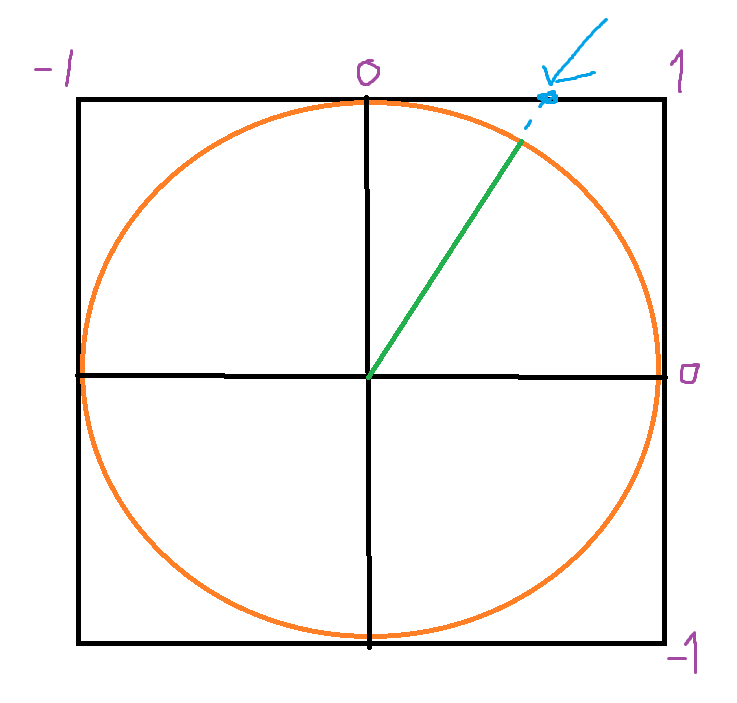
trying to drive a blend space, but the issue it it operates in -1 to 1
so corners have broken animations
sharp void
autumn pulsar
Anyone happen to know how I'd take a normalized vector and transform it in terms...
get angle
sin(2 * angle)
autumn pulsar
I guess I might be overthinking it
autumn pulsar
sharp void
get angle
sin(2 * angle)
angle as in vector, or subtract it from my actor orientation?
sharp void
autumn pulsar
angle as in vector, or subtract it from my actor orientation?
whatever this angle is

double it and take its sine
sin(2 * 0) = 0
sin(2 * 45 degrees) = sin(90) = 1
sin(2 * 90 degrees) = sin(180) = 0
sin(2 * 135 degrees) = sin(270) = -1
etc
sharp void
it doesn't matter what kind of vector it is
if you're talking about a 3d vector you'll need to specify what you need for the other possible corners
cosmic dirge
@frosty heron You here ? : 3
 weary citrus
Hey all, I've got probably an easy question:
I started a UE5 Blank project for a game of Breakout. I believe the Blank Project creates a GameStateBase for me (Or perhaps it's created when I create a custom GameMode blueprint?).
- First, either way, I can't seem to find where that object IS in my project. It doesn't appear in the Content Browser.
- Second, if I wanted to create my own GameState, what do I have to do to set it up so it performs the basic functions of the GameStateBase included in the Blank project? When in my Game Mode settings I change from GameStateBase to my custom GameState1 and play, objects and spawners don't spawn, my player character isn't chosen, and my player's camera angle is set to...something I don't recognize.
sharp void
weary citrus
**Hey all, I've got probably an easy question:**
I started a UE5 Blank project f...
GameStateBase is, i'd guess, a C++ engine class, which therefore won't show up in the content browser
to create your own you can create a blueprint class and set the parent class to, probably, GameStateBase
weary citrus
sharp void
GameStateBase is, i'd guess, a C++ engine class, which therefore won't show up i...
Got it. I think my initial mistake was that I created a "GameState" blueprint rather than a GameStateBase object.
So I've fixed that.
Now I'm confused on how I call this object. I was previously able to "Get Game State" which I assumed was getting a GameState object. Does it instead grab the Game State Class specified in my Game Mode?
 undone bluff
uh does your gamemode derive from gamemodebase?
sharp void
weary citrus
it is returning an object which will be of the class type you specify
undone bluff
you probably just want to subclass gamemode and gamestate, without the base
sharp void
but will be returned as a GameState which you may need to cast if you care about the subtype
weary citrus
undone bluff
you probably just want to subclass gamemode and gamestate, without the base
So I'm an experienced programmer, but I'm inexperienced with UE5. I think I've done this by creating a Blueprint Class, clicking on "GameStateBase" and pressing Select. Is that how it's done?
Or rather, you're saying I should do that for "GameState"
undone bluff
yea
you either want gamemode and gamestate or gamemodebase and gamestatebase, the difference is that the classes without the base come with additional functionality and they will not work if you mix them
weary citrus
Got it, ok.
undone bluff
from what I understand it's mainly multiplayer stuff but frankly I've not looked into it, maybe someone else can shed some light
weary citrus
I guess where I'm confused now is that I created a GameModeBase object at the start of this tutorial I'm following. When I created that object, did it also create appropriate GameStateBase and GameState classes?
Because I don't seem to see them in the explorer when creating other GameStates/GameStateBases
This is the setup of my GameModeBase that I created myself:
 undone bluff
weary citrus
I guess where I'm confused now is that I created a GameModeBase object at the st...
undone bluff
weary citrus
I guess where I'm confused now is that I created a GameModeBase object at the st...
quite certainly not, the engine will just be using the gamestate class as is
weary citrus
Got it. So when I created this GameMode, its values defaulted to the pre-existing GameSession, GameStateBase, etc. classes that are pre-created for you.
frosty heron
Ugh the naming
weary citrus
Is that right?
weary citrus
frosty heron
Ugh the naming
Don't worry, I'm getting around to it.
undone bluff
yea it does not create anything, the defaults are all just the classes you are supposed to inherit from
weary citrus
Got it. That makes sense.
So if I want an editable GameState for this project, I should create a child class blueprint of GameState as seen here:

And then update my GameMode's Game State class to the Game State I create.
undone bluff
exactly
weary citrus
Awesome. One last question just to come full-circle. Previously I had created a GameStateBase and set my GameModeBase's Game State class to the new GameStateBase. And when I do that, the game renders as I'd expect it should.
undone bluff
frosty heron
Ugh the naming
iirc it was the gamemode and gamestate that came first and then the base version were added right?
unfortunate
weary citrus
But when I inherit GameState - without the base - and set my GameModeBase's Game State Class (kill me) to my GameState child, the game renders with a strange camera angle and doesn't spawn in various objects.
Is this the "don't work well together" behavior you're talking about?
undone bluff
yea
weary citrus
Awesome, thanks so much for your time this was really helpful.
As helpful as the tutorials are out there on UE, it's SO rare to find one that explains why you're doing something.
As a teacher, it drives me absolutely insane. 😂
frosty heron
undone bluff
iirc it was the gamemode and gamestate that came first and then the base version...
Iirc that's the case
Nvm
Not from what I read on the internet it seems
If you want default spawn behavior maybe use game mode instead game mode bass
It should look for your player start
undone bluff
 weary citrus
Yeah, I'm making Breakout - not COD - so I'm sticking with GameModeBase for now for simplicity's sake. It helps now that I understand how global functions like "Get Game State" actually work.
It's not getting a specified Game State class - it's getting the Game State of your active Game Mode.
undone bluff
made me realize I ought to switch to the base classes myself 😆
copper chasm
I'm trying to limit the distance an actor can travel in a turn, but there's something I seem to be missing, could anyone take a look and see where maybe I'm dorking this up?
 weary citrus
I'm still new to BP, but isn't your conditon asking "If X is >= 3800, then "Set target location"
Shouldn't your True and False on the last branch be swapped?
weary citrus
copper chasm
I'm trying to limit the distance an actor can travel in a turn, but there's some...
Sorry, should have replied directly to give you a ping. 😉
copper chasm
oh no, I read that and immediately implemented, I think that does work lol
I KNEW I WAS DORKING IT UP SOMEHOW lol
weary citrus
Test it a bit. I'm 99% sure that's the issue.
loud tree
copper chasm
I'm trying to limit the distance an actor can travel in a turn, but there's some...
There are actual distance nodes that can shorten this a little. As max said though, you should switch those. However, in general it helps if you describe the error thats happening with the code as well.
weary citrus
Basically, any length was allowed. 😂
copper chasm
I need to work on a way to visualize that max move distance, but it looks like it's working now
turns out 3810 units to a basic cube mesh is very far
or should I say, it looks very far
weary citrus
This is by NO means a comment on your abilities - we all make mistakes like these - but having been in UE5 for a total of 3 days...I'm actually quite proud of myself for being able to nail that one. I'm understanding Blueprint a lot faster than I expected.
copper chasm
loud tree
There are actual distance nodes that can shorten this a little. As max said thou...
Would you be willing to explain/link something I can look into to clean up the code? I'm just trying to do some basic functionality atm
undone bluff
copper chasm
I need to work on a way to visualize that max move distance, but it looks like i...
draw a debug circle with the distance as a radius
copper chasm
weary citrus
This is by NO means a comment on your abilities - we all make mistakes like thes...
I've hooked and unhooked and swapped and refactored even just this silly bit 50 times
copper chasm
undone bluff
draw a debug circle with the distance as a radius
that makes sense
loud tree
undone bluff
draw a debug circle with the distance as a radius
That would only be beneficial in editor, no?
copper chasm
I have somewhere in my tabs an explanation to draw a circle with a material
for in game, but the debug sphere would work for testing out distances
loud tree
copper chasm
I have somewhere in my tabs an explanation to draw a circle with a material
For clarification, cause now I'm not sure either lol.
Are you looking for a visual in game aid or just something to display while you're creating it?
copper chasm
loud tree
For clarification, cause now I'm not sure either lol.
Are you looking for a visu...
Visual in game, but the debug sphere would probably be the most straightforward answer FOR NOW
weary citrus
Oh god, what have I done...
I pressed the 0 key on my keyboard, and now my level looks like this? A little thing popped up in the bottom right saying "Preparing shaders" and I don't know why or how to undo it?
 loud tree
copper chasm
Visual in game, but the debug sphere would probably be the most straightforward ...
loud tree
copper chasm
Visual in game, but the debug sphere would probably be the most straightforward ...
It will only help in editor, but it will do what you need it to outside of launching in like standalone or packaged builds until you implement something for in game
undone bluff
weary citrus
Oh god, what have I done...
I pressed the 0 key on my keyboard, and now my leve...
looks like one of the F1-F5 view toggles
loud tree
weary citrus
Oh god, what have I done...
I pressed the 0 key on my keyboard, and now my leve...
Lol you hit a hot key, like scaith just said, mess with those different buttons to see them all and see what they do. It's all to aid with different aspects of level design
undone bluff
outside of play in editor they are Alt+number
Alt+4 is normal view (Lit)
ah yea that's def lightmap density view which is indeed Alt+0
copper chasm
loud tree
It will only help in editor, but it will do what you need it to outside of launc...
I'm about 17 light years from a packaged build, we'll work with debug spheres for now
but thank you everybody for the help
weary citrus
undone bluff
looks like one of the F1-F5 view toggles
Ahh, I changed the view to Lightmap Density instead of "Lit"
Can anyone recommend the best way to get a random XY vector impulse? When my ball is spawned I want it to move in a random direction at a specified speed within a 45 degree angle downward toward the player.
NVM, reading this post: https://www.reddit.com/r/unrealengine/comments/u737g4/impulse_with_set_force_but_random_direction/
Reddit
Explore this post and more from the unrealengine community
loud tree
you will find more info there but I was gonna suggest trying one of these lol
 weary citrus
Ooh, both of those sound good.
I'm learning I'm in a bit over my head in terms of vector math...
I want the ball to have a consistent speed when spawned, but have a random direction. As it seems - the X/Y impulse determine the speed. Basically X units over Y units and some triangle math there to determine the total speed of the ball.
How do I define the exact speed I want, and still get random numbers that add up to that speed?
My programmer brain goes to randomizing X within an angle, then calculating the Y impulse backward from my total speed. But I have a feeling there's a function that does that for me. (maybe one of the functions you included there)
OH. I think I understand now. Lemme test something.
weary citrus
loud tree
you will find more info there but I was gonna suggest trying one of these lol
Like this?

Ah, gotta multiply that Z coordinate by 0
loud tree
weary citrus
Like this?
I want to say maybe run the cone dir from actor forward vector
weary citrus
loud tree
I want to say maybe run the cone dir from actor forward vector
I did this:

It works, but is there something I might not be understanding?
loud tree
weary citrus
It works, but is there something I might not be understanding?
There are about 3-5 (i think) methods of sending something down range like this.
(Impulse, force, and others icr atm) each work in their own headache of a way that will need reading and testing to find what works best.
However, to stay on what you did, I'm not sure what you might not be understanding if it's working.
weary citrus
loud tree
There are about 3-5 (i think) methods of sending something down range like this....
Hah, thanks.
 versed sun

Im thinking you want to make your impulse power of however much speed you want it to go, then just rotate that vector around on the Z

I think moving forward , and down at the same amount will be your 45°
weary citrus
How does the output, performance, or scalability differ from the example up above?
I ask because I'm new to vector math. Both result in a vector with a constant defined speed, no?
versed sun
I think the Random Cone thing will make a random point somewhere in the 45° area , It could be straight down...
weary citrus
That's fine by me. But wouldn't any random angle have the possibility of pointing straight down?
loud tree
versed sun
I think the Random Cone thing will make a random point somewhere in the 45° area...
He's not pulling from the z axis. So it shouldn't matter much.
But your method is also good insight to have in general
weary citrus
Also how do you get those beautiful straight lines?
loud tree
weary citrus
Also how do you get those beautiful straight lines?
It's a plugin
Flat nodes I believe
It's free
weary citrus
Ahh, cool.
versed sun
Electric nodes^
loud tree
versed sun
Electric nodes^
I love the look of those but I always forget to download it and turn it on, then end up forgetting what they are entirely lol.
 regal venture
How does one override an actor's component type with a derived type? I know how to do it in cpp, but not in BP
AMyCharacter::AMyCharacter(const FObjectInitializer& ObjectInitializer )
: Super( ObjectInitializer.SetDefaultSubobjectClass<UMyCharacterMovementComponent>(ACharacter::CharacterMovementComponentName) )
{}
Looking for the BP equivalent of that
versed sun
weary citrus
That's fine by me. But wouldn't any random angle have the possibility of pointin...
My power is 10k, so it gets launched Forward 10k and -10k Down

This rotates that value around randomly on the Z

If thats what you were asking for
weary citrus
Thanks, I understand. The make rotator function actually might come in handy for the next part that I'm trying to figure out. Right now I'm using a pretty basic physics material that reflects an the ball's impulse when it collides with my paddle. But it doesn't give the player much control over the ball.
I wonder if Make Rotator can come in handy when calculating the direction I want the ball to move when it collides with the paddle. (Proportionate to the distance from the center of the paddle)
 north belfry

 undone bluff
loud tree
There are about 3-5 (i think) methods of sending something down range like this....
undone bluff
loud tree
There are about 3-5 (i think) methods of sending something down range like this....
Impulse is for adding velocity, force is for accelerating every frame but multiplied by delta time to be framerate independent
these will either be acting on the physics or on the movement component
there's also launch character which only differs in having a separated override for XY and Z velocity (and ofc is limited to characters)
there's other nodes like radial impulse but it should be clear how those differ
weary citrus
So just because I'm anal about it - when I have checks like this, blueprint makes conditonal checks and some boxes comically large. Is there any best-practice for keeping clean code when the code is actually quite simple?

This isn't pretty, but is it...better?
 undone bluff
in this specific case
 weary citrus
Ooh, thank you.
And how did you get Is Empty to be on the same horizontal level as the other elements?
undone bluff
Q
undone bluff
if you select a node, and then select another node with ctrl + click then pressing Q will line up the first node you selected with the second so that the connection between them is straight
also useful
weary citrus
Phew, slammed out Breakout in a few hours. Just gotta put the finishing touches on. Thanks for your help Scaith.
weary citrus
What is the "best" way for an object to get a reference to another object on a level?
Specifically, I have a BallSpawner instance in my level. When my ball is destroyed, my GameStateBase reduces the number of player lives and then I need to spawn a new ball. I assume the "best" way to do this is for the GameStateBase to call the SpawnBall function.
Or...maybe my GameStateBase doesn't call the function. It just returns whether the game is continuing or not...
 warped juniper
I have some logic I would like checked for a bit.
Currently I want each actor to read into the damage it takes, which can be of category A or B, and be of power Normal or Strong.
My current idea was doing something like the screenshot, but I just realised I don't know how to make custom events for a component to be expanded on from the parent actor...

I didn't want to use Interfaces since I tried to test myself a bit and go for a more optimized way to achieve this result