#blueprint
1 messages · Page 215 of 1
 gentle urchin
 fickle lichen
Ah
gentle urchin
Is it even remotely possible that we can see this target?
fickle lichen
wdym
gentle urchin
Thats the question the dot product would answer
So youd do something like;
Float DotProduct = GetAcrorForwardVector().Dot(GetActorLocation(), Targetlocation);

if (DotProduct >= ViewTreshold)
{
// I Might be able to see this target
}
How could I covert a player FOV to a ViewThreshold?
gentle urchin
Personally im not sure id even bother
Raises a ton of questions
Figure out the view treshold for some ultra wide and call it a day is prob what I'd do
fickle lichen
Just consulted with a friend; it's cos(angle / 2)
gentle urchin
So players with bigger FOV settings get an advantage
gentle urchin
Fair enough
 half pollen
Is there any public API for getting visual property data of every blueprint nodes?
I wanted to make something similar to blueprintue.com but for a different app, as a plugin.
fickle lichen
Is pawn control rotation synced to the server?
Obviously the server needs to know where the player is facing for this to work
 fiery swallow
fickle lichen
Obviously the server needs to know where the player is facing for this to work
fiery swallow
fickle lichen
Obviously the server needs to know where the player is facing for this to work
assuming you're using the default method for moving and rotating in unreal engine then yes it's replicated out of the box
if you manually set the actors rotation on the client I'm pretty sure you could cause your own rotation to go out of sync
 maiden wadi
Before spawning, get the datatable. GetDataTableRowNames. Get a random int in range of 0 to the name array's last index. Use that int to get the name in the array, use that datatable row to spawn.
 mild galleon
Hello and good morning.
I have an issue with combo boxes. I add options from data table row name, but it crashes the game. i have a more detailed description here: https://forums.unrealengine.com/t/combo-box-loaded-options-from-data-table-row-names-but-crashes-game/1984071
If anyone knows about the issue, potentially, please let me know, very appreciated.

Epic Developer Community Forums
Hello dear creative Unreal community, i came across an issue (and i am not yet that experienced): i have a widget with a combo box. “On Widget generation event”, i use “get data table row names”, read in 600+ options for the player to choose from in a dropdown menu. In my game, that is a visual faction choice in the lobby. I start a “for e...
half pollen
half pollen
Is there any public API for getting visual property data of every blueprint node...
anyone? 😭
 frosty heron
half pollen
Is there any public API for getting visual property data of every blueprint node...
frosty heron
half pollen
Is there any public API for getting visual property data of every blueprint node...
Why bother? Is there even money in doing it?
Unreal is pretty bad when it comes to documentation I wouldn't bother
Generated one*
half pollen
i was planning to make an obsidian plugin to keep some nodes in the vault 🥺
frosty heron
No idea what those are
half pollen
frosty heron
No idea what those are
obsidian is markdown note taking app
maiden wadi
mild galleon
Hello and good morning.
I have an issue with combo boxes. I add options from dat...
This is an impossible question to answer without a crash report.
mild galleon
i can attach the crash report
mild galleon
maiden wadi
This is an impossible question to answer without a crash report.
thank you, will do
 dawn gazelle
mild galleon
Hello and good morning.
I have an issue with combo boxes. I add options from dat...
dawn gazelle
mild galleon
Hello and good morning.
I have an issue with combo boxes. I add options from dat...
You're probably getting into an infinite loop scenario. You're using the bind event for when a widget is added to the combo box to then add more to that same combo box, which then means each time you're adding something, it's adding the entire contents of your data table again, and for each of those adding the entire contents of your data table contents again, and for each of those.... etc.
mild galleon
thats one of the 2 scenarios,
the other one is

Fatal error: [File:D:\build++UE5\Sync\Engine\Source\Runtime\SlateCore\Public\Layout\ChildrenBase.h] [Line: 210] The FChildren is destroyed. You probably have 1 widget owned by 2 different FChildren.
 hardy merlin
Hello. Does unreal have a system like delegates except you dont need to bind to an individual object? Something like a Global Event. For instance, if I want to know if any character on the map touched another.
fiery swallow
hardy merlin
Hello. Does unreal have a system like delegates except you dont need to bind to...
You can create that yourself, I've seen quite a few of those available on the marketplace
hardy merlin
Is there a search term for viewing marketplace solutions?
fiery swallow
but afaik unreal engine doesn't have that built in
mild galleon
hardy merlin
Hello. Does unreal have a system like delegates except you dont need to bind to...
there was something like broadcasting events, what was it called.
There were 3 types of BP interactions, via interface, via ... sorry forgot the name
dawn gazelle
mild galleon
thats one of the 2 scenarios,
Do your foreach loop to add items in the OnConstruct event of the widget, and delete that binding.
hardy merlin
mild galleon
there was something like broadcasting events, what was it called.
There were 3 ...
Direct calls, interface, and binding require knowing the specific actor.
I'm looking for a system where there's a designated shared object, like a subsystem.
mild galleon

Epic Games Developer
In this course from the Epic Online Learning Team, create more efficient projects by dividing and organizing your Blueprints by functionality. Let’s exa...
event dispatchers, i think that was it
dawn gazelle
hardy merlin
Hello. Does unreal have a system like delegates except you dont need to bind to...
There's nothing built in like that. Lyra has an example messaging system where you can broadcast a message and have things listen to certain channels (gameplaytags) and respond to such events.
mild galleon
its global
hardy merlin
mild galleon
its global
Those are per-object instance.
hardy merlin
dawn gazelle
There's nothing built in like that. Lyra has an example messaging system where ...
Messaging! That sounds like what I need. Thanks. I even have Lyra installed.
dawn gazelle
Let you do something like this. The message is a custom structure of your choosing.
 mild galleon
dawn gazelle
Do your foreach loop to add items in the OnConstruct event of the widget, and de...
mild galleon
dawn gazelle
Do your foreach loop to add items in the OnConstruct event of the widget, and de...
great ! thank you for your help! IT WORKS
🙂
hardy merlin
dawn gazelle
Let you do something like this. The message is a custom structure of your choos...
I see now. Do I just copy the entire subsystem plugin over to my project or is there another way to get it?
I'm building through C++
dawn gazelle
hardy merlin
I see now. Do I just copy the entire subsystem plugin over to my project or is ...
I believe this outlines what you need to do.
https://github.com/imnazake/gameplay-message-router
I kind of recall having to add AsyncMixin too or something
hardy merlin
This is exactly what I needed. Thank you! It even has templatized message content.
 river hill
hey i this will only take a quick sec but how do i recall a custom event

ive got this custom event
but i cannot find the red box for it
where do i find it
river hill
no no
i want the custom event that goes with this that ive created

but i cant find it
i deleted it and want it back
gentle urchin
Double click it ?
river hill
 dawn gazelle
You've converted it to a function. You'd have to delete the function, delete any calls to it, then recreate it as an event.
gentle urchin
Isnt there a convert to event option
dawn gazelle
Oh so there is

 ionic cypress
I suggest using ability system to avoid most of server client action syncing problem...
river hill
fiery swallow
river hill
just double click, on the server jump node and it should take you to exactly where the other one
and then delete it
 crisp moon
doing like this ok or not ?

 deep geyser
Does anyone know if I can use Packed Level with blueprints inside of it? I am working on a assembly line digital twin and there is some nesting happening in their that can't be avoided, since there is dependencies on what is moving around. Can I pack a level with my hierarchy of BPs and be able to use it in my main level, where I would have my full assembly line setup?
gentle urchin
I believe so, but havn't tried it yet personally
 sand bloom
yeah I did that and rebuild it in visualstudio but that just stopped me from being able to open unreal engine lol because it complained about modules. I don't think c++ is for me
Appreciate the help though
I'll try a uobject first as a alternative maybe or just a master object with all the variables I need and children changing said variables
frosty heron
That's a shame if you chose to use Unreal trial version
 hoary sky
Hey Folks is it alright to ask questions here?
 echo storm
How can I add/remove levels from my persistent level using BP?

 sudden sedge
Hello all! Was wondering if anyone had tips on switching IMCs in-game. I have a setup where i switch between 2 characters. Everything works fine with switching the mesh and ABP, but for some reason the IMC only switches once and then doesn't switch back, even though I have essentially the same code for switching to each character

 quasi steppe
when I start the game as a client I get an error as not found but when I start the game as a server it is found what could be the reason for this (in bfl)
 fiery swallow
quasi steppe
when I start the game as a client I get an error as not found but when I start t...
fiery swallow
quasi steppe
when I start the game as a client I get an error as not found but when I start t...
Anything at the 0 index is usually not the same as for everyone, also beginplay is not a very reliable time to retrieve information
So player at 0 index for server may very well be player at index 3 for a client
But your problem might also stem from the fact that you're trying to retrieve a reference to something on beginplay which may not have initialized yet
Try getting a more direct reference to whatever holds that component, and also maybe try getting it a few seconds after beginplay
quasi steppe
That's what I was guessing, I wanted to make sure. Thanks.
 raven gyro
is there a better way to turn on 1 boolean and turn off the other 10 boolean in an array at the same time?
set array elem can only let me turn on 1 in the array, but idk how to turn off the other 10 D:
maiden wadi
raven gyro
set array elem can only let me turn on 1 in the array, but idk how to turn off t...
What is your use case for this? Initially you can simply select an index, store it in a local var, loop and turn them all all, and after the loop turn the one on.
raven gyro
maiden wadi
What is your use case for this? Initially you can simply select an index, store ...
i have an event tick going, and each button trigger something, i only want it to tick when that button is click and everything else must be off
oh thats a good idea let me try 😄 thanks authaer
maiden wadi
sudden sedge
Hello all! Was wondering if anyone had tips on switching IMCs in-game. I have a ...
Generally I would ask why you need to switch IMCs? They're both characters. Use the same control sets for both? Or just add both IMCs at the beginning and leave them on. You can only possess one pawn at a time.
If you're not using possession and this is some sort of input layering, one thing I'll note is that you've never removed the old IMC of the other character by the looks of it. So it can't really be readded, as it's already there.
 manic vessel
I seem unable to manipulate this spline added here. like if I had added from the components dropdown. whats the trick?

 cyan spire
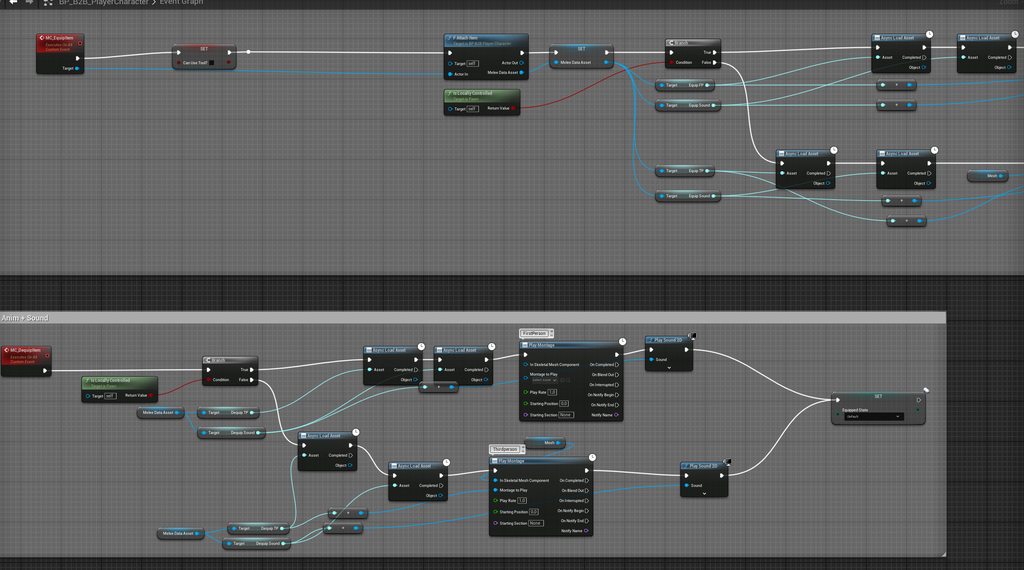
Hello i have a question. When using soft references stored in a DataAsset, is it better to make a soft ref out of the Data Asset or out the Contents? So for example i have a Melee, Equip, Dequip, Sound and Model DataAsset that i access in runtime, is it smarter to resolve the soft ref for the asset itself or for the content?
manic vessel
Example top spline is added via the components drop down and I can selet it, I cant even select the spline added with the node?
 cyan spire
Hello i have a question. When using soft references stored in a DataAsset, is it...
cyan spire
cyan spire
Hello i have a question. When using soft references stored in a DataAsset, is it...
Because i don't understand if its needed to copy paste the same async load node 3x over and over again if i only need 3 out of the 10 vars.

 chilly stump
hi guys im new in Unreal engine, I made a floor and when we get to that floor, the cube starts spawning. I'm trying to make fit Object pool for it, but I couldn't solve this error. Can you help me?

when i start and pause game (after 2-3 sec) i can see my pool but after that they are disappearing
Blueprint Runtime Error: "Attempted to access BP_ProjecTileCUBE_C_0 via property CallFunc_Array_Get_Item, but BP_ProjecTileCUBE_C_0 is not valid (pending kill or garbage)". Node: Branch Graph: Find First Available Actor Function: Find First Available Actor Blueprint: AC_ObjectPool and im taking that error
crisp moon
i want to make stat system. is BPI/database the best option. what u guys suggest
 thin panther
I mean that's not much info really. Databases don't make much sense, and you'll need external tools.
BPI's don't do stat systems on their own. They're just interfaces.
 foggy saffron
Can I get some debugging help? Why changing material does work but destroying the component does not?


Background is I'm using Meta's hand-controlled VR sample project, I want things to disappear when user touches collision box on themselves
I know what all dirty-minded people are thinking but seriously, this is just a hygiene training for a hospital 😂 😂 😂
 obtuse oriole
how do I calculate angular torque needed to rotate an object to a target rotation? I tried few common method that involves converting the rotators to Quaternion and back to euler radian and apply it as Torque but all my attempts only lead to the object either spinning so fast in all directions or too slow as well not even going to the target
gentle urchin
crisp moon
i want to make stat system. is BPI/database the best option. what u guys suggest
Compoment is my preffered method for stats
cyan spire
cyan spire
 gentle urchin
Since they contain logic and state already
cyan spire
Is there a wiser way to get the needed assets instead of using the "async load" node every time because it has just 1 input?
gentle urchin
You can wrap the loading in a macro
Taking an array of assets
Returning the asset + index when done
Or some c++ to expose a proper one
Macro one just automate loading the next entry
gentle urchin
cyan spire
Is there a wiser way to get the needed assets instead of using the "async load" ...
also, you cant run off the top pin directly into using the asset. That's just to allow other stuff to happen while it loads. You need to use the asset after Completed has been executed

if you wanna go c++ route the call you're looking for resides in the UassetManager
UAssetManager::GetStreamableManager().RequestSyncLoad()
 distant grotto
anyone know how to fix: LINK : fatal error LNK1181: cannot open input file 'delayimp.lib' when buidling? I did check and the file does exist, so I'm guessing unreal just cant find it
 warm parcel
A widget interaction component returns isOverInteractableWidget regardless of InteractionDistance or if there is an object blocking LoS. Is there any way to return if the widget interaction component is over a widget that takes those things into account?
dawn gazelle
distant grotto
anyone know how to fix: LINK : fatal error LNK1181: cannot open input file 'dela...
This doesn't really have much to do with blueprints and your best bet may be to ask in #cpp. A search on google indicates that you may not have everything required for actually building unreal projects.
distant grotto
Right I think I have to create a c++ project so unreal will install whatever is missing
 empty marten
Can someone please guide me to a link that has a list of all nodes for Media Players and Media Playlists please in BP?
Each time I try and find a list it just takes me to generic documentation. I'm not after that. I just want a list of all nodes for Media Players and Media Playlists so I can see what each node does without having to open a BP and go through them 1 by 1.
thin panther
no such list exists
empty marten
thin panther
no such list exists

It would be so bloody useful for me right now if it did XD
 empty marten
gentle urchin
pretty long list lol
empty marten
gentle urchin
pretty long list lol
There's no control F function though lol. I don't know all the nodes off the top of my head so use keywords when trying to find a node that does what I need hence a website lol
Yes I'm lazy.
gentle urchin
usually i just try searching based on typical namings, in the context of the media player
no way i remember them all. but i can find what i need 96% of the time regardless
 hidden rampart
So I have a Diablo style inventory system with rows columns , items stored in an array, with drag an drop, all working fine( because its not mine it's from a tutorial) and I'm adding a simple stacking system to it, I've come a long way it works 90% now in most cases, but there's a really weird error/bug that i get and I have no idea what to do about it.
It works in every case except there are some slots that become unaccesable when dragging over them. They are a bit random but always in proximity to the stack that I dragged from. This issue only happens when I drag an item from a stack.
So the slots that are invalid or something, they don't highlight, and if I drop the item on them it dissappears. These ghost slots always appear in proximity around the stack where I dragged from. I can drop it in the rest of the slots and it works.
It's quite a weird issue, I'm not sure what to do. OnDrop isn't called at all when I drop on the bad slots. Drag is also not detected. Any ideas of where to look would be greatly appreciated!
gentle urchin
not very related but... stacking kinda goes against jigsaw premise, doesnt it ?
hidden rampart
what
gentle urchin
usually jigsaw is implemented to rather heavily restrict the players carrying capabilities
adding stacking kinda destroys that
oh well, was unrelated, ignore me 😛
hidden rampart
ok, i personally think it's a good feature, all my favourite games have it, diablo has stacking too
hidden rampart
yes and i plan to do that too?
gentle urchin
guess that changed in d3/d4
are you doing any visibility logic when you start a drag operation?
on the slot you drag from etc?
hidden rampart

This is when you drag
If anyone has any idea why would a few random slots in the vicinity of the stack that its dragged from become dead/ghost, OnDrag isn't called etc,, as seen in the gif above, let me know it would be greatly appreciated.
I dont even know where to look for the problem.
gentle urchin
it's very little to work from tho,
hidden rampart
And the dead slots change if you change the stack position
gentle urchin
the video only shows 1 item, it seem to be specifically 3 slots down in this case, but might vary ?
is there a connection between the size of the item and the dead slots ?
hidden rampart
that's an example of an item that's dragged from a stack, the dead slots are the ones where they dont highlight when the item go over them
hidden rampart
gentle urchin
is there a connection between the size of the item and the dead slots ?
the dead slots are about the same number, they surround the stack
gentle urchin
and the "OnDragEntered" logic ?
hidden rampart
Nothing in that
gentle urchin
the logic that highlights the slots ?
hidden rampart
yes let me get it

 gentle urchin
do the BP ItemObject do something with the Inventory ? Reserve space or something ? Or does it only exist outside of the inventory (for now) ?
hidden rampart
that is the item data blueprint, which holds the item information like stats size all that
The inventoryGridWidget spawns the itemwidgets
gentle urchin
That is known, but does it register itself to the Outer (Inventory) somehow? I'm guessing not, but thought i'd ask.
hidden rampart
There is the InventoryComponent which holds the array of itemObjects
gentle urchin
Right. Is that array altered during the creation of a new Item ?
hidden rampart
yea the Outer is the inventoryComponent
AddItemAt function adds it into the array
gentle urchin
I can't see that function being called during the duplication of the object tho

so it appears, to me atleast, to be free from the inventory, as of this moment
and not in the Inventorys Array
gentle urchin
That's fine
No, since we're not getting to OnDrop
heck, we're not even getting OnHovered
hidden rampart
yea we;re not
so weird
but just for a few slots surrounding the stack
eveywhere else it works and you can keep adding and making new stacks and readding
gentle urchin
The function that updates the grid... is that called when you start dragging a stacked item ?
hidden rampart
and for every stack, there are a few dead slots around them when you drag an item out of them
gentle urchin
you should add debug prints to most steps related to the widget, the slots, their creation, their updating etc
to see what gets called
hidden rampart
gentle urchin
The function that updates the grid... is that called when you start dragging a s...
let me check
ok
mild galleon
Hello!
i have a question regarding "Filling an image in widget from a combo box selection (dropdown) via Data Table".
https://forums.unrealengine.com/t/filling-an-image-in-widget-from-a-combo-box-selection-dropdown-via-data-table/1984961
on runtime, my widget's image is not updated or even dissappears completely.
I have a combo box, and then select an entry from a data table. Said data table also has a link to a specific material instance in the same row.
(Edit: that material instance is supposed to fill my widget's image then automatically)
If anyone could point me towards the mistake, i would be super happy.
Thank you very much!

Epic Developer Community Forums
Filling an image in widget from a combo box selection (dropdown) via Data Table Hello! i was trying to fill a faction image for the player’s selection in the game lobby. So, starting the game, players choose a faction. I have a data table of possible factions. Sadly, this command to update the image brush either makes the image in the widge...
hidden rampart
gentle urchin
The function that updates the grid... is that called when you start dragging a s...
I dont think it gets called
gentle urchin
mild galleon
Hello!
i have a question regarding "Filling an image in widget from a combo box ...
half of the images dont work
hard to tell anything from them : P
 mild galleon
ouch!
thank you for pointing that out, perhaps because i just uploaded them and it takes some time to update on server side?
here,
gentle urchin
hmm, works when i click it actually


 mild galleon
was maybe just taking a minute from EU to US to update 🙂
mild galleon
probably not! thanks i check that out,
gentle urchin
 mild galleon
aha. and if i also want to use them in the game as well?
do i then need to have 2 base objects, materials?
gentle urchin
I believe so
 wraith loom
I accidentally closed an event graph, how do I get it back?
mild galleon
thanks a lot for the pointer, very appreciated
gentle urchin
wraith loom
I accidentally closed an event graph, how do I get it back?
open it from the side menu
above functions
wraith loom
ah thanks
gentle urchin
I assume that was it then, and fixed it 😛
 steady night
hey if im using a projectilemovement componenet with initial speed set to a fix amount how would i add speed to the projectle after spawnm ?
add velocity or ?
steady night
yeah
gentle urchin
oh sorry,. i missed the how in your initial question lol
steady night
aye
hidden rampart

Hey does this look alright?
This is the OnDrop logic when you drop a stackable item on another item thats valid to stack
Does the payload need to be removed or the dragged item destroyed or something?
gentle urchin
steady night
aye
this works, atleast

surprised there's nothing built in for this
this respects MaxSpeed
 haughty snow
hey is there some non-spaghetti-node way to programmatically set the normal / hovered / pressed image + tint of a button? or should I just make a collapsed node that hides my multiple Brush Slate shame
 kind willow
haughty snow
hey is there some non-spaghetti-node way to programmatically set the normal / ho...
kind willow
haughty snow
hey is there some non-spaghetti-node way to programmatically set the normal / ho...
I think you have to do it one by one :\
I suggest making a master button and reuse it so you only have to set it all up once
 lilac hill
Why am i having such a hard time to accomplish 6DOF?
No matter what pitch and yaw somehow make the character roll when i'm using "add actor local rotation".
Is it something obvious i'm missing?
 ashen jungle
Hello
I was trying to read a variable from a blueprint and set a text in another blueprint with the value of the variable but its giving a error like "Acessed None trying to read[...]"
I'm new to Unreal so i wondering if someone could help saying what is wrong
 steady night
shouldent this spawn them with a rotation like a 45 degrees ?
 haughty snow
kind willow
I think you have to do it one by one :\
haughty snow
kind willow
I think you have to do it one by one :\
ah damn ok thanks
lilac hill
steady night
shouldent this spawn them with a rotation like a 45 degrees ?
If it's index 0 you're multiplying 45 with 0, which is 0
steady night
lilac hill
If it's index 0 you're multiplying 45 with 0, which is 0
for the first one yeah but 1,2 should be 45,90 right
lilac hill
Depends what the Roll value is. But why are you subtracting 90 first?
lilac hill
and you're sure they don't spawn with a roll? tried printing out the roll values when they're spawned? and tried printing out the roll value here before spawn?
steady night
ive tried them all but should be roll yeah,
 spark steppe
that's super speculative
considering that you get whatevers rotation in world space
lilac hill
what does the printouts say? take a screenshot
steady night
prints work
spark steppe
RTS World space is most likely wrong (unless you compose it like described below)
to build your initial rotation
you most likely want to build the spawn Transform first, and then compose it with the socket transform
steady night
change it after spawn ?
spark steppe
also roll would mean that the arrow actors forward vector is Y?!
lilac hill
i assume he want's the arrows to spin?
spark steppe
did you do what i suggested?
lilac hill
well you're setting the rolls on the object, you're not spawning them in an arc.
the thing shooting them needs to move in an ard, or you need to get a direction that moves in an arc
unless im off
spark steppe
yes, or make a rotator and compose it with the rotator that you get from your socket
 spark steppe
no
that's the same in green
search compose transform
or compose rotator
either works
steady night
hm okey
spark steppe
combine rotators, sorry
 spark steppe
why do you split all pins...
first one is only the pitch that you calculate
2nd is the one you get from the socket
 spark steppe
first one IS ONLY pitch that you calculate
steady night
oh
steady night
oh okey well yeah ive done that but theyre all spawning the same

the print value is different for each
spark steppe
if they still all spawn the same try the pitch input as roll input (maybe your actor has the wrong forward vector 🤷 )
steady night
nah i dont get it im dumb
steady night

spark steppe
of what your current setup is
steady night
 spark steppe
 spark steppe
yea
 gentle urchin
Gimbal?
spark steppe
i've watched it 5 times now and i'm not sure what i'm supposed to see here?!
gentle urchin
Print string upper left
spark steppe
did you try roll instead of pitch?
steady night
yeah
gentle urchin
Z stuck at -180
steady night
which ever i change they all spawn in eachother
gentle urchin
You wanna combine them the other way around I believe ?
gentle urchin
It often is
spark steppe
gentle urchin
Z stuck at -180
that's a world rotation at this point, so it could also mean that the actor is just facing that direction
steady night
sigh...
 quaint fable
Hey! I have a video/cut scene (mp4) that I want to play when the player overlaps a trigger. How can I do that?
spark steppe
trigger volume...
steady night
the propjectiles were overlapping eachother and being destroyed at spawn... so only 1 left
gentle urchin
Lol
gentle urchin
Awesome - solved, next
 spark steppe
never ever worked your first setup
steady night
you dont think ?
gentle urchin
Not an untrue statement
spark steppe
i'm 99.99999% sure
your old setup was manipulating one fixed axis which was a world axis
the moment you look up/down the axis you want to rotate around will change
while your old setup would still blindly change the fixed axis
but you'll figure this out later, because this wont be the last time that you encounter such math problem 😄
good luck next time xD
 dapper wave
Hi, sorry for asking here but I really didn't know where to.
I was wondering if you can make an animation sequence (that is falling forward for example) to somehow sense if it is a wall in front and not go through it?
 vital cargo
I have a question, I've created a save game for my game, it saves the variables correct but when I open the game back up and load the save game, it has to spawn the actors in but if it has to spawn more than 2 actors it just spawns them on top of each other. Anyone know why they seem to all be getting the same Transform from the save instead of taking the next one in the sequence? It's all saved within a Map and an Array
haughty snow
kind willow
I think you have to do it one by one :\
its absolutely disgusting but this worked lol

 visual ember
vital cargo
I have a question, I've created a save game for my game, it saves the variables ...
visual ember
vital cargo
I have a question, I've created a save game for my game, it saves the variables ...
hard to tell without seeing the code. have you looked into the map whether it's being saved and read correctly? is "the same transform" perhaps basically (0, 0, 0)? or maybe that of the first or last actor?
vital cargo

Sorry, I was grabbing a SS of the "load game" BP @visual ember

So, if it saves 2 actors, it will spawn them in the correct spot where they were previously saved BUT the second I add a third actor, they all get set with the same Transform as one of the 3 that had been saved.
vital cargo
visual ember
hard to tell without seeing the code. have you looked into the map whether it's ...
Yea, I ran a print string at each stage just to make sure the correct transform was being saved, they were it's just when loading back in they seem to all get give one transform if saved actors > 2
This is saving on the game instance and the second one is updating the struct on the actor itself

 visual ember
have you tried passing transform directly to the spawn node?
vital cargo
visual ember
have you tried passing transform directly to the spawn node?
I literally didn't try that until now but it's the same issue.
visual ember
and inspecting the Plants map all seems fine?
and when/where is it that you are calling the spawn node?
vital cargo
Yup, all 3 are different when saving
 vital cargo
visual ember
and when/where is it that you are calling the spawn node?
vital cargo
visual ember
and when/where is it that you are calling the spawn node?
Game instance, once the level opens up (with a .2 delay) it runs a check to see if a Save Game exists and load the items if they do exist.
vital cargo
Actually the level blueprint didn't have a delay, I thought it did. I tried with a delay and it still spawns them ontop of each other
This is the Level Blueprint
 visual ember
breakpoint in the plant's GameLoad, right on the set transfrom node and see if details are fine from there
vital cargo
I know how Breakpoints work within Visual Studio but how do they work within the BP editor?
visual ember
or even at the Set node before
select node, hit F9, play
sometimes need to select object instance at the top, but most of the time it just works and finds one for ya
vital cargo
I got it working. It only gets called once even though it spawns 3 of them
Ignore that
Ok, I advanced single frame, they all have the same Transform
visual ember
this relationship is sus
 vital cargo
visual ember
this relationship is sus
vital cargo
visual ember
this relationship is sus
so the Plants Map is reading the Map that is on the save game and the Plants Actor is to just loop through each Plant and get the correct details of each one (Growth timer, health, water level etc etc)

Can we actually use maps & structs within saves or does that become messy? Also it's 5.4
 visual ember
oh wait a second. are you saving object reference in a game save file?
raven gyro
is there an alternative for sequence? xD this thing is firing like crazy
 vital cargo
So I save the Actor to an Array and then save the Actor + Struct to a Map.
visual ember
vital cargo
So I save the Actor to an Array and then save the Actor + Struct to a Map.
don't save references
vital cargo
What would be the correct way to save it then?
visual ember
objects on next run are totally different things and inter-object references are going to be different
you already have a struct of plant data
save that
recreate plant from the data
on load
vital cargo
Is there a way to get the length of the Map? So I can spawn the exact amount.
visual ember
why not just iterate?
but you can get keys or values as arrays and get length from them
vital cargo
Ok, I can get the Keys and then use them to match up and spawn.
I was trying to iterate but is there another method to get something from a map other than Find?
visual ember
but at that point you don't need map anyway. initially though a good place to start
visual ember
vital cargo
I was trying to iterate but is there another method to get something from a map ...
array of Values and then iterate that
vital cargo
I'm very new to Save Game and handling the data, this is my very first time doing it. I was following a tutorial and tried to adjust it for my items.
visual ember
vital cargo
I'm very new to **Save Game** and handling the data, this is my very first time ...
you'll get there soon and change your name to TheWheelieGoodGamedev
 narrow pendant
is there a way to adjust the size of a NavMeshBoundsVolume at runtime?
looking to set these values
 vital cargo
visual ember
you'll get there soon and change your name to TheWheelieGoodGamedev
vital cargo
visual ember
you'll get there soon and change your name to TheWheelieGoodGamedev
When I figure this out hahaha.
Since I have stopped playing games for a while
So something like this?
 visual ember
no need to get keys to then find within map. just get values and iterate on that
vital cargo
Ohh, ok
omg
That worked
Now sound like a crazy person next to my friend laughing out loud
I was overcomplicating it so hard.
Then I don't even need to save it as a map, I can do it as an array
visual ember
raven gyro
is there an alternative for sequence? xD this thing is firing like crazy
proper design? you sure all of that has to happen on a single click? you sure this one single thing has to do 25 different things?
raven gyro
one button affects 25 things, but only if boolean is true
for that index of 25 things
visual ember
you can change it to an event/command, to which all other objects will subscribe
raven gyro
someone told me try switch on int?
narrow pendant
there is way too little context to help you with anything there nguyen 😄 this looks very cursed though
visual ember
I have no idea what is going on after the sequence. from current info I can tell you are calling way too many things
but you might as well have all of them ending on a reroute node and doing nothing 😛
raven gyro
it trigger something like this

but boolean index must be exact for it to trigger that macro
visual ember
just for loop it lol
narrow pendant
so you're calling the same thing and increment that value by 1?
yeah just for loop it 😄
visual ember
morphs do differ, but that one can be in an array too probably
spark steppe
foreach on an object array
visual ember
or that, and get index
raven gyro
okay ill try xD noob coding 😄
narrow pendant
do you get the basic idea of foreach / for loops?
raven gyro
yeah pretty basic, but still get confused here and there 😄
vital cargo
Thanks for the help @visual ember Just changed things and removed the Maps and changed back them back to Arrays. I just overthought it hard.
visual ember
I interviewed a 5+ years of experience dev once. he failed to use a for loop in his solution and just wrote things similarly to this :V
narrow pendant
yeah no shade nguyen this confused me greatly when I first started 😄
that is concerning though mars 😄
raven gyro
its my 1 month experience 😄
visual ember
I still sometimes connect return from a function on the Loop Body flow instead of Completed
narrow pendant
guilty
raven gyro
i made this for setting specific boolean i want so not bad start

thanks for help yall
spark steppe
you can put the 2nd set array element node on the completed pin
and return from there
instead of setting it each iteration
vital cargo
@visual ember I lied
visual ember
vital cargo
<@589528490332913683> I lied
 vital cargo
Now it occasionally duplicates an actor. Not sure if it's the last one in the array or a random one, just doing a little debug and testing it haha
Let's just say, it's gone from 9kb, to that number haha

wait wait wait. That's a me fault.
I'm not clearing the array before adding the new data to it again, it's just duplicating it
It works, just the array not being cleared was the issue, thanks again

 vital cargo
I spent the entire day yesterday trying to figure it out, I don't like save games anymore
vital cargo
I'm going to keep a sticky note around saying Mars is a god tier helper haha
visual ember
watch it becoming a cult, people worshiping some god named Mars or sth
narrow pendant
https://www.youtube.com/watch?v=cXOanvv4plU watch wheelie make this his alarm sound and step to his altar to make a blood sacrifice first thing in the morning
 cedar sparrow
Why do GameModes have a viewport?
narrow pendant
it's just an actor apparently
 visual ember
vital cargo
<@133287303983529984> Just need to find an alter now <@589528490332913683>
narrow pendant
visual ember
vital cargo
<@133287303983529984> Just need to find an alter now <@589528490332913683>
narrow pendant
this is getting concerning
vital cargo
shushes quackcharg3 it's ok. You don't need to be concerned, unless you're my neighbor 😉 😂 I kid
distant grotto
remove from viewport seems to only remove the visiblity of the widget but its still blocking clicks and not getting deleted. Is there a node that properly deletes widgets?
 empty marten
distant grotto
remove from viewport seems to only remove the visiblity of the widget but its st...
empty marten
distant grotto
remove from viewport seems to only remove the visiblity of the widget but its st...
Try either Get All Widgets of Class and then out from that Remove from Parent.
If that doesn't work you can also try DestroyComponent.
distant grotto
destroy component seems to only work with actors, get all widgets didnt help either, getting the same behavior

every time I click it fires the event
the widget becomes invisible but its still consuming mouse inputs
 loud tree
distant grotto
the widget becomes invisible but its still consuming mouse inputs
loud tree
distant grotto
the widget becomes invisible but its still consuming mouse inputs
"Set input to game" click the node that comes up for game only.
If that doesn't do it.
My guess would be you need to designate it to happen locally per player, or your input is disabled in another manner.
distant grotto
I'm using game and UI input because its a top down click to move setup
collecting garbage actually gets rid of the widget, but my input is still messed up so I'll try resetting the input mode, even though it shouldnt have changed
loud tree
distant grotto
I'm using game and UI input because its a top down click to move setup
What BP is that SS from?
distant grotto
loud tree
What BP is that SS from?
SS?
screenshot?
its from the widget event graph
its just an info popup that is meant to dissapear with any mouse click
 loud tree
distant grotto
screenshot?
loud tree
distant grotto
screenshot?
Yes
In the first one it had a get all widgets of class so I was checking
 empty marten
Hey peeps,
Anyone know why this Open Source with a media player target is struggling to open a media source even though the directory is correct? The only error in output log I get is this.

 distant grotto
dumb m mistake
loud tree
distant grotto
dumb m mistake
I do that at least 10x a day minimum.
 eternal gate
Is there any way to view parameter values that were set in a blueprint's UASSET file? I have an asset from an old project that I want to see the values from, but I don't want to reinstall the older version of UE just to open the project and look at the blueprint
 fierce oyster
empty marten
Hey peeps,
Anyone know why this Open Source with a media player target is strugg...
fierce oyster
empty marten
Hey peeps,
Anyone know why this Open Source with a media player target is strugg...
try using a File Media Source asset to reference the file
empty marten
fierce oyster
try using a File Media Source asset to reference the file
Literally doing that the node before it lol
fierce oyster
empty marten
Literally doing that the node before it lol
I mean by using the actual asset so you can use the "Choose a file from this computer" option that can report possible issues
empty marten
How do I do that sorry? I don't use media players often so I'm not familiar with all of its nodes.
fierce oyster
empty marten
How do I do that sorry? I don't use media players often so I'm not familiar with...
on content browser
 empty marten
Oh I have that.
 fierce oyster
empty marten
Oh I have that.
fierce oyster
empty marten
Oh I have that.
check what it says on that icon
 empty marten
It say the files are outside the Contents\Movies\ folder
Does that mean I have to make that folder and just have the videos in there or do I have to make that folder in my content browser?
 noble ledge
Is there any easy way to append to a structs array?
fierce oyster
empty marten
Does that mean I have to make that folder and just have the videos in there or d...
you can create the folders the way you prefer as long it's the same path
empty marten
fierce oyster
you can create the folders the way you prefer as long it's the same path
So why does it keep changing the file path in the file media source to a directory in the engine binaries?
All I'm trying to do is get the files from a single directory, get 1 of those files, set the media and then have a media player play the video.
fierce oyster
empty marten
So why does it keep changing the file path in the file media source to a directo...
you need to set the path for your .mp4 files that should be located inside Contents/Movies
just click the 3 dots at the File Path
empty marten
OK Sorted.
So is that folder happy to have folders in it or does every video have to be in that 1 folder?
fierce oyster
empty marten
So is that folder happy to have folders in it or does every video have to be in ...
can have many folders
empty marten
Cool. I should be able to do what I need to now. Thank you kindly for your help 🙂
maiden wadi
@empty marten The reason for this is that most media files are not directly hard reffed. Media stuff is done via path in almost all cases and the engine is specifically coded to pick up and cook content in the Movies folder so that you don't end up with an uncoocked/unpacked movie.
river hill
hey i didn't know where to ask this, but i would like to ask if anyone has a simple solution to respawning a player to a location when falling out of bounds, i followed the only tutorial i could find and when completed it was not up to the standard i wanted as it did not work, does any have any easy solutions that i can copy from a screen shot? many thanks - splatty
 hallow wyvern
I need to cut a skeletal mesh. create seamless various seams (not cut plane) dividing the skeletal mesh into 5 parts (i.e. without filling, not boolean). Runtime
I see options
Mesh Ops - Mesh Operations Plugin
Solid Geometry Lib Plugin
I haven't been answered yet whether it is possible to solve the problem with these tools, but if not, what method could you advise me to do? It seems like an impossible task for UE? (at the moment).
Thank you..
regard, kisses

 warped juniper
I have a small issue regarding movement switching movement modes with the Character Component
The actor is supposed to go from Flying to Walking (then falling if not touching ground by then) and do so with NO velocity.
I made sure to reset it before making the switch, but the actor seems to remember the last update velocity and continue the trajectory, even with no input, when making the movement mode switch.
Is there a way to ensure the lateral velocity is truly reset after this switch?
 bold wedge
I have a Spline, and its made up of a number of Spline Meshes with a texture on each. What I'd like to do is have this texture (5 strips) cover the full length of the Spline (not repeat over each segment). I've been trying to do this for hours with no luck so far. Anyone have any ideas?
 gentle urchin
show code
bold wedge
for genarating the spline?
gentle urchin
Yeah
bold wedge
The things I've tried is setting the UV based on the spline length / the segment size; didn't work.. I've done the WorldCoords, Local Position, Object Position in the material, but thats not really doing what i want. I think I need to get the UV for each Spline Mesh, but I don't know the magic math for each UV.
gentle urchin
Ohh right, my mistake. Re-read your question, and it's clear that its a texturing issue, nothing else 😛
not enough coffee
gentle urchin
I doubt you'd get away with anything less than material instances, with UV inputs
this is more of a #materials question tho, that's where the masters are hiding
gentle urchin
good start. I'd imagine you'd need to set parameters per instance, based on its relative length, and position
so that you offset the textures
and stretch as necessary
bold wedge
Thats what i've been trying to do, but my math regarding getting the UV's correct are fail
Its a mix of blueprint and material fun
 viscid fossil
Hey people, I'm not too sure where to put this so hopefull this is correct. I want to make it so when I click E on a certain collision box (sacrifice altar) while holding another collision box (Dead deer), it makes the collision box (dead deer) disappear. Any Ideas? I have already set up my grab system. Happy to jump in a call is someone knows how to help :))
heres a video if it helps any
 pseudo fulcrum
Two functions, one is a called custom event for completion of a file download.
I'm able to recover the results of the second function which is the custom event (Function B) if I call function B di rectly, but how, on function A, can I obtain the results of function B?
Function B has a return node, but I'm needing the created event of function B on function A to pass the result of the function B back to the created event A, and then through to the return node on A.
 gentle urchin
you cant create an event inside a function
if the function matches the callback, it can be seleted in the dropdown list
If im unsure about the callback params i usually just create the event with the delegate, then convert to function afterwards (if that's what i want)
sand bloom
So ever since learning structs are bugged in blueprints I am looking at ways to do a simple inventory setup in other ways, i'm prototyping a 3d inventory system like resident evil 4 or the forest etc. It needs to spawn the inventory items in, but i'm wondering how do you save the unique variables inside a actor without a structure? Like the amount of a item would vary per item, because when spawning in from an array you're using a class but a class is generic. It wouldn't hold the saved variables


What would be a good way to save variables 🤔
Normally I would use a struct inside the actor and just save the struct but like yeah that's not really an option in blueprints so i'm seeing what alternatives solutions people know of you know?
Normally a structure kinda would act as a container for variables to save, i'm looking at other containers for variables I can save
frosty heron
sand bloom
Normally I would use a struct inside the actor and just save the struct but like...
wdym by it;s not an option in blueprint?
sand bloom
Structs are notoriously bugged for blueprints and will give you issues generally
frosty heron
I wouldn;t say structs are bugged in blueprints. Structs declared in blueprint is bugged
sand bloom
So I need like an alternative for storing variables
frosty heron
yeah just declare them in cpp and you should be fine
Creating the struct in cpp is not hard
 untold fossil
How can I get this variable type without it being embedded in a slate brush? I don't want the extra slate brush struct stuff, I just want the image variable type which can take both textures and materials. How do I get this?
 sand bloom
That was a terrible experience that refused to work lol i'm not trying c++ again
frosty heron
well if you limit your self...
frosty heron
I don't know what script you are talking about
sand bloom
frosty heron
well if you limit your self...
I am literally limiting myself yes, there should be a way to do this I imagine
frosty heron
yea just make them in cpp
sand bloom
oh someone here shared one and I also found one on the unreal forum
frosty heron
and save your self the trouble
You are looking for a way out
there isn't a replacement for structs
everyone usses it
sand bloom
It doesn't need to be 1:1 just like fullfill a similar purpose even if it's not as efficient
sand bloom
I did two times and it didn't work
 marble tusk
Then you could just use multiple arrays of individual variables, no?
maiden wadi
You either learn C++. Or you learn to get good at replacing pins when they break. 🤷♂️
frosty heron
you know you can just show the code right?
sand bloom
marble tusk
Then you could just use multiple arrays of individual variables, no?
Ah that's not a bad idea actually, that might work thank you i'll keep this in mind lol
frosty heron
and maybe someone can pick up what you did wrong
sand bloom
I don't think the code was the issue because it wasn't my code
but maybe I pasted it wrong
which is very possible
frosty heron
sand bloom
Ah that's not a bad idea actually, that might work thank you i'll keep this in m...
I don't see how that replace structs
sand bloom
I could try and save stuff trough that as a clunky method
but yeah maybe it wouldn't pan out
frosty heron
you can just bite the bullet and ask for help if you are stuck
don't really need to learn c++ to create structs
if you are using unreal engine 5, you can see the header of your blueprint struct
you can copy paste that to your source file
sand bloom
This was my latest attempt, I made a new c++ class, I wasn't editing unreal itself. I figured a issue was it not referencing the right files so I left in that top section but that didn't work either lol

Unless this script is literally made for editing unreal engine's struct class whatever thing
To be honest I don't see how this code could give me a struct to begin with so maybe that's the issue
frosty heron
@sand bloom make a dummy blueprint struct
then right click and select preview header
you don't need .cpp file , just dump them in your .h file
sand bloom
you mean like this?
 frosty heron
Also change GENERATED_USTRUCT_BODY() to GENERATED_BODY()
sand bloom
So is the idea that I make a struct with variables, do this header preview and then put that inside the c++ class's .h file?
Or is this for something new altogether
frosty heron
in your dummy blueprint struct, just add what ever variable or properties the struct should contain
when you are done, create a CPP class, but delete the .cpp
In the header, copy from the dummy blueprint struct header and paste in the .h file
sand bloom
Hmm alright i'll try that but if I did that where would the result of the .h file show up in unreal engine?
Would it be a new thing that functions like a structure basically?
frosty heron
it will come out as a regular struct in any blueprint class
sand bloom
Right on
frosty heron
USTRUCT(BlueprintType)
sand bloom
I'll try that right now
maiden wadi
Remember to close the editor entirely when compiling.
sand bloom
So when you say paste that into the .h file.. do you mean overwrite anything in there, or paste in a specific spot making sure to leave something existing
sand bloom
maiden wadi
Remember to close the editor entirely when compiling.
oh right that sounds familiar
I'll save the old code/text just incase and just overwrite everything
frosty heron
not a programmer, so I don't know what Im doing most of the time but maybe you need the .generated file and core minimal
 sand bloom
Ahh okay
frosty heron
just show the .h file when you are ready
close editor then try to compile
Paste any build error if there is any
sand bloom
this what i tried to build, 22 succeeded but 1 failed and 1 skipped
 frosty heron
you should have #include "thefilename.generated.h"
below core minimal
Also show the build log
 frosty heron
can you show me the whole screen shoot of your visual studio
you don't want the error tab, you can close that forever
need to select the build tab
sand bloom
so when you said you don't need the c++ file you probably meant ignore it, don't delete it lmao i'm sorry
sand bloom
oh okay
frosty heron
don't write thefilename literary lol
sand bloom
it's a bit of a mess
 sand bloom
frosty heron
don't write thefilename literary lol
sand bloom
frosty heron
don't write thefilename literary lol
lmao dang
frosty heron
#include "StructTesting.generated.h"
gentle urchin
^
frosty heron
click on the output and paste the log from there
 sand bloom
imaybestupid.jpg
gentle urchin
frosty heron
2>G:\unreal\SurvivalHorrorProject\SurvivalHorrorProject\SurvivalHorror\Source\SurvivalHorror\Public\StructTesting.h(16): error : Found 'Item' when expecting end of type declaration
you can't have space buddy
replace them with underscore
e.g. item_class
or ItemClass
sand bloom
ohh yeah i copied an old struct I had for inventory stuff
I'll have to keep that in mind
sand bloom
frosty heron
sand bloom
it's a bit of a mess
it's not a mess btw, it's just intelli sense is broken. There is kinda a pay wall imo to make coding bareable for unreal
sand bloom
yeah i heard rider is the way to go or something
gentle urchin
Rider for life
frosty heron
@sand bloom ok I was gonna mention this before
so like, your enum have to be declared in cpp too
gentle urchin
EMyEnum
UENUM(BlueprintType)
enum class ESqsQuestState : uint8
{
    /* Not available for any reason */
    NotAvailable    UMETA(DisplayName = "Not Available"),
    /* Criteria is not met*/
    Pending            UMETA(DisplayName = "Pending"),
    /* Criteria met but quest not accepted */
    Unlocked        UMETA(DisplayName = "Unlocked"),
    /* Quest accepted*/
    InProgress        UMETA(DisplayName = "In Progress"),
    /* Quest Completed, ready to reap the rewards*/
    Completed        UMETA(DisplayName = "Completed"),
    /* Quest reward  granted */
    Done            UMETA(DisplayNAme = "Done"),
    /* Cancelled for whatever reason*/
    Cancelled        UMETA(DisplayName = "Cancelled") ,
    /* The quest is failed, and thus unavailable */
    Failed            UMETA(DisplayName = "Failed")
};
So instead of making my enums inside blueprint I need to like do a similar thing to the struct?
frosty heron
you can't really reach blueprint declared stuff in cpp land, that's why the normal workflow is to declare things in cpp
frosty heron
sand bloom
So instead of making my enums inside blueprint I need to like do a similar thing...
you can do it inside the same header file. Show me your enum. maybe we can help writing it (Squize already gave example above)
btw I pray you have version control system
 surreal bridge
I am running into an issue where the variable passed into a widget when created is different than the variable inside of the widget.
I used various print methods and the class variable I am using to create the widget is valid and has the correct data. However, the actual widget's variable is non existent.
In the second image, the Item variable is not set


 gray ingot
Hi, i don't understand why it is giving me this issue, i haven't set any variable to read only.
 sand bloom
So I guess I should just try to make a new c++ class again and use what squize posted as a template? Although I don't know where, would this be in the .h again instead of the cpp/c++?
 sand bloom
oh right I guess that's a thing you can do huh
gentle urchin

all in the same file here. They belong together since they're used together. I dont expect anything else to use this
sand bloom
so as a quick example.. would I just post it underneath?
 gentle urchin
above
it's read from top to bottom
so it needs to know about the enum before it tries to use the enum
sand bloom
Oh I see, and would doing a enum this way mean I can still read it in other ways normally in blueprint too? I imagine it would right
gentle urchin
yeah
sand bloom
that's good
hmm does this look right? I'm kinda worried it pasted inside the include stuff
 gentle urchin
looks alright
so you'd now change the enum below to use ESqsQuestState
I'm doing it like this;
UPROPERTY(BlueprintReadOnly, Category = "QuestData")
    ESqsQuestState QuestState = ESqsQuestState::Pending;
Copyright™ strike 💢
 frosty heron
// * Do what ever f*** you want
sand bloom
gentle urchin
I'm doing it like this;
```cpp
UPROPERTY(BlueprintReadOnly, Category = "QuestDa...
im not sure what this means
gentle urchin
this is how i declare the enum inside the struct
sand bloom
Oh
gentle urchin
instead of TEnumAsByte
sand bloom
Do I have to put something inside the struct or enum to make the struct notice it/declare it
frosty heron
for the struct to use the enum, it has to be declared before being used
so on the top for the enum
sand bloom
uh okay so literally on top?
 frosty heron
This is what mine looked like
 gentle urchin
sand bloom
uh okay so literally on top?
gentle urchin
sand bloom
uh okay so literally on top?
Not the last snippet (UPROPRTY)
that's to replace your struct variable for Item

replace with
ESqsQuestState QuestState = ESqsQuestState::Pending;```Yeah I was going to edit it to fit my enum but I am still confused as how to make it work with the stuff on top 😅
gentle urchin
All you need to do now is use its type in your struct
sand bloom
 frosty heron
the struct knows what to use because the enum is declared above
 gentle urchin
So you have
EMyEnum Declared before FMyStruct, and can thus use it inside FMyStruct
the declaration you have is the thing you need to do to use it inside the struct
sand bloom
gentle urchin
So you have
`EMyEnum` Declared *before* `FMyStruct`, and can thus use it inside...
Right that makes sense, I think
oh
gentle urchin
if it were from another file you would include that .h file, which ecuates to the same as having the declaration before the usage
There's also forward declarations but thats for another summer
sand bloom
So I need to do this part in my struct? I don't understand this snippet I think

Like the enum part makes sense
gentle urchin
That snippet is a variable
sand bloom
but this snippet i don't really get it I think
frosty heron
declare your enum here
 gentle urchin
UPROPERTY exposes it to the reflection system, BlueprintReadOnly makes it Blueprint Readable
surreal bridge
I am getting this error quite a bit:
Attempted to access a missing property on a CDO
 frosty heron
UENUM(BlueprintType)
enum class EItemType : uint8
{
    Consumable    UMETA(DisplayName = "Consumable"),
    Equipment    UMETA(DisplayName = "Equipment"),
    KeyItem        UMETA(DisplayName = "KeyItem"),
    LoreItem    UMETA(DisplayName = "LoreItem"),
};
Ah yeah that sounds important
sand bloom
frosty heron
```cpp
UENUM(BlueprintType)
enum class EItemType : uint8
{
Consumable UME...
ah thank you yeah that seems to fit the blueprint equivalent perfectly
surreal bridge
 sand bloom
so now I change the snippet between enum and structure to fit my enum
instead of questdata
and literally just name it itemtype instead i guess
frosty heron
Yeah, the quest data is an example, you are suppose to change it to what you need
it's just naming yes
frosty heron
@sand bloom What's the default value for the ItemType? Or w/e you want to call that enum
btw add the E as a prefix sorry, don't write ItemType . Do EItemType for enumeration
copy paste what I have first above the struct then show what you have
sand bloom
what I dont understand is why it is called quest state and not questdata state

oh okay
the default was just consumable
frosty heron
sand bloom
what I dont understand is why it is called quest state and not questdata state
I updated the code, copy paste it again
lore item missing display name and enum class ItemType should be enum class EItemType
gentle urchin
FItemType*
frosty heron
oof
sand bloom
so in this case e works
frosty heron
capital
sand bloom
oh yeah
gentle urchin
and remove this
 sand bloom
 gentle urchin
removeee
 sand bloom
I thought I needed that to declare it for my structure to notice it
frosty heron
UPROPERTY(BlueprintReadWrite, EditAnywhere, meta=(DisplayName = "ItemType"))
EItemType ItemType = EItemType::Consumable;
It is now named EItemType
sand bloom
 gentle urchin
and it must be inside the struct, if you want the struct to use it
sand bloom
oh
gentle urchin
it already knows to use it because of the above declaration
frosty heron
make sure you use BlueprintReadWrite specifier if you want to set the value in blueprint
if you see BlueprintReadOnly, you can read but you can't set/write
sand bloom
Ohh yeah that's a good reminder
frosty heron
show updated version?
sand bloom
Definitely generally want to do that I think
So uh, I put the new snippet inside my struct?

this is what I had
frosty heron
yea that needs to go inside
frosty heron
yes, that's your member variables of your struct
sand bloom
inside generated body?
gentle urchin
after public*
frosty heron
place it in the order you like
sand bloom
so something like this you mean
 gentle urchin
the scope of the struct starts at the {and ends with the }
frosty heron
looks allright, try building
gentle urchin
anything outside those brackets are not in the struct
sand bloom
Right
frosty heron
you will have to replace your blueprint enum to the cpp one btw if the build is succesfull
sand bloom
frosty heron
but lets leave that for later
sand bloom
oh yeah i'll overhaul stuff in general in the future
gentle urchin
ItemType should probably be EItemType ?
sand bloom
and i'll need to write down notes for future reference on this to ensure I remember
gentle urchin
same for consumable, but i guess you havn't decleared that one
show the entire struct now
sand bloom
oh this is my struct

 gentle urchin
Success ?
sand bloom
So I'm guessing the issue was it was calling something that didn't "exist"
 sand bloom
that makes sense
gentle urchin
The process is the same for that one, duplicate EItemType,
sand bloom
yeee
I'll work on that one too with the same methods
and see if that works
booting up unreal rn
frosty heron
delete your dummy blueprint struct
sand bloom
oh I think I already did
I deleted a empty one just now
But how would I now access this in unreal 🤔
frosty heron
create a variable and assign your first C++ struct
just like how you make your blueprint struct in a blueprint class
sand bloom
That's the thing, I still don't see it I think. Like Structtesting is what it should show up as right?
frosty heron
InventoryItemStruct
frosty heron
the F should be excluded
sand bloom
wait but I already have one of those, won't these conflict
I should probably rename it
frosty heron
yeah it will conflict, you will have to replace the blueprint version
then delete it
sand bloom
Can I just rename the blueprint version first before i delete it?
frosty heron
you can
rename the blueprint one, so u know where they are used
replace them one by one then delete the bp one when you are done
sand bloom
uh I still don't see it
maybe i need to reboot the editor
i'll just build again one time and reboot
I did reboot already but
gentle urchin
you should boot from VS
sand bloom
oh really
gentle urchin
yeah
frosty heron
you might not build for the right target
development editor if u are starting from uproject from my memory but honestly I just boot from IDE anyway soo 🤷♂️
sand bloom
hm
frosty heron
screen shoot your VS

 frosty heron
I dont really use Visual studio but can you check if

Development Editor and see if you can see your project name instead of UE5
sand bloom
yeah that's what I tried and said this

oh yeah
ill check for my project name
wait it doesnt show up
is launching from a ide required?
Does c++ not show up in unreal otherwise 🤔
frosty heron
sand bloom
is launching from a ide required?
no but recommended
gentle urchin
you'd need to ensure that the editor launched from the Epic Launcher is the same as the one you're building towards
sand bloom
that's fair, I don't think it's recognizing it right now however
gentle urchin
But easier to just launch from your IDE
frosty heron
for debug you will need to set the build to Debug/Debug game

if you gonna open uproject, make sure DevelopmentEditor when building
 outer forge
Is there a way to do something like BoxOverlapActors but based on a collision object (which isnt always active), so that I can visually tweak its transform?
 sand bloom
this is what I have
 frosty heron
DevelopmentEditor
sand bloom
it still gives a debug error
sand bloom
oh right
gentle urchin
outer forge
Is there a way to do something like BoxOverlapActors but based on a collision ob...
you can query it for its current colliders, once you activate it
And otherwise use its delegates
sand bloom
i just built
frosty heron
maybe F5? or f7? guessing at this point
sand bloom
so i built and press the play button
frosty heron
yes
sand bloom
and same error
frosty heron
what error

 frosty heron
I am not fammiliar with Visual studio, if no one else can help . Just open from uproject for now
can ask in #cpp for more support in regards to that
outer forge
gentle urchin
you can query it for its current colliders, once you activate it
And otherwise u...
Thanks! But do I have to activate -> query -> deactivate? The idea is to only query for a single frame, when I need it, without wasting performance on the average frame
gentle urchin
outer forge
Thanks! But do I have to activate -> query -> deactivate? The idea is to only qu...
If im not mistaken, these already work async, but yeah if that's the case , sure
you can also do box trace, drawing a debug box while in editor, for example
sand bloom
🙏 I appreciate the support you both have given me so far, super helpful. I don't mind using uproject
I just need to like have c++ stuff show up inside the editor lol
maybe this new build will have done it
frosty heron
check if it show up now
sand bloom
because it specifically targeted the right thing
it's booting rn
maybe it being slower rn is a good sign idk lol
outer forge
gentle urchin
you can also do box trace, drawing a debug box while in editor, for example
That also sounds neat, gonna try it out. Thank you!
 sand bloom
hmm okay it's still stuck on initializing this could be very good or bad lol, i'll let you know if it finishes
gentle urchin
outer forge
That also sounds neat, gonna try it out. Thank you!
in construction script if that makes more sense

using actor rotation makes more sense ofc
 outer forge
gentle urchin
in construction script if that makes more sense
outer forge
gentle urchin
in construction script if that makes more sense
Ohh thats perfect, thanks a lot!!

 spice sequoia
Hi, I am trying to figure out a good way of plotting out my level logic for each level with objectives you complete in order/secondary objectives, triggering story events/cinematics etc - I was wondering what approaches people take to organising this in Blueprint form in a way that makes it easy to follow? Would love to see some examples if anyone was willing to share any good layouts/tricks they use - show me your tree's I guess!
sand bloom
frosty heron
check if it show up now
it still doesn't show up for some reason
frosty heron
sand bloom
it still doesn't show up for some reason
what did you type when creating the variable?
can u screen shoot your attempt
sand bloom
yeah only the old one(blueprint) showed up

I do still have errors in my visualstudio btw
 frosty heron
if the build is succesfull you can ignore it
that error comes from broken intellisense
sand bloom
ahh okay
frosty heron
the build successfull tho?
i guess the best way to test it is to run it from the IDE
sand bloom
did a fresh one
hmm alright yeah
ill try that

I wonder if this actually will open it properly
it seemed to open it?
sand bloom
frosty heron
i guess the best way to test it is to run it from the IDE
but still nothing i'm afraid

I do have a issue without intellisense it seems

or maybe this is just related to that
but i clicked on build only out of curiosity in the error thing
instead of build + intellisense
frosty heron
@sand bloom The program doesn't compile
can u show the build output
Click this instead of the error list

you are trying to build when the editor is open
frosty heron
Unable to build while Live Coding is active. Exit the editor and game, or press Ctrl+Alt+F11 if iterating on code in the editor or game
sand bloom
oh i have had unreal closed before
but maybe my new build just now was too fast after closing
frosty heron
Unreal editor have to be closed before you build
2>Unable to build while Live Coding is active. Exit the editor and game, or press Ctrl+Alt+F11 if iterating on code in the editor or game
sand bloom
yeah i had that before
frosty heron
still saying that
frosty heron
ctrl atl delete and make sure no editor is running
sand bloom
yeah i quit it now
weird
so now i'll launch from the ide again
and test again I guess
it does always bring this up
 frosty heron
:\unreal\SurvivalHorrorProject\SurvivalHorrorProject\SurvivalHorror\Source\SurvivalHorror\Public\StructTesting.h(6): fatal error C1083: Cannot open include file: 'StructTesting.generated.': No such file or directory
sand bloom
but it does seem to launch it if I press yes
 frosty heron
lets see the includes
sand bloom
 sand bloom
No that was deleted
frosty heron
you have to delete the file
sand bloom
yeah mb I thought you meant my cpp file for the structtesting file
Do I also remove this from the ide


idk why it's in here
it's removed but still like a old reference maybe
frosty heron
I don't think StructTesting is the issue
C_Struct.cpp is the one having issue I think
sand bloom
fair
frosty heron
and MyClass possibly
frosty heron
2>[1/5] Compile [x64] C_Struct.cpp
2>G:\unreal\SurvivalHorrorProject\SurvivalHorrorProject\SurvivalHorror\Source\SurvivalHorror\Private\C_Struct.cpp(3): fatal error C1083: Cannot open include file: 'SurvivalHorror.h': No such file or directory
2>[2/5] Compile [x64] MyClass.cpp
2>G:\unreal\SurvivalHorrorProject
You still have those 2 files