#blueprint
1 messages · Page 208 of 1
 cold lion
 frosty heron
Also triggered runs every frame
well a lot of think are misunderstood it seems
you want to use started instead of triggered
As to flip a boolean value, you can get the bool, drag and type not and set it
that will flip the value
cold lion
So like this?
 frosty heron
cold lion
So like this?
frosty heron
cold lion
So like this?
that doesn't flip the value tho
I don't know what you want to do

this is how you flip a boolean value
cold lion
thanks
frosty heron
@cold lion you can simplify it with a select node


 dim halo
The ai seems to be repeatedly tracking the target as if I’m running it through event tick
 rugged wigeon
dim halo
The ai seems to be repeatedly tracking the target as if I’m running it through e...
rugged wigeon
dim halo
The ai seems to be repeatedly tracking the target as if I’m running it through e...
It doesn’t forget the focus you set. If it’s an actor that actor will remain the focus until cleared.
If you’re saying you tried clearing it and it didn’t help then you’re probably setting it on tick or in the BT repeatedly by mistake
 lethal coral
Ok my character keeps zipping around the place like sonic the hedgehog and I can't figure out why


 graceful sage
lethal coral
Ok my character keeps zipping around the place like sonic the hedgehog and I can...
graceful sage
lethal coral
Ok my character keeps zipping around the place like sonic the hedgehog and I can...
More specific?
Are the legs stuck to ground?
lethal coral
@graceful sage I've replaced the third person character with mine and made a blueprint so I could move around, but when I move my character she moves so fast she goes off screen then reappears when I stop moving.
graceful sage
lethal coral
<@318652292335403009> I've replaced the third person character with mine and mad...
Is the moving code the same?
I'd guess to check collision on mesh and capsule
lethal coral
graceful sage
Is the moving code the same?
this is what it's doing
 graceful sage
lethal coral
this is what it's doing
graceful sage
lethal coral
this is what it's doing
Can't exactly tell from screenshot but show your code?
lethal coral
This is a video of my problem
graceful sage
I'd thr animations using root motion?
lethal coral
I think so how do I check?
graceful sage
Open the animations and look at root motion section
Based on video I'm pretty sure that's it
lethal coral
ok what do I need to do here?

 graceful sage
lethal coral
ok what do I need to do here?
graceful sage
lethal coral
ok what do I need to do here?
If it's the starter animation then not using root motion
lethal coral
@graceful sage ok so what do I check if it's not the starter animations?
graceful sage
lethal coral
<@318652292335403009> ok so what do I check if it's not the starter animations?
What's your movement code
 pastel garnet
lethal coral
<@318652292335403009> ok so what do I check if it's not the starter animations?
pastel garnet
lethal coral
<@318652292335403009> ok so what do I check if it's not the starter animations?

 odd kiln
Hi all ! Can anyone help me with my Fluid Simulation by Render Target in Blueprint please ? I already made it but it only works for 1 Actor. And I read that : If you want to simulate > 2 actors overlaping, you should make an array of components and location of there components that are overlaping, foreachloop and draw those to render target.
But I don't know how exactly to do this. I tried some things but it did not work at all :/
Also I don't know why some of my Actors (even if they are alone on the Surface) don't make the Fluid Simulation working
 lusty hedge
when on fire, the AI runs away. but in this case. its getting jammed and stuck on the player and as a result cant move

they also occasionally get stuck in walls
not sure what to do about it
rugged wigeon
dim halo
So I would clear the focus momentarily to “pause” it?
You could also tell the actor to stop orienting to the focus
 faint forge
I am trying to make an Editor Utility Widget that allows me to spawn or delete actors from in the level map, selecting them from Content Browser. "Get All Actors of Class" only accept Actor, my class is was made from Actor blueprint class, why I cant?
 frosty heron
Read the error
rugged wigeon
faint forge
I am trying to make an Editor Utility Widget that allows me to spawn or delete a...
Cast the class to actor class
faint forge
yes is like from the first node only gives an Object class
what would be the workaround?
rugged wigeon
The code here only "knows" that it's a subclass of object. You need to make sure it's explicitly defined as a subclass as actor
frosty heron
You are trying to get a class of an object type but trying to plug it to an actor class type
Object is not actor
rugged wigeon
faint forge
what would be the workaround?
Cast the class to actor class
faint forge
rugged wigeon
Cast the class to actor class
I tried it already, but I will try agian in case I missed sth
rugged wigeon
show your attempt
faint forge

first attemp
no luck
the display name is not printed (I am checkin in the OutputLog), only the 2nd print "printed?"
I will use a normal Cast node now, already tried too
cast fails

printing display name here correctly print the name of the bp class

is printing "BA_Grid"
 frosty heron
a BP class is a UBlueprint
it's neither an object or actor if I am not mistaken
casting them as actor make little sense here, what are you trying to do?
rugged wigeon
it says parent class actor in the tooltip there
faint forge
rugged wigeon
it says parent class actor in the tooltip there
yes
frosty heron
yes but the Asset is not an actor or object it's UBlueprint
faint forge
frosty heron
casting them as actor make little sense here, what are you trying to do?
I need to select this BA_Grid blueprint and somehow get all actor of that class in the editor
frosty heron
the instance would be the type that is derived from
but the asset it self is not actor
rugged wigeon
nifty
faint forge
is there a way?
frosty heron
don't know in bp
but deffinitly there is a way in cpp, I haven't touch it yet tho, just saw some attempt by people in blueprint
it's kinda futile soo far as far as I see
you can access stuff like Material Instance, but a blueprint class like this, I am not sure
faint forge
ok thx
 maiden wadi
faint forge
I need to select this BA_Grid blueprint and somehow get all actor of that class ...
maiden wadi
faint forge
I need to select this BA_Grid blueprint and somehow get all actor of that class ...
@frosty heron EditorActorSubsystem
 radiant wren
Hey I was wondering if any of you guys knew how to basically say "hey, I don't care what your current rotation is, but go back to 0 after 2 seconds"
I figured it'd be a timeline with a lerp taking current local rotation in A and just 0 being B, and then feed that into a set local rotation, but both the set and get local rotations are a delta rotation which sets the speed of the rotation, no? Not actively says "hey, be this specific rotation" right?
frosty heron
@faint forge ask Authaer
frosty heron
maiden wadi
<@1050954229902213150> EditorActorSubsystem
anyway in blueprint?
frosty heron
radiant wren
Hey I was wondering if any of you guys knew how to basically say "hey, I don't c...
show your code
faint forge
ok I did it! this is the solution
 radiant wren
frosty heron
show your code
radiant wren
frosty heron
show your code
it's not much atm:
 frosty heron
radiant wren
it's not much atm:
frosty heron
radiant wren
it's not much atm:
cache your current rotation before the time line
then in your timeline A is the cached rotation, B is 0
 radiant wren
frosty heron
cache your current rotation before the time line
then in your timeline A is the ...
radiant wren
frosty heron
cache your current rotation before the time line
then in your timeline A is the ...
well yes, but idk which node gets the active current rotation over just a delta
frosty heron
maiden wadi
I see, never medle iwth this
radiant wren
like I want a node to tell me "where are you at" rather than "how fast are you going"
frosty heron
radiant wren
well yes, but idk which node gets the active current rotation over just a delta
If the rotation are allowed to change during the timeline then don't use timeline
lerp on tick instead
RInterp current rotation to 0
radiant wren
hold on maybe I should better explain, give me a min to put something together...
radiant wren
frosty heron
If the rotation are allowed to change during the timeline then don't use timelin...
frosty heron
Not sure why you would opt for interface here
radiant wren
oh cause I plan for more "click and drag" controls
frosty heron
anyway I would just Interp to 0 on Tick
using RInterp to or FInterp
That can be driven using a boolean
When you are dragging, obviously disable it but when you are no longer dragging, set it back to true
radiant wren
oh yeah so see the thing right before the timeline? that fires as soon as I let go of LMB
but then my issue remains the same: how do I get current local rotation?
and how do I set it?
that's all I really need, those two nodes
radiant wren
but it's a delta rotation, no?
frosty heron
Not sure what delta rotation
It's relative to the parent yea
hence local rotation
radiant wren
oooohhh I figured out where I went wrong, I thought the light purple meant "delta rotation" but it just means anything involving rotation
 eager thicket
is there a blueprint that determines whether a value is almost equal to 0?
so 0.1 and -0.1 will also register
frosty heron
radiant wren
oooohhh I figured out where I went wrong, I thought the light purple meant "delt...
delta means the difference afaik
i failed math but I'm pretty sure it just mean the difference between 2 rotation
 trim matrix
Anyone? Its seems really easy with sequencer but not in anim bp/control rig
radiant wren
frosty heron
delta means the difference afaik
I always heard it was the rate of change, I.E. speed
frosty heron
@radiant wren

the basic idea from what I think you are trying to do
When not dragging, it just slowly rotate to 0
radiant wren
frosty heron
<@333696411663204363>
alright, thx, I think I see
frosty heron
eager thicket
so 0.1 and -0.1 will also register
near equal, adjust the tolerance as needed
faint forge
I am having this problem with a Spline, lets say I drag my mouse to the right... then the spline make an opposite "bouncing" before going to right if I am trying to create the spline very far away


in the video I use command Show Splines, and I am spawning along the spline some meshes but that shouldnt be a problem with the spline
I think has to be something with tangents?
faint forge
faint forge
I think has to be something with tangents?
Solution: in case somebody need it, when I am updating the spline point positions, I fixed setting all the Spline point to Linear
 eager thicket
frosty heron
near equal, adjust the tolerance as needed
eager thicket
frosty heron
near equal, adjust the tolerance as needed
so if im understanding the error tolerance, an ET of 0.1 means it's within 0.1 to -0.1?
thanks for the suggestion btw
frosty heron
eager thicket
so if im understanding the error tolerance, an ET of 0.1 means it's within 0.1 t...
it should be, I never use it my self
test it out
eager thicket
ok
 spark steppe
there's always https://www.h-schmidt.net/FloatConverter/IEEE754.html
to check what actual value it would represent
 wispy cedar
Question : What is the purpose of Add Array if you can simply edit your index anytime ?

 dawn gazelle
wispy cedar
Question : What is the purpose of Add Array if you can simply edit your index an...
dawn gazelle
wispy cedar
Question : What is the purpose of Add Array if you can simply edit your index an...
Add adds the entry to the end of the array, increasing the total number of indices.
wispy cedar
dawn gazelle
Add adds the entry to the end of the array, increasing the total number of indic...
but my code is displaying GameMaker overdding Cry Engine string
i was thinking it defeats the whole purpose of Add
dawn gazelle
That's because index 3 is "GameMaker" by default. If you wanted to see "Cry Engine" you'd need to access Index 4.
 empty hare
Could anyone help me add a delay/cooldown to my blueprint? Im trying to make it so the collision capsule has a cooldown

 lunar sleet
lethal coral
pastel garnet
lunar sleet
lethal coral
pastel garnet
ok so what do I check/uncheck and what do I put in the drop down menu?
lethal coral
graceful sage
What's your movement code
Where do I find that?
 lunar sleet
lusty hedge
how do i get a trace to ignore something of type
lunar sleet
lusty hedge
how do i get a trace to ignore something of type
You can trace for specific objects
lusty hedge
lunar sleet
You can trace for specific objects
yes but this parameter is required before the trace
lunar sleet
lusty hedge
yes but this parameter is required before the trace
There’s an object type enum on that node iirc
radiant wren
So I've got this section of code based off of the code from this video, and the link will jump to the point of the video in question but what he does to limit how far (in his case a door) can be dragged is as he shows in the video (idk how to explain it otherwise XD) but I don't like the way the door kinda "snaps" back into place when you try to drag it out of bounds, anyone know an alternate method of doing this that simply stops it from rotating but not stops you from ever rotating it at all ever? Just a simple "ah you can go the other direction but this is as far as you can go in this direction"


Hey guys, in today's video, I'm going to be showing you how to open and close doors by using your mouse and holding left click and dragging the door.
#Ue4 #UnrealEngine4 #Ue4Tutorial
00:00 - Intro
00:15 - Overview
00:40 - Tutorial
14:51 - Final Overview
15:18 - Outro
__...
 rare gale
Reference Viewer says I have 5 assets referencing a BP, I've scrubbed through those assets and can't find any references to it. What am I missing? No variables, no interface calls, no function inputs/outputs. How else would something reference it?
lunar sleet
Prly better to move this post to #multiplayer
radiant wren
rare gale
Reference Viewer says I have 5 assets referencing a BP, I've scrubbed through th...
if you're sure you've scrubbed all references you can force delete, at least that's what I do
lunar sleet
Update redirectors too
rare gale
I've updated redirectors. I'm at the point where I'm ready to roll the dice and delete, just wondered if there was somewhere obvious I hadn't thought to look. Thanks all
 loud tree
empty hare
Could anyone help me add a delay/cooldown to my blueprint? Im trying to make it ...
loud tree
empty hare
Could anyone help me add a delay/cooldown to my blueprint? Im trying to make it ...
If I'm understanding correctly a simple method for this could be to:
Add a do once node at the beginning of the code. Set timer by event at the end of the code. Connect that to a custom event to reset the do once.
 pliant marten
not sure if this is the right place for this but im having alot of trouble with a UI widget. Im setting an image from a material instance dynamic for a simple compass. Everything works on the material properly but the widget is creating 2 images , 1 static of this original image and one that properly moves from the instance. I have tried everything i can to figure this out. i would really appreciate some help or if someone has run into this issue. I attached a clip so you can see what happening.


 loud tree
pliant marten
not sure if this is the right place for this but im having alot of trouble with ...
loud tree
pliant marten
not sure if this is the right place for this but im having alot of trouble with ...
Have you tried clearing the image itself to be blank and running it?
pliant marten
loud tree
Have you tried clearing the image itself to be blank and running it?
yea i also tried setting a fully transparent image the same size. empty its a white box,
loud tree
To me it looks like the static image is the image you have set, then you're generating the material that moves over it
pliant marten
loud tree
To me it looks like the static image is the image you have set, then you're gene...
same resuly

result*
pliant marten
loud tree
To me it looks like the static image is the image you have set, then you're gene...
im setting the image to a material
lusty hedge
how do i make the trace ignore everthing except 1 thing
 pliant marten
lusty hedge
how do i make the trace ignore everthing except 1 thing
pliant marten
lusty hedge
how do i make the trace ignore everthing except 1 thing
modify the collision respone on the traces default from block to ignore and set the collsion response on that one object to block
delete the make array and inputs
lunar sleet
lusty hedge
how do i make the trace ignore everthing except 1 thing
or you know, use the other line trace, like I told you

either works
lusty hedge
lunar sleet
or you know, use the other line trace, like I told you
i didnt understand what you were saying before. thank you
A little turret witha status light i made
 slender grail
Hello, not sure if that's the right channel to post this question in.
I was trying to follow this video (https://www.youtube.com/watch?v=oYmfq1GJaMQ) to make spline meshes with Blueprints, however I've been experiencing major FPS drops when I'm modifying an actor that has a spline component (the spline component is the only component!). The device I run UE on is pretty powerful so I was thinking something else might cause the issue.
By the way, my end goal is to dynamically update the spline shape during runtime, and with it, update the mesh
Any advice regarding my problem would be appreciated :)

👨🏫 My Patreon link:
https://www.patreon.com/kekdot
Download Project Files | Premium Tutorials | Courses
🕹️ Get our Game on Steam | The Anomaly Project:
https://store.steampowered.com/app/2960770/The_Anomaly_Project/
In this tutorial video I will explain how you can create splines/ spline meshes in Unreal Engine using blueprints.
Covered...
 marble tusk
I want to say it's related to having the spline directly selected in the component list, but I'm not 100% positive on that. I think in 5.4 they changed the default behavior to automatically select the component when you edit the visualizer which is really dumb imo. Luckily, there's a cvsr to change it back which I need to lookup because I don't remember it
So try Editor.ComponentVisualizer.AutoSelectComponent false and see if that fixes it I guess
slender grail
marble tusk
So try `Editor.ComponentVisualizer.AutoSelectComponent false` and see if that fi...
That worked perfectly, thank you so much. I didn't even know about this line
 lunar sleet
 raven gyro
i follow tutotiral but no work D:
raven gyro
i follow tutotiral but no work D:
You need to call the event if you want it to print
 dawn gazelle
raven gyro
can any one help me with this print?
dawn gazelle
raven gyro
can any one help me with this print?
If the widget you're attempting to bind to is created by the "Interactive Anatomy Main Screen" widget, it may not exist yet by the time you're trying to call the Get All Widgets of Class.
raven gyro
dawn gazelle
If the widget you're attempting to bind to is created by the "Interactive Anatom...
the widget im attempting to bind is created by the "Anatomy Menu"
 idle sandal
hi, i am having a problem with accessing a variable in a widget using interfaces. when i try to access the text block variable with a regular event the text block exists, but if i try and access the text block through the interface function, it gives me a null reference. does anybody have any ideas of what i might be doing wrong? or maybe something i can look into with using interfaces with widgets? the first 2 images is just printing the name and it working, the second 2 are me trying the same thing with a interface and getting a null reference. for some context, i have a slot widget that calls the interface function when a slot is clicked, which then is supposed to update some text. \


 maiden wadi
idle sandal
hi, i am having a problem with accessing a variable in a widget using interfaces...
maiden wadi
idle sandal
hi, i am having a problem with accessing a variable in a widget using interfaces...
Show where you're calling this.
idle sandal
maiden wadi
Show where you're calling this.
this is on my slot widget

if i just use print the information from the slot that i want it gives me what i need, but as soon as i try editing the text block with that info i get the null reference on the text block
maiden wadi
That's a bit odd. Should work fine.
idle sandal
maiden wadi
That's a bit odd. Should work fine.
thats what they said in the umg channel but i just dont get what could be wrong, and if i try and make a new project with just the slot and inventory, whenever i set the reference to the main inventory and hit compile it crashes the entire editor so i just have no clue whats going on, im using the engine built from source so idk maybe somethings just bugged or
maiden wadi
TBF interfaces aren't used in UI very much. 🤷♂️ I mean what you are doing 'should' work. But it's more common for children to use delegates when something happens. Same idea as a button being clicked. And containerparents of them can bind their events and directly call functions on their children, but children rarely care about the parent. And if you are in the parent, you don't really need an interface most times vs just simply calling a direct function.
idle sandal
maiden wadi
TBF interfaces aren't used in UI very much. 🤷♂️ I mean what you are doing 'sh...
i just stepped away for a few minutes, but when i get back ill try it again, but iirc i tried originally with a event dispatcher as well as a event to just update the text and i was getting the same problem, is it possible im just setting up my slot incorrectly?
maiden wadi
I'm unsure. Your bug doesn't really make sense to me. Because if the textblock prints correctly at OnInit, but not after a button click... Only thing I got from that is that it was deleted somehow? OnInit will run at the CreateWidget time. So it's super early in the creation process. Long before anything like Construct. Your button click clearly has a valid widget to call the function on, so it has to have been created and therefore ran Init.
 wind sentinel
hello 🙂 so I just followed this video https://youtu.be/2GKC8yEgv2s?si=qbTxuL1gyij-rLWA on "How to Play a Video In-Game in Unreal Engine 5". But somehow it does not work for me. If I hit play my video won´t play 😦 I already activated the electra player plugin and start the media player in the level blueprint with the "open source" node. Any ideas on how to fix this problem? 🙂

Hello guys, in this quick and simple tutorial we are going to learn how to play a video in real-time in Unreal Engine 5.
↪️Just opened my Discord Server, join NOW: https://bit.ly/GorkaGamesYouTubeDiscordServer
👉Awesome Unreal Engine courses on Wingfox: https://bit.ly/GorkaGamesWingfoxHorrorGame
Check out my Steam Game! https://bit.ly/3rVlXU1
Fo...
 cyan ivy
Hello Guys
maiden wadi
cyan ivy
Hello Guys
Hi random 3D artist guy thing who randomly private messages people about their skillset like the person they randomly messaged is hiring. You took a wrong turn. You're looking for #instructions
 thin panther
You're on a roll of telling people about wrong turns tonight
maiden wadi
I'm trying. Apparently doesn't work. 🤷♂️
 strong osprey
Hey all, got a question about collisions when simulating physics on skeletal meshes.
- In the first image the actor calls "Set All Bodies Below Sim Physics". The box trace does not hit.
- any traces that hit parts of the skeletal mesh inside the capsule component however do hit.
- In the second image I do **not **call the sim physics node and the box trace hits, regardless of the mesh being inside the capsule or not
Could anyone explain why traces do not hit on skeletal meshes outside the character capsule component when simulating physics? And is there a workaround for this? Thank you in advance 🫡

 odd kiln
I have a code for faking fluid simulation but it only works for 1 Actor. If I have more than 1 Actor on the plane (Water) it does not work. Anyone can help ? ^^
I know what to do but when I try it's not working properly I don't understand
empty hare
is it possible to make a platform that cancels fall damage?
lunar sleet
empty hare
is it possible to make a platform that cancels fall damage?
Just don’t put fall damage logic on it?
empty hare
The game has fall damage, im just tryna make a platform on my map that cancels that out
idle sandal
maiden wadi
I'm unsure. Your bug doesn't really make sense to me. Because if the textblock p...
i figured it out, it seemed to be something with the reference to my main inventory, i was just setting it in the variable itself, but i decided to set it when i create the widget instead, and now it works!
 rose bobcat
Im trying to make a lock on system, the camera locks on at what looks to be center mass. I want to choose where it locks on to target the face or chest. How do I customize where the camera locks on?


 frail onyx
Can anyone help me a bit with trying to implement this guide on arcade car physics? https://www.youtube.com/watch?v=LG1CtlFRmpU
how should i do the line traces, should they be on scene components that i made in my pawn or should i just have a function where i change the location of the line trace start and end and do that 4 different times? Also im not rlly too sure how to calculate the other stuff it says as it doesn't really go too much into specifics

A rundown of the general principles used for arcade-style vehicle physics using Unreal Engine 4 for the upcoming party combat racer Space Dust Racing. Dev blog: http://blog.spaceduststudios.com
 rare violet
Is there a way to use a exec to set a boonlean to true/false?
maiden wadi
What's a boonlean?
dawn gazelle
empty hare
The game has fall damage, im just tryna make a platform on my map that cancels t...
In your fall damage logic, have it check if a "NoFallDamage" tag is present on your player and if so, don't apply fall damage. Give the platform an overlap collider that applies the tag on overlap and removes it on end overlap.
 civic granite
does anyone know how to properly set up widget in network play? I would like to set it up in BeginPlay of Player Controller but the widget doesn't show up when I play the level in PIE with "Play as Client" net mode
 maiden wadi
civic granite
does anyone know how to properly set up widget in network play? I would like to ...
maiden wadi
civic granite
does anyone know how to properly set up widget in network play? I would like to ...
It should. But you should also use the AHUD class. One is created per player, per machine. Meaning never on a dedicated server and you don't have to do gates like IsLocallyControlled.
civic granite
maiden wadi
It should. But you should also use the AHUD class. One is created per player, pe...
Thanks. I tried but it still doesn't work. I created a new blueprint "TestHUD" inherited from AHUD class, configured the blueprint logic like in the screenshot, and set HUD class in gamemode to the new HUD blueprint. it does work in standalone gameplay but somehow not in networked gameplay. Do I still need to add something to the blueprint logic?
 rare violet
Is there a way to use a exec to set a boonlean to true/false?
rare violet
rare violet
Is there a way to use a exec to set a boonlean to true/false?
(fixed it)
 crude tartan
Hey All - If I want to use a soft object reference in the Construction Script can I just use a resolve node to convert my soft object to a hard object ref? Load Async isn't available in Construction Script (assume it doesn't work with the editor).
 deft badge
Okay so I have a character that walks into a room. I want the character to automatically walk to the other end of the room when he enters.
I hit a trigger box, disable controller input and use add movement input set to make the character do that. It works excellent, besides when I simulate or package as shipping build. The add move input seems to not do anything then. Anyone have any ideas.
dawn gazelle
civic granite
Thanks. I tried but it still doesn't work. I created a new blueprint "TestHUD" i...
Have you tried restarting the editor? Creating a widget on begin play of either AHUD or PlayerController should work just fine regardless of whether it's Run As Client or Standalone.
The only instance I can think of where it may not work correctly is if Begin Play itself doesn't fire which can happen if you have a mismatching GameMode and GameState (ie. using GameModeBase but using GameState as your GameState's class) but this would prevent Begin Play from firing on both Run as Client and Standalone.
civic granite
dawn gazelle
Have you tried restarting the editor? Creating a widget on begin play of either ...
Thanks for the advice. I finally find out the root cause. Actually i was using AnimatedMannyPawn blueprint from MoverExamples plugin and that pawn was removing all widget when a game is started. I avoided the "Remove All Widgets" node in the blueprint and it worked now.

 unique nacelle
Hiya 👋 I am trying to make an anti-gravity field box. See here in the first-person template I added a BP_GravityField which extends the Field System actor. The red box is two things occupying the space space, 1. a cube with a semi-transparent red material and all its collision/physics turned off, to visualize the field, and 2. a box collision. When I run this level, all the blue crates go flying up and away forever. It's the effect I want but it's not being culled to the box collision. In my blueprint event graph, when I change the culling field culling operation to Inside, then none of the blue crates are affected.


 true kiln
Hello, I'm creating a spline in runtime, I would like to ask if there is any easy formula to calculate the tangents and keep the spline smooth at edges?
I don't want hard 90-degree edges but I need to edge to be smooth.

 hardy merlin
How do I configure Enhanced Input to handle me pressing chords, like Ctrl+K?
hardy merlin
true kiln
Hello, I'm creating a spline in runtime, I would like to ask if there is any eas...
I don't have the math in memory but you're looking for "Bezier Curves"
true kiln
hardy merlin
I don't have the math in memory but you're looking for "Bezier Curves"
Thank you I will search for that.
 mild jacinth
when it comes to LAN and ?listen server how can i get the client instance's player controller instead of getting index?

assuming i wont be using steam networking
this targets only server becuse server is host and has pc index 0
dawn gazelle
mild jacinth
when it comes to LAN and ?listen server how can i get the client instance's play...
You can't really think in terms of "client's instance". You need to think in terms of how does this current blueprint have a relation to the player controller of the client you're wanting to utilize.
Eg. If this is in the controlled pawn of that client, then you can get the controller of that pawn. If this blueprint is a child of Hud or PlayerState, they both have a means of getting the owning player controller.
mild jacinth
it is a game instance bp
dawn gazelle
So unfortunately, that has no relationship to any playercontroller, so there's no good way to reference the playercontroller directly.
Alternatively you could have the player controller or one of the classes I mentioned above make a function call to the game instance and pass along a reference to itself so that you can get the player controller.
mild jacinth
dawn gazelle
Alternatively you could have the player controller or one of the classes I menti...
even if its done inside player bp i fail to see how you can get the index automaaticlly and retun pc
unless you mean this
 frosty heron
well mainly because you don't really want to use index
frosty heron
mild jacinth
unless you mean this
This is what you will mainly use
mild jacinth
i mean i dont yeh. it opens wrong widget which is server at index 0
client is at index 1
frosty heron
the index is never guaranteed
and how you will know who's who?
the general advice is to not use get Player controller with index
It's easy to know which controller owns the actor. Just use get Controller

WizardCell
Good practices to adopt, and bad habits to avoid when doing online multiplayer in Unreal Engine
have a read through this
dawn gazelle
mild jacinth
i mean i dont yeh. it opens wrong widget which is server at index 0
Widgets are always local.
So if you create and add it when running on the server, the server is the one that's going to create it and add it to their screen.
frosty heron
@dawn gazelle I'm trying to figure out how to do random idle animation in multiplayer, do you have any pointer.
thingking that maybe I could use the network clock as the seed
but maybe there is a simpler way?
dawn gazelle
frosty heron
<@218956378654507008> I'm trying to figure out how to do random idle animation i...
Probably just a GameplayTag or Enumerator or something that you set randomly when the player has been idle for long enoguh?
mild jacinth
dawn gazelle
Widgets are always local.
wouldnt multicast take care of this>?
frosty heron
mild jacinth
wouldnt multicast take care of this>?
that makes no sense 😄
 frosty heron
dawn gazelle
Probably just a GameplayTag or Enumerator or something that you set randomly whe...
frosty heron
dawn gazelle
Probably just a GameplayTag or Enumerator or something that you set randomly whe...
I'm thingking I don't need constant RPC or anything. I just need the clients to agree with the server on same seed, then each machine can simulate their own
frosty heron
mild jacinth
inside gameinstnce
doesn't sound like the right place tbh
 rare dirge
Actor stops moving in forward direction after 30 sec camera keeps rotating in all degrees. Help
 frosty heron
you can just do a client RPC in more reasonable place
mild jacinth
question
why is it that using print string yields such messages? (i set the text, but i mean that "Server" part. if I use client then it says Client 0:

why are these debug print string messages replicated?
dawn gazelle
They're not replicated. You're seeing on which instance of the game the print string is happening - makes it easier to understand where the print string is being triggered.
mild jacinth
ah ok
is game instance accessible on multiplayer unlike gamemode which cannot be accessed?
frosty heron
Every machine have their own game instance
and there's no way to reach someone else game instance other than your own
doesn't matter server or client
 lost hemlock
@rose crest hi
 rose crest
mild jacinth
is game instance accessible on multiplayer unlike gamemode which cannot be acces...
rose crest
mild jacinth
is game instance accessible on multiplayer unlike gamemode which cannot be acces...
If you want to pass information or checks globally for all players use gamestate, it's replicated,but slow by default (1/s?) if you need information about specific player use players state. Game state is for server to run server side functions
rose crest
lost hemlock
<@229339384795627523> hi
Hi
 mental trellis
PS is also pretty slow by default.
If you want a player-based quick rep, use the player controller or their pawn. Or increase the net frequency of the other things.
rose crest
If it's low scope multi. Like few players then just increase net frequency
frosty heron
For more accurate timer, you will need to adjust with RTT imo
perhaps an RPC with RTT then let client decrement on it's own
that way you just need to ask for time once
rose crest
Or once every xx seconds to sync if you want to cheat proof it
frosty heron
Well it shouldn't matter since only the server time matters
client time is just there for visual
mental trellis
If you don't want to increase teh net frequency of the game state, you can always add another, specific actor.
For a timer, though, it really doesn't matter. You don't want to replicate the remaining time of a timer. You replicate the end time once and work out the time left on the client.
If you replicate the end time of a timer, it'll be in "server time". The game state has a "get server time" (or something similar) method which you should use to compare, rather than your local client time.
 limpid nebula
Hi , anybody know how to pass parameters to a function that is called by a timer?
If I try passing calling function which has parameters by a timer , the function is not working.
rose crest
let function grab parameter during execution
 forest fossil
Hi i am having problems with character movement
Basically my character moves fine, then i enter a car, unpossess the character, and possess the car (which also moves fine). I then exit the car, and repossess the character. Now the character no longer can run/walk or jump but for some reason my punch and dodge inputs still work.
Has anyone seen something like this before? I checked if it is still attached to that car (it was not), I checked whether inputs were being ignored (also no), so not sure what to do.
Thank you!
mental trellis
Did you deactivate teh movement component and not reactivate it? Or something?
 tight pollen
hello, I have 1 mesh with 3 materials, and I assign 3 different Phys. Mat. and only 1 is detected
how can i fix it?

is only detect Physics material from M_Concrete_A
 kind willow
tight pollen
hello, I have 1 mesh with 3 materials, and I assign 3 different Phys. Mat. and o...
kind willow
tight pollen
hello, I have 1 mesh with 3 materials, and I assign 3 different Phys. Mat. and o...
What are you using to check the phys material?
tight pollen
kind willow
What are you using to check the phys material?
LineTrace
@kind willow

when i use grass material on cube everything is fine but when i use grass material on this mesh only concrete surface is detected
kind willow
tight pollen
<@308194876845981699>
Are you using trace complex or trace simple?
Try using trace complex
tight pollen
kind willow
Are you using trace complex or trace simple?
thanks 😄
 cunning juniper
Can someone help me with how to add sound variable in the widgets graph
Basically what i want is that when i click on a button the sound stops playing
These are the blueprints


That is used
kind willow
cunning juniper
These are the blueprints
And what about this isn't working?
cunning juniper
The sound is not stoping
The sound is of half a minuite so it plays for half a minuite and then stops
kind willow
Can you add a breakpoint to the stop node to make sure it triggers?
 crude dew
Hi can someone please tell me why when i use Set World Location in the X channels it does nothing but using the same wires into the Y it works fine ?

This is what the mapping for that control event looks like
 kind willow
crude dew
Hi can someone please tell me why when i use Set World Location in the X channel...
kind willow
crude dew
Hi can someone please tell me why when i use Set World Location in the X channel...
Are you sure the X axis movement triggers? Also, do you really need 2 set world location nodes for this? I feel liek you could do it in a single one, although I'm not sure
crude dew
V you might be right i didnt think to use one set world location tbh ... XD but i tried to print string the X and it printsout 0.0
kind willow
crude dew
V you might be right i didnt think to use one set world location tbh ... XD but ...
It prints out 0 directly from the event?
cunning juniper
kind willow
Can you add a breakpoint to the stop node to make sure it triggers?
No i cannot add a break point as the skip button is suppose to remove the widget
crude dew
Printing the X shows 0.0
 kind willow
crude dew
Printing the X shows 0.0
kind willow
crude dew
Printing the X shows 0.0
Then it's gotta be your input settings somehow. Make sure the buttons are bound to actions and that your axises are facing the right way
kind willow
cunning juniper
No i cannot add a break point as the skip button is suppose to remove the widget
Yeah, I have no idea what you are trying to achieve mate, sorry
cunning juniper
kind willow
Yeah, I have no idea what you are trying to achieve mate, sorry
Ok no problem
crude dew
i thought the mappings looked fine
kind willow
crude dew
but X 0.0 not sure why though
As I said, it should print out a value as long as there's input. If there's not value, there's no input. You have to make sure it's set correctly
 versed sun
I dont think you want to swizzle all for
crude dew
Ahh im not too used to the enhanced input so not sure what i would need to use, Any help is appreciated thanks 🙂
I used Vectior2D which i think is correct for X and Y movement
i thought the swizzle would send either -1 or +1 as values.
I kind of think of it like a virtual joystick for values
kind willow
crude dew
Ahh im not too used to the enhanced input so not sure what i would need to use, ...
I don't know much about it either, but I'll check how my project has it set up

 crude dew
im not using a Character as my player is a cube which just moves around with inputs so i have no Character movement component for Add Movement Input
kind willow
crude dew
im not using a Character as my player is a cube which just moves around with inp...
It should still use the same input though, no?
crude dew
I would have thought so but not sure.
Not sure why Y is sending values but X is sending nothing makes no sense.
kind willow
Huh, tbh I have no idea why is mine working either...
 crude dew
ye very odd.

You can see I press all the buttons W,S,A,D and X never changes from 0.0 but Y does.
Your D has no swizzle axis I assume D is back
so maybe dont need it for Forwards and Back
kind willow
crude dew
Your D has no swizzle axis I assume D is back
D moves right, I think it's positive X axis
crude dew
Ohh ok seems like for me I didnt need the Swizzle Axis in W,S

as X is now sending values, Thank you for your help!
bit weird but works xD will have to remember it lkol
kind willow
crude dew
as X is now sending values, Thank you for your help!
Glad I could stumble around with you until we found a solution, lol
crude dew
XD
radiant wren
What's the best way to split and connect splines? Like have a path and split and merge them together freely?
rugged wigeon
You don’t have the path split, you have the spline end at the point where it splits and then you have two more splines
 fallen glade
Does anyone know how to reorganize call in editor events? I tried everything

 steel crag
Hello everyone, i'm very new to UE. I've been Following Reid's InventoryGridSystem wich ends up with a "event actorbeginoverlap" as a pickupsystem, i'd like to change that to work with a bind and a linetrace but here is my issue : when i setup a lanetrace like i usually do, i can't get it to recognize the item. (On my other project the same system works, but here it doesn't). During the tutorial, Reid make us add a Gamestate, would the issue come from this ? Might anyone please help me debug this situation 🙏

 radiant wren
rugged wigeon
You don’t have the path split, you have the spline end at the point where it spl...
radiant wren
rugged wigeon
You don’t have the path split, you have the spline end at the point where it spl...
ah....
 devout egret
steel crag
Hello everyone, i'm very new to UE. I've been Following Reid's InventoryGridSyst...
devout egret
steel crag
Hello everyone, i'm very new to UE. I've been Following Reid's InventoryGridSyst...
Are the collisions on the pickup and trace set to block
 grave relic
Without SDK or login. I know someone who just uses "Player State" and "Get Player Name" to retrieve the Steam account name.
It has a game and a leaderboard, it doesn't use anything other than what I said above. It's possible or not because I have another guy who tells me no so I don't understand...
 zinc spoke
Hi. I am controlling a ball's movement using the "add impulse" node but it moves different distances each time. I have a constant target location and dynamically calculate the starting location. However, the ball doesn't move the expected distance, even with a static starting location for tests.
Is the "add impulse" node FPS dependent? How can I accurately control the ball's movement?
 dawn gazelle
grave relic
Without SDK or login. I know someone who just uses "Player State" and "Get Playe...
dawn gazelle
grave relic
Without SDK or login. I know someone who just uses "Player State" and "Get Playe...
Without the Steam SDK you wouldn't be able to retrieve data from Steam at all.
steel crag
devout egret
Are the collisions on the pickup and trace set to block
As you can see here they aren't i use a sphere collision, to be honest i don't know how to set the trace to block, but as i said when i do the same system on a new project i have no probleme it goes recognised. (BPC_ITEM is my parent class for all pickable Item)


 steel crag
devout egret
steel crag
devout egret
Hey, first of all, thanks for helping out ! indid i use visibility for now, is that a problem ?
devout egret
open the collision preset, is visibility blocked?
steel crag
 devout egret
might be because its overlap, im not exactly sure, I dont know the most about collision but try making the collision preset custom and then making visibility blocked
let me know if that works
steel crag
devout egret
might be because its overlap, im not exactly sure, I dont know the most about co...
It does ! Damn you saved me right now, it's been hours of TS hahahah
raven gyro
can any one give me tips on why this works,
 devout egret
steel crag
It does ! Damn you saved me right now, it's been hours of TS hahahah
devout egret
steel crag
It does ! Damn you saved me right now, it's been hours of TS hahahah
sweet!
 steel crag
devout egret
sweet!
steel crag
devout egret
sweet!
I can't thank you enough 🙂 !
raven gyro
the 2nd image only print out index 2
versed sun
raven gyro
the 2nd image only print out index 2
what print? show more code if oyu have
you might be overwriting the same Material 3 times , and returning the last one(2)
raven gyro
versed sun
what print? show more code if oyu have
for that return value they both print out dynaminc material instance_0
maiden wadi
grave relic
Without SDK or login. I know someone who just uses "Player State" and "Get Playe...
You might want to double check what this person said. Because you 100% need to be using the Steam subsystems and stuff and have it all enabled in the inis. The login happens automatically if you set up your inis correct, and the engine ships with the sdk. If they are using GetPlayerName and getting the user's Steam name, they're using Steam. As Datura said, you cannot access Steam's API to even retrieve the user name, let alone pass leaderboard info and such without the SDK.
devout egret
raven gyro
the 2nd image only print out index 2
where is the print statement
raven gyro

all of them print out like that
i have like 20 objects i want to fade away, but making like 20 dynaminc instances is just too much QQ
 rare inlet
Hiii. anyone help please 🥺
I´m trying to make an interaction with an object, I´ve already made that if the linetrace hits the interatable object the UI appears saying "Mouse Left button to interact" , but now I don´t know which nodes can I use to say that if the UI appears, and they clic the MLB, go to interact.
I think this should be fairly easy but I can´t seem to find what is missing there I can´t add an event there can I?
 steel crag
rare inlet
Hiii. anyone help please 🥺
I´m trying to make an interaction with an object,...
steel crag
rare inlet
Hiii. anyone help please 🥺
I´m trying to make an interaction with an object,...
The best would be to make a function that start an event that would be usable on all actor right ? If that's so i'm looking for the same thing :).
rare inlet
steel crag
The best would be to make a function that start an event that would be usable on...
well right now if I connect the top add to viewport with the Interact node, when I have an interactable object and I hover over it it will interact it works but I need it to ONLY interact if I press the LMB over an interactable object
steel crag
rare inlet
well right now if I connect the top add to viewport with the Interact node, when...
May you show me your interact function ? I'm not gonna help you, but you will help me 😂
rare inlet
steel crag
May you show me your interact function ? I'm not gonna help you, but you will he...
https://www.youtube.com/watch?v=719PxAugimo&ab_channel=AMMediaGames I was following this tutorial
Hello everyone In this video I show how to create a Widget Blueprint, and a Note blueprint Actor and use those to create interact objects so you can add Lore or story into your game for the player to read.
If you found this Tutorial helpful click the like button and subscribing to help me with more content.
Blue-Print Interface and Line-Trac...
steel crag
ty
 silk cosmos
rare inlet
Hiii. anyone help please 🥺
I´m trying to make an interaction with an object,...
silk cosmos
rare inlet
Hiii. anyone help please 🥺
I´m trying to make an interaction with an object,...
Interact input event -> gate -> interact interface event. You can open and close the gate depending on what your line trace returns.
dawn gazelle
rare inlet
Hiii. anyone help please 🥺
I´m trying to make an interaction with an object,...
When you do your line trace and find an interactable actor, promote that actor to a variable like "Interactable Actor". When you don't find an interactable actor, set it to nothing.
On your mouse click event, you can now call your interact event and feed in the "interactable Actor" variable.
tight pollen
hello,
what will be more expensive for performance, splitting the mesh into pieces in blender and respawning them when the item is destroyed, or using chaos?
I don't know whether to use a blender and cut the meshes, or whether it makes no sense and it's better to use chaos
someone?
 noble ledge
I am comparing an older version to a newer version. Does anyone know how to diff blueprints to see what has changed?
frail onyx
Anyone know how i would go about trying to add a homing missile like this into my game? https://www.youtube.com/watch?v=Z6qBeuN-H1M My end goal would be have a point that spawns a new rocket every like 20 seconds or so, and then the rocket that is spawned homes toward the player that is moving, but its possible to dodge it in time if you dodge out of the way fast in front of a wall so the missile will hit the wall and blowup since it wont have enough time to turn. Kinda like this type of rocket from dani's vid at 6:10 https://www.youtube.com/watch?v=WU_V6vp9sAc&t=210s

Homing missiles are fun as hell, so let's make one. This rocket will predict future motion using velocity. We'll also use cosine to make the rocket trajectory more interesting.
Make sure you leave a like on the video if you enjoyed it :)
Source: https://github.com/Matthew-J-Spencer/Homing-Missile
Effects not included. They can be found here: ...

Making a 3d game part 4, but also robot
➤ WISHLST KARLSON - https://store.steampowered.com/app/1228610/KARLSON/
➤ whack MERCH - https://represent.com/store/dani
➤Discord - https://discord.gg/danii
➤Twitter - https://twitter.com/DaniDevYT
➤Reddit - https://www.reddit.com/r/DaniDev/
➤Facebook - https://www.facebook.com/danimilkman
➤Music by Evan ...
maiden wadi
frail onyx
Anyone know how i would go about trying to add a homing missile like this into m...
You make a new actor class with a ProjectileMovementComponent. When your thing that spawns it ever 20 seconds spawns it, you set the homing target as the player. After that it's just about tuning the homing parameters and stuff to make it turn the way you like. If the player dodges, it should try to turn but probably hit something while trying to.
frail onyx
maiden wadi
You make a new actor class with a ProjectileMovementComponent. When your thing t...
Do you know what parameters I can change cause all I could find under the homing section was the acceleration force and the checkbox to make it a homing projectile
frail onyx
maiden wadi
You make a new actor class with a ProjectileMovementComponent. When your thing t...
Would I achieve a more satisfying result if I use physics to fully do it?
 stark patio
does anyone know how i could make this kind of camera rotation?
https://imgur.com/a/A72dxNC
I have tried changing the control rotation which works until i move left and try to look around, in that case it locks the camera to being horizontal for some reason.
(here is an image of the code, the float going in to it all is the players sideways input)
 rugged wigeon
Put the camera on another actor whose sole job is to swivel like that
dawn gazelle
stark patio
does anyone know how i could make this kind of camera rotation?
https://imgur.c...
You wouldn't want to necessarily use control rotation for a visual thing like this, you probably just want to add some roll to your camera. Why it's getting stuck is beceause you're forcing your control rotation to be whatever your current control rotation is, so it prevents you from rotating your pitch and yaw.
stark patio
rugged wigeon
Put the camera on another actor whose sole job is to swivel like that
that would work but it feels like there should be a better way
stark patio
dawn gazelle
You wouldn't want to necessarily use control rotation for a visual thing like th...
i see, but whenever i try to change the cameras roll or rotation in any other way it doesnt change
 uneven girder
hey there ladys and gents, i have not looked into blueprints that much. i spent quite some time online trying to figure it out to no avail, so I ask you, how can i fix my cast? I am trying to create a simple level with a keycode door

both casts to the FirstPersonCharacter fail
dawn gazelle
uneven girder
hey there ladys and gents, i have not looked into blueprints that much. i spent ...
You need to connect "Other Actor" to your cast.
Not Component.
stark patio
uneven girder
hey there ladys and gents, i have not looked into blueprints that much. i spent ...
that is because first person character is not a component. You are currently dragging in "overlapped component"
uneven girder
oh, ok. thanks a lot
dawn gazelle
stark patio
i see, but whenever i try to change the cameras roll or rotation in any other wa...
Try using this node instead.
 uneven girder
works out for me, that was the fastest i have got an answer regarding an issue here, much love 😄
stark patio
dawn gazelle
Try using this node instead.
nothing changes when i use it, the camera rotation stays the same :(
it does change if i turn of "use pawn controll rotation" but then a bunch of other stuff stops working
silk cosmos
stark patio
nothing changes when i use it, the camera rotation stays the same :(
That's probably because your camera is set to orient to your contorl rotation. Uncheck that setting on your camera and try attaching your camera to a spring arm that is set to orient to your control rotation.
stark patio
silk cosmos
That's probably because your camera is set to orient to your contorl rotation. U...
ah that did work
thank both of you guys :D
stark patio
uneven girder
works out for me, that was the fastest i have got an answer regarding an issue h...
if you ever need help again just ask :D
trim matrix
how to get the camera rotation applied in an animation BP so that we are able to pass that number to a control rig.?

Its easily done in a character bp...
I tried the node "link anim bp" but it didnt work
trim matrix
trim matrix
how to get the camera rotation applied in an animation BP so that we are able to...
I dont get what you are trying to do, but you can easily communicate back and forth between anim bp and character bp, by using custom events.
Getaniminstance gives you the anim bp from character
Get owner gives you the character from anim bp
grave relic
Does anyone know why this code works perfectly in editor so in PIE and Standalone and in build .exe it doesn't work? Sending the request only works in the editor.

 cold sorrel
hello
trim matrix
trim matrix
Getaniminstance gives you the anim bp from character
Ok i will check it out! I didnt know about these nodes.
Thx
 stone field
cold sorrel
Can I extract audio from .uasset file with javascript?
stone field
cold sorrel
Can I extract audio from .uasset file with javascript?
Is there some reason AssetActions->Export is not what you want, why javascript?
cold sorrel
I want to create .uasset store web site
I can show thumbnail image of file
If file consist audio
I want to play it on web browser
how can i do it?
stone field
cold sorrel
how can i do it?
i think it might be simplest to ask uploaders of the uassets to include a heavily compressed sample in mp3 or something
cold sorrel
stone field
i think it might be simplest to ask uploaders of the uassets to include a heavil...
Thank for your helping. The issue is to extract from .uasset file
there isn't another solution?
stone field
cold sorrel
Thank for your helping. The issue is to extract from .uasset file
well, you could theoretically have a server running unreal and code up something that does the extract to .wav, then encodes it to mp4, then adds it to your database
cold sorrel
Someone suggest me to use uasset-reader.js
I don't know how to extract audio from hex data
 opal snow
New to splines and I can't seem to get my actor to follow the path I created in the editor. Is something wrong with this logic? https://blueprintue.com/blueprint/ihb0lq4v/

No description provided
stone field
grave relic
Does anyone know why this code works perfectly in editor so in PIE and Standalon...
Assuming you have visual studio : Rightclick the CallURL node and check the source that it is not some editor specific module or something?
If no clues there, I would add print strings around the area to verify urls and see if it returns anything
stone field
opal snow
New to splines and I can't seem to get my actor to follow the path I created in ...
log out the Lerping values to see what's going on, are B and Alpha values what you expect?
opal snow
stone field
log out the Lerping values to see what's going on, are B and Alpha values what y...
Not really sure what they're supposed to be because I don't know how to get the coordinates of each individual spline point I set up
but right now my actor just heads towards the first point and keeps going past it infinitely
doesn't follow the other points I set up
thin panther
stone field
Assuming you have visual studio : Rightclick the CallURL node and check the sour...
editor only nodes can only be called in editor only actors, i.e. editor utility actors or editor utility widgets
stone field
thin panther
editor only nodes can only be called in editor only actors, i.e. editor utility ...
I see, so shouldn't be possible to try to call it wrong ( as long as the node is declared correctly, not just code inside ifdeffed )
frosty heron
Screen shoot
You can certainly manipulate bone transform in control rig. Look up IK foot implementation in default third person template.
trim matrix
Dw, the screenshots are just to understand but they aren't really important
frosty heron
I know buts it's annoying to see it
trim matrix
frosty heron
You can certainly manipulate bone transform in control rig. Look up IK foot impl...
You can get the rotation but cant add the value (the quat)
frosty heron
trim matrix
You can get the rotation but cant add the value (the quat)
Don't know what you are talking about.
You can set the bone transform, period. Look up an example that is already done in third person template.
Nothing to do with quat or w.e . Quat is just a data type to be used when rotating something and you don't want to be limited to gimbals lock.
trim matrix
What i want to do is kind of "add controller yaw input"/pitch but in the control rig so a bone rotates...
And not the entire mesh
frosty heron
What bone exactly? The head?
trim matrix
Yes
frosty heron
Look up some tutorial on head tracking
And you don't add anything you just set the bone to look at a specific point.
trim matrix
frosty heron
And you don't add anything you just set the bone to look at a specific point.
Look where? It ahould be added to the current bone rotation
And there's no video about that
frosty heron
This is how I do my head tracking. Got the code from the internet too. If that doesn't help getting what you want, then I'm throwing my towel.
trim matrix
The head of the character doesnt track anything, it should just rotate depending on the mouse (2d vector)
Maybe its not possible bp only 🤷♂️
frosty heron
Totally possible in bp
Convert mouse location to screen space if it's a top down game
And that will be the point where your head look
Actually using world space will work too
trim matrix
Im using a 3rd person camera which is attached to the head socket and rotate with it...
I need to find a way to rotate the bone
frosty heron
Again, set bone transform in anim bp
Can't tell if you are just trolling or lazy at this point.
trim matrix
You cant change bones in an anim bp
trim matrix
Are you talking about the transform bone node?
I swear i never heard of it.. thx, i'll try to make it work!
frosty heron
Getsockettransform or something like that. To get your bone transform.
Socket name is your bone name
trim matrix
The camera seems to be locked, i can see it move a bit and jitter but it doesnt actually move..
rugged wigeon
stark patio
that would work but it feels like there should be a better way
This is actually a very reasonable thing to do. That is how physical setups work irl. Multiple sources of rotation are very tricky
stark patio
rugged wigeon
This is actually a very reasonable thing to do. That is how physical setups work...
i see, well i got it working now but ill try a setup like that next time or if i run in to any further issues

 final python
is there any performance issues if you do very simple animations in code rather than making an animation?
like I am making a first person game and the character doesn't have a body, and I am keeping the style of the game stylized and simple, and so when they use a weapon I just wanna add rotation to it when you click
versed sun
final python
is there any performance issues if you do very simple animations in code rather ...
once you get to a few hundred timelines running you might see some fps drops
final python
haha, so I take it as not too big of an issue for my project then
I am a long ways away from using that many to begin with, let alone having them all be running at the same time
versed sun
as long as you code responsibly
final python
yea for my plants growing I created a plant manager that just runs 1 timer and updates a few random plants, instead of having a timer for each plant. So I am already a bit cautious. I just wasn't sure if code based animation could be a catastrophe or not
thank you for the help!
versed sun
Im messing around with rotating and mirroring pieces in a grid editor, these are each an actor moving with their own timeline
 final python
that looks dope, can you like type what you want into like a string or something and have it spell anything?
or is hello world just setup
versed sun
yah , manually placed
final python
ahhh, still looks cool though
frosty heron
trim matrix
this is what i did but the camera seems to be blocked
Ain't as simple as plugging the pitch and yaw or w.e value you get that from...
trim matrix
frosty heron
Ain't as simple as plugging the pitch and yaw or w.e value you get that from...
These are valid and the mesh is rotating but it looks like something is blocking it
It jitters to his original position
Kinda like the cmc when you "hack" your position and it brings you back where you should be
 bronze badge
Hello guys, who can help me make an enter - exit vehicle system using animation sample with motion matching and vehicle city sample? Please i have already spend more the 40 hrs on this and i can't figure it out..
trim matrix
trim matrix
Kinda like the cmc when you "hack" your position and it brings you back where yo...
Anyone?
spark steppe
versed sun
Im messing around with rotating and mirroring pieces in a grid editor, these are...
nice, now make it in niagara and you get some nice base for VFX
 raw spindle
is there no way to define a comparator to sort arbitrary objects in blueprint? 😦
rugged wigeon
raw spindle
is there no way to define a comparator to sort arbitrary objects in blueprint? �...
Just make a function?
If you really need it to be a static concept then yes you need cpp
rugged wigeon
bronze badge
Hello guys, who can help me make an enter - exit vehicle system using animation ...
eh. It's kind of a pain.
The gist is that you're going to want to play a montage to trigger the animation to get in or out of the car. You're probably going to want to use "motion warping" to make sure the animation snaps into the right position while it's playing smoothly. You're going to have to think about how you're going to animate the car door opening too. Hope you have car mesh that isn't just one solid polygon.
But realistically that's going to be a lot of nitty gritty work for a level of polish that is probably beyond your understanding right now. You'd probably be better off just not animating getting into the car.
just make the guy disappear and magically start controlling the car like most games do
bronze badge
rugged wigeon
eh. It's kind of a pain.
The gist is that you're going to want to play a monta...
I used Motion Warping but the animation does not work.. i tried to enter the vehicle without animations and it works.. i was looking at this guy https://www.youtube.com/watch?v=uUi2Yz7JTM8&t=1765s&pp=ygUhZ2FtZSBhbmltYXRpb24gc2FtcGxlIGVudGVyIGV4aXQg but something is off and i don't really understand what bcs the BP_Interaction is not doing anything.. i will try to call the door and move it with the timeline and use motion warping for the anims.. if you are on a high level in unreal maybe if i can't do it this one more time, you can take a look and help me a little if you would be kind obv..

In this tutorial, I will show you how to create a enter and exit vehicle system in Unreal Engine 5. You will learn how to import animations, set up character physics, add entry and exit locations, create car interaction components, enter and exit the car from different doors, flip the car, and lerp the camera. This tutorial is suitable for begin...
bronze badge
bronze badge
I used Motion Warping but the animation does not work.. i tried to enter the veh...
also i decided to work in the city sample with all the system they give for the car so im not actually using the city sample vehicle pack..
 cedar sparrow
What is the point of the Save Game in structs? can you not save a struct in a SaveGame object without that?
 lunar sleet
cedar sparrow
What is the point of the Save Game in structs? can you not save a struct in a S...
lunar sleet
cedar sparrow
What is the point of the Save Game in structs? can you not save a struct in a S...
That checkbox is there for many things. It asks if you want it to be captured by the savegame object when saving
cedar sparrow
lunar sleet
That checkbox is there for many things. It asks if you want it to be captured by...
Automatically so I don't have to pass it to the SG object?
 primal zenith
noob question, can i use a blank scene component as a folder within a blueprint actor's components? Will previous logic respect the associated objects i re-root under it? The top root object won't be changed, just child components
lunar sleet
cedar sparrow
Automatically so I don't have to pass it to the SG object?
Uh, you might need to turn some things on, I don’t rmbr.
cedar sparrow
lunar sleet
Uh, you might need to turn some things on, I don’t rmbr.
Ah ok thanks. I'll take a look.
frosty heron
cedar sparrow
What is the point of the Save Game in structs? can you not save a struct in a S...
for CPP use, in context of serialization
 ruby tendon
So I am trying to make it that if I move the mouse Y position like lets say 500 pixels, the arrow rotation goes from 0 to 90 degrees. I have no clue on how to make this work i also tried using the screen resolution which kinda worked, but it doesnt work when its windowed. Anyone know how to do this? (the video is a demonstration of what I want, but this doesnt work. If anyone can help me that would be amazing!


 dark drum
cedar sparrow
What is the point of the Save Game in structs? can you not save a struct in a S...
dark drum
cedar sparrow
What is the point of the Save Game in structs? can you not save a struct in a S...
It doesn't do anything unless you're using C++. It's a flag that you can use to get if the property should be serialized. It can be useful when you want to serialize an entire object ready to be saved.
In BP, any variable placed in a save game object will be serialized and saved to disc (when you call save game to slot) regardless of whether the flag is ticked or not.
 queen heron
anyone got an idea about why the random float in range from stream gives the same vector output no matter the value which the Spline Side Location has?

this setup is set to offset the spawned actor along the right vector of the spline at the current distance
I'm using from stream to test a feature I've made for the player character
Random Point Along Spline is also randomized from stream, and it works just fine when I change the stream variable values, and its not the same stream variable
yet somehow, using the Seed Random Stream makes it work just fine
ah ok, I figured it out
I print stringed the random stream, and saw that I was getting a different stream seed
I actually thought that setting the random stream variable manually would work
but it looks like it works alot different than I expected
using the Set Random Stream Seed does the trick
 noble quiver
Hi folks. I'm having an odd collision issue. So I have a boid system and I'd like the static meshes I added during runtime to be detected by an overlap sphere.
Here's how I set up the static meshes (during begin play):


And here's how the collision sphere is set:

I'm a little bit stumped on what to do next.
 limber parcel
noble quiver
limber parcel
noble quiver
you dont "add collision", you set the collision settings in your mesh
noble quiver
limber parcel
you dont "add collision", you set the collision settings in your mesh
Ah thank you! I had added collsion but had the incorrect settings. Here's my fix.
 dark drum
Does anyone know if there's much point soft object referencing a data asset?
maiden wadi
dark drum
Does anyone know if there's much point soft object referencing a data asset?
Depends on the data it has and where it's used and if it can be lazy loaded.
 dim crane
I want to trigger anim by bool after X amount of seconds.
When the character is idle for x amount of seconds, I'd like to trigger the random animation sequence. Any idea what nodes I should use for this to be activated?
Note I'm using paperzd and I'm in the animgraph.
 grave relic
Here, I truncate player names that are too long, for names that are too long, I cut them well, but I would like to add 3 small points only for names that are too long, how to do it?
 versed sun

If String Length is less than 20 , Append nothing to the end ,
Else Append "..." to the end
grave relic
versed sun
Thx u 😊
 trail root
Hi, i want to make camera not affect character speed.
Right now my blueprint looks like this, i tried doing this with Get Control Rotation instead of Camera and it works but with this my character movement is not relative to camera - link to my problem here: https://www.youtube.com/watch?v=XHCMfrlYaus&ab_channel=Pajonk. I'm new to this so i don't have any idea how to fix this. Thanks.


 pastel rivet
is there a way to keep spawned objects on a blueprint?
For eksample im making a box spawner that randomly spawns boxes in certain locations. These are stored in arrays in the blueprint, but if i move the actors the referenes are going from "node" to trash and they dissapear
 trail wyvern
How do I debug "Show External Login UI"? My Android devices gives a Play Games confirmation upon triggering the login button but the "On Success" pin is never executed. I looked at the C++ code and there are few if guards in there but I cannot add breakpoints because it is running on an actual android device.

Maybe any file/directory on my device where UE may be persisting the logs etc.?
 brittle wind
Hey anyone familiar with PrimaryAssets? I just made a bunch, registered them in asset manager, but my game still says there are 0 available
versed sun
brittle wind
Hey anyone familiar with PrimaryAssets? I just made a bunch, registered them in ...
https://forums.unrealengine.com/t/setup-primary-assets-via-blueprint-for-asset-manager-scan/559269/8
see if this helps

Epic Developer Community Forums
Since there is no mention of actual solution to this issue and I had to spend half day of debugging AssetManager and AssetRegistry code, here is how I managed to make it work: Step 1: Create a new Blueprint Class, derived from PrimaryDataAsset. Lets give it a name PDA_Item. Step 2: Create some Data Asset(s) instances so we can test it. Make...
limber parcel
brittle wind
Hey anyone familiar with PrimaryAssets? I just made a bunch, registered them in ...
Learn about Data Assets. What they are and how they can be used in a project.
SUPPORT ME
Patreon I https://www.patreon.com/ryanlaley
Buy Me a Coffee I buymeacoffee.com/RyanLaley
Donations I paypal.me/ryanlaley
PRIVATE 1-2-1 SESSIONS
Email me at support@ryanlaley.com for more information and rates, or visit http://www.ryanlaley.com/sessions
JO...
versed sun
the "_C" part
brittle wind
I just tried those, didn't work. Has the _C worked for you?
versed sun
Im just learning it myself
trim matrix
Anyone has tried using the camera attached to a socket? Im having some problem
 devout tide
brittle wind
Hey anyone familiar with PrimaryAssets? I just made a bunch, registered them in ...
devout tide
brittle wind
Hey anyone familiar with PrimaryAssets? I just made a bunch, registered them in ...
Restarted the editor?
trim matrix
the problem is that node, which blocks and doesnt actually rotate anything
 brittle wind
Okay I figured it out
What a pain in the ass, lemme double check some things and ill explain
devout tide
Well if your camera is attached to the head bone and the headbone is controlled by your animation blueprint, its absolutely normal this would happen. You need to ajdust your animation blueprint and logic to support what you are trying to do here
devout tide
trim matrix
the problem is that node, which blocks and doesnt actually rotate anything
^
But in any case, for the camera to be controllable by input you need to check Use Pawn Control Rotation on it
trim matrix
It actually work and rotate a bit, but then something blocks and it goes back to the original position and its jittering
brittle wind
versed sun
Im just learning it myself
If anyone else every wants to use primary data assets
First you Need to make a C++ base class, as none of this wil work in blueprints.
UCLASS()
//Use your games name_API, and name the class however. Mine is ItemPrimaryDataAsset
class STRANDED_API UItemPrimaryDataAsset : public UPrimaryDataAsset
{
    GENERATED_BODY()

public:

    FPrimaryAssetId GetPrimaryAssetId() const override{
//Write the name of your assets here, mine is Items
        return FPrimaryAssetId("Items", GetFName());
    }
};```Now create your blueprint based off that class.
Next create a field in the asset manager with the name you used "Items" and whatever blueprint class you built off of it. Make sure to NOT check 'has blueprint classes'
And that's it. Done
 trim matrix
devout tide
Well if your camera is attached to the head bone and the headbone is controlled ...
trim matrix
devout tide
Well if your camera is attached to the head bone and the headbone is controlled ...
Pretty sure the node is broken since i selected "add to existing" so the rotation should be added but it doesnt seems to work
Something somewhere blocks the camera
 willow gate
Good morning smart people. I'm working on a level loading system that uses a persistent level which loads stream level and then unloads the loading level. My question is, if the load level and the actual playable level have different game modes, which game mode takes precedence? The loaded stream level? And at what point does that occur?
 twin scarab
guys i have so weird issue
anybody get this error

and this error show this node as problem
 trim matrix
twin scarab
anybody get this error
frosty heron
twin scarab
anybody get this error
trim matrix
twin scarab
anybody get this error
frosty heron
twin scarab
anybody get this error
Do you understand the error?
you are trying to access null pointer
in this case your Thidperson_Character is null (You are pointing to any ThidPerson_Character in the world
versed sun
Third Person might not exist yet , try adding a Delay Until Next Tick node on this actor after Begin Play (If thats where this code is)
trim matrix
does this look good? could it be the "mesh space ref pose"?
 twin scarab
frosty heron
Do you understand the error?
twin scarab
frosty heron
Do you understand the error?
i didnt understand
frosty heron
read what I wrote
trim matrix
trim matrix
does this look good? could it be the "mesh space ref pose"?
@frosty heron Do you know if the node could be broken somehow? It just doesnt work abd jitters
frosty heron
trim matrix
<@1050954229902213150> Do you know if the node could be broken somehow? It just...
Try to understand what you are doing
don't just copy paste
I don't even know what you are trying to do
gave no visualization what so ever
Anyway, time to sleep. Gl with it
trim matrix
I know what im doing:
Adding that value to the bone's rotation on tick
frosty heron
Nah
you don't add, you set
you should knoww where your head is looking
set with interp
trim matrix
You dont, its the mouse that tells you
 trim matrix
I feel like its impossible
frosty heron
head rotation is easy actually
just try to understand the math to begin with
it can be as simple as using Find look at rotation
trim matrix
it always jitters to its original position
Like the top of a tank should rotate but not the body..
willow gate
Is it still not possible to manually change the game mode at runtime? With my level load system, my loading level has a different game mode than my regular levels (because they require different pawns and functionality). This is causing irritating issues.
trim matrix
willow gate
Is it still not possible to manually change the game mode at runtime? With my le...
Search on google, theres many videos and docs
rugged wigeon
willow gate
Is it still not possible to manually change the game mode at runtime? With my le...
Levels have their own game modes.
if you load a level, you're going to load it with it's desired game mode
check world settings
willow gate
rugged wigeon
Levels have their own game modes.
Right. I have the normal game mode set in my persistent level, which is the same game mode for most of the game play. But my playable loading level has a different game mode. So I can't actually load a level in the background while letting the player interact with the level unless they have the same game modes or I guess I have to override the default spawning behavior.
willow gate
trim matrix
Search on google, theres many videos and docs
I definitely did my due dilligence before approaching this forum. Thanks though.
rugged wigeon
Idk off the top of my head but it sounds pretty niche to have a "playable loading level" that is so substantial that it requires it's own game mode. Why is your game loading so much?
like, if it is that substantial, do you really need persistence from the main game? Can you just load the meshes and stuff and make those persistent?
willow gate
rugged wigeon
Idk off the top of my head but it sounds pretty niche to have a "playable loadin...
I set up a new game mode anticipating that I might need some custom stuff in the controller but really right now it just serves to spawn and possess two different pawns. So I think probably the answer here is just to override default spawning behavior to spawn the loading pawn and the regular pawn where desired.
willow gate
rugged wigeon
like, if it is that substantial, do you really need persistence from the main ga...
Yeah that may be a good option as well. Thanks. I have a better starting place to rework this.
 ancient dome
Hey when I add this bit of code to my replay player controller it crashes when I try to record a replay, this is so so so odd to me.
Some logs: [2024.08.05-15.15.30:959][179]LogWindows: Error: === Critical error: === [2024.08.05-15.15.30:959][179]LogWindows: Error: [2024.08.05-15.15.30:959][179]LogWindows: Error: Fatal error: [File:E:\Epic Games\UnrealEngine-release\Engine\Source\Runtime\CoreUObject\Private\Templates\Casts.cpp] [Line: 10] [2024.08.05-15.15.30:959][179]LogWindows: Error: Cast of DemoNetConnection /Engine/Transient.DemoNetConnection_0 to LocalPlayer failed [2024.08.05-15.15.30:959][179]LogWindows: Error: [2024.08.05-15.15.30:959][179]LogWindows: Error: [2024.08.05-15.15.30:959][179]LogWindows: Error: [Callstack] 0x00007ffc2321aafe UnrealEditor-CoreUObject.dll!CastLogError() [E:\Epic Games\UnrealEngine-release\Engine\Source\Runtime\CoreUObject\Private\Templates\Casts.cpp:10] [2024.08.05-15.15.30:959][179]LogWindows: Error: [Callstack] 0x00007ffc1a308254 UnrealEditor-UMG.dll!UUserWidget::CreateWidgetInstance() [E:\Epic Games\UnrealEngine-release\Engine\Source\Runtime\UMG\Private\UserWidget.cpp:2401]

This can't be intended right? Why does it need this replay controller if it is used simply for the playback part, not the recording part????
am I missing something?
I see, I've read a bit on it and this controller is for recording?
nvm, it is only for playing the replay, this has me utterly confused as to how this could be a problem and why the replay player controller starts existing whenever I start to record a replay
I don't have SetViewerOverride set anywhere for the record
grave relic
Do you know how I can replace this dreamlo link with a Firebase link? The problem is that dreamlo does not use SSL so to also retrieve the table on my site I cannot since I am in SSL on my side
 ancient dome
tight pollen
hello 2,000,000 triangles is ok for level?
ancient dome
tight pollen
hello 2,000,000 triangles is ok for level?
wrong channel
but yes, Nanite runs at millions of tris
trail root
trail root
Hi, i want to make camera not affect character speed.
Right now my blueprint loo...
bump
 bold plover
trail root
bump
bold plover
trail root
bump
i think you should check your spring arm settings, you might have camera lag turned on (assuming the lag behind the player is what you are talking about)
trail root
bold plover
i think you should check your spring arm settings, you might have camera lag tur...
Sorry if i described it wrong, what i mean is my camera position is affecting my character move speed, when i had Get Control Rotation instead of Camera in my blueprint screenshot the speed of character was okay but movement (controls) was never adapting to changed camera position (check video). Now the problem is camera angle is affecting my character speed. Please let me know if you want me to better describe something, thanks.
I'm sure camera lag has nothing to do with it and the lag itself intentional
bold plover
trail root
I'm sure camera lag has nothing to do with it and the lag itself intentional
yeah I misunderstood your thing but I get it now. I think what might be happening is the forward vector of your camera is scammed because it's facing you. You might wanna level out the roll of the camera and get the vectors of that instead.
steel crag
Hello company, I'm back! Can one of you help me find a solution please? Here is my problem: Here I have a Graph which when I walk on an object (BPC_Item: parent of all SM type objects collectable in the game) this one transforms into another class (BPC_ItemObject) which this one takes the form of an icon in my inventory. Everything is made possible by, if I understand correctly, graph number two (in BPC_Item too). Except that I want this event to be triggered not by walking on it but by means of an input triggering a Linetrace which from its HitActor will identify if the object is of the Collectable class (BPC_Item). My blocking point, at least I hope so, is that my BPC_Item obviously does not set my BPC_ItemObject when I release my input (3rd image: Graph of BP_ThirdPerson). Some more info in terms of graph Inventory_component is part of BP_ThirdPerson and in image 4 here is the TryAddItem function. So if you have the solution, I am certainly interested, but already if at first one of you could confirm to me that the problem is indeed the one that I identified or in any case give me a direction because I am rather lost and going in circles 😅 ! I'll be back


 dawn gazelle
It should be something like:
Input (On Character or Pawn) > Trace > Call Interface passing in interacting Character/Pawn > Interface on object handles adding object to interacting character/pawn inventory or whatever the interaction should handle.
Alternative using an Actor Component:
Input > Trace > Attempt to get Interactable Component > If Component Valid > Call Start Interaction Function In Interactable Component > Component determines what should happen based on the settings of the actor it is attached to
@steel crag This part is confusing as normally inputs are present on your pawn/character or controller, but you have Item Object as a variable there where this should probably be something that is associated to the item actor you're trying to interact with.
 steel crag
Hey Datura, Thanks for your answer, are you speaking about the function TryAddItem being confusing ?
Maybe i wasn't clear or maybe i don't understand you completly and i'm sorry about that i'm quite a beginner. i try to have itemobject as a reference of the icon that appears in my inventory once the "item" is deleted
before*
steel crag
dawn gazelle
It should be something like:
Input (On Character or Pawn) > Trace > Call Interfa...
So to me it's what i'm doing already on the graph you linked, but maybe i should call a function that call the tryadditem function ? Wich is already in one of my components
 empty marten
Hey peeps,
I've got a small arcade game I'm working on and each level has a timer on it starting at either 1 min, 2 min, 3 min or 4 min. At the end of the level the timer is stopped. The variable types I'm using are Timespan's. What's the best way to calculate the difference between the starting time of the level (example 1 minute) and the time remaining at the end of the level (example 25 seconds)?
 dawn gazelle
steel crag
So to me it's what i'm doing already on the graph you linked, but maybe i should...
dawn gazelle
steel crag
So to me it's what i'm doing already on the graph you linked, but maybe i should...
In this image you have an input (the red arrow) and it's attempting to call the "Try Add Item" function with an "Item Object" reference (blue arrow) . This doesn't make a lot of sense as inputs normally would be on the pawn/character, and there shouldn't be a predefined variable of "item Object" that exists on the pawn/character, or within any other component. You'd want your input to communicate to the object you want to interact with, and that object would then do what it needs to do.
Again, normally it'd be as described...
Input > Trace for Object > Object can be interacted with (True) > Interface with Object or Access an interaction Component > Have the target or the component do what is necessary.
 steel crag
Allright once again, thanks Datura, i'll now try to find a solution about that !
 blissful hound
Is there an easy way to set the default values of all child blueprints to the default value of the parent blueprint? I have a lot of child bp`s and whenever I change the defaults I have to go through each one of them and reset them to parent default.
 wild sage
Is there a delay that works independently of time dilation?
steel crag
dawn gazelle
In this image you have an input (the red arrow) and it's attempting to call the ...
So Maybe you don't care, but i finally made it ! After something like 8 hours of trying ! So glad hahahahaha
crude dew
Hi, Im not sure how to solve this so maybe someone can provide me with an answer please, I have recreated Pong but I am finding sometimes depending on how you hit the ball it can get stuck in the middle of the playing field as seen here

Any suggestions How i can ensure that this doesnt happen please?
crude dew
This picture kind of shows the trajectory of the ball which seems to me like the ball is having some kind of "spin" which is affecting how it bounces off the walls, Not sure how I would fix this I tried lock rotation on the ball but it done nothing.
 versed sun
If (Ball == Stuck)
{ don't (); }
crude dew
lol sorry @versed sun Not sure I understand 🙂
versed sun
was joke, reminded me of

But, i would cheat and tilt the black floor slightly tward the bumper
crude dew
I did notice that when it first hits the wall with velocity its -711, 3191, 0.000 but thne reduces the X (loses speed with each bounce)

and eventually settles at X : 0.00
So was wondering could i negate X and Y upon contact with a wall to reverse the direction of it ?
versed sun
does the ball have projectile component?
 gaunt lion
hey I just changed my movement animations and now dont have a jump animation here is my jump blueprints. Can someone please help me fix this?
 final python
I think this node may need some work done. Whenever I print string of my array of all overlapping instances it spits out an appropriate amount of indices as expected, but when I hook the node up it only removes 1 instance. I have finally come to realize though that it is in fact removing more, it's just when the array resizes after removing 1 the other instances are across the map in varius locations.

I mean now that I now what's going on it's an ez fix, but I just feel like since blueprints are more catered towards beginners and sorta ease of use, it would be nice if this node automatically handles the array resize for you.
I'm using 5.2 though, so it may be changed in later versions
maiden wadi
What do you mean handled the array resize for you?
final python
like
{0, 1, 2, 3, 4, 5, 6}
all of these are static mesh instances in various locations. Say 3 and 4 are right next to each other and you want to remove both of them. when you remove 3 the array will then resize and when you loop again the next time around it will in fact remove 5, because everything got shifted down
so then 5 is like off in narnia and it gets removed but 4 is still sitting there because it was essentially skipped over. It's an ez work around you just have to save the min and max values first, but I just figured unreal would handle that for you
maiden wadi
That has nothing to do with InstancedStaticMeshcomponent, that is the Loop. And that is normal behavior.
There is also a version of that that takes multiple instances which you should use.
versed sun
Dont remove , set the ISM instance scale to 0, 0 , .01 @final python
final python
I know what a loop does, yes the loop causes it to happen. It doesn't seem too hard to have a bool on the node for if you are looping you can check
and it handles the shift for you
maiden wadi
I mean.. loops are expensive enough in BP as is. IMO I don't want one more BP check there. As I also said there's a function called RemoveInstances, for plural. So you don't need to loop to remove them one by one.
Also loops 101, if you're doing destructive things to the array you're looping, reverse loop.
final python
oh yea remove instances is kinda the whole thing I was complaining about lmao
literally just takes an array and does it for you lmao, I was looping myself
dark drum
final python
so then 5 is like off in narnia and it gets removed but 4 is still sitting there...
Remove instances in reverse order. 😉
Edit: Authaer beat me too it lol.
versed sun
If you just set the scale of the ISM small to not see it , you aren't changing the array at all
maiden wadi
Also on a side note. Try not to spread out ISMs too much. They still have bounds, and they still lose rendering performance if their bounds is too big. If you can occlude them easier or have like a top down camera where you only see so many at a time. If you ISM them all, they don't occlude well, and you still pay heavily in visibility checks.
final python
dark drum
Remove instances in reverse order. 😉
Edit: Authaer beat me too it lol.
yea that's probably what the remove instances does, sometimes it takes a minute for tricks to cross my mind
final python
maiden wadi
Also on a side note. Try not to spread out ISMs too much. They still have bounds...
its foliage with the foliage tool
dark drum
maiden wadi
Ah. I think that grids it automatically then.
As far as im aware, it just adds hierarchical instance static mesh component to an actor. One component for each mesh.
maiden wadi
Maybe. 🤷♂️ But yeah you'll pay dearly in dynamic shadow costs for occlusion checks and such without some gridding in ISMs sometimes. One great thing about the new PCG tools is that they allow very easy gridding for their areas.
 gaunt plover
Hello, im making a menu 2D with widget component & gamepad friendly like AC Mirage with the mouse cursor can be moved with gamepad thumbstick, but how can i make my A button simulate a Leftmouse click button ?
i found that i can make onclicked event in playercontroller but not works in 2D widget
Thx

 quaint fable
hey! I have a countdown timer. I have it set up so that when the countdown reaches 0 it's game over, but I don't want the countdown to start until you reach a trigger box. How can I set that up?

I realize that event tick doesn't work when I check to see if the trigger box is being overlapped
bold plover
crude dew
if u wanna use physics like that you can but you should create a physics material to make it so it won't lose speed. However physics for something like this might have other issues or be inconsistent at times.
You could also do an on hit event or use line trace for faking the collision, and use mirror vector by hit normal to have fully consistent velocity changes.
 brazen pulsar
How would I change my mouse cursor icon while in game?
Like, during dialogue it’d just be an arrow, but at other times it’d be a crosshair?
 waxen blaze
Hi, I have this BP graph. For some reason I get different results printing the result from the random node and after that from the Parse Into Array node. But both should be the same.
The combination printed from the parse node isn't even in my default values which you can see on the right side in Details.
Please, I'm dumb and at this point I can't see what I'm doing wrong, please?

Here are the results:
Prague,New Delhi,Sydney line comes from the Random item in array node print (and this line is correct as you can see in the details).
Prague, Beijing, Sydney comes from the Parse Into Array node and it's an incorrect and also non existing combination as you can see in the details panel on the right side.
Then at the end I print Selecting city: Prague, Seoul,Sydney which is just printing with a for loop what is inside a new array after parsing. As you can see it's a new combination which also doesn't exist and the most confusing part is that all these three should be the same.
 versed sun
You need to do the random only once , and save the result
waxen blaze
Oh, every time it goes into the main nodes it does it anew?
Oh I'm stupid I understood the BPs completely wrong..
stone field
crude dew
So was wondering could i negate X and Y upon contact with a wall to reverse the ...
If you are using the physics engine for this
- ensure friction is 0 so ball does not slow down
- zeroing spin sounds like a good idea, but spin might be fun in some cases
versed sun
yup, any Pure node gets recaculated after each white Exec
stone field
crude dew
So was wondering could i negate X and Y upon contact with a wall to reverse the ...
back when i made a pong from scratch, we just wrote a very simple physics engine for it in which we forced the ball to always keep out of a certain range of angles. perhaps something like that may be necessary
waxen blaze
versed sun
yup, any Pure node gets recaculated after each white Exec
Oh I see, so the For Each Loop doesn't source the array just once but calls that branch every time? Like here in this:

Thank you so very much, I thought it was making local variables for these side branches. @versed sun Thanks!
 faint creek
Hey guys I'm tryng to call this task in my BP player... what I have to put here?
Help
 tight pollen
Hello, I use Move To Location or Actor and when I start another Move To Location or Actor, it is still remembered and when it reaches one place, it continues the movement to the first one
 radiant wren
faint creek
Hey guys I'm tryng to call this task in my BP player... what I have to put here?...
radiant wren
faint creek
Hey guys I'm tryng to call this task in my BP player... what I have to put here?...
this node if I'm not mistaken:
 faint creek
radiant wren
this node if I'm not mistaken:
faint creek
radiant wren
this node if I'm not mistaken:
I tried but it doesnt work
 radiant wren
oh :/
trim matrix
Beuh
faint creek
AI behavior tree
trim matrix
Taks isnt the player
faint creek
trim matrix
Taks isnt the player
??
trim matrix
Where is your ai behavior tree?
trim matrix
faint creek
??
In thr picture, it seems like you think that ai behavior tree is in your player..
faint creek
trim matrix
Where is your ai behavior tree?
In my AI
trim matrix
faint creek
In my AI
Find a way to get that actor
faint creek
Ok I have to specified that my behaviuor tree is not "in some actor" , I just call it in my BP_Ai enemy
faint creek
trim matrix
Find a way to get that actor
I've tried to get teh behavior tree and also the actor but nothing
faint creek
In my Ai controller
But it doesnt work
ok I solved and it compile
However it doesn't disable input 🫠
faint forge
what would be the better approach for one mouse that is controlled by 2 Player Controller by Turn? for a Turn base game. I starting setting up everything for 1 player and now I just added this code to the game mode. 2 Player Controllers are added, but when moving or clicking mouse only the PC_0 (Player1) is printing its Display Name

so kind of setup with custom events or rep notify that take the input always in PC 0 but pass it to PC 1 when is Player 2?
radiant wren
Not sure how I'd go about this, anyone know?
faint creek
trim matrix
Find a way to get that actor
It works directly in the task

 karmic rampart
I'm trying to have a sprite emulate a Billboard but keep the axis rotating only along the Z axis. This seems to work until I walk beside the sprite, then it's not rotating. When I get behin the sprite, it turns and faces me. How can I always keep this on the camera?
 spark steppe
you'll most likely hate it
just use the camera rotation (yaw) for the sprite
that's it
unless you really want to take the actor location and whatnot into account
karmic rampart
I'm really new to Blueprints and was following a YouTube tutorial. Can you show me an example of what you mean?
Like just get GetActorLocation(self) and connect it to Find Look At Rotation?
spark steppe
you just get the camera rotation, break the rotator, take the yaw (eventually add 180 deg, if it's flipped) and set that yaw for the sprite
karmic rampart
I'm not seeing how that looks in the graph. Is the first part the Get Player Camera Manager?
spark steppe
yes, and you can afaik get the camera from that
trim matrix
How does it work when the camera rotate but not the mesh?
karmic rampart
Okay.
spark steppe
i think my "solution" might not look ideal in all cases either
keep yours, and get the camera and use that location instead of the location of the camera manager
karmic rampart
I got this far before getting stuck.
 spark steppe
yea wait, try the last suggestion first
replace the get actor location which is connected to the camera manager with get camera location (if that exists)
karmic rampart
This is what I see.
 spark steppe
starting UE, gimme a minute
karmic rampart
Oh, I got it.
It does exist.
I tried running it, same issue. The sprite stays in one spot until I walk around it and then its back side turns and faces me.
I can stand at its side and barely see a straight line of the sprite. I have to walk in front of it for it to turn.
trim matrix
How to make it so the camera doesnt rotate the mesh?
spark steppe
try this

the upper location is the camera location
and ensure that your sprites forward vector is X (so that the x-axis points forward in the viewport)
 radiant wren
Not sure how I'd go about this, anyone know?
radiant wren
radiant wren
Not sure how I'd go about this, anyone know?
Hey @spark steppe would you be willing to take a look at this, see if you know of a node that could save me here XD?
karmic rampart
What does the return value on the last node go to?
spark steppe
karmic rampart
What does the return value on the last node go to?
to your set actor rotation node
karmic rampart
Oh okay
trim matrix
trim matrix
How to make it so the camera doesnt rotate the mesh?
@spark steppe Would you be willing to know about this?
spark steppe
trim matrix
<@280376753363353600> Would you be willing to know about this?
no, i don't know anything
karmic rampart
@spark steppe I don't have a set actor rotation node.
spark steppe
karmic rampart
<@280376753363353600> I don't have a set actor rotation node.
make one
trim matrix
spark steppe
no, i don't know anything
You do know a lot 😩
spark steppe
you can also just rotate the sprite component if you want to, but then it should have no rotation offset (since that will be overriden)
which is why i chosed to rotate the whole actor
karmic rampart
Whoa, he's blinking around in 4 places like a circle.
 untold niche
Question: I'm trying to get a list view widget to update a current entry, rather than adding a new one, I've tried using the node "Regenerate All Entries" but it just seemingly does nothing, I know I'm missing something but I don't know what, any would help would be amazing
spark steppe
karmic rampart
Whoa, he's blinking around in 4 places like a circle.
show your blueprint as it is now
karmic rampart
 spark steppe
yea the top location is wrong
it should be the camera location, not the sprite location
so get camera manager => get camera location
karmic rampart
Do you mean up here?
 trim matrix
🔥
 spark steppe
you probably have a location offset in your sprite component
look in the details of it, is it not exactly in the center?
karmic rampart
I had to move the feet up to (0,0,0) but that was it.
 spark steppe
hm, offset on z-axis is fine
can you show the whole blueprint hierarchy please?
the top part where it lists the components
 karmic rampart

 karmic rampart
He's jus standing at 0,0,0
spark steppe
with x facing forward
karmic rampart
But facing the right (forward x)
spark steppe
i can only imagine that it get's the wrong camera
try get player pawn => get actor location as top input
that would face it towards the player instead of the camera
just to figure if the camera location is the problem
karmic rampart
He moved from his location to the corner of the room (a table size away), and didn't seem to rotate when I got closer.
spark steppe
i would test that on an pretty much empty test level
at least get rid of that wall to ensure that it's not a physics/collision issue
karmic rampart
I put him outside. While running the game, the actor moved about three houses down. It rotates until I get to its sides (facing shoulders)
spark steppe
so it has physics and gravity enabled!?
and if you swapped the camera location for the actor location, it will ofc, try to align with the character instead of the camera
karmic rampart
Gravity is on, not physics.
spark steppe
i think your issue now is the collision, not the rotation logic
karmic rampart
He doesn't have any collision. You can walk right through him.
gaunt lion
hey can someone please explain to me how I would pick up multiple different items off the ground. Can I make one item blueprint and just change what it is. Or does each different item need a new blueprint. Please let me know thanks.
(im trying to be able to pickup rocks and wood off the ground)
karmic rampart
So one connector was loose. Still seeing same thing, and now skiing along the snow parallel to him going in one direction, seems circular.
Updated

When I walk toward him, he goes backwards currently.
rugged wigeon
gaunt lion
hey can someone please explain to me how I would pick up multiple different ite...
You want each item to be a child class of some parent generic "pickupable item"
karmic rampart
@spark steppe This helped.
The actor stays in one spot now. But not rotating to face the player camera.
 spark steppe
that's illegal
the math that i showed works fine for me
so your issue is something else
make an empty actor just with a plane facing x-forward and put the logic in there
and then start to compare what is different to your current actor
willow gate
Yup. It was muted for me for some reason. Thanks
karmic rampart
@spark steppe I feel stupid. I moved my old BP nodes downward (the nodes prior to talking with you), disconnected it from Event Tick thinking it won't execute. I spotted those old nodes just now, removed the code, and the actor stays in one spot now. The rotating... I'll have to relook at your original nodes and try it again.
It worked 🙂
Using solely these nodes this time.

Well, he's rotating, but not always staying at the same spot.
And not fully rotating. Wth
 cedar remnant
Hi all!
Trying to create a grenade that only detonates once it's slowed down past a certain velocity threshold. Trying to take advantage of the following nodes pictured in this message.
I have an initial projectile velocity that is set and then I have the mesh simulate physics so that it slows down and comes to a stop under the forces of friction. The problem I am facing is that the "velocity" never drops. In my print out, the velocity never changes from what I set it to initially. What parameters of the projectile movement component should I be changing to force this to drop?

 karmic rampart
@spark steppe It works now. I did an old tutorial with the removal of my old nodes. Thanks for helping.

 frank heath
Hello
I'm worink on archviz explorer, it was using bp_explorerpawn, now without changing the gamemode how can I switch this to third person in runtime with the help of ui button and I need to be able to switch back to bp_explorerpawn
Can anyone help me out with this
quaint fable
How could I have it so a countdown timer set "on tick" only starts counting down after overlapping a "BP_TriggerBox"? I created this function, called "Start Time Limit", which checks if the character is overlapping the actor. However, the countdown starts as soon as begin play starts

 dawn gazelle
A time limit doesn't sound like its something that should really be associated specifically to your character and instead be a part of the trigger box itself.
You could utilize the OnOverlapBegin event in the BP_TriggerBox blueprint, cast the "Other Actor" to BP_ThirdPersonCharacter to ensure that only the character will start the logic, and then have that do a looping "Set Timer By Event" node. You can then have that event check how many seconds are remaining and if there are any seconds remaining, subtract 1 from the count of the seconds. You shouldn't need to keep track of minutes and seconds separately as 60 seconds make up a minute, so you can use some basic math to determine the minutes and seconds of a particular total number of seconds.
gaunt lion
can someone please explain to me why this doesnt work?

 languid spear
gaunt lion
can someone please explain to me why this doesnt work?
languid spear
gaunt lion
can someone please explain to me why this doesnt work?
you need a variable hooked to the node that says “error”. it doesn’t know what variable to change.
gaunt lion
languid spear
you need a variable hooked to the node that says “error”. it doesn’t know what ...
if im storing values for collected objects should it be a float or int
languid spear
gaunt lion
can someone please explain to me why this doesnt work?
also that branch doesn’t make much sense
an int should be fine
gaunt lion
ok
im trying to get the existing value then increment it up by one everytime it is picked up. Is there an easier way of doing it?
languid spear
hook “total stone” to the left side of the increment node. then hook the left side of the increment node to the set node.
quaint fable
dawn gazelle
A time limit doesn't sound like its something that should really be associated s...
That makes a lot of sense. Originally I was going to do it through the Triggerbox Blueprint until I watched a tutorial. How can I have the event check how many seconds are remaining?
dawn gazelle
Seconds >= 0
If true > Reduce the seconds by 1.
If false > stop the timer, signal that the countdown is finished.
languid spear
gaunt lion
im trying to get the existing value then increment it up by one everytime it ...
and get rid of that branch altogether
quaint fable
@dawn gazelle so basically what I did here in the character BP, but do it in the triggerbox BP?
 gaunt lion
languid spear
and get rid of that branch altogether
gaunt lion
languid spear
and get rid of that branch altogether
its not keeping the value tho. when i pick up 3 stones it just prints 1
did I do something wrong?
 dawn gazelle
gaunt lion
did I do something wrong?
dawn gazelle
gaunt lion
did I do something wrong?
The "Total Stone" variable exists on the actor that you're ultimately destroying. So if you're destroying the actor, then the "Total Stone" value goes with it.
gaunt lion
dawn gazelle
The "Total Stone" variable exists on the actor that you're ultimately destroying...
oh ok so where should I put the variable? on the parent bp?
dawn gazelle
On whatever you want to use to actually keep count.
gaunt lion
dawn gazelle
On whatever you want to use to actually keep count.
alright thank you
gaunt lion
dawn gazelle
On whatever you want to use to actually keep count.
I put the variable on the master bp and it still does it do you know a fix?
dawn gazelle
You need to store the value on something that isn't going to be destroyed.
gaunt lion
dawn gazelle
You need to store the value on something that isn't going to be destroyed.
so could I store it in my 3rd person player bp?
dawn gazelle
Sure
gaunt lion
and I just have to cast to it to get the variable?
dawn gazelle
Well, you are already using an interface to communicate to the object. You don't necessarily want to use a cast get a reference to your character.
gaunt lion
ok
 ancient siren
i feel like im really overthinking this, but im trying to make a platform the player can walk on forever- im trying to set the actor location of the cube mesh as the player's x and y, but obviously, this leads to the velocity just getting multiplied every frame. are there any workarounds?
 gaunt lion
dawn gazelle
Well, you are already using an interface to communicate to the object. You don'...
gaunt lion
dawn gazelle
Well, you are already using an interface to communicate to the object. You don'...
im sorry for the constant questions but how do I use the integer from my 3rd person bp in my stone bp?
gaunt lion
I am trying to make a simple pickup system to pickup rocks and save them as an integer. I am running into an issue that when I actually pick up the rock the value doesnt increment up. Can someone please help me figure this out thanks
 ancient siren
gaunt lion
I am trying to make a simple pickup system to pickup rocks and save them as an i...
ancient siren
gaunt lion
I am trying to make a simple pickup system to pickup rocks and save them as an i...
the ++ node is not connected!
ancient siren
put this in between destroy actor and print string

the "++" node has execution pins (the arrows) and if those arent connected to a function of some sorts, it never gets called
gaunt lion
@ancient siren
so I did that
but the value isnt going above 1

everytime I pick up a rock it just stays at 1
ancient siren
oh its because the instance of the rock is getting destroyed, and the value is different for each rock. i would make this a variable in your player
ancient siren
is your game single player?
gaunt lion
yes
 ancient siren
i feel like im really overthinking this, but im trying to make a platform the pl...
ancient siren
ancient siren
i feel like im really overthinking this, but im trying to make a platform the pl...
bump
gaunt lion
@ancient siren I dont have the blue target on the last set stone. do you know why?
ancient siren
gaunt lion
<@814585030176407574> I dont have the blue target on the last set stone. do you ...
drag out from the blue part of the cast node
 ancient siren
drag out from the "as (player name)" and type in "set total stone" !
ancient siren
idk what that means
gaunt lion
Im trying to pick up stone and add 1 to the int
now its not letting me pick up the stone in the game
ancient siren
you arent destroying the actor or printing the value to see if it works, but if you are interacting, i can assure you the value is going up
ancient siren
ancient siren
i feel like im really overthinking this, but im trying to make a platform the pl...
bump
 gaunt stirrup
does anyone know how i can change music on a widget button?
gaunt lion
@ancient siren it worked thank you so much
frosty heron
gaunt stirrup
does anyone know how i can change music on a widget button?
Use the on clicked event if you want something to happend on click
As to change the music, get the reference to your audio component, where ever it lives and just change the sound asset.
frosty heron
ancient siren
bump
Wdym by a platform the player can walk on forever? Are there any examples from video games?
gaunt stirrup
i tried to get a reference to the audio component in the widget blueprint it wont work 💔
frosty heron
gaunt stirrup
i tried to get a reference to the audio component in the widget blueprint it wo...
Skill issue. It's trivial matter
ancient siren
frosty heron
Wdym by a platform the player can walk on forever? Are there any examples from v...
its more just a bugfix sort of thing. i want the player to be able to move infinitely in any direction
frosty heron
What's stopping the player from moving to any direction?
Having them stand on top of a box doesn't stop them from moving
ancient siren
well i could make a box, but boxes cant be infinitely large
frosty heron
Still no clue visually
gaunt stirrup
frosty heron
Skill issue. It's trivial matter
not sure what im doing wrong, i can reference it in the level blueprint but not the widget blueprint?
ancient siren
frosty heron
Still no clue visually
well, are there any fixes you know besides just making a really big box?
like, do you get what im going for here?
frosty heron
ancient siren
well, are there any fixes you know besides just making a really big box?
No clue when I can't even picture what the issue is.
frosty heron
gaunt stirrup
not sure what im doing wrong, i can reference it in the level blueprint but not ...
Don't use level blueprint, other bp classes including your widget can't reach the level bp
ancient siren
frosty heron
No clue when I can't even picture what the issue is.
oh, so the issue is that when the player moves with the code i have, it keeps on setting the location while the player is moving. its hard to explain, its sort of like walking on a surface with zero friction
ill send a video if needed
ancient siren
so what do you think?
i was thinking about connecting it to whatever is called when a movement key is pressed
gaunt stirrup
frosty heron
Don't use level blueprint, other bp classes including your widget can't reach th...
i figured it out i think lol
shoutout sequence nodes
crude dew
bold plover
if u wanna use physics like that you can but you should create a physics materia...
thanks for the reply! , I,ll take a look into that. 🙂
crude dew
stone field
back when i made a pong from scratch, we just wrote a very simple physics engine...
Thanks for the reply, Not really sure where i would start with writing a physics engine for the ball but definitely something i should at least consider jumping in feels like a tonne of work for a basic ball, (Why did think pong would be basic no games seem basic to me atm lol) 😄 Kind of feels like pong games just use a set actor to "simulate" a bouncing ball rather than actual physics.
crude dew
stone field
If you are using the physics engine for this
* ensure friction is 0 so ball does...
Yes I am using the physics engine for this friction is 0 but I think the spin is causing the bouncing inconsistency's which is causing the ball to enter a weird trajectory, A bit like when you side spin a cue ball in snooker it wont bounce at a flat 90 degree angle.,
frosty heron
gaunt stirrup
shoutout sequence nodes
Don't see how sequence node have anything to do with getting a reference.
gaunt stirrup
frosty heron
Don't see how sequence node have anything to do with getting a reference.
it doesnt
just expressing my love for them
frosty heron
You first want to create audio component.
Then you want to pass that to your widget
Then on your widget button click, you simply use the audio component that is passed and change its sound asset
For the sake of simplicity, you can add an audio component to your player character
Use that to play your music
gaunt stirrup
this is just in a menu before entering the game
frosty heron
You can create an actor bp then
Call it music manager
Place it in the main menu level or where ever you want to have music on
That actor will hold the audio comp
When you create your widget, you can get actor of class, music manager, get the audio comp and pass it to the widget
gaunt stirrup
trying to use booleans from game instance as conditions for a couple branch nodes but it still wont work, no errors, am i doing this wrong?

off a button widget
frosty heron
Debug
stone field
crude dew
Yes I am using the physics engine for this friction is 0 but I think the spin is...
There are a couple of pong clone tutorials on youtube, probably worth taking a look to see how others have fared
crude dew
@Karma I,ve found some of them thank you, I didnt realise it would be so hard to create a bouncing ball. xD I,ve managed to get it to endlessly bounce back and forth but the second you put any angle on the ball it either loses speed (With 1 Restitution, 0.0 friction and no gravity) or it with (Max Restitution, 0 friction, no gravity) it speeds up within 2 bounce and go completely bonkers in kind of weird directions, I think others are using Projectile Movement Components which will be my next try as using the Physics engine inside UE seems to produce odd results (Which could be accurate but I dont have a science masters) xD 😄
grave relic
Hey!
How can I retrieve a user's Steam ID?
I'm talking about the number that identifies the user's account to target it correctly, not the name of the account?
 primal hare
I have a danger bar for player. How can I add some random noise to keep the bar animated to convey presence of danger?
Couldn't find any node in BP
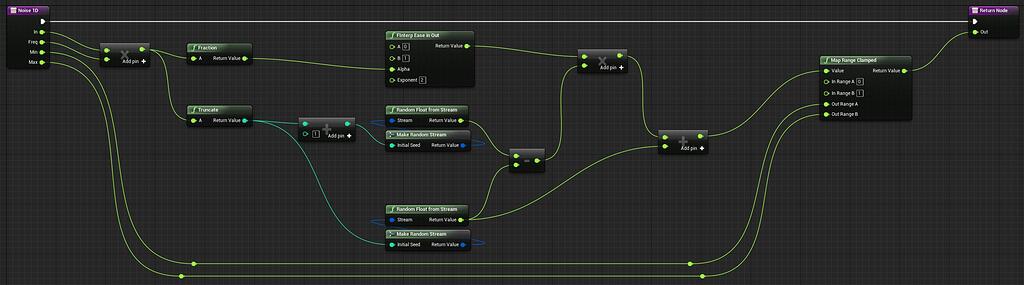
Epic Developer Community Forums
Hi guys My name is and I’m new in Unreal community. This is my first message so first of all welcome everybody and thank you for sharing your ideas 😉 I’m working on my 1st Unreal project and yesterday I was surprised to find out that there is no noise function node in the Blueprint editor. I’m quite familiar with coding and 3d apps so I was ...
found this, now trying it
marble tusk
There should be a built-in noise function. I've used one recently. Forgot the name of it, but it likely has "noise" in the name
primal hare
yes found Perlin noise but it is not doing anything. However Random float seems to be doing the trick have to clamp it though
perlin
 marble tusk
Well, the input value needs to change in order for there to be noise. It's deterministic, feeding it the same input value outputs the same noise value. Random float on the other hand will just get a random float each time
primal hare
That is contrary to how noise works in DCC in general. I'm using noise to change the value in first place
Random noise is flipping to fast. How to control the frequency of the noise/change?
trying to use Finterp ease in out node
marble tusk
This is why the perlin noise function has an input value. For example, here I used perlin noise to modify the vertices of a dynamic mesh to make the double yellow lines wiggle back and forth. I used the world location's X value as the perlin noise input so the output would be a smooth noise value across the mesh. If it were just random floats it wouldn't be smooth at all
 primal hare
is there a way to control frequency and amplitude?
marble tusk
Multiplying the float going into it for frequency and multiply the float going out for amplitude
primal hare
ah cool
marble tusk
It outputs 0-1, so you could instead do a remap if you want it in a specific range which doesn't start at 0
At least I think it's 0 to 1. It might actually be -1 to 1. I'm not able to check at the moment
primal hare
I need a smooth heaving values to feed my danger meter

everything is fluttering too fast at the moment and is distacting
Timeline is unavaible in WBP it seems
marble tusk
Well, feeding it a random float will basically just be like using a random float to start with
marble tusk
So this is something that's happening over time, so time is the input value for the noise. There are definitely functions for time related things you could probably use. I don't know them off the top of my head to tell you though, and I'm not at my PC to search for them
There might be something like 'game time' maybe. I don't know
There's "Now" which gets the real world time, and you could convert that to a float somehow which there might also be a function for
However, if you intend to use time dilation to do slow mo then "Now" probably wouldn't respect that. Also, pausing and playing would probably cause a jump
trail root
trail root
Hi, i want to make camera not affect character speed.
Right now my blueprint loo...
for future ppl, this is how i managed to fix this - now camera angle is not affecting move speed and character movement is relative to camera postion.
 primal hare
no worries thanks for your help!
 cerulean mango
I'm having trouble to add a structure to an array, my E debuff list is still empty, my debuff and turn count variable are both valid, i don't know why this is not working

 faint pasture
cerulean mango
I'm having trouble to add a structure to an array, my E debuff list is still em...
faint pasture
cerulean mango
I'm having trouble to add a structure to an array, my E debuff list is still em...
Is this in a function?
cerulean mango
faint pasture
Is this in a function?
In an Event atm but i was about to move it in a function cause this is the only event i have to implement this system
faint pasture
Does that breakpoint get hit?
Show more of the code
Also try with a regular add node, just feed it a make struct
 grave relic
Hey im working with some projectiles and having an issue with them flying through static meshes, I have tried two solutions but neither works. The projectile does not despawn but ignores the static mesh. I dont know if im doing this the right way, but I dont know how I would do it otherwise.


 thick elk
Hi
I get this error during play test on the built game.
[2024.08.06-09.17.18:701][534]LogWindows: Error: Unidentified failure for object TextBlock /Engine/Transient.GameEngine_2147482600:BP_GameInstance_C_2147482557.None.None.DamageText, hash itself may be corrupted or buggy.
Does anyone know whats that and how to fix it?
cerulean mango
faint pasture
Does that breakpoint get hit?
Yup the breakpoint get hit, the blueprint is actually super messy but i hope you'll understand, I just switch on my debuff type, and thenapply a flat reduction to my stat, and i manage the remove and timer in function, i also got this in the console


 undone bluff
grave relic
Hey im working with some projectiles and having an issue with them flying throug...
undone bluff
grave relic
Hey im working with some projectiles and having an issue with them flying throug...
slow projectiles? is a collision happening to begin with?
mild jacinth
if i spawn a player manually and even after setting input mode to game only, the input only works if i press mouse button. why is that so?
grave relic
undone bluff
slow projectiles? is a collision happening to begin with?
It is fireing, it does trigger on world dynamic, but not on world statics for some reason, at least not consistently. I have it trigger some times...
undone bluff
grave relic
It is fireing, it does trigger on world dynamic, but not on world statics for so...
From what I understand your issue is overlaps not happening which is either due to how the collisions are set up or because your projectile is fast enough to pass through without an overlap?
 novel goblet
How do I fix this? Its read only so I have no way to right click refresh it or pin it correctly.

Think I got it I went into view bindings and cleared and redid it
grave relic
Hey,
I need to do this "curl -X POST -d "key=ID-KEY" URL.com/update-game-data.php"
But not in curl.
I just have to send the "key" and "value" argument how do I do that here?

 candid whale
how do I get the gameInstance class in the construction script?
dark drum
candid whale
how do I get the gameInstance class in the construction script?
In terms of the editor, when the construction script runs, the game instance doesn't exist at that time so the answer is you don't.
candid whale
dark drum
In terms of the editor, when the construction script runs, the game instance doe...
I only need the class though, not the object. Should be possible?? There's configuration in there that should change my code behaviour :/
frosty heron
get the class for what?
well your Game instance will be null if you don't have a game running
can't get the class of a null object
dark drum
candid whale
I only need the class though, not the object. Should be possible?? There's confi...
As far as I know you would have to get the game instance and then get the class from it but I as i mentioned, it doesn't exist until you start the game. Adding to this, you can only use one game instance and you wouldn't be able to change it at runtime.
candid whale
frosty heron
can't get the class of a null object
hence why I'm having to find an option other than "GetGameInstance". Currently I'm using a BlueprintFunctionLibrary that has a duplicate variable entry for the classOf gameInstance. But that's code duplication and I'd really like to avoid..
as for what it's doing, there's Image references for buttonBackground for example that should be displayed in-editor
the setting is inside the Project Settings, so it has to exist somewhere..
frosty heron
setting for what?
dark drum
candid whale
the setting is inside the Project Settings, so it has to exist somewhere..
Not that's accessible via BP but to be honest it sounds like the data you're wanting should probably be a data asset instead of being stored on the game instance.
candid whale
frosty heron
setting for what?
for design-time elements inside the editor. an example being an image or a string that switches elements on and off
candid whale
dark drum
Not that's accessible via BP but to be honest it sounds like the data you're wan...
what benefits would a data asset provide over a simple Image variable?
frosty heron
candid whale
for design-time elements inside the editor. an example being an image or a strin...
sure, I don't see why you want to use game instance for that
deffinitly not the right place
Try Data Assets
grave relic
undone bluff
From what I understand your issue is overlaps not happening which is either due ...
Its not the speed, slowed them down by a lot(essentially slow motion) and it still went through my static meshes. I think its worth to mention, they are instanced meshes that are spawned.