#blueprint
1 messages · Page 204 of 1
 faint pasture
It's simple math to go from 3d coords to bit inside the byte that represents whether or not that coord is on fire or not
 lament nebula
so you think it wouldnt be unnecessary resource heavy?
faint pasture
not if done correctly
What's the general fire propegation logic? A cell becomes on fire...... when?
lament nebula
a cell has hitpoints, and any cells that are on fire do x amount of damage to nearby cells, when the cell HP is 0, its on fire
and then it has a burntime
faint pasture
ok so you can pack that all into 1 value.
Say you used a byte per cell.
256-128 -> not on fire
127-1 -> on fire
0 -> burnt out
300 kB isn't that huge. It'll be pretty fast to do the propagation steps
lament nebula
hmmmm, thats an idea
put every cell in a list with the coords as key and a byte value?
faint pasture
you'll need to store cells in an array and do math on coords to get index
lament nebula
but i could do that when making the level, store that, and just load in that when the level loads
faint pasture
Index = X + Y * XSize + Z * XSize * YSize
Something like that.
 granite frost
How do I find out the movement speed from an animation cycle?
lament nebula
faint pasture
Index = X + Y * XSize + Z * XSize * YSize
Something like that.
any potential bottlenecks you can think of?
faint pasture
lament nebula
any potential bottlenecks you can think of?
tons
You'll want to know about making your code cache friendly
but just get the thing working for now
faint pasture
granite frost
How do I find out the movement speed from an animation cycle?
An animation without root motion?
granite frost
It has root motion.
faint pasture
HowFarTheRootMoves / CycleLengthInSeconds
granite frost
But I am not sure how to make root motion work with animation warping. So I locked its root motion
faint pasture
there might be an automagic way to do it but just do math. In 1 cycle how far does it move?
granite frost
faint pasture
HowFarTheRootMoves / CycleLengthInSeconds
That is a valid point.
Now I feel like an idiot😅
granite frost
faint pasture
there might be an automagic way to do it but just do math. In 1 cycle how far d...
Thanks!
 spare sentinel
in lobby i set every controlelr a team! then when the game start every controller is set al variables to defautl
i wanna read on event begin play in game every controlelrs team?
can i set this with "event on swap player controllers"?
 wild sage
I'm adding this value (is an actor in the world) to this array, but then i need to destroy this actor in the world, and i need to keep the reference in the array, how can i do this?
 faint pasture
wild sage
I'm adding this value (is an actor in the world) to this array, but then i need ...
faint pasture
wild sage
I'm adding this value (is an actor in the world) to this array, but then i need ...
don't
why is a quest a whole actor?
How are you authoring quests, and where do they get spawned?
you can maybe store the classes of completed quests
wild sage
faint pasture
don't
Whoever created the quest system did it in a way that it is necessary to spawn a quest in the world, this quest in turn spawns a series of objectives that have a beginning, middle and end. It's a large system and I can't change the structure, but when completing the quest, I need it to be deleted so it doesn't stay in the world, but when I delete it, it also disappears from the questlog, since the questlog uses this array (completedquests ) to create the entries

 boreal crypt
I have a custom actor component blueprint, which configures health-bars for the attached entities. Allowing you to choose the size, location, colors, etc.
While this all works, you can only see the results of your change when playing the game, is there a way to have a construction script run from the actor component?
 maiden wadi
Sounds like vertex painting with a bit of niagara for neatness.
 fair spoke
i was wondering this, is it possible to make an external game launcher/ settings in menu in unreal 5
something similar to FO4 or other games with a menu like that
 vague dome
Hi , i'm new to unreal and trying to do something and maybe i'm doing a rookie mistake and not seeing it. my problem its the following.
i'm trying to use the Remote Control plugin to send a message through a function in a blueprint , and with the value changing a text , everything seems fine i can send the message i receive it on the blueprint , i know that because i put a print there with the text that i receive on the function , but when using the Set Text the text doesn't change at runtime , but it changes after i stop the game.
 mental trellis
How do you know if it changes after you stop the game... the game has stopped?
vague dome
because the text literaly changes
mental trellis
I assume you mean the text in the editor, rather than teh game?
Are you using PIE or an actual game instance?
maiden wadi
fair spoke
i was wondering this, is it possible to make an external game launcher/ settings...
Sure. It's just modifying an ini file prior to launching the actual application.
Why you would do that, not sure. Unreal's settings are good enough not to require a restart.
 rare gale
Is it possible to have a component's varibles exposed on the BP it is attached to so that I can change each instance in editor?
maiden wadi
rare gale
Is it possible to have a component's varibles exposed on the BP it is attached t...
You mean change them on an instance in a level, or?
rare gale
yeah, in the level. I want to be able to add a component to any existing BP and set the variables of that component to be different on each BP in the level in editor, not runtime
maiden wadi
Should already be doable as is? You should be able to pick the component in the list when you pick the actor.
rare gale
Sorry, I can add the component but I want to change variables inside of that component once it's on that actor/BP
maiden wadi
You can. Just click on the component liiiike.. sec
Like here. You can pick NewBlueprint, then pick DefaultSceneRoot. Which lets you edit that instance's instance of the scene component.
 rare gale
ah, you mean in the component list... ok... that might work. Not as convenient as I was hoping but it's there. Thank you.
fair spoke
maiden wadi
Why you would do that, not sure. Unreal's settings are good enough not to requir...
i was thinking its for RHI switching so people dont have to restart the game when they change the settings
i havent found any tutorials on how to do it though
maiden wadi
That's a rare one. 😄 But not a bad reason. Could even do that with just command line arguments when launching.
fair spoke
the only one i could find was from 2014
maiden wadi
I doubt you'll find much. Launchers are kinda studio territory mostly. But the idea is fairly simple. It's just non UE code that makes a launcher which either launches your game with command lines or sets ini file settings. Has very little to do with traditional UE coding.
faint pasture
wild sage
Whoever created the quest system did it in a way that it is necessary to spawn a...
Sounds like whoever made this system didn't know what they were doing.
Just add a Completed state to quests and don't destroy them.
 candid whale
speaking of people who don't know what they're doing.. I'm at a complete loss here :/
I've got an Android build containing exactly this:
https://dev.epicgames.com/documentation/en-us/unreal-engine/setting-up-android-virtual-keyboard-in-unreal-engine-projects?application_version=5.3
download: https://drive.google.com/drive/u/1/folders/1JRT1P3IOyL8fiXSet7YwCuoqxHeyNX9A
Yet when I run the ImprovedKeyboard build, the keyboard doesn't appear.. would anyone who's got an android be capable of testing it or confirm whether 5.4 improved virtual keyboard does work on their project?

Epic Games Developer
Going over setting up the Android Virtual Keyboard in Unreal Engine.
when I disable the improved virtual keyboard and return to this weird popup that THEN opens a keyboard, it does work. that project is on that same link as well
 lament nebula
maiden wadi
Sounds like vertex painting with a bit of niagara for neatness.
lament nebula
maiden wadi
Sounds like vertex painting with a bit of niagara for neatness.
vertex painting has always eluded me x3
 grave relic
I have a command line argument when launching my game, I want to retrieve the text of the command and if it corresponds to the real branch, we display a widget.
How can I do this? Currently I have this, how can I now retrieve the text of the arguments found when launching the game?

 narrow sentinel
so if I wanted to test a value against it self, say I have a variable IsEnabled
and I wanted to see if it's ever changes from what it was last frame what would I use to do this ?
 kind willow
narrow sentinel
and I wanted to see if it's ever changes from what it was last frame what would ...
kind willow
narrow sentinel
and I wanted to see if it's ever changes from what it was last frame what would ...
Either attach it to a print or right click the variable in your graph and select "watch this value"
There are probably some more advanced ways of doing it, but these 2 are the simplest
 kind willow
narrow sentinel
I would think that would work ?
kind willow
narrow sentinel
I would think that would work ?
Oh, you mean do something after value changes?
kind willow
Usually you'd do it on a specific player action. So, if you have something movement related, you'd trigger it when the player starts pressing the movement button. If you need it to happen at all times, you'd have to attach it to the tick event. If you could share more details it'd be helpful
narrow sentinel
so I have a battery and when the battery power state changes from what it was so not realy = to true or false but when it's changed I then call the dispatcher
kind willow
Battery state as in toggling the flashlight on/off or when the battery is depleted?
narrow sentinel
simply powered
so I have code that will set the battery powered based on it's amount
spare sentinel
how can i pass lobby controlelr varibale to game play contrller before the game start
kind willow
narrow sentinel
so I have code that will set the battery powered based on it's amount
I'm not sure if I fully understand, but it seems like putting it into tick event would be the simplest
spare sentinel
set lobby player controlelr team into game play controlelr team before the game start
narrow sentinel
kind willow
I'm not sure if I fully understand, but it seems like putting it into tick event...
so thats in tick the code in the screenshot

 narrow sentinel
would that work though how I've done it to correctly see the change
spare sentinel
i need to rea the player controlerl team when the game map start
kind willow
narrow sentinel
so I've done that
I think the branch will always give "false" since you make the 2 variables equal before doing the check, so I think you might have the order of operations wrong somehow?
kind willow
spare sentinel
i need to rea the player controlerl team when the game map start
if you have anything happening before the game starts, you'd most likely do it from the game mode
narrow sentinel
kind willow
I think the branch will always give "false" since you make the 2 variables equal...
hmm so my thinking is I set the temp bool and then check it against the normal value, my thinking is the then 1 would happen on the following tick so would if the value has changed it would see it wouldn't it ?
if not I can use the other method of using the delay until next tick
kind willow
narrow sentinel
hmm so my thinking is I set the temp bool and then check it against the normal v...
1 happens firts, 2 happens 2nd
So, the 2 variables would be set to be equal, then it'd check if they're not equal, resulting in always giving back "false"
kind willow
Do the branch first, then do a "delay until next tick" then do the set bool
This will check the 2 variables for equality, then set them to be equal
narrow sentinel
I can't seem to find the delay until next tick node ?
 stable bane
Appreciate it! Got it working :)
kind willow
narrow sentinel
I can't seem to find the delay until next tick node ?
Try creating it without any connections and untick "context sensetive"
if that fails, delay node with time set to 0 has simmilar results in a pinch
At worst, I can send it to you for pasting
If you want to bother with that
narrow sentinel
kind willow
At worst, I can send it to you for pasting
nope don't seem to have it
kind willow
narrow sentinel
nope don't seem to have it
Copy this text and Ctrl+V it in your graph
also, you can't use delays in functions
kind willow
narrow sentinel
doesn't seem happy even doing that
Do you have any error messages?
narrow sentinel
let me see
Warning: execute: Parse error while importing property values (PinName = execute).
Warning: Unknown pin type member: bSerializeAsSinglePrecisionFloat.
Warning: then: Parse error while importing property values (PinName = then).
Warning: Unknown pin type member: bSerializeAsSinglePrecisionFloat.
Warning: self: Parse error while importing property values (PinName = self).
Warning: Unknown pin type member: bSerializeAsSinglePrecisionFloat.
Warning: WorldContextObject: Parse error while importing property values (PinName = WorldContextObject).
Warning: Unknown pin type member: bSerializeAsSinglePrecisionFloat.
Warning: LatentInfo: Parse error while importing property values (PinName = LatentInfo).```thats what shows in output console
when I try to paste
kind willow
narrow sentinel
```Warning: Unknown pin type member: bSerializeAsSinglePrecisionFloat.
Warning: ...
Isn't this from compilation...?
give me a sec..
narrow sentinel
nope from when I ctrl v in the graph
kind willow
You should get an error like this
 narrow sentinel
where is this located this delay until next tick ?
narrow sentinel
kind willow
You should get an error like this
yeah thats what I had sorry
thought you mean in the output log
kind willow
narrow sentinel
yeah thats what I had sorry
Then I have no idea what you are doing at this point. You should have access to delays unless you are programming within a function. Alternatively maybe your actor class has no access to delays, but I don't even know of a class that would
narrow sentinel
kind willow
Then I have no idea what you are doing at this point. You should have access to ...
well it's in the public editor for Train sim world I'm doing all this so something tells me it is there but there editor is well lets say beta so its got loads wrong with it
where is the delay until next tick located
like there is the macros thing
cause one thing DTG have done with their TSW editor is they have it read the paks from your game files and due to this editor stuff that would be not uncooked is cooked and also being read from the normal location it would be within editor
bassically theres two places the function prob exist and editor conflicts between and doesn't allow them to be used. Thats what happened with the macros, I had to make my own version to negate the issue explained above
spare sentinel
kind willow
if you have anything happening before the game starts, you'd most likely do it f...
i have aplugin
that need read the palyer controlelr team when the map start
there is no tiem to set with game mode
it must set before the game start
how can i dot this?
kind willow
spare sentinel
it must set before the game start
The soonest you can have any code activate would be in game instance
This starts running the second your game starts running. Useful for music
spare sentinel
can you tell me how can i set variable TEAM in gameplaycontroller
before game start
narrow sentinel
kind willow
Then I have no idea what you are doing at this point. You should have access to ...
is there another way I can do it ?
spare sentinel
can i set it with "event onswap payer controllers""?
kind willow
spare sentinel
can you tell me how can i set variable TEAM in gameplaycontroller
Sorry, never used that one for code
kind willow
narrow sentinel
is there another way I can do it ?
Idk, if they blocked delays from being used, I imagine they had a good reason to do so. Alternatively you can just try with no delays and hope it will work out
spare sentinel
the event on swap player controllers dont trigger on me project
narrow sentinel
kind willow
Idk, if they blocked delays from being used, I imagine they had a good reason to...
so if I can find where the function is located it'll answer me my question
spare sentinel
im travelling with 2x diffetn gammoes and controllers
the event doesnt trigger and start
narrow sentinel
as to if it's due to the function being in two places and editor getting confused or if it's how the editor ended up when they released the editor
kind willow
narrow sentinel
as to if it's due to the function being in two places and editor getting confuse...
Functions are made to be re-used. It shouldn't get confused at all
narrow sentinel
so it's the actors that get confused they aren't able to see assets that are cooked
so if it's reading the functions from a cooked asset then BP actors will not be able to use the functions
unless I say make a copy of the asset then making it an uncooked asset
are you able to locate the function for me
like where it lives please
kind willow
narrow sentinel
so it's the actors that get confused they aren't able to see assets that are coo...
I think whatever problem that is, I'm not qualified enough to help with it
narrow sentinel
I think I can workaround but need to find where that function lives
as I can't use it within BP actors I can't see it's location in UEs stuff to see what asset it lives in like standardmacros for example
kind willow
narrow sentinel
like where it lives please
if you right click on your function node and click this, it will send you to it
 narrow sentinel
kind willow
if you right click on your function node and click this, it will send you to it
narrow sentinel
kind willow
if you right click on your function node and click this, it will send you to it
i can't get it onto an event graph though to do that
kind willow
narrow sentinel
i can't get it onto an event graph though to do that
Wait, are you talking about "delay" when you mean function?
narrow sentinel
delay until next tick
kind willow
That's not a function...
that's a command
It's written on an engine level. You cannot see it unless you open the engine's source code
narrow sentinel
kind willow
that's a command
what the DelayUntilNextTick ?
 rotund barn
narrow sentinel
what the DelayUntilNextTick ?
rotund barn
narrow sentinel
what the DelayUntilNextTick ?
a delay of 1 tick. basically it will execute it on the next frame
if im not mistaken
narrow sentinel
so 0.1 would be executed on next tick ?
rotund barn
what do you mean 0.1?
kind willow
I double checked it and it's part of a library "kismet system". I guess that's where you'd want to look, but I doubt it'd help
kind willow
I tyhought you have no access to delay node?
narrow sentinel
kind willow
I tyhought you have no access to delay node?
delay node I do
the delay until next tick I don't
kind willow
narrow sentinel
delay node I do
;_;
... just set it to zero...
it will execute it as soon as it can then
rotund barn
narrow sentinel
you said less then 1
i was thinking too much with real time, cause lets say a frame (tick) is 10ms, the real time delay can be less than 10ms technically. but in terms of ticks i think it would be always 1tick delay. so i edited out the <
kind willow
kind willow
if that fails, delay node with time set to 0 has simmilar results in a pinch
As I have specified already...
narrow sentinel
rotund barn
i was thinking too much with real time, cause lets say a frame (tick) is 10ms, t...
arr I saw your message with the < haha
that would be reason for my 0.1, I'll do the delay set to 1
rotund barn
narrow sentinel
that would be reason for my 0.1, I'll do the delay set to 1
you cant edit the "delay until next tick"
but do you not really have that?
 narrow sentinel
 kind willow
narrow sentinel
kind willow
narrow sentinel
Why not just use this then?
narrow sentinel
 kind willow
Why not just use a delay set to 0 seconds?
rotund barn
narrow sentinel
are you using UE4?
narrow sentinel
rotund barn
are you using UE4?
4.26
is what DTG have built their TSW Public Editor on
rotund barn
ohhhh, it seems it doesnt have that node then
but what kind of a delay do you need?
like would 0.001 seconds work or something?
narrow sentinel
just trying to do something like that

thats all
bassically I only need to do something if the value changes
not fussed whether true or false, just needs to be when the value has changed
HasBatteryPower is the one I am wanting to react if changes
rotund barn
but whats the delay doing?
rotund barn
narrow sentinel
HasBatteryPower is the one I am wanting to react if changes
whats connected to the sequence? like whats triggering it, cause if you dont have something like event tick or a timer firing off, nothing will happen
narrow sentinel
so the delay is fine to use in this case
narrow sentinel
rotund barn
whats connected to the sequence? like whats triggering it, cause if you dont hav...
it's running on tick
rotund barn
im not sure what the delay is supposed to do in this case, unless you want to limit it so it can check the value only every 0.1 seconds
narrow sentinel
so what would you say it should look like, bassically what I'm doing with branch is seeing when the HasBatteryPower is not equal to what it was last frame
rotund barn
ah, now i get why you need the delay
rotund barn
yes i understood that, i didnt realize you were comparing it to previous data
rotund barn
im not really and expert, but it looks like if battery amount is anything more than 0, it will set HasBatteryPower to true, which will then also set the CurrentBatteryState also to true
basically always making them both true
narrow sentinel
hmm I don't think that'll work then cause I'm setting it all in same tick
I need to split that up
rotund barn
i can be wrong, but i dont think you should be using booleans. or are you only trying to see if the state is the same(like if it has or doesnt have battery)? or do you want to compare the battery value, like how much battery.
narrow sentinel
rotund barn
i can be wrong, but i dont think you should be using booleans. or are you only t...
so bassically yeah, I'm tracking for when the HasBatteryPower is different to what it was last frame
rotund barn
narrow sentinel
so bassically yeah, I'm tracking for when the HasBatteryPower is different to wh...
that can only store "1" or "0" so basically "true" or "false"
no other data
narrow sentinel
this is cause that variable could be set in multple places etc and it make be I can't condense it to one place so instead I use the event tick to track for a change and
narrow sentinel
rotund barn
that can only store "1" or "0" so basically "true" or "false"
yeah
one thing I could do is if I can locate where the kismet system libary files are located I could replace them with one from UE that I have on my machine, that would bring back the Delay until next tick node
spare sentinel
anyone know the event on swap player controllers???
narrow sentinel
I think whats happening here is the cooked and paked files the editor is reading include said file where it's missing that delay until next tick function
issue with TSW Public editor is it priortises what is mounted so if they have mixed editor assets into the cooked and paked file even if the uncooked assets is there the editor will ignore them
it's well wierd, there editor is beta so haha
rotund barn
narrow sentinel
one thing I could do is if I can locate where the kismet system libary files are...
okay, but i dont think the delay is currently the biggest issue. because as long as you are using the Has Battery Power to set the Current Battery State, they will ALWAYS be the same, cause you know, one of them GIVES the other its own value.
narrow sentinel
rotund barn
okay, but i dont think the delay is currently the biggest issue. because as long...
i'm not sure whats best to do then
unless what if I set a temp value
and then delayed by 1
and then set current and check the temp against current ?
 chilly sundial
why in gods name is this multi sphere trace only detecting the cube? if I remove the cube it detects the vase?!

here it works? multi doesn't seem to be multi, or I'm too tired and not seeing the obvious. the vase is a geometry collection in a BP btw

 thin panther
chilly sundial
here it works? multi doesn't seem to be multi, or I'm too tired and not seeing t...
thin panther
chilly sundial
here it works? multi doesn't seem to be multi, or I'm too tired and not seeing t...
Multi stops at first blocking hit.
It's probably hitting the cube first
The main thing with multi is it returns all overlapping hits until the blocking hit
chilly sundial
ok thanks, then I misunderstood it
thin panther
Yeah it's an easy one to misunderstand, it's not very intuitive
spare sentinel
Nobody here can explain to me how the event on swap player controllers works and is triggered?
this is an event on game mode
it dont triggger on me even when i travel -.-
 dawn gazelle
spare sentinel
it dont triggger on me even when i travel -.-
dawn gazelle
spare sentinel
it dont triggger on me even when i travel -.-
Can you show how you are seamlessly travelling, like the code?
If you're using "Open Level" that's a non-seamless travel
rotund barn
narrow sentinel
i'm not sure whats best to do then
im only 70% sure that this would work for you, cause i dont know everything youre trying to do with it. but this would be checking if the battery power is <0, then 50ms later it would check again using a different bool, and then compare the two, seeing if right now the bool is the same as 50ms ago. doing atleast what you said. but that delay is impossible to be matched to 1 frame, because framerate changes, so youll need to decide the delay. also that do once and the related nodes may not be needed, im just not sure if the delay in the sequence will prevent the event tick from firing it again (it SHOULD prevent it, im just not 100% sure right now)
 spare sentinel
dawn gazelle
Can you show how you are seamlessly travelling, like the code?
spare sentinel
dawn gazelle
Can you show how you are seamlessly travelling, like the code?
i have both game modes semless travel to true
in settings

this is clean top down tempalte engine version 5.4.3
i jsut set new map new controlelr adn new game mode
and this is the only code for travel + both game modes semless travel to true in settings
thats all.
it doesnt work -.-
rotund barn
there probably is a better way to do this, so could someone point me towards a node or something, or tell me if this would be an acceptable way to "detect" which spell i hit the enemy with
 spare sentinel
can someone explain why the evtn dont fire
i find millions videos to everthing in unreal engine
i find no video nothing in internet to this event """ event on swap player controlelr""
its crazy i find nothing!!!
 versed sun
Where are you changing the PC ?
spare sentinel
the event doesn fire -.-
i dont need set changing when the event does fire

its printing nothing
 frosty heron
It's not gonna fire by it self?
versed sun
 spare sentinel
the event doesn trigger/fire/start
versed sun
It only fire is you are changing player controller while seamless traveling
spare sentinel

it doesnt work -.-
you can try it make new project. set 1 game mode one new controller set bothg ame modes to sealesstravle to reue
its takes 2 mins
it will no work
on any project i have!
versed sun
Does the new PC load? on your PC, Print something on Begin Play
frosty heron
If you want to get to the bottom on where it's called, you can read the source code
spare sentinel
moment.
versed sun
I never messed with Seamless travel , but i assumed it changed maps without loosing data
spare sentinel
yes its print hello one vent begin play
cant really no one help me? -.-
its jsu an event
i find nothing on internet!!! nothing its carzy nothing
frosty heron
You can help your self, read the source code. If you can't, try asking #multiplayer
versed sun
 spare sentinel
yes in editor
frosty heron
Then that's Ur first problem
versed sun
Reddit
Explore this post and more from the unrealengine community
spare sentinel
i send you video moment
dawn gazelle
Tested in standalone game mode, works fine (first time I've tried to enable and use seamless travel)
frosty heron
You cannot do seamless travel in pie
frosty heron
@spare sentinel please read
Try stand alone or package, you got sent links that says seamless travel don't work on pie
dawn gazelle
 spare sentinel
dawn gazelle
Tested in standalone game mode, works fine (first time I've tried to enable and ...
spare sentinel
dawn gazelle
Tested in standalone game mode, works fine (first time I've tried to enable and ...
it dont work for me? -.-
can you send me video what did you set?
dawn gazelle
It won't because you're running in editor. This is what you want to select, and make sure you're running as listen server or client for the net mode.
 spare sentinel
it dont work ?
im no stupid guys ^^
can you show me your code datura?
an yous end me video or picture?

its printing nothing!
you see on video its printing nothing!
 slender harness
does the output log have anything? your probably not hitting that event
 slender harness
yea it literally tells you in the log you cant use the seamless travel in PIe
spare sentinel
but when i start stand alone it doesnt work too -.-
dawn gazelle


 past compass
can you migrate assets from one project that is in 5.3 to another project that is in 5.4 ?
dawn gazelle
Only put the loop on there so it makes it super visible in the log 😛
versed sun
past compass
can you migrate assets from one project that is in 5.3 to another project that i...
yes
well, i dont know about 5.3 , but every other version works
i just move some from 5.2 to 5.4
spare sentinel
datura its no printing on your screen? o.O
slender harness
spare sentinel
but when i start stand alone it doesnt work too -.-
your not hitting that event. Use F9 on events and nodes to see if they are getting hit.
frosty heron
dawn gazelle
How is standalone configured? Not development I suppose? The print string don't print anything to the screen
Never dubble with it, but that make sense I guess
dawn gazelle
Yea I dunno why it doesn't show on there in standalone.
frosty heron
Print screen doesn't show up on shipping build
@spare sentinel add breakpoint or play a sound to check if the event gets fired
spare sentinel
so i can only check now if my game works only in stand alone?
thats takes much time to run my game in standalone very time?
THATS CARZY?? O.o
dawn gazelle
Only if you need to test the seamless travel parts of it.
spare sentinel
i need seamless travel in my mutlplayer game
thats takes many many time now
i need to run my game sometimes 100 times per day
or 1000
dawn gazelle
If you need to change maps to test things, then you should probably come up with a better method of testing.
ie. You should be able to play on whatever level is loaded. Have some dev menu that lets you configuring things if there's things that are normally set up to begin with in the level it would transition from.
spare sentinel
i will check now if i can send my lobby controller TEAM VARIABLE to my game play controlelr TEAM VARIBALE
i hope this will work!!
 odd kiln
Is there a Unique Identifier for each Actor (I'm looking for that for Save Game system) ?
 empty marten
Hey peeps,
Am I right in assuming that this will assign the same colour to every one of this actor that I place in the world even though the randomize code is in the construction script?
 odd kiln
Should I use GetActorGUID OR GetActorInstanceGUID ?
grave relic
Can we Randomize the position of an image on the widget when I receive a hit from an enemy?
frosty heron
Yeah just offset it with random values
dawn gazelle
odd kiln
Should I use `GetActorGUID` OR `GetActorInstanceGUID` ?
These GUIDs are only available within the editor. You can create your own GUID property and utilize it.
odd kiln
dawn gazelle
These GUIDs are only available within the editor. You can create your own GUID ...
Is it compliacted to do that ?
frosty heron
empty marten
Hey peeps,
Am I right in assuming that this will assign the same colour to every...
No, each actor will have unique color
dawn gazelle
empty marten
Hey peeps,
Am I right in assuming that this will assign the same colour to every...
No. Each instance will run their own construction script and have their own values.
odd kiln
Do I have to make a function to create GUID for Actors ?
grave relic
frosty heron
Yeah just offset it with random values
There, I've this, what do u mean by values?
 frosty heron
grave relic
There, I've this, what do u mean by values?
frosty heron
grave relic
There, I've this, what do u mean by values?
This is just playing animation not sure what to see here
dawn gazelle
odd kiln
Is it compliacted to do that ?
Create a GUID property. Use the "New GUID" node to create it. You can use the construction script to check if the GUID is valid or not, and if it is not valid, set the value for the GUID property from the "New GUID" node.
frosty heron
If you want to set position of an image, then set the position of the image
grave relic
frosty heron
This is just playing animation not sure what to see here
Humm, sry, here:
 frosty heron
grave relic
Humm, sry, here:
frosty heron
grave relic
Humm, sry, here:
U are just throwing codes at me 😛 this has nothing to do with setting the widget position either
If you want to set the image position then do just that. There are several ways
odd kiln
dawn gazelle
Create a GUID property. Use the "New GUID" node to create it. You can use the ...
So in Construction Script I check if "New Guid" is valid or not, if it's not valid I set this value to a variable named "GUID", right ?
frosty heron
You can just add offset to the translation maybe or you can calculate where the widget is positioned relative to the canvas then offset it
grave relic
frosty heron
If you want to set position of an image, then set the position of the image
Actually, I want it to be a little random, for example one shot in the right corner, one shot a little lower, but not in the center.
grave relic
Like that
 frosty heron
So Ur game is 2d
grave relic
Na
frosty heron
?
grave relic
3d
frosty heron
K so nothing to do with image or widget then?
If your projectile already firing straight then it's just a matter of spawning it in a direction you want (can be random too)
empty marten
frosty heron
No, each actor will have unique color
and @dawn gazelle I think you might be mistaken cos they're all the same colour unless my setup is wrong?
 grave relic
frosty heron
K so nothing to do with image or widget then?
grave relic
frosty heron
K so nothing to do with image or widget then?
What I want is that when I take damage from an enemy, the images appear on one of the crosses, the 0.40 millisecond animation plays and if I take damage again, the images spawn on another cross
I don't really know how to explain
empty marten
Maybe I need to store the created instance as a variable first?
frosty heron
empty marten
and <@218956378654507008> I think you might be mistaken cos they're all the same...
You are most likely doing something wrong. Eject from controller and check if the material is assigned
Also test if your color param even work to begin with
dawn gazelle
odd kiln
So in Construction Script I check if "New Guid" is valid or not, if it's not val...
No. Create a property call it "GUID". On the construction script, check if "GUID" is valid. If not, set its value to the value from the New GUID node.
Any placed actors would then get a GUID automatically assigned and it will not be changed by the construction script re-running. Any spawned actors should also get a GUID this way too.
odd kiln
dawn gazelle
Any placed actors would then get a GUID automatically assigned and it will not b...
Ok I made it and it's ok but the GUID is changing except if I set the "GUID" variable to "public" (with the little eye on the right) (instance editable) is it normal?
empty marten
frosty heron
Also test if your color param even work to begin with
OK. Will debug and see whats going on
 faint creek
Hey guys is there a way to Stop the behavior tree?
 lunar sleet
faint creek
Hey guys is there a way to Stop the behavior tree?
lunar sleet
faint creek
Hey guys is there a way to Stop the behavior tree?
Stop logic from the brain component
 lyric basin
Hello peeps, I once again turn to this community for assistance with something I am probably just overlooking. I have a project with utilizes the ALS character and assets. I am trying to get the location and rotation of one of the sockets for the meshes which come with the project, for the pistol and rifle. This is for a line trace. The rifle works fine but using the exact same setup and swapping out the required nodes to the pistol returns no data for the socket. I don't know why
 valid vector
Why did my IA_Look keep firing in touch screen while I don't have any touch assigned?
 lyric basin
For reference, here is how I am calling it

 gaunt lion
So I was trying to figure out how to make it so I cant sprint while crouched. Can someone explain to me why branching it twice fixes that.
 lyric basin
gaunt lion
So I was trying to figure out how to make it so I cant sprint while crouched. Ca...
lyric basin
gaunt lion
So I was trying to figure out how to make it so I cant sprint while crouched. Ca...
check how your sprint is being set and called
it is possible you are increasing the movement speed regardless of whether you are crouched or not
the second branch always evaluates to true so stop sprint is always called if crouched is true
gaunt lion
lyric basin
the second branch always evaluates to true so stop sprint is always called if cr...
so is that an ok way of writing it? It works the way that I want just dont know if its efficient.
lyric basin
gaunt lion
so is that an ok way of writing it? It works the way that I want just dont know ...
Does it work, sure. Is it efficient, not really. Mainly because its patchwork, no offense. It just better to try to code it right so that style of bp design doesn't snowball into a web of nodes later lol.
its fine if you are learning
but if you wanna do it better, take a ss of your crouch system
I get the feeling that the system isn't registering that you are crouched and it isnt setting the variable
gaunt lion
this is my crouch
 lyric basin
and when you crouch and try to sprint, what happens?
gaunt lion
now nothing
lyric basin
does he just crouch walk faster? or does he stand and run
gaunt lion
but before I put two branches it would sprint while crouched
yes
crouch walk faster
lyric basin
okay, I think its cause you are using the max walk speed. not an expert, but try using this instead

and also try using a second character movement node to plug into the second one. I have had things just work better when I am not reusing nodes
 bronze lily
gaunt lion
this is my crouch
bronze lily
gaunt lion
this is my crouch
Turn on the capsule visibility here and test it as well you probs need to reduce the calsule hieght during crouch or you wnat be able to go under any thing
 opal snow
Is checking for the component necessary here or can you just cast?

Because I was under the impression you can just cast and connect other actor to object. But starting to realize other actors can trigger these collision boxes as well
dawn gazelle
opal snow
Is checking for the component necessary here or can you just cast?
If all you want to know is that the actor overlapping is a "BP_Hero" then just casting should suffice.
If you want to know that specific component on the hero caused the overlap, then you'd check the component.
opal snow
dawn gazelle
If all you want to know is that the actor overlapping is a "BP_Hero" then just c...
This pic is just an example. Say I have a ladder and I want the first person character to be able to climb it, but not enemy ai.
Cause right now the enemy ai can also climb it
dawn gazelle
Which likely means your enemies are also "BP_Hero"s
 mighty crown
Is there a blueprint node that can predict an enemies location based on its movement? I have a turret that I control but it doesn't aim exactly at the enemy. I fed it the enemy's location but it always has the old location. I don't have any AI set up.
opal snow
dawn gazelle
Which likely means your enemies are also "BP_Hero"s
They're definitely not
dawn gazelle
Then the overlap wouldn't trigger.
Sorry, the overlap would trigger, but the cast would fail.
dawn gazelle
mighty crown
Is there a blueprint node that can predict an enemies location based on its move...
Math.
Velocity is in units per second if I remember right. To know where the target is going to be in one second, based on the current frame's location and velocity of the target, you'd add the current location to the velocity and that would be a rough guess of where it would be. If you want to know where it would be in 1/10th of a second, you'd divide the velocity by 10 and add it to the current location.
mighty crown
Thanks! I was just trying to check if there's anything built in before I go code my own prediction stuff. I saw there was a prediction node for pawns but that looks AI related. Guess I'll just roll my own then
 tropic peak
Guys I need some help with developing one simple'ish feature. I've been struggling with this for a couple of days and I don't know how to approach this. I have a blueprint parent for furniture and each child of it has sockets I want to attach the currently carried item to when put down. Should I have an interface with a function "put down", and somehow find the first available socket in the targeted object? how do I find which sockets are occupied (do i even need that since socket can hold only one item? should I just iterate over the array of sockets and try attaching?)
It's kind of a showstopper for me and I can't figure out the proper way of doing this so it doesn't bite me in the ass later on
 hearty veldt
Never try to make anything perfect to begin with, you won't be able to do that. Just make it work and if it's a problem later on, then you'll go back and try to find another solution. Otherwise you just waste a lot of precious time stuck on one feature. Premature optimization and all that.
I'd either make a Struct with the socket name and a bool to flagged it as occupied, and then throw them in an Array, or a regular Map I guess would work as well, altho it could be more confusing and you'd have to use the socket name as the Map's key, and then just loop over them to find the first one available. And have some logic for when there's none found.
Again don't overthink anything, just get it working and optimize / refactor / improve when needed, else you'll never release anything.
 frigid hill
Hey, anyone here know how can I define a struct to a created DataTable Object in the Editor Utility? I'm trying to automatically create a filled DataTable with a selection of Static Meshes but I can't find a way to define a struct for it
 tropic peak
hearty veldt
Never try to make anything perfect to begin with, you won't be able to do that. ...
tropic peak
hearty veldt
Never try to make anything perfect to begin with, you won't be able to do that. ...
yeah that's the mindset I'm trying to have..
For some reason implementing this is harder than I thought it would be
maybe because there's a lot of cross referencing and I just feel it's going to bite me in the ass one way or another
 languid wolf
Hey, sorry for ping, but did you manage to solve this issue?
 final berry
So I have a bunch of towers for a tower defense with their own stats. Is it a good idea to put all that in a datatable and also use that datatable to fill the (reusable) tooltip I made? Or is it to heavy to keep calling a datatable everytime you hover over a tower to see its info? 🤔 So what I'm asking is:
What are some good practices for a bunch of data that you need to use in actors and user widgets like tower stats in a TD and which needs to be scalable
 spark steppe
DataTables or DataAssets (later one can get messy with a lot of different towers/units)
hearty veldt
if it's just data kept in memory you're fine, it's not heavy, altho the editor widget might be sluggish after a certain amount of entries, be careful with referencing assets however, the docs say this:
In the above DataTable example, the asset that is referenced is a lazy loaded asset (TSoftObjectPtr handles this). If the Asset field type was set to UTexture, all of the assets would be loaded whenever the DataTable was loaded.
 crude dew
Hi wonder if someone can answer this for me please, I just want to know if im doing this correctly.
I have an Event Despatcher in my BP_Enemy called OnTakeDmg this is called whenever the enemy takes damage, and I have a widget which uses on Construct a Get All Actors Of Class and then Binds to the OnTakeDmg for each of the Enemys in the array.
It seems to work but it,s printing out for all the enemys instead of the one i hit


#facepalm nvm after pasting this image I can see i put the print string inside the For Each loop...
not sure why i didnt notice this before... Sorry.
final berry
I was also wondering something about Sizemaps. How do I know they are too big or when should I try to reduce him and in what way can you reduce sizemaps 🤔 I'm pretty sure the sizemaps of some of my actors is waaay to big, but I'm not sure how to reduce them. Should I implement more interrfaces? (I guess interfacing might reduce the amount of references)
Does anyone have some time to take a look? 🤔
versed sun
Add another variable of the Event Dispatcher of type BP_Enemy, and pass Self when you call it
crude dew
Will do that thanks.
versed sun
that way you know which enemy took damage
hearty veldt
crude dew
not sure why i didnt notice this before... Sorry.
rubber duck debugging, explaining the issue to someone else helps seeing the solution
final berry
hearty veldt
rubber duck debugging, explaining the issue to someone else helps seeing the sol...
Oh yea my rubberduck is working overtime lately 😅
Although it's a plush hedgehog 🙃
hearty veldt

 verbal kayak
Mine is an imaginary friend
hearty veldt
Casting to PlayerController fails inside a function library
rotund barn
can i use the "sweep result hit actor" for detecting what (spell) collided, to see what damage and effects i give the enemy? i couldnt find any info on that in google

 dark drum
final berry
I was also wondering something about Sizemaps. How do I know they are too big or...
dark drum
final berry
I was also wondering something about Sizemaps. How do I know they are too big or...
Don't use interfaces for memory management.
The question of are they too big boils down to 'Are all these actors going to be loaded when this actor is being used?' if the answer is yes then you're good to go nothing to do. If not, you need to be utilizing base classes and soft references more.
dark drum
rotund barn
can i use the "sweep result hit actor" for detecting what (spell) collided, to s...
Technically, yes but this might not be the best way to handle it. What are you trying to do?
rotund barn
dark drum
Technically, yes but this might not be the best way to handle it. What are you t...
just a scalable system for seeing what the enemy was hit with, so i can give the damage and other possible effects accordingly
im going to end up having probably 50 or more different things that can cause damage to enemies
crude dew
versed sun
Add another variable of the Event Dispatcher of type BP_Enemy, and pass Self wh...
Hi, I am trying that out but not sure how i bind to the event in the widget, as the target needs an object, What am i doing wrong please? 🙂
Here is where i call the event

I tried this in the widget.

but theres no print out when the BP_Enemy is hit.
versed sun
how many enemys ? you are only getting one and binding it
dark drum
rotund barn
just a scalable system for seeing what the enemy was hit with, so i can give the...
I would use 'Damage Type' objects instead. The thing doing the damage passes this through the 'Apply Damage' node (by specifying the class) and is received by the target as an object. If you use a base damage type for all the types of damage you have, you can include a base function (such as Modify Damage) where you can pass in values from the target such as defence and magic resistance.
crude dew
there is 6 enemys, So do i need to bind to every single one of them ? I was thinking that if i passed the enemy that was hit I would be able to bind to it,s OnTakeDmg event
rotund barn
dark drum
I would use 'Damage Type' objects instead. The thing doing the damage passes thi...
ohhh, thank you very much.
crude dew
but the Bind Event to ED node only has an input and no output, so it cant send the values it can only receive from the looks of it.
I guess if i want to bind to a specific enemy I would first pass the enemy to a custom event then drag off and then bind event to that "enemy" if im correct? I,m really new to using this functions so just trying to test out various things like binding to one enemy and binding to multiple etc.
 sweet silo
what's the best way of triggering a sound at a certain point if not with a trigger box ? thanks !
dark drum
rotund barn
ohhh, thank you very much.
Something like this. The damage type has the base function and when you create new types (children of the base) you can include various vars inside them and override the base function to handle how it should modify the damage.


 dark drum
sweet silo
what's the best way of triggering a sound at a certain point if not with a trigg...
dark drum
sweet silo
what's the best way of triggering a sound at a certain point if not with a trigg...
At what point? Most likely by piggy backing off an event.
sweet silo
dark drum
At what point? Most likely by piggy backing off an event.
like when the characters enters a place for example
dark drum
sweet silo
like when the characters enters a place for example
How does the player enter a place? by opening a door and it loads a level or just by walking into a preplaced structure?
sweet silo
like my character has this open road and he talks to himself singing something but i want the noise to come at a certain point 🙂
 versed sun
crude dew
but the Bind Event to ED node only has an input and no output, so it cant send t...
versed sun
crude dew
but the Bind Event to ED node only has an input and no output, so it cant send t...
you can add a new parameter of BP_Enemy, and plug Self into it
 dark drum
sweet silo
like my character has this open road and he talks to himself singing something b...
dark drum
sweet silo
like my character has this open road and he talks to himself singing something b...
That sounds like a job for a overlap event such as using a trigger box.
sweet silo
but there are some other stuff hapenning like if you get too close to the women on the right you will hear their conversation as well
But thats ok for now it's just a prototype i will make a video out of it so i'll be player i will knwo were to go
crude dew
Am i wrong that event despatchers mean gather all the references to objects which use the Call node within the object that is listening ?
sweet silo
dark drum
That sounds like a job for a overlap event such as using a trigger box.
thanks yeah that's what i thought then i will have a lot of those but thanks !
and how can i ref the player other than by "get actor of class" again ?
dark drum
crude dew
Am i wrong that event despatchers mean gather all the references to objects whic...
When you bind to an event dispatcher, it's only for that specific object/actor.
crude dew
versed sun
you can add a new parameter of BP_Enemy, and plug Self into it
I have that at the moment.
sweet silo
the best would be to have a proper world ref right ?
dark drum
sweet silo
thanks yeah that's what i thought then i will have a lot of those but thanks !
a...
You can use the 'Other Actor' on the overlap event to get whats overlapped the volume/box.
crude dew
ohhhh no my mistake @versed sun Apologies I am telling the node to "USE" self to call not passing the actual self actor 😮
sweet silo
dark drum
You can use the 'Other Actor' on the overlap event to get whats overlapped the v...
like this right ?
 dark drum
sweet silo
like this right ?
dark drum
sweet silo
like this right ?
Yea
crude dew

Then how do i "listen" for this event in a widget this is the part that im getting stuck on because Im trying to not create a reference to the widget inside the Enemy class or create references inside the widget class for the enemy if that makes sense.
I know I Bind Event to Take Dmg (I was under the impression that an object could "shout" Im damaged and things with Bind Event to X would automatically "hear" it and react but seems like 1 shouts and the listener still needs a reference to the object doing the shouting, Which means instead of casting from the Enemy to the Widget to pass the values you just get all the references within the listener for the objects doing the shouting? )
Is this correct or am i thinking about this wrongly, Thanks for the help btw 🙂
versed sun
I think this should tell you which enemy took damage

not tested because i dont have anything like it setup
faint creek
lunar sleet
Stop logic from the brain component
I've tried but the behavior tree still run
 wild moth
I wish there was a Foreach for maps x) saves a hassle. Easily done with a ranged For loop in c++ :/
crude dew
Thanks @versed sun!
 rose crest
faint creek
I've tried but the behavior tree still run
rose crest
faint creek
I've tried but the behavior tree still run
You must stop it on wrong component or sth. Called in controller should stop BT
faint creek
rose crest
You must stop it on wrong component or sth. Called in controller should stop BT

 flat summit
Looking for help understanding array usage a bit - Trying to get a BP to get a bunch of names randomly from Array "NPC Baby Book" and assign random names to each slot in the Array "NPCNames". I'm using AddUnique, however it never names all 10, usually get stuck between 4-8, because it "Attempted to access index 8 from Array length of 7" etc.

 faint creek
rose crest
You must stop it on wrong component or sth. Called in controller should stop BT
faint creek
rose crest
You must stop it on wrong component or sth. Called in controller should stop BT
Is there something I can change?
frosty heron
flat summit
Looking for help understanding array usage a bit - Trying to get a BP to get a b...
Array index starts from 0
If the length is 7 then there are 7 items starting from index 0 to 6
flat summit
Right, so I imagine AddUnique is removing the old indexes/entries, and when it tries to get a random one it can't because it's still thinking the array is 10 long? or something
frosty heron
Add unique just add a unique element to the array. If there is existing one it will just not add the element or replace the one with the same value.
flat summit
So it's picking an already picked name, then just giving up and skipping it?
versed sun
Shuffle your array , and then get the first 10 items
frosty heron
flat summit
So it's picking an already picked name, then just giving up and skipping it?
Not sure what you mean by picking
It's as simple as if you already have hello in an array.
Doing add unique with value hello will not add to the array
flat summit
Like, it's job is to "Pick" random names from the first array, and set them to the second array, but not repeat a name, and choose something else instead in that case
flat summit
On it!
frosty heron
Also make use of loops when working with array. There's no reason to pluck the index one by one
flat summit
Did try loops briefly, struggled, keen to try again but excited to get something working at this point 😅
versed sun
 flat summit
Okay, that seems to work perfectly the first time, but also seems to repeat itself over and over and then get confused, and that's just on Event Beginplay
 spare sentinel
hey
i have a plugin#
i want to open the c++ plugin
and code a little delay
so the plugin start 0,5sec later
how can i do this? and how can i open the c++ code from plugin?
maiden wadi
wild moth
I wish there was a Foreach for maps x) saves a hassle. Easily done with a ranged...
Make one.
final berry
Does anyone know how to get a string(or text) like "Hello\nThisisnewline\nOkaybye" into a text field with blueprints to make it
Hello
Thisisnewline
Okaybye
? 🤔
Edit, nm found it using the Format Text node
wild moth
maiden wadi
Make one.
Can I make it modular? ie not type specific?
 desert moss
Hey everyone, I'm trying to make a bp that will make the objects that I tag with the word "strobe" flicker based on a given speed by hiding and unhiding all the actors with the tag. The current setup works but when I add more actors to the loop then only the first in the loop will flicker. Anyone know why this is happening?
 wild moth
I guess I can look at how the current ForEach is setup for example
desert moss
desert moss
Hey everyone, I'm trying to make a bp that will make the objects that I tag with...
I tried instancing the for loop before to make it more performant but I figured that would have been the root cause for my problem, however it wasnt
This was the before

This is the result of the blueprint
(strobe is only applied to the lasers in the eyes)
Another issue is that all the other actors in the for loop get hidden as soon as the strobe starts
spare sentinel

this is an overirdden function from plguin
it start when the blueprint satrts
is it possible? to make in c++ code? that it satrt after 0,5 sec?
that the function dont start immediatley
so taht it starts 0,5 sec after event begin play
is it possible?
slender harness
couldnt you use a delay node before the function?
slender harness
is it on construct/Begin Play/
 spare sentinel

i need a delay cause my player team need to set variable team
and there is no time to set variable in controlly
controller
contrller need first set his tema vairalbe and then the plugin can read
maiden wadi
wild moth
Can I make it modular? ie not type specific?
Lol. Nevermind. Epic decided to be lazy on that. https://issues.unrealengine.com/issue/UE-53169

Unreal Engine
Welcome to the Unreal Engine Issue and Bug Tracker. You can check the status of an issue and search for existing bugs. See latest bug fixes too.
 lofty rapids
desert moss
This was the before
lofty rapids
desert moss
This was the before
cacheing it beforehand is not bad, except when you add a new one it's not in the cached array, when do you add a new one ?
also how do you add a new ? just add to the array ? or you are creating actors or something ?
faint pasture
desert moss
Hey everyone, I'm trying to make a bp that will make the objects that I tag with...
those delays aren't doing what you think they're doing
You should do it more like this:
Timer -> bool bVisible = !bVisible -> get all actors tagged with strobe -> set their state based on bVisible
desert moss
lofty rapids
cacheing it beforehand is not bad, except when you add a new one it's not in the...
im just tagging actors in the scene, there is no runtime logic to make more actors that should be tagged
desert moss
faint pasture
You should do it more like this:
Timer -> bool bVisible = !bVisible -> get all ...
I will try this, for now I got it done dirty by creating a sequence and using that for the current actors but it doesnt scale as well as using a bp that allows me to tag actors
the unholy workflow
 slender harness
I think the biggest issue im dealing with right now is getting a damn static mesh to go visible when its a player turn
faint pasture
slender harness
I think the biggest issue im dealing with right now is getting a damn static mes...
Who holds a ref to the mesh?
 heady burrow
so I want to implement a pause system, but instead of just disabling the tick so nothing moves that is tick dependent, I want to make it so it eases in/out depending on if Im going into the pause or leaving it
any ideas how to "capture" the tick so it behaves that way?
I was thinking on using a float curve for this, but not sure how to hook it up, and if its even a good idea.
slender harness
faint pasture
Who holds a ref to the mesh?
the mesh is a basic cone that is a child to the primary mesh which is a cube in the Cubes Actor Blueprint.
attempted to toggle visibility but it does not want to toggle, set visibility did not change it either.
and as an FYI its set to hidden by default, when set to visible all actors have it. Its meant to enable when its a players turn
 willow topaz
Hey everyone I am getting the classic "dead blueprint node" error where one node always needs to be refreshed when I start my project. I tried rebuilding the project, deleting intermediate folders and regenerating, and still no luck. Is there some standard way to resolve this particular bug?
slender harness
I have never heard of that... what does it look like?
 silent stag
I'm trying to switch the enhanced input from the character to the vehicle, but it's not working this way. I also tried the 'clear all mappings' code from the character when its unpossessed, but that doesn't work properly either. Does anyone have any ideas?
 willow topaz
slender harness
I have never heard of that... what does it look like?
willow topaz
slender harness
I have never heard of that... what does it look like?

So every time I start my project this happens. In addition it seems to be a problem effecting other json scripts

For example my script that parses the json will lose the get-field nodes
I readded it in the image to show you what should be there
lofty rapids
is this a plugin ?
willow topaz
I believe it is yes. Json Blueprint Utilities
I can try enabling and disabling the plugin in the project real quick. Let me go check
lofty rapids
and refreshing the node fixes the problem every time ?
willow topaz
Yes exactly
I did just try enabling and disabling the plugin but unfortuantely the problem remains
willow topaz
willow topaz
I would be fine with it if I just had to refresh but its the fact that my other scripts are effected as well. I cant rebuild this script every time I open my project
!!! I think I solved it
I set the loading phase for the plugin to "preloadingscreen" and now it loads correctly
faint creek
faint creek
Somebody knows a solution?
lofty rapids
faint creek
those are two seperate executions ? or the same ?
 spice viper
willow topaz
I believe it is yes. Json Blueprint Utilities
spice viper
willow topaz
I believe it is yes. Json Blueprint Utilities
I've seen similar, you have to build the project so that the dll and pdb files are created. You need this when loading the editor without visual studio.
willow topaz
spice viper
I've seen similar, you have to build the project so that the dll and pdb files a...
Hmm I'm not sure about that since I am building the project from VS. But in either case its working now so I'm happy.
wild moth
Hello,
Is it safe to remove from the Map while looping over the get keys array? 🙂

 normal viper
hey folks
can anyone tell why the clear item notification function is not working even after waiting for the delay the animation dont work

 maiden wadi
wild moth
Hello,
Is it safe to remove from the Map while looping over the get keys array? ...
maiden wadi
wild moth
Hello,
Is it safe to remove from the Map while looping over the get keys array? ...
Should be. Your Keys array is a copy of the keys, so if your'e removing from the map after the copy, there shouldn't be any issues.
wild moth
Awesome ty for the confirmation 🙂
 pallid gorge
Anybody have any good recommendations for ways to create/attach hitboxes that can be dynamically turned on/off? IE: If a character throws a left punch, only the left arm will get activated for collision checks and everything else is dormant
lyric basin
heady burrow
any ideas how to "capture" the tick so it behaves that way?
I was thinking on us...
Sounds like you want to slow everything down and then speed it back up when the game is paused and unpaused, yeah?
lyric basin
pallid gorge
Anybody have any good recommendations for ways to create/attach hitboxes that ca...
Any reason why they can't all be active and need to be either on or off?
kind willow
pallid gorge
Anybody have any good recommendations for ways to create/attach hitboxes that ca...
You could disable the collision when the hitbox is dormant and enable it when needed
 chrome locust
Hello friends! Has anyone exported a EXR file from a render target? I'm trying to do so but it's saturating/clipping for reasons I do not understand... I think using the 32 bit float format there should be no clipping
Scene capture 2D (final color HDR target source) -> render target -> save to disk with EXR format
pallid gorge
lyric basin
Any reason why they can't all be active and need to be either on or off?
Because I only want to check collision for the appropriate body part. Like I said, if I'm throwing a left punch, I don't care if the right arm happens to brush the target
pallid gorge
kind willow
You could disable the collision when the hitbox is dormant and enable it when ne...
Yeah that's sort of what I'm doing, I was just hoping to find a more modular solution than to manually create and attach each hitbox to the corresponding nodes
 dire light
after the player loses a live the health bar stops updating when they take damage but they are taking damge. can anyone help?


 pliant socket
Is there a way to see what blueprints are going to be affected when a toast like this appears? I tried looking at the message log and the console but I don't see any lines appear.

For context, I'm trying to set up a new vr project from the blank template. Then migrate the level and dependencies from the v65 commit of the sample code provided by meta: https://github.com/oculus-samples/Unreal-Locomotion It gives me the error below, which I'm hoping to be able to figure out how to fix. But I want to be able to not break other things as I fix it.
/Game/Input/Actions/MotionControllerRightGrip contains invalid data.
Data validation FAILED.
Files Checked: 122, Passed: 121, Failed: 1, Skipped: 0, Unable to validate: 0```yes
 visual crest
How would I do the calculation to do this function? Basicly I want to switch between the X and Y axis based on camera postion.
 visual crest
This is what I have so far but I am not sure how to bring it to gather to switch my x and y

 fluid silo
Hi i'm looking for someone that can explain to me the logic behind the game animation sample UE5 gave to the community : in particular ledge paramters
odd kiln
Hi all
Anyone has advice to make a "Main Menu" ? I have an Open World but I don't know if I have to make another Level for my "Main Menu" or just a Widget ?
And should I make it in my "Game Mode" file or in another file ?
lunar sleet
odd kiln
Anyone has advice to make a "Main Menu" ? I have an Open World but I don't know ...
Make another level
Your in-game menu can be a widget tho
odd kiln
Ok thank you and for the code I do it in the Game Mode or in the Main Menu Level Blueprint ?
Yes it's more like a Starting Menu. I will also make a Widget into the Main Menu Level I guess yes
lunar sleet
odd kiln
Ok thank you and for the code I do it in the Game Mode or in the Main Menu Level...
Not a good idea to use level blueprint for almost anything
You can’t communicate with it
odd kiln
lunar sleet
Not a good idea to use level blueprint for almost anything
So you recommend me in the GameMode ? I saw someone creating a Player Controller file and set it into that
Or maybe GameInstance ? Which is better ?
lunar sleet
Depends on what logic you need. Either of those options are viable
odd kiln
lunar sleet
Depends on what logic you need. Either of those options are viable
In my Main Menu Level I need a Widget to click on a "Start Game" button (and change settings also) and then open my Open World Level when I click on Start Game
I already made my "Save System" in my GameInstance file, that's why I'm wondering if I should set this also in it
lunar sleet
It doesn’t really matter where you put the OpenLevel node provided you understand once that runs your current level is unloaded
Put the logic where it makes sense and easily accessible
odd kiln
lunar sleet
It doesn’t really matter where you put the OpenLevel node provided you understan...
Yes I understand that, my Main Menu Level will be unloaded. But to get my Settings etc I guess GameInstance it's better so I can save the Video Settings (for example) right ?
hearty veldt
if you say you saw someone putting it in a PC inside GM, then do it that way, only store in GI the actual data that you want to save and have it persist, not the entire menu, otherwise that menu's gonna live there regardless what happens with the initial boot scene
visual crest
I got it working! object now moves base on camera facing. So camera forward is always objects forward!

that was really hard for me for some reason lol
maiden wadi
This sounds like the value isn't related to the weapon at all but the player.
odd kiln
hearty veldt
if you say you saw someone putting it in a PC inside GM, then do it that way, on...
That's why I wanted to know. So I have to create a Custom Player Controller file to make that cause atm I don't have any custom PC file, I have the default one
But in the GI I will only use the Open Level node and Create/Remove Widget, the menu's gonna live there also if I do that ?
 paper smelt
Im useing a spring arm and attaching a static mesh to it to add some sway to my gun it works good but not in multiplayer in multiplayer its not moveing at all how do I fix that?
 broken wadi
paper smelt
Im useing a spring arm and attaching a static mesh to it to add some sway to my ...
broken wadi
paper smelt
Im useing a spring arm and attaching a static mesh to it to add some sway to my ...
By replicating the state of the weapon sway to other connected clients.
paper smelt
broken wadi
By replicating the state of the weapon sway to other connected clients.
How would I go about doing that? sorry I dont usually replicate so im not very educated in such topics
broken wadi
paper smelt
How would I go about doing that? sorry I dont usually replicate so im not very e...
Go to #multiplayer then check out the pinned messages. Read the Multiplayer Network Compendium and also watch and understand the Multiplayer in Unreal Engine: How to Understand Network Replication video.
paper smelt
Good idea will do
 verbal pagoda
Is it possible with blueprints to have utility functions somewhere, for instance for rarity, weapon damage values etc. So the apply damage logic just gets it from somewhere else? I feel that both player blueprint and item blueprints get bogged down a lot.
 eager thicket
what would be the right way to smoothly add rotation to a static mesh on command?
spark steppe
eager thicket
what would be the right way to smoothly add rotation to a static mesh on command...
usually an event which starts a timeline
spark steppe
verbal pagoda
Is it possible with blueprints to have utility functions somewhere, for instance...
you can create blueprint function libraries
but weapon damage logic etc. sounds like it may be a job for GAS
verbal pagoda
Oh, nice, thanks for both, GAS was new to me
 twilit ledge
Hello everyone I Was following a tutorial for pshics and he used this one can you tell me what this one replaced with ?

 cold sky
How do I post my work in hire a freelancer channel?
spark steppe
./job freelance
cold sky
Sorry, I’m a noob here, what does that mean
spark steppe
type that without the dot, it is a server command
maiden wadi
There's literally a link at the top of the channel
cold sky
Ohhh I see, thanks Ben
 lavish idol
Hey I followed a tutorial in which I added instances in the construction script via hierarchical instanced static mesh
Now, I want to scale the instances in realtime. For this reason I added an Update Instance Transform in the Event Graph. But this only scales the single Instance. Is there a way to scale all Instances at once? I guess it is somehow relatet to the target input
versed sun
lavish idol
Hey I followed a tutorial in which I added instances in the construction script ...
Yes , there's Batch Update Instance Transforms
you can set it up like this

Loop thru all your instances , and keep the Location and Rotation, but set scale to whatever you want
 shut quarry
I'm tryna make a player attach himself to the car,
but no matter what I've tried the fricking character
keeps falling down.
I've spent so long on this, any help
would be much appreciated
(img) should explain all the tests I've done.
REF Car is parent, and I want the character to just follow it. I also don't want the player to affect the car's mass or motion in any way.

the character's gravity component seems to be always on, i just want him to lock and stay with the car
lavish idol
versed sun
Yes , there's Batch Update Instance Transforms
you can set it up like this
Thank you so much!! It is working perfectly
lofty rapids
shut quarry
the character's gravity component seems to be always on, i just want him to lock...
maybe set it to flying mode, idk if it will work it's just a guess set it to flying and attach
shut quarry
lofty rapids
maybe set it to flying mode, idk if it will work it's just a guess set it to fly...
you're a genius tysm
 undone thicket
hello, I have tiny problem with BP
I set up a damage system with HP, and my projectile will damage player character if player doesnt use a block with a sword. Sword is a separate blueprint set to invincible in damage system, and has it's own collision.
So I spawn and attach the sword to player character and use anim montages to get the sword in a position to block projectiels.
All working as intended.
But now I'm trying to set up a scoring system, and the basic solution "cast to player character" is giving me a headache, as it adds to score no matter what. The intention is - add to score only when you block the projectile with a sword, dont add to score when projectile does damage to player char itself.
But now it adds to score in both cases.
If anyone is willing to poke at this, I can provide all screenshots or video needed
lavish idol
versed sun
Yes , there's Batch Update Instance Transforms
you can set it up like this
Do you know if it is possible to use a dynamically changing value as scale? I use it on Event Tick and it should change its size while playing. But it seems that it only uses the first value as size and doesn't change over time. When I print the Make Transform output it tells me that the size value is changing but the actual size of the instances stays the same. Any ideas?
versed sun
are they all the same at same time ?
If so , i would put it in the material
you don't want to really change ISM transforms on tick, you will notice a FPS drop
lavish idol
I also want to do it with transformation. Therefore I assume that there is no other option
The reason for on tick is that it should change based on sensor data
lyric basin
undone thicket
hello, I have tiny problem with BP
I set up a damage system with HP, and my pro...
Screenshot of the system in question?
If I had to guess without seeing it, are you using collision to determine a hit for score?
You can use a simple branch to determine whether to increment the score I would think, but lemme see the system before I start making assumptions
lavish idol
versed sun
whats your sensor data? like a World Location vector ?
The sensor data is just a float value. Thank you for the tip with the material. I'm gonna look for tutorials
Is it possible to cast the float value into the material?
versed sun
cast as in put in? yes
undone thicket
lyric basin
Screenshot of the system in question?
so I kinda tinkered with it, and I'm tryint to tie up scoring to "block" state on katana itself. It semi-works - Im getting print BLOCK when I'm blocking with it.
But I tried to implement interface for keeping score itself now, and I'm REALLY lucking exp or brains to see what I did wrong rn


on screen - player got damaged (hitreaction) by one projectile, and then katana blocked (BLOCK) the other one, so at least this part is working
Now I need to figure out a way to test if Score variable is going up at all, and if yes - hot to sent it to widget
lyric basin
Okay, lemme review it
Okay, I'm on mobile right now so everything is super tiny. When I get back to my rig I will look at it
 mystic canopy
@help
I'm using this code as a double jump in my game, it adds 700 velocity on the second jump to the players z access.
My problem is that if i double jump quickly it send the player flying up. I believe because the initial velocity is high at the beginning of the jump the second jump adds +700 on top of the original velocity. i just want the second jump to be the same as the first jump. is anyone able to help me?
ive tried adding a clamp on the velocity but that just makes the second jump really week

i know that you can just tick a box in ue5 to make your character double jump but i cant figure out how to add a animation on the second jump
 fiery swallow
mystic canopy
@help
I'm using this code as a double jump in my game, it adds 700 velocity on ...
fiery swallow
mystic canopy
@help
I'm using this code as a double jump in my game, it adds 700 velocity on ...
Does clicking the checkbook for the z override not fix your problem?
By doing that you may need to increase the z launch velocity
 noble compass
I have a system to spawn an actor at the mouse location on click, and it seems to work fine. I noticed it wasn't at the right x value though, so I offset it by 200 to work, it fixes the x location but it makes the y and z values drift the further away from the center it is
(left is without the offset and right is with)

This is what my blueprint looks like, any idea how to make it spawn at the right x axis? Offsetting the location is what breaks it but I'm not sure how to make it work
 rose bobcat
So I have no idea why this camera is sideways. Im trying to make a 1st person character and have attached it to the chest bone. How do I fix this?
sorry if this is wrong channel, wasnt sure which it would technically be for.


the camera moves with the character just fine but its stuck on the left.
lunar sleet
rose bobcat
the camera moves with the character just fine but its stuck on the left.
Try unchecking use pawn control rotation
rose bobcat
lunar sleet
Try unchecking use pawn control rotation
Thanks! that was it. Youtube lied to me.
lunar sleet
noble compass
This is what my blueprint looks like, any idea how to make it spawn at the right...
Yeah hit under cursor is giving me grief too still. Try #game-math
 crimson crest
I'm implementing a directional attack system and I'm wondering if anyone has a better way of doing it then with Bools? It seems to have troubles sticking to a direction when the mouse is locked.
 frail onyx
Anyone know if it’s a better decision to make a fully custom fps character in blueprints or use the default character component in blueprints?
I eventually wanna try and add directional gravity where the player can flip gravity to the ceiling and be able to add a smooth wall running ability and some other movement abilities
 halcyon vapor
On a scale from 1 to 10 how do you feel about using a data asset with only 1 variable as a "global variable"?
 empty raven
hello i have a question
I'm trying to make a worm boss, there doesn't seem to be much training.
side scrolling project
What should I do to make the boss enter and exit the hole and perform a range attack?
After entering the hole, it must come out from another side.
 halcyon vapor
You can enable debug draw and look at how traces change colour after doing 1 hit
Plus you could also print string of the name of the actors that it is tracing through
halcyon vapor
frail onyx
I eventually wanna try and add directional gravity where the player can flip gra...
You can do gravity manipulation with the default one
You'll just have to flip the camera and mesh for a fully upside down feel
frail onyx
halcyon vapor
You can do gravity manipulation with the default one
Oooh ok, so is it more worth to just stick with the CMC and modify that
halcyon vapor
frail onyx
Oooh ok, so is it more worth to just stick with the CMC and modify that
Few cases would require you to make a default character from scratch
frail onyx
Ok cool
 cold lion
Does anyone know how I can make my quick melee work? my idea is to have the weapon swap to the axe, fire once then back to the previously selected weapon, however all this does is swap to the axe, I can't figure it out?
 bronze lily
cold lion
Does anyone know how I can make my quick melee work? my idea is to have the weap...
bronze lily
cold lion
Does anyone know how I can make my quick melee work? my idea is to have the weap...
Print strings all over this to see where its going wrong
cold lion
This is what I have got so far


it does not do the check swap print string
I don't know what to do from here honestly
 steady night
@cold lion you have a retriggerble delay of 0,2 sec on a trigger Inpuut function it might be its fiering multiple times since it setup by default to be when mouse is down
cold lion
I set it to 0 and changed some other stuff, this is what it looks like now

This is also my weapon fire input


as well as swapping
bronze lily
@cold lion Is it making it through the macro?
 olive pasture
hi everyone. i have a blueprint actor which i want to give a world offset to actors which overlap its trigger component (context: its an escalator, the offset = 256,0,128).
this works, however i want the offset to be relative to the rotation of the blueprint actor, and i cannot figure out how to do that. any advice?
 lilac thistle
First time here, this looks like the correct section as I've looked through the others.
I'm creating a tower defense game with detailed graphics and units (right now using simple manny skeleton). My problem is that the frames start to drop from 30 (max) to 16 within 20 seconds of starting it and then rapidly deteriorate as more units are spawned in. Friendlys and enemies register themselves once they are spawned in to be cycles through their counterpart for distance checks.
I have a map built and enemy spawns using planes and Scene components to mark where I'd like the enemies to potentially spawn (it's random). Once the enemy spawns they check distances on friendly units to attack vs Town center to attack and then move to town center if no friendlies are in range.
Friendly units when spawned at barracks do the same distance check for enemy units and if they are not in range will idle and check every 2 seconds for enemy units in range.
Towers and cannons will do the same check, cycling through all curent alive enemies and see which ones are in range. Towers have multiple windows each with a potential shooting point and will shoot from the window closest to the enemy.
My question is, how much demand am I putting on the game by doing these distance checks by running "for each loop" quite often?
If so, is there an easier way to target enemies or friendlies that are withen range of each other? I've tried attaching collision boxes to the units to act as range finders but it doesn't seem to fix the lag as then they are cycling through all objects currently overlapping, Trees, buildings, rocks, each other, etc.
sorry for the long intro i've been trying to fix this issue for 2 weeks now and searched everywhere, attempted everything.
my next step was to dumb down the system but really did not want to have to do that if it wasn't necessary since I like the idea of it being detailed.
is there a way to make collision boxes ONLY detect the counterpart unit?
cold lion
bronze lily
<@475066703835824156> Is it making it through the macro?
It appears to be working, I put a print string right before outputs but it is just filling up the console with the log
 olive pasture
lilac thistle
First time here, this looks like the correct section as I've looked through the ...
olive pasture
lilac thistle
First time here, this looks like the correct section as I've looked through the ...
hi Descartes, have you looked into game profiling? if not i would recommend searching 'unreal profiling' on youtube. it can be misleading what tanks performance. the profiler can let you know what thread is slowing things down. for example it could be your animation thread if you have a lot of skeletal meshes with animation blueprints. it can also give you a detailed breakdown of time spent on each task in a frame, which is great to pinpoint problem areas in ur code
lilac thistle
I looked into it last week but couldn't quite get it to work when the game was running (only in editor). @olive pasture
I'll check some more youtube videos and post again. <3
olive pasture
lilac thistle
I looked into it last week but couldn't quite get it to work when the game was r...
could at least be helpful to pinpoint where the chokehold is and then u can share a screenshot of the profiler graph/code here
 open garden
This makes no sense... why would they do this?
Multi hits first overlap
Non-multi skips first overlap
So confusing
 olive pasture
hi everyone. i have a blueprint actor which i want to give a world offset to act...
olive pasture
olive pasture
hi everyone. i have a blueprint actor which i want to give a world offset to act...
answer: there is a node for this lmao: 'Rotate Vector'. simply just get actor rotation and multiply the vector 🫡
undone thicket
lyric basin
Okay, lemme review it
I would really appreciate it
dark drum
open garden
This makes no sense... why would they do this?
Multi hits first overlap
Non-mult...
It makes sense, so the multi line trace can return multiple objects while the single can only return one. By its nature it continues until it's blocked by something. As the single can only return one actor, it returns the one it hits. The multi will also return the overlapping ones it passed through.
dark drum
lilac thistle
First time here, this looks like the correct section as I've looked through the ...
How many units are you spawning with the manny skeleton?
 near wolf
Hi guys

I'm using this blueprint that spawns an instanced static mesh. How can I make it spawn a 2nd static mesh? For more variety
like it picks random characters and not just 1
versed sun
Each ISM can only have 1 mesh
You would need another ISM , and choose between those
near wolf
versed sun
Each ISM can only have 1 mesh
You would need another ISM , and choose between t...
so you mean another variable? And how do I assign the 2nd mesh to the new variable. I'm a bit confused
versed sun
 tropic peak
what's the opposite of "attach actor to component"?
versed sun
you can have multiple ISM components in your root
 tropic peak
cheers
 vague shadow
anyone know why my combobox selected option isnt changing? first time doing one of these xD

 faint creek
Hi guys, I'm trying to make a trigger box that when the player overlap it, all the door's box collision to open, are disabled/destroyed. However it doesn't work.
Somebody could help me please?
 spare sentinel
i dont if seamless travle work
but when i stwitch gamemode and controller

this event doesnt start/fire/trigger
nothing printing -.-
why? im traveling
maiden wadi
Chances are there's a better way to do what you're trying to do. Seamless travels are kind 'eh'.
maiden wadi
faint creek
Hi guys, I'm trying to make a trigger box that when the player overlap it, all t...
You need to for each loop over the array returned and destroy the box on each of them. Right now you're only destroying one of them's box.
maiden wadi
vague shadow
anyone know why my combobox selected option isnt changing? first time doing one ...
String == is maybe failing. I recommend not using that and just doing an index check instead. If you get the combobox and drag off of it, it should have like a "SelectedIndex" or something.
Then when you're done with it, burn the combobox in fire.
spare sentinel
how can i give information from 1 controlelr to another during travel?
why this event doesn trigger?
can someone tell me why this event doesn work?
maiden wadi
What are you travelling from, and to? If it's from the main menu to the game, you shouldn't really do that with a seamless.
spare sentinel
from lobby to game
i need team variable from lobby controller
on swap player controlelr could be my soluition
but this event doesnt start -.-


this is my game controlelr my lobbycontroler
and my lobby map
gamemode is printing nothing -.-
i try this on a clean top down template from enginve version 5.4.3
i jsut create transition map new game mode new controller thats all
in the video is all my code.
not event the game controlelr is printing
what is wrong?
and why event on swap player controlerls ddnt work
vague shadow
maiden wadi
String == is maybe failing. I recommend not using that and just doing an index c...
i dont see any selected index, might just burn it now xD
 modest monolith
Helloo, does anyone know how to auto-adjust widget based on if player is using M&KB or controller? So when the tutorial widget pops in the " Press (button) to interact" can be correct
faint creek
maiden wadi
You need to for each loop over the array returned and destroy the box on each of...
Like this? also without for each loop?

 devout tide
modest monolith
Helloo, does anyone know how to auto-adjust widget based on if player is using M...
devout tide
modest monolith
Helloo, does anyone know how to auto-adjust widget based on if player is using M...
One way is to listen to any key in the player controller and check if that key is a keyboard or gamepad key, then accordingly change some variable which specifies what kind of input was lastly used and display your UIs accordingly
spare sentinel
nothing in internet and noe one knows
its jsut a game mode event
finding nothing in itnernet not a single video
and here cant soemone answer me a event
wtf
its jsut a event 😄
so crazy
devout tide
@modest monolith like this
 modest monolith
devout tide
One way is to listen to any key in the player controller and check if that key i...
modest monolith
devout tide
One way is to listen to any key in the player controller and check if that key i...
Okay or to make it simple I could just make a clone widget for gamepad and shoot that one if player is using gamepad
devout tide
That would mean you need to create everything twice, not really necessary
Just have some sort of input system which can update the necessary elements whenever the input mode is switched
For example your UI could reach to that system and ask for the interaction key, then the system would return [E] or GamepadKey based on the currently active input mode
it can be an actor component on your Player Controller ideally
 barren tangle
when i overlap the collision box with the main character
that one should trigger the aim event, and i lerp on the item position to the character position. this function is inside the loot item
modest monolith
devout tide
For example your UI could reach to that system and ask for the interaction key, ...
Thank you sir. I just have 2 widget to dublicate however so I'll go for my method as I'm in a rush at the moment. Thank you!
modest monolith
devout tide
<@326323883559092224> like this
what about if this is in a begin play ? how do I get "is using gamepad". For example if the level starts and the widget pops in.
near wolf
I need help. I'm trying to create an array? (maybe) that randomly picks between 2 instanced static meshes. And that should go into the setup instanced mesh component. But how to do it correctly?

need to choose between instanced static mesh and instanced static mesh _02
maiden wadi
spare sentinel
This will be your issue. OpenLevel does not seamless travel
maiden wadi
You have the settings for it in.. Is it game mode?
spare sentinel
you see on pcirue i ahve both funktions?
barren tangle
near wolf
I need help. I'm trying to create an array? (maybe) that randomly picks between...
lol what are you trying to do...
spare sentinel
seamless travel is set to true
to all game moes.
yes
again i set all right i start standalone its dont work -.-
near wolf
barren tangle
lol what are you trying to do...
I'm not sure that's why Im asking here. I'm trying to make it pick between 2 instanced static meshes and spawn them. Right now it spawns only 1 of them
barren tangle
near wolf
I need help. I'm trying to create an array? (maybe) that randomly picks between...
you wwant to switch the static mesh of your ISM?
near wolf
barren tangle
you wwant to switch the static mesh of your ISM?
I want to add a 2nd ISM. And then it will spawn both of them
barren tangle
near wolf
I'm not sure that's why Im asking here. I'm trying to make it pick between 2 ins...
so you need to have 2 ISM
near wolf
I already have, you can see in the component tab. But I don't know how to spawn them at the same time
I have this. What I wanna do is replace some of those meshes with another mesh. So it has variety
 barren tangle
with that
maiden wadi
vague shadow
i dont see any selected index, might just burn it now xD
I personally hate comboboxes. They're really hard to work with compared to other widgets. Initial functionality is usually fine. But try styling one with neat effects and using it with a gamepad. Just feels bad. I normally make my own selector that takes in settings and generically does callbacks for them. Lyra has a similar one, their Discrete value selctor thing in their options menu.
barren tangle
near wolf
I already have, you can see in the component tab. But I don't know how to spawn ...

if u are into your constructor and you just add 1 instances in both of your ISM
you should be able to see them into the viewport
do you mean you want to dynamically add them?
near wolf
barren tangle
you should be able to see them into the viewport
On the bottom you can see the original logic, which currently spawns the 1st instanced static mesh. On the top I played around with some things, but still can't manage to get it working
 devout tide
modest monolith
what about if this is in a begin play ? how do I get "is using gamepad". For exa...
devout tide
modest monolith
what about if this is in a begin play ? how do I get "is using gamepad". For exa...
Not sure if you can check if a gamepad is connected without input first, at least in blueprint
modest monolith
devout tide
Not sure if you can check if a gamepad is connected without input first, at leas...
Ugh....
barren tangle
near wolf
On the bottom you can see the original logic, which currently spawns the 1st ins...
your setup instanced static mesh is your own function?
near wolf
barren tangle
your setup instanced static mesh is your own function?
no, this is a function that comes with the engine
barren tangle
i dont see it
near wolf
you need to enable engine content and plugin content. It comes from the AnimToTexture plugin
barren tangle
why dont you use the normal function?
near wolf
I don't know, that''s how it is made
I'll try
but I'm not sure if I can make it work haha
barren tangle
near wolf
I don't know, that''s how it is made
i dont find that function on google
so you set your mesh to your ISM,
you add an instance = put a new mesh at that location (relative)
you do that for both ISM and you will have your 2 ISM on the viewport

 odd kiln
Anyone has an idea about Opening a Level Async to show a Loading screen ?
barren tangle
odd kiln
Anyone has an idea about Opening a Level Async to show a Loading screen ?
level streaming.
you cant open a level async
vague shadow
maiden wadi
I personally hate comboboxes. They're really hard to work with compared to other...
i hate them aswell, but i'm bored lol
barren tangle
odd kiln
Anyone has an idea about Opening a Level Async to show a Loading screen ?
but you can load a level inside another one
odd kiln
barren tangle
level streaming.
you cant open a level async
Hm ok thank you. But I only want to go from a "Main Menu" level to a "Open World" level
barren tangle
odd kiln
Hm ok thank you. But I only want to go from a "Main Menu" level to a "Open World...
yes you can't do that if you use the open level.
you have to set everything inside the same level
Level_Container
and inside your Level_Countainer you can load the stream level and load first Main Menu, and after Open wolrd
odd kiln
So I have to set my Open World Level inside my Main Menu Level ?
What is this Level Container ? The "Levels" tab ?
barren tangle
yes like that you can put a loading screen without stopping everythin like the music
no its a level that you create to load the level that you need
odd kiln
So I need 3 Levels. A "Level_Container", a "Main Menu Level" and my "Open World Level" right ?
barren tangle
it will be more easy to manage like that
and in your level_container you unload and load level
like that you can put loading screen, fade out the music, and things like that
odd kiln
Ok so I just create the Level_Container
Now I need to open the "Levels" tab and add my Main Menu & Open World Levels right ?
faint creek
maiden wadi
You need to for each loop over the array returned and destroy the box on each of...
It seems to work also without loop
But how can I applicate the loop?
barren tangle
and there you load your main menu, i dont remember the exact name of the node
streaming ... something
barren tangle
odd kiln
Now I need to open the "Levels" tab and add my Main Menu & Open World Levels rig...
Asynchronously loading and unloading levels during play to decrease memory usage and create seamless worlds.
odd kiln
I guess I need to "load" my levels into the GameMode and not the Level BP right ?
Each level has its own GameMode
 barren tangle
yes
barren tangle
odd kiln
Each level has its own GameMode
sorry i dont have my first project on my laptop, otherwise i will have screen to you how i did
with the level stream
but it's not so hard
odd kiln
It's ok if I just understand that I have to use the "Level Streaming" node into the GameMode or in another file
barren tangle
you can have a game mode for that level strem but i dont remember that i create that, so pmaybe it was on the LevelBP
odd kiln
I'm just wondering if I load my Main Menu Level from the Level_Container GameMode, will it change the GameMode to my Main Menu level's GameMode?
spark steppe
no
odd kiln
So I need to change my GameMode at runtime ?
barren tangle
odd kiln
So I need to change my GameMode at runtime ?
im searching on github

i have my Level_Container
odd kiln
So I need to use my "Level Streaming" code into something else and not the GameMode I guess
The problem is that for my Main Menu Level I used a custom Player Controller file to "create" the widget of my menu
faint creek
maiden wadi
It doesn't work🥲
 barren tangle
odd kiln
So I need to use my "Level Streaming" code into something else and not the GameM...
barren tangle
odd kiln
So I need to use my "Level Streaming" code into something else and not the GameM...
yes i remember i had lot of rework to do when i discover we could not load a level async with Open Level node
most of youtube tutorial only talk about that node
but if you want so async then its game over, and some rework to do
odd kiln
barren tangle
yes i remember i had lot of rework to do when i discover we could not load a lev...
The problem now is that I can't add my Open World level to my Level_Container
It says Level is partitioned, can't add
barren tangle
told you i had lot of rework to do 🙂
that happen when we dev before the analysis 😄
 balmy ridge
Hello, very newb question here. Trying to figure out why my player character keeps rotating on the... YAW rotation? Aka the entire mesh will rotate UP/DOWN, despite turning off "Use Pawn Control Rotation" on both my spring arm and camera within the BP.
Attached as many images as I can think of, that may help others see my mistake. I just want a prototype mesh to stand up straight, turn with the camera and not look up/down with input, as it also vectors towards camera position when looking up/down.


 barren tangle
need help. i try to do a auto aim system. the item should follow my character but it doesn't work. no one?
 devout tide
maybe your class defaults have use pitch? @balmy ridge
balmy ridge
devout tide
maybe your class defaults have use pitch? <@95172170279288832>
I love you
I remember doing that in the past, but forgot about it until now! Bless you human on the internet
rotund barn
how do i get a reference of my enemy pawn inside of animation blueprint? like im casting to BP_enemy cause it tells when it can enter certain animation, but what do i plug into the object?
devout tide
Try Get Pawn Owner @rotund barn
rotund barn
devout tide
Try Get Pawn Owner <@799609350658064384>
pawn owner of what? it needs a connection
devout tide
im anim blueprint yuo can just type Try Get Pawn Owner
it needs no connection
share a screenshot
rotund barn
ohhhhhh sorry, i read your message as like, "try this" -> Get Pawn owner, didnt realize it was part of the node name
odd kiln
Ok so I read that World Partition and Level Streaming are not meant to be used together
So I guess I need to find another way to run a Loading Screen in another thread while using "Open Level" node
barren tangle
odd kiln
So I guess I need to find another way to run a Loading Screen in another thread ...
if you don't need to have that link between screens, you can open level. and at the begining of the new game mode display the loading screen
make a fade out of the music and the screen before loading the new level and ther start the level by displaying the loading screen
odd kiln
barren tangle
if you don't need to have that link between screens, you can open level. and at ...
The problem when I do this is that my screen is freezing some seconds before displaying the Loading Screen
barren tangle
that's why i told you to fade out the screen
to not see that freeze
black screen
odd kiln
Hm so I do a fade out of my Main Menu Widget, and when this fade out is completed I execute the "Open Level" node ?
barren tangle
yes
odd kiln
That's perfect for the moment. Thank you so much !
barren tangle
barren tangle
need help. i try to do a auto aim system. the item should follow my character bu...
it seems that if you activate simulate physic the set transform doens't work
 dusty orbit
Im tryionog to fix some BP's that i broke i think by moving stuff around and trying to use a new skeletal mesh as character

The error is that no variable called "SkeletalMesh" exists in the anim BP
I created the variable but it still fails
 stuck yoke
Hello! A bit of a beginner question but I'm finding myself really unsure about what the best course of action is here: If I want a Camera for the Main Menu of the game to be able to transition to multiple positions and potentially attach it to a player character - should I write a blueprint Camera to use to best encapsulate the logic? Or should I create a Blueprint PlayerCameraManager? What would be the best class to override to contain my logic here?
eager thicket
What's a good way to determine how long a boolean has been set on/off?
I want some functionality where, if a boolean has been ON for 2 seconds, it then activates another function, but if it turns off before the two seconds nothing happens
stuck yoke
eager thicket
What's a good way to determine how long a boolean has been set on/off?
I want...
Create a set function for the boolean which you use when setting it, start a timer when it's set to true - interrupt the timer when set to false and make sure to reset the duration when changing value
eager thicket
stuck yoke
Create a set function for the boolean which you use when setting it, start a tim...
timers! will look into it. thank you
stuck yoke
eager thicket
timers! will look into it. thank you
Something like this would probably work
 eager thicket
will check this out. many thanks
 glass sonnet
Not sure to ask on here or not, but figured it was worth a shot:
I am trying to use Material Parameter Collections with Material Instances to edit a master Material. Sometimes on editor startup, the Material Instance does not load the master material correctly and I get a "use of undeclared identifier" 'MaterialCollection0'" in the material instance, is this a known issue or something I am missing?
lament nebula
Does anyone know why this completely crashes the editor, at only a grid size of 256x256, spikes memory use to over 10gb, this should only be 77k iterations?
 devout tide
you are filling a map with 77k values though, that is a lot of space technically
also you can use Vector2D there instead of Vector if Z is useless
lament nebula
ah, figured it would be kind of the same as an array
devout tide
Even if it was, that still lots of data
lament nebula
how much does a vector take?
devout tide
you can considering loading this data on demand rather than preloading it all like this, but depending on what you are trying to achieve here, theres probably more efficient ways of doing it
3 floats, a vector 2d is 2 floats
a float I believe is like 4 bytes
tropic peak
is there a way to reparent a blueprint? (change its parent without having to re-create the object)
devout tide
@tropic peak yes, open it, click on Class Settings at the top and then on the right panel switch its parent/base class
tropic peak
thank you stefanos
devout tide
make sure to save and backup though
this can cause editor crashes depending on what blueprint you are reparenting
lament nebula
devout tide
Even if it was, that still lots of data
still feels wrong, i can run SQL queries over 100.000s of rows updating multiple cells and it wont break a sweat (yes i am a dumb webdeveloper)
devout tide
you are saving this into a varaible though, so that is kept in memory. Also making so many iterations via blueprint loop can be heavy, you can try moving the logic into cpp as well
stuck yoke
SQL is made for mass data manipulation, this sort of vector math you're doing might be better off being done in C++ - which isn't great advice for sure but vector math in blueprint can be a big performance hitter
 glacial geyser
Hey everyone, the answer is maybe simple but I don't understand why the character don't follow the player in a level sequencer. But when I add the animation blueprint it's working fine! There is something to do for working in level sequencer? I'm searching and doing test since many hours but I'm loosing hope 🥲
 lament nebula
stuck yoke
SQL is made for mass data manipulation, this sort of vector math you're doing mi...
lament nebula
stuck yoke
SQL is made for mass data manipulation, this sort of vector math you're doing mi...
im worried that if i write this in c++ that it wont give me much more capacity
like it will crap out at 100k itterations or close to that
stuck yoke
glacial geyser
Hey everyone, the answer is maybe simple but I don't understand why the characte...
Is the "Look at Pos" just a variable? You might need to update the transform of whatever it is you're intending to update after setting that variable
thin panther
C++ is hugely more performant than BP
stuck yoke
lament nebula
im worried that if i write this in c++ that it wont give me much more capacity
Is it possible for you to send a bigger view of the Blueprint? Could be something being added that shouldn't be there - 256x256 should cap out at ~65k, not 77k
thin panther
And you can multithread maths if you want to
lament nebula
this is the whole thing
 glacial geyser
stuck yoke
Is the "Look at Pos" just a variable? You might need to update the transform of ...
glacial geyser
stuck yoke
Is the "Look at Pos" just a variable? You might need to update the transform of ...
Hey, thank you for your answer. Indeed it's a variable. Should it mean I need to create an event in level sequencer to call it?
lament nebula
stuck yoke
Is it possible for you to send a bigger view of the Blueprint? Could be somethin...
yeah i was sitting with 277^2 in my head*
stuck yoke
lament nebula
yeah i was sitting with 277^2 in my head*
The map you're using - it's a vector and what's the second component of it?
devout tide
I had 40k loops cause a crash, bp is quite slow when it comes to this
lament nebula
hmm, well fair then
thin panther
lament nebula
still feel like BP shouldnt crap out at <100k iterations tho
bp isn't meant for heavy work. It's a light gameplay language for designers to use. Designers shouldn't ever be iterating 100k times.
BP is literally the second slowest language.
stuck yoke
lament nebula
still feel like BP shouldnt crap out at <100k iterations tho
usually most logic related to games (e.g player takes damage on bullet collision) is absolutely fine in blueprint, but doing mass data manipulation like this is almost exclusively done in lower levels as any overhead when doing 100k calculations will be massive and hard to fix. Doing it in C++, while maybe not the easiest advice, is something I'd definitely recommend as the only places these types of calculations are done in games are in like loading screens or render calculations
I would also guess that the calculations would be done substantially faster because I'm not sure how the memory cache works when doing calcs like this in blueprints - feels hard to believe that you can stay on the lower level caches while running through blueprint
thin panther
One of the largest costs of bp is the execution wire. It has to setup a lot of data to jump from node to node in the bpvm.
When you consider that fact, and a large number of iterations it's easy to see how it would slow you down tonnes
Not to mention 100k iterations often wants to be parallelized, which bp can't do
lament nebula
yeah C++ it is then
stuck yoke
and since it's running in a VM the memory cache might be very hard to utilize unlike iterating over big arrays or datasets in c++ - having the ability to quickly retrieve relevant data from the memory cache when handling datasets like this can be the difference between milliseconds and seconds
e.g doing stuff in code can often allow you to utilize CPU caches where the latency is 1-3 clock cycles for L1 cache, 4-10 clock cycles for L2 cache, 10-40 clock cycles for L3 cache, and if you don't get that CPU cache then you experience a significant slowdown that might be 60-100 clock cycles and upwards. I wouldn't be suprised if the Blueprint VM would due to being a VM automatically placed your data manipulation/retrieval on the RAM cache, which would be between like 10x and 100x+ slower
lament nebula
fire propagation is hard...
odd kiln
Anyone knows why my Widget is being removed alone after my Level loaded ?
I "show" my widget in the GameInstance
maiden wadi
All widgets are removed after OpenLevel
odd kiln
So how can I make it so my Widget still persists ?
stuck yoke
lament nebula
fire propagation is hard...
Why do you need so many cells for fire? How big is the gameworld vs one of these cells?
lament nebula
stuck yoke
Why do you need so many cells for fire? How big is the gameworld vs one of these...
well im still trying to figure out the right approach, so maybe 1000x1000 or soemthing, (back of a napkin numbers)
odd kiln
What I need is an animated loading screen while the level is loading
 mild jacinth
is it possible to get level actors from inside the character blueprint rather than level bp?
I tried GetAllActorsOfClass but it doesnt give me direct reference, does it?
odd kiln
And I can't use Level Streaming because I am opening a World Partitioned Level
stuck yoke
lament nebula
well im still trying to figure out the right approach, so maybe 1000x1000 or so...
Is the game 2d or 3d? How big is the size of one cell compared to a player - same size or a fraction of the player size?
lament nebula
stuck yoke
Is the game 2d or 3d? How big is the size of one cell compared to a player - sam...
3d think the cell is about 1,5 the size of a player
stuck yoke
lament nebula
3d think the cell is about 1,5 the size of a player
Why do you need a fire-square that is 384x384-player-sizes? Not questioning to be rude here or anything, just trying to understand what the full context of this fire is so I can wrap my head around what the constraints and usage of the system is
lament nebula
stuck yoke
Why do you need a fire-square that is 384x384-player-sizes? Not questioning to b...
I'll get back to you
 white idol
hello can someone tell me which one is better, random integer or MultiGate, both works same way from what I understanding
 stuck yoke
lament nebula
I'll get back to you
stuck yoke
lament nebula
I'll get back to you
If you really need a huge fire that spreads I would suggest changing the approach a bit here and allowing different sizes of fire - e.g instead of having 65k fire cells you have one fire cell with a 256x256 size - and then I would assume you want it to spread every once in a while, when this happens you can check the adjacent cells of the fire if they have a flammable object on them before potentially creating a new fire at that square. As the fire spreads I would suggest creating more fire cells, allowing different sizes and then merging different cells together if their sizes & positions fit to keep the amount of fire cells lower.
I would also suggest only having a single system that handles the fire - the fire cells would just be data containers, kind of like they are right now.
Having all the logic in a single, centralized system however would allow to you easily optimize the fires and write logic for it in a way where the fires don't crash your game or destroy your framerate by spreading too much.
You could have a edge-calculation where you go through all the cells you have, check if there are nearby cells that currently don't have fire on them, and marking them as cells that you can spread towards - you only need to recalculate this every time the fire cells changes aswell, which would be good for your performance.
stuck yoke
lament nebula
I'll get back to you
If you still have questions after trying what I suggested above if it seems like it would fit your purpose, you could add me on discord and send me a message, because it's not guaranteed that I'll be seeing your reply here during the evening.
steady night
anyoneelse have the bulding liughtning bugg that makes it stuck at 0%?
 wise ravine
Is it OK to run this on Event Tick?
 wild sage
how can i convert string to enum?
 crimson crest
Is there a better way to set enums?

 round elk
hey anyone know a simple way to add a physics input to a ragdoll, example being I know how to ragdoll the character but I also want them to get sent flying at high speed while ragdolled
 heady mason
My main menu map is black when packaging my game, but works in stand-alone and editor mode. And before you ask the obvious first troubleshooting question, yes, I have add it to the "List of Maps to Include" in the Packaging Settings.
The weird part is that it works fine after I return to the Main Menu from the Pause menu inside the game. Screenshot 1 is what it looks like on launch, and screenshot 2 is what it is supposed to look like, and looks like after I play the game and return to the menu afterwards on the same instance.
Settings image included. Any ideas? Thanks!
https://imgur.com/a/39L0mFj
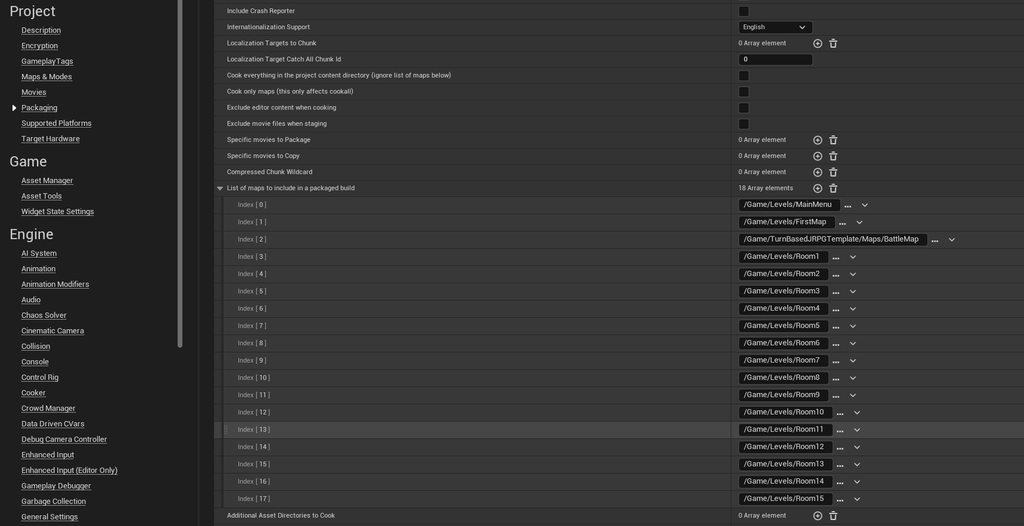 open garden
dark drum
It makes sense, so the multi line trace can return multiple objects while the si...
open garden
dark drum
It makes sense, so the multi line trace can return multiple objects while the si...
Hm.. I suppose that makes sense
Priority is to hit the Blocking object
For Multi you get extra hits, so you can also hit overlap
If only there was a trace that can get all overlaps and blocks without having block blocking subsequent overlaps
lunar sleet
heady mason
My main menu map is black when packaging my game, but works in stand-alone and e...
Give it a minute
It’s probably still loading
Which means you need a loading screen
heady mason
It should load instantly, it's as tiny as the default level - I let it sit for 2 minutes and still nothing, I don't think thats it
lunar sleet
Yeah fair enough no idea then
heady mason
Thanks tho!
maiden wadi
heady mason
My main menu map is black when packaging my game, but works in stand-alone and e...
Is all of that stuff on the mainmenu Map?
maiden wadi
Have any camera fades or anything?
heady mason
Yes good question, I disabled it to see if it was my widget fade animation but it's not. No camera tricks no
maiden wadi
On a side note. I recommend not doing the list of maps to cook. AssetManager settings should handle that for you.
Won't be your issue here though, the map missing in packaging isn't applicable since it fixes after going back to it.
 flat grove
barren tangle
flat grove
barren tangle
Can you show me this entire blueprint?
I need blueprint that can be combined with vertex animation to create crowd, can blueprint do this?
Thanks
 waxen quarry
wise ravine
Is it OK to run this on Event Tick?
waxen quarry
wise ravine
Is it OK to run this on Event Tick?
Maybe you should start and stop the shake when movement begins and ends rather than running a check per frame
 neat sinew
Hello, I have two montages, one playing on upperslot and one on default slot. Im trying to use layer blend per bone to play them at the same time. The problem is that the second montage always interrupts the first one, even though the slots are different? So the first one will never get played. Has anyone else dealt with this?
faint pasture
thin panther
bp isn't meant for heavy work. It's a light gameplay language for designers to u...
What's the slowest, Haskell?