#blueprint
1 messages · Page 190 of 1
 somber elbow
 hollow cove

 hollow cove
mhm are you getting hit multiple times
hollow cove
ive never used the launched event, i assume its only possible to trigger it while youre on the ground or?
hollow cove
oh youve got the false instead of true...
 hollow cove
are you sure current velocity is correct?
we usually use this node on characters

then youd just split and get the z value
hollow cove
very strange. try adding this before reversing perhaps? struggling to figure out why itd be doing that assuming that launched is only triggered once

oh i see
you notice it worked on the first couple jumps but when it didnt have enough time between jumps it did that
somber elbow
idk its just constantly blinking
hollow cove
yeah so you need to sort of cancel the current blink and reopen the eyes as it hits a new launch
hmm
somber elbow
why i cant just check every frame if its jumping or not then check if the timeline is playing and if not play the timeline
i tried to do it in event tick
but thats not right as i understood
its just so complicated and i have never used these nodes before
for such a simple thing

 somber elbow
im trying
hollow cove
could be this for simplicities sake
it does mean that itll cut to the start where the eyes are fully open whenever you hit a new bouncing thing though
should look natural in the context?
hollow cove
somber elbow
im trying
right click add new key
then select the dot and top left is the time and value
 warm olive
Hi, I created a blueprint that makes a chain. Everything is done in the construction script, including adding and configuring the physics constraints. It's almost entirely working, but it seems that no matter what I try, the chain stretches and jumps around.

I want the chain to swing and move when interacted with, but I don't want any stretch in the physics constraints. Any ideas I what I could do to fix this?
somber elbow
@hollow cove
hollow cove
play from start
if you play its playing then when its at the end youre telling it to play but its already finished
 abstract pebble
the print string is for inputs of the do not = and the output of the do not =. it works properly for every single input until 33.333 and then when both are 33.333 it still is outputting that they do not equal the same. could someone explain why this might be happening?


 somber elbow
hollow cove
if you play its playing then when its at the end youre telling it to play but it...
somber elbow
hollow cove
if you play its playing then when its at the end youre telling it to play but it...
yep, it works! Thank you Olie.
The sad thing is that i still dont understand the global approach. Now i should implement the biting and i will have to deal with the time line again. Its just another morph target there.
hollow cove
abstract pebble
the print string is for inputs of the do not = and the output of the do not =. i...
try using nearly equal, this is probably just floats being dumb
hollow cove
somber elbow
yep, it works! Thank you Olie.
The sad thing is that i still dont understand th...
are timelines confusing you or? It's just basically event tick for x amount of seconds that you set. it also outputs the float value at that time. so if your timeline is 2 seconds and the float is a linear line from 0 to 1 at 1 second the float value will be 0.5.
somber elbow
yeah
hollow cove
okay i should stop procrastinating, good luck
abstract pebble
hollow cove
try using nearly equal, this is probably just floats being dumb
that worked! i didn't know that node existed, thanks :D
hollow cove
👍
somber elbow
Thank you so much dude
 lunar sleet
Floats being dumb
AKA floating point error? 😀
 eager thicket
How do I remove two of the decimals points on a number like 0.142? So it prints 0.1 instead?
 flat coral
- Why does autocomplete "helpfully" show Equals as an option for this pin type when it's not a valid connection?
- Before I write a dumb hack I shouldn't have to write, is there a "right way" to compare data table row handles?

Like this is just straight-up lying. That action does not take that type.

 maiden wadi
eager thicket
How do I remove two of the decimals points on a number like 0.142? So it prints ...
maiden wadi
eager thicket
How do I remove two of the decimals points on a number like 0.142? So it prints ...
ToText parameters
maiden wadi
flat coral
1. Why does autocomplete "helpfully" show Equals as an option for this pin type ...
- UE5's math nodes suck.
- Not in BP. Just make a bp lib that breaks them and == the datatable and rowname.
lunar sleet
maiden wadi
1. UE5's math nodes suck.
2. Not in BP. Just make a bp lib that breaks them and ...
you mean ToString , == String is not proper design? 🙃
can you even convert an item row to string? prly not? 😅
maiden wadi
String?
flat coral
maiden wadi
1. UE5's math nodes suck.
2. Not in BP. Just make a bp lib that breaks them and ...
I've since realized I'm dumb, my item data tables are static per-level for unrelated reasons so I just need to compare name anyways.
lunar sleet
maiden wadi
String?
you made me question whether I typed the word correctly for a second there lol
flat coral
lunar sleet
can you even convert an item row to string? prly not? 😅
With the power of JSON you can convert damn near anything to a string
Now, whether you SHOULD, that's a different question 😛
 maiden wadi
But where do strings come in?
flat coral
Behold!
 lunar sleet
idk, I thought maybe you can convert the actual row to string format, but haven't really dabbled with DTs that much to see if that's even valid. was half joking
flat coral
lunar sleet
idk, I thought maybe you can convert the actual row to string format, but haven'...
The row itself is just a Name so that's easy. But the problem is the Data Table reference, which is just an object reference.
lunar sleet
ah
flat coral
Which CAN convert to string, but that's one of those things which is simple to do, and also easy to fuck yourself with if you don't understand what that actually means.
maiden wadi
But why not just == the datatable pointers?
 pearl compass
eager thicket
How do I remove two of the decimals points on a number like 0.142? So it prints ...
pearl compass
eager thicket
How do I remove two of the decimals points on a number like 0.142? So it prints ...
something that could work.
 flat coral
maiden wadi
But why not just == the datatable pointers?
flat coral
maiden wadi
But why not just == the datatable pointers?
In theory I could, but there was some pretty complicated searching code I was writing for something else and I realized if I accepted the limitation of one item data table per level, it would get 10x easier to write
and i didn't REALLY have a good reason to preserve the ability to have multiple item data tables per-level. I don't have that many types of items anyways.
maiden wadi
Data Assets. 😄
abstract pebble
what yall think about my bp?
 maiden wadi
pearl compass
something that could work.
maiden wadi
pearl compass
something that could work.
 flat coral
abstract pebble
what yall think about my bp?
flat coral
abstract pebble
what yall think about my bp?
 abstract pebble
 abstract pebble
flat coral
abstract pebble
flat coral
XD
flat coral
Part of me thinks you did this on purpose. Took a BP that was already a little fucked and just moved a few nodes to make this rats nest for the meme
flat coral
Like this stuff in the corner proves you know where the Q key is at least

I mean, it doesn't ALL work. Some of these nodes are for sure connected to nothing.
 lunar sleet
the majority of the time you will spend programming is reading code not writing it
abstract pebble
few times i set up stuff to try and fix issues but then give up temporarly and leave the nodes there
maiden wadi
abstract pebble
what yall think about my bp?
You seem really stuck on this topic.
#blueprint message
lunar sleet
so if you make it illegible you're going to have a hard time
abstract pebble
lunar sleet
so if you make it illegible you're going to have a hard time
idk what i was making was so complicated i couldn't even find a way to make it have a clean readable stucture so i just gave up and let it be a mess
a bit of a excuse tho, i didn't try very hard to organize it
lunar sleet
I find it a lot easier to organize as I write rather than try to reorg later
warm olive
If this isn't the correct forum for my question, can someone point me the right direction? I've been trying to solve this problem for days, read all the articles I can find, official docs, watched every video on physics constraints on youtube...Nothing seems to help, and it only seems to happen when the chain is made with a BP, I can reproduce the same chaing manually in the viewport and it works fine...
flat coral
lunar sleet
I find it a lot easier to organize as I write rather than try to reorg later
I actually kinda do the opposite.
lunar sleet
flat coral
I actually kinda do the opposite.
provided it works for you and the end result is not that screenshot they posted, 🤷
flat coral
Though the exception is like... "assuming a function"? I forget the actual CS term for it. Where you stub a helper function to just move on from that with the larger function, and then implement it later.
lunar sleet
flat coral
Though the exception is like... "assuming a function"? I forget the actual CS te...
yeah ik what you mean, tho I don't really do that
flat coral
warm olive
If this isn't the correct forum for my question, can someone point me the right ...
Physics constraints are tricky tbh
When you add them via viewport they start with a lot of sane defaults that you don't get when you create them in code
flat coral
warm olive
If this isn't the correct forum for my question, can someone point me the right ...
I dunno if this'll be helpful for you, but here's the code I'm using to attach a newly-created physics constraint to an actor (the end result here is like a sticky spider web which "grabs" an actor when it collides)

The reference position shit in particular is a real "gotcha"
 sinful topaz
Can someone please help me with something? I want to transfer a vector variable from one BP to another and I am very new to this stuff. I tried it with casting but it doesnt work, it doesnt transfer the vector data. Is there an another way to do this?
maiden wadi
sinful topaz
Can someone please help me with something? I want to transfer a vector variable ...
To help you, it would require an understanding of what these two actors have in common and the requirements for the transfer. EG getting an actor globally can work, but it's not so great if you just want something to happen when two things are nearby. In general I would recommend sitting through this. https://www.youtube.com/watch?v=EM_HYqQdToE

Announce Post: https://forums.unrealengine.com/showthread.php?101051
This Training Stream takes a look at Blueprint Communication. We find that Unreal Developers of all levels can sometimes struggle through the concepts behind moving data between objects. So in this video we'll take a look at the different ways to make Blueprints talk to one an...
warm olive
@flat coral I thought that the Constraint Reference Position and Constraint Reference Orientation were set by the Add Physics Constraint Component. Is that incorrect? The Unreal docs don't seem to cover this very well. I'm creating the mesh component, the physics constraint, then setting the constrained components, based on the gizmos, the position and orientation appear to be correct. And you are setting in two frames, which I'm not, but also isn't when configured manually, or am I missing something?
flat coral
warm olive
<@187795234615328768> I thought that the Constraint Reference Position and Const...
I mean, they're set auatomatically, but from what I found they were not set to sane values.
Let's back up, what's the problem you're running into?
I beat my head against these things for a LONG time to get the results I wanted. You're right about one thing for sure, the docs suck
warm olive
@flat coral The constraints stretch. The links start out in the correct location, but when gravity kicks in a runtime, the they settle correctly and then the links appear to stretch apart elastically, then snap back, causing the chain to jump.
 dawn gazelle
eager thicket
How do I remove two of the decimals points on a number like 0.142? So it prints ...
dawn gazelle
eager thicket
How do I remove two of the decimals points on a number like 0.142? So it prints ...
ToText (float) has settings on it that allow you to specify how many decimal places you want.
warm olive
The constraints look like this when they're spawned, which looks like what I expect, relative to the meshes:

 outer quail
Why does this keeps crashing my ue5? When initially run there is no problem, but once the value updated triggered, it will crash ue5. This is widget blueprint
 maiden wadi
What does SetRenderTransformAngle call?
outer quail
the pointer
 maiden wadi
Oh, on UWidget, yeah.
flat coral
outer quail
Why does this keeps crashing my ue5? When initially run there is no problem, but...
Wait, is setting Pointer Angle triggering Value Updated in an infinite loop?
maiden wadi
Unlikely to cause a full editor crash.
outer quail
flat coral
Wait, is setting Pointer Angle triggering Value Updated in an infinite loop?
It supposed to update only when the bind event to value updated is triggered, maybe I did it wrong
because without the bind event to value updated, its not updating the angle when the rpm value is updated
flat coral
(I'm actually with Authaer on this one, I've gotten actually useful error messages any time I made a loop like that before. It's just the only theory I can think of)
 pastel garnet
outer quail
because without the bind event to value updated, its not updating the angle when...
pastel garnet
outer quail
because without the bind event to value updated, its not updating the angle when...
are you sure the actor is valid when you bind to it?
lunar sleet
should be getting an accessed None usually but an isValid check wouldn't hurt there
flat coral
What if you just don't set the pointer angle variable at all? If you separate the SetRenderTransformAngle node into two cases, you can just pipe the pointer angle right in without storing it first
 thin panther
abstract pebble
few times i set up stuff to try and fix issues but then give up temporarly and l...
thin panther
abstract pebble
few times i set up stuff to try and fix issues but then give up temporarly and l...
you do appear to be dragging wires across events though, especially function return values, which is a no-no
outer quail
 maiden wadi
Do you get any sort of crash log?


 final berry
Am I correct to say that dividing an uneven int using this node always results in a floored int? i.e. 7 is always 3 and 11 is always 5?
 warm olive
@flat coral
 quaint fable
Hey there. I'm trying to get this stamina system to work. When I sprint, the bar goes down, but when the bar is empty I am still able to sprint. Can anyone show me what I'm missing here? Please hold for screenshots
thin panther
final berry
Am I correct to say that dividing an uneven int using this node always results i...
yes.
warm olive
OK, I lied. I tried this chain and anchor made manually and found that if you're actually paying any attention, the link is clearly jumping around on the anchor (the anchor has no physics sim enabled). The only reason it's not as obvious is because there's only a few links. The more complex the chain, the more noticeable this becomes. But it's always an issue, apparently. So, I've been trying everything I can think of, but the jump/jitter seems to be a constant.
final berry
thin panther
yes.
Do you also know why? Why not Round, why Floor? 🤔 I mean 7/2=3,5 is usually 4, no?
thin panther
because it's an integer, you don't round it.
If you're asking how many times 2 goes into 7 wholly, it's 3
An integer has no concept of a decimal place.
quaint fable

 thin panther
If you wanted to split 163 grams of flour into 40 gram portions, you couldn't invent an extra 37 grams, you'd have 4 portions and 3 grams to go back into the bag.
final berry
Crystal, thanks 🙂
thin panther
np!
 slender dagger
quaint fable
slender dagger
quaint fable
try plugging the ongoing into the first branch where you check the stamina
quaint fable
slender dagger
try plugging the ongoing into the first branch where you check the stamina
I'm not exactly sure what you're referring to
 steel star
im having issues with SpawnActor node not seeming to know when it is overlapped. the thing being spawned, and the thing spawning it both have static mesh collision components, and i also gave them collision shapes too, but maybe my settings for those are wrong? what is it that counts as blocking, when spawning?
slender dagger
quaint fable
I'm not exactly sure what you're referring to
 quaint fable
ohh lol yeah, thank you. let me see what happens
quaint fable
slender dagger
Nothing happens
slender dagger
wdym? Like the sprint doesn't start?
quaint fable
slender dagger
wdym? Like the sprint doesn't start?
the sprint starts, but when I'm supposed to run out of stamina, the player continues sprinting
slender dagger
I'll have another look at it, but see what happens if you change the triggered to started and keep the ongoing in
quaint fable
slender dagger
I'll have another look at it, but see what happens if you change the triggered t...
Nothing
slender dagger
try having a look at the execution flow while it's running, I think you might not need that first branch as well btw, but that shouldn't be what's causing it
you could also breakpoint it when the sprint stops
oh wait I know what it is
It's because when you set your stamina to 0.0 it still returns it as true
quaint fable
so i would want it to read when the percentage of the stamina is at zero, yeah?
slender dagger
change the check to less than or equal to 0.0 and change the true and false around
slender dagger
quaint fable
so i would want it to read when the percentage of the stamina is at zero, yeah?
no it's just you've used the wrong operator to check the value
because it's clamped to 0.0 it doesn't go any lower, and when you check the stamina value it still returns 0.0 as true because it isn't less than 0.0, it's equal
quaint fable
It still does the same thing
quaint fable
 slender dagger
have you tried waiting for a couple more seconds? I think your delays might be causing it
if it's 0.1 it will still go down the sprint path after it takes it off
also it might be worth printing the stamina
quaint fable
I'm not sure I follow
I changed the delay times to 0.1. That just makes the stamina bar deplete faster
How can I print the current amount of stamina?
slender dagger
just do event tick print string and then plug the stamina into the text
Then again if it's a stamina bar you shouldn't need that
have you tried breakpointing it to see if it actually gets called?
quaint fable
when I print the stamina, it shows the value correctly, all the way down to zero
what would I breakpoint?
my apologies, I'm still learning
slender dagger
the setting max walk speed to 100
slender dagger
quaint fable
my apologies, I'm still learning
it's alright. No one fully knows Unreal lol
quaint fable
yeah lol it's confusing. would it be break point int?
slender dagger
no like hover over the node and press f9
then play it and keep sprinting and tell me if it ever goes back to it
I can hop in VC if that would be easier
quaint fable
oh im on a mac
slender dagger
right click on it and press toggle breakpoint
quaint fable
yeah, it also happens any time I stop sprinting
slender dagger
yeah it will do that
breakpoints basically stop the game when a certain node is called
so you can see if it's actually being called or not
can you hop into vc and stream it?
quaint fable
no but I can send a screen recording
slender dagger
it's alright, I was just asking because it might speed things up a bit. What's the last node it goes to on the execution chain when you press this when the breakpoint is called?
 quaint fable
I'm not sure if I can press that since I have to click on the viewport in order to control the PC
slender dagger
no i mean when the breakpoint is called it will go back to the graph when it's paused and you can follow the exec chain
quaint fable
It goes to this one first
 slender dagger
yeah it will do, what's the last one it goes to?
quaint fable
looks like it goes to this one last
 slender dagger
oh yeah you might have to just temporarily move them to the side
quaint fable
the delays?
slender dagger
yeah, what this is showing is what happens each tick so obviously the delay will be the last one in that tick
you can put them back in after
quaint fable
When I break the node links on the delays, it goes in a continuous cycle
slender dagger
just keep doing it
you'd get an error if it was an infinite loop
it's just changing the stamina values at that part
I'm checking to see if at any point it heads back up to the "sprint" branch
quaint fable
so far it hasnt. could it have something to do with this?
 slender dagger
I doubt it, your HUD shouldn't be interfering with this from the looks of it
does it go any further
quaint fable
no, it just keep cycling
slender dagger
yeah it's updating the stamina values. What's the max stamina value?
slender dagger
just keep letting it go until it stops and doesn't let you move forward, like how it did when you had the delays in
steel star
Has anyone successfully used the 'overlap handling' options for SpawnActor node?
What are the collision settings needed for this to work? Because right now my actors dont seem to be responding to collision shape components.
quaint fable
slender dagger
just keep letting it go until it stops and doesn't let you move forward, like ho...
It just keeps going
slender dagger
what's the value of the stamina now?
because your stamina refills every 0.001 so it might take a few loops
quaint fable
I set the subtract to 1, and the add to 0
@slender dagger I set this up by following a tutorial. Would it help if I sent you the video? It's a 7 minute video
slender dagger
I mean yeah sure
quaint fable
https://youtu.be/DkrQNrE_XEk?si=qSUa1AwavVptEdQD
It seems like other people had the same issue

In this tutorial, we will be learning how to setup a stamina system with sprinting and regen for your Unreal Engine 5 project using simple techniques. Using this method to update the stamina is a lot more optimized compared to creating a binding as the bindings are called very often but using this method your stamina will only be updated when an...
I might be better off just trying a different way altogether?
slender dagger
the only difference I can see is that he isn't using EIA
but it should work with that regardless
just try unhooking the first branch that checks to see if you're not sprinting and then plug the triggered into the second branch
I don't think this will solve it but I want to see if anything actually changes
also you might want to remove the breakpoint before you play
or just disable it
quaint fable
What do you mean by plug the triggered into the second branch?
Oh, sorry yeah I know what you mean
It gives me an infinite loop
slender dagger
oooooh interesting
quaint fable
Oh and the value of the stamina goes straight from 1 to 0
slender dagger
but it doesn't when the is sprinting branch is there?
quaint fable
Nope
But it does keep the value of the stamina at 1 until I plug the delays back in
slender dagger
what happens if you unplug the ongoing and try both with and without it?
quaint fable
@slender dagger I have to go for now so I'll try that when I get back. Can I DM you?
slender dagger
Yeah sure
quaint fable
Thank you!
slender dagger
I’m gonna set this up in a blank project and really mess around with it to see if I can get a closer look
quaint fable
Definitely! Let me know if it's successful for you. I followed the tutorial step by step
 rose crest
quaint fable
Definitely! Let me know if it's successful for you. I followed the tutorial step...
rose crest
quaint fable
Definitely! Let me know if it's successful for you. I followed the tutorial step...
I can show how it works for me, its replicated so can be simplified, but principals are the same


 valid solstice
anyone know why i dont have this node?
 slender dagger
valid solstice
anyone know why i dont have this node?
slender dagger
valid solstice
anyone know why i dont have this node?
did you follow a tutorial
also what class are you in?
valid solstice
slender dagger
did you follow a tutorial
event graph and yeah i did follow a tutorial
slender dagger
valid solstice
event graph and yeah i did follow a tutorial
no I mean class, like character, pawn, actor, widget etc etc.
but I don't have it either so it's probably something that's set up in the tutorial
valid solstice
slender dagger
no I mean class, like character, pawn, actor, widget etc etc.
but I don't have...
Ah okay
 lethal ocean
Is there a way to keep my player character bp from being deleted when it falls through the map?
steel star
lethal ocean
Is there a way to keep my player character bp from being deleted when it falls t...
that behavior is a setting on the actor, and also on world settings
lethal ocean
steel star
that behavior is a setting on the actor, and also on world settings
Sweet, thanks!
steel star
lethal ocean
Sweet, thanks!
its greyed out for me because i have worlds bound checking also disabled which is ...

 lethal ocean
steel star
its greyed out for me because i have worlds bound checking also disabled which i...
lethal ocean
steel star
its greyed out for me because i have worlds bound checking also disabled which i...
Can I change the action associated with the world bounds check? Like change it from kill to something different?
steel star
lethal ocean
Can I change the action associated with the world bounds check? Like change it f...
no idea, though google found a tutorial on customizing it
lethal ocean
Ok, I'll take a look
steel star
lethal ocean
Ok, I'll take a look
i take that back, it was just a search result title that sounded like it, but was only a forum post
probably if you set a special damage type, you could then handle when it occurs
lethal ocean
That seems to be the way to go, I'll see if I can get that to work. Thanks again!
 bleak furnace
Howdy folks, I'm trying to access a gameinstance subsystem in an Editor utility widget on pie start - but my subsystem keeps coming back as null. When I use this same logic in an actor BP in the level it works correctly - is there some trick to getting a gameinstance subsystem in a utility widget? I tried delaying the call incase the logic seemed to be loading before the subsystem, but that didn't work either.

 silver garden
Can you change a GameMode dynamically on runtime?
Based on some data stored in the GameInstance, I want to, on Level load, change the GameMode to that particular level.
Say for example, you have options in the main menu, "Last one standing" and "Deathmatch". I would like to change the assigned GameMode based on the player's choice.
Edit: Or do I have to create duplicates of the level and each one have its own GameMode?
lunar sleet
silver garden
Can you change a GameMode dynamically on runtime?
Based on some data stored in t...
No, it’s tied to the level afaik
But what it sounds like is you just didn’t set that particular level to the correct game mode to begin with
But if it’s the same map maybe you can somehow do it through cpp?
Not bp anyways
silver garden
lunar sleet
No, it’s tied to the level afaik
Apparently you can do something like this, but uff...
 steel star
neat
silver garden
silver garden
Apparently you can do something like this, but uff...
Okay, yeah, that is definetly the way to do it. It is sketchy, but with some good organization and proper setup/architecture, it could work neatly.
Awesome
 merry chasm
@steel star What sunlight intensity would you use?
The range is large, from 10 to 120K.
steel star
merry chasm
<@309389765516591107> What sunlight intensity would you use?
id say default, if not already. then see if adjusting it even accomplishes what you want.
 dusky cobalt
What could I use to create effect of a circular progress ''animation''. Material, Animation with timeline? I would want to call to this thing with event dispatcher and update it's progress. Could I put it on a decal? Or maybe Niagara? If anyone has any tutorial that could give me any ideas I would appreciate.
 steel star
dusky cobalt
What could I use to create effect of a circular progress ''animation''. Material...
steel star
dusky cobalt
What could I use to create effect of a circular progress ''animation''. Material...
https://youtu.be/BgOAbAdi8f0?si=UNi9mF8gLPSufsw8
Says its 5.0 but its from 2 years ago so its probably lying. Probably doesn't matter though
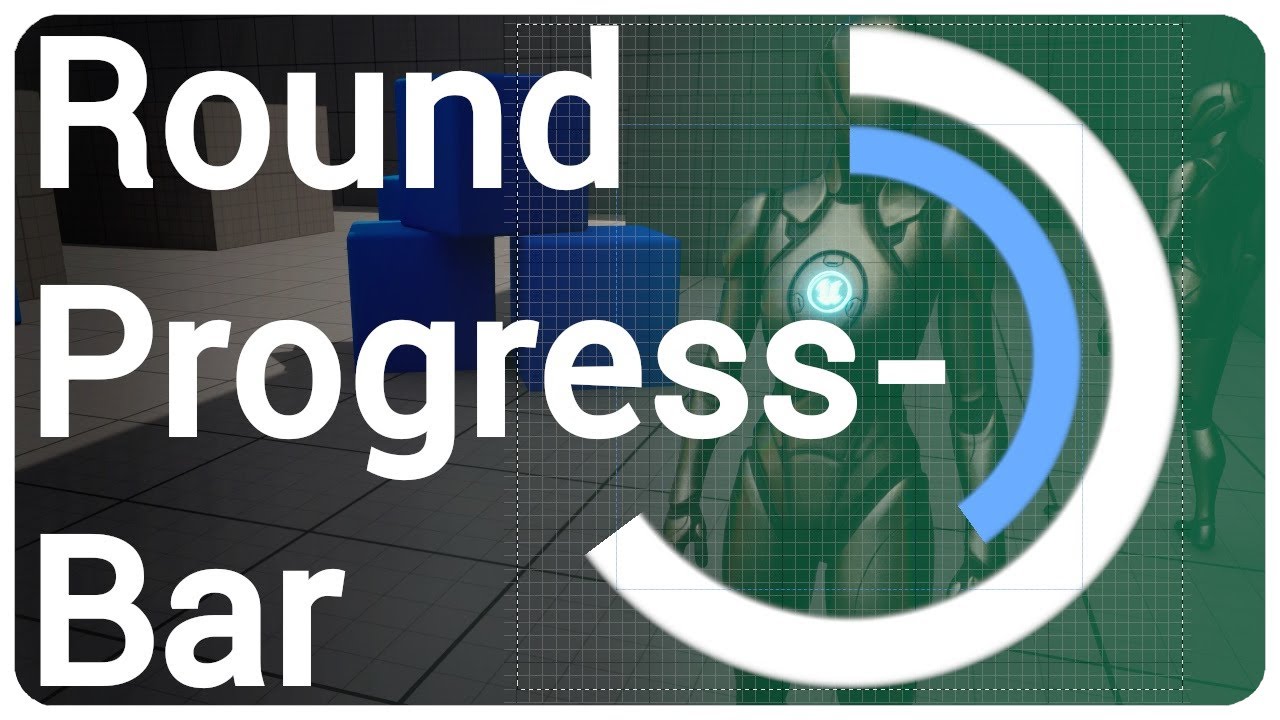
Check out my inventory system:
🌿https://www.unrealengine.com/marketplace/en-US/product/multiplayer-inventory-drag-drop
I show you how to create a radial progress bar and create a function to easily change the percentage in realtime.
🔷💬Join my discord server https://discord.com/invite/eX3p5q6
00:00 Intro
00:13 Material
05:56 Blueprint - Set P...
dusky cobalt
steel star
https://youtu.be/BgOAbAdi8f0?si=UNi9mF8gLPSufsw8
Says its 5.0 but its from 2 yea...
Looks good, do you think I could use it on a decal? I want it to be on the ground in world. I will check it out but maybe you already see that it's reusable in more places than widget?
steel star
dusky cobalt
Looks good, do you think I could use it on a decal? I want it to be on the groun...
so just based on scrubbing through the video, i see that he has a material for it
dusky cobalt
Ohh, I think I see and it should work, I will just create material instance on the actor and then call to update the progress, lovely!!
steel star
dusky cobalt
Ohh, I think I see and it should work, I will just create material instance on t...
it does look like its not actually textured though, so its like hard edge circles
anyway this has an actual tutorial so do that, if it works
dusky cobalt
steel star
anyway this has an actual tutorial so do that, if it works
you typed good keywords because I didn't know what to look for, looks like there is a lot of tutorials but I couldnt find them xD thank you a lot!
steel star
my search was "unreal engine progress spinner"
dusky cobalt
https://www.youtube.com/watch?v=Xtk3v3-fFcI&ab_channel=YourSandbox I think this one gonna be fire, it usess texture.

In case You want to support my stuff, please visit my Patreon page:
https://www.patreon.com/YourSandbox
Discord Support - https://discord.gg/J8GHEGVSQA
steel star
dusky cobalt
https://www.youtube.com/watch?v=Xtk3v3-fFcI&ab_channel=YourSandbox I think this ...
By the way--how i would personally approach creating a material with some sort of circular animation--is by having a texture with a swirl in its alpha (a radial gradiant) then in the material animate the alpha cutoff, with a fade-in at the edge.
But i see there are some material nodes related to procedurally generating arcs/circles that the first tutorial was using. But that sounds more complex and less useful to me, unless it needs to scale to very large and very small sizes.
bleak furnace
bleak furnace
Howdy folks, I'm trying to access a gameinstance subsystem in an Editor utility ...
figured this out incase anyone is curious, I needed to grab an editor world reference, do a time delay, and then get a game world reference
 dusky cobalt
steel star
But i see there are some material nodes related to procedurally generating arcs/...
dusky cobalt
steel star
But i see there are some material nodes related to procedurally generating arcs/...
Yeah would be best if it actually scaled because every actor can have a bit different radius. Also i'm so bad at materials I think I don't understand what you said in previous message 😄 Ill give it a second thought about doing at least 1 tutorial 😄
 hoary junco
so going off the default point and click game mode, something I noticed is if you click somewhere that you can't go like off the map, instead it just makes you go where you already are, is there a way to redo that where it will try to find the closest movable location to the place you clicked?
 steady thicket
I have an AIController that has a blueprint graph. This AIController is attached to my character blueprint named 'BP_Enemy_Base,' which is a character. How can I get the character reference of BP_Enemy_Base in the blueprint?
 dusky cobalt
If you use On Posseses instead of begin play you get reference to the pawn that owns it and you can cast from there to bp enemy base.
dusky cobalt
steady thicket
I have an AIController that has a blueprint graph. This AIController is attached...
Also make sure to change the class of aicontroller in the bp-enemy class defaults.
maiden wadi
steady thicket
I have an AIController that has a blueprint graph. This AIController is attached...
You've already done that here?
steady thicket
dusky cobalt
If you use On Posseses instead of begin play you get reference to the pawn that ...
I just followed this advice, thank you
But, I'm having problem now with my enemies, since they're detecting each other and attacking them. It should only detect the character and not their own

is there like class to ignore for the Sphere trace for objects node?
lunar sleet
steady thicket
But, I'm having problem now with my enemies, since they're detecting each other ...
#gameplay-ai is better for these questions. You’re better off using AI Perception. There’s a pinned video in that channel that talks about Behaviour Trees but it includes a section on AI perception
 frank locust
is there a way to do something at the end of this macros loop similar to executing something on completed for a for loop?
 lunar sleet
There’s a bAutoRegisterAllPawnsAsSources that needs to be set to false ^
frank locust
Wait, neo from the unreal forums?
frank locust
lol yea nevermind, its a 'community hero' and i mistook his name anyway
lunar sleet
Yeah, I’m no hero
frank locust
Its Everynone, not Everyneo lol
 true vortex
Hey so i have a shooting mechanic set up with do once, then a timer that resets the function to fire again semi auto style but ive noticed that for some reason like the gun jams every once in a while?
I feel like if you spam the mouse click too much it gets jammed up
which doesnt feel great
 subtle shoal
I have two versions of my editor utility blueprint, one that uses Get Asset and one that uses Load Asset to get object references. Both functions are producing null on valid inputs. Has anyone seen this issue before?
 frosty heron
true vortex
Hey so i have a shooting mechanic set up with do once, then a timer that resets...
frosty heron
true vortex
Hey so i have a shooting mechanic set up with do once, then a timer that resets...
A timer will reset the tine again if it's called again before the time expire.
Why not have like a cool down inside the weapon?
The weapon should handle it self if it can fire or not. You can keep clicking and request to fire but the fire only gets executed if conditions are met (not in cool down, not empty, etc)
 astral wyvern
I have an input asset that gives me a vector 2D. And my player has some states, and I want to use those values differently (or even ignore them) based on those states. Is there a way to do that?
steel star
true vortex
Hey so i have a shooting mechanic set up with do once, then a timer that resets...
what you want is probably a delay node not a timer
frosty heron
astral wyvern
I have an input asset that gives me a vector 2D. And my player has some states, ...
Switch statememt on your enum.
astral wyvern
I have that for the different states
But the thing is, say I press A or D (horizontal), it works
If I press WS, it also works
I the case where I press WS, I want it to do something else
Depending on the context (player state)
frosty heron
Shouldn't you get different values when pressing WS
You can check the value and do something accordingly.
For movement, you would probably get something like
0,0 1,0 -1,0 0, 1 and so on
steel star
well, holding both opposing keys would negate each other so the axis value would be zero
however hes unlikely to be actually handling input in a blueprint like that
if what you need is the actual key states not some cute vector, bind to the individual buttons as bools, and do all the work yourself
frosty heron
steel star
well, holding both opposing keys would negate each other so the axis value would...
Yeah, if you press a and d at the same time, you wouldn't want your character to move? Or maybe some people do, I dunnoe
 dim halo
will an aic override the owner reference in a spawn actor node. i.e if i set the owner for a spawned actor to be self will it always be overidden by the aic or is there a way around this
astral wyvern
steel star
if what you need is the actual key states not some cute vector, bind to the indi...
Can you link me a resource for this? I’m not familiar
frosty heron
dim halo
will an aic override the owner reference in a spawn actor node. i.e if i set the...
What is aic?
dim halo
frosty heron
What is aic?
A ai controller
frosty heron
dim halo
A ai controller
Have you actually checked if it's override? Do a print string on owner
frank locust
Few questions, main goal is to set my spawns at each of the 4 corners of the produced grid no matter what width and height is give so I could then set up randomized paths from those spawn points to the 'homebase' at the center. I knew I would need help setting up the pathfinding in blueprints, but i had no idea setting up the spawns at te corners would be so difficult. it wasnt as simple as using the 0-1 phase to track what tile was being placed, and does multiple branch statements in blueprints drastically slow down compile times?
 dawn gazelle
frank locust
Few questions, main goal is to set my spawns at each of the 4 corners of the pro...
dawn gazelle
frank locust
Few questions, main goal is to set my spawns at each of the 4 corners of the pro...
Compile times aren't really a concern. Runtime performance could be. That said, banches themselves aren't really so much the problem as what could be being used to determine the logic to branch.
Like a bool connected to a branch is simple as it's almost like you're checking a single bit if it's on or off. If you have a ton of math and calculations that then lead you to a true/false, then all that math could be problematic at runtime, especially if it's done frequently (like on fast timer or on tick) or even hundreds or thousands of times within a single frame.
What you have overall looks fairly simple for your branches.
But, one of the problems you would definitely have is that you're using == with floats.
Floats are notorious for not being accurate.... You're better off using "nearly equal to"
frank locust
dawn gazelle
What you have overall looks fairly simple for your branches.
yea i just had to relaunch the editor, everytime i would make changes to the >= checks compiling would take forever, and when i changed the row and column amount the engine pretty much hung up. but it seems to running fine now. but yea with those == checks, even if they arent dead on, the position i was expecting the resulting placement of the spawner was still way off when i used .25 and .75 but .00 and .99 did work for the first and last corners no matter what size i made the grid
 late gorge
is it possible to easily put the engine into 'frame-by-frame' mode? i want to see an animation play out in the game frame by frame for collision purposes to see if it's failing because the mesh is just moving too quickly or something else is the problem (collision detection is based on a repeated event firing traces, not collision of meshes itself)
lunar sleet
late gorge
is it possible to easily put the engine into 'frame-by-frame' mode? i want to se...
Breakpoints
For animation idk tho
late gorge
lunar sleet
Breakpoints
i've tried that, it really doesn't help since the visuals don't render
this is the best i can get with a 0.015s setup, going even lower on the delay is not helping anything (just above 60fps which is 0.01666 iirc)

that blue line is where it would ideally be hitting, but when the swing gets going, it just goes too fast
i would prefer not to have to swap to a collision-based approach since it's critical code and wouldn't want to spend a week or two on this :\
lunar sleet
I think sweep does the collision between points check for you no?
late gorge
 spark steppe
set the time diletation to something lower!?
spark steppe
set the time diletation to something lower!?
that doesn't change how it's gonna work in the end
only idea i have so far is to keep a history of points every tick and increase the fidelity of the collision check
or some other mathy solution to increase the fidelity
but again, looking for clean and simple if possible
note game is singleplayer, replication is not a factor
lunar sleet
Still not sure what the failure is
late gorge
the blue line is what it should ideally be hitting
it's very inconsistent in actually hitting enemies
that furthest out line of traces should ideally be a circle
not a jagged line
well every line of traces
is my only realistic option to actually just attach a collision to the mesh? coz that's a nightmare for other reasons
:/
lunar sleet
late gorge
is my only realistic option to actually just attach a collision to the mesh? coz...
Such as?
late gorge
the collision setup as a whole is completely busted, 3 tons of duct tape doesn't begin to be enough to hold it together
(i was not the one setting it up)
you add a collision to the weapon, the player begins flying 😂
and not in a controlled way
anything other than improving the fidelity of this check is basically weeks of refactoring
lunar sleet
late gorge
you add a collision to the weapon, the player begins flying 😂
There are collision channels
You can make the weapon and player ignore each other
late gorge
yeah... and there's a lot of code i'd have to change if i added a new one
see above
weeks
lunar sleet
A new what ?
late gorge
a new channel
the existing collision channel that's used would have to get cleaned up
suffice it to say it's set up wrong from the beginning, aight?
character capsule is freaking pawn if that gives u any indication 😂
lunar sleet
I mean, refactoring is life, but I can understand not wanting to spend weeks to fix something
Tbh I deal with collision-based issues daily lol
late gorge
yeah overall it's not too big an issue, the setup is stable, but there are some really whacky edge cases that i'm tackling now
afaik actual collision components do sub-frame checks right
so it should work in theory?
lunar sleet
Couldn’t tell you 😅
late gorge
i mean i don't see collision components just randomly go through walls just cause they go... fast... ish
late gorge
if they go real fast then yeah, they'll phase right through
but not at the speeds of these animations
lunar sleet
Hit detection is iffy at high velocities. Overlap is better if anything
late gorge
yeah i mean it wouldn't be blocking collisions
not going for ragdolling or anything
aight, guess im strapping in for a fun ride :(
gotta fix up stat scaling and this ahead of combat design 😂
or rather combat tuning
already got a design, just gotta tune in the numbers and the attacks to connect properly
 hallow wyvern
Aquarium of power
Salute, please tell me how to create:
only that part of mesh 1 is visible, which is located inside the volume of mesh 2
I created two materials for meshes and a material for PostProcessVolume
It seemed like it would work, but no, maybe you know another way, or see my mistake
Thank you very much to the enthusiast who responded ✍🏻


 lunar sleet
hallow wyvern
Aquarium of power
Salute, please tell me how to create:
only that part of mesh...
lunar sleet
hallow wyvern
Aquarium of power
Salute, please tell me how to create:
only that part of mesh...
Try #materials
 balmy viper
Does anyone else have a problem when debugging loops, where if you have a breakpoint inside the loop body, and hit 'continue execution', it does not break on any further loop iterations?
balmy viper
Hitting either of the circle buttons skips the rest of the loop iterations. Can't be just me, surely
 lunar sleet
balmy viper
Hitting either of the circle buttons skips the rest of the loop iterations. Can'...
lunar sleet
balmy viper
Hitting either of the circle buttons skips the rest of the loop iterations. Can'...
Try the right arrow? 🤷♂️
rose crest
F10 or F11
balmy viper
those only step one node at a time
I wanna run til the breakpoint is hit on the next iteration
that's what breakpoints are for
lunar sleet
Or sorry second down arrow
lunar sleet
balmy viper
that's what breakpoints are for
Really? 🙂
balmy viper
responding to the f10 f11 guy 😉
dusky cobalt
Is there any faster way to get ''values'' from map if I know that the map will only have 1 key all all times, the key may change though or maybe I should just put key to be default 0 and use values since they are mostly what I care about. I guess no.
 balmy viper
lunar sleet
Or sorry second down arrow
balmy viper
lunar sleet
Or sorry second down arrow
Actually the last arrow (Alt+Shift+F11) more or less works, so crisis averted
lunar sleet
balmy viper
Hitting either of the circle buttons skips the rest of the loop iterations. Can'...
Haven’t had this issue tbh, maybe restart engine for sanity check?
Weird, that’s step out of
balmy viper
it's still a bit weird though, quite different to debugging c++ in vis studio
 dark drum
dusky cobalt
Is there any faster way to get ''values'' from map if I know that the map will o...
dark drum
dusky cobalt
Is there any faster way to get ''values'' from map if I know that the map will o...
If there's only ever going to be one entry in the map it sounds like it's not a map you need to be using.
rose crest
I can't see option to skip until next debug breakdown
 thorn yacht
Hello everyone! (reposting that message from the #ue5-general )
Recently I started to have issues with my packaged ue5 game.
I send it to several people to test it out, and some of them just couldn't play it because main level wouldn't load. There is a main menu screen with button that just opens certain level. When they press it, they encounter infinite loading screen, and in the task manager the game is 'not responding'.
The logs doesn't show up any errors or any useful information about level loading.
My questions: have anyone encountered the same issue, and if so, how do you solved it? There is any way to troubleshoot issues with level loading?
Thank you in advance for help!
balmy viper
rose crest
I can't see option to skip until next debug breakdown
Normally you would just continue execution, because it would then break again when it hits the same breakpoint, because it's in the same loop .... this is not working as it should
dusky cobalt
dark drum
If there's only ever going to be one entry in the map it sounds like it's not a ...
Lol, right. I can just set the struct... I feel stupid 😄 thanks!
dark drum
thorn yacht
Hello everyone! (reposting that message from the <#846520322642411570> )
Recent...
How are you loading the levels in the menu screen?
balmy viper
thorn yacht
Hello everyone! (reposting that message from the <#846520322642411570> )
Recent...
I haven't had this specifically, but if I were you, I would put in a bunch of tracewrites, to give you an invesigative lead on where the execution is successfully progressing to, and where it is getting stuck
thorn yacht
dark drum
How are you loading the levels in the menu screen?
By 'open level' node
dark drum
thorn yacht
By 'open level' node
You need to show how your loading the level. The nodes themselves work perfectly fine so we need to see how your using them. (also there's two open level nodes.)
balmy viper
does it freeze during execution of 'OpenLevel' node, or is there more execution of your code after that?
lunar sleet
Infinite loading screen…isn’t that a Bethesda “feature”? 😛
thorn yacht
dark drum
You need to show how your loading the level. The nodes themselves work perfectly...
Here is the example of the end of the log which was sent to me. I will open bp and show you screenshot
||[2024.06.27-08.25.03:445][ 41]LogEasyMultiSave: Save Game Data removed for: MySaveGame
[2024.06.27-08.25.03:445][ 41]LogGameMode: Display: Match State Changed from InProgress to LeavingMap
[2024.06.27-08.25.03:445][ 41]LogGameState: Match State Changed from InProgress to LeavingMap
[2024.06.27-08.25.03:445][ 41]LogNet: Browse: /Game/Medieval_Environment/Medieval_Houses_Vol2/Maps/MH_02_Demo_Scene_Day??LoadSaveData=false
[2024.06.27-08.25.03:445][ 41]LogTemp: Warning: PreSetupLoadingScreen
[2024.06.27-08.25.03:446][ 41]LogLoad: LoadMap: /Game/Medieval_Environment/Medieval_Houses_Vol2/Maps/MH_02_Demo_Scene_Day??LoadSaveData=false
[2024.06.27-08.25.03:446][ 41]LogWorld: BeginTearingDown for /Game/HorseProject/Levels/TitleScreen
[2024.06.27-08.25.03:446][ 41]LogWorld: UWorld::CleanupWorld for TitleScreen, bSessionEnded=true, bCleanupResources=true
[2024.06.27-08.25.03:486][ 41]LogStreaming: Display: 0.017 ms for processing 1085 objects in RemoveUnreachableObjects(Queued=0, Async=0). Removed 9 (919->910) packages and 68 (2805->2737) public exports.
[2024.06.27-08.25.03:486][ 41]LogAudio: Display: Audio Device unregistered from world 'None'.
[2024.06.27-08.25.03:489][ 41]LogUObjectHash: Compacting FUObjectHashTables data took 0.76ms
[2024.06.27-08.25.03:492][ 41]LogStreaming: Display: FlushAsyncLoading(63): 1 QueuedPackages, 0 AsyncPackages||
The funny thigs is that for some people (including me) everything works fine, but some of them encountering issue. And it happens for both high- and low- end PC setups x)
dark drum
thorn yacht
Here is the example of the end of the log which was sent to me. I will open bp a...
Do you have ?'s in you're map name?
thorn yacht
dark drum
Do you have ?'s in you're map name?
No..
Here is the evidence x) I think those ?? are just separators for level loading tags
 dark drum
thorn yacht
Here is the evidence x) I think those ?? are just separators for level loading t...
dark drum
thorn yacht
Here is the evidence x) I think those ?? are just separators for level loading t...
How are you handling loading the level?
thorn yacht
Here is the BP code
 thorn yacht
dark drum
How are you handling loading the level?
thorn yacht
dark drum
How are you handling loading the level?
I just sent BP code below
And people encountering level loading issues in both cases : (
dark drum
thorn yacht
I just sent BP code below
I don't know if these are causing your issue but either way. This circled stuff should be moved before you attempt to load the level. From my understanding, load level is blocking so will stall the game until loaded. As you're not level steaming, the current level will be destroyed when the new one is loaded meaning those two nodes won't get called.
 dark drum
thorn yacht
And people encountering level loading issues in both cases : (
dark drum
thorn yacht
And people encountering level loading issues in both cases : (
Also, I'd recommend using this open level node instead of using the name one unless there's a reason to need to use a name to specify the level name.

 glossy cloak
thorn yacht
And people encountering level loading issues in both cases : (
glossy cloak
thorn yacht
And people encountering level loading issues in both cases : (
Does it work fine in PIE?
I'm wondering if your levels aren't being packaged.
dark drum
thorn yacht
And people encountering level loading issues in both cases : (
Other than that, I can only assume there's an issue with the levels not being packaged correctly. (it can happen when you don't use the 'By Object Reference' version. If you need to keep using the by name one, you'll need to check you're package setting to make sure you're map folder is included correctly the relevant maps are packaged.
thorn yacht
glossy cloak
Does it work fine in PIE?
Yeah, and it works well in packaged game for 50 % of people x)
thorn yacht
dark drum
Other than that, I can only assume there's an issue with the levels not being pa...
If levels wouldn't been packaged, then why for some people game works fine?
glossy cloak
Oh okay. Then that's not the issue.
Is it a really large level?
Also is the game multiplayer?
thorn yacht
glossy cloak
Oh okay. Then that's not the issue.
This is quite large level and not multiplayer
glossy cloak
Could it be that some of your players can't run it or their machines are just taking a long time to load it?
Not responding in the task manager is a red flag though...
glossy cloak
thorn yacht
The funny thigs is that for some people (including me) everything works fine, bu...
Oh I missed this message.
Is it happening 100% of the time for the players that can't load it, or only sometimes?
thorn yacht
glossy cloak
Is it happening 100% of the time for the players that can't load it, or only som...
Yes, always : (
thorn yacht
dark drum
I don't know if these are causing your issue but either way. This circled stuff ...
I've done this code according to plugin documentation, but I will try use level reference and shift nodes that way and let you all know if that helps!
dark drum
thorn yacht
I've done this code according to plugin documentation, but I will try use level ...
It might also be worth adding a few print strings just for the logs. One when the button is clicked. 'Starting World Load' and then in the level BP on begin play just add another one called 'World Loaded'.
It might give you a bit more indication as to what is happening if it continues.
thorn yacht
dark drum
It might also be worth adding a few print strings just for the logs. One when th...
sure! I'll do that, package build and send to my people for testing!
dark drum
thorn yacht
sure! I'll do that, package build and send to my people for testing!
If it still happening it could be a sign that there's something happening in the level (most likely on begin play) that is causing the game to stall. If this is the case, you might need to add some addition print strings in places to see whats happening.
thorn yacht
Little update: someone who had that issue with loading just updated the drivers and restarted PC, and after that everything worked (except the fact that level loaded nearly 10+ minutes). Maybe this is techical issue, and there is some kind of bottleneck? But even that seems strange because we both have high-end PCs, and for me game works way better than for her (level is loading up to 5 minutes)
dark drum
Does anyone know if it's possible to double bind to an event dispatcher with the same event?
dark drum
thorn yacht
Little update: someone who had that issue with loading just updated the drivers ...
Oof, even 5 minutes is a long time. Are you using 8k textures everywhere?
thorn yacht
dark drum
Oof, even 5 minutes is a long time. Are you using 8k textures everywhere?
No hahaha But I use large map from marketplace for showcasing assets, and this couldn't turn out to be good x)
 midnight kiln
macros are neutered for not having local variables
 meager igloo
How do I make a thing that checks if an Actor that is hit is the same as the player Actor,
so I can ignore parts of the same vehicle colliding with each other?
frosty heron
Use equal operator
meager igloo
frosty heron
Use equal operator
ah ok thanks :3
cool, my car doesn´t crumble in the middle like a soda can no more when i hit a wall head on x3
dark drum
midnight kiln
macros are neutered for not having local variables
macros do have local var but they're just different to functions.
frosty heron
Cool
dark drum
meager igloo
cool, my car doesn´t crumble in the middle like a soda can no more when i hit a ...
removing features i see 😛
midnight kiln
yeah, they have anonymous variables or whatever they're called, but they're not very useful
macros in general are pretty undercooked
dark drum
midnight kiln
yeah, they have anonymous variables or whatever they're called, but they're not ...
How so? You either need a local var or you don't. Also what were you trying to do?
midnight kiln
you have to drag the pin allllllll the way over to each place it's used in the graph unlike proper local variables
it helps with perf by not reevaluating expressions each time, but if my main goal was perf for this macro I'd use C++. Primary value of local vars in blueprints is organization
meager igloo
dark drum
removing features i see 😛
well it still does when another car hits it from the side, don´t worry xD
dark drum
midnight kiln
it helps with perf by not reevaluating expressions each time, but if my main goa...
The primary goal of local vars is storing temp data while you're performing calculations. Local vars in functions reset every times it's executed, macros retain their value so can be used across different calls.
The only thing that stops me using macros more is that children can't use macros created in it's parent.
Does anyone have any idea while my widget is receiving the event dispatcher call twice?
When it's created it binds to the 'OnQuanityUpdated' event dispatcher on my item object. When it's quantity is updated it calls the event dispatcher so the widget can update itself (and trigger an effect) but for some reason the bound event gets called twice.
Edit: I figured it out. I don't unbind the widget when it's removed. :S
EditEdit: I had another widget bound to the same item object that just wasn't visible (uses the widget stacks) so despite having the same name, they were actually different widgets.


 outer quail
I have a weird issue going on, the packaged game would crash on my computer that I used to make the game, but it run fine on my laptop. The laptop specs is from 2018 while the computer have better specs with rtx3060
 austere mirage
i need help with ue4
thin panther
That ain't a lot to go from
austere mirage
sorry g
so i have a overlap event
it says does not have valid matching component
thin panther
Sounds like the overlap was an event for a specific component, which has since been removed
You want to either add the component or use a generic on actor begin overlap
austere mirage
need a screenshot
frosty heron
Yeah, go post your screen shoot @austere mirage ?
dusky cobalt
Is it ok to call events like that? Because right now it doesn't work. I basically need a delay after setting it to false, so it waits 5 seconds, and after 5 seconds start neutralizing point (each 0.5s) but nothing is happening?
 austere mirage

 south raven
hey everyone I'm trying to make a box collision activate if user presses a button, how can I achieve that? For example there is a box collision on BP already but I want it to be OnComponentOverlap only if user presses a certain key
frosty heron
dusky cobalt
Is it ok to call events like that? Because right now it doesn't work. I basicall...
remember that calling Set Time before the timer expired will reset the time
so if you keep triggering that Set Timer before 5 seconds elapsed, it will never be called.
frosty heron
austere mirage
read the warning (and post it if you want to ask about it)
austere mirage
whats a matching component
frosty heron
post the error log
 frosty heron
you are still cropping tho
the warning message is at the bottom of the blueprint window
 dusky cobalt
frosty heron
remember that calling Set Time before the timer expired will reset the time
dusky cobalt
frosty heron
remember that calling Set Time before the timer expired will reset the time
Yeah, it was the issue. I didn't notice the other event was still calling it, I needed to call Capture Point once (that is what I though I was doing), but I forget to disable other event that was triggering it each 0.5s. Thanks
frosty heron
austere mirage
im using snip
does snip prevents you to post an entire screen?
not fammiliar with the software

 austere mirage
im using ue4
frosty heron
so what
austere mirage
 frosty heron
it's really hard to see what's where when you crop like this
anyway you don't have a matching component for that overlap event
austere mirage
 frosty heron
reason could be that you either delete the component that trigger that event, or you copy paste that from somewhere else.
austere mirage
in my case what triggered the event
frosty heron
See here, there is no BulletCol
 austere mirage
its from a diffrent actor
frosty heron
you can't copy paste the event like that from another actor
hence the error
handle the event collision in what ever actor the component lives.
austere mirage
i dont want to apply damage to my bullet actor
frosty heron
then don't, but I want to take this into the context of what the problem is
You are calling event overlap on component that does not exist in the actor you paste the node in
austere mirage
yes
frosty heron
hence the error because there is no matching component for the overlap event you pasted
 sweet silo
hi there how can i properly hide a character for some time ?
frosty heron
sweet silo
hi there how can i properly hide a character for some time ?
Set Actor hidden in game or you can Set the vissibility
sweet silo
the hierarchy is too complicated to do "hide in game"
 austere mirage
your not speaking the english langunes
frosty heron
sweet silo
the hierarchy is too complicated to do "hide in game"
what's complicated about it?
do you want to hide just some component or do you want to hide the entire actor?
you can propagate the change to childrens
sweet silo
no the entier actor
sweet silo
wdym sorry
 sweet silo
oh ok thanks
frosty heron
in the game view only tho
sweet silo
thanks a lot that's what i was missing
south raven
hey everyone I'm trying to disable/enable collision when user presses key. I've tried to do something like this but for some reaon it doesn't deactivate at all. What I'm trying to do is disable the collision of Capsule collision if player is not pressing a specific key. And activate the collision once pressed the key until released.
 frosty heron
@sweet silo you can also do this
 sweet silo
but ti's only the capsule right ?
frosty heron
Check the option at the bottom where it says Propagate to Children
sweet silo
oh awesome
 storm stream
Is there any option to modify Data Table values in blueprints?
sweet silo
any idea why this wouldn't work in game?
 storm stream
if u want to hide it, make it true
frosty heron
check the vissibility settings
for the component to be visible, it has to not be hidden in game and it also need to be Visible
during play in editor, you can eject from your controller, select the target actor, select it's component then check it's vissibility value.
sweet silo
ok thanks ah ok didn 't know that
frosty heron
storm stream
Is there any option to modify Data Table values in blueprints?
I don't think so, but it's a pure guess. My only experience is changing value of Data Assets in editor, and that one is still possible in blueprint
You mean editor time anyway right? You are not suppose to change DT in run time
they are read-only
storm stream
Eh i want to create some sort of data with game state values. And the problem is that i need a lot of variables in this so arrays is so slow and laggy if i have 10.000 + , data tables is a lot faster so i choose it
and the problem is i cant modify it xD
or at least I don't know how yet
frosty heron
@storm stream I would totally do the heavy operation in cpp 😅
Blueprint and large data don't go hand in hand
 worthy jasper
You can edit data tables at runtime and “refresh” them but it’s really just not a great idea and doesn’t work well. DT are really suppose to be you set them in the editor and read from them
But yeah with that much data of course blueprint is choking haha 😂
frosty heron
Yeah you can, I actually remember doing it by getting the row handle
But that's still in cpp land
worthy jasper
true
storm stream
search through array in cpp with a lot of variables is only option?
worthy jasper
yeah I’ve seen a pack do it but again even in that pack it’s meh
frosty heron
Looping thru array in bp that large is recipe for disaster but I never try it my self
@lofty rapids did tho
And it's 200x faster
storm stream
i tested it and for 10.000 + has mini-lag
worthy jasper
Yeah CPP is generally better for number crunching
storm stream
(blueprints) xd
worthy jasper
Hence the whole use blueprint for what it’s good at and CPP for what it’s good at
storm stream
so its time to learn some cpp
frosty heron
I would say you are dipping your toes to what blueprint is weak at
You should tbh, even knowing some basic will give you advantage
I just started learning my self
But I could do what blueprint can't, there's just soo many feature not available in bp.
You can chose to use blueprint for the most part and cpp just for the part that you need.
storm stream
frosty heron
I just started learning my self
i know some basic stuff so create a event with searching through array should be relative easy for me and expose it for BP but still i prefer only blueprints 😄
frosty heron
Sure, personally tho. My old game is pure bp. I'm not doing that anymore ever again.
austere mirage
sorry @frosty heron for not coparayed i fixed it
 steady night
hey guys i need some help with linetracing
i need to trace faster


im "unpausing/pausing" on anim montage notifier
but 0,001 isent working or i need it to be faster
what are my options ?
frosty heron
@steady night you can't trace faster than your FPS, already give you the option yesterday. Trace Backwards
maiden wadi
Trace along the path instead of at the path segments.
frosty heron
this is one of the way
 steady night
maiden wadi
Trace along the path instead of at the path segments.
steady night
maiden wadi
Trace along the path instead of at the path segments.
so basicly 1 trace along the whole path instead
maiden wadi
Not quite.
steady night
hmm
maiden wadi
Like what Cold posted.
steady night
hmm
frosty heron
You can use sockets imo
When you trace, you also want to trace to the last frame position
maiden wadi
It ends up being more like the green line than the red ones.
 steady night
hmm
maiden wadi
This is also costly though too. So decide if you really want this kind of precision. 90% of games just use a set hit area.
steady night
so basicly save previous trace and trace between that and new
yeah i mean i could just increase the radius of the sphers that would "solve it" but would be fun se it near perfect
frosty heron
With the way you doing it, it's not gonna work on low fps machine
My old game use the same system, everytime I lag, the enemy just dodge my slash
steady night
hm
frosty heron
Just do as authaer illustrate
steady night
hmm
trying to
how would i trace like that :/
traceing from endpoint to end point instead basicly ?
frosty heron
From the visual that I see, it's as simple as tracing back to last frame location
I would use sockets that live in the weapon
 frosty heron
You just build on top of what you have
Implement the backward trace
To compensate for the gap that is left
 frosty heron
What is emf
Also try to grab pen and paper , that usually help formulating what you need
You can translate what you want in plain English to codes/logic
 vale arch
Equipment for measure Elektro magnetic phenomena
When you are closer to ghost emf equipment start light more and more
frosty heron
Event tick, if distance to actor < range
EMFvalue = EMFvalue + (value per second * delta second)
And just subtract if you want the opposite effect when ghost far away
frosty heron
I can't hack it for you, a gacha game I'm playing is pumping new character
steady night
oh since i store it as a local variable it dosent get saved for the next instance right :/?
xD

gues its enough
could lower the "end point and increase radius to make it get the holes inbetween
the first one tho hmm
since it being set the 2nd trace its tracing towards the lateast position how would i clear that :/
vale arch
For me it’s working but I have problem it’s not in real time I have in details default where is Update EMFLevel max detection actor and emf level but I need make it in real time the light changing by how far is the actor
final berry
Hello! I got this matching system which works great, after I do a move it checks for matches by firing a custom event, and removes those etc.
However when (like at the end of the video) if the new gems fall in the place that it instantly creates a match it should also fire that event.
So in summary: What is a good way to check if the board is still/in idle position or however you want to call it. I tried the velocity on z axis, but it seems fidgety, also because of small movement glitches that are happening when rotating the gems (you can see it ever so slighty compress and bounce)
Maybe I should not use actual gravity is now my thought and simulate it by moving gems down till they hit something etc, but then again I like the fluidness of how the new gems are added now 😅
So yea I'm torn, any suggestion would be appreciated 🙂
frosty heron
vale arch
For me it’s working but I have problem it’s not in real time I have in details d...

 thin panther
now that is very confusing. Why one on a phone and the other on the pc 😄
vale arch
I don’t need in details update EMFleve I need to make automated by how far is the actor
How to make the update emflevel set automatic real time ?
 reef elbow
steady night
https://gyazo.com/04cd8b4729901e506acb0dcb2910ac12
reef elbow
steady night
https://gyazo.com/04cd8b4729901e506acb0dcb2910ac12
for me a diagonal sphere trace worked fine, i have the sword, the tip, and a trace from the tip to the next frames bottom vector
true vortex
steel star
what you want is probably a delay node not a timer
I tried that too with a do once to make sure there’s no chance of retriggering the delay and the firing is still not consistent if you click too fast it jams
This is inside the actual weapon blueprint and the mouse click just calls that weapons fire event
frosty heron
you don't really want delay node for gameplay context , especially for firing weapon
 trim matrix
Hey everyone,
I am having an issue with a Mechanic of mine, where the Player spawns an Enemy which runs away from you. If I place the Enemy in the Level, it works but if I spawn it infront of me by pressing R, it wont more at all. Does anyone know why?
astral wyvern
What do you mean by won't work?
trim matrix
The Enemy first freezes
astral wyvern
It won't spawn or it won't have behaviours?
trim matrix
The animation works and it spawns
maiden wadi
Placed in level usually creates an AI controller for it. SpawnActor does not create an AI Controller. So make the R do SpawnAIFromClass.
trim matrix
Its stuck in place as if there was noo nav mesh
trim matrix
maiden wadi
Placed in level usually creates an AI controller for it. SpawnActor does not cre...
I think I used SpawnAIFromClass
maiden wadi
That is usually the main issue with spawning an AI vs dropping it in the map, is that a few spawn methods don't create AIControllers. 🤷♂️
Could try projecting it's spawn location to the navmesh if you're not.
But I'd double check that it's getting a controller.
trim matrix
I have a feeling that the Event might be the problem
I am using a BeginPlay Node
The placed ones react but the ones I spawn after starting the Game freeze
Maybe the ones react to the event that are actually there when it starts?
maiden wadi
Are you using BTs? Or what is the enemy logic running on?
trim matrix
Sorry I dont really know much abt UE Blueprints. Can you specify what you mean by BT?
This is the Blueprint Setup which I have followed

This spawns the ai infront of the Player
 spark steppe
BT = Behavior Tree
maiden wadi
Yeah. So beginplay is the issue here because this character won't have a controller at beginplay when spawned into a level that has already began play.
The reason being...
Place actor on the map:
Map loads pawn
initialization creates controller
Beginplay runs at some point later.
Created after beginplay:
Character is spawned.
Beginplay runs on character.
Controller is spawned
Controller possesses character.
trim matrix
Is there a Event Node that gets the Blueprint to run when it gets spawned/placed in the World while it plays?
maiden wadi
trim matrix
Is there a Event Node that gets the Blueprint to run when it gets spawned/placed...
Beginplay.
In reality though. You probably want to call this chase logic in the... Possessed? event
I don't remember the name specifically. But there's an event that'll run when the pawn has been possessed and it's controller is valid.
 limber dust
is there a math formula or node for getting the angle a character hits something at
dawn gazelle
limber dust
is there a math formula or node for getting the angle a character hits something...
Hit results have an "impact normal" which is a normalized vector. You'd be able to compare that with other vectors (like the actor forward vector, Up vector, Right vector) to get an understanding of the angle.
limber dust
That does help a lot I did not realize one of the 50k hit results was for impact normal lmao
I can get it from here, thank you 👍
 winter totem
Hello, can someone please tell me why this only loops for 3 times instead of 5?

 trim matrix
Any advice to create a overlay like this?
 maiden wadi
trim matrix
Any advice to create a overlay like this?
maiden wadi
trim matrix
Any advice to create a overlay like this?
Unsure which overlay you mean exactly? The green areas?
trim matrix
maiden wadi
Unsure which overlay you mean exactly? The green areas?
Yes, I don't know how to name it
maiden wadi
winter totem
Hello, can someone please tell me why this only loops for 3 times instead of 5?
- Index zero
- You have 5 children. You remove one and have four
- Index one
- You have 4 children. You remove one and have three.
- Index two
- You have 3 children and remove one and have two.
- Index three
- Invalid to run, you only have two widgets
TLDR: Remove things by iterating over the array backwards instead of forwards.
thorn yacht
dark drum
It might also be worth adding a few print strings just for the logs. One when th...
An a update about loading levels: I tried both your suggestions and they do not seem to work : ( I think now that this is an optimization problem, so I tried to use World Partition and load only part of the landscape. And this doesn't work too: loading times are still too slow...
winter totem
maiden wadi
- Index zero
- You have 5 children. You remove one and have four
- Index one
-...
That's not correct tho, I am always removing the first child
Even if I use a For Each Loop and remove child by reference it doesn't work
maiden wadi
winter totem
That's not correct tho, I am always removing the first child
It is correct, and yes, you are.
dark drum
thorn yacht
An a update about loading levels: I tried both your suggestions and they do not ...
how big is the size map for the level?
winter totem
The code works perfectly fine if I just replace getchildrencount by 5
winter totem
maiden wadi
It is correct, and yes, you are.
And the code works in C++ as well ..
maiden wadi
Because you're misunderstanding the logic of the foreach loop. Look at it internally.
Every loop it'll check the input. Every loop it'll check how big the array of children is. Every loop that gets smaller.
winter totem
maiden wadi
Every loop it'll check the input. Every loop it'll check how big the array of ch...
Wait it does that in BP?
maiden wadi
Do remember that those are macros, not functions.
winter totem
It checks input every run?
thorn yacht
dark drum
how big is the size map for the level?
3.8 GB... I guess that's a lot? : |
maiden wadi
It does. This is why I frequently throw a tantrum about Epic not making array output function automatically impure.
winter totem
Huh well that is really weird and makes a lot of sense xD
Any idea where I can look at the code for the foreach loop? I am not very experienced with BPs and just use them for simple stuff
winter totem
maiden wadi
Should open the macro lib it's in.
That's great, thanks a lot for your help! :)
dark drum
thorn yacht
3.8 GB... I guess that's a lot? : |
To load in one go, I'd say so. How long is it taking to load?
 wraith loom
Do I really need to make a macro just to get a reference? Surely there's an easier way to do this
 maiden wadi
What do you mean to get a ref? Most softclass inputs allow you to specify it right on the function.
thorn yacht
dark drum
To load in one go, I'd say so. How long is it taking to load?
1 and half minutes if I use World Partition. But on map with WP size map says "at least 700 MB"
dark drum
thorn yacht
1 and half minutes if I use World Partition. But on map with WP size map says "a...
For the slow loaders, are they running off an HDD or SSD?
thorn yacht
dark drum
For the slow loaders, are they running off an HDD or SSD?
I've asked them just now. But I myself ran the game on HDD and wasn't the one who got game loading more than 5 minutes (when some of them waited nearly half of an hour 😶 )
Yet the test I just made was on SSD (with 1.5 minutes)
dark drum
thorn yacht
Yet the test I just made was on SSD (with 1.5 minutes)
I still feel that's too long. Do you have anything happen when the level loads?
maiden wadi
3.8 gb sizemap is a little brutal too for a map.
Feeling an 8k texture overload there.
I'm also hoping you mean that is sizemap and not the UMap itself file.
thorn yacht
maiden wadi
I'm also hoping you mean that is sizemap and not the UMap itself file.
Of course! I use Virtual texture for map, and all the textures are no bigger than 2k. But the map is nearly 6x6 km..
dark drum
thorn yacht
Of course! I use Virtual texture for map, and all the textures are no bigger tha...
A fully populated with assets 6x6km?
thorn yacht
dark drum
A fully populated with assets 6x6km?
Not quite. Most part is just big mountains that serve as world border. Yet there is some foliage on the main part of the map + some buildings
I know that using map from marketplace was a bad idea x)
dark drum
thorn yacht
Not quite. Most part is just big mountains that serve as world border. Yet there...
can you show a picture? It might be that you need to dig heavily into level partitioning or level streaming but as Authaer said, you'd probably need to profile to be sure.
maiden wadi
Would need a profile to wager what the issue is, honestly. I mean that's a good sized sizemap. But 3.6 gigs shouldn't take over a minute on an SSD.
And yeah. Level streaming is a necessity for any map of that size. It's hugely wasteful to keep that much resident when the player is like minutes travel time away.
thorn yacht
dark drum
can you show a picture? It might be that you need to dig heavily into level part...
I see than I potentionally can just cut out some parts of the landscape, but I'm already tried to use world partition and loading only small chunks. Yet 1.5 minutes to load...
 maiden wadi
IMO I would just run an insights profile. See what is taking that long during the load.
Cook game. Open Insights. Open game. Load map. Close game.
thorn yacht
maiden wadi
IMO I would just run an insights profile. See what is taking that long during th...
Sounds reasonable! I'll try that
dark drum
I need to learn the new unreal insights. I went to use the old method a few weeks back and it wasn't there. lol.
 patent thistle
hello, has anyone made a dialogue system within ue5 and would be able to help a very confused person 😂
 eager python
Anyone able to explain what causes this "static" effect on this mesh? Closest I can find is that it's fixed by switching to non-virtual Shadow Maps, but it sounds like that's also going to lose me some performance. I can't figure out how to fix it so it doesn't mess up in the Virtual Shadow Map.
I guess on the same topic... Are Virtual Shadow Maps even what we want to be using at this point? Or am I grieving my future self by disabling them?
This texture is from the Medieval Dungeon project on the Marketplace.
 thorn yacht
maiden wadi
IMO I would just run an insights profile. See what is taking that long during th...
thorn yacht
maiden wadi
IMO I would just run an insights profile. See what is taking that long during th...
Trouble come out of where no one expected: from the RecastNavMesh...
It's generation set to Static and GenerateNavigationOnlyAroundNavigationInvokers is checked.
maiden wadi
thorn yacht
Trouble come out of where no one expected: from the RecastNavMesh...
It's genera...
Yeah.. we had some issues with early navmesh gen on Red Solstice 2 that Kaos had to fix. Kinda weird that it would cost that much unless you have a ton of invokers though. AFAIK we don't use invokers, just a dynamic nav mesh.
thorn yacht
maiden wadi
Yeah.. we had some issues with early navmesh gen on Red Solstice 2 that Kaos had...
So how do you solved that problem? Because now I have no ideas at all...
 dry sleet
thorn yacht
So how do you solved that problem? Because now I have no ideas at all...
dry sleet
thorn yacht
So how do you solved that problem? Because now I have no ideas at all...
Nav invokers I've known to be pretty bad overall.
I think they changed them a little in 5.4
But previously I believe the advice was not to use them, instead preferring nav mesh streaming.
thorn yacht
dry sleet
But previously I believe the advice was not to use them, instead preferring nav ...
Hmmm... So basically I need to cut one big navmesh into small chunks and then load/unload them when it's convenient?
wraith loom
maiden wadi
What do you mean to get a ref? Most softclass inputs allow you to specify it rig...
Well I want a macro to output a soft class ref depending on it's input. This is the easiest way to get a soft class ref that I've found so far.
dry sleet
I have no idea how it works with level partition actually, we haven't been able to switch to WP yet
I would have thought that it would be a considered feature in WP, breaking up the navmesh
Ask in #gameplay-ai maybe?
dusky cobalt
If I call Get Owning Pawn from HUD, will I get the Pawn that got Possesed by Player Contoller that owns that HUD when player joined game?
 topaz condor
anyone know a solution to remove "Preview" from the shadows casted from lights
beside setting the lights to moveable
trim matrix
I just had to change this omg

 quiet violet
im having a lot of trouble with an ai anim blueprint
 pallid nest
hey guys, what am I doing wrong with this ? My intention is that a progress bar (skill image) changes based on a switch. The switch is fine but the texture is never displayed
 dry sleet
topaz condor
anyone know a solution to remove "Preview" from the shadows casted from lights
dry sleet
topaz condor
anyone know a solution to remove "Preview" from the shadows casted from lights
It's there until you bake the lighting.
You can actually modify the engine material that prints that preview text, though.
1s
Or wait, maybe this suffices:
Hi, If you want to remove the preview watermark when you are in the editor view as you are working this can be easily done. Simply click on the Show tab in the viewport - go to Visualize and untick the Preview Shadow Indicator option.
topaz condor
dry sleet
> Hi, If you want to remove the preview watermark when you are in the editor vie...
yea i did that but when you play the game it shows in the render. ill try baking it and see if that does anything
thorn yacht
dry sleet
I would have thought that it would be a considered feature in WP, breaking up th...
Yeah, it's a feature and it fixed my problem! There is one checkbox in navmesh that should be checked for that to work.
dry sleet
ah awesome
 ivory spoke
I changed the GameState from predefined GameStateBase to Custom GameState. Now my Input and Camera Setup is resettet. So far I didnt change anything at GameState and it was the predefined Class. Any Idea what happens here?
ok if I changed parent class to gamestatebase it works again. does this have any impact?
 onyx cypress
Any idea what am I doing wrong? i want my player character (Im using MotionMatching template) to be teleported when entering the trigger area, but it doesn't do anything
 onyx cypress
It's just the trigger that seems to not work, cause the teleport function, when connected to "On game begin" teleports me straight away, and idk why
frosty heron
onyx cypress
Any idea what am I doing wrong? i want my player character (Im using MotionMatch...
You are in level blueprint.
Check if teleporter have valid collision that can overlap with your character
If you do it on Game Begin then it teleport your straight away, what don't you understand on that bit?
It literary translate to, when game start, teleport me to this X location.
I suggest to read and understand what you are actually dropping to the blueprint graph
onyx cypress
frosty heron
You are in level blueprint.
Check if teleporter have valid collision that can o...
I assure you, it has, i even made it bigger but it makes no difference. I made a simple trigger volume, that's what's being referenced in the level blue print
frosty heron
onyx cypress
I assure you, it has, i even made it bigger but it makes no difference. I made a...
What I mean by valid, is not only the collision exist but it has valid setting to overlap your character.
Post your collision settings for both the character and the trigger.
onyx cypress
Oke, one second :D
That's my trigger

And that's my character

I see, none of the overlap is selected. I'll try doing that first.
Nope, that didn't help sadly.
frosty heron
@onyx cypress select the brush component of the trigger volume and go to the collision setting
You also have no overlap set at all
onyx cypress
 abstract pebble
can someone explain why this is only outputting true when there is a actor placed exactly at the box pos?
 onyx cypress
frosty heron
You also have no overlap set at all
onyx cypress
frosty heron
You also have no overlap set at all
I've set them to overlap but it made no difference, is there something wrong with my brush component in that case?
frosty heron
onyx cypress
I've set them to overlap but it made no difference, is there something wrong wit...
From your teleporter , print string, check the other actor and overlapped actor
glossy cloak
abstract pebble
can someone explain why this is only outputting true when there is a actor place...
Because your box extent is the scale of the actor. So likely 1,1,1 unless you've manually scaled it up.
 signal bane
Blueprint question on what the best way to do a thing is.
Say I have an Array of Strings and a Map of Structs.
I want to create an Array of Structs, where the String->Struct.
What is the best way to iterate through that and do it in BP?
abstract pebble
glossy cloak
Because your box extent is the scale of the actor. So likely 1,1,1 unless you've...
yeah i want it to go off when there is anything inside the actor
which it is a 1x1x1 cube usually
glossy cloak
abstract pebble
yeah i want it to go off when there is anything inside the actor
Well the scale of an actor is by default 1,1,1, which means it's only creating an overlap box 1cm by 1cm by 1cm. So it's VERY small. If you want it to be same size as your actor you should get actor bounds, not the scale.
abstract pebble
oh ok
frosty heron
@onyx cypress I'm gonna assumed you want to collide with the character collision comp, is the setting you showed comes from the capsule comp?
glossy cloak
If you want, you can do a "draw debug box" and plug in the same parameters to visualize where it's at. Should help. @abstract pebble
signal bane
signal bane
Blueprint question on what the best way to do a thing is.
Say I have an Array of...
It feels like the best pattern is a ForEach loop, do a Map.Find operation, then branch and append if found.
glossy cloak
signal bane
Blueprint question on what the best way to do a thing is.
Say I have an Array of...
You want like an ID that points to a struct?
signal bane
glossy cloak
You want like an ID that points to a struct?
Yep
onyx cypress
frosty heron
<@231900483801841664> I'm gonna assumed you want to collide with the character c...
I manged to find the capsule component, turned on all collision on overlap and im falling through the map, which means that is the correct one, now I just gotta figure out with box is responsible for trigger volumes...
glossy cloak
@signal bane Personally I wouldn't use a map. They're kind of annoying to work with. I'd just make another struct with an ID and the struct variables. Then loop through an array of that and check if the ID = the one you're looking for. If so, do what you want to do.
frosty heron
onyx cypress
I manged to find the capsule component, turned on all collision on overlap and i...
Your trigger is set to world dynamic so your capsule needs to overlap the type.
And the trigger needs to overlap pawn
I would prob make a custom collision channel for the trigger
.
Map is great when you need a pair of keys and vslue
signal bane
glossy cloak
<@726921082396999800> Personally I wouldn't use a map. They're kind of annoying...
The Map is a temporary structure. It'll be replaced with a custom more complex structure that handles fallbacks for unfound items
I think I'm probably prematurely optimizing for a thing I'll upgrade away from anyways
onyx cypress
frosty heron
Your trigger is set to world dynamic so your capsule needs to overlap the type.
...
My Character overlaps world dynamic and my trigger overlaps pawn, yet there is still no reaction :/
frosty heron
By character you mean the capsule component?
onyx cypress
Yes

As you see, worldDynamic is set to overlap
Ye idk, its almost 4AM so imma try stuff if you respond tmrw, thx for the help tho! ^ ^
abstract pebble
glossy cloak
If you want, you can do a "draw debug box" and plug in the same parameters to vi...
getting the bounds fixed it thanks ☺️
frosty heron
onyx cypress
Any idea what am I doing wrong? i want my player character (Im using MotionMatch...
I suggest not using a level blueprint and create your own BP_TriggerVolume
drop the teleport and overlap logic inside BP_TriggerVolume and check the collision setting again to make sure it is set to overlap pawn
glossy cloak
The level blueprint is 90% of the time a bad practice usually taught in lazy youtube videos.
onyx cypress
glossy cloak
The level blueprint is 90% of the time a bad practice usually taught in lazy you...
Legit where I got the idea to begin with from 
I'll try this now, im not sleeping yet
glossy cloak
There's a time and a place for it, but it's almost always better to build specific actors that you can reuse all over the place.
onyx cypress
frosty heron
I suggest not using a level blueprint and create your own BP_TriggerVolume
I make that as an actor, I assume?
glossy cloak
A BP_Teleporter would be a really useful actor you could build that can have a bunch of variables exposed, like a connecting bp teleporter, or an exit vector location, etc. Then you can reuse that actor in multiple levels without having to recode it each time, for each teleporter.
Yep. Just a generic actor base class is great.
frosty heron
onyx cypress
I make that as an actor, I assume?
Yup, actor is the base for anything that have transform in the world.
 haughty sun
Hey guys, UE5 noob here.
I'm struggling with accessing things from different places, I've watched some Blueprint Communication videos etc but it hasn't clicked yet and I'm spending more time trying to work out how to access a thing from x to use in y than actually learning my way "in general" around the engine.
I've found a couple of static/global variable assets on the marketplace which look like they would fix my current problem (until i can learn more about it and understand a bit more) and allow me to play around and actually build things, but I don't know enough to know whether they are problematic, cause performance issues or teach bad habits etc.
I was wondering if I could get some opinions from more experienced users on their thoughts on using these assets? I can link if required but they are called "Variable Access Library" and "TMG Global Variables" on the marketplace and say they allow you to easily access things from anywhere using soft references.
Apologies for the wall of text.
Cheers.
frosty heron
Marketplace not gonna help you understand the basic of blueprint communication, you are in total hopium mode. The only thing you shoul do is to learn it until you understand it.
glossy cloak
haughty sun
Hey guys, UE5 noob here.
I'm struggling with accessing things from different pl...
I wouldn't recommend the plugins/assets you're considering until you fully understand how the basics of blueprint communication works or, as you mentioned, you'll be learning some bad habits.
frosty heron
not knowing the basic, even if you buy plugins, you will still don't understand how to work around your problem
glossy cloak
Are you struggling to understand variables or just references in general and how to communicate between two actors?
haughty sun
Well I figured it would at least let me get access ot the things to build some stuff and play around, as right now I'm strugglign with even getting hold of the thing I need.
But I appreciate I will need to learn/understand BP Comms eventually
frosty heron
it is neccessary
haughty sun
I'm not very visual, so BPs are a stuggle anyway and just right now I'm stuck on getting hold of the thing I need to do the thing, so thought they might help for now as I learn.
glossy cloak
haughty sun
Well I figured it would at least let me get access ot the things to build some s...
I teach an Unreal Engine summer camp to teenagers. Maybe I could help you get on your feet. Can I DM you?
onyx cypress
frosty heron
drop the teleport and overlap logic inside BP_TriggerVolume and check the collis...
How do I "Drop" it inside of the BP_Trigger?
glossy cloak
onyx cypress
How do I "Drop" it inside of the BP_Trigger?
Does your BP_Trigger have a box collision component?
frosty heron
onyx cypress
How do I "Drop" it inside of the BP_Trigger?
you just write it again
onyx cypress
Aight I think I know what you guys want me to do, gimme a sec
frosty heron
Add a Trigger Volume in your BP_Trigger
Select it , look at detail panel. Go all the way down and select the one that says OnBeginOverlap and hit the + button
haughty sun
Hey @glossy cloak (love your devlogs btw) - I'm coming from languages/engines that allow easy use of global variables, where as UE seems to frown upon them so I'm struggling to get my head around where to store things I need global access to.
I've read I should use the Game Instance or Game Mode but that didn't seem to work and I still had issues getting a hold of the things I wanted to access.
As I said I'm new to BPs and visual programming isn't my strong point, I prefer to code (though never C++) so I think my issue is a bit of everything, hence wondering if those assets would give me easy access to things and let me get on experimenting to build stuff without getting bogged down in syntax (right now)
Yeah sure you can DM me, no problem
Also apologies if peopel were in conversation here and I just stumbled into it.
glossy cloak
haughty sun
Hey <@196194440052736000> (love your devlogs btw) - I'm coming from languages/e...
No problem! I just didn't want to flood the channel with back and forth. I'll DM you now. I think you're probably pretty close to your "ah hah!" moment.
frosty heron
Global variables are evil
haughty sun
Yeah that makes sense re: flooding. Appreciate the DM!
So I've read since learning UE5 @frosty heron , but never had an issue with them elsehwhere as long as they're used properly.
frosty heron
it's not just UE, if you go to learncpp.com it will mention why global variable is evil
haughty sun
It's all just new and super frustrating, what would be one line of code is hidden behind multiple nodes and tickboxes and thats not how my brains works too well.
frosty heron
GameInstance lives throughout when you first start the game and when you close the game
Game mode is per level
haughty sun
Yeah I've been trying to store references in Game Instance, but still had issues.
I don't know enough to know why, so it's just got suuuper frustrating and I thought if those assets could tide me over that and make accessing things easier I could get on and experiment and come back to the whole comms thing.
glossy cloak
Yeah. I came from RPG Maker and an engine called Stencyl before Unreal so I was also expecting some global variables.
haughty sun
I agree it's not ideal - but for now to get over this hump...
frosty heron
haughty sun
I agree it's not ideal - but for now to get over this hump...
You learn blueprint communication...
there is no shortcut man, it's not easy for me when I start too
watch it over and over, practice, fail, watch again
then it will click one day
onyx cypress
So, I crated BP_Trigger, added box collision to it, selected box collision, added "Begin overlap'' node, now I have a question - How do I get my "teleporter location" object here? cause It doesn't let me drop it, and if i set the coordinates it doesn't do anything.
 frosty heron
right click on empty space, type self
self reffer to the object you are in, so in this case the instance of the BP_Trigger
or simply right click and type GetActorLocation
the target defaulted to self
onyx cypress
frosty heron
or simply right click and type GetActorLocation
See that's what I wanted to do, as in my original level blueprint, but it doesn't let me select or reference an object in the scene
I have it selected but it isn't here
 frosty heron
onyx cypress
See that's what I wanted to do, as in my original level blueprint, but it doesn'...
frosty heron
onyx cypress
See that's what I wanted to do, as in my original level blueprint, but it doesn'...
you are not supposed to use level blueprint. That @ss should be avoided at all cost for gameplay related stuff
frosty heron
onyx cypress
I have it selected but it isn't here
You already got it
onyx cypress
frosty heron
you are not supposed to use level blueprint. That @ss should be avoided at all c...
I am not using level blueprint
onyx cypress
But how does that know where to teleport me?
frosty heron
where do you want to teleport?
you are the one writing the code, you decide where to teleport the character
onyx cypress
To either this location, or this very object

But as i've said, it doesn't let me reference it in the BP_trigger
onyx cypress
So how would you go about that then?
frosty heron
You were using level blueprint earlier which has no place at all for gameplay logic.
It's not reusable and the communication only goes one way.
So now, you need reference to the instance of what ever you are trying to teleport to
onyx cypress
Oh!
frosty heron
Create a variable in your BP_Trigger. Call it ActorToTeleportTo
set the type to Actor Object reference
onyx cypress
I teleported me to 0.0.0, so it works!
frosty heron
Make it instance editable and expose on spawn
frosty heron
onyx cypress
I teleported me to 0.0.0, so it works!
yes, you can pass in any coordinate, why wouldn't it work
but if you want to teleport to the actor that you showed in the pic, then you need to pass the reference of that actor to your BP_Trigger
by doing
#blueprint message
watch blueprint communication video when you can
onyx cypress
Will do!
frosty heron
@onyx cypress you will still have issue too btw, right now anything that overlap the trigger will teleport the player character to some coordinate
even your enemies, or a box falling
because you didn't do any check,
you simply say, whenever my trigger overlap, teleport my player
so what you need to do here is , from theOtherActor blue pin, drag it and type cast to your bp player character.
On the top pin (succsess) hook your teleport logic
this way, the teleport will teleport the player character only when he is the one that overlap with the trigger
 weary ledge
hello
onyx cypress
frosty heron
set the type to Actor Object reference
I can't seem to find this in the Variable Type
 lunar sleet
onyx cypress
I can't seem to find this in the Variable Type
lunar sleet
onyx cypress
I can't seem to find this in the Variable Type
Type only actor
weary ledge
im trying to create a camera that looks around by drag-right click. the blueprints are from the playercontroller and pawn, but im not sure if thats how you're supposed to use them. so far, if i test it, it works, but its extremely choppy and not nice to look at, i think the blueprint is inefficient. what changes should i make?

 onyx cypress
lunar sleet
Type only actor
onyx cypress
lunar sleet
Type only actor
and which one is it?
 lunar sleet
@frosty heron Tbh I almost never create a variable of type actor manually, I always get the ref and then promote to variable from there or the subsequent cast
lunar sleet
onyx cypress
and which one is it?
First one from the Actor arrow
onyx cypress
lunar sleet
First one from the Actor arrow
Alright, I assume I do "Set" and then what?
lunar sleet
I think it’s best for you to watch the pinned video on bp communications here
It’s a bit long but worth every minute
onyx cypress
I will watch it tmrw, its currently 4AM so i just wanna get this done and go to sleep, im sorry if I ask too many questions
lunar sleet
You’re not, that’s just genuine advice so you can actually understand how it all works when you’re doing bp comms. Much better than stumbling in the dark imo
onyx cypress
I promise I will watch it, first thing i do when i wake up :D
frosty heron
lunar sleet
<@1050954229902213150> Tbh I almost never create a variable of type actor manual...
in this case, the trigger needs to hold an actor reference to teleport the character to
my understand is it wants a trigger volume that paired up with an actor in a level
onyx cypress
Correct
frosty heron
but yea deffinitly dont roam in the dark
Matthew wadstein videos are good to walk you through with useful node
he also does blueprint coms video
lunar sleet
It’s also a good idea to let your brain rest, tho I can understand wanting to get something done
lunar sleet
frosty heron
in this case, the trigger needs to hold an actor reference to teleport the chara...
Ah, doing direct pairing to an actor eh
onyx cypress
Fine, you guys are right, imma take a break and watch that vid tmrw
thanks for help both of you :D
 zealous moth
I dunno if this is best handled with enhanced input or with the actual BP but how would you take the 2D vector for a gamepad input to lock it into different angles? like between -45 and 45, assume it's up and so on?
lunar sleet
zealous moth
I dunno if this is best handled with enhanced input or with the actual BP but ho...
Maybe deadzones?
zealous moth
no, this basically avoids small inputs past a value but if the player toggles an angle of 50 for instance, it will record it as up and right
lunar sleet
zealous moth
no, this basically avoids small inputs past a value but if the player toggles an...
I mean enhanced input will give you a certain axis value so you can prly just clamp that
 primal berry
I have a paper character , but the root component is still the capsule, so my question is: how can I fit it perfectly into the sprite?
zealous moth
lunar sleet
I mean enhanced input will give you a certain axis value so you can prly just cl...
in the end I used old reliable: the dot product
if abs(y) >=0.7, assume it is up or down. Then check if Y is positive or not. Otherwise do same with X
 iron delta
so trying to get to know materials better and have created a simple pulse material which i apply to a plane and i'm curious if there is a way to control when a material like this "activates" so to speak. or would a better off creating something in a particle effect for better control.
 zealous moth
primal berry
I have a paper character , but the root component is still the capsule, so my qu...
zealous moth
primal berry
I have a paper character , but the root component is still the capsule, so my qu...
You can modify the capsule width and height. worst case, use the original capsule as a movement base and make a new capsule on top to handle collisions.
frosty heron
@iron delta look up material dynamic instance and how to convert your variables to param
zealous moth
iron delta
so trying to get to know materials better and have created a simple pulse materi...
use a lerp between a static and a pulse and set the alpha either using a MPC or dynamic mat inst
iron delta
frosty heron
<@1254290494142550097> look up material dynamic instance and how to convert your...
thank you, i'll have a look now.
primal berry
zealous moth
You can modify the capsule width and height. worst case, use the original capsul...
you meant something like that?
 lunar sleet
zealous moth
in the end I used old reliable: the dot product
lunar sleet
zealous moth
in the end I used old reliable: the dot product
Seems a tad overkill here but why not
iron delta
zealous moth
use a lerp between a static and a pulse and set the alpha either using a MPC or ...
when you say static and pulse what do you mean exactly sorry? like one material that's static and with material with the pulse?
iron delta
frosty heron
<@1254290494142550097> look up material dynamic instance and how to convert your...
is this what your talking about?
iron delta
frosty heron
<@1254290494142550097> look up material dynamic instance and how to convert your...

 dapper forge
Ello. Qustn. How do i fix char phasing through a horizontally moving platform?
UE is so bad with this, holy cow.
iron delta
lunar sleet
Mind the double pings
is that for me? if so just forgot to put the image. apologies wasn't trying to be rude. also I'm just checking because I already am using them my terminology is just not so great. I'm just not sure what I should be tweaking to get the effect I want. not sure if its possible but i want the material to begin its pulse when the MI is created and it seems to pulse somewhat unpredictably.
lunar sleet
iron delta
is that for me? if so just forgot to put the image. apologies wasn't trying to b...
No need to apologize, just a reminder some people have discord on their phones so it can quickly become spammy 😀
iron delta
yeah good point that would be annoying.
dapper forge
lunar sleet
No need to apologize, just a reminder some people have discord on their phones s...

easy as that i believe
lunar sleet
dapper forge
I think you’re missing the point
dapper forge
No, not really.
dapper forge
there never will be "perfect" amount of notifications 🙂
lunar sleet
iron delta
is that for me? if so just forgot to put the image. apologies wasn't trying to b...
So it doesn’t work well if you just create the material like that to begin with?
I think what Zanet was suggesting was switching materials dynamically from the static version to the pulse
Which is done using the dynamic mat instance
If your current material is already an MI, then you might not even need to set the material again, just the dynamic mat nodes should suffice, but iirc that’s only if you’re changing parameters on the current one
iron delta
lunar sleet
So it doesn’t work well if you just create the material like that to begin with?
yeah, its probably just the material is not very well set up. i am using an MI. it seems to start half way through the pulse as shown above. other times it pulse through through perfectly. I'm super green at materials so my brain is a bit frazzled at this point. as i said earlier I'm not sure if i am going about this the right way,
lunar sleet
iron delta
yeah, its probably just the material is not very well set up. i am using an MI. ...
Ah you’re saying the pulse doesn’t originate in the same place each time?
iron delta
more it has a different pulse effect every time and i want to activate more like this. i know its only a subtle difference but it really bugs me haha
three smooth bursts
lunar sleet
I see. I’m not the best at #materials but you could try posting this video and a screenshot of your mat bp in there and see if anyone knows how to make it consistent
iron delta
Ahh i didn't see that there. new to the group, thank you i'll post there and see if anyone can help enlighten me. thank you!
maiden wadi
iron delta
Presuming that you're using time to animate that. If so, when you set this. Set a float from GameTimeSeconds. Use that to negate from the Time node in the material, so that it always starts at zero.
iron delta
maiden wadi
Presuming that you're using time to animate that. If so, when you set this. Set ...
Ahh okay. I am. Thank you! I will give this a go now.
 silent cape
If I wanted to set-up an aiming/melee system very similar to classic RE2/SH1, what would be the best way to approach this with tank controls? I'm extremely new to making custom blueprints and haven't found anything similar to what I'm looking for online
frosty heron
A and D to rotate the capsule component
W to move forward in the actor forward direction
iron delta
maiden wadi
Presuming that you're using time to animate that. If so, when you set this. Set ...
I don't think I understood as well as I thought, is this what you meant?

 silent cape
frosty heron
W to move forward in the actor forward direction
silent cape
frosty heron
W to move forward in the actor forward direction
i already got the movement set up, works like a charm but im looking on how to learn to setup the combat system of it
frosty heron
Right click to make the character to aim and just line trace for the shooting part
it's gonna shoot the projectile forward depending on the actor rotation
or if you want to setup some auto aim like in Resident Evil,
When aiming -> If there is valid target -> Interpolate rotation towards target
silent cape
ooooh gotcha, thank you! def going to need to deconstruct what you said by myself for a bit so i can understand it haha but i think i got the general basis of it
 tawny patio
Question, how do you activate and emitter back once it's deactivated. I have my player where if its hanging, I want the particles to deactivate and when it returns back to wall sliding, the particles activates again. Tq o/
I got the deactivate part down, but im not able to get it to reactivate again.
lunar sleet
iron delta
I don't think I understood as well as I thought, is this what you meant?
It looks right according to this too https://forums.unrealengine.com/t/can-i-make-the-time-node-in-material-start-not-at-the-begin-of-the-game/388518/2

Epic Developer Community Forums
You can add a scalar parameter to your material and subtract the value of this scalar parameter from the Time’s value. You can set this scalar parameter outside when some event is triggered or something else happened. Ignore Pause means that time will continue running even if the game is paused. For example: Here on impact event bluepri...
Only thing I could think of if it’s not working properly is maybe that clamp node you have right after. I couldn’t see what it was clamped to in #materials message , the resolution was a bit low clamped between 0 and 2.5 from what I can see now that discord decided to download the higher res.
Are you able to right click watch value in a mat bp? I haven’t tried
iron delta
lunar sleet
Only thing I could think of if it’s not working properly is maybe that clamp nod...
correct, just something left in from the tutorial i watched. i actually was looking at that same page. i tried and didnt see the option. i'll keep playing. i did get consitently running just not how i wanted so i suspect its something in the material itself not playing nice.
valid solstice
all axis mappings are working besides these four anyone know why?
 primal berry
scale is the same?
dapper forge
.5 .5 ?
final berry
Hello! I got this matching system which works great, after I do a move it checks for matches by firing a custom event, and removes those etc.
However when (like at the end of the video) if the new gems fall in the place that it instantly creates a match it should also fire that event.
So in summary: What is a good way to check if the board is still/in idle position or however you want to call it. I tried the velocity on z axis, but it seems fidgety, also because of small movement glitches that are happening when rotating the gems (you can see it ever so slighty compress and bounce)
Maybe I should not use actual gravity is now my thought and simulate it by moving gems down till they hit something etc, but then again I like the fluidness of how the new gems are added now 😅
So yea I'm torn, any suggestion would be appreciated 🙂
dapper forge
dont do graveety, ue graveety bad
use timelines and math for moving sttuff around
(its still stinking bad, but its better than gravity)
 winter pebble
I'm trying to apply an impulse to physics objects that hit my character in the opposite direction to the direction of travel with half the strength of the force of the impact (to stop physics actors bouncing weightlessly off my character and give them a more realistic weight). Anyone know the best way to accomplish this? So far I've tried:
- Other actor's velocity (normalised) * -1 * 2 (impulse location), 1000 (opposing force)
- Hit Normal -> Mirror vector * 1000 (opposing force, hit location -> impulse location
Both using the Add Impulse at Location node to apply the opposing force. Neither of these had the desired effect.
dapper forge
what happens?