#blueprint
1 messages · Page 178 of 1
 agile moss
I cannot move around
agile moss
no
if I put in the game settings the default pawn, I can move, but with mine, nothing
 lofty rapids
so it is working but it's not the correct camera thats really strange
try to do a print string on a key press in the pawn
agile moss
yeah
lofty rapids
if it pops up your most likely possessed i don't think you can just do that otherwise
agile moss
workss
lofty rapids
show your pawn
agile moss
 lofty rapids
do you have a player start ?
 acoustic gorge
i got a little mind-boggle today... so i've got an npc using aimoveto to wander, worked totally fine until I did a code organization sweep/cleanup (stupid me ;)) and suddenly the aimoveto is failing.
for arguments' sake ive separated it from all the other logic i've been building, even detached the BT and popped the npc out onto a blank map, and have it stripped down to one loop.
we fire the aimoveto with a random navigable point, spawning a little cube on that point just so i can visualize it. cube spawns, but the npc just stands there until it eventually fails and reloops.
posted debug view so you can see the navmesh is present
now here's the kicker: if i alt-tab to another screen, the npc starts moving! but in jittery bursts. making me think it's... tick related?? that a loss of focus would cause a drop of frames??


 grave relic
Guys, for EAC, if I understand correctly, when I create a session so from the moment I click on the create session button, I have to call EAC? I only work in BluePrint, I also use P2P for multiplayer, what should I do? My EAC is already operational on the game at the Bootstrapper executable level.

 thin panther
You aren't going to have a good time working with anti cheats and multiplayer with BP only.
C++ is required
grave relic
thin panther
You aren't going to have a good time working with anti cheats and multiplayer wi...
Oh damn, can't I do something minimal in a blueprint?
 young meteor
Hey folks
I made some sliders to control volume a while back, but I never found out how I can set a default value different than 1 (max volume) and have the nob on the slider reflect it as well.
Any tips?

 uneven lynx
young meteor
Hey folks
I made some sliders to control volume a while back, but I never found...
uneven lynx
young meteor
Hey folks
I made some sliders to control volume a while back, but I never found...
Just set a "Value" and the slider will change
Can be done in the designer tab or in runtime via blueprint

 thin panther
grave relic
Oh damn, can't I do something minimal in a blueprint?
thin panther
grave relic
Oh damn, can't I do something minimal in a blueprint?
Not really with multiplayer. Lots of nice features are hidden away from you
 patent bane
I've been stuck on a bug with my animation graph for a few weeks, I'm making a simple boxing game, and would like to fix my understanding of slots and layered blend per bone. I watched all the videos i could find, and it doesn't seem to help
would like to ask questions to someone, maybe share screen some time later
 zealous moth
drawing a blank, how can i have values as only 1 or 0 from a vector input?
well lemme rephrase that
I want only 0, 1 and -1
I guess compare....
lofty rapids
you could probably make a function
your saying if it's positive 1, negative -1, and 0 ?

compare float
i don't know if you can compare vector
so i would split the pin and them make vector again
 odd berry
Whats the best way to grab the coords of a static mesh in the world?
so I can teleport an actor to the location of a static mesh
 swift kiln
Hey I have a parent blueprint and some child blueprints from that parent. Now I want to edit parent so that only specific child will have its values changed (for example mass). Any ideas how to do that?
uneven lynx
odd berry
Whats the best way to grab the coords of a static mesh in the world?
There are many ways to do it. depends
If it is already in the map you could get a reference to it in the level blueprint and write it to another blueprint (like gamemode or sth else) to use it
OR
you could also give that static mesh a "tag" in the details panel and use "get all actors with tag":
 uneven lynx
swift kiln
Hey I have a parent blueprint and some child blueprints from that parent. Now I ...
uneven lynx
swift kiln
Hey I have a parent blueprint and some child blueprints from that parent. Now I ...
thats the idea of having a parent to change it for everything. if you want to change it for some children, just change it in the child's blueprint. It will overwrite the default value which was set from the parent
 tiny meteor
odd berry
Whats the best way to grab the coords of a static mesh in the world?
tiny meteor
odd berry
Whats the best way to grab the coords of a static mesh in the world?
get actor location or transform then split transform
swift kiln
Well I figured something out but now I have this thing. Is there a way to customize the custom plane even?
 tiny meteor
zealous moth
drawing a blank, how can i have values as only 1 or 0 from a vector input?
tiny meteor
zealous moth
drawing a blank, how can i have values as only 1 or 0 from a vector input?
assuming the vector is in -1 to 1 range, use round to round to nearest integer
 haughty snow
is it possible to format a 'print string' with multiple font colors or is it just one and thats it
 hollow karma
In Blueprints, does the "Construction Script" affect the class default object or does it affect each actor instance individually?
grave relic
I have another question, I created the graphics settings, and when I put it in Ultra, my game is absolutely not smooth, I'm at 7 FPS, something is wrong in the graphics settings, but I don't know what!
Can you tell me where the problem could come from? I have a great PC so it's not coming from my PC

 zealous moth
grave relic
I have another question, I created the graphics settings, and when I put it in U...
zealous moth
grave relic
I have another question, I created the graphics settings, and when I put it in U...
the #1 reason if poorly optimized vfx, textures or lumen/nanite badly used.
Use the perforamnce viewmode and check different things at runtime.
 zealous moth
haughty snow
is it possible to format a 'print string' with multiple font colors or is it jus...
zealous moth
haughty snow
is it possible to format a 'print string' with multiple font colors or is it jus...
yes?
 zealous moth
hollow karma
In Blueprints, does the "Construction Script" affect the class default object or...
zealous moth
hollow karma
In Blueprints, does the "Construction Script" affect the class default object or...
both depending on what you're doing.
zealous moth
haughty snow
nah i mean like 2 colors in 2 message
then no. What you could do is make a UI that prints text and your text has formatting
zealous moth
tiny meteor
assuming the vector is in -1 to 1 range, use round to round to nearest integer
I ended up cheating with an arrow component and derive the vector
 stoic ledge
👋
 maiden plaza
Hi, I have public variables defined in my Game Instance, and I’m trying to access them in the EventBeginPlay of the ThirdPersonCharacter after transitioning into a specific level. However, they return as “Unknown” (see first image) even though they are correctly set in the Game Instance (which I have verified by debugging through when they are initialized, see second image).
Has anyone encountered this issue or know how I might resolve it?


 gloomy mist
Hi, I'm wondering if I'm going in a direction that is simply not possible. I have 3 spline curves I've made as a test inside a blueprint actor which I would like to randomly select from as the active curve inside the blueprint when it's called. This way I can have a collection of semi random premade paths to use for something else. I've done searches online and perhaps have the wrong search parameters or I'm just trying to do something not even possible, uncertain. Any ideas? resources? Google only wants to send me things related to random objects on a curve, not random curves. Any help, links or general commentary appreciated. 🙂
 dawn gazelle
maiden plaza
Hi, I have public variables defined in my Game Instance, and I’m trying to acces...
dawn gazelle
maiden plaza
Hi, I have public variables defined in my Game Instance, and I’m trying to acces...
Those are references and most objects are destroyed when transitioning levels.
maiden plaza
dawn gazelle
Those are references and most objects are destroyed when transitioning levels.
I see, so even in the game instance I have to reinitialize them upon entering a new level, basically?
Is there a proper way to carry references over into new levels as a variable or I just always need to update them?
I guess I can just create mirrored variables from the game state / player state within the game instance and update them before and after the transition
dawn gazelle
maiden plaza
Is there a proper way to carry references over into new levels as a variable or ...
There are ways to make things persist if you're using seamless travel, otherwise I'm not sure. Alternatively yea, you'd have to store the data from the objects you want in the game instance or in an object that has the GameInstance as its outer (not sure if this can work with Actors)
maiden plaza
dawn gazelle
There are ways to make things persist if you're using seamless travel, otherwise...
Thanks!
 supple ravine
Is there a way to execute something after all bound listeners finish?
 foggy needle
Can anyone help me figure out why the event fires even if the boolean is false?
 dawn gazelle
foggy needle
Can anyone help me figure out why the event fires even if the boolean is false?
dawn gazelle
foggy needle
Can anyone help me figure out why the event fires even if the boolean is false?
Pure nodes are executed each time you pull a value from them. You're actually pulling 3 times from your GET of the array, which each get their own random value.

 thorn flame
Hi, so, In the Animation Blueprint for my custom enemy, I have a cast to the enemy BP itself, but it keeps failing and I can't figure out why. I tried seeing if the enemy BP is even valid, and it is, so I honestly have no clue why the cast keeps failing. If someone could help I would appreciate it.
 ionic cypress
thorn flame
Hi, so, In the Animation Blueprint for my custom enemy, I have a cast to the ene...
ionic cypress
thorn flame
Hi, so, In the Animation Blueprint for my custom enemy, I have a cast to the ene...
Can you show your code or graph?
thorn flame
ionic cypress
Can you show your code or graph?
In DMs or here?
ionic cypress
I think if you don't mind, just post it here. Is that really confidential?
thorn flame
I can post it here, was just checking. Which of my blueprints do you want? the Animation BP or the blueprints for my enemy BP? or both?
ionic cypress
Like how you casting it in your animation blueprint
thorn flame
ionic cypress
Like how you casting it in your animation blueprint
Okay

 oak horizon
if you want to make that generally more safe, you should do that on Event Initialize animation, usually with an event timer to recast on failure
it should, theoretically, make it succeed
though if this is AI controlled, I'm not certain a cast to pawn owner will succeed anyway
ionic cypress
Yeah, what is your pawn owner?
ionic cypress
oak horizon
if you want to make that generally more safe, you should do that on Event Initia...
Here is doing the cast every tick? Since it is the update event.
thorn flame
ionic cypress
Yeah, what is your pawn owner?
I have no idea what a pawn owner is. I've heard the term being thrown around a lot, I've just been mindlessly following tutorials while they spew words that I don't understand the meaning of this whole time
thorn flame
oak horizon
though if this is AI controlled, I'm not certain a cast to pawn owner will succe...
In that case, what should I change it to?
ionic cypress
The pawn owner is the pawn who is using this anim instance.
thorn flame
Oh okay, that would be the enemy blueprint, AKA the actual enemy itself
ionic cypress
Do you assign this anim blueprint to the BP_FleshScratcher?
thorn flame
Hold on let me check
Yes, I did

Also, Ignore the name for the Animation Blueprint. It includes all the animations, including the running animation that the ABP is named after
thorn flame
Yes.
ionic cypress
If it is the preview, it will definitely casting failed.
oak horizon
ionic cypress
Here is doing the cast every tick? Since it is the update event.
yeah, you wanna do on initialize since you dont actually want to cast it every tick
ionic cypress
And wait, what is your parent class of BP_FleshScratcher?
thorn flame
It actually seems like it's working now, but my enemy is standing completely still which could be because of the "set speed" node in my abp messing up or could just be an issue with my AI which I might be able to fix (or not)
oak horizon
oak horizon
yeah, you wanna do on initialize since you dont actually want to cast it every t...
this lets you recast until you get it. better for perf

(circled nodes are important)
thorn flame
ionic cypress
And wait, what is your parent class of BP_FleshScratcher?
BP_EnemyMelee. which is the base template for all melee enemies in my game
BP_FleshScratcher is a child node of the melee enemy template I created
ionic cypress
Maybe try what R93 said first. But there shouldn't be any reason to fail though.
oak horizon
you could also try casting upstream unless you need something specific to FleshScratcher
so you can cast to BP_EnemyMelee and since your class is a child of it, the cast will succeed
(again, assuming you dont need anything specifically from BP_FleshScratcher in your AnimBP)
thorn flame
Everything is completely fixed now (as far as I'm aware of) thx 🙏
 trim matrix
hey so im trying to have stars as collectables in my game, and im trying to get the hud to update when theyr collected, using the same setup for collecting coins but that seems to only make the ui show not update it, how could i fix this

 dawn gazelle
trim matrix
hey so im trying to have stars as collectables in my game, and im trying to get ...
dawn gazelle
trim matrix
hey so im trying to have stars as collectables in my game, and im trying to get ...
What it appears that you're doing is creating a new widget every single time you're collecting a coin. Create it once during the Begin Play of your character, player controller or in your HUD class.
trim matrix
it still dosnt update the ui when collected, ik it knows theyr being collected i added a print string and it went off everytime i collected one
dawn gazelle
Are there maybe two characters in the game? Using GetPlayerCharacter 0 could be getting the wrong character.
trim matrix
no bc it works fine with my coins
 mystic zodiac
Here's a nasty bug that's stopping my progress: The Details panel for my Character Movement Component is empty! So I can't set any attributes like walk speed.
My BaseCharacter_BP inherits from Character_001 which inherits from Character. Character_001 has barely any logic and has "Editable when Inherited" checked for character movement component.
What's also weird is that BaseCharacter_BP has a child and its component is working.
Has anyone seen this kind of error before? I really hope it's not a corrupted blueprint because I don't know how to get it back without using a backup and losing days of progress. I've tried duplicating the blueprint, reparenting the blueprint, verifying the engine version (5.3.2).

 cold lion
this for some reason is not calling once the player picks it up, I tagged my player as "Player". it triggers when set false but I don't want that since it triggers whenever anything touches it, it should only be the player
 ionic cypress
cold lion
this for some reason is not calling once the player picks it up, I tagged my pla...
ionic cypress
cold lion
this for some reason is not calling once the player picks it up, I tagged my pla...
Why not trying to cast the other actor to your player? Or check the class of the other actor equals your player class.
cold lion
so id cast from the item to the player? this is how it is in the item

 novel goblet
I just had an enemy NPC blueprint corrupt. I don't know exactly WHEN it corrupted I think last week or so. But it started having problems with knockback and hitting player targets. Noww the mesh is totally missing. And it doesn't work at all.
Is there ANY way to uncorrupt a blueprint or fix it? Or do I just have to make a new one from scratch? (which I already did but want to know for future reference)
 placid bloom
mystic zodiac
Here's a nasty bug that's stopping my progress: The Details panel for my Charact...
placid bloom
mystic zodiac
Here's a nasty bug that's stopping my progress: The Details panel for my Charact...
Yeah seems like a corrupted blueprint, same thing happened to me twice on my current project due to improper version control
mystic zodiac
cold lion
this for some reason is not calling once the player picks it up, I tagged my pla...
This usually works best with component overlap since its easier to manage the collision profile per component: Pic #1
Even better if you can filter by the component type you're looking for (like Capsule Component) so you get only one hit rather than multiple: Pic #2

 cold lion
thank you very much I am gonna try this
dawn gazelle
trim matrix
no bc it works fine with my coins
Are you adding more and more widgets with your coins too? If you keep adding widgets on top of one another, they could be covering over the older ones that were added earlier.
What you have will work.
It's just a matter of something is preventing you from seeing the display.
trim matrix
dawn gazelle
Are you adding more and more widgets with your coins too? If you keep adding wi...
the variable i was having it incriment was not the one that was updating with the ui
i got it to work now
just now none of my coin or star counts save, but idk how to get that done lmao
dawn gazelle
Ha! You're right, i see that now...
 dawn gazelle
trim matrix
just now none of my coin or star counts save, but idk how to get that done lmao
dawn gazelle
trim matrix
just now none of my coin or star counts save, but idk how to get that done lmao
You can utilize the GameInstance as it can store values for you so long as the game remains on. If you want a more permanent solution between launchings of the game, then you'll need to look into a save game system.
trim matrix
dawn gazelle
You can utilize the GameInstance as it can store values for you so long as the g...
ill need a full game save system at some point, rn im still making things to be placed into future levels, i dont have alot of the main mechanics done lol, idk how id even figure them out w blueprints
 subtle shoal
When modding a game, is there anyway around editing constant values manually? I am trying to apply a change to game assets via a blueprint so I don't need to re-edit the assets every time there is patch.
 cold lion
mystic zodiac
This usually works best with component overlap since its easier to manage the co...
cold lion
mystic zodiac
This usually works best with component overlap since its easier to manage the co...
I tried this, it is picking up the object but not calling the Function for found

 mystic zodiac
trim matrix
mystic zodiac
trim matrix
I like to manage UI stuff through the player controller using interface events, since any object in the world can Get Player Controller and then send a message. Then the controller sends a message to the HUD since it already has the HUD saved as a variable.

 dawn gazelle
cold lion
I tried this, it is picking up the object but not calling the Function for found
dawn gazelle
cold lion
I tried this, it is picking up the object but not calling the Function for found
Are you sure thea actor overlap is being triggered? Does the actor that has that Overlap event have any collision at all that could trigger it?
cold lion
yes because the player can pick up the object and it is added to the HUD. I noticed that if I set the found to false (earlier) it would trigger the event dispatcher but now after making more changes it is not. For instance this set up calls it since nothing else it being done and prints string. The goal is to make sure only the player with the "Player" Tag can trigger the event dispatcher
 dawn gazelle
This is the problem.
The "Other Actor" may be PlayerCharacter 0, but the "Capsule Component" woudl not == Other Actor as it is a component of Player Character 0 but not Player Character 0 itself.
 trim matrix
what would i put in the spawn transform?
 cold lion
dawn gazelle
This is the problem.
The "Other Actor" may be PlayerCharacter 0, but the "Capsu...
cold lion
dawn gazelle
This is the problem.
The "Other Actor" may be PlayerCharacter 0, but the "Capsu...
so I should remove the first ==
dawn gazelle
trim matrix
what would i put in the spawn transform?
You can right click on the pin and select break, and then input the location of where you want the collectable to spawn.
trim matrix
trim matrix
what would i put in the spawn transform?
i just want it to spawn the star by wherever the last coin is placed if they collect them all
dawn gazelle
cold lion
so I should remove the first ==
Don't need these.
 cold lion
So like this?

I gave that a shot and it still is not calling the event dispatcher this is the logic for the item itself


 surreal peak
Is the BindEvent node not connected for showing or is that really just floating there?
Also you already casted to the specific Character class. The event Dispatcher is somewhat redundant
Actually where the hell is that dispatcher located anyway
cold lion
in the item, the goal is to tell the player blueprint when the item has been collected (Since it will appear on the hud)
I am possibly mistunderstanding and overcomplicating this
surreal peak
You aren't even broadcasting that dispatcher
Neither are you calling the binding node
You are calling an interface on the item
You already have casted the character to your BP class. Just call a function on that directly
surreal peak
cold lion
I am possibly mistunderstanding and overcomplicating this
Very possible
dawn gazelle
Item Overlap > (Optional: Check to make sure the character is == PlayerCharacter 0) > Cast "Other Actor" to Character > Call function on casted character to signal Juvlar was found.
cold lion
okay yeah I cut that down thanks. It works good now. I am worried though later because this item needs to be removed at a certain segment and will also activate an ability when used
This is what I have now at it works fine

 mystic zodiac
cold lion
in the item, the goal is to tell the player blueprint when the item has been col...
mystic zodiac
cold lion
in the item, the goal is to tell the player blueprint when the item has been col...
If it's just an item pickup then a dispatcher is overkill. Even casting is only necessary when you need the object as a variable that needs to do some work over and over again. Just collide with the item and send an interface event (either direction is fine). Then send another one to your HUD, Inventory Component, etc.
cold lion
Im worried cause this item will have an ability attached to it, and later will be taken away. Will it be possible to do this with the way it is set up now but just by adding some bools and timers? and the ability itself obviously
mystic zodiac
cold lion
Im worried cause this item will have an ability attached to it, and later will b...
If your character has some ability that turns on and off with a cooldown or something then all that logic should be contained in your character. So you could get it working with a button press triggering it and the timer etc. Then once it's working properly just use the Item Pickup event to trigger it instead.
cold lion
okay that's what I thought thanks. All this will do is set the players health tracking to false for a duration, just a simple invincible item, once the duration is over it will have a cooldown time then can be used again
trim matrix
what can i put into the object?
 ionic cypress
Is it a UMG widget?
dawn gazelle
trim matrix
what can i put into the object?
You need a reference to a "A Red Coin Ring" object that you want to read the Remaining Time from.
trim matrix
dawn gazelle
You need a reference to a "A Red Coin Ring" object that you want to read the Rem...
kk
ionic cypress
Yeah, you need to find it somewhere to reference your A Red Coin Ring
trim matrix
ionic cypress
Is it a UMG widget?
its just a timer, i just wanted it to display the timer when the player interacts with the ring
ionic cypress
trim matrix
its just a timer, i just wanted it to display the timer when the player interact...
Then you first need to know where to reference the ring. Is the ring spawned somewhere or put it in the level?
trim matrix
it will be, im trying to get things to work so i can place them in levels later and already have everything code wise set up
it is spawned in my test map rn tho
 ionic cypress
If it is spawned, you just get the reference from the spawner, if it is put in the level, you might need more work to do to reference it runtime.
trim matrix
how would i do that? bc they wont have a set place in levels, more of just a modular object that i can set up in levels later
ionic cypress
So if it has only one ring, you can even do a sloppy way that get all actors from class in your blueprint.
trim matrix
yea there should only ever be one ring per how ever many red coins i add for it to spawn
this is all i have in the ring blueprint


 lunar sleet
trim matrix
how would i do that? bc they wont have a set place in levels, more of just a mod...
lunar sleet
trim matrix
how would i do that? bc they wont have a set place in levels, more of just a mod...
Go to pinned links and watch the blueprint comms live training
 quartz oar
I know double-clicking an existing wire will create a reroute node there, but is there any hotkey to drop a reroute node as I'm making a wire if I know where I'll want one in advance?
 obtuse oriole
how do I make primitive component reference variable that I can set default value in editor to ref a primitive component outside of the blueprint within the same level?
resolved: use Actor object type
dawn gazelle
quartz oar
I know double-clicking an existing wire will create a reroute node there, but is...
When dragging out a wire you can enter a period to get the reroute quick in the list.
 quartz oar
dawn gazelle
When dragging out a wire you can enter a period to get the reroute quick in the ...
quartz oar
dawn gazelle
When dragging out a wire you can enter a period to get the reroute quick in the ...
Thanks!
 dry scarab
how do i fix this

 frosty heron
dry scarab
how do i fix this
frosty heron
dry scarab
how do i fix this
By not providing incorrect object type
Apple is not orange, so casting Apple as orange will always fail.
Just to clarify, controller is like the brain of the player, while pawn is the physical form of the character/player.
dry scarab
frosty heron
By not providing incorrect object type
o lol wasnt even suppose to have that node hahaha
hence it was wrong
 dense garnet
Hi. Sorry if this is wrong place to post this.
Can someone please explain to me, why this is happening and how do I fix it?
Problem:
I was just following a tutorial and then, I noticed it. My floating islands are missing.
On editor viewport, the float islands are not showing up. (upper picture)
But when I click on Play, it shoes up (lower picture)
The middle picture is Outliner window showing "(unloaded)"

I am not sure how to fix it. I worry if this "simple" problem is here.
It will become big problem in future.
It does not allow me to delete unloaded assets.
No. I am not using world streaming.
lunar sleet
dense garnet
I am not sure how to fix it. I worry if this "simple" problem is here.
It will...
Only time I’ve seen outliner show unloaded is when using world partition, at which point selecting the area, right clicking and hitting load would show it
dense garnet
lunar sleet
Only time I’ve seen outliner show unloaded is when using world partition, at whi...
Hi. Yes. Thank you for response.
I googled searched this problem and asked 3 AIs and most all of them say it has something to do with "world partition"

But I have "Enable Streaming" enable.. sooo... O_o I do not understand why this is happening.
This is the tutorial I am following:
https://www.youtube.com/watch?v=uyp1I4HJJBg

🎮Learn to create a game in Unreal Engine 5: https://www.unfgames.com/action-game
Want to learn Blueprints from scratch? Watch this: https://youtu.be/W0brCeJNMqk
Create a FPS in UE5 with Blueprints: https://youtu.be/69HNJVS6818
Learn how to create a game in Unreal Engine 5. In this tutorial, you will learn how to develop a 3D platformer game fr...
Oh. wait.. O_O .... I fixed it.
But I still do not understand why O_O or how T_T hahaha this sucks!

I added a "pin"
lunar sleet
You can turn off world partition if your map is not too big
dense garnet
lunar sleet
You can turn off world partition if your map is not too big
Um, how do I do that? sorry. Still new.
My map is very, very small. I think it is only, 40feet long by 25feet wide.
 lunar sleet
dense garnet
Um, how do I do that? sorry. Still new.
My map is very, very small. I think it...
lunar sleet
dense garnet
Um, how do I do that? sorry. Still new.
My map is very, very small. I think it...
Uncheck the enable Streaming box
dense garnet
lunar sleet
Uncheck the enable Streaming box
Oh, what on earth. . . O_o that also fixed the problem.
Now, all assets are loaded. I no longer need to pin the assets.
Gosh, I wish to understand why this is O_O
lunar sleet
dense garnet
Gosh, I wish to understand why this is O_O
It’s for performance considerations on bigger maps
 lunar sleet
If you have alot of stuff loaded at once it starts to affect perf
Level streaming loads your world in chunks, when needed so it takes less resources at once
dense garnet
lunar sleet
If you have alot of stuff loaded at once it starts to affect perf

Interesting. So this is what it is called in Game Development
"level streaming"
So that is why, in games like GTA San Andreas... the far away.. ahh.. far away from CJ.
Only the landscape is loaded. No cars, no trees (some), no NPC. -nod nod-
lunar sleet
dense garnet
So that is why, in games like GTA San Andreas... the far away.. ahh.. far away f...
There’s also LODs but yeah that’s part of it
dense garnet
lunar sleet
If you have alot of stuff loaded at once it starts to affect perf
Anyway, thank you for responsing 🙂
Have a wonderful day! 🙂 take care take care 🙂
I go back to tutorial and get mindgrain now hahaha
dense garnet
lunar sleet
There’s also LODs but yeah that’s part of it
Okay, noted. I will study LOD and level streaming.
After this. 🙂
 lunar sleet
Study what you need when you need it. UE is an ocean, easy to get lost in it
dense garnet
lunar sleet
Study what you need when you need it. UE is an ocean, easy to get lost in it
I noticed. Blender is sooo much easier than UE O_O hahaha
lunar sleet
Not quite apples and oranges
You can make meshes and animations in UE but you can’t program a game in Blender
Not to mention all the other things UE can do
 warped juniper
Hey there. I have an array of components in an actor, all of which are box collisions. However, I want to set theit extent using the Set Box Extent node, but I cannot get a copy of the boxes and plug it in because of formatting.
Can I make the array specifically be in the box collision format?
 dusky cobalt
Could anyone point me to right keyword? I need to start creating levels/maps in my game and I'm looking for the best fundamentals. I'm basically looking if are there any solutions better than creating 1 base level with like base ''plane'', putting some generic code in the level, and then just copy pasting to this base to create levels. Like there are things that I want to be in every level, or at least to not have to create base plane, so it will always be 10x10 unless I want for some level to be 8x8 or smaller etc. etc. What tutorials should I look for? Is there something like BP_Level and I can create child of it basically? Would be good if I could start with:
Base size plane + empty managers which then I will feed with data for each level. Do I just literally create 1 and then copy paste? but then, if I change the base, I still have to go to every level and change it.. so you get my idea why I need parent level. What to look for? Basically the maps will be for RTS game if this gives better picture.
dense garnet
lunar sleet
You can make meshes and animations in UE but you can’t program a game in Blender
True. I hope to understand Unreal Engine within this month 🙂
So I can prepare for Houdini 3D hahaha
 remote rapids
i need help

i create a timer by clicked on (present)
but that not what i want and now i am stuck
i want that in the first time when i click on present button so the countdown will appear and will start until he finish.
when he will finish i will be able to click the button again.
how to do that?
young meteor
Hey folks 🙂
When I package my project I get a bunch of warnings like this (all have the same parent class).
LogScript: Warning: Script Msg called by: BP_Normal1_C /Game/MyOwnStuff/Levels/Level3/UEDPIE_0_Level3.Level3:PersistentLevel.BP_Normal1_C_1
LogScript: Warning: Script Msg: Divide by zero: Divide_DoubleDouble
It tells me what blueprint is in question but is there any way to get more information?
I tried checking my divides manually to see if I could find a divide by 0. No luck though
young meteor
remote rapids
i want that in the first time when i click on present button so the countdown wi...
My suggestion if I understand you correctly would be:
Check againt a Branch with a Boolean value before calling the Countdown event.
Set this same Boolean to true as the first thing in your event.
Start an Event by Timer and tick "Looping" in that node. Set time to 0,1 (or however often you want it to update).
In the event set your text so the player will see it.
After the time runs out, clear the Event by Timer.
Set your Boolean to false.
 broken badge
remote rapids
broken badge
remote rapids
Have you looked into using the actual timer node this? Or is that what you're doing in the Countdown Event?
 dreamy mountain
I am having a bitch of a time making a 6DOF movement system.
My flying pawn has a swingarm and a camera attached to a dummy sphere. Mouse movement moves the dummy sphere, and its child swingarm and camera.
I want the flying pawn to slowly point in the direction of the camera.
This is meant to simulate a really big space warship, able to turn its turrets much faster than the entire ship.
This should be possible with an 'Ease' function - by easing from one rotator (ship's current rotator) into another (the dummy sphere's current rotator). But IDK how to do easing over time.
Does anyone have tutorials they can recommend for this?
(I would also like to install a cap on the angular velocity of the ship's movement.)
remote rapids
like i am new on all of that and i realy need personal help
remote rapids
young meteor
My suggestion if I understand you correctly would be:
Check againt a Branch with...
what to do now?
 remote rapids
broken badge
Have you looked into using the actual timer node this? Or is that what you're do...
remote rapids
broken badge
Have you looked into using the actual timer node this? Or is that what you're do...
i dont know how to use that well
broken badge
remote rapids
i dont know how to use that well
One sec, I'm mocking something up for you
remote rapids
broken badge
One sec, I'm mocking something up for you
i sent you message in dm can you look?
young meteor
dreamy mountain
I am having a bitch of a time making a 6DOF movement system.
My flying pawn has...
Just spitting out an idea here. Haven't thought it all the way through.
You could maybe compare camera angle to the angle of your big ship, and then use that difference to set a rotation speed which you could cap?
Sort of like moving a camera side to side in a top down view type of game. When your cursor approach the edge. If you have ever done such.
Otherwise I know there would be tutorials for such.
Someone else might have a better idea though.
 lethal pollen
How can I do this in C++?
 dreamy mountain
young meteor
Just spitting out an idea here. Haven't thought it all the way through.
You coul...
dreamy mountain
young meteor
Just spitting out an idea here. Haven't thought it all the way through.
You coul...
I did initially try an entirely physics-based approach, using torque and angular velocity. But I'm not familiar enough with how to play with vectors to make it work.
I am comparing the dummy-sphere's rotator to the rotator of the ship. And I'm onto something ATM, using the dot product of those two objects' vectors to drive the alpha of the easing function.
Or maybe I should use angular velocity to drive it.
young meteor
Sounds smart. (The DOT product thing)
dreamy mountain
I tried using a timeline, but uh...that has the issue that the timeline runs out, and the ship turns faster and faster and faster, until it's infinitely quick and responsive, and always stays centered.
young meteor
dreamy mountain
I tried using a timeline, but uh...that has the issue that the timeline runs out...
Yeah. On Tick or Event by Timer with a low time between each loop sounds better to me. I'm not a pro though.
dreamy mountain
Between each loop - what do you mean?
young meteor
Also allows you a threshold if you don't want to move the ship if the player just move cursor a tiny amount.
young meteor
dreamy mountain
Between each loop - what do you mean?
 frosty heron
lethal pollen
How can I do this in C++?
frosty heron
lethal pollen
How can I do this in C++?
Double click the node, it will take you to the cpp function if you have your ide set in the project settings.
frosty heron
dreamy mountain
I tried using a timeline, but uh...that has the issue that the timeline runs out...
Timeline is for something with known length. A start and end, if you need to interpolate something use tick and interp node
dreamy mountain
Interpolate, hm, that could be exactly the node I want!
frosty heron
There is helper for rotator, float, vector, etc
dreamy mountain
Because with the player waving the mouse around frantically in combat - nothing is going to last for a preset length of time, maneuvering-wise.
dreamy mountain
Timelines would be great for things like the cooldown between shooting laser blasts.
frosty heron
With the time representing how long it take from one state to another (open to close)
dreamy mountain
🤔 I need to go watch some youtube videos about the interpolate node.
Inside of the 'RInterp To' node, there is an 'Interp Speed' input, a float. What is this unit of measure?
Seconds? Degrees? Number of ticks?
frosty heron
R stands for rotator
You can check what value it hold, I don't really touch these stuff
frosty heron
dreamy mountain
🤔 I need to go watch some youtube videos about the interpolate node.
Just interp between current, target. Delta is delta second, the rest is just playing with interp speed until you get the result you want
dreamy mountain
Hm. I do need this system to obey pitch, roll, and yaw rate limitation variables. Either specified in degrees per second of rotation, or a minimum time-to-flip (180 degree turn)
And weirder still: Get Physics Angular Velocity doesn't appear to work with Set World Rotation.
😮
There is an option to set an object's angular velocity.
remote rapids

i am stuck here
this is my present button

i want that if i click on him in the first time a timer of 45 min will start countdown
and i i will not be able to click again until the countdown over until it end.
and i want that to loop
 prisma tree
I suck at math: how do i convert a scale of 0->100 to become 100->0 ?
ie 25 should become 75 and 75 should become 25...
 cerulean mango
@prisma tree I guess you're looking for "100 - value" in your exemple 100-25 = 75 , 100-60 = 40,100-75 = 25 etc etc
 rancid pollen
is there any way to set the current frame or time of an animation using blueprints?
prisma tree
cerulean mango
<@431152572267495446> I guess you're looking for "100 - value" in your exemple 1...
Yes!
I actually got recommended a node by someone "map range unclamped" that solved my issue
 faint pasture
dreamy mountain
I am having a bitch of a time making a 6DOF movement system.
My flying pawn has...
faint pasture
dreamy mountain
I am having a bitch of a time making a 6DOF movement system.
My flying pawn has...
Whatever you do, never ever break a rotation for any gameplay reason
 subtle nova
I haven't been able to find a good solution to this online, so I'm asking here. I have a character that locks onto a target, starts moving relative to it, while facing it (like in Legend of Zelda). I want to be able to dodge/roll around the target, but when I dodge sideways it goes in a straight line, which pulls be farther away from the target. Any ideas on a solution?
I'm using the built-in "Jump" character function for the dodge
faint pasture
subtle nova
I haven't been able to find a good solution to this online, so I'm asking here. ...
I'd start with jumping such that you land at the same radius

not completely trivial math to figure out the direction
for a jump. If it's force based or smooth movement over time it's the same problem but a lot simpler
 nocturne fossil
how can i print this tho?
 subtle nova
faint pasture
for a jump. If it's force based or smooth movement over time it's the same prob...
subtle nova
faint pasture
for a jump. If it's force based or smooth movement over time it's the same prob...
Thanks! hmmm, so it might be better to do it manually, and have it add force relative to the direction the character is facing (the center of the circle).
 fiery ridge
I need to start with STARTED and then after a few frames, continue on being TRIGGERED. Is this even possible?

I'm saving a buffer index int in case I press the same button while the player is already busy doing something.
I have it on a loop that checks for buffer
 near rapids
Is there a function that returns +1 if the value is > 0 and -1 if the value is < 0 ?
 spark steppe
Sign or Get Sign 🤷
near rapids
perfect thank you
faint pasture
subtle nova
Thanks! hmmm, so it might be better to do it manually, and have it add force rel...
still need to aim at a point on the circle or you'll spiral
haughty snow
Can you "just" test a user widget screen or do I have to play the game and load it up
is there a 'simulator'
 broken wadi
haughty snow
Can you "just" test a user widget screen or do I have to play the game and load ...
broken wadi
haughty snow
Can you "just" test a user widget screen or do I have to play the game and load ...
That’s what PIE is. Play in Editor is the simulator otherwise you’d have to package the game first.
haughty snow
ah, yeah, just was hoping i could test the screen itself without having to 'hook it up' but not a big deal ty
 waxen rose
any help for deep foreachloop exaplain?
 twin shale
Does anyone know if it's possible to add physics constraints to Instance Static Meshes?
From what I can tell, the answer is no
 stone field
waxen rose
any help for deep foreachloop exaplain?
stone field
waxen rose
any help for deep foreachloop exaplain?
You will have to form your question more clearly, not sure what a "deep foreachloop" would be
twin shale
But I want to be sure
stone field
twin shale
Does anyone know if it's possible to add physics constraints to Instance Static ...
Not my area of expertise, but Static generally means "nope I ain't moving anywhere no matter what" so what would the physics constraints be doing for it? ( EDIT Ah Static Mesh : ) )
waxen rose
stone field
You will have to form your question more clearly, not sure what a "deep foreachl...
i can't understand it with designer mind logic 😄 , i understand for loop it just counter make same order every specific count. but i can't understand foreachloop
twin shale
stone field
Not my area of expertise, but Static generally means "nope I ain't moving anywhe...
The Physics Constraint work on Static Meshes, I'm just trying to figure out if it works for Instances
stone field
waxen rose
i can't understand it with designer mind logic 😄 , i understand for loop it jus...
It iterates over each item in an array, for example
stone field
twin shale
The Physics Constraint work on Static Meshes, I'm just trying to figure out if i...
ahh, I see
waxen rose
stone field
It iterates over _each_ item in an array, for example
https://www.youtube.com/watch?v=YvG5XPw_3tw&t=264s amazing example here

Discover the full potential of Unreal Engine Blueprints as we take a deep dive into the power of 'For Loops' and 'Arrays'. Through this insightful tutorial, we're walking you through the heart of game development - managing data and controlling game elements efficiently! 🎮💡
In this unreal engine blueprint tutorial, you'll unearth:
✅ The basics ...
 undone sequoia
guys how to make load these maps in unreal I just renamed them in folder and they are not showing there ....
 stone field
undone sequoia
guys how to make load these maps in unreal I just renamed them in folder and the...
stone field
undone sequoia
guys how to make load these maps in unreal I just renamed them in folder and the...
Lesson : don't rename stuff outside of the Editor.
Try renaming them back to what they were, fingers crossed...
undone sequoia
stone field
Lesson : don't rename stuff outside of the Editor.
Try renaming them back to wha...
then its failling F
stone field
undone sequoia
then its failling F
I'm going to guess you don't use version control ( which makes it easy to recover from tricky situations )
stone field
undone sequoia
then its failling F
Assumption : you are at least closing and opening the editor to try and reload them?
The backstory : every asset in Unreal has secret unique ids in addition to filenames - if you rename something outside of the editor, unreal loses track of the references to things.
So when you Rename something in Editor, it also creates "Redirectors" - to avoid 'touching' all the files that hold references to that changed file, it creates a little redirector thingie that says "hey, looking for OldItemA? it's now called NewItemA!"
And optimally people should actually be cleaning out these Redirectors as fast as they make them
 ornate anchor

I'm making a top-down shooter game and I want to rotate my character with my mouse, but since my mouse rotates according to the position in the 3D world, it doesn't give me exactly the gameplay I want. My camera angle is 0, -60, 45. It works fine at 90 degrees, but I couldn't find how to solve it at this angle. I tried many different methods. Does anyone have a good solution?
broken badge
Does anyone have experience with referencing from the Asset Registry? I'm struggling to get child classes of a parent.
 undone sequoia
stone field
I'm going to guess you don't use version control ( which makes it easy to recove...
undone sequoia
stone field
I'm going to guess you don't use version control ( which makes it easy to recove...
I do I have git connected to it
undone sequoia
stone field
The backstory : every asset in Unreal has secret unique ids in addition to filen...
thanks
for answer
 surreal bridge
I am having some issues trying to use some functions that I made:

Even if the function is empty and doesn't contain any nodes it still throws this error and won't compile
trim matrix
hey im attempting to make a lives system like in mario odyssey, where the player dosnt have lives but instead gets coins taken away when they die, but if they dont have any they get a game over, how can i make this in unreal? i found a tutorial for similar but it wants to set the coins there not have them update from whatever the players current total is, how do i fix this?
stone field
undone sequoia
I do I have git connected to it
If you have git, just revert the changes?
undone sequoia
stone field
If you have git, just revert the changes?
I did thats not the thing i want solve , i need copy big map and make 2 maps from it 2 different missions but when I did it in UE it crashed so I did it in folder and its not loaded anyways thx
 broken badge
trim matrix
my coin counter resets when reaching 100, how do i raise it to just keep countin...
broken badge
trim matrix
my coin counter resets when reaching 100, how do i raise it to just keep countin...
Have you set anything in the value range for the variable?
broken badge
Sounds like you have some code that alters this value somewhere else. Have you tried searching for the variable across your project (Binoculars icon)
trim matrix
the only other place aside from ui is here but i dont have this code completely finished
 lethal pollen
frosty heron
Double click the node, it will take you to the cpp function if you have your ide...
lethal pollen
frosty heron
Double click the node, it will take you to the cpp function if you have your ide...
Thanks
lofty rapids
trim matrix
my coin counter resets when reaching 100, how do i raise it to just keep countin...
and what does the code after that look like ? you must be doing some limiting of the actual variable it should go way above 100
trim matrix
lofty rapids
and what does the code after that look like ? you must be doing some limiting of...
wdym? which code
trim matrix
thats all the code i have for it
lofty rapids
theres no code to the right ?
trim matrix
the only other thing is the mesh object for the coin
that is a print string bc i wanted to make sure it was adding

 trim matrix
 lofty rapids
so your saying the variable is reseting at 100 ?
can your print string the variable instead of hello
and collect the coins and check the value
ornate anchor
ornate anchor
any ideas
trim matrix
lofty rapids
can your print string the variable instead of hello
how do i do that

 vast sleet
Why it's impossible to call trace functions inside Object? I made movement actor component and moves with base class based on Object.
trim matrix
i did that it didnt print
lofty rapids
are you saying hello printed
but the integer didn't ?
show the code what your printing
trim matrix
neither printed
trim matrix
idk, its updating the ui, ig thats ab it
lofty rapids
ya your ui is a seperate part
but that particular thing isn't running if your print didn't show up
have you used it before and it showed up fine ?
trim matrix
yea, idk why it wouldnt be working tho, i havent touched it since i made it
lofty rapids
when do you run the function ?
trim matrix
could it be something with me having 3 types of coins that all count to one coin counter but one has its own as well?
bc the blue coins are sperate, and worth more than a normal coin, but still ad to the total coin coint
 lofty rapids
you could have a hundred coins with different amounts that add to a variable
trim matrix
oh
lofty rapids
somewhere you use a clamp ?
trim matrix
no
trim matrix
when should i add it ?
lofty rapids
trim matrix
but what is this supposed to do ?
trim matrix
thats what it adds to the coin count
lofty rapids
trim matrix
when should i add it ?
when you collect a coin, run collect a coin
ya i think your numbers are strange or somethings off but thats another problem
 jaunty jolt
Blueprints are horrible for structs, am i correct?
If i add a member variable to the struct. I need to go to every single place in the code where the struct is set and plug it in manually
that could be 50 places. Is there an easy way to do this?
In visual studio it would be easy
lofty rapids
trim matrix
thats what it adds to the coin count
so if your adding to coin count already, why do you have this seperate function ?
trim matrix
 trim matrix
lofty rapids
so if your adding to coin count already, why do you have this seperate function ...
trim matrix
lofty rapids
so if your adding to coin count already, why do you have this seperate function ...
idk.. im confused
lofty rapids
jaunty jolt
that could be 50 places. Is there an easy way to do this?
In visual studio it wo...
also i hear they just break all the time and to make it in c
lunar sleet
Ah…tutorial hell? 😁
lunar sleet
This is indeed accurate
lofty rapids
trim matrix
idk.. im confused
well your code is a bit confusing
lunar sleet
Preferably make them in cpp tho rather than C 😛
trim matrix
lofty rapids
well your code is a bit confusing
ik
jaunty jolt
I added a member variable to a struct. I'm having make a search for all the places where the struct is used.
And plug it in
All the Set Array Elem and all the Set Members
lofty rapids
trim matrix
ik
are you trying to have different coins with different amounts ?
lunar sleet
jaunty jolt
I added a member variable to a struct. I'm having make a search for all the plac...
I don’t think there’s a way around that
trim matrix
lofty rapids
are you trying to have different coins with different amounts ?
yes, like i said, the blue coins are worth more, they have their own count, but also add to the total coin count
jaunty jolt
im starting to believe blueprints are kind of an illusion
the game must be done in c++
lunar sleet
jaunty jolt
the game must be done in c++
Negative ghost rider
The game must be done in cpp and bp
lofty rapids
trim matrix
yes, like i said, the blue coins are worth more, they have their own count, but ...
ok so that bp is a blue coin ?
lunar sleet
There are some things bp is better at than cpp
jaunty jolt
though bp must be used only for things like setting meshes and materials. like 20%
trim matrix
well, now the count continues when i collect the red or normal coins, but when i collect a blue coin it resets the main count to 0
jaunty jolt
lunar sleet
There are some things bp is better at than cpp
could you name a few?
i think it can be handy sometimes
lunar sleet
jaunty jolt
could you name a few?
Hard reffing assets for instance
trim matrix
 jaunty jolt
yeah that
trim matrix
trim matrix
 lofty rapids
trim matrix
lofty rapids
trim matrix
makes sense because your not inc coincounter, your setting it to blue counter + 5
then adding one to blue
so the math adds up
lunar sleet
It’s also sometimes easier to read code in a bp from a bird’s eye view rather than going through lines and lines of code
trim matrix
so how do i fix that lol
lofty rapids
trim matrix
so how do i fix that lol
you want to increment your regular count by 1, and your bluecount by 5 ?
trim matrix
no, when u collect a blue coin i want the normal count to go up by 5 but the blue count only by one
lofty rapids
oh ok
 trim matrix
theyr gonna be more hidden in levels compared to the normal coins just being in them
the red coins are also supposed to be able to spawn when hitting a ring, but i havent finished that yet bc i noticed the coin count bug
lofty rapids
trim matrix
no, when u collect a blue coin i want the normal count to go up by 5 but the blu...
you want to get the variable, add an amount to it, then set the same variable. As you can see in yours your getting the blue value and setting the normal count, you want to get the normal count, add to it, then set it to that
lunar sleet
remote rapids
Hey i need help
Are you going to explain or…
trim matrix
so get the normal coin count instead of getting blue count and just add 5 to it like that?
lofty rapids
remote rapids
is that a 3600 delay, and how close is that timer to tick ?
lofty rapids
trim matrix
so get the normal coin count instead of getting blue count and just add 5 to it ...
ya, then set it
lunar sleet
trim matrix
so get the normal coin count instead of getting blue count and just add 5 to it ...
You can also make one base class coin and then each child can have share the same int variable that tells your function how many points to add
lofty rapids
trim matrix
so get the normal coin count instead of getting blue count and just add 5 to it ...
and you don't need that collect coin function thats probably going to throw the math off
your already doing the math in the coin bp
trim matrix
so like this?
 lofty rapids
trim matrix
so like this?
lofty rapids
trim matrix
so like this?
give it a whirl
remote rapids
all the function work well
i did that every time that i pressed the button so a countdown will begin.
the problem is that i want that in the first click the countdown will begin but not in the second or the third
i mean the counter start but if i click again the countdown reset
and i dont want the countdown to reset.
i want it to reset when the countdown end
lunar sleet
The delay on that timer is like putting delay on tick
Delays do not stop execution. Abandon these ways 😀
remote rapids
why
all work good for me
the only problem is that i want the countdown to reset only when the countdown end
lunar sleet
Why’d you make a time variable if you’re not using it
lunar sleet
Brother
You have many problems in there
Stop and listen for advice
You don’t minus delta seconds anyways, that doesn’t do anything
lofty rapids
3600 is a rediculous delay
remote rapids
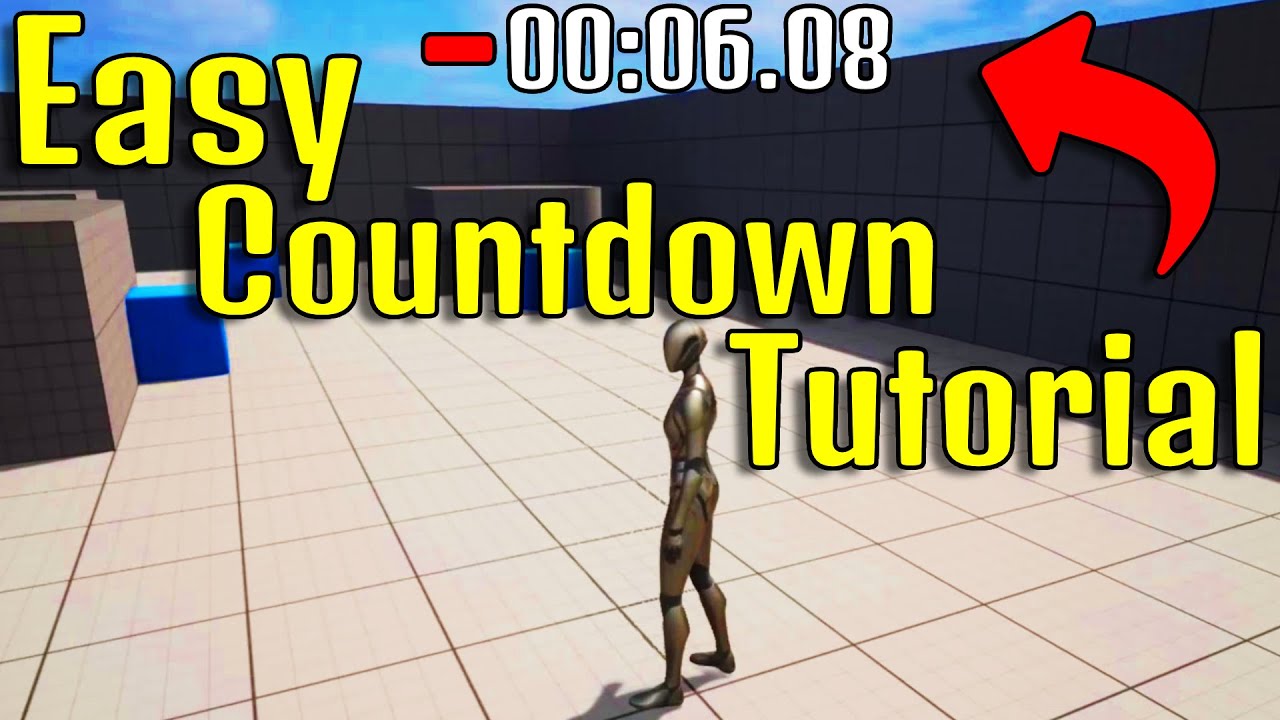
In this tutorial, we will be learning how to make a countdown timer in your Unreal Engine 5 project using simple techniques. In just a few easy steps, you will have a working countdown timer on your screen. We will be using Blueprints to Follow along with step-by-step instructions and you will have your countdown setup easy! UE5 Tutorial, Unreal...
i just follow him
subtle shoal
The values can be changed with the editor so is it possible to automate an edit for a mod override? In other words, can I setup an editor utility widget or table that will automatically save files to mod and apply changes? The parameters for the changes would need to be saved into the utility or table somehow so I can one-click edit the files whenever there is an update.
Somebody in another server mentioned that the editor can be "tricked" into changing constants. Is there any truth to this?
I am changing the Name and Short Name text and Tonnage float parameters by factor multiplication.
remote rapids
lofty rapids
3600 is a rediculous delay
i did that because i want that in the end of the countdown the text will be hidden
lofty rapids
remote rapids
i did that because i want that in the end of the countdown the text will be hidd...
its running every time that event fires off
it would be better to check the actual values
lunar sleet
But going back to your main issue. If you want something to stop working for 3600s. Have a bool true by default, check if it’s true, set it to false, start a timer with 3600s, non looping and set the bool back to True inside it.
lunar sleet
lunar sleet
But going back to your main issue. If you want something to stop working for 360...
Ofc this is prly not ideal at all but it goes along with what you have so far
Now to add Fcb Dev to the black list with others like Gorka 😀
remote rapids
lofty rapids
its running every time that event fires off
i am new in that so i dont know what you talking about
remote rapids
lunar sleet
But going back to your main issue. If you want something to stop working for 360...
can you explain me what to do better or else?
lunar sleet
remote rapids
can you explain me what to do better or else?
Since you’re still learning maybe just follow the example I gave you for now
lofty rapids
remote rapids
i am new in that so i dont know what you talking about
when you created the timer by event, and you set it to looping, then the red thing is the event that runs at the set interval
remote rapids
lunar sleet
But going back to your main issue. If you want something to stop working for 360...
i need to create branch for this?
lunar sleet
remote rapids
i need to create branch for this?
Yes, a Boolean variable, a branch to check if it’s True, set to False right after, a timer that sets it back to True after 3600s, non looping
lofty rapids
remote rapids
i need to create branch for this?

What are the Set Timer by Function and Event Name Nodes in Unreal Engine 4
Source Files: https://github.com/MWadstein/wtf-hdi-files
waxen rose
can i control of start, stop animation by bp with vertex animation method? ( i need let when some spawn just scale one time and stop animation after that, "https://www.youtube.com/watch?v=tzlh5a_PMOQ"

In this game art episode I go over how to use the world position offset to make a mesh animate a rotation that is efficient and optimised. I also show how to combine this with vertex colours to isolate sections of a mesh.
Support me on Patreon and get access to videos early, join our developer community on Discord, get exclusive behind the scen...
remote rapids
lunar sleet
Yes, a Boolean variable, a branch to check if it’s True, set to False right afte...
can you show me in blueprints image? i didnt understand well i need to se that in my eye
 fervent jolt
Hello, I am having an issue with my EToolType enum. whenever it reaches that (1) switch statement, EToolType switches itself back to its default value, seemingly of its own free will.(3), anyone ever enounter something like this before? the other enums work, and I've cleaned and rebuilt the project/plugins twice.
 remote rapids
can you show me in blueprints image? i didnt understand well i need to se that i...
remote rapids
remote rapids
can you show me in blueprints image? i didnt understand well i need to se that i...
@lunar sleet
lunar sleet
remote rapids
<@179343890409717771>
I’ve given you step by step instructions, no one here has time to code for you
remote rapids
i start good?
 lofty rapids
remote rapids
i start good?
lofty rapids
remote rapids
i start good?
you know the basic stuff like execution pins, variables, functions ?
 vagrant canopy
Heya, I'm having trouble making these events , interfaces and widgets communicate with each other. I'm pretty new to UE BPs and im no programmer so a good breakdown is appreciated.
Basically the flow is
Player > Interact Prompt on item with F key > Item pick up prompt YES/NO widget > Plays "Item Obtained!" Screen widget > Destroys actor of item BP > casts BP_Item to player socket.
somehow it does not go thru after clicking the YES/NO buttons. also my screen pauses when I press F on the BP_Item again.
Character BP:
F key pressed > triggers Interactable event


Item BP:
Item Pick Up > prints custom dialogue string variable
 remote rapids
lofty rapids
you know the basic stuff like execution pins, variables, functions ?
remote rapids
lofty rapids
you know the basic stuff like execution pins, variables, functions ?
yes

i did that
and that work
vagrant canopy
PickupItem BP:
YES > unpauses and shoots to "Item Obtain" Interface
NO > Unpauses and goes back to gameplay.

 spice thunder
I need some quick help in working on a project and in that I have like 100-150 static mesh , and thier visibility is set to hide and when player overlap with box then only that actor would be visible , but in visibility node target we have to add a target and I cannot add 150 static mesh there
Is there any alternative or anything else which I can put in target?
vagrant canopy
Item BP:
Event Item Obtain > same function as Item Pickup screen but then destroys Item BP actor and theoretically should cast item to player BP socket
 lofty rapids
spice thunder
I need some quick help in working on a project and in that I have like 100-150 s...
lofty rapids
spice thunder
I need some quick help in working on a project and in that I have like 100-150 s...
an array of them ?
spice thunder
lofty rapids
an array of them ?
like how?
lofty rapids
you have these meshes in the scene ?
spice thunder
I created a actor blueprint
lofty rapids
are they all the same actor ?
spice thunder
And inside that there r some scene but not all
spice thunder
lofty rapids
are they all the same actor ?
nah
lofty rapids
do they have a common parent ?
haughty snow
if I was looking to create a centralized location to track my the overall game state, is 'game instance' an appropriate place to do that logic or should I just make a separate BP
 onyx gull
QuestionResponder is a custom interface that I've made, is there any way to define an array of them such that the array can be filled by selecting objects from the content browser?


particularly my goal here is to have it so that at a certain point defined elsewhere in code (when the player answers a question) the code iterates over the array and calls a function on it. The array needs to be comprised of other responders in the same level. If there's another/better workflow to do this I'm open to suggestions
do I need to store them as an array of actors and "cast"(/check if they implement the interface) while iterating over the array?
spice thunder
spice thunder
I need some quick help in working on a project and in that I have like 100-150 s...
although I found a alternate way by getting actor of class and hiding it but when train starts moving I wanted if player is not in range of that box collision that train should not be visible
But because the train is moving but player is at same position thats why end overlap doesn't work
what should I do so if player isn't inside that box overlap that actor should not be visible even if that actor is moving
 mild jacinth
how would I go about making head mesh(modular piece) invisible, but at same time so that it would still cast shadows on the ground?
Owner no see removes the shadows too so its uselss for me
mild jacinth
mild jacinth
how would I go about making head mesh(modular piece) invisible, but at same time...
select the object
go to it’s details panel
go to the rendering section
set the Actor Hidden In Game flag to true
go to the Lighting section
set the Cast Hidden Shadow flag to true
```found this online hope it helps others surreal lotus
Hi everyone,
I've a general question;
I've a UE5 project that I am developing in Windows and was able to successfully package and play on a different windows machine.
I want to package it for a MAC machine (from my windows machine).
Is it the same process, but that I click on iOS instead of windows for packaging?
stoic ledge
surreal lotus
Hi everyone,
I've a general question;
I've a UE5 project that I am developing i...
I heard macs are lame. 🫢
cerulean mango
Hey guys, i made a draw system in my game, i'm using rendertarget to achieve that. But i can't draw continuous line if i'm too fast, it looks like the linetrace is not refresh fast enough, is that possible to the increase the line trace rate or do i have to redo the system ? Thanks

 frosty heron
surreal lotus
Hi everyone,
I've a general question;
I've a UE5 project that I am developing i...
frosty heron
surreal lotus
Hi everyone,
I've a general question;
I've a UE5 project that I am developing i...
Nah you will need Mac to package for mac
trim matrix
so im trying to make a simon says minigame that has sounds play whenever the player hops on the keys, but im not sure if im going the best way about it? the sounds also dont wna play when the player interacts with it

 south veldt
I'm struggling with getting my character movement going with zero gravity movement. The goal is to have my character move forward and back with "W/S", yaw on its z-axis with "A/D", and roll on its x-axis with "Q/E". My forward/backward movement works flawlessly. My yaw rotation only rotates on the world z-axis and not the z-axis relative to the player character, and my roll rotation just rotates the camera and not the player character. Does anyone have any insight as to what I could do to fix this?
 trim matrix
so im trying to make a simon says minigame that has sounds play whenever the pla...
trim matrix
trim matrix
so im trying to make a simon says minigame that has sounds play whenever the pla...
i now have the sounds working but i dont have it set up to stop the player until they make a ui selection, im not too sure how to do that
lofty rapids
trim matrix
i now have the sounds working but i dont have it set up to stop the player until...
you want to stop them from moving ?
trim matrix
lofty rapids
you want to stop them from moving ?
yea the game is semi open world with minigames u can just walk up to in the maps
but i wanted the ui to pop up once they wnter the trigger, then if they say yes it starts the minigame
lofty rapids
do you have the minigame part all set up ?
making it stop would be as easy as a boolean on the movement
trim matrix
no im also not sure how to set up the minigame, i have all the sound clips set up, but idk where to start, i found a few tutorials for just a color matching one but would that apply here too?
 spice sequoia
I am trying to create an Editor Widget Utility that will change some variables from the editor during PIE (for debugging purposes) - When I use the 'Get all actors of class' node it returns zero results even though there are a lot of these actors in my level. Is there something else I need to do to make the widget find the actors in the currently playing level?
 spark steppe
yea you need a reference to the current playing level
there's a subsystem which provides the current PIE Level reference iirc
editor level subsystem or smth
dawn gazelle
cerulean mango
Hey guys, i made a draw system in my game, i'm using rendertarget to achieve tha...
The issue here is likely to do with framerate. Your mouse can move a large distance within a single frame and because you're only drawing where the mouse is on the frame rate itself, then it can end up having gaps between those points. To correct this, you'll likely have to make a system that uses the previous location and the new location and does a loop to fill in between them.
spice sequoia
spark steppe
yea you need a reference to the current playing level
Thanks - I tried this but still not getting any results - is this the right way to do it?
 spark steppe
could be the wrong one, not sure
there are several subsystems and ways to get levels, i think there's one which returns the current PIE level
but i don't have UE right now to check
dawn gazelle
trim matrix
i now have the sounds working but i dont have it set up to stop the player until...
Use a bool on the minigame actor called "Active". Keep it false by default.
On the overlaps that play your sounds, put a branch and check if "Active" is true and only if true play your sounds.
When the player is presented with the UI, you can have it communicate back to the minigame actor and if they select "Yes" have it set the Active bool true.
When the player leaves the general area of the minigame, set the bool false again.
trim matrix
dawn gazelle
Use a bool on the minigame actor called "Active". Keep it false by default.
On t...
but i also wanted it to still make noise if the character says no and just walks on it anyways
dawn gazelle
Oh sorry, you wanted to halt the player from moving while that UI is presented?
dreamy mountain
faint pasture
Whatever you do, never ever break a rotation for any gameplay reason
Oo? Is it bad to break a rotator into three floats?
(apologies for the delay, had to do AFK stuff)
trim matrix
dawn gazelle
Oh sorry, you wanted to halt the player from moving while that UI is presented?
yea but only make it re appear if they come back and hit the trigger for it again
i wna just have minigames just placed throughout the worlds as extra bonuses
dawn gazelle
trim matrix
yea but only make it re appear if they come back and hit the trigger for it agai...
A very simple way would be to set the input mode to UI only when you display the UI, and set it back to UI and Game when they've made a selection.
trim matrix
how do i do that? ik how to set it to ui only but how do i make it change back one they make a selection
trim matrix
dawn gazelle
A very simple way would be to set the input mode to UI only when you display the...
i set it to ui only but my player character kept moving but input locked up
but it also didnt let me select any of the ui buttons
dawn gazelle
Whatever even you have in your UI that drives the selection (like a button click) that's when you'd set it back.
To fix the character from continuing moving, assuming you're using a "Character" with a Character Movement Component, is to get its movement comopnent and stop all movement.
trim matrix
how do i get the stop all movement to work it wont let me connect it
dawn gazelle
You need to get the movement component from your character.
 haughty snow
is there a way to know when all of the actors in the level have loaded and thus fire off an event when that occurs?
dawn gazelle
trim matrix
Wrong node. I believe it's "Stop Movement Immediately" you want.
It may not be what works though.... If the input is still going to the add movement then it may keep going.
There is "Disable Movement" as well.
lofty rapids
a boolean on the movement events would stop ya dead in your tracks
spice sequoia
spark steppe
could be the wrong one, not sure
Thanks for the help - got me in the right direction - it was the Unreal Editor Subsystem Node/Get Game World
 dawn gazelle
haughty snow
is there a way to know when all of the actors in the level have loaded and thus ...
dawn gazelle
haughty snow
is there a way to know when all of the actors in the level have loaded and thus ...
I don't think so. From what I recall, anything placed in a level is already "loaded" when the map loads. If you have custom spawners then you'd also have to build a system to register them so they can report when they've finished spawning.
haughty snow
ty - yeah, it seems like the consensus is 'Begin Play' in the level blueprint is mostly reliable
gonna see how that goes
 lone garnet
I have a fixed camera top down view. When I possess another pawn and repossess the original, the rotation of the original pawn uses its current rotation as the new axis. so if I possess the other pawn when original is facing the East, once I repossess the original, W moves the pawn East instead of North. Any ideas on what rotation setting needs sorting here?
just realised spawning facing any direction other than North makes the character move forward rather than relative to the camera.
So its a setup issue
trim matrix
dawn gazelle
It may not be what works though.... If the input is still going to the add movem...
idk it stopped it for a sec, then the input went again
trim matrix
lofty rapids
a boolean on the movement events would stop ya dead in your tracks
how do i do that but then re enable control when he minigame starts or if the player says no
lofty rapids
trim matrix
how do i do that but then re enable control when he minigame starts or if the pl...
on your movement event only run it if a boolean is true
turn it to false, you can't move
because you put a branch there
turn it back you can move again
trim matrix
how do i set it up tho im confused
lofty rapids
show your movement events
lofty rapids
you set game mode ui only
are the boxes you are talking about part of the game ?
or the ui ?
 crimson notch
Hi guys, how do i use this node?
 trim matrix
lofty rapids
or the ui ?
trim matrix
lofty rapids
or the ui ?
the ui
crimson notch
crimson notch
Hi guys, how do i use this node?
i don't know what Target and Element Handle need to be

 ashen dragon
Can I make a full game using just blueprints or should I learn c++ ?
frosty heron
ashen dragon
Can I make a full game using just blueprints or should I learn c++ ?
You can with bp only but it is limited
dawn gazelle
trim matrix
idk it stopped it for a sec, then the input went again
There is a "Flush Input" bool on the Set Input Mode UI Only which you can set true, which I think should release the input keys for you automatically.
trim matrix
dawn gazelle
There is a "Flush Input" bool on the Set Input Mode UI Only which you can set tr...
ty that made it work, now i gotta try and add the simon says minigame, how do i do that?
dawn gazelle
Race ya 😛
thin panther
ashen dragon
Can I make a full game using just blueprints or should I learn c++ ?
It's definitely possible, just not well advised. If you end up using structs, they're already something for example that will do better in C++
You severely limit the scope of your game and anything you want to give a decent release will probably want some C++
If you want things like multiplayer or large games, it becomes essential, however how much you use is up to you. Even 1% C++ unlocks loads of potential performance boosts, the ability to expose useful functionality and such.
Small games and testing projects do absolutely fine with BP only, games can and do release like that. You just unlock so much more if you're not limiting yourself. BP sucks at heavy maths, large loops, and other complex functionality.
faint pasture
dreamy mountain
Oo? Is it bad to break a rotator into three floats?
(apologies for the delay, h...
6dof will not work at all if you start thinking about global pitch yaw and roll,
trim matrix
ashen dragon
Can I make a full game using just blueprints or should I learn c++ ?
honestly, it's 100% possible and people were still able to make money out of it with BP only, this is for single player games, multiplayer is kinda tricky...
trim matrix
how can i make the game keep track of the coin counts and star counts throughout the game, not just only in one level since it resets rn when going to a new level
thin panther
game instance persists between levels
ashen dragon
Okay thank you for all the help. I’ll just learn c++ and forget about making games or anything for now
thin panther
Why not do both!
Get used to the engine in bp, do odds and ends of learncpp.com on the side
a lot of evil c++ specifics like memory management aren't as applicable to unreal
It's API is very forgiving and comes with things like a garbage collector
trim matrix
thin panther
game instance persists between levels
how do i do that? i just dont wna mess the code up lol i just got it working again
thin panther
just make your coin and star variables in the game instance instead
and make sure your custom game instance class is used in the gamemode
trim matrix
idk if i did it right, i made new varibles but most of it is in the coin blueprints themselves
thin panther
how does the coin blueprint track how many coins have been picked up, once you pick up a coin, it's not there anymore
Once you pick up the coin, something needs to increment a value that says "I have X number of coins"
 dense sundial
Hi, I'm currently creating a door system similar to the classic resident evil door animations.
My only problem is finding a efficient way to approach the implementation.
I was debating whether to use a level sequence to have it's own separate door level to play an animation or to create a video of the door opening. I wasn't really sure. Anyone have a better idea?
trim matrix
thats all it does
 thin panther
so you're tracking the coins in the character
trim matrix
no
thin panther
no
That's tracking the coins in the character

the number of coins collected is in the character.
trim matrix
the code is in the coins
trim matrix
werk am i moving them over too?
thin panther
what's calling it matters not, the player is keeping track of how many coins are picked up
the game instance is where you want to move them to
trim matrix
so cast to the instance instead
thin panther
Not quite, you won't be able to cast other actor to the game instance
trim matrix
my coins wont work then
thin panther
You'll still want the character cast, to make sure it's a character that picked it up
but afterwards, you'll want to get the game instance, cast to it, and modify the coin value there
trim matrix
im so confused
 bold iron
Hey guys! I’m currently a student and i’m working on a school solo project but i have kind of hit a wall on one part and i hope sone of you may give me hints towards what steps i should take to accomplish my goal! I’m remaking cod zombies but i don’t know how to make an AI climb over a ledge properly. Right now it’s an animation but he goes back to his original position when it’s done playing 😅
bold iron
trim matrix
im so confused
He’s telling you to track you’re coins in the game instance blueprint instead! If you don’t know where it is in your content go to your project settings and search for game instance and you’ll find it. After whenever you need to add coins or use coins you would cast to your “bp_gameinstance” instead of your player
Like that the value is kept the same throughout each level
trim matrix
bold iron
He’s telling you to track you’re coins in the game instance blueprint instead! I...
i added the variables to the instance
bold iron
Perfect! So in your coin blueprint when it overlaps with the player you would change the variable in the game instance instead of the player
ashen dragon
thin panther
Why not do both!
Get used to the engine in bp, do odds and ends of learncpp.com ...
I’ll probably do both but my main focus on learning would be c++ and my free time I probably follow guides on just to learn bp. So yeah I’ll most likely do both lol
trim matrix
bold iron
Perfect! So in your coin blueprint when it overlaps with the player you would ch...
kk lemme try
bold iron
If you want we can go on a call if it helps it’ll be my pleasure
trim matrix
should i keep the cast to bp third person or just the instance
dawn gazelle
trim matrix
ty that made it work, now i gotta try and add the simon says minigame, how do i ...
Get it finished yet?
bold iron
Well you need the third person as that’s when you want the coin to get picked up. After you do get game instance and change your coins from there
trim matrix
dawn gazelle
Get it finished yet?
no i got side tracked w the coin issues 😭
bold iron
 dawn gazelle
trim matrix
no i got side tracked w the coin issues 😭
dawn gazelle
trim matrix
no i got side tracked w the coin issues 😭
https://blueprintue.com/blueprint/s60r1squ/ Majority of it is in this blueprint UE, save for these two functions.



No description provided
bold iron
actually i lied! i use custom blueprints library so that is the node i need but you would need to cast to it and then change the coin value

if ever you want to avoid having tons of cast look into blueprint function library! you do it once, set a name and you can acces it anywhere
trim matrix
dawn gazelle
https://blueprintue.com/blueprint/s60r1squ/ Majority of it is in this blueprint ...
what type of blueprint?
dawn gazelle
trim matrix
what type of blueprint?
Actor
trim matrix
bold iron
actually i lied! i use custom blueprints library so that is the node i need but ...
so add a cast after the first cast then just use as the instance instead of as third person?
bold iron
i mean it is not the cleanest way to go about it but yes, cast to your third person, then cast to game instance and do all the coin code you did previously but with the game instance coin variable
trim matrix
bold iron
i mean it is not the cleanest way to go about it but yes, cast to your third per...
lemme try
dawn gazelle
trim matrix
what is the type of variable?
TimerHandles. You can promote to it from the timer's return values.
trim matrix
ok
trim matrix
dawn gazelle
TimerHandles. You can promote to it from the timer's return values.
the custom events are erroring how do i fix that?
trim matrix
bold iron
i mean it is not the cleanest way to go about it but yes, cast to your third per...
it broke my coin counter ui
and completely broke the coin
now the coins dont collect
and didnt save the count from level to level
how do i fix this, i just got all my coins n shit fixed and now theyr back to busted
bold iron
well the UI is probably the binding that is not good since you have the variable in your third person blueprint
switch it to get it from your game instance
and the rest should of been the same code really.... overlap with player - change coin variable in game instance - destroy coin
play sound and effect if you have that too before the destroy coin
trim matrix
jsut tell me what to do to restart and do it correctly im rly annoyed n tired of trying to fix what i have
lunar sleet
trim matrix
jsut tell me what to do to restart and do it correctly im rly annoyed n tired of...
That is game development.
Most time is spent fixing broken things than adding new stuff 😀
trim matrix
lunar sleet
Most time is spent fixing broken things than adding new stuff 😀
im just trying to get alot of smaller things done now so when im getting more into building the level locations it can be more drag and drop with smaller things
dawn gazelle
trim matrix
the custom events are erroring how do i fix that?
You might have to refresh them/compile/recreate them.
bold iron
honestly, i feel as if you need to start doing some research of your own. Im not trying to be rude or anything but it makes it hard for me to help you if all you want is answers without understanding them. To be honest if you are struggling with a coin pickup, i feel as if you should watch a few tutorials before trying to tackle bigger tasks.
 round grotto
Hey yall i'm working on an inventory system where items are derived from object and inventories store arrays of items, i want the ability to sort the inventory based on different parameters and the best thing i came up with is to have one items array for each sorting method, this removes the need to sort the main array every time and instead just swap the displayed inventory every time you want a sorted view. From what i understand you create objects only once and then they get passed around as pointers, so having multiple arrays containing the same objects shouldnt be expensive, can anybody confirm this?
dawn gazelle
round grotto
Hey yall i'm working on an inventory system where items are derived from object ...
You're technically correct, they are stored as pointers, but then you're duplicating the pointers and you're having to maintain multiple arrays of data - I probably wouldn't bother.
The only time that you may want to display the data is probably in UI. There's no harm in sorting at run time and storing the desired sort as its own array in a local variable as part of a function which you'd then use in a foreach loop to display the contents of the sorted array. It shouldn't be expensive or taxing to do this, and you'd only need to do the sort when you're displaying the UI for the first time or when you select a sorting option rather than constantly having to maintain several arrays with the desired sort.
 spice valley
hello, using 5.4.2, I'm trying to get a surface type from a line trace. This works completely fine in editor, however when packaged every physical material and surfacetype returns as default
round grotto
dawn gazelle
You're technically correct, they are stored as pointers, but then you're duplica...
It makes sense, it just bothers me that the runtime sorting (in BP) sounds inefficient
spice valley
spice valley
hello, using 5.4.2, I'm trying to get a surface type from a line trace. This wor...
disregard, I just needed a delay on the line trace because I was doing it on beginplay and I guess that was too fast
dawn gazelle
Eh, unless you have 1000s of items in your array it shouldn't really matter. Doing it your way would require you to sort out all those arrays every time there is a change to your inventory which is definitely inefficient.
round grotto
dawn gazelle
Eh, unless you have 1000s of items in your array it shouldn't really matter. Do...
The idea is to have thousands of items. That's what i don't understand tho, the way i imagine it is you're looping through an array once at most each time you add an item, for every array, removing is pretty much the same. Sorting on the other hand means looping the array once for every item on the array, which should always be worse until you have as many arrays as items in the arrays. It's a thought exercise mainly, i'm done working for the day, but idk if i'm missing something...
 ancient dome
https://blueprintue.com/blueprint/-roo_kkw/
My transactions seem to be spawning ghost spawn points after an Undo, any ideas?
No description provided
 exotic quest
alright so, yall are smart
i have a project with a third person orthographic character, however i dont have any movement
basically what i want to do is have the character always face where the mouse is hovering above the terrain, and walk the way its facing when pressing w
i can figure the actual moving forward part of this on my own, but how would i do the mouselook thing?

also the camera does not rotate at all, it stays where it is, no matter where the player moves or how they turn
ancient dome
location under mouse - current location of character
u call make rot from X on that
and u get the rotation ur looking for

I have this in my project, get location at index is the only thing different
exotic quest
uhhh ill try to do that
ancient dome
then u could apply this rotation on tick
or whenever the mouse is moved
what works for u
exotic quest
see the problem is im kinda dum and idk how to do anything with blueprints
i understand what youve told me pretty well but i just dont know how to implement it
ancient dome

Epic Developer Community Forums
I just worked on this same thing. The node Convert Mouse Location to World Space does what it is supposed to… but it takes its location from the “slice” in space that is the camera window. It however also gives you a direction. So to get a point, take the “world direction” from the node, multiply it by… say 1000, then add that result to the “w...
this thread talks about how to get the location under the cursor
the node get actor location with input self will give u the location of ur character
set actor rotation will set the rotation
exotic quest
aight then
 naive grail
ancient dome
https://blueprintue.com/blueprint/-roo_kkw/
My transactions seem to be spawning ...
naive grail
ancient dome
https://blueprintue.com/blueprint/-roo_kkw/
My transactions seem to be spawning ...
Why would you destroy old actor to spawn a new one? As far as I understand, you register an actor to the undo system, but then you destroy it and create a new one so it's no longer the same actor
So my theory is when you undo, you re-spawn the old actor and keep the new actor also
But I'm not familiar with transaction system so might be wrong
ancient dome
naive grail
Why would you destroy old actor to spawn a new one? As far as I understand, you ...
problem is
it is one actor in the end
one spline actor gets spawned with the spline points already set from the previous one
it just adds the new spline points
although clear is even explicitly called
naive grail
But, how do you plan to undo spawning a new actor? I don't see how it would work
As far as I see, you just undo deleting old one without destroying new one
Like I said tho, I might be completely wrong. That's not something I have experience on
exotic quest
ancient dome
https://forums.unrealengine.com/t/solved-mouse-location-to-world-space/4701/6
ok im trying to replicate the screenshot but the second multiply has 3 values, not just one
 exotic quest
okden
now i have 6 values unless i clicked the wrong thing
oh wait no
i think im just stupid
naive grail
ancient dome
problem is
Did you checkout similar tools like foliage mode?
ancient dome
not yet, that was my next step if nobody has an idea
 ancient dome
exotic quest
nope nvm
ancient dome
exotic quest
nope nvm
screenshot of ur attempt?
oh there

right click bottom left on the pin
u can convert the type
naive grail
ancient dome
not yet, that was my next step if nobody has an idea
Well, I'm in this server for 4 years. I didn't ever see anyone talk about transaction system so...
ancient dome
but if it is the same type, just plug it in
but I checked to the bottom of the post
seems like u can call get player controller

and do this
instead
easier
then use impact point
exotic quest
ancient dome
ah ty
lunar sleet
Convert mouse loc to world space is broken
You can get mouse pos on viewport and deproject to world but I’ve been having mixed results
exotic quest
lunar sleet
Convert mouse loc to world space is broken
well this is seemingly working
gives me the coordinates of the mouse every tick
lunar sleet
The hit result under cursor? Yeah it works if UI is not in play
dawn gazelle
round grotto
The idea is to have thousands of items. That's what i don't understand tho, the ...
If you're approaching the thousands of items in your inventory, then you probably should have this moved into C++ anyway, at which point the performance would probably be negligible even with the most basic sorting algorithm. Surely it would be better than having to manage and sort multiple arrays.
ancient dome
naive grail
Well, I'm in this server for 4 years. I didn't ever see anyone talk about transa...
I am looking through it, all I see is people in a similar situation not getting a response 🥲
unlucky
guess I will check out the foliage tools now
naive grail
It's deep in the editor. I created a few tools here & there, but I usually ignored undo/redo. I believe people did it as well
ancient dome
now I checked
it's not even related to transactions
seems to be a problem with the spline or my code
exotic quest
exotic quest
now i have to turn this into the player looking at it
dust you said i had to subtract the player position from the mouse position or smth right?
ancient dome
yes
ancient dome
ancient dome
location under mouse - current location of character
here
and only use the yaw
that's all u want
exotic quest
ok do i need to set up all of the math again for player pos too?
exotic quest
this
 ancient dome
ignore that stuff
exotic quest
do i have to set it up for the player pos too
ancient dome
delete it
ancient dome
all u needed was the position under the cursor
exotic quest
oh ok
ancient dome
and ur actor location
then cursor pos - character pos
make rot from x on that
done
dreamy mountain
faint pasture
6dof will not work at all if you start thinking about global pitch yaw and roll,
I have a player pawn with a static mesh (the player's ship), and a dummy object that rotates independently from the static mesh, onto which the third-person camera and swingarm are attached. I need to make the ship slowly rotate toward the dummy object.
Also, I have variables for pitch-up rate, pitch-down rate, roll-left rate, roll-right rate, yaw-left rate, and yaw-right rate. These can all be different rates, depending on how the player has their steering thrusters set up. (And especially if any of those thrusters get blown up).
Have you done 6DOF stuff before? What nodes and vector-math should I be using for this?
ancient dome
u have the rotation u want to apply to ur character
exotic quest
i dont see a thing to get player position
is it under something like get pawn position or smth?
ancient dome
get actor location

 peak umbra
subtle shoal
peak umbra
subtle shoal
Is there a way to check if two strings equal eachother with allowed wild cards?
I need to find assets named "ExampleName&&&", where & is any character, including missing characters. Contains (String) and Equal (String) aren't cutting it.
subtle shoal
subtle shoal
Is there a way to check if two strings equal eachother with allowed wild cards?
...
Example image of such assets:
 peak umbra
If you know the wildcards beforehand, you can parse the string based on the wildcard
subtle shoal
peak umbra
If you know the wildcards beforehand, you can parse the string based on the wild...
I don't follow. The wildcards are any character including missing characters. As you can see in the example image, the names can have a suffix, but not always, and all must pass the comparison.
Which nodes are referring to, specifically?
subtle shoal
peak umbra
If you know the wildcards beforehand, you can parse the string based on the wild...
This confuses me because a known wildcard isn't a wildcard. These images might help explain.

 peak umbra
I know it can be done in blueprints because you can break strings up in C++, I'm looking through the library
it could be as simple as running a substring func but I'm looking

So if you get a substring and then check iof that substring is equal to your wild card, you can then get another substring of stuff after the wild card
if that makes sense
*dropped my keyboard XD
subtle shoal
peak umbra
So if you get a substring and then check iof that substring is equal to your wil...
My string with wildcard is GaussRifle&, where & is any amount of characters of any type or no characters at all. The substring is supplied by the user. The strings to be compared to it are supplied by a loop and a get (grabs all files of that asset type).
These example strings must pass the comparison to "GaussRifle":
GaussRifle
GuassRifleOrange
GaussRifle5479
GaussRifle_*($&
These example strings must fail the comparison to "GaussRifle":
(%(&GaussRifle
923847GaussRifle
WordGaussRifle
peak umbra
subtle shoal
My string with wildcard is GaussRifle&, where & is any amount of characters of a...
so if the input has the substring and the imported files also have the substring, you are comparing between substrings yes?
subtle shoal
peak umbra
so if the input has the substring and the imported files also have the substring...
I think I found the solution: Starts With.
Thanks for the help, anyway.
spice thunder
spice thunder
what should I do so if player isn't inside that box overlap that actor should no...
could anyone help regarding this?
trim matrix
Could someone help me? I want to import a data table, but I have these columns as a struct

so they dont import
 trim matrix
Could someone help me? I want to import a data table, but I have these columns a...
trim matrix
trim matrix
Could someone help me? I want to import a data table, but I have these columns a...
Is there anything I could do to import these columns to their appropiated place?
round grotto
trim matrix
Is there anything I could do to import these columns to their appropiated place?
you need to have a column called like the struct in unreal and you need the field to be formatted like it is in unreal, best way would be right click on the data table inside ue and export as csv, then open that with your editor and use it as template
trim matrix
round grotto
you need to have a column called like the struct in unreal and you need the fiel...
Wait, this data table have over 1000 rows 😅
round grotto
Well that sucks
trim matrix
So I have to manually format it one by one?
round grotto
Maybe your csv editor has some tool that can help with that
lunar sleet
You can also use VLookup to fill in rows from one spreadsheet to another
Also Distribute columns if you want to separate the stats
You can use : as a separator
mystic zodiac
How can I fix: character spawning in T-pose for 1 frame?
I tried setting the mesh as hidden by default then unhiding after a delay, but the AnimBP doesn't initialize until the mesh is rendered, so I still see the T-pose.
Is there any way to initialize the AnimBP before the mesh becomes visible?
I also tried setting the mesh position far away so it has time to initialize and then moving it back, but then it gets occlusion culled so the AnimBP still doesn't initialize.
Edit: actually with occlusion culling turned off I still see T-pose
frosty heron
@mystic zodiac I think you want always tick anim pose or something like that.
More expensive for obvious reason but might fix the t pose
mystic zodiac
frosty heron
<@742974162758271030> I think you want always tick anim pose or something like t...
My mesh component is set to "Always Tick Pose" is that what you're referring to? Or is there another setting somewhere?
frosty heron
I don't see why your skeletal mesh would go on t pose then, because mine doesn't do that.
Unless you set the anim bp after spawning it.
mystic zodiac
Oh! In project settings there's a check box for "Tick Animation on Skeletal Mesh Init" looks like that does the trick
 dull crest
Hey, does anyone know why a SpringArm+Camera rig might have the camera glitch out very far away from the characeter model when the spring arm is parented to a socket in the mesh?
I know this is super vague but I'm a noob and don't know what of the many steps I've screwed up 😬
It seems the issue was that the spring arm was offset to some absurd coordinate, but for some reason that didn't show up in the viewport until like.. now... not sure what I changed.
 fickle aurora
hello, i write this blueprint to limit the player to the camera`s screen/viewport but the player cant move more then 3/4 cm from the starting point on the screen.i would be greatefull if someone review it
 faint pasture
fickle aurora
hello, i write this blueprint to limit the player to the camera`s screen/viewpor...
faint pasture
fickle aurora
hello, i write this blueprint to limit the player to the camera`s screen/viewpor...
Why are you feeding a size into a position?
Your code makes zero sense.
cerulean mango
dawn gazelle
The issue here is likely to do with framerate. Your mouse can move a large dist...
Thanks for your help ! but to get my last cursor position i have to store them in a array right ? And does it mean that in Input action i have to loop between all position and draw all the position in my array ?
fickle aurora
faint pasture
Why are you feeding a size into a position?
sorry i lack the experience and at the time making limitation on vector so the player movement be limited to that of screen size a good choice,can you elaborate more on your comment so i can understand
 gaunt dawn
Can anyone explain what does second yellow exec line in animation BP mean? I've noticed that I've it between some nodes but not all, tried searching the net but found nothing.
dawn gazelle
cerulean mango
Thanks for your help ! but to get my last cursor position i have to store them i...
Shouldn't need an array, just store the current location in a last frame position variable. Doing some math you should be able to draw additional points in between these two points along their unit direction.
 hazy bramble
Hello, How do I enable custom depth pass using the console command?

 halcyon vapor
is there a way to see what values of a data asset are set to from the content browser?
Like a data asset having a bunch of different ints and floats, and being able to view what are they from just looking at the detailed list view of the folders in the editor content browser
young meteor
Will a Niagara component on an actor still cost performance even when visibility is turned off?


And if so, how do I avoid it?
I would have to not add the component at all, and then implement code to attach a Niagara system when I need it right?
 hallow tundra
Is there an easier way to get a text from an Enum and change it to textrender? If I use ToText it only shows the first one instead of the Selected one

 dark drum
I feel like 'Print Text' should have the format text feature built in. 🤔
lethal pollen
Hi! When I double click on a Blueprint node appears the message Reading C++ Symbols, but nothing else happens. Why doesn't Visual Studio open? Thanks!
frosty heron
lethal pollen
Hi! When I double click on a Blueprint node appears the message Reading C++ Symb...
make sure you set the right IDE in your project settings
lethal pollen
frosty heron
make sure you set the right IDE in your project settings
Thanks. I'm going to check it, but I get this warning message: LogSelectionDetails: Warning: NavigateToFunctionSource: Unable to find source file and line number for 'UKismetSystemLibrary::LineTraceSingleForObjects' [Cannot find the specified module.]
frosty heron
lethal pollen
Thanks. I'm going to check it, but I get this warning message: **LogSelectionDe...
where do you exactly get the warning? Screen shoot it
 silk bay
Hello, my enemies slide instead of walk after a hit animation. They walk/chase fine otherwise. How can I get them to resume walking after the hit? The hit animation is only 15 frames. Thanks! (using 5.4.2)
lethal pollen
frosty heron
where do you exactly get the warning? Screen shoot it

When I double click, I get the same warning message.
frosty heron
try setting your ide in project setting first
lethal pollen
I've changed, but it doesn't work. I get the same warning.
 frosty heron
no idea other than to go through the checklist
make sure to install Visual studio 2022 with all the pre-req as stated in the document. Make sure that your project is a c++ project. Create a new C++ class if it's not and generate sln file from .uproject
thin panther
You do have the source code downloaded don't you?
thin panther
lethal pollen
When I double click, I get the same warning message.
It doesn't work for all nodes. That's a custom K2 node, and it won't work for them
 abstract nest
Hello, I am making a photo mode. Having problems with adding gamepad support.
When I use gamepad I have to be focused on menu widget (otherwise OnKeyDown event won't work). But when I focused on the widget I can't move camera in-game. How to achieve both? (input mode is already Game and UI)
I can solve this by getting input in Pawn and send it to widget. But it doesn't feel right. I want to get input in widget with using focus in right way
thin panther
You're controlling a camera pawn. You should be handling that in the controller/pawn
The widget should just be a layer on top, for all intents and purposes, it should work without the UI
lethal pollen
thin panther
It doesn't work for all nodes. That's a custom K2 node, and it won't work for th...
Is AActor::AddComponent a custom K2 node?
thin panther
No, but the node that calls through to that is
The node you see is not just AActor:: AddComponent
lethal pollen
thin panther
It doesn't work for all nodes. That's a custom K2 node, and it won't work for th...
How do you know it is a custom K2 node?
thin panther
Mainly experience. The nodes that tend to reference a specific class tend to be.
Such as the Cast nodes, spawn actor from class, etc.
The feature you're trying to use isn't very useful and doesn't work well, you're best off just opening the source code and using ide navigation to find what you want
lethal pollen
Thanks a lot.
faint pasture
silk bay
Hello, my enemies slide instead of walk after a hit animation. They walk/chase ...
animation blending
you're playing the hit reaction on the whole body
hallow tundra
I have made a widget and a widget controller blueprint, I want to be able to change the Text in textbox Place12. How do I send it to the widget?

 silk bay
faint pasture
you're playing the hit reaction on the whole body
silk bay
faint pasture
you're playing the hit reaction on the whole body
thank you!
 sweet jetty
silk bay
Hello, my enemies slide instead of walk after a hit animation. They walk/chase ...
sweet jetty
silk bay
Hello, my enemies slide instead of walk after a hit animation. They walk/chase ...
do you have a transation from the hit animation to the walk animation
in anim bp
 tepid raft
im trying to make a top down character jump would anyone have a tutorial i could use to find out how to do this?
trim matrix
bold iron
honestly, i feel as if you need to start doing some research of your own. Im not...
ive watched tutorials… thats how i made the coins. but i didnt know the values wouldnt save when changing levels w/o using a game instance. i keep asking questions bc im trying to learn, thats how this works..
trim matrix
trim matrix
ive watched tutorials… thats how i made the coins. but i didnt know the values w...
and im at the point of wanting to redo it so it works properly the first time, instead of fixing what i have from the tutorial.
sweet jetty
show me the code
mild jacinth
I have a structure and it is added as a variable to an item class blueprint. Why is it that when I edit the default values of a structure, every single I restart the project, all the set values are gone?
do structures not save information by default when added as a variable to a blueprint?
lofty rapids
trim matrix
and im at the point of wanting to redo it so it works properly the first time, i...
the second time around can be much better than the first, you've learned some things and have a better understanding.
lofty rapids
tepid raft
im trying to make a top down character jump would anyone have a tutorial i could...
did the jump function not work ?
lofty rapids
trim matrix
ive watched tutorials… thats how i made the coins. but i didnt know the values w...
almost everything resets when you open up a new level other than game instance
dark drum
mild jacinth
I have a structure and it is added as a variable to an item class blueprint. Why...
I would say you never actually saved the blueprint and/or the level. (depending on where you made the changes)
mild jacinth
dark drum
I would say you never actually saved the blueprint and/or the level. (depending ...
I did. I even have source control.
it does spam this in output log

and I used fix redirectors but still nothing
dark drum
mild jacinth
it does spam this in output log
Fix up redirector. Alternatively, you can do as the prompt says. 😉 In summary, it can't find the structure it thinks it should be using so used a fall back one which clears the data.
mild jacinth
I dont know where ActiveStructRedirects exists. so I guess my only option is to create a new duplicated struct and assign it everywhere in the code
dark drum
mild jacinth
I dont know where ActiveStructRedirects exists. so I guess my only option is to ...
Assuming it's a BP structure, try fixing up redirectors.
mild jacinth
dark drum
Assuming it's a BP structure, try fixing up redirectors.
as stated above I did that. no dice.
dark drum
mild jacinth
as stated above I did that. no dice.
did you do it for you're entire project?
mild jacinth
Content -> fix up redirectors
abstract nest
Hello, if you tried adding gamepad support for widgets you must be familiar with this focus thing. Do you know how to change inputs? I don't wanna navigate with left thumbstick.
Also do you know any sources I can learn more about this navigation system?
 halcyon vapor
what's the cheapest way to get a specific data asset? for let's say a data asset with only 1 or 2 integers, since it is small I wouldn't want to do a full look up of every single data asset that may be completly unrelated
dark drum
abstract nest
Hello, if you tried adding gamepad support for widgets you must be familiar with...
The inputs used for the UI navigation are hard coded so you'd have to jump into C++ to be able to change them. (It's crazy this hasn't been exposed as a configurable yet)
dark drum
halcyon vapor
what's the cheapest way to get a specific data asset? for let's say a data asset...
You'd need to provide more context.
halcyon vapor
dark drum
You'd need to provide more context.
as far as I know, to get a specific data asset you'd use a reference or soft reference
But let's say I want to get a list of all refs of data assets from a class, is it really necessary to look at the whole asset registery? Or is there a way to search from a smaller sub section of it?
dark drum
halcyon vapor
as far as I know, to get a specific data asset you'd use a reference or soft ref...
What are you using the data assets for? And what are you trying to do?
halcyon vapor
dark drum
What are you using the data assets for? And what are you trying to do?
displaying a catalogue of all available items that can be collected
abstract nest
dark drum
The inputs used for the UI navigation are hard coded so you'd have to jump into ...
Thank you. It's unbelievably hard to add gamepad support! I think I'll pass since it's a personal project. But I wonder how would you add it? I made simple LB RB menu switches and needed to navigate up and down in menus. In there, selecting dropdowns might be difficult, that's why I wanted to use Unreal's default navigation and selection.
halcyon vapor
but I have a lot more assets unrelated to items, like cosmetics etc
dark drum
halcyon vapor
displaying a catalogue of all available items that can be collected
As far as I know you would have to create a list containing the relevant data assets you would need to get data from.
halcyon vapor
dark drum
As far as I know you would have to create a list containing the relevant data as...
alright, sounds simple and easy enough to do, I'll look into it, thank you
 wise raven
I have a boolean in the construction script, which toggles true false randomly on begin play after a delay of some seconds, but this bool change doesnt take affect in the construction script on runtime, are construction scripts not allowed to make changes during runtime ?
dark drum
wise raven
I have a boolean in the construction script, which toggles true false randomly o...
The construction script can't call anything with delays. (latent nodes)
wise raven
dark drum
The construction script can't call anything with delays. (latent nodes)
oh i see, I just had some meshes being created on the construction script and i wanted them to be constructed one by one after some time during runtime
dark drum
wise raven
oh i see, I just had some meshes being created on the construction script and i ...
You can use the begin play node in the main event graph if you need delays.
abstract nest
dark drum
The inputs used for the UI navigation are hard coded so you'd have to jump into ...
I've tried this code to disable left stick inputs but it's not getting called when I navigate. any idea?

 primal berry
Do you know what is the best way (practice) to learn Niagara? I think I should create new emitters until I create a really beautiful emitter that will arouse women 😄
 sterile crane
Hello, I'm making something with pretty simple logic: You go up to a stand and the person on the stand will have their animation play. I plugged the logic into the level blueprint, but there's at least 60 stands in here. I could just copy and paste this logic 60 times for every stand, but that doesn't seem very clean. Is there a way to create a logic similar to material instances, where I just need to plug in certain characters and animations into the logic after I already have the logic set up? Like "event instances"
 dawn gazelle
sterile crane
Hello, I'm making something with pretty simple logic: You go up to a stand and t...
dawn gazelle
sterile crane
Hello, I'm making something with pretty simple logic: You go up to a stand and t...
Don't use the level blueprint.
trim matrix
lofty rapids
almost everything resets when you open up a new level other than game instance
any suggestions on where to start, bc i have 3 types of coins and 2 types of stars that i have to rewrite into the game instance and fix the ui
dawn gazelle
@sterile crane Create an actor. Make that actor have exposed variables and have the logic that you want it to trigger. Place the actor in the level and set the variables on the instances you placed.
Profit.
primal berry
primal berry
Do you know what is the best way (practice) to learn Niagara? I think I should c...
Would someone answer me? 🤨
lofty rapids
trim matrix
any suggestions on where to start, bc i have 3 types of coins and 2 types of sta...
do the same thing your doing, just move the variables that store the data into game instance
and replace the variables with the ones from game instance
and that should be good
trim matrix
lemme test
so, am i moving code out of the coin blueprints too?
or only the variables
 mild axle
Hello, I am trying to set a hit detection function for my character. Basically, my character has swords in both of her hands. I followed some tutorials and implemented a function for hit detection, and an animation notify state for one sword in her left hand. However, I need to check both of hands since she uses two sword at the same time. Does anybody have an idea about how can I achieve checking both of left and right hand sockets at the same time? I also attached my blueprint code. Thanks in advance 🙂

 dawn gazelle
primal berry
Would someone answer me? 🤨
dawn gazelle
primal berry
Would someone answer me? 🤨
You could try in #niagara
primal berry
im blind i didn't see it xd
sterile crane
dawn gazelle
<@459594657039646732> Create an actor. Make that actor have exposed variables a...
Hey, I created an actor, but I don't understand how to expose variables. I don't see anything like that in the Event Graph Details. May I ask how to expose variables?
dawn gazelle
sterile crane
Hey, I created an actor, but I don't understand how to expose variables. I don't...
You click on the "Instance Editable" checkbox when you have the variable selected.
 lofty rapids
trim matrix
lofty rapids
trim matrix
your using other actor
you want to get the game instance, then cast to your specific instance
you know what casting does ?
trim matrix
it lets u use stuff thats in other blueprints
lofty rapids
yes, but it checks one thing against another to see if it is off that class
so your checking if other actor is the game instance bp
trim matrix
how do i get the instance in the graph?
trim matrix
 thin panther
are these in the game instance?
 trim matrix
yea
thin panther
Delete and readd the nodes
oh wait, nvm
it might just be because you haven't hooked up the other two
trim matrix
did and the same thing happend
lofty rapids
trim matrix
what does it say when you hover over the error of total coin count ?
you may just want to pul off your instance bp cast, and remake the nodes
sterile crane
dawn gazelle
You click on the "Instance Editable" checkbox when you have the variable selecte...
I'm sorry, I don't see anything like that.
- I created an actor called "character_stand_animation_actor"
- In the event graph, I created a "Play Animation" node
However, I do not see a way to add a trigger box event into the Event Graph in this actor, which I am able to add in the level blueprint
dawn gazelle
sterile crane
I'm sorry, I don't see anything like that.
1. I created an actor called "charact...
You'd have to create box collisions on the actor and use them.
trim matrix
lofty rapids
what does it say when you hover over the error of total coin count ?
you may jus...
it stopped erroring, but now the coins dont collect
lofty rapids
trim matrix
it stopped erroring, but now the coins dont collect
so they are collecting, but i'm guessing your display is not using the game instance variables ?
thin panther
is your game instance in your game mode the correct one?
trim matrix
no, they arent collecting they are solid
dawn gazelle
sterile crane
I'm sorry, I don't see anything like that.
1. I created an actor called "charact...
For the instance editable part, you have to select the variable in the list and then in the details panel you'll have the option.
 trim matrix
they dont do anyhting when i interact, theyr a solid mesh instead of collectable
lofty rapids
well idk what you changed, but changing that variable shouldn't do that
idk what that means "solid mesh instead" ?
trim matrix
all i did is what yall said lol
thin panther
lofty rapids
lofty rapids
idk what that means "solid mesh instead" ?
^
the cast could be failing for sure but idk what is this deal with the mesh
dawn gazelle
trim matrix
Probably just need to compile your game instance blueprint then compile your coin blueprint again. That should at least clear the errors on the connected path
lofty rapids
that code shouldn't effect that
thin panther
sorry, brain fart, not game mode, project settings
trim matrix
thin panther
make sure you're using your game instance class
lofty rapids
right the cast is probably failing
that makes sense
and it's not going to the actual pickup stuff
trim matrix
they collect now that i restarted unreal
sterile crane
dawn gazelle
For the instance editable part, you have to select the variable in the list and ...
Thanks. If I were to google or youtube for information on how I'd do something like this, what search terms would you recommend using to figure out how to do what I want to do?
trim matrix
idk why
lofty rapids
check your code did it revert back or saved the changes ?
 lofty rapids
sometimes a good restart is the fix, pretty common with all sorts of applications
 outer quail
Hi, I got error trying to cook my project.
Error: Failed to triangulate Ocean mesh for WaterBodyOcean. Ensure that the Ocean's spline does not form any loops.
But I already set everything to 0
 dawn gazelle
sterile crane
Thanks. If I were to google or youtube for information on how I'd do something l...
dawn gazelle
sterile crane
Thanks. If I were to google or youtube for information on how I'd do something l...
Not sure. It's basically you're adding a "box collider" component to your actor and then you can add its OnComponentOverlap event to then do the same function like you were doing with the box collider stuff in the level blueprint.
 crisp barn
Hello, can someone please help me with a small problem?
I have a blueprint with a few meshes and a simple rotating movement component. In UI I have a button with the function: "Stop rotation" and I want it to resume rotation if pressed again. I managed to make it stop but I can't resume it.
What should I add and where, In the BP event graph or UI ?
Here is my event graph UI
 mild axle
Hello, I am trying to set a hit detection function for my character. Basically, ...
mild axle
mild axle
Hello, I am trying to set a hit detection function for my character. Basically, ...
does anybody have any ideas about this?
trim matrix
how can i make the coin objects themselves respawn after a few seconds once collected?
 tulip mural
@crisp barn Get all actor of class isn't a good solution
tulip mural
trim matrix
how can i make the coin objects themselves respawn after a few seconds once coll...
You don't destroy them. Just put a bool and make it disapear. after you make a "set timer by event" with your time you want to respawn et make it appears.
trim matrix
tulip mural
You don't destroy them. Just put a bool and make it disapear. after you make a "...
do i also need a disbale collision?
tulip mural
Depends if you have a mesh or just a niagara
trim matrix
i have both
trim matrix
so make a bool variable have it set to visible by default, have when colided it sets it to hidden then a timer then set it to visible again?
lofty rapids
there is actually set visibility node, and i think one for collision as well
i don't think you need the boolean, you can just when collected shut that all off, then when timer fires off turn it back on
 lofty rapids
but the second set hidden should be false
tulip mural
lofty rapids
but the second set hidden should be false
mb, ctrl+d
trim matrix
so i add that after which node?
 tulip mural
Replace "destroy actor"
lofty rapids
trim matrix
so i add that after which node?
so your not going to destroy actor anymore, and that should of been the last thing you did in the execution
trim matrix
ok
lofty rapids
if you shut of collision that event won't even be fired
trim matrix
im so confused
tulip mural
lofty rapids
if you shut of collision that event won't even be fired
Collision of box collision, not mesh ?
lofty rapids
oh maybe, i'm not sure what it is
trim matrix
 tulip mural
Try it and look what it done
trim matrix
?
lofty rapids
you may need a boolean to stop the execution of the event
that event fires of when you overlap box ?
trim matrix
what am i doing lmao
lofty rapids
did you try what was shown ?
trim matrix
what part, yall been going back and forth confused me idk what im supposed to try
lofty rapids
tulip mural
<@456226577798135808>
^ this but the set actor hidden in game at the end should be set to false
it should make it disappear and then reappear, but you want to check if you still collect coins in your ui when you go over the disappeared ones
if so then you need the boolean
trim matrix
this?
 lofty rapids
i would probably turn of the box collision which you can do
trim matrix
they respawn but the particles dont work
lofty rapids
trim matrix
this?
well for one thing you set can collect to true every time
but this can be simplified to just shutting off the box collision
so the event doesn't fire again
trim matrix
so what do i do?
lofty rapids
get rid of the set after the cast