
#blueprint
1 messages · Page 157 of 1
 queen heron
is there a more optimal way to call out dialogues from specific groups?

or is enum the most optimal way?
excuse my naming convention btw 😄
 oak gust
This node is always returning the local player pawn, but for example my widget (helath bar) is attach at every player so why is there is 3 player on my screen, this node for each health bar return the same pawn (the local) and not the pawn the healt bar is attach to ?

 odd kiln
oak gust
This node is always returning the local player pawn, but for example my widget (...
odd kiln
oak gust
This node is always returning the local player pawn, but for example my widget (...
Maybe just. "Get Owner" node?
 obtuse kraken
I absolutely despise the use of TAA in games
 night bone
anyone know where to start with doing a shape recognition mechanic? like drawing a circle and it activate a fireball and things like that no VR just the mouse and the right stick
 thin panther
You're definitely out of the scope of blueprints on that one
 strong roost
Hey guys,
I'm currently learning unreal for a university class and im making an elevator as part of my assignment. I've run into some errors when following this tutorial here: https://youtu.be/EXEOfcwXzn8
I've double checked that the line is being drawn and hitting the component of my elevator blueprint, and theres also no issue when i plug the function directly into the "move component to" node, the elevator is moves to the position specified.
so im assuming that theres possibly an issue between the line being traced and then comparing the tags of my components? I've already triple checked that my components have the correct tag attached to them so im quite stuck as to why no code is being executed at all. I've also fiddled around with the collision settings of the button to see if that would help, but nothing.
any help would be greatly appreciated :)
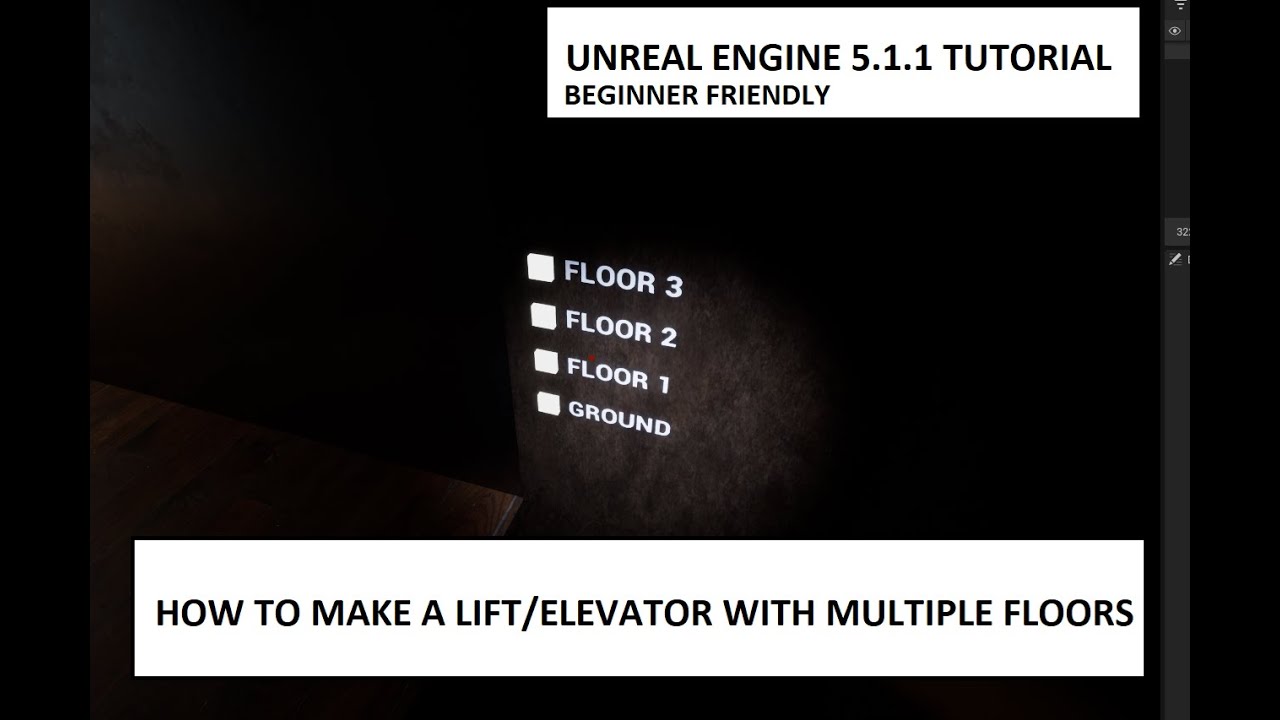
Subscriber requested tutorial -
In this video I show how to set up the code to make an elevator work between multiple floors quick and easy to set up and easy enough for new starters to Unreal Engine 5 to follow along.
If you enjoyed this video consider subscribing to support the channel and help it grow I appreciate it alot :)
these are the pictures of my code made from the tutorial + the line being traced in my scene


 abstract zealot
Hi noob here. I am working on a pose recognition system that saves the recording. How can I change the name while in game so I can create multiple recordings and or delete. Can this be done through a widget. Do I need to promote stuff to a variable to work. Any help would be greatly appreciated thanks.
 barren tangle
guys i have some simple block here.
They have a color. If the main character step on the block with the same color, it's increase is max walk speed.
How will you manage that?
I use to do it with the Even Tick + a Collision Box to check all the time what is the color of the block. (it's working)
but I would like to know if there is a better solution. to achieve the same result.

alos the block has a simple material. and the color of the block can change. too
 rotund barn
i have no idea where i went wrong, this is my health system. it works until im colliding with more than 1 enemies at the same time, then my health just stops ticking down. anyone have any idea whats happening?

 dawn gazelle
barren tangle
guys i have some simple block here.
They have a color. If the main character ste...
dawn gazelle
barren tangle
guys i have some simple block here.
They have a color. If the main character ste...
Rather than checking on tick, you can use an overlap event to signal to the character what color they are currently on and adjust their speed accordingly.
dawn gazelle
rotund barn
i have no idea where i went wrong, this is my health system. it works until im c...
Depending on how your collision works, the zombies could be overlapping with each other which changes the value of the "Other Actor" coming out of the collision event which in turn changes the value you're feeding into your first cast on your timer.
rotund barn
dawn gazelle
Depending on how your collision works, the zombies could be overlapping with eac...
any idea what to select as the object for the cast? i tried get player character and get player pawn, both of those result in basically instant death.
 timber crystal
hello anyone an idea why the "PostProcessVoulume"
Just works when i have an "infinite Extent (Unbound)"?
Its a 2d game waht i make
 dawn gazelle
rotund barn
any idea what to select as the object for the cast? i tried get player character...
dawn gazelle
rotund barn
any idea what to select as the object for the cast? i tried get player character...
You probably want the cast immediately on the collision event - you don't want to start damaging just because they overlap something. Same thing with end overlap - you don't want to stop damaging unless you know they stopped overlapping with the player.
Once connected correctly and assuming this is single player, you should be able to promote the value from the cast to a variable and use that instead of get player character.
rotund barn
dawn gazelle
You probably want the cast immediately on the collision event - you don't want t...
sorry, im a bit confused, im very new to this. so where do get the variable from? and yes its single player. also the other actor did correctly recognize only the player, the AIs overlapping didnt trigger it, or my bullet actor. and it started and stopped correctly when overlapping a single enemy. and with multiple it just stops, sometimes does work, but randomly stops when colliding with multiple enemies.
dawn gazelle
"Other Actor" from the collision events is the thing triggering the event.
You'd cast that to BP_ThirdPersonCharacter. You can promote the "As BP_ThirdPersonCharacter" from the cast to a variable.
StartCollision > Cast > Damage
EndCollision > Cast > StopDamage
rotund barn
is this what you meant?
 rotund barn
dawn gazelle
StartCollision > Cast > Damage
EndCollision > Cast > StopDamage
rotund barn
dawn gazelle
StartCollision > Cast > Damage
EndCollision > Cast > StopDamage
or did you mean to promote it to a variable elsewhere?
 tight matrix
tight matrix
tight matrix
tight matrix
tight matrix
Does anybody know why this is happening and how can i fix it?
rotund barn
tight matrix
Does anybody know why this is happening and how can i fix it?
something may be wrong with the animation blueprint. tho idk, thats very peculiar
 tight matrix
rotund barn
something may be wrong with the animation blueprint. tho idk, thats very peculia...
tight matrix
rotund barn
something may be wrong with the animation blueprint. tho idk, thats very peculia...

 rotund barn
tight matrix
rotund barn
tight matrix
sorry, im not too good with animations. i just thought i should mention its most likely because of something there incase you didnt know. hopefully someone more knowledgeable arrives soon
 plucky ice
Hi all, I've been working on my grid based star spawning since yesterday and I am having a little trouble with the second part of this function. I produce an array and shuffle it, and I am now trying to take only the first 10 entries of that array to put into a new array. My values for Grid Size and Total Stars are both 10, if that is helpful. For some reason, if I use print strings to debug, Star Spawns is 1000 entries long and I don't understand why. My goal is to be able to take the number of entries corresponding to the Total Stars variable to set those randomly shuffled sets of x,y,z coordinates as the spawn location for each star.

 steady night
anyone plsss this have been bugging me for hours
Why the begin overlapp dont work !!
it only works if the box is moved ontop of the character
ideas ?
 maiden wadi
steady night
Why the begin overlapp dont work !!
maiden wadi
steady night
Why the begin overlapp dont work !!
Not really following. You want the overlap to work when it's not overlapping?
steady night
use using a click to move system when i click where to move i teleport a box collider to location
so when palyer reaches the goal it should overlapp
but it only triggers if i click on self (move box directly on self )
maiden wadi
Why do you need the overlap at the goal location?
steady night
basicly im using "simple move to location"
and i need a "finnish" node reallly
this is a workaround
barren tangle
dawn gazelle
Rather than checking on tick, you can use an overlap event to signal to the char...
That’s what I was trying to do but imagine I I’m on the good one and I slightly step on the bad one I will change my speed
 granite elk
Sorry for late reply, thank you for verifying.
barren tangle
So I have to overload the overlap and the end overlap event to make all the controls. What I’m trying to do for the moment. But is it the best solution?
steady night
@maiden wadi ideas :/ ?
maiden wadi
I'm about 140% done with unorthodox, weird implementations today, sorry. :/ IMO, just use an AI controller and give the thing commands to move using normal AI movement.
steady night
well its MP, so cant use the AI controller
but its ok ill go cry in a corner somewhere untill i solve this fakking thing
 bleak wraith
Can someone help me why my animation not playing on my TopDownChar?
My Player is RTSCam and I am controlling Top down controller by clicking on it. I clicked on my player and forwared into the stone but nothing is playing.

 waxen mason
Hey guys, quick question.
Has anyone managed to combine a variable + plain text?
Everytime I add an item to the inventory, it displays the correct name, because I have a struct where he gets the name from.
I also have an Amount variable that each item holds, if i plug the Name and Amount it displays correctly (e.g. Door Key added OR 5 Bullet added).
The problem is with the latter case, I would like to add an "S" if the Amount is greater than 1, but the moment you plug the variable, it stops me from adding any manual text.

I can add another little box in the Widget and condition it to display only if the amount is greater than 1 but I would like to know if any of you know an easier fix
 grim sand
Does anyone know if there is an event in blueprints that detects if we are playing with keyboard & Mouse or some other kind of input device (like a controller)?
thin panther
steady night
well its MP, so cant use the AI controller
What? Why?
Of course you can use the AI controller in multiplayer
 dusk kayak
Does anyone know how to properly "get" the surface type of a landscape layer or layer info that the player is standing on and not the landscape material's physical material and surface type? UE5 (and 4) definitely uses landscape layers and because of that, the physical materials aren't placed on the landscape material itself. All of the data is in the physical material and layer infos, but I can't figure out how to get that data from blueprints.
I have a master landscape material with many things going into a landscape layer blend node. Ultimately, I want to make the player's footsteps respond to the surface types of the layers that the player is walking on but I can't seem to figure out how to "get" the info for the surface type on each blended layer, and instead am only getting the surface type of the landscape which is the default since there is nothing assigned as I am using blends.
maiden wadi
steady night
well its MP, so cant use the AI controller
You can. And you can even RPC through the pawn if you have C++ and edit some virtual calls dealing with ownership.
steady night
oh, well not i spent yesterday only to get the click to move work so ill go with this for now 😛

how can i check if the overlapped other actor is owned by same player as overlapping ?
odd kiln
steady night
how can i check if the overlapped other actor is owned by same player as overlap...
Get Owner seems good
steady night
the get owner is an actor not controller
the owner is a controller now actor
or am i thinking wrong ?
thin panther
I mean a controller is both a controller and actor
maiden wadi
Owner is either a controller, or something owned by a controller, or null.
You normally have to walk up the ownership chain by getting owner on the owner until you find a playercontroller or an invalid entry.
steady night
yeah right
advice on how i would check then :/
nevermind that im dumb
is it better to check with a Cast or a Branch ?
cost wise ?
barren tangle
dawn gazelle
Rather than checking on tick, you can use an overlap event to signal to the char...
imagine im' on a red block with a red character. so the overlap will set my speed. then the color of the block change... but 'im still on it... the overlapp will not be triggered. then i will have the same speed...
So is the tick event the best place to do that?
odd kiln
barren tangle
imagine im' on a red block with a red character. so the overlap will set my spee...
I guess you can fire a "Trace" when the color of the block changes so you avoid using Tick event as it's not needed there
barren tangle
so imagine, i put a trace. i detect that i'm on the good color. but then appear a new surface. that will slow down my character like the mudd.
but the slowdown depend on the color under the surface. the trace will be blocked by the mudd and i will lose the block color?
- Trace option
- Overlap option
- Tick option
odd kiln
barren tangle
so imagine, i put a trace. i detect that i'm on the good color. but then appear ...
If you are red on a red block, then your speed will change to 1000 for example and the block will be yellow. Then what do you want ?
Do you want to change your speed again if you stay on that block or not?
You can change the color of the block to yellow for example and set a timer of 1 second before firing the trace so if the player don't move from that block before the 1 second timer it will change his speed again
 young meteor
Hey folks
I somehow get an infinite loop error. I have tried manually looking through my BP, but I can't seem to figure out what is triggering it.
The error at least tell me which BP is causing it, but not what function/part specifically.
Is there an easy way to find the actual issue from that?
odd kiln
young meteor
Hey folks
I somehow get an infinite loop error. I have tried manually looking t...
Usually the log error tells you the function which is looping infinitely
Show screenshot of error please
young meteor
Replicating it again. One sec
 odd kiln
Function: Inputs you can click on it
young meteor
Think I got a better snap:
 odd kiln
Or on the absolute right there is another link I guess that redirects to the code which is looping
young meteor
odd kiln
Function: Inputs you can click on it
Clicking on inputs take me to "Standard Macros" "Do Once" function:
 odd kiln
Hum I see so maybe this is the Receive Hit / Take Damage thing
young meteor
I mean to be fair I can kind of tell what the loop is based on the screenshot where I mark the functions with colors.
I just don't understand how it can happen, since I feel like I put functions in place to break that loop.
odd kiln
Usually I go to the end of the line of the error and I click on the last link and it tells me where is the problem
young meteor
That makes it very hard for you to answer for me though without seeing the code.
odd kiln
That's not easy for sure 🥲
young meteor
It is sort of an intentional loop. It is a tower defense, and I have a function (skill) where hitting an enemy also gives nearby enemies a percent of that damage.
Problem is, that if I have 3 enemies near each other, the damage can jump from Enemy 1, to Enemy 2, to Enemy 3, Back to Enemy 1, to Enemy 2, and so forth.
odd kiln
So your logic is an infinitely loop lol
young meteor
So maybe a better question would be how would you ensure damage could not jump back to an Enemy that has already been hit by it.
 faint pasture
young meteor
So maybe a better question would be how would you ensure damage could not jump b...
faint pasture
young meteor
So maybe a better question would be how would you ensure damage could not jump b...
min damage cutoff
or a tag on damage that allows the primary damage to be spread but not the secondary
young meteor
odd kiln
So your logic is an infinitely loop lol
Yeah, but I then implemented a function to give the attack a Unique ID (in a Float format) and add it to an array. Then when a hit comes it check against that array if it has already been hit.
faint pasture
Show your code for the damage spreading. Is it like a chain lightning?
young meteor
(This is the part supposed to stop the loop)
 faint pasture
why is attack id a float?
young meteor
faint pasture
why is attack id a float?
Was best option I could think of.
odd kiln
Integer is better I guess
faint pasture
at least use an int
young meteor
After sending damage I increment:
 young meteor
faint pasture
why is attack id a float?
young meteor
faint pasture
why is attack id a float?
It is a float because I needed a combination of 2 numbers. 1 for the Tower ID, and one for the attack ID
 barren tangle
odd kiln
Do you want to change your speed again if you stay on that block or not?
barren tangle
odd kiln
Do you want to change your speed again if you stay on that block or not?
yes
young meteor
So using the decimals for the attack ID part, and whole numbers for the tower ID part
barren tangle
but if now it's something different than a block for example mudd. then the trace will not know that i'm on a yellow box with mudd or on a red box with mudd
young meteor
Thought of using a "Set" of integers, but I have not tried working with sets, so not sure how they actually works.
faint pasture
young meteor
It is a float because I needed a combination of 2 numbers. 1 for the Tower ID, a...
no no no, you're gonna run into all sorts of weird bugs with that
use an int
young meteor
1 Int is not enough.
young meteor
So either a Set maybe? (Not sure if that would work), or something else
faint pasture
and how long is an attack ID
young meteor
I could have 100 different towers for example. so 3 digits. But attack could run into 100's too.
faint pasture
ok and you can go up to over 2 billion
ID = TowerID * 1000000 + AttackID
tower 32 shooting attack 1324 would be 32001324
young meteor
faint pasture
ID = TowerID * 1000000 + AttackID
That could also be a way of doing it.
faint pasture
TowerID = Combined / 1000000
AttackID = Combined % 1000000
young meteor
You think it is the Float messing it up?
faint pasture
It certainly could
since equality and such is weird with floats
I'd use a struct but in BP only you'd have a bad time as you'd have to implement equality for it
if you had C++ it'd just be implementing == for the struct and calling it a day
young meteor
So a struct with 2 int variables?
faint pasture
or 2 GUID or 2 of whatever you want
but for addunique or find to work you'd need to implement == for it
young meteor
faint pasture
but for addunique or find to work you'd need to implement == for it
Not sure what that is. You mean setting up a custom function?
I could set up the Structs in C++, but I'm very new to C++ so beyond that I'm quickly lost.
maiden wadi
faint pasture
but for addunique or find to work you'd need to implement == for it
Not in BP
odd kiln
barren tangle
but if now it's something different than a block for example mudd. then the trac...
You could use Multi Trace so it will check everything
barren tangle
odd kiln
You could use Multi Trace so it will check everything
You mean one trace with one purpose? but several at the same time
faint pasture
Evidently you can just make a BP struct and it'll Just Work™️
maiden wadi
As long as I've been using UE at least. So 4.23. It just hashes the properties or something. 🤷♂️
odd kiln
barren tangle
You mean one trace with one purpose? but several at the same time
I mean there is a node called Multi Sphere Trace
faint pasture
@young meteor Good news for you, evidently you can just make a BP struct and it'll work. I'd do that. Int can be fine for tower and projectile ID but GUID would have reasons too.
barren tangle
odd kiln
I mean there is a node called `Multi Sphere Trace`
ok i will learn how they works and will try that approach to see if it's better 🙂 thanks
 young meteor
faint pasture
<@386542032954327040> Good news for you, evidently you can just make a BP struct...
young meteor
faint pasture
<@386542032954327040> Good news for you, evidently you can just make a BP struct...
Can't just use the regular Equal node when I drag from a Struct:
(Or am I missing something?)
 faint pasture
young meteor
Can't just use the regular Equal node when I drag from a Struct:
(Or am I missin...
faint pasture
young meteor
Can't just use the regular Equal node when I drag from a Struct:
(Or am I missin...
does find or addunique on an array of those work?
young meteor
faint pasture
does find or addunique on an array of those work?
Don't think so, but you could be talking about something else 😄
 odd kiln
barren tangle
ok i will learn how they works and will try that approach to see if it's better ...
odd kiln
barren tangle
ok i will learn how they works and will try that approach to see if it's better ...
Do not forget that there is Box, Sphere, Line and Capsule (Trace) to match the shape you want
young meteor
young meteor
Don't think so, but you could be talking about something else 😄
Oh, maybe it does
 barren tangle
odd kiln
Do not forget that there is Box, Sphere, Line and Capsule (Trace) to match the s...
barren tangle
odd kiln
Do not forget that there is Box, Sphere, Line and Capsule (Trace) to match the s...
I understand the concept but is it something that loop?
Because let's say i'm on a red block. and i change the material color. technically im still on the same block. so the trace will hit the same object. will it be notify because something has change?
or what you are saying is, the block change is color so sent a signal to the actor to ask him to fire a trace?
odd kiln
To change the color of the block you fire an event, right ?
barren tangle
yes into that even you will add to ask to the main actor to fire a trace as well?
odd kiln
Exactly. In the same event which changes your block color, fire the event to trace again
barren tangle
if i have 6 actors. and 6 block color i will trigger 6*6 call to ask them to fire a trace
also to fire that trace each time i overlap a new actor and if i end overlap a new actor
odd kiln
Why 6*6 ? You fire a trace only when the block changes color. You can't be on 6 blocks at the same time right?
barren tangle
but 6 block change color at the same time
and they will have to notify all the characters
odd kiln
Then it will only fire 6 traces (one trace per block when it changes color)
You don't have to fire trace with the characters
young meteor
faint pasture
It certainly could
Changed it all to Integers instead of floats. Still get the infinite loop sadly.
I see in log it says Divide by zero. Is this normal or is this a glaring clue?
 maiden wadi
This is like, attack one thing and things around it take damage?
young meteor
yes
but I try to prevent a loop by giving the attack an ID, and checking if the enemy was already given that ID before giving it damage.
Obviously not working right 😄
maiden wadi
Sounds like a problem to be solved with a Set of damaged Actor pointers and a recursive function that takes that set in as a ref.
young meteor
Not sure what that means at all sadly.
odd kiln
To prevent a loop could you not just use a simple boolean variable ?
young meteor
odd kiln
To prevent a loop could you not just use a simple boolean variable ?
Not as far as I can tell. Might be missing a trick though.
maiden wadi
Like.. showing might be easier than writing it out.
young meteor
odd kiln
To prevent a loop could you not just use a simple boolean variable ?
Because the "boolean" would need to be unique to the attack. I don't want damage to loop infinitely, but different towers could all spread damage (only 1 time though).
odd kiln
young meteor
Because the "boolean" would need to be unique to the attack. I don't want damage...
Oh ok I see
young meteor
maiden wadi
Like.. showing might be easier than writing it out.
Let me know if I can make it easier to explain something. Like block something out, or read up on X, Y and Z first.
dawn gazelle
barren tangle
and they will have to notify all the characters
Shouldn't need to trace at all. When a block changes color, you can have it get overlapping actors and communicate to them that the color changed.
maiden wadi
@young meteorIs it only your towers that do this?
The AoE I mean. I assume more than just them takes damage.
young meteor
maiden wadi
<@386542032954327040>Is it only your towers that do this?
The intended function is:
A tower can apply an "effect" on an enemy for a duration.
If an enemy is hit while it has this effect, X percent of the damage it receives will also be dealt to all other enemies within Y radius.
Two or more close enemies could both/all be having this effect. (which is the situation creating the loop)
maiden wadi
What are your effects? How do you apply them or detect them?
 marble tusk
If the damage is all originating from a single damage event, then you could use an array to store the actors hit, then before you apply damage check if the array contains that actor. If yes, don't damage. If not, apply damage and add the actor to the array.
young meteor
maiden wadi
What are your effects? How do you apply them or detect them?
With a boolean.
And I check for the boolean when it receives damage.
(The shown is in Enemy BP, not tower)

Tower can apply the effect.
maiden wadi
Are you using the default ApplyDamage nodes to send damage events?
 maiden wadi
Does this have a delegate anywhere for when this thing has taken damage?
young meteor
Yes, but not related to the skill.
So basically right after taking damage, there is a Dispatch for the tower.
Mainly used to track damage dealt by the tower.
 bitter plover
hey guys
I have a question. I have a widget on the screen and it's blocking the hardware input (left mouse) and I can't click the 3d widget I have in the world. Any help?. I've tried "Non-hit testable" and it doesn't work...
faint pasture
young meteor
but I try to prevent a loop by giving the attack an ID, and checking if the enem...
does it chain or is it aoe?
young meteor
faint pasture
does it chain or is it aoe?
Kind of both. It is aoe based on whether the Enemy has this status/effect.
But if multiple enemies next to each other or in a line all have it, then it would chain for that reason.
So it could chain, but I don't want it to be able to loop back on itself.
Neither does the engine 😄
maiden wadi
LOLOL
So I'm making this and I just about die.

They ACTUALLY put this shit in, because people won't fucking stop using small timers instead of just using tick.
Omfg. My sides.
@young meteorSo anyhow. Rough draft, but my proposition would be. For starts, turn your curse into an actor component. Basic start. Set lifetime. Calls while it already exist simply set the lifetime again instead of making a new curse component.


Thing takes damage, and applies it to itself. Then checks if it has that component and tells the component to do the AoE.

In the component we have a recursive call to map out all applied actors and their related percentages(for scaling percents, you can ignore that if you want them to all be the same. But like if chains lower as they go out.

Percentage there is wrong. Should have been 1.
This is a recursive function. First loop gathers all actors for this component, adds them to the map with the right percentage. Second loop then triggers any nearby ricochet components to do this if they have not already been put in the map.

GatherActorsForAoE in here is empty for me, depends on your game. Can be a simple sphere trace and loop to get all allied things to this component's actor.
So you end up with one function with a basic recursive call to gather all necessary things to damage with the data you need to damage them. Then you just apply that damage.
young meteor
Oh wow, you went and set up the whole thing!
Thank you man. Will need a minute to digest it before I have anything intelligent to say.
young meteor
maiden wadi
This is a recursive function. First loop gathers all actors for this component, ...
Am I understanding it right that when you call this same function again it will only get called if they have the component?
And if they do, it is the same function, adding to the same array, so any duplicate keys (enemies) will get ignored.
Then you collect up all affected enemies, and only then do you apply damage to them all (and not through the normal damage path)?
 maiden wadi
Correct. Though I just realized that last function has a slight flaw. Sec
 kind estuary
I know that niagara can do some stuff with collision, but so far couldnt find a way to make an overlap event out of it in blueprints.
so im shooting a beam with niagara, but cant know when it hits an enemy...
How do i detect overlap collision of my niagara light beam in blueprints?
by overlap i mean, when it hits an enemy, do something but in blueprints
maiden wadi
young meteor
Am I understanding it right that when you call this same function again it will ...
I think this is more correct.
 young meteor
kind estuary
I know that niagara can do some stuff with collision, but so far couldnt find a ...
young meteor
kind estuary
I know that niagara can do some stuff with collision, but so far couldnt find a ...
I'm no expert but I would do it the other way around if possible in your situation. Doing a line trace for your beam length (or box trace if a wide beam), getting all the actors hit.
Using that same line trace to control the beam length, (in case your beam hits a wall or something so it needs to stop).
maiden wadi
Yeah. Emitter is visual. Trace should set beam end user parameter on the emitter and do gameplay logic for hits.
kind estuary
young meteor
I'm no expert but I would do it the other way around if possible in your situati...
thanks
i see. though theres a problem
other attacks are not a light beam but more like a wave that goes in one direction
or like fire balls
they go slowly into the enemy
so perhaps trial and error, until its more or less the same speed, the projectile and the niagara?
young meteor
maiden wadi
I think this is more correct.
Big thanks man! Highly appreciate it.
young meteor
maiden wadi
I think this is more correct.
I'm somewhat reluctant to not use the same "damage actor" path though. I have a bunch of logic that seems stupid to duplicate instead of doing a check. Like:
Updating health
Updating shield
Updating health/shield bars
Checking for other skills
Sending back numbers for statistics
Death logic
Etc.
young meteor
kind estuary
so perhaps trial and error, until its more or less the same speed, the projectil...
It is not clear to me what you are trying to achieve.
Are you saying you have different attacks too, and therefore you can't use this approach?
For projectiles you could spawn actual bullet/projectile blueprints with the logic in them.
Though there are multiple solutions depending on what you actually want. If you can clarify that it would be easier to help.
maiden wadi
young meteor
I'm somewhat reluctant to not use the same "damage actor" path though. I have a ...
The main thing I mean with this is that you need a normal code call where you can check this. Then an internal call that actually sets health and broadcasts delegates or whatever to do the other stuff you mentioned above. That way both the main call and other things can apply damage internally without calling the normal apply damage again.
kind estuary
young meteor
It is not clear to me what you are trying to achieve.
Are you saying you have di...
what im saying is that when i spawn the niagara effect, it goes at slow speed towards the enemy
its not like a bullet
so its hard to make that consistent with the collision sphere that will actually detect the hit
so the niagara makes an effect that goes in this direction at 20 miles per hour ->
so then i must also spawn a collision sphere that goes at the same speed
though its not very consistent
maiden wadi
You can put a niagara particle attached to the sphere?
young meteor
maiden wadi
The main thing I mean with this is that you need a normal code call where you ca...
Right, I think I can make it work from here. Thank you once again.
kind estuary
maiden wadi
You can put a niagara particle attached to the sphere?
the niagara effect is like a beam
its not on one place
like a shooting star
comet
its done in niagara
the path
so what im trying to do is to vinterp the separate collision in blueprints that will actually detect when it hits the enemy
more or less at the same time as this niagara effect makes its comet effect
maiden wadi
Do you need to care about the path after the comet part passes?
Like is the path just visual, and the rock is what needs collision detection, or?
kind estuary
maiden wadi
Like is the path just visual, and the rock is what needs collision detection, or...
only the rock needs collision
 fast stag
kind estuary
only the rock needs collision
fast stag
kind estuary
only the rock needs collision
is it a rocket trail? or a projectile from a weapon?
maiden wadi
Then your niagara effect needs changed. The trail effect should be able to be moved and leave it's particles in place where they were.
kind estuary
fast stag
is it a rocket trail? or a projectile from a weapon?
its like a rocket trail
kind estuary
maiden wadi
Then your niagara effect needs changed. The trail effect should be able to be mo...
yeah i see
another thing
i forgot how to move stuff in a direction


 fast stag
I make this by making a projectile and attacking the trail to the projectile. Here's my bomb/rocket setup on a prototype @kind estuary

the trail fx is just in the blueprint
kind estuary
fast stag
I make this by making a projectile and attacking the trail to the projectile. He...
got it thanks
 burnt obsidian
Hi, I'm busy making a leap attack for my enemies. I have managed to do this by calulating the arc and then moving the enemy on that arc but the issue is that he gets stuck at the end as the enemy isnt on his feet at the end

like shown in the enemy this is the end position of the enemy
is there a way to just tilt him back on his feet after he finished the attack?
kind estuary
Does Pawn Sensing not work when its implemented in Pawn?
 wise ravine
Is there any other method to move objects thats not using timelines? My animations keep getting obstructed with every time the game lags even a little
 pulsar geode
With "Event AnyDamage" is it possible to get which specific component of the actor has been damaged?
 rotund venture
burnt obsidian
Hi, I'm busy making a leap attack for my enemies. I have managed to do this by c...
rotund venture
burnt obsidian
Hi, I'm busy making a leap attack for my enemies. I have managed to do this by c...
you could cache the location and rotation before the attack as a vector variable, once the attack is complete just lerp back to that starting position.
rotund venture
kind estuary
Does Pawn Sensing not work when its implemented in Pawn?
You probably need to continue setting up the sensing systems ie: adding sight component and giving the proper logic to the sense events
bitter plover
sneak peek at a game I'm making, it's about surviving in a bunker!
rotund venture
wise ravine
Is there any other method to move objects thats not using timelines? My animatio...
are you trying to move a level object? in which case there is a simple way to move things like platforms and doors etc.
rotund venture
pulsar geode
With "Event AnyDamage" is it possible to get which specific component of the act...
Break the hit result and pass that information through a interface if needed, any damage is a generic event
pulsar geode
rotund venture
Break the hit result and pass that information through a interface if needed, an...
Strange that you can't break into specifics from something generic but alright, I'll change it to a hit event.
steady night
what would be a good way to toggel show on/offf ?
rotund venture
pulsar geode
Strange that you can't break into specifics from something generic but alright, ...
you would break the hit result from the damage causer not after anydamage
rotund venture
pulsar geode
Strange that you can't break into specifics from something generic but alright, ...
any damage would be used for slowing character movement or playing sfx or vfx for any damage
rotund venture
steady night
what would be a good way to toggel show on/offf ?
are you asking as in a gameplay way or logic?
 rotund venture
steady night
i mean a simple way would be doing this
rotund venture
steady night
i mean a simple way would be doing this
correct
steady night
but "get all actors of class"
each time
but that is bad
dont wanna get alla actors of class
burnt obsidian
rotund venture
you could cache the location and rotation before the attack as a vector variable...
great idea will try that!
dawn gazelle
steady night
dont wanna get alla actors of class
It's ok if you know that they're a specific type of actor.
steady night
really ?
dawn gazelle
yep
If you're using just "actor" then it becomes problematic.
And only more so if you're doing it in a loop or on tick or something silly.
rotund venture
your not doing super complex logic with it so its essentially "light weight"
steady night
@dawn gazelle
 rotund venture
@dawn gazelle how you doing today?
steady night
so this would be "ok" even if i have 20000 units
dawn gazelle
Yikes.
steady night
not that i will but i tend to never use the get all actors of class
how would i else do it ?
dawn gazelle
I mean.. it's rough on account that you would need to do it on 20k units.
steady night
yeah well i will have maybe 1k max
rotund venture
an alternative would be using an interface to message the actors
steady night
or maybe not at once idnno
dawn gazelle
Interface still requires a reference to the actor.
rotund venture
yes not much more efficient then what he has lol
actually the same thing 😂
I just like using interfaces lol
dawn gazelle
Well, you can try it, see what happens.... What is kind of killer there is if you have thousands, that'll bog down the loop because BP loops can be slow.
rotund venture
steady night
or maybe not at once idnno
you could use something that would limit the range of this effect if performance becomes an issue
dawn gazelle
The Get Actors of Class would arguably be faster than the BP loop afterwards 😛
steady night
well i have 10 mobs now
rotund venture
but i would cross that bridge when you get to it
steady night
and when i press i get minifreeze
wise ravine
I'm sharing an interface that has 2 variables. In this case I only want to change the boolean, and not the vector. How do I know change the value of the vector, or by keeping it at 0,0,0 does it not affect the value?
 wise ravine
rotund venture
are you trying to move a level object? in which case there is a simple way to mo...
wise ravine
rotund venture
are you trying to move a level object? in which case there is a simple way to mo...
I'm trying to move an actor BP
dawn gazelle
steady night
and when i press i get minifreeze
And that probably has more to do with handling the hiding of the component itself which needs to hide the widgets within it.
rotund venture
wise ravine
I'm trying to move an actor BP
are you trying to move during an animation and your having issues there?
rotund venture
wise ravine
I'm sharing an interface that has 2 variables. In this case I only want to chang...
whatever you are messaging will recieve the value but you still would have to set/use that data it isnt stored in the interface
wise ravine
rotund venture
are you trying to move during an animation and your having issues there?
by animation I don't mean like a character animation by the way. The issue is that every time my game lags, the animation will have a different result. I believe it's because the timeline has a set time that it will run, and everytime the game lags, the train stops moving but time keeps passing. So the train* won't go as far...
 dawn gazelle
Using Lyra's nameplate component system which would effectively create a widget for each unit within a single widget and you can hide and show that single widget. No more finding the actors and showing/hiding their component.
But as I know that's not an option, a better solution would maybe be to try hiding the widgets that are contained within the components rather than setting the visibility of the component itself?
wise ravine
wise ravine
I'm sharing an interface that has 2 variables. In this case I only want to chang...
still have this question btw....
rotund venture
wise ravine
still have this question btw....
wise ravine
ohh makes sense, thanks
rotund venture
wise ravine
by animation I don't mean like a character animation by the way. The issue is th...
If this train is spawned in the world you can use the component interptomovement and set the positions it travels to
wise ravine
rotund venture
If this train is spawned in the world you can use the component interptomovement...
this? what is it and how does it fix my issue?
 rotund venture
wise ravine
by animation I don't mean like a character animation by the way. The issue is th...
rotund venture
wise ravine
by animation I don't mean like a character animation by the way. The issue is th...
I used this to have a car drive across the street
 wise ravine
How does it know which component to animate?
rotund venture
wise ravine
How does it know which component to animate?

it will move the entire object
rotund venture
wise ravine
How does it know which component to animate?
im not sure this will be applicable for what you are doing im assuming you have a train moving through the level
 lusty oak
So I made this function to handle swapping textures for facial animations on low poly models. This specifically is for a blink animation. This function gets called on the EventBlueprintUpdateAnimation of the event graph of the characters animation blueprint. I feel like this is somewhat inefficient though and I'm wonder if there is a better way of doing it? I'm also concerned this will interrupt other face animations like when the character takes damage or goes to sleep, etc. It will just over write it. Anybody know a better way of handling this? https://blueprintue.com/blueprint/aczc1n-r/

No description provided
wise ravine
rotund venture
im not sure this will be applicable for what you are doing im assuming you have ...
yes. I think it will work I'll try it
rotund venture
wise ravine
yes. I think it will work I'll try it
you can toggle show 3d widget in the vector variable to set the 2nd location in the actual level editor
rotund venture
lusty oak
So I made this function to handle swapping textures for facial animations on low...
this looks okay to me (im no expert) but for the interruption you can set a bool for other animations and before blinking check that bool so it would never interrupt
lusty oak
rotund venture
this looks okay to me (im no expert) but for the interruption you can set a bool...
Yea that's what I was thinking too. I have an awful time still with figuring out how bad a blueprint is or not. lol. They always seem so messy to me.
rotund venture
lusty oak
Yea that's what I was thinking too. I have an awful time still with figuring out...
once I get something working the way i want then i worry about optimizing it. sometimes things have to get messy!
especially when debugging things become a disaster for awhile 😂
wise ravine
rotund venture
there is a tradeoff with having a set 2nd location vector variable, bc my train will be constantly spawning in different locations in the map
i didnt have to wrry about that with timelines
rotund venture
you can just call the interp movement to move it where you want instead of respawning it
so adding point A -> B as a smooth action then when arrives at B teleport to C and so on
wise ravine
idk If that will work for my situation
I might just get the origin location (or point A) and then add 50 for example
rotund venture
mess around with that component see if it works for what you need if not we can relook at not using a timeline
wise ravine
rotund venture
mess around with that component see if it works for what you need if not we can ...
is it supposed to teleport? cuz mine does
rotund venture
wise ravine
is it supposed to teleport? cuz mine does
there is a check box in the details for the interp comp
wise ravine
which one?
pulsar geode
you would break the hit result from the
wise ravine
 rotund venture
wise ravine
rotund venture
wise ravine
is it teleporting back to point 1?
try changing the behaviour type then
wise ravine
rotund venture
is it teleporting back to point 1?
The train just teleports to point 2
without an animation
rotund venture
wise ravine
without an animation
there should be a time setting maybe its set to 0
in the details panel again
kind estuary
why do people say to stay away from multiplayer
looks so easy and simple in unreal
just creating 2 events, one that runs on the server and then call the other event that multicast
dawn gazelle
kind estuary
why do people say to stay away from multiplayer
If you don't have a solid understanding of how unreal works and object oriented programming, multiplayer shouldn't be considered.
The OOP part is a big one. A lot of people dive in to Unreal without any programming experience seeing bluerpints as an easy way to "avoid code", head right to multiplayer, and then have trouble understanding what objects are, how to get references, and don't seem to understand how objects can be instanced, only to be met with the additional complexity of understanding that the object can exist on more than a single computer at once, and that code executes at different times in different places.
just creating 2 events, one that runs on the server and then call the other event that multicast
Even this is a very coarse understanding of what actually should be happening as you don't always need to multicast, nor should you strictly use multicasts for everything, nor do you need to necessarily have the client tell the server to do something, the server is capable of executing code itself without any client input.
thin panther
There's also the part where nearly any multiplayer game, in order to be made well, needs some amount of C++
There's a lot of gotchas to multiplayer
It gets complex fast for things like prediction if you want super custom behaviours the engine doesn't provide
 thick trellis
Im making wingsuit/plane type movement in my game and wanted to calculate the euler angles (pitch roll and yaw) to apply them to a curve to control charcter movement. What would generally be the best way to do that in Unreal engine 5.3? So far I've cobbled this together for my "Get Pitch Angle" Function

 kindred galleon
Hi I need help with quick logic
so like target actor works on player controller, etc but it wont work on an actor parent class. What do I need to do to validate as an actor object

 stoic ledge
wierd
 lunar sleet
kindred galleon
Hi I need help with quick logic
so like target actor works on player controller,...
lunar sleet
kindred galleon
Hi I need help with quick logic
so like target actor works on player controller,...
The target actor is the destination
Also we have #gameplay-ai
 lunar sleet
Spawn actor Actor? 😀
kindred galleon

lunar sleet
Ok so what’s not working exactly
kind estuary
dawn gazelle
The OOP part is a big one. A lot of people dive in to Unreal without _any_ prog...
you don't always need to multicast (...) nor do you need to necessarily have the client tell the server to do something, the server is capable of executing code itself without any client input
Whats something that is often overlooked that is replicated but shouldnt, or that is multicast and shouldnt?
kindred galleon
lunar sleet
Ok so what’s not working exactly
I dont know how to get the actor's location basically
target actor works on player controller/etc but
lunar sleet
kindred galleon
I dont know how to get the actor's location basically
Well you can either feed it the actor or get actor location and plug that into the other pin
lunar sleet
You’d need to use the visual logger to see why it won’t travel to it. Could be it’s not on the navmesh, could be lots of things
kindred galleon
its on navmesh
this only works when i give the NewStuff BP the location

so im assuming normal actor class dont got any location value set?
lunar sleet
Get actor of class will get whatever instance it finds first
lunar sleet
kindred galleon
so im assuming normal actor class dont got any location value set?
That’s an abstract parent class
Actor class itself should not rly be used for anything else
kindred galleon

 dawn gazelle
kind estuary
> you don't always need to multicast (...) nor do you need to necessarily have t...
dawn gazelle
kind estuary
> you don't always need to multicast (...) nor do you need to necessarily have t...
Replicated but shouldn't? You replicate only what you absolutely need to. There's been plenty of cases where people are replicating things themselves that are already replicated to begin with, or using RPCs to send events to clients that already receive a similar event automatically. There was a post earlier where a person was sending a client RPC to the owning client on the "On Possess" event - there is already an event on the pawn that notifies when the controller is changed and executes on the client.
Multicast and shouldn't? Anything stately. Your player's name? That should be in a replicated variable, not multicast to everyone to tell them what your name is. Attempting to move an actor? Have the actor set as replicated with replicated movement and set its location on the server instead, not multicast the location so each client does it separately.
In other words...
Use replicated variables wherever possible. These can have OnRep functions associated to them that can fire on clients when the value changes which you can then utilize to drive further logic when that value changes.
You use client RPCs only when you need the client to do something that isn't or couldn't be tied to a replicated variable of some kind.
You use server RPCs when you absolutely need to have a client tell the server to do something or send the server some data. Not everything should be marked as "Run On Server" simply because you want to indicate it's running on the server as this is actually opening up a means for a client to tell the server to execute something.
You use multicast RPCs almost exclusively as unreliable for visual or audio effects and other non-gameplay important things that wouldn't matter if they were dropped.
Reliable multicasts are kind of an odd one as they can really gum up the network and should be used extremely rarely. Maybe a good example being if you wanted to send a chat message and wanted to make sure everyone eventually received that message.
kind estuary
dawn gazelle
Replicated but shouldn't? You replicate only what you absolutely need to. There...
thanks. though theres something i dont understand...
it doesnt make much sense to me that replicated variables are better than making an rpc event.
Doesnt a replicated variable need to be constantly checked, like when you bind in the ui?
And isnt a RPC just a function that sends a packet only when its called?
So how can an RPC event be worse than a variable that is replicated?
dawn gazelle
kind estuary
thanks. though theres something i dont understand...
it doesnt make much sense t...
RPCs only fire at the time and if the client has that actor relevant at the time of the call.
Let's say you're making a "player list". Everyone joins the game, and starts setting their names, but you do it VIA RPC. If I happen to join later on in the game, I wouldn't have received that RPC. Now, that's not to say that you coudln't still attempt to RPC the values from everyone else to that client that joined later, but then you're basically doing exactly what a replicated variable would do anyway.
If you mark a variable "Rep w/ Notify" or "On_Rep" then you receive a function that gets called when that value is updated on clients. You can use that function to then drive UI changes. An example would be creating an event dispatcher called "OnPlayerNameChanged" on the playerstate that you call in the OnRep function of a "PlayerDisplayName" variable that exists on the PlayerState. When the PlayerDisplayName gets changed, the clients receive the new value, and their OnRep will fire, broadcasting the event dispatcher - so then it's just a matter of having your UI reference the specific playerstate and binding to that event dispatcher and then update itself with the new name from the playerstate that its bound to.
An RPC is used differently than a replicated variable, it's not about what is worse, it's about how to do what you're doing the correct way without reinventing how Unreal already handles it.
kind estuary
dawn gazelle
RPCs only fire at the time and if the client has that actor relevant at the time...
thanks a lot. this is very helpful
 pure heron
I have a parent actor that takes some inputs. I want the children of that actor to react to those inputs. Is my best option to create an event dispatcher in the parent and bind an event to it in the children?
Or maybe parent function that gets overloaded in the children? Or something else entirely?
dawn gazelle
Parent function with overrides in the children if the children need to have different behavior.
pure heron
Not really different, just a behavior
dawn gazelle
If they use the same behavior, then you don't need to override it at all.
pure heron
Basically, the parent sets a bunch of stuff up on input, then it should be continued in the child
I'll go with the function overload, then
Though, I admit, I'd like to just add my custom event instead, akin to beginplay or tick lol
dawn gazelle
You can
pure heron
Oh? Do tell
dawn gazelle
Input > Call Event
Override Event in child for whatever they need to do when that event gets called.
Or, don't override and it'll just do what is set in the parent.
Or, override, but add a call to the parent event/function so it still executes, then add waht that the child does.
pure heron
Uh, where would I add it in the parent? Just a custom event?
dawn gazelle
pure heron
Uh, where would I add it in the parent? Just a custom event?
Yep
 rancid hull
yo how would i make my gun or players head not go through walls when bending down or walking into them
 unique galleon
has anyone had problems with a pawn only generating collisions when moving and know how to fix?
stoic ledge
rancid hull
yo how would i make my gun or players head not go through walls when bending dow...
i seem to remember that when you build a model in blender you can add these nodes that act as collision points. im no expert though ;D
 wheat zodiac
Anyone have any issues with SceneCapture2D not working when going from 5.3 to 5.4? I can't seem to pin point why nothing it being captured anymore.
 hard sinew
I'm still trying to grasp blueprints which explains this dumb question.
How can I interp my character movement from a curve?
Basically acceleration. I'm using the default ue4 third person bp and i understand you use the get floa value node, but like... How do I use it?
 stoic ledge
hard sinew
I'm still trying to grasp blueprints which explains this dumb question.
How ca...
stoic ledge
hard sinew
I'm still trying to grasp blueprints which explains this dumb question.
How ca...
can you use function 'Get Current Acceleration' instead?
hard sinew
no, i want to use specifically from a curve
because im also wanting to limit the rotation aswell
 versed sun

What are the Get Curve Value Nodes in Unreal Engine 4.
Source Files: https://github.com/MWadstein/wtf-hdi-files
hard sinew
versed sun
https://www.youtube.com/watch?v=QrgjRjpu9k0&ab_channel=MathewWadsteinTutorials
i'll give that a watch
 iron furnace
can anyone show me a video or give me some advice on how to use the memory stomp allocator? Im getting a fatal error in my game and have been told thats what i should use to find it, but am unsure as to where to start using it, and info online is sparce.
 signal bane
Anyone know why being idle causes this jitter when detecting collision? I've had this type of problem for years. This is a base "Character" with no changes, and a static mesh with an InterpToMovementComponent. It works perfectly when moving while next to the platform or in the air, but jitters when standing still.

 trim matrix
'InterpToMovementComponent'
read about it
the first sentence that I saw about this is: "Move the root component between a series of points in given time"
use other movement component
iron furnace
iron furnace
can anyone show me a video or give me some advice on how to use the memory stomp...
This is the error im getting:
Fatal error: [File:D:\build++UE5\Sync\Engine\Source\Runtime\Core\Private\HAL\MallocBinned2.cpp] [Line: 1438] FMallocBinned2 Attempt to realloc an unrecognized block 00000205423D0000 canary == 0x0 != 0xe3
trim matrix
iron furnace
This is the error im getting:
Fatal error: [File:D:\build++UE5\Sync\Engine\Sour...
show code
at the line 1438 or close
iron furnace
how do i get there? I dont use C++ so im not familiar
iron furnace
no, ive only been using blueprints for everything
trim matrix
Is there some kind of bp error?
iron furnace
and from what research ive been doing, mallocbinned is the memory allocator for ue5
also no errors in any of my blueprints
trim matrix
because a cpp file would probably not just break like that
iron furnace
Ive also tried verifying my installation, no dice
iron furnace
will do, thanks
 spark violet
hi! I was hoping someone could help me with making drawers close in reverse once its already open? ive attatched blueprints for the drawer and linetrace

 dawn gazelle
spark violet
hi! I was hoping someone could help me with making drawers close in reverse once...
dawn gazelle
spark violet
hi! I was hoping someone could help me with making drawers close in reverse once...
This is an extremely basic example, and I wouldn't recommend a flipflop normally, you're better off using your own bool that you flip, but....
Disconnect your "open" event in your drawer.
From your open event, plug into a FlipFlop node.
On the "A" output of the flipflop, plug into "Play" pin on the timeline.
On the "B" output of the flipflop, plug into the "Reverse" pin on the timeline.
Now you should have a drawer that can move in and out, and can even be interacted with midway through the animation.
spark violet
thank you so much, worked perfect!
 ripe comet
is there any way to like stamp other actors into another one
what i mean by that is my main dungeon actor is one giant mesh with all the spawners as its own nodes
right now the only way to posistion them is to manually copy paste it and more it using the axis
 gloomy stag
How can i get "Get Move Right" in UE5.5 if im using the enhanced input actions?
dawn gazelle
gloomy stag
How can i get "Get Move Right" in UE5.5 if im using the enhanced input actions?
You'd do a get of the name of the input action you're using.
So if you're using IA_Move, Get IA_Move, then you'd probably need to break or split the value.
One the axis would be the "Right" axis.
gloomy stag
dawn gazelle
You'd do a get of the name of the input action you're using.
Wow that worked i feel dumb now lol thank yo so much
ripe comet
whats the keyboard shortcut to bring the currently selected object to the camera
ripe comet
you know i dont really get the appeal of lumen
from my experience it causes more lighting artifacts and other various issues than its worth
 gentle urchin
Used and tuned properly its pretty good imo
 hoary junco
If I have a player inventory component that has an array of structs containing inventory data, and I want to save that data as well as the player's transform, and I have a struct in the save blueprint called player data which has a slot for the array of structs and a slot for the transform, would this function save that data or is there an issue here?
 marble tusk
https://tryitands.ee/ (I don't actually know the answer)
 hoary junco
marble tusk
https://tryitands.ee/ (I don't actually know the answer)
hoary junco
marble tusk
https://tryitands.ee/ (I don't actually know the answer)
I did try it and see and it didn't work, what I'm trying to achieve here is to see where my mistake is
idk if it's my save or my load system that's messing up so I need someone to let me know where I went wrong
trim matrix
seems good for single player game
hoary junco
ok, so here's the reverse version for loading

somewhere along the line something isn't working because I tried saving and loading using these 2 functions and it didn't work
trim matrix
loading with USameGame object?
hoary junco
what?
trim matrix
are you trying to save when the player leaves so he can come back with the same stats or smt
hoary junco
no I have a save button that I can press in game at any time to save the game, and then it loads the data when I launch the game if save data is present (if not it creates a save file)
both these functions are on the gameinstance for the time being just for testing, and they are set to fire when the rest of my save/load functions are which.. those other functions are working just fine, I even added in printstrings and everything seems to be firing off
trim matrix
what you are showing with 2 screenshot is literally storing datas but not saving them, nor loading, check this please:
https://www.youtube.com/watch?v=14wmGdbhLOA&ab_channel=GorkaGames

Hello guys, in this quick and simple tutorial we are going to learn how to make an easy save and load system in Unreal Engine 5.
Follow me on Twitter: https://twitter.com/GorkaGames
Subscribe to the channel: https://www.youtube.com/channel/UCv_n9oioNF6OpzR2dt6E4xg?sub_confirmation=1
unreal engine 5,ue5,save and load,tutorial,quixel,megascans,u...
testing by a print string here doesn't mean it works, it just means it triggers, check the data to see if that's what you expected
hoary junco
trim matrix
what you are showing with 2 screenshot is literally storing datas but not saving...
the functions shown are connected to nodes that do the whole "save data to slot" after writing the inventory to the save function and "load data from slot" before the load character data function
trim matrix
hoary junco
the functions shown are connected to nodes that do the whole "save data to slot"...
show the code
hoary junco
here's the load one

as you can see the save one has a lot of shit going on.... but to focus on the function on the far left side there next to the custom event, that's where the save player data triggers then all the way to the bottom right after it's saved a bunch of other stuff it does the save game to slot


I know these are executing because all that other data that's getting saved and loaded is working perfectly fine, that stuff's all focused around saving the positions and stats of items in the level, like I can spawn in a ball mid gameplay, knock it around as a physics object and it will save the fact I spawned it in and did all that, and load it all in correctly, similarly items I added in the editor will delete themselves if on the save file they got removed from the level for some reason (like the player picking them up etc)
lunar sleet
hoary junco
as you can see the save one has a lot of shit going on.... but to focus on the f...
Btw the 1st screenshot is illegible at least on mobile, even in browser
hoary junco
lunar sleet
Btw the 1st screenshot is illegible at least on mobile, even in browser
yeah I know, which is why I zoomed in on the important parts in the subsequent images.. the first image is just to show that yes they are connected to the same execution line
strong roost
i have a question :) i have an elevator blueprint, and within that blueprint are buttons to floors which are also their own blueprint. i have an interface so i can interact with the buttons which then calls an interface to move the elevator. what im struggling with is how to tell the code which button was the one pressed. how would i go about setting up variables that tell the code that "floor 1" specifically was pushed
hoary junco
strong roost
i have a question :) i have an elevator blueprint, and within that blueprint are...
are the buttons a UI that pops up for the player or are they physical objects in the level?
so does anyone know why my player's rotation refuses to save?
I finally managed to fix the issue of not being able to save inventory and transform, but now I run into a new issue.. when I try to save the player's transform it just keep counting the rotation as 0
so the player will always spawn facing the same direction, not where they were last facing when they saved
 dull crest
heyo, so I've got a character set up such that when the camera looks up/down, the character's torso/spine hinges (pitches) with the camera direction using an IK rig setup.
In other words, the character looks up and down with their torso rather than with their head.
Basically, I'm trying to set up a 1st person camera that follows the head position when this happens. Right now I've got a spring arm set up attached to the hip bone, which means that the camera does not move with the head, resulting in the character mesh "detaching" from the camera when the torso rotates.
Is there a convenient way to make the camera follow the head joint without being directly attached to it? i.e., by following, like, the bone pose after IK animation but before traditional FK animations?
I considered parenting the spring arm to the head/neck meshes, but they are animated, resulting in unbearable head-bobbing.
I'm open to hearing various ideas regarding how to approach this, if you have any.
Thank you 🙏
strong roost
hoary junco
are the buttons a UI that pops up for the player or are they physical objects in...
they're physical objects in the level
hoary junco
strong roost
they're physical objects in the level
then what you'll likely need to do is add an integer variable on the button's blueprint that states what level the elevator goes to when the button is pressed, then make that variable instance editable, once you've done that go into the level editor window, find each button, you'll see in the options list in the bottom right your variable will be there, edit each button's level variable and have the blueprint code read it so that when a button is interacted with, it reads the variable then outputs to the elevator the floor number it's supposed to go to
strong roost
my buttons are nested into the elevator blueprint itself, so how would i go about setting the integer
strong roost
hoary junco
then what you'll likely need to do is add an integer variable on the button's bl...
since i cant access them directly in the level editor without being taken into the elevator blueprint where i can't seem to find the integer variable
hoary junco
strong roost
since i cant access them directly in the level editor without being taken into t...
so are the buttons just components then?
strong roost
yea just components
hoary junco
like are they mesh components or blueprint components?
strong roost
blueprint components. they have their own event graph so i can interact with them without interacting with the whole elevator bp
if that makes sense
hoary junco
which means you can edit the variables quite easily
do you have the floor number variable in the button component?
strong roost
yea i do, i was just wondering how i would actually set each instance of the button with its own number, since when i select them in the level editor (the children of the elevator bp) i cant actually acess the details panel
would i have to set it in the blueprint itself somehow?
hoary junco
so, to take an example of my own blueprint which has a component on it, I have the box selected, in the bottom right you'll get a list of components that instance of the blueprint has right?

like select the elevator in the level editor and you should see a list similar to this with your components listed
strong roost
 hoary junco
strong roost
hoary junco
strong roost
ok.. yeah this is the issue.. child actor components do not have the same functionality by any means....
strong roost
ohhh sorry im so new to coding
so is there a way i can instance them that allows me to access the variable?
hoary junco
so, first a question, how do you have the interaction system set up? Like how have you set it up so that the game knows which button is pressed by the player?
strong roost
the player casts a sphere trace and whatever it hits, it checks if it has my "interact" interface, if it does and the player left clicks on it, then the "interact" event is called and the code is run
if thats what you meant
and then from the interact event in the button bp, i would send a message to the elevator move interface to be called in the elevator bp
hoary junco
ok so another way you could do this without overloading it too much, is by having those buttons just be mesh components on the elevator, have the sphere trace output hit components, get the name of the component hit then send that back to the elevator blueprint, then do a switch on string, have each of the names of the buttons as potential outputs, then from each of those outputs have set a variable set to a number, say the Z value you want the elevator to move to, and then have each of the floor buttons trigger the movement using the variable that was just set as the destination. This has further functionality because you can add switch on string elements for the open and close door buttons and instead of them feeding into the movement have them go to whatever system you have for opening and closing the doors
@strong roost makes sense?
barren tangle
Hey the max walk speed control the max speed. Is there a way if I change the value to control the time to reach that value with a kind of curve? I would like for example to go from 1000 to 500 but by keeping the value 1000 during 2 second before going to 500 in 1 second
strong roost
hoary junco
ok so another way you could do this without overloading it too much, is by havin...
i think so. so just like a static mesh?
hoary junco
strong roost
i think so. so just like a static mesh?
yeah
it's still a component, it still has a name
hoary junco
barren tangle
Hey the max walk speed control the max speed. Is there a way if I change the val...
adding in a timeline might help with that. Timelines allow you to create a smooth transition from one value to another over time
strong roost
okay i think i get it, i'll see if i can get it working!! thank you for your patience 😭
hoary junco
strong roost
okay i think i get it, i'll see if i can get it working!! thank you for your pat...
it's fine, we've all been there 😛
also figured out my own issue.. didn't realise I had to set the rotation through control rotation rather than just applying it to the character's actor transform...
on the upside, that's helped me figure out how to improve the save system even more, it now remembers what direction you were looking in
 twilit jacinth
Is it ok to have Tick on components? Since we can turn them on and off from owner actor?
barren tangle
hoary junco
adding in a timeline might help with that. Timelines allow you to create a smoot...
the issue is the timeline need to be finished otherwise it's a mess
because the final speed can change a lot timeline is not good because it's change the value when the new value is supposed to be something else.
i'm using a timeline for the moment and there is a lot of issue with it
that's why i'm asking if there is a better way to control that
hoary junco
barren tangle
that's why i'm asking if there is a better way to control that
maybe interpolation?
barren tangle
hoary junco
maybe interpolation?
what do you mean?
hoary junco
barren tangle
what do you mean?
Interpolation
 olive pasture
hello everyone, i was curious waht happens from an execution flow perspective when you call a BP event midway thru a function?
does the function get abandoned? does it execute both simultaneously ?
gentle urchin
It execs the event as far as it can, then continues on its original path
olive pasture
gentle urchin
It execs the event as far as it can, then continues on its original path
thats interesting, so what happens if the event has latent things such as delays ?
gentle urchin
It gets to the latent part , then continues the function part
So you're in a bad spot if tge function telies on latent data
olive pasture
gentle urchin
It gets to the latent part , then continues the function part
nice! thats really cool actually i always assumed an event exited a function
gentle urchin
Youd wamt to use a delegate in those cases and go from there whenever data is made avaliable
olive pasture
gentle urchin
Youd wamt to use a delegate in those cases and go from there whenever data is ma...
thanks for the info
 compact fable
Trying to get a socket location and pass it through an interface, returns 0,0,0
 gentle urchin
Valid socket name ?

 vivid notch
How do I create a reroute node when I pull a new connection out of an existing one? Strangely I couldn't find the answer online.

There should be an add reroute node but I don't see it. Maybe it's a control rig thing.
Turns out I can duplicate the control node.
marble tusk
If it's like the blueprint editor then you could hold R and click to place one that's not connected to anything
 halcyon heath
I get array errors when trying to cook my game and have determined one of these arrays to be the issue. I'm more of a creative than a programmer and am particularly inexperienced with arrays so any help would be greatly appreciated.
The error is as follows:
LogWindows: Error: appError called: Assertion failed: (Index >= 0) & (Index < ArrayNum) [File:D:\build++UE5\Sync\Engine\Source\Runtime\Core\Public\Containers\Array.h]
My understanding is that the array is trying to access a value beyond its range so I'm not sure what's causing it
First image shows my code (If I delete this it cooks successfully)
The next two show my reference settings of each array
and then the last shows my little RNG function
Thanks


 strong roost
hoary junco
it's fine, we've all been there 😛
strong roost
hoary junco
it's fine, we've all been there 😛
i got it working!! i cant lie as i started trying your way i got a little confused haha! but i read about some things using integer parameters in my interface. so i assigned each child component (the buttons) a number kind of like how you were mentioning when i first bought up the issue, just in a way that i can actually access and set the numbers this time! and then i just set them in my elevator bp, so when i call the floornumber variable thats plugged into the input parameter it shoots it out the other side and will check which number its equal to, and then it will execute that code to get to that floor :DDD thank you so much for your help, its for an assignment due tomorrow and i dont focus on code as much as visuals for my studies 😅 thank you again!!!
 random quail
halcyon heath
I get array errors when trying to cook my game and have determined one of these ...
random quail
halcyon heath
I get array errors when trying to cook my game and have determined one of these ...
Did you handle the case when your array is empty prior to using random array item ?
hoary junco
strong roost
i got it working!! i cant lie as i started trying your way i got a little confus...
hopefully the assignment goes well
halcyon heath
random quail
Did you handle the case when your array is empty prior to using random array ite...
Sorry if this sounds stupid to my sheer lack of array knowledge, but I don't think they're ever empty? They've got a few 2d textures that (to my knowledge) get randomly applied to a material parameter and that parameter does have a default texture in it despite the arrays
ok, so I deleted the troublemaker code and just remade it exactly and it's fine now...
I'm sure there's some user error somewhere in this whole mess but as it stands currently, it ain't broke
barren tangle
Do i make something wrong?

A = 1000
B = 500
Alpha = 0 during 2 Second then increase to 1

result is that:
 lunar sleet
barren tangle
A = 1000
B = 500
lunar sleet
barren tangle
A = 1000
B = 500
You probably mixed up your A and B
barren tangle
same if i inverse them
i go from 1000 to 500 directly
but i use correctly the lerp i guess
it's just that
0 to 1 to make the A goes to B when alpha = 1
lunar sleet
Oh
You’re asking why it’s not a smooth transition?
Are you trying to gradually decrease the float from 1000 to 500?
barren tangle
yes
lunar sleet
Can you show what’s plugged into B?
And also what kind of track did you add to the timeline?
lunar sleet
Those were questions
barren tangle
yes i put a breakpoint into it
and B becomes 1000 during the process
he start to 500 but i have a double call to the function
one form the Start Overlap and one from the End Overlap
lunar sleet
So it’s fixed now?
lunar sleet
Make sure your track is a float track
And also that A and B are cached into variables and do not change during the course of the timeline
Gl
barren tangle
lunar sleet
And also that A and B are cached into variables and do not change during the cou...
good idea
 willow plover
Learning the blueprints can someone tell me what this part of the code is doing I'm currently on a button widget

 sterile spindle
willow plover
Learning the blueprints can someone tell me what this part of the code is doing ...
sterile spindle
willow plover
Learning the blueprints can someone tell me what this part of the code is doing ...
Gets the Character blueprint you control, casts it to what I assume is a custom Character object, and changes the object's Item Selected variable
willow plover
on player_BP which is the blueprint the item selected var is already referencing the Item info struct I made and on the widget the var ItemInfo is also referencing the Item info struct so why am I plugging the nodes in like this?

 wise ravine
rotund venture
in the details panel again
wise ravine
rotund venture
in the details panel again
Hey I added both the original BP and a child BP of the train into an empty level and got an 'interesting' result...
Code :
 barren tangle
Do you know if there is a branch that split into >, = and < ?

i would like to have the 3 cases
instead of adding lot of branches maybe it exist one that split that = into 3 parts?
marble tusk
"Compare Float" might be a thing


 stray rock
Hi yall i been trying out geometry scripting and I'm trying to make a wall that is made out of 2 cubes so that they each can have different materials , tried to change the materials per face but didn't work so this is my workaround but I cant make the materials work, only one shows up both of the meshes , I found a blueprint online of a desk with holes and that had multiple materials and it works there but I cant seem to wrap my head around on how to make it work on my wall bp
working 2 materials : https://blueprintue.com/blueprint/hdgth8vd/
No description provided
No description provided
barren tangle
Hello, Im stuck with the Timeline.
I play the animation from start each time the trigger occurs. then if i spam the trigger. that animation will never finish.
If I put on PLAY, it will play once only...
What can i do to avoid multiple call reset
 stray rock
hm maybe some more info buddy idk what you are trying to make
barren tangle
i guess i have to manually controll what will trigger that timeline and remove the call if condition are not good
stray rock
🤔
maybe show more than one block of blueprint lol
also found this dope website you can past your bp and we can move it interact with it etc https://blueprintue.com/ maybe post it there
blueprintUE is a tool for sharing blueprints for Unreal Engine. UE is a game engine which use visual scripting called blueprint.
rotund venture
wise ravine
Hey I added both the original BP and a child BP of the train into an empty level...
Maybe the reset physics teleport is messing something up, I’m not quite sure what is causing this since the 1st point is relative to each, check your collision that you arnt hitting something you arnt? I’ll try re creating this when I have time to find a solution
odd kiln
barren tangle
Hello, Im stuck with the Timeline.
I play the animation from start each time the...
Maybe you should "Stop" your "Timeline" each time before you "Play From Start" it
Or you set a condition (boolean variable) so if you call this timeline before it finishes, then do nothing, else play it again
 untold ivy
How come there is no debug data? I'm quite certain I should have some value in there.

 maiden wadi
untold ivy
How come there is no debug data? I'm quite certain I should have some value in t...
maiden wadi
untold ivy
How come there is no debug data? I'm quite certain I should have some value in t...
Breakpoint the first node in the loop and then check.
untold ivy
maiden wadi
Breakpoint the first node in the loop and then check.
Still nothing
 wise ravine
Can I put another actor blueprint inside another actor blueprint like I can widgets into other widgets?
 maiden wadi
untold ivy
Still nothing
maiden wadi
untold ivy
Still nothing
🤷♂️ BP Debugging pitfals. Can you see anything from the Info pin?
maiden wadi
wise ravine
Can I put another actor blueprint inside another actor blueprint like I can widg...
Not really. Actors don't work like that. Actors are entities who contain a list of components to manage.
untold ivy
maiden wadi
🤷♂️ BP Debugging pitfals. Can you see anything from the Info pin?
Info pin? (Sorry, I'm new to UE5)
wise ravine
Is it not recommended to run a line trace off of Event Tick?

 maiden wadi
wise ravine
Is it not recommended to run a line trace off of Event Tick?
maiden wadi
wise ravine
Is it not recommended to run a line trace off of Event Tick?
If you need to check every frame, it doesn't matter.
maiden wadi
untold ivy
Info pin? (Sorry, I'm new to UE5)
Befor your ForLoop, the output of that one function named Info
wise ravine
so I have an array of blueprints, which hold components and act as levels or parts of the level that I load when needed. But I'm not sure how I would include other blueprints like BP_Button for example, inside of the blueprints (b/c as you said it doesn't work like that). Do you know any solutions?

 trim matrix
maiden wadi
If you need to check every frame, it doesn't matter.
trim matrix
maiden wadi
If you need to check every frame, it doesn't matter.
but should avoid if there's a better way
wise ravine
trim matrix
but should avoid if there's a better way
I'll only run the line trace if the player overlaps a trigger box
trim matrix
wise ravine
I'll only run the line trace if the player overlaps a trigger box
that's better
 tawdry walrus
wise ravine
Is it not recommended to run a line trace off of Event Tick?
tawdry walrus
wise ravine
Is it not recommended to run a line trace off of Event Tick?
you can use Set timer by event or function name in the begin play
and make it looping
trim matrix
tawdry walrus
you can use Set timer by event or function name in the begin play
read what he just said please
tawdry walrus
oh I didn't read it properly
compact fable
Whats the best way to display how many coins you have in the HUD? without using a cast to character?
Interface or Player State?
tawdry walrus
compact fable
Whats the best way to display how many coins you have in the HUD? without using ...
use interface or Event Dispatchers
compact fable
tawdry walrus
use interface or Event Dispatchers
thankyou!
I got it working with casting to playerstate but BPI would be more performant right?
tawdry walrus
compact fable
I got it working with casting to playerstate but BPI would be more performant ri...
Interfaces are more performant for player data access to reduced runtime checks and loose coupling.
tawdry walrus
compact fable
I got it working with casting to playerstate but BPI would be more performant ri...
yeah you're right.
compact fable
tawdry walrus
Interfaces are more performant for player data access to reduced runtime checks ...
I set the BPI in the player, in the widget how do I get this working?
Target being Player character?

player character does indeed work
 trim matrix
tawdry walrus
yeah you're right.
trim matrix
tawdry walrus
yeah you're right.
no?
trim matrix
compact fable
player character does indeed work
for single player only, but I don't think you should use interface here, and btw interface aren't more performant
tawdry walrus
trim matrix
for single player only, but I don't think you should use interface here, and btw...
I didn't know that, is this mean is will not work with multiplayer
trim matrix
tawdry walrus
I didn't know that, is this mean is will not work with multiplayer
if you use the node 'Get Player Character 0', then it can't work with multiplayer
tawdry walrus
so using Event Dispatchers will be better?
trim matrix
tawdry walrus
so using Event Dispatchers will be better?
wdym
compact fable
trim matrix
for single player only, but I don't think you should use interface here, and btw...
can you explain why interface isnt more performant that casting to? My understanding of casting is that you are then making a reference to that object and everything it contains including textures etc, which is not the case of an interface
trim matrix
compact fable
can you explain why interface isnt more performant that casting to? My understan...
you shouldn't say it's more performant, it always depends on what you are trying to do, in this case, it seems that you are in the HUD, so you have access to Game Mode and you can prob cast to the player with an owning function
 woven turret
I'm trying to create a highlight effect for looking at objects, but am running into issues removing the highlight when not currently looking at it.
I have a theory that the issue here is that when the line trace is no longer hitting the object we were looking at, it clears the Hit Actor result and then no longer knows which actor to target with the interface message. I'm not personally sure how I could save the Hit Actor here to remember it until the highlight is cleared, any tips and help would be welcome here.
- I currently have a Line Trace on Event Tick from my player camera, that traces for blocking hits and actors with an interface on it. (My is Valid? checks are inside the "Line Trace from Camera" function so I've got that covered)
- If this check returns true it sends a message via the interface to the Hit Actor, which inside the Hit Actor runs a simple Function Library function that enables Render Custom Depth and sets the Stencil Depth Value to the appropriate number.
- If the check returns false, it calls the same Function Library function with properties to disable the Render Custom Depth and set the Stencil Depth Value to 0 (I use select nodes here to determine which values it should pick in both cases, see the images)
The objects highlight like they should when the line trace checks return true, but when the line trace shouldn't pass it doesn't seem to remove the highlight effect.


 trim matrix
cast shouldn't be a problem here
tawdry walrus
trim matrix
wdym
Let me give an example: you want the players to collect coins, and each of them has their own HUD. If the interface does not work then you can use Event Dispatchers and add Input to it.
compact fable
trim matrix
you shouldn't say it's more performant, it always depends on what you are trying...
okay, I get you
trim matrix
tawdry walrus
Let me give an example: you want the players to collect coins, and each of them ...
That would probably be the best option, since you want to update the widget only when he collects a new coin..
compact fable
event dispatcher would be the way to go, not confident with event dispatchers
trim matrix
it's fairly simple, you have to cast to the player when the widget is constructed to bind to the event dispatcher, then you implement that function and in the player, you call that function everytime he gets a coin or smt like that
 tawdry walrus
compact fable
ah i think I have done something similar with my other widgets!
tawdry walrus
compact fable
ah i think I have done something similar with my other widgets!
you can simply it like this


the interface on the coin to know what you overlapping with
trim matrix
you need to bind it tho
tawdry walrus
trim matrix
you need to bind it tho
I bind the logic on the PlayerHUD if the player overlap with coin will call OnCollectCoin and update the the coin text
tawdry walrus
trim matrix
you need to bind it tho
And still, better than you, cast in coin BP.
trim matrix
tawdry walrus
And still, better than you, cast in coin BP.
what?
gentle urchin
You wouldnt cast to coin bp
trim matrix
tawdry walrus
And still, better than you, cast in coin BP.
for you to bind it, you need to cast somewhere
gentle urchin
Ui binds to player delegate. Cast accordingly
Coin casts to Player -> invokes add coin
tawdry walrus
trim matrix
for you to bind it, you need to cast somewhere
 tawdry walrus
gentle urchin
Ui binds to player delegate. Cast accordingly
Coin casts to Player -> invokes a...
tawdry walrus
gentle urchin
Ui binds to player delegate. Cast accordingly
Coin casts to Player -> invokes a...
you can add an interface on the coin and check if the object you overlap with has this interface
trim matrix
that's not the way I would do it
tawdry walrus
trim matrix
that's not the way I would do it
Why?
trim matrix
gentle urchin
Casting to player is free , and will always be loaded so
they thinking casting will drop your performance
tawdry walrus
trim matrix
they thinking casting will drop your performance
yeah this what I think
gentle urchin
If you cast without thinking it can lead to it
Coin casting to player is free
Player casting to coin might not be
Why? Because coin might nit be loaded already
Forcing it to stay loaded
tawdry walrus
I didn't know that
gentle urchin
Keep it one way and you'll be fine mostly
tawdry walrus
thx for the info
 sullen swift
Hello, can you help?
I drew a line but it moved
position checked coordinates


 ancient moth
how can i remove this corner/dot without having to reconnect the nodes completely?
 stoic ledge
doesnt seem possible.
rotund venture
They are more for your preference when looking at your bp to understand what is going where
Avoiding spaghetti code
rotund barn
which logic gate to use when i want it to return with false if both booleans are false, and if both, or one is true, then return with true? its not "and" right? it needs to be like the opposite of and gate.
lunar sleet
Fix the logic. The opposite of False is True
sullen swift
rotund barn
which logic gate to use when i want it to return with false if both booleans ar...
or?
stoic ledge
or
maiden wadi
tawdry walrus
Interfaces are more performant for player data access to reduced runtime checks ...
This is a flat out lie. Interfaces are not more performant for runtime speed.
lunar sleet
The guy wants True to have different conditions than false, so OR won’t work
rotund barn
sullen swift
or?
thank you, that seems to be the right one
signal bane
My character jitters when being pushed by any object. But only when I'm idle/grounded, if I'm moving or jumping, it's very smooth and works perfect. This happens on a base unreal "Character" with no changes. Any ideas?
 rotund barn
lunar sleet
The guy wants True to have different conditions than false, so OR won’t work
rotund barn
lunar sleet
The guy wants True to have different conditions than false, so OR won’t work
what do you mean?
lunar sleet
rotund barn
what do you mean?
Nvm, I guess I misunderstood your question
trim matrix
signal bane
My character jitters when being pushed by any object. But only when I'm idle/gro...
I answered to you yesterday
BRUH
rotund venture
trim matrix
I answered to you yesterday
Would this not be fixed with proper anim blueprint that just always calculates player velocity?
trim matrix
rotund venture
Would this not be fixed with proper anim blueprint that just always calculates p...
he is just using the wrong component
you don't have to change anything to the character to make it work as it shoud
signal bane
trim matrix
I answered to you yesterday
I read your response, that's not the issue, so I'm asking again. Thank you for your response, but the interp component was on the moving block, not the character. And, this still occurs for any moving object, including a moving NPC, etc. So your answer is incorrect
sullen swift
sullen swift
Hello, can you help?
I drew a line but it moved
position checked coordinates
clearer screenshot

 trim matrix
signal bane
I read your response, that's not the issue, so I'm asking again. Thank you for y...
trim matrix
signal bane
I read your response, that's not the issue, so I'm asking again. Thank you for y...
did you try with the float component?
rotund venture
signal bane
I read your response, that's not the issue, so I'm asking again. Thank you for y...
Try my solution -> Would this not be fixed with proper anim blueprint that just always calculates player velocity?
signal bane
Float component? You mean floating pawn movement? I wouldn't want to change it to use that on a character, or are you talking about a different component?
trim matrix
signal bane
Float component? You mean floating pawn movement? I wouldn't want to change it t...
you would use that on the cube or the objects that are moving...
(the player is already all setup for you)
and yes it's the floating pawn movement
signal bane
trim matrix
you would use that on the cube or the objects that are moving...
(the player is...
I could try that adding that to the moving cube, but it wouldn't change how other NPCs have the same issue when interacting with the player. But I'll give it a try
signal bane
rotund venture
Try my solution -> Would this not be fixed with proper anim blueprint that just ...
This isn't animation related, since if looking at the collision directly, the collision capsule is being pushed in steps, rather than smoothly
trim matrix
signal bane
I could try that adding that to the moving cube, but it wouldn't change how othe...
it would because you normally want to use the floating pawn movement if you want some smooth movement
maiden wadi
@signal baneI'm vaguely curious. If you put a zero scale AddMovementInput call on your tick function, does that fix it?
signal bane
maiden wadi
<@232581461277016067>I'm vaguely curious. If you put a zero scale AddMovementInp...
let me give it a try, thanks
And thanks everyone for the input
trim matrix
maiden wadi
<@232581461277016067>I'm vaguely curious. If you put a zero scale AddMovementInp...
master, am I wrong?
signal bane
If I set the scale to 0, it still jitters. But set to .01, the jitter goes away while moving

Is that what you mean?
rotund venture
signal bane
This isn't animation related, since if looking at the collision directly, the co...
Then why would it suddenly push it smoothly when an animation is playing?
trim matrix
rotund venture
Then why would it suddenly push it smoothly when an animation is playing?
it's not an animation, it's a component that moves it for you
rotund venture
Worse case your character would do an animation walking backwards matching the velocity of movement
trim matrix
Can you try what I said please?
rotund venture
trim matrix
it's not an animation, it's a component that moves it for you
I disagree until proven otherwise!
signal bane
It's not animation related, if I "show Collision", or set the capsule collision to visible, the collsion box itself is either jittering or not, nothing to do with the animation. (I'm working on pushing with a floating pawn movement rn)
trim matrix
rotund venture
I disagree until proven otherwise!
but there's no animation, it's just a force applied in a direction
maiden wadi
Can't use the floating pawn movement always. CMC has too much prediction stuff in it.
And it's not the animation. It's the CMC correcting the character out of the collision
trim matrix
maiden wadi
Can't use the floating pawn movement always. CMC has too much prediction stuff i...
what else should you use then?
maiden wadi
The CMC
sullen swift
sullen swift
Hello, can you help?
I drew a line but it moved
position checked coordinates
the result I need
 trim matrix
maiden wadi
The CMC
trim matrix
maiden wadi
The CMC
but a custom actor (not a player nor a pawn) can't use this component tho
maiden wadi
Why does that matter in this case?
rotund venture
The collision box may jitter but the mesh will move correctly
maiden wadi
sullen swift
Hello, can you help?
I drew a line but it moved
position checked coordinates
You need to get both widget's paint space geometry and transform one widget's local space to absolute and transform that back into the other widget's local space.
rotund venture
There for you wouldn’t see any issue
It would take all of 5 minutes to test it lmao
stoic ledge
sullen swift
the result I need
it looks as if the line is it two times. the position away.
maiden wadi
It's the distance from the top left of the canvas, cause that's what he told it to draw. The widget's location on the canvas. But paint is local space. So it's drawing that far from the drawing widget.
sullen swift
if I move it to 00 it works fine but when I move it it crashes

 sullen swift
maiden wadi
You need to get both widget's paint space geometry and transform one widget's lo...
sullen swift
maiden wadi
You need to get both widget's paint space geometry and transform one widget's lo...
I don’t quite understand, can you show me what it should look like please?
maiden wadi
You need to not do this in the canvas space.
Sec
For starts. Do this.

You'll see that it draws from the top left, which is 0x 0y to 0x 500y

This means your draw function is in local space to this widget.
sullen swift
yes she is there
 maiden wadi
So find the first point. The center of your first widget for the first point. You get the widget's paint space geometry and get it's local size, and multiply that by 0.5. This adds half of the local size to the draw, placing the first point in the center of the widget doing the drawing.

Should see this now.

 tired tartan
how do I optimize this?
 sullen swift
maiden wadi
Should see this now.
sullen swift
maiden wadi
Should see this now.
 trim matrix
tired tartan
how do I optimize this?
trim matrix
tired tartan
how do I optimize this?
EW
maiden wadi
Now you do the same for the other widget's center. But you have to convert it to something that the local widget can use. So you transform that to absolute space, or monitor space. Then you can take that and turn it back into this widget's local space.
 trim matrix
tired tartan
how do I optimize this?
trim matrix
tired tartan
how do I optimize this?
Can you try to make things readable first
stoic ledge
tired tartan
how do I optimize this?
like un spaghettify? some functions would help
dawn gazelle
tired tartan
how do I optimize this?
Based on what I see, you're tracing to the same start and end location. Is a trace even needed?
Oh nvm, one is + the other -
tired tartan
here is some insight on this
 sullen swift
maiden wadi
Now you do the same for the other widget's center. But you have to convert it to...
sullen swift
maiden wadi
Now you do the same for the other widget's center. But you have to convert it to...
thank you, you are my hero. by chance you don’t know how to lower the line under the first widget
 maiden wadi
sullen swift
thank you, you are my hero. by chance you don’t know how to lower the line under...
maiden wadi
sullen swift
thank you, you are my hero. by chance you don’t know how to lower the line under...
Under as in below it on Y axis?
maiden wadi
Not sure you can in BP. Not like this anyhow.
Not a lot of paint context options outside of C++.
signal bane
trim matrix
it would because you normally want to use the floating pawn movement if you want...
I added the FloatingPawnMovement to this collision box, pushing the player, getting the same result. I'm also showing the collision capsule @rotund venture so you can see. Any other ideas?

Also, here is the setup for the FloatingPawnMovement box:
 stoic ledge
actually, its if when running, ur running into the surface so its fine, but its not fine that the box pushes you.
tired tartan
whats causing my peformance to drop?


btw, this actor is put in every object that has physics
maiden wadi
Double loop in BP without dropping into a function for cached inputs. Seeing that hurts. So many reexecuted pins.
Realistically. BP doesn't get along with loops that well. Specailly when you start doubling up on them. Then putting that logic in xx amount of actos.
versed sun
tired tartan
whats causing my peformance to drop?
If you have a large Blueprint Graph open containing many nodes, you can get a nasty FPS drop
trim matrix
signal bane
Also, here is the setup for the FloatingPawnMovement box:
you shouldn't do that
that's not what i said
tired tartan
versed sun
If you have a large Blueprint Graph open containing many nodes, you can get a na...
So you’re saying that if I close the blueprint editor I will have a change in performance ?
signal bane
trim matrix
you shouldn't do that
What did you say to do?
 faint wigeon
help
bleak wraith
can anyone help me with this error ? Blueprint Runtime Error: "Accessed None trying to read property CallFunc_GetBlackboard_ReturnValue". Node: Set Value as Vector Graph: EventGraph Function: Execute Ubergraph RTS Controller Blueprint: RTS_Controller
 faint wigeon
i need help with my blueprint can someone help me, i made a new thread to help keep things organized
dawn gazelle
bleak wraith
can anyone help me with this error ? Blueprint Runtime Error: "Accessed None try...
Accessed None always means that the variable you're trying to access (in this case GetBlackboard's return value) is empty. So one of the units that you may have selected likely doesn't have a blackboard.
 bleak wraith
dawn gazelle
Accessed None always means that the variable you're trying to access (in this ca...
bleak wraith
dawn gazelle
Accessed None always means that the variable you're trying to access (in this ca...
inside my units BP should I create a get actor location and assign to target location?
versed sun
tired tartan
So you’re saying that if I close the blueprint editor I will have a change in pe...
Yes, might not 100% solve but it helps
trim matrix
signal bane
What did you say to do?
I tried doing it and it does not work... maybe some seetings need to be changed, I'm not sure
dawn gazelle
faint wigeon
i need help with my blueprint can someone help me, i made a new thread to help k...
You're better off actually stating your issue, then maybe someone could chime in and help you.
signal bane
trim matrix
I tried doing it and it does not work... maybe some seetings need to be changed,...
Thanks for helping, if you find anything let me know. It's an odd one, I've been running into it over the years, I wanted to get to the bottom of it
faint wigeon
dawn gazelle
You're better off actually stating your issue, then maybe someone could chime in...
ok
trim matrix
dawn gazelle
You're better off actually stating your issue, then maybe someone could chime in...
master, do you know why the CMC (player) jitter when an actor moves using FinterlerpComponent or FloatingPawnComponent and the player is being pushed by the actor?
signal bane
Just fyi, the FInterpComponent was only on the box pushing the player. The character I was using was a totally standard "Character" with a standard "CharacterMovementComponent"
faint wigeon
i have an integer set up in my 3rd person bp with 6 total numbers from 0-5 (0-4 representing an actual class and 5 as a temporary class until the player chooses one). the second image shows what should happen when the player presses a specific button for whatever class theyre choosing in the widget ui bp for class selection. the 3rd image is in the "class select" function. a series of branches that determine what class the player has chosen.


in the 3rd person bp on the event tick node i have a print node that will output the class the player is every frame so i can see if it works properly (it isnt). for some reason, the player is stuck at 5. when im in the class select menu and i pick a class, it briefly changes it, then reverts it back to the default value of the integer. i dont know why it keeps doing that
sry if im confusing im bad at explaining if u need more info plz lmk ive tried everything i could think of
 quartz oar
I don't know what's causing your issue, but looking at your code, this might be a good place to use an enum
https://youtu.be/Py9ft3mBQV4
quartz oar
Enums are a handy way of taking a collection of things and mapping them to entries that are easier to deal with. Like numbering months instead of using the name for everything.
faint wigeon
ill try and use these and see if they work
dawn gazelle
trim matrix
master, do you know why the CMC (player) jitter when an actor moves using Finter...
Physics interactions and motion is one of my weak points :/
trim matrix
faint wigeon
i have an integer set up in my 3rd person bp with 6 total numbers from 0-5 (0-4 ...
UHHH
quartz oar
It seems like the issue is that something is falling through your checks and winding up back at 5 (which appears to be your default). Switching to enums might not fix that, but hopefully it will make it easier to find the issue.
faint wigeon
yeah, and its falling back to whatever the default value is, so 5 if 5, 4 if 4, etc
stoic ledge
faint wigeon
i have an integer set up in my 3rd person bp with 6 total numbers from 0-5 (0-4 ...
is the cast failing?
dawn gazelle
faint wigeon
i have an integer set up in my 3rd person bp with 6 total numbers from 0-5 (0-4 ...
Switch on Integer can be your friend here, but I second geo, an enumerator or a gameplaytag would likely be better.
In all 3 cases, you can use "Switch on ...." nodes to route to different executions based on a value rather than having to branch like this.
Finally, there's little value in doing the same code over and over just to change a single value. If you're splitting the execution path but basically doing the same thing like below then you probably shouldn't be splitting before calling this part. If you need to split afterwards that's fine.
 faint wigeon
stoic ledge
is the cast failing?
faint wigeon
stoic ledge
is the cast failing?
i dont think the cast is failing it just keeps switching the value of the int back to the default value immediately after changing it
and ill see what happens if i use enums instead
wise ravine
rotund venture
Maybe the reset physics teleport is messing something up, I’m not quite sure wha...
I tried the reset physics teleport, didn’t affect the result
What’s odd is that the train works in an empty level, but in my actual level it doesn’t
This interp method is more confusing than timelines 💀
bleak wraith
dawn gazelle
Accessed None always means that the variable you're trying to access (in this ca...
I solve iit like this. I didnt like what i did but I did it anyways XD
 quartz oar
faint wigeon
i dont think the cast is failing it just keeps switching the value of the int ba...
quartz oar
faint wigeon
i dont think the cast is failing it just keeps switching the value of the int ba...
Might be an issue with what's calling this, what it's sending into it, and when it's being called.
wise ravine
but I still want to fix it
quartz oar
What's the most efficient way in Blueprints to find the closest k actors of a certain class (or tag, whatever can be done most efficiently) from a certain point?
faint wigeon
if it helps earlier i through together a little makeshift menu where i can open it when i press z and i can click on any class and switch to it. and it switches fine (thats why i think the cast is working fine). its just in that one menu it doesnt work.
quartz oar
Maybe add debug print statements to the beginning of every event that can change the player's class, and print the event firing and the inputs it's been given, @faint wigeon
Make sure there aren't any calls doing something you aren't expecting
dawn gazelle
bleak wraith
I solve iit like this. I didnt like what i did but I did it anyways XD
That shouldn't be required, but what it does mean is that one the selected units likely isn't a BP_NPC_Controllable, hence it doesn't attempt to get the blackboard, so no error.
Rather than casting, try using an IsValid? node on the Get Blackboard return value before calling the set value as vector node.
tired tartan
How can I optimize hundreds of hundreds of actors with a aerodynamic system child actor in it
trim matrix
'aerodynamic '?
trim matrix
get all actors of class
bleak wraith
dawn gazelle
That shouldn't be required, but what it does mean is that one the selected units...
You mean I am controlling my camera RTS_CamBP(I am controlling my camera as player and giving move direction to BP_NPC_Controllable) that doesnt have any BB reference. I was thinking when I say get BB ref I could do it. Okay I will try IsValid
barren tangle
hi, Any idea what the set newt time does?

is it the same as the play? but starting from the New Time input?
or do i need to create a squence to first set new time and after call play to start from the New Time input
dawn gazelle
barren tangle
hi, Any idea what the set newt time does?
It allows you to jump to a different time in the timeline.
So if it starts at 0 and goes to 1, if you input .5 in the "New Time" pin and execute the "Set New Time" it'll jump to 0.5 in the graph.
barren tangle
it jump and play?
dawn gazelle
I imagine probably just jump the time.
barren tangle
so it's a Play but with the time from the input
dawn gazelle
It'll keep playing if it is playing either forward or reverse, or it'll remain stopped.
barren tangle
ok i will try to create an output time, that i will resent on the Finished output like that
if i trigger multiple time that animation when it's not finished, i will continue from the New Time input
will try 🙂
it doesnt play, so we need to manually set new time and after play
bleak wraith
dawn gazelle
That shouldn't be required, but what it does mean is that one the selected units...
I did like this but not working :(((
 barren tangle

 barren tangle
you need to cast it, if it's not a table of BP NPC Controllable
bleak wraith
alright thanks
dawn gazelle
bleak wraith
I did like this but not working :(((
You only need to connect "Array Element" to "Get Blackboard" and check if "Get Blackboard"'s return value is valid.
bleak wraith
It is working but give same errors
Blueprint Runtime Error: "Accessed None trying to read property CallFunc_GetBlackboard_ReturnValue". Node: Set Value as Vector Graph: EventGraph Function: Execute Ubergraph RTS Controller Blueprint: RTS_Controller
 dawn gazelle
Put back the "IsValid?" node.
Connect "Return Value" from "Get Blackboard" to "IsValid"?
IsValid is valid? call Set Value as Vector
This then makes it so you're checking if the object actually has a blackboard and if so then set the value in it.
signal bane
I made a barebones .uproject with the same setup, Base Character w/CharacterMovementComponent, Box w/FloatingPawnMovement, simple controls, showing collision. Could you guys take a look if you get the chance? @trim matrix @dawn gazelle @rotund venture or anyone else. (It's uncompiled binaries so super small project, but it should open easily with the auto-compile)

thanks!
bleak wraith
dawn gazelle
This then makes it so you're checking if the object actually has a blackboard an...
like this ?
 bleak wraith
:))
dawn gazelle
Keep everything connected as-is, but add these connections.
 bleak wraith
dawn gazelle
Keep everything connected as-is, but add these connections.
bleak wraith
dawn gazelle
Keep everything connected as-is, but add these connections.
thank you so much
yes def better than casting
faint wigeon
so update on using enums, the issue is still happening
dawn gazelle
Again, the real source of the problem is that something selected doesn't have a blackboard. Not sure if you're expecting everything you've selected to have a blackboard and if not, then this will ensure no more errors.
 bold garden
Quick Question, maybe anyone has already encountered this Problem.
Since UE 5.3 GetSkeletalMesh Node has been deprecated when we try to access it (From SkeletalMeshComponent). Two alternatives are given: "GetSkeletalMeshAsset" or "GetSkinnedAsset". We have a workflow where we copy the current Morph Target Values onto cut-off limbs (So they look the same). However, the "GetAllMorphTargetNames" Node (Which we use to iterate through so we don't have to manually specify all Morph Targets) is only available through the new "GetSkeletalMeshAsset" which is "Editor Only".
While it is not yet a Problem (But probably in the future), are there any alternatives to read out Morph Target Names of a Skeletal Mesh at runtime in Blueprints?
dawn gazelle
bold garden
Quick Question, maybe anyone has already encountered this Problem.
Since UE 5.3...
I believe you can cast the return value from GetSkinnedAsset to SkeletalMesh then you should be able to use GetAllMorphTargetNames.
bold garden
dawn gazelle
I believe you can cast the return value from GetSkinnedAsset to SkeletalMesh the...
Huh. I should have checked that, actually. xD I just upgraded to 5.3 and was hit with the message. But I didn't consider that they might have moved a class in between to make it better abstractable, and SkeletalMesh just inherits from it. I will give it a try (I should have checked the source on this one, I guess. xD). Thanks for the tip.
bold garden
dawn gazelle
I believe you can cast the return value from GetSkinnedAsset to SkeletalMesh the...
Yap.. Actually works (Stupid me xD) Thanks again.
 fickle flame
Can anyone help me with keeping my health bar aligned in the same position above my unit no matter the camera position?
I have the widget space set to screen not world.


the first pic is when my unit is positioned at top of screen and 2nd at bottom with no movement to the actual unit just my camera angle
bold garden
fickle flame
Can anyone help me with keeping my health bar aligned in the same position abov...
hmm.. Easiest way would probably be by using the Actor Location + a Vector Up Offset (like 100-200 cm above head) and then use Project World To Screen to place it in the UI itself (Either a parent calculating it for all visible entities or just each individual widget placing/positioning itself within a parent that fills the entire screen). Would only work if you don't need Occlusion by the game World though (so the current setting with screen as the Widget Space).
fickle flame
ok im looking into this
bold garden
might actually still be a problem though given the parallax :S hmm.. interesting problem.
fickle flame
from like horizontal view mysetup works
its from above
because its holding the same position above head
but the angle makes it look like its moving
ancient moth
rotund venture
They are more for your preference when looking at your bp to understand what is ...
yes but then if you move them around and and don't need it and want a direct connection, you are left with them, and the bigger the bp gets, trickier it could get to reconnect it afterwards, its just inconvenient
bold garden
fickle flame
but the angle makes it look like its moving
yeah.. I think the way with World To Screen projection should still work. You can just give it an offset in the screenspace (UI) later so it will never overlap the asset itself on screen.
fickle flame
ok ill research and try to impliment it that way and see if it changes my outcome
ty
rotund venture
ancient moth
yes but then if you move them around and and don't need it and want a direct con...
just set a variable and call then when you need it closer to the function
only time ill use that is to make multiple connections close by or to re route over or under another ref in between other wise ill promote to variable and ref that when needed
ancient moth
rotund venture
just set a variable and call then when you need it closer to the function
but this will create a bigger memory footprint
ancient moth
rotund venture
only time ill use that is to make multiple connections close by or to re route o...
yea i also like it for that, i wish i could connect to output calls to one input call like that as well
dawn gazelle
Sequence node?
 spare plover
What is this problem ?
 dawn gazelle
spare plover
What is this problem ?
dawn gazelle
spare plover
What is this problem ?
You have a character reference but you need a Male Sword Character reference.
In other words, the variable you have isn't specific enough. Both are a character, but only Male Sword Characters can be used in that Turn In Place function.
I believe this is in your Animation Blueprint? There should be an Blueprint Init Animation event that is getting the owner and casting to character and setting the value in the Character variable.. Instead, cast to Male Sword Character and change the Character variable type to Male Sword Character.
spare plover
You mean in the function ?
dawn gazelle
Yes. The Turn In Place function is expecting an input of Male Sword Character but you're trying to feed it Character.
 dawn gazelle
There should be an Blueprint Init Animation event that is getting the owner and casting to character and setting the value in the Character variable.. Instead, cast to Male Sword Character and change the Character variable type to Male Sword Character.


 dawn gazelle
Yep
spare plover
Wait if i take default animation from ABP manny i need to remove the old references ?
dawn gazelle
The "owning actor" is the character that is running this animation blueprint. You're casting so you know its specific type which is the type you're trying to use in your function.
This also means that this animation blueprint is now tied specifically to the "Male Sword Character" and would only work with actors that are or inherit from "Male Sword Character"
The alternative would be to continue using "Character" for your variable type and casting to character, but then changing your input on your function to "Character" instead of "Male Sword Character", but then you won't be able to access any funcitonality or variables you may have from the "Male Sword Character" class within your function.
dawn gazelle
spare plover
Wait if i take default animation from ABP manny i need to remove the old referen...
And I'm not sure how to answer this, what references?
spare plover
I have changed the variable type to Male Sword Character in the second picture
dawn gazelle
If you change the variable type, that should update it throughout the blueprint, and if Male Sword Character is inheriting from Character then there should be no impact whatsoever to any uses within the animation blueprint - everything should work just fine.
spare plover
Means i can only use this Animation to this BP right ?
dawn gazelle
Yes, or any children of it.
woven turret
Anyone have any suggestions for this? #blueprint message
 quasi frost
So I am trying to delete this item from my inventory array. I am trying every way I know but it is just not going away. The print string is printing, so I am just confused on what is going on. Any ideas?

 dusky cobalt
are you removing self which is what?
 maiden wadi
quasi frost
So I am trying to delete this item from my inventory array. I am trying every wa...
maiden wadi
quasi frost
So I am trying to delete this item from my inventory array. I am trying every wa...
You're loading into a new level. Where are you saving this set state?
maiden wadi
woven turret
I'm trying to create a highlight effect for looking at objects, but am running i...
You need the hit actor to not be local to the function. Then you need to trace. If the hit actor is the same, do nothing. If it's not then you call remove highlights on the current hit actor. Then set the new hit actor, then call the add highlights on the new one.
quasi frost
maiden wadi
You're loading into a new level. Where are you saving this set state?
I fixed it by moving it to a different place in the event. I can only guess that doing it to close to opening a new level was messing something up.
 maiden wadi
quasi frost
I fixed it by moving it to a different place in the event. I can only guess that...
maiden wadi
quasi frost
I fixed it by moving it to a different place in the event. I can only guess that...
Still not really clear on what you're doing here. Game mode is destroyed when you open a level. So none of this state should matter?
quasi frost
maiden wadi
Still not really clear on what you're doing here. Game mode is destroyed when yo...
Doing some QoL fixing for an old game I made. Let me leave you with the pain of how I did saving 4 years ago. the save file was loaded into the game mode every map switch. Looking back I am suprised I even made this work.
 maiden wadi
I really love the fact that I can just dump a bunch of objects into a savegame and click a few checkboxes to save an entire level worth of things and then put them all back right where they work.
woven turret
maiden wadi
You need the hit actor to not be local to the function. Then you need to trace. ...
Not fully sure I understood what you mean, this is how I interpreted it but I feel like it's very wrong 😅
The way you suggested it sets the Hit Actor twice in the same function call, and then checks if it's equal to iself, wouldn't it be the same result both times?
With the way I understood your suggestion I set a first Hit Actor immediately, as a variable in the Player BP where this trace happens from.
I then check if the set variable is equal to the Hit Actor in the linetrace (which would be the exact same result?)
If true then we end the function and do nothing, if false I disable the hover effect which wasn't even enabled yet, then set a second Hit Actor variable with the same Hit Actor output from the linetrac,e and set the hover effect to enable on it?

I probably horribly misunderstood, but the way I originally did it feels like it should work mostly the same way to actually get a working result of removing the highlight
Adding the highlight was never an issue, just removing it when I stop looking at the actor
 stray axle
I been trying to work on this. Basically im working on a raycast car and I want it so that the brakes disengage so the car can reverse...I got it like this but nothing is working. I dont know if the solution is right in my face, I felt like I tried everything, tried googling but got nothing and its getting me very stressed and frustrated because I feel like this is something simple and im struggling so much on it. Can anyone just please help me, im getting to my limit rn

the brakes either full lock when I press S or the brakes dont engage at all when I press S. That or when it locks, its braking and reversing at the same time since both are binded to S
maiden wadi
woven turret
Not fully sure I understood what you mean, this is how I interpreted it but I fe...
You're looking for something like this. So that when the trace hits nothing or a new thing it will attempt to unhighlight the old target, and then highlight the new one if the trace hit something.
 woven turret
maiden wadi
You're looking for something like this. So that when the trace hits nothing or a...
woven turret
maiden wadi
You're looking for something like this. So that when the trace hits nothing or a...
Ah gotcha, thanks a bunch. I'll try to incorporate this into my function in the player blueprint as I'd like to try to avoid modifying my function library camera trace 😄
maiden wadi
If you want to keep it as a library function, you can still save the last hit in the calling place and pass it in as a ref.
hoary junco
ok this is just me being stupid and having a bad memory but what's the name of the node where you can set up a string to output set text but parts of it can be fed variables?
It's not append....
maiden wadi
Format
hoary junco
maiden wadi
Format
thankyou. I've been googling it but I'm bad with search terms XD
maiden wadi
All good. I use that thing daily almost. 😄
hoary junco
I'm trying to set up my inventory a bit like the skyrim one so you have a list of items and the item name is like "Arrow (23)" so I figured it would be
"{itemname} ({itemquantity})"
stoic ledge
stray axle
I been trying to work on this. Basically im working on a raycast car and I want ...
it sounds like you are missing conditions for what state you are in. but its a little confusing
 nova mulch
What would the object that I should be casting to?

This is the blueprint that i'm trying to cast to, no clue what the object should be
 stoic ledge
the actor, from the method you use for selecting?
maiden wadi
nova mulch
What would the object that I should be casting to?
https://www.youtube.com/watch?v=EM_HYqQdToE
Recommend giving this a run through. It should clear up most of those questions. The TLDR is that you need a way to get your instance. Line traces, global getters, etc.
nova mulch
maiden wadi
https://www.youtube.com/watch?v=EM_HYqQdToE
Recommend giving this a run through....
thanks for pointing it out, i'll watch it
stray axle
stoic ledge
it sounds like you are missing conditions for what state you are in. but its a l...
Im doing a raycast car. Sorry its confusing. If you want I can send some more screenshots or something. Im still new to this but its getting to the point where im just desperate for the solution
stoic ledge
stray axle
Im doing a raycast car. Sorry its confusing. If you want I can send some more sc...
If you want to go in reverse, you check to see if the break key is being used for stopping and 'if not', begin reversing? To make sure you are not breaking you check something like velocity?
stray axle
I had a go with the velocity I had in the blueprint and while it does sort of show the speed in some way, the values go haywire once the vehicle begins to turn, like its factoring the vehicle's angle in the level
By default the car brakes, but this branch I have is so that when S is pressed, the brakes work until a certain point has passed, which then disengages the brakes. Or at least that's the result im trying to get
here's a screenshot of the brake input, including the branch part that is meant to do the whole disengaging part
 stoic ledge
stray axle
I had a go with the velocity I had in the blueprint and while it does sort of sh...
stoic ledge
stray axle
I had a go with the velocity I had in the blueprint and while it does sort of sh...
and as long as you are past that certain point you continue to have the breaks disengaged so that you can reverese?
 zealous moth
Is there an easy way to get all buttons under an UMG parent?
stray axle
yeah. Basically I got it so the throttle can go to -1. What's meant to happen is that the brakes work from 0 to -0.9 in the branch, and then once it hits -1 the brakes disengage
yet for some reason no matter what I put in the clamp, the brakes either work all the time or not work at all. I managed to get it in a spot where the handbrake works perfectly, but the brakes are still messed up
 glass nacelle
zealous moth
Is there an easy way to get all buttons under an UMG parent?
glass nacelle
zealous moth
Is there an easy way to get all buttons under an UMG parent?
Get children , foreach, cast on each child into button ?
zealous moth
oh good one for the cast
stray axle
its like the clamp isnt working at all for some reason
stray axle
thank god I just got it to finally work to as it did before
 stoic ledge
stray axle
thank god I just got it to finally work to as it did before
stoic ledge
stray axle
thank god I just got it to finally work to as it did before
how so? still a bit busted?
 barren dove
Hey question
When saving a BP, its giving a soft reference error does not exist
I'm having a ton of trouble actually finding this reference, any ideas here? =/
 frank viper
Hello. Is there a downside to storing a lot of variables in the player controller class?
Not a network MP game just a single player story game.
dawn gazelle
frank viper
Hello. Is there a downside to storing a lot of variables in the player controlle...
If the variables don't really have much to do with the player controller specifically, then yes.
stray axle
stoic ledge
how so? still a bit busted?
I managed to get it to work as it did before all the messing around. Basically removed the clamp and added a value of -1. It works which has relieved my headache. It also works with the velocity, however for some reason the velocity and drag force I have it set, it takes speed into account, but also rotation. I noticed that the values go haywire as soon as I start turning the car, which means if I use either drag force or velocity; the brakes will work and then not work depending on the radius the car turns into
stoic ledge
stray axle
I managed to get it to work as it did before all the messing around. Basically r...
seems youll need to find a way to normalize the values.
stray axle
stoic ledge
seems youll need to find a way to normalize the values.
oh right. I'll go check to see if velocity and drag force are normalized
hoary junco
so, to set up this inventory I have a scroll box, and inside that is a box grid where each of these slots are placed, but I don't want them spaced so far apart, like I'd like each entry in the box grid to be tighter together, but I can't find a way to change the padding
 stoic ledge
stray axle
oh right. I'll go check to see if velocity and drag force are normalized
stoic ledge
stray axle
oh right. I'll go check to see if velocity and drag force are normalized
i donno ;p if the car is say pointing 45 it takes the velocity of forward and sideways each at half.
stray axle
I think I do have a normalized but Im just gonna boot up the project and check
stray axle
stoic ledge
i donno ;p if the car is say pointing 45 it takes the velocity of forward and si...
I did it like this, but all it does now is value ONLY the rotation, not just the speed

 tawny kestrel
hey guys
how would i get the name or some refrence of this widget i'm creating here, to then later be able to kill it
 dawn gazelle
hoary junco
so, to set up this inventory I have a scroll box, and inside that is a box grid ...
dawn gazelle
hoary junco
so, to set up this inventory I have a scroll box, and inside that is a box grid ...
That's more a question for #umg.
You may also want to look into using a listview rather than a gridbox for an inventory display like this both to save performance and to make it less of a hassle to manage.
dawn gazelle
tawny kestrel
Promote the "Return Value" of the widget creation to a variable. You can then use that variable as needed as a reference to the widget that you created.
 pine trellis
is this ok to do, or should I use class instead of casting for the projectile ?
 hoary junco
dawn gazelle
That's more a question for <#221799467689574410>.
You may also want to look in...
hoary junco
dawn gazelle
That's more a question for <#221799467689574410>.
You may also want to look in...
it's telling me I need an entry widget class to do lists but, it won't let me select what I actually want to set as the entry, the list is empty
 dawn gazelle
pine trellis
is this ok to do, or should I use class instead of casting for the projectile ?
dawn gazelle
pine trellis
is this ok to do, or should I use class instead of casting for the projectile ?
Neither. You can have the projectile call the interface regardless of what is hit, or whether something is alive or not and then destroy itself.
The thing that is implementing the interface can do the rest of the checks it needs to do whatver with the incoming damage.
dawn gazelle
hoary junco
it's telling me I need an entry widget class to do lists but, it won't let me se...
You need to ensure you've created a widget class that implements one of the list view interfaces. https://www.youtube.com/watch?v=76SWLfeyO0o

This beginner tutorial we will be taking a closer look at how list view work to get a better understanding in Unreal engine 5.
UE5 User Interface playlist: https://www.youtube.com/playlist?list=PLNBX4kIrA68m05EWESnsRuSjtsrOOcUZA
UE5 beginner tutorials: https://www.youtube.com/playlist?list=PLNBX4kIrA68llqDOuz57FM7PadJTWwR66
Join the Discord s...
hoary junco
dawn gazelle
You need to ensure you've created a widget class that implements one of the list...
even in list view all the entries seem to be really spaced out...
 dawn gazelle
hoary junco
even in list view all the entries seem to be really spaced out...
dawn gazelle
hoary junco
even in list view all the entries seem to be really spaced out...
Again, that's more for #umg, but based on that image, there is definitely some kind of padding happening within your wiget.

(This was a list view test)
 tribal gazelle
I've noticed if I change the material of a vehicle mesh via the construction script, so it changes in real-time. The LOD goes really bad for some reason.. anyone know a way to fix this?
Inside the vehicle blueprint viewport*
Ahh wait I see forced LOD on the mesh, and seams to fix it.
ripe comet
anyone else think that LERP is like the best thing ever
hoary junco
dawn gazelle
Again, that's more for <#221799467689574410>, but based on that image, there is ...
in all honesty, how bad is it really going to be if I don't use list view and go back to using the grid view for the inventory? Because I'm going to have to basically rip out and rebuild my entire inventory UI if I use list view...
dawn gazelle
Depends on how big your list is and how you'd be managing that grid view.
hoary junco
how do you get the last current index in an array?
like if you have an array that can be resized and you want to get the final one in the list
stoic ledge
length
hoary junco
thanks
is there a way to scale text based on how much of it there is in a text element?
so instead of running off the side it gets smaller to fit inside the existing box?
versed sun
wrap in a Scale Box
hoary junco
thanks
 native canopy
why i can't call the cusotm event?

 stoic ledge
is another character other than BP_hostage pressing space?
dawn gazelle
native canopy
why i can't call the cusotm event?
Is your player character a hostage?
native canopy
dawn gazelle
Is your player character a hostage?
my playlable is BP_Thirdpersoncharacter
dawn gazelle
Casting is a type check. You're basically saying "Get the Player Character (which is BP_ThirdPersonCharacter) and check if it is BP_Hostage, and if so call the Help function"
native canopy
dawn gazelle
Casting is a type check. You're basically saying "Get the Player Character (whi...
this print in character wont showing
 dawn gazelle
native canopy
this print in character wont showing
dawn gazelle
native canopy
this print in character wont showing
As I said, all you're doing is getting the reference to the player character, which ISN'T a BP_Hostage but you're checking if it is.
Casting doesn't mean you're getting a reference to something from something else.
It's checking if that thing is that thing.
native canopy
dawn gazelle
As I said, all you're doing is getting the reference to the player character, wh...
use GEt Actor of Class?
dawn gazelle
That would get you closer, sure, but then you also wouldn't need a cast, and that'll only get a reference to the first actor the game finds that matches that class.
native canopy
dawn gazelle
That would get you closer, sure, but then you also wouldn't need a cast, and tha...
if in world have 2 same actors, Get Actor of class while pick first class?
dawn gazelle
The game will pick the first actor of the class selected that it knows about. So if you have 2 BP_Hostage in the level, it'll only get one of them.
native canopy
dawn gazelle
The game will pick the first actor of the class selected that it knows about. S...
hwo to get another actor? this get zero index and can't get another index, without multiple nodes
 dawn gazelle
native canopy
hwo to get another actor? this get zero index and can't get another index, witho...
dawn gazelle
native canopy
hwo to get another actor? this get zero index and can't get another index, witho...
If you're doing more than testing, you'll need to figure out how to properly communicate through blueprints. The Get Actor(s) of Class nodes aren't meant to be used to communicate with everything. You'll need to use traces, overlaps and various other methods of getting references.
https://www.youtube.com/watch?v=EM_HYqQdToE

Announce Post: https://forums.unrealengine.com/showthread.php?101051
This Training Stream takes a look at Blueprint Communication. We find that Unreal Developers of all levels can sometimes struggle through the concepts behind moving data between objects. So in this video we'll take a look at the different ways to make Blueprints talk to one an...
trim matrix
Hey guys, I'm trying to retrieve all spline points to spawn actor blueprint, So I'm using GetLocationAtSplinePoint but it just returned X location. how can I get location like x,y,z?

 trim matrix
Hey guys, I'm trying to retrieve all spline points to spawn actor blueprint, So ...
trim matrix
trim matrix
Hey guys, I'm trying to retrieve all spline points to spawn actor blueprint, So ...
I figured out! Local -> World
 main lake
Why "GetAvatarActorFromActorInfo" doesn't return my character and keep returning my PlayerState instead ? What's the node to get my player character instead of my playerstate (as my ASC is attached to my playerstate)
 dawn gazelle
main lake
Why "GetAvatarActorFromActorInfo" doesn't return my character and keep returning...
dawn gazelle
main lake
Why "GetAvatarActorFromActorInfo" doesn't return my character and keep returning...
Because you set your avatar actor info to your playerstate.