#blueprint
1 messages · Page 148 of 1
 lofty rapids
 agile moss
the player
 faint pasture
Movement inputs are meant to be set up such that an input vector of length 1 is "GO IN THIS DIRECTION AS HARD AS YOU CAN"
Change the speed and acceleration settings in the movement component that is consuming this input
lofty rapids
agile moss
the player
possibly max walk speed
agile moss
faint pasture
Change the speed and acceleration settings in the movement component that is con...
I will try to find them
faint pasture
Face south, print Rotation, YawRotation, ForwardDirection, and MovementVector.Y when pressing W
 wise ravine
Perfect, thanks.
agile moss
Anybody know where the movement section is?
 wise ravine
Wait do I need to cast the child class to the base class?
And if so how do I do that?
faint pasture
agile moss
Anybody know where the movement section is?
in your movement component
show the components list for the pawn
agile moss

 dawn gazelle
wise ravine
Wait do I need to cast the child class to the base class?
dawn gazelle
wise ravine
Wait do I need to cast the child class to the base class?
No. Your child class inherits from that base class. When spawning the actor you want to use, you'd use the child class. Everything else that you want to be able to use your custom logic with should only ever refer to the base class. The literal only time you may need to refer to the child class is when spawning it.
agile moss
OH LOL I SEE IT XD
 agile moss
Yeah thanks bro, been searching for it for 2 days XD
 pale estuary
could anyone potentially help me
agile moss
works really nice now
dawn gazelle
pale estuary
could anyone potentially help me
There's always the potential.
pale estuary
@dawn gazelle
dawn gazelle
Movement Input:
Have a function that calculates and sets your max speed based on your factors, for example, if you are sprinting or if you have stamina, or if you are crouching. This is also likely where you want to check if you should drain stamina.
Sprint Input:
Set a bool that determines if you are wanting to sprint.
Crouch Input:
Set a bool that determines if you are crouching.
@pale estuary ^
pale estuary
dawn gazelle
Movement Input:
Have a function that calculates and sets your max speed based on...
okay thanks for the help, im new to unreal so today will be my second day lol, ill come back around if i cant figure it out 🙂
appreciate your time also
however i may note that
i have a bool for IsRunning and also 1 for IsCrouched
i was trying to pass these as a condition to my pre existing however the issue didnt resolve
 frosty heron
Run a looping timer at the start of the game that drain stamina if bIsRunning is true and current speed > 0
 marsh aspen
I'm fighting for my life here if anyone could spare some time to help!! ❤️
lofty rapids
i keep my widget references in the hud class, and you can just remove from parent one, add to viewport the other, maybe even a function to make it easier
pale estuary
my issue wasnt with stamina drainage, my issue was that my character can sprint at full speed while crouched instead of at my desired speed 250. when crouching character speed is reduced from 300 to 200, however when holding left shift (sprint) while in crouch stance the player will move at speed of 600, however i dont want it to do this i want it to move at 250 if player is sprinting while crouching
 marsh aspen
lofty rapids
i keep my widget references in the hud class, and you can just remove from paren...
marsh aspen
lofty rapids
i keep my widget references in the hud class, and you can just remove from paren...
I really wish I understood any of that but I thank you for helping!!
lofty rapids
marsh aspen
I really wish I understood any of that but I thank you for helping!!
basically you can remove one, and add the other if you have the references to the widgets
marsh aspen
ok, So I need to make a reference to the widget first of all is what I'm hearing
lofty rapids
marsh aspen
ok, So I need to make a reference to the widget first of all is what I'm hearing
right so when you create the widget promote to variable, so that you can access that variable and remove/add
marsh aspen
amazing! ❤️
 cyan spire
Hello, does somebody know how to replace the CMC with the Motion Movement Component in 5.4 Release in BP?
 junior quest
ty this worked, i watched vids and read some unrelated stuff thinking there was a node that had the bp in a dropdown i didnt realize it was just cast to BP_IWantToReference so it took a while
 open garden
How do you guys handle nullable structs?
By default, structs have default values so it's not possible to set it to null
I could add a new field in the struct like "isNull" but that's really messy, so I was wondering if there's a clean way of achieving this
 frail onyx
Hi does anyone know how i should go about having barrels in set spots in my level but have it be randomized which barrel is either a jumpscare or a normal staticmesh/actor that the player can interact with? The current way i have it right now is i have a BP_BarrelJumpscare actor and a normal static mesh of a barrel that i have placed in the scene.
 lofty rapids
frail onyx
Hi does anyone know how i should go about having barrels in set spots in my leve...
lofty rapids
frail onyx
Hi does anyone know how i should go about having barrels in set spots in my leve...
when you place the static mesh in the scene it creates an actor i think
but if you could make them so that on spawn they are randomly interactive
use the same actor just begin play, pick is interactable or not
frail onyx
so i could just make them all actors and then have like a random bool or something that picks if its interactive or not?
lofty rapids
do you want it random every time it runs ?
lofty rapids
then just get a random int or something or weighted boolean, that says if it's interactable
then a boolean like you mentiond, if it's true run the interact could work
frail onyx
ok ty
 exotic rose
you want it to be random per barrel right? not choose only one total
frail onyx
yeah random per barrel
lofty rapids
then just place your barrels, and on beginplay they will randomize
 undone bluff
frail onyx
Hi does anyone know how i should go about having barrels in set spots in my leve...
undone bluff
frail onyx
Hi does anyone know how i should go about having barrels in set spots in my leve...
randomize every time the game starts?
ah nevermind
I missed the message
 timid parcel
can anyone help me: i want to set the percent of a progress bar in a list widget that i am adding to a scroll box ten times. how can i set the percent of only one child in the box?
 dawn gazelle
timid parcel
can anyone help me: i want to set the percent of a progress bar in a list widget...
dawn gazelle
timid parcel
can anyone help me: i want to set the percent of a progress bar in a list widget...
You'd need to cast Array Element to Progress Bar then you can feed it into the target of SetPercent.
And rather than looping through them, you could get a copy from the array directly.
 tired whale
timid parcel
can anyone help me: i want to set the percent of a progress bar in a list widget...
tired whale
timid parcel
can anyone help me: i want to set the percent of a progress bar in a list widget...
you were almost there, buddy 😄

that function needs to know to which bar you want to set the percentage
dawn gazelle
timid parcel
can anyone help me: i want to set the percent of a progress bar in a list widget...
 tired whale
dawn gazelle
tired whale
dawn gazelle
Ah yes, that's way better! But needs to cast every time though
frosty heron
tired whale
Ah yes, that's way better! But needs to cast every time though
What's the difference between casting once or multiple times? The cast it self have no cost.
You can also cache it as variable if you like.
 timber sable
Casts cost mana
 urban tinsel
I am trying to shoot an actor ( BP_arrow) with the projectile movement comopnent, which has a collison box, using a function inside of my Actor component (AC_BowMechanics), which is then called in my BP_Thirdpersoncharacter player blueprint but I want to use the "on begin overlap event" so that i can set the actors velocity , however i want it to ignore my player character, how do i target my player character within my BP_Arrow blueprint efficiently?

trying to figure out how to get the target to be my character mesh
if i cast to my master character BP, from event on begin play, it gives me a none type error
 gusty shuttle
@urban tinsel Perhaps out of the Other Actor in the BeginOverlap, you use a != and attach GetPlayerCharacter to it. Then if true, don't attach, if false, attach
 odd kiln
Do you all agree to make a correct "Walk loop" we have to have a "linear" animation ? The speed has to be constant, right ?
So my question is : If i have a non linear animation of Walk (still a loop), how can I make it in UE5?
I mean I guess I have to change the "Walk Speed" but when ?
lofty rapids
wdym the speed has to be constant ? i use idle,walk,run animations and a blendspace
odd kiln
lofty rapids
wdym the speed has to be constant ? i use idle,walk,run animations and a blendsp...
I mean just the "walk" for example, without blendspace or other animations
When I want to make a Walk animation it has to be linear so in UE I just have to set a "Max Walk Speed" related to my Walk animation
Right?
 gusty shuttle
The branch isn't hooked up to the Event
lofty rapids
accessed none, whatever you plugged into stop movement is probably empty
urban tinsel
gusty shuttle
The branch isn't hooked up to the Event
oh yeah i'm a dummy, lol it worked xD
timid parcel
dawn gazelle
thank you.
 pulsar geode
Hey all, I have a static mesh (key) and a material billboard (glow) inside of a single blueprint.
Is there a way to make sure that the static mesh always is rendered in front of the material billboard? Currently the billboard clips depending on the angle of the camera, as seen in the photo.

 pulsar vigil
hey guys i have a weird question, what does actualy rotate or move when u add controller input(yaw/pitch) when u use orient rotation to movement (or not) with ur player character ?
Cause i have a normal spring arm + camera setup but those add controler input seem linked to the object it self and i want to set a specific rotation and not just add Yaw or Pitch input and idk what is actualy moving
It feel like those controller rotation move the whole actor rotation especiallly with "orient rotation to movement" obviously but for example when u dont move and u turn with ur mouse the mesh don't move but it is rotating
dawn gazelle
pulsar vigil
hey guys i have a weird question, what does actualy rotate or move when u add co...
This is on the camera component on the pawn in a third person template.
 pulsar vigil
dawn gazelle
This is on the camera component on the pawn in a third person template.
pulsar vigil
dawn gazelle
This is on the camera component on the pawn in a third person template.
how can i set the pawn rotation in bp ?
dawn gazelle
If you're wanting to do it programmatically manually, you'd Set Actor Rotation or Add Actor World or Local Rotation,
 pulsar vigil
dawn gazelle
If you're wanting to do it programmatically manually, you'd Set Actor Rotation o...
pulsar vigil
dawn gazelle
If you're wanting to do it programmatically manually, you'd Set Actor Rotation o...
but does this solution turn the mesh ?
dawn gazelle
If you do this on the pawn, it should turn everything within the pawn.
pulsar vigil
dawn gazelle
If you do this on the pawn, it should turn everything within the pawn.
ok cause when i move with my mouse the pawn rotation it doesn't turn the mesh if im not moving u see what i mean ? im gonna try what u say
pulsar vigil
dawn gazelle
If you do this on the pawn, it should turn everything within the pawn.
when i set it its just turn the actor and the mesh but not even the camera
pulsar vigil
dawn gazelle
If you do this on the pawn, it should turn everything within the pawn.
despite my spring arm using the pawn rotation
dawn gazelle
Probably because you still have the springarm to inherit the pawn control rotation
pulsar vigil
dawn gazelle
Probably because you still have the springarm to inherit the pawn control rotati...
oh i see !
pulsar vigil
dawn gazelle
Probably because you still have the springarm to inherit the pawn control rotati...
but so how would i do what i asked ?
pulsar vigil
dawn gazelle
Probably because you still have the springarm to inherit the pawn control rotati...
i would need to desactivate -> set -> reactivate ? but the mesh will move 😦 ?
dawn gazelle
I think all you want is to set this on the pawn itself (select the top object in the component list)


 ocean gate
I want sounds on the other side of walls in my 2.5D game to be muffled / quieter than sounds not behind a wall, based on the player's position. How can I do this?
dawn gazelle
ocean gate
I want sounds on the other side of walls in my 2.5D game to be muffled / quieter...
I'd say check in #audio as this would not be something handled in blueprint.
 fierce crypt
How could I have ABP blend two animation montages or sequences based on the return values of two blueprint-callable functions I've defined in C++?
Would I have to do this within a specific node?
 trim matrix
hard to see
fierce crypt
I was also considering moving my enhanced input binding to blueprint, should I do that and simply configure it to call my relevant functions? It seems much simpler to do in blueprint relative to how I'm doing it now.
 vivid quarry
Is there a better way to move the player camera smoothly than a timeline? For some reason timeline is making it move stepwise / in a jerky way
dawn gazelle
vivid quarry
Is there a better way to move the player camera smoothly than a timeline? For so...
Timelines fire on tick so they are definitely one of the ways to do it smoothly. It may be jerky as you're not utilizing the timeline correctly or because something else is manipulating the camera.
vivid quarry
dawn gazelle
Timelines fire on tick so they are definitely one of the ways to do it smoothly....
I'm multiplying the timeline output by a constant and inputting that to a rotation vector, could that be doing it?
To recenter the camera smoothly, I mean just taking the current Y value and multiplying it by a 1->0 timeline output
But it flips out even with my hand off the mouse and gets all glitchy
I'm also having trouble switchign to RInterpTo which seems like it would also work for this application (a quickturn that spins the player 180 and resets pitch)

This blueprint is just making the character turn like 5 degrees back and forth when I hit it
dawn gazelle
Part of the issue is you're adding to the control rotation every frame which adjusts the target. RinterpTo sort of needs a constant end point to work correctly.
vivid quarry
Ah I understand, so the axes are "fighting"
Yeah it's a bit tricky since one is a constant (0) and the other is based off current + 180
 sterile spindle
I need help with a multiplayer session issue. My player controller adds my input scheme to my enhanced input local player subysystem on BeginPlay, and it works fine when there's only one player.
When I join the same session with another client, BeginPlay seems to fire for the client AND the host. The client works fine, but then the host returns None from the subsystem node, according to my log prints. How do I go about fixing this?
Blueprint Runtime Error: "Accessed None trying to read property CallFunc_GetLocalPlayerSubSystemFromPlayerController_ReturnValue". Node: Add Mapping Context Graph: EventGraph Function: Execute Ubergraph Mode Freeplay Blueprint: Mode_Freeplay
 dawn gazelle
sterile spindle
I need help with a multiplayer session issue. My player controller adds my input...
dawn gazelle
sterile spindle
I need help with a multiplayer session issue. My player controller adds my input...
Begin Play fires on clients and servers with replicated actors.
I believe this is in your player controller? As the server also fires begin play for player controllers as they are replicated, it is attempting to get the local player subsystem for a player controller that is not local. You can prevent this error by checking if self is locally controlled before attempting to add the mapping context.
dawn gazelle
vivid quarry
Yeah it's a bit tricky since one is a constant (0) and the other is based off cu...
The "current" value isn't constant as you're changing the control rotation. So frame 0 you may be at yaw 0, but frame 1 you've set it to yaw 0.18, so then that changes the calculation, which would likely be the same value so your next control rotation would be 0.36, etc. to infinity.
sterile spindle
dawn gazelle
Begin Play fires on clients and servers with replicated actors.
I believe this i...
That makes sense, like this?

 sturdy verge
Hi, I have a weird bug with the Media Player. Video plays in Game when I use „Play on Open“ Checkbox, but if I turn it off and try to use„Play“ it doesn‘t, Node always returns false.
vivid quarry
dawn gazelle
The "current" value isn't constant as you're changing the control rotation. So ...
OK that makes sense, I see the problem! I'll play around more, but yeah I get it
 lunar sleet
sturdy verge
Hi, I have a weird bug with the Media Player. Video plays in Game when I use „Pl...
lunar sleet
sturdy verge
Hi, I have a weird bug with the Media Player. Video plays in Game when I use „Pl...
 charred frost
Hello everyone, I'm new here. I created a project with the Advanced Locomotion System to learn a little, and I'm trying to change the movement mode, and I'm not succeeding. Basically I set it up so that the player goes into free-look when pressing ALT (similar to the DayZ game), so far so good, but when I look back in free-look mode, I can walk backwards with W and not with S, the same thing if I walked looking to the right, I walk with W and not D. I would like to change this, from what I understand the character controls the movement from where the camera is looking and not the character, I have no idea where I should change it to work the way I want, nor what should I change. I don't know if it's a silly question, if anyone has an idea how to do this, I'm using Advanced Locomotion System V4 with Unreal 5.3.2. Thanks
Here is the modification I made, it can only rotate when pressing ALT, however it moves the character to where I am looking, I wanted to understand how I could change this so that it moves to where the character is looking.
I don't know if this was the best solution either, I saw on some forums that it would be much easier for me to remove the ALS camera and make another one from scratch the way I want, do you think this is better?

 maiden wadi
charred frost
Hello everyone, I'm new here. I created a project with the Advanced Locomotion S...
maiden wadi
charred frost
Hello everyone, I'm new here. I created a project with the Advanced Locomotion S...
Can you find your input controls? Chances are you just need to change out a camera reference with the capsule or something similar to get the effect you want.
urban tinsel
having an issue where my arrow (BP Actor) i'm trying to shoot is giving this error when colliding with objects.

i'm adding movement component than firing after i detach the actor from my character

 gentle urchin
Show code

 twilit nebula
Hi, What node should I put in there?
the value comes from the MoveRight which "IF" not zero, It must goes to one of the roads
 gentle urchin
You shouldnt compare to getPlayerCharacter
urban tinsel
gentle urchin
You shouldnt compare to getPlayerCharacter
what would you reocmmend instead?
gentle urchin
urban tinsel
what would you reocmmend instead?
Instigator of the arrow
Feed that in when you spawn the arrow
urban tinsel
get instigator actor (arrow ) ?
gentle urchin
urban tinsel
get instigator actor (arrow ) ?
Yepp
gentle urchin
twilit nebula
Hi, What node should I put in there?
the value comes from the `MoveRight` which ...
Simply check >
If > then true, else false
Im a bit confused by the point of the second check tho
You're already chevkingnfor not 0
urban tinsel
get instigator actor needs a parameter, where do i get that from ?
gentle urchin
And in both cases setting rightwaed.
urban tinsel
Spawning the arrow is handled by an Actor component in the thirdperson character blueprint
gentle urchin
urban tinsel
Spawning the arrow is handled by an Actor component in the thirdperson character...
So instigator is set to "GetOwner" in the spawn node
gentle urchin
urban tinsel
get instigator actor needs a parameter, where do i get that from ?
OtherActor, as thats the arrow coming in
 gentle urchin
Nono
urban tinsel
xD sorry i've only been doing blueprints for a week
urban tinsel
yeah so i've got it setup like
gentle urchin
You wanna check that OtherActor != GetInstigator()
 gentle urchin
Correct
 urban tinsel

 little pulsar
projecile movement isn't set right away
dawn gazelle
If you're executing that multicast on Begin Play, then that multicast is likely to not reach other clients by the time it starts existing on them.
urban tinsel
gentle urchin
Your projectile movement reference is empty
thanks for helping with the instigator though.!
urban tinsel
dawn gazelle
If you're executing that multicast on Begin Play, then that multicast is likely ...
oh okay, so what would you recommend ?
dawn gazelle
urban tinsel
oh okay, so what would you recommend ?
The projectile movement component should likely only be created and changed on the server rather than having each client create their own projectile movement component.
You likely don't want to check for overlaps on all clients either.
gentle urchin
Could make it semi predicted if there's draw time involved 😝
But yeah, what Datura said
urban tinsel
thank you guys
i'll have to rethink how i'm doing this than i suppose
not sure how i'm gunna do this
little pulsar
need a bit of help on getting the closest bone to cut in half on my mesh need it to ignore the ik bones
 twilit nebula
gentle urchin
Simply check >
twilit nebula
gentle urchin
Simply check >
Thanks for checking the image i sent
twilit nebula
gentle urchin
Im not sure my suggestion was correct at this point 😅
to be honest , It just set me on the right direction 😄
gentle urchin
Thats a good direction to be headed, atleast ! 😄
urban tinsel

so should I run the multicast add projectile movement component with a switch has authority, and than how do i get the arrow to fire on the lcient
client*
right now the client can see the arrow disapear when fired, and than appear when it collides on the server
 dawn gazelle
urban tinsel
so should I run the multicast add projectile movement component with a switch ha...
dawn gazelle
urban tinsel
so should I run the multicast add projectile movement component with a switch ha...
If you are wanting to run it only on the server, then a multicast shouldn't be required. You'd need to be running on the server to successfully call a multicast, so wherever you may be calling the multicast is likely also running on the server. Begin Play can fire on server and clients, so you probably would want to put the has authority switch on Begin Play before doing anything unless for certain you want everything that is happening in your begin play to be happening when the projectile starts existing on the clients as well.
dawn gazelle
 tiny sigil
Broken - it looks like some class was removed that you were using. You probably need to restore that class to have a hope of fixing this blueprint, otherwise rolling back to a point before this issue is occurring when opening that blueprint.
urban tinsel
oh sweet, so i'd add projectile movement component to the BP_Arrow during the begin play, and than set the velocity on the clients with a multicast ?
dawn gazelle
urban tinsel
oh sweet, so i'd add projectile movement component to the BP_Arrow during the be...
If you're adding it at begin play, you may as well just attach the component to the actor to begin with. You shouldn't need to change velocity at all on clients if the actor is replicated and movement is replicated.
urban tinsel
gotcha!
dawn gazelle
Multicast = fire once and forget, and only if that actor is relevant at the time of the call which Begin Play would not be as it takes time for the actor to exist on clients. Typically they're useful for visual/sound effects or other cosmetic types of things.
 vast lion
Any way to reparent a BP outside of the editor?
urban tinsel
ah, so how would you recommend that I handle this than ? since the way i've got it setup wright now is a hthirdperson characte rblueprint is has an actor component AC_BowMEchanics, that has the spawn arrow in it which handles attaching the arrow actor to the player character, than i handle "releasing the arrow" inside of the actor component, and than adding velocity in the BP_Arrow itself
but i'm trying to have it be replicated for everyone in the game.
not sure if i am making any sense
probably should have started with swords instead of bows and arrows lol
first week doing unreal engine haha
thank you for your time i really appreciate it
dawn gazelle
Assuming that you're spawning the actor on the server and it is a replicated actor with replicated movement....
Attach the movement component on your Arrow Actor, set its initial velocity to 0.
When you "release the arrow" that is something that would need to be communicated to the server and ultimately would set the velocity of the movement component.
If it is a replicated actor, then it should move for everyone.
 trail gate
Hello! I have a question.
How can I do some logic more then 1 time if this logic have 'delay' ?
I have a second plan (use actor components) but it crutch.


 lunar sleet
trail gate
Hello! I have a question.
How can I do some logic more then 1 time if this logic...
lunar sleet
trail gate
Hello! I have a question.
How can I do some logic more then 1 time if this logic...
You cannot have delays in regular for loops, they run in one tick
gentle urchin
Custom looip time
gentle urchin
trail gate
but can I invoke logic at one tick 4 times? can I invoke delayed logic at one tick 4 times? without waiting for the previous iterations to be completed
tiny sigil
dawn gazelle
Broken - it looks like some class was removed that you were using. You probably...
Ohk
 hallow tundra
what do I add to make it go from 0 to 1
 lunar sleet
hallow tundra
what do I add to make it go from 0 to 1
lunar sleet
hallow tundra
what do I add to make it go from 0 to 1
On Construction Script??
hallow tundra
lunar sleet
On Construction Script??
ye, im new to it
lunar sleet
What are you trying to achieve?
hallow tundra
have an array of models, if u choose one of them, they scale up from 0 to 1
lunar sleet
And to answer your question, usually a timeline with a float track from 0 to 1
hallow tundra
so its better to do in event graph? since i cant add that in construction
lunar sleet
Yeah, on begin play if you want
hallow tundra
alright thanks, ill try
 tepid raft
followed a tutorial but when i try to wal into the dor from the other side it opens the same way pushing me back

 remote meteor
lunar sleet
Or timers, coroutines… (😢 rip Laura)
remote meteor
lunar sleet
Or timers, coroutines… (😢 rip Laura)
wait what happened? ah she left the discord 😥
maiden wadi
It happens.
gentle urchin
|| Finally failed the touring test and got ommited as a bot? ||
So is there a deactivate account thing? If so its weird that messages get deleted imo
Such a treasure trove, lost to the seas
 shy dagger
Hello everyone,
what would you suggest to create a feature that allows you move camera by holding right mouse button and dragging it ? I tried many nodes and watched many videos that are similar to it, but still cant understand how do that😅
 obsidian arch
One way you could do that is by getting your player controller and setting the input mode to game and ui

@shy dagger
 steady night

 inland walrus

 cold igloo
It might sound stupid
Both those variable are Actor object reference
But is it possible that if actor New Item is destroyed, Item In Hand loses its value too?
 gentle urchin
We all do from time to time
shy dagger
obsidian arch
One way you could do that is by getting your player controller and setting the i...
but how can set input mode game and ui help ? hmm
 thin panther
By using the node called "set input mode game and UI" as shown in the screenshot
 dusty marsh
Hi guys, new here.. Not sure if this is the right channel but:
I am looking for help with creating a blueprint that moves the camera from it's current position ( it's for a kitchen configurator where I can noclip freely and inspect closer etc. ) towards another position / unrendered object ( that I could perhaps place inside a cabinet door as a reference for the camera to move towards )
So TLDR:
I want to be able to activate a cutscene/timeline/cinematic whenever a cabinet door is opened, how do I make the camera move from it's current position towards a new position/location/actor?
gusty shuttle
@dusty marsh There's two ways, you can overlap the visual tracks in the sequencer from one camera to the next.
You could also make a event track, double click the event track pip and open the sequence director. Inside there you can put this node

 waxen mason
faint pasture
Face south, print Rotation, YawRotation, ForwardDirection, and MovementVector.Y ...
waxen mason
faint pasture
Face south, print Rotation, YawRotation, ForwardDirection, and MovementVector.Y ...
Sorry for the late reply, I tried testing alot of stuff and eventually had to get some sleep.
The problem is definitely related to the fact it is a top down world, but the input problem is my fault, somewhere along the way I changed something for sure because:
If you use the Top Down Template, you can always get the right direction, no matter where you are facing, even if you disable the movement by mouse and map a WASD, it functions correctly no matter where you are rotated at the beginning.
All you need to do is delete the get forward and right direction and hardcode the World Direction like so (see image). It´s not working for me, but it worked in the new Top Down project so it is a me issue.
The problem with Actors rotation in the world however, is a problem in my project and the Template Top Down project aswell.
I´m not entirely sure, but I will post images as examples of what I am saying.
Here is a simple example to demonstrate. This is a simple exercise where the "Enemy" follows your movement with its head (ignore the 360 exorcist rotation, I haven´t fixed it to more easily show what I mean).
In the first example, the head follows as expected, the enemy starts facing NORTH (see images)


 waxen mason
faint pasture
Face south, print Rotation, YawRotation, ForwardDirection, and MovementVector.Y ...
waxen mason
faint pasture
Face south, print Rotation, YawRotation, ForwardDirection, and MovementVector.Y ...
Now this is what happens when the enemy starts the game facing SOUTH:
You can see he is facing the wrong way

 lofty rapids
waxen mason
Sorry for the late reply, I tried testing alot of stuff and eventually had to ge...
lofty rapids
waxen mason
Sorry for the late reply, I tried testing alot of stuff and eventually had to ge...
if you add movement in x, y it will only go one direction no matter where your facing
your not using the forward vector, or right vector so no matter where you turn your movement will be absolute
lofty rapids
waxen mason
Now this is what happens when the enemy starts the game facing SOUTH:
You can s...
are you talking about the rotation of his head ?
because that looks off for sure
it looks like he's looking in the opposite direction
waxen mason
lofty rapids
if you add movement in x, y it will only go one direction no matter where your f...
If I was using the get control rotation -> get forward / right vector, the movement would be messed up as in inverted.
waxen mason
lofty rapids
it looks like he's looking in the opposite direction
Exactly, only happens when he starts the game by facing any direction but North
 tawdry goblet
Hi all - could someone assist with my guided projectile. Currently I have a homing projectile using trace line and on trace line hit it spawns a mesh which is attached to the turret which I can then guide, however this is limited as once i've hit my trace line and spawned the mesh I can no not extend any further. Any idea how to extend the line in real time depending where I am looking
 kind willow
tawdry goblet
Hi all - could someone assist with my guided projectile. Currently I have a homi...
kind willow
tawdry goblet
Hi all - could someone assist with my guided projectile. Currently I have a homi...
Would multi-line trace work?
I'm not sure what you're trying to achieve, but if you're trying to target multiple things with a line trace, this would be the easiest way
odd kiln
Hi all !
To calculate the right speed for a "Walk cycle" should I use the "Number of Sampled Keys" or "Number of Sampled Frames" ?
tawdry goblet
kind willow
I'm not sure what you're trying to achieve, but if you're trying to target multi...
I just w ant to guide my missile depending on where I look
like a TOW missile system
odd kiln
For example "Keys" is 87 and "Frames" is 86
kind willow
tawdry goblet
I just w ant to guide my missile depending on where I look
Hmm... Try adding a line trace in actor tick. This will spawn a trace once per tick (default 60/second) and send the hit location to the missile
tawdry goblet
kind willow
Hmm... Try adding a line trace in actor tick. This will spawn a trace once per t...
How will it know which mesh to follow then?
if it's constantly spawning them
kind willow
tawdry goblet
How will it know which mesh to follow then?
Why can''t you just follow the hit location?
Without spawning a mesh
tawdry goblet
kind willow
Why can''t you just follow the hit location?
because then it will just fly towards the ground and I wont be able to guide it
Let me try
 toxic copper
Hi folks - say you're re-creating mario bros.. is it somehow better/worse for enemies/blocks to trigger on hit with the actor, vs using a thin collision box in a certain location? (such as below box for jumping and hitting it to spawn coins/powerups, or jump on top of enemies to destroy them rather than take damage?
 kind willow
toxic copper
Hi folks - say you're re-creating mario bros.. is it somehow better/worse for en...
kind willow
toxic copper
Hi folks - say you're re-creating mario bros.. is it somehow better/worse for en...
If you are talking just about the optimization, both methods should yield about the same result, although multiple hit boxes can have multiple functions, so it might be useful for adding direction-based interactions
toxic copper
kind willow
If you are talking just about the optimization, both methods should yield about ...
you mean like for an enemy, one hit box = damage player if from anywhere but above, and another hitbox for killing if from above?
kind willow
yeah, basically
toxic copper
i wasn't sure if more hitboxes by default meant more to load so less optimized. inverse transform node seemed useful to specify hit locations for direction based interactions as oyu mentioned, but perhaps its a bit too specific and can break more easily
but sounds like you're saying it shouldnt make too big a difference
tawdry goblet
kind willow
Why can''t you just follow the hit location?

 kind willow
box collisions are very cheap to calculate. I doubt they will impact your performence drasticly, even if you implement them badly
tawdry goblet
tawdry goblet
What am I missing here
toxic copper
awesome, thank you!
tawdry goblet
tawdry goblet
First pick is event tick
kind willow
tawdry goblet
This gives you the point where you line trace hit. Can;t you have the projectile follow it instead of the mesh?

I assume you want the missile to be guided by where the player looks, right?
tawdry goblet
kind willow
I assume you want the missile to be guided by where the player looks, right?
correct but what does the location connect to, make it into variable?
kind willow
tawdry goblet
correct but what does the location connect to, make it into variable?
To nothing. it's a number, a position in world space. You can turn it into a variable, use a cats and an event to send it to the missile, use an interface to send it into anything else
To be precise, it's a series of floats responsiblle for position in each dimension. 0;0;0 would be the enter of the map. 10;0;0 would be 10 units east (I think) off the center
You can actually use "Get look at rotation" node to have anything you want rotate towards this point in space
tawdry goblet
kind willow
To nothing. it's a number, a position in world space. You can turn it into a var...
I'm pretty new with this stuff, so not too sure how to put it all together
lofty rapids
tawdry goblet
how often does this linetrace run ?
tawdry goblet
lofty rapids
how often does this linetrace run ?
I've just set it to tick it was running per my command
with an input
lofty rapids
so you could set it to work on keypress "shoot", but also switch a boolean and do a trace on tick that updates the target to home to ?
when it's done shut it off
if your going to use location
kind willow
tawdry goblet
I'm pretty new with this stuff, so not too sure how to put it all together
Do you know what casting and interfaces are?
These are the 2 most common methods of passing information between blueprints in Unreal and are crucial for working in the engine
tawdry goblet
kind willow
Do you know what casting and interfaces are?
I understand casting but haven't used interfaces
kind willow
tawdry goblet
I understand casting but haven't used interfaces
Well, what you want to do is cast to the homing projectile and give it the location of the trace. Then the projectile can use tick or whichever method you're using to home onto it
I'd advise not using the cast on even thick though, since casting has a bit of a perfermence impact
So declare it somewhere else first and then save it to a variable to use in the tick
maiden wadi
It really does not. And people need to stop saying that.
kind willow
maiden wadi
It really does not. And people need to stop saying that.
It does, the same way that chacking a boolean 60 times a second is more resource intensive than checking it once and saving the result
maiden wadi
Casting is free.
lofty rapids
as long as it's loaded ?
maiden wadi
The validity check in the node you'll use even if you don't cast has a cost.
There's a very big difference. Casting itself does not cost.
remote meteor
the real cost of casting is asset reference between blueprints
maiden wadi
lofty rapids
as long as it's loaded ?
Separate topic. This is related to linkers. Which ALSO have nothing to do with casting specifically.
remote meteor
though its really easy to avoid by using either a base class or soft loads
kind willow
maiden wadi
There's a very big difference. Casting itself does not cost.
Surely accessing some data 60 times a second is still slower than accessing it once and saving it as a reference still, no?
maiden wadi
What does that have to do with casting?
kind willow
Ah, never mind
tawdry goblet
kind willow
Ah, never mind
I dm'd you
gentle urchin
And we're back in the abyss of casting
Deepest void of this channel
How deep do we go today 😄
remote meteor
time to pull it out again
maiden wadi
The CPU cost of a cast node is nothing. You can test this by making an actor type pointer. Populating it with something that is an instance of an actor child class. Then run a test accessing an actor level property through the normal actor pointer and then another test through a pure cast node without the validity check. Some property like InitialLifeSpan. Your test would just be setting this into some other float property.
You will get basically the same performance time for the direct actor reference as you will passing that actor reference through the pure cast node.
Likewise, if you have a reference, you can test validity checks of the cast node and an isvalid node. This is because the actual cpu cost of a non pure cast node is the IsValid check.
kind willow
gentle urchin
How deep do we go today 😄
I was under an impression saving a cast to a variable was cheaper than re-casting every time you want to access the data which I'm not too sure about anymore
Guess it still saves space in the blueprint view though
gentle urchin
You save on the validity check
maiden wadi
It is assuming that you can promise that reference never dies. Otherwise you have to IsValid it, which is the same CPU cost.
kind willow
maiden wadi
It is assuming that you can promise that reference never dies. Otherwise you hav...
Fair 🤔
maiden wadi
It's a fairly moot point though. IsValid isn't really a bottleneck unless you're at a point where you should be looking at C++.
gentle urchin
I mostly do it for practical reasons
 pine trellis
I am trying to switch the behavior trees of my pawn but its stops moving after the health reaches the level what is needed to be able to change the behavior tree at runtime
 kind willow
pine trellis
kind willow
pine trellis
You can use the red "return value" on the run behaviour tree node to see if the behaviour tree loaded succesfully. I'd check that first
 tough creek
Need a bit of simple math help- feel like I'm going mad. My divison returns 0 every time.
The output:
LogBlueprintUserMessages: [Fairy_Light_Splines_C_3] 40
LogBlueprintUserMessages: [Fairy_Light_Splines_C_3] 0.0
LogBlueprintUserMessages: [Fairy_Light_Splines_C_3] --------
LogBlueprintUserMessages: [Fairy_Light_Splines_C_3] 1
LogBlueprintUserMessages: [Fairy_Light_Splines_C_3] 40
LogBlueprintUserMessages: [Fairy_Light_Splines_C_3] 0.0
LogBlueprintUserMessages: [Fairy_Light_Splines_C_3] --------
LogBlueprintUserMessages: [Fairy_Light_Splines_C_3] 2
LogBlueprintUserMessages: [Fairy_Light_Splines_C_3] 40
LogBlueprintUserMessages: [Fairy_Light_Splines_C_3] 0.0
LogBlueprintUserMessages: [Fairy_Light_Splines_C_3] --------
LogBlueprintUserMessages: [Fairy_Light_Splines_C_3] 3
LogBlueprintUserMessages: [Fairy_Light_Splines_C_3] 40
LogBlueprintUserMessages: [Fairy_Light_Splines_C_3] 0.0
LogBlueprintUserMessages: [Fairy_Light_Splines_C_3] --------
LogBlueprintUserMessages: [Fairy_Light_Splines_C_3] 4
LogBlueprintUserMessages: [Fairy_Light_Splines_C_3] 40
LogBlueprintUserMessages: [Fairy_Light_Splines_C_3] 0.0
LogBlueprintUserMessages: [Fairy_Light_Splines_C_3] --------
LogBlueprintUserMessages: [Fairy_Light_Splines_C_3] 5
LogBlueprintUserMessages: [Fairy_Light_Splines_C_3] 40
LogBlueprintUserMessages: [Fairy_Light_Splines_C_3] 0.0
LogBlueprintUserMessages: [Fairy_Light_Splines_C_3] --------
LogBlueprintUserMessages: [Fairy_Light_Splines_C_3] 6
LogBlueprintUserMessages: [Fairy_Light_Splines_C_3] 40
LogBlueprintUserMessages: [Fairy_Light_Splines_C_3] 0.0
LogBlueprintUserMessages: [Fairy_Light_Splines_C_3] --------```
 simple field
Is it true that Blueprints are not supposed to be called Object-oriented programming? I was supposed to make an OOP game, and I made one using Blueprints in UE but my teacher is trying to say that blueprints are not OOP and that he expected (but never told me) a regular text code.
 dark drum
simple field
Is it true that Blueprints are not supposed to be called Object-oriented program...
dark drum
simple field
Is it true that Blueprints are not supposed to be called Object-oriented program...
UE as an engine uses OOP of which is down to the class structure. This structure carries over to blueprints and should still be used to create various hierarchies when creating new classes (blueprints).
simple field
So would you call it OOP?
dark drum
simple field
So would you call it OOP?
yes. This is the hierarchy of some of the main classes. When you create new blueprints, they are a child of the engine base classes (for the most part) and thus add to the tree of objects.
 dark drum
simple field
So would you call it OOP?
dark drum
simple field
So would you call it OOP?
If you only ever created blueprints from actor and never created any children of your own blueprints then you yourself never utilized the OOP side as you wouldn't be thinking about the inheritance aspect.
thin panther
tough creek
Need a bit of simple math help- feel like I'm going mad. My divison returns 0 ev...
You're dividing integers. They have no decimal.
1 / 40 = 0.025
2 / 40 = 0.05
Cut the floating point of those and you're left with 0, and 0
tough creek
thin panther
You're dividing integers. They have no decimal.
1 / 40 = 0.025
2 / 40 = 0.05
Cut...
Ah. Was hoping that it'd be a bit smarter because I'm returning a float from the division, it's return the a float, not a decimnal as a float.
thin panther
nah, you're dividing two integers then converting the output into a float, you need to do that conversion beforehand
maiden wadi
simple field
Is it true that Blueprints are not supposed to be called Object-oriented program...
Your teacher is a special case and I'd advise finding a different one that has actually done five minutes of programming. OOP is an ideology. It isn't about the language you use. It's how you use it. Some languages are BETTER than others at it. But blueprint is very much an OOP scripting language. You definitely aren't going to be doing any functional style programming on it.
lofty rapids
i'm guessing they just wanted code and not a visual scripting
thin panther
It's even more mind boggling because it is not feasible to make a game in unreal with purely CPP
Unless said teacher thinks UnrealScript is still here
thin panther
lofty rapids
i'm guessing they just wanted code and not a visual scripting
Sure but as a teacher it's your responsibility to not only communicate your intentions effectively, but also not be flat out wrong on the most fundamental of knowledge
simple field
maiden wadi
Your teacher is a special case and I'd advise finding a different one that has a...
Erm you literally described what the whole class thinks about him in that message. He happens to be special, yes.
simple field
lofty rapids
i'm guessing they just wanted code and not a visual scripting
Lol I showed them my whole project 2 weeks before I was supposed to send it and they literally said it looks fine
maiden wadi
My main tech professor was an agricultural degree holder. We used to joke that he was making "server farms". 🤷♂️
simple field
LOL
thin panther
I would also say this depends on the class. If you were in Computer Science or elsewhere, I can reasonably imagine his surprise. (still doesn't make his reasoning sound though)
simple field
Basically the last game that teacher played was Prince of Persia, I think that is more than enough to describe his knowledge
and also when I told him that almost no one uses CPP in UE (for the majority of general stuff), he told me I should have made my own game engine
almost started laughing at him at that point
 latent venture
is there a way in blueprints when printing information to use a newline? because its printing everything on the same line and it doesnt help me 😦
dark drum
latent venture
is there a way in blueprints when printing information to use a newline? because...
What do you mean it's printing everything on the same line? Every time you call the print string node, it goes onto a new line. (pushes the old ones down)
latent venture
but i want to print moree things in the same print
dark drum
latent venture
but i want to print moree things in the same print
Use 'Print Text' and format the text.
thin panther
simple field
and also when I told him that almost no one uses CPP in UE (for the majority of ...
Out of curiousity what class and level of education was this?
simple field
thin panther
Out of curiousity what class and level of education was this?
High school computer science 👍
thin panther
lmao
simple field
welcome to Czech republic
latent venture
dark drum
Use 'Print Text' and format the text.
what do you mean by format the text?
thin panther
Sounds about right
 thin panther
High schoolers and their damn *checks notes* ...engine making?
simple field
thin panther
Sounds about right
basically they expect you to do something they DON'T teach you
dark drum
latent venture
but i have ttons of variables
use {} to add an input to the format text. What you put inside them is the name of the input.
 simple field
thin panther
High schoolers and their damn \*checks notes* ...engine making?
simple field
thin panther
High schoolers and their damn \*checks notes* ...engine making?
Thank god that this teacher is only the rare case here and that there's another teacher who teaches Python and who's actually trying to convince that idiot to not give me lower score
latent venture
dark drum
use {} to add an input to the format text. What you put inside them is the name ...
oh great to know, thank you
simple field
so the morality is that good people still exist
 open acorn
if I have an enum to hold the names of places I want to unlock, I can't use a DataTable to change the value of unlocked or not, right? So what data container would I use to store and change name and unlock-ed-ness?
gentle urchin
Change name,
Wouldnt you just add it to some "unlockedareas"
In gamestate i guess
open acorn
What variable type would you hold it in?
open acorn
oh just... haha i was thinking i needed to store both the name and the bool, but I could just have an array of the locations that are unlocked.
let me try that real quick
 past compass
is it acceptable to create a save game object inside of a player state?
gentle urchin
Sure
pulsar vigil
fierce crypt
I was also considering moving my enhanced input binding to blueprint, should I d...
u can do that in abp with blend per bool
 undone galleon
So I'm not sure how to fit these pieces together, much less if this is the appropriate channel.
I have six integers, with a range of 0-100, for a creature's "personality" that I'd like represented as a seed. Not only so it's easier to recognize in testing, but also for quickly sharing sets with other people on my team.
That's well and good, but I want the seed to map to an indexed list of real names. I'm already just adding the vars together, but that won't allow a unique name for each configuration, rather just its sum.
What do I need read about so I can put this all together?
I could create a huge set that's every combination of 0,0,0,0,0,0 - 100,100... but that's inflexible and kinda hacky.
gentle urchin
12 hex characters?
2 for each int?
6 bytes would also work
Wouldnt be much of a seed, just.. another way to say the same thing
undone galleon
Oh! You'd think with how much doom modding I've done, I'd remember other number systems lol!
Thanks! I'll puzzle about with that.
fierce crypt
pulsar vigil
u can do that in abp with blend per bool
Any good resources on how to ABP? All tutorials I find are not that great, and I am not a fan of video form anyway
maiden wadi
simple field
Thank god that this teacher is only the rare case here and that there's another ...
Should ask him if it is acceptable in lua... for science.
simple field
maiden wadi
Should ask him if it is acceptable in lua... for science.
I'm telling you he'd be more happy if I made the game in Roblox studio 💀
gentle urchin
Just make sure you publish it with his user acc lol
pulsar vigil
fierce crypt
Any good resources on how to ABP? All tutorials I find are not that great, and I...
i feel u but u pretty much have to do all of them at least thats what i did, as advice caching stuff and this system look complex and weird but its awesome and actualy simplier than anything else (but at first its realy confusing). im also not an expert for example idk how multi thread work cause i dont need it for now anyway but just saying. what keyword node u want to learn about mainly is
- blend pose by bool
- Layer blend per bone
- montage slot and grp slot
- cache state machine
fierce crypt
pulsar vigil
i feel u but u pretty much have to do all of them at least thats what i did, as...
Any specific ones you recommend?
frail onyx
i have a bunch of the same actor placed into my world, is there any way i can make it so only one of them at a time and at random is able to execute something?
fierce crypt
frail onyx
i have a bunch of the same actor placed into my world, is there any way i can ma...
Idk, not an expert, but maybe a separate actor that holds references to all actors, selects one randomly, and changes a flag?
Or something like that in a custom gamemode maybe?
Like I said, not an expert, I’m curious if these would work
pulsar vigil
fierce crypt
Any specific ones you recommend?
depend exactly what u want to do and the video or the support for me doesn't matter its the number of sample of information u get, every time people tell me to find official ressource or well made tutorial but at the end only confronting everything bring u what u want
pulsar vigil
frail onyx
i have a bunch of the same actor placed into my world, is there any way i can ma...
u can check the actor with a branch to see if it correspond to the specific instance u want to target
 vivid fog
fierce crypt
Idk, not an expert, but maybe a separate actor that holds references to all acto...
vivid fog
fierce crypt
Idk, not an expert, but maybe a separate actor that holds references to all acto...
You can add them all to an array, and then randomly get one of them to perform the actions you'd like to do.
fierce crypt
vivid fog
You can add them all to an array, and then randomly get one of them to perform t...
Yes
Would it be better to do that within a gamemode or somewhere else?
frail onyx
vivid fog
You can add them all to an array, and then randomly get one of them to perform t...
is it possible do that from within that actors bp?
fierce crypt
Theoretically, maybe? But not optimal probably
vivid fog
You could do it in the level BP, or more ideally create a separate "dummy actor" that you can drop into the world and put your array of other actors you want to do things with.
 leaden sun
Has anyone used the Async Loading Screen plugin? Having some issues where after loading has complete textures/assets aren't actually fully loaded until another 5 seconds or so passes
Also - how can I delete the "cache" of loaded textures so that I can test this repeatedly? Where are they located?
frail onyx
vivid fog
You could do it in the level BP, or more ideally create a separate "dummy actor"...
I made the separate actor that chooses a random actor out of all the actors in the class, but how do i get it to activate the code that i have on my main actor bp for only the actor that was selected? Before i had a bool that was set true at random but that would make it so there could be more than one actor at a time able to execute the bp


 distant elk
Hello. Artist here with beginner knowledge of blueprints. Can I somehow manipulate instanced foliage actors using blueprints? I would like to collect foliage in a certain area and put it in a user chosen "instanced foliage actor", instead of the seemingly random collections unreal makes
 white oxide
How come when I copied over my widget blueprint it broke the object references? All I did was copy and paste over a new one and change the name
 lofty rapids
white oxide
How come when I copied over my widget blueprint it broke the object references? ...
lofty rapids
white oxide
How come when I copied over my widget blueprint it broke the object references? ...
so you changed the widget class ?
you'll probably need to delete that foreach, and create another one with the bp type
it looks like because you changed it, it didn't change in foreach
i've seen similar
vivid fog
frail onyx
I made the separate actor that chooses a random actor out of all the actors in t...
You could change the logic away from On Overlap to a specific function on the randomly chosen actor that does what you want.
lunar sleet
yeah, some of those functions get stuck with the last signature until you readd them ^
vivid fog
Events are usually reserved for something you want to happen on one specific actor or class. If you change what you want to happen in a function, your randomly-chosen actor will be the one that runs the function.
frail onyx
vivid fog
You could change the logic away from On Overlap to a specific function on the ra...
i need it to tell if my player has overlapped with the box collision though, and then if the actor that the player entered is the one that was selected then it will execute something
maiden wadi
distant elk
Hello. Artist here with beginner knowledge of blueprints. Can I somehow manipula...
Pretty sure you can. What is this for exactly? Like picking all foliage instances and removing them from the Unreal foliage system and putting them in your own HISM?
white oxide
lofty rapids
it looks like because you changed it, it didn't change in foreach
Oh I see, thank you
distant elk
maiden wadi
Pretty sure you can. What is this for exactly? Like picking all foliage instance...
It's purely for practical reasons. We're working in a team and when someone is painting foliage on the other side of the level, basically all instanced foliage actors get locked by version control. So I'd like to have some control over what goes where.
vivid fog
frail onyx
i need it to tell if my player has overlapped with the box collision though, and...
That makes it more difficult. Without knowing more about what the intended end-result is, it's difficult to say what would work best.
maiden wadi
distant elk
It's purely for practical reasons. We're working in a team and when someone is p...
Ah. Does this still happen with sublevels? Like if you have sublevel areas. Someone can work on one, another can work on another?
frail onyx
vivid fog
That makes it more difficult. Without knowing more about what the intended end-r...
basically i just have a bunch of barrels, and i want only one of them to be selected at random to be able to have a jumpscare happen when a player gets close to that actor
lofty rapids
frail onyx
i need it to tell if my player has overlapped with the box collision though, and...
set all boolean to false on them all, just set to true on one
or you could make it false last, and true new one
frail onyx
and maybe to make it more interesting have that random selected actor change every 5 seconds so then only the new selected actor is the one that can make a jumpscare happen
distant elk
maiden wadi
Ah. Does this still happen with sublevels? Like if you have sublevel areas. Some...
We have a big landscape that everybody works on. We haven't really found a good way to work with sublevels when it comes to the main landscape.
frail onyx
lofty rapids
set all boolean to false on them all, just set to true on one
how would i make that random, without having to select it manually?
gentle urchin
Would expect world partition to splitnup foliage but
Perhaps the editor system is one and the same
maiden wadi
Also. Landscape 🤮
vivid fog
frail onyx
basically i just have a bunch of barrels, and i want only one of them to be sele...
On Overlap you could cast to the dummy actor that selects the random actor, and tell it to run functionality on the actor it randomly chose.
lofty rapids
frail onyx
how would i make that random, without having to select it manually?
you can set all to false in the loop, then on completed select a random index and set it to true
vivid fog
On Overlap -> tell dummy actor to get random barrel actor in array->dummy actor calls functionality on the random barrel chosen
frail onyx
vivid fog
On Overlap -> tell dummy actor to get random barrel actor in array->dummy actor ...
i don't want it just get selected when i overlap though, i want it to like already be selected in advance, so i can maybe have some sounds or something playing where the current selected one is
lofty rapids
lofty rapids
you can set all to false in the loop, then on completed select a random index an...
^ here you would loop through all barrells this way you can get the variable
it would select a random one, i would probably make it an event or function that you can call to change the random one
frail onyx
lofty rapids
^ here you would loop through all barrells this way you can get the variable
a for each loop?
lofty rapids
frail onyx
a for each loop?
ya, get all actors of class, cache it, loop through it
frail onyx
lofty rapids
ya, get all actors of class, cache it, loop through it
would that part just be in the main actor? or the dummy actor?
maiden wadi
GetAllActorsOfClass output already is a cache. 😄
lofty rapids
frail onyx
would that part just be in the main actor? or the dummy actor?
idk about dummy actor, but you would put that in a function or event that you can call
it wouldn't matter where it is really, as long as you can access it to run the thing
but if you have a blueprint function library, might be a good enough place for it
frail onyx
lofty rapids
idk about dummy actor, but you would put that in a function or event that you ca...
ok i have this so far, but how do i get it to pick a random one to set true from the index?
 lofty rapids
frail onyx
ok i have this so far, but how do i get it to pick a random one to set true from...
lofty rapids
frail onyx
ok i have this so far, but how do i get it to pick a random one to set true from...
on completed get a random number like your last code and get the index, then set the variable
frail onyx
lofty rapids
on completed get a random number like your last code and get the index, then set...
like this?
 lofty rapids
 frail onyx
noice it works ty!
lofty rapids
depending on how many barrells you have you may want to offload that to c
but a few barrells should be fine
if you got a massive amount of barrells c for sure
lofty rapids
50 would be ok i would guess
 undone nebula
hi, i am new(ish) to blueprints within UE5 as i primarily stick to 3d art, but i have been challenged with creating a vr game by my university for my assignment. I am creating an escape room and I am making it so you find 4 objects, place them into a box with a collision which then triggers an event of completing the game (once all 4 objects are in their 4 respective boxes). currently the game completes after 1 is in their box, how would i fix this?

 lunar sleet
undone nebula
hi, i am new(ish) to blueprints within UE5 as i primarily stick to 3d art, but i...
lunar sleet
undone nebula
hi, i am new(ish) to blueprints within UE5 as i primarily stick to 3d art, but i...
Debug
so you can understand why it's happening
undone nebula
i understand why its happening
lunar sleet
you do?
undone nebula
i just dont know how to fix it, what nodes to use to make it check if all 4 are in the box before completing
lunar sleet
well
you could increase an int counter each time one of those is true
for instance
undone nebula
ive tried multiple things but i get the same scenario as i am not experienced with code
lofty rapids
undone nebula
hi, i am new(ish) to blueprints within UE5 as i primarily stick to 3d art, but i...
you set all completed on every execution
lunar sleet
then your win game condition is counter == 4
several ways to do this, but that's prly the most basic I can think of
lofty rapids
with that logic you may be able to cheat and add a few of the same
lunar sleet
he has Do Once on each path
lofty rapids
i c
undone nebula
works like this

but im aware this is probably the worst way to do this
but with the deadline in a week i couldnt care less lol
lofty rapids
undone nebula
works like this
you can also use and
frail onyx
lofty rapids
50 would be ok i would guess
ok, also one more quick thing, do you know how i can get it to print a string of the name of the current selected actor for testing? when i tried doing it like this it just prints a bunch of the names of random actors and sometimes twice

 undone nebula
thanks for the help tho, made me realise what i was doing
undone nebula
lofty rapids
you can also use and
hm lemme c
lunar sleet
undone nebula
thanks for the help tho, made me realise what i was doing
another basic thing would be to have the last branch check all 4 bools are true (using AND bool)
undone nebula
lofty rapids
you can also use and
this one?
 lunar sleet
basically what engage was saying 😅
lofty rapids
frail onyx
ok, also one more quick thing, do you know how i can get it to print a string of...
how often are you calling this event ?
undone nebula
thank u
frail onyx
i put it on a timer for 8 secs and looping
but i tested it without the timer and it still does this
lofty rapids
well then thats why it's printing multiple
without the timer it shouldn't print more than one
unless you call it more than once
when do you run it on beginplay of the barrell ?
you want to run it just once maybe beginplay of character or something
frail onyx
hmm that's weird. This is how i just tried it and it did this still


yeah its on begin play
lofty rapids
of the barrel right ?
frail onyx
yeah
lofty rapids
because that would be the case, your running for each one of them
you don't want it to run then
just once maybe in a manager actor on begin play, or the character
frail onyx
ohhhhh ok
so i could cast to the bp_barreljumpscare on begin play of my player bp and then have that activate the pick random function on a timer?
lofty rapids
well i wouldn't put the event in the barrel itself
maybe like i mentioned a manager actor
it would seperate the barrels logic from your character
so if you were to switch characters it would still work
or you'll just have one character ?
putting it in the barrel itself just unnecasserily making duplicates of the same event
so each barrel would have that event
where you just need it one place
frail onyx
so i'd need to move this whole part into a new actor?

and the part that calls the function with a timer also?
lofty rapids
frail onyx
so i'd need to move this whole part into a new actor?
i would ya, i would put that event on a manager actor
lofty rapids
frail onyx
and the part that calls the function with a timer also?
so your switching them on a timer ?
selecting a new one each time ?
lofty rapids
frail onyx
and the part that calls the function with a timer also?
ya, makes sense to have it together
frail onyx
yeah every like 8 seconds or so i want to select a new one
lofty rapids
you may want to consider saving the last ones index, so you can just remove the last one and set the new one
instead of looping each time, but that's just an optimization since your running it every 8 seconds it would be better to use last
you could keep all this in the manager
barrelmanager or something like that that does all this logic for the barrels
once you get it working, then you can optimize it
frail onyx
ok, i think i want it to be able to select one multiple times also
like it could select the 4th barrel then the 11th, 14th, and then back to the 4th
frail onyx
this is so weird lol, for some reason the name that its printing isnt the one that it's selecting
lofty rapids
thats strange
frail onyx
like its working, and only making one of them active at a time, but its not printing the correct name
lofty rapids
idk why it would do that, your printing the one your selecting ?
frail onyx
lofty rapids
idk why it would do that, your printing the one your selecting ?
im doing this in the correct spot right?

the output of get is the one im selecting?
lofty rapids
frail onyx
so i'd need to move this whole part into a new actor?
based on this, it should print the one you set to true
lofty rapids
frail onyx
im doing this in the correct spot right?
i can't imagine why it doesn't show the one you set the variable to true on
that makes no sense
lofty rapids
frail onyx
the output of get is the one im selecting?
it should be, yes
frail onyx
lofty rapids
it should be, yes
idk its not showing the print screen on my screenshot, it goes away when i click on my screenshot thing, but on the print screen it showed bp_barreljumpscare8, but i clicked on the one that's set to true and its bp_barreljumpscare9
 lofty rapids
frail onyx
idk its not showing the print screen on my screenshot, it goes away when i click...
lofty rapids
frail onyx
idk its not showing the print screen on my screenshot, it goes away when i click...
i wonder if the get actors of class is renumbering them all i can think of
it doesn't make much sense to me
frail onyx
lofty rapids
i wonder if the get actors of class is renumbering them all i can think of
that's prob it tbh
lofty rapids
it's just odd behaviour thats all i can think would be the issue
i don't know if that does that, but it's a bit weird if it does
 fair inlet
Is there any way to have greater control over voice chat if using steam voice?
or more specifically, a VOIP talker setup
gentle urchin
frail onyx
that's prob it tbh
Its because of the random, and pure nodes
You gotta cache the resulting reference, or the random value.
Otherwise it pulls a new random value
For each connected "execution" node.
lofty rapids
makes sense
gentle urchin
Common trap tbh
lofty rapids
pure nodes are kind of new to me so i forget that stuff
gentle urchin
Pure nodes dont cache their results, and is re-calculated every time an exec node pulls from it
lofty rapids
pure function vs regular function in unreal is first time i seen such a thing
gentle urchin
Many times it can therefore make sense to leave it umpure, even if it technically could be pure.
timid parcel
how can i cast to an actor component in a widget (what goes inside the object pin or is there some other way to cast to it?)
 timid parcel
third person character
gentle urchin
So the pawn
Theres a get owning player pawn
You can use
This assumes you've setup the owning player when creating the widget
So
- GetOwmingPlayerPawn->GetComponentByClass()->Cast to BPC_Inventory
timid parcel
it still doesnt work maybe i didnt setup owning player when creating widget. how would i do that
timid parcel
like this?

 sand bloom
quick question does anyone know whether a class variable is expensive? Like some variables are expensive right, like how storing a specific actor reference means it's loaded into memory.. a class reference instead isn't expensive right?
gentle urchin
It can be
sand bloom
ahh really
so I guess this idea for a struct to use for a inventory is not great hm

if it can be expensive
I just wanted a quick way to do it basically
what about it can make it expensive?
I was hoping it would store a reference of the specific actor without actually loading it in. Just a identifying reference that's cheap enough
gentle urchin
Itd probably fine for this tbh,
pulsar vigil
@dawn gazelle i finnaly found one thread from 2020 that give the actual answer there is dozen of thread like this that have not been answered -_-
https://forums.unrealengine.com/t/pawn-rotation-resets-to-default/469529
 gentle urchin
I use sift class refs so i only load them when i need them
sand bloom
ah okay yeah i'm not really familiar with sift haha
just wanted to be sure i'm not making some big mistake in terms of performance
lofty rapids
soft*
sand bloom
i'd imagine it was fine but you never know
sand bloom
lofty rapids
soft*
oh lmao i was googling stuff like Scale-invariant feature transform lmao
wondering how it works
that makes more sense
sand bloom
i should look into using soft object references haven't really used them before but maybe it's time
haha yeah it happens
thanks
 frigid summit
hi guys why is the charcter keeps running when the timeline here is finished
 faint pasture
frigid summit
hi guys why is the charcter keeps running when the timeline here is finished
faint pasture
frigid summit
hi guys why is the charcter keeps running when the timeline here is finished
Why do you have a delay on timeline update?
frigid summit
faint pasture
Why do you have a delay on timeline update?
yea this was accedint i removed it and still
faint pasture
frigid summit
hi guys why is the charcter keeps running when the timeline here is finished
Show how you're using the velocity variable
you never set it to 0 so if velocity is what's driving your movement then it'll stay at the last thing you set it to
frigid summit
faint pasture
Show how you're using the velocity variable
the proplem is this works but only for manny not the new custom charcter so its just with it and im using my velocity only in this code
faint pasture
I mean your code is a mess, what are you attempting to do here?
what should pressing Down do?
frigid summit
ok this is the proplem
lofty rapids
it looks like your animation isn't in place ?
frigid summit
lofty rapids
it looks like your animation isn't in place ?
but it is in place
dark drum
frigid summit
but it is in place
You need to enable force root lock. Alternatively, if your animation has root motion, you could use that instead.
frigid summit
dark drum
You need to enable force root lock. Alternatively, if your animation has root mo...
i disabled root motion and root lock and still and it is in place
lofty rapids
the run animation tho
it looks like that is out of wack because the camera isn't following it
dark drum
frigid summit
i disabled root motion and root lock and still and it is in place
You need to enable root lock.
frigid summit
dark drum
You need to enable root lock.
yea i enabled it but still


 modest monolith
Why this destructible mesh doesn't do nothing if I interact with it?
 lofty rapids
is the cast failing ?
modest monolith
lofty rapids
is the cast failing ?
No always worked.. I just changed the mesh from normal mesh to destructible
 versed sun
does the mesh itself have a collision?
modest monolith
versed sun
does the mesh itself have a collision?
Can't find the collision.. but it should have
 versed sun
the mesh asset itself , open it in the content browser
dark drum
modest monolith
No always worked.. I just changed the mesh from normal mesh to destructible
How do you instigate the interact?
modest monolith
 modest monolith
versed sun
the mesh asset itself , open it in the content browser
modest monolith
versed sun
the mesh asset itself , open it in the content browser
The destructible or the normal one?
modest monolith
dark drum
How do you instigate the interact?
with line trace, and press F lol
but it's a mesh problem 100%
It always worked, now i'm just making the mesh to destory in chunks with apex destroyer
dark drum
frigid summit
yea i enabled it but still
Hmmm it's hard to say but if he's not standing in spot (and looking a little weird) with root lock, I would lean towards a bad anim. Not all anims are made with games in mind.
Did you make it yourself or get it from somewhere?
dark drum
modest monolith
with line trace, and press F lol
Show the line trace.
versed sun
I dont have any destructible in my project, so i dont know if its different
Look for something like this
 modest monolith
dark drum
Show the line trace.
modest monolith
dark drum
Show the line trace.
 frigid summit
dark drum
Hmmm it's hard to say but if he's not standing in spot (and looking a little wei...
frigid summit
dark drum
Hmmm it's hard to say but if he's not standing in spot (and looking a little wei...
well i was following this video but end up like this https://www.youtube.com/watch?v=rVhiuCS6DVI

Welcome back to part 8 of our tutorial series for creating an Endless Runner game in Unreal Engine 5.1! In this video, we'll show you how to add Custom Characters and Retarget the Animations.
Assets: https://bit.ly/3pCAXJ7
Note: Before using any of the assets, please make sure to read the Readme file provided.
Reallusion's Auto Setup: https://...
modest monolith
versed sun
I dont have any destructible in my project, so i dont know if its different
Look...
Yeah there's collision in the original mesh but in the destructible mesh viewport you can't look for collision
lofty rapids
frigid summit
yea i enabled it but still
you probably have to enable root motion
versed sun
modest monolith
The destructible or the normal one?
I think you can place the Destructible in the Level, and Show>Collisions
 modest monolith
versed sun
I think you can place the Destructible in the Level, and Show>Collisions
modest monolith
versed sun
I think you can place the Destructible in the Level, and Show>Collisions
lol it shows as a normal

Oooooh I found out why!!!
pulsar vigil
frigid summit
yea i enabled it but still
can u show ur skeleton ?
versed sun
if the Static Mesh and the Dest Mesh are the "same", you could keep the Static in the world, and replace it with the Dest when you interact
Smoke and Mirrors
dark drum
modest monolith
lol it shows as a normal
Does the interact event fire? Or is the line trace not picking it up?
pulsar vigil
frigid summit
well i was following this video but end up like this https://www.youtube.com/wat...
if ur root motion bug look at this video to verify name convention https://www.youtube.com/watch?v=c41Di_Umhkc
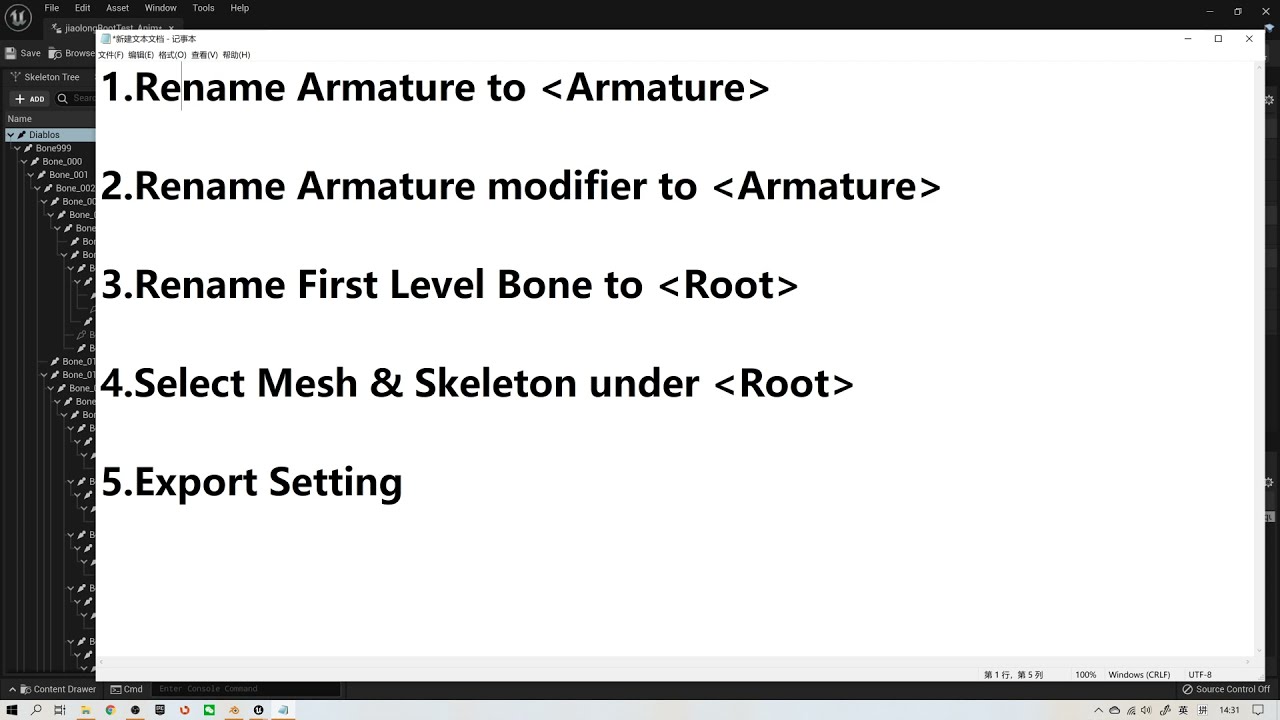
Another Important Setting:
a) Setting scales to centimeters in the Blender with unit 0.01
b) Applying transform (CTRL + A) in object mode for both Object and Armature.
Rename & Select are the Key Points.
How to Export Rootmotion from Blender to UE/root bone/ keep animations in place.
 flat coral
Is there a way to "clamp" a vector in local space so it cannot point towards a certain area (say, a capsule collider)?
versed sun
flat coral
Is there a way to "clamp" a vector in local space so it cannot point towards a c...
this looks like something that might help you https://www.youtube.com/watch?v=04GFzeYbGLs&ab_channel=RodrigoVillani
The last (and most complex) of the Look at functions in Unreal.
00:00 - Coming up
01:07 - Intro
01:37 - The setup
02:19 - Shortest Rotation Path
03:52 - Params: Current Transform
04:16 - Params: Target Position
04:39 - Params: Look at Vector
06:31 - World Space
08:34 - Params: Look at Vector (cont.)
12:36 - Params: Clamp Cone in Degree
14:20 -...
 flat coral
Iiiiiinteresting.
Aw the clamp cone is backwards of what I need
Still, this is useful. Look at rotation is a potential piece
white oxide
Noob question: How do I loop the sound while the player is touching the cube?
 flat coral
white oxide
Noob question: How do I loop the sound **while** the player is touching the cube...
flat coral
white oxide
Noob question: How do I loop the sound **while** the player is touching the cube...
Don't loop the sound in a while loop. Just make a looping sound, start it on Begin Overlap, and stop it on End Overlap
maiden wadi
white oxide
Noob question: How do I loop the sound **while** the player is touching the cube...
What Pariah said. Also use "SpawnSound" instead. This will return a reference to the component it's using so you can stop it on EndOverlap.
white oxide
flat coral
Don't loop the sound in a while loop. Just make a looping sound, start it on Beg...
How do I make a looping sound?
flat coral
A WAV can be set to looping directly, or you can do it in a Cue that wraps the wav
Also frankly, managing sounds via BPs is a bit of a noob trap. You CAN do it, and sometimes it's the right call, but more often it's a lot more effort and complexity than using the tools the unreal audio system gives you
maiden wadi
Start with SpawnSound
flat coral
Like this case for example. Sure, this isn't much code we're talking about here, but are you certain you couldn't solve this with AmbientSounds and AudioGameplayVolumes? Because that would be zero code.
white oxide
Umm I'm not sure, this is the way I can comprehend with my current level
Got it going TYSM
 flat coral
My point is, it's worth it to take a look at the tools that are available for managing audio in Unreal, before cutting code to manage it "manually"
flat coral
white oxide
Got it going TYSM
Also you should just save the sound as a variable
trim matrix
guys i finally quit Unreal engine
sorry for say that random but i give up
I just heart so many people saying, Its hard and you cant do it, and yea maybe i cant do it.
i looked up on a youtube video, where is taking 3 HOURS to watch it and i saw at the middle
of the video is was an error that was not on the video and for me it was. and i respect every single think
but yea maybe makeing games is not for me, i will just keep playing epic games, games and watch others do and not me
if no one cares, its ok. atleast just to see the message its enough for me
maiden wadi
Can't wait to never use FMOD again. Gonna be fantastic.
trim matrix
Because its just to hard to understand. i am 1 month developer and its stressfull
dark drum
trim matrix
Because its just to hard to understand. i am 1 month developer and its stressful...
You just got to tackle it one problem at a time. Also, it takes time to learn how to make games. I did a 3 year games design course and 10+ years of using UE (3, 4 and now 5) and even now I still feel like I know a small fraction of what is possible.
Don't be so hard on yourself. 1 month is nothing in the grand scheme of things. 🙂
flat coral
I majored in computer science for a 4 year degree, then worked in the tech industry for 10 years, then I've been in Unreal for almost 3 years.
No one knows shit after a month
trim matrix
dark drum
You just got to tackle it one problem at a time. Also, it takes time to learn ho...
Thank you for saying that but i was so stressfull for respect every single detail on that 3 FREAKING HOURS VIDEO
and then just to pause the clip for 1 second and change the hole code to a new one and dont understand anything
and i was so happy that i find the perfect video
and its just useless
i cant learn some stupid blueprints to make it my own
i am crying rn :( i am felling useless
flat coral
Dude video tutorials might not be the way you learn best, then. I certainly have never watched a 3 hour video tutorial either
trim matrix
flat coral
Dude video tutorials might not be the way you learn best, then. I certainly have...
it was 3 hours bc that stupid guy who explains its bc that guy stay every 5 minutes and watch the code and check 3 times and after continue 1 minute and again 5 minutes break
until i just rage out
dark drum
trim matrix
Thank you for saying that but i was so stressfull for respect every single detai...
It might just be the YouTubers you're watching. Some don't explain things very well.
I have done some tutorials myself where I try to explain why I'm doing what I'm doing. Perhaps check them out, they might resonate with you more. Even if they aren't exactly what you want.
When I first started out, I would normally watch a video in full before I attempted to replicate it myself.
maiden wadi
I followed a little multi video city builder when I started. I went through it twice. First time just doing it identical. Then I started it again in a fresh project and stopped at every point to search things and try to understand what they were. Took me a couple of hours to understand wtf an Enum was. That was a little over four years ago. And I'm still to this day stressed by learning new things to tackle. ATM I'm trying to get my head around ECS better to tie higher counts of objects to games.
Development is a constant process. And you need constant patience. You're going to get frustrated. You need to accept that you're going to feel like you're wasting large swaths of time on things that feel like they should be much easier. Some people in this industry literally spend decades never leaving their bubble field. Like a gameplay programmer who never touches AI or UI.
lofty rapids
with all programming the learning just never ends it seems
dark drum
I can remember the first thing I made in UE4 that sort of resembled a game. It was a very poor idle clicker type thing that was pretty much just clicking a static mesh to increase an int, but... Being new, I did everything on tick... 🙄 yes it was awful, I'm surprised it got 30 fps. Lol
flat coral
My strategy is always to just learn the smallest thing possible. It's the one piece of programming advice I've never stopped giving no matter what I was working on. This is a discipline that's about breaking up the problem into the smallest possible parts.
Don't try to learn to make an RPG, learn to make a character jump. Learn how to make a UI button you can press.
And that way, when it doesn't work, you actually can look at it and understand WHY things are happening, because it's all built out of pieces you understand
maiden wadi
Only thing I've made that even resembles a game was a little Asteroids spinoff for a GameJam. 😄 You had to scan little tears in space and go through them but some just teleported you around the map.
Everything else I start and I get caught up in the tiny details way too much.
trim matrix
flat coral
My strategy is always to just learn the smallest thing possible. It's the one pi...
yea but
i already did that
but how i can learn
from learning everything for blueprints
and then put me to make a door
open and close
AND I DONT KNOW
HOW
because its hard to remember
animation,rotation of the door
collision
lofty rapids
are you new to programming in general ?
trim matrix
and much more
maiden wadi
Repeat it. Do it again. Do it a third time. Follow the guide every time til you can do it on your own. Find another door opening style. Do it. Understand what is happening with the code.
lofty rapids
i think for a lot of people ue can be overwhelming theres a lot going on if you don't get it it can be confusing
flat coral
It's totally possible to learn programming through Blueprints in Unreal, but you need to go into it with the understanding that you are learning programming. Just because it's lines and pretty colors doesn't mean it's not code.
Like, this is something people spend years learning, decades.
trim matrix
flat coral
Like, this is something people spend years learning, decades.
how
HOW
because
is 2 cubes
connecting each other
and you can make something
is not html or css
i hate both of them
lofty rapids
get a tutorial that shows you the basics of blueprints
not a specific thing but nodes, how they work, when they fire
stuff like that
 turbid bison
urgh why do we need to cast child actor to their real class ?
maiden wadi
Like I said above. My first session was following that city builder thing. I think I literally spent a couple of days just watching those, hooking up stuff like he did. Then I went back through it a second time for over a week, pausing and looing up stuff, rereading through the blueprint nodes to try to follow the logic. That's almost two weeks just following someone else's stuff. I spent months after that reading blogs, watching random tutorials and trying things before I really got comfortable enough to make something on my own.
trim matrix
lofty rapids
stuff like that
yea i already did
and learned Variables
the Float,The rotator
etc...
and what you can use for
maiden wadi
trim matrix
yea i already did
 flat coral
turbid bison
urgh why do we need to cast child actor to their real class ?
flat coral
turbid bison
urgh why do we need to cast child actor to their real class ?
Child actor components suck. Any time you're gonna use one, it's good to stop and think "am I 100% sure I can't do this with an ActorComponent?"
trim matrix
maiden wadi
https://tenor.com/view/do-it-again-freddy-crane-frasier-give-it-another-try-have...
Yea.
turbid bison
also. I created an actor 'Launcher' whose purpose is to make other actor launch stuff. It creates splines meshes for the aiming arc, so I had to make it an actor. Am I doing something bad, or is it a valid design ?
turbid bison
flat coral
Child actor components suck. Any time you're gonna use one, it's good to stop an...
thanks, do they have other limitations ? the cast come with a warning, can it have performances issues in the long run ?
flat coral
turbid bison
also. I created an actor 'Launcher' whose purpose is to make other actor launch ...
That's valid but also remember an actor doesn't need to be a child for another actor to control it
turbid bison
yep, but this actor is pretty meaningless by itself
flat coral
turbid bison
thanks, do they have other limitations ? the cast come with a warning, can it ha...
It's less about hard limitations and more about they're a pain in the ass.
turbid bison
it could be triggered by other stufff though
turbid bison
flat coral
It's less about hard limitations and more about they're a pain in the ass.
oh well... I used to develop in Java. I m used to PITA
 empty pond
You might try recreating your camera. My original camera created in 5.3 had the same issue you mentioned. Just created a new camera and it seems the width setting is working agin.
maiden wadi
Child actor components are fine for runtime use. But they carry a bad stigma due to some of their serialization issues with maps.
Lol.. Good case on always learning new stuff. I'm a pretty competent UI and Gameplay systems programmer but I've never messed with audio stuff much outside of UI. @flat coral's point above made me check out the AudioVolumes( Note this is a volume "OF" audio, not a volume for audio, weird name). 😄 Would be a possibly good thing for @white oxide.
flat coral
maiden wadi
Lol.. Good case on always learning new stuff. I'm a pretty competent UI and Game...
Also, as I fuckin learned the hard way, AudioVolume and AudioGameplayVolume are two different things
maiden wadi
Second one isn't in the placable actors panel. 🤔
 maiden wadi
Ah, plugins of course. 😄
flat coral
I don't usually mess with them but these ones seem on the path to becoming core, and GameplayVolume did what i needed in a way that AudioVolume didnt
maiden wadi
I love plugins. Like 85% of my gameplay programming is generic stuff in plugins. 😄
flat coral
(Use case was different ambient sound tracks playing inside vs outside a structure)
lunar sleet
maiden wadi
I love plugins. Like 85% of my gameplay programming is generic stuff in plugins....
You sure love your modularity 😀
pine trellis
does anyone use UE remotely? I am trying to use google remote desktop and its fine for blue prints but it acts weird when tryong to control the players on the screen
pulsar geode
Is it possible to pose the bones of a skeleton in the main viewport editor?
I have a 2 bone simple mesh that I would like to be able to move/scale the bones while building my level.
 viral ember
Hello I am working on a multiplayer game and I am using the advanced sessions plugin but when I call this function the level doesn't load into the session it loads on the standalone game how can I fix this issue.
 maiden wadi
lunar sleet
You sure love your modularity 😀
maiden wadi
lunar sleet
You sure love your modularity 😀
I mean most code is reusable between games. People just convolute it. A great case. What is the difference between a survival game's crafting system where you queue up crafts, an RTS game's system where you queue up units to produce, any sort of game's research, or a situation in any game where you upgrade something to something else?
The answer to that question is Input, Output, and Time Involved.
- One takes resources from an inventory and outputs something new to the inventory instantly or after a time.
- One takes player related resources and outputs a spawned actor the player can control.
- One takes past research links, resources, etc and outputs a specific research link.
- One takes a thing and probably other resources or requirement inputs and outputs them as a new upgrade.
Every single thing that can be defined this way can be wrapped into two structs.
Struct1
PrimaryAssetID = Thing
Integer = Thing's count
Struct2
ArrayOfStruct1 = Input Things
ArrayOfStruct1 = Output Things
float/double = Time Involved(technically this can also be an Input)
Everything past this is game specific, how you handle the time. Is it linear? Do perks multiply it? Is it turn based?
And you can specify anything as a PrimaryAssetID if you correctly create data assets for your "things". Inventory items, mana, energy, perks, granted abilities etc.
Write most of this logic generically and now you have a system that can turn one set of thing(s) into another set of thing(s) with very little per project effort.
This is just one major gameplay example. Generalize stuff in a modular way enough and you have very easy to reuse systems for any project you work on and they're much cleaner and easier to follow for bugs and UI.
turbid bison
oh i see what u mean now with child actors
who the hell decided it was good design that you need to replicate child actor AND the inner actor in the child actor ?
maiden wadi
ChildActorComponents normally aren't used in cases where you need a replicated actor. They're meant to be more display like local to a client mostly.
open acorn
Question: Am I not understanding something about functions? Do I have to do this check outside of the function for this to not fire twice?

 maiden wadi
Do you have any written programming experience? Enough to follow pseudocode?
void IfTown(ESomeEnum Location)
{
    if (Location == Something)
    {
        Print("true");
    }
    else
    {
        Print("false");
    }
}

void EventEnterLocation(ESomeEnum LocationToEnter)
{
    IfTown(LocationToEnter);
    Print("Why is this firing?");
}```EG this kinda. You've called EventEnterLocation. Which calls IfTown. That does some stuff that prints. It leaves IfTown and does the next line which is the print afterwards.
open acorn
ok i see... when you actually write it out in code it makes sense.
turbid bison
ChildActorComponents normally aren't used in cases where you need a replicated actor. They're meant to be more display like local to a client mostly.
So, what can I do, if I want to add behavior to a class, that I cannot do with an actorComponent, and that I want to replicate ?
maiden wadi
What was this for again? What did you need the child actor for in this example?
turbid bison
It is used to create a spline mesh, and handle launching behavior
launch could be a actorCOmponent, but Meshes cannot
maiden wadi
I more need the answers of What are the meshes? What is their function? What is this system for? Why do you need a spline vs some sort of projectile system?
turbid bison
I want my PC (and probably some NCP to launch stuff). The meshes are spline meshes that show the expected trajectory of the throw
basically, I want something with methods 'simulateLaunch' that creates the splinemesh, and launch that spawn an object, and apply velocity to it
maiden wadi
So the thing is you need two systems. The spline is secondary. It's visual. It takes some parameters and sets itself up based on factors like velocity of throw, mass of thrown object, gravity, etc etc. You can also do this in a niagara emitter too.
The actual launch should be something more like spawning a new actor with a projectile movement component on it via a simple SpawnActor node.
turbid bison
projectile movement has its own issues
notably projectiles tend to despawn on hitting ground
maiden wadi
That has nothing to do with the PMC. You dictate what happens to them when they hit something. You can set settings up to make them bounce, etc.
turbid bison
That is not the issue anyway, the code itself works. Issue is when I want to make it more maintainable
How are weapons usually handled ? I guess they are actors ?
maiden wadi
Depends on the implementation. For example our last project had Actors that spawned projectiles or did traces via a dynamically set firing component.
Now we're following Lyra a bit more and the weapon actor is kind of more for display. GameplayAbilities manage spawning or projectiles or traces using the ability owner's attached weapon to do visuals and spawn/trace start locations.
Some weapons are just MeshComponents with custom logic, less extensible.
Some weapons don't even actually exists and are integrated into the skeletal mesh of the character due to needing many instances and not wanting to pay the component movement update cost.
turbid bison
hmm thanks
I dont see what solution i gonna use rn
gonna revert my changes of tonight anyway, my solution does not work
turbid bison
is it OK to attach an actor to a component to get actor behavior, that are replicated ? Or would I have weird issues, like with ChildActor ?
Surest way I see, the actor component will return a PathData[], and it will be the owing actor responsability to make a spline appear with this. makes me copy/paste the spline stuff, but heh, it is quite small anyway
 lusty shard
I have a logic challenge/problem... How do I make the 2nd building doorway snap to the placed buildings doorway. Both doorways have a SnapPoint child actor that respends to overlap events. The building in placement mode is being told to snap to the other when the overlap triggers.
turbid bison
What I would really want is a mixin, but this is probably not doable with blueprints
 waxen rose
What is the first class be valid after game instance?
lunar sleet
maiden wadi
This is just one major gameplay example. Generalize stuff in a modular way enoug...
Hehe, yeah, never said it was a bad thing 😀
lusty shard
I can get the center of the parent owner... but logic goes
(NotPlacedBuildingCenter)(Snap Point))-->((Snap Point)(PlacedBuildingCenter)).
Goal being that the SnapPoint pulls the other SnapPoint WITH its owner.
But not to the center of the placed building. Hard to explain lol
and without moving the SnapPoint child actor in relation to its parent owner.
 harsh nebula
I've been working on this blueprint for a while and now it's time to ask for a little help.
The highlighted nodes are supposed to get overlapping actors with my Collision Mesh and then with the array I filter components by tag and then change the material emissive. It is working correctly except for one "access none" warning which I am assuming has something to do with the array index as normally with some calculations you do the -1. But I cannot figure out how to do the equivalent in this case. I thought maybe a validation check may stop the the warning, but no it does not. Or, am I just missing something simple???
I scoured youtube for some answers but have drawn a blank so far.
Any help would be extremely appreciated.

 exotic obsidian
How do i do a while condition
like
How do i show a UI for each ally.
Something like, While in party, show this widget onscreen.
 spark steppe
you add it to screen when they enter the party, and you remove it when they leave the party...
 grim timber
can anyone help me with this? I'm trying to create a function in a BP function library. The function is supposed to ensure that the character/player is snapped to the ground on beginplay from the level BP (thats where I'm calling it).
the first print string fires so I know it's being set. The second print string isn't firing so it isn't adjusting the world location
no compile or runtime errors
Character Ref is a local thirdpersoncharacter variable
 maiden wadi
harsh nebula
I've been working on this blueprint for a while and now it's time to ask for a l...
maiden wadi
harsh nebula
I've been working on this blueprint for a while and now it's time to ask for a l...
Three main notes.
The access none is likely on the branch. You're not confirming that this actor has an actual ISM. You're also only checking one ISM, so if it has more you'll end up with bugs. Maybe fine for this case but it's always good to make things extensible.
The IsValidInstance does not correlate to the index of the actor. ISMs have multiple instances per component. So if you have 15 instances on each component and three actors, you have 45 instances total.
It's worth asking when are you calling this? What is the point? Curious if this wouldn't be better as some sort of material function that works in the shader instead of as a passed parameter.
spark steppe
grim timber
can anyone help me with this? I'm trying to create a function in a BP function l...
use your character as world context object for the line trace
grim timber
spark steppe
use your character as world context object for the line trace
like this?
 spark steppe
thats the root component? use the character ref... whereever it's coming from (because it should be an actual parameter)
function libraries usually aren't aware of the world
trim matrix
root component is a component, not an object
grim timber
spark steppe
thats the root component? use the character ref... whereever it's coming from (b...
character ref is a local thirdpersoncharacter variable, plugging it into the world context object doesn't work
spark steppe
you said this is a BP function library
where does the character reference come from?
 elfin lagoon
empty pond
You might try recreating your camera. My original camera created in 5.3 had the...
elfin lagoon
empty pond
You might try recreating your camera. My original camera created in 5.3 had the...
it was some time ago, but thank you anyway
i fix it by recreating 2D component and camera
grim timber
spark steppe
where does the character reference come from?
I'm not sure I understand the question. Does using a local thirdpersoncharacter variable not reference the third person character?
spark steppe
grim timber
I'm not sure I understand the question. Does using a local thirdpersoncharacter ...
no
it's usually referencing nothing unless you set a value for it, which makes me wonder how your first print string works
oh nvm
the first print string is on the IsNotValid branch, there you go...
your reference is as expected never valid to begin with
sry, got confused because the node was so far up... (didn't follow the lead...)
wait a second.... you then set it based on the GetPlayerCharacter node
can you add another IsValid check after that and tell us if that one succeeds or fails?
(you can remove the first IsValid check, because it will always fail)
ah
scale the vector down by a positive number
because it's already pointing downwards
 quartz lotus
What is the best way to get data from a variable from blueprint A to blueprint B?
spark steppe
quartz lotus
What is the best way to get data from a variable from blueprint A to blueprint B...

Announce Post: https://forums.unrealengine.com/showthread.php?101051
This Training Stream takes a look at Blueprint Communication. We find that Unreal Developers of all levels can sometimes struggle through the concepts behind moving data between objects. So in this video we'll take a look at the different ways to make Blueprints talk to one an...
quartz lotus
spark steppe
https://www.youtube.com/watch?v=EM_HYqQdToE
Ill give it a watch! Thanks!
spark steppe
tl:dr: there's no general answer and several concepts which are explained in the video
@grim timber that may work

even tho i'm not a fan of not having a world context object in the first place to get the player character, but apparently it's fine...
maiden wadi
It's automatic in BPFLs
grim timber
spark steppe
your reference is as expected never valid to begin with
ah okay, yeah that's the issue i was having before i set this up this way. I watched this tutorial: https://m.youtube.com/watch?v=x5yx7XqZrrA

Hey guys, in today's video, I'm going to be showing you how to fix and read the error message of "accessed none trying to read...". This covers, what it is, what it means, and how to fix it.
#Ue4 #UnrealEngine4 #Ue4Tutorial
00:00 - Intro
00:05 - Overview
00:24 - How To ...
spark steppe
maiden wadi
It's automatic in BPFLs
yea, but does it pass it along to other calls which require one?
maiden wadi
Yeah. It's a weird feature in them.
spark steppe
i know you can get it by searching for the variable
ok, then the blue line might not be necessary, but wont hurt either
maiden wadi
Technically it would be better if they just wouldn't show the pin in most cases, but 🤷♂️
spark steppe
yea they did in older versions
maiden wadi
It's passed by whatever is calling the function.
spark steppe
and that broke quite a few things now, e.g. when you copy a function from one BPFL to another it may end up weird
maiden wadi
You can still get it too, manually. There's a getter for the actual variable.
spark steppe
yea, i wasn't aware that it also passes it down to all function calls which require one
i always manually put one in now, guess i'll still keep doing it tho 😄
maiden wadi
I do it out of habit too. 😄 Bugs me a little not seeing it even if I know it works fine.
spark steppe
btw. @grim timber chances are that this will actually put your character into the ground
grim timber
the second string is printing now, and the character isn't clipping
spark steppe
ok, then it's because you change the location of the component instead of the actor
wasn't sure how that turns out...
not sure if it's a good solution tho
grim timber
i don't know either. i really need a course or something on unreal bp's
maiden wadi
In this case it's the same thing. SetActorLocation will set the world location of the actor's RootComponent
spark steppe
true, so unreal is maybe moving it out of the ground?
maiden wadi
Technically actors have no transform on their own. Everything they have relies on their scene components as far as location or bounds.
spark steppe
because i'm kinda convinced that the default third person char has the origin not on ground level
maiden wadi
CMC probably.
spark steppe
could turn into unexpected behavior tho, if it decides to put the character below the floor 😄
maiden wadi
If you're using nav meshes, it can be prudent to project locations to them too.
spark steppe
i would add the capsule half length as z-offset
grim timber
maiden wadi
CMC probably.
CMC?
maiden wadi
Character Movement Component
grim timber
oh okay
can either of you recommend a solid video series or course that i can learn how BP's work? I have gotten stuck on how to reference something several times because i don't understand what reference types are correct
frosty heron
grim timber
can either of you recommend a solid video series or course that i can learn how ...
Show where you get stuck.
grim timber
spark steppe
even tho i'm not a fan of not having a world context object in the first place t...
found a less messy way to do it 😅

 spark steppe
grim timber
found a less messy way to do it 😅
spark steppe
grim timber
found a less messy way to do it 😅
that's actually how i would do it, too 🙂 (well almost...) 😛 but good start
grim timber
spark steppe
that's actually how i would do it, too 🙂 (well almost...) 😛 but good start
yeah im still learning about proper usage. I'm hesitant about the event beginplay but still learning the appropriate usages too
spark steppe
that's fine and the right place to do it
for what i would change, it's probably still fixed for ThirdPersonCharacter, i would just use Character as type for the "Actor" parameter
so that it's more universal to be used for any character
and as said, adding the capsule length as z-offset
to not rely on some outer magic to fixup the location
grim timber
spark steppe
for what i would change, it's probably still fixed for ThirdPersonCharacter, i w...
yeah I'm using an actor for the input on the purple node
now*
spark steppe
huh? they have an accessable root component?
grim timber
i guess? lol
spark steppe
still character would give you access to the character capsule
so i would change it either ways 😛
dawn gazelle
grim timber
can either of you recommend a solid video series or course that i can learn how ...
Getting references is knowing how one thing relates to one another. If there is no relation, then it's difficult to get a reference.
How to reference something then is figuring out if there is an existing relationship and using it, or creating that relationship yourself if two things need to know about each other but they wouldn't normally.
Some examples:
If something is a component of an actor, then the component can get its owner in order to reference the thing it is attached to. In the owner hopefully you have a direct reference already to the component as it was added on the owner, otherwise you can use other tools like "Get Component By Class" or "Get Component With Tags" to determine the correct one.
If something is causing a collision to trigger (like OnOverlapBegin/End or OnHit) "Other Actor" is usually the Actor that is triggering the collision notification to happen on the actor the overlap event is happening on.
Having a player input trigger some logic to another actor like an "interact" event, but passing the information back to the player character that performed the interaction - you'd just need to pass through a reference of "Self" through the function, then the interactable actor can call back to the original actor that triggered its interaction.
grim timber
spark steppe
so i would change it either ways 😛
you'd change the actor input to character?
grim timber
dawn gazelle
Getting references is knowing how one thing relates to one another. If there is...
how do you create a direct reference to component in the owner?
spark steppe
the owner is usually aware of what it owns
dawn gazelle
An example would be if the component is attached to the actor at editor time, or you add the component in code and set a reference to it.


So then, it's knowing what may have what, and you can bounce between the different objects to try to get the thing you're looking for....
Like with a PlayerState reference, I know I can get it's controlled pawn from it, and if I know I'm using a Character, I can get a Character Movement Component.
 grim timber
dawn gazelle
An example would be if the component is attached to the actor at editor time, or...
grim timber
dawn gazelle
An example would be if the component is attached to the actor at editor time, or...
so in this instance would WidgetInteraction be the component?
dawn gazelle
Yes
grim timber
are widgets actors too?
dawn gazelle
No
grim timber
you guys are being so helpful, thank you 🙏
grim timber
spark steppe
still character would give you access to the character capsule
how would you reference the capsule and why would you target the capsule instead of actor?
exotic obsidian
Does loading a level not unload a previous level?
I thought levels were fully seperate
But i notice inputs from previous level happening
spark steppe
grim timber
how would you reference the capsule and why would you target the capsule instead...
i would take the capsule half height value and add it to the z-offset
because: if you click on your character you'll notice that the gizmo is above ground in the middle of the character
and you are currently setting your new location (which is this point) on the ground
spark steppe
exotic obsidian
Does loading a level not unload a previous level?
it should
grim timber
spark steppe
and you are currently setting your new location (which is this point) on the gro...
that's the origin isn't it? If i were to do it with the capsule wouldn't it just plant my character in the ground?
spark steppe
that's what you actually do (and the current assumption is that the Character Movement Component moves it out of ground)
grim timber
oh okay
 timber crystal
Can someone explain to me how I can quickly fix this?
So the line goes straight down to see whether there is still a wall/floor there or not
Just need a straight down line


 shut canyon
Start is 300, 0, 0, end is 0, 0, 300 - not a straight line
Well, not a vertical line
dawn gazelle
timber crystal
Can someone explain to me how I can quickly fix this?
So the line goes straight...
Your end calculation would need to be -300, 0, 300
Might be easier to change it to addition and do 300, 0, -300 just so it makes a bit more sense
frigid summit
pulsar vigil
if ur root motion bug look at this video to verify name convention https://www.y...
thanks
frigid summit
lofty rapids
you probably have to enable root motion
i tried but it didnt work
harsh nebula
maiden wadi
Three main notes.
The access none is likely on the branch. You're not confirmin...
Thanks for the info. I appreciate your time on this. More info to put in the memory banks.
I've just changed to "get components" instead of "find Component" I'm using 2 component tags and when I set the second tag up, all errors just disappeared.
The implementation I'm doing is retro reflective road signs so there is an emissive value when the sign is lit and then off when the sign is not lit. So far with shaders I have not found a solution that can handle lit or unlit.
So I implemented a cheap "dirty" trick to use a cone mesh as collision for the extent of the car headlight which activates the emissive on a begin overlap if headlights are on, however I needed a already overlapped check when I turned the lights off and on so that the already overlapped instances will switch their emissive.
I hope that kind of makes sense.

 gentle urchin
grim timber
can anyone help me with this? I'm trying to create a function in a BP function l...
gentle urchin
grim timber
can anyone help me with this? I'm trying to create a function in a BP function l...
You should cast to pawn
As high as you can
And generally name it accordingly
Or pass the actor to snap in as an input.
Makes far more sense for a generic snap function
If you also include a primitive component, you can specify which component is ment to be used for snapping to ground
Makes it far more useable
timber crystal
dawn gazelle
Your end calculation would need to be -300, 0, 300
thanks
 dull crest
Does anyone know why my "draw debug line/arrow" renders cut in/out depending on my camera rotation? its making it infuriatingly difficult to actually use them
grim timber
gentle urchin
You should cast to pawn
i think i've got the help that i've asked for, thank you though
gentle urchin
Neat. Didnt notice^^
 teal tendon
Hey can anybody help me with this, I am using global time dilation to slow down the world and custom time dilation to change a certain object time back to normal but the the thing is it is not affecting the material the object is using and it is moving with global time
can anybody help me with this
grim timber
gentle urchin
Neat. Didnt notice^^
nw i just got a LOT of advice on a lot of different use cases. my brain is tapped out
teal tendon
I tried switching material when I am slowing the world and setting the object time to normal but it is a bit jerky and is obvious in the scene that the material is being changed
can anybody help me with this
 untold fossil
Hello. Does anyone know where I can find a graph / schematic / flow chart to see which objects are created when and in what order such as gamemode, gamestate, playerstates, controllers, characters, ... I'm trying to set up a save and load system and need to know what is accesible when.
grim timber
teal tendon
I tried switching material when I am slowing the world and setting the object ti...
i probably cant but blueprints screenshots will probably help


 odd kiln
Hi all
Does anyone know how can I make a "priority" system for a "sphere trace" ?
Like when my Sphere Trace is spawning, I want it first to check some actors and then if it does not exist check another?
dark drum
odd kiln
Like when my Sphere Trace is spawning, I want it first to check some actors and ...
What type of sphere trace are you doing? by channel, object or profile?
odd kiln
dark drum
What type of sphere trace are you doing? by channel, object or profile?
By channel
dark drum
odd kiln
By channel
Do the two types of objects get picked up by the same channel?
odd kiln
dark drum
Do the two types of objects get picked up by the same channel?
Yes both Actors have the same channel set to "block"
dark drum
odd kiln
Yes both Actors have the same channel set to "block"
I would use a multi sphere trace by channel and just loop through the hit actors and do checks to determine which one should actually be used.
odd kiln
dark drum
I would use a multi sphere trace by channel and just loop through the hit actors...
So I loop through the hit actors and then if my "priority 1" actor is not hit, I go check the other "priority 2" actor, right ?
Thank you I will try this right now !
The problem is that both actors are at the same "location" and it always check the same actor at first
dark drum
odd kiln
So I loop through the hit actors and then if my "priority 1" actor is not hit, I...
Sort of, you could probably do the check with just the one loop. Have a local var for the current actor and when you check the hit actors, if this null (empty) just set the current hit actor in the loop to the current actor. If the current actor is already valid, check what they are, if the current actor is a higher priority actor, you don't need to do anything. If however, it's a lower priority for the current hit actor in the loop, set the current actor to the new one.
inland walrus
Hey, what do I use if I want the image to have like a faded left, right and bottom opacity?
 odd kiln
inland walrus
Hey, what do I use if I want the image to have like a faded left, right and bott...
odd kiln
inland walrus
Hey, what do I use if I want the image to have like a faded left, right and bott...
A material
inland walrus
odd kiln
A material
Can it not be done via wbp?
 queen heron
is there a better method to check if the tracer hits a particular actor?
 odd kiln
inland walrus
Can it not be done via wbp?
odd kiln
inland walrus
Can it not be done via wbp?
You have to make a material with the effect you want and set this material into the WBP image (I guess it's the only solution)
odd kiln
queen heron
is there a better method to check if the tracer hits a particular actor?
You can use the "Does Implement Interface" node maybe?
dark drum
queen heron
is there a better method to check if the tracer hits a particular actor?
Why does the tracer need to know if it's hit a particular actor?
queen heron
dark drum
Why does the tracer need to know if it's hit a particular actor?
I wanna do the interaction where you're required to look at the object you wanna interact with
but idk if I'm doing it right
it works fine and all tho
maybe I can use a structure with all the possible interactive actors?
dark drum
queen heron
I wanna do the interaction where you're required to look at the object you wanna...
You want to either use an interface that you implement on all the actors you want to be interactable (the actor would decide what happens when an interact function is called) or alternatively, you create an interactable component you place onto the actor you want to be interactable. This would have an OnInteract event dispatcher that it's owner can override.
You're interaction system would then just either call the interact interface function or get the interactable component and call the relevant interact function on that. (depending on the method you go for)
queen heron
hmm
dark drum
queen heron
I wanna do the interaction where you're required to look at the object you wanna...
This is a tutorial I made that shows a setup using the interface route that might give you more of an idea. You should be able to tweak it to you're needs.

Welcome to this tutorial on how to create an interaction system in Unreal Engine 5! In this video, we'll go over a different approach to making an interaction system using Unreal Engine's powerful Blueprint visual scripting language.
Whether you're a beginner to Unreal Engine or an experienced developer looking to add a modular interaction syst...
 tepid raft
tryna make another event beginplay but wont let me i need a seccond one for stamina bar
 queen heron
tepid raft
tryna make another event beginplay but wont let me i need a seccond one for stam...
queen heron
tepid raft
tryna make another event beginplay but wont let me i need a seccond one for stam...
custom events
tepid raft
queen heron
custom events
im just a special person
queen heron
you can choose either custom events or sequence node
gentle urchin
Or just connect it to the end of the beginplay chain
dark drum
tepid raft
tryna make another event beginplay but wont let me i need a seccond one for stam...
You can only have one begin play node. Add the new logic to the end of the chain or use a sequence node.
 obtuse mulch
is it possible to draw particle infront of everything?
grim timber
teal tendon
these are the screenshots
whats the desired behavior?
from a novice perspective it looks too simplistic
tepid raft
For some reason when I run out of stamina and then regain it I need to either fully stop or wait for it to go back to full
grim timber
tepid raft
For some reason when I run out of stamina and then regain it I need to either fu...
what are you trying to do?
waxen mason
tepid raft
For some reason when I run out of stamina and then regain it I need to either fu...
It´s hard to say without the code.
Do you have a boolean to tell when you´re sprinting or when not? (isSprinting)
Do you set it after you stop the sprint?
Do you have a condition to sprint if stamina > 0?

 grim timber
waxen mason
It´s hard to say without the code.
Do you have a boolean to tell when you´re sp...
grim timber
waxen mason
It´s hard to say without the code.
Do you have a boolean to tell when you´re sp...
I'll defer to gattana93. im just a beginner here to learn from others
waxen mason
grim timber
I'll defer to gattana93. im just a beginner here to learn from others
I´m an ape aswell mate so hopefully someone with more brain power will help if we cannot
grim timber
tepid raft
what is the desired behavior though?
tepid raft
grim timber
what is the desired behavior though?
im new so im probs gonna get this wront but i want it so the player stops moving for it to regain stamina
grim timber
tepid raft
im new so im probs gonna get this wront but i want it so the player stops moving...
okay so when the player stops moving you want it to regain stamina
tepid raft
yea
grim timber
tepid raft
For some reason when I run out of stamina and then regain it I need to either fu...
in reference to what you said here, how is that different from what you wanted to do
tepid raft
SOIHOGFH i dont english
grim timber
tepid raft
SOIHOGFH i dont english
check this out and see if it helps
Reddit
Explore this post and more from the unrealengine community
tepid raft
i am very smart 👍 );
tepid raft
grim timber
https://www.reddit.com/r/unrealengine/comments/yaapgr/im_having_trouble_making_i...
thanks
waxen mason
If you want him to stop completely to regain stamina, in the "increaseStamina" simply check if the speed is EQUAL to 0
If you want him to regain while walking, check if the speed is equal or less than the 300
tepid raft
ok
 humble pike
Hello all, I hope you are doing well.
I am looking for help. Is anyone familair with NVIDIA Omniverse Audio2Face and Unreal Engine 5.2? More over, how to get data between the programs, and more specifically, how to see when the model is talking.
Thank you and have a great day! 🙂
waxen mason
When you check if stamina is >= 100, add the condition to check speed and use an AND
tepid raft
i did it and im happy (; my brain did a thing
dark drum
tepid raft
Timer by Event are your friend. 🙂 When you sprint, start a timer to decrease health. When stamina is depleted or the player stops sprinting/moving, stop the timer handle and start a new timer by event for regenerating stamina. When stamina is full, stop the timer handle.
 primal lichen
Hello Guys i have a weird behavior which i dont unterstand. My Game and gamemode works fine if i play it in unreal engine. As soon as i restart the game via blueprint my gamemode stops working for counting targets, everything else works. If i close the game and launch it again it will work just fine for the first play through does somebody know what could go wrong
dark drum
primal lichen
Hello Guys i have a weird behavior which i dont unterstand. My Game and gamemode...
What in your gamemode isn't working? And how are you restarting the game?