#blueprint
1 messages · Page 135 of 1
 simple field
 maiden wadi
This was the shader I went with that kills a lot of the moire lines. Looks really nice.

 simple field
Ah thanks
btw any idea how to make loading a bit longer so that players can see the splash screen for at least a second? my game is too small and its so weird just seeing the loading screen pop up for 0.01 seconds
maiden wadi
I use CommonLoadingScreen, works well for that.
 violet spoke
maiden wadi
This was the shader I went with that kills a lot of the moire lines. Looks reall...
violet spoke
maiden wadi
This was the shader I went with that kills a lot of the moire lines. Looks reall...
you could add depth buffer to scale grid spacing
 undone bluff
simple field
btw any idea how to make loading a bit longer so that players can see the splash...
undone bluff
simple field
btw any idea how to make loading a bit longer so that players can see the splash...
start mining some crypto on their gpus and only launch the game when they start noticing something is off
maiden wadi
I'm half curious what kind of teacher would be bothered by that.
simple field
This more of bothers me than the teacher ngl
maiden wadi
Splash screen, or loading screen?
undone bluff
I don't know about your setup
simple field
erm splash screen sorry, thought they're the same
maiden wadi
Splash screen is the thing at startup before the fullscreen app opens. Loading screen is the full screen overlay that hides your level loading.
EG Splash screen
 simple field
Yea splash screen, when I open the game it just flickers and the game opens instantly after it
undone bluff
oooh
simple field
i have a custom one so want to see it for a second
 lusty hedge
i want to make an enemy move towards a house. i was going to use lerp. but then i realized it wont work for different distances and multiple enemies
maiden wadi
Relatively sure there's not anything like that by default.
lusty hedge
how should i make an enemy move towards something, and then have the ability to change its target mid way through
no pathfinding is needed btw
maiden wadi
Behavior Trees would be simplest.
simple field
Ok plan B I'm gonna implement malware inside so the game opens slower
maiden wadi
I mean if you don't want AI, you can just use an InterpTo on tick.
 dark drum
lusty hedge
how should i make an enemy move towards something, and then have the ability to ...
dark drum
lusty hedge
how should i make an enemy move towards something, and then have the ability to ...
I would just use the nav mesh and use the AI Move To node. It's the simpliest way.
undone bluff
simple field
Ok plan B I'm gonna implement malware inside so the game opens slower
yea you will definitely not be able to delay it without artificially adding stuff to load
lusty hedge
maiden wadi
I mean if you don't want AI, you can just use an InterpTo on tick.
my system is as simple as plants vs zombies.
but some enemies might move to different targets at different times / conditions
so mayybe behvior tree might be needed
undone bluff
that will def require modifying the engine source
maiden wadi
You could maybe find a non source thing to hook into to add a platform sleep too.
Maaaaybe
Semi curious now. 🤔
dark drum
simple field
i have a custom one so want to see it for a second
Instead of having it on the splash screen, just have it as part of the main menu. Have what you want to show display for x amount of time before the menu actually shows. It seems daft over complicating things.
undone bluff
there ought to be at least an option to turn off the splash screen though?
I'm not seeing it
maiden wadi
Some people liked the 90s and waiting on things from computers. 🤷♂️
 craggy flicker
Can anyone help me figure out why my Has Overlap function isn't correctly detecting if two rooms overlap? It's for a dungeon generation system, here's the general process:
- Begin Play
- User presses C for Create Dungeon
- Clear AllRooms (array of room actors)
- Enter While
Current Rooms < Max Rooms AND Current Placement Attempts < Max Placement Attempts - Generate Room Data
outputs a random position vectorandselected Room actor class reference - Attempt Room Placement
- Spawn Actor based on Room actor class reference and Position
- Check if actor overlaps other all other Room actors that spawned in
- If no overlap, return "valid" boolean and add new room to AllRooms actor array
- While loop condition completed, print "done"
But for some reason, my Attempt Room Placement isn't adding the created room to the AllRooms array and so the while loop only exists when max placement attempts is reached, causing a thousand rooms to spawn...
maiden wadi
My game is apparently too fast. I don't even see the splashscreen.
craggy flicker
maiden wadi
My game is apparently too fast. I don't even see the splashscreen.
did you apply time delta to the splash screen and some "seconds" modifier
craggy flicker
oh i thought it was a custom thing my bad
craggy flicker
craggy flicker
Can anyone help me figure out why my Has Overlap function isn't correctly detect...
do actors spawn late in a while loop?
i remember reading something about actors spawning a frame later than the while loop
craggy flicker
maiden wadi
Where are you adding them to the all rooms array?
after attempt room placement boolean output is true
 maiden wadi
Is that actually returning true enough?
undone bluff
if you are checking in the same frame it could be an issue because the overlap would not happen in the game thread
craggy flicker
it should since it's based on the all rooms, lemme see
craggy flicker
undone bluff
if you are checking in the same frame it could be an issue because the overlap w...
yes that's probably it, i wasn't sure if it happened in the same frame or not

No description provided
this is my attempt room placement function
undone bluff
so I'm not very knowledgable about this
but there's so many things could be an issue, for starters spawning involves memory allocation
craggy flicker
wait i somewhat fixed it lol
maiden wadi
This looks suspect
 craggy flicker
the true/false return nodes were mixed
 faint pasture
lusty hedge
my system is as simple as plants vs zombies.
faint pasture
lusty hedge
my system is as simple as plants vs zombies.
Start with your movement system
how do they move anyway?
craggy flicker
maiden wadi
This looks suspect
yea im unsure about the has overlap function
maiden wadi
I mean that loop
craggy flicker
maiden wadi
I mean that loop
No description provided
maiden wadi
In technicality, you're making it only care about the very last room in AllRooms.
craggy flicker
are you saying the room a and b are switched?
undone bluff
from what I understood they only care if there is any overlap at all
so this'd be fine
craggy flicker
yea
faint pasture
craggy flicker
are you saying the room a and b are switched?
no it won't be
craggy flicker
if none overlap then the valid should be true at the end of the loop
faint pasture
if all overlap but the last it'll be the same
maiden wadi
But your loop makes it only care about the very last one, not any of them before that.
faint pasture
either branch or use an AND
craggy flicker
okay I see
maiden wadi
You're overwriting the boolean. So at the very end, it's overwritten one last time and that is what you use.
craggy flicker
faint pasture
either branch or use an AND
so the and would check the previous value of the boolean
faint pasture
Yup either:
Branch -> set bool
or
bool = bool AND/OR condition
will work
choose the and or OR based on if you want true for any true or false for any false
 maiden wadi
Should just early out if it finds one.
faint pasture
no you're mixing both approaches
do you want to know if overlaps is ever true or ever false?
craggy flicker
faint pasture
Yup either:
Branch -> set bool
or
bool = bool AND/OR condition
will work
branc -> set bool if true?
maiden wadi
No need for the boolean at all.
craggy flicker
ever false, so if the room overlaps any room then return false if it doesnt
faint pasture
yeah if this is in a function just early return
craggy flicker
oh early return the overlaps if true
faint pasture
Enter -> loop body -> overlap? -> true -> return true
end -> return false
That's how the more programming you do, the less code you have sometimes

 low coral
@undone bluff I got the animation work btw, thanks 
undone bluff
nice!
faint pasture
craggy flicker
no
lose the and, lose the set, lose the bool

Your entire function:
enter -> for every other room -> does this upcoming room overlap? -> yes -> return FAILED
-> loop completed -> return SUCCESS
return bails out of the function, the loop will not continue
craggy flicker
faint pasture
Your entire function:
enter -> for every other room -> does this upcoming room o...
oh okay i forgot the loop completed part thank you
faint pasture
it'll return failed if any room overlaps, otherwise it'll default to success
undone bluff
faint pasture
return bails out of the function, the loop will not continue
man I feel like a moron for not thinking of this, I hate making events to break loops
craggy flicker
faint pasture
it'll return failed if any room overlaps, otherwise it'll default to success
looks like my overlap function isnt working lol but the main attempt room placement is

seems like my horizontal overlap check is off
Cant i just check if two static mesh components overlap
craggy flicker
 craggy flicker
faint pasture
is a room a whole actor?
craggy flicker
faint pasture
is a room a whole actor?
i have two trigger boxes called Bounding Box
i mean, bounding box per room actor
so i can just get that for each room right
faint pasture
make sure the bounding boxes are actually triggering overlaps vs each other but that should work
Procjen is fun, I messed with it for a bit
Didn't have it quite right at this point but it's very fun
craggy flicker
faint pasture
make sure the bounding boxes are actually triggering overlaps vs each other but ...
yea i set the collision preset to trigger
should be good?
faint pasture
probably not, can a trigger overlap a trigger? Show the collision settings
craggy flicker
faint pasture
Procjen is fun, I messed with it for a bit
yea my best proc gen project was in unity, where i made a hexagonal generator with interactable placement
it had biomes, rivers, and height
craggy flicker
faint pasture
probably not, can a trigger overlap a trigger? Show the collision settings

set the visibility to false
 agile prism
General question, after seeing a video regarding 'delays bad - don't use', i am worried to use delays, and i always use timers instead, but they are a bit more annoying to set up, is it worth the hassle? are delays really that bad? What's the point of them then? TIA
faint pasture
agile prism
General question, after seeing a video regarding 'delays bad - don't use', i am ...
What are you trying to do?
faint pasture
craggy flicker
That thing is a worlddynamic and it overlaps worlddynamic so yes they should trigger overlaps vs each other
 agile prism
faint pasture
What are you trying to do?
agile prism
faint pasture
What are you trying to do?
destroy actor after 3 seconds, similar to a despawn
faint pasture
agile prism
destroy actor after 3 seconds, similar to a despawn
That's fine, you're probably better off setting lifespan though
agile prism
how do I do that? is that a node?
faint pasture
unless you specifically want to do something before DestroyActor
craggy flicker
delays should typically be fine if it's not in a loop right
faint pasture
yeah you can set it on any actor
Delay is fine if what you actually need is an actual delay
it's when delay is used to deal with race conditions that it's gross
and probably when used for looping things too, those are better off being timers
craggy flicker
faint pasture
it's when delay is used to deal with race conditions that it's gross
race conditions suck
agile prism
googling race conditions lol
agile prism
faint pasture
it's when delay is used to deal with race conditions that it's gross
well the actor despawns after 3 seconds once it's been killed
I assume it's okay to use delay in this scenario?
faint pasture
sure
craggy flicker
thank you for helping out with the dungeon gen @faint pasture @undone bluff @maiden wadi
now i need to snap it to the grid
agile prism
faint pasture
sure
the final thing that worries me with using delay is async based on fps
faint pasture
Either way you're only ever doing something on the tick
timer is the same
but timer will allow multiple firings per frame if it's faster than a frame
craggy flicker

does this seem right for creating a position that snaps to a grid based on a tile size
faint pasture
sure
craggy flicker
seems like it does
now i have to look at corridor placement
im debating on whether I should generate corridors procedurally or pre-design them, then use the rooms to snap to both ends of the corridor
 hallow compass
there's this annoying thing in ue that makes a character capsule instantly snap to a location when going up/down small steps (stairs, micro obstacles, etc.) it makes the character movement look pretty jarring. Wondering if anyone found a simplish way to get around this, creating some sort of interpolation or ticking some magic bool?
faint pasture
hallow compass
there's this annoying thing in ue that makes a character capsule instantly snap ...
Dig around in Character and CharacterMovementComponent, there's some mesh interpolation stuff there
hallow compass
faint pasture
Dig around in Character and CharacterMovementComponent, there's some mesh interp...
no way
faint pasture
I mean idk if it does what you want but there is interpolation stuff
hallow compass
cpp side? looked for "interpolation" in the character/mov blueprint settings but nothing pops up
maiden wadi
Generally speaking it isn't supposed to matter. The capsule jumping around is normal. Your AnimBP usually handles this kind of complexities with stairs and such. Your "Stairs" are normally actually a flat ramp like plane collision wise, but the AnimBP does complex traces against the stair assets instead of their collisions to determine real foot placement.
hallow compass
maiden wadi
Generally speaking it isn't supposed to matter. The capsule jumping around is no...
stairs was just an example for "small bump in an otherwise flat walking area" that causes the capsule to snap up/down a few units. say you are walking in an uneven terrain and going up a new platform that happens to be 2cm further up than the previous one, youre gonna get a tiny bump
indeed you can use traces for feet etc in anim bp to correct the feet on uneven terrains, but thats not what im after here
maiden wadi
In most cases it won't matter. The AnimBP handles the look of the character, and your camera system should have some form of interpolation not to make it so jarring on the player.
hallow compass
unfortunately in my case it matters 🙂
faint pasture
Well then adapt to it if Character doesn't have this as a setting
enforce a maximum acceleration in your anim bp, or in your character class
anim bp can move the root bone or pelvis around, Character can move the skeletal mesh component around
hallow compass
i guess the skeletal mesh needs to be moved around to make up for the bumps yeah
so something like lerping a relative location offset on the mesh according to z changes in the capsule position?
since the mesh is parented to the capsule
 paper smelt
When i run at a wall and keep holding W i slide untill Im off how do i just stop movement when collideing with a wall
 dire frost
paper smelt
When i run at a wall and keep holding W i slide untill Im off how do i just stop...
dire frost
paper smelt
When i run at a wall and keep holding W i slide untill Im off how do i just stop...
im not sure im understanding what your issue is. what do you mean by "i slide until im off"?
maiden wadi
They want the wall to stop them when they run against it. IE normally if you run against a wall diagonally, you'll just keep running at a diagonal.
 velvet pendant
Should i use Projectile Movement for a boomerang?
Is there a way to add on projectile homing reach point, to return back to it?
or idk
craggy flicker
you could do some form of curve prediction? just a suggestion
 bitter star
I have a Collision box moving on a loop and I want to trigger this every time the box overlaps my object. Right now it only does it once. What am I missing?
 maiden wadi
Try PlayFromStart. If that doesn't work, make sure you're getting overlap events after the first with breakpoints or prints.
 frosty heron
bitter star
I have a Collision box moving on a loop and I want to trigger this every time th...
frosty heron
bitter star
I have a Collision box moving on a loop and I want to trigger this every time th...
Not much context here but go reverse on end overlap
U should get a bright light when entering and dimmed light when leaving
If Ur values r correct
bitter star
maiden wadi
Try PlayFromStart. If that doesn't work, make sure you're getting overlap events...
Play from start did it.Thank you!
maiden wadi
Having the most wtf bug right now.
I have this testing actor that has two meshes in it.

I have this one that constructs from the first just fine. Looks good.

And then this one, identical code and hierarchy. Where the sphere sets itself at 0,0,0

Left is the first, right is the second. :/
 paper smelt
dire frost
im not sure im understanding what your issue is. what do you mean by "i slide un...
paper smelt
dire frost
im not sure im understanding what your issue is. what do you mean by "i slide un...
This
maiden wadi
Ugh. Deferred spawning. Don't setup meshes before calling finish spawning apparently.
paper smelt
paper smelt
This
 finite hearth
Is there a way to set dynamic obstacle=false at runtime? I do not see a node for it.
velvet pendant
paper smelt
he is basicly asking if you could stop his animation and movement stop when it's appropching the wall and have no room to go in that direction
bitter star
I have a BP with lights copied several times in my level and I want to lower them all down with a custom event. It woks on 1 with a set actor relative location but I want to do it with all at the same time. I tried a get all actors from class but it outputs an array and when I plug it in the target of the set actor relative location it still work with my 1 BP as previously but it also makes all other invisible. Should I go a different way with casting or something else?
 hardy merlin
I've created a new InputAction and added it to the action mapping. How can I script what the action does in Blueprint?
maiden wadi
bitter star
I have a BP with lights copied several times in my level and I want to lower the...
You're likely looking to foreach loop over them and set each one individually.
hardy merlin
Nvm found it. Had to search for the action name and an event was available.
bitter star
maiden wadi
You're likely looking to foreach loop over them and set each one individually.
There's 25 instances of the same BP, do I need 25 variables (actor ref) and then get them all and plug them to the same target in?
maiden wadi
You can likely just GetAllActorsOfClass them.
 faint violet
how do I do it exponentially? do I just have to do it with multiplication in blueprints, or is there another way of setting it?
 maiden wadi
@bitter starFor example. This would move all of the point lights in your level down by 10cm every second.
 bitter star
maiden wadi
<@351097847552147456>For example. This would move all of the point lights in you...
bitter star
maiden wadi
<@351097847552147456>For example. This would move all of the point lights in you...
I'm pretty new to the foreachloop node. Tried this and it lowers one light and the other ones disappear...
 maiden wadi
Using a timeline like that with a lerp over an alpha, you'll want two hard coded positions per moving thing. And that is difficult without storing it before hand.
undone bluff
I don't see any issues at a first glance but man I hate this
maiden wadi
Well, using relative, that should be semi okay. But you'll also want to not use the actor location as a start point, but hard code that as well.
Actually that won't really work in that way either.
Like. The issue is that you have multiple things at differing places and no fixed points as you're moving the entire actor.
undone bluff
oh wait setting the relative location of a root component does not sound right
maiden wadi
It's the same as calling SetRelativeLocation on the actor itself, since he's doing it on the root component.
undone bluff
I'm a few hours overdue on sleep I meant to write root
yea I can imagine it disappearing if the position gets offset every frame
maiden wadi
Like, you need a start point for each actor. You need to make a map of Actor to Vector or something, and use that to store their initial spots. Then you can math against that for each instance in the map.
Like uhh..
undone bluff
okay I did not know set relative location on an actor is relative to world origin not itself
 lunar sleet
undone bluff
okay I did not know set relative location on an actor is relative to world origi...
lunar sleet
undone bluff
okay I did not know set relative location on an actor is relative to world origi...
How would it be relative to itself?
undone bluff
makes sense, just thought it'd default to addworldoffset behaviour if there is no parent (other than the world)
it made sense in my head
maiden wadi
@bitter star So on this side of the timeline, we're gathering some initial data. We're throwing that into a map which correlates a vector for each actor.

On this side we use that map to iterate over each key in the map you stored, and move them against their starting point to a relative location 100 cm downwards.
 lunar sleet
That won’t be frame independent iirc
maiden wadi
It will. It's a lerp from point a to b.
bitter star
maiden wadi
On this side we use that map to iterate over each key in the map you stored, and...
How do i find the ADD, FIND and KEYS node that take multiple variable styles
lunar sleet
maiden wadi
It will. It's a lerp from point a to b.
Ah right, a is not changing, mb
maiden wadi
bitter star
How do i find the ADD, FIND and KEYS node that take multiple variable styles
You'll need to make a Map variable type. Start by making an Actor pointer type.

Go to it's properties and make it into a map

Then change the second half of it to Vector
 bitter star
ok thank you, this is my first map haha. How do you then use is as an add, find etc. It's not a set or get?
maiden wadi
Find is the same as Get(a Copy) from an array. It will search the map to find a matching key to the one you input and return the value associated to that key.
Add is basically a set. It will either add that key and it's associated value if no matching key exists, and if the key does exist it'll just overwrite the associated value.
bitter star
I think I found it. Added "Add" Array and it let me input both types

 frosty heron
maiden wadi
Aaaahh, the beauty.
frosty heron
maiden wadi
Aaaahh, the beauty.
0o, what is this?
bitter star
maiden wadi
Aaaahh, the beauty.
Oohhh. Where did you find this?
bitter star
maiden wadi
Yeah, should be able to see it just dragging off of the map.
I'm getting this...LogBlueprint: Error: [AssetLog] C:\Users\playt\Desktop\Resolink34\Resolink34\Content\CE\BP_OSC_Server_Level01.uasset: [Compiler] Invalid pin connection from Array Element and Key : Actor Object Reference is not compatible with BP Light Plafond Object Reference (by ref). (You may have changed the type after the connections were made)
LogBlueprint: Error: [AssetLog] C:\Users\playt\Desktop\Resolink34\Resolink34\Content\CE\BP_OSC_Server_Level01.uasset: [Compiler] COMPILER ERROR: failed building connection with 'Actor Object Reference is not compatible with BP Light Plafond Object Reference (by ref).' at Get (a copy) generated from expanding For Each Loop
maiden wadi
Made it. It's a component. I place it on an actor, and I give it another actor's class, and it'll copy all staticmesh components, skeletal mesh components, and niagara components onto it's owner from the defaults of the class given.
maiden wadi
bitter star
I'm getting this...LogBlueprint: Error: [AssetLog] C:\Users\playt\Desktop\Resoli...
Show the node that has an error on it.
bitter star
maiden wadi
Show the node that has an error on it.
 maiden wadi
Unconnect all of the pins from the find and for each loop so they both grey out, then hook them back up and recompile.
bitter star
maiden wadi
Unconnect all of the pins from the find and for each loop so they both grey out,...
Im getting this. Is the fact that my lights are a BP with multiple SM and a rect light a problem?
 maiden wadi
Which type did you make your array from?
bitter star
Is this correct? Shouldnt the out exe pin of the add be connected to something?
 maiden wadi
Yeah, this looks fine.
bitter star
maiden wadi
Which type did you make your array from?
mmmm I believe actor?
maiden wadi
You probably just need to unhook everything and reconnect it.Make sure all of these are grey. Start with Keys.


 bitter star
Ok, no more errors but ir doesnt move anything
i put a print string after the set actor relative location and i get the string. But no movement :/
thank you for taking the time 🙂
maiden wadi
No movement at all? Even if you change the 100 to something crazy like -5000?
Just tested it with spotlights, and am getting good movement. I would make sure that the things you're trying to move have their mobility set to mobile, and also make sure that your timeline's 0-1 alpha is good

 bitter star
maiden wadi
No movement at all? Even if you change the 100 to something crazy like -5000?
bitter star
maiden wadi
No movement at all? Even if you change the 100 to something crazy like -5000?
Timeline alpha is good, tried -500, everything is movable...
My string ouputs hello on loop for a while
Does this help?
maiden wadi
Lets try a different debug method then
bitter star
ok
 bitter star
would your mimic node make everything easier? 🙂
maiden wadi
Haha, probably not in this case.
bitter star
it looks like the camera is moving lol
hardy merlin
Is this the channel for UI/widget questions?
I want to change the size of a widget at runtime to make a meter.
maiden wadi
bitter star
it looks like the camera is moving lol
Do you see the points moving down though?
bitter star
no
bitter star
maiden wadi
Do you see the points moving down though?
i have a very dark scene, would they appear on top like a print string?
maiden wadi
Kinda. Sec
bitter star
Ive never used this
maiden wadi
They should look about like this.
 bitter star
no points at all
maiden wadi
O.o
bitter star
Is there another way? Can't I store the ref to each BP instance (lights) in "something" then apply the transform to each at the same time?
maiden wadi
That's what this is doing.
You made a map that contains each light, and it's location before the timeline started. And the timeline is using that to lerp it's location.
You should definitely be seeing the points though. :/
Can you screen your current code?
bitter star
maiden wadi
Can you screen your current code?
How do I do this?
maiden wadi
Just screenshot I mean
bitter star
yeah but where do i find the code?
 trim matrix
the code you just write..
bitter star
you mean from the log?
maiden wadi
I mean your BP nodes. 😄
trim matrix
Bp, is a form of coding btw


 trim matrix
bitter star
trim matrix
bitter star
I smell something wrong at the 'if it's == 0'
why is there 2 green thing going down?
bitter star
its for differetn movements. I'm sending OSC messages and depending on the value I want to trigger different timelines
maiden wadi
bitter star
This is why you can't see the points. Need to change the color, size and duration
Size 20, color something bright, and duration 0.1
maiden wadi
Also you're using the wrong set node. You need to use SetActorLocation
bitter star
changed it
maiden wadi
And it needs to be on each element from the array, not on "this"
Note the target here.
 bitter star
it works!
Dude thank you so much!!!
Now if I want them to go back up, can I use the reverse from end of the same timeline or should I have a whole separate line?
maiden wadi
Maybe. I think it'd work as long as you don't set the stuff from the map again, cause it'll just reverse the timeline and the alpha used, which should work in reverse automatically.
As in, don't run this stuff again, only run it when going forward. When running reverse, skip calling this and just run Reverse

That said. There's probably better ways to make it more resilient. Like coding it to raise or lower by a set amount
Such as something like this.


Then you just call it with how far you want the lights to move in whatever direction.
 bitter star
i tried this but somehow the reverse action starts from lower than the end of the play
 maiden wadi
Cause you don't want to call all of that again.

That said, I'd be inclined to do this.


 meager latch
Has anyone noticed that the enhanced input system for the starter content is in the player controller instead of the character blueprint? What else can go into the player controller?
bitter star
maiden wadi
That said, I'd be inclined to do this.
This looks dope, let me try
maiden wadi
PlayerController is meant to be a networking hub and control handler. So it makes sense to put some of the context mapping handling there.
meager latch
maiden wadi
PlayerController is meant to be a networking hub and control handler. So it make...
oh i though i could put gameplay logic in there too
frosty heron
Controller's job is to control your pawn generally
make another blueprint to handle your gameplay logic, eg tracking quest, etc
bitter star
maiden wadi
That said, I'd be inclined to do this.
the switch on int pins in your example show 0 and 1, does that represents the int in? As in if I send the value 0 it will route to move lights thing pin 0?
meager latch
frosty heron
Controller's job is to control your pawn generally
Most tutorials put in the the character blueprint though does it matter then?
frosty heron
meager latch
Most tutorials put in the the character blueprint though does it matter then?
it does, most youtube tutorial are crap anyway
they are not there to make a proper framework
just want to slap some things that seems to work and say, do this if u want X
meager latch
frosty heron
they are not there to make a proper framework
facts Ive noticed that pisses me off sometimes
meager latch
I try to dive into epic content for framework\
frosty heron
You work it out on your own
place things where they make sense
you can make your own Blueprint to handle specific task
meager latch
even the full game making tutorials do wonky stuff so its really bad practice
frosty heron
they are learning, just like you and me
most of them don't work in studio
and the bar is set even lower when they are on time constrain and in need to upload videos for views
Good practices thrown out of the window most of the time
meager latch
Yeah it just feels bad when you need to make it a realeasable game and you did it all wrong lol
frosty heron
YT are full of copy cat tutorials which unsuprisingly also prepetuate common myths
like avoid tick / casting
tick are expensive, etc
Anywayyy
you want to place your logic in appropriate places. Think of encapsulation
meager latch
yep, well just checking if anyone knew this.
frosty heron
meager latch
yep, well just checking if anyone knew this.
if you need reference, you can probably take a look at epic's sample project
 topaz condor
Hey guys, anyone willing to give me a set of eyes on my blueprint. New to gamedev and learning as im using unreal but stuck
i found a bug when i hold jump and run at the same time, when my character lands he runs in the falling state


 frosty heron
@topaz condor Why do you need IsJumping?
is the default TPS template doesn't suit your need?
jumping is already implemented in CMC
topaz condor
i was using it so that i dont slide while in air but i guess its useless
bitter star
@maiden wadi Is there a way to say: if you're already at this position dont do anything? So i doesnt keep going lower and lower
 daring merlin
topaz condor
Hey guys, anyone willing to give me a set of eyes on my blueprint. New to gamede...
daring merlin
topaz condor
Hey guys, anyone willing to give me a set of eyes on my blueprint. New to gamede...
I cant check it properly atm, but its probly a missing transition from your falling state in your statemachine. Cant see the transition rules but you can confirm this by looking at your state machine while playing the game and seeing the currently active state.
frosty heron
topaz condor
i was using it so that i dont slide while in air but i guess its useless
Don't allow sliding when falling is true
topaz condor
frosty heron
Don't allow sliding when falling is true
in the animation BP?
frosty heron
topaz condor
i found a bug when i hold jump and run at the same time, when my character lands...
You should go to the falling state only when the character is falling
copy the TPS template for the falling in and out condition
topaz condor
frosty heron
copy the TPS template for the falling in and out condition
TPS is what exactly?
topaz condor
daring merlin
I cant check it properly atm, but its probly a missing transition from your fall...
if it is the transitions im not seeing anything wrong
so its if i hold the jump button, upon landing it stays in fall state until i let go of jump
 worthy jasper
What does the transition look like from falling to idle? Sounds like some extra logic?

 worthy jasper
Interesting
Was wondering if it was linked to your jump input and jump variable
but it’s not looking like it
topaz condor
keep in mind im new to ALL of this but from what i can tell the animation states all look fine to me
but i definitely could be wrong lol
frosty heron
topaz condor
TPS is what exactly?
I was referring to Third person shooter template
topaz condor
frosty heron
I was referring to Third person shooter template
ahhh ok, anyway to bring it back into my project because i overwrote the original?
frosty heron
topaz condor
ahhh ok, anyway to bring it back into my project because i overwrote the origina...
you can just make a new one
 surreal carbon
anyone have any suggestions or recommendations on how i can chain down the player character? I want an enemy to be able to create some sort of link/chain to the player to restrict their movement and slowly pull the player to the enemy. I still want to player to be able to move and try to break free
 verbal jungle
What happens if a sphere trace hits multiple actors at the same time?
Does it only register the first one it hits?
frosty heron
verbal jungle
Does it only register the first one it hits?
Ye, use MultiTrace if you want to trace multiple objects
 wanton prism
For some reason it adds the ammo - 30 to current ammo as a positive in the current ammo - (ammo - 30)

values where ment to be fliped lol
 amber fiber
does anyone have experience changing weapon and animations for character based on overlap of capsule collider?
I originally created two different default pawns and was going to switch the pawns in the game mode blueprint but that doesnt seem to be an easy method
topaz condor
so another issue im having is locking the slide so that it cant move to the left, theres also an example of the jump to fall thing i was mentioning.
amber fiber
@topaz condor what do u think you need to do? if a current animation is playing (floor slide) do not take new inputs from controller until animation has completed
trim matrix
topaz condor
so another issue im having is locking the slide so that it cant move to the left...
well you should have a custom anim End jump
and just use a bool to check if your are sliding and not allowing to change the side of the player
 trim matrix
you are probabably using some kind of input Actions when changing direction... You'd check for that bool there
so that if the sliding bool variable is true, you can't switch direction
topaz condor
something like this?

i switched falsed and true and it works, only problem is the slide uses my characters movement input and it causes it to slide in place
meager latch
Hey can someone give me an idea for a proper wall run? Is collision better thatn a trace?
lunar sleet
meager latch
Hey can someone give me an idea for a proper wall run? Is collision better thatn...
No idea what that means. Trace uses collision
Block specifically
wanton prism
topaz condor
so another issue im having is locking the slide so that it cant move to the left...
add a boolean that locks the "a" key
/ your left movement
 random pulsar
hey,can somebody explain what elements do i need to have,i want to create this idea,so when you are in level 1 there is displayed one quest as a text when you are in level 2 another text and so on.Someone told me that i need a string table ,data table and structure
is it right?
and if yes ,do i just google how to use them and then i will be able to make this?
sry for stupid quescions
 wooden iris
hi guys!
I would like to reuse settings of my post processing volume in multiple levels, however, I can't inherit a new blueprint from it, so I don't know how to place desirable settings in the asset.
Do sharing post process settings in any form real, or, egh, unreal 😁 ?
it seems I have answered my own question))) I need to use a PostProcess actor component rather than PostProcessVolume actor 🙂
simple field
Does anyone know why when playing my game, on discord it shows I'm playing "the last job" whatever that is?
 maiden wadi
random pulsar
hey,can somebody explain what elements do i need to have,i want to create this i...
maiden wadi
random pulsar
hey,can somebody explain what elements do i need to have,i want to create this i...
StringTable is just a datatable that stores localized text entries. Your question really depends on what you need and how you are laying out your game. If you 100% always have one quest per level, then it depends on what a level is. If you're using separate map assets per level then you could probably just toss it in the level blueprint. Else if you're using the same map and using an integer or something to count the current level then you need a system to link up each level with it's data, like what objective text to display for that level, etc.
random pulsar
the quest will be a text variable,i made this variable in a structure.I want to display different text on different levels.im getting more or less the result now but i need to check where the player is now to display the text.So how do i check where is the player currently?
 maiden wadi
How are you creating each level?
random pulsar
each level is just a simple level ,i open it by pressing a ui button ,they are named Level1,Level2,Level3 and so on
i just came with an idea to store level index in a structure but how do i use it and set it in player?
 maiden wadi
Semi annoying problem to solve in BP only. Map/World isn't exposed fully to BP to use as a check against or you could just map each world's softptr to text.
What you could do instead, is make some sort of actor, or GameState component that houses what each level needs, and have your level's Beginplay set that in the level blueprint. Then your widget could pick it up in the binding that you have above.
If you can use C++, I would say make that map of level to text. Would be easier to maintain in some sort of single data asset.
random pulsar
maiden wadi
If you can use C++, I would say make that map of level to text. Would be easier ...
i dont know c++ 😔
maiden wadi
Yeah. 😄 Do you have a custom GameState class already?
 maiden wadi
I would go the gamestate route instead of controller. Just for the simple fact that a map's Beginplay can run before a playercontroller is ready.
GameState is always 100% ready by the time anything runs Beginplay, as GameState is the instigator of beginplay calls.
That way you can just set your integer in the level's blueprint.
random pulsar
ok i can make this in game state
maiden wadi
Do you have a custom game mode or know how to make one?
Cause you'll need a GameMode to set your custom gamestate in.

 maiden wadi
Depends. What is the parent of your GameMode?
If your GameMode is GameModeBase, you need GameStateBase, if you game mode is GameMode, you need GameState
random pulsar
maiden wadi
Depends. What is the parent of your GameMode?
ok done
something like this?

 random pulsar
 maiden wadi
Ah, yeah that'll work too. 😄
Then in your level BPs, just get game state. Cast to your game state type and set that index.
random pulsar
maiden wadi
but how does the player know in what map he is?

 random pulsar
oh but isnt it bad to use level blueprint?
maiden wadi
It's bad to put an entire game's worth of logic in the level blueprint.
random pulsar
i heard also that level blueprint does not work in shipping,is it true?
maiden wadi
But you have something that correlates to each level. You could do the same thing with some actor you drop into each level, but then you're masically doing the same thing, dropping an actor into each level and setting a property on it. No different than opening the level blueprint and setting a value on the game state.
Lol? Who the fuck told you that?
frosty heron
random pulsar
i heard also that level blueprint does not work in shipping,is it true?
a decade in Unreal, I never hear anyone suggesting that
random pulsar
ok then i will make it in level bp
frosty heron
I rather not place anything in level blueprint tho, I would just drop an actor into the world that hold the unique int. You can override that per level
random pulsar
@maiden wadi thanks,much appreciated
maiden wadi
Like, I'll be the first to admit that I'm not a huge fan of using the level BP. But it has it's uses just like anything else. But people do very much abuse it. Specially professors and tutorial people who can't be assed to teach object oriented design.
frosty heron
Yeah, I got some stuff going on in Level Bp but not a great place for people that just started imo.
The important thing here to note is that you cannot get a ref to the level blueprint from other blueprint class. Making the communication one way
that's a deal breaker for game play logic, etc
maiden wadi
What you can do though is use the level script actor. 😄 That you can get from anywhere.
random pulsar
why it does not remove from screen?


lemme guess it does not know that playerHUD is created and its on screen?
frosty heron
PlayerHUD is never set
at least at the time of accessing it
you need to set PlayerHUD to an actual Hud that exist when you are playing the game
maiden wadi
Oh man I do not miss managing UI like that.
 coarse flame
UE 5.2:
I have an event defined as
void BPEvent_DataReceived(const FString& recv);```
in a c++ header and without implementation in the body. How can I listen to this event in a blueprint component?You just implement it through the functions list.
coarse flame
Functions has no item. do I just add new and name it BPEvent_DataReceived?
maiden wadi
EG I have this BlueprintImplementableEvent here in this class. And in a BP child of it, I can either find that function in the function override list, or by right clicking in the graph and searching it.


 coarse flame
ah you need to make a child, not a plain new BP
frosty heron
u just need to make a bp that derived from the cpp class that have that BIE
coarse flame
cannot create new Blueprint class based on...
oops
class starts off with this
UCLASS( ClassGroup=(Custom), meta=(BlueprintSpawnableComponent) )
and is a UActorComponent
I assume I need to change the meta somehow?
Blueprintable?
maiden wadi
@coarse flameYeah. I normally mark my components I intend to be BP classes with Abstract, Blueprintable. So that I can't add the parent C++ type, just a BP created child.
 frosty heron
 tidal agate
How to fix this?
tidal agate
How to fix this?
do you set it in the construction script by any chance?
frosty heron
tidal agate
no
no clue then, my idea is either it is set in Construction script in bp or Constructor in cpp
so whenever u compile, despite w/e values u put in, it gets updated to the set in Construction script / constructor
maiden wadi
What kind of property is it?
tidal agate
 tidal agate
maiden wadi
What kind of property is it?
tidal agate
maiden wadi
What kind of property is it?
UUserWidget
maiden wadi
TSubclassOf<UUserWidget> ?
tidal agate
 maiden wadi
That's probably why. It's a pointer to an instance. And you're trying to set that in your class.
frosty heron
you need to point to something that exist at run time
 gray lantern
What function would I use in a editor utility blue print to place actors into a level?
maiden wadi
As in to spawn new actors?
gray lantern
so that it shows in the outline in the actual level, not in runtime
to create it an put it here

as a permanent object
maiden wadi
Probably this.

 gritty wraith
Question - is it possible for Blueprint to make images like this? I need a circle and arcs to be drawn real-time in a widget. The rotation and size will be changing. I know how to do it in JavaScript canvas, but that's... not useful...

 frosty heron
there is no node that I know that draw stuff from blueprint
why not just use photoshop?
import it as texture
 marble tusk
gritty wraith
Question - is it possible for Blueprint to make images like this? I need a circl...
marble tusk
gritty wraith
Question - is it possible for Blueprint to make images like this? I need a circl...
That seems like a material thing
 rugged aurora
I am using a findlookatrotation with rinterp to, and I would like to change the interp speed based on the amount of rotation required.
The problem is that rotating counter clockwise is a negative rotation. Is there a way to isolate the float value from the - or + so I can just use greater and smaller than operators without accounting for - and +?
 lofty rapids
compare ?
gritty wraith
frosty heron
import it as texture
I thought of that but it won't be able to change size
frosty heron
I'm soo lost, what stopping you from making a circle in photoshop in any size
gritty wraith
frosty heron
I'm soo lost, what stopping you from making a circle in photoshop in any size
angular size. The angle of the arc. thats what i mean by size. Left pic's arc is longer than the right one.
lofty rapids
rugged aurora
I am using a findlookatrotation with rinterp to, and I would like to change the ...
you maybe be able to use compare, and if it's less then than get the absolute of it, and add the two for the distance in that direction ?
frosty heron
gritty wraith
angular size. The angle of the arc. thats what i mean by size. Left pic's arc is...
you can ask in #umg though I am not aware of any drawing function in blueprint
 versed sun
gritty wraith
Question - is it possible for Blueprint to make images like this? I need a circl...
versed sun
gritty wraith
Question - is it possible for Blueprint to make images like this? I need a circl...
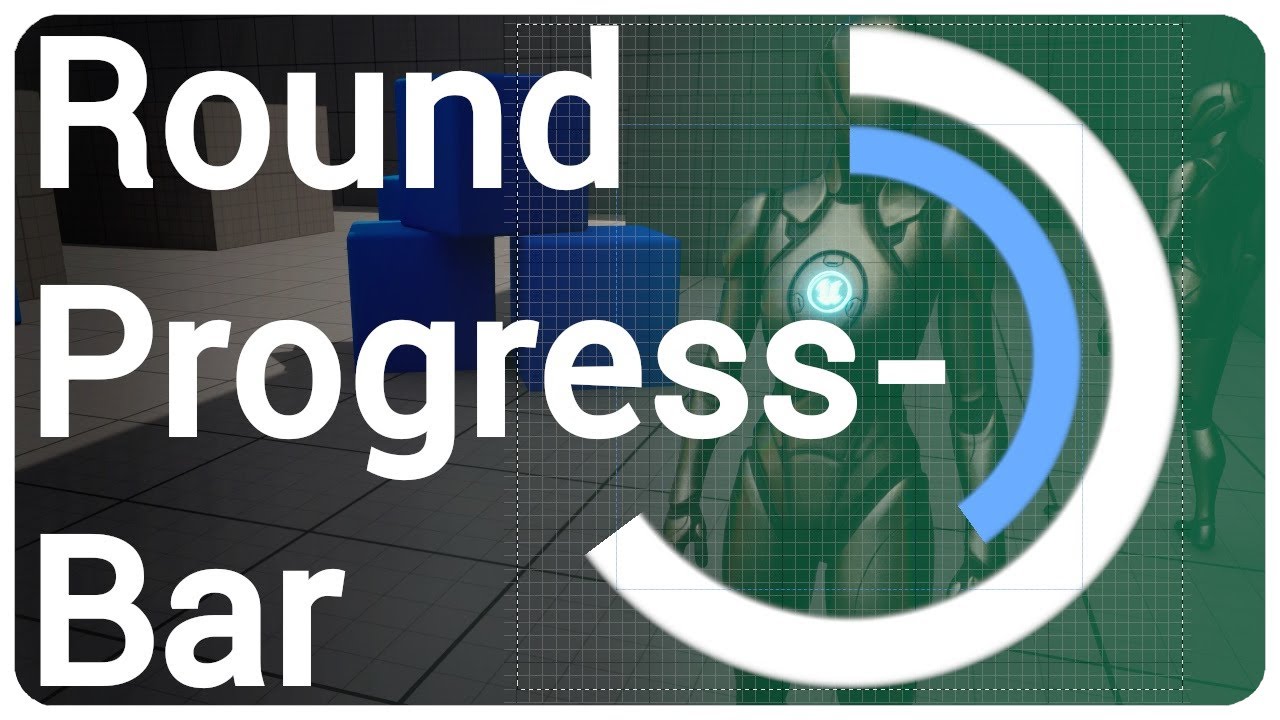
Check out my inventory system:
🌿https://www.unrealengine.com/marketplace/en-US/product/multiplayer-inventory-drag-drop
I show you how to create a radial progress bar and create a function to easily change the percentage in realtime.
🔷💬Join my discord server https://discord.com/invite/eX3p5q6
00:00 Intro
00:13 Material
05:56 Blueprint - Set P...
rugged aurora
lofty rapids
you maybe be able to use compare, and if it's less then than get the absolute of...
thanks I will attempt to try this
gritty wraith
versed sun
https://www.youtube.com/watch?v=BgOAbAdi8f0&ab_channel=NiceShadow this might hel...
HOLY SHIT OMG BLESS YOUR SOUL
THANKS
maiden wadi
rugged aurora
I am using a findlookatrotation with rinterp to, and I would like to change the ...
Kind of sounds like you just want to Abs the float.
maiden wadi
gritty wraith
Question - is it possible for Blueprint to make images like this? I need a circl...
I didn't check that tutorial. But the basics are that you need a material that has parameters. You'll set the parameters from blueprint somewhere. What you do in the material is up to you, but judging those graphics, you can make it out of nothing but a radial and circular gradient. Radial will get you your rings, and ciruclar can mask off sections of the rings.
rugged aurora
maiden wadi
Kind of sounds like you just want to Abs the float.
what does abs do?
maiden wadi
rugged aurora
what does abs do?
Removes the negative part of a value. IE if you give it -12.32423, it will turn it into 12.32423. If you give it 12.32423, it will stay the same as 12.32423
 marble sky
Maybe somebody can offer me some help. I am using seamless travel, and playerstate seems to be reset between level transitions? I have a playerstate that is used to store some values for a player. To save those values I use a replicate on server event to set the replicated values so it's synced on all clients. The values seem to be empty (or defaulted) between travels and I can't figure out how to get them to persist or at least re-load the previous values.
maiden wadi
Sec, I think that requires C++.
This is what you're looking for mostly. but it's C++ only. There are no BP hooks normally.
/** Copy properties which need to be saved in inactive PlayerState */
ENGINE_API virtual void CopyProperties(APlayerState* PlayerState);```So there is this.. is this the same thing?
 maiden wadi
Oh, yes there is. 😄 Yeah that is called right after the one I linked. That should work for what you need.
marble sky
Okay, do you have any information on how to use it? It looks like it just outputs the new player state, do I just drag off it and set the values I want that way?
maiden wadi
This function will run on the old player state from the last level. It passes in the new player state. So you'll get properties from "this", and set them on the NewPlayerState
rugged aurora
maiden wadi
Removes the negative part of a value. IE if you give it -12.32423, it will turn ...
thanks that appears to be what I was looking for
marble sky
hmm okay. So something like this?
 maiden wadi
Yep
marble sky
This event appears to only be in the playerstate, so I guess I was confused how it was able to get the 'variable' if the playerstate has been wiped already.
maiden wadi
Yeah. 😄 It sticks around long enough for this to run.
marble sky
Okay, let me test that out.
maiden wadi
Quite literally speaking, it's destroyed right after those properties are copied.


The SeamlessTravelTo is what internally calls CopyProperties.
marble sky
Hmm, that didn't appear to work. The variable is still printing as empty (default value)
maiden wadi
Where are you testing it on?
marble sky
The print? It's in the game mode
maiden wadi
Which event?
marble sky
The only event I could get to work with seamless travel is Handle Starting New Player
if I set the value on the playerstate to a non-empty default value, it uses that, but if I set the variable anywhere else it wipes it once it travels
maiden wadi
Hmm. HandleStartingNewPlayer is called after that, so it should be set at that point.
marble sky
In testing it looks like OnPostLogin is ignored for seamless travel (when traveling to a new level), so the only event I could get to trigger was the Handle Starting New Player event.
So this is how I have it setup. There's a widget on the client that has a matching variable in the player state. When the user makes a selection in the widget it uses 'run on server' in bp_playerstate to set the 'replicated' variable. In the gamemode, under handlestartingnewplayer I retrieve the player state from the 'player controller' that is new and print the display name of the variable. When the user seamlessly travels, It's empty unless I set it to a default value. Before then the value is set appropriately.
Just as an added test, I stored the value in my gameinstance and on event beginplay of player state (since it seems to recreate the player state after seamless travel), I call the server event again and pass it the variable from the gameinstance and it prints as empty still.
wait a minute.. now it seems to be working..
Nope.. nevermind. I lose control of my character controller.
maiden wadi
Hard to say. I don't have a project set up with seamless travel to test on. I avoid it like the plague. 😄
lofty rapids
i feel like game instance should work
marble sky
Actually, I think my logic is wrong when the actor is spawned. I spawn the character based on the variable in the player state in the starting new player event on the game mode and possess it passing in the controller from the handle starting new player event but it's not actually taking control of it
At least not fully.
frosty heron
The class APlayerState is the most important class for shared information about a specific player. It is meant to hold current information about the player. Each player has their PlayerState.
marble sky
hmm yeah idk. It appears to be something with the replicated variable. If I remove the pin in the spawn actor of class and set the class directly to the same value the variable passes it, it works. If I use the variable value it breaks the character... sigh
https://blueprintue.com/blueprint/8f3uk012/ for reference.
No description provided
bahahaha omg im an idiot
Thanks for the help Authaer. I was able to get it resolved.
maiden wadi
marble sky
Thanks for the help Authaer. I was able to get it resolved.
Nice! On a side note, Unless you reeeeeeally need it, I strongly advise avoiding seamless travel. For UI handling alone it's a nightmare.
 astral orchid
I'm trying to make a Selected Hero widget, where it changes its picture depending on the selected hero, updating on tick to check. It does this by getting the Selected Hero from the Player State, then running it through a data table to see which row has the same Selected Hero class.
If class matches the one in the row, then it will allow the rest of the stuff from the row to pass on and change the Image. But for some reason, the Texture2D returns as invalid.
Anyone knows what's wrong?
 marble sky
I don't remember exactly why I had to enable it. It might've been a requirement for the epic online services plugin I am using. I don't remember though. I can try to disable it and see.
maiden wadi
astral orchid
I'm trying to make a Selected Hero widget, where it changes its picture dependin...
Looks fine. Is the texture invalid or is that branch failing?
maiden wadi
But the branch is running? Text is setting?
astral orchid
Text isn't either
maiden wadi
I'd assume your branch isn't finding anything then.
maiden wadi
That said. If you have even a minor amount of C++ ability, Data Assets would simplify your life considerably. Technically I think you can do it without C++ too, but you lose out on primary data assets.
But even being able to make a single data asset out of each hero would make handling a lot nicer. Cause then you can just pass around the data asset pointer same as you do with a data table row name or character class, and have all of the data out of that one pointer.
 south quarry
I'm not totally getting what 'Call to Parent Function' is for... I'm seeing people often use it at the start, but isn't the Parent's code being run first anyways?
versed sun
i think PDA are all BP now
astral orchid
maiden wadi
Looks fine. Is the texture invalid or is that branch failing?
Ok, i figured it out. Turns out I needed the Hero Selection class variable to be replicated as well
maiden wadi
south quarry
I'm not totally getting what 'Call to Parent Function' is for... I'm seeing peop...
Parents code does not run by default.
marble sky
south quarry
I'm not totally getting what 'Call to Parent Function' is for... I'm seeing peop...
It's so you can either not run the parents function, or potentially run some of your code before the parents code runs. If you don't call it, the parents functions wont run at all.
astral orchid
Thanks for the help
 granite elk
anyone know of a valid approach for identifying if an array is empty?
marble sky
Check if it's empty or if length is greater than 0
 spark steppe
Is Empty
there's a node for that
or doesn't contain items, idk how the heck they named it
granite elk
thanks for the responses. should put me in the right direction
astral orchid
granite elk
anyone know of a valid approach for identifying if an array is empty?
there should be a Get thing for the array, the integer thing should be set to zero if you want to check for array emptiness
lofty rapids
 versed sun
 lofty rapids


 stiff chasm
Can some one explain to me what is wrong?? because to me it soudns like: My is valid, cannot determine if something is pending to kill, because it's pending to kill
Blueprint Runtime Error: "Attempted to access HitBox4 via property Victim_8_D2EBF6594537430DD1ADA5996402A8E7, but HitBox4 is pending kill". Blueprint: SpriteAction Function: Execute Ubergraph Sprite Action Graph: IsValid Node: Branch
It's like a doctor telling you that you need to see a doctor, I am stumped on how to fix this
south quarry
@maiden wadi I was confused because apparently when I don't have a BeginPlay node on the child, it runs the BeginPlay of the parent. If I put a BeginPlay node in, not connected to anything, then it only runs that.
spark steppe
that's how overrides work
 dawn gazelle
stiff chasm
Can some one explain to me what is wrong?? because to me it soudns like: My is v...
dawn gazelle
stiff chasm
Can some one explain to me what is wrong?? because to me it soudns like: My is v...
Where you may be accessing "HitBox4" (within SpriteAction blueprint?) you may have done so after you called to destroy the actor that contains "HitBox4".
dark drum
lofty rapids
it's usually in there by default tho ?
Normally but I think there's some classes that don't add it in children by default so you have to manually add it.
south quarry
@lofty rapids yes, that's no problem; I just didn't get why because I assumed it always ran the parent. I just happened to not be overriding it.
dark drum
south quarry
<@910231430074859570> yes, that's no problem; I just didn't get why because I as...
Right click on the begin play node and select the 'Add Parent call' button. It should create an orange node. This is the logic in the parent, add it where you want it to call.
south quarry
yes, thanks
stiff chasm
dawn gazelle
Where you may be accessing "HitBox4" (within SpriteAction blueprint?) you may ha...
but the thing that is calling it is an is valid?
Oppening the error takes me to unreals standard macros
My error is here
 dark drum
stiff chasm
Oppening the error takes me to unreals standard macros
dark drum
stiff chasm
Oppening the error takes me to unreals standard macros
Show where you're using the isvalid node.
stiff chasm
However let me relook at the flow of my code
dawn gazelle
stiff chasm
but the thing that is calling it is an is valid?
I don't think that matters. Unreal doesn't like things being accessed after it's been marked for deletion - it's in the limbo state between being valid and invalid.
stiff chasm
dark drum
Show where you're using the isvalid node.
the error message takes me to this Graph, where I just removed all of my is Valid,
so im not sure exactly were

 stiff chasm
dawn gazelle
I don't think that matters. Unreal doesn't like things being accessed after it's...
stiff chasm
dawn gazelle
I don't think that matters. Unreal doesn't like things being accessed after it's...
Well let me just asses the flow of code then
 gentle urchin
Ou those nice red lines seem interesting
marble sky
Looks like bool values?
gentle urchin
Yepp
marble sky
The upper node reminds me of a 24 pin power plug for a PC
stiff chasm
marble sky
Looks like bool values?
Whole lott of them
marble sky
I prob. would've turned that into a struct just to clean it up
stiff chasm
The code is mad old, afraid to touch whatever is going on tho 💀
stiff chasm
marble sky
I prob. would've turned that into a struct just to clean it up
I'm thinking that too
That'll be next on my list
 night bolt
Hello, im just beginning using gameplay ability system and i have a question. Should the logic of the ability reside inside the GameplayAbility class or from there i should call stuff inside my character/controller BP?
 pale shore
can anyone explain what is the purpose/usage of these two functions? (compose transform and invert transform), any example when to use them?

 rugged wigeon
if you have an object that is a child of another object and is offset by 100 units on X, it'll tell you 100 units on X
rather than parent_global_pos + 100 units on x
which is the absoute location
maiden wadi
night bolt
Hello, im just beginning using gameplay ability system and i have a question. Sh...
Depends on what you're doing. Normally abilities are meant to make your other classes more generic. No point putting the specifics to dash in a couple different character classes, or in a base character class where all of it's inheritors won't use it when you can just put it in the ability meant for dashing.
night bolt
maiden wadi
Depends on what you're doing. Normally abilities are meant to make your other cl...
Yeah i will be using it for simple stuff like sprinting, jumping, dashing and grappling
So i guess just do stuff inside the GA
pale shore
rugged wigeon
if you have an object that is a child of another object and is offset by 100 uni...
this is for compose transform or invert transform?
rugged wigeon
sprinting is typically a state, not quite an ability.
rugged wigeon
pale shore
this is for compose transform or invert transform?
get relative transform
lofty rapids
i would imagine invert transform "inverts" the transform
pale shore
what mean by this compose transform function?
 maiden wadi
rugged wigeon
sprinting is typically a state, not quite an ability.
maiden wadi
rugged wigeon
sprinting is typically a state, not quite an ability.
But you use an ability to alter states, usually.
rugged wigeon
invert is for going from local space to world space.
lofty rapids
pale shore
what mean by this compose transform function?
what version ue ?
it looks like a mutliply, i can't do that in 5.3.2
pale shore
rugged wigeon
invert is for going from local space to world space.
does it only take local space input and convert into world space? can it also convert world space to local space?
rugged wigeon
I would guess that multiply transforms does some sort of cursed element by element scaling
don't do that
pale shore
lofty rapids
it looks like a mutliply, i can't do that in 5.3.2
5.2.1
gritty wraith
Would anyone happen to know how to calculate the mouse position with [0;0] being the center of the game window?
 pale shore
lofty rapids
it looks like a mutliply, i can't do that in 5.3.2
pale shore
lofty rapids
it looks like a mutliply, i can't do that in 5.3.2
Compose Transforms
rugged wigeon
gritty wraith
Would anyone happen to know how to calculate the mouse position with [0;0] being...
0,0 is not the center. if you need 0,0 to be the center, then you need to subtract the coordinates of the center from the actual coordinates
maiden wadi
@gritty wraith
 gritty wraith
maiden wadi
<@697847676833890406>
gritty wraith
maiden wadi
<@697847676833890406>
OOOOOOH. thanks
night bolt
maiden wadi
Depends on what you're doing. Normally abilities are meant to make your other cl...
just a quick question, i have made a gameplay effect for a cooldown, and set it in the relevant gameplay ability defaults section. I check for the cooldown like this but isn't it supposed to get applied at commitAbility and not fire again until the effect is applied? or is it correct how i'm doing it?
 rugged wigeon
how can I animate a widget moving from wherever it is currently to a fixed endpoint? Seems like the animations only support relative transations?
maiden wadi
rugged wigeon
how can I animate a widget moving from wherever it is currently to a fixed endpo...
You can delete the initial entry and only put the end point in at the end of the animation.
rugged wigeon
@maiden wadi this appears to only support relative transformations though
(1000,0) -> (start_pos_x + 1000,start_pos_y_)
night bolt
night bolt
just a quick question, i have made a gameplay effect for a cooldown, and set it ...
Or to word it better, am i doing unnecessary work in the BP checking for the cooldown like that? Is there a way to let the GA take care of the cooldown by itself?
rugged wigeon
A cooldown is an effect that should prevent an ability from triggering; not determine when the ability ends
night bolt
rugged wigeon
A cooldown is an effect that should prevent an ability from triggering; not dete...
Ok so i'm not doing extra stuff there and it is correct
maiden wadi
There is an entry for it in UGameplayAbility.
night bolt
man this GAS is so convoluted
rugged wigeon
you're not supposed to manually apply it
maiden wadi
 night bolt
If i don't apply it manually the ability never ends though, so i cannot trigger it again
rugged wigeon
cooldowns are not for determining when abilities end
night bolt
Yeah i know, it's just for preventing a trigger
How would i go to check if the cooldown is active though?
maiden wadi
night bolt
man this GAS is so convoluted
You shouldn't need to if you use the thing I just pasted.
night bolt
(Or if u have some docs about it it'd be great)
night bolt
maiden wadi
You shouldn't need to if you use the thing I just pasted.
i already use it
rugged wigeon
check if it has the tag applied by the effect
night bolt
 maiden wadi
This node will trigger the cooldown. Once the GE this applies is gone, then you can use the ability again.
 rugged wigeon
maiden wadi
You can delete the initial entry and only put the end point in at the end of the...
rugged wigeon
maiden wadi
You can delete the initial entry and only put the end point in at the end of the...
I see that there's a way you can "add section" on anims that seem to support "absolute" and "relative" values but this doesn't seem to change anything
night bolt
like this is what i have, if i wait the cooldown i am not able to activate it again
 rugged wigeon
you didn't end it
you also appear to be starting the dash before committing the ability which is odd
night bolt
rugged wigeon
you didn't end it
oh i see, yesterday i was trying stuff and even if i had the cooldown applied i was able to spam it
with end ability plugged in i mean
rugged wigeon
you also, almost certainly, want to be calling get avatar actor and not finding an actor of class
night bolt
rugged wigeon
you also, almost certainly, want to be calling get avatar actor and not finding ...
will search for that, didn't know it existed
thx
and thanks for the docs
rugged wigeon
read the docs, you're a bit lost it seems. E.g. there's no point in sending an interface call to "dash" from the ability "dash". the logic to do this stuff should be in this ability
night bolt
rugged wigeon
read the docs, you're a bit lost it seems. E.g. there's no point in sending an i...
Yeah that's why i asked for it before, it seemed a bit weird, i will move everything here then
rugged wigeon
what you probably want is something like a root motion ability task that calls end ability when the root motion ends
night bolt
rugged wigeon
what you probably want is something like a root motion ability task that calls e...
alright, for now im using a free dash asset i had in my library, will keep in mind this for the future. For now im just getting acquainted with the GAS
Thanks for the help
maiden wadi
@night bolt This works fine. It only allows me to activate the ability every 5 seconds.


 maiden wadi
rugged wigeon
<@143471961723371520> this appears to only support relative transformations thou...
maiden wadi
rugged wigeon
<@143471961723371520> this appears to only support relative transformations thou...
About this. If you need more complex animations, one thing I tend to do is just make the animation track for the time I want with a repeater event. You can get the alpha of the animation from itself in the repeater, and do much more complex logic on it than normal animations allow. EG animating a widget to the screenspace of a second widget.
 west hare
gritty wraith
Would anyone happen to know how to calculate the mouse position with [0;0] being...
west hare
gritty wraith
Would anyone happen to know how to calculate the mouse position with [0;0] being...
Just add screenWidth / 2 to mouseX and screenHeight / 2 to mouseY.
night bolt
maiden wadi
<@148178067758514176> This works fine. It only allows me to activate the ability...
Yeah i tried stuff yesterday and i was able to spam the ability. Now it works as intended. Might have changed something yesterday that broke everything. Thanks anyways
rugged wigeon
maiden wadi
About this. If you need more complex animations, one thing I tend to do is just ...
Are you suggesting something like playing "MoveRightOneUnit" repeatedly to dynamically allow "MoveRightXUnits"
What does alpha mean in this context
maiden wadi
The 0 to 1 of how long the animation has progressed. IE useful for lerps.
But you make an animation track like this.


You right click the green bar, properties, create a new end point.

This gives you a new event that runs on tick every time this animation is evaluated.
 rugged wigeon
and you're doing what with that? Setting position manually on the repeater event to lerp between start and end?
maiden wadi
Pretty much.
surreal carbon
anyone have any suggestions or recommendations on how i can chain down the player character? I want an enemy to be able to create some sort of link/chain to the player to restrict their movement and slowly pull the player to the enemy. I still want to player to be able to move and try to break free
I've tried using physical constraints but I have to enable physics and character movement becomes disabled
maiden wadi
Requires a lot of breaking down, and implementation depends heavily on what systems you're using. EG if you're using GAS.
Use an ability blueprint tick after commiit to interpto the player's location towards the instigator's pawn.
Apply a GE or something similar to reduce movement speed if necessary.
Have a GE apply a gameplay cue that'll set up the visuals for the link.
 junior lark
Question for anyone more well versed than I, I've set up a delay that is 390 seconds long or 6:33 Mins long, which is the exact length of an audio track.
I've played the audio track in sync with unreal, and the audio track lasts the 6:33 mins i expect, but the delay doesn't go off for around 70-50 seconds later.
Does this have something to do with framerate? or is there a diffrent method i can check when this audio has finished playing cuz this aint working lol
I've heard delays are unrelyable in a pinch, but a full minute of error feel like I could be a me issue
 surreal peak
You'd need to share your code
junior lark

Thats it lol
Ive been watching it tick down, and the Audio always ends before the delay does
Even though the Audio is 390 as seen here

And i also did the math of 6:33 which gives me 393 as well
just in case
rugged wigeon
whats to the right of the delay?
maiden wadi
@junior lark Don't rely on secondary timers.
 junior lark
rugged wigeon
whats to the right of the delay?
junior lark
rugged wigeon
whats to the right of the delay?
The sound playing? its just a bool that Im using to check when the sound finishes
junior lark
maiden wadi
<@439566331973599234> Don't rely on secondary timers.
Okay ill try that thanks
maiden wadi
As for why it's being weird. Delay is only affected by time dilation and game pause. Sounds on the other hand can play faster based on some things.
junior lark
I thought it would be something like that
Appreesh the optimisation tip, Ill use event handlers more often
maiden wadi
I learned this lesson writing timers for dialogs. 😄 It gets super complicated to predict actual durations really quickly.
junior lark
I can def apply this in a few other places so thanks!
astral orchid
For some reason, whenever the Skill 1 Widget (and all subsequent widgets that require the Character reference) try to build, it kept saying there was a runtime error.
"Accessed Non trying to read property Character"
Anyone got any ideas?

 thin panther
Well yes, it's running on construct, and you've never set that reference anywhere in that screenshot
Your character reference is null
thin panther
no, it won't fix your issue because you've never set the reference
to fix your issue you need to actually put a reference to your character inside of that variable
astral orchid
So how would I do that?
thin panther
by getting a reference to your character and using the set node on that variable before you use it
astral orchid
Thanks. It helped
maiden wadi
Should make this in a way that you have a dynamic count of skills displayed in a SkillsHost or something. The host itself can wait for the character to be valid and then refresh it's display with all of the skills. You end up with less race conditions.
gentle urchin
Just bind to owning controllers pawnChanged event ^^
random pulsar
i have 3 abilities i open first one in first level second ability in second level and so on,the abilities that i open need to be opened all the time,i have done this but it is really trash made cuz its linked to the level

how can i make this better way
so if i start on level 2 i have 2 abilities and on level 3 3 abilities
maiden wadi
What do you mean when you say you open them?
Ah. Normally you handle this via a savegame.
random pulsar
maiden wadi
What do you mean when you say you open them?
i have them locked in player by boolean
astral orchid
maiden wadi
Should make this in a way that you have a dynamic count of skills displayed in a...
I'm guessing you mean, for if I have a different number of skills?
random pulsar
and open them in game instance
maiden wadi
You'll grant yourself a tag or something similar in an array, and let gameplay code check against it. And each level loads the savegame to refresh it's state, and each level end saves current state to the savegame.
astral orchid
random pulsar
so if i start on level 2 i have 2 abilities and on level 3 3 abilities
Maybe instead you could get from Gamemode?
so if gamemode is "this", then switch on that
maiden wadi
Should really avoid storing gameplay state in the game instance.
You end up with cases where you don't clear things correctly, and it just turns into a lot of upkeep to maintain that the state is accurate.
Any state that needs to persist over map loads, should normally always be put into a USaveGame instance. You can store the active savegame in your game instance, sure, but this way your game persists even if you close the application and restart at level 2 when coming back. Gameinstance will not persist this way.
Also random bonus fact for savegames. You can actually save pointers in a Savegame. 😄 Makes saving states a ton easier, though does require a minor bit of C++ to achieve.
random pulsar
@maiden wadi did you write this to me?im confused
astral orchid
he did
maiden wadi
Most of it, yes. You should use a SaveGame to store the state of your skills.
 hollow lagoon
I may have completely lost my mind here, but this doesn't seem to make sense - Shouldn't this print 0, 1, 2, 3, Done ? Somehow it only prints 0, then stops.
 trim matrix
hollow lagoon
I may have completely lost my mind here, but this doesn't seem to make sense - S...
trim matrix
hollow lagoon
I may have completely lost my mind here, but this doesn't seem to make sense - S...
no?
it should print what you said.. maybe the event is fired multiple times
maiden wadi
I'm failing to find a reason that would only print zero. I could see it only printing 3 and Done, but not just zero.
hollow lagoon
Is the inside of my for loop somehow wrong? Is this not what it should look like?
 trim matrix
hollow lagoon
Is the inside of my for loop somehow wrong? Is this not what it should look like...
trim matrix
hollow lagoon
Is the inside of my for loop somehow wrong? Is this not what it should look like...
wait you created this?
hollow lagoon
trim matrix
wait you created this?
No, it's the Standard one, but maybe I somehow messed it up
lofty rapids
ya your missing a connection
maiden wadi
Yeah. 😄
lofty rapids
after the assign you run it through again
maiden wadi
Default for reference
 trim matrix
you changed it for sure before... because it works normally
hollow lagoon
Ok, yep for some reason I didn't have the 2nd assign plugged back into the branch - I don't know what I was on when I did that but thanks guys, I thought I had completely lost my mind
It's working as expected after fixing that
trim matrix
maiden wadi
Default for reference
c++ is so must easier for that lol
undone bluff
maiden wadi
Default for reference
words cannot express how much discomfort the blueprint for loop makes me feel
a human's innards are nicer to look at
maiden wadi
Lol. I started doing some of mine off of delegates. Slightly faster. Little less wieldy.
 ashen ingot
Does anyone know how to rebuild the navmesh manually? I have a BP in the level that randomly generates the terrain at BeginPlay, but the nav mesh doesnt get updated. I have 'Dynamic' set in the project settings for it but it still doesn't update
maiden wadi
undone bluff
words cannot express how much discomfort the blueprint for loop makes me feel
EG my player selection component.
DECLARE_DYNAMIC_DELEGATE_OneParam(FForEachSelectedActor, AActor*, SelectedActor);

UFUNCTION(BlueprintCallable)
void ForEachSelectedActor(FForEachSelectedActor PredicateDelegate);
void UAuthaerPlayerInteractionComponent::ForEachSelectedActor(FForEachSelectedActor PredicateDelegate)
{
for (AActor* SelectedActor : SelectedActors)
{
PredicateDelegate.ExecuteIfBound(SelectedActor);
}
}``` undone bluff
maiden wadi
EG my player selection component.
```cpp
DECLARE_DYNAMIC_DELEGATE_OneParam(FFo...
undone bluff
maiden wadi
EG my player selection component.
```cpp
DECLARE_DYNAMIC_DELEGATE_OneParam(FFo...
smart, gonna do that too, thanks
that's how I thought the node worked until I learned the horrible truth
maiden wadi
ashen ingot
Does anyone know how to rebuild the navmesh manually? I have a BP in the level t...
I know that there's some hackery in some projects like the little city builder where they literally nudge something 0.05 on Z to make it rebuild.
ashen ingot
i had it working in a different project with nearly identical code and still doesnt update 😭 did some tomfoolery with calling the generation from a different BP to trigger the rebuild which worked but cant recreate it again
ashen ingot
maiden wadi
I know that there's some hackery in some projects like the little city builder w...
thank you, was being dumb at first moving the wrong BP but have it working well enough now
 latent venture
How could i make an array of a struct, I want each value of the struct to represent a room and to contain some characteristics about it, how could i do that? Like i have in the picture will it create each time a different struct for a room?
 undone bluff
latent venture
How could i make an array of a struct, I want each value of the struct to repres...
undone bluff
latent venture
How could i make an array of a struct, I want each value of the struct to repres...
the same way you'd make any other array
latent venture
I have made this as a Blueprint struct,
latent venture
undone bluff
the same way you'd make any other array
isn`t it different?
undone bluff
nope
latent venture
god damn
thin panther
Try and declare your structs in C++ though, the BP ones are hella broken.
fortunately you only really need to get Visual Studio setup, you don't really need to learn the language
latent venture
yeah but I need to add coordonates in that struct, but one question will I be able to use my array of that struct in anotther blueprint?
thin panther
That has no bearing on what I said, but yes, provided you get a reference to whatever contains this array of structs
latent venture
I mean I spawn all my actors in my blueprints, since its a map generation, and I want to store those coordonates in a struct, I dont se how I could do that with c++, to get all the coordonates from my blueprints and pass them into C++ in order to stack them in a struct
maiden wadi
A Struct is no different really than any other data type like a float or integer. If you know how to make and handle an array of those, you can do the same thing with a struct.
thin panther
latent venture
I mean I spawn all my actors in my blueprints, since it`s a map generation, and ...
You just declare the struct in C++ and use it as you are now in bp
You don't pass anything into C++, you're just declaring the data type
maiden wadi
In fact Unreal largely makes it so easy you just copy the header tool's code.
thin panther
Of course, if you're interested it can also serve as a great way to dip your toes in the language, but yeah, all you'd need to do is set up visual studio, and learn about the building pitfalls you need to avoid, and then you're off
maiden wadi
Am not so much a fan of the fact that it doesn't initialze defaults, but uses some meta thing.
latent venture
thin panther
You don't pass anything into C++, you're just declaring the data type
oh I Understand what you mean now
so you totally recomand me to delete the struct I made with BluePrint and make another one in C++
maiden wadi
Neat little feature though.


 latent venture
oh I could just copy that and ppaste it in C++?
maiden wadi
Largely. It'd probably work.
The main thing I gripe about is that you should always initialize your properties. Numericals and pointers mostly need to be set by defaults.
EG.. Instead of this.
USTRUCT(BlueprintType)
struct FMySuperCoolStruct
{
    GENERATED_BODY()

    UPROPERTY(BlueprintReadWrite, EditAnywhere, meta=(DisplayName="SomeBoolean", MakeStructureDefaultValue="False"))
    bool SomeBoolean;
    UPROPERTY(BlueprintReadWrite, EditAnywhere, meta=(DisplayName="SomeMesh", MakeStructureDefaultValue="None"))
    TObjectPtr<UStaticMesh> SomeMesh;
    UPROPERTY(BlueprintReadWrite, EditAnywhere, meta=(DisplayName="SomePoint", MakeStructureDefaultValue="0.000000,0.000000,0.000000"))
    FVector SomePoint;
    UPROPERTY(BlueprintReadWrite, EditAnywhere, meta=(DisplayName="SomeString"))
    FString SomeString;
    UPROPERTY(BlueprintReadWrite, EditAnywhere, meta=(DisplayName="SomeFloat", MakeStructureDefaultValue="0.000000"))
    double SomeFloat;
    UPROPERTY(BlueprintReadWrite, EditAnywhere, meta=(DisplayName="SomeInteger", MakeStructureDefaultValue="0"))
    int32 SomeInteger;
    UPROPERTY(BlueprintReadWrite, EditAnywhere, meta=(DisplayName="SomeArrayOfIntegers"))
    TArray<int32> SomeArrayOfIntegers;
    UPROPERTY(BlueprintReadWrite, EditAnywhere, meta=(DisplayName="SomeArrayOfAStruct"))
    TArray<FGeometry> SomeArrayOfAStruct;
};```
It should look like this.
```cpp
USTRUCT(BlueprintType)
struct FMySuperCoolStruct
{
    GENERATED_BODY()

    UPROPERTY(BlueprintReadWrite, EditAnywhere)
    bool SomeBoolean = false;
    UPROPERTY(BlueprintReadWrite, EditAnywhere)
    TObjectPtr<UStaticMesh> SomeMesh = nullptr;
    UPROPERTY(BlueprintReadWrite, EditAnywhere)
    FVector SomePoint;
    UPROPERTY(BlueprintReadWrite, EditAnywhere)
    FString SomeString;
    UPROPERTY(BlueprintReadWrite, EditAnywhere)
    double SomeFloat = 0.0;
    UPROPERTY(BlueprintReadWrite, EditAnywhere)
    int32 SomeInteger = 0;
    UPROPERTY(BlueprintReadWrite, EditAnywhere)
    TArray<int32> SomeArrayOfIntegers;
    UPROPERTY(BlueprintReadWrite, EditAnywhere)
    TArray<FGeometry> SomeArrayOfAStruct;
};```ah ok, but do i also need to create the cpp ? or only the header is enough?
maiden wadi
A header file is fine.
latent venture
okay
bitter star
This works when I set the timeline on autoplay. When I remove the autoplay and try calling the custom event it doesnt do anything. Does anything look wrong?

this is for a collision sphere to grow in scale oveer time
latent venture
maiden wadi
A header file is fine.
and in order to make it as an array, should i add something in there?? or just array in my blueprint?
maiden wadi
bitter star
This works when I set the timeline on autoplay. When I remove the autoplay and t...
If Autoplay works but the event doesn't, Initially I would double check that the event is running. Prints or a debug break.
maiden wadi
latent venture
and in order to make it as an array, should i add something in there?? or just a...
No, you just need the struct there. You make it an array where you use it.
 latent venture
but if I would want to use it after in another blueprint?
maiden wadi
Not sure I understand the question?
latent venture
So right now I want to stack all the rooms and the doors from a room, more exactly the coordonates of them, but after I would want to use it again
maiden wadi
The C++ simply declares the container. It outlines what that struct holds. After that you can use it as many times as you want, where ever you want.
bitter star
maiden wadi
If Autoplay works but the event doesn't, Initially I would double check that the...
I'm calling the event from another BP. The string prints at the end of the switch on int and at the end but the event doesn fire
 latent venture
when I will be in a certain room to get acces to only those doors that are in the exact room, how could I do that??
bitter star
I get this error
 maiden wadi
IMO I would maybe start with something a bit more beginner friendly until you're comfortable with data structures and manipulating them. Procgen gets to be a very advanced topic really fast and you're missing out on some core fundamentals.
But to answer the question, your array of rooms should probably contain an internal array of doors for each room. Then you simply find your entry for that room in the array and pull the doors out of it.
bitter star
lofty rapids
BP collision sphere is empty
what do you mean empty?
lofty rapids
bitter star
what do you mean empty?
its an empty variable most likely
you need to set it to the sphere
latent venture
maiden wadi
IMO I would maybe start with something a bit more beginner friendly until you're...
yeah but the thing is
if i do array, it will be the same mesh component
and it won`t allow dupplicates from what I know, and it will fuck up my thing
Am I right?
maiden wadi
??? Each entry in the array is different. You set different data as you like. An array is just a listed bundle of your structs. Each struct is still it's own entry. Index 2 can have three solid wood doors, and index 4 can have four solid wood doors and a giant iron door.
bitter star
lofty rapids
you need to set it to the sphere
good catch! thank you!
latent venture
maiden wadi
??? Each entry in the array is different. You set different data as you like. An...
hmm maybe i am mistaking it with the map
well I want my static meshes component to refer to an exact part of my dungeon, and I could have multimple rooms of same type, will the array allow to stack the same type of an static mesh component ?
maiden wadi
Map is the same as an array. It's just looked up via a key instead of index. Each entry is still unique for each key.
latent venture
maiden wadi
Map is the same as an array. It's just looked up via a key instead of index. Eac...
could you seee my last question?
bitter star
I there a way to "group" actors with tags? ie: I have 10 actors, they're all of type A. the 5 on the left are type B and the five the right are type C. Then I could cast/call actors based on their groups.
latent venture
latent venture
well I want my static meshes component to refer to an exact part of my dungeon, ...
?
maiden wadi
latent venture
well I want my static meshes component to refer to an exact part of my dungeon, ...
Each pointer can refer to the same, or different doors.
maiden wadi
bitter star
I there a way to "group" actors with tags? ie: I have 10 actors, they're all of ...
Depends on how you want to structure it. You could tag the actors directly via the actor tags. Which you would then need to iterate over each of them to check their tags and dump that into an array each time you need that list.
Or you can dump them into a map of FName to a struct that is an array of actors, which lets you just input that type tag, and get the list.
bitter star
what's the smartest way? Im not super familiar with tags, arrays and maps yet. Still learning 🙂
latent venture
maiden wadi
Each pointer can refer to the same, or different doors.
i want to be like the same static mesh but a different door in another location
maiden wadi
bitter star
what's the smartest way? Im not super familiar with tags, arrays and maps yet. S...
Both have their merits. Modifying the map is semi annoying, but not bad with a setter function. Looking up the list for each type from the whole list of tagged actors is much less performant due to the needing to iterate the entire list, dump them into a second array, and then probably iterate over that array to do what you need. IMO I'd be more inclined to go the map route.
latent venture
maiden wadi
Each pointer can refer to the same, or different doors.
it doesn`t let me to compile
the scrippt
maiden wadi
@bitter star Make a new structure that has an array of actors in it like so. Then make a new map of Name/YourStruct


You can add a new actor via a function like this. You can iterate over each actor, and dump them into each of their lists.


When you need the list, you just grab it via the type.
 bitter star
maiden wadi
Both have their merits. Modifying the map is semi annoying, but not bad with a s...
bitter star
maiden wadi
Both have their merits. Modifying the map is semi annoying, but not bad with a s...
Thanks again for your help, I m going to try this now
 pine mesa
Does anyone here know how to change the FOV of a camera depending on the distance between 2 characters to keep them always on screen, like in Super Smash Bros, within the Camera Blueprint? Thanks in advance!
latent venture
maiden wadi
Each pointer can refer to the same, or different doors.
First how do I know I created succesfully the struct?
maiden wadi
You'll have to post the compile error.
latent venture
I have this error: Severity Code Description Project File Line Suppression State Details
Error MSB3073 The command "E:\EpicGames\UE_5.3\Engine\Build\BatchFiles\Build.bat ProceduralGenerationEditor Win64 Development -Project="D:\facultate\UnrealEngine\ProceduralGeneration\ProceduralGeneration\ProceduralGeneration.uproject" -WaitMutex -FromMsBuild" exited with code 6. ProceduralGeneration C:\Program Files\Microsoft Visual Studio\2022\Community\MSBuild\Microsoft\VC\v170\Microsoft.MakeFile.Targets 44
I had this first
i pressed on my project name and compiled, and this was thee only error I had
maiden wadi
pine mesa
Does anyone here know how to change the FOV of a camera depending on the distanc...
I would recommend checking out the camera manager. It has this override that you can use. If you get all of the actors, you can do the math here to set the location, rotation, and FOV easily in one spot each frame.
 maiden wadi
latent venture
I have this error: Severity Code Description Project File Line ...
maiden wadi
latent venture
I have this error: Severity Code Description Project File Line ...
What all have you done so far? This error isn't helpful since it's basically saying the project can't even start building.
bitter star
maiden wadi
<@351097847552147456> Make a new structure that has an array of actors in it lik...
I cant find the actor list in the struct 😦
latent venture
Well I just added the struct script, tried to compile it and gave me only this error
generating vls files works doesn`t give me any error
when I try to recompile and reload c++ code from unreal engine 5 also gives me an error

But how could I see if it worked or not
tho
maiden wadi
Chances are it didn't if you can't open your editor. If you can open the editor then you can just create a new property in in any BP and see if your struct exists.
latent venture
i opened the editor
 spark adder
is there a ui chat cuz i cannot find it
maiden wadi
I'm not familiar with that error though.
latent venture
ah it doesn`t find it
maiden wadi
spark adder
is there a ui chat cuz i cannot find it
spark adder
maiden wadi
<#221799467689574410> or <#375021750393634826> usually.
thanks!
latent venture
its my first time doing something in C++ in unreal engine and its so strange
maiden wadi
bitter star
I cant find the actor list in the struct 😦
Which?
trim matrix
latent venture
it`s my first time doing something in C++ in unreal engine and it`s so strange
you have to close the editor when building the game in c++
maiden wadi
There's also a bit of a specific setup you have to do with your VS.
latent venture
trim matrix
you have to close the editor when building the game in c++
you mean to generate thee vls files?
latent venture
ah visual studio, I meant
trim matrix
I meant that everytime you change something in C++, you have to close the unreal editor before building it
latent venture
Could someeone enter voice and help me 😦
maiden wadi
Tips, tricks, and techniques for setting up Visual Studio to work with Unreal Engine
You're going to want to start with this.
latent venture
I have done that already
trim matrix
maiden wadi
https://docs.unrealengine.com/4.26/en-US/ProductionPipelines/DevelopmentSetup/Vi...
I never did that and my ue5 c++ works perfectly fine
maiden wadi
🤷♂️ Not sure what that error is about. I've never personally seen it.
latent venture
bro for you coding in c++ worked from the first try in unreal engine?
its my second time I am trying to do something and it gets me so mad
trim matrix
show the code
latent venture
1 sec i am doing an update
trim matrix
latent venture
it`s my second time I am trying to do something and it get`s me so mad
it took me 1 entire day of madness but I got it working... I don't remember how tho
bitter star
maiden wadi
Which?
In the map, how do you find the actorslist in the struct?
maiden wadi
@latent venture I feel like you have a runtime not installed with that error above.
maiden wadi
bitter star
In the map, how do you find the actorslist in the struct?
After the find, do a Break on it.
trim matrix
maiden wadi
<@226003336938258433> I feel like you have a runtime not installed with that err...
wdym by 'a runtime not installed'
maiden wadi

 open zenith
I have this inside my BP_Animal, and I'm using should eat inside ABP_Animal to trigger the animation loop of eating.
Is there a cleaner way instead of using the delay node? It feels dirty.
 maiden wadi
trim matrix
wdym by 'a runtime not installed'
maiden wadi
trim matrix
wdym by 'a runtime not installed'
#blueprint message
I get the impression from this that there's a missing .NET runtime. Not 100% though.
dark drum
open zenith
I have this inside my BP_Animal, and I'm using should eat inside ABP_Animal to t...
You could use a montage to trigger the animation. It has the montage completed pin.
bitter star
maiden wadi
After the find, do a Break on it.
Oh I meant to create the map to start with
open zenith
dark drum
You could use a montage to trigger the animation. It has the montage completed p...
wouldn't that mean no longer using the animal anim blueprint?
Also, can you explain if that's a better approach for some reason or just different?
maiden wadi
bitter star
Oh I meant to create the map to start with
Oh. 😄 Did you create the struct with the array in it?
EG this
 dark drum
open zenith
wouldn't that mean no longer using the animal anim blueprint?
Also, can you exp...
dark drum
open zenith
wouldn't that mean no longer using the animal anim blueprint?
Also, can you exp...
You need to have an animBP to play montages. It just need to have a slot added to the anim graph. (If it doesn't have one already)
open zenith
dark drum
You need to have an animBP to play montages. It just need to have a slot added t...
how does it interact with the state machine tho? Does it just override whatever state the anim blueprint state machine is currently in when calling play montage or does it wait "nicely" ?
dark drum
open zenith
how does it interact with the state machine tho? Does it just override whatever ...
It depends how you setup the slot. If it's a full body type slot (no blend by bone) it'll override whatever is playing. You can specify the blend in/out on the montage itself.
open zenith
dark drum
It depends how you setup the slot. If it's a full body type slot (no blend by bo...
seems i'll have to study more that topic. Please let me know if u got any vid recc that covers slots / blend by bone.
latent venture
trim matrix
show the code
now i don`t even know anymore where to compile it
where can i show you the code?
bitter star
maiden wadi
EG this
oh no i thought it was a var. let me look into creating structs
trim matrix
latent venture
where can i show you the code?
here ig
latent venture
trim matrix
latent venture
now i don`t even know anymore where to compile it
when the editor is closed, you press the play kind of button in vs
maiden wadi
bitter star
oh no i thought it was a var. let me look into creating structs
Right click an empty part of your content browser in the folder you'd like to put it in.
 trim matrix
latent venture
trim matrix
latent venture
who wrote that
latent venture
ah me
I mean
I made a struct with Blueprints
and there is an option to translate it to C++
and did that
latent venture
It tells me thsi
 trim matrix
uhhh
trim matrix
what is procedural generation?
latent venture
the name of the project 🙂
trim matrix
the icon is weird
trim matrix
nop..
latent venture
2>------ Build started: Project: ProceduralGeneration, Configuration: Development_Editor x64 ------
2>Access is denied.
2>Using bundled DotNet SDK version: 6.0.302
When I build it or at least I try to do an action, it tells me access is denied? what is deenied exactly?
 flint oasis
Anyone know why I could be getting this error message?

The only thing I've done since my last save is change my grid size and import a couple assets
Even tried undoing the grid change and can't even save to previous version
dawn gazelle
flint oasis
Anyone know why I could be getting this error message?
A second copy of Unreal could be open
flint oasis
Weird task manager had one running as a background task couldnt even see it on taskbar. Thanks 👍
latent venture
trim matrix
nop..
now it even gives me stupid errors like missing an ; which I don`t miss 😦 fuck tthis shit bro
trim matrix
latent venture
now it even gives me stupid errors like missing an ; which I don`t miss 😦 fuck ...
mh
 neon jungle
hey is it possible to manipulate a collision in a way, where u can use a system which is changing the calculated collision after a hit reaction with a other collision? like real time generation from a collision?
Because this guy is talking about a system nearly like my idea.
https://www.youtube.com/watch?v=RfNyXjXci08&t

🎮 Moons of Darsalon en Steam: https://store.steampowered.com/app/1234180/Moons_Of_Darsalon/
🎥 Canal del juego: https://youtube.com/c/drkuchogames
🐦 Twitter del juego: https://twitter.com/DrKuchoGames
🌏 Página web: https://drkuchogames.com
DrKuchoGames ha tenido la amabilidad de compartir cómo funciona por dentro la creación y destrucción de ter...
yes its spanish, but has english subtitles
ashen ingot
does anyone know how to get the nav area? i have procedural maps and not sure how to spawn enemies/ items on valid navigable points on the terrain
 ripe tide
Hello, is someone able to help me with my problem? Im trying to implement a Walk/Sprint/Autosprint system since like 6 hours. I got it working with Delays but not with Timers, because i can't find a way to fire what comes after the timer and keep it on a button release (because if i release the button, if i invalidate the timer it also means i need to reset the movement speed back to normal).
What im trying to do is a system that : Left Shift pressed > Sprint , Left Shift pressed for longer than 5 secs > Sprint continues without button held down, Left Shift released > sprint continues if longer than 5 secs pressed down, Left Shift released > sprint stops as usual if less than 5 secs

This is what i want to do with the Timers, but it does not work like expected
 lunar sleet
ripe tide
This is what i want to do with the Timers, but it does not work like expected
lunar sleet
ripe tide
This is what i want to do with the Timers, but it does not work like expected
Prly cause you’re not connecting anything to the timer event
lofty rapids
 lunar sleet
And also this is a really hacky way to do this, just use the #enhanced-input-system
ripe tide
lofty rapids
Problem is with this as soon as i clear and invaldiate the timer on button release, i need to revert back to normal movement speed, otherwise i would still be sprinting even the player releases the shift key
(under 5 secs)
lunar sleet
So do that
ripe tide
If i do that it means the sprint stops even if its hold for longer than 5 secs and then released
lofty rapids
i mean i was just showing a way to figure out the long press
there may be better ways
ripe tide
I had the exact setup some hours ago as you recommended 😄 the problem is hard to describe, i may recreate what i had so its easier to show
lofty rapids
you need the walk speed to change if long press was used ?
just put a boolean at the end
 wise ravine
Hey is there a roadmap of sorts that basically explains every concept someone should know about blueprints? Or should I just keep learning 'piece by piece' from videos and such that way?
ripe tide
Thank you for your help Neo and engage, i got it working. 🙂

Is there a more efficient way to get detect if the player is slower than 50 cm/s ? So that i can get rid of the W-Key depress and calculate it by pure pond movement speed?
lofty rapids
you only want this to work once ?
i feel like you may want to flip that boolean back at some point
but if you want the player "speed" you can get velocity, get it's length
 lofty rapids
are you using walk speed low somewhere ?
ripe tide
Will be using it for the autorun im going to do next
 warped juniper
I'm having some issues using Switch on GameplayTag Container...The outputs aren't responding properly with multiple tags involved but not accessed.
flint oasis
hey guys, im having a dumb problem where I'm trying to update the platforms grid, but instead its updating my floor grid even though they are different material instances. Anyone have some insight?


first two images are pre-updating the graph, when I change to Linear Interp in the 3rd image (trying to make it to where I can change the black portion of the grid's color too), it results in the grid in the 4th image
 remote wasp
Hi, I'm trying to use the input mode "Game and UI", and when I'm in this mode, the game lets me click & drag the pawn view around with the mouse
How can I disable this?
 high sapphire
How would I go about being able to have Switch on Int that has ranges? I'm not against having to create a macro, I'm just out of my depth with trying to figure out the how
Ideally it'd be something like this mockup I found while trying to figure this out, since I'm using this for random generation of stuff and it's pretty clunky to have "if x is in int range, else if x is in int range" with a lot of different ranges to go through. It functions, but it makes for a cluttered mess when there's several intervals for me to test for.

Considering this is how I'm doing it currently

 lunar sleet
I wanna say you need a map
high sapphire
I think maps are one of the UE blueprint things I have less confidence with 😅 so I'm not sure what I would have to do to get that to work
craggy flicker
Hey guys quick question, how would I mask out a box with another box? Like for example, consider the picture. I'd like to mask out the red box against the white box, so when I do a random point in box within the white box, it'll choose a point that's outside the red box but inside the white box. Can I just like, do some clamping and min maxing on the corners to get this result?
 craggy flicker
Maybe an easier question... when I set the same scale as the debug box above, to a box using set world transform, it's massively larger
does debug draw box use a different scaling thing
 valid solstice
I have issue where when I press the crasher it lets me dodge
dire frost
high sapphire
you know you should move the logic to cpp when your graph either looks like speghatti or a cool funky 3D effect
high sapphire
Unfortunately I despise writing code by hand, and am far more comfortable with blueprints than C++
dire frost
yep i understand that. but in this case it might be better to invest some time to learning basic C++ and transfer at least that specific logic to it. but it's your game you ultimately know what's best for you
topaz condor
Hey guys i was having a issue where i can spam slide on my character so now i made a cooldown check and reset function but i think im missing something because its not working... did i connect something wrong here?
 lunar sleet
I mean the bottom right part of your screenshot is not connected at all
topaz condor
i can still spam my slide, its not setting and resetting a cooldown
i havent used a breakpoint
marble tusk
high sapphire
If all you're doing is setting a single enum variable, then you could just use a select node. If the ranges can be figured out with math you could probably simplify it too
lunar sleet
topaz condor
i havent used a breakpoint
try that and step through the code. See where your code stops firing as expected
 remote meteor
topaz condor
Hey guys i was having a issue where i can spam slide on my character so now i ma...
remote meteor
topaz condor
Hey guys i was having a issue where i can spam slide on my character so now i ma...
you are reseting the slide immediately after starting it though
 topaz condor
remote meteor
you are reseting the slide immediately after starting it though
topaz condor
remote meteor
you are reseting the slide immediately after starting it though
thats it, thank you! whats the best way to adjust that? just set a delay?
remote meteor
you can use the timer to call the function when it ends
remote meteor
topaz condor
thats it, thank you! whats the best way to adjust that? just set a delay?
try not to use set timer "by function name" and always use "by event", and use "create event" node to make a reference to the correct function/event to be called when the timer is finished
 sacred canyon
Im using a timeline to rotate my player to left and right, but it always rotates towards the camera. is there a way to make it turn away from the camera instead? need to blend from this animation better, since as you can see it only works nicely from one direction https://gyazo.com/d5f9ca9859bb52064dfca310966c08ee
(when he turns away from the wall, the mesh has not rotated, but as soon as he drops then the mesh rotates)
