#blueprint
1 messages · Page 124 of 1
 languid hemlock
 haughty iron

 haughty iron
you want /Game....(FolderPath)....(AssetName_C) i think
 stoic sluice
Anybody know how can I hide my character widget for any level I want?
 pine trellis
is anyone else using is vaids for multuiplayer for their game modes?
 past jungle
Has anyone ever experienced an issue where Unreal becomes unresponsive when you add anything at all to an event graph and then compile.
This is an Actor Component subclass I'm working in. And to clarify what I mean by "anything' I can drop a Print String node into the event graph....don't even have to connect it to anything, and when I compile it crashes. If I add nothing and compile, no crash. I can mess around in my class functions and compile and no issue. It's only if I add anything at all to the event graph.
languid hemlock
haughty iron
you want /Game....(FolderPath)....(AssetName_C) i think
I tried some combinations and it worked with
Package Name -> /Game...(FolderPath)...(AssetName)
AssetName -> AssetName + "_C"
Thanks again
languid hemlock
past jungle
Has anyone ever experienced an issue where Unreal becomes unresponsive when you ...
If you cant find solution: Duplicating component and deleting old one fixes these problems most of the time
past jungle
Thanks! I was likely to try that. Just wondered if I somehow got myself into some secret now-everything-is-running-in-editor mode
 livid mulch
does anyone have any tips for reading blueprints? i'm finding them sooo difficult to read. I've been just avoiding them by using c++ but I think I do need to learn them. I just don't understand how people can actually read these things, like the nodes and strings every where. It's not structured like normal code at all, and i'm just finding it so hard to follow compared to regular code, i feel like i just have to be missing something if everyone else is using it fine
I think too it's frustrating because it's so much harder to find answers about how to do things in bluerpint because its not simple code I can search or give to an AI
maybe it just comes with time
 nimble wasp
I'm working on a joint project in VR. I want to overwrite internal functionality of the motioncontroller_bp but I don't want to affect the original BP. How should I do this?
 dawn gazelle
nimble wasp
I'm working on a joint project in VR. I want to overwrite internal functionality...
dawn gazelle
nimble wasp
I'm working on a joint project in VR. I want to overwrite internal functionality...
You sublcass it, and override the functions and events as you want to.
nimble wasp
I will google that - but specifically, within the function, there's a ForEachLoop. Out of the array is already one function. I want to add an additional function and create an OR that leads into a branch... how do I access that ForEachLoop and other function?
Or add the function I want and the Or?
dawn gazelle
You would probably want to override the function that contains the for each loop and remake it as it is in the parent, and then add any additional functionality you want.
nimble wasp
Thanks!
dawn gazelle
So if you had say:
MyLoopFunction > ForEachLoop > DoThingToArrayElement
You would override MyLoopFunction and make it:
MyLoopFunction > ForEachLoop > DoParentsThingToArrayElement > DoNewThingToArrayElement
or (depending if you don't want the parent behavior to do its thing)
MyLoopFunction > ForEachLoop > DoNewThingToArrayElement
 light ibex
I have a conveyor belt system set up that sets the linear physics velocity of any physics object within a collision box, but im dropping to around 30-40 fps when it reaches 500+ total physics bodies in the level. Not sure how i can optimize this, but i would assume it has something to do with the 50 or so for each loops (for each conveyor) that set the velocity of around 10 physics bodies each tick. if there is any better way i can go about this or any way to optimize this better itd be much appreciated
 river comet
I can't show a function in visual studio when I double click a Blueprint node in UE. Help me pls!
 frosty heron
river comet
I can't show a function in visual studio when I double click a Blueprint node in...
frosty heron
river comet
I can't show a function in visual studio when I double click a Blueprint node in...
Editor Preferences -> Source Code -> Source Code Editor
 fervent breach
hey, odd question, but I need help with my enemy spawn system-
-so I place a bunch of enemies in a room, in my level. The enemies are collected in a struct for their corresponding Room Manager and despawn, until the player interacts with the door to their room, then they spawn in, the door opens, and the player can enter!
so the question, right now I have it so that the enemies deactivate (by turning off their tick, colliders, and visibility), and later reactivate by turning all that back on. But I wanted to know if just creating and destroying the enemies would be better? And if so, how can I save any changes made to the original enemies?
sorry if any of this is too confusing, I can try to elaborate and clarify if needed
 sage lagoon
I downloaded a free JRPG template from Marketplace, but there is one difference: instead of setting up enemy encounters by coming into contact with an enemy on a map, how would one make the game set up a random battle when the player has taken some number of steps on some maps? As a comparison, let me share a screenshot of how a random battle is set up on the template, when a player comes into contact with an enemy sprite.

The BP you see on this screenshot is actually on an enemy sprite. But, this prototype I'm working on will rely on random encounters instead of approaching an enemy.
Now here are a couple of functions for the player character's BP. Maybe I should include something like in the enemy character BP after the branch on the second image here.


 gentle urchin
sage lagoon
I downloaded a free JRPG template from Marketplace, but there is one difference:...
gentle urchin
sage lagoon
I downloaded a free JRPG template from Marketplace, but there is one difference:...
Some games just hide the enemy sprite
So its identical, but with invisible enemies
sage lagoon
gentle urchin
So its identical, but with invisible enemies
True, though this is based on steps rather than touching enemies. Though suppose I would have invisible enemies moving around in some places then they are destroyed after an encounter and don't respawn until some time after the player wins or flees a battle, maybe.
gentle urchin
As an alternative, with minimal changes needed
sage lagoon
Hm...well, there's making the sprite hidden for one...but I wonder what else I could do to make certain that where a battle can take place isn't too obvious and that encounters don't happen too often or not often enough.
gentle urchin
Theres steps you can take if need be
You can make the player "invulnerable" a fixed time after a battlen
So they cant get a new encounter before the time passes
(Or steps?)
sage lagoon
Like a Boolean that would turn on for a few seconds before turning off or after some steps are taken. (The program will be set to reset the step counter variable after a battle.)
gentle urchin
Yepp something like that
sage lagoon
Now there's something to consider.
I think I'll give that a shot. Thanks for the tip!
 frail swan
I want to make the camera shift in the direction I'm walking (2D game). Something like this works just fine for that. However, when I add one going the opposite direction, it causes the camera position to jerk to zero when switching between left and right before the shift is finished. What would be an elegant way to solve this? I've figured out a couple ways but they felt really hacky.

I find myself wishing there was a way to constantly add relative location at a specific rate, so that I could do that in a while loop, so I didn't have to worry about how far along the timeline is and it could just dynamically change
frail swan
That sounds promising, let me try that. Thanks for answering
frail swan
I think this will be my solution, I'm pretty happy with it. That totally worked, thanks!
 gentle urchin
Awesome 🙂
 gentle flare
Quirky little thing, I got a blueprint interface with these five functions in it:

Over in my blueprint where I'm implementing it, a couple of the functions are showing up in a collapsible default category while the others are not?

Is it just a bug or have I done something wrong somewhere?
my money is on the hooby dangle
gentle urchin
Just put them all in a category, and avoid wasting more time on a technical detail 😆
Mysterious works of the engine
gentle flare
 gentle urchin
The thought process of the last 5 engineers at epic looking at thensource for category naming and grouping ^
Then they left it as is. Dont fix what aint completely broken
gentle flare
I put them beneath the fold

 cobalt echo
Hello, has anyone already experimented with the new Mover 2.0 and could guide me through the setup of a custom movement mode?
gentle urchin
gentle flare
I put them beneath the fold
I prefer the void but nice
Why is one yellow and the rest not 🤔
Is it because it is /isn't implemented?
gentle flare
grey is a function
gentle flare
It just means it has outputs
no inputs, no outputs: yellow

inputs but no outputs: yellow

any outputs: grey

 weak iris
Hi is there any good tutorial out there for spawning items inside a destroyed object? Like dropping key from a barrel
cobalt echo
weak iris
Hi is there any good tutorial out there for spawning items inside a destroyed ob...
i dont think you need a tutorial here. just spawn the key in the destructor of the barrel
gentle urchin
Or before you call destroy
Not after ?
Set LifeSpan can help with this
You can make it invisible/without collision before you actually destroy the actor
weak iris
Ok thanks.. I have another question then.. When i destroy an object like a barrel, how do i add an animation of it breaking?
I was looking at fracture but dont know if thats the best way
 summer nexus
It is anywhere from 10 to 1000 points not always the same amount
weak iris
cobalt echo
i dont think you need a tutorial here. just spawn the key in the destructor of t...
Sure i can just do this but my barrel will just disappear and transform into a key?
cobalt echo
no. you spawn a new actor in the world. Ideally if you want to have the key inside the barrel, you would get the world coordinates of the barrel (+- some adjustments such that the key spawns inside the barrel). Set the spawn location of the actor to the calculated position and then just finish the destruction of the barrel
cobalt echo
weak iris
Sure i can just do this but my barrel will just disappear and transform into a k...
obviously if you want a descruction animation you would have to create that (and call in in the desctructor i think)
 verbal jungle
Is there a way to make player pawn move automatically?
Preciously I used Add Movement Input bound to Event Tick
but I'm wondering if there's a smarter way to do it
cobalt echo
verbal jungle
Is there a way to make player pawn move automatically?
What do you mean with automatically?
cobalt echo
well from a general PoV the add movement input per tick sounds okay. you got any "specific example"?
cobalt echo
verbal jungle
Preciously I used *Add Movement Input* bound to *Event Tick*
you could try to move the functionality into custom events for example. I'm just not sure if you have to check for the trigger of these events then each tick. but this would allow you to use a more elaborate way/ definition of what happens when
verbal jungle
Yeah that's what I've been doing haha
verbal jungle
cobalt echo
well from a general PoV the add movement input per tick sounds okay. you got any...
Basically I've made a grapple mechanism that pulls player toward the grapple target while the grapple is active, using a weighted sum of player's input actions + the direction of the grapple, normalized, then bound to Add Movement Input, then triggered per tick
I'm mostly just wondering if it's gonna have an effect on a particularly slow computer XD
say the game is somehow running at 10 ticks per second
it would feel very janky
gentle urchin
10 fps feels janky regardless
10 fps is 10 fps
Even if you double down on this by using a 0.05s timer, giving you an amazing 2 ticks per tick(at 10fps), the player wont see this at all
And no, im not recommending that at all^
verbal jungle
Is UE's tick rate between rendering and, um, "coding" tied together?
I only know there's tick groups like Pre Physics etc XD
cobalt echo
verbal jungle
Is UE's tick rate between rendering and, um, "coding" tied together?
It would be weird if it wasnt.
 tulip anvil
gentle urchin
10 fps feels janky regardless
tulip anvil
gentle urchin
10 fps feels janky regardless
tps != fps... you can run at 10tps while your graphics run at 60fps consistently.
gentle urchin
Yes but thats not whats ment here
frosty heron
@tulip anvil what does tps stands for?
gentle urchin
Its in relation to performance not a per actor constraint.
tulip anvil
frosty heron
<@138095253675704320> what does tps stands for?
ticks per second.
frosty heron
Oh
tulip anvil
verbal jungle
say the game is somehow running at 10 ticks per second
all ashy said was if the game somehow runs at 10tps. your response mainly focusses on fps.
gentle urchin
The game
verbal jungle
tulip anvil
all ashy said was if the game somehow runs at 10tps. your response mainly focuss...
yes that's what I was as asking XD
gentle urchin
The game dont run on 10tps
verbal jungle
I sure hope it doesn't
tulip anvil
it could?
gentle urchin
Without resource constraints or artificial ones.
cobalt echo
verbal jungle
I'm mostly just wondering if it's gonna have an effect on a particularly slow co...
get it working first. then optimize. there are some improvements to be made. I dont know the interals of the blueprint to c++ translationlayer, but for example i could imagine, that if you (for example) get the player character like 50 times in your function, it does always call the translated getplayercharacter getter, which is obivously much more costly than having an ugly blueprint just getting it once.
gentle urchin
Slow computer is the context.
tulip anvil
minecraft runs at 20tps optimally, idk if they still do but most battlefield games used to run at 30tps. its rather common to fix your tps.
frosty heron
cobalt echo
get it working first. then optimize. there are some improvements to be made. I d...
There isn't a case where blueprint is more performance than cpp afaik
No diff between get player character in bp or cpp, you can always cache it if you don't want to call the getter
gentle urchin
tulip anvil
minecraft runs at 20tps optimally, idk if they still do but most battlefield gam...
Thats not in context of a slow computer tho
Thats an artificial constraint
verbal jungle
tulip anvil
minecraft runs at 20tps optimally, idk if they still do but most battlefield gam...
Yup, that's kinda the scenario I'm speculating. If I had to use the aforementioned grapple in a multiplayer game with fixed TPS for performance, the tick-movement is gonna be heavily affected.
gentle urchin
verbal jungle
Yup, that's kinda the scenario I'm speculating. If I had to use the aforemention...
The tick movement would be interpolated on the clients with the better performance
cobalt echo
frosty heron
No diff between get player character in bp or cpp, you can always cache it if yo...
sure but there is still performance lost even if you cache it if you call the "cached" getter a couple dozens of times instead of keeping one reference which is used throughout the function
gentle urchin
What a terrible thing if thenpoor lad with 4090Super had to watch the char fly at 20 updates per sec
tulip anvil
gentle urchin
Thats not in context of a slow computer tho
its in context of a game running at 10tps. regardless of the reason.
gentle urchin
Pointless argument this is
frosty heron
cobalt echo
sure but there is still performance lost even if you cache it if you call the "c...
I think you are utterly mistaken if you think there is a case where bp is more performant. Bp is many times more costly in doing anything and hundred times more for iterating etc. Better ask in #cpp if you want clarification
cobalt echo
frosty heron
I think you are utterly mistaken if you think there is a case where bp is more p...
I meant cpp will always be more performant
tulip anvil
gentle urchin
What a terrible thing if thenpoor lad with 4090Super had to watch the char fly a...
thats not entirely how that works either. again thats fps. a character whose position gets processed at 10tps can visually render at 60fps.
gentle urchin
Thats what im saying. If you read the rest of it
verbal jungle
gentle urchin
The tick movement would be interpolated on the clients with the better performa...
gimme 5 minutes lemme check something
cobalt echo
frosty heron
I think you are utterly mistaken if you think there is a case where bp is more p...
furthermore i meant, that if I'm coding in cpp then i can just have a singular reference in a function stored in a local variable , which would be much more performant than getting the reference each time i need it in my function.
gentle urchin
verbal jungle
gimme 5 minutes lemme check something
Not to say that this works out of the box
gentle urchin
cobalt echo
furthermore i meant, that if I'm coding in cpp then i can just have a singular r...
Unless its a forceInline?
Or smth 😄
verbal jungle
so I put the grapple on 10 TPS and already player can't move XD
frosty heron
Why r u limiting ticks?
cobalt echo
gentle urchin
Unless its a forceInline?
exacly, but the question was where/how to optimize and the only argument i made was that i dont know how the translationlayer between bp and cpp would interpret your bp if you call "getplayercharacter" 50 times instead of calling it once and promoting it to a variable.
frosty heron
Have it run as fast as it can go
verbal jungle
for learning purposes XD
gentle urchin
cobalt echo
exacly, but the question was where/how to optimize and the only argument i made ...
Bp and their copies of copies of copies 😅
Even refs are copies
verbal jungle
if using regular input actions, player can move normally with 10 TPS but obviously not the tick movement, I ofc wanna know if there's a better way to do the grapple without tick movement
(and ideally without cpp bcs im silly)
frosty heron
verbal jungle
if using regular input actions, player can move normally with 10 TPS but obvious...
Anything movement related or something that needs to happend on every frame belong to ticks
gentle urchin
^
verbal jungle
then why does my player move seeming normally with input action, but not tick movement?
frosty heron
If u r doing multiplayer grappling hook with bp only , that's pretty insane imo
cobalt echo
I would like to post a question of myself, did someone here already experiment with mover 2.0? is it now possible to solve the AnySurfaceMovement issue without 10million "cheats"?^^
gentle urchin
verbal jungle
then why does my player move seeming normally with input action, but not tick mo...
They take frame delta into account
Do you?
verbal jungle
I don't even know what that means lmao
gentle urchin
Thr time between the frames
So low framerate/tickrate = high delta
High framerate/tickrate = low delta
So you wanna multiply the movespeed with deltatime
Higher framerates goes less per frame, but has proportionally more frames
So it ends equal
gentle urchin
 verbal jungle
Thank you
 verbal jungle
gentle urchin
So you wanna multiply the movespeed with deltatime
verbal jungle
gentle urchin
So you wanna multiply the movespeed with deltatime
that's the answer i didn't know i had questions for XD cheers
gentle urchin
Now your movespeed is uu/s (as it should be)
May wanna do some fancy interp so it looks like the grapple accelerates
frosty heron
@gentle urchin how would you done grapple hook in multiplayer?
Seems to me , gas is the only option if working outside cmc
They have in built function for root movement but I haven't touch it yet
gentle urchin
Me neither but gas would be my go-to
Anything else would prob be painfull
It probably still is tbh 😅
frosty heron
😔 the struggle continues
I want to do something like this later on. But to grapple enemy towards my player instead
frosty heron
Ripped the enemy apart into two pieces 🤣.
Jks, I would probably just make the server check who got it first and cancel the other one
 frigid summit
hi guys why is my mesh not cutted in a half


 silent stag
How can I add a trail effect to a weapon that works with line trace?
frosty heron
silent stag
How can I add a trail effect to a weapon that works with line trace?
line trace is instant
while trails are not (I guess)
 frosty heron
line trace would be instant anyway, if you want some trail effect, you should do projectiles instead of line trace
for the SFX, I would look at pre-existing ones from market place
 sick sky
what is the difference between those 2 ?
 frosty heron
Why abp? I hope it doesn't stand for anim blueprint
frigid summit
frigid summit
hi guys why is my mesh not cutted in a half
i still cant slice it : (
 wintry river
Can anyone assist me in figuring out how to get the Flexion/extension (Wrist Up and Down), Radial Deviation/Ulnar Deviation (Wrist Left and Right) and Pronation/Supination (Wrist Roll Left and Right) of the wrist/forearm.
From a Valve Index Controller. Whenever i get the Palm rotations from the break XRmotioncontrollerdata i get 0's.
However if i use the method of getting the component rotations i can get values. However these are effected by the "aim" of the contoller.
Is there a way of getting these rotations without worrying about the orientation of the controller.
So for example if i had my forearm facing forward or down to the ground if i have my wrist rotated that movement would stay the same.
gentle urchin
Cant you inverse the transform
wintry river
Ive attempted to do that but i get the same issue. Since the world transform is the object. i might be getting something wrong
Also thanks for that fast reply 🙂
 timber crystal
hallo my friends quick question
I have here an random sequnce player for the animation but how can i implement a transition back to the idle?
I usaly used " Less than 0,1- Time remaining Animation" than it goes back to the next but cant do that with the random sequnce wahts than the way?


 tough creek
I need to check if any strings in an array are substrings of a string. Will it be more efficient & stable to write this using nodes or Python?
timber crystal
gentle urchin
Cant you cache the random sequence yourself if so?
no idea how do cache it
i just need to now waht to say in the code ...
I mean its working fine its an attack animation he plays random animations while attacking but without the transition he stays in his "random attacks" even if he walking
frosty heron
Why not use montage for the attack
frosty heron
tough creek
I need to check if any strings in an array are substrings of a string. Will it b...
Python? Unreal engine use cpp
timber crystal
its paper 2d
frosty heron
You can do the check there
frosty heron
timber crystal
its paper 2d
Oh no idea then, it doesn't take montage?
timber crystal
no it works with flipbooks its different to set everything up
gentle urchin
PaperZD*
timber crystal
but thanks @frosty heron and @gentle urchin god may bless you guys for all the time you help here 🙂
tough creek
frosty heron
Python? Unreal engine use cpp
There's a Python plugin 🙂 & I don't know cpp.
gentle urchin
Do it in code. And cache it
timber crystal
I WILL FIND A WAY!
frosty heron
I have no experience in 2D stuff, gl to you
gentle urchin
Its what we did to have a common animBP in PaperZD aswell.
 spark steppe
wintry river
Can anyone assist me in figuring out how to get the Flexion/extension (Wrist Up ...
spark steppe
wintry river
Can anyone assist me in figuring out how to get the Flexion/extension (Wrist Up ...
better ask in #virtual-reality but since you only know the rotation of the controller, you can only assume the arm/wrist rotation
so there will be failure for sure (unless you have body tracking)
wintry river
Thank you for the heads up, I will ask in there. I do have body tracing for elbow so hopefully that will help
spark steppe
it will, since that allows you to get at least the forearm rotation
wintry river
Thank you 🙂
spark steppe
and the general forward vector of the arm
so you know in which direction the arm is going
wintry river
Brilliant, that’s good news (learning as I go). I will drop a message in that topic with more information, so it makes it easier for anyone to understand 🙂
spark steppe
draw a rig on paper, put in the sensor locations and what data you have, then draw lines between them
you'll end up with a bunch of triangles 😛 from there it's "basic" math
given the HMD and the elbow location you should also be able to assume a good position for the upper arm
wintry river
Awesome, I will do that also and put all that information in! Cheers again. It is appreciated
sick sky
gentle urchin
IBP Item Base vs ABP Item Base
mb didnt saw that
sick sky
frosty heron
Why abp? I hope it doesn't stand for anim blueprint
Actor BP
sick sky
sick sky
mb didnt saw that
doesnt change anything right ?
 heady burrow
how do I remove this from my blueprints?:

not sure if it was always there but now that I notice it I cant unnotice it
 mental trellis
Have you tried c++?!
heady burrow
too early in the morning to spend energy in that type of arguments, sorry, I pass.
mental trellis
Lol. Sorry.
 lofty rapids
heady burrow
how do I remove this from my blueprints?:
lofty rapids
heady burrow
how do I remove this from my blueprints?:
i think it's just there, probably sol with getting rid of it
maybe a custom build ?
there may be an option, i'm still learning stuff but i think it's just the way it is
 hybrid ether
Is there any way to add loading screen when opening new level from main menu? Like joining server in this case.
 frosty heron
hybrid ether
Is there any way to add loading screen when opening new level from main menu? Li...
frosty heron
hybrid ether
Is there any way to add loading screen when opening new level from main menu? Li...
ye, many way
but not in bp if you need presistence loading screen
because hard travel kills widget
stoic sluice
Anybody know how can I hide my character widget for any level I want?
sick sky
lets say i got a parent
ABP_Parent
with a functionDoStuff, inside this i have a "GetComponentByClass", using self as target
and i create a child of it
ABP_Child
if from a ref of ABP_Child, i call DoStuff, will "GetComponentByClass" target be ABP_Parent, or the ABP_Child of the ref i gave?
because rn it feels its the parent, because in the child i have component of class X (but not in parent)
and the "GetComponentByClass" in parent returns me nothing
gentle urchin
Tjis really truly sounds very strange
What i suggest you do instead is in the parent you make a function "GetMyXComponent"
Which in parent returns invalid component
Then in the child you override this and provide the correct one
sick sky
mb i wrongly debuged
gentle urchin
In the parenr when younuse this function you chevk if it returns a valid comp. If it doesnt you throw yourself a bone about the lacking or wrongful override.
sick sky
the search didnt start when the is Valid was hit

it only happens after it started
so its fine, it works as expected (it take the components from child)
 modern skiff
stoic sluice
Anybody know how can I hide my character widget for any level I want?
modern skiff
stoic sluice
Anybody know how can I hide my character widget for any level I want?
Reference the widget and set its visibility to hidden or collapsed
 nocturne fossil
how can i +10s -10s the recording ?
 sick sky
regardless of the value set in the class defaults, when calling a interface event on it, the Usable value is false


 golden kite
D'y'all get obsessed with straight BP wires? Is there some kind of shortcut for straightening connections? Couldn't find one in the keymappings.... My right-click buttons is getting worn out!
 limber parcel
select nodes and press Q
sick sky
sick sky
regardless of the value set in the class defaults, when calling a interface even...
refreshing and compiling again fixed it
weird
limber parcel
nocturne fossil
how can i +10s -10s the recording ?
by adding a delay
golden kite
limber parcel
select nodes and press Q
Oooo. That's nice. I assume it always favours the leftmost node in terms of which nodes it's going to actually move?
Also, how did I miss this keybinding?!?
 barren dove
Hey folks
How would you go about dragging a widget along a not-fully-straight path, its a bit of a headscratcher for me because they dont have collision and i'm not seeing any realistic way of doing that. :-x
 tight pollen

I want to limit the range of movement of the point that is attached to the character, when I move the camera, this point will also rotate, but it will have a rotation limit
someone can help?
I don't even know how to describe it 😄
golden kite
tight pollen
I don't even know how to describe it 😄
Might be good if you described what you were trying to achieve in the game, rather than how you think you want to achieve it? Maybe there are some other approaches you hadn't thought of...
barren dove
tight pollen
someone can help?
so as you zoom in the camera you need it to rotate so he can look farther into the distance?
do an input of the cameras height and then (lerp?) translate it to a rotation value
tight pollen
I have a control rig in anim bp and I want to limit the rotation of these bones
I use this point's global world rotation to set the bone rotation in the control rig

and this doesn't work
because it doesn't take character rotation into account
 uneven hedge
Is there a shipping way to restart the game? not the game mode, but the entire exe (like when changing directx settings)
 faint pasture
golden kite
D'y'all get obsessed with straight BP wires? Is there some kind of shortcut for ...
faint pasture
golden kite
D'y'all get obsessed with straight BP wires? Is there some kind of shortcut for ...
never ever
my executes are straight and that's all I care about
nothing comes from out of view execept execute, you can zoom in on any execute and see everything it needs
gentle urchin
I hate when i zoom out on my perfectly straight lines and the nodes basically LOD and makes it not straight anymore
Hurts my eyes. So i dont zoom out anymore
lofty rapids
i actually prefer to stagger the nodes a bit up and down
i just try to make sure my lines don't look like they are blending
limber parcel
i prefer putting my nodes on top of eachother xD
gentle urchin
Stacked nodes 🤮
 silent drift
Hello, does anyone know the best way I could spawn an AI on the ground once the player enters a trigger?
Currently I have done a BP Spawn AI actor that has a spawn position on the ground. But since pawns have their pivot in the center (because of the capsule being the parent), the AI spawns in the middle of the ground. And since I have different sized AI I can't just move the spawnpoint up.
What is my best solution for this? (I want the AI to be spawned in front of the player sp they see them spawn, which is why I want them to spawn on the ground and not in air or well half stuck in the ground. 😄
 remote meteor
silent drift
Hello, does anyone know the best way I could spawn an AI on the ground once the ...
remote meteor
silent drift
Hello, does anyone know the best way I could spawn an AI on the ground once the ...
which spawn mode you are using? you can try using "Adjust Location"
barren dove
silent drift
Hello, does anyone know the best way I could spawn an AI on the ground once the ...
tbh I would make a function that just adds a bit to the z height so I dont have to remember it every time
silent drift
remote meteor
which spawn mode you are using? you can try using "Adjust Location"
Spawn AI from class. Otherwise the behavior breaks. 😦
river comet
frosty heron
Editor Preferences -> Source Code -> Source Code Editor
It doesn't work. When I double click a Blueprint node in UE, the Visual Studio doesn't open that function(class). My UE and Visual Studio can't link together.
silent drift
barren dove
tbh I would make a function that just adds a bit to the z height so I dont have ...
What do you mean? If I do that they spawn above and would fall or maybe I'm missing something.
barren dove
silent drift
What do you mean? If I do that they spawn above and would fall or maybe I'm miss...
exactly, it might fall a few inches upon spawn, another option would be to calculate the height and have it as a var inside the actor then grab it during spawn but you're looking at maybe getting stuck if you spawn on a ramp
silent drift
Hmm. Yeah. I would have hoped there was a more elegant solution. 😄
limber parcel
gentle urchin
Stacked nodes 🤮
people who dont stack stuff like branches are crazy imo 😛
 lofty rapids
i do the same thing with stuff instead of left to right
limber parcel
stacking makes bp look neato and easy to screenshot
 lofty rapids
i do it so the length is not enormous
limber parcel
depends on how big ur condition is i guess
stacking this would be counterproductive xD

 limber parcel
stacking makes bp look neato and easy to screenshot
limber parcel
limber parcel
stacking makes bp look neato and easy to screenshot
not sure if camera controls should be done like this in unreal though xD
lofty rapids

 eternal bramble
Maybe someone know why switch localization via SetCurrentLanguageAndLocale is not working in the game, but at same time additional locales were added, and switching locales via preview works?
 floral stump
my AI is working fine if i just click play button in the map where the AI are placed , but opening a level by using node open level by name the AI not working properly
anyone know what can be the issue?
limber parcel
1000 things could be the issue, can u provide some more details?
floral stump
limber parcel
1000 things could be the issue, can u provide some more details?
the main issue is that they don't make any damage to the player if the level is started by using open level by name node
barren dove
floral stump
my AI is working fine if i just click play button in the map where the AI are pl...
im guessing you have some stuff launching on game start which when you hit play, you're good to go, but when you open level they aren't launching in the new level
floral stump
barren dove
im guessing you have some stuff launching on game start which when you hit play,...
they are launching, they can detect me and shoot at me
barren dove
i'd start throwing print strings on stuff you think is the culprit and seeing what doesn't fire when you load level
floral stump
but not making any damage
barren dove
floral stump
but not making any damage
is your damage/hp/whatever variables being declared on game start?
limber parcel
just slap a breakpoint on your damage function and see whats going on
floral stump
Ok, give me a minute i will not put that break point
floral stump
barren dove
is your damage/hp/whatever variables being declared on game start?
health comp
barren dove
also try #2: is anyone a widget wizard? I'm trying to make a widget click and drag on mouse click (ok easy), the hard part is I want to constrain where you can drag it. I'm thinking the way to do this is with a 2 color texture where the black is open and the white has collision, but the logic to read the texture "collision" and stop/nudge backwards the widget when it hits a "wall" has me stumped
 lunar sleet
barren dove
also try #2: is anyone a widget wizard? I'm trying to make a widget click and d...
lunar sleet
barren dove
also try #2: is anyone a widget wizard? I'm trying to make a widget click and d...
Try #umg for widget wizards. As for your question, maybe make an invisible sphere and attach the widget to it
barren dove
uh, i cant see that channel X
oh i can see it when i click on it, what header is it under?
oooh its under UI but i didnt have that role
floral stump
limber parcel
just slap a breakpoint on your damage function and see whats going on
the cast is failing to character which needs for a trace line for bullets in my fire function
its in C++
limber parcel
then u probably set a wrong default character or something
check the world settings in all ur maps
floral stump
You mean in the travel map which i use a main menu, i need to use the same character which i use in the actual level?
that level has a game mode like GM_TravelMap PC_TravelMap and the game mode is using the default pawn for this level
limber parcel
if it fails to cast ur character, ure setting the wrong character somewhere
floral stump
in C++ i am casting to the super character
and in bp i am using the child of that super character
limber parcel
i dont think thats related, since u said it works when u load that level directly
floral stump
yes it works this way
limber parcel
btw, its much easier to work with level streaming instead of loading a different level
floral stump
if (AArmaCharacter* character = Cast<AArmaCharacter>(GetOwner())) this line fails
void AWeapon::BotFireTrace()
{
    if (AArmaCharacter* character = Cast<AArmaCharacter>(GetOwner()))
    {
        if (GetRemoteRole() != ROLE_AutonomousProxy && GetLocalRole() == ROLE_Authority)
        {
            if(character)
            {
                AAIController* OwnerController = Cast<AAIController>(character->GetController());

                FVector AimLoc;
                FRotator AimRot;

                character->GetActorEyesViewPoint(AimLoc, AimRot);
                FVector ShootDir = AimRot.Vector();

                float HalfRad = FMath::DegreesToRadians(BulletSpread);
                ShootDir = FMath::VRandCone(ShootDir, HalfRad, HalfRad);

                const FVector StartTrace = AimLoc;
                const FVector EndTrace = AimLoc + (ShootDir * HitScanConfig.Distance);


                FCollisionQueryParams TraceParams(SCENE_QUERY_STAT(WeaponTrace), true, GetInstigator());
                TraceParams.bReturnPhysicalMaterial = true;

                FHitResult WeaponHit = WeaponTrace(StartTrace, EndTrace);
                ProcessInstantHit(WeaponHit, StartTrace, ShootDir);
            }
        }
    }
}
and i shoot at them, i can kill them
only they can't make damage to me
lunar sleet
floral stump
`if (AArmaCharacter* character = Cast<AArmaCharacter>(GetOwner()))` this line f...
Shouldn’t it be == ?
floral stump
lunar sleet
Shouldn’t it be == ?
no, I am not comparing it, i'm actually casting it that way
if is checking if the cast success/!success
floral stump
lunar sleet
Ah ok, may want to check in <#221799439008923648> then
in cpp it will not change anything, because the problem is not in the code
 old phoenix
floral stump
`if` is checking if the cast success/!success
old phoenix
floral stump
`if` is checking if the cast success/!success
is it a valid object? when you load a level, objects from the other level are not persisted
lunar sleet
I thought you said that line was failing?
old phoenix
you have to recreate them after the level loads
so, maybe getOwner does not return anything when the new level loads
you could check that
floral stump
lunar sleet
I thought you said that line was failing?
yes it is failing only if i load the level by pressing a key in the main menu like a Start Button and that button is opening a levl by name in the graph
floral stump
old phoenix
so, maybe getOwner does not return anything when the new level loads
yes this is clearly the weapon owner is failing which is clearly the character, all of my AI is derived from the AArmaCharacter and using AI controller
i give the ai weapons when the level fully loaded
they have weapons, they can shoot, they can make sounds and flash of muzzle
they just don't make damage to me
old phoenix
is the problem cast failing or not suffering damage?
floral stump
old phoenix
is the problem cast failing or not suffering damage?
they can only make damage if the that cast success
old phoenix
ok. why are you talking about the damage then 😄
floral stump
ProcessInstantHit(WeaponHit, StartTrace, ShootDir); is called in this function #blueprint message
it is based on weapon trace
character->GetActorEyesViewPoint(AimLoc, AimRot); needed for a line trace
i found the issue is, that after pressing the open level by name it starts the new level with incorrect game mode
the game mode of the main menue is applied to the new opened level which has a different game mode
is it possible to open the new level with the correct game mode?
lunar sleet
floral stump
is it possible to open the new level with the correct game mode?
set the level to that game mode in the first place?
floral stump
lunar sleet
set the level to that game mode in the first place?
that game mode has lots of functionality, spawning bots, spawning players, spawning items in level
this is why i set up a simple game mode for the main menu
lunar sleet
I'm so confused. What's the issue then? Are you saying the new level's default game mode is not loading correctly or are you trying to make it keep the main menu GM?
and if the latter, I've no idea how that would be possible lol
floral stump
lunar sleet
I'm so confused. What's the issue then? Are you saying the new level's default g...
yes the new level default game mode is replaced with the GM menu when i load the new level from pressing button in the menu
old phoenix
floral stump
is it possible to open the new level with the correct game mode?
no. game mode does not persist. game instance does
floral stump
so the game mode should be the same for all levels?
lunar sleet
no
you need to set it manually in each level's World Settings tab
otherwise the default in project settings will take over
floral stump
i did it already to set the game mode in all levels manually
lunar sleet
then yeah, it should be loading when you use open level
floral stump
only the menu has different gm
old phoenix
you have to populate your game mode again when you load a new level
your variables are reset to their default values
floral stump
how to populate it?
floral stump
i did it, and didn't found any solution
lunar sleet
if you're using the open level nodes they usually automatically get the correct GM
floral stump
lunar sleet
if you're using the open level nodes they usually automatically get the correct ...
it gets the GM for the main menu in the new level
 lunar sleet
floral stump
it gets the GM for the main menu in the new level
lunar sleet
floral stump
it gets the GM for the main menu in the new level
show your new level's details, assuming this is the main menu's
lunar sleet
floral stump
it gets the GM for the main menu in the new level
and also, how did you come to this conclusion? print, cast?
floral stump
 floral stump
lunar sleet
and also, how did you come to this conclusion? print, cast?
floral stump
lunar sleet
and also, how did you come to this conclusion? print, cast?
i did track of all firing logics
lunar sleet
floral stump
i did track of all firing logics
use get game mode after level load and cast to BP_GameMode and see if it prints anything on the success pin
just to make triple sure
floral stump
Ok minute
 tulip iris
Is it possible to interpolate between 2 matching structure types set with different values? Just like you'd interpolate from one float to another but with an entire struct?
lunar sleet
a struct interp ?
faint pasture
tulip iris
Is it possible to interpolate between 2 matching structure types set with differ...
You'd probably have to write some fancy C++ for that if it's not built in.
is there a GetTypeInterpolation like GetTypeHash?
old phoenix
tulip iris
Is it possible to interpolate between 2 matching structure types set with differ...
interpolation works with numbers. you cant interpolate a struct as struct is a type not a value. interpolation is a mathematical operation. you can only get the value from the structs and pass them into the interp function
tulip iris
faint pasture
You'd probably have to write some fancy C++ for that if it's not built in.
Hmm interesting. It just seemed like an obvious thing for saving time. Why not interpolate matching structures that are purely values?
lunar sleet
lots of things that seem obvious are not implemented by default
tulip iris
I see. They allow types that would obviously not work within that scenario.
faint pasture
assuming you can use reflection to query that everything making up the types is itself an interpolatable type then sure, maybe.
how many of these types do you have?
lunar sleet
eh you could have a type safety check but 🤷♂️
old phoenix
you cant interpolate a type. a type is an abstract entity in programming. a value is a concrete representation. they are broadly different
faint pasture
I want something that's half int and half skeletal mesh, dammit
old phoenix
interpolation is a mathematical operation. i.e. it is a mapping between a range of values
floral stump
lunar sleet
just to make triple sure
it says server::success
i called get game mode in the main menu gm
old phoenix
so you need concrete values to interpolate. not abstract types
thus struct interpolation is not a thing. it is illogical. it makes no sense
lunar sleet
floral stump
it says `server::success`
i called get game mode in the `main menu gm`
wdym "in the main menu gm" ?
lunar sleet
no, but like you're not actually trying to get game mode inside the GM itself are you?
cause that would be like...
floral stump
lunar sleet
no, but like you're not actually trying to get game mode inside the GM itself ar...
yes
gentle urchin
Counterception?
lunar sleet
anyways, we're trying to find out if your new level has the correct GM, so you can't ask that question inside the wrong GM to begin with
floral stump
get bp game mode in the main menu game mode
faint pasture
tulip iris
Is it possible to interpolate between 2 matching structure types set with differ...
how many of these structures do you have?
lunar sleet
so obv it'll always return main menu GM
floral stump
i need to it in the new level blueprints?
faint pasture
like 1, 5, 100?
lunar sleet
floral stump
i need to it in the new level blueprints?
do it on that character you're having issues with
after new level load occurs
floral stump
lunar sleet
do it on that character you're having issues with
Success
lunar sleet
what GM did you cast to?
floral stump
bp game mode
lunar sleet
ok
so your new level does indeed have the correct GM
so that was not your problem to begin with
floral stump
yes it has the correct game mode its mean
tulip iris
faint pasture
how many of these structures do you have?
8 variations within a data table. I was hoping there would be an easier way to interp between them. I have other ways to handle it they are just more time consuming.
floral stump
lunar sleet
so that was not your problem to begin with
its mean the bots and me are on the fake locations then?
lunar sleet
floral stump
its mean the bots and me are on the fake locations then?
you'll have to debug further to find out what exactly is the issue
faint pasture
tulip iris
8 variations within a data table. I was hoping there would be an easier way to i...
If you're open to C++ it should be dead simple to just implement it yourself
putting your structures and such in C++ is a good first start on it anyway
If not, you can just make a BP function library
floral stump
lunar sleet
you'll have to debug further to find out what exactly is the issue
Ok will try my best thank you very much for helping me to find the first issue that was not the GM
tulip iris
faint pasture
If you're open to C++ it should be dead simple to just implement it yourself
That's fair. I'll consider digging into that. Thank you.
 wheat zodiac
Anyone have any luck with switching VOIP settings for things like radios or intercoms? It seems like it requires some sort of 'reset' to be called to actually apply them (or a toggle mute is the only way it works for me) in blueprints? I see you can set the VoiceSettings attentuation, but it doesn't seem to apply on for everyone to hear
lunar sleet
wheat zodiac
Anyone have any luck with switching VOIP settings for things like radios or inte...
have you tried #audio ? they might know
 queen valley
I have a problem with input when I click a button in my inventory. When I click the button, the widget does not want to close unless I click on the widget background and then press the close button
lofty rapids
is the widget focus ?

this is what i use and the buttons seem to work fine on first click
 lyric pumice
Hey, guys! I'm getting an issue with Render Target 2D. Always when i open my inventory who's have a Render Target 2D in its widget a Render Target spawns on my world. If i already have one then its creates another and another. How can i disable this?

 dark drum
lyric pumice
Hey, guys! I'm getting an issue with Render Target 2D. Always when i open my inv...
dark drum
lyric pumice
Hey, guys! I'm getting an issue with Render Target 2D. Always when i open my inv...
It's creating another one because you tell it to create a new one. You'd need to show how you handle opening the inventory for more help.
dark drum
lofty rapids
any good ways to encrypt a string in bp ?
For what purpose?
lofty rapids
i want to encrypt/decrypt a string so it's unreadable in a file
so you couldn't just alter it np in the file
i was hoping for something simple to use like "encrypt string"
lyric pumice
dark drum
It's creating another one because you tell it to create a new one. You'd need to...
Well, this is how i call it from my character
 dark drum
lofty rapids
so you couldn't just alter it np in the file
dark drum
lofty rapids
so you couldn't just alter it np in the file
That doesn't provide much insight of its purpose.
lofty rapids
saving high scores
dark drum
lyric pumice
Well, this is how i call it from my character
What happens in the update widgets function?
lofty rapids

the scores are saved in a file
and thats easily editable
i would just want to make it a little harder to alter
doesn't have to be perfect
dark drum
lofty rapids
saving high scores
Nothing to important then. Just parse each character into it's number and shift it by a predetermined amount. (Possibly based on prime pairs) Use the new number and convert back into a string. To reverse, convert back to a number and undo.
 lapis pine
Hello Guys! I need some help with my Unreal Engine Project. I want to make a game where you are in an airplane. I want the plane to roll and pitch. The plane has lots of interior and I want the gravity and terrain to rotate. Can someone please show me how to change the gravity direction?
lofty rapids
dark drum
Nothing to important then. Just parse each character into it's number and shift ...
exactly what i was going to do, but i was hoping for something a little more secure
dark drum
lofty rapids
exactly what i was going to do, but i was hoping for something a little more sec...
It's pretty much how encryption works anyway it's just they use stupidly long prime pairs lol.
lofty rapids
idk prime pairs so i'll have to look into that
dark drum
lofty rapids
idk prime pairs so i'll have to look into that
This is an overview of the premise.
"The reason prime numbers are fundamental to RSA encryption is because when you multiply two together, the result is a number that can only be broken down into those primes (and itself an 1). In our example, the only whole numbers you can multiply to get 187 are 11 and 17, or 187 and 1."
lyric pumice
dark drum
What happens in the update widgets function?
It just activates a info panel, i'm investigating about the creation of another render target. I thought it just creates one for each map.
lapis pine
?
 simple field
Feeling stupid tonight. How do I make this reference to actually work? I'm trying to refer to another widget, I tried using that get all widgets of class but that outputs array so im a bit cooked
 lunar sleet
simple field
Feeling stupid tonight. How do I make this reference to actually work? I'm tryin...
lunar sleet
simple field
Feeling stupid tonight. How do I make this reference to actually work? I'm tryin...
Where is this widget being created ?
lunar sleet
Well then stop “being an idiot”
Then you’ll be able to actually ref it properly
You can’t talk to the level bp
So put it somewhere else like player controller or somewhere easily accessible. Then talk to that bp and get the ref
frosty heron
lyric pumice
Hey, guys! I'm getting an issue with Render Target 2D. Always when i open my inv...
By doing exactly what you say. If one already exist, don't make another one and just swap the existing mesh
Dive to your bp and apply the fix
lofty rapids
simple field
Feeling stupid tonight. How do I make this reference to actually work? I'm tryin...
put your widgets in the hud class
so you can access them from anywhere
silent drift
I have a question for an idea how to solve my (I want the enemy to spawn in-front of the player but not let the player see them fall) problem. I'd love to hear if this is dumb or maybe a good idea.
Problem:
- I want the player to see the enemy spawn once the player hits a trigger, but they should not see the enemy falling or such, but be on the ground.
- I want the enemy to start attacking the player as soon as they have spawned.
Solution idea: (based on some ideas suggested here earlier).
- I create a new event or function inside of the "BP_Character_Enemy_Base" called "OnSpawn" (or something).
- I set the skeletal mesh to be "hidden in game" at the begin play (this way I can still see them inside of the editor when working with the AI).
- I do a "Set Event Timer" and once that event timer is done (e.g. spawn particle is done), I call a function to show the skeletal mesh again.
That way I can spawn them from the beginning with the skeletal mesh hidden, let the "capsule collision" fall to the ground and then once the "OnSpawn" is called, I unhide the mesh and I can also call the "attack" event that will go towards the player.
sage lagoon
Now I've run into another bizarre happening.
Image #1
This is part of a widget's Event Graph. I created this custom event to use as a loophole so that functions within the widget could still delay as needed. (Though I just found a video about how retriggerable delays are better than regular delays - https://www.youtube.com/watch?v=Xq_0EwmKj2w).
Image #2
Now here is a piece of one of the dialogue tree functions, which I decided to use so that the Event Graph calls one function full of dialogue then that function goes on to the next function from there. But the custom event with the retriggerable delay is pretty much skipped, as the text appears too soon. There is supposed to be a five-second delay, but there isn't. What can I do to fix this?


If used improperly, delay nodes will ruin your game. I show an alternative.
sick sky
sage lagoon
Now I've run into another bizarre happening.
Image #1
This is part of a widget'...
when calling an event (here "long pause"), it calls it, its not a macro or function, it doesnt wait to finish to go to the next step
sage lagoon
sick sky
when calling an event (here "long pause"), it calls it, its not a macro or funct...
Of course, I can't put in this kind of delay within a function. So what would be a better alternative to make the game delay some seconds?
sick sky
in functions you will never be able to add delay
you have to rework your system
depends of your game and other stuff, so i cant really suggest you anything
sage lagoon
I was given a suggestion by someone on this server to create the custom event. It worked at first, and now it does not. That's probably because of how I decided to restructure the whole dialogue widget, in an attempt to clean up the event graph.
sick sky
yes
 blissful moat
Hey all, I want to make diffirent weapon variations by just loading an asset that holds all the data for the weapon. Now I have a struct with everything that I would need but I can't make instances(?) of it
 sage lagoon
sick sky
yes
sage lagoon
sick sky
yes
What's even weirder is that these other two seem to work just fine.
 blissful moat
I could make an actor and make child classes of that but I want to skip all the 3d stuff that's in the actors, so that I just have the data
queen valley
lofty rapids
this is what i use and the buttons seem to work fine on first click
yea, it is but what I did was I disabled "is focusable" on all buttons and now widget stays focused
sage lagoon
Try clicking on the Return Value's circle and dragging and then type in Handled. That should let you click on Handled, which creates a node for Return Node.
sage lagoon
sage lagoon
What's even weirder is that these other two seem to work just fine.
I stand corrected. Only the "Pause Before Next" event does.
spark steppe
sage lagoon
Now I've run into another bizarre happening.
Image #1
This is part of a widget'...
i think the video you linked isn't exactly telling the truth
sage lagoon
spark steppe
i think the video you linked isn't exactly telling the truth
What makes you say that? Just asking for the sake of the difference between Delay and Retriggerable Delay.
And for posterity.
spark steppe
because the "solution" he showed could be done with delays aswell
and he doesn't really point out what the problem is but just blames it on the random delay node
well, he tells what the problem is, but he doesn't tell why a random delay isn't a solution to that problem
sage lagoon
I see. That does not a good argument make on his part.
spark steppe
and, i kind of feel like there might be a better solution to the problem he has in the first place than polling the playerstate, but i'm not familiar enough with unreal MP to tell
sage lagoon
Me neither, honestly. I was trying to find some way to put a delay in functions within a widget, only to come across that video.
spark steppe
timers are your only option in functions afaik
sage lagoon
Timers? Do they work like delays?
spark steppe
that's what he proposes as solution in the video
your problem is that you want to "delay" something which wouldn't need an function call after the delay to resume where it left off
which wont work with your custom event, when you call your pause event the delay starts, but the function will continue immediatly
sage lagoon
Yes. Whether to make the "next" button appear after one second when text appears, or to make some extra words appear for dramatic effect or to allow cutscene images which will pop up once they are made and implemented before the dialogue appears again.
sage lagoon
spark steppe
which wont work with your custom event, when you call your `pause event` the del...
So what would be the best way to make this work?
sick sky
blissful moat
Hey all, I want to make diffirent weapon variations by just loading an asset tha...
Use data assets
spark steppe
since you seem to not have any real dialogue context and change texts on the fly... your only option is the event graph
sick sky
sage lagoon
What's even weirder is that these other two seem to work just fine.
Well its normal, since the code is after the delay
sage lagoon
I originally had dialogue before, but I just thought I'd put some dialogue trees in different functions so the event graph wouldn't look so messy.
spark steppe
if you use dialogue a lot in your game you should consider using a dialogue system/plugin from the marketplace
sage lagoon
Alright. Any recommendations?
spark steppe
depends on how experienced you are...
sage lagoon
I'd probably say intermediate.
sage lagoon
There is something I need to look back on, on a demo which I spent two years on, now that I recall. It was dialogue heavy for what it was, so maybe I should look at that for some reminder.
simple field
Just sharing pure happiness. No errors. Literal paradise.

@lunar sleet @lofty rapids thanks for the help btw
you guys deserve a coffee.
sage lagoon
After looking back at my old project, I suddenly remembered what I did for a similar widget to the one I'm doing now. I could try making animations that will keep objects from appearing until time passes within that animation.
 proper vigil
@dark drum Hi, I'm having troubles with trying to do multiple conversations following your Ultimate Dialogue Tutorial.
faint pasture
blissful moat
Hey all, I want to make diffirent weapon variations by just loading an asset tha...
data table
It's a table where a row is based on a struct
 icy linden
Has anyone run into weird issues with setting the same variable twice in the same tick?
 trim matrix
sage lagoon
I'd probably say intermediate.
trim matrix
sage lagoon
I'd probably say intermediate.
sorry but that's incorect
faint pasture
icy linden
Has anyone run into weird issues with setting the same variable twice in the sam...
what issues
it shouldn't matter
icy linden
It's kinda complicated, but I'll do my best to show what's happening.
I'm simulating recoil, and the kick is working exactly how I want it to work, until I add in that other code (code for adding sway when the character moves, though in the demo I just put a constant value)
icy linden
faint pasture
what issues
I know that that recording doesn't explain/show everything, so let me know if you need more info
After adding the sway code it becomes much more jittery
 icy linden
Sway event is fired on every asynchronous physics tick, called from the PlayerCharacter
yeah, that is the code that is behaving oddly
I made it use (0.0, 0.1, 0.0) instead of the actual velocity change so I know for sure it's not my velocity input or delta
faint pasture
why are you adding 0.1y to your linear velocity every async physics tick?
icy linden
Just for testing
faint pasture
it's probably something to do with being on the async tick would be my guess.
icy linden
I'm not 100% sure, but I think it was happening even on regular tick, let me check
faint pasture
show the rest of your math
icy linden
yeah, still happens on regular tick
faint pasture
your system SHOULD be something like this.
Shoot -> add impulse to the thing or do the equivelent
tick/async tick/whatever -> evolve the value over time //insert sway here
show all the math around this
What is recovering the velocity to 0 right now?
 faint pasture
where's the math to actually move the thing
icy linden
Math for moving the linear velocity and position back towards 0:

Math for moving the angular velocity and rotation back towards 0:
 faint pasture
icy linden
faint pasture
icy linden
why are you adding and not setting?
icy linden
In the shoot event?
faint pasture
fire minigun for 1 minute -> it is now behind your shoulder due to all the add locals not summing to 0
icy linden
The moving towards 0 is relative to how far away it currently is, so the further it gets the harder it is pulled
I add instead of set 'cause I want the recoil to be pretty harsh for extended firing
faint pasture
where is it being pulled towards 0?
icy linden
 faint pasture
are you adding local offset twice or did you modify your code just now?
icy linden
I just added those comments to the code so it is clearer
faint pasture
ok so you pull towards 0 by modifying velocity based on distance from 0
icy linden
Exactly
dark drum
proper vigil
<@430016173694779402> Hi, I'm having troubles with trying to do multiple convers...
What sort of issues?
faint pasture
Fire -> modify the velocity (impulse in physics engine terms)
Tick -> modify the velocity (including sway and anything else continuous, this is the analog of forces in a physics engine) -> modify the position
done
proper vigil
dark drum
What sort of issues?
It doesn't finish the conversations, it cuts off.
faint pasture
swap the order if you want euler vs semi-implicit euler
you basically have a linear and angular spring/damper, just have sway be baked into the angular spring/damper as a force or something of the sort
dark drum
proper vigil
It doesn't finish the conversations, it cuts off.
Does it close the conversation or lock up?
icy linden
Yeah, that's definitely one way to do it. I did like having them separate for organization. And it still bothers me that I don't know why this isn't working in blueprint.
faint pasture
How steep is your velocity recovery? How long does it take to go from moving away from equilibrium to towards it?
i'd guess pretty damn fast, like 1 frame
icy linden
The confusing part is that the recoil seems to work fine until sway is being added on top of it, then it freaks out. I'm just confused how the sway would make the recoil recover faster
faint pasture
I don't see any sway being added, just the 0.1 Y per tick
icy linden
I feel like when the script adds the velocity in the sway function, it's pulling a pre-kick value for it's calculations or something
faint pasture
put everything in one tick, either the normal or the async.
probably is
due to being async
async is a giant PITA, it's not just free predictability
I'd get it all working on the normal tick or whatever is doing your spring/damper models before trying to move it to async
icy linden
yeah
proper vigil
dark drum
Does it close the conversation or lock up?
I did a breakpoint and it just ended.
After a couple of nodes.
icy linden
It makes me want to start writing c++ but the IDE setup is such a hassle and not having code-completion sucks
faint pasture
icy linden
It makes me want to start writing c++ but the IDE setup is such a hassle and not...
Rider
works great
Also, this, I don't see a mass term for your system but I think your mass is effectively 1.0
https://www.gamedev.net/articles/programming/math-and-physics/towards-a-simpler-stiffer-and-more-stable-spring-r3227/
if you find yourself spazzing out as you crank stiffness
icy linden
ok
I just don't know if I can justify the price of Rider when I only need it for Unreal
dark drum
proper vigil
I did a breakpoint and it just ended.
You'll need to show what you've setup in the dialogue function and explain a little more about what's happens in game. Does it display any of the dialogue at all?
dawn gazelle
icy linden
I just don't know if I can justify the price of Rider when I only need it for Un...
You can always use the "Early Access" versions of their app for free, when there is one available of course.
icy linden
dawn gazelle
You can always use the "Early Access" versions of their app for free, when there...
Oh man, that's definitely worth a shot. I'll check it out
proper vigil
dark drum
You'll need to show what you've setup in the dialogue function and explain a lit...
It displays some of the dialogue. In the Dialogue 1 function, it stops after dispalying the Yes, you can call me... part, even though there is more nodes after.

In Dialogue 2 function, it starts by saying the thanks for the bread bit but after clicking to move along, it for some reason bounces back to "Hello! Who are you?" Which is the very first discussion prompt from Dialogue 1, which is from a different discussion.
 faint pasture
proper vigil
In Dialogue 2 function, it starts by saying the thanks for the bread bit but aft...
faint pasture
proper vigil
In Dialogue 2 function, it starts by saying the thanks for the bread bit but aft...
you need a system that can just take dialogue DATA (in whatever structure, but probably as text associated with text) and renders it and keeps track of the state
proper vigil
Hmm?
I was following a tutorial which was intended for only one dialogue but I tried to make it work where it would change based on the objective.
dark drum
proper vigil
In Dialogue 2 function, it starts by saying the thanks for the bread bit but aft...
The system wouldn't work with a 'dialogue 2' function. The system works by called the 'dialogue' function which is where you set the dialogue up. If you need different sets of dialogue, use the branch system.
proper vigil
dark drum
The system wouldn't work with a 'dialogue 2' function. The system works by calle...
Ah, where would the branch go?
dark drum
proper vigil
Ah, where would the branch go?
It's setup in the tutorial (originally an int) and further expanded in pt 5 (Switched to a name) where we allow for storing individual branch progress.
proper vigil
dark drum
It's setup in the tutorial (originally an int) and further expanded in pt 5 (Swi...
Isn't branch for true/false? I want to seperate the dialogue sets based on the current objective.
dark drum
proper vigil
Isn't branch for true/false? I want to seperate the dialogue sets based on the c...
I'm referring to the dialogue branch index. (Later changed to active branch) That allows you to switch to different branches of dialogue.
proper vigil
Ah.
 steel shadow
Can widget interaction component return a reference to the hovered widget, inside the controller?
dark drum
proper vigil
Ah.
As a reminder, when you're setting up dialogue, you create a child of the base dialogue component and override the 'dialogue' function. Add a switch on name and connect the 'active branch' var. You then add dialogue using the 'add dialogue' function. You can add as many branches as you need for the different dialogue states to the switch. You can use the 'set active branch' function to switch to different dialogue branches.
proper vigil
Gotcha!
 hot lion
Hello, i'm looking to further personalize a 'Map range clamp', is there a way to get more control over it ? or another operator with a graph ?
dawn gazelle
hot lion
Hello, i'm looking to further personalize a 'Map range clamp', is there a way to...
Probably want to use a Curve Float which lets you input a value and it gives you the output value. You could also have the curve as an external asset.

Clamping it would probably need to be external to the curve itself though.
hot lion
Ow, this looks exactly like what i wanted. I love you ❤️
Wanted so badly to see a graph somewhere to tweak things up, this made my evening !
 glass crypt
Is there a way to make a blueprint's viewport completely black, similar to how you can change scene preview settings for meshes, particles, etc?
 hidden cedar
I've made a dynamic HitIndicator on applydamage on the player, but the applydamage code is in my Projectile blueprint, so the hit indicator moves towards the projectile itself because I've set it as the damage causer. How can I make the damage causer be the enemy that shot the projectile? I can't understand how to get the enemy location instead of the projectile since the apply damage code is in the projectile itself.
dawn gazelle
hidden cedar
I've made a dynamic HitIndicator on applydamage on the player, but the applydama...
When spawning the projectile you could set the "instigator" of it to the actor that spawned it. When you need to call apply damage, you could then feed in the instigator into the "Apply Damage" node as the damage causer.
hidden cedar
So when my enemy spawns the projectile, I should set the instigator to "Self"?
hidden cedar
dawn gazelle
When spawning the projectile you could set the "instigator" of it to the actor t...
I'm guessing I need to cast it to BP_Enemy before apply damage to be able to set the enemy as the instigator?
dawn gazelle
No
hidden cedar
What do I pull out of instigator on the apply damage node on the projectile blueprint then? Sorry, first time working with this.
dawn gazelle
The apply damage is on the projectile yea? You should just need to plug in the "Instigator" variable.
 dawn gazelle
I think instigator will only work with pawns though and you may have enemy types that are based on actors instead of pawns, in which case "owner" may be more suitable.
 hasty merlin
for my pause menu i have this code setup and in the menu i want the resume button to close the menu and set the pause ref variable. is there a way i can do this without casting? resume button closes menu, i just need the var to be set
 hidden cedar
dawn gazelle
I think instigator will only work with pawns though and you may have enemy types...
hidden cedar
dawn gazelle
I think instigator will only work with pawns though and you may have enemy types...
That's what I was aiming for. Before the hit indicator was sliding towards the projectile, now its functioning as intended. Thanks again! Couldn't figure it out myself.
 haughty axle
question from person who is not smartest at math...:: how can i limit mouse position in viewport. how is in picture, i can do square easy, but i need it to be circle, i did it in one way but it involves length checks and I don't like it, due mouse position still goes until red boundaries (in picture). is that makes any sense 🙂
 dawn gazelle
hasty merlin
for my pause menu i have this code setup and in the menu i want the resume butto...
dawn gazelle
hasty merlin
for my pause menu i have this code setup and in the menu i want the resume butto...
Create an event dispatcher in your UI that you call when the resume button is pressed.
In your code above, you can bind to that event dispatcher from your Pause Ref variable when you're adding it to your viewport. Have that bound event then execute the same code as pressing your IA_Pause action (basically connect it to before the IsValid)
I think in order for the UI to also be cleaned up properly, you'd need to unbind when removing it before setting the Pause Ref to empty.
trim matrix
haughty axle
question from person who is not smartest at math...:: `how can i limit mouse pos...
you should probably create a vector from the mouse position to the position of the circle and then check if the size of the vector is smaller than the radius of the circle...
That's how I'd do it
haughty axle
trim matrix
you should probably create a vector from the mouse position to the position of t...
thx will try too look at it, now it works similar but overcomplicated 😄
@trim matrix the anoying part is i limit mouse position in small sqaure and then get circle and messure both lenghts and compare them, but at in the end i have still small zones there cursor goes but, my widget doesnt :/

 pure heron
In BP, is there any way whatsoever to list all available AA methods? I see the EAntiAliasingMethod enum, but it doesn't seem exposed to Blueprint
And I'd rather have a combobox with actual names of those methods instead of numbers 0-4, or having to hardcode all those methods
lunar sleet
pure heron
And I'd rather have a combobox with actual names of those methods instead of num...
0-4 is the only exposed one I believe
 languid swallow
Can I access and loop through HISMC?
I want to remove one that is close to player and replace them with blueprint actor.
 cursive wigeon
hey can anyone help me with dynamically adding images to a ui?(i.e if I spawn x amount of actors have each actor add a widget to an existing widget)
frosty heron
@cursive wigeon Create a base widget to contain the widgets you want to add and create the widget that you want to add to the base widget
Make a function in the actor to add it self to the base widget
dawn gazelle
languid swallow
Can I access and loop through HISMC?
I want to remove one that is close to playe...
The instances within an HISMC isn't something that can be iterated over as they aren't objects themselves, but you can access the instances using a for loop and get info about them or do things with them.
 frosty heron
Get myBaseWidget-> create sub widget -> add as child
cursive wigeon
frosty heron
Get myBaseWidget-> create sub widget -> add as child
like add child to canvas?
frosty heron
Ye, add your sub widget containing the char icon or w.e to one of the element in your base widget. Eg horizontal or vertical box
cursive wigeon
so in my subwidget add child to horizontal box?
so I have a map UI, an actor, and the widget representing the actor. I want to make the actor spawn and add the representative widget appear in the map widget. (just for clarity)
i currently have this working on other actors but not dynamically adding it to another widget
 bright cosmos
I have a specific set of animations that the creator accidentally rotated the hand too much and he should have rotated the lower arm. This has caused the wrist to deform in these animations. I was looking for a solution without editing all animations individually. I have reached out to the animator and they do not respond.
 undone bluff
bright cosmos
I have a specific set of animations that the creator accidentally rotated the ha...
undone bluff
bright cosmos
I have a specific set of animations that the creator accidentally rotated the ha...
maybe you can add that rotation as an additive layer
wrong channel though
frosty heron
cursive wigeon
i currently have this working on other actors but not dynamically adding it to a...
Do what you have to do, to adf dynamically you do have to create the widget dynamically. Create widget, add it as child is what you should do.
cursive wigeon
frosty heron
Do what you have to do, to adf dynamically you do have to create the widget dyna...
ok so lets say on begin play on my actor I create widget and then I add as child in that same actor BP?
or create widget on my actor and then on my subwidget add child?
frosty heron
cursive wigeon
ok so lets say on begin play on my actor I create widget and then I add as child...
It's your responsibility to design the flow of your game
Flow*
What you have to do here is to ensure that data is readily available
For example if you do begin play before the widget is creates, you do be doing a rat race and failed to add your widget
There are many ways to read data, such as storing references in an actor. Upon widget creation, Grab the ref and initialise your widget
cursive wigeon
frosty heron
It's your responsibility to design the flow of your game
I know I am simply asking how to get it to work. I am stuck on the basics of implementing this
frosty heron
cursive wigeon
I know I am simply asking how to get it to work. I am stuck on the basics of imp...
And it is answered
Ensure that data is readily available
Initialise your widget with the data upon creation
And have ways to add future spawns
 finite hearth
Dispatchers, how do they work?!
I am trying to setup an event dispatcher (NotifyAttackerThatIDied), which sits on an actor (goblin) and is called when the goblin dies.
That dispatcher needs to notify the player's actor of the goblin's death.
Requirement: I want to **not **receive the NotifyAttackerThatIDied if the player clicks off the goblin.
My code is:
User clicks on goblin = bind NotifyAttackerThatIDied
User clicks off goblin = unbind NotifyAttackerThatIDied
I have breakpointed the bind and unbind, both are firing as expected - however the player will still receive the dispatch event after it was (I think?) unbound. Why would this be the case?
ex.
Player 1 clicks on goblin then clicks away
Player 2 clicks on goblin and kills it
outcome: Both Player 1 and Player 2 receive the dispatch
dawn gazelle
finite hearth
Dispatchers, how do they work?!
I am trying to setup an event dispatcher (Notif...
What you've described is how they work. An actor binds to the dispatcher, when the dispatcher is called, then the actor that is bound to it will fire its bound event. You can unbind the event to stop responding to it if it fires.
cursive wigeon
frosty heron
And have ways to add future spawns
so this is on beginplay which is when my objects are spawned on map. if I replace add child with add to viewport it shows in UI(albeit not correct UI)

what is wrong with this code?
frosty heron
cursive wigeon
so this is on beginplay which is when my objects are spawned on map. if I replac...
Read the error, I cannot walk you through it as that will take quiet some time
finite hearth
dawn gazelle
What you've described is how they work. An actor binds to the dispatcher, when ...
And the goblin would be the bucket, which holds the list of events to trigger when fired. Is that correct?
Here's the code, goblin is "CurrentTarget"
 cursive wigeon
frosty heron
Read the error, I cannot walk you through it as that will take quiet some time
cursive wigeon
frosty heron
Read the error, I cannot walk you through it as that will take quiet some time
It is accessed none trying to read my Var W map screen. But map screen is made on begin play
frosty heron
cursive wigeon
It is accessed none trying to read my Var W map screen. But map screen is made o...
You are accessing an object that is not set or null.
Begin play is not guarantee, depending on how you do it on your end, you might end up doing a rat race
Step back and write the flow on paper
finite hearth
Disregard, got it sorted - I had silly logic that was calling my bind again immediately after my unbind.
 mighty plinth
Is there a blueprint node to get a player controller actor from a local player object?
frosty heron
mighty plinth
Is there a blueprint node to get a player controller actor from a local player o...
Y we talking about local. Is this for multiplayer?
If single player there is only one player controller anyway
mighty plinth
Local multiplayer yea, there will be ULocalPlayer for each player
frosty heron
K no idea then
mighty plinth
I see there's a function in C++ but nothing that's blueprint callable for some reason
frosty heron
Gl tho, hopefully someone knows
Local multiplayer isn't popular unfortunately
Try #multiplayer
Not popular as in not many people do it. The docs and articles to read is quiet rare afaik
frosty heron
mighty plinth
I see there's a function in C++ but nothing that's blueprint callable for some r...
You can always expose them, or make your own function library
mighty plinth
Yeah, that's a shame. I'll just implement this as a function in a blueprint function library
frosty heron
Afaik those local controller never meant to be used for local mp
Local mp uses index isn't it
Well anyway gonna stop commenting. I have no knowledge of local mp
Only a tiny bit of networked multiplayer
cursive wigeon
frosty heron
Step back and write the flow on paper
OK got it all working in the parent widget. that was the missing piece. thank you fro your help!
mighty plinth
The only reason I need it is because I need to access a local player subsystem but the only variable I have to work with is a local player. Surprisingly, to get a subsystem you have to provide a player controller.
dawn gazelle
mighty plinth
The only reason I need it is because I need to access a local player subsystem b...
How do you even have that reference to the local player?
mighty plinth
from another local player subsystem I created
this is for a UI system, which applies only to local players
frosty heron
Everyone is a local player in non networked multiplayer tho
There shouldn't even be concept of local player in split screen mp? Correct me if I'm wrong
dawn gazelle
Yeah there can be.
mighty plinth
Many of the blueprint nodes actually operate on the local player. They call GetLocalPlayer() from the player controller. For example, HUDs are based on local player. It's just not something you directly see in blueprints. However I wrote a custom local player subsystem in C++ and was trying to integrate it with the enhanced input subsystem via blueprints.
That's why I ended up having to work with local players. I guess it's probably better to rework my subsystem to expose the player controller instead of the local player, just to make it more blueprint friendly.
dawn gazelle
 frosty heron
Yeah but those are for networked multiplayer?
dawn gazelle
No, you can't access UI elements over network multiplayer.
dawn gazelle
Right, which is where you would use LocalPlayers.
mighty plinth
no, in split screen each player has their own HUD
dawn gazelle
Yeah, couch co-op, but I may have a UI for my side, and a UI for your side.... Or maybe I make it so there can be more than 2 players.
frosty heron
Ahh ok I'm mistaken then
mighty plinth
now I'm curious how player controllers work in a mixed session, with some clients having multiple players (split screen) in the same session as other players.
dawn gazelle
I don't want to think about that @_@
dawn gazelle
But yea, it's a bit strange that there are no functions for Local Players exposed, but maybe it follows that same thought process where if you're going to do multiplayer, you're probably going to want to touch C++ anyway, therefore, you could expose what you need yourself.
gentle urchin
Theres a ton of stuff that would be very useful to have exposed to bp tho... that simply is not
Even some of the more basic math nodes
sick sky
what are InstancedStructs ?
 dim halo
generally, would you guys recommend using default pawns or characters for enemy ai
frosty heron
Structs that you create in your bp
When you add variable and name it mystruct1 with the type sItem.
That mystruct1 is the instance of the struct
sick sky
okay
so InstancedStructs are just the UDS at runtime ?
frosty heron
Don't know what UDS is
mighty plinth
InstancedStruct is a bit different I believe
It’s from the StructUtils plugin. It lets you pick between any struct type and set its values. A lot of new UE features use it
sick sky
frosty heron
Don't know what UDS is
this guy
 mighty plinth
Instanced struct is like an instanced class. You pick a struct type and set its properties.
UDS is not it
It’s a new thing, not much documentation on it.
dawn gazelle
dim halo
generally, would you guys recommend using default pawns or characters for enemy ...
Pawn = No attached movement mode, no built-in skeletal mesh, but is possessable by a PlayerController or AIController.
Character = A pawn but with the Character Movement Component, built-in skeletal mesh and capsule collider that is tied in with the CMC.
So really, it depends on whether or not you need the additional parts that come with Character.
Ideally, you'd probably create your own subclass of Pawn, and build everything from it whether it's AI or Player Controlled, as then your custom "main" Pawn class can contain any logic that may be shared by all pawns in your game.
sick sky
mighty plinth
Instanced struct is like an instanced class. You pick a struct type and set its ...
its kinda how UDS are used in BP
i select the one i want, i sets its value (in editor and at runtime)
 gentle urchin
Not really
sick sky
okay im searching the term "struct instance" in BP context menu, sounds interesting
mighty plinth
Instanced structs are a special struct type, FInstancedStruct is it
A UPROPERTY with that type lets you pick any struct type and set its value, just like instanced objects.
gentle urchin
Its a container for any structtype
sick sky
sick sky
okay im searching the term "struct instance" in BP context menu, sounds interest...
but it dont see the diff with using UDS
except it accept a wildcard
mighty plinth
It’s nothing to do with UDS
sick sky
mighty plinth
It’s nothing to do with UDS
it does, you have to feed a IS wit ha UDS to make a instanced struct
(well atleast thats what i found)
dim halo
dawn gazelle
Pawn = No attached movement mode, no built-in skeletal mesh, but is possessable ...
thank you, bc a defaultpawn contains a movement mesh it probably makes it preferable for simple moving ai
mighty plinth
You can provide a UDS to an Instanced Struct, yes, if it doesn’t have metadata specifiers to restrict the type.
sick sky
"'make instanced struct" can replace the fact of creating in editor UDS vars
a bit like saving vars in macro
"unamed" vars
 paper crypt
Not even sure which place to ask this, but im getting inconsistencies with my sound cue, the placed cue and the cue settings are different but they are the same actor in the blueprint. Anyone know how this can happen? it might turn into a mess if left unchecked.
frigid summit
hi guys why is my mesh not cutted in half

 dark drum
frigid summit
hi guys why is my mesh not cutted in half
dark drum
frigid summit
hi guys why is my mesh not cutted in half
As far as I'm aware, the slicing stuff doesn't work on construction script. It's for applying at runtime.
dark drum
paper crypt
Not even sure which place to ask this, but im getting inconsistencies with my so...
It could be that you've placed the BP in the level, edited the values on the sound cue specific to that instance but then made changes to the sound cue in the main BP. Instances that have edited values won't update them to match the main BP.
 sly flame
Absolute beginner here; if there is a better place to ask this, please tell me.
The question is basically how do I move a character by a specific number of unites / pixels? All the tutorials I've seen have smooth movement.
 warm cypress
hello, wondering if someone can give me a bit of a shove in the right direction to where I could learn how to make ridable waves, I'd like to make some sort of surfing minigame at somepoint and i feel like just knowing how to make realistic large scale waves would be a good start
gentle urchin
sly flame
Absolute beginner here; if there is a better place to ask this, please tell me.
...
Units are usually unreal units (uu) and is by default 1 cm
Add Actor Local Offset* moves it a specific amount of uu
 thin panther
For instance, if I wanted to teleport the character 3m in front of me, you'd take the forward vector and multiply it by 300
sly flame
gentle urchin
Units are usually unreal units (uu) and is by default 1 cm
Thank you!
frigid summit
dark drum
As far as I'm aware, the slicing stuff doesn't work on construction script. It's...
ok ill try it on event begin play
frigid summit
dark drum
As far as I'm aware, the slicing stuff doesn't work on construction script. It's...
still : (

 safe spear
Does anybody know why i got null reference error even it is still valid?


I'm working on AnimationBlueprint
- GetComponentByClass returns None even the component is attached. the component is declared in C++ source and a instance is
attached in blueprint not constructed in C++ ctor
frosty heron
safe spear
I'm working on AnimationBlueprint
Feels weird that you are binding anything on anim bp
Anim bp should just read the value of its owner
Do the logic and binding in the owner
safe spear
frosty heron
Feels weird that you are binding anything on anim bp
Thank you for the answer. Is AnimBP not suppose to write or bind anything associated with the game logics? then why the engine let it be legal
frosty heron
safe spear
Thank you for the answer. Is AnimBP not suppose to write or bind anything associ...
U have the freedom to do w.e u want. Even doing bad practices, unreal won't stop you from doing that
safe spear
frosty heron
U have the freedom to do w.e u want. Even doing bad practices, unreal won't stop...
I see. thank you for the right guidance 👍
 thick bramble
Is there a way to provide struct type in blueprints, just like its possible to provide class type in e.g. ConstructObjectFromClass?
safe spear
thick bramble
Is there a way to provide struct type in blueprints, just like its possible to p...
You can define USTURCT then use it in BP

 lilac cipher
Hello Guys, can someone please help me, I want to make this stamina system of mine to be where when the stamina reaches 0, It plays a 2d audio sound. But i dont know where does it go.

 versed sun
I would guess in here
 lilac cipher
ill try that
lilac cipher
versed sun
I would guess in here
ohh you legend, thank you
frigid summit
frigid summit
still : (
still
 light garnet
Hi I have an issue
My score is not updating.
If my points increase or decrease it's not showing on text
Initial number shows but it's not updating 😢.
lofty rapids
i usually make a ShowPoint function that i call after i update
lofty rapids
light garnet
Initial number shows but it's not updating 😢.
are you just setting the variable and not updating the text ?
 valid mesa
I develop a project in unreal engine 5 with ALS. ALS camera is clipping through the walls. I can't find anytihng on net. How can ı prevent that? ( ALS Camera has not "Do collision test" checkox)
 inner zephyr
I'm trying to learn game dev with unreal engine blueprints (I have no prior knowledge of coding or game development). I started with a top-down game option and made the controls WASD and not point-and-click, but I am trying to figure out how to make it so that when I right-click the character will aim in the direction of the mouse cursor and go back to normal when unclicked. only reference i can give is like project zomboid Any tips would be appreciated. https://imgur.com/a/Lkjjo2Q
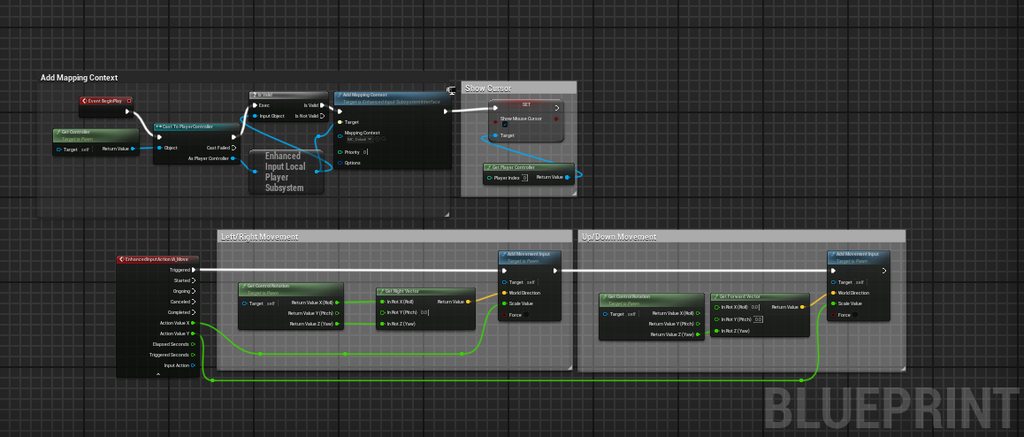
ive gotten this but it just constantly look at the cursor
 lofty rapids
inner zephyr
ive gotten this but it just constantly look at the cursor
lofty rapids
inner zephyr
ive gotten this but it just constantly look at the cursor
so this works as the character rotates to the cursor ?
what you can do is on right mouse down pressed, set a boolean to true, unpressed set it to false, and run that code witha boolean check first
inner zephyr
yeah the movement is wasd but currently he looks where the cursor is, but i only want it to look/aim when right click is pressed
@lofty rapids like this?
 lofty rapids
inner zephyr
<@910231430074859570> like this?
lofty rapids
inner zephyr
<@910231430074859570> like this?
sure a boolean, then you just switch it on click and use in the tick
inner zephyr
like this?
 light garnet
lofty rapids
are you just setting the variable and not updating the text ?
light garnet
lofty rapids
are you just setting the variable and not updating the text ?
How to update the text ??
lofty rapids
light garnet
How to update the text ??
you can do it a couple ways, but do you have a reference to your widget ?
light garnet
lofty rapids
you can do it a couple ways, but do you have a reference to your widget ?
Yes I do
I used the player controller
lofty rapids
inner zephyr
like this?
sure that will work, but like suggested enhanced input might be better
but the old way will still work
light garnet
@lofty rapids how i can upload my text ..
lofty rapids
light garnet
I used the player controller
so you put the widget reference in the player controller ?
frosty heron
Set text?
light garnet
lofty rapids
so you put the widget reference in the player controller ?
Yes
When I press the tab it's visible
lofty rapids
light garnet
Yes
well you need to make sure the text element on the widget is checked as is variable for one thing
lofty rapids
light garnet
When I press the tab it's visible
so when you press tab again you want to hide it ?
light garnet
lofty rapids
well you need to make sure the text element on the widget is checked as is varia...
Okay then
light garnet
lofty rapids
so when you press tab again you want to hide it ?
Yes.
lofty rapids
light garnet
Okay then
then when you get your widget reference from the controller, drag out and get the variable of the text, then do set text
lofty rapids
inner zephyr
like this?
flip it to true on pressed, and false on released
light garnet
Yes
You are right
So i have to set the text in the player controller not the widget
lofty rapids
inner zephyr
like this?
you can use this but be aware you won't have control over what triggers this, it will always be just right mouse button
frosty heron
light garnet
So i have to set the text in the player controller not the widget
How do you update the text in the widget?
the goal here is to update the text in the widget
the text it self can read from other source, or it can be set externally. Typically you want the widget to read, so we achieved one way dependency
lofty rapids
light garnet
So i have to set the text in the player controller not the widget
perhaps an event on the controller that sets the text, and you just pass the text to the event
 drifting hedge
do you guys know why this code is ignore the first value?


 lofty rapids
drifting hedge
do you guys know why this code is ignore the first value?
lofty rapids
drifting hedge
do you guys know why this code is ignore the first value?
i use parse into array and foreach loop
frosty heron
the text not gonna update it self
you have to write the node for it to update it's text
lofty rapids
light garnet
Whenever I add something I have to add something also need set text ?
everytime you want the text to update, you have to call it, unless you bind a variable in your widget and use that instead
 hollow cove
Hey all, can i get some broad advice on how to structure something I'm doing?
I have a tech tree that is shared in multiplayer. The tech tree unlocks 4 different categories of buildings. The different categories have different variables and some shared variables.
There's a UI to reflect that, which honestly is a mess right now and I'm using a category data asset which is then parented to a more general building data asset.
Just thinking if there's a data type that would be better in this situation or something like that. Tracking unlocks could just be storing an array of pointers to data assets but that feels weird, also sorting them is kind of awkward for display in UI.
drifting hedge
lofty rapids
i use parse into array and foreach loop
thanks
i just saw this node right now.. XD
frosty heron
@hollow cove you know where the multiplayer experts are
deffinitly not in #blueprint lol
lofty rapids
drifting hedge
thanks
i just saw this node right now.. XD
just make sure you cache the result before you loop for performance
because it's a pure node, or you can un pure i think
drifting hedge
lofty rapids
just make sure you cache the result before you loop for performance
yes thank you 😄
hollow cove
frosty heron
<@289481245245571073> you know where the multiplayer experts are
i mean, most of this is not a multiplayer question. its fairly simple to replicate the unlocks in this case and dont need much help with that, more just making things cleaner
light garnet
@lofty rapids @coldsummer it shows the same score in both players
frosty heron
light garnet
<@910231430074859570> @coldsummer it shows the same score in both players
is there an issue?
light garnet
Yes
frosty heron
what's the issue?
lofty rapids
light garnet
<@910231430074859570> @coldsummer it shows the same score in both players
frosty heron
For easy mode, you can just bind the Text variable to , Get Game State -> Get score -> set text
light garnet
Both players have different scores but this is showing the same score. I used binding
light garnet
lofty rapids
<#221799385611239424> ?
Yes
frosty heron
it goes without saying that the score should live in Game State
just make sure u replicate the score
light garnet
I should add a variable in the state not the player controller
frosty heron
100%
light garnet
frosty heron
just make sure u replicate the score
I did
frosty heron
client only have access to their own controller
they cannot have reference to other player controller
Only server have everyone's controller
lofty rapids
i'm just now learning a little about multiplayer, still have a lot to go just started with it
frosty heron
light garnet
I did
Move the score variable to Game State
light garnet
What if i had to add scores and decrease?
frosty heron
no worries, that's easy
light garnet
Create a function in the player controller ?
frosty heron
Only server should decide adding or decreasing score
game mode sound like a decent place
 frosty heron
it really depends on what you are doing on your end but imo, client have no business adding or decreasing point
like client shouldnt have the need to tell server that, hey add score
instead server check it's own reality
and add, decrease score as it see fit
light garnet
so i have to create var in state and call in player controoler right ?
frosty heron
From Server -> Get the character that u want to set the score -> Get it's game state -> Increment/decrement score
You can call it anywhere if you are the server, I would have some sort of manager that tracks when score should be added or decreased. Game Mode sound like a perfect fit
light garnet
okay
frosty heron
What's the rule to increase points anyway?
For example if you need to collide with an object (pacman for example).
Check the collision on server machine only, then get a ref to the pawn, get it;'s game state, then increment the score
for widget side, it;'s just Get Game State -> Get Score -> Set Text
 thin cradle
Is there any way to figure out if an actor is visible from a position in the world (ie not behind a wall) besides doing a bunch of line trace over a big 3D grid of its bounds? so far I'm just doing a line trace to the bounds center but that's not really enough for larger actors
frigid summit
frigid summit
hi guys why is my mesh not cutted in half
plz help
golden kite
This is nuts. Is it not possible to access an event parameter the way you can access a local function input?

It's making for some real spaghetti
lofty rapids
i think because it's in the same scope as the self
so you don't get the inner scope
of the event like when you do a whole function you get an inner scope
you can to make it less just promote to variable
golden kite
lofty rapids
you can to make it less just promote to variable
Yeah makes sense.
 paper latch
So let's say I have a boolean, true or false. Is there a way to set it so that when a boolean is set to true by the user, it resets a variable to its default value?
lofty rapids
setter function ?
 lusty sphinx
I'm not sure what happened to my bp, but the skeletal mesh seems to have stopped working and I can't even get anything inside the details panel when I select the skeletal mesh. I was only working in bp and I haven't touched the cpp/h files for it.
lofty rapids
lusty sphinx
I'm not sure what happened to my bp, but the skeletal mesh seems to have stopped...
the details panel is gone ?
what version of ue ?
lusty sphinx
5.3
paper latch
lusty sphinx
I'm not sure what happened to my bp, but the skeletal mesh seems to have stopped...
Make sure you didnt simply close the details panel. Go to window> detail on the top
lusty sphinx
The panel is empty
lofty rapids
its a bug
maybe someone online has a fix, i have seen it a bunch of times
but basically your f'd and have to remake it
luckily this has not happened to me yet in 5.3.2
but you should be making backups, or using source control to fix these kind of problems as well
lusty sphinx
I am running perforce, and I'm trying to go back in revisions by date currently
I'm probably not going back in revisions correctly as it's the first time I had to go back to a previous revision
lofty rapids
idk how it works i just make backups on the hdd
languid hemlock
Is there a function that allows us to select an object with dialogue? (Like these but they wont do it)
 paper latch
Is it just me, or is it not possible to rearrange the order of subcategories for our variables in blueprints?
I can arrange the individual exposed variables, but the groups they are in can't seem to be arranged
dark drum
paper latch
Is it just me, or is it not possible to rearrange the order of subcategories for...
subcatergories?
paper latch
In your variables list, you can organize your variables in categories, and sub categories/groups

for example
dark drum
paper latch
I understand categories, as far as I'm aware, you can't create subcategories though.
paper latch
sure you can
dark drum
paper latch
sure you can
How do you create a subcat?
paper latch
you just need to add "|" between the names
for example:
EasyFog|LOD Control|Wind
that will give you a bunch of subsequent rolldown arrows
but the categories themselves cannot seem to be organized

 versed hornet
I have a weird bug, when i change the mouse cursor widget without moving the mouse, the cursor becomes invisible even while ShowMouseCursor is true?
It updates as soon as i move the mouse, how can i make it update upon changing cursor so it doesn't go invisible
dark drum
paper latch
you just need to add "|" between the names
Mind blown, but your right, it looks like it doesn't let you. I did some how drop an entire subcat into another cat though, not sure how lol.
paper latch
Hahah I know right? I only learned you can have subcats pretty recently myself, so happy about that
 formal tusk
hi guys, is it possible to implement a feature like this in blueprint? basically loading 2 worls at the same time perhaps using MultiWorld plugin, but keeping the character in both worlds synced so you can move between the levels seamlessly


https://youtu.be/NQQJ5zoiHEY around 6:42

Lords of the Fallen Gameplay on PC in 4K is VERY impressive so far. Unreal Engine 5 dark souls game. Let's check it out! Leave a LIKE and a comment, thanks for watching. Cheers to Hexworks for the early look!
saw the multiworld video trailer but they only show moving between levels with no loading, not actually in sync so i'm wondering how one might achieve such things
like for starters how would you sync the two actors etc
lofty rapids
load in the different stuff, and unload it after ? i think you can do that with level streaming
versed hornet
formal tusk
like for starters how would you sync the two actors etc
save it in the game instance is my first guess, but no idea how to do multilevel streaming
formal tusk
https://www.unrealengine.com/marketplace/en-US/product/multiworld?sessionInvalidated=true i was thinking of using this, but i'm wondering how one would achieve such functionality to let two character actors in sync
lusty sphinx
lofty rapids
maybe someone online has a fix, i have seen it a bunch of times
Finally finished making a copy that works now. Is there any easy way to merge two bp's that are similar? It was a bit of a nightmare manually copying one bp to another while constantly checking to see if no functionality broke while copying.
I managed to go back to an older revision where the static mesh details panel wasn't broken, made a duplicate of that which I used to copy over the latest revision into.
lusty sphinx
formal tusk
hi guys, is it possible to implement a feature like this in blueprint? basically...
Not sure if this is the same thing, but I saw this in the latest tech demo. The part I'm referring to starts at around the 2 minute mark
https://www.youtube.com/watch?v=1w3nIKrWo6Y

Chrono Studio presents the Unreal Engine 5 gameplay tech demo for its namesake title, Chrono Odyssey, an MMORPG that allows players to manipulate time and space.
golden kite
lusty sphinx
Finally finished making a copy that works now. Is there any easy way to merge tw...
This is the worst part of BP programming (compared to C++ or any other text-based language). There's no way (that I know of ) to DIFF BP changes.... sigh
gentle urchin
Yes there is
lusty sphinx
There definitely is a tool inside unreal to show diff changes inside the bp. It's just I was manually checking the differences because I was paranoid of messing it up.
 burnt citrus
Hi, I have a question
Can I convert integer to float inside math expression node?
 gentle urchin
Dont convert to int
+6.0
I think that'll auto convert
(Seems ur overloading on parenthesis ^^)
versed hornet
gentle urchin
(Seems ur overloading on parenthesis ^^)
better safe than sorry
gentle urchin
Thats one way of livin'
lofty rapids
would a math expression be any faster than using the nodes ?
gentle urchin
But you know what they say, "ask for adventure, not security"
gentle urchin
lofty rapids
would a math expression be any faster than using the nodes ?
Yes
lofty rapids
thats good to know
burnt citrus
gentle urchin
(Seems ur overloading on parenthesis ^^)
because Lyra do converting float, I do
so, will it cause performance issue?
 gentle urchin
Surely not
burnt citrus
Ok, well, it works! thank you!
 gentle urchin
To put it differently. If this float conversion were to break your game you're in one heck of a jam
versed hornet
gentle urchin
To put it differently. If this float conversion were to break your game you're i...
you would really need to do it around 50000 times per tick for it to really matter
gentle urchin
On a semi slow toaster
 dry sleet
lofty rapids
would a math expression be any faster than using the nodes ?
dry sleet
lofty rapids
would a math expression be any faster than using the nodes ?
Unless something has changed I'm pretty sure the math expression just creates the nodes for you.
You can double click it and see them.
It's a collapsed graph.
dry sleet
Performance wise I believe so at least.