#blueprint

1 messages · Page 112 of 1

frosty heron
#
void UKismetRenderingLibrary::ExportTexture2D(UObject* WorldContextObject, UTexture2D* Texture, const FString& FilePath, const FString& FileName)
{
    FString TotalFileName = FPaths::Combine(*FilePath, *FileName);
    FText PathError;
    FPaths::ValidatePath(TotalFileName, &PathError);

    if (Texture && !FileName.IsEmpty() && PathError.IsEmpty())
    {
        FArchive* Ar = IFileManager::Get().CreateFileWriter(*TotalFileName);

        if (Ar)
        {
            FBufferArchive Buffer;
            bool bSuccess = FImageUtils::ExportTexture2DAsHDR(Texture, Buffer);

            if (bSuccess)
            {
                Ar->Serialize(const_cast<uint8*>(Buffer.GetData()), Buffer.Num());
            }

            delete Ar;
        }
        else
        {
            FMessageLog("Blueprint").Warning(LOCTEXT("ExportTexture2D_FileWriterFailedToCreate", "ExportTexture2D: FileWrite failed to create."));
        }
    }

This is the code, the buffer is your bytes Im guessing, a series of int8

magic raft
#

i only managed to decode it from string using bytes and convert to Texture2D

frosty heron
#

then you can recreate it with ImportBufferAsTexture2D

dark drum
#

In my test system, I had all stats use an attribute object. So this was for things such as health and stamina. Anything that would change them would also be an attribute object.

The first screenshot is a list of the function in the base attribute object. Most of these are just for registering the module with the manager component (gets placed on the character). When you create children, you can then override some of the functionality as needed.

The next screenshot is the initialize module function on a poison attribute. This sets up event dispatcher bindings and finds the 'Health' module from it's parent.

The third screenshot is what happens on the modules tick (called from the manager). This handles how it should behave. In this case, it modifies the health component as needed. It also contains logic for auto removing itself when the poison duration has elapsed.

young meteor
proper flower
#

why the hell my cast doesn't work? I'm going to be crazy today

#

the A neon ceil is an actor that have a static mesh and a rect light

#

I'm calling this from another actor

#

both already present in the scene

lofty rapids
#

Actor is not A_Neon_Ceil

#

if it's failing

proper flower
#

the actor variable is actor object reference

#

A neon ceil is a child of actor class

#

what I'm missing out?

lofty rapids
#

what do you have in the reference ?

proper flower
lofty rapids
#

So you made a variable

proper flower
lofty rapids
#

but you didn't assign it a value

#

what are you trying to cast ?

#

are you just looking for that actor ?

proper flower
#

I need to get the rect light info from ceil

lofty rapids
#

well a cast from an empty variable probably throw error

#

you may want "get actor of class"

#

is there only one of these ?

proper flower
#

multiple neon scattered around level

lofty rapids
#

so which one are you trying to get ?

#

all or just one ?

proper flower
#

all

#

so I use get all actor of class?

lofty rapids
#

ya which will give you an array you can loop through

#

and check values

proper flower
#

okay i'll try

#

thanks

#

I hate casting

lofty rapids
#

it gets easier

eager thicket
#

/stream]

lofty rapids
#

better performance wise

proper flower
#

okay

#

I'm going with the tag

#

to get multiple actor blueprint

#

get all actor with tag

lofty rapids
#

whatever works

proper flower
lofty rapids
#

right but you got no power going to that set

#

no execution

earnest vigil
#

I am trying to use physics and custom time dilation at the same time. As custom time dilation isnt compatible with the physics system I have found a possible workaround being turning off the actors physics before messing with the time values. Then once resumed I re-enable physics. The issue with this is that when re-enabled the actor forgets how it was moving and just drops. Any ideas on how to keep the object moving in the same way it was?

proper flower
#

@lofty rapids I'm stuck again.

#

surely missing some basics about casting here

#

cause I cannot find a way to connect my actor that I got from the array to the set material

#

i tried to get rect light variable

#

but cannot find in the reference

lofty rapids
#

array element comming out of foreach is each one in the array

#

unfortunately you'll probably have to cast in the loop

#

because you just got actors with tag

#

could be anything comming out of that array element

proper flower
#

the only actor out of loop are actor with my tag so of 3 types

#

I'm branching based on types

#

but cannot get specified reference to component

#

and cannot understand why

lofty rapids
#

show the branch ? and your not using array element, show the actual code you posted a slice of the top

proper flower
lofty rapids
#

or what are you trying to do exactly ?

proper flower
#

yeah but each one have different property

#

so I need to branch out

#

and get intensity light for example

#

and manipulate that

lofty rapids
#

so you'll most likely want to cast in the loop so you can get the bp's variables

proper flower
lofty rapids
#

right because you probably need to set it on a mesh

#

thos booleans, where do you set that ?

#

because i feel like it won't work that way

proper flower
#

I'm just templating it

#

not set yet

lofty rapids
#

you'll want to try casting since they are different types so you can use the variables

#

you just want if it's a certain type apply a certain material ?

proper flower
#

so i need 3 consecutive casting?

lofty rapids
#

ya unfortunately because they are different classes right ?

proper flower
#

they are 3 different actor blueprint

lofty rapids
#

right but the actor alone doesn't have the variables, the specific bp does

#

which is why you usually cast

proper flower
#

i need that every light have different intensity and effect

#

ok but if I cast to these blueprint we return to my main question

#

how the hell can I get the right object cause a simple actor reference won't work xD

lofty rapids
#

and pull off from it after the cast and get the variable

#

this could be a light

#

where after you get it, you can set things on it

#

i would probably use a parent, and make these actors a child since they all share a common thing

#

this way you can just cast to parent on them most likely, i think that would work

proper flower
#

I'm confused but ty

#

I'll mess around until something happen

lofty rapids
#

so when you cast to it, you can then drag out and get the thing

#

then drag off of it and set things

proper flower
#

I understood this

#

but how can i make it public

lofty rapids
#

what does the bp look like ?

proper flower
#

what do you mean

#

it's a simple bp actor

#

with a mesh and a light

thin panther
lofty rapids
#

ah yes, interface

#

forgot about that because i have not used it yet

lofty rapids
#

shouldn't have to make public it's not like a variable

proper flower
#

yes but the object

#

it fails

lofty rapids
#

well you don't have anything plugged into object

thin panther
#

you should really watch that video

lofty rapids
#

so it's not casting anything

proper flower
#

i know it's empy

lofty rapids
#

ya some learning on how bp works might help a bunch

proper flower
#

empty, I reconstructed it

lofty rapids
proper flower
#

I saw many videos, surely is something simple that I miss

thin panther
#

well see this video

#

most tutorials do a very poor job of explaining it

proper flower
thin panther
#

The "simple" thing you're missing is a huge hole in foundational knowledge

lofty rapids
#

because your not casting "from" anything

proper flower
#

i said I already test it out with many casting and failed

#

btw acuppatea which video do you mention=

lofty rapids
#

these ss's don't help either

#

it's like slices of stuff with no real information on there to go by

#

if your looping over the array and checking if an element in the array is a certain type

#

then you would drag from array element and cast to what you want to see if it is

thin panther
proper flower
#

I'll learn from video, thanks guys

thin panther
#

Feel free to drop any questions you have after that 🙂

gentle urchin
#

I regret posting that 😅

gusty dragon
#

attach actor to actor the parent has phsyics enabled but the child loses all collision is there a workaround for this?

limber parcel
plain cobalt
#

Heya all, hopefully quick question. I have a system that calculates some coordinates setup on my player character in an actor component, and I want to use said coordinates to set the location of one (or more) actors. I would use casting but Im quite new to it, and I dont know what I can do to get a reference to the specific actor as the location is something I want updated on game tick rather than an event like hit or on overlap I can use to get the specific object reference. How to go about it?

thin cradle
gusty dragon
gusty dragon
lofty rapids
#

as far as cast, you can probably get component instead

plain cobalt
#

Yes. I read your discussion above too, but I wouldnt know how to get a reference to the actor

lofty rapids
#

or are you not using players tick ?

plain cobalt
#

I have a custom event in place for a tick system for reasons

lofty rapids
#

you should just be able to drag from the left

plain cobalt
#

Which is also set in the actorcomponent

lofty rapids
#

ok so you used a timer, but this is on your player character ?

plain cobalt
#

yeah, i dont see how this has to do with reaching a reference to the actor though

lofty rapids
#

if it's in the player character bp

#

you already are there

#

you don't relly need a reference

#

you could use self

plain cobalt
#

the actor i need to reach isnt the player character

lofty rapids
#

oh ok

#

do you have multiple or just one ?

plain cobalt
#

I use a random sphere as a location for an audio emitter, and I need to update its location constantly

#

Just one, might become multiple

lofty rapids
#

well if it's one you can just get actor of class

limber parcel
#

why not make the spheres a component of your character?

#

then u can easily communicate with them

plain cobalt
#

Thats a question I wouldnt know the answer to to be honest, so Ill take suggestions :D

plain cobalt
limber parcel
#

unless you have specific reason not to make components i would just do that

plain cobalt
#

Just incase you have tips, what would be a reason not to make it a component

limber parcel
#

if you want to load it independent of player

plain cobalt
#

I guess I dont have a reason for that for now

gusty dragon
proper flower
torn mason
#

Sup, have a question. I am creating some timeline keys that will go back and forth. Can't you copy these keyframes somehow? CTRL + C / CTRL + V doesn't seem to be working

gentle urchin
#

Is it an option to just loop it? 😅

marble sky
#

When adding a UI element to a viewport and then switching render targets, the UI stays on screen but I can no longer remove it or make it 'collapsed/hidden'. Is this expected behavior? Should I re-create the widget on the new viewport to remedy this?

lofty rapids
proper flower
#

I'm stuck

#

I cannot understand how cast works

#

basically

#

i cannot find a way to cast from a blueprint actor to another

#

in order to get information

#

the cast fails

#

is that simple

gentle urchin
#

Cast is just a type converter

lofty rapids
#

show the code

gentle urchin
#

you still need a reference

#

and it needs to be of the underlying type that you're casting to

proper flower
#

the underlying type is actor

#

the father is the actor

gentle urchin
#

Parent is Actor

proper flower
#

parent, yea

gentle urchin
#

the pointer may point to a generic Actor

#

but the pointer can still point to myVerySpecificActor

#

even tho it's "hidden" in a regular Actor reference

proper flower
#

i need a way to obtain the object for my neon ceiling

#

in order yo use that informations

gentle urchin
#

Which BP are you in?=

thin panther
#

the video i linked details ways of getting that reference

lofty rapids
#

you probably want get actor of class, or like suggested interface

proper flower
#

the video get me sleepy

gentle urchin
#

interface doesnt grant you a reference tho

#

you still need a reference

#

to the thing you're trying to interface with

proper flower
#

I'm in a blueprint called Exception manager

#

this blueprint is meant to be the handler for all the exception that occurs

#

at the moment I'm working on a flickering light

#

so I need the reference from light

gentle urchin
#

exception, is that a gameplay element ?

#

not like.. actual code exception i suppose

proper flower
#

to change the intensity of light

gentle urchin
#

There's a few ways you can do that

proper flower
#

I already managed to create the flickering light

#

my sole scope for now Is UNDERSTANd how all type of casting works

#

cause I surely don't comprehend it

gentle urchin
#

Casting is simply:
Is this reference actually THIS reference?

#

You go down the hieriarchy of classes.

proper flower
#

this is the neon ceil

gentle urchin
#

Casting doesnt "Get" or "Make" a reference to the actor

#

it just converts an existing reference

proper flower
gentle urchin
#

so the thing you wanna learn is how to get a reference 🙂

proper flower
#

okay

#

how to get a reference?

#

in this case

#

how to get the right reference to access neon ceil infos?

#

a generic actor won't work

#

and cannot find a way of thinking it

#

watching a video right now, we'll see

#

may the redirector not updated bug me?

#

I noticed that in the reference view i was not updated

gentle urchin
#

GetActoOfClass

  • Hacky in most cases
  • doesnt let you specify which reference

Instance set reference

  • Lets you pick and set references in editor.
  • allows you to be very specific about who'm you're referencing
  • is frowned upon(?)
proper flower
#

I don't understand this reference

gentle urchin
#

Collision/Trace

  • Often used in relation to runtime related references
proper flower
#

why it tells me that the neon ceil is child of the exception?

gentle urchin
#

As they are very dynamic in natire

proper flower
#

it doesn't make sense

gentle urchin
#

This is reference viewer

#

Not hieriarchy of classes

thin panther
#

From the video in the pins:

proper flower
#

ah ok

#

Acuppatea I Don't understand, in life I'm not dumb, the contrary, but in this case I'm feeling the dumbest of all

#

I cannot follow the info you provide from the video

#

Also squize I didn't understand your last messages as well

#

aside the last

#

last is okay

#

it's not hierarchy of classes

thin panther
#

What that is saying is methods of getting things to hook up to that object pin.

I.e. from a getter, or saving the output of a spawn actor node, or the "other actor" from an overlap, or a get actor(s) of class, or an instance editable actor variable

proper flower
#

saving the output of a spawn actor node?

#

other actor from an overlap?

thin panther
#

Yes. The output pin of a spawn actor node.

Saving that in a variable

gentle urchin
#

Reference viewer is just a tool to allow you to see which assets reference each other in some way shape or form

proper flower
#

the only I understand is the get actors of class

gentle urchin
#

Hard reference for instance.

thin panther
gentle urchin
#

A cast creates a hard reference

gentle urchin
#

Hard references makes it so that all referenced assets must be loaded to memory along with the class you spawned

thin panther
#

If you are unfamiliar with those I suggest one of the courses in #ue5-general on the official dev portal.

The same way say, using "get player character" for the input of a cast to your character, you must obtain a reference to your other actor.

For some classes, there may be similar getters built in. Otherwise, there are many nodes that will give you said reference. Even things like an instance editable object reference variable

#

Once you know the words to Google, you can Google them quite effectively

brisk bear
#

WHO ON EARTH MADE THESE ICONS THE SAME THEY DO VERY DIFFERENT THINGS!!!!
how can I make a pull request to UE to fix this nonsense

proper flower
#

okay with that but you can't help me find the object of this simple blueprint?

thin panther
#

You need to address that hole in your knowledge of referencing.

#

We can't find the object for your blueprint

#

We have no idea how it exists, or the best method of getting it in your case, so you must learn the methods of doing so

proper flower
#

it's a new blueprint actor created

#

how can it be so difficult obtain the reference?

thin panther
#

It isn't, and in fact we've provided many methods you can use to get it

proper flower
#

I wonder if there's some broken part in my project at this point

thin panther
#

It's up to you to research those

lofty rapids
proper flower
#

I accept that I don't actually know how it works

#

but can't find a video that help me, this is the problem

#

thanks again for your time

#

I will resolve my problem

thin panther
thin panther
#

Oh sweet, didn't know MathewW had a vid on it too

proper flower
#

this video shows one of the easiest casting

#

even I can make this

lofty rapids
#

because the event already fills the other actor variable with an actor

#

you tried it with an empty variable if i recall correctly

proper flower
#

no

#

I know that empty doesn't work

thin panther
proper flower
#

this video does not help me unfortunately

#

yeah but this does not solve my problem

olive yarrow
#

I'm just tryna make this thing rotate slowly and smoothly facepalm where am i messing up my interps?

thin panther
#

The. Try researching one of the other methods and see if it solves your problem

proper flower
#

I'm searching

thin panther
#

I gave you many solutions to getting a reference, and one of them will work

#

Are you trying to reference something that's static in the scene?

Something spawned at runtime?

proper flower
#

in this video it show the reference

thin panther
#

That's not how you get a reference

#

That's just showing you what your class depends on

lofty rapids
#

i have not even had to look at that yet, what is that ?

thin panther
#

Reference viewer

gray ingot
#

Hi, why my For Each Loop just skip all my elements and do the body only for my last element?

#

And how can i do so all my doors open at the same time then i call my event?

lofty rapids
#

it should

versed sun
#

lose the print, you wont see it anyways

lofty rapids
#

why not ?

#

or why would the print not show up ?

versed sun
#

it would get overwritten 4 time in a tick

lofty rapids
#

so your saying a foreach loop with a print string on the loop body will only output once

#

?

gray ingot
#

So it does go through all the elements, but it does open only the last

lunar sleet
#

This subway station has too many support pillars, is this a remaking of the Matrix?

gray ingot
#

It is a liminal space so

gray ingot
lofty rapids
#

well its running foreach likes it supposed to

gray ingot
#

Is there another way to make them all open at the same time?

lofty rapids
#

what if you take the timeline out ?

#

does it set all of them, or just the last one ?

#

just to see if it's the timeline

#

because the prints work

lunar sleet
#

For each loop executes in one tick only

#

You cannot have latent actions in it

gray ingot
#

Then i take out the timeline it does work for all

lucid ingot
#

im not understanding the logic between this after doing cpp for some time.. The references are the same, but once it is set it generates errors if i just connect it, it works. should i just throw an isvalid in there?

gray ingot
lunar sleet
lucid ingot
lunar sleet
gray ingot
#

Components

#

I can make them actors i think

lofty rapids
# lucid ingot

wdym they are both the same but the first one doesn't work ?

lucid ingot
#

Yeah lol

#

makes ZERO sense

lofty rapids
#

it's a different name

lucid ingot
#

only difference is replicasted

lofty rapids
#

are you sure the values set correctly to the same ?

lucid ingot
#

same exact pointer tho

lofty rapids
#

wdym

#

one says ref

#

one says ptr

lucid ingot
celest trench
#

Is it possible to make something ignore time dilation? I want my timer to run consistently even if time is slowed

lucid ingot
#

one comes right from the cmc, and the other in bp

lofty rapids
lunar sleet
lofty rapids
#

apparently nothing for ref

lucid ingot
#

the one in bp does not work even tho its pointed at the reference.

gentle urchin
lucid ingot
#

this is why i hate bp lol >_<

lofty rapids
#

it's just an empty variable

lucid ingot
#

i get it now.

lucid ingot
#

simple mistake xD

#

thanks

gray ingot
#

Like door actor inside train actor

celest trench
# gentle urchin Custom time dilation > global

So if I want to set it for every player I would have to do a for loop every time I change it? I'm using a timer and smooth transitioning the dilation, so I feel like this would be really inefficient

#

I guess I could put this on the character itself actually instead of game state. Then it doesn't loop. Nvm, thanks 🙂

lunar sleet
#

You can’t add it as a component tho. There’s child actor components but those are not very good

gray ingot
#

Like this?

#

Is it fk up?

#

I think it easier to just copy paste and seaquance all doors does it?

#

Like aren't the same to copy things then use it from bp, but it does the same thing

#

It is messier but it works

#

Like this

#

But it does it as was with for each, only for last one

#

Hmm

#

So this is problem of the Timeline

#

How can i make so my door opens but without timeline

lunar sleet
#

Unless you want it to happen instantly you need to do this like I said

gray ingot
#

I have heard about world delta seconds and lerp, but i don't understand what to do

lofty rapids
#

just have the event on the door, why are you calling it on begin play ?

gray ingot
#

It is for testing on begin

#

Later it will be on trigger

gray ingot
#

And i need it to be component of the train, becouse it will move later

lofty rapids
#

i'm still learning about latency so i don't even really know why it's not working properly exactly

gray ingot
#

And it will be harder

lofty rapids
#

you just call the open door event on the actor

gray ingot
#

Yeah, the timeline ruind all

lunar sleet
#

I wonder

gray ingot
#

I need to somehow don't use timeline

lofty rapids
#

you can use a timer

#

and events

lunar sleet
#

Are the values you’re giving it actually compatible with the 2nd door?

gray ingot
#

Someone said to me i can use Get world delta seconds and lerp do "create" timeline

gray ingot
#

If i change them around and make second door last it will work

#

So the timeline is the problem

gentle urchin
#

Are you gonna have several doors ?

lunar sleet
#

Use breakpoints and see if the 2nd pin on your sequence fires when you expect it to

gray ingot
gentle urchin
#

Id then make a parent door

#

Using a timeline 🙂

#

Wrapping the timeline execution im a functionn

gray ingot
#

It will fk up me later then i will be creating train move

gentle urchin
#

Nah it wont

#

You move them relative

gray ingot
#

But it will be different actor

gray ingot
lunar sleet
#

Eh, we’re going in circles here

gray ingot
#

Yeah

gentle urchin
#

Sorry about that 🤣

gray ingot
#

I need to somehow use somthing but timeline

#

I just need them to slowly open

lunar sleet
#

You keep saying “it’s the timeline” without actually finding what the problem is

gentle urchin
#

The problem is

#

That the functiom for starting the timeline is called twice

gray ingot
gentle urchin
#

And only the last calls door ref is cached

lunar sleet
gentle urchin
#

Youd wanna start and stop the timeline, but move both doors during timeline exec.

lunar sleet
#

Ah it’s overriding it?

gentle urchin
#

Yes

#

Instantly

gray ingot
#

Yeah, as i understand thats what happening

#

I have onother idea

lunar sleet
#

You could animate it ig

#

More work tho

gentle urchin
#

Timeline works fine

#

Just remibe the ref from the function call

#

And add ref to both doors during timeline exec

gray ingot
#

i have connected alphas

gentle urchin
#

Well... this works

#

But theres 0 reason for them to be inputs on the event

gray ingot
#

Why?

gentle urchin
#

The lerp setup is ofc horrible

#

You want fixed locations

#

So a cached start

#

And some offset that is your goal

gray ingot
#

So it does work)

lunar sleet
#

If your locations aren’t fixed, your timeline won’t be frame independent

gentle urchin
#

And if your framerate varies, they end up in different locations

#

240 fps vs 30

#

Good luck fixing that

lunar sleet
#

Trust me, learned that the hard way lol

woven turret
#

Using UE4.26, Is there any way to access and change the "Shadow Amount" value in a DirectionalLight via Blueprints?
I'm unable to access it directly via a "Set Shadow Amount" for example.
Or is there any other solution to achieve a similar result of lowering this value without turning off shadows entirely? 🤔

lofty rapids
#

i move stuff back and forth with timer by events

#

and then off events

#

just get current, add to it a small amount, set it

gentle urchin
#

Timelines are more userfriendly for this

lunar sleet
#

And I think timer by event is not frame independent

gentle urchin
#

As they have a start, and an end

lunar sleet
#

@toxic jay are coros frame perfect?

lofty rapids
lunar sleet
gentle urchin
young meteor
#

I want the distance between 2 Actors. The "Other Actor" is already defined, but for the first I would like the Actor this ActorComponent is attached to (code I'm writing is in an Actor Component). Is the one I'm showing what I need?

gray ingot
#

So my workaround will fk up the game if it have different framerate?

gentle urchin
#

Ofcourse, if you have solid start and end points, it will work fine regardless..

gray ingot
#

Or whta do you mean

gentle urchin
#

The lower one

#

With component as target

lunar sleet
#

Umm idk

gray ingot
#

I don't fully understand, so will it work or it will work depense on fps?

lunar sleet
#

Functions usually happen in one tick unless custom, right?

gentle urchin
#

Latent*

lunar sleet
#

Oh

gray ingot
gentle urchin
#

The function itself executes "instantly" still

gentle urchin
lunar sleet
#

So functions == subroutines?

gray ingot
#

So i use them

#

This one timeline

gentle urchin
#

Now swap to fixed offsets

gray ingot
#

What is it?

lofty rapids
# gray ingot

you probably just want them to open the same for each right ?

#

i feel like your offsetting the movement

warped juniper
#

Hey there, I have some issues with trying to create a microgame... I'm genuinely lost here, not gonna lie.

warped juniper
#

The goal here is to display in another viewport a different game, with the unique controls,

gray ingot
#

I am lost now...

warped juniper
#

I'm just pretty much at a loss here, so any advice or help would be deeply appreciated...

lofty rapids
gray ingot
#

It does work, all is fine, i just ask is it fk up work around?

lofty rapids
#

i mean if it works thats a good thing

gray ingot
#

Yeah

lofty rapids
#

sounds like your doing it the right way

gray ingot
gentle urchin
#

Try to open the doors

#

The in the console lock your fps

#

T.maxfps 20

#

Then close the doors

#

See what happens

gray ingot
#

i have 30 fps all the time Xd

gentle urchin
#

Move it down to 15 then

gray ingot
#

Sec

gentle urchin
#

Just to make a point

#

Do this after opening the doors at runtimr

gray ingot
#

Ok, sec

lofty rapids
#

i think i'm understanding that because the frame rate changed it still only moved lets say 1

#

and it looks f'd ?

#

if you made it frame independent ?

gray ingot
#

Lol i see

#

Even without closing

#

If i set it to 30 fps

#

It is ok

#

If i set it to 80

#

It goes farther

gentle urchin
#

For each frame the timeline will exec once

gray ingot
#

So why it does it?

gentle urchin
#

So 80 fps = 80uu of movementn

#

30 fps = 30 uu of movement

#

Assuming you keep the same 1 uu

gray ingot
#

Okey, but how to fix it

gentle urchin
#

Or cm, as it is ment to represent

#

Well, think about whats causing this

#

Or... what you have that would... manipulate that 1uu so it becomes frame independent

lofty rapids
#

delta ?

gentle urchin
#

Yes

gray ingot
#

What is it?

gentle urchin
#

But in this case, it kinda defeats the purpose of the timeline
..

#

Delta is the time between this frame and the last frame

#

So at 100fps its 10ms between each frame

gray ingot
#

Okey

gentle urchin
#

At 20fps it 50ms between each frame

gray ingot
#

Yeah, so how does it effect my bp? I don't see it

gentle urchin
#

If we wanted to stick with the same 1 uu logic , for fun lets say

#

We can take that 1 uu and divide it by the Delta

#

Erh

#

Not divide

#

Multiply*

#

You want it to be bigger at lowrr framerates 😄

#

Brainfart, sorry.

gray ingot
#

Yeah so

gentle urchin
#

So try that

gray ingot
#

It will be bigger

gentle urchin
#

Multiply your fixed offset with deltatime

gray ingot
#

But how if don't even know where i use delta xD

gentle urchin
#

And test at 15 and 30 fps

#

See what happens

#

Where you have +1..

#

So instead of +1

gray ingot
#

What is "Fixed offset"

#

You mean Z?

gentle urchin
#

You do + (1*delta)

lofty rapids
gentle urchin
#

Delta seconds

#

World delta, perhaps

gray ingot
#

?

gentle urchin
#

No

lofty rapids
#

get world delta seconds

gray ingot
#

Yeah, i see

willow cedar
#

Is there a way to Get a Random Transform from the Nav Mesh I can use to Respawn?

gray ingot
#

This is so fk up

#

Xd

#

Sorry for this with wires

gentle urchin
gray ingot
willow cedar
gentle urchin
#

I suppose

#

But setting up an actor for that purpose shouldnt be an issue

gray ingot
#

It now moves like 0.01

gentle urchin
#

So increase your 1

#

Make it 100

#

It effectively now became a unit of movement per second

#

So 1 uu/sec is nothing ofcourse

#

Your previous movement was 30uu per second

gray ingot
#

Yeah, i see

#

It now moves the same

#

70 fps and 30

#

For me it is magic xD

gentle urchin
#

Now its "framerate independent"

#

Detached from the boundries of frames

#

It can now move into the void, forever.

gray ingot
#

Whithout your help i will sit here for hours, ty a lot man!

willow cedar
#

I got the Nav mesh Spawn Working. Thanks

gray ingot
#

Do you mind if i will add you to my game credits list?

gentle urchin
#

This was more like a proof of concept

gray ingot
gentle urchin
#

Create a variable

#

For the "Target Z Offset"

#

How long is your timeline?

gray ingot
#

4 seconds

gentle urchin
#

So

#

30*4 = 120

#

Set the variable default value to 120

gray ingot
gentle urchin
#

Yes

gray ingot
#

Done

gentle urchin
#

now we wanna connect it to the lerp

#

but we need to cache the original location of the Doors first

#

So 2 more variables.
Door1StartPos
Door2StartPos

#

Vectors

gray ingot
#

Done

gentle urchin
#

Remove the two inputs from the Event

#

grab the doors direclty

gray ingot
gentle urchin
#

in the details panel

#

under Inputs

#

remove them

gray ingot
#

All or only 2?

gentle urchin
#

remove all

#

you dont need inputs here

#

for now anyways

gray ingot
#

Done

gentle urchin
#

then we need to cache their start locations

gray ingot
#

DOne

gentle urchin
#

both doors

#

add the other one aswell 🙂

gray ingot
#

I have this much of them

#

XD

gentle urchin
#

erh xD

gray ingot
#

Like how do i add them

#

Hahahahhaha

lunar sleet
#

still going eh? imagine using one actor bp and just calling that event on all instances 🤦

gentle urchin
#

^

#

Thats what we wanna do

gray ingot
#

xD

lunar sleet
#

so what's the problem lol

gray ingot
#

Not interesting enough

gentle urchin
#

I wasn't aware this was in the train BP

#

😄

gray ingot
#

So

#

Fk

#

I am ill now, and my mind is not doing it's work properly

#

So

gentle urchin
gray ingot
#

Whats the easiest way to make it? And later the train will move as well

gentle urchin
#
  • on the end, not +
#

😄

lofty rapids
#

and closing ?

gray ingot
lofty rapids
#

and the doors are components on the train ?

gentle urchin
#

crazy to move those

gray ingot
#

Like i mean if i add 4 doors to your method it will be longer

gentle urchin
gentle urchin
gray ingot
#

Is it a question?

gentle urchin
#

No

gray ingot
#

Then i don't understand it xD

gentle urchin
gray ingot
#

Mine does work for all doors too

gentle urchin
#

1 Manager, multiple Door Actors

gray ingot
#

What is manager?

#

Ah

#

I am stupid

#

Ok, so do you cast to doors or what?

#

How does they talk to manager?

#

Interface?

gentle urchin
#

depends

#

can just hack it

#

GetallActorsOfClass

gray ingot
#

Yeah, but i have heard it is not good

#

And i also need to then always then my train moves

gentle urchin
gray ingot
#

Get all of them

#

How u do this so fast xD

gentle urchin
#

years of experience

#

and toying around

#

i guess

#

I litteraly just hacked it together tho

#

BP_DoorParent is the door with its logic

#

timeline and lerp

#

DoorManager simply calls the doors "ToggleDoors" function

#

in a hacky way

#

Also set the door to just attach actor to actor

gray ingot
#

Ur insane for me, i use ue5 for 4 months and your knowings are insane for me

gentle urchin
#

i already had a spline car (similar to your train)

#

i've used it for 6-7 years..

gentle urchin
#

I hope i've learned something in that time

gray ingot
#

Yeah, some things i know now)

#

Not much

#

Can i add you in discord?

gentle urchin
#

Gotta nail the basics first

#

before doing grandiouse projects 😄

#

moving tons of components can easily become messy aswell

gray ingot
gentle urchin
#

changed offset to be a vector

#

so it's easier to modify direction

gray ingot
agile moss
#

Can someone tell me why my interface is not printing string?

gentle urchin
#

this smells wrong to me

agile moss
#

Why? I followed the tutorial

gentle urchin
#

youre in a blueprint

#

getting Actor of class

#

and trying to get the message in a Widget

#

It's wrong on so many levels

#

If you wanna just hack it you can use GetWidgetOfClass

lofty rapids
#

not sure you can get the widget like that

gentle urchin
#

you cant

#

widgets are not actors

lofty rapids
agile moss
#

ok, so how do I tell the widget my player health?

blissful willow
#

Check the tutorial carefully, make sure you've not missed anything

lofty rapids
#

i don't use interface i have not learned them yet

#

i just set the values from the character with a reference

agile moss
lofty rapids
#

but he probably put the function on the character right ?

#

and then got the actor, and called it

#

you put it on the widget

agile moss
#

Also I have only get all widgets of class, not get widget of class

rich ferry
gentle urchin
#

Many tutorials abuse it to avoid casting, but often do so much else wrong that it's pointless

blissful willow
#

An example of a use case for an Interface is to call a common "Interact" function when you press a key, but what Interact function does on each object is different depending on how you use the function from the interface

thin panther
#

class agnostic behaviour is what I like to use to describe it.

You don't care what the class is when you use an interface, nor what the call is doing, you just care if it defines this behaviour

gray ingot
#

@gentle urchin This is great 🙂

gray ingot
rich ferry
#

what unholy hell is this

gentle urchin
#

ugh

gray ingot
#

xD

gentle urchin
#

shivers

agile moss
#

Jesus Christ

gray ingot
#

But it works!

gentle urchin
#

Well, that's something I guess..

foggy oxide
#

I was attempting to create a target lock system, but I encountered some difficulties with target switching. While I managed to lock onto the target in front of the player character, I couldn't figure out how to switch targets left or right based on player input. If anyone could assist me with the logic behind this, it would be greatly appreciated. I am using Ue 5 Bp

blissful willow
#

Is that a zoomed out switch board?

rich ferry
#

editing that code be like

gray ingot
subtle mist
#

hello guys.. i have a video playing in a widget.. I want the player to have the option to make it fullscreen while he is watching it.. how can i make it fullscreen during play by pressing a button?

rich ferry
gray ingot
#

Yeah)

#

xD

blissful willow
#

There ain't no way 😄

rich ferry
lofty rapids
# gray ingot

i wonder if you just ran one event, and passed it the current one in array, if the timeline would still work
latency is all new to me

subtle mist
vernal snow
#

Howdy all,
So, been trying to work on a general use weapon system for my own personal use, allowing throwables, projectile weapons etc etc.
Using structures as a base container.

Now currently i've been having issues with doing throwables where it spawns in and with the base speed it should go at said speed - it currently doesnt go at set speeds
I managed to do it before but changed something without realising and it kinda broke it.
I've messed with some collision settings, object types (made a new object type channel called Projectile set it to that).

Just kinda stuck and not sure where else to go any help would be appreciated.

1st image should be how i spawn in the throwable object, setting its variables and setting off the Set up Function (For clarity sake i put it there).
2nd image is the set up function in the throwable object.

gray ingot
blissful willow
#

@foggy oxide Shift enter for a new line 😄

foggy oxide
#

haha my bad

blissful willow
vernal snow
blissful willow
#

What are you actually getting when it spawns?

agile moss
#

Hey still can find my way around interfaces. Can anyone dm me a picture of a health float stored in the player which sends it to the interface which sends it to a widget? Please?

vernal snow
# blissful willow What are you actually getting when it spawns?

The Structure from a data table which has nested structures within it (Throwable stats being one of them).

I know it works because its setting the meshes as what the structure is telling it to, alongside the same set up for regular projectiles (bullets E.G) has it working fine.

Currently the force value is about 90000 for testing purposes but its acting as if its set as 0.

blissful willow
#

So it just drops the ground in front of the player?

#

Can we see the code where the speed variables are utilised? I only see them being set

#

Is it because you're doing the Set Up function AFTER you've already spawned it?

vernal snow
foggy oxide
#

Hey!
I am working on a target lock system. I was wondering how Do i determine if a target is on the left or right side of the current chosen target. for now what I have done perform a sphere trace in front of the player and the closest enemy to player will be the the target. After that on pressing a button I'm performing a line trace of all the in the actors found in the sphere trace. I was wondering how do i determine if the characters are on the left or right of the current target locked enemy

vernal snow
#

i've messed around with its order but doesnt seem to effect it.

lofty rapids
agile moss
lofty rapids
#

or do you have a reference to your widget somewhere ?

blissful willow
#

@vernal snow Try using your bullet mesh but with all the other stats the same and see if it works. It might be a mass / weight option for the meshes you're pulling from the struct for the nade
I was doing some physics stuff recently and even setting the force value to the highest setting did nothing if the weight wasn't properly setup on the mesh

foggy oxide
agile moss
foggy oxide
#

all the actors found in the sphere trace and ?

lofty rapids
foggy oxide
#

the problem with using right or forward vector is the enemy is facing in different direction then it'll cause problems

vernal snow
foggy oxide
lofty rapids
#

or actually the last one

#

one way possible help would be to get closest based on distance

foggy oxide
#

im doing this when i want to switch the target. I just making sure that i ignore the character that im currently locked on to

#

Instead of right vector i can use the normal

#

It'll return the coordinates of where the line trace hits the enemies

blissful willow
#

@vernal snow Sorry this is all just debugging stuff I'm suggesting, but my next step would be to print the speed variables to check they're being set as expected

lofty rapids
#

ya make sure you struct has the right values set in the variables

#

debugging can be a pain in the ass, but it's essential

lofty rapids
vernal snow
#

Debugging wise it prints out the variables i set the Datatable to it.
0 it printed out its speed as 0
999999 it printed that out.

If i remove the variables and just use the Projectile movement comp default speeds they work

blissful willow
#

Maybe use the default speed, get the value, then try setting your own variables to the same as the default speed - just as a sanity check

hoary summit
#

When I play an anim montage assigned to the upper slot my weapons don't move with the animation. Does anyone know why this is happening?

vernal snow
#

Currently im gonna try and do a Class select and than set it up because in my experimental project the current set up works, change the datatable values and it changes the speed they come out
so 1 makes them flop down
and 99999 makes them zoom out

kind estuary
#

The AI controller doesnt accept a PlayerState by default.
Instead it has this silly option to get it :p
I read this has something to do with player state being replicated. Though my game is not multi.
So my question is, do you use PlayerState on AI Controller?
I normally store variables such as player health, and ammo in the player state.
Where should i store instead? In the player pawn?

obtuse mulch
#

its always assumed that there will be more than 1 ai of same type so why save stats in external bp?

#

you dont want your ai sharing stats

kind estuary
#

So lets say in your AI controller you have function to move, function to attack automatically etc

#

then you will have to copy these functions in the player controller...

obtuse mulch
#

thats how it goes 🤷‍♂️

kind estuary
#

Wouldnt it be better to do all of this in the pawn?

#

Then you can use inheritance better?

obtuse mulch
#

i prefer keep the player and ai separate

#

unless you posses them ingame

#

i guess you can have the same controller

kind estuary
#

yeah... so you duplicate all the functions?

#

Move, attack, heal,

#

All of these are necessary both in the AI controller and the Player controller

#

plus the Player controller might benefit from using certain AI functions

#

lets say you want to leave your pawn automated as an AI

#

Í think Player controller and AI controller should have the same parent class

#

but well

obtuse mulch
#

you doing something like bauldurs gate?

kind estuary
kind estuary
#

they are different

#

so we cant share controller with ai controller

#

and player state is not normally used for ai

#

so we must do our logic in the player pawn, create then an AIPawn and inherit it from player pawn

#

i think this is the best

obtuse mulch
#

yea do the heals and stuff in the parent pawn

vernal snow
true marsh
#

Randomly my grid lines appear to be less transparent or... more bold. Despite not changing any of the grid line settings, is there something else that could be causing it?

I'm recording content and don't want it look different half way through footage

marble tusk
#

I have the same problem and I'm not sure how to fix it. The problem is the grid lines are now two pixels thick instead of one, but there's no setting I could find to change it.

true marsh
#

@marble tusk atleast I know its not just me, and I havent changed engine versions for my current project

marble tusk
true marsh
#

Did you recently update nvidia drivers at all? Cause I did, only thing I can think of atm

marble tusk
#

I don't remember to be honest. It was over a month ago

true marsh
#

hmmm weird

marble tusk
#

I think one thing I remember doing at the time was downloading a plug-in from the marketplace, but I didn't think it would be the cause as I didn't enable it

true marsh
#

@marble tusk According to this thread it looks like its the gpu drivers (which makes sense to me since I did my drivers in the last few days):

https://forums.unrealengine.com/t/background-grid-in-bp-editor-is-more-prominent-visible-than-expected-thicker-lines/1375660/4

Workaround: Revert to older drivers ( I used 537.58)

Update: I've opened a case with Nvidia on this issue and noted it in the forum post.

Epic Developer Community Forums

I just updated my GPU drivers and it’s happening to me as well. If anybody figures out a fix for this, please let us know. Edit I rolled my GPU driver back to: 537.58-desktop-win10-win11-64bit-international-dch-whql.exe This has fixed it. So it seems something in newer drivers is doing it. Still looking for a solution.

ember monolith
#

I have a backing float whose value I want to default to NaN so that I can tell if it has been overridden somewhere.

float DefaultValue = NAN;```
Unfortunately in editor, if I try to change this away from NaN (for example, to 0), it always immediately resets itself to NaN. Any idea what's going on here?
woven turret
gentle urchin
#

static or dynamic?

#

I'd think no in either case (i was wrong)

#

seems to be public in c++

#

what do you mean unable to access directly?

#

@woven turret

#

The code for setting shadow amount checks the following ;

    FORCEINLINE bool AreDynamicDataChangesAllowed(bool bIgnoreStationary = true) const
{
return (IsOwnerRunningUserConstructionScript()) || 
!(IsRegistered() && (Mobility == EComponentMobility::Static ||
(!bIgnoreStationary && Mobility == EComponentMobility::Stationary)));
}
subtle mist
#

hey guys.. How can i make a video in a widget fullscreen during play by pressing a button?

junior solstice
#

So I have a working pickup system which is used by pressing ‘E’, and I wanted to make the game so when you pick up a flashlight you can turn it on or off when you want but this function won’t work because I can’t properly reference one blueprint from another since I’m new to UE5, I need to put something in the target for the FlashlightOn function in BP_PMH but I don’t know what or how, pls help 🙏🏼

pastel garnet
#

Hello, I am trying to use the player(and all the ability that comes with it) for a simple side project but I am finding it difficult to detect damage/other attribute changes from the enemy/bot AI i have created. take for example this zombie AI, i would like to detect when the AI health is changing and possibly kill the AI or do whatever. but I cant find a way to do it. This is also a problem when i just want to make any actor that react to being damaged from the gun/grenade etc. can somebody please point me in the right direction. I have applied a screen shot of the AI bot base class, is there a specific component or way to approach AI enemy/bot. keep in mind this game really isn't a multiplayer project and requires me to place enemy at specific location to elicit the emotion I intend.

late cave
#

There's no way to get a true global variable in Blueprints, is there? Like, something which can always be accessed even from within a Blueprint derived from Object?

lofty rapids
#

where you can access from anywhere, idk where you can't access it from

late cave
lofty rapids
#

maybe from a variable or something

#

same thing as a variable basically but the function just returns it

#

you could even make it pure

late cave
lofty rapids
#

ya a getter and setter

#

i mean it's way to have a global

late cave
lofty rapids
#

you can store it in the game instance

#

or just use the game instance itself

#

anything i consider "global" is usually on the game instance

#

because it's easy to get to from just about anywhere

late cave
lofty rapids
#

damn, can you get actor of class ?

#

maybe like a manager, an actor that you place in the level ?

late cave
#

I have several already, now I'm implementing something more abstract, yet persistent... but I guess I'm forced to bloat my game instance class even more 🫤

misty spire
#

does anyone know why the middle mouse button doesn't work here while the e key works fine?

versed sun
#

a button is a button not a key ?

#

you are looking for Key Down

misty spire
#

I'm stupid

#

thank you

trim matrix
ember monolith
#

I appreciate the info! That isn't quite my use case, it appears there are a few approaches and all of them involve moving away from using NaN as a default

trim matrix
#

Yea, honestly I have never worked with NaN and when I think about it, I find it kinda useless

I would just use a number that would never been used and use it has the default value...

rich ferry
#

Why isn't this change visible in viewport? Doesn't seem to work at all tbh.

ember monolith
trim matrix
rich ferry
trim matrix
#

is the class valid?

#

you might have to change the collision handeling override to force it to spawn 100%

rich ferry
rich ferry
trim matrix
rich ferry
trim matrix
rich ferry
#

damn it

#

Guess I gotta go back to using child actor components

trim matrix
#

drag it in the world

#

to see if it work

rich ferry
#

Nah it's fine, that wouldn't help, that's not the way I want to do it. I'll just go back to using what worked before. This was an attempt to make it work better but no big deal if it doesn't.

trim matrix
#

oki

thin panther
thin panther
#

Brings unity style prefabs to unreal

#

A pretty solid plugin

#

Removes basically all need for evil child actor components

twin perch
#

I think i am missing something i am useing the normal manny ABP and i make a notify with my animation
but the notification does not appear in the ABP manny

(there is another attack thing that i got to work with another animation but for some reason i cant get the new notification to work here)

celest trench
#

Why doesn't setting custom time dilation on the player controller change the character? Does it have to directly be ran on the character?

fading sentinel
#

hello, guys am trying to use, the Xlocation of a blueprint actor (a playable character, as he runs/walks) to drive the rotation of another blueprint actor.
so that as the character walks or runs the other actor will rotate on a certain axis

fading sentinel
sinful bone
#

Hey! 🙂 Tried to find a solution, found some (especially the delay one) but it doesn't work for me. So my problem is the following: I applied physics on my Static Mesh - works fine. Although, in order to be able to attach that object, I need to disable physics. Well, visually it disables the physics but still doesn't attach to my character (it applies "No Collision" as well). If I uncheck the "Simulate Physics" on the object in the editor, it works fine (so only the BP can be blamed). So my theory is that even if it disables the physics, some parts are still there which prevents the attach process. Does anybody have any idea?

frosty heron
#

if u want the character to be slowed down then do it on the character

pine tangle
#

Are different blueprints threaded independently of each other?

#

nvm looks like it's all on the main thread

floral totem
#

Has anyone done circular character movement? A friend and I just spent like 3 hours to get it to work and we just can’t figure it out. For context I am trying to make a tower climbing platformer where the player character is a 2D sprite climbing a 3d tower. But we cannot figure out how to constrain movement to a circle around the cylindrical part of the tower.

pine tangle
#

How good is your trig?

floral totem
pine tangle
#

sorry, trigonometry, maths

floral totem
# pine tangle sorry, trigonometry, maths

I just mean I haven’t used it within unreal, I know if I can use a sin for my x and a cos for my y I should get a circle but I have no idea how to implement that within blueprints

pine tangle
#

To follow the spring looking curve

#

let me open up the blueprint editor real quick since I get it and hte material functions mixed often

floral totem
#

In a sense, just without the curve. I want to character to move around the cylinder and jump.

pine tangle
#

oh sorry, the tower part confused me

floral totem
#

I’ve tried using a spring arm but it doesn’t like the jump

#

The idea is to climb upwards tho, just not in a set direction

pine tangle
#

like you just want the coordinates warpped

#

though*

#

do you want the path that leads up the tower to be controlled by a seperate collision or the path?

floral totem
#

This is what I am trying to emulate, I saw this online and was very inspired

pine tangle
#

and your platforming is currently unreal engine physics based?

floral totem
#

Yes

pine tangle
#

kk gimme two secs here while my project opens

pine tangle
floral totem
#

I really appreciate your input!

pine tangle
#

I guess one thing that also does matter

#

is this tower level independent or does it connect to an otherwise linear track

floral totem
#

So the idea is to be almost metrodvania you can move both up and down the tower. The game will be one continuous tower.

#

With different sections

pine tangle
#

ok but no jumping off, you're stuck on the merrigoround so to speak?

floral totem
#

Correct

pine tangle
#

beaut, alllmost done opening my project haha

floral totem
#

I tried to lock the character onto a spline but it seems like it would make things like wall jumping and air dashes tricky

#

I would rather move a little more freely but still constrained to a circle

pine tangle
#

sampling a spline or curve isn't terrible, but you will get much better scalability with juts a direct coordinate conversion

#

not sure if you plan on having 1k+ moving objects on the tower at once, but it will make some difference on the CPU, maybe important if it's mobile

#

@floral totem Ok so the collision for your movement is managed via the physics, is the movement force based though?

#

or do you have your own velocity and position setting system

floral totem
#

I’m at the very beginning of this project so it can be whatever it needs to be for this to work. Most of my games I’ve made have used pretty generic 2D and 3D templates lol

pine tangle
#

ok, I'm not too familiar with the internal physics system and I'm just moving to unreal

floral totem
#

I’m currently using the third person starter project

#

And paper 2d for my sprites

pine tangle
#

but I imagine that will be a bit more fickly and gimicky to wrap around unless there is a coordinate lock to a curve that I'm unaware of, and that can't be very cheap at scale

#

if you keep your own position and velocity variables in your blueprint that will make this much easier

#

so that your input can affect these pseudo states before being mapped to a position override on your actor

#

It looks like in blueprints they are called Vector2D

floral totem
#

Since it’s a 2.5D game I’m hoping I can have an easier time managing the scalability with master actors and passing in a much as possible to templates. The only 3D component to the game is the tower.

pine tangle
#

either way, the blueprint will effectively be identical

#

just making one up now

chrome crag
#

Question! I have a moving platform Bp with interp to movement in my level. When I put it in the level sequencer and try to move it with Transform via key frame it doesn’t move. Does the interp to movement not work well with the level sequencer stuff?

frail onyx
#

Anyone know how to get my arrow component to rotate with a poseable mesh bone i have rotating?

#

im trying to shoot a bullet from the arrows location

#

so i need to be able to rotate with the bone i have rotating

pine tangle
#

@floral totem

#

If you've got your coordinate conversion correct you should be able to fill in that blank

#

or did you want that part too haha

floral totem
#

You mean the coordinates created by the sin and cos?

pine tangle
#

correct, and you will only have one input as your β if I recall

#

well you definitely will since you only have your x value haha

floral totem
#

I would very much like to see how you get those coordinates with blueprints but I am thankful for whatever you are able to provide.

floral totem
#

I will check these out, I haven’t done trig since college lol

pine tangle
#

You just need the Theorum

floral totem
#

I like that this allows me to have thicker and thinner portions of the tower

pine tangle
#

I want to say you just 1 the x1 and y1, and then x is your β , but also preoccupied atm

pine tangle
#

@floral totem got it sorted?

undone bluff
#

you could make this a 2d game and fake all the curvature with a shader, to go fully around the tower you'd just have another copy of the level at the edge

#

might be tricky if you want a tower as thin as the one in the pic though (not sure)

#

just throwing that out there

pine tangle
#

just multiply the x and y after before applying to the pos

loud vessel
#

Hey, is there a way to ONLY disable keyboard inputs, but keep the mouse input?
Basically, I want the character to not be able to move or interact or literally anything (No keyboard key allowed), but I also want to look around with my mouse.
is this possible?

Also, assume I already have a system where several keys are used, and I want them all to be disabled quickly.
I'm aware there is "Disable input", but it disables both Keyboard AND Mouse. (I want the Keyboard only to be disabled)

#

Please @loud vessel me if you know the answer. (so I can see your message)

silk cosmos
floral totem
undone bluff
#

oh it could have depth to it, I just mean functionally 2d

floral totem
floral totem
undone bluff
#

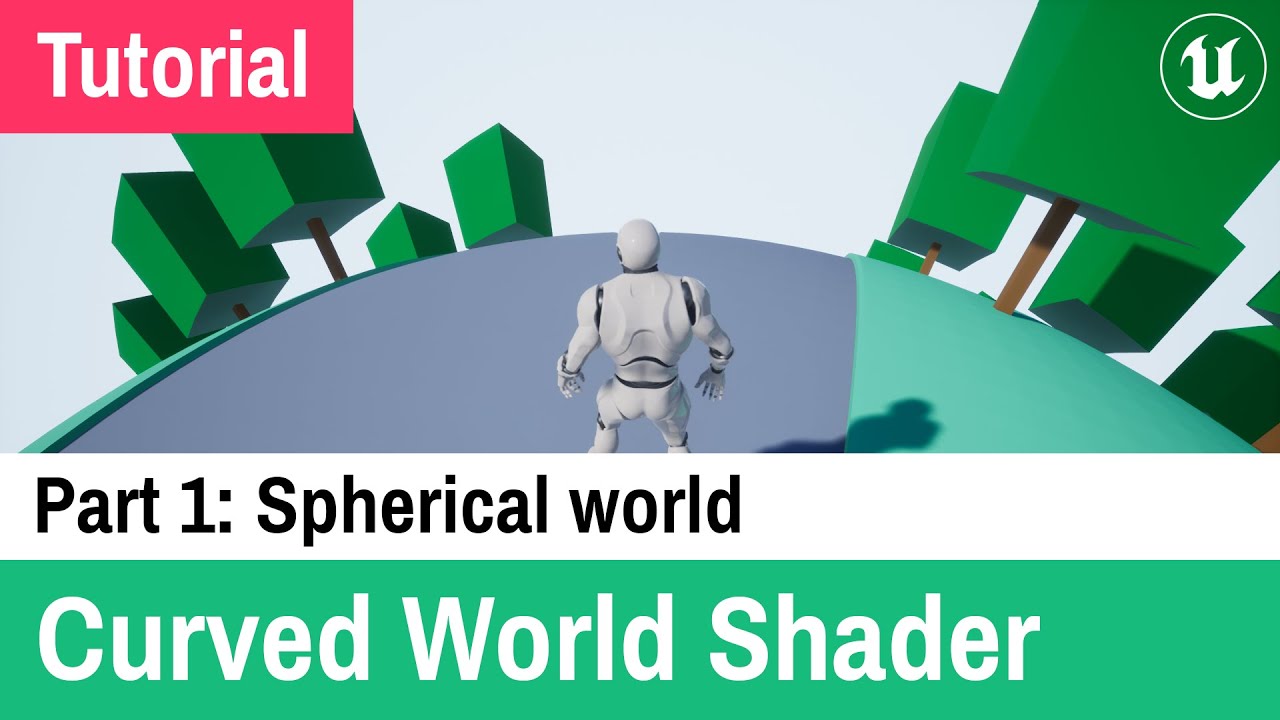
This is my first Unreal Engine 4 tutorial about Curved World Shader.

Chapters:
0:00 Introduction
0:28 Add Material Function and Material Parameter Collection
0:55 Add parameters to Material Parameter Collection
1:43 Make Material Function
3:45 Add material function to our materials
4:41 Add default parameter values
5:37 Flickering meshes fix
6:...

▶ Play video
#

sending this one because I saw there's a part 2 for a cylindrical setup

#

it's fairly simple and the benefit is you actually have a flat world you can treat like any regular 2d game

#

worth at least giving a shot to see if you can get the results you want

pine tangle
#

That will cause issues on his seam since he is using the default collision system

#

but elsewise a good solution especially if you want a non Euclidean cylinder

#

and you probably could do some hacky double collision force addition between both sides

#

or I guess it makes more sense to load a duplicate level section rather than the active body derp lol

#

@floral totem if you are actually using the physics forces for movement and not just collision it might be worth the extra work to do it in shader since then you wont ever end up with consistent or constant forces pushing you against the coordinate snapping (not a huge issue but will make keeping the level layout consistent difficult and you basically won't ever hit a hard stopping force that doesn't partially deflect, only to be corrected. With having custom local variables for those things like in the BP screenshot I sent earlier it wouldn't make much sense to have it physically driven on Unreals side

gentle urchin
#

Would you even need a duplicatelevel? Couldnt the level just be slightly bigger on both edges,with a tiling look or smth

pine tangle
#

you wouldn't duplicate the whole level, you just need a small section to be sampled from your level data for when you cross the coordinates boundries to wrap back

#

the size would explicitly depend on how large the collider is on your character if you want the most efficient and seamless (on the physics side) solution

#

this is only in the case where the level data is 2d though and reproject in shader

#

a spatial array of hash buckets or ID bins at a resolution just larger than your furthist possible collision point from origin, and then if you want to be a little fancy for needless performance, have the spatial array oriented Y, X