#blueprint
1 messages · Page 108 of 1

 timber crystal
hello you are the best guys
 frail onyx
Anyone know why if i hold down my key while I'm not allowed to use my ability since I'm not grounded or already in the middle of my ability it is still getting my elapsed time so when i land and let go it is already at .75
 timber crystal
I would like to implement something: a function that says that if I press a key twice an animation is played (DoubleTapAction)
If I understand this correctly, do I have to use “Get Time in Seconds” to specify the entire time or is there a simpler solution?
 agile moss
all it has to do is literally if I am in the box set to 90, and on print string it shows 90 but on rotator its more or less
makes no sense
I give up
timber crystal
agile moss
I give up
no dont give up stay motivated always bro you will find a way by time!
agile moss
thanks
Hey, quick question, can someone replicate my code and tell me if you have the same problem or if it is normal? I want to know if I should reinstall my app or choose an older version
timber crystal
agile moss
Hey, quick question, can someone replicate my code and tell me if you have the s...
I'm new to unreal myself and have no idea if it helps you I can do it
🤷♂️
agile moss
please
 desert juniper
agile moss
Hey, quick question, can someone replicate my code and tell me if you have the s...
desert juniper
agile moss
Hey, quick question, can someone replicate my code and tell me if you have the s...
Show code. These aren’t engine bugs. They’re a bug you made
desert juniper
New track 0 is the time between your points
agile moss
0 to 1
desert juniper
You want to keep from 0 to 90
And use the new track output as the delta
Look for the lerp function
agile moss
1 sec
agile moss
desert juniper
And use the new track output as the delta
One small question
What is delta what does it do?
I know lerp
desert juniper
agile moss
One small question
What is delta what does it do?
I believe It’s typically time between frames
To keep animations and logic consistent regardless of frame rate
agile moss
0.1
 lunar sleet
?
agile moss
One problem on the track
Is set lerp alpha to the nee track
A to 0
B to 90
But... it doesnt seem to work well either
Still does not respect the limits and randomly stops midway
desert juniper
A to B on the timeline shoule be 0 - 1
agile moss
Oh ok
lunar sleet
The actual values should be the A and B on the lerp, you’re only changing the alpha with the timeline track
agile moss
I set the timeline to 90
Lerp
A 0
B 1
Alpha conected to the timeline
Still the same
desert juniper
90 what?
lunar sleet
I think you’re doing the opposite of what we said
desert juniper
timeline should be A = 0 value and 0 time
B should be 1 value at 1 time (or however long you want the animation to be)
 desert juniper
these look okay. what is the initial local rotation of the door?
agile moss
0 I think
desert juniper
click on the door static mesh component and look at the details panel
agile moss
Now?
desert juniper
also, you can take screenshots with Win + Shift + S
agile moss
Thanks
desert juniper

also, you probably want to be rotating the static mesh component itself
not the actor
drag out the SM component, and then look for the set relative rotation node
agile moss
desert juniper
also, you probably want to be rotating the static mesh component itself
No, that just rotates the door from the middle, the whole actor should
desert juniper
if you want the whole actor to rotate, you may want to store it's initial rotation, and set that to the value of 0, then calculate the new rotation (initial rotation + 90)
On begin play create a float called "Initial Rotation" and set it to the value of the actor's z rotation
then in the timeline your A should be the Initial Rotation variable, and B should be Initial Rotation + 90
 desert juniper
agile moss
Jesus Christ, now what
Wait how come the people in the tutorials dont need all t...
desert juniper
agile moss
Jesus Christ, now what
Wait how come the people in the tutorials dont need all t...
probably because they are just rotating the component.
that's the prefered way, but since you're not using a mesh with the correct pivor point, your's rotates it from the middle
so now:
then in the timeline your A should be the Initial Rotation variable, and B should be Initial Rotation + 90
for the rotation node, use the regular set actor rotation instead of the relative
and that should be all
also, welcome to game dev, where things are just going to get hundreds of times harder 🙂
where you learn that an importance skill is the patience to be willing to learn, and make lots of mistakes
agile moss
Thank you
But it doesnt make any sense
I copied the same as the tutorials
The rotarion no matter if it is rotation mesh or actor is always off
Even if print string shows corectly
Let me try something
agile moss

why does it change when I move in the collision box, it should only detect collision
I think the collision box is the problem
 agile moss
But....
A = 0
B = 90
Is that not it?
desert juniper
no
desert juniper

I don't have urneal on this PC so here's my mockup
also this part you missed
for the rotation node, use the regular set actor rotation instead of the relative
and that should be all
agile moss
I mean it works better than before, but still kinda bad
Here is code:

here is gameplay:
no wait
it works fine
thanks dude you are a life savior!
👍
desert juniper
🙂
 gentle urchin
Lerp doesnt extrapolate tho does it
 faint pasture
frail onyx
Anyone know why if i hold down my key while I'm not allowed to use my ability si...
faint pasture
frail onyx
Anyone know why if i hold down my key while I'm not allowed to use my ability si...
Because why wouldn't it?
agile moss
gentle urchin
Lerp doesnt extrapolate tho does it
what?
gentle urchin
Can be usefullnfor doors
agile moss
I mean it doesnt work perfectly but better than before yes
desert juniper

never tried it with the timeline, but i think you can do it with the curve no?, and then leave the lerp node how it is
gentle urchin
Ofc you can solve this by increasing the 90(which should be an instance editable variable)
gentle urchin
desert juniper
never tried it with the timeline, but i think you can do it with the curve no?, ...
Lerps are clamped. It works if you increase the angle, keep the curve between 0 and 1, etc
Its ofc far easier to play with "MaxDoorRotation" compared to editing a curve every time
desert juniper
ah didn't realize it was clamped. never tried anything other than the standard ease in / out
gentle urchin
So that's probably preferred
Can still animate it slight , just dont try and surpass "1" in the curve^^
1 would be in the wall, while resting/end position might be 0.9 or smth
desert juniper
yeah that sounds like it'd work
frail onyx
faint pasture
Because why wouldn't it?
is there a way to make to elapsed time only increase when im able to use my ability?
faint pasture
frail onyx
is there a way to make to elapsed time only increase when im able to use my abil...
the input event doesn't know or care about your ability rules
you'll have to handle that yourself
It'll just tell you how long the button was held down
not how much of that time "counts"
you can maybe do some input canceling shenanigans but I'd instead just handle the timing for your ability activations yourself
frail onyx
faint pasture
you can maybe do some input canceling shenanigans but I'd instead just handle th...
do you know what i should use to able to handle it myself instead of the current method of getting elapsed time and if the elapsed time is greater than .75 then use ability?
faint pasture
Record time on valid start, record time on release, check the difference
I'd maybe ask #enhanced-input-system if there's a way to have your gameplay talk to the input system, basically not allowing it to start until its valid. I'm not sure if that's doable or not.
frail onyx
faint pasture
I'd maybe ask <#1004083824344436767> if there's a way to have your gameplay talk...
ok thanks, ill check it out and see what works
 kind estuary
in these top down sprite games, how do they set the sprite when the character turns? do you have to use FindLookAtRotation everytime you move or something?
desert juniper
kind estuary
in these top down sprite games, how do they set the sprite when the character tu...
it's usually something like
if horizontal input is < 0 set sprite flip on y to true
if horizontal input is > 0 set prite flip on x to false
kind estuary
desert juniper
it's usually something like
if horizontal input is < 0 set sprite flip on y to t...
horizontal input?
though in a top down
is by clicks
desert juniper
kind estuary
horizontal input?
yes. like left input, or right input
faint pasture
kind estuary
in these top down sprite games, how do they set the sprite when the character tu...
many ways
desert juniper
Horizontal = left, right
Vertical = up, down
kind estuary
desert juniper
Horizontal = left, right
Vertical = up, down
so in a top down this would mean a FindLookAtrotation by the current location and the click go to location?
correct?
kind estuary
then a switchy to see what sprite to get
faint pasture
do they turn instantly or over time
desert juniper
faint pasture
Depends on the rest of your setup
no, I'd just get their direction, and determine which sprites need to be switched, or flipped
though I've only dont 2d in unity not unreal.
faint pasture
desert juniper
no, I'd just get their direction, and determine which sprites need to be switche...
Direction as what?
2d vector, 3d vector, rotation, yaw?
desert juniper
but i don't see why you'd have to turn the sprites. that wouldn't do anything since you need to swap / flip the sprite
kind estuary
desert juniper
but i don't see why you'd have to turn the sprites. that wouldn't do anything si...
no not turning
i mean switching stripes
sprites*
faint pasture
what do you HAVE?
desert juniper
faint pasture
Direction as what?
direction of travel
if character is traveling to the left, then flip the sprite
faint pasture
what is the actual data type
you can check sign of X/Y of the direction of travel vector
bool bIsFacingRight = TravelDirection.X > 0
kind estuary
faint pasture
you can check sign of X/Y of the direction of travel vector
ahh i recall doing something like this
thats way cheaper and simpler
though seems like just a 4 direction thing
faint pasture
you need to spell out what you actually have. We know nothing about your setup.
faint pasture
if it's top down 4 direction I'd cook up a rotation then break out yaw, divide by 90 (for 4), round, modulo, then you got a 0-3 integer
kind estuary
faint pasture
you need to spell out what you actually have. We know nothing about your setup.
okay so i have likea topdown like isometric game
and when you click to move the character
it moves
so you have 8 directions
8 sprites i mean
faint pasture
So go from velocity -> rotation -> yaw -> rounded
kind estuary
ahh though i have no CMC
faint pasture
Normalize(Current - Target) is your direction vector
RotationFromXVector will get you a rotation
then break out yaw, divide it, round
then you have an integer
faint pasture
sure
kind estuary
or this is better for some reaosn?
faint pasture
does the same thing
kind estuary
sounds your is more efficient though
faint pasture
probably less efficient
kind estuary
cause findlookroty is ukissmeth
faint pasture
so is normalize and rotationfromxvector
 gentle adder
Hello this is my first post here not sure where exactly to post this. I'm trying to figure out what would be the best approach in implementing something like snapping on surfaces like a spider while if possible keeping the built-in character controller. I'm assume it's probably not possible but if anyone can point in the right direction here's a reference of what I'd like to achieve. I the ninja plugin which uses gravity to build their own character controller but I was wondering if there wouldn't be other better approaches.
https://www.youtube.com/watch?v=bYqVkG2fy_c

Aliens vs. Predator 2010 multiplayer in 2023 Species Team DM Alien Xenomorph species Tample Map
Here's a couple of ways you could support the channel 🙂
► Liking and commenting on the video if you enjoyed it
► Becoming a subscriber ( SUBSCRIBE: http://www.youtube.com/subscription_center?add_user=vitalirepikGAMES )
► Tipping with a super thank...
 shadow raven
hey I need to figure out a way to rotate a mesh towards an impact normal from a trace, im using physics so i need to use torque. How exactly could I do this?
 prisma forum
Anyone know a good way to render a widget to a material on a 3d object? I have this flashlight device, and I'd like the screen on it to display some widget information. I've been chasing dead-ends through forum posts to no avail :/

 versed sun
prisma forum
Anyone know a good way to render a widget to a material on a 3d object? I have t...
versed sun
prisma forum
Anyone know a good way to render a widget to a material on a 3d object? I have t...
Make an actor with a SceneCapture 2D centered on and pointing at the widget as a Widget Component
Set the Scene Cap's Projection Type to Orthographic and the Ortho width to your Widget's size
 frail onyx
https://www.youtube.com/watch?v=n6B4gH-ZGlY&t=231s anyone know how to make a system similar to the camera system shown at 1:40 in the video? I have it almost fully working the same way i just cant figure out to get it to work with multiple different cameras and trigger boxes. This SS is the current system i have


Wow, 1 year down already, crazy. Anyway, thanks for watching the video! I hope you all enjoyed it and played DEMO V2! I'll leave a link here if you haven't already played it!
🎮DEMO V2: https://r1gby-games.itch.io/goobi-demo-v2
My Socials
🕹️Itch.io: https://r1gby-games.itch.io/
References in the video
Mario Odyssey Gameplay (IGN): https://ww...
 rancid path
Hello folks, I hope I am asking in the right place and not breaking any rules, but I've been trying to understand blueprints and have been very discouraged recently. I have, so far, only completed "First hour in UE", "Your first game", and "Your first game in UE", and while I feel much more confident in placing actors/changing meshes/landscaping, I dont really know where to go next to make some simple games. Was thinking of trying to work towards making a simple Prop Hunt clone of a game, I'm trying to start with learning how to do things like make teams, a main menu, interaction inputs, but I still feel roadblocked. I am considering watching the 11hr and 5hr beginner tutorials on YT, but I'd like to know if anyone here had any advice on where I may go next. Im not looking to make the most complex games by any means, but I do not feel like I've made great progress, and am insecure about not being able to do this. I would appreciate any feedback, I really want to learn UE5 but I do not know what to do. Thank you all, sincerely so.
 thin panther
simple and prop hunt don't go together
if your first games aren't things like pong, you're going too far out of scope
prop hunt implies multiplayer, which as a minimum pretty much needs a good grasp on singleplayer, as well as C++
Go for really simple things, like super old arcade games, or simple little platformers with a few puzzles
stick to singleplayer too
rancid path
I suppose it's more of an "endgame goal", I genuinely appreciate your response, thank you so much
thin panther
learning from the templates, as well as sample projects, as well as the guided learning projects like Stack-O-Bot are great too.
After that, just try to make things
stay away from tutorial series and beginner courses, they just lead you astray
unless it's the official ones
If you get stuck making things, try to google the specific problem you're having, and as a fallback, there's always here when you get stuck
(side note: pointed questions with screenshots are always better than broad ones)
 broken wadi
thin panther
(side note: pointed questions with screenshots are always better than broad ones...
broken wadi
thin panther
(side note: pointed questions with screenshots are always better than broad ones...
How do I make gaem?
versed sun
take a game an mix it up
rancid path
thin panther
learning from the templates, as well as sample projects, as well as the guided l...
I have a few templates, and it did help a bit in understanding how they work, but nonetheless I am completely dumbstruck when it comes to most blueprints. I will try with making a simple game, soccer or something maybe, and work my way up from there. I do very much appreciate your response, I do feel as though I get conflicting answers and results online when trying to correctly learn this engine. Thank you so so much
thin panther
Instead of trying to search things like "how do i make a platformer" or "how do i make an inventory", try to learn the concepts of those, and understand things like "how do arrays work" and "how to adjust air speed on the character movement component"
You can also go broader, with things like "how do i make sprinting", just try to absorb the concept behind it rather than the code given, as normally blueprint code on youtube is a dumpster fire 😅
rancid path
thin panther
Instead of trying to search things like "how do i make a platformer" or "how do ...
Very good to know, you have helped me greatly, and I appreciate your thorough responses, thank you!
thin panther
If you have any further questions, fire away
Also, obligatory mention of the pins of #ue5-general and the pins of this channel
One very useful one here is a blueprint training for blueprint communication, a very necessary skill
broken wadi
If you want to make a prop hunt style game then spend some time thinking about what the core mechanics are. I’d say the first thing besides standard character movement (UE gives you that by default) would be the part where you can change your character into a prop. That involves some sort of functionality to replace your character with another one. This is called possession. Once you swap between the human character and the desk lamp character the human one gets destroyed. But in order to swap the characters need to perform some sort of interaction with the world probably uaing a line trace to see if they’re close enough to a prop actor in order for the character possession to occur.
rancid path
broken wadi
If you want to make a prop hunt style game then spend some time thinking about w...
Thank you so much! I am trying to write down basic components to look out for when learning blueprints, thank you everyone!
 fleet cedar
If I have an animation where my dog stands on his hind legs and pushes on the fence, how would I have his paws contact it properly regardless of where the player clicks on the fence

 supple dome
fleet cedar
If I have an animation where my dog stands on his hind legs and pushes on the fe...
supple dome
fleet cedar
If I have an animation where my dog stands on his hind legs and pushes on the fe...
motion warping
fleet cedar
Thanks. I thought as much... is there a more lofi way? how would they have done it in the past
 hexed cradle
Do somone know a plugin to do threading in unreal engine ?
supple dome
fleet cedar
Thanks. I thought as much... is there a more lofi way? how would they have done ...
the easy way is just move/rotate to the location and play the animation, 90% the time its good enough
thin panther
hexed cradle
Do somone know a plugin to do threading in unreal engine ?
You can already do threading in unreal engine
handling your own threading in bp sounds like a recipe for disaster though
just stick with your regular async actions
if you want threading, take a trip to #cpp land
hexed cradle
Okay so I would make a c++ threading function that would be able to use in blueprint
Because bassically it's just generating procedural islands takes 20 seconds and it find this long since it is on the main thread the game isn't loaded until its done generating
thin panther
tbh you probably wouldn't even need to thread that down in c++ land
You may also benefit from other techniques before going down the complexity that is threading, such as frame slicing
hexed cradle
do somone have an idea of how to split this into sections so that i can load pieces progressivelly ?
 hexed cradle
thin panther
You may also benefit from other techniques before going down the complexity that...
hexed cradle
thin panther
You may also benefit from other techniques before going down the complexity that...
Maybe spliting the mesh into sections would be usefull
i generate islands
 lunar sleet
sounds like what Cropout Sample does, may wanna take a look
hexed cradle
lunar sleet
sounds like what Cropout Sample does, may wanna take a look
Where ?
hexed cradle
lunar sleet
sounds like what Cropout Sample does, may wanna take a look
The diffrence is that is generated using procedural mesh component not landscape

 quiet ridge
Anyone know the simplest implementation to "trigger" another actor blueprint after the execution of another blueprint?
lunar sleet
quiet ridge
Anyone know the simplest implementation to "trigger" another actor blueprint aft...
what does "trigger" mean in this case
quiet ridge
just start the execution of the blueprint
lunar sleet
execution of the bp...you mean Begin Play or a custom event or what
quiet ridge
Not entirely sure. I am a newbie haha. something that'll just sit after begin play and check whether a certain condition is met before continuing the blueprint flow.
 lunar sleet
quiet ridge
Not entirely sure. I am a newbie haha. something that'll just sit after begin pl...
lunar sleet
quiet ridge
Not entirely sure. I am a newbie haha. something that'll just sit after begin pl...
perhaps describe what you're actually trying to achieve here, in layman's terms
 quiet ridge
lunar sleet
perhaps describe what you're actually trying to achieve here, in layman's terms
quiet ridge
lunar sleet
perhaps describe what you're actually trying to achieve here, in layman's terms
Basically i have two simulations of an aircraft assembly that have to run one after the other. I just need it so that once the first part of the assembly is done, it activates the second one
lunar sleet
these simulations are 2 separate bps or instances of the same bp ?
quiet ridge
hexed cradle
I have seen this before, I just need to find a way to get a value from the first blueprint that says the condition
quiet ridge
lunar sleet
these simulations are 2 separate bps or instances of the same bp ?
yeah they are two different ones for flexibility, as they may need to be independently changed later on
lunar sleet
are these things already placed in the world or are you spawning them?
quiet ridge
lunar sleet
are these things already placed in the world or are you spawning them?
they're already in the world
lunar sleet
k, and finally, do they interact with each other in any way? will you have more than one instance of each of these in the world at any point?
quiet ridge
lunar sleet
k, and finally, do they interact with each other in any way? will you have more ...
nope just a single instance of each
lunar sleet
alright, you can use this crutch for now then. but later on I highly recommend watching the bp comms live training video at the bottom of the pins in this channel.
- In BP2, make a custom event that runs whatever code you need to run.
- In BP1, assuming you want to leave the code on begin play, at the end of it, get actor of class, select BP2 from the drop down, drag from the return value, type the name of the custom event
obv., replace BP1 and 2 with whatever you named your actors. And keep in mind this is just something to get you started for now, not the ideal way to do things
quiet ridge
lunar sleet
alright, you can use this crutch for now then. but later on I highly recommend w...
Hopefully this should be enough for me to get this model going. Thank you so much I really appreciate it 🫶
 spark steppe
prisma forum
Anyone know a good way to render a widget to a material on a 3d object? I have t...
spark steppe
prisma forum
Anyone know a good way to render a widget to a material on a 3d object? I have t...
you need a widget actor component on the actor
even tho this is 4.27 it's the same in 5.3 and the old docs have at least some images... :>
 austere silo
I am fairly new to unreal and have been attempting to create a simple attributes system that effects how damage is calculated. I have created an actor blueprint component that contains a map consisting of a enum called AttributeType and a structure that defines an Attribute (in this case 4 float values - max, min, base, current value). I have created a damage formula and it seems to work fine that leverages the stats to modify attack and defense values for a final damage number. Tonight I tried adding a new function to determine if the player has a critical strike (first image). This logic seems to work fine but when I print the returned bool value in the function and then after the function is called (second image) the result is sometimes different and not accurate. For example, the ShouldCriticalStrike will return FALSE but then after the function is called in the CalculateAttack is will say it was TRUE. This code sits inside a blueprint function library and the function to calculate attack is called from an event on an actor in my level. Any ideas of what I am doing wrong or what is going on?

 gentle urchin
austere silo
I am fairly new to unreal and have been attempting to create a simple attributes...
gentle urchin
austere silo
I am fairly new to unreal and have been attempting to create a simple attributes...
Yoi wanna cache the result
 worn dove
Why can't I assign my widgets to a variable of type UserWidget? The blueprint directly says the parent class is User Widget.
hexed cradle
hexed cradle
i generate islands
I fownd a way
gentle urchin
worn dove
Why can't I assign my widgets to a variable of type UserWidget? The blueprint di...
Should be ok to do so
austere silo
gentle urchin
Yoi wanna cache the result
So just store in a local variable?
worn dove
gentle urchin
Should be ok to do so
It can be assigned to a WidgetBlueprint variable, but I can't assign that value to anything else.
gentle urchin
What is this exactly ?
I assigned mine to UUserWidget vars just the other day

RandomWidge is a UserWidget object ref
austere silo
gentle urchin
Yoi wanna cache the result
So just so I understand, is the result being dropped sometimes so it just uses true? I haven’t used local vars much I figured if I chained nodes it would keep the value
gentle urchin
austere silo
So just so I understand, is the result being dropped sometimes so it just uses t...
the random is being rolled again for each exec it's connected to
so its rolled once for the Print string
and once for the output
austere silo
gentle urchin
the random is being rolled again for each exec it's connected to
Oh wow great to know! Thank you!!
worn dove
gentle urchin
I assigned mine to UUserWidget vars just the other day
I'm not using construct class/create user widget. I'm trying to expose the Widget Class property of a Widget Component inside of a blueprint. So I'm calling Set Widget which takes a User Widget input. When dragging the specific widget I want to use from the content drawer to the variable in the Details tab when in the level, it isn't compatible.
gentle urchin
SetWidget requires a widget instance
if you wanna expose it you better expose the widget class that's instansiated, and call setWidget at earliest convenience
 worn dove
gentle urchin
worn dove
gentle urchin
How did you get a "Create Widget" node in a blueprint. If I search for it, it doesn't show up. I've tried turning context sensetive off and on, different wordings in the search, looked through everything in the folder User Interface, nothing. I got it to pop up in the widget blueprint itself, but I can't call it from there.
gentle urchin
what blueprint is this exactly ?
worn dove
Actor
gentle urchin
do you happen to be in construction script?
worn dove
yes
gentle urchin
thats why
worn dove
So there's nothing I can do?
gentle urchin
Not in the construction script no
worn dove
gentle urchin
Not in the construction script no
I was able to fix it by calling it in a function then the construction script calls the function. Thank you!
gentle urchin
i suspected that would work
 celest trench
Is it possible to have the event node connect to a reference to an event instead of directly connecting to it?
I'd like to keep my code clean by not having the red pins all over the place. Can I reference an event somehow here and it runs the event in a different part of the Event Graph without having to be directly pinned to it?
 gentle urchin
CreateEvent
celest trench
Awesome thank you
 late kraken
Hello!
All those function return 0 in Received Notify Tick of Anim Notify State.
Did I missed something ?

 fading furnace
hello I may have a big problem my "character movement" is corrupt do you know how to solve it

 undone bluff
fading furnace
hello I may have a big problem my "character movement" is corrupt do you know ho...
undone bluff
fading furnace
hello I may have a big problem my "character movement" is corrupt do you know ho...
reparent to pawn then back to character
closest thing to a fix
frail onyx
Anyone know a good tutorial on how to make a rts camera system similiar to the cropout sample project kinda where you can either click and drag to move camera, click a point and the camera will move there, move camera with wasd, and rotation camera with right mouse button or q and e buttons
 hardy merlin
Hello! Anyone have experience configuring collision between two characters, one much larger than the other?
I want to be able to walk between the legs of another character.
undone bluff
well character comes with a capsule collision
so either you do not make it a character or you set the capsule's collision to ignore everything and pretend it's not there
you can also still use it and just have it ignore other pawns specifically
 placid parcel
Hello, I am stuck on using a structure (S_WeaponInfo) and data table (DT_Weapon). I want to make it so when I first spawn the weapon it takes the info from DT_Weapon and updates the S_WeaponInfo. Then, when the weapon uses ammo I want to save the amount of ammo leave when I swap to another weapon. I am using child bp's of my master weapon bp. I thought what I had in the screenshot would at least load the info from the Data Table but it does not. First time working with these.
Any help is appreciated, thanks! 
 hardy merlin
undone bluff
so either you do not make it a character or you set the capsule's collision to i...
hardy merlin
undone bluff
so either you do not make it a character or you set the capsule's collision to i...
I think I will have to do this.
Okay I managed to find something like a solution. I have to set the large character to custom collision so that its mesh collides with pawn but its capsule does not.
Unfortunately that means that large characters cannot collide with each other. I'd probably need more custom object types.
 sonic garnet
anyone here tried drag widget in mobile device?
 waxen rose
how to convert integer to enum?
 lunar sleet
waxen rose
how to convert integer to enum?
lunar sleet
waxen rose
how to convert integer to enum?
Switch on int
waxen rose
lunar sleet
Switch on int
more info sorry i am beginner with bp
frail onyx
Anyone know how to get this rotation to work properly with my WASD camera movement and edge scrolling with mouse movement? I'd like to make it so if i rotate then move it'll move in the direction I'm currently rotated so it doesn't feel off


right now if i rotate then move it move forward oriented to the world and not the forward as in the way im facing/rotated
lunar sleet
waxen rose
more info sorry i am beginner with bp
Right click, type switch on int
I initially said select and switch on enum but that’s for doing it backwards mb
waxen rose
i need make random values from my enum can u please send photo how i can do with best practice and i will understand how to do.
lunar sleet
frail onyx
right now if i rotate then move it move forward oriented to the world and not th...
If it’s a char, you have use control rotation settings
 trim matrix
waxen rose
i need make random values from my enum can u please send photo how i can do with...
trim matrix
waxen rose
i need make random values from my enum can u please send photo how i can do with...
read docs
frail onyx
lunar sleet
If it’s a char, you have use control rotation settings
Its just a normal pawn bp and i have a spring arm and camera in it
waxen rose
@lunar sleet https://www.youtube.com/watch?v=ler34fZWX2s got it thanks
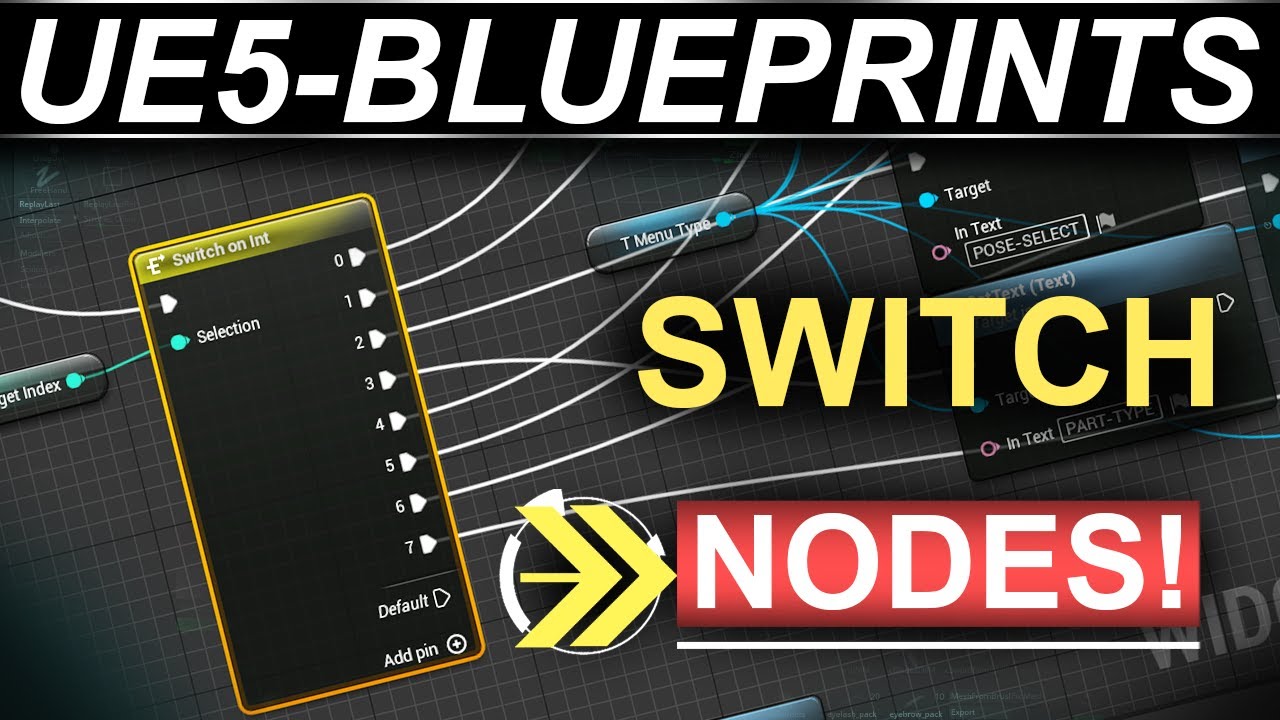
Here's an alternative to branch nodes for multiple different executions using Blueprints in UE5-!!
If you enjoyed this video, please consider becoming a Member :)
https://www.youtube.com/@TheRoyalSkies/join
Or joining the Patreon Squad directly:
https://www.patreon.com/RoyalSkies
It makes a huge difference, and really helps ensure I'm able to ma...
faint pasture
frail onyx
right now if i rotate then move it move forward oriented to the world and not th...
Have it move in relation to the direction you're facing instead of global coordinates
hint, GetRightVector
lunar sleet
frail onyx
Its just a normal pawn bp and i have a spring arm and camera in it
Those are on pawn too afaik
lunar sleet
faint pasture
hint, GetRightVector
Not forward?
faint pasture
lunar sleet
Not forward?
I leave that as an exercise for the reader.
 uncut shale
whenever I have a BP inside of Event Construct and its not the possessed character, Print String doesnt work, anyone know why that is?
uncut shale
lunar sleet
Construct is editor time unless it’s a widget
its an actor
lunar sleet
Then use begin play
uncut shale
lunar sleet
Then use begin play
the tutorial for what i need used construct
waxen rose
what is the problem here why ai agents not move to my game 1 w8 locations?

 frail onyx
faint pasture
Have it move in relation to the direction you're facing instead of global coordi...
frail onyx
faint pasture
Have it move in relation to the direction you're facing instead of global coordi...
where would i put the GetRightVector? im not sure i understand exactly
lunar sleet
waxen rose
what is the problem here why ai agents not move to my game 1 w8 locations?
The best #gameplay-ai debugging tool is Visual Logger
Should give you a good indication of what’s wrong
waxen rose
lunar sleet
The best <#221798778208780288> debugging tool is Visual Logger
i was added character not npc class 😄
sorry still beginner with bp
frail onyx
frail onyx
where would i put the GetRightVector? im not sure i understand exactly
nvm i got it to work with my system instead of using add actor world offset i changed it to add actor local offset
faint pasture
frail onyx
where would i put the GetRightVector? im not sure i understand exactly
if you have a scene component (anything in 3d) you can get its right and forward and up vector
timber crystal
Hello dear friends, does anyone have an idea how I can install a double tap action in the cell phone buttons?
I already have a “combo input” system for the keyboard but how do I implement the whole thing into the cell phone buttons?


 gentle urchin
lunar sleet
Print happens at runtime
gentle urchin
lunar sleet
Print happens at runtime
Print works at editor functions too. I believe they should work during construct aswell?
 cursive wigeon
hey so does anyone have an idea about how to make an infinite Line of sight kind of post process effect? I currently have one setup but it is drawing line traces to a canvas render target and seems to be limited by canvas size
Current setup

Or how to scale the canvas render target in the pp material?
gentle urchin
Id imagine pushing in a position + direction + view angle could do it aswell?
gentle urchin
lunar sleet
Construct is editor time unless it’s a widget
Construction script print

 lunar sleet
gentle urchin
Construction script print
lunar sleet
gentle urchin
Construction script print
Oh, interesting. Guess I rmbr it wrong
cursive wigeon
gentle urchin
Id imagine pushing in a position + direction + view angle could do it aswell?
Ok will try this. Cheers
timber crystal
hello i make a 2d game
Why i cant hit multiple enemys?
It only hits always one opponent

 tidal marlin
timber crystal
hello i make a 2d game
Why i cant hit multiple enemys?
It only hits always one ...
tidal marlin
timber crystal
hello i make a 2d game
Why i cant hit multiple enemys?
It only hits always one ...
Some part enters, exits and then enters the Box twice.
 dark drum
Are there anythings to be aware of when using anim notify events in montages? Either local or multiplayer from a gameplay perspective?
gentle urchin
multiplayer had a caveat
There's a setting
related to how they're executed
Cant fint it atm 😅
It could be that it was only for dedicated servers, but with the wrong setting a bunch of the notifies inaccuratly triggered...
Something execution policy if memory serves me
Montage Tick Type
Near the bottom @dark drum

 queen heron
I'm confused....


the two inputs from the Random Array Item node brings different values
gentle urchin
You're pulling a new value each time its executed
you wanna cache it instantly
then check if its equal to what you have.. if it is... roll a new random
queen heron
hmm
lets see....
alright, this works


tho the Get Array node is picking the wrong path
gotta fix that real quick
 unique dirge
hey did you find out a solution about this ?
 north hedge
I honestly can't remember.
I think we didn't because Android UE 4.26 didn't directly allow for it, it would lock/freeze the main thread in order to load the game.
It could be different now
 calm cargo
ugh why is it that when I add another variable to my blueprint structure, its usages get all fucked?
 calm cargo
yeah, it just removes all the "bad" links and I have to reconnect everything
north hedge
Ah fun
calm cargo
blueprints were such a great idea
this is that single time where I went 'hey maybe I'll code this feature in bps instead of cpp for once'
it hasn't been 10 minutes and i already regret it
gentle urchin
Bp structs are broken
thin panther
yeah structs you always want C++ for
gentle urchin
Move them to c++ and enjoy new happy life
calm cargo
hm it seems that breaking it instead of splitting it, and THEN splitting it resolves the issue

so im gonna hold off with the cpp a bit more until i can lose at least 3+ hours of work instead of 10 minutes of work
thin panther
don't hold off for the structs
move that to C++
those structs can cause more issues than minor annoyances
such as the project crahing on startup, or failing to package for no reason
calm cargo
oh shi
okay I hear you guys I'ma declare it in cpp then, or maybe just use variables instead of aggregating them into a struct?
thin panther
go wild with your bp for anything else.
but structs and enums are always c++ :P
(Make sure the editor is closed when you compile them, don't live code a change to a struct)
north hedge
But Hot Reload handles them so well... 
 jolly light
Hey guys! I'm trying to spawn a character in my level and then possess it. what default pawn class should i choose? 😮
 fiery swallow
jolly light
Hey guys! I'm trying to spawn a character in my level and then possess it. what ...
fiery swallow
jolly light
Hey guys! I'm trying to spawn a character in my level and then possess it. what ...
the character you're trying to spawn. I think I'm confused on the question though
north hedge
Yeah a "Character" is what you want. Characters are (putting it basically) Pawns with Input and a Movement Component
jolly light
Ah sorry, yeah i'm spawning two different characters so when i bgein play i want to randomly possess any of them
north hedge
You can cast to pawn from the Spawned Actor and Possess it directly
When you spawn them you can add them to an array of Characters and then use a random int to pick the one you want to possess.
For example in our multiplayer game we store all PlayerStarts on the server and just pick one at random when a player asks the server to spawn them, query it for nearby enemies and overlapping players and if its clear we spawn a Character and tell that client to possess it
Probably a lil over-explained but 
jolly light
north hedge
When you spawn them you can add them to an array of Characters and then use a ra...
I think i'm doing this 😮 maybe i am possessing it but i can't move it around? the camera pops up behind the possessed character but yeah i can't walk or look around
it was working two hours ago 😢
 autumn heron
There is a reasonable reason for missing TPair on blueprints? I think it would be great.
gentle urchin
No reasonable reason
 azure wharf
Hi, I'm trying to make an arcade machine that a first person character interacts with. I managed to get it to possess the topdown character inside, but I want to keep control of the first person mouse (moving the camera around while playing the arcade). Does anyone have any pointers on what to do? Here's how I possess the topdown character:


 strong rover
Hey you wonderful peeps.
I'm looking to make a widget for in-house production.
For it, I need it to access a Jira page and read some of the enums (Primarily: Progress)
Does anyone know if that's possible? I'm at the stage where it can open the Jira page as a browser, which is neat, but I'm not sure how to get it to take the status.
Might've solved it.
I can download Jira Tickets with a filter.
The filter searches for the relevant items and makes a .csv
Then I can go through the options and get any field I need, then act accordingly.
neat. But if anyone has alternative suggestions, I'd love to learn more!
jolly light
north hedge
When you spawn them you can add them to an array of Characters and then use a ra...
It was the enhanced movement input from the begin play on the possessed character that blocked it 🥹
hexed cradle
I have offsets for my terain that I would like to calculate since I use noise can somone help


 lofty rapids
azure wharf
Hi, I'm trying to make an arcade machine that a first person character interacts...
lofty rapids
azure wharf
Hi, I'm trying to make an arcade machine that a first person character interacts...
did you add a camera to the character that your possessing and your using that ?
i mean you could just put it on the character as well like you did with the first person
just add the inputs, idk about context much but maybe using that you can create one with mousemove
azure wharf
lofty rapids
did you add a camera to the character that your possessing and your using that ?
I have a camera on the topdown character that's projected on the arcade screen, I don't know what you mean by the 2nd message
I want to keep control of the first person, but only with the mouse (to move the fp camera around)
lofty rapids
maybe put the mouse move on the controller ?
i'm still learning so i could be way off but i would think that would be shared
 dim agate
You could try placing another camera in front of the arcade machine and use "Set Target View With Blend" to move your POV to it and add control to that camera.
 steady night

hm dose this mean both have to be false to fire false
or should i use OR,= if any is false then false :/?
lofty rapids
if you think of it in terms of the word, and is both, and or is one or the other
lofty rapids
steady night
or should i use OR,= if any is false then false :/?
if one is false then it should be false
your checking if both are true
so if is one is false then then both true is false
the logic can be seen in and or gates if you check it out its the same thing basically
steady night
@lofty rapidshm
yeah so if i use and and both are false then = false right ?

for instance this would mean if EITHER bool is false then do false right ?
 abstract obsidian
Guys i have mesh with an animation made in morph target, how can i use it?
I have to change those settings of the morph target, inside a blueprint, how could i do?
gentle urchin
steady night
aye
Looks better if you NOT 5he result from the OR so you can run off the true branch instead
abstract obsidian
i tought i could use AnimMontage
steady night
@gentle urchintrue
 manic vessel
So I had this steup Im using to snapturn my VR character and its was working perfectly . Pic 1 But I Added My VR solution to a child of another character that already had it own camera , and i switched over to using that But Now I cant seem to snap turn , it trys and I can see it flash up the actual turn for a split second then it back to where it started from, Im left scratcing my head as I have tried to refactor all kinds of solutions like set actor rotation, add rotation, nothing seem to work , I cheched the camera and use pawn control rotation is not enabled. Any Ideas would be appreciated,,, It only broke when I changed the camera , Nothing els
 dark drum
manic vessel
So I had this steup Im using to snapturn my VR character and its was working pe...
dark drum
manic vessel
So I had this steup Im using to snapturn my VR character and its was working pe...
Your setting the control rotation so the camera would need to be using it for it to have an effect.
manic vessel
I just need to rotate the world rotation of the whole actor . But that also failed.
Also 😦
 manic vessel
This works when I hold the thumbstick in the direction But as soon as I let go it goes back to facing world x vector, Not sure what the hell is going on here this bit should be easy to solve
 agile moss
Guys please tell me if this makes any sense. I made a door, and every time I open and close the rotation would be off. I spend aboout 4 hours trying to figure out why. Anyway after some time I somehow decided, what if I place other cubes in the blueprint to make it look like an actual door, and guess what the rotation was perfect when I added those cubes. 
thin panther
sounds like a pivot point issue
agile moss
Jesus Christ
manic vessel
Turning off controller YAW HELPED , NOW my debug arrows for actor forwards vector, controller rotation and mesh direction are not locked to world X
 abstract obsidian
Guys if i set a timeline to move an object, then i want the object anim made with the timeline reverse from the end to the start, i do this:
lofty rapids
manic vessel
Also 😦
your adding the current rotation z + something ?
wouldn't you want set ?
instead of add ?
 lofty rapids
you reverse from end in the update
so most likely it's just going in reverse over and over ?
abstract obsidian
Oh , and how i prevent to reverse over and over
abstract obsidian
lofty rapids
so most likely it's just going in reverse over and over ?
(yea it is)
lofty rapids
what are you trying to do ?
abstract obsidian
i have this spring jumper

 abstract obsidian
lofty rapids
what are you trying to do ?
abstract obsidian
lofty rapids
what are you trying to do ?
the animation start correcly and conclude correctly, the spring stretch up and then goes down, but when it ends, the spring continues to stretch up and down in a loop
i want to do just one time
also, sorry for my english
dark drum
Does anyone have any good methods for moving the player character to a location? The simple move to isn't very accurate haha. Always off by a lot.
I'm not feeling setting up a PC to AI switcher. :/
undone bluff
abstract obsidian
the animation start correcly and conclude correctly, the spring stretch up and t...
well yea, you are actively looping it, there's very few cases where a blueprint connection going back makes sense and even then there is generally a cleaner way to do it
you should animate the back and forth in the timeline
dark drum
abstract obsidian
What i'm missing?
Remove the delay and modify the timeline so the value goes up and then down.
abstract obsidian
Thanks! it was easier than i tought! Sometimes i find the solution to my problems and knowing was so easy and clearly, i feel very dumb 😖
frail onyx
https://youtu.be/QJIrksZOkgQ?si=A-wK3jDfjAY2KFJD Anyone know why when making this grid system if i scale it to any higher number it exponentially get laggier and laggier when trying to set the value and move it around in the world. I need this to cover my whole work so i dont think it's gonna work if its super laggy
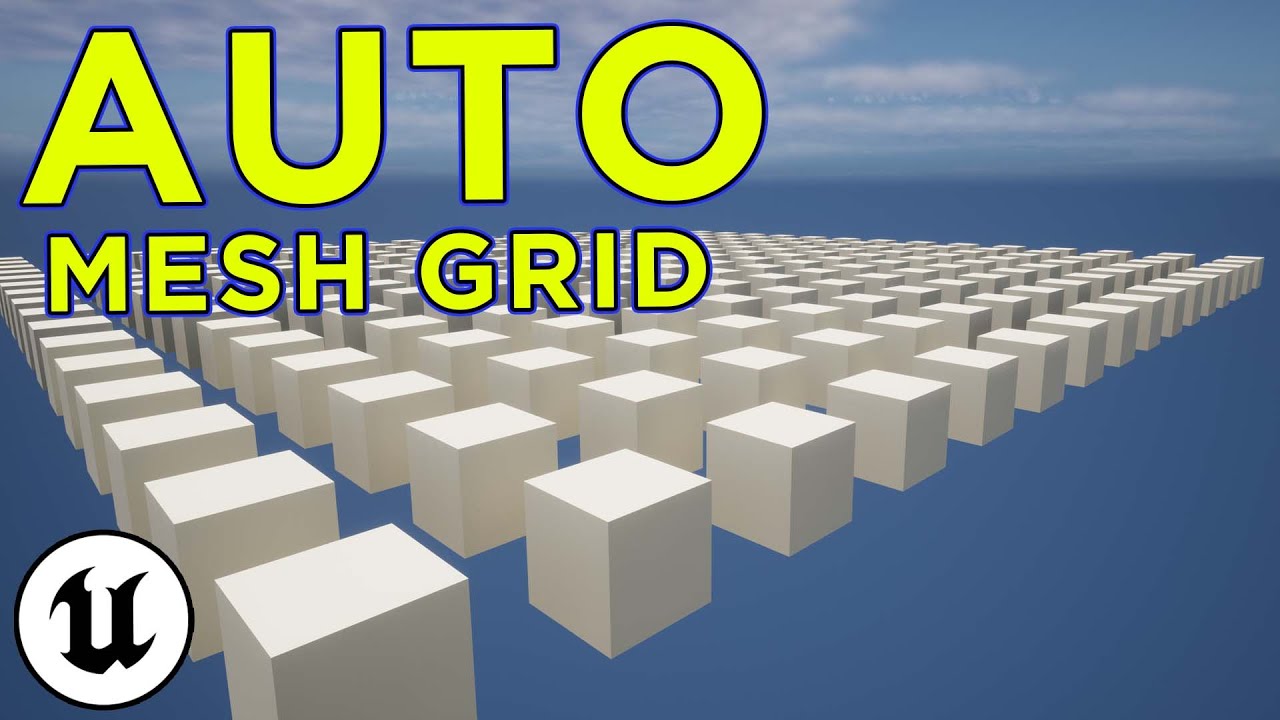
Why bother spending hours upon hours to make a grid or line of meshes when you can make a simple object that'll do it for you? Today we make a system that'll
Join the discord for any help you need! : https://discord.gg/24cdJBP
support the channel and development over on patreon : https://www.patreon.com/thegamingcaves
My game still seems to run at 120 fps when im playing, but in the viewport editor if i move it or try to change the distance variable or grid size variable it takes a few seconds when trying to do that and makes my pc fans speed up like crazy lol, the higher number i try and put in the longer it takes
dark drum
frail onyx
https://youtu.be/QJIrksZOkgQ?si=A-wK3jDfjAY2KFJD Anyone know why when making thi...
Because it's a bad system. Why he didn't just use a forloop pair is beyond me and he should have definitely be using a static mesh instance component instead of adding a new static mesh component considering they're all the same mesh.
dark drum
lofty rapids
does ++ alter the variable ?
Yea, it increments it by one. It uses pass by ref.
 junior prairie
I'm trying to update my spectator pawn's movement speed at runtime, am I crazy or is there no way to do that in blueprints? All I see is a Get Max Speed but no Set Max Speed:

Annoyingly I also can't set ignore movement input, only get ismovementinputignored
 gentle urchin
frail onyx
https://youtu.be/QJIrksZOkgQ?si=A-wK3jDfjAY2KFJD Anyone know why when making thi...
gentle urchin
frail onyx
https://youtu.be/QJIrksZOkgQ?si=A-wK3jDfjAY2KFJD Anyone know why when making thi...

moving any "large" amount of cube in editor (with the outliner) is insanely slow
125k using ISM, it's a shit show
 hallow smelt
Hello, is someone aware, is there a node for changing the camera used for an actor? I am not talking about changing actors or possessing a pawn, I am talking about having 2 separate cameras in the actor blueprint and changing between them. Thanks in advance! 🙂
undone bluff
gentle urchin
simple transform operations are so expensive it's insane
dark drum
frail onyx
https://youtu.be/QJIrksZOkgQ?si=A-wK3jDfjAY2KFJD Anyone know why when making thi...
Try something like this. Whilst it will still freeze for a second with high numbers, it should be better than in the video. 250x250 takes about a second to update for me.

 gentle urchin
That might be faster yeah
removing and re-adding them
im moving them while they existed
frail onyx
dark drum
Try something like this. Whilst it will still freeze for a second with high numb...
ok thanks, what do i put as the mesh variable? and does it all end at the add instance node? like i should just delete everything i have and make it how it is in the SS?
or do i keep what i have after my add static mesh component and just put that after the add instance
undone bluff
I'd also probably untick "run construction script on drag"
dark drum
frail onyx
ok thanks, what do i put as the mesh variable? and does it all end at the add in...
From what I can tell, whats in my screenshot does everything shown in the video but in a less converluted manner. The mesh variable is just a static mesh, so it's the mesh you want it to use for the instance component. I set it to instance editable so you can change it when you place it in the level.
frail onyx
ok thanks so much!
gentle urchin
I would avoid dragging something like that around in the first place tbh ^^
you're better off clearing it first
or atleast setting the coords manually
dragging is painfull
hallow smelt
gentle urchin
Activate / Deactivate
I found activate already, but didn't think that I should deactivate the second one first xD Silly me... Thank you very much 🙂
undone bluff
it's good to not have it ticked on anything bigger cuz it's easy to mess up and crash the editor haha
lofty rapids
junior prairie
I'm trying to update my spectator pawn's movement speed at runtime, am I crazy o...
what kind of movement component ? and did you try context ?
gentle urchin
hallow smelt
I found activate already, but didn't think that I should deactivate the second o...
I think this is shown in one of the default templates where they activate a VR Camera
dark drum
gentle urchin
you're better off clearing it first
Yea, personally, I would probally just make it an editor callable function.
junior prairie
lofty rapids
what kind of movement component ? and did you try context ?

Tried everything at this point
gentle urchin
dark drum
Yea, personally, I would probally just make it an editor callable function.
yeah thats what i got. I should clear it on constructionscript tho 😄
dark drum
undone bluff
it's good to not have it ticked on anything bigger cuz it's easy to mess up and ...
the editor crashing is a feature right? lol.
undone bluff
dark drum
the editor crashing is a feature right? lol.
so glad they were able to almost fully expose this feature's functionality in blueprints 😌
the bp structs support is a nice touch
dark drum
undone bluff
the bp structs support is a nice touch
If you don't look at them, it doesn't result in a crash though which they need to patch out.
lofty rapids
junior prairie
Tried everything at this point
how are you moving it? i never used that componenet, are you using inputs ? or it's built in ?
undone bluff
the add movement function characters use is inherited from the pawn
movement components just pick it up from there
lofty rapids
so then probably to control the speed if you don't have that settings would be to multiply the axis ?
 fleet sigil
How do I stop my character from blocking mouse cursor... I have a keypad and sometimes my character stands between the camera and buttons, I don't want to force the character to move but I want the mouse over to work through the character if that makes sense.
junior prairie
lofty rapids
how are you moving it? i never used that componenet, are you using inputs ? or i...
I'm not trying to get it to move, it can do that. I'm trying to change its speed at runtime
I found a workaround though
lofty rapids
ya when it moves you want to change that speed right ?
so it's probably moving on the input axis value which you can multiply by a variable
 queen valley
junior prairie
I'm trying to update my spectator pawn's movement speed at runtime, am I crazy o...
queen valley
junior prairie
I'm trying to update my spectator pawn's movement speed at runtime, am I crazy o...
what?there is set max speed
i used it today
junior prairie
Was probably the character movement component
 queen valley
gentle urchin
Lovely
queen valley
gentle urchin
Lovely
nah the bp one is lovelier if thats even a word
gentle urchin
Which one ?
 junior prairie
gentle urchin
junior prairie
gentle urchin
I was looking for a SetMaxSpeed
Again, trying to change the speed at runtime
not get it
gentle urchin
i know
the point was
the getter was hardcoded 0
so there's not gonna exist a variable for it
junior prairie
oh what the...
gentle urchin
in that parent of all parent movecomp
It's introduced in most of the child comps tho
which to me is a bit weird choise but what do i know
junior prairie
same
queen valley
gentle urchin
so there's not gonna exist a variable for it
wdym

target is character movement component
gentle urchin
queen valley
wdym
this is a child component
as i said
most children implement it
that's also max walk speed
pretty specific to the CMC
junior prairie
Yeah
Found a workaround though, disabled default movement input
then set to conditionally accept movement inputs
basically wanted the spectator to be able to do FP, TP, and free spectate
So set it up like this

 queen dagger
Im making an ability and its supposed to spawn clones however its not working is there anyone who can assist on that
 junior prairie
queen dagger
Im making an ability and its supposed to spawn clones however its not working is...
junior prairie
queen dagger
Im making an ability and its supposed to spawn clones however its not working is...
You don't need a cast here, just put the naruto class into the spawn actor directly
Then you should use print strings to see if this logic is even running
 junior prairie
Yeah
Now put a print string there and see if the print string is happening
if it's not happening, the event is never running
so you need to check how you're calling it
queen dagger
ok so its calling it however nothings spawning
i am using a marketplace engine thing called pixel2d this is my first time really doing any of this stuff so im pretty green at all this stuff
junior prairie
queen dagger
ok so its calling it however nothings spawning
Do a print string after the spawnactor and connect the return value to it
if something is spawning, it'll tell you its display name
 prisma helm
hey guys, I've been following (this tutorial)[https://youtu.be/5uCbkv1tNvA?si=ASo6zm21KOpEM4LX] but I get an issue when exiting ADS state. The creator seems to have stopped replying to the comments since a year (also considering the fact that I already followed this tutorial 7 months ago, got an issue [it was the way I had implemented a gun system back then] and still hasn't replied me yet) so I am asking here.
in the attached video you can see what's going wrong
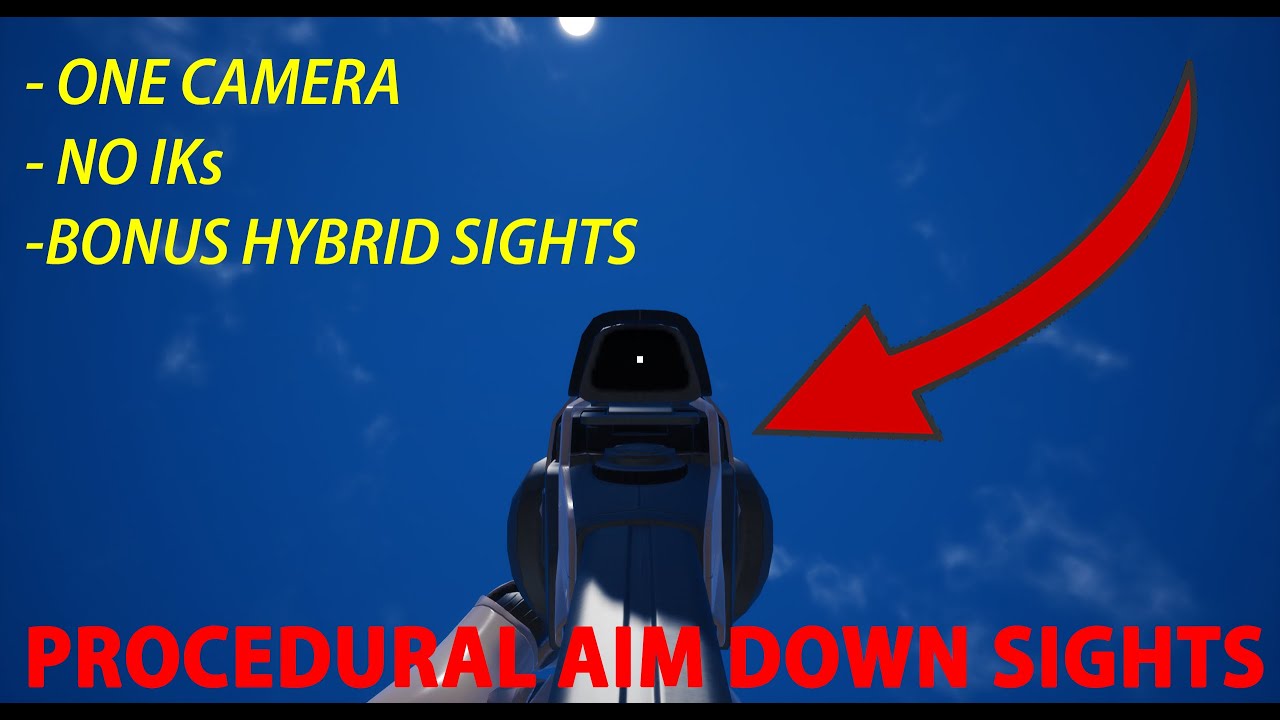
Procedural aim down sights system made in UE4 with Blueprints.
In this video, we make a procedural aim down sights system that includes iron sights and optics. We also skim over the basics of building functionality for hybrid sights/multiple optics.
Demo: https://www.youtube.com/watch?v=tHIHoU0pdFQ
00:00 Project Prerequisites
00:37 Aim down ...
undone bluff
gentle urchin
lmao
lofty rapids
i just found out theres a max zoom

ffs
i actually prefer a sequence over a straight line
 slim imp
Hello! Tell me how to make sure that hands in VR do not pass through objects. I watched videos on YouTube, but nothing worked. I use content from UE for VR
queen dagger
junior prairie
Do a print string after the spawnactor and connect the return value to it
so it says spawn narutoclone
but its not in the game
junior prairie
queen dagger
so it says spawn narutoclone
So if it says it's in the game, when you play in the editor and spawn it, it should show up in the outliner on the right

try looking for it and then double click on it
queen dagger

 leaden sage
queen dagger
so it says spawn narutoclone
leaden sage
queen dagger
so it says spawn narutoclone
try unsplitting your "spawn transform" in the spawnactor node and use "Get world transform" instead
queen dagger
leaden sage
try unsplitting your "spawn transform" in the spawnactor node and use "Get world...
 leaden sage
(and put the "collision handling override" to "always spawn, ignore collisions")
 placid parcel
Howdy Fellow Game Devs!
I have a data table that contains the weapon information so currentMag, currentAmmo, , etc.
The default value for the structure is 0 for currentAmmo and currentMag. When I first load in the weapon I want it to put the info from that data table for currentAmmo and currentMag. However, if I already had the weapon loaded and I pull it out again, I want to use the info I saved to the structure. Right now I have it checking to see if currentAmmo and currentMag do not equal 0, then I am going to use the structure information I saved, else it's going to load the information from the data table. The problem is, if the structure for currentAmmo and currentMag was saved with 0 as in you ran out of ammo or there is nothing in the mag, then it will default to the data table value giving the player ammo they didn't have.
 queen dagger
leaden sage
(and put the "collision handling override" to "always spawn, ignore collisions")
queen dagger
leaden sage
(and put the "collision handling override" to "always spawn, ignore collisions")

error and i seriously appreciate that assist
prisma helm
prisma helm
hey guys, I've been following (this tutorial)[https://youtu.be/5uCbkv1tNvA?si=AS...
is anybody able to help me?
nevermind, this system seems to be incompatible with what I have made
leaden sage
queen dagger
oh and set the player characters default root/mesh to the target
 sage pecan
https://youtu.be/4AMCv13Q52g?si=5P7zAzzArPkTl206 i am making this course in case anyone is interested

In this first section of the Unreal Engine anime course, we're going over how to create Anime characters and how to animate them and implement them in a game-ready setting using the Unreal engine 5 framework
https://ko-fi.com/hyraxgames/
https://store.steampowered.com/app/2724990/SaiBorRai
I was inspired by @BodhiTheMovieMaker To make the cour...
queen dagger
leaden sage
oh and set the player characters default root/mesh to the target
awesome now it spawns but it doesnt have any movement
im assuming that would be in the narutoclone bp
leaden sage
queen dagger
im assuming that would be in the narutoclone bp
yep
I'd also do this in the spawned narutos bp to prevent issues:
(setting Auto possess Ai to: placed in world or spawned)
 lofty rapids
placid parcel
Howdy Fellow Game Devs!
I have a data table that contains the weapon informatio...
lofty rapids
placid parcel
Howdy Fellow Game Devs!
I have a data table that contains the weapon informatio...
idk if it helps but -1 is an option
placid parcel
lofty rapids
idk if it helps but -1 is an option
I was just thinking about that. Let me give that a try and I'll let ya know. Thanks1
queen dagger
leaden sage
yep
holy crap it works now
now lets say i want to add a flipbook and it to spawn 3 of them lol
 placid parcel
lofty rapids
idk if it helps but -1 is an option
placid parcel
lofty rapids
idk if it helps but -1 is an option
It works but I need to work on the branch some more. First time spawning the weapon gives it -1 ammo, but when I reload and shoot till 0 in the mag, swap weapons, then swap back. The current mag is still 0 and the current ammo is what it should be.
undone bluff
queen dagger
for loop has left the chat
placid parcel
placid parcel
Howdy Fellow Game Devs!
I have a data table that contains the weapon informatio...
I set the structure to be -1 for the default value of current ammo and current mag. Then I redid the blueprint for checking the values. I have added a screenshot of the updated blueprint.
 queen dagger
can i@set a limit on for loops? wouldn’t it just loop continuously
lunar sleet
queen dagger
can i@set a limit on for loops? wouldn’t it just loop continuously
Put the node in your bp and see
undone bluff
lol an endless loop will crash a program
though not entirely true, realistically most of the engine is one big loop
queen dagger
i see theres an index so im assuming i can set the start to 0 and the end to 2 and it will loop 3 times
lunar sleet
Imagine that 🙂
queen dagger
does that node know to only go from the start index and end index or is there more config i need to know about
undone bluff
I mean it's literally just a c++ for loop
which loops while index is smaller or equal to end index
that part is done for you
trim matrix
I love this bp theme
 gentle urchin
undone bluff
I mean it's literally just a c++ for loop
gentle urchin
undone bluff
I mean it's literally just a c++ for loop
Isnt it a BP macro loop
 tame pecan
Its a cursed BP macro aswell
gentle urchin
Half the reason its so slow
tame pecan
gentle urchin
Half the reason its so slow
Its all the reason
 queen dagger

this is whats handling the energy consumption however its not actually taking the energy off
gentle urchin
If you got one, sure
 gentle urchin
Also, make a habbit of dragging out a new get 🙂
Avoid long wires
Spaghetti wires
queen dagger
lol
ok si just set it to the energy int directly but it still is updating the players energy after use
lofty rapids
queen dagger
is your branch going to false ?
and does the function decrease energy work correctly ?
 ancient siren
is there an easy way to do this?
if you are familiar with the game "Super Power Training Simulator" in roblox, im trying to make that. i want to make an array of all of the fireballs with all of their costs, but it automatically applies it if you have enough of a certain integer (int is increased every click)
there will be a lot of different types of fireballs so i want to try and make it automatic, but im not sure how to do it efficiently.
i want to avoid adding it manually, but instead just using structures. the attachments are sort of what i have right now.
the "price" in this scenario is the fist integer. please let me know if you can help!


 ancient siren
is there an easy way to do this?
if you are familiar with the game "Super Power...
ancient siren
ancient siren
is there an easy way to do this?
if you are familiar with the game "Super Power...
i accidentally cut out the name of the third attachment, but that structure with the one "Fireball" struct is called "Abilities"
ancient siren
ancient siren
is there an easy way to do this?
if you are familiar with the game "Super Power...
this is the function for left mouse button
 queen dagger
lofty rapids
is your branch going to false ?
queen dagger
lofty rapids
is your branch going to false ?
i dont think the actual decrease energy function is working
lofty rapids
queen dagger
i dont think the actual decrease energy function is working
is it running inside the function when it starts try a print string
and what does the function look like
queen dagger

so the print string worked, its just not deducting the energy from the energy component on the charactert
lofty rapids
so what does decrease energy look like ?
faint pasture
queen dagger
so the print string worked, its just not deducting the energy from the energy co...
show code for decrease energy
 ocean gate
hi! I would really appreciate some help in regards to how to how I can apply a slight randomness to the degrees in which my projectiles are fired. I've found out that the Random Unit Vector in Cone in Degrees node does pretty much exactly what I want it to, except I can't figure out how to get it to actually use the forward vector from the gun flipbook actor as the source angle? 🤔

update: tried brain, I multiplied the forward vector instead of adding to it. Changing that fixed it :p
 warped juniper
Hey there! How can I make a collision actor manually change the active camera outside of the player BP...?
 echo wren
If i have a UserWidget blueprint that i add buttons too dynamically. What could i do so that when one button is pressed, a function on all buttons is triggered? Like i would like any button to be able to call something like "Activate all buttons" when its pressed, then every button with that function triggers. Not sure where to start
 proper vigil
Why can't I drag in for Enum_DialogState 2 but I can for the original?
 versed sun
Enum_DialogState and Enum_DialogState2 are completely different Enums (even if they are 100% the same data)
unique dirge
north hedge
It could be different now
it's still same. 😦
proper vigil
versed sun
Enum_DialogState and Enum_DialogState2 are completely different Enums (even if t...
How come it works for one but not the other?
versed sun
you would have to change the State output pin in AC Dialog Base to Enum_DialogState2 type
proper vigil
versed sun
you would have to change the State output pin in AC Dialog Base to Enum_DialogSt...
So then it could work for both?
versed sun
can you edit AC Dialog Base ?
 versed sun
ok, and do you use the original Enum_DialogState
proper vigil
versed sun
ok, and do you use the original Enum_DialogState
Yes.
versed sun
lots of ways to do it, is it possible to combine the 2 enumes?
like , why do you need 2 of the same ?
proper vigil
I am trying to make a NPC dialog system with different dialogs depending on what the objective is.
versed sun
they both have "Pass Through" and Updated
ahh , so you want a custom list of options ?
proper vigil
For the second objective that the dialog should work, it starts correct but after one dialog part it states things from the dialog within the other one.
I think the issue is that I need multiple Enum states.
versed sun
or a bool FirstTime = True
proper vigil
Where would I put that?
versed sun
wait, is "Pass Through" and "Updated" your first time info you are trying to pass?
im fuzzy on the system
proper vigil
Not sure, I followed the system by Michael Patterson.
proper vigil
Instead of saying the "Of course..." thing, it says something from the other dialog thing.

This is the other dialog thing. The second dialog, when the user presses the "So, about getting back home." option, it says "You can call me James..."

@versed sun
proper vigil
versed sun
err Events/Function
Different functions.
Wait.
Events?
I think functions.
versed sun
and , are you modifying the system or trying to get it working ?
proper vigil
versed sun
and , are you modifying the system or trying to get it working ?
It needs to work.
proper vigil
proper vigil
This is the other dialog thing. The second dialog, when the user presses the "So...
This is the issue.
I think the cause is the enum_dialog state thing and I need to be able to drag state into the selection of enum_dialogstate2
versed sun
Function are Purple and all by themselves
 proper vigil
Make a third function??
versed sun
use normal Add Dialogue with Enum_DialogState
use second Add Dialogue with Enum_DialogState2
proper vigil
That's not what I'm doing rn?
versed sun
the State output pin of the 2nd function, change to Enum_DialogState2
 heavy sedge
Hello, very new to blueprints and have been trying to get this to work for a while without any success. From what I've read off of google I believe the error is happening because Left Triggered's BP isn't referenced anywhere, however I have no clue how to do that, or even if that's actually what I need to do. Any help would be greatly appreciated!
 lofty rapids
heavy sedge
Hello, very new to blueprints and have been trying to get this to work for a whi...
lofty rapids
heavy sedge
Hello, very new to blueprints and have been trying to get this to work for a whi...
where is left triggered ? on another bp ?
heavy sedge
yes
lofty rapids
i would probably get actor of class on begin play, promote it to variable
then use the reference on tick
versed sun
proper vigil
Alright.
Try something like this
only use 1 type of Enum_DialogState, no need for 2

 heavy sedge
lofty rapids
then use the reference on tick
heavy sedge
lofty rapids
then use the reference on tick
got it, ill try that out
I'm guessing I'm missing something and making it the wrong type somehow?

ah, found out how to switch it to the right type, thank you so much for the assistance engage!
lofty rapids
heavy sedge
I'm guessing I'm missing something and making it the wrong type somehow?
whats with the cast ?
heavy sedge
oh was the cast not necessary? whoops lol
proper vigil
versed sun
Try something like this
only use 1 type of Enum_DialogState, no need for 2
@versed sun Hi! I'll try some things out tonight or tomorrow and let you know if I run into troubles.
queen dagger
faint pasture
show code for decrease energy
@lofty rapids
 queen dagger
should i deselect the condition
lofty rapids
i'm guessing you don't know what a branch does ?
it switches the execution based on the condition input
did you delete some code or something ?
lofty rapids
queen dagger
should i deselect the condition
you could do that if you wanted to run the false branch
cursive wigeon
Hey, does anyone know how to turn this into a post process fog of war? I currently am trying to draw triangles to a render target but unsure how to make it work in screen space(aka aspect ratio not a world aligned texture)
 cursive wigeon
looking at UV based hit results ona dynamic mat inst for the mask. not sure the smartest approach
hexed cradle
Idk how to calculate the offsets right some ideas ?

 queen dagger
so the last part i want to add is a small flipbook animation for the clone coming out would i set it up like this?

 limber parcel
cursive wigeon
Hey, does anyone know how to turn this into a post process fog of war? I current...
limber parcel
cursive wigeon
Hey, does anyone know how to turn this into a post process fog of war? I current...

Assets Available from here: https://marketplace-website-node-launcher-prod.ol.epicgames.com/ue/marketplace/en-US/profile/PolygonBlacksmith?count=20&sortBy=effectiveDate&sortDir=DESC&start=0
In this series we are creating the common mechanics found in RTS games, everything from unit selection, AI combat, and base building.
In Part 23 we work on...

Hi, this time we have a fog of war using a volumetric fog with distance fields, so a combination of my previous videos
Metaballs: https://www.youtube.com/watch?v=EHY_iHpqYkk
Volumetric Fog: https://www.youtube.com/watch?v=fMc754DQ8h8
 rapid helm
Did I do something wrong here

 lunar sleet
rapid helm
Did I do something wrong here
lunar sleet
rapid helm
Did I do something wrong here
Yeah
Delta seconds returns the time between frames
rapid helm
How do I do it correctly
lunar sleet
Depends on what it is you’re trying to do
rapid helm
just a simple cooldown function
lunar sleet
Prly a timer by event
That reduces an integer on a set interval, or w/e
There’s also Timeline with lerp if you’re looking for frame independence
 manic haven
Can someone help me solve a race condition in my blueprints?
I have the same code on two pawns that are on a path to run into each other. It seems like a coin-flip which one gets to continue on and I'd like them to both be destroyed at the same time

 hollow karma
I'd say you should have your event Encounter destroy both actors at the same time. That way you won't even get the double spawn of the emitter, and whichever actor's overlap function fires first will take care of everything
manic haven
Does that mean that only the first pawn to encounter the other one will do the destroying? I want them to both be destroyed if either is hit
The emitter is only firing once, but depending on who is encountered first, they get destroyed and the other pawn does not
 waxen trench
If I want to submit a bugfix can I just open a PR against the Unreal Engine repo?
waxen trench
Thank you
manic haven
hollow karma
I'd say you should have your event Encounter destroy both actors at the same tim...
I'm still fairly new to interfaces. How do I get the event to destroy the other actor instead of only the one that is being encountered?
undone bluff
send off the interface function then have it immediately destroy itself
hollow karma
Well, "Other Actor" is provided from the Overlap event. Call Destroy on it
undone bluff
once an actor is destroyed it cannot execute any logic, so only one is telling the other to destroy itself
manic haven
OK, great. That seems to work. The emitter still has the location of whoever did the encountering first, but it's at least destroying both at the same time
Thanks very much for the help
The emitter is a placeholder anyway, so it's not important to fix
undone bluff
ah, yea you need to spawn the emitter too
interface call > spawn emitter > destroy self
manic haven
Gotcha, makes sense
undone bluff
actually you can make things easier by just having it call encounter again
but on itself this time
manic haven
Ohh, so the event encounter is just destroy and it's on both
undone bluff
yep
hollow karma
Why not just get rid of the event entirely and call it's nodes inline?
undone bluff
because the intention is to have both pawns destroyed on collision
manic haven
Because I want to destroy both actors being encountered, and wanted to avoid casting? Not sure if I should have even been using interfaces, but I've learned a lot in the process
undone bluff
casting would be perfectly fine so far
but if you have other encounters with other types of actors
that's where the interface shines
manic haven
Yeah, right now it's just figuring out the simplest of collisions, the end goal is going to be more than one at a time
undone bluff
hard references are also no problem since you'd be casting to another instance of the same class
manic haven
I'm working on a "send waves of units to your enemy" type of system, but need type "A" encounters to destroy themselves. Type "B" would be stronger, so there'd be a delay and HP before they'd destroy one another
figuring out Interfaces early seemed like the best choice
Thanks for the help
undone bluff
yea so you'd give the b pawns the same interface but they'd decrease health instead
cast could come in handy for a type check, but you can use the interface to return information too
manic haven
Yeah, interfaces seem like the way to go for most of what I have in mind
hollow karma
undone bluff
because the intention is to have both pawns destroyed on collision
Yes. So your On Component Begin Overlap should do the following
- Check if Other Actor implemements interface
- If it does, then
- Spawn emitter
- Destroy other actor
- Destroy self
undone bluff
if that's all you're going to do that is perfectly viable, but it's not scalable
the fact that there's two pawns that handle encounters differently already invalidates it
hollow karma
I thought that was what you wanted to do. How do the pawns differ?
undone bluff
one has health from what I understood
manic haven
my main problem was one team was flipping more coins correclty in the race condition than the other so occasionally they'd make it to the target even though they were supposed to destroy each other
That's solved now, so I can move on to the other pawns with health and interactions
undone bluff
anyways, you'd be spawning emitter twice and destroying twice when you can call one event on the other actor and then on self, the more you add like sound effects the more duplicate logic
and having one pawn manage the other instead of telling it what to do is bad practice
but that's nitpicking
 runic parrot
Does anyone know if there's a way to change the default color of a DataAsset in the editor?
Change this red on both this places to whatever color i want based on the Base Primary DataAsset

 trail dirge
Hi everyone, has anyone worked with Web Browser plugin in UE5? I want to enable microphone permission in web browser plugin.
frail onyx
Anyone know how to make a widget disappear if the character moves at all?
 surreal peak
runic parrot
Does anyone know if there's a way to change the default color of a DataAsset in ...
surreal peak
runic parrot
Does anyone know if there's a way to change the default color of a DataAsset in ...
That's driven by a class in C++ that is probably not accessible for this unless you are open to change the engine
frail onyx
Also does anyone know how i can set the location of my actor that i want to spawn when i click a widget button to the location of the center of a tile. And also how i can properly set a reference to get that info

 runic parrot
surreal peak
That's driven by a class in C++ that is probably not accessible for this unless ...
runic parrot
surreal peak
That's driven by a class in C++ that is probably not accessible for this unless ...
Yeah, reading online most fingers pointed to source engine, so i'm gonna have to live with the default
frail onyx
the left screen shot is all the stuff doing to the location to center of the tile and then outputting it which right now is used for set the camera location to the center
surreal peak
frail onyx
the left screen shot is all the stuff doing to the location to center of the til...
You'll need a reference to the grid
Where is your grid saved atm?
frail onyx
right at the end of begin play on my character bp
 surreal peak
Is it an actor in the scene?
frail onyx
Yeah its just a giant grid mesh i have, which im trying to use to make a tile building tycoon type game
surreal peak
Either way I would suggest you move that to the GameState. It's a lot easier to access the GameState from within your UI and similar and grab the Grid from there
frail onyx
 frail onyx
surreal peak
Either way I would suggest you move that to the GameState. It's a lot easier to ...
frail onyx
surreal peak
Either way I would suggest you move that to the GameState. It's a lot easier to ...
how do i do that exactly?
surreal peak
By doing the ugly getactorofclass stuff in the GameState instead
And if you need the Grid in the character you get it from the GameState then
You gotta place important actor references like this into more accessible classes
frail onyx
surreal peak
And if you need the Grid in the character you get it from the GameState then
how do i make a gamestate?
surreal peak
The same way you make other Blueprint Classes. Create a new one and select GameState as parent (or GameStateBase depending on what you selected for your GameMode)
These are some fundamentals to UE and Gameplay Programming though, so you might want to look up some tutorials
frail onyx
ooh yeah im not really sure, i dont think i have a gamemode or gamestate yet at all, i just started an empty project made a pawn with a camera on it and some movement and then dragged the Pawn bp into the level and set auto posess player to player 0
surreal peak
Yeah you'll need those eventually
And probably better early than late so you don't Programm yourself into a corner
frail onyx
do i select the gamemodebase i made in the world settings tab?
surreal peak
I mean usually you want to create those in the Content Browser in some useful folder
And I would suggest using GameMode and GameState and not the base versions, cause there isn't really much gained from the slimmed down versions
 gray hare
is there a way to mark certain data only blueprints to always be opened as non-data only blueprints?
surreal peak
gray hare
is there a way to mark certain data only blueprints to always be opened as non-d...
They should remain data only if you don't add code to them though
gray hare
sure, but I want to edit that data and can't do it in the data only view
gray hare
I want to edit my components and fiddle with them in the viewport
surreal peak
Ah, yeah I think that doesn't count as data only anymore
gray hare
I don't see a way to do that without opening the full editor.
when I modify those values, it does not make it not data only
so I have to click through EVERY time I reopen the editor
surreal peak
Yeah not saying that it's logical hehe
gray hare
I'm at the point where I'm going to make a nothing function just to avoid it.
I guess that's not really that bad, just a bit annoying.
gray hare
I'm not seeing anything, in class settings or editor preferences.
surreal peak
There was a PR from someone that tried to disable the data only stuff globally. But I can't open it on my phone cause I'm not logged into GitHub. You might want to check Editor Preferences or Project Settings
gray hare
It makes sense that it would continue to be data only as I haven't added anything. But I would like to edit components without having to click through every time.
empty function it is!
frail onyx
surreal peak
And I would suggest using GameMode and GameState and not the base versions, caus...
ok i think i got it setup correctly with my gamestate that i created

is this how i call it correctly when i need to set it to a variable in a bp?
 sage lagoon
I'm having trouble triggering a dialogue sequence. I followed the steps in this video - https://www.youtube.com/watch?v=hbs0xaNOeA0 - yet, when I approach the NPC and type a key, nothing happens.
Hello guys, in this quick and simple tutorial we are going to learn how to make a simple dialogue system in Unreal Engine 5
Check out my Steam Game! https://bit.ly/3rVlXU1
Follow me on Twitter: https://twitter.com/GorkaGames
Subscribe to the channel: https://www.youtube.com/channel/UCv_n...
unreal engine 5,ue5,dialogue system,tutorial,quixel,m...
 frosty heron
Trace what happend when you press the key. Using break point should help you get started. Don't copy paste, try to understand wat each node does
frosty heron
frail onyx
is this how i call it correctly when i need to set it to a variable in a bp?
Why do you need to set the grid every frame?
frail onyx
frosty heron
Why do you need to set the grid every frame?
uh im not sure in the grid tutorial im watching he has it in a function with his cursor location trace and then the function is plugged into event tick
sage lagoon
Hm. I tried to get a widget to appear. I'll do what the video says and have it print a string first, because it seems to do what it's supposed to do when I'm in contact with the NPC.
frosty heron
frail onyx
uh im not sure in the grid tutorial im watching he has it in a function with his...
Not sure what he is doing but from experience, there are things to unlearn from youtube tutorials
Just make sure u know what Ur doing cuz I don't see the point of setting an object ref every frame
frail onyx
frosty heron
Not sure what he is doing but from experience, there are things to unlearn from ...
ok, i could just have the part hooked up to begin play right?
frosty heron
frail onyx
ok, i could just have the part hooked up to begin play right?
Depends when you want to initialise it, depends when the data is ready to use etc
For example if one is doing multiplayer. Begin play is almost tend to be the wrong place
surreal peak
BeginPlay might be fine. If you also use BeginPlay in the GameState to set the Grid, then I think since GameState more or less triggers BeginPlay, it should be valid if you get it in other actors
Camera stuff probably still has to be on tick though
@frail onyx
frail onyx
ok thanks!
also that was the correct way to get it right?
so if i want to get that in my widget blueprint to then acess the grid i just use the get game state and then cast to game state and then get grid and have that hooked up to event construct?
sage lagoon
frosty heron
Trace what happend when you press the key. Using break point should help you get...
Okay, so I did get it to work when I replaced a widget call with a Print String node.
And it turns out I put in the wrong node on the BP for the NPC character in summoning a dialogue widget.
surreal peak
frail onyx
so if i want to get that in my widget blueprint to then acess the grid i just us...
Yes
frail onyx
surreal peak
Yes
ok thanks
sage lagoon
With the NPC dialogue blueprints set up, what would be the best way to set up different dialogue for different characters? I could make multiple entities with their own BPs to determine what they say, but surely there's another way to pull that off.
I'm just not quite sure how, though I do have a widget that is always on and displays text based on the character with whom you talk and I've tried making an enumerator for the characters on the map, too.
cursive wigeon
limber parcel
https://www.youtube.com/watch?v=It_HmGaTTPU
I've been trying this but he uses a sphere mask for his reveal I want to use my cone of line traces. I have it showing but I cant see any collision blocks in the fog custom trace channel
frail onyx
Anyone know how to make it so i can also press keys on my keyboard to do the same thing the widget buttons are triggering?

like how certain games have shortcuts for a ui menu like a delete widget button you can press to delete an actor but you could also just press delete on your keyboard if you wanted to
gentle urchin
sage lagoon
I'm just not quite sure how, though I do have a widget that is always on and dis...
How is your dialogue setup in the first place
frosty heron
@frail onyx you want to detect keys input in widget?
gentle urchin
Theres DT/DA routes you could take
frail onyx
frosty heron
<@350332554324475904> you want to detect keys input in widget?
uh im not sure, is the most efficient way to just add inputs to my player bp? and then just copy and paste the code?
frosty heron
frail onyx
uh im not sure, is the most efficient way to just add inputs to my player bp? an...
maybe you want to make sure what u want to do first. In plain English, don't worry about code yet
frail onyx
mb my brains like dead rn idk why im wording it so bad
frosty heron
pick a game and say how they do it step by step
when player press I, menu pops up, etc
when I press again, menu is closed
sage lagoon
gentle urchin
How is your dialogue setup in the first place
First, the player character has this included in the blueprint. (first image)
When the map opens, this occurs. (second image)
Now, I'm trying to set the program to make a collapsed widget that is created by the level BP to appear when you type a key near an NPC. Here's what I have, so far.
https://blueprintue.com/blueprint/eqo6l0on/
But I feel like I'm not calling the widget correctly. A message widget is intended to be open the whole time so that it will eventually be able to determine whom the player is talking to, although I'm not yet sure how to get the program to determine that.



No description provided
frosty heron
Don't use level BP
you can't access level bp in bp, so you won't be able to access the widget created in your level bp from other blueprint class
sage lagoon
frosty heron
Don't use level BP
Would it be a good idea to move that to the NPC character's BP, then?
 opal snow
Messing around with Fracture mode for the first time in a long while. Is there a way to make an object only fall apart after a certain event instead of on collision? I'd like it to not be destructible from the player or enemy walking into it but have a certain event initiate the destruction
frosty heron
sage lagoon
Would it be a good idea to move that to the NPC character's BP, then?
really depend on what you are doing. Each project varies
a message widget sound like something that can be initiated in HUD
sage lagoon
frosty heron
really depend on what you are doing. Each project varies
Okay. I guess I'll try that. Also, what might be the best way to get the NPC's BP to determine the person the player speaks with? I do have an enumerator and a corresponding variable, but I'm not yet sure how to get it to work that way. And yes, a widget is the only method I know of that can display dialogue text.
frosty heron
I don't know the best way, made my own system but not too happy with it
my next dialogue system for my new project will have to handle more than events, montage etc
it will need to deal with sequences too
sage lagoon
What I'm working on is an alpha prototype for an RPG, which I intend to pitch and get some help on. So right now, I'm trying to make the basic, bare-minimum parts on my own.
frosty heron
Dialogue system is kind of one of the system I tackled without looking at a single tutorial
cuz I am not happy with the ones from youtube in general
also each project have different needs
gentle urchin
Were you happy with your result?
frosty heron
it "works"
gentle urchin
😆
frosty heron
no bug what so ever but seeing how other people do it make me feel like a pleb
gentle urchin
A feeling I recognise
frosty heron
people even use DA for dialogues, hard to figure how they tackle theirs system
Mine is very error prone
each dialogue have ID, 3 choices max
so if I made mistake in my input, I will have to manually fix it
sage lagoon
Okay, so I've moved the "Create Widget" nodes to the NPC and the widget is set to initialize every time the player comes into contact with an NPC character.
gentle urchin
Oh rip
sage lagoon
Now the tricky part is getting the NPC BP to determine which character in particular.
frosty heron
once I released an update with bad input
gentle urchin
I do miss some ID "goto" node
frosty heron
players get dialogue locked 😄
sage lagoon
frosty heron
once I released an update with bad input
Did you forget to put in the Show Mouse Cursor node? Because I just noticed that and fixed it.
gentle urchin
Where the text in the nodes lose their font untill you refresh them
frosty heron
sage lagoon
Did you forget to put in the Show Mouse Cursor node? Because I just noticed that...
nah it's more like a dialogue goes to it self again so it just become an infinite recursion. NPC ends up repeating the same dialogue forever
sage lagoon
frosty heron
nah it's more like a dialogue goes to it self again so it just become an infinit...
Yikes. I wonder if it was a branching issue, like some counter variable or enumerator one.
sage lagoon
I had dialogue windows stuck or skipped because of some integer or float or Boolean condition I overlooked.
 gentle urchin
So using DTs or what?
sage lagoon
DTs?
 sage lagoon
Oh yeah. Well, I do have an enumerator, like I said. Would a data table be better for multiple NPCs?
gentle urchin
Its an option atleast
You should consider your requirements before youndesign the system
undone bluff
why would you need an enum, just have whatever stores the dialogue selected wherever you initiate the dialogue
gentle urchin
Yeah enum doesnt fit well into this tbh
sage lagoon
Hm. Let me think. I made a playable demo that was dialogue heavy for what it was. If I remember right, I did have a data table. I did use an enumerator to determine which set of dialogue, but I might have had a data table, too.
I'll need to look back.
frosty heron
How do you determine which set of dialogue with enum tho, might as well use int at this point
sage lagoon
I'll have to go back to my playable demo and look back at some parts and see if that will help me remember what I need to do here.
gentle urchin
Im using a dialogue plugin, works alright, needs some "assistance" being setup but thats about it
Biggest lackluster is no import/export
spark steppe
cmon, you can do it
gentle urchin
Shut up 😆
undone bluff
some characters in my game have a context menu for different types of dialogue options which are defined in a data asset per character and each dialogue option has its own text file, others only have one generic talk to interaction so no need for a data asset
spark steppe
AddSubQuest(EUser::Squize, EQuest::DialogueImportExport);
undone bluff
plain text is the superior way of doing dialogue without having a full on out of engine editor
gentle urchin
I guess thats what voice actors want anyways
spark steppe
i can extract the text lines out of my node system, too
even with context if i want to
doing this actually to feed my TTS stuff

 frail onyx
surreal peak
Yes
frail onyx
surreal peak
Yes
Also I forgot to ask but do you know any good tutorials for learning important fundamentals in UE5?
 prisma cedar
How do I change player character's turning speed?
Right now player character turns instantly and I want there to be a delay to it
prisma cedar
You mean rotation rate?
spark steppe
i guess
prisma cedar
I don't think rotation rate impacts player movement
spark steppe
what else should this setting be for?
prisma cedar
Rotating the player model?
spark steppe
no
prisma cedar
So what does it do?
I tired changing rotation rate before but it didn't change player movement
lunar sleet
The turn rate affects Ai controlled chars not direct input
prisma cedar
I see
I want to change turning speed for the player character so direct input is involved
spark steppe
lunar sleet
The turn rate affects Ai controlled chars not direct input
it does if you use controller rotation!?
i'm pretty sure this even works on player characters
if you just use setRotation or whatever, it will ignore it obviously
 fair pecan
Hello my friends!
Don't know how related this is to the Rotation-thing you've been discussing here, but I am currently working on trying to make an Actor and its Mesh rotate with the movement of the Player Camera upon Overlap. Basically trying to make a Cannon similar to that of the one in Super Mario 64. The player enters a Sphere Collision and when pressing Space is launched in the direction they look at.
The basic function works as I intend. But I am having issues with the Mesh of the CannonActor to follow the Player Camera Movement. Currently it moves regardless if the Player is overlapping with its Collision or not. Suspecting this is because of the Event Tick. Any tips on what I am messing up? Atm I am basically just trying out different nodes to see if it works lol


 winter flare
Can ı use on my c++ projects this blueprint products?
 dark drum
fair pecan
Hello my friends!
Don't know how related this is to the Rotation-thing you've be...
dark drum
fair pecan
Hello my friends!
Don't know how related this is to the Rotation-thing you've be...
Start with tick disabled on the cannon. When you overlap, enable tick and when the overlap ends, disable tick.
thin panther
winter flare
Can ı use on my c++ projects this blueprint products?
You can certainly read the #rules and not crosspost
 undone sequoia
guys can I somehow throw away attached actor ? which I attach on skeleton in viewport?
trim matrix
undone sequoia
guys can I somehow throw away attached actor ? which I attach on skeleton in vi...
Wdym throw away
There is a detach node. Detach it and do what you will
 iron heron
can i change order of components?
I'm looking for a way but haven't found it yet..
 frosty heron
iron heron
can i change order of components?
I'm looking for a way but haven't found it ye...
frosty heron
iron heron
can i change order of components?
I'm looking for a way but haven't found it ye...
Drag and drop. Only possible in the base class, if this is child class then no
fair pecan
dark drum
Start with tick disabled on the cannon. When you overlap, enable tick and when t...
I'll look into it, thanks!
fair pecan
dark drum
Start with tick disabled on the cannon. When you overlap, enable tick and when t...
Yeah that totally worked in relation to activate the movement on overlap! Nice, thanks!
Now I just have to figure out how to make it move properly in relation to the Player Camera
iron heron
frosty heron
Drag and drop. Only possible in the base class, if this is child class then no
It's quite complicated. I intended to simply organize it for clarity, but I've decided not to. Thank you.
undone sequoia
trim matrix
Wdym throw away
like a bomb I added it on skeletal mesh in viewport as another skeletla mesh hah 😄
 harsh coral
Quick question:
Is it generally possible to nest one blueprint in another one and if so: How would you go about it?
And could I then call functions from the child blueprint in the parent blueprint?
Use case: I have an anatomy blueprint and I would like to add a metahuman blueprint to it, including all grooms etc, but then I´d also need the ability to change animation/poses/materials from within the parent anatomy blueprint.
Probably overdoing this and I should just use the metahuman bp separately, but if its doable, why not...:)
trim matrix
You can't directly "Nest" one blueprint into the other. But you can make a child blueprint dependent on the parent
 abstract blade
Been bumping into a bug causing native components to become corrupted in actors. Been trying to find solutions online but nothing solid. The data form the components are no longer readable in the details panel and thing like meshes dont show up in the viewport anymore. This bug is driving me absolutely insane and the only thing that "fixes it" is to reparent the blueprint to a different base class and then to switch it back. However this causes all components to lose their settings which is not a sustainable solution.
Any help/advice on this issue would be super appreciated!
 harsh coral
trim matrix
You can't directly "Nest" one blueprint into the other. But you can make a child...
harsh coral
trim matrix
You can't directly "Nest" one blueprint into the other. But you can make a child...
Ok, so should I use a "cast to blueprint" in the construction script t cast to the BP_Metahuman and with that I could change any variable that is exposed to the public in that blueprint?
Could I also put that blueprint in the current level this way?
So, whenever BP_A is created, BP_B is ALSO created?
abstract blade
This is so insane, apparently this bug has been a thing since 4.0. How do people even use this engine with devastating bugs like this?
thin panther
Source control
It makes the bug not devastating, because one click and you're rolled back
Developing a project without source control and improper use of source control is like driving without a seatbelt :P
abstract blade
thin panther
Source control
If but if it happens twice a week and each time it happens you lose a few hours of work.
thin panther
Not if you commit as you're supposed to. I.e. little and often
I think there's even an engine setting to prompt a commit on save
trim matrix
thin panther
Not if you commit as you're supposed to. I.e. little and often
Commit more than every few hours is OCD
thin panther
It really isnt
trim matrix
It really is
abstract blade
thin panther
Not if you commit as you're supposed to. I.e. little and often
I commit 2-4 times a day. More than that is just insanity.