#blueprint
1 messages · Page 106 of 1
 shadow dove
 grim crypt
Anyone have an idea why I can Get the virtual texture on an RVT Volume, but not Set it in blueprint?
 ancient heath
I have this, the widget is built correctly, but it is not displayed on the screen, does anyone know why? I want to create it above another widget, the zorder is superior to the previous widget

 lament nebula
Can anyone point me in the right direction here:
I want to make an actor that can generate (keep reading!) a dungeon using prefab rooms and hallways, using a sort of random walk method.
Now i got the algorithm part of that down (when to place a room or a hallway, etc.)
What im walking into is how to spawn the prefab room actors as part of the generator actor, so that when i regenerate the dungeon, all the old rooms get removed again.
Ive tried just using the spawnActor function, but that places them as part of the level hierarchy, so when i delete the generator actor, the prefab rooms are still in the level.
I could ofcourse just recursively remove the rooms again, but that feels inefficient and that that is a total hack because im just missing something obvious.
Is there a better way to do this, am i even barking up the right tree?
 hollow karma
In my blueprint I have a soft reference to a texture. How can I load it if it is not already loaded? I thought there was a node called "Async Load Asset" but when I try to add that to my blueprint I don't see it
 tranquil wadi
is the blueprint node "Add Tag Listener" in UE5.3 by chance? brand new and trying to follow a tutorial and seemed to have ran into this hookup.
 versed sun
hollow karma
In my blueprint I have a soft reference to a texture. How can I load it if it i...
versed sun
hollow karma
In my blueprint I have a soft reference to a texture. How can I load it if it i...
it can't be in a function
versed sun
If its got the Clock icon , it takes time
Functions are instant
hollow karma
How about a macro then?
hollow karma
Hmmm. A custom event sounds perfect, but I'm uncertain how to make one
versed sun
right click main graph and type custom event
i use it so much i made a macro on my keyboard G keys for it
hollow karma
I'm there. And I've added an input parameter for the texture I need ton load. Will that accept my soft reference?
I think before I work on this further I really need to sit down get a better understand of the asset manager and how it is used.
versed sun
from what I understand , this is how I do it

there will be a slight pause while the texture loads ( if not already loaded) then your top code will continue
 gentle urchin
lament nebula
Can anyone point me in the right direction here:
I want to make an actor that ca...
gentle urchin
lament nebula
Can anyone point me in the right direction here:
I want to make an actor that ca...
Just do it recursively
Or have some delegate in the owning generator for when its time to pack your bag
Id just run through the lost of spawmed rooms and limit their lifespan
Optimizing it would probably involve re-using existing rooms
Passing them a new seed and letting them run
hollow karma
versed sun
Thank you very much! That made everything work. Still think I'm going to watch this 2 hour video on the asset manager. I need to learn this more than this using cookie cutter formulas
 flat coral
Okay I've got this pawn that I'm trying to move with physics but it doesn't move... unless I remove this SetActorRotation node. Somehow, that rotation is stopping this pawn from moving. Anyone have any idea what's going on here?

 rapid root
Hey guys, I'm trying to calculate the required Parent Transform with a target World Transform for the Child and the current Child Transform. The idea is to move the parent so the child ends up with the target world transform without changing it's relative transform. Any idea behind the logic?
 floral stump
is it possible to place a bp actor in the level and auto attach it to the landscape?
something like this
https://youtu.be/1HEyPB_7fFM?t=180
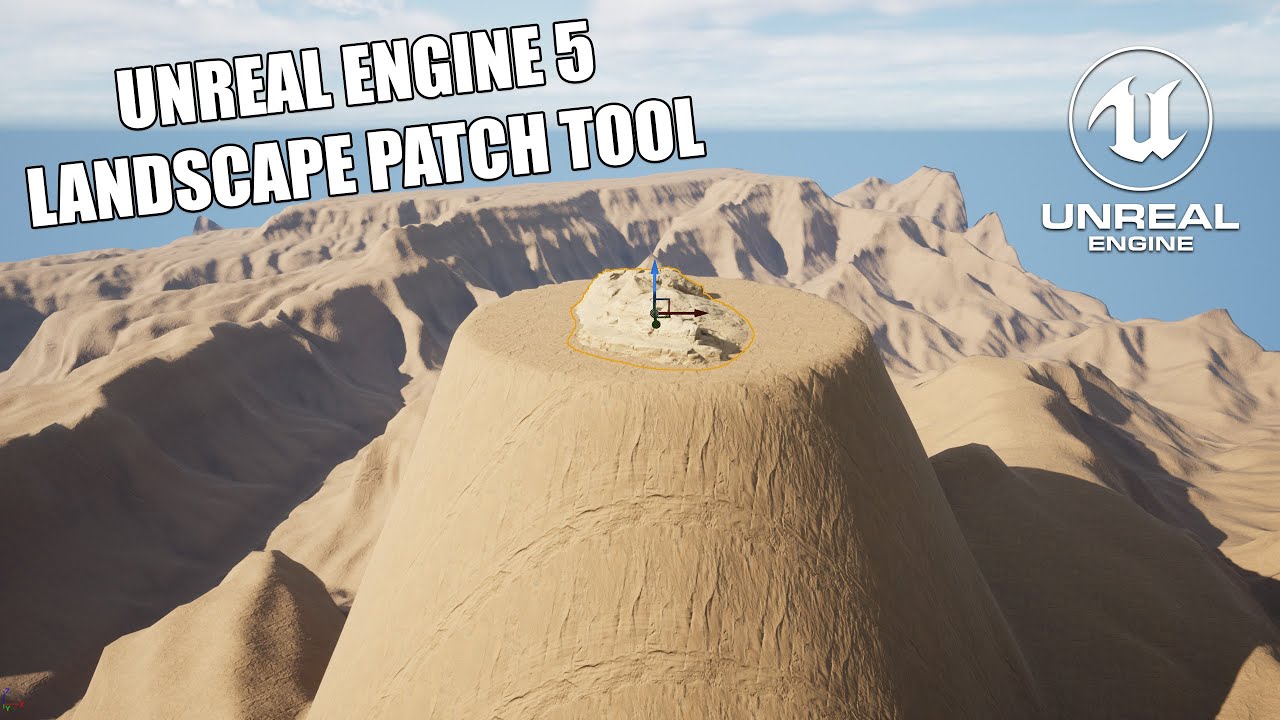
Here is a new way to blend static meshes with the landscape using the Landscape patch tool plugin
#ue5 #unrealengine #unrealtutorial #nanite #tutorial
 velvet smelt
floral stump
is it possible to place a bp actor in the level and auto attach it to the landsc...
velvet smelt
floral stump
is it possible to place a bp actor in the level and auto attach it to the landsc...
Add a patch component like in the video.
floral stump
velvet smelt
Add a patch component like in the video.
i'm using ue4
velvet smelt
floral stump
i'm using ue4
What version? I think they had something similar with landscape brushes. Part of the Landmass plugin
Depending on the version
floral stump
4.26
velvet smelt
Check plugins for Landmass. I take it that you're looking to manipulate the landscape? Or are you just trying to snap to the landscape?
floral stump
velvet smelt
Check plugins for Landmass. I take it that you're looking to manipulate the land...
i want to snap it to the landscape
and remove all gap between mesh and landscape
floral stump
velvet smelt
Check plugins for Landmass. I take it that you're looking to manipulate the land...
yes i have landmass plugin
hollow karma
If I trigger a custom event in a blueprint 3 times in a row very rapidly will all three event execute? I'm triggering an event in a forloop and it's acting like only the last invocation is being run.
 faint pasture
hollow karma
If I trigger a custom event in a blueprint 3 times in a row very rapidly will al...
faint pasture
hollow karma
If I trigger a custom event in a blueprint 3 times in a row very rapidly will al...
show code
they will execute but you might have something else going on
hollow karma
This is the event. Give me a sec on the loop. It's a wide blueprint
 faint pasture
hollow karma
This is the event. Give me a sec on the loop. It's a wide blueprint
faint pasture
hollow karma
This is the event. Give me a sec on the loop. It's a wide blueprint
yeah the async
hollow karma
What do you mean "the async"?
faint pasture
so AsyncLoadIcon is getting fired the 3 times
but the completed of the load is only running once
which makes sense
why are you calling this multiple times?
hollow karma
I'm trying to load the icons to display in an inventory. SO one call for each inventory entry
faint pasture
so this isn't being called multiple times, just once per widget or whatever?
What's the actual problem?
hollow karma
Yes. Once per UI widget
faint pasture
So what's the symptom? Only the last widget works?
hollow karma
The problem is that when the inventory is displayed on the final item in the inventory shows an icon. All the others are empty
faint pasture
You're going to have to show more code.
hollow karma


first, second and third parts of the function that loads the data into the display widget
faint pasture
those redirects make me wanna puke lol
hollow karma
The icon is set as the very last thing
hollow karma
faint pasture
those redirects make me wanna puke lol
What? I don't understand
faint pasture
 hollow karma

That's what it looks like all put baack together. Sorry, but it's too wide to fit on one image that's actually readable
Well I guess the text is barely readable in that last image
If you zoom in a little
faint pasture
I don't see any obvious problems but I'd make a Setup event in your widget that you can just pass all the info in with
the count, the text, the texture, everything
actually I'd just pass in the DCSInventoryEntry
let the widget handle it from there
 hollow karma
Well that wouldn't really change the issue of the async loading. I'd still have to do that
faint pasture
yeah but you could at least test to make sure it's on the widgets side and not anything to do with the loop
hollow karma
Youo mentioned a while back that the asyncloadasset is only calling executing it's completed pin once total instead of once per event. Why is that? That's the real problem for me
Well actually, the completed pin is geting run every time. I just added a print and get one completed for each item as expected
 fiery swallow
I could of sworn using structs as a key did not work properly in blueprints regarding TMaps
I didnt actually read anything though, I just seen the Key was a struct
hollow karma
fiery swallow
I could of sworn using structs as a key did not work properly in blueprints rega...
Are you referring to something in blueprint or is this unrelated?
fiery swallow
And I remember having problems with that specific thing
Yeah its probably not specific to your probkem
I just seen it and started yapping
fiery swallow
hollow karma
If I trigger a custom event in a blueprint 3 times in a row very rapidly will al...
They will, if you called an event 3 times in the same frame that ran a for loop 10 times. The for loop would run 30 times and complete 3 times
I see that you have some return values in your foreach loop
That could be the cause of it not firing the loop as much as you expected
hollow karma
The loop is firing the correct number of times.
The early return is for the case when the inventory is full. It's technically not needed I suppose.
fiery swallow
You said it's acting like only the last one is being ran
So im co fused on your issue
hollow karma
It's only showing an icon for the final item in the inventory.

There are three items in the inventory. You can see the quantitiy counts. But the first two have no icon
hollow karma
Yes. The show inventory function first clears the display to show every inventory slot as empty. Then it loops through the items and adds them to the display one at a time
hollow karma
fiery swallow
The image quality was too low to see
That's why I originally split up the blueprint into three images for the left middle and right sections
fiery swallow
The way you're looping this whole thing is super weird, I can't really see the problem. You should use print strings and print out the actual icon name to see if it's getting the right one
hollow karma
What's weird about it? I'll admit that I'm no Blueprint expert. I wrote this the same way I would write C++
fiery swallow
If I were trying to set icons in an inventory UI, I would have inventory cell store a reference to the item struct it's tracking
hollow karma
I added a print to the aync load item event. It's getting the correct textures
fiery swallow
From there I would simply pull the icon and item amount from the item struct
Your looping through the inventory but you aren't getting the actual index of the item
That part is very weird to me
It almost feels like the loop isn't necessary
hollow karma
I don't need the index. I just need the item itself. The for each loop should be fine for that
fiery swallow
I would check that the index youre getting is indeed giving you the slot you want
Doesn't seem like it's actually getting the next available slot
hollow karma
The fact the three items are appearing in three different slots proves that it is getting the next available slot
I know this isn't the way to do the UI in a real game, but this is only a demo UI to help me test and debug the underlying inventory plugins and also to provide a simple usage example.
Also, I'm not a UI expert by any means. My previous UI experience is purely in text mode applications
fiery swallow
Then the only other thing it could be based on the information you provided is you haven't loaded the ifon
Icon*
Youre using a soft reference
 lunar sleet
You want to show others how to do UI wrong? 😀
versed sun
Looks like a delay in a for loop
hollow karma
fiery swallow
Then the only other thing it could be based on the information you provided is y...
That is why I am calling Async Load Asset on the soft references to the icons
fiery swallow
hollow karma
That is why I am calling Async Load Asset on the soft references to the icons
You might need to give them time to load before hitting the same node again
lunar sleet
You can’t async load something inside a function that’s meant to execute in one tick
hollow karma
lunar sleet
You can’t async load something inside a function that’s meant to execute in one ...
It's being done in a custom event
fiery swallow
That's an event
lunar sleet
For each loop is a function
Are you not doing it as part of the loop? Maybe I read it wrong
fiery swallow
I think you just need to give the async time to finish before hitting the node again
hollow karma
The for each loop is triggering the event on each pass through the loop. The event has a print on it that is getting printed out three times, once for each item
hollow karma
fiery swallow
I think you just need to give the async time to finish before hitting the node a...
I don't know what you mean by "hitting" the node
Which node, too?
lunar sleet
I’m not sure how to explain this better
Based on that screenshot I don’t think your async load will ever finish executing
fiery swallow
The async node
You need to like queue the icons you want to load
Once one finishes loading, load the next one
hollow karma
lunar sleet
Based on that screenshot I don’t think your async load will ever finish executin...
I've already verified that it is completing by adding a print off of it's completed pin
lunar sleet
Ok
fiery swallow
Trying to load them all on the same frame is not gonna work
hollow karma
fiery swallow
Once one finishes loading, load the next one
That is what I'm worried about
fiery swallow
It wont be an issue
hollow karma
fiery swallow
Trying to load them all on the same frame is not gonna work
Why?
fiery swallow
Because youre hitting the same node that's already running a latent action
lunar sleet
Cropout Sample Project does a good job at showing how to use async nodes in succession
hollow karma
fiery swallow
Because youre hitting the same node that's already running a latent action
Please explain. What difference does that make?
fiery swallow
If you hit a node that hasn't finish its latent action one of two things will happen.
A. The second call will be ignored
B. The previous call will be canceled
hollow karma
This sounds like finally getting to the core problem.
fiery swallow
It depends on how it was coded
lunar sleet
It’s like using a delay in a for loop, as previously mentioned
You’re overwriting the call
hollow karma
fiery swallow
If you hit a node that hasn't finish its latent action one of two things will ha...
OK. So that is a problem I can understand.
It sounds like the fundamental issue is "User does not understand asset loading or the nuances of Blueprints." 😄
Time to hit the docs and tutorials again I guess.
lunar sleet
hollow karma
It sounds like the fundamental issue is "User does not understand asset loading ...
Eh, we’ve all been there. Esp. when it comes to how delays work. If it makes you feel better, you can technically make a custom for loop that allows you to use latent actions in it
hollow karma
Hmm. Cropout says it's unavailable on the Marketplalce
lunar sleet
Odd
Maybe it’s in the launcher library I can’t rmbr. They have a YouTube vid that skims over it too
hollow karma
Well I've already got a training vid on the aasset manager I want to watch. I'll hit that up first and circle back to this later. Thank you all for the help!
 frail onyx
Anyone know how to make a aiming system similar to the one shown in this video at 3:21? https://www.youtube.com/watch?v=n6B4gH-ZGlY&t=215s

Wow, 1 year down already, crazy. Anyway, thanks for watching the video! I hope you all enjoyed it and played DEMO V2! I'll leave a link here if you haven't already played it!
🎮DEMO V2: https://r1gby-games.itch.io/goobi-demo-v2
My Socials
🕹️Itch.io: https://r1gby-games.itch.io/
References in the video
Mario Odyssey Gameplay (IGN): https://ww...
gentle urchin
hollow karma
Hmm. Cropout says it's unavailable on the Marketplalce
Under the samples tab?
hollow karma
gentle urchin
Under the samples tab?
I mean that after adding to my library the download page has a big yellow box that says "unavailable" and there's no way to download or install it
gentle urchin
hollow karma
I mean that after adding to my library the download page has a big yellow box th...
this one ?

got 5.2/5.3 installed?
hollow karma
Yes to both
 hollow karma

 gentle urchin
weird
our pages dont even match
and on their webpage? https://www.unrealengine.com/en-US/blog/cropout-casual-rts-game-sample-project

Unreal Engine
Cropout is a sample top-down Casual RTS game that demonstrates all the best practices for building a project designed for cross-platform release. Find out more and download it today!
hollow karma
I'm not logged in to the website
gentle urchin
Redirectd to launcher anyways
 coarse condor
Trying to get a TextRender number to go up by 1 when I press an input, what am I doing wrong?

 faint pasture
coarse condor
Trying to get a TextRender number to go up by 1 when I press an input, what am I...
faint pasture
coarse condor
Trying to get a TextRender number to go up by 1 when I press an input, what am I...
I'm guessing that inputaction never fires
 karmic tartan
How can I fix frame stutter / GPU hitching with world partitioning streaming in new sections? I notice this happens when trees are loaded in the distance when moving into a new section. I found this older tutorial for UE4 with World Composition, so now I'm looking for how to do this with UE5 World Partition: https://www.youtube.com/watch?v=6TpTtrWpR8U

After struggling with performance issues for a month trying various things from level streaming to World Composition I finally figured out a solution for my performance issue's.
0:00 Intro
0:44 Profile GPU Hitches
1:21 My Misconception and Explanation
2:15 Setting up LOD's
4:00 Skip this part
5:42 Demonstration of Fix
 tough badge
Is it possible to add a timer to a struct? I want to make a dropped item despawn after 5 minutes and was curious if I could add some kind of default timer to the structure as a variable I could change on a per item basis
fiery swallow
frail onyx
Anyone know how to make a aiming system similar to the one shown in this video a...
- Obtain an array of every actor you can shoot
- filter out the ones that are too far away or are not rendered on screen
- create a function to compare the distances of the remaining actors
- output the actor that is closest, and that's the one to shoot.
That is what the system in the video does in that order
you can get creative with step 1 and do like a box overlap of the maximum distance you can shoot a target, that would be more efficient, and would eliminate half of step 2
 frosty heron
Epic store is quiet broken.
fiery swallow
tough badge
Is it possible to add a timer to a struct? I want to make a dropped item despawn...
no, what you could do is set the amount of time before the item expires in the struct, and then when the item is dropped just retrieve that time and set the life span of the dropped item
if someone picks up the item then set the life span to 0 to clear it
tough badge
fiery swallow
no, what you could do is set the amount of time before the item expires in the s...
That sounds like a good way to handle it! Thank you for the help!
 viral jetty
how can I set the player to ragdoll if he falls from certain height ? like can i get a falling velocity in third\person starter kit?
frail onyx
fiery swallow
1. Obtain an array of every actor you can shoot
2. filter out the ones that are ...
Ok noice, I kinda had an idea of the main steps of what do the, the main thing is I really struggle with like actually figuring out how to do that in BP’s and making it work, do you know how I get every thing I want to be a point that I can shoot into an array?
Also do u have any tips for getting a bit better with the basics so I can understand more stuff/how to actually put the pieces together when I’m trying to make custom features?
fiery swallow
frail onyx
Ok noice, I kinda had an idea of the main steps of what do the, the main thing i...
A lot of the stuff I mentioned is stupidly easy to do. Half of them. There is a single node that does all of the work already. Such as "sphere overlap" node, "get all actors of class" node, and "recently rendered" node
The only difficult thing you'll have to do is make a function to determine the closest actor in the array, but I believe in unreal engine 5.3 they added a node that already does that...
So you really don't have to code anything from scratch here
You just have to connect a few nodes unreal engine already coded
fiery swallow
viral jetty
how can I set the player to ragdoll if he falls from certain height ? like can i...
Well first you need to determine if the character is falling, there's a node already for that, then you need to line trace from the players location to the ground. If the hit result of that trace is greater then the distance you set to ragdoll, then make them ragdoll
 late lynx
my material has a world postion offset which changes material to represent a curve in path....its working fine in pc but when deployed on phone its not working..plus it was wroking fine earlier
lunar sleet
hollow karma
I mean that after adding to my library the download page has a big yellow box th...
Just to make sure, you closed the engine? 🙂 I often get trolled by that tho it’s usually engine updates
 cobalt lynx
Hey,
I'm running into a curiouse issue. I have a Map Variable (Actor Class Soft Reference | Integer). On child Blueprints this map reverses it's order for some reason. We don't do anything with the variable yet but it turns over.
Any ideas?
 lyric rapids
im trying to change the colour of a particle but its not changing it for some reason

 tidal marlin
lyric rapids
im trying to change the colour of a particle but its not changing it for some re...
tidal marlin
lyric rapids
im trying to change the colour of a particle but its not changing it for some re...
Do you use Particle Color Node in your Practical Material?
 silent drift
I want to ask before I start adding some "math" to count 60 seconds to a minuter, and 60 minutes to an hour and so on. Is there a way to do this automatically? Or do I need to "reset" current seconds to 0 once it hits 60 and count up myself.
 gentle urchin
It overflows automatically
Doesnt it
There should be a node that does that atleast
silent drift
Yeah, it does not at the moment at least. 😦 And I didnj't find one.
silent drift
Okay! I will have a look and see.
Yep! Changed to timespan and it did it automatically! 🙂 Thank you for the suggestion
Actually, hmm, how could I make sure it doesn't change 24 hours to one day? Since I would prefer it to only say 36 hours for example rather than convering 24 to days? (If you know, sorry, I'm a bit confused about this setup currently as I haven't ever looked at this before)
 elfin lagoon
i need to get actors world location and convert it into a widget coordinates to place an icons of these actors to a minimap
is this node made exactly for this purpose, and how to use it correctly?
 gentle urchin
silent drift
Actually, hmm, how could I make sure it doesn't change 24 hours to one day? Sinc...
gentle urchin
silent drift
Actually, hmm, how could I make sure it doesn't change 24 hours to one day? Sinc...
You cant, so either do hours = hours + days*24) or do time in your own way^^
silent drift
Okay! Thanks for the answer. 🙂
viral jetty
thank you @fiery swallow i just set on landed function to ragdoll
 cyan surge
Best way to hide categories that arn't relevant in blueprints?

In this example I won't need to see "Rendering" or "Replication" ever
Possible to just hide?
(For this type of actor)

 gentle urchin
Branch on class?
You could cast
You could get class and compare
You could get tags and switch on tag
 hollow bane
so i would cast out from the output of the hitactor?
gentle urchin
You would cast the generic Actor to a more specific actor
If its that (or a child of that) the cast succeeds. Otherwise it fails
 stuck sentinel
last time this happened my game got corrupted

i was working on crouch animations and speed
what do i do
broo i just reloaded my game and now the same thing happeneed as last time my character mesh just dissapeared
 hollow bane
gentle urchin
If its that (or a child of that) the cast succeeds. Otherwise it fails
hollow bane
gentle urchin
If its that (or a child of that) the cast succeeds. Otherwise it fails
can i bother you with another question? I do spawn a blueprint with a plane inside it at a location when my line trace branch works. but i cant figure out how to destroy it. the destroy actor doesnt work. is this the correct way?

of course i have the destroy actor after the delay usually 😄
i just saw in the outliner sometimes they get destroyed
ah had to use a do once in my blueprints
now it works
gentle urchin
Set Life Span
stuck sentinel
stuck sentinel
last time this happened my game got corrupted
SOMEONE HELP
 dark drum
stuck sentinel
i was working on crouch animations and speed
dark drum
stuck sentinel
i was working on crouch animations and speed
What was you doing exactly?
 tranquil moon
hi, for some reason I get an exception and have to close the engine whenever I try to set this type reference, I have tried it multiple times and with 2 different values and it happens consistently
telling rider to continue past it just leads to another exception
stuck sentinel
dark drum
What was you doing exactly?
changing the max player speed from character movement
dark drum
stuck sentinel
changing the max player speed from character movement
You can try changing the parent class from character to actor, save and then restart the editor. When you've restarted, change the parent class back to character. Not gaurented to work but can be worth a try.
 trim matrix
Guys, please help me. I added the weapons object on the scene, but when I play the simulate, it wasn't there.

 velvet smelt
trim matrix
Guys, please help me. I added the weapons object on the scene, but when I play t...
velvet smelt
trim matrix
Guys, please help me. I added the weapons object on the scene, but when I play t...
Show the BP for the weapons
trim matrix
velvet smelt
Show the BP for the weapons
This is the BP for the sword and the weapons in general, all the same with the fruits

 velvet smelt
trim matrix
This is the BP for the sword and the weapons in general, all the same with the ...
velvet smelt
trim matrix
This is the BP for the sword and the weapons in general, all the same with the ...
Ok, so they all share the same base class, but the fruit are showing. Visible = true, hidden in game = false. Hmmm. Give me a minute to let this coffee kick in.
trim matrix
velvet smelt
Ok, so they all share the same base class, but the fruit are showing. Visible = ...
Yeah, everything except the weapons is child of the weapons so it's weird that only the fruits showing
velvet smelt
trim matrix
Yeah, everything except the weapons is child of the weapons so it's weird that o...
Ok, try setting simulate physics = false.
To see if they appear.
Double check that the weapon meshes have have a collision mesh.
trim matrix
velvet smelt
Ok, try setting simulate physics = false.
Well, it can't be unticked
 velvet smelt
trim matrix
Well, it can't be unticked
velvet smelt
trim matrix
Well, it can't be unticked
Can you set it to Static instead of Movable?
Or is that un-editable too?
trim matrix
velvet smelt
Can you set it to Static instead of Movable?
Can't too, I clicked it many times
 velvet smelt
Ok, so the base class is set to read-only. Ummmm....
 random pulsar
hi guys i have an actor fruit that has some static meshes in it ,i want to make this idea :when player overlap with box collision destroy one component ''Fruit'' and then do some other logic i have it seted up with interface how can i get that component in my player without casting?


 velvet smelt
trim matrix
Can't too, I clicked it many times
velvet smelt
trim matrix
Can't too, I clicked it many times
For the weapons check their collision. Open the actual static mesh asset.
random pulsar
i tried with tags and print string but didnt succeeded
trim matrix
velvet smelt
For the weapons check their collision. Open the actual static mesh asset.
This one?
 velvet smelt
trim matrix
This one?
velvet smelt
trim matrix
This one?
So, that's the static mesh component that is holding the static mesh.
Over to the right...double click on the "Static Mesh" icon
trim matrix
velvet smelt
So, that's the static mesh component that is holding the static mesh.
Over to th...
Okay, here

Or this?
 velvet smelt
trim matrix
Or this?
velvet smelt
trim matrix
Or this?
Yes...this is the Static Mesh editor.
Click "Show" -> "Simple Collision"
trim matrix
velvet smelt
Yes...this is the Static Mesh editor.
Click "Show" -> "Simple Collision"
Like this?
 trim matrix
velvet smelt
Click Complex collision...check that as well
trim matrix
velvet smelt
Click Complex collision...check that as well
Here
 velvet smelt
trim matrix
Here
velvet smelt
trim matrix
Here
Ok cool. So the quick explanation would be...when you're simulating physics, it's looking for a simple collision to use from that mesh. If it's not there then...the mesh is basically a ghost flying through other objects.
So...at the top next to Reimport Base Mesh...click collision-> add/create simple box collision
Then try simulating again
I think you simulate in this window as well
trim matrix
Does it has to be box? Or anything, like sphere or capsule?
velvet smelt
It can be whatever you want really. This is just for testing.
Ideally for that shape there....you'd create 2 boxes and scale them to cover the shape of the mesh...like a cross etc
trim matrix
Okay, it's work but it spinning endlessly...
velvet smelt
Ok, in the SM editor and show the simple collision
trim matrix
 velvet smelt
There you go
That green...is the collider...so if it's like a ball....well you know how balls spin
 velvet smelt
Yes...you can click on the collision and scale,rotate,tranlate etc
Then, add another box and scale that as well
dark drum
trim matrix
Like this?
At the bottom right, click apply to auto generate collision on the mesh. Also, if you want an item to have physics, the mesh should be the root component of the BP otherwise you get weird behaviour.
trim matrix
velvet smelt
Then, add another box and scale that as well
I see
trim matrix
dark drum
At the bottom right, click apply to auto generate collision on the mesh. Also, i...
Like this?
 dark drum
trim matrix
Like this?
dark drum
trim matrix
Like this?
Yea, don't forget to save. Auto isn't always great but it can be good enough in a pinch. It's usually best to make your own collision in the 3d modelling software you use. (UCX collision)
trim matrix
dark drum
Yea, don't forget to save. Auto isn't always great but it can be good enough in ...
Alright
Thanks, you two! @velvet smelt @dark drum
velvet smelt
random pulsar
hi guys i have an actor fruit that has some static meshes in it ,i want to make ...
Try an overlap without the branch
random pulsar
velvet smelt
Try an overlap without the branch
ok and if an ai overlaps with it?
velvet smelt
random pulsar
ok and if an ai overlaps with it?
Does anything happen at all?
random pulsar
here i need to check if i overlap with the player this works now

 lofty rapids
are you just trying to avoid casting ?
random pulsar
lofty rapids
are you just trying to avoid casting ?
yes
fiery swallow
random pulsar
hi guys i have an actor fruit that has some static meshes in it ,i want to make ...
I'm going to find every video on youtube that says casting is bad and report the video
random pulsar
and i want to get this static mesh and delete it

in player
i dont hate cast im just triing new ways of getting references
 dim agate
I don't think there's any problem casting to the player character if they're going to be loaded anyway.
velvet smelt
random pulsar
here i need to check if i overlap with the player this works now
The character class wouldn't have that interface. So it's trying to call that function on character class. You need to cast it to the class that has the interface.
Create an empty base class that derives from character (Or use the current one) with the interface and use that as a class to cast to, if you don't want to cast directly to the Caterpillar.
random pulsar
i dont want now to cast at all do u hear me?Is there a way to get reference to a component?by name or tag or other thing
lofty rapids
random pulsar
i dont want now to cast at all do u hear me?Is there a way to get reference to a...
get component
 thin panther
Use the one that makes sense. Don't use another one for the sake of it
thin panther
But yes given a reference you can find component by class
thin panther
lofty rapids
ig it can eat up memory ?
Nope not really
random pulsar
lofty rapids
get component
thanks
fiery swallow
lofty rapids
whats so bad about casting ?
literally nothing, if used improperly in big games it can overload the memory and crash the game. But the game has to be pretty darn big with a ton of assets. It does also increase the loading time of the editor as well
but it's like anything else in the editor, use it right and it's never an issue
gentle urchin
If you cast to end boss you're doing it wrong
dark drum
lofty rapids
ig it can eat up memory ?
If casting is poorly handle, you can cause your entire project to be loaded into memory, even if some classes aren't being used. It's not a reason to avoid casting, just need to use inheritance so you can cast to lighter base classes.
fiery swallow
gentle urchin
If you cast to *end boss* you're doing it wrong
cast to BaseBossEnemy instead
fiery swallow
ikr
ez
I always explain to people the importance of a base class with empty asset references
 rigid tundra
I have a wierd bug where the escape key is not triggering (even in the editor), i remapped the editor preferences so, that the game does not close on escape, and added the action mapping for opening the pausemenu on escape, the action itself works perfectly fine with the "P" key, wuth not the "Escape" key
i also dont have any reference for you guys, cause i dont know what to share
also in the configs there is no override for disabling the escape key or so
rigid tundra
no
lofty rapids
where is the event on what bp ?
rigid tundra
all actions that are bound to escape are not fireiring
the only thing i have is here in the player


this mapping context works
velvet smelt
Print string?
rigid tundra
and also the "Open_Pause_Menu" works with the p key
rigid tundra
velvet smelt
Print string?
nope, only when pressing the p key
but not on the "Escape" key
rigid tundra
yesss
velvet smelt
Hmmmm idk. So currently, after reconfiguring the editor setting. Esc doesn't close PIE?
gentle urchin
fiery swallow
I always explain to people the importance of a base class with empty asset refer...
Or soft
Soft works too
lofty rapids
rigid tundra
so p works but escape isn't ? so what did you do in the project setting with escape ?
rigid tundra
velvet smelt
Hmmmm idk. So currently, after reconfiguring the editor setting. Esc doesn't clo...
no i dont want to close the editor with escape. i currently have the close pie on the "ä" key
rigid tundra
lofty rapids
so p works but escape isn't ? so what did you do in the project setting with esc...
absolutely nothing
lofty rapids
weird that escape would be like "disabled" somehow
fiery swallow
gentle urchin
Or soft
the day I bring myself to make a game entirely based on soft references I will have ascended. editor loading time will reach record numbers
rigid tundra
lofty rapids
weird that escape would be like "disabled" somehow
yeah, i dont understand it either
this must be some project ini config
lofty rapids
there must be a setting or something you changed ?
rigid tundra
i opened all files with vs code and looked for "escape" but no results
rigid tundra
lofty rapids
there must be a setting or something you changed ?
the thing is, its a indie project with multiple devs on it, and the dev who could have been made the mistake couldnt remember either
im gonna kill him when i found out that he did smt to the ini files
velvet smelt
rigid tundra
im gonna kill him when i found out that he did smt to the ini files
Not recommended lol. Try ...using a Debug key input event instead of the Enhanced just to test.
rigid tundra
okok i test it
okay it worked, but i still wonder whats going on
i also tried the deprecated input method with the Action Mappings, and it also doesnt work
velvet smelt
Ok...so you currently have P/Esc on the same action. Try keeping just the Esc and remove the P for now.
velvet smelt
Ok
Can you open the input action itself. Also can you show the settings for the Escape key.
 simple echo
Is there a way to draw a trace line of where an object with the rotating movement component will follow?
Think like a game that shows the path a thrown object will follow
rigid tundra
 velvet smelt
simple echo
Is there a way to draw a trace line of where an object with the rotating movemen...
velvet smelt
simple echo
Is there a way to draw a trace line of where an object with the rotating movemen...
Like an Arch?
rigid tundra
velvet smelt
Can you open the input action itself. Also can you show the settings for the Esc...
where are settings for the escape key located? like in some ini configs?
lofty rapids
rigid tundra
are you not meeting this "threshold" for some reason ?
simple echo
velvet smelt
Like an Arch?
kind of
rigid tundra
lofty rapids
are you not meeting this "threshold" for some reason ?
could be, because maybe escape has a different threashold
i go look after that
rigid tundra
lofty rapids
are you not meeting this "threshold" for some reason ?
nope also not
lofty rapids
must of got disabled somehow is what i would imagine
velvet smelt
rigid tundra
nope also not
Is that the only Input Mapping context that's being used?
velvet smelt
simple echo
kind of
Can you provide an example visual?
rigid tundra
velvet smelt
Is that the only Input Mapping context that's being used?
no, we have mapped multiple
random pulsar
very strange this does not work even with casting i destroy the component but it still remain in game

 rigid tundra
velvet smelt
Is that the only Input Mapping context that's being used?
rigid tundra
velvet smelt
Is that the only Input Mapping context that's being used?
i see where you trying to go,
ill check that
thin panther
Destroy component can only be used in the owner of the component
velvet smelt
random pulsar
very strange this does not work even with casting i destroy the component but it...
No
 quiet canopy
Hi, I am new to UE as well as to this community. I am learning unreal engine by doing stuff. Currently I am learning how collisions work. I have a car model from blender imported to Unreal and tried various settings but one instance of car is not colliding with the other instance. I am using skeletal mesh for rendering and physics asset to define the collision. It will be really really helpful if someone helps me out? 😩 🥹
random pulsar
thin panther
Destroy component can only be used in the owner of the component
huh so the way i imagined i need a custom event in the plant to destroy it and call this event in player?is this the right way?
thin panther
Yes, though you may want to consider just setting it to an empty mesh
simple echo
velvet smelt
Can you provide an example visual?
Something like this?
For context, in my game, when the player clicks and drags the mouse, a boomerang is spawned in the direction they drag the mouse.
gif here:(https://gyazo.com/e2b0a525a198a2dd63db6c19c5b4be8e)

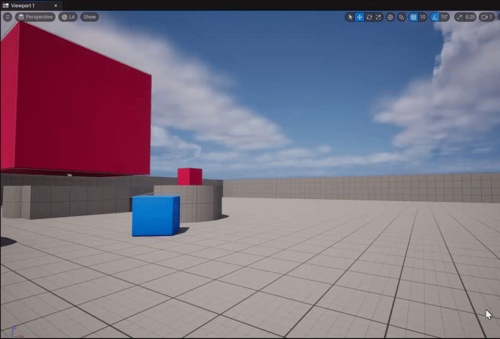
 lofty rapids
looks like your not showing components ?
stuck sentinel
how
velvet smelt
stuck sentinel
how
Try the "Gear" icon
 velvet smelt
random pulsar
very strange this does not work even with casting i destroy the component but it...
velvet smelt
random pulsar
very strange this does not work even with casting i destroy the component but it...
There's a good example in Epic's free Content Samples that can break this down for you.
velvet smelt
stuck sentinel
Nvm...hmmm
dark drum
stuck sentinel
??
Click 'Window' at the top and click 'Components' in the list.
velvet smelt
stuck sentinel
but why did it get turned off
????
 hollow pond
you might've accidentally closed the tab
stuck sentinel
maybe
hollow pond
happens to me all the time
random pulsar
velvet smelt
There's a good example in Epic's free Content Samples that can break this down f...
what is it?
 pale anchor
Looking for some help and probably it's just a button or a simple opion.
I have BP that should spawn a object on Line Trace Hit Location. If my BP is on 0,0,0 it's working as it should. But when I move my object in the Editor (changinge World Location) the new Component is "wandering" off. When I use a static mesh component, I can change the Transform to "World". But that's not working on "Append Sphere Box".
Here is the BP: https://blueprintue.com/blueprint/8r2cvnof/
Anyone got an quick idea?

No description provided
random pulsar
thin panther
Yes, though you may want to consider just setting it to an empty mesh
thx
velvet smelt
random pulsar
what is it?
I think it's called "Simple Pickup" or something like that.
velvet smelt
pale anchor
Looking for some help and probably it's just a button or a simple opion.
I have...
Are you trying to apply the boolean in the same location as the Appended Sphere box?
random pulsar
i have a lot of actors and i cast in each of em to the player just to get a variable,is it good?if not how can i get a reference to a variable in the player in other way?
velvet smelt
random pulsar
i have a lot of actors and i cast in each of em to the player just to get a vari...
I personally use Subsystems.
pale anchor
velvet smelt
Are you trying to apply the boolean in the same location as the Appended Sphere ...
uhm... yes?
 velvet smelt
pale anchor
uhm... yes?
velvet smelt
pale anchor
uhm... yes?
You're setting the location for the "Append Sphere Box"....but not for the "Apply Mesh Boolean"
I would start there
velvet smelt
What did calculate for the Target Transform?
pale anchor
so the hit location is red and the "end" location is the big sphere.
velvet smelt
pale anchor
so the hit location is red and the "end" location is the big sphere.
Let me open engine and tinker. Standby.
pale anchor
Thank you!
 mystic edge
Hey, do you guys know a way to smoothly blend between two cameras of two different BPs?
 grim sand
Perhaps I will need to call in the C++ wizards to help resolve this issue, but seen as my project is BP only I am trying here first. I am running into a fatal crash error when opening a packaged build.
Voila, the crash log:
[2024.03.01-15.12.10:080][ 0]LogWindows: Error: === Critical error: === [2024.03.01-15.12.10:080][ 0]LogWindows: Error: [2024.03.01-15.12.10:080][ 0]LogWindows: Error: Fatal error! [2024.03.01-15.12.10:080][ 0]LogWindows: Error: [2024.03.01-15.12.10:080][ 0]LogWindows: Error: Unhandled Exception: 0xc06d007e [2024.03.01-15.12.10:080][ 0]LogWindows: Error: [2024.03.01-15.12.10:080][ 0]LogWindows: Error: [Callstack] 0x00007ff879235b0c KERNELBASE.dll!UnknownFunction [] [2024.03.01-15.12.10:080][ 0]LogWindows: Error: [Callstack] 0x00007ff7a6b2b634 SuperFunAwesomeGolf.exe!__delayLoadHelper2() [D:\a\_work\1\s\src\vctools\delayimp\delayhlp.cpp:312]
This happens immediately upon opening the packaged .exe
versed sun
mystic edge
Hey, do you guys know a way to smoothly blend between two cameras of two differe...
How do I use the Set View Target with Blend node to change cameras during gameplay using Unreal Engine 4 Blueprints.
Source Files: https://github.com/MWadstein/wtf-hdi-files
mystic edge
versed sun
https://www.youtube.com/watch?v=uW86ZGxesmc&ab_channel=MathewWadsteinTutorials
That does not work (BP_Drone is a pawn if that make a difference)
 mystic edge
Target requires a player controller reference
mystic edge
Yes, I moved my code into my player controller and this is the whole code of the player cnntroller (That what matters). The Possess at the end works so the get actor of class must be valid

I basicly switch between my character and that drone in my player controller
 gray hare
Question about setting up a pawn. My pawn is a spaceship you fly first person. It has a mesh for collision and mass. I've got a couple cameras you can switch between, a bunch of thrusters that act on the mass.
I originally had a BoxComponent as my root to be the mass and a mesh under it. But you can't scale that. I switched to make the mesh the root, but you can't move or rotate it and it's not forward facing. :( Suggestions?

It was working with the mesh under the box, but I wanted to use the mesh for collision and something was awkward about that. Don't remember what as it was a few days ago.
This isn't my area of UE and I'm not sure what the philosophy on structuring this is.
best practices and what not
elfin lagoon
i'm working with minimap and want to show an icons in a minimap widget
i add a 2d sprite to a pawns, and use ShowOnly List for a Scene Capture Component2D (screenshot)
NPC pawns is showing in this widget correctly, but player-possesed is not showing at all, i dunno why
how to show a sprite component of the player ontrolled pawn at this scene capture?
 gray hare
I wouldn't expected player controlled to be different.
are you treating them differently somehow?
Are you RPC'ing the data to clients? Do clients not already have all the data?
elfin lagoon
gray hare
are you treating them differently somehow?
Are you RPC'ing the data to clients? ...
what do u mean?
elfin lagoon
gray hare
are you treating them differently somehow?
Are you RPC'ing the data to clients? ...
which data they need?
gray hare
your event is RPC add to minimap
I'm just curious why this is an RPC.
The way I would do this is, on the client, in the minimap widget, iterate over all the pawns and render an arrow for each one. But I've never built a minimap, so this might not be the best way.
elfin lagoon
gray hare
I'm just curious why this is an RPC.
this event is called from the pawnBase class at the BeginPlay
gray hare
unfortunately, it looks like the interface kit I have with a minimap was temporarily free
gray hare
elfin lagoon
this event is called from the pawnBase class at the BeginPlay
can still probably do that on clients and don't need to RPC
I can't think of any info only the server will have that's relevant to the minimap. Unless you have pawns that are hidden and clients don't know about them.
more than happy to talk through this with you though, ask away
elfin lagoon
gray hare
more than happy to talk through this with you though, ask away
i dont understand what are we talking about, actually, sorry 🙃
i just trying to understand, why is sprite componenet of the pawn is rendering, if a pawn is NPC, and dont, if a pawn is player controlled
pale anchor
velvet smelt
Let me open engine and tinker. Standby.
Any luck?
gray hare
elfin lagoon
i dont understand what are we talking about, actually, sorry 🙃
i just trying ...
I got distracted by your event being named RPC, which indicates it's networked. Sorry.
you have a sprite on the pawn itself that is being rendered only on the minimap?
elfin lagoon
gray hare
you have a sprite on the pawn itself that is being rendered only on the minimap?
i have a minimap widget, which is rendering components from the ShowOnly List
the only component in this list is sprite, which is added to the list at Beginplay
velvet smelt
pale anchor
so the hit location is red and the "end" location is the big sphere.
Like I was saying....mess around with the Transform. Here you go.
 pale anchor
What is the location added with?
 gray hare
elfin lagoon
i have a minimap widget, which is rendering components from the ShowOnly List
th...
gray hare
elfin lagoon
i have a minimap widget, which is rendering components from the ShowOnly List
th...
have you put breakpoint to verify the offending pawn is calling that and the minimap is receiving it?
velvet smelt
 elfin lagoon
gray hare
have you put breakpoint to verify the offending pawn is calling that and the min...
elfin lagoon
gray hare
have you put breakpoint to verify the offending pawn is calling that and the min...
no
velvet smelt
 gray hare
breakpoints are your friend when debugging
go put a breakpoint in the minimap function that your pawns are calling and see what's happening
pale anchor
velvet smelt
ah nice... gonna test it
elfin lagoon
gray hare
breakpoints are your friend when debugging
go put a breakpoint in the minimap fu...
ok, whats next then?
 velvet smelt
pale anchor
ah nice... gonna test it
velvet smelt
pale anchor
ah nice... gonna test it
Cool beans, I had to learn some geoscripting in the process lol
gray hare
elfin lagoon
ok, whats next then?
did your PC pawn call it?
 drowsy steppe
Hey guys, does anyone has an idea why when i add this component (it makes every object that have a mesh create an outline when i over them) to a bp with a character mesh it does not work? It works with other bps with meshes
 gray hare
drowsy steppe
Hey guys, does anyone has an idea why when i add this component (it makes every ...
gray hare
drowsy steppe
Hey guys, does anyone has an idea why when i add this component (it makes every ...
does your character have only one mesh component? Why get it by class and not get the component directly?
elfin lagoon
gray hare
did your PC pawn call it?
i think there is no way to evade it for any pawn
 gray hare
elfin lagoon
i think there is no way to evade it for any pawn
gray hare
elfin lagoon
i think there is no way to evade it for any pawn
is your game networked?
drowsy steppe
I'm using this for any object that has a mesh because i want any obect that has this component to highlight when i hover it with the mouse, but i'm a noob so i'm probably doing it in a wrong way
elfin lagoon
gray hare
is your game networked?
yes
gray hare
and did the breakpoint verify it got called? just because the code looks like it calls it doesn't mean it is. have to test it
is that event actually an RPC?
drowsy steppe
gray hare
does your character have only one mesh component? Why get it by class and not ge...
this is from the component blueprint
elfin lagoon
gray hare
and did the breakpoint verify it got called? just because the code looks like it...
all pawns call it
all logic, placed after this at Beginplay, is executed
so its called
gray hare
drowsy steppe
this is from the component blueprint
Oh I see. Do you know that it's getting the expected character mesh and not a different mesh?
gray hare
elfin lagoon
all pawns call it
all logic, placed after this at Beginplay, is executed
so its ...
did you test it? there are countless reasons why it might not be getting called or might not be getting called in the right place.
I would gate this logic in your pawn begin play behind a IsClient and then not RPC it.
drowsy steppe
gray hare
Oh I see. Do you know that it's getting the expected character mesh and not a di...
yes it should be getting the correct charachermesh, but it could a reason if i'm wrong
gray hare
drowsy steppe
yes it should be getting the correct charachermesh, but it could a reason if i'm...
breakpoint, see which mesh
elfin lagoon
gray hare
did you test it? there are countless reasons why it might not be getting called ...
what do u mean "test it"?
event Beginplay is executed, when pawns spawn in the world
they all executes all logic, which is connected to the event, NPC pawns and PC pawns
if logic, placed after this, at the Beginplay, is executed, its not test enough?
how to test it then?
gray hare
put a breakpoint, when breakpoint is hit, see what's happening
drowsy steppe
I created another blueprint with another character mesh but it is not working, while with a simple skeletal mesh directly put in game it works
drowsy steppe
gray hare
put a breakpoint, when breakpoint is hit, see what's happening
thanks
elfin lagoon
gray hare
put a breakpoint, when breakpoint is hit, see what's happening
breakpoint
 gray hare
elfin lagoon
breakpoint
gray hare
elfin lagoon
breakpoint
what class is this breakpoint in?
velvet smelt
drowsy steppe
I created another blueprint with another character mesh but it is not working, w...
Try getting all mesh components or tag the ones that you want to isolate for selection.
drowsy steppe
elfin lagoon
breakpoint
this is what i get with the skeletal mesh directly put in the scene, and the other bps with meshes that work
 elfin lagoon
gray hare
what class is this breakpoint in?
elfin lagoon
gray hare
what class is this breakpoint in?
in the class, which contains SceneCaptureComponent2D
gray hare
what's the class's name?
elfin lagoon
gray hare
what's the class's name?
 gray hare
I think I don't know enough about how you're rendering this stuff to be helpful. Sorry.
drowsy steppe
gray hare
I think I don't know enough about how you're rendering this stuff to be helpful....
if you're talking to me it's not the rendering the problem, that works, the problem is it doesnn't even see the mesh on my character. but it works with other meshes, i don't understand why
gray hare
drowsy steppe
if you're talking to me it's not the rendering the problem, that works, the pro...
no, SMAYAZ and his minimap
I also don't know much about your technique and I gotta start work now. Sorry.
drowsy steppe
gray hare
I also don't know much about your technique and I gotta start work now. Sorry.
thank you very much for trying to help!
velvet smelt
@drowsy steppe Trying getting all mesh components from the owner
drowsy steppe
velvet smelt
<@146329517978419200> Trying getting all mesh components from the owner
thanks, is this the right way? (as you can notice i'm quite novice)
 velvet smelt
drowsy steppe
thanks, is this the right way? (as you can notice i'm quite novice)
velvet smelt
drowsy steppe
thanks, is this the right way? (as you can notice i'm quite novice)
No worries. Just the "Get Components by class" will work. Instead of just getting one, run it through a "for each loop"
drowsy steppe
velvet smelt
No worries. Just the "Get Components by class" will work. Instead of just gettin...
stilll not working. It sees the other meshes but not the character one
 velvet smelt
Hmmm...there has to be some setting for the "skeletal mesh component". Let me see what I can find.
gray hare
is the type of mesh you're looking for not a skeletal mesh?
drowsy steppe
velvet smelt
Hmmm...there has to be some setting for the "skeletal mesh component". Let me s...
mind that it works if i just put the skeletal mesh in the scene, but it doesn't if it's a character
drowsy steppe
gray hare
is the type of mesh you're looking for not a skeletal mesh?
yes, i've tried with skeletal mesh specifically also but same problem, while the other skeletal meshes are seen
pale anchor
velvet smelt
got it! Thank you!
drowsy steppe
velvet smelt
Hmmm...there has to be some setting for the "skeletal mesh component". Let me s...
i really appreciate it
gray hare
is there a setting relating to static vs dynamic meshes somewhere?
velvet smelt
pale anchor
got it! Thank you!
You're welcome! Don't have too much fun.
lunar sleet
gray hare
is there a setting relating to static vs dynamic meshes somewhere?
Nvm I thought you meant nav meshes 😅
drowsy steppe
gray hare
is there a setting relating to static vs dynamic meshes somewhere?
i don't know, but both are working so it shouldn't be that right?
gray hare
so skeletal mesh works, just not if it's a character?
drowsy steppe
yes
gray hare
weird
velvet smelt
Hmmmmm...in the Character...what is the collision set to for the mesh?
Nvm, that shouldn't matter
drowsy steppe
I appreciate it anyway, thank you so much for trying to help
 queen dagger
Hi ive been using a plugin set called pixel2d as i am not good with programming and am learning however really slowly, long story short i want an ability to use an amount of energy, play a specific flipbook and deal damage, ive been stuck on this for some time is anyone willing to help me on this?
 grizzled roost
I'm working on a level editor.
The actor will adjust it's location based on collision when I click to spawn it.
But is there a way to not have it halfway through the floor when I'm in placement mode before I chose a location to spawn it?
 hollow karma
lunar sleet
Just to make sure, you closed the engine? 🙂 I often get trolled by that tho it’...
hollow karma
lunar sleet
Just to make sure, you closed the engine? 🙂 I often get trolled by that tho it’...
That may have been the issue because it's available this morning after I turned my computer back on. What a weird limitation.
velvet smelt
drowsy steppe
I appreciate it anyway, thank you so much for trying to help
Sorry man, I'm puzzled on this one.
velvet smelt
grizzled roost
I'm working on a level editor.
The actor will adjust it's location based on coll...
Check the relative location to the root component
drowsy steppe
velvet smelt
Sorry man, I'm puzzled on this one.
Thank you anyway. Must be some mistake on my end
grizzled roost
velvet smelt
Check the relative location to the root component
Good catch, turns out I moved the root to -90 to adjust for the mesh's location.
I changed it back and moved the skeletal mesh instead, no difference though.
Also the same seems to happen if push the actor against a wall, so that offset definetly wasn't the problem.
 eager thicket
I need a second opinion.
Currently I'm building my small project using almost entirely modular pieces of code that control specific parts of the gameplay. Each one is very nicely self sufficient without dependancies on other parts (meaning I can alter each part to my heart's content without worrying at all... and, I can copy paste them to other unrelated projects and they just work)
Is this something I could safely continue for most of the project? I realize I'll need to start "connecting the dots" at some point, but I'm hoping that border will be crossed later rather than sooner.
My question is basically if I play my cards smart, I just ideally have a very nice, very organized set of "modules" that I will eventually bring together in the final part of the project. This isn't a rule set in stone, just something I'm doing for like 90% of it. But I'm worried this is a terrible way to make a 1/2 man indie game or not.
gentle urchin
Many modules and a few core project specific actors is golden if you can manage
Project specific avtors job will be connecting the dots
eager thicket
Yeah I've fallen into that by accident. I have the one player actor connecting all the dots of otherwise self sufficient modules.
Always take care to make sure the modules themselves don't fuck with connecting the dots themselves
But you say it's pretty golden. Thanks. I'll keep going ahead with this approach.
gentle urchin
As long as the work to keep it that way dont spiral into madness, for sure
 broken wadi
eager thicket
But you say it's pretty golden. Thanks. I'll keep going ahead with this approach...
broken wadi
eager thicket
But you say it's pretty golden. Thanks. I'll keep going ahead with this approach...
You can have the most elegant code ever written but if the players think your game sucks then your game still sucks. So in other words its good to have modular code but keep in mind players won't ever see the code so maybe its best to ask yourself if the next thing you're working on is worth spending the extra time to make it modular or not.
gentle urchin
^It is a fair point, time consumption vs payoff
players never get to peek behind the curtains
 tulip night
Hi fine folks! Quick question. I have a Blueprint Interface already in widespread use. When adding a new input variable to one of its functions, this leads to crashes and and widespread errors. What should I consider when adding new inputs? Can't I when it's already in use?
eager thicket
broken wadi
You can have the most elegant code ever written but if the players think your ga...
it's honestly for myself. I lose massive amounts of motivation to continue a project if I'm always freaking out about whether this change or that change will impact the whole works. Also I hate the idea of spending too much time on one project and not being able to reuse parts of it for something else.
The more elegant and modular it is, the more happy I am working on it. Bottom line.
 cyan harbor
anyone know how i can save my level so everything is in the same place. im using the replicated building system btw
 prisma forum
I'm creating a single-player atmospheric horror game, where there are many BP_ParentSoundTrigger objects placed around the level. When the player enters a sound trigger, it checks to see if they have completed the PrerequisiteTask (a WBP_IndividualTask class reference), and if they have it plays a certain sound. I just realized that the way I currently have it set up is probably very inefficient, as each BP_ParentSoundTrigger is casting to the player and running a for each loop each time they enter their box trigger (again, MANY sound trigger objects in the level). Can someone suggest a more performative way to set this up? I was thinking of changing to use Event Dispatchers, but I'm not sure if that will be more efficient with how many sound triggers there would be listening.
 versed sun
Can your Completed Tasks be an Array of Classes instead ?
Then you can use Contains for the Array
faint pasture
prisma forum
I'm creating a single-player atmospheric horror game, where there are many BP_Pa...
That's not awful
dark drum
prisma forum
I'm creating a single-player atmospheric horror game, where there are many BP_Pa...
How many is many? 10, 20, a few hundred? Also how many tasks are there?
faint pasture
prisma forum
I'm creating a single-player atmospheric horror game, where there are many BP_Pa...
The fact that you're basing gameplay off of widgets is a bit weird
I'd say your definition of a task and the fact that you're using widget classes for tasks is strange, but the rest looks fine.
prisma forum
Let's assume there are ~100 sound triggers, and 20+ tasks. I suppose I could change the completed tasks array type, though I currently populate it with the widget objects to keep track of which tasks are completed. i use widget objects because the player has a task sheet populated with widget objects to show which tasks they have active/completed
 prisma forum
true that's a good idea. I think originally I figured it'd be simpler to keep it all widget focused to avoid complication, but that's definitely the more performative route
faint pasture
you can still use a widget class to define things so you have a nice drop down
but the check for "is this task completed?" should be finding a name within an array of names
or even the class
anything but the object reference
prisma forum
The way I currently have it set up let's my designers set the prerequisite task class for each sound trigger object. Do you have a good suggestion for how to check task name against the class reference?
faint pasture
prisma forum
The way I currently have it set up let's my designers set the prerequisite task ...
get class defaults, get the name
just like you're already doing for the call to Task Completed
or you can even just use the class itself as the data
just don't use an object based on that class, that seems super fragile

I'd do one of those
why does TaskCompleted use the name?
From the outside, if I'm passing a Task class to Event Complete Task, I'd expect the saved state to probably be that class
not to be some object based on that class or even a property within it
just make CompletedTasks an array of task classes and it'll be a bit better I think
prisma forum
The task completed event uses a Switch On Name of the compelted task name to call the next events for the story. If you have a better suggestion for this method as well I'd love to hear it, though it seems to work well and is easily understood by my designers for now
 faint pasture
oof yeah I'd have the next event be a part of the class itself
looking at a task class should be enough to figure out what's next
prisma forum
How exactly would I have the event chain be a part of the class?
faint pasture
Task:
data Data
data Data
Task NextTask
or you could have some outer data structure that holds all that
either way the switch on name is very scary
prisma forum
Is there anything inherently wrong with the Switch On Name? I get that its a pretty poor choice for scalability, but our game is relatively small in scope and I want the task event system to be easily understood
faint pasture
I mean now if any name gets changed or misspelled you got a really hard bug to track down.
All of theses could just be within each task

Task.OnComplete
 rich ferry
I have a bit of a puzzle with my reticle system, hopefully this is the right place to put it.
The way it works is that the turret is designed to rotate towards the point where the camera is looking, and the reticle will place itself over the point where the turret is looking (using a trace out of the muzzle). This way the user knows where their shell will go when they fire, even if the turret is not aligned with the camera at that moment. In the case that the camera's trace doesn't impact, the turret will just aim parallel to the camera.
The problem arises when the turret's trace does not impact anything, in which case I have it set up to just center the reticle in the view. However, if the camera moves in this state, the turret reticle does not follow the turret because the turret's trace has no impact point, demonstrated in the video. I was wondering if anyone has an idea for how to get the reticle to follow the motion of the turret in this state.
I tried using a spring arm instead of a trace, but I did not like the quality of the result; the reticle was always a bit off in cases where it should be centered.
faint pasture
rich ferry
I have a bit of a puzzle with my reticle system, hopefully this is the right pla...
Just have a maximum distance
if you don't hit, use the point at that distance
rich ferry
faint pasture
Just have a maximum distance
So basically, a really long spring arm?
I guess it comes down to which has the better performance
rich ferry
faint pasture
Just have a maximum distance
I was sort of thinking of something like, taking the rotation of the turret relative to the camera and turning that into a screen position. Somehow. But its a vague idea at best.
faint pasture
rich ferry
I was sort of thinking of something like, taking the rotation of the turret rela...
Start by cooking up an AimPoint
Tick:
Line trace from camera -> hit -> set DesiredAimPoint
-> didn't hit -> set DesiredAimPoint based on max distance
Rotate turret towards DesiredAimpoint
Line trace from muzzle -> hit -> set AimPoint
-> didn't hit -> set Aimpoint based on max distance
Draw something at DesiredAimPoint
Draw something at AimPoint
rich ferry
faint pasture
Start by cooking up an AimPoint
Btw, here's what it looks like using a spring arm, as you can see it's a bit off whereas the trace is pixel perfect
 rich ferry
faint pasture
Tick:
Line trace from camera -> hit -> set DesiredAimPoint
...
rich ferry
faint pasture
Tick:
Line trace from camera -> hit -> set DesiredAimPoint
...
I'll try that
random pulsar
Guys hello.There is one mechanic i want to make but i dont know how,can you explain what resources i would check and what are the steps to make it.
The movement of a caterpillar on different surfaces,for example i am on ground,i move to the tree,and i should be able to walk on the tree
The player will move 98% of the gameplay time,so its the main mechanic that player will rarely think about but its the most important one
rich ferry
random pulsar
The movement of a caterpillar on different surfaces,for example i am on ground,i...
So you want to attach the caterpillar to what it walks on? A rudimentary version could use the "Attach Actor to Actor" node. There are almost certainly better systems out there though.
random pulsar
Yeah but actor attaches to actor,not to static mesh
I want to attach to static meshes,landscape and actors
 obtuse glacier
This BP is not working as I would have expected

It's tied to my player Character class, and it works perfectly when the player does not move - if I hold the mouse button, the player turns to face the mouse
lofty rapids
at the end and start, as your end point most likely
obtuse glacier
but I've found with the print string that the degree to which the mouse coordinates changes is different depending on whether it changed because the character moved or changed because the mouse moved
over the same unit of space, it will change by 10 units if I move the mouse myself but 100 units if the character moves
rich ferry
obtuse glacier
I'm actually using a somewhat similar system right now
obtuse glacier
mouse moves (hovering over the corner to the left of the cube)
 lofty rapids
obtuse glacier
over the same unit of space, it will change by 10 units if I move the mouse myse...
lofty rapids
obtuse glacier
over the same unit of space, it will change by 10 units if I move the mouse myse...
well it would change if you move and the camera is locked on the player
because your getting under the mouse
obtuse glacier
Character moves (moved the character to be centered over that position)
 rich ferry
obtuse glacier
rich ferry
obtuse glacier
Unfortunately I do not use the mouse-to-world node so my knowledge may not be applicable
obtuse glacier
lofty rapids
well it would change if you move and the camera is locked on the player
would that matter when I'm using Look At with the character and the mouse's world positions?
I'm not using relative position afaik
rich ferry
obtuse glacier
Character moves (moved the character to be centered over that position)
It might be helpful to put an indicator ball at the world location to see if it's always under your mouse
Like so

The indicator has no physics or collision
obtuse glacier
did you make that BP Hit Indicator?
Or is that baked into unreal? Cause I can make my own it'd just be nice lol
rich ferry
obtuse glacier
did you make that BP Hit Indicator?
Yep it's just a bright red sphere
obtuse glacier
That presumably deletes itself after some time?
 olive yarrow
I uh... I have a sudden issue. My follow camera attached to my spring arm no longer collides with anything... probe channel has been tried on and off under all settings - collisions are correct on items, hell - camera blocking volume won't even stop it.
Anyone have any ideas wjat o
rich ferry
obtuse glacier
That presumably deletes itself after some time?
You can do it that way if you want, I sometimes did, sometimes not
rich ferry
olive yarrow
I uh... I have a sudden issue. My follow camera attached to my spring arm no lon...
Try rebooting the editor maybe? 🤷♂️
olive yarrow
lmfao but seriously i have not tried turning it off and on again. so fair suggestion. If i'm possessing something and have it set inside the level it works but these are the joys
random pulsar
I googled and watched some videos about sticking boots and other stuff but didnt find what i was looking for.
But mathematically ,what are the steps to make it
rich ferry
olive yarrow
lmfao but seriously i have not tried turning it off and on again. so fair sugges...
It's not a cure-all for sure but it can occasionally help for stuff that makes you go "wtf that was fine just a second ago"
rich ferry
random pulsar
But mathematically ,what are the steps to make it
Sorry man, I wouldn't know
random pulsar
Imagine you have to create this,how would you do this?
The question is to all people in the chat
lofty rapids
maybe some sort of custom gravity ?
olive yarrow
no dice but whatevs i'll just consider it a feature 😆
lofty rapids
can you use the normal of a line trace ?
lofty rapids
well i'm pretty sure the hit normal of a line trace can be used to get the angle
and you could use the hit position and the normal to position a piece of your caterpillar
considering you need it to go up and be on the ground at the same time i would imagine ?
olive yarrow
oh oh, i'm not doing the caterpillar i'm the camera not colliding guy
lofty rapids
well shit, my fault
lofty rapids
olive yarrow
oh oh, i'm not doing the caterpillar i'm the camera not colliding guy
your checking for the camera actually colliding ?
olive yarrow
my camera nor spring arm have a on collision event D:
lofty rapids
is the spring working ? meaning it goes in when you hit a wall or something so you always see the character ?
 dusty flint
Hii! quick questions, does anybody know what do i have to connect to that object?
 olive yarrow
it definitely isn't workin, it ignore blocking volumes too... but i can't figure out why it isn't working yknow? Collision test is on...
lofty rapids
dusty flint
Hii! quick questions, does anybody know what do i have to connect to that object...
you need to get the game mode
random pulsar
lofty rapids
maybe some sort of custom gravity ?
Only for ground i think it will work but i have vertical objects too
What about raycasting?
velvet smelt
olive yarrow
it definitely isn't workin, it ignore blocking volumes too... but i can't figure...
Can you screenshot your collision settings?
random pulsar
Every second for example
lofty rapids
lofty rapids
and you could use the hit position and the normal to position a piece of your ca...
^ @random pulsar
olive yarrow
you got it mr cage, for the spring arm ?
random pulsar
And then do something based on the type of surface
velvet smelt
Both if it's not too much trouble.
random pulsar
But again,i raycast and how do i move the player,change its possition
Ohhh this is so hard
No idea and no resouces(
olive yarrow
velvet smelt
Both if it's not too much trouble.
my follow camera has no collision options - what else can i provide ya?

i cranked the probe hella high just to illicit a response (no dice)
 wheat citrus
Quick question, I want to spawn an actor (projectile) with certain parameters such as those in the first image. Problem is I need to spawn different types of projectiles depending on what weapon is selected. For this I use a data table that has the projectile type for every weapon and feed it into the spawn actor bp as shown in the second image. All projectiles will have the same parameters (may have different values) they can spawn with but there seems to be no way to feed those into the spawn acto class unless a specific projectile class is selected.

 rich ferry
wheat citrus
Quick question, I want to spawn an actor (projectile) with certain parameters su...
rich ferry
wheat citrus
Quick question, I want to spawn an actor (projectile) with certain parameters su...
Presumably all your projectiles have a common parent?
wheat citrus
rich ferry
Presumably all your projectiles have a common parent?
I think so? They will be spawned by different weapon components which are all owned by a 'Weapons' scene component
random pulsar
lofty rapids
considering you need it to go up and be on the ground at the same time i would i...
No just stick to the surface its on
velvet smelt
olive yarrow
my follow camera has no collision options - what else can i provide ya?
Set the ProbeSize to 12.
wheat citrus
wheat citrus
I think so? They will be spawned by different weapon components which are all ow...
Like this
 rich ferry
wheat citrus
I think so? They will be spawned by different weapon components which are all ow...
rich ferry
wheat citrus
I think so? They will be spawned by different weapon components which are all ow...
My bad, I meant the projectile classes. Do they all have the same parent class?
olive yarrow
velvet smelt
Set the ProbeSize to 12.
negative on any change
velvet smelt
olive yarrow
negative on any change
And what are these settings:
Target Offset
Socket Offset
TargetLength
wheat citrus
Currently they all say Parent Class 'Actor'. Sorry if I'm not understanding correctly, I'm pretty new to UE
 olive yarrow
velvet smelt
And what are these settings:
Target Offset
Socket Offset
TargetLength
olive yarrow
velvet smelt
And what are these settings:
Target Offset
Socket Offset
TargetLength
all 0 good sir
velvet smelt
olive yarrow
all 0 good sir
Hmmmm...what did you do? Lol
olive yarrow
Right? lmfao
velvet smelt
olive yarrow
Right? lmfao
Is there anything in the script/blueprint that's making adjustments?
olive yarrow
For some reason my spring arm decided the dimensions that worked prior were no longer enough - even though i edited them 5 seconds ago to test the extreme to no avail - this time the extreme worked
tl:dr, fixed it. no idea how
thank you everyone though still 😂
velvet smelt
olive yarrow
For some reason my spring arm decided the dimensions that worked prior were no l...
Well...there you go. Sometimes if you stare at it long enough...
rich ferry
wheat citrus
Currently they all say Parent Class 'Actor'. Sorry if I'm not understanding corr...
Alright so what you want to do is create a new BP that holds all the logic that all of the projectile classes share, such as those variables you were talking about. Reparent the projectile classes to the new parent. Then you should make sure that the purple class pin is of the type of that parent, if you can't make it that way, then use a cast. This should allow the variables to be passed in.
Alternatively, which is what I did, you can pre-set all the values within the blueprints itself, and instead of exposing the values on spawn you just have a BP for each projectile. I have heard the data table approach is better practice though, so go ahead and keep that if you want.
rich ferry
olive yarrow
tl:dr, fixed it. no idea how
The worst best feeling
wheat citrus
rich ferry
Alright so what you want to do is create a new BP that holds all the logic that ...
Thanks for the detailed explanation! I'll try to get it to work this way.
flat coral
I've got this system to face a pawn towards a target actor (the player in this case) and weirdly it seems to be able to follow horizontally but not vertically. Why can't it pitch upwards?


Adding logs, you can see that the target rotation is correct, it just.... isn't pitching up to match
 wheat citrus
rich ferry
Alright so what you want to do is create a new BP that holds all the logic that ...
wheat citrus
rich ferry
Alright so what you want to do is create a new BP that holds all the logic that ...
Got it working, thanks so much (:
rich ferry
flat coral
Adding logs, you can see that the target rotation is correct, it just.... isn't ...
That's actually wild my man, wtf
Type of thing that would drive me insane lmao
Try printing the output of the RInterp maybe? See what that is
flat coral
I mean it would just be whatever the rotation gets set to right?
rich ferry
Otherwise my best guess would be a world/relative mixup somewhere
rich ferry
flat coral
I mean it would just be whatever the rotation gets set to right?
Ye I'm just curious
flat coral
Or to put it another way, the current rotation is the output of the previous tick's rotation
 hexed cloak
Does anyone have any idea why a ragdoll mesh would just ever so slowly slide away after setting Simulate Physics?
The mesh ragdolls to the ground correctly, but sometimes it just continues to scoot across the ground forever.
It's not every time; just random scenarios where the ragdoll mesh is on the ground scooting away like a snail lol
flat coral
rich ferry
Ye I'm just curious
OR IS IT. Good call logging this, something else is moving this fucking thing.

 velvet pendant
i'm that dumb that i saved my current game that i'm working on cloud.
Like, my entire game w/ backups
rich ferry
flat coral
OR IS IT. Good call logging this, something else is moving this fucking thing.
Like, zionks scoob, a clue!
lunar sleet
velvet pendant
i'm that dumb that i saved my current game that i'm working on cloud.
Use source control
flat coral
rich ferry
Like, zionks scoob, a clue!
This was the bitch
 frail onyx
Anyone know how to change the sensitivity of the player looking correctly? This is the system im using to look currently
 rich ferry
flat coral
This was the bitch
rich ferry
flat coral
This was the bitch
Ahhhhh lmao at least it was a simple fix
 sudden spear
frail onyx
Anyone know how to change the sensitivity of the player looking correctly? This ...
sudden spear
frail onyx
Anyone know how to change the sensitivity of the player looking correctly? This ...
You could multiply the Action value by a number between 0 and 1
(or 1+ obviously to make it more sensitive and not less ofc 🙂 )
frail onyx
sudden spear
You could multiply the Action value by a number between 0 and 1
(or 1+ obviously...
alr thx, so if i wanted to make a settings menu or smth i could just like make a variable x sens and y sens and have them plugged into the multiply node?
sudden spear
frail onyx
alr thx, so if i wanted to make a settings menu or smth i could just like make a...
Exactly 🥳
frail onyx
ok ty!
sudden spear
frail onyx
ok ty!
There are probably other ways to do that as well, like always (I just don't know them right now^^)
 soft fjord
Trying to make this work with input action instead of begin overlap, any ideas?
 faint pasture
soft fjord
Trying to make this work with input action instead of begin overlap, any ideas?
faint pasture
soft fjord
Trying to make this work with input action instead of begin overlap, any ideas?
Where's the input action?
random pulsar
He wants to run all that overlap code only if the player presses an input key and is in overlap,so i think he need an interface to handle that
faint pasture
interface or enable input on the actor or whatever
coarse condor
faint pasture
I'm guessing that inputaction never fires
Sorry for getting back to this late I had something come up. Even if I replace the inputaction with a direct keyboard interaction node it still doesn't work.
 trim matrix
coarse condor
Sorry for getting back to this late I had something come up. Even if I replace t...
trim matrix
coarse condor
Sorry for getting back to this late I had something come up. Even if I replace t...
that's the deprecate method
just try to print something to the screen and you will know if it works or not
faint pasture
coarse condor
Sorry for getting back to this late I had something come up. Even if I replace t...
is input enabled on this actor?
input doesn't just work on any old actor
coarse condor
Hmm- honestly I do not know. I've only been messing with blueprints for a month or so, I can look into it more. Thanks for putting me in a direction to look.
 feral moon
Hi, i have some problems understanding how variables work. How exacly i can use Variables from one blueprint to another? 🙃 If someone can explain that to me i will be very greatful
 steel shadow
Hello, is there a way to soft reference Actors ?

I'd want to soft reference the weapons that I use as Child Actor for example
 pine trellis
can someone help? I am trying to change the game mode of my map but its not changing the game mode when it host , even though the listen=?Game= prints the game mode its not actually changingit in the game mode over ride as it stays with the same parent Replicated Game mode bluepriunt I created

what would cause it not to change?
dark drum
steel shadow
Hello, is there a way to soft reference Actors ?
You would only use a soft actor reference if the actor would be loaded and unloaded at runtime. (Level streaming)
With you using a child actor componenty, you would want to make the classes you use to set the child as soft reference and resolve them when you go to use it to update the child.
steel shadow
dark drum
You would only use a soft actor reference if the actor would be loaded and unloa...
I'm not sure I understood that right, I would need to cast to my main BP the soft reference ? or something like that ?
dark drum
steel shadow
I'm not sure I understood that right, I would need to cast to my main BP the sof...
Have you used soft references before?
steel shadow
dark drum
Have you used soft references before?
Well I use them for textures and Skm for now,
But trying to see if I can also use them for actors in my scenario here
dark drum
steel shadow
But trying to see if I can also use them for actors in my scenario here
What are you wanting to use as a soft reference exactly?
steel shadow
dark drum
What are you wanting to use as a soft reference exactly?
So I use Actors for my weapons, thing is I'm gonna have a lot and don't want to load all of them when loading the character, so I would like to soft reference them, as of now I soft reference the SKM and Textures Inside the weapons, but idk if that's enough. My Main Character has 400mb memory size allocation and I'm kinda starting*
 opal wraith
hi, i'm trying to do something but i don't know how to do it, basically i want to limit the movement of an rts camera so that it won't go too far away from a procedural grid i made.
dark drum
steel shadow
So I use Actors for my weapons, thing is I'm gonna have a lot and don't want to ...
So when you set the child actor, you have to specify the class. You would use a soft reference for this class. Then you would only load the class (resolve it) before you use it to update the child actor.
steel shadow
dark drum
So when you set the child actor, you have to specify the class. You would use a ...
Oh yeah gotcha
Haven't seen the actor soft reference node 😅
dark drum
steel shadow
Haven't seen the actor soft reference node 😅
You can make soft actor references but it's for Actor A needing a ref to Actor B but actor B might not always be loaded. (Level streaming) to clarify, these are actors placed in the level.
If you use sublevels, you have to use soft actor references when trying to communicate with actors in different sublevels.
steel shadow
dark drum
You can make soft actor references but it's for Actor A needing a ref to Actor B...
Ok well thanks for the detailed Info just starting on the soft actor stuff not sure I get all of it Rn, but i'll discover as I go I guess
lofty rapids
feral moon
Hi, i have some problems understanding how variables work. How exacly i can use ...
you know about variables in general ?
or you just don't know how to communicate between bp ?
feral moon
lofty rapids
you know about variables in general ?
i know how variables work and what information they can posses but i dont really know how to communicate between bp as you said
lofty rapids
feral moon
i know how variables work and what information they can posses but i dont really...
one way is when you cast you can get/set public variables
when you get the bp you get access to the public stuff
thin panther
check the pins for a live training on blueprint communication
it's a great one.
lengthy, but necessary
feral moon
okey i will check it
and i have another question, how can i destroy object when being overlaped and respawn it again in same position?
5s later
thats what i have rn

but don't really know what should be next xd
feral moon
Okey i did it another way, and it works perfectly, sometimes its worth to think a little longer to find anserw ^^

 undone bluff
feral moon
thats what i have rn
undone bluff
feral moon
thats what i have rn
you cannot put anything after destroy actor
undone bluff
feral moon
Okey i did it another way, and it works perfectly, sometimes its worth to think ...
I'd generally recommend setting visibility and collision instead
but if it works it works
feral moon
i tried but it still worked
this is a double jump orb, and even if it was invisible it still give double jump
undone bluff
that's why I said to set the collision
you can also just set a boolean which you check after receiving the overlap event
feral moon
but boolean will work for every orb like this
undone bluff
current method isn't awful but it's an unnecessary vector to cache and you have to make sure your actor is off the map but nowhere where it'd be destroyed for being out of bounds
undone bluff
feral moon
but boolean will work for every orb like this
what do you mean by that
feral moon
well
thats depends how i set it up
need to think about it more
if i use one orb i still can jump from another
undone bluff
I think you're misunderstanding
feral moon
thats my main goal
undone bluff
every single orb is a unique instance
they do no communicate with each other in any way unless you make them
feral moon
but they have same blueprint
feral moon
so, they also have different variables?
undone bluff
every single instance of the orb is an entirely separate object
imagine you make two characters
they both inherit from ACharacter
but are otherwise separate
your orbs are the same
the orbs created for the game just inherit from the class you are editing
undone bluff
np
undone bluff
feral moon
i know how variables work and what information they can posses but i dont really...
Very relevant to this. You need to get a reference to that one exact orb if you want to communicate with it
Overlap and hit events return references to the other actor involved for example
Once you have a reference, the target, you need to communicate with it and there's many ways with different up and downsides
casting is generally the first one beginners learn
it's basically takes a reference, checks if it belongs to the class you're casting to and, if so, lets you act upon it with that in mind
it creates a hard reference because now your actor needs to know all about the other actor to be able to access all its variables, functions and components
so when one is loaded into memory the other will be too, it makes whatever you cast to a dependency
another concern is being able to do communication to a variety of different classes, like a generic interact or pick up function
feral moon
to make a reference i need to create variable and choose Actor -> object reference?
undone bluff
that is a variable that can hold a reference
keep in mind that if you put like a character reference in an actor reference
you won't be able to access anything specific to the character class, all your blueprint will know is that it is an actor
feral moon
okey, so in my scenario if i want to make orb dissapear for 5 seconds i need a reference for each of them?
undone bluff
the orb disappearing and reappearing is handled by the orb
it doesn't need any reference because it is only acting on itself
feral moon
okeey i dont really know how it will look in blueprints, maybe i should watch that live training on blueprint communication which someone mentioned
thanks for your help, now i need a sleep xd
frail onyx
Anyone know if it's better to use a multi sphere trace for objects or a sphere overlap node to make something similar to the aiming system shown in this video at 3:21? https://www.youtube.com/watch?v=n6B4gH-ZGlY&t=215s or to have a collision sphere on the player and use oncomponentbeginoverlap and oncomponentendoverlap?
Wow, 1 year down already, crazy. Anyway, thanks for watching the video! I hope you all enjoyed it and played DEMO V2! I'll leave a link here if you haven't already played it!
🎮DEMO V2: https://r1gby-games.itch.io/goobi-demo-v2
My Socials
🕹️Itch.io: https://r1gby-games.itch.io/
References in the video
Mario Odyssey Gameplay (IGN): https://ww...
fiery swallow
frail onyx
Anyone know if it's better to use a multi sphere trace for objects or a sphere o...
Multispheretrace and sphere overlap are will get you two entirely different results
Multi sphere trace will not even closely get you the results you're looking for
Go with the sphere overlap
I remember telling you how to do the system yesterday, if you are confused on anything feel free to @ me
frail onyx
fiery swallow
I remember telling you how to do the system yesterday, if you are confused on an...
ok thanks! yeah i watched a vid too to try and figure it out a bit more and he was using sphere traces so i wasn't exactly sure what was the best method
fiery swallow
frail onyx
ok thanks! yeah i watched a vid too to try and figure it out a bit more and he w...
In his video he said to get the closest shoot able actor. In that case you want a sphere overlap for objects and then compare the distances
If you want to get the actors in the general area of where you are pointing, then you would indeed need a multi sphere trace
I mightve misunderstood the goal
 peak fjord
Hello, I don't know if this is the right channel but Is there anyway of making or finding any alternatives for “Line of Sight To” to be tied to the players camera instead of the players location? I tried using “Was Actor Recently Rendered” but it ignores culling logic and triggers through objects and walls. Any help would be much appreciated, still a noob at this engine!
fiery swallow
peak fjord
Hello, I don't know if this is the right channel but Is there anyway of making o...
From what I remember it does nit gi through walls, it's checking if any part of that actor is visible. So if you have the slightest crack In a wall that allows the engine to render even a frame of that actor then that actor is considered to be rendered
There's no partially rendered or fully rendered
I could be wrong though I only used it once. But after a while you start to understand how things are coded
It would be weird if it only said true if the entire actor was visible
In terms of creating your own system? You could make a point system based on how many bones were visible.
I'd do a line trace for every important bone, and then for each successful trace from the camera to the bone I would add 1 point. If you could see x amount of bones then you could consider that actor rendered
Thats the only reliable and customizable way I can see you making your own system to detect whether or not someone was visible
For an actor you'd have to use sockets
peak fjord
fiery swallow
From what I remember it does nit gi through walls, it's checking if any part of ...
Sadly it goes through walls in general for the recently rendered action. I even tested it on thick walls, thin walls, multiple in the way, it just for some od reason triggers if im just looking it its direction.
peak fjord
fiery swallow
I'd do a line trace for every important bone, and then for each successful trace...
For this on the other hand definitely sounds doable and ill give it a try!
 soft flax
 So, I'm trying to figure out how to have music play once a "combat state" begins using blueprint interfaces, my main struggle right now is to have that music actually play in the world. I'm considering putting an audio component on the player itself and have an actor component change the audio depending on some different inputs but idk if that's the best way to do it
If anyone has a good forum post or youtube video about managing music in levels that would be great, cause all the stuff I've looked at is just dynamic music using metasounds or super outdated tutorials from years ago
 glossy cloak
Anybody know an easy way to open a Steam store page within the game using the overlay? Maybe a simple plugin that can do it?
peak fjord
fiery swallow
I'd do a line trace for every important bone, and then for each successful trace...
You're the best, works flawlessly! Thank you so much!
fiery swallow
glossy cloak
Anybody know an easy way to open a Steam store page within the game using the ov...
steamcore
costs like 100 bucks I think
but it exposes the entire steam API to blueprints
saves you an enormous headache
fiery swallow
soft flax
<a:feelsthinkman:577186214256312330> So, I'm trying to figure out how to have mu...
nah just create a World Music Manager actor, and spawn it into the world on beginplay in the gamemode.
The music manager should be responsible for:
- Holding all of the different soundtracks
- Modifying sound settings (like volume)
- Keeping track of the state of the game to play different music (like the map your in, which area you're in)
- keeping track of whether or not you've entered combat to fade out the old music and start the combat music
things of that nature
soft flax
 I guess its time to study up on things again
Would the actor be a literal actor blueprint or is there a different blueprint I should be using for it?
fiery swallow
I would start by binding to the players health inside of the music manager actor, whenever the player receives damage, then combat has probably started
soft flax

fiery swallow
soft flax
Would the actor be a literal actor blueprint or is there a different blueprint I...
a literal actor that you spawn at 0,0,0
fiery swallow
soft flax
ok got it
after spawning the actor in the gamemode save a reference to it, then create a BPI to interact with it. whenever an AI targets the player you could get the game mode and call the BPI "Update Music to combat"
that way the music would change even before the player took damage
I only suggest a BPI instead of casting directly to the manager is because it would be annoying to create a reference to the music manager for every object that could potentially change the song
soft flax
yeah that makes sense, I was planning on using a BPI anyways 
thank you for the knowledge, its really helpful
 sonic pier
how do I find out if a pawn has exited the players view with pawn sensing?
lunar sleet
sonic pier
how do I find out if a pawn has exited the players view with pawn sensing?
By using #gameplay-ai perception instead of pawn sensing 😀
 hardy mango
did they take this away? You used to be able to use == operator on structs (blueprint) (if my memory serves right) ??

5.3 - i can pull off of this struct output node - and get the == but it disconnects immediately - and i cant reconnect it
 marble tusk
I don't recall that being a thing
hardy mango
i guess i'll just drill into it
no big - i just thought i remember being able to compare 2 structs
gentle urchin
hardy mango
did they take this away? You used to be able to use == operator on structs (blu...
Comparing structs requires custom code for comparing afaik.
Cant recall ever being able to == on structs
 gentle urchin
You may have it from a plugin that had it
So I'm not trashing your memory just yet 😅
 soft estuary
loading up a level get this and crashes
Array index out of bounds: -1 from an array of size 161```somewhere in your code, you tried to get an Item index from an array that didn't exist
need to check in every array that an index is valid before before trying to retrieve it
In blueprints, it often returns an error and catches it for you without crashing the editor, it almost always results in a straight up crash in c++ if you try to access an index from an array that does't exist
soft estuary
fiery swallow
somewhere in your code, you tried to get an Item index from an array that didn't...
ty im new to unreal bp anyways its bc this ai system im guessing
fiery swallow
soft estuary
ty im new to unreal bp anyways its bc this ai system im guessing
np, just be sure to check if the index is ever valid before getting it, be careful with pure functions aswell
soft estuary
fiery swallow
np, just be sure to check if the index is ever valid before getting it, be caref...
ty good sire alot will do 🙂
 native canopy
 nocturne basalt
had this problem above, solved it, but now it moves strange. Basically I want the grid called RAILS to move sideway when the trigger is active and to it's initial position when it is not. BUT it moves not straight, not as I want it to move on only one axis. Maybe coz it takes the current position instead of initial, but I dunno how to GetInitialPositionOfAComponent. Help to make it move straight pls
problem appears only on the way back (the bottom part of the code)


 nocturne basalt
gentle urchin
Store initial in a variable
nocturne basalt
gentle urchin
Store initial in a variable
Oh thanks again, just had to figure out how to make one. You are my saviour
 sudden fern
What is the best way to check which character the mouse is over in a text block in umg?
is there even a way to do that?
dark drum
sudden fern
is there even a way to do that?
Not out the box no. You can only detect when an element has been overlapped, (in the case the text box) but there's nothing to detect the specific character (or piece of the element).
sudden fern
dark drum
Not out the box no. You can only detect when an element has been overlapped, (in...
Then is there a way to dynamically add buttons behind certain words so I can detect them on hover?
stuck sentinel

when i remove this it removed the error but if i remove it i cant crouch like what do i do
 dark drum
sudden fern
Then is there a way to dynamically add buttons behind certain words so I can det...
dark drum
sudden fern
Then is there a way to dynamically add buttons behind certain words so I can det...
I'm not sure if you would be able to with BP as I would imagine that would require getting the width of the specific letter in the given font which I don't believe you can do.
What are you trying to achieve, as in the end result?
dark drum
stuck sentinel
This is the similiest of all errors. You've trying to get something from an empty ref. 🙂 In this case the ref it's referring to is BP Player.
sudden fern
dark drum
I'm not sure if you would be able to with BP as I would imagine that would requi...
I want to make a programming based game where the player could play cards to get blocks of code
Like playing a for card gets
for(int i = 0; i<□; i++)
{
OutgoingDamage += □;
}
written on screen.
I want a way for the player to be able to click on the blanks to fill them with numbers
stuck sentinel
dark drum
This is the similiest of all errors. You've trying to get something from an empt...
what do you mean empty

here it is
 dark drum
stuck sentinel
dark drum
stuck sentinel
As I said empty. When ever you create an object based variable, it's just an empty map with nothing written on it. You've specified what the map is supposed to take you to but until you set the variable ref, there's no instructions on how to get to it.
stuck sentinel
i dont understand
how come it works for walking to crouch or running to crouch but not idle to crouch
so the reference is working but for some reason from idle to crouch it isnt referencing?
it works normally but i get an error
dark drum
stuck sentinel
how come it works for walking to crouch or running to crouch but not idle to cro...
They probably don't use the BP Player var.
stuck sentinel
stuck sentinel
this is the idle to crouch
exactly the same as walk to crouch


first is idle to crouch second is walk to crouch
dark drum
stuck sentinel
exactly the same as walk to crouch
Right click on the BP Player variable and find references. You could be clearing it somewhere.
stuck sentinel
clearing how?
trim matrix
Pattym hi buddy 👋 Is there a way to collectively put these nodes into a cluster and connect them, or should I connect approximately 300+ variants like this one by one?

 dark drum
trim matrix
Pattym hi buddy 👋 Is there a way to collectively put these nodes into a cluster...
dark drum
trim matrix
Pattym hi buddy 👋 Is there a way to collectively put these nodes into a cluster...
You'd need to provide more info about what its doing.
stuck sentinel
6 references to get crouching and 1 reference to initialize blueprint
 stuck sentinel
6 references to get crouching and 1 reference to initialize blueprint
stuck sentinel
stuck sentinel
6 references to get crouching and 1 reference to initialize blueprint
6 like this
 trim matrix
dark drum
You'd need to provide more info about what its doing.
trim matrix
dark drum
You'd need to provide more info about what its doing.
it's changing kitchen cabinets color but there is too much buttons and variations, doing it one by one gonna take days of work, I thought maybe there is shortcut to do it
dark drum
trim matrix
it's changing kitchen cabinets color but there is too much buttons and variation...
I would create a button widget that's for changing the colour. When clicked, it would fire an event dispatcher that returns the buttons assigned colour. You can then create the buttons widgets dynamically from an array of colours (that the cabinets can be) and when they are created (in the parent widget), you would bind to the event dispatcher on the button and have them all call the same function. The function would then update the cabinet colour using what gets passed through the event dispatcher.
dark drum
stuck sentinel
6 references to get crouching and 1 reference to initialize blueprint
Do you have any NPC's that use the animBP?
 dark drum
stuck sentinel
dark drum
stuck sentinel
ABP Quinn is a child of ABP Manny. 😉
stuck sentinel
so what do i do then
dark drum
stuck sentinel
i have the enemy bp
Thats the issue as it's not a BP Player. 😉
trim matrix
dark drum
I would create a button widget that's for changing the colour. When clicked, it ...
thank you so much for this, but I have no idea how to do that 😄
because it supposed to change this much color
 stuck sentinel
dark drum
Thats the issue as it's not a BP Player. 😉
stuck sentinel
dark drum
Thats the issue as it's not a BP Player. 😉
so do i just not animate the enemy?
dark drum
stuck sentinel
so do i just not animate the enemy?
The movement component has a is crouched var. 😉 If you use this, you don't need to cast to a specific character type BP and you can keep it generic.
stuck sentinel
i removed the animation from enemy my game crashed
stuck sentinel
dark drum
The movement component has a is crouched var. 😉 If you use this, you don't need...
i removed the crouched from the enemy bp
 hard charm
Guys, a question to do Blueprint of the delta rotator in c++ would be to subtract 2 rotations and then normalize it.
dark drum
stuck sentinel
i removed the crouched from the enemy bp
but that's not the issue. The issue is you have an ABP on an NPC that is attempting to get a var from a player character. You need to think of a more generic way you can get the data you need that both the player and NPC's can use.
stuck sentinel
dark drum
but that's not the issue. The issue is you have an ABP on an NPC that is attempt...
AP?
dark drum
stuck sentinel
AP?
AnimBP
stuck sentinel

so i should do as bp player target crouching and bp enemy target crouching
?
and cast to enemy bp here?
 dark drum
stuck sentinel
and cast to enemy bp here?
dark drum
stuck sentinel
and cast to enemy bp here?
Or you could use the crouching on the character movement component as both already have that. Then you won't need to cast to anything but the character to get the component.
stuck sentinel
dark drum
Or you could use the crouching on the character movement component as both alrea...
but that crouching is not the one im using
 halcyon vapor
hi, I have an actor which I sometimes use as child actor for another actor, and I was wondering if it was possible to get/set that child actor's world transform
dark drum
stuck sentinel
but that crouching is not the one im using
Why not?
stuck sentinel
 stuck sentinel
dark drum
Why not?
stuck sentinel
dark drum
Why not?
it doesnt work with timeline
dark drum
stuck sentinel
it doesnt work with timeline
It can. I shared something many months on here about how to do it. 🙂 You just have to set is crouched when the timeline has finished.
stuck sentinel
but when i do crouch its its own seperate crouch other than the timeline
timeline in my method works because i set the capsule half height through the timeline
in crouch its in the details panel

how do i implement timeline into a setting in details
dark drum
stuck sentinel
how do i implement timeline into a setting in details
From you're timeline, lerp from your normal half height to the crouched half height as specified in the component. When it's completed, call the crouch function. This will set is crouching to true and set the walk speed to the crouching walk speed.
stuck sentinel
yeah but what about the timeline
wait
you mean add it in the end
?
the error is gone but now i got all these
 dark drum
stuck sentinel
the error is gone but now i got all these
dark drum
stuck sentinel
the error is gone but now i got all these
Well you need to show what you're actually doing.
silent drift
I don't really know how to do this, how would I best make a "box" be pushed from a projectile and follow the projectile.
See the clip I added. I would like the projectile to move the box forward. if I add impulse the projectile stops where it is rather than going with the box forward.
I guess I would almost like to "attach" the projectile to the box so it just goes in the same direction.
silent drift
How would I do that? I tried using the "attach actor to actor", but that din't really work.
Hmm,
sudden fern
sudden fern
I want to make a programming based game where the player could play cards to get...
Any Idea How to achieve this in widgets?
I have been stuck for 2 hours now
dark drum
sudden fern
Any Idea How to achieve this in widgets?
If the code snippets are predetermined, you could setup with widgets how you want and put text input boxes where they are needed. You might be able to procedurally do it if you split it up into lines (string array) and then check for a specific string in the line. Then you could add a text box for normal text and input text box for where they can input something.
sudden spear
silent drift
How would I do that? I tried using the "attach actor to actor", but that din't r...
If the "attach actor to actor" function is successful you could call an event in that box BP which moves the box in a predefined direction.
This should work better then going the complicated route of using the bolts momentum to push the box
sudden spear
silent drift
How would I do that? I tried using the "attach actor to actor", but that din't r...
Or should it be physics based?
...in that case maybe there is something missing in the box's physics settings?
silent drift
sudden spear
If the "attach actor to actor" function is successful you could call an event in...
I didn't get this working, but I might maybe try again a bit later. Maybe I did something wrong.
silent drift
sudden spear
Or should it be physics based?
...in that case maybe there is something missing ...
And I feel physics might be to "uncontrollable", if I want the player to use it for puzzles?
So they box doesn't fly somewhere it shouldn't and the player can't finish the puzzle.
drowsy steppe
Hey guys, does someone has an idea on why my component work with skeletal meshes and object meshes that are outside of my character but not with my character mesh? they all have the same component but it's not seen in the character
(I'm getting meshes of objects that have this component and apply this yellow outline)

 sudden spear
silent drift
And I feel physics might be to "uncontrollable", if I want the player to use it ...
sudden spear
silent drift
And I feel physics might be to "uncontrollable", if I want the player to use it ...
Yeah exactly, in that case those physics have to be tweaked a hell lot. (Given that the box's destination isn't a hole or something which would make it easier for players to aim at it you know?)
silent drift
sudden spear
Yeah exactly, in that case those physics have to be tweaked a hell lot. (Given t...
Yeah, Maybe I should "just" do a timeline, so I can really control where it should go. Rather than trust physics or something like this.
I mean, I guess I could make sure as well, and make it part of the "rule-set" for the game. E.g. always have a hole to throw the box in, etc.
sudden spear
silent drift
Yeah, Maybe I should "just" do a timeline, so I can really control where it shou...
yep, sounds about right 🙂
...then make the curve maybe ease out to boost the players feeling of something that has been pushed (by the bolt) and slowly loses momentum because of friction).
In any way: Setting up a predefined route that the box will take upon impact may be "just" another smoking mirror, which is so common in gamedev anyway^^, but it make your life much easier 🙂
silent drift
sudden spear
yep, sounds about right 🙂
...then make the curve maybe ease out to boost the pl...
Yeah for sure. 😄
drowsy steppe
drowsy steppe
Hey guys, does someone has an idea on why my component work with skeletal meshes...
nobody has an idea? what information can i add to help?
dark drum
drowsy steppe
nobody has an idea? what information can i add to help?
the character mesh in the character might not have it's stencil value set to the right one to show the outline.
drowsy steppe
dark drum
the character mesh in the character might not have it's stencil value set to the...
thanks, but the problem is it doesn't even see the mesh when hovering it
but i'll check
dark drum
drowsy steppe
thanks, but the problem is it doesn't even see the mesh when hovering it
it wouldn't be the mesh that detects on mouse over but the capsule. Check to make sure it's set to recieve mouse over events.
Edit: Sorry, the overlap events i think.
drowsy steppe
dark drum
it wouldn't be the mesh that detects on mouse over but the capsule. Check to mak...
sorry i'm a noob, where can i check that? by the way the stencil has the same value of other meshes that work
drowsy steppe
dark drum
it wouldn't be the mesh that detects on mouse over but the capsule. Check to mak...
the generate overlap events is set to on
dark drum
drowsy steppe
the generate overlap events is set to on
With it working for the other onces, I would assume the generate mouse over events is enabled on the player controller. Do the mouse hoover events call at all? (Add a print string to confirm)
drowsy steppe
dark drum
With it working for the other onces, I would assume the generate mouse over even...
no it doesn't on a character, but it does on other meshes
 frigid summit
good afternone
 waxen wing
Hey y'all I am running into some issues with seamless travel, in that my character pawn is not persisting from one level to another. It is being despawned and respawned I believe. Anybody know how I can correct this?
 sullen nest
Hi there, trying to create a dash in the direction of mouse cursor within the top down template. Just trying to get functionality working before refining it (I'm very much a beginner in unreal). Right now for some reason the Line trace by channel is effecting the launch character velocity dependant on how close or far the cursor is from the character. I assumed by getting the forward vector would normalise the result and I'd be able to multiply that by a scalar to get a set distance dash. Looked all over the internet for a solution but can't really figure out whats going on here. Anyone with giant brain willing to help a newbie out haha?

 lofty rapids
sullen nest
Hi there, trying to create a dash in the direction of mouse cursor within the to...
lofty rapids
sullen nest
Hi there, trying to create a dash in the direction of mouse cursor within the to...
i feel like you don't need a line trace for that
just get the lookat from the player, to the current mouse position in the world ?
sullen nest
I'll try that thanks, been driving me crazy past two days. This is probably the first helpful bit of info I've come across. I'll report back if that fixes it, thanks so much
lofty rapids
waxen wing
Hey y'all I am running into some issues with seamless travel, in that my charact...
are you using world partition ?
waxen wing
lofty rapids
are you using world partition ?
Not that I am aware of, I actually tried a different chat and I have some direction for what I am needing. Thank you!
 short reef
Trying to do a basic push/pull mechanic, and I'm kinda making it work? But the direction isn't what I'm expecting and the object doesn't move consistantly if on the ground

 frigid goblet
How can I make actorbeginoverlap work for every single player that is in the box and not only for one player that overlapped as a latest
Cause in my case it's: Player1 overlaps, then Player2 overlaps too and it only gets to track the Player2, so If I want to teleport the player1, it teleports player2 instead
broken wadi
frigid goblet
How can I make actorbeginoverlap work for every single player that is in the box...
Use OnBeginOverlap and filter the actor somehow to make sure it’s the kind you’re expecting such as a pawn then add to an array variable of pawns. Then OnEndOverlap you can remove them from the same array.
frigid summit
hi guys i have completed my game what channel should i post in
 tidal tendon
Can anybody tell me why attaching a character into hand socket of other character dont work? It always attached at root of other character, not specified socket(righthand)
 lunar sleet
tidal tendon
Can anybody tell me why attaching a character into hand socket of other characte...
lunar sleet
tidal tendon
Can anybody tell me why attaching a character into hand socket of other characte...
Is it righthand or RightHand?
tidal tendon
lunar sleet
Is it righthand or RightHand?
Name is correct, RightHand
lunar sleet
I haven’t tried attaching 2 characters together but assuming you made sure the node fires, my guess is collision
tidal tendon
Also I need to attach neck bone of an actor to right hand bone of my other actor(like choking), but idk how to do that
 tiny silo
lunar sleet
I haven’t tried attaching 2 characters together but assuming you made sure the n...
tiny silo
lunar sleet
I haven’t tried attaching 2 characters together but assuming you made sure the n...
I think you can use "weld simulated bodies" to merge them together and avoid collision - that's with the "Attach Actor to Component" logic, and there you can also specify the socket name
or you can use a physics constraint to attach them together and disable collision there if physics are relevant here?
not sure 😄
tidal tendon
I created a "neck" sphere in human actor in neck position, and "hand" sphere in the hand of monster actor. I can make monster actor get sphere from neck of human, but human isnt coming with the neck...


Is there any way to make actor follow attached component?
lunar sleet
Attach the sphere to the human neck? 😀
tidal tendon
lunar sleet
Attach the sphere to the human neck? 😀
I did that, but you know sphere is attached to neck so neck isnt coming with that, neck is parent
tiny silo
Yeah it feels like they are completely separate objects in this case, I'd attach the actor, not just the sphere component
tidal tendon
tiny silo
Yeah it feels like they are completely separate objects in this case, I'd attach...
attaching actor not really work because I want to attach neck of the actor, not its root
tiny silo
tidal tendon
attaching actor not really work because I want to attach neck of the actor, not ...
that's why you can create a socket at the neck and use that socket in the attach node
tidal tendon
tiny silo
that's why you can create a socket at the neck and use that socket in the attach...
Wait, isnt "socket name" in attach node specifies parents socket?