#blueprint
1 messages · Page 97 of 1
 thin panther
get the angle between your up vector and the hit normal
 timid yarrow
thin panther
get the angle between your up vector and the hit normal
timid yarrow
thin panther
get the angle between your up vector and the hit normal
ok i'll try thank you
 lofty rapids
it's nice to have the widgets in the HUD, but you can code it anyway you like, i just don't understand what the code is doing, recreating a widget that's already made ?
 wispy badger
lofty rapids
it's nice to have the widgets in the HUD, but you can code it anyway you like, i...
wispy badger
lofty rapids
it's nice to have the widgets in the HUD, but you can code it anyway you like, i...
Lets go back to the beginning.
When you start a game, you have a main menu with mostly 3 buttons: Start game, Options and Exit
That panel is a separate gui. Options button leads to another separate gui with game options (They dont need to be saved anywhere else. Just save them in the current session.).
When you click the Options button, a new GUI should appear. Main menu should hide. Both need to exist only once (only one instance of a class is allowed)
lofty rapids
ig i'm wondering why you don't just hide/show them
you are creating every time you display ?
wispy badger
lofty rapids
ig i'm wondering why you don't just hide/show them
because one cannot access the other without having references to each other
lofty rapids
hmm
 main lake
wispy badger
Lets go back to the beginning.
When you start a game, you have a main menu with ...
main lake
wispy badger
Lets go back to the beginning.
When you start a game, you have a main menu with ...
For that, you should use a "Widget Switcher" : https://youtu.be/7Mbe-hQl0Yg
How do I get started with using the Widget Switcher in UMG in Unreal Engine 4 Blueprints?
Source Files: https://github.com/MWadstein/wtf-hdi-files
wispy badger
main lake
For that, you should use a "Widget Switcher" : https://youtu.be/7Mbe-hQl0Yg
Thats not really the effect I want
I dont want to put them in a separate container
lofty rapids
you really don't want to be creating the widget over and over
wispy badger
I just want to get reference's class. Thats all
lofty rapids
ig you can
wispy badger
lofty rapids
you really don't want to be creating the widget over and over
Yes I know that
lofty rapids
it's going to be a bit difficult from one widget get a reference to the other
that's why i put it in the HUD
i just throw the widgets in the HUD, and switch them around
wispy badger
HUD is something completely different
HUD is not capable of holding main menus
HUD is something a player can see in the corner of the screen
lofty rapids
if your main menu is just a widget
wispy badger
HUD is only good at handling guis at the side, because thats its purpose, HUD is not a main gui
lofty rapids
Just stuff your widgets in the the HUD
you'll have a lot easier time accessing them
wispy badger
no I wont
Going back, can I get a type of a reference that is empty?
the underlying type of a reference
 sonic crest
wispy badger
Lets go back to the beginning.
When you start a game, you have a main menu with ...
sonic crest
wispy badger
Lets go back to the beginning.
When you start a game, you have a main menu with ...
Make them all in the same widget?
timid yarrow
thin panther
get the angle between your up vector and the hit normal
thank you a lot! it worked!
wispy badger
sonic crest
Make them all in the same widget?
that would be even worse
sonic crest
I know 
 gentle urchin
So strength(assuming there is one?) would increase the distance between the points, and the points would have some semi-static value/calculation for their .... erh forgot what their called
sonic crest
I actually did it before with the back function, going back to the actual previous widget, not having them all in one widget, but I totally forgot how
Spent a year looking for that old project and I failed
gentle urchin
What a wasted year 😅
 gentle urchin
You bothered making a pawn for it 🤪
lofty rapids
It works like a charm, i don't need to use another level
lofty rapids
sonic crest
Why
because i like to party
lofty rapids
i don't load anything during main menu, the level is procedural generated
theres almost nothing in the editor
just the main menu stuff
wispy badger
wispy badger
Going back, can I get a type of a reference that is empty?
So, without a separate variable holding the class its impossible?


 frosty heron
@wispy badger Of course a HUD can contain any widget including your main menu. It's just an object where you can throw stuff
you can easily create a main menu HUD and throw your main menu widget there and assign main menu hud in your main menu level
sonic crest
^
frosty heron
saying HUD is a thingy that show in the corner, I don't even know where to begin with this assumption
wispy badger
the concept of hud doesnt extend to the main menu but whatever.
anyway could we go back to the original question, please?
frosty heron
@sonic crest I don't see anything wrong with having everything in one widget, infact I do that all the time
having a master widget makes it easy to control childrens
many times my children have to communicate to each other and the values cna't be stored in children but in parents, because the base class is accessiable by all children
sonic crest
frosty heron
<@527075109731827715> I don't see anything wrong with having everything in one w...
I just don't like it much. I did it before tho
frosty heron
wispy badger
the concept of hud doesnt extend to the main menu but whatever.
anyway could we...
Yes it does? wut
in what why that it doesn';t facilitate main menu
 frosty heron
What's the question anyway, you want an object reference to return a class when it's empty? I mean do you expect the engine to conjure something for you.
If you getting an object that's empty you are not gonna get any class
gentle urchin
lofty rapids
i don't load anything during main menu, the level is procedural generated
Ah right. Well then its a different story ofc.
lofty rapids
the HUD is a place you can put your widgets tho, so it works well. I don't see how i would access one from the other without it
wispy badger
If you getting an object that's empty you are not gonna get any class
But the variable still expects some type. Its not lua where you can feed anything to it, right?
sonic crest
wispy badger
Well. It's a HUD that displays custom widgets that can be interacted with. You're not technically interacting with the HUD. Just the widgets
frosty heron
wispy badger
What do you even google, we are talking about Unreal HUD.
Hud is just an object that is tied to the level settings. It's something created when you run the level, you can put anything.
HUD is the object, you interact with the widget
You create widget in the hud, it can be anything including your main menu
wispy badger
lets just forget about the hud for a moment
lofty rapids
I mean how would you reference one widget from the other to hide/show ?
without putting it somewhere you can access
sonic crest
What was the question tho??
frosty heron
lofty rapids
I mean how would you reference one widget from the other to hide/show ?
I put all the widget together (Master, main menu, option, setting, etc)
just show and hide as neccessary
lofty rapids
^
lofty rapids
frosty heron
I put all the widget together (Master, main menu, option, setting, etc)
so it's one widget ?
frosty heron
an empty ref will return empty class
frosty heron
lofty rapids
so it's one widget ?
Yup
seen some people destroying widget to open another widget
wispy badger
frosty heron
an empty ref will return empty class
shouldnt it store the type it expects somewhere?
frosty heron
I think that's atrocious but I could be wrong
frosty heron
wispy badger
shouldnt it store the type it expects somewhere?
what type?
it's just null ptr
wispy badger
frosty heron
it's just null ptr
its not a pointer but reference. A little difference
frosty heron
An object ref is a pointer
wispy badger
frosty heron
what type?
the object's type (a class)
sonic crest
wispy badger
shouldnt it store the type it expects somewhere?
You can store it in the HUD to access it later
wispy badger
I know
lofty rapids
so you probably want another variable
wispy badger
It still expects specified type. You cannot pass an integer to an object that expects a blueprint class
lofty rapids
that holds the class
frosty heron
What are you doing with your main menu anyway
wispy badger
everything a main menu needs to do
frosty heron
like?
wispy badger
like starting the game, existing the game and setting game options
frosty heron
it would be easier to debug
wispy badger
no it wouldnt
wispy badger
Can we go back to the main question?
lofty rapids
I still not sure what your doing, trying to recreate the widget again ?
frosty heron
doing main menu is probably one of the easiest task for me
wispy badger
instead of splitting to unrelated things
wispy badger
lofty rapids
I still not sure what your doing, trying to recreate the widget again ?
no
lofty rapids
so your probably need another variable for the class
wispy badger
I want to get the object reference's type to pass it to Create Widget so it would construct the widget first
sonic crest
When you hit back, you save the previous widget somewhere to open it again?
wispy badger
in the core of unreal it doesnt matter if its a pointer or a reference. It still holds the type
wispy badger
sonic crest
When you hit back, you save the previous widget somewhere to open it again?
I want to have it in a variable so I can show it in a viewport again, yes
wispy badger
it is in my case assuming main menu widget + options widget in the same level still applies in that definition
lofty rapids
i like the "widget switching" idea i didn't know that was a thing
might be good for your options
wispy badger
its not good for my purpose
lofty rapids
it is relevant to talk about how people do main menus, or use widgets, because you can idea of how other people do it
sonic crest
Save it in the game Instance?
gentle urchin
lofty rapids
Sometimes the main menu is a whole other level
I typically do this
lofty rapids
sometimes when your programming you may "want" to do it one way, but there could be much better ways of doing said thing
wispy badger
this way would be cleaner
sonic crest
Which way
wispy badger
The variable has a specified type. Its not a wildcard. You cannot pass anything that isnt a WBP_Options class

Even if the object is empty it should still return this class.
In C++ it would be way easier I see
sonic crest
wispy badger
The variable has a specified type. Its not a wildcard. You cannot pass anything ...
It's like setting up a nullptr
Here you just declared a pointer Options Widget without assigning anything it to.
gentle urchin
And you wouldnt know except while looking at the code
wispy badger
I asked a simple question. You stretched it out to alternatives
wispy badger
sonic crest
It's like setting up a nullptr
Here you just declared a pointer Options Widget ...
In which case it would still return its underlying type
doesnt matter if the object is empty
the type should be saved in the variable
gentle urchin
It does.
sonic crest
It's the same thing in C++. You STILL need to point to something.
gentle urchin
Its not.
wispy badger
sonic crest
It's the same thing in C++. You STILL need to point to something.
Not really. When you have a nullptr you still have a type
that you can use
doesnt matter if the object is empty. The type is saved
sonic crest
Yeah but it's still nullptr, it won't return anything
lofty rapids
is there a get type in c ?
i never heard of it
but maybe c++ unreal stuff some sort of magic
wispy badger
lofty rapids
is there a get type in c ?
decltype but idk if thats a c or c++ thing
gentle urchin
So what problem is your mutual exclusivity solving anyways
sonic crest
wispy badger
`decltype` but idk if thats a c or c++ thing
Both
wispy badger
sonic crest
Both
actually no, thats a c++ thing https://en.cppreference.com/w/cpp/language/decltype
doesnt matter. UE uses C++
gentle urchin
And the answer is still no, in the bp context of your question
You wont get the class from an empty pointer.
frosty heron
Empty ref = won't return any class
wispy badger
gentle urchin
You wont get the class from an empty pointer.
shame
frosty heron
period
lofty rapids
use another variable
frosty heron
just drop the widget into the main widget and hide it
gentle urchin
They dont want the ref dependency
frosty heron
for a main menu?
gentle urchin
Yepp
frosty heron
oh well
gentle urchin
Gonna shave some fps off or smth
Id just have 2 class vars in my hud class
And spawn them depending on
Store them in a generic user widget pointer
Gg done
wispy badger
having them all in one widget would be faster but it would also be a huge inconvenience for me
so yeah, I'd just use 2 variables for each class with references
frosty heron
it's nothing to do with being faster to me
just easier to view the hierachy and flow
gentle urchin
Id be interested to know a out the inconvenience tho
If its actually worth even considering
I highly doubt it
frosty heron
Want to go back to some page? pass it to master widget and let it handle where the player should go
gentle urchin
But i could be wrong
frosty heron
that;s how I do it
sonic crest
Same ^
wispy badger
having separate panels in separate blueprints gives you more freedom and comfort than having to manage dozens of other elements in order for your gui to even fit the screen
gentle urchin
They can still be in seperate bps
frosty heron
^
gentle urchin
Just contained in the same
wispy badger
ehhh. how would that look like?
gentle urchin
Widget a
Widget b
Widget c -> contains widget a & b
 simple echo
gentle urchin
So strength(assuming there is one?) would increase the distance between the poin...
simple echo
gentle urchin
So strength(assuming there is one?) would increase the distance between the poin...
I'm fairly new to UE (fled from Unity), I'm not really sure how to use splines 😅
gentle urchin
Welcome !
Id think 2 to 4 points, looping,
Fixed tangents
Probably 4
And just align it with the aim direction
frosty heron
@wispy badger
 gentle urchin
I usually speratae aøl my widgets into different wbps
frosty heron
that could be your WBP_Settings, WBP_Exit, WBP_NewGame
gentle urchin
And usually part of a master bp
For the shared functionality stuff
Window animations and what have you
frosty heron
gentle urchin
For the shared functionality stuff
me too
I need the master widget to control the state of the Menu. Setting or New Game doesn't need to know the existance of each other. Simply let the master widget keep track of the state and let it control the navigation
gentle urchin
Yepp
Delegates for "return"
Widget switcher in the main widget for the options menus and 'main ' main menu
wispy badger
frosty heron
<@300238001299259412>
how about overlapping guis and their behaviour when game starts? I understand this concept. It was the only way to create guis in unity (came from unity due to their... you know) (apart from using scripts).
frosty heron
You can control overlapping stuff by collapsing the widget you don't want to interact with
or using the widget switcher is obviously the better choice
but I haven't use what the cool kids use
if you ever need to debug widget, look for widget reflector
wispy badger
I mean, when the game starts every gui is initialized with their default values (overridden by some settings and BPs). Would I use BP to hide the guis or is there an option to do it by default?
frosty heron
from your master widget, add the widgets you want. New game, Setting, exit, etc
wispy badger
master widget bp?
frosty heron
U can select the one you want to hide. Lets say the WBP_NewGame. Select that, go to vissibility and change it to collapse
It's just a name for a BP that contains all the widgets
wispy badger
frosty heron
U can select the one you want to hide. Lets say the WBP_NewGame. Select that, go...
but that would make the gui invisible in the editor. I mean the gui be visible in the editor while keeping it invisible in the game. BPs are the only way I assume?
frosty heron
not sure if I am on the same page
oh you mean, you are just ticking that eye icon
yeah that's not it
 lavish rain
Hey everyone. I'm trying to control a projectile's (ProjectileMovement component) velocity mid-flight (Possibly by reducing and increasing its acceleration). I can't for the life of me, though, find a way to control the acceleration values. Where can I access those in BP?
frosty heron
You want to set the visibility in the default properties
wispy badger
frosty heron
yeah that's not it
okayt, so we were talking about 2 different things haha
wispy badger
frosty heron
You want to set the visibility in the default properties
would it set visibility in the game only?
frosty heron
wispy badger
would it set visibility in the game only?
Yes
for editor, you can click on the eye icon to toggle vissibility (in editor)
lavish rain
I want to make a projectile that starts off with average speed, slows down, then ramps up massively
gentle urchin
Do some nice timeline with a curve for its max speed
Have some braking friction
And possibly low/no gravity 😄
frosty heron
@gentle urchin Is it even possible to do
AActor* SomeActor = nullptr;
auto TheClass = SomeActor::StaticClass; ?
wispy badger
frosty heron
<@231467939734355969> Is it even possible to do
AActor* SomeActor = nullptr;
aut...
You cant do :: on an object
gentle urchin
I dont know tbh
frosty heron
I've tried getting class bp on nullptr, it doesn't print anything except when assigned a ref
gentle urchin
Probably not
 floral stump
is it possible to disable or make that outline transparent when selecting an object?

now i am trying to remove the gap between two objects, but that outline is not letting me to do it with comfort
gentle urchin
You can use the extra views to help you out
Top down, side and front 😄
4 split window
Doesnt remove outline but helps with allignment
floral stump
yeah it does but this is a landscape
floral stump
floral stump
yeah it does but this is a landscape
merging tiles are trouble because of this outline
 sonic crest
floral stump
merging tiles are trouble because of this outline
sonic crest
floral stump
merging tiles are trouble because of this outline
Click on Show -> Advanced -> untick Selection
floral stump
sonic crest
Click on Show -> Advanced -> untick Selection
amazing
thank you very much
sonic crest
🫡
wispy badger
Can I turn off an animation in editor so that it wont take effects in the editor only? I want the animation to play normally in the game but dont want to manually set the opacity to 1 when I open a widget (fade gui animation)
 dim agate
Isn't there a command to make the ends of two objects flush with each other?
Rather than having to eyeball it.
sonic crest
wispy badger
Can I turn off an animation in editor so that it wont take effects in the editor...
Not sure I understand correctly
You want to make the animation happen only in game and not in editor?
Or?
wispy badger
sonic crest
Not sure I understand correctly
You want to make the animation happen only in g...
yes
gentle urchin
You can also deselect the anim in the editor, if its state is troublesome
frosty heron
wispy badger
Can I turn off an animation in editor so that it wont take effects in the editor...
if I understand it right. Create an anim call Default. Make sure it's at the top
just have it empty
whenever u open the widget, it should be on that state
wispy badger
gentle urchin
You can also deselect the anim in the editor, if its state is troublesome
oh right, forgot about that. Thanks!
sonic crest
wispy badger
yes
I not sure if there's something but, I'd just disconnect the animation thing
wispy badger
frosty heron
<@300238001299259412>
I would manage all widgets in the root widget, right?
frosty heron
btw seems like the only way to get a class from a pointer is to use ->GetClass()
But obviously it crashed when the pointer is null
wispy badger
i.e. from root widget I have to attach event handlers etc.
frosty heron
wispy badger
I would manage all widgets in the root widget, right?
Depend on what you are doing, but for a main menu that's how I would do it
Your widget can of course have another sub widget which is handled by it
For example a setting menu might have different pages, that would be something Wbp_Setting handled
not wbp_master/ wbp_main menu
You can see here at the end, I switched to different page in the settings. That's handled in WBP_Settings
WBP master would handle request when a page is finished (eg player wants to go back)
WBP master would then close (hide) the settings and show the main menu
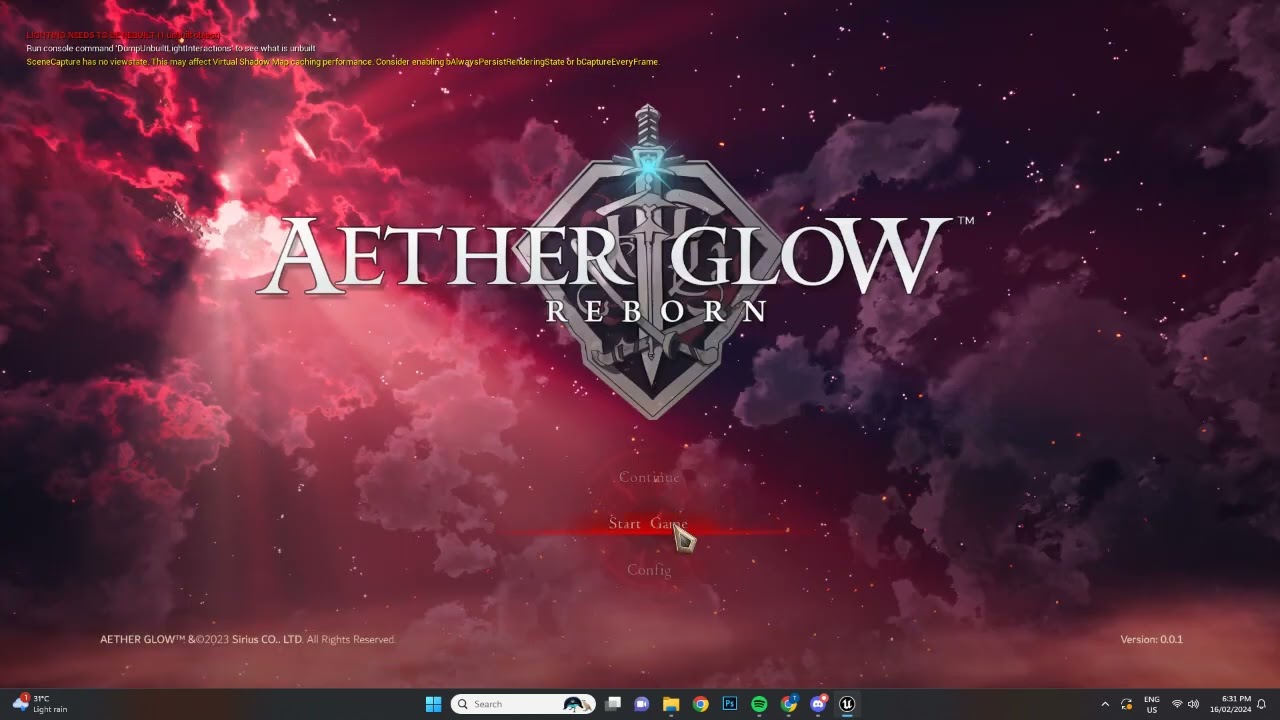
UI and Menu design with common base classes for each element
 elfin lagoon
why color dont change this way?

 elfin lagoon
thin panther
you haven't set a parameter name
elfin lagoon
thin panther
you haven't set a parameter name
which name must be set then?
"Color" dont work too
 nova scroll
Hello everyone.
I just started learning and I wanted to learn how to create a game from scratch.
I was thinking about a maze from a top down view.
I used blueprints to make move the character but now the real question: how can I rotate the character in the direction he is going?
lavish rain
gentle urchin
Do some nice timeline with a curve for its max speed
Does a projectile always stay at its max speed no matter what?
gentle urchin
No
Its accelerating by force applied - breaking friction
Also has an initial speed
 glossy cloak
nova scroll
Hello everyone.
I just started learning and I wanted to learn how to create a ga...
glossy cloak
nova scroll
Hello everyone.
I just started learning and I wanted to learn how to create a ga...
I'd suggest looking through the template projects to learn how those are made, then use that knowledge in your own project.
 lusty hedge
Can ChaosVehicles used to make tanks?
Im having a hard time figuring out how to get my player controller to be slanted while on a slanted surface
nova scroll
glossy cloak
I'd suggest looking through the template projects to learn how those are made, t...
oh right, thank you mate 🫶
lusty hedge
move witht the terrain
thin panther
a quick google suggests yes
lavish rain
gentle urchin
Its accelerating by force applied - breaking friction
How do I change Force Applied?
lusty hedge
A quick google for myself is less effective
What im getting at is i dont understand at all how Chaos vehicles work
and most tutorials assume you already know a lot
gentle urchin
Common physics starting point
thin panther

Link to blueprint files:
https://drive.google.com/drive/folders/1cb39rdUaf4CcfXA5DLh0Wj2yQGiGYxHP?usp=sharing
Related Tutorials:
Wheels and Modifying Tracks: https://www.youtube.com/watch?v=qoW_LE_V5ms&t=531s
Tank Tracks and Anim Blueprint: https://youtu.be/VU80wwmaWOI?t=355
Stone Pine Forest
https://mythratech.com/
Music:
Long Live Death ...
 fossil pebble
Hi everyone im trying to use HISM comp. but the generated meshes only visible at runtime not in editor viewport when im trying to use it. Does anyone has a solution for this?
lavish rain
gentle urchin
Common physics starting point
Is that a node?
gentle urchin
Huh
lavish rain
By Phyiscs Starting point, do you mean right clicking the Blueprint, and going to the Physics tab?
I think that's what you meant
gentle urchin
lavish rain
Is that a node?
No I just ment its a common theme for people starting with physics
lavish rain
I'm sorry if my questions are a bit dumb. I'm a total begginer
gentle urchin
They're expected to know a lot from the get go
lavish rain
Ahh, I see hahahaha
gentle urchin
fossil pebble
Hi everyone im trying to use HISM comp. but the generated meshes only visible at...
They usually show if you select a mesh and add the instances in the component defaults
glossy cloak
fossil pebble
Hi everyone im trying to use HISM comp. but the generated meshes only visible at...
Are you in game view? (G key)
fossil pebble
glossy cloak
Are you in game view? (G key)
no im not
fossil pebble
glossy cloak
Are you in game view? (G key)
Everything works well when I swap HISM with ISM, but I want to stick with it for performance reasons. I am on 4.27, and when I was developing on 4.26, everything was still okay.
gentle urchin
I dislike the hism
Its less performant for me
Along with its fun auto swapremove functionality which might throw you off guard
fossil pebble
Yeah, it's hella buggy. Two years ago, I was trying to create a crowd system that could animate with vertex animation, and HISM didn't work. My animated meshes started to flicker, and I had to swap to ISM again.
gentle urchin
Exactly the same
So i stick withnism
Got vertex anim manager the other day
So im gonna play with that
Its also using ism as its base
fossil pebble
gentle urchin
Its also using ism as its base
Looks like we're going to have to write our own HISM one day . Epic doesn't seem to care about it at all for years.
fossil pebble
gentle urchin
Culling can be done separatly if needed
Not exactly sure is it just enough or not.
 timid bear
hello guys! I have a question) is this channel good for asking help here?
 lunar sleet
timid bear
hello guys! I have a question) is this channel good for asking help here?
lunar sleet
timid bear
hello guys! I have a question) is this channel good for asking help here?
depends on the question, ask it
timid bear
I already did an input verifying (gamepad or keyboard), but also I should check is this game runs on a mobile platform or not.
How I can check this only with a blueprints?
lunar sleet
iirc Cropout Sample Project has a way to do this, I'm checking now, just gotta wait for the shaders to load again lol
timid bear
lunar sleet
iirc Cropout Sample Project has a way to do this, I'm checking now, just gotta w...
got it) It would help a lot
lunar sleet
timid bear
got it) It would help a lot
they're using the old input system, but you could prly adapt this to EIS easily:


Key Switch here is a dispatcher that several things bind to, from the player logic to the UI
oh wait, I guess you already did the input check part mb
I think for mobile support they just make heavy use of soft refs but I'll check again
timid bear
lunar sleet
they're using the old input system, but you could prly adapt this to EIS easily:
Thanks a lot!) I thought it should be harder a bit)
lunar sleet
timid bear
Thanks a lot!) I thought it should be harder a bit)
here:

ig there's already a built-in function for it
gentle urchin
Basically if ! Windows? 😅
 sand yacht
hi, how can I attach navmodifiers to each spline mesh at runtime?
I found a picture of someone pulling off exactly what I would like to do

but not sure how to achieve this
sand yacht
im not sure what an isms is
gentle urchin
Instanced static mesh
sand yacht
ohh right yeah, im using instanced static meshes on the spline
they get added at runtime
but im not sure how to add a navclass to them
sand yacht
its greyed out for some reason

ah got it
had to tick is dynamic obstacle
thanks a lot!
 timber crystal
hello you guys
YOU ARE THE BEST
every time i need help you help...
God bless you guys
Now i need a flying AI that trys to catch me when i overlap his trigger box

this dont work whhhhhhhyyyyyyy 😦
gentle urchin
timber crystal
hello you guys
YOU ARE THE BEST
every time i need help you help...
God bless yo...
Flying?
Nav aint 3d
Its 2d
Needs plugin for 3d
Or custom implementation
timber crystal
its a 2d game 🙂
ohhh but i do not set a nav mesh
its a 2d platformer game pixel art style
timber crystal
okok to much for my litle coder brain but i can show you how i cheat that with a projectile movement 1 moment
timid bear
so clean rn
And thanks @lunar sleet, it worked for me)
 timber crystal
gentle urchin
Id probably start with basic vinterp
timber crystal
gentle urchin
Id probably start with basic vinterp
the only problem now he flys at the begin of play not after i overlap the trigger box
its a projectile lol

the enemy just fall down after overlap the trigger box .... thhhhhhhhaaaaaaaaaats not a flying ai 😩
is there a way to say that the "Projectile(Flying enemy)" start his moven after i overlap his trigger box
?
gentle urchin
Yes
By (target) IsValid
Thats what it ment to do
So on overlap -> set target.
End overlap -> unset target
timber crystal
leeet me try thanks 🙂
lavish rain
gentle urchin
They're expected to know a lot from the get go
Heyo! Thank you for the help, I figured it out!
gentle urchin
lavish rain
Heyo! Thank you for the help, I figured it out!
How did i help 😆
Glad it helped, whatever it was
timber crystal
gentle urchin
Yes
is that waht you mean ?
 wispy badger
Can I prevent BP_FirstPersonCharacter from spawning and instead spawn it manually?

Its a player controller from UE's FPS starting content
wispy badger
lofty rapids
and possess your character after
How would I do that after loading the level?
For setting default pawn, no problem. Just set this to None I assume

 wispy badger
❤️ will try that in a sec
lunar sleet
TIL Niagara Systems have a custom time dilation function 🤦
 zealous moth
is there a way to select stuff through other stuff using the marquis?
frosty heron
Pawn possession via game mode is per level basis
 proud salmon
Why does no one talk about the world partition system and data layers more? There seems to be next to no information on the subject and the information that does exist (like Unreal docs) is out of date and doesn't work.
Is there an updated version of this that can be used in 5.3?
https://docs.unrealengine.com/5.0/en-US/BlueprintAPI/DataLayers/AddActorstoDataLayers/
If not, what is the "go to" solution for adding actors added during runtime to a data layer so you actually use the WP system properly? I know there are some hacky workarounds but there's gotta be an actual way to do this properly.

Add Actors to Data Layers
 spring walrus
can someone help me with some issues i have regarding making a fps cap
frosty heron
T.maxfps X
spring walrus
i mean like making a main menu options tab then fps cap
frosty heron
Same deal
spring walrus
 frosty heron
The command still the same
Not sure about the goal tho. Capping fps normally a shit show
Why not opt to deliver smooth experience instead
spring walrus
frosty heron
Why not opt to deliver smooth experience instead
wdym
frosty heron
Why capping ppl frame rate? When they can go 144 but Ur like nah let's have u enjoy half of the fps
spring walrus
im not capping it im giving them the choice to put for example 30-60-144-unlimited like in most games
frosty heron
They will hit the maximum fps they can attain if you leave it be
spring walrus
yeah but sometimes people have issues when its at unlimited and it would be nice to give them the choice
gentle urchin
Freesynced
frosty heron
I'm g sync
spring walrus
gentle urchin
I prefer v synced
 gentle urchin
spring walrus
yeah but sometimes people have issues when its at unlimited and it would be nice...
gentle urchin
spring walrus
yeah but sometimes people have issues when its at unlimited and it would be nice...
Red team allows you to cap fps in the adrenalin suite tho
So i dont really care what the games offer^^
Not sure if nvidia allows that but i guess ?
gentle urchin
frosty heron
I'm g sync
Can you cap fps from nvidia software?
frosty heron
gentle urchin
Can you cap fps from nvidia software?
No idea, never come across my mind
gentle urchin
Kk^^
gentle urchin
I generally agree
But like league giving me 240fps on a 60hz screen
Only to churn my gpu fans to max
Gives me very little 😅
frosty heron
My eyes are not accustomed to 60 fps anymore. Kinda hate how all souls game capped at 60
But yea I see the point to cap fps
Never thought about fan running hot
gentle urchin
I went for early ultrawide so didnt get the 144hz
Never had the actual experience of it. Yet
Next upgrade is that tho.
frosty heron
Monitor gets cheaper and better, u will experience it on next upgrade 😄
@spring walrus assuming you have populated the screen res etc. What might you be looking for?
U can prob hard code it with an array of strings
spring walrus
theres a few things i need changed
frosty heron
Yea there is node for that
gentle urchin
Even unsupported ones
frosty heron
Don't know about fps tho
frosty heron
I mean how to determine what fps the machine can tank
frosty heron
True
spring walrus
spring walrus
theres a few things i need changed
like the arrow becomes greyed out when you can't go more to the left/right and like fps cap so you can choose between the amounts i want
gentle urchin
I prefer loops
frosty heron
spring walrus
like the arrow becomes greyed out when you can't go more to the left/right and l...
U r not able to do that with your scree res atm?
spring walrus
wdym
gentle urchin
If index == last index then disable right
frosty heron
U got Ur screen res etc already are u not able to chose between different option by selecting the arrow?
gentle urchin
Id just modulo the index with the last index going up, making it loop 😅
spring walrus
i have that made but im talking about the fps cap the screen res option works perfectly
frosty heron
It's just going Thru an array.
Left side --index
Right side ++index.
If == length . Index = 0
If < 0. Index = last index
frosty heron
spring walrus
i have that made but im talking about the fps cap the screen res option works pe...
But it's the same logic for the arrow
spring walrus
isnt that for c++?
frosty heron
It's just algorithm. U can easily do that in bp
spring walrus
and how would i do that
thin panther
Read it and use the corresponding nodes
frosty heron
Well I can't show more, gtg to work but the logic have been posted above
Try it and if u get stuck, ask the peeps here
spring walrus
frosty heron
Well I can't show more, gtg to work but the logic have been posted above
yeah alr well i dont really even know where to start so idk
frosty heron
Do you know how array works? I would start from there if not
Every single element in your setting use arrays
spring walrus
its hard to explain but idk where to put the blueprints or which
like for the blueprints i have already i started by clicking on on clicked
 frosty heron
I'm out of time. If no one help, look at tutorials. Try to understand array. If you are still stuck, I will show u a simple code once I'm done with work
spring walrus
thank you
frosty heron
But I rather u do the handwork cuz if u don't understand array u will just get stuck again
 frosty heron
Nah that's just the button
spring walrus
 frosty heron
Break down Ur problem, talk to Ur self how u want things to be
If I click this arrow, then I want to display next element. If the element already the Max and i hit this arrow. Show the first element
spring walrus
i want it to be greyed out when i cant go any further and not clickable anymore
 frail onyx
Anyone know how to make a like a singular BP that acts as a button i can press and it'll activate something, but have it so it's like 2 different things i can press to activate different things within the one button bp, kinda like a button panel with 2 different buttons on it
gentle urchin
Right button enable = currentindex < LastIndex
Left button enable = currentindex > 0
spring walrus
thats blueprint?
gentle urchin
In textformat,sure 😅
spring walrus
wdym right button enable arent i suppost to use arrays
lunar sleet
frail onyx
Anyone know how to make a like a singular BP that acts as a button i can press a...
if you're talking about a UI button, there's button widgets you can use, see #umg
 frail onyx
lunar sleet
if you're talking about a UI button, there's button widgets you can use, see <#2...
frail onyx
lunar sleet
if you're talking about a UI button, there's button widgets you can use, see <#2...
kinda similar to the functionality of that but like an actual physical button which uses a linetrace to see if im interacting with it
lunar sleet
frail onyx
kinda similar to the functionality of that but like an actual physical button wh...
so make an actor that looks like a button, place it in your level
frail onyx
i have that but i wanna make it so it looks like a button panel and when i look at different parts of it and interact it does different things
gentle urchin
spring walrus
not the buttons?
Both... array of fps limits affect the widget buttons ...
spring walrus
what variable type
gentle urchin
Integer id say
lunar sleet
frail onyx
i have that but i wanna make it so it looks like a button panel and when i look ...
make more button actors or use multiple static meshes and line trace to individual components
can prly also use Child Actors, just don't use Child Actor Components
spring walrus
well im a very beginner developer so ig ill just wait till im better to make harder stuff
it wasnt really my main concern right now anyway it was just fixing the fps cap i made
wispy badger
Is it possible that custom GameMode disallowed the usage of these fields or did I mess something up?


 queen heron
is it possible to replicate the Child Of constraint from blender into unreal engine?
if so, how?
frail onyx
lunar sleet
make more button actors or use multiple static meshes and line trace to individu...
do you know how i could modify my existing system to make this work?


 lunar sleet
frail onyx
do you know how i could modify my existing system to make this work?
lunar sleet
frail onyx
do you know how i could modify my existing system to make this work?
Sure
Just do what I told you
frail onyx
uh im not sure how to make it line trace for indiviual components exactly
i tried just switching the hit actor with hit component but that doesn't seem to work at all
lunar sleet
frail onyx
i tried just switching the hit actor with hit component but that doesn't seem to...
That’s exactly how
You cast to hit actor, then grab hit component, check if it equals the one you want, go from there
sonic crest
wispy badger
Is it possible that custom GameMode disallowed the usage of these fields or did ...
Modify your game mode stuff in your game mode class
 frosty blade
Hey guys, i have a noob question. I need to increase a value inside a Gameplay ability but it doesnt seem to work. Does each input key call use a new instance of it? If so can anyone give a me a suggestion on how should do it. Im trying to make a combo system and each input should use the next montage animation
frail onyx
lunar sleet
You cast to hit actor, then grab hit component, check if it equals the one you w...
hmm i still couldn't seem to get it, i switched the hit actor to hit component on everything and it isn't working, im not sure im understanding it correctly
lunar sleet
frail onyx
hmm i still couldn't seem to get it, i switched the hit actor to hit component o...
Hit actor > cast to the corresponding BP -> get the component you want to check, == against the hit component, if True …, and so on
wispy badger
sonic crest
Modify your game mode stuff in your game mode class
The gamemode class is an empty blueprint. There is nothing in it. Strangely enough it worked fine directly after setting the gamemode to my custom one but it doesnt want to work now
 hollow bane
hey there
is there anyone who can help me?
i am recieving a value from touchdesigner, 0 or 1. i want to make a blueprint that allows me to "simulate" a mouseclick if the recieved value is a 1
how would i approach that?
lunar sleet
hollow bane
how would i approach that?
by not doing it. just call the same function the mouse click would
hollow bane
how would i do this? i am using an event to make a score on click on a specific mesh
 lunar sleet
hollow bane
lunar sleet
hollow bane
Add Custom Event SetScore
onClicked call SetScore. On whatever else you want to "simulate click", call SetScore
hollow bane
im sorry im very new, could you elaborate a bit more?
Maybe for context this is what i have so far from touchdesigner coming in
 lunar sleet
hollow bane
im sorry im very new, could you elaborate a bit more?
Maybe for context this is ...
lunar sleet
hollow bane
im sorry im very new, could you elaborate a bit more?
Maybe for context this is ...
you've been in this discord since 2022, what happened lol
lunar sleet
k, well I'm not sure how to explain this better but also idk what touch designer is.
If you want the same scoring logic to happen when you click as well as when you receive your touchdesigner msg:
Create a new event. Put the stuff that's currently in your ActorOnClicked event in it. Go back to the ActorOnClicked and call said event instead of having the entire logic in there. Call that same event on your touchdesigner msg side.
 lime basin
am I doing it wrong? 🤔
 lunar sleet
lime basin
am I doing it wrong? 🤔
lunar sleet
lime basin
am I doing it wrong? 🤔
hard to tell based on what you've shown. #umg is more suited for widgets, but all I can say with what you've shown is make sure your return value is between 0 and 1
 tranquil wadi
Hello there was hoping someone could help me with what I thought would be a super simple process. I have imported a Paragon character into my UE 5.3 world just for placeholder purposes. Plus I thought it would help teach me how to work and navigate Unreal. I have gotten just about everything to work however I cannot get the movement set up to work with WASD. Should I just SS the BP? Or is there a more better way to view it?
 undone bluff
you can share blueprints with https://blueprintue.com/
but screenshot should be sufficient here
 quiet coral
I am using the ninja plugin and when the player walks on walls, the roll of the camera does not stay aligned with the capsule component of the player. What should I look or do to fix this error?

 tranquil wadi
Here is the BP after updating it following a YT tutorial. It worked in the video but for some reason it's not working for me. Everything else from Camera movement, Melee, and Jump I replaced myself cause the video didn't show that all works great.

 serene wharf
tranquil wadi
Here is the BP after updating it following a YT tutorial. It worked in the video...
serene wharf
tranquil wadi
Here is the BP after updating it following a YT tutorial. It worked in the video...
this code is for rotating your player camera
the "Add Controller Yaw Input" node (the blue one) rotates your camera
undone bluff
yea that's adding control rotation, you want to call add movement input
that is what the movement component is getting its input from
tranquil wadi
holy cow that makes sense, let me show you guys the movement portion then. I dunno why it never accured to me that the one in the "movement" box would be actual movement lol.

I been fiddling with the wrong section for well over an hour now. humbling indeed.
undone bluff
tranquil wadi
holy cow that makes sense, let me show you guys the movement portion then. I dun...
you can get your forward vector from control rotation Z
give me a sec
nah you can get the right vector from it as well just fine
had to try to make sure
what strikes me as odd is you are moving with the right thumbstick
tranquil wadi
Right let me double check the video real fast to make sure I'm not causing confusion. I been hard focused on the previous part without realizing it.
tranquil wadi
Okay here is what happen, I found where the issue started. He looked up this Event

However I don't have that showing on my end. That is a SS from the video.
serene wharf
tranquil wadi
However I don't have that showing on my end. That is a SS from the video.
that is an event the guy in the video made himself
undone bluff
yea that's the old input system and you set those events up in the project settings
you probably want to learn how the 'enhanced input system' works
it's much more convenient to work with (and not deprecated)
you can copy the setup from the third person template project for a start
tranquil wadi
I see, Well then I will go ahead and scrap using this Character. I will look up some Tutorials on the Enhanced input System. Can I add onto that system say for example Eventually I want to create a small ability bar using 1,2,3,4 then F to fire them off?
serene wharf
tranquil wadi
I see, Well then I will go ahead and scrap using this Character. I will look up ...
you can do anything man, thats whats so cool about making games
there is basicly no limitations
tranquil wadi
have no experience at all programing so was hoping BP could help me.
undone bluff
though keep in mind in many cases you might want to let the player controller receive input and decide what to do with it instead of the actual character
that's the most flexible setup
serene wharf
true
tranquil wadi
serene wharf
you can do anything man, thats whats so cool about making games
I appreciate that, am dying to try and create a game this is the only thing holding me back lol.
undone bluff
epic doesn't do this in their example content for simplicity
serene wharf
but in a basic game putting input inside the chacater is fine
tranquil wadi
undone bluff
though keep in mind in many cases you might want to let the player controller re...
I will have to look up how to do that too then lol. Let me make a list of what to do then.
undone bluff
don't worry about it for now, just keep it in mind
serene wharf
tranquil wadi
I appreciate that, am dying to try and create a game this is the only thing hold...
yea it can be frustrating in the beginning when everyting is new but when you get the hang of it the possibilities are endless
undone bluff
tranquil wadi
I see, Well then I will go ahead and scrap using this Character. I will look up ...
I can give you a very basic rundown for this
tranquil wadi
undone bluff
I can give you a very basic rundown for this
I will take any help offered for sure. I have a deep motivation to learn. I'm sure it's not just me but I have come and gone trying to do these things. I have tried to do these things on my own buying Udemy courses for mostly Unity stuff. I have finally reached a point where I just need to get involved with like minded people.
 faint pasture
tranquil wadi
have no experience at all programing so was hoping BP could help me.
faint pasture
tranquil wadi
have no experience at all programing so was hoping BP could help me.
BP is still very much programming. It's basically a visual wrapper on C++. Just gotta take it slow, you are NOT going to make your dream game first shot.
Start with something super simple
thin panther
Yeah. Your first few projects are going to suck, hard.
And thats ok. You're learning, and being able to look at those first projects and see how far you've come is an amazing feeling.
Things take time, it can be a long journey, but good things take a while 🙂
tranquil wadi
faint pasture
BP is still very much programming. It's basically a visual wrapper on C++. Jus...
Appreciate the advice I have already crashed that dreamship lol. It caused me to step away for a long time. That's why I figured just getting a Paragon Character up and rolling then working on its Melee, then skills/animations would help get me in the door. I seem to have started off wrong again, Which is why I just said enough and reached out to you wonderful people.
thin panther
Sorry for that ping, bloody mobile. Clicked your name and post at the same time 😆
thin panther
tranquil wadi
Appreciate the advice I have already crashed that dreamship lol. It caused me to...
Definitely a lot to chew off first. Id break this up a bit.
Work on some combat things separately. Learn how to use animations separately, then learn how to combine them
My personal reccomendations for starter projects don't touch more complex things like that at all.
For example, taking something like a simple platformer from concept to final build can get you used to programming, level design, animation, and character integration all in a quite safe and easy environment
undone bluff
tranquil wadi
I see, Well then I will go ahead and scrap using this Character. I will look up ...
learn the basics of UMG/Widgets, create a slot widget, create in it a function or event for selection and deselection as well as a button prompt, you can make this a public variable that you set in the ingame hud or depending on keybindings.
Create a widget to house your ingame hud, create in it a horizontal box to keep all your slot widgets and store them in an array (you can create the widgets at runtime if the amount is variable), keep track of which one is selected and call their selection function so they can visually represent that state
now you need to assign abilities to slots somehow, this can be in the slots themselves as a struct array which stores slot and corrosponding ability
or you just store them separately just make sure they share an index
uh it's a lot
hopefully this helps you know where to start looking though
tranquil wadi
haha yea but I copied it to a notepad! So I will be able to follow along when I get to that point. I really do appreciate it from all of you. I didn't expect to get any responses so fast especially not this level of help. it's a lot to take in knowing it's not going to be a quick process. Wish I could of started this journey when I was in my teens when I had so much free time lol.
undone bluff
for the rest of the picture you'd need to use the native HUD class
tranquil wadi
Always wanted to make a game and live that life. But now im stuck working a press untill further notice XD.
undone bluff
it's something instantiated by the gamemode
and it's where you should be managing your hud widget
you can get a reference to it from the player controller
 turbid pecan
Hey why would calling "length" on an array tell me theres one member, but if i then loop over it i get nothing..?
Like I am using a get node for the array and if i do a print on the length before the loop, itll say "1", but when I loop, its like theres no array members
tranquil wadi
undone bluff
you can get a reference to it from the player controller
Ah okay copying that down too then.
undone bluff
in the player controller you'd have the enhanced input action for, say, slot 1, and on input started you'd use a blueprint interface function with an integer as input to tell the hud class to switch slots to the corrosponding index
tranquil wadi
thin panther
My personal reccomendations for starter projects don't touch more complex things...
I'm also gonna look into doing this thank you for suggesting this route.
undone bluff
and the hud class would manage the actual hud widget and handle switching the slots from there
I think this is all probably super overwhelming for someone starting out
you can get this working much easier by not caring about flexibility and scalability
create hud widget in the player character, cast to it and get a reference to the slots that way for example
don't get demotivated by doing things properly
tranquil wadi
undone bluff
I think this is all probably super overwhelming for someone starting out
It's hard to wrap around but I trust you and know that I do not know nearly as much so I'm copying everything down and going to google an read every bit I don't fully understand XD I don't get this kind of 1 on 1 in a tutorial video. I'm all for this.
undone bluff
just get them working first
most tutorial videos and assets are setup in a way that would immediately fall apart if you tried to put them in any larger game
learning to do things nicely is the endgame
if you're doing a small one year project none of this usually matters
tranquil wadi
Yea I think I understand that now. I thought if I could get at least the Paragon character to work it would boost moral and I can add on the skills I got a VFX pack free from the market place I was gonna use for fun. Sadly that all fell apart. I wouldn't mind getting a small adventure game going with creature AI and a few game mechanics but I think even though from an outside perspective that seems miniscule but I think I'm being humbled and learning it's still quite a lot of work.
undone bluff
but it's something to work towards for that one big passion project you maybe want to make one day
or if you plan to work with other people/in the industry
undone bluff
tranquil wadi
Yea I think I understand that now. I thought if I could get at least the Paragon...
create a new project from the third person template that comes with unreal
it has the enhanced input system setup
tranquil wadi
there is a soft and main end goal soft goal would be to get hired in so I can stop working in a factory setting and put my college degree to use. Main goal is to create a game that I would want to try and see if others would enjoy playing.
undone bluff
try to understand how that works with some guides and use it as a starting point
tranquil wadi
So the Third person template would still be a good place to start? That cuts out a lot of the beginning work which is always a plus.
undone bluff
definitely know how it's setup so you can do it from scratch, that's a huge boost to confidence
it's relatively well done
even has leg IK
the only thing that's an issue is the character movement component
you kinda just hand it input and it does its thing including replication and client side prediction
and it's some several thousand lines of c++
scary thing haha
I heard it's getting replaced with something nicer in 5.4 though
tranquil wadi
Lol, yea I have seen C++ code before. I tried to take C# classes for Unity but that kinda died off.
undone bluff
once you are very familiar with blueprints getting into unreal c++ will be a breeze
you'll already know 90% of what you need
tranquil wadi
That's good to hear. I quite enjoy blueprints. I dunno why it works better but visually connecting and reading everything just works for me.
undone bluff
yea I enjoy it a lot too, depends on what you're scripting
it's not one or the other either, you can use both according to your preferences and needs
tranquil wadi
Oh see that is good to know cause I thought you had to choose one or the other since when you start a project it asks you to select either or. I thought about using AI to help me code through C++ but eventually decided I need to learn or else what's the point.
Would, in your opinion feel a course from say Udemy or Skillshare would be a good choice? I understand everyone is different but it's something im not afraid to invest in. Especially since I want this to be my future.
undone bluff
eh no
there's some advanced courses that are okay, paid beginner courses usually suck
you probably want to start here
undone bluff
undone bluff
there's some advanced courses that are okay, paid beginner courses usually suck
I feel like this also holds true for assets, I bought several 100+ bucks assets with professional presentation that turned out to be very poorly set up. on the other hand I learned a lot from free ones especially open source plugins
always look at free options first, sometimes they are genuinely the best there is
tranquil wadi
I didn't even know this even existed.. I will look into this. Awesome, thank you for this site. So far I have not dumped anything into Assets. I have a strong grasp on Blender and can model at a basic level. I even learned Maya, Zbrush, and Subpainter in college. However It was not the best taught way. So I only have a grasp of mostly basics. But most of what I know is through Unity due to a professor teaching us in that.
I always come to this cliff of realization.. I can make all the models and assets I want but nothing is done without coding. So I found out about BP and here we are lol.
undone bluff
blueprint communication is an overlooked essential
it's the basis of everything you will be doing scripting wise
try to get a good grasp of that as soon as possible
tranquil wadi
For sure I understand just how important it is. I envy you guys for knowing this stuff. Truly is incredible you can actually make your own games.
 hard smelt
hello, I'm trying to use an animation montage on the starter third person mannequin. the animation plays on trigger, but the feet are fixed to the ground. I have the slot set to "FullBody". Anyone have ideas on what the issue could be?
undone bluff
hard smelt
hello, I'm trying to use an animation montage on the starter third person manneq...
you are probably applying leg IK after your animation montage
hard smelt
undone bluff
you are probably applying leg IK after your animation montage
yeah, so maybe it's the ABP_Manny_PostProcess ?
 hard smelt
I tried putting it to the very end of the animgraph for the postprocess, and still get the same behavior

everything is default with the anim graph aside from the slot
this is the pose I want. the upper body poses correctly, but the feet are planted center like IK is being forced.

before using the anim montage, I was just using the anim sequence, and playing it directly from the blueprint class.
undone bluff
I have no idea how the template AnimBP is set up, but I don't get why you put the slot in the post process
hard smelt
undone bluff
I have no idea how the template AnimBP is set up, but I don't get why you put th...
it works!
thanks
I thought there were 2 ABP's, and they were chained together, so I put it in PostProcess thinking it would be last
ABP_Manny and ABP_PostPorcess . I guess the PostProcess is just a sub reference and actually ABP_Manny just calls it?
undone bluff
it should be a linked animbp
tranquil wadi
@undone bluff Gonna let you go, and head off and do some reading an watching of the dev link you sent me. Appreciate all you have done. I'm sure I'll be back fairly soon lmao. I don't have much time before bedtime for work in the AM so gonna take this time to work on some of this stuff. @hard smeltGlad you got it working, congratz!
hard smelt
undone bluff
it should be a linked animbp
actually, I was lost. the reference viewer connects them to 2 different SKM's. They are not connected in any way I think
undone bluff
I honestly haven't had a look at the template since they updated it in UE5
and before that it was a single ABP without IK
but ABP_Manny probably accesses the post process using an anim layer interface
hard smelt
yeah, just trying to familiarize with UE5. I've dabbled since UE3, but never really commited to a project. now I'm trying to spin up a basic prototype as a hobby to remake a legacy game
 worn tartan
I am looking to interact with this tub. I want to be able to attach it to my character when I approach it from the side in the screenshot, press a button to attach it, change the animation to the push animation, and be able to run it around the screen. Then I'd like to be able to detach it when I press the same button. There will be several types of objects that the character will be able to push around the screen but I want to start with this one to learn. Do you know of a good solution/tutorial I can follow or some basic guidance you can give me?

I know there are some tutorials out there where it shows you how to push an object but I need to steer it left and right as well.
 vague dome
I have a camera attacked a spring arm on my character, and i want to find a vector location (green dot) that is based on a variable distance (red line) from the player horizontally. The point should always be the horizontal forward vector of the camera (blue) but the distance needs to be fixed from the spring arm root (yellow point), independent of the pitch of the spring arm.
I am struggling to figure out a decent way of doing this where it's not leading to wierd offset issues

i do not have any spring arm lag, but it still seems to offset wierdly when i rotate the springarm
gentle urchin
worn tartan
I am looking to interact with this tub. I want to be able to attach it to my cha...
Break it down into tasks..first interact, generally. Interface or component. Id lean towards component as we're already needing statefullness (pushing tub)
Steering is much like regulae steeeing really. Id probably have an animation blendspace for the steeringneffect, and skmoly apply some delta rotator while steering.
Next would be updating the anim. This might be its own anim state, or overlay. Reading out the steering delta
worn tartan
Ok awesome thank you! I will make note of this and give it a shot
spring walrus
can someone help me on how to make the buttons greyed out when you cant go any further
 lunar sleet
spring walrus
can someone help me on how to make the buttons greyed out when you cant go any f...
lunar sleet
spring walrus
can someone help me on how to make the buttons greyed out when you cant go any f...
I think you need to disable them, ask #umg
spring walrus
Thanks
 ashen compass
Are object references in the vars of a BP nulled out automatically when the BP is destroyed?
lunar sleet
ashen compass
Are object references in the vars of a BP nulled out automatically when the BP i...
good question. Maybe not until it's garbage collected but trying to access that bp will give you a pending kill error anyway so it's kinda moot
 normal crow
Has anyone used a modular character (multiple skeletal meshes) and gotten ragdolls to work? I can not tell what I'm doing wrong here (I'm using the Set Leader Pose Component).
Obviously, the legs are not ragdoll-ing correctly. has anyone had a problem like this or have any idea what I might be doing wrong? (I'm pretty sure I'm not missing any meshes when I apply things, I copied them all from the components window).
This is Unreal 5.2


 uneven coyote
im pretty sure this is something simple i just can't figure out but i have a jump scare with the end point with the navmeshboundsvolume but yet when the trigger is triggered character will only run in the same spot?
wispy badger
wispy badger
Is it possible that custom GameMode disallowed the usage of these fields or did ...
Any help?
frosty heron
wispy badger
Any help?
Define what doesn't work?
wispy badger
I cannot change default map fields. They are locked for me. I changed my default game instance to an empty BP class for other purposes and strangely it worked then. But... it broke or I messed something up
Is it possible that a BP messed it up or not?
frosty heron
Not sure if the problem correlate with each other
Bp game mode just responsible for spawning the player
And doing more stuff behind the bg
wispy badger
So, why are the settings locked?
wispy badger
Well I did post it but here ya go: https://media.discordapp.net/attachments/221798862938046464/1209242988300210246/image.png?ex=65e6364b&is=65d3c14b&hm=c2b2af65c62c9256e16506af63f5ead3d144672e6cf990070cda53adf8a1b8d2&
 wispy badger
Project settings -> Maps
frosty heron
K u don't change it there
If u want to change the default values, edit it in your game mode class
wispy badger
I could change them just fine with default (or non existing?) gamemode, hmm.
The gamemode is a C++ class. Would I need to make a custom BP class for this too?
frosty heron
You generally want a bp version of any cpp class you make
But regardless this is the wrong place to change it
Make a bp class out of your game mode
Then open the game mode bp class and change there
For what game mode to use , you can set it on per level basis
Via world settings
wispy badger
When I create a Gamemode BP class, would I have all related settings already in there or no settings at all like in GameInstance?
frosty heron
Apple and Orange. When you create a fresh bp, it will just inherit w.e default values the base class has
wispy badger
Hmm, so GameInstance inherits nothing then?
Okay, will try that with GameMode
 surreal peak
wispy badger
Hmm, so GameInstance inherits nothing then?
Okay, will try that with GameMode
surreal peak
wispy badger
Hmm, so GameInstance inherits nothing then?
Okay, will try that with GameMode
Wdym with Inherits Nothing
There might not be much exposed to BPs, cause that's an extra step. Doesn't mean the Class itself doesn't inherit anything
wispy badger
surreal peak
There might not be much exposed to BPs, cause that's an extra step. Doesn't mean...
It doesnt make anything visible to you I meant, sorry.
queen heron
even tho the return value returns true, the camsocket mesh doesn't show any animated movement from the socket bone

I'm tryna make the camsocket mesh to be both affected by the spring arm and the animated bone called "TPS_Cam" so that when the player is in third person, the camera wouldn't be just static
I'm using a bone because the camera shake system doesn't have the options I need
 silent drift
Is there a way to make a Component have a "choice" of components? E.g. I want to have a BPC_Health_Base that has all events, and so on and where I can add several events, but for enemies, I want to use either BPC_Health_Enemy_Standard or BPC_Health_Enemy_SpecialHitAreas that has the same things as the base, but with the actual logic as well. And Ideally I want to add the BASE to the Enemy Character Base, so that I can assign all events there, and then for all "children" based on that I can choose to use either Standard or SpecialHitAreas.
queen heron
alright, I'm getting close to what I want
now the last thing I gotta do is determine the forward vector so the camera doesn't start approaching the character when the rotation is different
tho idk how to do that one

ah, alright ok, turns out I actually need "Get Socket Transform"
so that the vector of the selected socket is Relative
tho I still seem to be missing something
X and Y still swap out depending on actor's rotation
ah, there we go, the target which I was transforming with the socket had its rotation set to world
had to use the print string to see what the Current TPS_Cam Vector variable was giving
and the values were ok
gentle urchin
silent drift
Is there a way to make a Component have a "choice" of components? E.g. I want to...
Not easily no
You can make a component have it all, with configurable parameters for all the desired effects and generic event delegates that carry on some identifier for the specific event
But the main component must then implement all the special hit area logic
And trigger the delegate if something hit corresponds to the config of hit areas
Wether thats multipliers or weaknesses or...
The actor itself ( or a manager/factory) is usually the composer of components tho, and not a component ..
gentle urchin
Sounds like you want some composition structure
 arctic elm
Hello.
I want access values from a data store using a string as key. (preferrably in constant time)
This data store is a serializable file that other people can edit.
What's the best way to do it with just blueprints ?
thin panther
Does this data store need to be edited outside of the engine
arctic elm
it should be editable within the editor like a data asset by other devs.
 magic mica
I am moving my character in the X-Y plane on a surface that varies plus or minus 25 in Z, but the transform places the character under the surface geometry every time. How do I set it to land on top?
thin panther
arctic elm
it should be editable within the editor like a data asset by other devs.
Just use a map of string to whatever, contained inside whatever you want
 stuck sentinel
yo guys
i made an event begin play to play sound ok
then i create a collision to transport me to a new level
when i enter the beginplay sound plays
why
like everything in event tick and begin play plays again when i enter a new level
how to disable
 steady night
hey

how would i make it so if a class string is empty it skipps that space in the text
anyone :/ ?
normal crow
normal crow
Has anyone used a modular character (multiple skeletal meshes) and gotten ragdol...
Issue is caused by the by the parent mesh (ie the 'Leader Pose Mesh') either not having the bones or ragdoll collision of the lower half of the body.
Fix:
Ensure basemesh has all bones in the Skeleton and PhysicsAsset; use a material that does renders as invisible or has no alpha (HiddenInGame or Visible doesn't seem to work, probably due to engine optimizations or more likely I'm doing something wrong.)
 versed sun
steady night
anyone :/ ?
versed sun
steady night
anyone :/ ?
I think this may work
Add you Class String 1,2,3 to an array
If text is empty , it dosnt get added
 versed sun


 dark drum
I'm currently looking at an issue on one of my projects where the camera goes through walls. I've tracked the issue down to moving the camera (local position) away from the end of the spring arms it's attached too. As this offset is still needed, I was thinking of using a second spring arm to control the offset but this would require some additional math to calculate the rotation and length of the spring arm and camera rotation based on the desired offset. Does anyone have another other suggestions before I go down this route?
gentle urchin
dark drum
I'm currently looking at an issue on one of my projects where the camera goes th...
Do manual collision testing
Thats what the springarm do anyways (on that part)
But with local offsets youd probably get interesting scenarios if you got zoom etc
sand yacht
Hi, I have a system where the player can rotate and drag the camera around using their mouse as shown in the picture. My issue now is that the cameramovement directions get messed up when i rotate the camera, since it still moves in the X direction regardless of the rotation of the camera

fixed, shouldve used add local offset ofcourse
okay not entirely, the X directoin works now, but up and down becomes zooming in and out after rotating
basically i want to lock the movement to a flat plane
wispy badger
frosty heron
Apple and Orange. When you create a fresh bp, it will just inherit w.e default v...
should the gamemode be a subclass of GameMode or GameModeBase?
steady night
@versed sun ey

how would i change so it would add on a new line each input ?

like so ?
 lyric rapids
When i spawn enemies at runtime they dont want to move at all on the nav mesh
 dark drum
gentle urchin
Do manual collision testing
dark drum
gentle urchin
Do manual collision testing
Any thoughts on how I might approach this?
gentle urchin
Id probably predict trace locations based on the current offset direction and verify before allowing movement there
dark drum
sand yacht
basically i want to lock the movement to a flat plane
Multiple the vector you're adding by the cameras forward vector.
dark drum
gentle urchin
Id probably predict trace locations based on the current offset direction and ve...
I'll give this a try. I've got it to work with a second spring arm but the camera stutters a bit so going down this route might be better.
sand yacht
dark drum
Multiple the vector you're adding by the cameras forward vector.
I managed to fix the movement on the axes, however my camera is attached to a spring arm. I also have a zoom function by scrolling the mouse wheel which extends the length of the springarm. Is there a way to increase the length of the springarm along the red line instead of on a flat plane?

this is what happens now if i double the length for example

fixed it! juts had to rotate the springarm instead of the camera in the viewport
steady night
What could cause this value being -50 and its not reacting to Less the 0 ?
 lofty rapids
the code should work as you put it in
if it's less than than the branch should be true
dark drum
gentle urchin
Id probably predict trace locations based on the current offset direction and ve...
It turns out I'm an idiot. 🤦♂️ The spring arm has a socket offset which I should use instead of setting the local location of the camera.
steady night
well its not :/
lofty rapids
you print string the number before the branch ? and then some prints after the branch ?
or maybe breakpoints to see where it goes
steady night

well i am and its printing as if thje value is positive
but the print says its negative
lofty rapids
well the logic usually works as programmed
i can't imagine they f'd up the branch somehow
dark drum
steady night
but the print says its negative
Are you printing the actual value to see if it's actually less than 0? You might be assuming it should be when its actually not.


 lofty rapids
steady night
lofty rapids
steady night
where is the log that shows -50 ?
the fact is it's not > 0 if the branch isn't true
unless there is some sort of bug, which i'm doubting
steady night
how can i get it to print on the log
dark drum
steady night
how can i get it to print on the log
tick the print to log check box on the print string/text

 steel shadow
Hello, I'm wondering how I can make a projectile get the target place in the world so It shoots to it and not in a wall if the target is placed higher than the shooter
steady night
@steel shadow trajectory u mean ?=
steel shadow
for example when the guy on top shoots
the projectile goes straight
but not at the player "height"
Makes sense ?
steel shadow
Well the projectile goes over the players head
for now the AI just rotates to the player and shoots
steel shadow
Projectile
versed sun
you want to shoot downhill parallel with head height?
steady night
u need to calculate trajectory or set homing missile
steel shadow
versed sun
you want to shoot downhill parallel with head height?
I want to shoot downhill yes
steel shadow
steady night
u need to calculate trajectory or set homing missile
hmm
steady night
add gravity to the projectile ?
steel shadow
steady night
add gravity to the projectile ?
nah that wouldnt really solve it
does homing missile locks to target ?
steady night
u have to spawn the projectile with the rotattion towards the target thats what u want
steel shadow
all the way ?
steel shadow
steady night
u have to spawn the projectile with the rotattion towards the target thats what ...
yeah
but not the target rotation
 steel shadow
hmm
steel shadow
steady night
so the target would be the player right
steady night
yes
or no
target is the projectile
start*
target the actor your aiming at
shooting at
steel shadow
Okey 'ill try something
sand yacht
how can I save and load a spline?
gentle urchin
dark drum
It turns out I'm an idiot. 🤦♂️ The spring arm has a socket offset which I shou...
Oh yeah. Theres that too 😅 i forgot it existed
dark drum
gentle urchin
Oh yeah. Theres that too 😅 i forgot it existed
One of the many things I forget UE already does for you haha.
steady night

No description provided
ok whattahell
it works on the 2nd one themana but its exactly the same ??? or am i blind ?

 lofty rapids
print string the value before the > check @steady night
it's probably not > 0
branches don't just fail for no reason
 short reef
So, how does one get the current length of a spring arm?
lofty rapids
target arm length
short reef
No I mean the actual length of the arm at any one time
 narrow pendant
trying to read a json file in BPs, is my file path correct like this?
Game/Content/Data/data.json
/Game/Content/Data/data.json does not work either
an online json validator tells me my json is correctly formated
 lofty rapids
short reef
No I mean the actual length of the arm at any one time
lofty rapids
short reef
No I mean the actual length of the arm at any one time
ya the target arm length
narrow pendant
short reef
So, how does one get the current length of a spring arm?
get your character, get the spring arm component and then get the variable target arm length
short reef
No, that's literally not what I want, that value doesn't change
short reef
No, I mean during gameplay
narrow pendant
if it is changing it should reflect in that var, it is what you want
lofty rapids
i mean target arm length is the spring arm length
you can change it during run time
like zooming in/out
short reef
That's not what I want, I want a value that adjusts if the spring has to shorten if it collides with anything
lofty rapids
you want to know if the spring arm had a collision ?
stuck sentinel
everything in event tick and begin play plays again when i enter a new level
how to disable
lofty rapids
stuck sentinel
everything in event tick and begin play plays again when i enter a new level
how...
make a boolean or some sort of variable that will branch of to do stuff for different levels, store it in game instance
short reef
No, it's more that I'm sending out a line trace from the camera and I don't want it to extend more than a specific distance past the player
gentle urchin
short reef
No, it's more that I'm sending out a line trace from the camera and I don't want...
Distance(Get socket location , get component location )
narrow pendant
short reef
No, it's more that I'm sending out a line trace from the camera and I don't want...
so you want a camera system, not just the length of your spring arm?
gentle urchin
If theres no current length avaliable
gentle urchin
narrow pendant
so you want a camera system, not just the length of your spring arm?
They want the current adjusted armlength
Adjusted by collision
narrow pendant
that is target arm length, no?
stuck sentinel
lofty rapids
make a boolean or some sort of variable that will branch of to do stuff for diff...
how do i make a boolean level specific
short reef
Yeah, target arm length is the desired length, not the actual length
narrow pendant
does it not update? I might misremember
gentle urchin
It doesnt update from collisions
Its just a "this is the length we try to keep"
Not the actual current length
lofty rapids
stuck sentinel
how do i make a boolean level specific
right so what i'm saying is the game instance is persistent, so you could use some variables in there
at the end of the first level, switch it to second level stuff
honestly i like to use strings and branches
but you could use an enum also
some sort of state for your player
where you can check the value of the variable and branch accordingly
narrow pendant
apologies then, I was misremembering the camera stuff. sorted my json problem btw, promoting the file input to a var makes things a lot easier 😄
short reef
Thankfully, distance vector is a good enough workaround
I'm actually surprised there's no actual length value for spring arm, though, at least from what I can find
short reef
Epic really needs to expose more values to BP
stuck sentinel
lofty rapids
right so what i'm saying is the game instance is persistent, so you could use so...
so i move everything to the level blueprint?
lofty rapids
stuck sentinel
so i move everything to the level blueprint?
i wouldn't do that
stuck sentinel
i dont understand then sorry
steady night
@lofty rapids they are printed before check ... they are negative O.oO.oO
lofty rapids
stuck sentinel
i dont understand then sorry
you have used game instance ?
stuck sentinel
no
lofty rapids
you know about variables ?
stuck sentinel
yes
lofty rapids
well your variables are on your player will all reset when you load another level
pretty much everything resets except the game instance
stuck sentinel
what is the game instance
lofty rapids
i believe it's the "instance of the game"
i don't much about the flow of execution
but it's run at the start, and persists even if you load levels
stuck sentinel
okay then for this game i will continue in the same level future games i will use game instance
lofty rapids
well it's just a place you can store stuff that persists across levels
like a state, currentLevel information, stuff that stays across levels
lofty rapids
steady night
<@910231430074859570> they are printed before check ... they are negative O.oO.o...
makes no sense, somethings f'd, branches don't just fail
all other branches are working correctly ?
lofty rapids
it's not possible that its -50, and < 0 is false
code only does what you tell it too
unless there was a bug in the engine, and i doubt branch is f'd
steady night
yes i know enough to know that but something is bugged out
lofty rapids
show where you print string the value
steady night

yeah just remade verything so u can se everything

sorcery....
😮
found it

i removed them and replaced with new
then it worked
i knew something was bugged
lofty rapids
makes sense, if nodes not working try restarting it lol
steady night
aye
still supoer weird tho
thus i have occured stuff like this before so not suprised really
 mild valve
Hey guys, I want to ask maybe someone knows why GetRandomLocationInNavigableRadius works with bug I think in 5.3.2? Just take a look at the code and short vid. Looks like node is taking offset based on the world 0.0.0 and I don't understand why it works like that. It should search radius based on actor location, not actor location + world offset?

 glass cipher
hello, I was browsing through Lyra project and I noticed one thing, when you try to make a blueprint class it looks different. Usually it gives you choices between "actor" "pawn" "Character" etc... but in Lyra it looks like this
I wonder if anyone knows how to achieve that

 marble tusk
mild valve
Hey guys, I want to ask maybe someone knows why GetRandomLocationInNavigableRadi...
marble tusk
mild valve
Hey guys, I want to ask maybe someone knows why GetRandomLocationInNavigableRadi...
Looks like that Random Location vector is in world space. The vector visualizer is in local space, so it'll look like it's being doubled
dim agate
glass cipher
hello, I was browsing through Lyra project and I noticed one thing, when you try...
I think those are custom blueprint classes. There should be an option in your own projects to create them.
glass cipher
dim agate
I think those are custom blueprint classes. There should be an option in your ow...
yeah but I wonder how can make them selectable Under Common classes instead of "Actor" "Pawn" "Gamemode" etc like in the picture
 dark fox
glass cipher
yeah but I wonder how can make them selectable Under Common classes instead of "...
dark fox
glass cipher
yeah but I wonder how can make them selectable Under Common classes instead of "...
Pick parent Class window read a list of default classes from BaseEditor.ini file which look something like this
[/Script/UnrealEd.UnrealEdOptions]
; Class picker dialog settings
+NewAssetDefaultClasses=(ClassName="/Script/Engine.Actor", AssetClass="/Script/Engine.Blueprint")
+NewAssetDefaultClasses=(ClassName="/Script/Engine.Pawn", AssetClass="/Script/Engine.Blueprint")
+NewAssetDefaultClasses=(ClassName="/Script/Engine.Character", AssetClass="/Script/Engine.Blueprint")
+NewAssetDefaultClasses=(ClassName="/Script/Engine.PlayerController", AssetClass="/Script/Engine.Blueprint")
+NewAssetDefaultClasses=(ClassName="/Script/Engine.GameModeBase", AssetClass="/Script/Engine.Blueprint")
+NewAssetDefaultClasses=(ClassName="/Script/Engine.ActorComponent", AssetClass="/Script/Engine.Blueprint")
+NewAssetDefaultClasses=(ClassName="/Script/Engine.SceneComponent", AssetClass="/Script/Engine.Blueprint")
You can override this list in your project by modifying DefaultEditor.ini to this
[/Script/UnrealEd.UnrealEdOptions]
!NewAssetDefaultClasses=ClearArray
; Clear the original list
+NewAssetDefaultClasses=(ClassName="/Script/MyModule.MyClass", AssetClass="/Script/Engine.Blueprint")
+NewAssetDefaultClasses=(ClassName="/Script/MyModule.MyClass2", AssetClass="/Script/Engine.Blueprint")
 silent stag
I am working on a turret system in a multiplayer project, and everything is working fine. However, when there is a dead character, the turret gets stuck on them. When I use the 'if character is dead' bool, it stops the turret, and I can't make it forget about the dead character. Does anyone have any suggestions for this?
glass cipher
dark fox
Pick parent Class window read a list of default classes from BaseEditor.ini file...
ooooh, thank you,looks like exactly what I'm looking for, gonna give it a shot!
mild valve
marble tusk
Looks like that Random Location vector is in world space. The vector visualizer ...
thank you!
glass cipher
dark fox
Pick parent Class window read a list of default classes from BaseEditor.ini file...
yep, it worked, thank you so much, very fast help, cheers :3
 summer sail
Hello folks, hope its okay to ask, can anyone recommend a channel/tutorial to learn the basics of character controller, animation blending etc? I'm a 3d artist trying to learn how to make my characters functional in UE5 Thank you in advance
lunar sleet
summer sail
Hello folks, hope its okay to ask, can anyone recommend a channel/tutorial to le...
Idk what you mean by char controller. Have you read the docs on animation?
summer sail
Yes I've tried to read the ue 5.3 user manual but its so disjointed I find hard to navigate
Sorry Im not sure how to phrase it, create the structure that gets controller input to move the game character
lunar sleet

Explore Unreal Engine's animation tools and editors for working with 2D and 3D characters and objects.
Use the left panel to move through the pages
lunar sleet
summer sail
Sorry Im not sure how to phrase it, create the structure that gets controller in...
Start by using the templates and look at how they do it, input can be placed in either the char or the player controller depending on the game type
summer sail
I'll give it a shot but this manual branches so hard its really hard to know what I should be reading first
lunar sleet
This may also help, along with the other stuff on there:

Epic Developer Community
In this course from Epic Online Learning, we cover the high-level basics of Unreal Engine 5.2. Learn to create new projects using project templates and ...
summer sail
appreciate the response
 slate fable
How would someone go about making a dice roller for a D20?
 keen widget
how to use name(text) to get random seed number from it?
like when in games name of world is converted to seed for procudaral generation for that world
ashen compass
slate fable
How would someone go about making a dice roller for a D20?
Are you just looking for how to get a random number 1-20 as if you rolled a d20?
keen widget
ashen compass
Are you just looking for how to get a random number 1-20 as if you rolled a d20?
here i made it
 wispy badger
is there a better way to do this? Im trying to make a BP functions that enables or disables a UI widget passed to it (if its enabled then its both enabled and visible. If its disabled then its both disabled and hidden)
 ashen compass
keen widget
here i made it
ashen compass
keen widget
here i made it
That’s a lot more complex than needed if you just want to simulate rolling a d20- all that’s needed is a random integer node w/ max 19 and add 1 to the result
 jolly hedge
hi, i am trying to create a trap. I have a box collision if a character goes on it. I utilize "On Component Begin Overlap ( Box )". THe problem that occurs for me is that if my character is still on the box and moves sightly, it registers again that it has overlapped. I want it to register, then wait like 5 seconds and check if he is still there. How do i do this?
 random pulsar
hey ,i have a basic enemy ai setup and i want to make different behaviours for others,but this one is the base,can i like make childs of this one and change the mesh, anim class and other things .


do i better create child ?will it work?
keen widget
keen widget
how to use name(text) to get random seed number from it?
like when in games name...
. ❔ 🥲
❔ 🥲
 lost wolf
wispy badger
is there a better way to do this? Im trying to make a BP functions that enables ...
lost wolf
wispy badger
is there a better way to do this? Im trying to make a BP functions that enables ...
define better, if you think better means less nodes then no, there is no easy way to make it more simple
probably the only easy way to make it better is to use c++ instead of bp