#blueprint
1 messages · Page 96 of 1
 timid yarrow
which variable am i going to use?
 wraith loom
what kind of mesh is it?
wraith loom
Try static mesh variable
timid yarrow
wraith loom
Try static mesh variable
thanks i'll try
 lyric rapids
how do i refrence the color and opacity of this text widget in a blueprint

 floral stump
lyric rapids
how do i refrence the color and opacity of this text widget in a blueprint
floral stump
lyric rapids
how do i refrence the color and opacity of this text widget in a blueprint

#gaming #gamer #indiegame
This is a tutorial for how to change the widget text color in game via blueprints. This will allow you to change the color of text through gameplay elements such as low health or upgrading equipment. This is a quick tutorial and should only take a few minutes.
https://linktr.ee/justaguyproduction
lyric rapids
floral stump
https://www.youtube.com/watch?v=hPd92ZFKy0E
so how would i make the alpha lerp from 0 to 1
 faint pasture
lyric rapids
so how would i make the alpha lerp from 0 to 1
faint pasture
lyric rapids
so how would i make the alpha lerp from 0 to 1
however you want
timeline
tick
I think widgets get their own animation system
lyric rapids
i dont know how to refrence the alpha tho
faint pasture
get a ref to the textblock, right click it, dig around


 lofty rapids
while loop 
lyric rapids
yeah it doesnt affect it all
 faint pasture
lyric rapids
yeah it doesnt affect it all
faint pasture
lyric rapids
yeah it doesnt affect it all
why do you have a while loop
that while loop will run all in 1 frame
you'll see nothing change over time
start with a timeline if that's available for widgets, or otherwise use this
https://docs.unrealengine.com/5.2/en-US/animating-umg-widgets-in-unreal-engine/

How to create animated UI elements in UMG.
lyric rapids
can i not put something like a yield return null in the loop somehow
lofty rapids
just use the tick or a timer
faint pasture
just Tick -> change the variable
or
Event -> play timeline -> timeline update -> change the variable
for your use case you'll want timeline or the animation track approach
tick would be used for something that continuously updates "chasing" a variable.
lyric rapids
ok i changed it however its still not working

which means the color and pacity refrence is not the one that changes the text color
lofty rapids
so from my understanding this runs for each one of the gets ?

the parse into array runs each time ?
 versed sun
called once per White Exec pin i believe
lofty rapids
well the parse into array is pure
i was here the other day and someone posted this https://celdevs.com/unreal-engine-and-the-hidden-pitfalls-of-blueprints/
and it made me rethink the use here
i could cache it, but i just made it in c anyway
but i just wondering if it ran for every get
seems like it based on the post
 main lake
It works perfectly, thank you so much 🙏
 slim trail
Hello, I'm having an issue with setting constrained components using a physics constraint. I have an object that I want to attatch with a physics constraint to my mesh, and I have selected a bone as part of the mesh component. But no matter what bone I chose, the object seems to teleport to a specific point in the floor that is not related to my mesh
im not sure how i would go about solving this
if I play as another mesh like Manny, it works fine, but the point on that spot in the map is still highlighted
 tribal gazelle
I'm having trouble trying to work out how to get this GetPlayerHUD reference. I can't seam to find it anywhere but would it be an actual function somewhere? I need to change the reference?
 lofty rapids
looks like a pure function
are you saying because it's red, you need the right thing ?
tribal gazelle
Well I am just not sure where to find the node or section to change the reference, as I need to change it.
Reference viewer is disabled
lofty rapids
how did you connect it in the first place ? and what is the other node ?
tribal gazelle
lofty rapids
how did you connect it in the first place ? and what is the other node ?
It's a template asset which I am changing the UI references to a new one.
lofty rapids
is it red because you changed the pin ?
tribal gazelle
It's red because I am in the process of changing the references to fix the errors.
lofty rapids
so break the link, how did you get it connected ?
i would think you changed the node ?
i'm not sure what your saying you have a function that returns something, thats not the right thing you need now ?
tribal gazelle
It's referencing the old UI "W_HUD" need to change to "WBP_MainHUD" but I think I am just going to rebuild the widget instead of making a new one. Will eliminate the need for this entire process.
lofty rapids
well you probably will have to change the output of the function
you will probably see where it returns W_HUD
and maybe change it
looks like a function you made ?
or you downloaded the stuff and your changing it ?
if you changed the node on the right to take a different class now in HUD, then you would need to check that function and return the one.
 quick imp
Has anyone set an animation blueprint in a datatable and then pull it from that datatable and set it to the skeletal mesh in a character blueprint?
I'm trying to setup a characters datatable where a skin and animation can be set, then on spawn of the character. It pulls all that data and sets it. But I am having issues pulling the animation blueprint from the datatable
 undone bluff
tribal gazelle
I'm having trouble trying to work out how to get this GetPlayerHUD reference. I ...
undone bluff
tribal gazelle
I'm having trouble trying to work out how to get this GetPlayerHUD reference. I ...
you probably just need to right click refresh it or File > Refresh all Nodes
if that doesn't work you can try deleting the variable and replacing it
or go manually over each instance its used and swap it out
hover your mouse over pins to see their types
tribal gazelle
undone bluff
you probably just need to right click refresh it or File > Refresh all Nodes
Yeah refreshing does not work, going to make my life easier and instead of backing them up and making new ones, I'm just going to use them as is, which will eliminate this entire process.
 thin panther
just use source control instead of this odd backing up workflow
 iron furnace
Does anyone have a good basic tutorial for implementing a doom/retro style weapon system? I just need something really basic, and everything ive found goes super in depth or uses C++
 faint pasture
iron furnace
Does anyone have a good basic tutorial for implementing a doom/retro style weapo...
faint pasture
iron furnace
Does anyone have a good basic tutorial for implementing a doom/retro style weapo...
WHat exactly makes it retro?
 lunar sleet
Clearly not the implementation, because those old boys had to get their hands dirty in C
 austere ingot
does Get All Actors of Class check EVERY ACTOR in the world to find the classes or does it already know the classes?
if i have 5000 actors and class Xmpl exists 10 times, does Get All Actors of Class Xmpl only grab the 10, or does it iterate every actor in the world?
and would get all actors with interface be faster?
lunar sleet
austere ingot
does Get All Actors of Class check EVERY ACTOR in the world to find the classes ...
Iirc it only checks every actor of that class, hence the filter
lunar sleet
austere ingot
and would get all actors with interface be faster?
This function has its uses but there are usually better ways to go about things
Interface msgs are not necessarily faster but can be less expensive since they don’t necessarily load the actor right away. But you shouldn’t try to optimize prematurely.
 echo wren
I am having a hard time making a space ship do what i want. Basically i have a pawn with a spring arm/camera that tumbles around it with the mouse. right now the root moved with Add Force on the forward backward. What i would like is to have the rotation of the root/pawn/sphere match the rotation of the controller/camera. i think doing this by using "Add Torque" is a good way.. but i cannot seem to impliment it. SHould i keep trying this methos or just use to add control imput? I was it to be a spaceship and like keep rotating or moving if no opposite force is added (which right now works with forward backward Add FOrce)
i can get the difference of the two rotations (red - blue = green) and then when i feed green into add torque, the destination cube goes nuts

so as blue moves towads red, then green should get smaller, but its like the torque is not applying correctly
 short phoenix
Is there a naming standard for Blueprint interface?
echo wren
i have simplified it to 2 cubes. when i move the left one, source , i want the right one to apply torque or force or something (thats what i dont know how to do correctly) so that it wants to match the left one.

 surreal peak
short phoenix
Is there a naming standard for Blueprint interface?
surreal peak
short phoenix
Is there a naming standard for Blueprint interface?
You mean the asset?
short phoenix
Yeah like WBP_Foo.
I'm using WBP_IFoo but I didn't know if there's something specific.
surreal peak
BPI_ fwiw. But you are free to do what you find good as long as you stick to it
echo wren
short phoenix
Is there a naming standard for Blueprint interface?
A recommended naming convention to help organize your Assets.
short phoenix
Thanks everyone.
echo wren
So BI_
surreal peak
Yeah we do BPI
As long as you stick to it, it doesn't really matter
There is also Allar's style guide that you should find via Google.
You can take inspiration from that too
 hexed cloak
lunar sleet
This function has its uses but there are usually better ways to go about things
hexed cloak
lunar sleet
This function has its uses but there are usually better ways to go about things
Get All Actors With Interface is far better than Get All Actors Of Class because it doesn't create a hard reference wherever you're doing the call.
From my testing, it doesn't call every actor, but don't have hard evidence of that besides it not completely shutting down when using it sparingly in a huge world with 10k+ actors.
I typically use Get Actors With Interface for doing what you're trying to do.
surreal peak
GetAllActorsOfClass uses a hashed map to find the classes. It's not as bad as everyone says but still somewhat shows a bad setup. I don't think I have a single GetAllActors node in any of my recent projects
lunar sleet
hexed cloak
Get All Actors With Interface is far better than Get All Actors Of Class because...
You could also navigate to native and open up the code under those nodes so you can see and know for sure. I haven’t used get all actors with interface before, I was talking about interface msgs vs get all actors of class
surreal peak
echo wren
I am having a hard time making a space ship do what i want. Basically i have a p...
Having the Pawn use ControlRotation and modifying that via AddControlInput could totally work
lunar sleet
hexed cloak
Get All Actors With Interface is far better than Get All Actors Of Class because...
And also you replied to the wrong person I think
lunar sleet
surreal peak
GetAllActorsOfClass uses a hashed map to find the classes. It's not as bad as ev...
Same, it’s more of a crutch for beginners imo, aside from a few exceptions
surreal peak
99% of the time, having a Manager Class/Component/Subsystem that has a list of those actors which add themselves to it and remove themselves from it via BeginPlay and EndPlay or similar is enough and overall allows for more control
 hybrid blaze
What is the best way to have a main weather cycle and have it affect different parts of the game like foliage, terrain, npc mood. Is it better to have it a static actor blueprint that runs the whole time the game is up or what is better?
 spark steppe
yes make it an actor
and for materials you would use a material parameter collection which you update within that actor
hybrid blaze
It would also require to have ability to retrieve how much time as passed inagme if the user closes and opens it later too, will that be possible too?
spark steppe
then you can use the values from the collectin in your materials
hybrid blaze
spark steppe
yes make it an actor
Ok
My confusion was there is a separate game instance that runs by default and heard few places that stuff like this is put there , but If I keep adding all things like this to the game instance, it could be very cluttered later on
spark steppe
that's why you would make it an actor
hexed cloak
lunar sleet
And also you replied to the wrong person I think
Was just replying to the convo sorry haha @austere ingot was definitely aimed more at their question
 random pulsar
is it always like this ,when a solo developer no matter of experience makes a game,he thinks its a trash?
Or there is a point in experience if you reach it you consider your games good?
short phoenix
How do I call a superclass' On Initialized event? It looks like it doesn't get invoked due to my child class having one.
Ahh "Add Call to Parent Function." Wow that's wild.
lyric rapids
is there a reverse of that function add to viewport like remove from viewport or something because i cant seem to find it

 gentle urchin
Remove from parent
lyric rapids
thank you
the print string is calling so i dont know why remove from parent isnt working
 gentle urchin
Have ypunadded several of them?
I prefer letting widgets like that maintain their own lifetime
lyric rapids
gentle urchin
I prefer letting widgets like that maintain their own lifetime
ive only added one
gentle urchin
Are you 100% sure
lyric rapids
yeah i only call add to viewport once in my level blueprint
gentle urchin
During what event
lyric rapids
custom event in tick thats on do once
lyric rapids
no cause i dont want it called at the start of the game
lyric rapids
I am after a branch then a switch node
gentle urchin
Still weird
If you do PIE
And open the widget in question
When its spawned on screen
You can see the object selector in the top bar menu
Check how many entries there are
random pulsar
i have to make the player know what he need to collect and i have a lot of collectables,i thought about changing material ,but there are a lot of materials in the scene,i added a point light in the parent but it looks trashy

any sugestions?
gentle urchin
Some sort of vfx flair
versed sun
Overlay Material
gentle urchin
Visual effect
Hzd uses sole vfx when in proximity

You can see it next to the target
With the triangle on top
Showing their 'category'
 random pulsar
oh thanks,idk visual effect looks complicated,but a material is fine for my level 🙂
 random pulsar
i found this one,which i am trying already
 random pulsar
done 🙂


 gentle urchin
Neat
 thick prairie
Hey guys. Can someone give me a few ideas why some UI elements are semi-transparent in playmode while they should be opaque as it's shown in those editor screenshots (the ones with with skill name and black background). Also there's some render order issue.


Ok, I managed to fix the render order, but i have no idea why they're transparent in playmode while they should be solid black :/
versed sun
is solid black 0,0,0,0 or 0,0,0,1 ?
thick prairie
@versed sun 0,0,0,1

Every parameter with color information i could find, has alpha set to 1
 crude cradle
Hey! Is there a good way to modularise blueprints for gameinstance?
In c++ we have subsystems, but is there some equivalent to it in Blueprints? I guess separate event graphs and functions in categories work - but I was thinking of splitting logic into a separate blueprint alltogether
Is there a common good pattern for it?
random pulsar
i thought i am a genius and can cheat a little and turned out i am dumb not genius)
i wrote this in every child overriding the overlap event,so if ineed to change smth i have to do it in every child.And this is because i was lazy and didnt know how to make an inventory system


and these are only the first ones,i plan to add more,and also 7 different levels💀
 gentle urchin
Do it in the common parent
random pulsar
this is how it works now

 random pulsar
gentle urchin
Do it in the common parent
random pulsar
gentle urchin
Do it in the common parent
yeah there is a way definately,but i don't see it 🙂
random pulsar
gentle urchin
Do it in the common parent
are you free now,can you join the vc?
gentle urchin
If there is none , create one
No
Im never free 😅
Tied down to the chains of responsibility and parenthood
random pulsar
so the problem is i need to know what child i am overlapping with,how can i do this in parent?
gentle urchin
You dont need to know which one
Any child of parent has the overlap event with shared functionality
random pulsar
 gentle urchin
Wrap it up in function and let children override that function if they deviate from the standard
random pulsar
yeah but this setup is not good,i need to display how many plants he need to collect ,each one now has its own variable in player
 timid yarrow
I don't know anything about multiplayer. When I increase the number of players up to 2 and play, I can move on server but not on client. The client is like stuttering or something. I don't know anything about replication. How do I fix this?
thick prairie
Ok, I manage to fix my transparency issue - my canvas panel ended up i some weird place, totally outside of my UI elements
gentle urchin
random pulsar
yeah but this setup is not good,i need to display how many plants he need to col...
The parenr has a variable for the type. Each child overrides with their specific type / name / whatever
random pulsar
gentle urchin
The parenr has a variable for the type. Each child overrides with their specific...
so i dont need the amounts of objects in player?
i need to make one in the parent food and then what?
gentle urchin
You do need amounts in the player still
random pulsar
i dont get it
 sand yacht
is there a way to only open a level after compiling shaders has finished?
i dont want players to be looking at an untextured world for half a minute when they load into the game
 frosty heron
sand yacht
is there a way to only open a level after compiling shaders has finished?
frosty heron
sand yacht
is there a way to only open a level after compiling shaders has finished?
How can u be compiling shader in package game anyway
If u r doing stand alone test u can ignore that bit
undone bluff
sand yacht
is there a way to only open a level after compiling shaders has finished?
I assume there's still no blueprint accessible loading screen functionality
Compiling shaders is iffy, games tend to do that on the fly or precompile on startup
 rain lotus
I created a new project with all the updated assets I intent to use. Migrating over the custom files from my old project, is it safer to override or not?
ideally I would like all the custom child actors to link to the latest assets (not override) if it's safe
frosty heron
undone bluff
I assume there's still no blueprint accessible loading screen functionality
There isn't any bp that do anything about loading screen. Cpp only
In package game u should never see compiling shader. That is something that gets compiled before u even run the game
U only see it in standalone editor test. Disregard that
undone bluff
No it's hardware specific afaik
frosty heron
For?
undone bluff
If you know the target hardware you can have shaders compiled for it
frosty heron
I know nothing about this. It's certainly possible to compile shader at run time but that will require intervention imo
In case of unreal out of the box, if u package a game u should never see compiling shader
undone bluff
Shaders need to be compiled differently for different gpus
frosty heron
Do you have anything I can read or able to replicate it?
undone bluff
undone bluff
Shaders need to be compiled differently for different gpus
Yea but this
frosty heron
undone bluff
Yea but this
Got source? I am interested
undone bluff
I'll find something just a sec
frosty heron
Cuz I can't get it to show up with my laptop or pc
undone bluff
Manager of asynchronous and parallel shader compilation.
not exactly what you asked for but still useful
Submitjobs function lets you request async compile of shaders
frosty heron
Ye but I'm saying I think it will require intervention, not something out of the box in unreal
frosty heron
Prob useful for games like modern warfare 2 when one need to compile shaders at run time
undone bluff
Returns the number of remaining compilations.
frosty heron
But out of the box, is that the default behaviour?
undone bluff
default behaviour is compiling shaders as they are loaded into memory I'd assume but I'm not 100% sure
I was hoping there was a docs page on this topic
frosty heron
Well can't say I understand how things work
It's just I never see the notification unless in stand alone pie test
frosty heron
I will read that. Ty
So it's run time then using the streaming method u mention above
Never know that
Must be really fast in packaged game or it already have cached shader map
undone bluff
well shaders only have to compile once so that definitely helps
I remember reading about some games just straight up spawning in stuff in the main menu to force shader compilation
honestly it is something you do notice
I remember Elden Ring having some hitches when some assets load in for the first time
frosty heron
👍
sand yacht
frosty heron
If u r doing stand alone test u can ignore that bit
aah okay okay thanks
 silent stag
hey , when i play game in small screen my widgets stay same size
 lofty rapids
i feal like that custom event is using an axis value from the other event, not sure how that works
maybe its cache from the last value pulled out ?
timid yarrow
which custom event?
lofty rapids
so you run the event on triggered ?
i'm not sure what that axis value would be at the point that other event runs
because your pulling out of the other event
lofty rapids
i have not done multiplayer yet so idk, just looks weird like that
timid yarrow
lofty rapids
i have not done multiplayer yet so idk, just looks weird like that
oh ok
thank you anyway
 timber crystal
Hello guys i hope every body is weeeeeeeeeeeellllll
i have a ezy to fix problem 😄
screenshots follow
thats my tutorial tirgger box but why it stops my enemys when collision is just on overlap? and not on block

more images follow
thats the enemy
 thin panther
timber crystal
thats my tutorial tirgger box but why it stops my enemys when collision is just ...
thin panther
timber crystal
thats my tutorial tirgger box but why it stops my enemys when collision is just ...
because you're checking for an overlap.
you've said "set this thing to overlap only, and when it overlaps do X"
timber crystal
thin panther
because you're checking for an overlap.
you've said "set this thing to overlap o...
Can you explain this to me in a little more simplified terms? My English isn't the best
I don't understand exactly how should I set the collision 😦 sorry
ok i got it
thanks
 zealous fog
Anyone know the differnce between these two nodes?
 lofty rapids
constant "Tries to reach Target at a constant rate."
the normal one "Tries to reach Target based on distance from Current position, giving a nice smooth feeling when tracking a position."
 brazen pike

 chilly oak
I want to know whether there is a bp script for the recoil system of i follow virtus videos for fps shooters using tps template
zealous fog
lofty rapids
the normal one "Tries to reach Target based on distance from Current position, g...
Thank you!!
I had read the tooltips but read the same one twice I think
lol
thanks
random pulsar
@zealous fog i read in your profile that you are a game design student,from what country and what university?I am asking cuz i am also at game design
zealous fog
random pulsar
<@610535574708813902> i read in your profile that you are a game design student,...
timid yarrow
How do I make any game multiplayer in blueprints?????
So how do i make a roll a ball type game multiplayer???????
 rare moss
What is a roll the ball type game
timid yarrow
There is a static mesh that you can move it by adding impulse to it
(My static mesh is not ball, a chair by the way)
rare moss
Anyways multiplayer works by syncing (as few as possible) things between clients so the game looks the same for everyone
 neon hedge
Replication ^
timid yarrow
neon hedge
Replication ^
But i can't make it
rare moss
So you have to replicate things
I'm no unreal expert but I've seen some checkboxes somewhere while watching others which allows you to replicate a certain variable or whatever
rare moss
Oh you already tried something, why didn't you say?
timid yarrow
 timid yarrow
rare moss
Oh you already tried something, why didn't you say?
timid yarrow
rare moss
Oh you already tried something, why didn't you say?
yep i did something. Sorry for not mentioning
frosty heron
Crossing over like that not gonna work
Multicast rpc run on every players machine
Not gonna work
Also if u want to pass something via rpc u need to pass the variable
timid yarrow
i didn't get it (sorry for my brain)
 magic gorge
Multiplayer has many concept you need to see first
frosty heron
My advice is to ditch multiplayer if you don't have years of experience with unreal
Bp multiplayer is also very limited
magic gorge
Rpc, repnotify, authority etcc
You cant start multiplayer as first thing surely but mainly you cant if you dont know the framework
My suggestion at least
frosty heron
Rpc replication repnotify is the easy part too btw. Multiplayer goes way more than that
You can make multiplayer chess game or anything that don't depend on lag with bp if u can get past the replication part
rare moss
Multiplayer is very very complicated, especially if you are new
frosty heron
But if u doing shooter and real time action with bp, I would just make single player tbh
timid yarrow
So you guys are suggesting that i should use c++ when i am making multiplayer game?
magic gorge
You have experience or first project at all?
frosty heron
110% you can also ask the mod that does multiplayer game in #multiplayer
That's not to say bp multiplayer is impossivle
It's suffice for certain edge cases
rare moss
Well you could but it sounds like you currently have trouble with general multiplayer concepts atm, maybe make some tiny test projects
timid yarrow
magic gorge
You have experience or first project at all?
It's not the first project but the previous projects that are made by me is so simple
magic gorge
Ive done a simple multiplayer game in full bp, its possible infact and im a junior we can say 4 years on ue
rare moss
timid yarrow
It's not the first project but the previous projects that are made by me is so s...
Were they multiplayer?
timid yarrow
rare moss
Were they multiplayer?
nope they were singleplayer
it's my first time to try multiplayer and i unsucceed
magic gorge
But as starter project i would say its a waste of time imho, or at least surely you learn something but its lime making a mmo as first game i think you should try to learn other stuff first
rare moss
Maybe its a good idea if you are dead set on multiplayer to make some very tiny projects with multiplayer to learn single things
rare moss
magic gorge
But as starter project i would say its a waste of time imho, or at least surely ...
Making an mmo as a first game is such a bad idea lol, im following someone on twitch whos doing that, although tbf they have not actually made it multiplayer yet, they are trying to pitch the idea first so they don't actually need to do the network programming (which is smart ofc)
magic gorge
rare moss
Making an mmo as a first game is such a bad idea lol, im following someone on tw...
Yeah thats what i was saying, i was like that too but because i had no knowledge
rare moss
But if the pitch doesnt go well they plan to make the multiplayer themselves which I can only imagine the chaos that will be
rare moss
magic gorge
Yeah thats what i was saying, i was like that too but because i had no knowledge
Well this guy is very dead set on making this game, regardlesd of what happens
Hes already been working a year, but this is getting more offtopic lol
magic gorge
Its easy to unsucceed if you dont know how it works, player controllers are only on server, and you have only your own on client, ui is present only on owning clients, i could write soo many things but you have to know how to move, where stuff exists and where doesnt, what you can call from client and what on server, etcc, i suggest watching the docs on how to make multiplayer experiences
frosty heron
Sounds like a scam tbh. If someone gonna pitch in mmo at least u want to see the networking part working
frosty heron
Real mmo take a lot of software enginers
magic gorge
As i know you have to compile the actual ue5 to make dedicated server stuff well
rare moss
frosty heron
Sounds like a scam tbh. If someone gonna pitch in mmo at least u want to see the...
Yeah I know, but he wants to pitch his idea with a year of work he already put in to get money to hire the people who can actually make networking
I can verify that he has been working on it for the full year like he is putting an absurd amount of effort into this
magic gorge
timid yarrow
it's my first time to try multiplayer and i unsucceed
Anyway, if you still here, i hate many tutorials but at least watch how the multiplayer framework works, whats on server whats on client etcc, you can also watch the ue docs online, it has everything, then you can see how to replicate stuff, and start with small things, then you can go on advanced stuff, my opinion, its your journey so you do what you think ita best for you
rare moss
Agreed
frosty heron
Youtube tutorial is bad in general but for multiplayer is even worse
timid yarrow
magic gorge
Anyway, if you still here, i hate many tutorials but at least watch how the mult...
i watched some tutorials and they all do the same thing
frosty heron
I seen ppl spawning actor with multicast and everyone was thinking him in the comment section
timid yarrow
frosty heron
Youtube tutorial is bad in general but for multiplayer is even worse
I watched them on youtube and they were doing same thing
frosty heron
Some tutlrial is good like delgoodie but in general most bp multiplayer is a scam
Like sprinting using cmc in blueprint...
They never test it with actual ping. The moment lag is introduced the game is unsurprisingly broken
magic gorge
frosty heron
Youtube tutorial is bad in general but for multiplayer is even worse
Agree but some simple things can save a bit, like just whats on server and on client, some basics, even because actual frameworks doesnt need to be used specifically like ue describes so its all a “this is how i do it”
timid yarrow
frosty heron
Like sprinting using cmc in blueprint...
what is cmc? I've seen it somewhere in reddit but i didn't get what is it
frosty heron
magic gorge
Agree but some simple things can save a bit, like just whats on server and on cl...
There are a few that is good but those are already pinned in #multiplayer
frosty heron
timid yarrow
what is cmc? I've seen it somewhere in reddit but i didn't get what is it
Character movement component
magic gorge
frosty heron
There are a few that is good but those are already pinned in <#2217993856112394...
Yes
timid yarrow
frosty heron
Character movement component
oh sorry 🤦♂️
frosty heron
timid yarrow
oh sorry 🤦♂️
Prob best to read the pinned articles by exi and wizard cell
Those are the best gem u can get to start with mp
magic gorge
Good luck anyway
timid yarrow
thank you for all yours suggestions
magic gorge
Dont surrender hahaha

 topaz gazelle
Is there a way to use Event Tick selectively? Like if I want to draw a line trace on keypress but not all the time?
random pulsar
can someone join the vc i have a quescion about inheritance,parent-child
topaz gazelle
I COULD do this but I'm just curious what alternatives there are
 topaz gazelle
doesn't an event dispatcher just call the function once though?
 solid needle
Hey everyone, I have a synty pack I'm using and wondering the best way to RANDOMIZE a bunch of aspects of a character (name etc). I am using arrays with the static mesh, mateirials, name etc and picks at random but is this good for memory having all those references not being used
 hushed pewter
Set Actor Tick Enabled, if your looking to disable the whole class.
topaz gazelle
hushed pewter
Set Actor Tick Enabled, if your looking to disable the whole class.
I was concerned using that node would affect other parts of the class beyond Event Tick.
hushed pewter
Well yeh it should stop physics and such, anything that uses tick.
Using a single bool on event tick isnt too bad. If you're super concerned around performance you could make the function in c++
undone bluff
set actor tick enabled does not affect any components or physics (physics don't run on tick)
if you need event tick you can do it in a component and toggle that
undone bluff
topaz gazelle
Is there a way to use Event Tick selectively? Like if I want to draw a line trac...
you want to linetrace every frame only while the key is held down?
I have an interaction component that linetraces every frame and I just deactivate the tick when it's not needed
frosty heron
Enhanced input -> triggered should run every frame
undone bluff
though I want outlines when you look at something so it is running the majority of the time
speaking of, currently, I compare the new hit result against the last one (with an outline) and if it's a different actor/component I remove the outline from the last one
is there a better way to do it
magic gorge
Tick optimization has a big depth but disabling tick doesnt disable physics calculations which are managed by other components, the only thing tick is related in physics in an actor is for tick groups, which is a very deep optimization that i dont think many of you need
Explanation of the ticking system used to update Actors each frame.
This is explained here but not your case, just for the misconception that was given
Tbh i would do like he said with trigger on enhanced input or the timer, disabling its ok but doesnt work if you want to use tick for other stuff
magic gorge
undone bluff
is there a better way to do it
Yeah i used to do like this, i think its easier like i send now, wait a moment i send a picture on how i did it
its taking a moment to open the project hahahah
 hollow meteor
Why does this print "Server: NO MOVEMENT" but can my clients still move around freely? I expect the server to block the client from moving because of this. How can I make sure a client doesn't move?
 hollow meteor
Why does this print "Server: NO MOVEMENT" but can my clients still move around f...
hollow meteor
hollow meteor
Why does this print "Server: NO MOVEMENT" but can my clients still move around f...
Adding this doesn't do anything either
 magic gorge
hollow meteor
Why does this print "Server: NO MOVEMENT" but can my clients still move around f...
magic gorge
hollow meteor
Why does this print "Server: NO MOVEMENT" but can my clients still move around f...
im not an expert on multiplayer, im still learning it, anyway i think you have to run a "run on owning client" event to disable input
like on disable input you run a "run on owning client" to do disable input
not all the event
hollow meteor
magic gorge
im not an expert on multiplayer, im still learning it, anyway i think you have t...
but we shouldn't trust user input - i can make the client perfectly not send input based on state, but if someone runs a hacked client the server shouldn't allow movement
magic gorge
the thing is that you are deciding when the player cant move but you are setting it on the server not on the player, player doesnt know if you dont replicate it, the server should validate inputs
i think posting on #multiplayer have better experts tho
hollow meteor
well thats my point exactly - I'm setting the servers' client movement input to "disabled" - so I would expect my clients to try and send input but the server shouldn't allow that (and the clients should look all jittery, snapping back to the servers' actual location)
right now i can see my clients moveing smoothly on all clients 😬
when I run "AddMovementInput" on the client, and the server receives that, it should say "nope - your input / movement mode is disabled, i disregard your movement request"
(thats why I've put the "switch has authority" in there, to test)
magic gorge
btw has authority shouldnt change anything
because the event onpossessed is a server only event
you can see it on the icon too on the event
hollow meteor
yeah the input is hooked to 2 things (possessed on the server, on rep state on the client)
 magic gorge
oh gotcha
hollow meteor
so yeah I'm trying to figure out how to make the server authoritive in not allowing input basically 🤔
magic gorge
btw you might need to watch a bit better also the multiplayer framework, i mean onrepstate is called where and when?
hollow meteor
onrepstate happens on clients only when the state is changed (the messages show that it works in time)
magic gorge
its not a replicated to server event etc... its not well made, also if the state changes if you dont use repnotify might be not in sync with others if has some logic
hollow meteor
this is what it shows when I remoev the switch has authority, and I can now indeed not move the character from the client
 magic gorge
ofc, the disable input is called on client this time
hollow meteor
wait, i can -_-
magic gorge
depends on how you do it, i cant understand whole code like this
undone bluff
magic gorge
Yeah i used to do like this, i think its easier like i send now, wait a moment i...
I'd appreciate that
magic gorge
magic gorge
Yeah i used to do like this, i think its easier like i send now, wait a moment i...
It did open now, i send
https://blueprintue.com/blueprint/pxqp07dk/ for interaction trace
https://blueprintue.com/blueprint/5letaqdb/ focus

No description provided
No description provided
 marsh pilot
Currently I'm trying to "filter" an array by if a boolean variable of any item in that array is true. Is there something I can use to do this or do I need to build it myself?
timber crystal
hi guys why the enemys stop moven?
they have the same collision settings like my player character
screenshot of the trigger tutorial text box also in my post
 magic gorge
I do like this basically, I just have the linetrace, i save the actual interactor for the call for Interact event, then I call the interface SetFocused which has a retriggable delay, that means that if in that 0,1 seconds its not called again it just automatically runs what after
Because it keeps retriggering so it doesnt complete until i stop focussing that
if you did like you said you should on the does not implement interface also call a function to remove the outline etc... or check if its a different one if it is then remove the other outline and add to the new
also trace channel TraceTypeQuery3 is a custom Interactable trace channel i made that didnt get copied
magic gorge
timber crystal
hi guys why the enemys stop moven?
they have the same collision settings like my...
did they move previously?
timber crystal
yes normaly they move
when i set the collision of the trigger box for the text off they move like fish in the water
magic gorge
marsh pilot
Currently I'm trying to "filter" an array by if a boolean variable of any item i...
Not sure, I might just iterate on them dont think its a filter function in BP
magic gorge
timber crystal
when i set the collision of the trigger box for the text off they move like fish...
Sorry I dont understand
undone bluff
magic gorge
https://blueprintue.com/blueprint/pxqp07dk/ for interaction trace
https://bluepr...
ah so you use a retriggerable delay, that is cleaner but it still feels icky 😔
timber crystal
magic gorge
Sorry I dont understand
Yes, they move normally like fish in water without the trigger box from the tutorial text
magic gorge
mmmm.... something with collisions settings?
affect navigation?
i have never done anything 2d related so i dont know if you use navmesh volume in case the collision might affect navigation

otherwise might be the actual collision settings that blocks the enemy and overlaps you
timber crystal
magic gorge
mmmm.... something with collisions settings?
Yes, that's why I photographed the trigger box and its collision settings
If only they had the same settings in their collisions as the player character...
Do you think its because the line trace of the enemys?
magic gorge
timber crystal
Yes, that's why I photographed the trigger box and its collision settings
If o...
oh didnt see the collisions 😛
timber crystal
from the enemys? but i think if they have the problem why the player character dont have the problem
becuase my player can move insinde
*inside and so
magic gorge
you have to debug what they hit with the linetrace then if you use a linetrace
timber crystal
i use a line trace for the enemys maybe its because of that ?`waht kind of info can i give you to get help ^^
timber crystal
magic gorge
you have to debug what they hit with the linetrace then if you use a linetrace
ok let me check
magic gorge
also try to set overlap only on the class you want to overlap and ignore others
like pawn, you dont use destructibles, or just visibility camera even if it shouldnt be a problem
just cleaner
timber crystal
okok i set now the line trace for duration but cant see it ingame
magic gorge
also if you think it might be collision you have to try to set all to ignore, then see if it's the issue if its not its not collision relatedc
timber crystal
ohh no sorry i see the line trace
timber crystal
magic gorge
also if you think it might be collision you have to try to set all to ignore, th...
yes thats it when i use ignore all collision they move
but then also my player cant overlap it
no text ...
magic gorge
now try with overlap pawn
timber crystal
ok they move now but no text because i dont now why?
gentle urchin
topaz gazelle
Looking to enable/disable the tick function on an event
Enable / disable tick, gate , branch... typical flow manipuøation tools
Oops, im late to the party.
magic gorge
when does the text appear?
magic gorge
gentle urchin
Oops, im late to the party.

timber crystal
magic gorge
when does the text appear?
im not sure i mean the player has also a Pawn as collision

i try it with all collsion enabeld types... but they block the enemys by movement
very tricky problem maybe i need to ask my teacher next weekend 😭
marsh pilot
magic gorge
Not sure, I might just iterate on them dont think its a filter function in BP
This is what I was able to come up with

 lavish barn
I am trying to follow a tutorial and cannot see the option for the Item pin.
 magic gorge
lavish barn
I am trying to follow a tutorial and cannot see the option for the Item pin.
magic gorge
lavish barn
I am trying to follow a tutorial and cannot see the option for the Item pin.
On the create node?
lavish barn
Yes
magic gorge
lavish barn
Yes
The variable must be instance editable and exposed on spawn
lavish barn
How do I do that?
The guide says to expose on spawn but there is no option for this in the details of the variable
magic gorge
marsh pilot
This is what I was able to come up with
Depends on what you have to do you can do a helper function that does that instead of creating an array, like getUnderConstruction pure function and return the array which id essentially a local variable to return at the end of for loop
On the variable under the type should be present 2 tick boxes
Instance editable and expose on spawn
 magic gorge
Is that a variable on the widget itself or on a function on the widget?
 magic gorge
Im not sure thats the right window
lavish barn
Is there another window to create vairable
timber crystal
magic gorge
Idk
NP but god bless you for the try to help 🙂
lavish barn
This is the guide


On another widget I am trying to create this one and feed in the item so it knows what to pull
Hope that makes sense.
The option is there for other types but not this one
 lavish barn
Sure
 tidal nebula
About the blueprint
gentle urchin
lavish barn
USTRUCT
Hmmm... tablerowbase....
A workaround is to just make a settter function for itz and call that right after creation. Whatevers on construct that relies on this info can just be updated in/ after this function
 wispy badger
Why isnt my screen mode getting changed?

when I put Print String at the end of the cycle (after Get Game User Settings), it prints the value correctly but it doesnt want to set it
wispy badger
Oh, right. Adding this node worked. Thanks!

 north lynx
Hi!
I want to make, that the player stands still, but the camera rotates 90 degrees when clicking the button.
At first I wanted to make that using Timeline, but that's not working
Any ideas? I'm new in UE5

 leaden dock
when i want to line trace in a UObject blueprint function, what exactly do i need?
a reference to the world? but i cant find a way to pass a reference to the world
i can pass a reference to the actor, but the actor alone doesnt seem to enable me to make a line trace
undone bluff
north lynx
Hi!
I want to make, that the player stands still, but the camera rotates 90 degr...
to rotate 90 degrees you first need to know your characters initial rotation and add 90 degrees on the z axis to that. If you want the rotation to be smooth you drive interpolation using a timeline
gentle urchin
You can have an actor that has a function that does the teace and returns the result
leaden dock
gentle urchin
You can have an actor that has a function that does the teace and returns the re...
yeah that makes sense
 tight pollen
I want to use "soft object reference", if I use it on blueprint, will it help?]
 wispy badger
How could I reuse a blueprint in other blueprint?
I'd want to transform these nodes into a function or something that I could hook up to
 wispy badger
How could I reuse a blueprint in other blueprint?
I'd want to transform these no...
wispy badger
wispy badger
How could I reuse a blueprint in other blueprint?
I'd want to transform these no...
Okay I found something. What is a difference in converting these nodes to a macro vs converting to a function?
lunar sleet
wispy badger
Okay I found something. What is a difference in converting these nodes to a macr...
a function needs to run in one tick. Macro will let you use latent actions
there are other differences but that's the main one
wispy badger
lunar sleet
a function needs to run in one tick. Macro will let you use latent actions
whats the difference between these 2? What do you mean by latent actions?
lunar sleet
wispy badger
whats the difference between these 2? What do you mean by latent actions?
things that take longer than one tick.
a tick = a frame, so depending on your framerate it'll be 1/120 , 1/60, etc.
wispy badger
in this example it would complete in one tick I guess
lunar sleet
then function is fine
 lunar sleet
 steady night
hey guys need help how would i make the linetrace go towards middle of screen :/...
steady night
hey guys need help how would i make the linetrace go towards middle of screen :/...
you could maybe try get viewport size, break the struct and divide the X and Y by 2
 noble ledge
Does a "DoOnce" node only apply for each function call or is it during the entire life of the object that holds the function?
lunar sleet
noble ledge
Does a "DoOnce" node only apply for each function call or is it during the entir...
once per runtime, until Reset
noble ledge
by runtime are you referring to runtime of the function or entire program?
lunar sleet
noble ledge
by runtime are you referring to runtime of the function or entire program?
when you hit the Play button
the entire program
noble ledge
ok thanks
wispy badger
lunar sleet
then function is fine
nevermind, I cannot use function. I need to use macro
lunar sleet
steady night
<@179343890409717771>hm and then ?
then you'd plug that into your end location, but you'd need a Z. but if by center of the screen you mean what the char is facing, then better to use the fwd vector
steady night

well i mean something like this ? i need to * with forward vector also somehow right
lunar sleet
like I said, it depends on what you mean by center of the screen.
steady night
yeah well baiscly i want it working like a 3rdperson shooting settup
shoot at crosshair*
basicly
lunar sleet
if you mean from the char's perspective, then just get the char's fwd vector, x by how far you want to trace, add it to the char's location and that's your goal location
steady night
so not linetrace towards the player hud center really*
well i want the rotation included also i mean
 lunar sleet
no, you need to add the result of the multiplication to the current cam's location
feed the Sum to the end goal
 lunar sleet
steady night
<@179343890409717771> getting closer :/?
lunar sleet
steady night
<@179343890409717771> getting closer :/?
read my msg again
wispy badger
How can I make a "motion blur" option in a settings panel?
I have a checkbox for enabling and disabling a motion blur but how would I connect it to the actual PostProcessVolume that exist in a different level?
How could I save UI values to the other scene?
undone bluff
I just use execute console command r.MotionBlur.Amount
wispy badger
Thats not flexible tbf
What about aliasing? What about vignette? If I'd want to configure every PPV property, I cannot use console commands
 plush ridge
Layered blend per bone (spine_01) causes the affected bone(s) to scale to 0, no parameters in the node fix this — any ideas?
 undone bluff
wispy badger
What about aliasing? What about vignette? If I'd want to configure every PPV pro...
undone bluff
wispy badger
What about aliasing? What about vignette? If I'd want to configure every PPV pro...
I apply whatever I can with UGameUserSettings
it has anti aliasing quality
but setting the method? console commands
turning on DLSS? console commands
wispy badger
What about custom world settings? You cant use console with that
undone bluff
aren't world settings and post process all just overrides of project wide settings you can set from the console?
I think so but might be wrong
undone bluff
but I got all the settings I need that way at least
wispy badger
I dont want to go into the console's rabbit hole if I dont have to. I'd like to use something else
Something more transparent
undone bluff
UGameUserSettings can do a lot and helps with saving/loading
I don't think you can apply other settings without console commands though?
wispy badger
You mean GetUserSettings? Yeah, I do use it for vsync and resolution as that is the only way to actually set these properties
undone bluff
in blueprints at least
you can of course adjust post process on a camera or volume, you'll just need to get a reference to it in your instance where you load the settings, but adjusting the project wide post process seems like the better approach to me
any other post process settings are just an override of that
wispy badger
The thing is, the options would only be available once in the main menu. No dynamic changing afterwards. So I cannot get the reference to PPV because it doesnt exist yet
undone bluff
wispy badger
The thing is, the options would only be available once in the main menu. No dyna...
it doesn't matter where you set the setting, you just apply it when the level loads
I think for settings it's a good idea to store them in a json config file
you can do that with blueprints
wispy badger
Redundant for my use case
undone bluff
there's a plugin called "json blueprint utilities"
wispy badger
undone bluff
it doesn't matter where you set the setting, you just apply it when the level lo...
How would I save it at all?
undone bluff
undone bluff
I think for settings it's a good idea to store them in a json config file
^
if you don't need saving store settings in the instance
wispy badger
Apart from creating any files
 lost wolf
in a class maybe?
undone bluff
save game object but they create files as well pretty sure
json is just nicely editable as you'd usually want settings to be
lost wolf
you dont need to write a file every time you click a setting, you do that when you click on save settings
wispy badger
lost wolf
in a class maybe?
It would need to be a static class but that would seem like a lot of trouble, no?
wispy badger
undone bluff
json is just nicely editable as you'd usually want settings to be
Im not creating an fps game where setting up configs is the core functionality of a game. I want a small settings system that can be saved throughout all levels
wispy badger
lost wolf
you dont need to write a file every time you click a setting, you do that when y...
I dont want to create a file at all
wispy badger
The data can remain in the app. Not saved anywhere but in the memory
Thats all I need. Thats all I want
undone bluff
undone bluff
if you don't need saving store settings in the instance
then put it in the game instance
wispy badger
Instances would reset when you change levels, no?
undone bluff
no the game instance persists throughout the entire session
 wispy badger
Okay, how would I save it in the Game instance then?
undone bluff
add a variable to it, set it in the settings and get it wherever you wanna manage to volume
wispy badger
Hmm, okay. Will try that
 ancient siren
anyone know why?
 silk cosmos
Where are you calling the begin play
ancient siren
silk cosmos
Where are you calling the begin play
sorry i got it to work
 fickle flame
does anyone know how to make my NavMeshBoundsVolume show? Everywhere I look says to push P but when i do nothing happens

 turbid pecan
Ugh my brain ain't braining. Can someone help me cross the road here?
I have two game modes, there's a small chance I might have a third eventually. What I want is to have a pure function that returns whatever the current game mode is being used in the level. So far I have what's in the screenshot, however this is ugly and forces the caller to then figure out what output to pick. What I was hoping to do is to return just a generic reference to whatever the game mode is from this function. Now.. if GameMode vs GameModeTown are diff types for that intent, I have no idea how to go about checking which one's being used and only returning that as a generic ref that a caller then can rely on as a single output from this function..

Unless I do this..

Hmm..
lunar sleet
fickle flame
does anyone know how to make my NavMeshBoundsVolume show? Everywhere I look says...
#gameplay-ai question but you have to click the empty space in your level first. And if it doesn’t work go to Build -> All Paths first
fickle flame
lunar sleet
<#221798778208780288> question but you have to click the empty space in your lev...
ok sorry and TY this worked
undone bluff
fickle flame
does anyone know how to make my NavMeshBoundsVolume show? Everywhere I look says...
P is just the keybind for the showflag
oh wait it's answered
undone bluff
but yea you can set it with the console and the show menu
fickle flame
ok ill have a look into that!
 late venture
Hello all, a quick question, is it an obligation to Cast To BP_Hero to get my vars there to bind to a text in a widget ? It seems I can't use Interface in a BP_Widget to get my vars, i don't like this cast technique, if someone got another solution, thanks !
undone bluff
use the native HUD class
it gets instantiated anyways
mine creates the hud widget and manages it, and I communicate with it using an interface
you can also get a reference to the HUD from the player controller
so it's easy to access
late venture
Ok i'll try a HUD Class, thanks
late venture
Or i'll cast once and make a reference, good to start, will see later the optim
 flint blade
Hi All - probably a simple thing, but absolutely driving me nuts. How do a get a reference path to my selected actor? For example for my selected actor, it should return "Content/Test/TW/Wet_Well/Cassion/WW_CAS_L8" , but instead it returns "[StaticMeshActor_UAID_18C04D91DB00C7DA01_2002680411] /Game/ThirdPerson/Maps/ThirdPersonMap.ThirdPersonMap:PersistentLevel.StaticMeshActor_UAID_18C04D91DB00C7DA01_2002680411". I am running this blueprint via an Editor Utility Widget. Any help would be much appreciated - thanks


 true valve
How can you get random animations in Threadsafe AnimBP? I can use RandomArrayItemFromStream. Then it always plays the same anim
frosty heron
turbid pecan
Hmm yeah the cast to game mode generic node doesnt get the mode
Nothing wrong with nested if , don't use sequence
Cast if fail cast if fail cast
 celest island
Does anyone have a link to any youtube vids or tuts for modifying an aactor/components height and shape? Im trying to somewhat morph a wall after certain triggers and cant seem to quite figure it out
 grim meadow
Quick question i ran into an issue were suddenly some of my actors dont work any more. but just one node. Spawn actor. I thought it might be some weird stuff like a thing not loading or a bool unchecked. But when I just spawn actor from class on begin play it fails (nothing else just that). I then try it on a new empty actor and it some how works as it should. any idea if this is a known issue. or if this is a corrupted file in some way?
 zealous moth
grim meadow
Quick question i ran into an issue were suddenly some of my actors dont work any...
zealous moth
grim meadow
Quick question i ran into an issue were suddenly some of my actors dont work any...
add print strings and see if all steps are printed. If they are but something fails, reproduce it within the same project in a fresh new actor. Sometimes the cache is corrupted and you cannot recover it.
@frosty heron have you had any luck with the "push collision" topic since last time?
frosty heron
zealous moth
<@1050954229902213150> have you had any luck with the "push collision" topic sin...
Never had the chance to touch it. I'm not touching unreal till I finished 26 chapters on learncpp.com
Altough I thought you figured it out?
I think you tried add impulse on tick, does that do the trick?
zealous moth
turbid pecan
Ugh my brain ain't braining. Can someone help me cross the road here?
I have two...
give game modes a tag - get game mode > get tags > switch on string
^ scrap that, game modes cannot be tagged. You could have a parent with a tag variable and the children will inherit and have their own tags
zealous moth
frosty heron
Never had the chance to touch it. I'm not touching unreal till I finished 26 cha...
it did and I refined it by using the weight property. So now it checks if weights are similar or not and then the velocity
grim meadow
@zealous moth thats the wierd thing i tried that with the print strings everything checks out. It says actor is just invalid, obviously it wont spawn if invalid. but why is it invalid? That's why it just tired on begin play spawn actor and only that and it still does not work. and on a fresh actor its fine.
zealous moth
if it's an actor difference, then the cache is corrupt
scrap the bad one and use the new one
an no, you cannot recover bad cache, I tried
grim meadow
hmm, shoot there is a couple of actor that are having the issue and they are a bit complicated. I am sure i will bite the bullet if i have to at the end. Maybe its from me zipping it up and saving a back up to g drive?
 magic mica
I am moving my character in the X-Y plane on a surface that varies plus or minus 25 in Z, but the transform places the character under the surface geometry every time. How do I set it to land on top?
 willow cedar
Is there any way to Animate the Cable Component based on a Spline?
main lake
Guys, I need to have my character's head rotate towards where he's looking at, how to do that please ?
 trim matrix
main lake
Guys, I need to have my character's head rotate towards where he's looking at, h...
trim matrix
main lake
Guys, I need to have my character's head rotate towards where he's looking at, h...
Control Rig or a very simple IK. Look up on youtube, tons of tutorials
silk cosmos
Question for anyone thats familiar with common ui. Ive set up my input data to use my click and back actions that are defined in my input action data table and my input data is then assigned in my project settings. All of this is set up correctly - I've triple checked it at this point. The back action is working correctly for the key I've assigned it to, however the click action is not. I have set it up to work with "Enter" , but for some reason its always using the default of "Space" and "Gamepad face button bottom". Even the common ui overview live stream from Epic that was created over a year ago wasnt able to get the click action to work lol. Is there possibly a setting im missing somewhere or is this just a bug that hasnt been fixed? The back action is working fine, no matter what key I assign it to. Its only failing to work with the click action.
 frail onyx
Anyone know how to make it i can have certain buttons be disabled and i'd have to lets say interact with something else to allow the button to be interacted with but some other ones are able to be interacted with from the start? I was using this tutorial for a key and door system but instead of using a keys for doors im using buttons for doors https://www.youtube.com/watch?v=Bcle9sSS4Oo
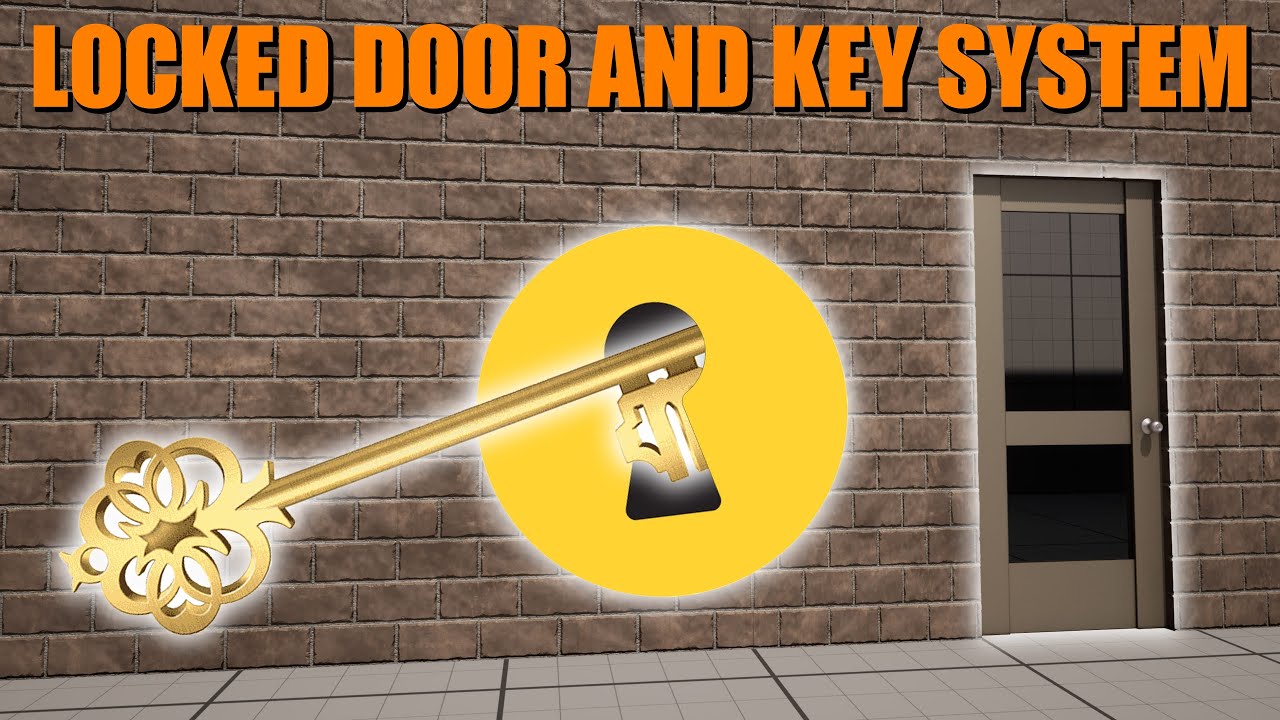
This is how to create a locked door and key system in Unreal Engine 5. This allows you to have multiple doors and multiple keys in your level, with specific keys opening specific doors.
Get access to the project files and more on my Patreon: https://www.patreon.com/MattAspland
Check Out My Game Studio: https://www.copagaming.co.uk/
#UE5 #Unre...
basically i just want to have one button that's is sparking and not functional, but all the other buttons are working, and if i turn on say a generator or something it re allows me to interact with the button and stops it from sparking
undone bluff
frail onyx
Anyone know how to make it i can have certain buttons be disabled and i'd have ...
button has a state dictated by a boolean, if it's true allow interaction with the button
generator activates button, button activates door, you can do that with one interface function
frail onyx
undone bluff
button has a state dictated by a boolean, if it's true allow interaction with th...
ok i have the boolean for IsFunctional, do u know how i can make this work separately with each individual button, im kinda new to learning unreal so im not exactly sure how to modify my existing bp/buttons to make it work
 frail onyx
uhh im not sure i just have one bp for my button and at the bottom is how i make them only work for the door its assigned to
 undone bluff
yea those are three instances
if you change the variable in one of them it won't affect the others
frail onyx
wait where do i change the variable in one of them? if i change it in the bp it seems to affect all of them
undone bluff
if you change it in the class BP_Button you set the default
when you drag the class into the level editor you have an instance
you can change the initial state of public variables in the detail panel like you're doing with the Door reference for just that instance
frail onyx
OHH do i need to set the variable to instance editable and expose on spawn to checked?
undone bluff
the BP_Button in your level is basically a child class of the BP_Button in the browser
each instance is a unique one
undone bluff
frail onyx
OHH do i need to set the variable to instance editable and expose on spawn to ch...
the little eye icon
undone bluff
you can abstract your interface more, instead of press button you can just have an activate function and every actor can interpret it differently
e.g. when you activate the button it allows interaction and when you activate the door it unlocks
only make specific distinctions when you need them
how exactly is a matter of preference, but having a unique function for every little thing gets messy real quick
frail onyx
oh so instead of making like a bunch of different functions like press button for buttons or switch lever for levers ect. i can just make one called like activate on each bp? and assign them to different bps that they can activate?
undone bluff
yea using such abstractions you can stay flexible and use any kind of switch to activate any kind of device
all switches would just send out an activate interface call and all devices would implement it in their own way
frail onyx
ok nice! So basically it would be like, i'd have a door with the activate interface and in the button bp i'd have the Activate function with the target as the bp door variable, and on the button bp i'd select the door id want to communicate with, then on the button i'd have the activate interface also and in my generator bp i'd have the activate function with the target as the bp button variable?
hopefully I'm understanding this correctly lol
undone bluff
Yea you can actually just make the door variable a generic actor reference and call it "target"
frail onyx
undone bluff
Yea you can actually just make the door variable a generic actor reference and c...
like this right?

do u know why it says get door on the bottom still though?
undone bluff
Search results probably just don't refresh
 wanton hemlock
heya, sorry for the question but my brain is fizzled out and I now turn to others for help. I'm trying to set up a blueprint for an actor that basically checks if a certain actor is present during a level. And if the actor is present it does nothing but if the actor isn't it creates said actor until it doesn't exist. any tips or suggestions?
main lake
wanton hemlock
heya, sorry for the question but my brain is fizzled out and I now turn to other...
I'm not sure to understand.
 bleak mason
this is a quiz and the correct answer is array 0, if the player picks anything else i need the engine to act as if they've pressed 1 (which is already mapped to take damage)

it should be really simple but idk which nodes to use 🙏
wanton hemlock
main lake
I'm not sure to understand.
sorry um, the best way I can try and make sense of it is like you are trying to see if a box is in the level. when this box disappears it should just create another box in it's place.
main lake
wanton hemlock
sorry um, the best way I can try and make sense of it is like you are trying to ...
What about having an event inside that box blueprint, called "Destroy" box, and when it's called you just hid the mesh and disable its collision, and enable it back when you need it ?
main lake
bleak mason
this is a quiz and the correct answer is array 0, if the player picks anything e...
Just call "Apply Damage"
lyric rapids
all those squares are seperate objects, in blueprints how would i get the vector3 location of each square and add it to an array
 bleak mason
main lake
Just call "Apply Damage"
bleak mason
main lake
Just call "Apply Damage"
the condition is what im having trouble with. it should be this but idk how to script it. sorry for the noob question i know its such a simple thing to do 😭
 main lake
bleak mason
the condition is what im having trouble with. it should be this but idk how to s...
main lake
bleak mason
the condition is what im having trouble with. it should be this but idk how to s...
Where do yo detect which answer the player chose ?
bleak mason
it doesnt detect yet. thats what i need to do. i assume it'd be happening under condition
main lake
lyric rapids
all those squares are seperate objects, in blueprints how would i get the vector...
Get a ref of your parent static mesh > GetChildren of it > ForEachLoop through that array > In the loop body, get your element through the pin given by the for each loop and use the "GetLocation" node > Save it in the array you want
main lake
bleak mason
it doesnt detect yet. thats what i need to do. i assume it'd be happening under ...
How does the player chooses ? Is it a UI thing he needs to click on or he needs to write the number somewhere or something else ?
bleak mason
oh yeah it is a ui thing he needs to click
thats what it looks like. first one is the correct one
 main lake
bleak mason
oh yeah it is a ui thing he needs to click
main lake
bleak mason
oh yeah it is a ui thing he needs to click
Create a variable on your BP_Character of type integer and call it something like "answer", and on your UI blueprint, when he presses a button, you get the player character > cast it to your BP_Character > Get the "answer" variable > Set it to the value you want.
Then in your BP_Character where the condition you showed me above is, you do > If "answer" == 0
gentle urchin
main lake
Guys, I need to have my character's head rotate towards where he's looking at, h...
Isnt that mostly overriding some bone rotation?
steady night


Why is my Widgets Acting like this ?
the first screen is in Editor
the 2nd one is in game
Sizewise its all messed up ??
gentle urchin
perfect res vs imperfect res / scaling
steady night
yeah but how can i adjust that or whatever
aeverything is default
DPI scale 1.0*
set to 16:9 1920x1080
thats what im testing on also
gentle urchin
pixielsnapping also doesnt help
they even seem to be unevenly distributed , which doesnt help imo
right and left side...
i'd keep them all the same size
and adjust the border so it fits
steady night
they are 😮
gentle urchin
they're definetly not
steady night
oh true mb
 steady night
yy left was 9 right 8*
gentle urchin
intelligence is 6th row, and matches with defense, which is 5th row
9 is also just a tiny tiny size
especially if scaled down further
the res shown in editor is way higher than what you have in game
like... its probably full hd at any scale ?
the "0" is 74 pixels across in editor vs 8 in game
not sure if you can make the edtitor look like it will do at a given res in-game ?
steady night
i mean it should ?
gentle urchin
It clearly doesnt
steady night
yeah but this is weird
steady night
aye
 buoyant mica
Hey blueprints channel hivemind. I'm super new to UE (just started back in the beginning of January), so I'll try to articulate my question here as best as I can, but I apologize if the way I'm describing it is off. I'm mostly just looking to be pointed in the right direction of where I can learn how to do this myself.
I'm prototyping a game where the main mechanic is you have a cat which can hunt small animals, and you need specific animals to solve puzzles. The levels are set within urban places like a subway station. You'll tell the cat to go hunt and it'll start to slowly pathfind its way to a spawn point which has an X percent change to spawn the particular prey you want.
I tried looking for tutorials on things like getting a dog to go fetch, but there's not much out there for things like that. This is all very much inspired by Rule of Rose, if that isn't immediately apparent lol.
Anyway! I appreciate y'all. I hope this isn't too ambitious in scale for a first project. 
lunar sleet
buoyant mica
Hey blueprints channel hivemind. I'm super new to UE (just started back in the b...
There’s not going to be any tutorial for something that specific, break it down into different parts and you’ll be able to find solutions. For path finding, you might want to look into #gameplay-ai and EQS. There’s a pinned video there that goes over those, 5th pin iirc
main lake
gentle urchin
Isnt that mostly overriding some bone rotation?
I don't know 🤷♂️ as I never touched that kind of stuff. So if you know please guide me 🙂
buoyant mica
lunar sleet
There’s not going to be any tutorial for something that specific, break it down ...
Sounds perfect! Yeah, I also found in the asset store that someone had made a dog companion that can fetch, but I figured it would be better for me to learn how to do this myself rather than buying it and struggling to make it work for my purposes without a solid understanding of what I'm doing.
 manic rover
Good morning from Spain :). Could anyone tell me a course on YouTube to learn Unreal from scratch, please? I was following the gamedev.tv course but it's crazy to keep up with it :S
lunar sleet
Look up your first hour in Unreal, on the epic learning portal
And gamedev.tv is crap so good choice
thin panther
The portal also has some great projects like stack-o-bot, that are sort of guided follow along projects made by Epic
manic rover
Thank you.. .let's go to Unreal website! 🙂
I looked at those links but only saw things that seemed very advanced or C++ stuff. Sorry, maybe I didn't look properly :S. But knowing that there's a guide on the Unreal website, I'll go for that 🙂
Wow... I can see it in Spainish too! Thank you again, Laura! 🙂
Spanish
buoyant mica
manic rover
Good morning from Spain :). Could anyone tell me a course on YouTube to learn Un...
Good morning from Germany 😛
manic rover
Last question about the paths of 'Video Games' or 'Film,' which do you think is better to work in? I really like both 🙂
manic rover
buoyant mica
Good morning from Germany 😛
😛
thin panther
manic rover
Last question about the paths of 'Video Games' or 'Film,' which do you think is ...
Just pick whatever you want.
If you are doing it as a hobby, why not both
If you want to go into industry however, you'll need to eventually pick a specialisation.
 modern elk
Hello everyone, I have a question regarding the LaunchCharacter node. I would like to push the mob to a certain distance, so that it would be like pushing away, and not teleportation, and also without SimulatePhysics.
Any ideas on how this can be implemented?
manic rover
thin panther
Just pick whatever you want.
If you are doing it as a hobby, why not both
If y...
My idea is to enter the industry, or at least try, because I'm already of a certain age. I come from programming and was feeling a bit burned out. I like video games, and I like what is done in film with Unreal... that's why I wanted to consider the best path considering my real options (I'm 45 years old XD). Maybe working on my own... I don't know :S
thin panther
Definitely have a play around and see what you enjoy in that case then.
See if C++ in unreal is your jam, or level design, or game design. See if something in film is what you enjoy, then just hone that.
If you want to work solo, it's a bit different as you wear many many hats
buoyant mica
manic rover
Last question about the paths of 'Video Games' or 'Film,' which do you think is ...
I think that depends on your goals and how much interactivity means to you. Of course there are games that are sort of a hybrid between the two because they really try to deliver a cinematic experience. But interactivity brings with a lot of unique considerations, such as game feel. Stuff that usually is fairly invisible if you do it right. If all that feels like a headache, then film is probably the way to go.
For me, I'm obsessed with all that stuff, so that's why I'm pushing myself to learn it.
(I'm an artist and not really a programmer.  )
)
manic rover
buoyant mica
I think that depends on your goals and how much interactivity means to you. Of c...
"For me, I'm obsessed with all that stuff, so that's why I'm pushing myself to learn it."
Both things? I like both too, but there's a saying in Spanish that goes 'El que mucho abarca, poco aprieta'... I think it's impossible to translate :D. That's why I wanted to 'focus', but if the courses on the Unreal website are not very long, maybe I'll try both things. And I won't write anymore because I want to leave you all in peace! 😄
buoyant mica
Enjoy! That's the important part.
For now I'm working on coloring in some concept art before I get back to learning this AI pathfinding stuff. 
 glossy bolt
hello guys , when i use this node to move the actor throw projectile it snap the actor to last position not moving throw the projectile path it snap's it.

 wicked cairn
Hello! I'm making a fishing mini game that occurs when fish is hooked, and want the player to have to click when a visual circle reaches an indicated spot around the fish to successfully capture it! Any suggestions on how I could get this done? Kinda like a rhythm game mechanic
 celest lotus
any idea why i am getting an hit on surface, when i set the collision response of that actor as ignore. I m doing a sphere trace in a custom trace channel and the actor its hitting has the response of that channel to ignore yet its still giving the hit. Its actually a geometry brush if that would make any difference
 vestal jolt
If I construct a UObject in Blueprint do I need to save it in Blueprint variables or anywhere so it is not garbage collected?
 fiery swallow
vestal jolt
If I construct a UObject in Blueprint do I need to save it in Blueprint variable...
fiery swallow
vestal jolt
If I construct a UObject in Blueprint do I need to save it in Blueprint variable...
IIRC you do need a reference to it somewhere in order to keep it from being garbage collected
vestal jolt
mmm, I know how to create a weak ptr but how do you create a soft ptr?
gentle urchin
Soft object reference,
Can be picked from the dropdown menu where you pick ref or class var
Theres also soft ref and soft class
 wooden cave
why its this not working? im trying to do a "slow zone" but the speed just doesnt interpolate it just jumps
 gentle urchin
Is this on tick?
This looks wrong
You want. A static target speed
Not one that moves with the interp
Or you may not want interp at all
gentle urchin
Right
So you just wanna adjust the max speed
And let the vehicle act acvordingly.
vestal jolt
gentle urchin
Can be picked from the dropdown menu where you pick ref or class var
Is soft ptr in blueprints the same as TWeakObjectPtr In c++ terms or are they different?
 dire frost
vestal jolt
Is soft ptr in blueprints the same as `TWeakObjectPtr` In c++ terms or are they ...
dire frost
vestal jolt
Is soft ptr in blueprints the same as `TWeakObjectPtr` In c++ terms or are they ...
Nope they're different. Softptr is just a pointer with an asset path
Weakptr just forces your to check and claim ownership of the ptr before using it
wooden cave
gentle urchin
So you just wanna adjust the max speed
i tried the "get max speed" and when i print the value its just says 0, (so it just wont work if i adjust max speed since car can reach 300+ with max speed at 0.0 apparently) so thats why im using linear physics
vestal jolt
Thanks for the answers guys
gentle urchin
wooden cave
i tried the "get max speed" and when i print the value its just says 0, (so it j...
how are you moving the car ?
wooden cave
chaos vehicle
gentle urchin
so it runs on physics
wooden cave
yes
gentle urchin
i would guess there's still some throttle limiter , if not speed limiter directly
gentle urchin
and some rpm range i gues
wooden cave
but decreasing torque going 120 wont slow the car down
 gentle urchin
do you know any c++ ?
wooden cave
all i could do to limit is rpm/gear ratio/torque
wooden cave
gentle urchin
do you know any c++ ?
i dont, no
steady night
how many here jhave released their own game ?
 wooden cave
what does that mean?
gentle urchin
not much atm
trying to see if there's anything we can add to grant control of this
it wouldnt slow down but
if you'd apply breaks on the slowdown while speed > maxSlowSpeed then it would all be handled
wooden cave
im tryna explore the braking when overlapping
but idk what im doing but doesnt seem to work
wooden cave
interpolating are my enemies fr
gentle urchin
we dont need interp
wooden cave
then how can i make the 0.0 brake input to a 1.0 smoothly
tried the easy node too, but im too dumb for that tbh
gentle urchin

2 vars, a bool and a float

a function in the VehicleAdvPawn or whatever main vehicle bp you use
In the slowdown BP


another small function in the car bp
wooden cave
yeah car aint slowing down, seems like i gotta check the main car bp to see why the throttle input its always 1
probs a error i made not urs
imma check all bp's just in case
gentle urchin
On Tick

On Throttle

works ok now,
I'd prefer not seeing the "jitter" from the speed surpassing the speedlimit and brakes hitting in but
wooden cave
it is what it is
wooden cave
tbh imma copy what you did and then try to understand it so
gentle urchin

so it only breaks when the speed is above speedlimit + 1
Looks alright
this is if we are above the speedlimit while entering
wooden cave
i might need to check wtf i did wrong cuz my car just starts reversing on its own without overlapping xDD
wooden cave
yeah now it not moving by itself, i was missing the And boolean
imma check if everything works
yeah it works, ty i couldnt up come with everything myself
now ill try to add a lil math to the variable of the speed limit in the slowzone so i can convert the mph to kmh
 jaunty jolt
I need to make a feature that manages the rabbits of all players in my game. Where should i make this feature?
Seems GameState
Or gameinstance?
Game mode?
gentle urchin
wooden cave
now ill try to add a lil math to the variable of the speed limit in the slowzone...
*1.62 iirc
1.609* mb 😄
turbid pecan
I might now the answer but how bad is it to do this:

Like this gets called every tick, I can't imagine this being a sane way of checking stuff
gentle urchin
😆
wispy badger
How can I get Game Instance blueprint in order to set custom variables in it?
the only Game Instance I have is a non-modifiable C++ class
versed sun
make your own
 gentle urchin
Creatw a new bp subclsss ^
wispy badger
oh, well. Okay
 wispy badger
versed sun
assign it in Project Settings
wispy badger
versed sun
assign it in Project Settings
as the Default GameMode field?
versed sun
no, bottom Game Instance
versed sun
Then you can Get and Cast
 wispy badger
versed sun
Then you can Get and Cast
wispy badger
versed sun
Then you can Get and Cast
by the way, is there a way to get an actor from a level by reference without having to get all actors with the same class?
gentle urchin
Depends
You can set it up through a common bp
Usually you have some sort of interaction between two bp's if they are ment to... interact or react tho
How do the actors relate to each other?
 wraith wedge
hey guys, does anyone know how I can fix the camera after the servertravel? I want to make a blackscreen immediately after the loading, but it always first show the whole map as you can see from a weird perspective
wispy badger
gentle urchin
How do the actors relate to each other?
one is a main menu widget blueprint, the other is a post process volume actor in the level. The only relation these 2 have is that main menu changes the PPV settings like motion blur
gentle urchin
Ppv sounds player spesific
You could use game instance as the mediator
Then it survives swapping levels aswell
wispy badger
yeah thats why I need a game instance
gentle urchin
Doesnt survive termination of the game tho, so at some point you gotta sace and load
Personally id just skip right to the save / load
One less bp involved
wispy badger
I dont need to save these options anyway. They should only be remained in the same game session
so doesnt matter
wispy badger
Is it possible to check and uncheck a single setting in PPV? When motion blur is enabled, the Amount is checked with default amount. When its disabled, the Amount field is unchecked

I see I can only set settings with value but I dont see an option to even uncheck these settings
 charred vale
hey all, why her feet stayn at place? i guess abp work correct and its related to blendspace itself but idk
 tranquil saffron
When i start my game Unreal engine crashed, and this message show up. Can someone help me?
 wispy badger
tranquil saffron
When i start my game Unreal engine crashed, and this message show up. Can someon...
wispy badger
tranquil saffron
When i start my game Unreal engine crashed, and this message show up. Can someon...
#ue5-general would probably be a better channel for that
Is there a better way to do this? Unparenting a widget and creating it again seems like a huge waste
 turbid pecan
You know how some games have a "investigate" mode? Like you get to click on stuff with your mouse, but can't move or take any of the typical actions inherent to normal gameplay?
I tried making that, but its a bit of a bugger cause i want it to be on key press. But if I disable input on the controller on pressing that key, I cannot toggle it off cause - well, I disabled all input. What's a decent way to avoid this? Would it be possible to disable the movement enhanced input action temporarily or is there a way to disable actions with exceptions?
Or would a saner way to do this be something like:
1: Have one mapping context for normal stuff and another for interacting
2: Swap them on key press by using remove/add mapping context on key press
 uneven coyote
Hate to be that guy the just joins and asks stuff right away. But for some reason whenever i try and make my drawers interactable they open fine with the key selected except they want to fall to the floor on opened instead of staying on the y and just pulling open. Any ideas? Do i need to constrain the drawers?
spark steppe
how do you open them?
if they are simulating physics you may want to constrain them, yes
uneven coyote
and that would be inside the drawers themselves what would i put for that in bp's? Never had to do this quite yet so my bad.
i did want to open them by clicking and pulling but had to settle with a simple f interaction lol
 plain hull
whenever i change roll, pitch it also changes yaw. using setworldRotation. I want to fix yaw value at 0. Any leads please
spark steppe
uneven coyote
i did want to open them by clicking and pulling but had to settle with a simple ...
i would disable physics on them and just set the mesh location in that case
turbid pecan
Yup turns out the best thing to do was swap IMCs
god bless my lack of unreal knowledge
uneven coyote
spark steppe
i would disable physics on them and just set the mesh location in that case
im bricking it lol physics were already disabled but now on start they all fall to the ground XD I shall go do studying on this topic
 young meteor
Hey guys.
I'm trying to make a button with consistant edges on the left and right side. (hexagon theme)
I want to keep the inside angles at 120 degrees like shown in the picture.
I used a Hexagon.png image and draw it as a box with margins to not alter the left and right. Which works fine when I make it in its own simple test widget.
If I try to do it in my actual menu It looks like below though. How do I avoid this stretching?
I can NEVER figure out if I need to wrap it in a scale box, size box, both, none of them, or if it is an alignment option or something?


 lime basin
I've marked my progress bar "Is Variable" but when I go to graph I cant find it anywhere
what am I missing?
lofty rapids
what bp are you trying to access it from ?
lime basin
yea but its not


 simple echo
Hey all,
I am trying to implement a sort of boomerang throwable weapon, where the weapon moves in a circle away from the player and back.
I have created a new actor blueprint class, but am unsure of how to move it is this fashion.
Any help would be greatly appreciated!
 gentle urchin
You mark it as variablenin top right corner
lime basin
gentle urchin
You mark it as variablenin top right corner
yes
gentle urchin
Not the visibility marker
lime basin
 lime basin
yes, could be because I define it in c++ before with meta "bindwidget?"
gentle urchin
simple echo
Hey all,
I am trying to implement a sort of boomerang throwable weapon, where t...
I would probably investigate using a spline for this
lime basin
class UProgressBar* ProgressBarWidget;``` like thisPossible.. not sure tbh
lime basin
I found it
 eternal latch
hello dear friends!
Actor with box collision somehow triggers event on all clients of session on begin overlap, even server if there is one, even if it is set to owning client ONLY.
don't know where to get from there, it is kind of weird behavior isn't it?
I am not quite new to the replication, but this is slowly driving me insane
 lime basin
idk why its not in variable but gotta search for it here

its working I was just being stupid thank you for help 🙂
wispy badger
Is there a way to get a class of a reference when the reference doesn't exist yet?

this fails due to Get Class returning Unknown. I need to manually provide the class for Create Widget function. Any way to take it from the empty variable with a specified type?
main lake
wispy badger
Is there a way to get a class of a reference when the reference doesn't exist ye...
Why do you need to get it through a variable when you can manually choose the class in the "Class" property of "Create WBP Options Widget" dropdown ?
wispy badger
main lake
Why do you need to get it through a variable when you can manually choose the cl...
What if the class changes? I'd have to manually replace it everywhere
lofty rapids
you can right click class and promote to variable, thats the kind of variable you need ?
wispy badger
Yea but then I would have 2 separate variables pointing to "the same" object
main lake
wispy badger
What if the class changes? I'd have to manually replace it everywhere
Then you can create a variable of type "Class Reference" and use that variable everywhere you want, so you can just modify that variable so it modifies stuff everywhere ?
wispy badger
main lake
Then you can create a variable of type "Class Reference" and use that variable e...
Yea but then I would have 2 separate variables pointing to "the same" object
main lake
wispy badger
> Yea but then I would have 2 separate variables pointing to "the same" object
What do you mean ?
lofty rapids
wispy badger
Is there a way to get a class of a reference when the reference doesn't exist ye...
what are you trying to do here ?
simple echo
gentle urchin
I would probably investigate using a spline for this
Thanks for the tip!
wispy badger
main lake
What do you mean ?
first variable pointing to the object reference
second variable pointing to the object's class
wispy badger
lofty rapids
what are you trying to do here ?
I have a main menu ui. I want to reference options Widget from Main Menu and vice versa so I wouldnt create more than 1 instance of a BP class
main lake
wispy badger
first variable pointing to the object reference
second variable pointing to the ...
Why would you have the first variable ?
lofty rapids
wispy badger
I have a main menu ui. I want to reference options Widget from Main Menu and vic...
so you have two widgets and you want to reference each other ? put them in the HUD
wispy badger
lofty rapids
so you have two widgets and you want to reference each other ? put them in the H...
so you have two widgets and you want to reference each other ?
yes
put them in the HUD
Its main menu panel. Both cant "exist" at the same time
either one or the other
lofty rapids
well then can exist, but just not show ?
lofty rapids
i'm not sure what you mean, you can create them both in the HUD
and access them from anywhere
and hide/display as needed
wispy badger
lofty rapids
i'm not sure what you mean, you can create them both in the HUD
what do you mean?
main lake
wispy badger
what do you mean?
the HUD class, is just a container that can receive as many UI Widgets as you want
lofty rapids
wispy badger
they should be both created but only one is visible at the time
i have two widgets in a project, and i just hide one, show the other and vice versa
wispy badger
that would be too much of a hassle I think. I'd rather go with references
lofty rapids
it is references, they are just in the HUD so you can access them
wispy badger
I mean one references the other without having to put them in a separate container
timid yarrow
I know it would be a noob question but how can i detect the surface angle that i hit? I don't want to jump if the angle is bigger than 80 degrees. How can I do that?

So i don't want to jump on walls
main lake
timid yarrow
I know it would be a noob question but how can i detect the surface angle that i...
Use the "Hit Normal" instead