
#blueprint
1 messages · Page 95 of 1
 main lake
Here's the minecraft example where the 10 extra hearts stack on top of the 10 default hearts

 undone bluff
main lake
I'm trying to recreate the minecraft heart system, and was wondering how to make...
undone bluff
main lake
I'm trying to recreate the minecraft heart system, and was wondering how to make...
add the hearts at runtime, I can't tell you which off the top of my head, but I'm pretty sure you can get the setup you need using the right widget containers
otherwise you can just make sure to add every eleventh heart above the first of the last row
main lake
undone bluff
add the hearts at runtime, I can't tell you which off the top of my head, but I'...
I know that I have to add those at runtime (as it's already what I'm doing with the 10 default hearts, but when I add more than 10 hearts it keeps going on the right forever and that's why I'm asking what's the UI element that makes it continue above instead of right
 undone bluff
well, technically every eleventh and then tenth after that but you get what I mean
I think there's a bunch of options, a grid for starters, or any container where you restrict the size on the x axis
main lake
undone bluff
I think there's a bunch of options, a grid for starters, or any container where ...
My sizebox already restricts the size on the x axis but it keeps going forever
undone bluff
I think the size box only affects how things work higher up in the hierarchy i.e. for controlling desired height/width
but yea I cannot check, not at my pc atm
you'll just need to have a look through different widgets and see which one is right for the job
super sure a grid would work
main lake
undone bluff
super sure a grid would work
Where should I put the grid related to the comps I already have here ?
 undone bluff
you put the hearts directly in the grid
main lake
undone bluff
you put the hearts directly in the grid
so should I remove the size box and Horizontal box ?
undone bluff
it works by rows and columns so its should be straightforward
undone bluff
main lake
so should I remove the size box and Horizontal box ?
if you don't need them, you might want to keep the size box to adjust for whatever widget you'll be putting this into
main lake
undone bluff
if you don't need them, you might want to keep the size box to adjust for whatev...
It doesn't work properly
 undone bluff
Your hearts need a desired size and the grid should respect that, just a matter of adjusting settings and possibly adding a size box to the hearts
main lake
undone bluff
Your hearts need a desired size and the grid should respect that, just a matter ...
the heart already have a sizebox
Ok kinda starting fixing it but I have an issue that I thought about which is it's adding hearts from top to bottom, so how to make it add hearts from bottom to top ?
 undone bluff
There might be a setting you can adjust, if not you'll have to work around it
Like manually inserting them the other way around, or flipping the whole widget around, both the grid and the hearts
But that's a bit hacky
main lake
undone bluff
Like manually inserting them the other way around, or flipping the whole widget ...
I don't want to instert them manually as I need that to be dynamic because I don't want to show all the hearts all the time.
main lake
undone bluff
Like manually inserting them the other way around, or flipping the whole widget ...
how do you flip the grid widget around ?
undone bluff
main lake
I don't want to instert them manually as I need that to be dynamic because I don...
Manually as in using code, you put the first heart in the last row and work backwards
main lake
undone bluff
Like manually inserting them the other way around, or flipping the whole widget ...
This is smart
 placid parcel
Having a brain fart. I am learning and trying to spawn in a pistol to the weaponsocket I created on the right hand however when I spawn the pistol in, the roation is way off. Can I get some help on this?


 gentle urchin
main lake
This is smart
gentle urchin
main lake
This is smart
Using a progressbar with a heartmask works pretty well
gentle urchin
placid parcel
Having a brain fart. I am learning and trying to spawn in a pistol to the weapon...
Adjust the socket in the bone editor using the gun as a preview mesh
placid parcel
gentle urchin
Adjust the socket in the bone editor using the gun as a preview mesh
OMG, that's how to do it! I completely forgot about doing that. Thanks!
 violet inlet
still looking for this
i think it's around my save game who must be not well set up but can't find why


 gentle urchin
Got a valid name for it?
placid parcel
gentle urchin
Adjust the socket in the bone editor using the gun as a preview mesh
Thanks, got it working, just needs more touch up. Appreciate it! 

 violet inlet
gentle urchin
Got a valid name for it?
violet inlet
gentle urchin
Got a valid name for it?
i think so
 gentle urchin
Seems ok
violet inlet
https://www.youtube.com/watch?v=VYuBIFSv7KM&t=250s i was following this and trying to adapt it to UE5 and character
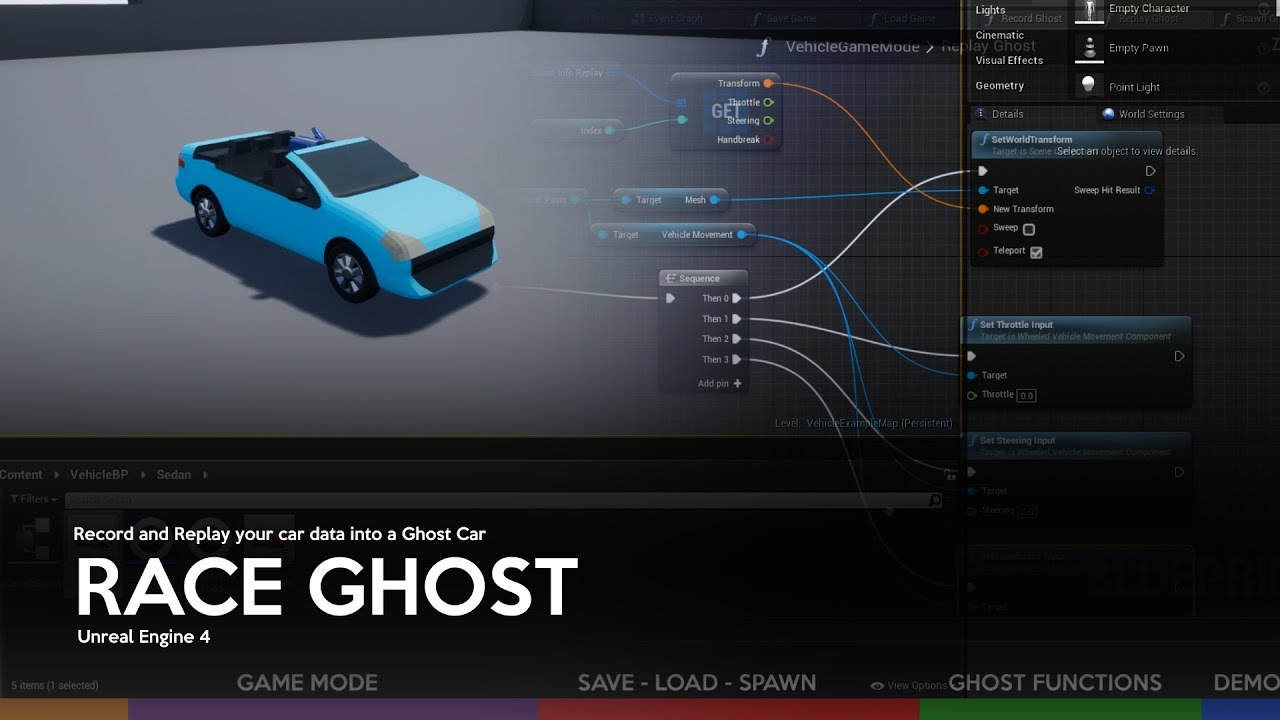
This tutorial addresses one of several possible ways to create a Ghost Car system on Unreal Engine 4.
Software Required:
-Unreal Engine 4 + Vehicle Base Project
Topics:
-Creating required classes
-Configuration of Pawns
-Variables and basic functions
-Functions of Ghost
-Test
Download Project: http://www.mediafire.com/file/8d4s8dlr1medrqb/R...
violet inlet
and i don't know if there is smth special to do in the bp save
 violet inlet
sure
gentle urchin
😅
A host of issues
Any related to saving
Ghost pawm accessed none
So it cant update the save variable
violet inlet
more logs like thoses ones ?
 violet inlet
you mean this
Blueprint Runtime Error: "Accessed None trying to read property GhostSavedObject". Node: Branch Graph: ReplayGhost Function: Replay Ghost Blueprint: BP_ThirdPersonGameMode
violet inlet
https://youtu.be/VYuBIFSv7KM?si=Hg1is_7c60hIRqwP&t=1405
i mean he probably have the same kind of error
This tutorial addresses one of several possible ways to create a Ghost Car system on Unreal Engine 4.
Software Required:
-Unreal Engine 4 + Vehicle Base Project
Topics:
-Creating required classes
-Configuration of Pawns
-Variables and basic functions
-Functions of Ghost
-Test
Download Project: http://www.mediafire.com/file/8d4s8dlr1medrqb/R...
there is the right time stamp i beleve
gentle urchin
If you havnt completed it, sure
violet inlet
i did
gentle urchin
So then unlikely
Accessed none means the variables are empty references
They reference nothing. Void
So you cant read anything from them
violet inlet
yeah i undestand that
 modest garden
Can anybody tell me how to fix this blueprint error in UE5 for VR Motion Controller


 lunar sleet
modest garden
Can anybody tell me how to fix this blueprint error in UE5 for VR Motion Control...
lunar sleet
modest garden
Can anybody tell me how to fix this blueprint error in UE5 for VR Motion Control...
I don’t get it, did you copy paste this code from somewhere or did you go in the template and delete stuff at random?
modest garden
I just downloaded this project from git
Works fine in 4.27 but when converted gives these errors
Get bounds was a function till 5.1 but in 5.3 I don’t see it even in the documentation
gentle urchin
Probably renamed
lunar sleet
It’s also missing some variable so it prly wasn’t migrated properly
 quick imp
Has anyone set an animation blueprint in a datatable and then pull it from that datatable and set it to the skeletal mesh in a character blueprint?
I'm trying to setup a characters datatable where a skin and animation can be set, then on spawn of the character. It pulls all that data and sets it. But I am having issues pulling the animation blueprint from the datatable


Maybe I'm looking right over it, but I've been stomped.
modest garden
lunar sleet
It’s also missing some variable so it prly wasn’t migrated properly
Kool I’ll have a look at it again
 silent drift
I was told here to let the actor that the projectile impacts with to decide if it should be destroyed or not. And I have noticed that, yep that is a lot better. 😄 However, how do I deal with when it impacts with a static mesh? Since I don't want to turn all my walls, floors, etc, into actors with a BP logic, just to destroy my projectiles. How would I do that in the best way?
gentle urchin
Wouldnt you just want the projectile to decide to be destroyed instead?
Separate between overlap and hit
Hits would be blocking (walls, armored car etc) while flesh and pillows would overlap?
silent drift
Maybe, that's what I don't know. 😄 So let me give you an example, since I just don't know how to deal with it the best way.
I have:
- Enemies, on impact with an enemy it does "ApplyDamage", and the enemy deals with that and does what it should.
- I have different actors (e.g. a mirror, where I want the bullet to bounce in the angle of the mirror (I still haven't figured out how to deal with this yet)
- I have a light actor, that should either be turned on or off when hit with a projectile
- Normal static meshes, that should just destroy the projectile on hit
So I'm not sure how I would do this the best way to keep it in a good manner. 🙂
gentle urchin
You can also add tags to differentiate between two blocking hits
 gentle urchin
So a mirror would be blocking, but have the tag "mirror"
silent drift
But it feels quite bad. Oh, interesting, tags.
gentle urchin
Which makes it bounce
silent drift
I never thought about using them for this, that might be the best way.
So I assume on "Event Hit" I compare tag? And do different things?
Or did I missunderstand the logic?
gentle urchin
Thats what im thinking
Havnt done such setup before but
Sounds like a reasonable approach
silent drift
Thanks! I will try that out and see! 🙂
gentle urchin
Event hit for blocking, event on overlap for ... overlaps 😄
silent drift
Would it be like this?

So I just do a check for if what it hit has a tag and then do different eactions?
Because if I do this approach, it will also make the system more modular when I want to add more different actions for projectiles (e.g. I don't know, create a fire)?
gentle urchin
Or do "switch on tag" 😄
silent drift
Yeah... That is better.
I was just seeing the issue with my approach.-
😄
Thansk
gentle urchin
If theres no tag you simply destroy
Oh wait.. you cant just switch on tag
As its an array of tags
Unless you only ever use the 0 index
And be consistent about it 😄
silent drift
Hmmm
Dammit. 😄
Well, then I'm back to my long case of 100 if statements I guess. 😄
I was thinking if I could do a "ENUM" and that has all tags, and then I do a swtich on that.
And just "compare" the tag to that enum?
 gentle urchin
Not a big fan of enum comparisons
Id just pick the 1st tag index personally
And if anything else comes up itll just have to use the second and forward
So tag[0] == reserved for projectile info
silent drift
Hmm, I don't think I understand that. Oh, you mean inside the actors, that the "projectile" tag always has to be at value 0.
Yeah, that might actually work.
Though I never done anything like that to be honest, how would I do that check? Sorry for the noob question, but I'm not really sure how to translate this into a BP.
silent drift
 gentle urchin
And then get from tags
silent drift
Yeah, I assume that is what you mean (bp wise), and then get 0 from that, and compare it to string values
silent drift

?
Likie this?
Actually I assume more like this?`

Since it complains about the 0 if the asset has no tag. 😄
I don't know if I did it correct, but it seems to do the job I wanted it to do. 😄
silent drift
Thank you for the help! This logic seems way better than my previous. 😄 especially since I had to add the health component to everything and then cheat stuff. 😄 This is way cleaner!
silent drift
Yeah, this was just an example. 🙂
gentle urchin
Block/destroy
silent drift
It will be "Damage, block, etc." to make it easier to read.
silent drift
The only thing I "dislike" about tags is that they I can't make a database and read from that... I'm 100% I will missspel at somepoint and search for the bug for hours before seeing it was a spelling mistake. 😄
silent drift
Yeah. I litreally did the mirror and set it do have god-mode... 🙃 to fix it. 😄
gentle urchin
And push that with its literal name to the tag slot
silent drift
Yeah, I guess.
gentle urchin
Or use an interface and retrive a gameplaytag
I like gameplaytags . Wish they updated Tags to be a gameplaytagContainer instead
silent drift
Yes
I agree with that
I mean, if they did it like with the string tables and localisation it would be super easy. Just pick the database, add tags, choose in the dropdown, and done.
But that is just me since I'm worried about doing damge instead of damage, when typing to fast and not double checking. 😄
Fixed for myself. 😄
 gentle urchin
Exactly, i dislike being prone to typos
I do them all the time so i cant be trusted
 silent drift
Yep. 😄
gentle urchin
Id probably print the tag in the message aswell 😆
silent drift
True, will add that
 kind estuary
whats the difference between int point and vector 2d, they seem to do exactly the same
 dark drum
silent drift
But that is just me since I'm worried about doing damge instead of damage, when ...
dark drum
silent drift
But that is just me since I'm worried about doing damge instead of damage, when ...
Use a gameplay tag and switch on gameplay tag. Problem solved. 😉
Edit: just realised someone alread suggested it lol.
silent drift
Yeah, I'm already looking into it. 😄
But now for a new problem... I'm trying to make my projectile bounce (so it bounce in the angle of the object it hits, e.g. if it's on a 30 degree angle, it should bounce up in or down in a 30 angle), because the built in bounce isn't consistent with it, since if I hit the object close to the top, or close to the bottom it reacts differently and that is too hard for the players to forsee. How do I actually change the speed and this? Becuase I have tried setting velocity, I have tried setting local projectile velocity, but neither of them change where the projectile goes... Anyone happen to know?
gentle urchin
silent drift
But now for a new problem... I'm trying to make my projectile bounce (so it boun...
Crossproduct
Cross of cross
silent drift
Sorry?
I see it in the BP, but I honestly have no clue how to use these. 😄 Is there a math paper I can read to understand it? Since I don't really get what I need to do or how. :D'

But I don't really know how to use it?
kind estuary
CMV. tile based games are the cheapest because they dont need collision. you only need to check if the tile has units?
gentle urchin
Cross of x and hit normal, then cross with hitnormal again
kind estuary
kind estuary
whats the difference between int point and vector 2d, they seem to do exactly th...
for those who are interested the difference between these two is that int point is 2 ints, and vector 2d is 2 floats
gentle urchin
Yes^
dark drum
kind estuary
for those who are interested the difference between these two is that int point ...
Yea, I use int points a lot when working with 2d grids. I don't think there's a 3 int vector though. :/
gentle urchin
Sort of in the name 😁
silent drift
gentle urchin
Cross of x and hit normal, then cross with hitnormal again
Okay and how do I change the speed? Because the set velocity does nothing for me right now.
gentle urchin
dark drum
Yea, I use int points a lot when working with 2d grids. I don't think there's a ...
Not exposed to bp
dark drum
gentle urchin
Not exposed to bp
Why do they do this to use!! lol.
silent drift
 gentle urchin
Was it correct ?
silent drift
I think so, but the projectile never changes speed even after setting a new velocity
Ist just "stops" instead of bounce back
gentle urchin
It might still be colliding
silent drift
So it seems the set new velocity either like that or the in local space, does nothing. 😦
Even forcing it.
E.g. Set velocity to -2000 does othing
So it seems I can't make it go in a different direction and I'm not sure why.
kind estuary

is this the same as this:

Or its about the same thing
In example one i get game mode and cast to get BP_Grid_Ref
In Example 2 i store it in a variable. And then use the variable.
Is this different in terms of performance or its the same
I think i will just get game mode and cast everytime i need? it spares creating variable references
silent drift
So I assume you change the speed of a projectile in a different way... But I'm not sure how.

Tried this, and still it does not change direction-.
 steel shadow
Hey, I'm wondering with what can I change Enums to ? They seem to be crashing my package build ?
gentle urchin
silent drift
Tried this, and still it does not change direction-.
What aboutmm spawning a new projectile? With some vfx on hit
silent drift
And destroy the old one? I mean I could but it feels super cheaty. 😄 the must be a way to change the direction. They can bounce with the Unreal code it just isn't readable enough for players where it will go. But for now I could do thay.
Just to get it working.
 silent stag
i have turret i want to stop it when player dies but turret keep firing after this code what i miss here
 gentle urchin
silent drift
And destroy the old one? I mean I could but it feels super cheaty. 😄 the must b...
gentle urchin
silent drift
And destroy the old one? I mean I could but it feels super cheaty. 😄 the must b...
You can also set the projectile settings to bounce i guess
If you trace a nudge ahead you can know what youll hit and activate bounce accordingly
Assuming theres no existing function call
Meh hacky
 stuck sentinel
theres this problem i keep coming over
how do i cast from widget to third person character
once i click i activate something in third person but i dont know how to cast from here

 spark steppe
you need a reference to the player
gentle urchin
Get owning controller -> get pawn
spark steppe
if it's a single player game you can use a get player pawn node and cast that to your third person character
 kind willow
silent stag
i have turret i want to stop it when player dies but turret keep firing after th...
kind willow
silent stag
i have turret i want to stop it when player dies but turret keep firing after th...
You could try using an event dispatcher instead? Maybe it doesn't read the "is dead" properly
spark steppe
or what squize suggested, as long as you set the owning player for the widget correctly
silent stag
kind willow
You could try using an event dispatcher instead? Maybe it doesn't read the "is d...
it's working on other functions
gentle urchin
stuck sentinel
where do i get owning controller
In the widget
silent drift
gentle urchin
You can also set the projectile settings to bounce i guess
Yeah. That's what I did, but that is a bit too unreliable for my taste with the puzzles I'm doing. Since it picks the bounce spot and if the player shoots one cm too high or low, the puzzle fails.
stuck sentinel
 gentle urchin
Ur already doing get player controller so
Just use that
Or get player character as thats what you wanted
kind willow
silent stag
it's working on other functions
Hmm, sorry then, I don't know. You can try running the game and pressing Shift+f1 to see how the code runs. check whether the variable changes to true and whether the fioreing loops correctly
stuck sentinel
ok and what do i link to it
gentle urchin
The cast you wanted
Thirdpersonchar
Id recommend watching the pinned video about bp communication
gentle urchin
silent drift
Yeah. That's what I did, but that is a bit too unreliable for my taste with the ...
You could look at the sourcecode for the bouncing
What if you just adjust the rotation of the bullet instead?
Wouldnt the velocity follow suit?
silent drift
gentle urchin
Wouldnt the velocity follow suit?
Hmm. Need to try. That it a good point.
 shadow isle
Hello,
I hope this is the right place to ask this.
I am new to UE5 and have an issue with my jump.
I have some blueprints to interact with an object and when I use the EnhancedInputAction for some reason my player is unable to jump (even thou I reach the print strings in the jump).
When I use a Keyboard Event with the same key "E" in this case as in the Input Action everything works fine.
One image is of my blueprint and the other is what happens when I press SPACE.

 shadow isle
I tried separating them but it seems that the jump issue remains. As soon as I plug the IA_Interact in something the jump stops working.
When I change it for key event E it works.


My interact IA looks like this if this will help

 gentle urchin
Almost sounds like they're overwriting eachother
shadow isle
When I hook them up to seperate print strings they seem to act independently.
I guess im just going to use the key pressed event and not the input action.


 gentle urchin
You should definetly be able to use enhanced for both
Just gotta figure out whats stopping you here
Nothing in that code does it
stuck sentinel
yo i added headbobbing in first person but when i walk back the screen shivers when i walk front left or right it works fine
 serene wharf
stuck sentinel
yo i added headbobbing in first person but when i walk back the screen shivers w...
serene wharf
stuck sentinel
yo i added headbobbing in first person but when i walk back the screen shivers w...
Can you send a video that shows the issue
And an image of how you implimented the camera shake
 serene wharf
😂

 serene wharf
What is the" foot steps try" function doing?
stuck sentinel
stuck sentinel
this precisely
problem is from here
this works though but i dont want this

this removed the shivering
serene wharf
stuck sentinel
this precisely
This image shows the implimentation of you adding movement to you character when WASD is pressed
stuck sentinel
yes
stuck sentinel
stuck sentinel
this works though but i dont want this
this is the one i got when i made the game but i made a new one so i can add footsteps sound
 serene wharf
But where do you play the camera shake, do you have like a "start camera shake" node somewhere
stuck sentinel
its not the camera shake
serene wharf
stuck sentinel
this precisely
Becuse the movement input function does not add any camer shake
 versed sun
do you have something with collision attached to the player ?
versed sun
remove collision
versed sun
your are bumping into it
serene wharf
Smart
versed sun
XP
stuck sentinel
nope
versed sun
😦
stuck sentinel
wait
versed sun
😐
stuck sentinel
nope
its the movement

i removed the ones i mad
made
i added the preset one

it works no shivering and the headbob works fine
serene wharf
You can copy the direction calculations from the pre made one and put them into your selfmade movement
serene wharf
stuck sentinel
i added the preset one

Copy these and put the vector into move forward
serene wharf
Nice, good luck with your game man
stuck sentinel
thank you
 timid yarrow
When I try to set rest collection in blueprint, Unreal Engine crashes. I tried a lot of ways but i couldn't solve it. Can anyone hepl me with this???
violet inlet
Hello There
I want to make my AI move to a location and check if the location is the same one (ich) as the one in the array
if yes go to the next array index
but it only go to the first point and stay at index 0
 gentle urchin
The acceptance radius is prob way more than .1
More in the hood of 40
With default capsule i imagine
Do actor location - target location -> length -> absolute
Check its value
spark steppe
the actor origin is kinda in the middle of the capsule, so it's usually the half height of the capsule above the ground (for most characters)
violet inlet
noted
gentle urchin
Isnt it also half width?
spark steppe
yesn't
gentle urchin
😅
spark steppe
you can reach x/y coords ignoring the width
as long as you stand above it the distance will only be the half height
unless you try to get to another actor, then their width might cause trouble
gentle urchin
But then its theirs + yours
 supple kiln
Hello,
Perhaps someone would know how to identify and calculate wall ledges and wall gap sizes using traces?

 ancient nimbus
Hey so i'm using attach Actor to Actor in my game currently. If i have a reference to an actor who was attached, should i just try and get parent if i want to reference the actor it's currently attched to?
the documentation and googling have been extremely unhelpful so far
Also there's like 700 different "get parent" functions haha 🫠
spark steppe
https://docs.unrealengine.com/4.26/en-US/BlueprintAPI/Utilities/GetAttachParentActor/
this is the one you want tho
 viscid viper
i need some help
i have created a widged in an actor but when i try to create a drag and drop for some reason the widget not register any action from my mouse
i have set the input mode to game game and ui
anyone know what can i do to solve it ?


 onyx token
is there a way to synch animations to anim notifies? 
i have a walk animation, and a completely seperate "crosshair wobble" animation that is running on a different skeleton and different ABP
The crosshair wobble is completely different, and much less "natural" looking than the walk anim, so i can't link the two together, but i still want the crosshair wobble to kinda synch with the characters steps
i do have notifies for left / right steps-
but what's a smart way to synch my crosshair animation to those notifies?
spark steppe
idk, maybe another approach where the steps/notifies send an "impulse" to your crosshair logic
smth like DecreaseAccuracy(Amount)
 spark steppe
and your crosshair would automatically try to interpolate to the best accuracy based on it's current value
onyx token
currently i'm just scaling the animation based on the player velocity
by just.... blending it with nothing 
spark steppe
why is this even an animation blueprint?
onyx token
so i guess i'd have to kinda... start it up every time i get the "left foot" event?
spark steppe
that's some logic that could be handled in the HUD or whatever
onyx token
spark steppe
why is this even an animation blueprint?
because i wanna have a more complex crosshair wobble.

and blend different animations with each other
onyx token
like a breathing (the more exhausted the character is)
or a walking (the faster the character moves)
or a weight (the heavier the weapon is)
onyx token
spark steppe
i feel like this is overengineered 😄
well-
if i make it only in the HUD-
Then i'll have to animate it using some crazy sinewave math formula
and this way i can just quickly hop into blender, animate it however i want, and badabing badaboom
no procedural math anywhere, just quick animation
also stuff like spray patterns?
Ezpz, just make an animation
spark steppe
well, you can use curves if you want fancy things
not like anyone would appreciate the effort made for skeletal mesh animated crosshairs...
onyx token
well- animated crosshairs is important because of the nature of my game- i'm trying to make something akin to arma 2, where they have the same system
is there maybe a way to not have the crosshair animation loop - but just manually restart it every time the notify event comes in?
spark steppe
what happened to your RTS 😦
onyx token
i'm procrastinating on that by doing a lil prototype
BUT
i did do progress on it, my lil duders are now trading with each other and exchanging resources 
onyx token
spark steppe
not like anyone would appreciate the effort made for skeletal mesh animated cros...
maybe i could solve it by just converting it to a montage? But there must be a way to manually start these animation nodes in the apb 
 spark steppe
honestly, i'm not going to be the one helping with a skeletal mesh crosshair system 😄
this is beyond what i can deal with here
onyx token

spark steppe
make it a control rig 😄
onyx token
there's tons of rts'es releasing tho
spark steppe
yea, there's plenty of FPS shooters
onyx token
fine 
spark steppe
for your crosshair... maybe you want a blend space
ancient nimbus
spark steppe
<https://docs.unrealengine.com/4.26/en-US/BlueprintAPI/Utilities/GetAttachParent...
WORKS PERFECTLY ty! you're a life saver!
onyx token
well- for the crosshair i would have a solution...
but it's super mega scuffed
like
bigtime scuffed
ok dont judge me-
spark steppe
too late
onyx token
spark steppe
too late
what i could do-
is this

and on the blend node-

and then just set the alpha to 0 and 1 really quick
unless there's a way to reset an animation node
gentle urchin
Id just do it in the ui tbh
With some input from wherever, accumulating inaccuracy and depleting it over time so to speak
onyx token
is there a way to animate ui elements that doesn't... cause a headache...?
gentle urchin
Regular linear animation?
onyx token
right now my crosshair drives the bullet
https://cdn.discordapp.com/attachments/847253861403197471/1208421288855474196/UnrealEditor_ObBoWXOFXp.mp4
gentle urchin
Hmm
onyx token
gentle urchin
Regular linear animation?
well-
complex animation

with proper timing and adhering to the 12 principles
gentle urchin
Hmm...
onyx token
i went with "i'll just animate it in blender" because that seemed easiest to me...
spark steppe
well you didn't mention that before...
for the bullet driving pattern you could probably use spline component which you scale based on the crosshair radius? 🤷
haven't dealt with smth like that before, so maybe your initial idea wasn't super bad at all if it also serves that purpose
onyx token
i'll try the scuffed solution and if it works, i'll just.... close my eyes and never think about it again 
gentle urchin
spark steppe
for the bullet driving pattern you could probably use spline component which you...
This sounds like the best plan so far
You basically use the inaccuracy as an offset from the spline location
spark steppe
you better close the whole project and never think about it again
onyx token
spark steppe
for the bullet driving pattern you could probably use spline component which you...
that probably is a pretty neat solution
onyx token
spark steppe
you better close the whole project and never think about it again
 rood. I will have you know good sir, i'll use the same artstyle, so once i get to making environments, i can use those models in the rts
gentle urchin
Dont you dare make the mouse have accuracy based on movespeed
spark steppe
i kinda assumed your RTS was all about cute villagers and trading and stuff
not about wobbly crosshairs and shooting bullets
onyx token
i actually planned on putting muskets in my rts
spark steppe
sounds fair, but muskets just have spread
they don't follow a pattern like an assault rifle
onyx token
ye this is my procrastination prototype 
hey- atleast im not playing helldivers, like absolutely everyone else currently apparently
onyx token
gentle urchin
Instead you sink hours into this crosshair animbp 😆
i bet you have your adhd moments too 
spark steppe
don't we learn the most of trial & error? 😄
 halcyon vapor
is async loading still the same way from unreal engine 5.2 to 5.3? My usual nodes of "Async Load Asset", then casting to that asset class to then use it don't seem to work after engine update
(may be a specific issue outside of this though)
 craggy hatch
Hello! can someone please help me with this? i want to cast to player character but it wont work.
 halcyon vapor
craggy hatch
Hello! can someone please help me with this? i want to cast to player character ...
halcyon vapor
craggy hatch
Hello! can someone please help me with this? i want to cast to player character ...
use "get pawn" instead of "get pawn owner"
craggy hatch
failed😔
halcyon vapor
is the print string function printing twice or once?
 lyric rapids
in this blueprint every time the while loop loops will the random integer function change numbers
 craggy hatch
halcyon vapor
is the print string function printing twice or once?
craggy hatch
halcyon vapor
is the print string function printing twice or once?
once
halcyon vapor
lyric rapids
in this blueprint every time the while loop loops will the random integer functi...
should yeah, you can print each number to see if it changes
lyric rapids
cool
halcyon vapor
craggy hatch
once
on begin play? Or when you start playing and do that update animation event event?
craggy hatch
halcyon vapor
on begin play? Or when you start playing and do that update animation event even...
i did it at both actually
but on begin play is not responding
halcyon vapor
craggy hatch
but on begin play is not responding
the question I'm asking is, is it failing to cast since the begin play or does the player reference somehow gets unset later in the code
Also now that I think about it, I think you are supposed to call the function "get player controller" then drag off of it and link it to a function called "get pawn" or "get controlled pawn"
craggy hatch
halcyon vapor
the question I'm asking is, is it failing to cast since the begin play or does t...
both, if i cast to player character in the begin play and then use a refrence in the update i become an error
and if i cast in the update itself it wont cast**
nah
halcyon vapor
can you screenshot the code again with the changes I mentioned?
gentle urchin
halcyon vapor
is async loading still the same way from unreal engine 5.2 to 5.3? My usual node...
They are still the same for me atleast
 onyx token
spark steppe
don't we learn the most of trial & error? 😄
onyx token
spark steppe
don't we learn the most of trial & error? 😄
ok i got it to work.
If you judge me-
I do not deserve it

it is only a little bit scuffed.
halcyon vapor
craggy hatch
did you change the default player character because this is very unusual
craggy hatch
 craggy hatch
halcyon vapor
did you change the default player character because this is very unusual
craggy hatch
halcyon vapor
did you change the default player character because this is very unusual
its an camera animation blueprint
for camera shakes etc.
but procedural
halcyon vapor
craggy hatch
its an camera animation blueprint
yeah, but the player itself? Does it posses a pawn that didn't come from first person character?
craggy hatch
halcyon vapor
yeah, but the player itself? Does it posses a pawn that didn't come from first p...
hmm, no
halcyon vapor
okay, I got an idea, can you drag off of that "get controlled pawn" and print the display name of that reference
I think you can drag the reference directly into the string input of the print string function
what does it say?
craggy hatch
 halcyon vapor
okay wtf, there is no reason why that cast is failing
craggy hatch
the cast just hates me ig
halcyon vapor
unless the event begin play doesn't execute any code, did you get that "cast failed" when you started the play?

 halcyon vapor
select all nodes and refresh them?
craggy hatch
failed
craggy hatch
craggy hatch
tried
 frosty heron
Ye U have another instance using the same anim Instance class
viscid viper
viscid viper
i need some help
i have created a widged in an actor but when i try to create a...
anyone?
frosty heron
The gap is a null ptr
 peak hill
craggy hatch
Hello! can someone please help me with this? i want to cast to player character ...
peak hill
craggy hatch
Hello! can someone please help me with this? i want to cast to player character ...
There is a better way to do this ; in your Character class you can set the variable you made, PlayerRef, directly on the Anim Instance used by the Mesh. Then, your anim blueprint doesn't need to set the variable; it just needs to check if it is valid (as you already have). [This means you don't need to 'try get owner' way of doing it.]
frosty heron
Anim blueprint should reference it's owner anyway
halcyon vapor
viscid viper
i need some help
i have created a widged in an actor but when i try to create a...
what unreal engine version are you using?
viscid viper
halcyon vapor
what unreal engine version are you using?
5.2
craggy hatch
its not an player blueprint. its an camera blueprint for procedural camera animation
frosty heron
show me how you print the controlled pawn
craggy hatch
 halcyon vapor
viscid viper
5.2
halcyon vapor
viscid viper
5.2
I forgot if the drag and drop function got deprecated, does it print anything?
 viscid viper
halcyon vapor
I forgot if the drag and drop function got deprecated, does it print anything?
viscid viper
halcyon vapor
I forgot if the drag and drop function got deprecated, does it print anything?
no its does not print anything
lyric rapids
halcyon vapor
should yeah, you can print each number to see if it changes
i dont know why im getting the infinite loop error message

 craggy hatch

 lofty rapids
lyric rapids
i dont know why im getting the infinite loop error message
lofty rapids
lyric rapids
i dont know why im getting the infinite loop error message
whats this second part attached to ?
lyric rapids
lofty rapids
whats this second part attached to ?
Spawn Actor
oh fuck its not connected
cause i was debugging
lol
lofty rapids
whats it look like connected ? are you using completed or the loop body ?
because if you add to the array in the loop, you shouldn't do that
lyric rapids
im using completed it just wasnt attached at tall cause i forgot to reaatach it
 leaden dock
does this null the texture? i dunno exactly what to call to clear a brush
 viscid viper
halcyon vapor
I forgot if the drag and drop function got deprecated, does it print anything?
viscid viper
halcyon vapor
I forgot if the drag and drop function got deprecated, does it print anything?
and it doesnt hit the breakpoint
frosty heron
leaden dock
does this null the texture? i dunno exactly what to call to clear a brush
You will get a white box tho, is that what you want?
peak hill
craggy hatch
1 : The PlayerCharacter can set itself as variable in the AnimBP instance.
 frosty heron
peak hill
1 : The PlayerCharacter can set itself as variable in the AnimBP instance.
frosty heron
peak hill
1 : The PlayerCharacter can set itself as variable in the AnimBP instance.
hmmm but I don't think is a good idea
player shouldn't even know or care about anim bp
anim bp just read everything from the owner
leaden dock
frosty heron
You will get a white box tho, is that what you want?
i can set alpha to 0 😛
frosty heron
leaden dock
i can set alpha to 0 😛
Yeah or for me, I just have a translucent material. Kinda expensive but meh. That's what I did to fill out empty inventory slot
halcyon vapor
viscid viper
and it doesnt hit the breakpoint
yeah, it may have been deprecated, you should look online for tutorials, because what I did was having checks if the mouse left click was pressed or not, and then used a function to find the cursor location etc
peak hill
craggy hatch
2: The Getter for the PlayerCharacter will be valid if set by the PlayerCharacter (see step 1).
 frosty heron
saw your stuff in other channel. I used DT with hard ref for my old game and it kinda destroyed my project :P. Had to load for 1.5 mins
leaden dock
frosty heron
Yeah or for me, I just have a translucent material. Kinda expensive but meh. Tha...
yeah seems sane
frosty heron
After I use soft pointers, I load instantly on my new project
Cuz I don't need to load things that I don't need to load yet
peak hill
frosty heron
hmmm but I don't think is a good idea
Why not, it's very reliable.
frosty heron
peak hill
Why not, it's very reliable.
I would try to keep the depedency one way
gentle urchin
Good practice
leaden dock
frosty heron
saw your stuff in other channel. I used DT with hard ref for my old game and it ...
good to know that using softptr's make sense 😛
gentle urchin
Softprts are awesome, mostly
frosty heron
leaden dock
good to know that using softptr's make sense 😛
in Data TAble it's compulsory lol. We would end up loading the entire items in the game instead the one we just need.
But Data Asset kinda make this soo much easier which i regreted to not use
gentle urchin
Just can be a tad unintuitive at times
gentle urchin
frosty heron
in Data TAble it's compulsory lol. We would end up loading the entire items in t...
How so 😮 im still using dt's with soft refs all over the place...
frosty heron
gentle urchin
How so 😮 im still using dt's with soft refs all over the place...
Apparently we don't even need soft pointers with Data Asset
they don't get loaded in entirely like data table
 simple sky
I want to have a BP node (Macro, Function or some C++ code if required) that can take multiple input objects, and provide multiple "flows" (not sure that's the correct word) out of it - any suggestions if this can be done? It's to save me having a big set of bespoke "if object "==" object" branch tree for controlling the path after an event (based on an input object)
lofty rapids
probably a macro if you want seperate execution
gentle urchin
Macro
lofty rapids
i don't think you can do that with a function, but idk
simple sky
But would I need "n" macro's (i.e. if have an event that may take in 3 different objects) do i have "Macro3" but if I have an event that takes in 6 different objects I need "Macro6" (i.e. the macro can't expand it's input pins or output flows automatically?)
I'd really like something like "switch on int" but allows objects to be assigned
 thin panther
This is sounding like a custom K2 node in C++
gentle urchin
Yepp
Cant you grab the name of the object and do switch on string 😁
Im lazy like that
spark steppe
this sounds like give me an interface and put the custom logic in each class
lofty rapids
gentle urchin
Function with expand enum also work
ya i just found a video on this, that's pretty cool
gentle urchin
Yeah
Altho must be c++ enum,
But.. if you can make the function. You can (and should) make the enum 🙂
viscid viper
halcyon vapor
yeah, it may have been deprecated, you should look online for tutorials, because...
i did some test the left mouse click is pressed and when checking hit result it hit the widget
but no event is activated on the widget what should i do ?
halcyon vapor
viscid viper
i did some test the left mouse click is pressed and when checking hit result it ...
are all events deactivated? Or just the drag and drop one?
 jaunty solstice
What's the secret to getting Keyboard events to trigger when in Simulate or PIE?
In an Actor Blueprint Event Graph I have the following (attached).
However in PIE, pressing 1 after giving the viewport focus, I'm not seeing my Print statement. Why?
Is it possible for Viewport shortcuts to override any Keyboard event handlers in your Blueprint?
 viscid viper
halcyon vapor
are all events deactivated? Or just the drag and drop one?
viscid viper
halcyon vapor
are all events deactivated? Or just the drag and drop one?
what does that mean?
other on clicked event does register on actors in the scene
halcyon vapor
viscid viper
what does that mean?
other on clicked event does register on actors in the scen...
I mean if you make an event "initialised" on the widget you are having problems with, does it execute code like a print string function?
viscid viper
halcyon vapor
I mean if you make an event "initialised" on the widget you are having problems ...
just a sec testing
halcyon vapor
jaunty solstice
What's the secret to getting Keyboard events to trigger when in Simulate or PIE?...
in unreal engine 5 they depricated those, so you'll have to use the "enhanced input" plugin which should be on by default
 brazen pulsar
So, I set up a very basic bp to control the sun based on the time of day. The problem is that the 'now' function is in imperial 12 hour time instead of military 24 hour time. Is there a way to convert it to that?

Or just a function for getting AM/PM
 trim matrix
we can't see shit
brazen pulsar
ah sorry
halcyon vapor
brazen pulsar
So, I set up a *very* basic bp to control the sun based on the time of day. The ...
this is the first time I ever seen a "Now" function
trim matrix
put all these in correct order, close and then send it again
spark steppe
the screenshot is fine
trim matrix
spark steppe
the screenshot is fine
OK ben.
spark steppe
and i think you assumption is wrong, i'm pretty sure that this is 24h
halcyon vapor
oh are you testing it in the day?
spark steppe
i rather think that your math is somehow wrong
 ember lichen
Why can’t I set my transform origin actor on my level sequence that is created in my BP? I can set the override instance data easily but it won’t let me set the origin.
 brazen pulsar
Very possible, it's noon here, but the appearance is closer to sunset
also, better screenshot
 spark steppe
you can create an arbitrary FDateTime yourself and test it
halcyon vapor
brazen pulsar
Very possible, it's noon here, but the appearance is closer to sunset
have you tried printing the "Now" values first? Just to see if you are in 24 or 12 hour format
brazen pulsar
halcyon vapor
have you tried printing the "Now" values first? Just to see if you are in 24 or ...
I have- 12 hour 360 degrees
viscid viper
halcyon vapor
I mean if you make an event "initialised" on the widget you are having problems ...
yes initialised functions work
spark steppe
just print the hours
if you convert a FDateTime to text it's formatted based on the system settings iirc
halcyon vapor
viscid viper
yes initialised functions work
okay, so it is very likely the drag and drop function was deprecated then, because I vaguely remember it not working when I tried drag and dropping things
trim matrix
you don't even lerp? so it just change directly
halcyon vapor
viscid viper
yes initialised functions work
actually wait, I have a tutorial that may help you
halcyon vapor
viscid viper
yes initialised functions work

This is part 1 of the card widget system made in Unreal engine 5.
Tutorial series was inspired by this post: https://www.reddit.com/r/unrealengine/comments/12amdib/dynamic_card_hand_widget/
Part 1, UI design: https://youtu.be/a9jK6HZvxAI
Part 2, Card logic: https://youtu.be/Pj6ncAZWz0c
Part 3, Card placement: https://youtu.be/_E7dYxCw0yw
Pa...
here, I'm 99% all you want is from this tutorial series
brazen pulsar
ok, so it's looking like it's not a problem with the time, that's in 24h, it's a problem with my math/ something to do with the light itself. I tried 6pm and 3pm and now and it all came up as a sunset
nice effect, but not what I was looking for
jaunty solstice
halcyon vapor
in unreal engine 5 they depricated those, so you'll have to use the "enhanced in...
Thanks. It is enabled. But I thought capturing keyboard events 'the old way' was still working.
halcyon vapor
brazen pulsar
ok, so it's looking like it's not a problem with the time, that's in 24h, it's a...
that +180 in your degree math may be the cause
also why are you multiplying the hours by 15?
halcyon vapor
hours are 1/24 th of a day, and a circle is 360 degrees, so it should be [hours] x 360/24
so hours x 15 like you said, yeah
brazen pulsar
Yea, exactly
Ykno, it might be something to do with the sky atmosphere or something. I plugged in different coordinates but it's always giving me a red sky
halcyon vapor
try experimenting with the actor rotation then, I think you may be connecting too many pins in, and 1 of them should be left empty
apart from that, like mentioned previously, you should look into lerp functions, to make the sun rotation much smoother rather than 1 hour going by in an instant
halcyon vapor
brazen pulsar
Ykno, it might be something to do with the sky atmosphere or something. I plugge...
yeah, then you should look into that first if your own pluged in coords are messing up
brazen pulsar
halcyon vapor
apart from that, like mentioned previously, you should look into lerp functions,...
what's lerp?
spark steppe
linear interpolation
trim matrix
You probably don't want your sun to just move instantly, it will be noticeable and ew
brazen pulsar
I'll google a tutorial then
 distant vortex
Hi, i cant get my BPI to work. The Event in my Animation Blueprint to set the Character to "Armed" to change its animation does not trigger. i have implemented the interface in my ABP_Manny tho. and i trigger it in my third person character BP. the weapon gets picked up, visible on my character.. but my animation does not change (the variable "armed" stays false..)

 brazen pulsar
lofty rapids
<https://www.youtube.com/watch?v=dyDocPe1HoA&list=PLFYGCCDpMHmHJwhIRY6qNumAts--W...
brazen pulsar
lofty rapids
<https://www.youtube.com/watch?v=dyDocPe1HoA&list=PLFYGCCDpMHmHJwhIRY6qNumAts--W...
grazi
viscid viper
halcyon vapor
https://www.youtube.com/watch?v=a9jK6HZvxAI
ive been looking into it
i followed the drag video but unlike him my widget dont detected my on mouse down function in the widget
frosty heron
distant vortex
Hi, i cant get my BPI to work. The Event in my Animation Blueprint to set the Ch...
first of all, you didn't plug the right target for the interface. You are trying to run AR Armed in the character class not in the anim instance class.
Aside from that, I don't see why you want to use interface for this. Armed or not should be a state of the player and anim bp just read the state.
brazen pulsar
Also, it's looking like it's got more to do with the light settings. whether I plug it into pitch, roll, or yaw, 12 always produces a sunset. I'm hoping/thinking the tut engage sent will help tho, seems like it's p directly what I'm tryin to do
lofty rapids
It's based on a 24 hour time if i remember correctly, you would just need to figure out how to plug in the now to it
but you can adjust it
i don't know much about it, i only tried it once
distant vortex
frosty heron
first of all, you didn't plug the right target for the interface. You are trying...
thanks, i thought the variable for the character state should be inside the animation blueprint?
frosty heron
distant vortex
thanks, i thought the variable for the character state should be inside the anim...
you can make a copy of the variable in your anim bp and do
MyAnimBpVar = MyPlayerVar
But it's not necessary most of the time. You just get the ref to the owner (player in this case)
And just read the properties from Player directly
viscid viper
halcyon vapor
https://www.youtube.com/watch?v=a9jK6HZvxAI
what am i missing
distant vortex
frosty heron
first of all, you didn't plug the right target for the interface. You are trying...
from my understanding "the target for the interface" in this case is BPI_AR_Armed. isnt this triggering the interface? this should trigger the "event armed" inside the animation BP?
frosty heron
distant vortex
from my understanding "the target for the interface" in this case is BPI_AR_Arme...
You are running it in your Character BP not your Character Anim Instance BP
check your target
also get the interface with the message icon
again tho, this look like a very flawed design if I can give my 2 cent. You really don't need or want interface for this
Just change state in Bp_Player and anim bp simply read the state from it's player reference
distant vortex
frosty heron
Just change state in Bp_Player and anim bp simply read the state from it's playe...
hm, i dont know how to do it, yet. i am newbie
frosty heron
distant vortex
hm, i dont know how to do it, yet. i am newbie
it might help to look at some sample project or free stuff from marketplace
preferably nothing complicated like ALS
distant vortex
how can my animation BP read the state in my player BP if i may ask? i dont know how to communicate between BP's besides with interface or casting...? but casting is not recommended?
lyric rapids
I want to make it so that every time i spawn that blueprint in the blueprint waits for 0.5 seconds however if i use the simple delay method it gives me an infinite loop error message
 lunar sleet
lyric rapids
I want to make it so that every time i spawn that blueprint in the blueprint wai...
lunar sleet
lyric rapids
I want to make it so that every time i spawn that blueprint in the blueprint wai...
set timer by event
trim matrix
lyric rapids
I want to make it so that every time i spawn that blueprint in the blueprint wai...
make it cleaner first, like a straight line
distant vortex
frosty heron
you can make a copy of the variable in your anim bp and do
MyAnimBpVar = MyPlaye...
i will research this. thanks
lyric rapids
lunar sleet
set timer by event
ill try that
craggy hatch
peak hill
2: The Getter for the PlayerCharacter will be valid if set by the PlayerCharacte...
thx it worked
brazen pulsar
think I've figured it out. Now I just need to set up a convincing night sky and we're golden (also, turns out the directional light starts at about -90 since it starts up at sunrise, around 6am)

 echo wren
i need some direction, i have used tutorials and chap gpt but can never get a good result. I have a camera that tumbles around my character using Add Control Pitch/Yaw Input and this is working good. The thing i want to do is when i press a button, i would like the physics body to attempt to match the rotation vector of the camera/controller. What nodes would help me do this? I need to like get the different in rotation and use that value to apply torque or force so it "drifts" in that direction until it matches. Slow like a spaceship.
onyx token
@spark steppe @gentle urchin thanks for helping me, look my crosshair works now 
https://cdn.discordapp.com/attachments/847253861403197471/1208458933568802897/UnrealEditor_p6mJdK0wYw.mp4
i'll do strategy game tomorrow
havin fun right now
AND its weekend
versed sun
echo wren
i need some direction, i have used tutorials and chap gpt but can never get a go...
if you have a Spring Arm , you can enable the Camera Lag/ Rotation Lag
 echo wren
versed sun
if you have a Spring Arm , you can enable the Camera Lag/ Rotation Lag
echo wren
versed sun
if you have a Spring Arm , you can enable the Camera Lag/ Rotation Lag
I got that, the thing i am having a hard time figureing out is the different between the rotations of the two, then do i feed that to a add torque node? tried it and i get movement but its just crazy fast or not at all...
do i get the forward vector of both and then subtract? then use that as the add torque? I just cant figure out what nodes to use
versed sun
yah , not sure , i know i just got the slow movement using the Lag
echo wren
yeah camera lag, not character rotation to match the camera rotation... But thanks for the reply
back to arguing with chat gpt for hours. lol
versed sun
you want opposite? char slowly looks where the camera is looking?
frosty heron
stop asking chat gpt 😄
echo wren
frosty heron
stop asking chat gpt 😄
never
echo wren
frosty heron
they are not trained for unreal
its trained on the internet, totally helpfull if you know how to use it
frosty heron
but chances are they give u some made up words just to make you feel good
frosty heron
echo wren
its trained on the internet, totally helpfull if you know how to use it
not really for unreal but you do you
echo wren
frosty heron
but chances are they give u some made up words just to make you feel good
yup. its just a word to word predictor. doesnt have any idea what its actually saying. just a new way of searching if you use it right. amazing for coding
echo wren
frosty heron
not really for unreal but you do you
its been UNBELEIVABLY useful. way more than any forum or human, IF you know how to use it
frosty heron
might work for a very simple cases but deffinitly not helpful for anything intermediate imo
lofty rapids
imo chatgpt not a good programmer
atleast that has been my experience, and seeing people use it for things it just comes up with shitty code a lot
just like any tool if you know how to use it though, you might get some good use from it
the problem is, you don't have checks and balances, like is it good to do it that way ? will i see anything weird because of it ?
but even just for basic programs a friend of mine uses it and it just comes up with weird stuff
and atleast half the time it doesn't work at all, probably more towards 2/3
main lake
gentle urchin
Using a progressbar with a heartmask works pretty well
huh ? But the progress bar could go only from left to right or bottom to up, so in my case it needs to go first from left to right then after that go back from the left to right for the line above, so I guess it will mask the bottom hearts line again 🤔
gentle urchin
Two bars 🙂
main lake
gentle urchin
Two bars 🙂
It feels hacky 😬
It feels weird to me that there's no option on the vertical box to revert the direction of adding things to it, so instead of down it adds up
versed sun
Get children Array > clear children > Reverse for each loop Array and add them back ?
or something...
main lake
versed sun
Get children Array > clear children > Reverse for each loop Array and add them ...
Wouldn't that just make the first element have the last index, the second element have the last index - 1, etc... ?
versed sun
Make new array of just new item> Append Get Children to it> Clear and re-add
main lake
versed sun
Make new array of just new item> Append Get Children to it> Clear and re-add
but it doesn't solve my issue
of positionning of the hearts
versed sun
oh, i couldnt find OP
gentle urchin
main lake
Wouldn't that just make the first element have the last index, the second elemen...
Mirror it. Scale -1
main lake
this will add hearts to the right forever
main lake
gentle urchin
Mirror it. Scale -1
That's what I did now and yeah it works properly but it's a bit hacky, it really seems weird that Epic didn't think about an issue like this
versed sun
What's original question?
main lake
versed sun
is what you are looking for ?
no the opposite
the single heart should be added on top
main lake
yeah
gentle urchin
You just shift it down tho
versed sun
each heart is its own WBP ?
gentle urchin
Vertical box in horizontal box
main lake
versed sun
each heart is its own WBP ?
yes
main lake
gentle urchin
Vertical box in horizontal box
already tried that
main lake
gentle urchin
Or grid
that's what I did now but I had to mirror it so it works now
gentle urchin
First row is 1, second is 0
versed sun
Im thinking wrap box
main lake
gentle urchin
First row is 1, second is 0
no need of that, scaling the grid to -1 works properly on its own
and you can use normal indexing
gentle urchin
main lake
that's what I did now but I had to mirror it so it works now
Dont need to mirror if you add them correctly 😅
Alright
Benefit of heart wbp is ofc individual controls and animations
main lake
yeah
lyric rapids
why is this giving me an infinite loop error

 versed sun


 main lake
versed sun
main lake
versed sun
how did you do that ?
main lake
lyric rapids
why is this giving me an infinite loop error
why do you use multiple loops in Tick ?
frosty heron
looks extremly cursed
versed sun

 lyric rapids
main lake
why do you use multiple loops in Tick ?
lyric rapids
main lake
why do you use multiple loops in Tick ?
to check if certain things have already been placed for procedural generation
 lyric rapids
it works fine like this so i dont know why it doesnt work with that extra event

 main lake
versed sun
took some damage
main lake
versed sun
took some damage
Could you show me your hierarchy how did you set that up in terms of UI Components please ?
versed sun
 main lake
versed sun
main lake
versed sun
What values did you put in SizeBox please ?
 hard charm
Can anybody help me? I'm trying to center a world object in the center of my camera so I can inspect this formula. Alright?
 versed sun
the WB_Coin(Hearts) is 32x32 so sizebox is:
 main lake
versed sun
the WB_Coin(Hearts) is 32x32 so sizebox is:
main lake
versed sun
the WB_Coin(Hearts) is 32x32 so sizebox is:
You're the best, thank you so much 🙏
main lake
versed sun
got it ? do they take damage in the direction you want ?
I need to fix the blueprint part first and I will let you know in few minutes 🙂
versed sun
nice
lofty rapids
hard charm
Can anybody help me? I'm trying to center a world object in the center of my cam...
not sure what the best way to do it would be, but you can probably use your camera forward vector
 dry pecan
so I need some help figuring out something, I'm trying to make a rail shooter game like Sin and punishment star successors in unreal, but I seem to have a character thats always in a state of falling even though they are(I'm using the third person game template). any suggestions on how I can make it so the game wont think the player is falling even while not standing on anything?
lofty rapids
gravity scale 0.0 ?
 main lake
lyric rapids
to check if certain things have already been placed for procedural generation
main lake
lyric rapids
to check if certain things have already been placed for procedural generation
I don't think it's the proper way of doing that, technically when you place the "things" you have a return value that you could check if it's valid to let you know that it has been placed
 hoary summit
hard charm
Can anybody help me? I'm trying to center a world object in the center of my cam...
hoary summit
hard charm
Can anybody help me? I'm trying to center a world object in the center of my cam...
You could have a new camera just for that object that frames it dead center and switch to it on "inspection"
lyric rapids
main lake
I don't think it's the proper way of doing that, technically when you place the ...
no thats not whats happening im randomly selecting an element in an array and that checks whether the random number has been called already
main lake
lyric rapids
no thats not whats happening im randomly selecting an element in an array and th...
There's a better way which is : after having your array with all the elements you want, you shuffle it first, then you select the index in the right order and it will give you the "randomness" thing you want 🙂
dry pecan
lofty rapids
gravity scale 0.0 ?
but the player character still thinks its falling, or is it something else. also what I mean by falling is that they arent going down, but the player character still plays the falling animation and glides around no hint of stoppin in any direction unless I make them move in the opposite direction
lofty rapids
dry pecan
but the player character still thinks its falling, or is it something else. also...
so will you be able to jump ?
 steady night
hm im trying to check if distance between 2 points is less then do that

but i cant seem to find the formula to work with vector*
dry pecan
lofty rapids
so will you be able to jump ?
no, I'm essentially trying to make a rail shooter like sin and punishment: star successors where they can move up down left and right, but when I let go of the control keys or stick, the player character should immediatley stop as well\
gentle urchin
dry pecan
so I need some help figuring out something, I'm trying to make a rail shooter ga...
Custom movement mode
brazen pulsar
new problem. I'm looking at the level bp, want to tie some spawn actor events to which day the player is playing on. Got the refresh set to Q, used a print string to test if the map is picking up 'refresh' events and it is, but the actors either aren't spawning or aren't spawning in the locations I've put in
 gentle urchin
steady night
but i cant seem to find the formula to work with vector*
gentle urchin
steady night
but i cant seem to find the formula to work with vector*
The formula is correct for distance
brazen pulsar
brazen pulsar
new problem. I'm looking at the level bp, want to tie some spawn actor events to...
print string test shows that the actors aren't spawning at all
dry pecan
gentle urchin
Custom movement mode
custom movement mode?
gentle urchin
dry pecan
custom movement mode?
Yes. Then you wont be falling 🙂
lofty rapids
brazen pulsar
print string test shows that the actors aren't spawning at all
is it going into the switch ? and is it not 2 ?
gentle urchin
But also.. you can ofc just break the animbp fallloop and do your own checks
lofty rapids
thats why i asked about jumping, just take the fall out the animation
dry pecan
gentle urchin
Yes. Then you wont be falling 🙂
will this also help me try and do flying movement as well?
brazen pulsar
lofty rapids
is it going into the switch ? and is it not 2 ?
definitely 2, not sure if it's going into the switch. Put a print string between the refresh and the switch and got a response, but nothing past it
lofty rapids
print string the date int
see what it is why the switch won't go into 2
i would also make a reference to your game instance by promoting to variable and use that instead of crossing the lines across events
dry pecan
gentle urchin
But also.. you can ofc just break the animbp fallloop and do your own checks
how do I make one or open it?
 lavish rain
Hello everyone! I'm trying to figure out how to access an Array Member inside a Child Actor, through the Parent Actor's blueprint. How can I do that? (Picture included for context)
 brazen pulsar
lofty rapids
print string the date int
brazen pulsar
lofty rapids
print string the date int
figured it out, turns out the 'refresh' dispatcher was behind the 'date ++' node. fixed, working perfectly
 brazen pike
lavish rain
Hello everyone! I'm trying to figure out how to access an Array Member inside a ...
brazen pike
lavish rain
Hello everyone! I'm trying to figure out how to access an Array Member inside a ...
I dont think you can do it inside the details panel, but you can in blueprint
versed sun
lavish rain
Hello everyone! I'm trying to figure out how to access an Array Member inside a ...
Avoid Child BP
But if you use them : ChildActorComponent> Get Child Actor > Cast> Get Variable
 gentle urchin
dry pecan
will this also help me try and do flying movement as well?
gentle urchin
dry pecan
will this also help me try and do flying movement as well?
Yes, but flying already exist
So you dont rly need custom there. Just need to add it in the animBP
frosty heron
brazen pike
I dont think you can do it inside the details panel, but you can in blueprint
There is a local game company in Freo, wrote them a letter. I hope they accept my request for internship 😄
brazen pike
frosty heron
There is a local game company in Freo, wrote them a letter. I hope they accept m...
wtf today I did the same thing? What was the name we might have sent in applications to the same place ahah
frosty heron
brazen pike
wtf today I did the same thing? What was the name we might have sent in applicat...
XD, they are making this surfer games
dry pecan
gentle urchin
So you dont rly need custom there. Just need to add it in the animBP
well by flying I dont mean like a bird or a plane, but more like across the screen up down left right, no forward or backwards
frosty heron
it's probably the same one, they have one position open but I am not applying for the job as I am not qualified
brazen pike
frosty heron
it's probably the same one, they have one position open but I am not applying fo...
If you could dm me the name of them I'd appreciate it ahah, I've got a bit of experience so I might be able to go for the open spot
 fiery ridge
lavish rain
Hello everyone! I'm trying to figure out how to access an Array Member inside a ...
fiery ridge
lavish rain
Hello everyone! I'm trying to figure out how to access an Array Member inside a ...
A good rule to remember for child bps is to make things into variables that you want to change
frosty heron
brazen pike
If you could dm me the name of them I'd appreciate it ahah, I've got a bit of ex...
for sure man!
dry pecan
gentle urchin
Yes, but flying already exist
is the flying you mentioned exactly what I meant?
gentle urchin
Dunno, never used it
I can only assume that its relatively "up to implementation" how it works 🙂
So id think yes.
dry pecan
where can I find it?
viscid viper
viscid viper
i need some help
i have created a widged in an actor but when i try to create a...
anyone knows if i am missing something ?
echo wren
No clue really what im doing. Looking for some direction here. I have a pawn (sphere1) with a camera attached to a spring arm. The camera rotates around the object just fine with mouse movement. I am trying to get the sphere to match the rotation of the camera by applying torque (so its like a spaceship thrusters turning it). I cant seem to get the correct different in rotation from the sphere to the camera to apply torque with.
The sphere just spins like crazy
 trim matrix
echo wren
No clue really what im doing. Looking for some direction here. I have a pawn (sp...
trim matrix
echo wren
No clue really what im doing. Looking for some direction here. I have a pawn (sp...
try to understand what you are doing first using print statements
echo wren
i cleaned up this, deleting tons of prints, to paste it so it would not be cluttered.
Just looking for what nodes you guys would use to achieve this. not "how to debug"
lavish rain
fiery ridge
A good rule to remember for child bps is to make things into variables that you ...
How would I go about doing that? I'm sorry if this is a dumb question, I'm just getting started with UE5
gentle urchin
echo wren
Just looking for what nodes you guys would use to achieve this. not "how to debu...
Currently you're getting delta rotation and multiplying it with amount
You probably wanna normalize it for the 'direction'
fiery ridge
It's no problem, child bps are amazing when you know how to use them. Essentially, any changes you want to make on the child BP has to be made into a variable, that's how you make changes only on the child and not the parent
gentle urchin
Then multiply for speed
echo wren
normalize, interesting thank you. I have not used this node.
lavish rain
versed sun
Avoid Child BP
But if you use them : ChildActorComponent> Get Child Actor > Cast...
I'm sorry, I don't quite understand how you did that. Do you pull the child actor from the components tab into the blueprint, then connect it to a Get Child Actor node?
versed sun
yes
gentle urchin
echo wren
normalize, interesting thank you. I have not used this node.
Normalize turns it into a vector / rotator with the length of 1 (atleast for vectors, i can only guess its the same for rotators)
lavish rain
And what do you cast to? I'm not getting the option to cast to ChildTestMagicCircle when I pull a node from the Get Child Actor node
echo wren
gentle urchin
Normalize turns it into a vector / rotator with the length of 1 (atleast for vec...
splendid. could be exactly what i need, but not sure. working on implimenting it now. thank you
gentle urchin
echo wren
splendid. could be exactly what i need, but not sure. working on implimenting it...
Atleast now you got the direction 🙂 could go fancy with a PID regulator for the dynamic thrusting 😆
versed sun
lavish rain
And what do you cast to? I'm not getting the option to cast to ChildTestMagicCir...
cast to whatever you have Child Actor Class set too
 ember lichen
How I can play a sequence at the location of wherever my actor gets spawned? I've tried this but I can't use the level sequence that's created in my Transform Origin Actor node. Any help is appreciated!

Tried this also, but can't connect to the target because it's a different type
 echo wren
gentle urchin
Atleast now you got the direction 🙂 could go fancy with a PID regulator for the...
echo wren
gentle urchin
Atleast now you got the direction 🙂 could go fancy with a PID regulator for the...
hmm normalize i dont think is what i need. if i have a object with a rotation of 0, 10, 0. and another object 0,0,0. i want to have the second object match the first. so in this example i would need to just apply the different to torque. But when i subtract the two i dont seem to get zero when i align them manually and there is Add Torque in radians and Degrees, which one do i use? So should i be subtracting GetActorLocation and GetComponent World Loication? Seems like such a common game concept, i cant find anything relating to it
gentle urchin
Personally id never use torque for this
Id use rinterpto
Simply constant interpolation
echo wren
its a physics thing so i "think" torque is what i need. works when i manually set it. just trying to have it copy the camera now instead of manual input of the x,y,z
lyric rapids
how do i refrence my widget colour in blueprint
 gentle urchin
echo wren
its a physics thing so i "think" torque is what i need. works when i manually se...
gentle urchin
echo wren
its a physics thing so i "think" torque is what i need. works when i manually se...
Id suggest asking in #chaos-physics or #legacy-physics then^^
lavish rain
versed sun
cast to whatever you have Child Actor Class set too
Hm... The cast works, then I break, change and make a Struct with the settings. But when I use Set Array Element, nothing changes
 versed sun
Side note, use the Set Member in Circle_Struct node
so , you are setting a variable, then you have to update the ring visuals somehow, i assume thats a marketplace asset?
lavish rain
versed sun
so , you are setting a variable, then you have to update the ring visuals someh...
OH
THAT WAS IT!
It worked! Thank you SO MUCH
I have spent the past 4 hours trying to figure this out
Why the hell I didn't I ask for help sooner is beyond me. Thank you so very much!
lofty rapids
lyric rapids
how do i refrence my widget colour in blueprint
what are you doing here ? what is "widget colour" ?
versed sun
its UK for "widget color"
lofty rapids
the whole widget color ?
gentle urchin
Spot on 😅
versed sun
🙂
dry pecan
what are some nodes that can help my player move up and down? I got left to right so I just need to figure out how to do that
lofty rapids
i mean you can get location, set location, with just the z
add the axis value * strength, to the z
dry pecan
would that work with this?

 dire frost
dry pecan
what are some nodes that can help my player move up and down? I got left to righ...
dire frost
dry pecan
what are some nodes that can help my player move up and down? I got left to righ...
up and down? so the player isnt "walking" they're "flying", right?
if that's the case then just use the vector up and you should be gucci
dry pecan
dire frost
up and down? so the player isnt "walking" they're "flying", right?
yes kinda like in this game which I'm doing a homage to
 lofty rapids
dry pecan
would that work with this?
lofty rapids
dry pecan
would that work with this?
or that ya, use up vector like suggested
dry pecan
thank you so much 😄
 hidden pecan

Is there any way I could extend the period the light stays on? I'm currently using a sin wave function to control the light's on/off state.
hidden pecan
Unfortunately that changes/controls the duration to both the time the light is on and off
gentle urchin
Yes
Ah you only want longer on time
Id probably just set up a timeline
With curve
hidden pecan
Im trying to have the light stay bright for 60 seconds for example and turn dark for 10
gentle urchin
Gives you perfect control
hidden pecan
Oh that's a great idea
gentle urchin
I get those every now and then
hidden pecan
What is the timeline node called btw?
hidden pecan
Yes
viscid viper
viscid viper
anyone knows if i am missing something ?
anyone?
lofty rapids
viscid viper
i need some help
i have created a widged in an actor but when i try to create a...
the events just not firing ?
viscid viper
lofty rapids
the events just not firing ?
yep
 viscid viper
lofty rapids
the events just not firing ?
viscid viper
lofty rapids
the events just not firing ?
its just not firing
gentle urchin
hidden pecan
I'm pretty new to nodes
No its just timeline
Add timeline comp or something
lyric rapids
why is this not working
 lofty rapids
lyric rapids
why is this not working
lofty rapids
lyric rapids
why is this not working
it should be running, but what do you expect to happen ?
lyric rapids
lofty rapids
it should be running, but what do you expect to happen ?
the alpha going from 0 to 1
lofty rapids
it most likely does
did you check the values with print string ?
it may be how your using the values, or what you expect that change to do
i wouldn't use a while on tick like that anyway, just check if it's less than and add to it on tick
not a big fan of while loops i avoid them
lyric rapids
lofty rapids
did you check the values with print string ?
it just says its 1
however its definitly not
lyric rapids
well its the colour and opacity value of my widget so it should just change
viscid viper
lofty rapids
the events just not firing ?
on click on actor work and get hit result under cursor does return the widget and ive tried on initialized print string it and it printed
lofty rapids
viscid viper
on click on actor work and get hit result under cursor does return the widget an...
did you try to set the widget to focus on the mode ?
idk why it doesn't work, i have not tried drag n drop yet
viscid viper
lofty rapids
did you try to set the widget to focus on the mode ?
i set input mode to game and ui
viscid viper
i dont want focus on this single widget there are multiple ones i can drag and drop in the viewport
hidden pecan
gentle urchin
No its just timeline
It's not showing up for some reason

 random pulsar
hi folks
hidden pecan
oh.
 random pulsar
i want to bind the text with the amount of food i collected,for example i have collected 2 apples and there in the corner is written Apples: 2.How can i do this in the parent object of food so it will be easier to customize it,i mean ,there is a lot of childs


i really have no idea how to link those
viscid viper
lofty rapids
idk why it doesn't work, i have not tried drag n drop yet
its not just drag and drop the widget dont detect when i click on it
thin panther
random pulsar
i really have no idea how to link those
you need an inventory system.
A container that holds what you've picked up and how many.
Then you can read from this in a widget, and for each entry add a new InventoryItem widget as a child of whatever, and set it's text and amount
random pulsar
thin panther
you need an inventory system.
A container that holds what you've picked up and ...
if i only need to display the text,i dont need the object,do i still need a inventory?
thin panther
you do though
you need to know how many of what you're holding
that's an inventory
random pulsar
(
hidden pecan
I'm unable to add a component inside another component is there a work around to have the function of a timeline inside of an actor component?
thin panther
an inventory never should hold the object itself
gentle urchin
hidden pecan
oh.
Thats why i asked actor 🙂
hidden pecan
gentle urchin
Thats why i asked actor 🙂
I didn't realize but it's an actor component
gentle urchin
hidden pecan
I'm unable to add a component inside another component is there a work around to...
Theres a nasty hack you can use if you realllly want
 simple spade
I'm stuck, I'm building a quest system. I'm following a tutorial. I set it up exactly as he did but when I interact with the object it's not updated. It is correctly broadcasting. One part of the video I had to do differently, I'm sure this is where my problem is.

 hidden pecan
Any clean way to get the same functionality?
simple spade
The left photo is the tutorial the right photo is what I currently have
gentle urchin
hidden pecan
Any clean way to get the same functionality?
Not sure if curves are possible as variables these days? If so its easy
random pulsar
i hate inventories cant understand them
gentle urchin
random pulsar
i hate inventories cant understand them
Inventory is just a container holding mainly two things:
- name/type/id of the thing in the slot
- amount
hidden pecan
gentle urchin
Not sure if curves are possible as variables these days? If so its easy
Do you know if lights are compatible with actor blueprint or only actor component?
gentle urchin
hidden pecan
Do you know if lights are compatible with actor blueprint or only actor componen...
Light is an actor component by itself
So it must be used inside an Actor
gentle urchin
Create an actor
Put light in it
Add timeline to it
Control the light component with the timeline
Done 😁
.
hidden pecan
How do you add a light to an actor
gentle urchin
Add component isnt it ?
simple spade
I figured it out, for some reason the tutorial didn't say to "add quest details" so it couldn't add correctly.
hidden pecan
gentle urchin
Add component isnt it ?
week 1 of using blueprints 😭
gentle urchin
Rough week i imagine !
hidden pecan
Yeah 😂
Made some good progress though, but still have 0 understanding of how any of this works
How long have you been using blueprints for?
hidden pecan
holy 😳
👏
How can you add lights into an actor btw?
Without being attached to a mesh
thin panther
click the add component button
hidden pecan
I feel so dumb thank you 😂
 torn tide
Hi everyone, I'm using Blueprint to make Http Requests using the HttpBlueprint experiemental plugin.
I can see that the Http Request node is calling my server and the response is 200.
However the event bound to OnRequestComplete isn't firing.
Anyone have any luck with making Http Requests from UE5? I could alternative use a circulate-able plugin? (it needs to be circulate-able because I will be sharing the plugin i'm making at the moment.
 faint pasture
simple spade
I'm stuck, I'm building a quest system. I'm following a tutorial. I set it up ex...
faint pasture
simple spade
I'm stuck, I'm building a quest system. I'm following a tutorial. I set it up ex...
Win-Shift-S
 formal dome
hidden pecan
oh.
formal dome
hidden pecan
oh.
i think there is a plugin that adds Timeline to Actor component, i Haven't tried it
gentle urchin
Timeline is a component so it feels sorta anti pattern like if so
Unless its a custom type of timeline
formal dome
my guess is a custom type
formal dome
torn tide
Hi everyone, I'm using Blueprint to make Http Requests using the HttpBlueprint e...
How did you bind the event?
torn tide
formal dome
How did you bind the event?

Ahhh it's got something to do with me calling the containing function from the editor details panel...
I guess binded events (or this one) don't work the same way inside editor vs during play
Just tested during play and it works fine 🙂
 floral stump
anyone knows how to import an fbx of size 1gb without crashing the editor?

after selecting to import that fbx file, the editor directly jumps to use 30gb of memory
and stops responding
tried in Unity the same fbx file, and it imports it very smoothly but takes little longer which is not an issue since the fbx file is 1gb
floral stump
faint pasture
why the FUCK is the fbx 1 gb?
it contans lots of things
it is an open world map having all the props
dire frost
yeah that wont work. you'll want to import pieces of that map and reconstruct it in unreal
floral stump
dire frost
yeah that wont work. you'll want to import pieces of that map and reconstruct it...
it was created in unreal 4.27 and was exported as fbx file since i can't directly downgrade the 4.27 .uassets for 4.26
faint pasture
why are you downgrading?
floral stump
i am using 4.26
dire frost
why would you downgrade engine version?
floral stump
faint pasture
how on earth did you end up with 4.27 assets
my friend shared with me his open world map for my project
he is not using it anymore
faint pasture
I'd just go on 4.27 and call it a day
floral stump
i have not builded 4.27
faint pasture
then build it
floral stump
yeah will build it for sure tomorrow
but now i need to know why unity is able to import it and unreal not?
faint pasture
who knows
dire frost
unreal's importer suck ig 🤷♂️
floral stump
i am just shocked, i was thinking unreal is light years ahead form every angle compared to unity
i was wrong
floral stump
dire frost
unreal's importer suck ig 🤷♂️
the engine starts at importer, if this suck, i will not even ask about other things
faint pasture
I guess you gotta use Unity now
dire frost
floral stump
the engine starts at importer, if this suck, i will not even ask about other thi...
that's...what?
i guess each person looks at an engine differently idk
floral stump
dire frost
i guess each person looks at an engine differently idk
i think unreal is opening and rendering the whole fbx before importing, that why it directly jumps to start using 30gb of memory
undone bluff
faint pasture
isn't 4.27 basically the Perfect™️ version of UE4?
4.27 has no features relevant to games and was/is updated alongside 4.26 afaik?
floral stump
undone bluff
4.27 has no features relevant to games and was/is updated alongside 4.26 afaik?
and the import is working the same as was working in ue4.0, they have not updated it if i'm not wrong
faint pasture
I mean if it's all the same just use 4.27 and stop tilting at windmills trying to downgrade a gig of vertices
floral stump
faint pasture
I mean if it's all the same just use 4.27 and stop tilting at windmills trying t...
ofcourse i will not, i was just mentioning that as a option if i don't want to build 4.27
but building 4.27 is more flexible option
undone bluff
but yea .uasset files are not backwards compatible, they are serialized so they don't potentially crash the editor if it tries to load them
floral stump
undone bluff
but yea .uasset files are not backwards compatible, they are serialized so they ...
yeah they will just give error of old version
and reversing them could lead us to go in deep research on them
timid yarrow
How do I get the latest mesh before destroying the actor then when I respawn how can i apply the mesh on to that actor?
So basically, i select a mesh with triggers and i die. when i respawn i want to respawn with that mesh
how can i do that?
 wraith loom
timid yarrow
how can i do that?
wraith loom
timid yarrow
how can i do that?
You could probably tell your spawner to set a mesh variable