
#blueprint
1 messages · Page 83 of 1
 turbid pecan
So pretend those are even squares and that I can draw
So you start at 0 - inert. You click W to go forward once, you're in sq 1, then W again to get to sq2 and then youre facing a wall. Pressing W again will not let you move forward
 neon lion
is it possible to make my weapon type var into an enum that will still function like an integer for this purpose?
turbid pecan
@remote meteor i guess the other q would be - is it a sane option to set my collision to be as wide on x/y as a potential grid square. Like would this help ensure I always move and collide accurately relative to the size of the grid?
 remote meteor
not exactly a good compromise, you want to trace with a square to know whether there is a full square available or not
or also to trace with your character collision capsule
so maybe square trace or capsule trace, instead of just a line trace
neon lion
turbid pecan
<@150947275290443776> i guess the other q would be - is it a sane option to set ...
i would say that you want to be colliding with the edges of tiles, rather than objects
your walls are essentially 2D in function, appearing along the boundary
this sounds like an application where you dont want to do collisions or tracing at all, just check variables in tiles to see if it should be enterable
remote meteor
neon lion
is it possible to make my weapon type var into an enum that will still function ...
you might want to create a enum, with how the weapon is "held", place it in the weapon class
from the class, get defaults, get which enum it is
turbid pecan
Well I intend to design the levels so that they are never mismatched in terms of size (IE no half squares or anything like that), I kinda just want to stop when theres no free square in front
remote meteor
and with this, you can use blend pose by <yourenum> instead
turbid pecan
or not go back if theres a wall behind me.
remote meteor
trace before move, if its empty, move.
 polar sphinx
Hi, I'm having some trouble with my approach to spawning actors. I have a bunch of Actor blueprints for cards. I want to spawn all the cards in the deck at the beginning of play. The spawn actor node works if I manually specify which actor to spawn. What I want to do though is build the deck from all actor blueprints with a certain tag. The only node I can find for get actor with tag though looks for actors in the world - how can I find all actor blueprints with tag that aren't yet in the world?
turbid pecan
remote meteor
trace before move, if its empty, move.
So like I am doing here?
 remote meteor
yes, maybe could be alittle more organized, and use a box/capsule trace instead, but yeah, essentially correct
turbid pecan
maybe could be alittle more organized
100%, I tend not to org until I know I got something correct, cause itll just get undermined by me fiddling with it again.
Im a messy boi

Thanks @remote meteor - I will try to fiddle with this and see what I come up with.
I might pester you later if I get stuck, if you don't mind
 pulsar vigil
Hey , im buggued on something : i Have a BP_Area with a Box Collision and a BP_NPC i want to when the NPC overlap it, this specific npc fire an event, on his graph or wherever it need to be, and i was thinking about event dispatcher but the problem is that i need to target the only npc that overlap it, what would u do in that situation where *my event fired should be ?
polar sphinx
pulsar vigil
Hey , im buggued on something : i Have a BP_Area with a Box Collision and a BP_N...
OnComponentBeginOverlap implemented on the BP_Area, and using Get Overlapping Actors to get the NPC object reference to then do something with it?
pulsar vigil
polar sphinx
OnComponentBeginOverlap implemented on the BP_Area, and using Get Overlapping Ac...
u mean make it a variable to use it anywhere i'd like ?
remote meteor
it depends whether you need any information from the Area or not
if there are more than just npc that the Area should react to, Area should be the instigator of the event
pulsar vigil
Just the npc for now but more later
remote meteor
then BP_Area should be the event instigator
pulsar vigil
i didnt thinked about promoting "other actor" from the oncomponentbeginoverlap
so i can reuse that variable is that not a bad idea ?
pulsar vigil
remote meteor
then BP_Area should be the event instigator
so yeah it need to be in the bp_area if its driven by the event begin overlap ?
neon lion
why cant i find my custom enum type, EWeaponAnimationType


 ocean crow
Hey everyone, I'm new here so I'm not sure if this is the correct channel to be asking questions about replication, please let me know if I should go somewhere else.
I have a question regarding inventory replication, I'm making a spatial inventory system based of off Reid's 4 part series, but I need it to replicate and work in multiplayer. I have an issue currently where the server is correctly aware of the client's inventory, but the client constantly thinks it is empty. Is there something obvious I'm missing about replication here or is this not a replication issue? Let me know if you need more info.
neon lion
bleh i converted it to int and that worked
remote meteor
neon lion
why cant i find my custom enum type, EWeaponAnimationType
needs to be BlueprintType

wait
does it
🤔
yeah it does needs it
 lusty shard
is it required still to "Add Mapping Context" nodes for enhanced input to work?

is there a built in way to use it by default?
considering old input system is being deprecated, this is kinda awkward
 neon lion
remote meteor
yeah it does needs it
neon lion
remote meteor
yeah it does needs it
that has worked!
 steady night

refresh my memory im after "if either is false then do false
or rather if either is true then do true
should it be nor ?
lusty shard
you have "if either is true then do true"
polar sphinx
I have 5 cards that are child classes of 000_Card_Base. How can I spawn all 5 cards via blueprints without having to manually place them in the world?
I've looked at spawn actor node, but it requires I specify the class to spawn so I'd have to have 5 spawn nodes. Doable for now, but not when I have hundreds of cards defined. Any suggestions?

 versed sun
steady night
versed sun
steady night
I think this gives you "If either is False, then False"

 dark drum
polar sphinx
I have 5 cards that are child classes of 000_Card_Base. How can I spawn all 5 ca...
dark drum
polar sphinx
I have 5 cards that are child classes of 000_Card_Base. How can I spawn all 5 ca...
Create an array variable that is the class type of your base card. You can then add the types of cards you want to spawn. It would just be a case of looping through them and using the class as the type for the spawn actor.
steady night
@versed sun yeah ty
polar sphinx
dark drum
Create an array variable that is the class type of your base card. You can then ...
Ok, how would I add the cards to the array?
remote meteor
versed sun
I think this gives you "If either is False, then False"
isnt that just AND gate 🤔
dark drum
polar sphinx
Ok, how would I add the cards to the array?
That would depend. You can dyanamically add them at runtime as needed or specify them in the var defaults.
polar sphinx
dark drum
That would depend. You can dyanamically add them at runtime as needed or specify...
that's the problem I'm having though. I can't find a way to get a reference to them unless they are placed in the world. Get All Actors Of Class only looks at actors in world
dark drum
polar sphinx
that's the problem I'm having though. I can't find a way to get a reference to t...
You would be specifying the class type (purple) not a spawned object. (Blue)
polar sphinx
dark drum
You would be specifying the class type (purple) not a spawned object. (Blue)
Sorry, I'm not understanding. I've created an array variable of type class reference to 000_Card_Base. I'm still at a loss though of how to add the cards to the array.
I suppose I could use the event BeginPlay in the 000_Card_Base, cast to player, update player deck array variable with self.
Hmm, nope. That only runs for each card actor I've manually placed in the world
dark drum
polar sphinx
Sorry, I'm not understanding. I've created an array variable of type class refer...
Show what you've done.
 harsh wasp
Hii,
I need some help with integrating a plugin into another one, if someone can help me, I would really appreciate it.
https://www.unrealengine.com/marketplace/en-US/product/character-interaction
https://www.unrealengine.com/marketplace/en-US/product/inventory-system-blueprint

Unreal Engine
The template includes a system for character movement, character interaction with different objects, use of various firearms, picking up and crafting different items, use of means of transportation, making of different enemy AI, etc.

Unreal Engine
A complete inventory system, perfect for coop and solo games, it includes storage and inventory that allows you to drag & drop, pick up, drop, equip, use, examine, combine, etc., actors in the world are replicated and everything is ready for your game.
polar sphinx
So I've got the cards, and each of these cards has a tag Card.Level1 which identifies them as cards needed for Level1.
An array variable in the player pawn which I want to act as the players deck. No default entries.
In GameState, off of Event BeginPlay I want to find all cards tagged Card.Level1, spawn them into the world and update the player deck array so I can keep track of them.


 dark drum
polar sphinx
So I've got the cards, and each of these cards has a tag Card.Level1 which ident...
dark drum
polar sphinx
So I've got the cards, and each of these cards has a tag Card.Level1 which ident...
You need to specify the cards using the class to know which ones to spawn. You then use the array of classes to spawn them in the world.
 edgy ingot
harsh wasp
Hii,
I need some help with integrating a plugin into another one, if someone ca...
edgy ingot
harsh wasp
Hii,
I need some help with integrating a plugin into another one, if someone ca...
That requires someone to dive deep into the plugin and then implementing the integration. We are talking about loads of hours here just so you are aware.
 thin panther
It also depends a lot on the plugin and what you want
It's not something we can really help with
polar sphinx
dark drum
You need to specify the cards using the class to know which ones to spawn. You t...
Like this?

 main lake
Is there a premade method for the nameplate on top of players to always face the camera of the local player ?
lusty shard
We (showing off lol) making an rts style building system
 dark drum
polar sphinx
Like this?
dark drum
polar sphinx
Like this?
Pull from the purple pin, promote to variable and then change to an array. Then add the card types you want to spawn. Loop through the array and use the class to spawn the cards.
edgy ingot
main lake
Is there a premade method for the nameplate on top of players to always face the...
What name plate? You mean widget? Use screen space instead of world space
main lake
edgy ingot
What name plate? You mean widget? Use screen space instead of world space
you're the best
edgy ingot
You will need to change the size tho based on distance
Well depend on your game but thats what i did with my player name
polar sphinx
dark drum
Pull from the purple pin, promote to variable and then change to an array. Then ...
Pulled from purple pin, promoted to variable, changed type to array. Unsure on how to do the next bit, add card types I want to spawn

 delicate anchor
hey this os my first message here if i asked in anything in blueprints would you guys help me out and when do you be available
dark drum
polar sphinx
Pulled from purple pin, promoted to variable, changed type to array. Unsure on h...
Unhook the var from the spawn actor node. Pull from the class var and add a for each loop.
main lake
edgy ingot
You will need to change the size tho based on distance
how ?
polar sphinx
dark drum
Unhook the var from the spawn actor node. Pull from the class var and add a for ...
Ok, done
 steady night
hey im using this to rotate actor towards another actor it works fine
thin panther
edgy ingot
Well depend on your game but thats what i did with my player name
Out of curiosity what was your scaling algorithm for it? I've been playing with a bunch and none of them feel juicy to me
steady night
however i would like it to move the shortest path sometimes it dose a full spin tips ?
 edgy ingot
thin panther
Out of curiosity what was your scaling algorithm for it? I've been playing with ...
edgy ingot
thin panther
Out of curiosity what was your scaling algorithm for it? I've been playing with ...
I just set a ranged map value based on the distance between the player camera and the widget in world space.
It does require some tuning but i find a sweet spot for my purpose.
Can show you in 10 mins, trying to rejoin the server on my pc atm
steady night
anyone got some tips for me +
 spark steppe
% 180 (on the rotation delta)
 frosty heron
@thin panther @main lake
Might not be the result that you want but I don't know a better algorithm. Would be nice to see how other people actually do it
 thin panther
Yeah that's pretty much the same thing I did.
frosty heron
would be nice if World space just solve this scaling issue but problem is I can't get the same quality on the text and it's flickering non stop 😦
thin panther
I was trying to find the way billboards do it, but it's all hidden in the view matrix calculations, which makes sense but is annoying
 honest turtle
Hello everyone! I'm struggling with a localization problem ...
I can't localize assets, I have 8 languages and I have compiled them like 10 times, but when I right click on assets, only the native language appears.
Can anyone give me a hand? I would be very grateful...

 main lake
frosty heron
<@462353459111264256> <@112981085423452160>
Might not be the result that you w...
main lake
frosty heron
<@462353459111264256> <@112981085423452160>
Might not be the result that you w...
I think I just realised that it will create an issue when the player is behind another player or behind obstacles, so I guess I have to make it "World" instead of "Screen" ? 🤔
frosty heron
main lake
I think I just realised that it will create an issue when the player is behind a...
pros and cons
main lake
frosty heron
pros and cons

 frosty heron
I can't get a nice render for world space
main lake
Like I'm trying to do the same way minecraft does it
frosty heron
Yea, for that. I kinda shoot a trace every frame and see if there's anything blocking the widget and the camera
thin panther
Couldn't you just rotate the widget component to face the player.
frosty heron
if there is something that block it, I will set the widget to be invisible
thin panther
Or coldsummers version for screen space :P
frosty heron
You can rotate the widget to face the player like Cupa said
main lake
thin panther
Couldn't you just rotate the widget component to face the player.
That was my first question, if there's an already made to rotate the widget to the player like "LookAt" or something like that
frosty heron
but I kind of give up on doing world space widget atm 😢 . The widget keep flickering constantly. Skill issue I guess
frosty heron
main lake
That was my first question, if there's an already made to rotate the widget to t...
There isn't but that's like a few nodes
on tick just set rotation
 dim agate
steady night
anyone got some tips for me +
dim agate
steady night
anyone got some tips for me +
https://www.reddit.com/r/unrealengine/comments/alzsqi/weird_lerp_behavior/ This might be relevant to your problem.
Reddit
Explore this post and more from the unrealengine community
thin panther
main lake
That was my first question, if there's an already made to rotate the widget to t...
Just set the component rotation with a find look at rotation
 sand spoke
Is there a way to accurately set pivot offset?
thin panther
frosty heron
but I kind of give up on doing world space widget atm 😢 . The widget keep flick...
Yeah I've heard plenty of issues with them 😔
remote meteor
i rather make them screen space and check whether they should be visible or not
biggest issue is with clipping
 honest turtle
Hello everyone! I'm struggling with a localization problem ...
I can't localize...
honest turtle
honest turtle
Hello everyone! I'm struggling with a localization problem ...
I can't localize...
Hello! Does someone know how to fix this?
remote meteor
honest turtle
Hello everyone! I'm struggling with a localization problem ...
I can't localize...
have you tried, gather text, and compile text, and see if it shows up in asset localization menu?
 tough igloo
I have a static mesh I want to move on an axis, my understanding is I can use "Set relative location" as seen in this tutorial: https://www.youtube.com/watch?v=exs1uMuqQSE
Attached is a picture of the blueprint that i set up.
However, when I tried this in my project, the static mesh is moving directly to world position 0,0,0 and then lerping to 0,0,-100. Its parent is located at 290,2050,60, so shouldn't it lerp from there to 290,2050,-40?
I tried using a print string, it shows its world position and relative position to be the same. Shouldn't they be different? I'm missing something here.

 fluid lagoon
Was wondering if someone could point me in the right direction. Trying to get a camera to move when the button is pressed however it doesn't work, the button detects using the print that it's being pressed but then proceeds not to play the timeline. First image is the Widget button event and the second is the custom event I'm trying to run, if anyone could help I'd be very thankful!

 frosty heron
tough igloo
I have a static mesh I want to move on an axis, my understanding is I can use "S...
frosty heron
tough igloo
I have a static mesh I want to move on an axis, my understanding is I can use "S...
perhaps your actor is sitting on 0,0,0?
Relative location is relative to the parent, so if your parent is on 2000,2000,2000 and your relative location is 0,100,0 . The world location for that component is 2000,2100,2000
steady night
How do i remove so using the Tab key dosent Cycle thru UI ?
tough igloo
frosty heron
Relative location is relative to the parent, so if your parent is on 2000,2000,2...
Hmm... As far as I can tell, the actor is at 290,2050,60 - but when I fire this event it moves to 0,0,0 then lerps.
frosty heron
tough igloo
Hmm... As far as I can tell, the actor is at 290,2050,60 - but when I fire this ...
don't know what goes on your end but you can always print string to check.
there might be some code that you did to move it to the world origin too.
I suggest to add a break point at the time you are moving the box and see where that takes you
 opal pasture
Im getting mad more - my montage does not play and blueprint execute is fine. Its equipping sword and hiding it on notify but montage does not play. I've tried vaulting over objects too but even that doesnt work.
 frosty heron
opal pasture
Im getting mad more - my montage does not play and blueprint execute is fine. It...
frosty heron
opal pasture
Im getting mad more - my montage does not play and blueprint execute is fine. It...
check the montage slot and debug the anim bp. Also make sure the skeleton are compatible
tough igloo
frosty heron
don't know what goes on your end but you can always print string to check.
Ah yeah, print string shows the world position and relative position of the static mesh to be the same, even before I move it. That's what I'm having trouble understanding. It seems the mesh should be at position 0,0,0 relative to its actor
frosty heron
tough igloo
Ah yeah, print string shows the world position and relative position of the stat...
the mesh can be in any position
Show your blueprint and print screen the components
remote meteor
steady night
How do i remove so using the Tab key dosent Cycle thru UI ?
you will have to disable it through c++, creating and overriding the UNavigationConfig by using FSlateApplication::SetNavigationConfig
tough igloo
frosty heron
Show your blueprint and print screen the components

I can add a "get world position" node and it works as intended, but I just am trying to understand why mine doesn't work like it did in that video.
In my map view, the instance of the box shows a position of 290,2050,60 and the child mesh shows a position of 0,0,0
fluid lagoon
fluid lagoon
Was wondering if someone could point me in the right direction. Trying to get a ...
Fixed it
frosty heron
@tough igloo Don't know what the video do or what you do on your end, but this is a simple way of moving the box relative to it's location


make sure the Alpha in your timeline start with 0 and ends with 1
opal pasture
frosty heron
check the montage slot and debug the anim bp. Also make sure the skeleton are co...
skeleton shall be, cuz its same mesh and skeleton with bones. But this is weird. Cuz Everyting is executing but not animation. I've followed whole tutorial before with vaulting and my vaulting "worked" but without the animation montage too, checked code several times and matched 1:1 like in tutorial. I'm passing this slowly
 frosty heron
opal pasture
Im getting mad more - my montage does not play and blueprint execute is fine. It...
frosty heron
opal pasture
Im getting mad more - my montage does not play and blueprint execute is fine. It...
Pretty sure Triggered run every frame btw
try to use Started pin instead
frosty heron
Forget your logic for one sec and play the montage using a key
see if that work
if a simple play montage don't work, I can only suggest to look at your anim bp
see where the montage slot is called and if it's playing at all
opal pasture
nope woknot - ill check that
 boreal wing
hey, so i combined two BPs to get their features in one BP, they both generate spline meshes, but in one of them when i use the repeating spline mesh i get this result, i thought it doesnt work together but if not then how is the periodic is working fine? is it something simple i have to fix or do i have to search in the BP?


 steady night
@remote meteor oh okey, in what class ?
remote meteor
steady night
<@150947275290443776> oh okey, in what class ?
i did it early in UGameInstance:Init
steady night
hm i dont have that one
is that your custom one ?
i have a custom game instance but its BP,
remote meteor
only in c++ since setting the navigation config is in FSlateApplication, which is a c++ only thing
steady night
yeah but my project is converted to c++ so i can acess that
u jsut need some default class that i can use it it i suppose ?
cant i put it in player controller ?
remote meteor
it makes sense to set in game instance since its something that you only need to set once per launch of the game
wherever its fine, just make sure its called before the first navigation is possible
 frosty heron
🥹 you remind me the days I don't have Rider
steady night
he since i dont use c++ "yet" vs surfice work fine enough with c#
remote meteor
why is it vanilla like that though
you have to create your own CustomNavigationConfig first or maybe you dont, you just need to
FSlateAppliction::Get().GetNavigationConfig().bTabNavigation = false; and see if it works
honest turtle
remote meteor
have you tried, gather text, and compile text, and see if it shows up in asset l...
Yeah I tried but it doesn't work 😦
steady night
hm ok so sounds like alot of work for a rookie :/ il just use nanother button i suppose
frosty heron
steady night
hm ok so sounds like alot of work for a rookie :/ il just use nanother button i ...
Try his suggestion?
 strong dome
Hello .
I have a question about ice.
Well i want to make it that when i run up from 0° to 30°angle what do i need to do for my character to have -run speed slower and once i stop or i em not fast inaf ( with deley) the character starts falling back where i started. The base friction and deceleration is done of sliping ice. But the rest i have no clue. Tryed to find but nothing of that info.if you can help or some hints it would be nice. So it could be like one BP where i can place it down and boom the effect is there or it needs to be between the character and the bp interaction.
 vestal sapphire
What do "Activate" and "Deactivate" nodes actually do?
I tried using them to temporarily disable the collision sphere component I have around objects, but it didn't work. Is there a function to turn components on/off?
 spark steppe
they turn of tick afaik (which won't help you for collision i guess)
or hmm, maybe your issue is something else
is it possible that auto weld is enabled in the component?
then it get's kind of merged with your actor
opal pasture
frosty heron
see where the montage slot is called and if it's playing at all
Is that possible if i have a state machine, should i put montage there? Cuz i've put everything into character bp
frosty heron
opal pasture
Is that possible if i have a state machine, should i put montage there? Cuz i've...
wdym by if you should put the montage there
you should have a montage slot somewhere in the anim bp
normally right after the cached pose
opal pasture
i mean i was making every montage in character bp instead anim bp, maybe this faults?
vestal sapphire
spark steppe
they turn of tick afaik (which won't help you for collision i guess)
Yeah, then they won't do me any good here. I'll use Set Collision instead. But weird that there isn't a "on/off" function for components.
 polar sphinx
@dark drum thanks for your help. I eventually realised there was a drop down in the array default values to specify the classes. Now with those entries added I was able to loop through it and spawn them 🙂
remote meteor
those active and deactivate are the on/off, problem is epic did not make the Activate and Deactivate function to adjust anything in a UPrimitiveComponent
opal pasture
I am really dumb. I've delete "default slot" from abp and now it works
sorry for bother
 sacred canyon
something that Ive been wondering, how do you even create like universal events? so for example Ive not been able to use the default Damage nodes since they dont have enough information on them, such as attacker, attack direction, push force etc so I end up having to individually cast anyway. but how could I make one node to use across any actor somehow?
and Ive also been needing some kinda generic "start" node, so I could call start on any actor then they would have their own scripts that get activated after that. not begin play, a start node that can be activated when needed, for like a trigger system or something
frosty heron
wdym by individually cast. What are you casting?
For damage, you probably want a struct that contains all the info that damage in your game need
@remote meteor Thanks for sharing, this work but maybe I can reduce it to one line? 😛 Gonna try to set the boolean without calling SetNavigationConfig see if that work
 vestal sapphire
sacred canyon
something that Ive been wondering, how do you even create like universal events?...
vestal sapphire
sacred canyon
something that Ive been wondering, how do you even create like universal events?...
Blueprint Interfaces is what's you're probably looking for.
sacred canyon
ah, so that would be a custom function usable in other actors?
frosty heron
@steady night did u get it working?
steady night
nah
frosty heron
Asaka one line code work for me
@steady night FSlateApplication::Get().GetNavigationConfig()->bTabNavigation = false;
steady night
it worked for you ?
steady night
where did u put it ?
frosty heron
where you put it don't matter, but like he said, when you want to do something once then On Game Instance init is a good place
vestal sapphire
sacred canyon
ah, so that would be a custom function usable in other actors?
It's basically an event that can be triggered from another blueprint. You can add whatever values you wish to pass through.
frosty heron
for my case I also did it in game instance init
steady night
yeah well since my game instance is BP i cannot put it there
or i could use the parent game instance .O ?
ofc
frosty heron
I would say just make a cpp game instance class and reparent your BP game instance to the game instance class you created
Have u make the game instance?
steady night
my custom game instance bp class is a child of the c++ Gameinstance i can just use that one ?
 frosty heron
Show code
sacred canyon
vestal sapphire
It's basically an event that can be triggered from another blueprint. You can ad...
I can call the function within another blueprint, but how would I make a blueprint receive that function?
frosty heron
sacred canyon
I can call the function within another blueprint, but how would I make a bluepri...
For something like damage, you can use interface
because you probably want to hurt something other than enemy
A barrel for instance
sacred canyon
yeah, I made the interface
vestal sapphire
sacred canyon
I can call the function within another blueprint, but how would I make a bluepri...
You create the interface, create the function within the interface, then in Class Settings add the interface to the actor that you want to interact with. Then compile and double-click on the function and it will be add to the blueprint as an event
frosty heron
sacred canyon
yeah, I made the interface
and you make functions in the interface? Once you done that, you just need to override the function in the class that implement the interface
steady night
@frosty heron cant get anything to work <:< to rookie with cpp trying to replicate your sc but no luck
sacred canyon
I still just get the option to call the function and nothing else
 frosty heron
Header file
have u override the Init?
btw u just need this one line
FSlateApplication::Get().GetNavigationConfig()->bTabNavigation = false;

 frosty heron
in your public section
You want to override init
virtual void Init() override;
frosty heron
steady night
Add this
public: virtual void Init() override;
after generated body
steady night
 steady night
 frosty heron
Make sure to call Super
Super::Init();
above the FSlateApplication::Get()
u have capital V for the void btw
also you are using my Class name
wait let me try to write the code for you
steady night
yeah pls >)
frosty heron
void UCustomGameInstance::Init()
{
Super::Init();
FSlateApplication::Get().GetNavigationConfig()->bTabNavigation = false;
}
@steady night
sacred canyon
so now what, I have this in the actor but cant do anything with it
 frosty heron
sacred canyon
so now what, I have this in the actor but cant do anything with it
frosty heron
sacred canyon
so now what, I have this in the actor but cant do anything with it
you need to feed the target, also this is not the right node
get the one with the message icon on the top right corner
sacred canyon
oh I had that already

 frosty heron
you are missing include
#include "Framework/Application/NavigationConfig.h"
Add this below #include "CustomGameInstance.h"
@steady night
sacred canyon
is the documentation even finished it says you can use it for damage but then just doesnt show how https://docs.unrealengine.com/4.26/en-US/ProgrammingAndScripting/Blueprints/UserGuide/Types/Interface/
Blueprints that declare functions to define an interface between Blueprints.
frosty heron
sacred canyon
is the documentation even finished it says you can use it for damage but then ju...
you can use it for anything you desire
 frosty heron
gotta make your own function
vestal sapphire
sacred canyon
so now what, I have this in the actor but cant do anything with it
The interface nodes should look like this


Message you send, and the event you recieve
frosty heron
@steady night can you select that and screen shot

u are getting fake error messages
sacred canyon
yeah, thats what I need on the right, but I dont know how to make it an event
steady night
 frosty heron
steady night
frosty heron
steady night
hmm never mind, I don't use visual studio for unreal. You should change it to only see the output log somehow
anyway
try to build the project see if it compile
steady night
did not
vestal sapphire
sacred canyon
yeah, thats what I need on the right, but I dont know how to make it an event
go to class settings of the actor you want to interact with (it's on the top of the bp), and add the interface you created. It will appear in your blueprint list of contents, and you just double-click it.

 steady night
 sacred canyon
vestal sapphire
go to class settings of the actor you want to interact with (it's on the top of ...
sacred canyon
vestal sapphire
go to class settings of the actor you want to interact with (it's on the top of ...
double click does nothing in 4, dragging it over gives me this

oh wait
there was a right click option
ok thanks, that should be it
steady night
@frosty heron ideas xD ?
frosty heron
@steady night not compiling?
steady night

 cosmic kiln
gentlemen i am here to request assistance related to camera shakes on 5.3
frosty heron
looks like u have linker error
cosmic kiln
it seems something is broken about them in 5.3, compared to 5.2
for context: i have idle and walking/sprinting camera shakes set up that work as intended in 5.2
simply switching to 5.3, ON THE SAME PROJECT with the same camera shake settings breaks them
they become very very unnoticeable
frosty heron
@steady night select that
 cosmic kiln
they become very very unnoticeable
cosmic kiln
cosmic kiln
they become very very unnoticeable
i have no clue what's causing this
 magic crown
@dry sleet Just thought I'd let you know an update about that Palworld question I had with Harvestable Foliage... I did some deep digging and found that they use Actor BP's for EVERY single foliage in the world.... No wonder the game runs poop. Only 30,000 actor tree BP's to load!
Definitely not taking the route they did lol
cosmic kiln
magic crown
<@156052619838750720> Just thought I'd let you know an update about that Palworl...
how does that happen?!
they didn't know that UE has dedicated stuff for foliage?!
magic crown
Foliage Instanced Static Mesh isn't so easy to make "interactable"..
spark steppe
cosmic kiln
they didn't know that UE has dedicated stuff for foliage?!
the asset they bought didn't 😛
magic crown
So they resort to BP's
spark steppe
and foliage does support actors afaik?!
cosmic kiln
spark steppe
and foliage does support actors afaik?!
it does, i'm literally using them
wait no actually
i'm not lmao
i'm using static meshes
but i think it does support them
remote meteor
frosty heron
<@150947275290443776> Thanks for sharing, this work but maybe I can reduce it to...
you dont have to set it again, you just need to set the public var inside from the get
since we are not overriding it completely
cosmic kiln
cosmic kiln
i have no clue what's causing this
y'all know what could be happening btw?
spark steppe
i think palworld running like poop, is most likely due to the whole world ticking the whole time, but i could be wrong
frosty heron
remote meteor
you dont have to set it again, you just need to set the public var inside from t...
Yup, the one line code you wrote works. Ty again 🙇♂️
FSlateApplication::Get().GetNavigationConfig()->bTabNavigation = false;
cosmic kiln
this is my code

this is run on Event Tick (YES I'M GONNA TRY TO FIND A WAY TO GET IT TO RUN ELSEWHERE)
magic crown
All foliage is one big instance. It gets technical with having to deal with one of the instances out of the bunch and start giving it health, items to give, etc.
That's why they're doing that stupid Actor Foliage BP garbage. It's definitely do-able through instanced static meshes. They just need to put effort into it lol
cosmic kiln
why's it work perfectly on 5.2 but it breaks on 5.3?
magic crown
And looking at the files of Palworld. Most of it is showing to be marketplace assets 
cosmic kiln
magic crown
All foliage is one big instance. It gets technical with having to deal with one ...
it also just seems like a chore to place, man
steady night
@frosty heron send u a dm*
cosmic kiln
if it's manual actors, they had to have hand placed each one
magic crown
@cosmic kiln They're using the foliage tool to place thousands of actors down quickly.
cosmic kiln
magic crown
<@705141879863377971> They're using the foliage tool to place thousands of actor...
i'm not sure which is worse..........
frosty heron
@steady night Change it to build only
then build again and see if you get any error
cosmic kiln
the fact they know about the tool and used it to place thousands of actors, or the fact they didn't do static meshes
cosmic kiln
cosmic kiln
why's it work perfectly on 5.2 but it breaks on 5.3?
if i can find a fix for this issue it'd be a tremendous help
magic crown
Now I don't know exactly how good they can make an actor perform really well in massive amounts... But they could really tone it done and basically make the Actor dormant in every way possible until players are up close. That may be their way around it
cosmic kiln
i intended to move to 5.3 to speed up workflow especially related to skeletal meshes and stuff but if i can't find a fix i'm sticking to 5.2
cosmic kiln
magic crown
Now I don't know exactly how good they can make an actor perform really well in ...
give the actors a triggerbox the player has to be in to "enable" interactivity?
is that doable
steady night
@frosty heron
 spark steppe
cosmic kiln
give the actors a triggerbox the player has to be in to "enable" interactivity?
spark steppe
cosmic kiln
give the actors a triggerbox the player has to be in to "enable" interactivity?
it comes down to the same
magic crown
cosmic kiln
give the actors a triggerbox the player has to be in to "enable" interactivity?
Well. Nothing really runs until they interact with it.
spark steppe
i don't think that some tree actors are their main problem
magic crown
It's just that apparently having so many actors in a level is very demanding, but there must be lightweight alternatives to have so many actors.
cosmic kiln
can't they use level streaming or something?
is there a reason why that can't be done to alleviate performance
magic crown
Actors are actors. They always exist, unless destroyed.
magic crown
But yeah not to mention, using tree actors, that means each tree is a draw call. Yikes.
spark steppe
no
magic crown
Instancing ftw.
steady night
@frosty heron ideas :/
cosmic kiln
but why's that break my shakes
cosmic kiln
magic crown
But yeah not to mention, using tree actors, that means each tree is a draw call....
and they can't merge them because they all need to be uniquely interactable
yikes
magic crown
Like said. It's all possible in Instanced Static Meshes. They just gotta figure it out
I keep hearing that the Devs behind the game had no experience before palworld with development.....
frosty heron
@steady night start to run out of ideas and this seems to be unrelated but try BlueprintType in the UClass macro in your header file
 sacred canyon
ok Im already lost again
cosmic kiln
magic crown
I keep hearing that the Devs behind the game had no experience before palworld w...
bruh
and they went straight for Pokemon ripoff?
magic crown
They knew what they were doing.
sacred canyon
they had money for marketplace
 dreamy elm
How can i create async function in c++ and expose to blueprint? like a delegate with OnEnd event?
frosty heron
@steady night can you press Ctrl B to build and click on the play button afterward
sacred canyon
sacred canyon
ok Im already lost again
trying to call the damage function on a hit actor but now I have to idea how to reference specifically that actor because the only target input is the function itself (which is somehow "self"?)
cosmic kiln
cosmic kiln
i'm aware 5.3 changed some things about the camera
not educated on what changes, other than adding orthographic support were made
steady night
@frosty heron can find any blueprinttype like that only "EBlueprinttype"
cosmic kiln
i can't see anything in the settings for the camera that could indicate some sort of difference in how shakes are done
frosty heron
steady night
<@1050954229902213150> can find any blueprinttype like that only "EBlueprinttype...
Dont worry about the drop down, just type BlueprintType
steady night
k
 kind willow
I'm trying to check whether the name of a bone ends with a specific word. Can I insert a wildcard into my equal check or is there a different way?
 steady night
same error
sacred canyon
sacred canyon
trying to call the damage function on a hit actor but now I have to idea how to ...
like how are you supposed to add the actor
 frosty heron
@dreamy elm best to ask in #cpp , while I have no idea and they probably have the answer. If i have to guess, you can probably do async action with Laura's coroutine plugin
cosmic kiln
sacred canyon
like how are you supposed to add the actor
i believe this is a classic case of messing up the Blueprint Interface
check again that you implemented it correctly, it seems you need the right input
 keen ridge
does anyone know of a way to slice a procedural mesh at runtime in a voronoi pattern?
sacred canyon
thats there by default
cosmic kiln
sacred canyon
thats there by default
yeah cuz you didn't add anything i bet
you're meant to add the input you need it to be in the interface
like if you are trying to reference an actor, add an actor input
sacred canyon
yeah but THEN what
I tried that, and cant do anything else with it
because its just a variable input, not calling it on an actor
frosty heron
kind willow
I'm trying to check whether the name of a bone ends with a specific word. Can I ...
convert to string or text and use what function they have
imo
cosmic kiln
sacred canyon
yeah but THEN what
you plug the actor in there
sacred canyon
yeah it did nothing
 past compass
sacred canyon
like how are you supposed to add the actor
past compass
sacred canyon
like how are you supposed to add the actor
You’re not calling the message and are calling it on the actor that has the interface instead of calling it from the hit actor ref
cosmic kiln
past compass
You’re not calling the message and are calling it on the actor that has the inte...
oh yeah i forgot you can mess up like that
yeah what he said
sacred canyon
oh my god, it was hiding the message option because of the context checkbox
cosmic kiln
i'm still waiting to see if anyone knows how to fix my camera.......
sacred canyon
ok thanks, that was the problem
kind willow
frosty heron
convert to string or text and use what function they have
That'd slow down the game significantly, since strings are pretty hefty to compare, but I think I'll do that if I won't find a better way
 dry sleet
magic crown
<@156052619838750720> Just thought I'd let you know an update about that Palworl...
dry sleet
magic crown
<@156052619838750720> Just thought I'd let you know an update about that Palworl...
colour me surprised...
magic crown
Yeah man..
frosty heron
kind willow
That'd slow down the game significantly, since strings are pretty hefty to compa...
it won't
try it on tick or w/e
you won't lose a frame
 noble ledge
Is "Unknown" equal to nullptr?
 noble ledge
got it. thanks
frosty heron
if it's not valid then it's nullptr
cosmic kiln
"Post-process settings from camera shakes and camera animations are now handled as overrides, rather than base world values."
i'm unsure if this is related to my issue
found it in the 5.3 patch notes
"Refactored camera shakes' time management"
what the hell's that mean?
AHA I FIXED IT
the blend in timing was changed
i lowered it
now it works
polar sphinx
If I get an array by casting to the blueprint it's defined in, then editing that array, am I editing a local copy or the one in the blueprint in which it's defined?
 lofty rapids
polar sphinx
If I get an array by casting to the blueprint it's defined in, then editing that...
lofty rapids
polar sphinx
If I get an array by casting to the blueprint it's defined in, then editing that...
i believe the one in the bp, i have used variables where when i change them, they update in the bp
polar sphinx
lofty rapids
i believe the one in the bp, i have used variables where when i change them, the...
Thanks, I think it's working. Not sure if marking the array as public was needed, but I did that as well. 🙂
remote meteor
steady night
<@1050954229902213150>
you need to add Slate to your Build.cs as public dependency
just uncomment also works
 lofty rapids
polar sphinx
Thanks, I think it's working. Not sure if marking the array as public was needed...
lofty rapids
polar sphinx
Thanks, I think it's working. Not sure if marking the array as public was needed...
i usualy tick expose on spawn, instance editable
think instance editable is what you want in order to use it
 cyan jetty
in debug Simulation nothing happens when i click on the Player (it should switch the camera to the player i clicked)
 frosty heron
cyan jetty
in debug Simulation nothing happens when i click on the Player (it should switch...
frosty heron
cyan jetty
in debug Simulation nothing happens when i click on the Player (it should switch...
Don't use simulation?
 frosty heron
cyan jetty
im new in UE5...
frosty heron
cyan jetty
im new in UE5...
Select Play In editor instead simulate
in Simulation mode you are not attached to any character
hence if u have logic there, it's not gonna get called because u wont have a character
use Selected Viewport to start your game
cyan jetty
frosty heron
Select Play In editor instead simulate
dosent work

 cyan jetty
i hav
 frosty heron
then the next step is to ensure that your click event actually firing
you can print string to check if the event fired
cyan jetty
nope
 frosty heron
well that will be a place to start then
dry sleet
You're just activating the camera component -- does that really make it the active view target?
I recall a node called Set View Target with Blend or something like that.
ah but if it doesn't fire then of course first attend to that
 surreal peak
If the Actor is already the ViewTarget, it would instantly flip to the Active camera
dry sleet
gotcha
surreal peak
Otherwise it wouldn't have an effect
ViewTarget is the Actor
Camera is mainly an Offset to the code +- some visual stuff
 primal crown
i feel stupid what could i be doing wrong im getting no overlapping actors? and yes my mesh is there that could i be doing wrong? does it matter if mesh is inverted lol "it shouldnt be visible anyway"


 flint vault
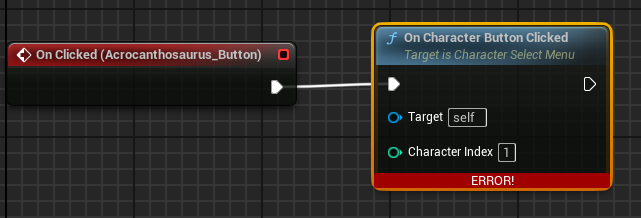
I've setup a CharacterSelectMenu widget and having an issue. It requires a target, what should I target?
The logic for cpp:
void UCharacterSelectMenu::OnCharacterButtonClicked(int32 CharacterIndex)
{
    APlayerController* PlayerController = GetOwningPlayer<APlayerController>();

    if (PlayerController && CharacterIndex >= 0 && CharacterIndex < CharacterClasses.Num())
    {
        UClass* CharacterClass = CharacterClasses[CharacterIndex];
        if (CharacterClass)
        {
            FVector SpawnLocation = FVector::ZeroVector; // Set your spawn location
            FRotator SpawnRotation = FRotator::ZeroRotator; // Set your spawn rotation

            ADynaPrimeCharacter* NewCharacter = GetWorld()->SpawnActor<ADynaPrimeCharacter>(CharacterClass, SpawnLocation, SpawnRotation);
            if (NewCharacter)
            {
                PlayerController->Possess(NewCharacter);

                // Re-enable player input
                PlayerController->EnableInput(PlayerController);

                // Remove the widget from the viewport
                RemoveFromViewport();
            }
        }
    }
}
Any suggestions?
https://i.imgur.com/DbUDHeK.png
 edgy ingot
@flint vault the target would be character select menu. W.e that is
flint vault
This blueprint (self) is not a CharacterSelectMenu, therefore ' Target ' must have a connection. @edgy ingot
edgy ingot
@flint vault yup thats what its saying
W.e blueprint you are in is not characterselectmenu thus you cant use self and must feed the target with a pointer to characterselectmenu
flint vault
That's odd, because it is that blueprint haha
edgy ingot
Look at the class at the top right
flint vault
User Widget. Oh so should I cast it maybe?
I'll remake the widget under that class. I get it now
edgy ingot
Just reparent it to your cpp widget
edgy ingot
@flint vault go to class setting and select your cpp widget as the parent class
remote meteor
when you need to untick context sensetive to find your node, its time to doubt
sum ting wong
frosty heron
@remote meteor sorry to bother but I got this curiousity.
std::shared_ptr<Player> FrankShared{ new Player {"FrankShared", 33, 294842}};
std::cout << FrankShared->Name << " " << FrankShared->xp << std::endl;
*FrankShared = hero;
If my shared ptr points to another ptr, what happend to the object that was allocated when I create the shared ptr? Do I get a memory leak or does it get deleted automatically?
remote meteor
with a shared_ptr(TSharedPtr for unreal), the lifetime of that object is kinda managed, so it gets deleted automatically
with a raw pointer then you need to be more careful
remote meteor
i dont really know about smart pointer until i reach unreal, but yeah smart pointers are created mainly to solve these issues

they are kinda the same thing, just TSharedPtr has some unreal magicary wrapped on it
frosty heron
in cpp they get deleted automatically when out of scope and I can use .use_count() to check but if I change the pointer, I am not sure how to check anymore 🥹
remote meteor
im guessing std::shared_ptr and TSharedPtr are supposed to behave the same 🤔
 lusty hedge
does anyone know what that museum like project on the marketplace is called
the one that shows examples of nearly every unreal mechanic
frosty heron
Content Examples
lusty hedge
TYSM
 zealous moth
how would you make it so that when 2 pawn units touch each other, they can push each other by continuously walking?
primal crown
im really trying to understand overlapping actor because i cant get this to work it doesnt find anyactor or am i doing something wrong?
i want the triangle mesh to Detect stuff so cant really use a box collider
 frosty heron
zealous moth
how would you make it so that when 2 pawn units touch each other, they can push ...
frosty heron
zealous moth
how would you make it so that when 2 pawn units touch each other, they can push ...
I would love to know this too 😭
zealous moth
I tried RVO and depenetration (not deep) and neither worked
frosty heron
just finished Nier Automata, gotta love the controls and how it pushed NPCs away from my path when i bump into them
remote meteor
pushing each other = apply force on collision
pushing only from 1 party = ignore actor when moving
frosty heron
🗒️
 sand yacht
For anyone planning on making a big game someday... Make sure to keep track of your references so you dont end up with a memory load of 12 gigs 
 frosty heron
sand yacht
For anyone planning on making a big game someday... Make sure to keep track of y...
frosty heron
sand yacht
For anyone planning on making a big game someday... Make sure to keep track of y...
use soft reference
sand yacht
Yes I figured 😂 We're about to rebuild the entire game as this is just completely messed up
 obtuse mulch
many of us been there
zealous moth
@frosty heron
I tried:
- CMC RVO
- CMC depenetration
- CMC physics force
But none seem to work :/
zealous moth
in cmc? it's enabled
frosty heron
make the player the boss that push everyone based on the direction he is going :D, I dunnoe
zealous moth
I want both
frosty heron
i mean, I have no idea. eventually I need to do the same thing
would really love to know how it's handled in big games
zealous moth
I'll keep working on it and update you @frosty heron , personally I am looking for a built-in solution otherwise it'd be a tick event on overlap but I really don't want to go that route
frosty heron
zealous moth
I'll keep working on it and update you <@1050954229902213150> , personally I am ...
Thank you! I will appriciate the update 🙇♂️
frosty heron
🗒️
cosmic kiln
how do i overlay a camera onto another camera?
like do a viewmodel on one camera
got no clue how to do that rn and i gotta do it so the FOV doesn't change the weapon position
thin panther
you don't get camera layers like that in unreal
cosmic kiln
thin panther
you don't get camera layers like that in unreal
ah ya don't? alright then what's a way i can make sure the FOV of the camera doesn't affect the weapon position?
 silk cosmos
cosmic kiln
got no clue how to do that rn and i gotta do it so the FOV doesn't change the we...
silk cosmos
cosmic kiln
got no clue how to do that rn and i gotta do it so the FOV doesn't change the we...
You would need to adjust the world offset position in the material I believe. I've always just copied one from a marketplace asset that I own so idk the ins and outs
cosmic kiln
silk cosmos
You would need to adjust the world offset position in the material I believe. I'...
.........what?
what material? what's a material got to do with this'
silk cosmos
You don't get camera layers in unreal. You can use a material to offset the mesh's position/size to handle FOV adjustment and overlay over other meshes
 noble brook
Hey all, I am creating a designer placed camera system. We call the placement blueprint objects “camera nodes”. Then we have a camera node manager object that finds all camera nodes within its sphere collision and sorts this array of camera nodes by distance from pawns location.
Our goal is to place camera nodes around the world and have the cameras blend to each other based on the players position to them. I have tried many things but I think this is more math heavy than I am capable of working out. Any ideas?
My main thought is to find a value that represents closeness percentage to a target node by further sorting by distance and direction, then averaging the three nodes data with each other based on this alpha value. Again, I’m not sure how the math would work out though even if I’m right.
cosmic kiln
silk cosmos
You don't get camera layers in unreal. You can use a material to offset the mesh...
how the hell does a material do that?
materials wrap around meshes, how does it change a mesh's location?
that's not possible
silk cosmos
Same way you can use a material to bend grass with the "wind". World offset position. Search for fps/weapon clipping on YouTube. There's quite a few tutorials on it
zealous moth
@frosty heron the only way so far is to enable physics and give it a mass however this breaks any movement capability... maybe on hit, enable physics and slide it... still working on it
frosty heron
zealous moth
<@1050954229902213150> the only way so far is to enable physics and give it a ma...
I don't think I can enable physics on my character 😭
 marble yew
Why view documentation is not clickable ?

Did i forgot to install something ? I just want clickable web link to docs.
zealous moth
@frosty heron nothing built in works, this is the only solution
 frosty heron
zealous moth
<@1050954229902213150> nothing built in works, this is the only solution
frosty heron
zealous moth
<@1050954229902213150> nothing built in works, this is the only solution
Ty 👍
 faint pasture
zealous moth
how would you make it so that when 2 pawn units touch each other, they can push ...
faint pasture
zealous moth
how would you make it so that when 2 pawn units touch each other, they can push ...
depends on how they're moving to begin with
zealous moth
it doesn't matter, the only way to make it work with physics AND CMC is this
faint pasture
I mean you said pawn so you left it open
my pawns use physics only so it just works
 neat lava
How do I get reference for Character(Enemy_Charactor) which the AIController(Enemy_Controller) is Controlling, someone help please ?
 vapid edge
i have a bp like dis with a sphere collision.....is there any way to remove the collision after the 3rd person char collides with it 1 time ? i feel im doing something wrong i can only destroy everything not just that 1 thing..as i want the audio and cube object to stay and not trigger anything after
 vestal sapphire
vapid edge
i have a bp like dis with a sphere collision.....is there any way to remove the ...
vestal sapphire
vapid edge
i have a bp like dis with a sphere collision.....is there any way to remove the ...
You can do "Set Collision Enabled" node, and select "No collision"
vapid edge
vestal sapphire
You can do "Set Collision Enabled" node, and select "No collision"
thank you so much 🥺
 pliant kernel
Anyone know if SaveGameObject arrays are meant to be specified in lenght? I have a working system, but the first run the amount of items I stick in the array defines the "cap", and I cannot stick any more items in the array on subsequent runs 🤨 🤧
cosmic kiln
silk cosmos
Same way you can use a material to bend grass with the "wind". World offset posi...
alr thanks
 void flax
Hey guys, I am trying to calculate the vertical angle between my character and my enemy, do know if is under him or not?
Any idea how to do that pleeaseee 🙂
frosty heron
pliant kernel
Anyone know if SaveGameObject arrays are meant to be specified in lenght? I have...
What caps? pretty sure the caps is like millions of entries for array. Could be wrong tho on this
pliant kernel
frosty heron
What caps? pretty sure the caps is like millions of entries for array. Could be ...
the cap could be like 4 items in the array, whatever number I save into it the first time. When I run the game a second time I can only overwrite those 4, and not create new ones. If I created 20 on the first run, I can save into those 20...
frosty heron
pliant kernel
the cap could be like 4 items in the array, whatever number I save into it the f...
wdym you can't create new ones 👀 , share your code
you can most deffinitly add and remove elements in array to your heart content
 frosty heron
@pliant kernel what's the goal here?
you seems to set an array to it self a few times
when you want to add just use add node
and remove to remove
that will update the array
pliant kernel
 frosty heron
What's the goal here? do you want a fixed number of slots?
or player can just keep adding forever
pliant kernel
the reason I do it this way is that the save UI is populated from the array, with forEachLoop. And I wanted the items to appear in the same order as in the UI
yes, adding forever
frosty heron
Do you need to display the empty slots then? if you do, you need to determine the logic on how you want to display the empty slots
eg, adding 1 - 2 empty slots after displaying all current saved file
pliant kernel
I just add one extra (empty) slot if you are in save mode.
frosty heron
You should have a container that contain all the save data
which for obvious reason should be a save game object too because you need to retreieve that data
So I will have 2 Save Game Object class here.
One to hold all the save Game Files
And the other is the SaveGameFile for the game it self (the slots)
When you open your save Game widgets
- Get SaveGameFiles -> For every slot, create widget and add to vertical box
- On Completion, add N number of empty slots
pliant kernel
 frosty heron
you probably don't even need slot ID imo
pliant kernel
that's my current
frosty heron
the Slot ID will be the index number of the array
i mean , what happend when you have 24 slots. Numbered from 1 to 24 then suddenly u delete slot 3?
pliant kernel
the ID won't affect how they are added in the UI. so IDs can be missing
frosty heron
Get SaveGameFiles -> Get the Slot Widget Infos -> Populate the widget with it
pliant kernel
it's used for identification and to load other data. and I use that to find slots that have changed, and save to them
pliant kernel
frosty heron
Get SaveGameFiles -> Get the Slot Widget Infos -> Populate the widget with it
yes
frosty heron
Whenever you add a new save game slot, just add it to the SlotWidgetInfo array in SaveGameFiles
You can use FGuid to give a unique ID for each slot
 latent ridge
im having a bit of an issue you see i have two projectile actors both have the same parent actor. i program both actors to spawn different actors but for some reason only one of them is spawning but the other one is not. i thought i could use this blueprint and remake it in the other actor but its not working i have it connected to on component hit event and connected to other actor
 pliant kernel
frosty heron
Whenever you add a new save game slot, just add it to the SlotWidgetInfo array i...
pliant kernel
frosty heron
Whenever you add a new save game slot, just add it to the SlotWidgetInfo array i...
That's what I'm doing, no?
frosty heron
@latent ridge this part not gonna run because you destroyed the instance of w/e class u are in
 pliant kernel
In the section "Event Update widget"
frosty heron
pliant kernel
That's what I'm doing, no?
I would have 2 SaveGameObjects. One to contain all of the SaveGameSlot and one for the SaveGameSlot it self
btw I can't really read other ppl code, especially with only a screen shoot. just throwing ideas
 pliant kernel
frosty heron
I would have 2 SaveGameObjects. One to contain all of the SaveGameSlot and one f...
pliant kernel
frosty heron
I would have 2 SaveGameObjects. One to contain all of the SaveGameSlot and one f...
I don't understand that. just to clarify, I'm allways saving to the same "slot" in the save object, I never change that. My UI "slots" are, like you say, just created for each SlotWidgetInfo array item
pliant kernel
frosty heron
btw I can't really read other ppl code, especially with only a screen shoot. jus...
No worries, I apreciate you throwing them
frosty heron
@pliant kernel You are loading your .sav file so if you have 4 slots, there should be saveslot_1, save_slot2, save_slot3, save_slot4
And when you want to load slot 1, you load saveslot_1
pliant kernel
frosty heron
<@193755272840347648> You are loading your .sav file so if you have 4 slots, the...
hmm I could do that, so actually using the slot function on the .sav instead. Then I can change the savegameobject to a single value instead of an array.
frosty heron
well I guess it depends on the design of your game
pliant kernel
but I won't have a handy array to make the UI from
frosty heron
for me, I just create a .sav file for every slot
UI job is just to read stuff
as long you have the data then it's easy
latent ridge
frosty heron
<@497871376460546053> this part not gonna run because you destroyed the instance...
this one works for only the first actor, i want it to destroy the actor, sorry if im sounding confusing you see the cold is suppose to spawn one actor at a time which i applied into my projectile blueprint and sorry about that i thought it would be readable but i was trying to fit it all in the blueprint. i thought if i could recreate this same code in another projectile blueprint different from this one it could allow me to spawn a different actor but for some reason the actor isn't spawning at all.

 frosty heron
This is my Save game, SGC is the save game collections, it contains all the name of the save slots. For every slot, I create a widget
 pliant kernel
frosty heron
for me, I just create a .sav file for every slot
pliant kernel
frosty heron
for me, I just create a .sav file for every slot
ah, so a new saveGameObject for every "UI slot"
frosty heron
for every SaveGameSlot, UI job is just to read
that;'s how I do mine anyway, i never have formal education
so not sure how others do it
pliant kernel
so you don't bother with this slot functionality right?
 frosty heron
but it's all about reading data, you can ofc only use 1 SaveGameObject if you want
frosty heron
pliant kernel
so you don't bother with this slot functionality right?
that's necessary to load the .sav file
I save and Load just the same
pliant kernel
oh, yes, but I mean you just stick the same in there, never change right?
frosty heron
latent ridge
this one works for only the first actor, i want it to destroy the actor, sorry i...
Can't draw anything from those pic alone, sorry. Can you forget your bp for one sec and tell me what you want to happend
@pliant kernel kinda how i structure mine

SGC simply contain the name of the .sav files
latent ridge
frosty heron
Can't draw anything from those pic alone, sorry. Can you forget your bp for one ...
ok sorry again for the confusion, i want to have two types of projectiles one that can spawn a block on impact the other can spawn a circle on impact both have a limited number of objects it can spawn at a time so the can't continuously spawn those objects the first one can spawn 6 if the spawn anymore than the oldest one in the list is destroyed while the second projectile can only spawn one at a time
 regal tapir


right: bed bp
left: AI tress asset
I'm trying to make ai if I hide while he is chasing me and get to a box collision (yellow or blue) can throw me out. I made a interface in focuse and make event for interface in asset but not working what am I messing?
why my Interface not working?
regal tapir
frosty heron
<@193755272840347648> kinda how i structure mine
Holy moly
frosty heron
latent ridge
ok sorry again for the confusion, i want to have two types of projectiles one th...
are you trying to do object pooling or something?
 round grove
Guys I need help trying to move a platform in an "U" shape. Essentially go some units in z axis, then some in x axis and finally another z axis movement.
I am using a timeline and I would like to be able to reverse that movement
frosty heron
If you want to destroy the oldest one, then you need to store those projectile in an array. Add to the array every time you create a projectile.
Then define when you want to do the check to destroy the oldest projectile in the array.
 lunar sleet
regal tapir
right: bed bp
left: AI tress asset
I'm trying to make ai if I hide while he is c...
lunar sleet
regal tapir
right: bed bp
left: AI tress asset
I'm trying to make ai if I hide while he is c...
What the heck is “ai tress asset” , and what’s in that player controller index? Is that a graphical artifact or did you put * in it
frosty heron
When ever you want to create the projectile, check the array size. If it already reach the number you want the max projectile to be, then don't spawn a new one
pliant kernel
frosty heron
<@193755272840347648> kinda how i structure mine
Ah, thanks. I'll see if I can rework mine
lunar sleet
round grove
I am using a timeline and I would like to be able to reverse that movement
So use the reverse pin?
round grove
I cannot seem to get the same sequence in reverse
regal tapir
lunar sleet
What the heck is “ai tress asset” , and what’s in that player controller index? ...
nice question I really dk put message target to where, I mean AI behavior tree asset
lunar sleet
round grove
I cannot seem to get the same sequence in reverse
Show code
latent ridge
frosty heron
If you want to destroy the oldest one, then you need to store those projectile i...
that's what i thought i was doing in my blueprints but for some reason the second projectile the spawns the circle lets it spawn alright but the first projectile doesn't spawn at all and only spawns on top of the circle when its spawned into the game that is the issue im trying to solve
lunar sleet
regal tapir
nice question I really dk put message target to where, I mean AI behavior tree a...
That looks like a BT task. I’m confused as to why you’re trying to use an interface call from inside a task, what’s your goal here
regal tapir
lunar sleet
That looks like a BT task. I’m confused as to why you’re trying to use an interf...
I am making a horror game and I made AI chase and focuse on me if see me, I have hiding spots, I want If AI is chasing me and focuse on me and also while it is doing these things I hide, it can throw me out
frosty heron
latent ridge
this one works for only the first actor, i want it to destroy the actor, sorry i...
if u are spawning them on the same location in a for loop, they are probably stacked againts each other or not spawning at all depending on the spawn rule
lunar sleet
regal tapir
I am making a horror game and I made AI chase and focuse on me if see me, I have...
You should go and watch the 4th pin video in the #gameplay-ai channel,
It teaches you how to actually use BTs properly
round grove
lunar sleet
Show code
I get the foward sequence of what I want but using 3 timelines doesnt seem to be the most efficient
 lunar sleet
round grove
I get the foward sequence of what I want but using 3 timelines doesnt seem to be...
lunar sleet
round grove
I get the foward sequence of what I want but using 3 timelines doesnt seem to be...
You should only be using one
regal tapir
lunar sleet
You should go and watch the 4th pin video in the <#221798778208780288> channel,
You mean this?
https://www.youtube.com/watch?v=iY1jnFvHgbE

In this presentation, Epic's Paulo Souza uses Unreal Engine's built-in AI features to build smart enemy behaviors for a game with stealth-like mechanics.
By relying on the Gameplay Framework in Unreal, we're able to quickly create convincing AI using Behavior Trees. Behavior Trees are great for creating complex AI that can be presented in a way...
ok tysm homie
latent ridge
frosty heron
if u are spawning them on the same location in a for loop, they are probably sta...
it more like the square won't spawn anywhere else unless its on the circle
round grove
lunar sleet
You should only be using one
How do I go about using one to lerp between 2 sequenctial vectors and get a reverse sequence?
lunar sleet
round grove
How do I go about using one to lerp between 2 sequenctial vectors and get a reve...
I see exactly 0 lerps in your code
You’re using the track as a common denominator and just changing the factor by which they’re multiplied. Why not just swap and put those numbers all on the track
 warm cloak
when calling DestroyActor() in BP, any references to that actor becomes invalid ?
lunar sleet
warm cloak
when calling DestroyActor() in BP, any references to that actor becomes invalid ...
Yes
warm cloak
ty
latent ridge
frosty heron
if u are spawning them on the same location in a for loop, they are probably sta...
thank you again for helping me out on it i was able to figure out what you meant and fixed the issue
 tropic peak
okay I don't even know how these are called so I'm just gonna ask here. how do you make these
 edgy ingot
tropic peak
okay I don't even know how these are called so I'm just gonna ask here. how do y...
edgy ingot
tropic peak
okay I don't even know how these are called so I'm just gonna ask here. how do y...
Double click the line. Its called reroute node
tropic peak
ty
 austere ingot
is there a way to get a static meshes nanite settings in blueprint?
trying to make a checker that will test if actorsbeing used have nanite enabled but cant seem to find a way to do it
 marble tusk
tropic peak
ty
marble tusk
tropic peak
ty
Can also hold the R key and click the graph to place one without a wire
round grove
lunar sleet
You’re using the track as a common denominator and just changing the factor by w...
ia there a way to mask out points in a timeline that you dont want in the track?
 orchid pollen
Hi ! I have a problem to give a parent reference to my entry utility widget. Self node give None and I don't know why

 astral geode
Hi i have tried to make a settings page where you can change your resolution but when i tried it out in a standalone game it doesn't change it feel free to ping me if you know why this could be happening ty 
 edgy ingot
astral geode
Hi i have tried to make a settings page where you can change your resolution but...
edgy ingot
astral geode
Hi i have tried to make a settings page where you can change your resolution but...
U didnt connect the apply
Afaik set resolution dont work in editor
Package the game and try there
You also have to make sure u r in full screen mode
I think there is full screen, windowed snd borderless window
Set resolution wont work if you are in borderless window iirc
Also instead doing it like that, make option that populate all supported screen resolution
astral geode
lemme try them out 1 sec
edgy ingot
Its 6 am here. Im gonna sleep. Do your best, if you cant figure it out, you can ping me. I will share my code
astral geode
oh alright thanks for helping
tropic peak
I want to simply rotate a mesh in Z axis using timelines, what node should I be looking at?
 molten yew
Anyone know how to fix the buggy movement in the top down template. The one where if you walk behind something you character shakes and rotates. (I'm still in the navigation box, only happens when I try to walk behind something)
 warped juniper
Hey, what are your suggestions for making an actor jump in a fixed arc?
I wanna create a pretty specific type of physics behaviour but using simple add force isn't helping
lunar sleet
round grove
ia there a way to mask out points in a timeline that you dont want in the track?
Idk what you mean
warped juniper
I think they ask if there's a way to make it so X points in the timeline have a value of 0?
lunar sleet
Yeah insert a key frame and give it a value of 0
warped juniper
Could also do a simple code setup to override the current value to 0 at certain given values
 visual crest
this is not launching the projection forward like I think it should. What am I doing wrong?
 versed sun
warped juniper
Hey, what are your suggestions for making an actor jump in a fixed arc?
versed sun
warped juniper
Hey, what are your suggestions for making an actor jump in a fixed arc?
I use a Function that lerps between 3 Vectors to animate a smooth arc movement
https://blueprintue.com/blueprint/auohmy61/


No description provided
warped juniper
versed sun
I use a Function that lerps between 3 Vectors to animate a smooth arc movement
h...
Ah, interesting... But that doesn't seem to use physics...
Like would it collide?
versed sun
you can stop the timer when a collision is detected
 hoary nest
I have a section in a blueprint that adds all sphere components of the actor into an array. I thought it looked ugly so I tidied it up a bit. What do you guys think?

 versed sun
hoary nest
I have a section in a blueprint that adds all sphere components of the actor int...
versed sun
hoary nest
I have a section in a blueprint that adds all sphere components of the actor int...
Looks cool, if that's what your asking
Could be codded smoother/quicker

 hoary nest
I felt like I was committing a war crime. I didn't know there was a make array node. I guess I'll use that one then. Thanks!
These are actually static mesh components so sadly I can't do the get component by class, or I would have to add a part that skips unnecessary static meshes
versed sun
I think we have all been there, doing things the long hard way before learning something better exists
versed sun
hoary nest
These are actually static mesh components so sadly I can't do the get component ...
sure you can

how many sphere do you have in the actor? and what do they do ?
hoary nest
ahh, didn't think of checking the mesh. I was just thinking of doing a check using the name of the component which I wanted to avoid. Cheers!
There are 14 in total, and they are options that the user can select. I'm making a 3D UI. (One of the ovelapping box-sphere sets will be hidden)
 versed sun
ahh cool
 celest island
Anyone have any tips for stopping the overall scene lighting leaking through? I have inviisble walls that are working fine with direcitonal lights, , but there does seem to still be leakage with the level lighting. Feel like im missing something
 lunar sleet
celest island
Anyone have any tips for stopping the overall scene lighting leaking through? I ...
celest island
lunar sleet
celest island
Anyone have any tips for stopping the overall scene lighting leaking through? I ...
celest island
oh ty
warped juniper
Do you reccomend using Components for making a Health system across actors?
I know it's a quite basic thing but I was wondering if that's the better practice
 lilac junco
Hey everyone! Seeking resources for learning Advance Locomotion Systems for characters in Unreal Engine 5? I need step-by-step guides, starting from basics to advance. Any suggestions? 🤔
 leaden sparrow
Hi all, I've got a fairly basic bit of Blueprint logic that has worked without issue up until this point, and I'm unsure why. The basic idea is when this moving wall hits the character they should die, however what is actually happening is they sort of just phase through the wall and nothing happens. There is an exception in that if the character is walking when they get hit with the wall they die, but not when standing still. I've tried remaking the wall, slowing the wall down, making the wall thicker, changing On Actor Hit to On Actor Begin Overlap, and nothing has worked. I'm extra confused as I've used a very similar process for my last two levels with no issue.

I want to add that I have not messed with collision settings it is just a cube that should kill the player if it comes into contact with the player
 fallow umbra
leaden sparrow
Hi all, I've got a fairly basic bit of Blueprint logic that has worked without i...
fallow umbra
leaden sparrow
Hi all, I've got a fairly basic bit of Blueprint logic that has worked without i...
Try using the debuger on On Actor Hit or just add a print right after the event and check the value for Other Actor
If you don't get anything while standing still, your character might be in "sleep mode" or how ever is called
leaden sparrow
No activity from the debugger
fallow umbra
Go your actor and click the Class Defaults search for sleep
and search for sleep in the details panel
here's an example from chaos vehicles, the 3rdPersonChar should have something similar
 leaden sparrow
Got it, this seems neat but what would it be used for?
fallow umbra
I think the engine disables the tick for actors that are not moving or performing any logic
leaden sparrow
so i have a sleep threshold value for the mesh and the capsule component, set them both to zero but the problem is persisting
fallow umbra
Try to set the sleep family to custom 
fallow umbra
in order to use the Custom Sleep Threshold Sleep family has to be on custom, perhaps try negative values? - to be hair I have no idea how it works and what's the proper way to prevent actors going to sleep 
personally I manage to reduce it for chaos vehicles - but that doesn't apply to you
leaden sparrow
set it to -100 just to be silly and still not working
switched to custom too like you said
i also noticed its moving the player back before phasing through like its pushing him a foot backward
fallow umbra
Then I have no idea how to fix it unfortunately, just search more about character/actor sleep (or dormancy)
or perhaps someone that knows how to fix this will reply
leaden sparrow
thanks for your help anyway! had no idea this setting existed
 sour moat
😳 What's the problem? It crashed when I was working and crashed again and again if I reopen it, but other projects do not have this issue.
 warped juniper
Hey there, I have a question about arrays.
I have a camera with settings to control if it can rotate, and how. The array of booleans checks for locks on XYZ. However, for clarity when working, how can I make the array display the X Y and Z?

Instead of "Index"
 unkempt warren
leaden sparrow
Hi all, I've got a fairly basic bit of Blueprint logic that has worked without i...
unkempt warren
leaden sparrow
Hi all, I've got a fairly basic bit of Blueprint logic that has worked without i...
Do you have "Simulation Generate hits" checked in the details panel of your wall?
Also, why not do like a health damage type of deal then handle the player's death inside of the player?
leaden sparrow
 unkempt warren
leaden sparrow
unkempt warren
leaden sparrow
Its under collision
 leaden sparrow

It's meant to be an instant kill, death logic is in the player but other actors can call the function
i'll try ticking generate overlap events and see what happens
still no luck
so the wall didnt have that hit events setting but the player does, tried ticking those and still nothing
unkempt warren
leaden sparrow
That's the wrong collision you want the wall itself selected in the actor bp when you look for generate hit events
leaden sparrow
Found it in the wall actor bp, ticked it and tested and still nothing
unkempt warren
leaden sparrow
Found it in the wall actor bp, ticked it and tested and still nothing
Did you use print string to see what the actor is hitting?
leaden sparrow
unkempt warren
Did you use print string to see what the actor is hitting?
just tried it with nothing being printed, but maybe i set it up wrong?
 unkempt warren
leaden sparrow
just tried it with nothing being printed, but maybe i set it up wrong?
unkempt warren
leaden sparrow
just tried it with nothing being printed, but maybe i set it up wrong?
Nothing is being printed at all?
That sounds like On Actor hit isn't even being called at all in that blueprint itself. How are you getting the On Actor Hit Event?
leaden sparrow
unkempt warren
Nothing is being printed at all?
That sounds like On Actor hit isn't even being...
So as I said before, it will activate if my player is walking, I tested the printstring while i was walking and it printed the character bp, but if I'm standing still nothing happens
But to answer, i have the wall selected, then in the level bp I right click and get the On Hit Actor Event associated with the object
 wanton prism
is someone able to help me?


 leaden sparrow
i saw a response but its gone now
unkempt warren
leaden sparrow
But to answer, i have the wall selected, then in the level bp I right click and ...
Why would you do it in level BP?
I would do it in the Wall Actor itself.
 formal laurel
Guys, can you tell me pls how to cast use interface from player controller to actor blueprint?

 unkempt warren
formal laurel
Guys, can you tell me pls how to cast use interface from player controller to ac...
unkempt warren
formal laurel
Guys, can you tell me pls how to cast use interface from player controller to ac...
Do "Remove UI (Message)"
might have to remove the "case sensitive" to find it
leaden sparrow
unkempt warren
Why would you do it in level BP?
I would do it in the Wall Actor itself.
worked before, I'll try moving the logic to the wall actor
still not working
unkempt warren
formal laurel
Guys, can you tell me pls how to cast use interface from player controller to ac...
Should have an evelope on it when you're talking to the Remove UI BPi
formal laurel
what need put in Target?
leaden sparrow
wanton prism
is someone able to help me?
Try adding IsValid? before your branch
formal laurel
If I insert a reference from a blueprint into the target, how can I choose it in player controller?
unkempt warren
leaden sparrow
still not working
Can you show what you did in the Wall Actor bp itself
leaden sparrow
yea one sec
formal laurel
so many questions😅
leaden sparrow
unkempt warren
Can you show what you did in the Wall Actor bp itself
I will note that I'm not sure I set it up right as every other time i've used on actor hit that bind even node never showed up but here it is
 wanton prism
leaden sparrow
Try adding IsValid? before your branch
wanton prism
leaden sparrow
Try adding IsValid? before your branch
?
leaden sparrow
wanton prism
?
 unkempt warren
leaden sparrow
I will note that I'm not sure I set it up right as every other time i've used on...
unkempt warren
leaden sparrow
I will note that I'm not sure I set it up right as every other time i've used on...
That's binding events, you're going to want to select yuor wall in the bp and do "On Component hit"
 leaden sparrow
unkempt warren
That's binding events, you're going to want to select yuor wall in the bp and do...
leaden sparrow
unkempt warren
That's binding events, you're going to want to select yuor wall in the bp and do...

Still nothing
leaden sparrow
wanton prism
Works fine here for some reason
so are you good or still getting errors?
unkempt warren
leaden sparrow
Weird.. Give me a second imma test it myself cause it should work..
Could you print string that though to see if its hitting stuff?
leaden sparrow
unkempt warren
Weird.. Give me a second imma test it myself cause it should work..
Could you ...
sure one sec
unkempt warren
leaden sparrow
sure one sec
Okay so mine works. So, there's something going on somewhere.
leaden sparrow
unkempt warren
Okay so mine works. So, there's something going on somewhere.
same deal, nothing when standing still, but when walking its working and printing that its hitting my character
unkempt warren
leaden sparrow
sure one sec
Does the wall move?
wanton prism
leaden sparrow
so are you good or still getting errors?
no the othere one is difernt code idk why it isnt working it for a differnt system being used in the same area for the puzzels
leaden sparrow
unkempt warren
Does the wall move?
the wall is the only thing that should be moving
unkempt warren
leaden sparrow
the wall is the only thing that should be moving
How are you moving it?
leaden sparrow
unkempt warren
How are you moving it?
would you be able to hop in fort fivus so i'm not flooding this with the same problem
wanton prism
leaden sparrow
so are you good or still getting errors?
fixxed now i just ripped the code from the other puzzel
edgy ingot
@astral geode u packaged the game and test?
 earnest vigil
Hey it looks like my print string nodes have stopped working? I dont remember changing anything from today to yesterday that would have disabled them. It is all of them not just certain ones. Any ideas?
warped juniper
Hey there.
How can I up a boolean that returns true, if the overlapping actors of a component do NOT have a specific tag?
I'm using the GetOverlappingActors array for this.
edgy ingot
earnest vigil
Hey it looks like my print string nodes have stopped working? I dont remember ch...
Are u in development mode? Did you type disable all screen messages?
edgy ingot
warped juniper
Hey there.
How can I up a boolean that returns true, if the overlapping actors o...
Get the actor, get the components, find tag
warped juniper
I'm using an array of actors though
edgy ingot
Tag is just an fname isnt it, pretty sure there is .find
warped juniper
The tags are part f the actor itself
warped juniper
Yeah but when I type tag from actor it doesn't show anything
edgy ingot
U get the actor then u get the actor components
Well depend where u place the tag
Just show some pic
Where do u add the tag
warped juniper
The tag is placed on the root
edgy ingot
So actor has tag then
warped juniper
Yeah
edgy ingot
Thats the node u can use
Loop thru the actor, for each of the actor check if they have the tag
warped juniper
Yeah I tried that
But that makes it so the last actor in the array is the only one that matters
 edgy ingot
K what do u actually want to do here
warped juniper
Whenever the collider ends overlap with another component, it checks all currently overlapping actors for the "pickup" tag
If there are no pickups, then it closes the Interface function I'm using to manage pickups
edgy ingot
Make a function call it CheckIfThereIsAnyPickupTag
It will return a bool value
In the function you want to get the overlapping actor and loop thru them
If actor has tag is true, return true right away
On completed return false
U can then use this function to check if there is an actor that have the tag in the pickup collider
warped juniper
Alright sounds simple enough
How do I make it return true immediatly and stop checking once it finds a true?
Just use a branch?
edgy ingot
In the loop do the branch check
If true return true. If false do nothing
The conditon being if the actor has the tag
warped juniper
Got it
Thank you for that
Wait a moment...
I feel so, so dumb
I could have just used a class filter...
edgy ingot
Depend on your purpose
earnest vigil
edgy ingot
Are u in development mode? Did you type disable all screen messages?
I think the issue was just some jank where I needed to restart
Thank you though
I do have another question though
I am trying to calculate velocity without using Physics and this is what I have come up with.
Event tick handles movement and the amount of time the actor has been alive and CalcVel is called onBeginPlay to spit out a velocity every second or so


It seems like this is pretty close but the issue is that the actor is always moving at the same speed but I am always getting a slightly different velocity when calculating
If anyone has any ideas it would be a massive help. Physics objects not being affected by time dilation has put me in a very annoying situation
edgy ingot
@earnest vigil pretty sure physic object are effected by time dilation?
Should be able to play around in template object with those blue physich boxes
edgy ingot
Ye global will work
earnest vigil
I unfortunately cant use global since that affects much more than I have access to
edgy ingot
U can do custom time dilation on individual actor
earnest vigil
Yes, but I need to be able to use the movie render queue at runtime which is also affected by global time dilation
I dont believe I can change the time dilation for that though
edgy ingot
Well i never tried custom time dilation with physich object. Make it a bp actor and apply time dilation?
earnest vigil
It just doesnt do anything to a physics actor
edgy ingot
Well i never try so i dunnoe
earnest vigil
it is totally unaffected by custom dilation
oh wait
I think I see what you mean let me try that
edgy ingot
K googled it, u cant used custom time dilation for physich object
@earnest vigil
I think your only option is to do global and set custom dilation for things that shouldnt be affected or affected less
earnest vigil
edgy ingot
I think your only option is to do global and set custom dilation for things that...
Any ideas on the code I posted up top that I have to calculate the velocity?
edgy ingot
earnest vigil
Any ideas on the code I posted up top that I have to calculate the velocity?
I cant do math soz
earnest vigil
All good thank you for trying 🙂
edgy ingot
My question is why dont u calculate velocity every frame tho
Delay there seems fishy imo
lunar sleet
Delay is almost always fishy tho tbh 😀
Btw we have #game-math for these questions now @earnest vigil
Where the scientists in the server live
earnest vigil
edgy ingot
My question is why dont u calculate velocity every frame tho
Without the short delay between when it gets the first and second point they will always be the same resulting in 0 every time. The second delay is only there so i only see it every second because it gets cluttered
 celest lotus
is there any way to activate and deactivate Event Tick?
Like im making a game that has multiple levels, so in one level the character needs event tick to line trace and in other level it doesnt and its being a bother in that level so how can i solve this
 iron kindle
has anyone seen any information about making quake movement like slash from quake champions ?\
edgy ingot
celest lotus
is there any way to activate and deactivate Event Tick?
Set actor tick enabled
celest lotus
can i set that through game mode?
edgy ingot
Anywhere ur heart desire as long u have a ref to the actor
Assuming single player anyway
main lake
Is it normal when I run forward it runs smooth, but when running sideways or backward it start jittering (using the Third Person Template) ? https://gyazo.com/d3c66f480fdc231630d57a4c96cd7449.mp4
edgy ingot
Thats not how the template roll, u must have changed something
celest lotus
edgy ingot
Assuming single player anyway
yep
edgy ingot
And no u shouldnt get any jittering with template
main lake
edgy ingot
Thats not how the template roll, u must have changed something
like what ?
edgy ingot
main lake
like what ?
Thats not how the third person template even walk
I dunnoe what u did but theres no jitter for me if i start a fresh ,3rd person template
celest lotus
when move right the character will face the right
edgy ingot
Do you set something with replicated variable?
main lake
edgy ingot
Thats not how the third person template even walk
1 thing I remember changing what the "Use Controller Rotation Yaw" and check to "true".
celest lotus
u probably accidentally turned this off
 main lake
celest lotus
u probably accidentally turned this off
main lake
celest lotus
u probably accidentally turned this off
nope that's still ON
celest lotus
show ur settings
main lake
celest lotus
show ur settings
it's too long, what part do you want to see ?
edgy ingot
I can only share my experience with 3rd person template. It doesnt jitter
celest lotus
this is how it works
main lake
celest lotus
this is how it works
Try to check "Use Controller Rotation" to see if does that issue
celest lotus
main lake
it's too long, what part do you want to see ?
 main lake
celest lotus
main lake
celest lotus
Wait that's not the Root component, which component is that ?
celest lotus
camera boon
main lake
celest lotus
camera boon
 main lake
celest lotus
this with the orient rotation to movement off
main lake
celest lotus
this with the orient rotation to movement off
Where is "Orient rotation to movement" setting ?
celest lotus
character movement
celest lotus
celest lotus
u probably accidentally turned this off
this one
main lake
celest lotus
this one
Problem solved, thank you 🙏
But I'm not sure to understand what was the issue in the first place 🤣
celest lotus
main lake
But I'm not sure to understand what was the issue in the first place 🤣
how it got solved?
main lake
celest lotus
how it got solved?
I unchecked "Orient Rotation to Movement" on the Character Movement
celest lotus
oh
 austere patrol
Hello, I want to know how people switch input.
For example when player open inventory widget, I want player to control inventory with arrow key.
For now, I wrote a Enum to switch right after InputAction, but it doesn't seems effecient.
 untold fossil
hello. Does anyone know why the mesh in a character actor always resets to face a certain direction on non local clients? Everytime I move the mesh points towards the north for example. No matter what I do it always seems to override the rotation even when detaching the mesh on runtime from the character it still always rotates to the north. It's like the mesh is hardreferenced inside the character movement component or something and it's rotation is forced somehow? How can I disable this?
celest lotus
main lake
I unchecked "Orient Rotation to Movement" on the Character Movement
u prolly changed something accidentally im sure cuz its the other way around but whatever as long ur problem is solved it doesnt matter💀
unkempt warren
main lake
I unchecked "Orient Rotation to Movement" on the Character Movement
Create a demo thirdperosn template and copy camera settings from it.. Then change accordingly.
 olive yarrow
So i've whipped up an inventory system buuuuuut every time i pick up a new item it overwrites the old item - so essentially i can only hold one item at a time...
Could someone help point to where i've messed up this blueprint?
 steady night
how can this happen ?


in the Bp the candle is placed corrently but when i place it in the world
its offsett is insane ?
versed sun
is the Scale of the table or actor changed?
lusty shard
steady night
no
make sure that the candles and paper within the table bp are using the same global or absolute location values

 steady night
they are
lusty shard
they are what?
steady night
but i can set them to 0 then all of them would be ontop of eachotehr
lusty shard
would they be on the table though?
ooooh might be an issue in the world.. try dragging the table into the level again from the content browser
steady night
nah same problem i can put the table anywhere in the world but the candels are always spawned at that location O.o
lusty shard
oh really.. so no matter where you move the table the candles stay at the spot?
steady night
oh wait
i changed it from static to movable
cant have a child thats static on a movable object
then it moved
steady night
yeah since it was static then i couldent attach so be dufault got put in 0,0,0 i guess
nope
thats the thing
weird
lusty shard
very
dark drum
Can anyone think of any reason why adding a break point to a node (When debugging an issue) would actually fix the issue. o.O With the break point what should happen happens, if I remove the break point, it doesn't happen so I'm a little confused.
 lyric quiver
Quick question, what does the default pin do here?
 dark drum
I did find the bug to fix it but it was in a different BP. Just thought it was odd.
lyric quiver
k thanks
dark drum
I know what you mean, it doesn't happen very often for me but I've found its more likely to happen if I click and then drag instantly. Possibly a delay with it detecting the contents of the comment box.
Yea, just slow down, take it steady 😛
 hollow tendon
why? not in scope just 1 node away
tropic peak
I have a platform blueprint, and in the hierarchy I have added 4 light blueprints on top of the platform. The light blueprint has some variables I would like to access, when triggering events in the platform blueprint - I want the lights to be switched on. Is this the right way of putting it together (parent-children components in platform BP), and how can I access the lights BP variables?

 thorny forge
Hey guys, I'm a bit new to programming and I'm looking to see if there's a way to check "if any of these are true, proceed"
I've tried these two methods but they seem to rely on all of the objects being true or valid

Does anyone know a better way please?
I'm essentially trying to cut out all the errors I keep getting about accessing none because depending on which trigger I overlap, only some of the public fields have a reference in them and the others do not. Which returns an 'accessed' non error everytime
I was thinking maybe if there's some kind of 'AND/OR' condition I could use
edgy ingot
thorny forge
I was thinking maybe if there's some kind of 'AND/OR' condition I could use
Or means if any of the condition is true, it will return true
So just do an or and add pins as needed
Then do a branch
hollow tendon
Help
hollow tendon
hollow tendon
why? not in scope just 1 node away
.
 supple dome
the unfortunate answer is that that is how it is
steady night
hmm im openineg my level from main menu level, as a presisten level how would i normaly put a loadingscreen inbetween there or how do you normaly do that stuff ?
tips ?
edgy ingot
Since you are doing multiplayer you can do a server travel once u are in the game.
But from main menu and when you open a level as a listen server, thats when a hard travel happend and there is no way around it
If u want a fake loading screen you can just slab a widget with static image. Add delay and start opening a level
steady night
aye that was my idea
edgy ingot
If you want a real loading screen then you have to use cpp
 subtle nova
Hopefully quick question. I'm trying to have a BP listen to all my turrets and fail the player if they alert any of the turrets. Apparently you can't bind an event to a delegate in a For-Each loop though. It'll only apply one time.
Alternative ways??? Any suggestions?

 brisk rain
Hello! I'm new here, why does this cast not work? It outputs no cast every time.

 hollow cove
subtle nova
Hopefully quick question. I'm trying to have a BP listen to all my turrets and f...
hollow cove
subtle nova
Hopefully quick question. I'm trying to have a BP listen to all my turrets and f...
you can bind on a for loop. i've done it before with an array of buttons in a widget. something else is probably going wrong here
edgy ingot
brisk rain
Hello! I'm new here, why does this cast not work? It outputs no cast every time.
You are getting a random actor from the world, it could be anything
subtle nova
hollow cove
you can bind on a for loop. i've done it before with an array of buttons in a wi...
Hmmm, I guess I'll keep digging then
hollow cove
subtle nova
Hmmm, I guess I'll keep digging then
have you checked the length of the array
edgy ingot
Get actor of class then chose your spawner class. U dont even need cast here
brisk rain
edgy ingot
Get actor of class then chose your spawner class. U dont even need cast here
oh
alright thx
edgy ingot
Casting is just a type check. And the object feed to it needs to derived to what ever type your cadting to
subtle nova
hollow cove
have you checked the length of the array
Yeah, it's picking up all the turrets
edgy ingot
You can bind delegates with for loop. Doesnt really matter where u do it actually
subtle nova
hmmm, that's what I had thought, but it isn't working. So I guess somethign else is going wrong.
edgy ingot
Done it plenty of times with or without for loop
Print string the ref returned from your interface
Thats not even the right node afaik
Should get the one with the message icon
subtle nova
I've tried four different ways of accessing the alert component on the turrets to bind to the delegate. Consistently, only one (the same one) of the 9 turrets gets triggered.

Even though it's detecting all the turrets, and running through the for-each loop 9 times
edgy ingot
@subtle nova use the one with message icon. Then figure out how you set the return value
Clearly doing something wrong
Perhaps using things like get actor of class
 stuck dragon
Hey guys, anyone know how to see if a side of an object is empty? For example on this I want to place an object on the left and right ends any methods?
 edgy ingot
stuck dragon
Hey guys, anyone know how to see if a side of an object is empty? For example on...
edgy ingot
stuck dragon
Hey guys, anyone know how to see if a side of an object is empty? For example on...
If this box r made from array then you can just check the index
stuck dragon
I was going to make an array, but I want this to be generated without any input so I want a way to check for the ends if that makes sense
edgy ingot
Many way to check, ur game ur choice
Think in plain english on how you can check if there is a box next to the box
One way you can check is doing a collision check
Project a box collision on each side of the box then check if there is the box collide with your cube
stuck dragon
thank you, i'll try this and see how it works.
 warm lava
is there a simple way to check if a system file exists in the project folder
frosty heron
warm lava
is there a simple way to check if a system file exists in the project folder
A system file in the project folder? like what for example
warm lava
frosty heron
A system file in the project folder? like what for example
need to see if this file exists: "K:/Drive/Whatever/UE/Project/Content/MDL/Functions/TEMPLATE.uasset"
frosty heron
@warm lava You can use File exist node but how does that gonna work in package
u won't see your typical uasset in shipping build
This to check if a file exist
 warm lava
its for inhouse production, all editor stuff
frosty heron
ahh ok that's fine then
warm lava
thank you!
frosty heron
@warm lava if you need path to your project folder use get project file path
warm lava
thanks! I was able to get that far from previous help
 coarse grove
Hello guys, Im looking to do an area damage around the player with some explosions, but I want to control exactly the distance from player each explosion will spawn. What would be the best approach to do it?
I was thinking to get forward vector and multiply by a distance, then rotate it around player, is there a better solution?

 hidden cape
hey guys, not sure where to ask this...so just gonna ask here.. anyone know of any tutorials about using data assets for characters? I was told to add to my character for easy integration with different skeletons or something.
steady night
when i enter the game there is a brief 1-2 frames where it shows im guessing 0,0 point of the map before my Widgets are loaded in this case (loadingscreen) widget
is there a way to change where that screen will be :/ ?
frosty heron
@steady night for hard travel, u can't keep widget alive using BP
frosty heron
but you can with CPP :S
steady night
i jsujt want that first frame to be elsewhere
frosty heron
it's worth learning it
steady night
aye in time 😛