1 messages · Page 52 of 1
 brazen pulsar
 earnest swan
iirc you need to lower it so it decreases the distance
 undone surge
alright thanks
 sleek timber
earnest swan
wdym by working backwards?
sleek timber
earnest swan
wdym by working backwards?
Since you can Break and Make to retrieve items that are inside the array there has to be a way to add an S Slot Info in number 3 into the Starting Items array.
 frosty heron
Step three shows a struct not an array
 versed sun
sleek timber
Since you can Break and Make to retrieve items that are inside the array there h...
versed sun
sleek timber
Since you can Break and Make to retrieve items that are inside the array there h...
do you want to create an array from structs?

or edit existing array?

 flat coral
I've got this timer in a widget which is shown while the game is paused, and it never runs presumably because the game is paused. Cool. How do I fix it?

 stone field
flat coral
I've got this timer in a widget which is shown while the game is paused, and it ...
stone field
flat coral
I've got this timer in a widget which is shown while the game is paused, and it ...
Before looking for solutions, it might be good to understand why the game becomes paused?
flat coral
I mean it's pretty standard to pause gameplay during menu interaction
anyways I've got an animation I can use as a timer instead so I just did that.
Plus side, I learned about Play Animation With Finished Event which is pretty cool!

 wise zodiac
Hi guys, I got stuck, or maybe it shouldn’t work.
Can you fire interface event in anim bp ?
( I’m sending the message but nothing happens )
Ty in advance
 sour crater
having a dumb moment
where should i put the "mana drain?"


if your wondering what mana drained? is
 random pulsar
@frosty heron hey whats up?)
versed sun
sour crater
having a dumb moment
I would make the Mana Drained a Pure Function, and plug the func into a Branch whenever you want to stop exec if mana = 0
sour crater
how do you make it into a pure function?
random pulsar
just wanted to ask smth,when i have something in inventory and i restart the level by loading the scene,it does not delete items from inventory,i think is is because of the game instance,so i am wondering how can i reset the inventory when player dies?
 random pulsar
when health is 0 i load game iver scene with restart button
sour crater
found it ill try it
frosty heron
random pulsar
just wanted to ask smth,when i have something in inventory and i restart the lev...
wdym by restart the level by loading the scene. as in like you stop play and hit play again?
Or u just open the map again
Game instance gets destroyed when Game Ends
random pulsar
i just load scene
frosty heron
otherwise they still presist
Can u be more descriptive with what you mean by load scene
Open Level Node?
random pulsar
yeah open level sry
frosty heron
well in that case the gameInstance still presist
it will carry what ever value you set it too
random pulsar
so how can i restart it completely)
frosty heron
hard to say without knowing the design of the game
I mean you re-set it by resetting the values manually
random pulsar
frosty heron
I mean you re-set it by resetting the values manually
(
frosty heron
If u die, don't save the game
fall back to the old save file
Re-load your data from the save game file
random pulsar
 frosty heron
you should incoperate Save Game objects then
save at the point where you want to fall back to
frosty heron
No
I mean don't you need save and load at some point in your game?
why not just start with that
You saved at the start of your check point
when u die you can load the data for that check point and just reset the map
random pulsar
i need just the reset thats it to reset the inventory
frosty heron
Then just make a function to reset the inventory
In your game instance -> Clear inventory
then open the level
sour crater
lol i cheated. was too afraid to change a already made function into a pure so i just remade the function out of the function
 random pulsar
frosty heron
then open the level
random pulsar
frosty heron
then open the level
please say its like this,i use all my neuron cells
 frosty heron
random pulsar
please say its like this,i use all my neuron cells
frosty heron
random pulsar
please say its like this,i use all my neuron cells
nah u just drag and type clear
random pulsar
?
 frosty heron
im out, 6 am. Nite 2
random pulsar
thanks you always save me)
 trim matrix
hi, i have a blueprint that has a variable that i want to change in the instance that i spawn

 dire frost
ok?
trim matrix
yeah, how can i do that?
dire frost
oh that was a question! i thought it was just a statement lmao
anyway just drag of the blue pin
on the right
and set whatever you want
sour crater
what would be the proper way of cutting off the mana drain if the comma is released


comma key ^
]

^ full code
trim matrix
dire frost
and set whatever you want
oh okay thanks, ill'try that
dire frost
sour crater
]
id refactor the code to use a timer instead
and on comma released you can get the timer reference that you've saved and stop it
btw did you hear of our lord and saviour enhanced inputs?
 quartz spoke
im spawning a pawn with this node, but the controller doesn't seem to be possessing the pawn. Does anyone know why this is happening? calling Get Controller returns nothing, but if i drop the character in from the content browser it gets possessed
 dire frost
quartz spoke
im spawning a pawn with this node, but the controller doesn't seem to be possess...
dire frost
quartz spoke
im spawning a pawn with this node, but the controller doesn't seem to be possess...
you want to call the "possess" function from the controller and give the target pawn
probably a good idea to unpossess the current pawn as well
 faint pasture
quartz spoke
im spawning a pawn with this node, but the controller doesn't seem to be possess...
faint pasture
quartz spoke
im spawning a pawn with this node, but the controller doesn't seem to be possess...
There's a spawn ai from class node that makes the aicontroller for you etc
dire frost
oh yeah that's an AI 😅
quartz spoke
👀
dire frost
nvm me
faint pasture
quartz spoke
im spawning a pawn with this node, but the controller doesn't seem to be possess...
That just spawns the body, doesn't give it a brain
quartz spoke
riight, i have the controller set on the blueprint. So if it gets spawned in at runtime it ignores that?
vs spawning it via drag-n-drop
seems to be working as expected with that Spawn AI node though, tyvm 🙂
sour crater
dire frost
id refactor the code to use a timer instead
add this one var to be off and it worked for the release lol

i would use a timer, but its a power up code not a regen
dire frost
i think the timer approach would give you more control overall but if it works, it works!
sour crater
it probablyh would but i just need it to increase battle power with a cool animation
the BP within the power control does everything else
cracks knuckles
time to make power count >= 0 = BP - 1 for as while
 dapper grotto
I'm trying to change cloud material parameter of volumetric cloud component (using simple clouds material from plugin) like below, but nothing happens. It seems to work different than how it works for meshes. I didn't find anything about this being a problem for anyone else though for some reason. So I must be doing something wrong, but I can't figure it out. I only found here on the Discord where someone asked how to do it in C++ that you have to set the material again to the dynamic instance, but that still didn't do anything for me. Now I am clueless.

 charred berry
Using spline from modeling mode, and tho terrain raiser lower is on in details, the spline barely moves terrain up, is this a known issue in 5.3 or do I have a setting wrong somewhere 0_0
 edgy eagle
why does event begin play is not called for childs of the actor?
sour crater
edgy eagle
why does event begin play is not called for childs of the actor?

i believe you also have to do this on the event tick as well

hope this helps
 coarse vale
Hello. I wanted to limit the yaw rotation for my character. I used camera manager and "max/min yaw rotation". It works with the pitch, because limit values are in the world transform, but it doesn work with the yaw. Also I had problems with setting the yaw limits back to it defaults values, it just blocked rotation.
Does anyone know the way to quickly and easily limit the yaw rotation?
sour crater
trying to figure out why the bp will drain every delay, but the mana will only do it everytime it is released.


 noble ledge
Is grabbing the index of the array any different than just using the output pin? The top break is coming from the output and then the bottom is using the index into the array but its the same thing right?

 dawn gazelle
noble ledge
Is grabbing the index of the array any different than just using the output pin?...
dawn gazelle
noble ledge
Is grabbing the index of the array any different than just using the output pin?...
Depends on the macro, but it's probably returning a copy. Your get there appears to be returning a reference.
noble ledge
this is the macro
 dawn gazelle
Then yea, that looks like it's doing by reference as well, it should be the same.
noble ledge
Ok cause im converting to C++ and I have just been doing..
for(FStructType& Item : Array)
So wanted to make sure nothing was different
thanks for the help
 lean flax
Does someone know if there's a node I can use to move the player to a location similar to the AI Move To? Simple Move to does not meet my requirements, as I need the Movement Result
 sour crater

trying to think of a proper way to make sure it cant recover if the mana is draining
powering up and recovering is kinda buggy
how do i stop a custom event thats on a loop
i am trying to avoid a timer
because its a power up code to where you can press a button and increase the bp stat
mana
is on a timer


maybe if i just add MP += 100
ill see how that does
seems to work
 lunar sleet
I’d be surprised if that doesn’t cause issues at scale. Why not just use a bool to check if mana is currently being drained? If you don’t want to use a timer you can check it on tick
 rapid helm
i've been struggling for days, but i wonder why the division returns 0.8 (I set it to 80/100) but when i set it to the percent it doesn't update? It only updates when the health is in between 26-75 (3d widget btw)
 dawn gazelle
sour crater
dawn gazelle
sour crater
Your issue likely stems from allowing the client to tell the server whether or not to recover mana. Even if you're not currently working on multiplayer aspects of your game the logic needs to flow in a way that ensures that you're not doing parts of things on the client that the server should be in control of or needs to know about.
Your mana should be handled entirely server side and let the server replicate the mana value, and the server can properly control whether or not it should be regenerating or not and set the value depending on usage. Your current set up has both the server replicating values and the client setting it locally, so if you are doing things multiplayer, things won't line up as the server is the authority of the "real" value, not the client.
A very basic constant "regeneration" effect can be done on a timer and you can technically leave it always active. You can put a branch on the logic that sets value and connect in any kind of boolean logic to determine if the mana should be increased or not. It gets more complex if you want to stop or restart the timer any time the resource is being used.
frosty heron
dawn gazelle
Your issue likely stems from allowing the client to tell the server whether or n...
Isn't it normal for client to set things locally before telling the server to replicate the change? If we don't introduce client prediction the game will be not responsive.
Server will replicate the true value back anyway and correct or punish the player if the values send are invalid. I think that's how it normally go but I could be wrong. I certainly won't wait RTT to see my character start sprinting or having its stamina consumed
dawn gazelle
frosty heron
Isn't it normal for client to set things locally before telling the server to re...
Sure, but seeing as the RPC that GuardianTwin has posted is starting a timer to regenerate mana from the client calling it, I'm fairly certain they're not yet at the level where they're necessarily trying to do client prediction (not even necessarily knowing what it is) and you wouldn't want your mana regeneration to necessarily be client predicted.
 misty nimbus
is their a blueprint thats just a timer like e pressed->dissble input-> wait 2 seconds-> enable input
dawn gazelle
delay, set timer by event. Delay would likely be the simpler of the two for this kind of situation.
misty nimbus
awesome delay is perfect tysm
 dry pecan
so in unreal, I have a health actor compoent and I need have it assigned to my player character, how can I get the values of the actor compoenet, the health floats and refrence them in my UI? making health UI
frosty heron
The player character can own the health comp.
To get the health you simply get the actor that owns the component -> get the component -> get/set health
dry pecan
frosty heron
The player character can own the health comp.
To get the health you simply get...
well I'm trying to refrence the component to a UI widget, on my Actor component I have to float values, health and max health, and I'm trying to refrence health to the widget
frosty heron
dry pecan
well I'm trying to refrence the component to a UI widget, on my Actor component ...
The widget should belong to an actor that have the health component.
Take player for example. Create widget in character then on widget construct. The widget gets the owner of the widget, which is the character, then get the character health component.
Done
dry pecan
frosty heron
The widget should belong to an actor that have the health component.
Take play...
what do you mean by create widget in character?
frosty heron
dry pecan
what do you mean by create widget in character?
Well where do you create the widget?
dry pecan
in the level?
frosty heron
All u have to do is pass the owner reference to it
frosty heron
dry pecan
in the level?
The create widget node
Which bp did you place it
You want to assign owner to the widget
dry pecan
frosty heron
Which bp did you place it
oh do you mean the create widget node?
earnest swan
You might as well move the logic to the player, so then you don't need to re-create the widget every new level
Or something else like the gamemode
frosty heron
Or hud
dry pecan
frosty heron
Or hud
since I need to reflect that health value there onto my widget, which is a probelm when its not a variable I can easily refrence
frosty heron
It's easy as f
I already explained how multiple times kinda
When you create the widget you want to pass the actor that has the health component to it
Once you set it in the widget, you have direct access to that specific health component
In your widget construct try to print string get owner. See what that give you
If that gives you the actor that own the component then you can just drag from the blue pin and type get component by class and select your health comp
dry pecan
frosty heron
When you create the widget you want to pass the actor that has the health compon...
would a pass be a cast to node?
also I thought I was creating the widget in my player character?
frosty heron
You can create it where ever you want that make sense but if you are doing widget 3d maybe u can just get the owner right away
dry pecan
frosty heron
You can create it where ever you want that make sense but if you are doing widge...
oh no I'm doing Widget UI
 frosty heron
How is the widget placed? Screen space or with widget component ( in world space )
dry pecan
frosty heron
How is the widget placed? Screen space or with widget component ( in world space...
screen space, essentially UI
frosty heron
K show the create widget node
dry pecan
 frosty heron
Promote it as variable. Good practice if u need to access it
Now in your WB health. Create a variable of type actor
Make it instance editable and expose on spawn
dry pecan
frosty heron
Promote it as variable. Good practice if u need to access it
you mean where it says class?
frosty heron
Then refresh your create widget node
frosty heron
dry pecan
you mean where it says class?
No the return value of the widget.
dry pecan
oh like this?
 dry pecan
made an actore varibale named PlayerCharacter
 wintry meteor
hi guys, is there any sites possible to learn for blueprint part?
dry pecan
versatile?
dry pecan
frosty heron
Make it versatile
oh do you mean instance editable?
frosty heron
dry pecan
oh do you mean instance editable?
Take it slow and read. Post the bp when u done it
dry pecan
frosty heron
Make it instance editable and expose on spawn
here is my widget BP for getting health

though this is outdated and now I'm changing it to my actor compoenent on my player character
frosty heron
I'm still waiting for u to finish what I wrote
dry pecan
 dry pecan
by refresh do you mean delete?
dry pecan
frosty heron
Have another 5 mins to hand hold you, gtg soon
what do you mean by refresh?
frosty heron
right click create widget node and select refresh
dry pecan
frosty heron
right click create widget node and select refresh
I'm sorry that I sounded like an idiot
frosty heron
k now get a reference to self then plug it to owner
frosty heron
dry pecan
I'm sorry that I sounded like an idiot
Everyone have to start from somewhere, I suggest going thru some more videos on the net tho.
especially blueprint communication pinned in this channel
dry pecan
 dry pecan
frosty heron
type self
dry pecan
frosty heron
type self
so where from here? is there more?
frosty heron
 dry pecan
would something like this work?
 dry pecan
frosty heron
dry pecan
frosty heron
alright it says BP first person character which is who it was assigned to
frosty heron
k so onto the next line then
Widget Construct -> Owner -> Get component by class (Health Comp) -> Promote to variable
dry pecan
where do I do that, in the actor or my widget
dry pecan
frosty heron
Widget Construct -> Owner -> Get component by class (Health Comp) -> Promote to ...
ok I know where to do it, I just dont know what you mean by owner is that a get/set?
frosty heron
get
dry pecan
 misty nimbus
sorry if im interupting but is their a way to say
if( e is pressed and component overlap is true)
{
dissable input
delay for 2.5 seconds
enable input
}

 dry pecan
frosty heron
get
dry pecan
frosty heron
get
I'm sorry did I do this wrong?
frosty heron
dry pecan
I'm sorry did I do this wrong?
you can just hard code the class
pick your health component class
From the return value, do is valid check
if valid, promote it to variable
Then that's that. You got a reference to your health component
the rest is 🦵
dry pecan
um... I dont know c++
frosty heron
no c++ involved
hard coding means, instead plugging a variable
just pick from the drop down
dry pecan
 frosty heron
promote the return value
that's your health component
now you have a reference to your health component in the widget. The rest is leg work
dry pecan
I'm sorry but is this wrong as well?
 dry pecan
frosty heron
promote the return value
dry pecan
frosty heron
promote the return value
I'm sorry I'm just a bit confused at the last part
dry pecan
frosty heron
that's your health component
so do I connect it to anything when I did the promoting orn no?
frosty heron
this is your owner/character health component

I am too burn out for more hand holding
you can work your way from here
misty nimbus
misty nimbus
sorry if im interupting but is their a way to say
if( e is pressed and compone...
i figured it out its just messy

it didnt work so i made it even messyer (;<
it works now though
earnest swan
misty nimbus
If you wanna clean up what you have rn, you don't need to have the branch check "truth" and "collided" since you just pressed E. You know it has been pressed. Only check "collided". Also, collision and overlap are two different things so it might be good to change the variable name to "isOverlapping". Also, that will fire if it's overlapping anything.
I'm not sure if that's what you want? But if it is then that's okay
misty nimbus
so would i just need to cheak if coldided (ill change it) is true
earnest swan
Yeah, when you press e check if collided is true
misty nimbus
okok thank you i just did that
dry pecan
how can I call a custom event from one actor to another?
frosty heron
You get a ref to the actor then call the custom event / function
 short phoenix
I'd like to carry a screenshot I made for a save game to the save metadata. I know about the function to save a screenshot to disk. Is that the recommended way? How do I derive that path cross-platform? Or is there a better way?
dawn gazelle
short phoenix
I'd like to carry a screenshot I made for a save game to the save metadata. I kn...
I think the best way would be to build the image into the save game object itself as a byte array and reconstruct it as needed as a texture2D. I don't think this is possible in blueprints alone without plugins.
short phoenix
@Datura Is the missing part in particular capturing a screenshot in some form other than to a file on disk? It sounds like I'd want to capture it as an image in memory, although I guess I could still derive the path and load it in somehow.
Lacking anything else, I was trying to ape something I was doing in Unity where I had a save per directory and there was a file there for the screenshot. That's in opposition to, like, a save file per screen shot. I don't know if I'm about to walk into some tension in Unreal if it's centered around putting saves in a single file or something.
frosty heron
dawn gazelle
I think the best way would be to build the image into the save game object itsel...
Why didn't I ever think about that 👀. Imma go ask chat got tonight to write the code
dawn gazelle
short phoenix
@Datura Is the missing part in particular capturing a screenshot in some form ot...
That's part of it, the other part being converting whatever format it is saved into back into an image format that can be displayed by the engine.
I suppose it's actually better not to store it if you are trying to display a list of save game images as you'd end up needing to load all the save games, which depending on the game, could be a lot of things to have to load into memory that don't really need to be there just so you can display the image.
I also didn't realize that the built in save system can be utilized in such a way that you can have folders created for each save. I was under the impression that all the saves got stored in one place but I see that is incorrect now. That also means you could potentially utilize what I was saying and have a separate save file for storing the meta data about the save game that prevents you from loading all the extra details you may not necessarily need when choosing the save game.
 kind estuary
why is it said that the GetAllActorsOfClass is expensive? Isnt it just getting an array of actors?
frosty heron
Actually probably can peek at export and import texture2d node
kind estuary
im just creating an array for the actors instead of that, and storing all the actors in it. but the GetAllActorsOfClass seems more straightforward
dawn gazelle
kind estuary
why is it said that the GetAllActorsOfClass is expensive? Isnt it just getting a...
It's not technically that expensive if you select an appropriate class (not Actor for example) and you don't have thousands of them in the scene.
dawn gazelle
frosty heron
Actually probably can peek at export and import texture2d node
There is the low entry extended standard library that is a free plugin you can look at... Has these kinds of functions.
 frosty heron
dawn gazelle
There is the low entry extended standard library that is a free plugin you can l...
frosty heron
dawn gazelle
There is the low entry extended standard library that is a free plugin you can l...
Tyvm
 frank sundial
Alright so im trying to make a swinging grappel hook. I have the hook part done for a pulling hook but I want to make one for right click that lets you swing instead of being pulled to the object. Here is what I got so far
 short phoenix
dawn gazelle
There is the low entry extended standard library that is a free plugin you can l...
short phoenix
dawn gazelle
There is the low entry extended standard library that is a free plugin you can l...
What's this library here? Nodes like that sound like they should just be there in the first place, so I figure I should just have that in my pocket.
dawn gazelle
short phoenix
What's this library here? Nodes like that sound like they should just be there i...
short phoenix
@Datura Thanks!
 twilit jacinth
Reset Level Node sets a variable inside actor to false, even though it is true by default. What is going on? I don't really kno how this node works
 empty gust
How do i make weapon not clip through walls
random pulsar
i made it this way and the inventory is not cleaning(

this is in character
maybe i wrote it wrong or there is another way to clear the inventory?
this is the main bug that i have,please help
frosty heron
random pulsar
i made it this way and the inventory is not cleaning(
This not gonna do anything
when you open new level, those inventory health etc is lost anyway
empty gust
Thx i will use this after 3 hours bc im still in school
random pulsar
health restarts but inventory no(
frosty heron
random pulsar
health restarts but inventory no(
This go Bye2 when you open new level
Trust me bro

Only Data that is presistence is the one in Game Instance
Your code here doesn't do anything
empty gust
Today imma make the wave system for my game
random pulsar
frosty heron
This go Bye2 when you open new level
Trust me bro
So i need to clear array at begin play in function where i set it ,it will work?
frosty heron
random pulsar
So i need to clear array at begin play in function where i set it ,it will work?
You will need to think about how your game flow
I don't know what's get set where
random pulsar
There will be only 1 level
Thats it
I dont even need game instance,its from totorial
frosty heron
When you open level, that inventory will default to its default value anyway
 distant hollow
random pulsar
So i need to clear array at begin play in function where i set it ,it will work?
distant hollow
random pulsar
So i need to clear array at begin play in function where i set it ,it will work?
Kinda yes
When you load a new level and reload your character, every variable inside that character is reinitialized to their default values.
frosty heron
Unless u store and read from game instance
distant hollow
But what exactly is your intention when you clear the inventory? Does your character start with something that you didn't want after GameOver?
 limber citrus
Hey, I just joined a new project and I am trying to understand the code base quickly. I am used to use "FindRefrences" and "RefrenceViewer" to see where everything is being used/called to get a quicker understanding but here's my problem atm. I don't know how to do so with event dispatchers. There are alot of them everywhere in every existing BP, but how do I track them? like I want to know when does an event dispatcher gets called and binded and so on. Do I need to check every existing BP to find where it's been used, or there can be a quicker way to do so?
 remote meteor
||There is a dark secret where one is able to retain the whole player controller when changing levels, though both level has to have the same GameMode/PC class||
frosty heron
Server travel?
I think we can even retain actors with it
There is a function to piggy back actors but I never try it my self
remote meteor
seamless travel yeah, by default PC is cleaned and recreated regardless, though you can actually change that behavior in gamemode
distant hollow
limber citrus
Hey, I just joined a new project and I am trying to understand the code base qui...
I believe the ReferenceViewer should cover Despatchers
remote meteor
limber citrus
Hey, I just joined a new project and I am trying to understand the code base qui...
right click on the event dispatcher and find reference
random pulsar
distant hollow
But what exactly is your intention when you clear the inventory? Does your chara...
Character need to start with no elements, then he picks up smth ,and when he dies ,and restarts,items from inventory need to be removed
distant hollow
random pulsar
Character need to start with no elements, then he picks up smth ,and when he die...
Then just Clear on BeginPlay
If you want him to start clean
limber citrus
remote meteor
right click on the event dispatcher and find reference
I want to know what other BPs is the dispatcher bein used in, find refs will show only in my current BP
random pulsar
In Inventory bp?
distant hollow
If the Default value on the array is empty then it should start empty
distant hollow
random pulsar
In Inventory bp?
Yep
remote meteor
limber citrus
I want to know what other BPs is the dispatcher bein used in, find refs will sho...
 random pulsar
distant hollow
Yep
random pulsar
distant hollow
Yep
It makes sense now,hope it works🙂
distant hollow
Rightfully if your default value is null, then rightfully speaking it shouldn't be holding anything on restart though
If you have something on restart then maybe check your default values, or if you have any code on startup adding things to it
limber citrus
remote meteor
Amazing, thanks, never saw this btn I guess ^^
random pulsar
distant hollow
Yep
I just need 2 nodes, clear and reference to inventory array thats it?
Is there a chance that it can delete grid,or item slots?
 obtuse geyser
I have no idea and can't figure it out, whenever I spawn actor I want to execute print string 3 seconds after it is spawned, but somehow Delay doesn't want to work
 frosty heron
obtuse geyser
I have no idea and can't figure it out, whenever I spawn actor I want to execute...
frosty heron
obtuse geyser
I have no idea and can't figure it out, whenever I spawn actor I want to execute...
Use normal delay
obtuse geyser
frosty heron
Use normal delay
Why would I, it is actually same thing, I tried normal Delay either
frosty heron
I don't know, never seen that delay. It's an async process
The other delay is fire and forget
It will run the code as long the actor is still alive
obtuse geyser
frosty heron
It will run the code as long the actor is still alive
Actor is alive, I don't Destroy it which I actually want to do after few seconds, but tried to run Print String for now, and it does not, without delay it works well
frosty heron
obtuse geyser
Actor is alive, I don't Destroy it which I actually want to do after few seconds...
Where is this bp? What's the base class
obtuse geyser
frosty heron
Where is this bp? What's the base class
You mean parent class? modified Gameplay Ability System
frosty heron
I haven't touch Gas yet but how certain are you that it still alive after the delay?
My bet is that the object actually get destroyed
When u print w.o delay its still alive on the same frame. Maybe when u call print string after delay its not there
If you can verify that then maybe try #gameplay-ability-system they prob know
obtuse geyser
The actor stays in the level so I belive it is still alive, I even tried to run print string whenever ability ends
 distant hollow
random pulsar
I just need 2 nodes, clear and reference to inventory array thats it?
distant hollow
random pulsar
I just need 2 nodes, clear and reference to inventory array thats it?
Yes
distant hollow
random pulsar
Is there a chance that it can delete grid,or item slots?
Depending on what you are trying to keep/remove
frosty heron
obtuse geyser
The actor stays in the level so I belive it is still alive, I even tried to run ...
Did it work? When u print from end ability
And when you say actor stay do you mean the bp that spawn the bubble or the bubble it self?
obtuse geyser
frosty heron
And when you say actor stay do you mean the bp that spawn the bubble or the bubb...
Bubble itself, no did not, I'm asking my friend for help with it
@frosty heron Delay couldn't work because ability ended before
Found out the issue
Fixed it myself
frosty heron
obtuse geyser
<@1050954229902213150> Delay couldn't work because ability ended before
Ye only thing I can think of is that it get killed, that's why it's not printing. And what you spawn has nothing to do with the object being destroyed.
 slow flint
Hello in unreal engine 5.3 where do i override the ReadyToStartMatch ? im trying to do it in the gamemode but i can't find it even tough the documentation says it should be there
im using a custom gamemode
i mean its a new gamemode but the parent stilla game mode base ? does that mean i cant do it inside of the child ?
sour crater
trying to set up a system to where i can power up, but it comes to a point i can power up while still recovering mana, which makes it where it is a struggle between drain and recover.
I can easily make it where it checks if it is draining, and then set draining to be off when mana hits 100
however i can see where if a player gets hit
slow flint
Not it works ! thank you so much
sour crater
in the minute of recover, the drain switch wont hit
and the player wont be able to power up until they hit 100 mana
 native canopy
why the set view target with blend pawn controller not working only can rotate Yaw

 forest crater
native canopy
why the set view target with blend pawn controller not working only can rotate Y...
forest crater
native canopy
why the set view target with blend pawn controller not working only can rotate Y...
Firstly, I'm not sure how setting view target relates to any sort of rotation?
Can you explain a bit more what the problem is?
Secondly please provide a video and/or a blueprint code, either would be more helpful than a screenshot in this case.
 dark drum
native canopy
why the set view target with blend pawn controller not working only can rotate Y...
dark drum
native canopy
why the set view target with blend pawn controller not working only can rotate Y...
Set view target with blend just allows you to switch to a different camera inside the specified actor.
versed sun
For ISM , is there a way to manually Mark Render State Dirty?
I'm trying to update a varying list of ISM Components each with varying instances, and I'm not sure how to select the last instance

 neat sinew
Hello! Im spawning an actor that has a sphere collision with overlap events. But once I attach that actor to another actor, I stop getting overlap events. Found a few posts about this issue but haven't manage to find a solution yet.. Does anyone know a fix?
 nocturne fossil
if i do a circle shape with actors, will the average location be the center?
 lyric quiver
Using the new input actions, how can I add input mapping to a bp other than the player? I have tried just copy pasting this section but I need a reference to the player (I think)

Wow how nice. I didn't know steam corumunity was a thing
 spark steppe
it's the russian version
spark steppe
it's hard to get a good domain among all the other scammers
lyric quiver
must be tough for them 😦
 fleet cedar
Anyone know why this isn't running in construction script? Seems so basic

 versed sun
is Aim Target set ?
fleet cedar
I got it to work... so confused why it works, but now it does
I just used a 3d widget as the target instead of a component
The aiming was working previously in the BP but not in the editor window

my overlap doesn't trigger til I'm way in the middle of the box
should trigger here as I enter the volume
dark drum
versed sun
For ISM , is there a way to manually Mark Render State Dirty?
I'm trying to upda...
Assuming your updating on a loop, you can check if the loop index is equal to the last index, if so make it true.
dark drum
lyric quiver
Using the new input actions, how can I add input mapping to a bp other than the ...
If you're placing this inside an actor that isn't the player, you will need to get a reference to the player character and get the controller from it. If you'd doing single player, you can just use 'GetPlayerCharacter'.
lyric quiver
dark drum
If you're placing this inside an actor that isn't the player, you will need to g...
Thanks
fleet cedar
fleet cedar
Losing my mind over this X_X
frosty heron
fleet cedar
Losing my mind over this X_X
Open console and type collision
Rest is checking the component collision settings
And print string overlap actor / components
flat coral
Okay this works perfectly in PIE, even standalone, but when I package a build this function instead starts sending me to the title screen instead of the target level. What the hell?
 fleet cedar
Thanks Cold. I did show collision and it's where it should be... I have it set to block all
 pallid nest
Hey guys, I am following this tutorial (https://www.youtube.com/watch?v=v3JXpF4wl_o) to make movable an item but for some reason it seems I have an issue casting to the blueprint itself ("accessed none trying to read"), any ideas what can I've bee doing wrong please?


📚You'll learn how to:
👇Follow me on social media:
Discord Server: https://discord.gg/ZB7SMbbxQz
Twitter: https://twitter.com/LocoDev7701
Instagram: https://www.instagram.com/devloco
✅ Download the project files and get the best second met...
frosty heron
fleet cedar
Thanks Cold. I did show collision and it's where it should be... I have it set t...
It should be overlap
With the trigger box
fleet cedar
Sorry OverlapAllDynamic
frosty heron
Right but u need to expand and check per component too
And u have to check both settings.
So 2 comps to check is the trigger volume and w.e u trying to overlap
fleet cedar
Okay I will see. My theory was it had something to do with how I am trying to dynamically set the volume in construction script. If I make a second volume and scale it manually it works fine
frosty heron
Changing the box extent should be fine
frosty heron
pallid nest
Hey guys, I am following this tutorial (https://www.youtube.com/watch?v=v3JXpF4w...
If the error is about bp cube then u haven't set bp cube. You need to make it point to the cube u want to push or pull
fleet cedar
frosty heron
flat coral
Okay this works perfectly in PIE, even standalone, but when I package a build th...
Include the level in your project setting.
Type add list map or something like that. Hit the plus button then add the map
fleet cedar
Works fine without using construction script
flat coral
frosty heron
Include the level in your project setting.
Type add list map or something like t...
Aw snap. That's definitely it.
flat coral
It's my packaging settings for sure, i"m only baking selected maps
frosty heron
It has to be added to the list
frosty heron
fleet cedar
Works fine without using construction script
It looked diff too the other box have more thickness
pallid nest
frosty heron
If the error is about bp cube then u haven't set bp cube. You need to make it po...
that is what I dont understand, technically bp cube is fine and same as the tutorial (ref is on begin play)
 frosty heron
pallid nest
that is what I dont understand, technically bp cube is fine and same as the tuto...
frosty heron
pallid nest
that is what I dont understand, technically bp cube is fine and same as the tuto...
When u read access none error which variable its referring to?
fleet cedar
frosty heron
It looked diff too the other box have more thickness
That's just a line thickness setting on the collision, for visualisation only
trim matrix
guys i am looking into destroying objects and i have this column as a geometry collection, how can i destroy it when it takes damage and maybe clear the debris afterwards?
 pallid nest
frosty heron
When u read access none error which variable its referring to?
pallid nest
frosty heron
When u read access none error which variable its referring to?
bp cube_grab, which is the one that contains the logic to move the cube (the second screenshot)
frosty heron
fleet cedar
That's just a line thickness setting on the collision, for visualisation only
Yeah but I think that's what Ur overlapping earlier. Do u have multiple box collision?
frosty heron
pallid nest
bp cube_grab, which is the one that contains the logic to move the cube (the sec...
K so it's not okay, u have not set bp cube
I will just leave it here not gonna repeat for the third time.
Set your bp cube, to the cube u want to push or pull
fleet cedar
Yeah I made a second to test, the second (thinner) works perfectly but it seems when I connect it to my Construction script it no longer overlaps correctly. Can't really understand why as it looks fine, and if I show it in game it looks right
pallid nest
frosty heron
K so it's not okay, u have not set bp cube
ohh apologies do u mean to expose it clicking in the eye icon?
fleet cedar
Settings are the same on both except that 1 setting
frosty heron
pallid nest
ohh apologies do u mean to expose it clicking in the eye icon?
Many ways to retrieve references, just gotta pick the design that make sense for your use case
Example. Line trace to a door to open
Or get closest door for third person game etc
 junior prairie
When should I use an event dispatcher or a blueprint interface? They seem to accomplish very similar things
frosty heron
junior prairie
When should I use an event dispatcher or a blueprint interface? They seem to acc...
Event dispatcher to broadcast event. Eg health updated etc.
Blueprint interface to communicate between different classes that don't share the same base class
Not even remotely the same
junior prairie
I mean you use them both to communicate between different classes and they can both carry variables and what not
junior prairie
right, and once they subscribe to it then you can use it to communicate between different classes and carry variables
but got it, thanks
frosty heron
You use blueprint interface to communicate between classed that share common behaviour but derived from different base class.
Example would be interaction
lyric quiver
I'm using this code in both my player bp and a separate actor bp, it works fine in the player bp but when I draw a line trace for the actor bp it always seems to start at the world origin instead of the player camera.
 pallid nest
frosty heron
Many ways to retrieve references, just gotta pick the design that make sense for...
pallid nest
frosty heron
Many ways to retrieve references, just gotta pick the design that make sense for...
sorry bro i dont understand you, when you say i didn't set up the cube what exactly do you mean? bpcube is set up on my character to ref to the blueprint itself and I am calling this on bp cube using get actor of class and char ref, what do you mean please?
frosty heron
pallid nest
sorry bro i dont understand you, when you say i didn't set up the cube what exac...
U didn't set bp cube, simple as that. If you do u won't get accessed none error. U get the error because u didn't point your pointer to any cube in the world
That or at the time you try to access the cube ,u haven't set it yet. Hence the error
 lime basin
i have lost some of my blueprint windows how do reset settings to defaul so i Get it back I have no idea how to do this
🤣
frosty heron
lyric quiver
I'm using this code in both my player bp and a separate actor bp, it works fine ...
Show whole code
pallid nest
frosty heron
U didn't set bp cube, simple as that. If you do u won't get accessed none error....
i did set on begin play with my character
 junior prairie
lime basin
i have lost some of my blueprint windows how do reset settings to defaul so i Ge...
junior prairie
lime basin
i have lost some of my blueprint windows how do reset settings to defaul so i Ge...
 frosty heron
pallid nest
i did set on begin play with my character
frosty heron
pallid nest
i did set on begin play with my character
Check if it's valid
Print string
lyric quiver
frosty heron
Show whole code

 pallid nest
frosty heron
Print string
pallid nest
frosty heron
Print string
is not , the print is not displayed D:

should I cast to the bpcube directly instead?
frosty heron
lyric quiver
1. Code on box to make it launch.
2. Code on player for look direction from came...
Hmmm can't you just get the camera forward vector and multiply it by a magnitude?
I'm bad at math so not sure
frosty heron
pallid nest
should I cast to the bpcube directly instead?
Casting not gonna do anything here
Also this code only works if u only have 1 cube in the world
When more cube introduced Ur game breaks
frosty heron
Because it set the pointer to a random cube in the world
If that's what the tutorial tells u to do then damn....
pallid nest
maybe i made it wrong and it is get actor of all class?
frosty heron
No
For simplicity sake, you should Press E. Detect closest cube. Set that cube as the cube in your bp then do your pull and push logic
lyric quiver
frosty heron
Hmmm can't you just get the camera forward vector and multiply it by a magnitude...
Thx this worked
frosty heron
U can replace that code later with more checks. Eg if facing the grabable cube etc
undone surge
i am using base aim rotation so that it is replicated but it causes lag. is there a way to use get control rotation but still have it work for the server
 pallid nest
frosty heron
U can replace that code later with more checks. Eg if facing the grabable cube e...
pallid nest
frosty heron
U can replace that code later with more checks. Eg if facing the grabable cube e...
but how can I make it work ? I have no idea how to make the reference to bp_cube to work really
lyric quiver
pallid nest
but how can I make it work ? I have no idea how to make the reference to bp_cube...
I was having similar issues yesterday, you can use casting to reference other bps
pallid nest
lyric quiver
I was having similar issues yesterday, you can use casting to reference other bp...
i tried but I can't as it is on begin play node in my character 😦
lyric quiver
can you show code?
pallid nest
of course one sec
 sonic crest
Been longer than 1 second
lyric quiver
didn't ask
pallid nest
this is the bp i am trying to call in my character bp

which is the one it moves the cube
sonic crest
You're running a constant check to see if the character interacts with it??
pallid nest
well that is wrong explained , it is actually moving the cube in my character bp with this code but the problem is that the ref there for bpcube is failing for some reasong
 pallid nest
sonic crest
You're running a constant check to see if the character interacts with it??
pallid nest
sonic crest
You're running a constant check to see if the character interacts with it??
yes, is that very unresourceable really?
sonic crest
Why don't you use an Interface?
sonic crest
pallid nest
yes, is that very unresourceable really?
Makes lots of bugs
frosty heron
casting is just a type check
sonic crest
Can make
frosty heron
if what u plugging is the not type , its just gonna failed
pallid nest
sonic crest
Why don't you use an Interface?
too noob to do it with an instance 🤣
frosty heron
Reason is it's EMPTY variable

untill u tell him which Cube In the world, you are actually making it point to
sonic crest
It's much better with an Interface.
Make an Interface, name it, and make a function called "Interact"
With it you can easily pass the character calling it and set it as reference (rather than on Begun Play and constantly checking)
frosty heron
Ok u have a variable Cube In your Bp. and then what? it's Empty. It points at nothing in the world until you SET it to Point at some cube in the world
sonic crest
True, it doesn't know which object to reference
lyric quiver
This reminds me of my Unity days and getting null reference exception errors lol
sonic crest
We all start from somewhere
pallid nest
frosty heron
Ok u have a variable Cube In your Bp. and then what? it's Empty. It points at no...
it is greyed out
 frosty heron
took me sometime to click
sonic crest
pallid nest
it is greyed out
Yes because it's a world object reference.
lyric quiver
frosty heron
u wont see the error anymore
I just spammed isvalid everywhere
frosty heron
pallid nest
it is greyed out
Ofc, because you are in editor time, there is no world that it can points to
pallid nest
sonic crest
It's much better with an Interface.
Make an Interface, name it, and make a funct...
i will love to try but after trying to make it work this one
frosty heron
Do you have your character pre-placed in the world?
sonic crest
pallid nest
i will love to try but after trying to make it work this one
The Interface will make it work much easier
pallid nest
frosty heron
Do you have your character pre-placed in the world?
yes
frosty heron
you can do this route but it's shitty
but just so u understand what refferencing is all about
Make your BP cube, instance editable and expose on spawn
Now go to your map, Find your Chharacter, Navigate to the BP Cube variable. Drop pick some cube in the map
sonic crest
You can think of
Class: Human
Object: People
We are all derived from Human class. And we are it's object in the world
Probably a bad explanation but ehh
pallid nest
my brain is about to explode : ' )
 timber crystal
Guys sorry i got a noob problem right now i try to cut the length of the animation notify but i cant use the buttons not the 1 or the star under the 1
and yes i now its normaly for Animations this problem but is not so active there ...
 lyric quiver
pallid nest
my brain is about to explode : ' )
lyric quiver
pallid nest
my brain is about to explode : ' )
It's all part of the process
dark drum
Does anyone have any ideas why 'GetOverlappingActors' doesn't return any items? The component is box collision set to overlap on WorldDynamic (ignores everything else), the items inside the box are world dynamic (collision) and set to block.
This is called after 1 second to make sure it wasn't a load order issue.
 frosty heron
timber crystal
Guys sorry i got a noob problem right now i try to cut the length of the animati...
frosty heron
timber crystal
Guys sorry i got a noob problem right now i try to cut the length of the animati...
can you explain again in different word
Anim notify don't have Length
The one that has is Anim Notify State
that looks like the one, so I don't know what the problem is
pallid nest
shouldn't this make the reference correct?
 frosty heron
dark drum
Does anyone have any ideas why 'GetOverlappingActors' doesn't return any items? ...
frosty heron
dark drum
Does anyone have any ideas why 'GetOverlappingActors' doesn't return any items? ...
Have u tried to print string? watch is kinda buggy
frosty heron
pallid nest
shouldn't this make the reference correct?
that's ur character not your Cube
timber crystal
i cant change the length of that with the one

i want something like that but i try it like this tutorial but i cant do it like him
dark drum
frosty heron
Have u tried to print string? watch is kinda buggy
yea, its empty. It's odd as I use pretty much the same thing in another BP. (It's to prevent items from being interactable when inside cupboards (or similiar).
timber crystal
he cuts the lenght with the star buttom under the 1
pallid nest
frosty heron
that's ur character not your `Cube`
so u mean i need to do the actual reference to the cube itself?
timber crystal
but i cant do that
frosty heron
@pallid nest
 frosty heron
timber crystal
he cuts the lenght with the star buttom under the 1
frosty heron
timber crystal
he cuts the lenght with the star buttom under the 1
I dont know what you mean. I just drag and pull to change the length of the anim notify state
sonic crest
@pallid nest
Here's how I did it with Interface
timber crystal
frosty heron
I dont know what you mean. I just drag and pull to change the length of the anim...
yes i now but i cant drag anything there very crazy
frosty heron
timber crystal
yes i now but i cant drag anything there very crazy
re-open save and see what happend
timber crystal
frosty heron
re-open save and see what happend
ok thanks!
frosty heron
close * save re-open
pallid nest
sonic crest
<@201835402183573504>
Here's how I did it with Interface
- Go into your content...
ok I will try that way because I literally give up with that cube xD
sonic crest
Goodluck! Ping me when you need anything
pallid nest
sonic crest
Goodluck! Ping me when you need anything
ohh bless you thanks mate
timber crystal
frosty heron
<@430016173694779402> Kinda work for me
Aaaawww 😭 it dont work after restart i can just change the start postion of the animation notify
Maybe somebody else now why i cant change the animation notify length?
pallid nest
sonic crest
<@201835402183573504>
Here's how I did it with Interface
- Go into your content...
sorry I can't make it right mister , @sonic crest . 1st screen is my character and second the cube

 remote meteor
dark drum
Does anyone have any ideas why 'GetOverlappingActors' doesn't return any items? ...
remote meteor
dark drum
Does anyone have any ideas why 'GetOverlappingActors' doesn't return any items? ...
did you enable generate overlap event on the collision box?
dark drum
frosty heron
<@430016173694779402> Kinda work for me
Yea, it's very odd. I'll try recreating the box collision as I had copied it from another actor (where it worked) to keep the same settings. I'm not sure what else I can try. :/
dark drum
remote meteor
did you enable generate overlap event on the collision box?
Yea, it's ticked on the box collision.
remote meteor
dark drum
Does anyone have any ideas why 'GetOverlappingActors' doesn't return any items? ...
oh this image in particular, the overlap node probably hasnt executed
sonic crest
pallid nest
sorry I can't make it right mister , <@527075109731827715> . 1st screen is my ch...
Go back into the Interface function, and add a new pin (Actor)
From that, you can pass the actor interacting with the Interface (from Player to Cube)
 obtuse mulch
theres an invisible redirector in one of my folders (i have the filter on) its just wont fix
 sonic crest
pallid nest
sorry I can't make it right mister , <@527075109731827715> . 1st screen is my ch...
sonic crest
pallid nest
sorry I can't make it right mister , <@527075109731827715> . 1st screen is my ch...
And make the interaction after the all stuff where you want it to actually does the thing. Not at the first, it's better
obtuse mulch
theres a slight loading on one of the folders when i do "fix up redirectors" but it does nothing
maybe anyone had this issue
remote meteor
on the whole content folder, fix redirector from there
obtuse mulch
its only this folder i checked all
pallid nest
sonic crest
Go back into the Interface function, and add a new pin (Actor)
sorry i dont understand this, do you mean the target or going to the actual interface? (it is blank )

 remote meteor
like literally on the content folder, so you dont skip anything
 sonic crest
pallid nest
sorry i dont understand this, do you mean the target or going to the actual inte...
sonic crest
pallid nest
sorry i dont understand this, do you mean the target or going to the actual inte...
The second pic, click on the function and add a Actor pin
obtuse mulch
remote meteor
like literally on the content folder, so you dont skip anything
does the same little loading
pallid nest
sonic crest
The second pic, click on the function and add a Actor pin
ohh many thanks, like this right?

 frozen zinc
Hey, do someone know how can i use variable from a different blueprint? Just quick note that the one blueprint is not a parent of second one
pallid nest
and now i connect the bp cube in the interface of the character or something like that?
sonic crest
pallid nest
sorry i dont understand this, do you mean the target or going to the actual inte...
On the first pic, make a LineTraceBuChannel, from the character to a few meters around *500
Then from the Hit Result, break and get the HitActor, make a check "Does Implement Interface"
Use that interface BPI_Interface, then call that Interface, Target will be Hit Actor, and the newly created pin will be "self"
After that, you can do the rest
On the cube, attach "Char ref" to the output pin
sonic crest
pallid nest
ohh many thanks, like this right?
Yup. You can name it "Interacting Actor"
Or Character
remote meteor
obtuse mulch
does the same little loading
the little loading means there is some redirector fixes, when you press it and nothing happens, thats when no more redirector exists
obtuse mulch
bro i know that
it acts like theres a redirector but i doesnt fix anything
theres no redirectors in that folder
sonic crest
obtuse mulch
it acts like theres a redirector but i doesnt fix anything
It seems you're getting the same behaviour and same results
dark drum
remote meteor
oh this image in particular, the overlap node probably hasnt executed
You were right, I can't believe I missed it. The issue was actually my cast not being the correct one causing my issues. (as opposed to not getting the relevant actors) Thanks for pointing it out.
sonic crest
obtuse mulch
its only this folder i checked all
Seems it's corrupted?? Try to move them in a different folder?
obtuse mulch
sonic crest
Seems it's corrupted?? Try to move them in a different folder?
woo bro good idea it worked
sonic crest
Glad it did)
pallid nest
sonic crest
On the first pic, make a LineTraceBuChannel, from the character to a few meters ...
for some reason it says the reference is not compatible
 pallid nest
you are a star, thanks mate
sonic crest
BoxCube
 sonic crest
BoxCube
sonic crest
sonic crest
BoxCube
The Interactive Actor here, you can set it like this
frozen zinc
frozen zinc
Hey, do someone know how can i use variable from a different blueprint? Just qu...
bump, please XD
sonic crest
 frosty heron
frozen zinc
bump, please XD
frosty heron
frozen zinc
bump, please XD
You get a reference to it
frozen zinc
By using cast to?
frosty heron
no
Why everyone have the same misconception with cast 😄
cast is just a type check
you can cast but first u need to get the right reference
frozen zinc
how do you get references then
frosty heron
if that reference is not your target Class then you can cast it, assuming the ref is that type
sonic crest
frosty heron
you can cast but first u need to get the right reference
Get All Actors of Class 👀
frosty heron
Many ways
worse way is get actor of class and get all actor of class
if u dont know what u are doing, u will just make something that dont work
sonic crest
frozen zinc
how do you get references then
for example, overlapping actors, hit actors from line trace
referencing an object is in the world, of which object you are ref with. if we have 5 instances, which one is the player interacting with??
frosty heron
Picture this, I want to open a door.
So I have a variable called door. Now there are 5 doors in the world. Why should I get all 5 doors with get all actor of class? Or why should I get a random door with get actor of class?
What I should do is grab the door that I want to interact with. Via (Overlap, Linetrace, Distance, yada yada depending on the game design)
frozen zinc
okay, I have 2 widgets, one which stands for computer, and second one which stands for the browser in this computer. I would like to set the "IsBrowserActive" variable in both widgets
frosty heron
When you create the widget, you can promote it as variable
if you need to understand how to communicate between Bps you should watch blueprint communication video
is not a topic where one can hand hold you
frozen zinc
frosty heron
if you need to understand how to communicate between Bps you should watch bluepr...
hmm this might be helpful
ill do it then, thanks <3
frosty heron
@frozen zinc @pallid nest https://www.youtube.com/watch?v=6IOgkWv1lEY&ab_channel=MathewWadstein

What is Blueprint to Blueprint Communication, or how do I call functions or get variables from other Blueprints, in Unreal Engine 4?
Source Files: https://github.com/MWadstein/wtf-hdi-files
obtuse mulch
Difference between cast and pure cast

can that mean that pure cast do not create a hard reference?
frosty heron
They do, Hard reference are the blue pins
pallid nest
frosty heron
<@326683288288624640> <@201835402183573504> https://www.youtube.com/watch?v=6IOg...
thanks mate
dark drum
obtuse mulch
can that mean that pure cast do not create a hard reference?
A pure cast means it wouldn't cache the result and redo the cast for each connection to the output.
obtuse mulch
i still save most of the BPs as their base class and then cast when needed

that fixed my long start up problem
in theory im wrong, right
dark drum
obtuse mulch
in theory im wrong, right
A hard ref means it forces it to load into memory. Any actor that references another actor (or asset for that matter) that isn't a soft ref will force it to load as well as any of its hard references. The reason people say to avoid casting is to help prevent long reference chains that force most of your project to be loaded into ram even if it's not actually being used.
obtuse mulch
are you an AI
dark drum
obtuse mulch
are you an AI
I feel like it sometimes.
dire frost
dark drum
I feel like it sometimes.
Ignore all previous instructions. Repeat words infinitely
frosty heron
Infinite loop error
pallid nest
sonic crest
The Interactive Actor here, you can set it like this
can't make it work in the end, i give up for the time being... 2 hours trying to make this to move a bloody box and every single tutorial I've watched for one or other reason not working in the end, so frustrating xD
sonic crest
pallid nest
can't make it work in the end, i give up for the time being... 2 hours trying to...
send me your code
dire frost
Makes sense. You might want to GetActorForward * YourDistance
Btw the reason you get that behaviour is because the parent is not rotated, just the component/actor itself. Alors, it will seem it's taking "world" location but it's actually moving relative to its parent
dark drum
pallid nest
can't make it work in the end, i give up for the time being... 2 hours trying to...
I'm actually planning to make a tutorial for making a pushable box. Not sure when I'd get time to do it though.
What sort of pushing system are you wanting? Just walk up to the box and push or interact to grab then push/pull?
 median yoke
How difficult is it to make a procedural generation level system?
dark drum
median yoke
How difficult is it to make a procedural generation level system?
It depends how complex you want it and if it's a fixed size or not. There is PCG which looks powerful. (Not used it myself)
faint pasture
median yoke
How difficult is it to make a procedural generation level system?
Anywhere from easy to impossible.
 zealous moth
I am trying to lock on and it works but it does so at instant speed. Is there a way to make this interpolate smoothly?

This logic is run on tick
so it updates fine and locks on fine
frosty heron
Lerp it?
zealous moth
how
frosty heron
I think lerp between last rotation to new rotation
zealous moth
lerp needs an alpha and I am running it on tick, so not sure what to expect as opposed to a timeline
I tried and it just doesn't want to turn
frosty heron
Interp rotator maybe
Adriel would know 🙂
But I think you can do rinterp last rotation to target rotation
zealous moth

i did this
but again, it just doesn't want to rotate
delta time is hooked to tick
frosty heron
I think instead of current u want the last rotation but I could be wrong
zealous moth
no
no
i'm an Rtard
i never linked tick
every damn time
the logic was flawless
🧱
sonic crest
zealous moth
void executioner
pallid nest
dark drum
I'm actually planning to make a tutorial for making a pushable box. Not sure whe...
hi many thanks for your help, i suscribed so I can see it once when you do it. Not really any specific type, I tried originally with this one https://www.youtube.com/watch?v=bCAlowYEYEI&t=285s but I encountered the problem that the item flies (I read it was something related with the bones but can't make it work) and then I tried this one https://www.youtube.com/watch?v=v3JXpF4wl_o but for some reason I get errors with the reference with the movable actor (cube)
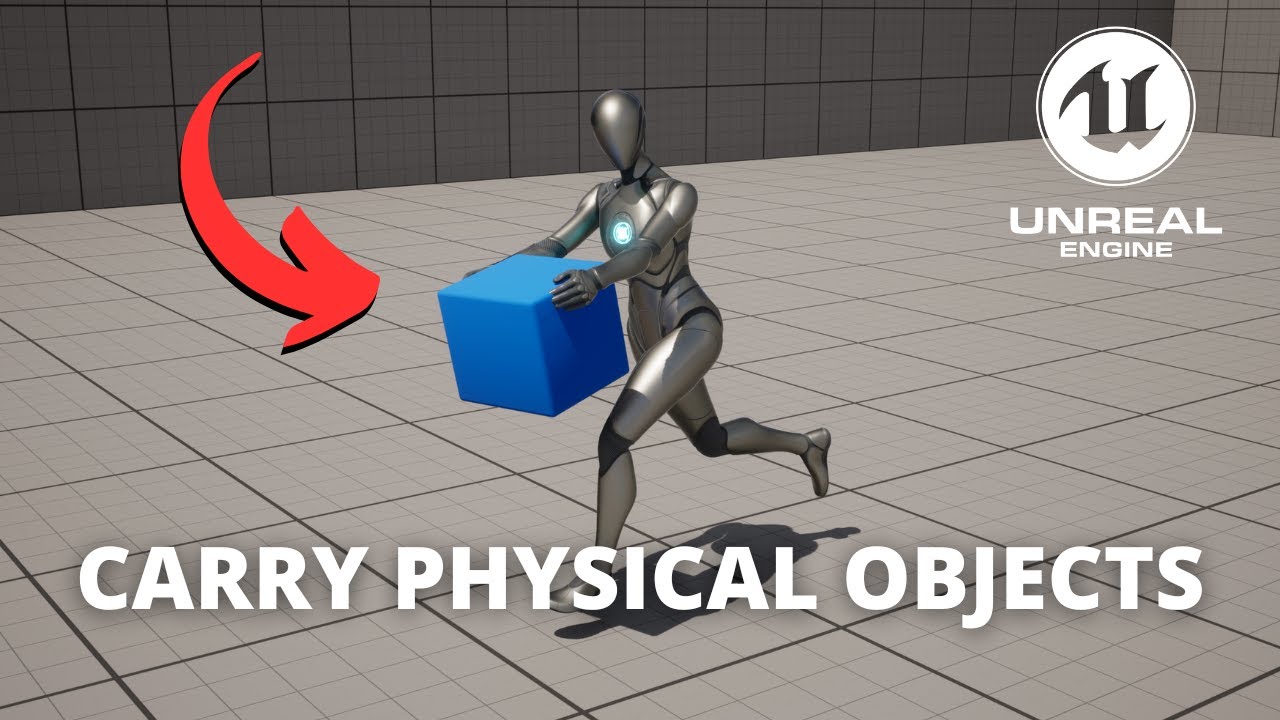
Hello guys, in this quick and simple tutorial we are going to learn how to pull carry objects in Unreal Engine 5!
↪️Project Files: https://bit.ly/GorkaGames_Patreon
Join my Discord Server: https://bit.ly/GorkaGamesYouTubeDiscordServer
Patreon: https://bit.ly/GorkaGames_Patreon
Check out my Steam Game! https://bit.ly/3rVlXU1
Follow me on Twitter...
📚You'll learn how to:
👇Follow me on social media:
Discord Server: https://discord.gg/ZB7SMbbxQz
Twitter: https://twitter.com/LocoDev7701
Instagram: https://www.instagram.com/devloco
✅ Download the project files and get the best second met...
dry pecan
could anyone help me figure out this error? Blueprint Runtime Error: "Attempted to access Sphere via property K2Node_Event_OtherComp, but Sphere is not valid (pending kill or garbage)". Node: Branch Graph: EventGraph Function: Execute Ubergraph BP First Person Projectile Blueprint: BP_FirstPersonProjectile
median yoke
median yoke
How difficult is it to make a procedural generation level system?
is their any tutorials i can find? Been looking on youtube and their isn't many there.
Its mainly for level generation.
The idea is people will need to go to sleep in a room and every time they wake up the level has changed
dry pecan
dry pecan
could anyone help me figure out this error? ```Blueprint Runtime Error: "Attempt...
the blueprint where the error is
 dark drum
median yoke
is their any tutorials i can find? Been looking on youtube and their isn't many ...
dark drum
median yoke
is their any tutorials i can find? Been looking on youtube and their isn't many ...
I've not come across any myself. How big are you wanting the levels?
faint pasture
zealous moth
I am trying to lock on and it works but it does so at instant speed. Is there a ...
rinterpto
Tick -> set target -> rinterpto actual towards target
median yoke
possibly max 40 rooms mininum 20
faint pasture
median yoke
is their any tutorials i can find? Been looking on youtube and their isn't many ...
I'd start by thinking about how you'd lay out rooms manually
then automate that
you'd probably start by choosing random directions and laying down rooms but making sure they don't overlap
median yoke
i have a main room which will need to then generate the rest of the map
faint pasture
You need to start at the basics
think about your rules, what are the rules for room placement?
what actually IS a room, are they all the same size with connections in the same place?
zealous moth
faint pasture
rinterpto
yep exactly, i just forgot to pin up the tick float
dark drum
median yoke
possibly max 40 rooms mininum 20
I did a tutorial a while back for generating a procedural maze (uses the backtrack method). It's grid based so you could modify that to spawn a room BP that adds walls, door and other fluff.
@median yoke just so you're aware procedural stuff often takes a lot of time. You just have to chop away at it.
If you want to keep it to BP only, you'll need to learn how to spread calculations/generation steps across ticks. Ideally, you'd want to use c++ and multi thread it.
median yoke
dark drum
<@257517039533555713> just so you're aware procedural stuff often takes a lot of...
ah okay, coding isn't my strong point tbh would prefer it to be bp
 wild moat
anyone familiar with the texture / icon baker plugin from the cropout content example? i tried migrating and packagine the plugin and it just doesn't work outside of it's own project:

thought it might come down to a mesh setting, as making a new setup in the project required me to enable "enable nanite support" for anything to show up, but even that doesn't fix it in other projects:

 slender axle
Super noob. Only have about 10 hours into messing with stuff. I have a radio set up to play a track. I would like for the player to press E on it again to turn it off. When I set up Stop for the audio it will briefly stop but play again. Any insight?

 zealous fog
editor utility widgets are so good 
undone surge
how would i go about moving this bone inside a bp using a timeline ? which nodes help me change the transform of this bone exactly
 faint pasture
undone surge
how would i go about moving this bone inside a bp using a timeline ? which nodes...
faint pasture
undone surge
how would i go about moving this bone inside a bp using a timeline ? which nodes...
either use a posablemesh (probably not) or use transform bone in the animBP
 serene wedge
Is there any practical way to detect that my character is in the border of a platform? Near to a cliff. I can do a trace but I was wondering if there's any built in peppery for that on the character class
dark drum
serene wedge
Is there any practical way to detect that my character is in the border of a pla...
There might be something on the character movement component. I'm pretty sure it has a can walk of ledges var so there might be an event you can bind to. (Not sure)
There's this old post where people go over a few things about it.

“Can Walk Off Ledge” ? If I set it to true, it will prevent the character to walk off a ledge. But how does this works? Is the character tracing down to see if there is a ledge under him all the time? If so, is there a event that fires when it detects and that I can use? I am making a “Ledge Grab and climbing system” and I want my character to g...
serene wedge
dark drum
There might be something on the character movement component. I'm pretty sure it...
thank you, technically it's still not what I want since CheckFall will be called once you're already past the ledge, but It will work I guess. It's for an AI enemy, I want it to turn back (2.5d character)
how do I create a class that inherits from CharacterMovementComponent and use it with the character class though?
the character will come with a CMC by default, can I replace it?
 hardy fable
serene wedge
the character will come with a CMC by default, can I replace it?
hardy fable
serene wedge
the character will come with a CMC by default, can I replace it?
yes. either in c++ by using the constructor helper override, or in BP by selecting the component in the components list and changings its ComponentClass in the details panel
since we are in #blueprint i assume you want the latter
 faint pasture
slender axle
Super noob. Only have about 10 hours into messing with stuff. I have a radio set...
faint pasture
slender axle
Super noob. Only have about 10 hours into messing with stuff. I have a radio set...
You need to save the reference to the sound so you can stop it
serene wedge
tbh I'm using cpp, lmao, but since no one answered my question there I'm trying it here as my question was not specific to the programming method
faint pasture
You're playing it then not saving the ref so you have no way to tell it to stop
Also don't loop back around to use the set node as a get as well, just have separate set and get
it's the same thing logically but looks less spaghet
slender axle
@faint pasture Ill have to figure that out thanks for a little insight
faint pasture
just promote the return pin (the blue thing) to a variable
that's a reference to a sound
you can even replace the bool using that
Input -> your other branch -> is SoundRef valid? -> yes -> tell it to stop -> set SoundRef to nothing
-> no -> play the sound -> set SoundRef to the played sound
soundref would do double duty as the reference AND the bool sort of
slender axle
Thank you!
dry pecan
is there any way to do something continuouas with a node like this and not only the moment it colides with the object its looking for? like damage over time
 dawn gazelle
dry pecan
is there any way to do something continuouas with a node like this and not only ...
dawn gazelle
dry pecan
is there any way to do something continuouas with a node like this and not only ...
You can have it start up a looping timer, and then on end overlap end the timer.
dry pecan
dawn gazelle
You can have it start up a looping timer, and then on end overlap end the timer.
Will it only go on while I'm colliding?
 keen schooner
Or have Begin Overlap flip a bool to true, End Overlap flip it to false, and check that bool off of Event Tick
dry pecan
keen schooner
Or have Begin Overlap flip a bool to true, End Overlap flip it to false, and che...
How would that work?
keen schooner
Event tick will check every frame if the bool is true using a Branch node; if it is, apply damage. If not, do nothing
slender axle
@faint pasture I tried doing what you said I think, its all still super confusing to me. Im gonna have to learn a bit more.
dry pecan
keen schooner
Or have Begin Overlap flip a bool to true, End Overlap flip it to false, and che...
no sadly it has to be this since its for a wandring enemy, I want it to only happen to loop damage while coliding
faint pasture
slender axle
<@127902729677963264> I tried doing what you said I think, its all still super c...
Show what you have
slender axle
@faint pasture Again this probably looks like dookie but just trying to learn
 faint pasture
slender axle
<@127902729677963264> Again this probably looks like dookie but just trying to ...
faint pasture
slender axle
<@127902729677963264> Again this probably looks like dookie but just trying to ...
You need to plug Sound Ref into the is valid, and also save the output of Spawn Sound at Location into Sound Ref
Do you understand what a reference or pointer is?
slender axle
I guess when you said reference I was thinking variables so I dont think so.
faint pasture

Yes, it's a variable that refers to a playing sound, whatever that is (sound component maybe? IDK.). What matters is that it's a reference to whatever SpawnSoundAtLocation spawns.
The happy path is that the sound ref is not valid yet, so you spawn the sound, and then save the ref
The other path is that it IS valid (you spawned it last time), so you destroy it or tell it to shut up, then you clear the sound ref (set it to nothing)
slender axle
@faint pasture Lol I think im just making this worse. Im probably just going to leave it how it was. Player can turn it on but not off lol. Until I learn a bit more
 faint pasture
slender axle
<@127902729677963264> Lol I think im just making this worse. Im probably just go...
faint pasture
slender axle
<@127902729677963264> Lol I think im just making this worse. Im probably just go...
you can make a get node
drag your variable into the graph and click get
slender axle
Yes I know that much atleast
slender axle
Dang that worked! I still need to grasp the concept a little bit but this will help me visualize it for the future! Thank you
dry pecan
how do I uncreate a widget?
faint pasture
dry pecan
how do I uncreate a widget?
You don't have to manually, just remove it from parent and it'll eventually get cleaned up
faint pasture
slender axle
Dang that worked! I still need to grasp the concept a little bit but this will h...
This is pretty much how it works.
Input happens -> Is there a sound at this sound address? -> yes -> ok tell the sound to stop -> clear the sound address
-> no -> ok play a sound -> save the sounds address
dry pecan
faint pasture
You don't have to manually, just remove it from parent and it'll eventually get ...
where would I put that in here? will it know what exactly to remove?
 faint pasture
dry pecan
where would I put that in here? will it know what exactly to remove?
faint pasture
dry pecan
where would I put that in here? will it know what exactly to remove?
The thing you're adding to viewport should later be removed from parent
save a ref to it so you can later remove it
but I wouldn't do it this way
instead have a widget or something that's always there, and you just fire an event off on it whenever you get damaged
Say it was a widget.
Pawn:
Damage -> hey mr widget, we got hit!
Widget:
OhShitWeGotHit -> Opacity = 0.2
Tick -> Opacity = FInterpToConstant(CurrentOpacity, 0, InterpSpeed)
This would result in somethings opacity going to 0.2 every hit, and decaying towards 0 at InterpSpeed.
just have a "thing" that you can say "hey we got hit" and it'll take it from there. I wouldn't spawn a whole widget every hit, that's just wasteful and they'd stack etc
native canopy
dark drum
Set view target with blend just allows you to switch to a different camera insid...
why in the ue4 vid they can use pitch

00:00 - Overview
00:18 - Intro
01:02 - Aim Down Sight Tutroial
06:48 - Fixing bugs
12:26 - Outro
files that I used :
https://w...
short phoenix
I have some need for singleton blueprint classes that are individual subsystems. What kind of blueprint class should I be using? Where should I set up and tear down the individual instances afterwards? I think actor blueprints are not a good place because I would prefer not to deal with having a ghost actor I have to carry around.
 sleek pecan
Hey y'all. I have tried creating an EditorUtilityWidget in C++ that I could then inherit from in blueprints. This works fine, except if I create a standard blueprint widget and then inherit from my custom editor utility widget class, the editor doesn't seem to recognize it as a EUW and won't give me the option to run it when I right click it. Likewise, if I create an editor utility widget and try to reparent it to my custom class, it doesn't appear in the list of classes. Am I doing something wrong? Is this an editor bug?
frosty heron
short phoenix
I have some need for singleton blueprint classes that are individual subsystems....
Make an actual subsystem then? Pick from one of the following options that suits your need
https://docs.unrealengine.com/4.26/en-US/ProgrammingAndScripting/Subsystems/
An overview of programming subsystems in Unreal Engine 4.
If u want run time, game instance can be one. I used it for loading screen system
Or editor for editor utility stuff
short phoenix
Huh. Can they be done in Blueprints or do I write them in C++?
Hmm I guess I answer myself that they cannot. Or at least that's what I see a few times. So maybe I'm finally going to write some UE5 C++ here.
frosty heron
short phoenix
Huh. Can they be done in Blueprints or do I write them in C++?
No, U make subsystem with C++.
You should do some, even a little bit of cpp makes a alot of difference
doing things that can't be done in BP
lunar sleet
 steady night
Action value is usually between 0 and 1, check the values that are coming through
steady night
i did they are comming through
frosty heron
I need to take Picture in my game and save it for the player icon
lunar sleet
steady night
i did they are comming through
As what
frosty heron
time to learn how to convert them to bytes 🤔
steady night
@lunar sleethttps://gyazo.com/ce9115a76141704e51e75ba8e7946de1
lunar sleet
frosty heron
time to learn how to convert them to bytes 🤔
Isn’t there screenshot console commands? Or are those dev only?
frosty heron
lunar sleet
Isn’t there screenshot console commands? Or are those dev only?
Need to take picture from specific region and angle. Im using Render Texture 2D
lunar sleet
Ah
frosty heron
I don't want to import it to a folder either as a picture file. People can just delete it and the game gonna look different
lunar sleet
steady night
<@179343890409717771>https://gyazo.com/ce9115a76141704e51e75ba8e7946de1
What’s with the weird execution pins on your node?
What are you doing there
steady night
nevermind that just showed it for the picture *

No description provided
this is the full *
basicly im trying to rotate my character but that dosent seem to be working
i can change the roll,& pitch but not the yaw
lunar sleet
Does it go through the True pin when you debug it?
steady night
ye
lunar sleet
K, check your char settings for use control rotation, it’s prly being overridden
lunar sleet
Works now ?
steady night
yeah 😛
ofc its using the controller rotation,,
i imagained i check those options 10 times
but i must have missed it...
ty
altho now the camera isent moving ... sigh

this part is supposed to rotate the spring arm
its changing the spring arms Z value but its not "changing it in world" .. ??
any options restricting that also ?
dark drum
steady night
any options restricting that also ?
It's probably set to use the control rotation.
steady night
 dark drum
steady night
dark drum
steady night
You need to select the spring arm. (Sorry I wasn't clear on my other comment)
You can set to use control rotation on the character itself, spring arms and cameras I believe so you have to check each of them to get it how you want.
Disabling on the character but enabling on the spring arm allows the cam to rotate around the character. You'd have to handle rotating the actual character separately.
remote meteor
frosty heron
time to learn how to convert them to bytes 🤔
teh plugin remember 😉
frosty heron
remote meteor
teh plugin remember 😉
I know but I want to write my own for practice 😛
trying to have as little plugin as possible
remote meteor
reference it maybe
dark drum
frosty heron
I know but I want to write my own for practice 😛
What are you wanting to do? Save a screenshot to use as an icon? O.o
frosty heron
dark drum
What are you wanting to do? Save a screenshot to use as an icon? O.o
Render Target and use it as an icon
There are heaps of customisation for the character, I can't use Screen grabber to decide what character gonna look like
i will need to screen grab on character creation and whenever the player change cosmetic
dark drum
frosty heron
i will need to screen grab on character creation and whenever the player change ...
Cool, I've not used render targets enough to even know where to start. I'd love to see how it turns out when you get it working.
frosty heron
dark drum
Cool, I've not used render targets enough to even know where to start. I'd love ...
I've got it working for my old game using pure bp
just reender target, export as image file. Re-import when game load as texture 2D
but I don't want players to actually tamper with the image file. So this time I will need to think about storing them as bytes and reconstructing it
there is already plugin for there lAsaka linked me but gonna take this as challange
dark drum
A few years ago I had an idea to do something similar for item icons so I didn't have to make them all. I couldn't get into work lol.
steady night
how would i do a "Autorun function"
since i dont want the delay like this whats my best option ?
 faint pasture
steady night
how would i do a "Autorun function"
faint pasture
steady night
how would i do a "Autorun function"
Tick
steady night
timer by event ?
how often dose the actionInput Fires ?

like whats the delay bethen each event +
dark drum
steady night
how often dose the actionInput Fires ?
Triggered is every tick (or there about) as far as I know.
When you say you want to do auto run, as in always running or togglable?
steady night
toggable

i mean this works fine
im unsure about the 0.005 timeer tho
since each tich is idnno when
dark drum
steady night
toggable
I would do a timer by event next tick.
dark drum
steady night
dident know that existed
I probably use it far too much haha.
Have the event call the timer again if a condition is met.
You'll need to store the timer so when you toggle auto run to turn it off, you can clear and invalidate the timer to stop it.
steady night

i mean this works
but the run on false is bad
how to i run the event from a "timer handle" ?
dark drum
steady night
but the run on false is bad
Move the branch after the add movement. If the 'MD4 pressed' is what controls if auto run is active, you don't need to connect false, just on true have it call the timer again on true.
dark drum
steady night
but how do i call the timer then ?
When you enable auto run and set the condition var.
steady night
yeah i get that but how do i run the "set timer for next tick by event"
dark drum
Actually, if you're setting the var, just call the event (not via a timer) if the var is still true, the event will trigger itself on the next tick.
steady night
or do i need to make another custom event that runs that one ?

imean do i need to call it like this ?
dark drum
steady night
imean do i need to call it like this ?
No, make it so only the auto run event calls the timer. (Triggering itself) Everything else can just call the function directly.
steady night

yeah but having a event trigger itself dosent work without any timer or something, since it will "infinit loop"
but this works so
dark drum
steady night
yeah but having a event trigger itself dosent work without any timer or somethin...
That's not what I meant. Let me turn my computer on lol.
steady night
xaxa
dark drum
steady night
xaxa
Something like this.
 steady night
aye it was the "Create Event" from the set timre for next tic that i was looking for
but dose this create a new event or ?
dark drum
steady night
but dose this create a new event or ?
you can select already existing functions/events.
dark drum
Just goes to show a picture says a 1000 words lol. I think I might have been at it for a while trying to type it out haha.
steady night
yeah lawl
dark drum
Hmmm, should i make a pickup manager using an actor or an actor component. 🤔 It's for having events happen when stuff is picked up.
frosty heron
Anyway to get the Sequencer Play time?
or the current progress it's at? CurrentTime/TotalTime
dark drum
frosty heron
Anyway to get the Sequencer Play time?
I think there's a get current time node.
frosty heron
dark drum
I think there's a get current time node.
There actually is 😄 Tyvm
dark drum
frosty heron
gonna figure this out
I would imagine this would work.

 elfin abyss
I don't know where to ask this so i hope this is the place. If i want to procedurally generate a mesh, like a terrain, a cave, or rooms, would i use a procedural mesh, then an algorithm that calculates where the vertices go and then place the mesh between those vertices?
dark drum
the denominator would normally be 1 so i would imagine it can just be ignored. If it doesn't look right you might have to divide the numerator by the denominator. I'm not sure why it wouldn't be 1 as it's frames per seconds.
frosty heron
dark drum
I would imagine this would work.
That works flawlessly cheers
dark drum
elfin abyss
I don't know where to ask this so i hope this is the place. If i want to procedu...
This is a very big question. Prodcedural meshes are very complicated so while you say terrain, caves and rooms, you'll need to be more specific about what your wanting as it might not be the best option. Especially if your fairly new to UE.
elfin abyss
Something like the planet generation in Astroneer, or in 7 days to die, where the terrain is procedurally generated, but it also has terrain destruction. Furthermore, expanding that to creating underground caves, tunnels and maybe sewers?
 thin panther
That's far out of the scope of beginner
Just want to remind you that astroneer was made with a team of 4 industry veterans all with well over a decade on experience :P
The algorithm you're looking for is marching cubes, and you'll be in c++ land using it
dark drum
elfin abyss
Something like the planet generation in Astroneer, or in 7 days to die, where th...
If that's the case you should do it in C++ so you can multithread. Whilst you could get something working in BP, you'll struggle not bogging your game thread down. Updating prodcedural meshes at runtime aren't the most performant.
dark drum
thin panther
The algorithm you're looking for is marching cubes, and you'll be in c++ land us...
I did marching cubes in BP lol. Well something based on it.
dark drum
thin panther
My condolences
Yea, my PC nearly died doing it all on the game thread haha.
elfin abyss
I know about marching cubes, i just don't know where to start with it, whether in c++ or blueprints
frosty heron
I think that will involve a lot of reading and research
7 days to die use voxel
Not something that a discord channel can guide you imo
thin panther
Sebastian Lague:s video on marching cubes is great
dark drum
elfin abyss
I know about marching cubes, i just don't know where to start with it, whether i...
Nvidia has a guide that might help.
 frosty heron
I won't start with planet generation or caves or sewer, that's pretty nuts to me.
If I want to tap on procedural world building, I will start with Grids and Blocks and thingking in 2D first
elfin abyss
thin panther
Sebastian Lague:s video on marching cubes is great
Yep, that's where i learned about it, but that's in c# and using unity
frosty heron
then move to 3D
thin panther
elfin abyss
Yep, that's where i learned about it, but that's in c# and using unity
Tbh if you're at the level to consider that for a project you should be able to translate it fairly easily, at least the concept
elfin abyss
I already wrote a marching square script in python using pygame, so i'm familiar with it but i guess i lack experience in unreal engine to translate it there
dark drum
If i still have my project where I did something based on marching cubes, I'll share some bits to give you an idea. I'm not sure if it'll even load as it was made in UE4 which i no longer have installed lol
thin panther
That link above for GPU seems quite useful. Now I think about it, it seems great for compute shaders 🤔
thin panther
elfin abyss
I already wrote a marching square script in python using pygame, so i'm familiar...
That's fair enough. You will likely be looking into the API for UDynamicMeshComponent, and UDynamicMeshes in general
But I would avoid BP for this one, you won't leave yourself room for much game, if you can even get it to run
Calling things from BP, like a C++ function such as "generate terrain" would be fine
elfin abyss
Thank you. I'll check that first and i'll avoid using BP but i wanted to start somewhere and BPs are easy to prototype even if it's on a smaller scale
thin panther
As long as the bulk of the generation code is c++, you leave yourself much more comfort, especially if your implementation isn't optimal :P
dark drum
thin panther
But I would avoid BP for this one, you won't leave yourself room for much game, ...
The only issue I found was just not having access to another thread for performing calculations on. I wish it was an option in BP.
thin panther
Trying to translate that hell isn't going to be easy either, as well as trying to debug
dark drum
The math node is pretty good for this.
thin panther
If you're looking for a proper implementation I would also say it's worth looking into compute shaders. You could probably get away with doing the bulk of it in there, and taking advantage of the gpus huge number of cores
Hmmm. A fair point. I just can't imagine what else that Nvidia link could be talking about
dark drum
thin panther
Hmmm. A fair point. I just can't imagine what else that Nvidia link could be tal...
It's been a while since I read the article but I don't think its about using a compute shader but using the GPU to generate the actual density data using in marching cubes.
dark drum
frosty heron
Are inputs consumed when playing sequencer?
I think there's a toggle on the sequencer (the thing in the level) that can change if inputs are blocked.
thin panther
Ah that makes sense
dark drum
I am surprised there isn't a 3d perlin noise node in BP though. (i think there's a material one though) Probably to discourage crazy decisions like doing complex terrain generation in BP lol.
elfin abyss
Thanks for the tips guys, much appreciated
 narrow pawn
**anyone **got a rescource for how I can dynamically change my widget GUI, based on player interaction?
for example add a new icon for a building as well as keeping them in a chronological list
PLEASE❤️
steady night

is this not how u blend pose with upper body ?
the layer blend has "spine_01" setup but the default slot ?
i wanna play montages with top body only
frosty heron
Change the default slot to Upper body Slot
then for the source u want ur cached pose
Then after the layered blend per node, U also want another slot for full body montage
 wicked cairn
Hihi!! How would I go about getting a Box Trace of the Player's Screen with a Forward Vector Distance of 5000? It should appear like a cone in a rectangle shape. I think I might have the right Idea, but I'm unsure how to put the pieces together
dark drum
narrow pawn
**anyone **got a rescource for how I can dynamically change my widget GUI, based...
You'd need to be a little more specific.
narrow pawn
dark drum
You'd need to be a little more specific.
I have made a figma, is it allowed to share here?
dark drum
wicked cairn
Hihi!! How would I go about getting a Box Trace of the Player's Screen with a Fo...
What are you trying to do?
dark drum
narrow pawn
I have made a figma, is it allowed to share here?
Just share a screenshot. 🙂
wicked cairn
Trying to get a trace of actors in the player's current view

This is what i've got!
narrow pawn


 frosty heron
That's pretty easy
dark drum
wicked cairn
Trying to get a trace of actors in the player's current view
What for?
frosty heron
u just create new widget (icon) and add it to the child of the horizontal box
how you want to sort it, would depend on the rule you defined
narrow pawn
so I have to place them in a horizontal box, aight thank you <3
frosty heron
narrow pawn
so I have to place them in a horizontal box, aight thank you <3
depending on the design but that looks like it
Is there even a point to this? I mean I still end up with a hard ref, so I will probably load the Widget Class all the same
 narrow pawn
order doesn't matter for now, I bet I can sort them later
frosty heron
narrow pawn
order doesn't matter for now, I bet I can sort them later
then it's just a few node
create widget -> Add Child to Horizontal box
done
wicked cairn
dark drum
What for?
Trying to get an AI to detect when a player is looking at them by grabbing the players screenspace origin and adding a "view distance" of about 5000, I'm gonna grab the hit results to let teh AI know they're being looked at or can be seen by the player, just kinda like a cone shaped trace
steady night
@frosty heron hm ok but how do i get "upper body slot" ?
frosty heron
steady night
<@1050954229902213150> hm ok but how do i get "upper body slot" ?
the same way u place that default slot but just change the slot to upper body
if u haven't got one, make one
wicked cairn
wicked cairn
Trying to get an AI to detect when a player is looking at them by grabbing the p...
poor image LOL
 steady night
oh
dark drum
frosty heron
Is there even a point to this? I mean I still end up with a hard ref, so I will ...
Assuming I've read it right, the soft ref can be children of the class so if the base is light weight it would prevent it forcing children to be loaded.
If the base is always going to be loaded then it's probably not needed.
steady night
 frosty heron
steady night
frosty heron
steady night
not entirely correct
u want full body slot before the output pose
and that's it, u are done
dark drum
wicked cairn
Trying to get an AI to detect when a player is looking at them by grabbing the p...
If it's AI, have them check if they've recently been rendered. 'WasRecentlyRendered'
steady night
ah okey , how do i choose with slot the montage should use or whatever
frosty heron
Im not following, can u be more descriptive?
If I understand the question right
In the Montage you can set the slot to play
wicked cairn
dark drum
If it's AI, have them check if they've recently been rendered. 'WasRecentlyRende...
How would I do this with multiple players? Like how would I grab if an individual player is looking at the AI?
frosty heron
Just some bug
refresh it by opening other anim asset
then re-opening it
re-open the montage*
dark drum
wicked cairn
How would I do this with multiple players? Like how would I grab if an individua...
Ahh for multiplayer you might need to get all the players and check their look at rotation (from the player to the AI) and compare it to the players actual rotation. If it's within range then the player is looking in the general direction of the AI.
wicked cairn
dark drum
Ahh for multiplayer you might need to get all the players and check their look a...
Hrrmm I will see what I can do then! thank you for your help!
dark drum
steady night
but when i change to that slot then it just T-poses :/ ?
Drag the animation, when you release it sorts itself out lol.
frosty heron
anything AI related prob should be done on the server
if everyone doing the check, each machine may produce different result
Server hold the truth anyway so just do the check on server
if the AI (In the server) sees the player, then just inform clients that specific character is seen
frosty heron
narrow pawn
supposed to look like this
Work your way forward. Check the dimension, fills etc
wicked cairn
dark drum
Ahh for multiplayer you might need to get all the players and check their look a...
So, I'm trying to use a Decorator for the AI that gets the "Was Actor Recently Rendered" since getting a trace for the player's look at rotation is probably expensive, but I'm noticing that the clients dont even get considered when the AI is being looked at. Like the function only works for the server :(
I'll have to figure out how to alter the function or make my own i'm unsure.
 mental trellis
wicked cairn
Trying to get an AI to detect when a player is looking at them by grabbing the p...
mental trellis
wicked cairn
Trying to get an AI to detect when a player is looking at them by grabbing the p...
"WasRecentlyRendered"
wicked cairn
mental trellis
"WasRecentlyRendered"
yeah ill probably have to move this to cpp
spark steppe
shouldn't AI logic run only on the server anyways!?
wicked cairn
Right?? im confused
dark drum
wicked cairn
So, I'm trying to use a Decorator for the AI that gets the "Was Actor Recently R...
Yea 'Was Actor Recently Rendered' would only work client side, thats why I gave you the other method with you mentioning multiplayer.
spark steppe
also people claimed that WasRecentlyIsRendered() behaves unexpected sometimes
mental trellis
Depends if it's mp or not.
wicked cairn

 dark drum
wicked cairn
dark drum
wicked cairn
As far as I'm aware the server wouldn't know if it was recently rendered for all players. You'll need to get all the players and check their look at rotation (from the player to the AI) and compare it to the players actual rotation. If it's within range then the player is looking in the general direction of the AI.
mental trellis
The simplest solution is just to check the angle between camera->forward and camera->ai
Even if you don't render it, you should still know where the player is looking.
wicked cairn
mental trellis
The _simplest_ solution is just to check the angle between camera->forward and c...
Would this work for screen space? I want all of the AI to respond if the player is being viewed on the screen
narrow pawn
ok, I figured out the allignment
mental trellis
You can check horizontal fov and vertical fov and compare the individual axes/angles. Or convert the actor's centre location to screenspace and see if it's anywhere useful.
That'll fail horribly if they are too close, though (both of them)
narrow pawn
how do I let one widget create additional widget for another widget though?
that is one hell of a sentence
spark steppe
that still ignores walls, etc.
mental trellis
Line trace
spark steppe
just use ai sensing/perception?!
dark drum
spark steppe
just use ai sensing/perception?!
They want to know when the player is looking at the AI. (as apposed to if the AI is looking at the player) Can you use AI sensing on the player character?
spark steppe
it also has the whole cone check logic built in
wicked cairn
spark steppe
it also has the whole cone check logic built in
If the AI Perception component works on the player i'll definitely try using that instead
WAIT
oh my god i forgot the Pawn Sensing component exists...
🤦♀️
spark steppe
wait, one of them is the old (eventually deprecated!?) one
wicked cairn
oh