#blueprint
1 messages · Page 49 of 1
 tough badge
 edgy ingot
Heres a tip
If you want to optimize. Start with soft references
Thats one of the things that takes a tool in your game. Eg textures and data table
Imagine you have a data table that contain hard ref skeletal mesh. They will all be loaded to memory along with the materials the skeletal mesh used if you use hard ref. Essentialy you might be loading the whole game unintentionally.
Casting is not avoidable imo and interface is not the answer.
tough badge
alright, I'll look into soft references and see if I can implement them somehow, appreciate the advice!

 velvet sparrow
I see, thanks for the clearance on the cast function, I started unreal not too long ago and had barely any idea what the cast function does. I'm not actually sure how I got that projectile movement component node though. 😅
 stoic nimbus
stoic nimbus
stoic nimbus
Anybody know how to get this

 dawn gazelle
stoic nimbus
Anybody know how to get this
dawn gazelle
stoic nimbus
Anybody know how to get this
Hold 1 and click.
stoic nimbus
dawn gazelle
Hold 1 and click.
thank you!
 loud tree
Earlier I asked about binding things and maps/structs were suggested. I'm trying to figure it out but I'm having some trouble.
I'm trying to tie each player start to the sphere behind it.
I might just be dumb on this one lol...
But when I try to reference the objects themselves on the map the boxes are greyed out.
Using class just puts me back to square one on binding them accurately.
Soft object reference shows that I should be able to select any of the objects referenced that are placed in the world, but nothing happens when I click them.
If I just add them to the map I still have no way to accurately index them.


 frosty heron
@loud tree can u show full screen shoots

and why soft object ref
u want a hard ref
U want to point at an actor in the world
loud tree
frosty heron
and why soft object ref
Was just experimenting cause I've never messed with them
frosty heron
You can think soft object reference as the path to the asset
So they don't have to be loaded in bp when pointed at
but for this context, since you want to point at object in the world then you don't want to use soft ref
Anyway it's probably greyed out because you are inside your BP , instead the instance u drop in the world.
The BP class is just a template, it doesn't exist in the world. If you try to Plug something from ur level, it would be greyed out because it doesn't exist in that level.
Drop an instance of your bp that contains the map. Make the map variable instance editable, expose on spawn. Select the Instance that u dropped in the world, select the map and then you can fill in
the actors you want to pair
In my screen shoot, you can see my Cube has a map type called Pair. I paired the gun and a box in the level
loud tree
I think I get it, Thank you again! I'll give it a shot
 lunar sleet
velvet sparrow
I see, thanks for the clearance on the cast function, I started unreal not too l...
lunar sleet
velvet sparrow
I see, thanks for the clearance on the cast function, I started unreal not too l...
If possible, try to put this logic inside the projectile bp, so then you don’t have to cast across bps. Also the bp comms live training pinned here is good at showing you how cast, interfaces and dispatchers work
velvet sparrow
I'll try that, and see the bp training, thank you for your help!
 teal yew
can you not use event beginplay twice in a blueprint?
frosty heron
Just make a custom event and connect the pin to the nodes in begin play
You can also call super::begin play on child class
 waxen jolt
what do the different color 'f's means? Blue, pink, green, etc..

 hardy fable
green is pure function. blue is impure. pink is just for subsystem accessors IIRC
waxen jolt
ah ok that follows. Do all subsystem accessors look like this node? Huge text
 hardy fable
yes. they are all compact nodes
waxen jolt
can other nodes be compact nodes? Can I uncompact it?
hardy fable
any c++ UFUNCTION can be made compact with the CompactNodeTitle metadata
oh BP funcs can too

and no, you cannot uncompact them
unless you wanna go into engine source and change UK2Node_GetSubsystem::ShouldDrawCompact to false
waxen jolt
ooh ok, I see it in some UFUNCTIONs, so thats why float operators also look similar
awesome, thanks for the help
hardy fable
its kinda useful. but pretty much only pure nodes look good in compact mode

and since you cant read pin names, anything with more than one input/output is practically unusable
waxen jolt
yea that makes seense. Also seems good for extremely obvious ones like this with tiny names
 hardy fable
yeah. if you wanted to make, for example, a += node, you could make a macro, and give it a compact name
like so

^ this was made in c++, but AFAIK it could be done in a macro lib as well
waxen jolt
not exactly blueprint related but do you know where I can find generated headers and the like? I'm just curious to look through some
hardy fable
they are in /Intermediate/Build/
 lime quiver
Hey, how would you go about fixing the issue of a character going at high speeds off of a ramp and basically don’t retain any upward momentum when running/jumping off, they just go straight forward and have no arc.
This second video shows what I’m trying to do. It’s using the Ninja Character Plugin. But I’m trying to build my own system and not use that, I just don’t understand what’s causing this to happen.
 vivid bridge
Not sure if this is the right channel for UMG, but I have a blur component that should be filling the entire screen and is instead only filling one small rectangle in the center. It's set to the fill anchor on the bottom right. Pictured is what it looks like in game vs what it looks like in the widget designer. Can someone help me figure out what's wrong?


 trim matrix
Hey guys I am new, is there really an event receiver in blueprints
And event sender
Like customs events
For example I want to trigger from the trigger box to the gun, I open the gun’s blueprint and add a custom event, the when I add a custom event, then i go to open level blueprints to add the custom event to the exec to the overlapBegin , there is an error saying that the target is not supposed to be self.
@toxic jay
trim matrix
vivid bridge
didn't have the UI channels enabled 🤦♂️
Lara’s offline, can you help me
vivid bridge
trim matrix
Lara’s offline, can you help me
I'm fairly new myself but I can try
frosty heron
trim matrix
For example I want to trigger from the trigger box to the gun, I open the gun’s ...
I can give you advice. Don't use level blueprint

Ignore the text
trim matrix
frosty heron
I can give you advice. Don't use level blueprint
Ok ? What is it
frosty heron
trim matrix
Ok ? What is it
You mentioned using level blueprint , I'm saying don't use it (literary). Because communication with level bp is one way in blueprint. You can't talk to level bp from other actor in bp realm
trim matrix
frosty heron
You mentioned using level blueprint , I'm saying don't use it (literary). Becaus...
So what should i do , it’s the only way a trigger box can be triggered
frosty heron
trim matrix
So what should i do , it’s the only way a trigger box can be triggered
No, that has nothing to do with a level bp
Make a blueprint which contain a trigger box
And just do the overlap event there
trim matrix
frosty heron
No, that has nothing to do with a level bp
Oh , what about the custom event , i created it in the gun and if i put it the the box collider it will say that the target needs to be the gun and I didn’t create a target in the custom event
frosty heron
You will need to get the reference of w.e you are calling.
For example if you are in the box blueprint, and u want to call gun fire. You will need to tell the bp which gun in the world you want to fire.
I suggest blueprint communication video by matthew
 thin panther
*pinned here btw
trim matrix
frosty heron
You will need to get the reference of w.e you are calling.
For example if you a...
I am new to blueprints, and I know most of the nodes but not this one
So there is a communication node
frosty heron
trim matrix
I am new to blueprints, and I know most of the nodes but not this one
I understand, you need to learn the fundamental of blueprint communication. Hence my suggestion to watch the video
I already explain the solution.
You need to get reference to the gun inside your bp box
If you don't know what I'm talking about, I suggest learning from the video
trim matrix
Where is the video
frosty heron
Blueprint communication by epic or matthew
You pick one
Type it in Google or YouTube it should come out
Also pinned like cuppa said
trim matrix
frosty heron
Type it in Google or YouTube it should come out
Thank you
trim matrix
frosty heron
Blueprint communication by epic or matthew
Ok I just have one question, if I did the blueprint communication to the custom event of the target will it work? And not tell me an error?
frosty heron
trim matrix
Ok I just have one question, if I did the blueprint communication to the custom ...
I have no idea what you are talking about. Blueprint communication is a term for ways to communicate between blueprint. It is not a node
trim matrix
Because it tells me I have to cast to the gun and how do I make the gun castable so you can cast the gun node.
frosty heron
casting is just a type check
trim matrix
Because if I do it , it will open all of the nodes from the gun’s nodes
frosty heron
You can get a generic object and morph it to something if it's the right type.
For example, Actor is an object that can be placed in the scene. Everything in the level is an actor.
The character also an actor.
So if you grab a reference of Actor and that happend to be the Character. You can cast that Actor to Character
You can cast to anything. Cast is just a type check. If you are casting your gun to character, it will just return failed
trim matrix
frosty heron
You can cast to anything. Cast is just a type check. If you are casting your gun...
So there no solution to this?
frosty heron
trim matrix
So there no solution to this?
Not sure what you mean
trim matrix
frosty heron
Not sure what you mean
Look, the game I am making is vr shooting and what I am trying to say is that I am trying to reload a gun a way that if a magazine enters the trigger zone then the gun from another blueprint sets the reload integer to 24 which is the amount of ammo a gun has , I know how to do all of this but the problem is I want an event receiver from the trigger collider blueprint to the gun’s blueprint because the guns blueprint has the set reload integer and the if I put the custom event to the trigger collider then it needs a target to the gun
 hexed cosmos
hi
when i spawn my pawn with level blueprints it do nothing
frosty heron
hexed cosmos
hi
when i spawn my pawn with level blueprints it do nothing
You mean you can't move around? Try to posses it
trim matrix
That’s why I used open level blueprints because if I select on the gun , it uses interface of the gun
frosty heron
trim matrix
That’s why I used open level blueprints because if I select on the gun , it uses...
Level blueprint is deprecated, it's got no place for any gameplay logic
people used it when they don't know how to communicate between blueprint but it will bite at them back because you can't reference level bp from other actor in Blueprint realm
I don't know what event receiver is but maybe you want to look at event dispatcher
trim matrix
frosty heron
I don't know what event receiver is but maybe you want to look at event dispatch...
Ok
frosty heron
If you need to trigger something on Gun when something happend in your trigger
trim matrix
You seem like you need to watch the famous epic training on blueprint communication.
hexed cosmos
help me
frosty heron
trim matrix
You seem like you need to watch the famous epic training on blueprint communicat...
suggested already 👉 👈
trim matrix
hexed cosmos
help me
Not now wait first
frosty heron
@hexed cosmos #blueprint message
hexed cosmos
frosty heron
You mean you can't move around? Try to posses it
no it's some kinda ai
it need to move at begin play
or print a text
hexed cosmos
frosty heron
U can just do print string at begin play
that spawned pawn should do it
but that don't do
frosty heron
🤷♂️ you can post your blueprint maybe someone can take a look at it
if you don't show what you have, it's gonna make it hard for other people to help you
trim matrix
frosty heron
🤷♂️ you can post your blueprint maybe someone can take a look at it
So an event dispatcher can be used in any blueprint not just level blueprint
trim matrix
frosty heron
🤷♂️ you can post your blueprint maybe someone can take a look at it
And you said that anything can be casted right?
frosty heron
trim matrix
So an event dispatcher can be used in any blueprint not just level blueprint
Just remove level blueprint from your dictionary
frosty heron
trim matrix
And you said that anything can be casted right?
casting is a type check. You can plug anything to it but if it isn't the type that you are casting to, it will failed
Lets say a box overlapped an Actor. You can grab the ref of the actor (OtherActor). Then you can cast to ask your self.
Is it a gun? A character? , etc
trim matrix
frosty heron
Just remove level blueprint from your dictionary
Ok but can u cast like an actor or any type of object right
trim matrix
frosty heron
Lets say a box overlapped an Actor. You can grab the ref of the actor (OtherActo...
I understand, thank you
trim matrix
frosty heron
Lets say a box overlapped an Actor. You can grab the ref of the actor (OtherActo...
Then in the gun blueprint you would drag the gun and wire it to cast! It will exactly know where and who , thank you
trim matrix
trim matrix
Ok but can u cast like an actor or any type of object right
You can cast any object in memory to any other type of object in memory. If you have a object in memory of the type Actor, you can cast that object to a Character type object. If the Actor object also qualified as a Character Type the cast will succed and you will be able to access the info specific to the character type objects.
trim matrix
trim matrix
You can cast any object in memory to any other type of object in memory. If you ...
You guys are legends 👑
trim matrix
trim matrix
You guys are legends 👑
In this example. If you took a actor type reference to the object identified as "PLAYER_CHARACTER", attempted to cast it to a CustomSwordtype. It would fail. "PLAYER_CHARACTER" does not inhert from the CustomSword type.

If you attempted to cast a actor type reference to the object identified as "PLAYER_CHARACTER" to the type MyCustomCharacter, it would succed. You now have a MyCustomCharacter type reference to the object in memory identified as "PLAYER_CHARACTER", allowing you to access the custom stuff you implemented in MyCustomCharacter, like any custom variables.
 remote meteor
- UObject
- AActor
- APawn
- ACharacter
- AMyCustomCharacter
trim matrix
 ty i litterly just forgot about pawn
hexed cosmos
here is my problam and my code
trim matrix
hexed cosmos
here is my problam and my code
In your enemy class (BP_BaseEnemy), Goto class defaults. Change this setting.
 hexed cosmos
trim matrix
In your enemy class (BP_BaseEnemy), Goto class defaults. Change this setting.
hexed cosmos
trim matrix
In your enemy class (BP_BaseEnemy), Goto class defaults. Change this setting.
thanks you
it really helped me a lot
trim matrix
Thank you so much
 noble shore
hi can anyone help me make a dayz camera system?
im very new and unsure how to
if you want add me and we can join a call
 lime basin
So I have bow actor i made an animation blueprint with bows skeletal mesh and ABP I added new variable of object refrence and I've set it to blueprint of that bow actor but when I try to do things with it ANYTHING I keep getting its trying to access none and I already check is valid, what am I doing wroooong?
trim matrix
lime basin
So I have bow actor i made an animation blueprint with bows skeletal mesh and AB...
Can we see a code screenshot of the part that is accessing one. and the validation checks you are supposidly doing beforehand.
Also the actual error message as well.


 trim matrix
You are checking to confirm that the owning actor is valid. The probelm is, accoring to the error message, the Bow is invalid.
wait,
thin panther
Are you accessing bow in that second branch
trim matrix
your setting Bow to Bow?
thin panther
Also that
lime basin
well i got frustrated becaust it wasnt working so did all sort of stupid checks
without using brain
trim matrix
If Bow was never valid in the first place, setting bow to bow doesnt do anything?
lime basin
just to get anything
trim matrix
Bow = nothing,
Bow = Bow
You need to set bow to something valid.
Like an actual reference to the bow.
lime basin
thin panther
Are you accessing bow in that second branch
im not sure i understand
lime basin
trim matrix
If Bow was never valid in the first place, setting bow to bow doesnt do anything...
i thought I dont need to set it to valid since i have an its refrence in variable
trim matrix
lime basin
Another issues is that, on animation update, your attempting to start a new animation? The animation updates every frame of the game, every frame of the game you start a new animation?
lime basin
that play animaton is just a test
i wont do anything with it i just want to get bow to work
the variable
trim matrix
lime basin
i thought I dont need to set it to valid since i have an its refrence in variabl...
Reference variables are equal to NULL by defualt.
thin panther
You're using a sequence. You're checking validity on that first pin, but on that second pin are you using bow? Because that second pin doesn't stop if that is valid check fails
trim matrix
You have a major missunderstanding.
lime basin
thin panther
You're using a sequence. You're checking validity on that first pin, but on that...
yea im using same variable bow
lime basin
trim matrix
You have a major missunderstanding.
yea
trim matrix
A reference variable is, behind the scenes, a address in your computers memory. By default, the reference wont point anywhere. You need to tell this reference variable, exactly what object in memory you want it to refer to.
thin panther
Then your is valid is doing nothing, even if that set was doing something (which it isn't)
lime basin
like in code i had no issue getting this to work but here im getting confused and lost
trim matrix
There could be multiple bows in your game, you need to tell the reference variable EXACTLY what bow in your computers memory its talking about.
thats why they are equal to NULL by default.
lime basin
okay how do I do that in blueprint
trim matrix
Id reccomend watching this famous livestream by epic games. https://www.youtube.com/watch?v=EM_HYqQdToE

Announce Post: https://forums.unrealengine.com/showthread.php?101051
This Training Stream takes a look at Blueprint Communication. We find that Unreal Developers of all levels can sometimes struggle through the concepts behind moving data between objects. So in this video we'll take a look at the different ways to make Blueprints talk to one an...
This will touch on different ways of finding references.
lime basin
okay for every variable i set refrence to in blueprint it will be null by default got that
trim matrix
If you create a reference variable, it will always be NULL by default until you specifitly in code somewhere, tell that reference varialbe exactly what its refering to.
lime basin
i will give this a look
i need that variable to point to an my bow actor and it should fix the issue
trim matrix
Yes
lime basin
thanks guys @thin panther @trim matrix
trim matrix
Your in an animation instance, assuming your player character has a reference to the bow, you should be able to get the owner of the animation instance using TryGetPawnOwner, cast it to your custom player class, find the valid equiped bow reference stored on your character.
 ashen narwhal
Anyone know how to get the object reference to work when when spawn a actor from an array? They all have this function "next spawn point" but now I can't access it. Any ideas would be great.
 trim matrix
ashen narwhal
Anyone know how to get the object reference to work when when spawn a actor from...
trim matrix
ashen narwhal
Anyone know how to get the object reference to work when when spawn a actor from...
Announce Post: https://forums.unrealengine.com/showthread.php?101051
This Training Stream takes a look at Blueprint Communication. We find that Unreal Developers of all levels can sometimes struggle through the concepts behind moving data between objects. So in this video we'll take a look at the different ways to make Blueprints talk to one an...
ashen narwhal
trim matrix
Casting,https://www.youtube.com/watch?v=EM_HYqQdToE
ohh, thanks. will give it a watch.
trim matrix
ashen narwhal
ohh, thanks. will give it a watch.
Pay attention to it all. This whole video this is heavily important and fundamental.
Thing outside the scope of your simple question even, but very important to understand.
 versed sun
ashen narwhal
ohh, thanks. will give it a watch.
versed sun
ashen narwhal
ohh, thanks. will give it a watch.
but , for the TLDW, your Room Tiles has to be of type MBP Basic Room Class Ref
but still watch
 versed sun

 daring laurel
lmao, yeh its a fucked K that i drew
versed sun
what are you wanting to do ?
daring laurel
procedurally generated roads
🙂
im halway there

the road is duplicating as you can see
versed sun
i haven't messed with the PCG yet
daring laurel

this was my thought so far
its dumb apparently
basically i thought that each spline point that is generated could build 2 points if the random seed is below 100
maybe im not that far from doing it but im pretty noob
the spline setup is in Standard BP
it just then generate PCG element on each points


Announce Post: https://forums.unrealengine.com/showthread.php?96257
To ring in the new year, Ryan Brucks came on the stream to explore more of the art of Paragon. He joined us to show off how the foliage was built for Paragon's environment, as well as how he uses Parallax Occlusion Mapping with materials. Come for the demonstration, stay for th...
i found this
its an overview tho
 elfin hazel
ashen narwhal
Anyone know how to get the object reference to work when when spawn a actor from...
elfin hazel
ashen narwhal
Anyone know how to get the object reference to work when when spawn a actor from...
If you hover over the return value of the SpawnActor node, you can see what type the editor treats it as. It's going to be of the same class as the get variable, which is the same as the array type. So if that is of class "MBP Basic room", then it should work. Maybe it's of Actor class? Then you need to cast the actor ref as a "MBP Basic Room". Or change the array type.
 empty gust
how to i make a projectile that spawns only spawns 1 and cant spawn another until delay is done
frosty heron
Get player forward vector , negate it. Then times it by some X units
in that location, you can project a capsule collision with the same size of your A.I
Then u can trace down
versed sun
Try spawn in a copy of the actor where you want, with Collision Handling set to Do Not Spawn

If it Spawns, destroy old one
Start the trace +1000z
line trace up to see max height , then line trace back down
also this if oyu have navmesh

sounds right
they are the best
 azure smelt
I want to know what this "GET" Blueprint node is, i understand that it's to check if the character exists and is valid, but i can't figure out how to replicate it other than copy paste. How do i reconstruct this? For note, this is found in the default ABP_Manny in UE5.


 inland walrus
just a quick one, how do I destroy the door if collision with key?
 frosty heron
You get a reference to the door in the world you want to destroy
inland walrus
I thought I was already doing that
frosty heron
not at all
inland walrus
oof
frosty heron
where exactly?
inland walrus
cast to bp door
inland walrus
Oh
frosty heron
The object is not fed
inland walrus
I'm unsure how to get a reference
frosty heron
you want to get reference to the door you want to destroy
I would suggest Blueprint Communication video by Matthew W
should be in his youtube channel
btw there is soo many things that is wrong with your code
You are checking if the one that overlap BP_Key is your character, then after that you are destroying self (BP_Key)
So here, what ever you have after the destroy actor will not run because you Destroyed the actor
The one on blue will not run

 tall veldt
Hi, wondering if someone can direct me to the correct resources. I know there are Data Assets, and I am wondering if I can use that to populate a UI toolbar with buttons (e.g. a build mode where different buildings can be selected, those buildings come from the Data Assets)
versed sun
tall veldt
Hi, wondering if someone can direct me to the correct resources. I know there ar...
https://www.youtube.com/watch?v=Pb0uhYoUmb8&ab_channel=RyanLaley you watch this one ?
Learn about Data Assets. What they are and how they can be used in a project.
SUPPORT ME
Patreon I https://www.patreon.com/ryanlaley
Buy Me a Coffee I buymeacoffee.com/RyanLaley
Donations I paypal.me/ryanlaley
PRIVATE 1-2-1 SESSIONS
Email me at support@ryanlaley.com for more information and rates, or visit http://www.ryanlaley.com/sessions
JO...
but, yes you can use Data Assets for that
tall veldt
versed sun
https://www.youtube.com/watch?v=Pb0uhYoUmb8&ab_channel=RyanLaley you watch this ...
I haven't, but I will. Thank you for the response! 🙂
 heavy lion
I have an actor component on my base character. Base character has two children, player character and npc character.
What is a good way to get the movement states from the movement component?
I wasnt sure if I should cast to my base character. Not sure what input I would use as i dont want the node "Get Player Character" surely?
versed sun
cast to Base , yes
heavy lion
can I use Get Player Character? Or will it screw up using the child classes with AI Controllers?
versed sun
yes, use Get Player Char, Cast to Base to get the Comp
heavy lion
And it will be fine with AI controllers down the line???
versed sun
yes, as long as you need the Comp in the base class, you cast to Base class
remote meteor
if you are sure about the actor having the component
you can just use GetComponentByClass from an AActor reference
 dark drum
Does anyone have any tips on handling recipes? I'm working on a cooking system but now sure how best to handle the data to get a receipe from the inputted items.
remote meteor
dark drum
Does anyone have any tips on handling recipes? I'm working on a cooking system b...
something like submitting a list of ingredient, and if an recipe exists, perform cook, else, show error?
dark drum
remote meteor
something like submitting a list of ingredient, and if an recipe exists, perform...
pretty much.
remote meteor
how would you like to solve multiple recipe having overlapping/subset of ingredients?
versed sun
Like BoTW cooking? 5 ingredients make a {find recipe}
or , Sandwich takes 2 bread , 1 Meat ?
dark drum
versed sun
or , Sandwich takes 2 bread , 1 Meat ?
It would be specific recipes that can have up to 4 items. So Bread + Cheese + Ham = Ham & Cheese Sandwich, Bread + Ham = Ham Sandwich, Milk + Cereal = Bowl of Cereal
empty gust
how hard is it to make a flamethrower
tall veldt
versed sun
https://www.youtube.com/watch?v=Pb0uhYoUmb8&ab_channel=RyanLaley you watch this ...
Just wathced it, it's incredibly usefull. Thanks again!
versed sun
dark drum
It would be specific recipes that can have up to 4 items. So Bread + Cheese + Ha...
would Bread + Milk = Soggy Slop , or = No Recipe ?
Do you want a result for all combos ?
dark drum
versed sun
would Bread + Milk = Soggy Slop , or = No Recipe ?
Do you want a result for all...
No recipe, possibly a generic recipe (a dud) if one isn't found.
thin panther
you might want a map of recipe to result.
So you can construct your recipe struct, {Ham, Cheese, Bread, Nothing}, then look that up in a map you store somewhere, and if it doesn't get anything, you have no recipe, or you get your result and subtract the ingredients
versed sun
I would say:
Enume of Ingredients names : Including Empty for 2,3 item recipies
Recipe = Array(4) of Ingredients : sorted by Enum Byte
when you cook , re-order potential Ingredients by Byte, and search thru an Array of Recipies
empty gust
i would like to make a flamethrower for my game and i donno what to do
versed sun
or , a {Set} might be useful ( the Single, Array, SET, Map kind)
heavy lion
I cant figure out how to create pauses and such.
I am using a branch to determine something is happening or not. Then when its false, I want it to fire something else off, but only after a delay.

The stamina check is fired off from begin play as a timer.
Then once it becomes false, I need a pause of # seconds, then StaminaRegen should kick in.
I am aware
But if its hooked up to a timer...
empty gust
can someone help me make a flamethrower
frosty heron
empty gust
can someone help me make a flamethrower
start brain storming
I would think of flamethrower as a projectile, no special treatment
but it's something that can be emmited from source every X seconds
remote meteor
for damage box, maybe use sphere but with changing size and velocity
its just a gun that shoots very fast in the end
attaching individual flame particle to each sphere (hence a projectile)
empty gust
remote meteor
for damage box, maybe use sphere but with changing size and velocity
wait smort
 bold phoenix
Hello ! I have a small question, I want to outline my actor using an outline component, to remove the outline i need to trigger the event using an interface. But because I need to implement this component to a few blueprints, I don't want to have to create a function to bind to in every single one. So would it be possible to send directly from the game mode to the actor component by interface, if i only have an actor reference and not a referene to the exact blueprint ?
dark drum
versed sun
I would say:
Enume of Ingredients names : Including Empty for 2,3 item recipies
...
I want to avoid enums but using a struct with a set for the ingredients and then the resulting item might be the best option. Thanks for your help.
remote meteor
empty gust
can someone help me make a flamethrower
its a top down, but you would have something like that
frosty heron
remote meteor
its a top down, but you would have something like that
Respect
empty gust
remote meteor
its a top down, but you would have something like that
im making a class based shooter so i think making a flamethrower now is ez
frosty heron
@remote meteor I guess you scaled the projectile over time?
remote meteor
bold phoenix
Hello ! I have a small question, I want to outline my actor using an outline com...
if it is a component, from a AActor reference, you can use GetComponentbyClass to get your appropriate component, and call the functions
remote meteor
frosty heron
<@150947275290443776> I guess you scaled the projectile over time?
both velocity and size yes
 pallid nest
Hi guys, do you know how can I convert a level name to an int? I have two maps (l1 and l2) and I am trying to use a get current level to obtain the level name and transpose it somehow to an int so I can use a switch on int and do multiple outputs, any ideas please?
remote meteor
you can do switch on strings too
since you cant exactly guarentee how many letters of number you have in a level name, might as well just do a switch on the whole string
 pallid nest
many thanks, is that executable "switch on name"?
oh thanks, I just saw the screenshot
remote meteor
switch is available for both FString and FName
by highlighting the node, you get some options on the switch node
 pallid nest
really appreciate it mister!
bold phoenix
remote meteor
if it is a component, from a `AActor` reference, you can use `GetComponentbyClas...
That works, thank you !
remote meteor
bold phoenix
That works, thank you !
just make sure to do some valid checks 😉
bold phoenix
remote meteor
just make sure to do some valid checks 😉
will do 😁
 fallen glade
I haver this spline setup, if I tigger it from construction script it's where is supposed to be. If I generate it through UI, it builds at world origin? not sure what's going on. It's the same function. anyone have an idea?


Setting the default scene root to static fixed it, no idea what's going on anymore I was just clicking random things on and off
 crystal flax
hey i am facing a strange issue i followed your this video i did everything same but i dont know why my progress bar is not working it is not showing any progress my level is working fine and my other progresss bar working fine but not this one i changed i did a print string nothing worked it says exp is 0 but my level up system working fine

Hey guys, in today's video, I'm going to be showing you how to create a system for gaining EXP and levelling up. Every level also gets harder to achieve, and excess EXP will carry over to the next level.
SFX:
Level Up: https://freesound.org/people/suntemple/sounds/253177/
Gain EXP: https://freesound.org/people/Narjara/sounds/527522/
#Ue4 #Unre...
frosty heron
show your code
crystal flax
frosty heron
show your code
this is my function code

 crystal flax
frosty heron
show your code
crystal flax
frosty heron
show your code
this code where i am calling my function i did exact same thing as done in video later on i am calling it from game instance
 pallid nest
anothyer newbie question please, I am trying to get a boolean from a trigger bp I created. I did create a variable reference to an actor but cast still fails, what did I do wrong please? (I am using on begin play node)
 crystal flax
frosty heron
what actually don't work?
crystal flax
frosty heron
what actually don't work?
my progress bar the text is reflecting on which level i am but progress bar not
frosty heron
crystal flax
my progress bar the text is reflecting on which level i am but progress bar not
then show the progrss bar logic
if your progress bar suppose to show your xp
It should be currentxp/maxXp
crystal flax
yes it is like that only
frosty heron
pallid nest
anothyer newbie question please, I am trying to get a boolean from a trigger bp ...
EndTutorial ref is a very confusing name
If the cast failed, the value of EndTutorial Ref (Actor) is not EndTutorial
you want to make sure that the Actor that you have SET is of type EndTutorial
crystal flax
frosty heron
then show the progrss bar logic
see this
 frosty heron
crystal flax
see this
frosty heron
crystal flax
see this
Print string the value
pallid nest
frosty heron
you want to make sure that the Actor that you have SET is of type EndTutorial
thanks, yes it is actor class that is why I dont understand it
 crystal flax
frosty heron
Print string the value
crystal flax
frosty heron
Print string the value
i am doing that it gives me 0
frosty heron
crystal flax
i am doing that it gives me 0
k so find out why Instance ref ( I am assuming game instance ) didn';t set the exp
use break point
frosty heron
pallid nest
anothyer newbie question please, I am trying to get a boolean from a trigger bp ...
Where did you SET EndTutorial Ref?
pallid nest
frosty heron
Where did you *SET* EndTutorial Ref?
in the character blueprint
frosty heron
pallid nest
in the character blueprint
show
crystal flax
frosty heron
k so find out why Instance ref ( I am assuming game instance ) didn';t set the e...
yes it is instance ref only earlier i am using variable from my player character only but that also didnt worked
pallid nest
frosty heron
show
this
 frosty heron
pallid nest
this
frosty heron
pallid nest
this
Still not seeing it
you are just declaring the variable type
U never set the value
It's pointing at nothing in the world untill you do
pallid nest
ohhh
I understand now
many thanks that explains a lot now with casting (always get confused)
pallid nest
like this instead?
 frosty heron
You need to Point at something
Do you have any End Tutorial Ref placed in the world?
frosty heron
ok then get that PARTICULAR End Tutorial Ref
pallid nest
that sets a boolean when overlapping
frosty heron
you can get the reference when you overlap
 shell wren
So just going to toss this out
But I'd create a xp comp, and cast to get your stats and then do the xp evaluation in that function after casting to your particular character with their PC(0) if this is multiplayer to get their verified current stats
pallid nest
frosty heron
you can get the reference when you overlap
but didn't I make that here?
 frosty heron
pallid nest
but didn't I make that here?
frosty heron
pallid nest
but didn't I make that here?
very irrelevant
crystal flax
frosty heron
You need to Point at something
hey did you get any lead for me
crystal flax
shell wren
Not ints
i did that that also not worked
frosty heron
@pallid nest

Take a look at this, Other actor in this context is the Actor that overlap with the trigger
So I get that actor that overlap with the trigger, then I cast it to check if it';s of type BP_Hero, if it is then I tell it to run it's attack function
shell wren
Where is the math nodes for this? Where are you doing your calculations for the xp multipliers
pallid nest
frosty heron
So I get that actor that overlap with the trigger, then I cast it to check if it...
ok thank you so then I think my issue is that I am not creating the function right? (melee attack)
crystal flax
crystal flax
this is my function code
here
crystal flax
shell wren
Where is the math nodes for this? Where are you doing your calculations for the ...
i have added screenshot
shell wren
Oh my
Okay so do this - move that code into either a newly created stat comp(highly suggested) or your PC - the function that has the XP currrent/XP needed you should cast to the player and get the controller, or if you had a stat comp, cast to player from the "As BP" area from the player character get the stats, then get the xp needed and current
frosty heron
@pallid nest Take a look at this example. When something overlap my box, I tell the box to print the actor that overlapped with it.
As you see in the first screen shoot, it prints Other Actor is Bp_Hero_0

 shell wren
This is similar to how I would do it again
frosty heron
pallid nest
ok thank you so then I think my issue is that I am not creating the function ri...
Your Issue is that you need to make your Variable Point to Something in the world
An object reference is called Pointer
It point at something in the world
crystal flax
shell wren
Okay so do this - move that code into either a newly created stat comp(highly su...
okay
frosty heron
If there are 3 players in the world and they are all BP_Character
There will be BP_Character_0, BP_Character_1, BP_Character_2
Now you have a variable in your blueprint called BP Character. It will be EMPTY until you SET (Point) at a BP_Character in the world
 manic vessel
I got a error message that Is a Mistry, I have looked at the attached to nodes and nowhere amd I trying to attach the skelmesh to itself
 manic vessel
shell wren
Reload your bp?
manic vessel
shell wren
Reload your bp?
Its Ok I think I found It By disconnection each Attach To node one after the other and testing fire. as that when the error happens. 🙂
 steep marten
Any idea why when I break a linear color I would get 0's for R, B and G? The color works fine on the material so I know something is there but I'm trying to compare it to other colors and I cant get anything to come up.
pallid nest
frosty heron
unless you want to hire me 😏
I DM you to appreciate your effort for trying to help but I don't understand it
frosty heron
K just tell me what u want to do
 gentle urchin
A reference variable is just a "container" for an instance reference
 noble ledge
Does this set the value to nothing? Or does this just do nothing?
 gentle urchin
noble ledge
Does this set the value to nothing? Or does this just do nothing?
gentle urchin
noble ledge
Does this set the value to nothing? Or does this just do nothing?
Correct
That sets the var to nullptr
So it points to nothing
noble ledge
ok thanks
pallid nest
frosty heron
K just tell me what u want to do
I am trying to do a branch in my BP character that checks whether I passed a determinate point in the map (the tutorial) because I want my inventory (on 1 key) to be triggered only after tutorial has ended. To do so I created an actor with a box collision that sets up a boolean (the one I sent earlier ; tutorial has been complete)
 gentle urchin
Avoid crossing wires between different exec paths.
Also the cast includes a null check, and as you set the reference to null pre cast, it will always fail
frosty heron
pallid nest
I am trying to do a branch in my BP character that checks whether I passed a det...
Ok delete this

Create a Variable in your BP Character. Call it bTutorialHasBeenCompleted
Then in your EndTutorial Actor.
On begin Overlap -> Get Other Actor, Cast to Bp Character -> Set bTutorialHasBeenCompleted
steep marten
I am trying to create a laser splitter that will take a laser and split it into two colors based on the color wheel. For example I want a yellow laser to hit the splitter and spawn a red and green laser. The laser spawning is working fine but I cant seem to get the color changing to work. When I break the linear color and have it print the float values I am getting all 0's
 pallid nest
frosty heron
Then in your EndTutorial Actor.
On begin Overlap -> Get Other Actor, Cast to Bp...
pallid nest
frosty heron
Then in your EndTutorial Actor.
On begin Overlap -> Get Other Actor, Cast to Bp...
ohhhh many thanks mister that made it, I was then doing the other way around !
 elfin lagoon
hey guys, i want to draw a perception range of an AI-controlled pawns in development mode
but i dont understand, how to get their sight
both Sight Radius nodes is not compatible with 1 and 2 nodes
what should i do here?
 remote meteor
elfin lagoon
hey guys, i want to draw a perception range of an AI-controlled pawns in develop...
remote meteor
elfin lagoon
hey guys, i want to draw a perception range of an AI-controlled pawns in develop...
during PIE, press Apostrophe
elfin lagoon
 spark steppe
the config is on the AIPerception component iirc
spark steppe
the config is on the AIPerception component iirc
node 2 is not compatible
elfin lagoon
spark steppe
because it's not an `AI Sight Config` ...
its obvious
remote meteor
use the Gameplay Debugger
it has debugging for perception
' key then Numpad 4/5 whichever for perception
under project setting > gameplay debugger you can change the keys if you dont have them
 elfin lagoon
take two:
which node i need here?
spark steppe
not by default, but you could inform the actor
remote meteor
elfin lagoon
hey guys, i want to draw a perception range of an AI-controlled pawns in develop...
like seriously you dont have to make them yourself.. its already available
 spark steppe
depends on your game, if you have a ton of actors which don't inherit from the same base class an interface
rather... go for an interface if you aren't sure about which way to pick....
 echo storm
Why exactly is the output pin of an event node called "input" instead? Event nodes can't even receive any inputs?
spark steppe
you can't tell them that, but you can set an timer on the actor which get's reset every time he got hit (once the timer finishes without interruption you know that he wasn't hit anymore)
echo storm
echo storm
Why exactly is the output pin of an event node called "input" instead? Event nod...
Okay it was a misunderstanding from my side, when I create a BlueprintNativeEvent in C++ the input is technically coming from the C++ code so I was using things wrong
 desert bronze
Hey is it possible to have blueprints flow Top -> Down instead of Side -> Side ? ie. BPs that orient better for vertical monitors
lunar sleet
desert bronze
Hey is it possible to have blueprints flow `Top -> Down` instead of `Side -> Sid...
No. You can make use of sequences if you need to
Otherwise write in cpp
 ruby tendon
I am setting it that the projectile the player fires. the collision is set to ignore other projectiles. but for some odd reason it still uses collision

anyone know if this is like a bug or anything
i am using 5.2
 broken wadi
desert bronze
Hey is it possible to have blueprints flow `Top -> Down` instead of `Side -> Sid...
broken wadi
desert bronze
Hey is it possible to have blueprints flow `Top -> Down` instead of `Side -> Sid...
You can just place the nodes vertically but they'll still have wires exiting on the sides bending down to the next node. There are some plugins that provide straight lines for the wires available on the marketplace.
 frosty berry
I have a Pawn with a sphere and it moves with WASD (floating pawn movement with inputs). I am in the starter scene (floor and 4 walls). What collision settings do I need to not move through those walls?
desert bronze
broken wadi
You can just place the nodes vertically but they'll still have wires exiting on ...
Do you have URL? It's purely a visual thing, but aligns with how code is structured (top-down like a text file)
broken wadi
desert bronze
broken wadi
There's this one https://www.unrealengine.com/marketplace/en-US/product/electron...
Not exactly what Im looking for, but thank you for your effort 🙂
 rugged lion
Does anyone know if there is a way to get a line trace to do a camera effect to the hit player?
spark steppe
rugged lion
Does anyone know if there is a way to get a line trace to do a camera effect to ...
#blueprint message we just had that conversation...
rugged lion
thanks ill read throught that and try to make sense of it all 🙃
spark steppe
tl;dr: implement an interface call on your player actor(s) which you call on the hit actor when line tracing
rugged lion
ok thank you
 midnight plank
Hi there!
Does anyone knows where can I find one course/turorial/book/anything that teaches how to do this kind of combat ?
https://www.youtube.com/watch?v=bFwhrqkh36M [that's insane!] I try to to find some content about it, but just found the basic of the basics.
any content with blueprint or cpp are welcome, thanks you!

Decided I'll share my Combat System with you guys. Which is a recreation of Rocksteady's Arkham Freeflow Combat. So I'm currently working on turning it into an Asset Pack for the Unreal Marketplace.
The system is using a custom made Move To System, that is conceptually akin to UE5's Motion Warping, to handle all the location and rotation stuff....
frosty heron
midnight plank
Hi there!
Does anyone knows where can I find one course/turorial/book/anything t...
Not really tutorial territory but he probably used advanced locomotion system for the movement.
 dire mica
Hi I am having trouble making my mouse cursor at the center, currently i have event tick into set mouse position but i can still move the mouse off the center even if it is for a split second. I want to make it lock in at the center after event begin play
 west hare
midnight plank
Hi there!
Does anyone knows where can I find one course/turorial/book/anything t...
west hare
midnight plank
Hi there!
Does anyone knows where can I find one course/turorial/book/anything t...
Bro this final hit lol
I really enjoyed this video. You can attack from any distance
 lilac hill
Can't for the life of me get an object to attach to the player. What can i be doing wrong?

It's returning true, but the object remains on the ground. I also disable physics and collision right before attachment
 wicked cairn
I feel so silly, but I'm awful at math so I thought i'd ask;
I'm trying to get the distance value between Point A and Point B then figure out where the value of Point C lies in between those two to create a measurement of Depth in the water, but I think its returning the wrong amount of distance, Idk if I might need to show more information I feel like I'm at the tip of the solution here

the division part is making the centimeters into feet then truncating the value
I might have to use lerp actually
 desert aurora
hey,
How can I assign references to BP components?
I have a BP component that needs to reference a Mesh in the Owner actor.
I have this BP component added in the BP actor, together with this mesh that component needs. But I cant assign the reference in the details panel. When I try to drag and drop the mesh into the variable in my BP component, the details panel switches away.
Am I using a wrong approach from this?
I am new in Unreal, coming from Unity, so I am used to this way of doing things.
 earnest swan
wicked cairn
I feel so silly, but I'm awful at math so I thought i'd ask;
I'm trying to get ...
earnest swan
wicked cairn
I feel so silly, but I'm awful at math so I thought i'd ask;
I'm trying to get ...
IIRC A vector going from point A to point B is B-A. Get a vector from A to point C is C-A.
Take the dot product of C-A and B-A to give you a float representing how far along C is relative to the path from A->B
 frosty heron
desert aurora
☝️ this is what I mean. I am trying to assign that reference to my component.
frosty heron
desert aurora
☝️ this is what I mean. I am trying to assign that reference to my component.
I don't understand why u r trying to do that
earnest swan
desert aurora
Left hand isn't a skeletal mesh
frosty heron
It's a skeletal mesh component
desert aurora
LeftHand is of type AC_Hand, which is a component blueprint. It has a SkeletalMeshCompoent variable. The one I am trying to assign.
I need my component to reference this mesh component. It also seems I cant have this skeletal mesh component be a child of my bp component, so thats why it lives in the actor.
desert aurora
skeletal mesh component
frosty heron
Show the bp
desert aurora
ok
wicked cairn
earnest swan
IIRC A vector going from point A to point B is B-A. Get a vector from A to point...
Something like this?
 earnest swan
wicked cairn
Something like this?
earnest swan
wicked cairn
Something like this?
how does that look in game? 😅 also why the /66?
style reasons?
wicked cairn
earnest swan
how does that look in game? 😅 also why the /66?
it returns a HUGE value LOL also its /66 so it turns cm to ft!

THATS A LOT OF FEET
iirc cm is the distance measurement that unreal uses
earnest swan
oh it's using relative location
wicked cairn
If i use the distance node i get this instead


The set up for how it gets the depth is like this:

green is the top of the water, red is the bottom
i then get the distance between the two and divide by how much it is from eachother

^ that is in the water source itself
wicked cairn
ok
desert aurora
@frosty heron I renamed the variable to not cause confusion.

 earnest swan
wicked cairn
ok
earnest swan
wicked cairn
ok
oh, there's another simple way you can try too. If you know the Z value of your water surface you just take the Z value of your hook and get the difference
although I'm sure you need the bottom of the water in the equation for some reason
but even then as long as you're dealing with 1 axis the calculations are a little bit easier
wicked cairn
this is the result with world location for everything

yeah i was trying to see about only getting the Z bc i just need the depth
earnest swan
how did that go?
frosty heron
desert aurora
<@1050954229902213150> I renamed the variable to not cause confusion.
You can set it in construction script
wicked cairn
earnest swan
how did that go?
its still returning a weird number :(
for reference, the total distance between A and B when divided by 66 is 30(ft)
earnest swan
wicked cairn
its still returning a weird number :(
for reference, the total distance between...
Try: get world location of top of water, split location to just grab the Z
get world location of your hook, split location to just grab the Z
waterZ - hookZ should not be a crazy number, if it is something is going awfully wrong some place else. Maybe log the result
desert aurora
frosty heron
You can set it in construction script
I see, so in Unreal this approach of assigning cross component references in the details panel doesnt make sense, right? (this is common way of working in Unity...I am still adapting to Unreal)
also, there is no way I could have that SkeletalMeshComponent be part of my AC_Hand component BP? that way I could make this work selfcontained in the AC_Hand component.
wicked cairn
earnest swan
Try: get world location of top of water, split location to just grab the Z
get w...
oh my god it works perfectly LOL I guess I was complicating the math for no reason

thank you sososososo much
earnest swan
wicked cairn
oh my god it works perfectly LOL I guess I was complicating the math for no reas...
yayy!
awesome, I'm glad
pallid nest
hi guys, maybe you can help me to set my mind in how to do the following please.... I have a map (named LA) and also this achievement system plugin (https://www.unrealengine.com/marketplace/en-US/product/achievement-system-blueprint-compatible/questions?sessionInvalidated=true).
I am creating a static mesh blueprint actor in LA level, that if the particular achievement is achieved, then static mesh is not visible.
I thought to set a boolean to add up a mark on the achivement when it is get, the problem is that the achivement is in another level and I don't know how I can communicate with it. Any ideas please?

Unreal Engine
Easily define and manage achievements in any UE4 project
trim matrix
pallid nest
hi guys, maybe you can help me to set my mind in how to do the following please....
I have no idea how this achievement system works. I assume when you get an achievement, that achievement gets saved somehow? How exactly is it saved, and how do you check the status of a saved acheivement?
On begin play, your going to have to check if the achievement is obtained. If not, hide the mesh.
pallid nest
trim matrix
I have no idea how this achievement system works. I assume when you get an achie...
I can check it with booleans the problem is that as the achivement is achieved in the BP level I can't access those variables in my character or gamemode BP so I don't know how access from a different level
yes the problem is that the achievement is achieved on a different level so I don't know how to communicate that check between the levels
trim matrix
Yes so im asking, does this acheivement save things to a savegame? Does this acheivemnt system save acheivements to some server?
pallid nest
yes (the achievement save it to a save game, I think)
trim matrix
I asked two questions, what is it
pallid nest
well, I believe so. When I delete the save games the achievement disappears
frosty heron
desert aurora
I see, so in Unreal this approach of assigning cross component references in the...
From ac component. Get owner, cast to the bp, get the skeleton mesh component then set it.
trim matrix
pallid nest
well, I believe so. When I delete the save games the achievement disappears
You can load/writeto/read a save game from any level.
The data in a savegame can be written in one level, then read and loaded anywhere else in the game, including other levels.
On being play in some class that exists on level LA, load the savegame. Check your savegame for that acheivement.
If its not there, hide the mesh
Load savegame from slot? Is the node name i think.
pallid nest
yes, that is right I have it but how can I actual "read" from the savegame the achivement ?
trim matrix
This plugin creates a savegame storeing acheivements correct?
Do you know the slot name for that savegame?
You need to load the specific savegame that stores acheivements
pallid nest
ohhh I believe when you say the save game slot then it is the actual key you use for the achivement, could that make sense? I think it would be like this :
 trim matrix
Well it looks like you dont need to load any savegames if you have a reference to your acheivement manager then.
I would imagine AcheivementExists is exactly what you need.
pallid nest
thanks for your help, it gave me an idea where to look actually
i had no idea this reference existed lol
 wanton path
Hey, sorry to bother you guys. But does anyone know any good tutorials for a tycoon project I can follow and modify?
 limber parcel
wanton path
Hey, sorry to bother you guys. But does anyone know any good tutorials for a tyc...
limber parcel
wanton path
Hey, sorry to bother you guys. But does anyone know any good tutorials for a tyc...
just watch an RTS tutorial and skip the units part
 naive stream
I currently use FName for item names, would it be a good idea to switch to gameplay tags? (game is multiplayer)
trim matrix
Gameplay tags are litrealy just FNames.
limber parcel
naive stream
I currently use FName for item names, would it be a good idea to switch to gamep...
sounds cancerous
trim matrix
Fnames that you select from a list instead of typing them out.
Execpt that if you had 1000, items. It would be horrible to navigate the selection list with gameplay tags..
naive stream
thats kinda what I figured but wondering if there's something im not considering. sounds good then
gameplay tags have levels
limber parcel
im using UObjects for my items
 trim matrix
I don't understand what your concern is about multiplayer.
limber parcel
it works fine for my multiplayer survival game
naive stream
what does your crafting blueprints/recipy look like?
limber parcel
its a map with class references and item count
naive stream
array<uobject> neededComponnts? or array<FName>
right makes sense
yeah uobjects could work fine, you're right. I think i'll stick to my string based approach though as it would be lighter weight in a lot of situations
though I guess you could just pass class references/names around
 faint pasture
wanton path
Hey, sorry to bother you guys. But does anyone know any good tutorials for a tyc...
faint pasture
wanton path
Hey, sorry to bother you guys. But does anyone know any good tutorials for a tyc...
Whatever you do, keep the data in mind.
wanton path
What'd you mean by that?
faint pasture
Do you mean like a theme park tycoon type thing or more like game dev tycoon?
wanton path
Theme park, something akin to Jurassic World Evolution.
 heady burrow
I've found out that when loading a level and attaching some logic to begin play actors are not there yet apparently
if I put a delay it works, so what other event should I wait for?
trim matrix
heady burrow
if I put a delay it works, so what other event should I wait for?
Depends on what actor needs to reference what actor.
heady burrow
trim matrix
Depends on what actor needs to reference what actor.
a level Im loading has an actor on the ground
playerController needs the instance
so Im using getActorOfClass and returns null
I checked the lifecycle in the documentation so not sure why its failing
trim matrix
Player controller gets setup before other random actors in your level.
faint pasture
I'd start out by thinking in the abstract and starting with whatever code is orchestrating the whole thing. I'd start with some object that represents the entire park itself, probably a component on GameState or just the GameState itself.
Do everything in that context.
Someone pays to go on a ride -> Park.AddMoney
You spend money to do something -> Park.RemoveMoney
You have monthly upkeep -> Park.OnNewMonth -> for each UpkeepThing -> Park.RemoveMoney
You can see how half of the game can live in one object
heady burrow
trim matrix
Player controller gets setup before other random actors in your level.
Right, but the problem here is that beginPlay doesnt have a reference of the actor, when I load the level while it not being the initial level, otherwise works.
faint pasture
heady burrow
Right, but the problem here is that beginPlay doesnt have a reference of the act...
What are you actually trying to do? Cache a ref to what, and when?
heady burrow
faint pasture
What are you actually trying to do? Cache a ref to what, and when?
save the actor to a variable inside playercontroller
when the level starts
if I start my game from the level that contains the actor, it works
if I star from main menu, then load the level, doesnt
clearly Im missing some knowledge here
faint pasture
yeah it's just a race condition
heady burrow
makes sense
trim matrix
When you load a level, while its not your initial level, level loading passes throughthe level streaming system.
heady burrow
I see
trim matrix
I beleive you can actualy get a reference to the streaming stuff
heady burrow
is that the "traveling" thing?
faint pasture
heady burrow
save the actor to a variable inside playercontroller
How many different actors are you talking about here?
heady burrow
just 1
faint pasture
just have it also contact the PC on its begin play
wanton path
faint pasture
I'd start out by thinking in the abstract and starting with whatever code is orc...
Well, the idea is to modify the tutorial to my own project. Which isn't exactly like an actual tycoon game where you get money via people coming in.
trim matrix
heady burrow
just 1
Try these to confirm the level is loaded.
 faint pasture
wanton path
Well, the idea is to modify the tutorial to my own project. Which isn't exactly ...
faint pasture
wanton path
Well, the idea is to modify the tutorial to my own project. Which isn't exactly ...
What I'm getting at is that if you have some abstract data that doesn't really rely on any actor (reputation, money balance, etc) put that all in one place
wanton path
Ooooh, I see.
heady burrow
trim matrix
Try these to confirm the level is loaded.
alright Ill test this out
heady burrow
trim matrix
Try these to confirm the level is loaded.
is this logic inside PC or the level thats loading?
 shell flower
How could I get the direction the player character is facing and then make them move a fixed distance in that direction? Noob question, but I've been puzzling over this for days now...
trim matrix
This logic could be placed anywhere. Up to you.
trim matrix
shell flower
How could I get the direction the player character is facing and then make them ...
Move in that direction automaticly? As if there were contorlled by an AI?
Are you talking more like a dash?
A burst of energy moving them?
 vital dagger
There is a blueprint hotkey for 'cluster/organize selected nodes' right?
Seen it used in videos but cant find the hotkey itself
trim matrix
vital dagger
There is a blueprint hotkey for 'cluster/organize selected nodes' right?
Seen it...
Q
shell flower
trim matrix
Move in that direction automaticly? As if there were contorlled by an AI?
The AI and player move in the same way, so ideally something both could do, but yes, kinda
shell flower
trim matrix
Are you talking more like a dash?
Yeah. pawn/character/whatever can press a button and quickly move in a direction a fixed distance
Effectively moving one """tile""" in an invisible """grid"""
vital dagger
trim matrix
Q
Thanks!
trim matrix
ai move to
shell flower
tysm, i can finally move on to something actually important TwT I was stuck on that for quite a while
trim matrix
shell flower
tysm, i can finally move on to something actually important TwT I was stuck on t...
Oops, make sure your multiplying by a float, (Or the same number in all 3 feilds, XY and Z)
 shell flower
trim matrix
Oops, make sure your multiplying by a float, (Or the same number in all 3 feilds...
shell flower
trim matrix
Oops, make sure your multiplying by a float, (Or the same number in all 3 feilds...
Oh, yeah, nice catch
 noble brook
Hi all, I am trying to find a solution to my pawn moving fast on slopes and not looking like he is moving up, down or sideways on a slope.
I have detected the slope angle of a stair case collision as illustrated by the line traces in the image attached (I have the normal). I believe there are two possible solutions to the angle problem: 1) I need to make sure the pawn's up angle is orientated to the slopes normal, then yaw rotation revolves around the normal angle of the slope. 2) Detect the rotation of the pawn, orientation of the stairs, and normal of the slope and somehow control an animation blend using this data to blend between predetermined poses (as illustrated in the drawing on the attached image).
To be honest, I am not sure which solution is best, nor how the math works out for detecting the rotation of the pawn in relationship to the staircase and slope angle to achieve either result. I can get all the data needed such as the normal of the slope, the location and rotation of both the character and the slope model, but need help with the math to achieve either solution.
The second problem is with the speed being too fast when going up a slope. I know I need to slow the velocity based on the slope angle, but not quite sure how to get this number that can drive the velocity adjustment.
Thanks in advance!
 heady burrow
Im no expert but maybe the first thing I would try is to get the normal. @noble brook
noble brook
heady burrow
Im no expert but maybe the first thing I would try is to get the normal. <@18205...
I found the normal of the slope angle. You can see this in the line traces on the stairs. The line going down is terminated with a small red square, then the angle protrudes from this square off and to the left.
heady burrow
noble brook
I found the normal of the slope angle. You can see this in the line traces on th...
right
 autumn surge
I mess around with random generation and I notice that sometimes a box trace registers a hit, for the size of the room, with nothing around and sometimes it does doesnt register at all when actually hitting something. is it my fault or what could be the cause?
dark drum
noble brook
Hi all, I am trying to find a solution to my pawn moving fast on slopes and not ...
Well the issue I can see is that unless you have a sloped collision on the mesh (not having tight collision), the normal will always be pointing up (the top of the step) and not tell you much about the actual slope.
Edit: I would imagine doing 4 line traces for each paw going straight down would be the solution. With the 4 hit locations you'll be able to use trigonometry to get the different angles between the 4 paws.
noble brook
dark drum
Well the issue I can see is that unless you have a sloped collision on the mesh ...
I have a sloped collision. And detecting the normal angle from the hit location of the line trace.


Which trig formula would I be using to find the angle and what would I do with the resulting data? How do I determine the rotation of the character in relationship to the slope to drive either the blend space poses or the angle of the pawn on the surface?
I understand basic maths for finding vectors and directions, just not how to use this data to set the appropriate rotations. And I am not sure how to deal with rotations entirely. They are an illusive bunch.
dark drum
noble brook
Which trig formula would I be using to find the angle and what would I do with t...
It might be worth looking at how the foot is stuff is done on Manny/Quinn. It's not going to be much different. Once you've got your feet sorted you can tweak the body accordingly.
autumn surge
@noble brook the issue you are having is already been solved by using IK handlers. there was a plugin they gave out sometime ago.
noble brook
I was thinking I could find the forward vector for the stairs, dot that against the forward vector of the pawn and take the data to find how far from foward the paw in compared to the sloped object to detect orientation. But I have no idea how to find the rotation angle based on the single output number of the dot product.
noble brook
autumn surge
<@182050262909714432> the issue you are having is already been solved by using I...
Unfortunately, I do not have feet that touch the ground on my character. The character levitates. I just used a puppy as example. I just need the character to look like it is going up, down, or sideways. There is no IK handle for stepping or a stepping animation to use for this. The feet (or what I would deep to be feet) always stay at a specific height from the ground.
dark drum
noble brook
Unfortunately, I do not have feet that touch the ground on my character. The cha...
Ahh ok.
noble brook
I wish I could show you the character because it would make much more sense, but it is under NDA at the moment.
This is why I need an alternate solution.
dark drum
noble brook
I wish I could show you the character because it would make much more sense, but...
Off the top of my head I would imagine it being something along the lines of dot of the impact normal and the characters forward vector.
Edit: maybe the characters up vector.
noble brook
Where would the resulting float be used? From what I understand, rotations are quite different than location or directional vectors.
noble brook
dark drum
Off the top of my head I would imagine it being something along the lines of dot...
I was able to get that vector, but this data to drive the pawns new up vector?
dark drum
noble brook
Where would the resulting float be used? From what I understand, rotations are q...
I would say to update the pitch of the character. This could be applied to specific bones in the anim bp.
(I'm not actually in front of my comp so I'm just spit balling of the top of my head lol)
dark drum
autumn surge
I mess around with random generation and I notice that sometimes a box trace reg...
I'm not sure what you mean. Is the box trace the same size as the room?
lunar sleet
autumn surge
I mess around with random generation and I notice that sometimes a box trace reg...
Hit collisions can be finicky inside a mesh. If you don’t want it to detect the room at all you can turn off the room collision on the trace’s channel
autumn surge
I place the start room then a path room and it registers a hit at a spot where is nothing. it happened once so far. really the first room spawned. I made an extra collision channel for only the room gen stuff.
like is it that it doesnt work properly or my fault?
 magic mica
Need some help, it does not stop adding mana after leaving the the sphere for the "on component endo overlap."
 autumn surge
@magic mica because the clear event timer is only when the pawn leaves the overlap.
lunar sleet
autumn surge
I place the start room then a path room and it registers a hit at a spot where i...
Print the hit actor
If it’s the room, then make sure the room ignores whatever channel you’re using for your trace (visibility or other)
You can also make your own custom trace channel
So only the things you want are hit
dark drum
autumn surge
like is it that it doesnt work properly or my fault?
It wouldn't register as a hit unless it actually hit something. The only time this might not be true is with a tight collision where floating point errors make the box slightly bigger/the room slightly smaller during the calculation. And by slight I mean 0.00000001 type of stuff.
autumn surge
yeah I should have this in place everytime, I lag debugging stuff.
lunar sleet
Yeah, or you have some component on the room like a box collision that is registering
alt+C sometimes helps, tho not always
A weird one I had was destructible object 3 stories below a room generating a hit on a projectile travelling through it (but no visible fragments travelling that far up)
But that’s prly just chaos being chaos
dark drum
magic mica
Need some help, it does not stop adding mana after leaving the the sphere for th...
Your calling get mana in your get mana event. This means it's no longer being called by just the timer. Make it so it doesn't call itself should resolve the issue.
autumn surge
yes I tried chaos as well, it not so easy to use as propagated.
I will use blender to cut the objects and spawn it somehow.
magic mica
dark drum
Your calling get mana in your get mana event. This means it's no longer being ca...
Will do, thanks!
lilac hill
I got a very weird problem. I'm trying to pick up object with attaching the actor to player component. It works fine if i never enable physics on the item before i pick it up. If i do enable physics for the item, which i want to, i can't disable physics later on and then pick it up.
The physics is disabled, it returns false for "is simulating physics", and collision is turned off. But the item just stays on the ground, and won't attach.


Works, and does not work.


 rough wing
How can I translate 2 execution pins (on success and on failure) to a boolean?
 lilac hill
rough wing
How can I translate 2 execution pins (on success and on failure) to a boolean?
lilac hill
rough wing
How can I translate 2 execution pins (on success and on failure) to a boolean?
Create a new variable, then drag that variable in and choose "set variable"

Might be an easier way, but idk
rough wing
yeah i was looking for a way that doesn't introduce any extra variables since I will only use this once
versed sun
rough wing
How can I translate 2 execution pins (on success and on failure) to a boolean?
don't you want a bool?
True = Success
False = Failure
rugged lion
Im trying to make a game where its hunters vs a ghost. I want the hunters to have camera effects based on how close they are to the ghost in order to tell where it is (The ghost is invisible). Ive tried using line traces but im kinda in a corner with that right now. Can anyone explain to me a good way to go about this ( I am very new to UE5)
If anyone has played Nintendo land I'm trying to recreate the Luigi's ghost mansion mini game for reference
shell flower
trim matrix
Oops, make sure your multiplying by a float, (Or the same number in all 3 feilds...
So... what do I do if I want AI to be able to do this too? Like, is there something specific I replace the GetPlayerCharacter with?
trim matrix
A reference to the enemy pawn/character
shell flower
...would self work?
trim matrix
if the code is placed on the enemy character class, self will work
shell flower
i tried this for player, i am unsure as to why it isnt working

oh its probably because the player doesnt have ai
rugged lion
rugged lion
Im trying to make a game where its hunters vs a ghost. I want the hunters to hav...
Id also be happy to hop on call with someone to help me if they'd be up to it
i also have some other issues but this is the main one right now
lunar sleet
shell flower
oh its probably because the player doesnt have ai
Maybe. That’s a default AICon usually tho so unlikely
Do you have a navmesh?
shell flower
lunar sleet
Do you have a navmesh?
ok this is probably gonna sound stupid but
whats a navmesh
shell flower
oh wait i think i remember what that is
lunar sleet
Your char needs to be on it for AIMoveTo to work
shell flower
lunar sleet
A navmesh allows your AI to generate paths and travel
yeah its like a seperate map kinda for ai navigation
lunar sleet
Kinda. It’s a plane, if you press P it’ll show up in green
shell flower
a mesh for naving
lunar sleet
Yes
shell flower
lunar sleet
Kinda. It’s a plane, if you press P it’ll show up in green
oh its a plane? weird
lunar sleet
shell flower
oh its a plane? weird
Technically a volume but yeah
It only works as a plane by default
noble shore
can anyone help me set up a camera system using set view target with blend
 flat coral
Got a blueprint that's failing to compile with this error:

Trouble is, that DEAD_VAR isn't even visible. The struct it's referencing has been deleted, and correctly. It's gone, and it should be gone. So... how do I fix this?
lunar sleet
shell flower
oh its a plane? weird
Anyways you need to add a navmesh bounds volume to your level if you haven’t already. And we have #gameplay-ai if you have more issues
lunar sleet
flat coral
Trouble is, that DEAD_VAR isn't even visible. The struct it's referencing has be...
By not trying to access a deleted object
shell flower
lunar sleet
Anyways you need to add a navmesh bounds volume to your level if you haven’t alr...
thanks!
lunar sleet
flat coral
Trouble is, that DEAD_VAR isn't even visible. The struct it's referencing has be...
Click on the magnifying glass to go to where the problem is
 unique cloud
I'm feeling dumb, I need help 😂 , my next logic is not displaying "Hair 2" it goes from hair 1, 3, 4, 5
And the back logic goes from 4, 2, 1, 0.... I'm not sure I understand why the back refuse to show 3 and the next refuse to show 2 ?

 lunar sleet
noble shore
can anyone help me set up a camera system using set view target with blend
lunar sleet
noble shore
can anyone help me set up a camera system using set view target with blend
What is the issue you are having ?
noble shore
im trying to make a dayz camera system but im just having trouble setting it up
im pretty sure its easy work but im so confused cuz i just started
any chance i could add you and we could hop in a call?
lunar sleet
unique cloud
I'm feeling dumb, I need help 😂 , my next logic is not displaying "Hair 2" it g...
What’s the default value of current hair
lunar sleet
noble shore
im trying to make a dayz camera system but im just having trouble setting it up
Show your code so far using win+shift+S
noble shore
i literaly have no idea how to start thats the thing
i've been told to use set view target with blend
lunar sleet
noble shore
i literaly have no idea how to start thats the thing
Then you should start by learning bp basics first. Look up “your first hour in Unreal” on the epic learning portal and watch the bp communications video pinned here. Before you can cook you need to know how to turn on the stove
unique cloud
I just tested with print string, if Hair text = 3 (for next) the actual current hair value print string show 2.
For the back logic print string its the opposite, if the Hair Text = 4 the current hair value print string show 3
lunar sleet
What’s in that Set Hair function?
unique cloud
just storing the integer value inside the Character Data
lunar sleet
Storing it in what
unique cloud
Character Ref
lunar sleet
Is there an array in there or what are you doing with these ints?
flat coral
lunar sleet
Click on the magnifying glass to go to where the problem is
The magnifying glass goes nowhere. Just stays on whatever tab I have open. I'm not accessing the deleted object.
This class isn't too complicated I can look at each method and SEE I'm not accessing it
lunar sleet
flat coral
The magnifying glass goes nowhere. Just stays on whatever tab I have open. I'm n...
You deleted a bp struct and it’s throwing errors now?
flat coral
Yeah
Well more specifically, I deleted a struct and now a BP that USED to reference that struct is throwing errors
unique cloud
no no, its really simple, just sending the data to the character displayed for the character creation and then using the Integer with a select to define which hair belongs to it, also using that data to transfer to the player character / save data
 lunar sleet
flat coral
Well more specifically, I deleted a struct and now a BP that USED to reference t...
lunar sleet
flat coral
Well more specifically, I deleted a struct and now a BP that USED to reference t...
Try fix redirectors ig
lunar sleet
unique cloud
no no, its really simple, just sending the data to the character displayed for t...
Are you live editing a bp struct there ?
flat coral
THIS is especially cute. If I try to make a new variable with the name of the deleted one, it DOES say there's one with that name. Just, it isn't in the list.
 unique cloud
It is a struct yup
flat coral
lunar sleet
Try fix redirectors ig
Didn't work.
unique cloud
flat coral
THIS is especially cute. If I try to make a new variable with the name of the de...
Click on the COG and check "show Inherited Vaariables"
flat coral
COG?
unique cloud

 lunar sleet
Just restart the engine at this point
unique cloud
ok so, save all, open your content browser (ctrl+space), right click on the Content folder, Fix up Redirectors
then try again, if it fails, yeah restart engine like Neo said
oh...?
lunar sleet
unique cloud
It is a struct yup
Bp structs (especially editing them at runtime) can cause all sorts of issues as can be seen above
unique cloud
its weird because its working fine for other values
I mean, the struct is displaying the right value... the Text isnt
so the text is the issue, before getting to the struct
lunar sleet
How’d you fix it
unique cloud
I removed the Add and Subtract, replaced them with Increment and Decrement

it should behave the same way... not sure what happen
lunar sleet
unique cloud
it should behave the same way... not sure what happen
The values here are different than what you had above
You had 4 and 1 now you have 5 and 0
unique cloud
Initially when I sent the screenshot the current value default was at 0
dawn gazelle
You set the value to the value +1, but then you're reading the value and adding 1 to it again.

so if the default is 0, you'd be setting the value to 1, but then displaying 2.
 true zealot
Do blueprints have any kind of optimization pass done on them?
Like....
If I do something like get and cast an animation instance on "tick"
Is the Engine smart enough to pull that out into it's own variable so that it just has it instead of recasting it every single time?

 fiery swallow
true zealot
Do blueprints have any kind of optimization pass done on them?
Like....
If I d...
fiery swallow
true zealot
Do blueprints have any kind of optimization pass done on them?
Like....
If I d...
No
In fact, from my experience so far. The easiest method to do something in blueprints is almost always the least optimized way
Everything's unoptimized
I think blueprints were made with the idea that if you're using it, optimization isn't something you should be worried about ❓️
true zealot
fiery swallow
I think blueprints were made with the idea that if you're using it, optimization...
I think that is part of the idea, but doesn't necessarily have to be so....
I think the main thing is they value the speed of iteration and putting a concept together, over prematurely optimising or taking a long time to prototype or develop a concept that turns out it sucks
that said... I can do this cast once on BeginPlay and make my own variable and hold it.... And then reference that later, and my assumption is that this would be faster than doing it it every single time... but I really didn't know for sure...
sometimes in C++ the compiler can catch on to things like this and optimise them for you... I didn't (and still don't) know if blueprints had any similar system under the hood somewhere
rugged lion
Im trying to make a game where its hunters vs a ghost. I want the hunters to have camera effects based on how close they are to the ghost in order to tell where it is (The ghost is invisible). Ive tried using line traces but im kinda in a corner with that right now. Can anyone explain to me a good way to go about this ( I am very new to UE5)
If anyone has played Nintendo land I'm trying to recreate the Luigi's ghost mansion mini game for reference
dawn gazelle
rugged lion
Im trying to make a game where its hunters vs a ghost. I want the hunters to hav...
If all you're wanting to know how close a player is to the ghost, all that would be required is knowing distance from one actor to another, no traces needed. You can check this on tick if you want and then do logic based on the distance.
 rugged lion
do i have to do that in the ghost bp or the hunter bp
dawn gazelle
Probably in the hunter blueprint assuming you're doing the same thing as luigi's ghost mansion in which there are multiple hunters, and are applying the effects to them.
You can do the same thing in the ghost blueprint too, but you'd need to be checking the location of all the hunters.
rugged lion
ill put it in the hunter bp, what do i do before the "get distance to" because im not entirely sure where to go with it
 keen schooner
true zealot
that said... I can do this cast once on BeginPlay and make my own variable and h...
keen schooner
true zealot
that said... I can do this cast once on BeginPlay and make my own variable and h...
This is the way you'd want to do it. Cast once, use that ref. Casting every tick is bad practice from what I've picked up; your instinct is correct.
true zealot
It's honestly something I only just relised I was doing and realised how bad it probably was
keen schooner
Yeah, casts are known to be somewhat expensive operations, so you'll want to limit them.
Also, take my word lightly. I'm by no means well-versed in this stuff, that's just what I've picked up from...every "best practices" list or vid I've seen
dawn gazelle
rugged lion
ill put it in the hunter bp, what do i do before the "get distance to" because i...
You can use "Event Tick" as the event that can drive the logic. This event is fired every frame. For what to plug into the node itself, you'd need a reference to the ghost actor and plug that in to the "Other Actor" pin.
true zealot
keen schooner
Also, take my word lightly. I'm by no means well-versed in this stuff, that's j...
I'm no expert either  so I appreciate the advice
rugged lion
this is what I have right now, i followed a yt tutorial but i cant figure out how to get a reference to the ghost character
 dawn gazelle
Casts aren't all that expensive, and you can literally have tens of thousands of them executing every frame and use very little resources. Casts are only expensive in blueprints in that they force a hard reference to a class that you may not necessarily be using, but because your blueprint references that class, it has to load that class as well - so if you're not careful with what you're casting to, you could end up loading every asset in your game unintentionally 😛
rugged lion
im just using the print string to print the distance right now and im going to replace that with the action of the camera effect
dawn gazelle
rugged lion
this is what I have right now, i followed a yt tutorial but i cant figure out ho...
Announce Post: https://forums.unrealengine.com/showthread.php?101051
This Training Stream takes a look at Blueprint Communication. We find that Unreal Developers of all levels can sometimes struggle through the concepts behind moving data between objects. So in this video we'll take a look at the different ways to make Blueprints talk to one an...
keen schooner
dawn gazelle
Casts aren't all that expensive, and you can literally have tens of thousands of...
That's fair; I think for the most part if you're looking at the costs of blueprint operations anyway, you're likely not at the point of worry about heavily optimising a game 😛 Most serious optimisation seems to come from taking your blueprints and transitioning them into cpp
dawn gazelle
rugged lion
this is what I have right now, i followed a yt tutorial but i cant figure out ho...
Get Distance To returns the exact distance in unreal units from one actor to another and there's no need for all these conversions. You only need to feed in the reference (once you figure out how you're going to get that reference) into the "Other Actor" pin and then use the return value as the distance.
rugged lion
ik its a lot to ask but do you have some kind of picture i can reference, im really new and Im only kinda understanding what your saying.
i started on monday 🥲
dawn gazelle
 dawn gazelle
How are you making the ghost actor exist?
rugged lion
he is a bp_character
dawn gazelle
Are you spawning it? Are you placing it in the level?

 wispy pewter
is that the character you are playing as?
rugged lion
one of them
theres multiple players
im trying to make it couch multiplayer right now
and then eventually online
but thats very very far off
dawn gazelle
Ok, so right now, just to get this working, though this isn't the best way, if you know there is only ever going to be one of a particular class and it is going to exist when the hunter blueprint exists, on Begin Play of the Hunter blueprint, you can use "Get Actor of Class" and specify the class of the Ghost. You can then promote this to a variable and use it elsewhere in your hunter blueprint. On tick, you'd want to use the reference and convert it to a validated get and the hook it up like so.


 wispy pewter
ok and where are you wanting to get a reference to it from? the widget, player controller, or?
dawn gazelle
Argh, does that show multiple images or only one? I posted 3 -_-
rugged lion
only one 0_0

 rugged lion
is it a problem that the event begin play is being used for the input mapping
dawn gazelle
No, you can collapse your input mapping into a function (highlight the nodes for the input mapping, right click on one of them, select collapse to function), or use a sequence node
If there's nothing like a branch, you should be able to hook it up along the path without any issues.
rugged lion
ok ok one sec ima try and work it out rq
wispy pewter
just do this, ez
 rugged lion
i still cant figure out where your getting the ghost reference from
but i got most of the rest
wispy pewter
"get actor of class" is an expensive operation that just kinda gets it from the world. it searches everything in the level and returns the first thing it finds of that class
rugged lion


so now that's working :D
how should i go about making a camera effect using this based on the distance to the ghostplayer
frosty heron
Get actor of class will look at the world and get the first actor you specified.
This will get random actor when you have multiple of the same one in the world
I suggest to learn how to cache, communicate between bps, and know how to use references
For this you probably don't want to spawn your ghost player in the level at editor time.
On begin play, in your normal char. Spawn a ghost character, and set a ref to it
rugged lion
thats a lot, can I ask first, how do take an output from the "get distance to " to detect if a player is within, say, 450 units?
trim matrix
@lunar sleet hey man i just wanted to let you know, that i got a A+ on my game that i made for my final assignment of my degree, thank you so much for your guidance man 
frosty heron
rugged lion
thats a lot, can I ask first, how do take an output from the "get distance to " ...
You just check the value of the output. And do an if branch with the condition being the output is <= 450.
Btw what I said isn't a lot. Maybe like 4 nodes?
rugged lion
ik im just new is all. im sure to someone who know what there doing it makes sense
frosty heron
rugged lion
ik im just new is all. im sure to someone who know what there doing it makes sen...
Take it on your own pace. But be wary that get actor of class is not scaleable and outright not usable if you have multiple of the actor in the world. It's a beginner trap to have them all over the place.
The only time you want to use get actor of class is only when you are 100% sure and promised there is only one of such actor in the world OR when you want to get All of the specified actors
rugged lion
there will only ever be one of the ghost so i dont think that should be a problem
its meant to be a 2v1
or a 3v1 type deal
the ghost being the 1 player and the hunters being the 2 or 3 players.
 elder lodge
Even for something that only exists once, it's better to store it in a variable that any other actor can find easily
like a reference to the ghost in the Game Mode so that any actor can simply Get Game Mode -> Cast -> Ghost reference
rugged lion
ok ima give that a try
frosty heron
If the ghost is tied to a player, do it in the player bp
and I assumed the hunters are A.I?
frosty heron
Not network supported I hope? just local Multiplayer
rugged lion
yes
just local
so the ghost player is invisible so they players will only know that they are near it by camera effects, so if they are 850 units away then a certain effect happens to the hunters camera, and if they are 450 units away then a different more extreme effect happens. Then if the hunter colides with the ghost then the hunter dies, but if the hunter flashes the light on the ghost it does damage to the ghost, ive implemnted that part. I just need the camera effects based on distances
rugged lion
i dont know how to do that :(
frosty heron
On Tick -> Check distance between Player and hunters . if Distance is <= 450 Play this effect otherwise play the other effect. If Target effect already playing then don't play the effect
if you don't know how to translate ^ , I suggest watching some tutorials and try to understand what each node does
rugged lion
Any recomendations for tutroials, ive been strugling to find anything good
frosty heron
I can't recommend any tutorial from youtube. Altough most of them are crap and you most likely will delete what you learnt when you are better, it's still a start
there is also learncpp.com to learn Inheritance and OOP which is what unreal is built upon
You should not focus on trying to implement feature but to get comfortable in the engine first.
Things to learn.
Using Custom Event / Functions
Know how to Get and Set Variables
Know how to communicate between blueprints
Know how to use Inheritance / Polymorphism
Know how to Cast to Objects
Know how to use Structs and Arrays (Additionaly Maps in the future)
once you get a hang off them, the rest is all about knowing which node to use (or make one if it doesn't exist)
frosty heron
Tick the check list and see that it's completed imo
rugged lion
much appreciated
lunar sleet
trim matrix
<@179343890409717771> hey man i just wanted to let you know, that i got a A+ on ...
Yay congrats! 🥳 np, anytime
 dreamy sierra
Hello, I am trying to get an actor to bob up and down continuosly, but it stops after finishing one cycle, what am I doing wrong?
 elder lodge
BeginPlay happens once at the beginning of the actor's life
frosty heron
You need to define the start and end value
don't be using value that you changed on the fly
you won't get the result you want
dreamy sierra
what do you mean? I am lerping between actors starting location and plus 5
frosty heron
dreamy sierra
what do you mean? I am lerping between actors starting location and plus 5
And that's the problem
you are adding to it
So the target value is more than it should be
here's a fix
Define your start rotation
and your end rotation
Then plug that in your lerp
A being the start rotation, B being the end rotation
dreamy sierra
how is get actor location not a valid start location for A?
I dont get it
define it how
frosty heron
You promote it as variable
Before the time line
Set Value A, and Set Value B
then on update u just lerp between a and B
Here is example
 lunar sleet
dreamy sierra
how is get actor location not a valid start location for A?
lunar sleet
dreamy sierra
how is get actor location not a valid start location for A?
I’ve had this issue. If you don’t have a fixed end value and you keep overriding it, for one it won’t be frame independent
dreamy sierra
I am trying change location not rotation, and also that means I have to set the start location manually each time rather than just moving the actor anywhere on the map and having it bob up and down
frosty heron
dreamy sierra
I am trying change location not rotation, and also that means I have to set the ...
If your location is not ffixed then don't use timeline
Interpolate on tick instead
dreamy sierra
how does that work?
frosty heron
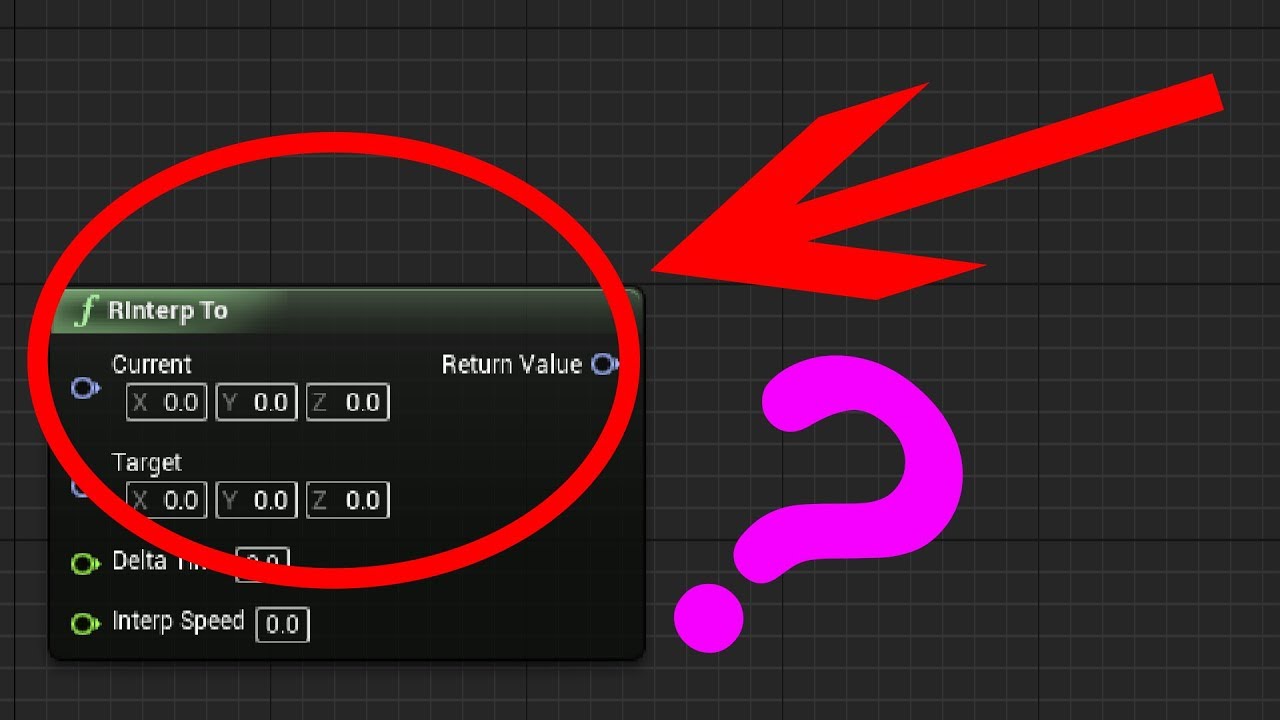
Check out my Patreon: http://bit.ly/TechnoNerd_Patreon
DON'T CLICK THIS: bit.ly/2vBhU2s
PLEASE LIKE AND SUBSCRIBE
This Tutorial will teach you how to use the RInterp node to smoothly Interpolate between 2 rotators.
#RInterp
#FindLookAtRotation
#UnrealEngineTutorials
And feel free to request Tutorials.
Music: https://www.youtube.com/watch?...
use VInterp for Vector
but the idea is the same as described in the video
dreamy sierra
there is no "find look at location" only "find lookat rotation"
frosty heron
That;s right. Look at is direction
btw
don't follow the tutorial literary?
the idea is to understand how to interp values on each frames
If you are not gonna use rotation, don't use rotation
Use VInterp instead
dreamy sierra
there is no look at direction, I am using Vinterp
frosty heron
Why do you want look at direction? arn't you just trying to make an actor go up and down
what direction will do for you?
dreamy sierra
you just said, look at is direction
frosty heron
I don't feel like you are reading what I wrote. Im just gonna leave it here,
Interpolate on frames from Current Location to Target Location.
If it's for something like jumping, I would also use a combination of Timer or Timeline because at somepoint I want to go down (Changing the target location)
dreamy sierra
I read everything you wrote, but its not explaining exactly what I need to do. Clearly its not enough for me to understand it, this is what I tried but it just keeps going up
 frosty heron
Why would it go down? You never tell it to go down
define some rules and condition for it to go down
then you can just do the same but with - instead of +
dreamy sierra
I did this, but now it doesnt move at all

I dont understand
how would I make it go down?
where would the timeline go?
can someone please show me what it would need to look like for simple up and down movement?
remote meteor
dreamy sierra
can someone please show me what it would need to look like for simple up and dow...
definitely simple enough

 lyric quiver
I'm getting this error from this blueprint. How can I fix it so that I don't get the error any more? Blueprint Runtime Error: "Accessed None trying to read property CallFunc_BreakHitResult_HitActor_1".
 frosty heron
you want to check if Hit Actor is valid or not
if it's not valid to begin with don't run logic that access the actor
fiery swallow
lyric quiver
How can I do this?
drag off hit actor and type is "isvalid"
lyric quiver
thanks
dark drum
dreamy sierra
can someone please show me what it would need to look like for simple up and dow...
What is it you want to make bob up and down? Does it have physics?
dark drum
lyric quiver
I'm getting this error from this blueprint. How can I fix it so that I don't get...
Looking at this, if the hit is valid (as in the return value on the line trace is true), the hit actor should always be valid. Are you calling anything after the trace that can be triggered before the trace happens?
lyric quiver
No I managed to fix the issue, thanks though
lyric quiver
How can I access variables and call events from one bp to another?
 magic gorge
is it ok to stop a loop with a return or is it better to use a foreach with break and return there?
 versed sun
the return will stop the Loop
Its fine to use , if you want that to happen
i use it often
versed sun
yup, full stop, no Completed ran either
 prime stump
Hi, im trying to set up some post processing for when the player is in a 'low health' state, I'm calling this function on a timeline over 5 seconds however the values being set for the post processing are completing way quicker than 5 seconds, how can I make it so that it takes exactly X amount of time for the values to get from their current values to the new ones?

but evenly, so like if the current value is 0 and i want it to go to 5 over 5 seconds it should increase by 1 every second? Lerping on timeline does it too quickly
frosty heron
prime stump
Hi, im trying to set up some post processing for when the player is in a 'low he...
You need to lerp between constant values
dont lerp between a value u changed over time (A)
So have a variable for A, call it start intensity
Set it BEFORE the timeline
then use that for your lerp
 brave idol
Hi i made the Standart First Person Weapon and i made that it will Damage the Player but the Server can Only Damage the Clients
What is the Problem
?
frosty heron
Client can only talks to server using RPC
make sure when you apply damage, you are using server RPC (As client)
Multiplayer FPS is not really blueprint territory
 tropic pendant
So I have this weird issue with my projectile, it only registers collision from a certain angle, not when it first collides with the player
brave idol
frosty heron
Client can only talks to server using RPC
What that i then need to change
frosty heron
brave idol
What that i then need to change
Read Multiplayer compendium in #multiplayer seeing that you don't know what to change despite me telling you literary.
I don't mean to sound anything harsh but doing multiplayer fps with BP could waste your time
tropic pendant
frosty heron
Read Multiplayer compendium in <#221799385611239424> seeing that you don't know ...
you can use c++ for everything either
frosty heron
multiplayer is hard, you need lots of prediction. A lot of stuff can only be done in cpp
brave idol
Im only trying to make 1 Weapon
remote meteor
neko-chan, though cpp will help alot in multiplayer, its not utterly a must, alot of things still can be done with normal bp rpc
frosty heron
when you damage as client, you want to call server RPC and execute the Damage function
if we are talking about Unreal built in damage system, if you hover over it. You will see that it's only executed on server
I think turn based game is totally doable in BP
remote meteor
simply say, only the server shall deal damage, the "server version" of the player 2 has to fire the projectile and hit someone with it
 frosty heron
the Jump from Non lag dependent game to Lag comepsated game is Huge
If the projectile is spawned on the server and the hit happend on the server, it should apply damage
remote meteor
the issue is probably at firing
when a client fires, you need to rpc to server to tell the authorithy version of you that you have fired, then it also fires, then he(server version of you) will do the real damage.
brave idol
Ok what node that i need then ?
frosty heron
https://wizardcell.com/unreal/multiplayer-tips-and-tricks/
https://www.youtube.com/watch?v=JOJP0CvpB8w&ab_channel=AlexForsythe

WizardCell
Good practices to adopt, and bad habits to avoid when doing online multiplayer in Unreal Engine

An overview of the essential concepts for writing multiplayer game code in Unreal, in under 25
minutes or your money back.
Sample project: https://github.com/awforsythe/Repsi/
Patreon: https://patreon.com/alexforsythe
Twitter: https://twitter.com/alexforsythe
00:00 - Introduction
01:24 - Net Mode
03:33 - Replication System Basics
05:13 - Acto...
 stark patio
i have made a flying enemy who works by having a force constantly applying to it in various ways and it worked as i wished. However when i remade it from a pawn (who had the forces applied to the mesh) to a a character (who has the forces applied to the capsule component) the part of the code that helps it avoid obstacles (it linetraces in all directions and apply a force to the opposite side) just doesnt work anymore (however moving towards the player works fine) Does anyone have an ide why this could be? (Here is the code just swap capsule component to skeletal mesh and you have the other enemies code)
 frosty heron
If you don't know RPC, replication, ownership etc. It's pointless for anyone to hand hold you.
If you are serious with learning Networking in Unreal I suggest to read the pinned articles
remote meteor
Other ways for Replication are so-called “RPC”s. Short form for “Remote Procedure Call”.
 zealous moth
@stark patio my guess is that there is either a parameters that is different or your logic differs slightly
Why did you change it to a character?
tropic pendant
tropic pendant
So I have this weird issue with my projectile, it only registers collision from ...
.
tropic pendant
stark patio
i have made a flying enemy who works by having a force constantly applying to it...
I didnt know code can get messier than mine..
frosty heron
Try overlap instead of hit? i dunnoe
dark drum
tropic pendant
.
Personally, I've found that anything that has a scene component for physics tends to give weird results. I would remove the scene component and have the mesh as the root.
tropic pendant
dark drum
Personally, I've found that anything that has a scene component for physics tend...
alright let me try that
tropic pendant
frosty heron
Try overlap instead of hit? i dunnoe
did, and it didnt work
dark drum
stark patio
i have made a flying enemy who works by having a force constantly applying to it...
Try launching the character instead. I believe that's setup to use the movement component on the character.
remote meteor
you mean the collision as the root, as projectilemovementcomp by defaults updates the root component
also make sure pawn blocks worlddynamic
 kind estuary
Lets say you have a player Tank, and an AI Tank, do you create a complete new pawn for the AI Tank?
Or you make it inherit the player Tank?
tropic pendant
dark drum
Personally, I've found that anything that has a scene component for physics tend...
it worked
thank you so much man
tropic pendant
remote meteor
you mean the collision as the root, as projectilemovementcomp by defaults update...
thanks as well
tysm people
dark drum
kind estuary
Lets say you have a player Tank, and an AI Tank, do you create a complete new pa...
A base tank that you make your ai controlled tank and player controlled tank from. The base would contain commonly used logic for all children.
kind estuary
dark drum
A base tank that you make your ai controlled tank and player controlled tank fro...
yeah that was what i was thinking, thanks
so i call it Tank Master
then Tank AI
and Tank Human ?
dark drum
Yea
remote meteor
the endgame is probably both player and ai can control the same tank bp 
frosty heron
"Load contents from a slot of file / slot into a buffer of save data"
^ What does this actually mean?
trying to figure out the difference between LoadGameFromSlot and LoadDataFromSlot
dark drum
remote meteor
the endgame is probably both player and ai can control the same tank bp <:en0kid...
Yea if the behaviour is the same, just having one tank setup to work with the player controller and AI would be best.
dark drum
frosty heron
"Load contents from a slot of file / slot into a buffer of save data"
^ What doe...
As a guess I would say load game from slot is based on the save game object while the other is for loading data that doesn't use the save game object. (C++ stuff)
Of course, just a guess as I haven't seen a load data from slot node lol.
frosty heron
dark drum
As a guess I would say load game from slot is based on the save game object whil...
Ohhh, allright. Thanks
I will go easy mode and LoadGameFromSlot
remote meteor
loadgame uses loaddata
 timber crystal
Hello and best regards
I made a simple 2.5D game, a jump and runner, the character automatically runs in one direction the whole time. Now I want him to do a simple sword slash while running, so basically while he's running he does the sword slash.
I tried this with a simple BP but it doesn't do anything
 frosty heron
timber crystal
Hello and best regards
I made a simple 2.5D game, a jump and runner, the charac...
frosty heron
timber crystal
Hello and best regards
I made a simple 2.5D game, a jump and runner, the charac...
If you want to play montage, make sure the mesh Anim Instance has Anim slot assigned to it
timber crystal
i have a default slot
remote meteor
in the end savegame is about data serialization
loaddata is the backbone of reading from a serialized file into byte array, then in loadgame, it creates a USaveGame object and fill the object with the byte array
timber crystal
ok thanks it works the default slot was not right connected
stark patio
zealous moth
Why did you change it to a character?
because i needed it to inherit from my master enemy class which was a character
timber crystal
Now i have the problem that the character surf while he makes the slash becuase i run automaticly in the right direction
BUT can i remove that in a way of blend space or something...?
 stark patio
tropic pendant
I didnt know code can get messier than mine..
stark patio
tropic pendant
I didnt know code can get messier than mine..
when i get angry trying to debug something i become the best pastaio the world has ever seen
stark patio
dark drum
Try launching the character instead. I believe that's setup to use the movement ...
but isnt launch just a one time thing, more simmilar to an impulse?
dark drum
timber crystal
Now i have the problem that the character surf while he makes the slash becuas...
You need to make a secondary anim slot called upper body and have your montage use it. In the animbpnyou would then blend the upper body montage with the bottom locomotion stuff.
timber crystal
dark drum
You need to make a secondary anim slot called upper body and have your montage u...
ok thanks i will try it out
dark drum
stark patio
but isnt launch just a one time thing, more simmilar to an impulse?
But you're currently trying to add an impulse anyway.
stark patio
dark drum
But you're currently trying to add an impulse anyway.
ah, no im using the linetrace in order to just get if it is close to something and if it is it starts applying a force until it is no longer getting a positive response from the linetrace. Im making it move smoothly away instad of jetting away when it gets close to an obstacle so im using add force.
dark drum
stark patio
ah, no im using the linetrace in order to just get if it is close to something a...
I believe launch adds to the Velocity with options to override (force) the velocity if needed.
stark patio
dark drum
I believe launch adds to the Velocity with options to override (force) the veloc...
i see, ill try it out
tropic pendant
So, idk what I did wrong, but OnMissileExploded never gets called,

 frosty heron
Print string here, if that never get called, find out why
 tropic pendant
frosty heron
Print string here, if that never get called, find out why
tropic pendant
frosty heron
Print string here, if that never get called, find out why
why? the debug box DOES get called
and the actor does get destroyed
frosty heron
I don't know, I don't do A.I. It's probably not the right approach to bind event in the Task
timber crystal
dark drum
You need to make a secondary anim slot called upper body and have your montage u...
i tried now this but he is still glide like a surfer boy when i try to attack while running
