#blueprint
1 messages · Page 40 of 1
 hollow pond
 lusty hedge
🙂
hollow pond
I'm just thinking about the project I'm on at the moment lol
lusty hedge
oh haha
hollow pond
anyway what exactly are you trying to simulate
 lunar sleet
Your names and avatars are too similar I thought it was one guy having a convo with self for a second there lol
lunar sleet
Missed opportunity
lusty hedge
):
lunar sleet
@dawn gazelle current timeline is as such:
 lusty hedge
hollow pond
anyway what exactly are you trying to simulate
lusty hedge
hollow pond
anyway what exactly are you trying to simulate
im making a bunch of dots. and making an algorithm to draw a line that shows the fastest route to visit all the dots
as if the dots are location on a map
hollow pond
ah, travelling salesman
in that case you can probably just do everything in a widget
 dawn gazelle
I'm not sure to be honest. I do understand what your desired result is, but I can't think of a better way to handle that kind of situation. I don't think manipulating the playback rate of the timeline will help get those summed values lined up in varied FPS as delta time is always about how long the last frame took with no information about how long the current frame will take.
hollow pond
then display that widget to the screen
that won't require any lighting stuff or even any camera
and it being a widget, it's all 2D
but then you have to deal with programming what you want to program in the context of widgets
which might be a bit tedious. you can make entire games in unreal widgets alone but still it's not the easiest way to work
you would honestly have a better time doing this in something like Godot or ditching game engine entirely. Python would work decently enough for this kind of thing
assuming it's just a hobby project and not actually used for something else
lunar sleet
dawn gazelle
I'm not sure to be honest. I do understand what your desired result is, but I c...
Ah I c what you mean. I plan on further optimizing it, I just wanted to make sure machines with lower specs wouldn’t completely break the game (running at 120fps vs 60fps for example)
Hoping ofc the frame rate is relatively stable from one to the next but yeah, I can see how sudden spikes would break it
 slate hound
lusty hedge
im making a bunch of dots. and making an algorithm to draw a line that shows th...
slate hound
lusty hedge
im making a bunch of dots. and making an algorithm to draw a line that shows th...
did you see my solution to spawn the dots in #ue5-general ?
lunar sleet

o.o caught cross-posting
lusty hedge
slate hound
did you see my solution to spawn the dots in <#846520322642411570> ?
i gave in and went with a 3d thing
lusty hedge
does anyone know why debug lines clip ?

 modest tinsel
Where would I put the clamp? could you show me how the code woulld work if you dont mind! sorry ask! 🙂
lunar sleet
modest tinsel
Where would I put the clamp? could you show me how the code woulld work if you d...
I might have misunderstood your question there. Is this to give your players a camera sensitivity option or what’s the end goal ?
modest tinsel
So like right now I can move my character camera like my screen really fast but I want there to kinda be a limit to how fast it can move like your camera can only move so fast you know? 🙂
 woven pond
Is it possible to get the player controller from who is clicking on the event ActorOnClicked within an actor?
as in get the controller that is clicking on an actor from within actor
lunar sleet
modest tinsel
So like right now I can move my character camera like my screen really fast but ...
show the code where you set the camera movement
lunar sleet
woven pond
as in get the controller that is clicking on an actor from within actor
I mean get controller should return you the correct controller anyways
modest tinsel
lunar sleet
show the code where you set the camera movement
I dont have any code to set the camera movement yet I was asking if you knew any code where I could make my camera not be able to go really fast you know? kinda how you can adjust your mouse sensetivty
woven pond
lunar sleet
I mean get controller should return you the correct controller anyways
might be because of how iu am imagining this but if i have a custom actor and am using event on actor clicked i was thinking of getting the player controller that clicked on the Actor but i may be approaching it wrong
lunar sleet
woven pond
might be because of how iu am imagining this but if i have a custom actor and am...
I mean #multiplayer is a diff beast but generally speaking if you do onClicked, get controller and plug that into the cast or w/e is on the execution path , then you should get the correct controller instance. If this is not multiplayer and you’re still think this way, then you’re def looking at this wrong lol
lunar sleet
modest tinsel
I dont have any code to set the camera movement yet I was asking if you knew any...
Well how do you know it’ll be fast if by you haven’t set anything up yet? 😀
woven pond
was trying to look at it from a MP way
lunar sleet
Yeah, get controller does the job for you usually, but if you experience it differently ask in that channel
modest tinsel
lunar sleet
Well how do you know it’ll be fast if by you haven’t set anything up yet? 😀
Not sure someone told me I just needed a clamp or smt 🙂 sorry to ask
lunar sleet
modest tinsel
Not sure someone told me I just needed a clamp or smt 🙂 sorry to ask
You asked how to cap a max speed value hence why I said clamp
woven pond
will do
lunar sleet
modest tinsel
Not sure someone told me I just needed a clamp or smt 🙂 sorry to ask
But really you don’t need that, you probably just want a way to control the camera from what I can tell, at which point you’d have to expand on what type of game this is (RTS, FPS etc)
 elder lodge
I've been using a Capsule Collision and Line Traces to make some magnetic shoes work for wall walking, but I'm thinking that a Sphere Collider underneath the feet would be better.
But it looks like only Hit events will generate the normals I need; is there a way to set the sphere collider to generate hits but also not block anything?
Right now in EventTick there's a line trace happening when they're on the surface
Feel like it'd be better in a collision/overlap event but overlaps cannot generate normals
lunar sleet
elder lodge
I've been using a Capsule Collision and Line Traces to make some magnetic shoes ...
no, but what is the actual issue you're experiencing?
elder lodge
lunar sleet
no, but what is the actual issue you're experiencing?
Honestly no issue fundamentally yet; I'm wondering if for "future" performance it may be better to have the logic triggered whenever the shoes are in range of a surface;
Right now I have a collision event with the bottom of the character which triggers a bool for the shoes to work; then while the shoes are working and on a surface, they continuously check the floor to make sure the player is still on it and hasn't walked off an edge.
That continuous line trace feels like it may be an inefficient way to do it. Begin/End Overlap could be useful triggers but there's no normal information, so I'd ultimately have to fire a line trace inside that trigger instead.
 trim matrix
hey all so i have this widget feature showing (Collect) and im trying to change my previous feature where if you walked into the collision box it would destroy, i would like to now have my character press E in order to destroy the object instead, i have setup the IA_Collect as well as added the input to the IMC, so im just wondering if i can add the input into the object itself or i need to do it via the Thirdpersoncharacter


 hollow pond
trim matrix
hey all so i have this widget feature showing (Collect) and im trying to change ...
hollow pond
trim matrix
hey all so i have this widget feature showing (Collect) and im trying to change ...
if you did it in the object, then multiple objects would be able to respond to that input at the same time. pressing E would collect all objects in the level at once.
it makes more sense to do it in the player character, using a line trace to only interact with what the player is looking at
trim matrix
hollow pond
if you did it in the object, then multiple objects would be able to respond to t...
it has a sphere collision, so when a player walks into the vicinity to that one singular object, it will show
trim matrix
hollow pond
if you did it in the object, then multiple objects would be able to respond to t...
but wouldnt that mean that if i walk into one object all would dissapear? that doesnt sound right cos they dont all dissapear unless its the correct answer that has been destroyed
hollow pond
you could use that collision to allow/disallow the IA_Collection from running its code, but you'd still be able to pick up multiple objects at the same time, assuming that you're overlapping with multiple
hollow pond
trim matrix
but wouldnt that mean that if i walk into one object all would dissapear? that d...
no, because each object has a separate collision sphere with its own overlap event
your IA_Collection input is something that all objects will be able to listen to at the same time
trim matrix
o
hollow pond
I don't think there's anything seriously wrong with handling it in the objects (assuming you still use that collision sphere to ensure that the player is within range), but I would not do it that way. I'd use a line trace from the player's camera
 short ivy
why is this not rotating the camera correctly to the new checkpoint?

i am getting the correct checkpoint location
and it is rotating the camera
just the rotation it ends up with is wrong
not like inversed or such, just random kinda?
lunar sleet
short ivy
not like inversed or such, just random kinda?
it's the rInterp
it doesn't do what lerp does, it's more like some curve thing
if you want just a smooth transition between 1st rot and 2nd rot, just use a lerp and a timeline or such
short ivy
lunar sleet
it's the rInterp
now i have it like this but its still off the target

sometimes it's kinda close but sometimes totally off
lusty hedge
any reason this might not work?
 lunar sleet
lusty hedge
any reason this might not work?
lunar sleet
lusty hedge
any reason this might not work?
where is the code?
lusty hedge
in an actor BP
lunar sleet
you need to enable input
lusty hedge
:/
lunar sleet
it's not enabled by default in regular actor dudes
lunar sleet
 lusty hedge
on begin play?
lunar sleet
yep
lusty hedge
ty
lunar sleet
np
 thin panther
its worth noting that proper input routing is preferred to that
lunar sleet
short ivy
now i have it like this but its still off the target
you're rotating the spring arm, try the camera maybe
thin panther
(don't worry, the enable input node summons my presence :P)
lunar sleet
you signed up for Enable Input Google alerts? 😄
thin panther
lunar sleet
wdym
routing enhanced input actions from the player controller via event dispatcher or whatnot
 lunar sleet
oh yeah, def should use EIS normally, but I figured this is just prototyping @thin panther
lunar sleet
lusty hedge
see the player controller pin?
lusty hedge
yes
lunar sleet
you need to feed it something
short ivy
lunar sleet
you're rotating the spring arm, try the camera maybe
nah thats not it
lusty hedge
but i dont have a player controller :.
lunar sleet
use the get player controller node
lusty hedge
im just doing a simulation
lusty hedge
works ty
thin panther
lunar sleet
oh yeah, def should use EIS normally, but I figured this is just prototyping <@4...
you'd be surprised the number of people i see trying to use things like that for game code in stuff they want to ship. even more so with raw keyboard events. It hurts my soul because i love to remap keys :P
lunar sleet
thin panther
you'd be surprised the number of people i see trying to use things like that for...
yeah, I feel you. I just figure if they have to ask, they're not even in the same hemisphere as the shipping stage, so they have lots of time to correct their ways
thin panther
absolutely. i always find it handy to mention as the proper method so people know of it when they want to tackle it :P
there was a lot of bad stuff i stuck with for so long purely because i didn't know of the better thing's existence
lunar sleet
 mental trellis
There's no pc in simulation, is there?
mental trellis
There's no pc in simulation, is there?
You are 100% correct, doesn't seem like it.😅
but I mean normal code still runs
which is weird because I have an AI MoveTo that works just fine in Simulate mode. Yet nothing will print on begin play or Onpossess for controllers for some reason
lunar sleet
thin panther
there was a lot of bad stuff i stuck with for so long purely because i didn't kn...
yeah fair point
thin panther
lunar sleet
which is weird because I have an AI MoveTo that works just fine in Simulate mode...
I believe the ai controllers still work and everything, it's just because I believe the game mode is nto spawned in simulate
which handles the player character, HUD, controller etc
lunar sleet
but I mean
if I put a print string on the AICon's onPossess or Begin Play it doesn't fire
yet it'll do the move np 😄
thin panther
to github!
lunar sleet
fer what? 😄
thin panther
to look at the aimoveto node
lusty hedge
I DID IT!!!!!!!!!!!!!!!!!!!!!!!!!!!!!!!

i made a program to draw the shortest path to visit all the cubes!
took me 3 hours
lunar sleet
that's decent
lusty hedge
yeah
its not reeeallly the shortest path
but its the shortest path it can find
with x amount of scans
the algorithm SUCKS
it justs hits random cubes and measures the distance at the end
and saves the best result
so random isnt good when we hit say, 30 cubes
but im happy for now
thin panther
lunar sleet
fer what? 😄
now the plot thickens, it definitely needs an ai controller
 lunar sleet
look what you started @mental trellis
short ivy
@lunar sleet i just noticed sometimes when it's off then its exactly on the opposite direction
lunar sleet
short ivy
<@179343890409717771> i just noticed sometimes when it's off then its exactly on...
you're prly over-rotating
like it's rolling over 360 to 0 or w/e
may need a clamp axis or normalize, can't rmbr which
do some debugging with print strings and manual rotation settings and compare results
lunar sleet
dawn gazelle
I'm not sure to be honest. I do understand what your desired result is, but I c...
yeah, I can't figure out how to tie world delta to the play rate properly, so I'm gonna try what you suggested and just have it lerp between fixed values. Even if I have to use 3 timelines, provided it works, I'm good with it 😅
thin panther
I am now going to stop looking at ai controller code because my head is hurting how your ai move to is successful but OnPossess is not called
lunar sleet
thin panther
I am now going to stop looking at ai controller code because my head is hurting ...
lol yeah that's a rabbit hole for sure
 versed sun
lunar sleet
may need a clamp axis or normalize, can't rmbr which
versed sun
lunar sleet
may need a clamp axis or normalize, can't rmbr which
Wrap
lunar sleet
versed sun
Wrap
yeah guess that could work too
elder lodge
lusty hedge
i made a program to draw the shortest path to visit all the cubes!
I mean
You didn't give yourself an "easy" problem. The traveling salesman problem is classically difficult
whole industries dedicated to it!
lunar sleet
We have Zoom now 😛
lusty hedge
elder lodge
I mean
You didn't give yourself an "easy" problem. The traveling salesman proble...
it feels really good as a beginner to get it done. I think it maxes out around 12 destinations
thanks 🙂
i think instead of entirely random ill do the next version where maybe the "saleman" goes to the closest point. and has a 50% chance to go to a random one. i think that will speed it up
 lofty rapids
from what i understand it's one of the hardest problems out there, not too many good algorithms that make a good path
lusty hedge
would it be unrealistic to save previous attempts ? so when its running paths randomly it doesnt repeat?
is there an easy way to save 200,000 attempts?
or even a million
versed sun
make a save game for each attempt
lusty hedge
im a noob so idk if youre trolling
versed sun
1/2 and 1/2 , more of, you could use a Save Game to save the results in an array
I'm not sure how many items an array can hold
i think it depends on how much data you are saving
 zealous moth
versed sun
1/2 and 1/2 , more of, you could use a Save Game to save the results in an array...
zealous moth
versed sun
1/2 and 1/2 , more of, you could use a Save Game to save the results in an array...
max float probably or max int i guess
trim matrix
back to the earlier convo @dawn gazelle , That timeline works great, but I have to tackle the second part of the issue, start N amount of timelines where N is the length of the array, all running concurrently

For each loops are weird, they don't seem to work
elder lodge
lusty hedge
i think instead of entirely random ill do the next version where maybe the "sale...
Why reinvent the wheel? Go to the wikipedia and look at the heuristics algorithms that exist.
I think I saw something fairly recently that mentioned ways to do it using heuristics about the distance between nodes.
Offhand, I would never do entirely random. I'd do random changes from the best solution so far. You might wind up stuck in a local minima, but maybe there's a way to shake it up a few times.
elder lodge
versed sun
i think it depends on how much data you are saving
Traveling Salesman is n-factorial I think
As an exercise I suppose it's fun to optimize on, though
lusty hedge
elder lodge
Why reinvent the wheel? Go to the wikipedia and look at the heuristics algorith...
i was honestly just challenging myself without any research to see what i can come up with
how do i share code. my new version keeps crashing
not sure why
(blueprint)
versed sun
trim matrix
back to the earlier convo <@218956378654507008> , That timeline works great, but...
I have an answer for you, and its fun one...
Make your own "Timeline" Function, and run on tick
Make an Int Array that holds the indexes of your N timelines (Mine is Moving Pieces)
Make a Float Array "Alphas", each alpha(0 to 1) is going to be the % done you are with the timeline
Then make an Array for each value you need to use in the timeline (Mine are Mats, and Halfway Point)
Inside the function , For each Loop thru the Indexes , and use that to Get each on of your other Arrays
Increase the Alpha for each by either Delta (or some other math), and Set Array Elem back in the Alpha Array
Then do whatever you would do with the rest of your "Timeline's Update"
Once the Alpha for each Index reaches 1 , Remove that index from all the Arrays
Also, this runs each index independently of each other , you can start one "Timeline" then start another .5 sec later , and they would finish .5 sec apart
 elder lodge
lusty hedge
i was honestly just challenging myself without any research to see what i can co...
elder lodge
lusty hedge
i was honestly just challenging myself without any research to see what i can co...
Yeah I get it
I did that with prime factorization back in the day
it's fun just to see how much better performance you can keep getting
dawn gazelle
trim matrix
back to the earlier convo <@218956378654507008> , That timeline works great, but...
Could you not just run one timeline and update all the values from the array? ie. update from timeline does a foreach over the array?
Or do they each need different speeds?
lusty hedge
elder lodge
it's fun just to see how much better performance you can keep getting
ill probably do that when ive maxed out my current improvisations
Can i stop Unreal from saying "infinite loop detected"
im pretty sure its wrong
BECAUSE it works when i loop it less
if i ask to loop it 20000 times it thinks its infinite and stops it
versed sun
you can change the Infinite Loop number in Project setting , i think
lusty hedge
my new method seems more efficient but runs slower..
hmm
the first one goes completely at random. can run 100 thousand times with little delay.
the 2nd one has a 75% chance to go to the closest cube next and a 25% chance to go to a random cube
logically i thought that would do better.
its hard to say for sure without seeing hard data but i think its more effective but slower for each loop
can someone review why it thinks i have an infinite loop here?
or just review the code in general if they feel like
im a beginner
my new version seems to work in 2000-5000 scans
last version was up to 400,000 scans 🙂
not tooo bad

alright sorry for flooding the chat
thanks guys
trim matrix
dawn gazelle
Or do they each need different speeds?
Each need diff yeah
trim matrix
versed sun
I have an answer for you, and its fun one...
Make your own "Timeline" Function,...
Oh so you do all the logic in that function, and use it in a seperate place by calling the functions?
trim matrix
versed sun
I have an answer for you, and its fun one...
Make your own "Timeline" Function,...
Wait a minute, this function replaces the timeline?
 tribal gazelle
Say I have a list of commands in an array (/cmd1, /cmd2) how would I go about showing them as a string, in order? Like: Commands: /cmd1, /cmd2
trim matrix
Here's the crux of the issue, pass in the index of the array, but make a new copy of the loop body's contents

 wicked magnet
Does anyone know how to get multiple points on surfaces within a certain radius?
modest tinsel
lunar sleet
But really you don’t need that, you probably just want a way to control the came...
Thirdperson naruto based pvp game
dawn gazelle
tribal gazelle
Say I have a list of commands in an array (/cmd1, /cmd2) how would I go about sh...
You can loop through the array and append the items in the array into a single string, splitting them up as you need.
 trim matrix
dawn gazelle
You can loop through the array and append the items in the array into a single s...
trim matrix
dawn gazelle
You can loop through the array and append the items in the array into a single s...
OOC, how'd you get the straight lines?
Ohh is it this @dawn gazelle ?
https://www.unrealengine.com/marketplace/en-US/product/electronic-nodes/questions?sessionInvalidated=true

Unreal Engine
Improve the wire style of Blueprint, Material, Animation, Niagara, Control Rig and Gameplay Ability editors.
trim matrix
this is how you get the closest point on surface. https://docs.unrealengine.com/5.3/en-US/BlueprintAPI/Collision/GetClosestPointonCollision/ To get them points within a radius, you could do a multisphere trace and then iterate through each hit component and run the find closest collision point node where the Point would be the Impact Point of each hit result

Get Closest Point on Collision
 lilac storm
hey there i am facing a crashes , all the time different crashes , nullptr crashes , invalid index crashes but log does't say where this crashes are happening ? is there a tool or something to try to catch this staff?
trim matrix
Is ur project bp only?
lilac storm
trim matrix
Is ur project bp only?
yes
trim matrix
might be some plugin
 modern radish
what is a blueprint interface, how does it work, and should I favor that over event dispatchers (what I've been currently using a lot in my project)?
 faint pasture
modern radish
what is a blueprint interface, how does it work, and should I favor that over ev...
faint pasture
modern radish
what is a blueprint interface, how does it work, and should I favor that over ev...
They are completely different things
Interface is a set of common functions (name and signature only) that can be implemented differently on different classes
dispatcher is a pub-sub model thing. Dispatcher is triggered -> bound functions are called
modern radish
Ah okay, got it. and how does an interface differ from a function in the blueprint function library, for example?
lilac storm
can i change texture quality for a build , for example 1 build for high gpu ,1 build for low gpu ?
dawn gazelle
modern radish
Ah okay, got it. and how does an interface differ from a function in the bluepri...
When you define a function in a function library, any place you call that function will execute the function as you've defined it in the function library.
When you create an interface, you only define the potential function. When you call the interface, the target object needs to actually implement that interface and each object can have its own set of instructions when that interface is called.
Eg. I can have an "Interact" function defined in my interface. In my door blueprint, I implement the interface and define the "interaction" function so that it swings my doors open. In my treasure chest blueprint, I implement the interface and define the "Interaction" function so that it opens an inventory. In order for my instructions to be passed to these objects, I must first have a reference to these objects, and then call the interface on them. So if I have a reference to a door, it'll call the door's implementation of the interface. If I have a reference to a treasure chest, it'll call the treasure chests' implementation of the interface.
modern radish
dawn gazelle
When you define a function in a function library, any place you call that functi...
Okay yeah, thanks a lot for taking the time. This was helpful
 true oriole
hi, i am trying to create a projectile that have a sine/cosine movement. these nodes works but how do i control the speed of Y movement ? currently it's too slow.

 pliant sorrel
true oriole
hi, i am trying to create a projectile that have a sine/cosine movement. these ...
pliant sorrel
true oriole
hi, i am trying to create a projectile that have a sine/cosine movement. these ...
what does speed do?
true oriole
pliant sorrel
what does speed do?
i was referring to the speed of thunderball move from left to right and right to left
trim matrix
true oriole
hi, i am trying to create a projectile that have a sine/cosine movement. these ...
You mean you want to speed up the sinus movement?
Multiply the time you pass into the sinus
by some const
true oriole
trim matrix
by some const
yaya. that works. thanks. 🙏
 young meteor
I'm doing a tower defense, and want to keep track of how many damage each tower has done, and combine that to a save file for unlocks and achievements as well.
After I implemented a save game function every time a tower hits an enemy I get small Hickups (lags), every time.
Do you guys thing I should look into optimizing the save game function (right now I save all variables when I do it), or is it simply not very realistic to save the game every time a tower shoots?
versed sun
are you saving game to slot each time ?
trim matrix
Do async save at the very least
young meteor
versed sun
are you saving game to slot each time ?
yes
young meteor
 trim matrix
Is that code in a function?
young meteor
yes
trim matrix
Make it into an event
young meteor
In the event graph instead?
trim matrix
Right click on function in the list
 remote meteor
why do you need to save game after every hits though
trim matrix
trim matrix
Right click on function in the list
and select to event or something like that
young meteor
 young meteor
remote meteor
why do you need to save game after every hits though
young meteor
remote meteor
why do you need to save game after every hits though
Not sure it is strictly needed. Almost certainly is not. Was just the first easy attempt.
trim matrix
young meteor
like this https://encrypted-tbn0.gstatic.com/images?q=tbn:ANd9GcTzqG9ds_l96JVpXk2abHZt8NXDPokZkGIcwzDXMrTzVPd-sc4mI6_yMMBEO62twsnOvm0&usqp=CAU but the other way around

(You click on the function instead of the event)
sorry for shit image quality
pulled this gem from google imgs
young meteor
Oh okay. Can't really see what it is.
trim matrix
It says "Convert event to function"
young meteor
Convert function to event
trim matrix
young meteor
Convert function to event
But when you'd right click on a func, it'd say that yeah
remote meteor
you can hold on to the save game object for awhile, save during a mapchange, wave, actually unlocked a achievement or what not
young meteor
remote meteor
you can hold on to the save game object for awhile, save during a mapchange, wav...
Right. I think I should go about it like that. Just curious to learn what ssolve is trying to teach me now too.
young meteor
Only concern is people getting some loot or something they love, and then crashing.
Would make more sense to save in that instance though.
 clear sierra
young meteor
Only concern is people getting some loot or something they love, and then crashi...
clear sierra
young meteor
Only concern is people getting some loot or something they love, and then crashi...
that is some ugly truth that happens, but you need to focus on fixing your crashes, instead of saving per second,
Does not make sense.
young meteor
Got it. Thank you. 🙏
trim matrix
you could add a simple retriggerable delay also to where it is about to save Nevermind, that would not make them save as instantly as before tho
young meteor
Right
The whole point of converting the saving function to an event was? 🙂
to allow for async?
🙏
 wise raven
My project crashes when i tick weld simulated bodies, is this normal?
 clear sierra
its not normal
wise raven
the vehicle mesh is a static mesh, the parent in heirarchy, and the mesh is a skeletal mesh under the parent static mesh, both are set to simulate physics
 thin cradle
hey, right now the default character, when moving, instantly moves towards the direction added in AddMovementInput, and slowly rotates to face that direction
Is there any way without custom code to instead make it always move on its forward axis while still slowly rotating towards the intended direction?
or do I need custom code for this?
clear sierra
wise raven
the vehicle mesh is a static mesh, the parent in heirarchy, and the mesh is a sk...
if they are already parent child in component space, why do you want to attach it then ?
 fringe coral
I'm trying to figure out how to make a "Quit" button open up a Yes/No prompt for the player they must answer "Yes" to before closing the game, but I think I've been staring at this too long and the answer isn't coming to me. I've created a widget with the prompt in it, but I am spacing on how to actually return a true response to the "Quit Game" command branch when the player clicks "Yes". Any tips?
thin panther
im not exactly sure what you mean there
it's just Click Yes > Quit, Click no > destroy widget
clear sierra
have close button somewhere, But people can always do alt+f4 to quit, if you want to override that ?
fringe coral
yeah, you're right. I'm clearly too tired and need sleep. I was totally overcomplicating things.
thin panther
get some sleep, sleep is good :D
versed sun
Event Dispatchers in a Widget are your friend
wise raven
clear sierra
if they are already parent child in component space, why do you want to attach ...
because both are simulating physics bodies, and i need at least the skeletal mesh to be attached ( welded ) to the parent simulatiung body without it flying away
clear sierra
are they already attached in component space ?
 clear sierra
so you are saying when Mesh is simulating physics, it flies away ?
Maybe you should like into Physics Constraints
trim matrix
is there a way to set variables according to the skeletal mesh?
if the skeletal mesh is named Pistol Set variable to something
versed sun
trim matrix
is there a way to set variables according to the skeletal mesh?
you can get the Meshes name , and Select on String

 distant garden
Can someone explain to me why this wont move in a straight line: https://www.youtube.com/watch?v=dU77B_4BrJ8 https://blueprintue.com/blueprint/y95ms_uu/

 stray halo
so is there a way to get multiuple target refrences?
I have lights that i wanna turn on and off with a power button buts its only targeting 1 set of lights but they are all under the same blueprint actor
 heavy linden
alr so ive been working on this equiping system and i want to set the mesh
I have this rn but the problem is if i equip smt the last equiped item is still set true and than the mesh equips on the wrong thing any help?


 storm dove
how do i get the actors name (in the level) so that it works both in editor and in packaged game?

 trim matrix
storm dove
how do i get the actors name (in the level) so that it works both in editor and ...
trim matrix
storm dove
how do i get the actors name (in the level) so that it works both in editor and ...
It would get the name, but it would be a bit different.
What's the use case here?
storm dove
im baking procedural mesh to static mesh and i want to reuse it so i dont have to regenerate every time, so im saving the asset with a string, and i want to get the asset same way too
 trim matrix
I dont think you can do that in a packaged game.
storm dove
dang
wise raven
clear sierra
Maybe you should like into Physics Constraints
physics contraints is making the problem similarly worse, why cant i use weld simulated bodies?
 elfin lagoon
hey guys, my player character choose to attack NPC with a TEAM1 tag only, no mater, which team PC is, team 1 or 2
help pls
 distant garden
How i can calculate the velocity vector with these values: https://blueprintue.com/blueprint/mnvfs2rh/

No description provided
 zinc flicker
Why cant i look around when using "set target with blend" even when i setup "Axis turn and axis lookup"
 crystal crown
zinc flicker
Why cant i look around when using "set target with blend" even when i setup "Axi...
crystal crown
zinc flicker
Why cant i look around when using "set target with blend" even when i setup "Axi...
You mean the character can move but camera is stuck in one place?
lunar sleet
The new camera may not be tied to the controller/input
zinc flicker
crystal crown
You mean the character can move but camera is stuck in one place?
Exactly its like only this 1 single angle i set with the camera inside.

Hey guys, in today's video, I'm going to be showing you how to hide in a locker. In this, the door will open and the player will get in. The door will then close and the player will be hidden from all AI's. This means that you can hide from a chasing AI.
Locker Download: https://drive.google.com/drive/folders/1QpZ9EsUJh8cEq-xLt1brY08DrQQ6S3Y9?u...
I tryed to follow that step by step but it dosent accept my lock input

in the tutorial it works i am just not sure if that no longer works in 4.27 he maybe uses an older version ?
trim matrix
zinc flicker
https://youtu.be/gHJ4pHlqAzQ
have you enabled input on your locker actor/pawn?
zinc flicker
trim matrix
have you enabled input on your locker actor/pawn?
No way... it worked, thanks i didnt use enable input since i use the Interaction Plugin... i was thinking the enable input is only to enable pressing "E" to enter.
Thanks a lot so i guess Enable input counts for every input even moving around a mouse
zinc flicker
trim matrix
have you enabled input on your locker actor/pawn?
I am required to Disable Input again on leaving or does that not matter?

 frosty heron
zinc flicker
I am required to Disable Input again on leaving or does that not matter?
frosty heron
zinc flicker
I am required to Disable Input again on leaving or does that not matter?
Having input to actors you don't own, usually considered terrible
If you detect key press in your locker then I do suggest to scratch that and redo the input bit
Your locker or any intractable object don't need to know input. They simply have interacted function or event that get called
Eg , player line trace. Check if hit actor have interacting comp or implement interact interface. If they do run, interact event
zinc flicker
Ah i see so the Enable / Disable input is only bound to that specific actor so when i leave a locker he dosent need Input Enabled anymore.
trim matrix
It's sometimes needed though
frosty heron
Locker shouldn't even need to read input
That's terrible
Why do u have to run input logic on actors you don't own? That's gonna be hell to debug
U r just shooting your self in the foot
Don't have to take my opinion, try programming lounge or smart ppl
If your tutorial suggest doing that. Honestly just delete it from your Web history, actually very harmful
trim matrix
calm down please, it's just an input axis
for reading the mouse input 🙂
What would be better than?
A pawn?
or handling the locker state in the player?
frosty heron
trim matrix
have you enabled input on your locker actor/pawn?
I'm only reading this bit
If locker need to read input instead of the player then that sound really wrong
I wrote the most common approach with interaction.
There are better ways and there are worse way. Also there are way you shouldn't do. Having a locker reading your input is one of the things you shouldn't do
zinc flicker
frosty heron
Locker shouldn't even need to read input
I use the Input action only for the "Set Target Blend" so that i can look around inside the locker, without input it would be just stationary camera that looks in 1 direction.
trim matrix
It's the most straight forward approach I'd say
You could do that entirely in the player tho
frosty heron
Well in this case i dunnoe, if something is possessed in a sense then maybe it's okay
I thought it was for some sort of interaction system
trim matrix
trim matrix
You could do that entirely in the player tho
@zinc flicker you already have a bool in your player for when the player is hidden, right?
zinc flicker
Ah no i just wanted to create an option to hide in a locker the "interaction system" is the thing that create the button he named it like that :D
zinc flicker
trim matrix
<@243051198813306892> you already have a bool in your player for when the player...
No i have it only set in the locker basically when you enter the locker your character existence is no longer there.
trim matrix
ah never mind, ima misremembering that tutorial i guess 🙃
zinc flicker
At least i figured it out but its good to know that "Enable Input" is not something that random stuff should have.
trim matrix
Yepp
frosty heron
Well if you need to drive the thing then
Just make sure to disable input when you get out from the car/locker imo
trim matrix
zinc flicker
No i have it only set in the locker basically when you enter the locker your cha...
So you respawn the char?
damn thats crazy 
zinc flicker
 trim matrix
Spawning stuff with BPs isn't exactly the most efficient
zinc flicker
i made him Hidden
trim matrix
Ah no you just hide them
zinc flicker
At least my AI no longer detects me when i do it that way.
trim matrix
Keep in mind that they still can block your ai
zinc flicker
Ah you mean the Capsule?
trim matrix
Yepp
 trim matrix
I guess
zinc flicker
Thanks again for the help =)
trim matrix
Yepp
distant garden
My camera has no pitch value, even though i can pitch my camera
How do i fix it


 feral ice
i want to have directional roll depening on camera angle and where player is facing. And im doing this by using calculate direction and it works how i want it to work when the player is still but once i am moving and roll again it will always go in the direction the player is moving because thats where the velocity vector is pointing. How do i make this work even though the player is moving?
 crystal crown
Did you even search for tutorials?
feral ice
yeah if i did. Cant find a one where it depends on your camera
zealous moth
is there a way to get the distance along spline closest to a vector?
crystal crown
feral ice
yeah if i did. Cant find a one where it depends on your camera
you want it to roll where the camera is facing?
feral ice
crystal crown
you want it to roll where the camera is facing?
yes and i want my key inputs to also have an inpact
distant garden
zealous moth
is there a way to get the distance along spline closest to a vector?
make another vector
feral ice
here i am looking sideways but holding d which makes the player go backwards and also roll in that direction. The same as using blendspace @crystal crown
crystal crown
well my dodge is the same as in the tutorials cuz i'm using controller rotation. it's the same in dark souls. It doesn't make sense to turn your camera away from the enemy just to dodge
feral ice
have you played the wicther, they have that feature there
 feral ice
crystal crown
well my dodge is the same as in the tutorials cuz i'm using controller rotation....
feral ice
crystal crown
well my dodge is the same as in the tutorials cuz i'm using controller rotation....
here is what i mean
crystal crown
Not sure how to do that. Maybe someone smart can help
 chrome pumice
yo dudes i cant foliage brush anymore for some reason, i seleceted paint but my mouse curser is keep displaying as a "+"

any idea how to fix? i had this for days now
lunar sleet
chrome pumice
yo dudes i cant foliage brush anymore for some reason, i seleceted paint but my ...
Try #level-design maybe
chrome pumice
ahh aight
 sharp crane
Hi, got a general UI question. Is it better to have 1 HUD widget with a lot of functionality, or multiple small widgets that spawn/remove from parent as needed?
 carmine palm
Trying to make it so if you are in range of a chest (overlap of volume) and also looking it it, it outlines the object:

Currently have this (thought I saw this online for checking if an object is looking at another object)
But I'm not sure what it wants for object type array
 fallow elm
Hey guys, does anyone know why this could happen? My subtract node is straight up not subtracting (resulting in 0)
 trim matrix
feral ice
yes and i want my key inputs to also have an inpact
trim matrix
feral ice
yes and i want my key inputs to also have an inpact
store a vector from both input axis and add into onto the camera's forward vector 💁♂️
feral ice
trim matrix
store a vector from both input axis and add into onto the camera's forward vecto...
yeah i see what you mean but how do i do that?
trim matrix
Is there a get input axis value node in BPs?
If there is, you could use it to construct the vec
lofty rapids
fallow elm
Hey guys, does anyone know why this could happen? My subtract node is straight u...
the chances of the subtract node failing are slim
fallow elm
lofty rapids
the chances of the subtract node failing are slim
I know right, what's weird is that it works when its output is hooked up to a node in the execution
 random pulsar
guys i want to connect here like i drew but when i do this the 1st select disconnects

 random pulsar
how can i connect both of em?
fallow elm
lofty rapids
the chances of the subtract node failing are slim

When it's hooked up to a print string it's subtracting, when it's not it doesn't
lofty rapids
well tbh either way it's subtracting
 lofty rapids
fallow elm
lofty rapids
fallow elm
the print string shows the correct value then it's working, something must must be wrong with how your using it
fallow elm
lofty rapids
the print string shows the correct value then it's working, something must must ...
But when its not hooked up to print string, the Lerp (Rotator) node is receiving a zero, which makes it not work
I dont know how I'm "using" the subtraction node wrong I guess is what im trying to ask
lofty rapids
your sure it's recieving zero ? also where is the execution that goes to that ?

 thin panther
fallow elm
I unhooked it from print string:
thin panther
fallow elm
I unhooked it from print string:
print the rotation instead
bp watch values are notoriously bugged
fallow elm
okay will try that
dawn gazelle
sharp crane
Hi, got a general UI question. Is it better to have 1 HUD widget with a lot of f...
Just as you wouldn't build your entire game within your player character, you don't want to to build everything into one widget.
You want to make widgets that can be reused.
dawn gazelle
random pulsar
guys i want to connect here like i drew but when i do this the 1st select discon...
You can't connect both of them up as it wouldn't make sense. You can't set it to use a sprite based on one condition and then tell it to use another sprite with a different condition in the same node. If you want to combine conditions you can. For example, you can take your return value from the top select node and feed that into the False pin of the bottom node. The true value on the bottom node should be your "death" sprite. You'd then connect the return value from the bottom node to your Set Flipbook node.
After doing that, it would first check if the health < 0, if so, show the death sprite. If the health is >= 0 then it'll set the sprite to the movement ones based on how fast its moving.
random pulsar
dawn gazelle
You can't connect both of them up as it wouldn't make sense. You can't set it t...
like so?
 thin panther
 steady night
i need Advice on how to Formulate .
steady night
i need Advice on how to Formulate .
formulate what exactly?
lunar sleet
A formula, obvi 🙃
steady night

Classic
no, this shit
this wont work
the problem im having is that i have "melee damage + -" and also melee damage +% - %
not a better way of compiling everything
need*
the main problem is basicly the final step when adding the damage with % plus or % subtract
thin panther
im not sure why you have separate values for those
to add 0.2 damage, + 0.2
to take 0.2 damage + -0.2
random pulsar
dawn gazelle
You can't connect both of them up as it wouldn't make sense. You can't set it t...
also the animation does not play i think its because it destroys the object once projectile collided with rabbit so i need to make a delay on nodes i think,but i tried and they didnt work well
 steady night
wdym
steady night
but i do :/ ? i mena this is a line of "buffs stats stuffs" some give - to flat damage some + to flat damage Some minus to % damage and somme plus to % damage so
thats why i need
mental trellis
Don't do math in bps.
thin panther
no you don't
a buff that gives positive damage is adding its damage
a debuff that gives negative damage is adding -damage
thin panther
mental trellis
Don't do math in bps.
also this
lunar sleet
You can + a negative value btw
thin panther
math in bp is awful
lunar sleet
mental trellis
Don't do math in bps.
Por que?
mental trellis
At least use the formula node or whatever it is node.
thin panther
lunar sleet
Por que?
spaghetti hell and lots of node jumping
lunar sleet
Ah
thin panther
prefer c++ or math expression
lunar sleet
mental trellis
At least use the formula node or whatever it is node.
Expression ?
mental trellis
Maybe?!
lunar sleet
😀
mental trellis
Yeah.
lunar sleet
I keep forgetting you strictly live in 5.4+ cpp now 😀
mental trellis
That's just my lack of bp knowledge showing, not 5.4 😛
 noble ledge
Does anyone else run into an issue with the debugger just freezing for like 4 minutes because you accidently hovered over a pin?
trim matrix
mental trellis
At least use the formula node or whatever it is node.
https://docs.unrealengine.com/4.27/en-US/ProgrammingAndScripting/Blueprints/UserGuide/MathNode/ do you mean whatever this is?

The math expression node allows you to type in a math expression and builds the appropriate sub-graph to create that expression.
lunar sleet
mental trellis
Probably.
trim matrix
it sucks.
mental trellis
I mean you're using BP, that's the standard.
lunar sleet
I need to lerp something between x and x + y without it being frame dependent, any thoughts ?
thin panther
trim matrix
it sucks.
its far better than math spaghetti
at least it generates the spaghetti for you
and hides it
thin panther
well you aren't exactly going to escape that in bp so it's a moot point
sure the spaghetti ain't great but tackling c++ for a single math expression is slightly overkill
hollow pond
trim matrix
https://docs.unrealengine.com/4.27/en-US/ProgrammingAndScripting/Blueprints/User...
oh neat
mental trellis
lunar sleet
I need to lerp something between x and x + y without it being frame dependent, a...
DeltaTime
Or record the start time and, when you resolve the value, work it out dynamically.
hollow pond
trim matrix
it sucks.
I can debug a math expression much more easily than debugging a nest of nodes and wires. even if that nest is neatly organised and laid out, it's still a nest.
and as ACT said I'm not gonna jump into C++ for one bit of math
lunar sleet
mental trellis
DeltaTime
Yeah, I figured it included delta time but how to integrate it
thin panther
(granted it's ideal if it's a mega big bit of math, like path finding, or wave function collapse)
lunar sleet
Doesn’t exactly work with a timeline play rate ^
hollow pond
thin panther
(granted it's ideal if it's a mega big bit of math, like path finding, or wave f...
oh yeah. I learned that the hard way.
somewhere on my computer there is a screenshot of my very broken A* pathfinding in entirely blueprints. it's easily the worst thing I've ever done
thin panther
but yeah, you find out pretty quick through profiling if your math is too much for bp
and it nearly never is, Fluid Ninja Pro is a bp plugin after all
mental trellis
lunar sleet
Yeah, I figured it included delta time but how to integrate it
More information required. What's wrong with a time line that updates every tick?
lunar sleet
Sec I’ll pull the message link
thin panther
i still opt for c++ because i don't like spaghetti hell, and the math expression in my experience can break with super large expressions
(i also just prefer c++)
dawn gazelle
random pulsar
also the animation does not play i think its because it destroys the object once...
Rather than destroy actor, try using Set Lifetime. This can make it so the actor disappears after the defined time.
 crisp urchin
thin panther
and it nearly never is, Fluid Ninja Pro is a bp plugin after all
crisp urchin
thin panther
and it nearly never is, Fluid Ninja Pro is a bp plugin after all
Gosh i have to convert that plugin to cpp for my projects,
lunar sleet
mental trellis
More information required. What's wrong with a time line that updates every tick...
#blueprint message I need this to happen without having to feed it precise vectors to lerp between every time and regardless of current fps
mental trellis
Use your timeline as an alpha with values between 0 and 1.
mental trellis
Define what 0 and 1 mean somewhere else.
lunar sleet
It still seems to be affected by frame rate tho
mental trellis
Then when your timeline ticks, set whatever your value is to 0value + (1value - 0value) * alpha
lunar sleet
Oh ?
thin panther
crisp urchin
Gosh i have to convert that plugin to cpp for my projects,
my condolences
lunar sleet
mental trellis
Then when your timeline ticks, set whatever your value is to 0value + (1value - ...
Where does the delta time come in then?
lunar sleet
Oh ok
mental trellis
If you say "go from 0 to 1 over 5s" then it will handle the calculations.
mental trellis
If you want to get fancy, you can also feed the timeline output into a curve which remaps it to a new 0-1.
 keen widget
how to switch this to another int? like Do stuff if int is - "596" ?
when i press Add pin its always get incemented by +1
 trim matrix
idk what your goal is, but you're probably doing it wrong :/
keen widget
trim matrix
idk what your goal is, but you're probably doing it wrong :/
i want to do stuff only if integer is = to 1 or 2 or 20 or -999
in other case do Default logic
mental trellis
You could create a map of int -> int.
 copper hawk
what would be the best spot to put this code? I want it to show after you click the button to be put into the dungeon. It is a "blobber" game and I want it to show only once you enter the dungeon
 mental trellis
Map your required values onto the input of the switch node (0, 1, 2, 3, etc)
copper hawk
copper hawk
what would be the best spot to put this code? I want it to show after you click ...
FYI: i am using an asset from the asset store, I am modifiying it and expanding upon it though.
keen widget
mental trellis
Map your required values onto the input of the switch node (0, 1, 2, 3, etc)
i like your idea 🙂
copper hawk
copper hawk
what would be the best spot to put this code? I want it to show after you click ...
Currently what it looks like. (everything is a placeholder, including the AI Art) I want it to only show once you click the highlighted button.

I would assume when you click the button it fires an event?
lofty rapids
i don't see a button ?
copper hawk
even though this already exists there, so I would need to add it after?
 copper hawk
lofty rapids
i don't see a button ?
copper hawk
lofty rapids
i don't see a button ?
I circled it. Second attachment.
lofty rapids
copper hawk
I circled it. Second attachment.
the dialogue is part of the widget ? or that's going to run before/after ?
copper hawk
lofty rapids
the dialogue is part of the widget ? or that's going to run before/after ?
After you click the button that says "ENTER DUNGEON" I want it to kind of be like a story that shows once you enter the dungeon
lofty rapids
so that is running where ? when you add to viewport ?
copper hawk
copper hawk
even though this already exists there, so I would need to add it after?
the code that makes it appear currently? it runs when the game is started. Just put it there to test
lofty rapids
there is an event for clicked of a button
you could do it at some point when the level loads
copper hawk
lofty rapids
there is an event for clicked of a button
Yep, it is here. Already being used. I did try to put it after, but that didn't work. Will try again and update
 lofty rapids
copper hawk
Yep, it is here. Already being used. I did try to put it after, but that didn't ...
lofty rapids
copper hawk
Yep, it is here. Already being used. I did try to put it after, but that didn't ...
you can do it when something loads like your controller or level or even character beginplay, this would carry on to other levels
but i like to store the widget in the HUD
for easy acces
copper hawk
Would I need to add a delay?
I see, it doesnt even get there. Bizarre.

it doesnt print creating
so that means it isnt even getting there
nvm, it is. printed again and it works this time


updated code, it prints all it needs to print. it just isnt appearing
 lofty rapids
copper hawk
lofty rapids
copper hawk
open level most likely stops the code and loads everything fresh
copper hawk
lofty rapids
open level most likely stops the code and loads everything fresh
Hmm
Maybe youre right
trim matrix
almost definitely even
copper hawk
sorry, I am new to Unreal
lofty rapids
you got to put it somewhere that loads when the level loads
trim matrix
no need to be sorry smh
lunar sleet
😭
copper hawk
ok, thanks guys. It just does it four times now. lol. I know the reason, just don't know a solution.
hmm
lunar sleet
Wanna tell us the reason?
copper hawk
i put it in here. (First image) and it does it four times because it loads that 4 times. (third image)


 copper hawk
lunar sleet
Wanna tell us the reason?
copper hawk
lunar sleet
Wanna tell us the reason?
i was typing it, lol
lunar sleet
Get player char, cast to your char bp
trim matrix
bad place to store that i think anyways
copper hawk
trim matrix
bad place to store that i think anyways
Yes, I agree. I am thinking its best to place it somewhere that runs when you click play and doesn't do it in a widget.
trim matrix
copper hawk
Yes, I agree. I am thinking its best to place it somewhere that runs when you cl...
i was was referring to the other guy 😅
trim matrix
@copper hawk where have you placed the code now?
copper hawk
Here. I will show
trim matrix
👍

 trim matrix
could you explain what is what and where is there?
copper hawk
trim matrix
could you explain what is what and where is there?
Sure
lofty rapids
you may be able to use the hud, will there be multiple levels ?
lofty rapids
i would store some sort of status in the game instance
copper hawk
trim matrix
could you explain what is what and where is there?
ok, so you start the game. it puts you in a dungeon. This Widget is the widget that shows on the bottom left corner of the screen. that clones 4 times, or based on how many heroes you have, which is 4.

 trim matrix
what is wbp bottom dialog box?
copper hawk
 copper hawk
trim matrix
what is wbp bottom dialog box?
copper hawk
trim matrix
what is wbp bottom dialog box?
The dialog box that appears at the bottom. This is all the code in it, and this is the image of what the Widget looks like


Yes, I am using a plugin to do a typewriter effect. easier then writing my own code lol
trim matrix
ok, when does it need to be created?
copper hawk
After you click this circled button.

which cant be used. Because that is what loads the first level
trim matrix
You could do this either in a Game Mode BP or the player controller/character
on begin play
 trim matrix
if you've placed the logic inside the player character, and you destroy it and then respawn it, yep
lofty rapids
pretty much game instance you can use to keep data across levels
so you could have a variable that holds the current status
lofty rapids
i'm talking about because it reloads like that
you could hold a status in the game instance
so when it loads checks the status thats where your at with it
kind of base the display off of that, and theres multiple levels so it would load when you load another level also
trim matrix
i would do it in the level bp if it's for just 1 level 
lofty rapids
you could create it in the HUD, store the status in the instance, you would be able to keep track of where your at
thats if the thing works when you add to viewport which i would guess
trim matrix
@lofty rapids i still think we're talking about 2 different things...
 lofty rapids
if your just going to use it as an intro in that one level ig the level bp.
but what if you wanted to re-use it and say stuff at other times
copper hawk
trim matrix
i would do it in the level bp if it's for just 1 level <:kappa:23013991030731571...
What do you mean "Level Blueprint?"
crystal crown
 copper hawk
crystal crown
copper hawk
crystal crown
Yeah i found it haha, but thanks anyways
Yep, it works perfectly. Thanks guys! Really appreciate it. 😄
trim matrix
You generally don't want to use level bps as their code isn't reusable
but it works in this case soo

copper hawk
thanks guys, i really appreciate it
Ok, new issue. When i click, it makes a copy or something?
mental trellis
copper hawk
If you want some feedback, I don't think your portraits suit your game very well.
copper hawk
mental trellis
If you want some feedback, I don't think your portraits suit your game very well...
All placeholders. They are AI Generated
mental trellis
I dunno, from the text, I was expecting more pixel art stuff.
mental trellis
copper hawk
All placeholders. They are AI Generated
Fair enough!
lofty rapids
copper hawk
Ok, new issue. When i click, it makes a copy or something?
wdym, did you check your click events ?
copper hawk
lofty rapids
wdym, did you check your click events ?


will show what it means in a video
just need tor ecord it
it like shows itself multiple times
lofty rapids
are you clicking in that video ?
zealous moth
I have a map of int::vector3
It's an index to location map.
I want to add an index with a new vector in between 2 indices.
How would you do it?
I use the following with some private variables:
https://blueprintue.com/blueprint/171-rd39/
No description provided
copper hawk
yes
copper hawk
lofty rapids
are you clicking in that video ?
whenever it gets a little darker is when i click
lofty rapids
copper hawk
whenever it gets a little darker is when i click
you only create it and display it in the level bp ?
copper hawk
lofty rapids
you only create it and display it in the level bp ?
believe so, dont know where else it would be be getting created
 trim matrix
remove it from the other places 🙂
dawn gazelle
zealous moth
I have a map of int::vector3
It's an index to location map.
I want to add an ind...
That's not really how maps work. They're not stored as an ordered list like an array. Could you not use an array in this situation to begin with if all you're doing is using an index associated to the vector?
zealous moth
no, because it is a real index :/ I have to refer to the vectors using that index in other logic
like there's an order to it
dawn gazelle
Could you not look up the vector by the index it is in, in the array?
(If you were to use an array instead)
zealous moth
looking into it
zealous moth
dawn gazelle
(If you were to use an array instead)
Assuming I could add it in the array, how would i add it in between indices?
dawn gazelle
I believe it is "Insert"
you feed in the new index and the vector you want to put in there.
Everything else should shift down.
If you were to insert at 2, what was at index 2 would shift to 3, 3 to 4, etc.
zealous moth
hmmmmmmmmmmm i am trying to figure out if i can make it into an array only
carmine palm
Question because this is working but now how I want it lol. Its not working for player facing the item. Its working if player is in line with the item no matter direction.

Highlights loot object when player is within range of it (IE overlaps) and on end overlap dehighlights, but I want it to only highlight if player is looking at it, and if they change direction away from it then it unhighlighs
So not sure how to properly test looking at object
My line trace is currently just checking if they are in line
trim matrix
carmine palm
for end do camera location + (camera forward vector * maxInteractionDistance) 🤠
for the start, just the camera location
carmine palm
so other actor->get camera or whatever-> get location for start
yea do did actor->getComponentByClass(Camera Component)->getWorldLocation
well in BP but yea
trim matrix
GetPlayerCameraManager->GetCameraViewPoint, use the location from that as Start. From the rotation do ->GetForwardVector * 1000 <== 1000 is the max interaction distance. Then add together the multiplied forward vector with the camera location from view point, and plug that into End
 plush hornet
evening all, How would I save a players rotation when entering a new level. For example if he is facing up how do I get them to still be facing up when entering the new level. My charecters a 3rd person actor btw. I presume you would save the info in a game instance? Thanks
trim matrix
GI, yep
dawn gazelle
carmine palm
Question because this is working but now how I want it lol. Its not working for ...
If you want to be able to turn on and off the post process based on whether the player is looking at the item, you'd need to use Actor Overlap Begin, Acor Overlap End, and Tick.
Assuming this is a single player game...
On begin overlap, you can verify it's your player character overlapping by casting other actor to your character class, if so, set a bool named "Player Overlapping" to true.
On end overlap, do the same but set the bool false.
On tick, check if the Player Overlapping bool is true and if so, you can perform your trace logic. After the true on your trace, you want to do something like the below. The "Target" in this case would be the player charater. The dot product should be > 0.5 if the chest is "in front of" the player character, so you can plug this into a > check and branch it. If true, set your post process material on. If false, set it off.
 carmine palm
yeahighlight works just fine
its just 3rd person and want to make sure player character is facing it
so I need t break the hit result then
and make sure its my chest yea?
fringe coral
I tried removing a child widget with "Remove Widget" but the buttons on the parent widget keep needing an extra click for some reason. Why is this and how can I remove this nuisance of a UX problem?
lunar sleet
Are you looking for remove from parent ?
fringe coral
Yeah, sorry. That's what I meant.
lofty rapids
mabe you didnt focus the widget ?
trim matrix
show code
plush hornet
trim matrix
GI, yep
Can you eloborate please, the way im doing it isn't working
lunar sleet
Get the rotation before you change level, cache it in a var, set the rotation after level load?
How are you doing it ?
plush hornet
Getting the control rotation from my player charecter and saving in a rotator variable in game instance, when level loads, getting variable and setting my actor rotation
Its not working though
lunar sleet
Debug. Use breakpoints or print or watch value to see what actually comes through
Idk if it’s control rotation you want tho
I’d imagine world
trim matrix
you too should show code 🙂
fringe coral
shouldn't that be in the C++ channel?
lunar sleet
Blueprint visual scripting is also code
fringe coral
I'm an artist so I just find it hard to see them as the same thing.
lunar sleet
fringe coral
I'm an artist so I just find it hard to see them as the same thing.
You’ll get used to it

 lunar sleet
plush hornet
The important parts Iv'e highlighted in Red
lunar sleet
plush hornet
The important parts Iv'e highlighted in Red
Are any of your casts failing?
Are those prints working ?

 lunar sleet
plush hornet
lunar sleet
plush hornet
See docs on control rotation, try it with get actor rotation instead
plush hornet
tried doesnt work
Not sure if its because im using a papersprite actor?
Control movement works pretty much the same though so unsure whats going on
lunar sleet
Maybe, but your get control rotation appears to be returning 0,0,0
You can double check by setting a breakpoint on that set player rot then when it drops to it go and hover over the output of get control rotation
 ornate kraken
Hello. Does someone know if a node like create material instance but with render targets exist in BP?
carmine palm
fixed the trace but

for some reason its not detecting the collision on the static mesh according to he uh
plush hornet
lofty rapids
is what worked for me
Thanks, doesn't work for me unfortunately. I think its more because my actor is a 2d sprite, the movement is slightly different
 lunar sleet
carmine palm
lunar sleet
carmine palm
You really need to finish your sentences lol. Then you have a collision issue
Also you’re using == so idk if that’s returning false
carmine palm
can you not collide with static mesh components?
carmine palm
oh
carmine palm
what collision would it need
Need player to not be able to walk through it, but need the line to hit lol
lunar sleet
carmine palm
Need player to not be able to walk through it, but need the line to hit lol
You can make custom collision channels and set your Collision to custom so you can block the ones you want
 brisk merlin
Anyone Know if it is possible to use or PILOT a ( Camera actor ) in game as the main playable character. In the editor you just right click and can pilot the camera, I would imagine that it would have to be manually configured to do this for "ingame." if so how?
carmine palm
yea im looking at that now
what is the line trace considered for collision? Do you know?
hollow pond
brisk merlin
Anyone Know if it is possible to use or PILOT a ( Camera actor ) in game as the ...
replace the player character with a Pawn that uses FloatingPawnMovement. set up the controls right and it should work just like piloting a camera in editor does
brisk merlin
That's what I thought, thanks for the quick tip! and verification
dawn gazelle
Just going to put this here for @carmine palm
 carmine palm
Figured
dawn gazelle
And for something like this, it's not very costly... And it's turning tick on and off when needed.
carmine palm
oh so you are only turning tick on while in overlap
I see it now
didn't know you could do that
Bruh
I know why
It wasnt working
I had hitactor instead of hit component. 
atleast I think thats why
 ruby tendon
if i cast an action to an enemy that is a parent, does the child also take that action
might be a really dumb question
plush hornet
I figured it out🤗
Same principle as get charecter rotation but you have to use the Vector 2D variable instead
not a rotator variable
Not sure if this is what you mean but ......Use a post process volume and set it to unbound so it covers the level. Mess with the options below in the volume. It will fade everything in the distance but keep everything around the player clear.

its the easiest way ive found tbh
dawn gazelle
ruby tendon
if i cast an action to an enemy that is a parent, does the child also take that ...
You don't cast actions. You call functions.
If you have a reference to an object that you know is a child class, but are casting to the parent class and are calling a function that exists on the parent, it will execute whatever you've defined in the child class to execute.
If you don't override the function in the child class, it'll execute it as defined in the parent.

 gentle steppe
does anyone have a template for free or anything which has a pickup system with some items, which when you look at them, it has an interaction widget which says something like “[E] Apple” or whatever keybind and item. i’m trying to remake one from DayZ but i don’t know how to get a border to be the same length as the text of the item
lunar sleet
gentle steppe
does anyone have a template for free or anything which has a pickup system with ...
For the first part, no, you’ll need to write your own code. For the widget border thing, try #umg
carmine palm
not sure if this is visible enough

New laptop. Used to 49 inch monitor lmao
Just figred out these reroute nodes. They are so convenient lol
how do you add comments or the border behind code
lunar sleet
carmine palm
how do you add comments or the border behind code
Press C
carmine palm
thanks bruh
 reef badge
i'm wanting to attach a point light to my character, and add particle effects to a double jump, similar to what is pictured. Only I want the light to be tied to a health/stamina bar. Tips on how I could get started prototyping something like this?
 versed sun
Break it down into parts
Do you have a Health system made?
Do you have a Light setup and what are you changing about the light?
Do you have a Character?
What do you have so far besides an idea ?
 timid rune
Does anyone know why when I check to see if my forward vector is -1 it will always return 0 even though it is prints the correct value in a print string
lunar sleet
How are you checking it
faint pasture
timid rune
Does anyone know why when I check to see if my forward vector is -1 it will alwa...
why would a vector ever be -1?
that doesn't make sense
timid rune
im splitting it into each axis and it prints -1.0 in the printstring
timid rune

 versed sun
try nearly equal
timid rune
That seemed to work thanks!
versed sun
 timid rune
What causes that? Just Curious
versed sun
-1.0 is rounded
timid rune
@carmine palmChange the Images in the folders: C:\Program Files\Epic Games\UE_5.2\Engine\Content\Editor\Slate (Graph and Old)
versed sun
Use Nearly Equal with floats to save headache
timid rune
@carmine palmIf you want i can send the folders I already changed so you can just drop them in
carmine palm
Sure that would be awesome
timid rune
Just messaged you@carmine palm
carmine palm
Thanks bud
timid rune
NP
 reef badge
@versed sun I don't have a health system yet. what i'm wanting to change about the light would be the attenuation radius and the intensity, as well as mayble the particle sphere radius. but i'm sure i could find a video on how to setup a health bar, and try to figure out how to make the light work with it.
 crystal crown
How can i access animbp's without casting
mental trellis
Why wouldn't you want to do that?
crystal crown
i don't want them to be loaded all the time
mental trellis
Add an interface.
crystal crown
i have
mental trellis
Cast to the interface.
crystal crown
didn't know i could use interfaces for animbp, mb
mental trellis
They're all uobjects.
versed sun
reef badge
<@204736241139318794> I don't have a health system yet. what i'm wanting to chan...
Ok, I would start with a way to Lerp from the Dimmest to Brightest light settings you want so...
0 would be dim/min
.5 would be halfway
1 would be bright/max
lunar sleet
As opposed to casting?
mental trellis
A cast will tie the two bps together, which potentially ties whatever bp he is talking about to the assets in teh anim bp.
lunar sleet
Ah I c what you mean
That’s interesting, didn’t know you can use interfaces like that
mental trellis
That's kind of the main use of them in bp
lunar sleet
Nice
thin panther
A cast to an unloaded object in BP does load the CDO though, which is retained for the duration of the play session
The downside of this is if the BP has asset refs, as they will remain loaded. Base classes make this a non issue.
Casting in c++ is free from this issue, as the CDO in cpp land is loaded anyway. Which is also why you don't asset ref in c++
mental trellis
Of course, if it's the main character's anim bp and it's the main character class, it matters not a sausage.
crystal crown
nah i'm trying to keep my character and vehicle separate
 proper vigil
Duplicated this MetaHuman code to run different dialogue when the Objective Text is something different. Different vars and a different new text for the Objective after the second event run. The one that says Test Text is the second one and the one that is first has the text change to Visit Cemetery. For some reason, they both result in the objective becoming Test Text.
 mental trellis
That's probably a good idea, Extile.
versed sun
reef badge
<@204736241139318794> I don't have a health system yet. what i'm wanting to chan...
Once you have the 0-1 lighting working , your health works in a similar way...
0 is no health/Dead
.5 is %50 health
1 is full health
then you can change the light settings whenever you change health
carmine palm
For this function is there an array function that is just get object (index) so I dont have to foreach?
 fringe coral
Ok, so forget "remove from parent" for right now. My question for this little experiment I'm doing is: how can I destroy a ui widget using only blueprints? If "remove from parent" is the only way then how do I remove all effects so that interacting with underlying widgets doesn't require an extra mouse click?
proper vigil
proper vigil
Duplicated this MetaHuman code to run different dialogue when the Objective Text...
Here is the function that makes it become Test Text.

The one above is the Visit Cemetery one.
versed sun
carmine palm
For this function is there an array function that is just get object (index) so ...
are you asking for this ?


 verbal kayak
why cascade particle AnimTrailData does not work in unreal 5.1?
carmine palm
I cant even see that ryck
versed sun
2nd pic
carmine palm
I have one player (single player game). Just need to get the overlap actor
yea get
that works
versed sun
yes, Get(0) will work
 versed sun
where's the Uncommon ?
crystal crown
How do i make this into an interface?
 faint pasture
crystal crown
nah i'm trying to keep my character and vehicle separate
faint pasture
crystal crown
nah i'm trying to keep my character and vehicle separate
Why are you talking to the animBP instead of animBP just reading from the actor?
crystal crown
I probably don't understand your question but i need the character to open the vehicle door before it's possessed and toggle handik on/off before/after possession
faint pasture
crystal crown
How do i make this into an interface?
what class is this code in?
crystal crown
vehicle
carmine palm
Through BP is there a way to end the on overlap event from being called
found it lol
crystal crown
also i don't want to cast stupid stuff like this
 carmine palm
Question again
Going to make this a function/bp I can just drop on multiple chests and just have a variable on them to change gold value/treasure array

Is there a way to get whatever collision component self has?
more so. is there a getComponentByClass that can have a group of objects as a class type/filter

sloppy but got it lmao
 magic kite
I don't understand how enhanced inputs should work in 5.3 followed the guides and tuts online most of them out of date and do not work any more and the client doesn't get the local controller enhanced input added for some reason? what am I missing thank you 🙂
crystal crown
#enhanced-input-system Also set inputs in player controller
 edgy ingot
magic kite
I don't understand how enhanced inputs should work in 5.3 followed the guides an...
edgy ingot
magic kite
I don't understand how enhanced inputs should work in 5.3 followed the guides an...
Its still the same ever since it ckme out. if it doesnt work, chances are you didnt do it correctly.
You mention client, so you probably doing multiplayer.
And chances are you are mapping in begin play, which is TOO EARLY for client. You want to map the input on posses not begin play.
Thats why it work for your server and not client.
carmine palm
Another noob question lol
So I had made that bp on my object
but I want to make it usable as a drop on bp for all my chest objects so I don't have to re-write it for everyone, and then have an exposed array I can just change loot on.
and I have an interact interface on the object, but I can't add it to my new BP (guessing it cant have interfaces)? and also if not can I grab the interface from the object and grab the event
edgy ingot
If your new bp is a child of a bp that has the interface, it will inherit the interface
edgy ingot
I dont see the issue
 edgy ingot
Not following you sorry
You are making an interactable object. Keep it straight forward
Make a base class for interactable objects
Make a base function called interacted
carmine palm
BpChestSmall - has the mesh/trigger box on it.

Want to make a base BP to just be able to drop on it.
You can then have different functionalities if needed in child classes, eg chest or door
Or even light switch
carmine palm
on the player?
edgy ingot
Not sure what you "dropping"
edgy ingot
Child classes inherit their parent functions
And events and interface
I will still suggest the same thing
magic kite
edgy ingot
Its still the same ever since it ckme out. if it doesnt work, chances are you di...
thank you I had a feeling I needed to do it on possess thank you very much
 dense jacinth
If I make a base_enemy bp, and then make all enemies a child bp of the base_enemy bp, how would I check if a reference to an actor is a child of base_enemy? I know there has to be a way to do this easily in BPs but it has somehow evaded my google searches
 ionic crescent
get class and if its = to base class
dawn gazelle
dense jacinth
If I make a base_enemy bp, and then make all enemies a child bp of the base_enem...
You can cast the reference you have to base_enemy.
If the cast succeeds, it's a base_enemy.
 radiant cape
New to programming/visual, trying to understand all of these words in seeing in tutorials...
If you have a parent class that's never used in the world called Pawn, and 2 classes that are its children that are spawned in the world...
Is the parent class in this case what programmers call an abstract class?
blueprints is probably a bad introduction lol
dawn gazelle
radiant cape
New to programming/visual, trying to understand all of these words in seeing in ...
An abstract class is something that you can use as a definition for child classes but not actually spawn or "use". Pawn isn't technically an abstract class as it's not defined as such in its UCLASS() specifier:
UCLASS(config=Game, BlueprintType, Blueprintable, hideCategories=(Navigation), meta=(ShortTooltip="A Pawn is an actor that can be 'possessed' and receive input from a controller."))
If it was abstract class, it would say "Abstract" in there.
dense jacinth
dawn gazelle
You can cast the reference you have to base_enemy.
Ah it works that way? I didnt realize children classes = parent class
ty 👀
edgy ingot
dense jacinth
Ah it works that way? I didnt realize children classes = parent class
I would suggest to look at key component of object oriented programming. Inheritance is parts of it
 edgy ginkgo
making a three player game as seen here with 3 spawn points. Currently with 3 spawn points players randomly spawn at different points how can I make the spawn point determine which player spawns there

 autumn bane
if i have a blueprint Set and i destroy 2 of the actors inside it, whats the behavior once GC runs?
do i just have 1 element (null) left?
 marsh pilot
https://blueprintue.com/blueprint/dvn-rvhl/
Anyone know why this nested for loop is giving me an infinite loop?
No description provided
edgy ingot
marsh pilot
https://blueprintue.com/blueprint/dvn-rvhl/
Anyone know why this nested for loop...
U got a cursed pin that goes all the way back to the loop
I never go full circle with exec pin
W e u do workout your logic without cursed pin
marsh pilot
Ah okay, I suppose I don't know how a nested for loop works in blueprints apparently. I'll do more digging into that
marsh pilot
Oh I see what you mean, thank you
dawn gazelle
edgy ginkgo
making a three player game as seen here with 3 spawn points. Currently with 3 sp...
Override ChoosePlayerStart in the game mode and use some logic to determine which player start should be used. You'll likely need to do a "Get All Actors of Class" and select the playerstarts class, which then gives you the array of playerstarts. If you add tags to the playerstarts, you can use those to help determine which one you're referencing specifically.
 west yoke
Since we can't iterate over sets, is it better to just use an array and AddUnique and Remove Item or use a set and conver to array to iterate?
 slate fable
quick question! When I make a blueprint>Character, why is the capsule component halfway in the ground? is there a way to fix this to where the whole capsule is above the ground?

 tawdry surge
@west yoke it depends what you're doing. Sets are faster at look ups, so if you just need to check if something is in the container use that. If you need to iterate then just use an array
@slate fable No. The capsule root is in the center and you can't move it
slate fable
@tawdry surge is there a reason its stuck like that? I don't think its supposed to be like that? did I mess something up somehow? 😕
@tawdry surge I tried adjusting the halfheight to try to fix it but im at a loss at this point, it just makes the capsule taller instead of bringing it up
elder lodge
slate fable
<@682451546646380567> is there a reason its stuck like that? I don't think its s...
it's fine
slate fable
in this case I just put the mesh I'm going to use inside the capsule under the ground level? will it affect anything in the game? I'm using this character as a monster and will be attempting to give it some AI like chasing attacking etc.
zealous moth
@dawn gazelle that solved it!! 😄
slate fable
i think i got it figured out to some degree thanks @tawdry surge @elder lodge
 fallen drum
GREETINGS
can someone explain to me why my selected option is not being set? i essentially just want it to display the resolution of the player's screen in the combo box before they select a resolution
 modest tinsel
Whats causing this error? sorry to ask! 🙂


 fallen drum
GREETINGS
can someone explain to me why my selected option is not being set? i e...
fallen drum
fallen drum
GREETINGS
can someone explain to me why my selected option is not being set? i e...
i want this to show the resolution (int text) when the game starts before the user selects a resolution
 dawn gazelle
modest tinsel
Whats causing this error? sorry to ask! 🙂
dawn gazelle
modest tinsel
Whats causing this error? sorry to ask! 🙂
You're attempting to access the hit result through an RPC which didn't actually run the trace. Don't cross execution paths.
 dawn gazelle
fallen drum
GREETINGS
can someone explain to me why my selected option is not being set? i e...
dawn gazelle
fallen drum
GREETINGS
can someone explain to me why my selected option is not being set? i e...
You need to add it as an option to begin with.
 modest tinsel
dawn gazelle
You're attempting to access the hit result through an RPC which didn't actually ...
modest tinsel
dawn gazelle
You're attempting to access the hit result through an RPC which didn't actually ...
So how would I fix that I think I know what you mean
fallen drum
dawn gazelle
You need to add it as an option to begin with.
oh yeah my bad i did yet it still doesnt work (sorry for not showing initally)
 dawn gazelle
modest tinsel
So how would I fix that I think I know what you mean
dawn gazelle
modest tinsel
So how would I fix that I think I know what you mean
Either
A) have everyone run their own trace in the multicast event to get their own reference to the actor.
B) pass reference to the trace actor's hit results through the multicast (add a property to the event and pass it)
Mind you I don't think you can have component movement actually replicated like this... I'm not sure calling stop on clients would work.
dawn gazelle
fallen drum
oh yeah my bad i did yet it still doesnt work (sorry for not showing initally)
When did you do this? You're doing the set option on construct.
fallen drum
so i have to put the set selected option after i added all the options?
dawn gazelle
If you don't add the option, you can't set the option to it if it's not in the list of options.
fallen drum
ohhh i see now i figured it out. i used the viewport size which wasnt in the list so i switched to get user settings and got the resolution from there
thanks for the help
elder lodge
this seems to be zeroing the velocity instead of inheriting it after detaching from a body; am I misunderstanding the flow here?
 carmine palm
Having hard time mathing
what would you do to get a position in front of player say 10 ft with trace
forward facing vector * something?


 elder lodge
carmine palm
forward facing vector * something?
elder lodge
carmine palm
forward facing vector * something?
Yeah, the forward vector
carmine palm
my start works. I just cant get my end
I have actorForwardVecotr * MaxInteraction (val is 300)
which is not working obviously
dawn gazelle
carmine palm
I have actorForwardVecotr * MaxInteraction (val is 300)
ActorLocation for start point.
(ActorForwardVector * Distance) + ActorLocation for end point.
carmine palm
my hero
dawn gazelle
modest tinsel
Why do these play twice in client?
Notifies shouldn't require replication like this. The montage itself can trigger the notify locally when the montage is playing on any clients which can then be used to playback the sounds or whatever you want from that notify.
elder lodge
carmine palm
my hero
I found that also "Draw Debug Arrow" helped me figure things out a lot
 hazy dock
Ok, I don't know where else on here to ask about this. I'm trying to automatically do something after a Bink video finishes. So I'm loading it up and then registering the On Reached End event. The problem is it seems to trigger just before the player actually starts playing instead of at the end of it playing... I've read through the C++ and this is where it's causing it:
{
    // Check for if we should issue the reached end event
    if (bnk && !reached_end && !IsPlaying() && !IsPaused() && !IsLooping())
    {
        OnMediaReachedEnd.Broadcast();
        reached_end = true;
        //MediaEvent.Broadcast(EMediaEvent::PlaybackEndReached);
    }
Anyone run into this? Any ideas how to keep it from ending before it begins?
this is basically the blueprint code:

I have a lot of stuff going on around that code to set up things like brushes for the UI, load various other things while it's going to be playing, etc., but that's the code I'm running on the bink media player
 livid olive
hello! I've been studying Unreal recently. I'm trying to use voice chat within Unreal using Discord. Where can I find that information?
hazy dock
Well... for anyone interested I found that if I set it to looping true and then delay a bit after the event set up and set it to looping false again it works... pretty bass ackward, but it's working... Anyone have a better way around this or know what I'm doing wrong to make it so that I have to do this? I assume it's something I'm doing...
hazy dock
livid olive
hello! I've been studying Unreal recently. I'm trying to use voice chat within U...
seems to be a plugin: https://www.unrealengine.com/marketplace/en-US/product/game-sdk-features?sessionInvalidated=true

Unreal Engine
Discord functionalities for Unreal Engine. Integrate easily and quickly Discord into your game.
wise raven
does "ignore actor when moving" node disable collisions between two actors?
 surreal peak
@hazy dock fyi that's not for sale and mostly deprecated from Discord s side
hazy dock
ooh, was just trying to help quickly, but looks like you are out of luck, at least with the GameSDK

 digital palm
I would like to draw a line from the center to the middle of one side. I know I can use actor bounding box but can't resolve it. Any example?
 thin cradle
is there any blueprint event for when 2 objects stop physically colliding? like how hit is called when they start colliding
power?
all good
 serene crater
Is there a parituclar reason why a BP with parent class APivotTransformGizmo can't be spawned as an actor in the world?
 halcyon vapor

If the get node is plugged in to an empty array what is the output?
ah so if a few hundred run every 0.5 seconds, is it noticeable?
alright nice
but as long as there aren't many instances active at the same time it's good right?
alright, the code I'm making is highly unusual, so I couldn't expect it any other way
I'm afraid for my very specific case that won't be possible, however functions that run on tick are rare and small, so that's as much as I can do
 wild crater
Yup, it's called switch
 unreal berry
Guys im finally done with my beginplay logic💀

Now i still needa do some event tick logic wish me luck
wild crater
unreal berry
Guys im finally done with my beginplay logic💀
I would suggest splitting up your code more into functions and trying to see the patterns to avoid duplication. If you can, replace any two (or more) pieces of similar logic by making one function and settling the differences with parameters, then call the function 2 (or whatever the amount) of times with different parameters.
unreal berry
wild crater
I would suggest splitting up your code more into functions and trying to see the...
Yeah but these are mostly already functions called in a diffirent collapsed node
Like movement is done somewhere else
versed sun
Just a FYI, if that graph is visible when you are playing , you might get a FPS drop
versed sun
nah , just make sure you are on a different BP or tab
edgy ingot
Look for select nodes as well
The return value will depend on the input value
There is switch and there is select nodes, both have different usses
Say u want to play sound depending on an enum or int. Then select is the obvious choice
 nova oxide
is there an easy way to make async loaded actor classes persist in memory?
mental trellis
Assign the class to a variable in an active object.
Someone mentioned the yesterday that cdos stay in memory perpetually? Idk
nova oxide
mental trellis
Assign the class to a variable in an active object.
currently tested that did not work:
- i added the reference to a map as a key only in GameMode
- i added the reference to a map as both key and value in GameMode
- i added the reference directly to a variable in GameMode
- first one but in an actor on level
- second one but in an actor on level
- third one but in an actor on level
all of these got lost after waiting for garbage collection
nova oxide
i suppose also relevant is that this only happens in a build, not in editor
edgy ingot
Because in editor once loaded always loaded
But in build when you transition level, a lot of things get destroyed and gced
If your outer is a presistence object, eg game instance. You should be fine
nova oxide
they're fine to be destroyed when changing levels, but they are currently getting destroyed without as well

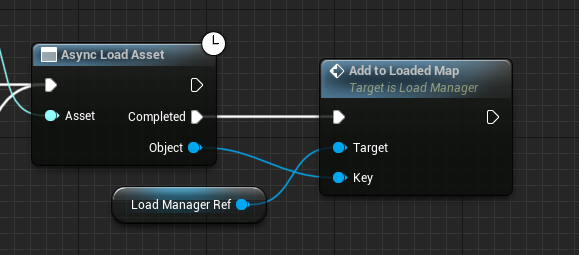 edgy ingot
R u loading class or asset?