#blueprint
1 messages · Page 29 of 1
 radiant hinge
 lunar sleet
Your widget should represent the int calculated outside of it not the other way around
 modern radish
if I get a variable value from my game instance, increment it inside my BP Player controller, do I need to set it again or is Increment enough to propagate it back?
 manic vessel
Basically I want to set a max number of players in a session from the UMG
lunar sleet
That’s not where that should be handled
UMG should visually represent the underlying logic not be the root of it
Unless you’re talking a text box where players can put a number that you can run logic against, then you don’t have a choice ig
manic vessel
MAKES SENSE , but this is for a host screen and I want to host to pick there values like like how many bots to spawn .
 dawn gazelle
modern radish
if I get a variable value from my game instance, increment it inside my BP Playe...
dawn gazelle
modern radish
if I get a variable value from my game instance, increment it inside my BP Playe...
The ++ node will automatically set the value.
manic vessel
thats what I mentiond , I will have arrows in ether direction instead that Edits the int value then the text block will just display it
everyones happy
modern radish
dawn gazelle
The ++ node will automatically set the value.
Thanks a lot
lunar sleet
manic vessel
thats what I mentiond , I will have arrows in ether direction instead that Edits...
I think he was replying to someone else but yeah that prly works
manic vessel
I know This Is not a UMG . But wanted to show My solution To the previous Issue. I thinks Its nice and simple


 silent quiver
Is it possible to only call the animation BP update when actor sees pawn?
I've got a simple "on see pawn > walk towards pawn" BP, and I realised it's constantly updating it's animation, though it only needs to animate, when it's actually seeing the player (pawn). So can I trigger the update on the animation BP from the actor BP, when the actor BP sees the player?
 scarlet hedge
How can I make the START SCALE and END scale a variable ?

or change the transform of the set static mesh
 faint pasture
silent quiver
Is it possible to only call the animation BP update when actor sees pawn?
I've ...
faint pasture
silent quiver
Is it possible to only call the animation BP update when actor sees pawn?
I've ...
Describe the animations your actor plays at any given time
are you using a blend space or just playing an anim?
 solemn basin
I would like to create a card deck list button that shows the cards in order from top to bottom. This deck is created from list that is only numbers. What structure should I use in unreal to create this list? If I was coding it outside of Unreal, I'd probably use a text document to read and write the deck list. Is there something similar in Unreal?
I was thinking I should use a Data Table, but i'm not sure if I can read and write directly from a Data Table.
Right now i'm using a Data Table to hold all the Data about the cards: CardID, Name, and Image.
silent quiver
faint pasture
Describe the animations your actor plays at any given time
I
'm using a BlendSpace
lunar sleet
solemn basin
I would like to create a card deck list button that shows the cards in order fro...
You can’t edit DTs, prly want a struct and not one made in blueprint
faint pasture
solemn basin
I would like to create a card deck list button that shows the cards in order fro...
Why would you need to right to it at runtime?
The data table defines which cards are in the game.
An array of card structs can define a deck or hand
faint pasture
silent quiver
'm using a BlendSpace
So what's the problem?
Why do you want to turn off animations when not moving. Just let the blendspace do the work and give it an idle anim or pose.
silent quiver
faint pasture
Why would you need to right to it at runtime?
It's not necessary, I was just wondering if it would be more optimised to only update the animation when it actually needs to run. Right now it's constantly updated, and when the pawn is moving, it of course runs the animation
solemn basin
lunar sleet
You can’t edit DTs, prly want a struct and not one made in blueprint
I'll have to look up what a struct is and how to make it outside of a blueprint.
faint pasture
silent quiver
It's not necessary, I was just wondering if it would be more optimised to only u...
Deal with that when it needs to be dealt with
I'm guessing it's not a problem right now if ever
lunar sleet
solemn basin
I'll have to look up what a struct is and how to make it outside of a blueprint.
Make it in cpp, that is
faint pasture
solemn basin
I'll have to look up what a struct is and how to make it outside of a blueprint.
Making one in BP is fine if you're brand new and just learning, but for a Real™️ game I'd make it in C++
if someone doesn't know what a struct is they are nowhere near using C++ right now lol
lunar sleet
bp structs at broken when it comes to editing them at runtime
silent quiver
True 😅 I guess I got a little carried away, since I was already optimising a BP I got from a tutorial
lunar sleet
faint pasture
if someone doesn't know what a struct is they are nowhere near using C++ right n...
Yeah that’s a valid point
faint pasture
Just don't get too wild with it and just pass them around as data and things should work mostly
lunar sleet
Well he wants to do live edits at runtime on them as far as I could tell
So that should be fun 😀
silent quiver
faint pasture
I'm guessing it's not a problem right now if ever
It really isn't 😊
Anywho, thanks for the help.
solemn basin
faint pasture
Why would you need to right to it at runtime?
I probably don't need to. At some point, I'd like to make a deck editor so a player could build a deck to be used, but i'm nowhere near that.
faint pasture
solemn basin
I probably don't need to. At some point, I'd like to make a deck editor so a pla...
There's a difference between a deck and the set of all possible cards
The DataTable contains the definition of all cards
the deck contains instances of cards or just rows of the datatable
solemn basin
faint pasture
the deck contains instances of cards or just rows of the datatable
that's good to know!
solemn basin
faint pasture
the deck contains instances of cards or just rows of the datatable
would a deck list just be an array that points to each of the rows of the datatable?
faint pasture
solemn basin
would a deck list just be an array that points to each of the rows of the datata...
What do you mean by deck list?
If it's a collection of decks
Then it'd be an array of Deck structs which contain arrays of Card structs or row ID's (which can be used to lookup the card)
solemn basin
A list of cards that the deck uses.
faint pasture
Yeah that'd just be an array of either card structs or row ID's
Struct Deck
Deck Name
TArray<CardStruct> Cards
Other data
Other data
 mild pine
Hey guys, how can I spawn an actor along a line from the AI's actor location? I want to spawn multiple missiles dotted along a line.
faint pasture
mild pine
Hey guys, how can I spawn an actor along a line from the AI's actor location? I ...
Do you know how to spawn an actor at a location?
mild pine
faint pasture
Do you know how to spawn an actor at a location?
Yeah, I'd prefer not having a lot of scene components though. Might've just coded too much today to think straight about this issue hahaha. Was thinking maybe there was a way to calculate increments between -250 (for example) and 250, and spawn an actor on every 50 increment 🤔
faint pasture
mild pine
Yeah, I'd prefer not having a lot of scene components though. Might've just code...
There is, it's simple math
I was just asking if you knew how to do the spawning part
faint pasture
Just calculate the difference between the start and end points, then loop and add Index x Difference / Count to the start position
mild pine
Oh, so using a line trace?
faint pasture
what
 trim matrix

faint pasture
what does a line trace have to do with this?
it's just math
do you have the start and end position?
mild pine
Oh no, I just need to have a start and end point
I'll pop down two scene components and go at it from there 🙂
mild pine
Yeah, I have a target 👍
faint pasture
End = Target.Location
Start = Self.Location
DifferenceVector = End - Start
DifferencePerStep = DifferenceVector / (NumPoints + 2)
for loop between 1 and NumPoints
SpawnLocation = Start + Index x DifferencePerStep
mild pine
Thanks!
 sand slate
Hello! Im trying to make a game with local multiplayer, and I read online that you should controll the character from the player controller and put all the actions and inputs there for a local multiplayer. I put everything in the pawn, is it true that I need to putt everything in the player controller?
faint pasture
sand slate
Hello! Im trying to make a game with local multiplayer, and I read online that y...
no
inputs in pawn is fine
 zealous moth
Depends on inputs
 crude spruce
i think i solved it

oh no i didnt

epic be like: y u wanna exclude on a local basis anyway? just press the make game buttons!
trim matrix
woah u seem to be doing some crazy stuff there
crude spruce
i need a reliable updated character mesh without specific limbs.
trim matrix
like a mesh splicing thing?
crude spruce
So far its reliable unles sits gonna be ragdolled.
No its 16 mesh parts
modular character
trim matrix
crazy
crude spruce
the effect i need is to skip traces against bones where the limb is missing.
i have learned that mesh merge is pretty hot
Can input an array of skeletal meshes

when using leader pose components i had to add components and all that
this just makes a mesh and i can set one component to the result
heck... with mesh merge my lookup routine for any local limb details is just a bless
and morph targets is disabled. Since i dont have any yet, its fine. Im assuming that when i get some, this is a feature or its cheap to work around 😄

 silver sentinel
hey guys - is is possible to somehow set focus between 2 actors or am I barking up the wrong tree?
trim matrix
silver sentinel
hey guys - is is possible to somehow set focus between 2 actors or am I barking ...
set focus?
silver sentinel
hmm looking at this it might be something custom in the poiunt and clkick adventure toolkit
trim matrix
wdym set focus?
silver sentinel
its coming from a marketplace asset, I thought it was generic blueprint my bad
trim matrix
but what are u trying to do?
U mean "set focus" as in making the cam look at some point?
silver sentinel
there are some cam setups included, you can choose to 'focus' on an actor, i was just trying in the level blueprint to set the focus on a worldspace point between 2 actors
I can shift the focus based on events but il have to mod the cam blueprints i guess to allow extra stuff
 prisma delta
Alright... I need to figure out where the best place to store player death and respawn code is.
I had it in game mode and was told that wasn't correct, put it in the parent character blueprint, now when my player is destroyed my controller says the player is invalid and stops communicating with the character blueprint.
And apparently booleans can't be saved or loaded.
faint pasture
prisma delta
And apparently booleans can't be saved or loaded.
wat
faint pasture
prisma delta
Alright... I need to figure out where the best place to store player death and r...
GameMode
or character, depending on what Dying means
 runic parrot
Hi!
Does anyone know if there's a way to batch-modify the value of some property in a BP DataAsset based on some other data asset?
For example:
"DataAsset_A" = "NumberProperty = 3"
"DataAsset_B" = "NumberProperty = 25"
Read B and modify value of A to 25
prisma delta
My boolean parameters to detect of mouse and keyboard or of gamepad is active doesn't save. It resets to default values when the save game load happens
faint pasture
prisma delta
My boolean parameters to detect of mouse and keyboard or of gamepad is active do...
Show your saving and loading code
prisma delta
sure sec
save game code

it does save and load the transform
loading

just not the bools
 mild ibex
Bump 😔
faint pasture
prisma delta
just not the bools
You sure you don't just change the bools somewhere else?
how do they get set to begin with?
prisma delta
They're set by an event dispatcher from the options widget
After They're set it runs the event to the save game function
@faint pasture
faint pasture
prisma delta
<@127902729677963264>
Print the bools in the saving and loading functions
prisma delta
I did and they return the proper values when the dispatcher fires, but whenever the character is destroyed, it resets the booleans to default value
Basically it completely ignored the load even though my print says it's been saved and loaded
I know the save/load functions are working because it is properly saving and loading the transform of the spawn point when changed
 fiery moon
Since it loads just fine, but is then reset, isn't it just loading too early? before some default or being done or whatever?
faint pasture
prisma delta
Basically it completely ignored the load even though my print says it's been sav...
What values print after saving and loading
I bet it loads and then later gets overwritten by whatever sets them to begin with
prisma delta
Mouse active is set to false then saved when the character respawns it sets the value true
There's only one place it can be set, which is the dispatcher
I read on the forums that booleans can not be saved or loaded because they're (for lack of a better term) temporary?
 frosty heron
runic parrot
Hi!
Does anyone know if there's a way to batch-modify the value of some propert...
frosty heron
runic parrot
Hi!
Does anyone know if there's a way to batch-modify the value of some propert...
You can probably do it with editor utility widget.
I batch edit my material interface using editor utility widget.
prisma delta
I guess I need to find a better way to enable/disable mouse and keyboard or gamepad
frosty heron
prisma delta
I read on the forums that booleans can not be saved or loaded because they're (f...
Wut
You can certainly save and load boolean
prisma delta
Booleans not being saved to my save game bp
frosty heron
Skill issue then?
prisma delta
The transform however is
frosty heron
I save and load my bool all the time
prisma delta
You can check my code ^
Tell me if I fkd up
But I know it's saving and loading the changes to the transform so I doubt it
frosty heron
It's pixelated but it doesn't look great
When you cast , just get the variable and plug it to the cast
I can't read the rest from my phone
But anyway you can save a bool
I do it all the time
runic parrot
frosty heron
You can probably do it with editor utility widget.
I batch edit my material int...
I'm going to check it out, thanks!
faint pasture
@prisma deltaHave you printed the bools on save and load and confirmed that they are not the same?
prisma delta
faint pasture
<@160243119353364480>Have you printed the bools on save and load and confirmed t...
Yes
The save game and load game function is in my character blueprint event graph so there was no need to cast to them.
As the booleans exist in that blueprint
dawn gazelle
Delete your .sav file and try again. You absolutely can save bools and your code looks correct there.
prisma delta
Okay I will give that a shot
Funny how I test everything last night and it's working perfectly, open the project today and a dispacher errors out >.< (unrelated to the booleans)
frosty heron
You should only load the savegameobject once as well
it seems to me you are loading them everytime you save the stats (The load will return different savegameobject)
prisma delta
It loads the saved settings on respawn
frosty heron
yes but not necessarily using the same savegameobject, so becareful
prisma delta
Not sure of a better more efficient way, I guess I just don't know what I don't know
frosty heron
it's not about being efficient but getting the same savegameobject that you want.
Imo you should only load the SaveGameObject Once and use that as the reference for the rest of your game (Eg when you want to save)
when you want to save, you shoulnd't have the need to LoadGameFrom slot
you should just, GetGameInstance->GetMySaveGameObject->SaveToSlot
prisma delta
That makes sense
frosty heron
I ran to this problem the other day and I relaised that the output from each LoadGameFromSlot is not the same
hence things are not saving properly
prisma delta
I've been saving references to the blueprints and variables, but neglected to do the same with those functions
frosty heron
all the best
prisma delta
Thanks, I'll need it
zealous moth
Can you save game data using data assets?
So far I have been using structs inside of the save game file
But these tend to be unstable
 crystal crown
very basic question but how can i set previous axis value. brain not worky
frosty heron
zealous moth
Can you save game data using data assets?
I don't use data asset but I do imagine they are static like data table.
Data asset isn't replacement for struct. Struct can be instanced
Struct save just fine, but I don't mean bp struct.
 mental trellis
crystal crown
very basic question but how can i set previous axis value. brain not worky
mental trellis
crystal crown
very basic question but how can i set previous axis value. brain not worky
Previous axis value?
crystal crown
i want to do this in bp
if (FMath::IsNearlyZero(PrevThrottle) && !FMath::IsNearlyZero(Throttle))
mental trellis
And what is prevthrottle? Be specific.
crystal crown
const float PrevThrottle = DrivingState.Throttle;
Throttle = bThrottleDisabled ? 0.f : Throttle;
VMC->SetThrottleInput(Throttle);
DrivingState.Throttle = Throttle;
mental trellis
Right. So you have prev throttle. What's the issue?
zealous moth
frosty heron
I don't use data asset but I do imagine they are static like data table.
Data ...
good point. i guess it would be best to use multiple structs instead of a single one in case it gives out
 lunar mulch
I just found out i can't use Timelines on Components or inside of functions. Im trying to "Fade in" a variable, usually i'd use a timeline for that. Anyone know a backup solution that could gradually fill up a variable?
mental trellis
Create an actor with a time line component and attach it to your component and use it to fade your variable? 🙂
Or put a time line in the host actor.
dawn gazelle
Or use tick with a gate that you shut off when the target value is nearly equal to the actual value
lunar mulch
hmm all good ideas thank you
 pulsar crest
so I'm trying to access the variables of my struct in a blueprint, but they do not show up on the context finder
They show up on the default values
I have them defined as UPROPERTIES I'm not sure what im missing
USTRUCT(BlueprintType)
struct FIntMatchStat
{
    GENERATED_BODY()

    UPROPERTY(BlueprintReadWrite)
    int32 CumulativeTotal;
    UPROPERTY(BlueprintReadWrite)
    TMap<float, int32> ValuesByTime;
    UPROPERTY(BlueprintReadWrite)
    int32 TeamId;
    UPROPERTY(BlueprintReadWrite)
    FString StatName;
    UPROPERTY(BlueprintReadWrite)
    EMatchStatType StatType;
 mild ibex
Bump 😔
mild ibex
mild ibex
Bump 😔
following up with this
I read that actor components dont have transform values at all, which makes sense as to why the vector widget doesnt appear, because it technically cant exist.
So, is there a way to add something with transform values as a "co-parent" on any actor. For instance adding a scene component works but will only ever be a child of the actor causing pretty much the opposite of what i want to happen.
pulsar crest
pulsar crest
so I'm trying to access the variables of my struct in a blueprint, but they do n...
ahh im dumb i forgot you need to break the struct
 runic parrot
Has anyone have luck editing a DataAsset default values using a Editor Widget?
frosty heron
runic parrot
Has anyone have luck editing a DataAsset default values using a Editor Widget?
Start by getting the data asset I suppose. Most likely there will be cpp involved
Things like rebuildwidgeteditor() and postchangeedit() etc can only be called in cpp afaik
runic parrot
Oh i didn't tough about making a new Editor Widget class from a cpp base so i can have more tools there
thanks for the info, i'm going to check that
frosty heron
runic parrot
Oh i didn't tough about making a new Editor Widget class from a cpp base so i ca...
Bp is the free trial unfortunately
runic parrot
i'm okey with c++, didn't come to my mind to do a custom class there for Editor bp widget
sometimes the answer pass by so easily (?)
frosty heron
runic parrot
i'm okey with c++, didn't come to my mind to do a custom class there for Editor ...
I create the editor utility widget normally
Its a widget after all
But to get the uasset I run cpp script from my blueprint function library
Then I iterate through all my material and change its static switch setting
runic parrot
you can also get the UAssets with this on the asset manager
- make a constant on your asset manager class for the "type" of items you want to register
 frosty heron
👍
 frosty heron
Nice
runic parrot
- Register it on the editor by name, director or specific location (can't compile the project now, crap)
so you can do "Get me all the assets of this PrimaryAsset Class"
it's great for expansions or updates
frosty heron
Don't you want to grab two specific dataasset.uasset
And set its member variable
You can use class list in editor utility widget to select the DA
runic parrot
yeah, kind of.
- I want all the "Loot Chest" Primary data asset
- Loop all the assets in the array property "ItemsDrops"
and adjust members of "Loot Chest" asset based on the properties of "ItemsDrops"
frosty heron
Gl
 ivory garnet
Does anyone know a good way to handle a ready check to pass turn once everyone's ready in a multiplayer game? I'm struggling...
frosty heron
ivory garnet
Does anyone know a good way to handle a ready check to pass turn once everyone's...
#multiplayer is a new level of animal. Replicating bool to check if players are ready should be the easiest part of multiplayer
ivory garnet
frosty heron
<#221799385611239424> is a new level of animal. Replicating bool to check if pla...
Thanks, I'll see if I can figure something out. Yeah it's giving me a migraine
runic parrot
ivory garnet
Does anyone know a good way to handle a ready check to pass turn once everyone's...
On GameStat(I would do it on gamemode) keep array of active players, do a map of PlayerController->Bool
OnPlayerControler -> RPC-> (ChangeReadyState) ->Grab game mode, grab Map, edit value to new input value or flip
Or you can do it as a replicated property on PlayerState and keep track there
you can use rep notify to inform the changes to players
If you are not familiar with MP, the player state one is probably the best
This is pretty much what you want, but instead of score, bools.
https://www.youtube.com/watch?v=AmFGRmfAEHs
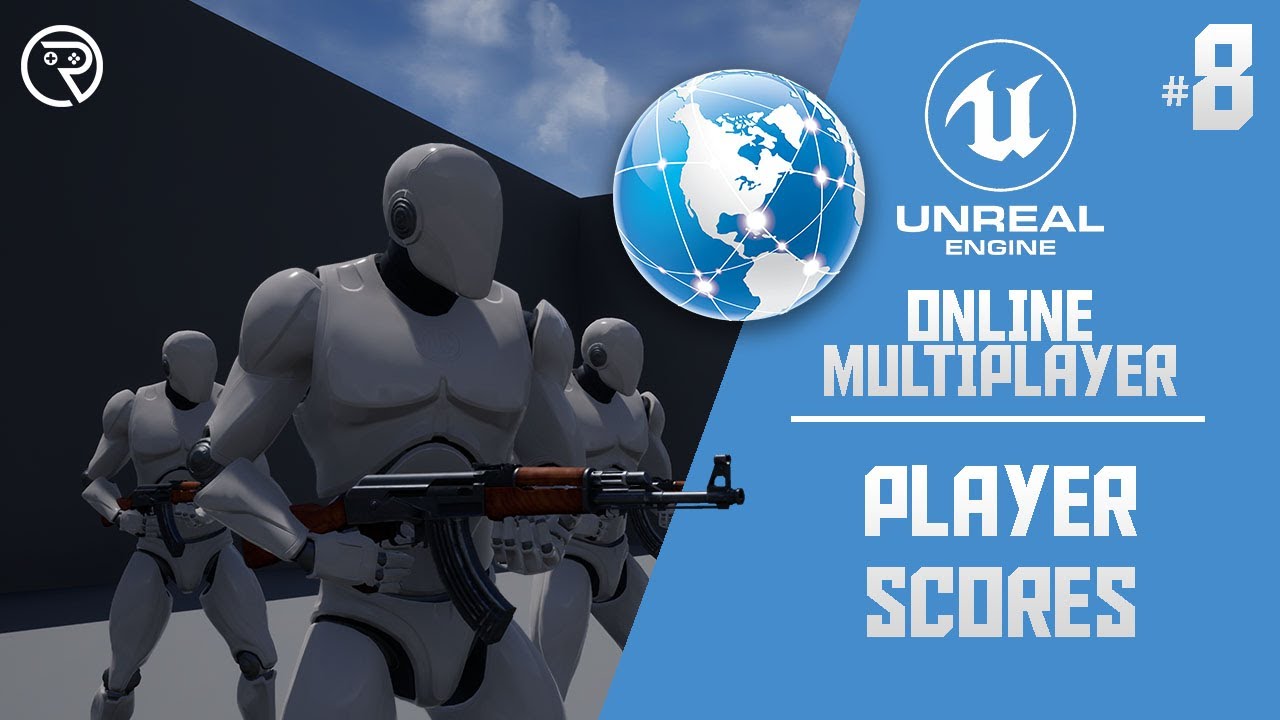
In this series we will be explaining how to add online multiplayer to your games. First we are going to explain how it works, then we will go into creating lobbies etc.
In Part 8 we explain how to use the Player State actor to store each player's score they earn whilst playing in a multiplayer game.
SUPPORT ME
Patreon I https://www.patreon.com...
frosty heron
Read the compendium in the mp channel if you haven't
Bp only fps is not even playable imo
I hope Ur mp game is not fps
ivory garnet
It's a Turn based strategy game
frosty heron
At most you can do a board game or turn based game
Strategy like controlling units?
runic parrot
frosty heron
Read the compendium in the mp channel if you haven't
This can't be recommended enough*
ivory garnet
Each player has one unit, you can choose an ability like league of legends, and where to move for the turn
runic parrot
ivory garnet
Each player has one unit, you can choose an ability like league of legends, and ...
sort of like rise of kingdom?
ivory garnet
Maybe closer to divinity original sin, but each player has 5 skills and the map is a smaller arena
ivory garnet
That's reassuring haha, the multiplayer part is definitely giving me a run for my money
frosty heron
Can always do single player for easier mode
runic parrot
you get a lot of free space since you don't need milisecond precision or pixel track
runic parrot
@frosty heron by any chance did you got a BlueprintEditorUtility made with a cpp parent class child of UEditorUtilityWidgetBlueprint ?

can't reparent my utility bp or make a new one with this custom class as base
frosty heron
I didn't make a base class for the editor utility widget.
Made it normally, however the functions for the widget like grabbing assets in the content folder is a UFunction from my cpp bfl
@runic parrot
runic parrot
what about the part of editing the data assets default value? was that on BP or it used c++ functions?
I can already grab them on BP, but can't find how to edit the defaul values
frosty heron
Cpp function, it cannot be done in bp. I never tried to change data asset, what I change was material interface
runic parrot
ohhh my bad in that case, i'm going to confirm if it's possible to edit DA default values in that case
frosty heron
Pretty sure it's possible with cpp
I know u can change data table too
Which is only possible in cpp as well
runic parrot
yeah, it has to. The DataAsset widget is doing it with some cpp functionality, so it's there somewhere
frosty heron
I would ask in #cpp , they have better ideas. Can't check rn cuz my nephew is using my pc
My only experience is not with a blueprint assets but with material
 novel rock
How dose the third Person character example allow the camera to rotate around the player?
novel rock
 tidal marlin
novel rock
tidal marlin
novel rock
GetPlayerController()->SetControlRotation(GetControlRotation().Combine(0,0,1)) on tick

 graceful zodiac
Is it possible to set 'Expose on Spawn' variables when you use a class variable to spawn an actor? Or only if you 'hardcode' the value.
 frosty heron
graceful zodiac
Is it possible to set 'Expose on Spawn' variables when you use a class variable ...
frosty heron
graceful zodiac
Is it possible to set 'Expose on Spawn' variables when you use a class variable ...
You don't have to hardcore the value but I think the class has to be the type that has the exposed variable
 graceful zodiac
Ah - nifty! Unfortunately, I need to keep it generic, but good to know that's an option. Thank you!
I'm just setting the variable after I create it now, should still work, will just need to make sure it's valid before I do anything is all
In theory I could cast the generic class to the specific class 🤔 I'll do that if I need to
 violet chasm
Could I run a line trace on the GPU? I have a simplex noise node driving the noise of a mesh through WPO and hence I can't replicate the noise in blueprint to drive a buoyancy function. I setup a render target under the boat to read from the scene depth but it's too slow. So I was wondering if I could a run a line trace from under the boat but on the GPU so that it would intersect with the mesh? There many of those going on to render a scene so one more wouldn't hurt right?
frosty heron
@runic parrot Yo, u there?
runic parrot
yeah, what happened?
 runic parrot
but that is at runtime, right?
frosty heron
editor time
runic parrot
btw: I already got it working with the suggestion of someone from cpp, it was really easy and it's stupidly efficient for what i wanted : D
oh that's nice
frosty heron
That's great

 frosty heron
good stuff
runic parrot
your info helped a lot also, thanks a lot!
frosty heron
doubt it but good to see you sort it out
 topaz turret
Is there a way to set or reset velocity? I'm trying to make a double jump that can be used any time while InAir and grants the same height boost even if triggered after apex, so I figured I'd do that just before that 2nd jump to prevent a fast fall from completely negating the force of it, but I'm not finding it or anything similar 🤔
edit: Found a solution! For anyone else interested, there is a node called "Stop Movement Immediately" which is essentially this exact function. 👍
 scarlet pumice
Performance wise, is there anything to watch out for with this pattern for infinite looping?
Any tips on making it look better? 🙂
 frosty heron
just use timer
scarlet pumice
what if I want to randomise the delay?
frosty heron
you can do that with timer
scarlet pumice
different delay each time?
frosty heron
New timer each time the last one finished with a new time (can be randomised)
scarlet pumice
like this kinda thing?

 scarlet pumice
cool, thanks, Create Event looks neater 👌
and the Start custom event, good tips, thanks
frosty heron
You can store the handle incase you want it to stop
scarlet pumice
it's working perfect 👍
Do you know if there's any difference re: performance between using a delay loop or a timer?
frosty heron
scarlet pumice
Performance wise, is there anything to watch out for with this pattern for infin...
not sure about performance difference but I heard that it's not significant at all.
With delay you promised to run what ever comes after the delay and that could be an issue when you want to modify your code.
Using timer, you can clear and invalidate the timer should you chose to stop the Loop.
Re-routing the nodes back to the previous one normally quiet cursed and make debugging harder.
frosty heron
If you care about performance, you would be looking at soft references, moving latent operation like for loop or heavy nodes to c++
scarlet pumice
Yeah I'm very familiar with the C++ side, it's the BP that's new to me. I am just wondering how the Delay node is implemented. Under the hood it probably uses a latent action and a timer anyway
frosty heron
don't worry about delay/timer/ticks
I've no idea with the C++ side, but we kinda have to use timer because there is no delay node there.
There is Laura's coroutine if you need something like delay in cpp
scarlet pumice
I want to establish good habits in the BP side of things too
frosty heron
you can always profile to see the performance cost. I personally never do it cuz I'm lazy
scarlet pumice
our game thread is insignificant compared to draw thread 🙈
frosty heron
Yeah, depend on the scope of the project
i heard components is pretty expensive
and ofc blueprint tick is heavy
scarlet pumice
yep we try and avoid tick in general
frosty heron
don't think you should avoid it
there are things that belong there
like movement for example
or animation related
 red berry
Why does blueprint objects have no constructor? I want a lightweight class that I can call some things straight away but I don't want to have to use Actor or ActorComponent
 thin panther
Nothing in BP has a constructor
You get a construction script, but this is not a constructor
tidal marlin
red berry
Why does blueprint objects have no constructor? I want a lightweight class that ...
Good luck
red berry
Should I make the weapons and guns as an Actor or object? If all the logic (e.g. the fire rate, chambering, etc.) is handled by animations, since I need a state machine, then does that mean the AI can exploit a gun and make it rapid fire when its not meant to?
tidal marlin
red berry
Should I make the weapons and guns as an Actor or object? If all the logic (e.g....
Better actor. Or better yet, Uobject. In general, it all depends on whether you are sure that the functionality of the weapon cannot be expanded. If it’s enough for you to fit the logic of the weapon into the animation, you definitely won’t have the opportunity to throw away the weapon, there’s no multiplayer, etc.
red berry
tidal marlin
Better actor. Or better yet, Uobject. In general, it all depends on whether you ...
Well I want when the weapon is dropped, either intentionally or if its thrown away or dropped from death, the existing state should be saved. So if there's one in the chamber but the npc was killed halfway during the reload animation, the weapon will drop on the ground without the mag, and the mag will be dropped too on the floor nearby. This should be saved in the inventory too, and a nice to have is multiplayer too (but not needed yet)
tidal marlin
red berry
Well I want when the weapon is dropped, either intentionally or if its thrown aw...
Ok. Use actor or custom uobjects
red berry
Why is it that you cant network replicate objects and structs in blueprints? What about if you have an Actor that has a Struct as a variable, does that Struct never get updated or replicated?
frosty heron
Who says u can't replicate structs or objects 0o?
I don't have much experience in mp but im pretty sure u can
some types that can't be replicated by default are Maps, Texture, material, audio, etc
You can replicatre objects but you have to use Actor channel afaik
gotta piggy back off an actor for it to be replicated
 bold phoenix
Hi ! I have a problem when making the sun rotate in my game at runtime. If I move the Yaw from 0 to 360 with a slider and the "set actor rotation" node it works fine, but when I move the Pitch slider from 0 to 360 it also modifies the Yaw value of my actor
Any idea about where this might be coming from ?
tidal marlin
red berry
Why is it that you cant network replicate objects and structs in blueprints? Wha...
You can replicate object.
 gentle urchin
And structs
frosty heron
bold phoenix
Hi ! I have a problem when making the sun rotate in my game at runtime. If I mov...
Show your bp
bold phoenix
frosty heron
Show your bp
I don't have access to my computer rn, but it's really just a "set actor rotation" node linked to a slider with min value 0, max value 360
frosty heron
bold phoenix
I don't have access to my computer rn, but it's really just a "set actor rotatio...
I figured you should only rotate the light component relative rotation instead of the whole actor
but again w/o seeing anything, it's hard to suggest
 true oriole
how to change gamemode in blueprint ?
i want to open a level with different gamemode
because i want to change the character
ok i think i figured it out
bold phoenix
frosty heron
but again w/o seeing anything, it's hard to suggest
I'm sorry about that ...
There is no relative rotation because the blueprint is the light component ( sunlight ) of the level
I'll come back with some pictures
 hearty river
hi guys how can i make that when i press the button "play" it change color from red to (for example) yellow?
 frosty heron
hearty river
hi guys how can i make that when i press the button "play" it change color from ...
frosty heron
hearty river
hi guys how can i make that when i press the button "play" it change color from ...
Get the Image/Button/Widget -> SetColor
hearty river
Thank you
 patent scaffold
Hi, I want to implement a simple door interaction system where when the player clicks on the door (I'm using EnhancedInput), their look and move ability is disabled (through SetIgnoreMoveInput & SetIgnoreLookInput) and the movement of the mouse only on the X-Axis moves the door. I'm stuck on the last part as when I disable look, (obviously) the movement for mouse on the X-Axis is also disabled and the door doesn't budge. What other way could I go about solving this issue?
This is the event graph on my door (I realise the input action here doesn't work the same as it did in the previous input system)
 red berry
How do you prevent a circular reference if a player has an equipped weapon, but we need to know if the weapon is equipped to someone or not?
If I use a variable in the weapon, its not a 1-to-1 relationship, because the player might lose the reference to the weapon, or stash it away, but the weapon might still be "isEquipped" either to true, or to the previous player. Is there a way to get a reference to the player but without loading the player BP?
This is needed because in OOP its bad to have circular references, and children shouldn't have references to parents
 clear sierra
red berry
How do you prevent a circular reference if a player has an equipped weapon, but ...
clear sierra
red berry
How do you prevent a circular reference if a player has an equipped weapon, but ...
use interfaces to remove circular references
frosty heron
red berry
How do you prevent a circular reference if a player has an equipped weapon, but ...
Wdym by circular reference? maybe circular dependencies?
what's wrong with Object A knowing Object B and Object B know about Object A
also in BP any hard reference will load the object to memory
downside of it
clear sierra
You cant compile code in C++ if you do it like this, In blueprint you can do circular references, but usually you add interaces to remove circular references.
red berry
That doesn't answer or fix that the weapon can still think its equipped to the player, but the player has already stored or dropped the item. I want to prevent this from happening in the first place.
In javascript you could pass a callback function from the parent and you would call that to check if the player has the item still equipped. I don't think you can do anything like that in Unreal. There's no callback functions. Event handlers you can call don't return values
red berry
I know you can. But I need to return or get a value. Instead of having Item: IsEquippedToPlayer, which is a variable. We can instead call a method in the player, IsEquippedWithItem. I need a return value from the event dispatcher
frosty heron

I don't know what Weapon is in your case but generally you want to broadcast events when the Player pickup an item, drop an item, give an item, etc etc.
The broadcast will pass along the needed data (eg the weapon) and handle call accordingly
Bind WeaponDropped
OnWeaponDropped -> GetDroppedWeapon -> SetOwner to None -> Set CurrentEquippedWeapon to None -> Inventoryweight =- , etc, etc
red berry
EventDispatchers don't have output variables
 versed sun
Pass along a ref to Self, and call a seperate function to return
frosty heron
I don't know what kind of model do you have in mind but what's stopping you from creating weapon system that is not ridden with bugs with what's offered on the table?
red berry
I dont know why its so hard in blueprints to do something so simple:
- The "easy" hacky way (not maintainable, will be buggy eventually)
Player
- Var:EquippedItems (array)
Item
- Var:EquippedToPlayer (Actor)
or - Var:IsEquippedToPlayer (boolean)
- What I want, more maintainable and robust, less buggy
Player
- Var:EquippedItems
Item
- Func:IsEquippedToPlayer (boolean)
-- Get some callback or event dispatcher, where we call the parent, and check Parent>EquippedItems
frosty heron
https://stackoverflow.com/questions/1897537/why-are-circular-references-considered-harmful
'Circular dependencies between classes are not necessarily harmful. Indeed, in some cases they are desirable. For example, if your application dealt with pets and their owners, you would expect the Pet class to have a method to get the pet's owner, and the Owner class to have a method that returns the list of pets. Sure, this can make memory management more difficult (in a non-GC'ed language). But if the circularity is inherent in the problem, then trying to get rid of it is probably going to lead to more problems.

Stack Overflow
Why is it a bad design for an object to refer to another object that refers back to the first one?
1st page in google if you need validation
What's stopping you from calling the owner of the weapon and get its currently equipped weapon?
is this the concern "Is there a way to get a reference to the player but without loading the player BP?" ?
red berry
Loading the playerBP is of secondary concern, but the first concern is that if the player drops the item, the item should no longer have a reference to the player.
It would be simpler if there was a way to do it, like how 1-to-1 relations are done in SQL and databases
frosty heron
red berry
Loading the playerBP is of secondary concern, but the first concern is that if t...
kay? then what's stopping you from setting the reference ?
Weapon have variable Owner
OnWeaponDropped -> Set Owner to null
also if you need to get the Owner Equipped weapon, many ways
Just get a direct ref, or use component or interface
red berry
I know I can just set the owner to null, but if you forget to do it, then you get bugs. Its not a true 1-to-1 relation. A true 1-to-1 relation means if either the player or item delete the relation, then the other loses the reference. It should be built in. Is this not possible with OOP?
Edit: I guess I'll just use the simple IsEquipped variable in the item, as items shouldn't have any reference to the parent at all. I'm doing lots of reading on the web
frosty heron
define deleting the relation?
red berry
Just an automatic way of doing 2 things in 1 thing, without having to do 2 things seperately, which if you forget to do 1, it won't work
Edit: I can't seem to find any solutions to this. I give up over engineering this and I'll just use simple variables and just code as normally
 elfin hazel
Mind if I ask, why would you forget to null a reference? Do you have a bunch of weapon classes that implement the same logic? That's where you can use inheritance to implement base functionality in a class, that is inherited to the weapons.
crystal crown
{
    if (const UChaosWheeledVehicleMovementComponent* MovementComponent = Cast<UChaosWheeledVehicleMovementComponent>(GetVehicleMovementComponent()))
    {
        if (WheelIndex < MovementComponent->GetNumWheels())
        {
            return FMath::RadiansToDegrees(MovementComponent->GetWheelState(WheelIndex).SlipAngle);
        }
    }

    return 0.0f;
}```
How to make this in blueprint?Try some 🦵 work, post what you think it does
You can make a function called GetWheelSlipAngleInDegrees that return a float , and takes an int as the input
frosty heron
elfin hazel
Mind if I ask, why would you forget to null a reference? Do you have a bunch of...
Should be grateful to get null reference error because the editor tells you that you fucked up
imagine not giving error, you will go over thousands of lines and not knowing what actually went wrong
in cpp land , accessing null obj is instant crash
crystal crown
Not sure how to get wheel index
 frosty heron
crystal crown
Not sure how to get wheel index
frosty heron
crystal crown
Not sure how to get wheel index
is this a function? go to the detail panel, look for input and output.
For input you want type int and name it WheelIndex
For output you want a float type and call it WheelSlipAngleInDegrees
crystal crown
The naming does not make the calculation. How do i set it up? Please help, kindly
Just like this?


 elfin hazel
The WheelIndex is the index of the wheel in the array. Like so. I also don't have chaos vehicles.
 frosty heron
GetVehicleMovementComponent then cast it to ChaosVehicleMovement component
Also for the branch , Get the chaos wheel component -> Get Number of wheels and plug it to the bottom one below WHeel index
elfin hazel
I've found it very useful for functions that returns a value, to start with this:

So that it will always return something, can of course be returned earlier to break execution.
crystal crown
elfin hazel
The WheelIndex is the index of the wheel in the array. Like so. I also don't hav...
I can't set the output as the input of the function
sorry if i'm dumb
elfin hazel
If you have your function selected, the details panel should show input and output. In the input, add a variable and make it an integer, name it WheelIndex. Output do the same but it's a float named Degrees.

 onyx violet
im using this color wheel plugin, I have it converting the slider and color wheel into a hex using a node the plugin provides, but I don't know how to convert a hex code that's inputted into the seperate values of the color wheel and the slider independant of each other, anyone have an idea of how I could do it?

 frosty heron
crystal crown
Like this?
frosty heron
crystal crown
Like this?
No, get wheel state from the ChaosMovement component
also this
 elfin hazel
crystal crown
Like this?
elfin hazel
crystal crown
Like this?
Something like this, it's the best I can do without chaos vehicles.
 frosty heron
float ACitySampleVehicleBase::GetWheelSlipAngleInDegrees(int WheelIndex) const
{
    if (const UChaosWheeledVehicleMovementComponent* MovementComponent = Cast<UChaosWheeledVehicleMovementComponent>(GetVehicleMovementComponent()))
    {
        if (WheelIndex < MovementComponent->GetNumWheels())
        {
            return FMath::RadiansToDegrees(MovementComponent->GetWheelState(WheelIndex).SlipAngle);
        }
    }

    return 0.0f;
}
There is no "slipstate" node. The wheel object reference is not compatible with float

 elfin hazel
Right. And the wheelstate takes the wheelindex, then Get slip angle.
crystal crown
Thanks guys. Appreciate the help. I have a few problems tho.
 frosty heron
crystal crown
Thanks guys. Appreciate the help. I have a few problems tho.
frosty heron
crystal crown
Thanks guys. Appreciate the help. I have a few problems tho.
You are not done yet....
elfin hazel
Connect the wheel index to the "Wheelindex" of the "Get wheel state" node. Drag off the "Get wheel state" return node, and type break. It should show a struct, with a bunch of variables. Look for the slip angle. Connect slip angle to R2D.

 crystal crown
frosty heron
right click and split this
crystal crown
frosty heron
right click and split this
it can't be split :// Why is this so difficult ffs
crystal crown
🤦♂️
frosty heron
you can prob split it, not sure if you doing it right
anyway break will get you the same thing
crystal crown
brake worked
frosty heron
Connect the SlipAngle from the break to the radianstoDegress
crystal crown
split selection was greyed out
frosty heron
and that should be it
crystal crown
Finally. Now what about the inputs and outputs in the event graph

 frosty berry
How would you apporach having a ship enter the scene of your game like a start wars ship coming out of hyperspace? Like this:
https://www.youtube.com/watch?v=gWeOi909mNQ&t=6s
https://www.youtube.com/watch?v=SmCkEu-pSAs
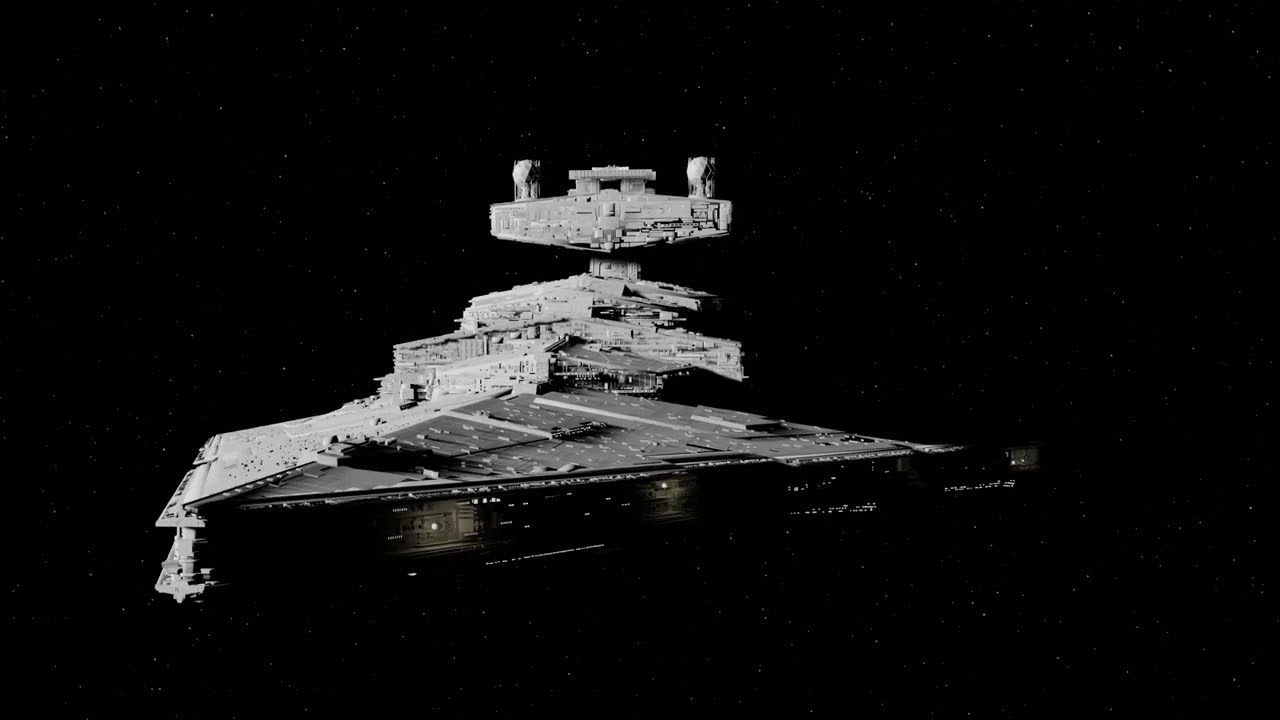
This is my first actual render.
model is from: https://www.starwars-universe.com/modele-3d-7-star-destroyer.html

#starwars #animation #blender #blender3d
frosty heron
crystal crown
Finally. Now what about the inputs and outputs in the event graph
that;'s outside what you've shown us
we only translate the function that was pasted
elfin hazel
Yeah, now this function can be used anywhere you want. You might want to select the function and check the Pure checkbox.
fiery moon
frosty berry
How would you apporach having a ship enter the scene of your game like a start w...
Maybe a material with a position offset animation? 🤔 or maybe rendering the the object into the scene with a different camera with an animation on that (maybe a fov anim?). Would have to play around with things to see what looks good I guess.
crystal crown
frosty heron
that;'s outside what you've shown us
I mean do i not need to connect wheel index here?
 frosty berry
fiery moon
Maybe a material with a position offset animation? 🤔 or maybe rendering the the...
frosty berry
fiery moon
Maybe a material with a position offset animation? 🤔 or maybe rendering the the...
Sounds interesting. I want the player, who is in their ship/vehicle to see, if they are looking that way, to see ships entering their space like that.
crystal crown
frosty berry
Sounds interesting. I want the player, who is in their ship/vehicle to see, if...
elfin hazel
crystal crown
I mean do i not need to connect wheel index here?
If you want a particular wheels Wheel slip in degrees, you can use the wheels index to get it. That's all it does, and when you want that is up to you.
crystal crown
elfin hazel
If you want a particular wheels Wheel slip in degrees, you can use the wheels in...
i mean i don't see any specified wheel in the epics code that i posted first
so i guess i don't need it
 keen depot
Hi, I have question regarding VR in Unreal5, I am working on a project( not game) I did in unreal 4 where I use VR controllers but not really the headset. The problem in Unreal5 I noticed is that audio stops working and controller input buttons dont work when I dont have the headset on my head(the IR sensor sees I am not wearing the headset) . I started from the basic VR template but I dont see anything regarding get HMDWorn State. Anybody knows how you can disable this?
 noble ledge
Does the Owning Object get set to something by default if nothing is given to it?
 crystal crown
elfin hazel
If you want a particular wheels Wheel slip in degrees, you can use the wheels in...
crystal crown
elfin hazel
If you want a particular wheels Wheel slip in degrees, you can use the wheels in...
Actually they do check which wheel
 elfin hazel
noble ledge
Does the Owning Object get set to something by default if nothing is given to it...
elfin hazel
noble ledge
Does the Owning Object get set to something by default if nothing is given to it...
It does seem like it does set, but it might depend on where it is created. I create a widget in my player controller and without setting Owning Player, calling Get Owning Player in the widget, gets the player controller. This is mostly used in local multiplayer I believe.
crystal crown
How do i know which wheel is which index
elfin hazel
I am not sure, I've never use the vehicle template. Perhaps someone who uses chaos vehicles can chime in.
lunar sleet
#chaos-physics would be better suited
crystal crown
alright. thanks for the help.
 wheat flame
Hey, not sure if this is the right channel to ask but im having issues where my character is way too mobile while in the air, can anyone help me out with that?
crystal crown
elfin hazel
I am not sure, I've never use the vehicle template. Perhaps someone who uses cha...
Okay so i know that index 3 & 4 are rear wheels, i think i need to do it like this? How do i connect the array index?
 wheat flame
Its my first time using any engine tbh but i think i have an ok base at the moment
dawn gazelle
wheat flame
Hey, not sure if this is the right channel to ask but im having issues where my ...
If you're using the Character Movement Component that comes along with the Character class, there's a setting on it called AirControl I believe.
wheat flame
Ya i tried editing that variable but it didnt do anything, ill try again once it installs on my steam deck or get home
elfin hazel
crystal crown
Okay so i know that index 3 & 4 are rear wheels, i think i need to do it like th...
If you use the loop like that, you'll get the wheel spin in degrees for each wheel. If you only want specific tires, then you just need to enter those numbers and execute the node.
You'd have to call the node for each of the wheels that you want the spin of.
crystal crown
ah mb
 tight pollen
any ideas on how to rename the key without changing its order?
lunar sleet
Lacking some context there
patent scaffold
patent scaffold
Hi, I want to implement a simple door interaction system where when the player c...
Hey guys, I'd appreciate it if someone could help me out here! Or did I present my problem incorrectly and more clarification is required?
frosty heron
patent scaffold
Hi, I want to implement a simple door interaction system where when the player c...
it's bad to allow inputs on something you don't own and by default it won't work unless you enable input
To narrow it down, don't do input in your Bp_door or w/e.
Do the input in your character/controller
do the interaction using interface
patent scaffold
frosty heron
do the interaction using interface
Right that makes sense actually so basically call the interface from the character and implement in the bp_door
frosty heron
the bp door should implement the interface yes, and just call the Use event
the door don't need to know anything about the player
or the interaction mean
Character simply press Interact Button, then you can do line trace or w/e. If the hit actor implement the interface, then run it's Interacted/Use event
patent scaffold
yep got it that helps alot, thanks! Are interfaces the standard for these type of interactions?
frosty heron
the most two debated candidates for Interaction system is either Component or Interface afaik
lunar sleet
I mean cast works fine too
frosty heron
True, I try to keep it agnostic for interaction tho
lunar sleet
Fair
lunar sleet
frosty heron
True, I try to keep it agnostic for interaction tho
I can never rmbr tho, do you need a ref to the door to send the msg?
Or the PC?
patent scaffold
frosty heron
the most two debated candidates for Interaction system is either Component or In...
Alright I think I'm kinda getting the hang of this now, thanks! I was stuck on this for a while haha
lunar sleet
frosty heron
the target
Yeah, but I mean for the Message interface call to actually send it, what do you feed it?
frosty heron
pretty sure u just need the object
lunar sleet
I swear, with interfaces I always think I got it and then I’m like wait no that’s broken 😀
frosty heron
Object -> Use (msg)
frosty heron
if it implement the interface then it will just run the event in the object, otherwise does nothing
lunar sleet
Right, so you avoid the cast but still need the ref gotcha
frosty heron
I don't think interface is a way to avoid cast :S but maybe that's just me
 dark drum
How do I add a camera shake? I can find the play world camera shake but I only want it for a specific player character.
frosty heron
can prob avoid casting for super generic stuff like calling an event
but when you need to grab some variable, you will need to cast . no way around it afaik
frosty heron
Line trace, hit actor -> Msg? i think that's how it go
haven't touch bp for long time 😥
lunar sleet
Haha, well you’re touching cpp so that’s ok😀
frosty heron
I'm almost done with my loading screen and character screen
eventually I have to re-do inventory/weapon system lol
lunar sleet
Nice, stealing from Lyra still? 😀
lunar sleet
That seems to be the common consensus 😃

 dark drum
frosty heron
<@430016173694779402> this work maybe
dark drum
frosty heron
<@430016173694779402> this work maybe
I think that's what I was looking for. Thanks. I also noticed theres a built in screen fade on the camera manager. o.O
frosty heron
dark drum
I think that's what I was looking for. Thanks. I also noticed theres a built in ...
Yup, been using it for years 👍
for my fake loading screen
but now I get semi non fake loading screen, so I get to say good bye to that node
dark drum
frosty heron
Yup, been using it for years 👍
I've been creating a widget haha.
frosty heron
dark drum
I've been creating a widget haha.
now I use widget to fade in and fade out for level transition
 tawny patio
Hey guys I have this condition on the left on paperZD that will play the attack animation if their X velocity is more than zero, but in only applies when im going the the right direction and wont on left direction. To the right is how the sprite turns using rotation but not sure what condition to have the attack animation play as well when im going to the left.


nvm somehow changing the "more than" to "not equal" fixed it : P
dawn gazelle
tawny patio
Hey guys I have this condition on the left on paperZD that will play the attack...
Put an ABS between the X output and the >
 wild crater
So you can use multiple variables on one input in BP to call the function multiple times (not sure how it works). Is there a way to make custom functions that also work like this? Cause when I try it on my custom function it doesn't work.
dawn gazelle
wild crater
So you can use multiple variables on one input in BP to call the function multip...
You mean being able to do something like this with your own custom functions/events?

 past compass
Is it possible to change UDS (ultra dynamic sky/weather) with a widget in real-time?
Making like a menu screen and want to allow changing pretty much any variable of the UDS/weather system.
Not sure where to do this at tho , there’s a lot going on in the UDS plug-in
wild crater
dawn gazelle
You mean being able to do something like this with your own custom functions/eve...
Yes
gentle urchin
past compass
Is it possible to change UDS (ultra dynamic sky/weather) with a widget in real-t...
Not much dynamic if not
More like ultra static /jk
wild crater
The use case atm is that we sometimes use this but I'd like to add a validity check to it to remove warnings.
dawn gazelle
wild crater
Yes
It only works for the "Target". You can't connect multiple values into the inputs of a function.
 past compass
gentle urchin
Not much dynamic if not
past compass
gentle urchin
Not much dynamic if not
Lmaoo, I did figure it was possible. Just trying to discover how I’d change things from a widget
Would I need to cast to it? Or create an interface ?
wild crater
dawn gazelle
It only works for the "Target". You can't connect multiple values into the inpu...
Ah okay that makes sense. Then I'd have to go and modify engine code for this, which isn't worth it. Thanks!
dawn gazelle
past compass
Lmaoo, I did figure it was possible. Just trying to discover how I’d change thi...
Seeing as it's a paid plugin, you likely won't find much support for it on this discord unless you happen to come across someone who has bought it. There is a discord listed on the product page and you might end up finding your answer there or at least be able to more likely connect with others that would be able to assist or guide.
My guess would be yes, it's likley possible, but as I don't have it, I wouldn't be able to tell you how you could :/
past compass
dawn gazelle
Seeing as it's a paid plugin, you likely won't find much support for it on this ...
all good, i appreciate that, i did plan on popping in if my current idea(s) don't play out. going to try an interface / event dispatchers and see if that works at all
 toxic drift
I'm trying to implement a double jump where if I jump one direction, and the second jump is in a very different direction, it's like a sharp immediate redirection and momentum isn't carried over. I put in a "Stop movement immediately" node which works fine enough for when I jump forward and then double jump back the other way, but when I double jump in the same direction I did the first jump it feels really jank and rigid. Is there any way I could possible set it so the "Stop movement immediately" node will only fire if I input a double jump with the analog stick pushed in a noticeably different direction fromt he first jump? Like say more than a 75 degrees deviation from the initial jump for example.
 obtuse geyser
Need quick help, I want this icon to pop up on TestingPawn (G key doesn't help)
 toxic drift
I imagine I would just have to set up a variable that when I jump it set's the directional value for the first jump, and then when the second jump happens run a branch to compare the two but I'm not sure exactly where or how or what function I would pull the directional values from in the first place. (Still kinda new to all this)
 sweet silo
hi there how can i create some sort of letterbox menu widget, you receive mail and it shows up first as a list and you can look at the items as you select them
thanks a lot
past compass
past compass
Is it possible to change UDS (ultra dynamic sky/weather) with a widget in real-t...
just wanted to share my solution to this:
asked in the discord and was answered directly by the creator of the plugin, and he said "simplest method is to "get actor of class" on event construct" and this worked perfectly. no interface / event dispatchers needed. although, im sure one or both of those would also work, but this is much much simpler.
dawn gazelle
sweet silo
hi there how can i create some sort of letterbox menu widget, you receive mail a...
There is a listview widget. You populate the list using objects that you construct so they can have whatever data you need and you define a widget class to use in conjunction that the list view will display for you. Clicking on an item in the list gives you an event which you could then use to trigger more logic which also gives a reference to the object contained in that list item so you can pass the data to something else.
 heavy lion
Say I wanted to return the value of the movement direction of a character inside a component, how would I go about doing that?
sweet silo
dawn gazelle
There is a listview widget. You populate the list using objects that you constr...
thanks a lot i didn't know about the list view widget
heavy lion
I have an Enum with moveLeft, MoveRight, MoveForward, MoveBackward.
dawn gazelle
heavy lion
Say I wanted to return the value of the movement direction of a character inside...
Have a function set up in your component that you can call that then returns the enumerator based on the values you have within the component.
heavy lion
But im not sure how to detect the movement direction itself
I would like to determine if W S A or D were pressed. But I just cant figure it out
I obviously cant hardcode it.
sweet silo
what's the proper way of getting out of the widget when the interact button is clicked again ?

thanks
 lofty rapids
usually you create the widget elsewhere then add/remove when you need to
so you don't keep creating it.
dawn gazelle
heavy lion
I would like to determine if W S A or D were pressed. But I just cant figure it ...
If you wanted to base it off of your direction input axis values, you could use something like what I did here to determine the direction - this is a bit more extereme in that it is determining diagonal direction as well.
#blueprint message
sweet silo
lofty rapids
usually you create the widget elsewhere then add/remove when you need to
so you ...
i've created it in the object i'm pointing at where should i create it if not here ? thains
lofty rapids
sweet silo
i've created it in the object i'm pointing at where should i create it if not he...
i usually put it in the hud, but ig as long as you can access it it doesn't really matter
sweet silo
hmm ok like all the widgets in the hud ? thanks
lofty rapids
well you don't want to keep "creating" it over and over you'll probably end up with a bunch of them
so creating them once in the hud is nice, then you just get the hud, get the reference and add / remove
sweet silo
but i want to create it only when i intereact with this object in particular
lofty rapids
sweet silo
but i want to create it only when i intereact with this object in particular
well technically you just want it displayed then right ?
sweet silo
but yeah you are right i'd better do that
lofty rapids
right so when you create, promote to variable, don't add to viewport
then when you want to see it, get the reference, add to viewport
and when you want it to disappear, remove from parent
sweet silo
hmm cool so i should create some sort of a master widget where they all get referenced
lofty rapids
or you can use visibility
lofty rapids
sweet silo
hmm cool so i should create some sort of a master widget where they all get ref...
right, which the hud is a good place for that
kind of easy to get from anywhere
sweet silo
yeah definetly but the hud is just a regular widget named hud right
or there is something called hud like a player controller or smth
lofty rapids
sweet silo
yeah definetly but the hud is just a regular widget named hud right
no it's in your override
sweet silo
oh ok !
sweet silo
how can i acess it from the content browser ? or should i create a new one as a bp classe ,
thanks agian
lofty rapids
sweet silo
how can i acess it from the content browser ? or should i create a new one as a ...
you create a new hud bp, then when you set it in the override as your HUD, it will load up
 heavy lion
@dawn gazelle That looks like what im after
lofty rapids
so you may want to use visibility instead
heavy lion
I am able to get the X and Y clamped to +/- 1
Now just need to figure out how to set it
 lofty rapids
sweet silo
i've tried a bunch but doesn't work
lofty rapids
sweet silo
i've tried a bunch but doesn't work
 heavy lion
@dawn gazelle Sort of working! XD

It only ever sets it to whichever was done last however
Or whichever is last in the sequence
dawn gazelle
heavy lion
<@218956378654507008> Sort of working! XD
The only issue with what you have here is that your Y values will override whatever you set with your X values.
You'd have to do what I did and attempt to combine them, or use separate direction variables for X and Y.
lofty rapids
i feal like two seperate enum, will help you know if your going up/right, down/right, down, invalid etc...
heavy lion
Yeah thats what I was thinking. Two Enums, and a way of detecting which was triggered last.
dawn gazelle
If you do it based on whatever was last pushed, then you need to use something like the "Started" output from an Enhanced Input event, and that can directly set the appropriate enumerator based on the axis value, and the "Ended" or "Cancelled" output from the event can set the enumerator to None.
heavy lion
Might be easier to create a separate input action for forward and backwards and left and right???
Otherwise I have to determine which was pressed each time
dawn gazelle
It won't matter. You'll still get wonky behaviour...
lofty rapids
i mean with two enums, why would you have to figure out what happened last ?
you would just have an up/down, and left/right
dawn gazelle
If I press and hold W and then press S, one would expect "Backwards" to be the output. As soon as I release S, I'd end up getting "None" despite that I'm still holding W
heavy lion
@lofty rapids I only ever want one to be true. Cannot be forward and left at the same time for example.
heavy lion
dawn gazelle
If I press and hold W and then press S, one would expect "Backwards" to be the o...
May be able to solve that somehow
dawn gazelle
I probably mixed it up.. You may want to still use "Triggered" if it's continually firing, then just have it set the appropriate enumerator.
 teal nexus
I have a silly BP question

I am doing this to offset where VR teleport arc is coming from (hand). So, this contraption above moves it 20 units on the axis perpendicular to the palm of the hand.
I'd like to do the same thing for other 2 axes
So I did it for Up and Forward vectors, then added all 3 and ... my teleport arc disappeared competely 😛
How should it be done, correctly ?
dawn gazelle
Did you add them all with the world location added to the vector?
Or did you add the vectors with their multipliers to the world vector?
wild crater
That's what I was going to ask as well
You wanna make sure you calculate the relative offset in each direction. Add those into one offset, and apply that to the world location.
gentle urchin
Cant you combine the axis input into a vector directly ?
teal nexus
hmm.. I think I added them to world location, then added the results together.
dawn gazelle
(WorldLocation + RightVectorMultiplied) + (WorldLocation + UpVectorMultiplied) + (WorldLocation + ForwardVectorMultiplied)
vs.
(RightVectorMultiplied + UpVectorMultiplied + ForwardVectorMultiplied) + WorldLocation
wild crater
teal nexus
hmm.. I _think_ I added them to world location, then added the results together.
Yea that would mean you would add the world location to itself 3 times on top of the other offset stuff
teal nexus
ugh
so, should it be this:
(RightVectorMultiplied + UpVectorMultiplied + ForwardVectorMultiplied) + WorldLocation
dawn gazelle
Yes
teal nexus
gotcha, thanks a bunch!
crystal crown
Why is my movement component not valid all of a sudden?
 wild crater
Also consider whether it should be a component of/attached to the thing it's relatively located to. If it's always at this offset, that's probably the easiest solution. Or are you setting it just once while attached/as a component? (I'd think not as you're using world location)
wild crater
teal nexus
```(RightVectorMultiplied + UpVectorMultiplied + ForwardVectorMultiplied) + Worl...
Well I'd just add the three vectors, normalize it, and then multiply it with the 20, but yes same result).
teal nexus
thanks, I'll try that too 😊
wild crater
teal nexus
thanks, I'll try that too 😊
Just some general advice, without being pedantic. Vector maths is probably the most useful maths to have a good understanding of when doing game development. I know it might suck, but I would recommend to just do some abstract exercises with it or test your own understanding of it by trying various things in engine and rendering all the steps/output.
sweet silo
hi any idea how i can make my vr hand collide with a box collision
the whole vrpawn is colliding
wild crater
You can make an entire game with just basic algebra and vector math.
wild crater
sweet silo
hi any idea how i can make my vr hand collide with a box collision
I've never done VR, but I assume it's like any other collision? Just make sure your VR hand has something that can cause overlap events. Or hit events, if that's what you're using.
heavy lion
@dawn gazelle I managed to solve it with a spaghetti junction like setup!

This works as I expect it to work

Both values reset to 0 when you let go of WSA or D so it resets the movement to invalid (Which is what I want)
Now I need to calulate look direction
 mystic edge
Hey, im trying to subtract 0.1 from my float Hunger and return it. Only problem is, that I cant return it with the same name. Im new to UE5 and I tried using the _Set to variable option, but with that I cant use the same name. (Its a hunger system for a video game by the way)
 heavy lion
Drag the out pin to the return node
Give the value on the return node some new name.
(NewHunger)
Oh wait
Drag hunger from the variable list whilst holding alt
That will allow you to set it
mystic edge
heavy lion
Drag hunger from the variable list whilst holding alt
Thank you!!
heavy lion
No problemo
lofty rapids
you can also just drag it, and hit set
lunar sleet
Ask in #gameplay-ai
 keen ravine
I have a button in a widget.
It should be enabled or disabled depending on a parameter inside the component of character.
Which option is better:
- Bind to a property in the component (Widget binding)
- Create an Event Dispatcher inside the component and bind to it? (Event binding)
 scarlet timber
keen ravine
I have a button in a widget.
It should be enabled or disabled depending on a par...
scarlet timber
keen ravine
I have a button in a widget.
It should be enabled or disabled depending on a par...
Event binding is more efficient but don't overthink it :)
 gleaming relic
hey, im trying to change the tint of a widgets style via blueprint, how can I do this?
I got a reference of the widget and got it's style, but idk how to change the tint specifically
I've kinda figured it out but this just looks like a spaghetti way to do it

 dreamy mountain
do ui elements go in firstpersoncharacter, firstpersongamemode or firstp[ersonplayercontroller?
 frosty heron
@novel rock
 novel rock
frosty heron
<@344825407364661248>
novel rock
frosty heron
<@344825407364661248>
Thank you ❤️ ❤️ ❤️ ❤️ ❤️ ❤️
frosty heron
dreamy mountain
do ui elements go in firstpersoncharacter, firstpersongamemode or firstp[ersonpl...
generally HUD
dreamy mountain
i dont have one called hud
lunar sleet
Make one
 marble tusk
gleaming relic
I've kinda figured it out but this just looks like a spaghetti way to do it
marble tusk
gleaming relic
I've kinda figured it out but this just looks like a spaghetti way to do it
You could use either a set members in struct node, or set by-ref var to change a sinlge value in a struct rather than setting everything to itself
 lunar sleet
dreamy mountain
i dont have one called hud
lunar sleet
dreamy mountain
i dont have one called hud

 young meteor
Any idea where I can set a custom snapping value for UI elements?

In editor preferences I can see a bunch of options, but none seem to have the values in the first screenshot

(screenshot is from "Level Editor" -> "Viewports" section)
gleaming relic
marble tusk
You could use either a set members in struct node, or set by-ref var to change a...
Oh thanks
 steady night

hey guys
im using On end Cursor over / OOn Begining Cursor Over *
https://gyazo.com/35c4398eaa744eacb82a110b9c7604a3

why is it acting like this :/
 hasty bay
Hi,
I am modding a UE4.27 based game and was trying to add settings items to the game using the game native widgets.
The code in C++ is using UClass::FindFunctionByName to get the value and write the value.
Usually each settings panel used a c++ class that contained all these function.
I tried to create a BP extending the base c++ class and added functions to it but it seems the game doesn't use them.
Using x64dbg, I can confirm that UClass::FindFunctionByName returns null pointer and thus it doesn't get called.
So, my question is this, does UClass::FindFunctionByName works on blueprint generated classes and I am doing something wrong or it doesn't work like that?
PS, the uasset already contains the funcmap with all the functions correctly listed.
Not sure if this should be asked in cpp channel, since it is mix of both.
scarlet timber
hasty bay
Hi,
I am modding a UE4.27 based game and was trying to add settings items to the...
I think thats a editor only function meant to be used by editor / editor utilities
 signal perch
how do I change the font according to the language?
hasty bay
You can still call a BP function using call checked or something to communicate back but I think that one is for objects not classes
frosty heron
what game are you modding?
afaik the topic is discouraged/forbidden unless you have permission from the game creator
hasty bay
Payday 3. The developer is already cool with modding and encouraged it in Payday 2.
But the question can be asked without any modding references.
hasty bay
scarlet timber
I think thats a editor only function meant to be used by editor / editor utiliti...
UObject::FindFunctionChecked finds a function in BP object if I understand correctly.
 whole ivy
hello, first time asking here, i want to disable manual input but letting AI input goes through in my BP. it's for having the player at another location at the end of my cinematic.. i thought it should be simple but can't make it works.. thanks
scarlet timber
hasty bay
`UObject::FindFunctionChecked` finds a function in BP object if I understand cor...
if it returns null then you are probably calling it with wrong params
lunar sleet
whole ivy
hello, first time asking here, i want to disable manual input but letting AI inp...
What is “AI input” ?
 naive stream
For anyone who wants to sort array in blueprint and aren't afraid of creating a C++ class, I made a blueprint function library you can use:
https://pastebin.com/nWwbDV97
Pastebin
Pastebin.com is the number one paste tool since 2002. Pastebin is a website where you can store text online for a set period of time.
lunar sleet
naive stream
For anyone who wants to sort array in blueprint and aren't afraid of creating a ...
You mean like FArray::Sort?
naive stream
exactly
whole ivy
here is the thing i am trying to do :
 naive stream
which isn't callable from blueprints
lunar sleet
naive stream
which isn't callable from blueprints
Well if you’re not afraid to use cpp, then you can just use that but I see your point 🙂
naive stream
they wouldn't have to write or use C++, just create a class
i could make a plugin but cba
whole ivy
the simple move to location node use AIcontroller to move the player, but when i disable movement input in the level sequence player it disable that movement too.
novel rock
I can instance and store a variable but how to I destroy it?
 lunar sleet
whole ivy
the simple move to location node use AIcontroller to move the player, but when i...
lunar sleet
whole ivy
the simple move to location node use AIcontroller to move the player, but when i...
Idk much about #sequencer but you might be able to remove the mapping context on your character or gate the functionality with a Boolean
lunar sleet
novel rock
I can instance and store a variable but how to I destroy it?
Just set it without plugging anything in it, it should start pointing at null
novel rock
lunar sleet
Just set it without plugging anything in it, it should start pointing at null
I was able to remove from variable but how to i delet from world?

Although I don't see the Music Cue in the world outliner
lunar sleet
novel rock
I was able to remove from variable but how to i delet from world?
Remove what, you’re trying to stop the sound?
novel rock
lunar sleet
Remove what, you’re trying to stop the sound?
yah but i feel like i need to delet it since i used a Create node
lunar sleet
novel rock
yah but i feel like i need to delet it since i used a Create node
Doubt it, but ask #audio for the proper procedure
 modern radish
any idea why this would only print updated values when click-dragging? not when I freely move the mouse?

I get the same value even if I move the mouse
 lunar sleet
 rose dew
how should i do that ?
rose dew
how should i do that ?
What does the warning say?
modern radish
trim matrix
Do u have it set to showing the mouse cursor?
yes

Have this on my player controller
trim matrix
try making it not consume input
modern radish
I have some click-drag functonality
modern radish
trim matrix
try making it not consume input
is that a setting somewhere?
trim matrix
should be on the node
modern radish
 trim matrix
uncheck the hide cursor during capture maybe?
lofty rapids
modern radish
any idea why this would only print updated values when click-dragging? not when ...
so it's not changing when you move it ? you should see it change then when you pause it will look like that that you have
rose dew
lunar sleet
What does the warning say?
 trim matrix
uncheck the hide cursor during capture maybe?
trim matrix
trim matrix
uncheck the hide cursor during capture maybe?
but i'm uncertain if that would change anything
lunar sleet
rose dew
Ok, so then why are you trying to use an actor reference to cast to whatever that is?
modern radish
trim matrix
uncheck the hide cursor during capture maybe?
that stops breaking the game, thanks! but the mouse position still only updates when I click
modern radish
lofty rapids
so it's not changing when you move it ? you should see it change then when you p...
exactly, it doesn't change when I simply move the mouse, only if I click, or click-drag
lunar sleet
modern radish
is that a setting somewhere?
If you click once and release, does it work afterwards or is it that thing where it doesn’t register at all unless mouse is down ?
modern radish
lunar sleet
If you click once and release, does it work afterwards or is it that thing where...
no, it won't work at all
lunar sleet
Seems to be a common occurrence
lofty rapids
did you set in the project settings to capture on click ?
don't know if that would matter but worth a look
modern radish
lofty rapids
did you set in the project settings to capture on click ?
can't find that, where exactly? I can't recall
trim matrix
Edit>Project Settings
rose dew
lunar sleet
Ok, so then why are you trying to use an actor reference to cast to whatever tha...
i wanna take the variable from my BPC
modern radish
lunar sleet
If you click once and release, does it work afterwards or is it that thing where...
correct, only if mouse is down
lofty rapids
modern radish
can't find that, where exactly? I can't recall
edit, project settings, on the left side choose input
trim matrix
or search up
rose dew
lunar sleet
Player controller?
play animation of attacking
trim matrix
trim matrix
or search up
at the top
lunar sleet
rose dew
play animation of attacking
What type of blueprint is it? Anim bp or something ?
lofty rapids
modern radish
can't find that, where exactly? I can't recall
then you should see something like this:

worth a check
 trim matrix
it could matter
modern radish
I changed to be the same as yours but no luck lol
lunar sleet
I’ve seen this issue often but I can’t rmbr the actual fix 😅
lunar sleet
modern radish
Show this whole execution thread pls
modern radish
lunar sleet
Show this whole execution thread pls
it's inside a very large Controller BP
lunar sleet
modern radish
it's inside a very large Controller BP
Just that part not all of it
Like where is that, on begin play? What’s before it
modern radish
oh good idea, let me try that
rose dew
lunar sleet
What type of blueprint is it? Anim bp or something ?
actor component
lunar sleet
rose dew
actor component
Right so you’re trying to feed an actor into something that’s looking for actor component
There’s an onComponentBeginOverlap you can use instead (select one of the components in this bp like mesh, scroll down in details panel), and grab from other component and feed it that ref
modern radish
lunar sleet
Like where is that, on begin play? What’s before it
I tried this, both actually, they only update the mouse position (which is on tick to print), if I click or click-drag 😦
 trim matrix
What's the flush input for?
modern radish
trim matrix
What's the flush input for?
no idea, but doesn't change anything
lunar sleet
tested it and it works fine on my end
but hang on
why are you getting player controller
this should be in the PC
what are these shenanigans ? 😄
modern radish
 trim matrix
it should work nonetheless
modern radish
that doesn;'t work either
trim matrix
yeah
lunar sleet
trim matrix
it should work nonetheless
I mean we should do it right nonetheless
trim matrix
something else is the problem
 lunar sleet
I had to do that to fix a no focus on window issue when first starting the game
mind you mine was the have to click once to register
modern radish
I tried it, same results.. Even if I focus the screen before hand
trim matrix
yep...
modern radish
if this was a focus problem, it would start updating after I clicked the first time, but it doesn't.. it stops and prints the same number where it stopped
lunar sleet
show your tick again pls
and just to confirm, you're not doing multiplayer stuff right?
lofty rapids
modern radish
if this was a focus problem, it would start updating after I clicked the first t...
when is the tick running ? in the controller ?
modern radish
 lunar sleet
it doesn't need the self target but that should work
modern radish
Yes, I tried running it here in the controlelr BP, also elsewhere, same thing
lunar sleet
nothing prints?
modern radish
no multiplayer..
lunar sleet
did you restart engine just for our collective sanity?
trim matrix
lofty rapids
when is the tick running ? in the controller ?
it should be running in there
modern radish
it prints, but only the same number
trim matrix
in the controller
modern radish
let;s try that, restart engine!
lunar sleet
I have this on tick and works np:
 trim matrix
there's prob some weird option or something which u have enabled
lunar sleet
could be UI function related
do you have something handling cursor hover/click within UMG?
modern radish
I do have some UI stuff, let me try removing all
removed all the UI, same thing, I'm going mad LOL
trim matrix


 lunar sleet
what's your default player controller set to ?
modern radish
 lunar sleet
trim matrix
it wouldn't be printing i think
lunar sleet
trim matrix
it wouldn't be printing i think
you'd be surprised 😄
modern radish
on that map specifically where my game occurs
trim matrix
would i?
lunar sleet
the engine likes to throw all kinds of curve balls imo
 trim matrix
but not like that
lofty rapids
modern radish
tick on pawn does the same thing ?
lunar sleet
I rmbr having some similar issue when I made my main menu level, but iirc that was just me having to add the show mouse cursor
modern radish
lofty rapids
tick on pawn does the same thing ?
not sure how to test that
trim matrix
modern radish
does ur mouse get captured at any point? Or disappear?
modern radish
my mopuse is functional for the game.. like I can click and cli-drag to interact with my objects
the only thing is that I cant get the mouse position on tick, whcih I wanted to do some parallax effect with the camera
lofty rapids
modern radish
not sure how to test that
try to add an actor, and do it on tick, does it do the same thing or is your controller f'd
trim matrix
they would still need to do that through the controller
so there would be no difference
modern radish
🤔
modern radish
could this be related?
 trim matrix
like get mouse on viewport
trim matrix
lo
sweet silo
hi there
trim matrix
l
sweet silo
what's the right way of doing that

i want to be able to close the widget and go back to normal when the playyer interacts again
lunar sleet
Well I was gonna suggest that but that’s for UI. It’s possible the old input is the problem based on this @modern radish https://forums.unrealengine.com/t/mouse-axis-is-not-captured-without-holding-a-mouse-button/431000
On my end I’m adding mapping contexts after that
lofty rapids
sweet silo
what's the right way of doing that
you have a show widget function, so make a hide widget function as well
sweet silo
lofty rapids
you have a show widget function, so make a hide widget function as well
huuuuh sweet ok i'll try that
modern radish
lunar sleet
Well I was gonna suggest that but that’s for UI. It’s possible the old input is ...
Thanks, what do you mean by the old input?
trim matrix
gentle urchin
Which locks its position?
there might be, but they've said their mouse doesn't lock
lunar sleet
lunar sleet
Well I was gonna suggest that but that’s for UI. It’s possible the old input is ...
It’s possible the old input is being loaded before all of that, breaking your regular mouse capture but 🤷♂️
lunar sleet
modern radish
Thanks, what do you mean by the old input?
Like not #enhanced-input-system
lofty rapids
modern radish
my mopuse is functional for the game.. like I can click and cli-drag to interact...
maybe this stuff is enabling disabling tick for some reason ?
lunar sleet
The system you’re using is deprecated
gentle urchin
trim matrix
there might be, but they've said their mouse doesn't lock
I see. Couldnt tind the initial post. Is this during some drag operation or smth?
lunar sleet
Should consider switching at some point when good and ready
trim matrix
trim matrix
like get mouse on viewport
since that works it has to be just something with the pcontroller
lunar sleet
trim matrix
since that works it has to be just something with the pcontroller
I strongly suspect the input system now tbh
modern radish
lunar sleet
Should consider switching at some point when good and ready
I have no idea what this EIS is or what it would entail to switch to it
trim matrix
a different input handling
lunar sleet
modern radish
I have no idea what this EIS is or what it would entail to switch to it
#enhanced-input-system it can be confusing at first but offers much better functionality and once it clicks it’s easy
modern radish
my only input in the game is the mouse lol
sweet silo
lofty rapids
you have a show widget function, so make a hide widget function as well
but how can i tell it that i only want the hide widget to close if it's not valid ?
trim matrix
lunar sleet
I strongly suspect the input system now tbh
uhh... wouldn't be so sure of that
sweet silo
and how can i do remove from parent if my widget is inside the show widget

here is my show widget maybe i'm wrong
lofty rapids
ya you don't want to keep creating the widget like that
lunar sleet
trim matrix
uhh... wouldn't be so sure of that
the main diff between the code he has and mine is I’m adding the mapping context AFTER all of that, but could ofc be something else
trim matrix
@modern radish but if u found that mouse pos on viewport works for u then just use it instead
sweet silo
lofty rapids
ya you don't want to keep creating the widget like that
ah damn
lofty rapids
you create somewhere like the hud, and then reference it
sweet silo
this is inside the hub
modern radish
trim matrix
<@297805262394359808> but if u found that mouse pos on viewport works for u then...
I need to see if I can use that to create the camera parallax effect, yes. Thanks a bunch by the way, all of you
sweet silo
 lofty rapids
sweet silo
this is inside the hub
lofty rapids
sweet silo
this is inside the hub
you don't need that in the hud, just get the reference from your hud, and set visibility
in your hud on begin you just want to create and promote
so that when you get HUD, and cast, you can get the reference
sweet silo
and this is inside the object i'm intreracting with
 sweet silo
lofty rapids
you don't need that in the hud, just get the reference from your hud, and set vi...
sweet silo
lofty rapids
you don't need that in the hud, just get the reference from your hud, and set vi...
ah ok !
trim matrix
modern radish
I need to see if I can use that to create the camera parallax effect, yes. Thank...
in programming sometimes u just don't get why shit works 
sweet silo
got it thanks
modern radish
trim matrix
<@297805262394359808> but if u found that mouse pos on viewport works for u then...
Do you know an easy way to turn that into world space?
sweet silo
lofty rapids
in your hud on begin you just want to create and promote
but which widget should i promote ? a general one ?
trim matrix
trim matrix
https://docs.unrealengine.com/4.26/en-US/BlueprintAPI/Utilities/DeprojectScreent...
note that it takes in the player controller so... It's not out of the question that it might not work for u
sweet silo
because it's asking for a widget class
frosty berry
Looking for the right node. I want to pas a number in and fire off that number of pins in order. So if I have a "node" with 6 pins and pass a 3, the first three should run in order. Thoughts?
lofty rapids
sweet silo
but which widget should i promote ? a general one ?
you create the widget you want to use, then promote to variable
the one you want to show/hide
trim matrix
trim matrix
this prob
@modern radish
sweet silo
ah but then i need to create a different one for each new widget 'im using? @lofty rapids
trim matrix
if not then i'll show u a very quirky way
modern radish
trim matrix
note that it takes in the player controller so... It's not out of the question t...
thanks, I tried it, but doesn't seem to print the right coordinates
unless there's some other math involved I'm missing
lofty rapids
theres also this
 trim matrix
I'm afraid that won't work
lofty rapids
sux it works well
trim matrix
due to the previous node not working
lofty rapids
thats what i was wondering also
modern radish
trim matrix
due to the previous node not working
correct, it doesn;t update
actually wait, I think the previous Deproject thing is correct
but I need to account for the camera position perhaps
sweet silo
like this i guess
 lofty rapids
sweet silo
like this i guess
lofty rapids
sweet silo
like this i guess
ya, and then when you cast to your hud, drag out from that and get the reference you set
then you set visibility, or add/remove it
trim matrix
trim matrix
maybe, but i think u also need to scale the mouse pos
@modern radish
sweet silo
lofty rapids
ya, and then when you cast to your hud, drag out from that and get the reference...
ok thanks a lot again
but isn't it bad perf wise to have stuff declared like this ? like semi open all the time?
lofty rapids
ig you could invalidate the reference if you don't need it
trim matrix
sweet silo
but isn't it bad perf wise to have stuff declared like this ? like semi open all...
calm down, ur not launching a space craft in the 80s
 primal schooner
Anyone know why OnHealthChangedEvent (the blue one) gets called correctly with NewHealth at 100, then it immediately calls OnHealthChanged_Event (the red one) and NewHealth is set to 0? Trying to initialize the health to 0 using the change event.
SideNote: this honestly feels weird anyway. The pattern I'm used to is you always have your change events, and an initialize function. And you init in initialize and you change in your change events. But in Unreal I've only seen people do it this way so that's what I'm trying.
 sweet silo
and by the way why isn't this working ? what's the right way of doing it ?
 lofty rapids
sweet silo
and by the way why isn't this working ? what's the right way of doing it ?
lofty rapids
sweet silo
and by the way why isn't this working ? what's the right way of doing it ?
why are you setting has interacted to whatever it is set to before the branch ?
trim matrix
It has default value of true (i think it should be false)
sweet silo
i've tried many combinations it was just the last one i tried
sorry
I just want to be able to get out of this widget by interacting again
lofty rapids
are you using has interacted anywhere else ?
sweet silo
but maybe it's impossible since i'm using interafaces
sweet silo
lofty rapids
are you using has interacted anywhere else ?
nope
lofty rapids
sweet silo
and by the way why isn't this working ? what's the right way of doing it ?
you probably want to flip the true and false comming out of that branch
sweet silo
yeah actually tha'ts my issue i guess i can"'t interact with the object again since i'm in ui mode only
lofty rapids
sweet silo
and by the way why isn't this working ? what's the right way of doing it ?
also on both branches your setting to game mode only
sweet silo
yeah i changed that since sorry
lofty rapids
sweet silo
yeah actually tha'ts my issue i guess i can"'t interact with the object again si...
you can try game and ui
 daring bison
primal schooner
Anyone know why `OnHealthChangedEvent` (the blue one) gets called correctly with...
daring bison
primal schooner
Anyone know why `OnHealthChangedEvent` (the blue one) gets called correctly with...
do you have a call setup somewhere for your event dispatcher?
sweet silo
ok thanks i'll try
primal schooner
daring bison
do you have a call setup somewhere for your event dispatcher?
what do you mean?
daring bison
primal schooner
what do you mean?
You bound an event, something can call it
primal schooner
Yeah its being called right there
daring bison
Nowhere else?
primal schooner
doesn't appear to be, I have a breakpoint on the red event and its only hit once
daring bison
So what is the health changed signal for if you call the event directly anyway?
primal schooner
Ah I see what you mean. I do call it in code though I'm realizing that's not working either..
DECLARE_DYNAMIC_MULTICAST_DELEGATE_FourParams(FHealthChangedSignal, AActor*, InstigatorActor, UARLAttributeComponent*, OwningComp, float, NewHealth, float, DeltaHealth);
void UARLAttributeComponent::MulticastHealthChanged_Implementation(AActor* InstigatorActor, float NewHealth, float DeltaHealth)
{
    HealthChangedSignal.Broadcast(InstigatorActor, this, NewHealth, DeltaHealth);
}
i think I'm missing something pretty fundamental. I'm not sure how blueprint is supposed to know that HealthChangedSignal.Broadcast calls

oh its the binding right
 primal schooner
Yeah, that makes sense. But in this case, OnHealthChanged should only be called once because i'm only changing the health on initialization
and the initialization event, is sending 100
but its being received as 0
lunar sleet
primal schooner
Yeah, that makes sense. But in this case, OnHealthChanged should only be called ...
Where is this onHealthChanged being called
primal schooner
hmm.. does blueprint have a callstack?
or does it show me where something came from?
lunar sleet
You don’t know where you’re calling it from? Ctrl+F hit the binoculars and search
primal schooner
well the only call in this blueprint is that screenshot
lunar sleet
That’s not a call
primal schooner
oh i see
lunar sleet
Show where you’re calling it
What you have in this bp are a bind to a dispatcher event and the custom event that’s bound to it.
The call that triggers the bind is happening somewhere else
daring bison
Is this not a call to the event?
 primal schooner
daring bison
Is this not a call to the event?
primal schooner
daring bison
Is this not a call to the event?
yeah that's the only one, sorry I'm dstracted because I just fixed it and the fix makes no sense
sec

Okay so that's all the references

I had that just sitting out there in another blueprint
when I remove it, the hp updates properly
daring bison
wtf
primal schooner
how on earth could that thing that's not connected to anything cause this problem
lunar sleet
daring bison
Is this not a call to the event?
Ooh I missed that. What’s the point of doing all the binding then?
primal schooner
lunar sleet
Ooh I missed that. What’s the point of doing all the binding then?
its updated from code. i have an attribute system that can sends messages from code
void UARLAttributeComponent::MulticastHealthChanged_Implementation(AActor* InstigatorActor, float NewHealth, float DeltaHealth)
{
    HealthChangedSignal.Broadcast(InstigatorActor, this, NewHealth, DeltaHealth);
}
haha okay
daring bison
I get a lot of compile errors that dissapear after a restart
Curse of a bp only game I guess
primal schooner
btw, what is a good time to do initialization for things like this? Is BeginPlay usually a good spot?
novel rock
Is "Is Valid" like If(null)?
daring bison
That wholly depends on your game
primal schooner
okay
daring bison
Personally I like to avoid begin play for most things init because its an event and not a function
harder to bugfix stuff imo
lunar sleet
I mean it works for some things but it doesn’t have a reliable trigger timeline, so for some things you’ll need to be more specific
primal schooner
Well since I'm in an UActorComponent, and also its replicated, I was debating between InitializeComponent BeginPlay or ReadyForReplication
But I think in this case.. BeginPlay is probably safest..
though honestly maybe I just expose an Initialize function in my component that just fires a changed signal for every attribute, and the owner can call it when its ready to initialize
gentle urchin
novel rock
Is "Is Valid" like If(null)?
!Null && !bMarkedForDestruction
lunar sleet
gentle urchin
!Null && !bMarkedForDestruction
Yeah good point, forgot about pending kill
whole ivy
i've finally resolved my problem of disabling and enabling input during my cinematic, this is the final code if that may help anyone

tldr, disabled input for the Playercharacter then re enabling it after a delay that is equal to the length of the level sequence
lunar sleet
whole ivy
tldr, disabled input for the Playercharacter then re enabling it after a delay t...
So basically what I initially said
I did correct this to removing mapping context mind you
Since that’s more accurate with the new input system anyways
But glad you got it solved!
whole ivy
lunar sleet
So basically what I initially said
i think so... i was not familiar enough with the disable/ enable input node to really understand what you meant then hehe ... but that's it yeah x)
i will read about mapping context and change to that later
lunar sleet
You’ll need the EnableInput again if you ever try to add input to a regular actor (not character)