#animation
1 messages · Page 178 of 1

 clever hollow
negative sir
 keen minnow
lool
keen minnow
no problm man
i get it
it is very hard
when i finally finish this video.............. i will be so happy
did you ever think it woudl take this long to learn bc i totally
did not
clever hollow
i did
but my work is making me do it
so if they keep paying me i'll keep learning it i guess
it's awful
clever hollow
rip
keen minnow
took a very big chance on it
clever hollow
wut r u trying to do
clever hollow
r u trying to get a jerb
keen minnow
not exactly
I am trying to make a channel for tutorials and shortfilms
but also a lot of stuff at the same time tbh
clever hollow
let's private chat cuz ppl snooping and will get us banned for spamming in the animation channel
keen minnow
I have a few plugins and content packs I want to sell on marketplace too, and a service for virtuasl production
TRUE
clever hollow
ya if u jump to my live stream i can load a shot up
keen minnow
clever hollow
ya if u jump to my live stream i can load a shot up
I think you did the same thing i just did and went to this chat instead of dm
clever hollow
sry i had to answer some linkedin msg
so if u join my stream u will see the shot im working on
 nimble sonnet
oh no, what did epic do to retargeting....
anyone have a good resource for these changes? what I'm finding cannot possibly be for ue5 final
keen minnow
nimble sonnet
oh no, what did epic do to retargeting....

In UE5, the process of retargeting animations has changed greatly with the use of the new IK Rigs. Check out how to accomplish a retarget using this new method in Unreal Engine 5.
SUPPORT ME
Patreon I https://www.patreon.com/ryanlaley
Buy Me a Coffee I buymeacoffee.com/RyanLaley
Donations I paypal.me/ryanlaley
PRIVATE 1-2-1 SESSIONS
Email me ...
 dense gyro
@potent thunder when i perform that animation it stuck on reference pose unless i increase it z axis it legs get bit bend as well
 keen minnow
I used this and it helped me
dense gyro

 wanton vapor
trying to retarget the anim starter pack onto the 3rd person mannequin in ue5. anyone have experience with this? I seem to have gotten this far but some parts of the mannequin don't seem to be right - e.g it's shifted the whole position up

it's like the pelvis is fixed in place or something?

 ripe bay
Did you try making the pelvis the root when you retargeted?
wanton vapor
i'm guessing this is what you're talking about? how would I do that? (i am not an animator so i'm very new to this)

don't worry I just found it! thank you!

also trying to create an aim offset following this tutorial:
https://docs.unrealengine.com/4.27/en-US/AnimatingObjects/SkeletalMeshAnimation/AnimHowTo/AimOffset/
for whatever reason when i delete the frames, there's still one left over where it'll reset itself back to the forward position (aim_centre), so i don't have a clean frame that I can use for the blend space. from the inspector it looks like there's one frame but two keys - i'm wondering how i can access and delete that second key, since i think that's the issue.



Using an Aim Offset, a character aims a weapon in the direction of your mouse or controller.
 sharp grail
Does anyone have any experience with creating looped garment animations in Marvelous Designer/CLO3D to UE5?

 ruby ridge
has anyone ever found a way to change the playrate of an animation (faster/slower) without the animation restarting from the begining?
 empty pulsar
how much would it cost to higher someone to make animations for a character I have rigged on ue skeleton or would it be easier to buy the animations as a pack
empty pulsar
its animations for one of the npc's in a game
ruby ridge
You can probably download animation from the market place and use retarget manager in the engine to put it onto your character
I use maya to do that stuff but I think that you can do it in engine too
empty pulsar
wouldnt animations made in engine be a bit better at least from a game creation prospective
empty pulsar
so it doesnt actually matter?
ruby ridge
whether the animation is done in engine or done outside of unreal? I don't think it matters much
 ashen junco
empty pulsar
wouldnt animations made in engine be a bit better at least from a game creation ...
ashen junco
empty pulsar
wouldnt animations made in engine be a bit better at least from a game creation ...
I think it depends.
Personally I done both in Blender and in UE with Control Rig. The former is mainly for making anims for games, the latter for making anims for machinima.
empty pulsar
i see i think that would make sense yeah
 sharp river
ruby ridge
has anyone ever found a way to change the playrate of an animation (faster/slowe...
sharp river
ruby ridge
has anyone ever found a way to change the playrate of an animation (faster/slowe...
u can do it with animation notify
 knotty current
this is for pose watch manager
 carmine wraith
Hello, does anybody know how I can make the character look at my mouse cursor ?
 ruby ridge
sharp river
u can do it with animation notify
ruby ridge
sharp river
u can do it with animation notify
Do you know which kind of notify to use?
ruby ridge
carmine wraith
Hello, does anybody know how I can make the character look at my mouse cursor ?
Maybe an aim offset
carmine wraith
good idea
knotty current
carmine wraith
Hello, does anybody know how I can make the character look at my mouse cursor ?
you can use control rig

https://www.patreon.com/UE4tuts
Control Rig allows you to create custom controls on your imported skeletal mesh in which you can generate new, or modify existing animations within the Unreal Editor.
In this video i'm using Control Rig to Procedurally Aim/Look At the Character to the specific object.This is the Part2 in which we setup control rig...
ashen junco
carmine wraith
Hello, does anybody know how I can make the character look at my mouse cursor ?
Control Rig will do just fine
carmine wraith
knotty current
you can use control rig
its not just that the issue the problem is getting the mouse values and converting
thats the thing I failed
ruby ridge
You need to do some kind of screen space projection.
Or plug the x and z values of the cursor into the aim nodes transform
carmine wraith

did it without control rig

rotating one value of parent and looking at the child location
maybe someone would need it

 naive mountain
i retargeted and my animations are now all in slow motion...is this common?
gravity too
 vernal haven
Hello, what is the best way of checking if a character want's to move, while he is playing a root motion animation?
(root motion animation blocks normal character movement)
The character moves with the help of MoveTo(...) (Ai Controller) and AddMovementInput(...) (Player Controller) functions
Is there a function with this behaviour Character->GetController->WantsToMove ?
naive mountain
idk what you mean but i have Antimation Notifies which toggle root animation ON and OFF. so only specific animations utilize root anim
vernal haven
While a root motion animation is playing the functions AiController:MoveTo(...) and PlayerController:AddMovementInput(...) have no effect (root motion blocks normal movement)
I need to check if those functions are being called (if the player wants to move normaly)
This check is need so that i can cancel the gameplay ability that is playing the root motion animation
The animation in question is 90/180 degree turn in place, that is replicated with the help of the gameplay ablity system
naive mountain
vernal haven
While a root motion animation is playing the functions `AiController:MoveTo(...)...
unfort. the ai:move to function has severe limitations. i would probably change goal posts and look into a workaround involving some extra code
 heavy kayak
Hey guys do anyone know if its possible to save moving images (gifs) into a pdf file while showing the moving frames in pdf ?
 naive shadow
I have 2 animations, one is an idle animation and another an animation that plays when idling for for a while, the idle action animation only animates one part of the mesh but when playing it overwrites the idle animation and makes the rest of the model T-Pose
How do I make the Idle Action animation play and only overwrite the bones its transforming rather than making the rest of the model T-Pose
 olive willow
Hey peeps, sorry to bother you. I have this happening in Unreal and Maya after downloading an Animation from Mixamo. I have no Idea what the problem is or how to fix it :/ Just trying to mess around in my free time, but already stuck on the first step. Kinda frustrating 😄
 nimble sonnet
OK I understand UE5 retargeting now and Epic did not screw this up, this is amazing --- 100x better than retargeting in UE4 😄
keen minnow
^^
Agreed
Hey does anyone know why my dynamic animated material isn’t being captured by Take Recorder? I have a drone and when I record the gameplay, the thrusters/animated material do not show in the recorded sequence
ruby ridge
nimble sonnet
OK I understand UE5 retargeting now and Epic did not screw this up, _this is ama...
How does it work now? Is it still using the retarget manager or is through control rig?
ruby ridge
olive willow
Hey peeps, sorry to bother you. I have this happening in Unreal and Maya after d...
It looks like either your missing bones, or your spine bones are at the origin
nimble sonnet
it uses IK Rigs- the biggest benefit ive seen so far is that you can actually preview all of the animations you are looking to retarget in one view alongside the original animations, which makes it really easy to get all the mappings right and to get a good result in the first pass. It does take more work, because you have to set up bone chains yourself- apparently Epic is looking to make that workflow smoother. This video covers it well: https://www.youtube.com/watch?v=5Or8yQ_QecQ
 pastel onyx
how should I plug the anim offset to completely override specific bones?
olive willow
I know how to make a custom rig in maya, so I'll try that. Import and see how it goes
 silent iris
how would you go about retargeting mixamo root motion animation to the ue4 mannequin in ue5?
 low pebble
I'm trying to recreate a character controller from a game to learn UE, and I'm having a hard time understanding the root motion setup. The root bone doesn't move, but there's a "ref" bone that does move and is supposed to act as the root, is there any way to get root motion to use that bone?

Not sure if this is the right channel
 past hatch
Anyone have some good resources on control rig
 spring karma
Can anyone inform me on how animation blueprints are in comparison to the Animator component on Unity? I'm coming from Unity and never did animation blueprints on Unreal, so I'm a bit confused on how to connect animation to components.
 vast trellis
knotty current
this is for pose watch manager
vast trellis
knotty current
this is for pose watch manager
Thanks
 hazy inlet
i dont even know what this is
 ashen junco
spring karma
Can anyone inform me on how animation blueprints are in comparison to the Animat...
ashen junco
spring karma
Can anyone inform me on how animation blueprints are in comparison to the Animat...
I don't use Unity for 6+ years, but basically animation BP is where you make animation logics for skeletal meshes, from event graph (which is almost the same as UObject BP), anim graph, to state machines. AnimBP is per skeleton, so if the skeletal mesh doesn't use the same skeleton, it'll not get executed.
spring karma
ashen junco
I don't use Unity for 6+ years, but basically animation BP is where you make ani...
I see, so the animation BP is more skeletal focused, to animate characters etc (or any mesh with rigging), correct? Then how can I animate simple actors? Like doors opening and simple things?
ashen junco
spring karma
I see, so the animation BP is more skeletal focused, to animate characters etc (...
If you want to animate static meshes, you can either use Level Sequence (especially if it's for cutscenes) assets, or use Timeline node in your Actor BP to interp from one transform to another.
sharp river
ruby ridge
Do you know which kind of notify to use?
you need to create your own notify. You can use set time dilation and notify state. Notify begin will be - mesh-->get owner->set custom time dilation
it's not play rate but you also can control animation speed with it
 steep dirge
Hey I'm trying to render my animation (it looks correct in the preview) but when I render it the metahuman's arms go back to the default stance


Not sure why the metahuman's pose is getting reset in rendertime
First time posting here so lmk if this is the wrong channel for help or something
 red ferry
I've got a character model, I'd like to rig it with the default ue5 skeleton so all the animations, control rig, full body ik will work.
When do I start? export the skeleton from UE.. and fix the vertex painting?
vast trellis
red ferry
I've got a character model, I'd like to rig it with the default ue5 skeleton so ...
You could try autoweighting, then fix, or try transferring weights from the bare metahuman/Lyra character and then fix
red ferry
is it ok to load the ue5 skeleton rig, and move some of the bones to match the new mesh exactly - like fingers... or do i have to fix the mesh?
vast trellis
Before weight transfer I think you need to rotate and bone scale the metahuman bones to match your proportions as much as possible
red ferry
So in this case, it's ok to move the bones to match the superman's A pose exactly?

 merry loom
red ferry
So in this case, it's ok to move the bones to match the superman's A pose exactl...
merry loom
red ferry
So in this case, it's ok to move the bones to match the superman's A pose exactl...
i have no idea how well it is going to work but before you spend time lining up everything it is probably better to Do a quick and rough skinning and export it to unreal again to check that the skeleton still matches the standard one.
 ashen junco
red ferry
yeah, the bones seem to be in the wrong orientation in blender
ashen junco
red ferry
yeah, the bones seem to be in the wrong orientation in blender
This is actually the "intended behaviour"
merry loom
red ferry
yeah, the bones seem to be in the wrong orientation in blender
It is probably fine. But i am more concerned with scale/extra bones being added.
 cunning locust
does someone know why my anim montages always loop and dont stop? in one project it loops in another not
 candid knot
Does Unreal Slackers hold any animation jams or the like?
 misty dagger
hi, im trying to retarget a skeleton to the standard mannequin skeleton but most of the models ive downloaded are from sketchfab and their sekeletons are broken, any idea how i can fix this so i can retarget the model and use them?
vast trellis
I'm trying the new IK retargeting node and Lyra ue4 ik retarget asset to move from ue4 mannequin to the new ue5 one, hands don't match up for holding objects, anything special to fix that? I'm attaching to the ue4 mannequin skeleton currently so the item ends up floating with the ue5 one:


 elfin vine
vast trellis
I'm trying the new IK retargeting node and Lyra ue4 ik retarget asset to move fr...
elfin vine
vast trellis
I'm trying the new IK retargeting node and Lyra ue4 ik retarget asset to move fr...
Open "RTG_UE5Manny_UR4Manny". In the Chain Mapping panel in the bottom right, you'll see a list of chains. Click on "LeftArm" in that list to get options in the details panel. "Blend to Source" is currently set to 0, but it should be 1.
This will tell your Left and Right hands to follow exactly the animation graph rather than trying to match the general pose.
vast trellis
elfin vine
Open "RTG_UE5Manny_UR4Manny". In the Chain Mapping panel in the bottom right, yo...
thx! somehow I just stumbled on that I don't know how but I had arm accidentally selected initially and then was confused when I had ik hand and nothing changed
vast trellis
elfin vine
Open "RTG_UE5Manny_UR4Manny". In the Chain Mapping panel in the bottom right, yo...
should we do the same for feet or will they stick pretty well regardless?
 midnight perch
Anyone one know much more about what the the animation post-process blueprint for manny in Unreal Engine 5 does? Or what the benefit of it does? At the same time, does anyone know much about the "Procedural Control Rig" that's inside the manny blueprint. I've been getting pretty familiar with control rig but I don't know what these two animations do exactly and I would like to figure out where I could read more about it
 clever latch
Right.. now for todays very dumb question.. How did i make Play Animation in BP Work again? There was one-step in animBP to do to make it work that i cant remb
ashen junco
midnight perch
Anyone one know much more about what the the animation post-process blueprint fo...
Post process anim BP is basically another anim instance in per skeletal mesh, that runs after the main anim instance. Usually it's for something like twist bone rotations, anim dynamics, wrinkles/muscle morph targets, and whatnot.
midnight perch
ashen junco
Post process anim BP is basically another anim instance in per skeletal mesh, th...
cool, yeah that's what I figured. I set up a control rig for a custom character and it seems to be working alright. It's not bending or moving as well as the Manny skeleton control rig and so I was trying to figure out to set one up for my own characters to help with the bends and twists whenever I use control rig but I haven't found much documentation on how to set that up
 tidal wharf
Hey, anyone have any idea what could be causing this montage on the player character to distort like that, when the original animation asset (the example to the left) is fine on its own?

 stable patrol
Hi, does anyone have tried to implement Orientation Warping ? I need some help. https://docs.unrealengine.com/5.0/en-US/pose-warping-in-unreal-engine/

Pose Warping dynamically warps a character's animated pose to align with capsule movement.
 rancid sparrow
Hi folks! I'm having a problem importing a character from Blender. He's rigged in blender using AutoRig Pro. The blender rig exports an armature that has offsets between (for example) the pelvis bone and the thigh bones. When importing to UE5 , this offset is replaced with an actual bone , which takes on the name "thigh". The result is that the end of those chains ("toe" ) disappear entirely. Anyone know how this is fixed? Not sure if the problem is in the import or export, though. Thanks!
knotty current
stable patrol
Hi, does anyone have tried to implement Orientation Warping ? I need some help. ...
whats the problem
ashen junco
rancid sparrow
Hi folks! I'm having a problem importing a character from Blender. He's rigged i...
Are you using ARP's exporting function?
rancid sparrow
ashen junco
Are you using ARP's exporting function?
Yes, I am. In fact i've tried regular Blender export too. Tried toggling most check boxes, tried both UE4 and UE5-
ashen junco
rancid sparrow
Yes, I am. In fact i've tried regular Blender export too. Tried toggling most ch...
Then no need to use Blender's exporter. Well, ARP do, but it nondestructively does things before exporting to FBX on its own.
rancid sparrow
ashen junco
Then no need to use Blender's exporter. Well, ARP do, but it nondestructively do...
So you think it's in the import (UE5) part, then?
stable patrol
knotty current
whats the problem
My feets are pinned into the floor after implementing this system.
knotty current
stable patrol
My feets are pinned into the floor after implementing this system.
can you show it ?
stable patrol
knotty current
can you show it ?
ashen junco
rancid sparrow
So you think it's in the import (UE5) part, then?
Not sure about UE5, as I'm still use UE4, but at leasy in UE4 it works flawlessly.
rancid sparrow
ashen junco
Not sure about UE5, as I'm still use UE4, but at leasy in UE4 it works flawlessl...
WITH an offset between , say, spine and thigh bones? is anything inserted in this space in UE in your case? Here are images of the discrepancies on my part .

 ashen junco
rancid sparrow
WITH an offset between , say, spine and thigh bones? is anything inserted in thi...
ashen junco
rancid sparrow
WITH an offset between , say, spine and thigh bones? is anything inserted in thi...
Not sure what's wrong with it, all the bone heads seem to be in correct position
rancid sparrow
ashen junco
Not sure what's wrong with it, all the bone heads seem to be in correct position
They're in the right position, but the marked bone in both pictures is the "thigh_l" bone, and are at different places. You can see the "toe" bone missing from the UE image.
ashen junco
rancid sparrow
They're in the right position, but the marked bone in both pictures is the "thi...
It might be misunderstanding on your part, because UE bones doesn't put bone tail positions into account, it only consider the bone's direction, which in Blender is dictated by the head and tail of it.
If you toggle parent of selected bone being drawn, it draws "connection" from the parent bone to the selected bone.
rancid sparrow
ashen junco
It might be misunderstanding on your part, because UE bones doesn't put bone tai...
where is that toggle?
ashen junco
rancid sparrow
where is that toggle?
I'm not opening the editor atm, but in the skeleton previewer viewport, there should be one in the top buttons
rancid sparrow
ashen junco
I'm not opening the editor atm, but in the skeleton previewer viewport, there sh...
Cool! cecking it out... ;9
knotty current
stable patrol
does ur animation have root motion, because orientation warping have 2 method manual and graph
for the direction, if u use manual u need to offset the angle for each cardinal direction
rancid sparrow
ashen junco
I'm not opening the editor atm, but in the skeleton previewer viewport, there sh...
Aha! I think you might be right in my misunderstanding...So the "ball" on each bone in UE is actually a representation of how a "whole" bone looks in Blender?
stable patrol
knotty current
does ur animation have root motion, because orientation warping have 2 method ma...
This is the implementation that I made and all jog animations have root motion enabled.

 knotty current
does it play correct animation
when you walk right i think it still play backward animation
stable patrol
knotty current
does it play correct animation
Yes, it's playing correct animation.
knotty current
i see
i saw your video again
with slower speed, does your animation have root motion?
stable patrol
Yes, they have root motion enabled.
knotty current
not just enable but the animation need to have root motion
if you want to use graph mode
try open your sequence then click loop
does your character walk away when animation is playing

if not, it mean your animation dont have root motion, and you need use "Manual" mode in the orientation warping node
 stable patrol
Ok, I understand but when playing jog animation my feets are still pinned to floor.
rancid sparrow
ashen junco
I'm not opening the editor atm, but in the skeleton previewer viewport, there sh...
I think I'm getting to do what I wanted to, now. Even though I'm still slightly confused! hehe! Thank you very much for your time and help! Have a fantastic day!
knotty current
stable patrol
Ok, I understand but when playing jog animation my feets are still pinned to flo...
sorry i dont understand what you mean by pinned, i dont see anything wrong from forward jog from the video
do you mean sliding?
stable patrol
knotty current
sorry i dont understand what you mean by pinned, i dont see anything wrong from ...
I mean, when I add leg ik the feets does not move like in this video.
knotty current
ah, thats stride warping not orientation warping
it will scales the stride (gate) of character's legs base on speed
stable patrol
Ok, thanks I understand now.
 wild flare
how difficult do you guys think it would be (as a beginner) to take the ALS v4 framework and make it work with a monkey / ape character?
 astral nebula
Hey, does anybody else have the issue that the control rig ik is working in editor but isn't working in a standalone window (ue5)?
 mortal violet
is there any way to retarget an animation from a mixamo rig to the UE5 rig without creating an ikrig? cause rn all I want is to retarget 1 animation and that seems excessive
 young urchin
@elfin vine Hello. Sorry for poking I'm looking for a way to ask about iPhone's Live Link Face app. We've been testing it with different models, and it seems the curves provided by the app are bugged.
Specifically browouterupleft and browouterupright always providing the same value even if only one eyebrow is lifted. Where should I ask this question? Thank you.
 tender cipher


 rain sluice
beginner question: i understand you should animate your character in blender, but what if i want my character to interact with another character or pick up an item like the phone that is in the game world?
ashen junco
rain sluice
beginner question: i understand you should animate your character in blender, bu...
You can make some runtime adjustment with IKs in engine.
 glass basin
how did i can fix my rotation?


 signal pagoda
Does anyone have any recommendations for re centering a number of animations that are all off for various reasons? They are targeted to a different character aside from the UE skeleton.
I am thinking of targeting to the mannequin and trying a retargeting plugin to speed up the process, since I have hundreds of animations that could potentially need fixing. Am working with a custom database created before my time.
 desert river
Certain parts of my model stretches ridiculously in unreal engine when exported from blender. Would anyone know how to fix this?


The second picture is the same part of the animation but screenshot from blender
ashen junco
desert river
Certain parts of my model stretches ridiculously in unreal engine when exported ...
This is perfect
desert river
true but i can't give the player all of the powerful moves off the bat
One of my 'def-spine' bones seems to be shifting in scale erratically which isn't something i did in the original animation
Ended up re doing part of the rig and after some modifications it seems to be largely fixed, apparently the bones in the head weren't big enough from the looks of things...
 nimble sonnet
that is either a Blend Space or an Aim Offset, you need to make them
if you started from a template it probably already has them, filter your content for those two types to see what's in there, and use Reference Viewer to learn how they are applied, or otherwise if you have more info about your question, shoot
misty dagger
Yes I know I need to access these alternative methods. Our computers aren't getting UE5 until next year and the default triangulation method doesn't give appropriate results
nimble sonnet
Looks like its UE5 only, sorry 😕 id expect it to be listed here if not: https://docs.unrealengine.com/4.27/en-US/AnimatingObjects/SkeletalMeshAnimation/Blendspaces/Editor/
Outlines how you can edit and set up the parameters that drive your Blend Space asset.
Might be another way to work around the triangulation issue I guess (though I don't have one)
misty dagger
This is an issue I've had for a while despite using supplied UE assets from the content example. They must have some alternate interpolation method in UE4 since creating a blend space from their own animations doesn't lead to the same content they have in their examples
nimble sonnet
There's nothing special about the blend spaces that they have in the content examples- but they may have tweaked particular settings to get it to work as well as it does
There's definitely no magic though
misty dagger
They must have some alternate interpolation method in UE4 since creating a blend space from their own animations doesn't lead to the same content they have in their examples
nimble sonnet
You already said that
misty dagger
or some other settings
nimble sonnet
Maybe import the ones that work really well from the content examples and compare the ones you've made carefully
misty dagger
This is an issue I've had for a while despite using supplied UE assets from the content example.
 young olive
Before i do this Again.. Is there any way to replace the skeleton in an IKRIG reference map that has identical bone structues so i do not have to Again, and Again, rebuild the same IKrig for all my character variants
 serene plume
my character is switching to a strange animation automatically which isn't even referenced by the character or referencing the character
 tropic basin
I have a character dashing blendspace set up with the lyra dash animations(all looks good in the preview). In game the character physically moves in the correct directions, but the animation plays very late and then swaps to an animation that isn't even in my anim BP
Anyone have any idea why?
young olive
for either of you, i do not really know ,but i am assuming montage
tropic basin
No montages in the project yet. Only sequences, blendspace, and the animBP.
And he gets stuck in the animation too, not like its being played somewhere
 arctic wing
If I want to create IK for a skeleton should I use the "IK Rig" or the "Control Rig"? I can't find the difference. Is the Control rig the "new way" to do it or is there a reason one might use the IK Rig instead?
 tranquil lark
Is there a way that I can remove some keyframes from a montage?
I feel like I've done this before - but I can't recall exactly.
keen minnow
How do I copy a camera's exact location/rotation to another camera? I am trying to start one scene from the end of another, yet when I copy the transforms the camera is at the origin of the world. Any suggestions?
I am using sequencer with a virtual camera actor.
tranquil lark
tranquil lark
Is there a way that I can remove some keyframes from a montage?
Ended up solving this by going back and removing the keyframes from the animation sequence and then making a montage out of that.
 vague owl
Hi guys im trying to import animations from may into unreal but I am struggling. I wanting to copy this pose onto the Mannequin using Art v1.

 gilded rock
Hey, I'm wondering how do I make this function run in a clean project? I can't seem to set it up correctly in a new anim bp

 zenith adder
How do I keep root motion on animation I edit in sequencer/control rig
stable patrol
gilded rock
Hey, I'm wondering how do I make this function run in a clean project? I can't s...
The LyraStarterGame documentation cover this. https://docs.unrealengine.com/5.0/en-US/animation-in-lyra-sample-game-in-unreal-engine/

An overview of the Animation System in Lyra
mortal violet
hi, I tried retargetting some UE4 skeleton animation with root motion to the UE5 skeleton using the RTG_UE4Manny_UE5Manny retargeter, but the resulting animations have their root bone stay at 0 0 0, any idea how to fix it?
nvm fixed it by modifying the retargeter, the root thing had translation set to none instead of globally scaled
 jolly viper
Hello ! Just downloaded "Battle Wizard Polyart" in the store. Created an anim BP to do some testing. But the little wizard blueprint is a "skeletal mesh actor". SO i cant use it as Default Pawn Class. What am I missing ? 🙂
 burnt spruce
Hi. I am planning on buying Shadow motion capture suit. I have a query. For the animations like walk, run prone. The movements will be natural only when you walk or run or prone forward while capturing the movement. So, is it possible to turn this moving forward in the motion capture data to in place motion as for the games it should be in-place.
tropic basin
@jolly viperI think someone messed up. Just assign the mesh to a character class and use that for your default pawn
 mint grail
I don't think there's a perfect channel for this question, but what would be some rough rates if I wanted to have someone create some general-purpose humanoid rigging, a full set of basic movement and interaction animations, and also setup animation blending/maps?
I'm working on all the other parts of the dev process but these things seem like they would take up too much of my time to learn.
vague owl
Struggling to port call of Duty animations into Unreal.
 still cipher
Hello, I need to import this simple keyframe animation in UE5 but when I export from 3DS Max with the bake animation option it doesn't seem to work, any ideas?
 soft crown
can an IK rig be copied (for a slightly different rig) or if you add an extra bone to a rig you already mapped you have to manually re-map it again?
jolly viper
tropic basin
<@151389633513652224>I think someone messed up. Just assign the mesh to a charac...
Thing is it seems that is has reasons to be a skeletal mesh actor, as it is a blueprint where you can change the outfit/staff of the wizard. But then ?
soft crown
Does unreal provide a UE4 Mannequin IK rig?
tropic basin
It's for the demo map.
You cannot directly control a skeletal mesh actor. Has to be atleast a pawn class.
If you want it to be a usable character then you'll have to make a new BP or swap the mesh in an existing one
 fossil tinsel
I have trouble with retargeting root motion. As you can see, the root bone isn't moved, instead the pelvis is
EDIT: I found the source of the problem.
You have to DEACTIVATE "EnableRootMotion", otherwise the rootbone is always 0,0,0. Kinda strange, that you have to disable rootmotion to get rootmotion

 midnight jolt
For animation blueprints, is there anything like random sequence player, but it only plays the selected animation once? I'm having an issue where my death sfx is on my death animations, and i notify at the end of the death animation to remove the actor, but it seems sometimes the animation loops and can call the sfx again before the actor has been removed.
Basically i just want a regular sequence player that will randomly select one of my death animations to play.
ashen junco
midnight jolt
Basically i just want a regular sequence player that will randomly select one of...
Why not randomly select montage to play in your actor BP?
midnight jolt
hmm, i don't think i've used montages very much. my work flow atm has basically been import animations from fbx, then selecting which animations to play in the state machine of the anim bp.
it sounds like i should learn more montage features then.
ashen junco
Montages are better for one off animations, that way you don't have to make messy state machine graph.
 ionic merlin
Quick question, not at PC that has UE installed, is attachment of objects on skeletons done on bone head or tail? Rigging a vehicle suspension for animation.
This is my current rig for the vehicle. Y'all think I got all I need for a drivable vehicle with proper suspension? 😅
 ashen junco
ionic merlin
Quick question, not at PC that has UE installed, is attachment of objects on ske...
ashen junco
ionic merlin
Quick question, not at PC that has UE installed, is attachment of objects on ske...
Bone head. Bone tail position doesn't really matter.
 strange nebula
fossil tinsel
I have trouble with retargeting root motion. As you can see, the root bone isn't...
strange nebula
fossil tinsel
I have trouble with retargeting root motion. As you can see, the root bone isn't...
I think you don't really understand what root motion is. If you did, the option would make perfect sense.
ionic merlin
ashen junco
Bone head. Bone tail position doesn't really matter.
Thanks! 🙂
 sharp ridge
hey all i have a question i created a from scratch world with no characters and then later added one and i cant figure out how to assign control over to the character and not the default camera. If anyone could help that would be amazing i can stream and also go in voice if needed I'm completely new to all of this.
 burnt sleet
I have been searching this thread to see if the question has been asked and answered- In sequencer, how can i have a model use one animation for the head, and totally different one for the body? Using Additive Settings to local space didn't do what i wanted because it averaged both animations.
 queen matrix
I think Layered Blend per Bone could work here. Just add the bones you want your second anims to be affecting.
@burnt sleet
 versed monolith
Just troubleshooting my skeletal mesh's leg bending in the wrong direction using Basic_IK (control rig) and I found this thread: https://simplymaya.com/forum/showthread.php?t=24527
As shown in screenshot, for rigging in Maya you need to make a natural bend in the bones in order for the IK solver to orient pole vectors correctly. Is this also true for UE4's control rig Basic IK? I didn't have this in mind when I rigged the skeletal mesh in blender however mine does have an ever so slight bend in the correct direction but maybe it is not enough or their are other problems with it.


IK Handle & Wrong Pole Vector Direction Maya Basics & Newbie Lounge
I've actually found - what appears so far - to be a solution to my problem where if I assign the pole vector space to the spine (root) specified as Location and then plug the translation of that bone into the pole vector. Not perfect as if the foot is too high it will cause the leg to rotate unnaturally. Just curious if this is a really roundabout way of doing it.
 merry loom
versed monolith
I've actually found - what appears so far - to be a solution to my problem where...
merry loom
versed monolith
I've actually found - what appears so far - to be a solution to my problem where...
You could use a control floating in front of your knee as the pole vector
 shy flume
i can't find manager retarget source that shows the video, where is it?


the second image is my screen
queen matrix
Looking for someone experienced with expertise on IK and UE4 anim systems. Have an issue with how my global locomotion / weapon anim system works at the moment and I've ran out of ideas.
Don't need you to code it for me, but if you are able to help me and figure out a system that works, I'll be happy to compensate you for your time within reason.
DM me for more details.
versed monolith
merry loom
You could use a control floating in front of your knee as the pole vector
There's an interesting idea, I'll give it a try. Thank you 🙂
midnight perch
anyone have success setting up a postprocess animation blueprint for their control rig?
As well as have any idea as what the difference between the procedural control rig and the regular control rig is?
I am trying to have my character rig to get the same results as the manny manniquin control rig. I'm sure lots have seen that setting up the control rig to your own skeletal meshes is mostly not getting you the bends and twists the manny skeleton has
 long olive
Quick question, what are the requirements for importing a skeleton properly?

Have been having a slight issue with importing lmfao
 indigo gulch
long olive
Quick question, what are the requirements for importing a skeleton properly?
indigo gulch
long olive
Quick question, what are the requirements for importing a skeleton properly?
depend, if you have your own skeleton or you are use UE4 skeleton
long olive
indigo gulch
depend, if you have your own skeleton or you are use UE4 skeleton
Own
The animator made a IK rig for the skeleton for animations and I don’t know if that doesn’t import or something
 cedar pewter
guys, should I use Root Motion animations for monsters that walk strange? like, sometimes they are going fast, sometimes slow or just moving chaotically
 mint snow
I'm trying to learn animation and working with some others on our team to learn as well. We're using Blender. How do we go about making sure our skeletons are compatible with UE5 or use those skeletons for easier retargeting? Or am I just off on all of this?
 zealous fulcrum
Hi guys, new around here...I have a problem with the jump animation...before doing the "right one" the character goes a bit into the air...any suggestion?
 potent thunder
mint snow
I'm trying to learn animation and working with some others on our team to learn ...
potent thunder
mint snow
I'm trying to learn animation and working with some others on our team to learn ...
To be honest if you want to make your life simple buy autorig-pro it tailors the rig to be compatible is totally worth it and it will save your team from many headaches.
Now for other options, you really can use any skeleton you want, as for retargetting you can mark which bones are equivalent to the ones on the unreal manequin.
Even the mixamo or rigify rigs (though rigify tends to be more complex as it has two bone chains but just search in youtube how to use rigify for unreal and you will find videos on how to do that even by unreal themselves).
keen minnow
Does anyone know how to apply physical animations to a modular character?
This is how I am handling the physical animation but somehow they are not staying connected


It is a metahuman, but from the crowd sample
merry loom
long olive
The animator made a IK rig for the skeleton for animations and I don’t know if t...
No idea what went wrong but i would say try import a cube with 2 joints and get that to work first 🙂 and increase complexity from there
long olive
merry loom
No idea what went wrong but i would say try import a cube with 2 joints and get ...
The mesh is in pieces it seems
 untold marlin
having a hard time converting a characters relative space transform to ANIMATION/Mesh COMPONENT SPACE transform on the anim bp.. is there documentation on how to go from 1 to the other
basically I have the VR controller location, I want to send that to the AnimBP to drive hand animation/ik.. using world space works fine for my own character but I want to use relative so I can do some other things (like make "mirror pawns" that can mirror my animations)
 harsh oyster
Hello, does retarget manager has been moved to elsewhere from 5.0EA to actual version ?
ripe bay
For the fingers retarget chain, does it start from the first finger bone like index_01_l to index_03_l or does it start from the hand like hand_l to index_03_l? It looks like it's hand_l for all the fingers but just confirming.
keen minnow
Piloting the camera and animating my movements is now causing my camera to just 360 spin, anyone know why this happens?
You see? It just does a 360 spin rather than doing the rotation I wanted
 high dune
AI Random Roaming get stuck on trees in the world is there a way to fix it?
 full pumice
Anyone have any good retargeting videos for ue5 with other animations with lyra?
 uncut pawn
hey everyone, i'm extremely new to animation and one of my friends sent me an animation to import into our Unreal project. the animation looks fine in engine but unfortunately doesn't have root motion, even if i try to force root motion in the details of the animation. in Blender however, it does appear that the animation has root motion. are there any videos explaining how i'd go about fixing this? i'm not sure how to look up this sort of thing online.
 coral jasper
is there a way to get rid of the slopes? like the anims on the bottom only play at 0 and dont blend even a little bit
 ashen junco
uncut pawn
hey everyone, i'm extremely new to animation and one of my friends sent me an an...
ashen junco
uncut pawn
hey everyone, i'm extremely new to animation and one of my friends sent me an an...
Show the skeleton structure in UE.
ashen junco
keen minnow


Smoothly interpolate between two rotations with Sequencer's new quaternion rotation support in 4.20. Learn more here - https://t.co/5oAwMe1Sxq - #UE4
Likes
182
 Twitter
·
Twitter
·
 fiery tulip
Hello guys! I have an issue where I have a character from the epic store, but I can't place it over the the UE5 Manny and have the animations play. Is anyone willing to help, I can pay for an hour or two of your services. : )
 serene fiber
hi, does anyone know if there is an animation blueprint for the default ue4 mannequin inside UE5? I can switch to the UE4Mannequin skeletal mesh but there is no animation blueprint. im unsure whether the animations for Manny and Quinn work for that type of skeleton.
 craggy knoll
When importing a FBX animation into unreal, bone transforms aren't exactly the same as in Maya or Blender. As a test I had a bone constraint to the root and it was static for the full timeline, but when importing it into Unreal, that bone is not static anymore. Maybe something with Animation compression or something? I'm struggling here 😩
ashen junco
craggy knoll
When importing a FBX animation into unreal, bone transforms aren't exactly the s...
Bone constraints in DCC tools are not carried over.
craggy knoll
ashen junco
Bone constraints in DCC tools are not carried over.
I bake the bone transform into the animation.
ionic merlin
Jo... o/
Probably a weird question but anyone know of any resources on where to lookup bone naming conventions etc?
I have a vehicle I want to rig and animate later on and I'm rather lost on how to name all the dampers and other moving parts. 😅
I'm afraid if I mess this one up from this point, it's going to be a HUGE hassle later on.
cunning locust
is there a way to assign multiple animations to a skeleton when all dont have any assigned?
ashen junco
ionic merlin
Jo... o/
Probably a weird question but anyone know of any resources on where to ...
Just make sure it's clear enough that you in the future or anyone else working on it won't get confused with what is what.
Personally I derive from UE4 Manny's bone naming conventions
gilded rock

Did anyone find a solution to IK bone retargeting issue using the new IK retargeter?
 nimble cradle
Question: should the 3D model for a gun be done before animation?
Or is it possible to use a prototype for doing a blockout animation and then adjust it for the final 3D asset later?
cedar pewter
potent thunder
To be honest if you want to make your life simple buy autorig-pro it tailors the...
thanks for mentioning AutoRig Pro, I'm thinking of buying it rn, seems pretty useful
cedar pewter
nimble cradle
Question: should the 3D model for a gun be done before animation?
I think you can find free gun assets somewhere
nimble cradle
Yes I can, but I'm wondering if a game studio is creating a gun from scratch...
ashen junco
nimble cradle
Yes I can, but I'm wondering if a game studio is creating a gun from scratch...
Most of the times they do.
nimble cradle
If a reload animation is made before the final version of the 3D asset... then I would imagine the animator might get frustrated because they have to re-do a bunch of work
Since the dimensions or something might change slightly
ashen junco
nimble cradle
Question: should the 3D model for a gun be done before animation?
For prototyping reason, rough blockout of the model and poses could work.
nimble cradle
Ok so...
- Blockout model
- Blockout animation
Then later...
- Final model
- Final animation
ashen junco
Yes, if you want to prioritise the gameplay code first and perhaps figuring out the timing.
nimble cradle
Ok makes sense, thank you!
Another question: do animators also do 3D modelling or do you usually work with a 3D artist for that?
cedar pewter
I think in most of the indie studios one person does the animations and models
ashen junco
nimble cradle
Another question: do animators also do 3D modelling or do you usually work with ...
Depends on your team/budget.
ashen junco
Personally I do both, but I do need to eventually hire a modeller and coach him/her.
nimble cradle
Ok got it
cedar pewter
does somebody use AutoRig here btw?
ashen junco
cedar pewter
does somebody use AutoRig here btw?
Yes.
cedar pewter
and how is it?
ashen junco
Life saver.
cedar pewter
haha
ashen junco
Saves a lot of time re-rigging VRoid models that I use
cedar pewter
I didn't rig any model yet, should I use AutoRig for my first time?
or do it with rigify
ashen junco
cedar pewter
I didn't rig any model yet, should I use AutoRig for my first time?
Definitely Auto Rig
cedar pewter
ok
ashen junco
Rigify is a broken, difficult to use piece of crap.
cedar pewter
hm
ashen junco
Even that Uefy plugin won't save you much.
cedar pewter
after I saw tutorial on UE's YT channel I thought maybe Rigify is better xD
so after all the things I heard about AutoRig, and after what you said
I need to buy it
ashen junco
And as someone dealing with Rigify first hand before, AutoRig Pro is like a breeze. Worth the $40 for the time saved.
ionic merlin
ashen junco
Just make sure it's clear enough that you in the future or anyone else working o...
Yeh, characters are easy, cars are hard tho. xDDD It was in regards to vehicles, that's why.
 lavish plaza
Anybody know if Control Rig variables can be accessed either on the Sequencer track (to keyframe the var) or in the Details panel similar to BP variables? Because I made a bool var and set it to public but I don't see it anywhere
I'm in UE5 btw
merry loom
lavish plaza
Anybody know if Control Rig variables can be accessed either on the Sequencer tr...
use a bool typed control is probably better
keen minnow
Confused; I edited an animation through FK Control Rig and now when I go to bake the animation to sequence it just creates a blank animation of the character in reference pose. Does anyone have any suggestions?

These are the settings I used to export the FK control animation to sequence ^ using Bake Animation Sequence

I did it once with the character you see above this one, and it worked just fine, but the next one does not
 celest crane
Anybody run into issues retargeting anims from the UE4 Skeleton -> UE5?
Specifically with root motion anims. Using a Lyra based project, and the UE4 anims look proper but after using the Retargeter the UE5 ones all move off the root
misty dagger
Can someone recommend me tutorial for creating animations with UE5 ?
lavish plaza
I'm trying to attach a static mesh to a socket in my Control Rig. I created the sockets on the skeletal mesh and they show up on the control rig but when I try to "Attach to" on the static mesh it doesn't show my control rig that's in the scene. Is this not supported in UE5 anymore?
And if attaching to a socket doesn't work in UE5, what is the best way to have a character hold another actor in the level? This is actually for a short animation keyframed on the sequencer. I need the characters to be able to pick up various props on the set
Ok, so it looks like the only issue was that my static mesh wasn't set to "movable", nm!
misty dagger
Can I even create animation sequence ? Or only edit imported(existing) ?
misty dagger
fine, so there is control rig for creating animations
 gusty rivet
Guys I need help
I was following an Aim Down Sights tutorial on Youtube
and somehow suddenly my project crashed
I restarted it and since then my AnimBP is broken
I have recreated it and I get the same issue
The movement is somehow broken
I press Space to Jump and now the player is thrown backwards
and sprinting is glitchy.
and player is shifted to left while sprinting
And UE5 randomly crashes when I try to switch the AnimBP in my Character Bp
I didn't change any sprinting code so idk why this happened
https://www.file-upload.com/w1ip7aaxrfzb
Here is the video
Download File Movment Error mp4
 steel orchid
I don't suppose anyone is able to help me with this? I am trying to retarget the default animations onto a new character. I cant seem to figure out how to change the default pose so that they both sync up. The voxel character turns from an A pose to a T pose when i import it into unreal as an .fbx so i'm not sure what to do. How can i change the default pose of the characters so that they have the same pose in the most recent version of unreal?
 elfin vine
steel orchid
I don't suppose anyone is able to help me with this? I am trying to retarget the...
elfin vine
steel orchid
I don't suppose anyone is able to help me with this? I am trying to retarget the...

Share and transfer animation between characters of any size using IK Rigs and IK Retargeting.
steel orchid
elfin vine
https://docs.unrealengine.com/5.0/en-US/ik-rig-animation-retargeting-in-unreal-e...
Ty
 iron thicket
Guys, why does the character return to its original position at the end of the montage, even though I delete the last frames?
stable patrol
Hey folks, I have a weird issue. Every time when I open or restart my project all functions from Animation Warping and Animation Locomotion Library disappear from my Animation Blueprint. It happens every time, I also tried to create a new Animation Blueprint, but still does not work.
ashen junco
iron thicket
Remux the video to MP4 first.
 stark gate
Guys just a quick question, are animation blueprints only for characters like pawns and npc's etc..?
I have an animation, a simple train that rides by and I just want to pause it for a moment and let the animation continue on and then loop again
instead of creating about 2000 frames for the pause, I hoped I could do this in the blueprint/ animation blueprint
ashen junco
stark gate
Guys just a quick question, are animation blueprints only for characters like pa...
AnimBP applies to skeleton/skeletal meshes.
stark gate
I know, my train is a skeletal mesh rather than a simple spline animation
it has two bones, root and train body
essentially I've just animated the train doing its thing inside blender, but the train needs to stop at a station for longer than it is. Instead of adding more frames I thought I could just freeze it at that frame for a period of time and then let it continue. it's inside a standard blueprint actor atm
It just didn't make sense to put a train/ inanimate object with simple animations inside a full blown animbp since it isn't controlled by key inputs and doesn't need to blend between different states
but our sound designer is asking for all animations to be put into an ABP regardless, and I'm not really sure how or why
I'm beginning to think I should have probably just used the level sequencer for this..
ashen junco
stark gate
but our sound designer is asking for all animations to be put into an ABP regard...
You can apply animBP to any kind of skeletal mesh, not just humanoids. And by any, I mean any skeletal meshes.
And the actor using the skeletal mesh doesn't have to be Pawn either
stark gate
ok cool, so say I have this train, in world space the train is on a track out of sight, then goes by, stops, then continues on and out of sight again. Then it loops. It's the bone doing the movement, so the pivot location itself is always at 0,0,0
all I need to do is just pause the animation on a specific frame for a length of time
could you give me a nudge on how I would approach that please?
it's literally just 1 animation on a loop
I'm a bit lost because any guides I'm looking at are all using character pawns and talking about animation montages and it's all pretty unrelated
 deft timber
hello, I have exported a rigged mesh that has a proper root bone . After i imported this mesh to akeytsu for weight painting. It rotates the root bone at x axis as -90 . the model created with maya but its root is set to zero in unreal. but in akeytsu for some reason it is rotated to -90 , what do you think about this?
iron thicket
ashen junco
Remux the video to MP4 first.
keen minnow
Hi, how do I bake transform animation data to an animation sequence?

I tried using Bake Animation Sequence but it just plays the animation in place
 full pumice
Is there something different about the animations notifies in UE5? I tried to create a anim notify on the montage but its not showing up....
 snow orchid
ashen junco
Even that Uefy plugin won't save you much.
snow orchid
ashen junco
Even that Uefy plugin won't save you much.
On what basis can you say that? As the developer of Uefy and a user for last several years it is very viable to use Rigify in a Blender to Unreal workflow
ashen junco
snow orchid
On what basis can you say that? As the developer of Uefy and a user for last sev...
Sorry to break it to you, but me and my collaborators had much more struggle and unpleasant times dealing with Rigify and applying it to the custom modular characters, even with Uefy enabled. We had to deal with false deform bones which broke the weighting, putting the physics bones, and all that for an epic of a month wasted. That's just one character, we would have to do the same for the rest 5 of them.
One day decided to switch to Auto Rig Pro and it's smooth sailing since then. Rerigging took less than an hour, and lesser tweaks overall. Making it UE4 Manny compliant and importing it to UE is also much more straightforward. Got 5 of them done in a week, and now I can focus on the technical anim side of things in UE.
I'm sorry for being too honest and frontal about it, but it's how it goes for us.
snow orchid
ashen junco
Sorry to break it to you, but me and my collaborators had much more struggle and...
I have used Uefy with CC3, Daz3d, Paragon Characters, Mixamo, Fuse, Makehuman, custom characters and others. All of this over many years with none of the issues described by you.
snow orchid
ashen junco
Sorry to break it to you, but me and my collaborators had much more struggle and...
Because you could not figure out how to use it doesn't mean it doesn't work or doesn't add value to the ue ecosystem.
ashen junco
iron thicket
More likely the issue in the anim sequence itself, you might have the starting pose baked as the last keyframe on the last frame.
 tame nova
tame nova
tame nova
tame nova
tame nova
Hi, can you help me, i make the anim_BP and the blendspace_BP for my character but won't work
 sick raven
Hello, I am using the "advance locomotion system V" (ALS) in unreal engine 5. I want to use that system for my "ready player me character" (RPM) that I got in MIXAMO. Does anybody have any idea how where I should start?
Would appreciate your help a lot.
tame nova
ashen junco
You plugged nothing on Is Valid, it'll always return fail.
Damn, you're right, what i need to plug there in the blue ping?
ashen junco
tame nova
Damn, you're right, what i need to plug there in the blue ping?
Try Get Pawn Owner, though the IsValid should be replaced with Cast to Character.
tame nova
ashen junco
Try Get Pawn Owner, though the IsValid should be replaced with Cast to Character...
Makamoto your have some video tutorial that explain this part?
I am all day trying to get work the anims, i am a rookie
This help me: https://docs.unrealengine.com/4.27/en-US/InteractiveExperiences/HowTo/CharacterMovement/
In this How-To guide, you will create a playable character that exhibits different forms of Character Movement.
Thank you @ashen junco
 coral wave
Anyone know what this whole new analysis section is in aim offsets in ue5? https://docs.unrealengine.com/5.0/en-US/aim-offset-in-unreal-engine/ docs dont mention anything about it


An Aim Offset is a type of Blend Space that uses additive poses, typically for creating aim-spaces.
UE forums seems to be dry of any info as well
 fair mango
random animation question: if I want to animate 2 characters fist fighting for example, should I think about it as 1 animation between 2 characters or 2 separate animations that fit together like puzzle pieces?
ashen junco
fair mango
random animation question: if I want to animate 2 characters fist fighting for e...
The latter
 velvet atlas
Probably this was already shared but I found this a nice read about AnimToTexture (Japanese, used google translate)
https://qiita.com/marv_kurushimay/items/b3d98f208fa494f1ddec

Qiita
概要
UE5のCityサンプルにAnimToTextureというプラグインがあります。
どうせアニメーション対応のImposter(書割)でも出力する機能なんだろう
と思ったら、そんなちゃちな物じゃありませんでした。
この記事...
iron thicket
Guys, hello. I wanted to find out what is the difference between a locomotion built through regular animations and a locomotion that is built only with root motion animations? It's just that I've often seen that basically root motion was used for anim montage
ashen junco
velvet atlas
Probably this was already shared but I found this a nice read about AnimToTextur...
<@&213101288538374145> pin worthy? Though it's in JP
ashen junco
iron thicket
Guys, hello. I wanted to find out what is the difference between a locomotion bu...
Root motion locomotion uses the root bone animation to move the character. For the base locomotion, it's more difficult to setup, but good for characters with fluctuating speed in every step
velvet atlas
I always forget there are pinned messages in discord...
 swift edge
I know this is vague but after I play an animation montage my character won't move. Like running in place. I may be missing something simple otherwise I'll have to come back with more context later. ty
nvm I got it
iron thicket
ashen junco
Root motion locomotion uses the root bone animation to move the character. For t...
Thank you
iron thicket
ashen junco
Root motion locomotion uses the root bone animation to move the character. For t...
Can I combine regular animations with root motion animations?
 median gyro
For what reason motion warping could not work in UE 5.0.1 if root motion enabled in animation sequence and in anim BP and warp target update it's location before anim montage start?
 rare eagle
Any idea why the begin play event isnt called in my animator?
 iron thicket
rare eagle
Any idea why the begin play event isnt called in my animator?
iron thicket
rare eagle
Any idea why the begin play event isnt called in my animator?
Not valid owner or dont cast
Did you choose this AnimBP in your character?
rare eagle
Yes I should have it selected. It works at runtime and the update animation event is actually called.
it doesnt pause at the breakpoint of the begin play event though.
oh nvm it seems its called (added a log string element) for some reasons breakpoints dont work there
median gyro
rare eagle
Any idea why the begin play event isnt called in my animator?
It's important for you to use exactly Begin Play event? There is an Event Blueprint Initialize Animation that called at the beginning of the game too
rare eagle
Ill try using that
iron thicket
Guys, I divided one whole animation into two parts and handed over Anim Montages from them. Is it possible to reproduce them one after another so that it looks like a whole animation?
long olive
This probably is a stupid thing to ask about. How would I get a animation blueprint to run off a boolean in the player? Such as first person animation with a flashlight. How would I get it to set to transition?
Since I don’t think cast to works in transitions
median gyro
iron thicket
Guys, I divided one whole animation into two parts and handed over Anim Montages...
You can use Play Montage on character mesh with On Completed pin
 subtle jacinth
Hi! I am trying to retarget animation from one skeleton to another. The two skeletons are in two different reference pose (one is in A pose and the other is in T-pose). I want to set the target skeleton in T-pose. Is there a way to set a new reference pose for both skeleton and skeletal mesh?
iron thicket
median gyro
You can use Play Montage on character mesh with On Completed pin
The fact is that after the first anim montage, for some reason it returns to its original position, although the playback of the next anim montage should start from the end of the previous one
median gyro
@iron thicket maybe blending cause the problem? I would set blend out on first anim and blend in in second to zero
iron thicket
median gyro
<@431522471213269022> maybe blending cause the problem? I would set blend out on...
Sorry, but where do I need to install this blend out? 😅
iron thicket
median gyro
<@431522471213269022> maybe blending cause the problem? I would set blend out on...
I did, it almost worked, but for some reason he twitches right at the end
median gyro
iron thicket
I meant Blend Time that above in Blend Options x)
 toxic basalt
after adding bones to my skeleton in blender, i imported them to unreal and i get this message from the bones:

will this cause issues?
ashen junco
toxic basalt
after adding bones to my skeleton in blender, i imported them to unreal and i ge...
It's what it says on the tin. Bone used by the current mesh, but no part of the mesh actually weighted to it.
Pretty clear that I barely rephrasing there.
iron thicket
median gyro
I meant Blend Time that above in Blend Options x)
I did, almost the problem was solved, but it twitches in the transition between 1 and 2 anim montage☹️☹️
toxic basalt
@ashen junco i followed a tutorial on making IK on my skeleton, the only ones without mesh weights are the IK bones, should i be fine or should i add weight to them?
ashen junco
toxic basalt
<@325627930484932608> i followed a tutorial on making IK on my skeleton, the onl...
It's fine
Though I personally would rather use Control Rig to set up IKs.
median gyro
iron thicket
I did, almost the problem was solved, but it twitches in the transition between ...
Sadly, I don't have any more ideas now.. But it's definitely blending issues
 novel rivet
Has anyone run into an issue where a Play Montage node is fired but the animation doesn't play right away?
ashen junco
novel rivet
Has anyone run into an issue where a Play Montage node is fired but the animatio...
Check the slots, and make sure your animBP uses it
novel rivet
I should mention it does play after a 2-3 second delay
ashen junco
Bone tail positions doesn't really matter in Unreal. It only determines the direction of the bone.
And yes, do not add leaf bones.
It IS the real bone that you're rotating.
Again, bone head matters more than the position of the bone tail, except to determine the direction.
Okay, so if you're enable show bone and parent, Unreal will draw the in between from the parent bone to the selected bone.
ashen junco
ashen junco
It IS the real bone that you're rotating.
Again, bone head matters more than the...
My point here still prevails. @long locust
Exactly what I thought it is.
Bone tails doesn't really matter, except determining direction of the bone.
One last rephrase, hopefully this get the point across, because it's EXACTLY what I thought.
Unreal draws the Blender-like bone shape starting from the parent bone head to the current bone head. This applies to ALL bones being visible in the preview.
Unreal does NOT consider bone tails, except for the bone direction. Look closely to the small axis gizmo on each bone head. In practice, bone tail location doesn't matter, only the direction that the bone head points towards that matter.
 stark needle
Unreal Engine Forums
FAQ includes content originally written for UDN. Unreal Engine 5 Where are the retargeting settings to use humanoid? It was replaced with the IK Retargeter system in UE5.0. You can read about it here. Unreal Engine 4 Animators: How do we set up ragdoll limits? Ragdoll limits are set up via the physics asset. Documentation can be found ...
stark needle
stark needle
Animation FAQ
https://forums.unrealengine.com/docs?search=FAQ%20Animation&topic=...
iron thicket
median gyro
Sadly, I don't have any more ideas now.. But it's definitely blending issues
But thanks anyway))
 tall inlet
Why IK is breaking all animations? My foots cant work properly, they collide with the floor and cant move,,
Unreal Engine Forums
Hi, Im having problems with Foot IK. ALready tried retargeting with many ways, but the problem its always the same. The animation on Montage work just fine, as you can see on first video. But When I hit play and test in-game the foot IK breaks the leg and cant “slide” to back of the character. I’m pulling my hairs entire day trying to solve…
I create a topic to explain better
But in general, my feets dont "slide"
nimble sonnet
really depends on how you are selecting your IK target. Normally this is done by taking the bone location and conforming the Y while leaving X and Z as animated-- are you perhaps setting the IK target to the exact X,Y,Z of your trace instead?
tall inlet
I just import some animation of UE4 and retarget to UE5 mannekin
Character have IK now working, but animations not
Im trying to follow another way of retargeting
when I open the UE4 retarget to UE5 mannekin of unreal, my animations are not showing on asset Browser. IDK why..

 stone geyser
Having the same issues @tall inlet
tall inlet
Im since morning trying to fix this 😢
stone geyser
Yeah spent 14 hours on it so far 😄
This is my problem. IK foot and hands arnt attached to the player like they are in the mannequin


Not got an issue in UE4 so its something UE5 is doing to me 😄
tall inlet
yes
Im almost giving up to use IK
Maybe the problems are the animations
animations pass through the ground on the Z axis. But the IK doesn't let the feet go to the negative. The foot limits the movement of the other limbs.
long olive
How would I get a animation blueprint to run off a boolean in the player? Such as first person animation with flashlight with F. How would I get it to set to transition?
Since I don’t think cast to works in transitions
ashen junco
long olive
How would I get a animation blueprint to run off a boolean in the player? Such a...
Why not just set a bool variable in the animBP's event graph with the one from character reference, then use that var for the transition?
 muted lion
anyone run into this issue with Metahumans? Trying to body swap the head onto a custom rigged body. Everything goes well until I parent the face to the body and use the Faceanim_Bp anim blueprint.
Then their necks get broken lmao
 long olive
ashen junco
Why not just set a bool variable in the animBP's event graph with the one from c...
long olive
ashen junco
Why not just set a bool variable in the animBP's event graph with the one from c...
Ok, now I have another problem lmfao. The blend space is constantly running the sprinting loop instead, any ideas?

and it works fine with previewing it
 fathom vapor
What awaits animators in ue5? Chaos locomotion system? Advanced locomotion system V5? New tools? Or maybe a system worse than rockstar's euphoria? Or warped rootmotion? motion matching? What awaits animators in the coming years?
ashen junco
fathom vapor
What awaits animators in ue5? Chaos locomotion system? Advanced locomotion sys...
Improved Control Rig.
ALS is pretty much dead
Motion Warping too for runtime root motion adjustment
fathom vapor
ashen junco
Improved Control Rig.
ALS is pretty much dead
Maybe there will be some chaos locomotion system, I don't know what epic has prepared for animators in new versions
ashen junco
fathom vapor
Maybe there will be some chaos locomotion system, I don't know what epic has pre...
Doubt Chaos has that kind of thing. If anything it'll be just the physics handler for the physical anims or ragdolls
 somber rover
Since I'm focusing mostly on animation these days, I'll be sitting here for a while, contributing if I can, but probably asking a lot of questions too 🙂 ... I noticed many people talking about Advanced Locomotion System already here, so I downloaded it, and it's a very interesting system which I will reference. So, my first question; Are there other preferably free resources, or plugins for animation which I should be checking out?, excluding animation asset packs.
 void oracle
Is there a way to toggle IK on and off in some way?
I have this setup where IK is used to place the character's hands and feet while riding a bike, but if I want to unmount the bike and go back to showing the animation with no IK, how would I do that?
Is there a way to set the animated socket location into the vector used by the IK?
 ashen junco
somber rover
Since I'm focusing mostly on animation these days, I'll be sitting here for a wh...
ashen junco
somber rover
Since I'm focusing mostly on animation these days, I'll be sitting here for a wh...
If you're on 4.26 or newer, check out Control Rig. With it you have easier time setting up your own advanced animation system.
ALS V4 was a monolithic mess of animBP, and was made before Control Rig become more usable.
ashen junco
void oracle
Is there a way to toggle IK on and off in some way?
I have this setup where IK i...
Blend pose by bool?
void oracle
ashen junco
Blend pose by bool?
Oh, doh.
Thanks.
somber rover
ashen junco
If you're on 4.26 or newer, check out Control Rig. With it you have easier time ...
Thanks!, I've been checking that too. As I understand it's a better way to generate animations. I'm trying to stay away from that for now, just using mixamo animations. My main focus at the moment is deciding how to handle the Animation Blueprint within the context of GAS. There are many options but I'm leaning towards creating a state machine which responds to ability changes. Then the BP just responds to that one state.
 placid relic
hiya ive got what i assume is some basic noob problem, i tried to implement roll in 3rd person as in this video. https://www.youtube.com/watch?v=j6NfpUzYLmM but im using UE 5 manny and the torso streches as seen here https://www.youtube.com/watch?v=2J6zCuqlP1Q. anyone know whats going on there? thanks

In this video we go over rolling in Unreal Engine 4. This is compatible with both Unreal Engine 4 & Unreal Engine 5
📁 Animation Download 📁
https://mega.nz/file/go4W3AyS#yUQ_3OROwQojiUWXH502dMym1P6oGPQLLqVi0-a-GDg
🔑 Key If It Asks: yUQ_3OROwQojiUWXH502dMym1P6oGPQLLqVi0-a-GDg
🕺 Come join the Team Beard Discord 🕺
If you're a game developer a...

 paper imp
Hey, can anyone help me with chaging T pose of the character to A pose? I can't retarget some animetion without that
 midnight tiger
Anyone know a fancy method of doing fingers in control rig? I've been experimenting with a bunch of stuff but haven't found a better method than just rigging them normally. I really wanted to make a system that parents and constrains the rotation the first knuckle of each finger to the first knuckle of the fingers beside it, but that locked up due to the paradox of having a parent being parented by its child.
ashen junco
midnight tiger
Anyone know a fancy method of doing fingers in control rig? I've been experiment...
FABRIK might be what you're looking for.
Though be warned that it may not work well if the fingers rest at straight line as opposed to curving downwards (usually on T-pose)
keen minnow
Hi I am importing the mixamo xbot from cinema4d to ue5 and this keeps happening to the skeleton, does anyone have any suggestions? on cinema4d skeleton looks fine


Animation available now on Foundation at https://foundation.app/@Winbush/lets-go-50912
In this tutorial, I'll show you how I blended my custom Rokoko motion capture data with Mixamo data to create a flying person animation.
My new Unreal Engine for Motion Graphics course is now out!
➜ Creating the Unreal Course: http://www.mograph.com/creating...
midnight tiger
Crys in T-pose model
keen minnow
keen minnow
https://www.youtube.com/watch?v=UeFTEsCIOBI
following this tutorial
ashen junco
midnight tiger
*Crys in T-pose model*
Yeah, I'm afraid you either have to make it A-pose with relaxed finger position, or use hacky Basic IK setup
midnight tiger
ashen junco
Yeah, I'm afraid you either have to make it A-pose with relaxed finger position,...
is this relaxed enough? if not i guess i'll try my hand at the hacky setup bc im lazy.
 ashen junco
midnight tiger
is this relaxed enough? if not i guess i'll try my hand at the hacky setup bc im...
ashen junco
midnight tiger
is this relaxed enough? if not i guess i'll try my hand at the hacky setup bc im...
That should be enough for FABRIK to fold more reliably
Though not sure about the thumb
midnight tiger
I'll give it a shot, Thanks for the suggestion btw.
 tidal sparrow
keen minnow
Hi I am importing the mixamo xbot from cinema4d to ue5 and this keeps happening ...
tidal sparrow
keen minnow
Hi I am importing the mixamo xbot from cinema4d to ue5 and this keeps happening ...
if I'm not mistaken, those are just the end joints. I've gotten the same thing in Maya. Maya needs an end joint for the tip of the finger to point to. But for unreal, it doesn't need that last joint to point to the tip. The best way to see this work is to throw it into control rig and attach the controls to the fingers and it should work. You won't see the bones any way so if they get left behind, no worries. (at least from this one picture, that is what it looks to me)
lavish plaza
Is it possible to constrain/attach a control rig control to an actor in the world (i.e. a static mesh)? So for example, I could attach an IK handle from one hand to the handlebar of a bike
ashen junco
lavish plaza
Is it possible to constrain/attach a control rig control to an actor in the worl...
You could pass in Vector variable to set the location of the IK effector.
lavish plaza
that's a good idea - but what's the best way to pass in a variable? It seems like the vars in control rigs are only used internally and can't be made public
ashen junco
lavish plaza
that's a good idea - but what's the best way to pass in a variable? It seems lik...
You can expose it to be used in anim BP.
Also I'm talking about the variables, not the controls. At least in 4.27, My Blueprint tab that contains the variables are hidden by default
lavish plaza
so would I have to somehow nest my control rig into a blueprint in order to access those variables? I thought to animate a control rig character you just drop the control rig asset into the scene
I'm using 5.0.1 and they give you access to the variables but even if you make them public they don't show up in the Details pane in the Outliner
I guess my question is, what's an "anim BP", is that just a regular blueprint?
long olive
My blend space is only running the top animation. The speed variable should be more in the middle

Advice?
ashen junco
long olive
My blend space is only running the top animation. The speed variable should be m...
Can you provide context of your anim BP?
long olive
ashen junco
Can you provide context of your anim BP?
I’m not home so I can’t grab much photo wise. Here is a photo of the event graph from the video I followed. It’s for first person animations and also player animations. The middle is the walk anim. Very bottom is idle, and very top is running

 flat sluice
Hey everyone, I am at my wits end and would really appreciate some advice. I've been trying to mock a nice "shake" animation of a cockpit and I just absolutely suck at it, whether I try it via keyframed timelines or applying force to a physics constraint. Does anyone have some advice?
ashen junco
flat sluice
Hey everyone, I am at my wits end and would really appreciate some advice. I've ...
Have you tried using camera shake assets?
flat sluice
@ashen junco Can that be used to drive the shaking of an object that isn't a camera?
I looked and couldn't find a way to do it
ashen junco
flat sluice
<@325627930484932608> Can that be used to drive the shaking of an object that is...
Nope, but just the camera shake should sell the effect of sheer velocity
(along with directional motion blur)
flat sluice
@ashen junco That is a great suggestion. Unfortunately, this is VR so those are both big no-nos in my situation
I appreciate the input
ashen junco
Yeah I'm hands off when it comes to VR.
 bitter shard
I noticed that the new UE5 Mannequin skeleton has a lot more bones than the previous one, mainly twist bones and other corrective bones. Has anyone compared the performance difference between the new and the old one? I remember the Metahuman skeleton was a lot more expensive because of all the extra bones
ashen junco
bitter shard
I noticed that the new UE5 Mannequin skeleton has a lot more bones than the prev...
Performance wise, barely significant enough for you to worry about. And I'm not inclined to think that's the reason why MetaHuman is taxing on performance, when it has strand based Groom hair all over.
bitter shard
ashen junco
Performance wise, barely significant enough for you to worry about. And I'm not ...
Ah good to hear, thanks. Well I remember hearing that from someone who did a performance test, but he may have been wrong about the source of the problem of course
 marsh ether
Hi
How can I get it so my reload state doesn't effect the legs and lower torso because this makes it so when the character moves then starts to reload, his legs stay still
 ashen junco
marsh ether
ashen junco
marsh ether
- Why is the reload a state?
- show the state machine node in the root anim graph
long olive
ashen junco
Can you provide context of your anim BP?
I just realized the screenshot is very low res and I apologize. This is the video I followed https://youtu.be/A6L_8vAx-M0

Hey guys, in today's video, I'm going to be showing you how to set up and create an animation blueprint and blendspace for your characters in your game. In this we will set up; idle, walk, run, jump loop and a walking jump.
Sorry for the long video, I wanted to go over this in more detail then last time to help you understand it more and learn ...
toxic basalt
is there any way to ajust the head offset in animations to always be looking forward?
 earnest vale
you'll have to use a transform bone node and set it to the mesh forward vector
earnest vale
Does anyone know if it is possible to layer IK with physical animations? There's a lot of twitching if I try to blend them together
spring karma
Guys why my rig looks like a plant on Unreal 😔

(How it looks on Blender)

It seems Unreal created some extra flying bones? 🤔
ashen junco
spring karma
It seems Unreal created some extra flying bones? 🤔
It seems you have non-deform bones getting exported anyway
spring karma
Hm let me take a look
Yeah it seems that is the issue

I have no idea why though D:
void oracle
How would one hide bones in an animation clip?
I know that there's this way to hide a bone via script at runtime, and yes, it can be triggered by an animation event, but I want to be able to hide the bone during editing the animation so I can see what it will look like while editing, you know? Is there not a way to do that?
Doc of the node says that it just sets the scale of the bone to 0, but that doesn't seem to hide it when I do the same in the animation sequence. Even if I set the scale of ALL the bones in the model to 0 it still remains visible, although distorted.

What's interesting is that setting it to scale 0 in the Skeleton asset directly DOES work, just not through the animation sequence.
 weak acorn
I've made a custom animation using control rig on the Quinn mannequin (because I'm using a metahuman with that skeleton) but the animation isn't playing, ik there's a way to change the animation played during a button press using nodes but idk where to find those nodes (idk if i need to look at the skeleton, static mesh or soemthing else), can someone help me?
I'm using the third person game mode if that helps
clever latch
I shtere an easy way to convert a FPS Animation to a TPS? or is the skeleton completely different
(both epic)
misty dagger
how would it be advised to do walk cycle. I'm having issue, either in UE5 it's foot sliding noticeable or
I know some say do it RM in blender then just disable RM in ue5 but I can't get RM to match up with the feet movement it causes even more foot sliding
 grizzled narwhal
has anyone used the IK retargeter here yet? I have 2 skellies, one is in the A pose and one in the T pose. I've edited the pose in the T pose skeleton so make it into an A pose but the IK retargeter ignores it. Any ideas?
 full sequoia
Does anyone know how to access this node?

 tranquil steeple
I don't know where to put this question so I will put it here 😄 Im kinda newbie to UE4 and im trying to make little adventure first person game and I have problem with making a shaking camera while running. Does anyone know how to make this kind of animation?
 vapid basin
how to combine a skelelton with static meshes via sockets in blueprints?
 small dirge
You know that there are ABP_Pistol ; ABP_Rifle ; ABP_Unarmed etc.. In Lyra sample project. Me I wana make ABP_Sword but I dont fill all animations in the animation layer child bp. I just dont have them (ex : pivot etc..) I would like to do a layered blend per bone with my upper body idle animation for example but there is no anim graph in anim layer. Anyone know what should I do ?? ^^ Dont tell me to create all the animations 
 drifting wolf
Okay so Sequencer doesn't always animate material properties it seems.
I have some material properties to animate particle effects. Set the material properties? Nothing. Set the transform of the object? Moves.
I have another level sequence that adjusts the same properties, and it works.
Oh interesting... if I duplicate the existing level sequence, then it works. If I make a new level sequence, and add tracks for those material properties, then it doesn't.
At least that seems to be the pattern that I'm struggling on right now.
I'm wondering if that proxy dynamic material instance that Sequencer makes is not assigned correctly.
Also might be related to why I cannot adjust the parameters in Blueprints. Ahhhh that could be it.
(4.27 btw)
Yeah. There we go. Looks like I just need to keep duplicating that level sequence.
high dune
having an issue where i can no longer move my mount once im mounted is this right area?
 unborn tide
So in unreal 4.27 was playing with a mannequin for school i did Save as and saved it as a level but not i can't access my rig controller anymore or my previous animation
i tried switching it to animation but it didn't do much and my sequencer opened but empty
ashen junco
unborn tide
So in unreal 4.27 was playing with a mannequin for school i did Save as and save...
Any errors when you try opening the CR asset?
 tight stone
I tried setting up a skateboard blendspace 1d. Had a left right and central stance animation set up. But when i tried to test out how it looked it was stuck in one of the turning stances. Is there something simple i might have overlooked? I have it set as a third person character as im planning on adding a skater to it when i sort the movement out
 digital aurora
Retargeted Paragon Terra animations to Paragon Gideon character. But look at his hands.

How to fix it?
I changed it's pose properly before retargeting by the way
 ashen junco
toxic basalt
ashen junco
toxic basalt
How is it related to animation?
Is it just lost UV mapping imprecision, or defective morph target?
toxic basalt
ashen junco
How is it related to animation?
Is it just lost UV mapping imprecision, or defe...
There’s no channel for meshes so I thought I’d put it here. As for what you’re trying to tell me, I have no idea what you’re talking about. The meshes in the preview look fine and not wobbly, but when they’re on the character they deform
 fickle heath
Is there a way that would allow me to change the skeletal mesh of an animation blueprint??
I retargeted all the animations with IK retargeter but I don't want to create the same animbp from scratch
Ok IK retargeter can also be used in animbp retargeting and it automatically retargets the animation assets too that's nice
fickle heath
After retargeting from UE5 to UE4 mannequin I realized that the feet are placed lower than the ground. There seems no problem in the IK Retargeter because both meshes have the same height. Does anyone know what is causing it?

 woven hill
So I imported a Mixamo Character into UE 5 and the mesh and texture look fine on the skeleton. But when I imported the animation I got this: Anyone got any idea how to fix this?
 misty dagger
anyone know wht in blender my animation with Root Motion is fine, but then imported into engine the root motion is extreme in terms of root bone
when it's no where near in Blender.
My blender unit is 0.01 then all scale is 1,1,1 exported blender as 1 and imported into UE5 1 scale etc
 grave drift
Is there a way to make sure I can begin sprinting at a section of my rootmotion montages, i.e after a swing, so you dont feel like you lose control after a swing?
Right now I use an attack, and have to wait for it to finish before I can control my character in a direction again
 gritty ice
hi, im debuging my Anim BP and for some reason they stop updating(at random places) and the meshes get stuck, in anim Dbugits shown as "Update Counter = -1". Any idea what could cause this ?

 buoyant warren
Is it possible to have 2 different skeletal meshses share the same skeleton? In my case I have 2 different mixamo characters (different size characters) that I have imported into Blender (so that I can make some edits or custom animations). I have then exported the first character with a bunch of animations and imported into UE5, this works fine. But when I try to import the second character using the same UE5 skeleton it creates all kinds of problems. Firstly it gives a "Failed to Merge Bones" warning and i need to regenerate the skeleton (but i don't want to mess up my first character so I say no). Then to open the 2nd character skeletal mesh I says I must regenerate to skeleton, or it will not load. So I regenerate it works ok, but then it has screwed up my 1st character (looks like he got sucked into his own butt)
The bone hierarchy is totally the same between the two characters. I could make it a separate skeleton for each character, but then do i have to create separate animations and separate animation BP for each character? I would have hoped I could just reuse everything for all characters if they have the same bone structure
 hearty folio
hi,
how do I make the character to face the camera when he turns from left to right?
https://imgur.com/wykOUlX
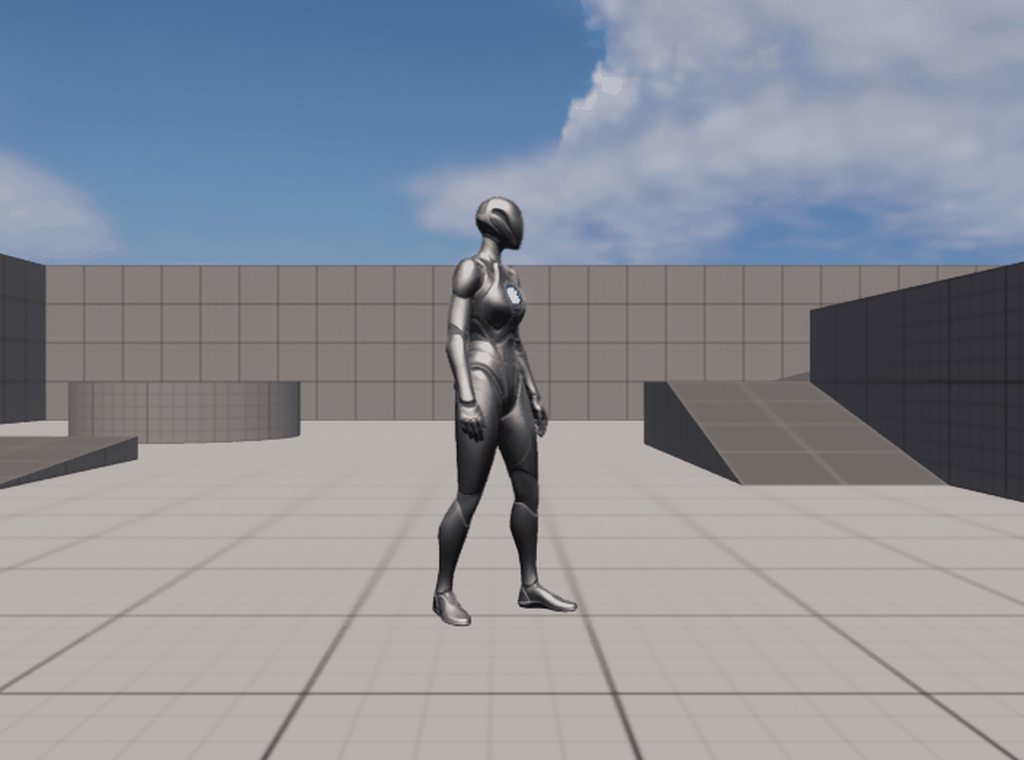
 muted flint
Hello, after moving some files in UE editor I have all my animations "with an additional angle", any idea what went wrong and how to fix ?

 dusky lotus
Maybe u moved a bone and applied it somehow?
muted flint
But if I re-import the animation, this works...
the issue is that I cannot do it manually for all my animation and I'd like to understand wtf :p
dusky lotus
hard to tell 😛
 rustic gull
If you were to chat about the Animation & Rigging Tool here, is this channel the most appropriate?
 onyx pine
Can anybody recommend a good quality third person animation pack to compliment the animation starter pack. Specifically looking for walk/jog animations without weapon and rifle hip animations.
buoyant warren
hearty folio
hi,
how do I make the character to face the camera when he turns from left to r...
Use the Set Actor Rotation blueprint. Set the New Rotation Z parameter based on the Find Look at Rotation between the actor and the camera
Here is a function I wrote that makes the actor look at the camera (this function actually makes an actor or an object look at something, you can just look at the top part for actor). Pass the actor into the "Actor" input, and the camera into the "Look at Object" input
 tall inlet
stone geyser
Having the same issues <@341624149300740107>
tall inlet
stone geyser
Having the same issues <@341624149300740107>
Did you fix your problem?

I did that and it solved my problem.
stone geyser
I will try you legend thank you
hearty folio
buoyant warren
Here is a function I wrote that makes the actor look at the camera (this functio...
thank you!
 cunning moon
Is it possible to do a turntable that spins greater than 180 degrees? I key it start at 0, end at 360 but it just sets the end key to 0. it will always snap to the shortest path for example if i do 0 to 359 it will snap the end key to -1 and the animation will move 1 degree making it impossible to animate anything greater than 180 degrees
nvm
misty dagger
I don't know the proper place to put this, but I have a number of story ideas that I want to get animated. Is anyone looking for some practice especially with over-the-top fight scene animation?
 indigo palm
It looks like UE5's remapping does not carry over root motion
for whatever reason
I use the duplicate / retarget, pick the RTG_UE4Manny_UE5Manny option, everything converts ok. When I open the new animation, it says RM is enabled, but no RM is actually carried over
not sure why. The option to retarget root bone is checked
Ok, welp, apparently epic doesn't do a good enough job testing basic stuff
Because anyone that uses their retarget system with RM would've seen that it is most definitely broken
It just strips the root motion data from the converted file
tall inlet
Hum I didnt test root motion
But I saw some tutorials explaining how to do
If you look for Jubotsu channel on YT
ashen junco
misty dagger
I don't know the proper place to put this, but I have a number of story ideas th...
See #instructions on how to post #volunteer-projects vacancy
indigo palm
@tall inletWhile I appreciate the reply, the issue here is their tooling. I've used RM many times with no issues. The RM also applies to the old animation. It only breaks once it has been retargeted
It even keeps the RootMotionEnabled as true in the retargeted copy. But the root bone does not move.
If you export out the broken animation to 3ds max, then it (expectedly so) has no translation set on the root bone
The original animation when exported to 3ds max (again, expectedly so), does have the root bone translation data
 boreal otter
hi everyone, I am trying to recreate this effect using UE material. Does anyone know how I could do this?
this is what I have so far
any tips or ideas on how I could get this to work?
ashen junco
boreal otter
any tips or ideas on how I could get this to work?
<@&213101288538374145> crosspost
boreal otter
i wasnt sure where to post stuff about materials so I cross posted
I can remove if I can be told where to put it
 neon zenith
Aight, so... general question...
Do the character systems in the Lyra project have the same type/level of functionality as ALSv4?
If I left ALSv4 and went to the Lyra setup would it be an upgrade, a sidegrade or a downgrade?
ashen junco
neon zenith
If I left ALSv4 and went to the Lyra setup would it be an upgrade, a sidegrade o...
Upgrade.
ALSv4 is a messy monolithic anim BP, and it was made before stuff that makes tech anim life easier, like Control Rig, came out.
 sterile warren
Hello! I'm retargeting from UE4's mannequin to UE5's. I'm specifically retargeting a root animation and I've fixed the most common problem due to the root not being set to "globally scaled" on the retargeting asset. However, I have an issue with all of the bones related to the "gun" floating in space after the animation has been retargeted to the UE5 skeleton. I can't figure out why. Is this normal?
 neon zenith
@ashen junco hmmm... interesting
guess I better archive all them ALSv4 tutes I never got round to doing and start hording Lyra ones 🙂
 woven rose
Hello, how can I use the metahuman pose asset in the ik retargeter to match metahuman pose to mannequin? I'm having some problems with wonky arms when retargeting.
 median grove
hi. someone can explain play rate clamp?
 ashen junco
neon zenith
guess I better archive all them ALSv4 tutes I never got round to doing and start...
ashen junco
neon zenith
guess I better archive all them ALSv4 tutes I never got round to doing and start...
Well, ALS is a bitch to customise, not to mention some weirdly hardcoded stuff in it
 thorn tendon
Using metahumans, my fingers are all contorted, any tips off the top of your head to fix this? I'm using marketplace asset packs as well.

 sterile warren
thorn tendon
sterile warren
thorn tendon
Hi Chris, are you retargeting?
thorn tendon
Thanks for answering @sterile warren , I have already retargeted...I think haha. I also tried to do the "View pose, hide pose, modify, use current" Still no changes

 sterile warren
You just have to edit your Chain Mapping and set "None" for the Source Chain assets that don't have mappings (first image). For example, set "None" for all of the "Metacarpel" chains as well as some of the "Twist02" chains.
thorn tendon
Rock on, I'll give that a go
sterile warren
Delete your current retargeted animations and retarget them again after you made those changes and you won't have the creepy fingers.
thorn tendon
Hell yeah, I'll give that a go. I have a BUNCH of anims that I already retargeted but I'll nuke them and try again using this
sterile warren
Select them all in the actual IK Retargeting window and you'll be able to do them all simultaneously. However, if you've already used them, then I think you'll have to manually replace each one if they're in sequencer or in AnimBPs etc. I'm not positive on this part.
thorn tendon
That's fine, I'll just retarget the anims. It won't kill me.
Just have to make sure I do it clean
thorn tendon
@sterile warren They work! Hands are fixed! Dude, this solution is so much easier than most stuff online, even the official documentation. Simply change the chain mapping, retarget anims again and boom, fixed
 sterile warren
thorn tendon
sterile warren
thorn tendon
Awesome! Yeah, it's weird that they didn't ship the default IK Retargeting asset like that but I think it auto loads "Auto Mapping" which gets things wrong.
thorn tendon
I made a forum post for anyone who has the same issue, this might help them fix it @sterile warren . Thanks 1000% man
https://forums.unrealengine.com/t/fix-for-metahuman-fingers-being-broken-v5-0-1/547821

Unreal Engine Forums
This might help you fix your broken metahuman fingers. This tutorial assumes you made it far enough following some other video tutorial and have a IK rig and IK Retarget asset created already. Make sure you set up your IK retarget asset’s Chain Mapping so that any Metacarpal or Twist2 joint is set to none. Once you change the chain m...
 sterile warren
thorn tendon
I made a forum post for anyone who has the same issue, this might help them fix ...
sterile warren
thorn tendon
I made a forum post for anyone who has the same issue, this might help them fix ...
That's awesome, thank you 😀
misty dagger
anyone?
thorn tendon
misty dagger
anyone?

Assuming you're doing a level sequence instead of a character anim?
thorn tendon
Next question, in UE5, Blendspace, I'm trying to preview what the anim will look like but the usual green preview slider dot is x'ed out. What gives?

nvm, I see the message in the top left of pic now hehe
sterile warren
Can someone please help me with a Stride Warping problem, perhaps @trim pawn? I've recorded a video of my issue and my settings. I can't find much documentation online. If someone knows of any, please let me know 😀
 misty dagger
hey would anybody have any ideas on how I can make the detection animation smooter and somehow turn towards the player when he moves?
small dirge
is there a function or a way to get the current output pose of an animation blueprint ?
and check if it has a valid output
 trim pawn
sterile warren
Can someone please help me with a Stride Warping problem, perhaps <@311974003369...
trim pawn
sterile warren
Can someone please help me with a Stride Warping problem, perhaps <@311974003369...
force root lock on all animations is a must for it to work properly. stride warping type is automatic so its good. your character accleeration and decelerations are huge numbers i would assume as the velocit arrow snaps isntant when you add input and ends almost instant. its good to make the accleeration and decelration a bit smaller than default for fluent movement.
also.. your speed can be MINUS value from what i can see on your blend sapce being -140 to 140... stride warping doesnt take kindly minus values. make sure your velocity varaible youre feeding into the system is just linear velocity vector lenght without bias if its right left front back... just raw value. it is taken to calculate agains the root motin extraction value.
strange nebula
hearty folio
hi,
how do I make the character to face the camera when he turns from left to r...
use math, how do you think
ashen junco
strange nebula
use math, how do you think
At least you edited that insult out.
strange nebula
ashen junco
At least you edited that insult out.
is this your job? you just read this discord and check for naughty words?
hearty folio
@strange nebula ok, you create a project in ue5 using 3th person template and use only math to make that work.
 lost burrow
Is there a simple way to flip a pose made in control rig to the opposite bones?
So a rig looking right can be flipped left and then exported as an fbx?
toxic basalt
can anyone help, my rootmotion is wobbly when i enable it
this is a mixamo issue isnt it
ashen junco
Don't use Mixamo lol
Especially root motion in UE4, they'll punish you for it
Personally I make them from scratch, by hand
Trained myself animating since the 'rona pandemic first hit
Though if you want to look for one, Unreal Marketplace has several anim packs for sale
ashen junco
Or the Argonians
 near timber
anyone have some tips for adjusting the left-hand IK position in Lyra when using different shaped or sized weapons? been having trouble figuring out the hand ik setup
 gloomy pike
hello guys,
do you also encounter crashes when unlinking anim layers? 😦
zenith adder
Someone have an understanding of why this is happening?
 sterile warren
trim pawn
also.. your speed can be MINUS value from what i can see on your blend sapce bei...
sterile warren
trim pawn
also.. your speed can be MINUS value from what i can see on your blend sapce bei...
Thank you! I made the changes you suggested but I'm still having issues. I recorded my viewport and printed out the values of my "Ground Speed" and "Direction" variables. It seems to be a problem with both Leg IK and the Stride Warping nodes. Thanks for anyone's help 😀

 quasi atlas
You guys have probably seen this a hundred times before but i'm having issues importing bones from blender into unreal.
I think it works fine if my bones are 'normal' size. But i have a small object with bones that are 3cm long. Unreal is failing to create the physics asset due to the bones being too small.
Any ideas? I told unreal to scale it up by 100x and that didnt work.
I've been reccomened not to screw with the scale in blender anymore. (that used to be a fix apparently)
wtf: apparently its a known and comfirmed issue in blender since 2015 - https://developer.blender.org/T47043
i blame unreal for tthis one though
ashen junco
quasi atlas
You guys have probably seen this a hundred times before but i'm having issues im...
Screw the scale in Blender - set the unit scaling to 0.01
And as for why Blender won't make it default... That is not to be questioned
quasi atlas
ashen junco
Screw the scale in Blender - set the unit scaling to 0.01
And as for why Blende...
... I dunno what happened earlier - i was just testing to figure out what the smallest bone woudl be allowed - and it works fine - even at 3cm. I Swear i applied the scale and rotation when I had the issue.
trim pawn
zenith adder
Someone have an understanding of why this is happening?
sems like your ik target is 0,0,0 so the left hand is trying to reach the root of your character.
trim pawn
sterile warren
Thank you! I made the changes you suggested but I'm still having issues. I recor...
your velocity arrow for some reason is longer when its not forward? you also seem to have no blend in between states or directions.. aniamtions are extremely snapy.. i would haev to see the entire setup including how you get the varaibles.
it seems like a problm not in implementation of morphing animation but anim graph itself. if you disable all the warping nodes - how it looks?
sterile warren
Hhh thank you so much for your help! I'll try to fix this but think I have to do some more research first to understand what I'm doing better. Are there any videos or resources you recommend?
I saw that you posted a new YouTube Live recording, do you think that would be helpful @trim pawn?
thorn tendon
Can someone explain why there is a yellow wire coming out of this blend space but not the other. They are both the same, in theory, yet one has "attributes" while the other doesn't
 sterile warren
trim pawn
it seems like a problm not in implementation of morphing animation but anim grap...
sterile warren
trim pawn
it seems like a problm not in implementation of morphing animation but anim grap...
If I disable all the warping nodes it looks good, except it's snappy. I believe I know how to fix this part though.
 minor terrace
How did you learn to memorize the bone naming heirearchy in Unreal? Was there a visual poster or something that you've seen that helped?
Something like this
 thorn tendon
minor terrace
How did you learn to memorize the bone naming heirearchy in Unreal? Was there a ...
thorn tendon
minor terrace
How did you learn to memorize the bone naming heirearchy in Unreal? Was there a ...
You can take the standard mannequin Unreal provides in the third person template and use those bones as a reference chart
trim pawn
sterile warren
I saw that you posted a new YouTube Live recording, do you think that would be h...
its already setup in projec tim woring on right now 😉 i wil lbe odnig mroe aniamtions later on
sterile warren
trim pawn
its already setup in projec tim woring on right now 😉 i wil lbe odnig mroe ani...
Looking forward, thanks!
 knotty pike
Hey, can anyone help me I cant figure this one out anywhere... How do I get my own custom 3rd person character's arms, and with the arms retarget it to ue4_mannequin_arms?
minor terrace
thorn tendon
You can take the standard mannequin Unreal provides in the third person template...
That's the best idea, I've been such a dope and going the hard way aroudn this
thorn tendon
minor terrace
That's the best idea, I've been such a dope and going the hard way aroudn this
Happens to us all man!
 blissful shadow
hey guys, i need some help with additive animations. i've exported some animations from a game that uses unreal, and most animations seems to have exported like this, https://gyazo.com/b6d39cbb57f66400175c012f769e9aba

I do have the idle animation and from reading the exported data from umodel it seems its using meshoffset additive

now this is where i am stuck. i am not familliar enough with unreal to know what to do know, i have set the animation to mesh space and selected animation frame (same as the game itself it using)


ive tried making an animation blueprint, but the end result is the same as the animation itself
i'd appriciate some thoughts of what is happening here and what i am doing wrong
misty dagger
Hello! Could someone help me get some animations translated/retargeted to another character?
animation starter pack attatch to a different character
thorn tendon
Metahuman, why is my torso, feet and legs not moving with my body?


It's working fine in the metahuman bp it creates for the character but not in a fresh bp. I hooked up the begin play and construction scripts to the T
Okay, well turns out I had something unplugged. OKay, next issue, why is it when I am close it does this?

 limpid folio
https://cdn.discordapp.com/attachments/674462094753660958/970424261485408286/byug.mp4 Anyone know what's causing this?
 strong river
Hi! I'm new to UE4 and trying to call a state machine enumerator but It never updated/works in the code. I'm using 1 and Space to call the enumerator states just for debug purposes
 thorn tendon
strong river
Hi! I'm new to UE4 and trying to call a state machine enumerator but It never up...
thorn tendon
strong river
Hi! I'm new to UE4 and trying to call a state machine enumerator but It never up...
Inside your animBP, you should have a ref to your enemy, then you pull from your enemy ref inside your animBP, get your enum, then set a local variable inside the animbp
Then you use that local enum variable for your state machine
strong river
I just did an oopsie
the ref was the wrong one
i just did it in the global editor and it worked
thorn tendon
Yeah, your anim bp works on a tick, so it's always checking that ref, which would change your anim
Glad you got it to work
strong river
actually, if I wanted to do this in the blueprint of the enemy itself, what would I need to reference?
thorn tendon
Depends on what you're doing
You change the enum in your enemy, but you need your animBP to know it changed, thus, via state machine, will change your animation
strong river
hm, I can get it to work in the global editor because it can reference the Enemy_BP2 but not in the Enemy editor itself because the only reference I see is ref to self, which doesnt seem to work
thorn tendon
Meanwhile on my end, I have to figure out why my metahuman's LOD is making it do this when I'm close
 strong river
ouch, now thats a funny pose
 toxic basalt
can someone help me setup my root bone? in unreal, the root doesnt move with the armature, it stays put

 dark root
 turbid quiver
Hi 😄 I have a quick question. Can I blend two animations together inside an animation montage or animation composite? Basically I want to play an idle animation for x seconds and then an arm movement animation afterwards, but the transition between the two is not smooth
strong river
turbid quiver
Hi 😄 I have a quick question. Can I blend two animations together inside an ani...
a state machine would make the transition smoother
as for how the state machine actually works...well... thats giving me trouble right now as well
turbid quiver
So a simple anim montage wouldn't work? I was hoping to keep it really simple. It's just one scripted sequence of these two animations
strong river
i have a similar problem, not entirely sure... a state machine makes them smoother, but now i have problems calling those animations in the way in want to
turbid quiver
Hm 🤔 I understand. My problem is this I have created a Blendspace for the two animations, which looks lik I wanted it to be, but now I'm struggling to use this Blendspace in a way to achieve the timed sequence
strong river
Now when I disable Character Movement my enemy doesnt take damage anymore... any ideas why?
turbid quiver
Oh no 😂 Maybe you somehow fucked up your hitbox?
strong river
thats a good point as well
but then again why would it disable he hitbox
man being a newbie in unreal sucks i have no idea what im doing 😭
turbid quiver
I feel you XD
fickle heath
How can I set my speed negative when I'm moving backwards? I have a blendspace that uses negative speed values for backwards animations. It worked automatically in my previous project but now it doesn't.
ashen junco
fickle heath
How can I set my speed negative when I'm moving backwards? I have a blendspace t...
Is the character always facing against the camera?
fickle heath
ashen junco
Is the character always facing against the camera?
Not always. It does that when I do aim down sights.
fickle heath
FIXED IT
used something like this

no negative speed values, just using directions
saw a similar thing in a matt aspland video
high dune
having an issue after i posssess horse i loose character equipment until i dismount then it reappears if anyone has any suggestions
 meager sedge
Anyone had issues with animations created within UE upscaling the actor when played? So I go to my skeleton, click new asset, add a few frames, then save, and for whatever reason, whenever I try and use that animation, the actor scales to 30x the size or whatever
do I need to normalize the animation or something?
 ruby mica
is there some way to sample an animation curve for a specific pose/sequence player? I would have expected the Get Curve Value node to accept a pose input, but maybe there's another context I can use the node to get what I want?
Also, what does it do as it is, given that there may be multiple animations being blended, each with their own version of the curve? I'm guessing it blends the curve values?
 severe escarp
hi guys im pretty new to UE5 and know a bit of UE4. by using the same basics of UE4 i tried to make a simple AI in UE5. everything works fine except the AI is sliding across floor while moving rather than his legs moving. both the player and AI r using the same animation BP. i tried many things but still it dint solve the problem.
can any1 tell me why is this happening?
sterile warren
severe escarp
hi guys im pretty new to UE5 and know a bit of UE4. by using the same basics of ...
Following! I'm having this same issue.
sterile warren
Did you figure this out?
sterile warren
stable patrol
Ok, thanks I understand now.
I am having this same problem with the exact same setup. The Leg IK messes up everything including Orientation and Stride warping. How did you resolve it?
 ripe coral
hey guys, i've been learning modeling in blender, and was wondering for making animations, what makes you choose unreal engine over blender to animate, make short films, etc
sterile warren
ripe coral
hey guys, i've been learning modeling in blender, and was wondering for making a...
It doesn't really matter! You could use either Blender or Unreal to animate. If you're planning on rendering in Unreal, then that's why you might choose to animate there as well. It's simply a pipeline choice. Hope that helps!
ripe coral
sterile warren
It doesn't really matter! You could use either Blender or Unreal to animate. If ...
oh wow thanks! i'm way more comfortable using UE4 and new to blender. haha thank you
Gonna go with UE4/5 🙂
ive never used unreal for animations but i find rigging / apply animations there much easier
sterile warren
ripe coral
ive never used unreal for animations but i find rigging / apply animations there...
No problem! I'm learning too. I think the pipeline that's common is to model and rig in a DCC still like Maya or Blender etc., and then use UE's control rig and procedural animation tools to do the actual animating either in sequencer or in game.
zenith adder
@trim pawn Thanks, I guess these are not getting saved in sequencer.
 ashen junco
ripe coral
hey guys, i've been learning modeling in blender, and was wondering for making a...
ashen junco
ripe coral
hey guys, i've been learning modeling in blender, and was wondering for making a...
Depends.
Personally I use Blender for making animations for gameplay (or for clients), and UE4's Control Rig + Sequencer for making cinematics.
Blender (and in extent Maya) has more straightforward constraint setup than Control Rig, and that makes animating holding an object more easier
coral jasper
aa i thought that was for hardware thnx
 faint pulsar
Anyone knows how to use this one? Not sure how to add a tag to an anim graph. Trying to use this to access a linked abp template from a regular abp

or if anyone knows of a better way to achieve the same aim. Hoping to run more code in the event graph of a template so I can make use of it in a modular way in other animation blueprints, but the blueprint communication setup seems quite different from what I'm used to.
Documentation seems to only cover working in the anim graph and not the event graph
trim pawn
Your retarget asset seem to not have proper chain config or is not for this skeletal mesh at all
sterile warren
Please help lol! I can't figure out why the IK Bones from the UE4 skeleton for a Root Motion animation aren't transferring properly to the UE5 skeleton. I've recorded a video to show all of my settings and the problem below.

 weary ibex
I am trying to make an interaction system where each object contains the montage to play when it is used. How do you typically setup the system so that the character is positioned correctly when the animation starts playing? I think this is a common pattern but I am making it up as I go along 😅 If anyone knows any good resources for such a system that would also be appreciated!
 shy sandal
Anyone working with Lyra? Curious how involved or specialized animations need to be to work with their system. Would like to implement melee/magic animations.
 lilac path
Hey friends! Do you know if it's possible to export an animated camera as a FBX? I tried and the camera comes into C4D with no keyframes - thanks!
ashen junco
weary ibex
I am trying to make an interaction system where each object contains the montage...
Either move the character into position, or use IK to have their limb reach the object.
weary ibex
ashen junco
Either move the character into position, or use IK to have their limb reach the ...
Thanks! When you say move the character into position do you mean something along the lines of take control of the player, disable input, and lerp them?
ashen junco
Yeah, pretty much that
weary ibex
Thank you 🙂
ruby mica
ruby mica
is there some way to sample an animation curve for a specific pose/sequence play...
bump. In the meantime I'll look into cpp options...
 placid pagoda
anyone tried using plask.ai to do motion capture and try to retarget the animation in Unreal? I've been in this rabbit hole all day, while the body animation seem to all retarget right, the arms are all messed up. Would love to hear any ideas. The following are what I've done so far:
- I've used a plugin to add root to the bone
- I've adjusted the mannequin to be T-pose since that's what plask is using
- plask rig doesn't have twisk bone so i set those to none
 ashen junco
UE4 or UE5?
Probably it's because Blender's bone orientation screwing up, but in my past experience hard retarget should remedy that as long as reference bone is matching.
Duplicate Anim Asset And Retarget = hard retarget
Maybe the retarget settings are missed? Show what you have on it.
ripe coral
ashen junco
Depends.
Personally I use Blender for making animations for gameplay (or for cl...
Ohh thanks! Yeah I want to make short films/cinematics so I think unreal would be the best route 🥳🥳
ruby mica
is there any way in BP to read the curve data on an animation sequence??
ashen junco
ruby mica
is there _any_ way in BP to read the curve data on an animation sequence??
Maybe through anim montage? I'm not entirely sure about that
ruby mica
dang, with all of unreal's flexibility and animation tooling I really did not expect to have such a hard time with something this simple. Sadge
how do people normally determine how much to warp their locomotion animations? There are lots of resources talking about speed warping etc, but no one talks about how much warping
do ppl just tune it manually?
 bold lake
Not sure why, but why does this happen to character when I retargeted it
 keen minnow
Hey I have this animated door that only animates when triggered by box collision, is there any way I can use that animation in a level sequence? I am trying to render out a scene using that door's animation produced by the timeline in the door blueprint.

just not sure how to call it in the sequencer to activate
ashen junco
keen minnow
just not sure how to call it in the sequencer to activate
Trigger the event that runs the timeline in the actor's track.
 keen minnow
I tried that but I am unsure how to tbh lol
I will continue trying to find tutorials on that feature though
thanks!
 eternal wagon
Are there any extra steps in UE5 to get a animation Montage to play? My code seems find and I have the DefaultSlot
blissful shadow
blissful shadow
hey guys, i need some help with additive animations. i've exported some animatio...
is there anyone that could help me out with this?
ashen junco
blissful shadow
is there anyone that could help me out with this?
I don't condone asset ripping, so I won't bother taking it further.
Also asset ripping is pretty much on your own to solve, including RE flaws.
blissful shadow
from what i've heard riot is okay with it. but thats fine
keen minnow
Hi I am still lost on how to get the events to attach. If anyone is skilled in attaching blueprint events to sequencer for rendering please let me know
I don't want to spam the chat with blueprint photos but I am just too new to blueprints honestly to understand how to call this event lol
lost burrow
I'm hoping someone here can help me. I'm trying to create an aim offset and I'm pretty close. But as you can see in this video the heads rotation is not exactly moving in the way id like in the blendspace and it looks very strange when played in game on the second half of the video. Currently all the additive poses use mesh space.

Anyone know what the issue might be? I created these poses using the third person character control rig

 quasi vale
i have a question about blending animations
currently i have these animations of drawing a sword and running which work great
but then when i go to swing the sword it messes up and only does the top half poorly and not the bottom half at all
if i change it so it isnt blending everything works fine except you slide when drawing a sword for example and i was wondering what i could do to get around this
spring karma
Hey guys, how can I create an animation file so I can use it on my animation blueprint for my character? I want to create animations for my character but have no idea how to. (I'm coming from Unity)
ashen junco
spring karma
Hey guys, how can I create an animation file so I can use it on my animation blu...
You can set up an animating Control Rig and make animations in Level Sequencer
spring karma
So basically this is an animation file used on the animation blueprint?

It's a bit confusing because the level sequencer has the entire level/world, but I want to animate the player character, so I load the character on the level and play with it on location 0? (I mean, location zero so it doesn't mess with location on the animation itself)
ashen junco
spring karma
So basically this is an animation file used on the animation blueprint?
Nope.
"Animation file" in Unreal is Animation Sequence
You can animate a Control Rig in Sequencer and then bake it into an Anim Sequence
spring karma
I don't quite understand it as I've never done this on Unreal, can you recommend me any videos showing the workflow? D:
ashen junco
spring karma
I don't quite understand it as I've never done this on Unreal, can you recommend...
Here's your getting started video with Control Rig in Unreal Engine
(video was made with UE4 in mind but should be applicable to UE5)

Until recently, creating character motion was the domain of expensive third party DCC apps. With the release of 4.26, Unreal Engine introduces further refinements to Control Rig: our suite of in editor rigging and animation tools. Whether you are authoring traditional style animation assets via keyframes or driving characters procedurally at run...
spring karma
ashen junco
Here's your getting started video with Control Rig in Unreal Engine
(video was m...
That's really nice of you, thank you so much! I'll watch carefully.
ripe coral
I've been struggling on making a proper rig for my character in blender, is there an asset that will easily create a rig for unreal engine?
I looked into uefy but wasn't sure about it
Haven't tested it cause of the paywall but If I'm gonna buy something i might as well get something i wont regret
spring karma
ripe coral
I looked into uefy but wasn't sure about it
Same here.
My character rig looks and works normally on Blender, but on Unreal it has extra bones which makes it all looks very weird.
ashen junco
ashen junco
Here's your getting started video with Control Rig in Unreal Engine
(video was m...
<@&213101288538374145> permission to pin this
spring karma
That's mainly the reason I asked for a tutorial, maybe I'm missing something, the video covers everything which is great.
ripe coral
ashen junco
<@&213101288538374145> permission to pin this
Ohh thank you!
Oh wait so I'd create a bone then export to unreal?
In blender
ashen junco
ripe coral
I've been struggling on making a proper rig for my character in blender, is ther...
Personally I use Auto Rig Pro over Uefy. It does cost $40 but I think the time saved is worth the paying price.
spring karma
Auto Rig Pro looks awesome
ripe coral
ashen junco
Personally I use Auto Rig Pro over Uefy. It does cost $40 but I think the time s...
Will autorig create the bone too and rig it? And rig to ue4/5 easily? 👀
Autorig does look good
ashen junco
ripe coral
Will autorig create the bone too and rig it? And rig to ue4/5 easily? 👀
Yes, though current version's Unreal Engine export is based on UE4 mannequin skeleton
spring karma
Doesn't the UE4 Mannequin also works on UE5? At least I think the preview used it.
ashen junco
spring karma
Doesn't the UE4 Mannequin also works on UE5? At least I think the preview used i...
Final UE5 version of the mannequins use different skeleton, that closer to MetaHuman's.
spring karma
I think they're already working on it?


 young patio
ashen junco
Here's your getting started video with Control Rig in Unreal Engine
(video was m...
ripe coral
ashen junco
Yes, though current version's Unreal Engine export is based on UE4 mannequin ske...
young patio
ashen junco
Here's your getting started video with Control Rig in Unreal Engine
(video was m...
ripe coral
ashen junco
Yes, though current version's Unreal Engine export is based on UE4 mannequin ske...
THANK YOU
ripe coral
spring karma
I think they're already working on it?
I can try it out and let you know
I'll get it in a bit haha
spring karma
ripe coral
I can try it out and let you know
Thank you so much! I would love to know if it works well with UE5 :)
 copper compass
Anyone know if it's possible to put character animation into a widget? (e.g. A portrait of my dumb character's head bobbing around). 10 minutes of googling has not proved helpful
ashen junco
copper compass
Anyone know if it's possible to put character animation into a widget? (e.g. A ...
Do you mean showing the skeletal mesh in widget, or just animating texture of the portrait?
copper compass
ashen junco
Do you mean showing the skeletal mesh in widget, or just animating texture of th...
Skeletal Mesh
ashen junco
copper compass
Skeletal Mesh
If you already have the animation going, then it's just the matter of setting up scene capture and render target, and then use the render target as image on the widget.
And that'd be topic for #graphics
copper compass
Ok I'll try. Ty
weary ibex
What montage slots do you typically have in your game? Does UpperBody, LowerBody seem like a sensible place to start? Then if it is a full body animation play it in both slots?
ashen junco
weary ibex
What montage slots do you typically have in your game? Does UpperBody, LowerBody...
Typically it'd be Upper Body and Lower Body slots goes to layered blend per bone, then followed by the Full Body slot.
weary ibex
Thanks 🙂 So basically Full Body animation always gets highest priority. Makes sense!
copper compass
ashen junco
If you already have the animation going, then it's just the matter of setting up...
Yep that method worked. His dumb head is bobbing around. TY
 ripe coral
Auto rig pro reallllly makes things easier. But for some reason my characters eyes (which is just a smooth sphere) and the UV texture images on my item doesn't show up in unreal
I also get a failed to merge skeleton error when importing with unreal mannequin skel
 solid viper
Hello guys !
New to the unreal engine pipeline for artists, and I come on their behalf !
They're asking me if you guys have a great pipeline to export unreal animations (specificly, the new ue5 mannequins anims) from unreal to maya in order to add some modifications or tweaks and then reimport them to ue5?
Feel free to ping me if you're willing to help and give some insights, thank you to anyone taking the time to do so!!!
sharp grail
Hey, I'm extremely new to 3D animation & Unreal.
I cant find any info about recommended poly counts for animating in unreal 5.
I'm not sure how large the poly count on my characters, garments, scene etc can be.
Can anyone point me in the direction of this info?
Thanks
ashen junco
sharp grail
Hey, I'm extremely new to 3D animation & Unreal.
I cant find any info about reco...
Largely depends on hardware you're targeting and/or art direction.
Can be as high as 100K polys, can be as low as 1K polys
sharp grail
ashen junco
Largely depends on hardware you're targeting and/or art direction.
Can be as hig...
Thanks for the advice
misty dagger
my AI isn't activating his walking/running animation
he just hovers over to me
i'm guessing his animations are tied to some other movement input or event?
if anyone is good at that stuf
ashen junco
misty dagger
my AI isn't activating his walking/running animation
he just hovers over to me
i...
Check the character's anim BP, make sure speed values used for the locomotion isn't something set by the player input
misty dagger
Hm, it's pawn owner > get forward vector > vector length = variable Speed
thorn tendon
@ashen junco Are you open to paid freelance work by any chance?
 golden lichen
I've setup a simple move to location for my character, which works perfectly in ue4 but for some reason it just slides in ue5. Any ideas what could it be?
 crisp bluff
what mean by inertialization node?
 warm island
i am trying to make the look at function in the anim bp lerp when not needed, any way to do so?
 pseudo tangle
Anyone have an idea why my notify trigger not in my game but in my animation blend it trigger? I checked is in my blend I have the notify trigger mode a highest weighted
I work actually in ue5
In ue4 the notify trigger correctly
 storm pilot
I have an animation/montage that I can drop into a scene and see it working. I cannot call 'play montage' from my character to make it play the animation. what am i doing wrong?
 rustic blade
Hey all, Im using sequencer to play animations, and the animations have root motion. Its working well for individual animations, my skeletal mesh in the world moves to match the root motion, but when its done, it snaps back to its initial spot. ive tried to use the "KeepState" checkbox, but it still snaps back. Can anyone think of anything I might be missing?
rustic blade
Found the answer, in case anyone else was wondering https://youtu.be/CBZeoIdYhB8 🙂

If you have any confusion or questions please let me know in a comment, or if there are other small tutorials you want made.
Music in the video is composed by me.
 hollow delta
Anyone know what’s causing this

The animation is stretched but in Blender it appears fine
 short wasp
@hollow delta Have you tried applying all transforms to the model before exporting the animation?
 tiny dune
In this form, he looked, to be honest, also not bad ... Unusual, to some extent even mysterious) U can use it as an "easter egg" )
nimble cradle
Hey all-- non animator here. How long does it take to animate a weapon... like a pistol? Firing, reloading.
short wasp
@nimble cradle That depends on how proficient you are with software and how detailed and complicated your animation is. I've seen a video of some not overly detailed, but ok looking reload for a rifle reload made in about an hour, that was from someone who knew blender tho. I would say maybe a few hours at first for something not super simple before you figure stuff out? Very basic placeholder anims can be made much faster.
nimble cradle
@short wasp thanks for your reply! I'm asking from the perspective of someone who would be paying someone else to create animations. I'm trying to ballpark costs for a game design document.
ashen junco
thorn tendon
<@325627930484932608> Are you open to paid freelance work by any chance?
What kind of work?
short wasp
@nimble cradle I'll honestly say I have no idea, but my guess is it's a matter of how complicated you want them. I think the smartest move would be to ask a potential contractor about estimated costs and time for the most accurate answer.
ashen junco
nimble cradle
Hey all-- non animator here. How long does it take to animate a weapon... like a...
If you're speedrun it, around a day
Depends on the weapon complexity as well.
short wasp
I guess I can try asking something as well, I've made a placeholder animation and am trying to make it work in UE5, but it doesn't. Attached vid shows the difference. I've prepared the Blender so it exports to UE, and have a preset for it.
Any idea how to approach animating 2 objects that are connected at first, disconnect at some point, and connect back again? Am I doing something wrong?
ashen junco
short wasp
I guess I can try asking something as well, I've made a placeholder animation an...
As in left and right arm have separate anims? Or the knife is a separate skelmesh?
short wasp
@ashen junco The knife in Blender and in UE rotate in a different axis
ashen junco
warm island
i am trying to make the look at function in the anim bp lerp when not needed, an...
Blend pose by bool?
short wasp
Also separate skelmeshes, yeah
hollow delta
short wasp
<@572123691551555585> Have you tried applying all transforms to the model before...
The transforms are already applied
warm island
ashen junco
Blend pose by bool?
it's not really a pose but i found a workaround

between 40 degrees and 90 degrees it smooths the range between 0 and 1 and this is used in the alpha so it looks like a smooth transition
thorn tendon
ashen junco
What kind of work?
Just need an hour or two screen share with me to help set up a solid animBP that solves some weird jitter I have with my character.
Might not even take that long
quasi vale
How can I blend animations but keep some unblended. For example keeping my running and unsheathing a weapon animations blended but the swinging animations unblended
short wasp
@quasi vale Playing animation as a montage lets you set blend in and out time for that specific montage
quasi vale
Ohhh I see, I think I was already using montages but I didn't set the blend in and out
It's been a day or two so I forget off the top of my head
I'll go check that out!
quasi vale
yeah no after messing around it didnt change anything because im blending overall animations through the anim bp
so i probably missed something but idk what it is
ashen junco
thorn tendon
Just need an hour or two screen share with me to help set up a solid animBP that...
Yeah, sorry, I can't take screen share at the moment.
Feel free to post the problem in question in here tho
thorn tendon
ashen junco
Yeah, sorry, I can't take screen share at the moment.
Feel free to post the prob...
Ohhh not today man, some other time though haha.
quasi vale
quasi vale
How can I blend animations but keep some unblended. For example keeping my runni...
does anyone know how i can fix this problem?
quasi vale
im trying to figure out different ways to word it x.x, basically my animation mont is only playing from my blend point up and i was wondering if there was a way to fix that
ashen junco
quasi vale
How can I blend animations but keep some unblended. For example keeping my runni...
🎰
Er, no, I mean, Slots
quasi vale
sorry for spamming so much
slots?
ohh
so do i add a new pin in the layered blend perhaps?
ashen junco
quasi vale
slots?
Yes, Slots.
You can define what slot to use in an anim montage, then in your animBP, make use of the slots to layered blend per bone.
Typically full body slot goes last, after you do the upper/lower body layered blends.
quasi vale
ok i see
1 last question before i go do that, how do i define what slot to use in the anim mont?
nvm
ashen junco
quasi vale
1 last question before i go do that, how do i define what slot to use in the ani...
There is the option in the anim montage asset.
quasi vale
i change the default group
high dune
looking for help with showing my inventory items after i posses a mount it only shows my rider mesh https://gyazo.com/d3d841b8149bcd2d5f06348da133a214 https://gyazo.com/b51a2c920610e2f6a92d992201f2126b

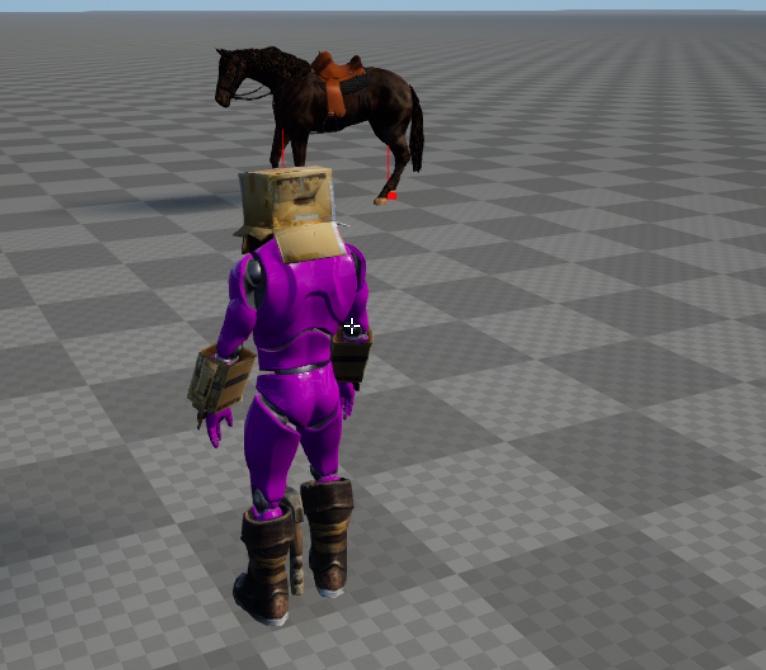 quasi vale
ashen junco
There is the option in the anim montage asset.
quasi vale
ashen junco
There is the option in the anim montage asset.
i figured it out! thank you

 unreal stump
How does the node Blend Poses by Enum work exactly? I'm trying to blend from one stance to another, half the time it works and the other half of the time the character just snaps into the new animation
 unreal stump
Never mind, I figured it out, I had to many state machines. Way over complicated it
 shut bane
So anyone else had issues where animation notifys aren't firing? I manage to fix it before on another animation by recreating the notify but it appears to not fix this one

I assume it's a 4.26 bug
right yeah, fixed it
just dump another animation on, I think it was my error because of these dumb naming conventions
median grove
hi. i wanna create some additive head animations like blinking. how can i export head animations like body from maya to ue?
 crude bloom
trying to learn some more about rigging/skinning
whats the best approach for the skirt/waist area? does anyone know of any good resources for skirts etc?

im working in blender and unreal btw
ashen junco
crude bloom
trying to learn some more about rigging/skinning
whats the best approach for th...
If the waist area isn't supposed to be as flexible as a cloth, you can have the thigh area kind of influence the larger part of the skirt
 bronze osprey

 cedar rain
at least each ring should be rigidly weighted to the same value ( not necessarily to a single bone)
full pumice

for some reason my hands are not retargeting in ue5
I am using character creator

The hands are off
 hidden crown
Try to disable 'apply modifier' when export from blender
 stone creek
How to transit from one animation [Idle] to another animation [SuperLazy] after some seconds like 10s...
stone creek
ok solved it never mind!
bitter shard
Does anyone know a good place to get motion capture animations, specifically for action such as guns or close quarters combat? There are only 2 mocap animsets for rifle/pistol on the marketplace (Kubold and Mocap Online) and they're both from several years ago, surely someone else has made such packs during the last couple years?
ashen junco
bitter shard
Does anyone know a good place to get motion capture animations, specifically for...
surely someone else has made such packs during the last couple years
If it weren't for how expensive mocap setup is, and how those packs won't fit one's specific needs and have to be "generalised", there would be dozen more being sold.
bitter shard
ashen junco
>surely someone else has made such packs during the last couple years
If it wer...
Yeah I know it's expensive, but it's possible to rent a mocap studio for a day and capture what you need for a fraction of the price, I'm sure you'd turn a profit from selling it later on.
ashen junco
bitter shard
Yeah I know it's expensive, but it's possible to rent a mocap studio for a day a...
Easier said than done.
But you put it that way, so you should do that yourself then.
 dawn schooner
Hi! I am trying to animate my custom rigged character from maya using motion capture (the perception neuron 3 suit). Does anyone have any resources / advice on how to do this? Thanks so much
bitter shard
ashen junco
Easier said than done.
But you put it that way, so you should do that yourself t...
Nah, I'd rather spend my time on the actual game.
@dawn schooner It says on their website they have an integration with Maya, have you checked that out?
dawn schooner
Shoot thank you so much! I dont know how I missed that hahaha
 hallow elm
https://i.gyazo.com/cc17a4f93701b85c7b7721336af2b66a.mp4
I have a problem
when I jump, my animation will be broken
it's child of 3rdPerson animation BP, and I override it by 1stPerson animations
I correctly override it by the 1stPerson walk animation, but didn't be shown
 thorn galleon
I have a mesh with a morph on it. I have exported the Mesh from Blender via FBX and gotten it into UE successfully. Now I want to create an Animation Sequence that will use the morph. Its all just testing ATM so very simple.
In the animation editor, from the Create Asset drop down I chose Create Animation, which it does
but its 0 frames long
how can I set the time of the animation? I don't see it anywhere in the interface

I was able to add a Track for the morph, all seems pretty simple but, I just have no length to the animation.
Set the Length, more specifically
 split mist
I got a question more so about trying to do some good design practice
I'm currently doing a small personal project in UE4 to learn more about it, and so far have all my character's animations happening as animation sequences in the anim graph. I'm making a player for an action game with "normal" attacks, a couple "special" attacks, shooting, and the ability to cancel certain moves into others at certain times (copying ideas from Devil May Cry). A lot of it is done but some bugs need fixing. So far I've just used animation sequences in animation graphs and it's getting pretty busy
As I look into animation montages (which I haven't touched yet) I'm thinking it might be easier to mostly use those and run the attacks in my anim bp's functions or event graph rather than setting so many flags to get the anim graph state machine to do what I want.
My question is, is it appropriate to make all my "attack" animations to montages to take them out of my anim graph? Part of me feels like this is hacky workaround but then again idk what's appropriate since my character's logic is feeling pretty complicated by now. Idk where something like this would usually belong (or whether there's a suggested place to put these anyway)
tldr: for my action game character should I make my attack animations into mointages and call them in the anim bp instead of just using animation sequences and the anim graph
ashen junco
hallow elm
https://i.gyazo.com/cc17a4f93701b85c7b7721336af2b66a.mp4
I have a problem
when I...
Is the jump animation a state, or a montage?