#animation
1 messages · Page 169 of 1


 rustic plume
thats the right place, but i dont know the exacts of your rig naming
can you also check the bottom most of this, i think its the iks
 rustic plume
and then retargetting, some things change.... definitely the retarget manager then. shouldn't have any ik joints linked and just double check em
 cosmic bane
How do I check the IKs?
rustic plume
cosmic bane
should be at the bottom of this
cosmic bane
Oh.
I think I figured it out - I clicked Auto Map, which messed up some hidden options.
It apparently set the IKs to random body parts.
rustic plume
kinda figured, i recall it liking to do that
cosmic bane
Now, how do I get each instance of a blueprint with a skeletal mesh to use a different animation blueprint?
 sullen zephyr
Does anyone have any experience with retargeting plantigrade animations to digitigrade animations? Have one that I've got everything working except for the actual feet and not sure what the best method is for retargeting existing animations to my mesh. Anyone have experience or ideas?

 ashen junco
sullen zephyr
Does anyone have any experience with retargeting plantigrade animations to digit...
ashen junco
sullen zephyr
Does anyone have any experience with retargeting plantigrade animations to digit...
Given that kind of monster, I'm not sure if that's the intended look or not.
sullen zephyr
ashen junco
Given that kind of monster, I'm not sure if that's the intended look or not.
It's mean to be able to run on all fours but I would like to use some existing animations instead of re-doing a bunch from scratch
original walking animation

animation trying to re-target

not sure if the best thing is to add a new bone that acts as the whole foot or export the animation and fix the feet themselves and re-import
 torpid shard
how do people generally handle first person vs third person animations?
I've seen it done with floating arms, I have a special case where I'm going to be switching from first person to third person a lot, is it fine to just have animations on the full skeleton? that way it would look fine in third person / multiplayer
rustic plume
torpid shard
I've seen it done with floating arms, I have a special case where I'm going to b...
for mp, owners can load the arms model while other clients can view the full body instead. Valve typically has "cameranoid" which is a human with a camera head so looking down is immersive. The former means two different animations/rigs, which sounds worse but gives more control, the latter ofc is essentially the same rig, one with camera head and one with human head
if the player can go from tps and fps, it makes more sense to have a cameranoid
just fade in or turn on the head model, however that works for your needs
torpid shard
so for switching, would i hide the first person rig and show the third person?
wym by cameranoid
rustic plume
i defined that earlier, i thought, its a human with a camera head
torpid shard
oh sorry lol
rustic plume
lol ok
you'd be switching or handling meshes in either case
from fps arms to tps body, something would have to cover the swap
like an immediate black then fade in
torpid shard
ok it'd be a pretty quick transition so i assume it could be masked easily
rustic plume
i think fallout just swaps with no transition
torpid shard
I'm entirely new to animations, I assume I can make them in unreal?
rustic plume
i think you should worry about a transition after getting the swap, it may be okay
maybe... i make them in DCC
probably just get the anim starter pack, that has some gun holding anims
 quiet zinc
does anyone maybe know the correct settings how to export an animation from blender where you haven't used any bones?
 safe sun
Any idea on why this animation works fine in Anim Asset viewer but when put into the blueprint, it works, but not quite, it looks like a mix of the animation and A pose:

The skm does move, it mimics the animation (hands, other parts) it moves slightly but yea... Not quite what it should be. I've retargetted it again on another skeleton and this particular animation behaves like that. Others work as intended. Any ideas?
nvm, it was additive 🤦♂️
 elder prairie
Guys im having a problem with playing the animation montage of some animations that I bought from the marketplace. Also, the animations does not appear when I try to preview the animations with the UE4 mesh skeleton. Does anyone know the reason? I will send a print screen of the animations. I figured out the problem: -- I had to change the animations skeleton to my character skeleton.
elder prairie
elder prairie
Guys im having a problem with playing the animation montage of some animations t...

 vestal river
I have a 4.23 project that I am updating to 4.25
Some of the marketplace animations are now erroring out with "Serial size mismatch"
Is there a way to fix these?
 lucid slate

 honest gulch
after i use blender, i import on unreal everything is ok, but as soon as i assign an animation to the character the vertices explode .. is there a way to fix it?
 ashen junco
#work-in-progress please.
 fading apex
ashen junco
<#225448516376461313> please.
fading apex
ashen junco
<#225448516376461313> please.
👍
ashen junco
honest gulch
after i use blender, i import on unreal everything is ok, but as soon as i assig...
Do you have the unit scaling correct in Blender? (0.01)
honest gulch
ashen junco
<#225448516376461313> please.
ok
honest gulch
ashen junco
Do you have the unit scaling correct in Blender? (0.01)
could you tell me where it is?
ashen junco
honest gulch
ok
What? No, that reply's not for you.
ashen junco
honest gulch
could you tell me where it is?
It's in Blender's scene properties.
honest gulch
ashen junco
It's in Blender's scene properties.
you are very nice
ashen junco
honest gulch
you are very nice
Also don't forget to scale everything 100x to compensate for the new unit scaling.
honest gulch
ashen junco
Also don't forget to scale everything 100x to compensate for the new unit scalin...
but then is it better to fix the scale first and then redo the Rig? because at the moment using the character with the rig and only changing the scale still gives me that same problem of vertices
ashen junco
honest gulch
but then is it better to fix the scale first and then redo the Rig? because at t...
I think if anything, the animation needs to be redone. AFAIK, the loc-rot in Blender is in world space
honest gulch
ashen junco
I think if anything, the animation needs to be redone. AFAIK, the loc-rot in Ble...
I check the animations later, when I bring the character to an unreal engine, with the mannequin retarget
 white galleon
why is multiplayer do my montages slide instead of playing the actual montage
 versed frigate
In animation blueprint, does anyone know how to make a bone to copy another bone movement?
Like Copy Bone node, but keeping its own location.
ashen junco
versed frigate
In animation blueprint, does anyone know how to make a bone to copy another bone...
Copy Pose from Mesh?
versed frigate
ashen junco
Copy Pose from Mesh?
The 2 bones are from same mesh tho.
Thats for external mesh.
 oblique urchin
anyone faced this weird mesh distortion with control rig using IK? https://preview.redd.it/4z3rrv4c4dq51.png?width=1024&auto=webp&s=a1bb0c21d17c9773e5be267761713aa8a6fd9823

 mint acorn
Hi, question from someone fairly new to UE...is there something that potentially applies some kind of offset to the root node of a skeletal mesh after import from FBX? I'm just wondering why I have a character that seems to float above ground a few centimeters in the skeleton preview when another imported what I thought was the same way seems better anchored to the ground.

 keen carbon
oblique urchin
anyone faced this weird mesh distortion with control rig using IK? https://previ...
keen carbon
oblique urchin
anyone faced this weird mesh distortion with control rig using IK? https://previ...
Did you checked or aligned your primary and secondary Axis in your IK?
 misty dagger
mint acorn
Hi, question from someone fairly new to UE...is there something that potentially...
misty dagger
mint acorn
Hi, question from someone fairly new to UE...is there something that potentially...
i am a rookie too but i think this offset is only when opening the editor is for debug purposes
may there is a option to check / uncheck it to let your mesh stay on ground
ashen junco
oblique urchin
anyone faced this weird mesh distortion with control rig using IK? https://previ...
Are you making the mesh with Blender?
 jade storm
Does anyone if you are supposed to replicate every value for your anim bp for it to work with multiplayer?
oblique urchin
ashen junco
Are you making the mesh with Blender?
yea, i exported my mesh with blender. scale and everything was correct afaik
oblique urchin
keen carbon
Did you checked or aligned your primary and secondary Axis in your IK?
not sure
ashen junco
oblique urchin
yea, i exported my mesh with blender. scale and everything was correct afaik
Yeah, you should tweak the primary and secondary axis in the IK nodes.
oblique urchin
thats a node param?
ashen junco
oblique urchin
thats a node param?
Yes. The IK nodes have two vectors for primary and secondary axis, tweak those until you get the right rotation (value should be between -1.0 and 1.0)
 trim portal
hello people.
the "event blueprint update animation" in my anim bp stops after i fired my weapon the first time.
do you have any idea why that happens?
(i am observing the spawned weapon as the debug object)
 spring bear
Hi, were there any advancements/improvements made to the tooling to properly support anim curve copying between different animation assets? I'm working on an animation system that uses child anim BP overrides, and I'd like to sync anim curves (and notifies for that matter) between the 'base' animation and its overriding counterparts. I'm looking to automate this in code in an editor extension for our project, so C++ solution is what I'm really looking for.
keen carbon
oblique urchin
not sure
then you should, as other man told you, its between IK parameters, btw. you chose one axe as primary ( e.g. x=1, y=0, z=0) and other as secondary (e.g. x=0, y=1, z=0), try different settings if necesary until you got desired effect
oblique urchin
thanks, trying it now
@keen carbon @ashen junco that was it, thanks so much for your help!
trim portal
trim portal
hello people.
the "event blueprint update animation" in my anim bp stops afte...
a friend helped me find the solution.
we had implemented a simple "play animation" node in our weapon baseclass. just for the case we only want to implement a very basic animation.
however we triggered this empty "play animation" node every time when firing.
this caused the anim BP to get invalidated and removed
bypassing this node fixed the problem

 brazen pawn
Hello. Im using Control rig for a 6 axis robot arm, and i need to limit the axises between angles. The problem is that if the value of Y axis reaching the +-90 degrees, that the X,Z axis get the value of 180,-180,90 or -90 and the Y changing only between -90 +90 with the x,z variables, but i need to limit the x,z to 0, and having a -155, 155 for the Y.
I saw this is some old problem in Ue with Y axis, idk if someone get a solution for this.
rustic plume
brazen pawn
Hello. Im using Control rig for a 6 axis robot arm, and i need to limit the axis...
the "solution" is learn quaternions and work with them as euler space rotations get funky
brazen pawn
rustic plume
the "solution" is learn quaternions and work with them as euler space rotations ...
Thanks for answer
 bronze osprey
or mayB keep things in local or parent bone space
brazen pawn
my final solution will be to rotate the control with 90 degrees and after that rotate the bone to control, making some changes like the image below, and i'll not use the y axis.

Actually, if i wanna limit between -350 350 degrees, then i get a problem again, so using the quaternions, as Conrad mentioned, cant be skipped.
jade storm
So serious Question here. I am at the part of my project where I need to create animation Offsets for the looking mechanic. Is there a way to blend ONE aimoffset with every single weapon with out using IK? or do i have to create an aimoffset per weapon used? Meta humans, can not use IK hands unfortunately.
ahh it looks like you have to make it per weapon. found a thread about it.
 jade storm
Can anyone help me out with this situation? In my aim offset I am setting the values to -90 and 90. But the issue i am having when hitting the -90 or 90, the animation is not going completely to the 1 frame anim i created.

that is the 1 frame looking down

thats the aim offset at -90
 fringe trellis
Hi I am having trouble with importing my blender charecter rig to UE4. It says it can only have 1 root bone. The only bones not connected to the root bone are IK bones that dont deform. However when I parrent them to the root bone it messes with all the animations. Also I have imported similar rigs in the past with no problem even with all the IK bones not parented to the root bone. Any ideas for a fix?
ashen junco
#work-in-progress
 keen badger
thats amazing! you using a mocap suit? nice moves!!! hahah
misty dagger
what i have to do to bake control rig sequence animation as a normal animation file?
i tried to bake animation from character but it stays idle
i am using 4.27.2
and what i am doing wrong? my animations, when i select to import the character with the UE mannequin skeleton (which works for all the animations inside the engine), does not move anything, it just stays froze 😐
misty dagger
so far, i was only able to get my animation from Blender, when i import my character with a new skeleton...
ashen junco
Not sure about 4.27.2 specifically (who knows if the hotfix had regression)
I have been not animating in CR for a while now.
misty dagger
i started to think that blender 3.0 can be something contributing to this problem...
i already unchecked and checked various import settings with no avail
maybe all i have to do for now is sit and cry a bit
ashen junco
Eh, Blender 3.0 is primarily improves in the tools within, not the export. The FBX export doesn't change for the past few years.
misty dagger
ah, ok
 rose prawn
So if my character's hand is distorted grossly (outwards) when unarmed, but OK when in the armed locomotion animations, how would I go about fixing that? Honestly preventing me from working on the game because it's disturbing haha
ok as in the hand looks like it's gripping the axe, but when just moving around it's a bit... yeah
ashen junco
rose prawn
So if my character's hand is distorted grossly (outwards) when unarmed, but OK w...
Screenshot in question?
rose prawn
Ah I'll grab one in a second, should have waited till I have one on hand!

unarmed strafe VS armed strafe (weps hidden)


Fuck I think even the pre-retargeting anims look odd now, this is the RPG Character Anims pack. I had to retarget it onto itself as a fren dropped it in /Content/Animations instead of /Content, breaking the path reference to its own skeleton. Don't think that would have cause this though, but can't be sure
 ashen junco
rose prawn
Fuck I think even the pre-retargeting anims look odd now, this is the RPG Charac...
ashen junco
rose prawn
Fuck I think even the pre-retargeting anims look odd now, this is the RPG Charac...
Yeah, I think that anim looks weird.
I'd say it's defective source.
rose prawn
ashen junco
I'd say it's defective source.
Fair, will have to try re-importing maybe, but glad it's not the character SK or something, that would have been a pain! Thanks for your help :)
 hoary dawn
Could anyone help me with this, please? I haven't used the engine much. I was trying to retarget an animation from Mixamo to use the Mannequin animations. I used the mixamo_convert plugin to convert the fbx character and change the bone names. After retargeting the skeleton and an animation, the animation plays correctly on the top half of the character, but not the bottom.
 ashen junco
hoary dawn
Could anyone help me with this, please? I haven't used the engine much. I was tr...
ashen junco
hoary dawn
Could anyone help me with this, please? I haven't used the engine much. I was tr...
Blender plugin?
hoary dawn
yeah, blender plugin
ashen junco
hoary dawn
yeah, blender plugin
Unit scaling's good? Make sure it's 0.01 and not 1.0
hoary dawn
Yeah, everything looks to be at the proper scale
ashen junco
Actually proper unit scaling, matching Unreal's unit scale. Sticking to Blender's 1.0 unit scaling can make or break skelmeshes.
 neat spoke
Hi! I need help with setting up animation, play on key pressed, for a prop that is rigged with imported animation.
It has three stages: idle, starting up, and firing mode.
 misty dagger
ok, i downloaded 4.26.2 and i got the same result... maybe it is a problem with my mesh then
which is strange, as it matches the default animations perfectly
misty dagger
neat spoke
Hi! I need help with setting up animation, play on key pressed, for a prop that ...
Unreal Engine Youtube channel has some good stuff to execute that... take a look at their livestreams or documentation
neat spoke
@misty dagger Can't seem to find any tutorials on how to activate prop/actor animation.
misty dagger
not even trying to type animation on blueprint graph?
neat spoke
I see a bunch for humanoid character anim bp tutorials not for props
Should i just make an event for activating the animation?
rose prawn
Following on from before, seems like it's the retargeting that's wrecked things for me

Same anim, frame, similar-ish angle, but the fingers look fucked for my character
Do the base poses look mis-aligned, or is this much variation to be expected?
 ashen junco
rose prawn
Following on from before, seems like it's the retargeting that's wrecked things ...
ashen junco
rose prawn
Following on from before, seems like it's the retargeting that's wrecked things ...
Try checking your retarget settings in your skeleton
rose prawn
ashen junco
Try checking your retarget settings in your skeleton
What am I looking for? The ref poses look sliiiiightly different, like feet wider apart and more at an angle, fingers curled in a / shape instead of a C (looking down form head POV).
The bones get auto mapped and the base pose has not been tinkered though
 ashen junco
rose prawn
What am I looking for? The ref poses look sliiiiightly different, like feet wide...
ashen junco
rose prawn
What am I looking for? The ref poses look sliiiiightly different, like feet wide...
I mean, the retarget settings.
 rose prawn
ashen junco
I mean, the retarget settings.
rose prawn
ashen junco
I mean, the retarget settings.
Looks OK to me, but I did add hand sockets and IDK if that could have caused an issue? Don't see why it would though.
Goes on for a fair bit

It borders on NSFL from the right some angles

 honest geyser
Does anyone know of a decent source to help me understand/learn IK in UE?
rose prawn
rose prawn
What am I looking for? The ref poses look sliiiiightly different, like feet wide...
Could anyone else please show me what their side by side reference pose people look like, compared to the mannequin? I don't want to go crazy twiddling thumbs for an hour if there's a high chance it doesn't even fix anything in the first place 😅
ashen junco
rose prawn
Could anyone else please show me what their side by side reference pose people l...
I would've make a T-pose on them for the retargeting poses, just to be safer.
rose prawn
ashen junco
I would've make a T-pose on them for the retargeting poses, just to be safer.
Hmm I would have to dive into retargeting a bit more than. Curious what you wanted me to verify with the retargeting settings before though? Didn't seem like there was much there to edit.
From what I can tell the issue is the uneven angles of the first finger knuckles, which are a bit more curved on my model vs MQ. Don't know enough about animations to be sure though.
ashen junco
rose prawn
Hmm I would have to dive into retargeting a bit more than. Curious what you want...
At least make sure everything but the root, pelvis (and IK bones if you have any) set to Skeleton.
rose prawn
ashen junco
At least make sure everything but the root, pelvis (and IK bones if you have any...
That does seem to be the case, but thanks anyway :) The quest for a solution continues
ashen junco
rose prawn
That does seem to be the case, but thanks anyway :) The quest for a solution con...
Try making T-pose of your skeleton, and set it to the retarget pose, for both your character's and Manny's - flat fingers and such.
(I don't have the editor open rn, currently tinkering with engine code, so you're on your own Googling)
rose prawn
ashen junco
Try making T-pose of your skeleton, and set it to the retarget pose, for both yo...
I'm afraid of doing that as the chain currently is pointing to a common skeleton for both. IE if I edit the common skeleton, it breaks all characters and anim packs, which is a fair bit of work so far.
I may try unfurling the fingers just right tomorrow, getting sleepy and motivation sapped ATM
ashen junco
rose prawn
I'm afraid of doing that as the chain currently is pointing to a common skeleton...
No, anims that are retargetted prior to this won't be affected. You're only changing the reference pose that the retargetting tool uses, in engine.
I think if anything, using T-pose for retarget pose reference could give better chance for the retargetting tools to retarget the transforms around.
rose prawn
Ah good to know thank you! Still quite actively building the animators for a few characters so this fix might have to wait till after that's done, but good to know that's an option.
Any benefit to UE using A-poses by default then? Just closer to an actual in game usable pose?
 wheat pulsar
Hello. I would like to animate a camera actor in my player editor, is this possible? (i do not want to render with sequencer, but have my camera directly into my game when i package it)
ashen junco
wheat pulsar
Hello. I would like to animate a camera actor in my player editor, is this possi...
As in in-game / realtime cutscenes?
wheat pulsar
ashen junco
As in in-game / realtime cutscenes?
Yes !
ashen junco
wheat pulsar
Yes !
That's what Sequencer's made for.
wheat pulsar
Oh okay! I'll check it out then ☺️
 tranquil hound
hey all, I've got my animations setup, problem is that the camera doesn't follow my root motion along Z. If root motion is disabled, also doesn't follow the animation. Is there a way to either make camera follow animation or constrain the Z movement?
 strange yarrow
Have you ever have a problem when importing animations with blendshapes to unreal? When I open the animation inside UE, the keys have different values
For example 1.0 open mouth moves to 0.0. In Maya everything works fine
ashen junco
Not sure about Maya, but at least from Blender, it's all fine.
 normal bramble
I'm trying to change the assigned skeletal mesh at runtime and keep the same animation blueprint, with animations for each skeletal mesh being stored in a struct. it's being weird. what else am I forgetting?
misty dagger
what i am doing wrong?
everytime i try to import my character and use the mannequin skeleton as my skeleton, all animations that i made in Blender are invalid
the mesh just stays on t-pose
rustic plume
i dont know blender, but sometimes its an issue with how it gets exported and the export settings
on import, there is a T0 Pose checkbox that can sometimes help
please also post if you get errors
misty dagger
nah, just the mesh not moving
i will try to mess with export settings inside Blender
if i do not import with the mannequin skeleton, they work
rustic plume
misty dagger
if i do not import with the mannequin skeleton, they work
as in not setting the skeleton in the import settings?
misty dagger
rustic plume
as in not setting the skeleton in the import settings?
yep
rustic plume
but you want to use the ue4 skeleton thats there so it works with the rest of the animations and sk right?
misty dagger
yes
it works all the default ones, just imported animations that do not do anything to the model
rustic plume
alright, doesn't make sense to me since if the animation should work with the ue4 skeleton, yet doesn't link, then it doesn't work, but it does when its not linked but cannot be used 🙃
misty dagger
i mean, the run, walk etc. that cames with start content works on my imported mesh
and the new animations that i created, they just do not change anything
misty dagger
i thought because i was not key framing all bones, as i have all the unused ones hidden but after trying to frame them, i got the same result
i really do not know what can i do
using control rig to animate scenes is not good as Blender
rustic plume
you do need to have keyframes on all bones, all except for ik bones
ashen junco
misty dagger
using control rig to animate scenes is not good as Blender
Hehehe
I knew it
wheat pulsar
ashen junco
That's what Sequencer's made for.
I animated my camera actors in my sequencer but when i hit play they don't move in the play editor 😅 (they do work fine in my sequencer) Do i need to set up some kind of a blueprint? i am a bit lost
misty dagger
wheat pulsar
I animated my camera actors in my sequencer but when i hit play they don't move ...
yeah, you need to initialize the sequence you animated with blueprint!
try calling it at EventBeginPlay on level blueprint!
misty dagger
rustic plume
you do need to have keyframes on all bones, all except for ik bones
in every key change i animate?
wheat pulsar
misty dagger
yeah, you need to initialize the sequence you animated with blueprint!
i tried this but it doesn't work, what am i doing wrong?

when i put my CameraActor in New View Target it works which confuses me why the sequencer doesn't
misty dagger
hmm that is advanced to me
but i would try to drag some node of the “sequencer” and try some words like (animation) or (play) on the node search box
take a look at the docs, certainly we have something there
wheat pulsar
okay, i'll do that, thank you!
rustic plume
misty dagger
in every key change i animate?
technically yes. in the software i use, i have to bake a keyframe to every frame of animation before exporting because the FBX bake anim option doesn't do it right - my anim is on controllers and not joints, so nothing bakes with fbx
 misty dagger
 rose horizon
To first play that animation, then the next
rose horizon
To first play that animation, then the next
i think you can do that with animation sequence bp
rose horizon
Ill look into it, thanks!
strange yarrow
I tried everything with this issue, my morph targets cant be saved on an animation timeline, any ideas?

The animation works fine in Maya, the problems happens when importing it to UE
ashen junco
strange yarrow
I tried everything with this issue, my morph targets cant be saved on an animati...
Not sure about Maya stuff, but at least from Blender it works all the time
strange yarrow
I can try to open import the fbx into blender and export it from there, but I think its a ue4 problem 😦
ashen junco
strange yarrow
I can try to open import the fbx into blender and export it from there, but I th...
Maybe you mess around with the morph target in the skelmesh or the skeleton view?
strange yarrow
No, they work fine. I can set them up inside my blueprints with nodes
The problem only appears in the animation curves
Maybe the import settings, but thats strange
ashen junco
It shouldn't be FP error 🤔
Maybe you mess around with the morph target numbers in the skeleton/skelmesh view and forgot to put it back to 0
strange yarrow
They are all at 0.0 value, and the skeletal mesh has all of them at 0 too

I still can make a Timeline node in the blueprint, and paste all the key values there, but thats extremely inefficient
That way, they work fine. But I already have all my animations done inside Maya, I cant create like 30 different nodes just for that
 exotic marlin
hey, any idea why meshes shrink I try to implement anim dynamics?
ashen junco
exotic marlin
hey, any idea why meshes shrink I try to implement anim dynamics?
Do you make the meshes in Blender?
I had a hunch this is one of those unit scaling issue
ashen junco
Okay, no idea then.
exotic marlin
found a semi solution that i will test out for now. thanks anyway.
 waxen wind
I made a stamina/sprint system, but i want the character to stop, bend over, to catch his breath, for 2 seconds, before being able to even walk when he runs out of stamina

No description provided
oh and i can't find a bend over (that's not x rated, on mixamo) nor stoop over, on mixamo
rose prawn
waxen wind
oh and i can't find a bend over (that's not x rated, on mixamo) nor stoop over, ...
Maybe "pant" or "puff"?
waxen wind
panting turns into patting and puff turns into smoking 😦
where did i go wrong
why are we here
waxen wind
rose prawn
Maybe "pant" or "puff"?
thanks for taking the time to reply. i appreciate it.
rose prawn
There is no escape from the horniness of the internet
 sleek escarp
Hello all, I am looking for some assistance with an IK system I am building for a first person shooter, I need to move the characters hand so that the reticle on the weapon attached to the hand aligns with a socket on the head. I have been going in circles for hours on this with attempting to implement it. If anyone has any resource or can help I would very much appreciate it
misty dagger
rustic plume
technically yes. in the software i use, i have to bake a keyframe to every frame...
NADIE! tried to baked into all options inside Blender ... 😐
rustic plume
buh?
misty dagger
i do not want to use Control Rig mama Unreal 😭
rustic plume
hahahaha
really shouldnt need to, pretty sure plenty of other people here are importing their blender anims
i just dont use blender >.<
conceptually i know what to do though
misty dagger
it is creep strange
the only way to get these animations into the engine is to create a new skeleton
rustic plume
if i knew any actual amount of blender i would look into this
misty dagger
ok,

how can i record all the transforms available?
and how can i reset the initial root pose?
if anyone Blenders, it is Alt + G (for resetting location)
rustic plume
ive honestly had the worst time with the control rig in ue4, when i looked into it i was hoping it would localize character animation work, but sadly i abandoned all hope, i am, however, envious and surprised you got it to work this far, i couldnt get this far even
misty dagger
rustic plume
ive honestly had the worst time with the control rig in ue4, when i looked into ...
lol, just copy the assets from the marketplace
actually i am dying inside as blender feels a no brain for me but this rig actually will make the best animation possible out of the box, despite being a bit clunk controlling the stuff at first instance
rustic plume
misty dagger
lol, just copy the assets from the marketplace
oh... trust me, i tried many methods
rustic plume
misty dagger
actually i am dying inside as blender feels a no brain for me but this rig actua...
well the control rig i made (in my dcc software, not unreals) is better than the control rig from the little i tried
brazen pawn
Hello. Im pretty new to control rigs. In the linked video u can see a robot, which will be controlled by the user, and there need to be an option to switch between FK and IK. I set up the FK with controls, but im struggling with the IK, what i get is a mess. The controls have limits, which are working with FK, but using IK everything is broke out from its place, even some scales goes crazy.
https://youtu.be/h_X0gVQt_DM
 honest geyser
When editing the position of a socket in an animation, UE4 tries to apply the new socket location to the skeleton, not keep it in the animation only, is there someway I can get around this or do it differently? I have a weapon attached to the socket, and with a event it brings the weapon in front of the players view for customizing it using a dynamic montage, and when done, the socket goes back to the hand.
As it tired to apply socket change to the skeleton, that new location then applies to every animation that uses that skeleton.
rose prawn
Is this through a montage? Is your statemachine dumped into the default slot first?
 wintry elk
So is powerIK necessary for posing models, or just control rig? Im still learning the workflow, so far I have:
Model created in zbrush
Rigged in blender with bones
Import to unreal
I basically want to pose creatures for environmental action shots and able to adjust them on the fly
Not really animations I guess, but able to easily adjust poses
ashen junco
I'm inclined to think Fullbody IK itself in a way is PowerIK as a whole
ashen junco
The author himself (Kieran Ritchie) is now Epic employee, and he did say the one in UE5 is an overhaul over PowerIK.
rose prawn
Q with IK, could it counteract a borked hand rig, where some fingers and possibly the wrist is a bit off, going very freaky in some animations?
neat spoke
Hi! How do i attach Niagara emitter to an animated skeleton mesh?
 ashen junco
rose prawn
Q with IK, could it counteract a borked hand rig, where some fingers and possibl...
ashen junco
rose prawn
Q with IK, could it counteract a borked hand rig, where some fingers and possibl...
I'm not sure if I can translate that...
rose prawn
ashen junco
I'm not sure if I can translate that...
Sorry, I'll try again.
My character rig has hands that are slightly off from the A-pose being used for retargeting. Any animations that do involve the straightening of a palm, causes the palm to look broken backwards. It is very disconcerting and uncomfortable :(
Now, could an IK rig correct that? Even if it's just a permanent offset to the hand pose, if that's something you can do at all.
Same issue as this guy I believe - https://forums.unrealengine.com/t/paid-rig-ue-skeleton-hands-are-off-to-ue4-default-skeleton/243841

Unreal Engine Forums
Hello, I have a UE4 skeleton which is slightly off when using the Retarget Manager. In the result the arms are not properly aligned. However, this doesn’t mean this assignment only involves the arms. The task is considered complete if the character is properly rigged to the UE4 default skeleton, playing default engine animations properly. The ...
 signal lark
Guys I've got a question here
Does anyone know how to increase/decrease an objects mass while being hit?
ashen junco
rose prawn
Sorry, I'll try again.
My character rig has hands that are slightly off from th...
I don't think IK will able to correct that.
I think I said to you to try make T-poses of your skeletons for retarget reference. (Not the rest pose itself)
rose prawn
ashen junco
I think I said to you to try make T-poses of your skeletons for retarget referen...
How does that help when the character is in a dodgy A-pose still? If I was to try to align the hands, which getting it into a T-pose would involve, it would take me probably a day or two, of the most painful work.
I can certainly try, but it seems pointless.
So manually T-post duplicated skeletons, and then redo the animation retargeting?
ashen junco
rose prawn
How does that help when the character is in a dodgy A-pose still? If I was to tr...
You can make the T-pose inside the editor, as a retarget pose.
rose prawn
ashen junco
You can make the T-pose inside the editor, as a retarget pose.
Yes, but the fine details, IE fingers and palm will still be distorted right?
I'll give it a crack, see what happens.
ashen junco
rose prawn
Yes, but the fine details, IE fingers and palm will still be distorted right?
I...
Well, my idea is to straighten the limbs so that the retargetting tool has better reference to work with. It's easier to make T-pose than adjusting the A-pose to match one or the other.
Also you can do this straight in the editor, it's part of the skeleton view's retarget settings
misty dagger
are there tools which animate muscles while i only animate the bones as usual? i want a guy walk around and the muscles should be animated physically.
(not for game)
ashen junco
misty dagger
are there tools which animate muscles while i only animate the bones as usual? i...
I think muscles are either morph targets or bones. Either case you can use Anim BP or Control Rig to have one bone influence another in muscular ways.
wintry elk
Just static pose , not interacting with anything. Mostly just for screenshots. Like a still frame of 2 heros fighting in action poses, nothing moving or activating from the model.
 fierce fog
guys do u know why when I try to import an animation it says me:
"Failed to import '...\ThirdPersonCrouch_Idle.fbx' to create asset '/Game/Mannequin/Animations/TThirdPersonCrouch_Idle.fbx'. Please see the Output Log for details.
 ashen junco
fierce fog
ashen junco
fierce fog
Are you exporting from Blender?
fierce fog
ashen junco
Are you exporting from Blender?
no, I'm exporting from Mixamo
ashen junco
Oh okay.
Mixamo don't have root bones, so it's not keyed
fierce fog
and do u know how can I solve that?
ashen junco
fierce fog
and do u know how can I solve that?
Other than processing it in Blender or other DCC tools, no.
Mixamo stopped supporting UE4 specifications for a long time now (at least since 2017 or when Adobe took over it wholesale)
ashen junco
fierce fog
I mean... program like Mixamo
As in what? Its auto rigging or anim library?
fierce fog
ashen junco
As in what? Its auto rigging or anim library?
both, it would be easier for the animations
ashen junco
fierce fog
both, it would be easier for the animations
Auto Rig Pro in Blender. Paid, but worth it in the long shot.
 ripe stone
Hi. I'm wondering how I can have two cameras in my scene and have both of them render at the same time. Side by side (think like old school local multiplayer on a console)
I would output on two displays
ashen junco
ripe stone
Hi. I'm wondering how I can have two cameras in my scene and have both of them r...
UE4 has built in MP split screen.
I think it's up to 4 players
ripe stone
And I guess my output is just a larger window (like 7680x2160 for two 4k displays)
fierce fog
ashen junco
Auto Rig Pro in Blender. Paid, but worth it in the long shot.
does it have an anim library?
ashen junco
fierce fog
does it have an anim library?
No, but can make your life easier making anims
ashen junco
ripe stone
And I guess my output is just a larger window (like 7680x2160 for two 4k display...
Nope. Still the same resolution just split into player count
fierce fog
ashen junco
No, but can make your life easier making anims
last question I promise... is there a program that has the anim library and the autorig?
ashen junco
fierce fog
last question I promise... is there a program that has the anim library and the ...
Both? None.
fierce fog
ok thanks
 dawn zephyr
"Here is my Copy/Paste from #blueprint "
Hi, I have a quick question. I don't if this should be in the animation channel but I am trying to use BPS to attach hands to my floating gun on my screen. I am trying to bend and attach both arms to sockets on the weapon mesh and don't know how to do it. Currently I have one arm connected but I am using a solution found in a tutorial where the Left arm IK is attached to the Right hand but I can't do that because I need both hands on the weapon and when I move the right hand the left one glitches out. 🙂
ashen junco
dawn zephyr
"Here is my Copy/Paste from <#221798862938046464> "
Hi, I have a quick questio...
Normally I would have the character animation holding a gun and have the gun attached to the right hand bone. Then have the additive left hand IK snap into the weapon's grip bone/socket and adjust the influence based on the state (e.g. aim, reload, etc.)
dawn zephyr
ashen junco
Normally I would have the character animation holding a gun and have the gun att...
that is what I usually do. But in this project I am trying to do everything with poses because I don't know how to animate. So I used bps to make a sway and then used vectors and rotators to make it feel like there is animations. I can't think of a way to just IK both hands onto a socket on the weapon. I think that is all I need to for it to work but I don't know how.
ashen junco
dawn zephyr
that is what I usually do. But in this project I am trying to do everything with...
I think you could have some additive animations for the sway without using IKs 🤔
dawn zephyr
is there something in bps I can use to set the location of the hand and bend the arm to go to that? Idk much about IK or the anim bps
currently there are now animations for first person. its all bp math
ashen junco
Not in BP, but there's something in anim BPs.
dawn zephyr
what could I use?
ashen junco
Can't recall the setup right now, but look up for additive animations in anim BP.
 steady hatch
Hi everyone - What would be the best way to go about coding CCs (Crowd Controls)? Is there a good video explaining stuns and knockdowns?
Err wait a sec. Wrong tab lol
ashen junco
steady hatch
Err wait a sec. Wrong tab lol
What
steady hatch
ashen junco
What
I wanted to say that in Blueprints xD
misty dagger
how can i attach an animation position with Control Rig inside sequencer?
everytime i add the Control Rig it resets my character to T-pose
ashen junco
misty dagger
everytime i add the Control Rig it resets my character to T-pose
I don't think Control Rig track and anim track goes hand in hand
misty dagger
ashen junco
I don't think Control Rig track and anim track goes hand in hand
oh! that is hostile lovely
there is a button to kabom the stuff?
ashen junco
misty dagger
there is a button to kabom the stuff?
Remove the Control Rig track and try scrub around.
Control Rig track overrides the active animation mode, so yeah
 magic tangle
is there a way to get the control rig controls to show up in view port like this?

my current viewport
 ashen junco
magic tangle
my current viewport
ashen junco
magic tangle
my current viewport
In Animations panel, make sure Hide Manipulators is disabled.
fierce fog
guys do you know any program to create realistic characters? (and the exportable in .fbx)
magic tangle
metahuman?
ashen junco
fierce fog
guys do you know any program to create realistic characters? (and the exportable...
If it's for Unreal Engine, then yes, MetaHuman Creator.
MetaHuman cannot be rendered on anything other than Unreal Engine (in a sense that you make final images of them)
magic tangle
fierce fog
and sorry for the stupid question 😅
haha no i'm new too. i meant that as I believe metahuman. but yeah I guess it would be unreal specific.
ashen junco
I know some people tempted to bring MetaHuman elsewhere and violate the EULA in the process.
I mean, not many people read the EULA so yay, I guess.
misty dagger
still clueless about why importing animations with the UE_skeleton does not work
just tried Retarget Anim Assets but it does not work too
edit: finally i found a way; https://jimkroovy.gumroad.com/l/MrMannequinsTools
 ivory oak
My animation only plays when I press play but I want it to play when I press play in the sequencer
How do I do that
Im new to animation
nvm
 tall knoll
what happens to additive animation montages when they are played, should I apply output of montage by 'Apply Additive' or its automatically applied ?
the project Im working on has the following graph


 ashen junco
 barren crescent
retargeting character animations in t pose enlarge her breasts
barren crescent
retargeting character animations in t pose enlarge her breasts
I say keep it :P
 ashen junco
Busty oppai effect lol
Anyway, might be the retarget settings messing it up, or the way the breasts bones were parented 🤔
Assuming she has breast bones for stuff like jiggle physics, that is, which is usually the case for game characters nowadays
barren crescent
no breast bones, default mannequin skeleton when I do the T pose retarget to another T pose model is when it happens
creator has a tut for retargeting I will go watch it
ashen junco
You might want to consider adding breast bones, at least to compensate for weighting issues like that
bronze osprey
there is no way that would happen on retarget if there are no breast bones
barren crescent
bronze osprey
there is no way that would happen on retarget if there are no breast bones
only happens with t pose animation retarget not A pose which works fine, its the default epic skeleton I checked when 菊地真 mentioned it
 sly anvil
Does anyone know some common reasons why this montage would not be playing? Ive made sure that it 'is valid' and im sure the same skeleton is used in the montage as in the skeletal mesh component. The event fires within a macro and the 'get' is a reference to the current weapon which holds the arms mesh on which i want this animation to play. But whenever i execute it the arms disappear from the screen until the macro is completed..
 tall knoll
when debugging AnimInsatnce is there any way to see what montage is playing on a montage slot ?
misty dagger
If I have 2 Skeletal Meshes with the same AnimBP set on each mesh (no Master Pose Component set), and I play a montage on one of their Anim Instances, would that Anim Montage only play on that one Skeletal Mesh Anim Instance?
I'm trying to get a first person shadow to work but I can't hide a bone whilst having a Master Pose Component set, so I'm wondering if I'm going to have to have 2 skeletal meshes running the same AnimBP, and if so how I am going to get a montage to play on both meshes at the same time without it being awkward.
 vagrant shard
question my montage is failing to save multiple times, what should i do?
 covert onyx
creating AO animations from anim starter pack is somewhat broken?
i cant seem to be able to delete frame 0
i want it out
i want frame 1 to be in place of frame 0
figured it out
rustic plume
tall knoll
when debugging AnimInsatnce is there any way to see what montage is playing on a...
 tall knoll
@rustic plume thanks but its useless for me since the AnimInstance I'm working on has tens of slot 🙂
I wish we could see name of the playing montage by hovering on the slot 🤔
rustic plume
tall knoll
<@!568839944970174501> thanks but its useless for me since the AnimInstance I'm ...
oh so multiple montages play?
tall knoll
I just wanted it to be user friendly not writing BP for that maybe I added it to engine source myself wont be much hard
barren crescent
error trying to change char from A pose to T pose keeps saying this the T pose its the same skeleton
 ashen junco
barren crescent
ashen junco
barren crescent
The pose asset don't use the same skelmesh as the skelmesh you used for the skeleton preview.
In large part, skeletons only know about the bone hierarchies and used by the animations. Skelmeshes can have their own base bone transforms (e.g. proportions, bone structures), hence why it won't work if the pose asset's skelmesh mismatch with the one from the skeleton's preview skelmesh.
barren crescent
okay thanks
 upper fossil
What is the best way to blend/layer attack animations and hit reaction? Currently i have 2 different groups and 2 montages playing (one for attack, one for hurt) but it doesn't look good
upper fossil
answering my own question incase someone searches later. Use AnimBP with additive for hit reaction, and default slot for attacking (unreal has a stream exactly about this, using paragon characters - google keyword "Animation Blueprint Setup & Walkthrough Stream Recap")
barren crescent
I'm having issues with jump animations from animation set pro. the creator only provides jump_idle_start and jump_idle_land , that I'm supposed to use for jumping but I'm confused on how to get it to work , as he fonly plays the jump start animation.
reference video
JumpIdleStart Jump form idle with root motion. After the jump, the character falls, until he touches
ground. You can detect that by physics collision, Character Controller or with a raycast
for example. Then you should play landing animation.
I don't understand this instruction why I need help so bad
ashen junco
barren crescent
JumpIdleStart Jump form idle with root motion. After the jump, the character fal...
It's pretty much what it says. Trigger the jump animation, and check for the ground by line trace downward while it's still mid-air
Basically checking the ground to determine if gravity influence the character or not.
barren crescent
how would i do that I'm not good with blueprints
 woven peak
Any idea on how the conduit works?
https://docs.unrealengine.com/4.27/en-US/AnimatingObjects/SkeletalMeshAnimation/StateMachines/Overview/
Cause the doc about it is a bit broad... I can't make it work on my end
 fervent plume
i have been trying to export skeleton from blender to unreal but some bones(arms and leg) get snapped to their parent's position. is there any way to fix this?
 ashen junco
fervent plume
i have been trying to export skeleton from blender to unreal but some bones(arms...
ashen junco
fervent plume
i have been trying to export skeleton from blender to unreal but some bones(arms...
That's just how Unreal interprets bones.
It doesn't consider tail positions.
So the way the view mode works is making connection from the selected bone's head to its parent bone's head. Bone axis do put into consideration, but not bone tails.
A way to fix it is... nothing. Apart from getting used to it.
fervent plume
thanks @ashen junco
 craggy knoll
About Skeleton Tree -> Translation Retargeting per bone.
Everything on Animation reflects what the Animation Data is.
The Metahuman Documentation suggest that setting every Child under Pelvis to Skeleton.
My problem with setting those bones to something different then Animation doesn't reflect the work that our Animation Artist is doing in Maya.
What is the solution here? I mean its normal that an Animation Artist wants his Animation to be the same in Engine as in his Animation software right?
 gleaming pier
So, if I exported my animation, anyone knowing Blender or Maya, how would I make it so the root bone moves with the animation?
 stone bolt
How could I retarget mixamo animation to Paragon character or any other skeleton inside Unreal?
rustic plume
There needs to be a skeleton in common
 hot crown
Anyone use auto rig pro?
ashen junco
hot crown
Anyone use auto rig pro?
Yes.
hot crown
May I ask a question? I have been trying to rig a vroid character whose parts I segemented so I could get a character creation system in unreal

In this video I go over how to rig models to the Unreal Engine Mannequin. With this great blender add on called auto rig pro
Autorig pro : https://blendermarket.com/products/auto-rig-pro
Check Out My Website For a FREE 3D Model and more of my content: https://www.uisco.dev/
Join My Discord Server (100+ gamedevs): https://discord.gg/WybzV92BK...
I follow this tutorial for arp
but
ashen junco
hot crown
May I ask a question? I have been trying to rig a vroid character whose parts I ...
Looks like you're doing the same thing as I did.
hot crown
That is fine for me putting that code together using the assembly plugin or other tutorials will be easier. Even amassing the vroid assets will be fine but this rigging has not been working
I have been trying to rig it but everytime I click bind with bith the base and ue4 skel selected I get an error
I am using the Mr.Mannequin plugin for the UE4 skelton


But even then if I were to export to unreal I could see the bones but the character deforms
That was before I used arp
Now after the fact I don't even see the mesh in ue4
ashen junco
Oh, I don't use Mr Manny Tools in the process 🤔
I just rerig the entire model with ARP's smart rig tool
hot crown
Ok then I will cut that out
ashen junco
Yeah, I think Mr Manny Tools are mainly for animating Manny skeleton more than retargetting it to other model
hot crown
I didn't know that this whole time thanks
Do you still need UE4 skel in scene like in the tutorial
ashen junco
Nah, I just use the ARP rig and let it generate UE4 compatible skeleton.
I mainly rerig VRoid models due to lack of twist bones, and I don't want to waste my time doing the same for 12+ characters manually
It works for retargetting ALS V4 anim BP.
hot crown
Would you be willing to accept payment to screen record you rigging one character?
Like even if it's the base vroid boi
ashen junco
I can't really accept payment nor able to screen record it, sorry.
But the gist of it is to use ARP's smart rigging, adjust the arms and legs reference bones to have twist bones, and remove "skull" segments in the head reference bone
If you're working on female characters, you can also add breasts bones in the reference rig and match them with the original rig's breast bones
Once the rig's generated, it's a matter of fixing weights, if you spot one, and combining the hair and eye bones to the ARP rig.
Once you're done with it, export the rig and the character via ARP's export button as Unreal Engine skelmesh
hot crown
Thank you so much for your help @ashen junco


Quickly threw this together to help anyone in using ALS and custom characters.
In this video I go through the workflow of easily using Auto-Rig Pro to create an UE4 Skeleton, bind it to your character and export it correctly into Unreal Engine 4 and then apply it to the Advanced Locomotion System v4.
This is the easiest way in my opinion in cr...
I am following this tutorial but something is wrong with the bind
jade storm

anyone know why the mesh is going inside the body when layering?
if i remove spine from blend it does not blend,
obv
i forgot i made my animations additive.
fixedd.
 hot spade
Hello everyone!
I am investigating the control rig and it involves a lot of vector math. I was wondering if there is a way to visualize or debug vectors in unreal engine
I found that there is something called "draw vector" node but it doesn't show up in the control rig blueprint
There is "Draw Line" and "Draw Line Strip" though.
 wooden valley
Does anybody know how i can make aim down sights animation in a true first person style? Would i have to use IK and if so how it would be done in the anim graph?
covert onyx
procedural aim

use the transform modify bone node
firstly make 3 virtual bones, one for the head, one for the right arm and one for the left arm
create a socket at the center of your ironsight
its hard to explain when your other arm is in an arm cast
stone bolt
rustic plume
There needs to be a skeleton in common
How can I achieve that?
 river briar
trying to think of ways to stop my player's anim blueprint becoming a tangled mess
do you guys use Animation Blueprint Linking a lot?
ashen junco
Yes, if you're on 4.26 or newer, look up on Control Rig.
https://www.youtube.com/watch?v=y2WzNvJZk0E
https://www.youtube.com/watch?v=2k2gNc_7CT0
https://www.youtube.com/watch?v=UyCziUcnqxM

Until recently, creating character motion was the domain of expensive third party DCC apps. With the release of 4.26, Unreal Engine introduces further refinements to Control Rig: our suite of in editor rigging and animation tools. Whether you are authoring traditional style animation assets via keyframes or driving characters procedurally at run...
In this presentation, Cubic Motion’s Senior Technical Animator Riham Toulan takes you through animating a MetaHuman with Control Rig in Unreal Engine’s Sequencer. The techniques demonstrated can also be applied to animating any asset rigged with Control Rig.
Find out more and request Early Access at: https://www.unrealengine.com/metahuman-creat...
 versed edge
Hello guys
Sorry, if somebody answered earlier
I made metahuman, made settings for his skeleton and tried to retarget animation from start mannequin. But there isn't skeleton for metahuman, where can be problem?


 balmy berry
Anybody good with cloth here?

the bottom part of the flag doesn't move at all - even though it's painted white in cloth data
rustic plume
but the upper section does move?
balmy berry
@rustic plume yes, upper section moves like it supposed to
rustic plume
might be how the skin weights are bound to joints
balmy berry
there's one joint, that binds whole flag
rustic plume
hard to know though from a still picture
ah, maybe a large influence area then, can you do a video?
balmy berry
yeah

just one bone on the top
and then whole flag painted white

with value of 100
rustic plume
if it didnt work, that lower portion would be straight down
 rustic plume
lol oh
balmy berry
i have vertical flag too - but it looks even worse
so i thought - id position it in an angle just to get better result
ashen junco
I'm inclined to think you'd have better mileage with the flag flat horizontally, then have the cloth sim with gravity.
rustic plume
havent used wind, so dunno there, usually its about having a bone as an "influence" area, but that might have just been what worked when i was doing cloth
balmy berry
just one bone right?
balmy berry
maybe that's the case hmm
rustic plume
maybe you can try that
balmy berry
in a chain I assume?
ashen junco
I have distanced away from nvCloth due to reliability issues, I can't recall how the setup really works.
rustic plume
use player to run into cloth
balmy berry
What's the alternate solution then? Sim it in Houdini and use vertex animation?
ashen junco
You might also want to check the one in Content Example project
balmy berry
yeah, it's ignoring the player
rustic plume
my thinking would be another bone or two, but i dont know if that will actually change anything
and the cloth is set to simulate physics>
?
the player should be an effector on the cloth
balmy berry
its set to sim physics but it ignores the player or other objects
it just flaps
because cloth itself doesn't have any collision on it
maybe ill try multiple bones
multiple bones - same result
 heavy pelican
I try to get into simple (character) animation. I installed ue to rigify for blender to convert the mannequin to a rigify rig but there begins the issue. If I export an animation and convert it, the rig just dissapears (the bones are in the outliner but don't show up in the viewport; the mesh itself is also gone). If I only export the skeletal mesh, a rig is being drawn but for example the IK controls don't work if I convert it. I also set the unit scale to 0.01 inside of blender, it makes no difference. What am I doing wrong?
rustic plume
balmy berry
multiple bones - same result
dang, and it has colliders, the cloth?
rustic plume
thats some weird shit
 rustic plume
believe thats the same for cloth
ashen junco
heavy pelican
I try to get into simple (character) animation. I installed ue to rigify for ble...
I stopped using Rigify because of its issues even in Blender.
rustic plume
balmy berry
but im realizing the vertices do the calcs anyways, these would just be affects on the cloth if it animates
cloth is so finicky like this though, i would try a completely new attempt, a quick test, fresh file all that jazz
i remember having to do that a few times then everything ended up magically working
otherwise go with your pre-animated idea
ashen junco
heavy pelican
I try to get into simple (character) animation. I installed ue to rigify for ble...
I think you get better mileage out of Auto Rig Pro.
balmy berry
@rustic plume dayum
It works better with shorter cloth
but I need that flag to be enourmous
balmy berry
yeah i put a ton
pretty sure im still doing smth wrong
cuz my bones dont react on collision or player
or any physics body
=/
rustic plume
Oh trippy
Keep making tests
Maybe less verts, it could cap out or something
If true phys isnt needed pre anim or maybe wpo material
balmy berry
yeah
still behaves odd
one solution is to apply random rotation to the wind
like 15% turns every now and then
rustic plume
Weird i guess its the sim solvers
heavy pelican
ashen junco
I think you get better mileage out of Auto Rig Pro.
I'll try out different solutions tonight. But I actually want ue2rigify to work since it looks very simple to convert marketplace assets to a fully rigged IK system
 misty vine
Question: how do I make a shoot animation, where my character's shoulder joint rotates a bit (to show the kickback on the gun), without overriding the shoulder's rotation for the aimspace I'm using?
misty vine
please somebody help. Should I be using Modify Bone Transform?
misty dagger
hiii
my chicken do idle while going forward without moving it legs
does anyone know why that can happen ?

this is it saying
fast path enabled this node is not using any bps calls to update its data
it worked lol
didnt update the blendscape
 sudden sedge
Hey, So I'm using an additive animation that is applied on top of a base animation. Is there any way to use a bone's position in the base animation as an ik goal? I want to keep my character's legs in the same position they were in the base animation while I have a gesture animation playing on top
 steep gust
Hi, ive got a cooked animation file, and was wondering if theres a way to reverse the process without having the original UE4 file? i pulled the data from a game and was wondering if theres any way to convert the uasset and uexp into an fbx or at least just "uncooked"
theres a tool that works for textures/sound, which i tried that, and it didnt work. if anyone has any suggestions let me know, all the resources i could find werent extremely helpful
 azure onyx
hey guys i need to understand something if yont mind
first good morning ,
so i did the skeleton by the uefy 2.0
the a-pose and i doing the skin using the pro-rig and this is the result the engine give me
i set the blender unit to "0.01"

 rose horizon
Is Blender better for animation than the tools that come with Unreal?
 snow orchid
azure onyx
hey guys i need to understand something if yont mind
first good morning ,
so i ...
snow orchid
azure onyx
hey guys i need to understand something if yont mind
first good morning ,
so i ...
Looks like weight paint issue. If you auto generated weights then you should look into manually updating or fixing them.
azure onyx
thank a lot @snow orchid
ashen junco
rose horizon
Is Blender better for animation than the tools that come with Unreal?
Blender is definitely easier and better, mainly because Blender has constraints, while Control Rig + Sequencer doesn't
Constraints are super important to ease the animating process, in particular when it comes to animating character holding object in the way that's not limited to sockets.
craggy knoll
About Metahuman Skeleton and their Skeletal Meshes. I have an additional Camera and Weapon bone that is animated.
I wanna have a workflow where I can export the Metahumans into my project and assign them to my adjusted Skeleton with the Camera and Weapon bone.
My problem is that the Weapon and Camera bone doesn't get regenerated on the Metahuman Mesh.

I thought about having an Invisible Skeletal Mesh with the metahuman skeleton + Weapon and Camera bone.
Animation will be applied on this Invisible Skeletal Mesh and the child Skeletal Mesh (Metahuman Body and Face) will get their animation pose from the Invisible Skeletal Mesh pose.
That seems laborious. Is there a more cleaner solution to this? I just want to avoid exporting every Metahuman Skeletal Mesh into a 3D software and add the bones manually.
rose horizon
ashen junco
Blender is definitely easier and better, mainly because Blender has constraints,...
Thanks 🔥
barren crescent
how would I go about fixing my char arms with ik since I have never worked with it before, I used the epic game tutorial to make my own aim off set but I'm still having this issue and confused on what to do tldr: using aim offset displaces character arms and disabling it cause character arms to work fine
reference video
 crimson vortex
Hey
Is there a way to use the control rig's "Get Transfrom - Bone" node to give out the transform from only the animation?
For example I move the hand y 50 and a noise with control rig, but I need the transform of the hand would have as if I only used the animation, without the offset
 silver lily
Is there any way to paint cloth weights more correct? Tried PhysX APEX and it is useless and awful.
ashen junco
silver lily
Is there any way to paint cloth weights more correct? Tried PhysX APEX and it is...
Okay, I thought you're already using tools built in to the engine.
Unreal Engine has built in cloth weight paint tool.
silver lily
ashen junco
Okay, I thought you're already using tools built in to the engine.
Unreal Engin...
Yeap. There are two ways to set weights for vertices - unreal tools and apex file. And all those are clumsy. Maybe there is other way? It would be nice just use bitmap with weights considering UV. Created in other soft with better painting toolset and cloth simulation. Like blender or zbrush.
But i google it and there is no such ways. Well. Suffer with those two ways that available.
ashen junco
silver lily
Yeap. There are two ways to set weights for vertices - unreal tools and apex fil...
I have distance myself away from per vertex cloth sim in favour of bone based physics. And yeah, gotta use with what you have. I don't think AMD's GPUOpen has alternative in that regard anyway.
bronze osprey
the weights should also be stored somewhere in array /text format if thats ur thing 😛
silver lily
bronze osprey
the weights should also be stored somewhere in array /text format if thats ur th...
с++ needed? Sounds useful, but hard.
bronze osprey
yea prolly, i have no idea how or where cloth is stored tho
who knows could be usefull in some cases..
 crisp dagger
hey fink ive messed up my character he plays the running animation with no weapon but only runs forward even wen going bkwards and wen i have a weapon the legs stay still what am i missing
wooden valley
when i retarget my animation deforms like this, how can i solve this?

 eternal ivy
in UE5, is there no option to get Animation Blueprint owner? There is a Try get Pawn Owner, but the owner is not a pawn in my case, and I need to get data from the owning actor. I'm going to have to get my vehicle pawn, cast, get child actor, cast, then get the info I need...
rustic plume
eternal ivy
in UE5, is there no option to get Animation Blueprint owner? There is a Try ge...
in ue4, you can get anim instance, that's not a thing for ue5?
eternal ivy
Get Anim Instance seems to return the animation class, not the parent object
hm, off that I can Get Owning Actor, then cast to my actor.... I think, not sure if it will return my pawn, or the weapon actor
rustic plume
eternal ivy
hm, off that I can Get Owning Actor, then cast to my actor.... I think, not sure...
oh my bad, thought you were getting from a bp not trying to get the owner of the anim bp
eternal ivy
I'm probably not being very clear either, uhm... This particular AnimBP controls a weapon mesh, that is part of a weapon blueprint, that is attached to my vehicle pawn
I've got it working by just "get player pawn" and then casting from that, and it seems to work so far
rustic plume
i think Get Owning Actor is right for your case
because you want the actor (vehicles are actors) that has the anim bp assigned to it
rustic plume
eternal ivy
I've got it working by just "get player pawn" and then casting from that, and it...
lol realy?
rustic plume
eternal ivy
I'm probably not being very clear either, uhm... This particular AnimBP contro...
so the weapon is a component or child actor?
eternal ivy
I'm likely only going to have one vehicle pawn of that class in the world at any time, so I can get and cast to it pretty reliably
weapon is an actor, spawned in and then attached
...probably would make more sense for it to be a component tho.
rustic plume
you should have a variable for the weapon from the vehicle then, so just get it tthrough that
eternal ivy
yup. It spawns the weapon actor on beginplay, and stores it as a variable
rustic plume
so GetOwningActor > Cast > Vehicle > Weapon
probably store that as a var in the abp
eternal ivy
All I have to get is the aim target (calc'd on my vehicle pawn, from the camera), and bind to the firing event to play a firing anim
Right now its setup as Get Player Pawn -> cast to vehiclepawn store as variable, from variable get weapon and bind event
eternal ivy
The shooting animation yeah, could call play montage. But the aiming needs to be grabbed for use
Thanks UKaosSpectrum 🙂
rustic plume
not montage, Play Animation
eternal ivy
k tried that, my gun dissapears
 eternal ivy
Yeah
rustic plume
i bet your gun went to the origin
eternal ivy
I may not have exported the animation properly from blender as well. I did try adjusting the Additive Anim Type setting in the animation settings
the montage works, ima stick to that 😄
rustic plume
alright, fair enough
eternal ivy
I've got bigger fish to fry than fine tuning a roughly made mesh and animation 🙂
Thanks for the help tho 🙂
 gloomy fable
So I have an EQS that generates coverpoints for enemies to take, but when there are no valid points the ai freezes up and breaks. While I know you can implement failsafes when it comes to navigation, I haven't found a way to run a task in the event of the eqs returning no valid points
 rustic plume
gloomy fable
So I have an EQS that generates coverpoints for enemies to take, but when there ...
rustic plume
gloomy fable
So I have an EQS that generates coverpoints for enemies to take, but when there ...
#gameplay-ai ..... and a failsafe would help if you can return false in this state or else override it with a higher priority. There is also a bb dec to check valid path.
gloomy fable
rustic plume
<#221798778208780288> ..... and a failsafe would help if you can return false in...
makes sense! Thank you!
Also i just now realized this was in the wrong channel. Apologies y'all!
 lean stone
hi everyone, i'm using "add mapped skeletal mesh" to connect a metahumans face_control_rig to a metahumans face/head to control it within a normal blueprint;
with small/medium female sized skeleton it works, but in tall male skeletons the neck area deforms and the mesh even breaks
is there a setting i'm missing or why would that happen? in the preview window of the rig when i set the preview mesh to those mesh that break otherwise, it looks fine; in the blueprint with "add mapped skeletal mesh" node it breaks the mesh
rose prawn
Anyone used MoveIt? It's like ALS if actual effort went into it 🐣
The reviews are great, but YT comments are disabled which seems a bit sketchy.
 smoky shell
rose prawn
Anyone used MoveIt? It's like ALS if actual effort went into it 🐣
The reviews ...
smoky shell
rose prawn
Anyone used MoveIt? It's like ALS if actual effort went into it 🐣
The reviews ...
I made MoveIt. I disabled comments because I kept getting really weird spam (including people asking me to subscribe to their channels). Anything meaningful ends up in marketplace questions or most commonly, the Discord server
 visual root
So I can't seem to find any information about this. Maybe some knowledgeable folks here could assist me. I have an animation in Blender which just consists of some keyframes of the scale of a mesh changing, how can I import this correctly into UE4? All of the tutorials and topics I find online are to do with character rigging and animation with armatures/bones. I'm just trying to do a simple scaling animation. I am also aware that this could be done directly in the engine but importing an animation like this from Blender to UE4 should be possible right?
Thanks in advance
 past onyx
Does Animation Budget Allocator work in UE5? I can't get it to work, even though the plugin is present
smoky shell
visual root
So I can't seem to find any information about this. Maybe some knowledgeable fol...
I don't use blender so can only confirm that bone scale via animation is supported in UE4
ashen junco
visual root
So I can't seem to find any information about this. Maybe some knowledgeable fol...
Have you checked your Blender's unit scaling?
rose prawn
smoky shell
I made MoveIt. I disabled comments because I kept getting really weird spam (inc...
Ah that makes sense cheers. Must have missed the Discord, explains why I haven't found much discussion of it. Is there a sample project anywhere?
smoky shell
rose prawn
Ah that makes sense cheers. Must have missed the Discord, explains why I haven't...
On marketplace page
 jade pawn
Is it possible to animate the strength of post process volumes? I want to have one post process material on one shot and one on another even though they're in the same level and sequence
 karmic bobcat
jade pawn
Is it possible to animate the strength of post process volumes? I want to have o...
karmic bobcat
jade pawn
Is it possible to animate the strength of post process volumes? I want to have o...
yes if u want to animate the parameters inside a post process volume
use a node callled set members in post process settings in bp
jade pawn
Thanks!
 undone sorrel
Hey guys, do you know an easy way to mirror a skeletal animation montage?
visual root
So I can't seem to find any information about this. Maybe some knowledgeable folks here could assist me. I have an animation in Blender which just consists of some keyframes of the scale of a mesh changing, how can I import this correctly into UE4? All of the tutorials and topics I find online are to do with character rigging and animation with armatures/bones. I'm just trying to do a simple scaling animation. I am also aware that this could be done directly in the engine but importing an animation like this from Blender to UE4 should be possible right?
Thanks in advance
 trim fossil
of course, if you have already export the skeletal mesh, you just can export with "armatures, mesh" to unreal agian and set the frame time/position
in the importer in ue you can import only the armature if you want
 surreal dew
how can make that when my pawn walking plays a animation?
i created a aimoffset 1D

also when normally walk then walk anim and when walk and aim then walk with aim
ashen junco
surreal dew
how can make that when my pawn walking plays a animation?
Look up for slots and how to use them for blending poses
ashen junco
surreal dew
i have in c++ a bAiming bool
Doesn't really matter, it's more of animBP thing. You can fetch the value after casting and use that for transition rule in your upper body slot state machine.
surreal dew
yeah but how check if aiming yk?
with the button
xd
ahh if clicked the rmb
right
ashen junco
Get the bool value from object reference of your character class in animBP.
ashen junco
Also in animBP you can use Try Get Pawn Owner and cast the result as your character class.
surreal dew
wait i show you what i have wait
atm i have this integrated

and how integrate aiming?
its only idle atm
ashen junco
surreal dew
and how integrate aiming?

Merging/Blending/Combining Mannequin Animations!
For the people following the series, this episode is the prequel to it. Had to split them up to make them shorter.
★ Tutorials To Help ★
Creating Animations (Blender): https://www.youtube.com/watch?v=a5ALIw3P7H4&t=136s
Creating your Anim BP: https://www.youtube.com/watch?v=ZL6pXqrKfc0&t=352s
★...
ashen junco
As in lemon squeezy, slots is rather easy concept to grasp in UE4.
surreal dew
ashen junco
https://youtu.be/QkEifTeetUc
also when i will make a aim must give a slot
 serene scroll
hi when i scale actors it doesnt scale their animations or physics so they become super stretched how do i fix this
*physics not animations
surreal dew
why he say

 rustic plume
need logic in these
 surreal dew
ok idk
rustic plume
surreal dew
ok idk
check out some of the pre-existing ones
rose prawn
On this topic... Bidirectional transitions when?
You can hover over them to preview the logic btw
rustic plume
rose prawn
On this topic... Bidirectional transitions when?
You can hover over them to pre...
bidirectional.... uhh forever?
cant recall them not being a thing, i think maybe 4.8 i actually messed with anim graph
rose prawn
Isn't it just to: { logic }, away: { not logic }? How is not ready in UE 5?
surreal dew
so i have a question then conrad
rose prawn
rustic plume
cant recall them not being a thing, i think maybe 4.8 i actually messed with ani...
You can create them but it says it is unsupported
rustic plume
rose prawn
You can create them but it says it is unsupported
whu? am i not understand initial question
surreal dew
i work with c++ and i have a bool in there show here named: bls aiming must i create now a variable in this second screenshot to use it in the locomotion

 rose prawn
rustic plume
whu? am i not understand initial question
rose prawn
rustic plume
whu? am i not understand initial question
UE5 lets you create a single transition to and from, but it's not supported yet
rustic plume
rose prawn
UE5 lets you create a single transition to and from, but it's not supported yet
oh gotcha gotcha
pfft, so many people assume I know about ue5 and/or cpp
vnce 😉
surreal dew
hm
rustic plume
im reading it, gimme a moment
surreal dew
np bro
rustic plume
takes my awhile to think in text
i dunno about if theres a cpp difference, but in bp, those variables can be referenced in the transitions
looks like is aiming doesnt belong to this anim bp though
rustic plume
cool
 rustic plume
flying?
surreal dew
i make video wait
i show you the problems
wait it uploading
The first problem is that when I aim, it flies... no running animation.

Second problem is when i run and then aim it only flies after i stop once
 rustic plume
maybe gun has collision
surreal dew
wdym
rustic plume
surreal dew
wdym
does the gun being held have any collision?
oh wait
trying to understand how you are doing inputs vs what im seeing
so in the beginning 0:00-0:03ish, you do that on purpose? the aim flickering thing
surreal dew
rustic plume
so in the beginning 0:00-0:03ish, you do that on purpose? the aim flickering thi...
not flickering
that was i
with my mouse xd
surreal dew
but why my character fly xd
rustic plume
and then after that, while you aim, player legs dont move
that makes sense, player is in aim pose animation
you only want to affect part of the model, not the legs
layered blend per bone could work (try spine1 maybe, not pelvis as legs are part of that)
or else you may need slots
or maybe you needs slots for layered blend
cant recall
 rustic plume
yeah, i think this gets trickier now that we want to specify
not sure if there is a way through the anim graph, i mainly do this sort of thing with slots + montage
surreal dew
ok have it
but now the problem is how can make when he aim that the weapon moves with
rustic plume
so you can have the upper body pose to aim while legs move and gun isn't moving?
rustic plume
sec
so this is my setup for upper body control, but its for montages, not anim graph
 misty dagger
Hey. I'm trying to build a system for moving my targets in and out on a target practice range. My blender guy made me this and right now the rope is made by a spline. is there any way i can get the rope to move along the spline? or how would i accomplish getting the rope to move. the blender guy talks about being able to animate it in blender but has a guess that it would require 300+ bones (its a 50m /142feet range) and thinks it would kill performance to play it
Ive been told else where that i could use a panner node on material but i dont see how that would keep the rope looking like it do

 undone sorrel
misty dagger
Hey. I'm trying to build a system for moving my targets in and out on a target p...
undone sorrel
misty dagger
Hey. I'm trying to build a system for moving my targets in and out on a target p...
do you need any physics interaction with the rope? If not, you could just ask your blender friend to animate it, I guess it wont take that much of a perfomance because there are lots of projects which do much more skeletal animations and dont have such problems with perfomance
misty dagger
only requirements for the rope is that it can move, and it would be nice if the user could hit the rope with an arrow. but no other than that
undone sorrel
you can assign a collision component to it and detect collisions with arrows easily, i think it wont be a big deal:)
rustic plume
undone sorrel
do you need any physics interaction with the rope? If not, you could just ask yo...
i think to animate it, it would need those bones, or otherwise alembic for vertex anim
undone sorrel
yes, it would need bones, but it wont impact perfomance that much
rustic plume
misty dagger
only requirements for the rope is that it can move, and it would be nice if the ...
if this was a simple "tube" of geo, then i thing a panning texture would work
could even do wpo, though it may not look the best depending of polycount
undone sorrel
Conrad, do you know a way to mirror an animation montage?
rustic plume
undone sorrel
Conrad, do you know a way to mirror an animation montage?
this sounds like a familiar problem where in contrast to unity, i think its a no
but i dont remember what the fix was or if its actually possible
undone sorrel
I tried to make X scale of an animation -1, but when I create a montage out of it it retutns back to 1
maybe some other programs would do a trick
misty dagger
undone sorrel
yes, it would need bones, but it wont impact perfomance that much
Cool, that was what i though also. Thanks
@rustic plume yeah simple tube would be great for panning but wouldnt match up with my expectations for the rope 🙂
rustic plume
misty dagger
Cool, that was what i though also. Thanks
i figured as much, and wpo is more work than rigging the dang thing
i know nothing of the spline system as well
if your modeller knows how to make an alembic file you can skip the rig
but i hear those are volatile
ashen junco
undone sorrel
I tried to make X scale of an animation -1, but when I create a montage out of i...
In some cases, left handed views simply flip the entire skelmesh
rustic plume
pretty sure i also just flipped it in maya
ashen junco
CSGO did the flipping thing as well
rustic plume
https://github.com/Rexocrates/Mirror_Animation_System < this might help or might be outdated
rustic plume
ashen junco
CSGO did the flipping thing as well
thats what i would do if i was using unity
misty dagger
yeah, i just wish they had a feature for the spline mesh to make them rotate around. but i guess it could cost a lot if its 50m of small rope pieces calculating where next position is each frame
undone sorrel
rustic plume
https://github.com/Rexocrates/Mirror_Animation_System < this might help or might...
wow, thank you, I will try it
rustic plume
misty dagger
yeah, i just wish they had a feature for the spline mesh to make them rotate aro...
i feel like i saw a spline based animation for tank treads at one point
 runic rampart
I am trying to key frame my animation and then put it in an anim blendspace. The animation is keyframing correctly in the anim asset, but once i drop it into the blendspace, the blendspace ignores the additive layer tracks and and plays the animation without the keyframes added. This only happens in ue5. Anyone know how to fix this?
undone sorrel
have you applied your changes to animation?
If you reopen your anim asset will it have those changes?
undone sorrel
all my animations turn blank for no reason 😦
why importing .uasset files are such a pain?
 runic rampart
undone sorrel
have you applied your changes to animation?
runic rampart
undone sorrel
have you applied your changes to animation?
yuh.
undone sorrel
im new to UE, so thats all I can think of
ashen junco
undone sorrel
all my animations turn blank for no reason 😦
why importing .uasset files are su...
.uasset? Seem to be missing references
 harsh cedar
Hey guys, I have some environmental hard-surfaces (specifically, a garage door) that I've imported as a skeletal mesh - since I'm also doing my animation in my 3D app. Is the only way to get collision on the mesh with a physics asset?
ashen junco
I'm not sure if Mr Mannequin Tools plugin still has FP Manny arms, but you can still use Manny's whole body to make FP animations
lean stone
anyone knows how i can play an animation on a skeleton with a specific time range of it in a blueprint?
rustic plume
lean stone
anyone knows how i can play an animation on a skeleton with a specific time rang...
could you elaborate a little more? i dont fully understand
 molten jewel
lean stone
anyone knows how i can play an animation on a skeleton with a specific time rang...
molten jewel
lean stone
anyone knows how i can play an animation on a skeleton with a specific time rang...
You can make a animation sequence object variable on your animation blueprint and pin it in to a play sequence node on the animgraph—THEN right click it and convert to evaluate
And then put in a float for time
 serene arch
hey im trying to make 2 state machines, one for movement animation and one for melee attack animation, but I need a non attack state where it doesn't modify the pose at all in the attack state machine. I worked around this by having an attack state that returns a cached pose the movement state machine outputs.. but that ends up blending 2 exact same cache poses together.. not that I've had an issue with that but it feels like I'm going about this horribly wrong.. i'm trying to make it so you can swing a sword no matter what movement state you're in (idle, running, jumping) but the attack has different states aswell (winding up for a swing while the mouse button is being held and swining the sword on release) and it seems like a nightmare to link all those together in 1 state machine
is this where conduits come into play?
rustic plume
serene arch
hey im trying to make 2 state machines, one for movement animation and one for m...
i would recommend using montages since you want an animation to happen in place of locomotion
you will need to disable movement went attacks happen
look into montages and anim slots
they might be a little much at first, but they are well worth it
in montages, you can also mark things like when a particle or sound effect plays, and notifications of when an attack is complete so you can resume input logic
 upbeat flame
Hi! Can someone advise me good tutorials for speed warping?
I've tried "custom anim graph node" plugin, but it didn't work for me.
I found out, that for using speed warping for one another "animation warping" plugin I need animations that are taking in account the ik_foot bones. Unfortunately my animations doesn't have this.
Can I use a speed warping technique with a regular rootmotion animation from mixamo?
misty dagger
hey guys, i made a custom realtime motion capture setup that uses my phone as a gyroscope and sends the data to the computer, however the gyro data is pretty noisy
ive been able to reduce it a bit by doing a rolling average on the last n pieces of data, however i was wondering if theres a recommended way to do this in realtime without smoothing keyframes in post
here is a screencap of one of the examples i made https://i.imgur.com/RGWc57Q.mp4

 wide thicket
hi, how to animate a jog start and stop, looked everywhere, even tried a reference video, always end up with a bad result
surreal dew
Hey, guys I'm up to something at the moment I'm working with c++ and I have a blsAiming bool there. What should I do, when it aims I want to play an aiming animation....
serene scroll
how do i replicate SkeletalComp->RecreatePhysicsState();
 proven sigil
Im trying to visualise in my head a comprehensive combat system, and how the mechanics should work for what i want. I saw some stuff about physical animations and things like that for hit reactions, which got me thinking. Is it possible, to make a system where say, the attacker attempts to do a thrust sword stab to his opponent, aiming for 'exposed' area, maybe using physical animations to take a regular thrust montage, and just make him move slightly so that the sword aims for different body part. Then using character levels and stats, compare each to make a calculation, if the opponent could block/parry. Block and parry would still have the 'press key within this small time frame' start, but it being successful, is dependant on few factors. How far away he is from blocking, distance between weapons. How much time left until impact. The opponents stats will give his baseline 'speed'. So it would be something like, - character can move at 6 out of 10 units (use any speed measurement, just example) he has to travel the weapon 10 inches(example unit) he would take 2.3 seconds to travel the distance, the incoming sword will hit in 3 seconds, if action input has been pressed, block/parry, using physical animations or something to get a basic block/parry that just slightly tranforms to adapt to the in game location of the attacking weapon. Think ill translate it all to percentage chances, so meeting all the criteria isnt always an absolute guarantee.
sorry for the rant im just curious whats possible. It seems to me like a version of a tactics rpg altercation calculation like final fantasy tactics, but realtime. Combining realtime button timing, but with the kinda precalculations of jrpg.
Message #👾general
misty dagger
Is it possible to set animation playback speed directly in an animation blueprint or the graph? After testing I realized my punch and kick animations arr slower than Id like and would like to avoid recreation of them all of I can just speed them up.
@queen badger just looking to speed them up so instead of taking 1.5 seconds they take maybe 3/4 of a second.
Without having to remake them all
Err sorry I meant you
Discord mobile showed you for some reason
So I can just increase them all to 2.0? Or adjust each one individually? They are all playing from states right now in a state machine
Perfect. As long as each state can have its own rate.
Will that effect notifies? Like will they still trigger at the right time in the sequence even if its at a faster rate?
Right but at the same spot in the animation?
Perfect, awesome. Thank you.
Yeah i wasn't sure if it was attached to the playtime or not. Sweet.
Appreciate the help. Thank you.
 full fulcrum
 plucky geyser
Sorry I have a very dumb question
I have my own character that I imported from blender with its own skeletal mesh + texture. How do I actually animate it in UE 4.27?
I have looked ad tutorials but they all modify already existing animations (mixamo, default mannequin) and they don't address animating something from scratch. How do I approach this?
 nocturne radish
@plucky geyser This lesson shows how to “fix” animations. It uses a timeline like most other programs. So I guess you’d be able to create new animations from scratch using the same approach.
So I guess it would be a case of moving a bone and setting a key frame.
plucky geyser
that is what I've done in the end
ashen junco
As cool as CR + Sequencer is, allowing for animating in editor, it's still pretty limited compared to animating in DCC tools proper
misty dagger
Does this pacing seem okay as far as delay allowed in between attacks?
err sorry it didn't display it as a viewable video in discord 😦
 minor lava
hey guys I was wondering if anyone could answer a strategy question i had regarding complex first person animations;
Lets say for example I had a gun with a ton of moving parts on it and arms that interact with that gun by like pulling on sides, pushing in a new magazine etc...
What would be the right way to break it up so that we can support multiple guns and multiple arms models with the same rig?
or rather maybe a better way to explain it is:
guns have multiple, varied rigs, and possibly multiple models or reskins per rig.
arms all have the same rig, but different models
misty dagger
Isn't that what IK is for?
misty dagger
Man, fine tuning animations and trying to sync everything up is a real pain
vagrant shard
question. i just dragged in some animations for an anim offset and now my character has disappeared, i can still select bones and it seams to be there but when i plug in the anim offset it doesnt affect anything
 misty dagger
Wrong skeleton for the animations?
vagrant shard
no the skeleton is correct
i made sure of it
i found one that actually works ima use it actually
 silver badger
I have this weird issue importing a mixamo animation.
This is the original.
https://i.postimg.cc/MTnxhYpr/animated.gif
And this is how it plays once imported.
https://i.postimg.cc/1XtVXzZY/fsdraxz.gif
See how the character retracts its legs rather than kneel
Any idea how to fix it?
 vestal thistle
anybody know how i can force an anim bp to update? i want to spawn an actor, render it to a scene capture component, and immediately destroy it, but the anim bp needs to update first
misty dagger
Psycho is this the ue4 mannequin skeleton?
 obtuse idol
misty dagger
Psycho is this the ue4 mannequin skeleton?
obtuse idol
misty dagger
Psycho is this the ue4 mannequin skeleton?
thats a mixamo skelly
it isnt work in progress
 warm island
How does an animation work with fps? I use a trace module and if the fps is too low it wont trace the swing arc properly
Does the animation start and stop?
silver badger
misty dagger
Psycho is this the ue4 mannequin skeleton?
No, it's the one that comes with the character where I'm trying to use the mixamo animation.
I uploaded the FBX to mixamo and this animation looks fine in the preview, but when I download and import it, then that happens.
warm island
hah so basically, just spawn a box trace in front of my character while i am at it
 tropic basin
I was watching a rokoko mocap tutorial for using mete humans and he applies a "bone map override" asset.
Anyone know what that is?
ashen junco
tropic basin
I was watching a rokoko mocap tutorial for using mete humans and he applies a "b...
I've seen it in VRM4U plugin, IIRC it was used to soft rename the bone, but honestly I didn't mess around with it, so I'm not sure.
tropic basin
He says it's for bone names but doesn't say much else about it and I can't find anything about how they are made
tropic basin
Found it
It's a data asset type included with the plug in and is just a bone list
misty dagger
Quick question/opinions about animation. Is it typically best practice to use animbp and states for character related animations, or is using animation ls directly okay? Im working on a 2.5d fighter and while right now there's only 4 attacks (hi/low punch/kick) so handling 4 variables in the animbp is doable, I could see it being a mess if I decide later to add multiple different attacks or combos etc, and was wondering how best to handle/store all that
rustic plume
misty dagger
Quick question/opinions about animation. Is it typically best practice to use an...
i think the setup i have is pretty standard in following the animation features of the engine, for 3d, which is to have the animgraph handle locomotion - run, walk, jump, crouch - animations that are more like states of a pose. All other animations are montages, whether its a collection of one or more anims, using slots to override the the locomotion when they are fired. In this way, you can call which ever montage you want from code and it will play so long as the montage is setup with the right slot and any notify events and such - i think the flexibility of montages here is that you can reuse the same notify events for similar kinds of anims (attacks for example) and can also hook up sfx/vfx to fire based on the animation, montages can also be made to loop with additional logic to know when to break from that loop, and ofc they can consist of multiple anims (like combos) to fire in succession or not based on addition logic of the combo system
misty dagger
The logic for a combo would basically be is high kick pressed? Do high kick. Is pressed again in x time? Do high kick combo 2. If not, go back to idle
rustic plume
misty dagger
The logic for a combo would basically be is high kick pressed? Do high kick. Is ...
the logic for combo is based on how you want the inputs to work - such as press A then press A again at the right time to do the next, or to listen for a certain series of inputs
misty dagger
Slots are used to determine which part of the skeleton to override?
rustic plume
when used in conjuction with layered blend per bone, yes, you can specify the bone and therefore the descendant chain to override with that specific animation
such as spine01 for the upper body
or Rshoulder for just that arm
i dont remember the bone names exactly
misty dagger
Yeah I got it. I'm just wondering if I need that for my purposes since the character wouldn't ever be in two animations at a time.
 misty dagger
The way my combat works right now if you press an attack button it stops your movement and performs the animation then restores movement after its done. You cant attack while jumping. I did it that way so people can't run forward towards their opponent while attacking.
rustic plume
yep, i dunno where you do it, but i have branch checks for my MoveForward and MoveRight inputs (using third person) that only fire if the player is not: dead, already attacking, jumping, or interrupted
misty dagger
Yep me too
Then each attack sets a bool that is pulled into the animbp that has a matching bool to fire the animation
rustic plume
same check for if jump happens too
rustic plume
misty dagger
Then each attack sets a bool that is pulled into the animbp that has a matching ...
i fire the anim montage, its the same bool i use
misty dagger
But if I add 5-6 more attacks I could see the logic being nasty. I'm wondering if the attack/animation could be stored in the character bp, and looked up/referenced in the animbp.
That way I can use one piece of logic to look up the correct animation to play without having 15 nkde snakes
rustic plume
that is where i have my attacks, i have an array of montages, one of them is called in the attack logic
misty dagger
Oh you call the montage on the character?
rustic plume
yes, from the character
misty dagger
Oh , interesting. Im using the animbp to do the logic.
rustic plume
i suppose if it works, there is no difference

its doable straight from character though
misty dagger
So I have a huge sequence that checks the bool of the casted to character class and sets the animbp appropriate variable which triggers a state in the default locomotion tree
rustic plume
i actually have very little the anim bp, just the update for some locomotion stuff and anim notify events
misty dagger
What does your array look like?
rustic plume
misty dagger
So I have a huge sequence that checks the bool of the casted to character class ...
for the montages?
its just an array, nothing special
misty dagger
How do you identify which index to use?
rustic plume
the attack function gets which ever is passed into it
so it can be done from different inputs
or in a combo succession
misty dagger
So you do like if attack a and combo b index use index 4?
rustic plume
i did it this way because i want the player to combo light to heavy or light to light or w/e
you could also have the combos as one montage then allow the montage to progress to the next section, but i havent done much of this
rustic plume
misty dagger
So you do like if attack a and combo b index use index 4?
something like that
i would use a get for the specific attack
misty dagger
Yeah that's what I mean. But the get index you pass it is gathered previously in the chain conditionally?
rustic plume
for my needs yes, but i know online there are other ways to use montages for combo attacks
so for example, index 0 is the first light attack, then index 1 is the second, so the player attacks then has a follow up if they get the combo timed
misty dagger
Since this is just a fan made project, I don't think I need to get super accurate to standard but efficiency is still good.
rustic plume
if they decide to do a heavy instead, its the same index used - lets says 0 light then 1 heavy
i figure you want it to work
but i think the way im doing it so the normal way
again, all attacks can go into one montage, instead of an array
misty dagger
You only have one montage for all your attacks?
misty dagger
Hmm ill mock up a blueprint later and see if it's what you're talking about.I think I understand.
rustic plume
my combat is more akin to dark souls or dragons dogma, melee sword attacks from right and left, etc
for a fighter, you may want a different setup
misty dagger
Ah no my game is like street fighter or mortal kombat, but nowhere near as robust/advanced
rustic plume
thats what i meant by fighter
its also 2d, so its something else to consider
ive never done 2d in unreal
though it sounds like you can do montages with 2d 😄
misty dagger
Well im using 3d assets
misty dagger
You are just locked to movement on 2 axis
rustic plume
im familiar with the games, just thought 2d as in sprites, not fixed camera
misty dagger
Ah gotcha. Nope fixed camera.
rustic plume
well i dont actually see the game world, but ill take your word for it 🙂
misty dagger
Oh it didn't show the combat? It's at the end of the video.
Thanks for the insight. I'll work on a mock up blueprint later and see if it's what you are describing.
rustic plume
I dont think so


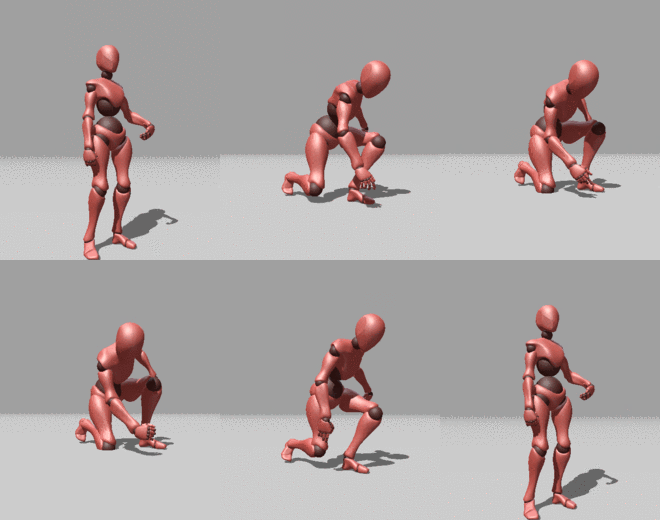
 rustic plume
Got it
rustic plume
im not the best with retargeting, but it sorta looks like the wrong bones are being used. check the retarget manager for the skeleton in question, may also help to see the bones of this mesh so you can see the joints and move them, seeing which ones affect what
i dont see the ik chain in the left model, was that intentionally omitted when importing?
i also dont see the twist bones that the ue4 manniquin uses
either of these could mess up the anim part, but i dont know for sure if they actually do - try checking the joints of the anim asset
misty dagger
Hey Conrad do you have a single attack function and do all your logic inside of it?
misty dagger
Yeah that is what I do, but I have a function for kick and for punch. I couldn't figure out how to pass the key pressed into the function. Or at least, I couldn't find a variable type to match a keystroke
rustic plume
Call the function via input event? Am i misunderstanding?
All attacks are montages so that can be a function input
misty dagger
On the input pin inside the function, you specify a pin type. I couldn't find one for passing in the 'key' object from the input event
rustic plume
You dont need to
At least thats not what i do
Its just input event > attack function
misty dagger
Then how do you specify which key was pressed inside the function?
rustic plume
For what reason?
misty dagger
So you know which key was pressed. If you use the same function for all attacks and animations, and you just pass it directly from the input how does the function and or logic known which Montage to play?
Or wait do you pass the montage into the function too?
misty dagger
Ah, I misunderstood what you were doing. I thought you were calling the function directly and providing the montages in an array inside the function
misty dagger
So how do your combos work? Wouldn't you need to know which buttons were pressed in sequence to pass the montage? Or do you do that pre attack function too?
rustic plume
I only count the combo and reset on fail so it is tied to the array order
You may want something different though
So i do not care about sequences like in ur typical fighter
Ive never made that kind either but i would guess you need something to track the inputs
misty dagger
Oooh, I think I see what you are doing. Each attack is assigned an int value, and when a button is pressed you store it, plus add any additional values up, and pass that value into a get array to get the matching montage then pass that. If you fail it just resets?
rustic plume
That sounds about right
It is based on one input though
Input events do output their key so you could somehow count which input gets pressed
misty dagger
Yeah that's the thing I couldn't figure out. How to pass that into the function. I thought all your logic was in the attack function but it sounds like you have pre function logic to determine what montage to use.
rustic plume
Its just an array get which plugs into the sttack function
Inside that function it also counts the combo
misty dagger
Hmm I guess I am not understanding how that logically works and how it knows the difference between kicks, punches, high, low etc just by the montage being passed in. You can't track inputs inside of a function can you?
rustic plume
Come to think of it thats probably another function that it is calling
Well my lmb is on kind of attack
What u are doing, as ive mentioned several times, requires input logic for your needs
I have these systems but that does not mean they arr universal
misty dagger
Do you have a different attack function for each type of attack? It sounds like you are using one global function, which I don't understand how is possible if you aren't providing which input/key is being pressed into the function. No, I'm not trying to replicate yours, I'm trying to understand how yours is built because it doesn't seem logical the way I am thinking it's built.
rustic plume
Lol no it dont but thats how mine is 🤪
misty dagger
Yeah I guess I just don't understand it. All of my attacks do different amounts of damage etc so I'm building my button pressed logic differently and passing what is needed to the attack function which handles the animation and damage dealt.
I did end up changing it to be character side though instead of animbp side so thanks for that suggestion
rustic plume
I have a parallel array for damages
misty dagger
Thanks for the tips. It'll be nice to have everything in a single place (on the character), and clean up the nasty animbp
 bright skiff
Apologies a newbie question here , in my project on the animations screen the mannequin is not moving upwards vertically on the jump in the preview. Where can I fix this ?

 sonic sparrow
Has anyone used Blender and Uefy for animation editing? For some reason when trying to get my armature to match the pose of my animation source, it just twists my UE4 mannequin armature in odd places and does not match the animation source pose.
tropic basin
@bright skiffif it's the default animation it's an in place animation
bright skiff
tropic basin
<@813601929708044308>if it's the default animation it's an in place animation
Imported animation, I got it working somehow which is good, however I'm trying to create a jump start animation by removing frames halfway through the jump. It keeps adding frames on at the end moving character back into start position. Must be a setting somewhere causing this 🤔
bright skiff
Some kind of auto loop option that I need to turn off somehow ?
 true night
I'm trying to animate part of a skeletal mesh, but I have no idea what I'm doing. Can anyone help?
 dawn yarrow
Hey guys, we have a weird bug with skelmesh merging - left limb (only left) gets stretched randomly, without any system to it. All skins and rigs are perfect, the stretch doesn't show when the merged mesh is in refpose, only when animated. Did someone encounter the same problem?
 ashen junco
 simple star
Is it possible to share animation blueprints at all?
simple star
Is it possible to share animation blueprints at all?
If it's different skeletons (not to be confused with skelmeshes), no.
 thorny meadow
Hello everyone!
Could someone put me in right direction. How default ALS v4 anim blueprint activate this blending by curve (see image)? I have made retarget ALS character to my custom character, then I have configured bone names in layer blending graph. I know that these alpha blend values get from curves in overlay state animations, and they configured the same as ALS, but the layer curve values are always 0. Maybe someone faced with this issue and know how to solve it. Btw, UE 4.24. Please help.
 ashen junco
thorny meadow
Hello everyone!
Could someone put me in right direction. How default ALS v4 ani...
ashen junco
thorny meadow
Hello everyone!
Could someone put me in right direction. How default ALS v4 ani...
If you're retargeting ALS animBP, it's much safer to duplicate the base ALS mannequin skeleton, assign your skelmesh to it, and retarget all the anims to the duplicate skeleton.
thorny meadow
ashen junco
If you're retargeting ALS animBP, it's much safer to duplicate the base ALS mann...
The retarget was done by right-clicking on the anime blueprint, which took both the skeleton and the animations.
But it's not the retargeting that's the issue, it's the blending by curve, which is what I asked in my question.
ashen junco
Shit, dismantling ALS again for crosschecking, here we go again...
thorny meadow
ashen junco
Shit, dismantling ALS again for crosschecking, here we go again...
Any chance you can help? 🙂
ashen junco
I don't think that's possible, unless both the skeleton have similar hierarchy, you might have success assigning your second skelmesh into the first skeleton
ashen junco
thorny meadow
Any chance you can help? 🙂
30%, not guaranteed. I had enough head banging attempting to dismantle ALS anim BP and making PROPER documentation without quitting every so often.
ashen junco
thorny meadow
Any chance you can help? 🙂
In the meantime, let me go through hell again for free.
TBH, ALS looked good on the surface, who can resist.