#animation

1 messages ยท Page 147 of 1

harsh garden
#
  1. Go into the construction script, find the node called: " set master pose component " add all the extra components to the target pin. An important node ONLY the mesh inherited should be the one having an ABP. This set master pose component would pass that animation information to the components.

Is this maybe what you meant? I can connect eg arms and chests and so?

I think this part is a little trickier, so I will wait for your tutorial ๐Ÿ˜„

harsh garden
#

If you dont mind @cinder linden, I'd like to add some wishes to your upcoming video:

  • explain the character blueprint, both construction script and event graph.
  • a simple walktrhough, this does this, this does that etc.

I am more interested in learning, so that I can help myself, instead of someone just showing me a > b.

proud fossil
#

Hey everyone.

does anybody know a method to disable movement of a vehicle entirely ? i know there is disable movement for character movement component. but i want the same for a vehicle. i dont want the vehicle to move even if a player jumps on (or collides in any way)

cinder linden
#

@harsh garden absolutely that's why I explained what the node does so that you can use it in future projects. the hierarchy of the components looks correct, are all the pieces animating ? also try the jump and roll animation to see if it breaks that should give you a good test of whether or not it works

harsh garden
#

They all seem to work
Yet, I dont fully understand the socket principle, and I would like to see that in your video too ๐Ÿ˜‰

cinder linden
#

Sockets are for attaching other props like guns and so on. In here what we are trying to achieve is that they all move with the Parent(Inherited mesh) if they didn't had this relationship when you crouch with ALT the head would move separately from the body. I encourage you to test this for a better understanding

#

@harsh garden

proud fossil
#

anyways... i think i have it... disabling physics on the mesh itself seams to do the trick

obtuse idol
naive garden
#

Hey there, I have a question regarding skeletal mesh poses. I have a cable, which is basically a long cylinder with bones, so it can have realistic bone physics. Now, I want the cable to be rolled up, like a extension cord on a spindle. I thought I could maybe use a pose, but I'm not sure how I'd implement that

#

I basically need an asset where I can manually set the transform of certain bones. Then later I'd need to recall the transforms from that asset

fresh wave
#

I'm getting some visual glitches with my animations.

#

Not really sure what is causing them.

#

When the character turns, there's sometimes this weird blip

#

Anybody have an idea as to where I should look?

timber star
#

hi
trying retargeting animation on my character i got a result like this:

#

Wich is good but not enougth cause the base anim looks like this

#

When i change translation retageting property arms get better position but mesh is totally deform and unusable

#

anyone see what can be done to solved this?

#

or where can be the mistake?

sinful nest
#

@timber star looks like a skinning problem

timber star
#

@sinful nest really?

#

i can t see where can be this problem cause i duplicate weight from left side to right side and results are differents from left to right so how can it be a skinning problem?

sinful nest
#

The left shoulder/upperarm looks like a skinning problem to me. I would verify in Maya or Blender that your skinning weights are correct. You right arm looks like its your Upperarm twist joint causing problems or "translation Retargeting" needs to be configured within your skeleton tree under "Show Retargeting Options"

#

@timber star

#

You could combine it outside of UE4. You could also break out the invidual skeletons in UE4 and use "Set Master Pose" Where the animation for Face is the primary controling your mesh face

#

Look into Set Master Pose @misty dagger

timber star
#

@sinful nest ok i will go to see that right now

misty dagger
#

@sinful nest Thanks bro

timber star
#

@sinful nest

#

after looking each weight

#

one by one i cant see something causing this issue

#

both side looks the same each time

#

@sinful nest

weary yoke
#

Hi! I am looking for animator/programmer for one steering wheel animation. I am stuck on it for a long time. Explaining it here could waste a lot of channel space. If there is a someone who has a free time to help me, just mention/send message via private. Glad for any help

cold ridge
#

Ahem... His animation loops glitch out when added to a blend space ๐Ÿ‘†

hardy tangle
#

I'm trying to make an equip system. I have a 1 frame animation of the hand holding the tool. How would I add this to my game? Like on tool equipped, how would I have that animation play and then on unequip, how would I have it return to normal?

misty dagger
#

Hi, I have a quick question

I just completed my character rigging process. I have rigged character. I want to add some clothes to this character but I want to put these clothes into physics. I will
use Marvelous Designer to create cloth meshes. I need a robust workflow for put these clothes on my character with physics. Any advices

misty dagger
#

Hey all, I have a question about using Animation Montages.

I'm wondering how I should use it and the best practices for it. Specifically, I'm wondering if for things like shooting a gun, reloading it, etc, should be put inside a single Animation Montage, or should I create an Anim Montage for reload, another for shoot, etc?

Thanks.

sinful nest
#

@misty dagger Hey, there are a couple ways of doing it. Depending on the complexity of the clothing could drive different methods. If you have swappable clothes, you would bind the clothes to the same skeleton as your mesh. You could then copy the skinning weights from your mesh, and then adjust them where needed. E.g. If its a trench coat everything from pelvis down would be weighted 100% to the pelvis. You would then need to use the "Clothing" tab under skeletal mesh to define the clothing physics and properties. You would then use the Primary Skeletal meshes "Physics Asset" to define how the clothing ineracts with the character. Last you would use "Set Master Pose" to sync the trench coat with your mesh.

timber star
#

@sinful nest

#

do you see any other thing that can be the source of my issue?

#

cause i really don t see what s can be an error in my current weight paint

#

tell me if you want some screens

sinful nest
#

@timber star sorry no, without looking at the project and the asset its difficult to troubleshoot

#

I cant unfortunately. Good luck to you, and sorry I wasnt able to help

timber star
#

ok

spark creek
#

Hey guys, I'm working on trying to retarget some animations and I'm having issues with the neck. The animation seems to play fine, just for whatever reason the chars neck is getting stretched out like this https://imgur.com/a/PVH4sLT

icy valley
#

(both IK and a mid state would fix it, but im looking for another way)

#

Either with additives or something else

dawn rose
#

hi, this may be a very basic question but how can i make an animation to start play from the begining in my animBlueprint ? for example i have an animation where my character plays with his sword and right when he is finishing i want my dialog animation (speak) to start playing, by now what i have is the blending by an alpha but i need to be able to play the second annimation when the alpha is greater than .5

strong needle
#

Hello In a bit of a pickle: I have my fully animated character in my game and I am trying to add modular armor, I have used sockets so far and everything has worked fine but when trying to add gloves I have hit a bit of a stag. Obviously I cant attach the gloves and leave as is as it would be unsynced with fingers so would their be any way that I could map the animations of only say the hands to the gloves. Or dynamically replace the hand with the gloves or smth. Any help much appreciated, Thanks!

#

I found out that you can use the uefy blender plugin to get hand rig same as epic mannequin but still not sure how you take animation data from skelatons anim and pass to hands

azure roost
#

Can anybody tell me what kind of constraints I can use for import in Unreal?
Gotta do a mechanical rig in 3ds max, using stuff like position constraint ot look at constraint or HiIK...

naive garden
#

Hey there, I have a question regarding skeletal mesh poses. I have a cable, which is basically a long cylinder with bones, so it can have realistic bone physics. Now, I want the cable to be rolled up, like a extension cord on a spindle. I thought I could maybe use a pose, but I'm not sure how I'd implement that

#

I basically need an asset where I can manually set the transform of certain bones. Then later I'd need to recall the transforms from that asset
I created a "pose asset", but I can't seem to use that

misty dagger
#

I wondering about is Last of Us 2 using root motion or code driven. Any idea?

devout dagger
#

Is 4.26 FBIK performance taxing ? (thinking about using it on higher end mobile)

cinder linden
harsh garden
#

yay!

thank you ๐Ÿ™‚

#

I am watching another video, will jump to yours once done

weary yoke
misty dagger
#

Hi, I added a float track to an animation curve, is there a way to make it nonlinear like you are able to smooth out curves in blueprint timelines?

rough trout
#

Hi! I'm trying to assign the Close Combat: Swordsman skeleton to the Gothic Knight model from the latest Epic Mega Grant, but something really strange happens when I do that. In the blueprint editor it looks fine, and behaves like expected. However, when I actually go in-game in the demo scene the player's model is all messed up and seems to mix the UE4 default mannequin with the Gothic Knight in some bizarre amalgamation. Does anyone know how to fix this?

hardy tangle
#

Hey guys, I've got a pickaxe swing animation montage. This is what the animation looks like in game. I've setup the right arm to be blended but I want pretty much anything waist up exluding the left arm to be affected by the animation

#

This is the animation in the anim montage, as you can see in this one, the hand is facing forward and the animation is much slower which I want. How would I get this to work?

floral vortex
#

So doing animation on my character, and i set the blendspaces and max speed to 500, walk is 250, and idle 0, when i play in game it will only do idle and sprint, it skips the walk even with a sprint system set up, for sprint 500 and walk 250, what am i doing wrong

weary yoke
#

Hi! Is the way to set starting amount of animation's frame index?

#

If I want to start for example at 10th frame

#

Control frames etc.

next pine
#

@weary yoke - Yes, kind of.

Generally, UE4 handles animation timing, not as frames but as seconds. In both the graph and the Montage functions, you should have a 'start position' value, which lets you change when an animation starts.

#

That value takes a float in seconds in how far forward the animation should start playing.

#

If you divide your frame offset by your frame-rate, you should get the value you want to plug in there.

weary yoke
#

Yes I am asking cause I have a following problem

#

my animations are weirdly looping

#

between the states

#

here?

next pine
#

Yes.

#

Though for something like controlling the wheel, you may be better off using a time controlled animation.

#

If you right click on a sequence in your graph and select 'single frame animation' you can convert a normal sequence player into a time controlled animation.

#

Where you can set what time plays directly.

#

So you could have a value that increases as the character turns right, and decreases as they turn left.

weary yoke
#

here i have a state graph

next pine
#

Yeah, personally I wouldn't do it that way.

weary yoke
#

this is my first time with animations

#

so I am a dummy

#

simple language please haha

strong needle
#

This is my animation blendspace, it takes direction and speed and plays coresponding animation. Though however for some reason while walking backwards or left or right it shutters a ton idk why. Been messing around with some setting though I only made it worse. I am really having a tough time with this so If anyone has any ideas they are much appreciated.

#

One of my friends helped me out w/ it and fix works great, if u have same problem u can uncheck orient to movement in character movement component and then go in to anim bp and then mess around with anim mapping. Made all my animations far more smooth in general

tall hollow
#

What's the proper way of exporting the Mannequin along with the skeleton to 3D programs such as 3Ds max?

woven wren
#

I'm working on blendspaces right now and I need your help. I have a blendspace for walking/running and I just finished the blendspace for crouching. I want to play a Standing > Crouching transition animation before activating the Crouch Blendspace. How do I do that? I'm totally new to this and this is the first time I'm doing all the blendspaces and blueprints by my self...

strong needle
#

you put a state in the middle that plays the transtion

next pine
#

@tall hollow - Right click on the manniken skeletal mesh, go Asset Actions -> Export

#

You'll get an FBX file with the mesh and the skeleton you can import to Max.

strong needle
#

then in the condition between the stand and the crouch

#

you put a float less then float and into it you put time remaining ratio(animation)- set the other float to 0.1

#

this checks how much time is left on the last played animation so if time less the 0.1 it will return ture go to next state

#

you can see this done in the jump sequence in the third person character anim blueprint

tall hollow
next pine
#

Hmm, not sure? Try it both ways and see which works best for you.

tall hollow
#

tbh neither, while it does give me the bones some of them look whacky also the Mannequin has LOD which is what I didn't expect to get.

#

I did find one vid tutorial on youtube and it's based on what you said but there needs to be more information.

opal jackal
#

Anyone know how I could make my weapon not reset the rotation on the weapon when finishing shooting and going back to idle? Do I have to separate the skeleton in Maya then animate the weapon separately?

remote elm
#

@opal jackal using a anim montage you can uncheck this and it shouldnt reset and hopefully give the result you want

opal jackal
#

@remote elm Thanks. That makes it work for the first shot but then it tries to rotate backwards instead of forwards again for the second shot

remote elm
#

it should snap back and play the rotation again if thats disabled i believe and it should snap so quick that you wouldnt be able to recognize it

opal jackal
#

It works for the first shot

remote elm
#

hmm, the only thing i can think of for using a single animation would be to create a blend space 1D and have an animation that goes all the way around for the cylinder and each time you shoot it increases the value by X (figure out how much the value needs to increase for a single rotation (one chamber to the next on the cylinder)), then when it reaches its max value it resets. just a thought

opal jackal
#

Yea I was hoping to not have to do that lol. By changing the blend in and blend out to 0 It looks perfect, but if I try to cancel the fire anim such as sprinting or jumping, it has to wait until the shoot animation is finished until it plays the sprint or jump anim.

#

If I uncheck the "Enable Auto Blend Out" I can't ever go back to my walk and run anims. I'm just stuck at the end of the shoot anim

remote elm
#

ah derp i forgot about that. im not quite sure, if you do fix it can you let me know how, im curious

opal jackal
#

Yea I will. I'm not sure how I'm going to fix it but I need to learn because I have revolver pistols that will require the same fix

remote elm
#

thats what im curious about

dim stump
#

hello!

is here any way to play two different ABP anim grap's in sync?

#

I copied same blend nodes to second ABP, replaced animations, but they're not in sync ๐Ÿ˜ฆ

worn marlin
#

Hi can I bake soft body physics and collision in blender and send it to unreal without adding bones or armature? Most tutorials like the breast and other jelly stuff tries to place in a bone or armature. Thank you

harsh garden
#

@harsh garden as promised ๐Ÿ™‚ https://youtu.be/7mIcaO8BAOo
@cinder linden

thank you very much again, I watch it through and I got some questions.
I'll ask them in one go

why did you use the Locomotion (which I have in my library but know nothing about)?
Does it provide better character animation?

In the female mannequin, the **head **was the top-component in the hiearchy
Is that because how the female mannequin is made, or is this general practice in Unreal?

In the female mannequin blueprint, the subcomponents under Mesh component have the same Anim classes defined, yet in your video you showed (and proved) that this is not how you did in your video. Although, the components are connected to Target in the Construction script, so maybe what I just said about Anim Class doesnt matter?

a bit off-topic
What tool do you use to switch windows from the left side of the screen? ๐Ÿ˜„

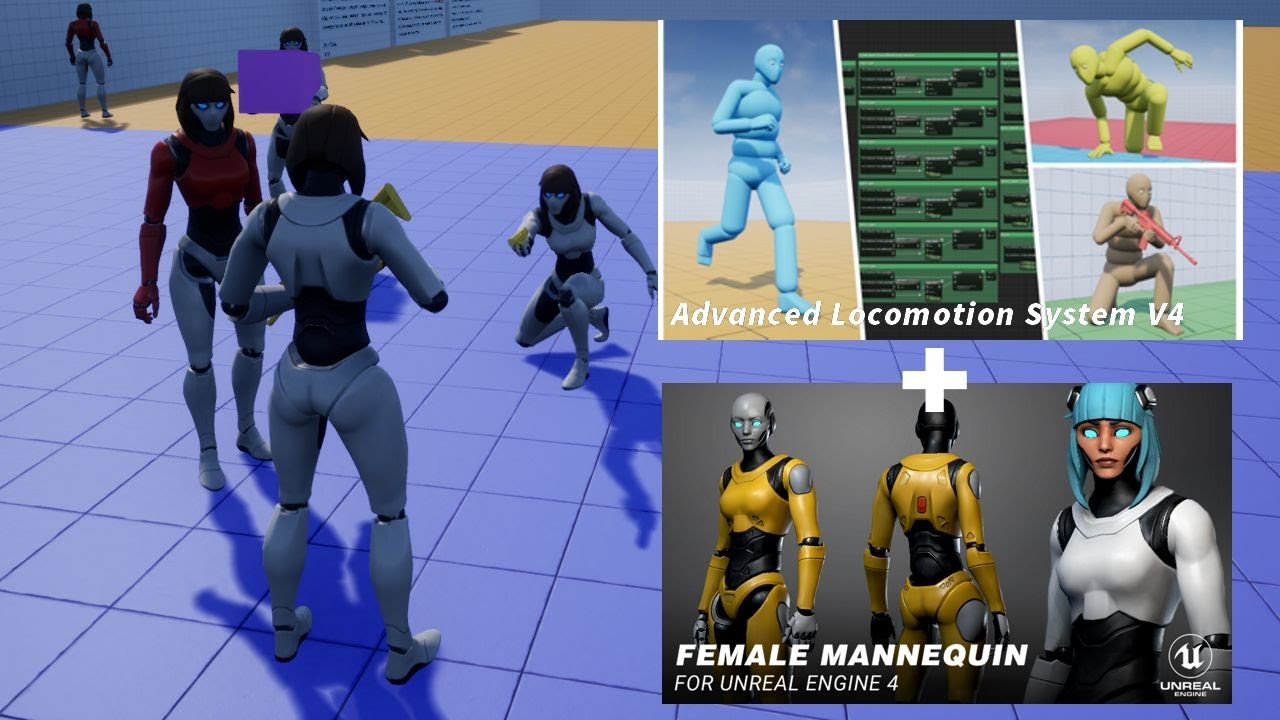
In this video we would see how to integrate the Advanced locomotion system V4 with the Female mannequin character.

Virtual bones spread sheet: https://docs.google.com/spreadsheets/d/1nB7aaLLRTD-KEl-OyuqclOScVzA6zrZuUWHRMmwXXdw/edit#gid=0

Working with Modular Characters Workf...

โ–ถ Play video
tall hollow
#

can I work this with 3Ds max?

frozen wing
#

Does anyone know why a vertex group that a bone controls would be rotated 90 degrees in unreal after exporting from Blender

#

only in imported animations

#

the actual mesh's parts are fine

#

for some reason it only does it to certain bones

river isle
#

hi there. When I m looking floor, character stopping to movement. What could be the problem?

#

ok I solved the problem

#

I remove the pitch component from the forward/backwards movement.

cinder linden
#

@harsh garden

  1. the locomotion has a really nice animated ABP camera that makes it smoother than other cameras. It also provides lots of functionality such as ragdoll hand and leg ik and so on. It a really nice package but not a beginner friendly one that's for sure.

  2. If you have a character that is just one mesh you can just select it and replace it on the mesh inherited, if however you have a modular character you could start anywhere ( I think ) but the one driving the animation should be the one that has the children attached.

  3. I think this might have been simply a mistake on the developer part, because he is also using the set master pose component in the construction script. The best way would be to package the project and see if it works one way or the other, which I'll try tomorrow, remind me if I don't reply.

  4. This is build on windows 10 and earlier builds I believe as well, Windows Key (it should be located between left ctrl and left alt) + one of the directional arrows.

Hope that helps

astral eagle
#

Hello, I'm a programmer with little to no exp in Animation with some questions to someone that have knowledge in animation for games

  1. What way of doing animations do you prefer/use (by hand, motion capture or other)
  2. What software do you guys use (Maya, 3dmax, houdini, iclone, etc)

Thanks for any answers they do help a lot ๐Ÿ™‚

light halo
#

Hey I hope I dont disturb your question: Im new to animations in Unreal as well and am playing around a little with the camera rig system with the level sequence editor. Is there a nice and smooth way to have an attached object switch between rails? Alternatively is there a way to make a nice msooth transition between an object being attached/grabbed by a rig and it being in my scene freely?

alpine kernel
#

Hi here! Does anybody knows why I cannot pick any meshes in 3dsmax using the static morph target script? Thanks

#

(3dsmax 2020)

midnight thorn
#

anyone have a suggestion on how to stop all animations when Ai is dead?

keen musk
#

Hi can someone explain me some root motion stuff, it work with the third person character that comes with the engine or i have to make a new movement control?

midnight thorn
#

No it should work with the character provided with unreal engine

#

you just have to set it in each animation manually there is a check box in each animation

late briar
prime hemlock
dark pawn
#

seems like when the animation in one bone goes from rotation a to b it interpolates the wrong direction

simple shuttle
#
dapper terrace
#
dark pawn
#

@simple shuttle thanks but this did nothing u.u

misty dagger
#

Is a good idea to add a pair of legs in to my first person model to make it more realistic?

opal jackal
#

@misty dagger A lot of games do it nowadays, people seem to like it.

#

So I have some first person weapons animated in Maya but the magazine is rigged and animated outside the hierarchy of the base weapon. Should I keep it a separate skeletal mesh or should I add it to the skeletal hierarchy of the base weapon skeleton in Maya?

dire birch
#

Hello, Everyone, don't know if that is correct section for the questions, however maybe some one of you was facing such issue in the past and know work around in ue4 , currently making a rig for the UE4 , and the main headaik is the belt which should be rigged by dinamic joints, i mean that lower belt can have one connection to the main root bone but i cannot connect secondary bone to the root obviously so in general i am always using pont constrains for other application but this is ureal and rig should be dynamic and be driven by main UE4 skeleton. So i was thinking how to achieve it or maybe unreal can handle for example multiple rigs driven, or how to achieve it in order to have such effect. as you can see small rope in the right it is not the problem as only the part of the bones will be dynamic. So if someone know how to achieve it please let me know. thank you in advance!

noble nacelle
#

I'm trying to animate VR hands, and I'm not sure how to allow the two hands to animate independently of each other

#

for example: if I have the trigger pressed on one controller, it is easy to make it play an animation for the entire skeleton, but I am not sure how to make it only apply to the bones of that specific hand

#

this is with an IK rig as well btw

noble nacelle
#

I made a really sketchy solution by just setting conditions for a right hand only, left hand only, and both hands animation to play

#

doesn't allow for unique animations for each hand, and it has a little bit of a blending issue when switching, but it works

#

if someone has a better solution @ me

hushed granite
#

so, fingers for manny control rig setup?

#

do I have to roll my own? my attempts with aim node is still janky

#

can anyone share something I cna use for basic finger posing?

hot dove
#

Can I apply an additive animation conditionally?

cinder linden
#

Hey guys I'm looking for a nice software to do facial animations. So far I know about these two : dynamixyz and iclone 7

#

is there any you guys recommend? and have you guys had any experience with the ones I mentioned ?

harsh garden
#

@cinder linden

Thanks for being a good teacher ๐Ÿ˜Ž

cinder linden
#

my pleasure ๐Ÿ™‚

dark jetty
#

Hello and good weekend to all. I have a little question, kinda running into a wall. Creating a little character controller and actually was able to hook up Mixamo animations with an CC3 Rig.

#

so far, T-Pose on character looks good.

#

But somehow on idle anims and others, the retargeting fugged up a little.

#

Any idea how to fix this issue or knowing some tutorial sources covering the fixing of deformation problems without the need to retarget everything again?

#

Rest is working fine, just the Hand-bones seems out of place

weary yoke
#

Hello! Is someone a owner of basic defense animation for skeletal mesh and could share it?

#

I am looking only for basic animation (test purposes)

#

(blocking a hit for example)

stable chasm
#

This has probably been asked a million times already, but I couldn't find a good answer with a search:

I'm an absolute beginner with animation/rigging/skinning (I have a vague idea of what those mean), but I have a basic understanding of blender. Does anyone know of any basic tutorial series for how to import an existing animation from UE4 to blender 2.8, editing the animation, and exporting back to UE4? To start, I basically just want to edit the mannequin idle animation to move one arm around. I've seen a few videos related to this, but blender changed so much in 2.8 that a lot of the info seems to be irrelevant. They also mostly seem to assume I know about rigging and animation plugins already...

hushed granite
#

so nobody has anything to say about finger setup for control rig?

young oxide
#

Ya, I'm seeing it

#

Do you attach the weapon to a bone?

#

Or at least a socket

rocky brook
#

yeah

young oxide
#

Might be useful if you can scale up/down to children, though I need to remember the formula I used

#

I think it was something like 2 * MAX(weight1, weight2) - 1

rocky brook
#

What will that do? The scale of the weapon is fine, I'm just not sure what to do with the weapon between the transition

young oxide
#

Yeah, this is making it look rather awkward without any specific animations for that

#

Maybe try a standard animation for putting a weapon back, should be possible to do even from within the editor

rocky brook
#

Okay, so it's just an asset problem? I couldn't think of any other creative ways to make it work

young oxide
#

Yeah, you just need an asset to fill that spot in

#

Unless you just remove any transition altogether, but maybe that doesn't fit with the design with your game

rocky brook
#

Right yeah originally I was just switching an anim sequence with no blending or anything but it looked pretty jarring

#

So I converted to playing anim montages with blending

young oxide
#

I've been able to create animations from within the editor, tedious for sure, but gets the job done

rocky brook
#

hmm okay interesting. For this use case would you prefer anim sequences with state machine or anim montages?

#

The use case of switching between looping gun poses like this

young oxide
#

I tend to use anim montages when possible

#

Though I don't have switching weapons

rocky brook
#

okay cool, I like montages as well. Just wanted to make sure I wasn't shooting myself in the foot atm

young oxide
#

I mean, depends on how you want to push your game

#

This is as much design choice as it is animation

#

Maybe the game becomes more fun if it has instant switch like Painkiller or Quake

rocky brook
#

yeah we have essentially instant switch in game. This is just a lobby scene so it's not a gameplay design choice it's just an artistic design

young oxide
#

Usually 0.2 is a good time for making very quick blends

rocky brook
#

yeah that's exactly what I'm using in that video

young oxide
#

And scaling the weapon might be something that makes it look nicer

rocky brook
#

What do you personally think about the look of the hiding/reshowing?

young oxide
#

Too sudden

rocky brook
#

yeah agreed

young oxide
#

I don't remember which game had such quick swaps, but it scaled the weapon and it looked somewhat more realistic

#

Or at least less sudden

rocky brook
#

Interesting, yeah it's hard to imagine how it will look

young oxide
#

Just add a curve in your animation on scaling the socket

#

Though depends on your implementation I'd say

#

Would you mind sending some screenshots on how you do the blend?

#

Unless you already have an idea

rocky brook
#

It's just simple linear in the montage atm

young oxide
#

Ah, you use montage for the idle anims?

rocky brook
#

I am currently yeah

young oxide
#

Interesting

rocky brook
#

Previous implementation was using an anim sequence that I swapped out and had no blending

young oxide
#

It still gets an animation right

rocky brook
#

yeah I was looking at that as an option. But I want to be able to dynamically change the pose it uses for each gun and that way felt pretty static. I guess I could create a variable for each pin and switch out that variable

young oxide
#

In your case, you can have an enum for the different weapon types

#

Like rifle, pistol, melee, etc

#

And then just add this node into an upper body layer

#

I'm using Paragon assets so some of that was done for me already

rocky brook
#

yeah that makes sense. But I want to be able to switch out what animation it uses for rifle. So I have a list of possible ones and the player can assign which they want to use

young oxide
#

Yeah, that makes it tough

rocky brook
#

I mean it will still work. Just feels less flexible that way

young oxide
#

I guess it depends the most if you want to let mods happen

#

If not, add variations to the enum values

#

Rifle1, Rifle2, RifleAggressive, RifleCalm, etc

rocky brook
#

yeah, that's essentially why I went the anim montage route

#

Because the list is ever growing

young oxide
#

Ahhh

#

I'll have to look into how I can do that, my solution for the moment is offer players to change the anim BP altogether

rocky brook
#

ahh

#

I don't think Blend Poses is going to get me anything different tho correct?

#

It's really an animation asset issue

#

Or I can try to scale the weapon and see if I can get a better look that way like you said

young oxide
#

I think it'll make it easier to add more and standardize your anim BP

#

And once the enum is changed, trigger an additive montage that only changes the weapon curve

#

That way you won't have to edit each animation

rocky brook
#

ahh okay, I see

opal jackal
#

I have a first person weapon and I play 2 shoot animations. One is "aim down sights" shoot animation montage, and the other is an "idle shoot" montage. My issue is that if I'm aiming and shoot it plays the correct animation, but when I stop aiming, the aiming shooting montage has to finish playing before it lets me "un aim" and go back to idle. How can I keep playing the "aiming shoot" anim montage but blend back to idle at the same time?

misty dagger
#

I'm having a real PitA with a blender animation I made up, it has 2 main animations but for some reason one is not exporting properly. A band aid fix of mine was to make a small change to the mesh and then the second animation works on the second mesh, but in UE4 this means I will have to swap out skeletal meshes at runtime. I intend my game to have about 10+ players, do you think this mesh swap is able to be done in a way so as not to be noticed? The difference between the meshes is very slight.

warm island
#

I am using this set up for my third person char to blend top half and bottom half montage animations

#

I am having some trouble when an animation requires the entire pelvis to rotate

#

is there an easy workaround for it?

#

what happens is that the animation ends up with bottom half working fine but the top is aligned with it, making my character cast a spell sideways rather than straight

rigid mango
#

Hi! so I am trying to get my attack animations working with the 2.5D template. I have this working with the 3rd Person template but I'm not sure why my animations are not playin with the 2.5D template.

#

The sword does go to the hand and then back to the sheath but the animations don't play

rigid mango
#

managed to figure it out

opal jackal
#

how can you blend an ADS and a Hip shooting animation together while aiming/unaiming? (for example when quick scoping) By default my montage has to finish before it lets me aim/un-aim.

#

Do I have to use a blendspace to blend between the two?

#

You can see how my shotgun has to finish shooting before it can start aiming/un-aiming

misty dagger
#

I always use enums for upper body stuff and blend by enum. It will return a long list of enums in the AnimBp. Better than int because it allows for tweaking of blend times. Great when changing the FOV with a timeline and set the time equal to the blend time.

#

To which bone do you add virtual bones for IK feet? Root? Feet bones?

hushed granite
#

virtual bones to do what?

#

why not use the IK bones?

misty dagger
#

Iโ€™m using a very simple skeleton from a different character, with animations and all. There arenโ€™t any IK bones included, so I have to add virtual bones. Not sure where to add them, have tried to root, calf and foot. This seems to be a matter of attaching to the right bone, as well as location and rotation.

gleaming pier
#

Does anyone have any basic attack and dodge animations for the default UE4 character?

river briar
#

when downloading animation packs from mixamo there isn't an option for "in place", does anyone know if there anyway to make animation packs work, or if you can find the pack's individual animations somehow?

scarlet spade
#

Super random, but could someone with a bit more animation knowledge than me give me some insight into how this swinging system probably handles anims? I've got no clue, I can't tell if it's all handkeyed anims or if it's procedural

harsh garden
#

Anyone around who knows Maya and the process of exporting a character with its animation to Unreal?
I just need to export this, no need to remap the joints or anything

https://streamable.com/qjm4n9

But I have these issues & questions so far

  1. Three joints in the Maya rig have the same name, causeing Unreal to refuse to import.
    When I rename a joint in Maya, I get an error saying Cannot rename a read only node.

  2. Not sure that the export was right in the first place. I imported the FBX to 3dsMax, just to see if it went well. It didnt.
    In both cases below, I chosed Game Export

a. This is when I exported from the Model tab
https://streamable.com/o0gcoc

b. This is when I exported from the Animation Clips tab

trim badger
#

Can i somehow move parts on character ( like elbow, knee etc. ) to a point on animation of the same character with physics forces? If yes how could i do it? I am pretty new to UE and have been only using Unity for past year but now want to move to UE because of better graphics.

#

I am trying to make movement little bit like in hff, tabs battle royale and gang beasts but not as random.

misty dagger
#

Hello, I have a simple animation blend which I want to occur over time (state A > state B and back again according to a simple time function). I have a float variable in an animation blueprint which serves as the alpha to blend between the two animations. This is a simple NPC so not controlled by player. How do I control the float variable from outside the anim blueprint?

misty dagger
#

ah worked it out was just a dumb mistake

river briar
#

I'm setting up enemy melee attacks in my FPS game. I'm planning on attaching some sphere components to the enemy wrist bones, and then having an anim notify for left or right hands at a specific point in the punch animations, at which point I check whether the spheres are overlapping the player. I'm wondering if I should instead use a anim notify state instead and check over a period of time. anyone set something like this up before, got any tips?

static falcon
#

Anyone have a vaulting animation I could try?

#

Need one for testing

#

only 1 on Mixamo and it's not useful

strong needle
#

download the advanced locomotion pack in ue4 marketplace it is free, gives example of how to do vaulting

lilac oriole
#

Need some advice, how would i make this smoother, or implement this better? Currently using flying but it seems to have its issues.

trim field
#

can i use an anim notify to change a boolean inside the anim bp?

#

i have a begin jump animation that plays as soon as in air is true

#

it doesnt play all the way thru before going to mid air animation?

#

plus there is a part at the end i want to skip. wanted to use the notify for the boolean on the transition so i know it plays all the way through before transition

#

never mind i found it

#

have to create an event with the same name as the notify

#

thanks

lilac oriole
#

Nevermind! i managed to fix it, the problem was the linetrace kept hitting the wall re-initiating the animation until it stopped hitting the wall. which i fixed now with a gate~

wintry marten
#

how can I animate an object (in my case a sword) inside unreal?

strong needle
#

need some help how can I get anim blend poses by bool to start blending at start of animation, just trying to get smooth transition from last stage but want it to blend at start instead of when a variable changes to true, I feel like their should be a way to do this though dont have any ideas of how to go about it, any help much appreciated

#

I found that I can use Finterp to fix problem two issues howevor

#

i need to get delta time and it says the function get world delta seconds uses thread unsafe call is this even a problem and what else can I use to get delta seconds, can I just set it off event tick

#

also the Finterp keeps looping is their anyway that I can get it to get to target value than stop inside animation bp cant use any nodes with exec pins

zenith meadow
#

I'm having issues retargeting Mixamo animations to my Synty Studios Polygon skeleton. The retargeted animation is floating above the ground.

I can't seem to find a good solution to this. I could probably set the import translation to some negative value for the source animations and reimport, but that doesn't seem like a clean fix and the values for getting the feet at ground-level varies a bit.

I feel like there must be some clean, easy solution. Probably something involving the Skeleton Tree -> Translation Retarget and Retarget Manager settings in either (or both) skeleton(s)? I just can't seem to find the right settings. If anyone has a solution to this issue, I'd love to hear it.

astral path
#

Hi, for the animbp if i want to use a struct to run my animations i see that some nodes can not be called when using the anim sequence variable set in the struct. below you see a image and the problem is the 'Time Remaining(ratio) node i can not access. i have the 'Get Relevant Anim Time Remaining' but i do not get the same behavior its stuttering. how would i best check between the animations or when the are les then?

#

struct driven

hushed granite
bold orbit
#

is it possible to animate colliders like this in Unreal Engine (e.g., UBoxComponents)?

#

It would facilitate ensuring the hitbox dimensions currently match the animation playing

lime coyote
#

Hi, I'm new to unreal engine and game-making in general and have tried to make a quick, very simple game to see how it works. I am currently stuck on 'activating' the animations I have on the model, when moving the model around in the actual game. I have an Idle to Run blendspace animation as to keep it as simple as possible, but I have no idea how to use the blueprints. Can anyone help with making the animations activate within the actual game?

bold orbit
#

Create an animation blueprint

#

then go to your character's blueprint editor, then I think you go to the mesh

#

and set animation asset to be that animation blueprint you made

#

0:56 - creation of animation blueprint
1:20 - creation of state machine in animation blueprint
8:56 - setting the animation asset of the mesh in the blueprint editor for your character

open grail
#

hey what would be a good approach rigging first person view weapons where the character has to pull the bolt with the right hand (so weapons socket cannot be right hand) especially if I am applying IK in UE4

proper sigil
#

Hello, can anyone please help with setting up root motion? I'm currently trying to have my character roll, and my animations have root motion setup, but whenever the animation plays, the character rolls in place, and the capsule like, wiggles forward and back, but the character is still in place and no movement has happened. I have setup my animBP to take 'root motion from everything,' my characterBP 'allows physics during anim root motion,' my animation has root motion enabled. I am so lost on what to do, I have tried using an animation montage in the characterBP, I have tried adding another state in the animgraph, yet nothing works and I have no idea why. Any help would be immensely appreciated

sly oriole
#

Need help with the animation

#

Everytime I setup my animation for my player character the animation is moving when i press w or any keys for my input

proper sigil
#

@sly oriole if you click on character blueprint, movement component (left of screen), then on details panel, is the player yaw checked? I believe if you donโ€™t turn it off the character runs in the same direction despite whatever key you press

sly oriole
#

The animation keeps on moving forward @proper sigil

slim panther
#

Hi, in 4.25 animation montage editor, if the montage's slot group name is different, when switch montage to another one, the pre-montage will aways playing in background!!! Is that a bug?

#

if montage contains a play sound notify, then the pre-montage playing sound in background. ๐Ÿ˜ฆ

fresh wave
#

My character has a IdleRun blendspace, but if the speed goes from 1200 to 0 immediatly e.g. with keyboard input, there's a little flicker with the animation, I assume because the bones try to readjust? Is there a way to add interpolation to this?

knotty hazel
#

can anyone know how to fix flickering ( like when i press movement key W S A D it's flickering ) i am stack for days now and tried everything i know ) if anyone come across this kind of problem and know how to solve please let me know.
thanks in advance.

Video and image is blow for your reference
if you need more details just let me know

exotic cipher
#

How to blend Montage with MSA?

#

Like once the Montage ends, blend it to MSA smoothly

harsh garden
#

I searched for "trajectory line", "action line" but found nothing

placid ermine
#

Hi Everybody.. since i am new here, i hope i am writing to the right place. I have a problem with my skeletal mesh. My goal would be to take a default daz genesis 8 character import it to maya and add a few extra bones. I done the whole skinning again. which should work fine. But when i am importing the .fbs to Unreal engine i got this error that my new bone only exist on the skeleton but not on the mesh. But if i am rotating the bones it distorting the mesh as well so the skinning must be right, but since the bone appear as inactive in the skeleton tree i cant add any collider shape to it in the physic asset editor. Does anybody have any suggestion or idea how could i fix this. Thanks in advance...

shell nexus
#

https://gyazo.com/ef71c32a551130263099c9d15992838a I get this short blending behavior/physics jump when the draw weapon animation montage finishes and I don't know why. Here's the anim bp:
https://gyazo.com/9eb2a71939923e80bcbeea37a93ba782
The moment the montage finishes, the Weapon Drawn bool gets set to true, and the starting anim in the Combat state machine has the same pose as the end frame of the draw montage, so it should be fluid. I set blending times to 0 as well ๐Ÿค”

#

anybody got a clue?

#

ok seems like the weapon drawn bool is set 1 frame too late. Always finding out the issues after asking lol

cloud drum
#

Does anyone know of any good face mocap system to use?

exotic cipher
#

@cloud drum For a free one I think there's one called Live Link Face on iOS

#

Idk if this is what u r lookin for or something alot better

wintry marten
#

why is my animation only playing in the editor?

cloud drum
#

sadly I dont have an IOS @exotic cipher

#

but that is pretty much what I am looking for

river isle
#

hey there. I setup a melee combat animations

#

with anim montage

#

everything works good except movements

#

when I start to attack it stop to moving

river isle
#

yeah I did it actually

#

same actully ๐Ÿ˜ฆ

#

Interesting, I do not change any properties about movement when attacking

misty dagger
#

Hi guys I have an animation in which an animal kind of lurches forward and contains root motion. The problem is, if I enable root motion it kind of messes up the animation due to a problem with bone weighting caused by the export. I am racking my brains and wondering if there is a clever solution, for instance involving translating the capsule component (it's a character blueprint containing a mesh) that can hide the 'snapping' back to the rest pose at the end of the animation so that the skeletal mesh also ends up centred on the capsule component like it is at the start.

gritty stream
#

im trying to get a gun into the hands of my character cant seem to loads up the skeletal mesh just aint showing when i look in content browser the ak is showing as static mesh not skeletal im assuming thats why i cannot find nor apply the mesh any idea how i sort this?

compact pebble
#

Hello there guys, need a advice. I need to make hair working (simulated with bones?) Or do through hair dynamics in ue4, but the hair is low poly (big pieces) not cards. Need some advice for this.

vestal oxide
#

@compact pebble I Dont Know๐Ÿ˜…

#

Every time my character is going to takr a step this hapends,how can i fix it?

atomic lance
#

Hello, does anybody know how performance consuming are physical animations? Right now I am considering having a lot of enemies (hundreds/thousands) animated via physical animation. Thanks

shell nexus
#

I copy pasted part of the anim graph, which included a caching of a pose. What happens internally here?

https://gyazo.com/b4f914c7cbc3e4760df6e6d528045294

I would guess one cache overwrites the other in an order that I have no control over, but anims in the game seem fine right now so I cant really tell

small pasture
#

The leg bone should touch the knee? It should be in the center of leg or in the knee? I'm not sure it's my first time rigging character.

frigid drum
#

a little bit to the front helps it find the correct rotation when working with IKs, so prefer doing it

small pasture
#

thanks

tall hollow
#

Hey guys there's a control rig project that you can download off from the marketplace.

#

to those who are already using this control rig project, is there a way I can export just the rig itself onto 3Ds Max?

#

or do I have to create my own splines to control parts of the body

small pasture
small pasture
fast bloom
#

hey everyone im kind of a newbie but im a bit confused, i enabled root motion on my animations and all of a sudden the character scales down when he's doing the animation, is there anything i can do to prevent that

sick coral
#

When i start to play, character location is changing. It is about animation, i gived an animation to begin play. How can i solve ?

lean tiger
#

Hey all, quick question, must be something super small that I'm missing but I can't find the answer. When I open the curve editor for my facial animations, I don't see the keyframes, thus it's impossible to select anything on the curve. How do I show the keyframes ?

broken epoch
#

I created a simple scene with basic stuff and had a long spotlight. I turned on volumetrics so the weird rotation is slightly more visible. I brought the light in the sequencer and keyframed its rotation from point A to point B. Sometimes it travels in a straight line but it curves around a lot of the times like in the video. I thought it might be animation tangents so I set them to linear and it still does it. The video has another example with a really long cylinder as well. You can see in the beginning the cylinder relatively travels in the straight line but sometimes the change gets exaggerated and it curves around like crazy. I just want things to go from point A to point B in a straight line.

frosty socket
#

hello

#

I read here that it can be possible

#

but i cant manage to get the name of my curve (which is the morph name )

#

anyon e?

tall knoll
#

is it possible to get FTransfom of a bone in AnimationInstance ?

#

I just want to rotate a bone around a point .

night halo
#

@frosty socket I'm not sure if this will help or not, but if you can get a copy of your AnimationInstance, the AnimationInstance has a "Get All Curve Names" function that will get you a list of your curve names associated with the skeletalmesh that's associated with that AnimInstance

frosty socket
#

Thank you very much @night halo , can I use this inside the control rig bp?

#

I mean, I know how to see my morphs curves in my Anim asset, and use it in bp in general, but in the control rig bp I don't know

mental ridge
#

In your opinion would you retarget a paragon skeletal mesh to the UE4 Skeleton or the everything to the paragon skeleton? the reason I am asking as some animations not meant for the paragon asset (phase) look different then when on the UE4 skeleton

night halo
#

@frosty socket Sorry I'd help if I could, but I haven't played with Control Rig BPs specifically yet.

night halo
#

Can anyone help me here? I'm using the Blender2UE Plugin and trying to export animations to UE4 from Blender. The animations won't export. I think it has to do with this setup on my NLA Editor. See how I have 2 rigs and one is empty? I am guessing that the rig that Doesn't have 2 animations on it is the one it's using for the export maybe? I only have 1 rig (and a metarig from rigify)... My TestAnim and WolfIdle anims just aren't showing up in UE4.

quaint rover
#

Hi. Anyone with Hair/groom experience? Ran into some weird issue for the first time ever. I have this groom as a child of a Mesh component in a BP player class. Clicking the "bind to skeletal mesh" sticks the hair to the character (top) but as soon as I switch character it unsticks (bottom).
It usually works with every character, I'm not sure why this one is not working. Skeleton is the same, naming too.
Thanks in advance.

limpid verge
#

Hello everyone I have a weird question maybe one of you wizards can help me. I have an NPC that I want to lipsync to read from a text file similar to Fallout/Outer Worlds NPC. Do anyone of you know how I would do this or any hint or where I can find a good tutorial?

cloud creek
#

Have anyone figured out a smart way to import collisions on SKMs?

chilly canopy
#

Hello, i'm trying to rig a character in blender but i can't find a comprehensive tutorial or documentation on how to make a rig in blender that's compatible with the UE4 skeleton without buying blender addons like uefy or autorig pro. Does anyone have tutorials i can follow to rig my character for ue4?

blazing parrot
#

For our german Buddies out there: A little Tutorial for Mixamo Animations (Convert them via Blender to ue4 mannequin-skeleton named rig) + retarget them on mister mannequin:
Edit: And make them to rootMotion anims.
https://youtu.be/moSqK7RsGp4

Hallo liebe Community und Kaulquappen da drauรŸen!
Heute mรถchte ich euch zeigen, wie man simpel die Mixamo Animations ohne viel Arbeit in der Unreal Engine 4 verwendet. Mitsamt Namen konvertierung. Das ganze machen wir mit Blender, aber keine Angst, ihr braucht kein Blender-Kno...

โ–ถ Play video
prime hemlock
prime hemlock
dull cradle
#

Any advice or plugins for animating mouths of characters based on audio speech?

woven pendant
#

How do I make my character use lower body for moving and upper playing different animations always?

vestal oxide
#

hi every one can some one help me with this problem ?The first image is my "original walk animation but when i import it in the second picture the legs rotates ,they are in the same time ,how can i fix this?

mental ridge
#

Creator of Cine Tracer Matt Workman, will join us on the next livestream to demonstrate his Blender to Unreal Engine workflow. As an artist familiar with traditional DCC tools, Matt will talk about his shift to Blender as well as tips and tricks he has learned in the process.
...

โ–ถ Play video
#

@chilly canopy The new updates to mr.manneqquin you can import custom meshes and use the rig I believe. its also free

chilly canopy
#

@mental ridge Isn't mr mannequinn's plugin for blender 15$?

mental ridge
#

@chilly canopy nope just go to github

hushed stratus
#

Does anyone can explain fabric node in detail in beginner point of view

#

Or point me to good tutorial

mental ridge
#

@chilly canopy or gumroad and just put 0

chilly canopy
#

I don't know how i didn't see that

#

Thanks, i appreciate it a lot @mental ridge

mental ridge
#

@chilly canopy No worries, good luck!

quick moth
#

How would I export a animation

#

It keeps popping up error messages

mental ridge
#

Does anyone know much about the Advance locomotion system? I am trying to learn from it and I understand part of it but I can't seem to find where he does the calculations for his character essentials such as velocity, is moving, acceleration etc.

mental ridge
#

Amazing Thanks! @misty dagger What is the point of having a base character like this?

#

okay that makes sense!

hushed granite
#

you can do that already without an interface

#

an interfacce can provide encapsulated abstraction where you need to pass same data to different classes or process it

mental ridge
#

@hushed granite so your saying to do the calculations within a interface?

#

instead of having a base character running many calculations

hushed granite
#

like maybe you have 2 floats in player bp but want to use vector in anim bp, otherwise could just have class var

#

something like that, point is I don't know of a valid reason if you want to send float from pawn to anim bp

#

can use a cast

mental ridge
#

ahhh I see what your getting at. ALS does use interfaces a lot to do exactly that but I haven't run across creating a child blueprint to run calculations

hushed granite
#

@opal heronkkis if you put ik in post process bp should work

sick coral
#

Hey

#

My animation starting on wrong way

#

I have to turn my animation 90 degrees

#

But how can i ?

#

Please help

hushed granite
#

reimport it with rotation transform offset

ripe coral
#

hey guys, i'm not sure how to search but please help, how can i make animations using my body (my actually doing the animations irl)

mental ridge
#

@ripe coral I have used this to some success but I would say it is the best option, https://getrad.co/

RADiCAL

RADiCAL detects and reconstructs human body motion in 3D from 2D consumer cameras for media, entertainment and AR/VR applications.

ripe coral
#

omg thank you guys!

mental ridge
#

@ripe coral its not free but its waaaayyy cheaper then any motion capture suit setup which costs thousands

hushed granite
#

would guess something with depth camera would give better results before getting into trackers

#

not used something like Kinect for while, so not sure where they're at

limpid verge
#

do any of you know a good way to lip sync characters that will read any txt file??

hushed granite
#

iClone can lipsync from txt loads of options for that, you'll need to look around

#

it'll still look a lot worse than just using an phone with good AR support

#

depends of model/style really

limpid verge
#

iclone hmm okay I will look into it

floral vortex
#

Ok so getting annoyed , So i have my character set up to idle, walk run, speed variable is set 0-500, so idle is 0 , walk 250, and run 500, i have max walk speed at 250 in the third person BP but it will only play the run animation wont go to walk, so idle to run, even though max speed is 250, walk speed is 250 in the blendspace and run is 500, what am i missing

drowsy vapor
#

What makes feet connect to the ground and make it so your character isnโ€™t floating on stairs

hexed sonnet
#

So I'm having trouble importing my animation from 3dsmax into unreal. In max I'm animating a Taper modifier and that isn't showing up when I export to unreal, can anyone help?

quick moth
#

Can someone help me

somber urchin
frigid drum
#

do what?

shadow sierra
#

@somber urchin this is ik ? and is called producent animation to by specific u using code to move object

  1. create array with name CurrentLimbsLocation is local space vector
  2. create array with name LastLimbsLocation last global Location
  3. create verbale with name MaxDistanceBeforeStep
    remeber to CurrentLimbsLocation transform to global
    on begin play save start Limbs location from CurrentLimbsLocation
    calculate distance between CurrentLimbsLocation and LastLimbsLocation if is greater than MaxDistanceBeforeStep do LastLimbsLocation equle CurrentLimbsLocation
#

and LastLimbsLocation is your ik target

somber urchin
#

@shadow sierra thanks I'll see if this works, btw yeah its IK

noble nacelle
somber urchin
#

I imagin it has something to do with converting the blend files to UE4, ther is usaly some wonkyness there

#

native blender suport would be amasing

timber star
#

By importing an animation i got a "bug" inside.
The right hand is deform but shouldn t be deform like that cause left hand isn t and use same rig and same keyframe anyone know where does this bug came from?
in red unexpected thing.
In green good thing.
Same mesh same hierarchy both side i can t understand the result.

noble nacelle
#

oh getting the animation to ue4 is not an issue, the blender 2 unreal addon is super handy

noble nacelle
#

I'm just working on an IK rig but the rotation of the forearm is not being affected by the rotation of the hand

fleet willow
#

I'm currently facing a weird bug.
There is a start animation for my enemy which will let him come from the ground.
When i play this animation the enemy will stay invinsible until he comes really close to me.
This doesn't happen with the other animations.
My guess is that it has something todo with the fact that he comes from under the ground with the spawn animation

#

Even more weird that i actually see him if i set the init animation rate to 0.1 or above

#

Hmm, it also seems like it gets fixed if i increase the Bounds Scale of the actor above 1.0

proven idol
#

Hi all, I need a prototype mesh/animation built for a demo Iโ€™m working on. Everything else I can use marketplace assets, but where would you all recommend finding an animator to hire to make this one specific mesh Iโ€™d need?

simple shuttle
#

how do you rotate a bone along the normal like this in animation blueprints?
@noble nacelle using transform bone, and change space to bonespace

red breach
#

I'm new to 3D and created a model with animations in Blender, but when I import it to UE4, the animations don't seem to work. Most other elements of the model imported without issue, but I can't work out why the animations seem to be entirely blank. Here's what my animation viewport looks like.

#

The model was exported from Blender as an .fbx, if that matters

scarlet nebula
#

So I want to do some combat animations for my game. Unfortunately I cant find any tutorials on this topic. Whats the best way do learn this and can I do this exclusively in unreal or do I have to do them in blender (which I never used before)?

red breach
#

@misty dagger The model appears at the correct size, so the animation should too. Even zooming in, no model is seen

#

I've discovered that enabling RootMotion shows the animation, but it's missing any movement controlled by the root/body of the skeleton.

fast bloom
somber urchin
#

how do you get Unreal to reconise Ik bones? or do you have to do that your self?

frigid drum
#

have to do yourself

somber urchin
#

how do you do that?

opal jackal
#

Is there a way to save an animation whos play rate has been changed? For example I changed my reload animation play rate to 2 instead of one in order to make it faster. But I can only get the length of that animation in blueprint as if it's set to a play rate of one. Can I somehow save that animation as a new animation?

young oxide
#

You can alternatively use a montage

#

That lets you have more control, including some sounds

young urchin
opal jackal
#

Yea it is a montage but I also have a variable called "Current Weapon Reload Speed" that I use for other things such as speeding up the reload when a player gets a powerup etc. Is there a way to export the animation at double speed from Maya?

olive trail
#

@noble nacelle, isn't the hierarchy of your bone structure setup in your animation and modeling app, so that the rig is affected from children to parents?

#

basically if it is afffected in the animation app, it's not setup correctly for UE4 in hieracrhy

umbral karma
#

yay got the animation for the rock done ๐Ÿ™‚

noble nacelle
#

@olive trail the bone hierarchy is fine, I just wasn't sure how to rotate along UE4's equivalent of the bone normal y axis

vague hawk
#

always wanted to do this and finally got around to it

#

are there even any games that animate the characters pupils?

#

seems like low hanging fruit for more believable characters

honest bobcat
#

@vague hawk Looks cool btw. Although I think the effect is a bit too much; that is, pupil shouldn't get that big.

vague hawk
#

thanks ๐Ÿ˜„

honest bobcat
#

Really weird guy for filming him self, tbh :p

vague hawk
#

haha thanks. Toned it down a bit

honest bobcat
#

@vague hawk btw, the pupil also dilates when we're seeing someone we love. You can add that too lol

vague hawk
#

Yes I was planning on it!

honest bobcat
#

But yeah the reason it's not added btw is most games don't focus on the face, let alone on the eyes. Specially not when the light intensity changes dramatically, which will cause the pupil to dilate

olive trail
#

Ah, sorry Mamba, i usually suspect an error in basic structure when something known isn't happening when it seems setup correctly, unless a bgi or gltich, not sure, could be more complicated

balmy ferry
#

Hi Guys! I have a problem with understading root motion in animation. What I know, is that if we have enable root motion, any movement from root in animation should change position in world. But it dosen't work. As you can see on gif, when I turn on root motion, the frame doesn't move. Why?:O

pallid granite
#

Hello! Does someone maybe know what the issue is with this asset. I'm working on a rigged book in Blender with the purpose to add in to a game in the Unreal Engine. But when I export as FBX only the cover of the book has its animation, the geometry of the pages is just static. When importing the fbx in UE4, the page meshes aren't visible at all.

Am I forgetting to enable a setting or could it be because the book cover, pages and page binding geometry are all separate objects and still have Lattice and Shrinkwrap modifiers which aren't applied?

umbral karma
#

@pallid granite check the faces you might have them facing the wrong why. if you can't see them in UE4 normals are pointed inside

#

@pallid granite in blender check the normals are pointed out there. see this pictures

pallid granite
#

@umbral karma Hello, thanks for the reply! The problem isn't the normals, as can be seen in the image, they are pointing in the right direction. I meant that literally, it seems that the mesh of the pages is not imported into UE4 at all.

I think it is because they are made with a Lattice and Shrinkwrap modifier and those modifiers are not applied yet, but if those modifiers do get applied then the animation breaks.

Is it possible to export a mesh with Lattice and Shrinkwrap information in the FBX or what would be a workaround for this?

cerulean heath
#

anyone know if i can hide controls in the control rig BP?

#

like a way to switch from FK to IK

strong flame
frosty socket
#

Hi
Anyone tried his ?
Do know how to show my morphs curves in the set curve value node, there is nothung for me (even if I have morphs on my character)
https://forums.unrealengine.com/development-discussion/animation/1769304-control-rigs-driving-morphs-with-controllers

misty dagger
#

anyone know why my particles won't work in the animation notifier?

#

I get a super weird bugged out error

open grail
#

does anyone know how the true fps vision stablization works in star citizen??

misty dagger
#

What is the most efficient and optimized way of doing soldier animations? One state machine for lower body and then weapons stuff on the layered blend per bone, or a different state machine for everything? The less stuff that goes into memory, the better, but fluid gameplay is more important.

fresh wave
#

I need some help with cloth simulation.

#

I've got these things, that are suspended in air.. seems like the ends are really stiff for some reason.

#

Anybody got an idea what's going on?

#

Thanks

severe jacinth
#

My animation editor is different with document.
( https://docs.unrealengine.com/en-US/Engine/Animation/Sequences/Editor/index.html )

  • Why different with document? Is this because version difference? : I checked and see. This is because version difference.)
  • What's that number 0 with red background in mine? : gaaahh. It was notify timing count...
  • What those green vertical line and red line at side mean?

Guide to using the Animation Editor to edit Animation Sequences and add animation notification events.

soft sierra
#

How do I set skeletal mesh pose from pose snapshot and set it to simulate the same frame ? I want to make corpse actor start simulating from last character pose right after player's death.

#

As I understand AnimInstance will only be updated next frame or somthing like that. So if I turn simulation on, it will start simulating skeletal mesh from ref pose.

dark pawn
#

Trying to repost this since I still haven't solved this issue. Maybe someone has any ideas? Tried hundred different import and export settings, nothing helps. Pleaaase Im losing my mind over this

somber urchin
#

anyone know why my mesh is tiny when its doing a animation?
sace was all set to 1 accros the board

rain nymph
#

Ey anyone using the Animation Sharing Plugin ? Is it possible to still use animation montages combined with the anim sharing plugin or everything needs to go throught the anim sharing plugin?

shell nexus
#

To anyone experienced here:
When retargeting animations that make use of props, such as an spear animation set that relies on a spear to be attached to the ik_hand_r bone, is it inevitable that hands and spear won't match up anymore if the proportions/character size is even slightly different than the source?

We have a woman character that is short than the mannequin, and while retargeting generally works, the hands and especially ik bones don't quite fit the spear anymore most of the time. Tried out all kinds of retargeting options, including those recommended in the docs.

Is this an unsolvable problem that requires some manual fixing in a 3D program or is it just a matter of clean retargeting settings?

round grotto
#

@dark pawn are you using the blender to unreal add-on?

dark pawn
#

@round grotto no just fbx export, would it work better with the addon or work at all with a rigify skeletal mesh?

#

you mean send2unreal right?

round grotto
#

yes try it with that and see if you it helps

dark pawn
#

@round grotto i will get to the unreal video about it tomorrow but it says "no skeleton found" when trying to export my rig with the mesh

round grotto
dark pawn
#

yes i did all this, but i just want to send it over to unreal not using any pre existing skeleton it states this

#

but i can get it to work once i have a skeleton in the engine already and reference it but I still get this flinching bones for some reason... it doesn't make sense x.x

#

these problems seem to occur when the rotation of a bone goes from "180" to "-180" which should stay as the same but makes a full 360* turn

simple shuttle
#

@dark pawn try to change rotation mode in blender, I think its gimbal lock issue

somber urchin
#

is there a easy way to set up IK?
most tutorials I find are using 3+ events graphs
my rig dosn't even realy have feet, just 4 legs with a 2 bone leg.
are there no simpler options?

simple shuttle
somber urchin
#

if only there was native suport for .blend files

somber urchin
#

how dose unreal know where the bone ends when making physics object but it dosn't keep track where it counts in animation?

eager smelt
#

Anyone knows what happened to the Blender to unreal add-on ? i keep trying to get it at github and the page seems to be broken

ripe torrent
#

does somebody knows why when i export my model from blender to unreal some parts of the geometry look wrong but some others doesnt, in blender it looks alright.

#

as well as the left arm

#

i dont understand why

#

i like you can see through the goemetry

simple shuttle
#

@ripe torrent the issue is backface culling, you can turn on backface culling on blender

#

to fix that, go to edit mode and > select all face > mesh > normal > recalculate outside or inside

#

hope that hepls

ripe torrent
#

@simple shuttle Legend Thx for the help, i pretty new at blender tbh

misty dagger
#

hi guys, how easy is it to convert an FK rig into an IK rig?

ripe torrent
misty dagger
#

thanks!

dark pawn
#

@simple shuttle i tried both already, i tried hundreds of diffrent permutations of export and unreal import settings, nothing helps, i already tried fideling with the simplyfy and the sampling rate and i made the same animation with euler rotation modes instead of quaternion and alle result in the same issue T.T

dark pawn
fair sable
#

Hello, how do we make our physical animation collide each other? eg we put physical animation on our waist but it doesn't collide with our own body, how to fix that?

green musk
#

Ultimately, I just want to use my mesh I created in Blender inside UE4 but I'm really struggling right there...

weary yoke
#

How to rotate specified bone?

#

here

#

should I use a IK?

short arrow
#

Well if you just want to move one bone ...

#

On its own, IK isn't needed

#

but you could try CCDIK

#

Or FFIK

#

or use a constraint

#

Depends why your rig is / what you're doin over there

#

*what

urban obsidian
#

What is the easiest way to get all the current (this tick) bone transforms for a given skeletalmesh in c++?

#

(for reading)

olive trail
#

@dark pawn given everything seems to be fine except the flips, you don't have any limits on rotation in your rig regarding the finger (or anything else that would cause that) correct? Sorry if that is very simple, but just trying to think of any issues that might have been missed

simple shuttle
#

i think i narrowed the problem down. When i move my bones, the "bone roll" flips mid movement O_O why does this happen T.T
@dark pawn the twist using IK or look at constraint, that's why when hand are rotate the twist follow the rotation, and I'm not really sure but I think the hand is parenting to the twist.

#

try to build your own rig

dark pawn
#

@misty dagger yea might just be the best idea, I will try to use it with unreals own control rig

#

i wanted to use blender for more flexibility to hand of the files to artists

distant osprey
#

is root motion necessary ?

simple shuttle
#

it's depend what you want to achieve about movement

distant osprey
#

what are the options ?

#

i dont even understand root motion

simple shuttle
fair axle
sinful vine
#

Hey yall.. I'm using live link face app with my iphone to drive the facial anmation of the kite boy character. It's working well and I have some ideas around where I want to go next- I'm wanting to be able to sample about 10 points around the mouth at any time. I'm thinking the best way to do this would be to specify individual vertices in the editor and sample them somehow in blueprints. Does anyone know if this is possible, either natively or with a plugin?

weary yoke
#

I would like to change this root position cause It is making a problems during the IK rotating wheel so

frigid drum
#

the root position is the object origin

cinder linden
trim field
#

i have a aim offset 1d and nothing i can do can blend it with locomotion

wheat escarp
#

hey guys, Im working on an animation project and i have this problem where i have 2 animations for a character where 1 of them is an fbx file for its body and the other is an alembic cache for its clothes which Im using it as a component for the main body but the problem is when i play both of the animations at the same time they do not match each other and looks off just a tiny bit while looking completely fine in maya.

bronze yacht
#

I have to seperate animations for my pistol fire animation, one is the pistol itself which has animated parts on it and the other is just the arms. How do I get them to animate together?

open grail
#

Hey guys I have been trying to do vision stablization the way star citizen does. From what I could gather, they smooth the camera movement making the camera movement less jerky.

However, I am unable to understand how they keep the gun aligned to the camera while this happens especially with cases like ADS, the gun will not be aligned to the center of the screen.

karmic turret
#

Could someone help me with the Animation Retarget / Rigging Process in UE4? So i created my rig in blender (see picture) i already named the bones the same as in the UE4 standard skeleton (from top to bottom: head, neck, spine_03, spine_02, spine_01, pelvis, calf_r, foot_r, ball_r) i also have an extra bone for his backpack. Now i go into UE4 and select a humanoid skeleton for him. And UE4 already finds all the bones that match with the standard skeleton perfectly.

#

Here are errors which i dont know how they are caused (just by looking at those skeletons).

#

Also the backpack's missing ๐Ÿ˜ฆ Edit: i fixed the backpack missing problem. Skeleton skill messed up.

open grail
#

why do you want a humanoid rig for this character. you anyways would have to make custom animations for this. might as well make a custom skeleton and make a new retargeting profile if you want more characters based on its rig

#

it is very likely that your bone rotations are messed up tho for retargeting that is

olive trail
#

BTW you should prbably carve that model by hand )CAD style)_ and use noramls baking, instead of the NURMS Model, imo

#

this isn't Pixar, afeter all, or is it?

eager smelt
#

I have an object with this icon that i cant edit, i can only scale it, anyone knows how to fix this ?

trim field
#

Hey I've made some custom animations. Everything ok so far except the gun is slightly misaligned when firing. Cant see it until your up close. Would like to find a solution. I thought about rotating it or the socket to the find loom at rotation of the hit vector

#

Anyone gotta a fix for this?

karmic turret
#

I fixed my errors by finding the key information in a youtube tutorial. For UE4 skeletons the X-Axis of the bones should always point to the back of the character. After rolling the bones, the retargeting works fine ๐Ÿ™‚ In case someone experiences similar problems.

midnight merlin
#

Can be an animation flip/mirror ? For example a right hand weapon for left hand ?

#

inside the engine

midnight merlin
open grail
#

arent you supposed to change the units to get stuff to ue4 scale?

frigid drum
#

@midnight merlin change clip start, youve got too big of a clip plane

midnight merlin
#

okay yeah you were correct with the glich ty

tall knoll
#

is there any way to blend to animation sequence in a montage or composite ?

#

I know its possible by AnimInstance and Blend Node

misty dagger
#

When I import a mixamo animation into unreal with the default unreal engine skeleton I get the error "Mesh contains root bone as root but animation dosen't contain the root track" What should I do?

radiant star
#

Question about animating

#

How would i make a Animation where you reaload while walking

distant osprey
#

is it possible to play an animation/montage from a certain frame ?

timber star
#

hi,
i made a animation that need to loop and loop perfect in the 3D soft but once inside the engine the effect is really bad
anyone know why this happen?

timber star
#

yeah thx i solved the problem it s a property i have to check in blender export window don t really know why but that s work

olive trail
#

@cerulean ridge should try this ?in coding

#

Blueprints, sorry

#

well, your BP is running this, not exactly the exported anmation

#

but i have no gripes, it just seems a BP knowldgeable member could answer this in 2 seconds, animatoprs with no BP XP , not as fast

#

no

#

^this is BluePrints, not animation, to be correct

#

it involves animation, but is not the same

#

huh? exqueeze me now?

#

ok but look at you image?

#

that is why it is NOT animation as much as BP , but ima go watch the rest of a film

bronze osprey
#

@midnight merlin the VR template uses a flipped skel mesh

#

scale -1 on x or something

#

i never really change the units in blender. i just import something for ref

distant osprey
#

@cerulean ridge i'll check it out, thanks!!

robust pine
#

what is the appropriate conversion units for blender to unreal engine? usually if i leave default i have to scale way up in order for imported animations to show

midnight merlin
#

technically should be 1:1 scale as both come in meters now

#

but is bugged

#

so, somehow the animations at import comes scaled to 0.01 for whatever stupid reason it is

robust pine
#

ok so i need to only resize the animations from blender but the static mesh is ok?

midnight merlin
#

static meshes are 1:1 yeah

#

about the animations I'm about test something that is

#

export normally

#

but at import just import the skeleton

#

then the animations individually multiplied 100

robust pine
#

wierd. But ill give it a shot

#

One more stupid question. Im importing a run animation and an idle animation......is there an easy way to go about implementing that or do i just need to use blueprints?

midnight merlin
#

I'm using a custom skeleton by the way

robust pine
#

So am i. I didnt use rigify or anything like that

midnight merlin
#

the animations are the base parts, you can compose these later with BP etc

robust pine
#

Oh god

#

when imported seperately and then rescaled......well.....disaster struck with the model lol

#

and if i import the animation and just drop it into unreal to view it......there's no animation to it

midnight merlin
#

@robust pine yeah there is but is the size of a dot XD

mystic wyvern
#

Anybody know how to find the bone's index for Output.Pose[i]? I'm making an anim node and that call to Output.Pose[SpineIndex] is apparently calling to index -1.

cinder linden
#

Hey guys simple question, can you have more than one slot per anim montage ?

jade hare
#

Hi all. We have a MOBA (top down camera, click to move) where the character runs and then abruptly stops, almost like it runs passed the spot, then does this ugly return to idle. I'm guessing we need to do something like blending the return to idle better, or making an animation transition from run to idle, but not 100% sure what needs to happen. I checked League of Legends and there's has this nice momentum feel to it. Can anyone tell me what we need to do to make this look better?

https://gfycat.com/emotionalselfishhyrax

zealous bone
#

Hey guys i have seperated meshes that i want to merge and use as a character.So Character blueprint lets me to use only one skeletal mesh but doesnt lets to use others.Well what to do then ? I want to use seperated meshes as one character

#

yea i ... im just confusing in these situations you know

#

i think like everything has to be perfect

#

well thanks for answering at least

#

๐Ÿ™„

solemn zodiac
#

Hey guys do you know a reason why the 'Transform (Modify) Bone' Node could, so to speak, lag behind? It looks like there is some kind of a Lerp applied to it, but there is none and the new location is set from an Actor Component.

undone river
#

hey guys......anyone know how and why i am having this issie when i am in editor i can fire my weapons with particles and i get hit decals and all that but when i play in stand alone game i have no particles or hit decals what is the problem and how do i fix this

vapid breach
#

hey guys......anyone know how and why i am having this issie when i am in editor i can fire my weapons with particles and i get hit decals and all that but when i play in stand alone game i have no particles or hit decals what is the problem and how do i fix this
@undone river this is for animation support I would ask in #blueprint or #visual-fx

slow vapor
#

is there a way to set a blend duration in runtime?

slow vapor
#

nvm figured it out

#

have a blend by bool node in the anim graph and just put a custom blend time

uncut pawn
#

first time animating within ue4. is there a shortcut that allows me to go to the exact time of a keyframe? i'm trying to override it.

tame sail
#

hi all! does anybody know how to fix ghosting from the character when using realtime lighting with distance fields? it is looking awful

coral python
#

Quick question. I made a rig for a mechanical arm in Blender, setup with IK. Mechanical joints work well with Blender's IK system because you can set up angle limits for each bone (for example, Arm1 can rotate between -90 and 90 degrees on the X axis and 0 degrees on the Y and Z axes). I'm trying to replicate this setup in UE4, but FABRIK has no angle constraint options and CCDIK has only a single rotation limit per joint (so you can't only allow rotation on the X axis as in the previous example). Does anyone know if it's possible to setup an IK system in UE4 with per-axis angle constraints?

misty dagger
simple shuttle
#

nice

sweet reef
#

how do you blend two different anim montages to smooth them out??

raw spire
#

Does anyone know what does Animation Layers do?

#

I can't even find the documentation

hollow orchid
#

Hi guys, I am new to unreal engine and I am trying to create a short movie with a mocap suit and iclone. I have an elevator and I want to create a small digit screen on the wall that shows the floor numbers when it stops on each floor. What is the easiest way to achieve this? I dont want to trigger any action with my actors, I just want to sync the screen numbers with my sequencer and render a video.

vapid breach
#

I can't even find the documentation
@raw spire is pretty much like a function but with animations

spring stirrup
#

i need calculate direction inpure function, but cant find it,it lets me only do get pure one

#

i think they removed it

#

but theres new way

raw spire
#

@vapid breach I tried making some new animation, but then i can't access to the layer output pose, how do you call it in AnimGraph?

vapid breach
#

@raw spire search for layered animation then in the property settings choose your layered animation

raw spire
#

where do i search for it?

#

is it link Linked Anim Layer?

#

correct me if i'm wrong, so instead of me making multiple State Machine inside each other or using Cached Pose, I could use animation Layers to connect them right?

#

@vapid breach

tame sail
#

hi all, how to reset console command to it's original state?

vapid breach
#

@raw spire you can do whatever you want with them

#

For me is just another way to organize my animbp

raw spire
#

I see... yeah, true

#

also I saw there is animationLayerInterface that's quite similar thing right? (just external)

#

like a blueprint sort of a node

misty dagger
#

it is using morph targets

peak lantern
#

Hey guys! Do you know any resources where I can read an overview of how skeletal meshes and animation are implemented in UE4? I mean low level stuff, like, what and when is passed to GPU, how vertex positions are moved depending on bones, etc

devout dagger
#

for my AI character I have several looping idle anims, a few idle anims that are montages, and I need to setup AnimBP in a way that I can blend from idle anims to walk/run anims via blendspace. What's the best way of doing it ?

noble nacelle
#

is there a way to make this part of a mesh copy the y rotation of one bone, but the x and z of another?

#

in blender you could use vertex group constraints

#

dunno what the ue4 method would be

#

or actually inverting the rotation along one axis would also work

hushed granite
atomic cove
#

Has anyone here worked with the horse animset? I need some help with aligning the mounting animation.

drifting karma
#

Hi to the group, I have a big problem and cant figure out what's wrong. The animation in preview looks good but when I render everything goes wrong. The stuff are going in each other and it does not make sense. First I made the animation from 3ds max and exported with alembic and the same thing happened. Then after that I only used the static object and made manual animation with keyframes inside unreal but it keeps happening. I will try tomorrw and do the animation again with fbx exports but I believe I'm doing something else wrong. Any input would be vary appreciated thnx in advance.

timber star
#

hi,

#

when i import an animation for my modle i got a really strange thing happen

#

animation in blender

#

animation in ue

#

if anyone got an info it will be really apreciate

open grail
#

how does pubg recycle animations for first person? Like for example the AR in the game have a pretty similar animation unless the mag placement is diff (like the DP28 with its flat disc mags).

Idle makes sense , a simple ik of the left hand does the trick.

But what about reload animations?

#

if anyone got an info it will be really apreciate
@timber star try changing bone roll in edit mode that is usually the culprit. Are you using mannequin skeleton on this?

timber star
#

@open grail thx for answer i m using a skeleton using the ue skeleton with more bone but the hierarchy is correct. i do not understand why i have problem with right side and not left side. What is the roll i should use how to determine it with the correct side?

#

@open grail

timber star
#

what i do not understand is why in blender everything is correct and looks good

shadow sierra
#

@timber star sometime modifiers is scruwing up animations

timber star
#

@shadow sierra scruwing????

#

I don t see a way to solve that really i do have problem when retergeting animation too

shadow sierra
#

u get something like copy rotacion a bone in ue is flipped by 180 and in blender is fine

timber star
#

feet do stupid stuff

#

and how can we solve that?

#

pffff

shadow sierra
#

btw in ue u have option to offset animacion if animacion offset un file is constant u can try this

timber star
#

unreal and blender really don t work good with the other

shadow sierra
#

an recakulating roll is good idea if is broken on rig it self

timber star
#

using control N?

#

will broke all already done animation

shadow sierra
#

yep

#

F2 or space bar and type in "recalculate roll"

timber star
#

no that s broke animation

#

in edit mode?

shadow sierra
#

yes

timber star
#

does nothing just show a box with bone name

shadow sierra
#

for further do test animacion before u start animating if something is broken u be known about this

timber star
#

how can i enter command in 1.9

#

cause recalculate roll is a command right

shadow sierra
#

blender version ?

timber star
#

yea

#

problem is that with that my pose is broken too

shadow sierra
#

wait a second u using v1.9 of blender ?

timber star
#

euhh no 2.9

#

XD

shadow sierra
#

Ctrl+N

timber star
#

yeah i already done this before and choose y global

shadow sierra
#

em is supposed to be z+

#

not y

timber star
#

oh

shadow sierra
#

in ue z is up and down ๐Ÿ˜„

timber star
#

ok but still broke animation

#

i dont understand why left arm animation is broken cause it s suppose to be ok

shadow sierra
#

export animature and do test animacion

timber star
#

i understand for right side but left side i really don t

shadow sierra
#

send me rig on dm

#

.blend

timber star
#

i m using ue2rigify have you got ot?

#

it

shadow sierra
#

nope i need to see constrenis on rig it has something like copy rotacion ,location might to break animacion i know from experience

timber star
#

no change still buggy

#

yeah but without this addon you can t

#

are you sure it s not Y+global

#

y is forward axis

junior geyser
#

anyone mess around with control rig in 4.26 yet? For some reason i cant find where to add variable or parameter. Did it move or am i just doing something wrong? I still have it in 4.25.

nova kettle
#

Anyone know about JALI or other things like JALI that might be integrated into UE for generating facial animation from voices?

ripe yew
#

Any idea what causes this?

LogPhysics: Warning: Initialising Body : Scale3D is (nearly) zero: Component: '/Game/SurvivalGameKit/Maps/UEDPIE_0_Showcase.Showcase:PersistentLevel.BP_AI_Fox_2.CharacterMesh0' Bone: 'Spine'

open grail
#

Anyone know about JALI or other things like JALI that might be integrated into UE for generating facial animation from voices?
@nova kettle epic has its own face calture software for ios but nothing JALI like in my knowledge (pray epic buys it and makes it free ๐Ÿคฃ)

devout dagger
#

for my AI character I have several looping idle anims, a few idle anims that are montages, and I need to setup AnimBP in a way that I can blend from idle anims to walk/run anims via blendspace. What's the best way of doing it ?

misty dagger
#

How would I go about animating something extremely fast?

nova mantle
#

does any know whats the best way to implement hand oscilation in first person

#

for example when the player moves sideways or rotates, the hands follow the movement then spring back to center

#

???

#

i tried looking for tuts to see whats the correct way to implement this but maybe i am not using the correct terms cause i cant find anything

soft sierra
#

@nova mantle I would just add a additive 2d blendspace with hands sweept in all directions and apply accumulated rotation deltas to it.

#

Is there a good pipeline to make multiple animation asset in a single blend file and then export those as separate fbx ? (I want to have all animations for a single skeletal mesh in a single blender file and ability to re-export certain animations or export more animations from that file without having to re-add or re-import everything from a single file)

timber star
#

@shadow sierra

#

are you on?

distant osprey
#

i've setup a RunStart state -> Run -> RunStop state machines in AnimGraph

#

but when i transition from one state to another, my character legs don't transition smoothly

#

it does a little leg jitter

#

any suggestions on how to make a seamless transition ?

vagrant shard
#

I have a question. In blender I added a couple of animations. When I go into layout, the animations slow down as I zoom in, and they speed up as I zoom out, anyone know why?

vagrant shard
#

Idk @misty dagger it didnโ€™t do it before

lilac oriole
#

Any reason why anim dynamics does this to the effected mesh? its acting the way i want but the tail is super tiny.

sick coral
#

Hey

#

in widget blueprint animations

#

I cant create button opaque animation

#

Why ?

#

There is no problem about animation settings, everything looking ok

#

*opacity i mean

floral sky
#

How would I crate a state machine in code?

heady ice
#

I exported the SK mannequin's default Animation

#

but after I imported in blender, the bones structure is all messed up

floral sky
#

Can I force an immediate "jump" to a specific state in a state machine?

brazen wharf
#

does someone know what happened to control rig parameters in 4.26?

balmy ferry
#

Hi Guys! I have animation like that and I want to control the animation position by float (e.g. percentage when 0.0f means begin animation and 1.0f means end). Is it possible to do it in animation blueprint?

Of course, the float input is caught from player action

#

Okay... nvm I can convert to single time animation ๐Ÿ™‚

#

But still I feel like a child in animation, have you seen a good introduction to Animation in unreal engine? I use documentation right now but I feel that it skip some very important parts

brazen wharf
#

or is the way to go to use controls? i want to do IK solving with control rig

#

can i just use controls and move them like virtual bones outside of the rig solver in my normal animation bp?

valid sky
#

Hi Guys, I have alembic animation file with point clouds. How can I import this file to Unreal with Textures? Or how can I change it to the mesh instead of points and not loose the textures? please help!

misty dagger
#

hi noobs amateures and pros

#

i have an advance question

#

1 character and hundreds of other legs torsos feets heads as armour pieces,

how can Master Pose Component help me and how do i start ? il be needing a gooood explaination please

shell nexus
#

Question about anim scaling:
I have a character that was shorter than the mannequin, but used the same skeleton. Animations are working fine. Now I wanted to increase the size of the character to match the mannequin. I scaled the character up in blender, including the armature, and imported again. When looking at the mesh itself, it has become larger. But when I play the animations, the character shrinks again, even though they are mannequin animations ๐Ÿค”

bronze yacht
#

im making a reload animation for a gun but the mag is in the wrong location in UE4??

lapis root
#

Hello everyone, I am looking for someone who can make me an animation and a custom IK system in Unreal Engine (mechanical bipedal animation) and yes, I can hear your prices about it, it would really be the construction of a Template

#

who is interested, can send me a direct message

autumn ivy
#

Hey everyone! im trying to set up physical animation on the SK Mannequin but i'm having some trouble even getting it to work ..

I assigned a new profile to all the rigid bodies and set strength values for orientation, angular velocity, position and velocity, but when i simulate it still just collapses on the ground instead of falling

Any ideas for something i messed up?

(Most content online about this seems to be outdated)

proper aspen
#

im new how would i animate two cubes moving apart like a door animation and then calling the animation run in blueprints?

timber star
#

Im using ue2rigify addon for blender and i want to know if there is a trick to stop converting all action but only once cause when number of actions increase genereting time go upper and upper

open grail
#

im making a reload animation for a gun but the mag is in the wrong location in UE4??
@bronze yacht crosscheck to make sure that is the rest pose

#

Question about anim scaling:
I have a character that was shorter than the mannequin, but used the same skeleton. Animations are working fine. Now I wanted to increase the size of the character to match the mannequin. I scaled the character up in blender, including the armature, and imported again. When looking at the mesh itself, it has become larger. But when I play the animations, the character shrinks again, even though they are mannequin animations ๐Ÿค”
@shell nexus keyframes might contain scaling data plus did you apply the scale before export? nkt doing so will make it revert to its original scale or whatever scale your animation keyframe has (likely on the root bone)

#

@nova mantle I would just add a additive 2d blendspace with hands sweept in all directions and apply accumulated rotation deltas to it.
@soft sierra too many animations to auther rather do it procedurally, just add rotation multiplied by axis value which interps to 0. search for weapon sway

#

unreal and blender really don t work good with the other
@timber star for now epic is making its own dedicated plugin for blender still experimental tho

shell nexus
#

@open grail I did apply them yup, no scaling data in the anims. It seems like my skeleton+ anim data got scrambed due to the plentiful regenerations of skeletons (importing shenanigans). Creating a new mannequin skeleton basically fixed that.

I do have another issue though, I want to export a retargeted animation to tweak in blender but it seems like unreal doesn't do that. Only exports the original anim data + preview mesh, which will make funny things to the mesh if proportions are different

floral sky
#

Can you play sound effects from the anim bp?

brazen wharf
#

did anyone EVER succeed to setup leg ik for 3 bone legs with a thigh twist bone that shouldn't rotate, and pole vector for the knee?

#

i've tried anything from basic ik to ccdik in animation bp and control rig, but wasn't able to get any working solution at all with control rig, while it kinda works in animation bp with ccdik, which doesnt have an pole target

elfin ember
#

Why do you need 3 leg bones?

#

You can recreate a 3rd leg bone by how you handle the hip and knee I believe

#

Without actually needing the 3rd bone

brazen wharf
#

my character creator creates the rig like that, and i dont want to mess up the rig

#

as all animations are based on it

#

but i want to add dynamic IK

elfin ember
#

I've never met a character creator using 3 leg bones for animation before, what are they used to accomplish? Is it used in animating the way the thigh or calf compresses or something?

brazen wharf
#

i'm not 100% sure why it is like it is, it's called twist bone so it might control the roll of the leg

#

ik that it could be done with 2 bones in that case, but as said i don't wanna mess with the rig because of the static animations

elfin ember
#

Ooh, ok, yea I usually handle that with the knee, I'm not sure how to handle that in IK, probably just ignore it. My twist bone is like an arrow that juts straight out from the knee and I ignore it on ik

brazen wharf
#

yea, that would be the pole target

#

in an IK setup

elfin ember
#

Same with my arm twists, they just protrude straight out from the elbows in the direction the elbow faces

brazen wharf
#

do you use control rig or "traditional" animation bp logic?

#

for IK

elfin ember
#

Custom control rig, I set the skeleton up to function on restraints like an actual skeleton would to make animation easier, that way if you for example move the foot, the whole leg up to the hip automatically moves with it in a natural motion. I would assume those twist bones function much in the same way

brazen wharf
#

you use basic ik or another algorithm?

elfin ember
#

I would have to check, but I believe it's all basic stuff, there's some blueprint involved but not much

#

For example one restraint would be not being able to bend the knee in reverse, so any movement of the lower leg or calf/shin that would result in bending the knee backwards instead lifts up the thigh to compensate and effectively just straightens the leg

#

I'll see if I can find a video to represent this real quick since I'm not at my computer

brazen wharf
#

where does one setup those restraints?

#

i've tried to archive that with rotation limits within the ccdik solver, but that seams to be broken in 4.26 -.-

elfin ember
#

That's pretty close to what I'm talking about

brazen wharf
#

thanks, gonna watch it

elfin ember
#

Lol hey, here's the actual video I got it from xD

brazen wharf
#

lol i've watched that before, too ๐Ÿ˜„

#

but that only shows how to add constraints in blender

#

to limit the rotation

#

iirc they aren't exported to FBX

elfin ember
#

Yea that's what I was talking about, that 3rd bone that controls rotation reminds me of the knee bone constraint that controls leg rotation

#

There's a way to do it in unreal

brazen wharf
#

i've only seen it in physics assets, but i dont use one for my rig yet

elfin ember
#

Gotcha

#

I don't do too much animation xD I'm mostly an ai specialist, but I have to do a lot of my own animations for ai stuff so I learned a bit

#

Just not enough to recall it by name from memory

brazen wharf
#

yea i prefer ai and gamelogic and maybe static meshs over rigs, too ๐Ÿ˜„

#

guess its kinda easy once you know what to do, but right now im lost

#

for weeks

#

๐Ÿ˜„

elfin ember
#

Like spiders, why can't animators ever make nice and easy spider rigs for ai creators to use during the ai functions process ๐Ÿ˜”

brazen wharf
#

you might like that

#

but im not interested in spending 100 bucks and then being stuck again

elfin ember
#

Lol true. I've done enough work with spider ai to know most of the ik process fairly well now, but it did seem like that was always the one thing animators just forgot or something, making an animation or rig for easily making the spider transfer from ground to wall or ceiling movement, which as an ai programmer needing to set up the spider movement and covering the whole traversal of walls and ceilings, never having that set up before hand was a pain xD

#

That does seem helpful a bit though

brazen wharf
#

the problem with those unreal talks is that they always have working examples ๐Ÿ˜„

#

they should make streams about troubleshooting stuff

elfin ember
#

They have those to, they've got tons of videos, the hard part is sorting through them to find the one you need, and crossing your fingers it hasn't been made redundant from updates

brazen wharf
#

well, looks like i found a working solver

#

they added full body ik solver in 4.26 and it looks like its the perfect solution

elfin ember
#

๐Ÿ‘

shell nexus
#

Somebody here got experience with ik bone based animation sets (weapon attached to ik bone primarily)?

I'm trying to get some of these to work on a character that is a bit shorter than the mannequin, but since those ik bones' locations are keyframed it doesn't really work for shorter characters.

What are common ways to tackle this?

brazen wharf
#

so... one problem left. anyone know how to use/blend a control rig from a control rig component in an animation layer?

shell nexus
#

control rig node?

brazen wharf
#

that doesn't use the control rig from my component, which is data driven for IK

#

and i can only set the class type in the node, so theres no way to reference the control rig from my control rig component

#

thats btw. 4.26, control rig got some changes in there

brazen wharf
#

ok, so apparently what i was looking for is the "my blueprint" tab where one can define variables now that can be exposed as pins sigh

floral sky
#

Is there a way to do a "one off event" or fire an animation off just once via an event for an anim BP?

distant osprey
#

Do Once or Do N (with 1 as parameter) nodes

steel tree
#

Anyone here know how to implement distance matching via character movement component just like paragon?

#

I can't find any documents or solutions for this

#

I found this guy solution to distance matching..

misty dagger
#

does anybody now how to reload and get the megazine out?

lusty oyster
#

Hey there! I have a bit of a technical question about using morph targets. I've been doing some testing on an android device to see the limits of how much I can push with it. My understanding of the way it worked was that the engine would only update the morph data if weights are updated or if the LoD on the mesh has changed. However, when profiling I see a spike from FSkeletalMeshObjectGPUSkin::ProcessUpdatedDynamicData every few seconds regardless of anything changing. Anyone got any insight as to why this happens?

bronze yacht
#

I'm making a reload animation and when I go to reload the weapon it snaps out of place away from the hands in the CharacterBP but if I put the arms animation and weapon animation together in the game, it looks fine?????

#

the weapon and arms are on the same pos btw

#

the ones on the floor

#

it was the positioning of my grip point nvm

trim field
#

is there a way to keyframe sockets?

#

tried adding virtual bone but it does not let me rotate it

crystal kettle
#

I am currently working on a game where you can catch different monsters. Here is some of the concept art ^
I was wondering which blender addon for rigging would be the best to make fast different rigs. Perhaps you have some experience with the addons and can help me:

1: https://blendermarket.com/products/auto-rig-pro
2: Rigify + https://www.rakiz.com/uefy/ (optimizes exported rigify rigs)
3: Rigify + Send to unreal (don't know if it optimizes rig)
4: https://gumroad.com/l/MrMannequinsTools (can also handle different rigs but not much documentation about it)
5: https://github.com/SAM-tak/BlenderGameRig

Gumroad

Mr Mannequins Tools (v 1.3) - Third major update of the add-on for Blender 2.8+ that gives the ability to export animations and weighted meshes that are directly compatible with the third person mannequin without re-targeting anything in Unreal Engine! Even more bugs and issue...

analog pollen
#

how do i make a animation sequence i only can find blueprint

static falcon
#

right click > animation > level sequence

#

I'm trying to make my character turn 180, I have an animation clip with 180 degree turn on the root and root motion enabled, but for some reason he doesn't turn the full 180, something like 150 degrees... not sure what's wrong here any ideas?

silver jasper
#

Hi guys, I was wondering are you only allwoed to have 1 virtual bone per parent bone?

#

I am working with the AdvancedLocomotionSystem which has two virtual bones parent to 1 normal bone, however when I try to add more bones the bones are not added. (They are successfully added if there are no VB present)

#

Nvm figured it out

misty dagger
#

Hello, can I ask a question? I'm importing animation from mixamo to a custom model I downloaded from the internet, and in the animations, I'm having this issue. Do you know how can I fix this? I guess I have to modify the mesh or something?

bronze yacht
#

Why is my whole weapon animating when it should just be the mag??

frigid pendant
#

ok so fun theory question

#

i made some animations

#

i made the animation blueprint

#

got everything working

#

BUT

#

whenever I move my character

#

the AI which is also using the same animation blueprint

#

also moves

#

when it's not supposed to

#

based on my own input

#

I know why

#

they are both using the same animation blueprint and the way I wrote the variables

#

0

#

so the question is where do I call / store the variables

#

so there is this separation

#

I hope I worded that ok

#

thanks

shell nexus
#

just store them inside their respective blueprints or add a component for it and store them there

frigid pendant
#

ok so here is the spaghetti

shell nexus
#

the problem is you are reading from the player character

frigid pendant
shell nexus
#

in your 2nd screenshot, replace the get player character with "try get pawn owner"

frigid pendant
#

OK I will try that and thank you

shell nexus
#

np

frigid pendant
#

i love you

#

try get pawn owner fixed it

shell nexus
#

:-] but do you also understand why?

frigid pendant
#

yes of course

#

because i was calling the all instances of that "character"

#

and now I'm calling the "specific instance"

#

of the "owner" of that current blueprint

#

right?

#

my spaghetti code is not a tutorial

#

I sat down and made it up decidedly to NOT rely on other people to write what I need

shell nexus
#

yes correct. And good, I just want to make sure Im actually helping and not just solving a single problem

frigid pendant
#

I've spent months watching tutorials and everything is starting to click right now

#

no I appreciate that

shell nexus
#

great! So you are making a ship game?

frigid pendant
#

yes

#

it's the game I want to play basically

#

many come close but none do what I want xD

#

isn't that how all things come to be?

shell nexus
#

if only lol
too much restrictions on games sadly

#

so what is it about yours that's different?

frigid pendant
#

so here's a question

#

ok so

#

it's gonna be super simple ๐Ÿ™‚

#

hahahaha

#

because too many of these games have depth in all the wrong places - for me

shell nexus
#

I understand that completely. My interests in games often doesn't align with what a large part of the industry does

#

also its not a bad idea to start simple

frigid pendant
#

well i think the problem is just because you can do a thing doesn't mean you should just because you can

#

so many "AAA" games are trash but look very shiny and cool

#

and they forget that they are supposed to just be games

#

others need a manual to read before you understand how to play them

#

I'm just aiming for simple and fun

#

I will have depth but not in the same way as the ones out at the moment

#

Elite Dangerous comes to mind

shell nexus
#

I can see that yup

#

but I think this is becoming more and more inappropriate for the channel XD

frigid pendant
#

well I appreciate your help all the same, thank you ๐Ÿ™‚

shell nexus
#

no worries and sure :)

misty dagger
#

Is there any tutorial to make character movement animations like Last of Us?

#

I am using Autodesk Maya

frigid pendant
#

I've never played last of us but generally the theory is all the same

#

if you can move an arm and a leg then you can move anything how you want to probably a good place to start is: https://www.youtube.com/watch?v=-slbsR_WWAE&list=PLL0cLF8gjBpqpCGt9ayn4Ip1p6kvgXYi2

In this series we'll take a look at how we can use animations inside of Unreal Engine 4, using them to form animation blueprints and blend spaces to control our characters and other animation powered elements!

โ™ฅ Subscribe for new episodes weekly! http://bit.ly/1RWCVIN

โ™ฅ Don'...

โ–ถ Play video
novel viper
#

Does anyone know how to only use the scale effects from a animation montage?

#

The montage includes rotations as well, but i'd like to ignore those and only apply the scale changes of the animations

frigid pendant
#

copy the scale keyframes from the monstage into a new montage and paste?

novel viper
#

aha that could work

#

can I do that in Unreal? Or do I have to do that in 3dsmax?