#animation
1 messages · Page 125 of 1
 molten jewel
Also you should consider two bone ik node instead. Fabrik is more for complicated chains like the tail here https://youtu.be/IPPCCmi-D6s?t=20

Blades over the Horizon is an upcoming action-adventure game set in the vast and ever mysterious blue sea. Interested in learning more about this game's deve...
 scarlet spade
Yo could someone give me an opinion on this? I'm trying to figure out when this animation state would be triggered where the player does a fancy flip in the air - Would it be an AnimMontage or would it be easier to just tie this to a certain Z velocity and speed the player hits? Any response would be greatly appreciated, cheers!
 misty dagger
@scarlet spade don't get the point
Can you describe your intentions in other words? 🤔
scarlet spade
You see the animation in the GIF when the player does the twirl at the end of the swing? I'm trying to figure out how you would enter into that state in the anim state machine
scarlet spade
Yeah I'm just trying to figure how what you would need the player to do to enter that animation state
Trying to get a second opinion
Can't tell if it's like a certain z velocity
or what it is
misty dagger
Can you share the abp screenshot?
scarlet spade
I don't have the anim bp for that project, I'm just trying to figure out what criteria you would need the player to meet to enter that state
misty dagger
😅 ok
Don't get yet the end result you are tryingo achive.. how does it look the end result exactly? 🤔
Can you use the paint image to sketch a image of the end result maybe?
scarlet spade
Alright let me try and explain myself a bit better aha - I'm trying to recreate this animation where he does the flip as seen in the GIF; however, I'm not sure how you would trigger this animation state in an AnimBP, as in what would you need to make the 'transition state' in the AnimBP - would you tie this to a certain Z velocity the player hits while having a small amount of forward velocity, would you tie this to an AnimMontage somewhere in the BP, or am I just thinking about this from a completely incorrect stand and is there a better way to trigger the state?
scarlet spade
previous state?
misty dagger
What do call the animation its happening before the flip
Its a EXIT STATE?
Or is it a ENTERSTATE?
scarlet spade
In the GIF (which isn't my project, something I'm using as a base point) the player is just in the normal swing anims
scarlet spade
Oh
after an exit
After the swing anim
Because currently there is the normal swing anim
goes through a couple states
think 3
misty dagger
What about a montage after EXIT?
scarlet spade
Would that play on every swing exit?
misty dagger
🤔
Yes? Am not 100%
Would test it for sure
And you would not have to worry for Z right?
scarlet spade
Well if it's an animmontage im guessing I wouldn't
But I don't want this fancy twirl exit
to happen every swing
otherwise it would get repetitive and boring
plus it wouldn't look right depending on when you let go of the web
misty dagger
But what if you use a NEW MONTAGE SECTION on the montage
And put diferent flips and play them randomly
scarlet spade
That is a possibility, but it could get a bit messy
misty dagger
Mm..
🤔 i would exhaust that route.. couse seems working well 🤔
How is different the gain using a new state for that and ANIMATION SEQUENCES instead?
misty dagger
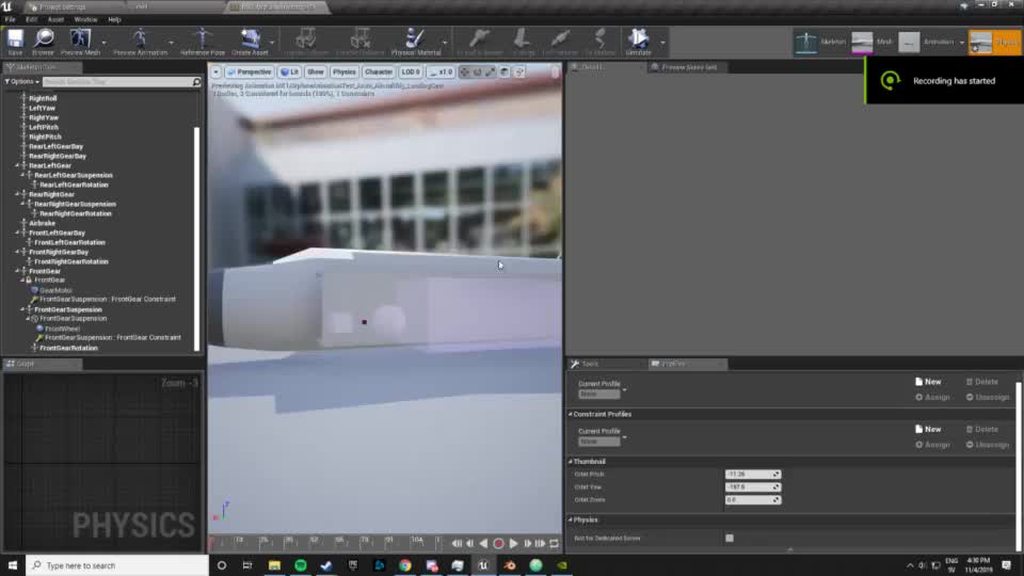
Anyone know what is wrong?
The description of the post explains it all if you don't get it
 devout dagger
what's the best way to handle body anims and facial anims? Should I have body and head as separate actors ?
misty dagger
depends how big is your game.. if you are creating FinalFantasy yes! @devout dagger if you are indie keep it simple an under one roof. In my opinion
@misty dagger what are you planning to achive? 🤔
No i saw your description on the link
That so coool dude! 😃
Is there reaaaaaally no tutorials about SHOCK ABSORVERS effect?
 prime prairie
does anyone know how to do jojo style punches plz
misty dagger
What is the point?
prime prairie
misty dagger
Am not sure i havent tried to increase more the normal velocity
But i know were to find your medicine
1 sec
prime prairie
o:
devout dagger
@misty dagger it's an indie game, but it feels like there is going to be too much stuff in one character actor :/
misty dagger

There is this tutorial about punches
I was thinking more on this video https://youtu.be/5DR7pxGouWE
But its part of the playlist on the link before
(00:05) - Intro and Punching Montage (01:37) - Punch Start (04:54) - Curves & Notifies (06:19) - Defining Sections in the Animation Montage (09:47) - Looping...
@devout dagger if its your first game or so and still not managing GOOOD MONEY aboid it in my opinion!
To much time to maitain
devout dagger
not my first game and the rest is besides the point
I just need to know the best way to go about having head with facial anims and animated body
misty dagger
@devout dagger your time at this phase in my opinion is better to put it in WHAT IT TAKES LESS TIME FROM YOU
devout dagger
well, this is also a learning experience
prime prairie
thats just 2 arms 😦
 novel basalt
So I've got this blend space where the AI character turns, but in game they always turn in a 90 degree way instead of smoothly like in the blendspace. What am I missing?
misty dagger
@devout dagger i don't know.. i stick to my opinion 
 delicate junco
@prime prairie He gave you the basics, there are some tricks that you can do in 2D that cannot be easily done in 3D. I'd make some animated arms meshes which would pop when using the anim and synchronize using notifies and some effect or something but at the end of the day you'll have to make an hack for such a thing
misty dagger
If you want more arms.. then you will have to create more arms.. try to put that 2 arms at higher speed. Maybe is enough
Why is the main bone local rotation changed 90 degress on two axis???
delicate junco
@novel basalt What's your blendspace ? Do you have turnaround anims ? Do you use root motion ?
novel basalt
blendspace has them turning their head, not using root motion. Not sure what you mean by turnaround anims
delicate junco
So the head snaps from one position to another ? How do you set the direction attribute in the event graph ?
The blendspace only affects the head right ?
novel basalt
The blendspace takes the direction between -180 and 180 and plays a turning animation that turns the legs and head
delicate junco
Try this :
Uncheck Orient to Rotation Movement in the Character Component
Check Orient Rotation To Movement in the Character Movement Component
Tell me if that looks better
novel basalt
The character movement one is checked (otherwise they just slide sideways) not sure where the first option is hiding. As it didn't come up in the character BP when I searched for rotation
(thank you for your help btw)
delicate junco
Np, just a sec I launch unreal to show you
novel basalt
I have a feeling that while I'm setting the wolf's roll, pitch and yaw it's not actually getting it to use as "direction" in the blendspace? But I'm not sure how I go about that.
delicate junco
ok sorry, was in the pawn section , make sure that "use controller rotation yaw" is unchecked
Can you show me your anim graph/ event graph ?
delicate junco
Looks good to me 🤔
What about the state where you have the blendspace anim ? (idle I guess)
novel basalt
Trying yaw, it still just moves at a straight 90 degree angle
delicate junco
Is your project private ? If not maybe you could zip it and send it to me so I could take a look cause I don't have a clue right now
(provided it's not on 4.23 too cause didn't make the jump yet 😓 )
novel basalt
unfortunately it's a 30gb project
delicate junco
Try "File" -> "Package" -> "Zip project"
It gets rid of the useless stuff
You're on 4.22 or before right ?
novel basalt
4.23
delicate junco
Erf, ok can't help then, didn't install 4.23 yet...
Sorry man, really don't see the problem here, looks good to me so that's weird, especially if the blendspace works fine...
novel basalt
thanks anyway ! The yaw and roll is definitely being set (checked with break points)
delicate junco
yeah that's really weird, unfortunately can't do much more without looking at the files 😦
 sonic roost
I'm using two-bone IK but it's not keeping up / staying accurate, how can I improve that? Is this a known thing?
 prime hemlock
Hi guys!
I use root animation for rotating my character.
But! I have a problem.
I need to blend between anims. I want smooth to blend all bones without root bone.
Any ideas?
 oblique canopy
Any idea how one would rig a motorcycle? I've imported this as a skeletal mesh from blender using parenting. That works okay but I need more control over the bone orientations. How would I import this, with a rig, into UE4, and have the meshes only import as meshes and not their own bone data?
 spare otter
This might be a silly question. But would it be possible to have 2 different animations:
- A character running animation without a gun
- A character walking animation with a gun
would it be possible to use the animation 'data' of Anim 1 between the whip bone down to the feet and combine it with animation 'data' of Anim 2 between the whip bone to the head?
^ therefore creating a running animation WITH the gun (I'm a game designer/programmer. my knowledge in animation is, as im sure you can tell, lacking)
 restive yew
Look into Layer blend per bone @spare otter
https://docs.unrealengine.com/en-US/Engine/Animation/NodeReference/Blend/index.html
Animation nodes that blend multiple animations together based on a set of criteria.
Using an Aim Offset, a character aims a weapon in the direction of your mouse or controller.
spare otter
awesome! thanks @restive yew
 bronze sierra
hello, if i have a transition in progress from state A to B, but the transition condition for C (which is connected to B, but not A) is already true, what do i have to do to transition immediately to C and abort the full transition from A to B?
 snow lotus
Is there someone who know how to fix this? The Control rig is broken and translation locked after importing motion.
 crude delta
Has anyone ever exported anim curve data? I have some blendshapes I animated on a sequence recording.
I was hoping to export this out and bring it back into Maya to play with but the mesh doesn't export (which is housing the curve data)
Oh interresting. The curves are placed on the root node of the skeleton
Ok, well Thanks for being my rubber ducky!
molten jewel
@bronze sierra you make another line from a to c or you make a second line to b with c criteria (second line would be so you could set the transition time down vs the regular b path)
 half prawn
Howdy all, new here. Is there a way to import my meshes skeleton into Unreal?
misty dagger
Hi there! I was looking for a "End Position" button like the "Start Position" is it even available? If no what are the alternatives to it within Unreal Engine?
bronze sierra
@molten jewel i see what you mean, i'll try it, thanks 🙂
 sick field
hey guys? looking for people with Blender based experience, what to do when blender suddenly refuses to show you anything BUT your bones?
 broken solar
Maybe your bone is on a different layer?
sick field
I never touch the layers tho? and honestly I can never remember how to access layers in 2.8
broken solar
Sorry, I have no idea.. I hope this can help you.
https://blender.stackexchange.com/questions/117311/rigify-rig-not-visibe-in-blender-2-8

Blender Stack Exchange
Firstly I understand that blender 2.8 is a release candidate, that being said...
I modeled and rigged my character in 2.79, opened it in 2.8. it seems odd to me that the rig isn't visible. I can s...
molten jewel
@misty dagger you can right click on the node and convert to single frame evaluate. Then supply time yourself.
@sick field would bet the blender discord would be able to help you out quickly
sick field
found a server and just got my prob fixed
 reef agate
Hey All, I have a skeletal mesh imported and I later imported some wings bound to the skeletal mesh but with extra wing bones. Expectedly, when I imported the wings to the main char skeleton in UE4, UE4 smartly added the extra bones to the skeleton. Now, I want to delete those extra wing bones from my main char skeleton for good. (I realize now that the rigged wings are better off as an actor that I can attach as a socket). My question is, what's my path of least resistance to delete those extra wing bones now on my main skeletal mesh char?
I haven't had a chance to experiment yet but i'm assuming it won't be as easy as hitting delete on the extra bones... wish it was 🙂
 rough raft
Any advice on how to turn off animations on specific bones in blueprints? Essentially what I'm trying to do is shoot off the arms off a character and so far I've got the arms to separate from the main body and they fall down properly but if the character continues to chase me the arms wiggle and fingers move and I was hoping to find a way to turn off specific bones receiving keyframes or something (I'm not an animator at all so was looking for a relatively simpleish solution if anyone can help)
rough raft
Oh or could I ragdoll specific bones/children bones? Like if I separate the left arm from the skeletal mesh can I ragdoll the left arm and only the left arm?
snow lotus
Hi! I need some tips! Currently I use full-body animations in my State machine. When I use Layered blend per bone blend (spine_01), the animation from the base pose affects too much on the upper body. Are there any tricks to only let the Montage animations to play on the upper body with minimal blend? Or is the only solution to create Locomotion base animations without so much upper body movement?
reef agate
@rough raft not in front of my workstation to give you specific advice but it's very easy to prevent certain bones from updating based on an animation in the anim blueprints using a certain node
it's the one that does bone based animation blending
snow lotus
Layered blend per bone, I guess 🙂
rough raft
@reef agate I'm not either or I'd do some digging lol but thanks I'll look at @snow lotus s suggestion when I get home if you beat me to it let me know 👍
misty dagger
i'm having a hard time getting an animation on a pawn to play
this animation doesn't do anything to the pawn
misty dagger
here is my code
molten jewel
what is the expected result @misty dagger ?
misty dagger
the kneeling animation to occur on the pawn @molten jewel
molten jewel
is the pawn using the anim bp?
i don't know if theres a state machine here or what not?
rough raft
@misty dagger in the pawn bp make sure you have their animation bp set to the correct one and not default
scarlet spade
Yo can someone help me out with some AnimMontages? Any help would be greatly appreciated, got no clue what i'm doing with them lmao
 jagged galleon
Hey guys does anyone know how could I bake cloth simulation tag inside c4d so I can export it in FBX for Unreal Engine? I got bunch of leaves with cloth simulation tag when I export those in Unreal the mesh is static.
 restive flame
So I'm using a aim animation and its turned to not loop. Works great the first time, but the second time I'm aiming it just snaps to the last frame of the animation.
How else can I go about playing an animation, freezing the last frame, but also making sure it plays the same the next time?
 next pine
@restive flame - You could use time control on it.
Or you could create and use a pose asset for the last frame.
How to use the Animation Editor to generate a single frame Pose Asset.
Does anyone know how to activate Inertialization?
restive flame
So I'm horrible with AnimBPs, but this is my setup.
The start and end shoot animation seems to start where it stopped earlier, is there some way I can reset the animation?
sonic roost
@restive flame Hard to get a sense of the overall scope but,
Could just do the attacks as montages
This is an example
restive flame
Yeah I know, sorry
sonic roost
This will take the state machine, consider any playing montages (if you set the group correctly inside of them) and then blend further if needed
restive flame
Hmm
half prawn
Do I have to change the direction of these tail bones for the animation to work properly in UE4?
reef agate
Hey All, I'm pretty stuck on some modular character planning. Could anyone let me know if there is any way to delete bones that were ADDED to a UE4 Skeleton in UE4 by importing a skeletal mesh that shares the same Skeleton but has added bones? As intended, UE4 added the additional bones to my characters skeletal mesh because on import I chose my main characters skeleton. Short question: is there any way to now delete those?
I'm trying to decide between adding a thousand bones to my main character skeleton or importing each modular skeletal mesh (clothes, body mods like wings etc) as a separate skeletal mesh and socketing it to the main
I don't know what the performance differences would be. It looks like all the bones I add are removed automatically in my LOD Settings unless the actual skeletal mesh modular object is active - in which case the associated bones become active
 rotund crypt
Hello everyone! I created an environment, a tea shop with multiple static meshes but now I need to animate them
I wanted to animate the scale with the sequencer
But each table set, with the chairs and everything on it should grow or become smaller, all at the same time when triggered.
The thing is, because these are different static meshes they are not scaling together, and when I put them in the sequencer I have to animate one by one
Is there any way anyone can think of how to do this without importing the animation with everything together from maya?
 fringe kite
hello
i cant find the montage branch point
could someone plz tell me where to find it??
 dark vortex
Is there a YouTube or live stream or other resource that outlines how to take an existing rig model and converted to the unreal mannequin so as to use all of the animations that are currently available for the unreal mannequin?
molten jewel
@dark vortex you at minimum have to make sure the bone names are the same and there are no differences in parenting of the bones and that they point the same directions
after that you delete the new characters skeleton file with replace of the mannequin skeleton
if there are bones in the new character skeleton not on the mannequin, you have to assign skeleton to at least one mesh using the new skeleton before you do this
 jolly niche
Hey guys, Just wondering. I have a moveable floor animated. it's however for a small recorded demo and collisions aren't needed. Now the floor seems to preventing the camera from getting closer as there's collisions on it which it won't let me turn off anywhere. Normally there's the collision (and remove option) at the top toolbar when you inspect the asset but in animations there isn't. is there any alternative way of getting rid of it ?
molten jewel
assign skeleton will work in most cases, but if you have animations using the new skeleton this is the only way to change the skeelton on those
then right click on skeleton heirarchy list, show retargeting options, and bones that only rotate should be set to ignore position from animation. this will make animations work for your character even if the bone lengths are different. but it wont be smart about it. pushing a button wont land if the shoulder width is different etc
dark vortex
@molten jewel thank you this is very helpful!
molten jewel
yw, https://youtu.be/YMeqS6t6BjQ?t=120 https://youtu.be/taXzAJ88pHU?t=110 its not perfect but when you use the ik bones it helps to make the extremities be where they should be
misty dagger
Somehow when i import my skeletal mesh from blender to ue4, the skeleton wont import correct.
https://www.youtube.com/watch?v=x0WJ7F01u74&feature=youtu.be
 dark vortex
I probably going to buy some 3D models that are rigged and retarget them to the UE Skeleton - What "specs" am I looking for, sometimes something with saw Mixamo, other times something will say 2012 Cat RIG. Can you recommend what would work best?
molten jewel
@dark vortex would say many of the characters on marketplace are mannequin compatible in terms of orientation at least. not all though
if you can request they show you axes it'd help you determine the compatibility, but know its not gonna be perfect 1:1 without ik (unless the bone porportions are nearly identical)
 hushed agate
Anim question for you guys.... I"m trying to develop a solution for a LEAP STRIKE ability.... and it encompasses a TargetLocation being set by the following video..... I was attempting to do this via SuggestedProjectileVelocityWithCustomArc() + LaunchCharacter() But I have no means of a callback on when the character lands - like i would if i had an animmontage + AnimNotify events.
My problem is - while the first solution is procedural enough ... it doesnt offer that landing event - whereas the AnimMontage does - however i dont know how I would parameterize the landing location + ZHeight Arc..... Anyone got a suggestion/solution towards this?

SuggestedProjectileVelocity + Launch Character vs. RootMotion Animation Montage
dark vortex
@molten jewel I'm talking about external assets sites like CGtrader or turbosquid
molten jewel
ye, you'd have to ask that they show you axes
and bone names. some will, some wont. have found most on cgtrader are upset with cgtrader and don't put effort into responses
dark vortex
@molten jewel so if I can somehow track down that artist's name and buy from them directly, with license, might have a better chance?
molten jewel
the artists usually aren't allowed to do such thing
but depending on the site, you might want the blanket coverage for license reasoning the sites provide. you'd need to be careful about getting some form of proof that you were given all the rights you require from them otherwise @dark vortex
I should mention again, you should read the licenses you get regardless carefully. Don't assume the site/individual your buying from gives you everything you need
dark vortex
good advice, thank you
reef agate
What is that bone icon?
 wary halo
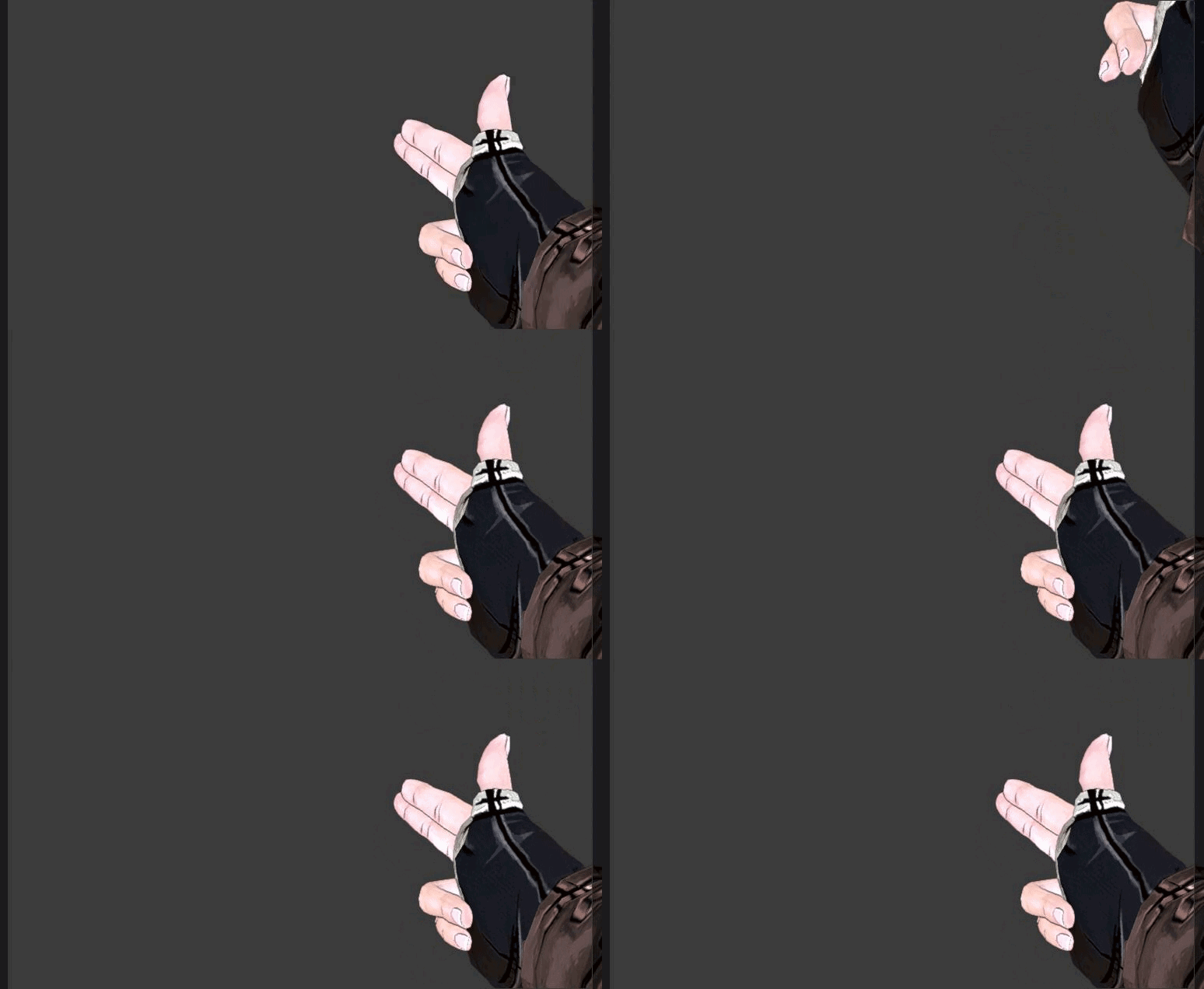
https://i.gyazo.com/0e38d10e60b59f88d071310b9adc7a99.gif https://i.gyazo.com/274e0a58b064de60550788c15946ea9c.gif quick animations while bored
 molten jewel
#work-in-progress
 solid wharf
got a bit of an animation question here, but say one of my animations uses diff morph target values than my other, do I have to export my whole character mesh and bones for the animation? Or is there no way to do it but manually redo it in Ue4?
molten jewel
Starter, log for the other arrow too
 compact birch
hi guys, i have an issue with animations I got from external source. They work with custom skeleton which is a bit messed up like you see on picture. Also it does not have root bone. When retargeting those animations to my own skeleton they get totally messed up. Is there any easy way to fix this so i could use those animations? The custom skeleton looks pretty much the same as mine except its rotated weirdly and does not have root bone.
 celest orbit
ok , sooo ... i'm remaking the basics of fortnight and i need help with the animation configration
since in fortnight the character rotates only when the camera goes over 45 degrees , i need to figure this out myself and i thing they use orient rotation to movement when the character is moving and when standing they have a script that rotates the character and plays a rotate animation
 stark zephyr
hey guys, i've got some issues in organizing the anims and a small bug I have. I have some decent experience with animations but at core, im a developer. Could someone experienced give 10 minutes from his time to come and explain some things through screen share on discord?
 glad plaza
@wary halo nice animations you have there.
 distant breach
anyone know if there's a way I could fix the scaling weirdness on this object? It scales on the wrong axis and moves around on the wrong rotation axis as well.. I've tried fiddling with the "use local/use world/snap to target" settings, and they all seem to do the same thing..
wary halo
@glad plaza thnaks
 reef cypress
anyone one crashes whenever removing a pin from the Mult Pose in the AnimBP ?
i worked around the issue by "making a new node ever time i like to add or remove pins" :/
UE4 4.23
celest orbit
i need a quality tutorial / Document on layered animations how and when to use them
distant breach
WHY DOES IT TWIITTCHHH
REEEEEEEEEEEEEEEEEEEEEEEEEEEEEEE
Omg you can't even see the twitching in the recording
I think I'm losing my mind
this is it
this is my first gamedev mental breakdown
Has anyone ever experienced this before
There's no keyframes there in blender, the local Y location just swaps to positive for 4 frames, then goes back to negative
celest orbit
try Backing the Animation
distant breach
backing?
distant breach
hmm
distant breach
Hmm, not sure how to do that in blender, will report back after googling
No luck :l still doing the same thing
celest orbit
you realize you have you have about 2500 frams right
distant breach
I turned off compression to see if there was something fucking about with it
celest orbit
did it work !?
reef agate
Anyone know what that red/black bone icon means?
reef cypress

 quartz cove
@distant breach That's cute, I want one in my game now 😉
quartz cove
@distant breach Teach me senpai
 arctic tapir
anyone have an issue like this before?
I'm going back and forth between the idle state and the basic attack state, but sometimes it doesn't play the animation in the attack state
'reset on entry' is set to true
maybe I should just be using a montage for this
 proud slate
btw for those who still interested in pivot painter and Houdini, this is my attempt to recreate vertex hierarchy animation in Houdini , based on pivot painter 2 maxscript( tiny pixel based , instead uv based etc ), it gives more accurate pivot location. still trying to figure out on how to bake on pure 1 pixel= 1 element like in pivot painter 2 example.
https://www.youtube.com/watch?v=ctWadUD6Ysw
(tried to upload this vid directly on twitter instead of linking my youtube vid, and twitter said it is an offensive material. probably due to multiple dancing pink teapot...) T_T

still WIP, this is my attempt to recreate vertex animation based on pivot painter 2( tiny pixel based , instead uv based etc ), it gives more accurate pivot ...
 ocean sleet
@proud slate Awesome man!
@proud slate Somebody posted some great code that should do that for you 😉
was recently
ocean sleet
uh.....i think it was in the graphics channel
hang on i might have saved it somehwere
sorry man i cant find it, but someone posted some code recently
its pretty simple to do in houdini, its like vex, you just convert the pivot point to a point in UV space
proud slate
no prob 🙂
thanx, yes I have version that store in UV space, @ocean sleet just try to see which one is cheaper, uv or 64x64 pixel floatrgb
proud slate
https://docs.unrealengine.com/en-US/Engine/Content/Tools/PivotPainter/PivotPainter2/index.html yes, that doc from demo scene, but has to be very thigh space , since floatrgb is expensive, so the trick is to use 3rd uv( after uv1) to squeze each branch to 1 vertex in the uv.
Guide to the Pivot Painter 2.0 MAXScript, which stores model pivot and rotation data within vertices for interactive animation.
 tiny mirage
seriously though has anyone got this working yet? https://docs.unrealengine.com/en-US/Engine/Animation/AnimationSharing/index.html
 timber star
Hello
i m making a with the need of first person view.
What s the greatest way to make fpv weapon animation?
animate the weapon or the character and attach the weapon to character?
i saw in some dev kit that weapon skeleton got arms bones etc is it a good way to achieve that?
thx and plz tag me if you send any response
 hollow latch
weirdly specific question: has anyone had luck playing pose curves in montages?
they work for me, but the character A poses on blend in and out
I don't see the A pose if I set the montage blend in and out time to 0.0... but then there is no blend
tiny mirage
I feel like you want to make regular anims out of the poses that are only 1 frame long
or theres something more complex that I haven't done yet
next pine
@timber star - Generally, the easiest and most robust way of making a first person skeleton is to parent the arms to the camera. That way, you can procedurally move the camera, and the arms will stay in frame.
This means you need to handle the lower body separately, if you want to include it at all.
I wouldn't - as it's always a nightmare hassle.
timber star
@next pine ok but how i make the weapon skeleton?
next pine
Go to youtube, look up "Rigging in Blender"
Also probably an "Introduction to Blender 2.8" would help.
timber star
Yeah but i m looking if i must get body bones inside the weapon skeleton?
i will send you a pic take in a dev kit to show you a skeleton
@next pine are you good at animation?
next pine
I am - but I think I misunderstood your question.
You want to know how to make the weapon move with the arms, right?
Not how to do the arms themselves (which is what I was talking about).
next pine
OK, so yeah - if you want parts of your gun to move (like the slide there, or the magazine in other guns when you reload), then you probably want to put bones inside the gun.
Then you trigger an animation on the gun using an AnimNotify in the main characters animation.
timber star
So i need to add all arms bones to weapons skeletons,
next pine
No, what?
No - you have an animation on your character (the arms) and an animation on your gun (which doesn't have the arms, just a few bones for the parts on it that move).
timber star
i the pic below inside skeleton there is arms bones and weapon bones and a bone name camera
next pine
When the arms play 'player_shotgun_reload' then they hit an anim notify which calls 'shotgun_reload' as a montage on the gun.
OK, fine, that's in the image. I wouldn't recommend doing it that way.
That seems like a bad and silly way to do it.
next pine
In the arms skeleton you probably want a bone called 'weapon ref' or similar as a child of your hand bone. Then, you attach the Gun component to that socket, and then the gun will follow the hand.
Having the gun attached to a special 'weapon ref' bone, means that when you're animating, you can move the gun away from the hand, or reposition it, depending on your animation needs.
timber star
And is there a way to anime both in same time in blender for exemple to be sure that s correct
?
next pine
Yes, you have to set the scene up in Blender correctly, and then export two fbx files.
It's definitely possible.
next pine
Depends on the gun. If there's a slide or something that would react to the gun firing, then you might have two.
The actual recoil is probably just a body animation.
timber star
ok thanks for help
next pine
Good luck.
timber star
yeah i will need a lot ^^
 onyx briar
I'm sure this has been asked before but it's hard to figure out a useful search string for it. Is there a way to manually set the state in an AnimBP? Specifically, I want a few states that every state can go to, but having to connect every single node to it is very cumbersome and makes the graph impossible to follow. I can't figure out a good way to do this. In Unity, I'd do it with the Any node, but there doesn't seem to be an equivalent to it here.
 opaque stirrup
Describes the different methods you can use to create modular characters comprised of multiple Skeletal Meshes.
If i'm reading this correctly if I use master pose components I can't set physics on my character body parts?
So I'll pretty much need to use Copy Pose From Mesh if I want individual body parts to be able to have physics interactions (outside of the combined mesh method of course)
tiny mirage
still no one on the animation sharing plugin huh
 open grail
Hey guys I'm new here. I'm kinda stuck in my project. I was attempting a true fps controller for the past few months.
Everything works nicely but I have a bit of a vertical headbob which I'm trying to remove.
The camera is the child object of a spring arm and is attached to the head which takes care of the rotations issues. The pitch of the controller is driven by the head rotation via an aim offset.
I found out that star citizen devs somehow fixed it with some ik but I cannot understand how he did it.
Link to the star citizen dev diary
This guy says he solved it using a similar approach while handling his fps view.
Can anybody help me with this?

Star Citizens vision stabilization technology explained. Behind the Scenes segment from Around the Verse. ------------------------------------------ The Tech...
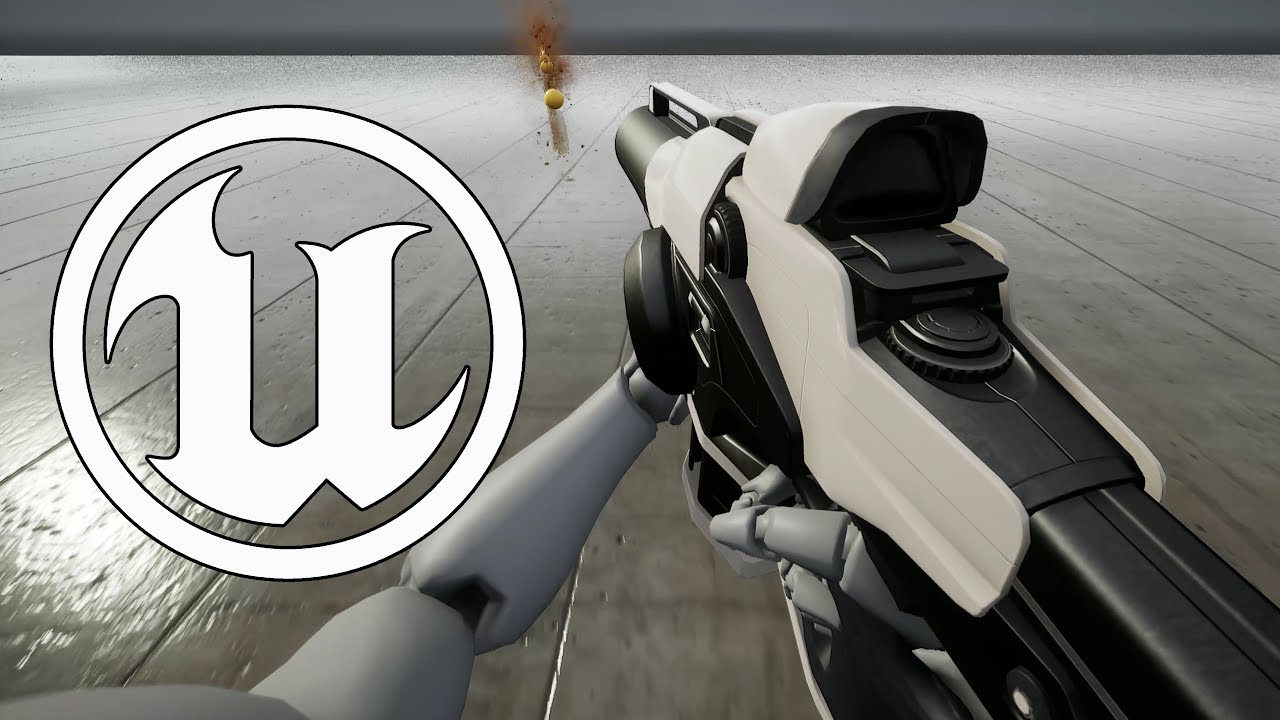
Further work on implementing distance matching with other sets of animations : here with Kubold Rifle animset Pro.
hollow latch
one thing that worked for me, is use a blend per bool on your anim bp, so the upper body plays a running animation with less sway,
Star citizen combined a lot of things together so im not sure which part is confusing you
one of the things was to cast a ray on front of player that is the focus point, and tilt the camera pitch to always align that point to the center
so, in ue4, you could do that w/ raycast and use of FindLookAtRotation
misty dagger
When to use blendspace and when to use aim offset?
solid wharf
blendspace when you want your transitions to be animated instead of just static bone manips
open grail
@hollow latch the thing which they did with the raycast is not needed as rotation is fine in my case.
I didn't get how he removed the head translations. He gave the example of birds doing the stabilization and it kinda made sense by fixing the position of the head at a point but I didn't get how they did it.
@hollow latch can you tell me the other things star citizen did apart from the raycasting and how UE4 could do it? Raycasting still made sense but he was very vague about the ik he did
 real tapir
if it was following the bird model, maybe they just counter translated the head movement? moving the camera in opposite (to a certain percentage) of how the bone is moving ?
open grail
I tried doing that but it seems to misbehave. They apparently fixed the head in place completely since all movement in this is driven by the rig.
I tried countertranslating the camera but it was a rather messy result. Plus this has to be calculated every tick which is not really a good idea in my opinion @real tapir
One way I could think of is overriding the head pos and have the all bones neck and below placed below the head properly with ik. But the problem would be shifting stances since the position of the head is hard coded due to which it would look a little jerky when the player crouches
broken solar
Hey guys, how do i exactly blend 2 hand ik with lower body properly?
The hand became like this
solid wharf
Can someone point me in the right direction here with my logic?
I'm trying to use root motion to create a landing animation for my bird character, the capsule starts on the ground, and I'm just assuming that my character will move to the capsule, and then the capsule will move with my character, and the camera and etc can be move smoothly with that.
im probably wrong, but i can't think of any other smooth way to transition from flight to landing
hollow latch
hm, I think that is a slightly incorrect understanding of root motion
the docs are good if you haven't checked them out
A look at how root-based animation is handled within Unreal Engine 4
but I may be misinterpreting what you wrote, either way the docs are good
@solid wharf
broken solar
Does anyone have experience with having player to carry object with its hand properly placed? Like should i use socket or is there any other methods?
tiny mirage
Anyone got the animation sharing plugin working? I think I'm going to have to ask once a day till someone who's done it sees this
 slate olive
So im recording new animations and i have some frames where nothing is happening, can I edit those out later?
slate olive
I guess the better question to ask is if an animation with a bone rotation can be saved as a new animation without any recording
misty dagger
Is there a way to have a 3d aim offset and not 2d?
 grizzled condor
@tiny mirage it works to some extent.
open grail
@misty dagger what do you mean by 3d?
 winter ocean
@slate olive yeh you can if you go in the animation and rotate a bone or change it’s current state you can click on the button called ‘key’ on the top and then click ‘apply’
 tame badger
hey there, i'm facing a problem with missing bones whole importing from blender to unreal, is this the right place to ask for help?
open grail
@tame badger yes
@tame badger are you using the rig from the blend file provided by the wiki
 round shale
Anyone know if it's possible to break out of a state machine?
tame badger
@open grail No i'm using an existing skeletal mesh, just put a shirt on it with blender and export it to UE4 but here comes the problem:
open grail
Does the rig work properly on blender? @tame badger
@tame badger show me the blend file
tame badger
I'm using the skeletal mesh that was provided in the UE4 project in order to make the clothes work on it
this is the blender file @open grail
misty dagger
Hi! I'm trying to make wall running mechanics but the animations don't stick to the walls, there is always gap between the wall and mesh. Is there any possible way of doing it?
open grail
@tame badger use the rig from the epic website do not directly export the one from the project.
https://wiki.unrealengine.com/Character_from_Blender_to_UE4
Use this one
@misty dagger I guess you should look up foot ik
slate olive
@winter ocean alright solid, I ended up recording a whole new set of animations with some frames missing towards the end. I’ll do that later today
tame badger
@open grail the thing that this is the rigged that i used, it works just fine for some clothes but when i put another clothes and export it to UE4 that skinning problem appear.
open grail
The blend file gives you a much cleaner way to do this and is easily retargatable to the epic skeleton. Try using it.
tame badger
I'm using this because its for a certain skeletal mesh for a project I've bought .. the blue prints works only on this skeleton
open grail
@tame badger can you give me a marketplace link
open grail
@tame badger rigs can be retargated to any skeletal mesh as long as the bone hierarchy is the same
tiny mirage
@grizzled condor yeah, but how do you even get it set up. I followed their tut and changing the state doesn't fire anims
 opal holly
does anyone know why my animations are interfering with basic pawn/player movement when I have root motion disabled in the anims? I'm literally just learning ue4 and am swapping out the mannequin arms but now the player only strafes sideways and I haven't changed any code just the mesh/skeleton and anims =\
open grail
@opal hollydid you try removing the animation blueprint from the skeletal mesh in the blueprint of the pawn? If it does not remain after that then you must have had root motion enabled on some animation. Root motion in ue4 has to be toggled per animation or blendspace
opal holly
yes I know that's the case, but Idk how to fix it cause i've gone through all the animations and blendspaces and root motion is not enabled
so I'm thinking did I export something incorrectly? @_@
tiny mirage
day 3 of not getting any answers on animation sharing plugin
 snow scarab
i have a scene with static lighting and animated characters imported from anima as an FBX. the anima characters are not casting dynamic shadows. How can I fix this
tiny mirage
day 4 animation sharing plugin info hunt
slate olive
Does anyone know the proper way to export animations externally
molten jewel
FBX
slate olive
yeah I've been exporting them as that, but they don't show up in the folder I send them to.
Migrating doesn't work either, I found that out yesterday
molten jewel
Hm, any info in output log?
slate olive
I'll check and see
It's a stupid problem I know, but these animations are the last thing I need for my character
jesus, the prieview mesh isn't set. I feel very dumb atm
stark zephyr
I've implemented an ADS system but I have some issues with animations. first things first, how would you implement it in the anim grap? I have different animations based on weapon type
This is how i've set it up thus far. but I had issues going from reload to pure ads back in the Locomotion where anims wouldn't align. So i had to put a special check by bool and yet again it doesnt work. should I made ADS a new state?
slate olive
So I exported all of these animations earlier today and they all became skeletal meshes in the Ark Dev Kit. Did I do something wrong with the export settings?
 short panther
hi does anyone here use blender for character creation for use in unreal engine?
I have a animation retargeting question. does unreal have a setting for adjusting the way an animation is retargeted? I have a custom character I made in blender and I tried to retarget some animations I downloaded from mixamo and it looks weird. the crotch area seems to get compressed when I apply this animation on my model. are there any skeleton settings I can change in unreal to change this or is this an animation/rigging issue? all the other animations dont have the same effect on the model
open grail
@short pantheri think that's a weight painting issue you got there on the hips. Legs should not be affecting the hips
short panther
yeah I think so too my pelvis bone isnt influencing the hip part of the mesh and the leg influences the hip abit
I think I should try and reapply the weight paint
 supple axle
@stark zephyr I'd probably blend in the graph just before it outputs the final pose
slate olive
If I want to export an animation would I just export the data?
 burnt crow
hey I'm searching for character animationds
slate olive
Ah okay
 hearty grove
Hey I'm having trouble finding a tutorial to make my mixamo skeletal mesh adopt the UE4 Mannequin Skeleton. I've done this somehow about a year ago for a number of characters but can't seem to remember how, and on top of that, where to find instructions so I can learn to do so again
Any help would be appreciated
 glacial canyon
Any place I could find a crouching animation copyright free to reuse on a template?
sonic roost
@glacial canyon Mixamo
glacial canyon
cannot resell in a template
sonic roost
Ohh
What about the starter anim pack on the marketplace? I can't remember if it's an Epic release or user
glacial canyon
I think it's user unfortunately
tiny mirage
animation sharing plugin anyone? day 5 and found no one still
open grail
@sonic roost mixamo became useless ever since they removed ue4 support if I'm not wrong
 copper flume
Hey all, does anyone know of a place I can find animation assets for a creature that resembles a fuzzy Kirby?
 fair sable
Hello, i have 3 montage section in my anim montage (Start, Loop, End). How do i play 'Loop' section right after my Start animation finished so it's not looped again? i mean can i get montage section length so i can play next section?
 peak vine
yo i need help.. this is my anim BP and from what i can tell, my Layered Blend Per Bone + my animation montage is actually forcing my character velocity to be 0:

BUT i want the character to be able to run WHILE the anim montage is playing.
it used to work but now something got goofed
?????
is this the key !?
hollow latch
Has anyone here tried to pull off a procedural stumbling system like euphoria from gta4?
I'm imagining using physical animation component for the upper body, and select feet ik targets based on pelvis transform and velocity
devout dagger
I am in a pickle here.. I need to separate my character into body and head, because as one piece it has a way too many bones for mobile to handle (75 bones per mesh is max for mobile). I am thinking that I should keep neck and head bones in the body (and animate body and head together), but export body and head separately (body will have neck and head bone, animated; head will have neck and head bone, not animated). In UE4, I'd need to attach head to the body so that neck/head bones in the head match same bones in the body, and then I'd need to to copy transforms from body's neck/head bone to the respective bones in the head (so that I don't get any tears in the mesh, between head and body meshes). How can I do that and is there a better way ?
devout dagger
no one? :/
delicate junco
@devout dagger Fortnite uses a similar logic if that can help https://youtu.be/Oe7fYS9qxmk?t=104

This talk by Epic Games' Senior Technical Animator Jeremiah Grant covers Fortnite’s use of animation Blueprints including the use of Blueprints for gluing to...
devout dagger
thanks @delicate junco I'll check it out
 inner zephyr
is it not possible to get a perfect T-pose for the manniquin to use mixamo animations? :S
 rugged tinsel
hey guys i have a question i made this pose for aiming down the sight but i want to copy all of the bones location for the other animations to make it very easy and so the hands and stuff would be in the same location how would i do that
because i have this issue when i have say like 15 animations for 1 gun most of them animations would be bad because for example if i move from idle to forward the weapon would slide down the arm because the locations are not the same
hushed agate
hey guys - whats a better way to handle death animations? I have a project i'm working on for someone with some montages they want played when dead.... while I am able to achieve playing the montage - after its over it goes back up to a default skeleton pose - APose in this case....
Should i hook up logic into the animation graph & bool/enum state the death status so its part of teh state machine? Or is there a way to hold final frame of the death montage after its done playing? I tried switching AnimationMode to Single instead of blueprint.... thats where i'm getting this APose afterwards 😦
rugged tinsel
@hushed agate once it's over your should tell it to simulate the physics so it ragdolls
hushed agate
ok sound good
rugged tinsel
if you want a ragdoll that is?
hushed agate
typically thats how i do my animations in miy own projects
this guy has very stylized death anims...
rugged tinsel
oh ok i will have a look at mine now because i have death animations but i replaced them with ragolls
hushed agate
i would imagine i can animnotify @ the end of the montage - then set ragdoll
rugged tinsel
what you could do is in your character blueprint were your health system is make a branch and set is "<= 0" then play the death anim
hushed agate
thats alrady done
i'm trying to setup an animmontage notify - but its not firing for some reason 😦
hushed agate
of coures man
sorry - i know theres alot of first timers in here 😛
C++ fires off PlayANimation(DeathMontage) when death even thappens
everything there is firing appropriately
rugged tinsel
you fine lol i have been using UE4 for 4 years but i still don't know much
hushed agate
this is done on NetMulticast
trust me - learning = neverending - i've figured this out lol
so the netmulticast plays the montage - which has an animnotify at the end of it....
but the animnotify never fires
yes i've print stringed it
rugged tinsel
so is this in blueprints or c++ because you mentioned c++
hushed agate
animblueprint is BP.
the death event is handled in C++ yes - (From GameplayAbilities plugin)
death event originates as Server - however moves to a MCast event in code
rugged tinsel
ok i don't know much about animations but can't you just play the animation on death where your health system is in the player blueprint?
hushed agate
nvm thanks bud
hushed agate
due to the fact this is cosmetic - i made a BPEvent fired off from the NMC(Code) - firing off the chain of events - which behaves nicely now... ragdoll doesnt work for this concept because the guy is using Paragon Assets - which this particular one (Grux) doesnt have proper collision setup in his physics asset.... so i resorted to a 1frame looping animation while he is dead on teh ground:
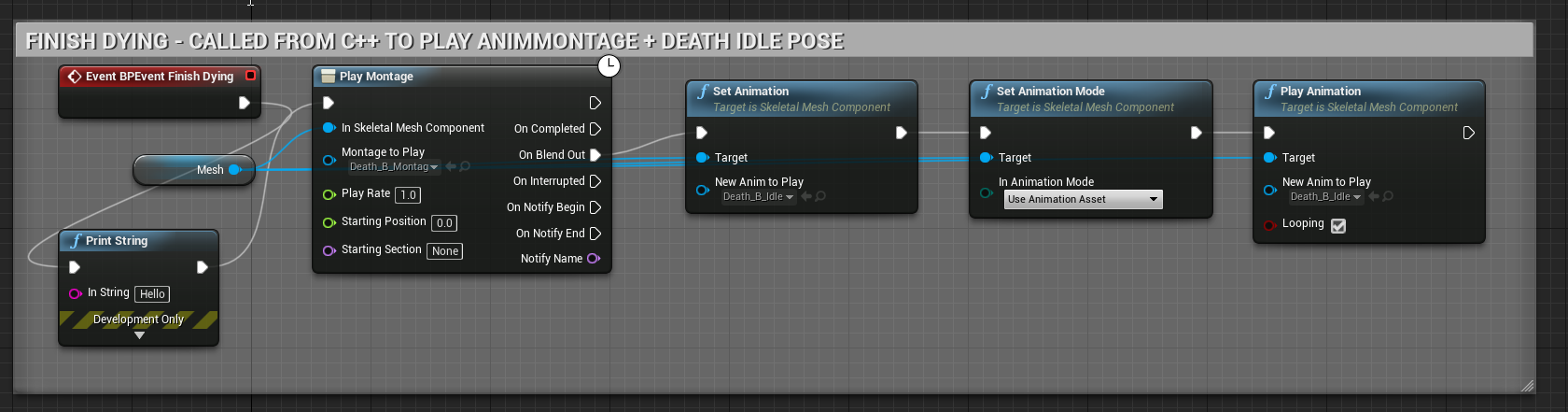
@rugged tinsel - thanks for your help - i didnt mean to cut off short like that... just got a bit frustrated with why this wasnt working right.... i think moving ot BP was better because of that PlayMontage node that has the callback in it... instead of having to write my own in C++
rugged tinsel
no problem man i just do most of my animations in the character blueprints but what has to be done in animbp i would have to do it but there was other ways of doing death animations so i was hopping it would help
 agile narwhal
Hi All! My character has a long tail that is using simulated physics. However, when I strafe the tail goes through the character's mesh (body) and it really looks bad! Is there a way to stop the tail from going through the body?
The tail is being simulated through the physics asset with just the tail capsules having physics set to 'simulated' - video of issue below.
Please help!
https://youtu.be/zxpR4GEm5e4

 coarse igloo
Anyone know how to limit the rotation of a bone? I'm using CCDIK to great some basic procedural item grabs but the CCDIK node only allows for gross axis limitations. So you cant seta unique X,Y,Z only a single float that's applied to ALL axis's at once.
 opal jackal
I'm trying to recreate Riktor from Paragon but I can't figure out how his Ultimate attack anim works. The tentacles are a separate skeletal mesh. Do I attach them somehow? If so How do I make them animated like the gif? Right now they are just straight. https://i.gyazo.com/1cbdc4a190d214176e142bbaaea5b767.gif
https://i.gyazo.com/d79f143d759b951434da47fcd0709c15.png


 elder cedar
Hello,
If i am trying to attach my actors hands to the steering wheel of a vehicle but he is no longer possessed how can i fire the animation events? I found a tutorial to set it up by firing IK events through the thirdpersonanimbp but when you possess the vehicle it seems this code is no longer firing
delicate junco
@opal jackal If the tentacles' mesh don't have a proper animation I think it may have been done with animDynamics/RigidBodies
i'd do something like make the component spawn using an anim notify and then animate it using anim dynamics/rigidbodies
inner zephyr
is it not possible to get a perfect T-pose for the manniquin to use mixamo animations? :S
https://cdn.discordapp.com/attachments/221798806713401345/644949743176384513/unknown.png
 scarlet spade

Anyone know if it's possible to make my anim flip smoother and more natural in engine, or is it just a case of needing to animate better?
broken solar
i feel like it flipped earlier than it actually starts to fall
 tranquil surge
If I have a simple rigged model (but no animations) can I define some poses and use them in a blend space all in engine? Or do I need to go back to my DCC to create those poses?
restive yew
You can make poses in engine. Just note that they will always be additive animations.
 clear gust
I have a question. The sword in on IK bone. When I preview the animation, it looks fine. But it's off the position in play mode.
delicate junco
Did you scale your models or anything when you put them in the editor ? @clear gust
How do you attach the sword ?
opal jackal
@delicate junco thanks :) that sounds like the right thing to do.
clear gust
@delicate junco I didn't touch anything. The sword is part of the model, I didnt modify anything
But I enabled root motion, which might be the cause
restive yew
They all get baked regardless
molten jewel
@meager mirage if you run into further things with it, can help you here
and yea every frame is a key for every bone/curve michael. only exception is animation compression but i still think it decompresses to keys.
timber star
Hello
Anyone know how to get a quadrupeds rig file for retargeting animations?
Is it possible to generate one?
molten jewel
you define it yourself, https://www.youtube.com/watch?v=4TrLiekYABY there are tons of videos on the subject
timber star
that s absolutely not what i m asking for
i m talking about character that are not humanoid
@molten jewel
molten jewel
ah
molten jewel
short answer is, theres no way to do this
timber star
ok
molten jewel
long answer is, you have to treat it like humanoids
timber star
how rig file are made?
molten jewel
there are a few different things referred to as rigs,
are you speaking of control rig?
timber star
i suppose yes
molten jewel
in terms of retargeting, there is only humanoids afaik right now. and that video covers the extent of what you can do. you just have to apply leg of the quadruped to leg bones of the biped and it wont be perfect
as far as control rig, thats outside of the realm of retargeting and would only be able to refer you to something like this presentation on it (as i've not used it before)
https://youtu.be/tWVZ6KO4lRs
Enjoy the videos and music you love, upload original content, and share it all with friends, family, and the world on YouTube.
 plain karma
Hey guys, can i with a FABRIK, make my tip bone a bone from another mesh?
molten jewel
carefully
one of these meshes have to process first remember
the one that you process first, should be a tick prerequisite of the one that processes second
plain karma
i just have no idea where to begin
molten jewel
then you need to copy the bone transform in the animation blueprints event graph's update.
yea its fairly complicated
plain karma
is there really no elegant way to do what i want
molten jewel
most elegant way would be to have both meshes know where they will be
plain karma
it can maybe be tackled from another angle though, the skeletal already has hands that i can make move with my motioncontrollers as they should, can i make them inherit grabbing etc from my motioncontrollers?
molten jewel
if you use fabrik to put the arm exactly where you expect it to be, regardless of motion controllers you'll know where the held weapon will be as well yea?
plain karma
yea i guess
molten jewel
thats the best way to attack issues like these most of the time. some sort of shared information before animation is processed that must be true
if your animating yourself, when you make the animations you can for example use the ik_gun_root bone as the position of the transform the gun will use, then the ik_hand_l and ik_hand_r bones are relative to the gun in question
https://youtu.be/Y2AgpsKx-nk?t=33 thats how i did things for my old project. use one animation set for many weapons, where everyone advertises their offsets and can calculate everything on their own without execution order constraints.
plain karma
im using the ue template stuff :p
molten jewel
mannequin has all these bones, but yea if your not authoring its hard to use any of that lol
plain karma
yeah it has everything
thanks for the help man
ill look into it and maybe ill figure it out haha
okay i feel so stupid ive just tested a bunch of stuff wondering why it didnt work and my right controller had turned off to save power 😐
hollow latch
has anyone ever had issues with LegIK and time dilation?
my legs seem to go a little crazy when I slow time down
2 bone works fine in slomo
hollow latch
ok, think i got it, had to adjust an interp speed with the time dilation
slate olive
can new animations be done in UE4?
 errant turtle
does anyone here know if I can combine 3 animations so that they're weighted equally, and not diminish any of their effects on the bones?
So for example, I have a hand skeletal mesh with 3 animations, one for moving the thumb, the other for the index finger, and the other for the other 3 fingers
If i wanted to apply all 3 to the hand and make it close fully into a fist, how would I do that?
I tried using "Blend" and it doesn't do it all the way, it restricts it to about 1/3 of the way through the anim
 smoky shell
@slate olive @molten jewel I haven't looked into it much. I have used the animation recording features to blend animations into a different look / pose but its tedious at best. Control rig has been used to make an animatable rig but I'm not sure if Epic ever released that, needs looking into (and I wouldn't bother). The plugin "Allright Rig" boasts in-engine animation.
slate olive
Alright sound, I have a few dinosaurs for my ark mod that I want to self animate
I fixed a few problems with a previous creatures animations and it turned out great
 raw relic
hey, i exported rigify rig with a simple animation from blender, attached a sword to a bone socket, but when i attach to socket sword scales up 100 times. how can i fix it?
elder cedar
how would i go about doing IK on an unpossessed character? im trying to attach my players characters hands to the snowmobile but the player is possessing the vehicle so the animation isnt updating
 hollow arch
got a pretty technical question. is it possible to use inheritance (or composition?) with animation blueprints? my goal is to create a state machine, as well as a ton of variables/methods, in a base animation blueprint, from which virtually every character will inherit. (think like, all the logic surrounding a basic idle/walk/sprint/jump/land anim). in the child BPs, I would obviously need to slot in different animations, tweak stuff, not to mention using a different rig + mesh. is such a thing possible?
 errant ermine
Hello. Could anyone explain me what the bone space mean and what difference it has with component space. Thanks
molten jewel
@raw relic on scene inside blender use metric units and set the metric to .01 which is centimeters. Then don’t mess with import scale in ue4
After changing scale you’ll want to apply transform scale in blender too
@errant ermine you know how bones have axes? The red axis is X, so 2.0 on X in bone space would be 2.0cm in the direction of the red axis of the bone. Component space just means the red axis of the skeletal mesh component. And world space means the red axis of the world (North)
I’m vastly generalizing here
The other space is parent bone space which is just like bone space but instead of the bone’s red axis it uses the red axis of the bones parent bone.
@hollow arch yes but here is some things:
Blueprint inheritance: You may not use different skeletons.
C++ inheritance(UAnimInstance): No limitation on skeleton but AnimGraph is difficult to do much in C++. The most reuse would be out of event graph.
What I usually do is avoid the hell out of state-machine. Know that’s not extremely helpful to hear when your already using it. But it’s quite painful to upkeep when you’ve got multiple skeletons.
However: sharing skeletons can be done. All a skeleton file contains is bone names and hierarchy information. So long as your skeletons of the characters have the same bone names and no missing parents between them, you can have meshes use a skeleton file where the bones aren’t inside the mesh. It is still compatible. So unless you’ve got something more than all bipeds the skeleton sharing should be a non issue.
Lastly for anyone reading: bone transforms for ref pose live in the skeletal mesh file. Not the skeleton file. Skeleton file only sets a default mesh asset and does not use this for transforms as the file itself has none.
hollow arch
tfw my game has literally spiders and stuff 😦
it's funny, the state machines always seem to have some kind of MAJOR scalability hangup. I remember in Unity, I was using their anim state machine, only to realize it actually required 100% code duplication for the state surrounding it (can't remember the specifics, this was some time ago). and so I ended up having to write my own state machine to avoid it
sounds like something similar may happen here. very sad 😦
 somber briar
Does anyone know of any more information on this kind of stuff https://youtu.be/NYFeFUxU6DI
Enjoy the videos and music you love, upload original content, and share it all with friends, family, and the world on YouTube.
state machines and anim blending
Ive watched a bunch of this stuff and messed around in anim bps but I feel like Im fumbling around still doing dumb stuff
EDIT: Checks pins
molten jewel
@hollow arch so long as your spiders have the same bone names, you'll be fine to share skeletons.. even if some skeleton meshes don't use certain bones. And unity sucks. State machines in general suck in my opinion.
however when you make a child anim bp you just override what animation files are used in the state machine so you can technically reuse the stuff this way so long as the skeleton file is the same.
Reality is the state machine in unreal is very capable of working in most every situation, it just takes quite a lot of finesse. The big secret to sharing skeleton files after import is:
Skeleton A (Target), Skeleton B (New, To be replaces)
- Take a skeletal mesh using Skeleton B, right click on it and assign skeleton to Skeleton A. When asked to absorb additional bones say yes. If there are conflicts in heirarchy your out of luck and can't do it. Don't proceed. Otherwise: save all after.
- Select Skeleton B and delete it with replace choosing Skeleton A and save all after.
At that point any animations, other meshes, anim bps or whatever using skeleton B will now use skeleton A without issue. This is literally the only way to change skeleton on animation assets.
hollow arch
Wow. That is an extremely nice write up, thank you so much. And I assume this means I get the effects of inheritance on the state machine too? Meaning if I add some new state + transitions, this will propagate to the child?
hollow arch
Looks good to me 😎
 tawdry wadi
how to fix that i just did Modify > Freeze Transformations in maya
2x freeze transformations 😄
onyx briar
Is there a way to check in an AnimNotify if it's in the previewer? I don't want this notify to be called in the animation preview window.
molten jewel
@hollow arch yes
You'll share the entire anim bp
would recommend trying to make a child anim bp off the one you have right now just to know what its like. because it may or may not be how you expect
but yea skeleton files are just bone names and parenting.. if you can share that you can share everything
hollow arch
yep, i will definitely do that today hopefully
molten jewel
you likely need to re-export your animations @tawdry wadi
animations in ue4 are not relative at all
ref pose is not used at all
so when you reorient a bone in the mesh file, nothing happens to your aniamtions, and they point the same way they always did
the only exception to the above is translation if you set retargeting option on the skeleton to ignore translation from animation files.. it will then use the translation from the ref pose and discard animated translation (its a per bone setting, you have to show retargeting options in the hierarchy view to edit the setting). name retargeting is misleading here imo, since its nothing to do with retargeting
tawdry wadi
i just did freeze translation to left and right shoulder in maya and that happened
molten jewel
yea but the mesh looks okay when no animations?
tawdry wadi
i think i fixed the problem
 steady pond
anyone know what might be causing mesh to look like this when animation is applied?
bone structure is the same
short panther
Hi I have a question regarding physics assets. my mesh when I import it from blender to UE4 has a very horrible looking physics asset setup I'd like to change it to look like the mannequin
im trying to resize the shapes but I cant seem to get any smaller than this with my model
im trying to get it down to this size if possible
 static falcon
Anyone know where I can learn advanced anim BP’s?
 arctic spindle


oleana from #PokemonSwordandShield #Pokemon she is such a good character design i wanted to do a tiny animation with her
#b3d #blender #Nintendo https://t.co/oFqIyNVcCe
 Twitter
 kind crown
is there some way to cull anim notifies by distance? for example, executing blueprint event to play footstep sound is completely pointless when out of range of all possible sounds
molten jewel
#work-in-progress gloria (if its ue related at all)
@kind crown i think the entire anim bp can be set to not run when its not visible. but that likely isn't what you want yea?
kind crown
I mean if it's visible, but so far away that you could never hear the sounds
molten jewel
well
have you written any anim nodes yet?
since your very skilled with c++ that's where i'd look. Figure out where the sound events are fired and see if you cant short cut it.
The other notify type to run an event, you could do the culling there but would view the omitting the event more ideal if possible @kind crown
Look into UAnimInstance and FAnimInstanceProxy . i'll take a look quick.. its relevant what version your on in the engine though.. but assume you keep up to date?
    /** Implementable custom function to handle notifies */
    virtual bool HandleNotify(const FAnimNotifyEvent& AnimNotifyEvent);```
in ``UAnimInstance``USTRUCT(BlueprintType)
struct ENGINE_VTABLE FAnimNotifyEvent : public FAnimLinkableElement``` ``ENGINE_VTABLE`` Hi is there a way to adjust the arm width of a mixamo animation in unreal?
I have an animation from mixamo and it looks ok with the model I downloaded with it but when I retargeted it to another model, the arms are too close to the body
this is the original animation it looks ok with the original model
but with this model it looks too close to the body
I dont think this is a rigging or weight painting issue on my part because I use the same model when I retargeted the defaut animations that come with the third person template character and the animations look fine
I think a gif is probably better
this is the original sprint
this is the retargeted. it looks like the arms are much closer to the body and it looks kinda weird. is there a way of fixing this?
molten jewel
no way to adjust this. you'd have to redownload and reimport from mixamo. only option would be to use ik targets to separate arms but I don't know that mixamo even writes the ik targets, and answer for separating them may not be to just fine the point between and grow out.
short panther
I tried uploading my model to mixamo and basically the animations are ok
but now when I downloaded it the animation is facing the wrong direction
molten jewel
i have little patience with mixamo stuff working directly from download. I usually have to at least fix the root bone
dunno how they figure what forward is though
devout dagger
hmm.. I recall pre-4.23 version of UE4 removed Armature upon importing Blender's FBX file leaving nice and clean bone hierarchy
4.23 doesn't seem to do this
is it a bug?
molten jewel
Not sure what you mean motorsep, blender supports y forward only bones where maya does not care of orientation
devout dagger
what I mean is when you export from Blender, Blender idiotically adds "Armature" as root bone into FBX.
So let's say your rig has "root" bone, then "pelvis" is it's child. When you export and bring it to UE4, you'll have "Armature" as root bone and "root" bones will be the child of "Armature".
if you have root motion anims, it will not work because of this mess
devout dagger
🤦
but
like I said earlier
UE4 used to delete Armature on import
so I didn't have to jump through hoops
it's a royal pita to animate without having actual root bone, in some cases (root motion anims)
delicate junco
@devout dagger I was tired of it so I just modified the fbx export script from Blender to prevent it from adding the armature bone as root
devout dagger
@delicate junco care to share that code (for Blender 2.8x), please ? 😊
delicate junco
Unfortunately I'm still on 2.79 and I'm not sure that that fix will work on 2.8 :(
I'll give you the instructions for 2.79 in case it's working, just a sec
devout dagger
thanks
delicate junco
(yeah I need to jump to 2.8 asap)
delicate junco
Yeah everyone tells me so lol
i'll make the transition when I'll be done with my prototype phase for sure
Here are the instructions, read the answer, 2nd solution he proposes. 1st one didn't work for me as you mentionned above https://forums.unrealengine.com/development-discussion/animation/1466009-blender-to-ue4-root-motion-not-working
Unreal Engine Forums
Hello, I am using Blender and UE4. I have attached pictures for what i will be referencing.
I'm trying to export an animation to UE4 with root motion, but it
Hopefully it'll work for 2.8
@devout dagger Looking at the source code on github I think the fix may work
The section here looks to be exactly the same
devout dagger
thanks, I'll try it after work
molten jewel
@devout dagger its always worked like that for me
you animate the armature as if its the root bone
its never deleted the armature as bone for me
if you want a root bone in an armature, you could make a second rig and use constraints on everything
devout dagger
that's why I guess AAA game companies don't use Blender
molten jewel
😂 because it doesn't delete the armature bone lol
delicate junco
i think he has the same problem as me : when you have a root bone like the one the rigify addon gives you and then export using the fbx exporter and then import it in unreal, the unreal skeleton overrides the root bone with a new bone named "Armature" or whatever you renamed your skeleton in Blender, deleting all your root motion info
molten jewel
dimy, this is standard
its been like this forever
you use the armature as the root bone
devout dagger
I don't know if you animated much @molten jewel but I find it extremely difficult to animate in Blender if you aren't doing it Blender's way. And having multiple rigs or using Armature itself as root is not Blender's way, which makes it painful to animate root motion stuff.
molten jewel
when you import an fbx from unreal, armature is named root
devout dagger
no other animation software has this BS called Armature
delicate junco
Oh AAA studios don't use Blender mostly cause their employees have their pipelines and addons for Maya and 3DsMax, they're starting to use blender internally since 2.8 like ubisoft for example
devout dagger
not MAX, not Maya, not Akeytsu. Only Blender.. And just because it exports Armature into FBX and make it new root bone is not OK.
molten jewel
🙄 aaa studios are only starting to use blender, though making statements about what aaa studios do is gonna be fruitless lol
delicate junco
Maybe I messed up then but didn't manage to import fbx correctly without modifying the script. it prevents having multiple root bones too afaik
devout dagger
anyhow, solution is found.. no need to argue about Armature anymore 😛
 tall holly
is this where one asks animation questions?
delicate junco
yeah lol
molten jewel
surprisingly yes noble lol
tall holly
may i ask an question?
molten jewel
please
delicate junco
ofc
tall holly
is there a way to get an animation to match character movement speed or do i just have to fiddle with the numbers until it looks correct?
delicate junco
For walking to running for example ? Use a blendspace
tall holly
both and im using a blend space
someone did tell me i should have made the animation actually move instead of "walk in place" but then again somone also told me i had to make them "walk in place" as well :<
delicate junco
Hmm that's another problem, that's root motion vs non root motion.
What I understand is that you want your character to move slowly when pushing the joystick a bit then faster when pushing harder right ?
molten jewel
https://youtu.be/RQAASp1mJXo?t=37 if someone else authored the animations setting up a conveyer to try and figure the animated speed can help black noble
getting the cm per second right per animation in a blend space is pretty important
tall holly
@delicate junco no.. i have a custom well everything and i want my animations to flow with the movement of the character so its not "moonwalking" or "ice skating" when i move forward
molten jewel
when you authored the animations do you know how much land was covered?
molten jewel
video has other stuff you'll like to do too, like sync markers
not a tut though
worked with the author of the characters and made that for them
tall holly
thx for info
hollow arch
Edit: wrong area, will ask in BP section. ty
 thorn tendon
Quick question: When making animations and using retargeting, how do I go about weight painting multiple character models to use with one skeleton?
devout dagger
So I watched the vid about Fortnite modular characters and didn't quite get it :/
Currently I have a body with one animation (has neck01, neck02 and hair bones), head (has neck01, neck02, hair and facial bones).
I need to slap together a test case where head is attached to the body (aligned perfectly) with neck01, neck02 and hair bones in the head skel mesh copying anims from the respective bones in the body
how can I do that ?
misty dagger
Is there a way to lipsync a mixamo model with facial rig to audio?
agile narwhal
hey all, do you know how to trigger animation montages from behavior tree tasks? This is for an AI character
misty dagger
@agile narwhal do you mean animation blueprints?
agile narwhal
No, I’m hoping to trigger from the Behavior Tree task BP, by casting to the AI character Bp and then playing an anim montage (the animbp will manage how it’s played via slots)
errant ermine
Any idea why my Aim Offset messes up the FABRIK? If I rotate body with Aim Offset, the hand will detach from the gun very badly. If not using Aim Offsets, all is working
 woeful echo
i think you should apply aim offset before the IK 
i only have some experience with two bone ik but iirc it was causing issues
errant ermine
Thanks. But that didn't fix it. Inside the Anim Offset editor itself my hand makes a strange circle before going to 100%. I cannot seem to get into linear motion
misty dagger
does anybody know why no matter how high i make my root bone go, it will never climb ontop of the object?
but it's only this 1 specific cube
 exotic marlin
dunno if it should go here but, is the ue4 clothing tool bugged in 4.21?
misty dagger
Does anyone know what the best way to combine (potentially) dozens or hundreds of mechanical animations (as part of one skeletal mesh) would be? Which can be triggered individually?
Chaining additive nodes together seems somewhat obtuse?
onyx briar
Is there a way to manually set the state in an AnimBlueprint? I want to move to a certain state when a montage is played without having to manually connect it to every single other node.
 compact sierra
Is there an option to bake the root motion rotation onto the capsule when turning off root motion? For example: Currently, I rotate the character 180 degrees with root motion. I turn root motion off, and the character rotates back to 0. I would like the character to keep his 180 degrees when I turn root motion off in the AnimBP
 undone river
hey all i need some advice i bought a weapon pack from the market place now i i can attach it to my character and all that but it is not a skeletal mesh it is a static mesh does this make any difference or do i just add it as i would any other weapon i ask because when i added it to my character and went to test play and my character wont move when i remove the weapon he moves just fine and forgive my ignorance i am new to this
exotic marlin
@undone river you can try removing collision from the weapon to see if your character moves
@compact sierra the entire character shouldve turned when he did that 180 degree as that would be the new direction for the capsule. turning off root motion after that should not be turning it back.
@onyx briar anim notifs can help you turn bools on and off to switch between states
undone river
ok will do thanks@exotic marlin
onyx briar
@exotic marlin I'm aware of that. What I'm trying to accomplish is changing the state without explicitly creating a transition, because I have a ton of nodes and the graph is unmanageable when every one of them is connected to a few nodes.
exotic marlin
@onyx briar could you explain a bit more on that please?
onyx briar
@exotic marlin As an example, I want a Hit state that plays a flinching animation when a character is hit. The character can be hit no matter what state they're in. Having every node connected to the Hit node makes it impossible to read and hard to maintain because it's easy to forget to connect every new node to it. What I would like is the ability to call a function like SetState('Hit') or whatever.
exotic marlin
why not just use animation montage for being hit instead of having a state for it?
with recovery animation as well?
onyx briar
Because I want to transition into different states when leaving that state. For instance, go from Hit to a recover-to-idle state, or a recover-to-walk state, or recover-to-run state, etc.
exotic marlin
hmm. you could use blend by bool for that as well. would save you making more states i suppose.
making the hit animation itself be additive over the recover to idle or recover to run
onyx briar
It's not just hit, though, there are other similar use cases I run into: jumping, for instance, with different recovery states based on player input or context. Or attacking into idle or run, etc.
This is trivial to do in Unity so I feel there must be some way to manually set the state.
exotic marlin
ou. might wanna wait for a more experienced response then. sorry
misty dagger
has anyone seen instances of additive animations scaling the mesh up?
compact sierra
@exotic marlin yeah it must be something else rotating my capsule, thank you for the sanity check
 cobalt sable
Hello folks,
I have question regarding state machine. Can I somehow call a function or send a message if a transition state happened in state machine? The transition line is not taking any executable flow (white execute flow lines).
Thank you for any tip.
Or can I get information to Event Graph of Animation Blueprint from State machine? For example If I can get remaining time of JumpRun in float to Event Graph.
 frigid drum
cobalt sable
frigid drum
cobalt sable
@frigid drum Aaa! I was so blind. Thank you! 👍
delicate junco
Yeah you can just put a notify name in a transition event
And then retrieve it in the event graph
 craggy coral
Does anyone know if there is a good package on the marketplace for cover animations?
standing and crouching
I'm looking right now, but there is no obvious pack, and going through all of them is taking quite a while!
ooohoho
nvm I'm an idiot
Kubold has one
of course
frigid drum
ey, sometimes in the anim blueprint it wont show the multithreaded symbol but also wont warn, what happens? will it be multithreaded?
ah the fast path symbol isnt for multithreading, nvm
delicate junco
@frigid drum I recommend checking the checkbox "warn about blueprint usage" in the class settings of the animBP
It tells you where you don't have fast path when compiling
 cloud lodge

trying to play an hitreact additive on the upper body
but whatever i try it just fails
either ballons the entire monster, or just does nothing
might just make it non additive
delicate junco
@cloud lodge Where's your upperbody slot ?
Cause if I understood well you'd need one
delicate junco
Yeah but you still need a slot as an input right ?
cloud lodge
its not a montage
delicate junco
Ok the biped/quadruped anims on the left only affect the upper body
Missed that
Yeah the logic looks good to me, don't know what's wrong just by looking at it
 frozen nova
Anybody here use mocap suits? Which suit would you recommend?
 sly anvil
Does anybody know how I keyframe the rotation in an animation. (in unreal 4) I have the animation that it moves on the y-axis which is cool and all but it also needs to rotate and i just can figure out how to do that.
 keen ermine
Can you save a keyframed animation in sequencer into an asset so it can be saved as asset ?
I want to have a list of 'curve' assets so that I can select different animations at runtime :)
In sequencer I want to animate cameras, light and other actors and save those keyframed animations so that I can choose which one to load at runtime with blueprint
misty dagger
Hello,
somehow the skeleton of my chamferzone weapon models wont import correct to ue4
https://www.youtube.com/watch?v=x0WJ7F01u74
next pine
@frozen nova - The Perception Neuron Pro is surprisingly good for the price, but like other magnetic models, it's still highly sensitive to magnetic fields.
Our original plan to use it in the office fell through because of rebar in the floor - but it works in a more isolated location.
If you're buying a magnetic suit, it would be worth using your cellphone to check for field fluctuations in the area you're planning to shoot in.
 rancid raft
For a single player game, how do you coordinate several different animations for a campaign style feel? Ie, when you walk through the door, 2 seconds after, the person to the right of you gets shot.
Is it just blueprints and a whole lot of states?
I did my research, but didn’t find anything. I just need a few phrases to get me in the right direction
delicate junco
A sequencer track played when entering some trigger volume maybe
rancid raft
Okay, so there are sequencer tracks? I’ll have to look into them
I’m new to UE4, so I just need to learn what technologies there are more than how to do it
delicate junco
Yeah I'm not familar with the sequencer but from what I know about it it should be the way to go imo @rancid raft
rancid raft
@delicate junco Is the sequencer only for cinematics or its that just its main applications
I've only seen the sequencer for cinematics using a secondary camera, but I want the player to keep playing
delicate junco
I'm pretty sure it's its main application since you can keyframe anything using it but I never actually used it so better double check
Better wait for another answer though or ask in #ue4-general to make sure lol
For example in this vid at 27:30 you can see there's no camera track https://vimeo.com/223354261
Glad uses the track to change the UVs position and other props of the material. He also put an anim track
 real atlas
can anyone help with a simple aim offset
its bloody stressing me out
I got it working fine for looking up and down but the animations themselves like the arms are sort of affected by the idle animation so theyre moving around too much and I CANT FIX IT ARGH
can I just have the arms only how they move in the aim animations themselves
I cant stand this
restive yew
Use layered blend per bone and fiddle with the blend weight
delicate junco
It's a node in the anim graph
real atlas
so where would I put it in
delicate junco
It was in Kaos pic above http://www.interkaos.com/grabs/UE4Editor_lOhoqeQlUc.png
restive yew
Yep, click on the node as set the bone chains you want to have influenced, blend weight, etc
delicate junco
need to go rn unfortunately, gl!
real atlas
what should blend and base poses be
restive yew
Doc adventure https://docs.unrealengine.com/en-US/Engine/Animation/NodeReference/Blend/index.html#layeredblendposeperbone
Animation nodes that blend multiple animations together based on a set of criteria.
real atlas
Im already using blend poses by bool cus I have an aiming variable
I dont sodding understand
celest orbit
How in The God Dam World , do you do Turn in place animation setup
I Followed The official unreal Paragon Tutorial
I tried doing it myself
i tried taking it from another project
each one had it's own bad side
Nvm It worked
it looks so bad though
frozen nova
@next pine thanks, what did ya end of going with instead?
next pine
Oh we're using that one - we just go out to one of the animators houses in the woods to use it.
You want to have an EM field strength of lower than fifty in the entire area you're going to shoot in, with as few fluctuations as you can get.
 scenic dagger
hey guys, anyone knows how to choose which animation ik_hand_r to follow? I have multiple animations happening at the same time (layered per bone), and it seems to be following the wrong animation
 untold citrus
Trying out the Mr Mannequins Tools in Blender. Neat stuff! 😄
Perfect.
Just add music.
 tardy stag
Hey, I have an animation montage which isn't playing. I understand there is something I need to do in the animbp for it to "register"? Can you help or provide a link to something I could read on to understand this stuff? thanks!
 stray plume
You need a slot in abp to play the montage, either full body or partially blended it's up to your preferences. You must assign the anim in montage to the slot you use.
tardy stag
Ok, let me try - it's all rocket science now, I had an artist doing this stuff, it's totally alien to me, but yea...now i gotta learn it 😐
-thx btw
delicate junco
For example if you just want the montage to override your locomotion anim do this in your locomotion state @tardy stag
Then when using a play montage node or something in BP if your in the above state and if the montage is part of the slot it'll be played
tardy stag
ok...lemme try and see 😛
Ok...Not working. Let me try to elaborate. It's supposed to play a montage on attack - event received by The UnitBP (CharBP). Is there any way to play it without involving the anim bp? I have no locomotion, aim/axis rotations etc - It's a jrpg and the "states" of the units are either idle/defending. The rest are just animations for skills/getting hurt/dieing.
I feel that the anim bp running on tick is unnecesarry overhead... Any way to play anims/anim montages on request w/o involving the animbp?
But I went for animation montages instead of anim assets since anim assets can't be stored into vars - which makes up for some very detailed coding 😐 - Any ideas?
Ok, I was an idiot - got it working like you said (didn't check details of the slot). Thank you! *Still my questions remain regarding a animbp-les system if anyone has inputs. Thank you @delicate junco & @stray plume
 icy zealot
Hello dear artists
I'm working on one of the unreal engine cinematic tutorials and the question is here
How can i export some animation in ue4 and import it to another character?
 signal otter
@icy zealot look up animation retargeting
so question re: paragon animations. how do you guys blend the forward and lateral animation blendspaces?
tried almost every permutation i could and have a weighting function that i could use for blending (but dont know how to make a blendspace with blendspaces as inputs)
icy zealot
@signal otter yeah, thanks
delicate junco
@signal otter Check this (put the timestamp) https://youtu.be/YlKA22Hzerk?t=663

From the nucl.ai 2016 conference, Laurent Delayen shows how Epic Games brings a Hero from Paragon to life. With a programming focus, this talk shows and expl...
 lapis prairie
do you know any sites like mixamo ?
untold citrus
Just add music
 vagrant vigil
Lol nice, I gotta give those tools a try
stray plume
@tardy stag Is there any way to play it without involving the anim bp? animbp is a huge extension to the engine code allows complex anim behavior you will need it for interactive game either way. Without animbp you are pretty much restricted to predefined sequences of anims, suitable for things like movie production.
undone river
hey guys please tell me how i can get my player character to hold the assault rifle in both hands without having the left hand spazz out and not actually hold the barrel of the gun
is there like a link to a tutorial that explains this or a youtube clip or something
 muted folio
@undone river https://zaggoth.wordpress.com/2019/01/26/ue4-tutorial-the-right-way-to-do-left-hand-weapon-ik/

Everyone else on the internet is wrong. (Okay, not quite — though I spent a good many hours going through tutorials and not getting the results I wanted for left-hand IK. There are a LOT of t…
Related question: how should I deal with fire/reload montages when my left arm is set up using fabrik?
undone river
from what i can see as i am fairly new to all this is that once the left hand is attached to the weapon the montages should work fine
muted folio
in fact no, its either cancelling fabrik or gets overriden by it
needs some more complex logic yet i dont know what exactly
undone river
i will do some more facts checking and see what i come up with and let u know@muted folio
tardy stag
@stray plume I know what you mean and It's what I'm using now, but it just kills me to see a cast every frame (0.033 as animbp is set). And that multiplied by the number of different meshes present in the viewport. Just seems a great deal of wasted resources, especially since I only need states for jrpg in battle maps. The units are in various states according to game mechanics, and when they use skills, they play montages. But yea, I'm using the state machine for states and montages socketed for skills so if that can't be done outside animbp, then it's the only solution anyway.
delicate junco
@tardy stag Don't forget to use all casts in the Blueprint Initialize animation event
Then you won't need to cast every frame
tardy stag
@delicate junco omfg! ur right ...Jesus I'm dumb...Only because I've seen it done like that...Jesus! I'm an idiot, ur right. Yep, I'm converted, animbps are awesome 😛
delicate junco
Lol dw, even some official UE4 tutorial do casts in the event update anim
tardy stag
Ikr...That's why I never bothered to think of alternative possibilities and always kind of avoided the animbp particularly because of this
 fallow iron
Hey people!
I'm trying to capture notify triggering in code.
I have this notify BarrelGrabbed
https://gyazo.com/b2dab29aa15903f894839c53a63f6f3a
https://gyazo.com/0c49963fe813e775e70b2297e199bc89
In code I add to character skeleton animInstance OnPlayMontageNotifyBegin delegate.
Montage plays as expected but delegate is never triggered.


does anyone see anything I don't?
 half willow
hello , how i can apply a bone rotation for just one animation , when i modify a aniamtion every animation are rotating same , what i can do ?
 cinder linden
Hey guys is it possible to have a aim offset with the use controller rotation yaw enabled ?
cinder linden
I made a 1D animation offset for the game I'm working on https://gyazo.com/c64eb249c83761a48d604b851ae8233d

is a bit jittery any idea as to why fellas ?
molten jewel
is the reason people use aim offset for blending of lower animation or something?
only thing i can think of there el fideo rubio, without knowing much about what aim offset does, is perhaps it expects more shoulder mounted/arm extension approaches. way the gun is being held and seems to rotate at the wrist to -90 and neck at +90 might be confusing for it. complete guess here though.
cinder linden
yeah I got it to work before I dunno what was causing it in the end since I touch so many things

this is the final result
undone river
@cinder linden i fixed my jitter by going to the right changing tinterpolation to 1.0 and using the base pose additive also on the left change base pose settings use last option mesh something
 sudden sedge
@molten jewel fbx requires an import of two frames minimum
however, ue4 supports 1 frame animation
it might be one of your poses is actually 2 frames and playing back at a rapid pace
you can remove the extra frame in the animation viewer
molten jewel
nah your right 2 frame is the minimum for animations
molten jewel
hm, fairly positive that would break a lot of things to have a animation with zero duration
molten jewel
were you referring to someting from long ago?
i recall saying something like that a very long time ago about two frames
sudden sedge
oh I @ the wrong dude I'm sorry
molten jewel
lol its ok
molten jewel
haven't used aim offset to really have an idea but could be yea.
 strong turret
Does anyone know where to find a facial control rig for the paragon characters or some way to generate one easily? They are skinned to facial joints already
strong turret
Looking for something scaleable so I can make use of 5-10 different characters
signal otter
i updated the plugin that adds speed warping and orientation warping to work with 4.23
its here in case anyone wants https://github.com/clifton/UnrealEngine4-Plugin-CustomAnimNode

GitHub
Plugin for UnrealEngine4.18. Contribute to clifton/UnrealEngine4-Plugin-CustomAnimNode development by creating an account on GitHub.
 honest bobcat
Anyone using/used Mixamo by any chance and got tips on how to find matching animations? e.g. I want crouch,and I need (A) crouch idle (B) Crouch Walk (C) standing to crouch (D) crouch to standing. While I can find all animations, they don't always match; I can't really seem to find a match for all 4 animations
delicate junco
@signal otter Ooh I didn't know about your plugin, thanks a lot !
 junior berry
Hi, I'm working on animation, would anyone be nice and give me feedback?
https://syncsketch.com/playground/1b9c6451ce714402b6de0110db9815a0#1186269/1212823
Thanks alot
Collaborative Media Review with 1 items
 polar oar
That really... works? https://youtu.be/ehK6j6Es-ck

Creating natural-looking animations can be challenging, but with UE4 and a VR headset, you can create an entry-level motion capture setup without breaking th...
signal otter
@delicate junco I’m not the original author. I just made some updates to get it working with 4.23. If you run into any problems with it add an issue on github with repro steps and I’ll try to fix
And thanks for linking me to the video showing how the paragon stuff works in detail. I’m reimplementing as much as I can
delicate junco
Oh I see, nice 👍
signal otter
@delicate junco any chance you might know why theres a small stagger step on forward jog animation loop on the countess model, or how to get rid of it? im using speed warping with foot iks linked (and it seems to work) https://thumbs.gfycat.com/WillingPointlessLeveret-size_restricted.gif





 delicate junco
Unfortunately I have no clue, I never dealt with the paragon assets so far
signal otter
no worries
 clever mulch
Hey ya'll! Anyone got any clues on how disabling interpolation for animations would work? Trying to work with limited frames but unreal does not seem to like that at all!
 worn mirage
Does anyone know how to import morph targets for sub meshes? I.e. in maya I have multiple meshes exported as one fbx, and the meshes are each blend shapes. exporting one works as it should, but exporting all as a single fbx and importing causes the morphs to disappear
Weird, reimporting the same file with a different name fixed the issue... I guess you can't reimport and add morph targets to a mesh that previously had none
molten jewel
@clever mulch you've got options
you can turn stepped interpolation on in the animation asset, or you could calculate the playback time yourself in event graph and right click the playback node to convert it to an evaluate at time node.
clever mulch
Ooh I was super unaware that stepped interp was available, will this jump between my keyframes or just interp at a set value?
molten jewel
jump
clever mulch
Ooh, so it's literally just linear interpolation?
Or.. hey, no sorry got my terminology wrong there! Cool that'll probably do, thanks!
clever mulch
Awesome! Cheerios!
 azure brook
Hello guys
I want to ask
I want to try MayaLiveLink2018 but theres no plug in data .mll
Anyone know ?
Or know where to download MayaLiveLink with maya version 2018
Thank you
 tough oracle
Does anyone here use Character Creator? What is your experience? I tried exporting with the free version and it gave me a really screwed up skeleton.
It's a chunk of cash for me so any advise will help.
restive yew
As a character artist, I’m obliged to say it’s crap 😜
 fickle yoke
I have never animated before and I’m working on a simple 2.5d platformer in unreal. Any tips or tricks? Program recommendations?
restive yew
In regards to animation or animation programming?
tough oracle
@restive yew Seriously though, if it can get me a good start cc should work for me.
restive yew
I honestly would go to their forums.
next pine
Question: How are sync markers in locomotion animations intended on being used? Reading the documents and running some experiments, they appear to be singularly useless in doing what the documentation proposes that you use them for - syncing groups of locomotion animations together. Because they scale the rate of play to the leader, during the transition, the speed of the animation will dramatically shift and there will always be a visible pop.
If you linearly scale a walk and a run without sync markers, your character will visibly accelerate, but if you use sync markers, the character will walk forward at a stable speed until the blend flips the leader to the run, at which point they will immediately start running.
I actually can't imagine a situation where I'd want that behavior.
Which makes me think I'm missing something.
delicate junco
@molten jewel shared a video recently in which he used it iirc
molten jewel
say you have a run and a jog animation
but the jog animation starts on the right foot down
and the run animation starts on th eleft foot down
if you throw a sync marker on the foot down with the label of the foot
it makes stuff such as blend spaces be frame number irrelevant
next pine
Ah - see, that's what I thought.
Have you tried this?
Because I have - and adding sync markers makes blendspaces actually act as though they were blends with the highest weight animation as the leader.
molten jewel
https://youtu.be/RQAASp1mJXo?t=37 is the video dimy was referring to
next pine
Meaning, if it were a linear blendspace between jog and run between 0 and 100, between 0-49.9999999 the animation would play at the jog pace, with the character maybe learning over a little and swinging their arms a bit more, and then between 50.00000000000000000000001-100.0, the character would run at the run pace with maybe a little of the jog leaning back.
molten jewel
yea jack
so, the first thing i would say is if your authoring the animations, always make them the same number of frames
its not perfect at blending stuff
when timing is different
your better to just setting playback rate higher if its intended to be blend space
next pine
But your run and your jog, if they're a single cycle, will, by necessity, be different lengths.
Because you move your legs faster in a run then a jog.
next pine
So when would using a sync marker ever be useful?
next pine
Syncing without markers works fine, the jog smoothly blends into the run, accelerating as it goes.
molten jewel
they don't take long to setup, and I'm not confident that blend spaces are the only benefit to them
next pine
But syncing with markers doesn't, they create obvious pops during the leader transition.
molten jewel
believe they might be used with actual transitions too.
next pine
They're literally not a benefit. They create pops and obvious pace changes.
next pine
As opposed to using a blendspace without sync markers and animations with variable lengths all starting on the same foot down.
molten jewel
i've not ran into the problem your having
but if your animations all start on the same frame with the same foot and sync markers hurt the way they look
it might be worth a bug report
next pine
I believe they're working correctly, but the way they work is really confusing. They are intended to scale the followers animation to the length of the leader. Right?
molten jewel
Yea though
next pine
Right, so during the transition between leader and follower, what would happen? If it were working correctly?
next pine
You have A (a slow animation) and B (a fast animation) and you blend between the two. What's supposed to happen?
molten jewel
er, like the leader of a blend space shouldnt change the time
next pine
It's not sliding, it's popping as the velocity suddenly shifts when the 'leader' animation changes.
molten jewel
like if you enter a blend space with the leader starting at frame 0 of left foot, i don't think it means the blend space starts at left foot neccisarily
it just aligns all the things inside it. But I really am unsure if thats true
next pine
OK, so what are you meaning here by 'leader' because inside a blendspace it appears that the highest weighted animation is the 'leader' from the perspective of blend groups.
Is that what you mean?
Because you can't specify an animation as a leader, it's always passed off between them based on the blend grid.
molten jewel
yes by entered i mean
the anim graph starting to play the anim
and by leader i mean
the key relevant to the x y of the thing when it starts
next pine
OK, so in sync groups there's a concept called 'leader' and 'follower'. That's the way I'm using the term.
molten jewel
I believe all the animations are aligned to just have these markers happen as near as they can together
next pine
The 'leader' scales the 'follower' so that they're played at the same rate.
That's how sync groups are intended to work.
Sync Groups solve this problem by designating one primary animation node as the Leader, and scaling the lengths of all related animations to match the Leader's length. Typically, the Leader is the node with the greatest blend weight.
That's from the unreal wiki page.
molten jewel
reason i'm a bit unfamiliar with this stuff is i usually use evaluate versions of things. but yea that makes sense for things like transitions
next pine
Except... it doesn't?
molten jewel
I sohuld check to make sure but i think each cross section in a blend space generates a animation that is linearly interpolated
with triangulation
next pine
That's where I'm running into a problem. It's not working, and I can't imagine a scenario where it would work.
Yes, that's true, and the blend node with the highest current weight is considered the 'leader' for the purposes of sync group evaluation - if there are sync markers in both animations.
molten jewel
again i believe that the sync markers have use in multiple places
next pine
But where? That's what I'm confused about. Where are you using them?
Because conceptually, they really don't make sense to me.
molten jewel
perhaps if your run is many frames fewer than jog, it might introduce some jitterying when leader changes
i would imagine at transitions jack
next pine
It's a dramatic error, when the leadership transitions between jog and run, the pace of the animations shifts completely from jog to run, making a large and noticeable pop.