#animation
1 messages · Page 114 of 1
 inland ridge
 wintry belfry
All,
I have a somewhat delicate issue that I've been trying to solve for months. I hope someone can get what I'm talking about and maybe offer some possible solutions...
I'm doing a multiplayer FPS, so I have full body animations, that probably should only be used in TPS, however I do not have their FPS equivalents. I attach the character camera to the HEAD bone. The issue is that looking around is not entirely "fluid", I don't know how else to put it. I think this might be due to the animations that, when seen from a FPS, create some tiny little distortions that end up ruining the experience.
Things I've tried:
- reduce idle animations speed.
- detach the camera from the bone.
This latter kinda works (I'm not really sure at this point), however then you obviously have the character mesh behave independently from your movements. I was thinking of adding reference vector points in the capsule and have the camera move to those depending on the animation (when character is running, prone, crouch, etc)... but this seems to be a very tedious job and I'm not even sure that it could be done / work.
...Any ideas for me...?
 junior bridge
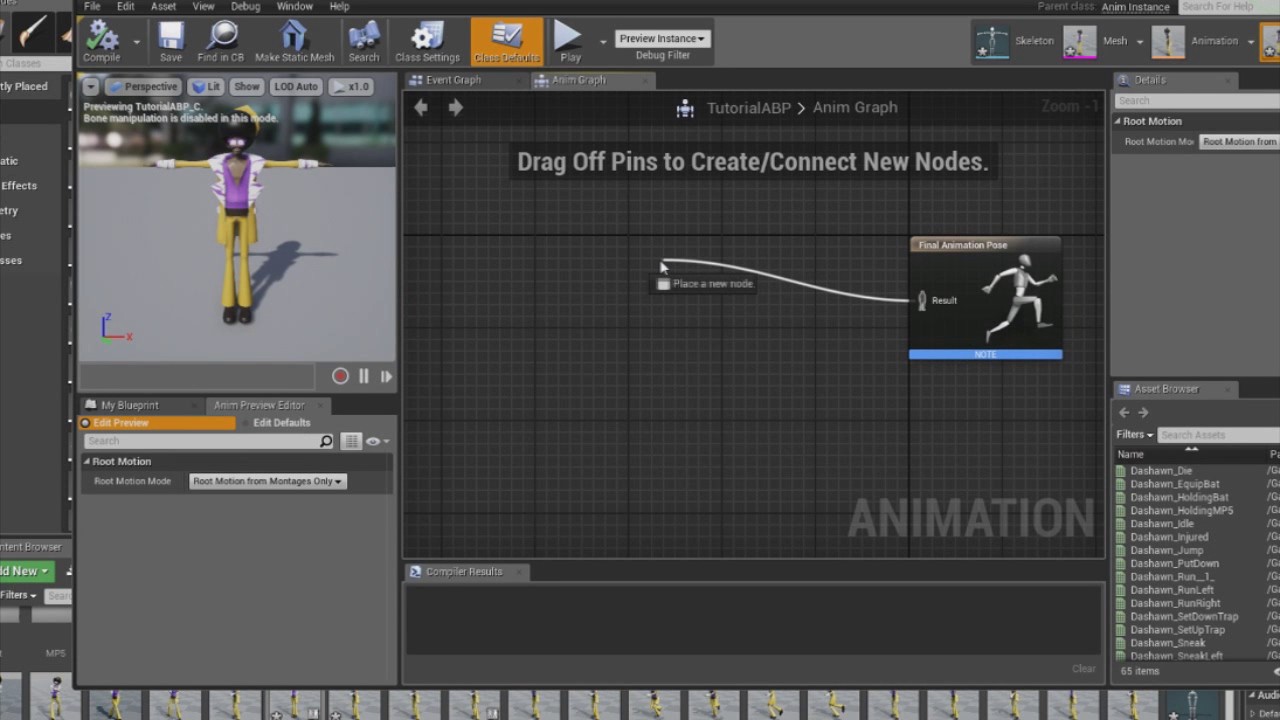
@wintry belfry so what is the actual issue ? the animation that makes the head rotation is not smooth ?
 earnest lion
@inland ridge you could export the mannequin as an fbx, I imagine 3ds can import that
@wintry belfry try and attach the camera to a springarm and that to a bone/socket, with the spring arm you can set a lag which would probably smooth it out
earnest lion
if i want to do a locomotion based blending, character looking around, should i create a separate animation in standard pose and record just the head movement (and should it just be one frame long)? or should i recreate something like an idle animation but looking down.
wintry belfry
@junior bridge the issue is that it just doesn't "feel" right, that's the feedback from beta testers
it doesn't jump wildly or anything like that, it just isn't as smooth as a standard FPS with no body
@earnest lion unfortunately that doesn't work, it makes everything more "aerial" but responsiveness goes down the drain
BTW thank you both for help
earnest lion
what do you mean fluid? i'm using third person mesh and animations in first person, looks ok.
at runtime i connect the springarm to a socket that's a child of head
 restive yew
Why not an aim offset?
earnest lion
Because I'm an idiot
😊
Did an aim offset respond to something like a lookat for an air controller?
Ai*
earnest lion
@restive yew it doesn't let me drag out animations into the aimoffset
oh i see it's not additive
 misty dagger
how do i add two animations together?
or like more than two animations together
like this

Difficulty : very strong 1 on 4 match Gogeta custom-with master roshi training and attack +2: ME Gt villains normal: CPU
 bronze sierra
hello, i have an anim sequence that has a notify really close to the end of the animation, the problem is that sometimes he doesnt trigger the notify, i assume its because he is blending out to another anim. is there a way to enforce that notify to always play?
earnest lion
@misty dagger do you want sequential animations, like blend one into the next, or blend the two together at the same time?
misty dagger
sequential animations @earnest lion
 plush phoenix
So I have a simple starter first person setup that I removed pretty much everything to make it just the camera and I also have a simple sprint setup that goes from 300 to 600 player movement speed, however I am trying to add some simple left and right footsteps via animation notifications and they can be heard in the animation montage but not in game. I have tried all of the anim montages including idle, fire, and the jumps and it doesn't pop up a sound at all. I even went ahead and disconnected my little sprint setup and put the player speed back to defaults and it still doesn't play a sound. On a new project it's fine but I am not sure what the deal is here
https://www.youtube.com/watch?v=IBUQ7jXTLX4 Followed that

In this video we are going to take a look at making footsteps make sounds withing unreal engine 4
restive yew
@plush phoenix did you cache the montage? Well, are you able to trigger the montage first off
plush phoenix
No.... didn't cache anything 😦
trigger how?
I tore pretty much everything besides the camera and movement from the first person default setup
out
restive yew
have the montage play from input. Just to debug it
plush phoenix
Alright 1 sec
How do I play from input?
Thought I knew what you meant guess not lol
it's been a long while and i broke rule #1 don't tear apart something unless you understand what it is haha
https://gyazo.com/9701d596b4801fa12efb29267ccd8224 that is all that is left of the first person character btw
 restive yew
something like this
plush phoenix
Alright let me try that
Oh do i need it in a montage to be heard?
i tried putting the sound notifications in an animation sequence
restive yew
I'm a bit confused why you are using montage. If you don't have it set up in the animation bp and the character bp, it'll never play nor ever heard
plush phoenix
I am literally just following that tutorial up above but it's probably greatly outdated, 2016.
I mean it works on my other new projects just not my current
restive yew
that just shows you how to add sound notifies
plush phoenix
I need to call them from the character blueprint right?
restive yew
No, you need to make an animation blueprint and apply it to your skeletal mesh. For blendspaces, you don't need to bounce the animation cache through the character bp directly. But you must do so for animation montages
plush phoenix
I have an animation blueprint it's the default one that comes with the default unreal engine first person shooter, I just want to play the sound notifications within my animation sequences that I setup not trying to add new animations or montages unless I am misunderstanding you
I am gonna do a little more research and maybe come back I wasn't sure if this would be a quick simple fix
Ohhhh okay i got you thanks man i see what i did wrong
restive yew
What happened?
plush phoenix
I removed the anim montage part where it calls the animations i believe. I just slowly tore apart a new project and that is where it stops playing the sound
so im gonna play around with this a little
restive yew
So abusive to your poor project 😛
restive yew
It's always a challenge to learn a new workflow. I hope the sound you add in there makes the ground shake. Goodluck, have fun 😛
plush phoenix
Thanks man you got me pointed in the right direction 😃
plush phoenix
Got it you were right I needed the skeletal mesh with the animation blueprint otherwise it wasn't playing any animations and was just the camera movement. I just temporarily added in the FPP arms and hid them in game.
Gonna look into more advanced ways though but super thanks
Just wanted something small for prototyping 😃
restive yew
Use third person sample for the full mannequin. There’s also paragon assets in the learn tab that you can use
misty dagger
how do i do sequential animations that blend in to the next one?
misty dagger
anyone?
misty dagger
hello?
 tender condor
Hey @misty dagger Do you need to fired them in runtime or you can just fired them once and you want them to play them all, because that can be done with a single AnimMontage.
Generaly the montage has a blend in/out
earnest lion
@misty dagger a standard state machine in animation animation blue print can do this. If you need the animations to always sequence together then you a composition. If you want to layer them use additive.
https://docs.unrealengine.com/en-US/Engine/Animation/
https://docs.unrealengine.com/en-us/Engine/Animation/AnimationComposite
https://docs.unrealengine.com/en-us/Engine/Animation/AnimHowTo/AdditiveAnimations
earnest lion
@restive yew I'm curious how is an aim offset different than an additive animation layered bone, you still have to set up the rotation. It doesn't seem to be any different or save any steps
 pastel bone
It should still be possible to import mixamo animations to ue4 right?
 errant ermine
What does this additive do and when it should be used? What is difference between Mesh Space and Local Space? I tried all settings and cannot see much change with the animation
earnest lion
Read that, it talks about mesh space
Mesh space uses the mesh's bounding box as its base for rotation, allowing rotations to move in the same direction regardless of the orientation of chain of the bone in the Skeletal Mesh.
errant ermine
@earnest lion Thanks
restive yew
@earnest lion not all that different. I view it as a quality of life feature if anything
restive yew
In blender. Rename the rig
misty dagger
@earnest lion i am talking about to where i can put punches and kicks for my fighting game
like this

I Have RETURNED!!!!!! Okay, so now that we got that over with, read the description: My Capture Card that I recently ordered arrived today. So in celebration...
ok so ill try composite
 remote elm
quick question, im trying to rotate a bone(hand) on the default third person character so its better suited for holding items in the hand. how can i go about doing this? in the mesh viewer i alter his hand, but im unsure of what the correct place would be to alter the hand and save it, because when i go back ingame the hand is unchanged
for example
https://gyazo.com/20447a2b4cc0d3451ae812b79a22cf7e

 stark urchin
Is anybody free to help me with some issues I've been having with trying to retarget animations?
 young urchin
@stark urchin you first ask, then people answer...there's no answer on unasked question
stark urchin
I always check to make sure I'm not bothering anybody, that's what I did in the Blender discord & I got tons of help
But ok
I need help with retargeting animations, to make it easy for whoever can help, please take a look at my reddit post to understand my issue: https://www.reddit.com/r/blenderhelp/comments/ahsfj6/blender_model_to_ue4_animation_retargeting_messed/

reddit
1 vote and 0 comments so far on Reddit
young urchin
@stark urchin you won't bother anyone if you stick to topic (related to channel)
show the skeleton
stark urchin
@young urchin The skeleton tree in Unreal? Or the skeleton rig in Blender?
young urchin
oh i see
no luck for you
you need to have same topology
topology - means same parents
some bones can be skipped, but could not be reparented
stark urchin
Sorry I don't really understand. I saw it was ok to skip some bones, but how can I go about fixing the parents?
young urchin
@stark urchin well, you have to change the skeleton, no other way
stark urchin
Still don't really understand, how should I change it. Could you lay out the steps as to what I should do to fix it?
stark urchin
So I have to set up my tree in that same way?
young urchin
yes, best way is to set it the same way., but some single child can be omitted
stark urchin
And that should fix the weird animation issue?
young urchin
as example spine_02 and spine_03 are the only children...so they could be omitted
well, it's the first step
2nd will be proper axis orientations (but those are less important)
you could export the Epic Mannequin and adjust its skeleton for your character
i think there even a scene for blender exist
i'm not blender user however
stark urchin
Ok I'll look into that, thank you
 reef agate
Hey everyone. I'm a bit desperate to solve an animation blending puzzle. I have a modular mesh character BP, meaning I have the primary skeletal mesh and a bunch of clothes as nested components of the skeletal mesh in the character BP. Now I want to be able to switch between animations using player input. Everything works perfect using set master pose in the char bp, except I lose all rigidbody physics of the clothing (bones are additional to the main skeletal mesh). First Q: anyone know how to get that back or do I lose it? Alternatively i'm using a second method which is to just set the animation mode of each clothing item and the main mesh to the anim BP. The problem is that when I blend to the second animation at runtime, only the main mesh changes animation, the clothing just continues on with the first animation loaded at runtime. How can I fix this?
You can see the player input is just pressing 1 or 2 for either or animation. Casts to the anim BP to change the animation using a bool
first image shows the character BP component hierarchy
inland ridge
@earnest lion you could export the mannequin as an fbx, I imagine 3ds can import that I was looking for the idle pose and full rig. I'm trying to rig a character to the epic skeleton but it's half wrong. I found the ART plugin and the rig in Maya, but it looks like I can't just export it in 3ds
young urchin
@reef agate
@inland ridge you can't export control rig from maya, only the rigged mesh
reef agate
heyy
@young urchin play GCB_Test
p.s. i fixed the heels by using set master pose in the construction script!
since they don't use rigidbody dynamics it's fine
GCB_Test is the facial anim
@young urchin ahh nevermind. i can't use set master pose because when i blend the heels stay at the original animation
oh well
or no they do change but still folded. sorry im geting loopy and tired haha
young urchin
maybe get rest?
inland ridge
@young urchin I tried some exporting and constraints don't carry over and bones are the wrong scale..it's a mess
I found this: https://forums.unrealengine.com/development-discussion/animation/122159-yet-another-3ds-max-rig-for-the-ue4_skeleton
Unreal Engine Forums
Animation discussion, including Animation Blueprint, Persona, Skeletal Meshes, and more.
looks like the best one yet
young urchin
@inland ridge https://forums.unrealengine.com/development-discussion/content-creation/45019-4-8-mannequin-3ds-max-cat-rig
Unreal Engine Forums
Talk about Level Design, Static Meshes, Physics, and more.
inland ridge
https://gumroad.com/l/cAwwe this one is broken when importing

Gumroad
I decided to re-rig the UE4 Mannequin & to give it Helpers so that it can be fast & easily be used for rigging. This a full body rig. It is easy to use with "Custom attributes to precisely control the joints. It also contains all the basics, such as "IK" & "Frame Targeting". ...
reef agate
@young urchin thanks for the help today. im gonna rest up yup : )
 broken adder
hey guys just curious. for you people making FPS. what's the method you use to blend the 3person animation when changing weapons? the awkwardness seems to be that normally the Aimoffset affects the weapon on hands and they're usually not switched around
it seems there's no way to feed aimoffset in as a variable. you either use ENUM to switch , use state machine, or maybe IK the left hand for diff placement
 lunar silo

7 weapons and 4 attachments optimized for FPS.
how do we create animation of this asset ?
reef agate
Has anyone noticed that translation retargeting from animation to skeleton doesn't work when using set master pose in the construction script or copy pose from mesh in an anim bp? I'm struggling because i had to use translation retargeting to skeleton to get some shoes (high heels) to look right but now that i'm blending animations and need either of these options they're back to be distorted and and curled up close to where the actually foot/toe bones are
misty dagger
Guys is there any way to move a bone in ue4 with the blueprints?
i am talking about a single bone
i am making a tank
and i want the turret to rotate via blueprint
but for that i need the bone to rotate?
how can i achieve this?
young urchin
is there any software besides Motion Builder that could merge multiple animations in a single FBX?
@misty dagger yes it is possible, but you need to mix animbp with actor bp, since bones could be controlled from anim bps only (afaik)
restive yew
I honestly would. It won’t be animations per say. Nothing scary at least. You just need to make a few poses and make an aim offset.
misty dagger
How would i do that sorry lol?
I watched some tutorials on how to use the animation blueprint but could you please explain further how to achieve this? Sorry for my stupid ignorance.
misty dagger
Hmmm
i just imported animation and wanted to check it out in ue4 but the actual tank doesn't appear in the animation preview
the animation plays and the bones are there but the actual tank is gone
restive yew
Now that I think about it. You can simply do a rotator. Or use timeline
Let me guess
Blender?
restive yew
Use Make Rotator and add rotation to your target component. You'll need to normalize the axis if you're using mouse x/y for input mind you.
For blender, rename your rig to anything but Armature
misty dagger
hey i have a question, what paragon character in unreal engine has mostly fighting animations besides crunch?
or a character that has fighting animations i can download and use in a game i am making for free?
 dapper mountain
I'd say Crunch and Rampage have the most in way of hand to hand.
 rough flame
Hi !
How exactly I can restart an anim with a "blend pose by int"
misty dagger
@dapper mountain, is there any paragon character that has more kick animations?
or does anyone know?
dapper mountain
@rough flame Can you try using an AnimMontage that way you should use JumpToSection instead of trying the Int variable?
@misty dagger Sadly I can't think of any, Maybe Kallari.
 sweet tartan
Hey folks, this was done by someone in the game developer's league. It's in Unity

He says it's using an algorithm to do IK stuff. Does anyone know how I might do a system like this to make a rope-like object in Unreal?
@ me!
restive yew
Well there’s cable component
For skeletal base. Try this

If you want to help out, you can share my videos on social media, or make a donation here: https://streamlabs.com/lusiogenic This Unreal Engine tutorial show...
@sweet tartan
sweet tartan
Thanks for redirecting me to this link! I'll check it out now.
restive yew
My only talent is to point and not be deleted 😜
misty dagger
how do i transfer a animation from another mesh like kallari to crunch?
how do i transfer a kallari animation to crunch
misty dagger
i have no idea lol
how do i transfer a animation from one mesh to another?
like if they are in different folders?
is anyone here?
restive yew
@misty dagger is this consistent and does it match your base pose?
 grizzled basin
I'm currently trying to reparent my abp. I currently have 2 ABPs for my characters depending on whether or not they're using a rifle or a pistol (may be expanded as other weapons are added, they'll need different poses). They are parented to anim class, but I want to create an intermediate parent so that I can set a couple of variables/functions that will be available regardless of which kind of unit they are. I tried just making a new class and reparenting (a copy) but as soon as I did that, they just hit t pose. The current intermediate parent doesn't have anything in it, so I thought it should just pass through all the stuff from anim class to the child, but it doesn't seem to be doing that.
misty dagger
how do i transfer a animation from one mesh to another in unreal?
like if they are in different folders and such?
 clever abyss
@misty dagger
You can use Retargetting , if the skeletal mesh is different.
 thorn tendon
Any tips as to why my shin bone and shin mesh is not together? For some reason it decided to offset itsself. It's 100% fine in blender.
thorn tendon
@clever abyss Any tips?
 native owl
Someone know why i cant see my character when i package the Game? I using 4.21 and mobile platform. Only happen when I add Bones to my PJ
 peak vine
Here's a dumb question.. how do I play 'ad hoc' animations on my character.?? I have a full blown animation state system with idle/strafe/run blending and jump blending
How do I play an ad hoc death or spell cast animation ?
(basically like override the animation state???)
Maybe I should make an animation montage and call it from the anim BP ? Err
sweet tartan
I wish I could help you, but I see you.
restive yew
Yes, you use an animation montage. You need to cache it in ani bp then call it in the character bp
 desert jolt
Hey, so this is probably something real simple i'm overlooking but i have two meshes built on the exact same skeleton, but whenever i import the second one to the same skeleton, it gives the "Failed to Merge Bones" error and after trying to regenerate the skeleton it gives another "Failed to Regenerate error". What am i doing wrong here?
 karmic marsh
hey, can someone explain to me how unreal changes the position of a bone in a skeleton without any reason to do so?
my bone is at the correct place in 3dsMax, in the skeleton asset but at runtime, or in the viewport the bone is somehwere else.
im not doing anything to the bones position in my project
any help s greatly appreciated
 fiery gust
this might not be the right channel but its "animating" to some degree. Is there a name for it or how it works if i want to make a emissive texture that changes ?
like one of these
has it a name?
would it been done by a flipbook ?
found something if someone is interested

In this tutorial we make an animated panel material in UE4, similar to what you would see in a lot of racing games. NOTE - The files below are not the exact ...
 slender ore
Hi. Is it possible to use Get Relevant Anim Time Remaining Fraction (or similar nodes) in an anim graph transition while still maintaining fastpath? Any other workflow idea? Ty
 lofty sphinx
I am having severe issues trying to export animations from Blender to Unreal. When I try to import them separately from the mesh and armature, I keep getting errors such as "this does not contain any valid animation takes" and "imported bone transform is different from original".
 teal mulch
how many frames per second do i animate in? ive seen 60 as recommended but by default in blender its 24?
hrmmm seems 30 may be best
 narrow compass
You have good tutorials for begin to make animation with Blender or UE4 ?
teal mulch
nope wish i did
 ember ivy

These reload animations are hilarious
 dapper dove
Hello! Im new to this discord. Also Im new to animation in ue4. Nice to be here! I have an issue with spinning "tip of nose" of my robot. In maya it looks like this https://gyazo.com/a139b6d53a8b95f1c7f29ea9c6274159 in ue4 like this https://gyazo.com/5ef21ea42585eabfe6de0abdc080d794 XD(sorry for bad quality but u see whats going on). Anybody got ideas why is it happening? Seems to be a problem with any fast moving part. Thanks.

 lofty sphinx
@narrow compass All of the tutorials I can find online about animation from Blender to Unreal either give vague answers or their answers do not work.
 river meteor
@teal mulch We use 30 fps internally, no need to waste extra memory with 60 fps anims when the engine can interpolate the curves.
 ruby swallow
How can I have animation as a parameter inside the animgraph? Let's say I want to blend between two animations (Idle and Attack), but one of them must be dependent on whether the player is using a 1 hand or 2 hand sword (so the idle must be a parameter)
When I drag from the blend I can only select specific animations inside content browser, rather than create some variable
misty dagger
Hey! I was hoping someone could help me. Does anyone know how to export animations from Blender to Unreal Engine? I've got a rigged model I also need to animate, but I want to be able to export the rigged model and his animations separate, because there are multiple animations in the animation timeline in Blender.
lofty sphinx
@misty dagger I have the exact same question as well.
misty dagger
I've been looking everywhere for some help, but all the tutorials say different things and don't work for me XD
teal mulch
Thanks @river meteor
misty dagger
So I guess no one's on that get help me right now
If anyone knows what I need to do, then let me know whenever you see this! 😄
 ivory warren
Hey guys, I have an animation montage with 2 sections. The 1st section is of 0.4 seconds, and it has an anim notify at time 0.
The anim notify handles conditions to tell it to either play the next section of this montage or not.
Everything is working perfectly if the FPS is above 30, but if the fps drops down to like 15 (i know it shouldn't but it happens sometimes), then the notify triggers after the 1st section is done playing, so i can't set the next section to play because the animation is already done and no montage is playing anymore.
Is there a way to avoid this? or do i have to find an alternative solution than anim notifies?
restive yew
@misty dagger you simply need to define the tracks in the NLA editor.
misty dagger
@restive yew What's the NLA editor and how do I seperate them in it?
restive yew

Blender 3d Modeling and Animation tutorials and lessons. How to use NLA editor and NLA actions. How to create animated actions that can be saved and reused i...
misty dagger
Oh okay, thank you! So just export the rigged model with all the animations in one FBX file, then put it into Unreal and separate the animations in the NLA editor?
restive yew
The nla editor is in blender
misty dagger
Ohhh yes thank you. I saw the video and realized it's in Blender, my mistake XD Thank you so much!
stark urchin
Can somebody help me with an issue I'm having with how my model looks in Unreal? I'm sure it's a basic problem, but I don't have much experience
lofty sphinx
@misty dagger Did it work?
 opal jackal
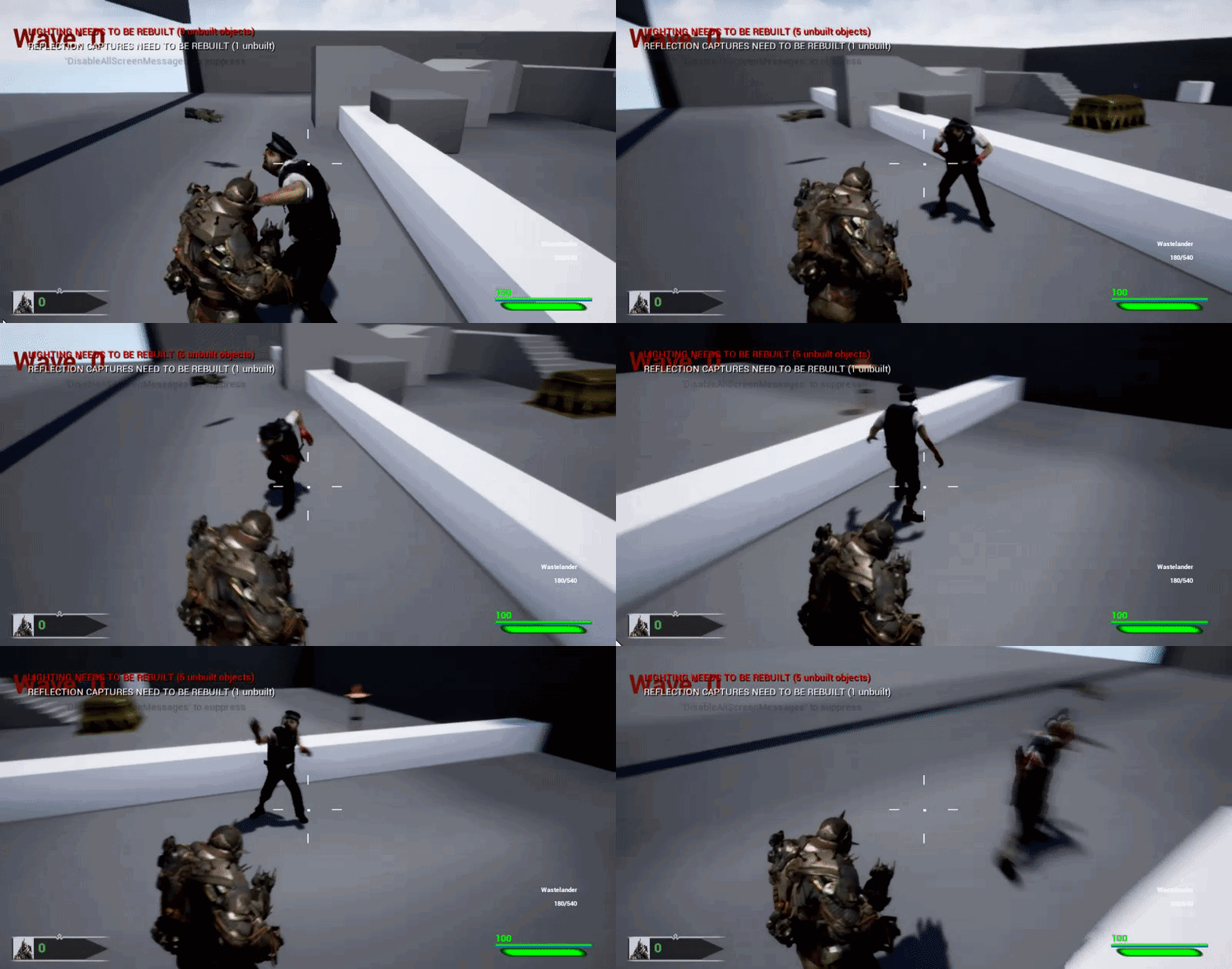
I'm working on my zombie animations and my zombie plays his attack animations but I can walk away way before he hits me. The zombie feels clunky and stupid. How can I make him attack the player when in range but keep moving towards player or something? I need suggestions on how a good zombie should attack/move
 misty dagger
@opal jackal Make it stumble when it misses?
opal jackal
That's a good idea.
errant ermine
This isn't how it supposed to be right? I get so many "empty" bones in my bone hierarchy when importing my mesh. Why does the Mesh itself is shown in bones section? (geo_telescope_)
skeleton itself seems to be okay, but those bones aren't doing anything. I can move and strech them as I like and it won't affect anything
misty dagger
@opal jackal This clip might help you get some ideas https://youtu.be/yH5MgEbBOps?t=3981

Go behind-the-scenes to learn about the dogged development and unique philosophy at work in the making of the universally acclaimed, hit video game, The Last...
restive yew
@opal jackal That looks like an ai issue. Have it's trigger range for the animation set wider and use a Layered blend per bone to allow the zombie to walk and attack. You'll still need to implement the movement through your behaviour tree of course.
 fast jewel
@restive yew
restive yew
@errant ermine Those look like leaf bones. Some programs will automatically add them when you export them by default. If you import and export said rig several times... Well, those leaf bones start to stack.
fast jewel
im confused lol
@restive yew do u know how to put that animation into the crunch?
i tried retargeting and it didnt work
errant ermine
@restive yew But they appear when first time importing to Unreal. That mesh is Reference mesh, but that should not make it appear as bone, right?
 red marsh
Hey guys i was wondering what the usual method for doing first person shooter animations is. some people have told me to make the weapon and arms skeletons into one skeleton
restive yew
Ah I see. I do apologize Cookie, I misunderstood your question. Yes and no, the mesh won't appear as a bone unless you're lacking a root bone.
opal jackal
@misty dagger Thanks that looks cool. IDK if I can do all that but It definitely gives me ideas. @restive yew Yea I'm currently setting up his blending so he can attack and run at the same time. You read my mind lol. Thank you guys for the suggestions and help. 😃
opal jackal
It looks better. I still need to do more tweaking to make him better. https://i.gyazo.com/10dbe14cc43e9327852a1b9dc92c8c8d.gif
 restive yew
Very nice!
 wraith nova
hello, i am trying to import some mixamo animations to unreal engine with a custom character anyone have any ideas?
i have a fbx character import but the arms and some of the feet look wobbly as well
wraith nova
also the custom character i made was from vroid studio
 cloud lodge
im still struggling with these weapon holding animations
it looks worse now than it did before 😄
wrong channel
river meteor
Let's see where you're at now?
cloud lodge
i kinda ripped it all out and started to re-think it, basically reverted my animbp to last months base
just waiting for my project to load, its updating from perforce
sorry no idea what perforce is doing right now

apparently i have lots of changed files ..
:/
cloud lodge
yeah i am completly lost as to what to do
river meteor
Still updating from p4 or... 😄
cloud lodge
nah its finished
but i am completly lost as how to handle the weapon
kinda feel like i want to give someone the project and pay them just to implement a nice upperbody 😄
river meteor
Are you going for something like this? https://gyazo.com/42234842a469dcd036a7f692e95da045
cloud lodge
yeah
fiery gust
what would be the best way to Delay to a stop ?
from walking/running
i would like the charakter to slow down after running /walking before comming to a stop either delayed (after button got released) or is it possible to make that by Animations ?
so that if released the last animation is comming to a stop
restive yew
You do that through the character’s movement. Lower it’s acceleration rate or make a deceleration function. Best to ask #blueprint or #cpp
restive yew
Also, increasing the division in your blendspace graph will make a smoother transition
errant ermine
Will root motion only affect character type of actors? I tried to use root motion in simple actor but didnt work. With character it worked.
 cyan pasture
Hey so as you can see my animation with root motion enabled has this sorta head flick as you can see in the vid but with it off it lags back when playing in game, I'm not really sure where to go from here, any help?
 green musk
Anyone here an expert with the paragon characters and the animbp's they come with?
 jolly osprey
this sounds pretty cool
TL;DR: Inside Fortnite, ACL shines bright with 2x faster compression, 2x smaller memory footprint, and higher accuracy. Decompression is 1.6x faster on desktop, 2.3x faster on a Samsung S8, and 1.2x faster on the Xbox One.
 rugged tinsel
hey im having this problem when i can export the UE4 mannequin fine to mixamo but when i add the animations to the character from mixamo and then try to import it from mixamo to UE4 it has no character its just the bones it doesn't even let me import it any ideas?
 pastel chasm
What's the best way to incorporate direction rootmotion dodges? (meaning I have 8 directional dodge animations)
Do I just code it and play them as montages, or perhaps a blendspace would do?
rugged tinsel
blendspace is the best for smooth animation movements
pastel chasm
yea, I guessed that, I usually see people use them for looping animations, so I was wondering would they work with something like this
it's just that coding it all and playing with anim montages doesn't exactly seem the right way to do it for me...
rugged tinsel
well if you only need 1 dodge animation just use it as a montage
any character i use on mixamo and then export the animation out of mixamo has no character just the bones
restive yew
Are you using your own character?
rugged tinsel
im using the UE4 character main one
i tested mixamos characters and they come out the same
restive yew
Very interesting. I just tested it out and it works fine
rugged tinsel
what did you do because i might be doing something wrong
rugged tinsel
 molten stump
Guys I have an animation that I'm editing from a pack, do i need to match the bone names to the new gun bones?
molten stump
Okay thanks, hopefully it works as im not very good with animation
rugged tinsel
rugged tinsel
but why are they all coming out the same
restive yew
Which character do you want?
rugged tinsel
the one i sent you the main mannequin just for zombie testing
the problem is i have a few animations and they are all going to come out the same
restive yew
unreal's mannequin?
rugged tinsel
ye
restive yew
if so, you're going to have a bad time
rugged tinsel
but why is it happening lol im doing everything right i used to do this before
restive yew
Blender hates the mannequin and Unreal hates any blender made assets that share elements of the mannequin. The default name of armature for example will make your animations invisible if you import it to unreal.
rugged tinsel
well that sucks
restive yew
test this
rugged tinsel
can i retarget the bones?
rugged tinsel
thanks so much man much appreciated
rugged tinsel
i dont think it is i had problems with the mixamo characters too but i got 1 to work
anyways thanks man you saved me 😃
rugged tinsel
ok thanks
oh good i found the problem for some reason i cant download packs of animations from mixamo but i have to do it 1 by 1
restive yew
Didn't they stop supporting animation packs awhile ago?
rugged tinsel
never heard of that happening i only know they stopped supporting mixamo
molten stump
welp changing the bone names just doesnt work for some reason, ill have to find an animator
rugged tinsel
jordan what are you really trying to do
molten stump
Pretty much an M4 gun I got, came with an animation which I like. I want to use the same animation with a new M4 i got modelled
rugged tinsel
you have to make a new bone on the character in the UE4 not hard if you know how to do it and make it show the mesh so you can line the gun up with the animation
earnest lion
I have an armature setup in blender, and when i export it the root bone and the first set of bone's end points don't match what blender has, like each bone is off by one bone. see the pics it makes more sense
unreal bone imported
Like the drive bone became the crank bone when imported, and the crank bone became the pedal bone. did I miss something obvious when setting up the armature?
earnest lion
Well the bones still rotate as expected in the editor, even if they look different. But my imported animation isn't working, it's collapsing all the bones and not using the mesh it seems, as it's missing from the view.
earnest lion
when I import my animation it says imported bone is different from original
ahh figured it out, my armature and skeleton all needed to be named root
wraith nova
Very helpful article thank you
 winged violet
Is it essential to have a root bone at the origin for NON root motion animation?
earnest lion
any reason not to? @winged violet
if I have a something spin 360 deg on one axis over 30 seconds, I use 4 key frames at 90deg each. I notice when looped there is a slight pause between the end and the beginning, is this because I'm repeating the same rotation in the first and last frames, so it seems delayed?
 fleet relic
Hey guys, im looking to create my own animations using the unreal engine skeleton/rig using Maya
is the only way to get access to it via ARTv1?
earnest lion
you can export the skeleton as an fbx and use it in maya
fleet relic
without ARTv1?
earnest lion
correct
fleet relic
cheers
earnest lion
😃
lofty sphinx
Where should I put the Play Montage in this code so that it will be played? I have already slotted it, and I have tried several places but it has not worked.
restive yew
is it cached in your animation bp?
lofty sphinx
@restive yew How do I cache a Montage? I only know how to cache Poses.
restive yew
I'll show you a basic example
In the animation graph, search slot. It will be under montage
from there, you cache the pose
and run it through the output
the two cache being blended is just to have the character attack while moving
(ignore the 'eating' cache)
lofty sphinx
@restive yew I meant that I already made the slot and assigned my montage to it. I just cannot find a place in the original picture to play the montage.
restive yew
Ah. I cannot see the bp, my apologies. Where it is appropriate is dependent to how you set up the function.
misty dagger
@lofty sphinx I'm not sure. I don't really understand what using the NLA and action editor has to do with exporting my animations to Unreal Engine. I think I need some more help XD
restive yew
But use the Play Montage instead of Play Animation Montage. It'll give you more options
misty dagger
Well, let me just try it out and I'll tell you if it works
restive yew
But here's a sample with just the montage. Again, where you insert it is on a case by case basis
lofty sphinx
@restive yew The montage should play as the player shoots. By using "On Completed", the player does not shoot until the button is released.
misty dagger
@restive yew Hey, just curious. So I have all of my animations each in a separate action strip on the action editor. Do I just click export as FBX, and then when I add it to Unreal Engine 4 it'll work and all the animations will be imported with the model?
Or I mean I have them all on their own separate NLA track/action strip.
Like this
restive yew
Yes. When you import it, it’ll dump a bunch of separate animation files in unreal. Just check your export settings, make sure you import the skeleton first (the lazy way to do this: delete the key frames, clear all bone rotation, export it as a separate file), and match your skeletal mesh when you import the animations. There’s options that allow you to include mesh, physic, mat, etc upon importing into unreal. If you enable these upon importing the skeletal, then you don’t need to do it for the animations. You’ll just get useless duplicates of the mesh and physics assets otherwise.
misty dagger
Okay, so, what you're saying is, first export only the mesh with the skeleton and rig, or only the skeleton with no animations, then export the animations in their own file no mesh or skeleton? And how do I match the skeletal mesh when I import the animations? @restive yew
restive yew
First export it without any animation data. Remember to reset the bones
I’m not at a computer so I need to steal some images from the internet. Bare with me
When importing to unreal, you’ll get this window (ignore the red boxes)
Check the import skeletal but keep Skeleton tab to None
Second: export your animations. You don’t need to do anything with it beyond what you already have. Keep the mesh if you wish
When importing the animations, Use that Skeleton tab. Assign it to the skeletal that you made in the first import
misty dagger
So I just exported the mesh with the skeleton. Did I need absolutely no keyframes at all, or one keyframe at 0 or 1 with all the rotations 0'd out (the rotations are naturally 0'd out)
I exported it with no keyframes at all
restive yew
Yep, that’s fine
Just trying to minimize headaches for you with hard yes or no answers 😜
misty dagger
Hahaha, thank you I really appreciate it for making it easier for me to understand 😄
So just export the animations now, nothing else but the armature ticked in the FBX export menu?
restive yew
Nah, you can keep everything in there. I personally do it in case I lose the blend file
It’s just when doing the second round of importing that I recommend unchecking mesh
And physics asset
And mat
😜
misty dagger
Alright, sounds good! And I checked all the boxes under the animation tab
restive yew
Living life on the edge I see 😜
Happy to help. Had to experience the horrors of importing blender animations just as you are
misty dagger
Hahah, yeah. I can't imagine having to figure this all out by yourself. So I'm happy that you're spreading your knowledge to a newbie like me 😉
Alright, so I exported the rig and mesh no animations, and I exported another one with all the animations in different NL tracks. So first I import the mesh and rig?
misty dagger
I believe it's just Armature
restive yew
Oh god
misty dagger
Oh, does it mess with Unreal in some way?
restive yew
Rename it. Unreal hates it. You’re animations will become invisible
misty dagger
Ooohhh so that's what's been happening. Why on earth, and how on earth does that even happen? XD
restive yew
No idea. It’s a bug that’s been in there for awhile
I’m convinced it’s due to a conflict with unreal’s mannequin
misty dagger
Yeah, interesting. Well I renamed it Skeleton, and the thing labeled under it that was called armature to Bones, so I should be good. I have to re export both the rig and mesh, and the animations, right?
misty dagger
Oh no it's fine! XD
So I'm exporting the animations again now. So what do I need to do first when I open the project?
In Unreal I mean
Also I'm running 1.18.3 , it should still work fine right?
restive yew
Yes
Import your skeletal. The one without any animations
Then import the animations. Assign the skeletal in the import window
misty dagger
Alright, sounds good! And just to be clear, with the skeletal mesh I also import the character's mesh with it, right?
restive yew
Yep
misty dagger
@restive yew So for the animation stuff. I have all of the animations in separate NLA action strip things. Do I just put export time under Animation length, or what?
So as far as importing the animations, I'm guessing I just uncheck import mesh, (not the skeletal mesh), then put export time, and leave the rest?
misty dagger
What do I set the animation length to? Just leave it as exported time?
Like that.
Or do I change exported time to Animated time?
restive yew
Push the big scary button
misty dagger
oh no... You can't possibly mean the... Gasp, IMPORT BUTTON!?
restive yew
Boop it
misty dagger
i gave it the biggest boop my mouse will allow
restive yew
Very nice. It’s a good habit to have. You’re coworkers will never be annoyed
misty dagger
Don't worry, I'll make sure to get the loudest, most clickiest clankiest mouse of them all. Everyone will love me.
misty dagger
By the way, I sent you a friend request! And not so far, it's still importing. It's a decent amount of frames on my not so fast computer XD
Hopefully soon with this project I'm working on I'll be able to afford a new better laptop
restive yew
We wait with baited breath
misty dagger
My cheeks have been clenched this entire time
I pray nothing goes wrong XD
It's 1:33 AM XD
restive yew
Go to bed mate. If you wake up and the computer is smoking, then you know the import worked
misty dagger
Nah, I'm good. I can run on 5 hours of sleep up until 3 to 4 AM, I'm good
You know, if the computer smokes from it working, I'd hate to see what'd happen if it didn't work
restive yew
Probably relaunch as windows xp
misty dagger
Oh no. I forced my computer so hard it downdated 5 levels of Windows!
YEEESASSSASASASASAS THEY'RE IN UNREAL AND THEY AREN'T FACLESS FREAKS!
But when playing back the animation it shows the model, but it doesn't show the material/texture that's suppose to be on him XD
restive yew
Easy enough to do
Create some materials and assign it in the material slot in the mesh.
I’m glad you did not run into nonsense. Congrats
misty dagger
Oh it's attached to the actual mesh. I put it on the scene and I can see the colors and texture, but it's when playing back the animations it isn't there. And thank you! I'm so happy too. This may be the second greatest achievement of human kind!
restive yew
Open the file itself. Anything placed in the scene is just a child of the parent class
Top right
misty dagger
Ohhh okay, thank you! I got it, and it's working now
All the animations are now textured!
Is there a way to set the FPS of all the animations, and the game itself? I made the animations to be at 60FPS
After this, now tomorrow I'm going to have to try and figure out how to get a red swipe effect and a wind effect for some of his kicks and animations to make them pop out more and look more spicy!
restive yew
Yes though I can’t remember off the top of my head. You can set play rate in some bp node and the animation itself in the ani bp state machine
30fps = 1 play rate if I recall
misty dagger
Hm. I don't exactly know where either of those are, so I think I'm going to go to bed and figure it out tomorrow!
Thank you so much Courtney! I really do appreciate it. I wish there was something I could help you out with, but I know almost nothing about most things in Unreal 😜
restive yew
I’m happy you’ve survived. Help and encourage others to the best of your abilities is all I ask. Good luck and have fun with your new shiny toy.
misty dagger
Don't worry, I'll make sure to help others like you've helped me. And I will! Thank you again.
 hazy zenith
Nick
lofty sphinx
@restive yew How does the purple array variable work? Do I make different elements for each section in my montage? And do I have to include the Do Once even if it is not looping?
restive yew
It’s a name variable to grab the section[s] within your ani montage. So for this example. I’d put StartAimL, AimingL, and StopAimingL into my array.
The Do Once merely prevents the player from spamming the input and resetting the animation before it’s complete
lofty sphinx
@restive yew Does the montage have to be bound to an event (such as Attacking for instance)?
restive yew
Something needs to trigger it yes
earnest lion
what's a suggested workflow for getting a human model mapped to a bicycle that already has some pedal/crank animations? should I get the model to pose and use IK to solve the leg movement? i'll probably have another bicycle down the road and will remap the animations for the pedals/wheels, but the bike probably won't be the same size
it will be similar though
misty dagger
Hey, does anyone know how I can create the wind and slash effect that happens in this video when Falco from Smash Bros spins with the wind effect, and when he does that kick with the blue swipe? I can't really seem to figure it out. Also, just like during that kick I want to make it o from smaller to bigger as the kick/slash plays, and stuff like that. Can anyone help me figure this out?
The attack effects I'm talking about are in this video: https://youtu.be/rJj9J5MW8xg?t=12

Not the effects of getting hit, but the attack animations from Falco himself.
restive yew
You pretty much are on the right track Viper. I’d definitely use IK for that. It’s more versatile for when you want to switch out bikes.
Poke #visual-fx for how to make particles. On the animation side, key word is animation notify
misty dagger
Oh yeah. It should be possible for him to parent or attach the leg IK's to the pedals so that when the bike pedal animation plays, his legs move with it, right? Or would he have to animate the legs seperately even with the IK.
Also, I'm just going to copy and paste what I said in visual fx XD
restive yew
He wouldn’t need to animate the legs if using ik in such a manner. Just a lot of tinkering with bone constraint
If they point you back to the animation channel, smack em
misty dagger
Yeah. I only know a certain amount about IK's and restraints, but I used them for my character for stuff like him rolling his foot, his hips, and his legs, stuff like that.
Alright, I will. I'll let you know so we can both smack them if they do.
restive yew
I honestly would go to YouTube and follow a basic particle tutorial. Then look for a tutorial for swipe effect
misty dagger
Yeah, someone sent me a video, and I'm gonna watch it, but first I'm going to learn a bit about using particle effects. So I should look up how to use animation notify's in unreal engine?
restive yew
Particles first. Look into ani notify later. Thankful it isn’t as complicated.
misty dagger
Alright, I'll make sure o do that. Thanks!
lofty sphinx
How hard is it to retarget an animation to something that does not have the exact same bones (e.g., a character with blades for hands)?
 acoustic steeple
Is there a way to export a UE4 skeleton from Blender without it adding duplicate "end" bones? e.g. "head_end_end" "finger_end_end" "hand_end"
acoustic steeple
looks like i needed to change some export settings. i had to enable 'only deform bones' and disable 'add leaf bones'
 gritty jay
Hey!
I just made a full procedural locomotion system.
Walking and Running animations have only 4 keyframes each. All the animations are generated in runtime by applying cubic interpolations.
Leaning is achieved by applying bone rotations dynamically.

Full procedural locomotion system. Walking and Running animations have only 4 keyframes each. All the animations are generated in runtime by applying cubic i...
 round shale
@gritty jay that reddit post inspired me to checkout Procedural animation
as well as that GDC talk from '14
gritty jay
Thanks! 😄
round shale
If you don't mind me asking, where should I start if I want to dip a toe in?
Currently checking out IK
gritty jay
I started with the leaning
then, I moved to the poses blending, as the guy from Overgrowth did
round shale
so, in a nutshell, get data points from the character via linetrace (or whatever), feed that to an animation BP?
round shale
no need for AnimBP at all?
round shale
alrghty
gritty jay
no need for line traces
except for IKs
if you want correct foot placement you must use line traces
round shale
yeah, sorry, that's what I'm reading heh.
Right now I'd like my character to lift their arm.
gritty jay
no problem 😃
round shale
That's my goal heh
What would you recommend me checking out via the UE Docs? Lots of different options.
gritty jay
you have Fabrik, CCDIK and Two Bone IK
for foot placement I'd recommend Two Bone IK
for hands, I would give a try to CCDIK, although it is still experimental
round shale
Do you tend to use Timelines for animations and then set them as variables for your animation BPs?
I suppose I can reference that as a variable inside my character.
earnest lion
@acoustic steeple the add leaf bone export option does that
gritty jay
you can do it
round shale
my skeleton is shaking like Michael J Fox over here
round shale
ah I had my state machines looped
and they were going mental
I foolishly put two of the CCDIKs in separate states, thinking I had to split them up
Anyway, thanks yall for the help!
 fallow steppe
Hey guys, I have an animated car that needs headlights. The problem is that the headlights follow the car at the wrong position. Is there a simple way to set the headlights in front of the car and follow the animations together with the car.
peak vine
Let's say I have 20 spells as rows in a DataTable and I want to be able to set a different Animation for each one. Should I use 20 different AnimationMontages or a different way ??
@fallow steppe have you tried adding sockets to the mesh (bound to the bone you want) and then attaching the light emitters to the socket ?
fallow steppe
@peak vine I have not tried that yet. Thanks for the tip
peak vine
Yes do that. I think you add them in the skeletalmesh. They are wonderful
Then you can do 'spawn emitter attached' blueprint and just attach the light emitter right to the socket component I believe
And the socket has a rotation/facing so that's nice -- it's not just a location
It's kind of like an 'arrow' but is tied to an animation bone
 urban helm
Is there any way to get animation blend weight value in blueprint?
misty dagger
How can I set transition rules for an idle to jump, and an idle to jog to jump?
The jump with jog inbetween always takes priority, as there is a directional movement
earnest lion
@fallow steppe are the headlights a separate mesh? did you attach it to a socket on the car?
fallow steppe
@earnest lion I tried to group the headlights and the car together but in a matinee you can't use groups
earnest lion
does the car have a skeleton/rig?
fallow steppe
no it does not have a skeleton/rig
earnest lion
well i don't know why you have the headlight mesh as separate, but you could attach them to a socket on the car rig, and then it would follow the mesh of the car. but if it the lights are static, why not just include it with the car mesh?
earnest lion
i have bicycle mesh and rig and a human mesh and rig both with separate pedaling animations. what would be the best way to keep them in sync when looping the animations? they start off in sync but over maybe 30 seconds they are out of sync
jolly osprey

Cascadeur is a unique physics-based animation software that gives the animators the ability to create realistic action sequences of any complexity. Cascadeur...
this is sick
 bright wasp
is it possible to export physics assets in an .fbx?
 small arch
What's better performance-wise? A looping animation with 3 bones or 3 morph targets?
restive yew
Morph target. Though you need to remake for each lod, it’s exclusive to the mesh, and Interpolation is linear -you’d need to make many targets for a good blend.
earnest lion
when i set master pose component my mesh looks deformed. the new master bone component is two skeletons armatures that have been combined.
am i using that wrong?
small arch
thanks @restive yew
misty dagger
I'm new to UE4; currently, I'm trying to import the player model from another game and add in animation and clothing for some practice.
The clothes use the same skeleton and bone names as the player skeleton, with the exception that they remove any bones not used when deforming the clothing mesh. The player's skeleton basically becomes a parent skeleton to the clothing, where the clothing's bone parents to the equivalent bone with the same name on the player's skeleton. So the clothes move accordingly to how the player's skeleton moves. How would I recreate that in UE4?
earnest lion
okay i got set master component to work on one of the two meshes. the second mesh simply disappears when i set it to target the master; but i checked and it's still in the game and 'visible' and at the proper location, just invisible for some reason. i wonder if i hit a bug because there is no error in the console
round shale
so, newbie question regarding procedural animations. I'm assuming you don't just want to manipulate one single IK / CCDIK, but a few at a time to get some kind of natural motion?
Or am I doing something real wrong?
peak vine
So in my character I have a skeletal mesh... I put a bunch of child skeletal meshes on this mesh (armor) and they have animations, the same animation blueprint and skeleton as the body mesh. However, the body is playing animations and the armor skeletal mesh children play no animations. Why is that ?
basically, how do I get my child skeletal meshes to play the animations of the character ?
peak vine
okay i figured out they all need to have the same skeleton AND anim BP... so thats all good
however NOW when i play an AnimMontage in my AnimBP, only the body mesh does the montage and not the armor skeletal meshes... hmmmm
earnest lion
@peak vine check out Master Pose Component, it's probably what you'll need to drive the montage with the armor
peak vine
omg that worked like a dream!
heres the video i used https://www.youtube.com/watch?v=bE0g_djR12s

How do you get swappable, full body, armor to perfectly animate in synch with your characters? The answer is the Master Pose Component. Let's learn about it.
:] HELL YEAH i have equippable animated armor that bends to arbitrary animations this is awesome
round shale
Nice.
 vagrant vigil
do particle notify in montage only work with non-looping particles? seems like all my explosions work fine, but non of my looping ones work (like a fire aura or whatever)
restive yew
Yes they work for persistent particles
junior bridge
@fast jewel you found how to retarget animations from kallari to crunch ?
@earnest lion if you're still looking for other paragon character having fighting style animation, Steel seems to have few things that could interess you.
junior bridge
@earnest lion and also boris, but he's more like a cybord-bear, but still some melee fighting. The minions also have some melee fighting style hand-to-hand animations.
clever abyss
Can someone help me fixing this?
I have clearly made keyframes for actor that uses rotation transform... but for SOME reason I can't see them in Curve Mode.
I'm using UE 4.21
 prime hemlock
Sorry. It's copy message.
Hi people! I have a problem with exporting skeletal mesh from maya. I want to make loot for my character. But I can't to import in project.
restive yew
That just means your skeletal mesh doesn’t match the animation
But since you’re specifically state the skeletal mesh isn’t importing
I’m guessing you’re trying to use a different skeletal when importing your new skeletal
In the import window, leave Skeletal as None
As such
prime hemlock
@restive yew Yes. I need my skeletal. I can't use none.
restive yew
Then your new rig has conflicts. Whether in hierarchy, bones, and or naming conventions
prime hemlock
It's work! Thank you!
lofty sphinx
Can I call multiple notifies per section in a montage? To clarify, I mean for each section, I want to call the same two notifies.
 outer cove
Hey all- I have very little IK experience with unreal. We are adding an articulating robot arm to Wrench and I want to design it with each joint constrained to one axis instead of using ball joints. Is that easily possible with unreals IK system or will we need to implement a custom solution to make that happen?
lofty sphinx
So I have a montage that contains several different animations. Each montage should have the same two notifies. Should I put the notifies for each attack on the same track or on different tracks.
cloud lodge
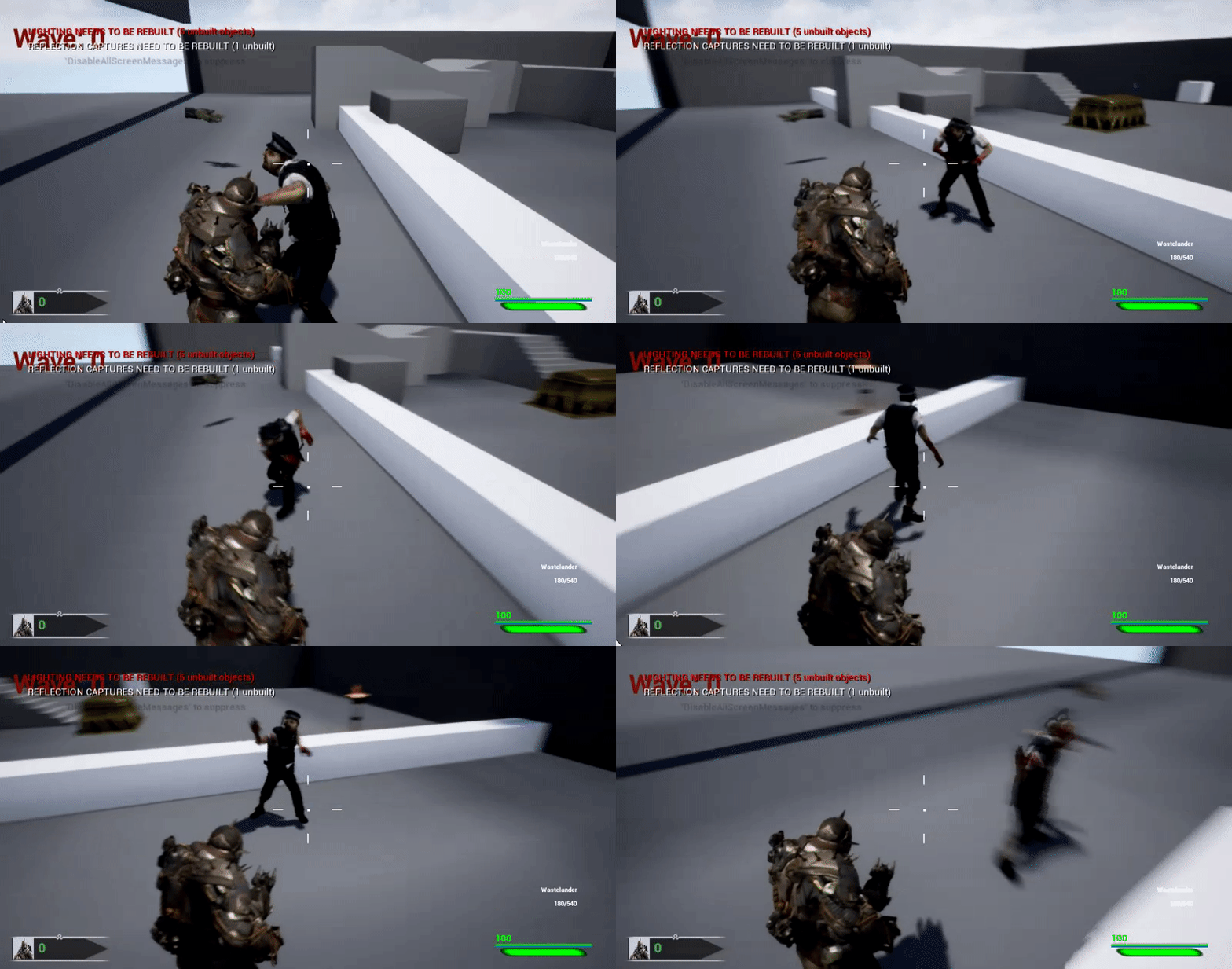
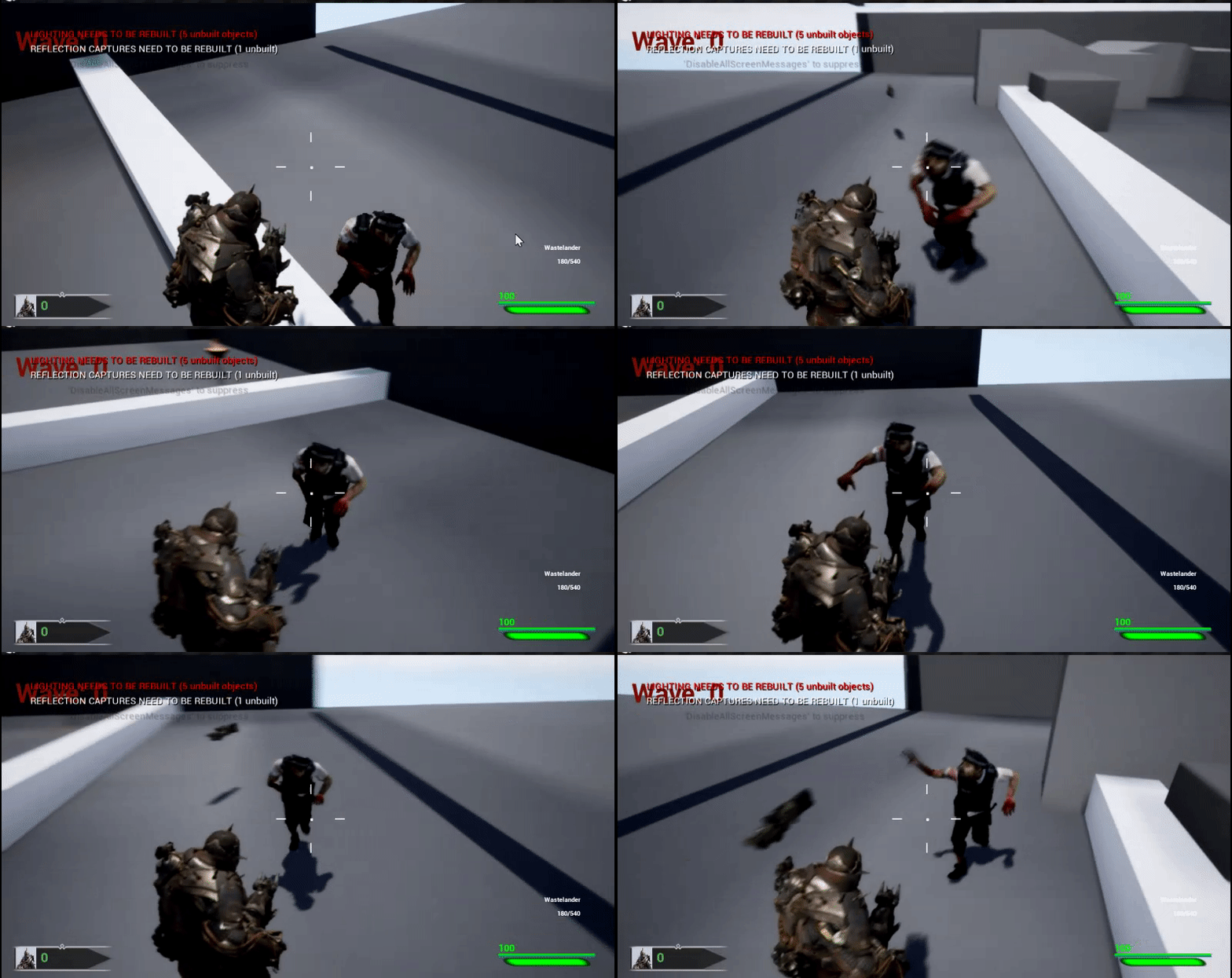
is there a way to stop a aimoffset from applying to anything but the neck and head?

doesnt seem to work
 foggy vessel
Hey guys, I'm at a roadblock with my own personal rig.. I really need some help problem solving if anybody thinks they are an expert..
The thing is, my rig is perfect in blender.. It works great.. does the trick.. Ive spent hours perfecting it so far..
But when i import it into UE4 the weights aren't the same in the lower torso..
I've tried many many different things
And I just really have no clue what I'm doing wrong Or what could be happening
If somebody is a genius and could help me one day, I could send my blend file and you could try to import it into UE4 and see whats happening? I'm totally stumped
restive yew
Send it to me, I'd like a blender challenge
 karmic void
I'm having trouble with importing a skeletal character from blender. After I retarget animations and apply them too my char my char just explodes
regular char
What causes this??
With animation preview
restive yew
what's the rig's name?
restive yew
So long as isn't Armature
UE4's skeleton does have odd bone rotations. But to check, have you retargeted to other rigs?
karmic void
No, just this one
restive yew
Alright, I'll give you a quick sample pulled from mixamo
karmic void
I think I figured out some of the problems
the root has the scale 100 100 100
Which stretches the anim assets
restive yew
oof
karmic void
but if I export it from blender with a changed scale my model becomes tiny
So I guess I need to separately scale either the armature or the mesh??
But idk how too do that
restive yew
change the scene unit
misty dagger
Gonna repost this since it didn't get answered earlier. I'm trying to import the player model from another game and add in animation and clothing for some practice. The clothes use the same skeleton and bone names as the player skeleton, with the exception that they remove any bones not used when deforming the clothing mesh. The player's skeleton basically becomes a parent skeleton to the clothing, where the clothing's bone parents to the equivalent bone with the same name on the player's skeleton. So the clothes move accordingly to how the player's skeleton moves. How would I get that to work in UE4?
(This is from Splatoon's player models/clothes, if it helps to provide a reference to the original source.)
restive yew
Adjusting uniform scale for reimport yields this as well Trucker?
 placid garnet
Is there a way to duplicate an animation asset then just reverse it?
restive yew
Right click on ani bp >>> Retarget Anim Blueprint >>> Duplicate Anim Blueprint And Retarget
placid garnet
i mean just a normal animation
I have an unholster animation and I want a holster animation
and I need them to be separate assets but for now I just want to reverse the unholster one so I can write code around it
restive yew
Sorry, read that as bp for some bloody reason
placid garnet
setting the rate to -1 doesn't seem to work
as I play the anim montage and it just instantly finishes
restive yew
Yes, I believe you can reverse playback speed. Let me find it
placid garnet
i mean, I want to change the asset to play backwards
not just reverse the playback speed
the point is that I need two separate assets for code reasons, but just duplicating the asset and setting the rate to -1 causes the animation to instantly finish
restive yew
I had no problems with it. You make a duplicate, add it to your state machine, set play rate to -1
placid garnet
I am not using a state machine for these anims, I'm using montages
but, it's ok, I have it working good enough for my code
restive yew
Ahh I see
Interesting, that play rate is basically a lie
I got it working for montages that hold multiply sequences
It does seem to bug out on the first sequence however
Bandage approach would simply to have the first sequence be empty 🤷
lofty sphinx
What does append mean?
lofty sphinx
I have a separate jump animation from my blendspace for ground motion. For some unknown reason, whenever I try to jump, the blendspace overrules the jump animation in spite of the transition being the same as in the default mannequin.
@restive yew I need help. My character's animation blueprint has similar transitions to that of the mannequin for locomotion. For some unknown reason, whenever I jump (or fall), the character does not play the jump animation but rather instead keeps playing the blendspace for ground locomotion.
restive yew
@lofty sphinx screen shot of the anibp please
lofty sphinx
Basically, whenever the character is supposed to be Falling (based on Character Movement), the default Blendspace for Ground Locomotion keeps playing instead.
lofty sphinx
No matter what I do, it always plays the Ground Blendspace when falling rather than the specific Jump animations.
lofty sphinx
I found the issue.
It is with the Flying Section that everything gets messed up. I will show you a close up so you can see.
@restive yew Here is where the problem happens. I am not sure how I could fix this.
restive yew
yes that'd do it 😛
lofty sphinx
@restive yew I am saying that this is where it gets messed up. I use Get Movement Component, he still keeps doing the Blendspace.
restive yew
delete Set is In Air within the flying bit
restive yew
Still an issue?
As an quick aside, reorganize the graph into sequence. You're script can fail if there's a bad section in there. Compress sections into functions if you want even less spaghetti.
 rustic swallow
hey, I have a series of seperate objects which are skinned and keyframed to an animation
whats the best way to import them in UE4 as seperate objects
should I export them individually, using the animation exported on each part, or can I export them all at once, apply one animation file and have UE split them into seperate skeletal meshes depending on the object list
 balmy lava
how do you go about blending between 2 blendspaces?
 rotund olive
Can anyone tell me how to get Foot placement IK working with Displacement in UE4?
balmy lava
displacement is just a visual effect, it doesn;t affect collision of the geometry its applied to. You would need to somehow query the pixel height at a specific point of the material and use that as an offset for your foot
so youd do you regular foot placement logic and convert the placement point to the pixel of the material at that point on the object, get the height value of the displacement and add that to the foot positon. how you would do this though, i have no idea and dont even know if its possible to query such information from a material without digging around in the engine source
i remember seeing a star citizen video of this, but i think they queried the actual vertices of the surface in a certain radius around the character
 granite lava
Question for the animators. I learned a bit about root motion and networking. I am curious what is root motion on montage? Is it montage files used with root motion animations?
I dug into some of the paragon assets were the animations are not root motion however they are using root motion montage only so I am just curious about that
 random aurora
hi guys, I am trying to debug an animation blueprint but when I place a breakpoint in blueprint at try get pawn owner, it shows a null value
rugged tinsel
hey im trying to make my gun go perfect with the characters animation on the hands but is there any way i can move the hands and i can save the way i have changed it like the position because if i change it and close it and go back into the animation i changed it goes back to its normal position
rugged tinsel
here for example if i didnt explain it well the left hand is to low but i cant move the gun down because the right hand will be in the gun but if i move the hands it wont save the position i moved them too
river meteor
@rugged tinsel You need IK for that.
 sudden sedge
use two bone ik and make the effector location an offset from the right hand
rugged tinsel
ohh only IK roots you can change?
river meteor
Is there any significant differences between TwoBone, FABRIK, and CCDIK?
rugged tinsel
do i have to make IK roots in 3ds max or can i do it in UE4
river meteor
You don't need IK bones, but it's typically better if you do
rugged tinsel
oh ok they thought of that ol the already have it on the mannequin
river meteor
You can IK off the base skel
rugged tinsel
so it will save the changes i do to the IK roots?
river meteor
I'm not sure you understand what IK is. You don't just move the hand around in the editor
You have to calculate the hand location at runtime through ik math
rugged tinsel
so there is no easy way to be able to move the hands to the perfect position of the gun and it will save where i put them?
river meteor
No because that doesn't make any sense
Take a look at the content examples IK sample
rugged tinsel
it does make sense me being able to move the mannequins hands to the right position of the gun because the hands are not in the right place for the gun why cant it just save the position of the hands
river meteor
Because it doesn't make sense from an animation perspective
I know it logically makes sense on the outside, but internally you're destroying your animation curves
rugged tinsel
man this sucks
rugged tinsel
but how do i do it
river meteor
Like I said, look at the content examples sample, then visit the docs
I'm not going to spoon feed you
pastel bone
Not sure if the question belongs here, but how does one typicly add skeletal mesh (equipment) to the char? Got any good vids showing it ?
Is it basicly overlaying, or replacing the original piece of the mesh?
river meteor
It depends. If your character is modular, then sure you can use mesh replacement. If not you use a master pose system and basically just attach the equipment mesh on the character mesh.
pastel bone
what would you say is the preffered way then?
Sounds like master pose is the simpler method atleast
avoiding any possible stiching issues , if that's a thing
river meteor
Again depends on your use case. What kind of equipment are we talking about here? How often do you change equipment?
If it's clothing/armor, you typically use a master pose
river meteor
So yea master pose
pastel bone
Aight thanks 😃
rugged tinsel
@river meteor i done a easier way i edited the hand to the right position first then at the start of the animation i added a key and applied it now its perfect
river meteor
You should be arrested for that dirty hack
rugged tinsel
lol
thanks anyways man you did help me i looked up IK roots and i found a video so if it wasn't for you i wouldnt of found a way
pastel bone
Couldnt one in theory just create an offset effector for it, unique per gun ?
one per hand more or less
i guess it depends on the amount of idle animation
defines how "good" it would look
 icy cove
hey guys!
I have multiple skeletons (all are comply with the Humanoid Rig), each with own animations set.
Is it possible to somehow retarget all the animations to the rig itself and then just reuse for any of the skeletons (for which the humanoid rig is mapped)?
clever abyss
Yes you can
 real karma
Have any of you used Ikenema for motion capture?
Was wondering if it was worth the $400 price tag
and if it is flexible to do stuff that does not rely on a human frame
like an eldtich horror with a bunch of arms and such
lofty sphinx
How do I make an animation loop more smoothly? I try to use looping interpolation, but it still jitters.
Also, what does Append mean?
restive yew
Fix the keyframes in your 3D animation tool of your choice. I personally like to simply copy/paste the starting keyframe to the next frame after the end of a sequence. Append is to concatenate
 foggy nest
Anyone have animation of running
restive yew
Retarget it from the mannequin’s rig
icy cove
@clever abyss so, how exactly?
wintry belfry
all, what is the recommended way to use IP animation curves? do you pass axis values to the animbp and that sets the speed?
lofty sphinx
How should I call the event dispatcher for a hit notifier?
peak vine
i think when you define a new notifier in an animation, you can go into that anim instances base blueprint and there will be a new custom event you can call, with the same name as the notifier
 sacred estuary
hey
peak vine
and it will be called when the notifier is triggered by the animation
sacred estuary
what is console command for current animation playing?
peak vine
also I have a question... so I have a data table with a bunch of Abilities in it and so each ability has a name, icon, cooldown, blah blah. However I also want to add a specific 'animation' for each spell. Which class type should I use and how would I implement that? I tried ' Anim Montage' and it kind of works but it seems.... weird and not the correct way ... ?
restive yew
Animation montage is your best bet unfortunately
peak vine
oh interesting. huh okay thanks lol
and so like... lets say i define a different anim montage for each spell
it seems like i have to go in my anim blueprint and add every single anim montage to the 'state graph' thing.... ?
or else it wont actually play
so that seems... unfortunate
restive yew
Hmm, it’s a little difficult to explain without pretty pictures
restive yew
But I’ll try
In the animation montage you put animations into sections. From there it’s a matter of caching it in the animation bp. You trigger the montage itself in the character bp. In said bp, you define what section you want to play
peak vine
hmm okay so put all say.. 20 animations into 20 different sections of the montage
peak vine
and then try to call the sections via the anim bp
hmmm okay thank you ill run down that path
restive yew
No no 😜
peak vine
o..
lol
and so thennn I guess each section is just defined by a ... string?
so in every row of my abilities data table ill just have a string that represents the anim montage section 0.o that seems hacky but ill do it EDIT: ill make an enum instead of raw strings so its nicer
restive yew
Let me see if I have an old picture of the implementation
But yes. The sections are defined as name variables
peak vine
thanks for your guidance 😄
 glad seal
If i duplicate an animation and edit it, it seems to change also the original, what could i be doing wrong??
restive yew
Actually I don’t think you need visuals, you pretty much got it 😜 But here’s a simple sample of it in the character bp
lofty sphinx
@peak vine To clarify, the hit animation is when the enemy gets hit by my player. I want them to be that way because I do not want them to spam attacks.
restive yew
And what a basic cache will look like in the ani bp
glad seal
If i duplicate an animation and edit it, it seems to change also the original, what could i be doing wrong?? trying to do it for the VR hand animations that are in there by default. Driving me crazy
peak vine
thanks 😄
what do you mean 'duplicate an animation' what kind of class ?
i know if you retarget animations then you can end up accidentally editing the old skeleton if you arent careful
with animations its best to clone -everything- if you are going to clone something
all of the pieces work together
glad seal
ijust right clicked and duplicated the animation for the open hand animation for example
i tried to use the record button too for making a different animation but its so broken when the recording finished
restive yew
Keying in unreal is just an additive curve. Used for temporary bandaging, not full fledge animations.
glad seal
hmm but this isnt about keying
restive yew
And for posing
glad seal
i'm not trying to make full animations
just that they use animation sequences as the states for VR hands
so i'm simply just trying to make another in here
restive yew
Then you’re most likely editing the base pose than the additive
restive yew
Any edits to the animations becomes additives
Run through that, see if you missed something
glad seal
Alrighty! Thank you
 night crow
hey, i'm planning to do this with a vive controller https://www.youtube.com/watch?v=W8GA5qlhEwo

3D ivy in Unreal Engine created for ZoanVR Virtual Helsinki project. It's part of the virtual version of The Aalto House and it's created with SpeedTree, Meg...
does anyone know if i need anything else than a vive controller for it? no base station or headset or whatever? one vr controller should do it right?
real karma
Checking back to see if anyone has experience with motion capture . Want to know the limits of Ikenema + general advise
round shale
Anyone had experience with the Trail Controller ?
I'm trying to invert one of the values - one leg is moving +X while the other is moving -X, but ideally I want them to move in the same direction
 bold barn
anyone know how to make animation transition smoothly between sections in montage?
night crow
@real karma I've used ipi soft a lot it works really well with 1 or 2 Kinect
 midnight thorn
Hey does anyone know how to use a jump animation created in blender. I have an entire jump animation but i dont know where to start? Do i need to import multiple animations that make up the jump or just one animation?
winged violet
When creating an mesh for animation does it always have to be connected in a single mesh watertight way?
For example a spiders legs
Could they be each separate meshes and just shoved inside the body mesh?
Or do they need to be beautifully sown together with clean topology to the body mesh?
restive yew
@winged violet they can be separated. In fact, it’s more common than not to have a character with separate elements. You can achieve a more detailed mesh by doing so.
@midnight thorn you can either import your jump animation whole and chop it up in unreal or you can chop it up in blender and import that. Either way, the animation needs to be chopped up to jump in, jump loop, and jump out.
winged violet
Thanks Redirector!
 bronze girder
Hi guys, im new here, and I need help. I've created an animation in 3DsMax, imported it to UE4, its working, but I have no idea of how to set-up this animation, that whenever i enter Crouch stance, which is on Ctrl, that animations plays. Camera position changes, but i don't see the place of where to put animation.
 wraith talon
Can anyone help me out with some animation?
bronze girder
@restive yew I still have no idea how to do it tho. :P
wraith talon
I am making a vertical wall climb in my game and the animation for climbing up moves, and doesn't use root bone enabled because it would be very hard to replicate. When this animation ends, I want to play the root bone animations where the climbing animation left off. Any help?
bronze girder
So you want to make animations end in the same pose as it started?
bronze girder
Hm, I see.. Sadly no idea how to achive that from my side
bronze girder
Show me, i'll try my best to help ;)
wraith talon
:)
So the part where I climb up, the animation moves
But because I go back to a static animation, it goes back to where the climb up animation started
bronze girder
Hey i actually had that issue when i was working with blend space a year ago, that actually made me quit for a bit xD
wraith talon
haha!
bronze girder
Well, i hope i'll find the answer for that here as well :D
wraith talon
Hoped you would have found the answe by now ;)
bronze girder
Yea exactly, I know your pain cause right now im in kinda the same problem
wraith talon
Ah
bronze girder
But i just simply don't know how to set up animations for crouch/jump
bronze girder
Alright, tell me then :D
Well, as i wrote above - I made animation in Max, imported it, animation is working fine
But how am I supossed to set it for crouch state? I made crouch work on both Ctrls
wraith talon
Okay, Let me send some stuff that'll help you out :P
bronze girder
ALright :D
You do that, i'm gonna clean up my room really quick. Damn that's a nice community! ^_^
wraith talon
This is what the states should kinda look like
After that, you make a crouching variable in the character. This is simply set to true when ctrl is pressed and false when ctrl is released
Make the same variable in the animation blueprint and reference + link it like this
Idle/Run > Crouch = crouched
Crouch > Idle/Run = NOT crouched
Crouched > Crouched walk should be speed = (speed set for crouching)
Crouched walk > Crouched = speed = 0
This is how you set speed, it should be there if you have selected the third person character template
I'm gonna go eat real quick ;)
wraith talon
:) afk right now but if anyone figures out my problem it would be cool to get a solution
bronze girder
Yup, im kinda waiting for that too
wraith talon
lol
bronze girder
I don't understand where can i make that state on the first picture
im my PC blueprint?
wraith talon
right click, create state. press the circle to go to the if statements
in the animblueprint
maybe watch some basic anim blueprint tutorials first. that could help
bronze girder
Alright, thanks :D
wraith talon
:)
found a solution for my problem, but I'm afk. I'm pretty sure you can set the actor location to the mesh location at the end of the climb
bronze girder
Alright, Now I know how to make State machines and Anim BP, I did set up my character again, this time with my stuff.
... i dont get it. I know how to set State machines, but why would i make all this things from pic 2 and 3? I didn't need to do it for jumping
i can't see what variables you've made, i can't see how you defined them.
I can set it like this with no problem, all works in anim BP, but when i press Ctrl in game there is no anim showing still.
 slim anchor
hey guys, is there any way to avoid a huge memory leak while importing an alembic file?
wraith talon
@bronze girder the problem is in the character blueprint. are you using crouch, uncrouch? go to character movement and select can crouch
wraith talon
debug is crouched with a print if you can :)
wraith talon
Damn, just came to check if there was a correct fix
But rootmotion just makes the character stand still right?
I'm not enabling it because I would have to lerp the precise movements of the climbing animation
restive yew
@bronze girder check if you have the animation bp applied in your character bp, check the transition conditions in the state machine, and check how the variable is set
You can have the capsule follow the animation with root motion instead of triggering the animation via capsule input
wraith talon
How would I go about doing that?
Sorry, I've never really tried using animation blueprints for more advanced stuff
Could it have to do with the fact that I use mixamo anims? do they have root bones?
Very weird unwanted stuff is happening with my climb animation now lol
restive yew
I can’t quite help you at the moment, this requires pretty pictures. See if this does though
Hi guys!!!!! Can we hit 200 likes?????? Today is a special day!! I've just finish the first part of the tutorial series of the climbing system. It will be a ...
wraith talon
I followed this before, it had the same problem
I am now using my own system but the same thing occurs, so it shouldn't make a difference
Explained easily:
Climb up to wall > stand up
Stand up where climb left off
 mental holly
hey guys, sry if im cutting in the middle of someone elses question but i have a quick one, i have an animation exported from maya but when i play it in ue4 it shows the whole animation but not the deformations to the model that i also had keyframed and baked. do i have to export in in a specific way to include animations from things like a nonlinier deform?
restive yew
No no, I’d have to guide you step by step with visual. Not something that can be done at the moment
Are you referring to exporting blend spaces Kronos
wraith talon
Guess I'll find a different gameplay mechanic xd
mental holly
I dont think so, I added a nonlinier bend (see pic) to a door and animated it bending over and then falling down but in eu4 it doesnt bend it just falls down
mental holly
in maya i can play the animation and it all works but its when i export it to ue4 it changes
i might be missing an export setting or something...
restive yew
No I hate to break it to you, Fbx doesn’t support it
But
It could be possible to bake it beforehand
mental holly
I did try baking it it didnt work ; (
restive yew
Try making duplicates of the deformation. Click on the duplicate and the original and you should be able to make a blendspace from the deformation’s current state.
And delete the deformer from the original before you make the blendspace
mental holly
Nice ill give that a shot in a min, thanks
mental holly
ok ive used this tutorial to do the blandshapes but right at the end when he is exporting it he has a lot more options in the export selection window than I do (at 7:32 in the vid) including a checkbox for deform models that seems quite important...
This video quickly discusses how to bake deformers into a mesh using Blend Shapes. From there, the FBX can be used in engine!
restive yew
Which is basically for nonlinear bends. Yet fbx doesn’t support it. Perhaps it was an auto bake that been since removed
Check your system preferences just in case
I’m intrigued
mental holly
so I cant find any settings to do with auto bakeing but there is a little section on blending...
mental holly
ok I think I might have found the bugger, a greyed out checkbox i cant tick, anyone know why I woudent be able to tick it?
 hushed agate
Does anyone have experience with VR MoCap suits @ runtime retargeting live? Looking for a software solution - theres a few plugins - as well Ikinema solution too - but i'm very unfamiliar with the topic and would like to get some experienced information regarding. TYIA!
restive yew
@bright kettle don’t use the skeletal mesh of another when importing. Use your rig and retarget to the mannequin’s
 civic fiber
anyone has experienced anything strange with Conduit nodes in 4.21? I just updated my project and all the Conduit nodes stopped working in most of my animation BPs
civic fiber
nvm I figured it out
from 4.21 if you have a struct inside a struct then using the variables from the inner struct in a transition ruins the transition, it gives no warning but it will always fail (the compiled function is nullptr)
civic fiber
oh, it only happens if the struct is split inplace 🙄
 ancient marten
Hi would like to ask about animation, I got a free rigged model from some web so now I am figuring out how to do the animation for walk, running and attacking
Is there any tutorial video that dives to it straight away, fast simple and short?
civic fiber
you can't do that in engine so it is kind of off-topic here
you have to use some third party modeller software like blender/maya and there are tutorials but it's not an easy process
 pallid roost
Does anyone know if there's a website that does free animation sets, or something like that? More specifically just a few sword combat animations. Any small free animation sets for sword fighting? Can't really afford to put money in to it, just an idea.
restive yew
mixamo
restive yew
Or use Paragon
 tall harbor
Still no luck, not sure what to do here 😦
misty dagger
ThirdPersonCharacter - Press F code:
ThirdPersonCharacter - Flying Code:
ThirdPersonCharacter - Mesh Inherited:
ThirdPersonAnimation Blueprint code:
Third person animation- animgraph code:
where travel bs is my flying animation
Travel bs code line:
idle run to travel bs (both left and right- with first pic showing right side arrow)
TravelBs animation for flying:
restive yew
Check the skeletal mesh in your character bp. Is you animation bp set?
misty dagger
checking now
if I choose third person anime bp for the animation blueprint, my character no longer has any animation
it is just stiff
however, if I choose the ue manequinn skeleton, then animations come back, but it changes how my character looks
since it is default skeleton
and the flying animation does work when that occurs, but only stays in idle (the idle flying part of the animation)
restive yew
Ah, you duplicated the skeletal mesh and made the ani bp from that?
misty dagger
I retargeted my animation blueprint of the character i wanted to use
and applied it to my default manekin
that has the look i want (the skeleton of the type character I wanted)
Redirector, if you may, and do remember I beg of you, could you hop on a call with me and help me figure it out, I will share screen
I've been at this issue for a total of 11 hours
restive yew
I usually don’t but it’s most likely a quick fix. Give me ten minutes
 hidden elbow
Hi guys! I have a small live-link issue. I've tried searching over the net and all I could find is a youtube comment with a similar problem to mine
I'm trying to test out live-link with UE + Maya. Once I click "Enable Camera Sync", the unreal view camera is out of sync 90 degrees on its Y axis to the maya file
I've tried re-exporting the FBX and re-linking Maya and unreal together. Has anyone come across this issue and fixed it before?