#animation
1 messages · Page 113 of 1
 devout dagger
 sudden sedge
there's still no proper way to capture leg movement
 misty dagger
 restive yew
Ok, stop spamming this on all channels
misty dagger
Thoughts so far? It's a Work-in-Progress so bare with me. (movement is choppy) Also idk if it's alright to put this here....
 dry harbor
Is it possible to tweak root motion within UE4?
 cloud lodge
anyone here can help with Turn-in-place montages
 cedar rain
@dry harbor depends what you mean by tweak
dry harbor
I would like to make the character move a bit farther (or shorter) than it's current motion without going to back in Blender/3DS max to tighten up the combat loop.
cedar rain
hmmm .. tbh not sure how hard but its certainly feasible.... there was a cool GDC video by the iD and Doom that did a similar thing. Modifying the distance of the jump based on the target
not sure there is anything out of the box that enables it - would probably require some code change - but would be really useful

In this GDC 2017 talk, id Software's Jake Campbell explains some of the techniques that were used to make the unique animations of DOOM in a modern game envi...
at 8:24 ish
could have a target position get interpolated with root motion position every frame
 native cosmos
How would you guys go about draining equipment that can be re-used among different characters? I understand the logic behind importing individual pieces and swapping them out via master pose, but I’m not understanding how I would be able to reuse the same equipment 3D model for say a short and skinny character and a tall and fat one
It seems like I would have to remake the equipment piece for every different possible skeleton in order for it to be the correct size, but that doesn’t really seem feasible
Err draining = designing in comment above, not sure how auto correct got there
 woeful aspen
how can you make attached to joint compensate for a BS
woeful aspen
single frame doesnt count for frames, it counts for current time, is that correct? o.o
 delicate locust
When using root motion, is everything (capsule etc) supposed to be parented under the skeletal mesh? What if I have it the other way around, a skeletal mesh parented to a capsule? Is there a way to set which transform should be affected by root motion?
 rigid terrace
Can I export curves from maya or do I have to create them in Unreal Engine?
 frosty peak
@rigid terrace yes you can import curves via custom attributes on bones. It's in the import options for the anim clip.
rigid terrace
ok thank you @frosty peak I hope that I find out how to do that 😃
frosty peak
It's super easy in Maya, not sure about other packages.
rigid terrace
yeah there is a lot of ressources thanks I did not find anything before with curves
 arctic tapir
I have a character that I just added a cloth sim to part, but once I did that, the material for it turns black and I can't figure out why
any ideas?
the material in question has 'used with clothing' turned on
 mild trail
Anyone have any input or any ideas regarding a transparent magazine for a gun animating the bullets being used one by one?
My idea was to use a bone for each bullet, but how do I handle them being used one at a time?
 foggy vessel
Hello developers. I'm trying to interpolate my movement direction. It goes from -180 to 180. When I'm running backwards the interpolation freaks out jumping from negative to positive... what would be the solution to this?
 tiny granite
not 100% this goes here, but no better matches. I am looking for a tutorial that will help me in understanding how skeletal meshes work when socketing things like gloves and boots/pants to a character and that they move and bend correctly.
restive yew
Oh boy. There’s a lot of questions here
@mild trail use two sockets one for the bullet, one for the mag. You can pass the parent of the bullet between those socket. Or have a mag with bullets already in it. Throw the bullets into an array and toggle each bullet’s visibility through the animation montages.
@foggy vessel screenshot of the animation bp please
tiny granite
and me?! haha
restive yew
@tiny granite sockets are intended for static mesh. But this may help. https://docs.unrealengine.com/en-us/Engine/Animation/Working-with-Modular-Characters
tiny granite
yeah i read there is a few ways to do them.
using the interchangeable parts is the "best" method for a clean look
but it means you have to have some kind of table to get the correct static mesh for the correct character in an RPG type game
unless i just have a wrong way of thinking
but il look at the artcle
foggy vessel
@restive yew I figured out I needed target weight interpolation in the blendspace so I'm all good now thanks
woeful aspen
is it possible to set morph target on a skeletal mesh, but as a poseable mesh in a blueprint
woeful aspen
hey, someone with maya experience here? 😛
When im making a extrude along a curve, the first control point doesnt allow me to control the starting face, you will see what i mean in the video. Is there anyway to fix this?
 inland ridge
what exactly are they doing here in 3dsmax/maya? does the source file have three different skeletons?
restive yew
They’re demonstrating the use of retargeting amoung three different rig. Doing that allows you to use the same animation amoung different rigs without having to remake the animation individually
 marsh lichen
Has anyone run into this crash when trying to retarget a anim bp with a lot of references?
LoginId:2b7a1861449bec5b90dc59b67049eb42
EpicAccountId:

Assertion failed: (Index >= 0) & (Index < ArrayNum) [File:D:\Build\++UE4\Sync\Engine\Source\Runtime\Core\Public\Containers/Array.h] [Line: 611] Array index out of bounds: 78 from an array of size 78

UE4Editor_Core!FDebug::AssertFailed() [d:\build\++ue4\sync\engine\source\runtime\core\private\misc\assertionmacros.cpp:425]
UE4Editor_Engine!FAnimationRuntime::FillUpComponentSpaceTransforms() [d:\build\++ue4\sync\engine\source\runtime\engine\private\animation\animationruntime.cpp:1520]
UE4Editor_Engine!FAnimationRuntime::FillUpComponentSpaceTransformsRetargetBasePose()
 hollow latch
Hi all, is this solution bad practice? When I am in my crouch anim my head can clip into wall, I am thinking of growing my collision capsule a little when in crouch anim to prevent that. Or shifting it forward a bit so it covers head.
inland ridge
@restive yew But how does the source file looks like, and how did they get the meshes in-game? The short character was skinned to a different skeleton (with shorter bone lengths)?
 opaque patrol
Anyone have a good resource to setting the Paragon Weapons up? I retargeted LtBelica, but the weapons are not socketed to their respective bones and I would like to have this all set up seeing that you technically can't remove them.
woeful aspen
quick question
why is it always added 90 on the x axis on world rotation on a skeletal mesh joint?
Do i have wrong setup in Maya or something?
and some of the joints has 180 degrees on z
 rugged tinsel
hey i have a xbox one kinect and its hooked up to my pc is there any way i can use it to make animations in UE4 any plugins or options i tried to use it on blender got a plugin for it and it is way to much work because i have to match up all the bones on blender and also for the program that i used for it to connect to blender to make it work
 copper dawn


Am I too late for #PortfolioDay?
I'm Gabriele, animator at Kojima Productions currently working on #DeathStranding. I have Reedus naked on my screen now. 🌈🦀🐳
Previously at Creative Assembly on the Total War series.
Full video here: https://t.co/rNLJi2MFy6 https:/...
 Twitter
 void coyote
Hey, is there a blender armature setup for the UE4 skeleton with IK and such? I know you can export the animations from UE4, but I would like to know if someone made an IK setup for that.
 fluid fog
Hi guys 😃
i have a question..
i did some crappy animations
2D 32x32
and well
i was working on sword slash animations
and
well
since the sword takes up space
the char is not in the center anymore so when i put it together
the character like "moves"
basically it doesnt stay in place
wait
xD
is there a way i can make it stay centered ?
 summer jungle
any one know where I can get throwing animation ?
like a snowball throwing animations
 rough flame
Hello,
Just a quick neebie question:
How to communicate between anim-blueprint and a blueprint ?
 river meteor
@rough flame Lot's of ways: interfaces, delegates, direct dispatching, etc
rough flame
well, I create the mesh in a blueprint and i want to control his animation
do i have to create vaiables in the anim blueprint and sort of control them in the main blueprint ?
river meteor
Not necessarily. It depends on if you have active or passive data
For example, if you want to read the character's velocity in the anim bp, you can just MyOwner->GetVelocity() in the anim bp every time you need it updated (probably every frame). If you want to have the anim bp react to events such as a weapon pickup (active data), you need to use one of the three methods I mentioned earlier.
rough flame
it's not characters it's an array of the same mesh so multiple instances but i want to control the animation on them separatly on the same blueprint
anyway you give me answers, now I have to make researchs, thanks
river meteor
@rough flame Went to talk in bp chat for a second. It doesn't matter whether it's a character, car, some random mesh, etc. The same patterns still apply, which to use depends on your situation. If you can give me details about what exactly you're trying to do I can advise which one I'd use.
Oh man please don't give me an essay
rough flame
@river meteor
- It's a virtual set with interactive screens placed in an array
- I placed the screens proceduraly in a loop in an actor blueprint, In the event graph I control how many screens needs to be here
- I imported many animations from a DCC for the screen
- now I need in the event blueprint to chose witch animation will be played on the screens
 vivid steppe
Hello guys,
Are spritesheets the only animation tool available for Paper2D?
rough flame
- I prepared an anim blueprint switching every animations blending them with a variable
now I need to interract with this variable from the actor blueprint
river meteor
Alright, so you have some enum that determines which screen should be shown?
rough flame
yup but more importantly I need to say, hey anim blueprint your variable need to xxx
rough flame
this depends to a keystroke
river meteor
Alright, well you have two main choices. Either every frame (update animation) ActiveScreen = TryGetPawnOwner()->WhatScreenShouldIBeInRightNow?() or have an interface that the screen bp implements which has a function for OnScreenChanged(), where you set ActiveScreen = NewScreen
rough flame
ok I'll try with thoses infos when i understand them right
 tropic elk
help, I'm using Simple Move To on a "AI" character and I've setup all animations but the character doesn't rotate when walking/running
it runs all the animations correctly it just doesn't change the rotation
 long temple
oh I have a question I imported a mesh that was in blender into ue4 but when I do the animations a part of it is not attached to the animations
I will put a screenshot
dont mind the shit model
it is apart of the skeleton in blender
that was how I made my animation with it
since I combined it as part of the human
restive yew
You just lack vertex weight on the gun
long temple
what is that
restive yew
Mesh deformation from the rig basically
long temple
can I fix that in ue4 or is it in blender
restive yew
Blender
restive yew
yes, you need to assign weight to any additional mesh
restive yew
yep
long temple
the thing is the gun I did control j with so shouldnt it be apart of the mesh
like its not necessarilly separate but apart of the person
restive yew
Ah, you just need to socket it then
long temple
thats in ue4 right
restive yew
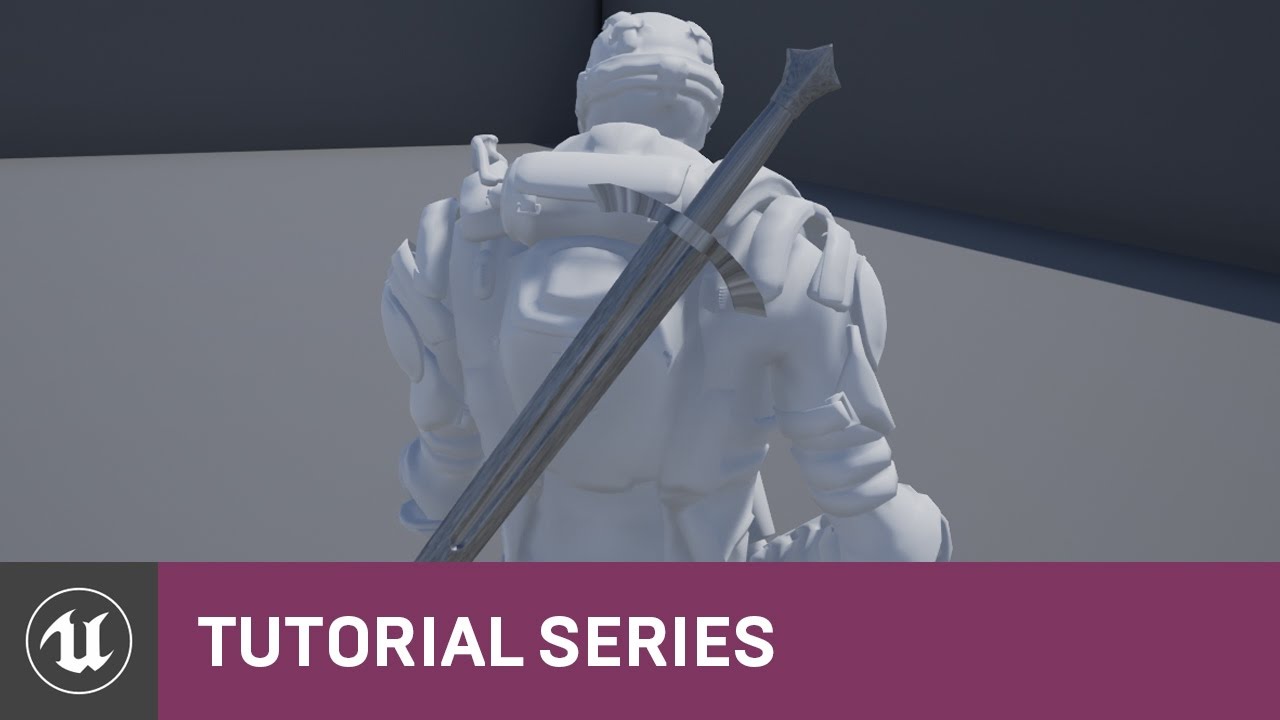
In this video we show how the Skeleton asset can be used to create sockets which we then populate with a Static Mesh. This is useful if you want to have your...
 heavy needle
I have two meshes which share the same skeleton, I put the second in and all the retargeted animations from one are flipped to 90 degree. does someone know a fixx for that?
 red jacinth
Help needed. I'm beyond frustrated. I feel like I'm the only one getting this issue.
I'm trying to make an object rotate on a matinee or sequence and I make sure to change the pivot point by moving it and make it permanent by setting pivot offset. I then proceed to make it rotate and it does just like intended but then when I see the actual animation playing its like it ignores the new pivot and goes all around the area like crazy probably using it's original pivot. Any ideas on why this could be happening?
 hollow summit
Anyone know how to take multiple skeletal mesh characters and combine them into one character (ex. each skeletal mesh is a character, yes, but they will be represented as a body part.)
So if we had "knight, king, joker, guard, thief" skeletal meshes, I can use the knight as the head, and etc.
I know you can split it using maya or w.e. 3d software, but that will take insane amounts of time, considering the fact that I have over 500 characters that I need this to work with.
Please ping me if you know of any solution.
 strong turret
@hollow summit It wouldnt be optimal performance wise but you might be able to create masks to block out body parts using textures in the material. You would still have 5 different skeletal meshes in the same actor though and would have to sync them to the same animBP
hollow summit
@strong turret How bad would the performance degradation be?
And if I shouldn't do it, you're telling me I have to go thru over 500 assets and split them to the body parts?
Is there no easier way?
strong turret
I dont have the technical knowledge to answer the performance stuff too specifically. I just know that masking out a skeletal mesh means it's still there doing all the normal stuff except some of the lighting.
Do you have a link to the assets?
hollow summit

Synty Studios Presents - POLYGON - City Pack. An urban city themed asset pack.
I bought several of these assets, and got animations working with a universal skeleton.
Now I just want to use them as interchange parts.
strong turret
I dont know of a way to do it in unreal. I bet that those meshes are seperated out when you bring them into Maya so that it is easy to seperate each piece out. Maybe in c++ you can recombine/assemble them but I don't believe you can get around seperating the pieces out first
Sorry I cant be of more help
strong turret
I've used these assets before btw, the way they are uv'd you wont be able to mask them either
They have really bad Uv's like the whole face will be an infinitely small patch per colour
hollow summit
I'll just use them as is TBH. Once I'm a millionare, I'll hire a few artists to go thru the assets and "crop" em out.
strong turret
Sounds like a plan!
Pretty sure these Synty guys who make that pack actually do contracting
hollow summit
I'm an indie, with $0 trying to make a game.
If I had money, I would definitely be hiring them.
strong turret
Yeah but when you are a millionare
hollow summit
True.
strong turret
You can get away with just changing materials for those characters too, because of the simplicity they give very different looking results
hollow summit
Yeah. I'll probably being that.
hollow summit
Plan to create a top down rpgish type game.
What's probably going to be crazy on my part in the future, is...
I'll probably combine all of the texture colors together and fix their UV.
So that it'll be less of a load on the clients pc.
I'm not certain if thats possible, but I'll definitely try.
misty dagger
I need a character texture and a character maker.
woeful aspen
Huge issue with reimport and blendshapes
asset reimport settings doesnt save the day either, seems as you have to replace it and after a little while cant reimport anymore
Problem: All the old blendshapes appear on a skeletal mesh on reimport which doesnt have blendshapes anymore, changing import settings under the skeletal mesh asset doesnt change anything, forced to import as new skeletal mesh
😦
even tough they are excatly same skeleton, ue4 doesnt allow me to remapp the skeleton and anim bp xD
 bronze sierra
hello, i have an animation blueprint with 2 separate state machines for the upper (sync group follower) and lower body (sync group leader). My problem is that when i change to a state that plays only on the lower body (like a jump) when it goes back to the idle state my upper body anim is reset to the beginning (because the lower body resets the play time when it enters the idle state again), is there any way to counter that?
river meteor
@bronze sierra You probably don't want to split the body in half like that as you'll run into the issue you're experiencing. I always have one master locomotion state machine that drives the base body locomotion, where I can then cache and manipulate to my needs. (AO, IK, etc)
 idle gull
Hey guys
I have 2 state machines and I want to select them depending on the situation
But I don’t want to blend the state machines
I want to select one at a time
How can I do that?
bronze sierra
@river meteor so there is not a way to fix it? What happens to a follower when the leader is not running? does it play it's normal speed? If the upper body stopped and the lower body resumed from where it was it would be a decent compromise
river meteor
There is probably a way to fix it.. but why? What do you gain from splitting the locomotion in half like that? @bronze sierra
@idle gull Blend by bool with a blend time of 0
It just seems like you're creating problems for yourself by having that approach imo
But I'm not a tech animator, so you might be on to something
bronze sierra
i'm limited in the animations that i have and that was the best solution at the time. when i have more resources i can redo things properly
river meteor
Ah ok
I haven't used sync groups extensively, but this page might help you out https://docs.unrealengine.com/en-us/Engine/Animation/SyncGroups
river meteor
You might be able to get away with having the upper body become the new leader until the lower body completes the jump animation 🤔
idle gull
Look at this (I'll send a video)
bronze sierra
i dont think i can change that in runtime
river meteor
Not sure how you'd transition leadership after the legs are finished though
"As the weight blends and the follower's weight exceeds the Leader's, the follower becomes the Leader."
I think you could do it
bronze sierra
right now i have always follower, thats probably the problem
river meteor
So if the legs have a higher blend weight and is marked as always leader, then the upper body is can become leader with a smaller weight, it should work
You might run into some weird behavior with the legs starting halfway through the animation though as you recover from land
No way to fix that I think with your setup
bronze sierra
hum
ill test it, lower body with always leader on the walk blendspace and can be leader on the upper body
river meteor
Yep, and then never leader on the jump anim
Well actually you don't want sync on the jump anims
bronze sierra
yes i dont do that
but its still the same, because once you land legs are leader again
river meteor
Yea, but it preserves the state of the upper body while in air like you want, right?
When the leadership transfers back to the legs it will maintain the sync state, just the leadership changes
bronze sierra
when i'm jumping the upper body continues like i want
only when it lands does it reset
river meteor
Or does it reset the sync state to the beginning on leadership change?
idle gull
Anyway, I can't upload a video here
river meteor
Damn, I thought it would continue where it left off
bronze sierra
yeah that's my problem
idle gull
I'll try to sent a print of my blueprint
river meteor
You might be able to do some tricky stuff with fetching the anim time of the upper body and setting the lower body to that time
idle gull
Here is my blueprint (left side)
bronze sierra
yeah its a bit hacky, but might be my only alternative
river meteor
If you find a way to do it I'd be interested
idle gull
When the bool (Flashlight On) is active and the character walks, the hand in the flashlight animation starts to follow the walk animation and I don't want that
river meteor
I've never tried something like that so I'm not sure I'll be much help from here on :(
bronze sierra
There is a Reset Play time when blend space changes option in the blend space
river meteor
@idle gull Are you sure you don't want an aim offset for that?
Oh you do have an aim offset, I see what you're trying to do
bronze sierra
if i put it to false it should maintain the playtime, the problem is the upper body continues
idle gull
I created an Aim Offset for that but it stil "overwriting" by the walk animation
river meteor
You do not want to have a million different copies of a statemachine all doing the same thing
idle gull
no, there is not copies
the State Machine 1 is almos the same thing but the Blend Space blends with another animation
the flashlight idle animation
I think the problem is this animation i'm using to blend
it's an Additive animation
river meteor
You're still duplicating the state machine, which is not good. Instead you should determine which anim to play in the states themselves
idle gull
OK, I deleted the second State machine and cached the output and used in both the aim offsets but it still doing the same thing
I can try to record with my phone what is happening with my character if that helps
Here’s what happens when the character walks with flashlight on
river meteor
That's caused from your walking animation. You can either have a dedicated set of anims for walking w/ the flashlight or layered blend on the right clavicle for your holding the flashlight pose
idle gull
the only animation that I have with the character holding the flashlight is a single frame animation
does it works anyway?
river meteor
No you want it after the locomotion but before the aim offset
river meteor
Post your layered blend node details
river meteor
Set the blend depth to 1
idle gull
Still the same
river meteor
Enable mesh space rotation
Also your blend weight is 0
So it's not even doing anything
idle gull
Still the same
idle gull
The only thing is the arm is in the right position
river meteor
Do you not have discord on your pc?
river meteor
Just use win + shift + s
river meteor
Set the blend weights to 1.0 and disable mesh space rotation
idle gull
and this happened again
river meteor
Ok plug the output of the layered blend directly to the final output
I think your ao isn't additive
idle gull
but the arm does not move when the character walks
plug directly to the final output works
river meteor
Yea your ao isn't setup properly
idle gull
ao?
river meteor
Aim offset
idle gull
oh
idle gull
all the animations or all used in the offset?]
river meteor
All of the anims used in your aim offsets
idle gull
Aim offset with flashlight (Look_Center1 is not additive but the other is)
normal aim offset
river meteor
Add a new folder called ReferencePoses, then copy the center animations and place them in there. (Duplicate, don't move)
idle gull
ok, done
river meteor
Rename those new assets so you don't get confused
Like Look_<flashlight/noflashlight>_Ref
Then go back to the rest of your aim offset animations
Select all of them (not the actual aim offset asset itself)
Right click -> asset actions -> Bulk edit via property matrix
river meteor
Now in the property matrix select all of your anims and click on the Animation category, then set the Additive property to Local Space and the animation something something to Select Animation Asset Frame
idle gull
ok
river meteor
Now set the Animation Asset (animation reference? idk, it's right below the previous one) to the reference assets you just made a few minutes ago
Set it to the proper one according to whether or not it is a flashlight anim
Like you'd have your normal ao anims use the normal reference animation, and the flashlight ao's use the flashlight reference
idle gull
ok
river meteor
Can you show a picture?
idle gull
of what exactly?
river meteor
Nice, why do you have two center anims for the flashlight anims btw?
river meteor
Also just go back to where the reference poses are real quick, open those up, and make sure they are not additive
After that it should work properly
idle gull
Not actualy
river meteor
Hm, and it works without the aim offset?
idle gull
forget it
the animation i was using was an additive
now I changed the animation
now it works
but without the aim offset
river meteor
Ok click on the aim offset and show me the details panel
idle gull
and It works with the aim offset
river meteor
Oh so it all works?
idle gull
I think so
river meteor
👍 just remember what I showed you for setting up your aim offsets properly in the future and you'll be good to go
river meteor
uh
river meteor
What is the issue there?
idle gull
I think is the animations additive settings
river meteor
Does it say invalid base type or something when you try and drag it in?
river meteor
The ao animations were improperly linked to the ref pose
idle gull
how to fix that?
idle gull
you mean the poses in the folder?
river meteor
Yea
idle gull
both of them are no additive
are you sure the animation need to be in Local Space additive type?
The animations used in the offset i mean
river meteor
You can use mesh space additive as well, but that shouldn't affect the invalid type issue
river meteor
Hm, maybe I did something special with my ref poses that I can't remember off the top of my head, I will have to check later
river meteor
Yep
idle gull

long temple
@restive yew sorry to bother you but um I did the socket what do I do with that
a socket wont do anything wont it since its not a separate mesh
its a part of the person
nvm I fixed it somehow
 cerulean thunder
can anyone help me get my model i made in blender imported into UE4 as the player character? i've been trying for months.
i can rig it in blender, i can import into mixamo, but trying to import it into UE4 is so complicated
i want to use the UE4 default skeleton and rigging
cerulean thunder
why isn't the animation blueprint finding any of the fbx animation assets i imported (exported from mixamo)?
cerulean thunder
halp
river meteor
@cerulean thunder 1). You ideally should do your rigging through a suite, not mixamo for two reasons: mixamo dropped native support for ue4 a while ago and mixamo auto rigger is not fantastic. 2). The reason you can't pull your animations into your anim bp is because your anim bp is targeted to a different skeleton. You would have to retarget your animations to your character's skeleton.
long temple
I also have a question
river meteor
Ask your questions, don't ask to ask

 river meteor
What are you trying to do
fluid fog
looks messy
long temple
well I am trying to have like a moving forward animation and a strafing one when going sideways
I have the moving forward and back
fluid fog
hmm
long temple
I did the same format actually
fluid fog
theres better ways to do that
to get less messy you could start by making a variable for the pawn
river meteor
@long temple Ok what you want to do is in the anim bp's Update Animation you want to Try Get Pawn Owner, and get velocity
fluid fog
you only need one valid block i think
river meteor
The character class should NEVER directly communicate to the anim bp like that
fluid fog
i actually did something like that for mine
how do you do crouching and stuff like that then ?
river meteor
Proper design is something like this:
Anim BP's Initialize() -> Try get pawn owner, cast to MyCharacter, save to a variable
Anim BP's Update() -> Set Velocity to MyCharacterReference->GetVelocity()
Promote it to a variable
Have an internal copy of the velocity on the anim bp
fluid fog
ye
misty dagger
Hey! How is everyone doing today?
river meteor
It might seem counter intuitive and wasteful, but the reason behind it is to allow for multithreaded access
river meteor
Yea I don't know what video you watched but if they are showing you how to do that it's garbage
long temple
yeah
fluid fog
slashing animation
and i understand why
but what can i do ?
there is 2 sprites
one for the legs
one for the torso
when i do the slash
fluid fog
the size of the sword in the picture changes the Center
river meteor
Yea luke if all of your anim bp looks like that throw it away
fluid fog
thats why the torso is floating but what can i do ?
long temple
good thing I only have one
river meteor
Don't be sad about it, consider it an opportunity to improve
fluid fog
😃
river meteor
I made 6 different versions of my player anim bp for a shooter I worked on recently
long temple
yeah its just I really dont know how to do it
like I saw what you said
but I dont really know what that means
river meteor
Yea I'll be back in a few mins and try and step you through
fluid fog
can someone help me ?
long temple
alright thanks
river meteor
Sorry I've never used sprite sheets dudawar
fluid fog
ahh kay :x
misty dagger
Hey, just wondering. Does anyone know how I can add a swipe/wind effect to an attack animation? Think of how some Smash Bros character's during some of their attacks there'll be a red streak/swipe. Does anyone know any tutorials on how to do that in Unreal Engine?
The character I'm animating for I want his moves to pop out so I want to add a red swipe, but also he has the power to control wind/air, so I wanted to add an air swipe to extend his range and stuff (since he's a small character)
river meteor
@misty dagger In the anim for the swing you can use notifies to attach particle systems
@long temple Alright so to start there's this concept of active and passive data with the animation blueprint
Passive data is stuff like velocity, looking direction, etc
Active data is stuff that gets sent in an instant and you need the anim bp to immediately react to
long temple
oh alright
river meteor
This would include stuff like picking up an item
river meteor
For passive data, the character class couldn't care less about what the hell an animation blueprint even is
For active data, the character needs a way to communicate directly (in a one way relationship) to the anim bp
So like I showed you a little bit ago for velocity the anim bp just reads the GetVelocity() from its owner, and everyone is happy
But when you need to dispatch some active data, the best approach imo is to use an interface
long temple
wait before we got further should I create a new anim bp
river meteor
Then the character doesn't need to know about the specific anim bp class (which is coupling, and that's bad!), it just needs to know about some abstract interfact
interface*
misty dagger
Well it's more like for stuff like a roundhouse kick, an attack for when he's in the air and he does like a backflip upwards attack thing, and there's an attack where he spins around rapidly, stuff like that. There's also an attack where he turns upside down and spins rapidly, but this one is suppose to have a vortex like effect that pulls enemies in and pushes them down, and I want there to be wind around Emerald emphasizing that, stuff like that.
This is responding to what you sad earlier by the way, @river meteor . I just didn't want to overwhelm you and wanted you to finish helping Luke XD
misty dagger
Oh okay. So am I going to need to create my own, and how do I go about doing that?
river meteor
Create your own what?
long temple
oh wait can blendspaces help with an animation bp
river meteor
Yes blendspaces are a very powerful tool
cerulean thunder
@river meteor define suite?
river meteor
They let you blend multiple animations by some factor
@cerulean thunder 3ds, maya, blender, etc
misty dagger
Create my own particle effect thing, the swipe for the attack animation
river meteor
That's a question better suited for #visual-fx or #niagara
cerulean thunder
@river meteor can i use UE4 animations? like the run animation, etc.?
river meteor
Oof wrong ping
Yes you can
Those are targeted to the Epic skeleton by default, which is probably what you're using?
restive yew
You’re popular today xenonic 😜
river meteor
If not, you can retarget your anims with the in-editor retarget tools
Yea haha
Funny I'm usually in #cpp and #multiplayer
cerulean thunder
@river meteor i've been trying for months to get the 'targeting' to work, i haven't been able to figure it out
river meteor
Ok well first off are you retargeting to the same skel or a different one?
cerulean thunder
@noble dawn i am trying lots of different methods -- i just want the UE4 animations to work with the model i import. and i want to be able to make edits to the model later, either without having to redo rigging and any animations, or be able to redo those fairly easily for now.
river meteor
You don't have to ping me every message btw
 scenic mountain
Who pinged me?
misty dagger
XD
cerulean thunder
me :<
scenic mountain
Ree
cerulean thunder
i'm ping-happy apparently :<
misty dagger
Guys, it might be best to try not to wake the Xenomorph, they get hungry when angry.
river meteor
Ok so I'm assuming a different rig
 noble dawn
misty dagger
noble dawn
misty dagger
EAT HIM, IT WASN'T ME
river meteor
So nitero what you want to do is open your character skel, go to the retarget manager, select Humanoid, and start matching those bones
cerulean thunder
@river meteor can i just import the model and use UE4's rig? or is that not a good option?
misty dagger
Depends on the model I'm guessing.
river meteor
Yes, but for that you have to rig it yourself
Mixamo is no good in that case
Mixamo has their own skeleton
Epic has their own
That's why rigging it yourself is the ideal solution
cerulean thunder
so will i have to choose whether i want mixamo's animations, or UE4's? i can't use both?
river meteor
You can use both
Like I said you need to retarget
The article I linked shows you how to retarget mixamo anims for the epic skeleton
misty dagger
By the way, the type of animation effects I'm looking to make are like this. The Falco spins and creates that wind effect around him, and when he attacks after that, the blue streak that appears while he's attacking. https://youtu.be/rJj9J5MW8xg?list=PL7JQFfkQilqnL2EF9LuWtTBm2sUicMEQj&t=12
 river meteor
That's all anim notifies josh
misty dagger
Yee, that's how I want to make the attacks look like. Just wondering, do you know any tutorials on how to make those types of effects for the animation so I can do the wind and swipe thing for my animations?
Or anything that could help my understand how to do it and how it works XD
fluid fog
can anyone help ?
river meteor
No I'm not a particles guy -- at all. Luos has a ton of vids on the subject I've heard though
misty dagger
You mean Yoeri -Luos- Vleer?
river meteor
Yea
misty dagger
Alright, thank you so much!
 dense trellis
Does anyone know how to ignore scale when blending animations
Basically, I had animation that I wanted to keep stationary, so I made the scale of the root bone 0.01, and the scale of the hip/pelvis bone 100. This got rid of the hip displacement in the animation, and as a standalone animation it is fine
But when I blend the animation with another, the character becomes a massive distorted blob for a second then goes back to normal because of the animation blending. Is there anywhere can ignore blending the scale but blend rotation and location?
 vast trellis
is it possible to tell the two-bone IK node to only bend the elbow joint along Z, and point the upper arm to meet the pole target? It seems to bend the elbow off axis by default
there are some twist options but I couldn't figure out if any were right
vast trellis
Why does rotating lowerarm_l with the local space gizmo in Z only end up changing local space X and Y?
After 30 degree local rotation with the gizmo:
Y difference is minor so maybe floating point stuff, but X is off significantly
both get off significantly more if you rotate more
seems to maybe be a euler rotation thing, if you zero out X things are stable. Elbow has only one degree of freedom, why would they make elbow bend into a complex euler angle in reference pose? That makes constraints and even elbow rotations for IK significantly more difficult
 trim stream
I'm having problems importing animations from mixamo into my game - some of them work, some of them dont. The ones that dont, the legs are always somehow messed up, either sticking up in the air or broken in some way. Any ideas?
restive yew
I’ve gotten that due to a skeletal mesh mismatch
trim stream
@restive yew mismatch?
river meteor
@trim stream You must have missed something in your retarget, unless you're doing some per-bone transforms in the anim bp
trim stream
@river meteor I wasnt doing any of the retargeting though, I just put my character fbx into mixamo, selected the animation I wanted, downloaded it, threw it into ue4 and then had some errors for a few of the models
Not 100% sure why
river meteor
So you're using the mixamo skeleton for everything?
trim stream
Nope, using my skeleton I imported onto mixamo.
river meteor
Odd that only some of your anims are broken
Did you auto rig them all in one batch or multiple?
trim stream
Even now when I make new animations from Mixamo, some of them work, some of them dont.
There's no real correlation between ones that dont and ones that do..
I can kind of see the problem - in the death animation for example, the character isnt turning his body as he falls, he's just stationary. Technically the model should be rotating whilst playing the animation.
yeah so what was happening was the root animation was not being exported. Not sure why. I kinda fixed it (for now) but just rotating the root in the animation editor
 feral oak
Do you guys know if the transition rules in an animation blueprint state machine are evaluated on a different thread than the Blueprint Update Animation event in the Animation Blueprint?
river meteor
I'm like 70% sure they are evaluated in the anim thread, not the game thread.
Actually bump that to 80%, feeling confident
feral oak
I see
river meteor
(Unless of course you disable multithreaded animation)
feral oak
Right
So the Blueprint Update Animation node is triggered on the game thread?
I have a really weird bug where I am trying to set a transition timer in the event graph of my animation blueprint but it seems like the transition rules are just completely ignoring whatever values I set
river meteor
Yep, that's where you update your local copies of the outside data to be used for the anim thread
What do you mean by "transition timer"?, are you talking about transition fade duration?
feral oak
This is what I mean
In this case I want the walk animation to play for 0-6 seconds before transitioning to the next animation
but the transition to the next animation is triggered right away
in the last image you can see where I am getting the delay timer value for the transition
but it seems like it is being completely ignored even though I am setting the value as you can see in image 1
Image 2 is where I update the value
river meteor
Set the default value for TransitionDelayTimeLeft to something like 3. Might be a race condition
feral oak
So if I set the default value it does work but only for the first transition
river meteor
Yea ok it is a race
So how are you getting to the point where this transition gets evaluated?
feral oak
When a simple move to node gets executed I set a variable called speed to whatever the length of the last movement input vector was, this puts me into walking from idle
When I enter walking that event that I showed in image 1 is called
and then the transition to running from walking is image 3
river meteor
Oh and then the transition is evaluated?
Gotcha
Yea so the issue is the notify is queued for execution on the game thread next frame. The animation blueprint will continue evaluation and since the game thread notify is still queued at this time, TransitionDelayTimeLeft is still at the default value (0.f).
feral oak
Ah ok that makes sense
Do you know off the top of your head how I would solve this?
I basically just want some mechanism to ensure that I run each animation for x amount of time before transitioning
river meteor
Hmm well you probably don't want a hacky solution so I'd have to think about that
Never had the need to do that kind of communication
feral oak
I saw an example of this working in cpp I might just convert everything
but that would be a pain
(It was in the kite demo)
river meteor
I think your best bet would be to handle all the fun timer stuff exclusively on the anim thread, but yea you'd need c++ for that
Otherwise you need to devise a way to lock the anim thread until the game thread can dispatch once, where you then unlock and continue as normal
That would be a fair bit more complex though
feral oak
Alright yeah I will try converting to cpp and see how that goes
 wispy idol
Hi guys! I'm new here. Looking for help with implementing an interactive book for a VR project I'm working on. I followed a tutorial to create a rigged model in Blender, but since it uses lattice transformations in addition to bone transformations it seemed like a .fbx import wouldn't work! I imported it instead as an Alembic (skeletal option) with an open/close animation. I want to create the illusion that it's interactive, so my current plan is to drive the open animation with a simple physics-enabled hinge that's invisible to the player, but which reads its open angle to a frame in the Alembic animation. I haven't figured out how to do that yet: I'm playing around with the Physics editor, and figure I'll need to do some research on Blueprint or C++ to figure out how to grab the angle and use it to drive the Alembic animation. There are some other problems that (hopeful) solution still leaves unresolved though, which I hope you can help me with! My book functionality won't really make sense if I can't also have the page blocks change thickness as the player turns pages—is there a way to combine two Alembics if I import them as skeletals? I was reading about morph targets, and I'm hoping their functionality of having multiple animations translates over. I also want to implement a page turn animation, either as a fixed animation or with physics-responsive nvCloth stiffened to feel like paper. Thanks, and hope you can help!
 robust swallow
you mean something like this? https://www.youtube.com/watch?v=jlAYLphMD6k

I forgot to bake light, so there are weird shadows.
basically what I did for that, is the book model just has an animation that frame 0 is closed face up, and the last frame is open, with the back up.
and then an invisible object that you grab and "rotate" like a wheel, and then it just remaps the rotation angle to a "percentage" of the animation.
I think i had to make a custom animation node though to be able to play the animation at a specific time, though.
wispy idol
That's incredible! Totally what I'm going for, thanks for sharing! I'm hoping I'll be able to set it up so that it can be carried around and opened/closed at any page in the middle, to make it feel more dynamic. Was your animation also an Alembic?
robust swallow
just regular skeletal animation
 obtuse basin
Hello. I made rather big collisions in physics assets.
But when I apply clothing data to her skirt, there are too many overlap polygons.
Any ideas to fix it ? I want its shape follow by legs, but not overlap.
I increased collision thickness in clothes data. I notice a gap between her thigh and skirt is bigger. But a skirt still overlap with her hip.
 wheat badge
Hi, as a total noob in animation. Can anyone enlighten me if it is possible to retarget animation blueprints to another skeletal mesh? Especially when the blueprints use nodes like Modify Bone, and LookAt (which need provided specific bone names, and give issue when bones cant be found)
i would be very happy if anyone could help me with this 😄
obtuse basin
Let me think. 🤔
Are they use the same variable names ?
@wheat badge Do you mean use the same animation blueprint to another skeletal meshes ?
wheat badge
yes @obtuse basin
but lets say LookAt modifier takes bone name
different skeletal meshes have different names
this is where i have to always manually change...
obtuse basin
Maybe you can use bone name as variables.
And set value of these bone name variables in each actor classes.
wheat badge
hm ye
I was thinking theres an automatic way, but i guess manual work is inevitable
:/
since the mapping was done in the retargeted rig already, i thought ue4 would be smart enough to actually modify the bone names accordinly 😄
cerulean thunder
where's the best place to ask questions about mixamo?
i hope here is okay
when i import my 3d model into mixamo the shoulders look like they're rubber with water inside
i'm guessing there's no way to fix that / the mixamo animations are unusable for me
or maybe it's possible since unreal is separating the fbx animation file into 3 different assets - the animation, the skeleton, and the mesh
i might be able to edit the skeleton in blender and get the animation fixed
why don't my animations show up in the blueprint?
cerulean thunder
why do all my animations have, or need? their own individual mesh?
restive yew
They don’t. You can uncheck import mesh in unreal’s prompt
And if your animations are invisible, simply rename the rig in blender to anything but armature
wispy idol
This tutorial series might be helpful for info on how to share and retarget animations: https://www.youtube.com/watch?v=FDbpHamn2eY&index=1&list=PLfWCacrXuIS-EZGldfemhkkfQwPFhAYXd
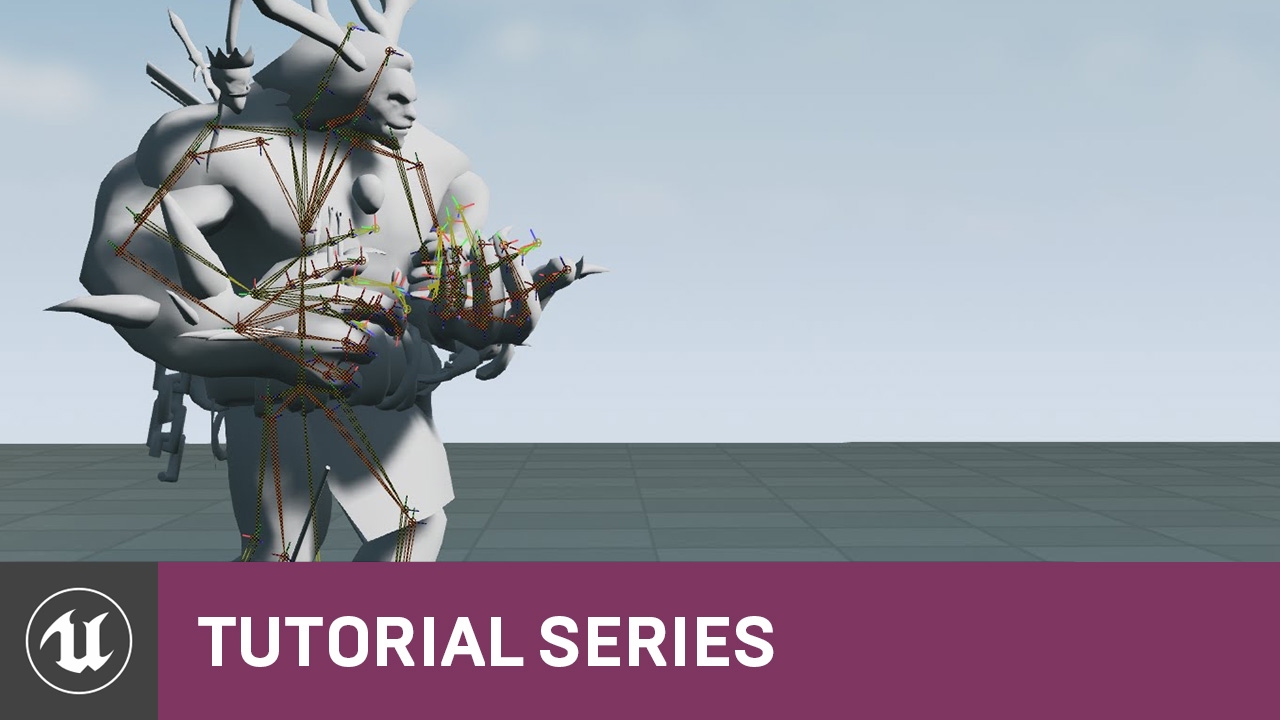
In this video we cover what Skeleton assets are inside Unreal Engine 4 and how they are used with Skeletal Meshes. We also talk about when Skeleton assets ca...
cerulean thunder
@restive yew why does having the rig named armature in blender cause the animations to not show up under assets in the animation-blueprint in unreal...
restive yew
Conflicts with the mannequin or some backend source function associate with it if I had to guess
cerulean thunder
seems weird
sudden sedge
is it possible to reuse blueprint logic from one skeleton's animation blueprint on an entirely different skeleton?
I don't reference bones or anything, I just want the logic
cerulean thunder
oh wait
it's not the animation that gets imported it's a physics asset
so there's no animation asset?
oh, animation is unchecked in import options
lol
of course it is.
river meteor
@sudden sedge Yes, you can retarget anim blueprints
foggy vessel
Does anybody know of any good tutorials covering animation blend profiles?
 soft crown
Do I need IK bones to use Two Bone IK?
sudden sedge
I'm not looking to retarget animations though
I just want the logic @river meteor
like I have a cat and a snake, but I want their movements based on animation to be similar, but use entirely different animations
river meteor
Then you should retarget and swap out the animation references
soft crown
Is there a simple way to set the Joint Target Location or do I have to guess through trial and error for Two Bone IK?
I thought i should see "target icons" to move but I don't get them? I am compiled.
foggy vessel
Inverse kinematics. It’s like making your rig work like a puppet with bone constraints. You move the foot and the knee bends accordingly.
cerulean thunder
cool
restive yew
@foggy vessel can’t say I remember much on ik implementation. There may be an example within the Content Example project in the animation level
 brisk dove

misty dagger
Is there an easy way to increase the 'intensity' of an animation? I have a firing recoil anim I want to look more pronounced. Other than exporting it and adjusting curves
brisk dove
You can adjust the play rate to be faster/slower (or change the interpolation) in the editor (or in blueprint) @misty dagger
vast trellis
anyone know how to change the skeleton of a physics asset? I have one for the mannequin with some extra sockets that doesn't ragdoll properly, and another for the stock mannequin skeleton that does, I'd like to move that working physics asset over to the mannequin+sockets skeleton
hmm, it seems to be happening due to preview meshes attached to sockets
river meteor
The phys asset can be assigned in the skeleton editor detail panel, right?
Oh you're trying to do it backwards. Unless you're given the option to retarget, I don't think you can
"hmm, it seems to be happening due to preview meshes attached to sockets" what do you mean by this? What behavior are you getting?
Preview meshes should have 0 effect in the phat simulation and at runtime
vast trellis
@noble dawn when I turn on player collision bounds I can see the collision volume of the preview mesh in the physics editor
I created a new version of the preview mesh and replaced the original ,with collision defaulted to 'no collision', and it still happened
when I removed all collision bodies on it entirely it worked and things simulate without exploding
or if I remove the preview mesh altogether
river meteor
🤔 strange that the preview meshes use collision in the phat simulator
vast trellis
is there an equivalent of this somewhere for ref pos transforms?
couldn't find and the RefSkeleton seems to be private, so I created one:
FVector USkinnedMeshComponent::GetRefPosePosition(int32 BoneIndex)
{
    if(SkeletalMesh && (BoneIndex >= 0) && (BoneIndex < SkeletalMesh->RefSkeleton.GetNum()))
    {
        return SkeletalMesh->RefSkeleton.GetRefBonePose()[BoneIndex].GetTranslation();
    }
    else
    {
        return FVector::ZeroVector;
    }
}

FTransform USkinnedMeshComponent::GetRefPoseTransform(int32 BoneIndex)
{
    if(SkeletalMesh && (BoneIndex >= 0) && (BoneIndex < SkeletalMesh->RefSkeleton.GetNum()))
    {
        return SkeletalMesh->RefSkeleton.GetRefBonePose()[BoneIndex];
    }
    else
    {
        return FTransform::Identity;
    }
}```Anyone else here use Ikinema? license server seems to be down, can't connect or compile blueprints
hollow summit
 floral sky
how do you animate something but keeps it's collision enabled (like landing gear)
misty dagger
@hollow summit
Export your fbx like this
 tight gust
Anyone familiar with ArtV1 here ?
 runic fractal
hey guys, i got a question, why is it when ever i export a model with a rig an animations from blender, the animations always come out tiny and i have to force root mootion on?
 restive yew
Going to post this here too. If you’re using blender for your animations with a custom rig and your import into unreal yields the following; skeletal mesh of the correct size but super tiny/invisible animations. All you have to do to fix this is to rename the rig in blender to anything but armature.
 raw shuttle
Anyone in Europe (preferably Berlin) willing to rent/lend a perception neuron suit?
Been looking to test it and see if it would work out for motion matching in a 3rd person shooter.
 hoary flare
Hello, can you help me please. when I play animation for dodge, the character advances a little but the player remained in place and it's the same when I attack. Do you know how I can solve this problem ?

MediaFire
foggy vessel
Hey guys. I get a little pop in my run cycle that I animated in Blender. somebody told me you are supposed to match the frame rates between engines. What framerate should I make my run cycle in blender to avoid the pop in Ue4
@misty dagger You seem like you might know the answer to this simple ?
misty dagger
If your animation is for realtime play, the higher the better?
hoary flare
It sounds like the character still has animation on the root, even though all Root Motion settings are set to 'off'
foggy vessel
So like.. would it be better to make it 60 frames long and then just speed it up in Ue4?
runic fractal
@restive yew the idea works to fix the tiny animations, but it adds a extra bone

im trying to leave it at just root

 earnest lion
I am using two animations from a mocap package on unreal marketplace, and one of them looks to be offset too high in the air; how can I fix this one animation?
If I export the animation and then reimport it but change the Import Translation to compensate for this nothing actually changes.
earnest lion
The other animations I have on that skeleton are fine though
 junior bridge
@earnest lion did you retarget the animation from the mocap package to another skeleton ?
earnest lion
yes, but the skeletons should have been the same, i suspect not
junior bridge
Can you screen me the skeleton retarget options, of the one where the problem occurs ? (on 4.21, on skeleton asset, skeleton tree tab, click option then check "show retargeting option" and then screenshot at least what are the options for root, pelvis, spine_01, spine_02, spine_03)
junior bridge
right click on the option of the pelvis and change it to "reccurcivly change to animation" and tell me if something changed.
earnest lion
ok
yes that animation is now fixed, but the other animations including the UE4 Walk is not jointed right now
correctly i should say
junior bridge
then the problem comes from the retarget pose between the mocap skeleton and the one on which you have problem.
earnest lion
toes too
junior bridge
do the same as before but recursivly to skeleton
maybe try only the pelvis to animation instead of skeleton, but to me the problems is a retarget difference between them (probably on the retarget pose)
earnest lion
ok
thanks i'll tinker
what's the best way to get a fresh import of the ue4 skeleton?
or should i create a default project and just export it out as an fbx
junior bridge
I'm actually trying to figure how to properly retarget animations from one skeleton to another inside unreal only, I create an animation using the skeleton ref pose and then I changes bones orientations to create a T pose in order to create another animation based on current pose.
earnest lion
i see, there is a doc about that-- it's a bit dated i think
you probably read it already
junior bridge
check the paragon asset streams, they explain how to easily retarget from one to another, how to create retarget rigs etc.
earnest lion
ok cool i will
yea i'm trying to reuse some of the animations from those packs too
setting the pelvis to animation worked
junior bridge
always remember to check that no other animation is broken, sometime animations have part of the skeleton that needs to be kept on skeleton and other can be used on animation.
(for example, on paragons assets, weapons of the character should stay on skeleton otherwise the animation is doing strange things with the weapon)
earnest lion
is Animation like an override of the bone's natural animation from the rest of the skeleton? I don't get why there are two options really
junior bridge
the first paragon stream will explain how to migrate the anim BP from a character to another, and the second stream will show how to migrate animations, there is another where they explain the tiny trick about setting bones on animation, some on skeleton.
animation retarget means that all info on the skeleton base pose are overrided by the animation source base pose if I'm right.
earnest lion
ok
thanks
is this something that can be overridden per animation? it seems to be for the entire skeleton as a whole regardless
like if one animation requires hand to be skeleton and another wants it as animation
junior bridge
as there is only one skeleton asset, you can't do that. That's why you have to check what works, what doesn't, to figure out what you can or cannot do.
but, the problem you got with the joints, it's something I saw in some of the tutorials of unreal engines.
earnest lion
ok
junior bridge
It happened to me too when I exported the mannequin outside of unreal and then reimported him, that's where things started to break.
earnest lion
yea it gets wonky
I exported him out, rexported from blender as a test, then imported in and suddenly the 5 bones were different
thanks for you help, this is at least a good start 😃
junior bridge
yeah blender doesn't understand correctly ue4 bones, they're better with Maya.
best option is to stay inside unreal as most as you can.
earnest lion

This is a quick tutorial on how to get the Free Paragon character assets imported and running around, using the stock UE4 third person template. Download the...
junior bridge
Anyone here know if it is possible to create an animation sequence based on the retarget pose of the skeleton ?
I know how to create one animation from the ref pose or the current pose shown inside of the animation viewport, but on the skeleton viewport the option for "create asset" is not available.
I don't want to loose the current retarget pose of my paragon characters before applying another pose. (the current one is not the default one, that's where is the problem)
 tranquil lark
So - I'm still in the process of learning, but is it possible to create custom animations inside of the animation editor for UE4? It seems like it is. I've been a little confused on some of the stuff that I have found. Just not 100% sure.
junior bridge
@tranquil lark you can modify bones keys inside of persona, I'm still starting to discover all the possibilities of the tool, but it seems that you can do animations directly inside unreal.
here is a video that will show you the key system I mentionned: https://www.youtube.com/watch?v=w-OHLjcNpcs

My Youtube channel for the game I am developing: https://www.youtube.com/channel/UCD8NcANziQSE2nsao5S2ADQ This video is a workflow of creating new animations...
tranquil lark
@junior bridge Yeah - I just saw that one, but it was talking about Animation layers, so I thought there was something else that needed to be done. That's a little bit that led to my confusion.
junior bridge
as you add some "keys" inside of unreal, it adds an "unreal animation layer" ontop of the base animation data, that's how I understand it.
But I'm still discovering that feature, can't certify it works 100%.
earnest lion
how could i play an animation and then play it again in reverse? I basically want to create a smooth loop going forward and reverse
oh i figured out a way within the state machines
 dapper mountain
So I adjusted everything in preview to fix clipping but in game nothings change. Any ideas how to fix it?
 empty bough
Guys! Does anyone have any idea why my character animation uncrouches under objects? The player capsule remains crouched but the animation can stand
junior bridge
@empty bough rule transition issue on the state machine
@dapper mountain and if you check in the animation viewer, using the animation you want, instead of checking it in the mesh viewpoert, does it change anything ?
empty bough
@junior bridge I'm not sure what you mean regarding Check Animation.
junior bridge
@empty bough that part was for naraku, your issue seems to be some rule transition stuff, what determine your animation stays in crouch or not, as you seem to say that the capsule do correctly the crouch.
dapper mountain
I adjusted it in the animation viewer too, but the ingame result is the same clipping. I'm a little annoyed with myself because I've fixed it on my own before but it's been a long while.
empty bough
@junior bridge I've checked it's a CrouchTrue variable that's turned on or off depending on if the player is crouched
It's supposed to be working
junior bridge
@dapper mountain try put the interp value at 0 instead of 0.25, I doubt it's the solution but try it anyway.
dapper mountain
Nothing changed aside from the blending time (not a smooth transition anymore)
junior bridge
@empty bough but inside your anim graph of the anim blueprint, on the anim stats that detemine whatever your animation is playing the crouch or not, that's there you have to check the rules.
empty bough
junior bridge
@dapper mountain if the animation is fine in the anim viewer and different ingame, that's because during runtime something changes the positions of either the socket or the hand positions maybe.
empty bough
That's my crouch section in the event graph
junior bridge
@empty bough and then in the anim graph, can you screen your state machine (locomotion or whatever the name you used)
dapper mountain
I think I'm going to try using an IK node to make the hand grip it.
junior bridge
@dapper mountain that's the best option, but that doesn't tell you why your problem occurs.
dapper mountain
That's true. I think it's accuring from all the adjusting I was doing before hand, that's biting me in the rear end now, when I should have just moved to the IK node.
empty bough
junior bridge
@dapper mountain You can see a very nice ik method on the paragons assets, some characters uses them on smgs (lt belica, murdock, wraith)
@empty bough you have the same condition to exit the crouch to idle and to walk, to idle you should have (if crouchTrue == false AND speed = 0) and on the rule to walk you should have (if crouchTrue == false AND speed > 0)
dapper mountain
Yeah I'm just wondering if I need to remove the anims and reimport them and readd them (incase the adjustments persist.)
junior bridge
@dapper mountain you did no modifications elsewhere than in the animation directly ?
dapper mountain
Pretty much.
junior bridge
@dapper mountain to me, the best would be to keep the actual animations that produce the issue, and import fresh new version of the animation on another folder (same project) for the IK method. That way you can compare between a fresh one and the broken one to understand where is the fail.
And the IK method is really nice using base UE skeleton, as the hands ik are both linked to the ik_gun which means you first put the weapon, then as children you'll have the hand R and the hand L, easy to work on.
dapper mountain
AH HA! I got it back to the original issue. It was actually the FABRIK nodes tossing it around.
Once I unhooked them it reverted back
junior bridge
nice, know understand why it create the issue. (no idea what those fabrik nodes are)
dapper mountain
FABRIK nodes are the IK method a youtube tut was showing me.
Stands for "Forwards And Backwards Reverse In Kenematics." ???
@empty bough hey man I think this might have an answer for you https://www.youtube.com/watch?v=NJolihHJUMM

In this short guide we enable crouching mode, add control keys and set up missing animations for our third person character.
junior bridge
Hee.... the "FK" ?
But yeah definitly if you're trying to mix FK and IK ... That could be the problem, just check how Paragon assets use the IK and you'll have much easier method
dapper mountain
Yeah I'm opening up another project that has Wraith and I'm going to go with his method as best I can.
junior bridge
Study how they did it, but also remember they got animation specificly made for the weapon.
dapper mountain
This is my first time messing with FKs and IKs. Usually I just do some adjusting and stuff works. 🤔
junior bridge
You'll probably have to make something additionnal, cause you can easily copy the hand position to the hand IK but then you must readjust the rotation of the elbow.
(the best method stays to have one professionnal doing the animation for you xD, then you just have to plug things together and do the code)
junior bridge
I know that feeling, that's why I decided to make my last project only using paragons assets, to start with something clean. But the game type I aim for allows me that, which is not possible for everything (example, no ladder climbing in my game)
empty bough
junior bridge
Not an equal (==) you need a AND node.
dapper mountain
Ik is a whole other animal....
empty bough
@junior bridge Thanks :) but sadly it didn't work :(
earnest lion
so if I export an animation from ue4 to fbx and import into blender the animation plays and looks as expected, but the rig's bones don't look right
bones look wrong, pose looks right
animation plays fine too
I guess at this point it's a blender issue
restive yew
Ah if I recall, you can fix bone roll upon import to blender
misty dagger
hello?

Difficulty : very strong 1 on 4 match Gogeta custom-with master roshi training and attack +2: ME Gt villains normal: CPU
how long will it take to make a animation similar to this?
 warm arch
It'll probably take as much time as it takes for you to do it
misty dagger
is it difficult?
misty dagger
either on blender or unreal engine 4
warm arch
On Blender
its Medium difficulty to me
UE4 I have never tried animating on
Plus I only make models
this is one of the trash ones
models
misty dagger
in your opinion should i buy the animation packs in unreal engine 4 or make them on blender?
misty dagger
is it hard to make it on blender, does it take a long time or is it actually easy?
junior bridge
Well making animations on blender can waste you a very huge amount of time when you're not used to blender and how to work with the unreal import.
junior bridge
Best is to first try to make something with all the free stuff we have in ue4.
warm arch
its the only thing I use on my laptop
UE4
lags A LOT
for the startup
its annoying
misty dagger
but i dont have any animations
like is it best if i buy one animation pack?

Side on animations for fighting games
for 3D
junior bridge
@misty dagger all the free paragons assets have animations, there is also some animations in the learning projects too, they are enought for you to start working on the base code of the project before thinking to buy animations. (platformer project, action rpg free sample, starterpack free animations)
misty dagger
are there free fighting animations?
restive yew
Check out mixamo
warm arch
I only find characters on mixamo tbh
junior bridge
@misty dagger https://www.youtube.com/watch?v=DO5syFHKxiQ

My name is Crunch, and I like to punch. Check out the new Fighter Hero in Paragon. Crunch is now available to play for free. It's time to Start a Fight. Para...
Mixamo, I don't recommand it for starters.
restive yew
Eh, good for prototyping but I can see the issue for beginners
junior bridge
First thing is to understand the animations mecanics inside unreal, how to retarget properly from skeletons to others, then adding animations (even those from the marketplace, and later mixamo)
Mixamo is a total mess right now, there is no info on which skeleton base character to use on the animation before exporting them, and you'll have to rework a lot of them to make them "inplace". I spent months on that and finally I'm just keeping my work on paragons assets only for now cause it's way easier and it's Epic Game made directly. Much better to learn and understand animations in UE4.
misty dagger
can u transport the animations from mixiamo to unreal?
junior bridge
@misty dagger to me, before buying any animations you should first try to make a small prototype using paragons animations.
Mixamo > Blender > Unreal
restive yew
Don’t mess with mixamo if you never rigged or skin
junior bridge
agreed, if you have no knowledge of rigging models don't use mixamo you'll lose more time than you'll get results.
misty dagger
can the animations in mixiamo be used in combat
like in combat in fighting games?
or are they just poses?
restive yew
Ok. Here’s some key words you should look up before you ask further
restive yew
Retargeting, blendspaces, animation montage
junior bridge
The more you stay inside ue4 the best it is also.
misty dagger
but are the ones in mixiamo just poses or any animation can be used in combat
unreal engine 4 doesnt provide any fighting animations
junior bridge
It does, check paragon assets.
misty dagger
really?
junior bridge
And platformer project.
misty dagger
ok give me a sec
junior bridge
29 free AAA quality heroes.
restive yew
Forget about mixamo. I’m sorry I mentioned it 😜
junior bridge
Also the actionrpg template.
misty dagger
do i look at the website?
junior bridge
marketplace, learn tab.
junior bridge
add it to one projet and check.
misty dagger
so one of them has fighting animations i can use in a similar dragonball game?
restive yew
Go look at them
junior bridge
you'll have to check all characters to see which one got animation you want to use.
But the best one to make something like a simple fight game is Crunch for me.
He's based on melee punch combos.
misty dagger
can i change the model but keep the animations?
junior bridge
that's called retargeting, they explain basic of it in the paragons asset streams on unreal youtube channel.
junior bridge
in the epicshowcase section in the marketplace.
warm arch
kk
restive yew
Etzu, what is the meaning of life?
junior bridge
42
restive yew
@misty dagger watch the stream as etzu mentioned. Read the doc for the concept https://docs.unrealengine.com/en-us/Engine/Animation/RetargetingDifferentSkeletons
Thank you for you’re eternal wisdom
Do not advertise. This channel is for questions related to animations
warm arch
Oh sorry
restive yew
And quick banters 😜 good luck on your project
warm arch
ty
misty dagger
if i want to make a similar dragon ball z rpg game should i use third person or top down for project?
junior bridge
you can add templates to a project even if you started with third person you can then add the topdown pattern to it.
(but that's not really animation related, that's more of game-design concept)
misty dagger
where do i go to edit crunches animations?
or to put in the animations
i finished downloading
junior bridge
add crunch to your project, but I feel like you should follow some tutorial on unreal engine basis even before, there is few learning tutorials available on the youtube channel.
misty dagger
i did follow tutorials
im trying to find the animations i added crunch to my project already
junior bridge
you have everythin inside the ParagonCrunch folder, just navigate inside it to find where is what.
misty dagger
are these animations liscensed to be used in a video game?
restive yew
Not for commercial purposes
misty dagger
what do u mean commercial purposes?
restive yew
You cannot sell
misty dagger
what if i publish it for free but not sell it for profit?
junior bridge
Paragon assets are licensed to be used within unreal engine, you can use them to make a game and then sell the game.
But you cannot sell the animation from paragon even in the marketplace from epic games.
misty dagger
so u mean we can use it to make and sell games but we cant use it to sell the animations itself?
junior bridge
yep, and also exlusive to unreal engine usage.
(that doesn't mean you can't export them to blender to modify them, just you're not allowed to then import them into unity projects for example)
misty dagger
how do i add different animations together?
junior bridge
blend per bones.
bronze sierra
hello, i have 2 leg poses for my character, one for when he doesnt have an weapon and another (more to the side) when he has a weapon. I have a movement blendspace for each one and i have a blend by enum that uses the correct blendspace. My problem is that i use the same sync groups for both and everytime i change between leg pose i usually get a pop, which i assume is because the sync group resets. the blend time doesnt do anything for this, so what can i do to counter this?
earnest lion
so i asked on blender discord why importing the fbx skeleton of the ue4 human rig looks funny and it turns out blender makes use of 2 points per bone, where fbx only stores one (apparently maya works off of one)
so it was suggested to fix the rig or find one already for blender (i found an old one maybe it's good still for the later versions) and use that for all exported animations
 untold marlin
for the love of Tim Sweeney can someone please help me : im making a top down game, and the feet rotate super nicely, i can aim in one direction and move in another (so like twin stick movement) but if i have the aim in just this exact off position between 2 animations it will look super weird like it will be blending between forward and sideways and then he is kinda hovering

i didnt show it that well in the video but he actually does move the feet at 45 and 135 angles, but if i get the mouse or the stick at just the right (wrong) angle it will blend wrong
misty dagger
how do u add two different animations together like gut punch and hook?
untold marlin
@misty dagger like one on each hand?
you can use a layered blend per bone if you want both at the same time
earnest lion
do you mean blend the animations? or put them into a sequence?
junior bridge
Anim Montage to put 2 animations one after the other.
@untold marlin it seems your animation blendspace have too much animations to blend between, check how paragon TwinBlast locomotion blendspace is done, that will probably help you abit.
untold marlin
@junior bridge that doesnt really help... at all.. i know how to make a third person blendspace where the camera is always stuck behind the character
the trick is making a top down game where the character can freely rotate, with a fixed camera
and aim in different directions.. the reason epic doesnt have these issues is because when you rotate the character along with the camera you are not going to get these angles that a top down game would with 360 degree rotation
junior bridge
The blendspace is the same.
Just the direction information has to be different. (but your 360° blendspace looks wrong to me, that's why I mentionned the twinblast one which use the movement you want)
To aim in a different direction, just use a blend per bone with two state machines, one for the ground locomotion of the foots and one for the aiming (as they did in paragon assets)
junior bridge
A small trick could be to set the LowerBody part with one single direction movement animation and set on "orient rotation to movement" and then having the upperbody aiming where the mouse points to, that's also shown in paragons assets, that can really helps to get ideas on how to do that.
Cause your idea have one major problem in my head, you want the upperbody to orient differently than the foot, that's okay, but you want the foot to have 360° rotation by animation... If you make the lowerbody rotate by animation (meaning not rotating the actor) and you make your upperbody aiming to the mouse via animation too, then your actor will never change his rotation.
Or if you rotate the actor based on the upperbody, then your lowerbody will do crazy things.
The trick of having the lowerbody orienting rotation to mouvement and the upperbody animation driven won't be as nice as want you would want but it could be a clean start at least.
(check Shinbi, Greystone and Twinblast characters, that's those where I found the best examples for that)
untold marlin
thats the thing though
i dont want the upperbody nor lowerbody to rotate differently
i want them to both face the direction of the mouse cursor or right stick
and just have the character move backwards, strafe left, strafe right, strafe backwards at an angle, etc... the blend space should work regardless of my rotation... but it just "bugs" at some specific rotations when approaching the rear animation... anyways.. ill give the paragon assets a study
@junior bridge https://youtu.be/bwOAxRQxe7s

tahts what im trying to explain about not being able to use paragon assets for reference... because a third person game will never reach the angles of rotation a top down twin stick game will
so if you see the first part of the video all of the animations are fine
because its third person
so its always at 45 degree angles of movement
junior bridge
I did not say use paragon as reference, just study how they made animation working, and convert things.
I don't get what is the problem on your last video.
untold marlin
its all good ill figure it out
junior bridge
Can you recapture but before that add one arrow component to your character, and make it not hidden in game (and make the arrow big enought to be able to see it properly) ?
untold marlin
to the character root?
junior bridge
on the capsule, for the Forward Vector
maybe you should add one as forward vector, one on the pelvis bone of your mesh and one on the aiming bone of your mesh to check if everything rotate as you want it to rotate before even work on animations, cause I think there is something wrong on the rotation method that turns the animation result in a strange behavior.
 junior bridge
then you have just to construct your locomotion blendspace on the same model as the jogslope blednspace from twinblast.
But, one question
Do you have idle & movement on the same blendspace ?
or do you have Idle state, Start-Move state, Move state, Stop-Move state ?
untold marlin
direction and speed is all in 1 blendspace
junior bridge
That's where your issue is then.
I had same problem too, and I fixed it by making Idle, Start blendspace with the 4 direction, moving blendspace with the directions, stop blendspace with the 4 directions.
That way you can modify the start timestamp of the Start-Move blendspace without altering the in-motion
Let me screen you how I fixed that.
(the smooth problem can be easily solved by starting the animations at 0.2 or 0.4 instead of 0.0, cause the animation will auto blend from the idle to the blendspace, so if you start at 0 you'll have a very slow blending in)
my Start-Move is a Blendspace 1D with all the directions I want
(no speed value)
the State is in auto transition to continue toward the Moving State when animation is done. With loop unchekced.
the Run got the idle inside of it too at speed 0 (blendspace 2d) but as you'll get your speed initialization during the Start-Move blendspace, when the animation goes to the Moving it will already have speed.
(basically keep your actual blendspace for that part)
Look how they did it for Twinblast GroundLocomotion, but you'll need to have some Idle_to_Move animations.
Instead of the yaw delta value to use on the Moving part of the animation (Jog stat for paragon) just use your actual one.
With Direction and Speed.
Also make sure you have some transition rule between the start and the stop in case you stop move during the transition, again you can see how they did it on the paragon assets. (check multiple characters, and adapt their method to your need and your animations, don't just copy paste their, it won't fit your needs)
untold marlin
ah ok, i think when i had twinblast in my project they didnt include the anim bps and now they do so im going to re add it and check it out
junior bridge
Yeah the characters were upgraded few month ago. Basically Shinbi is the one they shipped with the original animbp, but I found the things you're looking for on the greystone, shinbi and twinblast character. Then you just have to study their way of working, understanding, and finding out how to do you own result, I'm pretty sure you'll fixe your problem by using the Start blendspace method, it did for me.
untold marlin
thanks @junior bridge
earnest lion
stupid question but.. i have a mesh and rig in maya and want to adjust the animation it has. I'm missing something obvious i know it, but when I adjust a bone and play the animation the adjustment i made goes back to what it was originally.
 north temple
how can i import a skeletal mesh into ue4 from blender. I tried and it says that there is multiple roots. How can i make only one root bone?
restive yew
You need to make sure all bones except one is parented
misty dagger
does the root bone have to be called "root" in order for root motion to work?
restive yew
no
misty dagger
ugh
thanks
what are some common reasons root motion doesn't work? The root bone is staying in the same place
it doesn't work even in the preview
misty dagger
no haha I wish
restive yew
you want the root to move?
misty dagger
I want the capsule to follow the animation, so yes
in the editor the animation looks the same with root motion enabled or disabled, i.e. the character actually runs forward
restive yew
You don't want the character to run forward but rather, run in place. Animation affects the mesh's local space, not world space.
misty dagger
it's fine I'll just remove movement from the animation and handle that in game, thanks anyways