#animation
1 messages · Page 110 of 1
 river meteor
 fluid fog
wait
river meteor
No networking needed btw since the notifies will run on all clients
fluid fog
you mean i should do that in this class ?
wowzers xD
having more knowledge makes things so much easier lol
wow
river meteor
👍
fluid fog
ty so much 😃
if you ever need help tell me ill do my best
btw
what is the return node for ?
fluid fog
Ty !!! 😄
 normal obsidian

How can I make the legs of my swinging character move like in the gif
Going up when gaining altitude
Reverting to normal when losing altitude
 teal pawn
Will this guy work with UE4!? Who knows!?!?!?! But I can't wait to see if he does.
 tiny granite
I am very lost here.
why does the animation for death work correctly on the right side but not on the left side. There is no code difference and they are using animations, not montages.
nevermind
Loop Animation Checkbox
ive been looking for that for weeks
 winter notch
Is this the right channel for cloth questions?
winter notch
If anyone here has had success with the new cloth tools PM me.

 weary pine
looks like a good pupper :P
 surreal forge
guys, rigged avatar cannot be exported from Marvelous Designer (to make transitions to different poses), have to rig it from scratch, right?
 clever shore

Filmstorm Pty Ltd
The Motion Matching System for Unreal Engine is here! Create the most realistic, grounded animation system for your character and NPC's in under half an hour. Easy to set up with minimal additional learning involved. Included on purchase is a full set of suitable motion ma...
 round shale
awesome
 simple trout
path animations?
 coarse halo
Hi guys I have a new problem i never had before
My object animation work well in blender but when I import this animation in UE4 I have this warning messages and my animation doesn't work anymore


Okay when I disable the root lock only the first part of my animated object appeared in very small! (I animated one of the two parts and merged them afterwards into blender)
 devout dagger
@clever shore for $200 ?? ! There is Advanced Locomotion System on the Mp that does a way, way more and it's $50
 sinful smelt
Yeah and if you are very talented in BP, you can Mix Advanced Locomotion System 3 with Character Interaction Asset like mine ;)
https://www.youtube.com/watch?v=Bap_-9_XCN8&list=PLlwJ8V-ghUTOkagp7XW4iAIW94cYqqc9N&index=11

TEST 11 A First Person Shooter UE4 Project based on a mix of 2 UE4 Marketplace Assets : Character Interaction https://www.unrealengine.com/marketplace/charac...
 naive ferry
I overlooked the ALS BP, looks great, but i'm no animator :/
clever shore
@devout dagger you are comparing apples to organes
It's motion matching
it is creating motion graph for you from unstructure list of animations
in ALS you still need to manually setup most of graph
the real bummer is that you don't get source code
naive ferry
if it was about half the price the source code wouldn't bother me too much, but $200 and no source code, that's a big ouch
 misty dagger
does anyone know of very low crouching animations ?
 sudden sedge
could just ik and pose it yourself
 hardy slate
Bullet jump animation, is there anyone doing/selling that?
misty dagger
Does anyone have an idea why this is happening in the video.
All I did was:
- Copying the Third Person Character Blueprint
- Assigning a new mesh
- Putting the Collision Preset to Ragdoll
- Simulate Physics with R Key in the Blueprint
The bug has to be either in the Skeletal Mesh, Skeleton or Physics Asset. It looks as if the Hip bone is "pinned" or does not change its location
Also when you jump into air and simulate, he seems to freeze there, hanging from the hip bone.
Ok I dont know why, it seems that scaling the mesh before exporting, so it works in the Physics Asset Tool, has caused this.
Probably the Hip Location got scaled
I was wrong it was because of the Kinematic Sphere Collision for the Ragdoll
naive ferry
so problem fixed ?
naive ferry
dam 😦
misty dagger
:/
But debugging is fun right? Haha hahaha haha cries
I really dont get it what might cause this, here are 2 meshes with the same kind of armature, I add the same Ragdoll Sphere for both but the second behaves wrong.
Ok I just reimported that npc mesh and it has the same bug. Seems I forgot to set something, back to the tutorial
Alright I found it: I had to set the constraint linear limits of the pelvis to free
 oak badger
Hey guys, could anbody take a look at my thread and shed any advice on why I cant get my montages to play in multiplayer?? https://forums.unrealengine.com/development-discussion/animation/1528346-client-cant-see-animation-montage-but-server-can cheers guys
Unreal Engine Forums
Hey guys,
I set up a vault/climbing system previously in Unreal Engine 4 and decided to make a dedicated server to test it with a friend, I have been learning
naive ferry
ill take a look but what i know about montages you could write on a stamp :/
naive ferry
can any of you lovely people recommend an animation pack that would be good for prototyping, that isn't the epic anim pack? that thing is just a pain to work with.
 jaunty lynx
guys i just made a simple animation with geometry moving a little and when exporting it to UE4 when i play it, it doesnt move. im confused, the animation was done in maya
 fallow heath
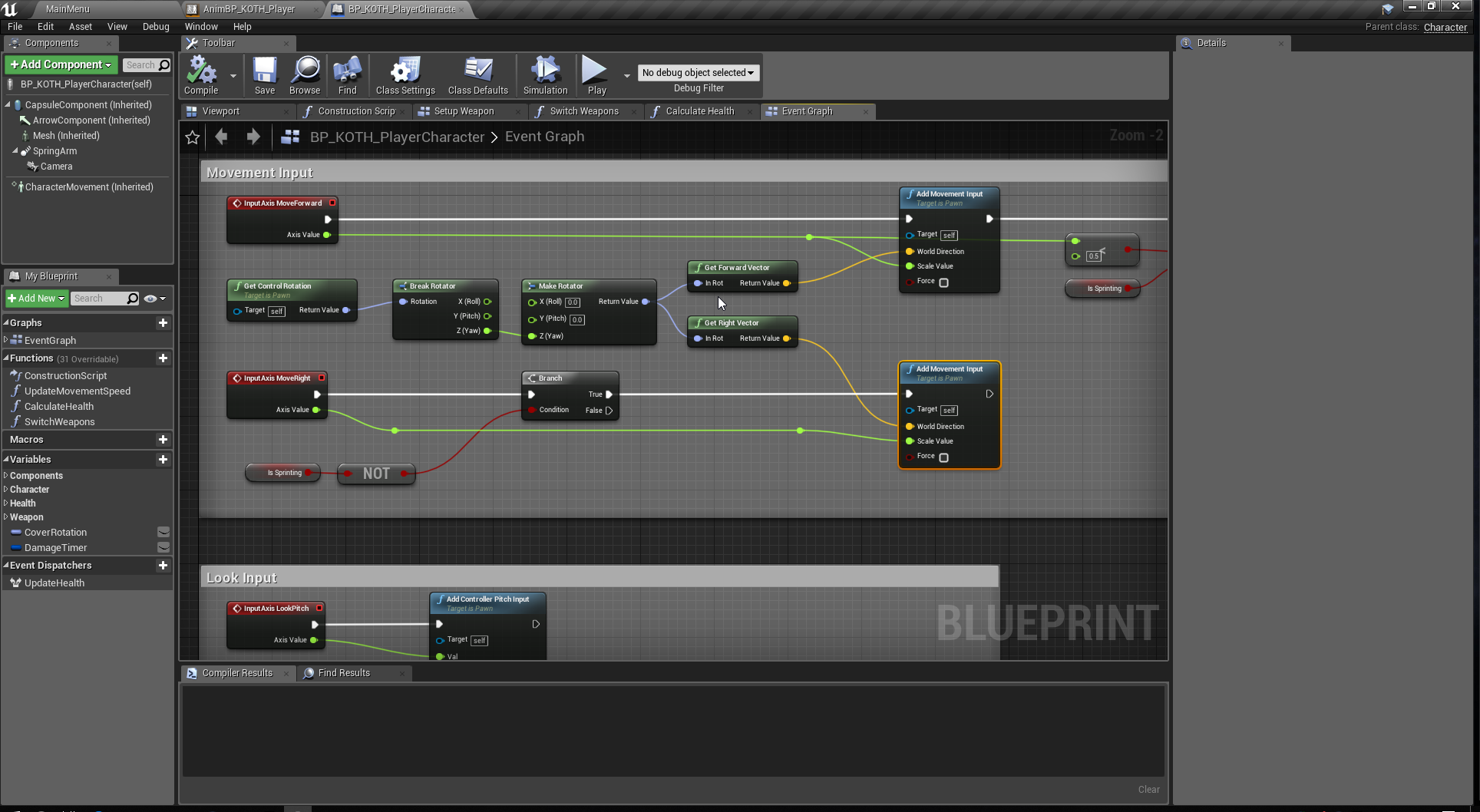
when I load up the Third Person BP template I can't figure out how to get my character to strafe
was wondering for the longest time why and then it just occurred to me
is the strafing not affected by ThirdPersonCharacter bp?
but instead the animation bp?
 jaunty lynx
anyone able to help?
 potent current
anyone know if it's possible to somehow preview a character animation while authoring a camera animation that's suppose to sync up with the character animation?
 short saddle
does anyone know if it's possible to set time dilation in anim notify?
I tried it and if u use ANS everything kinda goes down the drain 😦
 odd sapphire
what is the current go to way of doing modular pawn with physics on the modular hands / body / legs etc
I currently use master pose component, and I want to know if it is possible to drive physical animation using rigidbody or animdynamics on top of it
if not, how feasable is copy pose? I heard it's much slower then master pose
odd sapphire
yes, but I still don't understand why I can't use anim dynamics when using master pose, since anim dynamics doesn't use skeletal system from master, it has it's own physics asset
or it doesn't?
i'm confused about this now
anyway let's say I want all the physics, so I go with copy pose
"High Game Thread Cost" really doesn't tell me by how much it's higher
odd sapphire
So I decided to use Copy from mesh since it's the best for my use case. Is anyone here using it? I'm interested in the performance hit and if I need to worry. I am not targeting mobile, just PC and Consoles. FPS with around 30 modular enemies and 4 heavily modular players on screen.
 serene perch
yo, I am looking for a way to copy a skeletal mesh pose onto a different mesh component, but rather for a single tick instead of continously, as if using the masterposecomponent, I havent quite been able to find anything on this yet
Not afraid to hear c++ solutions either
serene perch
that one only saves internally to an animinstance if I read correctly
oh hey nevermind I was a bit quick to dismiss
there is a version of it that saves into a struct
SnapshotPose as opposed to SaveSnapshot
ahhh, theres a hidden pin in the animBPs that I can use to supply the struct
that should do the trick
 native moss
hey anyone here use human ik with maya
misty dagger
a little bit
keep in mind its primarily to edit mocap data
dont expect to have a good time using HIK to animate things from scratch
native moss
yea thtas what i'm trying to do
i keep getting the issue "the right arm doesn't seem to be parallel to the x axis" on some animsets i dled from the asset store
i have it working with our mocap system fine
but no matter what i do i can't get rid of that error on these anim sets

def seems aligned to x to me


 median glacier
@native moss Try making the arms completely straight. I would try to make the elbow and shoulders straight in the top and front view.
That usually does the trick for me
odd sapphire
so I have 100 actors animated using copy pose from mesh in scene with 3 copied components and it takes around 12ms to animate instead of 4ms for master component
is there anything I can do to firther optimize?
I currently have full skeletons for the components, would culling the skeletons help by such large amount?
 tough oracle
What's the best way to organize a large number of combos and montages across multiple weapon types?
tough oracle
Am I supposed to hire an expert for a few hours for this information?
misty dagger
@tough oracle I mean, are you talking about showcasing the combinations across weapon types? Do you have different types of combos within the same weapon types, like a longsword might have different styles to pick from or something?
tough oracle
@misty dagger Hi. I'm thinking something like simple darksouls combat. Where you have multiple attacks and attack chains for each weapon type.
misty dagger
Alright, well the easiest way to just organize them within a project is obviously to make a folder for each weapon type, and then subfolders for the specialty weapons.
If you're looking to implement it, I haven't personally gotten to that point yet, sorry.
If you're looking to showcase, I'd say just show them off one after another.
@tough oracle To determine the weapon type you could just make a Name or String variable.
tough oracle
I'm thinking an enum for weapon type. I'm trying to organize the terrible state machine of weapons, attacks, chains, button commands, etc.
Otherwise it becomes difficult very quickly.
misty dagger
@tough oracle I'm really new to the Unreal Engine but I think I'd generelly use a series of Blend Poses by Bool nodes and use the enum and an equal node to determin which pose to choose.
But there are probably far better ways to do this
misty dagger
Enum for the weapon type is probably the best way to go about it? I would ask the CPP or Blueprint (depending) for advice on whether or not that works.
tough oracle
Maybe I wasn't understanding things.
I should use MONTAGES to chain attacks. Then I can use animnotifies to check which section to jump to.
In the main blueprint I only check for the startstate.
odd sapphire
anyone knows about Update Rate Optimization?
I would like to know how to use it with modular pawn with copy pose from mesh
it seems that each animBP runs on it's own tick, so the animation keeps breaking the pawn apart
 prisma iron
Can anyone Rig me a Mesh for UE4 I dont know how
devout dagger
Is the doc about root motion anim still relevant to 4.20.x ? I have a few anims for my AI that use root motion and I'd like to use them in the state machine, not in montages.. Wondering about how to enable root motion in those in UE4
devout dagger
anyone ?
 somber briar
what does unreal do with skin weights above 1
does it normalize the weights on import?
looks like unreal retains weights above 1
 warped sail
Im trying to get the animation from the animation starter pack to this swat mesh. I did try to follow a tutorial from unreal but still im getting the arms not in the right position with the bones, What can i do about it because the bones are in the right place that the side provided for me.
misty dagger
I'm trying to setup some items/weapons with physical animation so that when I pivot around things swing dynamically.
I'm trying to just do the set bodies below simulate physics, but it's not working..
Does anyone know of a resource that might help me set this up? Thanks
odd sapphire
@misty dagger how are those items added to the base mesh?
Are they in single mesh, multiple, sockets?
If they are multiple meshes, use Copy pose from mesh and rigidbody node in the animation BP for the item that needs to swing
You also need to have same bones in skeleton for the spot where the items are attached and physical asset for the item that swings
misty dagger
It's all one skeletal mesh with bones
misty dagger
I got it now though, I had include self unchecked, but it was only one bone so that's why it wasnt working :P
it works, just kinda buggy
odd sapphire
So you are using simulate physics now?
misty dagger
Need to get it to move nicely now, instead of flapping all directions
odd sapphire
If yes, you should move to rigidbody animation node
It's much faster for swinging items
misty dagger
I am yes, it has physics asset, physical animation component, and im setting simulate physics
odd sapphire
You can just include rigidbody animation node in the blueprint just before final pose
Disable physics simulation and remove physical animation component
 manic patrol
My virtual bone isn't appearing when I package the game :O
odd sapphire
Did you save the file? 😀
misty dagger
@odd sapphire You mean this?
https://docs.unrealengine.com/en-us/Engine/Animation/NodeReference/SkeletalControls/RigidBody
odd sapphire
yes
misty dagger
cheers, reading through and will give it a try
misty dagger
👍
odd sapphire
but there is one bug in 4.19
in editor it will create weird artifacts untill you press play
misty dagger
S'all good, 4.20 errday
odd sapphire
yeah its fixed in 4.20
manic patrol
So no one has the issue with the virtual bones?
misty dagger
I've been using some Vbones for IK and not had issues
manic patrol
Even in the packaged build?
 keen coral
Just starting out with a Level Sequence, I've set my sections to 'keep state', but my object's location keep snapping back. Any pointers?
oh there's another global 'restore state' on the sequence 😐 nvm
odd sapphire
can I somehow disable animations for a skeletal mesh component all together?
currently setting animation to Master Pose for 3 of components to 1 master gives me perf of 1.35 seconds
NOT setting any animBP or master pose to those components gives me perf of 2ms
how come NOT animating at all is more expensive then animating using master pose?
 strong flame
Hey guys im trying to have a first person full body awareness rig setup similiar to Dying Light/ Dead Island but cant figure out where to parent the camera to, to achieve this. Here is a video showing Dead Islands first person anims from 3rd person. You can notice the spine1 and below are all stretching but the spine3 and above remain still for custom camera and movement controls. Anyone have any ideas? Thanks!

Yes, yes, I know this is the dev build that Techland accidentally released and we aren't supposed to do this and all. But that doesn't change that the animat...
devout dagger
back to my question - Is the doc about root motion anim still relevant to 4.20.x ? I have a few anims for my AI that use root motion and I'd like to use them in the state machine, not in montages.. Wondering about how to enable root motion in those in UE4
 compact sierra
I have a blend space with horizontal speed on the X axis and vertical speed on the Y axis. Does anyone know why my animation loop starts over from the beginning instead of blending whenever the Y axis crosses from positive to negative or negative to positive?
 plush thorn
Not sure if this is the place to ask but might as well ask, i'm not sure how to explain but, when working with animations in Maya 2018, how would i begin a new animation once i'm finished with one? Probably something i'm missing, idk
keen coral
I have a level sequencer with 2 sub sequences. When my second sequence starts, the location of my objects snaps to their start position. How can I avoid this? Is there a way to set/copy the position of the objects in the level to match or something?
fallow heath
do you guys know where I can look at some example rigs that I can learn from?
I just want to know what is considered a quality rig or full-featured rig
 hasty pivot
Hey guys can anyone explain how to export the gun skeletel mesh separatly and then my char with his animations? (made in blender) https://mega.nz/#!EE9HnDYK!PwZHMQ40jXlWnAPJzoRwvitlpYtDvgBEwW_41xIcTT0

MEGA provides free cloud storage with convenient and powerful always-on privacy. Claim your free 50GB now
misty dagger
Hey guys are there any exp Blender animators on by chance?
 sinful birch
Experienced or expert?
tough oracle
For any Blender users: You can remap the Unreal skeleton to your own rig using SNAPPING! I've been working on a script all day and then I found this out.
 icy raft
I have a reload animation which takes the mag which isn't in the gun and puts it in the gun
however after the animation is finished, the mag that was just put on gets flipped with the mag that was originally on
how to make it so that this doesn't happen?
sinful birch
What do you mean by flipped? like literally flipped around an axis, or switched with?
icy raft
it seems like I need two idle states with the mags switched around for this to properly work?
 snow lotus
Hi 😃 I could need some great tips on how to do this the best way:
- I have several types of weapons (rifle, pistols, knives, grenades ect)
- Each weapon type has at least 10 different weapons.
- Each weapon has different animations (Shoot, reload, attach, deattach ect) - how to play the right animation.
- Player Weapon selection with Scroll.
Right now I have created a Layered blend per bone (Locomotion + Upperbody State Machine = Final Pose). So in a smart way, I have to create a weapon type enum (Rifles, Pistols ect), also a Rifle Enum with HK416, Ak-47 ... ect, a Gun Enum with Glock 19, Beretta 92FS ect. and so on?
or how would you professional do this? 😄
sinful smelt
Have a FAMAS ?
snow lotus
😅
snow lotus
or should I:
- WeaponType Enum
- Rifles
- Pistols
- Knifes
-
Create a weapon_Type_Blueprint with WeaponType Enum.
-
Create a folder for each weapon type: Rifles, Pistols, Knifes ect.
-
Create Child Blueprint by Weapon_Type_Blueprint for each weapon and choose the right weapon type from the Enum.
-
Save them in the correct folder.
then setup the animations
hasty pivot
@snow lotus did you make the anims in blender?
snow lotus
I only have a few of them yet, but yes, with Blender.
 hasty glade
hey guys
can i do the collision for my rigged,skinned & animated mesh in the DCC?
via the UBX_, UCX, USX etc prefixes?
or do i have to use the integrated unreal version?
for static meshes it all works as it should
 idle gull
Hey guys
I am creating a survival horror game and I want to be able to see the character's body but I don't want to rotate the character with "Use pawn control rotation", I'm trying to use an Aim Offset
but when the camera reach the limit of the rotation
the character rotates without animation
I tried to use a Turn in place animation but it looks weird
I want to rotate the character like Outlast. How can I do this?
misty dagger
Hello is anyone online that can assist in blender issues with animation, were currently in a voice chat and were trying to move a mesh up but when were selecting everything in obj mode and move it looks fine till we play animation and then it breaks
 grave drift
Hey guys. I'm developing a multiplayer first person medieval game with directional melee combat, i.e Chivalry.
If I use first person animations (which only moves the upper body, i.e from Kubolds FPP Animset) that would look bad seen from another player's perspective. Not to mention inaccurate as you're not doing proper combat stances. How should I go about doing this? Can I somehow make one player do first person animations while the other characters see them doing a third person animation which moves the entire body? OR should I just hack it and ignore that the legs don't move? I'd like some suggestions and tips & tricks on how you Animators would do this, since I have close to no experience doing this.
 grizzled basin
https://youtu.be/OHPdwPTp2xA This is fun... I was just sort of prototyping this to see if I could get this model to do this..and while I can get it to turn smoothly.. if I want it to raise and lower it's turret, it goes all spastic..and I'm not sure why. The person who made this model got their X and Y and what nots all mixed up, at least in relation to Unreal, but that was easy enough to adjust for with a few float + floats.. It doesn't make any sense why the Yaw value would be bouncing all over the place. It's only gotten and set, with a modifier to make up for the mixed up XYZ.

 dawn rose
hello, i've been trying to control the ue4 mannequin skeleton using kinect , i have the kinect joints but i cant completely control the ue4 skeleton using "transform bone modify" using wolrd position , some bones like the hip would not move, am i doing it wrong ?
should i use bone space instead? or use some special node to convert my kinect joints transform to skeletal space ?
grizzled basin
Is there some way for me to align the location of my crosshairs with an animation? I'm doing it in first person, but the first person hands play an anim montage when you fire, and you end up with basically 2 firing points. One at the start of the animation and if you rapid fire, one at the height of the animation. This leads to your bullets going to two distinctly different positions. On my monitor, a bullet shot from the idle position is about a thumbs-width lower than one shot during rapid fire, which fires at the peak animation height.
grizzled basin
can I use that offset to change the position of the crosshairs itself?
I guess i basically need the crosshair to float up and down a bit with the movement of the gun
hasty pivot
@snow lotus how did you get the animations into unreal i always get erros or something is missing
grizzled basin
The first person animation I"m using is the included one
 molten stump

How would I get a smooth transition between the standing and crouch? just seems choppy
 karmic briar
blend time
- camera interp speed
coz default crouch function sets capsule halfheight/2
and spring arm attached as component to capsule center
 subtle matrix
odd sapphire
subtle matrix
odd sapphire
hey, using Master Pose Component and the Slave Meshes are not updating bounding boxes properly, even when attached to parent
any ideas?
they update when I move the model
but they should move with animation of the master pose
 odd sapphire
4.20 patch notes say "Bug Fix: Fixed an issue where the Skeletal Mesh was not ticking correctly and updating its bounds (it would use the cached bounds with an extent of 0 and not render)."
but i am on 4.20 and the issue is still ther
it updates when I manually move the actor
like it's caching the first bound from parent, so attach to parent is correct
but it's not ticking
anyone?
hasty pivot
anyone can give me a good description of how i can get my animations from blender to unreal without any errors or bugs?
 tame whale
Issue when retargeting animation on new character
here is how the character is supposed to be
Hello, i need help. when i retarget new animation my character change the orientation... someone to help.
grizzled basin
Is your xyz set up correctly? Sounds like the normal problem associated with that.
 sick field
Is anyone having problems with the retargetting menu? Im having this issue:
For some odd reason it cannot find any skeletons, im trying to retarget mixamo animations from ybot to the ue4 mannequin
It cant find it's source and it cannot find any skeletons
Nevermind
Fixed my issue
Turns out I forgot that I also need to pass my target thru the manager beforehanf
 covert oasis
hey guys! Rather new here. I want to make a second animation for when double jumping or jumping off walls. I currently set this up and wondering what/how I should setup so I get that other animation

 thick ridge
Hey there! Does anyone have any tips on how to achieve a sort of aim constraint with texture offset? Here I have a regular round eye with a regular aim constraint I put together in C4D, and a flat cartoony eye that I animated manually with texture offset to mimic an aim constraint. I'm wondering if there is a way to achieve this in a way that is as easy to use as an aim constraint once it's set up in UE4.
misty dagger
Hey guys, got problem with important characters into Unreal
Somebody here in to help me?
 floral horizon
Blargh
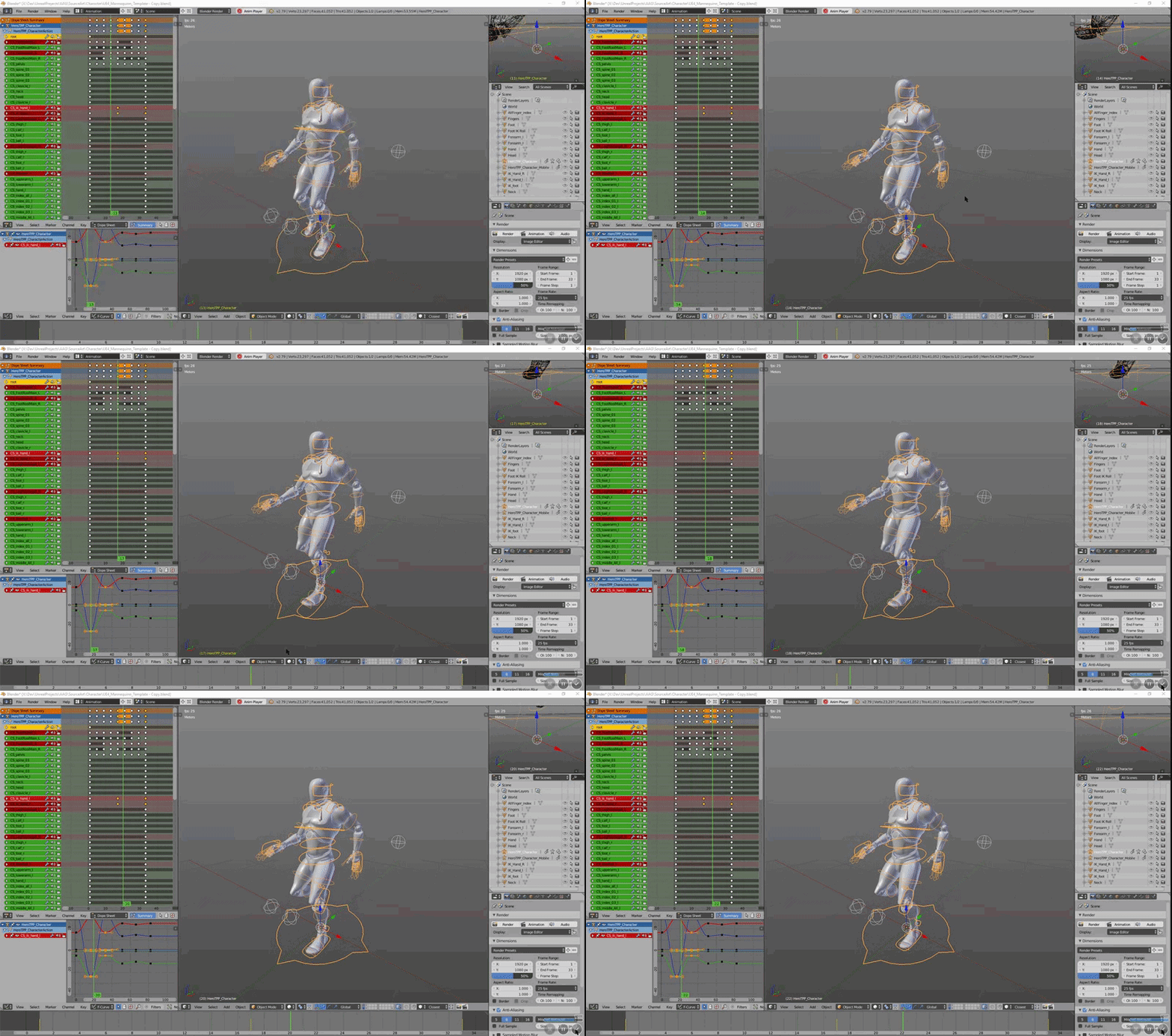
So my main issue is not that the animations look terrible. Its that if i export it and import to UE, I only get one animation track instead of multiple
naive ferry
how do you guys work with animation? im pulling my hair out just doing the simplest of things
 edgy jacinth
Excuse me
On the left side, I have some part : head, hair, body, two arm and two foot.... SO how can I replace them to skeletal mesh on the right side?
 vapid ore
quick question
is it possible to change the bone rotation in an animation within unreal?
or do i have to export it change the anim an reimport
i want to create an aimoffset of an idle animation i have... i just rotate the spine 3 ..
 vast trellis

In this Tech Talk at SIGGRAPH 2018, Brian Pohl, M&E Technical Account Manager at Epic Games, describes the real-time pipeline used to create the Fortnite tra...
posted today
(but from siggraph)
 dense sapphire
Hello im New 😃 I need really help for movement, i don't understand some bug >< (i am french)
pls 😢
im stuck 😦
vast trellis
@dense sapphire post more details
 shadow notch
Hey folks, I have a gear on a skeletal mesh that I want to constantly spin at a certain rate using its animation blueprints
I was hoping to use a modify bone node
but unsure how to make a constant rotation
delta time appears thread unsafe, or something
any thoughts?
edgy jacinth
hello everyone
I have some sub mesh like face , hair, body , two arm and two foot
Any tutorial to make modular character?
I want combine all mesh into current third person character
 tame gulch
hi, is there any information about being able to re-weigh meshes at runtime?
grave drift
Hey guys. I purchased an asset from the marketplace containing a horse & a riding system. I want to customize it to 1st person view. The rider is animated so I get clipping issues.
The mesh that's sitting ontop of the horse is being set when the actor is mounting, therefore I can't attach the camera to a socket of the actor and make the camera follow his animations.
How should I go about doing this?
 dry harbor
Does anyone know if it is possible to create a pose asset without any animation data just from the position the imported skeleton is in?
misty dagger
hello guys I have a interesting question-how you make the animation with which program-can anyone describe me, send links and these things?
clever shore
what might the reason that my FK bones (foot_r) does not follow Ik_foot_r ?
it changes position as needed
and it seems to be animated ..
 midnight merlin
@floral horizon from where you take the skeleton for Blender ?
floral horizon
@midnight merlin What do you mean?
 midnight merlin
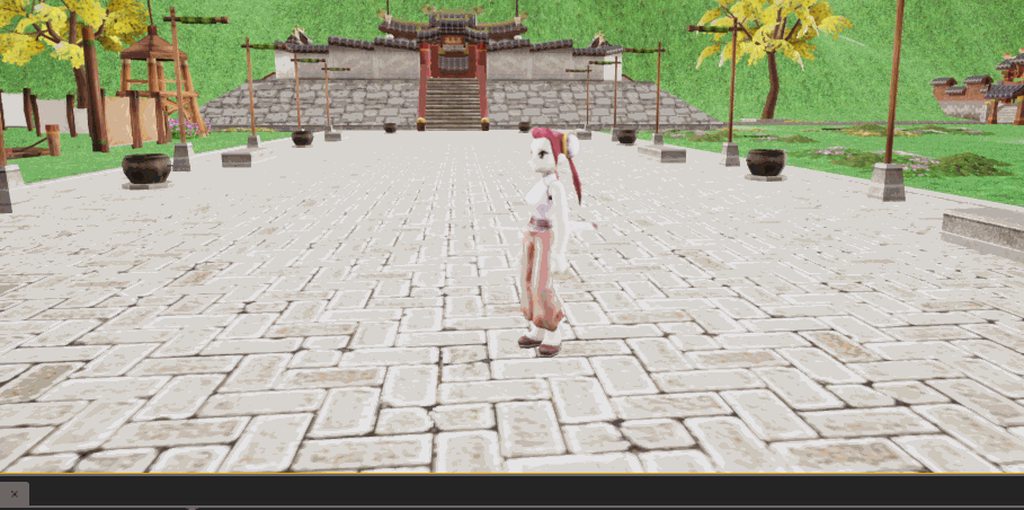
@floral horizon the gifs you posted
floral horizon
Yeah I still dont understand the question.
Where did I get the skeleton?
 dusk dove
@edgy jacinth Your Animation translates the Mesh, although it is meant to be in-place
floral horizon
@edgy jacinth There should be an option in Maximo to animate in place.
But afaik, they are slowly removing features before it comes a paid service only
edgy jacinth
Can edit it in ue or 3d sofware?
 crude sun
Can I use a blendspace as a animation reousrce from a blueprint?
I mean in a "play animation" node
edgy jacinth
hello @floral horizon
teal pawn
@floral horizon To export from Blender with all animation tracks (the FBX only stored the current NLA animation clip on default) - in the FBX export settings change to also include All NLA Clips.
@dry harbor As far as I know, you can't. You might be able to pose the Actor in the Sequencer and keyframe, but I'm not sure. Best to save off a single keyframe in the content creation software and export that as a pose animation clip (then place it in the sequencer for quick and dirty)
@misty dagger You can use Blender which is pretty alright and free, or Maya, Cinema 4D, Houdini, 3DS Max, Softimage, Daz Studio - I personally use a UI friendly fork that isn't unlike Autodesk called Bforartists.
The process is more about the rig, that it can export to FBX. Each software has it's unique workflow.
But it's not all too different - you animate with keyframes, store into animation clips, export the animation (sometimes bake it) and then import.
dry harbor
@teal pawn Thank you. Yeah that is the solution I ended up coming up with. Uploaded to mixamo, got the t-pose, and used that. Was going to use blender, but somehow the rig ended up changing when I imported/exported from blender.
teal pawn
Rigs usually have to be somewhat simple. 150 deformer bones. 8 bone influence limit on the weights and there you go. If you need to export shapes, you connect bones as drivers to the shapes.
@dry harbor Ah yes, Blender will rebuild your rig depending on the export/import settings.
devout dagger
folks, check this out https://www.unrealengine.com/marketplace/allright-animation-rig

Allright Rig is a plugin for automatic creation of character rigs and working with character animation in Unreal Engine 4.
 granite lava
Is this allright animation rig plugin used for cinematic stuff only?
or can you use it to create assets for in game animation
?
devout dagger
can make assets for game, not just cinematics
granite lava
thanks
 sharp cedar
Is there anything in UE to help with syncing and aligning animations of multiple meshes in something like takedown / grapple? Where one character plays a "stab animation" and the other plays "get stabbed animation".
How is that usually done in games? Two separate animations that are simply made to line up or something smarter?
 vagrant vigil
How would you stop a line trace at a certain point during an animation? I got notifies setup but not sure how to utilize them in the line trace blueprint script
 lofty marlin
Why would an Animation (that def does something) not play in Preview in the Anim Editor?
No matter what Anim or Montage I double Click, it plays but nothing moves.
If I plug the Anim into the AnimBP, they play. :O
I basically can't preview them, and the AnimMontage doesn't play when calling it (even though the Slot is setup)
Compared it to a working Mesh with Anims
Can't find any difference :/
They play if I select them as an AnimAsset on the MeshComponent, but not if I drag them into the scene
lofty marlin
Editor crashed randomly -> Anims start working. gg
sharp cedar
@vagrant vigil in anim notify you can get the owner of the anim BP and execute a custom event on it from the anim bp
misty dagger
I have a big problem....
So you know the little timeline and animation tabs in the User Widget editor right, underneath the canvas and stuff
I misclicked and deleted those tabs...
How do I recreate them?
river meteor
View -> Windows
misty dagger
Wait its that simple
river meteor
Yep
misty dagger
Jesus...
Ive been trying to find out for the past hour and it only took that
Well thanks.
oak badger
Hey guys wondering if I can get any advice on the TwoBoneIK / Fabrik nodes? Me and a friend have been playing around with them for 2 days and while we have gotten some decent results they aren't really that good, the main problem I've ran into is the following. When I attach my hand_l bone to the other hand, then position it to make it look like its holding a gun, its perfect, until I lift the gun up in the ADS position, after which it is in the wrong position. https://gyazo.com/a997242fd0ee6dc57206463d865dea26 I figured I inherently cant use the l_hand bone because its basically the wrist, and the wrist isn't going to always line up the same depending on the guns location. The next thing I've tried is to use the middle finger bone 1 to attach to the gun, this solves that problem somewhat, but im getting problems with alignment of the fingers/wrist/hand in general. https://gyazo.com/1894da99779a41c7a0ff755715184f99. Can anybody please offer me any guidance on how to do this properly because I cant fix it even watching some YouTube guides and reading the official docs on it. FYI the way im doing this is by putting a socket on the gun and using the 'transform to bone space' node to move the bone to that location. The reason I figured to do it this way was that I can check to see if there is an attachment to hold, such as a vertical grip and use its location and rotation instead. Thanks guys appreciate it
 river meteor
@oak badger The way I do it in our game is to use the wrist bone but then apply a per-weapon offset to move the hand in the proper grip location. I can show you some screenshots if you're interested.
oak badger
I had a thought about that but wasnt sure if there was a better way, id love to see if thats okay with you and would really appreciate that!! @river meteor
river meteor
First, I bind to a callback for when the player's held weapon changes
In there I basically fetch the socket offset transform and save the item type (primary, secondary, etc)
Ok well clicking on the fabrik node just about stalled my pc hang on
oak badger
So might I ask how do you guys deal with the first issue I posted where the actual wristbone might line up in one pose but because its higher in the second it dosent work with others??
river meteor
There's the setup for the left hand IK in the anim graph
We don't use hand IK in first person, we have a specific set of animations for every type of weapon
But you could just make another offset for first person just like in third person
oak badger
So perhaps I would need to do something like apply an offset when aiming the gun so that it pushes it down slightly?
river meteor
Yep that's one way to handle it
oak badger
Is this actually a good way to handle it might I ask, is this something that just happens and everyone has to deal with as shown in my first video
I mean if it is Im totally happy to do it that way I just wanted to do it properly you know?
river meteor
The better way to manage it would be to have the weapon attach to the hands in first person and not use ik at all, but that's not always realistic
oak badger
How do you mean attach only in first person, currently im just attaching the gun to the right hand socket then trying to sync up the left hand to the grip/handguard in all animations??
river meteor
Sorry had to go for a bit, what I meant was attach to the right hand and have the pose animation perfectly attach. In third person you'll probably need hand IK because rarely do you have anims for all the poses for first and third person animations @oak badger
oak badger
No worries went away myself! Ill give it a shot with the method you suggested, thank you very much for the advice Xenonic!
oak badger
sorry to bother, I sort of fixed the aim version although its moved the hand but not brought the arm with it but the running animation is still equally broken, do I really need to do offsets for every type of animation im doing or is there an easier way to understand how to keep my hand on the damn barrel xD
 cerulean cedar
@misty dagger you can use the same tp model, might be a little harder to setup/align everything, also i think people generally up the graphic fidelity of FP arms model, which you don't want on tp model, especially if there is multiple of them.
you can animate straight in maya, not sure if the epic art tool rig can help? can also look at the Control Rig plugin from epic, then you can animate in engine, there should be some youtube vids on how to use it.
 gloomy lintel
hello, Is there a way of copying the saved Skeleton Pose (T-Pose) to be loaded on another skeleton that needs to change from A to T-Pose
 glossy spade
I've got some anim notifies on this animation, it's for footsteps.
is there a way to access these notifies via blueprint?
this is a Paragon asset by the way
and I've noticed that those notifies don't appear in this list:
I can only find events in that list
 pearl orchid
@glossy spade are you sure they are anim notifies and not sync markers?
pearl orchid
@glossy spade https://docs.unrealengine.com/en-us/Engine/Animation/SyncGroups
This is the documentation. You can copy them and replace the copies with regular anim notifies...
 late birch
Hey everyone
so I have a question
i'm doing a FPS game and I saw the that shooter game example has animations on the FPP arms and the guns follow it via sockets
is that a better system than having animations on the weapon models?
which system would you prefer and what do you think is used more in modern games?
thanks!
glossy spade
Ok, thanks @pearl orchid!
pearl orchid
no problem @glossy spade
river meteor
@late birch you want to have the held item driven by the arms animation, not the other way around. Many games use animations on the weapons as well for reloading and such
late birch
@river meteor thanks. I can see the advantages on having everything on arms, such as shared anims between weapons
I'm just trying to see if there's any reason to do it the other way
 eternal ivy
I want to add melee animations to my sidescroller game... and I cant afford to purchase anim packs, maya, or even that allright rig tool. So I'm stuck with blender.
and now I've just realised that I am going to have to make all new animations... idle, run, attack, deaths...
anyone got any tips/encouragement?
 upbeat mirage
@eternal ivy Blender's got some pretty good support for UE4, do you already have a rig that you're using for your character or are you starting a-fresh?
If it's the latter, Blender has some extensions/plugins that you can use to get great free rigs (Rigify being my favourite) although the workflow for getting a Rigify rig into UE4 isn't as clean as I'd like :P
Otherwise, there's a plugin called UE4 Tools for Blender made by Lluis Garcia that allows you to pull in the default UE4 Mesh + Rig which you can use to animate with, more info can be found on that here: https://forums.unrealengine.com/community/community-content-tools-and-tutorials/15431-addon-blender-ue-tools
Once you've set one of these up you can just get stuck in! Move things around and see what happens - I'd recommend using pose-to-pose (Not sure if that's the exact name) animation if you're starting out, where you do the pose for each section of the animation then work on the middle bits to smooth it out and get the flow you want, an example of a sword swing:
Frame 1, (The starting pose, possible the idle) then frame 10-ish, (The anticipation pose, sword above head/just about to start the swing), then frame 15 (The action pose, where the sword will end up once you've swung), then frame 25 (recovery pose)
This will give you a good base to start from and you can move from there :)
If you're struggling give me a shout and I can see if I can give some tips, I'm sure everyone else here would be able to give some feedback/advice on your animations if you're not sure where to go with one
Unreal Engine Forums
This is the place to show, share, and link to your stuff!
eternal ivy
@upbeat mirage I'm just using the default Ue4 skeleton, from the animation starting pack right now. Havent started character design yet
upbeat mirage
@eternal ivy That's good then, if you use the UE4 Tools addon I mentioned it will allow you to export a skeleton that is nearly identical to the base UE4 skeleton which makes animation retargeting for existing/marketplace items much easier to do!
eternal ivy
I've basically got no animation experience, so I'm feeling a little overwhelmed by the stuff I'll have to do/learn
so I'm kinda rethinking how badly I want to have melee weapons for my character! 😄
upbeat mirage
Yeah there's a lot to learn, but also a huge amount of great tutorials for Blender to get you started
eternal ivy
tho I know eventually I'm going to have to learn if I ever want to get this game anywhere
upbeat mirage
The most difficult bit is sorting a rig out, but using the addon skips that part pretty much completely!
Once you've got the rig it's just a case of moving limbs around into shape and "Keying" that position (Like a snapshot at a certain frame), then move onto a frame further along and change the pose. Blender will interpolate between those frames to give you a smooth action
eternal ivy
I'm gonna have to watch a lot of blender tutorials
I think last time I tried animation I was really confused by the graph editor or something for having different animations in the same blend file
upbeat mirage
Yeah that confused me at the start too
While you're getting used to it, I'd ignore "F-Curves" as they might be a bit overwhelming. Stick with the "Dope Sheet" (Basically where you choose your frame and move keyframes around) and the 3D editor for now and you should be able to get some basic movements going
eternal ivy
the dope sheet.. thats the one.
upbeat mirage
When you're adding multiple animations to a single file the "Dope Sheet" will become the "Action Editor" (Doesn't change function or appearance, but adds a few more buttons on the bottom to choose which anim you're editing), where each action is a separate animation. You just select the animation you want to edit in the dropdown box and it works the same as having 1 animation in there 😃
eternal ivy
Hmm. ok
eternal ivy
Thanks for the help. I'll probably be back once the coffee kicks in, and I figure out how badly I want melee animations...
need to figure out what type of game I'm making! 🤦
misty dagger
Hello guys I want to ask you when you make animation with Blender what type you save it as?
 cold elk
FBX should do the trick
sharp cedar
I didn't get an answer last time so lets hope I will get lucky now:
Is there anything in UE to help with syncing animations of multiple meshes?
I mean something like a stealth takedown animation where one character plays "Stab animation" and the other plays "Get stabbed and die" animation.
In general, can you offer any tips on how to do that? Obviously having both animations perfectly line up is step 1:)
Ensuring both meshes are in proper relative position / rotation and playing two separate root motion montages seems like the most obvious system.
upbeat mirage
I’d be very interested in knowing the same, does anyone have experience with the above?
grizzled basin
I didn't realize this before I started retargeting, but I've got a mixamo sword slash animation I'm trying to retarget to my first person mannequin arms. It mostly works, except that the joins are offset. It's my first time doing this, so I'm sure I messed it up, but I put each skeleton on the human rig and for the mixamo one I set up all the bones. The result is in the photo, and I can fix this with some easy rotating and slight adjustments of the bones in question, but if I save it and open it again they've all reset. Is there someway to make adjustments to this?
upbeat mirage
@grizzled basin When using retargeting you'll need to make sure (as best you can) that the base poses you're using in the retargeting for each skeleton are the same positions. Otherwise similar things to be above can happen. This can be done at the bottom of the Retargeting Manager -> "Modify Pose".
All you'll need to do is select your bones from the bone hierarchy and modify their rotations to best match the rig you're retargeting from, then click "Modify Pose" -> "Use current pose" which will set the base Retargeting pose to be your new rotations.
If you're not able to see this pose, click "View pose" next to that "Modify Pose" button and it will switch it back to the current Retargeting pose in the viewport. Hope that helps! 😃
grizzled basin
Ah okay thanks. I'll try that out 😃 Seems like a wealth of animations available there, so if I can figure it out that'd be helpful
upbeat mirage
Definitely, the advances in retargeting in UE4 are amazing for using marketplace animations with other rigs 😃
grizzled basin
@upbeat mirage Well I almost got it on the first try. The lower arms are much better but the wrists are still disconnected. Closer at least
upbeat mirage
Glad to hear! If you can, get both skeletons side-by-side so you can use a live reference as I find that makes it easier
grizzled basin
Yeah well see it doesn't help that the mixamo character has very straight limbs
while the UE4 character has more stylized limbs
upbeat mirage
Yeah sometimes it's hard to get them to line up properly
grizzled basin
but I think I got it now. Base pose anyway
need to do all the the little fingers and things
but much better now
upbeat mirage
Awesome! 😄
grizzled basin
@upbeat mirage Well I've mostly got this worked out. The only issue is that my animation seems to be rotated 90 degrees to the right. Basically I'm retargeting the melee attack to the first person arms, and I've got a hot key set up for it, but, and as hard as this is, if I pause the game while I'm swinging and deposses, the animation seems to be rotated 90 degrees right. All I've done is set a blend by bool in my FP animgraph to play this animation when the key is pressed, and from the animation preview.. it looks fine. I think. But in game it isn't.
Actually it doesn't look fine in the animgraph. I mean it's set up right, but if you look at the preview of holding a gun and swinging a sword, the arms do rotate 90 degrees..hmm
grizzled basin
Yeah, I figured it out. I had to change the import rotation and then export and reimport it
Not sure why exactly..maybe the mixamo skeletons are rotated 90 degrees
upbeat mirage
Yeah, possibly - glad you figured it out, though!
grizzled basin
The only thing I have to deal with now is the joys of swinging around FP arms in front of a camera and trying to work out the clipping
grizzled basin
@upbeat mirage Last ping and I'll leave you alone...is it possible to get the first person camera to lock to and follow an animation on the first person arms? There is an animation that I think might be neat in this game, but, it involves the character doing a kind of spin jump in place. It would really only work if I could get the camera to kind of spin around with the animation itself.
upbeat mirage
If you're wanting to do that then you'd need to enabled a few camera settings when that animation plays
Although I can't remember which ones 😛
Effectively, you'll possibly need to run an animnotify on that animation. When that notify is called you get the camera of the character and change the required setting (Which would lock the camera rotation to that of the socket/bone it's attached to) and it should spin the camera with the rotation. This would then be disabled by another animnotify running when the animation has finished
grizzled basin
ah
so my camera should be attached to the mesh? Right now I have my camera as the parent of the mesh
upbeat mirage
It would probably be worth asking in #blueprint or #ue4-general for that setting
Yeah, your camera would be attached to a bone or socket so that it follows the movement of that bone
grizzled basin
Okay thanks. I'll keep digging then. As long as I know it's possible and don't spend multiple hours barking up old google trees only to find out that it's something that doesn't work.
upbeat mirage
Sweet, just be sure to double-check that setting is a thing but I know it's possible 😃
grizzled basin
Some of the worst things about UE4 is googling stuff only to find posts from like 3-4 years ago with vague ideas that something works or might work and then that person is never heard from again
upbeat mirage
Yeah, it's a nightmare 😂
grizzled basin
For now, I've got my arms s winging, damaging enemies. The shoulder jumps out from the camera, but I think if I can get the camera to set to the head bone or something that might be okay.
 crude path
Anyone have a quick second to help?
im having an issue where Transform Modify Bone is not applying its changes to the mesh ingame
upbeat mirage
@crude path Sure, are you using BPs? If so, could you send some screenshots of your graphs so we can take a look?
crude sun
How to merge 2 skeletal meshes that use the same skeleton together?
upbeat mirage
@crude sun If they're exactly the same skeleton, delete one and replace references with the other
(I'd take a backup of the one you're deleting before you do, though - just in case)
crude path
yeah sorry was eating lunch, ill send those pics now
misty dagger
a okay
crude sun
@upbeat mirage what I mean is I have 3 skeletal meshes, lets say head, torso and limbs. All use the same skeleton but they cover different areas. So I don't want to delete anything. Just merge all together.
 zenith pebble
I'm having trouble with Root Motion.. In anim preview, looks fine, I look at Character Process Root Motion, looks fine. But then I check off Enable Root Motion, so it will work with my character, and suddenly it stops working.... the mesh loses root motion by checking off enable root motion??? And in the game world, when I have it enabled, it rotates my character but won't jump up. The anim is a jump. It's like working but losing it's upward jump.
crude path
Animation Graph
This is the animation graph
everything appears to be hooked up correctly the skeleton moves correctly when the values are manual edited in the anim graph and I have had it working in previous versions of UE4, be advised this was created from start to now in UE4 4.2
upbeat mirage
So the issue seems to lie in the variable coming from the "Test" BP, rather than its application to the skeleton?
crude path
yes when it is returning the variables from cast something has to be going wrong
upbeat mirage
In your AnimBP event graph, could you try printing this variable: https://i.imgur.com/u0ARWnZ.png
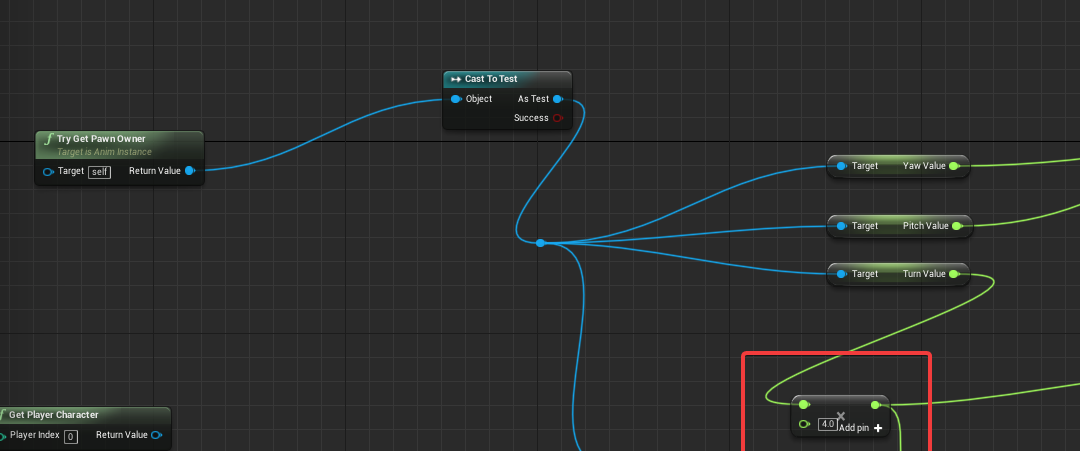
See what it returns?
crude path
Well I print it just before the variable hits the animgraph bp and it correctly displays the values assigned to the D and A keys
upbeat mirage
@crude sun I'm not sure on that front, I'm afraid :/
crude path
range of 1 to -1
do physics constraints affect this?
i mean in the preview of the animgraph manually entering the rotations works and displays correctly
so i dont see why this would change going ingame
crude path
yeah the values in transform modify bone tank_body
when entered manually they correctly change the model in the preview window
no errors on play
upbeat mirage
Hmm, I'm not sure to be honest
crude path
This is the print screen when pressing the A key to go left the value is additive to the rotation of the bone
upbeat mirage
Are either of the bone modifications working? Tank and/or Tank_Head?
crude path
neither
upbeat mirage
If your values are coming into your AnimBP Event Graph and printing the values you're after then it must be the application of those to the skeleton
crude path
this is the skeleton in the physics editor
upbeat mirage
crude path
I changed the ref pose to local space and this happens upon spawn now
 shell hollow
can anyone help me with this? I tried everything. Properly rigged in 3d max but when importing UE4 this happening all time
 frigid drum
is that a new skeleton or another mesh with a used skeleton?
shell hollow
This is original Mannequin skeleton
I export and import 3D MAX original mannequin. and i change my character and rig to skin. But when i import again it says Failed to merge bones
About 6 days i am searching and trying but nothing helps :/
This is working but some bones are missing and buggy.
as example this the project this guy holding properly.
but my character is not holding properly
pls help
i also export this guy and change my skin with that. but same
FBX always failing
 fallow steppe
https://www.youtube.com/watch?v=HTp86nOv_M0 I want to make a lighter animation like in the video. Only I have no idea where to start? Any idea how i can get this effect.

 sinful pulsar

 visual star
Hi! Anyone know if it's possible for a character to store both the A and T pose for use in retarget manager?
(enabling me to select one or the other when retargeting animations)
shell hollow
No one helps
 onyx zinc
Yeah despite the large member count this discord is kinda dead
 tired vortex
dumb question, i want to set the current aniamtion in an aniamtion blueprint to be a variable, any thoughts how i can best do that
misty dagger
Hi, can someone answer this question - https://forums.unrealengine.com/development-discussion/animation/1536662-making-a-realistic-tank
Just set me in the right direction. Thanks
Unreal Engine Forums
I'm not sure if this falls into animation, physics or scripting.
Is there a full UE4 course/tutorial anywhere (paid ones included) that explains all the
river meteor
@tired vortex You can capture the bone layout of a specific frame, but you can't get the active anim sequence since most likely multiple are playing at once. If you meant How can I play a specific animation from a variable in the animation blueprint, then you want to drop a play X node in the graph (X being any animation sequence), click on the node, go to details, and check Sequence as Pin.
misty dagger
Can I use 1 animation on multiple characters with different skeletons?
For example, I have one running animation I'd want to use on all the paragon characters. The running animation only uses the default mannequin bone structure, so the paragon assets have those bones.
But I don't want to make tons and tons of copies of that one animation for each character.
river meteor
@misty dagger No, animation assets map to skeletons. You either will have to duplicate and retarget the animation for every skeleton, or use one uniform skeleton for all of your characters.
misty dagger
Can I have characters with extra bones use the mannequin skeleton?
Like, importing them on top of the mannequin one
river meteor
I don't think so
misty dagger
So if I had a character with 1 extra bone, I need to assign it to a new skeleton, make a new animation blueprint, and duplicate and retarget all my animations?
There's gotta be a better way
 dense trellis
Hi, I'm trying to get my animations working in 360 degrees of freedom. I am planning on blending animations together but idk how to do that.
My problem is better described here: https://www.reddit.com/r/unrealengine/comments/9mgzzz/360degree_movement_animation/
tiny granite
If i want my Skeleton from Maya to work and be able to Duplicate and Retarget animations I just need to make sure my maya bone structure is identical to that of the unreal one correct?
 frosty peak
@misty dagger You can use the same skeleton as long as that extra bone does not affect the parenting order (More specifically, you can't insert a bone in the middle of the hierarchy, but you can append as many as you want at the end).
Spine_01->NewJoint01->NewJoint02 works
Spine_01->NewJoint01->Spine_02 does not work.
@tiny granite Yes, that should work.
upbeat mirage
@misty dagger I can't say anything on specifics for this as I've never tried it myself, although it seems like it would use similar principles to the "Vehicle Advanced" UE4 template in regards to suspension for the wheels, the tracks themselves though I'm not sure on
tired vortex
@river meteor exactly, thank you
misty dagger
So I checked the file size for all of the animations for 1 Character which is about 350 MB. How will I be able to manage the size of the Game? From what I've read when you retarget animations, they will be duplicated and I have to retarget those to probably way more than 100 NPCs and 8 Characters, then all of the mobs. 50GB for the game size would be a small suggestion, probably more than 100GB. Is there any way to not duplicate the animations and reuse the same asset for multiple skeletons?
hasty pivot
Hey guys does UE4 allow multiple object that's not parented to each other?
 bronze sierra
hello, i've created a lower body and an upper body anim montage slot. I use the layered blend per bone to split the body in 2, but if i try to play an anim montage with the lower body slot it also affects the upper body
any reason for that?
to be more specific, every time i play lower body anim montages the upper body freezes
i was able to counter that by enabling the option Always update source pose
 cloud lodge
can you show the animgraph for those nodes?
bronze sierra
but when i play upper body anim montages and at the same time a lower body anim montage, the upper body anim just stops playing and blends back
cloud lodge
i might be wrong but i think you can only play one montage at a time..
bronze sierra
that kinda makes sense
because you have Get Current Montage
in code
ok so i guess i have to move the lower body part into the state machine then
cloud lodge
couldn't you make a montage with the two animations that need to be played?
and play them fullbody not sure if that works need to look at it
bronze sierra
no because they are separate animations
cloud lodge
montages can have multiple animations
river meteor
So it seems like you're abusing montages, you can do all of your locomotion (including in place turns) through animation sequences
Reloads, shots, etc should be montages though
bronze sierra
yeah i just did in animmontages because they are fast to setup 😛
#stopanimontageabuse
river meteor
State machines are your friends 😉
bronze sierra
i disagree, but now that we are talking about that
the blend in and blend out times in animmontages
they are not the same as the transition duration like in state transitions
 river meteor
Yea, but that doesn't extend to usage in locomotion
bronze sierra
yes i know @cloud lodge but in this case is completely separate behavior
cloud lodge
loco should be done in state machine tho i agree with @river meteor
its how i do it, and attacks etc are montages
bronze sierra
the turns should happen in any point
yes in the state machine makes sense, just ttrying to see if there was any way around it
yes i use a lot of montages
river meteor
I feel like you haven't had a look at a really well laid out state machine, and therefore you're not a fan of them? I'm guessing you've had massive networks of states and transitions before?
river meteor
Turns go in your state machine, and that's practically end of story
cloud lodge
i have to refactor a whole anim blueprint where everything was done in the state machine
river meteor
Take a look at Advanced Locomotion System if you can, it has the best example of an animation blueprint I've seen
cloud lodge
and switch stuff to montages, even reloads are done in state machine 😦
river meteor
The trick is to use networks of state machines inside of state machines, alongside conduits
cloud lodge
guy who made it didnt believe in montages
bronze sierra
i dont doubt its powerful, but im not a technical animator
so i just do the necessary to make it work
😛
river meteor
You'll be a lot happier if you did it right, rather than made it work
bronze sierra
i'm all up for that, but i have time constraints, so it's hard to have the time to learn it all
to do it properly
hasty pivot
@cloud lodge i want to export my two rigged meshes with the anims from blender to ue4 when i imported it i only get one mesh without any anims and its turned upside down. I can give you the .blend file if you want to test it
bronze sierra
regarding the blend in and blend out of anim montages, if i have an 1 sec montage and i have 0.25 blend in and blend out, does it use the first 0.25 seconds of the 1 seconds to transition from where it was to the pose at 0.25s? and the same thing for blend out? at 0.75s he starts to blend out into the next thing?
 jovial sage
can you make your own animations for unreal engine?
bronze sierra
@jovial sage are you talking about making animations in unreal engine or for unreal engine?
bronze sierra
to make animations for unreal engine you need to use a dcc software like maya or 3d studio max
jovial sage
can i use blender?
bronze sierra
i think so
almost sure you can
how do i transition to a new state but keep the previous state where he was and resume once you transition back to it?
i've created a turn state
that leaves the normal idle/walk state
the problem is that the upper body is a sync group and the legs are the leader
so every time i go back to idle/walk state it just resets and i get a pop on the upper body
river meteor
@bronze sierra State machines don't work backwards like that. What you want is to have a secondary state machine to control the pivot motions that blends with your primary locomotion states.
@cloud lodge From earlier, I found out that as of 4.6 you can play multiple montages at once, but only one per Group.
bronze sierra
@river meteor that secondary state machine would be inside of the idle/walk state?
lofty marlin

Can I somehow expose the bone name?
Cause I want the same stuff for every AnimBP and the only diff is the BoneName atm
 prisma gulch
Does anyone know something new about the problem with Alembic Geometry Cash Import crashing the Engine since UE 4.20 (and 4.21 Preview)? There are many reports in the forum, but i can't find any official info regarding this issue from the Epic Team
bronze sierra
@lofty marlin i dont think you can without changing the engine source code, which is a shame
an alternative would be to create your own based on the engine source code that exposes that
it's a bit of an hassle
but should be doable
lofty marlin
Hm, all more work than dirty copy paste of the code
sadly
All the AnimBP does is rotating that bone
Not working fighting the engine then. Just reacted multiple animBP -.-
bronze sierra
😦
hasty pivot
i want to export my two rigged meshes with the anims from blender to ue4 when i imported it i only get one mesh without any anims and its turned upside down. I can give you the .blend file if you want to test it @cloud lodge
 eternal monolith
Should I be animating in modo for unreal 4 animations? I keep reading online about how animating in blender is better, but no one ever says why. I hear that modo doesnt have stuff like animation blending, and I'm not certain what that is, but I'm assuming it's something like blend spaces in unreal right? So it's not really a minus if I'm setting the animation stuff up in unreal right? Or are there some other big reasons why I should use blender to animate instead? Other than the lack of mirror weight painting too.
misty dagger
Does anyone have any experience with working with female (heeled) characters? If I have a current skeleton and ABP etc all setup, now i wish to start adding female versions..
What is the best approach here? New rig using same skeleton? New rig and new skeleton/abp?
Is there some kind of IK fix I can do to push up heels?
Perhaps it's best to go the option2 route, seeing as females need female animations
 placid stone
Physical Animations or Handmade?, im very bad making animations, Physical Animations is a real option actually?
 storm yacht
Would anyone happen to know if it's possible to export spline animation from 3DSMax into UE4?
Or will I need to re-animate inside of UE?
upbeat mirage
@misty dagger Personally I'd go with a new skeleton as, as you say, a lot of the animations are going to be different (Posture/foot motions/style). If your new skeleton is the same as the other one but with different heel height, you might be able to experiment with Animation Retargeting to copy some animations from the old skeleton to the new one by messing with the retargeting poses (As you might only need to change the heel height of your new skeleton) - although I've never tried this myself but could be something to look into.
@eternal monolith While I've never used Modo, it's largely down to personal preference and workflow for deciding which 3D Animation tool to use. Personally I use Blender, but that's because I know the workflow and have been using Blender for years. For your use, if you enjoy one program more than another and the tools/workflow works for you then there's no real harm in using one over another.
They all have their unique ways of doing certain things, but I've not found one yet that has given me a worse result than another due to the software itself, just my skill with it.
hasty pivot
Hi guys can you replicate a variable in the animation blueprint?
dusk dove
yes
 sinful cape
I've animated this one in Maya. Each ring rotates in another axis around the primary object in the middle. Guess it's better to reanimate it with a blueprint in UE. How to import the FBX to UE? Guess I can't manipulate each ring after I've imported it as a single mesh or?
 kindred oracle
If you import each part as a separate mesh, then they can be individually animated. If you want to keep it as a single mesh, then you can link each part to a bone and import as a skeletal mesh.
You can then use a poseable mesh to control the animation of each part in UE4.
sinful cape
@kindred oracle Awesome! This was exactly the answer I was looking for! Thx!
Wich of the both ways is the better one on the workflow side? I mean if I'm going to import each part I should put them in different folders to keep things clear right? On the other hand it takes a bit longer to set up a poseable mesh I guess?
kindred oracle
I've used both. If you were to center your object around the origin in Maya, then it's pretty easy to import the parts individually. Or something more complex like a humanoid or robot arm, it can be a pain to re-align everything in UE4, so I take the time to make a skeletal mesh instead.
sinful cape
Got it. Any known issues when creating to many folders?
kindred oracle
I haven't run into any yet, but I haven't made any massive projects myself. I tend to use very hierarchical structures.
For instance, I'm working on something where I have one folder for room contents which includes meshes for a desk, computer, mouse, monitor etc, with a couple blueprints to tie them all together:
I also tend to have a root level CommonMaterials folder for materials that I share across multiple meshes.
sinful cape
Thx again for the fast and kind feedback. I've created everything what I need
 hardy relic
Could someone help me with some anim BP stuff? trying to get it so that my character tilts in the direction they're diving in based on this blendspace.
 spiral sequoia
random issue, havent done animation stuff really. exported the ue4 mannequin to blender, cut the mesh into separate pieces, re-exported. i try to import them to the same skeleton (i didnt change anything) and it just breaks everything. says the hierarchy has change and whatnot. am i doing something obviously wrong?
grizzled basin
So random weirdness here. I have some mixamo animations I'm trying to apply to my UE4 skeleton. Mixamo is set up correctly I've mapped all that stuff, so no issues. the issue is that if i import the animation on Character "medea" and then retarget it to UE4, the UE4 skeleton is about half into the ground. if I first retarget from medea to "paladin", the mixamo paladin character gets the animation fine. If I then retarget from paladin to UE4 skeleton, it's also fine, but Medea to UE4 directly results in weirdness. They're all set to Tpose. Any way I can do them directly? The "import offset" doesn't work on them, because they haven't been exported. So my only other solution would be to export them again and then reimport.
sinful smelt
Hi guys, i would like to know if any of you have combined ALS3 + IKINEMA ? Useful ? Useless ? Any good advices ?
grizzled basin
Place is a ghost town today.. Anyone know how I can get the character's position to follow the animation? I have some attack animations that move the character. When the animation is done, they seem to snap back to the position they started at before the animation began. This is obviously not ideal. I'm thinking of something like a combo attack with a sword, where the character might do a couple slashes, a spin, etc and end up 2 meters or so in front of their starting position.
hasty pivot
Hi guys im having a really hard time exporting my two rigged meshes to ue4 my problem is that my weapon mesh is not included in the export only the manneqiun but when i export my manneqiun with anims and import it into unreal i only get the skeletal mesh turned upside down without and anims
Here the file i wanna import into unreal https://mega.nz/#!EE9HnDYK!PwZHMQ40jXlWnAPJzoRwvitlpYtDvgBEwW_41xIcTT0
MEGA provides free cloud storage with convenient and powerful always-on privacy. Claim your free 50GB now
dry harbor
@grizzled basin Never done it, but look into Enabling root motion https://docs.unrealengine.com/en-us/Engine/Animation/RootMotion. Also having problems with the Mixamo animations. I'm exporting a rig I imported to unreal, but for whatever reason the animations are not then importing correctly. I'm getting a warning message saying "Imported bone transform is different from original." Not sure where why this is happening
grizzled basin
It's the root bone.
i've been searching for a bit tonight
mixamo doesn't use a root bone
Unreal Engine Forums
This is the place to show, share, and link to your stuff!
This will help you fix it.
but you need to do it for each animation
dry harbor
Yeah, I was reading if you use the root bone it should work? Since I'm exporting a rig from unreal and mixamo is detecting that rig that does have a root bone someone was saying it should work? I'll go through the tutorial you provided though. Thanks!
grizzled basin
you need to add a rootbone to the mixamo skeleton, and you need to add a root bone to the mixamo animation and then also move some key frames
 drifting vale
blueprint animation VS montage
who win?
they both can combine animations and play them based on some settings
 potent forum
Hey, when I bring in an anim or skeletal mesh (with character geo) into Unreal the meshes are all imported separately, so that the hands, head, body, etc are all separate assets in unreal.
What is the correct workflow for this? Is there a way to combine all of the anim meshes on import?
 barren linden
im trying to animate my vr guns so that i can pull slides and what not on them. ive coded the gun side of things and i would like to send the location as a variable and set the bones location. how would i do that. i cant seem to figure out what nodes to use in the animgraph
grizzled basin
Do newer versions of Unreal not show that red line to indicate an animation has root motion?
grizzled basin
So I've gone through and added root nodes and motion to a bunch of mixamo animations. Everything seems fine. I'm using this character to import those anims and retarget them to the UE4 mannequin. Until now all have retargeted just fine. However this one is odd. It seems to work totally fine for the Mixamo character, but on the UE4 character, I'm getting like no vertical height at all. He seems to be doing the animation fine otherwise.
grizzled basin
I've retargeted the animation to the UE4 mannequin and exported it into blender to have a look at the animation is completely different. if I scale the mixamo animation by 10 on the mixamo character and then retarget to the UE4 mannequin it looks okay, but then the UE4 character grows to 10x his size..
 red marsh
Hey guys i need a bit of advice. In terms of animating weapons is it better to parent the hands to the gun or the gun to the hands?
 harsh ravine
Hey guys, so I've created a blend space between my idle and my aim animation and I want to know how to activate it when I click RMB, can someone help me out?
grizzled basin
@harsh ravine Set a value on right click, in your anim blueprint get that value and call it when it's set
potent forum
So does anyone know if it's possible to use a rig with uncombined model geo? or does it have to be a combined mesh to use in unreal?
misty dagger
@red marsh Depends on the animation you want to do. But generally for guns of reasonable size I would parent the gun to the hand ctrl and animate the hand ctrl.
red marsh
@misty dagger well I'm making first person shooter animations in blender
misty dagger
gun to hand man
unless you find a situation where its clear the other way makes more sense
@potent forum what do you mean by uncombined?
grizzled basin
anyone experienced with root motion?
I've taken some animations, added root motion to them, set them up for basic movement, and set them into a blendspace and an anim graph. Processing root motion in the preview seems fine. the character runs properly moves around. They seem to read the root motion well. Put them in the game and they act like they're missing a chromosome.

You can see in preview the root seems to be working fine. In game, they either don't move, or when they do move, they seem extremely lethargic. The play previous to this they just ran around in circles.
Normally they walk all over the map using not-root with the same animations.
The entire reason I need it is because i have a leap attack that they do, and without root, it's kind of a mess. They leap well past their capsule, slide through things, etc. But it's not much good to me if they can't even move around properly.
The anim blueprint is set to use root motion from everything.
misty dagger
what bone did you apply the root motion to?
What bone is the absolute root of your characters skeleton?
There should be a bone at 0,0,0, then the pelvis where the pelvis needs to be. The root bone at the 0,0,0 origin needs to hold all the root motion. If the motion is coming from the pelvis the whole system doesnt work properly
also if the pelvis is the absolute root (like for example in the default mixamo skeleton) the thing will also most likely go to shit
grizzled basin
omg..
the problem was my idle animation
It was idle with no real movement
so I thought I didn't need to bother to put a root bone on that
I just put one on out of a whim and they're moving.
But I did follow a tutorial for editing the mixamo animations in blender and adding root while moving the keyframes to the new bonem
misty dagger
thats the way
grizzled basin
I thought they could transition from the idle to one of the momvement animations without the idle having root. but I guess it needs it
if I'm using root motion, is it better to use "in place" animations for walking and running or animations which have movement as part of it?
or does it matter?
misty dagger
both have about an equal weight of pros and cons. Depends on many different things so I wouldnt say any one option is better than the other.
grizzled basin
The key thing I want to get working is this leap attack, while my pawns are running around now, the leap doesn't seem to function correctly. If I "enable" root animation on the animation itself. They sort of do the leap animation, but don't leave the ground.
if I disable it, they do the animation..but it's weird, they slide across the ground.
and i don't think their capsule is following them.
It looks to me like the character is still trying to move forward even though it is leaping. But in my case, it shouldn't be leaving the animation state until the end. I have an anim notify at the end of the animation the resets the bool on that jump. So it shouldn't be going to another state to add forward motion.. at least I don' think so

Basically the process is this..if the AI is aware of my player and within a certain distance, then it'll rotate towards the player, set a bool which the anim graph picks up that lets it go from either an idle or jog state into the leap state, and plays that leap animation. When the animation is finished, it has a notification the resets the bool on the character, which lets it jump again if it still isn't close enough or the player moved. While in the leaping state, I don't think it should be moving forward like that.

That's what it looks like if I enabled root mode on that animation.
 hearty siren
Hey guys, I have 2 separate bones, and I would like to have an object (like a pole) inbetween where the extremities lock on the bones pivot. How would I go on about that?
Oh, found a solution! I just ended up making the object a child of one of the bones and used the "look at" to look at the other bone 😃
devout dagger
I have 3 blendspaces (normal idle > walk > run; alarmed idle > walk; attack idle > run) and montage that go from normal idle to attack idle (when AI sights player). How do I setup anim graph so that from normal state character goes into montage, then from montage into attack state; then into alarmed state, then into another montage and then back to normal state?
I figured I need to make several state machines and cache them (normal, alarmed, attack) and then maybe blend them by enum ?
misty dagger
How do I wrap my head around animation UI in UE?
river meteor
UI animation or animation UI?
misty dagger
I don't know what's what for integrating animations into my character
latter
Like eventgraph and animgraph
fsm
river meteor
Are you asking about how to use the UI or are you asking for an animation blueprint 101?
misty dagger
latter i thinl
if i havr variables in my c++ how do i use them for blendspaces and anims
and work it in a state machine
river meteor
Ok, well the animation blueprint is just another blueprint class that exists in the world and ticks. Skeletal mesh components can have an animation blueprint that basically spits out bone locations, rotations, and scales every frame. In this animation blueprint you have an event graph (like a normal bp graph), and an animation graph. In the event graph you can run logic, update variables, and do things to send data to the animation graph. In the animation graph you have the code to spit out the bone transforms. With me so far?
@devout dagger Yep, blend by enum will do the trick in your case.
devout dagger
@river meteor thanks
potent forum
@misty dagger I mean, the rig I'm using was built where the geo was not combined into 1 mesh in maya. So the head/arm/body for instance are all separated pieces of geo. When I bring it into unreal, they each come in as separate objects. I'm wondering if there's a way to combine them together into 1 asset in unreal, or if it needs to be combined into a single mesh in maya beforehand?
In maya, and vfx it's standard practice to keep the geo separated
misty dagger
depends tho. In animation its definitely not practice to separate body parts into individual meshes. What you can do to combine them in maya is to use the combine meshes tool with the combine skinning option. That will make sure your polyUnite operation ends up in the correct order in the deformation chain to be safely removed using the remove non-deformer history command.
cerulean cedar
I have a question about retargeting, I have someone else putting a character on the epic skeleton. when it is brought into engine, it has the wonky retargeting problems, just joints out of place. what is the main cause of that? It is using the epic skeleton hierarchy/naming convention. the only difference I can see is that the twist bones are in the hierarchy but not weighted to anything...anyone have any insight?
 spiral pawn
guys, do you know where cuold I find free animations of the UnrealMannequin with the rifle in the hands instead of the normal third person AnimationBlueprint?
I think I got it, I was looking for the animationStarterPack
from the launcher-Marketplace
thank you!
grizzled basin
My animations are slowly coming together. I figured out that you need to enabled fly in order for Z to work on root motion. However, I now have an animation that randomly seems to "jam" up. https://youtu.be/3B9UaPFEYeQ You can see it at the end of this video. The AI does the roll several times, but at the end of the video it gets stuck in some kind of shaky loop. It doesn't move forward and just jitters.

On the anim graph he returns to idle if his speed is zero, and if his speed is not zero, it returns to the jog node. So the transition should be pretty clear. Both nodes can transition back if it tries to leap/roll again
I got a split screen with the animgraph running on a stuck one. https://youtu.be/cOeMqncBjko The anim graph seems to be functioning correctly, he's just suddenly not moving.
 somber briar
Does Unreal support Maya's Pose Interpolators?
devout dagger
I have 3 cached states that I blend by enum into the final state and I've got some one-off transition anims (sighting player - from normal idle to combat idle; from combat idle to alert idle; various pain anims; different melee attack anims). Should I shove all of those into the same montage (using different slots of course) and then blend montage with the final state (BP code will dictate what slot to use for particular one-off anim or attack combos) ?
misty dagger
Maya's Pose Interpolators
@somber briar what is that?
somber briar
Instead of set driven keys you can control blendshapes weights with poses
misty dagger
I dont think its supported, but in UE4 you have a similar node that you can use. Pose driver or something like that
 rugged tinsel
hey guys i was wondering what to do when i downloaded a weapon with the weapon animation how do i make the character do the same movement i tried to export the ue4 mannequin to blender but for some reason when i inport it to blender its invisible but when i delete the bones of it then it appears
 blissful hemlock
That's like asking the answer to an equation without knowing what the equation means
I don't know personally, go and look up some animation videos on youtube instead of just downloading pre-made stuff so you can atleast know how it works and how to manipulate it
rugged tinsel
@blissful hemlock stop being cocky i do know how it works but i have never done this yet and also i would of be able to do it by now if blender wasn't messing up so before you be cocky to people trying thinking before you speak
blissful hemlock
I'm not being cocky, I used to do the same thing
rugged tinsel
it is being cocky so don't try to tell me the obvious that i have already done just because you want to argue
rugged tinsel
yes i just rigged it
i was using the normal mannequin but i now matched up the bones for another character
blissful hemlock
It's working now?
rugged tinsel
well i needed help with when i import it to blender its invisible when i delete the bones in blender it appears
rugged tinsel
ye
 distant sigil
HI guys
Transition from one state to another in Animation Blueprint not blending fully, why it could happen, its take like 74% blend from first state and 26% from second, and the weird animation appears.
How Can i fix that?
devout dagger
I have 3 cached states that I blend by enum into the final state and I've got some one-off transition anims (sighting player - from normal idle to combat idle; from combat idle to alert idle; various pain anims; different melee attack anims). Should I shove all of those into the same montage (using different slots of course) and then blend montage with the final state (BP code will dictate what slot to use for particular one-off anim or attack combos) ?
blissful hemlock
So it looks like fbx and blender don't like eachother, i don't know
Re-rig the model?
rugged tinsel
its the UE4 mannequins model it should be fine i tried many types of file formats didn't work i also tried a few more models online still won't show
blissful hemlock
re-align the armatures? xD
rugged tinsel
with the gun animations would i have to use blender and put the character with the gun to make it work? or is there another way
rugged tinsel
i haven't done this before but that's why i think i have to import the character with the weapon and attach the hand to the gun with the movement but i don't know
it came with hands but i deleted the hands because i thought that's to get a better understanding
blissful hemlock
The animation you see is not the animation others see btw, I think they're 2 different animations
rugged tinsel
is there any way i can put the gun on the mannequin and attach the hand to the gun with the movement of the gun so when it reloads the mannequin hands go with the gun
instead of using blender
blissful hemlock
I believe that's how it works
rugged tinsel
but i mean without blender
blissful hemlock
you wouldn't create a holding gun model, and an unarmed model
i think you would do that in UE
rugged tinsel
ye but what i mean is in blender you attach the hands to the gun so if you move the gun any where the hands move with it but in UE4 never tried it
blissful hemlock
I'll check that out now
rugged tinsel
ok thanks
misty dagger
havent read it all and its quite confusing how you describe the issue, but to me it sounds like you need an IK system in UE4.
is it a 2handed gun? or a pistole type?
blissful hemlock

My FB Group :) Join with us https://www.facebook.com/groups/UnrealMastersAcademy/ Hello Friends in this video we learn how to setup weapon pickup and then we...
misty dagger
no idea what that is mate, im not a gun expert
blissful hemlock
He wants to make the mannequin use the gun animation and make the mannequin hold it
rugged tinsel
ye because the animations are with the gun and not with the mannequin and gun together i want the mannequin to move with the gun so when he reloads or shoots for example it would follow the animation
blissful hemlock
Today we show you how to make your reload system play an animation when the player is reloading. We go over everything we need to setup the reload state and ...
misty dagger
wait so the gun has its own animated skeleton which ?
rugged tinsel
the gun has its own animations
misty dagger
k I get it. Then yea you want IK. Basically make curves in blender or ue4 or whatever that dictate at which point you blend the reloading hand Ik to the bone in the gun that does the reloady bit
rugged tinsel
i would do the mannequin with the gun which means animation is together but blender can't see the FBX for some reason
misty dagger
damn, but ye you can still do that stuff completely in ue4 I think
rugged tinsel
oh so that's what they mean by animation blending is if you have the animation for the gun and not for the character too
misty dagger
well I doubt the gun and character skeletons are anything alike so you can blend anything there. But you CAN blend an IK effector influence that has the character hand stuck to a point on the gun by using generated curves.
rugged tinsel
ok thanks both of you i will try out the videos and the blending
misty dagger
👍🏿
devout dagger
can someone please give me an advice about my dilemma ?
devout dagger
anyone? :/
blissful hemlock
not sure dude D:
devout dagger
how is it usually done ?
blissful hemlock
No idea, I've had no time to learn so I'm still a noob
misty dagger
just a checking question: have you looked into the 3rd person controller tutorial on epic games website?
devout dagger
me? ofc
it doesn't have any transitions and whatnot
also, I am animating AI, so it's a bit different from player
misty dagger
oh, hm dont know much about AI stuffs
but afaik it doesnt matter. Our coder for example designed a finite statemachine system that the player controls exactly the same as the AI, so the animBP works for both
devout dagger
well, my questions is this:
I have 3 cached states that I blend by enum into the final state and I've got some one-off transition anims (sighting player - from normal idle to combat idle; from combat idle to alert idle; various pain anims; different melee attack anims). Should I shove all of those into the same montage (using different slots of course) and then blend montage with the final state (BP code will dictate what slot to use for particular one-off anim or attack combos) ?
the way Epic does it with attacks is that they blend final state with montage
which is what I am going to do too
however, I have those one-off anims (sighting player; going from alarmed state back to normal idle; etc.) that I need to play.
it seems to me that the easiest would be having everything in a single montage, on different slots and then I'd just specify which slot to play from the same montage
the question is if this is the correct way and if not, what is the correct way
grizzled basin
https://youtu.be/AbMmN4JRyJo Traced it to this. This animation should have him leap into the air and do a 360 degree slash, instead he spins like this.

 sinful salmon
need some advice on how to replicate this in UE4: https://www.youtube.com/watch?v=iMws5594SSE

Работа автомата перекоса. Сборка на Unity.
seems tricky to me since UE4 only has 2D blendspace and it needs 3D
serene perch
howdy, just a general question, how viable would it be to have a first person camera be attached to its own exclusive bone on a character skeletal mesh? I currently have it statically attached to a capsule, and occasionally re-attach it to the character's head whenever special animations occur, but that is getting kinda unwieldy.
misty dagger
Would it be done with a socket?
 cinder stream
@serene perch Are you 100% first person? Or is it multiplayer?
Attaching a first person camera to an animating mesh can cause a lot of wobble as the walking animation can really be disorienting. The human brain does a lot of work to deal with that IRL.
serene perch
It is both first person and multiplayer
I also do not plan to attach the camera to the headbone
rather I wanna make a separate bone that is controlled by the same skeleton as the character
which for most of the walky bits would be pretty much idle, but for actions like climbing, leaning etc could be manipulated
without me needing to write terribly much extra code for it
I've been starting to just give it a shot for now, but currently struggling with some blender export issues
misty dagger
Yea I'd love to find a tutorial for the blender ue4 asset pipeline
somber briar
Does Unreal not support Tangent space blendshapes from Maya?
I can't find any info on it
grizzled basin
Update on my issue in the video above: Additional information: This only happens when the mixamo animation is scaled by 10. Which is required because for some reason when you try to use mixamo animations for root, they're (XYZ location) only 1/10th scale. So using them as imported means the character barely moves forward or vertically. They still perform the regular part of the animation, but there is no leap or forward movement to speak of, maybe 10-20cm. if I scale the animation (XYZ location only) by 10, then the animation appears normal. And it appears normal in blender, and in the preview in UE4, but in the game, it spins crazy like this. If I don't scale it by 10, the character does the slash slash spin animation in the game, but it doesn't leap and doesn't really move forward at all. Obviously I'd prefer the leap without the crazy spin.
i'm not sure why this would make the character spin out of control like that. I'm only increasing the scale of the XYZ location in order to get the character to actually move forward and vertically in the game the correct amount. I'm not scaling any of the rotation animations or anything like that.
misty dagger
@somber briar no it doesnt. It only supports mesh-space shapes running front of chain.
But I guess its possible to write your own blendshape deformer for ue4? Tho it might be much more complicated than just converting your tangent space blendshapes to regular blendshapes in maya and treat them as such in ue4.
rugged tinsel
everytime i try to retarget the animations this character always has these crazy looking arms i have redone it about 4 times now to see if i made a mistake
grizzled basin
did you make sure they have the same pose?
misty dagger
its leaving behind the twist bones it seems
rugged tinsel
i copied the bones from the UE4 how to retarget animations which would be right but it doesn't do what theirs do
sinful smelt
My latest experience on animals ! IIK them hehehe https://www.youtube.com/watch?v=RQLN7c_twJg

Unreal Engine 4 TEST with the IKINEMA Plugin with a Quadruped Boar Foot IK that follow the landscape shapes ! -----------------------------------------------...
 gilded island
Hey guys, I got a question for you.
We are working on a VR Education Software with UE4. It is seperated in different steps. The first step consists of the player watching a specific situation as a spectator, where he can't do anything.
How would you approach playing many animations after another and also making other characters in the scene react to them.
Currently I'm using different steps as enums to control what animation should play. But that doesn't work well, as it is much work to change something later on.
Do you think the Sequencer would work? We also need to be able to pause and jump to a specific position in the animation sequences.
I hope I explained everything understandable 😃
misty dagger
import that fbx back into a fresh blender scene. Does it still look fine then?
sinful smelt
@proud breach Try select number of FPS while importing in UE4, 60FPS right ? I usually use 30
misty dagger
Then the problem has to do with your baking/exporting process from blender
Ive heard that blender has its troubles with proper fbx management.
My workflow is to have a separate skeleton file that holds the skeleton in its in-game hierachy. Whenever I want to bake out an animation, I import that skeleton to the animation scene, constrain up each bone from the skeleton to the respective bone in the anim rig, then bake out and export that skeleton. So technically I never touch the animation rig for export aside from driving the game skeleton bones for bake
 coral carbon
greetings!
I have an weird issues I'm not sure how to fix. When I edit the existing Mannequin with the ART tool to add an leaf bone and save it ( with import weights and all that stuff ) and import it in Unreal Again everything looks fine. If I retarget any animation from the same mannequin only without the leaf bone the arm meshes seems to be streched werid. ( Has 100% nothing to do with the leaf bone. Already tested. ) If I import the same animation with art and apply it to the mesh everything is fine even if I export it and import it in unreal it looks normal. It's just the retargeting that makes it looks really weird. Also yes I need retargeting for the amount of animations and different characters.
Hopefully someone can help me with this because I really need to get this working so my animator can work with it.
Cheers
Oh yeah I also checked out the weights and they are fine. Has the same weights as the original mannequin.
Both Mannequins have the same pose at retargeting


And If I import the animation on the same mesh that doesn't work with retageting it looks normal https://gyazo.com/e4ad5dcbf2810f6dd69f0be0ec350a3b

 idle umbra
Hi everyone. I'm running into a problem that the Montage Time Stretch Curve isn't working at all. Is this feature broken on 4.19 or am I missing something? Thanks a lot!
misty dagger
👍🏿
serene perch
howdy again, so I'm having a couple of difficulties with blender. I was trying to add a new bone to my character skeleton, to hold the player camera onto it, and at first the rotation was all wrong. After some time on google I found a suggestion to change some export settings, and while that did turn the camera all the way right, all the animation sequences are now pretty much broken, and I have no real idea how that is. Anyone think they can give me some pointers?
https://i.imgur.com/DSE1rmV.png
https://i.imgur.com/oguXHCP.png
https://i.imgur.com/IBsopCe.png
https://i.imgur.com/ht1kzeh.png
 cosmic skiff
Hey Slackers! Facing a bit of an issue, I have an animbp that I've been working on for a while, but there were a few animation sequences that were missing that I needed, so I imported the unreal animation starter pack, the issue is I am unaware of how to move animation sequence from one animbp to another given they share the same skeleton
is there any solution to this ?
serene perch
cant you just type the name of the animsequence out?
cosmic skiff
@serene perch what do you mean ?
serene perch
you want to add an anim sequence to your blueprint right?
misty dagger
nope, the real issue is that its linked to an other skeleton
serene perch
yea anim sequences arent tied to blueprints, they are tied to skeletons
misty dagger
when you migrated the stuff, you also migrated its reference to the source skeleton from the other project
cosmic skiff
oh sorry my bad meant to say skeleton
misty dagger
youll have to retarget that shit my dude.. OR
instead of migrate from one project to the other (which doesnt respect skeleton unless its in the exact same path on both projects)
You could export the anim sequences as .fbx. And then import them into your main project specifiying the correct skeleton in the import dialog
cosmic skiff
giving it a shot right now
yep that did the trick! Ended exporting it twice, once to another project then back again remaping it to the correct skeleton, Thanks!
misty dagger
Hello,
I have a modular character made up of 5 parts. I'm using set master pose component node, but what can I enter as the master bone if all the 5 skeletal meshes are the targets..?
Is the right workflow here just to have a 6th blank skeletal mesh with the ABP set on it but no mesh?
misty dagger
Id say so, yeah
misty dagger
Didn't work without a mesh, but setting a 6th SKM with a hidden mesh did work. Still seems a bit odd of a setup
 wise spoke
Hi here, I've noticed that the ref pose of the mannequin has all of his joints not set to 0 when I import it into maya.
It's a problem when I import my animation into UE4 because it applies the joint rotation of the animation which doesn't take 0.0.0 as ref pose.
Is there a way, in maya, to transfer joint orientation to rotation?
misty dagger
the simplest solution is to just wirte a quick script that gets the joint orient attributes and then sets rotations respectively and then sets joint orient to zero in a simple for loop on each joint
drifting vale
Aim Offset seems very similar to Blend Space.
There are some differences?
river meteor
@meager ruin It's because you're using the same slot nodes more than once, you aren't supposed to do this. Instead, blend stages of the thing you're animating together with pose caching. Those last two warnings are just because those objects don't override SupportsObject to return true, this happens all the time with particle systems and can typically just be ignored.
For example, you can do something like this for your base poses:
Then blend them together in different stages like this:
 meager ruin
@river meteor thank you, this works
 ornate yew
So guys I have this zombie setup for dismemberment and im using the anim blueprint to sync each skeletalmesh part. My issue is that I can't use anim notifies to play footsteps or any sound cues because it then fires for each mesh using the animation. Do any of you know how one would handle this?
ornate yew
Thus far I've tried duplicating the blueprint, animations and removing the cues from the "limbs" version but because the blueprints aren't the same the animations don't sync perfectly causing the limb to tear away from the body mid animation
 celest orbit
hi guys
can anyone help me with this setup
i'm trying to make my character arm follow the camera to shoot
i want to directrly access bones and set the shoulder rotation to my mouse rotaion
ornate yew
nevermind guys figured it out
 brave walrus
Hi guys. I would love to have your opinion about pose animation workflow. I am not animator. I know how to and i ,actually, did some animation long time ago ( for FPS guns for ex and rigid objects), but animating a character is very hard/time consuming. So, after watching GDC video about "procedural" animation for indies i tried to play with the pose tool... and it works . So , the question is .... is it possible to animate all characters in a game with this workflow. Let's say , game is turn based and isometric. No cutscenes , no close -ups. Target quality i something similar to XCOM2 , but without fancy alien stuff. Only humans. Opinions ?
misty dagger
I'm looking for someone to animate a fight scene
river meteor
Then post a job listing @misty dagger
misty dagger
how @river meteor
river meteor
Go to the looking for talent channel and look at the pins, should give you the instructions for messaging the bot
 mint wind
Hey, question. I'm trying to get individual bone collisions as events. Any idea how this can be done?
 cursive hollow
I was wondering I have a few assets like round tubes that I want to make rotate on a loop until a switch is thrown to make the tubes stop moving all of the tube were made in Blender
 bold cloak
hey guys
so im working on a leaning mechanic
i was following a tutorial on how to do it. but I need to change the animation or something, problem is the guy did his own animation i have a starter pack but i dont know how to implement it or whatever
should i just use what I have or try and go back through this guys series and copy what he did
well that is too complex for me to be able to wing it
any suggestions/help?
 vivid roost
Is there a tutorial or resource I can use to get a skeleton mesh set up with a basic walk/stand animation?
I'm using Paragon characters as a placeholder.
 vale turtle
Alright, thats it, i've had enough... I love UE but damn, they really force you to work with "human" characters
So, i have a rigid machine
And I want to SOMEHOW mix a skeleton with static meshes
Since you can't get at the mesh itself once its imported as a skeleton
I have everything working as static meshes, but then I don't have animations (not talking simple animations here)
So I was thinking, is there a way somehow, to use just a pure skeleton (without a mesh)
and just put a bunch of mount points on the bones, that I can attach my static meshes to?
(like a bunch of empties)
vivid roost
I'd imagine so.
A skeletal mesh is designed to deform with a skeleton. If it's just static pieces attaching should be fine
The term you'd be looking for is "attach socket"
vale turtle
Its more than that, but I found a way to make a hybrid static/skeletal mesh system
Why don't parented empties move when I move the parent in blender? is it because its parented to a bone???
 vapid breach
Hello, so I have a little problem hopefully some can help me, so far i have montages attacks and they use root motion the only problem with this is when i try move char direction i can't until the root motion montage is completely done and if i continue with the combo even tho im pressing different direction it still goes in that initial direction the root motion montage no matter what direction I'm pressing, any help? (sorry for the grammar my english is not good I'm hispanic 😃 )
 forest bronze
yo somebody plz help
tag me if you know how to fix
I have an animation
that plays when you press a button
but when you release it
it plays a copied version of the previous animation but with a play rate of -1 so it can reverse
the forward one plays perfectly
but when I release the button
It doesn't play the reversed copy
It just snaps to the final frame of it
 celest orbit
hey guys , can someone tell me what is base pose animation
misty dagger
HI guys I am having a little trouble. I am creating animations in Blender and exporting them into Unreal. I fiddle with the settings and sometimes they work; however I am getting a recurrent issue, where my animated enemy's limbs fly off when they move. The animation is very skewed:
I had a similar problem with a bat I had animated but after setting 'simplify' to 0 it was ok. However this trick doesn't work here
I have tried setting scene scale in Blender to 0.01 then scaling both the mesh and skeleton by 100, this made it worse actually.
 runic mulch
hey, I imported an FBX from blender with a walking animation, but it isn't showing up in the preview section. are there special settings for importing animations?
misty dagger
If its invisible you can check 'enable root motion' or 'root motion lock' that usually works
its on details
runic mulch
like it won't show up
misty dagger
Idk then


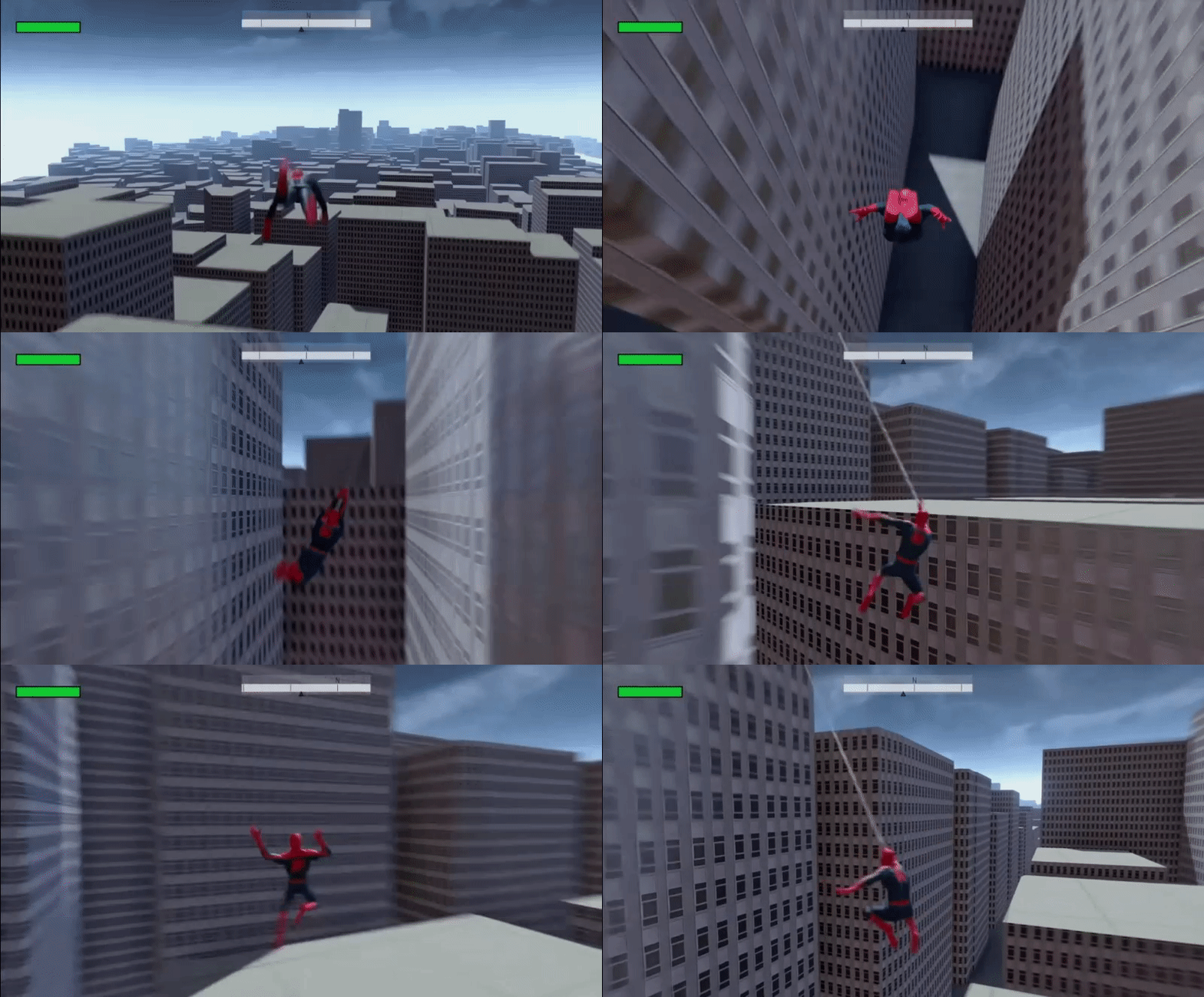


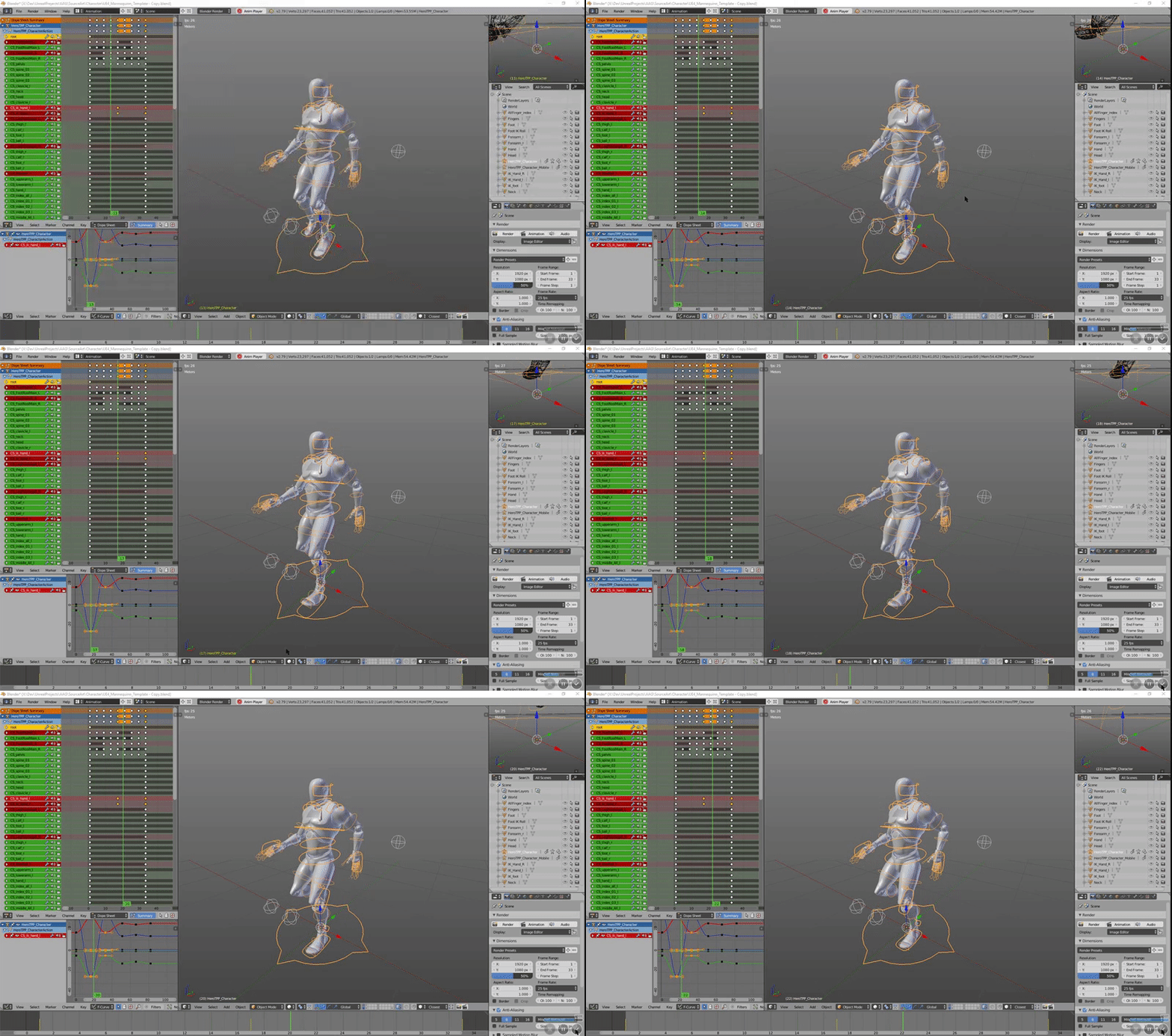


 ripe stone
Hello, I have some issue with Montage. I need to change anim montage play rate while it's played.
The total number of frame is 34 and I want to change the play rate from frame 21 via anim notify.
The problem is if the initial play rate is 1.8 and above I can't get "GetCurrentMontage" anymore. It's NULL.
So I can't change the play rate. Any help ?
celest orbit
@ripe stone i'm not expert but mayby you can splite the animation and speed up the part you want then put the first part with the second one via a montage then export it so that it's a normal animation again
is that wat you meant
i'm in severe help guys !!
i have too many problems with aim offset i almost gave up
@sweet tartan your work is amazing dude , how do you animate
 sweet tartan
Amazing? :o
Well, I animate in Maya @celest orbit
Then I export to Unreal.
Once I get what I want with posing, I put it in engine, check it out, then see if I'd like to make it more snappy or more normal.
My animations are free to use 😃
celest orbit
that's generous of you , i come from 3Ds Max since it's better than Maya 😉
i was wondering how easy does Maya make animation
@sweet tartan i have been learning 3Ds Max Since 2012 and i just got into animating this week , i feel like animation was the last thing i want to learn since it is so tedious and takes a lot of time and needs a fully finished Model/Character
sweet tartan
You can always animate with the Epic skeleton like I have above. Makes it easy for humanoid retargeting.
Animation is easy imo. If you have a good control rig or the ART tool it's super simple - just pose the character, and let it animate on its own between keyframes (poses) :D
Maya is definitely better though, so we have a tech rivalry here :). 3DS made me quit, Maya made me...better than I was before.
celest orbit
how did 3Ds Max make you quit !?
sweet tartan
I learned it in school xD
Meaning I learned the basics, and the most boring ways to do things.
celest orbit
i think i'm just bad at animating plus i didn't make a rig i linked some helpers and started animating with them then unreal created the rig for me since it's a robot and doesn't have an organic movement
sweet tartan
Didn't learn about topology...
celest orbit
i wish i learned this stuff in school
sweet tartan
The robot doesn't need to move organic/inorganic
Its your creation 😄
I learned when I was 15 I think.
That was many years ago.
I'm in my adult years.
sweet tartan
Oof...well, Udemy is better than what I learned.
celest orbit
actually 19-3 days
sweet tartan
Happy early birthday!
celest orbit
but you should have appreciated the education you had man it's very frustraiting her
here*
thanks ❤
sweet tartan
I don't think so - none of the stuff I learned actually transferred over. It made me dislike game design because it made me think we all had to be a jack of all trades - audio, coding, animation, modeling, design, etc
That's dumb. Some indie devs do that, but the actual industry does not
And when I say industry I mean paying jobs that you can simply apply for want you to be specialized - they're not going to hire you for 2 separate roles most of the time.
celest orbit
well while it's dump it is their to make you able to help yourself when you are working with a rig and have to modify it to fix a deformation issue
and trust me if you didn't run in that yet , you will feel very helpless when you need to wait for some other guy to work on your model that you are animating cuz you don't have the knowledge for it
i live in Egypt , and this stuff is not even considered here , i had to learn everything because i needed to not because i wanted to
if i had the chance to just be a model designer and that's it , i would have had time to learn sculpting too and other advanced modeling stuff
sweet tartan
Why not work with other devs?
celest orbit
there is no other deves
sweet tartan
I'm a dev.
celest orbit
you don't get it