#animation
1 messages · Page 106 of 1
 golden flax
 frosty peak
@golden flax I can't really say anything about the problem itself, but I would highly suggest you don't use 'Root motion from Everything' for a multiplayer game. That would likely lead to a lot of server correction issues.
golden flax
tested in 4.19, still present 😦
golden flax
@frosty peak , any idea how to replicate animation movement from some animations then?
 frosty peak
I'd use montages sparingly
and other that than, let the animations be reactive to the movement of the character capsule.
golden flax
can you control the direction of montage when its playing?
frosty peak
just a moment
@golden flax Could you elaborate a bit more on your setup? And what you mean by Direction?
also, what do your notifies do?
golden flax
notifies control when tracing is on in weapons and when swing ends if nothing was hit during tracing.
so i have that sword swinging character that is contorller by few inputs from pawn and msotly stuff happens in animatin blueprint
frosty peak
that's uhhh, a risky approach
golden flax
how come?
frosty peak
animation blueprints are on a separate thread from the game thread and physics thread
golden flax
i control starting of swings in my pawn but tracing doesnt start when swing starts
frosty peak
so you have game logic relying on the state of the animation thread
you risk having very inconsistent results depending on the performance of the system
golden flax
its good enough with even 20fps
frosty peak
so say your server is running an animation
golden flax
and my servers are still having 30 tick rate with 500+ pawns running around doing stuff
frosty peak
and you have a ping to it at 100 ms
the state of your animations, and the servers animations can differ signficantly
you'll get weird results with near misses
such as dusting
but hey, a separate idea
slightly different from notifies, is to use Curves
have a curve that goes zero to one for when you want to sample a hit
and let the pawn directly read the value of that curve
then you don't need the animation blueprint to do start and stops, it'll naturally occur because it lives with the animation asset itself
golden flax
how would you start using that? Like when i start swinging and i know that tracing starts in X.X seconds, do i set some timer or
frosty peak
are all of your swings constant in their sampling timer?
golden flax
nope
frosty peak
so you would just add a curve to each clip, instead of a notify
Are you familiar with anim Curves in unreal?
frosty peak
the main drawback of this approach is that it's likely something that requires Tick
but its also way easier to debug
golden flax
if you are blending animations, which curve it uses
if you have same curve in both animations
frosty peak
There are options, the default is that it will take the bigger value of the curve
but you can make it blend it based on the % of the animation's influence on the pose
golden flax
hmm, seems to be working
gotta tinker a little bit to see if it chokes on same thing
well, with quick tests it seems to work
thanks for help and suggestions
yeah, works on dedicated also
 naive pollen
How would I control a state machine using controller buttons? I am trying to activate a jump animation when Circle on a PS4 controller is pressed, but I am not sure how to go about doing that
frosty peak
@naive pollen The animation blueprint needs to set a "jump" bool to true. This can be done either by having the animBP check the pawn every frame for a jump variable (that gets set by controller/character). OR you have an event dispatcher on the character, and the animBP must bind its own event to that event dispatcher.
I would start with the animBP checking for an 'IsJumping' bool on the pawn.
You should be able to dissect this setup from the third person template project.
Have you looked into this tutorial series: https://www.youtube.com/watch?v=gTTx17qLK-o

(00:05) - Intro and Persona (01:06) - Populating the State Machine (02:10) - Updating the Speed variable (04:46) - Creating new states in the Locomotion tab ...
naive pollen
yes, thats where i started, but it only gives an example on how to control the jump when the character is in the air. My jump animation has a small buildup period where the character bends his legs before jumping, so instead of playing the animation when in the air, my idea was to start playing the animation when Circle is pressed, give a small delay in the character controller (to give the animation time to play the jump buildup), then jump like normal
is there a better way to accomplish that?
frosty peak
So you'd want to set a bool that is like 'AnticipateJump', and then you'd delay your call to Jump in your movement component
OR, you could make an Enum, that describes the stages of the jump
your first setup is to get the data ready
it's super simple to link the animation to the data afterwards
naive pollen
could you help me out with that? I'm still very new to the animation stuff
frosty peak
I can answer questions, but I'm currently at work (and about to head home soon)
 frosty peak
Place a delay node after the first Set
also is this in the controller or in the pawn/character?
naive pollen
controller, I believe
frosty peak
ok so, you can either have the controller set a variable on the pawn, or you need to have the AnimBP look at the controller
naive pollen
Wait actually it's character, I mistyped. I copy and pasted the ThirdPersonCharacter blueprint from the ThirdPersonBP starter content
and I've just been editing it to suit my character
frosty peak
ok cool
so ya, in the AnimBP use Try Get Pawn Owner, And then cast that to the type of your character. And then the animBP can read variables from the character.
naive pollen
ok that sort of worked, but now sometimes the character doesn't jump. He plays the animations and all, but theres no vertical velocity
still trying to figure out specifically what movements cause it
frosty peak
Did you add the delay?
 frosty peak
do you have an animation to anticipate the jump?
JumpWasPressed = True leads you into the anticipate, Jump Was Pressed = False would push you from anticipate to the jump itself
maybe like, get some paper and plot out the sequence of events. You need variables or event dispatchers to push the animGraph along
unfortunately, I must go. But I'll be back on later
naive pollen
alright. Thanks for your help! I'm definitely making progress
naive pollen
I am having trouble with root motion. I have a roll animation i want my character to play when I hit Square, but checking EnableRootMotion just locks the charactr in place with no rotation

this is what it normally looks like with no root motion

and this is when root motion is activated
using the various settings just orient the mesh in differing directions, none being correct
this is what happens ingame
frosty peak
@naive pollen That animation does not look like it is correctly setup for root motion. That red bone is the root bone, it should be moving with the animation.
naive pollen
is there a workaround? like am I able to keep the model in place entirely and just handle the forward movement separately?
frosty peak
@naive pollen Have you tried setting the root motion to be based on Anim First Frame? Thats just below the Enable Root Motion.
naive pollen
yeah, I've tried every option in that menu :/
frosty peak
Normally there is a root bone that sits at Zero, but many of these skeletons from other games dont have those
that root bone is what you animate to generate the root motion
naive pollen
each one just rotates it in another weird direction
I thought the red line which I'm assuming is the root bone was normal, because that's what was shown in the ue4 docs
iirc
naive pollen
frosty peak
Root Motion Off, Red Line Visible
when root motion is enabled it subtracts the motion of the root bone from the animation clip, and makes it something that gets applied to the actor
so you should not see the red bone if that root bone is correct and root motion is enabled
but you need that root bone to be at Zero for this to work
it looks like the sora rig starts with the hip bone
naive pollen
so the root bone should be right at the ground directly under the character?
if i edited that in blender, do you think that would affect the animations
frosty peak
50/50 chance
are the animations on rigs? or are they just FBXs?
it's a very simple thing, so if you really needed to add a parent bone in each animation, that wouldn't be the end of the world
naive pollen
not sure what the difference is between animations on rigs vs fbx
frosty peak
Rigs = Animation Curves are driving curve controlers. Where as an FBX is the baked out animation onto the bones
If this asset is extracted from a game, it's likely just animation on bones.
naive pollen
ok yeah checked in blender to make sure, they are on a rig
frosty peak
ah good
so you can simply add that skeleton as a parent bone
to the other bones
and then you'll want to animate that bone to follow along the ground, under the character while they roll
you'll may have to re-export and re-import the entire animation set though. Depends on that 50/50
 naive pollen
ok so real quick, can you elaborate on "so you can simply add that skeleton as a parent bone to the other bones"
or say in terms that i can google haha
frosty peak
I don't use Blender, so I dont know if the terms line up
but you have a skeleton hierarchy right?
You just want to take all of that
and parent it to another bone
and name it root, or something
naive pollen
and that would be the bone to animate along the ground as the character rolls, right?
frosty peak
yes
frosty peak
no worries, glad to help
 supple axle
A first look at our Motion Matching System for Unreal Engine. This fully driven through matching the motions from a series of long take "dance cards" and app...
holy shiet
 sinful smelt
Looks nice !
 barren sand
Hey guys.. I'm pretty new to working with animation in Unreal. I'm trying to recreate a character ala. the souls games. I've bought a bunch of animations and have everything set up nicely. I am however having problems getting the pawn to feel snappy. I have a dash/dodge animation in which I use a montage with root motion to move the character. The animation has a pretty long section of standing up in which I cannot do anything. Since I cannot export these animations and change it, can I do something inside my montage/anim bp that makes it much more snappy?
Hmm. I found the "DisableRootMotion" notify.. Seems to do the trick
 river venture
Does anyone here know an good root Motion Controller tutorial?
 signal kite
why does root bone transform affect how LookAt works?
I input a world location. just make the bone always look at the location with an Up axis.
but noooooo, the bone has to tilt with everything else.
why is it so unpredictable? did I do something wrong?
the world location input is absolutely correct and stable.
frosty peak
@supple axle Thanks for sharing this link, I'm so excited to Motion matching, That's going to be awesome!
@barren sand Just as a side note, Any anim sequence in Unreal can be exported to FBX. But I can understand not wanting to do that to fix an animation.
@signal kite Do you have the correct up-axis? That should be referring to the bone's local axis. Perhaps a screenshot could help diagnose the problem?
@river venture https://www.youtube.com/watch?v=QCA4ZQzFZ9s
Unreal Marketplace Link - https://unrealengine.com/marketplace/open-world-animset Get the Open World Animset today: https://gum.co/openwas Learn how to setup...
river venture
thx
 novel oxide
did anyone else ever have a problem with anim dynamics bugging out? is there a performance limit that interferes with the simulation?
barren sand
@frosty peak thanks for the input. Yeah the issue with exporting is that the resulting skeleton sucks without proper IK/FK setups that the original rig from DCC had
I would love to find a mannequin rig for 3ds max
but it seems like the epic tools only works for Maya
frosty peak
True true
barren sand
I love for the fact that I can get very awesome animations for like 20-30 euros, but I'm a bit bummed that I cannot edit them myself 😦
(without doing a huge amount of work)
frosty peak
well, you could always animate the bones directly!
but based on some stuff shown at GDC there are some rigging like tools coming to the engine, which will be sweet
 tawdry sky
@golden flax hello friend the sword game you are creating
 karmic briar
novel oxide
karmic briar
novel oxide
does anybody know something about anim dynamics? im simulating a chain and it keeps springing around like wild
frosty peak
@novel oxide AnimDynamics can be a real pain at times. If your chain is going wild, it's likely because you need to increase the box sizes (It does not need to relate to any sort of collision size), And make sure that the box offset is slightly off center so that the masses get some swing.
That said, I feel like it's a lot easier to get good chains from the Rigid Body node, because then you have a physics asset that controls how it moves.
novel oxide
is that a time consuming method?
frosty peak
@karmic briar I've never seen that happen, do you have a screencap?
@novel oxide It's pretty easy because you basically start with zero physics capsules, and then you simply add the capsules for the bones that you want to swing around. It also produces a much better effect
It might be a little time consuming to learn PhAT if you have not done so before
novel oxide
ive tried it with phat, but it doesnt have a nice effect for a chain
@frosty peak to be clear, im making a ponytail, which is intended to be a bit more like a spring than just a chain that hangs down
frosty peak
ah
I'd recommend the trail controller, but that doesn't have any collision functionality
novel oxide
hm, not really an option without collision
frosty peak
Is your chain in a straight line?
 winter notch
Hey Animation peoples; I have a question regarding animation blueprint sharing. The issue I'm seeing is that say we have a game that has 20 different characters each with different skeletons. Is there a way to effectively share their animation blueprints? It seems like the default workflow in UE4 is to duplicate the animBP and retarget the animations. This seems to result in all our logic for movement and behavior getting duplicated such that during development we have to manually maintain the functionality of 20 animation BPs. This seems like a "bad thing". Can someone suggest a better way to approach this?
frosty peak
@winter notch There is not much you can do about the AnimGraph side of things. But as far as the event graph portion, use a custom AnimInstance class that contains your methods (if you are using C++). And Make use of Blueprint Function Libraries to ensure consistent implementation across the board.
winter notch
So each character has it's own AnimBP that is based on a C++ defined AnimInstance that then references BPFunctionLibraries for BP functionality. But each animGraph must be maintained individually?
frosty peak
for our setup we have an C++ animInstance class that all characters use. And we call the C++ functions to do the heavy work in that class. But before we write the C++ functions we rely on blueprint function libraries to prove out newer ideas
but yes, the animGraph side has to be maintained on its own, which is a real bummer
it would be awesome if they could create some Skeleton-agnostic animation templating setup
 ripe cedar
I remember watching a video tutorial about animation retargetting, gimme a sec and I'll see if my memory's right
frosty peak
@winter notch Are your skeletons truly unique? or do they simply have different proportions?
winter notch
@frosty peak I would say in 60% of our cases the skeletons are unique. What advantages do we get from having the same skeleton with different proportions?
frosty peak
you would get child animation blueprints, but those have their own drawbacks
your best option is to just stay organized
winter notch
@frosty peak We are just concerned about managing bugs and feature parity over a long development and maintenance cycle. We are imagining somewhere along the line we need to change up some core movement feature and have to update / patch 50+ characters
frosty peak
ya i totally sympathize, This has been my life for the last 7 months
ripe cedar
welp my memory's a liar, but maybe this would help you, ook? https://docs.unrealengine.com/en-us/Engine/Animation/AnimationRetargeting
frosty peak
maintaining lots of characters and feature parity is a challenge
winter notch
@ripe cedar the problem with retargeting is that it duplicates the AnimBP which is essentially duplicating code which is a "Bad thing"
ripe cedar
Ooooh I get it now
frosty peak
what's really dumb is that retargetting doesn't have to duplicate the Animation
but if you do that
winter notch
We don't want 50 copies of the functional code to maintain.
frosty peak
it moves the animation to the other skeleton
ripe cedar
wow, yeah you're right
frosty peak
and removes it from the source skeleton
winter notch
Child AnimBPs are great for anything sharing the same skeleton
frosty peak
I'm not sure what kind of game you are developing, but you could rely more on montages, and then the AnimGraph can be much simpler
ripe cedar
So as a n00b who hasn't gotten to this point yet, would making a sort-of "master skeleton" with many bones that all my characters use be able to avoid such a case?
winter notch
Yeah it seems like keeping the animgraph complexity down is a high priority.
@frosty peak What are the gotchas when using Child AnimBPs you have run into?
frosty peak
@ripe cedar You can do that, but it can get really messy if you have very different characters
ripe cedar
Gotcha, yeah, my characters are gonna be different, like tails, wings, etc
frosty peak
child animBPs won't let you change the structure of the animGraph, you can only modify what the source clips are. Which is fine for certain games. But for our game it's problem because each character has unique states that their abilities put them in
HOWEVER
you can use SubAnim instances to call multiple animBPs in sequence
I think that may be a little heavy on the performance front, I haven't measured its cost yet
but ya, those sub animInstances require the same skeleton =\
winter notch
So the idea being that you have a Master_AnimInstance that all characters share and then per character SubAnim instances that get layered on top?
frosty peak
that is one way to structure it, yes
but you could be more granular
so say all your characters had the same skeleton*
you could use sub anims to do smaller features
you could have it handle just the locomotion
and then another handles the montages
and then for each character, you could composite different sub anims together
if you needed the style to be different
winter notch
Makes sense, yeah I guess it depends if that would be performant enough for us
frosty peak
sort of like a resuable component structure
but ya, only works with 1 skeleton
for our game, we try to work by feature instead of by character
so if we add a new stun state or something, we implement that across the board for each character together.
or at least, thats the goal
winter notch
Seems like a good approach.
frosty peak
however, the one nice approach to focusing on a per character basis is that each character is sort of a new opportunity to clean up the organization of the graph
thats what I am doing today
going through old characters from months ago, and updating their graphs to the latest structure (which is SOOOOO much cleaner)
frosty peak
lol
all that said, it's not so bad if you are consistent. You can literally copy and paste entire anim graphs, and then simply swap out the clip references
OR you could even avoid that if you make the animClips be Variables
that actually might be a sustainable way to do it
declare all your animClips and blendspaces in the animInstance class
and then set those default values in the animBP
then if you needed to update 50 graphs, you could literally copy and paste the entire animGraph
side note: With so many characters, I would highly suggest you avoid relying on AnimNotifies to drive animation logic
winter notch
Awesome info man! You are actually my hero 😃
Are animnotifies slow or just hard to maintain?
frosty peak
I'd say, easily missed
its a data entry issue
kind of like relying on a lot of sockets
if you add a new character, and you need a whole lot of sockets or notifies added to clips, you'll spend a bunch of time hunting down those issues
winter notch
Gotcha, hard to debug, maintain, ensure consistency. Lots of data errors break functionality.
winter notch
How would you suggest approaching things like footsteps attack events etc?
frosty peak
foot steps are cosmetic, so that would be fine to have notifies for
winter notch
What are some examples that didn't work out for your team?
frosty peak
attack events are tricky, I'm not sure that I have a good alternative other than manual timers
so we used to rely on a lot of montages, and we would have notifies at the end of montages (this is before I joined the team) and a montage would get displaced by another montage.
in 4.18 and before you could only have 1 montage running
so they would enable some part of the graph, but the notify to turn it off never got called because the montage was displaced
winter notch
Yeah I experienced the mess of trying to figure out the process for blending montages. The documentation was awful.
frosty peak
it's a lot better in 4.19 because you can simply define multiple slots and montages will only displace in the same slot
winter notch
But generally avoid having gameplay / functional events in notifies.
frosty peak
ya
across all of our characters we have 0 notifies
and its wonderful
I would highly recommend checking out Shinbi, on the marketplace, she has some interesting animBP patterns
which I've come to really enjoy
winter notch
Thanks again! If you are ever in the Seattle area let me buy you a coffee or a drink or something. Your advice has been awesome.
frosty peak
haha, I'm actually in Bellevue
winter notch
😄
 small heron
@nova saddle Can you use -1 for rate scale?
 frank bluff
hey gang, I've got a third person character who has an AI and moves around, pawn style. Then there's some canned environment animations with his "root" at origin so it's perfectly placed in the world and whatnot. When I swap between the pawn's root motion controller AI animations and the "cinematic" animations keyframed from Origin, I get a momentary pop where the character disappears and reappears (presumably because it's moving to origin and then popping back to where he should be when the origin-based animation begins, and vice-versa when I switch back). Any recommendations to get around it?
frank bluff
Yeah, so he moves toward a point. Once he gets there, I activate a "cutscene" animated from origin. He does his thing, finishes his animation of climbing some stuff, and I reactivate my normal AI stuff.
At the moment I reactive that, I have to move the root/pawn back to where the character is since the previous origin animation puts it at 0,0,0. So, I move it (the actor) to where the "pelvis" bone is currently at the end of that cutscene animation. Then, I move the skeleton to the typical 0,0, -92 the mannequin is set up like.
Yes, the cinematic animations are montages
thanks for your time, btw @frosty peak
animation isn't my forte so this is all a bit new to me heh
frosty peak
ok, are the animations authored in like absolute world space?
frank bluff
exactamundo
frosty peak
like the first frame of the anim is way off from zero?
oof
ok, well thats not a fun time
frank bluff
yeahhhhhh it was to make the cutscene animations perfect or whatever
frosty peak
it would be more perfect, if the scene started at zero
and in maya they just moved the world to the correct point
character is the center of the universe
because then you could use root motion to accomplish this
but as far as a bandaid
make sure there is zero blend-in and blend-out time on the montage
frank bluff
yeah we zero'ed out those blend times and that helped the ease-in, but easing out of the anim still pops
frosty peak
the hard part about this is that animation runs on a different thread
so it'll be very annoying to get the timings right to where you can snap teleport the capsule and update the animation at the exact same moment
you REALLY need this to be animated at the origin with a root motion approach
it's a very simple thing to do in maya
they can animate out in world space, but then you bring the character back to the origin when you export
frank bluff
will do. they just hooked me up with that version and i'll try it out
mmm actually the root's messed up on it. i'll poke 'em about it later
 sudden sedge
Does UE4 have anything similar to Source Engine's Jigglebones? Bones that are simulated like a flexible rod
 frigid drum
frosty peak
frigid drum
frosty peak
@sudden sedge In addition to the AnimDynamics there are other things like the Trail Controller (Good for chains that need to lag), which will give you that flexible rod look.
https://docs.unrealengine.com/en-us/Engine/Animation/NodeReference/SkeletalControls/TrailController
 misty dagger
@dense flare remember you said to use dynamic joints for the cape?
sudden sedge
many thanks
naive pollen
From Blender, I had to reimport a mesh in order to import a specific animation cause it needed to be fixed, but now I need to apply that animation to my previous mesh. How do I go about doing that?
The skeleton hasnt changed, if that helps
naive pollen
nevermind, figured it out
 radiant trail
Hi guys, do you have an idea on how to create a motion matching controller? thanks
 nova saddle
I'm having trouble retargeting an animation. Everything looks and act right with the exception of the hands which look like they're out of the socket. Any ideas?
I look up a bunch of help solutions and didnt see one that worked. I made sure I was in a T Pose and have everything set for skeleton
 thorn tendon
Is it possible to have my player character run into a trigger box and then my character will do a animation?
I want to use it for opening doors, "cutscene" type story stuff
nova saddle
Wouldn't it just be on actor event overlap?
thorn tendon
@nova saddle Yeah for sure. I just don't know how to incorporate that into my blendspace or AnimBP
I feel like I am missing a key word when searching the documentation
Or videos
@nova saddle While watching a vid this morning this dude mentions his arm sockets out of place. Maybe see how he fixes it

(00:05) - Intro and update Event Graph (02:05) - Is Valid check (03:41) - Determining the player's speed (05:16) - Wrap up
You might have to watch the next vid in the series but I think he fixes it later on
nova saddle
Im super new, so Im sure there is a better way to do it, but in the character blueprint, you can just do on collision, play animation.
and then add whatever specifics to it
thorn tendon
I think that works well with objects but I dont know if that will work to well with blendspaces and stuff. I need it to kinda feel like a mini cut-scene. New God of war style
So when the player runs into specific trigger boxes, it goes into different animation movements and or breaks into a story animation
Im a newb too so I thought the simple triggers would do it too. I havent tested, but you might be right
nova saddle
It can also play montages
thorn tendon
Yeah Im learning about montages now haha
misty dagger
anybody know anything about dynamic joints?
thorn tendon
I have no clue man!
naive pollen
@frosty peak a continuation on my struggles from earlier, I found a Blender plugin that fixes the root motion issue! Unfortunately have to reimport all the animations and apply the plugin, and it also doubles the number of keyframes, but it works and im excited!
 teal dome
 coarse igloo
Can anyone enlighten me on the difference between the experimental physical animations component, and physics based animations?
frosty peak
@naive pollen Thats good to hear! Don't worry about the keyframe count, that's generally not a big deal.
@nova saddle In regards to your retargeting, did you manually define a pose for both assets that you want to retarget between? Or are you using the Ref Pose for each? Also did you manually setup the bone mappings?
@teal dome You need to either connect that layered blend node into the bottom chain, or you need to use another layered blend to mix the bottom chain with the upper chain.
@coarse igloo I might have this wrong, but I believe the Physics-Based Animation is simply blending physics assets with animation poses, Like applying ragdoll to a part of a character (such as the arm that gets shot) and blending that with the running animation.
The Experimental Physical Animation converts the animation data into physics motors, and that will make the animation collide with world geometry. So if a character tried to karate chop a board, the arm would get blocked at the board. (Where as a normal animation would simply move through that)
@misty dagger Did you find your answer about Joint Dynamics?
misty dagger
@frosty peak i did buddy
 hardy forge
Guys is there a way to Recreate/Edit an existing Animation? i already try moving its bone and stuf but the result is really messy. is there a better way?
 charred beacon
Is there a way to do a blend per bone over montages outside animbp?
i.e. I want to just play montage with a weigted blend per bone montage, is it possible?
frosty peak
@charred beacon Within an AnimBP you can have a layered blend per bone node that is connected to a unique montage slot.
but thats about it
thorn tendon
@frosty peak Can I use a box trigger to fire off a player animation?
frosty peak
Yes, but I thought you already solved that yesterday?
thorn tendon
As in, make my character go from running into a door and the animation will fire the character opening the door then be playable again
Lol Well I didn't solve it. I was having crouch issues but got help for that
thorn tendon
YES, do you have time to help me? Should be like 10-15 min, I can do a screenshare
frosty peak
can't do screenshare, I'm at work
but the gist of it is that you need a bool for 'block input'
and you need your trigger to set the blocking of input, fire some montage to play, and then unblock input at the end
thorn tendon
Do I apply that in character bp, animbp or level bp?
The trigger only responds in level bp
frosty peak
characterBP
thorn tendon
Can I cast to level bp?
frosty peak
you can do this all without levelBPs
thorn tendon
cool cool, that would be best without the level bp
frosty peak
but you can do it however you'd like
you can have your character generate overlap events, and then cast the overlap to the trigger type
but ya, however you want to structure it is fine
you'd basically take all of your input actions, and put a branch in front for them for 'BlockingInput'
thorn tendon
Can I make the box triggers a variable? I think I can but it wont let me in the character bp
frosty peak
but it might work to just do it only with a montage
you can make that a variable yes, but you cannot make a hard reference to a box trigger
thats why overlaps are nice
thorn tendon
Yeah I wish I could haha
frosty peak
its a different mindset
predefined references are very 'scripty'
thats often where people begin
but once you develop that skill of generating that reference on the fly, it'll open up a whole new world of possibility
thorn tendon
For sure, I find blueprints are cool however my brain still does not understand how everything can talk to eachother. It's like learning french and learning how to put a sentence together
frosty peak
there are two main ways of talking between blueprints
thorn tendon
casting and dispatcherS?
thorn tendon
I think of casting like fishing in a pond then pull out what you need in it
frosty peak
that's a reasonable analogy
casting is your direct variable reference
you simply store the result of the cast
thorn tendon
For sure!
There are a few tricks I picked up but I am still very much a noob. This triggerable animation issue I am having is one of the main story aspects to my prototype game so once I figure that out smoothly I will be doing well
frosty peak
Your trigger can generate an overlap on your character, and then call a montage on your character. That's an external pattern
that is sort of what your levelBP is doing
but you can make a new BP that does this without a level BP
thorn tendon
Ohhh so make a new bp actor with the script in it. So when the character bp overlaps it causes the montage to play on the character bp. Seems like it would work but more complicated than it needs to be?
thorn tendon
Im attempting it now
frosty peak
this becomes reusable functionality
you would likely want this particular BP to also contain the door that you want to open
so that it can call the door montage and the character montage at the same time
but it could also just have a level reference to the door that you want to play a montage on
thorn tendon
I made the new trigger bp, put a box collsion component into it.
frosty peak
but then you need a public montage variable as well
thorn tendon
I forgot about publicccccc
lol
Dude if you can provide a screenshot it would go a long way
frosty peak
@thorn tendon sorry for the delay, responding to emails. A screenshot of what specifically?
thorn tendon
lol @frosty peak Some of the blueprints how-to? haha im about to try a game provided by unreal to see if I can see how they do it
frosty peak
well sure, but which part specifically?
like the overlap cast?
I'll make a small thing, and share a screenshot
as soon as my editor finishes compiling
thorn tendon
lol Cool cool. I appreciate the help btw @frosty peak
Well perhaps from the start, screenshot how the heck you would do it haha
frosty peak
thorn tendon
@frosty peak Yeah its kinda how I was setting that up. Was that in the character bo?
bp*
frosty peak
this is in the triggerBP
thorn tendon
Gotcha!
Then how do I wire it in the Character bp?
I need the boolean for root right
frosty peak
you set the variable from the cast
and then unset that variable after the montage
let me tweak
well, I guess the input doesnt need blocking with a root motion montage
do you have one of those?
 distant sigil
Hi guys. I have some abstart question . hopefully somebody would help me :D
Lets say i have 1 SoccerPlayer character actor class and 1 ball actor class.
SoccerPlayer have passing animation.
And lets say ball is static in level.
So if i try to like sync animation so that foot touches ball, should i use IK for it?
And more Generally how can i handle this type of problems. When u need sync animation and other actors.
frosty peak
@distant sigil There are no easy answers to this problem.
thorn tendon
@frosty peak All my aniamtions are at the root
If that's what you mean, they are all animated on the spot
Or with the origin at the center
frosty peak
you could try attaching the soccer ball to a socket (attached to a soccer ball bone in the character's rig)
and then it would just be a child object
and then you can use a notify to unattach that soccerball from the socket for the pass
frosty peak
@thorn tendon you will want to have an animation that uses root motion to move through the door
thorn tendon
Right now I have a dude dancing to test it out haha
frosty peak
If you are going with a full physics simulation it's going to be a hard time
I would turn off the physics part while the player is in control
and then turn on physics after you unattach and pass the ball
thorn tendon
@frosty peak Where do I go from here?
frosty peak
this is from the character, acting on the trigger, If you are following my pattern you want to do the opposite
thorn tendon
That is confusing haha
distant sigil
@frosty peak interesting idea, ill will give it a shot 😄 thanks
thorn tendon
OKay sooooo I made the trigger bp and set it up so now I don't need it?
frosty peak
no?
thorn tendon
lol
frosty peak
let me rephrase
the triggerBP generates an overlap, It checks to see if the overlapping actor is a character. If it is, it'll play a montage on that character
the montage comes from outside of the character
thorn tendon
Alrighty
frosty peak
you don't want it to be inside the character, because for every different type of thing that you overlap with as the character, you have to check what kind of thing it is
it gets messing if it is internal to the character
brb meeting
thorn tendon
Yeah it would. I agree that making a trigger bp is better
Sounds good, thanks for the help
 upbeat shore
when i make changes to a socket in a skeleton mesh, after i close and re-open it all changes get deleted?
i downloaded the actionhero pack, but i want to remove the weapon, everytime i move or delete it, it comes back
https://gyazo.com/91a72620db3a06401b8ab561c668df02
 frosty peak
@upbeat shore Are you setting the socket location in the Mesh or in the Skeleton?
upbeat shore
how do you mean? im not adding them via the animblueprint/characters, how do you mean the mesh?
the asset details of the skeletal mesh?
i copy/pasted the skeletal mesh, renamed it in the folder, re-assigned the skeleton and it got rid of the guns, probly not the most efficient way to do it, but it works 😛
frosty peak
@upbeat shore There are Mesh Sockets and there are Skeleton Sockets. If your sockets are not moving after you reOpen, then you are likely trying to place them in the Mesh View. But they are skeleton sockets, and they must be moved in the skeleton view.
upbeat shore
i was working within the skeleton like i should, but even after deleting the sockets, the came back
frosty peak
then perhaps they are on the mesh?
upbeat shore
i guess so, but im not to sure how to attach assets to the skeletal mesh, il have to look into that
upbeat shore
iv got the issue again, a message pops up saying "Animation is being edited. To apply to compressed data (and recalculate baked additives), click "Apply"
am i blind or can i not find Apply?
frosty peak
Sometimes the editor can get in a wierd state, have you tried restarting unreal?
upbeat shore
i have, been having the problem all day with the skeleton not saving changes 😦
frosty peak
Can you make new sockets?
upbeat shore
thats save, not apply?
hardy forge
wait
frosty peak
There is a key frame apply in animation on the top middle, next to Key
hardy forge
have you try doing it in animation?
deleting the gun in animation
that work for me
upbeat shore
hardy forge
ohhh i understand now, sorry its kinda hard for me to catch meanings
there should be another menu in the right(?)
upbeat shore
anim slot manager maybe?
hardy forge
no
hmm...
maybe there's a way to toggle visibility of socket?
wait that gun, is it a Socket Or Bone?
upbeat shore
looks to be a bone,
upbeat shore
thats what i thought

Licensed for use only with UE4 based products. Includes the character model, animations and skins for the Paragon Hero, Twinblast.
upbeat shore
 upbeat shore
yeah, but i get the same issue, i save, go off and on, and they come back
hardy forge
hmmmm
upbeat shore
i originally wanted to move them to his hands, but now i just want rid lol
but as you saw in the video, even moving them doesnt work
hardy forge
did you hide any window?
upbeat shore
dont think so
upbeat shore
 hardy forge
doesnt look like any....
frosty peak
so if you want to remove a bone, you need to export this to FBX, delete the bone, then re-import the skeletal mesh. And then goto the skeleton and do "Remove Unused Bones"
upbeat shore
i copied the character into another project without the gun, and it works in there, that's why im confused as well
i knew about the export method, but i don't think its actually a bone
frosty peak
its 100% a bone, sockets have different icons
you could hide all bones, and it'll just show you all the sockets that are on that mesh
upbeat shore
strange how the gun bone deletes itself when re-importing, bones don't do that? iv never seen a head missing just by re-importing
frosty peak
it deletes itself on import?
upbeat shore
just the guns
!! the apply key is there, need to work in the animation tab like you said earlier jack!
 devout dagger
retargeting anims drives me nuts.. I have a character from the Marketplace and I made anims for it (had to remove some bones that aren't needed).
how can I make original character from the Marketplace use new anims ?
frosty peak
@devout dagger have you set up retarget mappings and poses for both characters?
I find T-Poses tend to retarget pretty well.
devout dagger
yeah, I did
but what do I do next ?
basically I went into Retarget Manager for each character (one without anims and one with anims) and set Humanoid Rig stuff.
I am not sure about poses, where do I do that ?
 hallow spruce
I'm having problem with timeline. It is triggering with EventBeginPlay but not with the Left Mouse Button or any other key event
 restive turtle
dumb question maybe... do I need e.g. walk and run animation cycles to roughly match their starting poses in order to blend well? does it matter if I don't start both cycles with a contact pose? does it matter if the forward leg is the same leg in both cycles?
 still grotto
Yes it matters, otherwise your blend will be terrible :c
restive turtle
to what extent? matching the keyframes of both cycles and artificially speeding up the "run" cycle would be ridiculous
still grotto
I don't get you the run has to act differently than a walk ?
increasing the speed of a walk in Ue4 ?
restive turtle
I'm trying to figure out how similar the two need to be in order to blend well. Is starting with a similar initial pose (e.g. contact pose with same leg forward) enough?
still grotto
Imo you need to have the same amount of frame
and it would be fine
(with the same contact leg)
restive turtle
okay, so match the frames, and match the contact/passing pose. why do none of the blendspace tutorials or documentation mention this? or did I miss it?
 carmine cove
Is this the best way to do foot IK?
 kindred swallow
Hey guys, new to unreal here. I have been following vitrus hub's fps tutorial on youtube. During that tutorial, he sets up a skeletal mesh with a custom skeleton. The series comes with about 30 animations that are implemented (running, crouching, dying), and I was wondering if there was a way to hook up my custom skeletal mesh and skeleton to use those animations. I am aware they were animated on that skeleton, so if there is not a way to get my skeleton performing them, is there a way to hook up my mesh to the skeleton with the animations. Sorry if it sounds confusing, I'm not 100% sure how to word it. Thanks in advance for your help!
If there is a better place to ask this question, please let me know. Thanks
devout dagger
hmm.. in 4.19.2 I can't rename axes for blendspace (always shows "None"). Is it a bug or is there a not-so-obvious way to rename those ?
nm, found it
😊
 round shale
@kindred swallow sounds like they're using the animation pack (it's free on the marketplace)
kindred swallow
Okay, thanks!
frosty peak
@restive turtle You dont need the phases of your animations to line up exactly if you use Sync markers: https://docs-origin.unrealengine.com/latest/INT/Engine/Animation/SyncGroups/index.html
Sync Groups allow you to maintain the synchronization of animations of different lengths.
sync markers are really powerful for blending between locomotion animations
hardy forge
Hey guys! i want the Player hand to move where the camera look, much like aiming system, but this is for flashlight, and the problem is im making the game in third person template. can someone help me?
frosty peak
Do you want the wrist to rotate towards the looking direction? Or the entire arm?
hardy forge
the entire arm
frosty peak
ok, do you have an animation where they are aiming the flashlight straight ahead?
frosty peak
ok so there are a number of ways to do this, but I think the least complicated way is to use the LookAt node
but apply it to the shoulder instead of the head
and this would come after the pose for aiming straight ahead
you need to feed it a location
so you'll need to convert your control or look rotation into a vector
alternatively, there is a AimOffset approach
actually, I think the AimOffset approach would be the simplest
hardy forge
can you guide me step by step,in DM?
frosty peak
I can't at the moment, I have to get my editor working, and then head home
hardy forge
Later on? when you have free time?
frosty peak
sure
hardy forge
ok i will be waiting
frosty peak
in the mean time, google aim offsets in Unreal
hardy forge
aight Thx for your help
frosty peak
Aim Offsets =/= Blendspaces, just an fyi
hardy forge
Where should i make this Look Logic?
 feral spade
Im using the 3rd person character template, how would i make or modify the animations for weapon @ me please
 barren linden
so i understand that its not intended that we try to animate our objects in the unreal editor. but for my vr character i really just need to pose the hand mesh the the way the object is being held. is it possible to just manualy rotate the joints till they look good and convert it into a static mesh.
 vast trellis
@barren linden yes, create a pose asset of hand
Attach motion controller as a preview mesh
Then use static mesh converter
 pearl bone
im trying to figure out how to rotate the camera around the character for only 50 degrees and then execute a turn in place animation, but also at the same time i want the camera to lock behind the character when he jog, makes sense ?
 torn flame
hi guys I'm making custom phyiscs assets for this skeleton

GIF Image
here I show the behaviour
im not getting any clue about how can i fix the stretching of skin
thorn tendon
There is a node to disable character movement, I can't find a node to enable movement. Any tips? It's for an animation. So when the character hits a trigger box, I need the character to stop, do the animation and then be playable again
Playable once the animation is completed or the montage is completed rather
 thick temple
does anyone know if the maya live link plugin works working with animation sequences? can it replace the fbx export and import part in the workflow?
 lament bane
Hey Everyone! I'm trying to create an extra joint on the character wrist for weapons. The Problem is when I import in UE4 the orientation is different from Maya. How can I fix this or what's the usual process to create and use a weapon joint?
frosty peak
@thick temple The livelink basically takes the current pose from Maya. You could potentially record that animation in the UE4 editor while pressing play in Maya. But that seems like a lot of effort to avoid simply exporting an FBX.
frosty peak
@lament bane Is it simply the axis being different? Or is it at a different angle?
thick temple
i think i had the same exact problem but re-editing the skeleton and rotating the bones again did the trick
frosty peak
I feel like FBX is pretty easy....
thick temple
and you should save it on top of the existing character so the new bones are present in existing animations
lament bane
@frosty peak Nope.
frosty peak
nope to which?
lament bane
the first one
Here is what I get in UE4
THis is the orientation in MAYA
@frosty peak I've uploaded screenshots for you second question
Hope it describes my question properly
frosty peak
is your transform gizmo showing local or parent orientation?
also, have you tried zeroing out the joint orient?
lament bane
I don't know much. I'm just trying out with weapon joint
Do I need to zero out the joint?
joint rotation is zero. But in UE4 it comes in with some value
frosty peak
@lament bane Are you familiar with Joint Orient? It's basically the baked rotation of the bone, separate from the transform rotation.
lament bane
Means the child follows parent orientation but with zero on the transform rotation
is that right
?
frosty peak
its more like freezing transforms
devout dagger
I have 3 states, so to speak, for my character - normal, alarmed and combat. In each of those they have a specific anims for idle/walk/run/etc. Jumping is the same for either of those. What would be the best way to organize state machine for such character ? Should I make separate state machines? (but then how would I plug it into final pose?) Or should I make one state machine with nested state machines? (like Normal[Idle-Walk-Run] state > Alarmed State where Alarmed State contains another state machine inside with its own states and anims specific to that behavior of the character)
frosty peak
@devout dagger Nested state machines are really clunky. Avoid those
if the functionality is the same in all three states, but with different animations
you can put a Blend By Enum into each state
OR you can do three state machines and use a master state machine to select which to take
 clever shore
does anyone used LookAt AimOffset ?
I do exact trace as to where AimOffset should point
but it seems like this node is totally ignoring it
and pointing anywhere, but where it should
devout dagger
@frosty peak functionality isn't really the same.. Like in non-alarmed state character just walks around, plays different idle anims, etc. In alarmed state, character searches for source of disturbance (player, maybe other AI), in combat state character fights the counterpart(s).
how would the setup with master state machine look like ?
frosty peak
@devout dagger So three separate state machines is preferable then. All you do is Cache the pose from each state machine, and simply populate the states in the master state machine with that pose.
devout dagger
hmm.. do you happen to have a screenie of "and simply populate the states in the master state machine with that pose" ? I am not that advanced in UE4 animation system yet 😊
do I simply create a 4th state machine and drag off entry point to each of the cached poses ? (and the plug that 4th state machine into final pose in the Anim Graph)
frosty peak
I dont have my editor open at the moment but yes
make a 4th state machine
make 3 states in it
in the combat state, add the cache for the Combat Pose
and do the same for the other states
then the transitions are simply bools that are like "IsCombat" "IsStealth"
with this pattern you can have wildly varied setups, but they don't have any complex cross over
devout dagger
so I am guessing normal state would be the entry point and from normal I'd transition to either combat or alarmed states using rules ?
frosty peak
ya
devout dagger
aye, I see now..
frosty peak
an important thing to know
and sorry, this gets a little bit technical
if you select a state machine node, there are two parameters on them
one is called 'Re-initialize on becoming relevant' or something to that effect
when that is true, it means that when you transition to the combat state machine it will start back at the entry point
if it is false, it will resume where it was when the master graph picked a different state
hopefully this won't matter
but if you get weird things happening when you transition between the states, then that could be the thing
ALSO
You may want to have your jump logic come after this master state machine, because you could be in mid jump, and you dont want to blend back to idle
when switching states
devout dagger
should I simply duplicate jumping state for each of the state machines, to make it simple?
 pale haven
So I'm trying to play an Animation in a blueprint that will be called from a blackboard. However, it needs a skeletal mesh component, so i used the cast to skeletal mesh component, but i cant plug in controlled pawn because it doesn't inherit. what do i need to plug in?
frosty peak
@devout dagger Well, I would actually make a cache from the master graph, and then feed that pose into another graph for your Jump, InAir, Landing logic
devout dagger
I see
frosty peak
putting the jump in each state machine would not work well because each state machine is moving on its own, and they only update when they are active.
devout dagger
aye, I'll play with all those things.. Thanks a bunch @frosty peak
frosty peak
@pale haven You could cast to your pawn class, and then get the reference to the skeletal mesh component from that.
devout dagger
what would be the best way to have multiple idling anims and have blendspace for going from idle anim to walk/run ?
 bright needle
Hi guys, I currently have a project that we are streaming in facial motion capture data to drive blend shapes. We are trying to use Sequence Recorder to record the blend shape animation data and it doesn't seem to work. We are also capturing body motion capture and it works fine with sequence recorder... Any ideas?
barren linden
Im absolutely baffled by what to me seems like the easist part. Im trying to animate a gun for vr. It is super simple point a to point b animations rotate the trigger. Pull the slide. I can do all that and already have. And i can handle them in ue4.
But i cant find the first video on how to save them and move them to unreal. Ive been looking for days and ive had no luck. Just explanations on rendering video. Which i cant use
sinful smelt
My FlipBack Animation and Music Draft https://skfb.ly/6zVBJ

UE4 Man Flip Back Animation and Music Drafts that i have done.
Need some rework off course, advices are welcome.
Exported from Blender for UE4 Project. - My UE4 Man Flip Back - 3D model by sayato (@sayato)
devout dagger
@frosty peak what would be the best way to have multiple idling anims and have blendspace for going from idle anim to walk/run ? I got the setup with separate state machines, master state machine and final state machine with jumping going..
 sacred holly
@sinful smelt I don't know if you are open to feedback for your animation but there are a few things you can improve on this. Starting and most important is that nobody can perform a jump when the legs are so spread out! You need to bring on leg closer at the anticipation to make this read better. If you want I can give you more tips.
frosty peak
@devout dagger There are a lot of ways to handle this. However, I would put your idle in its own state, and then have your blendspace be in a 'isMoving' state. As far as picking different idles. You could do a Blend By Int, and then you would have some logic that would periodically set a random INT, likely using a Set Event by Timer.
devout dagger
I see.. The way I have it setup now is that I have a blendspace with all my idles at 0 on X (and spread out on Y) and all my walks on 100 (or whatever walk speed I have, I forgot) on X (same walk corresponds to individual idle on Y). So I randomly pick Y and then from that Y character transitions on X.
I wonder about smooth transition from idles state to moving state.. I thought there is no way to achieve smooth transition as in blendspace
frosty peak
that is one way to do it
but I would suggest not doing it that particular way
idling is a state of the character, so you want to de-tangle your states from each other as much as possible, so that you can develop each state on its own.
that is my philosophy, at least
devout dagger
gotcha
what about smoothly transitioning from idle to walk/run when those are separate states?
frosty peak
Transitions have blend times, and there are sync markers if you need to match poses between states.
you could leave your idle in your blendspace
but have the 'real' idle be in its own state
devout dagger
hmm.. a bit over my head with sync markers.. Are there any decent tutorials about that ?
charred beacon
Is there any way to make sure an animation in a state node from an animbp plays from the start every time the graph enters the mentioned state?
frosty peak
@devout dagger You shouldn't need sync markers yet, that's a bit advanced.
@charred beacon If the animation is set to not loop, it'll do that with the default settings.
charred beacon
so if i want the anim to actually loop is there a workaround?
frosty peak
can you be more specific about the use case? It should be getting reset by default
but if you are re-entering the state multiple times within a transition blend
you wont trigger the reset
charred beacon
I don't think that's what happening, what I have is the usual idle loop with a jump start->loop->end at landing
I'm not too sure the idle loop resets after the jump end animation ends
can that be the problem?
frosty peak
are you seeing a pop?
frosty peak
mmk, so which thing looks bad
charred beacon
I have some custom notify states that set triggers for animation overrides
and after jumping and landing they're not renewing
this is what my idle looks like
basically what this does is setting up hooks at start and removing them at the end
but if you transition out in the middle it appears they don't restart after landing
frosty peak
mhmm, this is why I avoid notifies
if I can
anyway
so there is a transition right?
charred beacon
yes
frosty peak
perhaps the transition interrupt trigger weight threshold has an effect on this?
maybe put the notify slightly after frame 0?
or set the trigger weight treshold to 0?
not sure if this is even related, I never use interrupt events. But its a suspect
sinful smelt
@sacred holly Thanks for your advice , this is much apreciate, i will try to adjust in the next version
charred beacon
I figured out something @frosty peak, could it be the anim (or the notifies in it) that precedes the transition (idle loop in this case) keeps running after a transition has been triggered?
frosty peak
@charred beacon Animations will continue to run until the transition has completed, yes. And you can still catch notifies from them
which is both good and bad
frosty peak
If you have the logic to drive the jump states
 high egret
Hello. I've been trying to export a mocap animation from Maya to UE4, but I keep getting the "animation doesn't contain root track" error, even though I added a root bone to the rig. Found a few forum posts about this but no solution.
frosty peak
you could have that same logic define the stuff that does the notify
@high egret Did you also re-import the skeletal mesh?
high egret
@frosty peak thanks. The Maya export doesn't contain any meshes so UE4 imports it as animation only and have to choose an existing skeleton. The one I intend to use has root bone.
@frosty peak Is there a way of exporting an animated skeleton from Maya and have UE4 create a new skeleton asset?
@frosty peak so I can do the retargeting within UE4
frosty peak
what is the goal?
Are you wanting to make new animations?
or to get existing animations to a new character?
high egret
@frosty peak We have a mocap FBX that has no mesh, just the skeleton with the animation. We are trying to retarget that animation to an existing skeletal mesh.
frosty peak
ok, so what you should do is skin a triangle or a box to that rig
and export it as a skeletal mesh
unreal needs something skinned to bones for it to consider it a skeletal mesh
once you have that made, you can setup the retargeting from your mocap to your target character
high egret
@frosty peak great, that's exactly what I was going to try next
frosty peak
or, you could experiment with LiveLink
high egret
@frosty peak ah yes! LiveLink... interesting.
frosty peak
in livelink you basically make your own mapping of bones
but I have not tested recording the livelinked animation yet
high egret
@frosty peak I'll look into it!
frosty peak
good luck!
high egret
@frosty peak thanks a lot for your help
barren linden
Im absolutely baffled by what to me seems like the easist part. Im trying to animate a gun for vr. It is super simple point a to point b animations rotate the trigger. Pull the slide. I can do all that and already have. And i can handle them in ue4.
But i cant find the first video on how to save them and move them to unreal. Ive been looking for days and ive had no luck. Just explanations on rendering video. Which i cant use
Can anyone please tell me how to get these into unreal
frosty peak
@barren linden Is your weapon a skeletal mesh?
barren linden
Yes.
One that was exported from ue4. Im not familiar with animation work flows.
The animations are so simple i wish i could do them in engine. But unreal doesn't seem to setup for that work flow
frosty peak
you could animate them in unreal, but it's a little bit clunky
so ya, just export your animation to FBX?
Re-Import to unreal, set the skeleton to be your original weapon skeleton?
If that doesn't work, is the skeleton grouped?
barren linden
Ill look for the export option again. But i wasnt sure how it was or how the data was saved. If its bundled in the normal export i can possibly figure it out.
How would you animate in engine. Because i tryed alot of things. But mainly i want to avoid the hassle and draw calls of using separate static meshes.
My goal is to set up a work flow for gun simulation, one that allows me to pump gun after gun. And if i use skeletals and enums it gets alot cleaner. Because then i can clean up makeshift aninimation code that i know will become a mess with what i have planned
frosty peak
@barren linden hmm, I'm not sure what approach scales the best
you could do it with PoseAssets
but I've found those to be tricky to deal with
barren linden
Yeh. I was confused by them. I couldn't seem to get a reference to the bone. And nobody talks about them
frosty peak
you shouldn't need to know about a bone specifically
unless you mean for selection?
If everything is super simple, you could do it all procedurally with Modify bones
it could be like a set driven key approach
barren linden
Yeh its all supper simple. I need a variable for start and stop. Ether rotation or 1 axis movement. To lerp between.
Until i get to bolt actions and that needs both
Woulnt i call the bone to get the item it moves or am i looking at it the wrong way
 outer otter
ive got a bow idle animation that's simply a rotation of bones from my gun idle animation, is it possible to blend that bow idle animation into my gun moving animation with an animation blend? im not sure how to keep the rotations of blend A but the translations and subtle rotations of blend B if so.
frosty peak
@barren linden Make a modify bone node (You may need to feed it a Local Space Ref Pose, or an idle) , and set the rotation or translation to 'Replace Existing', and then you can just type the value that you want. Then you make a float variable that is the Alpha of this node. You update the alpha from 0 to 1 and you'll get that movement.
barren linden
Cool. Ill give that a try when i get home. Because that sounds very scalable if it works correctly. How would get a reference pose
frosty peak
@barren linden Its just a node in the animGraph
barren linden
Which blueprint is this in. The actor bp or a animation bp
frosty peak
@barren linden AnimBP
 cedar yew
hey guys, I have an animation retargetting issue
I accidentally retargeted some animations onto another skeleton that had no root. And when I retargeted them back, they are in the ground and the pelvis doesnt animate. Can this be undone?
 ripe dawn
Anyone have an idea why Unreal is only importing the first 3 frames of my 12 frame animation? I feel like my settings haven't changed at all since the last animation and suddenly this one won't import the full thing.
even more odd is even though the unreal animation window says there are only 3 frames it appears to nearly go through the whole animation in those 3 frames really quickly, but it stutters on loop
Yeah actually it is the whole animation. It appears that it's only importing the 3 frames that have keys (simple bobbing idle anim). I've never experienced this before though.
Never mind I guess, checking Use Default Sample Rate appeared to fix it, as per the bottom answer here: https://answers.unrealengine.com/questions/753188/imported-animations-have-multiplied-keys-and-frame.html
No idea why though. And why i have done like 5 other animations in the past couple week all in the same method and this one is suddenly different :/
hardy forge
can anyone see the error here? i'm trying to , when the enemy see the player it will change state to run
i manage to do it in my main character, but not in the enemy
 grim nova
casting is usually not done in the State
grim nova
casting should be done in the Event Graph
hardy forge
so what should i do?
grim nova
do the casting in the Event Graph of the AnimBP
 oblique canopy
Hey guys, I'm trying to set up a system so that if the character has been falling for too long, the animation switches from the fall to the flying animation
Can anyone help me? I'm struggling to set up a timer
 dusk dove
are animations affeced by Gimbal Locks?
I have a really weird problem with full rotations and additive animations
difficult to explain
There is no smooth rotation between x+1 and x+2
it only is this weird when playing an AimOffset
frosty peak
@dusk dove AimOffsets are MeshSpace Rotations, so you should not apply them while rotating the character upside down
you could create a variable curve on the animation that masks out the AimOffset, so when she goes into the roll it'll mask out the aim offset
dusk dove
but shouldn't that mean that the AimOffset would always point upwards?
frosty peak
possibly. Where does roll get applied?
dusk dove
nowhere
the sideflip is an animation sequence
AimOffset doesn't have Roll
wait, it actually isn't an Offset, those are two 2D Blendspaces blended together.
but the Jump is just a montage anyway
 dawn salmon
hey guys, quick question - how I do get anim notifies to show up in my pawn classes? I have apparently done this for previous anim notifies, but I just added new ones and I can't make them show up
hardy forge
guys, if an AI start with 300 max walk speed, and when the AI see me, he will have 600 max walk speed. so im asking, can i change walk state to run state using "Speed = = 600"?
 distant axle
hardy forge
distant axle
hardy forge
doing "Speed Greater than 599" for walk to run and "Speed Lower then 601" for run to walk, work perfectly!
hardy forge
i am using Play anim Montage, but the animation wont play.
 dawn salmon
@dusk dove then why can I access some of them in the pawn?
but not all?
surely if some of them can be accessed in the pawn then somehow there is a way to make all of them visible in the pawn
dusk dove
are animMontage Sections blended?
misty dagger
I basically made a sequencer animation using blue print of a skeletal mesh, i wanna find a way to make it's idle animation play on a loop after the sequencer is done
 honest shard
Hi, I'm trying to retarget animations to a character. The Skeleton should be fine, and all but when i retarget the resulting animation its bugged
for some reason its bigger and it seems like the animation its moving the head (maybe because its scalled and the head occupies the whole animation)
 runic totem
When I do animations like jump and turn in place it is interrupting my equip and un-equip weapon animation. Is there a way to prevent this?
honest shard
see
And this is the skelleton, has a nice size and all basic bones configured
posed like the mannequin (i want to retarget mannequin animations)
honest shard
Help :c
hardy forge
@dusk dove what do you mean by, "sections blended"? sorry if you werr talking to somebody elsr
 buoyant raptor
honest shard
buoyant raptor
honest shard
So does anyone what could be the problem? I've tried it a lot of times.
 open merlin
Are your skeleton segments correctly nested?
honest shard
I think yes
i can upload the asset
i've tried everything
Help
i did the basic bone mapping and the pose and it seems nice to me, maybe someone more experienced can check it c:
 warped sail
Hello im trying to get a mocap into blender and exort it to Unreal engine but some how the mocap end i cant get it right with the first frame what can i do about it
I did short it but can get the right Frame. if its on the end still the frames doesnt compare first and last frame.
 bitter phoenix
Okay don't know if anyone is gonna be able to help me with this or not. Basically I'm animating a guy on a hoverboard. The board itself is a separate mesh and I attached it to the root bone in the guy's skeleton with a socket so that I can easily swap it out for a different board mesh. My problem comes from the fact that when I try to animate the board socket in an animation asset by moving it around (so that the board does flips and tricks, that kind of thing), it moves the socket around in the skeleton preview and other animations as well. How do I keep the edits I make to the board socket exclusive to the one animation I make for it?
hardy forge
can someone explain me how to use "Play anim montage"?
 vestal lynx
Here's a tutorial that got me started with anim montages, start from 16. https://docs.unrealengine.com/en-us/Videos/PLZlv_N0_O1ga0IoRrpI4xkX4qmCrhGu56/fkbftFEEmx8
 frosty bramble
ohk i have a small prob
i have got this simple logic for my crouch state

when i press C it crouches , i am able to move it around properly but when i press C again to get out of the crouch it just doesn't work

how do i fix it ?
using a flip flop makes it work 🤔
 open siren
In the branch just connect the is crouched directly to it, and invert the true and false
Got it?
And instead of using the c button as an event, i would create a crouch input in the project settings (or something like that)
 river briar
anyone know how to import and animate vehicle to UE4 from maya?
misty dagger
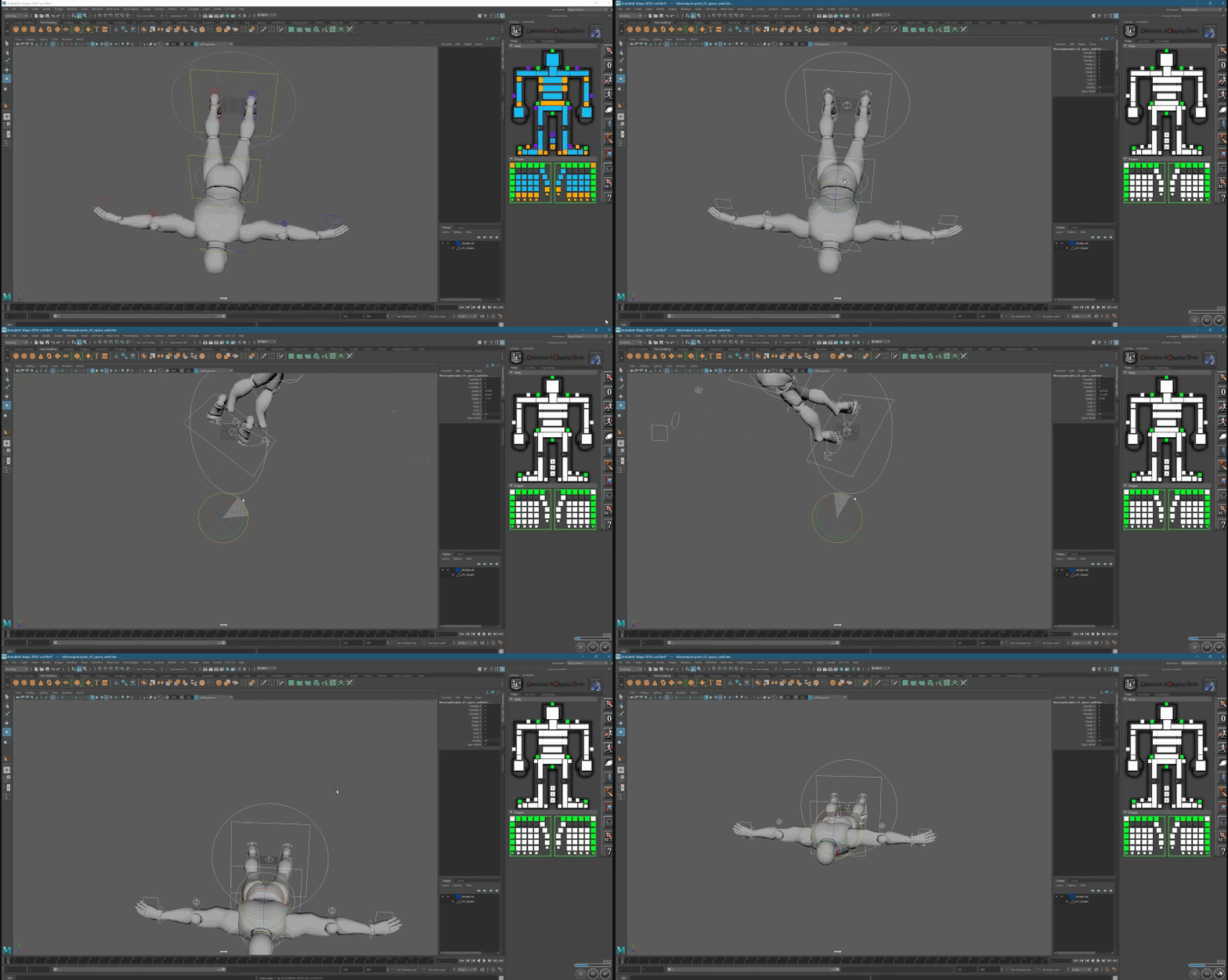
Hello I have a quick question Ive just hopped into maya and imported the Unreal Guy using ARTv1, but when I try to fix his rotation it deforms the body, also Im still learning maya any ideas? https://gyazo.com/4aa934d26d8a66fab088b4ae0efd663a
 warm thunder
Hey Everyone So I need alittle help So I'm working on making animations for my weapons and I already have some for my others but I want to make more for my new weapons but the problem I have is getting the sight aligned just right with my character any tips?
 woeful aspen
guess this is the best place to ask this question
took out the mannequin removed his legs (muahhaaha) reskinned him and painted right weights, reimported and this happends?
open siren
Dont change the weights, just delete the poligons of the legs.
And reimport it to ue4 using the old armature in the importing options
hardy forge
anyone can assist me on using "Play Anim Montage"?
 manic depot
@river briar Do you have it rigged? If so, export it in maya as an .fbx file. If you have textures done, export that as well (preferably as a png). Open UE4 and go to the content browser to import both.
this one elaborates further:
 deft robin
heya, anybody with animdynamics experience? I am trying to find some information, but there doesn't seem to be much
I am just testing for now, trying to make a simple chain
yet I get something broken like this
and I don't know if it's my rig or the setup or w/e
hardy forge
I'm trying to create a blend space for Walking, Turning (Idle), and Running. do i need to keep then in 1 blend space or seperated?
honest shard
After doing an animation retarget from the mannequin walk anim that's the result... Do anyone know what could be causing this behaviour?
hardy forge
holy.. that's creepy
honest shard
xD it shouldn't
I can understand a bit of deformation in the Hips due to differences between the mannequin, but this is strange
 lyric plinth
hi all i wish information how can you create the poses on unreal engine as on unity as long as I put a model and I saw the biped in real time with unreal engine I do not see this thing I can do? to do the poses
lyric plinth
can you tell me how to do it?
bitter phoenix
Hey got a problem with 3d animation and sockets specifically, I'll just paste here the message i posted on the Unreal Engine 4 forum.
Hi, so I'm trying to animate a character in UE4 (most people say go Blender but I wanted to give it a shot) on a hoverboard for a little side project I'm doing. I want to keep the board separate from the character's skeleton so I can swap the mesh for a different one if I want to. I'm doing this by attaching the hoverboard's mesh to the root bone as a socket as you can see below:
I increased the size of the socket to make the board bigger for the character but other than that no changes to the original model have been made. Then I use the record feature in the skeleton menu to make a blank animation asset for me to work on.
Now here's where the problem arises:
The hoverboard is small again now even though in the parameters panel it still has the size adjustments made which is confusing but I decide to carry on with doing the animation.
Now that the posing is done I'm about to carry on when I decide to check on the skeleton menu and...
For some reason the changes I made to the socket in the animation are also applied to the skeleton AND other animations. I even tried making it a mesh socket and it still has the same results. What's happening exactly? Have I forgotten to press something or can I really not animate the skeleton with a socket and a preview mesh?
thorn tendon
Question: My capsule won't move, I tried enabling root motion in the animation and even in the anim bp. What gives?
hardy forge
can someone show me how to do apply a blendspace? currently i want to make a rotate (left right when idle), and walk (left and right), and then run
i already make this blend space for rotate and walk
are they in correct order? caude when i attach it into my anim blueprint, the character rotate even tho i didnt (idle) and the walk animation become very wierd
naive pollen
can we see your animbp?
also I do also have a question, when importing an animated mesh from blender as an fbx file, i get this error

These are the export settings

or some of them at least
and only the part that is animated is imported into ue4
naive pollen
Ok I fixed it. I didn't have the other objects in the mesh assigned to a bone.
hardy forge
question. do i just plug in the Blend space to the animation?
naive pollen
In your State Machine, create a new state and name it whatever you please, and drag the blend space asset from the content browser into the state . You can then plug it directly into Final Pose

ignore those two on the bottom, those were just for testing
hardy forge
yes i done that
but
my character just rotate even tho i didnt move
@naive pollen
that's my blend for rotate
anythin wrong there,n
naive pollen
Since you are only using one axis for three animations, you should probably use a 2d blend space. With that setup you have there, when your speed is 0, and assuming you haven't set your direction in the anim bp, it tries to play all three of those animations at once.
have you watched UE's video on animation blueprints yet? It has a lot of information on setting up blend spaces

In this series of videos, Wes Bunn will walk you through the steps to create a third person game. (00:05) - Intro and Play in UE4 (02:17) - Importing FBX ass...
videos 7-12 cover animations
honest shard
Is it normal that retargered animations look really bad (fingers completely caotic, overdriven animations...)? I just did a retarget from mannequin to a character that has the same skeleton except twist bones...
bright needle
I’m trying to get root animation working in Sequencer so that the capsule follows mesh. Anyone have any hints for how I can get this working?
honest shard
and did all what epic says to solve this but still unusable
 wise spoke
Hi guys, can someone tell me where to find this node present in the animation BP of the third person template ?
I don't think it's this node ?
dusk dove
it is
wise spoke
Okay thanks, my problem comes from somewhere else then
woeful aspen
hey
Quick question, if i could retrieve the wind direction, would it be possible for a tower to have an bend animation based on the wind direction through the animation blueprint?
also
would it be possible to have rigged arms and hands togheter, but keep the animations from themself? Im trying this method

This is the easiest way I found to get yourself a VR body with arm Inverse Kinematic (requires Motion Controllers) and full thumbstick locomotion. This step-...
where the hands has it own animation and the arms are attached to the hands but the hands are attached to the controllers
 tardy gorge
Hello! In one video from the paragon team about how they animate their character, the team said they export from maya, in the FBX (?) some curve (If I remember correctly, the delta between the root bone and the hips) and they use that delta to dynamically update the root bone position in the animation blueprint.
I'm in no way an artist, and don't know much about 3ds Max, but how can our artist do that?
 rotund star
Anyone familiar with Anomotion IK plugin? Got a couple of questions
frosty peak
@tardy gorge It can be accomplished with a 'Animation Modifier' inside of unreal. It can be used to generate those curves via blueprint logic.
https://docs.unrealengine.com/en-us/Engine/Animation/AnimModifiers
http://www.aclockworkberry.com/automated-foot-sync-markers-using-animation-modifiers-unreal-engine/

Unreal Engine 4.16 introduced Animation Modifiers, a type of native blueprint class that enable users to apply a sequence of actions to an animation sequence or skeleton asset. In this article I wi…
@rotund star You could reach out to Anomotion directly, they are pretty responsive. @hasty wigeon
@woeful aspen Generally to mix separate animations of the arm & hands, you can simply use a Layered Blend By Bone
rotund star
My question is about replication that if I unerstood rightly is out of their support scope
frosty peak
ah yes
you replicate the inputs, not the outputs
so whatever the transforms that you are feeding to anomotion, replicate those values
that's really the only option
rotund star
I do that on tick and the result is very glitchy. Check from 3.50
https://www.youtube.com/watch?v=NMXEegc7k5o


 frosty peak
I recognize this error lol
one of thse transforms is not replicating, it's zero'd so the spine is trying to reach for the world origin
one really useful thing for debugging this kind of thing
is to make a function that splits on authority
and simply draw a different colored sphere at the location of the transform
that way you can tell where the server thinks the transforms are and where the clients think they are
frosty peak
I have yes, but only for evaluation.
that was a year ago
what kind of VR setup are you using? 3 point tracking? 6 point tracking?
rotund star
6 point tracking. Created a custom character with 6 effectors. Server sets the replicated transform vars from controllers and Vive trackers (through has auth), than both client and server set the world transform of these effectors from replicated vars
frosty peak
nice!
You may want to add some lerping on the data, to smooth out the in-betweens on packet updates
I found it to be pretty noticable at 90 fps, even on LAN
or even get some prediction!
rotund star
Yep, I want that but don't know how to do it. That's basically what I was wanted to ask lol You read my mind 😃
frosty peak
its pretty simple
your replicating transforms are not the transforms that you feed anomotion
you create a second set of variables for anomotion
and every frame you lerp towards the replicated values
thats the basic version of it
prediction is harder, because you need to hold on to the velocity and timestamps of each transform
but, start simple, build towards complexity as it is needed
OnTick: AnomTransform = Lerp(AnomTransform, TargetTransform, 0.9)
rotund star
Cool! I'll try that and return with a result. Thanks a lot 😉
frosty peak
😄
frosty peak
well you need to store the result of that lerp first
rotund star
But why?
frosty peak
let me think about this
rotund star
it's on tick
rotund star
If I understand it rightly B is for current effector transform, A is for the new replicated transform
frosty peak
1 alpha means 100% of the B Input
so, I would flip those inputs
a 0.1 lerp is really damn slow
rotund star
Oh, didn't know that
frosty peak
what might be better is a Interp node instead of lerp
is there a TInterp To? or a Transform Interp?
the downside of lerp is that is very framerate dependent
rotund star
it's Lerp (Transform)
frosty peak
ya, thats what you are using
but there is another node that might be better
Interp To Constant
takes into account framerate
rotund star
hm
frosty peak
but, lerp may be fine for now
frosty peak
ya, I wasn't sure if there is a transform interp
frosty peak
because if you have someone who is running the game at 30 fps, and someone who is running the game at 90 fps, they will have pretty different values on the lerps
because lerp will have evaluated 3x more
Interp To Constant uses DeltaTime, so the values don't diverge by framerate as much
rotund star
Got it, thanks! Hope this will work 😉
frosty peak
good luck!
rotund star
Thanks 😊
dusk dove
@frosty peak is wrong here.
Lerp is perfectly fine
The only benefit is that the function automatically calculates everything for you.
With a usual Lerp, you need to do the math yourself (separate Alpha, mulitplied with Delta Time etc)
frosty peak
ya, interp to is just a handy node to do that for you