#animation
1 messages · Page 87 of 1
 vital pelican
 ebon portal
can somebody please tell me why this doesn't work? I put the timer on the Blueprint Update Animation Event https://gyazo.com/dbbb8c2036d1d075465370b0a07b140a

apparently the timer doesn't trigger the GetCharacterToLookAt event
 subtle relic
does anyone know if it is possible to retarget the Pro Rifle Pack from kubold to the default skeleton of unreal engine?
 stray jasper
@subtle relic Yes it is
@subtle relic Also it should already be using unreal skeleton
stray jasper
ah
I had trouble with retargeting, but if you export the anims and then i,port it, you can choose skeleton
subtle relic
@stray jasper i cant import them, because they are .uasset
how do u explain that
they have to be added to the project through the library
subtle relic
@stray jasper didnt work
 hollow summit
Any down side to what I'm doing here?
Or should I be focusing my efforts into Montages and reducing the load on the animation bp?
hollow summit
So..
Any down side to what I'm doing here?
Or should I be focusing my efforts into Montages and reducing the load on the animation bp?

 distant valley
How to rotate a character using root motion controller?
distant valley
Nevermind. I was using the wrong asset without any root motion rotation. I was using Kubolds MovementAnimSet pro and using the "lean loop" animations instead of "arch loop"
 mossy lichen
Now if I could just make IK work right.
 lavish plover
Small problem here. Using twist links in my forearm (no keys in 3ds max assigned to twist since its all auto). In max it looks okay, but when i export the twist links dont actually rotate. If i export 1 key per frame, then the twist links export. Im assuming that unreal doesnt understand how to compute the twist links so i might need to set it up another way?
 misty dagger
yeah, that stuff probably isnt even unreal itself. I guess even the fbx format doesnt know what a twist link is. You need to bake the twist animation diretly in 3ds to keyframes before exporting
lavish plover
Any idea how I could bake just the twist bones without baking everything? It doesn't even let me make keyframes from the biped twist links.
 tepid aspen
Not sure if this is the best place, but I'll ask. I will have dismemberment in my game. Is it best to prepare every model (arm model, leg model etc.)in my modeling software before or is cutting it up in Unreal better?
 feral gale
you have to have a modular model with gore caps modelled in already
you can't cut skeletal meshes on runtime atm
best thing I can imagine is being able to dynamically slice extremities by replacing them with identical static meshes somehow and slicing that
but you still need a cut up skeletal mesh for that
 subtle matrix
Probably best way to go about it is to put your character together from pre-set pieces
you can always detach skeletal mesh components
say, a forearm is one component
@tepid aspen
so your base character would basically have no mesh at all, all the limb parts are just copying animation pose from it
but it also probably raises a challenge with facial animations and stuff
lavish plover
@subtle matrix do you know how to get twist links working in unreal? I have them working on max, but on fbx export they remain parented to the arm and dont rotate/twist at all
subtle matrix
I don't use max
lavish plover
less about max and more about unreal. Do i need to set up twist links in unreal at all?
or should they just work?
like do i need to set up constraints at all in unreal?
subtle matrix
probably, afaik physics asset is generated
it's not really that big of a deal, you can copypaste most of the stuff in phat
if, that's what you're asking
lavish plover
hmm no the twist seems to be working in the physics asset
its more when i export an animation FBX. Then the twist bones are stationary. They dont actually "twist" so my wrists just collapse on themselves
its super weird. ill have to keep digging. maybe im not asking the right questions
thnx for trying 😃
the twist links work when i bake all the animation per frame on export. so im assuming that the twist information isnt being carried through to unreal somehow
misty dagger
So i need some help
I set up my blendspace and the directions in the animation blueprint
but my character walks right no matter what
If i need to show a video for you guys to understand ill gladly take a video
also my character spazzes out when he walks backwards
tepid aspen
Well, so far, there will be 9 total pieces to every humanoid model: head, shoulder x2, elbowx2, thighx2, kneex2.
Is a good pipeline for that: create the model, cut up the model, retoppo the model, add gore caps, rig skin anim?
And thanks for all your help so far. Really appreciate it!

 weary pine
which one?
misty dagger
nvm i fixed it
 native sorrel
okay guys
so i have this problem
i have the bones set to all ticking
and i do some crazy voodo ik on this spine bone and it moves it too far away and then the animbp just stops updating
any ideas on what i can do
 low elbow
Hey im trying to set up a transistion rule in my character anim bp. using the anim start pack aim_space_hip
i don't know what to put in my transistion rule the only thing i can think of is to get when the character is turning. to activate it
 gilded magnet
Okay, to the experts around here:
What's wrong with the root/pelvis animation from maya to unreal?
I have no idea how to fix this
it's a custom animation using the same rig as the character, no retargetting
 twin pilot
I just made a character in Fuse and animations in Mixamo, how do I make it so it does the walk forward animation when I press w etc
plox
ebon portal
@twin pilot take a look at this https://docs.unrealengine.com/latest/INT/Engine/Animation/AnimBlueprints/AnimGraph/
Graph used to sample, blend, and manipulate poses to be applied to Skeletal Meshes by the Animation Blueprint.
misty dagger
@ebon portal have we met before?
ebon portal
was your name NCS Cannur before? @misty dagger
misty dagger
It was a meme by omar
feral gale
is there a way to add a bone to a rig without breaking all previous animations?
in my case, a root that doesn't actually get used. Its just so my pelvis isn't the root
ebon portal
adding a bone to the end of a chain is no problem, but changing the hierachy is not possible, what do you want to do exactly?
feral gale
I just want to add a overarching root, because currently its my pelvis in-engine
in 3ds max its fine because I have IK's, so rotating the pelvis doesn't rotate the whole thing so I never noticed/realised it was the root of everything
but in the engine I'm blending upper/lower body and I want to blend from the hips up - but if I do a blend from the hips, it takes the legs and everything
dunno if that makes any sense
Not adding a root was an oversight (since my game never uses root motion anyway)
No idea how to fix it
ebon portal
I'm not sure I get your problem, you have an animation that is looking good as it is, but as soon as you blend it doesn't look good anymore @feral gale ?
feral gale
yeah so in my current skeleton, the pelvis is the root - parent of all bones
and in-game, I blend between upperbody and lower body animations
if I blend from the pelvis; the legs stop moving
however I'd like the upperbody animations to influence the pelvis, at least partially - because it just looks crap otherwise
maybe there is another, better solution?
ebon portal
let me see how you blend within your animgraph
feral gale
That's the setup I had that works, had the pelvis only in the lower body/locomotion animations
but visually not the best. I have a melee combat game and I'd like the melee animations (upperbody slot) to affect the pelvis to they look (waaay) better
to = so *
misty dagger
if the root bone has world transform values it shouldnt break anything you can just do it
but that is a severe change to the skeleton hierarchy so you will need to do some fixing inside ue4
feral gale
If I add a root to my skeleton and reimport, it tells me something about "regenerating" stuff and how animations may break
and then all animations stop working
 narrow knoll
@feral gale You can blend from the pelvis but you would need to add an additional branch filter for each of the upper-most leg bones and set blend depth on those to -1 (yes, it works in reverse with negative values). I suspect the animation would still be wonky somehow but it's worth a shot.
narrow knoll
I haven't kept up with recent engine updates - is it possible to bake out fbx animation data from animation blueprint / sequencer yet?
 surreal iris
UE4 crashing on importing an animation, any idea y is it happening ?
logs attached :
https://pastebin.com/nnTU7Zmd

Pastebin
misty dagger
thats a wired crash report, its spitting out a lot of import transform error and the bone names are wired. are they really called joint156:116 and such?
later it just says it ran out of memory
surreal iris
yeah , few bones have names like "joint155"
I'm using system i7-6gen 16gb ram
and its crashing
and not crashing on my partner's pc .. same rig
even its working on i5-4gen 8gb ram
testing on new project..
with same mesh and animation importing setting
surreal iris
im sorry I cannot send you the fbx as it is company property
btw my screen also goes black when ue4 crashes
misty dagger
is it also a company computer?
because if it works fine on your colleagues computer (that has even less RAM) then you could have a deeper problem
youll have to report it to systems department in your company
tepid aspen
Hey guys. Multilayered question here:
So I'm making a character that can dismembered. The sculpt is complete but I want clarification on the proper process. My goal is that this character can change out armor and everything, but he can still be dismembered at the arms and leg and still be alive. I will be tackling all the animation for the various states of dismemberment.
So my first question is: is it better to model the whole character as a combined character, retopple as a combined character, then broken up into dismembered parts with gore caps? Or is it better to model the character, break into parts, retopple each part and add a gore cap?
Second question: when handling animation in unreal, if I have hard pieces of armor, what is the best way to handle dismemberment if I still want the arms and legs to be chopped off? Should I be putting the armor in sockets and hope it doesn't look funny? Is there a not so system intense way to "break" part of the armor with the arm? Or should I just do my best to make armor that shapes around the character in such a way that it's believable that his arm is chopped off?
 tawny dome
I'm trying to modify the third person project character's walk/run cycle so that it works reasonably well with a sword in it's right hand. I've ran into a problem with creating an alternate animation that only affects the right arm from the upper arm joint down. Since this is not an action but rather a continous animation I'm under the impression that I should probably avoid using animation montages.
So my question is; Is there a way to create an animation sequence inside the editor and define a certain number of frames for it? Or am I pretty much required to do animations in an external program?
subtle matrix
you can duplicate existing animation asset and crop it
just right click the timeline to remove frames before or after the marker
tawny dome
sure
subtle matrix
just open your skeleton asset and use the red record button at the bottom
then it asks where to save it
and then you can crop the extra frames from that too
tawny dome
I find it hard to believe this is the only real way to do things without external programs
tawny dome
and I really can't be bothered to learn blender
every time I've tried I want to punch something
And thats with a tutorial from udemy
subtle matrix
I prefer CGcookies for blender tutorials
tawny dome
The problem isn't the tutorials.
They are fine
It's the program is assbackwards in its design
subtle matrix
true, but that is the cost of free software
tawny dome
I know.
I don't understand how blender ever got so popular
I can understand how it stayed popular
but not how it got there in the first place
subtle matrix
many chefs and one soup
tawny dome
ok so this sucks
Looks like there is no viable way to do animations in ue4 from scratch
because for some reason it is adding additive keyframes together
rather than overriding them
And since it is a pita to delete specific ones
you pretty much have to get it perfect first try
welp
I guess I get to die again
Because blender
And for some reason there is no other free thing out there at the moment
At least one what works well and I can use easily.
god I hate animations
almost seems easier to code the rotations and movements in by hand
subtle matrix
you need specific animation to right hand?
I dont know did you set the blend to active from upper arm and forwardd
tawny dome
I have it working fine if all I want is a single frame
As soon as I want to do more than that
fuck no
And I know how to do the blend portion
Just making the animation
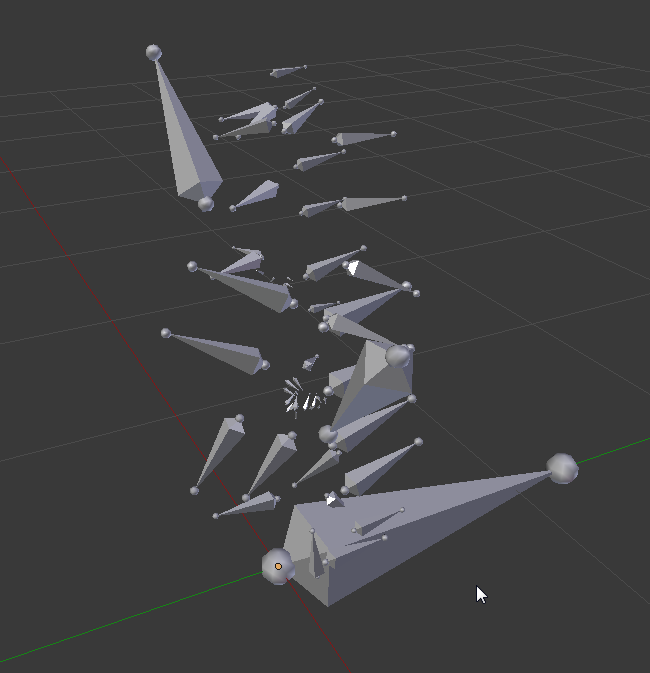
Thanks blender
I'm so glad import works
subtle matrix
this is what I use to blend lower and upperbody animations
subtle matrix
I really recommend looking into that, saves a bunch of work
tawny dome
I'm pretty sure you aren't reading anything I'm typing.
subtle matrix
then it should be doable
tawny dome
Yeah you definitely aren't reading what I'm typing.
tepid aspen
game making industry is a shit, isn't it?
high cost is the barrier to entry. But if someone wants to break into it, they have to use very limited resources to enter in the free way, just to earn money so they can buy their way into the 'industry standard'
presumably, all of this is done by completely legal means which means you technically gain no experience using the industry standard stuff until you can break into the industry to buy your way into using the industry standard stuff.
Unless you go to school. that is the true legal way.
which btw, you have to have experience in the industry standard stuff to break into the industry ;D
that would explain why blender got so popular, @tawny dome
or as ctzn said many chefs one soup
tawny dome
I know.
I much prefer mechanical design
or robotics
which interestingly enough have quite a few overlaps with game design
except they don't
because everything in game design that handles models in any form seems to be done in the exact opposite way everywhere else deals with them
It's funny because I can muddle my way through just about everything else but animations and modeling
even though I have a degree in CAD
Specifically for mechanical design
And I rarely struggled with any of the modeling software in that program
...Actually I ended up helping everyone else out most of the time.
So of course the specific area of game design that is most similar to what I have the most experience and training in outside of game design is the thing I struggle with the most.
tepid aspen
I've never used any of the cad stuff
I started with maya and then moved onto zbrush + maya pipeline
so I can't really speak for cad
I only know maya, 3ds and blender animation
tawny dome
I so love how when I export the walk animation from ue4 to blender blender decides it doesn't want the mesh
and when I export the non animated model from ue4 blender sees the mesh
and it looks rigged nicely and everything
except it refuses to copy the animation from the walk rig to the meshed rig
tawny dome
Cool
So took me a whole 10 seconds to get it imported into maya
I'm pretty sure if I kept working with blender I wouldn't be where I am at now
and I just downloaded and installed maya from scratch
 undone flax
Anyone know what the "Blend Depth" pertains to in the "Layered Animation Per Bone" node?
tawny dome
gilded magnet
Gonna make this question again, for the sake of me
What's wrong with the root/pelvis animation from maya to unreal?
I have no idea how to fix this
it's a custom animation using the same rig as the character, no retargetting
misty dagger
my antivirus fired a warning on your file dude
 dusk dove
What's the best practice for additive animations?
I have a base Stance Animation + Movement for these.
Now I want to add Upper Body Animations for the Weapons.
Do I simply animate the Upper Body from the original T-Pose and leave the Lower Body blank?
subtle matrix
you can leave the lower body blank, but for the sake of authenticity do the anim pose for the legs too
what you probably need is a idle-walk-run while holding weapon down(idle stance)
and blend it with aimspace that fits your purpose from waist up
tehcnically you can do all this pretty reasonably using forward-idle-backward run and additive aimspace poses
so, 4 animations and 8 generated assets
gilded magnet
Anyone knows if there's a way to do a branch in the animgraph, that way being able to only do a layered blend per bone if my character is walking?
(My objective is to make my character do a full body animation of a sword swing when the player presses mouse left click, but if the player is walking/running, it blends the walking with the slashing)
weary pine
Will blend by bool after layered blend work for you?
gilded magnet
Testing
 runic wind
http://prntscr.com/fwvb7n - I have added a crouch feature to my character where I press left ctrl or c key and my character slows down.
However the problem I'm having is that I don't know how to add a crouch animation to my character so that when I press ctrl or c key my character crouches.

anyone help me?
 magic whale
Question : Lets say I want my mesh to react to hits by having a split second of ragdoll before going back to normal. Is this a thing? Is this better asked in the physics section?
Anyone mess with this?
 wise sundial
@magic whale Check physical animations: https://docs.unrealengine.com/latest/INT/Engine/Animation/PhysicallyDrivenAnimation/
You can blend the results of physics-based animations to ragdoll your characters.
magic whale
Ooh perfect thank you.
runic wind
hwat about mine
tawny dome
there is a crouch command for the character movement
and you have to go to the character movement component and enable crouch
you can also set a crouch walk speed
runic wind
I already have
tawny dome
mk
runic wind
http://prntscr.com/fwxeng - how do i add this to my character?
 tawny dome
Then my best guess would be to go to your animation blueprint
and add a state to it
that is triggered by crouching
runic wind
so i have to actually go to the bs_crouch walk and enable it from there
tawny dome
no
your animation blueprint that is running all of your other animations
like idle/walk/run
 tawny dome
go up to content
the go to mannaquin
then animations
look for a thirdpersonanimation blueprint
should be something like that
 tawny dome
yes
runic wind

 hollow flicker
Don't mean to be a dick, but I'm going to be one either way
runic wind
what do i do now to get it to work?
hollow flicker
There's plenty of tutorials about this
tawny dome
^
hollow flicker
Go learn how the engine works and googling instead of asking everything
tawny dome
Like this is the easy thing
runic wind
i've tried but they don't work
tawny dome
How don't they work?
runic wind
I mean the tutorials
hollow flicker
If you can't get stuff like this going, you are going to have big trouble in the future
tawny dome
Yes, presumably.
runic wind
I follow everything they tell me to do and it doesn't work
hollow flicker
Then read the engine documentation
That's how we've all learned it
So you should be able to, too
tawny dome
tbf the engine documentation can be hard to follow if you are just starting
hollow flicker
(we all, except people with heroes like Spence by their sides)
hollow flicker
Tutorials are for making sense of stuff
Then the docs are for applying said sense to your own situation correctly
We all do at times
I don't usually read this channel
I mainly reside in #graphics and #level-design
tawny dome
and it took me a whole 30 seconds in maya to get past the problem I had with blender
tawny dome
blender to not be stupid
aka not blender
I was trying to export the default mannequin from ue
and blender said nope
and maya said k I can do that for you.
tawny dome
I'm pretty sure blender also dropped its pants and hit its head against the wall a few times along the way though
hollow flicker
I don't usually have issues with UE4 to blender
tawny dome
The problem was the bones
they are formatted in ue4 in a way that blender does not like
at all
I wanted to edit the walk animation from thirdpersoncharacter
and blender did not want to combine the skeleton mesh with the animation/bones
@runic wind Look up state machine in the documentation
That should get you started
Mostly to figure out where it is
It is in the animation blueprint but I'm a dork and forget
and I don't have ue4 open so nope
and I've been awake for just shy of 24 hours
soo
double nope
magic whale
Question: I have a seuquencer track playing an animation but I wanna be able to interrupt that animation. Is this possible?
The next animations won't start playing until sequencer ends which is weird.
 urban cosmos
hey guys
anyone know if i can import this
https://www.daz3d.com/horror-survivors-marius
to ue4
?
runic wind
Yes dboor
When you have the assets downloaded
click import
and find the folder where the assets you want to put into your project and there you go
https://docs.unrealengine.com/latest/INT/Gameplay/HowTo/CharacterMovement/Blueprints/AnimBlueprint_Crouch/index.html can someone help me with this
Continuing on setting up the Animation Blueprint for our Character, in this section we set up the Crouch States.
tawny dome
Did you go to the state machine?
Because you need to create a new state that does the animation and transition rules for it to enter and leave the state from idle/walk based upon whether it is crouched.
I litterally just did it 10 mins ago.
Sucks though because I don't think there is an idle crouch anim
NVM
there is
runic wind
damn I such a noob
I've been trying for like 2 weeks to make my character crouch lmao
tawny dome
Did you get it?
tawny dome
@runic wind fyi if you get it finished and the jittery camera position bothers you, you can set the spring arms parent to the mesh.
runic wind
http://prntscr.com/fx85zo - gettiing it done by watching the unreal tutorial

http://prntscr.com/fx86gr but when I open my animation I don't have the thing in the middle

How do I get the parameters and options box?
 young urchin
I've put an idea about MP on #fab, please share your thoughts. Even negative ones. Also, be constructive.
runic wind
if im correct the way you add different animations is by adding new skeletal meshes to your character?
runic wind
still stuck lmao
tawny dome
Are you sure you've watched tutorials?
Because that question really makes me think you haven't understood any of them
runic wind
I have
I have a different problem
http://prntscr.com/fxatn0 - heres my character that is used on my third person character in game

For me to add crouch to this. Do I add it from there or do I create a new state machine?
tawny dome
Yeah thats the default state machine
have you tried right clicking on the background?
like if it was a blueprint?
runic wind
Yeah
tawny dome
Have you tried making a new state and connecting to it?
runic wind
Do I connect the entry to it or the idle/run to it
runic wind
I want it to do both. So I can still sprint/ run and also crouch
runic wind
idle/run
tawny dome
I'm so tempted to just paste a picture of my state machine
but you aren't going to learn anything if I do that
runic wind
im dumb
tawny dome
And your answer to my question makes no sense
"what do you think each method would do"
in response to "Do I connect the entry to it or the idle/run to it"
runic wind
also how do I get BS_crouchwalk into the file
tawny dome
Answer that moderately correctly and I will post my statemachine
runic wind
It won't let me drag/ drop
tawny dome
that has crouching for the third person character
runic wind
I watched the tutorials and thats what he did but it doesn't work this time
tawny dome
I have like 1 min before I have to go
runic wind
wait theres already a crouching feature?
runic wind
http://prntscr.com/fxaxv2 - so how do i get this one onto this?
 tawny dome
ok I gtg
runic wind
fuck
tawny dome
since you didn't answer my question I'm not going to paste my state machine that would also answer your recent question
because you definitely don't know the basics
which would just mean you would waste peeps time later when tutorials don't cover the things you are confused about
runic wind
😦
runic wind
I did
tawny dome
you didn't listen to them or they were terrible tutorials
so listen to different ones
runic wind
it was the unreal tutorials
tawny dome
Then you didn't listen
runic wind
from 2015
tawny dome
So listen to them again
That may be annoying to hear but it is the best advice I can give you
runic wind
My brain hurts
tawny dome
that will help you the most
Because I'm not going to walk you through everything
and It is a bad idea to be that reliant upon others
runic wind
It's the only way
 warm hearth
I have the rifle animset pro from kubold but cant retarget that to the default ue4 skeleton(edited)
what do i do?
the rifle animset pro skeleton is that blue one from the versions 4.7 and below
misty dagger
where does ART export animation to?
i can't find the animation i made...
hm i actually didn't bake it, it saved into a .txt file
can't find how to bake it..
tawny dome
Nope thats not going to need any changes:http://i.imgur.com/bmU57NF.png
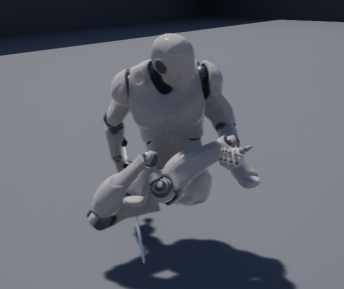 runic wind
@tawny dome I kinda got it
tawny dome
good
runic wind
but not really
When I'm crouching the camera goes down but my player is still standing
tawny dome
I'm pretty happy with my IK crouch walk
😄
@runic wind Yeah thats pretty easy to get to that point.
runic wind
my brain is gonna explode
runic wind
Anyone link me an actual crouch animation?
tawny dome
That crouch anim you have should work
You just need to not use the arms portion
This is using that anim
 magic whale
Alright animation slackers: I need ya'll to come to the rescue of little ol me : Lets say I want a character to flinch and maintain a walk forward animation (as this character gets hit.) Physics animations are def not getting me where I need to go, seems ..not ideal with the results. What're y'all's recommendation.
 lyric abyss
Anyone know how I can do this properly? The log complains about having "Slot 'UpperBody'" twice.
It seems to achieve the result I want but the warning is concerning
tawny dome
err
I think you don't need the second "UpperBody" that goes into the layered blend
I think you can just use that layered blend to use the upperbody
lyric abyss
it doesn't play properly if I remove that
tawny dome
Did you change the settings of the layered blend so that it only does above a certain bone?
lyric abyss
ya
branch 0 has the root of the upperbody set
I have a specific animation to always play in the upperbody and I am trying to set the animbp up so that it will use the default slot instead if I am not moving
and if I suddenly start moving to blend into just the upper body
tawny dome
dunno then
 quasi geode
hi guys, anyone know how to export blendshape animation from Unreal? I know we can import, but when I export as FBX the morph animation wouldn't be exported
 lone meadow
Does anyone here know the most current way to rig and export a character from Blender to Unreal?
I found this tutorial but can im getting stuck at this mark: https://youtu.be/wyg9ctrnKvo?t=9m10s
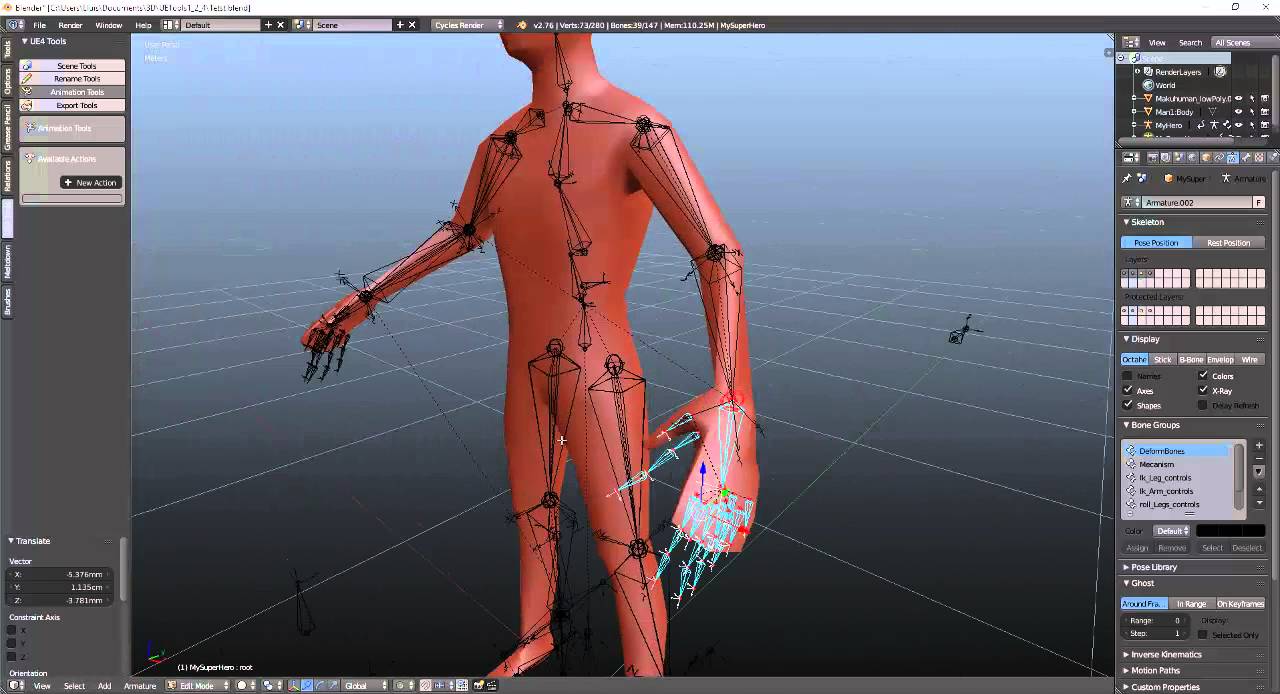
Hi , I polish a little bit the template for the rig , now is a bit easy to modify in order to fit the characters ( less messy basically). I made this video i...
@quasi geode Hey sorry didnt want to cut off your question. When you say blendshape, do you mean morph targets or as Blender calls it Shape Keys? if so heres a tutorial for it: https://www.youtube.com/watch?v=gDZcmAWL2jA

http://cgcookie.com/blender/2012/03/28/introduction-to-shape-keys-in-blender-2-6/ Through this video Jonathan Williamson will give you a quick introduction t...
 haughty walrus
Hi, Is there any way to reset animation? (let stat machine start from entry node)
quasi geode
@lone meadow thanks for the link, yes I mean morph target animation. We can import such animation from FBX (check the 'import morph targets' when importing). But we cannot export such animation from UE to FBX for some reason.
 summer sun
the dying animation from mixamo lets my characters legs grow and it becomes odds..
lol
runic wind
Hello m8's
Can you put two animations into one?
Like Pubg where when the character crouches he can hold his rifle and another crouch animation where his hands is at his side?
 granite valve
Physics is being weird on death for a character. How to fix this?
That's what happens when I turn on rag doll physics on death
runic wind
someone tell me what I'm doing wrong here
http://prntscr.com/fxnbou - Trying to make my character crouch
i have it all set up on my state machine but he isn't crouching when I press c or ctrl. He only slows down and camera goes down
It's doesn't show he's crouching
 dusk dove
How the hell do I use Conduits?
I need a transition rule for entering the Conduit and the Conduit itself is a rule
 hot vessel
Hey has anyone here worked with unreal and motion builder
twin pilot
Halp plz
I tried to go back to the default third person mesh as a placeholder but none of the animations are happening
Just stuck in t-pose
 drifting tinsel
@runic wind did you fix it?
young urchin
@twin pilot tried to go back - means you've removed it before?
twin pilot
Yeah
young urchin
@twin pilot then you have to rebind it, there was a reference variable pointing to that mesh, now it's gone, and you need to put that mesh in every place it was mentioned before
young urchin
@twin pilot i have no clue...it depends on how the character bp was made, and how much damage you did...you may try this tutorial: https://www.youtube.com/watch?v=lcMfeZYvJJo

UE4.10.1 In this video i address a question asked by a viewer about how to replace the default character with a Mixamo character.
twin pilot
Hmm ok
 compact lake
is it possible to add a static mesh as a refernce to Animation editor?
I just want to pose a guy to sit in chair
can't find it in the interface
lavish plover
does anyone have twist / roll bones working in unreal 4? I have them working on my rig in 3ds Max, but when i export, they don't constrain to the hand rotation (they are completely static). I can manually rotate them in UE4.
Do i need to set something up within UE4 to get those constraints working again?
hot vessel
@lavish plover I think it needs to be based on human IK in maya, 3ds uses a cat rig and its somewhat different
also theres the art tool kit for maya which directly ties to unreal and would more then likely help you to solve this issue
lavish plover
i can fix the issue by baking each frame on export. is that bad to do?
(i.e. 1 key per frame for every bone) does unreal clean it up on import?
File size and key # wise it seems to have compressed it in unreal about the same. But my twist links work when i bake the animation. Hopefully that is not an expensive solution
 quartz cove
What middleware is good for animations that you can use for UE4? I guess DCCs count as well here. I know of iKinema, Maya, MODO, Motion Builder.
I'm trying to compile something, if you can link to them, even better. thanks.
hot vessel
maya or motion builder
quartz cove
Did you even read what I wrote?
hot vessel
yes
quartz cove
😉
hot vessel
I did
quartz cove
So anything other than them please.
quartz cove
Well, if not, that sucks. But, you never know.
hot vessel
I'm pretty certian dude
 hexed crescent
Anyone know a good place to find a good freelancer animator (I already have the character with unreal skeleton) for a little different 3rd person spell casting game?
 stiff thunder
@quartz cove Morpheme or Euphoria
surreal iris
Hello !
i'm facing a weird issue .. using sequencer
I'm playing animation using sequencer .. but it is starting from random points..
posted on UE4 answerhub too
any idea y is it happening ?
hollow summit
@twin pilot I figured out how to do it, if you still need help PM me.
Kind've a complex method tbh.
Anyone here willing to help with a small animation snapping issue I'm having?
low elbow
hey this is the standard ue4 manniquen. For some reason when using the anim starter pack the arms dont attach. is this normal? also how can i fix it
twin pilot
@low elbow
low elbow
yes¨
twin pilot
In today's video we check out how we can finish up our animation blueprint, setting up the conditioning and logic to determine the player's speed and directi...

Today we take a look at how we can import a customer character and set up the animations. We go over step by step how we can begin creating the animation blu...
Shows you how to do all animation
low elbow
thanks
low elbow
dont ask me i cant help
twin pilot
@low elbow have you got it working?
twin pilot
@low elbow ^
twin pilot
Meh lol
low elbow
yeah meh
low elbow
the only shit ill be getting about the arms will be from kids who play cod all day long
low elbow
i hate the ones that don't do anything new
low elbow
i don't like battlefield sry
twin pilot
Games these days need new ideas
low elbow
yeah its up to us indie devs to fix the world
twin pilot
lol
low elbow
no mans sky
twin pilot
Your game would be different because of weird arms lol
low elbow
yeah
but some of the cods are better than others sledgehammer and trearch like to do things differently
other than the core mechanics of shooting
low elbow
i have rainbow but i never got into it
and i find battlefield annoying as i have no friends to play it with
twin pilot
😦
It has a steep learning curve
Rainbow that is
You bascially need headphones, sound is so important
low elbow
the great shooter i've played for a while is titanfall and that keeps on giving
twin pilot
1 or 2?
low elbow
2
low elbow
on pc or ps4
low elbow
at least i don't have to spend shit tons every year when i need to buff my pc
low elbow
oh yeah grapically but you still need to buy graphics cards and new componets to run your games
which is why i prefer console gaming
twin pilot
It's expensive but worth it 😛
Also my PC is only 300 pounds and can run Battlefield 4 fine
low elbow
what settings
twin pilot
And the feeling when you build your computer and it runs for the first time
Medium 60fps
Do you like Warhammer?
low elbow
i want to build a pc for game dev and certain games cause im currently deving on a laptop
yeah what gave it away 😉
twin pilot
Profile picture lol
low elbow
yeah big fan of orks
low elbow
got some nice ultramarines as well
twin pilot
Warhammer is more expensive than PC parts xD
low elbow
yeah but i still need to paint a shit ton of old models
low elbow
no i have an on off interest in warhammer
twin pilot
Any good?
low elbow
yeah it can run most games
twin pilot
Oh I've never got into it
I just know that they are orcs
I have a few friends that love it
low elbow
at least you have friends into it
i tried running a club at my school but no one got into it 😦
then i did d&d and the same thing happened
twin pilot
My friends like Dungeons & Dragons aswell lol
low elbow
you?
low elbow
too complicated
twin pilot
And Unreal Engine
I did play Dungeons & Dragons for a bit
But idk
Not my thing
I find RPG' cringey lol
low elbow
yeah but with a group who you are comfatable with its great fun
low elbow
to each there own but i am a mega nerd into everything
twin pilot
lol
What else are you mega nerd about?
Ever used Blender? That makes you look like a nerd
twin pilot
Ooo you're an anime boy/guy
low elbow
not too into but i just like some anime
twin pilot
And who is that?
low elbow
anime film
twin pilot
Oh ok
twin pilot
I hate animation
 magic geyser
I'm trying to do an animation montage. I can see in the debug that my montage is being called through a PlayMontage node, but my character does not even flinch
What should I be looking at?
It's playing fine in the Montage tab
My in skeletal mesh component is blank, but I'm assuming that's fine b/c it wasn't even in the editor when the video was made
misty dagger
hi guys
magic geyser
@magic geyser
I figured it out, apparantly the skeletal mesh component is important
I had assumed it would default to self's but itdoes not
misty dagger
hi there
 white schooner
Can someone tell me a program I can make 3d models from pics
this is the character I want in my game
But I want to make a 3d model of him
 foggy night
Awesome
misty dagger
its hotdogman!
any 3d software would work dude, blender, modo, houdini, maya, 3dsmax
foggy night
I use 3ds Max. Should be fairly simple in Max.
white schooner
Yeah
I'm trying to create an fps where I'm the hotdog man
And the enemies are the dancing banana
misty dagger
hilarious
white schooner
Roblox 2.0 lol
 winter goblet
Any idea why my animation walks out of the capsule? its making weird movements.
weary pine
You can enable root motion so that your capsule will move with the animation
weary pine
And if for some reason it doesn't work then your anim is broken
oh, didn't know about root lock
das pretty cool
winter goblet
Yup that fixed it.
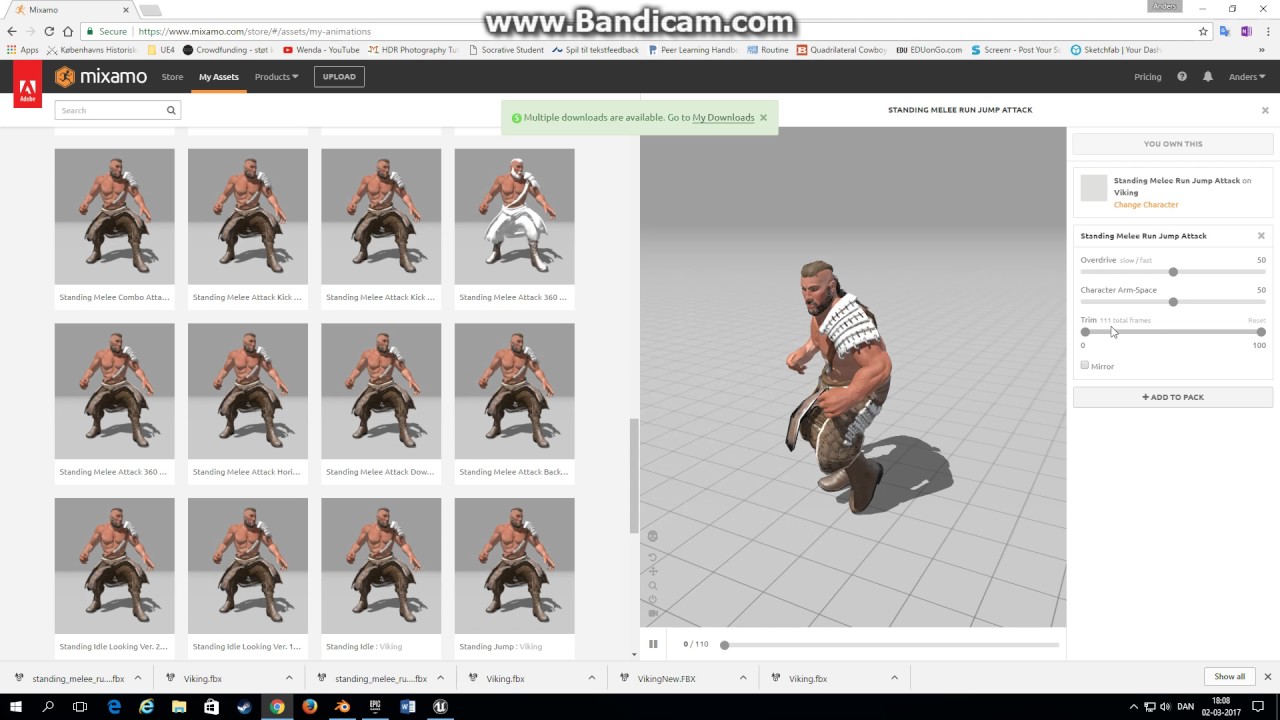
I grabbed Animations from https://www.mixamo.com/store/#/
Since its going away
I just grabbed all the packs
for free
tawny dome
Anyone know why when maya starts up it likes to freeze my computer?
hollow summit
@winter goblet what did you do to fix the animation skeleton for UE4?
I did a shit method by importing the current skeleton, and then overlapped it with the animation, did some control rig stuff and baked it before outputting.
Is there a simpler method?
winter goblet
@hollow summit You mean like part of the legs were in the arms and stuff? I just deleted it all, went back to the site, clicked the pack and changed the character to the one i wanted instead of default and it fixed it. But as for adding the animations on to whatever character you want, no idea how to fix it. I'm pretty new to everything
hollow summit
Ah, nvm then. I fixed the animations.
I thought you did too, using another method...
summer sun
im trying to rig my Mesh with the auto rigger tool of mixamo, the animations are on their back.. running. while on the site its is 'running' correctly :S
what gives
?
summer sun
https://www.youtube.com/watch?v=AYlonUyPong pain in the ass to do.. I only have 10 humanoid characters.. the other 25 needs custom skeletals + motion 😦
A tutorial showing how to get rootmotion animation from Mixamo into Unreal Engine 4 using Blender. We will first add a rootbone to a character from Mixamo an...
 frail basin
easiest route is to just use the mixamo skeleton AND animations
like, don't try to retarget them to ue4 skeleton
also, don't use root motion with UE4 unless you really have to
 fierce laurel
I'm having a problem with importing a skeleton, I'm not sure if I've parneted the bones properly in blender but if someone could help me that would be great, also I've tried looking in the forums but I can't find anything that helps
summer sun
do you even have a root bone ?
fierce laurel
no but whenever I add one I get a message that its not apart of the animation track
summer sun
renamed your armature to root ?
summer sun
I need to rename the bones from the Infinity blades packs models and I need to get rid of root bone or add root bones to the animations I have currently. I've tried https://www.youtube.com/watch?v=AYlonUyPong and https://www.reddit.com/r/unrealengine/comments/62t3i4/tool_batch_convert_mixamo_animations_to_work_in/ neither work. both times the animations get yuck floating on the floor (yes I've changed the 90 degree to 0. Didn't forget it. in UE I get three meshes. 1 normal face down 2 HUGE size face down, ass up..
A tutorial showing how to get rootmotion animation from Mixamo into Unreal Engine 4 using Blender. We will first add a rootbone to a character from Mixamo an...

reddit
19 points and 7 comments so far on reddit
If anyone has a solution give me a shout 😃
and auto-rigger from mixamo also gives me facedown 😄
 native moss
in animstatemachine why is the default entry node one way
the functionality is massively better by putting a void node at the start of the state machine so that you can enter and exit any animation from any other animation but unreal makes this process clunky especially if there is any hierarchy
 dry thunder
Hey I did this :https://youtu.be/zF5pQdB5EAA

If anyone know how can I fix root motion problem pls comment.
When attack anim play it don't moving with foot poaitions
warm hearth
I have the rifle animset pro from Kubold but for some reason I cannot retarget the blue skeleton that comes with the pack with the default ue4 skeleton, it never displays as compatible on the retarget manager, even when i set it as Humanoid
tawny dome
@dry thunder You really need to get a screen capture program. I can't help you unless I can actually see what is going on.
dry thunder
Yes I know but nevermind I made it :)
 zenith lily
hi! i have a problem, everytime i move my camera ingame there is a blurry line beside the character
https://youtu.be/TbTWOgB1qmg
 zenith lily
do full screen
 idle plinth
Hey guys. I am pretty new to animations (Anim Blueprints)
I just got a task to setup character movement with a motion capture UE4 marketplace asset. It has a bunch of transition animations for walking to idle, even depending on which foot is more placed in front at the moment. My question now is, how do I set all these up? In the state machine? Or do I just play them from C++?
for example when I stop walking, it should play a transition animation from walking to idle. I just tried to add a state in the state machine that is put between Walk and Idle that plays it, but starting to move again while the transition plays will not interrupt the transition, which is one of the problems. The other is, that the transition conditions are super hard to get right as they dont allow any function calls
not asking for a solution or anything just a general direction I have to go
 muted fossil
guys how expensive si to have the ROTORS of the helicopers (5-10 on screen) rotate instead of having like a material that looks like the blades are rotating ?
the rotors are quite low poly (rotor and 6 blades) are about 500 poly for each helicopter
idle plinth
close to nothing
summer sun
I want to make my AI walk down a path/ attack someone if they see others. Do I need to have a root for the attack sequence or even for the walk ? I don't think so, am I right?
twin pilot
I need help please
It automatically sets my sprinting animation when I press play instead of the normal running animation
summer sun
My ai is gliding instead of walking while it has a proper walking animation sequence
 solid fossil
@main path I am
 limber summit
Hi everyone! I'm working on a game for mobile with a rig I'll be creating in Maya. There will never be more than 6 characters on screen at once. All characters will have their own rig. In order to not suffer huge performance hits, what's the maximum amount of joints I should target for a bi ped character keeping in mind that I'll there could potentially be 6 of these rigs?
 vast sierra
@zenith lily that's ghosting caused by the motion blur
zenith lily
@vast sierra can i do someting to reduce or ,for better, disable it. thanx for replying
vast sierra
you can disable motion blur in your project settings, in the rendering group
zenith lily
wait lemme check
zenith lily
@vast sierra no more ghostings but now it feels wrong, can i do somthing so that motion blur is there but there is no ghosting\
zenith lily
ive seen those in other games, what are they. using fxxa now
vast sierra
anti aliasing is a method to filter pixels (to avoid jaggy edges on your screen)
TXAA is the default AA used in UE4, and can give weird results
zenith lily
nice, i read it someware that it kindda matches the native resolution it is build on and player's monitor
thank you sooo much
zenith lily
can i use the character movement BP from 3rd person examples into my project
ebon portal
anybody knows why this happens to my character when I import an animation on top of the Sk_mannequin rig from UE? https://cdn.discordapp.com/attachments/289497119247826955/339099919463743509/pistolpose_closeup1.JPG

the animation works totally fine in UE
twin pilot
So basically
I have my anims set so It plays the jogging animation when I go over a certain speed and then another for sprinting animation
But when I start the game and move around it plays the sprinting animation
twin pilot
Ye
 proven osprey
make sure your default value for your speed or whatever is set to the correct value
twin pilot
No but I am moving at 600 yet it plays animation that I set to play when I go over 1000
proven osprey
Screen shots pllssssss
twin pilot
Screenshot what
proven osprey
Of how you're setting all this up
Like where you're setting the speed value for your blendspace
proven osprey
Where are you setting Speed tho?
proven osprey
Also if you can show me your blendspace that would be helpful
proven osprey
This is one of my Blendspaces, notice how I set the axis's ranges to +300 and -300, so that when I'm not moving (speed = 0) thats a direct translation into my BS of 0
twin pilot
Is there any way so I can just press shift (assigned for sprint) and it plays that blendspace idrk
proven osprey
You should probably just be using 1 blendspace for all of that
proven osprey
Here I'm making you a gif
twin pilot
Ooo ok
proven osprey
twin pilot
That's what I have
proven osprey
Ok cool then the blendspace is fine
twin pilot
Yeah
proven osprey
Are you setting your speed in the animBP?
twin pilot
Wait s
o
I need help
So when using the anim preview editor
IDK
Help
I should start the anim bp from scratch
proven osprey
Nah here wait
instead of getting the vector and rotation from the "try get pawn owner"
get it from your character cast
twin pilot
Huh
proven osprey
Do you see how I'm getting the "character movement" component and then getting its velocity?
proven osprey
just the get velocity and rotation
twin pilot
Like this?
proven osprey
Nah bring back the try get pawn owner
but drag off that little blue thing from character and put it into get velocity and rotation
You can also see what the value of your speed is if you right click the connector input for it and hit the "watch this value" button
twin pilot
The cast to character
proven osprey
but thats easier if you have another screen to watch
twin pilot
Like this?
proven osprey
Right after you set speed
drag off the execution pin (the big white one at the top) and type "print" and then hit enter
proven osprey
yeah
twin pilot
k
proven osprey
then take the green thing on the right side
and hook it up into the pink one of print string
proven osprey
ok but what about when you're not walking?
proven osprey
Ok so it's not that speed is getting set weird
twin pilot
I don't know
twin pilot
Yeah and it's set to 600...
twin pilot
Ok
proven osprey
See how I'm dragging of my cast to my character and getting my character movement component first?
and then getting my velocity off that?
twin pilot
Yeah
proven osprey
Try that
and also you probably dont want to be squaring the vector length
OH WAIT thats probably it
You're doing vector length squared instead of vector length
600 ^ 2 = 3600
twin pilot
OOOO
proven osprey
ya xD
You shold also look into the clamp function
clamp makes sure your value is between its min and max
twin pilot
😮 So it plays the walking anim!
But when it goes to 1000 the sprint anim doesn't play
proven osprey
Are you still printing speed?
twin pilot
Yes
proven osprey
is it outputting 1000?
twin pilot
Yes
Oh wait
It does work
I just accidently put the interpolation to 10 so It was a super slow transitiohn
proven osprey
xD
yeah you gotta mess around with the interp speeds
gotta mach it
Ok so I gotta get back to work now
Glad you got your thing fixed!
 river helm
is it a good practice to run all my sounds inside animation sound notifiers without annutuations?
attenuations*
misty dagger
nope, if you dont add an attenuation to the sound, it will play everywhere, no matter how far away from the anim you are.
 halcyon agate
I need to move the pivot point of an object without affecting the object placement? Due to the object being on top of another set of objects and I want the first object (A box) to go flying in the air (I have the animation, but it's on the wrong pivot point as it's using the white sphere as the pivot point)
 eager arrow
Any reason two skeletons with same name hierarchy would be incompatible?
Even with same Retarget pose, and such.
All the rotations are also the same.
 stoic remnant
Same number of bones, same root name?
eager arrow
Yep yep
Epic rigged, and epic rigged default assets.
(Marketplace asset, and Default engine asset.)
tawny dome
Hmm
Have you tried retargetting and ignore incompatibility?
Because I had a problem where it wouldn't show one skeleton
But when I told it to retarget anyways it worked with no problems
I think it was the thirdperson anims marketplace thing from epic and the thirdperson skeleton from the thirdperson project.
halcyon agate
Can i open a .FBX file and edit an animation?
tawny dome
In order to edit the animation you will need to export a skeleton that works with the animation and open that in a program like maya or 3dsmax. Then you import the animation
halcyon agate
@tawny dome What format/Pose should i be downloading char assets in?
I have so many options...
tawny dome
.fbx
halcyon agate
For pose.. i have "original pose .fbx" and "T-Pose"
tawny dome
And whatever pose works?
tawny dome
Depends on your workflow
halcyon agate
Can i have some example scenarios which I'd use original or which i'd use t-pose?
halcyon agate
damn, k
undone flax
For some reason, animation groups/slots aren't being shared correctly over source control in 4.15.3. I've had to go back and redo the groupings a few times now. :/
 smoky sail
https://gfycat.com/BeautifulAnotherDonkey can anyone explain me why as soon as my character starts the climbing cycle animation it turns around facing the world x... i'm using a move component to position the capsule component to face the correct way of the stairs and afterwards i dont change its rotation.. the climbing animation is facing front of the character

 covert ivy
Anyone fluent in Epic's ART? I am having trouble wrapping my head around how to use the twist bones it creates for plausible wrist rotations.
smoky sail
SOLVED: my issue above ... https://gyazo.com/6fc92b751937bf9e81f4dfa9220fc1a1 note that rotation as to add existing
 halcyon agate
My door opens fine.. but when it closes it seems to be hitting the other door (double doors) can someone help?
eager arrow
@halcyon agate We can't really help with just that little information. What do you mean it hits the other door? Do you mean it's a physics animation, is it an animation itself? Does it have a skeletal mesh, etc. Because as it stands, it sounds like one door's frame is long enough to hit another door. 😐
eager arrow
And as for your animation issues, T-Pose is the standard pose to have a character in, to see symmetry, and any underlying issues. Also, you can animate from this T-Pose, or use any program, which our colleague forgot to mention, there's Blender as well.
Ooookay that still tells me nothing. What does the blueprint class have, is it a trigger box? Is it using lerp with timeline rotations, etc?
 silk matrix
How do I get Matinee to loop?
I checked "Rewind on play" but that didn't do anything.
 ivory oriole
are we talking matinee or level sequence?
pretty sure there was a loop option inside the matinee...my brain might be muddled tho because of too much level sequencer stuff ^^ if you want to brute force it, you can always do a delay over the length of your matinee sequence, then play from start -> connect to the delay again and there you go
(mind you, not an elegant solution)
silk matrix
Ah, Ill try that.
undone flax
What is the correct way to do layered blends per bone with a multitude of montage groups: Extremities to Larger then Whole Body, or the other way around?
 full drift
Are AI Animations done in much the same way as player Anims?
undone flax
Yeah.
summer sun
my turret barrel is facing the wrong way.. it is facing me with its side.. How Do I switch that up. Changing the axis in the blueprint mesh doesn't help :S
 steep flume
So when i do a sequence in unreal it wont play the animation on the rendered version but, on the playback it does ?
tawny dome
@summer sun Can you give us some more details? It sounds to me like the rotation of the barrel is being set somewhere else.
summer sun
Got it fixed already thanks
tawny dome
Mk
@steep flume What do you mean by "do a sequence"? Do you mean set it up to run through blueprints? And what do you mean by rendered version vs playback? Do you mean ingame vs the preview window?
steep flume
Like in the sequencer, i add the character than i add the animation
it does the animation on the playback
but not when i press render sequence
 plain condor


 vital pelican
Someone used faceware live with unreal?
ebon portal
yes @vital pelican
summer sun
My projectile can't leave the orbit of my turret base/barrel, Everything has selected No Collision.
undone flax
I'd like to use a blendspace to be able to turn my character's head, but if I try to do so with an add additive node it screws up everything else. If I try it as a layered blend per bone, it overrides the animations on the head that preceeded it, which won't work either.
I wish it worked like a pose driver wherein there was an input and output.
warm hearth
How do I make an aim offset blend with the blendspace? I only want the offset to aim up and down
 simple aspen
Is there any huge benefit to the ART vs creating your own rig / using Maya LT's autorig tool? Maya LT still doesn't support python and the licence fee for the full Maya is insanely high.
It seems at the end of the day, they are just tools to help streamline and speed up the rigging process but I don't think there's any UE4 specific stuff that you miss out on not using ART right?
 floral sky
Can someone help me understand Simulated vs Kinematic bones? If I set them to simulated then they just weigh the mesh down. If they are set to Kenimatic then they are stuck in the world at that location and prevent the skeletal mesh from moving. In fact, I have to delete the bone body data to get the bone to even work with an anim blueprint. I must be missing something here...
 silent stirrup
So I have a base character blueprint where I derive like maybe 5-6 different characters who all have different animations. How do I have all of the characters call their shooting and pain animations from the player controller?
because, all of the characters will have to have different animations referenced right?
undone flax
@silent stirrup In the base character define a "fire" function that does what all characters need. In each of the character's blueprints you should be able to call a montage that fires. (Look into the shooter game example and into how they do the First and Third person stuff)
undone flax
Does anyone know how to do an additive only version of a blendspace? I'm trying to get look at working as it would effect more than just the head. Right now it overrides any movement that the head is already doing.
An "Add Additive" turns the mesh into something from a horor movie.
misty dagger
Can someone help me put animations on my character
tawny dome
We need more details than that
misty dagger
Okay so I have a sit animation and the animation also has its own skeleton but I want to put the animations onto my character.
I want to put those.
tawny dome
Different skeleton?
tawny dome
What have you done to try to solve your problem?
misty dagger
Searched online, and tried it myself. Couldn't find a fix.
tawny dome
Have you followed any tutorials covering animations?
misty dagger
I've looked over some, but doesn't apply to what I'm trying to do.
That's why I'm here asking.
misty dagger
....
You're honestly not helping, so I rather want you to not talk and others discussing. You don't seem to solve anything here.
tawny dome
K
I mean thats a great way to actually get others to want to help you.
But you are welcome to continue without making any progress.
While being unwilling to work with people who are willing to help you.
misty dagger
Progress with you would be slow. Since you ask unnecessary questions.
tawny dome
Progress with you would be slow. Since you aren't willing to learn and just want the answers.
misty dagger
I don't want the answers.
misty dagger
Okay bud. You aren't helping so just be quiet. I don't want help from someone who doesn't seem supportive.
tawny dome
Mate I was willing to be supportive until you decided you didn't want help
Which is fine
Just don't pretend otherwise
And def don't be an ass about it.
misty dagger
Not really.
tawny dome
Because thats a great way to get people to not want to help you.
misty dagger
You are, acting like I didn't search up.
tawny dome
You provided basically no information and are asking about what should be a simple problem
misty dagger
Can you stop typing? Like I said, I don't want help from you.
tawny dome
That pretty much any quarter decent tutorial should answer.
So I asked why they weren't working
And apparently that means I'm wasting your time.
Which is fine
Because I'm wasting my time too.
misty dagger
You've been saying"which is fine" like 3 times already. I don't think it is.
 faint flicker
@misty dagger what's the problem? Anims imported to the same skeleton should be available on any character using that skeleton