 coral python

#animation
1 messages · Page 59 of 1

 limpid oak
Hi there. What is the easiest way to open a players hand (all bones extended)? I am doing hand IK to touch a wall but the fingers are curled still. I want the palm and fingers to be flat against the wall. Any ideas?
 quaint crescent
Is there a way of setting the Smoothing Time from the Animation Blueprint?
Reason I ask is because I want to have a Smoothing Time when using the blendspace normally, but if I leave it switched on all the time then when I need the animation to jump to a different point in the blend, it smoothly interpolates over a frame.
Disabling Smoothing Time fixes this, but then the animation looks jank during normal playback.

 rough bluff
Just a quick general question, but how many Morph Keys is considered too much?
 pliant jolt
How do i Limit the Rotation in Two bones IK(Print)? The left arm is Ok, but the Right arm is wierd sometimes, (video)

The Limit is to not Bend in the wrong way
limpid oak
pliant jolt
How do i Limit the Rotation in Two bones IK(Print)? The left arm is Ok, but the ...
You can limit rotation of bones with the fullbodyik node and per bone you can set rotation constraints
 novel viper
Hello. I have a super strange issue. I made a new montage. But for some mysterious reason no matter at what speed I set the montage or even the animation within the montage, when the montage is played it's always the same speed. I have even tried hooking up the montage directly to the output in the anim graph and still it always plays at the same speed. Does anyone know what in the hell might be causing this?
It feels like an engine bug of some kind that breaks the animation speed settings?
But I've never encountered this before.
 mortal wave
Hello all, having a bit of an odd issue, an added animation curve into an animation sequence does not show up in the Animation Blueprint when using GetCurveValue, does anyone know what might be happening here?
 slow brook
So let's say I have a a amarture thats made in a way where I only want the bot to move when it's actually in a step motion so making a step
is there a way to do this or would I have to manually set walk speed to and from 0 at the relevant points on the walking anim ?
pliant jolt
limpid oak
You can limit rotation of bones with the fullbodyik node and per bone you can se...
Where is this node?
you talking about the constraint? i believe its normal.. its limited

 naive mountain
Why does Lyra have so many branches checking if TurnYawWeight = nearly 0, when you can remove that curve completely and check if RemainingTurnYaw = nearly 0? Seems pointlessly redundant with zero upside. These 2 curves are used for the Turn in Place logic and never exist apart from eachother.
 pliant jolt
Where is this node?
pliant jolt
pliant jolt
Where is this node?
Fixed, the Joint of the Right Arm was in World Space, change it to Component Space, and the job is done
 tropic lava
hello, anim bp beginner here. is there any way i can blend an animation only in one state? theres this attack montage that i have but i want it to blend only for the falling animation and not the walking one, is that doable?
slow brook
Anyone know the best stride length for a walk cycle of 30 frames and 150 cm/s ?
naive mountain
naive mountain
Why does Lyra have so many branches checking if TurnYawWeight = nearly 0, when y...
So all logic breaks beacause of some way the curve data is communicated. Cant be bothered to drill down on an extremely minor thing.
pliant jolt
tropic lava
hello, anim bp beginner here. is there any way i can blend an animation only in ...
i dont know how you want, but from what you said, its just a Blend Poses by Bool, and make the logic in this Bool to perform only when its falling and you are attacking.

 honest ruin
Hey, using "Enable Animation Budget" in event beginplay, the animations on my character don't work. However, when I activate it through an input, it works correctly. What could be causing this issue?
slow brook
Anyone know what would cause the player to stay in air even after I've detached them from the specific Enemy AI that they were attached to
 last merlin
is it possible to time an animated texture in a sequence from a midpoint of a video file? When I tried to work on this years ago, I had to use an image sequence to get exact frame-specific timing.
 zealous jewel
could someone tell me what the purpose of the post processing animation blueprint is? What sort of things is it suitable for?
Also, what's the purpose of this CR_Mannequin_Procedural rig in the starting 3rd person project? It runs inside the post processing blueprint of manny/quin
 limpid oak
pliant jolt
Where is this node?
limpid oak
pliant jolt
Where is this node?
When you add a control rig to an animation blueprint, within that you can add a “fullbodyik” to the blueprint to then specify your target location and add per bone restrictions
 merry loom
zealous jewel
Also, what's the purpose of this CR_Mannequin_Procedural rig in the starting 3rd...
merry loom
zealous jewel
Also, what's the purpose of this CR_Mannequin_Procedural rig in the starting 3rd...
It is usually for when you have secondary bones(tweaker bones, Twist bones, muscle bones, jiggle bones …. whose pose is determined by the primary bones ( arms and legs.. torso….) so post process basically uses primary bones to drive secondary bones to achieve better shape and deformation
zealous jewel
merry loom
It is usually for when you have secondary bones(tweaker bones, Twist bones, mu...
Thanks!
what's this bug icon / what does it mean?

 viscid willow
zealous jewel
what's this bug icon / what does it mean?
viscid willow
zealous jewel
what's this bug icon / what does it mean?
that means there is an interpolate on the resulting value of the node. If you right click the node you should be able to see options to edit or remove the interpolate
zealous jewel
viscid willow
that means there is an interpolate on the resulting value of the node. If you ri...
Thanks, it seems like this thing is "visual debug", can be turned/on off by right clicking on the result node. Didn't try right clicking on the result, just the node itself.
viscid willow
zealous jewel
Thanks, it seems like this thing is "visual debug", can be turned/on off by righ...
oh you're right, the bug pin is for the interpolate iirc
zealous jewel
I'm trying to understand the inertialization implementation in unreal... I get the idea of what it's doing, but I'm not sure why you even have to place a node in the anim graph. What's the purpose of that? Why isn't it enough to set it the transition mode inside the transition setting?
viscid willow
zealous jewel
I'm trying to understand the inertialization implementation in unreal... I get t...
There's a bit about multiple intertialisation nodes here: https://dev.epicgames.com/documentation/en-us/unreal-engine/animation-blueprint-blend-nodes-in-unreal-engine#usingmultipleinertialblends
Epic Games Developer
Animation nodes that blend multiple animations together based on a set of criteria.
zealous jewel
viscid willow
There's a bit about multiple intertialisation nodes here: https://dev.epicgames....
Thanks. Hmm I'm taking a look but it's still a bit unclear... maybe it's something like this - the transitions only request an inertialization request. Then, downstream, when an inertialization node processes this request -> stores its input pose positions/velocity etc. info.
So the inertialization actually happens with respect to the actual input pose of the inertialization node? Not with respect the two poses between which I set the transition to be "inertial" ?
 snow shell
does anyone know how this bug is caused? it never trims the first frames, it always ends up deleting some random frames or sometimes (like in this case) only keep a single frame
I just want to crop a few frames t the beginning.
 wooden arch
is it possible to procedurally "animate" a bone from blueprints?
 ripe gazelle
are there any methods or tools to get a speed from a walkcycle?
or rather, how are the speed+cycle rate usually correlated?
slow brook
Anyone have a good way to move player between allowing them to control the looking around to the camera being fixed to when the animation is needing to be
bassically I have a the AI grab the player and I want to have the animation that the player does to be fully in control of where camera is looking
the only way I can think of doing it at moment is to turn off controller yaw thing
limpid oak
How can I smoothly do FullBodyIK? If I set the target the bone moves there immediately and you can get flickering . Is tehre a way I can tween/lerp to the target?
 smoky shell
ripe gazelle
are there any methods or tools to get a speed from a walkcycle?
smoky shell
ripe gazelle
are there any methods or tools to get a speed from a walkcycle?
Look at how anim modifiers extract speed/distance in Lyra
 prime tide
Hi everyone! Im trying te export particles animation from blender to unreal. I have already succesfully exported the animation from blender to fbx. The issue starts when I try to import it to unreal, all the particles are imported separately (there is no checkbox for merging separate meshes) and It just becomes a complete mess of meshes, bones and other stuff, 1000 each. Is there an easy way I can import this fbx animation a single object/mesh? I am using UE 4.27.2 as it's a requirement (Univeristy project)

let me know if more information is needed on my side
or maybe it would be simpler to just make a particle system in unreal? Really simple concept, just leaves falling from a tree and flowing to the side with the wind
im gonna try that
 ruby swallow
why does the distance of the location in an animation (exported from blender) decrease as the amount of frames decrease? (im shortening it/making it faster). shouldn't the start/end positions on the timeline still end up the same way in unreal once imported?
edit: it was the ease in/out of the montage blend having less "to go on"
limpid oak
Is anyone here using Motion Matching? If so, what is the best way to speed up existing animations? For example, what if I want to speed up my turning animations?
 grim star
Hey, guys!
I’m a programmer, so my question may be kind of dumb, but what is your favorite way to “autorig” a static mesh? Does any of them work ok? I believe rigging it to UE4/5 Skeleton would be enough.
I was hoping the new Modular Rig would help me on that, but from what I found out, it doesn’t actually do the full rig, it “just” adds the controls. I’m leaning towards just learning how to rig with the new Skeletal Mesh Editing Tools, since I’m way more comfortable with Unreal than with Blender or Maya.
Thanks!
 tribal chasm
does BlendPosesByBool generate both input poses?
 little creek
Hey there. I have a pretty odd system in mind regarding the ABP...
I want an animation to play from First to Last frame matching with the length of a Timer
So a 30 frame anim would play over the 5 seconds a timer lasts, that kinda stuff.
How could I set up the state machine for that...?
viscid willow
little creek
Hey there. I have a pretty odd system in mind regarding the ABP...
I want an ani...
in your state machine, your animation sequence player node can be converted to a sequence evaluator which allows you to input a specific time and drive the animation by that time.
little creek
viscid willow
in your state machine, your animation sequence player node can be converted to a...
Ahh great! So I can make an RPG / MOBA like attack animation where there is an "attack rate" that slowly progresses the animation and dynamically may change with buffs, right?
That dynamic part isn't gonna work with a timer, ik, but this is the first draft of logic.
Thank you very much for the explanation!!
 pure mica
I'm not sure if I should ask this here or in the C++ channel as it could be a problem with either.
I have a C++ class that creates a skeletal mesh in the constructor with CreateDefaultSubobject<USkeletalMeshComponent>. In the BP editor I assign a skeletal mesh to it and add a animation BP.
In game the animation BP does not run?
However, if I manually drag in the same skeletal mesh to this actor in the BP editor so there are now 2 identical skeletal meshes, one inherited from the C++ class and one manually created, the manually created one plays animation?
What is missing from the inherited one stopping animation?
 night rover
@pure mica maybe you didn't add animation bp on the C++ component?
pure mica
night rover
<@419542627143385088> maybe you didn't add animation bp on the C++ component?
I did. I also tried a different mesh and animBP which also doesn't work, so it's something with the C++ class
night rover
Show the codes and the bp
pure mica
This is for a VR project so I'm creating the VR hand skeletal meshes like so;

In the BP I have this;
 night rover
pure mica
This is for a VR project so I'm creating the VR hand skeletal meshes like so;
night rover
pure mica
This is for a VR project so I'm creating the VR hand skeletal meshes like so;
So where did you exactly set the animation class?
well the BP one would override the setting anyway
pure mica
In the BP
that screen shot has a extra hand that I manually created, which works
the VR_Gauntlet works as expected, but the inherited one does not. I've gone down all the options in the detail tab and they all look the same. I'm at a lose, I've makde other classes this way and not had a issue
In reality, I suppose I don't need to create it in the C++ but I'd love to know why it didn't work
night rover
creating in C++ woud be handy if you need to reference it in the cpp land
ask in #cpp maybe, I haven't run into such issue
my abp seems to work fine with those settings, as long the skeleton is compatible
pure mica
Thanks for the input, I'll ask in the C++ channel
 turbid nacelle
Hi I new to unreal engine, dose anyone have a good source for learning animation please. Preferable free courses
 cinder blade
Anyone know a good way to manage large numbers of animation sequences for an anim blueprint?
For example, if I plan to have different move / crouch move / roll animations based on the character's equipped weapon, it seems cumbersome and wasteful to have all of the animations loaded into an anim blueprint and to have conditional logic for every single one. Seems like there should be a way to store your move animation sequences in sets that you can switch out whenever you change weapon. I know you could do this by switching anim blueprints, but I don't want to duplicate any of the state logic. I just want to swap the animation sequences they're referencing.
 trail spade
Hi folks, I am rather new to engine and animations specifically. I have tried to look in history of the chat, but haven't found solution to the problem, yet it looks like it popped multiple times on forums with no answers also:
I am trying to retarget UE4 skel animations to UE5, but UE4 is missing weapon_r bone, so all animations on UE5 one have it incorrectly rotated. So far I have tried to add this bone in skeletal editor to match old socket transform, but still - animation preview looks correct, and in game - incorrect transform.
zealous jewel
In the control rig, why would I use the offset transform for a control, rather than initial transform?
 fleet canopy
Hi, Im new to animating and ue5 and I was wondering how to loop a walking animation. I made a walking animation that walks forward a bit using a metahuman in sequencer and when I copied and pasted it to loop it, the animation started again at the origin point rather than continuing from where the animation ends. How do I loop it starting from where it left off?
 wanton slate
Does anyone know of any good tutorials or general instructions on how to do the 2d Comic Style intros found in many games? Here is an example from witcher 3. Are they done in UMG or just sprites in the 3d plane? Any advice would be appreciated. https://www.youtube.com/watch?v=dd2gz6AxYoA
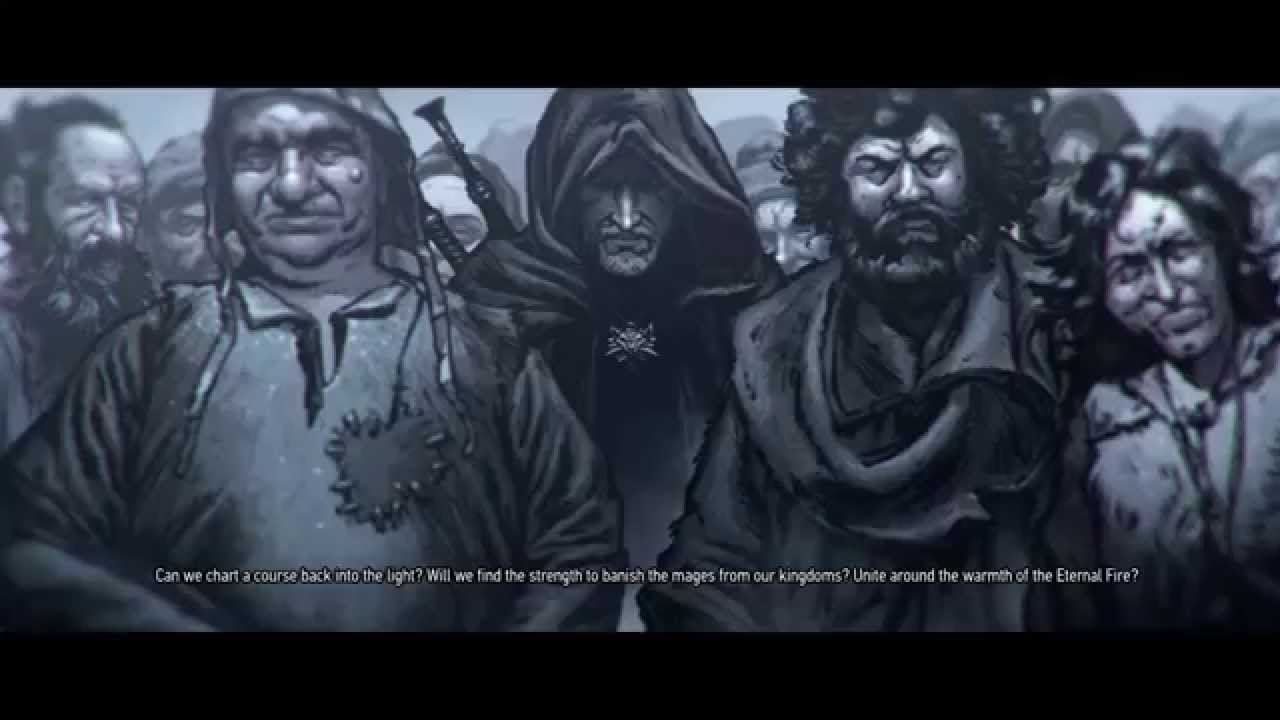
A Tribute to the awesome dubber of the intro scene of The Witcher 3: Wild Hunt.
Amazing Voice!
 honest bobcat
I have 2 skeletons and a single bone that is under the root, that I want to retarget between the 2.
Specifically, I want the 2nd bone to simply copy the translation properties of the 1st bone. They're not the same name.
I tried to create 2 chains, and then set interaction setting to include FK, Rotation mode None, translation mode Absolute, translation alpha 1.0, but the translation still isn't copied exactly.
What am I missing? how can I do that?
 wicked forge
I've received a bunch of motion capture animations from an OptiTrack system in the BVH file format, what's the best way to import them?
ripe gazelle
smoky shell
Look at how anim modifiers extract speed/distance in Lyra
do you know where in Lyra?
Im not sure i know what an anim modifier is.
grim star
ripe gazelle
do you know where in Lyra?
Im not sure i know what an anim modifier is.
Look at this video: https://youtu.be/ha-4gt3iMUo?si=x7gEJ9hhnRsrwzrL. In order to extract speed, it's required to have root motion in your animations
Patreon ▶ https://www.patreon.com/TechAnimStudios
00:00 Adding Animation Modifiers
10:55 Setup Character Rotation Func
ripe gazelle
grim star
Look at this video: https://youtu.be/ha-4gt3iMUo?si=x7gEJ9hhnRsrwzrL. In order t...
surely you mean that for one method of extraction, a root motion is needed?
but i get it
one way of doing it is to pretend its a bicycle
 lime ore
prime tide
Hi everyone! Im trying te export particles animation from blender to unreal. I h...
lime ore
prime tide
Hi everyone! Im trying te export particles animation from blender to unreal. I h...
no easy way, just have to optimise it, its always easier doing things in engine unless you invest into something like better fbx for blender.
prime tide
lime ore
no easy way, just have to optimise it, its always easier doing things in engine ...
thanks for the reply, already managed to learn all the basics of in-engine particle system and got the same result as in blender 😁
honest bobcat
How can I use ue5 retargeting mechanism to copy translation (exact copy) from 1 bone to another?
 ancient coyote
HI Guys I'm facing a problem my metahuman is jumping and then starting animation how to resolve this?
trail spade
trail spade
Hi folks, I am rather new to engine and animations specifically. I have tried to...
No one solved issues with weapon bone? 😦 Maybe I am overthinking it but running multithreaded animbp and socket desync make it a bit scary to fallback to sockets.
zealous jewel
I'm fooling around with various control rig stuff, trying to make some sort of snake like movement. I'm using various simulation nodes and things look ok, but it seems like the rotation of the bones is a bit messed up - the x axis of the bone doesn't match the direction towards the child at all. Is there some way I could simply orient all bones, so that their rotation matches the direction towards its child/parent (avg if both exist)?
Or do I have to make a spline IK for this?
 ember field
Has anyone ran into an issue with auto-rig pro and mixamo animations where enabling rootmotion messes up the animation?
slow brook
Anyone know whats going on with my animation which is when the player warps into the locker they don't seem to turn 180 which the root does within the animation
The animation
Start and end transform points


The result
you can see they warp to the start and then to the end and you can see there is a turn in there but then things snap back to how they are
Am i meant to do a snap rotation or something to the player actor cause I thought thats kind of what the warp thing does
Now I do this mid way though the montage for the second bit of the warp so just wondering is this what could cause the issue ?

 polar kindle
wanton slate
Does anyone know of any good tutorials or general instructions on how to do the ...
polar kindle
wanton slate
Does anyone know of any good tutorials or general instructions on how to do the ...
Cinematics can be done in various apps outside of Unreal and usually are. If you are looking for how you can do this strictly in Unreal, I would start with researching Visual Novel creators who have used Unreal. This would probably get you the information on how to do this in Unreal.
slow brook
So fixed my issue
 rustic swallow

hi, I have a character which is skinned to the mannequin model, but because of its proportions, it is floating off the ground
how would I adjust it so that its feet are level with the root bone? do I do this inside the animBP, or per animation file?
rustic swallow
I think I need to run a postprocess animBP on this SkeletalMesh to adjust the root position? not sure if that is correct
 young barn
I imported an animation into unreal engine (from blender) but the width is wrong. It is much thinner during the animation.
Other animations worked fine.
 silent ruin
Animation scale issue often comes from incorrectly set ref pose's transform. Be sure they are at 1,1,1.
silent ruin
rustic swallow
hi, I have a character which is skinned to the mannequin model, but because of i...
Take a look at these.

You will need to use Animation Scaled instead of animation or skeleton, and make sure your character is on the ground.
Or you can take a look at hte IKRig Retargeter workflow from Epic.
young barn
silent ruin
Animation scale issue often comes from incorrectly set ref pose's transform. Be ...
Where do i view this?
silent ruin
See Translation Retargeting in the screen shot. Those "Animation" and "Skeleton" has drop downs
 silent ruin
young barn
Where do i view this?
silent ruin
young barn
Where do i view this?
Ahh darn I replied to the wrong question. You will want to verify the transform scale of your object, armature, and controls, and make sure they don't have funky parent setups.
One thing I saw often is that you have a mesh that is child of an armature, and when you make adjustments to mesh via scale, and didn't apply, it'd result in odd behavior with the result.
young barn
I think I found the issue. It's a bit hard to explain, but I'll try
Basically, for my first animation I didn't merge the objects while animating. After animating, I joined them all together. When I imported I got a bunch of broken animations, and one working as it should
For my second animation, it was already joined together
So now I'm only left with one broken animation
young barn
silent ruin
One thing I saw often is that you have a mesh that is child of an armature, and ...
I don't have an armature in blender
silent ruin
er, how are you animating and exporting your animations.
You kind of need an armature/skeleton to store the final animation data.
young barn
Idk. I haven't done anything with the skeleton in blender. Unreal engine imported it as a skeletal mesh with a single bone
By the way, the name of the bone is something like cylinder002, but the 1 functional animation had cube001 in it
I can't really animate using that same part, it told me it's not compatible with the skeleton or something like that.
 winged violet
Is there a way to set a CustomTimeDilation for animations similar to how it works with the variable of the same name on Actor?
Basically to be able to keep animations playing at normal speed while the owning character has a low CustomTimeDilation
 lethal blaze
hi all - im piloting a skeletal mesh with a mocap suit and am wondering if it's possible to set up IK for the arms so when i grab an immovable object, i switch from mocap movement to IK so the hand moves to a specific spot on the object
fleet canopy
I saved an animation from the sequencer as a linked animation sequence and when I tried to import it to loop the animation, it doesnt play in the sequencer. Anyone know why its doing that>
?*
 pine remnant
will AnimNotifies trigger when the anim montage play rate is -1 (reverse)? I want to make an attack animation in reverse whenever the attack hits an object but I don't want it to trigger the anim notifies associated with hitboxes.
I would rather not make separate, reversed montages that don't have animnotifies or modify the anim notify code but i might do that if there's no other option
 light crag
this is the first time using modular control rig and control rigs in general I just placed leg module in the thigh bone and it messes up the leg rest of the body looks fine what could be the issue here?
 ripe gazelle
Can i use root motion without an animation blueprint?
 uncut kelp
hey all, ue4 user here and i have an interesting issue im editing animations in ue4 id was typing in what frame i wanted the scrubber to move to say type in 10 it moves to 10 this is how its been working until today so now when i ask for 10 it goes to 9 it wont even go to 11 ive tried turning the snap on and off for both frames and seconds and both at the same time

 tight basin
I guess Lyra has been updated now and this article is out of date? - https://www.unrealengine.com/en-US/tech-blog/adapting-lyra-animation-to-your-ue5-game
Tried following it and at the very first ' try it ' step I have characters exploding to 100x their size. Trying to work around it and I cannot replicate the results obtained

Unreal Engine
Learn how to adapt the animations in the UE5 Lyra sample project into your game.
slow brook
Anyone able to help with an issue which is it seems when I do the montage on my AI they seem to slowly rotate to the side as they motion warp
the motion warp Unfortunately I don't need the any root rotation along it
 slate yew
Looking for good videos to import my blender charcter into unreal.
I guess I would need to import the model and then the animations.
Are these good tutorials or are there better methods out there?
https://youtu.be/BqF5D4kteX8
https://www.youtube.com/watch?v=pPL8r1Q7EZo&ab_channel=MattAspland
Here's the crash course on how to import new objects into Unreal Engine-!!
If you enjoyed this video, please consider becoming a Member :)
https://www.youtube.com/@TheRoyalSkies/join
Or joining the Patreon Squad directly:
https://www.patreon.com/RoyalSkies
It makes a huge difference, and really helps ensure I'm able to make the best videos I pos...

Hey guys, in today's video I'm going to be showing you how to export animations from Blender and then import them into Unreal Engine 4 and 5.
Get access to the project files from my videos and more on my Patreon: https://www.patreon.com/MattAspland
#UE5 #UnrealEngine5 #UE5Tutorial
_______________________________________________________________...
 paper helm
Hey everyone. First time posting in here.
Ive been seeing similar questions about this in forums but I havent found a solution yet.
Enabling root motion makes my character float.
A few things.
-
I did not build the rig. It's the Akali rig from Agora Community.
-
The root is at the pelvis, not the floor.
-
Im an animator learning to implement animation into UE. Not a programmer.
My guess is there is something up with the root bone. Let's say i try to move the character with the root bone and in animation sequencer, the character will move in z space even if i only select the x or y axis by itself. This happens in local and world space.
lethal blaze
hi all - im piloting a skeletal mesh with a mocap suit and am wondering if it's possible to set up IK for the arms so when i grab an immovable object, i switch from mocap movement to IK so the hand moves to a specific spot on the objec
 dull bridge
Random question about UE Mannequins from programmer.
I was going through the mannequin assets and was curious what the deal is with in Rigs->Poses->Manny, there are so many Animation Sequences like "Manny_calf_l_anim" which just appears to be him standing there bending leg/knee to show movement. What exactly is the point in all these files? Is it just so we can see how the character looks when moving or are they used in another way?
 warm island
can you do a 2 bone IK without an ABP? I have a simple skeletal mesh and I don't need complex animation logic, just IK
wanton slate
polar kindle
Cinematics can be done in various apps outside of Unreal and usually are. If you...
Thank you!
 wispy copper
@dull bridge Sounds like they’re pose assets used to refine deformations around problem areas such as elbows/knees. The skeleton will probably have additional joints around these areas and will be animated in those files. Similar to how set driven keys work inside Maya. These pose assets can then be used in post process anim blueprints to drive these helper joints
 quick pumice
anyone knows what could be the reason for this crash? migrating from ue5.2 to ue5.4 project with the paragon assets

][ 0]LogLinker: Warning: Unable to load Revenant_SkeletonRig with outer Package /Game/ParagonRevenant/Characters/Heroes/Revenant/Meshes/Revenant_SkeletonRig because its class (Rig) does not exist
[2024.11.09-05.38.13:53
 green walrus
Hey animators!
I am making an asset and have a question about skeletal mesh vs timeline animation on a static mesh
I am curious on the general performance differences between the two, my asset is pretty simple where I want 1 part that viabrates up an down and the other spins when interacted with (It's not a bop-it! I swear)
Currently I have this setup with a couple timelines that just update the relative location/rotation of the parts in question, but I am looking for resources on the performance nature of this choice vs skeletal mesh animations
 ripe yew
How do I fix this fabrik issue? I'm trying grab on something.

 royal sorrel
How's everyone doing Motion matching with melee sword animations?
Sword idles are generally where the character has their legs spread, but in motion matching example it does not
So it looks very weird when the character wields and hits with the sword (especially foot sliding when attack montage is played)
Any bright ideas?
ripe gazelle
royal sorrel
How's everyone doing Motion matching with melee sword animations?
Sword idles a...
Don't you overlay melee on a locomotion layer already?
Is there a good way to somehow rekey a walk cycle for a uniform speed? I'm looking at some zombie walk cycles that only make sense as root motions.
It kinda feels like I need to do manual plain old animation source authoring
royal sorrel
ripe gazelle
Don't you overlay melee on a locomotion layer already?
what do you mean by overlay?
do you mean layered blend per bone where the entire top half is controlled by it
or
do you mean dynamic additive layering?
ripe gazelle
royal sorrel
what do you mean by overlay?
do you mean layered blend per bone where the enti...
Blend per bone but nevermind I think I misunderstood your question anyway
wooden arch
My imported pose from blender looks different. the first shows the broken pose, but the second shows what it should look like. What gives? The same thing happens in blender if I swap back and forth between actions
 royal sorrel
@ripe gazelle see the problem with that. I go into the combat idle state (from idle) but see the feet, it plays the sword undraw (where the legs are spread) but legs immediately go back to being closed
ripe gazelle
royal sorrel
<@269451489129267201> see the problem with that. I go into the combat idle state...
Yeah I don't know, don't play the animation on feet 🙂
Like with layer blend per bone
 lapis rapids
Hello
I have a skeletal mesh in unreal engine, that has double vertices (2 vertices at the exact same location). I don't want this, so I export it, import into blender, do "Merge By Distance", and then export from blender.
When I reimport the fixed mesh into blender, I can confirm that merge has worked, because there are no more double vertices. But when I import that same mesh into Unreal, double vertices appear again.
Tried tweaking all the relevant option in import dialog, like "Import Normals and Tangents", "Preserve Smoothing Groups".
Why is this happening and how to fix it?
royal sorrel
ripe gazelle
Yeah I don't know, don't play the animation on feet 🙂
i can do an upper body slot only montage, but im telling you, the problem is, the anim set jujst looks way better with the lower body animation also playing, otherwise it odesn't fit
ripe gazelle
royal sorrel
i can do an upper body slot only montage, but im telling you, the problem is, th...
wdym? Just use the idle from the set when the character is armed.
royal sorrel
ripe gazelle
wdym? Just use the idle from the set when the character is armed.
in the motion matching DB?
ripe gazelle
royal sorrel
in the motion matching DB?
No clue what that is. It sounds to me like you don't have any full body idle/locomotion for unsheathed stance
uncut kelp
74V69-A4LN9-VETJ9-PGGP7 free key for epic store
 sharp ingot
hey everyone, I have an animation that has root motion in it. In the animation preview the root motion is along x +ve (correct) but when the animation is called in its montage the root motion is along y +ve (incorrect) please help me sort out my rootmotion motion vector please
 keen fossil
Hi guys i have a small issue with my root motion. At the end of loop the animation or forward movement kind of stop for some reason. I looked at the frame and they seem fine but idk.

 deep compass
can someone help me import animated mesh I created? It's a very simple window blind and I use no bones for it but in UE it does this

That's all I have

 astral pine
So 5.5 came out and it is all great. One question, why Unreal Engine doesn't provide source code for MetaHuman Animator like MetaHumanSpeech2Face module?
Is UE becoming somewhat a closed-source engine?

Having closed source plugins means we cannot debug the logic to see what is going on internally (i.e. you are prototyping speech to face using audio in Chinese or Arabic)
 north nimbus
Anybody knows why this happens? Weights? I am trying to replicate the control rig of IKs for ground steps using Mannyquinn example... it feels like only 1 side is not correct but when I compare it to the Quinn IKs my model moves also the standing leg like down to the ground but in the Quinns that leg just stands as if there were no step so thats not a normal behaviour... Thoughs 🙏?


 high dock
north nimbus
Anybody knows why this happens? Weights? I am trying to replicate the control ri...
high dock
north nimbus
Anybody knows why this happens? Weights? I am trying to replicate the control ri...
uh if mesh is folding weirdly then yes weights
north nimbus
high dock
uh if mesh is folding weirdly then yes weights
uhmmm so the reason its moving even the pelvis up are the weights? in Mannyquinns it doesn't affect pelvis at all, it keeps same position and the other leg is not moving at all also
 high dock
what did you do to it
 shrewd sundial
can someone help me with this, i watched some videos and looked online for a solution that works but nothing is fixing this
 north nimbus
high dock
what did you do to it
north nimbus
high dock
what did you do to it
Retarget and followed this video: https://www.youtube.com/watch?v=oxUHPTV-38c for re-use the Mannyquinn IK control rig..

This part of the Character Animation HowTo series. In this video we are going to learn How to Setup Foot IK using virtual bones.
- In my last couple videos I showed the basics of animation retargeting with an asset from the Marketplace and the other from Mixamo without adding the Foot IK as I wanted to cover both setup in this video.
How To U...
 ivory warren
In terms of animation is control rig enough to modify existing animations to suit my needs for my game?
wicked forge
Hi, I'm trying out the animation retargeting in 5.4. My source skeleton is in T-pose and the target (Manny skeleton) is in A-Pose
wicked forge
Is the error I'm getting
 grim star
paper helm
Hey everyone. First time posting in here.
Ive been seeing similar questions abo...
grim star
paper helm
Hey everyone. First time posting in here.
Ive been seeing similar questions abo...
I'd say just make your root bone be at the floor. It's the standard way in Unreal as far as I know
paper helm
grim star
I'd say just make your root bone be at the floor. It's the standard way in Unrea...
I was afraid this was my only solution. Especially since I didnt build the rig 😭
 mental arrow
Hi, I have an issue in the project, I'm using Lyra project and i had some changes in the animation BP and now, every time when I fire a weapon while walking my character scales down to 0 and then slowly coming back to scale of 1, I was looking into ABP but couldn't find anything. Does anyone might know what this issue might be?
slow brook
Anyone know what happening here within my rig ?

I checked and the bones are orianted correctly yet when I raise the ctrl the bones have a odd twist in them
if I set the secondary axis they aligned better but the pad seems to be off
 slow brook
So odd one here, I've got the joint bit sorted however as you can see one landing gear raises fine but the other messes up after a certain value for some reason


both are using the same nodes obvs different bones
naive mountain
My inertialized state machine transitions are not blending at all. They seem to work just fine if I change it back to a standard blend. Are there any lyra type features I will be missing out on, if I remove the inertialization node from my anim graph?
 slow brook
Anyone able to help with this, when I put my control rig in the chain for my anim graph it fails and no animations coming through underneath will play

If i put it before the layered blend it seems only animation on the upper part of the body plays
 exotic cipher
Did we get copy motion node with 5.5
green walrus
whats that?
exotic cipher
green walrus
whats that?
😒 its for layering. Watch gdc, they showed it there.
wooden arch
what is going on here? I'm trying to set an ik and the hands are stuck down there where the character root is :(
 silent ruin
wooden arch
what is going on here? I'm trying to set an ik and the hands are stuck down ther...
silent ruin
wooden arch
what is going on here? I'm trying to set an ik and the hands are stuck down ther...
need to show the bottom half of your Details Panel.
Your Transform (Modify Bone) node right after the IK might also be overriding things. 
wooden arch
silent ruin
need to show the bottom half of your Details Panel.
Your Transform (Modify Bone)...
second half

trasnform(modify) bone is the one doing it
just disconnected it and compiled
it goes back to normal
hmm
silent ruin
Transform (Modify) Bone is overriding the result of your Two Bone IK, is there a particular reason you are using it after Two Bone IK?
 inland creek
I have a problem with my control rig when I try to bake it to an already existing animation. The joints find the correct position in the baked animation but whenever I toggle the "enable hands IK" It looks like it keeps the hand IK controllers where they should be but rotates all the other joints 90 degree. I attached the blueprints as well if someone wants to check it out.


 royal sorrel
Is the new motion matching stuff like sprint, crouch etc only available on 5.5?
slow brook
Anyone know how to fix this, I want any anims I put within the sequencer to be the base and any control rig stuff to be applied ontop
 inland creek
@slow brook You need to bake your control rig to the animation
slow brook
so in 5.4 I've found out they have an improved way of doing it with Layered Control Rig where you don't need to bake anything
inland creek
Interesting, did not know that
slow brook
yeah in 5.4 they added it
 noble pelican
When I key euler transform controls they go halfway back to their previous transform for some reason? Doesn't happen with other types of controls (5.5)
slow brook
Anyone know why putting a default slot after a layered blend and before the output pose causes a exception and crash of the editor ?
I bassically need to in here somewhere inject what the sequencer is doing so it overrides stuff like the weapon equipped etc or better it be additive ontop

at the moment because of the layered blend the top half of the player character is not being inlcuded within the anims that the sequencer is player
silent ruin
slow brook
Anyone know why putting a default slot after a layered blend and before the outp...
I observed a behavior from previous work.
If you have a blend mask from a Skeleton active, and then copy it to be used for another skeleton.
The mask from the first skeleton will be displayed as None, yet still in use.
This will instantly crash your UE.
Might be what you are running into.
slow brook
silent ruin
I observed a behavior from previous work.
If you have a blend mask from a Skelet...
is there a way to see if thats the case and if it is how to resolve it ?
slow brook
silent ruin
manually review one by one, and set em to None
and what would I be setting to none specifcally ?
 remote phoenix
Hey all, would love to hear your opinion on motion matching.
In our current project we are using the workflow shown in Lyra. Animation look good and we can easily extand them.
But I do get a feeling of fomo for not swtiching to motion matching.
In terms of usability and performance, is it good to switch to MM for mutliplayer game of 6 players? Will the engine handle motion matching for multiplayer?
Assuming that npcs will not use MM (for performance)
Thanks!
slow brook
@silent ruin So any idea what I need to do here ?

in terms of having it so the anim that sequencer players is not overriden but instead the contrig rig is layered on top
silent ruin
Blend Profile if you got states somewhere.
Blend Masks
if you have previously used blend mask in another ABP, then switched back to Branch Filter, the bad setting will still reside on the Blend Mask.
On the Layered blend.
As funky as it sounds, making a fresh node then re-create the filter settings might fix it.
slow brook
this layered blend node your refering to
Any ideas on this I can't work out why them two circle controls are up there when they should be much lower down
 slow brook
so some how the forward is messing up and I can't work out why
slow brook
so another issue I have is when I do my sequence if the sequence isn't playing any thing animation wise the skeletal mesh returns to A Pose
 verbal grotto
hHey guys, i wanna do a basic start animation for my car game
ive managed to do it via the sequencer, but how would I do inside my main blueprint?
 serene steppe
Can you use a modular control rig in an animation blueprint?
I'm trying to use it to do final corrections to my aiming position after setting an Aim Offset, but it's just resetting the character to the default pose. Wondering if I'm doing something wrong, or if I need to use a standard control rig / IK.
Checking and unchecking the "transfer input pose" option doesn't seem to change anything.
Edit: This is in version 5.4


 mellow rivet
Hello everyone
I exported my character geo, the joints, and ikHandles and I baked the animation on export
the animation does not play in unreal, and I get no errors except "could not find the bind pose. It will use time 0 as bind pose"
Does anyone have any ideas on what I should do?
 proven depot
Hey guys, I'm having a weird issue with the left leg on my character when using the motion matching sample project and the UE4 manequin retargeter. For some reason, the right leg works fine, but the left is all wonky. Has anyone seen this before? I've been trying to fix it for a while now but haven't had much sucess so decided to ask here, thanks in advance for the help!
 quiet mist
Trying to auto create IK on these FPS arms but it says it's missing a root bone. Googled around but cannot seem to figure out how to set it manually. Anyone know how?

No matter the solver I choose, the option to select a root bone is greyed out:
 inland creek
@quiet mist You need to select the solver from the solver stack and then right click in the hierarchy window and select "Set Root Bone On Selected Solver"

 steep ember
Hey everyone! First post here 😄
Im having some issues with my Physics Asset editor crashing when trying to preview animations or changing the pose. Both my own PA and the one that comes with crashes the engine (pasting crash message below, even if it doesnt really reveal too much).
I did see some mention of "cleaning the project", but Im not 100% on what this means exactly, so can anyone clarify this?
Any help would be appreciated! 😄

 thorn solar
Cant seem to find much about it online so was wondering if anyone has experience with Montage Sections. Having an issue where im trying to loop the same section and it doesnt seem to allow it. Cause it seems to only play it once, which makes sense for how i think it works. So was wondering if they is a way to check when a certain section of a montage has finished playing so then i can then go to the next section
wooden arch
how do i solve the whole jiggling issue with ik?
the hand should ideally stay on the car wheel but it jiggers about depending on speed etc
Just wanting to know what settings I would look for, if anyone else has run into this issue
 mint river
wooden arch
how do i solve the whole jiggling issue with ik?
mint river
wooden arch
how do i solve the whole jiggling issue with ik?
Have you considered using control rig instead and piping the ik position into it?
mint river
wooden arch
how do i solve the whole jiggling issue with ik?
You would probably have more control over it using control rig
wooden arch
i want to learn more about ik
though
i mean, is there a control rig tutorial that deals with cars in gameplay?
mint river
control rig can be used in gameplay and isnt really limited to just working on animation. It would be using IK in control rig rather than that blueprint graph
Outside of that, it looks like there is some sort of interp happening with your ik targets. You have a set transform right after your ik solve, what does it look like if you just have the Ik solve?
wooden arch
mint river
Outside of that, it looks like there is some sort of interp happening with your ...
still same issue
the transform set only allows the hand to follow the rotation of the wheel
mint river
wooden arch
still same issue
How is the transform position set? trying rendering that transform and see if it jitters
wooden arch
try rendering only the transform?
mint river
wooden arch
try rendering only the transform?
yeah try to see if that translation position is the thing that is jittering or if its the actual ik solve
mint river
wooden arch
try rendering only the transform?
There should be a debug draw available in blueprint and you can pipe in the translation values
wooden arch
yeah it's the two bone ik causing the jitter for sure
removing it stops things, but then the hand stays in place
 sacred anchor
Is there a way I can set the starting pose for my control rig?
mint river
wooden arch
removing it stops things, but then the hand stays in place
hmm in that case im not super familiar with the two bone ik chains, i would just start displaying\rendering your inputs and joint positions as much as you can until something shows up as wrong...
mint river
sacred anchor
Is there a way I can set the starting pose for my control rig?
In the construction event you can grab the joints initial position and use that to position your controls.
 midnight pumice
How would you guys deal with body clipping on a first person camera

 solemn pilot
I am currently trying to blend lower body and upper body animations using animations from GASP 5.5 and FPS Multiplayer Template 5, with the lower body having animations from GASP, and upper body having animations from the template, is there a way I can pull the current pose or animation from one animation blueprint to another? Both use the same skeleton so I'm not concerned about that. I just need a way to get the animation for the upper body, can anyone help me out?


 unique pike
Random question but how can I create the project for the new 5.5 game animation sample? The launcher only shows the 5.4 version and using the fab plugin in UE 5.5 to view the asset it doesn't say add/create project. It just says view in vault or launcher which both do nothing to help, it just restarts the loop of add via launcher/fab plugin 😂
silent ruin
midnight pumice
How would you guys deal with body clipping on a first person camera
you'll need to setup collision checks, and tell the character to stand more upright when it would collide thru an object.
 next python
steep ember
Hey everyone! First post here 😄
Im having some issues with my Physics Asset edi...
next python
steep ember
Hey everyone! First post here 😄
Im having some issues with my Physics Asset edi...
if you want to see more info in here you might need debug symbols downloaded in the options for your engine version in the launcher
solemn pilot
unique pike
Random question but how can I create the project for the new 5.5 game animation ...
Delete GASP from your library and reinstall it, it will update.
unique pike
solemn pilot
Delete GASP from your library and reinstall it, it will update.
that was it, thanks 😄
 flat current
im trying to create a control rig, does anyone know why this is constantly jittering?
quiet mist
Would it be possible to animate my FPS arms inside of unreal instead of blender? Feels like the workflow would be so much easier
I would just use Blender to set up the models and rig them with IK. Then I want to create animations inside of UE5.
 scarlet moth
Hey guys, I created this electrical window blind animation in Blender.
The default state is closed and I created animation montages to open and close it, works fine.
But now I want the blind to be open by default. How do I do this?
Can I specify somethiing like a default pose and use the last frame of the animation for it and apply it in the anim bp or sth like that?

 scarlet shard
hey folks. any idea why is the weapon_r bone in the first skeleton displaying as the center of mass?


 eternal tendon
Hey guys, has anyone noticed any changes in Motion Matching or Pose Search when updating from UE 5.4 to 5.5, and how to adapt to them?
I've built my animation system using Motion Matching (thanks to the Game Animation Sample Team). After updating from 5.4 to 5.5, the logic for querying from the Pose Search Database seems to be broken, and I'm curious if others are experiencing similar issues.
To give more context about my system: my game is top-down view. I control the camera's yaw with the PlayerController, and the character faces the mouse pointer direction. This means the PlayerController's rotation and the character's facing rotation aren't aligned, and the controller's rotation shouldn't affect the character's animation selection.
For the character settings:
bUseControllerRotationYawis set to true.bUseControllerRotationPitchandbUseControllerRotationRollare set to false.- In the Character Movement component, both
bOrientRotationToMovementandbUseControllerDesiredRotationare set to false.
This setup worked perfectly in 5.4, but after migrating to 5.5, I'm encountering some issues.
Currently, problems like incorrect animations being selected from the Pose Search Database during Turn In Place, or when aiming the character in a different direction while walking, are occurring. After spending two days debugging with the Rewinder and other methods, I've found that the root cause seems to be the PlayerController's rotation (which is the camera's facing direction in my system) affecting the Pose Search process.
Does anyone have suggestions on where I should look to resolve this issue?
left one is animation in UE 5.4, and right one is same project in UE 5.5.
Turn In Place doesn't work, and also when I move character left/rightward with pointing left,
in UE5.4, correct animation sequence (Walk forward/backward) is selected, but in UE5.4, incorrect animation (Walk leftward) is selected.


I would like to make my pose search system to be independent with player controller's rotation.
eternal tendon
eternal tendon
Hey guys, has anyone noticed any changes in Motion Matching or Pose Search when ...
Answering my own question:
It turns out the issue was caused by a slight change in the FPoseSearchTrajectoryData::UpdateData function in the PoseSearch plugin from UE 5.4 to 5.5.
// UE5.4
TrajectoryDataDerived.Facing = MeshComp->GetComponentRotation().Quaternion();

// UE5.5
if (TrajectoryDataDerived.bOrientRotationToMovement)
{
    TrajectoryDataDerived.Facing = MeshComp->GetComponentRotation().Quaternion();
}
else
{
    TrajectoryDataDerived.Facing = FQuat::MakeFromRotator(FRotator(0, TrajectoryDataState.DesiredControllerYawLastUpdate, 0)) * TrajectoryDataDerived.MeshCompRelativeRotation;
}
This is the code from UE 5.4 and 5.5, respectively.
In 5.4, regardless of whether bOrientRotationToMovement is true or false, the Desired Facing is set to the Character Mesh's facing direction.
However, in 5.5, while it's the same when bOrientRotationToMovement is true, when it's false, the Desired Facing is set by combining the Controller's Yaw rotation with the Character Mesh's relative rotation.
In my case, to implement the Character Movement I intended, bOrientRotationToMovement needs to be set to false. But since the Desired Facing in the Pose Search results should be the Character Mesh's facing direction, there was no issue in UE 5.4. However, in 5.5, the Controller's direction started affecting the Pose Search.
To solve this problem, one way is to modify the engine plugin code as shown above.
Alternatively, I can work around it by overriding Character->GetViewRotation() to produce the desired result.
Leaving this here in case others run into similar issues in the future.
sacred anchor
Is this normal?
sacred anchor
eternal tendon
Answering my own question:
It turns out the issue was caused by a slight change...
naive mountain
My Foot Placement IK node makes my feet float just above the ground. Is there a non destructive way to move my virtual IK bones?

 naive mountain
Cant find any Foot Placement node settings that allow manual offsets..
 somber cosmos
hey guys been following a bunch of guides but this keeps happening https://imgur.com/a/XsQQEnt
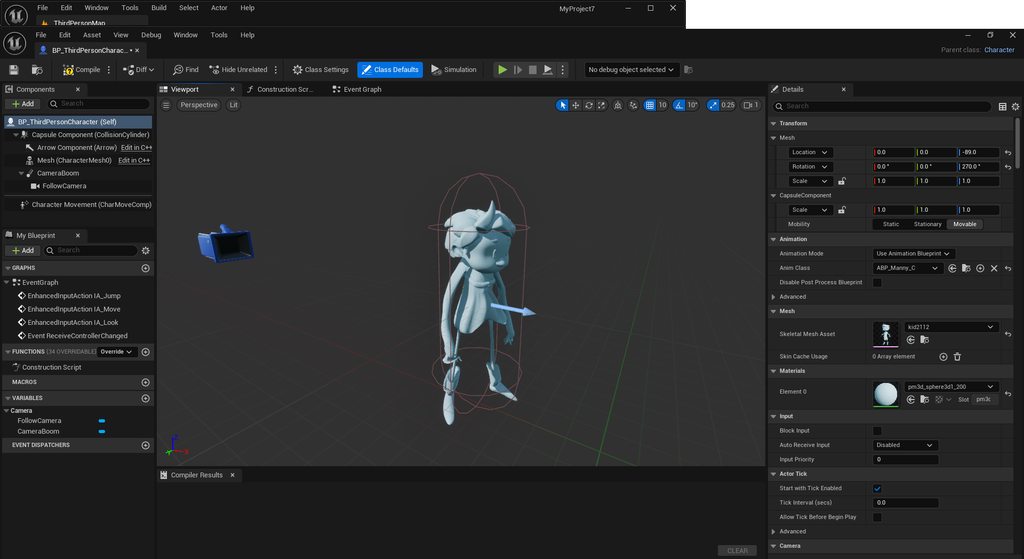
 worn osprey
hi all, can anyone reccomend a comprehensive guide to retargeting and motion capture cleanup, or a guide to getting started working with rigs and animation in UE more generally? It's kind of overwhelming and hard to know where to begin
scarlet moth
scarlet moth
Hey guys, I created this electrical window blind animation in Blender.
The defau...
Any ideas? 🙂
silent ruin
worn osprey
hi all, can anyone reccomend a comprehensive guide to retargeting and motion cap...

Hey guys, in today's video I'm going to be showing you how to use the new animation retargeting system in Unreal Engine 5. This is using the IK rigs and retargeting. The example in this video is using a Mixamo character and animation, however this will work for any character, skeleton, and animation you want to use.
Mixamo To UE5: https://youtu...
This would be a start.
Motion capture cleanup.... you could take advantage of ABP's layered blend per bone to mix in the motion data with partial blends.
And add a curve to drive the alpha of the layered blend.
worn osprey
Thank you @silent ruin !
 gleaming vale
silent ruin
https://www.youtube.com/watch?v=N7WdyAeeDrw&t=537s
gleaming vale
silent ruin
https://www.youtube.com/watch?v=N7WdyAeeDrw&t=537s
The new retargeting is almost like magic. It's crazy how great it works. That being said, are there any resources that you guys use to make sure that your skeletons are setup either to be most compatible with the retargeting system or to just have the same skeleton as the UE5 mannequin? I am having a hard time finding anything that works consistently for me.
silent ruin
Two scenarios:
Your character bone name, and hierachy, is 1:1 with epic's Manny(UE5). You should be able to playback the animation directly.
Your character bone name is not 1:1 with Manny. You should still be able to do it thru IKRetargeter.
As crazy as it sounds, the IK Retargeter is extremely robust, even allowing you to retarget human walk cycles onto quadpedal creatures.
like, you can really retarget anything to anything
 gleaming vale
silent ruin
As crazy as it sounds, the IK Retargeter is extremely robust, even allowing you ...
gleaming vale
silent ruin
As crazy as it sounds, the IK Retargeter is extremely robust, even allowing you ...
It is crazy. I just retargeted my whole animBP that way and for the most part it worked nicely. There were some weird things like the character is hovering higher than the source animations and one of the idle animations just did something wonky to the scale of the character.
silent ruin
you can config things pretty easily in the IKRetargeter so they stop hovering
I mean, that 3 legged alien's feet is planted XD
 leaden sequoia
Hi @ashen pine I use Ynnk at runtime with audio stream...
 ashen pine
leaden sequoia
Hi <@308772329834545153> I use Ynnk at runtime with audio stream...
ashen pine
leaden sequoia
Hi <@308772329834545153> I use Ynnk at runtime with audio stream...
I'll take a look at that, thanks!
gleaming vale
silent ruin
you can config things pretty easily in the IKRetargeter so they stop hovering
I shall mess with it.
 tribal horizon
 rancid shard
Hi, im hard stuck using the "Play slot animation as dynamic montage" node. No matter what i do it doesnt play the montage, i tried using play montage node it works fine but not with this one. Can anyone help me out here? Thanks!

i also tried without the prefix
 dapper anchor
Is it viable in 5.5 to use Mixamo animations still? In the past I used an app called "Mixamo Converter" that worked alright but now the import interface has changed in Unreal and my animations are all screwy

 fringe oriole
hey when creating a custom animation or character rig, is there a certain naming convention or criteria you need to follow so it doesnt come in all jumbled?
dull bridge
I am having some trouble matching my character movement with its animations so I just wanted to check here if anyone has any tips or something I may be missing. My character has a walk, jog, and a sprint with different accelerations and braking all that between them. Is all I can really do to the animations is slow/speed them up or down based on the speed/velocity of the character, or is there something else I am missing? I have been using root motion for pretty much all my human movement for so long I feel like I may have forgotten or missed something.
silent ruin
dull bridge
I am having some trouble matching my character movement with its animations so I...
you can study stride warping, orientation warping in the lyra project.
 coral sequoia
hi! why when using constrain.. the object what was constrained desapeard from render? i always need to bake it.
thanks
 silent jetty
Is the animation sample project any good? In 5.5
I keep hearing it’s good but I’d have to build 5.5. I guess I could also just download retail
sacred anchor
Can someone help? My retargeted animation doesn't literally work


I love retargeting
Now I got it working but my character disappears in the retargeted animation

No wait the character is just REALLY small
Nvm it became 100x smaller just because apparently apply scaling is needed
Nope didn't work
 bold flame
Hey guys. Just upgraded to UE 5.5, and our old workflow of importing animations seems to be broken - you get a different import window now, and the morph targets and the skeletal animation are now separate, instead of being combined into one. This is INCREDIBLY annoying, does anyone know of a way to switch it back to how it was?
 molten cedar
Is there a good video or document of game animation workflows?
I want to try and create my own game assets using unreal's animation tools. I wanted to create core animations like a run, walk, jump, attacks etc. Then add on layers of fidelty to them, like start of the walk, end of the run, and more additive animations.
In the lastest 5.5 animation showcase,when he was going over animation layers,he showed a robot blending between different animations in a different scene/leveland I wondering if this was the professional or industry way of making game ready animation assests in unreal or was it just apart of showcase.
Hopefully my question is making sense and I would love to hear you insight.
sacred anchor
Can someone help? I exported my thing and I checked it has a scale of 1 but when I imported it into UE the scale is 100 and it looks correct but when I retarget an animation the scale goes to 1
sacred anchor
molten cedar
Is there a good video or document of game animation workflows?
I want to try an...
Do you want to create animations or get animations?
molten cedar
Create
sacred anchor
Blender
molten cedar
I see, is it more straight forward?
sacred anchor
Nope, making quality animations is hard
Not to mention getting characters and rigs
Personally I'm using mpfb2 to create the characters then I retarget animations to the character in UE
bold flame
molten cedar
Is there a good video or document of game animation workflows?
I want to try an...
I guess I am what you could call a professional! I still do all of my animations in Maya, but it is cool to see Unreal's in-engine animation tools become more and more advanced
I very frequently use animation layers myself
A key advantage to using external software like Maya or Blender is that you're gonna be able to find more pre-made rigs, and more external tools and plugins that'll make actually animating easier - also more support
Buuut, doing everything in-engine is a lot less hassle. Constantly having to import your animations into Unreal is a bit of a pain, and just being able to do it all right there sounds pretty appealing to me
molten cedar
bold flame
A key advantage to using external software like Maya or Blender is that you're g...
Thank you so much for insight and knowledge.
The reason I wanted to try to make my own animation in unreal, because I saw how far the tools have advanced. But I wanted to keep it simple, making only a run or walk. But if I wanted to add variants for them, like a run with a lean or a walk settle.
Usually I can do in maya via layers and export the animation to the engine. In unreal, the workflow is slightly shifted I believe, that's why I wanted some professional insights of their unreal game animation workflows.
bold flame
Honestly, I'd be tempted to try the tools myself but I'm set in my ways omg
molten cedar
Completely understand lol
bold flame
I figure it'd totally be worth a shot, though! Might as well give it a try
I'd wanna do an awful lot more experimenting with new tools and workflows, but yeah, in a commercial environment, sticking with something you know to work is hard to avoid
At this point though I doubt you're gonna find a single studio who's already using it, 'cuz it's so recent
 tranquil cape
What's this?

 naive zodiac
We're using a Random Sequence Player node to switch between various idle animations. We want to use the same animation statemachine for different characters that each have a different set of animations. So we were looking for how to turn animations in Random Sequence Player into pins so the input animations can be selected based on which character it is. It doesn't seem like this is possible? How can we achieve this?
silent ruin
naive zodiac
We're using a Random Sequence Player node to switch between various idle animati...
you can take a look at Lyra's idle break chooser for randomlly play idle break animations. They are taking advantage of where the player is in world position to randomly (Yet consisntly based on location) choose when and which the idle break is played.
 hazy granite
Hello! I've been messing around with a local multiplayer first person shooter project, and I've been looking to make some animations for the player character. Now I'm no animator, but I'm realizing that whatever first person animations I make have to look good in third person as well and line up so that there's no miss-match between first person view and third person view. I'd like to use stock locomotion animations so I don't have to animate the entire body, but I would like to have my own animations for whatever guns I want. I'm not sure how to approach this, should I make upper and lower animations separately and blend them in the AnimBP? Do I just buckle down and make full body animations? Haven't found a whole lot of resources online covering this topic, and there's quite a few different ways I could approach this, and I don't want to waste a bunch of time on something that won't work. Thanks!
naive zodiac
silent ruin
you can take a look at Lyra's idle break chooser for randomlly play idle break a...
Thanks! Is that still alternating between idles over times? We specifically want the behaviour where we have a bunch of idles and they'll alternate randomly when standing still, so it's not the same thing all the time.
silent ruin
yeah, think idle as a short 30-60 frame loop. And idle breaks as, well, idle breaks, that plays unique bits to mix things up as needed.
naive zodiac
Okay cool, we'll check it!
 tranquil lark
Super necro, but this might help with my longtime animation woes of getting hands to sit correctly in a variety of guns.
I have always put a socket on the hand itself in UE. From what I'm reading here, the right way is to have it on the ik_hand_gun. So, in the DCC, the weapon would be a child of the hand. But then the ik_gun_hand constraint is the gun and the respective hands are the respective ik_hand stuff.
 nimble torrent
tranquil lark
Super necro, but this might help with my longtime animation woes of getting hand...
nimble torrent
tranquil lark
Super necro, but this might help with my longtime animation woes of getting hand...
Yep! That's the way to do it!
tranquil lark
nimble torrent
Yep! That's the way to do it!
Genuinely curious though - why is this the preferred way instead of doing it with the hand? So the gun being constrained to the hand.
nimble torrent
tranquil lark
Genuinely curious though - why is this the preferred way instead of doing it wit...
The advantage is that you can play animations on the characters arms relative to the gun.
So if you procedurally move the gun, and move the ik_hand_gun bone along with it, and then attach the arms to the ik_hand_left and right bones respectively, you can keep playing the animation, but move the gun around.
This lets you do things like procedural sway, aiming arcs, etc, much easier.
tranquil lark
My big problem has just been getting two guns of the same type to be held correctly 😅
Much lesss the sway stuff
So like a 1911 and a glock
tranquil lark
nimble torrent
So if you procedurally move the gun, and move the ik_hand_gun bone along with it...
How would you go about handling these different guns like I said? Like, a 1911 has a more thin handle than a glock. So adjusting for that, along with the finger position. Or is this just one of those - bite the bullet and either accept some flaw or animate with each weapon directly?
nimble torrent
tranquil lark
How would you go about handling these different guns like I said? Like, a 1911 h...
You can do a separate hand pose for the gun, and then layer that over top of shared arm movements.
But a lot of the time, you do end up having to do some custom work per weapon, no matter how superficially similar they are.
tranquil lark
nimble torrent
You can do a separate hand pose for the gun, and then layer that over top of sha...
Is that what the anim poses are used for?
I haven't ever been able to figure out that
nimble torrent
tranquil lark
Is that what the anim poses are used for?
It can be, you could use a pose library for that, or you could use a single frame animation.
One of the unfortunate things about game development is that there are few correct answers, but there are many incorrect answers.
tranquil lark
Okay. So have the basic animation, then each gun would have an additive animation that is their actual position.
tranquil lark
nimble torrent
One of the unfortunate things about game development is that there are few _corr...
Yeah, I'm a programmer, not an animator. I can do stupid basic monke stuff in animation. I probably animate like it is 1995 🤣
nimble torrent
tranquil lark
Yeah, I'm a programmer, not an animator. I can do stupid basic monke stuff in an...
You'll figure it out!
bold flame
God, I'm not gonna lie, the updates to the animation sequencer are horrible in 5.5
Why do I have to manually merge my morph targets with my base animation now? 😭 Also, constant name conflicts with imported animations that didn't exist in 5.4.4, tons of extra steps that really slow my workflow down
 coarse thunder
What donyou guys usueally do when it comes to animation? Is it common to animate in blender and export to unreal or export a rigged mesh and animate in unreal if possible? Whats the best workflow?
bold flame
We do all of our animation and rigging in Maya! Then, we import the rig into Unreal, and export all the animations and link them to the rig in UE, on a per-shot basis
(Maya is essentially the same thing as Blender fwiw)
Is that the most efficient workflow? Perhaps not
inland creek
Why does not my IK hands completely rotate when I rotate the root?🤔
 chilly laurel
Hello guys, GASP question.
Is just me or disabling the want to strafe to make a forward facing locomotion and building in Shipping makes the character turn looks very bad compared to Editor / Development?

 light plover
I feel like I'm missing something. I dont understand how this anim state graph transition is firing in the animation preview. Preview uses class defaults, no? Unless that's wrong, only one condition is met and yet its continually going through this transition... 
 light plover
I'm beginning to think something is wrong with the isMoving bool. I changed the above to be calculated outside of the anim graph (condensed to an isWalking bool so the transition can use the fast path) and that transition fires correctly now. But alas, a new problem! Transitioning from walking to idle when isMoving != true does not work...

Okay yeah wtf. Just made a new isIdle bool for the hell of it and the transitions dont ignore that. whyyyyyyy 🤯
 brisk ridge
I'm looking for a little advice about morph animation. Until now, for games, I've always simply rigged an animated a character using bones only. I recently purchased 'iclone' which seems to be built around using morph targets for facial animation. It uses a plugin for unreal which is great. However I've never used morph targets in unreal. Does it work well in unreal? is this common practice? or should I for iclone to just go with my traditional approach? I presume i just import the animation with the morph animation included in the fbx and it should work automatically? or is there extra steps to make it work?
warm island
in ABP graph, is there a way to wait for an animation loop to finish before transitioning onto the next state?
warm island
brisk ridge
I'm looking for a little advice about morph animation. Until now, for games, I'v...
morphs are fully supported and work well. it used to be the defacto working method for facial animations other than bones
brisk ridge
@warm islandUsed to be?
warm island
with meta humans they may be using something else
I dunno I never worked on them
but with Vroids for instance, it's all morph driven
brisk ridge
@warm islandAhh I see. Thanks. I'll try with morph targets then.
@warm island what is vroids by the way?
warm island
brisk ridge
<@383068958221139970>Ahh I see. Thanks. I'll try with morph targets then.
it's a premade anime character creator, you can use it to make a base, make a character or a chibi
it's free to use
brisk ridge
ah i see, thanks.
 halcyon basalt
When working on an anim BP, is anyone aware of the optimal way to combine an 8 way directional blendspace with an upper body slot for idles/movements based on an enum like equipped weapon types?
brisk ridge
Another question. I'm currently converting a game project from unity to unreal. In unity we had all the non player characters using root motion to navigate. From learning unreal it seems that it is more common not to use root motion to navigate and have the character driven by the blueprint character velocity. I actually like the root motion method though, and I would prefer to have the velocity driven by the animation play speed root motion instead, is this possible?
 azure roost
SHEEESH.
I´ve been trying to figure out a better way to animate ANY morph target on ANY skeletal mesh without having to create a specific blueprint animation for each and everyone and NOBODY offered the simplest solution out there with zero need to make any custom thing...
Add the built in FK control rig, set it to layered, select the morph target name, animate, done...
warm island
@brisk ridge iirc you can use root motion but as I tried it in both unity and unreal, root motion isn't that good and causes tons of bugs.
The animations have to have root motion enabled and dialed into the frames, enable the boolean and I believe when you play the animation it should work
@azure roost never heard of that, can you share your results? I was in the process of making a custom logic for it.
azure roost
warm island
<@597712651384127488> never heard of that, can you share your results? I was in ...

Right click on your skeletal mesh component, add control rig, select "FK control rig", set it to layered. Then you have all curves on your existing mesh, including all morph targets available and can animate them.
warm island
Ohhh and you do it through sequencer!
azure roost
Trick is to set it to "layered", so it doesn´t override your existing animation assets etc.
warm island
I have put sequencer on the backbones for a while now but maybe that is way easier than what I was doing... thx!
Backburner **
azure roost
I´m probably gonna end up adding a custom control rig, that ONLY collects morph target curves and maybe filters them by the currently used mesh. Because rn the prebuilt fk control rig displays ALL curves including all morph targets on all skeletal meshes referencing the same skeleton.
azure roost
warm island
Backburner **
Oh, we´re only doing linear content (cinematics), so its literally our main tool...:)
warm island
Oof so if you have many, it's a pain...
azure roost
I wouldb´t do it this way for games.
warm island
Ah I'm doing some scenes but they are interactive
azure roost
warm island
Oof so if you have many, it's a pain...
Yeah, you can still filter wich curves to use using the FK control rig, I just want some automatic filters...:)
warm island
Thanks for that. Looks like I was on the right path then.
Working with 40 morphs ain't easy....
azure roost
warm island
Thanks for that. Looks like I was on the right path then.
Working with 40 morphs...
Jup.
We need an Unreal trained GPT urgently...All that information is out there SOMEWHERE, but its really hard to find info on stuff thats a bit more in depth and "out of the box". 99 of 100 videos on how to do the same thing thats covered well in the manual anyways and the one showing how to do what you need is buried in a 2 hour talk of an unreal fest presentation from 3 years ago...:)
Been trying to find a way to use "lead pose component" in a project with raytracing enabled WITHOUT crashing for months now and I can´t believe only a handful of people have had the same issue and literally nobody has been able to even point me in the right direction...
And seeing how lead pose component is used in the official metahuman blueprint it seems like its either
A) A massive oversight from epic...
B) A very project or hardware depending issue...
I´m often wondering if 99% of people just give up and move on when encountering a problem like that, instead of keeping at it like a maniac as I do...
 marsh arch
Hi everyone, are there any workaround for animating xgen hair from maya and then imported to unreal engine?
 woven hemlock
Has anyone ever run into an issue where the viewport correctly renders match previous bone, but not on MRQ?
sacred anchor
Can someone help me fix my animations?
 pseudo yarrow
Hey guys, I'm looking to create a true first-person character using a single skeletal mesh and I'm drawing my inspiration for how I want the end result to look from this video here:

This a prototype I made for a project I'm currently working on.
Before looking into this I made my own "true" first person character using two skeletal meshes:
One mesh was for the body and the other for the arms. The way I did it before isn't bad, but I think it would be nice to have the option to 'free look' and see the shoulders of the character in first person and since I'm using motion matching it would be nice to have the weapon animations blend into the unequipped idle animations when the weapon is put away.
Any thoughts on the matter would be greatly appreciated.

Just an update of my progress.
I added the Realistic Assault Rifle Template by Infima Games to my True FPS personal project. I'm glad I was able to overcome the challenge of adding the body to the animated arms. What you see here are two separate skeletal meshes, the high-quality FPS arms and a body that is using motion matching to help keep th...
warm island
are there any good practices when setting up the joint vector?

shouldn't it be a bone?
 wraith swallow
I have a hip holster on my playable character that has some shape keys/morph targets on it. That hip holster is a child of the main character mesh. How do I use the locomotion animations to drive the shape keys of a child mesh? I added a curve to the locomotion anims, but it only works if I play the anims directly on the holster mesh. But obviously they're being played on the character mesh.
Essentially I want an animation curve from an animation playing on the ThirdPersonCharacter's Mesh to effect a child skeletal mesh
 small bramble
im using a custom solution for car physics and i tried to animate wheels on a skeletal mesh through transform (modify) bone node but it doesnt work for some reason. the variable is updating. what am i doing wrong?


 small bramble
nvm i changed translation mode to add to existing and now it works
 rotund crown
is control rig the best way to aim an animation according to the aimoffset and crosshair? i tried coding bone rotations in when an animation montage plays over the state machine (walk, idle, run) and kind of realized how broken it is, for exammple if a player is punching, my guess is that maybe your supposed to use some IK solvers and force it to be in the Location of the vector location of the Impact point for the crosshair. any advice for a noob thats trying to blend like 3 animations at once?
royal sorrel
Can someone who is smart with animation tell me why this is happening?
I have a simple block blendspace 1d, why is the turning so janky?
naive mountain
royal sorrel
Can someone who is smart with animation tell me why this is happening?
I have a...
Character controller rotation speed.
royal sorrel
Which one here? @naive mountain
is it rotation rate Z?
 royal sorrel
naive mountain
Character controller rotation speed.
royal sorrel
naive mountain
Character controller rotation speed.
I changed the rotation Z and it didnt work
royal sorrel
naive mountain
Character controller rotation speed.
If this provides more info, I'm using motion matching. Not sure if something is being overriden. But I do transition into a blend space for this block state
Plaese let me know what else can be done
 rigid gate
guys anybody knows about add bones or ig character on unreal engine control rig have squash and strech animation
naive mountain
Oh with motion matching you have less freedom. Rotation speed of 150 or lower not help?
royal sorrel
fixed it @naive mountain , seems like epic is setting rotation to 0,0,-1.0 in the motion matching example on tick lol, not sure why
why do you thinik theyre setting rotation value to this on tick?> what could be thje reason
 serene arch
when doing true FPS with a single skeletal mesh, is IK required to keep a hand from looking desynced from the weapon? it can't be done with aim offset alone right?
IK seems overkill but i can't get it to match up no matter how i animate it
naive mountain
royal sorrel
why do you thinik theyre setting rotation value to this on tick?> what could be ...
Probably due to the way motion matching is set up or something. I would probably double check to make sure he didn't break anything. Try all the different animations in the set. Hopefully, it just works that easily.
silent ruin
pseudo yarrow
Before looking into this I made my own "true" first person character using two s...
great work dude.
You should be able to use setup that you are already using for root yaw offset to enable a degree of free look, basically you are altering the yaw accumulation behavior upon holding the free look button.
If you need to blend into the unequip idle/out of, you will need some kind of full body anim that enables that transitoin so it is not just a smooth blend.
 distant ore
I imported a skeletal mesh into Unreal 5.4 but the mirrored bones don't work with my animation. It also added "(Mirrored)" after the naming of each bone that has been mirrored in the 3d software. Is there a way to fix this? I heard it's because of the name inside the parenthesis that the mirrored bones don't work.
 scarlet moth
Is there any way to pause a playing montage and resume it AND also pause and resume the audio that it plays?
I can pause the montage, but the audio continues and then it's out of sync.
bold flame
Anyone know how to get this import menu back, in UE 5.5?
 scarlet moth
bold flame
Anyone know how to get this import menu back, in UE 5.5?
scarlet moth
bold flame
Anyone know how to get this import menu back, in UE 5.5?
What do you mean with 'back'? It's there for me, although a bit different with more options.
bold flame
scarlet moth
What do you mean with 'back'? It's there for me, although a bit different with m...
Yeah, that's just it - we used to import our animations via this window, we could just check off "Import Mesh", and the animation would be imported in one go with the correct naming conventions and morph targets baked in
Now it imports the bone animation and the morph targets separately, and nukes any naming conventions, making the whole process take a LOT longer
scarlet moth
bold flame
Yeah, that's just it - we used to import our animations via this window, we coul...
Ah ok, I can't help with that, sorry 🙂
 misty dagger
Hello everyone. Im asking for advice on how to do this on the best way.

I am making a turn based RPG and this is the battle state on the animation blueprint. Here is a bunch of animations that the characters can do while on battle.
Which would be the best way to wire this and allowing that most of them can be interrupted by hurt animations
 uncut musk
Hello, don't really know where to post this, I have issues with skinning in blender, does anyone can help me with this ? you can mp, thanks 😄
 loud field
Hey all, I'm trying out the new quadruped modular control rig modules in 5.5, but for the life of me I cannot get the animal spine module to spawn a tail socket. I looked at the module and it looks like all it's doing is finding the children of the pelvis and spawning the socket based on the name. I set up my skeleton in the same way the SK-Dragon template is set up, with the tail chain being a child of the pelvis and named tail_01, tail_02, etc. , but nothing I try seems to make the module recognize that there should be a tail slot. Has anyone else encountered this/know what might be going on here? The rest of the modules work as expected.
tight basin
misty dagger
Hello everyone. Im asking for advice on how to do this on the best way.
This is a very big question with no right answer. A 'common' and beginner-friendly way is to play all 'event-based' animations via Animation Montages. You can assign different slots if you want to do layered blending or logic to check how the montage should play
I am trying to change the skeleton of a Skeletal Mesh asset that is only using one bone ('head'). There are some extra bones on the source skeleton which aren't used.
Is there a simple in-engine way to get this working?


 misty dagger
tight basin
This is a very big question with no right answer. A 'common' and beginner-friend...
misty dagger
tight basin
This is a very big question with no right answer. A 'common' and beginner-friend...
Ah. Too late, I already did this...

But I dont know, having all these booleans for these events doesnt feel right
is there a better way?
Dont laugh >~< I dont know any better
bold flame
misty dagger
Dont laugh >~< I dont know any better
LMAOOO
Jkjk :3 This already looks way over my head, good luck with it...!
 tight basin
misty dagger
Ah. Too late, I already did this...
tight basin
misty dagger
Ah. Too late, I already did this...
I would suggest reading up on 'state management'. There are lots of different ways to approach this, there is no 'simple, correct answer'
misty dagger
I know, im just expressing that feels wrong having this much bool variables
tight basin
I would recommend treating animation as a 'visual representation' only of what is happening in your game code elsewhere, and to set up a 'neat' system to relay information to the AnimBP
And no, 50 bools is not neat x)
tight basin
misty dagger
is there a better way?
As I recommended, the most simple thing you can do is just to have an AnimMontage slot in your ANimGraph and just to tell the game code to play an AnimMontage when certain things happen
Leave the state machine for basic locomotion (e.g. a blendspace from local velocity)(
silent ruin
misty dagger
Ah. Too late, I already did this...
yeah your setup is better off using Montage Play, with rules on which attack can be used configured via GAS.
 tepid ruin
guys, can this thing actually transition to KnockedDown if Sitting transition wants isSitting variable to be true and KnockedDown transitions wants isKnockedDown variable to be true. I set them both to true, but machine gets stuck in Sitting state :/
 silent ruin
you can add some AND checks
Or some NOT checks
Like KnockedDown should Exist When NOT Knocked Down
and Sitting should exit when NOT sitting
misty dagger
silent ruin
yeah your setup is better off using Montage Play, with rules on which attack can...
How should I handle the looping emotions such as sleep start, sleep loop, sleep end with the thing you suggested?
silent ruin
and allow a transition from idle to Knocked Down
tepid ruin
I wonder why it doesn't transition from sitting to knockeddown :/
silent ruin
what is the rule inside the highlighted transition
tepid ruin
because I need to have different knocked down animations (well, it's basicallly unconsious state) for sitting, standing and laying down positions


it's as simple as that
I don't want to have mixed SittingUnconsious state if I can avoid it
silent ruin
Yeah, you could just have the state that gets managed by the enums to select sequence to set on tick.

It'll check to see if the sequence needs to be changed
and swap em out as fit.
tepid ruin
hmm, damn, not sure if I get what you mean 😦
silent ruin
Let's take a step back. What are in these two
 tepid ruin
first one is CharacterPosition != Sitting and second one is CharacterMindState != Unconsious
silent ruin
It might be undecisive beteen going back to Idle verssu Knocked Down.
You may find success by adjusting the transitions' priority
so KnockedDown has a higher piority.
tepid ruin
how do I do that?
ah, I see, some Priority Order
nope, didn't help
like I set CharacterPosition priorities to 2, and kept KnockedDowns to 1, right?
silent ruin
yes
tepid ruin
didn't help, I wonder it doesn't even consider to check CharacterMindState :/
silent ruin

maybe this then
so when its not sitting, it goes back to the conduit to find the next proper state
tepid ruin
silent ruin
maybe this then
yea, but the thing is it must be sitting.. xD it's kind of sitting unconsious
i think i will just have to create regular spider. like sitting is (sitting && !unconsious) and sitting unconsious is (sitting && unconsious)
silent ruin
If your enums are not updating properly, that'd be an entirely different problem.
you said both can be true?
tepid ruin
it's two different enums. one is mind state another is character position
silent ruin
I thought its the same enum this entire time...
yeah you need to set it up, so one of them has priority.
Like if Sitting & Knocked Down, use Knowcked down.
silent ruin
tepid ruin
yea, but the thing is it must be sitting.. xD it's kind of sitting unconsious
...
basically waht you said here.
tepid ruin
oh okay okay
silent ruin
misty dagger
How should I handle the looping emotions such as `sleep start`, `sleep loop`, `s...
you can setup a enum driven Start,Loop,End.
With On-Update converted sequence players.
Take a look at Lyra's Cycle State in their ABP.
They are using directional enums to drive their walk cycles, simlar concept can be applied for start cycle stop of sleep, eating rest, stun.
The setup can still be montage driven, where on end of loop, unless timer is up, keep repeating hte same montage.
tepid ruin
btw, I do it by changing the state for ABP while playing montage for state changing. is this the way? it looks more or less okay :/
Like going from standing to resting. Play standing to rest montage set state for machine to resting.
silent ruin
tepid ruin
Like going from standing to resting. Play standing to rest montage set state for...
for that kind of setup.... I recommend a inbetween state with automatic transition.
It'll basically play it out, and automatically transition at teh end of the sequence.
tepid ruin
silent ruin
for that kind of setup.... I recommend a inbetween state with automatic transiti...
I do it by activating GameplayAbility. It needs to check some other stuff as well, like can character rest or not. Does it change anything?
silent ruin

you just check and see if the enum is allowed to change
and when its allowed, things should kick in the lock the character in place
and the animation playing to transition
tepid ruin
silent ruin
basically waht you said here.
Kli you were right. I had child ABP which I forgot to bind enum value to 😢 And I was checking value inside the parent animation instance class. Now it works fine like this

No spider needed xD
silent ruin
Another day being a programmer's rubber duck.🫡
tepid ruin
silent ruin
Another day being a programmer's rubber duck.🫡
Kli, I'm sorry to bug you, but maybe I can ask you one more question regarding strange mesh rotations during my animations? 🙂
silent ruin
lol sure, send it
tepid ruin
silent ruin
lol sure, send it
well, here you go. I'm not sure if it possible to make anything out of it. But for some reason it's being very glitchy. Instead of just playing the animation without doing anything to mesh it rotates it here and there 🙂
I don't see thing happen in animation sequence
silent ruin
can you do the same thing, but print string for the actor rotation
 steep rain
Sorry if this is a more a Blender oriented question but does anyone know why a simple fbx file with an idle (pose) animation is uploading 286 separate animations?
 tepid ruin
silent ruin
can you do the same thing, but print string for the actor rotation
tepid ruin
silent ruin
can you do the same thing, but print string for the actor rotation
it's not being changed
silent ruin
your sitting animation is facing -Y maybe
silent ruin
steep rain
Sorry if this is a more a Blender oriented question but does anyone know why a s...
Hey guys, in today's video I'm going to be showing you how to export animations from Blender and then import them into Unreal Engine 4 and 5.
Get access to the project files from my videos and more on my Patreon: https://www.patreon.com/MattAspland
#UE5 #UnrealEngine5 #UE5Tutorial
_______________________________________________________________...
maybe try this

 silent ruin
🤣
 silent ruin
oh UE4 manny.
So let's try the simple way. Bake animation to FK rig, adjust the pelvis position/rotation, or just the root rotation, and see if it'll fix it.
Be sure to save the level sequence to see the change reflected in your animation sequence.
tepid ruin
damn it, I'm tyring to change the rotation, but when it breaks the animation. I mean it begin to rotate in different dimensions as well :/
silent ruin
does root only works?
steep rain
silent ruin
https://www.youtube.com/watch?v=pPL8r1Q7EZo
Thank you! Turns out all I had to do was uncheck the all actions option in the blender exporter
 tepid ruin
silent ruin
does root only works?
tepid ruin
silent ruin
does root only works?
Like I'm trying to do some stuff, but it doesn't do much xD
I'm super bad at animations
silent ruin

This is a follow up to the last tutorial we did. It shows how to modify an existing animation sequence that does not have a control rig attached. Plz sub if helpful 2 u.
This is the original tutorial on how we made the custom animation sequence using the control rig.
https://youtu.be/LC6tHo5d8Wc
tepid ruin
silent ruin
try this https://www.youtube.com/watch?v=PoPFKqtrvQ4
but basically the problem is in my animation, right? somebody decided to make it facing different direction for unknown reason?
silent ruin
yep
 spare kiln
hey guys, I know this might be a very subjective question, but what about AI vs Player animations.
I wonder how much a player will notice or how much it would impact the "feeling" of a player, if e.g. player sword animations are the same as for AI and how common or uncommon doing this is.
silent ruin
It all really depends on what the attacks are.
There are plenty of "attacks" in Elden Ring that are repeats of what enemies uses, which pretty much the exact same timing.
Yet I don't think anyone complained about it.
 rigid geyser
anyone has tutorial for this node? I couldn't get my IK leg to work
 silent ruin
rigid geyser
anyone has tutorial for this node? I couldn't get my IK leg to work
silent ruin
rigid geyser
anyone has tutorial for this node? I couldn't get my IK leg to work
you'll need to add a leg definition, then tell it which bone is the IK bone (The IK bone is used to represent the foot position and location in 3D space)
FK Foot bone is going to get attached to the IK bone. You tell it how many limbs are in the chain, and it'll do its best to IK move to the IK bone's transform.
It is very important for you to define the foot bone forward axis, you can see it if you use the location gimbal in local space.
You can even define hinge rotation axis so the bones in the middle can only move in 1 axis (Think knee, or the reverse joint of a zealot from starcraft 2).
 rigid geyser
silent ruin
you'll need to add a leg definition, then tell it which bone is the IK bone (The...
rigid geyser
silent ruin
you'll need to add a leg definition, then tell it which bone is the IK bone (The...
i tried that but couldn't get it to work

but if i remove that then the legs are fine

im probably missing something
rigid geyser
changed them didn't work
 native mica
Could someone help me make the fall of the camera look more natural? At the end of the sequence the camera just stops abruptly and I don't know how to make that look more realistic and smooth
 frank parrot
hi! anyone knows how can i clamp the rotations of a bone on the animation blueprint
i want rotations to not fully play
gleaming vale
Hey all. I'm trying to import a skeletal mesh with some animations from blender and its giving me this error:

I didn't make the rig but is there something I can do to eleminate extra root bones?
Is it just a matter of parenting bones?
silent ruin
gleaming vale
Is it just a matter of parenting bones?
My guess is you are using blender.
UE FBX importer checks for the name "Armature", and skips it, then searches for the next bone in the hierachy.
In many Blender based rigs, multiple bones can exist at the "root" after Armature.
Your best chance is configure your export so they only include deform bones, and mark the bones properly for deformation, then export.
gleaming vale
silent ruin
My guess is you are using blender.
UE FBX importer checks for the name "Armature...
I do have it marked to only include deform bones. This isn't an armature though. It's a mechanical animation so it's just a bunch of individually created bones. I noticed that a few of them don't have parents which I think means that UE will read that as a root. I reparented them and I'm not in the process of realigning them for the animation to see if that works.
silent ruin
Yeah that's a issue. In this case, you need to properly configure yoru bone hierachy, so they all sit under a "root" bone.
gleaming vale
I thought as much but thank you.
silent ruin
you should be able to just add a parent to all of them
gleaming vale
Yeah that totally worked. Just imported it with no issues.
silent ruin
and all your animation should still be a-okay
gleaming vale
silent ruin
and all your animation should still be a-okay
You would think so but unfortunately not all the bones were in a "chain" so when I parented them, they moved out of place. It's all good though. I zeroed out the transforms and gave them so appropriate keyframes and got it lookign the way I wanted.
silent ruin
hummm, it shouldn't happen, if you don't check the connected box
gleaming vale
Either way, it's fixed now. Much apprecaited.
silent ruin
Glad to help
honest bobcat
Animation blueprint: how can I blend motion matching only if it found something?
small bramble
Does anybody know why a casted vector array outputs only 1 element instead of 4 in animbp?
silent ruin
right click and break the vector, or just drag it out then break the vector
small bramble
silent ruin
right click and break the vector, or just drag it out then break the vector
i cant break the array
silent ruin
you get an item from the array, then break it
small bramble
oh right
this print gives me only one element instead on four

in bp it gives all four of them
honest bobcat
Perhaps generally then? how can I always run a node, and then blend it by bool?
When the bool is false, the node won't run anymore :\
small bramble
small bramble
this print gives me only one element instead on four
am i missing something? all element are the same in animbp but they are working fine in car's bp
red is cars bp and yellow is animbp

maybe its because im setting the array through make array? but why does it work in bp but not in animbp then
honest bobcat
honest bobcat
Perhaps generally then? how can I always run a node, and then blend it by bool?
...
anyone? 🥺
 mellow pebble
Has anyone noticed that Force Front XAxis on skeletal meshes has disappeared in 5.5? Kinda destroyed my pipeline 😦 Is it a bug or?
gleaming vale
Potentially stupid question here... can I import static meshes with animations?
I'm trying to build a space station that is kinda messed up, has debris floating and a broken off part that will be slowly rotating. Do I need to create bones for each of these elements in Blender and then import it as a skeletal mesh or can I just animate the meshes and import it that way?
silent ruin
honest bobcat
Perhaps generally then? how can I always run a node, and then blend it by bool?
...
my trick was to layer blend a useless bone in.
 worn marlin
hope control rig in 5.6 can have events for triggering anim notifies
silent ruin
gleaming vale
Potentially stupid question here... can I import static meshes with animations?
...
for slowly repeating rotations, you amy find success using a post process ABP and have it slowly rotate taht way.
you can even use threadsafe update to tick the rotation change
 ashen junco
gleaming vale
Potentially stupid question here... can I import static meshes with animations?
...
ashen junco
gleaming vale
Potentially stupid question here... can I import static meshes with animations?
...
You could either bake a vertex animation, use some World Position Offset Math, or animate it in Niagara
gleaming vale
silent ruin
for slowly repeating rotations, you amy find success using a post process ABP an...
This is what I ended up doing because this is just for my title screen
It's a prop that sits in the background behind my title menu widget
ashen junco
Yeah, then simpler WPO math would do the job (or vertex animation texture if the animation end up more complicated)
gleaming vale
Agreed. I was overcomplicating it, trying to export a whole animated scene as an object when really I only have one large rotating element (the broken off part of the space station) and all the debris I can do via Niagara)
 tough olive
How can i animate those cables for game
 misty dagger
Does anyone know why my run animation is looping once before coming to a stop? Is there any way to get it to stop immediately when it changes state?


 silent ruin
make transition like 0.01 second.
And tick your looping checkbox on the sequence player
 wide idol
Is there a way to make child blueprints from animation blueprints, but having different skeletons?
I find it difficult to believe that I had to create multiple blueprints and copy this simple code in each individual blueprint.
 misty dagger
silent ruin
make transition like 0.01 second.
And tick your looping checkbox on the sequence...
misty dagger
silent ruin
make transition like 0.01 second.
And tick your looping checkbox on the sequence...
It's still definitely looping but hopefully it will be imperceptible to the player. Thanks for the advice 🙂
honest bobcat
where are these defined / how do I define more?

 ivory osprey
wide idol
Is there a way to make child blueprints from animation blueprints, but having di...
ivory osprey
wide idol
Is there a way to make child blueprints from animation blueprints, but having di...
Try right clicking the asset, there should be an “assign skeleton” option or something 🤔 If you don’t see the one you want, you can do two things.
Add that differing skeleton to the “Compatible Skeletons” list found in the original skeleton asset (this is a separate window I think).
OR tick “Allow Incompatible Skeletons” in the search filter. In principle, a Compatible Skeleton is a VERY similar asset/joint hierarchy with differing leaf joints.
Not at my comp atm so I can’t check this 100% but I THINK this is how to do that. Bc I’ve had plenty of child animBPs with way different joints/skeletons. It’s possible!
Also…you might want to put that logic into the ThreadSafe function for a small perf boost 
 runic canyon
is it possible to change transform of a skeletal mesh bone in regular blueprint?
 vernal rain
Is there a way to make root motion not rotate the actor? I have a roll animation but it ends up janky as a result of rotating the actor since the root bone rotates in the roll... for my case it'd probably work much better if it didn't.
If not I'll probably just not use root motion for this and move it manually, but figure I'd ask :)
ivory osprey
vernal rain
If not I'll probably just not use root motion for this and move it manually, but...
Umm you could make a control rig that locks the rotation maybe.. not sure if thats the best way haha. I solve too many animation problems w control rigs
Could also check for additional root motion settings on the anim sequence 🤔
vernal rain
At least none of the settings I found seemed to affect it, but I'll see if doing anything with the control rig would help, thanks
 formal whale
Hello everyone, I have made a blend space for the shots taken by the Enemy character, and it works. Now I would like to do the same thing with the death animation; however, the blending is not well done. For example hitting the enemy at an angle of 0° between shooter-Character and enemy works, if shooter-Character hits it at an angle of 45° it works, while for intermediate angles (ex. from 45° to 90°) the blending is poorly blended.
Is the blending space wrong or do I need to add more animations to blend them well. Sorry for English.
 cobalt skiff
why do my transitions work in anim bp but not in game, the blue one is isCrouched==true and red one is same but NOT boolean?

 ionic quest
Hi I am making control right now that will enable me to make variations in the y offset for B. I was B to still maintain the rotation of A but I am getting is some sliding in the x-y plane when B copies the rotation of A. I am using a parent constraint node to parent the transform of B to A. How do I avoid lateral motion of B while maintaining vertical motion and rotation in the z axis?

 small bramble
 wild tartan
rate from 1 to 100
wild tartan
rate from 1 to 100
wrong channel bud
honest bobcat
As far as I can tell animation montage blend out property is blending out the animation BEFORE it ends.
e.g. "0.25" will take 0.25s before it's done, and blend it out. Right?
Is there a way to blend out AFTER the animation ends? sort of keep it idles/same last pose, and then blend it out for 0.25s
small bramble
why does my bones resize when i use rigid body node?
 wide thicket
rotund crown
rotund crown
is control rig the best way to aim an animation according to the aimoffset and c...
wide thicket
rotund crown
rotund crown
is control rig the best way to aim an animation according to the aimoffset and c...
check it out, i was able to aim offset, with a state machine running the animations, with a montage playing and offsetting with control rig, theres a small bit of jank, but i got the player to be able to aim at the center of the crosshair properly, kind of nice when u can blend like 3 things at once


 runic peak
Is there anything like LiveLink for Android?
dull bridge
I'm not an artist, I was just wondering about cartoon scaling. Most of the time my models are all scaled accurately (i.e. character at 1.77m) but then I was wondering what the general practice was with more cartoon characters. My character is a little cartoon cute guy and here he is 1.4m but the original version was 0.48m. I'm just kinda curious if there is a general best practice for the sizing or if I should just make a general note of his height.
 ivory osprey
small bramble
why does my bones resize when i use rigid body node?
ivory osprey
small bramble
why does my bones resize when i use rigid body node?
This could be an old but prevalent issue with rigid body nodes. Pretty sure if you’re scaling a mesh dynamically, it only takes in the original scale and alters the bodies according to that. There really should be a scale input for the RBAN node to avoid this frustration.. 😩
https://forums.unrealengine.com/t/rigidbody-world-space-simulation-overwrites-scaling/674660/11
This thread has multiple ways to fix the issue. Virtual bone + copy Bone nodes work very nicely, but ofc its tedious, as you need to basically add a VB for each simulated “chain”.

Epic Developer Community Forums
Bumping because it seems theres no perfect solution. I can’t seem to get the bones to scale down without… this happening… HOWEVER, I was able to get things close enough by adding a copy bone node There’s still a visible offset between where the tail bone should be and where it is, so these calculations are still off, but I can’t be bothe...
smoky shell
dull bridge
I'm not an artist, I was just wondering about cartoon scaling. Most of the time ...
Match the UE5 Manny for your average character height regardless of style, ~180cm
Don't make it smaller
 worldly scaffold
making physics assets are the worst
worldly scaffold
can someone tell me why this is going on?
the head is flapping around like crazy when doing the physics asset, sending the ragdoll flying, but it seems fine in game
 sweet ravine
I'm not new to animation retargeting, but this problem is new to me.
 dull dock
Hey everyone!
I'm really fascinating with Lockdown Protocol animations.
I thought maybe someone here have a good idea how can such animations be achieved.
My first thoughts was full body IK but I'm not sure..
What do you think guys?
Uploaded a small video for you to check out some animation
https://youtu.be/cE1sCgaywGg

 green skiff
native mica
Could someone help me make the fall of the camera look more natural? At the end ...
green skiff
native mica
Could someone help me make the fall of the camera look more natural? At the end ...
slower spin will become slower or faster. Sometimes, object will regulate their rotation when falling.
bounce on impact. Objects always bounce or break when they impact the floor.
idk I'm not a professional
small bramble
wild tartan
idk what channel to post it on
small bramble
ivory osprey
This could be an old but prevalent issue with rigid body nodes. Pretty sure if y...
ok gotta check this out, thanks!
native mica
green skiff
slower spin will become slower or faster. Sometimes, object will regulate their ...
Thank you for the suggestions!
 oblique vortex
importing animations in 5.5 is a nightmare for me ;(
i have to rotate the animation
and it's not letting me
and the software i animate with doesn't let me change up vector ;(
it also randomly failed to import without giving me an error
oblique vortex
had to turn off the interchange
 tender swift
Guys, I have a problem. I'm retargeting animations and I'm losing the ik system to place the legs on the ground. And I have the full body configuration correctly added to my target.
spare kiln
How can I do turn in place animations with motion matching?
i was following the following tutorial, but it's not as smooth, I want it to be more like that the rotation is just started at a certain offset and before that the aimoffset should be used
naive mountain
spare kiln
i was following the following tutorial, but it's not as smooth, I want it to be ...
Copy Lyra
honest bobcat
any tips on how to debug choosers? Using the rewind debugger I can see it doesn't work, but trying to debug chooser shows green line, as if it successfully chose something.
The 2nd (evaluated) chooser shows values, but no colored lines at all.


 gleaming totem
Hey guys here is the thing. I spend 2 years, trying to get my character / The base mannequin. To walk i all 8 directions, with smooth walk and transitions. But it alway end up been flooding, crunky and flickering movement. And I justed all the turtles i can find out there, same result, or they are lucked to only this 1 tutorial, and I am unable to adapt the system, with other animations. I am kinda stating to get a little frustrated here, any help in here?
spare kiln
naive mountain
Copy Lyra
but are they using motion matching?
 frozen breach
I've been looking on ways to sync animations from 2 different skeletal meshes each with its own ABP (mount/rider situation).
I copied and pasted the same event graph logic, all 1D/2D animation blends have same values, animation sequences have same length, but I'm still getting desynced animation play.
I'm digging through the manuals and tutorials but I'm coming up blank. Any ideas how to handle this? Or what terms I should use to get better search results?
naive mountain
spare kiln
but are they using motion matching?
Oh sorry.
 long blade
What is the correct way to export a variable from a blueprint and use it in an animation blueprint?
I am trying to set a proximity based variable to trigger an attack animation in the animation blueprint (which im not sure if this is the correct way to do things either
woven hemlock
woven hemlock
Has anyone ever run into an issue where the viewport correctly renders `match pr...
I found out that match bone from previous clip seem to only work when the animation mode in the sequencer is at 'custom mode'. Anyone have any clues on how to get it to work while I am using a custom anim BP?
 edgy sigil
Is there a simple way to add either a skeletal mesh or a static mesh to my character control rig in the sequencer to see how it will affect the orientation? Essentially, I don't want to change the mesh, only view what happens to it. Kind of like how you can preview assets that are attached to sockets
 inland grove
frozen breach
I've been looking on ways to sync animations from 2 different skeletal meshes ea...
inland grove
frozen breach
I've been looking on ways to sync animations from 2 different skeletal meshes ea...
Not sure if it's the best solution, but it seems to be a solution. In your animation states, you can right-click on the animation sequence and "Convert to Single Frame Animation", which allows you to drive the animation using specified time (progress), instead of it following its own timeline.
And you can do the same thing with a blend space ("Convert to Single Frame Blend Space Player").
Then use the same exact "time" variable for controlling both of your animations or blendspaces

 frozen breach
edgy sigil
Is there a simple way to add either a skeletal mesh or a static mesh to my chara...
frozen breach
edgy sigil
Is there a simple way to add either a skeletal mesh or a static mesh to my chara...
I remember there was something about loading your rig as FK in the sequencer, its been a long time but see if you search Control rig and FK returns a good tutorial. Sorry Im not of more help.
frozen breach
inland grove
Not sure if it's the best solution, but it seems to be **a** solution. In your a...
How would you treat/use this time variable? Having a way to play specific parts of a sequence seems super powerful. Thank you!
frozen breach
long blade
What is the correct way to export a variable from a blueprint and use it in an a...
This is how the ThirdPerson template does it to get the Character BP in. You could try this. I'm not sure if its the best way, I just copied and swapped the Class to my character Class.
I wouldnt do those tests in the animation blueprint, I would calculate the attack in the character BP and just send a boolean to the ABP to trigger the right state.
 inland grove
frozen breach
How would you treat/use this time variable? Having a way to play specific parts ...
inland grove
frozen breach
How would you treat/use this time variable? Having a way to play specific parts ...
Increment it by Delta Time on every update, and Wrap it between 0.0 and 1.0 (for the "Normalized Time")
You can multiply deltatime by some number if you want it to play faster/slower
frozen breach
inland grove
Increment it by Delta Time on every update, and Wrap it between 0.0 and 1.0 (for...
Oh I think I get it. Thank you so much for your time!
edgy sigil
frozen breach
I remember there was something about loading your rig as FK in the sequencer, it...
No worries, thanks for the input. I kind of found the information I was looking for. You can drag in the weapon blueprint into the scene and right click on it in the Outliner and use "attach to" to connect it to your control rig like a child. You can choose the bone or socket to attach it to as well. Main problem with this is that there doesn't appear to be a way to snap the weapon to the socket or bone transform so, you have to eye ball it to the correct location before using the "attach to"
 frozen breach
edgy sigil
No worries, thanks for the input. I kind of found the information I was looking ...
frozen breach
edgy sigil
No worries, thanks for the input. I kind of found the information I was looking ...
There is a way to load the sword model in the skeletontree where you set the sockets. Let me dig a bit. its another thing I know you can do but I never tried it.
edgy sigil
frozen breach
There is a way to load the sword model in the skeletontree where you set the soc...
Yeah, I don't think that works, adding the preview asset at the socket location doesn't show it in the viewport. I think that's strictly local to the skeleton and skeletal mesh viewer
frozen breach
Oh sure. Its just to help you position the socket
You can spawn the sword in your character BP later
for easier use
edgy sigil
Yeah, I'm just trying to see how the weapon moves based on the socket it'll be attached to when I make an animation
frozen breach
@edgy sigil https://www.reddit.com/r/unrealengine/comments/yef5to/is_there_a_way_to_preview_sockets_in_control_rigs/
Reddit
Explore this post and more from the unrealengine community
Does this help?
There is some gifs in the bottom seems to do what you need
frozen breach
Yay Happy to help
 crimson turtle
Hello, I have some questions.
I want to do some animation that is not related to the gameplay.
What will be the good approach? TO animated everything into blender?
To import everything in UE and do the UE animation tool?
Because shader are different between the two application.
And i'm not sure but i feel like the shader of UE are more powerfull than Blender.
So what if i want to do a "cinematic"? blender or UE?
what will be the best tings? learn animation on UE, or on Blender, or even on another third party tool, but put everything into UE for shader calculation,or blender?
frozen breach
crimson turtle
Hello, I have some questions.
I want to do some animation that is not related t...
Seems like you just want to make animation shorts.
Animating everything in blender then sending to Unreal to lookdev, Light and Render is a great idea. If you have ready animations in Blender you don't need to change them in Unreal, they will play just fine.
If you never tried importing models from blender to Unreal, Id make something really simple like a treasure Chest, like a 1h project. Just model something super simple, rig it, animate it opening then try to export to Unreal.
crimson turtle
frozen breach
Seems like you just want to make animation shorts.
Animating everything in blend...
yes, so on blender you take the model that you will put on UE.
You make the animation.
And you import them into unreal engine.. BUT does it mean that i need to have the rigged component on UE? or the animation can be an animation, where i will put material on the good place.
so it will be like animation on characters for gameplay in fact?
my current workflow is
importing rig on UE
importing animation of those character into UE
but that mean im able to play with those characters in fact
so it's not just an animation, it's component animated (characters)
so my approach is already good?
so do I need to have the rigged character into Unreal?
because let's take for example an animation that involve 2 characters
does UE needs to know how are those 2 characters are rigged?
or it's more i have 2 characters, so it's 2 animations, and not just one
even if they are on the same "scene"
rigid gate
guys how can i import character animations whic has squash and strecth animations to unreal engine?? From maya and blendee
inland creek
Is there a way to get the left hand to follow the weapon grip in sequencer? I have retargeted animations which require some modifications so would be nice to have that. Adding the right hand with the attach command was so easy that I would have thought that same would work with left hand too...
crimson turtle
let's assume that i'm more like a project manager tryting to understand what i need to achieve that 🙂
frozen breach
crimson turtle
let's assume that i'm more like a project manager tryting to understand what i n...
When you export your models, you export the skinning, and the skeleton in one .FBX
Then you can export the skeleton with an animation track that will be a separate file.
If you done it correctly you can "play" that animation in Unreal 5
frozen breach
crimson turtle
let's assume that i'm more like a project manager tryting to understand what i n...
Do a test project so you learn the specifics, it will take a few attempts but when you done it once it will make so much sense.
crimson turtle
frozen breach
When you export your models, you export the skinning, and the skeleton in one .F...
that part i already had with a normal character, with normal game purposes. so i guess it's the same approach
the animation is controlled on Blender, and UE will only display it
frozen breach
crimson turtle
the animation is controlled on Blender, and UE will only display it
Precisely
Research the Sequencer tool in Unreal it does what you need.
crimson turtle
frozen breach
Research the Sequencer tool in Unreal it does what you need.
ok i will check what this feature is
crimson turtle
frozen breach
Research the Sequencer tool in Unreal it does what you need.
yes that was exactly what i need
to have some control on the animation
frozen breach
Nice! Good luck on your project!
crimson turtle
frozen breach
Nice! Good luck on your project!
thanks 🙂
frozen breach
inland creek
Is there a way to get the left hand to follow the weapon grip in sequencer? I ha...
I never used sequencer but cant you parent constrain the box control to the hand? When you can just disable the constraint when you are done.
inland creek
@frozen breach Nope, at least I haven't found any other way to constraint movement to an object other than using the "attach" track, but that uses the root of the weapon automatically and does not let me select a socket that I have added to the weapon grip to be used. So I can't make it for example, use the root for right hand and "weapon grip socket" for left hand.
frozen breach
inland creek
<@272892762918223872> Nope, at least I haven't found any other way to constraint...
Isnt there a way to keep it relative to the attach point?
Its wierd that it snaps to the root
FYI like I said before I havent used the sequencer yet so I'm just assuming since its a really basic feature for animation
 pseudo mulch
I got a Character with Control Rig from UE Marketplace, and I'm trying to add backwards solve to the Control rig, so I can bake animations to it.
How do I handle Basic IKs?
Everything works fine beside things that make use of IK, like walking animations.
very long foot
 inland creek
frozen breach
FYI like I said before I havent used the sequencer yet so I'm just assuming sinc...
inland creek
frozen breach
FYI like I said before I havent used the sequencer yet so I'm just assuming sinc...
I think I found it! There was a constraints bar in the UI menu that I never saw... 🙄 Somewhat hidden imo.
 frozen breach
inland creek
I think I found it! There was a constraints bar in the UI menu that I never saw....
frozen breach
inland creek
I think I found it! There was a constraints bar in the UI menu that I never saw....
Hells yeah!
naive mountain
Why doesnt Lyra use thread safe state machine transition rules?
native mica
I am trying to simulate the physics of this sphere in sequencer but it isn't simulating smoothly at all. Does anyone know how to fix this?
rigid geyser
how do you retarget foot IKs?
i tried to create a new chain but it didn't work

 golden linden
inland creek
I think I found it! There was a constraints bar in the UI menu that I never saw....
golden linden
inland creek
I think I found it! There was a constraints bar in the UI menu that I never saw....
how or where can i learn character animate to do somethings like this Please?
 spare pulsar
Hello, how can I combine a base face animation and an additive face control rig for adjustments like eye blinking etc?
it's not letting me. If I add the control rig, the animation asset stops working
 true token
golden linden
how or where can i learn character animate to do somethings like this Please?
true token
golden linden
how or where can i learn character animate to do somethings like this Please?
Control Rig?
spare pulsar
can anyone please help me with a little guide on what to do
golden linden
true token
Control Rig?
yes or blender
if have course or something could help
small bramble
ivory osprey
This could be an old but prevalent issue with rigid body nodes. Pretty sure if y...
hey, i tried this approach and the bone constrains dont work and the bones are jumping around now. is there any workaround for this?
also the editor started crashing when i open animbp or physics asset from time to time
🫠
true token
golden linden
yes or blender
if have course or something could help
classic answer is google/youtube, also check out pinned messages in this channel.
golden linden
true token
classic answer is google/youtube, also check out pinned messages in this channel...
THX
exotic cipher
In GASP the traverse is set for mantle, vault and climbing.
So if i want to add more states for example wall leap up, or slide, so i need to run more traces in the existing example as im still unable to understand it.
 wanton ridge
Could folks recommend some kind of a flowchart I can follow when debugging why a montage is not playing?
I'm looking at the underlying source for PlayMontage() and I'm clearly getting a MontageLength > 0.0f value which makes the logic believe that the montage played successfully, yet the character on the screen seems to do nothing.
I suspect it's some really obvious property I'm not thinking about checking that y'all would have run into 1000 times.

 ivory osprey
wanton ridge
Could folks recommend some kind of a flowchart I can follow when debugging why a...
ivory osprey
wanton ridge
Could folks recommend some kind of a flowchart I can follow when debugging why a...
Are your slots set up properly in the animBP?
If the node is being reached, and the inputs aren't returning Null, then it's probs a slot issue
 mossy nexus
Total noob here. I'm having some trouble exporting my models and animations from Blender to Unreal 5. I have two armatures, one for the weapon and one for the arms, and I baked the animations (manually in Pose mode) and then removed all bone constraints. It shows up correctly in Blender but in unreal the character's left hand is too low for some reason. I had some larger issues earlier with bones not deforming the mesh correctly which I sort of solved by changing the Transform->Forward and Up, and Armature->Primary and secondary bone axis, but this issue persists. Anyone have any idea why this could be happening?


 onyx moss
a strange thing that we can't open a blendspace and animation sequence at the same time, one has to be closed
which is a problem and extremely slowing down developers
wanton ridge
ivory osprey
Are your slots set up properly in the animBP?
Yeah, thank you, looks like I was using a slot that didn't exist in the ABP that was used by that skeleton!
 brazen marten
Tell me what the problem might be. I switched to version 5.5. Before that, there was a project on version 5.4 where I had a character skeleton with a bunch of animations. If I needed to add a new animation or replace an existing one, I just dragged the file and the animation was updated/It was created. Now when I add a new one on version 5.5 or update an existing one, my character turns into a horror movie. Tell me how it can be fixed or repaired. There is also a new import window...
 silent ruin
brazen marten
Tell me what the problem might be. I switched to version 5.5. Before that, there...
silent ruin
brazen marten
Tell me what the problem might be. I switched to version 5.5. Before that, there...
Initial impression is that it looks like skeleton orientation related issues.
And yes, 5.5 changed the fbx importer. All the options that were there previously should still be there.
Your best chance at getting hte animation to work properly is to check the box above, so it Update Skeleton Reference Pose.
It will likely break other animations.
Strongly recommend study more about why bone orientation is important in your skeletal mesh assets.
 silent ruin
 tawdry swift
This weird glitch transfers over when I play the level as well
tawdry swift
This weird glitch transfers over when I play the level as well
Look up root motion, and how it affects your character and their animation.
In your case, the lack of root motion, with an animation attempting it with pelvis motion.
silent ruin
onyx moss
a strange thing that we can't open a blendspace and animation sequence at the sa...
just right click a file and open in a new window.
onyx moss
silent ruin
just right click a file and open in a new window.
thanks for this info
silent ruin
exotic cipher
In GASP the traverse is set for mantle, vault and climbing.
So if i want to add ...
GASP relies on the target object, then the curves on the target object to return proper transform to mantle and vault.
You'll need to expand on the logic on the character to achieve stuff like leap up and slide.
onyx moss
it would be nice if they make it simple as double click
it still slow from right click
silent ruin
well, you need to take into account 90% of the user with low end hardware can't handle 2 anim viewer
onyx moss
with low end hardware should not think of using UE
silent ruin
or people with management skills that kept double clicking and left 99 of them open
onyx moss
even with high end pc it sometime crashed
silent ruin
Well, crashes are usually GPU memory maxing out, null references, or a random file in your VS got corrupted.
Or me being dumb with BP XD
silent ruin
mossy nexus
Total noob here. I'm having some trouble exporting my models and animations from...
check your skeleton's retarget options (Top right gears drop down where they list hte bones). Set forward kinematic bones to Skeleton, should fix alignment issues.
silent ruin
onyx moss
and freezing engine
ahh yes, since 5.4, you click on BP while PIE, it'll basically load the whole project into memory XD
onyx moss
silent ruin
ahh yes, since 5.4, you click on BP while PIE, it'll basically load the whole pr...
it means our devices lifetime is decreased 😄
onyx moss
hmm great idea but it need more investment like currently i have 64gb of ram and i have to double it
mossy nexus
silent ruin
check your skeleton's retarget options (Top right gears drop down where they lis...
Thank you I will try this
onyx moss
and if i want to double it, i have to change the processor too which can actually utilize 128gb of ram, else it will not be in use and useless to upgrade
silent ruin
mossy nexus
Thank you I will try this
How well your 1P skeletal mesh match with the skeleton’s ref pose will also play into the accuracy of your desired pose.
tawdry swift
silent ruin
Look up root motion, and how it affects your character and their animation.
thank you very much. problem fixed
 unkempt kettle
Hi, animation montage in games is different from the preview. Anyone can help with hints what may be a problem?

 true token
unkempt kettle
Hi, animation montage in games is different from the preview. Anyone can help wi...
true token
unkempt kettle
Hi, animation montage in games is different from the preview. Anyone can help wi...
maybe in-game fps is different from one montage created for
unkempt kettle
true token
maybe in-game fps is different from one montage created for
Edited:
I locked general FPS to 30 to match animation fps, but it still have same issue - hands striking at different heights
Made another recording slowed frame-by-frame

 shadow mauve
hi guys, i recently did an animation where my character is jumping, then set it in my aniblueprint where it plays it after boolean is set, after that it goes back to normal idle animation, the problem is when my character is done with jumping,(which pushes him lil bit farword) he blends back to previous location,
i played with root motion is animation, but it didnt give any results
unkempt kettle
unkempt kettle
Edited:
I locked general FPS to 30 to match animation fps, but it still have sam...
looks like issue lie with 5.4 bug(?) and need to be fixed via skeletons - will be trying to debug this issue. It was definitely my problem - edited animation working good in editor, but not changed in game
 wanton ridge
How do you wall debug warnings like this one? I'm running into this ABP warning that only happens when a client character tries to equip a certain weapon, and there's a Listen Server in the mix. It doesn't look like I can just put a breakpoint to inspect the state of the animation as this happens?
I think I vaguely know where this might be happening, but I'd love to put a breakpoint somewhere and inspect the state or some kind of a stack trace to figure out why the value is None
Warning      LogScript                     ABP_TPP_Arms_Layer_C /Game/MyProject/Maps/UEDPIE_0_MyProject_ThrowTest.MyProject_ThrowTest:PersistentLevel.BP_Character_C_1.CharacterMesh0.ABP_TPP_Arms_Layer_C_4
Warning      LogScript                     Function /Game/FPS/Animations/TPP/ABP_TPP_LayerAnims_Base.ABP_TPP_LayerAnims_Base_C:ExecuteUbergraph_ABP_TPP_LayerAnims_Base:0042
Warning      LogScript                 Accessed None trying to read property CallFunc_Get_Main_Anim_BPThread_Safe_ReturnValue
Warning      LogScript                     ABP_TPP_Arms_Layer_C /Game/MyProject/Maps/UEDPIE_0_MyProject_ThrowTest.MyProject_ThrowTest:PersistentLevel.BP_Character_C_1.CharacterMesh0.ABP_TPP_Arms_Layer_C_4
Warning      LogScript                     Function /Game/FPS/Animations/TPP/ABP_TPP_LayerAnims_Base.ABP_TPP_LayerAnims_Base_C:UpdateStandingAnim:0053
Ok, figured out the dropdown to select the specific instance I care for, nice!
 fathom bluff
Has anyone ran into issues with morph targets refusing to set on meshes?
fathom bluff
They show in the preview but trying to set them in the event graph does nothing
 remote rover
hi im struggling to make this so instead of snapping when the values turn to -1/1 they smoothly interpolate instead of snapping. i cant seem to set it up properly as everything i tried makes it jittery or stops it from moving

 solar silo
Hi, I have multiple characters with the same "rig". How could they all use the sameABP?
tranquil cape
Question: Is it possible to use an IK rig or smth on the animation to get the gun itself to aim at where the camera is aiming? If so, how?
If my question is confusing, I'm trying to get the gun itself to also point where my crosshair. This is a "True First Person" thing, where I just have the camera at the head, it does used an Aim Offset, but it only makes it aim in the general direction.
 mossy nexus
unkempt kettle
looks like issue lie with 5.4 bug(?) and need to be fixed via skeletons - will b...
mossy nexus
unkempt kettle
looks like issue lie with 5.4 bug(?) and need to be fixed via skeletons - will b...
Hey if you figure this out can you let me know? I'm having a similar problem and I've been stuck on it for a couple days.
shadow mauve
does anyone know why its going back, and how to fix it?
 austere adder
Hey I am using rigify for my skeleton, renamed to "Armature" however, my root motion still doesn't work? Can someone possibly help me?
I found the issue, going to try and fix it
silent ruin
shadow mauve
does anyone know why its going back, and how to fix it?
root motion is probably off. (So actor didnt' actually move)
And you are blending it back to idle, where the actor started
shadow mauve
silent ruin
root motion is probably off. (So actor didnt' actually move)
And you are blendin...
I have it on, i tried tweaking some variables but its not working
shadow mauve
silent ruin
root motion is probably off. (So actor didnt' actually move)
And you are blendin...
did you have this problem before?
 shadow mauve
yup i was trying to do that i made surea root motion from everything is set in AB, but it made actor not move at all
shadow mauve
silent ruin
your behavior is exactly this
also debugging it is real weird because the main capsule of enemy just dissapears when i am trying to show collision while playing
silent ruin
its less about the root motion at this point, you'll need to share what your implementation looks like bp side
austere adder
Okay I thought I can figure it out, I am using blender and rigify for my rig. Blender2UE to export everything. As you can see, Blender2UE makes the object parent the "root" bone and then the real root is named to "root1". When I turn off "export object name as root" all animations are broken. I even tried renaming the armature to "Armature" and that didn't work. Any suggestions?


as you can see the pic on the left shows the one named "root" is the object , that stays in place, while the real root - "root1" is moving. So when I try to move my character, it doesn't move.
unkempt kettle
mossy nexus
Hey if you figure this out can you let me know? I'm having a similar problem and...
I have been fooling with skeletons (after finding comment in a youtube video), and after updating a skeleton in animation, preview animation have been resetted to what I can see in game. So for me it kinda ticks - problem is exactly with skeleton... But I was unable to fix it properly, sorry.
It seems best way is to edit animation in a blender (or other external tool), but for now I just removed this animation from the game.
mossy nexus
unkempt kettle
I have been fooling with skeletons (after finding comment in a youtube video), a...
This might not be relevant to you because I am a total noob, but I found that I didn't have a separate game and control rig in Blender, I followed this video to create a game rig and now it looks broken in blender and unreal the same way. Still have to figure out how to fix it, but it's progress! https://www.youtube.com/watch?v=O-5MXyKyyhc&list=PLdcL5aF8ZcJvS4rui1CyKuFQLBGE4rnas&index=1

❖Get all CGDive courses for just $5.99 per month!❖
https://academy.cgdive.com/courses
Note: This is like Patreon but much better :)
In this 5 part series, we're going to take...
unkempt kettle
mossy nexus
This might not be relevant to you because I am a total noob, but I found that I ...
Thank you! And I'm sure you will get it done, one way or another!
silent ruin
mossy nexus
This might not be relevant to you because I am a total noob, but I found that I ...

A short video covering how to use a blender animation kit, containing UE5's Manny skeletal mesh.
Channel discord: https://discord.gg/XGkTFrKBJB
Edit #1: Adding _v04 of rig, now including preview of quinn, the preview should provide close enough approximation of how the animation will look like for quinn.
Edit #2 (_v05):
The following bone of Ri...
this has what you want with the game and control rig separation
have fun
mossy nexus
silent ruin
https://youtu.be/DcTN3iybqcQ
Thank you 🙂
austere adder
austere adder
Okay I thought I can figure it out, I am using blender and rigify for my rig. Bl...
does anyone have a solution? 😦
shadow mauve
silent ruin
its less about the root motion at this point, you'll need to share what your imp...
you down for vc when you available?
silent ruin
shadow mauve
you down for vc when you available?
sure if you are still around
 copper sigil
Hello! I'm trying to do a bit of a procedural offset of the characters arms based on each arm's proximity to another part of the body. Basically an avoidance thing. When crouched, if the hand or lower arm (whichever is closest) is less than X distance from the calf (knee) lift the arm up to avoid the arm clipping through the knee. Otherwise use the normal position.
The problem I'm running into is probably obvious for anyone more experienced than I - I'm using the bones to determine distance and then setting a new position for them based on the result, which changes the result of the distance check...
Is there a way to... cache or store bone transforms prior to an AnimGraph modify node? Sort of an execution order thing I guess. Or perhaps there is a better way to do this, like using a virtual bone to do the distance check (but then wouldn't that virtual bone also get the same offset anyway?)
Here is how I calculate the distances and store them as a 0-1 float for each arm.

And then I'm just applying an offset in rotation based on that float:

You can see it sort of working, but of course snapping between the pre-offset and post-offset distance results
silent ruin
just make better blend spaces mate, it'll save you all these trouble
copper sigil
That's... not the answer to my question 😅. Also blend spaces are no good here because the movement of the upper body is procedural.
silent ruin
If you really want to do it this way, I have a soultion for you about this bit:
" I'm using the bones to determine distance and then setting a new position for them based on the result, which changes the result of the distance check..."
You run a second ABP that provides the "clipping" position, and use those bone positions to return the math to correct your live model.
silent ruin
copper sigil
That's... not the answer to my question 😅. Also blend spaces are no good here b...
^
Other than this, the other way you could do to avoid the feedback loop is using even more complicated math, estimating positions and rotations based on character's crouch bools and yaw floats etc. Which will infinitely bloat your calculations.
 heavy wave
Hey everyone, I’m trying to refactor GASP in C++ to practice and learn, but I can’t find the equivalent of this node in C++. I looked through the docs, but didn’t find anything. Can anyone help me out?

 high stone
How can I interrupt a animation montage?
 flint niche
Hi everyone, I'm having trouble creating an animation. I made a character animation with controlrig in suquencer, which includes some constraints between control points, when dragging the progress bar the keyframes and constraints work fine, but when I bake the constraints the animation going wrong and I don't know why. I hope I can get your help, thank you very much.
 zealous viper
how to have an animation that overwrite all body part's animation sometimes?

 limber shell
Trying to set start pos over update so that i can change my playback of the walking animation. But it is just frozen, i know that the valye works in update so thats not the problem. I dont want to just change PlayRate as that would not scale well with other beats.
 silent ruin
limber shell
Trying to set start pos over update so that i can change my playback of the walk...
silent ruin
limber shell
Trying to set start pos over update so that i can change my playback of the walk...
take a look at how lyra's animation acclerates their stop animations from cycle, and how they handle fall landing.
silent ruin
flint niche
Hi everyone, I'm having trouble creating an animation. I made a character animat...
From the documentation https://dev.epicgames.com/documentation/en-us/unreal-engine/animation-constraint-tools-in-unreal-engine:
"Once you have finalized animating with constraints, you can bake the final result to keyframes. This can be useful if you want to revert to normal keyframe animation to make further edits without constraint considerations."
^key word is you can bake, not HAVE to bake.
The animation behavior in the result anim sequence might look fine without baking the constraint, can you give that a try?
limber shell
silent ruin
take a look at how lyra's animation acclerates their stop animations from cycle,...
Imnguessing you mean lyra demo scene ? Also in no animator, prefere some pointers if you can bcs i wont understand the lyra demo probably
You mean that its constraint that overridea my attempts ? Bcs its not my animation s
silent ruin
you are encroaching on animator territory with your attempts lol.
You have the ability to add logic into the OnUpdate OnBecomeRelevant and OnInitialUpdate of an anim node, and use it to modify the animation.
misty dagger
my version of copy motion
silent ruin
limber shell
Trying to set start pos over update so that i can change my playback of the walk...


And you can use Sequence evaluator to modify the animation further.
 ivory osprey
copper sigil
Hello! I'm trying to do a bit of a procedural offset of the characters arms base...
ivory osprey
copper sigil
Hello! I'm trying to do a bit of a procedural offset of the characters arms base...
I know you can cache poses in control rig, maybe that could work?
limber shell
silent ruin
 limber shell
silent ruin
limber shell
silent ruin
Thank you i will try this , but is it on to run the logic for the variable i want to save and update in event graph in animation blueprint or do i need to run it in another bp entirely and save it in a exposed variable in animBP?
silent ruin
limber shell
Thank you i will try this , but is it on to run the logic for the variable i wan...
there is also Sync Markers
limber shell
Just need the simplest way to do this:
So in unity i would do this> if this was animation.
void Start()
{
light = GetComponent<HDAdditionalLightData>();
}
void Update()
{
    if(light == null)
        return;

    float currentBeat = Reactional.Playback.MusicSystem.GetCurrentBeat();
    var value = animationCurve.Evaluate(((currentBeat + offset) % beatFrequency) / beatFrequency);
}
Any advice on how to find good animations?
Specifically I'm looking for dagger/attack animations,
and by "good" I mean ones with "back to idle" animations and hit-react as well.
I don't mind paying for them, just not sure how to find one that have all of these.
I just bought one, thinking it would have it, and it only had the combo one ( and that was bad too 😦 )
limber shell
Either hire a animator , or get some animation pack and alter them in Unreal. Manikin came with many free a while ago
honest bobcat
@limber shell
Either hire a animator
Expensive. That's why I was looking into packs.
Manikin came with many free a while ago
Manikin? what free ones?
or get some animation pack and alter them in Unreal
I have an animation pack actually, I guess that's an option. not a fan of it though xd
limber shell
honest bobcat
<@239789089241563136>
> Either hire a animator
Expensive. That's why I was look...

Unreal Engine
Remember we promised you a game animation sample at GDC 2024? It’s here! Get up and running with Motion Matching in this project that includes hundreds of free AAA-quality animations.
honest bobcat
oh yeah I know that one, using it. Although I think it's a bit misleading; more like 500 "Animation Sequences"
e.g. "walk" is like 200 or something xd
limber shell
honest bobcat
oh yeah I know that one, using it. Although I think it's a bit misleading; more ...
well if you need more base animation than 200 you doing something wrong, Retarget it to your own character if needed and alter it if needed and that should get you going until you have the money or have someone to collab with for animations

Anim Mod Tool let's you manipulate playback time of your animation. speed it up or slow it down in certain parts directly in Unreal Engine 5. All you need to do is select keyframes and drag them to your liking.
Link to UE Marketplace:
https://www.unrealengine.com/marketplace/en-US/product/anim-mod-tool
#tutorial #ue5 #animation
Blender and making your own animation is fun tbh . or maya
honest bobcat
@limber shell
well if you need more base animation than 200 you doing something wrong
Not sure how that's related. I mean I'm looking for combat animations which aren't there, as I already said ..
limber shell
silent ruin
i get the first part making a function , but have no idea what nodes you found

Ok there was dublets everywhere, but still could you give me some more context of what im actually doing here @silent ruin
 limber shell
honest bobcat
<@239789089241563136>
> well if you need more base animation than 200 you doing...
limber shell
honest bobcat
<@239789089241563136>
> well if you need more base animation than 200 you doing...
Pick one, alter it
coarse thunder
Hi Guys, I am using blender and export my meshes and animations as a gltf file after giving up on fbx. It mostly works now importing them into Unreal BUT when I add new actions/animations to a blender file, it wont be added to unreal when I reimport. How do you guys manage such things? there will always be the case that you might add another animation later in development
silent ruin
limber shell
Ok there was dublets everywhere, but still could you give me some more context o...
https://www.aaronkemner.com/animnode-reference/sequenceevaluator/
This is your best friend as someone tackling the ABP.
The idea is you are accelerating/decelerating the animation based on your desired play rate, or even jump to a specific time (Think using curve to drive which beat your animation is on)
You need an evaluator to do this.
"Outputs a pose from a specific point in a sequence. Instead of moving on with passing time, the time the sequence is evaluated at is passed in as an explicit time."
Anim sequnce just keep moving on, evaluator could jump to places.
Evaluate a specific time from an animation
Aaron Kemner is my hero XD.
spare kiln
I've created a animation blueprint base class, now I wonderin how I would go about the anim graph, should the anim graph be in the parent or the child class and if in the parent how could i then inject stuff from the child into it?
inland grove
honest bobcat
Any advice on how to find good animations?
Specifically I'm looking for dagger/...
On the marketplace (Fab), look up "RamsterZ Free Anims Volume 1", it's a free pack. Also try your luck with mixamo.com (those just need to be retargeted).
Idk how lucky you'll be with finding groups of animations that transition into each other, but you can look for something that's close enough and play around with blend timings.
 slim topaz
honest bobcat
Any advice on how to find good animations?
Specifically I'm looking for dagger/...
slim topaz
honest bobcat
Any advice on how to find good animations?
Specifically I'm looking for dagger/...
you can use mixamo, but you'll need mixamo converter too, the converter change animation rig to unreal rig
inland grove
spare kiln
I've created a animation blueprint base class, now I wonderin how I would go abo...
Take a look at how Unreal does it in the default third person project. ABP_Quinn is a child of ABP_Manny. All the graph logic is in the parent, and the child is able to override animations with different ones.
spare kiln
inland grove
Take a look at how Unreal does it in the default third person project. ABP_Quinn...
cool thanks! 🙂
spare kiln
inland grove
Take a look at how Unreal does it in the default third person project. ABP_Quinn...
Also this is probably best practice, having a parent class right?
So to not have all the variables and stuff duplicated in ABP's
inland grove
Yep. (As long as all your characters perform same actions)
- and if there are some special actions that specific characters perform, Montages can take care of that
flint niche
silent ruin
From the documentation https://dev.epicgames.com/documentation/en-us/unreal-engi...
The animation is correct if you drag the progress bar, but it still errors out if you click play button.
silent ruin
so it plays incorrectly if you didn't bake it, which is why you are trying to bake it?
Oh dude, try and bake in world space
you are doing local right now
maybe that'll help
since you are dealing with IKs
spare kiln
inland grove
- and if there are *some* special actions that specific characters perform, Mont...
I'm just wondering if there is a case where something needs to be different in the AnimGraph, if I could use Linked Anim Graph's or something to override things.
 primal fiber
It's a bit annoying they did game animation sample in UEFN and it's not really practical, and retargetting or exporting the animations is harder in this. Even using the regular UE mannequin is hard to do properly in this. I was hoping they'd just do a plugin with animations only, targetted to UE5 then we would also save disk space and many pros of this compared to that.
inland grove
spare kiln
I'm just wondering if there is a case where something needs to be different in t...
Nah, I think child has to use parent animgraph, it's only meant to play different animations and implement custom logic in Event Graph. If your characters will have many different behaviors and functionalities, might as well make separate ABP's for them.
I guess you could also make some portion of the parent graph inaccessible for parent itself, meant specifically for children that meet certain conditions?..
spare kiln
inland grove
Nah, I think child has to use parent animgraph, it's only meant to play differen...
Because things like Falling/in Air or Blocking might be share by all, but then things like aiming is just partially needed and may be handled differently.
inland grove
You can still add it to the parent.
All your characters will be able to aim, but not all of them will actually aim during the game
spare kiln
Yea thats true
I just feel like it's a necessity, since my ABP's are growing, and the having am minor change woud mean having to change it everywhere, same for extending them and thats not viable.
inland grove
indeed, it's better to have a parent. That way you only add the big change in one place, and then any children that need it will use it, and others can ignore it
 patent vigil
Hello, can someone help me in dms?? i really need some help regarding first person animations, i cant figure out how to make the camera move alongside with the head, and also how do i make the player position update alongside the animation
my ingame camera is atached to the player head, so the position moves with it, but not the rotation
flint niche
silent ruin
so it plays incorrectly if you didn't bake it, which is why you are trying to ba...
No It works when drag the progressbar, when click play it still brokes
Still broke without bake
 vapid light
Hi, I have some pet assets and they have skeletons + animations but they're missing the AnimBP, any help on next steps?
honest bobcat
@inland grove @slim topaz Thanks, will try both options!
In the meantime I tried animating on my own, just to play with. Got some weird artifact in the beginning though - any idea why/how to fix it?
It's gone by 2nd frame (#1), and not part of the sequencer


 austere adder
Okay I thought I can figure it out, I am using blender and rigify for my rig. Bl...
austere adder
austere adder
Okay I thought I can figure it out, I am using blender and rigify for my rig. Bl...
can someone please help me?
Like ive tried renaming the Armature to root and the actual root something else completely. That doesn't work either, its still the same result.
 steep umbra
Hey all, I'm running into a strange issue with specific animation montages meant for holding equipment. These animations will jerk or jitter slightly when they loop but others in the same slot group don't exhibit this behavior. I've tried moving them to different slots and even exporting the anim again but they do the same thing. I see some people have had this issue in the past on the UE forums but I haven't found a solution. Anyone run into this before?
I should note that they play and appear fine outside of gameplay
So nvm I think I figured it out but it's VERY strange. If you're using motion matching like I am, having that character BP in sequencer and exporting the animations causes odd behavior like this. Not entirely sure why but making another copy of the character with nothing but the mesh and capsule and using that to bake the animation from Sequencer was the fix. 🤷♂️
silent ruin
flint niche
Still broke without bake
were you able to try the bit I mentioned about baking in world space/local space?
 dark vigil
I'm trying to learn how to animate using the control rig, but when I bake my animation to the control rig it doesn't animate. I see key frames in the curves editor, but the manny doesn't move at all. Am I missing a step or something? I thought I just needed to bake it to the rig and then could edit the sequence from there.
After baking all the rig controls vanish from the manny, and if I select the controls from the anim outliner, they are in the wrong location and don't move the manny any more. I'm using 5.4.4
inland grove
dark vigil
I'm trying to learn how to animate using the control rig, but when I bake my ani...
I think in the sequencer, you have to first delete all existing tracks below control rig, then add new animation and bake it (iirc).. but there's also another method, I been using this one lately. See how this guy does it (First 5 min of the video)
https://youtu.be/SKGYWBJRfqo
dark vigil
inland grove
I think in the sequencer, you have to first delete all existing tracks below con...
Hell yeah! Thank you, that method worked for me, so now I can move forward. Also that looks like a very good video, I may just follow on! I've seen a few other videos from him, but not that one!
austere adder
My skeleton is fine , especailly in blender. But why are my animations looking like this? These animations are baked and complete.

skeleton looks like this:

 long temple
wasnt too sure where to put this but ive been having trouble with cloth getting to work with my animations

so for example at this pose the part of the coat is clipping through the leg
but no amount of physics asset changes will do anything to resolve this it seems
the only way i was able to fix it was by shaking the mesh lol to get it to be unstuck
inland grove
long temple
so for example at this pose the part of the coat is clipping through the leg
Does your animation start in that pose? I believe it should work fine as long as you gradually transition to it from idle.
I'm not sure how to prevent it from clipping when you start from that pose though.
long temple
okay thats good to know at least
Yeah that wouldn't necessarily be my starting pose thanks!
tawdry swift
any tips on how to get good proper head bobble for first person realism?
 wind moss
Hi I was wondering if anyone might know what is happening with my animations when importing to unreal from blender, and bleding them together in a aim offset for my "look around" blends.
in blender

but in unreal

His feet shift up and down when hes looking left and right
but this doesnt exist in my animation in blender.
Now I notice when I change my additive animation type from "mesh space" to local space
it will fix the feet in the individual animation asset, but when I save them, and go to my blend space, my character will completely disappear.
 idle maple
does anyone know how to loop a montage?
 rigid geode
Does anyone know how I can make my Game Animation Sample have a more feminine look without changing all of the animations?
Is there a blend I can do in the AnimBP? Blend it with something that is feminine?
silent ruin
You can change how your blend space blends between the changing variables.
Adjust teh Smoothing Time in the blend space*
silent ruin
idle maple
does anyone know how to loop a montage?
setup logic in your GameplayAbility or a function, that resumes the montage when it ends.
silent ruin
rigid geode
Does anyone know how I can make my Game Animation Sample have a more feminine lo...
You can't, let's take walking as an example, female character naturally have a different hip structure compared to male, resulting in different hip movement.
And the visual representation of femininity is an artistic choice, and unfortunately there won't be a one stop solution to it mathematically.
silent ruin
wind moss
you might be feeding your additive animation the wrong ref animation, I'd double check there.
silent ruin
long temple
so for example at this pose the part of the coat is clipping through the leg
a technique you can apply is to setup a postprocess ABP.
Have a kinematic root to your coat's physics bit.
Use the leg's rotation to affect the kinematic root so the simulation could start in a unclipped alignment.
silent ruin
austere adder
My skeleton is fine , especailly in blender. But why are my animations looking l...
My best guess is that your blender file was not setup correctly.
A common mistake is not setting the scene scale to 0.01
https://docs.google.com/document/d/1RwndRJdziwQ2jbQtLQBfOPwXYdCDqAkZpCXmqEcL3xk/edit?usp=sharing
This doc covers lots of it.
wind moss
silent ruin
you might be feeding your additive animation the wrong ref animation, I'd double...

 terse cosmos
hi, is there any way to split the logic of Animation Blueprint? I'm looking at an example from Lyra and there is a very massive Anim BP. For a regular BP I would use something like Blueprint Component but I'm not sure if there are analogs for Anim BP.

for now I'm thinking of transferring all this logic into a character, decomposing it normally and getting a conditional "snapshot of the state" in Anim BP - what do you think of this idea?
zealous viper
does anyone know how does slot in animation and blending works?
I want to play a animation with only right hand for shooting that doenst' affect the other body parts
formal whale
formal whale
Hello everyone, I have made a blend space for the shots taken by the Enemy chara...
Anyone ? 🥺
 carmine dagger
Why When Placing Rig The Fingers Reset When Rig Is Placed?

 silent ruin
zealous viper
does anyone know how does slot in animation and blending works?
I want to play a...
silent ruin
zealous viper
does anyone know how does slot in animation and blending works?
I want to play a...
Layered Blend Per Bone
 cinder linden
Heya guys there's something wrong with my modular ctrl rig. My root has 4 other chains but it only let's me select one


It seems to create the socket from the first children of the root and I think that is the thing preventing me
 cinder linden
Yeap that was the issue now that I added a root bone that is not the pelvis it works
true token

formal whale
formal whale
Hello everyone, I have made a blend space for the shots taken by the Enemy chara...
up
flint niche
silent ruin
were you able to try the bit I mentioned about baking in world space/local space...
Tried that. Didn't work.
silent ruin

this bit here, you are still using local bake, maybe it just need to be baked in world space.
Another thought is if your character's root is at 0,0,0 this bake might give you a good result.


 strange sigil
i'm in the middle of a game jam - is there a go-to way to use mixamo characters (skel meshes) with unreal's sk_manny? all my ABPs are using UEs SK_Manny
I find lots of anim retargetting resources but no rigging solutions.. might be a dumb question
 rigid nacelle
I couldn't get the new motion matching system working perfectly for me yet. So I wonder without that, what is the best way to make transitions like stand -> crouch appear smoother. Is it with animation timelines?
For jump I have made separate jump start/end, and just make an animation timer to decide when to go to the fall loop. But I am not sure if that is precise enough for a multiplayer replicated game.
zealous viper
silent ruin
Layered Blend Per Bone
I might need some additional explainations,
the top and bottom defines the character is looking up/down and the feet animation respectively
and I can't get the right hand to do the shoot animation
both when I use the state machine, and when I tried to play anim montage in blueprint
(and can't drag animation montages to the anim blueprint)
 tender swift
Guys, to do the start move with turnAround it is recommended with the root motion activated or deactivated to make my character turn
silent ruin
zealous viper
I might need some additional explainations,
the top and bottom defines the char...
You will want to run your AO logic and blend them together after the arm animation.
I believe they are running before the arm animation are blended in and that causes problem when you blend arms back in in mesh space.
light plover
any idea why this aim offset blend space would cause the character scale to get blown way up? The original blendspace didn't do this, but after retargeting it onto the UEFN skeleton I get this

 zealous jewel
Does anyone know how root motion works in relation to various forces being applied etc?
Suppose there's a character moving with root motion, and during the animation some sort of impact is applied to the character capsule, which gives the character some sort of velocity. What will the root motion do? Will it simply override that velocity? Or does it simply add some translation offset (based off the animation) on top of any sort of physics etc.?
ivory osprey
zealous jewel
Does anyone know how root motion works in relation to various forces being appli...
That's a really interesting question actually. If I have the time I'll try and test that! My method was gonna utilize an animNotify which uses the LaunchCharacter node 🤔
ivory osprey
light plover
any idea why this aim offset blend space would cause the character scale to get ...
Usually massive scale issues indicate a problem with additive settings. Maybe make sure those are all in order?
light plover
ivory osprey
Usually massive scale issues indicate a problem with additive settings. Maybe ma...
Yeah. I did some digging and I think my problem was I was using an aim offset, but adding it in by doing a blend by bone with an override, whereas aim offset should always be additive. I'm working on swapping to a blend space instead
zealous jewel
ivory osprey
That's a really interesting question actually. If I have the time I'll try and t...
Let me know the results please. Based on some searching, I'd suspect that the delta-translation is simply applied / overrides the previous velocity fully.
ENGINE_API FVector ConstrainAnimRootMotionVelocity(const FVector& RootMotionVelocity, const FVector& CurrentVelocity, FCharacterMovementComponentAsyncOutput& Output) const;
ENGINE_API FVector CalcAnimRootMotionVelocity(const FVector& RootMotionDeltaMove, float DeltaSeconds, const FVector& CurrentVelocity) const;
``` these two seem to be the relevant functions, so it seems like the behavior of overriding the velocity could be adjusted (to something like e.g. ... interpolate the current velocity towards the current target root motion velocity) or whatever. royal cargo
Does any one know if UE2Rig addon for blender works ?
It gives me no result after pressing Convert, and on all videos tuts i saw it worked well
viscid willow
terse cosmos
for now I'm thinking of transferring all this logic into a character, decomposin...
A lot of this kind of data that you want to get from the character you can get through Property Access without having to calculate or store variables in the ABP: https://dev.epicgames.com/documentation/en-us/unreal-engine/animation-optimization-in-unreal-engine#propertyaccess

Epic Games Developer
Use a variety of methods and techniques to optimize Animation Blueprint's performance and stability in Unreal Engine.
 worldly anvil
Hello, does anyone know whether EventBlueprintUpdateAnimation might be called more frequently than AnimGraph?
I have a boolean flag which is raised for one frame inside the update function that should be used by the AnimGraph, and then I set it to false the next frame. However, when I test my game in packaged build, that behavior is half consistent.
Don't really want to go in much details here, but from what I could find out it seems like the flag was lowered before it was used inside of an OnUpdate of the active SequencePlayer.
If the SKM update and regular update are async, how else could I get the behavior I get working?
 gritty vessel
Hello, I am trying to retarget some animations I purchased from Unreal marketplace and only the FK bones are being retargeted. The IK bones are detached after retarget and that is causing issues with leg IK and some other stuff
Im using ue 5.5 and I have also tried it in ue 5.4 with the same results
Any pointers about this behavior? Is it something obvious that I have missed?
fathom bluff
Does anyone know if ARkit livelink works with phones as the IP hotspot? I can’t seem to get unreal to detect my phone and am wondering if that’s why
terse cosmos
viscid willow
A lot of this kind of data that you want to get from the character you can get t...
in that case we will lose the benefit of calculations in the Worker Thread. I have not found any way to separate the logic except doing it at the C++ level.
 wicked sequoia
How do I make turn animations instant (or remove turn animations completely and align the mesh to a direction) on the game animation sample project?
terse cosmos
wicked sequoia
How do I make turn animations instant (or remove turn animations completely and ...
disable Offset Root Bone
wicked sequoia
terse cosmos
disable `Offset Root Bone`
Where? Its already disabled in the abp
terse cosmos
wicked sequoia
Where? Its already disabled in the abp

check for any other mechanisms to change Root Bone
wicked sequoia
terse cosmos
Swapped rotation mode to "release" and it works perfectly, thanks king!
flint niche
silent ruin
this bit here, you are still using local bake, maybe it just need to be baked in...
Like this?
 silent ruin
flint niche
Like this?
silent ruin
flint niche
Like this?
give it a shot.
"父项" means Parent Space
"世界“ means World Space
The behavior of your video from previous video, shows the bone baked to the middle of no where, which made me suspect the IK targets we baked relative to their own parent. (The tank, and the character's root).
Hence, if we were to bake from their own world space, the result should visually remain aligned.
Just trying to apply traditional Local/Parent/World space transform copy/bake thought process onto what I'm seeing with your rig setup.
flint niche
I solved it, cause the parent of the hand ik also have a parent constraint, I delete and it solve.Thank you very much for your help.

 short rose
I am retargeting a set of non-character rigs and I am only getting rotation animations, but not location animation. Does anyone know what I might have missed?
naive mountain
Root retarget chain?
 forest leaf
I don't know if I should ask this here, in animation, or in physics, but I (an absolute beginner using UE5.4 for a new project at my VFX job) am trying to add tail and ear physics to a custom anthropomorphic animal character that is receiving live mocap animation through Rokoko studio.
I have created a physics asset for the tail where I added collision capsules just on the tail bones, and tweaked the constraints so that as I hit "simulate", the tail flops down to the ground with gravity.
I then created a new animation blueprint, connected the input pose to a "rigid body" node and then to the output pose, and in the rigid body node I've selected the tail physics asset.
I then applied the blueprint to the skeletal mesh as a post process anim blueprint. But nothing seems to happen at all. In videos I've watched that's all you needed to do. Nothing happens if I simulate, or if I enable the post process animBP in the preview windows of assets that are using that skeletal mesh as the preview mesh.
What did I miss?
 silent ruin
short rose
I am retargeting a set of non-character rigs and I am only getting rotation anim...
silent ruin
short rose
I am retargeting a set of non-character rigs and I am only getting rotation anim...
your skeletal mesh's retarget options (Gear Icon top right of where you see all the bones in a list).
Set it to be Animation or Animation Scaled.
If it says skeleton, its rotation only.
Have fun!
silent ruin
forest leaf
I don't know if I should ask this here, in animation, or in physics, but I (an a...
Set the physic body to simulated in the Physics Asset. Right click body, set it from default/kinematic.
And if you are running it as a post process ABP, keep the rigid body on postprocess ABP.
You may wish to make the root of the tail kinematic to retain some control over it.
forest leaf
silent ruin
Set the physic body to simulated in the Physics Asset. Right click body, set it ...
That was exactly it! I think I just assumed that "default" meant simulated, as I'd tried to set the root as kinematic before to keep it fixed as the others fell, but it never occurred to me to actually set the others as simulated rather than default
although, now even tho in the physics asset it collides with the ground, it doesn't do that either in the editor or in other assets' preview windows
 last patrol
Does anyone know why the layered blend per bone changes depending on the animation my other arm is playing? I tried different blend settings and I can't figure it out. I'd like it to be that the animation position for left arm is always the same regardless what the right arm is doing.
silent ruin
forest leaf
although, now even tho in the physics asset it collides with the ground, it does...
Rigid body is cheaper because they can’t collide with world geo
silent ruin
last patrol
Does anyone know why the layered blend per bone changes depending on the animati...
Need to set it up with
Torso as input 0
Clavicle l
Clavicle r
forest leaf
silent ruin
Rigid body is cheaper because they can’t collide with world geo
oh so would I need to do additional setup for it to collide?
last patrol
silent ruin
Need to set it up with
Torso as input 0
Clavicle l
Clavicle r
So something like this? Confused if you mean Torso as input 0, unless blend pose 0 is suppose to be for torso/spine

Ah, it seems like it does work when blend pose 0 is set to spine, then blend poses 1 and 2 for the right and left arm.
although it seems like the position of the hands are now very different. I suppose I'll have to edit all the animation sequences so the hands are in the right spot
short rose
silent ruin
your skeletal mesh's retarget options (Gear Icon top right of where you see all ...
Thank you! They were set to "animation". I am guessing the SKs are bugged. I will dig around a bit more
silent ruin
forest leaf
oh so would I need to do additional setup for it to collide?
you need to go the set simulate physics route for this.
in gamethread w/ BP/C++ code.
silent ruin
last patrol
So something like this? Confused if you mean Torso as input 0, unless blend pose...
Think slot 0 and 1 as stuff for overriding the torso base animations. Yes