#animation

1 messages · Page 57 of 1

obsidian trench
#

hmm.. running into a snag.. I have a animBP that i'm doing via layers to make this modular and easy to swap between anims depending on if the characer is holding a wep, unarmed, etc... all my anim sequences are stored on the ABP_Layer children in a data asset.. its readonly and never changes.. so should be thread safe... however when i try to access a reference of the data asset when determining what sequence to play.. its telling me that object reference is not thread safe.. how do I set it to be thread safe?

if it was a function i could add meta = (BlueprintThreadSafe) to the UFUNCTION().. however because its done as a reference.. UPROPERTY does not have such a meta specifier... how is this any difference to saving the anims directly on each childLayer as regardless the refeerence does not change after creation.

#

ok.. I dont know why its doing this... i've used a similar function before with no issues.... here i'm using my EVelocityLocomotionDirection to select a sequence anim to play based on what state of movement i'm in.. my ABP detects it as blueprint threadsafe and theres no issues whatsoever with playing the right anim

#

here i'm doing the same exact thing.. picking the proper anim sequence to play via my VelocityLocomotionDirection and the state of movement im in.. but its telling me the dataasset reference is not threadsafe

#

both are used in OnBecomeRelevant in a sequence evaluator

scarlet moth
#

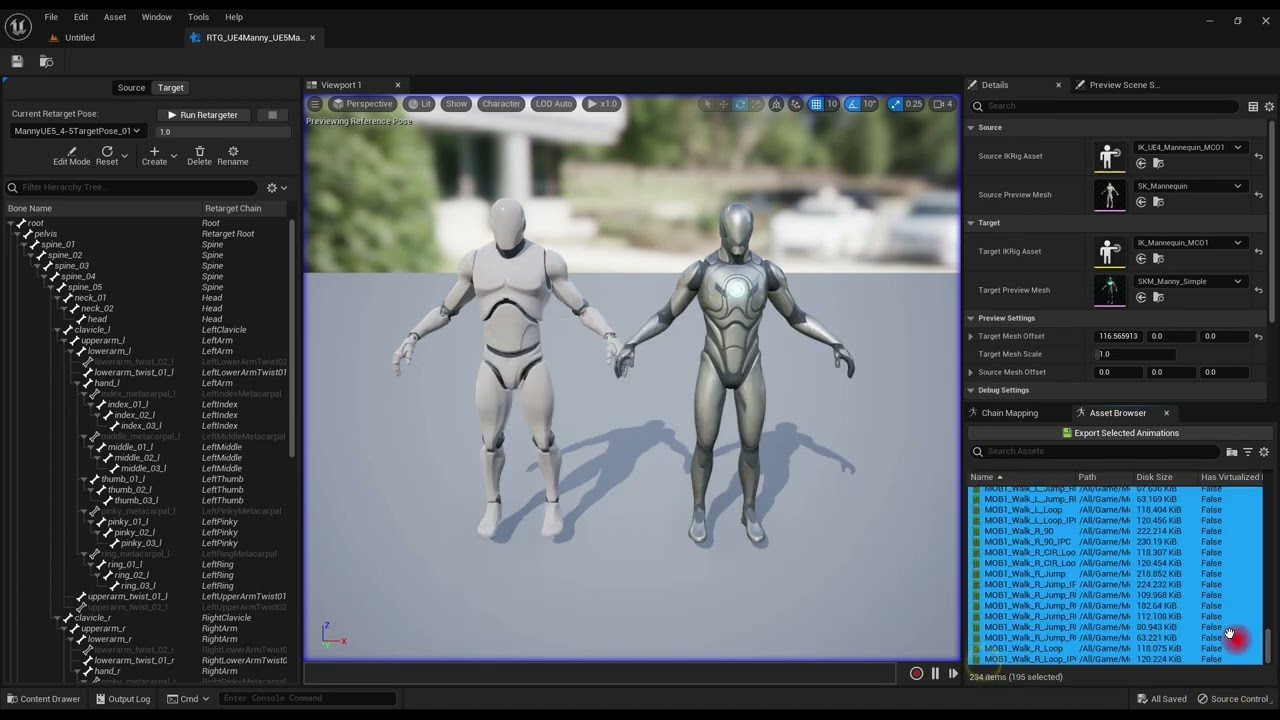
When using live retargeting, can I use a retarget asset like in the retarget animations tool somehow? I'd like to make some slight adjustments.
I can't find any documentation about this "retarget orig body anim mode" setting.

fast dew
#

(and post larger screenshots, my eyes hurt now :P)

ivory osprey
#

You can assign a child animBP a different skeleton, then use the asset override editor to change defaults (on a Sequence Player, for example). There are two options for child animBPs. "Create child Anim Blueprint with Skeleton" is what you'd expect to use, but this assumes you have a compatible skeleton, which is set in either the sk or skel asset. The other option is to make a child animBP, then right click and choose "Assign Skeleton". Now of course, if the parent references specific bones (transform(modify) node as an example), then it won't work in the child accurately. You can also use Linked Graphs to bring in even more modular functionality, but its a bit complicated and I would recommend looking at some Lyra talks that go way in-depth into those systems!

haughty girder
#

any idea how to apply sync markers over motion matching
I motion Matched Lyra Animations using state machines and motion matching tutorial and I am satisfied with the results but there is significantly noticeable bad blending between start and cycle

jolly hatch
#

Am I dreaming thinking that I can Retarget hand poses from the manny to the XR hand and vice versa , I am trying but the XR hands fingers are a mess

fickle silo
#

sorry im not too familiar with animating stuff yet, so cant give good advice. but apparently bones can add distortion to meshes. so for the cards i recommend looking up a tutorial on animating static meshes and trying to incorporate it into the same animation of the other object that has bones. tho idk how it works, i just saw a title on youtube about animating the movement of static meshes.

fickle silo
#

i have zero clue if this helps, but anyways https://youtu.be/CUjUikUQ0wU?si=eREplZxeocrROjda

Hello guys, in this quick and simple tutorial we are going to learn how to animate using the sequencer in Unreal Engine 5.
↪️Project Files: https://bit.ly/GorkaGames_Patreon
🏆My New Unreal Course: https://bit.ly/UE5_StealthCourse_GameDevTv_GorkaGames
🔥Discord: https://bit.ly/GorkaGamesYouTubeDiscordServer

Amazing FPS Shooter Course: https://bit...

▶ Play video
glossy vapor
fickle silo
harsh sail
#

yo guyys

#

where can I turn on animation loop?

quartz forge
quartz forge
#

you might need to also enable it in the animation blueprint

harsh sail
#

but still animation doesn't loop when playing

harsh sail
#

oh found it

quartz forge
#

I guess you have a the animation in a State in you animation graph

#

yeah that one

red pumice
#

Hello, have a question again
there any way to fill branch filters by some kind... variable?

dense saffron
#

I'm hitting an issue with modular control rigs in 5.4.3, when I add an arm or a leg node it puts the IK helper at the origin instead of extending out from the joint, this is happening with all the control rigs that were prexisting in the project, and with any new ones I create

hasty delta
#

Anyone know why I cannot create an AnimationBP of a given skeletal mesh? I have the goblin assets from I think last month that I'm trying to use but when I go to create an animation blueprint I can't find the SK_Epic_Goblin skeletal mesh in the list

#

oh wait I see it needs to be a skeleton not a skeletal mesh, well I didn't even realize there was a difference

#

ah it uses the UE4 manny skeleton ok

opal agate
#

The motion matching sample project has extra skeletal meshes on all of the character BPs that are not the base character BP. Anyone know why? Why not just use the Skeletal Mesh 0?

hasty delta
#

it really seems like I should just be able to use the skeletal mesh for the animation blueprint i don't get why that doesn't work

wispy tangle
#

hi. Why montage stop node doesnt stop montage?

#

from another bp*

naive mountain
wispy tangle
naive mountain
wispy tangle
#

Hi Some, how can i make animations have less effect on the head. I just dont want head bob. I dont want to add camera lag*

hasty delta
finite violet
near moth
#

Hips need to go sideways and also up and down

#

Spine also follows the hips and goes up and down

finite violet
#

I will see what I can do

hallow elm
#

WHAT?????
IS THAT NOT SINGLE STATE????

blazing wave
#

Is there a way within ue5 to remove rootmotion from animations?

ocean wharf
subtle thicket
#

There seems to be next to nothing in terms of how to align the player and play an animation for when you want to interact with something, say opening a door. All the guides or info I find dont talk about that
Or maybe I'm just bad at googling this very specific thing....
Anyone have any reaources or can point me in the right direction plz? I'm getting annoyed at this point

obsidian trench
opal agate
# obsidian trench The motion matching sample was showing you their new live IK retargeter showcasi...

I heard that performance rumor too, but I found someone running some tests on it, and apparently, the difference isn't really noticeable. Ofcourse UE is terrible at having lots of characters right out of the box. You really need some custom culling levels and such to make anything above 50 run acceptably.

As for the issue I was talking about. Changing the base/original skeletal mesh to the echo one makes UE crash when you run it, right after seemingly behaving as expected. The images show what I mean with multiple skeletal meshes on the inherited(retargeted) ones.

obsidian trench
#

It's not noticeable with only 1 instance running.. but it adds up quickly if you have over 10 on your screen.. because each one has to virtualize and calculate every bones translation every frame vs just moving the bones based off their native animation

opal agate
# obsidian trench It's not noticeable with only 1 instance running.. but it adds up quickly if you...

https://www.youtube.com/watch?v=8ryrzavNx3Q
Looks like the comparison I saw was on ALS vs Motion Matching, so disregard my earlier opinion.
Should be fine for just the player character though.

So in my last video a lot of viewers made some great points that would indicate my test wasn't entirely balanced. So I decided to redo it with Live Insights Profiling.

Join our Discord: https://discord.gg/38ceaJ67Eu

▶ Play video
inland ember
#

How do I edit animation with camera? I mean I want to change the animation but how do I check what it looks like with camera?

eager yarrow
#

Anyone know how to turn off the animation for turning in a vehicle without removing the ability to turn?

#

im using chaos vehicles

fast dew
#

how does one remove a function input in control rig? I feel like i've right clicked on literally every possible location and none of them let me delete it. I accidentally clicked the "+" button one too many times, now it seems like i have a permanent new input on this function lol

#

i love control rig but i cannot fathom why they decided to change so many basic UX standards established by literally every other graph editor in unreal

merry bone
#

I would like to say thanks again for the link! Just finished watching it and I can finally start working on my fps animations. 👍

sudden sedge
#

Is there a way to get the location of bones pre subtraction? I'm trying to do IK, and I'm trying to only affect height ik goal of a bone, but I'm running into an issue with feedback loops

#

when I set the world position of a bone, suddenly it doesn't keep the X and Y axis of the bone

lusty venture
red pumice
#

Hi, have a problem

If I'll make new "LayeredBlendPerBone" without LandingGear_09 and R_Suspension_01 in any other blend pose, but with tire bones, blend for tire bones under R_Suspension will work fine
but LandingGear_09 and R_Suspension_01 will became static, not animated

cunning salmon
#

guys, I messed the bone of the skeleton, and now my metahuman is stuck in A pose

#

I need help please

cunning salmon
#

It looks more like this

#

What happened was I downloaded a mixamo character and tried to assign the sk_mannequin skeleton with it, I clicked yes and everything, and it ruined the bones of SK_Mannequin.

#

I cannot use all animations I head for the starter content or anything.

#

What I need help on, is to get the bones of the mannequin skeleton reseted

lusty venture
cunning salmon
#

So, there's no way I can reset sk_mannequin?

cunning salmon
cunning salmon
#

It's all okay. I'm doing something different

#

Basically I'm doing a soft restart from a different project with migrated assets. Thanks for your help

ivory osprey
#

Control rig is silly like that EdenBleh

tropic root
tropic root
#

had to enable root lol

#

got it

fathom bluff
#

does anyone know how id be able to attach the tips of the cloth simulated wings to the hands during the gliding animation?

inland ember
# lusty venture if you're editing the animation in scene and have a camera set up in your scene,...

I know about this but my problem is that if I edit the animation in the animation itself. The change don't replicate on the scene. I even tried level sequencer but couldn't find how to do it. Do you have any tutorial that could guide me? I have a gun holding animation in my fps game. The animation is right in the middle but I want it to be on the bottom right, but don't know how to change the animation with live review as to how it would like with respect to the camera.

final orchid
#

is there any way of making vault and mantle with out motion warping

north plaza
#

im setting my speed here with the velocity and stuff

#

but when my AI stops it dosent blend to the idle animation

#

how can I smooth it out when it goes to the idle animation

azure roost
#

Does anybody know how to correctly set up control rig inside a character blueprint?
I have a modular setup with multiple meshes using the same skeleton and I have set them up to use "lead pose component", but is there a better way to do this?
Lead pose component currently crashes when raytracing is enabled, so I´d like to avoid it if possible.
If its not possible it might be a better idea to just work around it and simply use a non-modular setup for just the animation part.
So:

  1. Create the animation with the control rig blueprint.
  2. Bake to animation asset.
  3. Use animation asset in the modular character blueprint.
#

Another issue I´m having with the current setup:
I´m using a proxy mesh as lead pose master and its set to "invisible", but then if I want to animate using the control rig, the control rig is also invisible.
Is there a way to set the control rig visibility independent of the mesh using it?

spare venture
#

Hi does anyone know any good weapon animation tutorials for 3dsmax and unreal?

red pumice
cursive hollow
#

Does anyone have any advice for someone learning unreal 5 on their own how to do animations I am looking for a good straight to the point video explaining adding animations, creating Blendspaces or setting up state machines I bought a kit on sale called
Basic Survival Animation Pack
it has 582 animations so I thought it would be fun to go through using it to learn animations either using blendspaces and state machines or should I just use MotionMatching?? Probably will try to learn both ways because it has a lot of ones like cutting down trees and breaking up stone with a pick axe cooking in a frying pan I thing these will probably only work once I set up a fire place or have trees to cut down

cosmic roost
#

I'm trying to make Manny crouch (type "c" in the project settings), but I can't. I chose the free crouch animation from the store and imported it as the tutorial teaches, but unlike running and jumping, which work, this one doesn't. Where did I go wrong?Please help me, I'm close to giving up on learning this on my own.

#

I didn't find any part of the tutorials that teach how to create and add animation to the character, if anyone knows where this part is in the UE5 documentation I would be very grateful

steel pilot
#

I fixed my issues, I figured out the blendspace player and how to expose the pins.

steel pilot
steel pilot
cosmic roost
#

No

steel pilot
#

You should do that first, the event may be firing but the function “crouch”/“uncrouch” isn’t working properly.

cosmic roost
#

Where I find a Basic of animation tutorial to ue5.4 , I don't understand too much your explanation

steel pilot
cosmic roost
#

Always I find videos but they are different some way to my project

#

I imported

steel pilot
steel pilot
cosmic roost
# steel pilot https://dev.epicgames.com/documentation/en-us/unreal-engine/enhanced-input-in-un...

Well, I didn't do that, I wander from tutorial to tutorial and since they are very different, I end up not doing anything, I've tried to open ready-made projects but they are too complex for learning, the old UE4 tutorials are good to learn but I want to learn in UE5 since it has much more optimized resources, so I get lost, I don't know if I have to learn Blender and do everything from scratch or if I have to learn C++, I've tried countless times to create a study plan through chatgpt, but it's dumber than me.

#

I'm using the default third person project, is that the best way to start? I've already found these inputs in the actions folder

#

should I create another one here?

steel pilot
# cosmic roost Well, I didn't do that, I wander from tutorial to tutorial and since they are ve...

Right. If you want to learn the engine, that’s not a good way to do that. Many people who make those videos generally offer very hacky solutions that will not scale well. If you want to learn about player movement in general I recommend you look at making your own controller and trying to hook it up to a Pawn through an Blueprint Interface. The documentation that Epic makes is very good in this regard.

steel pilot
cosmic roost
#

but there is no sprint here, there is only jump, look and move? Do I duplicate move then?

steel pilot
cosmic roost
#

but sprint is already working so I did it wrong is it still working?

steel pilot
cosmic roost
steel pilot
# cosmic roost

Right. Then you can just save that and then open up your input mapping context. You can also open it up and double check that the value type is a button (bool). Setting the actual values of the keys should be done through an Input Mapping Context so you can ignore that bottom part.

steel pilot
cosmic roost
steel pilot
#

Add more mappings through that button. If you hit the little triangle on the side, you can also see where you change the keys that’ll call those actions.

cosmic roost
steel pilot
# cosmic roost

Yup. Now hit those triangles or right click and expand all. Then scroll down to where your crouch and sprint are and set up those keys.

cosmic roost
#

and now?

steel pilot
# cosmic roost well.. thanks but i dont find this too

https://dev.epicgames.com/documentation/en-us/unreal-engine/blueprint-interface-in-unreal-engine
This is one of the first things that pops up when you type Blueprint Interface ue5 documentation. I’d also recommend that you only call enhanced action inputs in a custom player controller and use interfaces to talk to the pawn, but for now you can just stick it in the pawn.

Epic Games Developer

Blueprints that declare functions to define an interface between Blueprints.

steel pilot
#

Triggered runs every frame, started when you first push it, and completed when you finish it.

steel pilot
# cosmic roost and now?

If you want to make sure it’s working, attach a print string to the started and completed nodes with different messages.

cosmic roost
steel pilot
cosmic roost
#

not crouching yet

steel pilot
cosmic roost
#

do nothing just display message

#

here animations

steel pilot
#

Not quite what I mean. Can you send me a screenshot of the crouch function itself?

cosmic roost
#

It was this skeleton file that I used to do the redirection

steel pilot
#

It’s a little important as it’s probably communicating with the animation blueprint.

cosmic roost
#

how to open it?

steel pilot
cosmic roost
steel pilot
#

The orange guys are your Anim Blueprint.

spare kiln
#

I'm trying to retarget a few animations, but I'm facing an issue, where while doing motion matching, the pose search database is not able to detect the trajectory correctly.

Image 1: Original animation
Image 2: Retargeted animation
Image 3: Animation in the retargeter, where some of the green circles (not sure what they exactly are) stayig in the middle, could this be an issue?

cosmic roost
steel pilot
#

What about there?

#

It should be the one called AnimGraph.

steel pilot
cosmic roost
#

unable, not is history here

spare kiln
steel pilot
steel pilot
steel pilot
spare kiln
cosmic roost
#

Thank you very much for your patience

spare kiln
#

"Success! The IK Retargeter is ready to transfer animation from the source, SKM_Manny to the target, SKM_Quinn"

#

but the green circles in the retargeter stay behind so i suspect is has to do somethign with that

spare kiln
spare kiln
steel pilot
spare kiln
#

but why would the pose search database then not be able to get the trjacetory

steel pilot
#

Huh. I wouldn’t be sure about that.

cosmic roost
spare kiln
#

because for the source the move

steel pilot
spare kiln
#

how does the pose serach database calculate the trajectory

cosmic roost
steel pilot
spare kiln
cosmic roost
# cosmic roost

There is neither sprint nor crouch there, but sprint works, I think because it is already standard and I didn't need to create it in the project settings.

steel pilot
spare kiln
cosmic roost
spare kiln
steel pilot
# cosmic roost There is neither sprint nor crouch there, but sprint works, I think because it i...

Right. I believe your issue stems from here. There’s also a lot of functionality that is being run every frame where you can save some performance by making some functions on update. As such, I’d recommend you “start over” when it comes to the AnimGraph. You don’t have to redo everything, just how assemble the animation information. Firstly, I’m going to ask you to see if there’s a walk/run blendspace.

steel pilot
spare kiln
#

after retargeting the animation moves of the center, what is that?

steel pilot
#

I don’t think the Pose Data Asset is getting any of the information of the bones that it wants, so it thinks nothing is moving.

spare kiln
#

No but the two animations, the first one is the original one the second one after retargeting

steel pilot
#

@cosmic roost If there is not, we’re going to have to make one.

spare kiln
#

why is the retargeted one not staying in the center?

steel pilot
cosmic roost
spare kiln
steel pilot
# cosmic roost I'm just ears and eyes

Right. Here’s the plan. We’re going to have one two way blend that two blendspaces that describe the character when moving upright and the other when he is moving hunched over. We will control the how he does that through the blendspaces by adding a function that changes on the update of the blendspace player.

cosmic roost
#

I saw about blendspaces in contentexamples but it doesn't teach how to do it

#

and look, I was just going to make him crouch down to do several other animations, like washing his hands, getting water, picking up things, making a fire, scratching on the ground, etc... I don't even know where to start, will I need Blender? Or will Controlrig solve it?

steel pilot
cosmic roost
steel pilot
steel pilot
# cosmic roost

There’s already some, but we’re looking to create our own so we don’t have to use those.

#

It’s also not set up in the way we like, so we can ignore them.

cosmic roost
#

double click here?

steel pilot
cosmic roost
steel pilot
# cosmic roost

That’s the one. I believe you’re using the “SK_Mannequin”

cosmic roost
#

Skmannequin

#

ok

steel pilot
#

Yup.

cosmic roost
#

done

steel pilot
#

Awesome. You can open up the axis through this to change the values, and drag any animations from the right to put onto the blendspace.

steel pilot
# cosmic roost

Also, you’re using the wrong skeleton. You chose the “Sk_Mannequin_Skeleton”, not the “Sk_Mannequin”

cosmic roost
#

so I didn't understand what axis this is or the other details of the asset

steel pilot
#

All good. The “axis” is this thing. If you drag animation here, you’ll see them there. If you hold CTRL and move your mouse around there, you can see the green X move and the mesh also change animations.

cosmic roost
#

some thing is wrong

#

This is the female mannequin, I didn't import the animations for it nor did I retarget it.

#

but I did it by intuition because I didn't have the same files as the tutorial here so I improvised

#

There are some files in red, does that mean they don't work or is it just a pose?

steel pilot
# cosmic roost see?

It’s actually correct. If you click the three buttons that are on the pink mesh button on the top right you can actually change the viewing mesh.

steel pilot
# cosmic roost see?

Those red files are actually pose files and I don’t believe you need them for what you’re doing.

#

@cosmic roost You’ll only need to retarget meshes that have a different skeleton. You can have different skeletal meshes that share the same skeleton.

#

My apologies for suddenly dropping, I had a impromptu test on Bernoulli’s equation.

cosmic roost
#

I studied mathematics but I don't even remember that 🤪

cosmic roost
steel pilot
# cosmic roost some thing is wrong

You’re about 3/4 of the way done now. Now you’ll need to drag the animations where the mannequin is crouched into the crouch section and the one where he stands in the standing section. I notified you of the axis earlier as we’ll need to change that to a larger number as that axis will represent the speed of the character.

steel pilot
# cosmic roost what's the right way to do this then? since I did it wrong

The mannequin that unreal engine provides is already set up properly and you haven’t done anything wrong. If you want to swap the “active” mesh, there should be a drop-down menu that occurs when you click the button with the three vertical white circles. This button should be to the left of the pink skeleton mesh button, which will be on the right side of the hotbar up at the top.

cosmic roost
steel pilot
# cosmic roost

Yup. Now you can go ahead and fill out the crouch anims and the stand/walk/run Anika into their respective blendspaces.

steel pilot
# cosmic roost is this?

Yup. We’re also going to need to add jumping functionality back into the animation, but we can do that later.

cosmic roost
#

What values ​​do you suggest to put on the axis?

steel pilot
# cosmic roost is this?

You should leave the minimum at 0 and the maximum at 600. You can then take your idle/stand and stick it at 0, your walk at 100, and your run at 300. If your animations look like they’re sliding, you can either shift the values up or down.

#

Then you’re going to do the same for the other one.

cosmic roost
#

I just dragged one, is it to pull more?

steel pilot
cosmic roost
#

So take this one off and put the other one on?

steel pilot
opal agate
cosmic roost
steel pilot
steel pilot
cosmic roost
#

deleting

steel pilot
cosmic roost
#

now crouchwalkidleIPC and crouchwalkingIPC

steel pilot
#

Gotcha.

#

Awesome. Once you’ve finished that, save all your files and go back to your AnimGraph.

cosmic roost
steel pilot
cosmic roost
#

ok i take some timo to read all this

steel pilot
# cosmic roost

You’ll get to the asset if you click on the pink button in the top right.

steel pilot
cosmic roost
#

in Mesh?

steel pilot
cosmic roost
steel pilot
#

If there is anything there, clear it from there.

cosmic roost
steel pilot
# cosmic roost

I mean you clear it from the skeletal mesh asset in here. You can do that by clicking on its right and clicking clear asset afterwards.

cosmic roost
#

in assset details?

#

I couldn't find this one

#

it's really in this window?

steel pilot
#

It’s in that window.

#

You can use the search bar.

cosmic roost
#

Search for clear?

#

I should make a index to this because i'm already lost.😂

cosmic roost
cosmic roost
#

this?just delete then?

#

I swear I looked in every possible search bar here

cosmic roost
#

disable "ABP_Manny_Postprocess"

#

this clear?

steel pilot
cosmic roost
#

i cleared here but same thing

steel pilot
cosmic roost
#

This was missing, I can't imagine what value to put so I put 0.1 as the minimum and left the maximum as 100, is that in m/s?

opal agate
#

What it might be called, that is.

steel pilot
cosmic roost
#

@steel pilot my friend, is not working yet...

steel pilot
cosmic roost
#

BP_ThirdPersonCharacter

steel pilot
#

Also, type IA_Crouch or IA_Sprint instead.

cosmic roost
#

you are a genious i never imagine this

#

kkkkkkkkkkkk

#

what i put in Actionvalue? bollean?

steel pilot
cosmic roost
steel pilot
#

Cancelled only fires in one specific instance where you cancel a button hold.

#

You’ll want to use completed.

cosmic roost
#

shit, dont work, and now dont ddisplay more a message

#

change project binds?

steel pilot
#

What did you set your key in there?

cosmic roost
#

but the messages started to appear again

steel pilot
cosmic roost
#

do not crouch

steel pilot
cosmic roost
#

yes

steel pilot
#

Awesome. Open up the AnimGraph.

cosmic roost
steel pilot
#

Once you do that, do a two way blend into the locomotion pose.

#

The B value will be your crouch blendspace player, and your A value your stand blendspace player.

cosmic roost
steel pilot
steel pilot
cosmic roost
steel pilot
cosmic roost
#

well is better rename it

#

maybe I didn't choose the animations correctly here

#

Shouldn't he first be standing up and then crouching down in idle?

#

and now i changed view and dont knows how to back to other

red pumice
cosmic roost
#

and now crashed UE5 😆

red pumice
#

just example for Elvl and Elvr

steel pilot
steel pilot
steel pilot
# red pumice just example for Elvl and Elvr

Damn, I’d recommend looking into control rigs for this. This goes straight into a layered bone blend, right? The first thing I’d look into is if an earlier/later position is overriding it and if the bone you’re trying to modify is in the layered bone edit list in the node.

cosmic roost
steel pilot
#

@red pumice But I’m not gonna lie, you’re probably going to have an easier time using control rigs.

cosmic roost
#

It was this asset that I downloaded this video

steel pilot
#

Right. This is the same asset that UE provides out of the box.

cosmic roost
#

so ?it shouldn't work?

#

control rigs or motion making? what is better?

#

But now I'm only going to start this other chapter of this story tomorrow, I've already been beaten up a lot today, my back is burning!😂

steel pilot
cosmic roost
#

thanks for all

#

hope is the last to die!

red pumice
red pumice
#

not your

silent ruin
#

I don't have 4.18 installed, but I assume these controls should exist since they are in 4.23

#

Good luck.

spare kiln
#

Hey guys, does anybody know, why for my retargeted animations, there is no trajectory generated?

red pumice
silent ruin
#

yeah it does that

#

the modify bone node

red pumice
#

no, need to do that by anim sequence

#

not modify bone =(

silent ruin
#

can you summarize the setup you are attempting? Its kind of hard to follow from all the stuff above

#

oh god I see what you are doign now

#

hummmmmmmm

red pumice
#

i need to make play animation by evaluate sequence by editing variable
there are for example Elvl variable, i need to make play animation by this variable only bones that will be related to it (in my case - L_Elevator, L_Elevator_01 and etc, i guess it is possible only by "layered per bone blend" node, and any other bones should be not affected by this)

#

i did that
but it have issues

#

for some reason even with blend depth 0 it affects to child bones

silent ruin
#

What you are showing me.... can be better done with pose assets

#

Like these floats you are feeding into the evaluators

red pumice
#

yup

silent ruin
#

are they like just controlling a specific 0-1 alpha of like the Elevator from rest to maximum?

red pumice
#

-1 to 1 actually

silent ruin
#

okay that's okay too.

red pumice
#

don't worry, i did math for this

silent ruin
#

Hummm, I would recommend pose asset.

#

since it handles these kind of "possible positions" really well

red pumice
#

in my case zero value is medium frame (if anim with 101 frames, 50th frames
-1 - first frame
1 - last frame

#

here's a problem
very outdated version of UE4
4.18

silent ruin
#

I see pose asset right there

#

can you show me like the anim sequnce yo uare using

#

want to get a feel for waht kind of data you are working with

red pumice
silent ruin
#

what this thing does, is turning every frame of An Anim Sequence, into "Poses"

#

and you name them

red pumice
#

yes

silent ruin
#

then turn them on/off etc.

#

So yeah, I think this will really streamline what you are doing with a whole airplane

#

than using evaluators

#

unless there are some special case I am not tracking.

silent ruin
#

yeah for pose asset

#

it just wants the first frame and hte last frame

#

then you can just animate a curve going from 0-1 for timing

#

How should I put it, it simplifies animation data, so you are no longer doing
"Store 98 frames of 12 bones rotating"
Instead it becomes
"Store 2 frame of 12 bones, with 1 curve telling them what % they need to do the poses"

Cuts the data down from
98 frame x 12 bones
to
2 frame x 12 bones + 1 Curve

red pumice
#

i have no idea how to use pose assets =(

silent ruin
#

you are telling these individual poses to turn on/off, with curves from your animation

red pumice
#

i have tons of "Pose_" poses

#

from 0 to 101

silent ruin
#

yeah you just need 1 and 101

#

and rename it to like tire_retracted and tire_extended

#

you may not even need frame 1 if it jsut matches the rest pose

#

you check it as additive on the left side, give it the base pose

#

then 💵

#

oh wait, it's already good since pose_0 is your idle

opal agate
#

Anyone have an example of Hand IK being used?

#

Just need to know how to feed it the grab coordinates.

#

Oh, nvm. I just hadn't selected the details tab. Whole bunch o' variables in there. I'll figure it out.

vapid matrix
#

Hi everyone, just joined here, sorry if this isn't the right spot to ask questions. I'm trying to implement a basic turn in place system based off of Lyra's implementation: bUseControllerRotationYaw = true, rotate the root bone by the yaw offset to keep the character looking forward; then, when the state machine transitions to the TurnInPlace state, it uses the RemainingTurnYaw curve attached to the state's anim sequence to reduce the yaw offset by 90.0f over the course of the turn animation. From the TurnInPlace state, the state machine transitions to a TurnInPlaceCooldown state that can either transition back to turn in place (if yaw offset is high enough), or it can transition back to the idle state.

The blend logic both ways between the TIP and TIPCooldown is set to inertialization, and I'm positive that is causing my problems because when I change them back to standard blend the problem goes away. Everything works fine in standalone mode, but when i use a server, the animation transition is messed up on the other client's screens (the ones who are not turning). For example, on the other client's screens at the start of the transition to the turn left animation, the character snaps to looking right some number of degrees, rotates back to looking forward, and then does the 90 degree turn to the left. How much he snaps to the right is determined by the mouse speed of the turn (if i pass the 50 root yaw threshold slowly it looks fine). And it also glitches worse while on a listen server than a dedi server.

I'm attaching a video below that shows what's going on, along with a couple screenshots of the animgraph/state machine. The issue can be seen on the left viewport. Apologies if I haven't given enough information, if anything is unclear just let me know. Cheers

viscid willow
simple vapor
#

I'm still abit puzzled on fps rigs for UE5, my fps rig has the hands and weapon seperated, so i have to attach the weapon to the hands by sockets in-engine.

I've heard another approach which is to use a designated "weapon bone" instead of a socket so that all weapons get positioned correctly, but i struggle to find information about this, would love a simple explanation or source that explains the process of using this method.

Another problem i have is my weapon is a double barrel shotgun, which while reloading requires the right hand(which usually holds the socket/weapon bone) to detach to grab new shotgun shells while the left hand holds the weapon. I'm guessing this could be an issue for other weapons aswell when pulling charging handles for example.

any help would be greatly appreciated

final orchid
#

How make vault and mantle without montages in state machine

naive mountain
topaz crest
#

Hi,

I'm testing around with control rig for the first time and wanted to try and animate the trigger of my gun in sequencer. However the trigger always snaps back to the origin. Are there any usefull tutorials for this case? Everything I find is for hand IK but not the weapon itself

silent ruin
tardy fiber
#

Is it possible to move frames in animation sequence editor? I see remove or insert options only

signal jasper
#

Anyone ever used the Scale Chain Length nose before ?

jaunty finch
#

Hey everyone

#

I'm trying to set up a simple rig for a tentacle so I can pose it in my scene

#

I followed a tutorial for a fullbody Ik, and I'm having issues with rotation. It seems the very tip of my tentacle can rotate, but none of my other controllers. How can I add rotation to the rest?

topaz crest
spare kiln
#

I've a question I was stuck for quite some time, and then figured out, that the Root source chain's translation mode was set to none, but setting it to absolute fixed it.

So the root chain is just part of the full body ik solver right?
But what is the translation mode and why is it set to none per default and why do i need to set it to absolute?

mortal granite
#

anyone happen to know why the retargeter in UE 5.4 doesnt properly include the additive animation references? once I retarget all of my animations that had additive references are no longer additive and my animations explode. having to go in and replace all the additives is very time consuming lol

spare kiln
pure mica
#

I have a character and some animation imported. All modeling, rigging and animation was done in maya and I wrote a exporter to clean out all the extra IK handles, IK/FK joint chains etc. so I know the skeleton is very clean.
I originally imported everything with a scale of 1, but decided the character was a little small and changed the Import Uniform Scale to 1.25 on the characters and the animations. This mostly worked but I have 3 or 4 animations that refuse to scale to 1.25 so when I play them he shrinks a little and then grows back when it blends into another animation.
Any thougths on how to force these animations to 1.25 scale?

rigid halo
#

what is the quickest way I can make this fish wiggle on loop? (I have never animated anything ever and this skeletal mesh is something I found online)

#

I can click on a bone and rotate a bit but idk how to make this into an animation sequence

#

I hope to do smth like create keyframes for each frame of animation for like 12 frames and call it a day

rigid halo
#

ok found out how to do some rudimentary stuff in this curve editor, but how do I change the y axis scale lol

topaz crest
eager yarrow
#

Whats the proper way to animate a simulated skeletal mesh while keeping its physical collisions?

#

not sure what approach to go with yet. For reference im doing this in multiplayer

viscid willow
topaz crest
viscid willow
viscid willow
topaz crest
#

yes. If I select the both Controlers, I want them to rotate around the one controler the gizmo is

#

yet they always stay in the same location and rotate idependently

viscid willow
topaz crest
#

the Weapon is parentet to the IK_Hand_R bone, a seperate bone not linked to the hands so it can freely move around

viscid willow
topaz crest
topaz crest
topaz crest
viscid willow
# topaz crest Just as an example how it correctly worked with this old plugin. Without this I...

"how it correctly worked" depends on who you ask 😅 Other animation software would behave the same way and rotate each object individually by default, unless specified by the user. For what you're wanting to do here you could look into Space Switching: https://youtu.be/nNG4f1kNd74?si=2d4B8o_vjK25S3Ky

Or Proxy Controls so you could drive one control with the pivot of another: https://www.youtube.com/live/t1YxqE6rtZc?si=bY9POw-15uR5AwSL&t=5803

Space switches in Unreal Engine are simple and powerful to use. Learn how to easily add custom switches to your Control Rig and why switching spaces will not compromise your existing animation.

▶ Play video

This week we'll be chatting with some of the team behind the incredible updates to animation & rigging in 5.4! Covering topics ranging from modular control r...

▶ Play video
vestal star
topaz crest
topaz crest
topaz crest
finite hollow
#

Anyone here got a laptop recommendation for mocap? Preferably something not Asus.

cosmic roost
#

Is it just me or did I retarget wrong here? I only realized this when I opened the walking and running animation "which works"

errant hearth
cosmic roost
#

thanks god i find a solutionhttps://dev.epicgames.com/community/learning/courses/2Lz/unreal-engine-animation-ecosystem-for-game-development/68oa/unreal-engine-blendspaces-and-the-analyze-tool

Epic Games Developer

In this course from the Epic Online Learning team, we explore the animation systems in Unreal Engine. You’ll learn how to import, retarget, and trim ani...

eager yarrow
#

Hey! Happy hump day! I'm attempting to animate a specific bone from my character that has a constraint attached to it. Whats the proper way to do this while keeping the constraints physics realistic?

#

here is a professional illustration I did to describe my situation

#

blue is a static mesh with simulated physics that is constrained to red which is a bone. Red a bone that Is part of my player pawn with simulated physics as well

I am attempting to move red up with a animation perhaps

honest geyser
#

I have a question about retargeting. Im using the Game Animation sample (UEFN Skeleton) and am retargeting those animations to the UE5 Mannequin Skeleton, but the hands do this weird mis-alignment thing when generating the new auto-retargeter, does anyone know of a solution to fix this?

pseudo pawn
#

Hello all!

I built a picker and animation tool for the Metahuman Face Control Rig - it allows you to select and animate any Metahuman Face Control Rig from the picker directly, using the WASD keys. This widget has really helped speed up my workflow, and I hope it does the same for you.

Short video explaining how it works: https://www.youtube.com/watch?v=mn4qp6ZAnks

Gumroad link to download: https://locodrome.gumroad.com/l/Metahuman_Face_ControlRig_Picker

Installation instructions are in the Gumroad content page, as are tips on usage and troubleshooting. It's all pretty simple and straightforward. Do let me know what you think - I will try and incorporate feedback and feature suggestions whenever I can. And if you find it useful, do please spread the word to anyone else that might find it useful too.

As promised, the Locodrome Metahuman Face Control Rig Picker is up on Gumroad as pay-what-you-want, so you can head over there now and grab it for free.

It allows you to select and animate any Metahuman Face Control Rig from the picker directly, using the WASD keys. This widget has really helped speed up my workflow, and I hope it does the same...

▶ Play video
Gumroad

Have you ever tried to animate or clean-up mocap with the Metahuman Face Control Board? The individual controls are hard to see, and often impossible to select - and that's when you know which control is which. This is the solution to that problem:An intuitive, easy-to-use control picker for any Metahuman face control rig in your Unreal Engine s...

boreal lintel
#

Hello all,

I've got a dog model, and when I get close to an object I want it's head to move to the object. I'm using an IK system and have the IK chain set-up as the neck and head bones. When I set the IK target to the world location of the target object, it breaks the model completely. Turns out that is because the IK system uses rig space and not world space. When I'm converting to rig space though, what position should I use as 0,0,0? The root component? Or the beginning of the chain?

#

I've been using the root bones inverse transform to convert the world space of the target to root space, however it doesn't work, seems to have the opposite effect if anything

viscid willow
boreal lintel
#

I'm writing the code in C++, so using the FTransform of the root component, but if you only know BP it's no issue, as I can work out what those nodes are doing and replicate.

#

I don't have a video, not sure what the disclosure rules are on this project, I'll ask.

#

So, the white circle is the IK target (in world space)

#

@viscid willow the head should be closer to the target, but it is miles away for whatever reason...

viscid willow
#

poor dog haha yeah I guess I would debug and see what values are actually being applied to the head.

And yeah I'm not experienced in C++. I take it you're not building this in control rig?

viscid willow
boreal lintel
#

Nice one thanks, I'll take a look

#

I think it might be that the transform of the bone is aligned differently to the target...

runic kayak
#

Hii
How to save a animation/pose assist so I can use on other characters in the unreal?
I can’t seem to figure it out 😭 help

balmy slate
naive mountain
#

Pretty

#

Its a frog

wraith swallow
#

Does anyone know why setting a montage blend mode to "Inertializaton" results in it not blending at all if that montage is being played on an upper body slot? Aka it's using a Layered Blend Per Bone node in the anim graph. I tried putting the Internalization node right after the layer blend, also right before it. But in the montage itself, only the Standard blend mode actually blends.

Montages played in slots that aren't before a Layer Blend Per Bone work just fine with Internalization.

sacred helm
#

Hello guys, question, how can I make it so that every time the sequence is executed it starts from 0 and not in the final position. thank you

viscid willow
rose moth
#

I have a rigged character from maya in FBX I would like to import it into UE5.4 to retarget animations to it also i wanna be able to manually animate the character with a rig control if possible,and the character also have already facial sliders to animate the eyes and mouth. How can I achieve this?? if theres a good tutorial out there can somebody please point me to it. Thanks everyone

misty dagger
#

This is to rotate the spine, but how do i Make it ONLY rotate in the YAW direction? I do not want roll at all, makes it look really wierd.

zealous viper
#

how do I setup a aim offset with blendspace?

#

the blueprint is not working for now

wheat charm
#

blend by bone layers?

zealous viper
#

using
I need something to get and set the aim angle to input to the blueprint

wheat charm
#

Then you have to use find look out rotation I think.

#

Get the yaw and pitch to input to your anim bp

fathom bluff
#

So, here for the wings im using 2 meshes.. one with cloth data and one without. Im hiding the simulated mesh and showing the animated mesh when gliding, does anyone know of a way to contain it into one mesh? or is this my best option? thanks

zealous viper
fathom bluff
#

No the skeletal mesh with cloth data wouldnt respect the pose or weights of the rig so i had to use a 2nd mesh and change visibility

misty dagger
#

Just want to lock the roll to not be used, on the LookAt in the anim bp

spiral sun
#

hey there i have make animation in blnder it is working fine in blender but when i am importing in unreal engine there is no animation while i have watched many tutorials is there any way

#

can anybody tell me what i am doing wrong

dense ibex
#

How do I properly export and import animations from Blender to Unreal? my pose looks like this in Blender however ends up munted in Unreal

#

it looks like maybe some bones just aren't getting animated

dense ibex
spiral sun
spiral sun
# dense ibex but I keyed all bones so idk whats happening
spiral sun
zealous viper
#

how to get ue5 to update animation all the time?
I spinned my gun but if I don't move the animation won't update

zealous viper
# spiral sun i have solve that isuue but now the knew problem is the scale of my animation is...

first, make copies
put them everywhere in your pc
(in my case, I nearly lost my progress because exporting make my mesh super large after and impossible to return, so the suggestion)
it's probably a keyframe problem
I don't think you can see the bones directly in ue5 so I assume your mesh's size exported may be wrong (too small or too big to see)
you may have to try applying transformation and then exporting

sturdy plume
#

I'm learning rigging in blender thanks to the vfxgrace course and I'm pretty happy with the results, it's super interesting but sometimes very frustrating if there's a problem with the rig x)
Here's the preview of the body with an auto skin (next step is the facial, then blend shape and skin correction)

The way the rig is built is not really optimized for a game so the next step is to learn how to make an optimized rig for unreal!

viscid willow
misty dagger
topaz crest
#

Any suggestions on how to fix the retargeting issues?

Wanted to retarget my UE 4 Weapon/Arms Animations to the UE5 skeleton with the retargeter from the 3rd person template. Hand pose and IK bones are kind of messed up. Other marketplace animations on the other hand translate perfectly. Any idea why?

heady vault
#

Hey, sorry for the out of the blue ping, I was wondering if you eventually figured this out? I need to get some looping geometry cache animations to play inside a sequence and I can't find much info

misty dagger
#

yo

inland ember
#

Hello, I inherited from a custom animation blueprint but now I can't find the anim graph? And how do I call super in here?

jagged peak
inland ember
#

What is this binding?

jagged peak
# heady vault Hey, sorry for the out of the blue ping, I was wondering if you eventually figur...

https://youtu.be/_RqRsHvpFE0?feature=shared

skip to 4 mins in this video

Support on Patreon: https://www.patreon.com/dannylaursen

Learn to render Vellum simulations from Houdini in Unreal Engine 5. Set up lighting, cameras, and high quality render settings using UE5 ray tracing for VFX / motion graphics quality. This tutorial is aimed at intermediate Houdini users who are new to Unreal Engine.

UE5 and Houdini proje...

▶ Play video
heady vault
simple vapor
#

anyone know what would be the best way to implement the animations for dual wielding different types of weapons? ( shotguns with pistols, pistol with knife etc...) Im new to animation so I dont know the best way to use procedurals or gun bones.

bitter stream
#

Has anyone experienced the walk animation skipping when testing it? My character starts to walk with a skip and I cannot find a solution

zealous viper
#

Found out more about my problem
mutliplayer game, animation running as normal, unless the aim offset won't get replicated from client to server unless the pawn is moving (there's a bottom body animation)
linking upper body and bottom body with blend layer by bone

stray scarab
#

Not sure if this is the correct channel to ask, but I'm really struggling with positioning sockets correctly to make my weapon looks good with the animations that I have, does anyone have some resources for how to better handle this? It feels like no matter how I try to line the weapons up with the anims, it's always wrong.

For example, in this animation pack look how smooth this preview looks on the SkeletalMesh: https://gyazo.com/a794afa5b693f8dfa54c4cbc93f5e67d

But there's no sockets anywhere, I don't understand how the weapon is resting on the back and then attaches to the hand mid-preview. Nothing is making sense pepeHands

viscid willow
viscid willow
viscid willow
#

You first need a sequence player node. From there you can expose the sequence pin and promote that to a variable.

viscid willow
#

This is a pretty complicated topic. But if you're wanting each arm to do something different I would suggest you look into the layered blend per bone node. If you're wanting both arms to hold a weapon checking out this video: https://youtu.be/vZW8mxlQJEk?si=iQEpk4Q1XhapSuJN

The topic is all about retargeting but it shows how the IK bones are used and should give you some insight into how you might want to use them.

Senior Gameplay Programmer Laurent Delayen explores animation retargeting and what it can do for improving your animation workflow.

▶ Play video
stray scarab
# viscid willow Im not sure what the bone setup is here but if it's the mannequin my guess would...

I think you’re right as the IK Gun is mentioned in the asset description, however my results are completely different. Does UE4->UE5 anim retargeting break the IK? For example when I set the weapon under the IK it doesn’t stay attacked to the back, it’s always following the hand.

It also looks like there’s no sockets in the example, the weapon material is added to the materials away, and there’s only bones in the examples provided by the animator. No preview assets. (In the gif I sent earlier)

I’ve reached out to the animator to see what’s going on here, I think I may be fighting a losing battle.

noble aurora
#

hey is there a way to get twinmotion animated people into Unreal engine ?

hardy plume
# silent ruin Hummm, I would recommend pose asset.

Hello. Sorry if this bothers you. However, when you suggested to Kosnag use Pose Assets and your suggested Curve to blend between two poses to reduce data from total frames, I got curious. Decided to look up some tutorials on how to use pose assets only to find that I couldn't find much of anything. Do you have, by chance, any good tutorials I can follow to learn about pose assets and blending with a curve as you suggested?

hardy plume
# stray scarab Not sure if this is the correct channel to ask, but I'm really struggling with p...

Sockets don't come with rigs normally, you have to create those custom. If you go into the skeleton asset, and click on a bone in the hierarchy, you can right click "Add Socket" you can give the socket a name for BP usage later. And then before adjusting the socket, give the socket a preview mesh, use the one you plan on attaching to the socket. From there just adjust the socket Transform (Location, Rotation, and Scale) until the prop looks the way it's supposed to. From there, when you play the animation, use AnimNotifies or BP code, either one works, to attach the weapon to the Socket you made, and that should be enough most of the time.

stray scarab
#

The anim doesn’t match the example

#

I think it’s an issue with regather

#

Retarget*

polar geyser
viscid willow
stray scarab
viscid willow
# hardy plume Hello. Sorry if this bothers you. However, when you suggested to Kosnag use Pose...

Typically pose assets are used for facial animation which relies on a pose asset and animation curves to drive that pose asset.

The animation sequence should contain all the animation curves necessary to drive each pose and each curve would match the name of each pose.

You can import animation curves with your animation sequence and import sequences which are curves only so the skeleton has no bone tracks but the curves are available to be used to drive a pose asset. https://dev.epicgames.com/documentation/en-us/unreal-engine/animation-pose-assets?application_version=4.27

Epic Games Developer

Describes the Animation Pose Asset which can be used to drive animation through weighted curve data.

hardy plume
viscid willow
stray scarab
# viscid willow From what you're saying it sounds as if there was version of the mannequin skele...

Yes, the weapon comes with the pack. Found here: https://marketplace-website-node-launcher-prod.ol.epicgames.com/ue/marketplace/en-US/product/greatsword-animset

The pack clearly states Please attach the weapon model with "ik_hand_r" , and return the location and rotation to zero.

When I do this as-per the instructions, the default state looks like so (Image 1) and the animation preview looks like this:
https://gyazo.com/ee48c445ab6a840322a67f8091309452

The state being what he askes is shown in (Image 2)

The Mesh provided with the pack (UE4 Mannequin) has a different default weapon starting spot (Image 3) and there is no socket placement (Image 4) Instead it has the greatsword in the Material Slots (Image 5)

The difference between the original and the retarget can be seen here: https://gyazo.com/2f2f8557e452254954b1757211ebd55c

#

You can notice immediately on the UE5 version the IK_Hand_R is in a different spot than on the UE4 at the same frame of the same animation.

#

Something is definitely off

#

When looking at them side by side there's no obvious difference

(Left UE5, Right UE4 from animation pack)

plain bane
#

Can I export/retarget any animation to any character in ue5 or is there a limitation?

river lily
#

I've tried modifying a control rig to do left hand placement, and it seems like it works in the control rig preview, but in the anim bp and game it seems like the shoulder is not positioned relative to the current pose. any idea where to look?

atomic timber
#

Hiya!! Does anyone know of a way to stabilize a first person camera?
(For context, in my game you can switch between first and third person mode — the first person camera is attached to the players head, but it moves with the animations and causes motion sickness.)
Im looking for a way to still have head bobbing, but just, much less than the animations

analog hound
#

out of curiosity , how does unreal normally do real time lip sync?
back in unity i had this asset https://assetstore.unity.com/packages/tools/animation/salsa-lipsync-suite-148442?srsltid=AfmBOoo5xTLnexQ9bqJZlGu3cwRPdy92h1q1qPRJOGDUdFdjMPU2UOfc
witch was nice because I could i could just drop in an audio file or type out a sting and the asset would calculate the the lip flaps in real time.
but what would the unreal equivalent be ?

Use the SALSA LipSync Suite tool from Crazy Minnow Studio, LLC on your next project. Find this & more animation tools on the Unity Asset Store.

#

just about got everything I had in unity rebuilt in un real lol

hollow moat
#

Hi could someone help me on how i would make it so the hand actually removes the mag instead of hovering over it. I cant find a single tutorial on this.

#

I do not know why its so laggy sorry for that

nimble jay
#

So I've tried rigging my custom character to the unreal skeleton, and I continue to get this weird scrunching effect on my shoulders

#

How can I fix this?

naive mountain
raven stratus
#

I want to change location ( Y from 0,21 to -0,21 only location, not rotation or scale) of a certain track and apply to all keyframes in this track at same time, is this possible?

#

I'm new to sequencer so sorry if I sayd something stupid here

lusty venture
#

another way to edit just the location is within the graph editor by selecting just the Y curves and setting the value

raven stratus
lusty venture
#

maybe try viewing your curves in the graph editor then and selecting using ctrl a?

raven stratus
#

As I sayd I'm new to sequencer so I'm trying what you told me to do, I'm trying to use this "tool option" box to change it and ALMOST worked, but it refuses to set in -0.21 for some reason, it always go back to -0.19

hasty lodge
#

Good evening;

i have a question about the sequencer, i made an animation that worked great i saved everything of course and restarted the engine

since this restart my character just doesn't make animations anymore he just stands still

but the animations are still in the sequence
This only applies to my character and not to the SKM Manny

raven stratus
lusty venture
lusty venture
hasty lodge
#

but after the restart the character mesh is not following the animation

hardy plume
# nimble jay

This scrunching problem isn't an animation issue, it's a modeling one. You're getting that scrunching around the shoulders for 2 major reasons: number 1, the model itself is very low poly. Increasing the poly count will fix that. However, given your name, I understand you may not want to do that. The other is because the model is a solid mass, which if you divide the model into pieces that might help a lot. So I offer two suggestions on how to fix it without increasing polycount too much: number 1: if you add an additional set of vertices around the shoulders, like one loop on either side of where the scrunching is occurring, that'll reduce the total amount that's there. This will increase your poly count slightly but will yield some pretty good results if you want the mesh to all be a solid piece. This is the easier of the two solutions.

However, if you want to get rid of the scrunching entirely and you don't necessarily care about the difficulty of the solution, another thing you can try is to separate the joints out as separate objects or meshes on the same rig. Think of it like the joints on a toy: if the shoulder is a big dome that overlaps the torso instead of being directly attached to it, then when the arm moves there will be no scrunching at all. This is the reason that this was the preferred method of modeling for games on the PS1, N64, and occasionally even the PS2, GameCube, XBox, and DreamCast. It just looked overall the best for the total amount of polygons you got out of it.

If you're looking for a way to fix it via animation, then I'm afraid I don't know how to help with that because this isn't really an animation issue. It might be possible to fix with twist bones but the ones that are in the default UE4 and 5 Mannequins aren't enough to fix this issue and adding more will require a custom rig rather than the ones that are already there.

Just my two cents.

nimble jay
#

Retargeted is on the left.

silent ruin
# hardy plume Hello. Sorry if this bothers you. However, when you suggested to Kosnag use Pose...

I'll type out the setup:

  1. Pose your desired poses on individual frame of your animation. You can have a single anim sequence holding a ton of Poses.
  2. Right click on the Anim Sequence, and Create->Pose
  3. The pose asset is now created, with each frame named Pose_0 -> Pose_99 -> Pose_200 etc. As pose as frames on the animation you used to creat the pose asset.
  4. The Pose_0 and the rest can be renamed as needed to better describe what they are for.
  5. Now you need to use the** Pose Driver** in the ABP. It will read the pose asset, and turn them on by adding curve matching the pose name.

https://www.youtube.com/live/_VGr4nmEuRg

This guide is pretty promising.

In this Unreal Engine Blueprint Tutorial we will be taking a look at creating Pose Assets, but not just pose assets! We go into Anim Blueprints, control rig...

▶ Play video
hardy plume
hardy plume
nimble jay
hardy plume
# nimble jay Looking pretty good for now. Yeah I know what you mean about the separate meshes...

If you overlap and texture them right, the overlaps are barely noticeable too. Granted they're a lot more noticeable these days, PS1 models of that sort in particular. But if you want an example of a game that does this that's also not super noticeable, I recommend looking at Dead or Alive Ultimate 2 and Dead or Alive 3, two XBox games that do what I'm suggesting but in a way that it's almost hard to tell that they're doing it unless you're looking super close. I could recommend Soul Calibur or Tekken as well but I'm not sure that they're doing the same thing. The 6th Console Gen ones anyway.

nimble linden
#

I'm using the first person .blend arm rig but every animation I export is rotated 90 degrees to the right of the character, everything is applied and perfectly fine in blender, any ideas?

hardy plume
# nimble linden

Your Forward and Up Axes in the Exporter need to change. If you're exporting from blender, change the forward to -Y and Up to Z. That should fix this right up.

nimble linden
#

For some reason the camera in blender does NOT match the unreal engine one, I figured they'd be 1:1 since it's the rig file but maybe it's outdated

#

I have spent like two hours trying to figure this out and there is nothing on google about it 😭

#

The blender camera FoV is *95, Unreal is 90 but that doesn't change anything

hardy plume
# nimble linden For some reason the camera in blender does NOT match the unreal engine one, I fi...

I'm not sure. I don't usually export cameras from Blender to Unreal. What I find is that it's better to export just the mesh and rig on their own and attach the camera later. Once you're in Unreal Engine, you can just create a CharacterBP, insert your Skeletal Mesh Component, then since it's First Person, add a camera component and just attach it to head and adjust its transform so that it's the same height and just in front of the eyes.

As for a guess as to why this is happening, I think a contributing factor is that Unreal Engine handles axis codes real different from other programs. In Engine, X is the forward axis, and that is still true. However, the way the X Axis is coded in terms of orientation makes it more similar to Unity's -Y Axis. This is fine when importing from Blender to Unity but in Unreal, if you export a Mesh with X-Forward, it'll be rotated somewhat. So you want -Y forward. I don't know how much this applies to the Camera though. Using Blender always presents issues when exporting Cameras from itself to a standalone game engine so it's better to handle the camera inside the engine itself from my experience.

nimble linden
#

Maybe it's the .blend files fault, I didn't create this .blend

#

I'm a complete amateur when it comes to animating and unfortunately my years of experience with asset making doesn't help so the fault is most likely on my end

#

alright sorry I completely wasted your time, it's definitely the .blend file I should've known to not trust a random .blend from a tutorial

hardy plume
# nimble linden Maybe it's the .blend files fault, I didn't create this .blend

In that case, you'll want to go into the scene settings and check for the Units. You want the Units to be Metric and set to .01, that should fix any scaling issues. However, from the looks of this, it looks like the Camera might be a parenting issue. If you look in the Camera Settings, it'll say somewhere that it could be parented to a socket. If that value says none you want to change it to the head. That way it'll move with the head of the rig. Your rig also should have a head bone for things like this and for future animations even for First Person games.

nimble linden
#

adjusted the arms and it matches

hardy plume
#

Alright, awesome.

nimble linden
#

If you never need help with modeling let me know, I owe you for the rotation

hardy plume
#

No problem.

ruby jay
#

Hi all. Im trying to bring a cc4 character, into blender, then into unreal, with a head and without a head so that when i toggle to first person, the head is removed (so you cant see the teeth and eye balls when in first person)

when i bring them together i can never get the neck to line ur right...
Anyone have any fixes/work arounds or ideas?
thanks!

nimble linden
#

the edges do not line up to begin with, check your modeling package

#

I think that group of faces aren't being exported

ruby jay
#

cheers tarkus, the tutorial i was following urged me to delete hidden faces, ill try the export with out that option selected

nimble linden
#

Yeah you're missing those

ruby jay
#

cheers brother

nimble linden
#

Np

zenith pewter
#

im new to Control Rigs so I apologize if this is a simple question but is there a way that i can get the head bone to look in the direction of the camera rotation? I've been trying for a bit now but nothing seems to be working

viscid willow
# zenith pewter im new to Control Rigs so I apologize if this is a simple question but is there ...

For something like this you would need a target position to Aim at. So a transform that is projected ahead of your camera and character that you can aim the head at.

For something like head look I would very much suggest using an Aim Offset instead so you can drive the head rotation with poses, this way you have more control over the poses your character will hit and you can calculate a pitch and yaw in BP and just feed that into the Aim Offset instead. You could base that rotation on the Character>ControlRotation which should correlate to your camera input rotation.

analog hound
#

Nvidia are you shady ?

wild pine
hasty lodge
#

Hey guys ,
I have a problem with the seuqencer - I added my metahuman, deleted the control rig and then tried to add animations that I matched with motion blending

now when i try to render the video my metahuman just stands still and doesn't move but in the viewport i see the animation running as seen in the video

somber glen
#

Hey folks!
Anyone have any idea on how could I animate the bones on this model to have a sort of "recoil" when shooting?
I need to control how far it goes and how much this whole animation takes.
I don't think creating a traditional animation (animation clip/track) would be the right approach. I think something procedural™ would be the right thing to do.

Anyhow, any ideas?

dry grail
#

Any idea why the bones in my animation are jittering like this? Pretty sure the FBX is fine as I don't see jitter if I import it into blender.

crude pawn
#

Is it jittering? not just the gun? 🤔

dry grail
#

the bone the gun is attached to is jittering

dry grail
#

changing the import uniform scale to not be exactly 1 fixed it 💀

#

setting it to 1.0001 fixed it

rare birch
#

When should I use the property access on animgraph?

rare birch
#

You could be searching for the sequence player node?

valid sedge
#

Hello guys, I'm having this problem when switching from fk to ik, the legs is bended in a really weird way (right leg ik, left leg with the blue circle fk)
I've tried checking the skin weight but it's not fixed. And this only happen when I switch to ik.

Here is my ik setup, it works fine with the arms, I've also tried changing the primary axis and 2nd axis but it's still not working. Anybody has any ideas about this?

umbral goblet
#

Hey guys I have a problem. like everyone I think

#

my spaceship's cannons doesn't work properly with mouse aim.

#

it's a simple code but however, one of the side of the ship while seated to control, doesn't work.

#

surely is something missing easy

#

if someone could share his experience, will be glad.

#

it's a simple branching

#

then a line trace based on actual active camera

#

but idk why, one side not working

#

the actual anim graph

#

and so on for every cannon

topaz vessel
#

Hello,
I'm in UE5.4.4 and encountered the same bug today, GetCurrentAnimationTime() always returns zero.
Have you found a way to solve this issue?

stuck dirge
#

I can share a gist of my solution if that helps.

topaz vessel
topaz vessel
stuck dirge
#

Can do that too 😄 I'm not protective of my source though. Here's the conceptual gist of it:

  1. I created my own class derived of UAnimNotifyState
  2. Since the amount of notif instances can vary (generally there's one and it's just applied, I believe); I am tracking every instance manually. I do this by maintaining a map.
  3. Disclaimer! This is not yet generalized, I just used it for this one notif type. You could with little effort make it a generic base class, UTimedAnimNotifyState or w/e.

Gist: https://gist.github.com/Muhwu/f8a0af8ab2509095667bc917ca2b7634

Gist

Example of an AnimNotify that tracks time in Unreal Engine 5 inside an animation montage - TimeDilation.cpp

#

@topaz vessel Hope this demonstrates the idea. It's in the context of a time dilation script that takes in a curve and bends the time relatively to slow down animations for more oompf without having to change the underlying animation itself.

#

Guess now that I opened this class in the first place - maybe I'll just go ahead and create that generic base class since I reckon I will need this in future projects as well. 😂

topaz vessel
stuck dirge
#

No problem! Hope it helps!

#

Word of caution though - if you have overlapping animnotifystates of the same type in the same montage, you'll likely get undesired consequences.

#

You could guard against that and produce errors and/or not execute. 🙂

#

So it's not perfect 😬

topaz vessel
stuck dirge
#

So the tracking currently stores one "instance data" per mesh component. If you have two overlapping one, the second would overwrite the instance data.

topaz vessel
#

oh there will be data racing, i see

stuck dirge
#

So it'd mess up the time tracking for the first one.

#

Yarp.

#

I don't recall if the FAnimNotifyEventReference has more identifiable information inside like some kind of unique ID you could use to key instead with

#

but iirc, it was just all empty linkShrug

#

I should probably check thonk

#

It'd be nicer if it had a unique animnotifstate id or something instead of keying the Map with the meshcomp.

topaz vessel
#

I'm only keeping the accumulated result per anim notify state instance (for input buffer) - what you're doing is a lot more complicated than what I intended to do XD.

stuck dirge
#

hahah ok 😄

#

Yeah, I'm just thinking of a solid solution I could use everywhere. The above is certainly enough for my current use case.

topaz vessel
stuck dirge
#

No problem! Happy to help where I can.

#

Feels good to have my struggle help someone else. 😄

#

@topaz vessel Fwiw, it does seem like there's a *EventReference.GetNotify()->Guid.ToString() which appears at a glance to be a better solution in case you change your use case later.

topaz vessel
granite arch
#

Hey we are using GeometryCaches to get animation into unreal 5.3, quite often when rendering the Caches freeze for 2 frames after 18-20 frames into a shot... has anybody seen a similiar behaviour and has a potential fix ?

pseudo dagger
#

heyo, is this the help channel ? im importing the animation from blender FBX to unreal, first there was an root error, so iadded root bone to my rig, nwo it exports wihout an error but there is no animation, just T pose

polar geyser
# polar geyser This MetaHuman - Mixamo animation issue may better belong here - so see link bel...

FYI - I think I've about resolved this. Note I've been avoiding using the Mixamo Converter as wanted to stay within the UE too chain. Here's what I learned:

The automated retargeter uses the default T-Pose, and it seems that using the T-Pose as the retargeting pose to go from Mixamo to Metahuman presents problems with the clavicles - hence the shoulder/shrug problem.

I found that by importing and using a more natural / relaxed pose (closer to idle or A-pose) within the Retargeter, these issues largely go away.

I'll ultimately document this further for myself (so much of what I learn I forget while figuring out other stuff!) - if anyone wants more details, let me know.

outer garden
#

Is it possible to have Groom as a skeletal mesh? I want to have the Groom quality, but make it posable. I just don't want to rely pn physics.

sour kiln
#

hey guys ! do you know if it is possible to have the actor movement influence all the control rig's controls? (set actor location), it can help to benefit from the spring interpolation of control rig without access the controls themselves

fast dew
#

hey guys, general rigging/weight painting question for you experts- how does one properly weight a forearm so it doesn't A) twist into a knot or B) lose massive amounts of volume? I have a twist bone halfway up the forearm between the elbow and wrist, and I feel like I can only either get it to knot up like you see in this screenshot or smooth out the weight between the forearm bones to the point where it loses massive amounts of volume when the twist happens. I've got the forearm topology following the 'crossing' nature of the radius/ulna which I've read is supposed to help with this?

somber glen
#

Can I use animation montages in animation blueprints with NON "character" actors?
Every single post, tutorial, article, etc. "teaches" how to do stuff with characters only. I don't have a "character", I have a very specific skeletal mesh that I wish to blend animations, and I just can't.

somber glen
#

I'll ask more specifically: How can I blend these 4 animations? This thing shoots fast, so I need to blend animations so that it Looks like all are independent.

I tried using "Layered blend per bone", but it is not working, animations are not blending.

PS: please, I'm desperate

viscid willow
somber glen
viscid willow
cobalt sparrow
#

I imported a custom animation and the character is floating? I checked the roots and they all seemed fine in blender. Any ideas?

viscid willow
cobalt sparrow
#

Ah okay

viscid willow
cobalt sparrow
#

Oh shit I didn’t even know that existed

#

Thanks

#

I’m trying to figure out how to switch different blend spaces from a normal mode to a combat mode kind of and I ran into this problem when importing animations

viscid willow
#

Otherwise if the floor remains misaligned or if you pull this mesh into a scene and they're floating you might have issues with your bones.

cobalt sparrow
#

Alright thanks

#

Just gotta figure out how to switch blend spaces in game and I can check

viscid willow
cobalt sparrow
viscid willow
cobalt sparrow
viscid willow
cobalt sparrow
#

I’ve went through some stuff and I couldn’t pin point it, I can send some screenshots of what I’ve done tomorrow, it’s like 11 for me

viscid willow
#

np, if you have more information, happy to help solve it

cobalt sparrow
#

Thanks man

warped warren
#

Hey guys, How do i go back to my Default idle state after Animation asset has finished playing in ABP ?

ashen onyx
#

Hey!
Is there a way to export the animation of a mesh that's attached to another one? I've tried baking the animation, but it seems the attachment isn't being considered :/
Thanks 🙂

signal gate
#

Hi I'm trying to play an anim montage for the first person arms (the default rifle shoot one) but I can't seem to get it to play. This is the abp I'm using.

#

Also I'm having an issue where animation sequences I am importing are locked at 60000 fps. I've tried manually setting them at 30fps as well as exporting and reimporting them but neither have worked.

azure roost
#

Has anyone seen this video on building your own custom modular control rig module?
https://www.youtube.com/watch?v=eMRmLnqd8sw&t=1289s&ab_channel=AskADev

I just can´t figure out what I´m doing wrong or what I´d need to change, so my control gets parented correctly to the parent control from the previous module.
(I´m trying to create a jaw control for a jaw bone I added to the head)

Unreal Engine 5.4 Preview gives a preview of Modular Rigs. We're going to dive in and wrap our heads around connectors and setting up the data flow that allow us to create custom modules. This is loosely part of our control rig series and compliments our procedural and functionification tutorial.

🎓 Modular Rig
🎓 Connectors
🎓 Construction and ...

▶ Play video
whole harness
#

Hey folks, I have a question about design intent/use cases for Linked Animation Layers.

In general, I understand LALs, how to set them up, use them etc. But I made an assumption about their purpose that appears to be incorrect, and I would like some clarfication on this.

I had thought that one of the problems LALs addressed was the inability for multiple developers to concurrently work on an Anim Blueprint. I had thought that by breaking out various animation "States" into linked layers, individual uassets could be created for each "state", avoiding the creation of asset conflicts. (I.e If Developer A wanted to work on the "Idle" state, and Dev B wanted to work on the "Run" state - they could do so without fear of conflicts due to the states being in different assets)

However, after further investigation into actually using LALs, it appears that this is not the case - as there is no way to assign different ABPs to individual layers - only a single ABP that implements all of the layers.

So my question is: Was I just wrong, or is there a way to do what I described above? The way I'm now looking at it, it appears that the larger purpose of LALs is to allow for the implemention "motion sets", and not really anything to do with concurrency of development. (Side note: I'm aware you still get some concurrency due to the "main" ABPs having responsibility for some things and the LAL ABPs having repsonsibility for others, but this feels more like a biproduct of the implementation rather than intentional design.)


Side Question: Is there a way for ABPs to interact with attributes from GAS other than binding to Gameplay Tags? this is fine for "state" transitions but if (for example) I wanted to get the float value of something like "health" - can I do that?

ashen junco
# whole harness Hey folks, I have a question about design intent/use cases for Linked Animation ...

Layered anim BP could have all the layers available at your disposal, and only partially implement them. The layers that don't have any anim nodes won't disrupt other layered animBP using it.

And no, it wasn't meant to ease version control to begin with (and could needlessly wasting performance if not careful). A good use case would be to have base locomotion animBP running on Locomotion layer, and weapon specific animBP running on Weapon layer. The skeletal mesh have master animBP that glued them together.

whole harness
somber glen
pale elk
#

hello,
I have an issue when I want to run a reload animation on my Arms Skeletal Mesh, and on my Weapon Skeletal Mesh at the same time. I am using animation montage for both and as you can see on the screen I play both montage. But only my first montage on the node graph is playing. The second montage ( the one for my weapon mesh ) is supposed to spawn bullet shells and a muzzle flash, both made with Niagara.
I also have the same issue for the reload animation.
After some research I have found that If you want to play animation montages at the same time, you are supposed to use two different slots in the anim montage. But I don't have an animation blueprint for my weapons, and the weapon and the arms are two separate skeletal mesh.

So, questions:
do I really need a different slot for animating my weapons ?
If yes, how can I create it, do I have to create an animation blueprint for each of my guns ?

Thank you 🙏

viscid willow
cloud coyote
#

Hello, I'm wondering how and where to assign a T-pose asset for a Metahuman so it becomes the default pose ?

lusty venture
weary zinc
#

Hi all, just started playing with motion matching in my project and I wonder if there's a way to access the currently selected animation from the motion matching database in real time?

cobalt sparrow
#

any ideas?

weary zinc
cobalt sparrow
#

anybody know how to switch between two blendspaces ingame?

latent echo
#

Hey yall. Anyone here use the Kilt option in Auto-Rig Pro before? how does that work with unreal? Like if rig a character with that and then bring it in to UE5 and use mannequin anims on the model will it respect the Kilt setup from ARP? or will it only work for anims that I export from blender?

viscid willow
# cobalt sparrow anybody know how to switch between two blendspaces ingame?

you mentioned before that promoting the blend space to a variable and setting that doesnt work? I'm curious how you were setting that? Because it certainly works

If you're really at a loss you could just add a blend by bool node, plug both blend spaces into the blend by bool and swap them using a boolean variable

viscid willow
untold vigil
#

I recently made a new easy to use animation blueprint solver for the dragonik plugin. It's a "chinese dragon solver", which lets you basically get the old nokia snake game effect working on any bone chain. The bone chain follows the first effector transform as if they are going along a train track. Useful for certain kinds of procedural animation, such as chinese dragons,fishes and snakes.

topaz crest
#

Hi, I want to snap my left hand to my weapon and grab the transform and get it into bone space and apply a fabrik. It kind of works but the location where the left hand is is entirly incorrect. Any idea why?

cobalt sparrow
#

Couldn’t figure out why

#

The first animations work fine, it’s the custom ones that give me errors

cobalt sparrow
azure roost
#

So, is there no way to reimport a skeletal mesh with new morph targets, if its the skeleton doesn´t also get reimportet?
I´m not sure what the correct procedure is, but the skeleton I imported with this skeletal mesh is being used by hundreds of other skeletal meshes, so importing a new version and then consolidating the existing skeleton to the new skeleton (which seems to be the only way to get new morph targets and their curves to show up anywhere) forces them ALL to get updated and I need to resubmit with source control.

That can´t be the intended way, can it?
What am I missing here?

still prism
pulsar hollow
#

why my animbp wont print anything? not even begin play.

#

animbp works for putting skelly with animbp ref on level but on my master bp a skelly with animbp wont just start

pale elk
wraith swallow
#

Right click on your weapon skeletal mesh, Create > Anim Blueprint. Then inside that new AnimBP create an empty state machine, with an empty state inside. Then a Default slot in the anim graph right after the state machine. And hook that up to the output node. Then in your character BP, set the the weapon to use the new AnimBP you created and it should play your montage.

pale elk
pale elk
wraith swallow
viscid willow
gusty quest
#

hey guys I have a simple question, I have this animation to throw a lance/spear but the animation flips the wrist and thus the weapon socket (making the weapon appear in the wrong direction) is there any way to spin the socket 180 degrees by some notify or other method ? I'm trying to edit the animation with control rig but it seems a bit too complicated for what I'm trying to do

pale elk
gusty quest
#

I thought maybe I could flip the actual item as the animation occured, but all I can do is relative rotation and the actual item isn't world aligned so it just rotates wrong, dang :/

cloud coyote
#

Hello, I’m wondering if live motion capture data will broadcast correctly when the actor is in a T-pose while the Metahuman is in an A-pose. Since the default poses are different, the mocap animation might not match. How can this be resolved so that the live mocap animation works properly?

gusty quest
#

can be done inside the editor too afaik

#

usually motion matching is more about velocity and such, check your schema

cloud coyote
gusty quest
#

on the marketplace there are cheap assets that can redo an actor pose

cloud coyote
gusty quest
#

yeah you'll have to have the exact same pose for the control rig much like live retargetting

#

as close as humanely possible I guess

cloud coyote
gusty quest
fossil rivet
#

What's this weird collider that I see under my character's skeletal mesh?

fossil rivet
#

so much action in here lol

fast dew
#

it's very late in the US, and very early in europe, so your audience is diminished by quite a bit

#

not to mention your question is kinda vague- what is the weird collider? well it appears to be a weird collider, go double check your mesh and figure out why it's there. there's certainly not enough info in your screenshot for me to hazard a guess as to what is or why it's there

fossil rivet
#

Question was aimed at anyone who may have had or seen such a case before. I've already tried extensively figuring out what it is .. there's nothing that seems selectable. Hence asking here. And my last comment was a mostly humorous, slight expression of frustration that's all

fast dew
#

well, squinting at your tiny screenshot it looks like the ground plane, which is part of the preview scene

fossil rivet
#

It's 2044x1346, hardly tiny. Thanks anyway.

fast dew
#

why are you trying to remove the collider from the preview scene? are you trying to solve a bug in your game

topaz crest
naive mountain
topaz crest
#

already checked that

naive mountain
#

My guess is the xform to bone space node

#

Maybe conflict between world/local/bone space and their definitions

#

Where are u printing from

copper sigil
#

Hey folks, I'm really struggling to get the retargeter to keep root motion. I wonder if anyone else has come across this and knows a way to solve it?

#

I did manage to get a similar result to root motion on that retargeted animation by having root motion disabled and setting the root retarget translation to "Skeleton", but that feels like a hacky way to do it rather than using the real root motion toggle:

copper sigil
#

Hmm, okay, if I have IK enabled in the retargeter rootmotion disabled works as expected, but the IK retargeter seems to have some jittery issues which is why I disabled it in the first place.

#

Okay, I sort of fixed the issue by leaving the IK retargeter enabled and adjusting the rotation blend to 0.7 to avoid the small pops in the retarget result I was getting. No idea if this will work for all animations in the set but for now it's the only way I can continue 😄

lament anchor
#

Hello, is there any solution for adding momentum to root motion montages? I have grapling hook montage with root motion and motion warping, when jump and use hook my animation has few frames that i want to keep jump momentum from falling then go to flying mode. I also trying combined two separate animation, one with root off and other with root on and fit it in one montage, but it still didnt work. Notify "disable root motion" also didnt work, still it didnt keep jump momentum, character just started falling and thats it.

#

and the second one with 2 different animation

coral sequoia
#

how to animate rotation of the camera without doing this weird spinning around.. it is always give me hard time. any time i do rotation and looking to the ground then i flying to the ground, camera doing multiple spin

fast dew
stone kindle
#

can you get a bone's current transform in animation blueprint? I can not find a way

wild sail
#

Is it possible to mirror a pose with a Control Rig? Namely, I want to copy the pose of one hand to the other one

cobalt sparrow
viscid willow
cobalt sparrow
#

yup

#

its not working for some reason

#

I used something called an Enum script to switch the two

viscid willow
cobalt sparrow
viscid willow
#

You have built a state machine, the unarmed and armed pistol nodes are states.

cobalt sparrow
#

it has worked thank yoy

#

you

#

also my speed variable was plugged into the "none" part of the BS for some reason

#

my whole code is wonky😂

viscid willow
cobalt sparrow
#

I made it so my character can aim, but if I aim and click the gun equip button, the gun dissapears and hes just holding his arm in the air. Is there a way to lock buttons while one is being held down?

viscid willow
cobalt sparrow
ancient wasp
misty dagger
#

How do I force an anim montage to be full body?

wintry niche
#

Anyone know how to edit the amount of frames of animation in unreal? i wanna have less frames

naive mountain
naive mountain
mellow sleet
#

Hi all, I'm having some issues with ghosting frames from Movie Render Queue. I think there might be some subframes causing movement because my other scenes render fine, but I can't see anything in the graph editor. I also baked animation down to control rig, baked it to an animation sequence and tried adding it that way, deleting all unnecessary keys, etc. but I'm still getting this annoying ghosting. Anything else I can try? I don't think it's my MRQ settings because other scenes look fine.

#

Here's a screen recording of the MRQ cooking where you can see the groom freaking out in between frames, which makes me think there are subframes somewhere?

#

The resulting ghosting in the output mov

#

I don't have any keys on the global, root or body offset ctrls, and nothing on the transform track either. I'm really scratching my head here and it looks totally fine in the in-engine playback

modest lagoon
#

@mellow sleet what are your render settings in MRQ? Or are you using MRQ? This looks like a motion blur issue, I'd make sure you have both spatial and temporal AA samples high enough. If you don't have enough of one (I forget which) it will make the "motion blur" look like this ghosting effect. If you render out via Path Tracer, then there's an option to choose physically accurate motion blur, whic would be the way to go.

fast dew
#

how exactly do bone blend masks work? are transforms still inherited? ie) if my shoulder and upper arm blend is set to 1 but my hands are set to 0, will the hand's transforms be influenced by the blended bones or will they be in their base anim locations?

cobalt sparrow
mellow sleet
mellow sleet
mellow sleet
slow brook
#

if i wanted to allow any animation to be chosen to play, is there a way on the play montage or animation if the skeletal mesh for it to take in any animation instead of ones relevant to only the skeletal mesh that is set ?

rigid nacelle
#

Tried the pinned posts, but are there any good consise guides to animation? Like not the basics, but difference between settings when using animation montages and setup of animation blueprints etc.

neat plank
#

Hi everyone, I'm having some trouble migrating animations from an UE 5.3 project to an UE 5.4. In theory it works fine, but the same animation assets end up havng more than double the size within the UE 5.4 project. Does anyone know what might be causing this or how to prevent this from happening?
This only seems to be happening with animations. Were there maybe some updates in 5.4 that increase the file size of animations across in general?

dense ibex
#

How should I go about projecting these decals onto the surface of the main skeletal mesh so they don't float and also avoid z fighting? In Blender, I use a shrinkwrap modifier after armature deformation to get it to stick to the surface. They have very specific custom normals and vertex colour data to work with my lighting setup so I don't think regular deferred decals would work.

lethal blaze
#

hi all - i have a rig in maya that’s in A-pose but it’s oddly importing with the rig at t-pose. would anyone know how to fix this?

fast dew
#

something jacked up with your rig, from the look of that thumbnail your arms arent weighted and your skeleton's rest pose is actually a T pose (not an A pose)

steel tree
#

hello does the steering node cant be driven using anim curve?

near moth
fast dew
#

control rig question: is there any way to set a pole vector with a FABRIK solver (or similar)? the Basic IK node gives pretty terrible results.. FABRIK looks great but with no ability to adjust the pole vector it's super limiting

#

side note- what is the point of modular control rig, is it just so you can animate with sequencer? I thought it was going to be a quick way to set up an actual control rig, but so far as I can tell there's no way to access the solver graph.. just drag and drop modules in and that's all you can do.

steel tree
fast dew
#

the steering node is still super new and experimental afaik, don't think it supports much of anything at the moment

near moth
#

I see, im honestly not familiar with it sorry. but I was able to use anim curves + regular rotation to play root motion animation along with responsivness

steel tree
#

i'll experiement myself.. thank you for your time 🙂 @near moth @fast dew

mellow sleet
trim perch
#

I have a good few hundred bones I want to add springs to. Is it time to find a 6 hour playlist and grind it out, or there's a better way?

rigid nacelle
#

I think that's why they invented programming dude 😛

viscid willow
fast dew
#

i find it weird that there's no easy way to preview blend masks in the skeletal mesh editor.. you can preview animations, why didn't they just make it so only the masked bones are influenced by the preview anim so we can see wtf the mask is doing lol

simple acorn
#

Hello!
Is it possible to create such a Pose Search Database (for Motion Matching), containing several random idle animations, which will be randomly selected by Pose Search node during the character's idle time? Or possible to somehow influence this in the animations themselves for random selection (maybe Motion Matching Notifies)?
I know that there is a Random Sequence Player, but I'm not sure if it can be used in the context of Motion Matching...

trim perch
trim perch
fast dew
# simple acorn Hello! Is it possible to create such a Pose Search Database (for Motion Matching...

motion matching is just a node in an animbp, it doesn't prevent you from doing non-mm stuff. you can add in traditional state machine stuff, blend masks, montages, whatever. All that being said, i can't envision a situation where motion matching an idle would be the ideal way to handle this. motion matching is specifically not random. The whole point of motion matching is to take the current pose and search through a database of sequences for a frame that is the closest match for a given state.

#

just like all the other new animation nodes, it's just a tool- it's not a one-size-fits-all solution for every video game animation problem. like, you don't use orientation warping on pivots, but it's really useful for strafing. Motion matching is basically an alternative to building complex state machine logic for stuff like locomotion.

simple acorn
# fast dew motion matching is just a node in an animbp, it doesn't prevent you from doing n...

Yes, it's all sounds logical, since the system is designed for "movement", and pose is not randomly pick, but based on the metrics of scheme, etc.
My naive assumption was based on the fact that Epic has a database with one looping idle animation in the Game Animation Sample. They use Choosers so that the mm-node correctly switches databases to look for animations, including the "idle" database. But they do not choose anything randomly, while I wanted to wrap the whole idea around one principle "choosers>databases>mm-node".

However, there is no problem with this, as you pointed out. I just will not look for anything in the mm-node when the character is standing still, so I can perform the logic for randomly choosing animation in any other way. Thanks!

charred orbit
#

I’m working on a little animated short film (about 20 minutes, hopefully). I was going to try to rent an auditorium at our local movie theater, and show it for me, my friends, family, all that. I already know that cost, but the thing I don’t know is sound yet. I was wondering if anyone has any resources they could point me to for how to make sound work there, accounting for the fact that it has full surround sound audio?

empty wagon
#

hi, Im trying to make a short film in UE5 and i was just wondering, is there some sort of way to make footsteps dynamic in engine without having to add them in post? Similar to dynamic footsteps for Games but for Cinematics and Animations?

short kettle
#

Anyone have issues where your anim montage isnt being saved after being edited?

I went into the animation, moved the legs down to be standing up instead of sitting, pressed KEY, and saved. Then Create>new anim montage.

but the anim montage plays the old animation...

short kettle
#

The animation stays correct here.

#

but in game, using the montage made from that animation, its incorrect.

#

Even in the montage it looks correct...

lusty venture
#

if it’s looking correct in both the animation and montage it could be something else that is being set or activated on play? do you have any additives or offsets?

short kettle
lusty venture
#

yes but in game is there anything running blueprint or code wise that could be affecting the way the animation looks?

inner drum
#

hey I am trying to change the orientation of a socket specifically for one animation, i am trying to do this with additive layers but I cant figure out how to add the track. Ps if there is a better way to do this please let me know

inner drum
cobalt sparrow
#

why do all my custom animations break, and the mixamo animations are perfectly fine? I made an AO for aiming my gun and my character started throwing it back. Why does ue5 decide to break the armature when in blender and mixamo its fine?

lusty venture
short kettle
# lusty venture yes but in game is there anything running blueprint or code wise that could be a...

Nope! Just have a custom event to play an anim montage when interacting with my terminal.

I’m very new to the animation side of things and it feels so frustrating lol.

My other issue is that when my character is idle, he is standing straight, and the camera (first person) is straight on! But when I start running, the camera stays straight, but the animation looks about 20° left for some reason.

I’d be finished with my terminals if I could figure out why the animation montage won’t use the updated animation.

lusty venture
copper moat
#

Hello, I have animation in 3D max and I want to use it in UE. After exporting animated keyframes, UE doesn't play them, any ideas why?

#

export settings

#

In UE5 objects doesn't move

misty dagger
#

Hello everyone's!

I'm an expert 2d, 3d Animator 3d printing artist expert at creating character for film, game, avatar, vfx artist, animation etc. I have experience in texture, rigging, sculpting, game assets, prop's, game environment etc looking forward to seeing your message! Thanks

cobalt sparrow
short kettle
misty dagger
#

Hi guys, I have a question. Is there a way to know how long a montage was played before being interrupted? For example, I have a 3-second montage but it was interrupted at second 2. What should I do if the montage lasted 2 seconds?

ashen wyvern
#

Hi, so i recorded this animation using mocopi and i need it to use root motion. but as you can see in the picture the root is all messed up. does anyone know why that is or how to fix?

lusty venture
lusty venture
copper moat
#

yeah I probably gonna do that

lusty venture
# cobalt sparrow everything looks fine in blender though, so how do I fix it?

this is a pretty complicated thing. i'd read through this section here, read the section about the root bone to get a better understanding: https://dev.epicgames.com/documentation/en-us/unreal-engine/root-motion-in-unreal-engine
mixamo skeletons don't have a root bone, you may need to create one in blender and re-export for unreal

Epic Games Developer

An overview Root Motion Animations in Unreal Engine.

polar geyser
#

nat - wow, you have solved a huge issue for me. I've been trying to place additive sequences into my Sequencer, but the option just wasn't there - thank you!

You noted that they dragged in animation shows up purple - it looks the same color as the track I dropped it on.... I was hoping these additive ones would somehow be distinguised (visually) in the Sequencer. Can change color manually after, but if there is something further I'm missing there, then do kindly advise.

lusty venture
#

just change the alpha slider and black slider and it will show up tinted (here i've just made it pink):

polar geyser
short kettle
#

Theres the new anim montage.

Also if i play just the animation, then the animation looks correct. But the anim montage, even though correct in the editor and previews and everything is not correct in game.

#

I also only have one section which is default.

lusty venture
short kettle
#

Also heres the code that is calling the anim montage! if that helps..

fathom lagoon
#

can somebody help me fix this, I believe I broke it without realising and now my characters animations aren't working

short kettle
#

The only thing i have edited in the animation are the bones in the legs. I moved them from sitting down to standing up!

short kettle
short kettle
#

Well, I checked and the animation still looks good. Something with the anim montage is breaking it.

lusty venture
#

hmm

#

this is very strange hahaha

short kettle
#

Heres the animation:

#

And the Montage:

#

Currently, becuase i am about to go insane, I have it set to just play the animation, instead of the montage. Which works fine. However, it just isnt smooth like the anim montage is, so it will bug me lol! (entering and exiting the animation)

tepid sundial
#

I'm having an issue with importing some animations into UE from blender. Looks like some sort of gimbal lock problem adding this extra rotation/flip to the wrist. Animations are authored with Quats in blender, but then I get this issue when importing. Anyone know how I can resolve this?

viscid willow
cobalt sparrow
lusty venture
cobalt sparrow
lusty venture
cobalt sparrow
tepid sundial
tender elk
#

hello, forgive the crazy question, i am wondering, can i create an animation state machine in c++?

inland ridge
#

guys, I want to convert the game animation sample to top down camera and everything. but I want to convert the turn animations to turn-in-place, like have the character turn its head to follow the mouse and then turn in place. any tips for this? im thinking construct controller yaw from difference in player orientation and mouse position? Pls

serene fiber
#

hi all

#

i have this issue where these nodes dont have any effect

#

can someone help me, because i think it belongs to animation section

#

i think current animation is overriding the setbonetransform but i want to be able to smoothly add the 60 to the pinky_01_r bone and then let it stay that way until i tell it otherwise

timber summit
#

Does anyone have any tips for handling sitting animations? Getting a little muddled when it comes to playing a montage and switching to a sitting idle state in the anim BP so they anims sort of line up when the montage finishes.

Some sitting anims will start where they jump/hop up onto a ledge.

sand rover
#

Hello everyone, I'm fairly new to Unreal and I had a question about sending characters to Unreal from Maya. When sending character meshes that have multiple parts into Unreal, is there any benefit to combining all the meshes into one single mesh vs keeping unconnected parts separated?

plain marten
#

Iam doing animations with ALS and Iam having a very tiny trouble with my code
Iam trying to add Random Idle animations that will work after 5 seconds from idle animation , in random idle I wanted 4 different animations.

1)THe logic in state machine is working fine
2)I connected the layer itself to output and
3)made an (On Update ) binding

#

but not sure how to add the animation itself

#

how can I add the sequence in a way that it chooses one of 4 animations?

#

wether randomly or incrementally

#

I used Enums for Cycle
like this, I managed to make it work with directional animations but idle_random is my problem

wanton ridge
#

Question for the gang: what should I look into if I want to trigger my Manny's arms to move to a particular location in front of them procedurally, without baking a specific animation sequence for that motion, but instead letting the engine figure out the best solution for me?

There are so many options in the tools now that I'm not sure which one to even start with. I want the arms to reach to spot x in front of the character when a key is pressed, and retract when it's released, that's it.

I think https://www.youtube.com/watch?v=9eH-1Ma1a_s is wha I'm looking for, but it's from a couple of years ago and a lot of videos on that channel are marked as outdated now that we're on 5.4

A very quick, informal, first look at UE5 IKRigs inside Blueprints.

IKRig - Blueprints Docs:-
https://docs.unrealengine.com/5.0/en-US/ik-rig-in-animation-blueprints-in-unreal-engine/

#Unrealengine #UnrealEngine5 #IKRig

➥➥➥ SUBSCRIBE FOR MORE VIDEOS ➥➥➥
Please support my channel and help me bring more content.
Like and subscribe and hit the be...

▶ Play video
cobalt sparrow
hasty edge
#

Hello there!

I am desperate and hope here somebody could help me…

I am working on a video and try to get familiar with sequencer and animations. I am coming from Unity a when importing characters from Character Creator, there is no problem regarding sharing animations between them in the timeline (sequencer in UE).

In UE, I am not able to do such thing right now. I checked the option "show incompatible skeletons" in animation tab in sequencer and I am able to adda animations from another character, but apparently it will stretch othe other character, which I do not want. 😄 The characters share the same bone structure, They only vary in size.

Did I overlooked some checkbox or something which could make my wish possible? I hope there is a workaround… Thank you!

azure roost
#

is ANYBODY here using lead pose component for modular characters and experiencing editor crash when also activating hardware raytracing?
I have this issue, I can reproduce it 100% even in a new empty project and it doesn´t seem to register anywhere in the bug database...
I created a thread (originally in blueprints, as it started happening in my blueprint):
https://discord.com/channels/187217643009212416/1234406400957091840

#

I woudl really apreciate anyone trying to reproduce this issue and confirm that its nothing related to my current hardware/unreal setup.

steel badger
#

Hello, does anyone know how to make a metahuman skeleton for your character (mesh)?

azure roost
#

Doesn´t make any sense though to be a general bug with lead pose component and raytracing...metahuman uses lead pose componen and that would crash for a ton of people then who have been using it...

frank tapir
#

hello there i'm a new unreal user from blender and i was animating the camera of my scene and i was wandering if i can manipulate more this keyframe, like have 2 handel to increment an is in is out like blender,

astral wadi
#

I got an ask at work today about creating animated gifs in BINK format that can be used in game in unreal engine. Does anyone know this work flow ?

ashen junco
night rover
astral wadi
ashen junco
astral wadi
ashen junco
astral wadi
merry loom
uneven axle
#

Does anyone know how to change the default Compression Settings assets for an animation sequence? I was looking in the Editor and Project Settings but couldn't find it

timber summit
proud horizon
lusty venture
coarse crater
#

why Location is not baked?

#

I get animations without changing the location of the bones

lusty venture
finite bobcat
#

do you guys know the hotkey for saving skeleton edits/transforms during an animation?? i used to be able to edit a skeleton to make my weapon face the right direction during an animation, press a key (forget which one) and itd save the edit to the animation. i thought it was "s" but after i edit the bones and press s, it creates a track like i expect it to, but doesnt save anything...

#

in this video it shows the previous edits that worked (right and left foot). im trying to make edits to the right hand now and i thought i found the hotkey but its not saving the edits when i run the project... the top line on the track is blue and not red... no idea whats going on T-T i just want to edit bones and save them during animation.

#

oh i think line color is just rotation direction

#

still dont know why its not saving

cobalt sparrow
#

how to fix camera zooming into character so much when moving camera around and colliding with objects?

stiff rivet
#

Hi, I'm trying to use motion warping to allow enemies to close the gap to the player. I'm using the setup commonly found in most tutorials -> add notifies, set warp target, play montage with root motion. When I apply a sphere trace it shows the warp target being set to the right location, and, well, the motion is definitely warping, but the overshoot is absolutely insane. It gets more accurate if I move closer, but there is still overshoot. Has anyone experienced this/have a solution? Many thanks.

velvet haven
#

does anyone know that how we can switch a prop between our hands? (for example i have a sword in my left hand and i want that sword in my right hand in between the animation in unreal engine viewport)

gentle ore
#

hello guys rate my recen model for

vestal forum
#

I got a few animations for holding, aiming and shooting a rifle that i'm trying to set up a socket for so the character can hold a rifle.
The shooting animation however held the rifle all wrong compared to all others.

I fixed the the animation sequence by adding a virtual bone, parenting the socket under the virtual bone and then moving that bone in only the rifle firing animation sequence. see the additive layer tracks
It works like a charm within the sequence.

However now that i am trying to make an animation montage out of that sequence the fix i made does not transfer. I haven't found a way to add additive layer tracks to a montage either to fix it that way.

Anybody know why the montage does not get the fixes made in the sequence?

vestal aspen
#

In UE 5.4.4, if I have a Bake Animation Sequence, is it possible to "Bake to Control?" Not bake to 'Layered' or 'Additive.' But "Bake to Control?"

rancid frigate
#

hello again all, i was wondering if anyone had anymore info on deformation graphs or controlling deformers through control rig. I didn't see much info from unreal fest so far

vagrant falcon
#

Hey there I want to figure out how to make a hamster run inside a ball that's controlled by physics, how do I make it so the ball rolls but the hamster stays upright? Thanks in advance! (esp if there's any tutorials/keywords to look for)

vestal aspen
sweet shard
#

Hi! I have a simple AnimGraph setup that is controlled from C++ (we have other animation systems that don't use skeletal meshes so we want to keep the AnimGraph minimal, just set to blend between animations).
The problem is that, when passing an animation to the Sequence Player, if the sequence is the same as before and it's not looping, it won't restart the animation play. Ideally, the animation would play every time a sequence is set from the beginning, and freeze when reaching the sequence end.

vagrant falcon
twilit ocean
#

Facing issue when playing montage(issue during blend in or blend out)

NPC go under floor for micro second during blending of animation

I've setup "On button press" to go from idle to montage.

#

when Blend in/Blend Out value set to 0, anim Montage works okay but just figuring out where the issue could be.....

sweet shard
vestal aspen
merry loom
merry loom
rancid frigate
merry loom
chilly lotus
#

Reposting my question from the general chat. Please let me know if I would be better served in a different sub-category.

Very simple question here likely, but I am out of my element in this regard. I imported, say, a tank model into Unreal - brought it in as a skeletal mesh, so I have the bottom (main body with the treads) and the top (swiveling bit where the cannon is). I have the swivel as a child of the main body. I want to bring this into a Blueprint Class such that I can have these different bits exposed (say, I want to be able to rotate the upper bit. Specifically I will be connecting that to a button press on the UI). When I bring my skeletal mesh into a Blueprint Actor, I cannot see a way to access any of the "bones." I am aware that I can convert my Skeletal Mesh to a Control Rig, and setup controllers for the bones - yet I am unable to bring my Control Rig into my Blueprint Actor. Obviously there's a ton of things I am unaware of and it's hard to figure out "what are the correct questions to ask?" I have been looking at tons of vehicle rig tutorials and such but nothing is getting me anywhere near what I am looking for.

viscid willow
# chilly lotus Reposting my question from the general chat. Please let me know if I would be b...

For something like this, one way you can approach it is to have your skeletal mesh in your blueprint with an animation blueprint assigned. In your Tank Blueprint Class you would calculate the facing angle you want for your cannon. You can then pass that information to your animation blueprint and use that value to drive the rotation of the bone, either with a Modify Transform node or through control rig.

chilly lotus
viscid willow
coral sequoia
#

camera rotation problem. what is the right way to animate it that i do not become rotating wildly

dense harness
#

I have a simple shooting animation linked that is called in the character blueprint, when shooting. However it lowers the position of the weapon once I shoot. I don't get why. Do you guys have any idea?

boreal lintel
#

Hello all.

I'm trying to make an IK rig that allows me to move a dogs head towards a destination point (as an interaction trigger). The rig also has IK for the feet to align with the ground when the dog walks. When I move the 'mouth' IK goal to the target object, the whole body morphs towards it (see image).

I only want the head and neck to go towards the target, don't want the rest of the body to be affected. How can I achieve this?

wintry niche
#

poor dog : (

topaz narwhal
#

for example with feet, whatever offset you want you have to set it up before the last nodes of ik

#

I imagine something like passing a reference or variable from bp char to the control rig

boreal lintel
#

@topaz narwhal No, I think just the IK setup for now, sounds like I need to learn Control Rig

#

I think one of the other team members may have set that up for the feet already, I'll need to check

topaz narwhal
# boreal lintel <@570529104374267915> No, I think just the IK setup for now, sounds like I need ...

Want to elevate your character animations in Unreal Engine 5.4?
In this tutorial, I dive deep into implementing Motion Matching Foot IK using Control Rig.
You'll learn how to achieve precise ground interaction for your characters, making your animations more realistic and immersive. Whether you're working on a complex game project or just explo...

▶ Play video
#

this tutorial has something good, that is more beginner friendly copying the control rig and the editing

#

https://www.youtube.com/watch?v=YZgxv3jy8Zw this guy also has some interesting approach for a first timer, maybe too long tutorials as is not so prepared fast tutorial format, but also goes in detail usually

Learn how to implement runtime look-at behavior for NPCs and enemies, bringing your game characters to life using control rig. This tutorial covers our alternate method for look at in Unreal Engine

🎓 Control Rig
🎓 Aims
🎓 Control Rig Spring Transform
🎓 Anim Blueprint logic, arrays, branches and more

✨💲 Tips are welcome! (We also have Patreon ...

▶ Play video
#

the contorl rig has several interesting nodes

#

and this kind of key words like control rig + procedural can bring you good resources as references

mental bone
#

Hi all,
I am getting somewhat puzzled with the basik IK setup in control rig; in particular with the primary/secondary axis.

Setting my pole vector like in the first picture:

And the bone orientations on thigh, calf and foot look like the second picture:

Based on what I learned, the primary axis vector needs to be the one pointing down the chain. I conclude that it should be Z -1. But I get a tiny offset/snap on the joint when I hook it up and it puzzles me.

Any help I would greatly appreciate.

merry loom
mental bone
#

Point how ? I did look at manny and I tried to match the orientation to Manny’s axis, but then I still did not find a primary axis in the rig so that there is no snap.

What do I need to point at what exactly I wonder ? :0 @merry loom

#

Basically so that in my case the blue line would go the same angle as the bone itself?

mental bone
#

Found the issue in my case.
Using this checkbox "use plane as secondary" was causing the slight 'misorientation'.
I understand nothing about it, but orienting my bones correctly by not using that checkbox makes it a perfect, snap-free IK in the control rig.

jolly hatch
#

So after switching over to a threadsafe animation system. Now My Ik targets that were attached to Simulated objects are lagging behind the positions where they should be locked to.

jolly hatch
#

Seems that using a physics Position ref directly from my character hands in the AnimationBP for the Ik target everything is 1-1 but creating A TRANSFROM of that ref in my character and using that in the AnimationBP causes lag, because the physics stuff is ran on the game thread and the animations are on the anim thread. so Is there anyway so solve this or should I stick with my original method. I was hoping to have the whole system move over to the Threadsafe method but this would not be possible as you cant use component refs with it :(😮‍💨 somebody correct me if thats wrong

lost verge
#

Long shot but does anyone have a meta human ue to rigify template for blender 4.0 and above ?

wild hill
#

Do someone know how i can animate that scissor lift to go up and down

copper stump
#

This is event graph inside Animation Blueprint