
1 messages · Page 56 of 1
 unique nymph
hello i a m making fps game with https://www.youtube.com/watch?v=TrS5oaimIII&list=PLxYB4IVFm8q6tf3boC1Nm4A8AB2RMCpXn he was creating in fps template i want to play the idle animation in motion matching i mean this idle anim have just arms so i want this idle arm animation in motion matching like upper body
.
How's it going everyone! This video marks the start of a tutorial series made with the intent to explain how to create a smooth first-person player controller in Unreal Engine 4, inspired by games like Halo, Destiny, and Splitgate. Over the course of the series, we'll be covering topics such as weapon sway, first-person camera animation, thir...
 inland ember
Can I do something so that the mesh is not visible to my camera but it still causes reflections through water and show shadows?
 brave peak
Guys help me figure what this warning is about

 cloud lodge

I am trying to make my metahuman ragdoll, but it keeps flooding me with this warning and wouldn’t simulate. I think it has something to do with the ik rig? but how do I simulate a bone between root and effector(whatever that means)? even google didn’t have any answer for me. can anyone help? LogPBIKSolver: Warning: PBIK: trying to apply Bone...

LogPBIKSolver: Warning: PBIK: effector is on bone that is not on or below root bone.
➤My Assets: https://bit.ly/MyAssets-unrealEngine
➤My Discord: https://discord.gg/rFzxKxcc
➤Twitter: https://twitter.com/DeveloperGameBR
my friend ➤https://bit.ly/christopher40k
quick google search, took me 10 seconds to find these
@brave peak
unique nymph
unique nymph
hello i a m making fps game with https://www.youtube.com/watch?v=TrS5oaimIII&li...
bro
 naive mountain
example?
 desert pasture
Issues with sharing Control Rig between meshes with same skeleton - Can anyone with some Control Rig Experience help me with this? ( cant make a thread rip )
The control rig only seems to respect where the bone locations are for the currently selected Preview Mesh

I have made setup functions in the construction script to set the control locations, and it works well when switching between different meshes, but in the world, only the currently selected preview mesh seems to be working as expected

(Different mesh, same skeleton) Works well in control rig editor

But in the world, only the bigger mesh in the back has his feet on the ground, as that is the mesh selected in the control rig editor 🤔
 desert pasture
Solved! I swear unreal always has a cheeky checkbox somewhere that fixes everything:

 simple pine
PROCEDURAL FPS FRAMEWORK
https://youtu.be/PzVpi999z5g create procedural anims instantly!!

Super excited for you guys to try out V3!!!! This version is packed and ready for you to create animations instantly. NO NEED FOR AN ANIMATOR ANYMORE!! Dive in and create your own animation with little to no experience.
Get it here! https://www.unrealengine.com/marketplace/en-US/product/procedural-character-component
desert pasture
the names are important aswell 👍
The closer to the same pose as possible will give you better retargeting results, so if one is in an A pose and the other is in T pose, result will not be great. You can repose it to match in the retargeter tho
naive mountain
there is a free marketplace tool called bone snapper or something which may help i think
if its just a ref pose mismatch
 dire crag
Hello, i bought a Arms Mesh with a Skeleton from the Marketplace and also Machete Animations. The Machete animations use a different skeleton than my Arm Mesh. I tried to retarget the animation but the fingers are crooked asf. Can someone tell me how to do this properly?
Arms Mesh :

Machete Animations :

Retargeted :

Where did you align it, and what exactly?

Oh you mean you did it INSIDE the animation?
Did you choose this or this?

Yes
This one right?

Did you select all assets on the left?
yea i did so, but it does not look different

Is there a way to overlap the original mesh over the new one, i want to make it manually, it just doesnt work for some reason, auto align makes it even worse
yes
naive mountain
auto retargeting is a mistake
dire crag
Damn my mesh is so much smaller for some reason

nvm i was able to scale it up
How do i use the new skeleton now?
I will do it properly, i jsut wanna see if its better now

Because if i preview it, it looks like no changes were made
 naive mountain
dire crag
nvm i was able to scale it up
naive mountain
dire crag
nvm i was able to scale it up
doesnt work
its preview only
for ik retargeting, this is an engine limitation. but there are workarounds.
select ik goal and change offsets. retarget per anim set or type
dire crag
But how the hell do i even get the normal animation to save? It looks alright in the preview
what am i doing wrong
naive mountain
nothing
its a preview setting you are modifying
not the actual retargeter result
dire crag
And how can i "bake" the whole retargeting thingy so i can see how it looks like in a anim?
naive mountain
retarget the anim?
or dont scale the preview and select an animation from the menu before retargeting
dire crag
Yeah, so what do i do next after i set up the bones properly. I now have a modified retargeting asset (IK_Retargeter), from here on, what do i need to do to get it working with the animations?
naive mountain
Okay so select an animation from the menu. There should be a menu
In the retargeter
Both characters should play the animation
And what skeleton are you retargeting to & from?
dire crag
It looks like this :


If i swap the mesh on the SOURCE for the mesh i want to use, it looks fine
naive mountain
Open chain mapping window
dire crag
 dire crag
naive mountain
Open chain mapping window
dire crag
naive mountain
Open chain mapping window
 naive mountain
Select right and and left hand IK. Set IK Blend to source as zero
Show me what that looks like
I'm guessing that there's a non.I.K related setting, that's screwing it up.
You might need to go into both. I k rigs and double check all chain maps for missing bones or mismatched bones.
naive mountain
Okay, so why is one guy on the floor
dire crag
I think i did something wrong.
naive mountain
Just go back to basics, double check all your chain maps and uh, make sure the preview settings are default
dire crag
Do you maybe have a good video tutorial for this? i guess im just janking this together because i have no clear instruction
naive mountain
Sometimes it helps to just make a freshly targeter, rather than auto generating one and then modifying that
Yeah watch a couple youtube videos
Just make sure that it's made within the last year or two
dire crag
the problem is i guess that most tutorials are retargeting from ue4/ue5 skeleton to mixamo, im retargeting from custom to another custom
naive mountain

Hey guys, in today's video I'm going to be showing you how to use the new animation retargeting system in Unreal Engine 5. This is using the IK rigs and retargeting. The example in this video is using a Mixamo character and animation, however this will work for any character, skeleton, and animation you want to use.
Mixamo To UE5: https://youtu...
This one is a bit more general
dire crag
I already watched that one 3 times but its completely different than what i have done
naive mountain
If you're retarding from custom to custom, then just learn some more about retargeting.
So are your chain maps perfect?
dire crag
I aligned the bones myself
naive mountain
Yeah just download the bone snapper
You're probably making changes that you don't realize or intend.
Make a retargetar from scratch. Do not autogenerate one. Use the bone snapper to start with a great pose. You shouldn't need to go much further than this. If you need more precise hand placement, then you can experiment with turning on the I k blend to source variable
Always remember.It should be fairly simple once you figure it out. If things are totally messed up, then just go back to basics. You'll probably need to feel like you're going back to basics a hundred times before you figure it out. But if you just keep looking up random videos and trying from scratch over and over, you'll get it before long
dire crag
Thank you for the advice, i will just start with a project from scratch and try it from there. I will report back if it works 😄
 calm pelican
I played around with some mocap solutions a few years back, and the at-home ones were various levels of jank. What's the tightest mocap integration with UE5/Metahumans currently? I'd ideally want to mocap and then correct animations directly in engine
 lost sonnet
hey guys. I have this metahuman skeleton to which i added bones on one leg, deleted the other and used symmetry in blender to get the deletes leg bones back. everything works fine except when i try to do the retargeting. and the ik rig snaps the knee to the wrong side. Anyone got some ideas to fix ? happy for any help 🙂
 dire crag
naive mountain
Always remember.It should be fairly simple once you figure it out. If things are...
dire crag
naive mountain
Always remember.It should be fairly simple once you figure it out. If things are...
So i made the IK_Rigs from scratch for both my anims, but even if i did it manual, it seems that the fingers are still crooked, and crooked EXACTLY the same way as with using the existing IK_Rig.


 hard pier
Hey curious if anyone can shed some light on this...
Certain animations in this blendspace aren't playing. It works fine with the default animations and in preview, but at runtime the walk forward and backward animations won't play, though the idle does. Appreciate any insight, thanks!


 uneven gust
Hi everyone,
sorry for asking huge question but I have no other choice......
I’m having trouble retargeting animations from the Belica skeleton to a robot mesh. The animations work fine, but the preview mesh in the Animation Blueprint is distorted—tiny feet, a giant, twisted upper body, and an overall oversized appearance. I tested retargeting with the UE4 mannequin, and it worked normally, but the issue reappears with the Belica skeleton.


 frigid totem
In an animation blueprint, is it possible to get an individual bone's position so you can do math shit and apply it to, say, a spline?
frigid totem
Or is there another way I need to do this? I have a bone that's simulated by physics (right now a RigidBody node), and I need a SplineIK to end in its location.
 misty dagger
hey! ive just started working on a project in unreal engine 5 and have previously purchased a 3d model online for it, however, im running into a bit of a snag while trying to create a control rig for it. Im not sure how to fix this if anyone would be willing to help that would be great. i suspect it has something to do with the fact that the bone axis is not aligned but i really dont know anything about anything. https://prnt.sc/jftVp82EkgCu https://prnt.sc/uL8kfl_Qlx9h


 arctic tapir
I'm seeing a strange behavior where my animation blueprint sometimes ticks twice per frame, anyone have any idea why it might be happening? E.g. here I'm just printing the delta time from the event update node in the animation BP every frame and it's usually getting called twice per frame, once with ~14ms and once with ~2ms. The owning pawn actor is calling event tick once every 16 ms as expected (running at 60 fps)

 viscid willow
frigid totem
Or is there another way I need to do this? I have a bone that's simulated by phy...
viscid willow
frigid totem
Or is there another way I need to do this? I have a bone that's simulated by phy...
There is a SplineIK node in the ABP. This sounds like something you might want to achieve through Control Rig, might be more control there since you can more easily get the transform of a particular bone.
frigid totem
viscid willow
There is a SplineIK node in the ABP. This sounds like something you might want t...
I thought that was an editor thing. Also, I am using SplineIK, but I need the position of the head to connect it to
 ivory osprey
misty dagger
hey! ive just started working on a project in unreal engine 5 and have previousl...
ivory osprey
misty dagger
hey! ive just started working on a project in unreal engine 5 and have previousl...
The improperly aligned axis definitely doesn't help, but that's a pretty severe tear. I would suggest for better debug purposes enabling visibility of ALL the bones in your skeleton first (see image). Did you make the hand control by selecting the hand joint, right clicking, and choosing "add controls for selected"? That said, your primary and secondary axes look correct...the node setup, from what I can tell (cant see the whole node) looks fine 🤔
 ivory osprey
frigid totem
In an animation blueprint, is it possible to get an individual bone's position s...
ivory osprey
frigid totem
In an animation blueprint, is it possible to get an individual bone's position s...
definitely sounds like a task for control rig, maybe even the whole phys sim if it's simple enough
ivory osprey
hard pier
Hey curious if anyone can shed some light on this...
Certain animations in this...
What are your float values coming in? It's possible your anims are just too spread out on the blendspace. That's why the idle would be playing, since the float values don't need to change. But if your backwards anim is placed at -125 and ForwardSpeed is -10, you're not going to blend to that.
misty dagger
ivory osprey
The improperly aligned axis definitely doesn't help, but that's a pretty severe ...
yeah ive been following a tutorial and once he input the axes it fixed his arm right up but mine does that. ill get you a new screenshot with what you told me when i boot up ue next. thanks!
 tropic basin
@ivory osprey It looks like Tsop has the keyframes set at 100 and -100. They also state the float values are valid in the image captions and that the blendspace works with the default animations.
 queen matrix
Hey, anyone here experienced converting UE4 rigged and skinned skeletal meshes to UE5 manny compatible state? Having a lot of wrist issues and other stuff caused by how the character was made.
 ancient wasp
,
 graceful aspen
Hello, I want to start learning how to create custom animations for my character and would like to know where i can start.
 empty trail
hi guys I am looking for help trying to import an animated robot from blender into unreal. It has tracks and just wont import. Does anyone know how to fix this problem by chance???
 native umbra
FABRIK is breaking some bones, anyway to fix that?
 native umbra
graceful aspen
Hello, I want to start learning how to create custom animations for my character...
native umbra
graceful aspen
Hello, I want to start learning how to create custom animations for my character...
Control Rig for inside unreal - just google 'animating with control rig'
For outside of unreal, google 'Animating with Cascadeur'
graceful aspen
native umbra
Control Rig for inside unreal - just google 'animating with control rig'
For ou...
thx, ive seen that the free plan for cascadeur doesnt export .fbx so is it still worth learning it?
 feral wren
graceful aspen
thx, ive seen that the free plan for cascadeur doesnt export .fbx so is it still...
feral wren
graceful aspen
thx, ive seen that the free plan for cascadeur doesnt export .fbx so is it still...
Pirating is wrong
in the animation preview window, What bone is the root attached to?

how do I change the location of this? It seems to hold some importance for motion warping
graceful aspen
feral wren
Pirating is wrong
sorry
feral wren
dm me I dont wanna get banned
native umbra
graceful aspen
thx, ive seen that the free plan for cascadeur doesnt export .fbx so is it still...
honestly, unreal engine is rapidly turning into a sufficient solution, and it's all the same principles anyway
I think in the end the industry still uses Maya though
feral wren
No, unreal engine doesnt compare to Iclone or Cascadeur for animating. It's great for fixing animation with the new rig, but I really wouldn't use it to animate something from scratch
native umbra
if you say so!
 slow brook
Anyone able to help here ?
when I run a montage I get the montage doing it stuff but it seems some of the graph is being turned off
you'll see the by bool flip to false which is correct
but then that branch all together just stops doing whatever
you can see there what I'm expecting to see and what I'm actually seeing
any help would be apprecaited
 gleaming vale
Hey smart people. I'm encountering an issue where a locomotion blendspace isn't working correctly. I have speed set to my vertical axis and direction to my horizontal axis. This should be playing a sidestep animation while locked on to a target and circling around but for some reason it does not even though I'm printing the speed and direction variables from the AnimBP that should be activating the correct positions in the blendspace.
feral wren
gleaming vale
Hey smart people. I'm encountering an issue where a locomotion blendspace isn't ...
kind of impossible to help you without seeing your bps
and blend space
feral wren
your blend space has way too many AS I think
maybe send a video of you scrolling accross your blend space with ctrl
and one off what happens in game, because its not clear what the problem is
gleaming vale
Yeah that's why it's confusing. No it isn't in t pose or idle. It just stays straight in the middle as if there is no direction. So it seems to only be taking speed in to account and nothing else even though I can tell from my print strings that the AnimBP is calculatin direction correctly as well
I'll get a vid, standby
feral wren
well try to print direction on a tick
and see if it always stays the same
if it's staying in the middle than direction is probably always 0
give me a second I'll send you a picture of how I would get direction for your project
gleaming vale
ok. I'm currently getting it from my Blueprint update animation
feral wren
thats basically a tick


this is how I'd calculate direction
only problem is it's always positive but you can check if its to the right or left with a plane
gleaming vale
 gleaming vale
feral wren
only problem is it's always positive but you can check if its to the right or le...
gleaming vale
feral wren
only problem is it's always positive but you can check if its to the right or le...
hmmm.. Ok. I'm trying to do something simliar for my hit reactions but it's buggy right now. I've got it set up incorrectly at the moment. For the above gif though, he should be sidestepping while circling the target or backstepping while walking away but it's just defaulting to the normal walk animation
feral wren
and the direction value seems normal
the best way to bugfix this is to print both values or idealy create a widget that displays them so you can then check at that location in the blend space if it's the same animation
If it's not try unchecking blending time or setting it to 0, also smoothing time to 0 for both axis
gleaming vale
Ok Ill try that. Because I am currently printing from the animation update (tick) and the values seem normal
Also trying your direction setup now
So your direction setup yeilds slightly different results but still the Blendspace isn't doing what its supposed to.
gleaming vale
ok I will give this a go
feral wren
If you want we can go to a voice chat channel so you can share screen, it might be simpler
I'm searching for a reason to procrastinate ahaha
gleaming vale
haha I really appreciate the offer. I may take you up on that at some point in the future but I have to step away from the computer to get dinner made and hang out with the family, as much as it irks me to leave something undone. I really appreciate the help. I've got a direction to start looking now
feral wren
no problem, hope you find the solution to your problem!
viscid willow
feral wren
That bone is the attach point for where traversal animation assets are trying to "match" to they mention it in this livestream (timestamped): https://www.youtube.com/live/mhVp_cC9MLc?si=cXfZ-9Ce4fqKM4z2&t=3404
So it's animated per asset and the motion warping system will use that bone as the target to warp and apply the appropriate root motion warp to have that bone align to the in world target.
If you wanted to change it you'd need to animate it to a new position and likely update the character animation to match that new position you're wanting to reach.

Unreal Engine has been advancing in a lot of ways, but some of the most recent key strides have been in regards to animation. To get a better handle on some ...
 wispy tangle
sry, i forgot why during animating bones they snap back to original place when you try to move them
hard pier
ivory osprey
What are your float values coming in? It's possible your anims are just too spre...
Thanks for taking a look at this. ForwardSpeed for the walk backwards animation is set to -100.00 and and 100.00 for the walk forward animation, so I don't think that's the issue. If you have any other thoughts I'm all ears!
wispy tangle
why this happens?
ivory osprey
And does that show up in the animBP? Like if you did a print string, the float value would be that? Just checking all your values are transferring properly. You can right click on the float itself in the state machine and select “Watch This Value”, making sure the correct debug object is also selected. Then we’ll really know if the values are getting through. If so, great! Getting closer to the answer…we can DM btw if you don’t want to take up space here
 wanton ridge
I have an animation montage of my player character reaching his hands out to grab something, however I just realized that the animation sequence used by the montage only ever performs the arms stretching at one particular angle, and the rotation of my camera in first person makes no difference to the direction of the arms being extended.
What's the best way for me enable the outstretched arms to go in the direction of the crosshair rather than only ever following the same path the animation was baked in? Am I in procedural animations territory here, rather than baked animation sequences, or do I have options?
 frosty narwhal
Im trying to use the Two Bone IK node and I’m very new to animation blueprints so any help would be appreciated…I have a socket on a weapon (static mesh), how do I use my weapon socket’s location as the effector location for the two bone ik node? In other words, how do I set the two bone ik effector location to follow the location of the socket on my weapon?
 wraith swallow
Does the UE5 default Control Rig for the mannequin not have hand IK controls? I'm trying to edit an existing animation in sequencer, but after baking it to the CR_Mannequin_Body control rig, there's no hand_r or hand_l IK? There are controls for the legs and feet...what am I missing here? Isn't that a standard control people would want? I checked the global controls where you can switch between IK and FK but there's nothing there for the hands...
I want to be able to move the hand and have the whole arm IK follow it properly.
native umbra
wraith swallow
I want to be able to move the hand and have the whole arm IK follow it properly.
Learning to add a control is super simple, and is something that would definitely speed up whatever you're trying to do
That being said, check the Control Rig Sample pack - I am not positive, but they have a lot of stuff in there
misty dagger
well @ivory osprey it seems thers another bone causing the issue? called a "twist" bone? i dont really know what to do about it if im honest lol
 ivory osprey
misty dagger
well <@213027506960203777> it seems thers another bone causing the issue? called...
ivory osprey
misty dagger
well <@213027506960203777> it seems thers another bone causing the issue? called...
Ahhhahah twist bones are always annoying. HM... I'd mess with either a rotation constraint or aim constraint for this. Hopefully a rotation constraint will work because it's easier to set up -- the parent would be your forearm bone, and the child would be this twist bone. In a perfect scenario, the twist will inherit the rotation of your forearm bone and it'll be practically hidden. You could also try some manual reparenting in the rig hierarchy buuut that's a little destructive and dangerous hehe
misty dagger
ivory osprey
Ahhhahah twist bones are always annoying. HM... I'd mess with either a rotation ...
where would i go about finding that?
sorry im brand new lol
ivory osprey
misty dagger
where would i go about finding that?
should be able to right click in control rig and search for "rotation constraint"
and no worries! control rig is....not known for its clarity 
misty dagger
ivory osprey
should be able to right click in control rig and search for "rotation constraint...
is this at all correctly setup? it seems to have done nothing.

 daring tundra
How complicated is it to retarget mixamo animations to a short metahuman these days? I got it working ok and looking at the animation itself looks good, but as soon as I enable root motion it starts teetering and moving oddly, am I missing a step? Do I need to redefine the root bone?
Animation file vs blendspace (with rootmotion)
ivory osprey
misty dagger
is this at all correctly setup? it seems to have done nothing.
sorry for the delayed messages, I think you have to disable Maintain Offset 🤔
misty dagger
ivory osprey
sorry for the delayed messages, I think you have to disable Maintain Offset 🤔
no worries im kinda bumming free tech support out of you lol. i tried that and it doesnt seem to make a difference
 golden lichen
Anybody knows why when I try to move a chooser table from the Game Animation Sample, it only allows me to save it in that exact spot (Content/Characters/Animations/Traversal) ?

It fails to save everytime i try to move it
ivory osprey
misty dagger
no worries im kinda bumming free tech support out of you lol. i tried that and i...
Heeck, hmm... maybe do the rotation constraint before the IK node, then make sure that child twist bone isnt the 2nd bone, but the first in the hierarchy. This is all we're trying to do w/ the rotation constraint. Make the twist copy the forearm's rotation exactly. Theoretically this should be working exactly the same. The "Replace" Mix tab in Blender is basically the same as disabling "Maintain Offset" in the rotation constraint in control rig. If all else fails, begin button mashing, flippin the order, etc 😂 Maybe sometime today/tomorrow we could hop in one of these VCs or something, way easier for me to see what's going on...if you're okay with that of course!
misty dagger
ivory osprey
Heeck, hmm... maybe do the rotation constraint before the IK node, then make sur...
definitely wouldnt be against it! im so lost and havent found really anything that helps online. as far as what you said with the hierarchy i have no idea if its correct but the twist bone isnt a child of the arm bone. theyre both children of the upperarm bone however.
just let me know when would work for you. this has halted my progress completely lol. im gonna play some dark souls rn so if youre available tomorrow just hmu!
 steel galleon
Can anyone help me learn motion matching ? I'm trying to implement it from scratch (no plugins and stuff). I saw a bunch of videos from GDC and stuff but im not sure where to start.
 proud palm
is there a way to make something like this go along the chain rather than just jiggling the first bone of the chain, I tried verlet and normal spring but it still just does the first one unless you manually select other parts of the chain

so I want it to go down in kind of a wave if anyone knows how to do that
 fickle silo
how can i create a skeletal mesh from a skeleton? the skeletal mesh technically exists, i can click into it from the skeleton, but it doesnt exist in any folder, meaning i cant assign it to my character.
 shut tusk
What is the best way to have a control rig hand follow another mesh. For example if I have a character that is holding a weapon. The character has a idle animation on it. I want the hands to hold the weapon while it moves. Do you setup a socket on the weapon and then tell the hand to follow it?
 spare kiln
Hey guys, I wonder, since I was looking into some animal assets on the marketplace and e.g. there might be some good wolf models but the animations suck, but there might be some other assets, that have good animations.
How hard would it be, to retarget animations like this?
naive mountain
spare kiln
Hey guys, I wonder, since I was looking into some animal assets on the marketpla...
Ik retargeting would work decent maybe? Assuming its a quad animal with similar leg length/scale.
spare kiln
naive mountain
Ik retargeting would work decent maybe? Assuming its a quad animal with similar ...
Thanks!
It's kind of sad, that there is not more good animals on the marketplace ^^
 sleek elbow
trying to understand with root motion animations when I am trying to edit them. There seems to be a stationary dot for where the root started and a secondary line that slides back when blending back into my idle pose. I can't seem to figure out how to move just that middle point without moving the stationary dot for the root. Basically trying to stay directly under him without moving the stationary root dot further back.

 karmic gulch
sleek elbow
trying to understand with root motion animations when I am trying to edit them. ...
karmic gulch
sleek elbow
trying to understand with root motion animations when I am trying to edit them. ...
That’s what root motion does though, it moves the skeleton relative to the root. You possibly want to use in place animations
sleek elbow
karmic gulch
That’s what root motion does though, it moves the skeleton relative to the root....
So I'm going for root motion but the issue i'm running into is when blending back to my idle pose I had to position the pelvis forward to match the ending position of the root motion but that root bone doesn't come with the pelvis and slides back to the root origin. (if that makes any sense)
karmic gulch
sleek elbow
So I'm going for root motion but the issue i'm running into is when blending bac...
Yeah you don’t want root motion. Root motion doesn’t move the character (capsule) so when the animation ends you’re back at the original position. You want to use in place, and actually move the character as you’re playing the animation
sleek elbow
karmic gulch
Yeah you don’t want root motion. Root motion doesn’t move the character (capsule...
I'm just going off of the Root Motion Guide on Unreal's website: https://dev.epicgames.com/documentation/en-us/unreal-engine/root-motion-in-unreal-engine that shows "By enabling an animation's Root Motion, the Root Bone motion data can drive the character's movement, which drags the character along with the Root Bone's movement." I want to use root motion so my animations drive the movement but when blending it with other animations that may have a different starting point for the root, I am struggling with moving the root bone as it looks like there are more than one line that connects the root bone.

An overview Root Motion Animations in Unreal Engine.
 lusty venture
sleek elbow
I'm just going off of the Root Motion Guide on Unreal's website: https://dev.epi...
lusty venture
sleek elbow
I'm just going off of the Root Motion Guide on Unreal's website: https://dev.epi...
can you take a few screenshots or recordings in the animation sequence viewer of what you mean exactly?
 inner skiff
When I play a montage its resetting my anim tree state, think of ADS'in and then playing a weapon fire montage, its going into idle state and then resuming back to ADS after each montage
How do I go about fixing this?
native umbra
inner skiff
When I play a montage its resetting my anim tree state, think of ADS'in and then...
what is the logic for your montage? are you canceling your ads state?
 stoic moth
Hey, is anyone using a Kinect for XBox One for motion capture? If, so, how are you connecting it to your PC? Are there tutorials for getting it working in Unreal? Thanks!
native umbra
--
I'm looking for a bit of conceptual feedback.
I'm currently evaluating some curves that I made and using them to drive some procedural sway. The thing is, if I decide I want to adjust some things, I have to go back through every single animation to do so. This is going to be a slog.
My curves are all essentially sin/cos functions of varying wavelengths, but not exactly - they sync up with the feet.
I was thinking that another solution would be to constantly update an angle from 0-2pi / 0-360 degrees using delta time, and then use that as an input for whatever trigonometric functions I need. This way I can do all the offsets / wavelength manipulation/amplitude adjustments procedurally, and never actually have to rely on curves at all. The only problem I can see is that the hands may not precisely link up with the footsteps.
Anyone have thoughts on this?
 lyric pelican
Anyone know how I could potentially solve my animations jitteriness. I’ve set up motion matching inside 5.4. I’m trying to accomplish an 8 direction locomotion without the use of the animation warping node inside the animation graph but right now if been stuck trying to get my 4 direction locomotion to not stutter and jitter when jogging or walking. Any tips or suggestions on what I could improve to solve this. I’m using mocap rifle animation from motus digital on the marketplace
viscid willow
lyric pelican
Anyone know how I could potentially solve my animations jitteriness. I’ve set up...
stuttering could be a number of things, do you have a video of what you're experiencing?
lyric pelican
Not atm I’m afk. I can provide one tomorrow in a PM if that’s alright? But basically my character seems like it’s not completing the animation and jumping back to frame 0. Only reason I suggest that is because the legs are snapping back halfway through a run cycle and the spine and head are what I’m assuming is doing the same as that
viscid willow
Better to post in here so that other people can chime in or learn from the info.
If I had to guess I would say check that the foot phase of your animation assets are the same, by which i mean each loop of the animation should start on the same foot, and at the same "relative" phase of the cycle.
viscid willow
native umbra
--
I'm looking for a bit of conceptual feedback.
I'm currently evaluating som...
If you're needing something which synchronises to the feet, one way to approach it might be to generate a curve via an Animation Modifier. You could plot the forward axis value of the feet to a curve to get the phase of the feet perhaps.
lyric pelican
viscid willow
Better to post in here so that other people can chime in or learn from the info....
From what I remember earlier after going over everything they are complete loops as in both starting and ending frame are the same pose. But tomorrow I will post video and @ you when I do.
inner skiff
native umbra
what is the logic for your montage? are you canceling your ads state?
I found the answer to the issue I was experiencing #ue5-general message
gleaming vale
feral wren
no problem, hope you find the solution to your problem!
I figured it out. My reference to the character was an old variable that I wasn't actually setting correctly so it wasn't getting the weapon type enum and thus not utilizing the correct blendspace.
native umbra
viscid willow
If you're needing something which synchronises to the feet, one way to approach ...
yeah that's my current approach, but it doesn't track the feet perfectly, and so the curves aren't perfect.
I think it may be best to make an anim modifier that takes some baseline curve, duplicates it, and adjusts it perhaps
 hot hemlock
Hello everyone,
I'm currently working on a project where I need to animate the construction of building elements that originate from Revit. I'm debating whether to animate directly in Unreal Engine (new to me) or first animate in Maya (experienced at this) before transferring to Unreal. I'm looking for a workflow that is efficient while preserving as much organizational data and metadata as possible.
Any advice or shared experiences with similar workflows would be greatly appreciated!
sleek elbow
lusty venture
can you take a few screenshots or recordings in the animation sequence viewer of...
you can see as I move along my time line, the line that is moving backwards seems to be associated with the root bone but instead of sliding back I want it to stay under him


 sleek elbow
lusty venture
can you take a few screenshots or recordings in the animation sequence viewer of...
sleek elbow
lusty venture
can you take a few screenshots or recordings in the animation sequence viewer of...
 outer garden
why are anim assets linked to each other between different level sequences??
If I change the anim asset in level sequence 1, it is also changed in level sequence 2
lusty venture
outer garden
If I change the anim asset in level sequence 1, it is also changed in level sequ...
did you export it as a linked animation from the sequence?
lusty venture
sleek elbow
what are the other bones that are moving? have you retargeted these animations in unreal?
spare kiln
Hey guys, I've bought a animation set on the market place, but the head is tilted a little bit far forward, how easy would it be, to fix something like that and how would you go about it?
lusty venture
hot hemlock
# Seeking Advice on Animation Workflow from Revit to Unreal
Hello everyone,
I'...
this is a bit difficult because you're planning to keyframe object transforms and not rig the building elements (understandably). unreal doesn't like importing animations without joints, so if i were tackling something like this i would animate directly in unreal.
you can go about this in a few different ways, the way i would recommend that is closest to animating in maya is by using a level sequence, adding all the meshes to your scene and animating the transforms just like you would in maya.
frigid totem
I'm rather new to Unreal so this is a pretty rookie question; my game features a "giant" which will traverse rough terrain. I'd like to do the base animations in motion capture, but I need the feet to adjust to the landscape. What technologies should I be looking at for this? Control rigs? Where should I get started?
lusty venture
spare kiln
Hey guys, I've bought a animation set on the market place, but the head is tilte...
if it's the same across the whole set, you may be able to quickly adjust it using the IK retargeter
lyric pelican
@viscid willow https://youtu.be/6m7iEY1GarM?si=ywbf8Ks2ab24Wcyl
Here is a video of what is going on with the animations
I can show what the animation is supposed to be if you need a comparison
 pale elk
Hey,
I am struggling SO HARD since days to have a nice looking camera recoil for my FPS game in Unreal. I made a whole animation with the camera shake in blender and it looks really nice, but I just don't know how to import properly the camera shake. What I did is that I attached the camera to a springarm that is attached to a socket on my fps arms mesh, so the camera will follow the camera bone that is animated in blender. It works, but I saw that its not how a camera in FPS are supposed to be implemented because it causes movement issues. For exemple if I look at the ground and press forward, the character is trying to go into the ground, same if I look the sky. It can also cause issues with the weapon clipping trought walls from what I saw.
So I tried to use Unreal engine Camera Shake, but its a pain tu use. I tried to do something with the perlin noise camera shake but its so ugly lol. You can see on the video.
I would like to know how I can properly made some camera shake animations in Unreal Engine, does someone already implemented this ? If yes how ? I would really like to be able to use my blender camera shake but it seems that you are not supposed to do that, but I might be wrong.
Thank you ! 😭
spare kiln
lusty venture
if it's the same across the whole set, you may be able to quickly adjust it usin...
wow cool, i tought that it might be really tricky, but that sounds really good thanks! 🙂
viscid willow
lyric pelican
<@142605242620444672> https://youtu.be/6m7iEY1GarM?si=ywbf8Ks2ab24Wcyl
Here is ...
the issue is that little lurch forward that the character does every loop?
Yeah if you could show the animation for comparison and maybe show how you have the animation set up in the abp please?
lusty venture
frigid totem
I'm rather new to Unreal so this is a pretty rookie question; my game features a...
i think you'd be looking at implementing some form of run time IK to get foot planting for the rough terrain
lyric pelican
@viscid willow
https://youtu.be/qJ6tQMiivFs?si=bh9yW2Gc3FiYG4Vg @1:20 timeframe is the animation it’s most noticeable on. I’ll get a picture for the ABP in a few afk atm. This video is one I made 7 yrs ago btw lol not the same project

Hey guys just another video. Hope you enjoy.
Been working on this for about an hour or so and got this far, This animation pack is easy to use, I set it up with root motion, but limits it to only single player. I will be making a multiplayer version of this shortly. Will try to do a tutorial on the overall build.
Lastly, I hope that you guys r...
frigid totem
lusty venture
i think you'd be looking at implementing some form of run time IK to get foot pl...
I figured. Where's the best place to get started with that?
viscid willow
lyric pelican
<@142605242620444672>
https://youtu.be/qJ6tQMiivFs?si=bh9yW2Gc3FiYG4Vg @1:20 t...
it's pretty subtle, but it looks like it's happening when you're blending between sequences, it's hard to say what's going on
lusty venture
frigid totem
I figured. Where's the best place to get started with that?
https://www.youtube.com/watch?v=2RCmgA-ivTs google is free 🙂 worth researching and understanding IK systems in UE to get the best results for what you want to achieve

So I stumbled across this video spoken in French and it's got to be by far the best video and easiest one to understand...even more so then any of the one's I have seen spoken in English...Seems either no one who speaks English knows how or none of them want us to know how...
Despite the fact the Auto-Translate spit out mostly garbage the entir...
viscid willow
pale elk
Hey,
I am struggling SO HARD since days to have a nice looking camera recoil fo...
I know it's not super intuitive to use, but I do thing the Camera Shake assets are going to be your friend here. What's nice is you can make the shake teh same every time, or add random offsets each time.
The other thing that's noticeable here is that the shake is perhaps a bit slow and doesn't shake for every shot, so making the camera shake interruptable will go a long way with improving the feel.
lyric pelican
@viscid willow

so tinkering around with it. it has something to do with the motion matching node inside the anim bp. just reset all to default and now from what i can tell is looping the starting animations and not transition into the locomotion
naive mountain
lyric pelican
<@142605242620444672>
Save this one in the BP hall of fame
naive mountain
yeah im just playing around
wanton ridge
How seriously should we look into Motion Matching and the new Game Animation Sample as a small indie team? Is it an obvious win in terms of being able to do more with less compared to the existing animation system, or is it actually more work in the end, so perhaps better for AA and AAA teams? Curious what folks here think.
viscid willow
lyric pelican
<@142605242620444672>
oh boy motion matching, yeah that's gonna be hard to debug just by "looking". I would suggest opening up the rewind debugger to figure out what's going on
viscid willow
wanton ridge
How seriously should we look into Motion Matching and the new Game Animation Sam...
depending on your game and movement requirements it can be a LOT of animation assets to produce and maintain. Bear in mind there is no out of the box layering solution which works with holding props and synchronising upper/lower body and this is only a locomotion/traversal solution.
wanton ridge
viscid willow
depending on your game and movement requirements it can be a LOT of animation as...
Interesting, thanks for sharing that! So what's the Epic recommendation for addressing those missing bits? You have to edit the engine yourself or wait for the next version? The thing is in Experimental stage, so I assume that implies it's just a preview for now?
viscid willow
wanton ridge
Interesting, thanks for sharing that! So what's the Epic recommendation for addr...
They've mentioned in previous livestreams that holding props is something they are going to address in future updates. Internally the have some custom nodes which you can see in the deep dive presentation, however these aren't public
 ashen junco
wanton ridge
Interesting, thanks for sharing that! So what's the Epic recommendation for addr...
ashen junco
wanton ridge
Interesting, thanks for sharing that! So what's the Epic recommendation for addr...
Even then it's doable with some clever layered blend per bone setup. Yes - there's no easy way to add "delay", but it's a good enough system to implement
hot hemlock
lusty venture
this is a bit difficult because you're planning to keyframe object transforms an...
Thanks Nat! Will do.
pale elk
viscid willow
I know it's not super intuitive to use, but I do thing the Camera Shake assets a...
Thank you!
As you said I find the camera shake component very unintuitive to use. Currently I use the Perlin Noise but the camera pinch downwards sometimes. Do you know if it’s possible to make it pinch only upwards ?
What type of camera shake is most common for FPS games ?
proud palm
what is the correct way of editing a skeletal animation with a control rig for that same animation whilst in sequencer? I remember I saw a tutorial on it for 5.4 but can't find it.
the other thing is how to properly merge two animations (eg run / walk) for use in the sequencer, not in the game environment.
 austere sorrel
Hey! If anyone has an idea, I would like to have the same movement logic as in The Isle if anyone knows.
In the sense that when I want to move in the opposite direction to my character mesh, I would like him to turn around with a turn in place before accelerate. It may be silly for some but I admit that I don't see how to do it haha. Even if its just a little tips on where i should take a look at i take it !
 plucky kindle

 tulip lotus
Not sure if this is the right channel, but I'm kinda stumped on this one, for some reason there's a camera wiggle at the end of the shooting animation when it transitions to the idle loop animation and I can't figure out why this is happening I tried checking the beginning and end frames of my shooting animation and they create a perfect loop, here's a view to explain
 simple pine
tulip lotus
Not sure if this is the right channel, but I'm kinda stumped on this one, for so...
simple pine
tulip lotus
Not sure if this is the right channel, but I'm kinda stumped on this one, for so...
How are you doing your camera shake?
Super excited for you guys to try out V3!!!! This version is packed and ready for you to create animations instantly. NO NEED FOR AN ANIMATOR ANYMORE!! Dive in and create your own animation with little to no experience.
Get it here! https://www.unrealengine.com/marketplace/en-US/product/procedural-character-component
tulip lotus
simple pine
How are you doing your camera shake?
I animated the blender camera on Blender
All the other animations I used so far work it's just this one that's behaving like this 🤔
 small kestrel
Hi everyone, I would like to get some advice from someone with more experience on where it would be ideal to create a rig for a tractor. Should I use Unreal Engine or other editors like Blender? I'm asking because Unreal Engine 5.3 introduced an update for the rig editor, and I'd love to hear some opinions. The tractor will need several animations, including doors, steering wheel, handles, pedals, wheels, hood, etc. Thank you in advice!
 fast dew
does anybody know why ik foot bones seem to always be connected to an ik foot root under a character's root (the unreal mannequin is rigged this way, as an example). I'm not an expert on rigging, I'm curious to learn more about it
i've watched a bunch of videos on various IK things, and it seems like everybody is always fighting the fact that the ik bones aren't ever parented to the feet themselves, so they end up making virtual bones for foot IK and stuff like that
i'm sure there's a good reason for it, i just haven't been able to find any information
and like- why are the foot ik bones parented to an ik root and not just the root itself? i haven't seen any animations where the foot IK root is anything but exactly where the root is at, so i'm not understanding what purpose it serves
 glacial sentinel
I imported skeletal animation from blender to Unreal, but in Unreal it is very twitchy and shaking, and everything is fine in the blender. I used IK for animation in the blender. Maybe because of them such inaccuracy
 runic swift
I need really help! I made this control rigs with advanced skeleton plugins then I want to import sama skeleton animation but It doesnt work. How can I import animation this control rig mannequin?
 runic swift
This is problem
misty dagger
pale elk
Hey,
I am struggling SO HARD since days to have a nice looking camera recoil fo...
Your game? I like the look.
ivory osprey
glacial sentinel
I imported skeletal animation from blender to Unreal, but in Unreal it is very t...
So first, the usual checklist:
ivory osprey
fast dew
i've watched a bunch of videos on various IK things, and it seems like everybody...
https://dev.epicgames.com/documentation/en-us/unreal-engine/virtual-bones-in-unreal-engine Virtual bones kind of act like space switching in a way. These bones have a new and unique root which you can use to further clean up animations. If you look in the Lyra project, I’m pretty sure they use chest -> hand VBs for that space switching reason. Its a bit of a complicated topic (at least for me who needs visuals lol), but the easiest example of space switching is going from Local Space to World Space or vice versa. Local calculates mathematical transformations relative to something else (in component space, this is p much always the root). But world space is the literal world grid! So VBs create a new relativity point pretty much, very handy!
pale elk
misty dagger
Your game? I like the look.
Yes, thank you 🙏
 misty rover
If there a way to choose both the skeleton from a skeletal mesh object reference and the animation montage to set as inputs for a play animation montage node within an actor blueprint? Basically I need the logic to increase and decrease the play rate within the actor blueprint but I have 88 unique skeletons and 88 animations that match those skeletons, they are imported from USD and the Maya namespace is within each bone within the skeletal meshes. Does that explain the situation?
 mellow lark
Hi guys! Could someone help me? I made a render in unreal and everything went well, the next day I opened my project to make a new sequence and the sequencer didn't appear anymore. Does anyone know what I did? Thanks in advance for helping.
small kestrel
small kestrel
Hi everyone, I would like to get some advice from someone with more experience o...
up 
proud palm
i have a sketal mesh which is scaled wrong, I change the import scale to 10 when I bring it in but that changes the transforms of all the joints to a scale of 10 rather than having that be the new '1', which is problem for control rig. I can't do it in Maya without changing the heirarchy which I don't want to do. Is there a solution?
 steel musk
how do i use this to target the upper body?
 glacial sentinel
ivory osprey
So first, the usual checklist:
- Is this character made for UE? Scaled appropria...
glacial sentinel
ivory osprey
So first, the usual checklist:
- Is this character made for UE? Scaled appropria...
Thanks for helping, where is compression scale exactly?

 ashen onyx
hey everyone!
I'm trying to retarget the skeletal mesh from the asset Astronova by Big Medium Small to the Unreal Engine 4 Skeleton.
However I have this prolem after creating my own IK Retargeter
Am I missing something ? Thanks 🙂
ashen onyx
if I add a Retarget Root on the Pelvis, this is the result I get (better but not good enought to be usable)
 halcyon mulch
this is what happens to my metahuman animations if i reduce the view distance scalability setting

it gets progressively more cursed as i go down to low
i have my lod sync at forced lod 0 but some bones are still disappearing from the skeleton like if the skeleton was still going through the LODs
and i can't get it to not do that, i would be happy with deleting the lod's but i don't even know how cuz the methods i tried didn't work
in the end the bones that disappear just stay there, affecting the mesh in the animation but just not moving because they're not animated anymore
ivory osprey
glacial sentinel
Thanks for helping, where is compression scale exactly?
Should be in asset details 
lusty venture
ashen onyx
if I add a Retarget Root on the Pelvis, this is the result I get (better but not...
can you show your skeletons for source and target on the left side of the retargeter panel? what it looks like is that your retarget root is offset or you may be using the wrong bone
fast dew
anybody have any idea why automatic rule transitions in a state machine would sometimes work and sometimes not when using a sequence evaluator?
I'm using it for a stop state and it seems like 30% of the time the state gets skipped entirely and goes straight to idle. it makes no sense. if i use a sequence player it works pefectly. sequence evaluator, hit or miss.
 bold hatch
I have a rig set up to pop this hammer out of a box, how could i then get it to rotate towards the aim point (yellow line)
Can you add a delay to things in Control rig for that as well?

 vestal aspen
Question: Is there a way to load a bunch of character animations into one sequencer track, all at once? Or do we load the anims one at a time into sequencer track?
vestal aspen
If I drag a bunch of anims into Sequencer, they come in on seperate tracks
Is there a way to drag them all in and line up start to end in a single track?
lusty venture
vestal aspen
Is there a way to drag them all in and line up start to end in a single track?
yes it’s a bit stupid how unreal has it, if you have your character and hit the plus to add an animation that way, add just any random animation. you should then be able to drag the additional animations onto that same track (they will show up purple in the track if you did it right)
 limpid zenith
Hi, idk really what channel it is suitable the most, but i have a problem with "Capsule Component", i am working on q/e system and i need to expand Capsule Components radius, but if i do it near the wall, my capsule expends, but does not push player out of the wall, it pushes after any movement related button is pressed, how can i fix it?
 ashen onyx
lusty venture
can you show your skeletons for source and target on the left side of the retarg...
ashen onyx
lusty venture
can you show your skeletons for source and target on the left side of the retarg...
hey @lusty venture, thanks for your answer.
Sure, here are the screenshots:

 lusty venture
ashen onyx
hey <@208151026317000706>, thanks for your answer.
Sure, here are the screenshot...
lusty venture
ashen onyx
hey <@208151026317000706>, thanks for your answer.
Sure, here are the screenshot...
do you have any offsets or rotations applied to your root or other bones?
ashen onyx
lusty venture
do you have any offsets or rotations applied to your root or other bones?
i applied a transform offset on x and z to align my character to compared the animation, but except from that, no, I don't think so
 eager quartz
Hey, is there any efficiency issue in using 'retarget pose from mesh' and attaching your main mesh to an invisible parent mesh with the main animation blueprint attached to it?
lusty venture
ashen onyx
i applied a transform offset on x and z to align my character to compared the an...
can you try also creating an ik chain retarget for your root bones and seeing if that helps with the offset?
it is a very strange issue, if you look at the skeleton in the normal skeleton viewer, is your root in the right place?
spare kiln
With motion matching and pose search databases, I have animations for left, right, forward and backwards. How can you make them transition/fade if the character runs in a 45° angle, like when you press W and D?
naive mountain
spare kiln
With motion matching and pose search databases, I have animations for left, righ...
Orientation warping ?
spare kiln
naive mountain
Orientation warping ?
Is this, so i gett a transition between the e.g. left and forward pose while walking with W and D or on a stick
naive mountain
Yes
I dont think you can use blendspaces with motion matching
But im not sure if you can mix motion matching & orientation warping.
spare kiln
but there has to be something for that right?
because otherwise motion matching would be useless for controllers
 scenic scaffold
Where is my animation outliner? I am working in animation mode, but there is no animation outliner. So it is impossible for me to, for example, turn on or off fk or ik
scenic scaffold
restart the editor usually works, so it did in this occasion 🙂
naive mountain
spare kiln
because otherwise motion matching would be useless for controllers
No i dont think its useless for controllers. The character locomotion looks designed to be a run forward & turn type, instead of a run forward & strafe.
Unless I'm mistaken, combining motion matching with orientation, warping is kind of difficult. There are currently marketplace assets, which enable this through c plus plus modules exposed in blueprints
spare kiln
naive mountain
No i dont think its useless for controllers. The character locomotion looks desi...
but what are you doing if a controller person is tilting the controller 45° to the right
then either it is still straving to the right if you where doign that before or running forward if you where doing that before
naive mountain
Then the character turns to the left, instead of crossing their legs over each other and strafing to the left. Imagine turning as a motorcycle versus turning as a spider.
spare kiln
so what you basically are saying, that i need to put turn animations in the pose database?
it doesnt work
I'm just wondering, i have left, right, forward,backward animations what do i do if the player presses, W and D? ^^
vestal aspen
lusty venture
yes it’s a bit stupid how unreal has it, if you have your character and hit the ...
Thank you
scenic scaffold
has anybody here experienced disappearence of controls from the control rig, when you start adding some new assets on your level and then try to go back to animate your character? The only way I could bring them back visible was to restart the editor, but this is not very time efficient way of working.
glacial sentinel
ivory osprey
So first, the usual checklist:
- Is this character made for UE? Scaled appropria...
nothing helps :(
fast dew
anybody here ever done distance matched stops with a sequence evaluator before? I'm having an issue where I can run forward and stop, and about ~75% of the time the stop looks correct, and ~25% of the time I get a really jarring hitch after the stop plays before it transitions back to idle. using the animation insights rewind debugger I've narrowed it down to how the distance curve is being evaluated. in the times where it looks correct I get a nice smooth distance curve like the first image here, and then on the others it just plateaus and drops off. There's nothing different about the states or transitions, it's going from cycle->stop->idle in every situation.


if I bypass my distance matching altogether and just use a sequence player instead of an evaluator, it's a nice and smooth transition every single time (with obvious foot sliding since it's not distance matched)

i'm using the Advance Time by Distance Matching node to evaluate the explicit time, i'm wondering if maybe I'm just not using it correctly:


i can confirm that my stop anim's distance curve looks correct also:
 fast dew
from the rewind debugger it looks like the stop animation is starting at the very end (where it's settling back to idle), and then right at the end it pops to 0 and starts playing during the blend to idle. This leads me to believe that the result coming from the "Predict Ground Movement Stop Location" is incorrect, but I can't find any information on how I might be using it incorrectly

 shrewd valley
Does the Game Animation Sample have an initial load time that feels like a hitch the first time it runs?
 sage crystal
shrewd valley
Does the Game Animation Sample have an initial load time that feels like a hitch...
sage crystal
shrewd valley
Does the Game Animation Sample have an initial load time that feels like a hitch...
doesn't everything in unreal?
 floral horizon
Retargeting question: The foot of my target mesh separates (see attached) from the rest of the mesh when I run the retargeter. I tried all sorts of combinations for the source/target chain mappings and nothing seems to be working. What am I doing wrong?
 lusty venture
floral horizon
Retargeting question: The foot of my target mesh separates (see attached) from t...
lusty venture
floral horizon
Retargeting question: The foot of my target mesh separates (see attached) from t...
hard to know without seeing your hierarchy - if you show the skeleton as well, is the foot joint completely detaching?
floral horizon
lusty venture
hard to know without seeing your hierarchy - if you show the skeleton as well, i...
yea, the foot joint is separated from the rest of the mesh.
lusty venture
floral horizon
yea, the foot joint is separated from the rest of the mesh.
could you take a few screenshots showing your chain setups and ik settings, as well as showing the skeleton in the viewer?
floral horizon
lusty venture
could you take a few screenshots showing your chain setups and ik settings, as w...
i think this is what you were asking for


 lusty venture
floral horizon
yea, the foot joint is separated from the rest of the mesh.
lusty venture
floral horizon
yea, the foot joint is separated from the rest of the mesh.
ok now i understand what you mean by this - your foot joint should be under the rest of the leg hierarchy, because it’s separated in the joint hierarchy, the ik system isn’t able to understand it
 covert orchid
hey, I have this code to play an animation:
if (auto Character = Cast<ACharacter>(InstigatorPawn)) {
    InitialAnimation->RateScale = 1.f;
    Character->GetMesh()->PlayAnimation(InitialAnimation, false);
}
anyone knows how can I restart the animation to the state before I play it?
like, I have this animation and after I play the animation it ends the player with this pose instead of returning to the initial animation. how can I fix that or what should I do?

 eager quartz
Hey, is there any efficiency issue in using 'retarget pose from mesh' and attaching your main mesh to an invisible parent mesh with the main animation blueprint attached to it?
lusty venture
eager quartz
Hey, is there any efficiency issue in using 'retarget pose from mesh' and attach...
it's probably more performant not to do this, but it is how lyra and fortnite is set up for their characters!
eager quartz
lusty venture
it's probably more performant not to do this, but it is how lyra and fortnite is...
Thanks
ivory osprey
eager quartz
Hey, is there any efficiency issue in using 'retarget pose from mesh' and attach...
You can always check w/ the STAT ANIM console command. It'll bring up a bunch of charts, but generally the inclusive average will increase when you do something like this. You can also use animgraph / event graph profiling tools as well
 wooden talon
Something I seem to not being understanding about basic animation sequence usage for creating an aim offset... I duplicate ThirdPersonIdle as AimUp. Point the arm upwards. Trying to do the same with AimFw AimDown. But it keeps applying my changes to one animation sequence to the others.
 high dock
yal use blender to animate or just unreal?
 snow tartan
hello fellow devs , i have a VR game that you can grip a bow and arrow , now my aiming system is doing what it should but i want to set the rotation of the hand bone to match the rotation of my aiming , what do you sugget to do on this ? i used modify transform bone node but the results are not that great and now thinking of control rig but have no idea about how to approach that
small kestrel
hello, has anyone used the VFR+ plugin in Blender to rig the animations? I get these errors, i don't know exactly what it could be. can someone with more experience tell me please?

 blissful thicket
hello, what goes between the two (if even possible)? It's from the skeletal mesh editing tools. Thanks

 wintry raven
Animation sequence completely breaks in packaged build/ Standalone Game PIE, on certain maps while on others it is completely fine. Anyone ever encounter smething like this?
sleek elbow
Anyone know if there is a way to use an additive hit react animation to play on hit when my character is in the middle of casting a skill? Basically so I can use the one hit react to blend with any skill so it will play on hit without interrupting the casting of the skill.
lusty venture
wooden talon
Something I seem to not being understanding about basic animation sequence usage...
what is your process here? are you editing the animation in a level sequence or?
 vital ginkgo
Has anyone used a blendspace for a Run -> Wallrunning transition?
I'm assuming the blendspace parameter for something like that would be like..."distance to wall?"
sleek elbow
Trying to understand root motion animations better. With some animation I purchase through unreal store it seems when using root motion they stay locked in the direction of the animation and the root will just follow that animation (which is what I want and how it should be). However, when I tweak or add to the animations in a level sequence and re-bake the animation the AI character will rotate in the direction of my character while the animation plays instead of just staying locked in the direction the animation started. Any suggestions would be very much appreciated.
 short glen
Is it possible to make child animation blueprints that use different animation sequences? Like, I have 5 characters that all do the same thing; idle, walk, jump, fall. But I want them to have different animations for that without having to setup the AnimBP all over again
ivory osprey
short glen
Is it possible to make child animation blueprints that use different animation s...
Yep, that would be done in the Asset Override Editor
short glen
ivory osprey
Yep, that would be done in the Asset Override Editor <:ThumbsUp:1058417833404530...
ty!
lusty venture
sleek elbow
Trying to understand root motion animations better. With some animation I purcha...
difficult to debug without screenshots or video, if you export those animations from a level sequence, in the animation viewer is the root moving as intended or not?
sleek elbow
lusty venture
difficult to debug without screenshots or video, if you export those animations ...
Yeah seems like the root is moving as intended, mainly just trying to figure out why the AI character is still turning to face the direction of my character during the animation
lusty venture
sleek elbow
Yeah seems like the root is moving as intended, mainly just trying to figure out...
sounds like a blueprint issue then?
sleek elbow
lusty venture
sounds like a blueprint issue then?
Should it be possible for an enemy AI character to rotate towards the player character during a root motion animation? I assumed with the root motion animation the rotation and everything should be locked to the root motion of the animation?
 vernal vortex
Hey I'm deeply confused with how unreal manages frame ranges. I export an fbx from maya with a frame range of 1-90.
I import it in Unreal and range is now 0-89 (okay at least it's the same number of frames).
I see the range of the anim and yes, if I scroll over frame 89 that's where it ends:
BUT if I load it in the sequencer, there is NO ANIMATION IN FRAME 89.
It actually stops in frame 88. This is melting my brain. I don't understand what's going on here. Maybe it's just a way how Unreal handles animations and it's not wrong per se, but would love someone to at least explain what is the logic behind this.
Extra note, if you really zoom in you can see the bar of the animation's length actually goes a little bit farther than where the frame divider stands, not sure if this means anything.
I would even consider this is okay if I wasn't able to type in my sequence ends at frame 89 and actually leaves that 1 frame of space between the end of the anim and the end of the sequence. Any clues?


 supple arch
Hello everyone.
I wanted to know if anyone has placed animations from Rokoko or some other motion capture system in motion matching.
I have tried everything and I can't get it right, I hope you can help me.
Thanks and excuse my English
 brisk sable
I accidentally removed frames from an animation sequence asset, can i return them back? I cant reimport its from market place
 surreal grove
Has anyone encountered this warning when packaging?
I need it fixed ASAP
Mannequins/Rigs/Poses/Manny/PA_Manny_calf_l.PA_Manny_calf_l is out-of-date with its source animation
 sick halo
Greetings All. Has anyone successfully integrated Superhero Flight Animations Pack with Game Animation Sample Project (GASP) ? If YES, would you be willing to share how you set up the Apply Additive Nodes? I'm struggling to get it to work 😦 Any assistance is Greatly Appreciated.
 vague lava
Im trying to figure out the workflow for exporting animated skeletal meshes from blender and importing into UE5. I have some animations under the armature in blender as shown here:

but when I bring them over to unreal engine, I get doubles of each animation sequence with _Root_ appended to the name, like this:

Anyone know what I am doing wrong here?
lusty venture
vague lava
Anyone know what I am doing wrong here?
https://youtu.be/YbWfoyf4MqI?si=zr_P_S1KQ35EBSiE have a watch through this video, it seems to fix the majority of animation import issues people here are having with animations from blender > unreal

In this video I will show you how to correctly export a character from Blender to Unreal Engine 5.
Common mistakes include issues with the scale of the root, joint orientations and differences between bones and joints. In this video I will talk about everything you need to know to correctly export rigged characters that follow Unreal Engine sta...
vague lava
lusty venture
https://youtu.be/YbWfoyf4MqI?si=zr_P_S1KQ35EBSiE have a watch through this video...
thank you, unfortunately this doesnt address importing animations
 modern sapphire
Am I missing something on how to do IK retargeter stuff, or is it not designed for bigger/ more complex stuff?
2 dragon/ wyvern models, and the main body is fine enough, but the wings, and feet just fall apart
lusty venture
vague lava
thank you, unfortunately this doesnt address importing animations
for the import, are you bringing in the skeletal mesh separately, and then bringing in animations, assigning that skeletal mesh as your source?
vague lava
No I am doing a single import of the skeletal mesh and it's animations
lusty venture
i have a feeling because of the way your hierarchy is setup, it's assigning the name Root_ before each anim due to how you're exporting the animations
if the actual animation itself is fine, can you not just rename them in UE?
vague lava
It seems that having those animations listed under NLA tracks is the culprit. I'm not sure how else it knows to bundle the animations with the rig, but I am no longer getting doubles
 grizzled goblet
I have this skeleton im trying to retarget into UE5 skeletal animations. Is it possible since they are so different?

 amber summit
Good morning Im trying to make this animation effect in unreal: building /stacking bricks.
https://elements.envato.com/a-brick-by-brick-wall-building-animation-filled-wi-RAQSDK8
anyone who got an idea how to recreate this effect for instance with motion designer plugin ?

Get A brick by brick wall building animation. Filled with bright cement. HD that includes aged & architecture, from our library of Miscellaneous Motion Graphics. Get unlimited downloads with an Envato subscription!
 scarlet moth
Hi guys, one question. What happens if I retarget an animation to a skeletal mesh which has more bones?
How will that bones be animated that didn't exist on the source skeletal mesh?
tulip lotus
Not sure if this is the right place or if there's any resources out there but I'm totally new to animation and DCC in general as I come from a programming background, I'm trying to learn first person animation using Blender, I'm trying to create a starting pose for my character using the FPS Manny rig and I'm struggling to place the hand around a flashlight the character is supposed to use
I spent some time trying to place the fingers and metacarpal bones around the flashlight but from the FPS camera's perspective you can see the area around the wrist being weirdly deformed. And I can't figure out if I'm just doing a very bad job at positioning the bones or if the Rig is not very well done. I'd appreciate anyone that can advice me on how to do this corretly, I've already started doing idle and walk animations cause the wrist is not visibile but at some point I'll have to show it on screen and it'll look ugly as hell 😅 .
If there's anyone more knowledgable around this topic that's willing to help I'd really appreciate it, or if there's any learning material or YouTube tutorial around hand placement that's also very much welcome.
Idle Animation


 rain osprey
Hi guys, i have some retargeted mixamo anims, they are root motion anims (hit reactions). I retargeted them to the gideon paragon skeleton, when i trigger the anim, the pawn isnt moving back as like in the animation preview. Its moving the left and also rotating the mesh?

Is this just f'd up because they are retargeted?
sleek elbow
when combining and editing animations with root motion in Animation Sequencer my root motion origin line is all over the place. I would literally pay someone to tell me how to keep the origin point fixed if I ever went to extend the distance of animation end point or blend animations together that have different starting points. I've tried moving just from the root. Tried moving just from the pelvis. I just need someone to explain to me how editing root motion animations work.


Also if there is an easy to to add a weapon to the mesh in the sequencer so I can actually see the sword he is swinging without having to export it and view it in the regular animation viewer to see the sword appear... that would be awesome
when I move from the pelvis the root bone just slides backwards (view diagonal line)

 jaunty owl
Hey everyone, i was wondering if any of you might know how to fix the rapid rotation seen on the video
I am using aim node to aim at player when he is close. In order to make it visually smooth, i interpolate the vectors values between default aim location(which i set on construction script) and player location. Interpolation value is a simple timer between 0 and 1
 sleek elbow
If I am using just the regular UE5 Manny Mesh with the new control rig is there an easy way to swap different weapons in and out to see while animating with the sequencer?
or is the only way to rig up a weapon in a socket and then go into the blueprints to add the weapon and animate off of that blueprint by throwing the blueprint itself into the sequencer?
 smoky shell
jaunty owl
I am using aim node to aim at player when he is close. In order to make it visua...
smoky shell
jaunty owl
I am using aim node to aim at player when he is close. In order to make it visua...
Consider interpolating the aim vector itself, convert to quaternion and use a spring solver perhaps
lusty venture
scarlet moth
Hi guys, one question. What happens if I retarget an animation to a skeletal mes...
so two things. if you're using the IK retargeter in UE:
lusty venture
tulip lotus
Not sure if this is the right place or if there's any resources out there but I'...
the rig is looking like the skinning around the pinky is a bit stretched, but the main issue here with the pose is that it doesn't feel realistic. the biggest thing you can do here is to use reference, hold a torch/object like a torch and try to put your hand in this position. it's very uncomfortable on the wrist, you could try an overhand torch position instead? (sorry best photo i could find)

https://fixupx.com/BogsBarry/status/1768428307521954259/video/1 - even something like this - if you're holding a flashlight up near your face like you would for a first person view, the angle of the wrist may be different to what you have

I really liked doing this Flashlight! Its got 2 draws, 1 holster and quick versions for when reloading etc. The fancier looking, spinning the flashlight draw is a rare one thats 1/8 chance of playing
vestal aspen
How do you set up automated Forearm Twist in Modular Rig for UE 5.4.4?
Is there a window where I can plug in the forearm twist bones?
 hard hare
I have a skeletal mesh I want to animate when I press a button (I want it to squish and stretch, basically, as I hold an input). Anyone has tutorials that could lead me that way?
 zenith sapphire
trying to get mixamo animations into unreal 5.2 is just an absolute nightmare, almost easier to just make the animations myself at this rate. I've tried converters, retargeting the animation regularly, imported the meshes first, checked just about every combination of settings possible. Closest thing I got to the animation working was the skeleton crumpled up on the ground twitching.
been on this about 4 hours now lmao, figured I would get a little more done on my project tonight, but nope lol
 lucid stump
Hey There!
Is there anyway to use motion Matching system for the Flying Movement?
for UE5.4
lusty venture
so the way you want to think about where to place joints is that they will rotate and move based on the location of the ball as the pivot. so for your book, you would actually want the ball of your joint to sit at the spine of the book
 glossy vapor
lusty venture
so the way you want to think about where to place joints is that they will rotat...
glossy vapor
lusty venture
so the way you want to think about where to place joints is that they will rotat...
Thank you. That's what I noticed too. But when you draw the bone out... the green ball is always (outside) do I need to flip.. mirror or... is my bone setup incorrectly. What's the start of the bone is that the top or... the bigger part of the bone?
lusty venture
glossy vapor
Thank you. That's what I noticed too. But when you draw the bone out... the gree...
it’s a bit hard to understand your object here, is it like a folder with 2 flaps?
i haven’t looked into the new rigging tools in unreal yet unfortunately, but it might help to place bones in an orthographic view for better accuracy?
tulip lotus
lusty venture
the rig is looking like the skinning around the pinky is a bit stretched, but th...
Thank you for the reply, and the advice on using reference poses or your own hand, that's actually what I tried to do while making that pose on Blender, I tried grabbing with my right hand something that looked like a flashlight and went from there. As you can see the result is not exactly stellar 😅 . The suggestion about a different holding position to hide that portion of the hand I'm having trouble with is an interesting idea 🤔 . At this point, I'm worried I might just run into the same issue but with the other side of the hand, I feel like it's more of a "lack of skill issue" when it comes to making poses 😅 .
 spare pulsar
hey guys, where can I find free animation sequences? Not just an animation that repeats, but something longer that makes sense
sleek elbow
Trying to understand how people are animating in UE5 sequencer, how would I get a weapon to show up without having to throw in the characters animation blueprint. It seems buggy to animate off of an animation blueprint...
 mystic dove
spare pulsar
hey guys, where can I find free animation sequences? Not just an animation that ...
mystic dove
spare pulsar
hey guys, where can I find free animation sequences? Not just an animation that ...
search for "cc0 mocap" lots of stuff comes up. Even with google. as well rokoko has this: https://www.rokoko.com/free-resources?category=Free+mocap

Gain new knowledge on character animation and motion capture with free resources made available to digital creators
vestal aspen
May I ask a Modular Rig question? How do I set up an automated forearm twist with Modular Rig? When I rotate the wrist controller can the forearm bones twist automatically? Is there a window where I can plug in the forearm twist bones?
spare pulsar
mystic dove
search for "cc0 mocap" lots of stuff comes up. Even with google. as well rokoko...
Thanks! But do they work with the UE5 mannequin skeleton?
 red bone
Hello, I am trying to learn how to use control rig for a crane for my game. I have been practicing on this robot arm and am having trouble aiming a bone towards a control but on only one axis. I tried using the aim constraint but not sure how to correct this issue.
 glacial sentinel
the animation viewer breaks down after I change some parameters. I don't know why, but after changing the clothing simulation factory parameter to None, it returns to its normal state, but after I change something, it happens again
this is only happening for this skeletal mesh, other is fine
hard hare
I'm getting a value from a blueprint and using it to move a control rig point. If physics is enabled on the actor, it does not work. The values pass through but the mesh does not change. If it's disabled, it does. Anyone know what I'm doing wrong?
Basically trying to do a squish and stretch animation for my sausage character so it can "launch".
 tough oasis
Is there a tutorial for custom nodes in control rig?
Or a way to do a log e node?
 astral prism
My UE complains about me using default slot twice in my anim graph
I'm using two because i'm blending by bone anims for the top and bottom of the body seperatly
am I supposed to only ever use it once?
lusty venture
astral prism
I'm using two because i'm blending by bone anims for the top and bottom of the b...
you should then create an upper body slot for the top half
naive mountain
astral prism
am I supposed to only ever use it once?
it complains about me never using it. ignore it lol
 stray creek
Hello! I hope I'm posting this in the right spot. I'm using the new TRS gizmos plugin for animation and everything is working fine so far, but they're kinda small and in the way. Does anyone know if it's possible to resize the new gizmos? I don't see any options in Editor/Project settings. Additionally, the "New TRS Gizmos" plugin seems to work just fine on its own, but I'm not entirely sure what "Gizmo Editor Mode" plugin does. Any help would be appreciated, thanks!
astral prism
lusty venture
you should then create an upper body slot for the top half
Even though it's the same thing?
lusty venture
astral prism
Even though it's the same thing?
https://dev.epicgames.com/documentation/en-us/unreal-engine/animation-pose-snapshot-in-unreal-engine
could look at using this too
Animation Pose Snapshots can capture a runtime Skeletal Mesh Pose inside a Blueprint and can be used for blending in or out of additional poses within a...
astral prism
Thanks I'll read up on this
zenith sapphire
how do you enter edit mode in the anim retargeter in 5.3?
watching a video on it, and the video is using 5.2, and he just like has a button under reset, but I have no button and I have looked everywhere
nvm I got to it, its hidden in like a tiny meatball menu
 tidal terrace
anyone know why root motion animations are sometimes delayed over server replication? i asked in multiplayer but figured id give it a shot here too.
misty dagger
Hello guys!
How do you override a specific bone chain of a character in the sequencer ?
Example : Replace the arm animation, not using an additive animation
glossy vapor
[QUESTION] I'm looking into the new RigRail..again. .and I think I approached it wrongly. Does it mean when you set the DriveMode to Speed and lets say 5% which is very slow.. You really don't need to press the PLAY button in sequencer? because when I do this it goes fast again. Is that correct? In sequencer I'm used to hit the play button everytime 😉
 glossy vapor
lusty venture
it’s a bit hard to understand your object here, is it like a folder with 2 flaps...
glossy vapor
lusty venture
it’s a bit hard to understand your object here, is it like a folder with 2 flaps...
Hi,, thanks for you're help yesterday. I'm looking fresh it again 🙂 Do you think you would need 3 bones for each flap? Otherwise I haven't got the spine bone from whcih it needs to be rotated correctly is that correct? With Two bones the green balls sits on the outside of the edge.
lusty venture
glossy vapor
Hi,, thanks for you're help yesterday. I'm looking fresh it again 🙂 Do you thi...
i think it really depends on what you are trying to animate. how floppy is the book?
spare kiln
Hi guys, I'm currently trying to retarget some bow & arrow animations, where there is a additonal arrow_hand_r bone below hand_r, which I've added to the QUINN SIMPLE skeletal mesh, which animates the arrow position.
Now when I'm retargeting the animations, it appears that UE does not pick up on that, because the bone is not animated. Do you guys have any ideas what I could be doing wrong?
glossy vapor
lusty venture
i think it really depends on what you are trying to animate. how floppy is the b...
Not floppy at all very stiff surface (hardsurface).
lusty venture
glossy vapor
Not floppy at all very stiff surface (hardsurface).
in that case you should be fine with your current set up of a root bone and one joint per side?
spare kiln
spare kiln
Hi guys, I'm currently trying to retarget some bow & arrow animations, where the...
Also image 1 shows the arrow_hand_r bone on the original mesh and image 2 the one I added.


or does retargeting just strip that away?
glossy vapor
lusty venture
in that case you should be fine with your current set up of a root bone and one ...
I think I got it kinda working 🙂 and also understand it bit better. Its not so easy 😉 Would you have an idea if you could attach another RootBone? .. I have some clip thing thats need to animated to too.. and is part of the book mesh.
 lusty venture
glossy vapor
I think I got it kinda working 🙂 and also understand it bit better. Its not so...
lusty venture
glossy vapor
I think I got it kinda working 🙂 and also understand it bit better. Its not so...
ideally you would want the clips to also be attached to this rig so that you can animate them together. if this isn’t something you can do, then this method you have outlined could work, where you parent the clips to the new clip joints you make for the current rig. but i’m not sure how easy it is for you to add those in to preview if your animation is working
i think it would also be cheaper if the clips were part of the same rig instead of separate objects you are attaching
ivory osprey
spare kiln
or does retargeting just strip that away?
Hmm.. if the bone is animated and not just following hand_r, I think you’d have to either add that to the arm retarget chain, or make your own chain (never had a single joint retarget chain but if the anim is very unique, might be good to separate it off)
But yeah you should experiment by duplicating UE’s retargeter assets (IK Rig and IK Retargeter, but IK Rig is where you create the chains). Bc you edited the default skeleton, it wont just work right out of the box
 signal hound
Hey peopel 🙂
Has anyone experience using the ready player me thirdpersoan animation blueprint
I have downloaded a custom charactor created with the ready player me editor and imported her. when i assign her the ready player me animation blueprint that comes with the plugin and works with all the default characters there it looks weird


like some targeting issue
 abstract apex
Hello, I have a problem exporting character animations from blender to unreal.
Regular, non-root animations make the character 1/100 of its size, but the skeleton and the root animations are the regular size.
In Blender Armature is called "Armature", the units are metric, the unit scale is 1. If I change the unit scale to 0.01 and upscale the root bone the problem is reversed (the skeleton is small, but the animations are the correct size). If I apply the scale to the armature the animations break.
In Unreal the root bone has scale of 100, and the regular animations have the scale of 1, which makes them 100 times smaller.
Can anybody help with that problem? I've already completed a few animations and don't want to have to remake them.

 spare kiln
ivory osprey
Hmm.. if the bone is animated and not just following hand_r, I think you’d have ...
spare kiln
ivory osprey
Hmm.. if the bone is animated and not just following hand_r, I think you’d have ...
The socket is for the arrow, and is animated so it stays aligned with the bow.
Ohh ok I understand, so I guess I have to look into IK Rigs and how to extend it, right? 🙂
inland ember
I am using using same animation blueprint on different mesh. I want to apply bone transform for one mesh and not for another mesh. So I was thinking of exposing a variable to toggle for the meshs. How can I make it? So that bone transform from the animation blueprint applies to one skeletal mesh and not to other?
spare pulsar
Hey guys, I'm new to blender and I don't know what is happening here. Why my mesh gets so distorted and big once I apply an animation to it in Unreal?


I already tried changing the scale multiple times, no difference
hard hare
I'm getting a value from a blueprint and using it to move a control rig point. If physics is enabled on the actor, it does not work. The values pass through but the mesh does not change. If it's disabled, it does. Anyone know what I'm doing wrong?
Basically trying to do a squish and stretch animation for my sausage character so it can "launch".
Does anyone know how to handle animations on an actor I move with physics and has no animations so far?
 slender willow
hey guys ...i created animation montage that the character jumps up and attack it works well in the preview but when i play the game the character remain on the floor
slender willow
spare pulsar
Hey guys, I'm new to blender and I don't know what is happening here. Why my mes...
aim offset ios the issue check it
slender willow
slender willow
hey guys ...i created animation montage that the character jumps up and attack i...
rootmotion is enabled
vestal aspen
Modular Rig Question: Has anyone figured out how to create a forearm twist control with Modular Rig? Is there a window I can plug in my forearm bones to fix the twisting problem?

 frozen radish
Hi all, does anyone know how to apply a pose asset to a layerd control rig in sequencer. In only work when I bake it down. Here an example where I tried to copy from right to left hand

 opaque comet
Is there a reason why overriding the pelvis bone's world transform in the AnimGraph does not work, but any other bone in the hierarchy works fine? Does the first bone after the root component behave differently?

 nimble sonnet
For the benefits of discord search (and anyone reading who is interested): synchronizing animation blueprints / blendspaces
Awhile back there was a free-for-the-month asset called Horse Starter Kit -- not a bad way to jump start adding horses to your game, but it did not address having arbitrary characters ride the horses. The rider animations they provide are pretty trivially retargettable onto other UE skeleton characters (though their root motion is weird and should probably be disabled). The problem though is how to synchronize the rider animations with the horse animations, when they are running within two different animation blueprints. Note that sync groups are not for this: those are for synchronizing animations within the same animation blueprint. Leader Pose is not appropriate here, the two poses need to have the same skeleton.
In researching this, it seems many people found that the Blendspace Evaluator is a good way to go, but the problem with evaluators is the normalized time applies to each animation within a blendspace. So you cannot just compute the normalized time using delta time and feed it into both blendspaces, if you try, some animations will be too fast and some will be too slow (though they will sync together fine).
Some folks online realized they could insert anim notifies into the start of each animation and have that convey the animation length into the anim BP and use that to compute an appropriate normalized time, but this is far more complex than required. Credits to Sea.Horse on the forums who found a much more elegant way.
Simply add an animation curve to each of the horse's animations that linearly goes from 0 to 1 and then sample that curve from your rider, and feed that value into Normalized Time on your rider's blendspace evaluator. Syncs em right up 🙂
It might not work universally though, as a blendspace is going to blend multiple animations- the primary animation that sets the animation curve value might not be consistent between the two blendspaces unless the blendspaces are identical. Thankfully in this case, they are.
Also if anyone happens to have this particular asset, some additional tips:
 onyx briar
I'm trying to use the new auto-retargeting and encountered the error: "IK could not find source root bone: None." Unfortunately, the only google or discord search results I've found are people asking about this error and getting no answer, so I'm completely stuck. Any ideas?
naive mountain
Orientation, warping is great by how do I speed up the animations on the diagonal? The feet match perfectly with the speed forward back left and right, but not diagonal. Do I need to implement stride warping?
onyx briar
Sorry for the ping, but did you ever figure this out? I can't find anything on this problem online.
 vocal pine
Can anyone help me with this importing issue? I've spent hours trying to fix this and I can't get these legs to untwist lol
Images are the model in Blender vs UE


And here's my export settings in Blender

I'll also add that in UE the model itself imports fine, but the legs are twisted when I try to play an animation
The bones are also in the right place too
vocal pine
;-;
naive mountain
Mess around with the transform settings. Ive seen this question a million times but never pay attention cuz F blender imo.
Unreal has a different default scene orientation. @vocal pine
Maybe change the default scene orientation in blender or something before exporting.
vocal pine
Yeah, Unreal's default is X forward Z up, that's what I set it to
When I change it to anything else the rest of the mesh gets screwed up
Like that though it's just the legs, the rest of the mesh moves just fine
 rancid frigate
I'm interested in learning about the deformer graphs plugin and scanned the documentation for it. It's neat but I feel like I'm still missing fundamental concepts and basic knowledge to use it proper for my test case. Where exactly should I start? I think that's what i want to ask.
ivory osprey
spare pulsar
Hey guys, I'm new to blender and I don't know what is happening here. Why my mes...
Is your animation additive at all? Looks like an additive bug...
 steady glacier
Is there a way to change the material of the skeletal mesh during an animation?
For example if you have a idle that has the character blink by changing the texture on their face instead of using blendshapes
tough oasis
Does control rig have a log e? It looks like I can’t call math expression either
 prisma remnant
Does anyone know why people dont use rootmotion in Unreal?
https://www.unrealengine.com/marketplace/en-US/product/windwalker-echo-01?sessionInvalidated=true
Unreal Engine
Windwalker Echo in Characters - UE Marketplace
Windwalker Echo, fresh off her starring roles in Lumen in the Land of Nanite, Valley of the Ancient, and Slay is now available as a standalone character asset for both Unreal Engine 4 and 5.
Windwalker Echo in Characters - UE Marketplace
The turn anims have been implemented through the CMC.
They get the actual rotation and speed data of the animations with the help of modifiers, and then apply that to the Capsule, while playing the animation without any root motion.
Why not just use root motion? It does the same thing. Is it because they want the motion to be network-safe?
Been pondering over this for a week now

Windwalker Echo, fresh off her starring roles in Lumen in the Land of Nanite, Valley of the Ancient, and Slay is now available as a standalone character asset for both Unreal Engine 4 and 5.
 copper canopy
prisma remnant
Does anyone know why people dont use rootmotion in Unreal?
https://www.unrealeng...
copper canopy
prisma remnant
Does anyone know why people dont use rootmotion in Unreal?
https://www.unrealeng...
Yeah, it's because they don't want the movement of the player being driven by an animation. It's also not as friendly to design who need animations updating to change speeds etc
prisma remnant
copper canopy
Yeah, it's because they don't want the movement of the player being driven by an...
thanks, it actually makes a lot of sense
copper canopy
But it is a lot easier to get nice fluid anim and transitions.
smoky shell
Its because root motion results in highly unresponsive movement
Distance matching and anim warping does the inverse; matching the animation to the movement; it still looks good and remains highly responsive
i.e it feels nasty for the player
ivory osprey
steady glacier
Is there a way to change the material of the skeletal mesh during an animation? ...
You can map a material parameter to an animation curve, but for blinking you might want something more procedural so it’s more randomized 🤔 Could also delve into anim notifies too!
 sonic vortex
Is there a known bug with the Metahuman Control Rig where the FK/IK snapping doesn't work?
I seem to be in a situation where it works inconsistently. For instance, toggling from IK to FK on a leg will sometimes create/update keyframes on the 3 FK leg controls to match the current IK positions. Other times it will not.
I cannot figure out if it's something I'm doing or if it's a bug in the rig. This is happening in 5.2, but I've also tried it in 5.4 and can't get it to work at all.
zenith sapphire
with the random sequence player node is there a way to make it always play a certain animation first when entering the state?
covert orchid
hiiii! I'm playing an anim montage but when it ends it's calling my OnMontageEnded function (binded to AnimInstance->OnMontageEnded) with bInterrupted = true even though I'm not interrupting it (the log when it ends the montage LogTemp: Montage ended: AM_ReloadingInitTest | Interrupted? true). can anyone help me?
like, it should be calling the bInterrupted = true when I released the E calling Montage_Stop, but I don't have any other Montage_Stop. the only call to Montage_Stop that I have is in here:
bool ASGLighterRefill::Interact_Implementation(APawn* InstigatorPawn, const FInputActionValue& Value)
{
    bool bIsPressed = Value.Get<bool>();

    if (!LighterReference && OwningInventory)
        LighterReference = OwningInventory->GetLighter();

    if (bIsPressed) {
        InitialAnimation->RateScale = 1.f;
        bIsInitialAnimationPlayed = false;
        PrimaryActorTick.SetTickFunctionEnable(true);
    } else {
        UE_LOG(LogTemp, Log, TEXT("Interact_Implementation: false"));
        // Stop the animation to trigger interruption
        if (AnimInstance && AnimInstance->Montage_IsPlaying(InitialAnimation)) {
            AnimInstance->Montage_Stop(0.0f, InitialAnimation);
        } else if (AnimInstance && AnimInstance->Montage_IsPlaying(RefillingAnimation)) {
            AnimInstance->Montage_Stop(0.0f, RefillingAnimation);
        }
    }

    return true;
}
I got it, I just made a new state called enter idle and just went to that from walking and then once it finishes playing then go to the regular idle with the random anim to play.
steady glacier
ivory osprey
You can map a material parameter to an animation curve, but for blinking you mig...
Do you happen to have any resources/tutorials on making it procedural? :O
ivory osprey
steady glacier
Do you happen to have any resources/tutorials on making it procedural? :O
There’s some documentation on it, could maybe check the Content Examples proj as well. But all you need to do is name the material parameter and anim curve the same (exact same casing, etc), then in the anim curve settings (located on skeleton, if you dont see it go to window —> anim curves), under “Type” make sure Material is checked. Should be able to alter it after all that. You can actually see it update in realtime when you alter curves 
steady glacier
ivory osprey
There’s some documentation on it, could *maybe* check the Content Examples proj ...
 I will try this out! Thank you lots
ivory osprey
steady glacier
<:rikkuWowie:889891842206883901> I will try this out! Thank you lots
Oh sorry, I totally didn’t answer your question properly  . The anim curve method would be the LEAST procedural probably. Though you could set up an automatic blinker in a multitude of ways. Really depends on your scope tbh.

 tropic holly
covert orchid
hiiii! I'm playing an anim montage but when it ends it's calling my OnMontageEnd...
tropic holly
covert orchid
hiiii! I'm playing an anim montage but when it ends it's calling my OnMontageEnd...
Have you tried printing out bIsPressed to see if it is updating correctly?
zenith sapphire
Can I get some help on this please. I have been on this for hours now. I am trying to extend the play length of my anim montage, so that I can have 2 sections (the purple). I want the animation to play on the whole body slot (BS) when the character is idle, and then when the character is moving I want to only use the upper body slot (UBS). I get how to do it in the character blueprint part, my problem is I just cannot move the red lines to extend the time, and as you can see at the bottom the green and red numbers are greyed out and I cannot adjust them there either. I really do not want to use 2 montages for this, but I understand if I am forced to. It's just this is my first larger sized project and I will basically have a montage for every non constant animation, and that is going to be a lot of montages real fast. All the forum posts I have dug through are either unanswered, or for ue4 and the setting just doesn't exist, so I could really use some guidance on this.


I also say "larger sized project" relative to myself
hard hare
Anyone know how to animate an object that has simulate physics on?
 near moth
prisma remnant
Does anyone know why people dont use rootmotion in Unreal?
https://www.unrealeng...
near moth
prisma remnant
Does anyone know why people dont use rootmotion in Unreal?
https://www.unrealeng...
Man
I have been seeking the answer to this question for weeks now
The most I could think of is network replication
Because people have achieved similar stuff with root motion online
Wait a second, you copied my question too
Lol wtf how did you find this? I posted the same exact question elsewhere 🫣
 zealous jewel
I'd like to play an animation montage, but I'd like to be able to control the "intensity" at runtime. Is there some way to do that?
One possibility is to cache the input to the montage slot. Then blend this input, with the output, using a BlendMulti. But maybe there's a smarter way? Any ideas?
covert orchid
tropic holly
Have you tried printing out bIsPressed to see if it is updating correctly?
yeah, I printed it and it has correct values. it’s true when the interrupted gets the true value 😔
covert orchid
covert orchid
hiiii! I'm playing an anim montage but when it ends it's calling my OnMontageEnd...
the error was that the Montage_IsPlaying(InitialAnimation) was returning false before the InitialAnimation finished and it was calling the PlayMontage(InitialAnimation) making the animation to stop, so calling the bInterrupted true. I fixed it managing by myself the booleans flags to enter to the play montage
 ocean bison
Good morning/afternoon/evening all - quick question: any idea what would cause a Transform (Modify) Bone node to be lagging/hitching?
I've got a setup to add some subtle hand rotation (as a gun sway) for a TFPS project I'm working on, and for some reason there's some lag/hitching while moving the mouse. IF the modify bone node is removed, the hitching is gone. I can't for the life of me figure out what setting or issue might be causing that. Other test version of the code do not seem to have this issue, just the scratch built version I'm currently remaking everything in. Any help would be appreciated. Thanks!
 opal jay
Hey guys, is control rig hard to learn? i am programmer and want to get better in the art/animation side
ivory osprey
opal jay
Hey guys, is control rig hard to learn? i am programmer and want to get better i...
I'd say you can get the ball rolling w/ basic tutorials pretty easily. BUT it is such a vast procedural canvas, those tutorials barely scratch the surface of what you can do in it! Worst part of control rig is the crashes. Lots of crashes. Save often 
ivory osprey
ocean bison
Good morning/afternoon/evening all - quick question: **any idea what would cause...
Might depend where it's being placed in the graph? If it's before a rigid body or something, then the transform might be being quickly overwritten. If the modify is using vars to control its alpha, make sure that's being calculated properly as well...but I would suggest maybe moving it around a little lol. Or removing other nodes and seeing what is affecting it 🤔
 gentle kestrel
ivory osprey
I'd say you can get the ball rolling w/ basic tutorials pretty easily. BUT it is...
gentle kestrel
ivory osprey
I'd say you can get the ball rolling w/ basic tutorials pretty easily. BUT it is...
Yep... soooo many crashes. Best not to attempt any copy/pasting when building control rigs. This seems to be the #1 cause of crashes for me. It's also possible to completely brick/corrupt a rig module so it won't even open without crashing. So keep backups as you're building them.
 dense hound
I got characters modeled for me on fiverr FBX files and I originally had them made for unreal engine 4 but I'm told that I can't use them because they were made for UE4 me and my coworker are going to be using the rokoko smart suit pro for animations but what do I do to get them to work in unreal engine 5 now
smoky shell
dense hound
I got characters modeled for me on fiverr FBX files and I originally had them ma...
They told you wrong
You can retarget from UE4>UE5
dense hound
Really
smoky shell
Yes, do some googling
dense hound
This is what he said
no, actually, because it's rigged for ue4 mannequin, because at that time you required UE4 rig(they all are rigged for UE4), UE5 rig has way more bones(important only for hyper realistic characters/movie characters). So for this one, the only way is to use a custom control system or find another way to make it work. I'm not good with UE but I guess there's something in blueprints that you can do to make it work, but you need to google it. Or re-rig it for UE5 rig to use its animations without retargeting.
ivory osprey
dense hound
no, actually, because it's rigged for ue4 mannequin, because at that time you re...
Sounds like a job for the retargeter! Even easier since its the UE mannequin, just older
I’d actually check if the default proj files for third person come with an IK Rig asset for the UE4 mannequin. Pretty sure they have one for ue5 Manny already
So you just need to make an IK Rig asset (theres a good chunk of documentation on this on the ue website), and IK Retargeter asset. This can definitely be done though, fiver guy is definitely wrong, but makes sense bc they said they’re not great with ue
ivory osprey
I’ve never worked with motion capture unfortunately, but if the mocap is going to use the ue5 mannequin to record, you can defs just retarget that onto the ue4 character.
As long as the animation will be on SOME skeleton in ue, you can retarget lol. Requires 2 skeletal meshes, source and target. Source is mocap skel, target is ue4 character 
 rigid ferry
im using this as my shield holding animation but i need to make a shield slow walking animation and i dont know how

i just downloaded that animation for holding it
 rocky oriole
How do I start a paper Flipbook when Event BeginPlay?
 sly dagger
the modules are for control rig
it'll give you the controls and sets up ik and stuff so you can animate
but the rig has to be there before drag and dropping the modules
rig in another software, blender or accurig if you want quick rigs
glossy vapor
sly dagger
the modules are for control rig
it'll give you the controls and sets up ik and s...
Thanks so much. So I would need to create the rig in other 3d app? I was hoping I could stay in Unreal for this. I was thinking of Maximo or CharacterCreator perhaps.
sly dagger
glossy vapor
Thanks so much. So I would need to create the rig in other 3d app? I was hoping ...
you can rig any character in unreal with the skeletal mesh editor plugin
i tried it but had some problems with weight painting. idk if it was a bug but i couldn't erase after a while.
so maybe give it a try.
Accurig is a free software and rigs a character very easy and quick if you're lazy like me.
glossy vapor
sly dagger
you can rig any character in unreal with the skeletal mesh editor plugin
i tried...
One more question. I need to watch some tut 🙂 Can you also add more points those circles? How do you controle wing piece intersecting going inside body part? is that with the sliders. If you have any last tips. That would be great. I'm on the right track now.
glossy vapor

 median ledge
How much time would animating something like this take?
sly dagger
glossy vapor
One more question. I need to watch some tut 🙂 Can you also add more points thos...
sorry i'm a beginner myself
good luck tho
fast dew
anybody know how you'd go about getting the fractional remaining time of a state from within a dynamic binding? I can use the context input to GetRelevantAnimTimeRemainingFraction, but it doesn't accept the binding's node input.. no idea how to convert the node to what it's expecting here.

both pins, when hovered over, say "animation state reference structure", i just can't plug it in.. maybe I'm going about this the wrong way? basically i just need to do something when the animation is halfway finished, so i need a way to check if the fractional time remaining is beyond a certain threshold
I know I can get the accumulated time by converting the node to a sequence player, but in order to get the fractional time remaining that requires me to know how long the animation sequence itself is, but since the sequence itself is dynamic, I don't want to have to calculate that if there's some built-in way to handle this correctly
like, this technically works.. but seems sloppy

 crimson turtle
hello
when i play a montage. my character try to connect smoothly the idle pose to the animation play by the montage
is there a way to play the montage from start without that connection?
 winged vessel
I'm having a common issue in control rig where I'm doing something with a rotation value but it's freaking out when the values get too high or low since it wraps from, say, 179 to -179 as it crosses the magical 180 degree threshold. this makes everything "pop" as it goes across the singularity
I'm solving this by storing the last value and trying to detect heuristically if the crossover happened, but it gets a bit messy and I'm wondering if there's something more standard to handle this that I'm not thinking about
smoky shell
fast dew
I know I can get the accumulated time by converting the node to a sequence playe...
Because sequencer evaluators don't trigger the transition's automatic blend out I had to come up with a way to determine if it was time to blend out, to set a bool I can use for that transition instead. Its probably the same thing you're trying to do. It requires you to specify the transition time in two places; on the transition itself and for the function, so if you change one you need to change the other.
Can't do it in BP without making this function because Epic forgot to mark RateScale as BlueprintReadOnly. If you only have playrate at 1.0, or all animations that are potentially used have same play rate, you can do it in BP. There may be a static function somewhere that retrieves it also.
bool HasSequenceEvaluatorReachedBlendOutTime(const FSequenceEvaluatorReference& SequenceEvaluator, float TransitionTime)
{
    UAnimSequenceBase* Anim = USequenceEvaluatorLibrary::GetSequence(SequenceEvaluator);
    if (!Anim)
    {
        return true;
    }
    const float AccumulatedTime = USequenceEvaluatorLibrary::GetAccumulatedTime(SequenceEvaluator);

    const float PlayLength = Anim->GetPlayLength();
    const float PlayRate = Anim->RateScale;
    const float ScaledLength = PlayLength / PlayRate;

    return AccumulatedTime >= (ScaledLength - TransitionTime);
}
If I'm trying to create character animations by posing a mannequin into keyframes and using the sequencer and then baking out the anims, is there a way to import a keyframe from an existing animation (the default Run anim, for example) as the 0 keyframe?
Like if I drop MF_Run_Fwd into the level the mannequin is posed on the run anim, but if I add it to the sequencer it immediately snaps to T-Pose
vital ginkgo
Or to put it another way - is there a way to get a frame from an existing anim and convert it to a Control Rig pose asset?
fast dew
vital ginkgo
Or to put it another way - is there a way to get a frame from an existing anim a...
you can create a pose asset from any existing animation frame from the animation sequence player
 vital ginkgo
Yep I was just there actually, thanks @fast dew
I must be doing something wrong - when I do that it just resets her to T pose
Like if I open the newly created Pose it's incorrect, just standing mannequin
fast dew
pose assets are kinda like morph targets- there should be a slider for the pose you created
by default it will be at 0, which is the reference pose, if you crank it up to 1 it should be whatever frame you were at when you created the pose asset
vital ginkgo
Ahh, yeah that did it, thanks
Hmm, the pose doesn't show up in the browser though when I'm in the sequencer...
Or more accurately, how to do apply the pose that I created to a control rig in the sequencer?
 true glacier
I created a retarget chain in IK but it just shows none in the IK retargeter. Anyone know why this is happening?😭
 steep spade
I need my game server to trigger events based on animation notifications.
I know how to do this using montages in the BP event graph, but how do I read sequence notifications from within the animation graph/blueprint?
 dull trench
Hiya! I'm trying to mirror an animation in sequencer through a mirror data table but I noticed that there is a missing row/ bone in the mirror data table! It's the hip bone and I'd like to know how I can add it back because without the missing bone the animation won't flip correctly.🙏 🙏

 naive mountain
Stride warping is working, but my locomotion is now clipping through the floor.

without stride warping, it never clips thru floor, just has bad footstep timing

 sage relic
Anyone that knows what might be causing this? The animation works fine with the regular mannequin, however, not on the imported metahuman. They are both the same skeleton, and as you can see it's only the legs that doesn't work as intended. However, the run animation works perfectly when it's applied without a anim blueprint, just as an animation asset.
ivory osprey
vital ginkgo
Or more accurately, how to do apply the pose that I created to a control rig in ...
afaik, you can't actually do this unfortunately. control rig doesn't really work with pose assets like that
There is, however, a Pose library that works with your control rig in Sequencer! And that way you can move controls around, save poses, mirror them, etc
So PoseAssets don't communicate with control rig, at least not in the AnimGraph or as inputs or anything. But if your control rig has a Backwards Solve setup, you could load in the PoseAsset you made as a one frame animation, bake that to your control rig, then ...save that to the control rig pose library? But at that point, you should just make the poses in sequencer lol, much easier
https://youtu.be/ap9fpuEQGIY?si=Jnh2e1Hlkpa2BfW5&t=126 Tutorial on control rig pose library in sequencer, i removed the image embed to not bloat the msg board
 lilac finch
hey does anyone have experience with dynamic flight animations and setting it up in unreal 5?
 hollow saddle
how do I handle a situation when my ABP gets stuck in a state with not looped animation when due to parameters the ABP has to re-enter this state? it seems like the ABP just doesn't have enough time to "mark" the anim sequence in state as completed and hence when it enters the state it thinks it is already completed, but I'm using some anim notifies that progress the ABP states so in this case those anim notifies never get fired because state enteres in a finished anim sequence 🤔
crimson turtle
hello can you help me?
 inner flicker
Hey folks,
I am considering designing a locomotion system for my 3D realistic horror game. I have the options of using Lyra and Motion Matching systems. I am proficient in Blueprints but don’t have much knowledge in animation. I would like to create my own advanced locomotion system by taking advantage of some tutorials. For creating a lightweight and realistic system, should I use the Lyra system or take inspiration from Motion Matching? Also, is Motion Matching production-ready?
inner flicker
inner flicker
Hey folks,
I am considering designing a locomotion system for my 3D realistic ho...
Or any locomotion system tutorial recommendation?
 vernal crown
Hello, has anyone tried to animate using modular rig and then retarget it on a mannequin?
 atomic timber
Hiya 🫠 been having this issue for multiple months now and havent found a solution. Everywhere online says to move to another project — i am not able to do this.
I think it started when i tried to add a different mesh to the skeleton in blender. But even after removing that mesh its still broken — though im confused why its just the toes

 calm gust
atomic timber
Hiya 🫠 been having this issue for multiple months now and havent found a soluti...
calm gust
atomic timber
Hiya 🫠 been having this issue for multiple months now and havent found a soluti...
This thing means you didn't transfer your vertex groups from your mesh to your rig. Or, you're missing those 4 bones on your mesh
atomic timber
calm gust
This thing means you didn't transfer your vertex groups from your mesh to your r...
aah i see, if i transfer the vertex groups and reimport will it be fixed?
calm gust
atomic timber
aah i see, if i transfer the vertex groups and reimport will it be fixed?
In blender, make sure that when you set your rig to pose mode and move it around, that no vertices are staying put. Everything needs to be assigned and all the bones need to be present. Unless you wanna remake everything,
atomic timber
hmm iirc everything is assigned a weight
the only things which arent are IK, but the issue seems to be with the toes, which do have weight
calm gust
Are you using and IK rig that's different from the skeletal mesh you're trying to implemetn?
Is this for like, foot IK?
atomic timber
the bones which wont import are just normal toe bones, the IK bones work fine in game
i have checked and the toe bones do all have weights, so its a little strange
calm gust
go into blender and move the feet around in pose mode
atomic timber

could it be that the IK bones are used to move the toe bones in blender? though, im not sure how thatd affect unreal
calm gust
Well in the Manny mannequin the feet have one extra bone that sticks out.
I'm not 100% sure what they're for, but I think they're for the IK rigging
so do the hands and the head
atomic timber
hm. im pretty sure it broke in ue5 in the first place after i added (then deleted) extra bones to the head
its just strange that it worked perfectly, then even after deleting testing bones it still doesnt work
 elfin axle
anyone know the best method two make a assaniation animation where the player is doing the killing anim seq or montage and the enemy is doing the death montage? also, is there a way to blend ragdolls and death anims?
 hollow trail
Hello! I have an EnhancedInput Action system, pretty standard, and my character can perform a short "Dash" montage upon pressing the space button. For the dash's duration, I disable the input for the controller, so that player couldn't move the character mid-dash.
However, the player character "stutters" for a bit after the montage ends, probably because at the end the velocity is zero, so it goes back to Idle pose, and only after that it starts gaining speed again. How do I make the character keep their momentum from the root motion?
tropic holly
hollow trail
Hello! I have an EnhancedInput Action system, pretty standard, and my character ...
You could add start and stop animations to your locomotion to help blend out transitions. Adding a "walk in place" animation seems to help things look natural when running into a wall and speed is zero
hollow trail
tropic holly
You could add start and stop animations to your locomotion to help blend out tra...
I ended up solving the issue perfectly by calling Launch Character from a notify at the end of the animation. Gotta turn the Root Motion mode on and off in the same event though.
Thank you for advice!
ivory osprey
atomic timber
hm. im pretty sure it broke in ue5 in the first place after i added (then delete...
Have you tried making a new skeleton asset entirely? UE skeletons kinda hate big hierarchy changes and they’re a little finnicky… I’d also check in Blender that you dont have old vertex groups from the bones you deleted or anything
atomic timber
ivory osprey
Have you tried making a new skeleton asset entirely? UE skeletons kinda hate big...
hmm when you say new skeleton do you mean just deleting the skeleton asset in ue5 and reimporting the same one but as new?
ive checked blender, dw, theres nothing unusual there
ivory osprey
You don’t have to delete the old one if you have valuable data there, but yeah just try adding a Test2 skeleton basically lol and see if that fixes it. Because it MIGHT just be UE being stupid here, while your blend is A-ok
atomic timber
ahh gotcha, alright ill try that in a bit, thank you!!
ivory osprey
Lmk if that works  if not we can keep playing the “hit 100 checkboxes till it works” game
covert orchid
hiiI! I have this in a part of the code:
if (!AnimInstance->Montage_IsPlaying(RefillingAnimation))
   CharacterRef->PlayAnimMontage(EndAnimation);
and it plays the anim montage end animation but I don't know why, in the OnMontageEnded function it's calling the RefillingAnimation with the bInterrupted as true. can anyone explain me why it could be happening?
because I know that playing an anim montage stops the other montages, but in this case, the refilling animation was already stopped...
 vernal bay
sage relic
Anyone that knows what might be causing this? The animation works fine with the ...
vernal bay
sage relic
Anyone that knows what might be causing this? The animation works fine with the ...
probly the ik
hot hemlock
Is there a way to adjust the a Parent Actor's pivot without adjusting the location of the child static mesh? I am using the parent actor as the group transform node. I want to move it to the bottom of the cube so I can scale the cube up from nothing in an animated sequence.

Also, is there a way to animate the visibility of an actor / static mesh in sequencer. I know I can animate the Level Visibility, but that would require I have each object on a different level. I am looking for a way to make objects fade in. I have tried using a Material Parameter linked to the Opacity input on my material, but that will change the opacity on every object using that material.
 gloomy pike
hey I have a question about fast pass/blueprint usage in anim BPs:
how should transitions look like if I'm not allowed to use simple enum comparisons?

 small shale
"RPG combat animations with the character in-place!!!
Every single combat pack on the MP is root motion ot where the character moves with each attack. Yes for 'realism'. No for a lot of indie dev combat implementations."
I saw this complaint, is root motion not that usable?
 bronze oriole
Hi all, sorry to ask what I'm sure is a super simple question here, but I'm having absolutely no luck finding an answer to this online. I have a a keyframed animation exported from Houdini (NOT a character) and I want to trigger the animation on a key press. That's it. Can anyone give me an idea on how to do this? I've looked online and I'm seeing all sorts of crazy setups, like creating Enhanced Mapping Inputs, and I just refuse to believe something so basic can be so convoluted!
ivory osprey
bronze oriole
Hi all, sorry to ask what I'm sure is a super simple question here, but I'm havi...
Enhanced Input Mappings are a bit scary but trust me, soo much better than the old system. What you could do right now though is just search for "Keyboard Q" or something and itll give you a really basic event for when that key is pressed (in the long run, would NOT recommend this setup). Then you'd probably want to play an animation montage. To convert your anim sequence to montage, just right click in content browser and there should be some conversion setting
bronze oriole
OK, I've seen a lot of these phrases before but never knew which was the best approach! Thanks, will look into montages
ivory osprey
bronze oriole
OK, I've seen a lot of these phrases before but never knew which was the best ap...
You can also just play an anim sequence, but montages give you a lot more fidelity, and it's good practice in the long run
 obtuse kelp
question, im trying to import a simple animation, just a static car where only the wheels spin, however when i import to unreal engine it creates 5 animations, 1 does nothing and 4 the intire car is spinning
 sullen raven
Hello! Are Modular Control Rigs only supposed to be used to author animations? I'm trying to use is in the Animation Blueprint for procedural animation as you would the normal Control rig but it doesnt seem to blend with the existing animations like the normal one
Anyone messed with modular control rigs and had that issue?
 vapid bloom
Hello I have a question, most of my animations are Y aligned, but Ive found some animations that are X aligned and when I use them in the DefaultSlot as animation montages the mesh rotates 90 degrees, is there a way to specify that a certain AnimationMontage slot be rotated? Or would it be better just to import all X aligned animations?
 obsidian trench
so just trying to learn the proper way of doing things... I already picked apart lyra project and ALS as well as a tutorial for putting together ALS from scratch. In all the above they used property access to get access to OwningPawn and MovementComponent and set the variables needed for movement/animation in BlueprintThreadSafeUpdateAnimation.
Personally, I try to limit whats in blueprint graphs and prefer doing any type of calculation in c++ when possible since my background is coding. I understand I should be using NativeThreadSafeUpdateAnimation function... however theres no property access in c++. Am i correct to assume that propertyaccess is just a visual representation of having local reference variables? so like.. ACharacter* CharacterReference, etc.
obsidian trench
nvm.. silly question.. i see they used a getter to Cast<UCharacterMovementComponent>(TryGetPawnOwner()->GetMovementComponent(); as a shortcut to pull data into property access
vestal aspen
Modular Rig Question: Has anyone figured out how to create a forearm twist control with Modular Rig? Is there a window I can plug in my forearm bones to fix the twisting problem?
 obsidian trench
anyone know.. NativeThreadSafeUpdateAnimation vs BlueprintThreadSafeUpdateAnimation.. are they called at different times? trying to wrap my head around why this blueprint is valid and allows GetMovementComponent() to be accessed in property access in BlueprintThreadSafe... when
UCharacterMovementComponent* UHumanAnimInstanceBase::GetCharacterMovement()
{
return Cast<UCharacterMovementComponent>(TryGetPawnOwner()->GetMovementComponent());
}```
Crashes unreal editor and returns nullptr obsidian trench
nvm figured out the issue again... apparently Native is called much earlier than BlueprintThreadSafeUpdateAnimation so i had to use my setter in NativeBeginPlay else TryGetPawnOwner isnt set yet and is crashing the editor.
 twin forge
I keep on trying to make a toggle for 3rd person to switch into 1st person, all of the tutorials ive looked at don't work. can somebody help please?
 misty dagger
How do I make this look at position interpolate smoothly over time, not instantly?

I think when the look at alpha is 0 the head is back in original positon, 1.0f is fully looking at target, think ill just do something that increments or decrements that float value on animation update tick so itll move in a smoother fashion rather than just snapping
wanton ridge
Painfully beginner question: I got an FBX (and the corresponding blender file too if necessary) of an umbrella from a store, and now I'm trying to figure out how to turn that .fbx file into a skeletal mesh with a root that's somewhere in the middle of the umbrella's handle, not at the very bottom where the origin is.
I seem to be able to import the fbx just fine, then do a conversion to a skeletal mesh, but then editing the skeleton to move the only bone up the mesh doesn't seem to accomplish much. I'm thinking I might be better off doing some of these changes outside fo the engine for simplicity, but not entirely sure.
All the tutorials I've seen so far seem to work with just regular static meshes
Any advice here on how to go about it?
lusty venture
wanton ridge
Painfully beginner question: I got an FBX (and the corresponding blender file to...
why do you need to move the root of the umbrella?
wanton ridge
lusty venture
why do you need to move the root of the umbrella?
I'm trying to make it so that the root is where the hand would be gripping the umbrella because the other SKM assets we got from the template we're using are doing that. I'm not sure if that's actually strictly necessary or more of a nice-to-have, or actually not that important?
lusty venture
wanton ridge
I'm trying to make it so that the root is where the hand would be gripping the u...
gotcha :) another way you could do this is by adding a socket to the position that you want the hand to be gripping, and use that position instead of changing the skeletal structure. this has the added benefit of iteration where you can easily move/tweak the socket position without having to constantly edit the skeleton of the props
another approach is to add a locator or prop attachment specific bone to the umbrella, which will import with the umbrella to unreal that you can use
wanton ridge
Alright, thanks for the tips, will dive into those further.
I'm currently using a post-attachment vector offset, but it's been a little tricky to use with the origin being at the very bottom, haven't actually figured out how to position it just right, only got the rotation OK so far, but you're still gripping it by the very end
ivory osprey
misty dagger
How do I make this look at position interpolate smoothly over time, not instantl...
Gotta do it manually, the interpolation function in the node has been broken for forever now 
https://forums.unrealengine.com/t/look-at-interpolation-time-param-not-working/360328/10 Here's a thread on it

January 2024, still not working. My work around was to simply do it myself. Set the look up node interpolation time to 1.0 and its interpolation trigger threashold to 0, and interp your target vector in the anim update like so :
This is what a manual interp solution could look like (image taken from above thread). Personally I'd put it in the ThreadSafeUpdateAnimation override func for performance though!

To have the utmost control of this, I'd recommend using a control rig to handle your look at logic, but that might be a lot of time investment for little gain :s
obsidian trench
gotta love when you answer your own question as you're typing out the question.. xD
misty dagger
ivory osprey
This is what a manual interp solution could look like (image taken from above th...
Thanks! Ill try that soon, I actually did it for now with just manipulating the look at alpha (setting it to 0 means it doesnt use the head rotatation at all and goes back to default/rest position basically) and increminting or decremtning it in the anim update tick
ivory osprey
misty dagger
Thanks! Ill try that soon, I actually did it for now with just manipulating the ...
Oh wow yeah that totally works too  You can also see if interpolating the alpha works on the node itself in these settings. Just makes it easier / less nodes in anim update

 paper bluff
Hey! Needing some help implementing root motion in a 2.5D game.
I'm using mixamo animations/model and going through the blender add-on tool to modify both the model and animations to implement the root bone.
While the root motion does work and appears to work correctly in the editor, it gets rotated exactly -90 degrees while in game.
I've messed around with so many settings and I'm just completely lost. I will provide more information if needed. https://cdn.discordapp.com/attachments/839664292596416542/1280227485119680693/Screen_Recording_2024-09-02_at_11.06.20_AM.mov?ex=66d8a1c1&is=66d75041&hm=28d265105ec014db4b29c6747caa496bb5472efa5e2ebc278b4c550993dde62a&
Just to show that it’s working (root motion turned off here of course)

 ember ledge
hi uh the man didnt really help answer the question channel wise but uhh, i have these pair of arms for first person. originally made in blockbench. but i noticed that importing it with animations does not work unless its glTF but the importer is gone for now. so im adding bones manually. but the problem is whenever i confirm my bind skin, it originally gos from this. also these are multi-mesh parts. they are not single limbs like what a industry standard model would be

to messing up the materials

anything that i can do to fix this? tried using discord search just to find an answer but it didnt really help me
naive mountain
ember ledge
anything that i can do to fix this? tried using discord search just to find an a...
Look up UE modular character docs
ember ledge
i managed to find a different way via stitching all textures and combining meshes in BB and weight painting each bone to its respective segment. its the same effect with no stretching. but thank you. i will look into that later. as i dont like the stretching for something thats made out of metal
does this modular character system also apply for things like machinery IE: moving gears and things too?
misty dagger
Hello Everyone
How are you doing?
I have a great offer for you if you don't mind
 wheat badge
Encountered a strange bug in 5.4, can't seem to adjust the Retargeting Pose within the IK Retargeter editor anymore. I can enable the editing mode but i cant rotate any bones etc
wheat badge
wheat badge
Encountered a strange bug in 5.4, can't seem to adjust the Retargeting Pose with...
nvm it was due to me using the new TRS Gizmo, it bugs inside the retargeter 😄
twin forge
twin forge
I keep on trying to make a toggle for 3rd person to switch into 1st person, all ...
plz help
 austere seal
Hey guys! Could you please help me out here? I have a problem with my retargeting. For some reason feet of my character move in a weird manner in idle animation. But they are supposed to stay still. What could it be?
should I keep root motion enabled or not?
 solar parcel
Hello,
I have a wierd problem with motion warping. I'm using a montage to make my character move along a corner when he's ledge grabbing. My problem is that if I use blend in or blend out the character is placed in the wrong position and orientation (as if it can't complete the whole motion warping in time). In the montage there are 2 separate motion warping: one that goes from character current location to corner location and one that goes from corner location to final location.
If I set blend times to 0 the character ends up in the correct location but obviously the animation looks bad without any kind of blend. Also I don't have any root motion playing in the animation blueprint so I don't think that is a problem.
with blend (Yellow sphere is the corner location, aka the target location of 1st motion warping. Red sphere is where the player should end up at the end of the motion warping, the target location of the 2nd motion warping):

without blend:

This is my anim blueprint:

This is my timeline:
 naive mountain
Do you mean motion matching or orientation warping?
solar parcel
Motion warping
An in depth look at Motion Warping for animations in Unreal Engine.
atomic timber
hiya!! does anyone know how to fix things like... this-? 😭
2nd pic is how it looks in the animationBP, but in-game, the avatar is just totally deformed

 vestal aspen
Modular Rig Question: Has anyone figured out how to create a forearm twist control with Modular Rig? Is there a window I can plug in my forearm bones to fix the twisting problem?
 covert orchid
hiiI! I have this in a part of the code:
```c++
if (!AnimInstance->Montage_IsPla...
covert orchid
covert orchid
hiiI! I have this in a part of the code:
```c++
if (!AnimInstance->Montage_IsPla...
I fixed it using my own bolean, but if anyone knows why this is happening I would appreciate it :)
stray creek
I'm trying to find some other camera orbit options for animation. Anyone know what these are or how to activate them? None of my hotkeys seem to do anything.

 elder tinsel
O can't figure out why my animations arent showing up in the sequencer

the animations are running in the viewport but I ant see their labels in the sequencer
anyone got a solution
naive mountain
Omg the naming conventions are crazy
ember ledge
going to make a little notice for any other blockbench user, importing a enemy/ally/player/machinery as glTF will save animations, as well as ticking the box that allows every mesh to be a bone. hope this helps for whoever has this problem in the future. because i dont like using skin weights
 plucky kindle
Hey, if you need animations for your game check my profile.
 distant cape
HI everyone! Does anyone here have experience of successfully importing a SpeedTree tree with growth animation and wind to Unreal Engine 5? It seems like I need to export an Alembic from SpeedTree to get the animations, but when importing it in Unreal it completely freezes in the import.
solar parcel
solar parcel
Hello,
I have a wierd problem with motion warping. I'm using a montage to make...
Noone?
 rose basalt
Anyone know why pose driver connect always adds two extra poses at import to unreal?
rose basalt
rose basalt
Anyone know why pose driver connect always adds two extra poses at import to unr...
my resulting fbx exports form maya have the same/right duration but the exporter adds one frame on -1 and one on range end +1. If i manually remove them it works.
 lethal edge
I have a kind of a random general animation question... I’ve noticed a lot of animation packs animate the character idle where the feet are not in parallel, the hips are not facing forward, and the legs are much wider apart than how people normally stand IRL. I would expect a character to stand like that if armed or aiming certain weapons, but unarmed it seems a bit unnatural. The motion matching sample animations are a good example of this as well. Is this just a stylistic choice on the part of animators? Or does it make it easier on the technical side?
 merry bone
Does anyone know how to make fps animations for gun assets? I made my own gun asset, and I know how to animate the gun itself, but I would like to add working fps animations for it. I'm not sure where to start or if this should be done in animbp, animmontage, or just regular blueprint.
ocean bison
[Q] Anyone have any idea why anim notifies would work fine in the editor, but not fire correctly (or consistently) in a packaged or standalone game? There's no blending on the animation, so that's not the case. Sometimes they just don't fire. I have also tried the branching point montage tick type to no avail. Any ideas?
fast dew
anyone know of a good/active discord for rigging in Blender? a few times i've found myself wanting to ask rigging questions in here but figure that would be pretty far off topic heh
 distant trout
Hello all, been working on my first Unreal animation for some itme now and going to finish up and I've been using 5.2 which I think is kinda outdated now. I plan to incorporate Mocap and just curious what is the best version to use currently for animation? 5.3, 5.4?
lusty venture
lethal edge
I have a kind of a random general animation question... I’ve noticed a lot of an...
it’s a bit of both, having the feet wider and one in front of the other helps with blending out of the idle into a more “combat ready” stance
i think with the examples as well they’re expecting that people wanting to jump in to motion matching etc. will want to make shooters or action based games and reflect that in the animation samples
scarlet moth
I'm trying to follow this tutorial series to create a locomotion system: https://www.youtube.com/watch?v=RvYny9oAoSk&list=PL8-kndpxmv9gBoGznFqJoAMQYV7-Yo27_
The only difference is I'm using Lyra animations, but it shouldn't matter as his animation set is also root motion.
Why is it that my character is running away and then snapping back?

Get the UUS Locomotion Animset on the Marketplace: https://www.unrealengine.com/marketplace/en-US/product/uus-animation-set
Join the Outcast DevSchool Discord: https://discord.gg/m5N2f7Bzb6
In this video I introduce the new Advanced Character Locomotion Tutorial Series and explain my choice to use the Unarmed Upright Strafing Locomotion Animat...
lusty venture
scarlet moth
I'm trying to follow this tutorial series to create a locomotion system: https:/...
your root motion is not set up correctly or it's double reading - hence why it's sliding and snapping
scarlet moth
lusty venture
your root motion is not set up correctly or it's double reading - hence why it's...
can you be a bit more specific? what does 'your root motion is not set up correctly' mean? I did not set up anything for root motion, he's not even mentioning that in the video
lusty venture
scarlet moth
can you be a bit more specific? what does 'your root motion is not set up correc...
check in your animation details for this option, and see if it fixes anything:

An overview Root Motion Animations in Unreal Engine.
for locomotion i recommend reading through this documentation as well to get a good grasp of what root motion means :)
scarlet moth
lusty venture
check in your animation details for this option, and see if it fixes anything:
These are Lyra animations, I think they should be set up properly

I did read that page actually 🙂
lethal edge
lusty venture
it’s a bit of both, having the feet wider and one in front of the other helps wi...
That makes sense! Thanks!
sage crystal
Hey all! I've read everything i can about IK bones from this channel, youtube, reddit and ue forums
Here's the usecases I found. If you think i got something wrong in the below, please let me know as I'm making a video on it
Overall my conclusion is that most projects dont need ik bones as they are better replaced by variables or virtual bones
sage relic
vernal bay
probly the ik
You were indeed right my friend :)
fast dew
hey guys, has anyone here ever used the IK retargeter on a Quadruped before? I'm having an issue where the front paws don't seem to get rooted to the floor like the back legs do, they sway around with the motion of the spine, and they're almost always lower than they should be. I've got my spine, head, root, hips, and all of the leg chains set up correctly so far as I'm aware.. the back legs look great, it's just that the front half of the body. This is an orthographic side-view screenshot so you can see what i mean:

the back feet aren't perfect either honestly, but they aren't nearly as bad as the front
 balmy whale
Hey everyone! I’m having a hard time finding what method should be used for animating in my game.
I currently have IK set up for arms to hold a gun. The left hand can be anywhere and at any rotation on the gun dynamically based on the attachments like grips and such. If I play an additive reload animation, it takes that rotation and such into account.
How can I make animations so that the arm moves where it needs to move but stays relative based on factors like look rotation and everything else required? I think I’m missing something
 hexed kayak
My character's feet sink below the ground -9.0 for certain animations, any way to fix this? The root seams to be -9.0 on the Z for some reason.

When I change to 0.0 and save, it changes back.
 mint granite
is there anyway i could use control rig to remove the bone/mesh out of the character's skeleton? I want to remove the weapon out of paragon characters without having to export it to external 3d software
viscid willow
sage crystal
Hey all! I've read everything i can about **IK bones** from this channel, youtub...
I think the only reason I can see to have IK bones is that they can be animated and authored in a DCC application and then you can use that data. But I tend to agree with your sentiment about variables or my preference is virtual bones because they follow the authored animation anyway and require no republishing of assets if the source data changes.
The only other thing I would perhaps consider adding to your list is runtime space switching. Similar to your point about allowing the hand to animate relative to a weapon and hand swimming. You can use IK bones or virtual bones to establish a new parent child relationship in the hierarchy to help with interpolation issues such as subframe interpolation fighting where errors accumulate through the hierarchy making a motion appear unstable.
It is kinda similar to your other points but if you're making a video it might be nice to include this point so that knowledge is spread further 😅
An example can be found here: https://youtu.be/Zwc9uuOYfFg?si=ykagVzrjUZ5m_as5&t=830
Epic Games' Animation Programmer Jurre de Baare recaps all of the animation features built for Unreal Engine over the past year, including those created for Fortnite that have made their way back into the tools. In this presentation from Unreal Fest Europe 2019, you'll learn how new features and upgrades have been battle-tested to improve animat...
 rugged shuttle
Does anyone have a link to a fully ready to go Retargeting IK Rig & IK Retargeter for converting to/from the UE4 Mannequin and the UE5 MannyQuin skeletons? I know there are some videos out there that walk you through settings up all the chains, goals, solvers, etc. but I'm looking for something I can drop in and use right away for the standard UE4/5 skeletons.
calm gust
Does anyone know a good resource to learn how to make animations for UE5?
 tight basin
Going a bit crazy here - finally debugged some motion blur happening on my characters. Seems like Per Bone Motion Blur checkbox was the culprit, but enabling it actually removes the blurring? How does that work? It is suppose to be a performance optimisation to disable it? Can anybody help? I want performant characters without blurring!
Example with Per Bone Motion Blur Enabled & Disabled - https://imgur.com/a/blur1-nJMPpLM
calm gust
tight basin
Going a bit crazy here - finally debugged some motion blur happening on my chara...
Bone motion blur allows your characters to blend between animations without you getting to see the jitters
naive mountain
scarlet moth
These are Lyra animations, I think they should be set up properly
Yes but you must retarget them correctly. Which is not in that video.
tight basin
calm gust
Bone motion blur allows your characters to blend between animations without you ...
Ok; Is there a way to disable it? I don't want any motion blur. If the game is running at ~30fps then it's fine for the anim to run at that speed
calm gust
Check your editor settings and project settings. Then look for the command for the engine CMD. I think that should cover all the blurs
There should also be a command to turn off motion blur altogether
tight basin
calm gust
There should also be a command to turn off motion blur altogether
I've turned off motion blur entirely, hence why I'm confused. I checked all UE console variables (via the console help variable list) and couldn't find one after just brute force testing loads
 naive mountain
tight basin
I've turned off motion blur entirely, hence why I'm confused. I checked all UE c...
naive mountain
tight basin
I've turned off motion blur entirely, hence why I'm confused. I checked all UE c...
Might want to investigate anti aliasing options as well. Some AA options can produce "motion blur".
 wild sail
Hey, does UE5 have any tool to track arcs in animations? Essentially an equivalent of Blender's Motion Path?

 ocean bison
Any idea what would prevent an AnimNotify event to not fire? Interestingly, it only seems to be a problem in Standalone or packaged game. In PIE it works as intended.
 dawn tundra
Hello. I'm trying to make a basic cloth asset, a ribbon that would flutter in the wind. It's just a subdivided plane from Blender, imported as a Skeletal Mesh. I've created and applied clothing, painted weights, but the simulation seems to get blocked on... Well I'm not even sure what this capsule is. It's not the collision (I don't have a Physical Asset assigned), it's not the asset's bounds... Is this the bone's bounds or sth? Increasing bone size doesn't seem to help.
 ocean bison
To my knowledge, a physics asset is required for clothing. I've not used it much, so I could be mistaken, though.
dawn tundra
yeah, but even with a Physics Asset added, with a huge sphere collision, the ribbon seems to get blocked on its capsule thingy :/
Edit: don't want to spam so no picture, but looking at Content Examples, the assets there also have a single red bone, but the green thingy is just a tiny, tiny sphere, whereas in my asset it's a huge capsule, and my mesh seems to get stuck WITHIN that capsule (bone?). But honestly even with the tiny sphere, I would assume the simulation could theoretically get bugged (stuck on it), and it seems like this "self-collision" should be disabled whatsoever...
Oh, and some of the Content Examples clothes don't have a Physical Asset, so it seems like it's not required after all.
 calm gust
dawn tundra
yeah, but even with a Physics Asset added, with a huge sphere collision, the rib...
calm gust
dawn tundra
yeah, but even with a Physics Asset added, with a huge sphere collision, the rib...
You need to change the physics asset to a complex collision so the collision wrap around the mesh
 golden trench
Hey everyone! I need help with understanding an AnimGraph. There is Events in there, but they don`t have that Interface Icon on the top right corner but instead when hovering over them it says "Target is my AnimBP". But as soon as I delete those events I cannot recreate them via right-click-> search for event. They aren't custom events either. I'm definitely missing something here :/ But they have the names of the Variables that come with the implemented Interface for some reason.
How can I call them? I only know Anim_Notifies and custom events showing up there
dawn tundra
calm gust
You need to change the physics asset to a complex collision so the collision wra...
OK so the size of the green capsule seems to be related to the scale of the asset in Blender (0.25 x 2.5) + probably some export / import unit conversion (x100). I created a new plane using UE's modeling tools (Rectangle), exported it and re-imported as Skeletal Mesh, and the bone is a tiny green sphere, but the mesh still gets blocked in an identical way.
As for collision complexity, in the Physical Asset / Details / Collision / Collision Complexity I changed it to Use Complex Collision As Simple, but it doesn't help.
calm gust
dawn tundra
OK so the size of the green capsule seems to be related to the scale of the asse...
That’s because before you set up the complex collision you have to delete the current collisions that are set up within unreal.
In the physics asset just remove the big ole ball and make new ones
Technically you don’t need the asset but it stops the cloth from clipping into your character
Otherwise you’d probably have to remake your cloth with a skeleton attached so the physics asset wraps around the rig
dawn tundra
Well, I removed the big sphere collision, I tried Generate All Bodies, the mesh still gets blocked on something invisible...
calm gust
Your next option is what I wrote last
Make the cloth with a simple rig so the physics asset generates around the bones
dawn tundra
Well, the Content Example assets seem to work with tiny single bones, and without Physics Assets whatsoever...
sage crystal
viscid willow
I think the only reason I can see to have IK bones is that they can be animated ...
Thanks for the notes, much apriciated!
regarding space switching i dont see any usecases where you can't just use virtual bones, except for maybe animating right hand and the video you linked has been linked in many threads about ik bones but they purely talk about virtual bones when you look at what they are actually doing and simply use the term ik bone and virtual bone interchangably
runic swift
hello! This is UE 5.4 manuel retarget (auto not working). This is why happen can you tell me please?
dawn tundra
dawn tundra
Hello. I'm trying to make a basic cloth asset, a ribbon that would flutter in th...
OK so I've narrowed it down to the Clothing Data itself. When I remove the original Clothing Data from the Content Examples asset, then create new Clothing Data, and set identical clothing parameters, the mesh seems to flat out at a certain point, as if on an invisible barrier.


 lethal blaze
hi all - i'm trying to get some property values from some pesky livelink data i've been trying to do right click -> copy name for the Property Name value, but that doesn't seem to be working

does anyone know how i can get and print these property values?
lusty venture
wild sail
Hey, does UE5 have any tool to track arcs in animations? Essentially an equivale...
yes - https://dev.epicgames.com/documentation/en-us/unreal-engine/animation-editor-mode-in-unreal-engine
scroll down to the section labelled motion trails 😊
Enable Animation Mode to provide an animator-friendly workspace and tools in Unreal Engine.
lusty venture
runic swift
hello! This is UE 5.4 manuel retarget (auto not working). This is why happen can...
have you also created a root ik chain for the root bone of your character (both source and retarget)?
wild sail
Much appreciated, thanks ❤️
runic swift
lusty venture
have you also created a root ik chain for the root bone of your character (both ...
I found the problem. This is the problem
dawn tundra
dawn tundra
OK so I've narrowed it down to the Clothing Data itself. When I remove the origi...
OK finally figured it out. Looks like by default a new paint mask is set to "Max Distance", and the distance is actually the value you paint with the paint tool. The slider is locked to 0-100 range, which would suggest it's a 0-100% mask, but in reality increasing the value from keyboard instead of mouse, and then painting the value, seems to fix the issue.
So the invisible barrier was the painted Max Distance value, not some collision. Perhaps I'm still doing something wrong and there's a "proper" way to set this value?
 lusty venture
runic swift
lusty venture
runic swift
sorry it’s hard to see in your first video, how did you fix the issue?
the problem in this video is scale related which makes me think the retarget could have scale settings? also check your skeletal mesh’s import settings for any scale edits
vocal pine
Can someone please help me with this 🙏

This has been driving me crazy for a week now
It's a blender model and animation, I've reimported this so many times and I cant find the problem setting
It's only the legs too, everything else looks fine
 sacred whale
Is importing camera animations from fbx into movie render queue broken or something? Because it absolutely REFUSES to import any animations from my FBX
ivory osprey
vocal pine
It's only the legs too, everything else looks fine
Did you change the hierarchy of your skeleton at all? You may want to test it w/ a new clean skeleton and see if that gets rid of the issue 🤔
Skeleton assets hate hierarchy changes
sacred whale
Datasmith does nothing when I choose an fbx file too, is that normal?
I have an animation that I need to deliver this evening, the animation is done in blender, it's present in the fbx ( tested with fbx review ), the scene is built out in unreal, but I absolutely CANNOT at all get the animation to go from the fbx to my camera in the scene no matter what I try.
UE 5.3
vocal pine
ivory osprey
Did you change the hierarchy of your skeleton at all? You may want to test it w/...
I dont believe I did
sacred whale
On a whim, I decided to change the name of my camera in blender to match the one in unreal, and force it to import by name only, then it finally worked. Thanks for being my Debugger Ducks lol.
vocal pine
I already went through and reparented all the mesh pieces to each bone make sure
vocal pine
Do you think I can send you the file so you can find the right settings for it? I've been struggling with this for way too long
pale elk
hello, is there something similar to this window in blender to animate camera movement in unreal ? Currently I use LegacyCameraShake but its very tedious because I have to create an AnimNotity every frame I want to move the camera on a specific axis
 naive mountain
Can I modify a Stride Warping node to only do distance matching, and not Ik foot planting? The IK foot planting is trash.
 rare birch
Epic games please help

 small shale
What benefits deos ALS system bring?
vocal pine
I have two different idle animations, one for the upper body and one for the lower, which are blended together. However, I've noticed the upper animation is playing ever so slightly faster than the lower, so they get misaligned after some time. How do I fix this?
lusty venture
this is looking great! i don’t see any issues with this set up. in the future if you’re adding bones to a mesh and the scale of the object is supposed to be on the smaller side, you can also actually just change the size of the bone display in unreal. i think the setting is under Character > Bones and you can slide the scaler to change how large they display
 nova nexus
Hey guys how du blend kinematic and physic simulated body ? and if its in bp can u setup it in the physical asset directly ?
naive mountain
vocal pine
I have two different idle animations, one for the upper body and one for the low...
Sync group & sync markers
And for the foot issue, your default scene orientation in Blender may need checked compared to unreal.
vocal pine
naive mountain
And for the foot issue, your default scene orientation in Blender may need check...
Should be Z up and X forward, that's how I've been exporting it
Any other configuration causes the rest of the mesh to break as well
lethal blaze
if i wanted to make live link tracking for a blendshape more sensitive, could i normalize the raw data and clamp like this?

 open egret
Sooo i've models with unusual anatomy (3 legs, reversed joints, yadda yadda) and i'm no professional animator.
'fore i go finding someone to help hands on, does anyone have any secrets/shortcuts?
 compact flame
guys davinci resolve or after effects for composiitng a 10 second render scene?
naive mountain
Out of Date?

 cosmic pewter
Hi I have had a problem in my ARPG game project with fast attack/cast speeds where with like 3-5x playrate most animations start skipping (like in a sword swing the sword doesn't even swing anymore) or I think even started getting notify problems but I haven't tested this for a long time. Like if I have a slow 40 frame spin animation I kind of want to make it work with 10x playrate, but it already starts glitching at like 4,5. Anyone know how to deal with this stuff?
 wise gale
Hi guys, the part of my mesh with the most complex geometry is distorsed. In order to fix that is that the weight paint or the actual rig?
 viscid willow
cosmic pewter
Hi I have had a problem in my ARPG game project with fast attack/cast speeds whe...
viscid willow
cosmic pewter
Hi I have had a problem in my ARPG game project with fast attack/cast speeds whe...
Animation played fast enough will start skipping over frames. This happens even without speeding up animation. If you have any hit detection timed up with animation it's common to see an attack miss completely because one frame is on one side of the target and by the next frame is on the other side with no frame of overlap.
Rate scaling animation as fast as you have will probably result. E.g. your 40 frame spin at 10x speed is only going to be 4 frames long. You won't see much in 4 frames.
viscid willow
naive mountain
Out of Date?
Usually means they havent been applied
viscid willow
 brittle viper
how do i give an object an idle animation
brittle viper
how do i give an object an idle animation
Typically you would rig the mesh and animate the bones you can then apply that animation to your mesh through an animation blueprint or just play the sequence on the mesh if that's all you need it to do
cosmic pewter
viscid willow
Animation played fast enough will start skipping over frames. This happens even ...
But how can I fix it? Like League/PoE u can have mega attackspeeds and they dont get problems
I'm not sure if I got skipped notifies, I just remembered like I did, but I'd want at least my melee strikes to look like melee strikes if i get like 400% attack speed
with the default stuff at least fast animations don't feel at all like in these games
dont think these games havel ike 120 frame anims either
i was just asking as there's maybe some expert who has a better idea whats going on
right now my project already years ago I've just capped attackspeeds/cast speeds to like 300%, but like I'd want to have abilities that do really fast attacks etc
viscid willow
It's not uncommon to have important gameplay related events timed with animation but not necessarily tied to the animation itself. You could take a look at this GDC talk about Nier Automata, around 10 mins in they talk about attack animations, feedback and collision: https://gdcvault.com/play/1024894/A-Fun-Time-in-Which
The other important thing to note here is that their animation assets are fast but they're animated that way, not played back at a very high speed

An unbelievably miserable lecture in which an extremely strange director, YOKO TARO, and an idiotic game designer, Takahisa Taura, will try to talk about the development of 'NieR:Automata', using their near-dead brains. It seems that they are...
 echo monolith
Hey guys I have a blendspace that I'm using direction for from -180 to 180 this is for swimming, its working outside of when I look down or up my direction is not relative to the character/camera yaw
is there a way for me to calculate a direction relative to the rotation of the camera/controller ???
cosmic pewter
viscid willow
It's not uncommon to have important gameplay related events timed with animation...
So this crappy attack anim (i think was from paragon dont remember) is like 25 frames, but it gets glitchy already with 3x playrate. Shouldn't there be like a fix for something like this, feels like it would be a pretty common problem for rpgs?
or could i somehow like solve it?
viscid willow
Well yeah, you've reduced a 25 frame animation to an 8 frame animation, and it looks like you have some blend in and out. If you have a 0.25 second blend that works out to be ~7 frames at 30fps so if you have an 8 frame animation and 7 frames of blend back into idle, it's going to look pretty naff. You could try setting the blend time to 0.
 little creek
cosmic pewter
So this crappy attack anim (i think was from paragon dont remember) is like 25 f...
little creek
cosmic pewter
So this crappy attack anim (i think was from paragon dont remember) is like 25 f...
This is a blending issue.
You see, animation montages are weird in that they have a blend in and blend out part to them that doesn't react the same way with play rate
The blending in / out is over a FIXED TIME WINDOW within the montage
So if the montage is shorter than that window, then bam, there is either no montage at all, or basically nothing visible
cosmic pewter
wouldn't it make sense to scale blend values with playrate?
little creek
Some rates also outright get ignored if they are too low, as unreal rounds it down to 0
Now how UE does it I'm afraid
You can test this by twaking the blending a bit. You can set blending to 0 to make it instant
Action games do this to make fast attacks more responsive
cosmic pewter
im trying the settings now i just got some other problem so will take a bit lol
little creek
No problem
Also I suggest you adjust the eplay rate when you call the montage
For gameplay purposes
It behaves better and can be updated on runtime
cosmic pewter
yea thats what im doing just showed in clip
little creek
That's different
That's the base multiplier
The play rate on the node where you play the montage is that you wanna tinker with most times
That value is what you adjust when you want this 1.5 second animation be 1 second long as a default so you can tweak the speed more accurately
cosmic pewter
yea i mean in the playmontage uses ingame stats
little creek
They work the same for testing ofc, but just felt like pointing that out
But that's besidesthe point
cosmic pewter
btw is there a way to open montage/animation tabs separately?
smoky shell
cosmic pewter
btw is there a way to open montage/animation tabs separately?
Right click and open in new window
cosmic pewter
just tried doesnt do anything
smoky shell
Works for me
cosmic pewter
ive just gotten used to just having 1 anim window
xD
ok nvm it worked now in different order of windows
cosmic pewter
idk what i did but after setting the blends to 0 and after i set them back to 0.25 i get tpose every time i do anim lol
even after setting back
thats what im messing with...
cosmic pewter
ok yea the blend time 0 makes it much better, but yea makes the animation feel bad if its not aligned with the idle ok
ill look maybe can change the blend variable in code, technically i could just set the blend variables 0 if im doing fast playrate
i have everything in default settings, do the blend curves make stuff subtly better?
i dont know any of these anim settings and stuff
little creek
So the curve controls what animation has priority
By default linear means it steadily goes from one anim to another
You can use a curve that has a higher value at the start to inherit a portion of the idle anim
cosmic pewter
whats the general recommended pattern
in - probably want to go fast to anim and out probably want to go fast to idle?
 spice copper
Hi, I’m new to animation Blueprints and I want the player to control the Chicken’s left and right wing flaps separately. I am currently using layered blend per bone as shown in the Animation Blueprint. However, I’m unsure how to trigger the flapping animations and make them blend smoothly, playing only when needed.

 inland oyster
Im in need of some guidance if possible. I'm using root motion for my characters movement but I'm trying to play a in-place animation montage to the characters upper body but when I add blend per bone it completely stops my movement in place when I start the game. Any ideas on what's going on and a possible fix to this? Thanks in advance! (Ping me if you reply so I can see when you answer)


 thorny canopy
idk why but root motion is not working please help
https://youtu.be/FqNdde9HR4w
 hardy stream
I'm having some issues with animations made in Blender into Unreal Engine 5.4. I'm not sure why but when I play my game, there is noticable jittering around the first frame of the animation and the last few frames of the animation. I have made the animation using 120 frames at 60fps. The animation looks fine when viewing it from within the animation sequence and from within Blender, but when I play the game in editor, as a packaged game, or as standalone, I see the noticable jittering. Does anyone have any idea what might be causing this?
small shale
For anyone using the Game Animation Simple projection.
Is it possible to increase the speed of transitions, so the controls feel more resposnive?
naive mountain
small shale
For anyone using the Game Animation Simple projection.
Is it possible to increas...
Does speeding up the play rate of the pivot/start/stop animations help? I believe it's based all on root motion speed.
 steel pilot
Hey, do you guys have a good method on merging together several meshes that share the same skeleton at runtime?
 steep epoch
Got some time to mess around and Been practicing code and working on the ship controller! 💪 now it’s got some animations for turns, braking, and boosting. Basically, it's like space drifting at this point. 😎

 heavy oasis
what is a correct wa yt opla ya sequenced as a death scene ?
in my sequence i got an AI (already placed in level) and my player (spawned at runtime, i overwrite it with my player using bindings)
how do i handle their location ? should i use transform relative from base ?
thorny canopy
thorny canopy
idk why but root motion is not working please help
https://youtu.be/FqNdde9HR4w
Do I need a root bone or renaming the armature (in blender) to Root works?
viscid willow
steep epoch
Looks sick! If you're achieving the banking and leaning with BlendSpaces something that might interest you is the Spring Damper settings. These settings can give your values some nice overlap without the manual work.
 viscid willow
thorny canopy
Do I need a root bone or renaming the armature (in blender) to Root works?
viscid willow
thorny canopy
Do I need a root bone or renaming the armature (in blender) to Root works?
You definitely want to keep the name Armature. Otherwise your import will include the armature node above the root and cause you issues. Have you tested to see that root motion is working in game? Because the setup looks correct.
viscid willow
steel pilot
Hey, do you guys have a good method on merging together several meshes that shar...
Unreal provides three ways to achieve this, they're detailed here: https://dev.epicgames.com/documentation/en-us/unreal-engine/working-with-modular-characters-in-unreal-engine
Create modular characters by combining multiple dynamic skeletal mesh components in Unreal Engine.
steel pilot
viscid willow
Unreal provides three ways to achieve this, they're detailed here: https://dev.e...
Should have specified this better, this method incures additional draw calls and is not what I’m looking for at all. I’m simply looking to assemble multiple meshes into one mesh component at runtime.
If there’s a way to copy the data from the mesh and assemble it into a big one at runtime and send it to a skeletal mesh component, I’m golden.
viscid willow
I believe you would have to do something custom in that case, or merge the meshes in a DCC and import them as a single asset.
thorny canopy
viscid willow
You definitely want to keep the name `Armature`. Otherwise your import will incl...
Yeah i tested it ingame and the skeletal mesh would separate from the capsule. I might just go with normal animations using velocity
steep epoch
viscid willow
Looks sick! If you're achieving the banking and leaning with BlendSpaces somethi...
hi there 🙂 iam going to take a look 🙂 on the damping 🙂 thanks for the tips 🙂
 gloomy kernel
Guys, is it just me or do you also experience some weird behaviours in the Unreal's sequencer when you're creating your own animations? Out of the blue, the meshes update and reset some rotations and movements I made with my mesh, is it a bug or am I doing something stupid?
FFS I've spent like HOURS already rotating bones to be perfectly aligned between two meshes and out of nowhere the rotation of the left hand resets

Any tips?
Any way to lock the bones I'm not touching?
lusty venture
gloomy kernel
FFS I've spent like HOURS already rotating bones to be perfectly aligned between...
are you using auto key?
the way i approach posing/animating with auto key is setting a key to start with so that it will automatically key any updates or changes to the pose to save time and not have this happen 😵
gloomy kernel
I'm newbie, it's my first time using it haha, I don't even know what auto key is
 night rover
gloomy kernel
FFS I've spent like HOURS already rotating bones to be perfectly aligned between...
night rover
gloomy kernel
FFS I've spent like HOURS already rotating bones to be perfectly aligned between...
Animal abuse 🥹
gloomy kernel
After a couple hours 🤣
gloomy kernel
night rover
Animal abuse 🥹
Not if I'm Santa Claus 👀
gloomy kernel
antenna? 🤣
haha I wanted the character to grab it by the horn to be a bit more challenging than grabbing by the neck
 zinc rampart
I want to make a transition from standing to sitting. I have a separate animation for that transition. I've figured that using montage to play it should be fine as it naturally allows to detect the end of animation. I am calling Play Montage from the character.
The problem is that when the montage ends, the skeleton goes to the default pose (isolated that on second recording). I guess that's because the montage stops outputting to the DefaultSlot. But why would it allow that to happen for like a single frame before executing next, sitting state? In my opinion it should just go from last montage frame to the first frame of sitting state with no "oh, the montage has finished so let me initiate default pose" type of logic. How to prevent that?
It seems to not matter whether I use auto blend out or manage it myself by e.g. calling a stop on notify.


 sleek escarp
For anyone who has created reusable character animations across meshes that have different proportions including holding items. What are the secrets to making this work? I have 2 meshes with different proportions in my game & having them grip the same item correctly is a tricky task to solve it seems
naive mountain
sleek escarp
For anyone who has created reusable character animations across meshes that have...
Simple hand IK logic over top of "good enough" anim sets.
sleek escarp
naive mountain
Simple hand IK logic over top of "good enough" anim sets.
I have the item being positioned in what I believe is an adjusted location based on the length of the bones etc, used some virtual bones and Ik. The part I am really stuck with is the fingers gripping around the object. I can't work out if its an in-engine solution or if the mesh needs rigged/skinned to match the anim reference mesh a bit closer
 safe flare
Hello quick question friends, how robust is ue animation editor? I’m using blender rn but wondering if it would be easier on ue
wild sail
Hey, I'm researching a modular rig - where are the local variables defined? I'm trying to find FK_or_IK variable here

 hardy plume
Hello, can someone help me with something real basic? So I'm working AnimMontages right now and I'm attempting to use various slots for certain functions. However, when I close and then re-open the project, all of the slots that I'd changed to a custom slots are reverted back to the Default slot. For context I'm in Unreal Engine 4.23. Does anyone know how to fix this or stop it from happening?
 restive wedge
Is there a way to retarget an entire animation blueprint to a different skeleton? I'd like to use one based on Manny on a Mixamo skeletal mesh. I've managed to generate some retargeting data, but I can't find anywhere on the ABP to slot it in.
 eternal spoke
Can somebody help me with this?

I don't understand what's going wrong, the ABP compiles perfectly.
 eternal spoke
Is there anybody who can help me?
hardy plume
eternal spoke
Can somebody help me with this?
Accessed None means that the variable in question has no value. This is one of those errors that only shows up after testing the game and the solution is to set its value somewhere in the code. Accessed None Errors are by no means game-breaking though so if you haven't populated that variable yet because you haven't created what it's going to be set to, then you can leave it as is while you test other things and just remember to fill it up later.
I can only guess because all you posted are some very small snippets. But at a cursory glance it looks like this particular function that was trying to run returned an error because it was trying to play an animation but didn't detect one. In this case, I'm assuming it's a Crouching Animation.
misty dagger
Hello, I am sorry if this is a dumb question. Are the Getting Started > Film & TV tutorials on Unreal Engine website good for a total beginner?
Would you recommend something else to a beginner?
hardy plume
misty dagger
Hello, I am sorry if this is a dumb question. Are the `Getting Started > Film & ...
If you're just getting started with Unreal Engine, the absolute best channel I can recommend is Virtus Learning Hub. Other channels are better at more specialized things but he's really the best around for those who are total beginners with game development. He has playlists for both Unreal Engine 4 and 5 as well as a few various other softwares that are uniquely useful for 3D game development like Blender. Here's the link: https://www.youtube.com/@VirtusEdu/playlists

Ever wanted to be an Unreal Engine game developer? Well now you can with our extensive library of FREE courses!
On our channel you will find numerous courses teaching you how to use game engines such as Unreal Engine 5 and software to create your very own game from the ground up without any experience.
These courses will allow you to fully ut...
misty dagger
hardy plume
If you're just getting started with Unreal Engine, the absolute best channel I c...
Thank you so much!
zinc rampart
zinc rampart
I want to make a transition from standing to sitting. I have a separate animatio...
Bump. Does anyone know how to prevent this ~1 frame of a default pose after the montage ends? I'd assume the skeleton will retain the last frame and immediately start playing the next animation. But there seems to be a small delay after the montage finishes and it reverts to the default pose for the duration.
 hollow turtle
Subject: Issue with Root Motion and Capsule Component in Unreal Engine
Hi everyone,
I’m working on a project from scratch using my own rig in Unreal Engine. I’ve encountered an issue with root motion and the capsule component. Here’s the situation:
I’m using a Mixamo rig and animations.
I created animations with root motion, where the root motion is the hip bone.
After importing these animations into Unreal Engine and setting them up as AnimMontages, I noticed that after the character finishes playing the AnimMontage (e.g., a character jumping forward), the character goes back to the start of the AnimMontage.
I found that the capsule was not moving with the character, which is a result of the animation not having a root bone (even though root motion was turned on).
To resolve this, I added a root bone at the origin and parented the hip bone to it. However, I’m facing a new issue:
then i created an unreal engine Rig with Blender Addon named AutoRigPro but a got a new problem
the character only moves on X and Y axis
But i want the character to move vertically (e.g., climbing a hill),
I’ve tried the following:
Enabled “Root Motion from Everything”.
Set “Root Motion Root Lock” to “Ref Pose” and “Anim First Frame”.
Verified that the root bone (which is the Bone Object) moves correctly in Blender.
Despite these efforts, the capsule refuses to move in the Z-location, but when I turn off the root motion the character goes Up.
Could anyone provide guidance on how to ensure the capsule component follows the root bone’s Z-axis movement correctly? Any tips on debugging root motion or additional settings I might have missed would be greatly appreciated!
eternal spoke
hardy plume
I can only guess because all you posted are some very small snippets. But at a c...
Thanks for the feedback, really appreciated. You're right, it is the crouching animations but also the equip/unequip torch and others. I'm having the issue after converting from UE4 skeleton based AnimBP to the UE5 skeleton one and really can't figure out what's wrong because when compiling everything seems fine, no alert comes up.
 azure roost
Anyone have a good tutorial to recommend for Unreal 5.4 control rig creation?
I have an existing custom made skeleton and I wanna create a control rig for it.
I already started twice with different tutorials and ran into issues both times and the modular control rig requires certain naming conventions to actually work, at least thats the issue I remember from trying that out last.
The skeleton was created in 3ds max with Biped, so it shouldn´t require to do things "the maya way"...:)
 sand orbit
Hey, guys
What are your recommendations for making smooth transitions like walk->idle and run->idle?
Also, I've taken a look at Alsv3 and Alsv4 projects
Alsv3 seems to be a little bit outdated with some of it's approaches, though easier to setup (I'm no expert at all)
fast dew
Anybody here use Blender to animate? I'm trying to export a character to Unreal with the eyeballs oriented to a look target (using a damped track constraint) but when I import the character into Unreal the eyeballs are pointing in the non-constrained (default) direction. wondering if there's anything special I need to do to make sure my constrained rotation is getting exported to Unreal? the eye bones themselves don't have any rotation on them because the constraint is driving the rotation, is there anything I can do to 'bake' the constraint down to rotation keyframes?
I could theoretically just export the look target as a bone and then rebuild the constraint in unreal with control rig, but i feel like that's just doing the work twice
ivory osprey
fast dew
Anybody here use Blender to animate? I'm trying to export a character to Unreal ...
Yeah you’re gonna have to bake the constraint. It’s a checkbox on the “bake action” option or something. Cant remember where its located, i would just search it and add it to the quick favs menu 
 sullen apex
I'm designing a more programmatic way to attach items to characters' hands (and equip slots but the process is the same). By programmatic I mean a way where I don't need a hard coded per-character-per-item set of translation/rotation values to make the socket-based attaching look correct.
The idea is, on each character, to have 3 arrow components on a hand for each x y z plane to show how items should "point", then the 3 slopes combine into an FRotator. Same deal on item meshes, and then when attaching, I match the item rotation to the above FRotator.
However, I'm curious if this is solving something in a non-ideal way, specifically as relates to IK. I haven't yet dug into IK in general so, aside from foot placement I'm not sure all its use cases, and whether what I'm speaking to would be one of them (IE using IK instead of "item attaches to MainHandItemSocket), or also if using IK alone would still not solve a similar rotation issue.
ivory osprey
@fast dew https://youtu.be/Ut8KCfYKuzc?si=Y-hiGNauhUyFBYzC I believe the option is “visual keying”, this vid uses that method heavily! (6 mins in)
Amazing animation tip learned from Richard Lico course. Using space switching without modifying your rig.
Animation Sherpa course : https://animationsherpa.thinkific.com/
Richard on vimeo : https://vimeo.com/richardlico
Follow Fin : https://twitter.com/FinEskimo
Atypique Studio : https://atypique-studio.fr/en
New rigging course now available....
 soft crown
So I went with Modular Control rig for a quick setup, but I'm realizing now there may be no morph driving solution using this. Do I need to scrap it in favor of the more manual Control rig or scrap the sequencer in favor of animation blueprints, backing out the modular control rig animations I've made? This seems like an oversight no?"
What is also strange is I think you can ref the skeletal mesh, drop it in sequencer and then via FK see all the morphs to key frame them, but via the skeleton from a Modular Control rig there is no FK option or option to show the morphs, this seems like a straight forward solution ?
 opal agate
It's high time I get into animation properly. Should I use the starter animations and retarget them, or should I go for the motion matching stuff? Any problems with motion matching I should be aware of?
restive wedge
Would anyone be able to help me figure out some issues with retargeting?
lusty venture
restive wedge
Would anyone be able to help me figure out some issues with retargeting?
post some screenshots or videos of what issues you’re running into!
restive wedge
Well, I'm trying to use a mannequin animation blueprint on a Mixamo character. I've made an IK Retargeter asset and gotten the bones all lined up like so:

But I have no idea how to actually use it.
 thorn tendon
Question: My animation (purple area) is not looking like my actual animation. Is it a animBP thing or?

 lusty venture
restive wedge
Well, I'm trying to use a mannequin animation blueprint on a Mixamo character. ...
lusty venture
restive wedge
Well, I'm trying to use a mannequin animation blueprint on a Mixamo character. ...
https://youtu.be/N7WdyAeeDrw i found this video quite helpful when learning how to use ik retargeter!
Hey guys, in today's video I'm going to be showing you how to use the new animation retargeting system in Unreal Engine 5. This is using the IK rigs and retargeting. The example in this video is using a Mixamo character and animation, however this will work for any character, skeleton, and animation you want to use.
Mixamo To UE5: https://youtu...
restive wedge
Cool, I'll check it out.
restive wedge
lusty venture
https://youtu.be/N7WdyAeeDrw i found this video quite helpful when learning how ...
This is useful for retargeting individual animations, but is there any way I can apply it across the board to an entire ABP?
Maybe a mixing of cashed poses or something?
ivory osprey
restive wedge
This is useful for retargeting individual animations, but is there any way I can...
Retarget Pose From Mesh node in the AnimBP, but your character BP will need both meshes, one invisible (but set to refresh bones even when invisible)
restive wedge
Ahh, that single-node ABP is making a lot more sense now.
ivory osprey
https://youtu.be/10o_pG_j06w?si=U7mLLqCGm4I_jYbU Good starter vid!

How to retarget in unreal 5? How to easily retarget a mesh? How to copy animations from one mesh to another?
Welcome to How to... a snack-size video for a snack-size question in Unreal Engine 5.
SUPPORT ME
Patreon I https://www.patreon.com/ryanlaley
Buy Me a Coffee I buymeacoffee.com/RyanLaley
Donations I paypal.me/ryanlaley
PRIVATE 1-2-1 SES...
But yeah this may be a bit expensive at runtime bc of two ticking sk meshes
Just something to keep in mind if you plan on throwing this on like, hundreds of characters 
restive wedge
Looks like it's in the correct pose, but it's not updating even with the option checked. I'll mess around with it.
This is really only for prototyping purposes until I get real animations in from my friend.
Whoops, just selected the wrong option. 😅
 pure mica
I have a control rig that is set up to make a insects legs procedurally animate based on movement. I now need to call a custom function inside the control rig from either a BP or preferably the animation BP, but I can't find a way to do this?
Does anyone know how to call a funtion inside a control rig from BP?
near moth
Lol
 small spoke
How would I go about implementing character customisation, which is advanced enough to include allowing the player to alter their height?
This would have to be done by extending or shrinking various parts of leg and torso, and it would need to not mess up animations if possible, hence why i'm using this channel
i'd like to have one set of animations for humans, that can function at any height value, which i will presumably clamp to some sane range to prevent extreme warping
naive mountain
small spoke
How would I go about implementing character customisation, which is advanced eno...
There's, like 10 different versions of this on the marketplace, probably wanna start there? Something something morph targets.
small spoke
sounds like a good idea, any recommendations before i go searching?
naive mountain
Search
fickle silo
how can i use a control rig without dragging it into the scene, as it creates a take as well as leaves the mannequin there, so i will end up having tons of mannequins laying around in my scene, one for every animation.
or should i make a separate level where i do all of my animations?
glossy vapor
lusty venture
this is looking great! i don’t see any issues with this set up. in the future if...
Thanks so much for the info. I was wondering as I need to animate some other parts too. Can I put the skelmesh into BP? I have some card that I want to slide up. and down. And the clip that folds around the base mesh can this be seperate too or attach it to base mesh?

 red pumice
Hi, have a question
There a way to use animation in animbp as blendspace (i mean control current frame of animation) without making blendspace or at least without making 1 frame anims for 1st, 5th and etc frames?
sage crystal
red pumice
Hi, have a question
There a way to use animation in animbp as blendspace (i mean...
You can just use the Explicit time input of the sequence evaluator:
 red pumice
thanks!
sage crystal
you define what you want to use as seconds, so you may need to do a bit of math to convert wanted frame to seconds
red pumice
yes, i know it
fast dew
has anybody ever set up sync groups on a quadruped? how does that work since there are only left and right sync markers?
vestal aspen
Does anyone know of a tutorial for UE5 "Mouse Pointer Capture"
 glossy vale
Anyone know a good source for enemy tased/stun gun animations I can't find anything, the only sources I have found are not sold on the marketplace anymore
 drifting mantle
Is there a way to play an arbitrary animation and let is smoothly transition to current state in the ABP?
Or is it possible only by adding an explicit state for every possibility?
merry bone
Is there a good guide for making fps animations?
I made this really cool gun and I can animate the gun itself, but I don't know how to animate the hands that will manipulate the gun. What are the best practices and how should I implement these animations in a game?
I took gamedev.tv's Unreal Blueprint course and it's great for beginners, but the animations are extremely basic. It's just not teaching me what I need to know.
ivory osprey
drifting mantle
Is there a way to play an arbitrary animation and let is smoothly transition to ...
How arbitrary does it need to be? You can make a Random Sequence Player node and throw in a bunch of anims, set their loop times and blend times
opaque comet
I can't find any examples online of how to use the Copy Bone Delta node. The UE docs have a basic description, but I'm really lost on what the node is actually doing. Playing an animation directly before this node does not seem to register any bone delta. Any help would be appreciated
drifting mantle
ivory osprey
How arbitrary does it need to be? You can make a Random Sequence Player node and...
rather, have an animation play depending on ability used - the answer I came up with is to simply have a generic player state which will play something from a variable stored in a character
but that sounds a bit hacky
drifting mantle
Just noticed montages have blending support, so they might be the solution
misty dagger
yo
whats the difference between pose and single frame animations?
like functionally
when to use one or the other
 pale zephyr
is there a tutorial or a way to create simple animation (i.e. moving cylinder on a machine) on a static mesh?
(without using skeletal mesh)
event triggers it playing from start to end, another event trigger - playing from end to start
 spring solstice
Other Player's character is deforming when distant, how can I fix this?
 spring solstice
Looking more into it I can see that the mesh play its animation correctly but the other masterposed meshes bug out
spring solstice
Turning off the Forced LOD in the LODSync fixed it but I don't know why it happens
fast dew
is it possible to create an animation blueprint that is not tied to a specific skeleton? I want to create a 'base character' abp that everything will inherit from that takes care of all of the common things I need like ground distance checks, gameplay tag stuff, velocity calculation, etc. seems a bit redundant to have to copy/paste all of this stuff to every animation blueprint I make when none of it really has anything to do with the skeleton
like.. I know you can create animation layer interfaces, is there no concept of an 'animation blueprint interface'?
merry bone
Was this imported from Blender?
merry bone
Oh, I like that one! A "Blender moment." I'm going to use that one.
 modest lagoon
merry bone
Is there a good guide for making fps animations?
modest lagoon
merry bone
Is there a good guide for making fps animations?
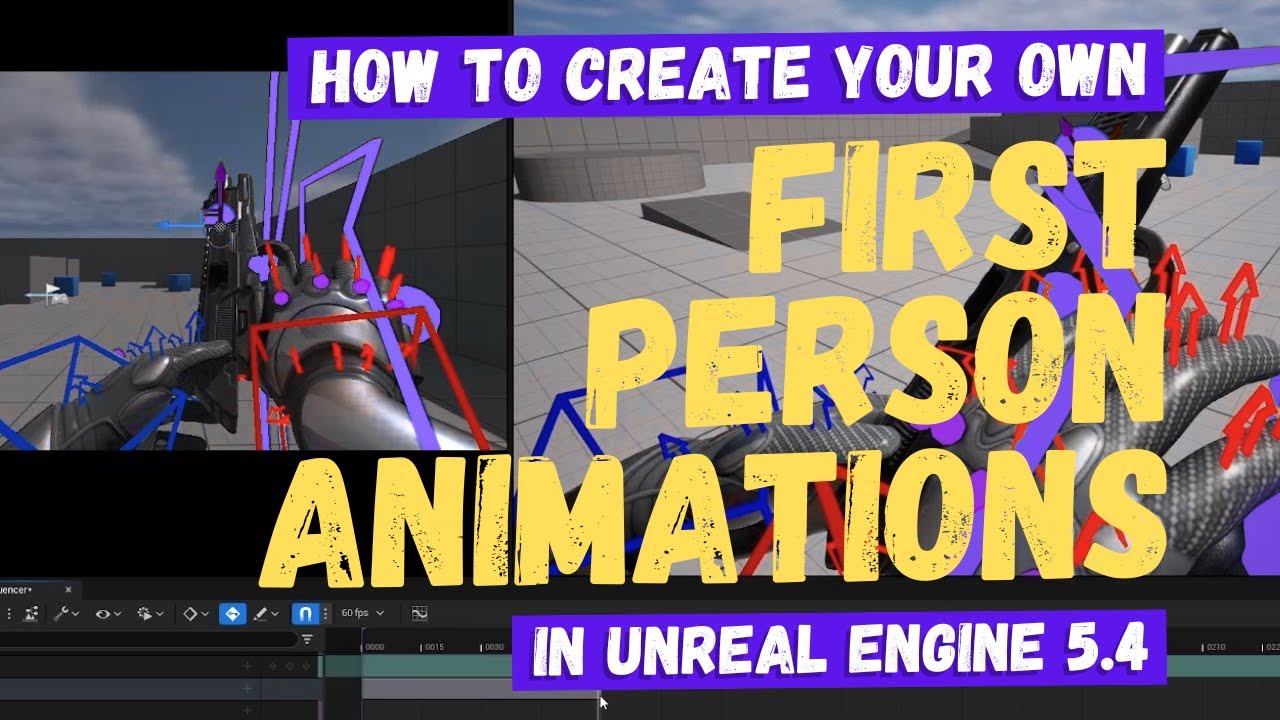
In this Unreal Engine 5.4 animation tutorial I'll show you how to animate by creating your own first-person animations from scratch, create a modular control rig for a weapon and animate it, as well as alter existing animations in sequencer to tidy them up.
Patreon: https://patreon.com/MizzoFrizzo
Subreddit: https://www.reddit.com/r/MizzoFrizzo...
Just wanted to share my progress with my upcoming True FPS Kit Plugin for Unreal Engine 5. Everything replicated and made in C++.
All the FPS animations were made using only a FPS pose (1 frame) and a TrueFPS Control Rig (Plugin's main feature). The locomotion animations are from the Free Asset Advanced Locomotion System.
It's pretty easy and ...
merry bone
modest lagoon
https://www.youtube.com/watch?v=imA0aW9AdKo
GASP Nice find! I'll check that out when I can!


 desert tinsel


 bold flame


