#animation
1 messages · Page 41 of 1
 viscid willow
 viscid willow
Ah okay, if you select the first bone in the list and look at the details. What does it say the scale value is?
 worldly anvil
It's 100, 100, 100
Setting it to 1,1,1, rotates the mesh around Y axis, and makes it bigger. The relative scale is still the same -- the bones are huge
viscid willow
Classic. This one has been linked a few times as a resource for fixing the bone scale issues: https://youtu.be/YbWfoyf4MqI?si=P3T1B9sK7qUwbtqR

In this video I will show you how to correctly export a character from Blender to Unreal Engine 5.
Common mistakes include issues with the scale of the root, joint orientations and differences between bones and joints. In this video I will talk about everything you need to know to correctly export rigged characters that follow Unreal Engine sta...
worldly anvil
Alright, I'll try to use this, hopefully it helps 😄
viscid willow
worldly anvil
Alright, I'll try to use this, hopefully it helps 😄
Goodluck
 modest void
hey, are there any of you who have any good introductions to making animations for a first person elder scrolls type character? Like when they have a weapon equipped they hold their arms so the weapon is just in view of the camera. I have the ability to attach the weapon mesh to the character whenvever something is equipped I'm more looking for specifically the animations because, I haven't done anything with animation before so, I'm a bit out of my depth
worldly anvil
viscid willow
Goodluck
Yeap, it worked like a charm, thank you
 kindred wedge
What is the best place to store animation asset references? Context: I have characters, whose animations and blend spaces for basic actions and locomotion are obviously stored in the animation blueprint (so creating a child blueprint allows me to easily replace them). However, I also have abilities (eventually dozens) each with their own animation montage, and those are stored in the ability class so the montage can be played on cast. Hit stagger animations are stored in the character class so they can be fetched and played by the Hit Reactions component.
Having very similar data in 3 different places bothers me. When I make a new character, I have to change animations in the animation blueprint AND the character class itself, and add some sort of class/montage map in the ability so it can play the right animation montage depending on your class.
Am I doing this right?
 old falcon
kindred wedge
What is the best place to store animation asset references? Context: I have char...
old falcon
kindred wedge
What is the best place to store animation asset references? Context: I have char...
Basically yes, each animation "type" has a different use case, requires different levels of flexibility and should be "stored" in a different place.
You can create a custom DataAsset to alleviate some of that pain though. Instead of referencing the animations directly, animBP, character BP etc. would just reference the data asset instead.
kindred wedge
Thanks. 🙂 Usually when something feels overly complicated in UE5 I'm doing it wrong, glad to know that is not the case.
old falcon
kindred wedge
Thanks. 🙂 Usually when something feels overly complicated in UE5 I'm doing it w...
I'm sure other people have different opinions on this, but seems the most straightforward answer to me.
old falcon
kindred wedge
Thanks. 🙂 Usually when something feels overly complicated in UE5 I'm doing it w...
Another way is to make use of "Asset actions -> Edit selection in property matrix" which can be very powerful if you also have set up some smart content browser filters
At least that way you will see all relevant properties in a single table
 nimble torrent
old falcon
I'm sure other people have different opinions on this, but seems the most straig...
nimble torrent
old falcon
I'm sure other people have different opinions on this, but seems the most straig...
I think your answer's a good one. Put things where they're needed, but consider extracting them to data assets when you start getting a lot of them.
A lot of game development involves mapping one set of things to another set of things - like, 'each character has custom animations for each weapon category' kind of deal.
I've found, putting the connection into a third thing is usually the cleanest option.
So - you have a goblin and a sword. You don't put the sword animations in the goblin object, or the goblin animations in the sword object - you create a 'GoblinSwordAttackAnimationAsset' and put them in there.
This means you don't have to load the goblin sword animations in a scene without goblins, and if you suddenly need spear animations for goblins, you don't actually need to fundamentally change your goblin class. You can just create a 'GoblinSpearAttackAnimationAsset' and add the new animations there.
old falcon
nimble torrent
I think your answer's a good one. Put things where they're needed, but consider ...
Yeah, the newer proxy assets and chooser tables are really nice for exactly the use case you described I feel, but as of now the plugin is a bit undercooked.
nimble torrent
I haven't heard of those. I'll have to look them up.
old falcon
It's surprisingly hidden for some reason, I think this deserves more attention
https://dev.epicgames.com/documentation/en-en/unreal-engine/dynamic-asset-selection-in-unreal-engine
 soft prawn

 bleak egret
my bad, had to head to bed, it was late for me 😐
ue 5.4 and blender 3.5.
Still have to check out the vids tho, maybe I messed up some option or whatever
 remote phoenix
hey,
Is there a way to adjust a sword attack animation to a certain location of the enemy like the head?
Because from my understanding, the line trace of the weapon is driven by the Start and End sockets on the weapon itself. So I cannot like adjust the animation attack trajectory
nimble torrent
remote phoenix
hey,
Is there a way to adjust a sword attack animation to a certain location of ...
You can use IK to modify the position of the arm during an attack animation, but constructing the target position for the IK could be challenging. It's doable - but certainly a task.
remote phoenix
nimble torrent
You can use IK to modify the position of the arm during an attack animation, but...
I thought of getting th position of the target, like the head from the head bone. But yeah it is a challenge and I didnt think of IK for this
nimble torrent
It might be easier to do an additive blend on the spine - if you don't need it to be super exact.
Like, just bending the spine up and down a bit can change the impact point of the strike.
But again - you need to figure out how to map the height to the spine movement.
 terse forum
Hey guys. Does motion matching in 5.4 recognise turn in place animations? I guess not without extra coding, or am I wrong?
 tawny veldt
So I tried to use 5.4 to retarget some animations and then imported them into 5.3.2. The animations work, but I get warnings when I try to package saying "*.uasset is too new. Engine Version: 1009 Package Version: 1012" on all my retargetted animations. Is there any way to fix this, or can I just ignore these warnings?
nimble torrent
tawny veldt
So I tried to use 5.4 to retarget some animations and then imported them into 5....
If they work (which is surprising, version changes are seldom backwards compatible) then you should be able to re-save them and they should be fine.
tawny veldt
By re-save, do you mean reimport? I did that already and it didn't fix the warnings.
nimble torrent
Not reimport, no. I mean save from within unreal.
You're doing something that, by all rights, should not work. The fact that it even appears to be working is unusual.
A way of doing this in the future - you can export your sequences as FBX files, and then reimport those.
That should avoid any future backwards compatibility issues.
 gleaming pier
Does anyone know why when I import an animation into UE and enable RootMotion, it changes its Z axis by 90?
nimble torrent
It's likely that your animation has a rotation offset because unreal and your dcc (like blender) disagree about which directions things are.
If you solved that problem, but you're working with Manny or Quinn - know that they were imported facing left.
gleaming pier
nimble torrent
It's likely that your animation has a rotation offset because unreal and your dc...
Sure, I tried that setting. I thought convert scene might fix it as well but evidently not.

ah, X forward, Z Up may fix that
nimble torrent
gleaming pier
Sure, I tried that setting. I thought convert scene might fix it as well but evi...
You have to look at the results in Unreal as well, and see what you have there.
And then test, and make sure you record your export settings.
gleaming pier
nimble torrent
You have to look at the results in Unreal as well, and see what you have there.
Well maybe changing the forward/up directions to match UEs should work then.
nimble torrent
It might!
It depends on the skeleton and character you're working with.
Like I said - Manny and Quinn are exported facing left.
So animations made for them, that use Root Motion, won't work with characters exported facing forward.
gleaming pier
Pretty sure the model is facing on the X plane. But of course blender treats the up direction as Y
nimble torrent
gleaming pier
Pretty sure the model is facing on the X plane. But of course blender treats the...
You can confirm it by using the direction viewpoints in unreal!
gleaming pier
nimble torrent
You can confirm it by using the direction viewpoints in unreal!
I will do. Mind you this is about my 10th attempt.
nimble torrent
You'll get it eventually! These things are annoying as hell, but it's just a matter of sticking with it until it all lines up properly.
And then making you save how you did it!
gleaming pier
nimble torrent
And then making you _save how you did it!_
Yeeep
gleaming pier
Yeah still not working. Not sure why it is ONLY when rootmotions on.
 ashen aurora
Hi all, Squishy has been nice enough to help me but I am broadcasting in case others might have ideas too:
I have an issue where one C++ parent Character class has two separate child BP. Each child BP has its own individual blender pipeline (separate mesh, skeleton, etc, but the skeletons have the same bone names).
My problem is that the C++ logic flows down perfectly into my original pipeline, I call it mesh/skeleton A. I took a step away for a few weeks, came back, created mesh/skeleton B in blender, but now my C++ logic doesn't flow down to B properly. For whatever reason, my aim at logic is getting "mistranslated" between the parent C++ data and the control rig/animBP
I can drag around the control point in either control rig and the preview animation looks perfectly fine... but once I apply it in game, all bets are off
doubt anyone is going to steal my game or whatever, so here is an example of it working and an example of it not working:
maybe the way I am exporting from blender is effed up?
gleaming pier
nimble torrent
You'll get it eventually! These things are annoying as hell, but it's just a mat...
Yeah I'm pretty certain I've tried every combination of axes possible now.
nimble torrent
Awkward position to be in! You get close?
Also - I can't remember if you said, but are you trying to match the characters from Unreal?
Like - are you using Manny?
gleaming pier
No. It's its own model. Using Sephiroth as a placeholder for a sword boss at the minute.
Waiiiit
need to disable convert scene in this case I think
 limpid oak
I have an animation question but it is related to ReadyPlayerMe models not working with Motion Matching in 5.4. Is it ok to ask here or is there a better spot? I have also asked in the RPM forums but no responses yet. Hoping to find some luck here
nimble torrent
I've never of it, but unless Ready Player Me's animations were specifically designed for Motion Matching, it's unlikely that you'll get good results from them.
Motion Matching typically requires custom animations built or recorded specifically for Motion Matching.
gleaming pier
@nimble torrent I got there. Just needed to add another 90 when importing. Can't remember if Convert Scene was enabled or not - but at least thats a 1 in 2 chance of getting it right now.

 nimble torrent
gleaming pier
<@393442860227100672> I got there. Just needed to add another 90 when importing....
nimble torrent
gleaming pier
<@393442860227100672> I got there. Just needed to add another 90 when importing....
Nice!
gleaming pier
except somehow I've broken all root motion movement itself now but I think I can fix that.
ashen aurora
ashen aurora
Hi all, Squishy has been nice enough to help me but I am broadcasting in case ot...
For anyone coming behind me, I'm 99% sure this is an esoteric engine bug that I found based on how I programmed my target tracking logic in my C++ class.
 solar totem
What's the cleanest way to create sword animations for Manny/Quinn?
Here's some options I can think of:
-
In Blender, rig to have a weapon bone on your hand.
Animate as usual with weapon bone
Export animation from Blender
Import animation to UE, choose Manny skeleton, which will not have the weapon bone
Add a weapon socket in the Manny skeleton for the weapon -
In Blender, don't have a weapon bone
Rig pretending you have a weapon (?)
Export animation from Blender
Import animation to UE, add weapon socket in Manny skeleton
I think those two options?
What do you guys do?
viscid willow
terse forum
Hey guys. Does motion matching in 5.4 recognise turn in place animations? I gues...
I have seen turn in place be achieved here: https://youtu.be/20BbDaFYN_o?si=AW1kHa2Q0-Sd1nhV
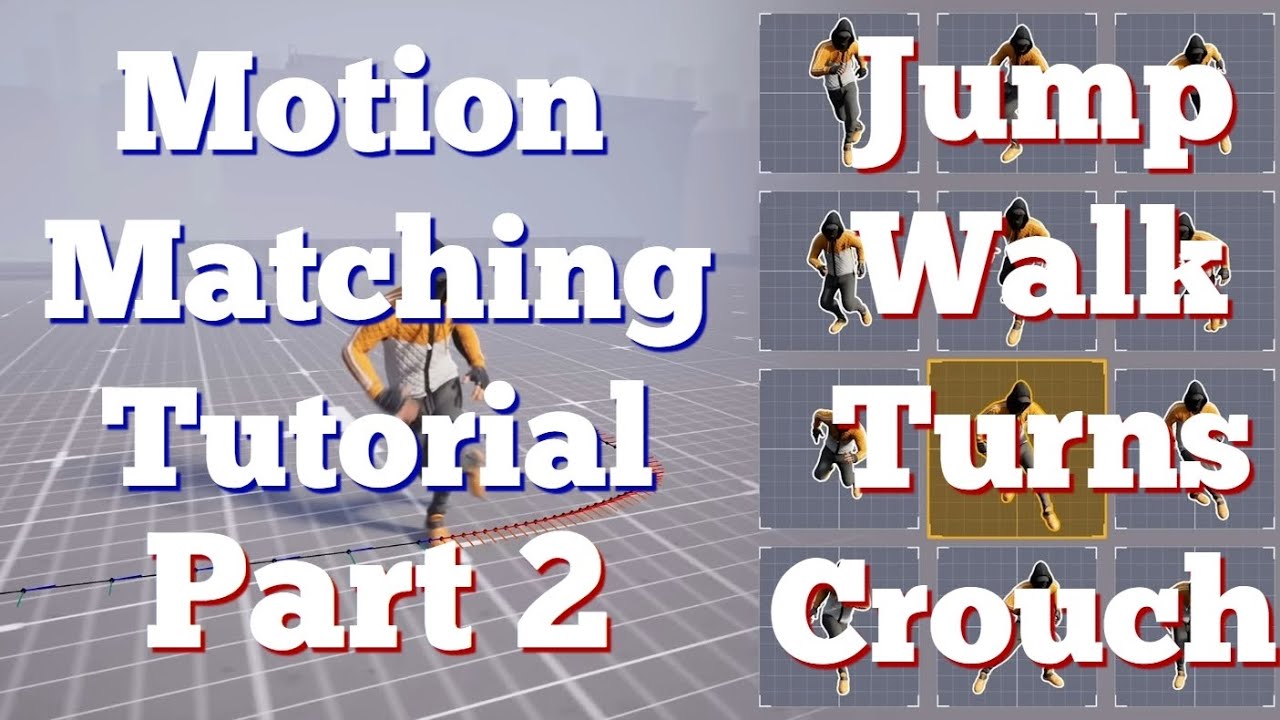
Part 2 for Motion Matching system. Learn how to add Jumps, Walks, Turns and Crouch to your Motion System in Unreal Engine 5.4
Links:
MotionMatcing Part 3: (Choosers and Shooting System Part1) https://youtu.be/NxNX6AFkxWQ
First Video: https://youtu.be/UlNqYWuXcTw
Second Channel new content soon: https://www.youtube.com/@UChEtrPb9VrzA3QsuIjdZa...
 icy lark
im a newbie to unreal and im trying to understand how the animation in the default third person character works
values like ground speed and should move is being set in the ABP_Manny blueprint

but im confused on where exactly those values are being read and the decision is being made to apply which animation state to the character?
 plucky fjord
@potent fern are you having the same problem?
 red tartan
How do you adjust the camera angle?

 potent fern
plucky fjord
<@290986742633332746> are you having the same problem?
potent fern
plucky fjord
<@290986742633332746> are you having the same problem?
Not quite.. The issue I'm having is that on the listen server's viewport, all clients stutter/jitter/slow-ish.. While server to client and client to client looks butter smooth..
It's a bit strange, since it works perfectly client to client. 🤔
plucky fjord
potent fern
Not quite.. The issue I'm having is that on the listen server's viewport, all cl...
thats strange
its the opposite for me i am having issues with server to client
potent fern
plucky fjord
its the opposite for me i am having issues with server to client
How do you replicate it?
We might be doing it differently, and if we look at how we both has done it, maybe we can figure out how to make it function properly 🤔
This is how I've done it

 remote phoenix
nimble torrent
But again - you need to figure out how to map the height to the spine movement.
remote phoenix
nimble torrent
But again - you need to figure out how to map the height to the spine movement.
so yeah I don't need to it to be too precise actually. I will even go as far as to say that all models will have the same height so the head will be at athe same location. Problem is that my animations are premade for me (got it from the marketplace) and I don't know how to fix all of them to strike at the right angle. No knowledge of animations 😦
 placid ermine
Hi thank You for relying.. Unfortunately ni it diesnt have any event on the anim sequence only a lot of curves..
nimble torrent
remote phoenix
so yeah I don't need to it to be too precise actually. I will even go as far as ...
Is there a specific reason they have to actually impact the head? Perfect impacts tend to be pretty rare in video games.
nimble torrent
placid ermine
Hi thank You for relying.. Unfortunately ni it diesnt have any event on the anim...
Do the curves correspond to your facial mocap morph targets?
old falcon
I remembered your post, you can mirror keyframes in sequencer using a few relatively simple control rig nodes and a proxy control. Let me know if you still need it
remote phoenix
nimble torrent
Is there a specific reason they have to actually impact the head? Perfect impact...
Yeah I know what you mean, but since the game has weak points like the head of the character, I wanted the animations to reflect that. And it doesnt need to me perfect hits on the head, but in the general vacinity. Anything above the chest would be enough
nimble torrent
remote phoenix
Yeah I know what you mean, but since the game has weak points like the head of t...
All right. Tricky to know what to suggest then. I'd probably use the spine additive method then, rather than IK.
nimble torrent
old falcon
I remembered your post, you can mirror keyframes in sequencer using a few relati...
Yeah! That's so cool!
nimble torrent
icy lark
You're looking looking at the code in that screenshot? That's how the decision making is done.
They get the ground speed from the velocity of the character on the XY plane, and the 'Should Move' flag checks both ground speed and current acceleration to determine if the character should count as moving.
nimble torrent
solar totem
What's the cleanest way to create sword animations for Manny/Quinn?
Here's some ...
Quinn and Manny have two different skeletons, there's one called 'simple' and one called... can't remember, it might just be their names. The non-simple ones have weapon bones! So, use those!
That said, I would animate using the Control Rig in Unreal. They already have pretty good control rigs, and you don't have to import or export anything, or deal with scale or rotation issues.
old falcon
nimble torrent
Yeah! That's so cool!
I'll just post it, might be useful

Graph coming in a sec..
Might be more than a sec, editor keeps crashing when I try to expand nodes...
nimble torrent
Oh no!
old falcon
Property bindings are really buggy
old falcon
Finally..

Sadly it doesn't auto-key the mirrored controls, so have to remember manually keying them
nimble torrent
old falcon
Finally..
Nice!
 hoary tusk
So I am making my own skeleton for my game, and I figured I would make my own mannequin too for shits and giggles. But maybe it isnt such a good idea? I mean it works, but what are some thing sI should think about if I want to use the same skeleton for humanoids?

 ashen junco
hoary tusk
So I am making my own skeleton for my game, and I figured I would make my own ma...
ashen junco
hoary tusk
So I am making my own skeleton for my game, and I figured I would make my own ma...
You can get away with basic joints on the mannequin, but on the humanoid targets, consider adding twist bones to help the linear deformations
Other than that, UE5's retargeting is much more easier to deal with, so feel free to roll out your own rig
hoary tusk
I can always ADD bones right? As well as move pre existing ones when it comes to different proportions?
ashen junco
hoary tusk
I can always ADD bones right? As well as move pre existing ones when it comes to...
If you want to use one skeleton for multiple skelmesh, yes, as long as existing bone hierarchy stays intact
hoary tusk
okay, great thank you. I think I will continue with my skeleton now then!
ashen junco
Although do keep in mind that rigs from Blender can be problematic with Unreal's animation system, specifically when it comes to bone axis/orientation. Unreal copies and by default expects Maya's joint orientations
hoary tusk
oh so just to clarify. if in the future I figure I need more spine bones. I cannot add one because it will disrupt the heirarchy?
 hoary tusk
ashen junco
Although do keep in mind that rigs from Blender can be problematic with Unreal's...
hoary tusk
ashen junco
Although do keep in mind that rigs from Blender can be problematic with Unreal's...
yeah I have noticed that with the standard mannequin. its a problem I have accepted lol
ashen junco
hoary tusk
oh so just to clarify. if in the future I figure I need more spine bones. I cann...
Only if you're going to merge it to one skeleton asset
Making it a separate skeleton asset and do retargeting (either in editor or runtime) won't present the same issue
Especially UE5's IK retargeter making it much more easier than old UE4 days
hoary tusk
true. I can always do that, but it seems like it would cost performance for the game to constantly be checking the original skelelton, unless I just misunderstand how it works lol
ashen junco
hoary tusk
true. I can always do that, but it seems like it would cost performance for the ...
Retarget Pose From Mesh isn't that more expensive compared to Copy Pose From Mesh, but you can also retarget the animation assets ahead of time and use them in lieu of the source skeleton's animations
For the latter, the process is just much easier and adjustable in UE5, compared to old UE4 methods
hoary tusk
Alrighty. thank you for the info and advice!
nimble torrent
(Oh! While you don't technically want to add new bones into the spine, you can add a second spine with more bones, and drive it with the version with fewer bones. This is expensive, and the only time I've had to do that was when we were doing a weird shirt rig, but it's technically possible!)
 cunning locust
old falcon
I remembered your post, you can mirror keyframes in sequencer using a few relati...
cunning locust
old falcon
I remembered your post, you can mirror keyframes in sequencer using a few relati...
still need it 😄 no idea what you talking about
old falcon
cunning locust
still need it 😄 no idea what you talking about


Throw that in your control rig and you can toggle mirroring by setting the proxy control to 0 or 1
 barren fiber
terse forum
Hey guys. Does motion matching in 5.4 recognise turn in place animations? I gues...
barren fiber
terse forum
Hey guys. Does motion matching in 5.4 recognise turn in place animations? I gues...
to be able to achieve such you need to limit the selction of poses using chooser tables, if your ground speed is = 0 , for that scenario you just want to have your looping idle or multiple depends and your turn in place. so on with starts, stops, and cycles.
if you dont know how to use chooser you can make your own system using bools and references to the databases inside your anim bp
barren fiber
viscid willow
I have seen turn in place be achieved here: https://youtu.be/20BbDaFYN_o?si=AW1k...
dont follow this tho
cunning locust
old falcon
thanks i willtry it!
solar totem
nimble torrent
Quinn and Manny have two different skeletons, there's one called 'simple' and on...
You're right! It's in a strange position (at the wrist) but it's there
I've been learning to create animations via Blender+Auto-Rig Pro then importing it to UE. I notice that the weapon bones on mannequin don't show up in ARP though... you don't happen to have experience in ARP do you?
Regardless, I'll definitely check out making animations with Control Rig
 nimble torrent
solar totem
You're right! It's in a strange position (at the wrist) but it's there
I've been...
nimble torrent
solar totem
You're right! It's in a strange position (at the wrist) but it's there
I've been...
I do not, sorry. Don't know Auto Rig at all!
solar totem
nimble torrent
I do not, sorry. Don't know Auto Rig at all!
No problem
Just curious, what tools do you use to animate?
nimble torrent
Depends on the project. I've used Max, Maya, Motionbuilder - a lot of motionbuilder.
These days - I'm very impressed with Control Rig in Unreal.
Blender is great too, I've just never used it on a full project.
Just while noodling around.
 nimble torrent
I wouldn't recommend motionbuilder these days. They mostly stopped updating it, and there are other software that do what they used to do just as well.
Like Control Rig!
old falcon
Is there some technique to "modularize" animations? I don't know what else to call it
E.g. if you have a combat pose and you go and animate 10 attack animations starting from that combat pose. If your combat pose changes, do you really have to go through all 10 animations and copy/paste the first keyframe? Or is there some way to refer to that combat pose and it auto-adjusts?
Pretty sure DCCs have tooling for something like this, but I doubt sequencer has it...
nimble torrent
The best way of handling that is what is called, a little ambiguously, an 'adjustment blend'. The problem with procedural solutions to pose changes like that is that they often cause foot sliding.
If you layer a pose over top of an existing animation, even if you blend it out, the blend out causes the effect of the pose to smear into the original animation data creating odd movements that are especially noticeable on things that should be stationary (like feet).
An 'adjustment blend' involves pasting poses on a layer, measuring both the pose delta and the overall magnitude of movement along each fcurve and applying the pose delta during during periods of movement.
I'm planning on making a plugin for this, as the layered control rigs make this possible to do in Unreal now, and the algorithm is really simple.
It's a handy tool to have in your tool belt, as it makes working with mocap data way easier.

 past marsh
https://streamable.com/mhcoe9
I just downloaded MLdeformersample and my control rig is all wonky... SOS

 heady pulsar
Is Global space in control rig the same as relative space in blueprint programming? Thanks for your help
nimble torrent
heady pulsar
Is Global space in control rig the same as relative space in blueprint programmi...
No, it should be actual global space.
heady pulsar
nimble torrent
No, it should be actual global space.
How is global vs world space different?
nimble torrent
They should be the same thing.
heady pulsar
nimble torrent
They should be the same thing.
It's different, if I didn't use this node, my bones would have a very different effect
 nimble torrent
heady pulsar
It's different, if I didn't use this node, my bones would have a very different ...
nimble torrent
heady pulsar
It's different, if I didn't use this node, my bones would have a very different ...
Interesting. All right. I sit corrected.
heady pulsar
Can we ignore that for a moment?
I am wanting to set elements in array but after "SetAt", my Array is still default values

Why is my array always the default value?
nimble torrent
heady pulsar
Can we ignore that for a moment?
I am wanting to set elements in array but afte...
You're... printing the input value?
You know - I don't know enough about the virtual machine for control rig to be able to say.
heady pulsar
Even in the actual value when running the game, it is still 0.
functions that use the value of that array still show it to be 0
heady pulsar


 full mirage
Godzilla rig done in Unreal engine.
old falcon
heady pulsar
Is Global space in control rig the same as relative space in blueprint programmi...
Global space in CR is actually mesh space, local space is bone space
World space is not really used there, but theres a node to convert from world to global
Oh, you're using the node, nevermind :p
old falcon
heady pulsar
Can we ignore that for a moment?
I am wanting to set elements in array but afte...
Set at might be returning a new array? Try using that
Might also be good to check whether delta time is actually >0
heady pulsar
old falcon
Set at might be returning a new array? Try using that
I wonder why all the editing functions (like: Add, SetAt) for float arrays don't work like other variable types In Control Rig.
old falcon
heady pulsar
I wonder why all the editing functions (like: Add, SetAt) for float arrays don't...
I just checked, it says "modifies the input array" so what I said was wrong
heady pulsar
old falcon
I just checked, it says "modifies the input array" so what I said was wrong
Can you try testing whether the float array works with the Modifies the input array functions? I am using ue 5.3.2
old falcon
heady pulsar
Can you try testing whether the float array works with the Modifies the input ar...
This works, but kinda bonkers

The doc on the SetAt might be wrong
heady pulsar
old falcon
The doc on the SetAt might be wrong
Yep, I found on YouTube that many user also had same error with the Float Array
Thank for your help
 south badge
hiii sorry but do yk how to fix this ?
plucky fjord
@potent fern Hey I dont think replicating the trajectory is the correct way to do it, we would probably need to modify the UpdateHistory_TransformHistory and UpdatePrediction_SimulateCharacterMovement in c++(MotionTrajectoryLibrary.h)
i have checked by implanting as per your screenshots and checked it with network profiler, bandwidth used is around 14 times more than similar implementations with state machines
old falcon
I've got an animation montage where I want the blend out to pretty much ignore a single bone (or a set of bones) and just not blend those, I'm okay if they snap once the montage ends but the rest of the pose should blend.
I don't see however that you can use blend masks in the "Blend Out Profile" drop down in montages. Any ideas?
old falcon
Seems there really is no way to use blend masks for the blend out. Time and weight profiles only make things blend faster rather than slower or not at all.
 midnight hull
Hi, has anyone experienced runtime Sequencer blend out sometimes running twice at the ending?
nimble torrent
old falcon
Global space in CR is actually mesh space, local space is bone space
World space...
Very weird choice for epic to name them that way!!
 latent swift
Hello, new to UE5, I use same anim class in these 3 AI charactors, but only one of AI copy from the starter content BP walk correctly, the other two create manually, help please.
nimble torrent
latent swift
Hello, new to UE5, I use same anim class in these 3 AI charactors, but only one ...
Did you... add the animation BP?
That's an odd one!
 rich bane
Hey friends 🙂 I use Motion Matching. But when I changed my character movement speed to 450 instead of 800, the walk animation plays way too long and the jog animation doesn't start. With Blend Spaces I could define at which speed I want the character to have a run animation. Do you know how I can do that with Motion Matching ? Thanks 🙂
nimble torrent
rich bane
Hey friends 🙂 I use Motion Matching. But when I changed my character movement s...
Rerecord your animations.
Motion matching's whole deal is accurate matching of velocity, so if you make your character move slower, you have to animate them moving slower.
 ivory bear
Anyone know why rigs made with AutoRigPro in blender behave like this when attempting to rig them with the modules?

(I only put modules on one side)
idk why the foot does that when I add the foot module

im not sure if these are the wrong bones or something?

 rose kraken
Hey 👋 ive been getting into character creation and messing about with things like CC, Daz and VRoid. I’m looking for some direction and help understanding what exactly controls the physics of things like hair and bust for a playable character. For example importing characters from VRoid I always get busts that are WAY too bouncy, I want to figure out how to reduce this in UE5 or blender. I’m just not sure what dictates what makes things bounce eg when you jump or run so I can fine tune them more. Sorry for the vague question I’m just looking for some general direction. Thanks!
nimble torrent
ivory bear
This is not an uncommon issue with the new modular rigs. They appear to only work correctly with a particular arrangement of bones, which many systems like auto-rig pro do not follow.
nimble torrent
rose kraken
Hey 👋 ive been getting into character creation and messing about with things li...
That kind of thing can be done a variety of ways, and it will depend on the specific setup.
Like, just off the top of my head, they could be:
- cloth simulations
- flesh simulations
- ragdolls
- animation dynamics
- springs
- springs (but in control rig this time)
- hair grooms
There's lots of ways of doing that stuff.
Oh! There's also:
- ml deformers
ivory bear
nimble torrent
This is not an uncommon issue with the new modular rigs. They appear to only wor...
do you know of any ways to go about solving this? have other people found a solution?
nimble torrent
So far, nobody has a simple procedure or plug-and-play solution.
I can suggest something that might work, based on my understanding of how things are setup in the control rig, but my expectation would be that this would probably break the rig inside of blender.
ivory bear
aah
well, if it's a predefined set of actions, I could always make a python script for blender
nimble torrent
Well, I don't have a set of actions, no. You might be able to get away with using a modified skeleton constrained to your autorig with corrected rotations.
Because I think that's what the problem is, the wrong axis is forward on your leg.
You can check this by comparing the mannequin skeletons in unreal's leg joint orientations to yours.
I think, for them, they have both of the legs with the same vector pointing forwards, but I believe autorig probably uses an inverted martix to produce it's mirrors, so the complementary matrices are flipped backwards.
So if you have 'x' forwards on the left leg, x becomes backwards on the right leg.
I think that's what's causing the issue.
Hypothetically, once you've confirmed what the orientations of the bones need to be, you could construct a skeleton with the correct orientations, and use that.
ivory bear
aaah
I've gone and reimported the model and eventually got it to work (I think)

tho, idk if it's just me, but the modular ctrl rig editor seems kinda buggy AF
cuz I had to keep deleting the ctrl rig cuz it would keep glitching out and hiding the sockets
nimble torrent
It is. It doesn't appear to be fully stress tested.
ivory bear
man
for this one to work, I had to compile after every single module placement
otherwise it would bug out
Well, I guess i've finally done it tho, I've finally made a control rig!
...
nimble torrent
Good job!
nimble torrent
What do you need to manipulate it for?
ivory bear
I ultimately want to use it to make procedural FPS weapon animations
cuz my game will have a lot of weapon attachments grips that will change how the hands hold the gun, and multiple scopes per gun
nimble torrent
OK, well - the modular control rigs aren't really setup for that kind of controls, so you may have to make your own.
ivory bear
Is an IK rig better?
nimble torrent
And also - you can get a lot of that without needing a control rig simply by creating hand pose animations, and blending those using a layered blend per bone.
nimble torrent
ivory bear
Is an IK rig better?
Definitely not for hand poses.
ivory bear
nimble torrent
And also - you can get a _lot_ of that without needing a control rig simply by c...
Ive done this before, but it always lead to some drift, where the hands dont line up with the weapon when applying additive weapon sway (via blendspaces)
plus I want the ability to change which attachments you're using mid match, and I dont wanna need to make a pose for every scope/weapon combination
+leaning
without needing to make a left/right leaned variation for every reload animation I'd like to import
Im just not sure how to go about handling all of that
nimble torrent
Yeah, that sounds like a lot.
ivory bear
+there will be akimbo
ivory bear
nimble torrent
Yeah, that sounds like a lot.
yea, but it's been on my backburner forever, and I feel like i need to bite the bullet and just try and approach it
If I could get a good, modular groundwork to start from, it should make the future easier in terms of reusability
nimble torrent
Sometimes that's true, but complexity creates its own overhead.
rose kraken
nimble torrent
That kind of thing can be done a variety of ways, and it will depend on the spec...
Thank you for the explanation
nimble torrent
ivory bear
honestly, im just trying to reach this level of modularity
That is impressive!
ivory bear
(NOT MINE BTW 😁)
 pliant zodiac
ivory bear
cuz I had to keep deleting the ctrl rig cuz it would keep glitching out and hidi...
pliant zodiac
ivory bear
cuz I had to keep deleting the ctrl rig cuz it would keep glitching out and hidi...
It does have some unresolvable bugs yeah can agree, that's why I make my custom modular rig modules that are hardened and don't glitch out when the model isn't the original UE5 rig. So far I have done eye modular rig and head modular rig. 
ivory bear
(it's from Out Of Action)
old falcon
ivory bear
Ive done this before, but it always lead to some drift, where the hands dont lin...
You can alleviate swimming from additive animations using virtual bones!
ivory bear
what are those?!
old falcon

Epic Developer Community
Resolve layered animation problems by using Virtual Bones with IK.
nimble torrent
pliant zodiac
It does have some unresolvable bugs yeah can agree, that's why I make my custom ...
Nice! Please share how you made those some time.
ivory bear
old falcon
https://dev.epicgames.com/documentation/en-us/unreal-engine/virtual-bones-in-unr...
hmm!
I promise Ill read the whole thing in a bit, but is this a thing seperate from ctrl rig?
cuz I keep hearing about a lot of the animation tools in UE, but I have a hard time understanding when to use what?
old falcon
That's everyone 😄
ivory bear
lol
old falcon
You can use VBs within control rig too
ivory bear
i just dont wanna be using a deprecated approach or anything
(plus it'd be really cool if I could still use all the manequin animations unreal has from the marketplace, but wouldnt they not work with my custom rigs if I dont use control rig?)
old falcon
Well swimming comes from having the IK target be affected by secondary additive animations on the upper body, right?
So you just create a VB as the IK target in a different bone space, then mask it out when layering your anims. That way your IK target is "filtered out" from additive animations
ivory bear
the "different bone space" being like, an additive space?
old falcon
No, literally as if the bone was parented to a different bone than it really is, but following a target bone
This guy explains it really well (but slowly :D)
https://www.youtube.com/watch?v=DqCctEGg7hA
 ivory bear
cuz I keep hearing about a lot of the animation tools in UE, but I have a hard t...
ivory bear
ivory bear
cuz I keep hearing about a lot of the animation tools in UE, but I have a hard t...
is there some sort of guide that explains what unreal animation systems are best suited towards what?
old falcon
I think there is one, let me remember the name...
Ah right!
It's called "Ask Squishy" :^)
 old falcon
Also mostly just experience
Sometimes there's a clear cut answer, most of the time it heavily depends on what you want to do
ivory bear
well, Ill keep watching this vid about virtual bones, but would you recommend it for if the player's arms needed to grab at a certain locations in worldspace?
esp if there's a lot of akimbo involved?
old falcon
World space is troublesome!
By the time you're moving your hand to that world space position the actual world space position has updated
ivory bear
it'd be constantly tracked towards it
like, imagine holding hands with another character
old falcon
Nah, doesn't work
You'll have to do bone space or something similar
Some relative offset
ivory bear
Ive still never done any ik in unreal
ive been waiting for ctrl rig to get easier
since I dont wanna manually re-setup ik in engine for legs and stuff
pliant zodiac
nimble torrent
Nice! Please share how you made those some time.
I can definitely. I can show a video how they work really quick just drag onto any bone they do the rest. So far only head and eyes.
old falcon
So you have a few options there, use the IK nodes in AnimGraph or use IK with control rig. Not sure if modular CR works for this use case.
ivory bear
are modular and regular rigs different in any way besides the window you assemble it in?
old falcon
I haven't played around with modular yet, but as far as I know modular CR is meant for animating in sequencer by hand I think? I doubt their "hand modules" are set up in a way that allows you to do hand IK at runtime. Not too sure!
ivory bear
aah
pliant zodiac
old falcon
I haven't played around with modular yet, but as far as I know modular CR is mea...
You can use them for advanced head and tracking too.
ivory bear
so can IK basically do most of what CR does? just not able to be animated in sequence?
old falcon
ivory bear
so can IK basically do most of what CR does? just not able to be animated in seq...
CR is a big umbrella tool that can do a lot
nimble torrent
ivory bear
so can IK basically do most of what CR does? just not able to be animated in seq...
Kind of! Both Control Rig and the animation BP can use IK.
They're for different things though. If you're using a control rig live you're probably either doing something very procedural, very complicated, or something that references the skeleton.
ivory bear
yea, what i'm doing is very complicated
nimble torrent
Because if you try to use a blueprint to 'Get Bone Transform' it will get the previous frame's data, while inside the Control Rig, you have access to the current frame's data.
old falcon
But no access to anything else! 😄
old falcon
Unless it's passed in
ivory bear
oh, that's fine
old falcon
Actors also don't work in CR, actually I think you can only pass in primitive types?
And some CR specific things
ivory bear
are virutal bones and IK bones the same?
old falcon
ivory bear
are virutal bones and IK bones the same?
If you constrain your IK bone in its translation to another bone, then it behaves exactly as a virtual bone would
ivory bear
what would yall recommend if the arms needed to visibly reach to pick up new guns in the world (from arbitrary locations), interact with turrets/doors, and point at locations in the world?
in terms of systems?
old falcon
I think that's motion warping if you want to do it procedurally?
But I know squat about procedural animation so don't quote me on that
ivory bear
is that like, sliding the root of your model to match up with the root of another model so the animation lines up?
old falcon
Kinda, but with less foot sliding I'd think! :p
I'm not even sure you really need fully procedural work to achieve what you intend to do
I think maybe even some smart IK and blending can get you pretty close
Smoke & mirrors
pliant zodiac
These are my selfmade Modular Rig modules I even found a bug, that when I activate both debug sphere views that somehow things mess up but one at a time is fine. I am still working them
old falcon
pliant zodiac
These are my selfmade Modular Rig modules <:sit:1107273238385528902> I even foun...
I don't know, I think the "Pepe the Frog" debug mode is pretty rad 🐸
ivory bear
wooa!
old falcon
But that's really cool
pliant zodiac
No
ivory bear
waat
 pliant zodiac
I watched one video, over and over til I understood but sure I will send you
I will dm
 brazen wharf
i wasn't aware of the modules either... they work at runtime, too? oh seems to be a 5.4 feature...
 sharp linden
Anyone encountered this issue with a new version of metahumans? I didn't have such problems with previous ones, but over here when head inherits movements from body's ControlRig... it is completely messed up
I reimported my metahuman and now apparently you cannot bake to default face ControlRig because it's not in the list, although it gets added to Sequencer... Wtf. Is this 5.4 gimmick?

 last plume
How do you fix UE5 animations that are floating?
 latent swift
nimble torrent
Did you... add the animation BP?
latent swift
nimble torrent
Did you... add the animation BP?
Hello, I found the setting can fix the problem, it "fixed path braking distance", the BP create manually did not open by default, and I still don't understand why it cause the animation error.
I asked "Gemini" and I got this response.
"Fixed path braking distance" in Unreal Engine's character movement system is unlikely to be the direct cause of one character's leg not moving in your animation. "
Can someone explain?
nimble torrent
latent swift
Hello, I found the setting can fix the problem, it "fixed path braking distance"...
Hmm, that is pretty strange.
"Fixed Path Breaking" is part of the "Acceleration for Paths" functionality, which causes AI characters to accelerate and deccelerate following AI paths.
Like Gemini, I have no idea why using that would prevent animations from playing.
latent swift
nimble torrent
Hmm, that is pretty strange.
Sorry, I'm wrong, It not "fixed path braking distance", the right setting is "use acceleration for paths".
nimble torrent
OK, still not illuminating.
That setting just causes the enemies to accelerate onto AI paths.
So I'm not sure how it could cause the effect you saw.
latent swift

In this episode we go through how to fix your AI using UE5 mannequin to play animations when moving instead of having its animation idle sliding around in Unreal Engine 5.
Join the Discord server here: https://discord.gg/zBeebU7uv3
Support the work of LeafBranchGames on Patreon here: https://www.patreon.com/LeafBranchGames
latent swift
nimble torrent
OK, still not illuminating.
he said AI needs to use its acceleration to determine how the animation is supposed to be played
 latent swift
nimble torrent
So the problem was you had the setting _off_?
latent swift
nimble torrent
So the problem was you had the setting _off_?
default BP is off, you have to turn on "use acceleration for paths"
 final orchid
not with root motion enabled also
nimble torrent
latent swift
default BP is off, you have to turn on "use acceleration for paths"
OK, so the problem is that it was off and you needed it on. OK! Cool! Good to know.
nimble torrent
final orchid
not with root motion enabled also
Does it display without root motion enabled?
final orchid
nimble torrent
Does it display _without_ root motion enabled?
nope
nimble torrent
So why mention Root Motion?
final orchid
i can do a screen share if u want
final orchid
nimble torrent
So why mention Root Motion?
i mean even if i enable root motion it doesnot work
nimble torrent
Interesting choice.
OK, so it's just the previewer of individual sequences, or do all the previewers not work?
Like the preview window in the animation bp?
final orchid
not even the template animations are working
nimble torrent
You've moved the camera around, you've hit the 'frame character' button etc.?
You've confirmed that, for sure, there's no mesh there?
final orchid
here
nimble torrent
What mesh did you put in the preview scene skeletal mesh option?
final orchid
 nimble torrent
That doesn't tell me anything, sorry.
What about the "Preview Scene" tab?
What's in there?

 final orchid
nimble torrent
You've moved the camera around, you've hit the 'frame character' button etc.?
final orchid
nimble torrent
You've moved the camera around, you've hit the 'frame character' button etc.?
yes i yhave
dont know about the button tho
nimble torrent
It's 'F' on the keyboard.
OK, so this is a bit unusual. What about the animation blueprint, the skeletal mesh viewer, or the control viewer?
Do they work?
final orchid
oo i did something

i have changed the pose search mode
though all of them works
rn
idk why its not working then
nimble torrent
final orchid
though all of them works
When you say, 'all of them work' you mean the other previewers? It's exclusively the animation sequence preview window? You've arranged things quite oddly in your workspace, so I'm not entirely sure that this is the sequence viewer.
final orchid
yes
final orchid
yep
final orchid
nimble torrent
When you say, 'all of them work' you mean the other previewers? It's exclusively...
its the new motion matching window
i was just playing with new features
nimble torrent
Ah! That makes sense!
 versed slate
in terms of creating any first person animations example swinging a melee weapon. Do you guys prefer using control rig or another software like blender?
and why
 misty dagger
final orchid
misty dagger
final orchid
this is the new animation thing, is it good and easy to use? would you recommend it to me?
sharp linden
Uuuh, does anyone have Metahuman Animator working in UE5.4? I don't even have that option
pliant zodiac
Weird question that came into my mind, but does motion matching work for the sequencer?
final orchid
misty dagger
this is the new animation thing, is it good and easy to use? would you recommend...
Depends but there is not much tutorials on uthbe so think I'm still researching and as far as I think it is easy if u have animations and tough if u don't
final orchid
pliant zodiac
Weird question that came into my mind, but does motion matching work for the seq...
Yes
Probabily
old falcon
versed slate
in terms of creating any first person animations example swinging a melee weapon...
Whatever you prefer. The animation tools in UE are a bit undercooked right now compared to dedicated tools like blender.
I still use UE though because I think it's nice not having to deal with blender -> UE shenanigans
modest void
hey so I'm messing around in control rig, I'm trying to make first person hands that are closed so I can put weapons in them and have a proper first person view, I imported the control rig from the third person template, put a camera in the head, and I'm messing around with the control rig settings to try and replicate the skyrim style view, but no matter how I edit the various parts it seems to look like absolute ass.... Are there any guides on the positions for this stuff? I have a hard time positioning things by eye.. generally I tend to do everything by numbers (also why I'm terrible at making anything organic in 3d model software XD)
 jolly hatch
Am I kidding myself that I can retarget a full characters hand pose to a stand alone hand , its ties to work but the fingers are wonky. I just want a method to apply the character Hand poses to a hand skeleton.


 autumn cipher
What's the secret to a blend space that doesnt struggle with small adjustments between animations? surely I dont have to make animations for 112 degrees etc. Im trying to avoid strafing since it doesnt look so good with this style of characters short legs.

 rotund musk
autumn cipher
What's the secret to a blend space that doesnt struggle with small adjustments b...
rotund musk
autumn cipher
What's the secret to a blend space that doesnt struggle with small adjustments b...

Hey guys, in today's video, I'm going to be showing you how to set up directional movement with 8 different directions. Forwards, backwards, left, right and diagonally in each direction too. In a future episode we will set up turning in place too to make it look better.
Retargeted Animations: https://drive.google.com/file/d/1cOgaYQ24SZoTCH8g3mN...
Hope this helps with blendspace, helped me understand it way better
At least where to put the animations like in picture 2 of yours
autumn cipher
mmm. Ill give it another go but the basics seem to only work for strafing
barren fiber
Is there a conversion guide of all the spaces?
Rig Space, World Space, Local Space, Bone Space and so on
barren fiber
the reason im asking is cause im trying to get the location of any socket attached to the bone and send its transform over to control rig
old falcon
barren fiber
the reason im asking is cause im trying to get the location of any socket attach...
Uh, in which space are you trying to send it over? Because getting the relative transform of any socket is really easy
nimble torrent
autumn cipher
What's the secret to a blend space that doesnt struggle with small adjustments b...
Given the perspective your game works in (looks great btw!), one option is to just rotate the character and avoid strafing entirely. So you just have one run animation, and you have the whole character rotate (and you do the head and upper body look-at separately).
autumn cipher
@nimble torrent haha thanks, havent scratched the surface of how i want it to look so im looking forward to the future of it. To have him look at the mouse for aiming i need to be able to move different directions but face different ways. The way i have it is ideal except those small angles where it cant figure out what to do. Then theres the issue of overlaying a recoil animation with different arm positions and aiming look offsets or blend spaces alongside this. The basics dont cover this kind of specific case. It also could be a rigging issue which is never mentioned since tutorials always use the default mannequin. Im not a beginner but things like this can slip through my knowledge if i havent dealt with it in detail
nimble torrent
There are runtime versions of retargeting.
nimble torrent
autumn cipher
<@393442860227100672> haha thanks, havent scratched the surface of how i want it...
OK, but even if you just rotate the character, you can still have the character look in whatever direction you want.
Your layers would be:
- rotation (rotates the character into the direction of movement
- 1d run blendspace (animates the character running at the correct speed)
- lookat overlay (using either a control rig, or a time controlled animation, blend the upper body of the character to look towards the mouse)
And yeah, most tutorials tend to not necessarily provide a thorough treatment of the subject, and typically target beginners.
autumn cipher
@nimble torrent You mean rotate the character like im doing here already?

and the Lookat using offset I imagine?
nimble torrent
I don't, no. I mean rotate the mesh inside the character, so that they can turn without turning the pawn.
The advantage to this is that they still count as 'facing' towards the enemy for things like weapons etc.
You can do this with animation, or you could rotate the mesh itself.
I would probably do it in animations personally.
autumn cipher
Ah right so like rotate the full animation so running backwards is actually turned 180 degrees. Then the capsule essentially doesnt face any direction except the 1.
So the blendspace would need to have the runnning in more than 1d right?
nimble torrent
Why?
Rotate the character, change their rotation on their root, this means that 'running forward' is now rotated into the direction you want it to be.
So there's no need for a 2D blendspace.
You're not using the blendspace to rotate the character.
autumn cipher
so in terms of animation in modelling software, I would need the animation just idle, walk run. then in UE I would rotate the mesh. Not make like 20 different run angles 😓
nimble torrent
Yeah.
last plume
When your making an IK for the Retargeter, should the foot and the leg have their own Chains? And their own goals?
I think, I want the foot to have its own Chain and Goal so I can adjust it to touch the ground... Thoughts?
Version 5.3
nimble torrent
last plume
When your making an IK for the Retargeter, should the foot and the leg have thei...
Little confused by this. What do you mean by 'foot and left'?
last plume
Sorry, leg
nimble torrent
And theoretically, the foot ik goal would be the ik goal for the leg, and the leg being correctly placed would have the foot on the ground.
last plume
I watched this video and it seems the foot needs a goal in order to adjust it?
https://www.youtube.com/watch?v=WwLHfl_XHsE

If you're character's feet aren't touching the ground, this can probably fix it -
If you enjoyed this video, please consider becoming a Member :)
https://www.youtube.com/@TheRoyalSkies/join https://www.patreon.com/RoyalSkies
If you like my Demo-Character, you can find her on my ArtStation Store:
https://www.artstation.com/royalskies/store?ta...
Because when I click the Foot IK, the option is NOT available. [23 sec mark in video]
nimble torrent
That might be a new option in 5.4.
That video is only eight days old.
He seems to imply that it is.
last plume
I guess I thought it was 5.3.
nimble torrent
I could easily be wrong!
But I think most tutorials made in the last few weeks will be focused on 5.4
last plume
I'll go experiment and get something to eat...
autumn cipher
@nimble torrent You mean like this kind of rotation, then add the offset for the gun aim?
nimble torrent
autumn cipher
<@393442860227100672> You mean like this kind of rotation, then add the offset f...
I think so, yeah!
autumn cipher
And dealing with the behind angles may just mean turning the character around for that half of the radius I suppose.
nimble torrent
Yeah you could have a switch to have them start walking backwards if you wanted.
Like - if you're looking directly behind you.
(that's always a tricky thing to make look natural however you decide to solve it)
autumn cipher
I will experiment a bit and see how it goes. This is a new method for me so heres hoping XD
Thanks for the pointers though so far!
nimble torrent
Good luck!
barren fiber
old falcon
Uh, in which space are you trying to send it over? Because getting the relative ...
its really wierd
anyone noticed that control rig has a delay aswell, for example if we were to do ik using a control rig
old falcon
barren fiber
anyone noticed that control rig has a delay aswell, for example if we were to do...
It's not due to control rig
You're probably using world space for your IK effector target, right?
World space will always leave you at 1 frame delay
Regardless of whether you use CR or IK nodes in the anim BP
barren fiber
 barren fiber
old falcon
It's not due to control rig
barren fiber
old falcon
It's not due to control rig
should i change it to local Space?
old falcon
What you do within CR is different from what you do outside of it
global vs local in CR depends on your use case
barren fiber
so where is the delay coming from then?
barren fiber
 old falcon
So bone relative right?
barren fiber
no
old falcon
Oh these are SM sockets?
old falcon
And I assume they're on weapons that you attach to your character?
barren fiber
no
on the character for now
to test it
i will do them on the weapons once i understand the system

the lh socket is moving with the right hand socket
its parented
old falcon
barren fiber
the lh socket is moving with the right hand socket
Then you get a delay when moving on the left hand? Right hand is locked?
barren fiber
i dont know, since the weapon is connected to the right hand
 modern crystal
Hey all, I'm wondering if I can play an animation from within the blueprint of an actor, with the starting frame and playback speed exposed?
barren fiber
modern crystal
Hey all, I'm wondering if I can play an animation from within the blueprint of a...
i think you should be able to dragging in a sequence and exposing pins
barren fiber
old falcon
Then you get a delay when moving on the left hand? Right hand is locked?
you actually did a control rig hand ik yet?
old falcon
barren fiber
you actually did a control rig hand ik yet?
Yep, trying to understand your setup
barren fiber
old falcon
Yep, trying to understand your setup
i can share my screen and walk you through it
its nothing big
modern crystal
barren fiber
i think you should be able to dragging in a sequence and exposing pins
hmm doesnt work it looks like
I'm in the actor blueprint btw, not an animation bp
I found these two nodes. I'd rather not use the montage node to save on how many assets I need to make. The regular play node doesn't have the play rate and starting pos exposed
 barren fiber
 barren fiber
modern crystal
I found these two nodes. I'd rather not use the montage node to save on how many...
barren fiber
modern crystal
I found these two nodes. I'd rather not use the montage node to save on how many...
well convert the sequence into a montage
old falcon
By the time you calculate your transforms and reach into CR, the AnimBP will have updated your character's pose. So the transforms that you're passing into CR are off by one frame.
You can either do everything in CR, this ensures you always have the up-to-date pose, but often this isn't possible without some blueprint info from outside.
Or you can pass in a "reference" bone. All transforms that are passed into the CR node will act as relative transforms to that bone. So when you do your calculations, you can get the up-to-date transform of your ref bone and apply the transforms as necessary.
barren fiber
old falcon
By the time you calculate your transforms and reach into CR, the AnimBP will hav...
i dont understand your second solution
first one wouldnt work with a dynamic hand ik, would it
old falcon
You can make it work, but I think you would need extra bones specifically to support it.
The second one is easier I think. If you pass in a ref bone, your CR can get the up-to-date tranform of that bone right?
That also means any additonal tranforms you compose with that bone transform will automatically be in the correct, up-to-date position too. Think of the transforms as offsets from a bone.
barren fiber
if i get world space how do i convert that to be used by control rig?
old falcon
You can convert transforms, or with SM sockets I think you can get the relative transform directly? ParentToBoneSpace it's called on the node I think
barren fiber

 barren fiber
yea
old falcon
Why not use a socket on the gun instead to place your offhand? That's usually how it's done.
Weapon attaches to mainhand socket on the skelmesh, and the offhand gets IK'd to a socket on the gun mesh
old falcon
Yeah, as long as you're not using a relative transform off of a bone in CR you'll have that kind of 1 frame lag.
Another source of delay can be the skelmesh component ticking after movement component. If you use a post process blueprint that will be fixed too
barren fiber
old falcon
Yeah, as long as you're not using a relative transform off of a bone in CR you'l...
i have a post process animation bp

i tried various aswell pre physics post update
old falcon
barren fiber
That's different from PP animBP but works, too
I think you might also be suffering from swimming due to your left hand socket being parented to the right. So the left hand receives all kinds of secondary motion from the right hand
barren fiber
its on the gun now
this all should be happening for you aswell unless your using normal ik
old falcon
No I use CR but zero swimming and no delay
I pass a ref bone to my CR and calculate all transforms as offsets from that bone
If you used your right hand bone as ref bone and passed in the left hands target transform as offset from that it would work too
Make sure to check at low framerates too, those 1 frame delays can be hard to see otherwise
barren fiber
but you need to pass information to it from a blueprint
viscid willow
barren fiber
Just reading through, have you assigned your IK setup as a post process ABP on your skeletal mesh?
Also, out of curiosity, is the slope animation of your character achieved through motion matching alone? Or are you running a Slope Warping solution?
last plume
IK Question... I created a Full Body Solver and Goal on the Foot (L & R)... I lowered to transformed the Root and the L & R Arm IK's down by 40... But the Hand stayed in the Air?


Moved the hand IK down ant they seem to match now...
barren fiber
viscid willow
Just reading through, have you assigned your IK setup as a post process ABP on y...
no actually i havent, would be kinda dumb wouldnt it?
barren fiber
viscid willow
Just reading through, have you assigned your IK setup as a post process ABP on y...
no voodoo no motion matching, foot ik
TBH i dont recommend using motion matching for serious personal projects.
if fn around go for it, its interesting.
viscid willow
barren fiber
no actually i havent, would be kinda dumb wouldnt it?
Okay, i ask because you mentioned a post process animation bp.
 viscid willow
barren fiber
no voodoo no motion matching, foot ik
viscid willow
barren fiber
no voodoo no motion matching, foot ik
okay, good to know.
What makes you say you dont recommend it for "serious personal projects"?
 elfin axle
Hey guys, anyone know how to add a overlay state in als refactored from sizxe?
barren fiber
viscid willow
okay, good to know.
What makes you say you dont recommend it for "serious pers...
Budget, Time Investment, Complexity, Optimization etc.
each frame in each sequence = one pose which stores all the data set by the PS Schema, and the more you sample the more data is being stored etc.
it really gets complex and a nice balance inbetween has to be found, id recommend Distance Matching, Motion Warping, and for vaults etc, you use root motion and itle look really good already.
If one properly wants to get use of motion matching youll need aprox 300 animations per state.
You could get away with less but then you would have to come up with different solutions aswell.
viscid willow
I get what you mean where you can get very complex and yeah it seems like you need to break your animation sets into various Schemas to have minimal overhead, in the same way that epic has done so to have mm run on fortnite characters.
I do think 300 animations per state is quite excessive. I would imagine anything of that size could be encapsulated in multiple schemas and selected with choosers.
barren fiber
viscid willow
I get what you mean where you can get very complex and yeah it seems like you ne...
Fortnite is partially running on Motion Matching since they reverted the changes, they use blendspaces on top still
im using chooser, 300 per gait is realistic
and sorry it was gait
so a full cycle
walk for example
viscid willow
300 animations per gait?
viscid willow
barren fiber
Fortnite is partially running on Motion Matching since they reverted the changes...
I believe they reverted the movement speed changes, which required changes to the animation assets, not the changes to the animation setup. Based on their live talks, it seems like their still running full MM.
viscid willow
barren fiber
Walk, Jog, Running
so for walk + jog + run you have 900 animation assets?
barren fiber
viscid willow
I believe they reverted the movement speed changes, which required changes to th...
when you check the graph you see it
viscid willow
which graph?
barren fiber
viscid willow
so for walk + jog + run you have 900 animation assets?
not including transitions to each gait
barren fiber
viscid willow
which graph?
in the GDC animation
viscid willow
barren fiber
not including transitions to each gait
that seems like way more than you would need, but sure.
barren fiber
viscid willow
that seems like way more than you would need, but sure.
how you come to that evaluation?
We are not using any blendspaces, so what happens if we dont
we miss coverage
think of all the possible ways your character can move atm,
including rotation aswell as direction
viscid willow
barren fiber
in the GDC animation
I'm not sure I see it
viscid willow
barren fiber
how you come to that evaluation?
300 animation assets for walking alone, just seems like a lot. Way more than any standard state machine setup and much more than ive seen in any motion matching demo thus far which sits somewhere around the 40 to 50 asset mark from what I can see.
barren fiber
viscid willow
300 animation assets for walking alone, just seems like a lot. Way more than any...
ofc its going be more
since we have blendspaces
viscid willow
Blendspaces in your motion matching setup?
barren fiber
viscid willow
Blendspaces in your motion matching setup?
no
in the regular
its blending poses nicely and you can use blendspaces to get coverage you didnt have
thats different with motion matching

if we have 4 directional animations
how we choose the red path
blendspace can manage that
viscid willow
so you're creating an animation for walking forward for example, and you have an animation for every concievable angle between forward and left?
barren fiber
in motion matching it would snap from FWD to Left to Fwd to Left and shit
viscid willow
You could use orientation warping instead of adding more assets
barren fiber
 barren fiber
viscid willow
You could use orientation warping instead of adding more assets
barren fiber
viscid willow
You could use orientation warping instead of adding more assets
noooo
you get sliding
man
Motion Matching is not a new invention
research the topic


 quiet egret
Just wondering, but Modular Control Rig requires the character mesh to have a skeleton already right?
Does it handle anything like automatic weight painting
Or is it specifically just for telling the rig how to move certain body parts
cant really find much info on the MCR
Like, do I need:
- a skeleton already
- the skeleton needs weight paints already
viscid willow
quiet egret
Or is it specifically just for telling the rig how to move certain body parts
This. Modular Control Rig expects an already skinned character.
quiet egret
what does "skinned character" mean?
is this just the mesh of the character? or like a UE character asset
nimble torrent
quiet egret
what does "skinned character" mean?
is this just the mesh of the character? or...
You need the mesh, the skeleton, and weight paints.
A control rig is just a rig.
quiet egret
thank you
viscid willow
Skinned meaning you've applied weight painting. Typically this part of the process is called Skinning because you're assigning a "Skin" to the bones
quiet egret
Gotcha, thank you
With how deep UE got into animation development in 5.4, I won't be surprised if they take a look at weight painting or a form of it down the road
nimble torrent
And 'skinned character' means 'a character with weight paints'. The process of attaching a mesh to a skeleton is often called 'skinning' or 'linear skinning'.
quiet egret
appreciate it
nimble torrent
quiet egret
With how deep UE got into animation development in 5.4, I won't be surprised if ...
They do technically have a way of doing weight painting in unreal as of 5.4. It is not Control Rig, and it is very experimental.
quiet egret
so is this just modifying your rig to have IK?
nimble torrent
Same with creating a skeleton. So you're correct - they're definitely heading in that direction.
It's just not Control Rig.
quiet egret
It would be awesome to have each part of the rigging and animation process within UE
then more detailed models and sculpting in Blender
nimble torrent
quiet egret
so is this just modifying your rig to have IK?
Not exactly no. You can use IK in a control rig, but it's more about creating a series of controls that make the skeleton easier to animate. Sometimes that is IK, sometimes it's dynamics, sometimes that's combined controls, or controls that constrain things on an axis.
It's more than just IK - though IK is a big part of it.
quiet egret
Okay I thought IK was like, from the hand to the spine sort of animation. Like changing the anims of the bone's parents essentially
Like moving the hand would change the arm, etc
nimble torrent
quiet egret
Okay I thought IK was like, from the hand to the spine sort of animation. Like c...
As usual 'it's more complicated than that' but it is also definitely that.
 lusty venture
barren fiber
im using chooser, 300 per gait is realistic
lusty venture
barren fiber
im using chooser, 300 per gait is realistic
what the hell are you doing that you need 300 animations per gait
lusty venture
i think our largest set is our jog/run which is about 16 animations, including start/stops, and accelerate/slowdowns
nimble torrent
Yeah, the video demonstration of motion matching has a few more than that, but not more than thirty.
quiet egret
so my gizmos for UE 5.4 ModularRig are incredibly large compared to the mesh size, why is this? has anyone encountered this

tried searching online and nothing came up
viscid willow
quiet egret
so my gizmos for UE 5.4 ModularRig are incredibly large compared to the mesh siz...
This might be one of those rig scale issues. To check, can you open your skeletal mesh, select the root bone and see what the details panel says about scale?
Are you coming from blender?
quiet egret
viscid willow
This might be one of those rig scale issues. To check, can you open your skeleta...
thanks for responding. yeah im coming from blender, I applied all transforms before exporting for the mesh and armature/rig
haha
the scale is at 50
viscid willow
quiet egret
thanks for responding. yeah im coming from blender, I applied all transforms bef...
Scale issues are very common coming from blender. It's a matter of applying transforms yes, but also your scene scale.
quiet egret
that explains everything
 fickle silo
does anyone have any idea why i cant add my pose to the blend space? the dot appears, and i can also press shift for it to snap to grid, but upon release, it disappears
quiet egret
viscid willow
Scale issues are very common coming from blender. It's a matter of applying tran...
i thought so, that's why i tried fixing it by setting my units in blender to half the size, but it didnt seem to change anything
viscid willow
quiet egret
i thought so, that's why i tried fixing it by setting my units in blender to hal...
Have a watch through this video. Explains the issue and how to solve it very well. https://youtu.be/YbWfoyf4MqI?si=LpCKArh5wxv3a1bP
In this video I will show you how to correctly export a character from Blender to Unreal Engine 5.
Common mistakes include issues with the scale of the root, joint orientations and differences between bones and joints. In this video I will talk about everything you need to know to correctly export rigged characters that follow Unreal Engine sta...
viscid willow
fickle silo
does anyone have any idea why i cant add my pose to the blend space? the dot app...
Is it perhaps an additive animation that you're trying to add to the blend space?
viscid willow
quiet egret
does he basically set the scale manually in ue
I don't believe so, it's more on the blender end that the scale needs to be fixed.
quiet egret
i see
fickle silo
viscid willow
Is it perhaps an additive animation that you're trying to add to the blend space...
i dont know what that is. its a pose. as in created with in content browser, animation > pose asset
viscid willow
fickle silo
i dont know what that is. its a pose. as in created with in content browser, ani...
Ohh, I don't think you can add pose assets to a blend space. You could add a single frame animation in place of a pose asset.
fickle silo
viscid willow
Ohh, I don't think you can add pose assets to a blend space. You could add a sin...
oh. i tried searching for an hour some information on how to add my pose to my character but couldnt find anything. how can i create an animation file? i cant find it from the animations asset creation
oh i think i found it, a sequence right?
quiet egret
viscid willow
I don't believe so, it's more on the blender end that the scale needs to be fixe...
Okay yeah, he basically fixed it by setting his Blender scene units to 0.01, then upscaling his mesh and armature by 100
viscid willow
fickle silo
oh i think i found it, a sequence right?
Sequence, yes that's what unreal calls them.
fickle silo
viscid willow
Sequence, yes that's what unreal calls them.
thank you, i got it to work. someday i actually have to animate stuff. but luckily i dont have legs, so staticly holding a gun is good enough for now.
viscid willow
fickle silo
thank you, i got it to work. someday i actually have to animate stuff. but lucki...
woo 🎉 glad you got it figured out
viscid willow
quiet egret
Okay yeah, he basically fixed it by setting his Blender scene units to ``0.01``,...
Pretty much, you'll want to make sure the transforms are applied etc as im sure the video explains.
old falcon
barren fiber
but you need to pass information to it from a blueprint
True, but I pass in relative information as opposed to absolute. I don't tell CR "your effector target is right here" I tell CR "here's a bone, here's an offset from that bone, calculate the current up-to-date effector target yourself".
But hey, if you got it to work then great!

And since the offset from that bone never changes (e.g. your socket transform) the resulting effector target transform is always accurate
Or even if it were to change, it would be accurate since CR has the current pose not the 1-frame-before pose
 bitter vault
Hey, I've trying to create animations for my fps game in blender. I've tried almost all the add-ons like mr.mannequin , game rig tools, uefy, ue to rigify but my weapon never attaches to the hand. Can anyone help me with this please!!


I've followed a couple of tutorials and even copied transforms of the weapon socket to ik hand gun but it never works.
viscid willow
bitter vault
Hey, I've trying to create animations for my fps game in blender. I've tried alm...
When you're animating in blender have you positioned the ik_hand_gun bone so that it lines up with the root/origin of the gun?
Based on your images it looks as though the ik_hand_gun bone is still in the default position from the A-Pose/Bind Pose of the character. Meaning that there is no animation or pose on the ik_hand_gun bone.
elfin axle
elfin axle
Hey guys, anyone know how to add a overlay state in als refactored from sizxe?
anyone???
this is the most ive gathered:
1.copy one of overlaystate Animblueprint which most same with your
2.add tag for your overlay
3.add bot of it to character overlay map value
4.replace anim in animblueprint
5. adjust anim curve
but idk what the character overlay map value is
also. since im using a class derived from alscharacter, i cant seem to get the overlays working at all
bitter vault
viscid willow
When you're animating in blender have you positioned the ik_hand_gun bone so tha...
okay
barren fiber
old falcon
True, but I pass in relative information as opposed to absolute. I don't tell CR...
Well in theory cr still has the one frame behind pose, it just runs in sync with the Right hand so it sticks to the Weapon, i can see this work.
I just wish what to do with the Control Rig inside of the blueprint maybe this way it would run on the gamethread who knows what its about.
 crystal sigil
Hi, i auto retargeted Paragon animations to the ue5 Manny and they look fine in the BP-Editor. However, when i start they game they end up looking like this 😄

Has anyone seen something similar and knows what may went wrong here?
old falcon
crystal sigil
Has anyone seen something similar and knows what may went wrong here?
Has anyone seen something similar
Yeah, in my worst nightmares. Jesus Christ.
I feel I need to wash out my eyes after seeing that 😄
 stuck zenith
unable to duplicate objects or add spline points when editing level sequence. seems to be something in editor preferences but don't know what to look for. any ideas?
barren fiber
old falcon
> Has anyone seen something similar
Yeah, in my worst nightmares. Jesus Christ.
would you mind sharing how you calculated the offset?
barren fiber
crystal sigil
Hi, i auto retargeted Paragon animations to the ue5 Manny and they look fine in ...
this is mad
crystal sigil
barren fiber
would you mind sharing how you calculated the offset?
i found the problem, it was lyra and i it didn't like the aim offset that comes with paragon
old falcon
barren fiber
would you mind sharing how you calculated the offset?
void USceneUtil::GetSocketTransformInAttachParentSocketSpace(const AActor* Actor, const FName Socket, FTransform& Transform)
{
    FTransform SocketTransform;
    GetSocketTransform(Actor, Socket, RTS_Component, SocketTransform);
    FTransform RelativeTransform;
    GetRelativeTransform(Actor, RelativeTransform);
    FTransform ParentSocketTransform;
    GetAttachParentSocketTransform(Actor, RTS_ParentBoneSpace, ParentSocketTransform);
    Transform = SocketTransform * RelativeTransform * ParentSocketTransform;
}
SocketTransform = the literal transform of the actor's StaticMesh/SkelMesh socket as you see it in the StaticMesh/SkelMesh editor
RelativeTransform = the relative transform of the actor
ParentSocketTransform = the transform of the socket we are attached to
 barren fiber
🤣
 nimble torrent
crystal sigil
Hi, i auto retargeted Paragon animations to the ue5 Manny and they look fine in ...
nimble torrent
crystal sigil
Hi, i auto retargeted Paragon animations to the ue5 Manny and they look fine in ...
This is genuinely one of the coolest looking video-game development fuckup images I've seen.
Amazing.
nimble torrent
crystal sigil
Hi, i auto retargeted Paragon animations to the ue5 Manny and they look fine in ...
But uh... yeah, this is also probable a scale problem.
Check the scale of your skeletons root object.
It's probably real big.
REAL big.
nimble torrent
elfin axle
also. since im using a class derived from alscharacter, i cant seem to get the o...
I'd like to help but I don't know what sizxe is, or what 'alscharacter' are. Could describe where you got them from ?
rotund musk
nimble torrent
This is genuinely one of the coolest looking video-game development fuckup image...
I suppose Unreal Discord/Epic don’t host any events/contest for us users to compete for crazy/good images made while working for projects? 😂
nimble torrent
Which is a pity, because they can be hilarious and horrifying.
barren fiber
nimble torrent
I'd like to help but I don't know what sizxe is, or what 'alscharacter' are. Cou...
its a third party locomotion system, which is hella nice for when it came out, but it comes with so many performance problems
only up uses this
and every low effort asset flip game existing
nimble torrent
barren fiber
its a third party locomotion system, which is hella nice for when it came out, b...
Ah! Good to know.
barren fiber
nimble torrent
Ah! Good to know.
its free if you ever want to check it out
crystal sigil
The paragon animations seem to have no root motion data.. does anyone know of a way to calculate it from the footsteps or smth?
 deep oak
accurig create bones like these is there any other problem?
 nimble torrent
crystal sigil
The paragon animations seem to have no root motion data.. does anyone know of a ...
nimble torrent
crystal sigil
The paragon animations seem to have no root motion data.. does anyone know of a ...
Yeah, they probably wouldn't. That game was designed for multiplayer, and using root motion for multiplayer is usually a mistake.
barren fiber
deep oak
accurig create bones like these is there any other problem?
accurate root tho hahahah
deep oak
barren fiber
accurate root tho hahahah
so is it fine or not?
nimble torrent
deep oak
so is it fine or not?
Depends on if you're using those bones.
Probably not.
barren fiber
well your hand ik shit is fd
deep oak
so how can i fix this
nimble torrent
Well, OK. There's a few answers to that. I think in the 'Edit Skeleton' menu, where you are, you should be able to just move the bones.
barren fiber
its a problem with accurig
nimble torrent
But the question of 'fix this' is dependent on if you're going to use that kind of IK hand setup at runtime.
deep oak
nimble torrent
But the question of 'fix this' is dependent on if you're going to use that kind ...
no i didn't need hand ik
the game is for mobile
i might need foot ik
nimble torrent
That doesn't mean you won't need hand IK.
But if you don't want to use them, you can just delete them.
deep oak
isnot there any other software which can rig mesh easily
mixamo autorig is good
but that didn't create root bones
and hence when i retarget animations and try to open then in 5.4 it crashes
nimble torrent
Blender's pretty good! It's got it's own issues, and won't hold your hand, but it is good.
You do need a root bone.
 nimble torrent
I haven't heard that. I've definitely seen people using the mixamo rig in Unreal.
deep oak
nimble torrent
I haven't heard that. I've definitely seen people using the mixamo rig in Unreal...
yes it works but in 5.4 when you retarget animations that didn't works
old falcon
Man, being able to animate any mesh's transform in sequencer and then just constraining your controls to a socket on that mesh makes animating prop/weapon anims so much more comfortable.
One of the few redeeming qualities of animating in UE right now lol
nimble torrent
Yeah, the dynamic sockets and parenting stuff is rad.
barren fiber
deep oak
yes it works but in 5.4 when you retarget animations that didn't works
it does
why not use manny rig?
deep oak
barren fiber
it does
i just fixed the accurig
elfin axle
nimble torrent
I'd like to help but I don't know what sizxe is, or what 'alscharacter' are. Cou...

GitHub
Completely reworked and improved C++ version of Advanced Locomotion System V4. - Sixze/ALS-Refactored
nimble torrent
elfin axle
https://github.com/Sixze/ALS-Refactored
Oh this thing. OK.
I remember this being baroquely complicated.
The results were impressive, but it was extremely complicated.
So, I'm sorry to say, I'm don't know to fix anything with that one!
crystal sigil
Does anyone have a clue why certain animation cannot be orientation warped? My back- forward- and left-animations are working fine and get properly oriented, but the forward animation doesn't.
nimble torrent
crystal sigil
Does anyone have a clue why certain animation cannot be orientation warped? My b...
It's unlikely to just be like... cursed animation files.
There's either something wrong with your setup, or something wrong with the files themselves.
Have you checked the files against the ones that work?
If they're similar, it's probably the setup.
crystal sigil
That's base lyra, i just filled in the animations. The animations are straight from paragon retargeted to ue5manny.
So setup and anims should be fine... I suspect the forward anim is missing something that the orientation warping node needs to work properly.
The curves custom curves are similar, so maybe a bone track is missing?
Is there a way to inspect those in engine?
nimble torrent
You can see bone tracks when you load a character in sequencer.
crystal sigil
nimble torrent
You can see bone tracks when you load a character in sequencer.
ok thanks, but they seem to be similar aswell
ok lol so the forward stuff works when the warping node is in "manual" mode, but then the backwards motion gets fucked up 😄 Is there a possibility to switch between nodes based on a value in animBPs? Select doesn't work with pose refs 😦
nimble torrent
I don't know, sorry. I haven't used the warping stuff yet.
Also - why use warping for running.
My understanding of the warping system is that it's almost entirely designed for contacts.
Like, 'I need the character to jump and grab this ledge at a specific point in space'.
It's not designed for locomotion systems.
crystal sigil
ah ok, well i am a total noob regarding animations, this is just the way lyra does it and i am trying to use it 😄 They use it instead of a blendspace because it apparently gives better results but idk
nimble torrent
Do your sequences that don't work have 'Use Root Motion' checked on?
crystal sigil
All of them have it off because they do not seem to have root motion data
nimble torrent
Well, I expect that may be a problem.
As Motion Warping's whole deal is warping root motion.
Are you sure you're using this.

Epic Developer Community
An in depth look at Motion Warping for animations in Unreal Engine.
It's about warping to specific points in space.
crystal sigil
nimble torrent
Well, I expect that may be a problem.
yeah its probably that, i had a look at the node code and it tries to extract the rootmotion data... so that backwards is working is just a best guess because he finds no data
crystal sigil
nimble torrent
Are you sure you're using _this_.
Not really, they seem to use a different functionality of the plugin
 nimble torrent
Oh, I suspect that Orientation Warping and Motion Warping have nothing to do with each other.
I'm glad they have a stride warping node now. I had to build one of my own back in 4.5, and that was a hassle.
crystal sigil
It adapts the animation to different character speeds based on the footsteps right? Sounds nice but complicated 😄
Nice, you were right, i just added a bit of directional root motion to each animation and it works now. Thank you!
nimble torrent
crystal sigil
Nice, you were right, i just added a bit of directional root motion to each anim...
Hurrah!
nimble torrent
deep oak
I'm not sure you'll get a good answer to this. Without the example files, nobody who has posted here has made a solid version of a motion matching system.
My guess would be a problem with the root motion of the files.
deep oak
i have figured out
nimble torrent
But... that's just a guess.
deep oak
wait i send u
nimble torrent
deep oak
i have figured out
Please don't. I'm not setup to open files.
deep oak
nimble torrent
By 'the example files' I mean 'the example files that Epic is planning on releasing'.
deep oak
nimble torrent
Please don't. I'm not setup to open files.
not the files
i have retargeted this manequin anim to my character but why it is not inplace
nimble torrent
deep oak
Can you show the skeleton for that?
Is the character running away from their root object maybe?
If it is, that's definitely where the problem is.
deep oak
 deep oak
nimble torrent
Is the character running away from their root object maybe?
deep oak
nimble torrent
Is the character running away from their root object maybe?
yes the problem is the character not in place
deep oak
can you tell me how can i view skeleton here
 deep oak
nimble torrent
I mean look at the skeleton _during_ the animation.
deep oak
nimble torrent
I mean look at the skeleton _during_ the animation.
i don't know how to check
everything is moving i guss
nimble torrent
Hmm - viewing the names like that makes it hard to see.
deep oak
ahh i got to know finally
this section shows all the animations

i have two folders one for rootmotion and one for inplace
and i retargeted all animations together
that's why the animation is not in place

unreal should bring new feature to this so that we can use specific folder
here is correct one
nimble torrent
deep oak
here is correct one
I'm not 100% sure that's the case.
I would really inspect the one that appeared to move.
Because it's possible the root itself was left behind.
That's what I'd do.
But good luck.
nimble torrent
Yeah, I expected that might be it.
I think it needs the root motion in order to properly read the speed.
That's why you really need to check the skeleton.
deep oak
but how can i check the skeleton
deep oak
nimble torrent
I think it needs the root motion in order to properly read the speed.
can u please tell from where i cauld check
nimble torrent
In the sequence viewer, in the 'show' menu, you should be able to turn on the skeleton.
If I'm right, which I very easily could not be, my guess is, the character runs away from the root.
Meaning they move forward and the root stays behind, or does not move as fast.
That's what I would expect based on the herkyjerky kind of movement.
But it's only a guess.
 deep oak
nimble torrent
But it's only a guess.
deep oak
nimble torrent
But it's only a guess.
i think it is at right position
nimble torrent
Huh, OK! I was wrong!
deep oak
Then what is the problem 🥺
nimble torrent
I dunno!
I would strip it down to one animation, confirm it works for that, then gradually add more.
Testing every time.

 nimble torrent
Huh!
OK, that's interesting, so it was forcing them to act as though they were stationary.
I think this counts as 'undefined behavior'. Those features were probably not meant to interact.
Still!
Good to know if someone else comes in with a similar problem!
 tranquil fable
Can someone help me? Modular control rig doesn't seem to be working right for me, all of the sockets keep appearing below my character's feet and i'm not sure how to fix it...
 misty dagger
Lol that's a cute character
tranquil fable
its a model i made of the slugcat from rainworld (a 2d game)
i followed a tutorial but my skeleton isn't a direct match with the mannequin so i'm assuming that's why i'm having problems?
I did have scaling problems too but i thought i fixed all of that...
this is frustrating and i don't know why my model is having trouble :(
 pliant zodiac
Does some know where the eyelids gets driven for metahumans? I feel like I went through all blueprint I could find but when the eye looks up the upper eye lid moves too, it is not done by morph targets so the bones for that must be adjust accordingly.
 vestal aspen
pliant zodiac
Does some know where the eyelids gets driven for metahumans? I feel like I went ...
vestal aspen
pliant zodiac
Does some know where the eyelids gets driven for metahumans? I feel like I went ...
 pliant zodiac
Yes but in the nodes
Or do you think they drive the controls
However I nowhere find the bones for the eyelids referenced to move with the controls only the normal eye but not the eyelid bones
FACIAL_L_EyelidLowerA must be driven somewhere for example
vestal aspen
Sorry, I don't know
tranquil fable
tranquil fable
Can someone help me? Modular control rig doesn't seem to be working right for me...
anyone know why this is happening? all the sockets are stuck below my character and I don't know why, i followed the tutorial i found but mine is just messed up completely
vestal aspen
I have not seen this error in my work, sorry.
pliant zodiac
Do you use the unreal skeleton for your model? It doesn't look like it, either you write your own module for modular control rig (I have only done head and eye but not full body, that works with almost any skeleton and you just drag those on the root bone and it looks automatically for the correct bones)
They might add those later.
Since their presets at the moment as this is in beta mostly want an unreal compatible skeleton.
tranquil fable
well that sucks :/
vestal aspen
Using Modular Rig, is there a way to connect the forearm twist bones to the wrist control? the wrist twists up
 pliant zodiac
Lemme look I think they might added a boolean switch you can turn on so it follow if not I would duplicate their arm module and edit the forward solve.
Gimme a moment I start a new project real quick and look
I am quite certain they added it
For me it works when I enable the ABP_Manny_PostProcess
Lemme check I think you are in another window
You probably created a new modular control rig
vestal aspen
Yep,is the ABP_Manny_Postprocess with modular Rig?
pliant zodiac
For me it shows automatically to activate it
I can't quite reproduce your thingy
Usually it is here

And usually it is already setup

If you don't have that message I dunno how to enforce it.
vestal aspen
Hmm? I do not get the ABP when I select the wrist. I will update the Manny from the library and recreate the Modular Controls.
pliant zodiac
You can probably migrate one over from another project.
So you can create a new third person project for example look for it and then right click and chose migrate then you have to select the content folder of your current project.
 vestal aspen
 pliant zodiac
Maybe it is not missing and you dismissed the message at some time
And now it is not showing up
Lemme look if we can bring it back

Ok on top click character then Animation and uncheck disable post process
I hope that fixes your issue I have to go to bed now unfortunately gotta go to work tomorrow. I hope this works for you.


 pliant zodiac
Nice was this with migrating or the character-animation and unchecking disable post process?

 quiet egret
tranquil fable
this is frustrating and i don't know why my model is having trouble :(
quiet egret
tranquil fable
this is frustrating and i don't know why my model is having trouble :(
Are you coming from blender? Like is your model from blender
vestal aspen
pliant zodiac
Nice was this with migrating or the character-animation and unchecking disable p...
If we are creating our own characters, how would we connect the Correctional bones and Correctional geometry to a ABP for Modular Control Rig?
tranquil fable
quiet egret
Are you coming from blender? Like is your model from blender
I am but i gave up on it, i'm just going to have to do it the manual way. It's probably not working because my skeleton isn't like the UE5 default
quiet egret
tranquil fable
I am but i gave up on it, i'm just going to have to do it the manual way. It's p...
i was going to say I had the exact same problem last night and solved it from people here and online, here's how you do it:
- In Blender, set your scene units to 0.01
- Your Scene will now be incredibly small. Select the objects you're exporting, then
Alt + Sthen type100and this scales everything by 100
tranquil fable
thanks i'll try that
although i do have the scene units to 0.01 and my character shows up the right size in UE5
quiet egret
Oh, apply transform too
these steps helped fix my gizmo issue
and scaling stuffs
So on the left image, you can see my leg socket on the top of my thigh bone. Then, when I add the socket, it for some reason shifts the foot up to that position (right image)


Any idea why this is happening?
I used a mixamo character skeleton, then used a tool to automaticalyl rename the bones
to UE standard
fickle silo
anyone know why i cant extend the red line in animation sequence? in videos people just clicked on the top of it, but its not working for me.
tranquil fable
Now i'm running into the same issue that i had with manual control rig that made me want to use the modular one in the first place... every time I try to make IK for my character's legs they twist in weird ways... First image is how it's supposed to look, but when i enable the solver it's twisted...
third image is with "Draw Hierarchy" on. Is it something to do with the skeleton itself? Is there a way I can fix this in Blender or within Unreal???


 nimble torrent
tranquil fable
Now i'm running into the same issue that i had with manual control rig that made...
nimble torrent
tranquil fable
Now i'm running into the same issue that i had with manual control rig that made...
Did you double check the scale?
Also - the modular control rig is very picky about what it will work on, which is unfortunate.
If you search 'modular control rig' in the backscroll, it is unfortunately not full of people swapping cool tips about how to use it.
quiet egret
yea the modular control rig is still very new so there won't be a whole lot of info on how to easily control it yet
nimble torrent
As for the IK issue in normal control rig. I can't tell for sure, but I think you might be trying to use the fourth bone in the chain with 'basic ik'.
Basic IK only does 3, I think.
quiet egret
quiet egret
So on the left image, you can see my leg socket on the top of my thigh bone. The...
I can't seem to place leg modules without the foot folding to the leg module's position
nimble torrent
Oh! Wait, hold on. I think the issue is with which bones you're using to control the IK. The 'effector item' should be your control that you're using to drive the bone.
tranquil fable
I'm getting confused now
nimble torrent
And I think the 'Item B' object is the foot.
tranquil fable
i did double check the scale in Blender
nimble torrent
Not in Blender, in Unreal.
When you open your skeleton and check the scale of the root bone - does it have a weird scale on it?
old falcon
I have the same setup on that node, it should work like that
EffectorItem is my Foot_R or Foot_L bone
tranquil fable
this is what i have right now
 nimble torrent
OK cool.
tranquil fable
which is messing it up
nimble torrent
Did you try playing with the primary and secondary axis values?
tranquil fable
let me check the unreal scale real quick
old falcon
Your bone rotations look kind of wonky maybe? Both legs are pointing in -Y
But X and Z are flipped
tranquil fable
how do i fix that?
nimble torrent
I think that's what Primary and Secondary Axis are for.
tranquil fable
scale is normal
nimble torrent
Good!
old falcon
For Primary you want 0, -1 ,0 I think?
tranquil fable
i'm so confused 😅
nimble torrent
Do you know much about vectors?
old falcon
PrimaryAxis = which direction are the bones in the IK chain facing
tranquil fable
I do
nimble torrent
OK, so you know vectors can represent a direction, right?
quiet egret
quiet egret
So on the left image, you can see my leg socket on the top of my thigh bone. The...
Managed to "fix" this issue by placing the leg module onto my calf bones instead of thigh bones. I added the "add control" module to the thigh bones instead of the leg modules, resolved nicely
nimble torrent
That's what the axis vectors are.
 nimble torrent
You can click on the little arrow beside 'Primary Axis' and it will open up.
 nimble torrent
So that's good news.
You're probably going to need different values per leg.
So those vectors represent directions.
They don't have great documentation, and I don't have unreal open, so I can't double check myself.
 nimble torrent
Yeah, it would be, because you have no direction in there.
The Primary Axis I think represents the knee facing forward, and the Secondary Axis is the Angle of the knee-to-foot triangle facing out.
I think.
I don't have unreal open to double check.
tranquil fable
dang
nimble torrent
I think it's in 'parent of the top bone space' - but don't quote me on that.
The two I would immediately try for primary would be would be [-1, 0, 0], and [1,0,0]
[-1,0,0] because that appears to be the direction of forward for the left leg.
And [1,0,0] because that appears to the be the direction of forward for the pelvis.
tranquil fable
they both still look messed up
nimble torrent
OK, you do have both of them in alignment to work - I believe.
So it's not going to work with only one of them correct.
tranquil fable
right


i don't understand why its so difficult
it has to be the way my bones are oriented in blender???
how would i fix that??
old falcon
Try (0, -1, 0) and (0,0,0)
According to the node:
::Primary Axis:: Axis down the bone (typically X)
::Secondary Axis:: Up axis (typically Z or None)
 old falcon
No, negative 1
nimble torrent
old falcon
According to the node:
```
::Primary Axis:: Axis down the bone (typically X)
::S...
Aha! The benefits of looking at the code.
 old falcon
I'm not sure what to put into secondary, no combination of 1s or -1s ever worked for me there
tranquil fable
not working right with the pole though

 old falcon
nimble torrent
old falcon
nimble torrent
Oh, I checked "IKTwoBone" instead of "BasicIK"
 nimble torrent
You're not going to be able to control the knee until you get the secondary axis to work.
Just keep plugging in values. One will work.
old falcon
Was it 1,0,0 for secondary?
nimble torrent
tranquil fable
got it :D

tranquil fable
secondary was 0,-1, 0 for one leg and 0,1,0 for the other
which is weird but yeah
old falcon
Weird yeah, I would've expected the "up vector" to be X for the left leg and -X for the right
tranquil fable
ugh i'm not ready to have to set this up for all my other creatures 😅
old falcon
The important bit is just the primary axis
tranquil fable
i'm trying to learn how to do procedural animation but i have to setup control rig first
old falcon
You'll just put the vector in that your bones are facing. So from one joint to the other, which axis does the bone align with?
The secondary is just trial and error then I guess 😄
tranquil fable
i want my character to be wiggly with dynamics but still able to walk around and stuff