#animation
1 messages · Page 28 of 1
 winged rover
 jolly hatch
I pretty much have the Lyra Animation system working outside of Lyra 🙂 But the crouch Only Briefly crouches and returns to standing . This is my setup , Anyone know why this is happeing.
Image

 hushed agate
winged rover
can we have 2 sockets on the weapon, and attach them both on the character?
hushed agate
winged rover
can we have 2 sockets on the weapon, and attach them both on the character?
you can do anything you want....
Now ask yoruself "why am I having 2 sockets on the weapon, and attach them both on the character?"
I dont understand your case scenario
hushed agate
jolly hatch
I pretty much have the Lyra Animation system working outside of Lyra 🙂 But the...
I'll assume you are holding down the LEFT CTRL button to STAY crouched - yes?
jolly hatch
hushed agate
you can do anything you want....
Now ask yoruself "why am I having 2 sockets on...
In lyra it works by toggeling on off. and its activated by the tags. All my other thigs work just not this part
hushed agate
jolly hatch
I pretty much have the Lyra Animation system working outside of Lyra 🙂 But the...
also - look at your released branch. Why would you cast to the ABP for the PRESSEd ... and not the released? wink
jolly hatch
humm well spotted
I fixed that Up but Its still the same, . I searched all through the lyra ANIMBP but can't find anything that is actually setting the crouch as its all lined layers
winged rover
hushed agate
you can do anything you want....
Now ask yoruself "why am I having 2 sockets on...
my scenario is, I have a 2 handed weapons attached to a single bone (right hand). The problem is the front side of the weapon is floating. Just trying to find the best workflow
jolly hatch
winged rover
my scenario is, I have a 2 handed weapons attached to a single bone (right hand)...
So you want to attach the second hand to the weapon
 ashen junco
winged rover
can we have 2 sockets on the weapon, and attach them both on the character?
ashen junco
winged rover
can we have 2 sockets on the weapon, and attach them both on the character?
If you mean aligning a bone to a socket in the weapon, yes. The basic idea is to get the location of the weapon's socket, and use it to set the location of the character bone (or IK controller)
winged rover
ashen junco
If you mean aligning a bone to a socket in the weapon, yes. The basic idea is to...
so we have to make socket for the weapon and not the hands no?
 pure horizon
 Glad that helped!
jolly hatch
This Is the issue . He wont stay crouched .
hushed agate
jolly hatch
This Is the issue . He wont stay crouched .
Debug your state machine - what is your return/exit from crouched - and is the variable setup right?
jolly hatch
That the issue. Its the Animbp from lyra., Its very hard to get your head around.
i HAVE NOT EVEN seen the crouch state anywhere
hushed agate
i've not been in the newer systems of animbp's yet so maybe i'll just shut up .... i'm coming back from dev from a 2 year break.
sorry if i mixed thigns up for you
jolly hatch
Yeah Its VERY different and also intimidating from my normal animBP stuff, all thread safe linked layers and stride warping, distance matching , GAS TAGS, the whole 9 yards.
pure horizon
jolly hatch
Yeah Its VERY different and also intimidating from my normal animBP stuff, all ...
I've never felt dumber reading this sentence. Those were words. 
I just want to set keys and make pretty things.
jolly hatch
Im 100% self taugh from ZERO game dev and programming experience , You can learn anything If you really want to.
Case and point I just solved it.
Was the get crouch from movement component that was undoing my set crouch

Weird as I looked for this setting from the movement component as I wanted to set it, but there is no option to do that, Anyone know how its set so I can keep original method.
 obtuse mason
guys is there a way to increase animation montage timeline?
 worthy latch
anyone has an idea about why the "block idle" animation doesnt get played non-stop?
obtuse mason
worthy latch
anyone has an idea about why the "block idle" animation doesnt get played non-st...
did you enable loop?
worthy latch
obtuse mason
did you enable loop?
it wasn't, but I enabled and tried it again, the problem didn't get fixed
obtuse mason
let me check you codes
worthy latch
 obtuse mason
worthy latch
it wasn't, but I enabled and tried it again, the problem didn't get fixed
obtuse mason
worthy latch
it wasn't, but I enabled and tried it again, the problem didn't get fixed
are you sure you need block contniue node?
worthy latch
Since it doesn't work non-stop smoothly, I am testing it. That's why it is in loop
obtuse mason
worthy latch
bro why you matched delay exc to play animemontage?
this is really unormal
 worthy latch
obtuse mason
bro why you matched delay exc to play animemontage?
worthy latch
obtuse mason
bro why you matched delay exc to play animemontage?
hm, what should I do
I want the block idle animation to play non-stop until the player releases block button
do I need another node or something?
obtuse mason
worthy latch
hm, what should I do
I have the same thing in with player watching camera I added F botton so when press f it grabs camera and put it in his eyes and matched release to N pose of player montage
so when player hold F it will look with camera but when release it goes to normal player animations
yeah that's it try it to see it gonna work but remember when you are adding montage it has to effect what parts of the body so set solt to that parts I only used my left arm so I just solt it with my left arm player runing and climing animations still works
worthy latch
how that's gonna solve my problem though, I am pretty much struggling with animation transitions, not that close to your example
obtuse mason
did you try it?
worthy latch
during the transition of the same animation, it breaks out and tries to blend to another animation, it seems
obtuse mason
Your developer for howlong?
Just asking to know if I don't know don't get me wrong
I am doing this for about 20 days
worthy latch
obtuse mason
yeah that's it try it to see it gonna work but remember when you are adding mont...
I tried to read what you recommended, but didn't understand much, sadly. Do you mean playing the animation on specific limbs?
worthy latch
obtuse mason
Your developer for howlong?
1.5 years of unity, a couple months of unreal
worthy latch
nevermind I found the problem, whenever the animation finishes, locomotion starts running
so that runs the idle animation, starts the blending
obtuse mason
obtuse mason
yeah that's it try it to see it gonna work but remember when you are adding mont...
I was saying that here
No I wasn't saying that here
obtuse mason
worthy latch
nevermind I found the problem, whenever the animation finishes, locomotion start...
guys is there a way to increase animation montage timeline?
bro do you know a way?
worthy latch
obtuse mason
guys is there a way to increase animation montage timeline?
timeline? Like, how long it is going to take?
obtuse mason
worthy latch
timeline? Like, how long it is going to take?
yeah
I found a node (Timeline length) but not exsit in my event graph
and fuction also
something like make montage slower
worthy latch
obtuse mason
yeah
why do you need that? It doesnt sound like a good option
instead, just place a delay for whatever you want to do
obtuse mason
worthy latch
instead, just place a delay for whatever you want to do
let me try

 echo ibex
Hello, I have a lot of skeletal mesh which is have same four joints. I want to write some procedural animation logic for this four joint and use them on at other skeletal meshes. I dont want to retarget because of if I want to change something I have to visit all instance and do exactly same thing. So I need something like write procedural animation logic dependent on joint name. These four joints is always at different locations but their names are consistant
obtuse mason
worthy latch
instead, just place a delay for whatever you want to do
no it just make animation start with delay not slowing it or I am noob?
worthy latch
obtuse mason
no it just make animation start with delay not slowing it or I am noob?
do you want it to slow down? then just click the animation in montage

on top right there is play rate
lower it down
obtuse mason
worthy latch
do you want it to slow down? then just click the animation in montage
Why I don't have that opetion too? lol I lower play rate in play montage node but still not working
 spice magnet
Hello, everyone. Where I can find detailed tutorials about control rig in ue5? I watched a few videos and the best one I found is this https://www.youtube.com/watch?v=VXlBqRqFwc4 But it doesn't have enough information for me, I'm getting the problems with controls and other things and I would like to know more about hand/fingers controls. Like, I see as my character's controls in scene is flying far away, or pose I did is resetting back.
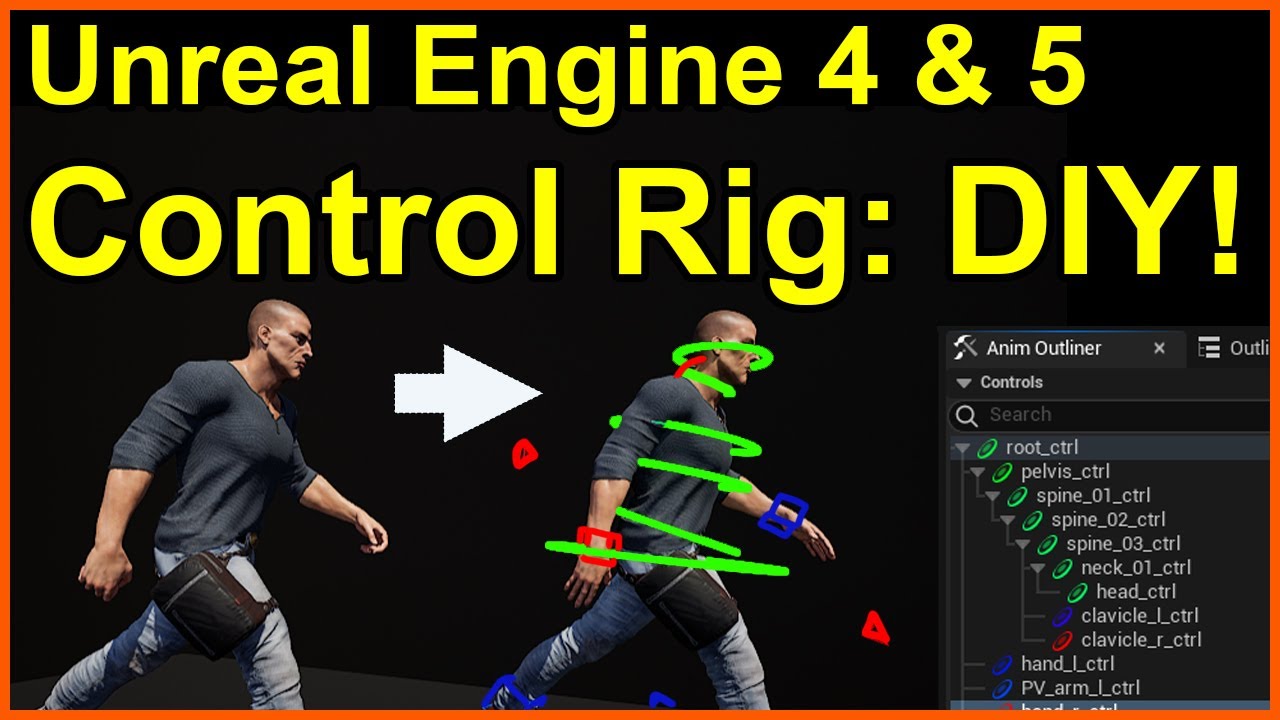
Starting from a simple, freely available skeletal mesh from the Epic Games Marketplace, this tutorial will take you step by step on how to build a Control Rig, and demonstrate why it is a great skill to have!
(NOTE - for UE4, you'll need to enable the Control Rig plugin)
Once you understand the basics from this video, you'll be able to expand ...
 wet sphinx
Trying to export a character and animation from Blender to Unreal. I export to the FBX and import it into UE fine complete with the animations but when I open the animation I don't see any movement. Anyone know what might cause that?
obtuse mason
Hi is there a tutorial that teachs how animegraoh exastly works?
 peak sparrow
Am I crazy to interpret that the new 5.3 skeletal editor could allow a quick way to simply update a UE4 skeleton based character into a UE5 skeleton? That in turn would allow the trick of deleting the skeleton and selecting the UE5 skeleton as its replacement to then make all the associated UE4 anims from that older UE4 based character to now work for a UE5 character with no re-target rig needed?
peak sparrow
winged rover
my scenario is, I have a 2 handed weapons attached to a single bone (right hand)...
Attach for 1st hand then add a socket to the weapon and use that as the IK target of the 2nd hand is how I solved this.
So a socket on skeleton is the attach point for when spawned and then a bool variable is needed to say a 2h is equipped, when true you then enable IK target for the offhand to the socket on the weapon.
 hallow elm
Hi I have a problem
I use inertialization blend in anim montage, but its blend out looks jittery like the picture
How can I fix it? of course I use inertialization node in Anim Graph
https://gyazo.com/58de6bbde3a2e15e097d2e80ca4c66f0

 gloomy fable
Hi everyone,
in UE5.1 I created animations with virtual bones. Now I tried to migrate my project to UE5.3 but all virtual bones in my animations are back to 0 0 0. Is it generally possible to animate virtual bones or is it better not to do so?
 fleet zealot
In what app are animations usually created im under the impression that models are created in blender and animated in unreal engine
wet sphinx
I'm trying to get some facial animation from Blender into Unreal but things are looking a bit off. It's close but things like the inside of the eyelashes are squashed and the corners of the eye are pushed in. Any idea what could cause this?


 waxen orchid
did you ever find a solution to this? I can't seem to get the control rig picker to work with my metahuman... found this online but doesn't seem to solve it for me : https://forums.unrealengine.com/t/control-rig-picker-has-two-copies-of-my-metahuman-in-the-actor-dropdown-but-neither-works/1218059 *seems to be same problem im having tho

Epic Developer Community Forums
I started a new project in 5.2, made a metahuman and imported to the project. Made a new map and level sequences, added the metahuman to the map and dragged it to the level sequence. The Metahuman controlrig seems to work fine, including the face controls next to the face. But in the MH CR Picker… the Actor dropdown has two copies of my one met...
 pastel lily
waxen orchid
did you ever find a solution to this? I can't seem to get the control rig picke...
pastel lily
waxen orchid
did you ever find a solution to this? I can't seem to get the control rig picke...
I haven't, but I also haven't been working on that particular project for many months.
 reef badger
does anybody know a solution to mixamo animaiton being weird and teleporty since 5.3
idk why but even using the blender addon and unsing the mixamo skeleton itself doesnt work at all.
When putting the animation in cascadeur it looks as if the entire character is at different locations at different keyframes (3m forward for key 12 then back to normal)
 ivory hinge
Hi, can someone help me? im trying to import some animations but when i import them, this error appears in the log
"Animation length 1,411 is not compatible with import frame-rate 30 fps (sub frame 0,317), animation has to be frame-border aligned. "
Thanks.
wet sphinx
ivory hinge
Hi, can someone help me? im trying to import some animations but when i import t...
Oh I had this when trying to go from Blender and it was because the Blender NLA strips I was trying to export had werid start timings like 10.3. I set the them all to start at 0 and it worked
 worldly swan
Hello everyone,
Is it possible to blend between different segments in a Montage? From one segment to another
 dense marten
hey, does anybody know if its possible to multiply the intensity of an animation?
e.g. 5cm on on the Z (or any axis for that matter) will become 10, if you'd multiply it by 2 for example?
i'm trying to dynamically increase the animation strength during gameplay
i tried using a blend node but sadly its clamped at 1
hallow elm
hallow elm
Hi I have a problem
I use inertialization blend in anim montage, but its blend o...
Could someone give me help?
 odd epoch
My friends, help please! I'm doing an animation for my aim state that should look like this 1st screenshot. But when I bake it and use it, it deforms to the second/third screenshot. Any idea what is happening? Any help is appreciated
pure horizon
hallow elm
Could someone give me help?
What do your values look like here for the blend?
 pure horizon
fleet zealot
In what app are animations usually created im under the impression that models a...
pure horizon
fleet zealot
In what app are animations usually created im under the impression that models a...
You could also model, rig, and animate in blender, and export it to Unreal. Most companies i've worked for use Maya, but Blender has started to creep into the mix.
hallow elm
pure horizon
What do your values look like here for the blend?
that's default....
Only Blend logic is changed as inertialization
pure horizon
Just trying to knock out any low-hanging-fruit issues it could be. Because from the video it's hard to tell what exactly it could be.
My initial thoughts were either a custom or non-standard blend curve (like CircularIn), a very fast blend duration, or the fire anim poses are too different from the idle it is blending in to.
hallow elm
pure horizon
Just trying to knock out any low-hanging-fruit issues it could be. Because from ...
hmm, actually, standard blend is works good, so that's can be reason, thank you!
 smoky shell
hallow elm
hmm, actually, standard blend is works good, so that's can be reason, thank you!
smoky shell
hallow elm
hmm, actually, standard blend is works good, so that's can be reason, thank you!
By default, the engine only blends 2 poses - sort of. The settings aren't exposed at all, but enable cvar a.AnimNode.Inertialization.IgnoreDeficit 1 and it'll get you 80% of the way there.
To get 100% of the way there you need to modify engine source to change from 2 snapshots to 8. Of course this is only possible with source engine build. INERTIALIZATION_MAX_POSE_SNAPSHOTS = 8
However, with a bit of effort, I got put in touch with the epic dev responsible for the node and as of 5.4 it will be exposed on the anim graph node itself.
If you're on 5.3 then try Dead Blending, epic intended it as a drop-in replacement for inertialization.
Fwiw inertialization (and dead blending) is more performant than standard blend, because standard blend processes two or more animation poses, whereas inertialization only processes 1 and the procedural blending is super cheap
The only time to not use inertialization, is when the results don't look good
 scenic lodge
Hi , guys i got an issue here i have this state machine animation graph , i have an animation sequence for attacking in the attack state , problem is i want to reset the bool bShouldAttack when the animation end , is there any kinda delegate that might help with this ?
Image
 smoky shell
You could use an anim notify on the animation itself.
However, typically these kinds of systems use montages not animation states
scenic lodge
smoky shell
You could use an anim notify on the animation itself.
However, typically these ...
i used first but i found it terse as it just end with reverting to T-Pose for the character output pose . so figured out it might be better to put it into a state , i am confused and do not know the better way of doing it . Do you have any insight ?
smoky shell
Well, fix the issue with it going into tpose then
scenic lodge
is there a way to make montages go to the locomotion blend space ?
 waxen wigeon
Hi guys, very new to ue5
i have this problem with my dear Vincent, can somebody help me ?

 radiant matrix
The bones of my exported book are always very very big
Blender to unreal
what could be the issues?
 rain osprey
Can someone offer some assistance? I modified the UE4 Mannequin in Blender, i applied weight painting to the bits i added made sure it all works nice
But when i import it into UE it doesnt work correctly, its saying it needs to merge skeletons or something then always fails
Is there something im missing here? I thought it should be easy to reimport and use the default SK_Mannequin
radiant matrix
that wasnt it sadly
same error on 1 and 0.01
its a big issue 2 other artists have to now
jolly hatch
why is my notify NOT working?


 boreal widget
Does anyone know how to import blener animations made by keyframes into unreal engine. I've tried exporting with both FBX and alembic but both doesn't seem to work
 agile horizon
hello)
If I edit a default SK_Mannequin animation (i.e. running forward animation) to adjust the arms position during the run, how can I return this animation to default later if the need arises in the same project?
 tranquil lark
radiant matrix
its a big issue 2 other artists have to now
tranquil lark
radiant matrix
its a big issue 2 other artists have to now
Try using gltf. Epic has been doing a lot of improvements with it in recent versions. Last I tried it was pretty good. Only a small issue with like normals or something (I can't remember exactly, it was like 2 versions ago). Plus you don't have to do any funny business with the blender settings. Where as fbx you are supposed to set the scale to like 0.01
Nope
Not in our tests
radiant matrix
tranquil lark
Try using gltf. Epic has been doing a lot of improvements with it in recent vers...
trying gltf just to export a skeleton?
ofc we already did that
since i am the technical artist
but gltf also seems to export a whole lot of other things...
mh
my inner balance is telling me that gltf could be worth exploring fully
still this is stupid
the unit conversion of unreal is not cool
tranquil lark
gltf doesn't export anything additional that you don't tell it to.
radiant matrix
tranquil lark
gltf doesn't export anything additional that you don't tell it to.
send source
tranquil lark
We use it
tranquil lark
gltf is text based. glb is binary based
radiant matrix
unreal plugin is there?
tranquil lark
I've been using gltf export from Blender for at least 6 years
radiant matrix
do you use blender 4.0?
radiant matrix
tranquil lark
Just change the file extension
ok that i found
tranquil lark
radiant matrix
do you use blender 4.0?
Not yet.
But UE should work with glb as well
radiant matrix
nono i dont want to use something you dont advise
i will use gltf
but are you using unreals gltf importer?
or a custom one
unreals is deprecated
tranquil lark
What version of UE are you on?
tranquil lark
radiant matrix
nono i dont want to use something you dont advise
gltf and glb are the same format. Just one is test based and the other is binary based
 tranquil lark
I'm using UE's importer
radiant matrix
i messed up the versions
seems like ue5.3 is up to date after all
good
are you using fbx for anything anymore?
tranquil lark
Epic is rewriting the import pipeline of things. fbx is the only one that is still on the old important workflow
tranquil lark
radiant matrix
are you using fbx for anything anymore?
Yeah, marketplace assets are still mostly fbx
tranquil lark
All things static are done in gltf for my team
radiant matrix
your pipeline
can i treat gltf like fbx?
or is there something i should do different
tranquil lark
We haven't tried the character stuff in like 2 versions. But we also rely on Cascadeur for animations, so we're probably still going to use fbx for characters anyway
But for simple skeletons (like a book), I can't imagine it'd be have too many problems
Also, in 5.3, you can convert and rig static meshes into skeletons with the new skeleton editor
Could be useful for simple stuff
radiant matrix
this is a bit strange
you are not using gltf for animations???
if your 3rd teammember creates an animation in blender
wouldnt he export it for animation??
as gltf
tranquil lark
No. We do character animations outside of blender. And that program only imports fbx
So for our characters we export as fbx so we can use that one
And they only export as fbx
But they're closed source, so they actually have a good fbx exporter
radiant matrix
will gltf have issues with animations?
you said you have to test that
this is exactly what i need to understand
tranquil lark
It shouldn't. There was only one issue that we had like 2 versions ago. But they've continued to work on gltf stuff since.
So you just need to test. It's super easy and quick to test
2 versons of UE btw
radiant matrix
thank you
 idle kiln
does anybody know what best practices are for creating and playing animations on the player's camera that blend in and out to gameplay? for use in executions like these: https://youtu.be/md6_Lbor6YM?t=5

Metal Gear Rising: Revengeance (2013)
Finishers, Takedowns, Zandatsu, Quick Time Event (QTE)
Timestamps
00:00 Intro
Combat Moves
00:10 Execution / Zandatsu
04:33 Stealth
07:33 QTE (Break Free)
10:52 QTE (Encounter & Escape)
15:08 Instantly
16:39 Extra
Bosses
17:03 Metal Gear Ray (Raiden)
18:45 Mistral (Raiden)
19:35 Monsoon (Raiden)
20:21 Sundo...
 long blade
Has a developer ever casually mentioned something that made you realize you could've cut months off your last project? You could be that developer! Join Unreal Engine Evangelist Chris Murphy as he runs through some of the lesser-known Unreal Engine 5 features that could turn weeks into days.
We’re excited to bring you sessions from Unreal Fest ...
34:40-38:36
idle kiln
long blade
<@399821083244625930> https://youtu.be/k2IP5DYQ0-0?si=SHhQJOaGAkC0-cZw&t=2080
thanks! i do have cursory knowledge on blending the player camera into a level sequence, but are there ways to create and blend camera animations that are part of the character's animation and position and not from a set position on the level?
long blade
I mean that would just be an on action trigger of the event instead of on location
or am I misunderstanding what you mean
idle kiln
is there a way to have a camera animation baked into a character's skeletal animation?
like say i animate the character and camera in maya
and this animation could be played anywhere on a level
how would i get that camera animation to play on the player's camera relative to the player's current position when triggered in game?
 brazen wharf
by sticking the camera to the player location (or attaching whatever plays the camera animation to the player)
 halcyon garden
Can anyone help me?
I have this aim offset

But using that my character is invisible on upper body
I`m using UE5 manequin


 brazen wharf
 violet crescent
anyone know how to trim an animation?
violet crescent
anyone know how to trim an animation?
rightclick in the sequencer, remove frame x to y
make a duplicate of your sequence first, to test on, since it can be tricky sometimes to get it right
gloomy fable
gloomy fable
Hi everyone,
in UE5.1 I created animations with virtual bones. Now I tried to m...
So my conclusion is that you should not animate virtual bones in an animation sequence. For some reason, they can be saved in the project, but as soon as the animation is exported or migrated, the virtual bones are always set to 0 0 0 - even if I import them back into the same project. So I have to come up with something else.
 narrow bough
How can I exclude some objects in the widget hierarchy to be played as animations? I have three separate animations, where I have three different canvases stacked. I want the main canvas to play as animation, but not the other two except for when I press buttons. I've gotten everything to work except for the two canvases that play automatically in the widget since they are under the hierarchy of the main canvas
 queen matrix
Anyone here experienced with layered or additive anims?
Have an IK based ADS and Vis Recoil system. Having issues playing montages for some actions (like bolt action or shotgun fire). Would like to retain the IK position, but play the animaton that's needed.
without affecting the ADS IK state
 glass path
Hi, im trying to make a blend space for climbing animations. When i look in the blend space the animation plays correctly and is blending correctly, but when i use it ingame for some reason the feet are not moving. im using the standard manny animation blueprint, with added code to make the blendspace work


 pseudo perch
i need some help, im trying to render an animation that i made with a vehicle from the city sample. but it doesnt seem to appear in the renders. i need help asap pls


 inland ember
Hey, guys. I want to learn control rig but its seems intimidating. Is there any unreal marketplace course or youtube playlist I can follow to get into it?
 idle isle
Hi all, I'm in need of a good dance card reference for build my motion matching system in Unreal Engine.
Struggling to find a tutorial or file with the specific movements for the animations I want to create or record with a capture suit.
Any recommendations or guidance would be much appreciated! Thanks!
 narrow bough
How can I exclude some objects in the widget hierarchy to be played as animation...
narrow bough
narrow bough
How can I exclude some objects in the widget hierarchy to be played as animation...
For anyone elses reference, I did a hacky workaround with setting visibility on the different animations. It's not perfect, but it kind of works
 shell helm
Anyone know of a reason for control shapes disappearing? Just added a new shape and every other one under the root parent went invisible. They're still in the outliner and I am losing my mind
**They also all moved their origins to the center of the mesh
 lilac crest
Hello, I'm trying to drive an animation with a curve inside an Animation Sequence, but it always return 0.
I put the animation within a Blendspace and tried to insert the same curve into all animations inside the BS, but it did not work.
Any idea what I did wrong?
 lilac crest
Hello, I'm trying to drive an animation with a curve inside an Animation Sequenc...
lilac crest
lilac crest
Hello, I'm trying to drive an animation with a curve inside an Animation Sequenc...
nvm, it's my blendspace that wasn't working for some reason, recreating it from scratch worked.
 rapid finch
Does anyone know if game studios contract out creature design/animation (non humanoid) to smaller studios? Or if they do this in house? Or, is this an industry chat question?
obtuse mason
guys how can I learn animegrph I just don't understand
 misty dagger
Hello, what causes the tail of bones to be x100 in scale when everything else is at the correct scale? Here are some screenshots, anyone who could help me understand this would be amazing.


 sharp linden
Wonder if anything like that is possible in UE5? I'm looking at complex cloth rigging, but hard to find any info on that.
https://www.rihamtoulan.com/blog/2018/3/24/faking-collisions-with-joints-based-setup-8snd2

Riham Toulan
Hi guys, almost a month ago I posted this rig test for a collsion setup I made for a character I was working on.
 still kayak
Hello, I was using the CR_Mannequin_body to do some animation, however after coming back to unreal the next day, when I clicked on the mannequin the rig controls weren't there anymore. I also sized down the mannequin body as it was too big for my scene, but when I reopened Unreal it's the size it was originally. I'm new to Unreal and am struggling to find sources to help with this.

 outer garden
I'm trying to save some time by re-using the default mannequin control rig, but on a different skeleton setup. So far I've replaced all of the bones, but still getting a compile error, nothing red or warnings. Then there's also the issue of not being able to tweak the axis of the arms for this control rigs node, how would you go on about doing that? https://gyazo.com/7027fe04e5755b079cb7c57c6ca16302
 outer garden
still kayak
Hello, I was using the CR_Mannequin_body to do some animation, however after com...
outer garden
still kayak
Hello, I was using the CR_Mannequin_body to do some animation, however after com...
Try pressing G, default keybind to show/hide controllers.
 tropic ridge
hey guys
I have this ladder climbing loop animation but in order to get the root motion working I have to key the armature as an object itself??

but when I do that it pulls every keyd bone with it so there has to be a better way right?
 autumn bison
Hey guys,
I’m trying to add the animation starter pack to my game, and currently I’m making a blend space for my character when they acquire a gun. However, when I drop in any animation from the pack, the right shoulder of the mannequin stretches. Im assuming this had something to do with the skeletal mesh, as they were made for the UE4 mannequin, but I’m very new to the system. Any suggestions how to fix this?

 hollow stone
Does anyone know what is causing my character to do a "stanky leg" whenever I use 8-way strafing locomotion?
It only happens when transitioning from one direction to the opposite direction. If I move forwards twice, for example, the problem doesn't occur.
 copper salmon
tropic ridge
hey guys
I have this ladder climbing loop animation but in order to get the root...
copper salmon
tropic ridge
hey guys
I have this ladder climbing loop animation but in order to get the root...
Typically, you would prepare an in-place animation which means the character would look like it is climbing the ladder, but it is not moving up. The movement up will be applied in Engine by the programmer. This will be the easiest way, since you can't predict the height of the ladder or there could be many ladder sizes.
Another approach is to include root motion, so the root would move up with the character, but you would add the root motion before animating the rest of the character, since the root is the parent and moving it will move everything as you noticed. If you would like to go this way, you'll need to remove the vertical movement from the other bones to move it to the root bone.
tropic ridge
copper salmon
Typically, you would prepare an *in-place* animation which means the character w...
I used to do the in-place animation but it was then difficult to interpolate and time it
now I'm trying the root motion way and I guess that should work but the way it's implemented is really annoying
also I need to switch the character to fly mode for some reason
 spare whale
hey all, we have this ABP that blends our characters talk animations with his idle animations.
But when i change the variable for the talk animation nothing happens.
Is there anything im missing?

 regal mulch
I'm using live retargeting to play Manny animations on a Synty rig. What could be causing this animation snapping on the Synty rig?https://gyazo.com/daf00d7c0467ca8ffde1d0fdc8fe712b
Is this normal? Does it happen because there is some loss of detail after retargeting?
 sand gull
Hi, any idea on why my animation would import "weirdly" to unreal? I'm using blender and auto-rig-pro export, it looks fine in blender, but in unreal the thinger is doing this weird thing... it's only between frames 1 and 2, so I don't really understand what's going on... Any ideas?

 sand gull
Hi, any idea on why my animation would import "weirdly" to unreal? I'm using ble...
sand gull
sand gull
Hi, any idea on why my animation would import "weirdly" to unreal? I'm using ble...
If anyone ever faces this, it was fixed by exporting with a lower sampling rate for baking animations. I set it to 0.1 and it's perfect now.
shell helm
Anyone know of a way to make a control not distort the mesh its attached to when rotated? I'm thinking like how a gear rotates and there is nothing else skinned to that bone. first image is what happens when I rotate the control and the second is the scale it is supposed to be.


 tired garnet
Hi, I want to do a vertex animation from blender(just like on this tutorial, but not for 3ds max: https://youtu.be/Fmq2QvyEIMA)
But I can't find any helpful materials. Blender require camera setup for exporting to EXR, and I'm rather sure it can mess with animation
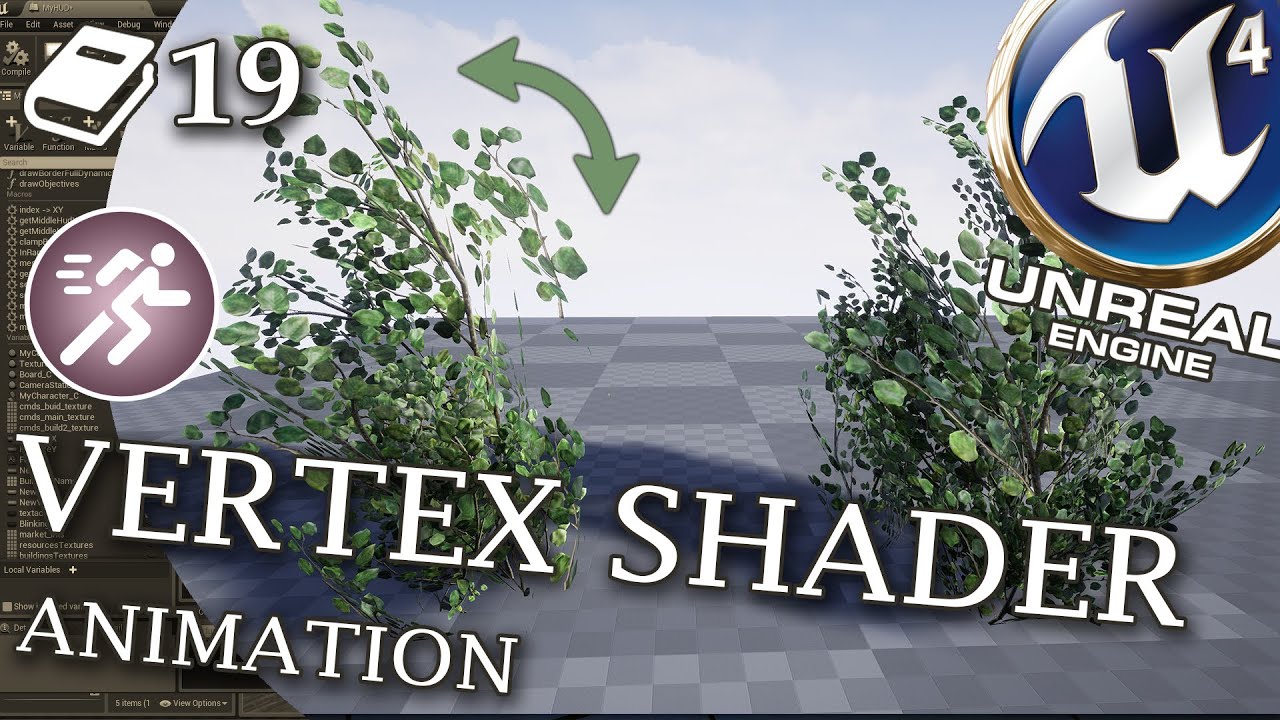
In this UE4 guide we discover secrets of shader animations. We will learn how to create new vertex animation in 3DS max and import it back to Unreal Engine 4. Then I share more advanced mesh movement techniques which I am developing in Astro Colony game as a solo developer.
🔥 We are getting close to KS with Astro Colony🔥
Please help us and join...
 crystal violet
Is this a dumb idea: Instead of making a unique "hold" animation for every gun in my game, I create one generic "hold" anim and then make 5 sockets on each gun mesh for each fingers end position and place the fingers on each respective point using an IK rig.
I've already done this for the pointer finger so the finger always sticks to the trigger as it moves while you fire, but now I'm wondering why not do this for every finger and then drastically reduce the amount of anims I need?
crystal violet
shell helm
Anyone know of a way to make a control not distort the mesh its attached to when...
Thats an issue within the mesh, not the rig is it not? need to attach the parts to the bone but set them to not deform.
shell helm
The skinning weight? It is all weighted to the one bone for rotations, would that cause issues? It rotated normally in blender without any distortions but I know the solvers are different
shell helm
No worries! Its the most complicated rig I've done so it's been an exercise in patience. Would it be a mesh issue if it functioned normally within blender? Are there settings within the skeletal mesh that I can pick to say no to deforming certain bones?
I've been mostly working with control rig for this one, am I able to go look at the solvers independently?
I will look into that, thank you! I'm also gonna see if there's any setting within the skelmesh as well just in case
tired garnet
Can someone explains me how exactly this node works? I know its used for vertex animations, but what about the pins and how it works under the hood
 misty dagger
Control Rig is causing a lot of crashes in 5.3.2. Is this a common problem?
 hardy flicker
can anyone tell me why my root bone is doing this
 hardy flicker
nvm
 sturdy dragon
I have a question, How would I go about learning about physical animations? Videos seem outdated so I'm guessing documentation and looking at Unreal Content examples?
ashen junco
sturdy dragon
I have a question, How would I go about learning about physical animations? Vide...
Content Example has a dedicated map for Physical Animations alone. It's a good way to study it in practice, and directly look into how things are achieved
sturdy dragon
ashen junco
Content Example has a dedicated map for Physical Animations alone. It's a good w...
That's what I've got to now atm, Would you recomend documentation as well?
 heavy bay
Hey guys, i am trying to trigger animations on a metahuman at runtime through an animation state machine but cant get the anims to trigger, i have the inputs through the project settings input mappings but i am told they need to be registered through controllers or pawns but i dont know how to do this, does anyone have any ideas?? TIA
 atomic lodge
Someone in this server was working on a dragon game using control rig... does this ring a bell for someone? :P
I was looking at doing something similar.
 mystic tiger
Hello, anyone has any idea why when I create an animation montage, its getting interpolated with more frames? the animation that I am creating the montage from exported with the corrected frames?
E.g animation has 78 frames and the montage has 97
ashen junco
mystic tiger
Hello, anyone has any idea why when I create an animation montage, its getting i...
A screen recording could help adding context to your question
mystic tiger
I added 2 SS montage vs animation @ashen junco as you can see the end frame of the 2 animation is different, and the montage its also interpolated to last the whole 97 frames rather than until 78.
Edit: I think i figured it out, it looks like the target frame rate was incorrect when exporting, I am using send2UE from blender and its sending it at 24 frames rather than 30
 pliant jolt
Why my Skelton is like this when i Import it ?

in the Right is Ok , But has this ball of wool

but if i zoom in, i can see the bone, and its a normal size

oh, its too small
Where i can change>
?
 faint perch
Why does my skeletal mesh become a dwarf?

Unfortunately my game is not set in Lotr
faint perch
Fair enough, but this is a paragon model. Should be rigged up already for UE skeleton.
 real atlas
I renamed a finger bone on my skeletal mesh (I originally made a mistake with naming), but once I reimported, it went through fine with no messages or anything, except now that finger bone is missing from the list, what do I do to bring it back?


in fact, it even happens when I import the new one on its own, rather than reimport onto the original. makes even less sense
fbx
same settings as usual, same mesh as before and had no problems until I renamed
and I actually renamed 2 bones but only one is having this problem

theres literally nothing different about this
Ive not done anything wrong or different
real atlas
what the hell why is my retargetting result so awful? made another character using the same skeletal mesh but just changing the proportions a little, and it completely offsets the bones that it needs to, and some animations just dont work at all, I think theyre infinitely small because the camera gets lost and I see nothing
real atlas
finally worked it out (after it somehow managing to break ALL my animations on the original mesh and making me reimport them all which removed all the changes/settings I used on them) and it works fine on a new character, but except, theyre just tiny now? literally looks perfectly fine just so much smaller and its not affected by the root motion stuff
christ, its not even worth the effort is it
 neon merlin
Not sure what I've done but when I play the fire animation it rotates my gun 90degrees and wont put it back xD any ideas what I've fucked up?
 outer garden
Why are the IK arms parented entirely to the clavicles? When I move the clavicle, I want it to be just moving itself, and the arm behaving like an IK chain. Also, how do I expose the base IK controller in an IK chain? Like a leg, I want to be able to move the thigh bone and still maintain the leg working as an IK chain.
outer garden
Does anyone have a video/guide of a breakdown of the mannequin control rig?
 leaden vault
Does unreal have a Parent or Gimbal way of manipulating objects? Right now I only see world and local.
But in the Houdini gif you can see a mode where the axis match what is in the parameters and when you change one it ONLY change that axes value. I don't see a way to do this in Unreal.

 heavy bay
Hey guys, i am trying to trigger animations on a metahuman at runtime through an animation state machine but cant get the anims to trigger, i have the inputs through the project settings input mappings but i am told they need to be registered through controllers or pawns but i dont know how to do this, does anyone have any ideas?? TIA
outer garden
How do I make a simple spline ik chain? Like a rope with a base and a point, then an affector in the middle. It needs to be able to rotate and scale as well. I've only found the Spline From Points node which is useless.
 quartz heath
When using the anim budget system, is there a way of forcing the mesh to "normal" tick rate when it is on screen rendered? From my experience the tick rate is not influenced a lot when being rendered or not
real atlas
just questions and questions
 round jolt
I have this problem on UE 5.3 that when I add additive layers to an animation, in the scene the skeleton gets broken but on the editor side it's seems fine. Can somebody help me with this?
 rain tundra
Hi guys!
I’m making a FPS/TPS game where you can switch perspectives, and I’ve managed to switch the perspectives through owner no see functions.
I’ve also made a double mag reload animation, but, as you can see in my video, the anim notify that I’ve set on the double mag reload animation is not working only in first person mode, but, it appears to show in third person view too, which is not right and it looks weird, because the second mag is going through the third person character’s head…
So, my question is, how can I somehow hide the second mag in my third person view? I’ve tried using owner no see, but I got lost and didn’t manage to do it right, because I’m a beginner and my skills are not advanced…
I’m really lost on this… I would be really grateful for your help!

 dusky wing
Hey all. In 5.2 when Imported a character the morph target sliders loaded in just fine. If 5.3 the morph target sliders dont appear where they where. Anyone know where they went?

 hexed igloo
rain tundra
Hi guys!
I’m making a FPS/TPS game where you can switch perspectives, and I’ve ...
hexed igloo
rain tundra
Hi guys!
I’m making a FPS/TPS game where you can switch perspectives, and I’ve ...
if the mag is its own actor you could do something like if camera is thirdperson then hide actor
 copper obsidian
Hi, im a newbie trying to do animations... im trying to get the pelvis to go down, but when I do so the character like spine goes thru itself into the pelvis and like gets squished? Did I rig it wrongly?
Or how do I create crouching or sliding movement?
 rain tundra
hexed igloo
if the mag is its own actor you could do something like if camera is thirdperson...
rain tundra
hexed igloo
if the mag is its own actor you could do something like if camera is thirdperson...
I've tried doing something similar but I didn't really know where, how, and what bp functions should I use
Could you point me to where and what functions should I use? I've attached the screenshots of my BPs here
I'm a newbie and it would be so awesome to fix this issue because I spend way too many hours trying to work something out...


 hexed igloo
rain tundra
I've tried doing something similar but I didn't really know where, how, and what...
hexed igloo
rain tundra
I've tried doing something similar but I didn't really know where, how, and what...
you're gonna need an animation for third person
 jaunty ferry
Hi guys, sorry to interupt but
I'm currently at GameJam and we are figuring out how to set an unique animation on specific surface in Unreal engine 5. We basically want to drift on ice, and only on ice.
rain tundra
hexed igloo
you're gonna need an animation for third person
Hi! I added a third person animation, and it works well, until if I start to reload in FP and then quickly change in TP, then the problem with the spawned mag above the head still persists..
jaunty ferry
jaunty ferry
Hi guys, sorry to interupt but
I'm currently at GameJam and we are figuring out ...
Anyone knows how to create the script for that?
hexed igloo
rain tundra
Hi! I added a third person animation, and it works well, until if I start to rel...
could be something that needs to be fixed using c++ im not aware of anything that would cause the head clipping unless its the way you have your transition into third person set up. I assume you used a fps template
I would recommend you leave the game in third person and only go into first person in certain situations like ADS
or when using melee weapons
 cedar meadow
well, i hope this is the right channel for this but does anybody know what things can cause stretches like this? Basically i replaced the default character with my own (still using the same skeleton) and the neck is very stretched out, i also retargeted the animations so they worked with my new character and they all look fine in the previews
 rain tundra
hexed igloo
could be something that needs to be fixed using c++ im not aware of anything tha...
rain tundra
hexed igloo
could be something that needs to be fixed using c++ im not aware of anything tha...
Thank you for your answers bro!
What if I don't let the player change perspectives while reloading?
Could I do something like that, with delays? Or a some BP function?
cedar meadow
cedar meadow
well, i hope this is the right channel for this but does anybody know what thing...
nevermind i am mega stupid, i made a duplicate of ABP_Manny which i didnt even assign in the blueprint, with it all is correct
hexed igloo
rain tundra
Thank you for your answers bro!
What if I don't let the player change perspecti...
yea you could set up a condition based on if the animation is being played that enables and disables the ability to swap cameras
misty dagger
rain tundra
Hi! I added a third person animation, and it works well, until if I start to rel...
hi, can i ask how what u used to create this animations?
rain tundra
misty dagger
hi, can i ask how what u used to create this animations?
Of course!
I followed this tutorial:
https://www.youtube.com/watch?v=nkZfnXLHdjU&list=PLzykqv-wgIQXz6qLDE-wswVJ7pEH9ziKx&index=11

Become a member: https://www.youtube.com/channel/UCFjBMoGhlEum8jRgPvmWpJg/join
Join the {GDR}; Discord server and download my free project files: https://discord.gg/dUm3ZtYDuV
Buy me a coffee: https://ko-fi.com/bluntstuffy
Follow me on Twitter: https://twitter.com/BluntZombie
Make ( FPS ) animations for Unreal Engine 4 with Blender and Mr Manne...
misty dagger
rain tundra
Of course!
I followed this tutorial:
https://www.youtube.com/watch?v=nkZfnXLHdjU...
thanks, i am new to ue5 and i am searching for tutorials and stuff to start
rain tundra
hexed igloo
yea you could set up a condition based on if the animation is being played that ...
Thanks for your reply bro
I can’t wrap my head around this, I don’t know how to connect each other… Sorry if this is a dummie question, but i’m a newbie and don’t really get this
This is what I kept trying, I don’t know how to connect them
 rain tundra
misty dagger
thanks, i am new to ue5 and i am searching for tutorials and stuff to start
rain tundra
misty dagger
thanks, i am new to ue5 and i am searching for tutorials and stuff to start
Me too bro, good luck on your journey!
misty dagger
rain tundra
Me too bro, good luck on your journey!
thanks good luck you too!
 brave mirage
Hey guys quick question. Ive got a chest I need to animate opening with three pieces. How does this work? Do I animate it in Blender and import the animation in the FBX or bring in the three separate pieces to Unreal and then animate it in Unreal?
 brave mirage
After I animate my chest with bones and import it into Unreal I get tons of files. Not sure what Im doin wrong. I select the three separate meshes then the bones and export from Blender.
 copper salmon
brave mirage
After I animate my chest with bones and import it into Unreal I get tons of file...
copper salmon
brave mirage
After I animate my chest with bones and import it into Unreal I get tons of file...
Is your chest made of separate objects/meshes which you then parented each to a bone? If so, I suggest to treat the chest like a character where all the pieces are merged together into one object. This object should be skinned to the skeleton. Skinning will be a basic assignment of weights for each separate piece. Also, name your animation. It seems that a lot of animations were exported for some reason.
brave mirage
Yea 3 pieces each with their own bone. Ok, Ill try combining everything and weighting each section to a bone. Thanks
 placid grove
Hello, I apologize if this is not the right spot to ask this question. I was looking into hwo to animate within unreal, and came across control rig. Seems great, but there seems to be a lot of manual setup for it. My question is, if i have a character using the unreal skeleton, is there a way to basically "Right click, and apply control rig" ? I guess i was hoping that by using the epic skeleton, you could get a basic control right automatically for it.
tranquil lark
Third person template project comes with ctrl rig set up for that skeleton
misty dagger
Anyone know how I can fix this issue below -
I have a MetaHuman I pulled out of the TSW Editor to make my own animations. I did this in Blender and stuff put the animations back into the editor and I have an issue where it's like the boes are fully rotated either backwards or 180
I haven't changed anything to do with skeletion in Blender as I want the animation to work with the Skeletion in game then making my own if that makes sense
Thats what I'm getting though
idle anim is theres and the other animation is mine meant to be a walking but you'll see it's not faired to well.
Thats my Blender settings when exporting the animation

 remote summit
Is there some way that I can reload the middle animation without having to delete and re-add?
 placid grove
tranquil lark
Third person template project comes with ctrl rig set up for that skeleton
placid grove
tranquil lark
Third person template project comes with ctrl rig set up for that skeleton
And you essentially just copy paste it over?
 wild flare
I am new to animations and I downloaded am animation template that is essentially the lyra locomotion system,
The character is being animated to pull out a gun and aim when a key is pressed but there is no node in the character bp that is aiming the weapon
this aiming i believe is being handled in the anim blueprint.
where in the anim bp is the inputs being handled?
in other words, how can an ai use an anim bp if the anim bp is only configured to the players input?
 median grove
its possible to animate character inside of unreal engine and save the animation as animation sequence then reusing them in animation blueprints?
remote summit
median grove
its possible to animate character inside of unreal engine and save the animation...
yes
lots of videos about how to do that
median grove
remote summit
lots of videos about how to do that
realy? what should i search for that?
remote summit

In this video I go over how to Make Animations For The Unreal Engine 5 Mannequin
👉 Get Access To All My Unreal Engine Courses At : https://www.unreal-university.com/courses
👉Get My Free Unreal Engine Beginner Course : https://bit.ly/46mUWMr
#Animations #UnrealEngine5 #Uisco
wild flare
remote summit
https://www.youtube.com/watch?v=tnZv7KQPai0
i might check this out as well.
Got any resources on learning about AI using animation BP's?
remote summit
wild flare
i might check this out as well.
Got any resources on learning about AI using ani...
Meaning, you want AI controller to use animation bps?
remote summit
It is no different then the player, you just have to call/modify the state via the blackboard
wild flare
remote summit
It is no different then the player, you just have to call/modify the state via t...
my player is aiming his weapon and it is happening somewhere in the anim BP.
any advice on how to manage that over an AI?
it isnt obvious there is an "AI Fire" node in this template or anything like that
remote summit
wild flare
my player is aiming his weapon and it is happening somewhere in the anim BP.
any...
Your player moves your "weapon" based on camera input
 covert depot
hey guys, I need to make a rigged snake like mesh follow a spline
what is the best approach for that
remote summit
AI moves its view based on a feature called focus
Set the focus of the AI and it will look at the target. you will need to setup aim offsets and then put that in your animBP
remote summit
covert depot
hey guys, I need to make a rigged snake like mesh follow a spline
what is the b...

Hello guys, in this quick and simple tutorial we are going to learn how to move a character along a spline in Unreal Engine 5!
↪️Join my Discord Server, NOW: https://bit.ly/GorkaGamesYouTubeDiscordServer
Check out my Steam Game! https://bit.ly/3rVlXU1
Follow me on Twitter: https://twitter.com/GorkaGames
Follow me on Instagram: https://bit.ly/In...
You guys need to learn to use youtube 😛
covert depot
I watched every tutorial on this subject, that's why I entered this channel because it does not answer my question
remote summit
covert depot
I watched every tutorial on this subject, that's why I entered this channel beca...
then the question you asked needs to be a tad bit more specific my man! Cause the video I linked explains how to move a character on a spline
So, your issue isnt with moving a character on a spline, the issue is something else (assuming you saw that video)
covert depot
snake like object follows a spline, that's pretty obvious
wild flare
remote summit
AI moves its view based on a feature called focus
but then somewhere in this template is a fire animation that is managed by the anim BP, (there is no "play anim" node in the Character BP, anim bp is managing it).
So then since the anim BP is only configured for player inputs (like left mouse,)
how could the anim bp be set up to also account for ai "input" that isnt using the enhanced input system?
remote summit
covert depot
hey guys, I need to make a rigged snake like mesh follow a spline
what is the b...
Not obvious from this question or statement
covert depot
ok thanks for your time
remote summit
covert depot
snake like object follows a spline, that's pretty obvious
your snake, will move along the spline. If you want to create something custom like physics based animation, google physics based animations
This is a complex topic that requires the use of curves
remote summit
wild flare
but then somewhere in this template is a fire animation that is managed by the ...
Fire animation is probably a montage (not sure dont know what you are looking at). You can call a montage at any point

Hey everyone! In this video I go over how to create and set up animation montages for triggerable animations in your game, as well as how to use slots in the anim graph to control how the montages play in game!
https://www.facebook.com/ArtofficialEntertainmentPage
Discord Link: https://discord.gg/TBMxXHWC2g
Patreon Link for model, animation ...
remote summit
covert depot
snake like object follows a spline, that's pretty obvious
Otherwise, the process is as the video says. Move the object along the path and play the movement animation while doing so. Can get silly with a 1D blendspace for the speed if you want it to look different as it speeds through the spline
remote summit
wild flare
but then somewhere in this template is a fire animation that is managed by the ...
You create an event for firing, and then you call that event in the blackboard AI tree
wild flare
remote summit
You create an event for firing, and then you call that event in the blackboard A...
been testing some more
rotating my AI to look at the player snaps him to the rotation and does not use the implemented "turn in place" ect of the animation BP.
any way to have the AI's head move properly with the animation blueprint?
in this example I have removed the enhancedInput look nodes and just hard coded the character every tick to add 0.1 to both axis and my camera turns, (along with my skelealMeshes head)
when this code is run in the AI, it does nothing.
the AI is a duplicate of the character class with the hard coded look nodes.
its the same in both the AI and player character but yet the AI's head doesnt move when the axis's are updated every tick
any ideas?
 remote summit
wild flare
been testing some more
rotating my AI to look at the player snaps him to the ro...
remote summit
wild flare
been testing some more
rotating my AI to look at the player snaps him to the ro...
I would take your question to the BP section
this is not an animBP issue, this is related to how you are handling the AI
But, to be a bit more clear, AI does not follow the same process as the player, in some cases. The logic can all be there, but the way you call the logic has to be handled in a different method
EG: you could be calling the player controller, which the ai is not, and thus the information inst being passed along
Linking events like this to tick is also horrible for performance, I guess i get it for testing, but why?
There is an option in the movement component that handles the "instant" rotation, as well as a variable that manages the rate of rotation
Something to keep in mind is that the animBP is not the same as the player/ai BP, and differes in implimentation as well as aplication
the issues you are mentioning here spawn from several areas and several domains of dicussion, but are rooted in what I belive is a lack of understanding in that connected process and not really related to any specific issue 😦
So, sadly, I cant really pinpoint a simple answer to help
https://www.youtube.com/watch?v=8skq8t_Fffk this shows you how to make NPCs look at the player

Hello guys, in this quick and simple tutorial we are going to learn how to make a the AI look with its head at the player in Unreal Engine 5.
↪️Join my Discord Server, NOW: https://bit.ly/GorkaGamesYouTubeDiscordServer
👉Awesome Unreal Engine courses on Wingfox: https://bit.ly/GorkaGamesWingfoxHorrorGame
Check out my Steam Game! https://bit.ly/3...
this is just the head though, so... really depends on what you are trying to do
Ryan Laley also has an entire series on AI and how to get that working. I would spend some time with that if you are going to plan to go further
wild flare
remote summit
https://www.youtube.com/watch?v=8skq8t_Fffk this shows you how to make NPCs look...
thanks for the info, I'll look into that.
remote summit
Good luck
 hallow dust
I made animations where the root bone are moving with the animations using MM, I enabled root bone motion on the animation and the animation blueprint, when I try to move the character now they don't move and the limbs vibrate. It was able to move without the root bone enabled ( though it looked really bad cause of the teleporting back to the first frame). Does anyone know what could be causing this? Also, for some reason when I try to use my animation for stepping to the right there is a blending happening between the idle animation and the step right animation for the arms (closed fists and bobbing up in down like in the idle), but no other direction is causing this (they stay in the idle with limbs vibrating).
I've put the proper settings for root motion on all the animation assets and the animation blueprint?
hallow dust
I never used a post process bp for this
brave mirage
copper salmon
Is your chest made of separate objects/meshes which you then parented each to a ...
Yo! Got it workin thanks for the help. I applied automatic weights instead of parenting the mesh to the bone. I was able to keep the 3 pieces separate with this method, each with their own bone. The next issue I had was tiny animations not showing. So I had to change the Blender units to 0.01 and scale up my mesh to 100. Thanks for the help, it pointed me in the right direction.

 obtuse mason
Hi guys
We have curves in animations tab
And it should show the curve bones of the character we have there
But I can’t find curve bones my character have and it showes metahuman bones I guess
It is bug? Also I installed auto setup
faint perch
Ugh, for whatever reason, my animation has like two frames where its just rotated and not facing the right direction.
 edgy rover
delete the frames
dusky wing
All my ARkit facial motion tracking setups broke in5.3. Er... at least my anim blue prints no longer apply the facial animation morphs. Did ARKit Facial Mocap Change in 5.3?
 heady notch
In unreal 5.3.2, does anyone have an issue doing a 'Retarget Animation Asset' on a Animation Blueprint? It works fine for every other asset but when you go and do the Animation Blueprint, clicking retarget just closes the window with no results at all.
copper salmon
covert depot
hey guys, I need to make a rigged snake like mesh follow a spline
what is the b...
Do you want the snake-like mesh to also deform following the spline? I think you will need to have the object follow the spline first. Then, you will need to manually snap and orient the individual bones to points down the spline. This should make the snake-like mesh look like it's bending with the spline while moving along it.
In the figure, the blue points are the individual bones. Assuming the head bone coincides with the origin of the object, you won't need to snap it.
 covert depot
copper salmon
Do you want the snake-like mesh to also deform following the spline? I think you...
covert depot
copper salmon
Do you want the snake-like mesh to also deform following the spline? I think you...
thank you for taking time and illustrate and reply, I'll try this
 formal path
Hey all, I'm having trouble working out how to apply anim dynamics to a skeletal mesh attached to my metahuman character. I'm unsure where I should be applying the Anim Dynamics and how I get the metahumans movements to apply to the anim dynamics. Could someone please help unconfuse me?
obtuse mason
We have curves in animations tab
And it should show the curve bones of the character we have there
But I can’t find curve bones my character have and it showes metahuman bones I guess
It is bug? Also I installed auto setup
obtuse mason
obtuse mason
We have curves in animations tab
And it should show the curve bones of the chara...
help me pls
obtuse mason
fixed it lol
wild flare
need to use the "GetForwardVector" node on the head bone of a skeletal mesh.
How can I get an object reference to a specific skeletal bone?
formal path
Does anyone ever answer on here?
remote summit
formal path
Does anyone ever answer on here?
When they know the answers, yes 😛
formal path
remote summit
When they know the answers, yes 😛
Lol, fair enough. As someone who intially learned Unity and moved to Unreal I've been surprised by how bad the documentation is. Is there a better source of info somewhere that I'm not aware of?
remote summit
Youtube is where most things are. If you want to post on the forum you can, but not always helpful
Really just depends
I am not familiar with the term animDynamics, otherwise I could be of more help 😦
https://www.youtube.com/watch?v=tXnw6nh09N8 This goes into the broad spope of it

This video will explore the powerful world of Anim Dynamics nodes in Unreal Engine 5. We will utilize these nodes to simulate dynamics in Citrine's earnings. Throughout this tutorial, I'll guide you step-by-step, helping you set them up flawlessly while sharing valuable tips and tricks to enhance your workflow.
Learn how to infuse your game ch...
as to how that would apply to your skeletal setup, probably would need a bit of thought process.

seems to be in a logical location, within the animBP
So, if I understand your question correctly, you need to go into the animBP and add the node mentioned in this video
doing so will enable the animdynamics. How to modify them or get them working... no clue 😛
formal path
remote summit
Youtube is where most things are. If you want to post on the forum you can, but ...
Yeah Youtube is great but still pretty sparse on certain subjects. I've watched all of these tutorials because they are pretty much the only thing out there. The issue this hasn't solved for me is if I can apply anim dynamics to an attached skeletal mesh and if so how I would do that? Here he has added bones to the skeleton for this but I am trying to avoid making my metahuman skeleton custom
remote summit
So, you are attaching another skeletal mesh, to your skeletal mesh?
formal path
Yeah I'm attaching a necklace skeletal mesh to my metahuman
I then made an anim BP for the necklace and tried using copy pose from mesh and anim dynamcis there
remote summit
So, go into the animBP of the necklace and add the node. It should interact with any physics object
make sure you turn on simulate physics
its a small checkbox that needs to be enabled for these things to work once attached (doesnt always have to, just worth a shot in this case)
 formal path
Oh ok, I thought that was just for rigid body stuff but not anim dynamics, I will go try that
Thank you, even confirming that I was on the right path will really help me to work this out. I'm very new to Unreal so working out if its me or the software is tough..
remote summit
I think it has to be turned on, for the physics thread to run on the skeletal mesh
formal path
I see ok, that would actually make quite a lot of sense
remote summit
formal path
Thank you, even confirming that I was on the right path will really help me to w...
been working with UE for 8+ years now.... I still dont know
formal path
Lol, yes it seems to be a little black magic at times
remote summit
It is always a checkbox... 90% of the time
formal path
remote summit
It is always a checkbox... 90% of the time
Lol ok, that sounds like good advice to live by
remote summit
I put notes as a reminder for things to check on my MIRO board 😛
formal path
whats MIRO is it like millanote?
remote summit
yeah, I think. I saw Sovereign using millanote, looked cool.
Miro is a web based board, for sharing ideas and working through them
formal path
Yeah they sound like they do a similar thing, absolutely amazing how effective they are. I now use them for all sorts of things
remote summit
formal path
Yeah they sound like they do a similar thing, absolutely amazing how effective t...
very cool
Well good luck, don't be discouraged, and keep learning! Hopefully, you get your project working as you desire.
formal path
remote summit
Well good luck, don't be discouraged, and keep learning! Hopefully, you get your...
Thank you really appreciate your help
 low charm
Can I use an anim notify to freeze its animation in the current location and start it up after an event happens?
 viscid mural
formal path
Does anyone ever answer on here?
viscid mural
formal path
Does anyone ever answer on here?
Felt
Hopefully quick question, using Quinn and its child animations (so basically using manny I guess). Inside of “MF Idle” I can add keys to the arms and have them change Quinn’s idle animation perfectly. However when I key Quinn’s legs, they don’t do anything new at all. I’ve tried this in MM idle as well and just about every animation I can find including their blend space. How can I change their legs in idle?
toe - ball- animation key works but leg wont


see leg moves ever so slightly but ultimatly not enough


foot works but not leg
even weirder, i can rotate the leg backwards.
edgy rover
what does the extra yellow line mean?
 viscid mural
edgy rover
what does the extra yellow line mean?
viscid mural
edgy rover
what does the extra yellow line mean?
im pretty sure thats just its design
 tepid light
hi; is this room only for actor animation or does UMG apply too
viscid mural
Well I can’t load discord on pc for some reason… but I opened a level sequence and dropped the mf idle animation into it to edit it that way and I noticed it doesn’t have any control points on the legs at all. I’m assuming that’s the issue. How do I add or enable them?
 frosty moon
this is how looks in editor

but in game it looks like

do you guys know why? i need soem help
misty dagger
Question about control rig. On editor startup rigs are never compiled and do not work until compiled.
We hold our breathe anytime we edit a rig for fear of editor crash.
5.3 is this a known issue or is there something I missed?
viscid mural
viscid mural
Hopefully quick question, using Quinn and its child animations (so basically usi...
Adjusting / Editing Mannequin Legs Animations (Quinn/Manny) UE5
https://youtu.be/WmvSH-as2Xg

Gaming Channel: SaintMitt
Car Channel: MeltedSounds
Personal Channel: MitchComer
TikTok Channels: SaintMitt SaintMitt_YT MitchComer
Solved
viscid mural
frosty moon
do you guys know why? i need soem help
Your character blueprint needs the mesh attached.
viscid mural
misty dagger
Question about control rig. On editor startup rigs are never compiled and do not...
Never had that issue in 5.0 or 5.2 . Might just be your system
frosty moon
viscid mural
Your character blueprint needs the mesh attached.
I didn't meant to the gun mash there is an issue about the anim itself
In editor it looks nice but in game somehow anim change
Idk why
 tranquil cape
So quick question
It is possible to give an ABP, or more specifically the AimOffset, only when you give the character a property?
(Like, a character will only get the AimOffset when it has the gun, or sword, etc)
Let's say theoretically, I have a character's ABP and it doesn't have an AimOffset. And I have a weapon class that will apply an AimOffset to the character.
So what should happen is that the AimOffset from the weapon should "overlay" or "override" over the original ABP; it applies the AimOffset on top of the ABP.
queen matrix
Good morning! 🙂 Anyone here that would be able to give me an advice on additive anims and using montages as additive over IK determined pose? For example reload while ADS or Bolt Action animations. Having some issues with our current set up
 novel viper
Is there a way to force a bone's yaw but ignore pitch and roll so that pitch and roll are unchanged?
round jolt
I have this problem on UE 5.3 that when I add additive layers to an animation, in the scene the skeleton gets broken but on the editor side it's seems fine. Can somebody help me with this?
 sinful raptor
How to make vehicle doors open & close using the animation instead of a timeline like they do in city sample?
 wide idol
Is there a way to make the ABP jump from one state to another without being connected by blueprint?

I couldn't find how, but I'm sure it's possible.
low charm
@wide idol Look up State Alias
@wide idol Read the first comment in this post.
https://www.reddit.com/r/unrealengine/comments/uv25ob/could_someone_explain_what_aliases_are_in_the/
Reddit
Explore this post and more from the unrealengine community
wide idol
Thank you! I'll be sure to take a look at that post.
 timber summit
Does anyone have any suggestions for setting up hit reactions in the animBP? I was thinking of having a montage slot for hit reactions but I'm not sure the best way to add them to the final pose.
 gritty tulip
Excuse me , Could you please take a look this screenshot. I have been trying to add control rig to my character but I dont quite get what is happing to its Toes section
 faint perch
edgy rover
delete the frames
faint perch
edgy rover
delete the frames
That adds a break in the animation. Replacing one problem with another.
misty dagger
Hello everyone, i don't know why manny and quinn can share the same skeleton while they have different body structure

 pure cosmos
Hi, can someone point me in the right direction on how you would go about implementing secondary animations for attachments. So for example a rifle attached to a characters back that reacts to the character's velocity, like in the Last of Us Part II.
copper obsidian
Noob question here, do you create a new level sequencer everytime you want to create a new animation? (After exporting the animation you made as a animation sequence?)
 fathom bluff
@copper obsidian once you create the animation and save the asset you can delete it from the sequencer and work on a different animation
copper obsidian
fathom bluff
<@201866255223750656> once you create the animation and save the asset you can d...
ah ok, so basically, create a CR rig > create a level sequencer > Create an animation and export as animation sequence > then when you wanna make a new animation u just remove the previous data from the animation sequence right?
fathom bluff
What are you trying to do? you might not even have to do all that
copper obsidian
Uhh just trying to create some simple animations like proning and other stuff for the default UE manny
just practising and creating some placeholders
fathom bluff
You can use a level sequencer or edit animations in their sequence
copper obsidian
Hmm okay thx!
fathom bluff
Like duplicating an idle animation, open it. and you can key curves onto them to make new ones.
copper obsidian

fathom bluff
This is good for upper body animations i find, But if your doing heavy animations like prone you might want to take it further and use a control rig with sequencer
copper obsidian
also kinda dumb qn but, u can create a new level sequencer just by dragging a CR rig into the scene and it should auto generate?
copper obsidian
fathom bluff
This is good for upper body animations i find, But if your doing heavy animation...
yep!
 copper obsidian
fathom bluff
Yes your right that does create a level sequencer for you
copper obsidian
fathom bluff
Yes your right that does create a level sequencer for you
Thx!!
fathom bluff
np !
copper obsidian
Rare to get help here  appreciate it
fathom bluff
Got lucky haha im usually in other discords
copper obsidian
fathom bluff
Got lucky haha im usually in other discords

May i join the "other" discords?
fathom bluff
I've been using ESRPG so i've been in that one mostly lol
@pure cosmos If you check the pinned messages of this thread, the very bottom is an article on what your looking for. Danglies?
copper obsidian
fathom bluff
I've been using ESRPG so i've been in that one mostly lol
O_O easy survival or easy systems rpg?
fathom bluff
yupp
copper obsidian
wait which one 
fathom bluff
oh Easy SurvivalRPG
copper obsidian
do they give help if like... it isnt rpg nor the MP package ._.
fathom bluff
i'd say this is probably a better channel to post in as their are more eyes on it
there
pure cosmos
fathom bluff
<@289607469523795968> If you check the pinned messages of this thread, the very ...
Awesome, thank you.
fathom bluff
@pure cosmos you bet
 muted wadi
I am having real difficulty getting an aim offset to correctly point a pawn's weapon. I have a weapon in a right hand socket on the default unreal mannequin, and I've gone so far as to force weapon rotation to the direction the skeletal mesh is pointing when inventory is loaded, but no matter what I try, the weapon is always offset to the right of where the pawn is actually looking, and where the aim offset is pointing. How do I fix this?

There is no funky rotation of the model itself, either
copper obsidian
fathom bluff
i'd say this is probably a better channel to post in as their are more eyes on i...
oof ok thx x.x
fathom bluff
@muted wadi your trying to turn the wrist in to make the pink line point towards the line trace?
muted wadi
Nope, I am not touching the wrist at all. I'm just using the socket
fathom bluff
or you just want the pink line to
muted wadi
 fathom bluff
trying to understand your question and your goal
muted wadi
Well, I guess I'm wanting the aim offset to align with the direction of "look", which is how I'm making the aim offset rotate in the first place
The problem is the weapon in the hand never aligns
muted wadi
No, disabled
I'm thinking this would be fixed with a proper model built from the ground up, but I'd think at least the unreal mani would be more suited to this
fathom bluff
So it just doesnt spawn the same as it does on the skeleton previewe?
Its not a mannequin problem
Its either the attaching or the animation logic
muted wadi
it spawns fine, with the mesh aligned to the SKM rotation

I'm forcing it that way, because the hand socket is a bit off as well.
SKM and rifle have the same world rotation
muted wadi
fathom bluff
Its either the attaching or the animation logic
My guess is that yes, the animation logic is weird, but I have been over this aim offset so many times. It seems like it works fine
fathom bluff
how are you getting your aim offseet?
 fathom bluff
You could try adding keys to your animations
muted wadi
But the rifle still has that offset. So it's almost like the aim offset isn't quite getting to the position its should for some kind of damping reason, perhaps?
fathom bluff
but depending on the amount of aim offsets your using that could be tedious
muted wadi
I am very new and really inexperienced with animation.
So probably not the easiest for me at this stage
fathom bluff
I havent looked at c++ for a while
but ideally you want to get the head location, and then use the forward vector of the camera
copper obsidian
Hi, another noob question here, should I be deleting my level sequencer after im done creating the animations? it seems to have some references thingy which im not sure if it is safe to delete or not =/
 fathom bluff
@copper obsidian Just save all before doing it. Its just telling you that it remembers you did something with it.
copper obsidian
fathom bluff
<@201866255223750656> Just save all before doing it. Its just telling you that i...
hmm cos I have like exported some of the basic animations out already as animation sequences

it should be safe right?
fathom bluff
@muted wadi I think its animation related possibly just because of how turned in the weapon is, but i also feel like i might not completely understand
@copper obsidian Delete the mesh and sequencer from your level, save all. then delete them. might get rid of the reference warning.
its safe no worries
copper obsidian
fathom bluff
<@201866255223750656> Delete the mesh and sequencer from your level, save all. t...
 delete the mesh aka model from the level too?
fathom bluff
If you are done making animations, you can delete both yes. the skeleton in the level is just for the sequencer
copper obsidian
ah ok thx! anyways can just drag back in the control rig and it would automatically create the level sequencer and everything else again so its completely safe right?
fathom bluff
Also, if you are having issues making animations due to control rigs you can delete the ctrl rig from the sequencer
copper obsidian
 alright thx
fathom bluff
Yea exactly.
copper obsidian
noooo I deleted the "middle" sliding animation by mistake T_T and its like gone D: and since I deleted the level sequencer i cant get back the animation...
I still do have the animation sequence tho... is there anyway I can "put" / "import" the animation sequence back into the Level sequencer? so I can like, edit it to make it stop moving at the end frame?
 fathom bluff
yea you can load the animation into the sequencer, and then make edits. and bake it out
copper obsidian
fathom bluff
yea you can load the animation into the sequencer, and then make edits. and bake...
Uhh I tried doing it but it crashes my UE5 tho :c
fathom bluff
5.3?
copper obsidian
yeah
copper obsidian
copper obsidian
Uhh I tried doing it but it crashes my UE5 tho :c
is this the wrong way to do it?
 copper obsidian
Oooooooooooooh ok ill try that
it worked but then the animation isnt playing which is weird
fathom bluff
because of the control rig
delete it
or you can bake it to the animation i think
on secone
copper obsidian
oh wait u r right, u can just like delete the control rig and the animation would start playing
tho, there isnt those dots or the bones thingy to move about tho for the animation that is imported =/
fathom bluff
yea but then you want the control rig to edit, im trying to see if i can remember
copper obsidian
fathom bluff
yea but then you want the control rig to edit, im trying to see if i can remembe...
ah its alright... I need to go grab some food n head home T_T Ill be back in like 1hr 30mins sry!!
ill check / try later on
 copper obsidian
Thx!!
low charm
When Importing my skeleton from Blender it creates a new Root Bone in ue5. The name of the bone is the name of my armature in Blender. Everyone on the blender subs say its a ue5 thing.
 opal agate
Is this set up correctly? Character ends up back in reference pose when I package the game...

 copper obsidian
fathom bluff
copper obsidian
fathom bluff
Edit: Im actually just dumb. it worked but the way the joints were displayed is changed soooo uhhh it looked different but I managed to change the animation. 
 stark maple
Hi guys, The clapping character exercise:
I would like to do this in UE5.3 because I have the problem similar to what was shown here:
https://youtu.be/Zwc9uuOYfFg?si=H8Rabt6SjfQbKhVG&t=726
But no idea how to do this, has anyone already done this in Unreal?

 fair ginkgo
How'd I recreate this effect?
I tried using TwoBoneIK and setting the effector location to where the hand should be and the upper arm to an offset to the player but that didnt lead to good results
obtuse mason
Hi guys need a little help
I added a montage to my charcture and it only effects it's right hand but when the animation is done it it still keep effecting the right hand and animations in animgraph are not working in right hand
 tawdry hemlock
i have some animation in unreal skeleton i need to retarget it to mixamo character there is a easy way i tryed with ik retargeter but hands and fingers look bad there is a better way? thanks
 polar current
Hi all, I would like your opinion on UE Control Rigs: How often do you think it's used inside Unreal Engine versus used by other GCC apps such as Maya and Blender?
It's a fairly simple process to set it all up inside Unreal and to show it off. Basically what I am asking is how often are Control Rig is used versus just setting up environments, lighting in the Film/ Games industry.
I was directed to ask here, instead of @industry
 hollow gulch
Are there any conditions that come with using mixamo animations?
 paper mango
Epic Developer Community Forums
Hi There! I have been trying to recreate Riktor’s Riplash ability (Hook Pull) from Paragon. I have some problems regarding the animation and how to implement it. Since I have different animations( one for casting the ability and another with the moving chain), how can I merge/combine these two to make the chain come out of the character’s arm....
hi guys, I'm trying to solve this problem. As I said in the forum post I've tried using an additive animation, but I'm rather new to animation so I'm not sure what I don't understand that's making me struggle so much. Can anyone help?
 flint olive
is it possible to use the same animations, montages and animationBP assets with different skeletons in unreal 4.27?
 analog hound
is it passable to change a Ridgidbody in an override animation blueprint ?

 copper obsidian
if u just wanna do basic animations in unreal engine to create prototypes and placeholders which will eventually be replaced by like actual "real" artist assets u can follow this guide. it helped me quite alot. I think it does the job quite well enough. https://youtu.be/w9mijf-gKOg?si=x51clSawkGP4FFCQ

Learn how to use Control Rig in Unreal Engine 5 (UE5) to rig and animate a character in engine with this tutorial that works as a complete introduction guide to Control Rig in Unreal Engine 5 (UE5). By the end of this Control Rig Tutorial you'll learn how to create animation sequences for any skeletal mesh using Control Rig in Unreal Engine 5 (U...
ashen junco
flint olive
is it possible to use the same animations, montages and animationBP assets with ...
Yes, but you would need a proxy skelmesh and propagate it across different skelmeshes with copy pose from mesh, and the bone names have to be matching
For reference, UE5 does have Compatible Skeletons feature which allow exactly that without proxy skeleton, but for different bone names, IK Retargeter would be the solution
flint olive
ashen junco
Yes, but you would need a proxy skelmesh and propagate it across different skelm...
so this is for skeletons that are the same but have different sizes?
 hexed summit
Does anyone know if it's possible in UE5 for a control rig blueprint to inherit from a child class of UControlRig rather than UControlRig itself? I have a fairly large control rig blueprint that's doing a lot of procedural animation and I'd really like to move some of the variables and math heavy logic into a C++ base class. After looking at the docs it seems that 4.27 used to prompt to select a control rig class to inherit when creating the asset but I can't find any equivalent in 5.3 😦
paper mango
hexed summit
Does anyone know if it's possible in UE5 for a control rig blueprint to inherit ...
Should be fine. Worst case scenario just reparent the blueprint
I know you can do that with other blueprints, I had to reparent a blueprint today from a c++ parent to a blueprint parent that inherited from that c++ class and it worked np
ashen junco
hexed summit
Does anyone know if it's possible in UE5 for a control rig blueprint to inherit ...
No, Control Rig assets don't have option to reparent
Not to mention Control Rig uses its own lightweight VM as opposed to sharing the same VM with the BP, so performance shouldn't be a concern even with crapload of instructions
paper mango
it's probably more about reducing spaghetti than saving performance
alternatively then, make your c++ class and right click it in the content explorer and select "Make blueprint child"
ashen junco
Also Control Rig doesn't break fast path/multi-threading, so perf concerns is much less justified
hexed summit
Yeah it's not for performace reasons, I'm even happy to take a performance hit for this if that's what it takes. I've been trying at this for days at this point and so far the best solution I've found is to store the variables on another component on the actor and write some RigVM methods that access that component and its variables through the execution context. It seems to work fine but it's really hacky and a bit messy having to pass a bunch of variables in and out of the blueprint. The frustrating part is it seems like this used to be possible in 4.27 and the code for using the parent picker is still there in the control rig factory class 5.3, just not getting called.
hexed summit
paper mango
alternatively then, make your c++ class and right click it in the content explor...
I've tried this too but it just opens it in the normal blueprint editor window without any of the control rig features unfortunately, like a normal blueprint
paper mango
rough
Epic Developer Community Forums
Hi There! I have been trying to recreate Riktor’s Riplash ability (Hook Pull) from Paragon. I have some problems regarding the animation and how to implement it. Since I have different animations( one for casting the ability and another with the moving chain), how can I merge/combine these two to make the chain come out of the character’s arm....
if anyone could help me with this I'd be grateful. if I'm doing a top down single player game with that asset, would I be better off recreating it as a particle system (I assume it's implemented as an animation with bones in order to facilitate hit detection, but I'm not implementing an aim system)? Even if so, I'd rather gain the knowledge I'm lacking to implement it as an animation.
 winter finch
Hi. I've recently started using CC4 and I'm having a few problems flipping the character I created into UE5 (stiff spine, wrong angle of arms and legs).
What tutorials/courses have you used to get the perfect animation after retargeting?
 floral horizon
If I am creating animation sequences for a character. I shouldnt need to animate the top half of the body separately to the legs right?
I mean if I have walking running and crouching animations, then I have a holding sword or shield animation. I don't need to make running while holding shield, walking while holding shield, etc. ?
I can just blend the top and bottom half of the character from the spine up?
 gilded isle
Is this the right place to ask about morph targets and how to best use them in Unreal? Ok then...
Does anyone have any tips or tricks for smooth blending of morphs used in facial animations and customizations?
My topology is good and consistent but I'm finding some crunching in areas where the morphs meet when mixing.
They look great in Lightwave and in Unreal but crunching occurs with some when mixing with sliders in Unreal. Any help is much appreciated. 🙂
 lunar kraken
can somebody help me with this i have couple of issues first theres kind of obvious horizontal lines in the render and these lines also in the editor
also the groom has some kind of pattern or texture or grain i cant tell what is it
lastly the simulation in render is different from the one in editor when i play in sequencer its more damped not that springy
the horizontal lines in editor
 paper mango
oooh

I got it going forwards now and it's not invisible
his chain tip is still going parallell though
paper mango

oooh 90% of what I want
the chain tip still goes loopy though

that's what ended up working, remarkably simple, I just had to add in the bone in the node
just gotta figure out how to make it stop when it hits something now 😄 and then add yoink mechanics
flint olive
when importing from blender is there a way to remove the end bones?
like it always does Bone_end , like it just duplicates a bone that has no use
oh nvm i had to uncheck leaf bones from the blender exporter
well now i have to reimport the new skeleton without the leaf bones but theres no option to reimport the skeleton asset
paper mango


the tip and the chain start to diverge as the tip is tied to the orientation of the arm while the chain isn't
paper mango
the chain tip is on a different parent bone to the chain, that makes me think I'm implementing this wrong?

any insight into why it's animated that way?
Looks like they stay in roughly the same location for most of the animation anyway so I can use the chaintip for hit detection, would be nice to make it look neat at some point though
 limber shell
In maya i have this 2 objects with 2 different bones.
I want to use it in UE for seperate actor classes thats why i divided it to 2 meshes and 2 bone hierarchys.
But in unreal i want to reparent the Green bone to the first bone hierarchy, but i want it to STAY at the location it is now.
So my question is do i need more bones from the white part sticking out to the same location as the green bone to keep its position or can they not use the same space ?

Like so :
 ashen junco
limber shell
In maya i have this 2 objects with 2 different bones.
I want to use it in UE f...
ashen junco
limber shell
In maya i have this 2 objects with 2 different bones.
I want to use it in UE f...
You could attach actors to components with specified socket/bone name with this
 limber shell
ashen junco
You could attach actors to components with specified socket/bone name with this
limber shell
ashen junco
You could attach actors to components with specified socket/bone name with this
I know that i can attatch with socket , my guestion was do the socket (bone) need to have the right place in world space (the same as the root for the green bone) to keep its possition (the green bone should keep its position when socketed)
Thus do i need to create another bone that has that location on the white bones (photo2)
 sturdy steeple
Hi! I'm making a sort of animation framework for my game and I run into an issue. I have multiple skeletons that each have their own AnimInstance. They also have instances for linked layers with their own animations and all of those layers inheret from a base class that is a template and not assigned to any skeleton, so they can all use it. This works fine for the anim logic but I want to also make all the calculations (speed, orientation, etc) inside this template class instead of duplicating for each skeleton. I tried but can't seem to pass variables correctly to each instance. Any idea? Or maybe a better way to do it
 dense hound
Should I use locomotive system for animations
For my character
And can I use both like some from locomotive system and from marketplace
 charred wind
lunar kraken
charred wind
lunar kraken
these look like a default MSPreset texture showing from the fur/skin shader
dense hound
Can someone please help me out
 distant dagger
you didn't give really enough details to give advice
Alright question for the animators out there
Is there ever a real use case you have where you want to position the IK hand with the IK control, but you want the hand to stay oriented with the forearm bone? Basically, IK position but FK rotation?
There is a function for this in the CR_Mannequin_Body (in-engine animation control rig) and I cannot for the LIFE of me actually understand why it was put in
dense hound
I need to know if I should use the advanced locomotive system for unreal 5 or if I should just use my own animation pack I'm hoping I can use advanced locomotive system and have things like running rolling taking cover shooting enter exit cars and then add some movements I like from other assets on market place
distant dagger
dense hound
I need to know if I should use the advanced locomotive system for unreal 5 or if...
I'm sorry man that is not enough information to go off of
you have to decide that for yourself
we don't know all the details of what the "advanced locomotive system" even IS
or what you're comparing it to
or what your needs are
you just gotta pick one and roll with it and find the problems as you go
dense hound
I know that but I asked thats why I joined this group
distant dagger
I think it's too broad and general of a question
dense hound
I wish I knew someone who knows more complicated things within this unreal
distant dagger
Also its been like
an hour since you asked
you're not guaranteed a response, especially not one that quickly
depends when people are on or who knows what
dense hound
Yeah I didnt think of that either
distant dagger
look up tutorials about this pack. Look how how to get started with locomotion inside unreal
if you think the pack will make it easier then go with it
like, just. start doing something, you cant ask somebody else to make that first-step decision like that
lunar kraken
charred wind
these look like a default MSPreset texture showing from the fur/skin shader
this was fixed by setting CVar r.HairStrands.Voxelization.Virtual.VoxelPageCountPerDim to lower number
that took me maybe full day to find it 😄
now im struggeling with the simulation the physics looks good in sequencer and when i render i get rigid hair like high stiffness i have no idea why the physics is different in Movie render queue and wind doesnt work somehow neither in editor or render
fathom bluff
@flint olive Ignore Leaf bones, nvm saw you found the fix

 distant dagger
again, no
we need more details
dense hound
Okay so I have the ue5 default Manny and I went into viewport and changed the Manny to my character mesh
And it's acting up like this
distant dagger
Is your character using the Epic Skeleton?
dense hound
No
distant dagger
Then you can't just swap the mesh like that
dense hound
Ohhhhh
distant dagger
There is a lot of logic built into most of the default packages that epic gives you
It all depends on having that specific skeleton
Those bones with those orientations and those names
dense hound
Okay so should I delete my character and start over
distant dagger
even using the epic skeleton, it's not an easy swap sometimes
dense hound
Is their a way to fix this
distant dagger
dense hound
Okay so should I delete my character and start over
if you want to use marketplace packages, you will probably have the easier time if you rig your character to an epic skeleton
otherwise you need to build them yourself, or go through every blueprint and know how to change the logic
but that's pretty advanced and a pain to do
distant dagger
Oh well
You can either re-rig it to use these packages or you can build the systems yourself
And you just need to decide which seems like less of a hassle
distant dagger
its not as simple as that
I mean you take this to maya or blender and totally redo his skeleton
you can find auto riggers that will make you a rig that fits with the epic skeleton if you google around
dense hound
But it's worked before I got him modelled and rigged from a guy on fiverr
distant dagger
This is why I say we needed more information
if you can't change this rig at all then you are in kind of a bind
and you need to just remake the logical systems yourself
dense hound
I should be right
distant dagger
but you cant just import it into unreal and use a different skeleton
the one you are importing doesnt have the same bones
dense hound
Yeah it doesn't
distant dagger
unreal only works like that if your bones have the same name as the ones already in the skeletal asset
thats the only way sharing skeletons works
dense hound
Okay so I can't import it and use it like that
What did you say I have to do blender?
dense hound
Okay Il use an auto rigged
Rigger
Can you atleast provide me a website that auto rigs
dense hound
What do you use
distant dagger
My office has Maya and I am trying to learn how to do rigging directly in unreal
distant dagger
IMPORTANT LINKS:
❖Game Rig Tools
Gumroad: https://gumroad.com/a/286332019/OmHCS
Blender Market: https://blendermarket.com/products/game-rig-tools-blender-addon-game-rigs/?ref=356
------------------------------------------------------------------...
Try this guy
dense hound
Okay great thanks so much 🙂
sturdy dragon
Need some help: I'm trying to introduce Physics Control into my character. The left is my one and the right is the Content Examples. What is the difference between a skeletal mesh being a child of physics constraint and the other way around? On my one, it automatically makes physics constraint a child of the mesh
I should note that my one is a character class and their one is an actor class

 rain osprey
Hello guys, not strictly UE (unless it can be done easily in there?). Im trying to animate this prop so it works as follows:
However atm i have it setup just constain to path and that does not let me combine the two mesh's into one for import into UE, how would i use bones and a skeleton to achieve the same result so it can be imported into UE? The main mesh is just static using nanite so is not included, its just the two smaller moving pieces
I ideally need to add bones to each of the pieces then animate them to follow the curve?
 quiet crescent
Hey peeps, have a control rig question.
Is there a way to increase or decrease the length of a spline chain along the predefined points?
e.g. I want a chain of bones to "grow" down the spline chain.
The same effect can be done by reducing the maximum value when using the "fit chain on spline curve" function, but the value can't be driven by a non const.
 subtle lava
Little bit off topic has anyone been having issues with animation performance in there ABP?
I have been wanting to write a blog post on animation optimization techniques in real world scenarios, however trying to build out a "real world" ABP with issues has been feeling pretty false.
I would like to optimize someone's ABP preferably on ue5 mannequin.
(maybe this might be better in performance channels hmm)
can find blog post example on my discord profile
 frail lily
I keep getting this strangge feeling that there's going to be something really great about unreal 6 when it's in but I can't presict what it's gonna be although it seems it's going to make work a lot more easier. This feeling almost get me to halt anything in unreal until then
tawdry hemlock
if i have all rifle animations and 1 pistol idle animation what is the fastest way to do pistol walk and run? like blend rifle for walk with pistol?
fathom bluff
@tawdry hemlock layered blend by bool
@dense hound In your skeleton, In the Hiererchy panel for the bone settings. Turn on show render targets. Is your Pelvis set to animation scaled?
fathom bluff
@tawdry hemlock Sorry, make an Enum for character states, and then use a Blend poses node in the animgraph
 tranquil cape
It is possible to give an ABP, or more specifically the AimOffset, only when you give the character a property?
(Like, a character will only get the AimOffset when it has the gun, or sword, etc)
Let's say theoretically, I have a character's ABP and it doesn't have an AimOffset. And I have a weapon class that will apply an AimOffset to the character.
So what should happen is that the AimOffset from the weapon should "overlay" or "override" over the original ABP; it applies the AimOffset on top of the ABP.
So basically, is it possible to apply an AimOffset only during runtime?
muted wadi
Why does putting the Transform (Modify) Bone node in line prevent all animation completely?

 gloomy pike
Hey
Motion warping (Skew Warp) with a scaled up character mesh always warps too far.
Is there a solution for that?
seems like the modifier just runs in local space 😦
misty dagger
Hello, any way to delete exery x frame in the anim? Working with mocap source and need to simplify the original animation.
tawdry hemlock
fathom bluff
<@740977947766161431> Sorry, make an Enum for character states, and then use a B...
Thanks!
 wet sage
hey is it possible to dynamically set the bone to modify in the node bone transform (modify)? it would be simply used to create a dynamic flinch system, ive got everything working but cant seem to set a bone's rotation outside of that node and that one doesnt let me set the affected bone dynamically from what i understand. any help is appreciated, thanks
ive also tried exposing the pin but the checkbox does nothing in this case
also i tried binding variables but couldnt find which type it uses so they wouldnt pop up in the bind options
 runic lance
Did anyone ever share a rig for the default unreal character for blender? Like a blend file with everything set up and ready to go?
 lone nest
Good evening, I have purchased a package. I need to integrate some animations from this package into the ALS system. How should I proceed? I will detail the question through visual and video explanations.
Firstly, should I make the Arrow Shooting animation additive? If it needs to be additive, what settings should I apply?
This Animation
Should I use Bow Pose or ALS_N_Pose, or another pose?

Which slots and curves should I add? Should I add the curves from the chosen pose? Because I saw them doing this in a YouTube tutorial video.


If I make animations additive for the Upper Body, even if it becomes low-quality or faulty, what should I do?
I tried blending animations directly with Blend Mask without making them additive, but instant changes occurred in the Z-axis independently of Root Motion settings (Enable Root Motion and Force Foot Lock on or off). I couldn't solve this. If it can't be done with the additive method, how can I blend with Layered Blend Per Bone and resolve the sudden change error in the Z-axis?

I WOULD BE REALLY REALLY HAPPY IF YOU COULD HELP ME SINCERELY.
By the way, when I don't make the animations additive, for example; the character only shoots straight ahead when firing an arrow, and the Aim Offset doesn't work.
Please Help me about theese problems
lone nest
I am experiencing a Root error in both Mixamo and the animations I recently purchased. If it were related to the purchased package, it could have been easily resolved. However, the issue is not specific to the package I bought; I am encountering the problem in both the purchased package and Mixamo animations. In both cases, the character appears to be floating in the air with the Root bone visible.

According to your suggestion, should I perform a retargeting process from the UE4 Mannequin to the ALS Mannequin using IK Rig, instead of doing a Replace Skeleton?
Even if I add keys and manually adjust the Root bone as shown in the image, there is still a sudden change or distortion in the Z-axis. In other words, manually correcting the Root bone doesn't seem to work.
I believe there are simple solutions to these errors, but I can't seem to find them.

By the way, thank you for trying to help. @opaque stirrup
The only thing I want to do is integrate a montage in a way that is compatible with ALS. How can I do this in the most accurate way? Is there anyone who can show me step-by-step or recommend a source?
I would be very happy if you could help, please.

 flint olive
dense hound
flint olive
dense hound
what are you talking about he looks perfect 😍
dense hound
He is distorted
flint olive
gosh you have no sense of humor, anyways id imagine you are using an animation that is retargeted?
go to your skeleton and set all the bones to use Translation Retarget to Animation Scaled.
dense hound
Sorry about not laughing it was funny believe me I loved it it's just that I can't seem to get help and I'm in kind of a hurry but I found it funny
 elder galleon
got a little question in regards to blendspace. i have got a blendspace set up that if i was to left to right the character would normally straff but I have another character im trying to duplicate
this to but its blendspace is set to right is turn right not straff.
looking at some documentation i have found Use Direction: If using a blend space, does it require the rotation of the character? The alternative is to use the Forward/Backward, Left/Right and Up/Down velocity.
yes im using blend space
yes i require rotation
but im confused on how to get the left to right velocity
 floral sky
Control Rig uses a VM right?
ashen junco
floral sky
Control Rig uses a VM right?
Yeah, specifically RigVM
It's not the same as the regular BP VM
floral sky
Interesting. Thank you
misty dagger
guys i'm starting to make animation for my game but i need some advices
i have a fps game with some weapons
should i do an animation blueprint for every weapon?
or if i use one singular animation blueprint how can i choose what animation to play based on the weapon that im using?
misty dagger
guys is there any other way i can create my animation blueprint? i would have to create a state for each weapon and connect every state to each other, its a lot
 low charm
Im having a character spawn after an event then possessing them in the level blueprint
when the newly possessed character spawns the get owner cast is failing
this is my printout.

Im super new to this but I think it has something to do with the controller being controlled by another character when my new character is spawned. Does that have anything to do with it?
 high pike
is there a way to parent an alembic to an alembic? Like parenting an alembic effect to a dragon's mouth?
ashen junco
misty dagger
should i do an animation blueprint for every weapon?
If you're using UE5, you could take advantage of Animation Blueprint Linking
https://docs.unrealengine.com/5.2/en-US/animation-blueprint-linking-in-unreal-engine/#additionalusecaseexample

Modularize your Animation Blueprint logic by using Animation Blueprint Linking and Templates.
misty dagger
ashen junco
If you're using UE5, you could take advantage of Animation Blueprint Linking
htt...
thanks I'll look into that
 summer plank
How would i get a value from 0 to 1 depending on how much time has elapsed in an animation blueprint
time as in the animation timeline
im trying to interpolate something over the animation length
ashen junco
summer plank
How would i get a value from 0 to 1 depending on how much time has elapsed in an...
Pretty sure there's a Time Remaining (ratio) node specifically for sequence player in anim graph
ashen junco
summer plank
Oh and is there any way to use timers in animation blueprints
In the event graph, yes.
summer plank
alright!
summer plank
i just cant seem to figure this out
i have a state machine
and in one of the states i want to use some sequence
but i also want to rotate a bone as the sequence is being played
like. over time
im really not sure how to do that becausethere is no time remaining property or variable in the sequence
 oblique gate
Anyone have any pointers on how I can use some of these "zeroheight" animations I have? I have a basic jump and the animation with "zeroheight" has the root at the bottom, the result is that when playing this jump animation, the mesh lowers itself. Anyone work with this kind of thing before and know what I can do to have that match the meshes's starting position? Video for reference
 sharp zinc
Sorry for the music sound I thought it won't be recorded.. anyway. My problem is landing animation of player is does not work properly in packaged project how can I solve this?
Please I need help
 ionic forge
Hello.. I am using Unreal 5.3 and I am trying to retarget an animation from Mixamo to Metahuman.
I had to add a root bone to the Mixamo animations using a plugin in blender.
Now the pelvis in metahuman seems to be in a fixed location and only rotates while it is expected to move as well.
I have tried making pelvis as the Retarget Root and making the Translation Retargeting for it to be Animation Scaled (tried Skeleton as well)
Still nothing seems to work.
ionic forge
Got it to work. It worked by removing Pelvis chain from both the IK Rigs and recreating them.
 fringe sparrow
half based this off john wicks walk, does it look okay 
 fading apex
Can anyone recommend any good references or tutorial videos on how to approach facial animation on a moving character? (Preferably not Metahuman)
misty dagger
guys how can i add a bone to my weapon and attach my ik hand bone to it?


this is my situation

 novel kindle
How to make the character in it's place when climping not going up into the air

 novel kindle
misty dagger
guys how can i add a bone to my weapon and attach my ik hand bone to it?
novel kindle
misty dagger
guys how can i add a bone to my weapon and attach my ik hand bone to it?
you need to make a slot in the skelaton mesh
misty dagger
novel kindle
you need to make a slot in the skelaton mesh
something like this?
 novel kindle
I don't know 😦
misty dagger
oh, ok thanks anyway
 past frost
Hey guys, is it possible to apply several additive animations at once (Using the Apply Additive node)?
Im trying to do this, but it looks like the additive animation with the highest alpha will override the other. Is this an engine limitation?
If so, is there another way of adding several Additive Animations at once?
fringe sparrow
novel kindle
How to make the character in it's place when climping not going up into the air
could be something to do with root motion, not sure
 tepid swift
Hi, everyone .
Does transform(modify) bone anim node can modify body instance in anim graph? There is a skeletal mesh in the scene which owns a cloth asset to do cloth simulation. However after i change some bone's scale in the anim graph which the skeletal mesh uses, the cloth simulation seems to be calculated based on origin bone size.
Thanks in advance~
 gentle kestrel
Hi @wide pulsar did you ever figure this out? I'm facing the same problem.
 native flame
Anyone can know why my character shrinks down, even if I add a simple default control in control rig?
I've just started learning it

 copper obsidian
Anyone knows why my character crouch moving animation (top left on screen) is bugging out? (im using the animation on the right that is playing)
copper obsidian
copper obsidian
Anyone knows why my character crouch moving animation (top left on screen) is bu...
Also my jumping / falling animation doesnt work... (only idle standing, running and the broken crouch works)
 sharp zinc
Sorry for the music sound I thought it won't be recorded.. anyway. My problem is...
sharp zinc
sharp zinc
Sorry for the music sound I thought it won't be recorded.. anyway. My problem is...
can anybody help please?
tawdry hemlock
I downloaded some rifle animations from mixamo but hands dont hold my gun well what can I do? I need to modify all the animation or there is a better way? Thanks
 little creek
Hey there. I'm running into an issue for making squash and stretch animations within Unreal.
For starters, the issue I have is I don't know how to make the animations in a way the engine can actually show them as they are in software.
I tried using Blender's scale inheritance scale, but it creates some differences. Here is the test model in UE an Blender for reference, duing the exact same point of the animation. I believe it must be something to do with the hierarchy and how Unreal interacts with bones using it...


 upper nacelle
misty dagger
guys is there any other way i can create my animation blueprint? i would have to...
upper nacelle
misty dagger
guys is there any other way i can create my animation blueprint? i would have to...
You need to use linked animation layers for that.
So you create a logic once, the base, and create different animations for every weapon type you need.
Check the documentation for more datails:
https://docs.unrealengine.com/5.0/en-US/animation-blueprint-linking-in-unreal-engine/
The Lyra sample shows a great way of doing this.

Modularize your Animation Blueprint logic by using Animation Blueprint Linking and Templates.
misty dagger
Guys, I would like to set this value on an anim notify from an ABP. How can I go about doing that?
 limber shell
This is probably the dumbest question but all tutorials uses already made animations.
If I want to create a new animation for a skeletal mesh, do I need to make it a controll rig first or how could I make the most eazy animation for my turret weapon to rotate (bones exist with weight paint)
smoky shell
misty dagger
Guys, I would like to set this value on an anim notify from an ABP. How can I go...
You cannot
misty dagger
smoky shell
You cannot
I see, thank you
limber shell
Anyone ?
 visual sandal
what animation bp node could I use to make this work off the bool condition?
 limber shell
Anyone have any tips or tutorial for the Create animation. I find no information on how this works.
Had my skeletal, and klicked this.
I want to create 1 animation but have no ide how to even keyframe

 hallow elm
Hi, I need help about retargeting
I edited animation sequences, and I created animations from preview mesh.
Then, its right hand looks correctly in editor, but it's incorrect in PIE... like the pictures....
Why???

 limber shell
I cant get my controllrig handels to work, they dont affect the skeletal mesh
 heavy kayak
hey guys
need help*
im using montages to play certain annimationjs
but i got a Slider UI thingi that changes the "Spine bone" rotation"
but when using the montages its not using the rotation of the skeleton :/?
heavy kayak
hey guys when im using addative settings on my annimations my character shrinks down to 0 sacle size :/ ?===
anyone ???
sturdy dragon
Can anyone here help me with knowing how to enable the Physics Control component? I am copying the setup from Content Examples to my project but not getting any setup progress
 visual needle
@pallid trail Have you added a default slot in your Anim BP to run the montages?
spice magnet
Good evening. If I'm using spring controller in anim bp for bones animation (I'm emulating hair), can I make bones react to collisions of character's mesh? For now my hairs passing through character's head.
 ripe ledge
Hello. How to fix model skeleton breaking during import? I import by simply dragging and dropping folders into the project folder.
misty dagger
for making reload animations shoud i do 2 animations, one for empty gun and one for half full gun right?
misty dagger
and when i want to show the bullets i just attach them to a socket in the chamber and the mag right?
little creek
Hey there. I'm working on an armature for squash and stretch based stylised characters.
Issue is, the only way I managed to make the setup work is by separating all bones from their own hierarchy so that they don't follow a chain, making each bone an independent element.
Is this something that might cause issues?
heavy kayak
hey guys when im using addative settings on my annimations my character shrinks down to 0 sacle size :/ ?===
anyone ???
 sonic crag
Hey there guys,
right now im working on a character and i am trying to attach buttons to its clothing. The Buttons have to follow the animations correctly. Is there a good way to achieve that?
 sage crystal
I'm new to control rigs.
Presumably 80+% of indie devs use the standard ue skeleton
Why would everyone then be making their own control rigs as it seems they are? The built in ue5 mannequin control rig seems ok but is missing some obvious controls such as dragging the hand somewhere and have the arm follow, so I would expect the internet to have improved versions but google and marketplace just looks at me funny when I try to find any
sage crystal
sage crystal
I'm new to control rigs.
Presumably 80+% of indie devs use the standard ue skele...
Ah it does have some of the useful features, you just need to enable checkboxes here, in case anyone else gets as confused as me

 hollow lotus
what is the future of the Actor Sequence Component? has or will anything replace it or will it be deprecated fully?
 severe vault
Hello! I'm trying to debug some animations with "show debug animation" debug tool. There are so many things going on in the screen that the information that is showing which animation is playing is way off the screen to the right. Do you know if there is a way to scroll through that stuff or eliminate some of it so I can see what animations are playing when I move my character? Thanks! Using 5.3.2
 flat sluice
I love when I change a float value in a multiplication node in control rig the editor crashes
third crash in 5 minutes from control rig, 5.2
smoky shell
Control rig has been under very heavy dev for a long time, and still is, wouldn't be surprised if 5.3 has a lot of fixes over 5.2 (but haven't checked)
5.1 was horrific, you had to go through a certain process to even get your changes to execute in game, and it would crash the editor all the time when using live coding
 lost flame
So I was told there's a way to lock the position of a bone (Control rig) in sequencer but I don't understand how. For example, being able to keep the characters hand placed onto the door nob and moving the hips wont move the hand off the nob.
I tend to animate in blender and /or cascadeur instead of UE5 specifically because of this one main thing.
Animating in engine is very time consuming, but so is animating in cascaduer and then tweaking small things that don't match up in engine
 trim sparrow
Played around with cascadeur and maybe it's because I'm so new to animating but I was able to make 100x better animations than I ever did in blender. Going to stick with it for making unreal mannequin animations (can rig any humanoid to the mannequin in blender, and I'll just avoid making a cat or something until I want to learn animating in blender w/rigify or how to properly import/export a custom rig between the two). I don't want to spend all my time learning the nuances of animating manually when I'm working on solo projects and this gets me 90% of the way there
 patent thorn
I'm trying to regarted two characters with very different hights and I'm getting this problem that's making my smaller character float in the ground. is it something I'm doing wrong? or is it normal?

it would be nice if the feet would be in the ground
 serene plover
Making my AI and creature I got didnt have an abp or whatever. So Im setting up the idle/walk/run
when I make it switch from walk to chase speed the jump is like doing the jump and then twitching backwards and doing the jump again
Its not smooth and im not sure if its something where I need to do something in the animation area or what
(its a slime)
analog hound
analog hound
is it passable to change a Ridgidbody in an override animation blueprint ?
getting back on this tomorrow, any one know if I can override the Ridgidbody settings in an override animation ?
or is it at lest passable to toggle between 2 or more in the original blue print ?

 ashen kernel
can anyone recomend any resources on the workflow for creating a character and exporting to ue5?
 pseudo shadow
Anyone know if unreal editor for fortnite has animation files? Trying to chase one down inparticular
The good ol griddy
 ivory condor
Control rig is working well when I do play test in PIE and standalone mode but after packaging game the control rig is not working anymore.. Does anyone know how to fix this issue?
patent thorn
I'm trying to regarget some mixamo animations in ue5, but for some reason my character floats when retargeting crouch animations, any idea how to solve it? I'd like to use the feets are the reference when retargeting, is it possible?

this is my reference pose


on this animation the difference is smaller

 brazen jetty
Is there an easier way to update retargeted animations? I am finding myself retargeting my entire animation blueprint from the mannequin, playtesting the game for a while to find my IK Retargeter settings could be a bit better. I make the changes, delete all the animations and blueprint, and run the retargeting again, just to find myself doing that again a few minutes later.
brazen jetty
patent thorn
I'm trying to regarget some mixamo animations in ue5, but for some reason my cha...
Is your retarget roots set both to the pelvis?
 spiral moss
Have you found a solution for that?
 tawny steppe
spiral moss
Have you found a solution for that?
tawny steppe
spiral moss
Have you found a solution for that?
Not exactly, but it stopped being a problem. The animations themselves worked fine, but when creating an animation sequence they would get an insane number of frames. Don't remember exactly how I fixed that, but it was something simple.
spiral moss
tawny steppe
Not exactly, but it stopped being a problem. The animations themselves worked fi...
I wonder why its happening, I opened an old project that I did, and I check an animation and I see a normal target frame of 30fps.
and then I import the same animation, and it suddenly 60,000.
and when I create an anim montage I see an insane number, and when I put a notify it somehow fix it
tawny steppe
I remembered it being something simple like that, just edit the sequence and it resolves itself. It's got to be a bug, I couldn't find any logical reason for it
patent thorn
brazen jetty
Is your retarget roots set both to the pelvis?
yes
 steel musk
anyone know anything on the marketplace that has a free staff magic animation in it
subtle lava
Do we have ik rig generation assistance yet
ripe ledge
Hi! Tell me, why are the bones not highlighted here? I can't put preview mesh and use animation yet


 sleek valve
is there any place to download animation that's is not mixamo?
sleek valve
What?
 glass heart
Hello, how do i find and addthe AI_Classic the AnimClass that has the idle and running etc animation in it cuz i dont have it here (when it stops running & walking, it needs to have the idle one.. etc), i tried to google it but i couldnt find like what i need tho
 analog hound
getting back on this tomorrow, any one know if I can override the Ridgidbody set...
analog hound
analog hound
getting back on this tomorrow, any one know if I can override the Ridgidbody set...
if my last question is not doable, is it passable to get the Ridgidbody from a character blue print ?
 wintry hornet
What should be connected into the 'Node' here?
It's a bound function for AnimBP sequence player
 sleek valve
Can you give me the site?
 desert wren
Hello hello, I'm trying to retarget an animation right now, but in the IKRetarget preview it looks perfectly fine all the bones are normal and animation plays out as it should. When the animation is actually duplicated/retargeted as its own new animation the hands start bugging out really hard
anyone experience anything similar and know whats up? i'm not really sure what the issue is or where to get started on fixing it or even where to ask for help as i couldnt find anything online
top pic is in the retargeter preview, bottom pic after being retargeted
https://i.imgur.com/tzCuHLB.png
https://i.imgur.com/wlHau68.png
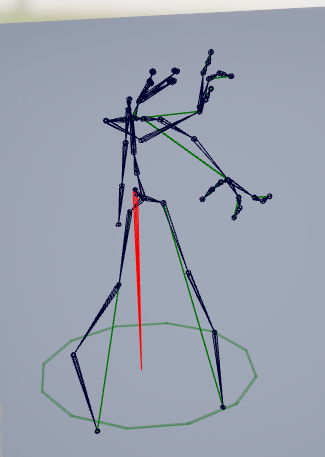
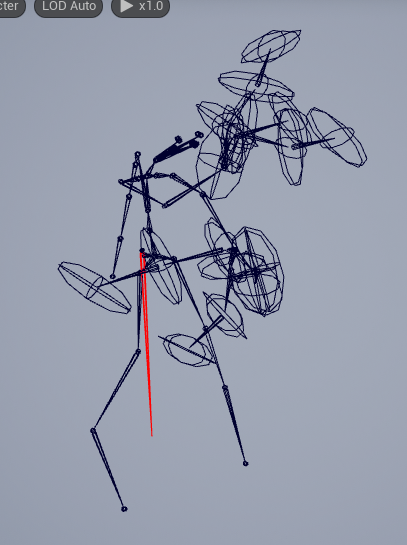
 crimson moat
Hi after importing animation into unreal engine (5.3) animation gets jitters and after hours of looking into it I have nothing if someone could help that would be great !
What I tried so far :
different framerates
import frame rate lock
post process and other options disabled
a lot of different fbx export settings
Animation do not have Jitters in Blender Maya and in FBX viewer it happens only after importing animation into the engine it self
 split rose
Has anyone had any luck using motion matching nodes?
I've made a a motion database with a couple of movement anims for testing, however the character just wont animate.
The trajectory seems to be calculated correctly from the debug visaulization.
 warm nest
Anybody know how I can add an additive animation? Every time I add one, and use it, it shrinks when i use the animation to an unseeable size.
agile horizon
Hello!
Anyone can give me advice on exporting multiple animations for my rig from blender to ue5?
I have an armature, a mesh, and a couple of animations in my blender file. I can select different animations in action bar.
But when I import it all in Unreal I dont see separate files for every animations, only one animatione sequence. It works in engine (i can play it on "event begin play", and it works as intended with my mesh), but how can I access the rest of the animations to use them in animation blueprints?
should I just choose dif animations in action editor and export them without a mesh?
yep, that was it'
my bad
 median hound
Hey there, a question for the animators in here:
Since I do not have knowledge about animations in UE so far, I wanted to state my question here.
I am currently trying to get a prototype to work that has been rigged and modeled in Blender, a very basic setup:
3 cylinders with 1 bone each that can fold open into a Z shape and back. I want to use this as a prototype for a foldable sail animation later on.
Following the YT tutorials as best as I could, the animation and mesh seems to disappear once I try to make a montage and drag the sequence in. It is not viewable and invisible or whatnot in the actual viewport after starting the game.
Help would be much appreciated, since animation is not my strong field by any means in UE 5
 scenic shale
Does anyone know if it's possible to achieve an "on-twos" effect purely through an AnimBP? My goal is get choppier animation in a non-destructive manner, so that it's toggleable instead of baked into the animation. Something like the UE5-powered title Pseudoregalia which allows toggling the character's low framerate animation in the video settings, though I do not know if that developer achieved it via AnimBP.

When reality feels like it's falling apart, one might retreat to a world in their dreams to escape it. Unfotunately, dreams aren't made to last. Explore a perverse image of noble living. Grow strong, and free those trapped within this rotten dream.A game originally made for the Metroidvania Month 19 game jam, this extended edition brings new are...
Price
$5.99
Recommendations
4548
median hound
agile horizon
Hello!
Anyone can give me advice on exporting multiple animations for my rig fro...
u can use the dope sheet in blender to create the animations, then the import as multiple as well
 urban dew
Hey, i am wondering if its possible to set up a skeleton mesh into assets from quixel, like, i made this stone boy with some rocks, and it would be quite awesome if one could animate it in some way.
 misty dagger
So in Blender I have my Armature, now question is can I rename that or will that end up adding a bone before the root bone ?

reason I ask is cause I want ability in UE to do both warp stuff and also root motion stuff but to do this I have to ensure the root is the main bone
 gaunt sky
Evening all, quick question. Is there a way to expose variables in a custom anim notify state? Similar to how the 'PlaySound' notify has inputs for a sound, volume, etc.
 ripe ledge
Hello! How can you change the size and expand Skeletal Mesh?
 viscid willow
misty dagger
So in Blender I have my Armature, now question is can I rename that or will that...
viscid willow
misty dagger
So in Blender I have my Armature, now question is can I rename that or will that...
A quick test shows that renaming the Armature Object in Blender results in the armature node being exported with the skeleton:

 viscid willow
misty dagger
reason I ask is cause I want ability in UE to do both warp stuff and also root m...
viscid willow
misty dagger
reason I ask is cause I want ability in UE to do both warp stuff and also root m...
Keeping the name as Armature ensure the armature node is not imported. IIRC the engine filters for the Armature object and removes the node on import, which would suggest an Unreal Import side operation to manage the Blender rigging system.
This does make things like root motion a little bit weird, but so long as the root is the parent object in your rig, you should be able to manipulate the root for root motion.

 viscid willow
scenic shale
Does anyone know if it's possible to achieve an "on-twos" effect purely through ...
viscid willow
scenic shale
Does anyone know if it's possible to achieve an "on-twos" effect purely through ...
This is certainly achievable.
Here's an example. All the animation clips used are full 30fps source files but the skeleton is updating on 3's.
It's actually two skeletal meshes, one is invisible and fully animated. The other uses a pose snapshot to capture the pose of the invisible skeletal mesh at certain intervals.
Pose snapshot is one way. There's likely a Control Rig solution you could experiment with 🙂
I would also add this is an aesthetic solution, it's not an optimisation. This would be more expensive because it's evaluating two skeletons instead of one.
scenic shale
viscid willow
I would also add this is an aesthetic solution, it's not an optimisation. This w...
Absolutely, this is purely for aesthetic 👌 Thank you!
 pallid needle
Why wont these fingers move? I think only one does? 🙂
 misty dagger
viscid willow
Keeping the name as Armature ensure the armature node is not imported. IIRC the ...
misty dagger
viscid willow
Keeping the name as Armature ensure the armature node is not imported. IIRC the ...
Well this is the issue, because I get a extra bone at root. The root no longer is whole parent of the amarture and root motion stuff and warp stuff won't work from experience when I change the armature name
viscid willow
misty dagger
Well this is the issue, because I get a extra bone at root. The root no longer i...
If you change the Armature name back to "Armature" the engine should ignore that node on import. Which should give you the root as the parent
misty dagger
I was thinking though so I can name my armature same name as the mesh
viscid willow
Yeah, unfortunately it doesnt help for organisation of your scene
inland ember
My unreal editor is freezing when I tried to import an animation that I got from mixamo.
Please help
I have already tried it 8 times and everytime it froze
copper salmon
pallid needle
Why wont these fingers move? I think only one does? 🙂
They are most likely not skinned/weighted to their respective bones.
 inner ridge
I'm abit confused as to how I import a skeletal mesh as one and not as separate skeletal mesh parts into UE without having to have separate objects in blender 🤔
 misty dagger
viscid willow
Yeah, unfortunately it doesnt help for organisation of your scene
misty dagger
viscid willow
Yeah, unfortunately it doesnt help for organisation of your scene
Well I've read somewhere about changing the code or something
inner ridge
inner ridge
I'm abit confused as to how I import a skeletal mesh as one and not as separate ...
nvm, got iy
 undone geyser
Hey guys
Is there any way how I can run 2 montages?
Like, I have my loop "#1 montage" and I want to play "#2" that should override "#1" and after "#2" is finished I want to go back to "#1"
 night rover
 sharp coyote
how do i keep a retargetted animation root locked? it seems like if i retarget an animation that is held in place by 'Force Root Lock' the same no longer applies to the retargetted animation for a different skeleton
viscid willow
sharp coyote
how do i keep a retargetted animation root locked? it seems like if i retarget a...
So the result is that root motion is coming back on the new asset?
Are there any major hierarchy differences between your skeletons?
 devout dagger
I have an animated character that I brought into UE as Alembic geometry cache. There doesn't seem to be whole a lot of info about handling geo cache anims for characters. I'd like to use this with AI NPC actor. Any tips?
devout dagger
No one?
sharp coyote
viscid willow
So the result is that root motion is coming back on the new asset?
Are there an...
sorry, i may have worded it badly. well, i figured out a way to ensure that the character stays still but if i need root motion it seems like the root motion and root lock options do nothing, let me just make a video to demonstrate idk why im having trouble explaining this
in the preview of my retargetter everything seems fine. this animation is root locked

once i export the animation the new animation stops caring about root motion options entirely

enablerootmotion and force root lock do nothing
testing this with the retargeter provided by epic with the project for ue4 mannequin to ue5 mannequin this doesnt happen so ive done something wrong or forgot something in my ik
sharp coyote
ah, i found the issue

needed to set the translation mode of root to globally scaled in my retargetter
 rare birch
I'm encountering an issue where the feet of my rigged character twist 180 degrees, for both foot_r/l and ball_r/l in UE 5.3. In Blender, the skeleton bones appear fine. Does anyone know what might be causing this twisting problem? I used Auto Rig Pro to rig the skeleton to be compatible with the UE4 mannequin skeleton. I'm hoping to find a solution for this issue. Any help would be greatly appreciated!


 remote elm
how come a blend mask with 1.0 on the ik_hand bones get influenced by the lower body? is this intended? its almost like it blends between them eventhough i want nothing from the lower body animations influencing the ik_hand bones

 remote summit
I hope somebody can help me with this... I have been at this for hours.
BACKSTORY: I think I am the only person in the entire world who actually creates my skeletal meshes with the X in the forward direction (like the engine expects you to). This is relevant because I can't follow normal tutorials on how to set up the IK system.
I am to the point of the tutorial where I need to modify the primary and secondary axis, right now I have Primary as x:0 | y:-1 | z: 0 and this is what I get

the issue with this setup is, the sub bone (calf_twist_L_01) does not follow the rotation and has some odd offset now.

Here is a picture of the calf_twist_R_01 in the proper location as it should be (without the IK setup)
I am super confused as to where I should go from there.... so, any guidance or help would be greatly appreciated
In maya, I see that X is forward and Y is down

and on the claf_twist_R_01, X is backward, and Y is up
If I set Primary (x:1) and Secondary (y:-1) I get the following

Now, if I set the primary axis to 0 for all, then it stays as it should, but the twist bone does not follow the orientation of the parent now....

 remote summit
I tried to look at the Mannequin, but I get nothing on the IK in there as it doesnt use the IK node. Instead, it creates an IK rig that ... looks even crazier 😛
smoky shell
remote summit
In maya, I see that X is forward and Y is down
You're in world space, can't see the joint orientation
viscid willow
sharp coyote
needed to set the translation mode of root to globally scaled in my retargetter
Nice glad you solved and shared it 😎
viscid willow
devout dagger
I have an animated character that I brought into UE as Alembic geometry cache. T...
I think the reason there isn't much info on using geo caches for characters is because it's not typically the way characters are implemented. Geo caches are often used for simulations.
I think you'd have a hard time managing states with geo caches.
What kind of animation are you making?
viscid willow
rare birch
I'm encountering an issue where the feet of my rigged character twist 180 degree...
I've had this issue coming from blender as well.
On import can you try enabling Preserve Local Transform? IIRC that's what solved it for me
devout dagger
viscid willow
I think the reason there isn't much info on using geo caches for characters is b...
It's a character from old times, when there was no skeletal meshes in games. Anims already exist - short loops for walk, attack, etc.
 uncut flint
anyone got an updated tutorial on motion matching for 5.3, documentation doesnt seem updated afaik
rare birch
viscid willow
I've had this issue coming from blender as well.
On import can you try enabling...
It's weird because it never happened to me. I tried the option but it didn't work, I guess it might be a problem with my autorigger pro or wrong FBX export settings
 fringe minnow
what's the best way to handle drawing/layering curves that control morph targets, ideally something reusable between actors?
smoky shell
remote summit
I hope somebody can help me with this... I have been at this for hours.
BACKSTO...
The only "correct" way is to match the orientation of mesh and bones that UE5 Manny uses, he is the established engine standard
remote summit
smoky shell
The only "correct" way is to match the orientation of mesh and bones that UE5 Ma...
they use a 90 degree offset... so...
the engine expects X as forward, wouldn't no offset, be the correct method, as the engine expects that?
fringe minnow
hollow lotus
what is the future of the Actor Sequence Component? has or will anything replace...
I have the same question
smoky shell
remote summit
the engine expects X as forward, wouldn't no offset, be the correct method, as t...
No, it expects exactly UE5 Manny
remote summit
lol
smoky shell
I'm not being funny, that's the intention
remote summit
then change the engines forward axis to Y
if the engine is suppose to "follow manny" and manny's forward axis is Y, then seems like a simple fix to me
or, perhaps, what I am saying has merit. here nor there and not the point of this conversation as I dont need to argue to try and find the answer to the problem I face
smoky shell
You're running into issues doing that already 😄
It will be possible to get IK working regardless, but you'll have to work out the aim axes yourself
remote summit
smoky shell
You're running into issues doing that already 😄
It will be possible to get IK w...
100% agree, not the same argument as what I was saying
The easy answer is, follow Manny
smoky shell
remote summit
or, perhaps, what I am saying has merit. here nor there and not the point of thi...
Its exactly the point of the conversation and its a solution to the problem
But I won't help any further then
remote summit
smoky shell
Its exactly the point of the conversation and its a solution to the problem
But ...
shrugs - that solution requires 50+ hrs of rework for all the animations and exporting. Not to mention rig setup in Maya.... where if I can figure out the proper settings its a simple fix that works for everything and doesnt require that much rework.
No need to get upset about it, I was simply making the point that your "correct" assessment was wrong. Two things can be true at once. 1) The correct forward axis is X (as this is the engines forward axis) and 2) an answer to my problem is follow the direction of Manny
I am trying to see if there is any other answer that doesnt require the entire rework of the character. If you can guide me in that direction, GREAT!!! If not, that is okay!
smoky shell
I was trying to help, if you had said that from the start instead of treating it as an argument then there wouldn't be an issue
The fact you're getting defensive means I won't continue attempting to help from here
Literally no one was trying to make any argument, I was trying to help, I'm not interested in that
Can't help you if you get angry and try to fight me over that, I don't have the information so until you've provided it I can't factor it
remote summit
smoky shell
Literally no one was trying to make any argument, I was trying to help, I'm not ...
"The only "correct" way is to match the orientation of mesh and bones that UE5 Manny uses" bro, that is def an argumentative statement. Also, I am not angry lol...
smoky shell
Lets be clear
The saying "it takes two to argue" isn't true here, you did that all on your own
This is why I won't be trying to help you further


