#animation
1 messages · Page 12 of 1
 brazen wharf
 radiant matrix
you could reimport the skeletal mesh without the bones
brazen wharf
you know what
the dark gray ones aren't even on the skeletal mesh
they are on the rig
radiant matrix
i will try later
brazen wharf
yea idk what this would even do...
might remove boneweight from all SKMs that use the skeleton
but the bone stays
 full pumice
thanks
 primal musk

 tawdry hound
Is there a specific app for animating a cutscene?
 misty dagger
I applied my character to ALSv4 but there is a huge problem because my character has a skirt which has its own bones apparently.
So the legs stick through when walking.. I've tried to do cloth but the bottom half of the skirt just falls down as if its not stitched together lol
Is there any way in animation terms to make the skirt move more or less accordingly to alsv4 animations? Video shows the cloth issue which i already posted in #chaos-physics but I think the animation way might be a better idea(?)
So how do i make the skirt not have legs stick through?
Edit: merged by distance in blender on the skirt verts and used cloth in ue5
misty dagger
Hey anyone who got experience with alsv4?
My character (did the full ik retarget thingy) works with the alsv4 animations in the editor but if i play the windows build it it doesnt.
Also maybe important, it did work once in a build but then her right feet stopped moving with the animation, and now its also deformed after editing somet stuff and doing another windows build.
misty dagger
editor looks ok
 pale coral
Anyone know how to stop these entries from popping up in my message log? (I have a mesh being a puppet of the unreal mannequin). They pop up every time I spawn one of these characters.

I mean I'm all about error messages but success messages are kind of irritating, lol
 nova heath
I've seen the question asked a few times but don't think I've seen an answer-
What's the recommended way for "placed in world" actors to stagger / randomize / offset their idle animation so they don't all look completely synchronized?
I've tried feeding in a random float in range to the start position of idle sequence in the animbp and it doesn't seem to have the expected effect (or any effect)
I guess randomizing the idle anim play rate slightly seems to work ok. but I'm not sure why start position isn't working
pale coral
You could put a delay in front of spawning them
random delay, that is
But then you have an extended period of time with actors popping into existence
 ashen junco
tawdry hound
Is there a specific app for animating a cutscene?
ashen junco
tawdry hound
Is there a specific app for animating a cutscene?
No.
radiant matrix
i have a weird unreal question
so this is in blender

this is an arm and specificly the weights for the hand
it looks the same in unreal
is my weight paint wrong?
when i check with MY arm in real life... it doesnt bend like that at all

when i increase the weight paint it looks worse
why does it squeeze so hard when rotated
i just dont understand what i am supposed todo O.o
ashen junco
radiant matrix
"candy wrap" hand is a common issue with twisted wrist - one way to rectify this is to add twist bones to compensate for the wrist twist
radiant matrix
adding new bones to the arms here
that would mean id have to remake all animations
or?!
can i just add bones?!
this is insane
absolutly insane
this is beyond insane
there is no clean way to fix this now
ashen junco
Well, if you make the rig from scratch, there's no way getting around it without breaking other stuff
radiant matrix
but the solution would be to
add new bones
2 twist bones
above the hand and after the ankle
it would carry the vertex group
i just have to orient them correctly
and then apply the weight paint by hand

right here in the middle
should i go ankle down
or hand up?
this looks so funny...

i hope unreal doesnt flip the f out
radiant matrix
@ashen junco technicly? When i add new bones, they would just move with the parent right? and animation should be untouched
the new bones would just work out of the box
ashen junco
As long as the other bones aren't shifted to different level in hierarchy, it should be fine
radiant matrix
So twist bones dont fully solve this
they just give a cushion
make it less worse
 fresh sandal
I have a blendspace, everything looks fine. I replaced the default mesh and the animbp in in the default first person character with my own. But ingame my character isn't playing the correct animations when walking/running. I subtracted 45 from my direction variable in my animbp for it to work properly. Not really sure why it behaves like this?


 pale canyon
@fresh sandal You mean like that?
fresh sandal
That is how he's supposed to move. It works fine in the blendspace but not in game. As you can see in the second picture he is rotated 45 degrees for some reason. Not the mesh but it's like when i'm walking forward the blendspace thinks it's here:
 misty dagger
Does anyone know why the foot ingame it looks weird when in editor it looks ok? Using ALSv4 4.24 for ue5.1?
Fixed, r foot goal was on wrong bone chain
 winged portal
Hi! does anyone know if there's a way to edit the animation "2" so it fits better in the montage?.
 brazen wharf
radiant matrix
brazen wharf
radiant matrix
oO how did you pose it to get to that result? even without twist bone it shouldn't be that bad
 fast adder
Im looking to get a quick turn aroudn animation from mixamo to work in unreal. I have an idle to run working I just don know how to get this 180 turn around working does anyone have any experience with that?
winged portal
your problem is with the animation transition or taking some animation from mixamo to unreal?
@fast adder
fast adder
oh sorry, my problem is that I don't really know how to blend an animation that is dependent on where the character is facing.
so with the idle to run blend its super easy because it just uses a variable for my foward vector but with the turn around it would have to detect me turning the character around
does that make sense?
 young olive
I cannot find definitive information (Or much in general either) Are the IK bones still used? I have matched the hierarchy, but i am not sure if i need to spend the time include and pose place the IK bones
winged portal
fast adder
so with the idle to run blend its super easy because it just uses a variable for...
Oh i don't know how to do that, but the advanced locomotion system have it, You may wanna check There. It's free
fast adder
oh nice, what is tha tlol
winged portal
Check unreal market, it's a project with pre setup advanced locomotion
"advanced locomotion system" or ALS
young olive
Do pose assets just not retarget properly?
young olive
I can retarget animations all day long, but the pose assets do not work
tawdry hound
ashen junco
No.
Wait so where do I animate cutscenes?
brazen wharf
level sequencer
ashen junco
tawdry hound
Wait so where do I animate cutscenes?
It's possible to do it entirely in the editor with Sequencer and Control Rig
tawdry hound
ashen junco
It's possible to do it entirely in the editor with Sequencer and Control Rig
Ok thank you, also is there a way after I make the cutscene to make it seperate
Like when they click “new game” it plays the cutscene then tps them to the actual game
So the cutscene is like a video
Cuz I am trying to do a backstory
ashen junco
tawdry hound
Like when they click “new game” it plays the cutscene then tps them to the actua...
That's a trade secret
young olive
Someone tell me pose assets do not retarget properly, lest i think i may be going insane :/
I was able in the end to make a new pose asset from the retargeted animation and it worked fine, but the retargeted pose asset does not
This means i would have to manually make and edit several hundred text entries
Bulk edit via property matrix does not work on animations?! The window comes up, but it is empty
have to go to Window and tell it you actually want to see the result of the list you just told it to show you the results of. These newbie blocks are getting absurd., unless it was just a programming snafu, which is understandable
tawdry hound
ashen junco
That's a trade secret
What does trade secret mean
 somber light
fresh sandal
somber light
fresh sandal
what in the cute mannequin is that
fresh sandal
He is bob. Out for blood
somber light
lol
alright my developer friends
I am retargeting a mixamo rig to the ue5 mannequin: Here you can see a screenshot of the retargeter while idle animation.
PROBLEM: The UE5 mannequin can't straighten his arms

how to solve?
 dense drum
hi everyone, i need to animate that character BP in sequence but there is no option to animate that in blueprint. from side i choose the animation also but it stays on first frame anyone know how to make that work plz

 simple crystal
has someone knife trowing animation that i can use ? been trying to create in the sequence but looks weird.
somber light
simple crystal
has someone knife trowing animation that i can use ? been trying to create in th...
you looked on mixamo already?
there is also an addon for blender where you can import a vid of you doing something and the ai inside the add-on makes it as an animation. It's not perfect but good enough to then optimize in blender if you know how to use that
simple crystal
hi future cake, tbh i looked up mixamo and think its best choice for now, cant find in the marketplace
 quartz hare
i have multiple walk animations, only one of which has legs going all wonky; ive figured out when i disconnect the control rig in the animgraph it doesnt happen, yet the animations are all retargeted to the same skeleton and have almost identical settings, what could cause this?
tawdry hound
Is there a way to put a video before the game starts? Like when the player clicks “new game”
fresh sandal
So, in my animbp i calculate direction. Print it out and everything works fine. Tried it on the character blueprint as well. But for some reason the blendspace thinks the direction variable is 45. How does this make any sense? This is where the blendspace ends up with a direction value of 0.

 late mesa
hey guys. I exported an animation in ABC from Maya, and would like to import it into UE5 but UE says "Failed to create asset". The alembic file looks good, because I can import it into Maya and the animation plays. any ideas?
 plain drift
Anyone knows why my animation curves are not working ingame? They display fine in animation preview but wont show when placed in level / ingame:


neither curves driving morphs nor additive layer tracks work
All I find is this old thread which has never been resolved? https://forums.unrealengine.com/t/animation-curves-not-working-in-4-26/479072

Epic Developer Community Forums
I have sequences with animation curves that drive morph values. They work in 4.24 but don’t work in game in 4.26. No changes were made. Is there a fix for this?
It seems that the curves only work on non-additive animations.
It gets even stranger, that for some additive animations curves work, for others they don't o.O
plain drift
looks like if an animation contains or ever contained additve layer tracks it prevents the animation from working correctly as additive
plain drift
I stand corrected its just the additive layer tracks that wont work
somber light
somber light
I am retargeting a mixamo rig to the ue5 mannequin: Here you can see a screensho...
Anyone? 🥲
It moves perfectly fine and everything but one thing is that the ue5 elbows are always bent a little more than in the actual animstion
Can't I set it up like that the ue5 mannequin always moves this bone 15° or so different?
 flint idol
Hello everyone, i m trying to make an 8 directional movement but when walking backwards the character direction changes from 180 to -180 sometimes randonly, how can i resolve that?
 fathom stump
Does anyone what could be wrong? For an assignment, I need to do a level sequence, but the leg conversion animation isn’t working as it should. Even my instructor couldn’t figure out the problem. The animation itself seems fine, but it bugs out when I try using it in the sequencer
pale canyon
@fresh sandal Did you find out? Trying to figure out myself
fresh sandal
pale canyon
<@242402697016246274> Did you find out? Trying to figure out myself
Yes
For me at least the default settings where changed in the animbp itself. Somehow the min Direction was set correctly to -180 but the max value was set to 100 offsetting the animations. So i'd check that first.
 lunar wave
I made some arms in blender for a first person game, how do I have those arms hold objects and have different animations for each, and animate the object in the hand at the same time? So i can ahve different animations for each gun.
I know how to attach the gun to the socket but the problema rises when i need to have the arms animate the gun differently
fresh sandal
lunar wave
I made some arms in blender for a first person game, how do I have those arms ho...
If i understand your question correctly I'd think you'd just animate the arms in blender for each weapon animation you need. Create a blendspace if you want it to animate differently depending on if you're walking or running and such. Create an animation blueprint and create a state machine using the speed of the character. Maybe you need transition animations for each weapon so you can switch them.
lunar wave
fresh sandal
If i understand your question correctly I'd think you'd just animate the arms in...
I know all of that I will clarify
I need to know how to combine an animation with a gun and the arms
so I can attach the gun to the arms with attach to socket in BP, but I dont know how I can combine the animations so the arms like up with the gun if that makes sense
fresh sandal
Not sure i follow. But maybe you need a montage
If you can give a clearer example. The way i think you mean is for example if you had your whole character and you had a sprint animation but you wanted to blend a different animation to the top half of the character?
lunar wave
fresh sandal
If you can give a clearer example. The way i think you mean is for example if yo...
no, sorry i dont know a better way to explain
right now I have a rigged arm model that works great
and I have a gun model that is also rigged with the magazine, the trigger and some other parts
I need to know the best way to have the arms hold the gun, and be able to make animations with the gun
So the arms can reload the weapon and shoot it etc
in the past I just had seperate meshes for each weapon but I know there is a better way
fresh sandal
lunar wave
in the past I just had seperate meshes for each weapon but I know there is a bet...
Hm, maybe you can find some good practices or a solution in here: https://www.youtube.com/watch?v=GMa82GKeBOw

Project Files: https://www.patreon.com/posts/61053946 .
In the previous episode of this series, we added a M16 rifle with shooting and damage capabilities into the advanced locomotion system. Today, we are going to look into how to implement weapon reload animations for both character and gun. In ALS, there are multiple animation layers with an...
lunar wave
fresh sandal
Hm, maybe you can find some good practices or a solution in here: https://www.yo...
I appreciate it
fresh sandal
Hope it helps
quartz hare
quartz hare
i have multiple walk animations, only one of which has legs going all wonky; ive...
so i figured out that its got to do with the IK retargeter that im using for animations going from the UE4 skeleton to the UE5 skeleton, it seems that its messing up the hand and feet IKs, even though my chains should be set up correctly
the hand IK bones look corrent on the UE4 mannequin on the left and have like a wrong hierarchy or an offset on the UE5 manny on the right

i cant tell what's causing this since the bone hierarchy itself seems to be identical and there's literally only one bone in the chain so idk where the error could be
fresh sandal
quartz hare
i cant tell what's causing this since the bone hierarchy itself seems to be iden...
Does the bone have the correct orientation?
 tardy mirage
Is there a way to start and stop a looping sound in an anim montage?
I guess I can use a montage notify and just start and stop elsewhere. But was hoping I could do it in the timeline
 warm creek
attempting to export a simple skeleton mesh.
I would like my root node to be on the object.
In Blender everything is at 0,0,0 and uniform and transforms set so everything is 0.
After FBX exporting and bringing it to UE5 the skeletons root is offset?
Would anyone know how to avoid this?

I would like to have the root be 100% centered
brazen wharf
is the armature at 0,0,0 in the world, too?
iirc that's where the root node will be placed
and apply location/scale/etc before exporting
tawdry hound
Is there a way to put a video before the game starts? Like when the player clicks “new game”
 inner ibex
tawdry hound
Is there a way to put a video before the game starts? Like when the player click...
inner ibex
tawdry hound
Is there a way to put a video before the game starts? Like when the player click...
One way would be to create a level with nothing but a video in a widget I guess.
somber light
Can I set a bone in IKRetargeger to rotate like for example 15° extra in each animation?
 slender willow
hello i retargeted my animation skeleton but when am runing the mesh les dont touch the ground
tawdry hound
inner ibex
One way would be to create a level with nothing but a video in a widget I guess.
Ok ty
 tropic moth
Hey Guys,
I'm currently working on my RPG character and its animations but I'm kinda struggling with the jumping animation...
I mean I already did it in the normal way by using the blend poses by bool node but i wanna do it more accurate ( like jump start loop end animations)
can i just do the jumping stuff in its own movementstate with a blendspace...but then i dont know how or wich axis-values i have to use...
hope someone can help 😄 thx
somber light
slender willow
hello i retargeted my animation skeleton but when am runing the mesh les dont to...
In ikretargeter the meshes don't touch the ground normally. Try it in normal play mode
 next solstice
Hello awesome people.
We had to make animation pipeline change from Blender to Maya using the retargeter system within Unreal5.1. Both softwares use Unreal ART tool inside the 3D workspace. The retargeter system worked like a charm, but then started the problems.
I need to edit the animations in Maya, so I exported them from Unreal with Asset Actions - Export. Then in Maya I had my autorig (we recreated the autorig from blender in Maya using the same methods), and imported the animation using Epic Games ART tool.
The animation is there, but for some reason some of the controls are turned 90 degrees. Any ideas?
Edit: If I export the animation, and open just it with Maya, the skeleton works properly.
Edit2: Importing the same animation into Epic ART tool with UNreals own mannequin, and it still wants to turn those controls 90 degrees.
 warm creek
brazen wharf
is the armature at 0,0,0 in the world, too?
warm creek
brazen wharf
is the armature at 0,0,0 in the world, too?
Yes I though that was the issue as well.
The armature is the tiny little dot right?
Is there a way I can double check its transform?
I thought it was the dot so I made sure the bone nodes were right on top of it too.
But I still got the same result.
brazen wharf
warm creek
Yes I though that was the issue as well.
The armature is the tiny little dot rig...
yea, the orange little dot, (should also tell 0,0,0 in the properties for location)
quartz hare
fresh sandal
Does the bone have the correct orientation?
you mean the parenting order right? like the conical direction? should i check that on the UE5 skeleton (the one that's messed up)
quartz hare
just checked both skeletons, their hand_root and following ik bones and orientation is identical
young olive
For those noticing that Pose Assets do not retarget properly.. After you retarget a Pose Asset, which will also retarget its source animation,.. save all, close the project, then reopen the project and now the retargeted Pose Assets should work.
 keen trench
Hello all new to the discord and unreal. Working on a walk animation feed back welcome..
 slender willow
somber light
In ikretargeter the meshes don't touch the ground normally. Try it in normal pla...
slender willow
somber light
In ikretargeter the meshes don't touch the ground normally. Try it in normal pla...
are video allowed to be posted here for demonstration of problem?
somber light
slender willow
are video allowed to be posted here for demonstration of problem?
Idk but most likely yes
They never touch the ground when not in actual play mode
 somber light
slender willow
<@352423729063657472> look at the leg
somber light
slender willow
<@352423729063657472> look at the leg
BRO THIS IS SO COOL
but yea, idk. Maybe the plane collider or the foot collideres?
slender willow
somber light
BRO THIS IS SO COOL
lol thanks am a fan of sekiro and devil may cry so ita a mix
slender willow
somber light
but yea, idk. Maybe the plane collider or the foot collideres?
mehn dont knw rili been tryna figure it out
i need help
anyone>?
 cursive walrus
https://youtu.be/DUoILacIVJs Looking into this issue myself with floating feet, seems like the most common remedies are reimporting and translating the z down or adding a transform key
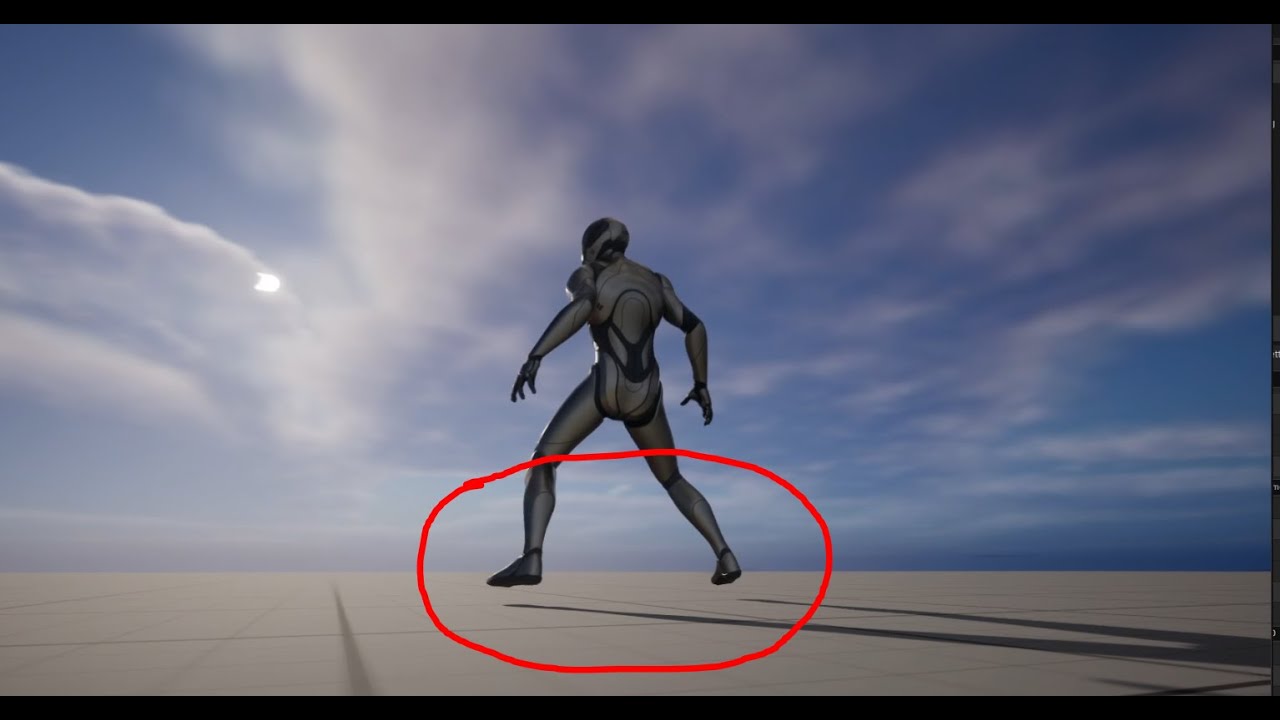
How to fix Character floating in air after Retarget Animation
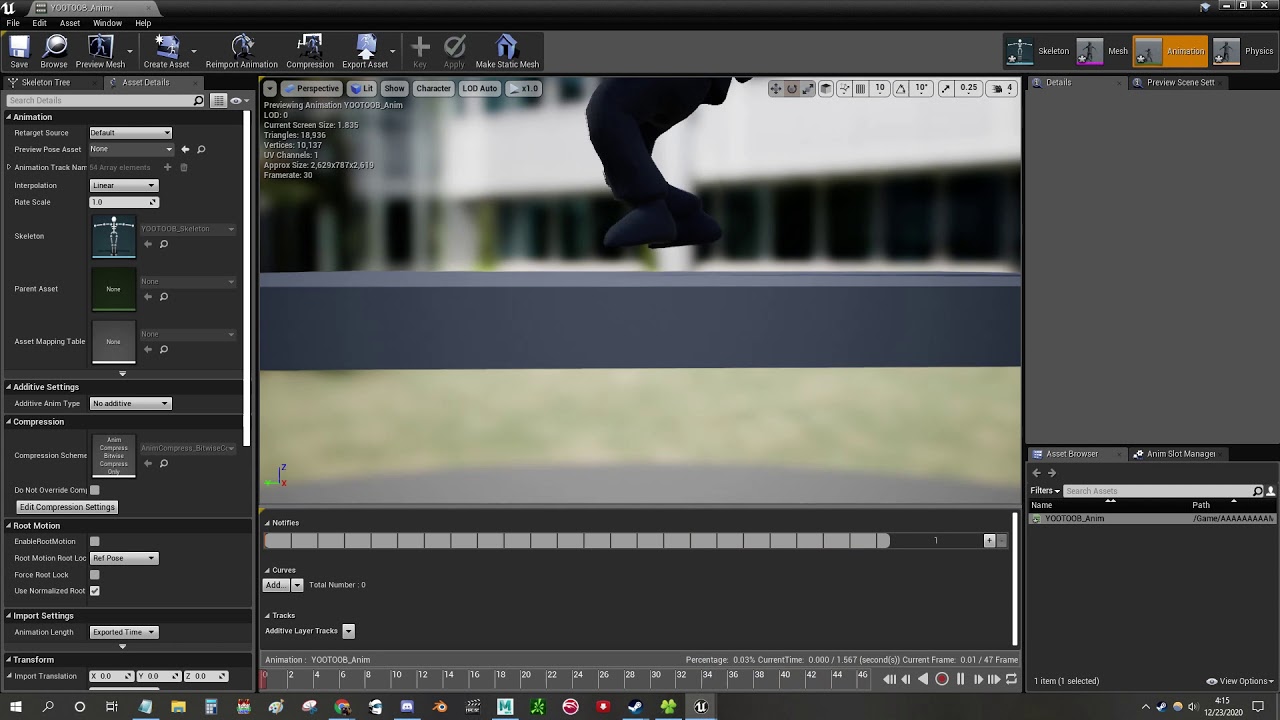
Quick video on how to fix this pesky problem lol
cursive walrus
Happy to help, I'm running into some issues myself with trying to get used to orientation warping. I followed a tutorial by Outcast Dev School that went over it and it seems to work quite well with 4.27, but trying to use the inbuilt logic in UE5 causes the animation to "freeze" after just a few cycles or one cycle. Looking at the unreal documentation for orientation warping doesn't go over how they're grabbing the direction variable that drives their implementation
checking over the animation blueprint doesn't show any particular values dropping or bools failing out that would cause the looping to fail, and even seperate from the orientation warping the animations stop after awhile despite working fine as standalone assets.
slender willow
cursive walrus
Happy to help, I'm running into some issues myself with trying to get used to or...
this is easy my friend
u need to loop the animation
go to ur animation blue print or where ever you connect the animation to
hen click on the animation node
look at the detail panel
for loop animation
check the box and your good
 shut moat
cursive walrus
slender willow
check the box and your good
shut moat
cursive walrus
slender willow
check the box and your good
Thank you, glad to see it was an easy fix!
 warm badger
Could someone help me understand why this is happening, or at least point me in the right direction? As soon as I move just out of the AI's hand reach the AI will finish the animation and start following me again, the sword has no collisions as intended but the guy swinging does and it is breaking the animation. I read online somewhere that using AnimNotify events could work to temporarily disable collisions while the animation is playing, wondering if there is a better solution, or something more simple I am missing that is causing this...he is supposed to do a full swing not the half hit he does when I'm too close
Resolved, Pawn Sensing Interval was way too low. Game was attempting to replay the animation before it finished causing the weird bug. Had nothing to do with collisions!
https://media.giphy.com/media/maRly2XHkbMUY6Kaqr/giphy.gif

 sterile warren
How do I compress these facial animations?
 slender willow
warm badger
~~Could someone help me understand why this is happening, or at least point me i...
slender willow
warm badger
~~Could someone help me understand why this is happening, or at least point me i...
plzwe where did u get this cute enviroment
warm badger
I made it myself 🙂

This pack can be used to create a basic #lowpoly #forest
These pack contains:
- Tree #tree, with and without leaves, plus snow
- Pine #pine, with and without snow
- Rocks #rocks, with and without snow
- Grass #grass
- Twisted Tree #twisted - Lowpoly Forest - Download Free 3D model by Jassi (@jasssssi)
slender willow
warm badger
I made it myself 🙂
you make assets?
warm badger
I made the environment with free assets from Sketchfab when learning how to use the foliage brush and other unreal tools, I did not make those assets but I can do basic modelling and texturing in blender
slender willow
thas lovely hoping to learn a few things from u
warm badger
I learned all I know (which is very little) from Unreal classes, forums, and youtube videos...just joined Unreal Slackers today to see what other resources may be available 🙂
 plush grail
So, I'm a complete nube. I have made a character and have him running around in a world I'm making, but I can't make an animated box! I've found tutorials on how to open and close a box, but I can't find anything on how to make an interact-able object have an idle animation then have triggered interactions. If you all know a good tutorial, that's fine, send it my way and I'll be forever thankful! I'm trying to understand the relationships between the different blueprints and editor windows. Help!
warm badger
plush grail
So, I'm a complete nube. I have made a character and have him running around in ...

Hello guys and welcome to the Unreal Engine 5, Blueprint for Beginners complete tutorial. In this video, I will explain what is blueprint - the visual scripting system of Unreal Engine. I will show you how to create blueprints, and walk you through, step-by-step, how to create a few blueprint classes. We will create a simple door you can open an...
this video has interactions and a door open/close example
warm badger
warm badger
~~Could someone help me understand why this is happening, or at least point me i...
I figured out my issue after some testing, turns out it was the pawn sensing interval was too low! Was trying to attack based on that interval which was way shorter than the animation time...all fixed
plush grail
warm badger
https://youtu.be/bY6Nl-OEhSo?t=1500
Thanks, I'll check it out!
 untold mica
hey guys, I made a character in blender with legs but no arms, I was wondering if there was a way to animate it in mixamo and just ignore the arm animations
 digital vigil
best source of free animated characters?
 exotic briar
ashen junco
digital vigil
best source of free animated characters?
exotic briar
ashen junco
digital vigil
best source of free animated characters?
Free? Not much
There is Rokoko Video which is free, but the catch is that you record yourself doing the motion
ashen junco
sterile warren
How do I compress these facial animations?
What are those facial anims?
sterile warren
ashen junco
What are those facial anims?
iPhone recordings for 60-90 seconds at a time
sterile warren
sterile warren
iPhone recordings for 60-90 seconds at a time
I used this ACL plugin and it did an amazing job. But the disk size remains huge. The compressed size is now like 1-25 mbs for each.
ashen junco
sterile warren
iPhone recordings for 60-90 seconds at a time
Realistic face?
I mean, whenever possible, you gotta make it procedural, except for primary cutscenes
 weak beacon
Did you ever figure out how to delete sync markers?
Docs doesn't mention it, no hits on google and I've checked just about every window I can for anim sequence, skeleton and for skeletal mesh
sterile warren
ashen junco
Realistic face?
Yeah MetaHuman face
ashen junco
sterile warren
Yeah MetaHuman face
I'd still take the procedural approach outside of cutscenes
Human bodies are random even when they stand still, so don't think too hard about realism, just make it believable.
Same goes with facial motion
You can still give it procedural saccade motion in Control Rig and it makes the character looked more alive.
sterile warren
ashen junco
Human bodies are random even when they stand still, so don't think too hard abou...
Do you have any references for this?
warm creek
brazen wharf
yea, the orange little dot, (should also tell 0,0,0 in the properties for locati...
I found the culprit, that was checked off for some reason and that being checked off even though frame0 is at 0,0,0 it still places a root bone in front of the skeleton
 ashen junco
sterile warren
Do you have any references for this?
ashen junco
sterile warren
Do you have any references for this?
Lots of them on YouTube once you generalize it more, but this is the one that got me into implementing procedural face animation myself

Read more about making great video game animation at https://www.gameanim.com/book
From the CEDEC 2020 Presentation on FFVIIR's animation tech.
sterile warren
ashen junco
Lots of them on YouTube once you generalize it more, but this is the one that go...
Thank you 😀
misty dagger
weak beacon
Did you ever figure out how to delete sync markers?
I’m sorry, I took such a long break from Unreal that I’ve forgotten what I did — but I do recall figuring it out eventually.
 dry grail
Any tutorial recommendations for first person procedural animation? specifically looking for something regarding how to set up ik for my arms skeleton so I can procedurally animate weapon sway/recoil by just rotating and translating, and having the arms follow the weapon's movement
untold mica
untold mica
hey guys, I made a character in blender with legs but no arms, I was wondering i...
nevermind figured it out
warm creek
can anyone tell me if this is the right orientation for bones?
I tried to have the X axis line up with the world X axis
 young olive
warm creek
can anyone tell me if this is the right orientation for bones?
I tried to have t...
young olive
warm creek
can anyone tell me if this is the right orientation for bones?
I tried to have t...
Here is what i can tell you about taking a Skeletal Mesh back and forth between UE and Blender. Perhaps you can extract the information you need. Say you wanted to take Quinn from UE to Blender and back.. When importing the .FBX of Quinn, you would select Manual Orientation, then set to Forward = Y, Up = Z, and on the Armature settings of that import, Primary = X Secondary = Z. Then, when exporting back to UE, use the same settings
Does anyone know why, when i set my skeleton as a Compatible Skeleton to Quinn and Manny, it stretches and looks like this
But when i import my fbx and tell it to just use the Manny/Quinn Skeleton, everything works perfectly (except IK bone placement, which is a different issue)


I kind of expected the inverse of that, if it had to screw up at all
at first glance it may just look like it is taller, but there is actually a lot of distortion in the top mesh image
 twin falcon
Dunno if this is the right place to ask, but I feel like the knowledge is more likely to be here. Is it possible to create bones at runtime? Or perhaps attach another sk actor to an sk and then apply an animation to it? Core example: A vehicle in which at runtime you can add another wheel and attach it to the wheel animation pipeline for driving it.
ashen junco
twin falcon
Dunno if this is the right place to ask, but I feel like the knowledge is more l...
It depends on how you set up the vehicle skelmesh and how you handle the physics, but you can do so by either swapping the whole wheel skelmesh, or replacing the wheel mesh and change the parameters for the wheel collisions.
If you use Chaos, you can consult #chaos-physics on how to handle the wheel BP
twin falcon
ashen junco
It depends on how you set up the vehicle skelmesh and how you handle the physics...
I am using a Chaos Vehicle. I want to support an agnostic n number of wheels, so I was trying to find a starting point. Making a skelmesh for every permutation is..... not optimal. Generating the collision isn't a problem, just spawning the bones and attaching them to the system was my concern.
 steady orchid
thats a difficult one to explain and my english is not great, please dont roast me
if i have a weapon, like a sword and the holster of the sword where for example the holster is on the pelvis
if at some point i want the character to grab the holster with the hand, what would be a clean way to deal with it?
should i use two holster meshes and animate the scale to hide/show the one currently in use?
ashen junco
Consider posting it on #1054845120236757103 instead (the forum channel one), thanks
 past frost
I see, would u say this channel is not the right place for feedback?
past frost
Gotcha, removed the post.
Posted in the work in progress Channel, have a look if your interested. Would love some feedback.
 vapid quartz
is there a way to copy all the sockets from a static mesh onto an automatically generated skeletal mesh?
this was basically my process:
- export the static mesh as an FBX
- import it as a skeletal mesh without a generated skeleton
I want to be able to use all the sockets generated from my static mesh onto a skeletal mesh, but I don't have a skeleton generated for that mesh
 hallow elm
Hi I need help
I want to make my helicopter's rotor rotating, but when I Play In Editor, it won't rotate even though it is rotating in sequence editor.
How to fix this?


 crystal imp
Has anyone seen any examples of animation systems like Lyra that uses Transitionals like Start/Stop/Pivot that didn't break during key spamming?
I'm trying to figure out a way to resolve that issue with Lyra
ashen junco
hallow elm
Hi I need help
I want to make my helicopter's rotor rotating, but when I Play In...
You should rotate the blades procedurally with Control Rig or directly using the anim graph (Control Rig would be more optimal as you can do logic without breaking multi thread)
Be careful with the motion blur though, if you have it enabled.
ashen junco
vapid quartz
is there a way to copy all the sockets from a static mesh onto an automatically ...
This sounds like XY Problem. Can you give practical context? because this doesn't make sense
 umbral egret
I need to animate something that I have no reference for, and thus making it look realistic is proving virtually impossible. Anyone willing to let me pick their brain for a second?
 edgy meteor
Is it possible to use control rig in an additive way on top of premade animations within sequencer? Currently, I have a very simple animBP that is playing an idle animation, which plays fine in preview. However, when I add an asset based control rig, the idle animation goes away, and I get access to the control rig. I then choose additive mode on the newly created control rig track, but alas no change.

 past frost
Im working on a recoil animation system for a rifle. I got some feedback, and its missing a feel of randomization. My tools are : 1. Character animation, 2. Rifle animation, and 3. camera shake. Im not working with anything procedural so im looking for ways to add a "sence of randomness". What are some tricks i could apply to make the animation feel more "random" when looping?
 hexed elk
...who thought omitting toe bones in new UE5 mannequin was good idea 😩
Mixamo has it and it creates issues during retargeting...
ashen junco
edgy meteor
Is it possible to use control rig in an additive way on top of premade animation...
No.
ashen junco
hexed elk
Mixamo has it and it creates issues during retargeting...
In fairness, Mixamo rig is crap.
hexed elk
ashen junco
In fairness, Mixamo rig is crap.
well if you have other sources for free animations, I am all ears
ashen junco
hexed elk
well if you have other sources for free animations, I am all ears
You can make them for free. Just costing your effort.
 floral olive
Hello! I'm trying to build a fully procedural Control Rig for humanoid skeletons.
I'm confronted to a problem I cannot solve right now. Isn't it possible to set the min/max transform limits of a Control from the Construction Event Blueprint? I tried several nodes, but I don't find any that solves what I'm trying to do.
The image is an expected result for limiting all min/max transforms (from a manually built Control Rig). Do you have any idea?
 young olive
floral olive
Hello! I'm trying to build a fully procedural Control Rig for humanoid skeletons...
young olive
floral olive
Hello! I'm trying to build a fully procedural Control Rig for humanoid skeletons...
The Metahuman has a proc-control rig
floral olive
Their controls are not spawned through a blueprint, that's what i was trying to achieve
 hybrid dawn
hi
how can i use manny in maya
like to have the same rig and have it work exactly vicecersa
 modest relic
Hi, can anyone check if am I right but it seems that walking animation in this asset is not looping clean (I see scutter on between last and first frame) is it fixable? https://www.unrealengine.com/marketplace/en-US/product/stylized-male-character-kit-casual

Unreal Engine
Modular stylized male character. Contains hairstyles, accessories, and several body parts options.
running seems to be fine
 gloomy lintel
hello, having some trouble with the ControlRig. if a sequence is playing, the OnPreInitialize event is triggered every frame. this goes against what is on the documentation. Any clues to why this happens?
This event gets called before the Component's Control Rig is initialized. It can be used for setting transforms or additional variables in Control Rig before the Control Rig Component is initialized. In typical Control Rig setups, this event fires once, similar to Event Begin Play.
 supple oyster
Hey guys, just to know if I'm right and If I'm making something wrong. In UE 5.1, It seems I can't make a "single bone rotation change" without impact the whole rotation of this bone for the whole animation, I've tried to select all bones before (few frame earlier) and key them all, but still, the change I've made impact the whole angle of that bone from begining to start. ????
please @ me for notif

 lusty ore
My character animations are good, but for some reason when I run around in the level, character kind of floats some dictance away from the ground. What could be the problem?


 junior drift
What's the method for tweaking animations now that additive layers are broken?
 gleaming sonnet
'm having an issue where my with my animation montage where it's rotating 90° when I play it
You can see it in this including the blueprints and at the very end you'll be able to see the 90° rotation. I've been looking at it for a couple days now and I'm just not sure what's going on or even where to start TBH
YouTube
Sammy Roberts
animation failure
Image

 modern sapphire
Hey all.
I'm having an issue that seems like it should be simple, but google is returning nothing.
I've load my original blender file for a model.
Yet, when I export from unreal, and import to blender, the bone rotation is incorrect.
For instance, all bones are rotated at x in the unreal engine file
But, in blender, about half a x, and the other have y.
So, when I import the animation back into unreal, the bones facing y are all inverted.
How do I fix this rotation issue???
 tired garnet
How does delta time in control rig works? Is this delta time between every forward solve?
ashen junco
tired garnet
How does delta time in control rig works? Is this delta time between every `forw...
From what I gather, it's just every frame like usual
tired garnet
ashen junco
From what I gather, it's just every frame like usual
Does forward solve get executed every frame, like "normal" event tick, or does it go by its own tickrate?
 craggy knoll
How can I create Metahuman Face animations that are suited for the Metahuman Post Process Blueprint?
From looking at the City Sample Facial animations there are driven by curve values, not by bone tracks.
But how can I generate these curve values from bone tracks?
supple oyster
Hey guys, does the Chain bone method could works for face also ?
misty dagger
hello everyone. I have a character in this game who has large pointy ears (imagine like baby yoda or gizmo from gremlins) and i am using rigid body node to give them some secondary motion. the rigid body all looks good and deforms how i want, however i wish for these ears to like derform and bend but if the character were to remain static to eventually return to a resting position which is not entirely limp, similar to if it did not have rigid body node applied. does anyone know how to acheive such a thing? dynamics that returns to a defined upright shape?
**TLDR
- using rigid body node in Animation Blueprint
- want a way for the dynamics to eventually settle at a defined pose, not just affected by gravity**

 crisp bluff
when importing any FBX/GLB file of character, does unreal engine automatically change it's bone names? :

 hollow notch
Hey there, trying to figure out something and I thought I might ask here for some answers, but I'm trying to add a slide animation from Mixamo into my project with the same skeletal mesh as the UE4 character, there's been no problem with the animation except for one error message ‘Warning Imported bone transform is different from original. Please check Output Log to see detail of error.’ this makes my animation play upright when really I want it to slide, any suggestions on how to fix this please let me know.
 floral sky
Guessing there are animation state machines in C++? Trying to put one inside FAnimInstanceProxy?
 supple path
what is motion matching?
somber light
alright so i imported some animations and the Y-Bot from Mixamo and followed this tutorial https://www.youtube.com/watch?v=eYal6taYUfE to retarget the animations to the ue5 mannequin. So far everything is working great.
Now I want it work with my metahuman, previously when retargeting from ue4 to ue5 it automatically also worked with my metahuman when playing. I didn't set things up because it all had the same skeleton pose etc. . But now when retargeting i changed the pose of the ue5 mannequin and thus it's not working with the metahuman skeleton anymore i think
(I made one IKRig for the Mixamo character and a new one for the UE5 mannequin)

Learn how to make perfect animation retargeting with IK Rigs and IK Retargeter of Unreal Engine 5 (UE5). This tutorial will show you everything there is to know about these new Unreal Engine 5 (UE5) tools.
🎁 Download my custom version of Blender : https://evansbohl.gumroad.com/l/mixamotoue5
💙 If you like what I do, please consider supporting m...
somber light
It looks perfectly fine when playing the UE5 mannequin but for the metahuman not. All retargeted aniamtions from the animationstartepack on the other hand worked instantly with the metahuman too
 eternal inlet
somber light
It looks perfectly fine when playing the UE5 mannequin but for the metahuman not...
eternal inlet
somber light
It looks perfectly fine when playing the UE5 mannequin but for the metahuman not...
You will need to make a new rig for the metahuman unless they already share the rig of the mannequin which it looks like they don't.
somber light
eternal inlet
You will need to make a new rig for the metahuman unless they already share the ...
How does it know which ik rig to use for the ue5 mannequin?
is that saved inside the retargeted animation?
eternal inlet
Yup.
somber light
because if it was using the default ik rig which i didn't change it would look exactly the same like for the metahuman
eternal inlet
That's saved in the RTG thingy I think it was?
somber light
yes in the retargeter it's set as the target
still, i made a retargeter from mixamo to the metahuman too and exported but i can't combine both types
eternal inlet
Don't think you can. I haven't done super much with it.
somber light
i have an animation blueprint for the ue5 mannequin and the blueprint of the metahuman is a child of that
it uses the same skeletal mesh etc.
that's why so far i used an animation blueprint with the ue5 mannequin. I can't put blendspaces and animations from a different mesh in it
eternal inlet
Not unless they're the actual same skeleton yeah. I think there's a way to make them realize they're the same but I'm at home abut to have dinner so I can't check .
somber light
where do you set up which IK Rig to choose from when playing the animation?
maybe if i made a 2nd IK Rig for the metahuman it also knows when to use what
somber light
eternal inlet
Not unless they're the actual same skeleton yeah. I think there's a way to make ...
alright, good appetite mate
 livid hornet
I'm using some Animation Starter Pack assets, and I notice that when the character moves, the hands drop down out of view, probably because the shoulders are moving everything else. Would IK be the best way to fix this? I basically just want the hands to remain in view at all times

 somber light
livid hornet
I'm using some Animation Starter Pack assets, and I notice that when the charact...
somber light
livid hornet
I'm using some Animation Starter Pack assets, and I notice that when the charact...
idk really but maybe you want to get an animation where the hands stay in front of the head
 median grove
i wanna made first person character animation in maya, how to setup camera in maya to getting exact view in unreal engine?
livid hornet
somber light
idk really but maybe you want to get an animation where the hands stay in front...
finding a new animation was not a good suggestion. I just reversed the order on my layered blend and then stopped the blend through Spine_01
somber light
livid hornet
finding a new animation was not a good suggestion. I just reversed the order on ...
well that's why i said idk really
tawdry hound
i followed this tutorial https://www.youtube.com/watch?v=ABeH9uqTWYo and smth its not working, is there a plugin i need to install that they didnt mention?

Hey guys, in today's video, I'm going to be showing you how to create a simple yet effective leaning mechanic for your FPS, or just first person games. You can lean left and right using Q and E, or anything you like, and this can be hold or toggle.
#Ue4 #UnrealEngine4 #Ue4Tutorial
________________________________________________________________...
edgy meteor
lusty ore
My character animations are good, but for some reason when I run around in the l...
you tried your mesh below the character capsule a bit?
junior drift
in the AnimGraph, how can I use Animations from a variable instead of a direct reference to the asset?
instead of using this:

use a variable, so I can switch the animation depending on the character (but still use the same AnimBP)
 quaint orbit
what is the best practice for skeletal mesh origin point? Should the center/hips of my rig be at 0 on Z axis? or should the bottom/feet be at 0?
will be used with a character class
 fallen cipher
When dealing with many different skeletal meshes which all have the exact same humanoid form, is there no way to mass setup many of them
or do I need to individually configure every single one
 dire pollen
What do people usually do when they purchase a skeletal mesh which is using slightly different skeleton which is almost like the default one but Assign Skeleton is not working with it? In my case I have am ALS (Refactor) skeleton and I would like to use it together with a skeletal mesh purchased from a marketplace. I saw a lot of retargeting videos but I am afraid the retargeting is always about retargeting animations and not skeletal mesh.
I had a success with using Set Leader Pose Component and copying bone transform using that to a different child skeletal mesh with a different skeleton. But that feels more like a workaround than a solid solution.
Do I need to revisit the purchased mesh in 3d software to modify it to use the different skeleton?
vapid quartz
running into some bugs with root motion animations, I have a jump that's informed by root motion that's being reduced by the frame-rate lowering to 30 and below. is there any way to do root motion in animations independent of framerates?
I just want to have my root motion jump hit the same height regardless of framerate
ashen junco
junior drift
in the AnimGraph, how can I use Animations from a variable instead of a direct r...
In the Details panel for the Sequence Player node, you can expose the Sequence variable into a pin
 lunar warren
How do i stop my walking blendspace playing before my animation? it messes up the feet
I know its blend in.. but is there a way to disable blend in.. my idle blendspacec fires before i dash.. it messes the feet
edgy meteor
in my BP, I have a sphere set up, in my AnimBP, I am using a lookAt function and getting the sphere within my BP as the lookAt location. It is looking at the correct location (where my sphere is) when I am in game, however, when in sequencer, when I am animating the lookAt position, the model is flipping around not looking at the sphere. Anyone know what might be causing this? Getting accurate results while working in sequencer is important to me

 lusty ore
edgy meteor
you tried your mesh below the character capsule a bit?
lusty ore
edgy meteor
you tried your mesh below the character capsule a bit?
No. In the viewport in idle everything is perfect. Should I lower him?
 smoky shell
Anyone got a good way to scale montage blend out time by play rate?
BlendIn is easy enough because Montage_Play has it, but unless you manually call Montage_Stop its not available to you
Seems like a huge oversight
OnMontageEnded also gets called when it starts blending out, instead of when it ends, which is when OnMontageBlendingOut is meant to be called 😄
smoky shell
All of the animation instance events forget about the montage the moment it starts blending out 😄
Therefore, it wont let you simply restore blend settings if you change them manually, since the ability task node I use also acts the same, and since the anim instance doesn't offer any events when blend out completes, it can't trigger anything, and it can't use a timer manager (c++ delay) to do it based on remaining blend time, since it can't get a ref to timer manager from the task
Guess it just means custom anim instance and add that functionality myself
What a stupid thing to omit from the engine tho, I can't reasonably derive the anim montage itself, have to modify the engine just to add option "scale blend time by play rate" and Epic don't take PRs anymore. I found tons of people asking about it with no answers on google. All of the logic and events are hard-coded to anim montage. And why doesn't it have a delegate for when it finishes blending out?
Ah-hah, if I don't use inertialization it does fire after blending out, so at least I can make a hacky workaround
 young urchin
Hello. Can anyone explain me the Animation Sharing Plugin setup for a crowd? I cant find ANY info on how to implement variations on shared animation, even simple time offset.
smoky shell
smoky shell
Ah-hah, if I don't use inertialization it does fire after blending out, so at le...
I solved this, if anyone else has blending issues with the play montage nodes used with GAS then reply and I'll post up the plugins I made. I also fixed the engine bug where blend out time is always 0.
E: Even if you modify the blend out time, it triggers at wrong place on montage ;D Nevermind.
 brazen wharf
can someone explain me what control rig component is useful for? or rather when i want to use it over an control rig evaluation in the animation bp?
 patent shore
I've made a bicycle in Blender which i use as a level prop. the front axel is a separate object so i can 'pose' the front wheel. the pivot point position is correct but the rotation of the pivot point isnt. how can i export/import this correctly? (i'm not using bones/skeleton because it's only 2 objects that are parented)
brazen wharf
patent shore
I've made a bicycle in Blender which i use as a level prop. the front axel is ...
get sure that all objects are at the world origin in blender when you export them, e.g. your wheels center should be exactly there (even if you attach it to the bike at some later point)
patent shore
brazen wharf
get sure that all objects are at the world origin in blender when you export the...
Thanks for your reply, i already did that 🙂 it's just that i kinda want the origin point of the imported front axel to be at a 22 degree angle when importing it just like how it is in Blender
brazen wharf

did you apply the rotation setting to the mesh?
shift + a => apply rotation (when you select the wheel in blender)
patent shore
Maybe im explaining it wrong. let me take a screenshot 🙂
The origin should be at an angle, not straight (otherwise the axle would turn in a weird way)
 brazen wharf
oh this... yea you want to remove the rotation from the mesh in blender, so that you export it straight
then add the 22° in unreal later
(at least that's how i did it)
patent shore
ahh okay sucks that that wont import automaticly.. but thanks for that!
 shut bison
Hey guys,
I have problem with connecting Live Link between Maya2022 and Unreal 5.1.
So I open Maya Unreal Live Link window, then go to Unreal Live Link and try to build connection over Source --> Message Bus Source --> (and on this point, my Maya Source Machine is not listed)
I checked also the Unicast Endpoint between Unreal Plugins - UDP Messaging and Mayas Unicast Endpoint. Both are setuped to use the 127.0.0.1:0 address. This also does not help.
Somebody has an idea?
brazen wharf
so that's how i exported it for my stuff

then later applied the same rotation i had in blender, to unreal
it's a bit annoying to figure out the correct angle (if you start with 0 rotation applied in blender), and you'll probably never get it perfect, but as long as it looks well in UE...
patent shore
How to i save that rotation in Unreal? pivot offset only works for position afaik
brazen wharf
i've not saved it on the actual mesh. Only applied it to the static mesh component in my BicycleBP
patent shore
sorry, thats what i meant
brazen wharf
it should save it tho!?
patent shore
I'm feeling kinda dumb now.. i've set the front axle at the correct angle. when i select it and rotate it.. it still rotates on the world axis
 patent shore
ahh got it! thank you so much Ben 👍
brazen wharf
you can probably also wrap a scene around it, which has the rotation applied (instead of doing it on the mesh component)
patent shore
using BP feels overkill, but hey.. if that's how it's done
brazen wharf
but for me the combine method was enough, since i only use it as decoration 😄
patent shore
I'll be making piles of theses bikes..so manually tweaking each one would make me go insane 😉
brazen wharf
or you make a skeletal mesh for it (with a tiny tiny plane as geometry) then you attach all the static meshs to the skeleton
and drive it from the animation bp
that's probably the sane solution if you want to animate it
patent shore
It's just a static object, but poseable in the editor
brazen wharf
yea my method works for being a prop, i spawn them with random color and random steering rotation
 patent shore
@brazen wharf I'm an idiot... i had no idea you could switch between Global and Local in the editor...
brazen wharf
i didn't know that until a week ago either 😄
and i'm using UE for like 3 years now...
patent shore
haha, another day another lesson

I'll just use this. but again thanks for the help 😄
nice bike model btw
brazen wharf
not mine
patent shore
still nice though. mind telling what you're working on?
brazen wharf
this is my favorite bike model so far (but also not made by me)

some walking simulator 😄 (probably going into RPG direction)
but i'm still working on the foundation and game mechanics before i start to lay out more
patent shore
Like hiking and such?
brazen wharf
no, the walking simulator was kind of a joke, since there isn't much content yet
patent shore
😄
brazen wharf
occasionally i work on some props like the bike stuff, to not go fully insane on game mechanics
patent shore
I'm the other way around 😛 all content no mechanics
young olive
why can't i scrub through a sequence player in animbp? it just jumps to play the whole thing
Ok, have to set playrate and basis to 0.. or atleast one of them
livid hornet
so I have a setup using the master/leader pose component in order to have my first person/third person meshes use the same anim BP. The issue I'm having is that the first person mesh, which is attached to the 1P camera, moves out of alignment with the camera when an animation which alters the arm position is played, making the arms disappear from view while crouched in first person. Does anybody know of a way to either solve the arm mesh position without using a second anim BP, or to have the position of the arm mesh be fixed to the camera in order to always appear in-view in first person?


 limpid robin
Hi, I’ve got a ton of skeletal meshes in my level each with their own animation blueprint, but those ticks are destroying my frame rate. Any tips on how to fix this?
livid hornet
livid hornet
so I have a setup using the master/leader pose component in order to have my fir...
the only thing I could think of would be to maybe use a socket on the arm mesh in the position where the camera should be, then to move the mesh based on that socket position, though that seems sort of hacky
livid hornet
limpid robin
Hi, I’ve got a ton of skeletal meshes in my level each with their own animation ...

Describes methods to achieve more performant Animation Blueprints through optimization techniques.
 blazing swift
hey,
ive got a question relating to animation making since iam not really an artist but now have to make reloading animations for my game:
do i animate the weapon with the hands?(im using a software called as cascedeur which lets me add multiple skeletal meshes but then if i were to animate the weapon w the hand and were to be using the full weapon skeletal mesh with the mag, will it work with the weapon model without mag but with the mag bone in ue4?)
if i were to want to animate a reloading animation where my character uses his left hand to hold the gun from the front whilst using his right hand to eject the main mag then how would i do it? since we attach the gun to the right hand socket-
the same thing would go with bolt action weapons- since we have to pull the bullet of the chamber to cock the gun and thats done using right hand not left but the guns attached to the right hand- so do we just detach the gun and attach it to left hand whilst doing so or is there any other method anyone knows of?
limpid robin
livid hornet
https://docs.unrealengine.com/4.27/en-US/AnimatingObjects/SkeletalMeshAnimation/...
I did see that but my abps aren’t that complex so there’s not a whole lot of optimization to do. They are mostly enum and book comparisons
 flint thorn
Hey! Can I add another Blend poses as input?
 brazen wharf
rightclick it, i think you can (or it's in the details)
edgy meteor
flint thorn
Hey! Can I add another Blend poses as input?
you can right click to add another blend

Does anyone know if it's possible to get audio envelopes in sequencer, and feed it into a BP? I am using audio for a simple flappy jaw type of lip syncing, and can't see my characters mouth moving unless I play the sequence from the beginning and have the audio automatically start. However if it's possible to grab audio from a track within sequencers, I could attach that to my characters flappy-jaw as opposed to the audio component within the character BP
median grove
i wanna made my first person character's animations in maya, how to setup camera in maya to getting exact view in unreal engine?
brazen wharf
Can someone explain me when/how to use the Control Rig Component? is it possible to use it to evaluate some CR logic based on the current mesh pose? (i also want to use actual CR evaluation in the AnimationBP)
livid hornet
Is developing an anim BP around the slot system scalable enough to be worth it? I'm thinking of blending in several slots, like legs, spine/head, arms, full body, in that order
Anything is probably better than having one massive state machine for every predictable edge case, right?
 split parcel
imported the animation into the game and it did so for every frame yet it is one animation

i am not quite sure as to why it is not importing as one animation
 split parcel
nvm turns out what happened was my friend re-did the animation a lot so there is a bunch of actions that go unused hence why there is a large import oof
 nova knoll
Anyone know why UE wants to fuse overlapping verts in morph targets? In the past I could fix this by turning off remove degenerates but it's no longer checked by default and has no effect. I feel like somehow this got overlooked in some feature shuffle
 hollow jetty
Any clue why my rootmotion animation when using ref pose is upside down? Artist edited Skeleton in Maya recently, but seems to be correct orientation. This issue appeared recently after something was done.
 somber light
how can i make the character not face the direction of the camera?
fresh sandal
somber light
how can i make the character not face the direction of the camera?
might need some more info on that
somber light
nah thx but i solved that haha. Now i have a different type of problem tho
if you know about camera clamping check out #ue5-general
fresh sandal
somber light
if you know about camera clamping check out <#846520322642411570>
Read it, Can you explain in further detail? I've created camera clamping for an RTS i was working on but it's not really the same idea you have i believe.
somber light
fresh sandal
Read it, Can you explain in further detail? I've created camera clamping for an ...
right now i have it like this but with this node setup the camera doesn't adjust when rotating the character

so it keeps these values and isn't relative to the characters rotation you know?
hard to explain
fresh sandal
Yes, i find it hard to visualize what you're trying to do. Not the implementation of it.
somber light
alright i will make you a short vid
@fresh sandal
wrong vid lol
you see what i mean? the yaw min and max aren't relative to the character
fresh sandal
I was even more confused : ) Ok. So when you aim you want to limit the rotation of the camera to -90 and 90 degrees relative to where you are currently aiming?
somber light
fresh sandal
I was even more confused : ) Ok. So when you aim you want to limit the rotation ...
YES exactly
fresh sandal
Alright. Let me try something. I'll let you know how it goes
somber light
alright thanks!
fresh sandal
somber light
alright thanks!
Right, sorry it took so long. Had a problem of my own. So the way i figure it you can just set the View yaw/pitch min/max from the Player Camera Manager and reset it when you release your aim.
somber light
fresh sandal
Right, sorry it took so long. Had a problem of my own. So the way i figure it yo...
can you send me a screenshot?
fresh sandal
So this will set it but you will need to store the direction you're looking and offset it otherwise it will just snap
 fresh sandal
somber light
can you send me a screenshot?
somber light
fresh sandal
fresh sandal
somber light
can you send me a screenshot?
somber light
fresh sandal
well that's exactly like the vid that i sent you
you just replicated my issue
fresh sandal
Oh. Haha. Well then i'll fix it and get back. sorry i'm bit slow i haven't slept in a while. But i'll get to it.
somber light
fresh sandal
Oh. Haha. Well then i'll fix it and get back. sorry i'm bit slow i haven't slept...
no worries, i am heading to sleep now anyways. Thanks for the effort still ^-^
fresh sandal
I'll let you know when i solved it
tired garnet
Is there a "switch" inside control rig?
fresh sandal
somber light
no worries, i am heading to sleep now anyways. Thanks for the effort still ^-^
Ok. This should fix it. So when you aim you need a bool to know when you're aiming, I set it with pressed and released with right mouse button. If you're not aiming you will look around as normal and set the current direction you're aiming and then reset the yaw min and max values, and pitch if you want (I'm only using the yaw for my example). If aiming is true then you take the current direction you were aiming and limit the min/max of the yaw/pitch.

Hope it helps
fresh sandal
Of course resetting the yaw and or pitch at mouse input isn't very optimized. But it gets the point across. You'll should optimize that. IE when you're actually aiming.
somber light
fresh sandal
Of course resetting the yaw and or pitch at mouse input isn't very optimized. Bu...
Thanks!
I appreciate it
 wise lava
hey guys i have a character, and i want to animate the hand to close and open animation when interacting with object.
how do i achive that?
my character has default animation like running, walking, jump, etc, but i want to animation the hand too when an event triggered
i want to rewrite the animation hand so the hand can use hand animation (close and open) while walking/running

 ember vessel
is there a way i can make transitions better?
if i have multiple animations in the previous state.
I dont want to get time remaining of every single possible animations, is there a better way?
 wise lava
how do i get vector distance between two bones?
fresh sandal
ember vessel
is there a way i can make transitions better?
if i have multiple animations in t...
I think you need to look into montages and animation blending
livid hornet
wise lava
hey guys i have a character, and i want to animate the hand to close and open an...
Check out animation (montage?) slots and how to implement them in your anim graph. You can use a blend node to control which bones will play state machines or montages that are directed to a predefined slot
wise lava
i already solve it using blend bones
so i found boxing animation on mixamo.com and the hand is holding something. i blend the boxing animation with my walking animation with layer leftHand and rightHand
livid hornet
Question: So I've separated the upper and lower half of my anim BP by slots so that things like the walking animation can play when appropriate. In sort of a typical fps implementation, would the different weapon hand animations just be handled by a state machine, or is there a more effective way that uses, say, a looping montage that's selected based on what's held?
weak beacon
Question:
I've been looking at Lyra and ALS_Refactored as references when building my AnimationBP setup, I noticed most variables are all set in BlueprintThreadSafeUpdateAnimation(), but a lot of the data is not required to be updated 95% of the time.
If I use a StateNodeFunction to update variables only when they are relevant (Through OnUpdate() or OnBecomeRelevant() etc), is there a drawback I'm missing?
Might be important, this is for a multiplayer environment
I guess there is two situations I'm curious about actually,
1: I'm getting Cardinal Direction directly from a function, rather than a variable.
2: Refreshing a curve value only when it's needed through State node function.
Is this considered bad practice for multiplayer replication? I will test it out, but would love the opinion of someone more experienced than me on this.


 karmic bobcat
this might be a simple thing, but two different skeletal meshes(who share the same skeleton) when sharing animations one of them makes the head always look down for some reason.(if i retarget to that specific mesh is fine). even when creating a child animbp of the one that works great , the second one inside preview window looks good, but in the viewport and in game that character is always looking down. any clue what this might be?
ok seems like i was using a different skeletal mesh than the one in the preview...weird
 minor marsh
how can I reset player to its default animation set after playing a dance animation?
 lofty granite
I try to switch mesh at runtime
but the new abp that I set just broken when switch it
the mesh use the same abp but it still not respond to abp
 nova mantle
hey guys, i got 2 animation montages 1 clean and another one with particle effects, the thing is i cant remember what i did to remove the particle effects from the clean one
does any 1 know?
 frosty turret
Using Mixamo

those legs are
I dont even know how to describe it
bro has dinosaur joints
is there a way to fix this
i've barely used UE5 so
i'm confused
 sullen aurora
Looks like you need to retarget
https://www.youtube.com/watch?v=7vMUltxLGO0
frosty turret
sullen aurora
Looks like you need to retarget
https://www.youtube.com/watch?v=7vMUltxLGO0
thank you
frosty turret
sullen aurora
Looks like you need to retarget
https://www.youtube.com/watch?v=7vMUltxLGO0

Any idea how to solve that problem
been following the video's instrructions
am I supposed to use my characters skeleton or just the default xbot
sullen aurora
Sorry I do not know.
frosty turret
It's alright
frosty turret
sullen aurora
Sorry I do not know.
I figured it out, thank you for the pointer though as I would have been lost without it
somber light
fresh sandal
Ok. This should fix it. So when you aim you need a bool to know when you're aimi...
that's not working for me
when not aiming the yaw is basically always at 0 thus i am not able to look left or right at all
fresh sandal
May i see your BP?
fresh sandal
Heh, all good then?
somber light
fresh sandal
Heh, all good then?
I will test it out shortly and then tell you 🙂
 fresh sandal
frosty turret
fresh sandal
frosty turret
You need to set up an IK for both
frosty turret
What is an IK
again dont roast me this is my tenth time ever using UE5
I know next to nothing
well not really
I've been putting a lot of effort
fresh sandal
Don't worry man. Inverse kinematic rig. It's pretty easy to do in unreal but it's pretty new
Let me get you some resources
frosty turret
Thank you very much
fresh sandal
frosty turret
Thank you very much

Hey guys, in today's video I'm going to be showing you how to use the new animation retargeting system in Unreal Engine 5. This is using the IK rigs and retargeting. The example in this video is using a Mixamo character and animation, however this will work for any character, skeleton, and animation you want to use.
Mixamo To UE5: https://youtu...
frosty turret
Awesome
somber light
fresh sandal
Heh, all good then?
It's almost perfect, just one tiny detail. If i aim at this position, then the value from which we calculate the yaw min and max is also at this rotation i.e. from the perspective in the screenshot i can still rotate 90 degrees to thhe right and to the left although the animation stops here and doesn't make him turn around more

I still want this to be the value from which we calculate the yaw min and max. So always to where the body is facing basically

my goal is to not be able to rotate more than the animation
somber light
fresh sandal
I will think about this
thanks fam!
i know the cleanest way to do this would be to rotate the player and i managed to do it but i don't have the animations for it in the animstarterpack and don't want to change everything with new ones from mixamo lol
fresh sandal
Can you provide a vid perhaps it just helps to visualize it.
somber light
fresh sandal
Can you provide a vid perhaps it just helps to visualize it.
sure
somber light
fresh sandal
Can you provide a vid perhaps it just helps to visualize it.
a vid of mine currently or what i want to achieve?
fresh sandal
What you want to achieve. I just want to make sure i get it right so i can work out the problem.
somber light
i don't think i will be able to find something like that now unfortunately...
somber light
somber light
i know the cleanest way to do this would be to rotate the player and i managed t...
actual games use this method
but here is a vid of what it currently looks like, maybe you can see what is wrong
fresh sandal
somber light
but here is a vid of what it currently looks like, maybe you can see what is wro...
But your control rotation never changes until you start moving? You should limit your camera rotation from there then.
In other words your current yaw variable should be whatever the control rotation yaw is. Not the camera rotation.
somber light
fresh sandal
But your control rotation never changes until you start moving? You should limit...
yes, but it should only be limited when aiming
but yea that's what it's doing
did you find any solution for that?
fresh sandal
That should be a non-factor. Or i don't understand what you mean.
Let me try something and see if it works for you
somber light
fresh sandal
That should be a non-factor. Or i don't understand what you mean.
what is the target of get control rotation?
i would just replace get camera rotation with get control rotation
fresh sandal
Let's say your control rotation yaw is 90. It's independent of where you are pointing your camera so if you set your min/max yaw to be your current control rotation yaw min/max +- 90 it should work as you want it to.
somber light
yes , still i need to get it from control rotation right?
what's the target?

idk what the controller is lol, it shows me an error without a target
fresh sandal
Yes, and not the camera rotation. The camera rotation is only there to be clamped.
somber light
get camera rotation isn't necessary at all anymore then i think
somber light
somber light
what's the target?
it got replaced
fresh sandal
You are not setting this from the player character blueprint? You need to get the player character
somber light
fresh sandal
You are not setting this from the player character blueprint? You need to get th...
i am
?

like this?
i tried it with self but that didn't work
fresh sandal
Then you should not need a target. Target is self. To see where your actor is actually pointing. Not where you are looking, that is the difference between control rotation and camera rotation
That shouldn't work
somber light
i chose that node

there is no other get control rotation node
and it's in the player blueprint so idk why it's asking for a target
 fresh sandal
It is the correct one, and it shouldn't give you an error because the target should be self.
somber light
 fresh sandal
You're in the player controller. Not the player character blueprint
 fresh sandal
Hm yes. Ok i'm a little confused but try set the target to player pawn. "Get player pawn"
somber light

this didn't work and gave me a bunch of errors while playing. All the same error ofc
fresh sandal
Why are you checking for last hit by that will not return your player pawn.
 fresh sandal
I don't understand what's happening here
 fresh sandal
The player controller class is where you set input to your character. Or you could but it's not necessary as you can do it from the player pawn itself
You'd have to create a new one and set it. You can use it for your camera controls or whatever but again you can just do that from the pawn itself
somber light
fresh sandal
The player controller class is where you set input to your character. Or you cou...
well like this it doesn't show errors but also doesn't solve the problem

it's still the same as before

 frosty turret
give me a bit I just deleted the model and reimported it
 frosty turret
to see if it would work
frosty turret
somber light
could you show me a ss?
of what specifically
somber light
fresh sandal
https://tenor.com/view/battlefield2042-battlefield-german-soldier-gif-23924277
it's giving me the rotation of the camera


 somber light
<@242402697016246274> OH I KNOW
somber light
somber light
<@242402697016246274> OH I KNOW
i think it has something to do with the aim offset setup in the abp event graph

i am setting the yaw value to the delta rotator
frosty turret
somber light
I see the bones but I want the window at the top left with the list
for the IK rig
otherwise it wont let me make it
somber light
oh you mean that
 somber light
isn't there something like a seperate yaw value for the body or so?
fresh sandal
somber light
<@242402697016246274> OH I KNOW
I mean you can get the root bone and check its orientation or whatever but again i'm very confused at what's happening on your end. You shouldn't need all that. Get the control rotation of your player and clamp your camera relative to it. The rest i have no idea
 grim orchid
frosty turret
grim orchid
frosty turret
Should I make my start bones the ones on "top" and the "end" bones the one below it
as in
top to bottom

this dude for example
is the top bone the start and the ones below it the end
somber light
frosty turret
Should I make my start bones the ones on "top" and the "end" bones the one below...
https://youtu.be/eYal6taYUfE follow just this tutorial and don't worry
that's how i learned it too a week or so ago
frosty turret
alr gucci thanks
im just confused cause my models bones are named really stupidly
and the other YT vid started with their neck and ended with the head
fresh sandal
somber light
how do i get the root bone orientation
I would forget that. Maybe you should try getting the capsule component or something
somber light
why tho, i could get the pelvis rotation because that is actually where the body is facing to
i would be happy with the capsule component rotation too but idk how to get that one also
fresh sandal
I mean you can do it, but it's just not practical. Where the body is facing to is the control rotation but we couldn't really get that to work. But if you're adamant try setting a socket for the root bone and call that
 fresh sandal
Sweet!
somber light
i am being picky here but how can i smooth the snapping back if i aim outside of that interval lol
Ziecore be like : OH HELL NAH, I AM OUT. THIS DUDE CRAZY
fresh sandal
Hehe, nah. Might not know the answer but helps me to help you in such a case. Learning experience.
I'm thinking you need to set a timeline and lerp it from the current yaw to the limit
frosty turret
@somber light trying to follow the tutorial
problem

after trying to import the animations with my character skeleton
somber light
fresh sandal
Hehe, nah. Might not know the answer but helps me to help you in such a case. Le...
idk, you need to follow every step from beginning to the end
oh no wait, that was about the mixamo character
well, yours probably has a different bone structure
idk then
fresh sandal
This is the mixamo skeleton i presume?
frosty turret
Well the tutorial told me to import it with my own skeleton
the one for the character im using
in the video he did use the mixamo default
I guess that is why
fresh sandal
Just in case i will leave this here. Might help you
https://terribilisstudio.fr/?section=MC
terribilisstudio.fr
Animations generated by Adobe's Mixamo.com are not fully compatible with Unreal Engine 4 and 5, most notably when it comes to IK or root motion extraction. Mixamo Converter software is a mini-app that processes FBX files downloaded from Mixamo and adapts them to Unreal's conventions.
frosty turret
Thank you I'll try
nvm my fucking boyfriend is complaining about me making my game all day 💀
somber light
fresh sandal
Hehe, nah. Might not know the answer but helps me to help you in such a case. Le...
am i not looking for this node here when setting the camera rotation?
 fresh sandal
frosty turret
nvm my fucking boyfriend is complaining about me making my game all day 💀
fresh sandal
frosty turret
nvm my fucking boyfriend is complaining about me making my game all day 💀
I'll have @somber light beat him up for you
fresh sandal
Rookie numbers
somber light
fresh sandal
I'll have <@352423729063657472> beat him up for you
i would
frosty turret
don't
somber light
frosty turret
I've been doing it for nearly 6 hours
before the 24h primary shift or after?
frosty turret
we're both weak as hell and would not be able to fight if it were for our lives
somber light
somber light
am i not looking for this node here when setting the camera rotation?
ZIECORE
fresh sandal
AAAAAH
somber light
is this the node to set the camera rotation
frosty turret
somber light
before the 24h primary shift or after?
Neither
fresh sandal
somber light
is this the node to set the camera rotation
I'm not sure. I will investigate a bit
somber light
fresh sandal
I'm not sure. I will investigate a bit
nvm it's not that important. Snapping works too haha
fresh sandal
Yeah, i suppose. Do let me know if you need more help : )
somber light
can i add you?
fresh sandal
Sure
frosty turret

does this seem normal
does all of the thumb have to be blue
@somber light your a genious
have any input
nvm figured it out
somber light
frosty turret
<@352423729063657472> your a genious
You summoned me?
frosty turret
I figured it out no worries
but yes you are amazing still
I applaud the fact that your sanity is still intact
I've barely scratched the surface of UE5
and im already going to go insane
but its fun
and worth it
somber light
Rn I don't have much time so I can't focus on it that much
frosty turret
I'm using my autism as an excuse as to why my brain is just getting melted
fresh sandal
Fuck i'm old. Well, 34 but Started with 3D studio max over 20 years ago.
somber light
Actually I am a 3d modeler /environment designer and not good with animations. I am just trying to have a good character movement setup to then focus on my actual field and be able to show it nicely with this character
somber light
frosty turret
I'm using my autism as an excuse as to why my brain is just getting melted
No worries, nothing can stop you if you put your mind into it 😎
frosty turret
Being 13 makes me feel old lmao I don't look forward to being an adult
somber light
fresh sandal
Fuck i'm old. Well, 34 but Started with 3D studio max over 20 years ago.
Oh lol
I am 20 and started with blender 1 year ago
somber light
frosty turret
Being 13 makes me feel old lmao I don't look forward to being an adult
If you continue you will be able to work with that without having to get a degree in college when finishing school
Most game companies do not ask for a degree, just for skill and experience
frosty turret
I've heard some pretty bad things regarding game companies
somber light
fresh sandal
Fuck i'm old. Well, 34 but Started with 3D studio max over 20 years ago.
Did you learn it in college i.e. Have a degree?
fresh sandal
somber light
Did you learn it in college i.e. Have a degree?
No, was just always a passion of mine.
frosty turret
i dont want carpal tunnel lmaoo
somber light
frosty turret
I've heard some pretty bad things regarding game companies
Nah not really. Sometimes yea but most of the times it's just fun
somber light
Imagine having your friends around you and yall are talking about new designs, cool game functionalities, animations etc but yall can actually do all that and create an awesome game
Even in crunch times which are pretty rare its fun.
frosty turret
I imagine
do those professions mean you get to work at home
I assume they do
right
somber light
fresh sandal
No, was just always a passion of mine.
I am learning it myself too and tbh so far its going Great but yea let's see if I can work in a triple a company one day
Hopefully
somber light
frosty turret
do those professions mean you get to work at home
Nowadays you always find remote jobs yea
So from home
frosty turret
Good
somber light
I work from home too
frosty turret
I'm unable to function in places with too much light noise or just sudden sensory events because of autism
all autism really is (on the lower scale) is just extreme sensitivity to a lot of things
and just weird reactions to certain stimulus
Remote jobs are ideal for that reason
fresh sandal
You're all very young though. It's a stressful business but freelancing can be a viable option
frosty turret
True
somber light
Yea remote jobs are more chill than normal ones but you won't ever become bro's or that's with your Co workers
Cause you aren't interacting with them so often
somber light
fresh sandal
You're all very young though. It's a stressful business but freelancing can be a...
Tbh I am just afraid that I am too old. If someone finished school with 18 he would have a degree with 20 to 21 and could find a good job 100% probably but I am still learning much stuff and yea
frosty turret
still
it's an easy decision to make
I probably won't be able to get any work done if I were in an enviroment that wasn't specifically aligned with what my abnormal brain thinks is normal or good
all the time autistic people get anxiety and panic attacks when they get overwhelmed
or worse shit like sensory overload
it sucks
somber light
Yea, idk much about that tbh but by talking to you I think you are a strong person who will get through it and flourish like a flower on the mount everest. It's not a skill to be a flower in its normal habitat under perfect condition is it?
Why isn't there a off topic channel tho
frosty turret
In short
its extreme
To explain it simply autistic people sometimes just faint or completely "shut down" because they're so fucking fragile
its not a controllable thing sadly
You can lessen it
only slightly
no medication exists
its uncurable
and the reactions are as hardwired into our brains as is breathing and blinking
not something people are able to just let go of like a habit or learn to endure like cold showers
severity varies of course
but me in particular
I'm kind of fucked
somber light
Well it's kind of a handicap and you have to learn to live with it. One of my "handicaps" is that I stutter for example, also hard to live with if you can't always communicate your thoughts. It's like the freedom of speech was taken away from me sometimes but that's how life is. It's a challenge, gotta give your best and don't care about anything else. No outcome, no people, just what makes you feel the best.
frosty turret
mhm
somber light
@fresh sandal already typed like 156 times and didn't send it lol
frosty turret
the only benefit I get is some anime ass endurance to pain
fresh sandal
somber light
Tbh I am just afraid that I am too old. If someone finished school with 18 he wo...
Think you're going about it wrong. I don't know you but it depends on your skill and dedication to it. There are schools that will guarantee you work in the industry but they are highly competitive and so is the industry itself. But the problem of being creative is that you're useless at the bottom of the hierarch, only the top succeeds in the world of creativity. My suggestion is to keep at it and find work if you can. But you don't need a degree to figure out if you're cut out for it or not.
My fault is i type really slow. I think too much : )
somber light
Haha no worries mate
Yea i mean I am trying my best, let's see what the future brings
Skill comes with dedication. No person was born knowing how to make chains for an unreal engine ikRig.
Maybe @fresh sandal but bro is built different
frosty turret
I know ya'll having a deep convo rn and I was just doing so as well but question

making an IK rig
uh
the boxes
are those normal
somber light
These are goals
somber light
If you score 3 they call it a Hattrick. Lol no judt joking
frosty turret
i'll just delete them
somber light
You will understand ikRig as much as your mother tongue
frosty turret
Bien
somber light
Bro has that French accent that give you that croissant smell feeling when you sit in a cafe in Paris
somber light
I mean the dude in the vid
frosty turret
oh alright
fresh sandal
Bahaha i was also confused
somber light
Bien is also good in french btw
fresh sandal
Goodnight padawan
misty dagger
would anyone happen to know how or why the cylinder slowly returns back to original position?
fresh sandal
misty dagger
Difficult to know without seeing your animbp
misty dagger
fresh sandal
Difficult to know without seeing your animbp
they don't use an anim bp, just plays a montage
hollow jetty
misty dagger
they don't use an anim bp, just plays a montage
well if the montage ends it reverts to the original pose
either code rotations for the cylinder or animbp spaghetti
tired garnet
Why can't I create maps in the control rig?
 vernal rain
What's the correct way to deal with running vs walking in animation BP graphs?
I have a max walk speed value, and the transition between walk<->run compares if speed is higher than the walk speed. This tends to cause the characters to do little spurts of running, because it seems the actor's velocity during movement exceeds the max walk speed ever so slightly from time to time
My current solution was to just do max walk speed + 1 for the transition, but it seems a bit janky :)
livid hornet
how soon is too soon to post a repeat question?
livid hornet
this might be a "have your cake and eat it too" sort of thing, but I'm using the Master/Leader Pose Component system for my first/third person character (A, C), but I also need to have the FP Arms parented to the camera, in order for them to remain on screen at all times in 1P. The problem comes when I play an animation like the crouch, which causes the First Person arms to move out of view of the camera (B), since the camera is causing the arm mesh to move, then those bones are moved again by the animation (D). Anyone have any ideas what I could do to remedy this?


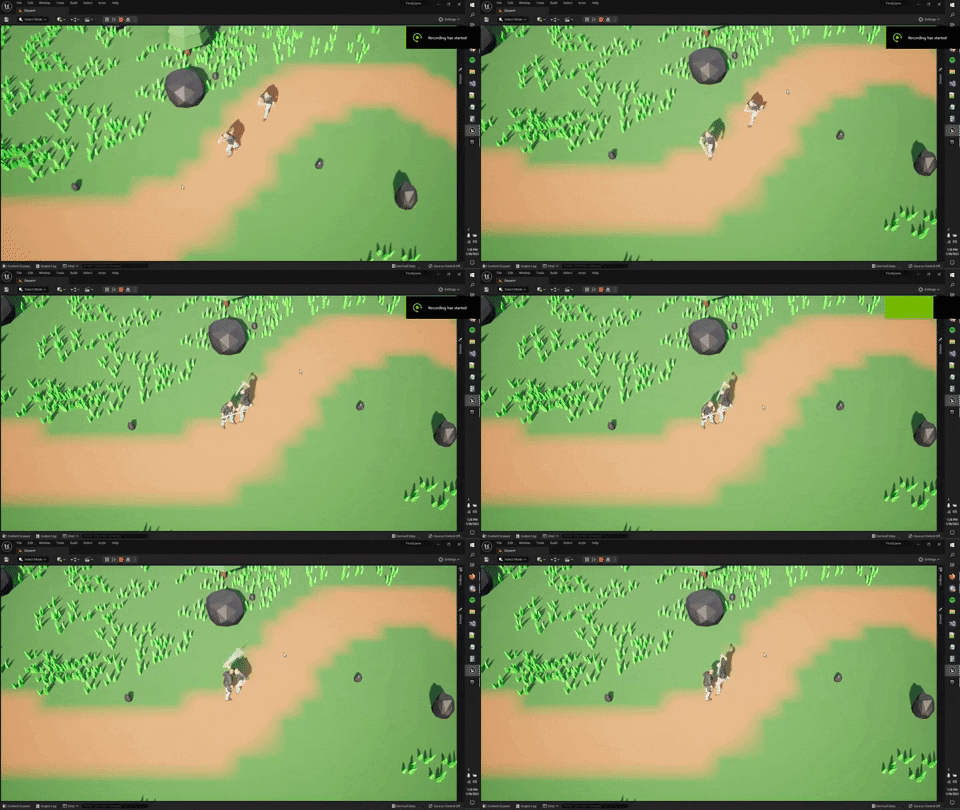 somber light
holy moly how did this happen
somber light
is this in the ikrig window
somber light
maybe reset the location and rotation with the arrow right next to it when having the bone selected
somber light
why are you still in ikrig window tho
frosty turret
I made one for the mixamo
somber light
when you finish the chains, goals and bone settings you usually don't touch it anymore
frosty turret
i havent made the chains
or goals
or bone settings
i did that for the mixamo bot
now I gotta do it for this
somber light
yea i see
frosty turret
my boyfriend woulden't let me continue
let me just reimport the model
the skeleton
that is
somber light
okay might be the best
frosty turret

still was weird
and this happened
probably relevant
got any clue as to what I can do
@somber light there is hope
I found something
when I imported the character .fbx file
the skeletons fingers are all jacked up
BUT
look at the animation sequence's skeleton

its normal
so
im trying to get the skeleton
karmic bobcat
how can i get the equivalent of a frac(material editor) inside of an animation blueprint that takes "time" as an input? i want to use a curve to drive a transform(modify bone)but i want to loop the curve animation
 pale prairie
Hey everyone, I am trying to render my animation using the movie render queue plugin, this is probably an easy fix but I am new and can't see why this is happening. Basically it would appear when I render it's using a camera that is under my map and not the cine camera I have for the animation, do you know why this is, I have checked and there's only one camera in my level?
 frosty turret
@somber light If you have a moment I'd like to ask a question
I'm on to fixing my problem but I don't know entirely how to do it
frosty turret
yes
However
I have the static mesh of the model
the skeletal mesh
and all that stuff
somber light
okay nice
frosty turret
and their skeletons are all jacked up
However
the animation sequence
has its bones perfectly aligned
 somber light
send me the fbx
somber light
you can add me
frosty turret
Okay
 sinful yacht
Hi all, how would you add a control rig to a Animation Blueprint Template's anim graph?
Is there not a way to expose the control rig class of the control rig node?
something like this

 covert onyx
anybody got these animations working for unreal engine ? https://github.com/BandaiNamcoResearchInc/Bandai-Namco-Research-Motiondataset

GitHub
This repository provides motion datasets collected by Bandai Namco Research Inc - GitHub - BandaiNamcoResearchInc/Bandai-Namco-Research-Motiondataset: This repository provides motion datasets colle...
please ping me if you want to reply to me
brazen wharf
@covert onyx you have to convert them to fbx (e.g. in blender) and import them to unreal
then most likely you'll have to retarget them to the skeleton you want to use them for
also, why is the masculine motion doing a cat walk?
also the license seems questionable... https://github.com/BandaiNamcoResearchInc/Bandai-Namco-Research-Motiondataset/issues/6
covert onyx
brazen wharf
also, why is the masculine motion doing a cat walk?
maybe they thought it was a joke or something
brazen wharf
or they walk like this...
covert onyx
you sure you havent mixed the masculine animations with the feminine ones?
because they look just fine in my end
brazen wharf


talking about this
i will not use it with that license so i haven't looked at the bvh files
covert onyx
 frosty turret

Made a pose and everything for retargeting
how do I "save" it
@somber light any idea how to save it
In the video (I think) you recommended to me they simply have a save button but the bar is not shown on my display
fuck

this also happens when I play an animation
karmic bobcat
does the leader pose component allow physic simulations on my bones? i cant get them to work when using it...
when i say physics i mean spring controllers etc
looks like it doesnt. shoot
frosty turret
@fresh sandal I need a little bit of help and your input would be amazing right now
fresh sandal
Sure thing
frosty turret
Amazing
Alright
so
retargeting
I made the IK Rig for both models
that was a success
However

I aligned the bones
right

then this happens whene I try running an animation
I have no clue what I did wrong
any thoughts
fresh sandal
Hm, I'm no exert on such things especially not in unreal since i've worked mostly with 3ds max and blender. Where did you get the model and rig to start with or did you have one generated by mixamo? Can't remember if we talked about this yesterday
frosty turret
Generated by mixamo
and there was no rig
I had to make an IK rig myself
for both
fresh sandal
Ye, ok that makes sense. And the rig you are retargetting from is the ue4 mannequin right? Not ue5 manny?
fresh sandal
I'm not sure i follow, if you have the mixamo rig generated for your character and you have downloaded the robot from mixamo instead of downloading the animations directly from your characters generated rig?
fresh sandal
Which tutorial did you follow?
frosty turret
Learn how to make perfect animation retargeting with IK Rigs and IK Retargeter of Unreal Engine 5 (UE5). This tutorial will show you everything there is to know about these new Unreal Engine 5 (UE5) tools.
🎁 Download my custom version of Blender : https://evansbohl.gumroad.com/l/mixamotoue5
💙 If you like what I do, please consider supporting m...
karmic bobcat
just to be sure- theres no way to get leader pose component to allow physics on my non -leader skeletal mesh?
fresh sandal
frosty turret
https://youtu.be/eYal6taYUfE
But those animations he's retargetting are for manny. If you only intend to use mixamo animations you don't need to retarget. If you still need to maybe the converter he's using is outdated. You could use the one i sent you yesterday and check if that works. I use it for my workflow all the time. It can be a little tricky sometimes but it works
fresh sandal
frosty turret
ah
But if i understand correctly and those are simply mixamo animations what you'd normally do is to take your character, use mixamo to generate a rig for him. Then download the animations using that rig and import into unreal it's as simple as that. But if you want to use the animations from the market place or the starter contents for either manny or mannequin then you need to use a ue4/5 skeleton converted for mixamo and import that into mixamo, then export that skeleton with animations from there and retarget whatever other animations that are native to the mannequin/manny
frosty turret
fresh sandal
But if i understand correctly and those are simply mixamo animations what you'd ...
I tried doing the first thing you just recommded but the legs are messed up
let me get you a screenshot


the legs are the only problem
and someone told me I needed to retarget
fresh sandal
And those are animations from mixamo correct?
frosty turret
fresh sandal
And those are animations from mixamo correct?
correct
but the legs are the only part wrong
i think the model im using is just weird
not broken
just strange
or I dont know
fresh sandal
It's possible it's not very compatible with the mixamo rig. Can you send a screen in T-pose?
or A pose whatever the default one is
You could send the fbx as well if you want and i can check it out
 short wasp
Hi!
Anybody knows if 'Cyclic' modifier in Blender carries over to Unreal Engine, and the animations will work fine? What if I shift the frames on the timeline?
I'm trying to make seamless animation loops and it sounds like the best solution.
fresh sandal
short wasp
Hi!
Anybody knows if 'Cyclic' modifier in Blender carries over to Unreal Engine,...
I don't think you can export any modifiers from blender to unreal except the armature. I think you'd have to bake it
short wasp
hmm alright, thanks!
somber light
frosty turret
but the legs are the only part wrong
How much did you pay for that model
It's weight painting, mesh and everything is also pretty bad
That Def wasnt made by a professional
somber light
Oh, I meant the ones in blender from that fbx
fresh sandal
The spaceman correct?
somber light
Yep
fresh sandal
So the default armature and not the one exported from mixamo then
somber light
Yep
I sent you the fbx
So you can try it out too
Bro got the "sitting while standing" leg shape💀

That's Def a weight paint problem because the skeleton is moving perfectly fine
 fresh sandal
I wonder if the armature was deleted before importing it to mixamo. But yeah. That's pretty bad. Or maybe that's just the effects of too much time in deep space. Call it a feature.
somber light
@frosty turret how much did you pay for that model
Why did you pay for such a model at all
frosty turret
somber light
<@728615194628063324> how much did you pay for that model
too much