#animation
1 messages · Page 7 of 1
 late sun
I mean for example when I run on a slope, my feet go through the ground
I want to adapt automatically my running animation with my Control Rig (Full Body IK) if possible
late sun
Is it "IK Rig" new asset ?
 mild granite
Does anyone know how i can rotate my weapon during an anim? I have a knife and i want the character to be able to hold it so the blade is pointing behind him in some animations!
 vast rampart
mild granite
Does anyone know how i can rotate my weapon during an anim? I have a knife and i...
vast rampart
mild granite
Does anyone know how i can rotate my weapon during an anim? I have a knife and i...
You should rotate it directly in the blueprint I think
 clever tapir
anyone here has an idea why in the anim blueprint my feet are stretched way below the ground, while in retarget or anim preview it all works correcty? i have remapped all the chains from manny to my rig, the preview and retargeting works but as soon as it goes into the anim blueprint the feet become chewing gum


 steep shard
What's the best resource for learning how to make custom animations for the UE5 mannequin?
 winged portal
Hi! does anyone know how to avoid animation loss when increasing the animation speed?
For example: When I do one attack animation at x5 play speed, it just doesn't play anything at all.
I want it to play really fast, that is okey, but not skip frames or animation parts
 smoky shell
Sounds like it ends on the same frame its played?
 craggy knoll
steep shard
What's the best resource for learning how to make custom animations for the UE5 ...
craggy knoll
steep shard
What's the best resource for learning how to make custom animations for the UE5 ...
to animate in Unreal Engine https://youtu.be/FgJ1stTScxI for other software you probably won't find an answer here.
Edit: Oh also this video is about 5.1. But in general you can animate in Unreal with a Animation Control Rig.
winged portal
smoky shell
Sounds like it ends on the same frame its played?
Kind of, but the animations are from mixamo, they should have enough frames so that a x5/x10 playtime, it should still go smoothly
i'm going to upload a video, maybe someone know why it's happening
 bitter breach
Hi, i am having a issue with a retarget, all models are using the same skeleton style but when the retarget transfers over one of the wrists are warped on the character model
here is what the base animation looks like

and here is what the retarget looks like

here are the retarget joint setups, the left is the original model and the right is the model being retargeted to
 steep shard
craggy knoll
to animate in Unreal Engine https://youtu.be/FgJ1stTScxI for other software you ...
steep shard
craggy knoll
to animate in Unreal Engine https://youtu.be/FgJ1stTScxI for other software you ...
Thanks, this looks excellent
 ripe gazelle
if i have different move sets for different weapon types
but alltogether same states over all move sets
should i separate the movesets inside state machines?
or keep having a state machine for each set?
 ashen junco
ripe gazelle
should i separate the movesets inside state machines?
or keep having a state ma...
ashen junco
ripe gazelle
should i separate the movesets inside state machines?
or keep having a state ma...
You can use anim sequence variable to change the animation used for the states.
ripe gazelle
ashen junco
You can use anim sequence variable to change the animation used for the states.
so for every new moveset and subsequent animation it brings into each state, i have to modify each state accordingly.
is there a level of work i can apply here that makes it less work
i think i will start working on this right away
ashen junco
ripe gazelle
so for every new moveset and subsequent animation it brings into each state, i h...
anim player node in anim graph has exposable pin for what animation sequence to play
ripe gazelle
ashen junco
anim player node in anim graph has exposable pin for what animation sequence to ...
yeah im looking at just that
not sure where to begin defining which and what by what
ripe gazelle
@ashen junco
This is the idea i could come up with that separates animations in each state.

is there a better idea?
 polar grotto
hi how do i animate a BP actor and then save it's animation to be played later ?
thanks
ripe gazelle
polar grotto
hi how do i animate a BP actor and then save it's animation to be played later ?
sequencer
if you want to animate with keyframes
polar grotto
yes thanks , but i don't know how to save the animation

a,d then i do create linked animation sequence
but i get this
 ripe gazelle
no idea mate 😄
ripe gazelle
find a sequencer tutorial
the wtf! videos are pretty good
and most things that work in ue4 works the same in ue5
polar grotto
thanks :
ripe gazelle
sometimes its easier to ask after you have had an introduction to the thing
polar grotto
yeah no it's desesperating i've been working 3 years with unreal ahah
ripe gazelle
2 months here
and 2 months last year 😄
is there a better way to do this in each state?
i am going to add more movesets and would prefer to skip redoing this in each state everytime i update the movesets.

 past sphinx
is there a way to constrain an ik foot control to another animated actor in the sequencer?
 indigo zenith
In Control Rig, what is the recommended node to have a child controller "follow" a parent controller at a constant distance (like a camera chained behind a parent)? Assuming I'm just moving the XYZ location of the master controller
 upbeat rampart
ive been stuck on this issue for a while, i would like my hands of the model to automatically move to these grip points i've highlighted

 eager kelp
How can I get my camera setup in UE5 to match the setup I have in Maya?
Unreal engine has camera differences in my first person animations
 static falcon
Any way to transfer an "ik rig" from ue5 to another skeleton?
Basically it's already set up on one mannequin and I need it on a different one, same bones
smoky shell
static falcon
Any way to transfer an "ik rig" from ue5 to another skeleton?
Yes, bulk edit via property matrix, you can change the skeleton there

 static shoal
Is there a way for me to copy this pose that took me an hour to make in a IK regargeter and put it in another retargeter? I really don't wanna do it all over again
 smoky shell
static shoal
Is there a way for me to copy this pose that took me an hour to make in a IK reg...
smoky shell
static shoal
Is there a way for me to copy this pose that took me an hour to make in a IK reg...
No, IK Retargeter is incomplete in 5.0, in 5.1 it is much better
5.1 supports pose assets
Its the entire reason I use 5.1 in an early state
smoky shell
I'm not seeing a bug, those screenshots are showing the correct result for the conditions provided
The first one returns true because stamina is over 10 (its 100), the second one returns false because neither health is over 0 nor stamina is over 10 (both 0)
smoky shell
I wish control rig would stop breaking/crashing debugger when using live coding
This thing is a virus
Have to close down all animation blueprints if I want to reload
Wonder if Epic are just missing it because programmers who actually use debugging usually aren't doing locomotion
 valid grove
I retargeted like 200 animations from UE4 to UE5 and they are all a bit offset above the ground. What's the best way to update them so that their root is a bit lower and they actually touch the floor?
vast rampart
Is there an option to untick or something to allow the character to move WHILE playing an animation montage?
 bitter shard
Does anyone know where I can find out more about Sequence Player options like using the OnBecomeRelevant or OnUpdate functionality and how to use the Context and Node inputs? I can't find anything about it other than the API
ashen junco
vast rampart
Is there an option to untick or something to allow the character to move WHILE p...
Depending on the slot and its use in anim BP, it could be root motion taking over
vast rampart
ashen junco
Depending on the slot and its use in anim BP, it could be root motion taking ove...
got it, thank you!
 radiant parrot
does that option work for you guys?

 warped sapphire
could someone recommend a good blender addon to easily rig a mesh with the ue5 mannequin? using google/youtube i get multiple hits but don't really know how to choose one
radiant parrot
warped sapphire
could someone recommend a good blender addon to easily rig a mesh with the ue5 m...
i think it must be rigify
built-in addon but you need to enable it on preferences
ripe gazelle
for weapon swinging animations, is there a nice way to determine a point in the animation that is peak damage and interpolate out from that?
 rotund widget
what would be the best way to add a weapon attack animation to a sphere character with no real skeleton? should i add a second mesh for attatching the weapon to and running the animations, or is there a better way?


 late sun
Hello all !
I'm wondering, as an Animator, should I set my framerate at 25fps / 30fps / or 60fps please ? (I work in Blender)
I'm aiming to make a 60fps game for info
 patent hawk
Hey folks! I made reload animation for specific gun from another animation, bur when i start playing, animation starts from random spot, have any clue?
 bitter shard
In a state machine, how do you do the equivalent to "Get relevant anim time" when transitioning from a conduit or alias? There is one node which takes an "update context" and "node" input, how is this used?
ashen junco
late sun
I'm wondering, as an Animator, should I set my framerate at 25fps / 30fps / or 6...
30 FPS.
late sun
Could I know the reason please ?
ashen junco
Unreal can linearly interpolate the in between on higher framerate
Anything but 30 FPS is known to have issues
late sun
Ok great thank you so much !
 ripe mortar
i have added a navmeshbounds for my AI to move and nothing shows up with i press P and he doesnt move... any ideas?
 iron thicket
Guys, how do I put the mannequin in Idle pose and start setting up my Control Rig in Sequencer from there? I am adding an animation to the Animation layer and I want the control rig to adjust to it
 unkempt zephyr
First time poster here. Just found yall. Just spent the last few days making a scene with metahumans and they move just fine when play it in sequencer but the all stand in t-pose when I go to render it. Any idea why this would happen?
iron thicket
Guys, why can this happen when trying to save Anim Sequence?
I didn't touch the save settings


 worn marlin
UE4 MESH WITH SKELETON TO NEW UE5 SKELETON
I know this has been discussed previously. So from my understanding, if I have a skeletal mesh character using ue4 skeleton and I want to use this mesh for the new ue5 skeleton, then I cannot do it like this anymore compared to ue4, wherein I just delete the existing ue4 skeleton and replace it with another ue4 skeleton. Since the hierarchy now is different then it is not possible anymore right? Any alternatives? Thank you
ashen junco
worn marlin
UE4 MESH WITH SKELETON TO NEW UE5 SKELETON
I know this has been discussed prev...
Well, no. Your option is pretty much hard retargetting
worn marlin
ashen junco
Well, no. Your option is pretty much hard retargetting
By hard retargetting, you mean make or edit the bones on a DCC right? So if I want to use the UE5 skeleton, I need character assets that is by default using or rigged under the ue5 skeleton?
Because if that is the case, I might just be using the ue4 skeleton for my zombies that are by default rigged on the ue4 skeleton. I do not think I would benefit from the ue5 skeleton for my use.
ashen junco
worn marlin
By hard retargetting, you mean make or edit the bones on a DCC right? So if I wa...
Oh that, UE5 manny has more bones than UE4 manny bones, so better stick to UE4 manny bones.
Besides, all of the animation features UE5 has works just fine with UE4 skeleton
worn marlin
ashen junco
Oh that, UE5 manny has more bones than UE4 manny bones, so better stick to UE4 m...
thanks for the information. I have this AI asset that was converted to ue5 recently but still has the backup ue4 skeleton. So what i did in order transform back to UE4 is I right clicked the AnimBP_NPC > Retarget Animation Assets > Duplicate and Retarget Animation Blueprint then used the UE5 to UE4. It seems to work**
worn marlin
QUESTION REGARDING PHYSICS ASSET
I have this creature asset (ue4 skeleton) that has a basic physics setup but causes weird artifact bending of the bones during ragdoll, I tried switching it to the default ue4 skeleton physics asset which has a much better physics asset and those artifacts are gone. So is it safe to say its ok to change physics assets as long as there bone structure is the same like in my case a humanoid creature? Thank you
static shoal
for some reason, on this Blendspace I made the jog strafe right animation which is a carbon copy of the jog strafe left animation but mirrored on Mixamo, looks like this.
it's like the character is jogging diagonally, in both animation previews they look fine, what am I missing here or doing wrong?

 pliant latch
how do i use pose search in 5.1 preview 2?
 mental summit
pliant latch
how do i use pose search in 5.1 preview 2?
mental summit
pliant latch
how do i use pose search in 5.1 preview 2?
Can you concrete your question? Did you enable plugins ?
 terse summit
anyone know if its possible to record ultraleap hand tracking (plugin) animations directly in ue5?
pliant latch
mental summit
Can you concrete your question? Did you enable plugins ?
well its enabled but im just super confused on how to get it to work, also it keeps crashing. im updating to a newer source build hopefully it wont crash
mental summit
pliant latch
well its enabled but im just super confused on how to get it to work, also it ke...
oh i got same problems with crashes
 balmy ember
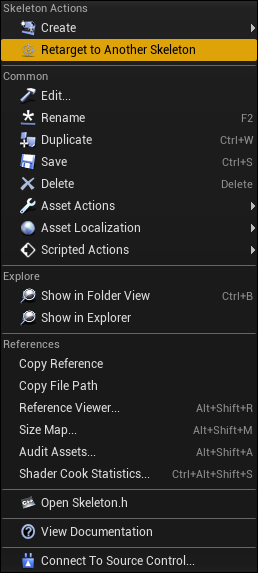
https://i.imgur.com/bVhfSzS.png
What is equivalent of this in UE5?
I want to retarget all animations from one skeleton to another.
Please tag me in answer.
 drifting quest
Hey gyz hope you all are doing great , If someone is good in the importing process in UE5 please do let me know I am in need of assistance . Thank you
drifting quest
Well i want to import a character and his animations , but when i do that i get physics asset the name of the animation and a random skeleton mesh . So when i drag into the scene i get nothing
so i was figuring out if theres a way to keep 1 skeleton mesh and add all the animations to it
 sand oar
I am having a problem with retargeting. My bases pelvis is a good half a foot higher then my targets so when I try and retarget it lifts my targets entire spine up which causes my neck to elongate and my feet to float off the floor. I have tried every thing I know to fix this but I can't figure it out? How do I fix it?


 potent walrus
I just had a question. Im making animations for a fps and i have an idle animation that i like and a sprint animation i like and i just want to know if its possible to copy the idle animation to a new sequence so that i can use the exact same spot.
Everytime i try copying coordinates for it and glitches out and goes elsewhere
 lament wyvern
Hey all, I have one animation with multiple tracks, when setting the animation to play in the event graph, how can I specify what track to play?

Or will I have to make seperate animations for each button?
 restive latch
drifting quest
Well i want to import a character and his animations , but when i do that i get ...
restive latch
drifting quest
Well i want to import a character and his animations , but when i do that i get ...
Yes, run the "import" function and actually have a good hard look at what you are actually importing. You need to select your skeleton in the drop down
restive latch
drifting quest
this is what i get
It seems like the animation on your character is baked to non whole number values. Go back into Maya, or where ever you created your animations, and re-bake them on the timeline with whole numbers at 30FPS.
drifting quest
restive latch
It seems like the animation on your character is baked to non whole number value...
Uhm , its kinda hard for me to understand all this because i am new , so if you got time / if i could add you and i share my screen to see where the problem is would be greatly appreciated
restive latch
Okay, Lets meet up in 30 minutes
drifting quest
Alright thanks alot!
restive latch
sand oar
I am having a problem with retargeting. My bases pelvis is a good half a foot hi...
The offset on for the T.z (translate Z up, world space) when you set up the initial retarget is too large. Before doing the retarget setup, make sure your characters ankle bones and cog are as close as possible.
drifting quest
restive latch
Okay, Lets meet up in 30 minutes
we ready?
 delicate kestrel
Hey guys. I have a question about physical constraints.
I want to make a physical skeletal chain that will be attached to the character and the other side to the static object. What is the best way to do this?
I already made a chain. But i have problem with constraints.
The constaint has no effect on the chain.
I specified the first and last bone as the kinematic.
specified in the constraint actor the chain and the actor where it will be attached. But nothing happened. Chain just falling, or hangs on the first and last bone ignoring the movement of the attached actors.
Please help 🥺
mental summit
pliant latch
well its enabled but im just super confused on how to get it to work, also it ke...
you always have crashes? or may be you have some results of using pose search. I got problem that i tried a lot of kinds of setup combinations and its doesn't work properly for me. ofc im avoiding options which can cause crashes
 tawdry drum
Hey guys, what is the best way to switch from "normal" walking and running animation to holding a weapon and walking, shooting etc.? Currently I am using two Animation blueprints and switch between them when I pickup a weapon, but I think that's not the good way
 storm briar
Hey guys,
I'm trying to figure out how to make my metahuman's blueprint to do an action when I make a facial expression via live performance capture?
I have the life performance capture part set up,
but I can't seem to figure out how to pull the metahuman's facial expression values (for example, detect jaw opening) so I can use them as an input within the blueprint.
Does anyone know how?
bitter shard
How do you change the play rate for all sequences in an animbp and not just a specific sequence player?
 strange island
hey there, i've got a question. in a certain animations, we scaled a joint to zero (and even 0.1) for testing.
it's weapon joint under his wrist joint and we want to do it while the character is performing an emote for example.
instead of making the mesh for that joint super small, it becomes huge... as if it was multiplied with the reciprocal or something...
we got the animations from motionbuilder/maya
unkempt zephyr
MY Metahumans are not doing their animations when I render the scene. they return to A-Pose. I already converted to spawnable as suggested somewhere else. does anybody know what I might be missing.
ashen junco
potent walrus
I just had a question. Im making animations for a fps and i have an idle animati...
Control Rig + Sequencer?
ashen junco
strange island
hey there, i've got a question. in a certain animations, we scaled a joint to ze...
Why not hide the mesh on demand?
unkempt zephyr
ashen junco
Control Rig + Sequencer?
yes using the control rig and key framing the animation by hand. id be happy if they would just sit down around the fire but i also had subtle movement in it tohelp with the realism.
ashen junco
tawdry drum
Hey guys, what is the best way to switch from "normal" walking and running anima...
You just have to be a little more creative - use layered blend per bone to have separate states for upper body and lower body.
ashen junco
unkempt zephyr
yes using the control rig and key framing the animation by hand. id be happy if...
Sorry, was not replying to you
(besides 95 MB video is insane)
unkempt zephyr
ashen junco
Why not hide the mesh on demand?
you arent talking to me are you. lol
all good.
sand oar
restive latch
The offset on for the T.z (translate Z up, world space) when you set up the init...
I have them lined up as I can get. How do I change T.z?

 misty dagger
so im trying to export this model to ue5 and i got this. the bones work and all but its just some of the body parts are not located in the right areas
and i need to figure out how i can move them in place, does anyone know how?

 onyx sigil
Hello ! is there a way to set a parameter on the "assetDetail" for multiple animation at the same time ?
here per exemple, i want ot set "EnableRootMotion" for multiple animation, but it is only applied to the last one.
 crimson hill
https://www.youtube.com/watch?v=xy9aLbZLdeA @grizzled kernel

In this video we take a look at how we can share animations between two Skeletal Meshes that are using different Skeleton assets. We go through the setup and retargeting process and pass an animation between two different Skeleton assets.
(00:05) - Recap
(01:14) - Creating & Animating a Rig
(07:21) - Changing the Character's Pose
https://www.youtube.com/watch?v=1K-Hyu4Xn3g @grizzled kernel

Hey guys, in today's video I'm going to be showing you how to create an animation blueprint and blendspace to smoothly transition between your animations in your game, such as idle, walk, run and jump.
Previous Video - Creating The Character And Animations: https://youtu.be/Ht0ekszftsA
More In-Depth Explanation: https://youtu.be/A6L_8vAx-M0
Un...
 fiery aspen
Does anyone know of a rollerblading/inline skating animation pack ?
misty dagger
Anyone here who have mocap really need help
misty dagger
So what should I do
craggy knoll
to ask directly
misty dagger
craggy knoll
to ask directly
That's what I asked do anyone have mocap
That's my question
craggy knoll
and that's it? You don't want to follow up with another question for the one who has mocap? You said "really need help" so I guess you want to follow up with another question.
misty dagger
craggy knoll
and that's it? You don't want to follow up with another question for the one who...
Oh sry buddy
 fiery gorge
Hey guys, there’s an animation that’s giving me some problems. Before retargeting, it’s perfect; but after I retarget it, it has a strange offset. Any idea on why this is happening and how to resolve it?

 gilded rock
Heya, does anyone have an idea why the static offset in IK retargeter only works on arms and legs?

 hushed oar
Hello everyone!
When I import my Minibike into Unreal all of my joint rotations are not zeroed out anymore, I also tried to export the fbx file with z-up.
This causes problems with chaos vehicles - the rear wheel for example is rotating in the wrong direction, does anyone have a idea on how to fix this issue?


 still seal
How to use the same animation to another character?
I saw this video
In this video we take a look at how we can share animations between two Skeletal Meshes that are using different Skeleton assets. We go through the setup and retargeting process and pass an animation between two different Skeleton assets.
(00:05) - Recap
(01:14) - Creating & Animating a Rig
(07:21) - Changing the Character's Pose
but I don't find the tool for retarget rig in ue5
 tardy fiber
whats the best/easiest way to make vertex animations from skeletal mesh?
strange island
Help please!
In an inventory, I am playing animations via "play animation" depending on what weapon is equipped.
In certain situations, i have an idle animation with an additive layer track, that scales a certain bone to zero (the one for the arrow in hand for example, when only a quiver is equipped but no bow yet).
So scaling the bone to zero in an animation isworking fine, but when I equip something else afterwards and the next "play animation" is fired, it's playing the animations, but the scale values of that single bone are not updated.
Initially we thought this would be caused by the additive layer track system, but it also happens when we zero the keys in the animations directly without any additive tracks in Unreal (actually we have to set them to 0.01 as otherwise Unreal won't import the animations when a bone is scaled to zero).
The only way to get that bone's scale back to 1 is by constantly switch equipped weapons (which plays new animations) until at some point the scale of that bone goes back to 1 (as usually almost all animations have all bones scaled to 1)
Any ideas?

 potent walrus
ashen junco
Control Rig + Sequencer?
potent walrus
ashen junco
Control Rig + Sequencer?
Sorry i didnt realize someone answered my question, im like brand new to unreal as of a week or 2 ago so im still learning , i dont know how to do that
 muted rover
does anyone know how to temporarily disable an animation state in the AnimBP

i need to disable timed idle for debugging purposes but dont want to delete it
potent walrus
would anyone know how to take the third person character in the blueprint area and make it so i can play animations
that was a vague question
muted rover
are you talking about the preview asset?
potent walrus
so basically what i have done is took the 3rd person starter asset and moved the camera forward and such making it first person. I made some first person animations already using the same manny and imported them but idk how to make the translate to the current character without breaking the character
muted rover
are they using the same skeletal rig?
potent walrus
yeah same thing, like i said i just went into a different project and animated them all using the same rig
basically what im aiming to do is have the character use all the first person animations i made. i can make the character pickup the gun but id like it to start playing the idle animation too
potent walrus
I might just have to study some more. Im still new and im trying to do alot 😂😂
pliant latch
how would you guys go about making fps rifle swap/lag that makes the gun sway as you move the camera
 buoyant spade
Hello, I'm still googling to see if unreal supports this natively but figured I'd ask. Say you have an animation that translates the character (like a dash or leap) and the anim has that movement authored in it with the root motion. Is it possible in unreal to not only see that root motion, but manipulate or adjust it at all?
ashen junco
buoyant spade
Hello, I'm still googling to see if unreal supports this natively but figured I'...
That's what Motion Warping is for.
 gentle elbow
Hey I am trying to make an animation where my character spins himself on the upper part
But it keeps spinning only to one direction
can anyone help me?
ashen junco
pliant latch
how would you guys go about making fps rifle swap/lag that makes the gun sway as...
You can go for procedural sway, similar to what Half Life 2 did
ashen junco
This Unreal Fest 2022 presentation goes into making animations using UE5's Control Rig and Sequencer:
https://youtu.be/FgJ1stTScxI
UE4.26 & 4.27 could follow along but be warned that Control Rig in UE4 is broken and not as stable as UE5's.

With Unreal Engine 5.0, rigging and animating in-engine became a real possibility. UE 5.1 has taken another step forward, so artists don't have to hop back and forth between various DCCs. Learn about the recent changes to the Control Rigs and animation tools via real-life examples.
Learn more about recommended Hotkeys & Preferences: https://dev...
ashen junco
ashen junco
This Unreal Fest 2022 presentation goes into making animations using UE5's Contr...
<@&213101288538374145> permission to pin
 tranquil cradle
Can anyone explain why you would need an IK Rig instead of a Control Rig with an IK setup?
 clever shard
ashen junco
This Unreal Fest 2022 presentation goes into making animations using UE5's Contr...
clever shard
ashen junco
This Unreal Fest 2022 presentation goes into making animations using UE5's Contr...
 tawdry cloak
I want a character to stop running the animation blueprint after dying and return to the T pose. I found the bools bPauseAnims and bNoSkeletonUpdate on the skeletal mesh, but then the mesh is stuck mid animation instead of going back to the T pose.
Is there a way to get the mesh to return the T pose?
 nova umbra
I'm watching a tutorial in which they are using an older version of unreal and they add their strafing animations to the blend graph in 3d, how do i do that in the latest version?

 worn osprey
Hi all, could anyone show me how to layer procedural animations (idle loops, blinking, eye movements etc) over a pre-recorded lipsync sequence recorded from iClone?
ashen junco
worn osprey
Hi all, could anyone show me how to layer procedural animations (idle loops, bli...
It's easier to setup with a Control Rig, and you can then put the CR into the anim BP after the pose.
worn osprey
@ashen junco Ok i have no idea how any of this works really - currently trying to bake the captured iClone animation onto a control rig
ashen junco
tawdry cloak
I want a character to stop running the animation blueprint after dying and retur...
Set the anim instance to none
ashen junco
worn osprey
<@325627930484932608> Ok i have no idea how any of this works really - currently...
No need to bake it, you can apply it completely procedurally.
worn osprey
ok thats good to know - still learning the basics of sequencer - how would i could about adding the procedural stuff on top?
nice to see that it can be baked though just to understand a bit more
ashen junco
So the anim BP goes roughly like like this:
Pose -> Saccade Control Rig -> Output pose
worn osprey
right so whats happening when its playing back a timeline sequence
ashen junco
In the saccade CR itself it's just getting the initial bone position (after the animation) and then apply offset with random location.
You can also have the animBP as anim post process, to have it apply after the main anim instance the model have
worn osprey
yeah im pretty lost
ashen junco
I'm a lazy animator, so that's what I can come up with 😛
worn osprey
right but like what would by rough steps be if thats ok
what am i adding to the sequencer
not the BP_metahuman?
ashen junco
Just set the animBP post process in the skeletal mesh and you're good to go
Though in my setup I would have an invisible skeletal mesh serving as proxy for the visual skelmeshes to follow/copy pose
worn osprey
not following you im afraid but i'll keep working on trying to understand
i do at least have baked lip sync animation now
worn osprey
maybe a simpler place to get started would be where to look for how to do procedural random eye blinks / eye movements?
ashen junco
worn osprey
maybe a simpler place to get started would be where to look for how to do proced...
#work-in-progress message
I did it myself in Control Rig. It's doable.
worn osprey
@ashen junco for you maybe 😂 I did manage to import an idle animation and drop it over the lip sync and loop it, so i think i'll just author all the other stuff i need in Houdini where I know what im doing and import and layer them up in sequencer
pliant latch
ashen junco
You can go for procedural sway, similar to what Half Life 2 did
i tried animated additive sway and it seemed way easier to make, but i get the feeling procedural sway could be better. i know overwatch does animated sway but they somehow made it impeccable. i might implement a procedural and animated mix idk
ashen junco
pliant latch
i tried animated additive sway and it seemed way easier to make, but i get the f...
Well, for one, you can make it out of sine waves. It's easier to assemble one with Control Rig.
 unkempt dome
Hey all, anyone here that is really good at retargeting animations? 😄
I got a really weird issue when retargeting an animation from a CharacterCreator character to a MetaHuman character.
The issue has something to do with the FKs and I do not know how to fix it. I wrote it in more detail here with pictures and everything:
https://forums.unrealengine.com/t/ikretargeting-fk-acting-weird/685685/1
If you have any clue of what the issue or solution could be that would really make my day!

Unreal Engine Forums
Hi, I’m having an issue with IKRetargeting. There is something with the FK retarget that is messed up. I’ve retargeted from Mixamo to MetaHumans many times and that works really well. But I’m currently trying to retarget from CC to MetaHuman and got a new issue I’ve never seen before. Looking for any suggestion that could help solve this, so he...
 knotty roost
hi i am new whit this program , where i can learn about UE5 Fast
And where i can find it animation and character assets
 old wolf
in a blendspace 1D is there a way to always start the idle animation from the beginning?
old wolf
knotty roost
And where i can find it animation and character assets
Look up infinity blade or paragon characters on the marketplace, they are all free. There are plenty of videos on youtube to get you started with creating an animation blueprint
strange island
still trying to find someone with an anwer.
it seems like certain bone scales (0 / 0.1 / 0.01) applied via additive transform layers are inherited: the next animation inherits the bone scale from the last played animation, even tho it (the current animation) does not even have any curves/transform layers
any help please?
by the way, this also happens when not using transform layers to change bone scale, but also when scaling the bones directly in the animation file - in Maya/Motionbuilder in our case. And for some reason, here the scales are also inherited from one animation to the next, but instead of multiplying the scale directly, the reciprocal seems to be used (0.1 becomes 10 and 0.01 becomes 100)
tawdry drum
I have a walk animation and an idle animation, I did some changes in the idle animation by keying, now I need the same for the walk anim, but I cant just copy and paste it, how can I do it?
 errant jasper
Does anyone know what might be going wrong here? Here's what happens:
- When pulling out weapon I trigger a weapon wield animation montage in the 'UpperBody' slot that loops the final pose indefinitely. This moves only the character's upper body per the blend per bone node. This works fine and the character holds arms in weapon wield position while moving
- When I need to trigger a lower body turning animation I trigger a montage for that in the 'Default' slot. It's named default here but it's really more of a lower body slot. This seems to blend out the wield animation montage of the upper body for some reason and the characters arms follow the turning animation before settling to the default state from locomotion after the default slot montage is finished.
The effect is that when the character turning montage is trigger the arms of the character go back to his side instead of retaining the wielding position. Why does triggering a montage in the default slot here stop the input from the 'UpperBody' slot's infinite length wielding montage and cause the character to return hands to locomotion saved pose state? I would expect turning animation in default slot would play for the lower body but the upper body would retain the wield pose from the 'UpperBody' slot since that montage is still playing. Any advice appreciated I'm pretty new to Unreal Engine!
 indigo zenith
Is it possible to re-link a control-rig Level Sequence back to the original Animation Sequence after unlinking? “Undo” does not work to revert an "Unlinked" Level Sequence
 vestal aspen
Hello. Using Control Rig, how do I copy and paste key frames in Sequencer? I can copy a key frame, but there is not paste.
indigo zenith
@vestal aspen Paste usually fails when you try to paste keyframes to a different kind of Track
vestal aspen
Is there a way to paste an image in Discord?
it is the same character Control Rig track

I think I'm doing something wrong
O wait
It does not paste over an existing key. If I delete the old key then I can use Ctrl+V to paste the desired key in Sequencer.
Thank you, Snowman.
Now its overwriting the previous keys when I paste. It was definitely something I was doing wrong.
 fiery snow
Is the vertices limit for vertex animated Meshes still 8192 vertices? Surely over the years, this has been increased?
ashen junco
fiery snow
Is the vertices limit for vertex animated Meshes still 8192 vertices? Surely ove...
VAT is more of #graphics thing
fiery snow
ashen junco
VAT is more of <#221799195806400512> thing
Ah..Ok. Thanks will post there.
 inner oyster
How do I create a new animation from an animation pose that’s already exist. Basically it’s a continuation of the pose
For instance, I have the aiming pose
I want to create a new animation starting from that pose
So far I created a control rig for the arm
But I’m not sure how to preview(if this is the right word) the pose on the control rig
 spiral sequoia
any obvious reason why an AnimBP would only run Event Blueprint Update Animation one time and then nothing else happens?
 random hatch
how to stop aniamtion on a char mesh in lod 3 and so on? Or how can i get the lod used at the moment?
 rare viper
I'm having issues with my animation. Im not sure how best to describe it but everything seems to work in cpp and the animation blueprint, but i cant actually see the animation play. like I have a test sound at the start of the animation to see if the animation is starting and it does start, i just dont see it. I hear the sound to signify the AI is attacking but the enemy just stands there. I thought maybe the blend time was too long so i made it 0.0 but its still not working. Does anyone know why it could not be working?


I should also say that my slots and state machine cache are correct and already tested as well. I can play the animation normally if i use a play montage node at beginplay in blueprints, for some reason it just doesnt work after that.
 tiny pendant
Dear friends, I would love to ask you for some advice. I am not an animator by any means. I am a musician, so animation is out of my comfort zone, but I wanted to animate a character for a little project I am doing in UE.
So I am using a Cthulhu model that is humanoid but also has wings, tail and tentacles in his head. Now, I am quite new to control rig, and today I tried to set up a full body ik for hands, feet and head and it works really well.
The thing is now I am quite lost on how to continue from there to control the tentacles, the tail and the wings. What would be the best course of action? Or do you recommend me to forget about this and animate the whole thing in blender for example even if I have to spend months learning how to do it? (the whole point is to have fun and learn new stuff).
I would love some guidance on how to go from here
so, the full body Ik is set-up like this (nothing new here)

when I try to control the tentacles, I get all kind of "funny" behaviours

So, I would love to thank you all for your answers, and sorry for the stupid questions, this might have been answered a million times, I tried the search function but I couldnt find anything related
so...thanks all in advance.
ashen junco
tiny pendant
Dear friends, I would love to ask you for some advice. I am not an animator by a...
I'm away from the editor right now, but IIRC there is a spline IK, but I'm not sure on that. But you could also use full body IK on the tentacles starting from the root bone of each tentacle.
tiny pendant
ashen junco
I'm away from the editor right now, but IIRC there is a spline IK, but I'm not s...
Ok, I'll investigate on that
So, a separate full body IK node, right?
anyway, thanks a lot, you gave me something to start investigating and learning 🙂
cheers!!
 hardy tangle
Hi guys, I'm exporting a simple animation where the object goes up. The issue is that when I try and play the animation in unreal, the object teleports down and then rises, instead of rising from where it is. It seems like the skeletal mesh exports in the position of the last frame instead of the first even though it's on frame 0 when I export from blender.
how do I prevent this from happening?
random hatch
Hi Guys, how can i reduce the animation tick from other players if they are far away? With a simple lod level would be the best ofc. But what’s the approach?
random hatch
hardy tangle
Hi guys, I'm exporting a simple animation where the object goes up. The issue is...
Rootmotion enabled? I know it’s simple but sometimes its overseen
 autumn crest
I am having trouble finding a solution for an alpha lerp for animation blueprints. They appear to use specialized event graphs that stop me from using timeline or other blueprint Nodes. What would you suggest to lerp Blend Alpha.

 merry latch
Hi all 👋
I have a rigged character mesh, and a T-shirt mesh which I want to attach to my character and copy its skin weight in UE editor so that the T-shirt can follow the character’s animations and bend accordingly. Anyone has any on how I can achieve this? Thanks in advance
ashen junco
merry latch
Hi all 👋
I have a rigged character mesh, and a T-shirt mesh which I want to at...
You can't weight for skeleton inside the editor, do it in your 3D software of choice
merry latch
ashen junco
You can't weight for skeleton inside the editor, do it in your 3D software of ch...
not even 3rd party tools for this kind of pipeline? In Blender or Maya I can copy weights and just make tshird bend according to characters pose. No tools like this in UE?
ashen junco
merry latch
not even 3rd party tools for this kind of pipeline? In Blender or Maya I can cop...
 merry latch
ashen junco
https://tenor.com/view/akiha-akiha-tohno-shake-head-no-no-no-no-gif-20618892
merry latch
ashen junco
https://tenor.com/view/akiha-akiha-tohno-shake-head-no-no-no-no-gif-20618892
then how others create automation pipelines in virtual production and fashion fields? I've seen some use weight painted rigs, and just put cloth meshes on them, and it works
ashen junco
merry latch
then how others create automation pipelines in virtual production and fashion fi...
Spoiler alert
||They done it elsewhere (Blender, Maya, Marvelous Designer, etc.)||
 blazing pilot
Hey, Sorry about the beginner question. But when should I be using the anim graph vs montages and key bindings? Most tutorials have you click to attack and play a montage and just forgo the graph, is that right?
 ashen ivy
hello I want to make jump cycle like jumpstart, jumploop, jumpend
but I need Idle/Walking animation
How turn two animation into one
And if speed == 0 idle is playing
if speed > 0 walking is playing
 onyx sigil
Hello ! is there a way to set a parameter on the "assetDetail" for multiple animation at the same time ?
here per exemple, i want ot set "EnableRootMotion" for multiple animation, but it is only applied to the last one.
 inner oyster
I feel like my questions has been really over-complicating simple problems

so essentially, I have this pre-made pose downloaded
and how do I animate it
I can't seem to add any frames within it
I tried searching up online but the only thing I found is using control rig
so I created a new control rig
ashen ivy
inner oyster
and how do I animate it
did u start recording?
inner oyster
but is there a way to preview the pose in control rig
I don't know how to record
I'm very very new to ue
ashen ivy
inner oyster
I don't know how to record
red circle
look at play button
play animation button
i guess thats a record button
im new to ue as well
inner oyster
ah
I sorta wanna die now because I missed that
I was stuck for 2 weeks straight
but anyway thank you
Actually I'm stuck again
so how do I make the arms move?
like right now, if I rotate the hand, the hand stays rotated from start rather than playing the rotating
in control rig, I can make like keys to mark the movement
how do I do that in here?
oh nvm
the key option was greyed out because I didn't make any changes to the mesh
ashen junco
inner oyster
so I created a new control rig
Convert the anim sequence back to control rig sequence,but beware that you need to have Construction Script align all the controls into the bones first.
random hatch
Hi Guys, how can i reduce the animation tick from other players if they are far away? With a simple lod level would be the best ofc. But what’s the approach?
ashen junco
random hatch
Hi Guys, how can i reduce the animation tick from other players if they are far ...
In the skelmesh component, enable Update Rate Optimization
 tired garnet
How can I change rotation of my animation? After I apply anim bp, its facing wrong direction, but rotating root in animbp doesn't change anything

 random hatch
ashen junco
In the skelmesh component, enable Update Rate Optimization
random hatch
ashen junco
In the skelmesh component, enable Update Rate Optimization
hi thanks, is it possible to link that to a lod. and its bp only btw. Or how can i set the rate to the view distance?
tired garnet
If I create IK in blender, I can just export everything to fbx and then import to unreal? Or are there some extra steps?
ashen junco
tired garnet
If I create IK in blender, I can just export everything to fbx and then import t...
No, it won't get carried over.
tired garnet
ashen junco
No, it won't get carried over.
So, I have to add them inside unreal?
ashen junco
tired garnet
So, I have to add them inside unreal?
Yes, you have to recreate them in Control Rig.
 raw bay
Hey gang, is there a good resource for doing the backpack like the last of us? Attaching not only the backpack to the character, but also the weapons to the backpack. I’m sure the basic concept is using sockets on the player as well as the backpack, but is there anything else I should know or watch out for? I'm a bit surprised something more complex like this someone has not covered, but maybe I'm just not finding it?
ashen junco
raw bay
Hey gang, is there a good resource for doing the backpack like the last of us? A...
You can use the same concept with weapons.
For something as advanced as TLOU, you can have an empty bone serving as a socket for the backpack, then animate it together with the backpack. Same goes with weapons.
Also the lack of tutorial for it is because, well, animation is rather complex, and something like that isn't something a ragged YT video can explain in one go.
raw bay
ashen junco
Also the lack of tutorial for it is because, well, animation is rather complex, ...
That's fair 🙂
 keen minnow
Hi! I am using VRM4U with a VROID character in sequencer. I am trying to combine a facial animation recording and a Mixamo animation, but the only way I’ve gotten it to work is by using Custom Mode on the skeletal mesh’s animation mode. However, when I activate Custom Mode instead of Animation Blueprint, the Kawaii/VRM Spring bone hair physics no longer work. If I use Animation Blueprint, then it blends the facial animation to Mixamo incorrectly, it uses the T pose from the facial animation and doesn’t look good, but the hair physics work. Has anyone else had this issue?
 slender sierra
While attempting to move bones using the set transform or translation I've noticed the control (red in this case) does not match the bone movement. Any ideas what could be causing this?

 icy condor
any good tutorials on creating character attachments (weighted/matching)
iron thicket
Hello, guys. How I can isolate movement of one bone from another in control rig when creating animation.
For example, how is it here so that when moving my hand, my magazine remains in my hand, regardless of the position of the weapon
 spring karma
hey guys, can I update my rig/skeleton after already creating animations inside UE if I'm not changing the name of bones? For example, adding more bones on an already existing rig/skeleton etc (modifying it on Blender and then updating it on UE)
ashen junco
keen minnow
Hi! I am using VRM4U with a VROID character in sequencer. I am trying to combine...
You're likely setting up the animBP wrong.
ashen junco
spring karma
hey guys, can I update my rig/skeleton after already creating animations inside ...
You can.
keen minnow
ashen junco
You're likely setting up the animBP wrong.
I had to bake the animation so I could use animation blueprint mode properly
ashen junco
keen minnow
I had to bake the animation so I could use animation blueprint mode properly
You could blend them in animBP, but if it works, it works.
keen minnow
I tried blending ): but appreciate the tips 😄
spring karma
ashen junco
You can.
I read on the UE forums that doing it is horrible though, but the post is old, is it still terrible?
ashen junco
spring karma
I read on the UE forums that doing it is horrible though, but the post is old, i...
The forum post can be wrong, Control Rig is not restricted to a skeleton asset.
spring karma
So I guess I can for exampel change the skeleton I'm using on a control rig and just re-link stuff normally?
 frigid sentinel
SOS
Having trouble importing an animated character from blender
the animations look fine in blender but they're wrong in Unreal
I'm also getting the "bone transforms are different" error
ashen junco
frigid sentinel
the animations look fine in blender but they're wrong in Unreal
Make sure unit scaling is set to 0.01 in Blender.
Also make sure transforms are applied
frigid sentinel
How do I set the unit scaling? Applying my transforms breaks the whole mesh and armature ;-;
I'm a programmer but diving into solo development has me learning a lot of skills I'm unfamiliar with 3d modeling and animation
I'm like a total blender noob
ashen junco
frigid sentinel
How do I set the unit scaling? Applying my transforms breaks the whole mesh an...
You should do it in advance, before you make any animation, hehehe
frigid sentinel
that's good to know but there has to be some way to fix it right?
frigid sentinel
There's like 16 animations and it took me all week to model, rig, and animate this thing 💔
ashen junco
You're effectively had to redone the animations
frigid sentinel
No way to copy and paste the old keyframes?
ashen junco
For rotations, probably, if your bones are linked/connected in Blender.
But I'm inclined to think it's unreliable
ashen junco
I had it rectified by basically making new normal for my Blender wwww
frigid sentinel
Alright, thanks for the help. I guess it won't be so bad if I keep the old file open and reference those keyframes
frigid sentinel
I SAVED IT KINDA 
I was able to duplicate the mesh and apply the transforms that way and for some stupid reason that worked. I just had to copy the animation data over and make new actions
now the animations look in blender exactly how they looked in unreal
and all I have to do is make some minor adjustments because it was mostly just the root bone acting up in unreal
Thanks for telling me what the problem was. I think I got lucky about it, but there's no way I could have gotten there without you
 frank current
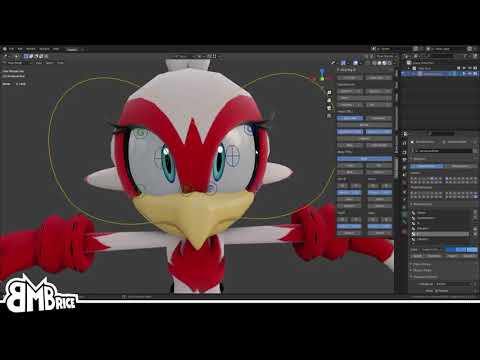
I've been showing previews of my current project (Vice) to people and have gotten frequent questions about the eye rig because Sonic characters have that monoball thing and attaching a disc to the surface always looks... well, not great. So here's a quick showcase on how I put it together.
The Vice rig will be dropping in a few days, so keep an...
Would this kind of material-rigging work well or export to UE5?
I'm trying to get a good cartoon eye working but every UE tutorial for eyes is on spherical realistic ones
 steel oar
When I try to set elements of a vector in Control Rig, the elements I try to set to the current value get zero'd out... for instance, in this example here, X and Y are set to values previously, but here, the Z gets written, and the X and Y values get zero'd out. Am I doing this incorrectly?
 frank current
Would this kind of material-rigging work well or export to UE5?
frank current
frank current
Would this kind of material-rigging work well or export to UE5?
The method mainly relies on UV transformation controls, or a UV rig
is it possible to do that in Unreal?
 red glacier
In 3d Studio max I need to link 2 bones so if I rotate one of them, the other also rotates along with it. However, at the same time I don't want to change the skeleton heirarchy to do this. If I use the link tool directly then the first bone loses it's attachment from it's original root. I don;t want that to happen.
I only want the 2 bones to rotate together for the purpose of animating a weapon in a characters hand so I don't have to do the whole thing manually frame by frame.
How can I accomplish this?
ashen junco
frank current
is it possible to do that in Unreal?
Yes, you can control scalar material parameters with Control Rig.
Use the material parameters to shift the texcoord around.
Though you have to add a curve/parameter in the skeleton for it to work, and mark it as material curve
The video about Control Rig in pinned message goes through it.
misty dagger
I'm retargeting animations connected to Manny to a new skeleton, and everything looks good except the arms are too wide and I can't seem to fix them.
The pose matches, the chains match, not sure how to troubleshoot from here.
I'm not opposed to rechecking everything again if you can please give me suggestions of what it might be

Nevermind, I got it lmao
The hand on one rig was different on the other, so I had to adjust the chains
tired garnet
Why after the import, unreal is switching my bones?

 tired garnet
And wtf is this bone scale, location etc?

 brazen wharf
is there a way to get bone tracks from animation data, so i can edit them?
or is the only way to alter animations, to add an "overlay" on top of them? ;/
or a at least a way to delete bone data from an animation
ashen junco
tired garnet
Why after the import, unreal is switching my bones?
It's not switching.
ashen junco
tired garnet
And wtf is this bone scale, location etc?
This looks like wrong unit scaling
craggy knoll
@brazen wharf I would open your Animation with a Animation Rig, modify the controls and after you finished editing, bake them into the animation.
not watched it, but this probably is helpful https://youtu.be/FgJ1stTScxI
tired garnet
ashen junco
This looks like wrong unit scaling
How can I fix it?
brazen wharf
thanks david, but that video is mostly control rig apparently
it's really a bit annoying that i can't just delete a few bone channels ;/
might just write some small editor tool which writes the raw bone data to an anim sequence, as the data exists obviously
iron thicket
Guys, how I can stop loop anim montage from section in runtime? For revolver reload
ashen junco
iron thicket
Guys, how I can stop loop anim montage from section in runtime? For revolver rel...
You can trigger anim notifies.
 icy folio
Hi guys, Is anyone here knowledgeable on Physical animation for a playable character? To give you a Idea of what im trying to create is basically a Pogo stick movement and balance for a clickly pen. I was told to go to the Youtube Inside Unreal Tutorial how ever this is out dated and hard to follow along to. Many thanks for anyone who can help in advance
iron thicket
ashen junco
You can trigger anim notifies.
Start playing anim montage from another section?
ashen junco
iron thicket
Start playing anim montage from another section?
Yes, with some clever blending
ashen junco
iron thicket
Start playing anim montage from another section?
Or you could go MW2 route and make animations for every single possible reloads for the revolver.
I'm still turned on by the details ngl
 vestal aspen
Hello, I accidentally key'd a fractional keyframe (the keyframe has an asterisk). Is there a "Select All Keys" and "Snap" so all selected keys snap to an integer frame?

 buoyant raptor
what's the debug command for setting animation speed scalar?
vestal aspen
vestal aspen
Hello, I accidentally key'd a fractional keyframe (the keyframe has an asterisk)...
To Snap Key Frames: when you select keys in sequencer, right click and you should see in menu "Snap to frame"
 potent pendant
hi guys, when i play an animation with the CineCameraActor view, it shows the right animation but when i render it, it shows something else, any ideas why?

 ashen junco
potent pendant
hi guys, when i play an animation with the CineCameraActor view, it shows the ri...
ashen junco
potent pendant
hi guys, when i play an animation with the CineCameraActor view, it shows the ri...
You have nothing assigned in your Camera Cuts track.

 dusky void
Hello, Im having this issue where the character head is fine when in blender but is not animated when in unreal. As you can see my retargeting options are set.
The head bone name is the same as well as the hierarchy. Any ideas what may be causing the issue?

 ashen junco
potent pendant
doesnt work with it, i tried deleting to see if it would change anything
ashen junco
potent pendant
doesnt work with it, i tried deleting to see if it would change anything
Really?
potent pendant
ashen junco
Really?
yeah it creates that render above
i think it might be rendering where the default viewport is somehow?
dusky void
Any ideas?
dusky void
unfortunately not
ashen junco
potent pendant
yeah it creates that render above
There's no way in hell that you still get dead center camera even with camera cut setup. Try again with Movie Render Pipeline (if you haven't, it is disabled by default), it should've just works
potent pendant
ashen junco
There's no way in hell that you still get dead center camera even with camera cu...
...

literally so weird
 steel oar
So, ah... this looks like a bug. Unless you guys can explain why this is happening like this, I'll go ahead and report this (notice I connected one element in sequence B:)

 brazen wharf
did you test with something after the branch? quite possible that the branch stuff gets optimized away and never executed
steel oar
The problem isn't at the branch, though. It's at sequence B.
I have a proper control rig in which this behavior is preventing me from processing a vector's elements one at a time.
My example there is to reduce the complexity and confirm the issue. The branch is just there so I have a place to watch the variable after the operation.
You can see how the execution pin in sequence B gets disabled when I connect an element from the getter to the setter. So odd.
brazen wharf
yea, didn't notice that it got grayed out
it might not be able to detect that you only drag one element to the setter, and might assume that you just set the value to itself
potent pendant
potent pendant
literally so weird
what am i doing wrong aaaaaaah
craggy knoll
How can I check if a AnimGraph from a Sub ABP (Linked Anim Layer) is used at all? Like checking the weight of a State Machine state.
sand oar
for retargeting how do I go about fixing a pelvis that is much higher than my mine?


 craggy knoll
sand oar
for retargeting how do I go about fixing a pelvis that is much higher than my mi...
craggy knoll
sand oar
for retargeting how do I go about fixing a pelvis that is much higher than my mi...
I believe with this https://docs.unrealengine.com/5.0/en-US/ik-rig-animation-retargeting-in-unreal-engine/ Retargeting with IK Goals. Have a look how the Retargeting rig is in the ThirdPersonTemplate project
sand oar
craggy knoll
I believe with this https://docs.unrealengine.com/5.0/en-US/ik-rig-animation-ret...
Nope tried that
the problem I am facing is that my pelvis bone is up from the legs by a good 25 units
Ik goals don't fix that

They just mess stuff up even worse they crumple the chest and elongate the neck like this
 craggy knoll
sand oar
Ik goals don't fix that
craggy knoll
sand oar
Ik goals don't fix that
Don't jump to conclusions to early.
Your humanoid skeleton seems to be similar enough to the mannequin skeleton. You can share IK Rig's between skeletons with https://docs.unrealengine.com/5.0/en-US/unreal-engine-5.0-release-notes/ Skeleton Compatibility. Have a look at the ThirdPersonTemplate IK Rig / Retargeting asset
sand oar
I AM sharing rigs lol

Thats how I know this a is a constant problem
I asked this question here once before as well and some one told me I need to add an offset but when I asked him where and how he never replied :(.
I was hoping to get that answer now. Throwing walls of text at me with a vag hey this will fix it is not what I need... I need a go to blah blah->and change blah blah
craggy knoll
sand oar
for retargeting how do I go about fixing a pelvis that is much higher than my mi...
It seems you are working with your own IK rig "Eric", not the one from the ThirdPersonTemplate Project. Did you tried using the Mannequin IK Rig on your "Eric" Skeleton?
sand oar
eric skeleton is a derivative of the old manny 4.2 skell
craggy knoll
that's fine, I'm talking about your IK Rig. I'm sry I don't really have the time to support you further right now😅
sand oar
 steel oar
So, ah... this looks like a bug. Unless you guys can explain why this is happeni...
steel oar
steel oar
So, ah... this looks like a bug. Unless you guys can explain why this is happeni...
New 5.1.0 release didn't fix this. Simple question: how do I set members on a vector in Control Rig??? [edit] (...while preserving other members...)
 brittle raft
hey... im having issue looping my animation. for context, i just started learning how to use state aliases and didn't have this issue before introducing them.
heres a screenshot of a state. when the clips finishes, it never plays again (even though state machine hasn't changed)

i tried checking Loop on the animation clip details, but that didn't do anything
 vestal aspen
How do I do I see the baked Character animation play when I press "Play?" I ask because when I press "Play" the Cine camera is not used, I see a blank screen like this.

Is it possible to see a real time "Play Blast" of the animation?
 pine star
does anyone know or have an idea on what or how someone would setup a sort of block animation
so that when attacks land and fail stagger and change due to being blocked
like in fighting games?
pine star
https://gyazo.com/fee15d817e06d8881507ce662e161bac this type of thing here

where when she blocks your kick doesnt follow through
craggy knoll
pine star
where when she blocks your kick doesnt follow through
Maybe with sections in a anim montage? Like Startup->Attack and then Hit, Blocked.
You can jump to Anim Montage sections via blueprint. If hit jump to section "Hit", if blocked jump to section "Blocked"
 leaden onyx
Hey, I'm not sure if this is a duplicate, but did someone successfully combine the genesis 8 with the unreal rig?
We have the problem, that the bones are rotated wrong so the skin is looking like spaghetti
pine star
craggy knoll
Maybe with sections in a anim montage? Like Startup->Attack and then Hit, Blocke...
oh your right thats definitely one way to go about it!
id have to cut the animation into pieces or segment them with sections i guess xD
 short wasp
Hi, I'm looking for some advice on how to approach what I'm working on.
My character can be in two states, depending on what they are doing with their hands.
Now I want them to have animations for movement unique to each state, regardless of what they are doing. But that seems like too much mess to create a State Machine with all the possible transitions between each state, like in switching in the middle of the jump, while walking, etc.
So how can I approach this?
If there was some branch on which animation to output, that'd be great, but I don't think it's a thing in State Machine. Also caching animation doesn't seem to apply I think?
 ashen junco
short wasp
Hi, I'm looking for some advice on how to approach what I'm working on.
My char...
ashen junco
short wasp
Hi, I'm looking for some advice on how to approach what I'm working on.
My char...
If there was some branch on which animation to output, that'd be great
Blend pose by bool
short wasp
ashen junco
> If there was some branch on which animation to output, that'd be great
Blend p...
I guess there is a branch after all... That's awesome, thanks!
 eternal spoke
Hello Slackers... I'm trying to retarget my sci-fi character to the new skeleton in 5.1 and when creating the Retargeter I got this

Why is that happening? What should I do?
sand oar
eternal spoke
Hello Slackers... I'm trying to retarget my sci-fi character to the new skeleton...
you need to select your pelvis joint in your IK setup and hit retarget root


I have a very forward-leaning flight and an upright idle. When I let loose of the movement keys there is a nasty snap up How do I blend them? I figure it should probably be here in the state change but I don't know what to put I have tried a few things with no luck.


 eternal spoke
sand oar
you need to select your pelvis joint in your IK setup and hit retarget root
eternal spoke
sand oar
you need to select your pelvis joint in your IK setup and hit retarget root
I did that and that's why I don't understand why i got that message.
My bad... I wrongly selected the Root bone instead of the Pelvis bone. Your screenshot helped me to see that.
Now the problem is the hands are all messed up... they do not mirror the source, with the fingers looking like more relaxed than in the source.
My guess is I need to rethink the Chain setup
I just wonder why all these passages when there could be a way to make it automatic procedure at least for UE4 based skeletons
sand oar
eternal spoke
I just wonder why all these passages when there could be a way to make it automa...
there is two almost three of them but they are confusing and hard to find and understand. Here is one https://youtu.be/_Iv5undrh5I?t=1805

My Email millsapss75@gmail.com
My Paypal https://www.paypal.me/iamjohngalt1975
My Udemy https://www.udemy.com/user/scott-millsaps-2/
My UE4 Marketplace https://www.unrealengine.com/marketplace/en-US/profile/IAmJohnGalt?count=20&sortBy=effectiveDate&sortDir=DESC&start=0
Discord https://discord.gg/Sf9xxQa
Feel Free To Contact Me For A Private Tuto...
another one is this


but this one can take some fiddling and clean up that I don't know how to do yet
and the third is something I don't remember and only saw once but it worked sort of.
Sadly I have never once found a tut that properly covers any of thees options so I just do retargeting my self
misty dagger
Can anyone help me with an idle animation?
eternal spoke
sand oar
Sadly I have never once found a tut that properly covers any of thees options so...
I see. Ain't just me having a hard time finding proper tutorials then. Not relieving at all but yeah, that's how things go. Anyway... what I'm trying to figure out are... **if there is any reference I can look at in order to put all the needed chains at least **and, most importantly,... why it looks to me like the retargeting worked to just assign a new skeleton but not to retarget to a different skeleton.
misty dagger
That retargetting is so damn confusing
 radiant shuttle
Good evening everyone, I am currently having an issue regarding root motion animation. I made a vaulting animation in Blender, in which the final keyframe is ** 2 meters** from the first frame. When I play the anim in UE5 though, the character doesn't move as far (1.4 meters to be exact). These are the root motion settings for the anim:

Also, the animation sequence is 24 frames, however, when I create a montage of it - the montage is 30 frames. Not a super big deal but I would like to know why this may happen and how to prevent it from lengthening. Any help is greatly appreciated!
 fast cargo
hey guys iv mentioned this before on this server with no answer, idk if its been answered or not but ue5 has a big problem with morph targets, when activating them they start to flicker and have weird noise around it, it happens in ue5 and i just tested it in 5.1 and idk how to get around it. does anyone have this problem and is there a fix for it?
 solemn charm
 river isle
hi there, does anyone know why the SetSkeletalMesh causes the T-Pose for a couple frames?
 fallow cave
did you ever find a solution for this? similarly trying to modify the anim curves on a "base" skeleton to drive blendshapes and was looking for batch copy paste functionality to copy anim curves from one skel to another instead of adding anim curves one by one.
eternal spoke
misty dagger
That retargetting is so damn confusing
It's driving me insane... I've been trying since the release, I installed in almost real time when was launched. I had only a small pause to have dinner and 12+hours after dinner I'm still stuck there trying over and over again.
 spring bear
fallow cave
did you ever find a solution for this? similarly trying to modify the anim curve...
spring bear
fallow cave
did you ever find a solution for this? similarly trying to modify the anim curve...
I copy curves using this hack of a code: const_cast<FRawCurveTracks&>(target->GetCurveData()) = source->GetCurveData();
I have coded a custom editor subsystem that watches for updates to animation assets and propagates anim curves (and anim notifies) from parent to child animations. I'm not sure if the same approach can be applied in your case
 slim remnant
HI to everyone! Can anybody help me with physics between two objects. So i have motion capture suit and i was streaming in UE5 and add metahuman and did retarget on that. After i add object and when im reaching object i'm going through it.
brazen wharf
is there a way to stretch an animation? i can adjust the playrate in the AnimSequence editor, but that doesn't affect the Animation when creating one from the Asset
probably only affects the recorder, which i couldn't figure out how to use it for one run from first to last frame
sand oar
brazen wharf
is there a way to stretch an animation? i can adjust the playrate in the AnimSeq...
on the animation in the sequencer right click and hit properties. From here you can adjust the playrate and even revers the animation if need be

 brazen wharf
thanks, but is there any way to create a new AnimationSequence out of it (not level sequence)?
sand oar
bake animation
 pseudo solstice
is animating inside ue5 better than blender for example ?
ashen junco
pseudo solstice
is animating inside ue5 better than blender for example ?
Depends.
Bone constraints are easier to add and control on the fly in Blender, compared to scripting it out in Control Rig.
Object constraints is also not a thing in Sequencer (AFAIK)
pseudo solstice
ashen junco
Depends.
Bone constraints are easier to add and control on the fly in Blender, c...
ye I watched this video https://www.youtube.com/watch?v=w9mijf-gKOg
it looks cool, make things easier, but I think it is still easier in blender

Learn how to use Control Rig in Unreal Engine 5 (UE5) to rig and animate a character in engine with this tutorial that works as a complete introduction guide to Control Rig in Unreal Engine 5 (UE5). By the end of this Control Rig Tutorial you'll learn how to create animation sequences for any skeletal mesh using Control Rig in Unreal Engine 5 (U...
simplemodel but requires so much job to do animation, while in blender you can start as soon as you got skeleton and there is plugin with predefined humanoid bones which makes it even more simple
ashen junco
pseudo solstice
simplemodel but requires so much job to do animation, while in blender you can s...
In UE5 you can generate FK Control Rig to animate your skelmesh on per bone basis.
brazen wharf
pseudo solstice
is animating inside ue5 better than blender for example ?
imho blender is way easier
i feel like running a marathon in heavy iron boots when animating in UE
ashen junco
Personally I do set pieces in UE, and do gameplay animations in Blender
vestal aspen
Question about animating in UE5 with Control Rig: Is there a "Cached Play Back" like Maya? Can I press play and see my linear animation play back in real time? I ask, cause when I press play, the camera does not use the Cine Cam used in Sequencer. This is what I see when I press Play.
 brazen wharf
sand oar
bake animation
brazen wharf
sand oar
bake animation
thank you, that did exactly what i wanted 👍
ashen junco
vestal aspen
Question about animating in UE5 with Control Rig: Is there a "Cached Play Back"...
Check your camera cut track
vestal aspen
ashen junco
Check your camera cut track
Hello Makoto, I put a camera in my sequencer Camera Cut Track. Thank you. How do I get the "Play" function above the viewport to see the camera in the Camera Cut Track?
ashen junco
vestal aspen
Hello Makoto, I put a camera in my sequencer Camera Cut Track. Thank you. How ...
There is a small camera icon in the track, pressing it will show what the camera cut sees in the viewport
vestal aspen
Yep, I see the correct camera in the viewport. But when I press "play" above the viewport, I do not see anything. I see the grey screen with the two circles.
ashen junco
vestal aspen
Yep, I see the correct camera in the viewport. But when I press "play" above t...
Do you have the Level Sequence auto play? Also those two circles are mobile controls.
vestal aspen
Interesting, I do have a sublevel. I don't know anything about the autoplay, though. How would I fix this so my Sequencer camera is seen when I press play.

 placid escarp
Hello! I am still learning unreal so excuse me if I am a little slow. I have some weird problem when importing animations made in blender into unreal engine 4.25. I get a fatal error before the "FBX Import Options" window even appear in unreal, and the whole thing just crashes. Please see the pictures of the blender export fbx-settings and of the fatal error message later in unreal. Any ideas? Appreciate all the help I can get!

 vestal aspen
ashen junco
Do you have the Level Sequence auto play? Also those two circles are mobile cont...
vestal aspen
ashen junco
Do you have the Level Sequence auto play? Also those two circles are mobile cont...
I can render from the Camera in Camera Cuts. But when I press Play, I do not see a real time playback of all the animation in Sequencer.
 latent tusk
Hello guys, I’m looking to hire an animator, is there anyone who can help ?
ashen junco
latent tusk
Hello guys, I’m looking to hire an animator, is there anyone who can help ?
See #instructions on how to post to the job board channels
old wolf
I retargeted some paragon animations but notice the character sinks into the ground a bit when attacking. Anything that could be causing this?
 summer whale
Any idea what causes a skeletal mesh to not play its animations even tho things are plug in correctly? when in game.


the only thing it not playing is the walking animation
 brazen cape
summer whale
Any idea what causes a skeletal mesh to not play its animations even tho things...
brazen cape
summer whale
Any idea what causes a skeletal mesh to not play its animations even tho things...
On the box in the bottom right change the tab to anim preview and manually set the speed to your walking speed, then compile and see if your preview window starts walking. If he does, there is something wrong in the chain to get that speed variable. If not, we're probably going to need to see that Cop_BS blendspace.
 brazen cape
Ok, does he jump when he "is falling?"
vestal aspen
ashen junco
There is a small camera icon in the track, pressing it will show what the camera...
I found the little camera Icon you were mentioning, thank you. it is now turned on. I see the level in the view port when I press play.

But the animation does not play
 slow timber
Hello, is there any way I can adjust what part of the preview asset the socket attaches to? It’s making offsetting during a spawn an absolute nightmare. Here, I want the socket to “attach” to the feathers, not the lower third of the arrow.
vestal aspen
slow timber
Hello, is there any way I can adjust what part of the preview asset the socket a...
Hello, did you set up the Socket from the bone in the Skeletal viewport? Bring the skeleton and mesh into a blueprint. Then attach the feather geometry to the socket in the blueprint?
vestal aspen
vestal aspen
I found the little camera Icon you were mentioning, thank you. it is now turned...
Good lord, the Play button I was looking for was at the bottom of the Sequencer track window.

 wintry folio
Hello anyone know The “Play Montage” node has a “Starting Position” parameter which does not seem to do anything? Why?
brazen cape
Can anyone point me towards something that can help me do a left/right turning animation that will rotate the character? I'm doing a 2.5D style game, but I can't quite figure out how to accomplish a hard turning animation, like while running right then quickly hitting left, the character plays an animation and turns around, but the character doesn't actually rotate.
 ivory storm
other alternatives to DeepMotion?
im searching for something like it, what converts from video clip to manequin animation
ashen junco
ivory storm
im searching for something like it, what converts from video clip to manequin an...
Manual rotoscoping
🚪 🏃♂️
ivory storm
ashen junco
Manual rotoscoping
uh, deep motion then
i mean its kinda annoying that it isnt for free
but on the second hand, max. 30 animations per month sounds fullfiling
ashen junco
Personally I might as well just order a budget mocap suit and set it up in my room instead of using AI video to motion
ivory storm
ashen junco
Personally I might as well just order a budget mocap suit and set it up in my ro...
well but in my case, if i wanna animate breakdance using suit like that, its impossible cause i cant breakdance
old wolf
I have certain retargeted animations that sink into the ground too much when playing, anyway to fix this?
I guess this might be an IK thing? idk never had to set that up
 limber oasis
Hi guys, is anybody in here using Cinema 4d for creating assets and rigging? I'm currently trying to build a simple rig (consisting of 5 bones) for a car, but as soon as I have imported it into Unreal, the orientation of the bones in the Skeletal Mesh changes. Does anybody have a solution for that and what's the best way to bring a rigged mesh from Cinema 4d to UE? Would love to get some tips. Cheers
 summer jewel
Blender to UE4- Some weird intrpolation happening in UE4 when I export my skeletal animation
Anyone familiar with this?
https://forums.unrealengine.com/t/constant-interpolation/61504 kind of like this.
Unreal Engine Forums
I know others have asked this before, but the threads are old and didn’t seem like a good solution was found, so to avoid being a necromancer I’ll start a new thread. Basically, the timing for my attack animations are getting slaughtered by the auto interpolation in ue4. What is snappy and powerful in blender turns to a sluggish mess in the edi...
ashen junco
summer jewel
Blender to UE4- Some weird intrpolation happening in UE4 when I export my skelet...
You can disable in between blending in the animation asset
summer jewel
How??
ashen junco
Should be somewhere in the left details panel
summer jewel
fixed it! thanks

 kindred oracle
Silly question... did Set Master Pose Component blueprint block get renamed in UE5.1? I can't find it!
ashen junco
kindred oracle
Silly question... did Set Master Pose Component blueprint block get renamed in U...
It's now Set Leader Pose Component due to inclusive dictions being enforced.
kindred oracle
ashen junco
It's now Set **Leader** Pose Component due to inclusive dictions being enforced.
Thank you!
ashen junco
It's dumb partly because they couldn't even bother to put the search keyword for convenience, but it is what it is.
 hasty crag
 glad cove
Does anyone know why I can't dynamically set the Animation asset of the SequencePlayer? It only works if I manually set/hard code the Animation asset.
 summer whale
im still having issue with my animation not being able to walk when it moves. i did the same thing i did for my other character but this timee it does not work. https://cdn.discordapp.com/attachments/221798806713401345/1042550189845659669/image.png https://cdn.discordapp.com/attachments/221798806713401345/1042550190252503060/image.png https://cdn.discordapp.com/attachments/221798806713401345/1042554101147369582/image.png


should i be setting something else up as im using just 1D blendspacee
summer whale
when changing the variable speed with t he way it set up the character does not move if that helps. as i been stuck on this for 2 day
 strange marsh
Is there an easy way to rotate one bone across all animations?
I want my character to raise an arm up and have that work on all of the animation sequences: walk forward, strafe left, strafe right, walk backward...etc without having to duplicate each animation sequence with just the rotated bone being the only difference.
old wolf
I would do it with a pose blend @strange marsh
strange marsh
So I have it like this and the arm will raise but since the legs can be doing many different things it doesn't work right because in the arm raised animation the legs aren't moving. I used the idle animation as a starting point.
 ashen junco
strange marsh
Is there an easy way to rotate one bone across all animations?
I want my charac...
ashen junco
strange marsh
Is there an easy way to rotate one bone across all animations?
I want my charac...
Transform bone, perhaps?
old wolf
you want the arm cached with the legs since you always want it raised yes?
right now you're either doing legs or arm
strange marsh
Player presses and holds right click then the character's arm is raised and remains like that until they release right click. The character can still be running, jumping around all over the place.
Yea it makes sense how I'm doing legs or arms, not sure how to combine them
So maybe i need to make a separate directional movement blendspace that has a set of animations with the arm raised?
But then I double my total number of animations to maintain
old wolf

I do sth like this when I want my arm to do sth other than the body
in this case in my jumps
bow arm is just a single frame of the arm
then the blend you need to specify the bone
 strange marsh
hmmm okay i see
old wolf
In my case it made sense to put them in the movement state machine but it could go in the top level, depends on the use case


 tranquil lark
Using a FABRIK node for the left hand when using a rifle. I have it placed on the weapon correctly using a socket on the weapon. How can I also have the hand rotate if I need it to? I am grabbing the rotation of the socket as well but it doesn't rotate the left hand as expected.
 rose cargo
Do you guys recommend shape keys or bones for a face? I intend to make a game with many anime styled characters that may change the physical meshes of certain characters.
ashen junco
rose cargo
Do you guys recommend shape keys or bones for a face? I intend to make a game wi...
Shape keys/morph targets would be more common as you don't have to worry about making it expressive
rose cargo
ashen junco
Shape keys/morph targets would be more common as you don't have to worry about m...
That's what I was thinking as well but would those animations be able to be reused on different models was my worry.
summer whale
can anyone help me with the above issue. where my c haracter does not walk or run? not sure what up with it. the speed variable does nothing when changing the number. there pictures attach showing the graph
ashen junco
rose cargo
That's what I was thinking as well but would those animations be able to be reus...
As long as the morph target names are the same, it should be reusable on different models
rose cargo
ashen junco
As long as the morph target names are the same, it should be reusable on differe...
Even if the meshes have different number of vertices? For example a mesh might have a tail wings or some other part to it
ashen junco
rose cargo
Even if the meshes have different number of vertices? For example a mesh might h...
Yes.
rose cargo
ashen junco
Yes.
Wow ty I'll look into it
ashen junco
The name of the morph targets are what matter more
 tepid spruce
Control Rig can be used with any blueprint, right? How do I get the controls to show up in the viewport for them? I want to use the controls to manipulate blueprint variables in the viewport. Don't need to animate them.
ashen junco
tepid spruce
Control Rig can be used with any blueprint, right? How do I get the controls to ...
Control Rig components, yes, but for without it, it has to be the other way around
tepid spruce
I just want better controls than these things

 hallow elm
Hi, I need help
I want to use Linked Animation Layer, so I setting up. At least, if I correct, montage will play, but it won't.
I use Linked Layer in Animation Template, and of course I use "Link Anim Class Layers", but it won't work.
How to fix it?


 brazen wharf
what's the easiest way to limit the rotation of a bone in ControlRig?
ashen junco
brazen wharf
what's the easiest way to limit the rotation of a bone in ControlRig?
Get and Set the bone rotation in local space, but clamp in between
brazen wharf
so i have to go through quat => rotator => clamp the float values => rotator => quat?
weird that there isn't a node for this 😦
ashen junco
brazen wharf
weird that there isn't a node for this 😦
I think you can now use Quat struct, but yeah, aside from that, there's no other way to do it.
However, if you use FK controls, you could limit those instead.
 past fulcrum
Hi everyone, I've been having an issue for months and I don't know how to solve it, there's a weird issue with animation transitions where there's a small "jitter", it's better to explain it by showing it (https://youtu.be/YJnMD8Z9Fj0)

Weird issue with animation transitions.
when the animation end to idle transition is played, the character lerps down for a moment before reaching idle state
it seemed to be a bug on previous versions of the engine according to this thread: https://forums.unrealengine.com/t/animation-blend-per-bool-issue-weird-pop-or-jump-or-something/37345
Unreal Engine Forums
I created a Handgun Pose / Animation in Maya using ART and exported it to 4.8 using ART. My export presets are set to 2014 FBX with all the boxes ticked as per the Unreal Docs. Imported the .FBX into unreal and wired up a quick prototype using tab & a flip flop to toggle a bool value inside the AnimBlueprint. The bool is hen read by a BlendPer...
I have a basic setup for jumping just like the third person template for ue 4.27

does anyone have an idea on what could be the issue here?
old wolf
past fulcrum
Hi everyone, I've been having an issue for months and I don't know how to solve ...
probably one of you animations is bad, I had something like this before with a retargeted animation. What are all those additional things coming back to your idle/run off screen? I would suggest disconnecting nodes 1 by 1 until you can identify which animation or state is causing the issue.
old wolf
oh yeah check this too, I think I had this problem in the jump state at one point
 past fulcrum
old wolf
probably one of you animations is bad, I had something like this before with a r...
past fulcrum
old wolf
probably one of you animations is bad, I had something like this before with a r...
they're for different systems I have implemented, those transitions are not being used at the moment
it is from the JumpEnd to Idle/Run transitions
I set a very low transition duration for now, it's better than having that movement down
past fulcrum
old wolf
oh yeah check this too, I think I had this problem in the jump state at one poin...
along with this
brittle raft
brittle raft
hey... im having issue looping my animation. for context, i just started learnin...
hello.. beginner here still looking for help on this
delicate kestrel
Friends, what do you think is the best software for creating physically correct human character animations?
Such complex animation like parkour and fighting moves.
 sturdy steeple
Trying to set up my aimoffset, can't really figure out why it's not working, my character just continue doing its idle run thingy. My only blendspace is an idle run one, do I really need to add a blendspace for equipped as well? Shouldn't aimoffset be enough when blending per bone?

 steel oar
How do I make animation curves available to Control Rig. I have three curves on my locomotion animations: Distance, Plant_R, and Plant_L. But only Distance is able to be read in Control Rig. I don't know what to do to make Plant_R and Plant_L available.
 proper warren
Hey guys, 've been having an issue and I don't know how to solve it ! there's a weird issue with animation transitions between Stop transition and Idle. I have looked my animation and everything looks good, but "stop animation" has retard and I don't know how to change that. (first time on Unreal)


 robust blade
Hi everyone. I'm trying to animate my character's weapon to alter the location/rotation. I created a Control Rig for my weapon and used it to make an animation. I applied it in game, but after it plays, it will return back to its original position. I've read that you can only change the transform through animation for Characters and Pawns. Any ideas on how to address this?
slow timber
Hello, all! What am I missing? I'm trying to get the right hand to follow the transform/location of the butt of an arrow.

 fiery snow
If you want to rig you mesh in unreal engine, you have to set up the bones for your mesh in your 3d application? Does ue5 have the ability for you to place bones in your mesh and paint weights or skinning?
I noticed a weights paint tab in Mesh paint mode
ashen junco
fiery snow
If you want to rig you mesh in unreal engine, you have to set up the bones for y...
Yes; and no.
fiery snow
ashen junco
Yes; and no.
Ok. Thanks. I am planing on learning how to rig in ue5. Will learn modelling too. Its high time I start doing everything in ue5 as much as possible. Will save a lot of time as well as eliminate the export issues and inaccuaracies encountered when trying to export and import. Will learn animating in unreal engine too.
 grave drift
Could anyone tell me why people use Axis Value to drive blendspaces? 0-1 is the value in this case... in the past I've used just the direct speed to control the blendspaces, as it's easy for me to find the perfect value for walking/sprinting etc, but would love some insight on the matter if anyone's got time to explain it 🙂
 fiery snow
Does ue5 have something like drivers where say I can use the y location axis to drive the rotation of another mesh or bone in the same armature for example?
 fallen cipher
Does anyone here know how I would go about making the movements on the feet not slide?
I was looking for a way to set the rotation of a slot or something in the animgraph
But I don't know how
just because when you move the mouse around, the players feet ends up sliding along the floor and I think it would look way better if they were firm in the same location
grave drift
fallen cipher
just because when you move the mouse around, the players feet ends up sliding al...
You could change the PlayRate of the anim to adjust it to fit the speed you've gone for better, within the BS
worn marlin
How significant is FAST path for your animblueprint nodes? I am trying to do the computation of the variables in the event graph or another BP before I place a variable so that the animbp node gets the fast path. But in some instances its too cumbersome and in parts I needed to make another variable to combine different variables to one.
Btw, I am just using it for simple player game
grave drift
Anyone know how I can add a backward jog here at this point? Of the directions -180 to 180 I got Backwards, Left Forward, Forward, Right Forward, Backwards - how can I add a Left Backward & Right Backward into the mixture? 🤔
 ashen junco
grave drift
Anyone know how I can add a backward jog here at this point? Of the directions -...
ashen junco
grave drift
Anyone know how I can add a backward jog here at this point? Of the directions -...
Personally I would have backwards locomotion to be a separate state.
grave drift
ashen junco
Personally I would have backwards locomotion to be a separate state.
Alright. I added 8 grids to the direction and solved it, works somewhat nicely 🙂
ashen junco
worn marlin
How significant is FAST path for your animblueprint nodes? I am trying to do the...
It's quite significant, as it'll multi thread the anim graph logic away from the game thread
vast rampart
Hi ! Does anyone knows a way to add a boolean to an anim montage and access it using an anim montage variable when playing the montage ?
I don't know if I should use notifiers, asset user data or meta data
But for the two last one which seemed easier to use, I don't know how to access them using the anim montage variable
 edgy niche
Hello! My character is slightly delaying the blend to another animation (Like half a second before it transitions) when letting go of the key, I know that there is probably a setting to change that, could anyone please tell me exactly where to change it? (Also, please ping when answering!)
craggy knoll
edgy niche
Hello! My character is slightly delaying the blend to another animation (Like ha...
I know that there is probably a setting to change that, could anyone please tell me exactly where to change it?
Really depends on your Setup.
- Anim Graph State transition might fire later then expected.
- Using Sync markers lead to delay in transition.
Please provide more information for your setup.
edgy niche
I am using Anim Graph State
craggy knoll
What is your transition condition?
proper warren
@edgy niche same problem here, my transition animation (run to stop) is too late,she pop when I'm already stopped
ashen junco
edgy niche
I am using Anim Graph State
Can you show the state machine in question?

 craggy knoll
How is IsFalling set?
 craggy knoll
What about the rest of your AnimGraph? Where do you use your state machine
 craggy knoll
okay, so pretty simple. You update Is Falling in the "Update Animation" event right?

 ashen junco
edgy niche
ashen junco
edgy niche
Where does this happen? Event Update Animation?
 proper warren
Have you an idea why my animation stop is too late ?
craggy knoll
proper warren
Have you an idea why my animation stop is too late ?
What is your transition condition? Something like Velocity == 0?
ashen junco
edgy niche
Can you show a video/GIF of the issue, for further context?
proper warren
craggy knoll
What is your transition condition? Something like Velocity == 0?
First time on unreal, I did this
 edgy niche
ashen junco
Can you show a video/GIF of the issue, for further context?
edgy niche
ashen junco
Can you show a video/GIF of the issue, for further context?
Alright, give me a minute
proper warren
Maybe it's because it's a float ?
craggy knoll
proper warren
First time on unreal, I did this
This is your EventGraph, show me your state machine in your AnimGraph and within that the transition graph where you set the condition when the animation starts blending between Run and Stop. Or if you not use a State Machine just where you blend between the two animations.
proper warren


 craggy knoll
@proper warren yeah your Character slows down over time, not directly. You set your "IsMoving" bool to true when Horizontal Speed is bigger then 0. But you want to stop when you're input length is 0 because you as a player want immediate feedback when letting go of the move stick / key, right?
proper warren
@craggy knoll EXACTLY !
@craggy knoll Hope it's stop correctly when I stop pressing W key to play animation and stop the character to get a nice transition
ashen junco
edgy niche
Here you go
Okay, so not related to falling at all.
The blendspace is 🤔
edgy niche
Maybe this will help you
 ashen junco
edgy niche
Maybe this will help you
ashen junco
edgy niche
Maybe this will help you
That's it, the Smoothing Time.
craggy knoll
@proper warren this is more like what you want to do.
Took it from the ThirdPersonTemplate project.
 edgy niche
There we go, I knew it had to be some kind of setting, I'll play around with it
It still happens, but I think I have an idea as to why. It's just the running/walking animation wanting to finish itself before transitioning
Like it was mid animation when I let go so it wanted to finish instead of instantly transitioning into Idle
proper warren
@craggy knoll My template is from the ThirdPersonTemplate project
craggy knoll
proper warren
<@772256981310111795> My template is from the ThirdPersonTemplate project
But you didn't use their Animation Blueprint Logic ^^
edgy niche
edgy niche
Like it was mid animation when I let go so it wanted to finish instead of instan...
But I'll tackle that later as I have something else I have to do right now
Thank you both, still! @craggy knoll @ashen junco
proper warren
craggy knoll
But you didn't use their Animation Blueprint Logic ^^
Naah ^^' try an another methode from a gameplay animator, But I guess it's not the good thing, will try yours
craggy knoll
It's good to experiment and fail. Just compare your implementation to examples and ask yourself why they do it differently. Most of the time it's documented well. The Example Projects from Epic Games.
proper warren
Copy this I guess ? Or just do the same that you show me ?

@craggy knoll Sure, Maybe I wanna practice too fast, my bad
craggy knoll
proper warren
Copy this I guess ? Or just do the same that you show me ?
I would say just copy the thing that you need, not blindly copying.
proper warren
@craggy knoll Will try it ! Thanks a lot !
ashen junco
- Do not crosspost
- See #instructions
 balmy sphinx
craggy knoll
<@824994940815016006> <#809148428922781737>
balmy sphinx
craggy knoll
<@824994940815016006> <#809148428922781737>
Sorry, my bad
 digital aurora
Hi
I'm using Action RPG Template with ALS v4
When character is moving I can't attack
I want character movement to stop and attack animation to play when attack button is pressed
Is it done in state machine?
ashen junco
digital aurora
Is it done in state machine?
I forgot the labyrinthine that is ALS's animBP, but IIRC you just have to find the correct slot for your attack montage
edgy niche
Okay, I'm back. So I noticed that it always gets to the last frame of the animation before transitioning to the next one. So I think I need to make it so it transitions instantly when I let go off the key (at whatever frame it is currently) instead of "finishing the animation", buuuut I do not know how
I've dug through the settings and I'm still looking through it
If I won't find it then I guess later on I'll make a script that just does that
ashen junco
edgy niche
Okay, I'm back. So I noticed that it always gets to the last frame of the animat...
IMO you better off make a different state for idle, just like how the third person animBP did it (or used to do, if they changed it in UE5, doesn't seem like it though)
edgy niche
Alright(:
digital aurora
ashen junco
I forgot the labyrinthine that is ALS's animBP, but IIRC you just have to find t...
I have to change slot in animation montage?
worn marlin
ashen junco
It's quite significant, as it'll multi thread the anim graph logic away from the...
thank you, I just made calculations in the event graph and made a variable to which I plugged to the anim nodes, then some exposed pins like alpha, vectors just needed to make them variables. So yeah have the fast path enabled on all anim nodes 🙂
static falcon

This should override everything right?
For some reason the montage doesn't play through
It starts and then stops early
nvm I figured it out, I was playing another montage derp
pliant latch
where do i find a good rig for the new ue5 mannequin. also, should i use blender or maya? (i have both)
steel oar
Hey folks. I've been having a hard time understanding why I can't read the values of animation curves anywhere. My animation is primarily driven by a blend space. All the animations in the blend space have sync markers and foot planting curves. But I can't read them in animBP nor Control Rig (in control rig, they don't even show as an existing curve.) They used to work, and then stopped. Any ideas I can investigate?

Finally discovered a place where my custom curves return a value: in the animBP event graph. No where else, though.
 lucid meadow
Yo, so i have death animation montage, and I want at the end of playing that anim montage the player to stay fallen on the ground and not get up once the anim montage is done. what's the best way to do this ?
 cold junco
hallow elm
Hi, I need help
I want to use Linked Animation Layer, so I setting up. At least,...
cold junco
hallow elm
Hi, I need help
I want to use Linked Animation Layer, so I setting up. At least,...
Are you using 5.1? Seems like linked anim layer broken now…
 warm garnet
Is it possible to have a blendspace montage, or something achieving that effect? I'm working with aimoffsets to do a third person aiming animation, but the firing animation is only made for the center idle pose. Ideally I want to have a blendspace of firing animations that I could play as a montage to match the aimoffset, but this doesn't seem to be possible.
I feel like this is something pretty basic that there would be some resources on but I'm struggling to find any
I can think of a way to do it in the animgraph but it would make it a lot messier, I'm hoping there's a more elegant solution
fiery snow
So watched a couple of videos on creating control rig in UE5. Is there a way to set up constraint in the control rig editor with bones? I am aware you can use constraints now in the sequencer which is really awesome. Great work by the devs. I am also wondering about rigid bones set up and collision for the control rigs as well.
Also is there a way to pin and unpin bones in the sequencer with control rigs?
late sun
Hi all !
Is it normal that my "Root Motion" is not working when using an animation in the "AnimGraph" ?
ashen junco
fiery snow
So watched a couple of videos on creating control rig in UE5. Is there a way to ...
One way to do it is to set it up in Control Rig graph itself, though I don't think CR can handle physics simulation by itself.
And by pinning, what do you mean?
late sun
It works if I play the "Animation Montage" but when I set this "Animation" in the AnimGraph the "Root Motion" is not moving the "Capsule Component" anymore..
It's ok I had to use the node "Set Root Motion Mode" and set it to "Root Motion from Everything"
Thank you !!
fiery snow
ashen junco
One way to do it is to set it up in Control Rig graph itself, though I don't thi...
Pinning. Something like this: https://www.youtube.com/watch?v=U6NG_13RadU
I wished this was possible in ue5. you can even change the root of a skeleton with ease.

FREEIK is an addon for rigging and animation in blender 2.8
Download: https://www.blendermarket.com/products/freeik
Blender Artists thread: https://blenderartists.org/t/freeik/1157419
ashen junco
fiery snow
Pinning. Something like this: https://www.youtube.com/watch?v=U6NG_13RadU
I wish...
I believe there is a node to do so 
I forgot what it's called, new parent something something
 sterile warren
I've painted these weights in Maya and in Maya they're very smooth. However, after importing to Unreal, when I rotate any of its joints, there are little bumps (see red circles and wireframe version). It's like the weights I've painted in Maya aren't being imported correctly (they're similar, but with these weird bumps). What's going on?

 sterile warren
I've painted these weights in Maya and in Maya they're very smooth. However, aft...
sterile warren
sterile warren
I've painted these weights in Maya and in Maya they're very smooth. However, aft...
See, in Maya everything is fine. My skin cluster is using "Classic Linear" as well. I'm also using ngSkinTools.

 ashen junco
sterile warren
I've painted these weights in Maya and in Maya they're very smooth. However, aft...
ashen junco
sterile warren
I've painted these weights in Maya and in Maya they're very smooth. However, aft...
I don't use Maya, but does it have dual quat skinning/preserve volume?
Also for splines, I think Niagara can do animated spline meshes (e.g. tentacles)
sterile warren
ashen junco
I don't use Maya, but does it have dual quat skinning/preserve volume?
No it doesn't, I've used classic linear skinning. Should it be?
sterile warren
ashen junco
Also for splines, I think Niagara can do animated spline meshes (e.g. tentacles)
There's a skeletal mesh off of the picture, but it's IP so I don't feel like I can share it
fiery snow
ashen junco
I believe there is a node to do so <:MinakoThink:959588097606176788>
node in the control rig editor?
sterile warren
sterile warren
No it doesn't, I've used classic linear skinning. Should it be?
I just tried Dual Quat and no change...
ashen junco
fiery snow
node in the control rig editor?
Yes
fiery snow
ashen junco
Yes
This one?

But I am not sure how this would work with pinning bones or rerooting the skeleton? There is a way to change pivot though in sequencer.
sterile warren
fiery snow
This one?
There's a video on the UE channel that shows how to change it in CR. It's more complicated then just one node. It's out there though. I think it was a live stream with Kieran Ritchie or Jerimiah Grant. I hope that helps.
fiery snow
sterile warren
There's a video on the UE channel that shows how to change it in CR. It's more c...
Will look it up. Thanks.
fiery snow
fiery snow
This one?
Hmm. Tried using this between bones. Didn't work. I am not sure if there is a way to set the time rate or speed at which one bone drives another using control rig editor.
late sun
Can I preserve the initial root rotation when importing an animation ?
Anyone knows something about this ?
hallow elm
cold junco
Are you using 5.1? Seems like linked anim layer broken now…
Yes, it's UE5.1
Oh, it's bug?? sad...
 neon harness
I got my aim offset blendspace set up correctly for hipfire. I made another blendspace for the offsets when the player aims down sights. I'm stuck on how it's supposed to go into the anim bp. Any ideas?
I was hoping I could swap between the blendspaces based on whether the player is aiming or not using a regular branch node. That doesn't work though. Is there a "best practice" way to this?

here's the solution I opted for for anyone else looking for this:
 late sun
My "Root Motion" animation is not going straight line
It is going diagonally
Anyone had this issue before please ?
 lunar wave
Anyone have any ideas to improve on this
I know it doesnt look great but I dont know how to fix it
late sun
Use Root Motion maybe
Maybe it's because my "Root" bone is not at "0, 0, 0" on his rotation at first frame
But I need it like that, so I'm wondering if there is a solution
late sun
Exactly like this post https://forums.unrealengine.com/t/rootmotion-rotates-the-animation-thus-going-the-wrong-direction/562706

Unreal Engine Forums
Hi, so I’m currently working on my first project with Unreal Engine, and I was in the works of implementing a root motion system. It works completely fine, however I have one (to me) unexplainable error. This image shows my animation with RootMotion unticked. You can see that the character is running straight away from the camera. As it shou...
ashen junco
lunar wave
Anyone have any ideas to improve on this
Use root motion for the attack animation montage
lunar wave
ashen junco
Use root motion for the attack animation montage
root motion isnt gonna change anything
The dash forward is not from the animation
its on purpose
i appreciate the suggestion though
ashen junco
lunar wave
its on purpose
On purpose? Walking normal while swinging giant sword doesn't make sense to me.
lunar wave
ashen junco
On purpose? Walking normal while swinging giant sword doesn't make sense to me.
the dash is on purpose
can you explain to me what root motion will fix
ashen junco
Okay okay, sorry, I thought it's from the movement component keep moving like nothing happened 
lunar wave
ashen junco
Okay okay, sorry, I thought it's from the movement component keep moving like no...
alright no worries, I was more just looking for tips on making the animation itself look better
the legs just slide around and I dont know how to make it better
ashen junco
lunar wave
alright no worries, I was more just looking for tips on making the animation its...
Alright, so IMO the timing and sense of speed from when the dash happen:
- Anticipation phase should have her stop moving (or slow down)
- Attack phase should have her dash forward faster
- Recovery phase should have her slow down to halt in small time frame
And honestly now that you said it, I don't know which part do you want the foot sliding to be intentional.
lunar wave
ashen junco
Alright, so IMO the timing and sense of speed from when the dash happen:
- Antic...
Thats very helpful thanks, the foot sliding was because I dont know how to animate feet. Just takes practice I guess
ashen junco
lunar wave
Thats very helpful thanks, the foot sliding was because I dont know how to anima...
Usually in the attack phase one would take a step forward, but I know some arcadey games also slide forward on the attack phase
lunar wave
ashen junco
Usually in the attack phase one would take a step forward, but I know some arcad...
its gonna be a souls-like so the foot step was the original plan
but I just plan on coming back soon to fix it
ashen junco
lunar wave
its gonna be a souls-like so the foot step was the original plan
In that case you would need root motion to control the forward movement as you move the root for the character to take a step forward.
This is a suggestion if you're going that route
lunar wave
ashen junco
In that case you would need root motion to control the forward movement as you m...
alright I will try, tysm
worn marlin
Hi, which is better to setting a reference of my character in the animBP, under event blueprint initialize animation or event begin play? thanks
ashen junco
worn marlin
Hi, which is better to setting a reference of my character in the animBP, under ...
The former.
IMO it fits the best for animBP and it's not that far off from UObject BeginPlay
worn marlin
ashen junco
The former.
IMO it fits the best for animBP and it's not that far off from UObje...
Thank you
lunar wave
isnt root motion supposed to keep my character in place even if the animation's root doesnt?
ashen junco
lunar wave
isnt root motion supposed to keep my character in place even if the animation's ...
No, using root motion means the root bone animation moves the owning skeletal mesh component itself
lunar wave
ashen junco
No, using root motion means the root bone animation moves the owning skeletal me...
do I just enable it in the animation montage itself? I enabled it there and it doesnt seem to effect anything
ashen junco
lunar wave
do I just enable it in the animation montage itself? I enabled it there and it d...
Your anim graph have to make use of the full body slot that your montage uses, after all the poses.
 warped snow
sterile warren
I've painted these weights in Maya and in Maya they're very smooth. However, aft...
warped snow
sterile warren
I've painted these weights in Maya and in Maya they're very smooth. However, aft...
triangulate the model before you import it into Unreal, apparently this is the problem. The engine only works with triangles, so it triangulates models automatically.
 modern wedge
anyone knows why i can't use parent socket for animation?

 coral jasper
any1 know where i can find a free hazmat suit 3d character model ?
modern wedge
coral jasper
any1 know where i can find a free hazmat suit 3d character model ?
Sketchfab
Use Sketchfab to publish, share and embed interactive 3D files. Discover and download thousands of 3D models from games, cultural heritage, architecture, design and more.
coral jasper
modern wedge
https://sketchfab.com/search?features=downloadable&q=hazmat&type=models
thnx i checked all of these tho. none of the free ones are good quality
modern wedge
what type of hazmat do you need?
ashen junco
coral jasper
thnx i checked all of these tho. none of the free ones are good quality
Well, you get what you paid for 
ashen junco
It might not even the same as any other 420 backrooms piece of media out there
 finite yew
hi devs , anybody knows how to retarget AnimBP with new Retatgeter system ? when i do this all anims used inside of animBP just got a T-pose
late sun
What are the differences between "Stride Warping" and "Root Motion" please ?
Why to use "Stride Warping" if "Root Motion" is available.
I'm reading UE docs and it seems that Root Motion is doing the same thing
ashen junco
late sun
What are the differences between "Stride Warping" and "Root Motion" please ?
Why...
Both are not closely related.
Stride warping is adjusting the scale of the distance a footstep is taking, without changing the pace.
late sun
ashen junco
Both are not closely related.
Stride warping is adjusting the scale of the dist...
Ok thank you ! I'm using "Root Motion" animations for attacks. Do you know where should I look to make my "attacks" target an enemy please ?
Because "Motion Warping" is a beta plugin so I'm afraid to use it
And if I "force" my Character to Rotate towards the Enemy with a "SetActorRotation", my "Root Motion" animation looks weird..
craggy knoll
I would go with "Motion Warping" @late sun.
late sun
craggy knoll
I would go with "Motion Warping" <@637453107424395265>.
But it's a Beta plugin no ?
Can I ship a game with beta plugin ?
craggy knoll
EQS is also Beta since years and people ship their games with it
ashen junco
late sun
Can I ship a game with beta plugin ?
Do it at your own risk
late sun
😦
ashen junco
Control Rig was not super usable back in UE4 compared to now in UE5
Even I had to admit it
late sun
I tried another method is to disable my "lock target" while attacking and "Set Plane Constraint Normal" to the "Forward Vector" of the Player
But when I try to make "Combos", my "second" attack animation is weird, my feet slide because I'm locking an axis with Plane Constraint :/
If you have tips I would be glad..
ivory storm
i programmed my metahuman to dance gagnamstyle when i press G, but when animation ends, he's standing still and dont use animation of walking/jumping etc, like before pressing G

how can i fix it
craggy knoll
ivory storm
i programmed my metahuman to dance gagnamstyle when i press G, but when animatio...
This will set your Characters Animation mode to: "Use Animation Asset". So if you have previously set the mode to "Use Animation Blueprint" it will get overridden.
Use "Play Montage".
https://docs.unrealengine.com/4.26/en-US/AnimatingObjects/SkeletalMeshAnimation/AnimMontage/UserGuide/ Using Blueprint's Play Montage Node
ivory storm
craggy knoll
This will set your Characters Animation mode to: "Use Animation Asset". So if yo...
i cant choose the montage
how can i convert gagnam style animation to montage then?
craggy knoll
ivory storm
how can i convert gagnam style animation to montage then?
https://docs.unrealengine.com/5.1/en-US/animation-montage-in-unreal-engine/ Creating a Montage or just right click on your animation -> Create -> Create AnimMontage
ivory storm
yeah
ok it works but code is awful af
wanna see it?

i use metahuman so i was forced to play montage on: mesh, face, torso, legs and feet
do u know if and how i can make code more pretty?
craggy knoll
ivory storm
do u know if and how i can make code more pretty?
Do this (screenshot) and only play animations on your "Mesh". The other components derive their pose from the their Master pose (your "Mesh" variable).
More about it: https://docs.unrealengine.com/4.27/en-US/AnimatingObjects/SkeletalMeshAnimation/WorkingwithModularCharacters/
 ivory storm
craggy knoll
Do this (screenshot) and only play animations on your "Mesh". The other componen...
ivory storm
craggy knoll
Do this (screenshot) and only play animations on your "Mesh". The other componen...
thx gonna check it out
tired garnet
I have such object, but after I export it to unreal it is converted to something like this. One bone is added, and one is being totally compressed for some reason


 dim slate
Hello. Any1 could help, and tell me what is the difference between blendspace and blendspace player? i had this annoying problem for 4 hours 😄
 karmic bobcat
is there a way to blend out the animations from a montage slot ? i dont see any blend out parameters on the slot itself
warm garnet
karmic bobcat
is there a way to blend out the animations from a montage slot ? i dont see any ...
Montages have their own blend out settings

In the actual montage itself, in the Asset Details tab
 crystal bone
I'm adding handposes to my VR hand, and I have certain animations for when the grip is pressed, when trigger is pressed, etc. I want multiple of them to overlap when you're pressing more than one of the buttons. I tried using a Layered Blend Per Bone, but it won't work. How could I do this correctly?

(TacGlove_Base is my base animation pose for when you're not pressing anything)
karmic bobcat
warm garnet
Montages have their own blend out settings
i tried changing the blend time out but doesnt seem like it does anything
tranquil lark
Trying to work with linked layers, what's the general advised structure?
- Base BP with the event graph logic here and then using linked layers as needed. The linked layer BPs don't inherit from this BP. Opting for the base BP to pass in the needed data.
- Same thing as 1, but the linked layer BP inherits from the Base BP so it can access the variables and functions and what not
fiery snow
How do you parent a nanite mesh to part of a bone in a skeleton in ue5?
ashen junco
Attach them like you would with a static mesh inside your BP?
fiery snow
ashen junco
Attach them like you would with a static mesh inside your BP?
Thanks. I am not familiar with blueprints. Will look into it.
short wasp
Hi! Is there any way to edit animations in runtime with curves?
I want the hand to rotate to some value dependent on a certain option selection. Making 3 different animations with slightly different hand angles seems weird, so is there a way to edit a curve of bone rotation in runtime, so I can set it however I want it this way? I mean it's right there, I just have no idea if there is a way to access and edit it like I want it.

And if not, any idea what would be the best way of doing it?
ashen junco
short wasp
And if not, any idea what would be the best way of doing it?
Control Rig, or a simpler Transform Bone node in your anim graph's state machine.
short wasp
@ashen junco Thanks for the answer, works the way I wanted it to!
 ruby zealot
can something help me retarget animations?
trying to get this to use the default mannequin animations

nvm i found out
heres the video that i used if anyone is wondering https://www.youtube.com/watch?v=g8tsiSvJY14

VRM4U Plugin : https://github.com/ruyo/VRM4U/releases/tag/20190429
T-Pose asset (4.21) : https://mega.nz/#!doQkXYxT!v-QQRW0C-Tm-kdNzluPCjEV82Uiob5hq2P9khndIYw8
T-Pose asset (4.20) : https://mega.nz/#!BlA3nCRR!An4EA_IWwUyrQUvSnKprJVsgEKH6lJSmd0nb7PU-LWM
You'll learn how to import your VROID character to ue4 properly, and how to retarget your ani...
 minor wraith

RED ALERT HES HITTING THE YOINKY SPLOINKY
i hate to keep bothering you but the tutorial i was following covered this
and told me to open abp_quinn, which i did, but in the video it shows that they can click on the anim graph tab to access the anim graph, which doesnt appear for me
do you know how to access anim graph?
nvm i figured it out, i think because quinn is a child of manny only manny has the anim graph
 ruby zealot
minor wraith
nvm i figured it out, i think because quinn is a child of manny only manny has t...
ruby zealot
minor wraith
nvm i figured it out, i think because quinn is a child of manny only manny has t...
huh
minor wraith
tbh im a lil confused too but to get to the anim graph i had to open mannys anim blueprint instead of quinns
because quinns is a child of mannys i think
also i got the yoinky sploinky by putting a metahuman over quinns animation blueprint but not switching the root from from pelvis to animation_root
 fickle crypt
Does anyone know if a full body IK will override my current IKs? If I want to setup a control rig so I can accurately grab things, will I have to redo my foot and hand IK systems?
 stone moat
I've got a weird issue. In the Anim Graph, I've set my transition duration to 0.2 s, but two of my transitions (both to the Spin state) still occur immediately (with zero transition duration). Here is the issue: https://youtu.be/1EcCaHoeWoE. Does anyone have any idea what could be causing this issue? I've never experienced this before. I imagine I'm missing something small. (The ForwardFacing and BackwardFacing states are both loop/cycle states, but I don't think that matters.)
 stone moat
Here is an inside look of the Spin state, in case that's of any use.

 burnt spruce
hello all, lyra animation system does not use blendspaces and update variables ( maybe every frame) and use layers, variable data for animations to work. I am yet trying to understand and sorry if i typed anything wrong. My doubt is that, whether we can continue using blend spaces and anim bp system or lyra animation system is advanced and we have to start using this kind of in projects? thanks for answers
burnt spruce
stone moat
I've got a weird issue. In the Anim Graph, I've set my transition duration to 0....
i like your animations, where did you get them ?
 unkempt crown
Having a bit of an issue; in UE5.1 when I bake an animation to my control rig, from that point on when using sequencer the rig itself moves properly but the skeletal mesh is somehow decoupled and refuses to deform. Anyone have any idea what's going on?

 hardy reef
Hi guys, I want to make a closet hide system but I need to do it with my animation. When I researched, the tutorials I saw are made without animation, so I wanted to ask you how can I do this.
 crude bloom
does animation budget allocator work in UE5.1?
 opaque estuary
why anim montage looks different in editor and ingame?


legs should go up as arms butt they dont
ashen junco
opaque estuary
why anim montage looks different in editor and ingame?
You're likely having something else controlling the legs in your anim graph after the montage slot
opaque estuary
what could it be? im using default manequin graph
can control rig doin it?

mb its that thing they did to pose the feets on surfaces height
ashen junco
opaque estuary
can control rig doin it?
Yeah, you have to have the Slot after everything else (if it's full body)
opaque estuary
ashen junco
Yeah, you have to have the Slot after everything else (if it's full body)
ye thx
 ashen junco

 late cairn
Hi guys! I want to use the Take Recorder for recording LiveLink data, but due to the timecode it starts saving keyframes at frame 100.000+ Is there a way to change this? (And say set a custom timecode?) thanks!
Because whenever I import it into Blender it bugs out
stone moat
burnt spruce
i like your animations, where did you get them ?
I made the animations myself.
That's why they're not perfect. 😅 I used some of my own mocap and tried to clean them up, but I'm not an animator, so I can't clean up everything as nicely as I'd like.
stone moat
burnt spruce
hello all, lyra animation system does not use blendspaces and update variables (...
Blendspaces can be used. Lyra's approach is a minimalist approach that provides high-quality results with few animations. I'm using blendspaces in my project, but not in the "conventional" way.
late sun
Hi all !
Can I enable "Simulate Physics" with root motion ?
When I enable "Simulate Physics" my root motion animation is not working correctly, my Capsule does not move
late sun
I have understood why, it's ok thanks!
 frosty hinge
Hi there. I'm trying to create a "pulsating" hex grid, where individual hexagons increase in height temporarily and then recede back, similar to a music visualizer. I've made a construction blueprint to get a perfect hex grid. Any tips on how to get this done?
sterile warren
warped snow
triangulate the model before you import it into Unreal, apparently this is the p...
Thanks! Now UE always triangulates on import automatically. Are you saying that I must triangulate my model before importing? Can I do this after weight painting? Or should I do it before?
warped snow
- Yes, you will immediately see all the defects after triangulation.
- I'm not sure but I don't think it will make a difference.
stone moat
I'm having an issue with anim state machine transition duration seemingly being ignored; that is, state transitions are occurring immediately even though I have a nonzero duration set. I can't figure out what is causing the issue. Here is a short recording of the issue: https://youtu.be/JbiPJcBzCKo.
Does anyone have any suggestions for how to resolve the issue?
 late sun
I have a question please
I want to make my Character falls to the ground, but because of the "Capsule Component" he is "floating" in the air
Should I use "Simulate Physics" or anyone has another way to do that please ?
To make my "Skeletal Mesh" fits correctly the ground
 runic canyon
Is it true UE5 mannequins have identical skeleton to metahumans?
So you don't have to retarget?
short wasp
@late sun Do you mean you character is floating when you are standing at the edge of some object? If not, can you somehow visualize what you mean?
Also I have a question, maybe someone has some knowledge.
I have lots of different anims dependent on different things, what are the performance implications of setting them on Event Blueprint Update Animation? Should I by default try to optimize it by setting them on Anim Notifys only?

@runic canyon As far as I can see in the documentation, yes.
https://docs.metahuman.unrealengine.com/en-US/MetahumansUnrealEngine/MetaHumanRetargetAnimations/

Describes how to retarget animations from the UE4 Mannequin to a MetaHuman character in Unreal Engine.
late sun
short wasp
<@637453107424395265> Do you mean you character is floating when you are standin...
No. When I play my "Root Motion" animation, there is a kind of "offset" during the animation. I set my Character to "Flying" mode. In the sequencer viewer of the animation, the animation is perfect, but in game I have this "offset" issue..
My "Skeletal Mesh" does not follow the capsule during the animation, it offsets to the up
short wasp
Sounds to me like the animation itself does not have root motion? If that's the case, checking the root motion option in Unreal will not work, and you would need to tweak the anim in a 3d editing software.
late sun
short wasp
Sounds to me like the animation itself does not have root motion? If that's the ...
The animation has root motion and works well
All frames of the animation work well but the problem is that the "Mesh" is getting offset a little to the up
And because of this my "Mesh" is not at the center of the Capsule Component anymore
fiery snow
fiery snow
Thanks. I am not familiar with blueprints. Will look into it.
Followed this: https://www.youtube.com/watch?v=8C9XdTMsggU
Problem is this is for a skeletal mesh with imported animation. How do I attach a skeleton with a control rig in ue5 to nanite meshes. I need to kinow how to add the control rig setup to the nanite mesh Blueprint that contains the parenting to the skeleton mesh.
➣Get projects on the Artstation Marketplace: https://www.artstation.com/arghanionprime/store
➣Get projects on Gumroad: https://arghanion.gumroad.com/?sort=page_layout
➣Support me on Patreon: https://www.patreon.com/arghanionspuzzlebox
▬▬▬▬▬▬▬▬▬
If you ever wondered how Epic created the Ancient in the Valley of the Ancient Tech Demo, then you h...
brazen wharf
fiery snow
Followed this: https://www.youtube.com/watch?v=8C9XdTMsggU
Problem is this is fo...
the animation blueprint which evaluates the controlrig shouldn't care as long as they use the same skeleton
so you would just set the animation blueprint to the one with the controlrig in your character
fiery snow
brazen wharf
the animation blueprint which evaluates the controlrig shouldn't care as long as...
How do I set the animation blueprint to the one with the control rig?
I have a skeletal mesh node in the construction graph.
ashen junco
frosty hinge
Hi there. I'm trying to create a "pulsating" hex grid, where individual hexagons...
Sounds like a Niagara effect and some math based honeycomb distribution
ashen junco
fiery snow
How do I set the animation blueprint to the one with the control rig?
I guess you could use the Control Rig component? I'm not sure if it works with regular skelmesh component, I don't use Nanite
ashen junco
runic canyon
Is it true UE5 mannequins have identical skeleton to metahumans?
Not really, you'd still have to end up do some hard retargetting.
brazen wharf
you can set it in the skeletal mesh component @fiery snow
either in the details or by node
ashen junco
fiery snow
How do I set the animation blueprint to the one with the control rig?
I'd assume the golem in VotA demo is skelmesh component with Nanite meshes attached like regular static meshes
brazen wharf
it is
fiery snow
brazen wharf
you can set it in the skeletal mesh component <@866436780995903558>
Ah..There was a place to assign a control rig in the skeletal mesh component. Didn't see it. Thanks a lot.
runic canyon
ashen junco
Not really, you'd still have to end up do some hard retargetting.
i believe i saw some video they said you can mark it as compatible skeleton something like that
sterile warren
warped snow
1. Yes, you will immediately see all the defects after triangulation.
2. I'm not...
Thank you!
 ripe yew
Is there a way to merge two SK meshes in the editor?
crude bloom
does animation budget allocator work in UE5.1?
 obsidian flower
Hello, I have a question regarding the animation or a video to be played in background in my main manu.
I had followed a tutorial from a YouTube but the video plays for like 2 seconds when played in Standalone mode then it suddenly stops and main menu UI appears.
So please can anyone help me
ashen junco
obsidian flower
Hello, I have a question regarding the animation or a video to be played in back...
Have you tried using Bink media?
Also make sure your video files are located in your project's Content/Movies folder
obsidian flower
ashen junco
Have you tried using Bink media?
Also make sure your video files are located in ...
No, I used Electra player plugin.
But I'll try this one.
Thank you
 wicked breach
what do you use to animate an actor with facial animations and audio on a key press? I'm currently trying to use a level sequence, but I'm not sure how to set it up properly
 daring cypress
I am working on a project and my task is to add a new character and replace it with default manequinn. I successfully replaced it and retargeted the animbp of the project. The default animations like jump, crouch and sprint is working but other animations which were added by other person before I added a new character is not working which are animations like death, grenade throwing, stabbing, etc. I did everything I could in the blueprint and animbp but its still not working. If anyone know how to fix this please let me know. (I am beginner in unreal engine)
craggy knoll
stone moat
I'm having an issue with anim state machine transition duration seemingly being ...
Do you figured it out? It's because you use the "Inertialization" blend mode. I'm probably not qualified enough to explain this. With Inertialization it will blend from your last pose to the state you are blending to. Not anymore from the previous state to the next. That's why it jumps inside your state machine because the previous state doesn't matter for the "Inertialization" blend mode.
 timid olive
Hello good folk,
I have attached a hat to my character's head through a socket and it works great when I'm just running around.
My character can also fire a gun, which plays an animation sequence where his head moves quite a lot. During this sequence the hat doesn't follow the head but instead hovers where his head would be if just running.
Any ideas on how to make a prop follow a socket regardless of animations playing? Or somehow sync their movement otherwise?
 wicked forge
Is it possible to adjust the framerate in which I can record an animation in the AnimBP? Right now it's recording at 30FPS and I can't find where to change it
 ashen junco
wicked forge
Is it possible to adjust the framerate in which I can record an animation in the...
ashen junco
wicked forge
Is it possible to adjust the framerate in which I can record an animation in the...
I know nothing about live link, but theoretically once you bake it into anim sequence it should linearly interpolate in between frames
wicked forge
Thanks, yeah, the live link is being sent at 60Hz but the recording is 30FPS, so I was wondering if there's a way to preserve that fidelity
At the same time I'm starting to realise that will probably not work
wicked forge
Ah, I encountered another issue with recording in the animBP window, it can only record for a minute
I must be approaching this incorrectly
How else would I record an animation into an animation asset
frosty hinge
ashen junco
Sounds like a Niagara effect and some math based honeycomb distribution
Is there an existing template you'd suggest to work off? Niagara definitely looks like the way to go, but I'm totally new to it
I'd better ask in #niagara
runic canyon
So...in UE 5.1 what is the best retarget method to use?i think in 5.0 they changed the system entirely
stone moat
craggy knoll
Do you figured it out? It's because you use the "Inertialization" blend mode. I'...
Thanks for the reply. I eventually took a guess last night that the culprit was the blend mode being Inertialization. I wasn't sure I was correct though. I appreciate the explanation. It makes sense. So, only the last pose from the previous state is taken for blending, rather than multiple poses as would normally be done in the Standard Blend mode? Interesting.
ashen junco
runic canyon
So...in UE 5.1 what is the best retarget method to use?i think in 5.0 they chang...
It's the same as the one in 5.0
runic canyon
ashen junco
It's the same as the one in 5.0
Ok so we the IkRig and retargeter stuff i guess.
craggy knoll
stone moat
Thanks for the reply. I eventually took a guess last night that the culprit was ...
Not really the last pose from the previous state. Remember that you need to put a "Inertialization" node inside your Anim Graph? The pose stored in that node is the one you are blending from. I'm not 100% sure with my explanation though, I'm sometimes still confused with Inertialization. More to read here https://docs.unrealengine.com/4.27/en-US/AnimatingObjects/SkeletalMeshAnimation/NodeReference/Blend/ Inertialization
stone moat
craggy knoll
Not really the last pose from the previous state. Remember that you need to put ...
Oh! Yeah, that makes sense. I think you're right. I'll look again at the documentation when I get home to verify. Thanks!
wicked breach
wicked breach
what do you use to animate an actor with facial animations and audio on a key pr...
bump
 winter condor
has anyone had success with the anim to texture plugin in 5.1? 100 instanced mannequins with vertex animations is giving me worse performance than 100 traditional skeletal meshes lol. i'm using the plugin example content.
 pallid knot
how to change the skeleton on a anim blueprint?
digital aurora
I've spent hours but can't make movement and attack to work in ALS integrated project
Only when player stops attack animation can be played
Otherwise seems like Movement and Attack fighting and Movement kinda wins
 severe escarp
Guys I'm trying to implement a animationayer interface and when I'm trying to add it in an ABP, it's going to inherited interfaces but not implemented interfaces
Help plsss
Not even getting option to add in implemented interfaces

 autumn cipher
Has anyone encountered an issue in the animation blueprint where a transitioning animation state machine wont stay looping on the animation and moves on despite any logic?
craggy knoll
autumn cipher
Has anyone encountered an issue in the animation blueprint where a transitioning...
show your Transition condition implementation and details
autumn cipher
its an extremely basic transition but it is not looping the "Shotgun_LoadShell" just moves on to "EndLoad"despite the variable not being met

it is a Bool variable
not being set to allow the transition anywhere
craggy knoll
show the details please of your transition from "..LoadShell" to "..EndLoad"
autumn cipher
 craggy knoll
severe escarp
Not even getting option to add in implemented interfaces
craggy knoll
severe escarp
Not even getting option to add in implemented interfaces
why do you want it to be in the "implemented interfaces"?
craggy knoll
autumn cipher
the very first bool you have to turn off. With this it will transition automatically near the end of the animation.
autumn cipher
and yes the animation is set to loop. I need it to complete the animation though when i do set it to allow its transition. "Automatic rule..." being turned off stops the animation finishing before moving on
unless...
no yeh it does.
stops the last loop playing
runic canyon
did anyone here ever implemented an IK system where the character lies its hand on the wall when near it for example?
craggy knoll
autumn cipher
and yes the animation is set to loop. I need it to complete the animation though...
Then do something like this
 craggy knoll
Then do something like this
craggy knoll
craggy knoll
Then do something like this
There is maybe a cleaner way to write it. Like getting the Blend duration set in the transition..
autumn cipher
Ah ok nice. Thats the issue. Appreciate the solution. Guess I'm still learning basic things XD
severe escarp
craggy knoll
why do you want it to be in the "implemented interfaces"?
Bcz I'm not getting the required functionalities with anim layers
When it's in inherited interfaces than in implemented interfaces
Even the UE documentation for animation layer interface tells us to add interfaces in implemented interfaces but I'm not getting the option to add in implemented interfaces and bcz of that when I'm creating a "linked animation layer" node it's not working the same pls help
Pls let me know if you are able to add a animlayedinterface to implemented interfaces in an animbp
craggy knoll
Implemented Interfaces shows you the interfaces that already has been implemented by your Parent class IIRC. In older versions you could probably add the interfaces in the "Implemented Interfaces" slots, but now it seems that you can't.
There is no much difference in Implemented Interfaces and Inherited Interfaces. If you have a problem with how "Linked animation layer" works ask about that instead.
severe escarp
Ooh thank you appreciate it a lot.. i was getting anxious bcz every documentation has that option and I'm following the whole documentation n at the linked animation layer node I'm getting the problem
Okay okay so i created interface and added a layer n in one animbp i gave one animation to that layer n in other animbp I'm trying to access the same layer using linked animation layer node but it's not happening..
It seems to be a very basic thing n I'm not able to make it work
According to documentation
craggy knoll
severe escarp
Okay okay so i created interface and added a layer n in one animbp i gave one an...
Did you add the animation inside your AnimGraph OutputPose or your Layer Graph OutputPose?
severe escarp
In 1st animbp i added to layer output pose

Illustrates how you can dynamically switch between subsections of an Animation Graph.
i followed every step very carefully
craggy knoll
severe escarp
Okay okay so i created interface and added a layer n in one animbp i gave one an...
In your second AnimBP where you you added the animation. Did you add the animation inside your AnimGraph OutputPose or your Layer Graph OutputPose?
severe escarp
in 2nd animbp im using the linked animation layer node n connecting to animgraph output pose
 thorn tendon
Quick question: Is it possible to link a level sequence animation to a character state machine?


 craggy knoll
severe escarp
Okay okay so i created interface and added a layer n in one animbp i gave one an...
craggy knoll
severe escarp
Okay okay so i created interface and added a layer n in one animbp i gave one an...
Show me a screenshot where you gave on animation to that layer in other animbp. Fullscreen pls
craggy knoll
thorn tendon
Quick question: Is it possible to link a level sequence animation to a character...
Pretty sure it's not possible
severe escarp

this second one im just connecting n linking with a key

just as in the documentation which i sent above
thorn tendon
Aye, I'm trying to take my player character and use it inside the level sequence God of War style. I have some luck but I need a smooth blend from standard movment anims to level sequence anims @craggy knoll . Thanks for answering btw
craggy knoll
severe escarp
this second one im just connecting n linking with a key
show a fullscreen screenshot pls
thorn tendon
Is abasically the only way I can do it haha. It's janky but I'd have to switch SetAnimationMode from UseAnimBP to AnimationAsset and I'd like a smoother transition
 severe escarp
 craggy knoll
thorn tendon
Aye, I'm trying to take my player character and use it inside the level sequence...
thorn tendon
craggy knoll
thorn tendon
Aye, I'm trying to take my player character and use it inside the level sequence...
thorn tendon
Aye, I'll take a looksee
craggy knoll
severe escarp
Click on the "Anim Layer" Demo node and show me the details