
#animation
1 messages · Page 4 of 1

 novel viper
We are getting a "failed to reimport" error with no other info whatsoever when trying to reimport the base mesh of our character. What's going on?
How can I find out why it's failing to reimport?
 shut moat
nothing to the output log at all?
it usually has at least 3 or 4 things to tell me off for
 sterile warren
Why is this animation popping back to something like it's original pose at the end?
 storm pilot
I have a death animation that results in the mesh being outside the collision capsule. Is there any way I can have the capsule move with the mesh?
 eternal umbra
Hi, guys! Does anyone understand FBIK? I need help with bone rotation
sterile warren
I have an animation sequence from the marketplace that doesn't have the IK bones for the UE4 Mannequin following the bones that they should be. How would I make them follow the bones that I want them to?
 novel viper
Hi. I have some skeletal meshes that use the same skeleton as my main mesh. Main mesh uses an animation blueprint. How can I make it so the other skeletal meshes follow the main skeletal mesh animation blueprint?
I tried master pose, but doesn't seem to work
Not sure why
I set the master pose of the other skeletal meshes to the main skeletal mesh but it doesn't do anything, the other skeletal meshes don't take over the animations of the main mesh
storm pilot
I created a montage from an animation asset, and the montage plays when I open it directly, but it doesn't play when I 'play anim montage'. other existing montages work. Any likely things i can check?
 mortal violet
hi, I imported an animation that's 105 frames long however I only want it to go from frame 0 to 90
I set animation length to set range and frame import range to 0 and 90, however even after saving and reimporting, the animation still goes up to frame 105, any idea how to fix it?
same issue with any other animation I try to use set range on btw, seems like it's straight up being ignored
 tender cipher
Hello, My actor character is in move to ai random location, but everytime he turns and plays the move forward animation it just snaps towards that direction and it's very bad looking .. do you know how to smooth up that turn ?
 steady leaf
Does anyone know why my animation works fine during edit or preview but not when applying to the character BP? For example, I made my own crouch animation but it doesn't work properly when applied, for example, everything but the legs works properly.
steady leaf
sterile warren
Why is this animation popping back to something like it's original pose at the e...
I saw your question, do you happen to have any overlapping keys?
 misty dagger
I made this character in blender. Can I import it without the rig, just baking animations made with blender? Sorry for how noob I am. I picked unreal yesterday.

 polar terrace
How can I make that loop smoother? I don't like it to be repeated so abruptly, I'm not a good animator and I'm learning
steady leaf
polar terrace
How can I make that loop smoother? I don't like it to be repeated so abruptly, I...
My guess, you need more frames between actions for it to be noticeable and smoother.
misty dagger
So what's the best way to utilize the "Blendspace by bool" node and the actual blendspace if I wanna set up a relatively complex set of animations
misty dagger
polar terrace
more frames, and reverse the animation to it's default position to create an actual loop if you wanna have a "loop"
something like this

although I find the idea of a big headed fox having a muscle spasm everytime it tries to cast a fire tornado pretty funny
polar terrace
steady leaf
My guess, you need more frames between actions for it to be noticeable and smoot...
Thanks
polar terrace
misty dagger
more frames, and reverse the animation to it's default position to create an act...
Thanks too
 split marlin
Hey, does anyone know why root motion is not working here?: https://youtu.be/K9oIZcvXoa0
 split marlin
Hey, does anyone know why root motion is not working here?: https://youtu.be/K9o...
split marlin
split marlin
Hey, does anyone know why root motion is not working here?: https://youtu.be/K9o...
ah, its because you have to set movement mode to flying for the z axis to work
 grand oracle
Quick clarification request!
when is it better to use IK rig node over the control rig node for driving ik animation blue print? Whats the difference ?
split marlin
 round shale
That drove me insaaaaaaaane
round shale
That drove me insaaaaaaaane
Yeah lol
 hard geyser
Hello the Unreal Team
I need help with the control rig for unreal engine 5
Why when I add the Mixamo animation, the members of my characters do not animate anymore?
Thank you very much for your help
split marlin
Anyone?
mortal violet
hi, is it possible to change an animation blueprint's skeleton? I wanna make a copy of the default mannequin one for my own skeleton that I could then modify, but without manually adding back all the nodes & values and matching the parameters
mortal violet
nvm found how to do it
misty dagger
so after an animation is finished, my guy resets his position
does anybody know how to have a set animation go a certain length and then not reset the position
 craggy knoll
hard geyser
Hello the Unreal Team
I need help with the control rig for unreal engine 5
Wh...
craggy knoll
hard geyser
Hello the Unreal Team
I need help with the control rig for unreal engine 5
Wh...
Cross posting in multiple channels isn't allowed. Read the #rules please
 daring marten
Anyone got a blendspace tutorial ? Not Blendspace 1D
 rocky remnant
hard geyser
Hello the Unreal Team
I need help with the control rig for unreal engine 5
Wh...
rocky remnant
hard geyser
Hello the Unreal Team
I need help with the control rig for unreal engine 5
Wh...
which skeleton your character have?
hard geyser
rocky remnant
which skeleton your character have?
I took the right skeleton of my character that's why I don't understand why it doesn't work
Thanks for your help
rocky remnant
hard geyser
I took the right skeleton of my character that's why I don't understand why it d...
is your previous character using Mixamo Skeleton?
hard geyser
rocky remnant
is your previous character using Mixamo Skeleton?
it's an animation that comes from mixamo but its skeleton comes from my own asset (my astronaut)
rocky remnant
hard geyser
it's an animation that comes from mixamo but its skeleton comes from my own asse...
& That's the Issue here. Skeleton Should be Same if you want to use Mixamo animation. Your character should have Mixamo Skeleton
hard geyser
rocky remnant
& That's the Issue here. Skeleton Should be Same if you want to use Mixamo anima...
oh okey so I have to import my character into T-pose from Mixamo, create a control rig and then it will work right?
rocky remnant
hard geyser
oh okey so I have to import my character into T-pose from Mixamo, create a contr...
Yeh. Upload Character without Bones on Mixamo and Rigg it using Mixamo. and all Animation will work fine.👍
then you will not be able to use any UE Skeleton Animations.
hard geyser
rocky remnant
Yeh. Upload Character without Bones on Mixamo and Rigg it using Mixamo. and all ...
Okey thanks so much !!!
 latent frost
Hi, I made a duplicate of the lyra ABP_Mannequinn_Base animation BP, and now I am getting this compile warning, any idea what is wrong and how I can fix it?
 misty dagger
Does anyone know how I can change the bindings for ALS
mortal violet
is there any way to visualize an animation state machine at runtime? to see which state is active and which transition are being triggered in real time
 tiny flicker
Hi! Is it possible to use RVO character avoidance with rootmotion movement?
 pure pebble
I imported a Mixamo animation into UE5 Lyra. I retargeted it to the SK_Mannequin skeleton. If I put the animation into the world and Play, it works great. Manny plays the animation. Import seems successful.
I made an Anim Montage of this animation. When I open the montage in the editor, it plays fine.
However when I try to play the Anim Montage in PlayMontageAndWait, nothing happens. The same code plays OTHER montages just fine -- only my new Montage doesn't play. So the code is OK, but something is wrong with my Anim Montage that makes it not work in PlayMontageAndWait.
Any ideas? Again, Lyra, in case it matters since Lyra uses thread-safe animations.
Ah, I may have found it. Looks like there is some AnimMontage timeline stuff I have to edit.
Yep, that was it. Had to set the slot to FullBody and disable IK for the hands, and it works now!
 rocky remnant
pure pebble
I imported a Mixamo animation into UE5 Lyra. I retargeted it to the SK_Mannequi...
rocky remnant
pure pebble
I imported a Mixamo animation into UE5 Lyra. I retargeted it to the SK_Mannequi...
Use UE5 Skeleton Animations. Mixamo animations have Different Skeleton.
Lyra using UE5 Manny Skeleton. Of you want to anything with lyra character blueprint. you need to rigg character and animation both to UE5 Manny Skeleton.
pure pebble
rocky remnant
Use UE5 Skeleton Animations. Mixamo animations have Different Skeleton.
Lyra usi...
The Mixamo animation works fine after retargeting to UE5 Manny. The issue was the Montage needed to use the FullBody slot, and hand IK needed to be disabled during the montage so the hands would move. Thanks for the response! 🙂
 brazen wharf
there's a tool tho to get mixamo animations for the UE mannequin
brazen wharf
is c++ the only way to write some kind of control rig function library?
tender cipher
tender cipher
Hello, My actor character is in move to ai random location, but everytime he tur...
??????
tender cipher
Hello, do you know why my character snaps like that ? Finterp to rotation doesn't work
Rinterp*
split marlin
Anyone know why this is happening? In ue5 the animation is snapping, but in Iclone its not, how can I import it without the snapping? https://youtu.be/dqy2AGRibEU

 cyan meteor
Hey everyone, I have a question regarding importing animations, I’m coming across a problem I’ve never encountered before.
When I import my animation it’s assigning itself to the proper skeleton but also brings in the skeletal mesh again.
So my animation plays alongside my character in a-pose.
Has anyone ever had this issue of two copies of your character importing with your animation?
 barren owl
hi all 🙂 dumb? question. i could've swore there was a way in the Animation Blueprint editor, to have a button that would trigger an event to occur in the event graph. Am I misremembering? I can't seem to google anything that resembles it
yep, just make a custom event and then hit compile
sterile warren
Hi, does anyone here do consulting? I’d really like to talk to someone who knows more than I do when it comes to procedural animations in UE5. The main task is animating two NPCs in an archviz project. I have started most of the work, but I just have a few question on how best to handle the NPCs interaction with objects in the world. Thanks 😃 Let me know if you’re interested.
 spring karma
Guys just to be sure, if I share the same skeleton across multiple characters, I can easily swap models for anim blueprints and anim clips, correct?
rocky remnant
spring karma
Guys just to be sure, if I share the same skeleton across multiple characters, I...
Correct... You can Swap Animations, Character Meshes, etc. if all have Same Skeleton.
 velvet lagoon
Hey everyone, is there a way to change how the eyes blink without changing the anim interpolation to step?
for example can i change the interpolation for a single bone rather then a whole animation?
spring karma
rocky remnant
Correct... You can Swap Animations, Character Meshes, etc. if all have Same Skel...
If some characters have a few differences like extra hair bones etc, will it still work?
rocky remnant
spring karma
If some characters have a few differences like extra hair bones etc, will it sti...
Nope... so it's Different Skeleton hirarachey.
Skeleton Hirarchey should be same. Only Difference in Socket can be accepted.
Otherway is retargetting.
Which will Generate Complete new Animations for that skeleton.
spring karma
rocky remnant
Nope... so it's Different Skeleton hirarachey.
Skeleton Hirarchey should be same...
I see, then for a more easy and automatic production, having precisely the same skeleton would be better, right?
I can do fake simple physics for hair
rocky remnant
spring karma
I see, then for a more easy and automatic production, having precisely the same ...
Right
brazen wharf
velvet lagoon
Hey everyone, is there a way to change how the eyes blink without changing the a...
beside of that this could be done in material rather than the rig, you might want to look into additive animations, and make the eye blink completely separate from the "wobble" animation
 ancient wasp
hi guys
when i import animation in maya to unreal, it looks like this, how can i fix this
 high heron
ancient wasp
when i import animation in maya to unreal, it looks like this, how can i fix thi...
high heron
ancient wasp
when i import animation in maya to unreal, it looks like this, how can i fix thi...
come to voice chat i will handle this for you
brazen wharf
is there any way to smooth animation, e.g. blending between the last frame and current frame?
i'm using live link and i guess with some kind of filter like that it would be more stable
high heron
you can use curve editor, after you record the facial mocap with live link, you can edit the keys via curve editor located in sequancer editor
just apply smooth key filter
ancient wasp
high heron
come to voice chat i will handle this for you
thanks<3
brazen wharf
ok thanks, haven't used recording yet, only the live preview
high heron
you're welcome
 fleet mesa
ok, engine crashed, and when i opened it up, this had happened

can someone please explain what's happening? 🤣
i don't know how to fix it

the legs seem to be somehow elongated
ah found it. just some axis values gone wrong 😛
ancient wasp
Hi
Does maya and unreal have the same camera focal lenght settings? so 25 focal lenght in maya is equal to 25 focal lenght in unreal?
high heron
there is a setting called universal focal lenght in cine camera at unreal
you can make them to share the same focal lenght by adjusting that
ancient wasp
high heron
there is a setting called universal focal lenght in cine camera at unreal
Oh really
Thanks general
Youre very helpfully
i see you everywhere, you must have a special role in this server
 stoic flume
can anyone point me in the direction on how to add this hit jiggle effect? https://youtu.be/c9akEr9y7XA?t=251

Elden Ring Gameplay Walkthrough PS5 PC Xbox Series X PS4 PRO No Commentary 2160p 60fps HD let's play playthrough review guide
Showcasing all cutscenes movie edition, all boss fights / boss fights, side missions, upgrades, outfits / costumes, all characters, best moments, final boss and true ending, secret ending.
Subscribe for more!
Shirrako S...
It looks like an additive animation playing, but the effect happens where the sword impacts his body, that's the part that I'm not sure how to do
Wondering if its something like a VAT or a physics or material WPO effect
I've thought about getting the closest impacted bone and adding an offset manually... but that seems like a very hacky and in-efficient way to do it
 jolly hatch
What the correct way to use control rig and animations together . I have a control rig set up that Im driving and a walk animation but using additive blend is giving me wacky results .
 graceful snow
Is it possible to make 3 bone ik in ue5
As in the 3 bones are all at different angles
None are locked in a straight line with another
high heron
stoic flume
Wondering if its something like a VAT or a physics or material WPO effect
actually it is, i saw a video about this, they are making this thing in houdini
stoic flume
high heron
actually it is, i saw a video about this, they are making this thing in houdini
Wow no wonder, that makes perfect sense
rocky remnant
No.
 upbeat shoal
Hello guys, how can I blend these two animations. How can I blend chain throw curve from second animation
 dull sun
Can you trim an animation that has no source fbx?
Other than exporting and reimporting the fbx, I guess.
brazen wharf
dull sun
Can you trim an animation that has no source fbx?
Other than exporting and reim...
probably in the sequencer, if you rightclick in the timeline there should be an option to drop all frames after/before
dull sun
brazen wharf
probably in the sequencer, if you rightclick in the timeline there should be an ...
- slaps forehead * forgot all about that one
 sinful dune
Hey, I downloaded a 3d mesh shield animation, how do I import it to unreal? It isn't the same settings as with the character animations or is it?
 terse grove
Is anyone able to point me to a good video or teach me how to switch between animations?
*I am using the moveit plug-in for my standard animations. I'm a noob and getting kind of confused on how I can change my characters state/animation to reflect when I am holding something.
Also for the pick up animations, will that be set up for a "playanimmontage"?
brazen wharf
that all depends on your game design, but you should get familiar with state machines i guess (for holding the weapon)
the pickup animation might be doable using the play animation montage node
terse grove
brazen wharf
that all depends on your game design, but you should get familiar with state mac...
I worked a little with them a few months ago. But I kinda brain dumped it...
brazen wharf
well, they are the most powerful tool you have to work with animations
sinful dune
... Like, is there a specific selection to import the animation for objects that aren't related to the skeleton?
brazen wharf
sinful dune
... Like, is there a specific selection to import the animation for objects that...
what does the animation do? a shield is usually a static mesh? is it an animation for your character holding the shield?
sinful dune
brazen wharf
what does the animation do? a shield is usually a static mesh? is it an animatio...
It's an animated shield
sinful dune
Yeah hold on
https://sketchfab.com/3d-models/sci-fi-shield-animateduv-free-asset-c64cbe46fc9f4885a6ed1e197664266d

I created the shield for this VFX project: https://www.artstation.com/artwork/mx4n1
Inspired by the nether shields in Ratchet and Clank PS4 Artbook. - Sci-Fi Shield Animated/UV - Free Asset - Download Free 3D model by Tom F (@ROSEFALL)
brazen wharf
to animate that in unreal you most likely need a skeletal mesh
and this might not be rigged at all
idk if it's possible to import that kind of animation in UE
sinful dune
ah alright, thx
"It took me around a day to model and animate the shield. Luckily, I did not have to rig this prop. All that was needed to be done is keyframe the objects in Maya, and UE4 will create a skeleton for you upon import. I’ve made the shield available for download here."
so... idk if I need to open maya and then export it again
I mean to be fair the only problem is the smooth export error...is the option on the exporting pannel ?
brazen wharf
i'm curious, so i'll try to import that model, give me 2 minutes
sinful dune
from what I understand I should open it in maya and then export again with smooth export and it should probably be fine
brazen wharf
yea it creates a rig with a bone for each part
sinful dune
that got kind of solved by ticking off skeletal
and importing as small prop
but I'll try the maya thing now
brazen wharf
for me the rig however is useless, all bones scaled to 0
 ashen tide
ancient wasp
Does maya and unreal have the same camera focal lenght settings? so 25 focal len...
ashen tide
ancient wasp
Does maya and unreal have the same camera focal lenght settings? so 25 focal len...
You have to make sure the camera back (camera film dimensions) are the same.
If you're shooting on a 35mm full frame vs a super8 film format the same focal length will yield different image sizes and depth of field.
sinful dune
brazen wharf
for me the rig however is useless, all bones scaled to 0
I noticed that, yes
ah
whatever
I didn't really need the animation, just the prop
 sinful crown
Hey guys, Hope this is the right channel.
First time trying to import a rig from maya, everything seems to be working alright, but the physics asset only generate one giant capsule, regardless of the scale of the import.
Anyone encountered something similar before?

 copper vine
Has anyone ever used motion matching to create hand to hand fighting mechanics?
 safe raptor
I have a little noobish question,
I usually handle every animation execution stuff in animation blueprint, but I also see sometimes "play animation", "play animation montage" nodes being called in the character blueprint as well. I usually try to create a bool to update in anim bp, then post the animation in anim bp, instead of playing the montage in the character. Which one do you think is a better usage? or in which situation, one should be favored over other?
Thanks in advance
 jade girder
Hey everyone! I just recently started bringing my guitar mocap into Unreal, and I'm having a really hard time getting the hands to line up with the guitar. Here's a video of what that looks like.
https://www.youtube.com/watch?v=CFGUZTcODLI
Any suggestions on the best way to "glue" the hands to the neck and pickups without losing their full motion (sliding up and down the neck with the left hand, big strums for the right)?
 brazen wharf
actually both
ALS does it by using a curve in each animation which is set to 1 if the foot is supposed to be placed on ground, that way you can enable IK only when it's supposed to be
jade girder
This is what I was doing manually, but it drifts so much, I'd love to find a way to lock it to an area so the amount of manual keying I have to do is minimal at least
jade girder
brazen wharf
actually both
I'm not sure what ALS is 😅
Awesome! I'll look into that. Thank you both!
brazen wharf
by the time you successfully added a feature to it, and understood it, you are able to pull off your own system 😄
there's also a c++ rewrite of it somewhere
for learning you might want to go with the official version tho
it has a lots of features and can be overwhelming at times, but still a valuable source of informations
jade girder
Would this be a better option than IK Goals?
brazen wharf
you still need ik goals somewhere
jade girder
Researching Control Rig stuff. Thank you all!
 summer whale
im having really weird issue my bat is parented to my pallm ik target but in unreal it is not locked on to the ik target and float away from the arm any idea on how to fix this. the model and the bat is one mesh.
the bat is not even following the animation i set for it but the arms are working normally
fleet mesa
Hi. Do you guys know if I can use the UE5 mannequin mesh and import it into either blender or zbrush to make some modifications to it?
 inner ibex
For things like a simple door opening, do all objects (FBX) need to be imported as a skeletal mesh?
summer whale
only time a door need a skeletal mesh if u trying to animate your character holding a door knob but even then you can just use a timelime.
inner ibex
Thanks. Is it also possible to animate objects without blueprint? Like just keyframing the animations in the viewport itself?
 crude trout
Hi I have an issue with my blend poses by bool not working. The one directly next to it works fine, but this one does not. Does anyone know why?
 steel comet
Does anyone know if its possible to switch blend space 1D nodes out at runtime. Lets say I have a blueprint and it has blend space animation selected. how can i make it update in my animation blueprint? Is this possible?
It's always the same, you ask a question after 20mins of looking into it. only to figure it out.
Found out if I drag in a blend space player I can expose the blend space itself so I should hopefully be able to change it.
 frozen zinc
Not sure if this is the right channel but i have used the ik retargeter and exported the new animations (~400) but now I have an animation blueprint that uses the original. What is the recommended way to change all those references?
split marlin
https://www.youtube.com/watch?v=S2aQrLle0MI Why is it adding the idle part? it should not do that

 fervent osprey
hey all. anyone know of other servers/places dedicated to animating within UE? im trying to do something that seems like it should be possible but i cant understand how to...put the two tutorials together? https://www.youtube.com/watch?v=xsvvA042l98&ab_channel=RyanLaley so with this i can make the player characters hands automatically move up to the wall when within range. https://www.youtube.com/watch?v=mVvyHKGPSaY&ab_channel=ReidsChannel and with this i can make a handheld flashlight follow the camera. so what i want to do is have a handheld flashlight that automatically follows the cameras centre point, and because the flashlight is socketed to the characters hand, the hand and arm would be moved/dragged by the handheld flashlight (i guess like how the bone chains work with IKretargeting, eg you move the hand and forearm, elbow, upper arm, clavicle would be moved along wit the hand your dragging). is something like this possible?
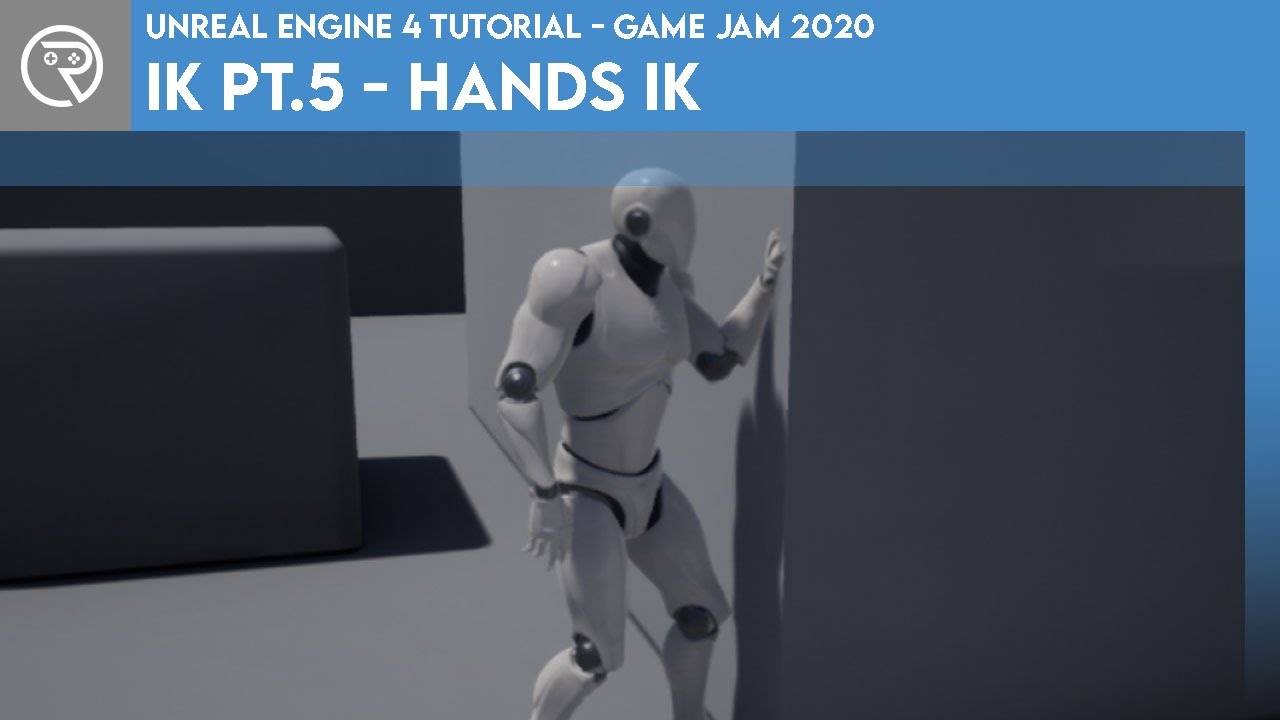
In this mini-series we go through what IK is and how it can be used to complete something like foot placement. In Part 5 we go through how to use the IK system to make the character automatically place their hands out in front to brace the wall in front.
Project files for this project are available on Patreon for Gold Patrons: https://www.patre...

Support the channel through donations. Crypto accepted!
PayPal: https://paypal.me/reidschannel?locale.x=en_US
Patreon: https://www.patreon.com/reidschannel
Bitcoin: 1JFwWHr4X6uAeoZadukzqKjzFBj3Qjy7Sk
Ethereum: 0x2B2Bc108F1Cc0fF899959dEF3226637787d8C3dE
Dogecoin: DNQ33YnhpWoTBokBNVkZP5ub8KTLkpyjpv
Join our community discord!
Discord: https://dis...
if so ANY pointers would be greatly appreciated
 strong helm
 dense apex
anyone using blender and import it in UE5?
dense apex
anyone using blender and import it in UE5?
Lots of people, just ask your question
dense apex
frozen zinc
Not sure if this is the right channel but i have used the ik retargeter and expo...
I think it is but I forgot to mention it is for animation. My bad
it is only meshes and added some noises without bones
had been trying to export as .fbx and import in UE5 but seems like it cant keep some characteristic such as the right material or even the glow like I did in blender 😢
dense apex
strong helm
Lots of people, just ask your question
I was able to export with those with armature but like mine it is not possible 😅
sry I am new for UE5
I’m trying to import the lightning I made in blender to this sequence. But don’t know what I did wrong that the animation cannot be imported 😅
strong helm
oh I'm not familiar with anything with importing lighting. I only use blender for modeling/animations.
Materials, lights, cameras, and everything I've done in engine and never tried importing any of that, because I didn't think you could.
 cedar zodiac
I am trying to get a hang of rigging models in Unreal 5, but seem to really be coming across a lot of issues rigging up with IK etc.. Does anyone have any good guides for rigging up the FPS hands that come with UE5? Or just rigging the whole mannequin? I know there is a guide for like 4.25 they have but was hoping for something focused more on UE5 as there are changes from what I understand. I also noticed strangely the first person arms from UE5 aren't control rigged but come with animation sets.
 ember tundra
Hey there, I put a book on a socket on my characters back as soon as it's picked up. How can I make that it dangles around that socket with physics?
pure pebble
If you guys haven't seen the "Analyzing Lyra's Animation" discussion from Inside Unreal this past week, there is some interesting stuff there.
I annotated the video in a comment -- please upvote my comment so it gets sticky and others can benefit from it to jump to the things they find interesting:

This week we’ll be sitting down with two of our own incredible animators who helped shape the Lyra Starter Game as we know it, and walk through the process of best utilizing all the animation tools that both the engine and the project itself have to offer. Don’t miss the live Q&A at the end of the show!
ANNOUNCEMENT POST:
https://forums.unreale...
If you have corrections, additions, etc for the annotated timestamps, LMK and I'll update.
cedar zodiac
pure pebble
https://youtu.be/5O-nTNMB19Y
this looks interesting for sure... watching the IK rig setup
 hallow elm
hey I want to convert FPP animation to TPP animation with additive like the video
but there's no good sample about converting in mesh and local space
anyone please teach me how to handle it
https://youtu.be/4H4bjawLB7s

- Original FPP animation
- Engine Local Space
- Engine Local Space + Dynamic Blend Mesh Space
- Engine Mesh Space
- Combine Local Space + Mesh Space
There is no suitable TPP animation, the animation is converted from FPP, the body animation is 0, and the assets will be iterated later, if you have better suggestions, please PM me! (thank yo...
cedar zodiac
Knowing I can take different models and rig them up like this is pretty useful if the bones don't exactly match
 wooden arch
Does anyone have any experience importing Unreal engine skeletons into blender? I did it, but the skeleton comes out looking basically unusable. Bones are pointing in odd directions etc. Any idea how to make it useable for re-rigging?

 simple arch
 serene inlet
Hi Guys, Can anyone guide on this?

 left arch
I am creating an fbx exporter for my program, so that I can use the fbx files in Unreal.
My hierarchy goes something similar to this:
Joint_1
    Mesh_1
    Joint_2
        Mesh_2
Both the joints are empty points, and the animation keyframes are applied to the joints. The meshes are parented under each joint with no animation keyframes applied to them.
When I import this fbx into Unreal, I get multiple animation sequence files and multiple skeleton files. The skeleton files only contain the Meshes(a single one per file, so one skeleton has Mesh_1, and the other has Mesh_2, and nothing else) and not the Joints.
I tried to make a similar thing in blender with the same hierarchy and I got the same results.
If I skip the joints and make the animation curves straight on the meshes while changing my hierarchy to only include the meshes, then it imports in as a single Animation Sequence, with a single skeleton file with both the Meshes in the bone hierarchy.
Similar object made in blender works fine too.
So the hierarchy that works looks like:
Mesh_1
    Mesh_2
Note, these objects are not skinned, they are simple objects that are just parented under the other.
How do I make this work with the original hierarchy, meshes parented under the joints, and the animation applied to the joints?
 subtle ginkgo
hi guys, still try to figure this out for a couple days now... can anyone walk me through on this bones
we try to make diy mocap but when comes to variations of movement and joints it way off the expectation
 dense apex
wooden arch
Does anyone have any experience importing Unreal engine skeletons into blender? ...
dense apex
wooden arch
Does anyone have any experience importing Unreal engine skeletons into blender? ...
can you screenshot your import setting so I can try to help you?
 rich quail
Hey guys!
In anim BP's to make a thread safe function we are using property access. Is there any c++ analogues? And is it thread safe to just read property?
 delicate shoal
Guys I'm having a problem and would really appreciate some help. I have an animation in blender which I want to export to UE5 as an .fbx. I enabled face smoothing and unticked "Add leaf bones". Yet when I import it to ue it's still just the standard T- Pose. I was on many forums and did everything as I should, it still doesn't work though :(

 dense apex
delicate shoal
Guys I'm having a problem and would really appreciate some help. I have an anima...
dense apex
delicate shoal
Guys I'm having a problem and would really appreciate some help. I have an anima...
did you enable the only deform bones?
and i think you should convert your armature to control rig first
that is what I did
delicate shoal
dense apex
did you enable the only deform bones?
i dont think so, under export -> fbx -> Armature -> "Only deform boney"? Or where?
delicate shoal
dense apex
and i think you should convert your armature to control rig first
ah how do i do that, sorry kinda new to blender
dense apex
delicate shoal
i dont think so, under export -> fbx -> Armature -> "Only deform boney"? Or wher...
yup it is just above "add leaves bones" tick box
dense apex
delicate shoal
ah how do i do that, sorry kinda new to blender
I saw you are using mixamo for retargeting. So it should be easier
do you know how to open the tab bar setting for the mixamo? ( not sure if i said it right)
delicate shoal
that thing?
 delicate shoal
did
dense apex
make sure you select both the control rig and the object then export it
don't forget to tick "selected object"
delicate shoal
dense apex
make sure you select both the control rig and the object then export it
It doesn't work :(
dense apex
what does it say?
what did you tick in the animation bar in export setting?
try unticking NLA strips and All actions
delicate shoal
 dense apex
what does it say when you try to import to UE ?
dense apex
did you add a sequence?
 subtle ginkgo
hi guys, still try to figure this out for a couple days now... can anyone walk m...
subtle ginkgo
subtle ginkgo
hi guys, still try to figure this out for a couple days now... can anyone walk m...
https://youtu.be/GBf0Cqn_LAI here's the vid of my issue
 delicate shoal
dense apex
did you add a sequence?
delicate shoal
dense apex
did you add a sequence?
or should I create one manually?
dense apex
delicate shoal
or should I create one manually?
should not be the issue. humm
you could try something else or might be a bug
Try to change the armature name from "Grabber" to "Amature"
delicate shoal
yeah i tried a lot
delicate shoal
oh i was told not to call it armature
dense apex
delicate shoal
oh i was told not to call it armature
It works sometimes lol. UE have some issue
delicate shoal
i will try thanks
delicate shoal
Still nothing, I'll see what I'll do, still much thanks tho
dense apex
can you show me a screenshot of your import setting for UE5
 vague sphinx
 hazy gorge
Does anyone know how to get an animated FBX with morph target and a bend modiier to work in UE? I tried both 3dsMax and Blender but in both cases when you add a bend modifier it breaks the animation asset
this is all tryign to do
 lethal violet
Is there a way to cache or save the current pose in an anim bp in order to blend from the current pose to a new pose over time?
 dark vortex
lethal violet
Is there a way to cache or save the current pose in an anim bp in order to blend...
dark vortex
lethal violet
Is there a way to cache or save the current pose in an anim bp in order to blend...
I'm really bad at animation stuff - but from what I know, in answer to your question, almost certainly - depending on how complex your animation is, you could at least capture the blend space amount, whatever is driving the animation, at any given point, if you have your animation blueprint built to accept that cached value, you can use it to drive the your animation
 drifting cape
Anyone know why when importing an fbx file it gets stuck at 100%?
lethal violet
dark vortex
I'm really bad at animation stuff - but from what I know, in answer to your ques...
I was thinking I could do that based on the frame of the animation that is playing but it's playing an animation sequence and I can't seem to find a way to get the current frame number. I also wouldn't even know how to get the pose at that frame even if I had it.
dark vortex
get animation instance from your blueprint is one thing
so on the anim_graph of your animation blueprint, you can pull up the actual sequences that would be playing

the sequences themselves should have some float value that has a name, like handstate or somethign descrptive
lethal violet
dark vortex
the sequences themselves should have some float value that has a name, like hand...
I still don't see anything I can use with the sequence player but if I use "evaluate sequence" instead I can use the explicit time
However this means the animation doesn't play on its own without me changing the explicit time over time
 dark vortex
What effect are you trying to achieve?
lethal violet
I want to be able to at any time during any animation pause the animation then blend from the paused pose to a new pose
The new pose is the first frame of an attack animation and I want it to work whether the character starts idle or running
dark vortex
seems like something you'd find in one of those game dev courses or youtuber videos
lethal violet
dark vortex
seems like something you'd find in one of those game dev courses or youtuber vid...
I did some googling and it seems like people use notifies but I think I'll just stick with the explicit time
dark vortex
Trust me, I'd spend some time watching a video workflow videos
lethal violet
dark vortex
Trust me, I'd spend some time watching a video workflow videos
I just don't think anyone does the type of animation I'm doing
dark vortex
not even AAA games?
 compact shell
Anyone have the issue when you use the new retargeter and place your skeletal mesh as a child of the original manny and set it to not visible the animation blueprint stops animating?
 lethal blaze
hey kind of an odd question - how do i set the default resolution? im creating an animation that i want to lock to 1080p during runtime despite working at 4k
 finite sinew
not really a section for this, but when weight painting how far up do I paint to prevent mesh deforming? And is it ok if my painted sections overlap with other bones?


 dry grail
is there a way to apply an animation "on top of" another animation? For example, I have a first person walk cycle and I want the animation for recoil to play over it, while still having the bobbing of the walking animation playing at the same time. I thought additive blending might be what i'm looking for but...
dry grail
looks like this is what I wanted

 pseudo pewter
Hey I'm having some issues
If I want to export a weapon animation, say, the swing of a sword, and I want to change the sword within Unreal
How do I export the armature to do so?
Should I use a weapon slot, a bone that's a child of the hand that wields it
Or some other method?
 onyx moss
why the slot is not changed when i selected the upper body?
 misty dagger
onyx moss
why the slot is not changed when i selected the upper body?
misty dagger
onyx moss
why the slot is not changed when i selected the upper body?
hii
onyx moss
misty dagger
hii
hello you know the answer to my question?
onyx moss
misty dagger
I need your help
ask the question here, i will sure answer if i can help
 languid cradle
Yo!

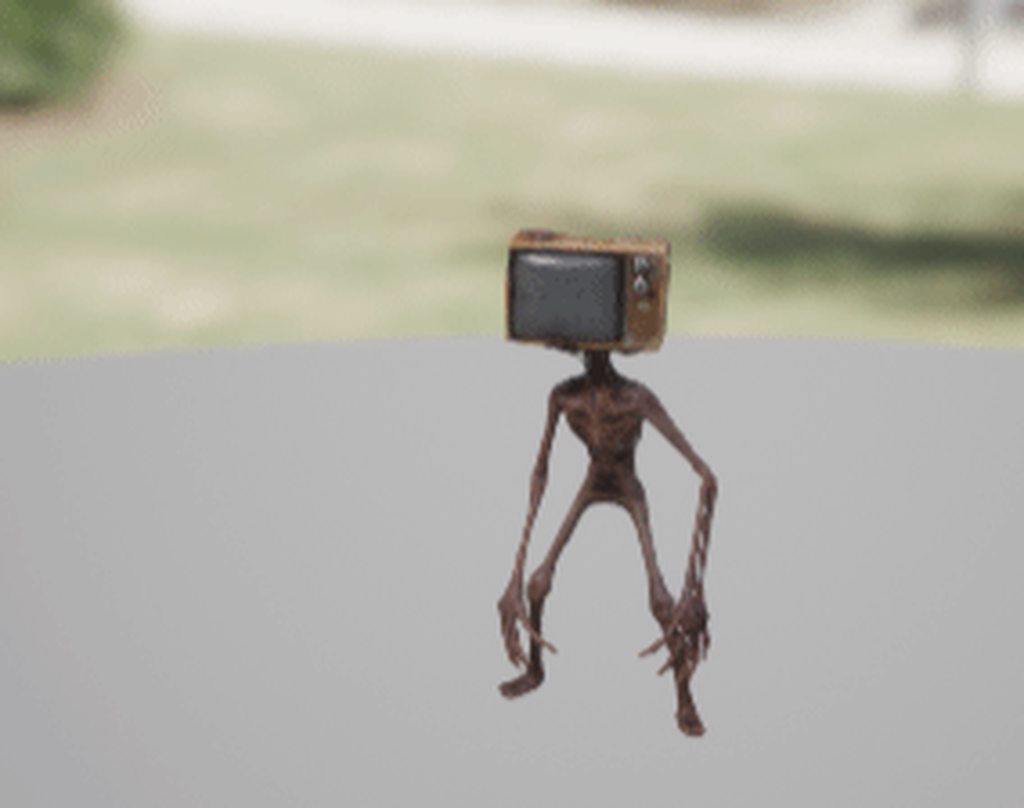
I have a small problem on 1 of my animations, both have the same skeleton, but I do not know why the 2nd animation of the iddle is very small
So that is to say my AI, when it passes on the idle_02 animation in order to scan the environments, well we see it decreasing in size (LOL)
 onyx moss
languid cradle
So that is to say my AI, when it passes on the idle_02 animation in order to sca...
onyx moss
languid cradle
So that is to say my AI, when it passes on the idle_02 animation in order to sca...
resize the animation in blender and reimport
languid cradle
onyx moss
resize the animation in blender and reimport
ohh so i need to export my animation on blender
but, that fucking weird
its not my animation thatg from asset
and this animation scale weird, so ok i can do that, i hope its easy to do !
onyx moss
languid cradle
and this animation scale weird, so ok i can do that, i hope its easy to do !
yes it is easy to do
 onyx moss
yes , UE support fbx


 onyx moss
languid cradle
onyx moss
languid cradle
no lol
 onyx moss
languid cradle
onyx moss
languid cradle
do few things.
1: import the animation in blender
2: press a to select all bones in the scene
3: go to properties and select all scales to 100
4: press ctrl+a and select apply all transforms
5: export as fbx and import in unreal engine
languid cradle
thanks for all (im not a blender guys) first time i use it lol
ok, so its here ?
go to properties and select all scales
 onyx moss
languid cradle
onyx moss
languid cradle
 languid cradle
I have to set it to 100 are you sure ? look I imported the basic animation and it is on 21

ok, lets do you "tutorial" and see what happend before.
onyx moss
languid cradle
I have to set it to 100 are you sure ? look I imported the basic animation and i...
100 is just an hint
languid cradle
okok, i set on my animation so 21
onyx moss
you can set to any value matching
now you press ctrl+a and select all transforms apply
onyx moss
your 21 will change to 1
languid cradle
but lets try to import UE5
onyx moss
send me your animation i can check it
onyx moss
you need to know what is the size of the other animations
 onyx moss
you got the correct scale now?
 onyx moss
send me the 1 and 3
languid cradle
yeah, then if you succeed I would like you to show me how you did it 🙂
send friend request
onyx moss
ok
 tawdry imp
Need Help
I using another project animation and this happen. any solution?
 lunar valve
any detailed explanation about how exactly blending in montages works?
 dim cave
I'm trying do simple animation in UE5 control rig. But idk why I can't change positon right hand https://streamable.com/ujntb4

what i do wrong
sterile warren
dim cave
I'm trying do simple animation in UE5 control rig. But idk why I can't change po...
That's weird but maybe try setting a key for everything on the first frame and then moving it?
sterile warren
sterile warren
That's weird but maybe try setting a key for everything on the first frame and t...
Are you sure you're selecting the box control as well? Your gizmo appears to be locally oriented to something different...
dim cave
sterile warren
That's weird but maybe try setting a key for everything on the first frame and t...
I've try, dosen't work
Ok, I know why, I had selected bad bone, name are so similar

with bone ik is ok
@sterile warren thx for hel[
sterile warren
dim cave
Ok, I know why, I had selected bad bone, name are so similar
That's it! Yeah, the gizmo should have been a clue. Keep an eye out for that. It should always be at the centre of the control and either oriented to the world or the local orientation of the control.
 pseudo pewter
Hey there...
I'm having issues in blender to UE
How can I properly export a rigify character into UE5?
I'm having plenty of undesired results like unnecessary bones, wrong scales, broken animations
 amber fjord
Is there a way to set a maximum distance for motion warping?
E.g I want my player's attacks to rotate and swing towards the target, but if they're too far away I want them to be able to miss and not warp their motion all the way to the target.
 clear dune
I want to make adjustments to some animations I have in Unreal (4.26). Is there a way to export them and use another program to modify them? Is that something blender can do? I have a little bit of animation experience in Maya from my time as a student but that’s where my experience (and my access to Maya) ends
 agile lodge
pseudo pewter
I'm having plenty of undesired results like unnecessary bones, wrong scales, bro...
agile lodge
pseudo pewter
I'm having plenty of undesired results like unnecessary bones, wrong scales, bro...
have you tried the 'send to unreal' addon?
pseudo pewter
agile lodge
have you tried the 'send to unreal' addon?
I haven't tried that specific one
agile lodge
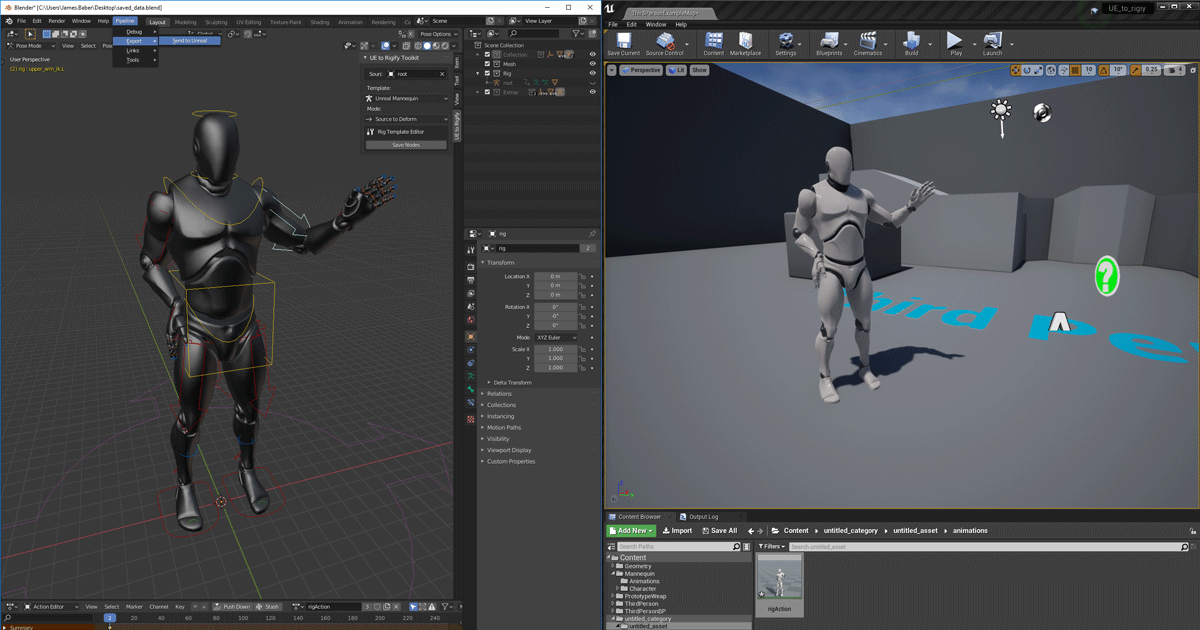
Unreal Engine
We’ve released two new, free addons that greatly streamline the workflow between Blender and Unreal Engine.
agile lodge
you have to be logged into your epic account
yes, it's provided by Epic. works well
and they have tutorial vid on it
pseudo pewter
No like
I logged into my epic account
And linked my github account
But still can't access the repo
pseudo pewter
@agile lodge Thank you, this seems that it could actually work out just fine
 vernal olive
Hey all, I'm having a peculiar issue where Unreal seems to strip most animation data from the UE4 Mannequin's IK bones for imported animations.
For context, I'm using Blender 3 alongside Mr. Mannequin's Tools to create animations with the default UE4 Mannequin, and importing the generated .FBX files into Unreal Engine 5, but have tried using Unreal Engine 4 to see if it was a weird UE5 quirk, with no difference in behavior. I will create an animation, position (and keyframe) the ik_hand_gun bone to use as an easy snap point for weapon models in the animation for Unreal within Blender. The resulting .fbx keeps the ik bone animation data when directly imported back to Blender, but when importing to UE the only ik bone that actually moves at all is the ik_hand_l, while all of the other ik bones don't move at all.
I should note that I'm not trying to use them as actual IK bones, just as convenient snap points that I can attach a corresponding weapon to in the animation and it's driving me up a wall that this is happening.
 frozen relic
i have a general question, so i see tutorials about animbp usually pull all the relevant variables from character bp and save them as new animbp variables on the "update animation" event. and then use those newly saved ones to drive animation. so would it be bad practice to just pull those directly from character bp when needed and not save them as new variables in animbp? seems like a lot less clutter, but are there reasons why this would be bad?
 glacial trench
Which digital drawing tablet would you guys recommend Wacom or HUION? P.S I'm an illustator
 regal orchid
frozen relic
i have a general question, so i see tutorials about animbp usually pull all the ...
regal orchid
frozen relic
i have a general question, so i see tutorials about animbp usually pull all the ...
The idea is to only fetch them from the character bp once. Instead of doing it everywhere you need to access that variable. At least that is why I do it like that.
That way you don't need to repeatedly access the character bp which can come with a performance cost every time you access it. But it also depends on how unreal optimizes it, they may do some clever stuff to mitigate that. I am not sure.
frozen relic
regal orchid
That way you don't need to repeatedly access the character bp which can come wit...
i see, fair enough. thank you.
frozen relic
glacial trench
Which digital drawing tablet would you guys recommend Wacom or HUION? P.S I'm an...
i have a huion and im super happy with it. if you're on a budget they are almost as good and way cheaper.
glacial trench
@frozen relic thank you for your help
 vast glen
Hey! I have an issue where my character isn't animted at all.
I'm using the default Third person anim blueprint but the character reference is only valid for the initialization frame and then invalidates
Here's a vid: #enhanced-input-system message

^ prints wether the character ref is valid or not
 radiant notch
hi, do i have to create for each animation its own level sequence for control rig animation, or can i have 1 sequence controlling multiple keyframe-sets/baked animations?
 last gust
Hi all. I’m wondering if anyone can point me in the direction of a system for re-positioning a character’s fingers on the trigger and stock of different gun objects. I want to use the same basic animations whenever a character is holding a firearm, but the triggers and stocks change from gun to gun. What can I do to make the character’s fingers able to find the right spots when holding different guns?
 static falcon
Just a guess, @last gust , use IK to solve the wrist location, use poses made in your DCC for the trigger/stock
last gust
You’re saying like unique poses for each firearm?
IK will definitely be used, I’m just not sure how to get the fingers to “automatically” find the trigger/right positions on the stock
static falcon
Probably, yes... it's just one frame of animation to get the thumb to finger distance correct and then re-use the trigger pressing animation
I guess you could try to use another IK for the trigger finger and add a socket to the trigger
last gust
static falcon
I guess you could try to use another IK for the trigger finger and add a socket ...
This sounds maybe more like what I’m hoping for
Is it possible to create a socket on an object that directs the bone to that position? I know the opposite is true, like putting a socket on a skeleton for holding weapons or something like that
But I need to do the exact reverse of that. I need something like a socket on the trigger of the gun that tells the character’s finger to go to that position when holding it. Is that possible?
static falcon
Yes, that's what IK is for
'But I need to do the exact reverse of that' - Inverse kinematics
https://docs.unrealengine.com/5.0/en-US/content-examples-sample-project-for-unreal-engine/
This project has some examples that are similar
last gust
static falcon
'But I need to do the exact reverse of that' - *Inverse* kinematics
Well that’s not what inverse kinematics means though
IK is the movement of bones relative to the movement of other bones. It’s the way our own bodies move, if you go to move your hand forward then your elbow moves in a specific way as well.
In the gun situation, IK would be necessary because moving the wrist or fingers to a specific location would need to affect the other bones of the arm, which would be done automatically with IK
The actual targeting to specific positions is something different though that I’m not sure about
static falcon
IK in 3D works with a goal location and it solves the bone rotations up the chain
So it will do what you're describing
In the example of a finger you are solving the knuckles
Maybe I'm being stupid but it sounds like exactly what you're asking

The location would be taken from a socket joint added to the gun model
last gust
static falcon
Maybe I'm being stupid but it sounds like exactly what you're asking
It’s related, but it’s not the actual question I’m asking. The IK part I know about
last gust
static falcon
The location would be taken from a socket joint added to the gun model
This is the part I don’t know about
What I need is a constraint to tell the finger where to go. The rest of the bone posing will be handled by IK, which is great
Setting up the constraint, or socket like you say, is basically the answer to the question so thank you for that. I’m not sure how to go about it though. Does Unreal have a built-in way to tell a specific bone to move to a constraint on an object?
Do I have to make the object part of the skeleton when it’s equipped? Or can the object remain separate but still have have them skeleton of the parent actor move to a constraint on it?
clear dune
Is there a way to mirror an animation? ie: right-leg-back sword strike to the left becomes a left-leg-back sword strike to the right? (in Unreal or in an external program)

 magic hull
Anyone know why the "Shadow Amount" in a directional light has absolutely no effect ? I am trying to animate the shadow amount but it just won't do it. The light is set up as movable
RayTracing is enabled.
 wide isle
Can anyone help me with this?
#ue5-general message
 viscid crater
Is there any way to bake down groom card data from a particular frame of an animation to a posed static mesh? I can convert the head skeletal mesh to static, but it's bald.
 karmic bobcat
anyone knows how i can fix this error?

 stark needle
In blueprints, how does one set the initial position of the animation file being played by a skeletal mesh.
Example:
In blueprints, have a skeletal mesh component, assigned an animation sequence to play in the details panel. It has a parameter "initial position" in the details panel under the animation on the skeletal mesh component. In blueprints how do we change that initial position value?
karmic bobcat
stark needle
In blueprints, how does one set the initial position of the animation file being...
good question. not sure. u can always set it as a montage tho.

 silver jasper
I have an animation that even when I clip the ending of it keeps trying to rotate the character back to its original position
Does anyone know how to remove the last-two frames so that when the enemy plays this animation they stay in the same rotation?
 untold ginkgo
trying to retarget mixamo anims to metahumans..and the shoulders always hunch. One solution was to set the root to animation and the rest of the bones to skeleton. But no luck 😦

 indigo zenith
Is there any "Bool to Int" equivalent in Control Rig? I need to trigger a Select between two vectors but it seems Select only accepts Int as Index and not Bool
 high egret
is it possible to use the IK Rig assets for retargeting live streamed animation data from mocap? This instead of using the IK Retargeter for pre-made animations. I can't find a way of doing it inside an Anim BP. Is it possible at all?
brazen wharf
indigo zenith
Is there any "Bool to Int" equivalent in Control Rig? I need to trigger a Select...
iirc the IF node does that
 queen matrix
Having a go at retargeting in UE5 from UE4 SK to the new one and having some finger issues, any idea what could be causing this?

everything else is okay so far, but the fingers...
he's summoning something evil..
 hallow elm
Hey someone please help me
I want to use FP animations for TP, so I decided to use additive animation
I want to adjust arm position of FP animations by using additive
but I don't know how to additive...
If I have a FP animation and a TP animation for idle, what should I do to adjust?
I will NOT use layered blend per bone because there are more FP animations like reload animations and their arm position also should be fixed

 regal pivot
what is difference between LOCAL SPACE vs MESH SPACE ??

 white shore
what's the best way to find the correct export settings for animations in Blender?
whenever I export using the settings that previously worked for me, it's all contorted 😦
here's my export file, if anyone could explain what I am doing wrong, and what forward/up axis to use (and primary secondary axis)
I would really really appreciate any help
finding the correct axis has been my biggest hurdle with using Blender for Unreal commissions
 vivid thicket
@white shore
Try using the official Send To Unreal Blender-addon.
Here is a good in-depth tutorial on that (where to get, how to config, how to use) https://www.youtube.com/watch?v=y51-tXjKEzc

In part 4 of the Blender to UE4 series we'll talk about exporting the character along with its' baked animations to Unreal Engine.
I present two approaches:
- Using the Send to Unreal addon from Epic Games
- Manual FBX export
Get early access to CGDive content:
🔹Patreon
https://www.patreon.com/cgdive
🔸Youtube Memberships
https://www.youtube....
fervent osprey
hey all. anyone know of other servers/places dedicated to animating within UE? im trying to do something that seems like it should be possible but i cant understand how to...put the two tutorials together? https://www.youtube.com/watch?v=xsvvA042l98&ab_channel=RyanLaley so with this i can make the player characters hands automatically move up to the wall when within range. https://www.youtube.com/watch?v=mVvyHKGPSaY&ab_channel=ReidsChannel and with this i can make a handheld flashlight follow the camera. so what i want to do is have a handheld flashlight that automatically follows the cameras centre point, and because the flashlight is socketed to the characters hand, the hand and arm would be moved/dragged by the handheld flashlight (i guess like how the bone chains work with IKretargeting, eg you move the hand and forearm, elbow, upper arm, clavicle would be moved along wit the hand your dragging). is something like this possible?
In this mini-series we go through what IK is and how it can be used to complete something like foot placement. In Part 5 we go through how to use the IK system to make the character automatically place their hands out in front to brace the wall in front.
Project files for this project are available on Patreon for Gold Patrons: https://www.patre...
Support the channel through donations. Crypto accepted!
PayPal: https://paypal.me/reidschannel?locale.x=en_US
Patreon: https://www.patreon.com/reidschannel
Bitcoin: 1JFwWHr4X6uAeoZadukzqKjzFBj3Qjy7Sk
Ethereum: 0x2B2Bc108F1Cc0fF899959dEF3226637787d8C3dE
Dogecoin: DNQ33YnhpWoTBokBNVkZP5ub8KTLkpyjpv
Join our community discord!
Discord: https://dis...
 mental briar
Where do I ask questions abt modeling/rigging
untold ginkgo
Can someone tell me what the hell is going on here? I've redone the retargeting 3 times from the first steps and the shoulders always do this. I saw a comment on a video where someone had the exact same issue. Google search lead me to someone havingthis issue and solving it by setting the proper bones to animation and skeleton...I did this but it changed absolutely nothing

 eternal patrol
Can anyone tell me if there is any way to exclude a bone from the animation without being through the anim bp, that is, only in the sequence or montage?
For example, I have a fall animation where the fingers are broken, so I need to mask these bones to get a neutral appearance.
eternal patrol
untold ginkgo
Can someone tell me what the hell is going on here? I've redone the retargeting ...
For which skeleton are you retargeting, ue4 or what?
untold ginkgo
eternal patrol
For which skeleton are you retargeting, ue4 or what?
mixamo animations to a metahuman
ive followed several tutorials trying to find sometrhing I might have missed
but to retarget is the same
eternal patrol
untold ginkgo
but to retarget is the same
your problem is almost the same that happens in some gta sa definitive edition chars, as far as I know, this happens when the rotation of some bone is wrong or some bone was misrouted, the metahuman has many additional bones compared to the mixamo ones, so you need to check in your RTG IK if everything is right.

If you can send a print of your rtg ik, that would be good.
untold ginkgo
This is the latest one I tried ..the other one is a different chain but also has the same issue

This one I did the clavicle separate from the arm

Ill show the retargeter

idk
I have never retargeted before
eternal patrol
untold ginkgo
This is the latest one I tried ..the other one is a different chain but also has...
That way is always wrong, always do it the way you did in the second print.
untold ginkgo
Okay
eternal patrol
And there is no reason for you to create the metahuman RTG IK, unreal already provides this, you just have to create the RTG IK for the mixamo skeleton.
You can get these files by adding the third person content pack.
eternal patrol
untold ginkgo
I have never retargeted before
this is the chain mapping of the RTG, these links are just basic retargeting without hand or foot ik, your mixamo RTG can't be less than that.

for the IK file, you always need to set the skeleton root, and leave it with the same name as the metahuman IK, for automatic mapping to the RTG file

Instead of for example putting RightShoulder, you can put RightClavicle.
untold ginkgo

THANK YOU
you saved me so much trouble I have been fighting this for hours and hours
eternal patrol
You're welcome, I am glad it worked out 😄
 finite yew
hi devs, i don't understand what is this error , can someone give a hint?
out of bounds of what ?
 eternal patrol
finite yew
hi devs, i don't understand what is this error , can someone give a hint?
out of...
eternal patrol
finite yew
hi devs, i don't understand what is this error , can someone give a hint?
out of...
was this blendspace created by retarget?
finite yew
eternal patrol
was this blendspace created by retarget?
no i manually created it , but animations that i am using are retargeted ones
eternal patrol
I see, I asked because usually this problem comes from retargeting, so maybe you can take a look at the animations that this blendspace uses, to check if everything is ok.
 upper fossil
when i retarget from lyra to ue4 manny i seem to lose all root mtion, how can i fix that?
eternal patrol
upper fossil
when i retarget from lyra to ue4 manny i seem to lose all root mtion, how can i ...
Do you retarget using the IK that unreal provides or did you create your own?
upper fossil
eternal patrol
Do you retarget using the IK that unreal provides or did you create your own?
using the provided one
eternal patrol
upper fossil
using the provided one
and in the RTG file, are these options checked?
 upper fossil
eternal patrol
and in the RTG file, are these options checked?
upper fossil
eternal patrol
and in the RTG file, are these options checked?
yup
eternal patrol
upper fossil
yup
Ok, so you can do the following, leave the root motion settings like this (print) in the lyra animations sequence using bulk edit, after that retarget again, after retargeting, reset the root motion settings of the new animations sequence to the way they were before in the lyra animation sequence.
 upper fossil
eternal patrol
Ok, so you can do the following, leave the root motion settings like this (print...
upper fossil
eternal patrol
Ok, so you can do the following, leave the root motion settings like this (print...
oh... thanks!
Any ideas why that happens/why it's needed?
eternal patrol
upper fossil
oh... thanks!
Any ideas why that happens/why it's needed?
You're welcome, when you retarget, the root motion is baked into the animations themselves, so doing this preserves the root motion information.
indigo zenith
brazen wharf
iirc the IF node does that
The good old IF! Thanks @brazen wharf
 brittle cove
Hi, I'm trying to figure out my crouch animation's not working in the top down template. So the crouch animation's from another asset and I retargeted that animation but also retargetted the rig too. I made sure to set up my transition states and it seems to work? But for some reason like in the gif, the feet don't actually move forward or the body doesn't move forward the way you'd expect. Does anyone know what I could've done wrong? Thank you. Even when I try setting the speed to 300 for the speed parameter, it still gives me this problem. Thank you. Please ping me on reply.


 boreal pagoda
Hey,
I have an issue with root motion animation not blending properly into normal motion. Character Movement produces, let's say, velocity of 1000. When root motion animation (vaulting) kicks in, speed drops to 6, slowly going up. Is there a way to smooth that gap except making a root moving at a proper speed in the animation asset? I tried playing with BlendIn.BlendOption, but no luck on that.
To be more precise, this is the place where my velocity gets messed up in CharMovComp
 finite yew
hi , i am adding a state into my locomotion , but there is no Transition rule , why it is happening ?

 cunning locust
what was the new way to access velocity of a actor in an animation blueprint without casting to anything? i forgot the bp to open and define it in a popup menu
...it was called accsess.. i got it
dark vortex
I recently did some changes to a skeletal mesh - and importing it back from blender, noticed the shoulders were messed up on an animation (this worked fine for a LONG time before this) I pulled up the animation on a different skeletal mesh, one that I had no messed with - and it is screwed up just in the same way

somehow the animation got reparented to a different skeleton
 sudden bison
is anyone able to assist me with this
I have the aiming right, but the animation does not correspond to world mouse position
 onyx sigil
hello. when i play an animation montage( upper body) i cannot move my character. how could i enable the movement ? did i broke something ?
clear dune
Animation montages alone should not prevent the character from moving. There are some possible explanations, but it depends. Are you using a marketplace project or animation blueprint?
dark vortex
Is the UE skeleton capable of being animated to simulate a chest rising and falling? -the natural idle animation in the engine does simulate breathing with the shoulders rising but if you were to lay it flat it's not as obvious as the way a person's chest rises when they breathe...
From someone who is animated but never rigged anything before would it be possible to add a new bone to the rig that would represent the chest or more likely the diaphragm?
 gleaming plinth
Is the default UE5 Skeleton compatible with mixamo animations?
 fleet ruin
not sure where to ask this question, but i have been using the animation modifiers class for ledge climbing, but it doesnt work when i create a stand alone build of my game. does this feature just not get built when you launch a game?
using 4.27
upper fossil
eternal patrol
Ok, so you can do the following, leave the root motion settings like this (print...
addendum for anyone that uses the search feature later - no need to disable use normalized root but you need to create a pelvis bone chain on the ue4 mannequin too otherwise the root bone animations seem to move even when locked, creating small jumps in cycles
 hidden marsh
Hi People. Had a question. Is Lyra from UE5 compatibe with the UE4 mannequin animations?
rocky remnant
gleaming plinth
Is the default UE5 Skeleton compatible with mixamo animations?
you have to rigg mixamo character to UE5 Skeleton
upper fossil
hidden marsh
Hi People. Had a question. Is Lyra from UE5 compatibe with the UE4 mannequin ani...
not sure what you mean with compatible? drop in mixamo animations in lyra?
Probably best way to do that is to retarget mixamo skeleton to ue4/ue5 mannequin (or two step it, mixamo -> ue4 manny -> ue5 manny)
hidden marsh
Cool thanks
eternal patrol
upper fossil
addendum for anyone that uses the search feature later - no need to disable use ...
Ok, good to know
 lime bane
hi im very new to unreal and wanted to ask for help.
I have a ring in my scene and want to animate the fullness? of it. honestly i have no clue how one would do this. can some help me and explain how this would work ?( its hard to explain so i added a picture. The first keyframe would have very little of the ring and then it would gradually start to finish itself)
 upper fossil
lime bane
hi im very new to unreal and wanted to ask for help.
I have a ring in my scene ...
upper fossil
lime bane
hi im very new to unreal and wanted to ask for help.
I have a ring in my scene ...
I think what you want is a radial mask
agile lodge
@lime bane https://www.shadertoy.com/view/wlcyDl

 frozen valve
So I'm using UE5 and made a skeleton compatible to the UE4 skeleton in Blender. Here's what works and doesn't work so far:
✅ FBX import selecting the UE4 skeleton works fine, throws no errors or warnings.
✅ I can manually pose the Unreal skeleton in the editor view.
❌ Whenever I click Preview Animation and select an actual UE4 skel. compatible animation asset, it is completely deformed. Both in-place and root motions.
I feel like I missed some obvious setting here. Any idea?


 brazen wharf
yes
you should probably use MrMannequin tools to make your life a bit easier
@frozen valve
your bone rotations are most likely different than the ones in the UE skeleton
frozen valve
I've used the GRT Unreal Module - I thought it would give me similar results. I guess I'll try to redo everything with the other addon
upper fossil
stride warping node seems to work well with the mannequin, but as soon as i use the same settings with another skeleton it stops working entirely (same animation, retargeted)
 cyan finch
Hey guys apologies for the possible dumb question. Im new to importing rigs and animations to unreal and i was wondering if there is a way to share a rig with bones for the face such as eyes for example across different meshes? I already know how to share animations and have different meshes share the same skeleton but when it comes to eyes or the mouth for a face im kinda confused how id go about that since different faces could have differnt proportions or placements. Im trying to have a system where a character has the same skeleton but with different face shapes or eyes etc like in other games with a customizable character.
Once again sorry if this is an obvious or dumb question
dark vortex
brazen wharf
yes
What am I doing wrong here? is there a bug I'm not aware of - why don't these match up ?
brazen wharf
no idea, i've never made a rig with that plugin actually
but watched a few videos of it for other reasons
 sharp linden
Anyone familiar with uetorigify?
sharp linden
I have super finger configuration setup, but it doesn't seem to roll fingers up to knuckles

 lofty granite
How to fix Trim Animation problem
it's always getting the original last or first frame coming back to the edge of trim
 wind goblet
guys i can't find set-up rig in retarget sources, please healp me
 proven pewter
Hey friends, I'm wondering if anyone has any expertise with UE4 retargeting they might be able to help me with. I have 2 problems (which may be related) the first is that my retargeted animations aren't perfect. The example character has animations where the feet and hands will lock in place, but my characters hands and feet just sort of swim around the general area. I've changed the translation retargeting settings, and tried using various retargeting poses, same problem every time. the animations are just different! Any way to get around this?
The other issue is that my IK bones just float around as well, completely independent of where they should be. As my characters hands and feet move around, the IK bones float in front, behind, just generally around the joints they need to be on. But they are never locked on. Picture of what I'm dealing with:

I've even tried replacing the IK bones with virtual bones and I get similar results. They're slightly closer in proximity to where they should be, but they're still messed up.
 valid raft
Hey animators, I have a question on game development. Do some first person shooters include the arms and their respective animations for a gun on the weapon itself instead of having a arms-rig type set up? Like, bundling arms and weapon animations into one instead of having synced animations for a set of arms and a weapon
I was playing Ultrakill the other day, and while most of the guns in that game have a lack of arms visible because of their size, the revolver does show your hand, and it got me wondering if these retro shooters in general dont have a set of arms attached to your character but instead the guns have your arms already on them
It makes even more sense when i think about how the dual wield power up just spawns more weapons with more visible hands relative to your camera view
radiant notch
so basically if I dont retarget and just make my own root animations in blender, its an effective way to skip lots of work. Unless rootmotion movement is much harder to implement as a third person controller?
 tranquil lark
Is there a way I can get additional meshes to show up in sequencer when doing an animation with control rig? (modular character)
 onyx sigil
Hello ! if i interupt a animation montage during a "Notify State". will the Notify State end event be called ?
dark vortex
If I want to layer an animation of someone holding their arm, on top of an idle animation am I doing just an additive or a blend ?
onyx sigil
onyx sigil
Hello ! if i interupt a animation montage during a "Notify State". will the No...
son, i tried, it seem to call the end event when i interupt the montage.
onyx sigil
dark vortex
If I want to layer an animation of someone holding their arm, on top of an idle ...
do you want the arm to play the "idle" animation too ? or to override the animation ?
dark vortex
I want it on TOP of the idle
dark vortex
onyx sigil
do you want the arm to play the "idle" animation too ? or to override the animat...
can't remember which one that is - I don't think it's blend because that blends it from one animation to another - I think i want layered?
 sonic vault
Guys please help i've hit a wall and am a noob🙏 I have a character that i want to animate in sequencer a simple animation of going up a ramp but the character keeps going through the mesh and the feet are always going through the floor of the ramp. I don't know how to make that character feet recognize the collision and i have looked all over youtube for that.
 sly gale
First Thing..... idk what category my issue is under but i suppose that comes into animation....... i already made forum question in unreal forums but i havent got any support there.... can i just post my forum link here or nothing to do with forum ?
dark vortex
sonic vault
Guys please help i've hit a wall and am a noob🙏 I have a character that i want...
You need to read through collision channels and understand how that system works - check youtube because it's a pain if you don't understand how the system works
dark vortex
sly gale
First Thing..... idk what category my issue is under but i suppose that comes in...
go for it
sly gale

Unreal Engine Forums
Details: C++ based project. Animations ofc in blueprints Issue: This is the default map… where my animation and character are working just fine like i wanted… but the next case… Here the map is the map i wanted to use for my game… and when i slide… character is free falling below the map/ground… i used ue’s default geometry cube with hol...
here is my forum link please.... i need lil help with that
sonic vault
dark vortex
You need to read through collision channels and understand how that system works...
Thank you so much for pointing this out i'll go search for collision channels perhaps "how to not have the character go through objects in UE5 sequencer" is not a good search inquiry lol.
dark vortex
sonic vault
Thank you so much for pointing this out i'll go search for collision channels ...
Try to think of them like hide and seek - you have two objects - a bullet and a person - if the bullet doesn't see person, the bullet will go through them without making any events happen (including damage) - but if the person also doesn't see bullets, you'll have the same problem - it has to be two way
dark vortex
Is it possible to attach a bone actually here - so he is grabbing it and not floating through it
 sterile warren
Does anyone know of any sources of good motion capture picking up and putting down animations for purchase or download? Ideally, without having to retarget...
 oblique vortex
so i'm using 3dsmax to skin a character and have morph targets
the character imports
but the model does not get the morph targets
sly gale
sly gale
https://forums.unrealengine.com/t/my-character-falls-below-ground-after-slide/65...
nobody got a solution for my issue?
dark vortex
sly gale
https://forums.unrealengine.com/t/my-character-falls-below-ground-after-slide/65...
You need to learn about the collision channels - it's possible your physics asset is somehow sliding slightly under and that's why it's falling through
try making the floor thicker as a workaround for now
or put another plane right below it
sonic vault
dark vortex
Try to think of them like hide and seek - you have two objects - a bullet and a ...
Thank you even after 3 hours of Youtube material I still can't figure out how to do collision in sequencer. Everyone is talking about FPS or 3rdPerson and how to set that in game. I was able to do that. Infact i did a whole FPS shooting game but i can't get a character to go up a ramp in a level sequence . The only hide and seek am playing is with my brain cells cuz i can't find them anymore lol.
 subtle lava
Any tips for blending when using linked animation layers?
dark vortex
sonic vault
Thank you even after 3 hours of Youtube material I still can't figure out how to...
Collision has nothing to do with sequencer,
so can you run up the ramp in your shooting game
sonic vault
What!! Yes i can run up the ramp in my shooting game but i can't make animated characters go up on it
I learned alot in those 3 hours but nothing about enabling the collision in a sequence so the characters would stop going through the mesh.
dark vortex
sonic vault
What!! Yes i can run up the ramp in my shooting game but i can't make animated c...
Ah, I think I'm understanding -
in this case, put an ai controller on the character and have it run on the ramp in game FIRST, do that first
sonic vault
dark vortex
in this case, put an ai controller on the character and have it run on the ramp ...
Thanks mate i'll goahead and do that.
sonic vault
dark vortex
Ah, I think I'm understanding -
As you can see the Alien is fine it knows there is a desk but the other guy animated and following a path still goes through and in sequencer character will go through.
Here's the Alien going up the ramp and the animated BP going right through
dark vortex
sonic vault
As you can see the Alien is fine it knows there is a desk but the other guy anim...
That's because the actor inthe world isn't set to have colision
sly gale
dark vortex
try making the floor thicker as a workaround for now
yup that fixed..... so that issue was with setting capsule height between stance and slide? they are 88 and 46 respectively
thanks @dark vortex anyways....
but it seems to react differently each time
does wall thickness depends on cube size?
sometimes players wont fall at thickness 25 sometimes 15 sometimes 20
cant figure out on what basis this is happening
sonic vault
dark vortex
That's because the actor inthe world isn't set to have colision
is my blueprint wrong! any video that can show me how to set it right?!

forgive me am taking lots of your time
 umbral egret
Anyone here having problems in UE5 using the "match with bone from previous animation clip" in sequencer? It's not working for me anymore, but works fine still in UE4.
dark vortex
sonic vault
is my blueprint wrong! any video that can show me how to set it right?!
Think of sequencer as just a camera recording what is happening in the game
While you can make sequencer do stuff in the game, it's much simpler / easier to make the stuff happen without sequence entirely, and then just record the level with a camera
sonic vault
dark vortex
While you can make sequencer do stuff in the game, it's much simpler / easier to...
Alright so I should go on with creating NPCs like that Alien and let the Navmesh handle their navigation and collision because there is no way am gonna be able to let the characters know what is what! Guess that calls for quits lets hope your suggestion works.
umbral egret
@dark vortex weird question, but your comment had me curious about something I had pondered last week. Could you make a short film in Unreal just setting up the characters as NPC's, and have them all perform their roles, as opposed to setting up the animations in sequencer?
dark vortex
umbral egret
<@273265779175194624> weird question, but your comment had me curious about some...
YES
that would be so much easier
but you could call the "new scene" events
sly gale
i had to clamp my character to specific angle and now to unclamp what angles should i use?
180 and -180?
i tried them but character isnt able to rotate after unclamp
dark vortex
sly gale
i had to clamp my character to specific angle and now to unclamp what angles sho...
You can check #blueprint for this type of thing but to answer your question - you might need to clamp local rotation
sly gale
oh my bad for wrong channel lemme shift there....
dark vortex
Does anyone know why when I try to clean up an animation in Unreal when I hit APPLY the eyes rotation gets messed with
because it is total nightmare fuel
It looks like the bone is MOVING location when I hit apply
umbral egret
dark vortex
YES
I appreciate you taking the time to respond. I will start investigating this. I am currently in the process of making a short film, and some of the problems I've run into are so frustrating, and I just realized that NPC's don't operate under the same parameters as this nonsense. It'd probably be faster and easier to do it that way. I appreciate ya buddy!
umbral egret
dark vortex
because it is total nightmare fuel
I'm not as good at this as you are, but did you bring this in after rigging it with riggify ?
umbral egret
dark vortex
It looks like the bone is MOVING location when I hit apply
Well if ya did, I'll link you to a problem that I saw once before. The original poster of the question figured out the issue on his end. I'll link it here in case it's the same problem you're running into. I hope it can help you. https://forums.unrealengine.com/t/imported-skeleton-from-blender-not-animating-properly/462435/2

Unreal Engine Forums
Hello, It is very common to have problems when using a Riggify rig, it uses it´s own convention and isn´t made for being exported to Unreal. This script aims to solve the problem: https://forums.unrealengine.com/community/community-content-tools-and-tutorials/1569172-uefy-script-make-blender-s-rigify-addon-compatible-for-unreal-engine-4 I ho...
dark vortex
umbral egret
Well if ya did, I'll link you to a problem that I saw once before. The original ...
I appreciate the effort - but AFAIK that shouldn't have anything to do with it - but good luck on the film - just remember, keep everything out of sequencer that is game related, just change scenes or switch to different cameras in it
like, even the animation of my camera, I kept out of sequencer
umbral egret
dark vortex
I appreciate the effort - but AFAIK that shouldn't have anything to do with it -...
Not a problem there, I'm not making a game xD lol
dark vortex
neither am i
https://www.youtube.com/watch?v=08VEg5Ckgfc spent several months in sequencer - hated it

Sharpen your Size Up Reports. Gain Experience Faster.
"Put On The Damn VR Headset"
It's not about VR - if you want to practice knots, you need rope - if you want to practice forcible entry, you need tools. If you want to practice critical thinking you need to run an incident. And if you want to run an incident, you need to be on scene. - ...
umbral egret
dark vortex
https://www.youtube.com/watch?v=08VEg5Ckgfc spent several months in sequencer - ...
thats cool, so training guide for new firefighters
gives useful information on how to deal in certain scenarios
umbral egret
dark vortex
https://www.youtube.com/watch?v=08VEg5Ckgfc spent several months in sequencer - ...
This is actually pretty cool, just watched your video going over how you built the world over time, showing you with the kids showcasing for them VR. You're a pretty cool guy man. That's awesome.
 patent harbor
Could someone briefly explain when I would use a pose asset? I’m curious what the common use case is for them
magic hull
So this might be a weird convoluted question, but I have a png sequence set up (media source, media player, texture and material). I want that to guide a Niagara particle system. Is that possible ?
umbral egret
Can someone PLEASE test something for me? In UE5 "Match with this bone in previous clip" is not working. I have tested this on two different computers. This wasn't a problem last month. Was there an update or something? It's working fine in UE4, and I REALLY don't want to recreate my entire project for two scenes I NEED to film. Can someone please just try real fast and let me know if this is something on my end?
It's involving a moving character
last month when I did it you have to match it to the pelvis in UE5, as opposed to the root in UE4. But that's no longer working, and no one online is dealing with this when I look it up.
frozen valve
When I add a clothing piece to my character via master pose, is the cloth allowed to have additional bones (w/ ue5 compatible skeleton set to master mesh) or is it required to have 100% equal skeletons?
 frozen valve
It seems to work when I playback animations from the master skeleton

but once it's set as a child in master pose, it gets all sort of weird scaling issues and deforming
frozen valve
After some trial & error with copy pose & master pose, it seems that this is not allowed. For anyone getting similar problems:
https://ikrima.dev/ue4guide/gameplay-programming/animation-subsystem/master-pose-vs-copy-pose-vs-mesh-merge/
https://forums.unrealengine.com/t/set-master-pose-deforms-mesh/351660
 keen scroll
Guys, I need help how to improve my character's walking animation: https://youtu.be/fyeSQgtnnAo

 potent hound
In Lyra project
Which animation sequence uses the animation curve : applyHipfireOverridePose
I've been looking for a long time, but I can't find it,
Has anyone researched this?

 jade pawn
Wondering if someone could help me with an Alembic import issue from Maya too unreal. Also apologies for the nightmare images this early in the morning. Currently the mouth pices of my character are coming through the mesh. My assumption is that it's due to them being grouped in maya. If I take them out of the group I have this same issue in maya as well. Any suggestions?


 main ferry
new to animation - I need to export out a specific frame of a character animation - it could be to FBX or obj, don't think it matters so long as the character is in the pose of that animation frame. Any ideas how I can achieve this?
jade pawn
jade pawn
Wondering if someone could help me with an Alembic import issue from Maya too un...
I fixed this by just exporting the mouth group out separately. Are there settings or other things I could tick to fix this in the future for animations with more groups or will I just need to rinse repeat this process?
 worldly anvil
I'm trying to create a state machine for jumping, but for some reason my transition rule between jump start and jump loop returns true only on landing. I tried to setup jump height at huge values, but the rule returns true until the landing, so my character can easily be in the same animation for 10 seconds. The jump start animation does play, and plays only once, i.e. it's not looping. Any ideas why it doesn't work?
Using Time Remaining(JumpStartAnim) instead makes it work

 lofty river
if i wanna rig a character with a completely custom rig-
Are there any naming conventions / root bone shenaningans / etc. etc. i should watch out for?

or can i just get going?
 median spire
hey slackers! I'd like to confirm something about rotation conventions in control rig. in default UE, it seems that Z rotation follows left hand rule (yaw to the right = +) while X & Y follow right hand rule (lean right/look up = +). however, in control rig it seems as though all axes follow the left-hand rule. also, that the rotation order in the "from euler" is actually the reverse order from what is displayed.
can anyone confirm or deny? has anyone else wrestled with this?

 sterile warren
keen scroll
Guys, I need help how to improve my character's walking animation: https://youtu...
sterile warren
keen scroll
Guys, I need help how to improve my character's walking animation: https://youtu...
You should look up the difference between in-place and root motion animations. If you can learn to understand the difference, you'll be able to solve the problem you're having quite easily. I hope that helps!
 oblique gale
why virtual bone don't follow the bone?

 wide dome
hi so im making a moba and im trying to make an animation blueprint for my minions. im using the paragon assets, they have blendspaces and animations but no animation blueprints. i have gotten to the point where i need to make a blueprint transition from idle to attacking i have "event blueprint update animation" connected to "Cast to BP_Minions" and a "try to get pawn owner" connected to its object, now what do i need to do for it to tell if my guy is attacking or not
 high musk
How are people animating for metahuman in blender? Is animating with ue5 mannequin and then retargeting in ue a good workflow?
ancient wasp
high musk
How are people animating for metahuman in blender? Is animating with ue5 mannequ...
Yes, but it is necessary to write Retargeter from scratch, I've been researching this for about 2 weeks, but i cant find a good things. Therefore i make animations with UE5 Mannequin's Control Rigs in Maya. Because im working on UE5 Character and default UE5 Skeleton without needing Retarget.
Like this
 oblique gale
why virtual bone don't follow the bone?
oblique gale
oblique gale
why virtual bone don't follow the bone?
Sometimes when i open unreal work, but when i do it again stop working
high musk
ancient wasp
Like this
hmm, so retargeting to metahuman doesn't work for you?
ancient wasp
high musk
hmm, so retargeting to metahuman doesn't work for you?
actually working but very complicated
high musk
hmm, thats too bad. thanks for the feedback though!
ancient wasp
youre welcome 
 flint robin
Does anyone have an idea of why am I getting this head movement when blending between idle and run left animations? Both animations have the head starting at the exact same rotation, the only difference is the spine that rotates to the left when running left, but the ending head rotation is the same as idle/forward.
- I made a "per bone override" with a different speed to make the issue more visible on video, but originally I don't have it.
 grizzled heron
not sure if this counts as animation, but when I tried to implement a smooth crouch it somewhat worked, however it has a frame skip looking issue that I dont know how to reslove:
here is my code

the issue in question:
when i press my keybind for crouch it is smooth but not at the beginnign and end
im new to ue5 so sorry if this seems rudimentary
magic hull
Can you bake physics ?
umbral egret
I have an animation where a character is climbing over the top of a cliff. And I need him to throw his weapon over first, and it lands a specific way. Keyframing it doesn't look natural, is there another method?
dark vortex
umbral egret
I have an animation where a character is climbing over the top of a cliff. And I...
You are going to have to play with possibly spawning it as a physics object
you can even hack it where you send it to a point, so you know where it will go
but that does open the can of worms of physics
umbral egret
dark vortex
You are going to have to play with possibly spawning it as a physics object
You gave me an idea..... I am going to create the item twice. Keyframe it going upward, then don't let the camera see it for a brief moment, then the second one I will simply have fall using physics.. let me try this out. Thank you my friend
dark vortex
umbral egret
You gave me an idea..... I am going to create the item twice. Keyframe it going ...
that could definitely work - you could also do an animation but at the last second spawn in an object with some velocity so it kinda bounces randomly each time
 flat root
sup guys,
When I'm exporting my animations from Blender to Unreal, the animations get completely diferent from what I did. Anyone have any tips on this?
these are the settings that I am using:


 weak wing
ancient wasp
Like this
weak wing
ancient wasp
Like this
where can i find or get that rig?
frozen valve
So I tried to isolate the problem I was having with a character and an attachment to the absolute bare minimum: Make a cube, weight paint it to a single bone and then use the exact same skeleton for master pose & copy pose. Exported with Epic's official Send2Unreal.
Result:
✅ Previewing animations still works, character and attachment are the same skeleton structure after all.
✅ Attaching a SkeletalMesh to my character as a child with a duplicated AnimBP works, but that's not very efficient for performance.
❌ As soon as I add Copy Pose from Mesh using the parent's pose (same skeleton), the mesh is deformed. In the cube test case, only position and rotation seems off.
❌ Same problem with Master Pose, the exact same position/rotation deltas.
Any idea what could be the problem here?

 fickle vault
flat root
sup guys,
When I'm exporting my animations from Blender to Unreal, the animation...
fickle vault
flat root
sup guys,
When I'm exporting my animations from Blender to Unreal, the animation...
I have the same problem, watched some videos and still nothing solved! Is there anything I can do with the rig or some other detail that I'm not seeing? The animation is very different and distorted from the current one.
 uncut pawn
is there a way to snap to a keyframe in the animation editor?
ancient wasp
weak wing
where can i find or get that rig?
Find ‘AdvancedSkeleton5’ in youtube and find ‘Unreal5’ named video. You can find last 5-6 minutes in that vid
Wait

Watch 18.30 to end of the video @weak wing
ancient wasp
weak wing
did you use maya?
yes
 shut kraken
I made this using CC4, iClone 8 and UE5! https://youtu.be/lCbfvfzFEFI

From the mastermind of the talented Roy Hatcher.
This is the first episode of the original animated series, Nu-Beings.
sterile warren
Is iClone used in the industry?
 grave eagle
It is used, they have pretty good tools.
 spare kraken
Question about montages and blending #ue5-general message
Updated blend settings image

 rugged ferry
I have a skeletal mesh cylinder that looks identical on all sides and I have an animation that rotates the bone for it. At the end of the rotation it looks identical to the beginning, but for some reason UE does a weird visual glitch with the mesh when it snaps back to the original position at the end of the animation. Does anyone know what this is and how to approach this problem?
dark vortex
flat root
sup guys,
When I'm exporting my animations from Blender to Unreal, the animation...
https://youtu.be/1Xm1h700uhk I'm watching this now cuz I'm having the same problem - you can use a tool like Mr mannequin which will help ease the process because it has its own export function built in for you
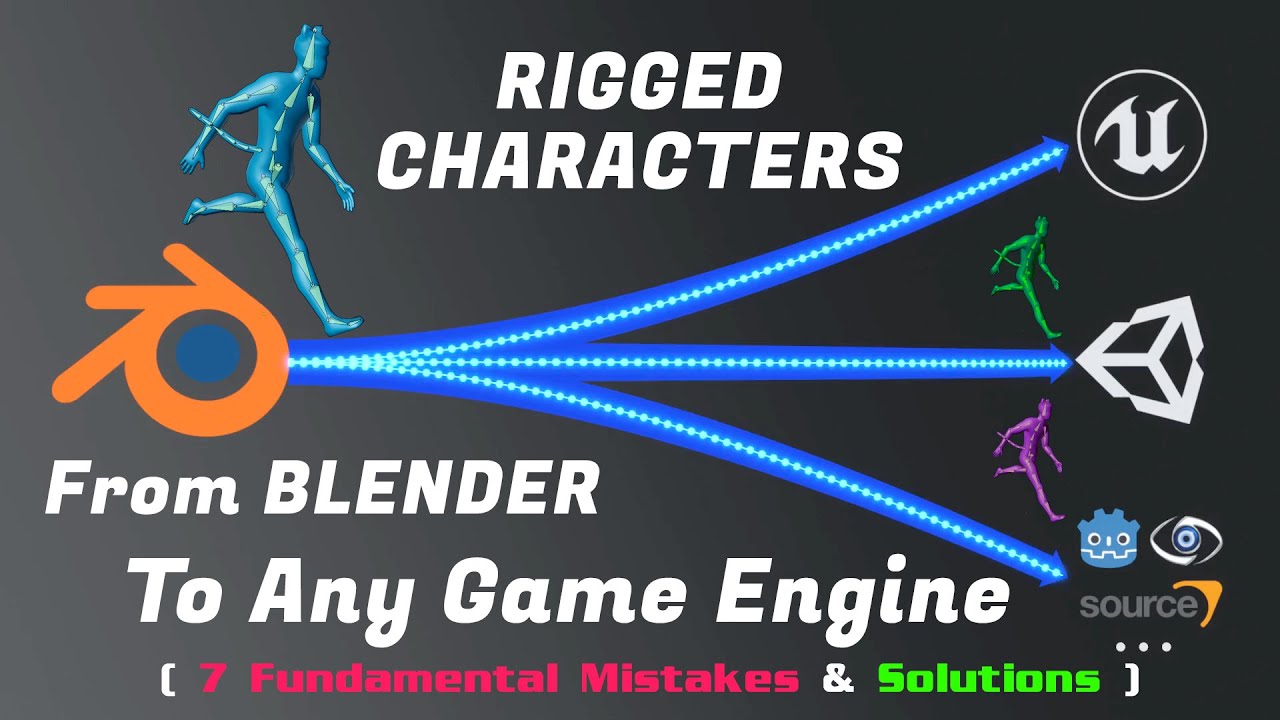
⚠️This video was the first one in what became a series about Blender & Game Engines. Some recommendations I made in this video have changed and they may keep changing. Check out the full playlist to stay up to date!
https://www.youtube.com/playlist?list=PLdcL5aF8ZcJvCyqWeCBYVGKbQgrQngen3
LINKS
● Free scene files
⇒ https://gum.co/cgdive_free
● ...
dark vortex
rugged ferry
I have a skeletal mesh cylinder that looks identical on all sides and I have an ...
I had the same problem you need to look into the animation settings of the asset where the import stuff is on the left side they'll be a root motion but there is also a lock to root tick box you might want to try
rugged ferry
dark vortex
I had the same problem you need to look into the animation settings of the asset...
Thanks I'll look into that.
 woeful olive
is there a way to get a control's transform from the control rig node in the animation blueprint, or a way to access a virtual bone and modify it in a control rig?
patent harbor
@woeful olive yes you can create a variable in the control rig that stores the control's value and then access it via the Output pins in the Control Rig anim node
 past grotto
Hi everyone, I'm new here and I am having an issue with my Lyra-stlye animation BP system. I have rebuilt it all from scratch on a character successfully with no compile errors, but when I hook the base BP class up to my player character I get a hard assert. Any thoughts? I can provide more info if needed. Thanks
patent harbor
@past grotto do you have more info on what the assert is?
past grotto
Assertion failed: InputProxy == nullptr [File:D:\build++UE5\Sync\Engine\Source\Runtime\Engine\Private\Animation\AnimNode_LinkedInputPose.cpp] [Line: 76]
patent harbor
The LinkedInputPose anim bp node doesn't have an input
past grotto
how do I solve that?
patent harbor
check your anim bp and see if the node is hooked up properly
past grotto
I've created an unarmed anim layer that is linked to the base. when I load the base into the mesh in the player bp I get the hard assert.
I've recreated another bp that does not throw an assert, but I ets no animations
I stared the project in a stand alone game and have migrated the assets. Now in my new project it simply doesn't work
patent harbor
the input pose is a reference to another anim graph, so your anim bp most likely is configured with the expectation that a parent graph feeds a pose into it
dark vortex
patent harbor
check your anim bp and see if the node is hooked up properly
Where is this found?
 dark vortex
btw I love your avatar lol that always cracks me up
patent harbor
Are you trying to retarget your skeleton in UE5?
patent harbor
dark vortex
btw I love your avatar lol that always cracks me up
lol yeah it's one of my faves
patent harbor
dark vortex
but I made an animation in blender and I need it use translation keys
if you open your skeleton and right click on one of the bones in the bone hierarchy panel, it should show that menu
dark vortex
patent harbor
if you open your skeleton and right click on one of the bones in the bone hierar...
will; this break my animations linked to the skeleton that don't need that?
there's something i have to do somewhere to check a box
 patent harbor
not sure, I haven't used translation retargeting
dark vortex
Unreal Engine Forums
According to https://docs.unrealengine.com/latest/INT/Engine/Animation/RetargetingDifferentSkeletons/?utm_source=editor&utm_medium=search&utm_campaign=user_initiated (which seems to be for an older version) under the “Retargeting Adjustments” section, it says that there should be a “Recursively Set Translation Retargeting Skeleton” in the contex...
this one then

but yeah, will this break my shit?
ugh, didn't work
I'll have to re-animate the whole thing because I have done this before without having the IK on and it worked
patent harbor
I'm applying additive full body IK on top of an existing animation sequence. The solver seems to flicker to the sequence's original position every couple of frames. I've been debugging this for a few hours and can't seem to find anything wrong with my configuration. Has anyone encountered this?
 mellow aurora
This question is about collisions with physics in unreal. I've set up my skeletal mesh in a blueprint and have physics, animations, and collisions set up. How do you set up self collisions (prevent the arm bones from clipping through the body)? Or do you need two different objects set up with collisions enabled on both (like how it is done here: https://docs.unrealengine.com/5.0/en-US/collision-in-unreal-engine---overview/)
patent harbor
mellow aurora
This question is about collisions with physics in unreal. I've set up my skeleta...
best asked in #chaos-physics, but generally you can set a collision profile on all the bodies
patent harbor
patent harbor
I'm applying additive full body IK on top of an existing animation sequence. The...
For reference, my anim bp looks like this. Driving my fully body IK solver with IK Rig goals.
 spare kraken
Question about montages and blending https://discord.com/channels/18721764300921...
spare kraken
spare kraken
Question about montages and blending https://discord.com/channels/18721764300921...
I see some people put the end frame of their montage animation to the first frame of their idle animation, but I want to blend the talking animation into different idle animations. Is there some kind of lerp to bring it from the montage animation back to its idle?
Isn't that what the blend in/blend out options are for? I changed it to higher values but it's still not blending
 errant hamlet
is there a quick way to put a delay on an animation blueprint? like anything that runs through it has a .2 sec delay
or in the state machine?
dark vortex
Please halp
 dark vortex
patent harbor
For reference, my anim bp looks like this. Driving my fully body IK solver with ...
dark vortex
patent harbor
For reference, my anim bp looks like this. Driving my fully body IK solver with ...
Did you try the local root lock?
 dark vortex
errant hamlet
is there a quick way to put a delay on an animation blueprint? like anything tha...
dark vortex
errant hamlet
is there a quick way to put a delay on an animation blueprint? like anything tha...
Yes there is - you can do it in the state machine or even on the blueprint - but what do you mean about has a .2 second delay?
errant hamlet
@dark vortex maybe a better question... I have a shield on my character's back, attached to a socket (mesh component on the character, back position), and I'm trying to offset the animation of the character and apply that to the shield, so it's always just a little behind in animation giving it that "bounce" effect when the character is running or jumps, like it's out of sync slightly, and I'm trying to be crafty here in how I approach that but can't seem to figure it out...
I thought I might be able to duplicate the character animation blueprint and just offset all the animations there, then apply that to the back socket of the character so it's out of sync, but I don't think that's the right approach
or maybe there is a better way to approach that with gravity settings on specific parts of the mesh?
or gravity on the shield itself, I dunno
dark vortex
yeah, just attach it as a 'static' mesh at run time - then set mobility to movable and enable physics
google in youtube the epic animation sequence they show you how to do that specifically with a socket
I think they use a sword
woeful olive
patent harbor
<@996258913567641671> yes you can create a variable in the control rig that stor...
I couldn't figure out how to enable the output pins, I tried enabling it in the output list but it only shows an input pin for the variable. any ideas?
this is how it appears in the graph editor
 patent harbor
woeful olive
this is how it appears in the graph editor
patent harbor
woeful olive
this is how it appears in the graph editor
Seems like a bug to me. That node has some unfinished parts to it (ie. Actor Component targeting), so I wouldn't be surprised if it doesn't work as expected.
patent harbor
@woeful olive try making a variable in the control rig that you only check for output
A work around that might work is using the Control Rig component on the Actor and fetching values from it after the anim bp runs
woeful olive
unchecking/checking one of them does the same to the other
patent harbor
but you won't be in the same context as the anim bp, so won't be able to use it for animation in the same frame, so kinda useless if you're trying to animate with control values
woeful olive
patent harbor
but you won't be in the same context as the anim bp, so won't be able to use it ...
yeah, it won't help me then 😦
patent harbor
@woeful olive the only work around that would work then is to make a bone in your skeleton that the control rig drives and then the anim bp copies its value
like the ik_foot bones in the default mannequin
woeful olive
that sucks, unreal engine should add virtual bones to control rig or fix the output
patent harbor
it might be fixed in 5.1, who knows!
woeful olive
I hope so, thank you again for the help!
 thick ridge
Why does this only take constants, and what even is that? I need variable smoothing values for this, because it ruins the look of walk cycles when left on at all times.

 obtuse grotto
anyone know any marketplace knockdown animation that pulls the character up (hit reaction)?
YouTube
5 seconds · Clipped by Arcade HR · Original video "Advanced ARPG Combat Overview | Unreal Engine 4" by Unreal RPG Mastery
misty dagger
obtuse grotto
like this one
https://youtube.com/clip/UgkxWTTZkLHmFySmTV-ZWupK7D5zAhtDl7as
i bought the course
 zinc niche
my mixamo animations imported dont move the pelvis of my character, its like the root of the animation is constraining it.
obtuse grotto
misty dagger
i bought the course
I bought the course as well but it doesn't come with the knockdown reactions 😢
 civic vector
Hey guys. Does the 'copy bone' node permanently attach the source to the target? I mean after calling the node and then moving the source bone, will the target move with it?
misty dagger
hey can someone help me to render video I need urgently and my laptop is crashing the file
someone who have good pc and can render it fast
 placid relic
if i open an animation and say rotate a bone, why does it apply to the skeleton, i.e if i then open a another animation the bone has rotated there too. i only want to rotate on the one animation.
placid relic
useless channel
 lunar kite
why does the output of my animation blendspace change while having constant inputs?
It plays the 45 degree run for a bit then changes to a weird skip, even though the speed and direction inputs have not changed.
misty dagger
I imported skeleton and fbx from blender now I am confused do I need to animate in blender or unreal
 spice drum
Hi everyone, I have a problem with porting scene from C4D into UE5 (version 5.0.2).
I used Nitrobake 3.02 plugin to bake the item animation in Cinema, and after porting to unreal I have strange things with anim.
At -1 frame my item is ok, but from 0 frame it disappears and teleports to the animation final point.
We can see that item frozen in air but it is not in the viewport.
I think it is a Nitrobake's plugin trouble because it messes up the objects geometry after baking in Cinema.
I accidentally forgot to delete the unbaked box lid, it teleported to Unreal Engine and I've seen that I have lid with fully working animation and correct location. What could be the problem with Nitrobake baking?
And is it possible to port my scene to Unreal without baking using?


 dark vortex
How do I restart a non-loop animation in a state machine - I am reseting the boolean that allows entry and it's still processing through here, but since the animation isn't looped, it thinks its the same one and keeps not playing it (since it remembers finished it and stopping)

my anim notify isn't repeating for somet reason
 jovial scarab
hey is there a way that I could add in more weapons using the animgraph?
 misty dagger
hey can anyone guide me for control rig
it is giving a tough time
any easy and helpful video it seems too complex
 stark steppe
Whats the best way to do player camera animations? Didnt find any good tutorials. I thought about attaching the FP camera to a single bone SK and use an AnimBP instead of using camera shakes with camera anim sequences (which are currently bugged in 5.0.3) Anyone know the pros/cons of these two approaches as they both would work.
 sick solar
Hi is possible to import custom physical assets just like custom collision import ??
 median dragon
does anyone have info on where to download or get a better understanding of control rig?
 boreal cradle
Hey, I have a question - I'm trying to make a simplified anim blueprint branch, but even though the simple branch is currently active, the anim blueprint ticks all the linked anim blueprints from the other (nonactive) branch

Why does it tick both branches? Is it expected behavior?
brittle cove
Hello, I want to retarget Mixamo animations to Manny in top down template and set up my IK rigs. Is there a reason why the retarget animation's broken? For reference I was using the TTToolbox plugin in order to create more bones for Mixamo in order to retarget properly and was following the tutorial for it but the creator was mapping UE4's mannequin to Mixamo, not the other way around. There's only one thing I can think of and that's the lack of arm and thigh twists but I'm not sure how I would add that to XBot. Please ping on reply, thank you to anyone who gives a direction.


 jade plinth
learning control rig right now in UE5, but when I added new control and trying to change the position, it cannot be compiled and just get back to its initial position (0,0,0) if I click compile, where did I get wrong?

 hollow wagon
I have a character cobbled together from within a ActorBP (MetaDaz_BPActor see attached), ModernMilitary is a skeletal mesh and can successfully play a looping animation (walk forward). My problem is when I ADD ActorBP to a Sequence there is no way to import an animation onto the ActorBP. Do I need to add code to the ActorBP to play the animation (walk forward)?


 misty dagger
is there any way to rename and Add a root bone to the mixamo skeleton through blender?
Not the animation, the skeleton
brittle cove
Does anyone know how to add a root bone to an imported animation?

 rain plinth
hello!
I'm want make the mesh play Montage...
but I can't at all
 crimson oracle
Hello guys, i got this problem i'm taking an animation with ue5 and im using city crowd sample and they are moving so fast in the animation how can i fix this ?
 wild hollow
does anybody know where to get a rifle equip from back animation?
 urban spade
does anyone know how to make hit reactions for bullets? I'm trying to do some hit reaction like the original resident evil 2 (where it's just a small shake of the body to the back) or a tutorial to follow or something
 frail snow
Where can I find free UE5 Manny animations to use as placeholders until my animator gets me the real ones? I need melee attack (punch), hurt, die
urban spade
@frail snow have you tried Animation Starter Pack?
it's free
@rain plinth make sure you have the right skeleton for the mesh
frail snow
urban spade
<@847938688767098971> have you tried Animation Starter Pack?
I guess I just have to retarget these anims to the UE5 skeleton? I had a rough experience with retargeting in the past, but can try it again
frail snow
urban spade
does anyone know how to make hit reactions for bullets? I'm trying to do some hi...
Are you looking for hit stop? https://www.youtube.com/watch?v=ODPE91IFCVA

In this video I'll show you how you can improve your game by adding hitstop to it in very few steps. It is actually quite easy to implement hit stop and it only takes a few minutes to set up the base. But I also go into advanced techniques on how to make it even better. One thing to keep in mind is that hit stop and hit stun are not the same thi...
urban spade
I can get you a tutorial

In UE5, the process of retargeting animations has changed greatly with the use of the new IK Rigs. Check out how to accomplish a retarget using this new method in Unreal Engine 5.
SUPPORT ME
Patreon I https://www.patreon.com/ryanlaley
Buy Me a Coffee I buymeacoffee.com/RyanLaley
Donations I paypal.me/ryanlaley
PRIVATE 1-2-1 SESSIONS
Email me ...
I followed this to get some mocap animations I bought from the marketplace into another skeleton and it worked very well for me
it's not hitstop what I'm looking for, unfortunately
it's for a fps horror game (zombie "bone shake?" I'm googling that atm)
@misty dagger I think that in the video I just put the guy explains how to do this
@hollow wagon I believe you add the animation to the mesh (possibly ModernMilitary?), not the BP?
frail snow
urban spade
it's not hitstop what I'm looking for, unfortunately
You could try having a few single-frame hurt animations that they "snap" to each time they get hit, then they pause in it momentarily before returning to their normal anim sequence
urban spade
thankfully, one of the stuff I bought had one animation like that
the mocap ones were just really complex, I didn't have any hit reaction
 fiery kelp
quick question, Someone on my team tried importing a new skeleton and animations but the import failed and now none of the default animations run anymore. We just have T poses on every character. Any ideas how to fix this?
They all still have the default skeleton and animations they just all play as a T pose
frail snow
What might cause a skeleton animation notify to not fire on the anim BP?


The animation plays through to the end fine in game
A custom anim BP does get notified...
frail snow
I saved the skeleton and the notify shows up on the asset. The settings look the same between the skeleton notify and the custom one


 boreal cradle
Hey, do the linked anim blueprints share the same underlying cpp anim instance or does each have its own?
frail snow
frail snow
I saved the skeleton and the notify shows up on the asset. The settings look the...
Figured out the reason for the above issue. I was telling the animation to play directly from code, but I had to trigger it from the state machine instead. I don't understand why manually playing an animation wouldn't trigger a notify but hey it works now
frail snow
How do you get a reference to your animation blueprint from custom anim notify / notify state blueprints? I want to trigger something back in the anim blueprint's event graph
frail snow
Is there a way to lerp anims in Unreal? So that an uppercut starts out slow, then ramps up fast
urban spade
does anyone know a good petting animation (pack or not, paid or not)? like you're petting a cat
 fringe trellis
Odd issue i am having calling play animation node does not play the animation. But when i set the sk mesh to anim asset mode and have the animation on loop it works. any idea what i am doing wrong when I call play animation node?
lofty river
When i export an animation in blender
It is tiny in unreal engine - 1 100th of the size because cm / m
But when i export a skeleton
It has the correct size

fringe trellis
lofty river
When i export an animation in blender
It is tiny in unreal engine - 1 100th of t...
blender is 100 times bigger units than unreal. make sure your scaling world settings before you export. also try not to key frame scale if its not needed in general.
lofty river
fringe trellis
blender is 100 times bigger units than unreal. make sure your scaling world sett...
Alright, but why is the initial skeleton at normal size tho?
fringe trellis
Its bugged and weird like that, trust me. See if there is an empty parent scaling it.
lofty river
nope, i made a completely empty blender file, and made an amature from scratch
now i animated it
exporting the skeleton and generating it in unreal - perfectly fine
but now i animated it, and exporting it and importing it as an animation to that skeleton-
it is tiny, 1 100th the size.
And that's even though there is no keyframe on scale
fringe trellis
in the import into blender there should be an empty. But again in general check your blender units.
lofty river
import into blender?
I'm not importing anything into blender
I'm making everything within blender, from scratch, exporting it, and importing it into unreal engine
BUT
fringe trellis
Ok. there is many blender and unreal import export issues, just trying to hown in on it.
lofty river
when i change the Unit scale from 1 to 100
then the skeleton becomes gigantic
but the animation is still as tiny as before

fringe trellis
screen shot your blender units
lofty river
usually blender has that 100 issue because it's set to meters, and unreal uses centimeters.
I always have my blender set to centimeters


 fringe trellis
set metric .01
 fringe trellis
Worse case scenario you scale your sk mesh in bp and you should always have an anim playing.
That being said there is a classic trick in blender of scaling the mesh 100 times and applying scale. then scale it back down and add it to the same size skeleton. I dont remeber the exact order but you can probably find it online if you search something similar.
lofty river

so it's just normal for blender animations to be fucked by default?
and the skeleton being fine?
fringe trellis
yep
lofty river
 i should've stuck with mr mannequin
fringe trellis
Also in general you cant import any skeletons into blender without it breaking. (well ones with IK) So mr mannequin might be a pain to animate in blender.
lofty river
well sure importing skeletons into blender i get, because fbx is fbx
that's normal
but exporting into unreal engine just doesn't work period ???
and nobody made a stink about it?
There's no indies trying to make their own animations in blender and exporting them into unreal? Everyones either using the mr mannequin addon or downloading animations?
There's no way...
fringe trellis
It works you just need to mess with the units like i said. and do some weird trickery. Also again try not to key frame scale.
lofty river
well if i mess with the units i get this...

problem is literally every tutorial there is, is from someone who's been using blender for like 2 weeks and starts up rigify and exports it 
fringe trellis
ya might have to apply scale as well. additionally when fixing scale sometimes anim break completely and might have to reanimate.
Again worse case just scale in unreal.
lofty river
fringe trellis
ya might have to apply scale as well. additionally when fixing scale sometimes a...
This is just beyond stupid 
Turns out
When you spawn a rigify skeleton-
Everything works perfectly.
Which means, there is some setting
fuggen somewhere
that is buried
That you have to click, that gets automatically clicked with rigify 
even if you change stuff in rigify. You can add bones, remove them, just use it as a base, not generate any rigs-
Still works, you can export all the animations just fine
i hate open source software
 tepid vessel
hey guys i am trying to rig a revolver in blender, i rigged the cylinder but when it rotates it gets small. it twists itself tiny. how do i make it rotate in place
 balmy ember
How do I make my walk animations play faster?
My character is moving too fast and its sliding.
I am using ALS walk anims and blending directions.
I found that you can change speed of individual anims one by one, but is there some convenient way to do globally adjust this whenever I decide to tweak player movement speed and have animations adapt?
Lets say I want to set move speed to 2000, anims play speed should be adjusted accordingly.
 fossil tinsel
Hi, did anyone try to Retarget a character from Paragon? I get this weird problem with wrong rotation of Fingers (Paragon -> U5Manny)

And the other way around the arm seems inverted? (Ue5Manny -> Paragon)

 whole leaf
fossil tinsel
Hi, did anyone try to Retarget a character from Paragon? I get this weird proble...
whole leaf
fossil tinsel
Hi, did anyone try to Retarget a character from Paragon? I get this weird proble...
My custom model had similar retargeting problems. There's a few things you could try to fix it. Check if the bone axis of the paragon character are rotated in the same way the ue5manny are (on a dcc tool). Check if your paragon IKRig Asset has the same chain configuration as ue5manny (his skeleton has more bones than usual). Also, try to manually match the paragon character pose to ue5manny by clicking on this 'Edit Pose' button. It feels like pixel hunting but at least you'll just have to do this once.
 fossil tinsel
whole leaf
My custom model had similar retargeting problems. There's a few things you could...
fossil tinsel
whole leaf
My custom model had similar retargeting problems. There's a few things you could...
Bone Number is quite similar, but I haven't adjusted the pose
I will try that, see if its better. I think one problem is that Sparrow has shorter arms, that explains why the arm IK is nearly straight
whole leaf
Hi everyone! Is there a way to stop a blending out montage?
I need a way to completely stop a montage that is blending out.
I realized, after some debugging, that calling stop in any way I tried (Montage Stop Group By Name, Montage Stop and Montage Stop With Blend Settings) simply did nothing if it was already blending out (it works normally otherwise).
Is there a way to force it to stop or end regardless of it having started to blend out?
Thanks!
median dragon
dear animators, i have no knowledge really of rigging / animation but i am trying to set up a control rig spline following unreal documents and it never seems quite right. i assume its something to do with my rig in maya.. is there a join orientation i should be following to ensure it will work properly in unreal/ control rig?
this is how i orient my joints but my cable always seems to twist on itself ESPECIALLY when i plug in the middle joint as a pole vector

 outer iris
Anyone know the terms or how I would go about learning how to blend lower and upper body animations with a gradient?
As in, I know how to make a blendspace to drive the head bone's look direction, but I'd like to gradually blend the spine segments so that each one is partially influenced by the head's rotation
Is what I'm looking for just "blend depth"? 😮
median dragon
 brittle cove
How exactly do you make a binding pose in UE5? I tried creating two pose assets for X Bot Mixamo and they can't save and end up being one pose.
 frail snow
Anyone know what the "Received Notify Begin" checkbox on the return node for an anim notify state does?

 terse kiln
I retargeted some animations, and how this problem

How can i change skeleton for correct one?
frail snow
Why would an anim notify state begin be triggered multiple times during the same animation? (I'm using custom time dilation maybe that's related?)
Yeah it only triggers once without custom time dilation
fossil tinsel
I encountered a strange pelvis position problem in retargeting.
The pelvis travels while the animation plays, root is correct, means the pelvis is no longer hovering over root


 fallow thicket
I am migrating from a mesh and anim bp, and I notice something wierd in ue5.0.3, which is the following around the sequence player in the animbp's.
The first image is the original one and the second is a created one with retargeted animations.
I notice the position slider is not there in the second one. Is there an issue I should be aware of here?

 fallow thicket
okay, I just recreated it again, looks like it fixed some of it. But have another issue where it is only playing part of the locomotion.
 tulip nacelle
I have a custom AnimGraph node that works fine in the Editor, but playing Standalone I get this error and the character T-poses:
LogUObjectGlobals: Warning: Failed to load '/Script/MyGameEditor': Can't find file.
LogUObjectGlobals: Warning: [AssetLog] \...\Content\MyABP.uasset: Failed to load '/Script/MyGameEditor': Can't find file.```
Anyone know how I can fix this?I’m trying to understand what is wrong with Blender animation I’m trying to use in UE5.
Practically what I’m doing is recording mocap in UE5 then export to Blender.
Over there I created a Rigify Rig using UeToRigify plugin.
But I’m facing the rotation issue of bones here and don’t understand why it happens.
Ignore the arm tho.
At first I was thinking it has to be with Quarternion vs Euler rotation (since Quarternion is usually default in Blender), but switching it all to Euler doesn’t seem to make a trick.
Importing back to Blender works fine.
Importing to 3ds Max works fine.
Here's quality of animation difference. I have imported animation, got bad result and exported it back to Blender. It's like UE importer breaks it.
So far the evidences show the problem is not in Blender.

 sacred whale
Hey folks. I have an fbx with an animated camera. I can't for the life of me get it to load into UE5 with the animation for the camera intact. I've tried even loading the fbx into the level, then adding it to the sequencer, then selecting the camera and importing the animation from the fbx back onto the camera but the angles are all wrong. Is there something that I am obviously doing wrong that i'm just not able to see? (I've been trying to get this to work for literally hours)
This is the scene in FBX reviewer, i am able to play the animation just fine, so the problem isn't the FBX file.

This is what I'm getting from the same camera after importing into unreal through the "import into level" file menu option.
 sacred whale
Came up with a hacky solution. Replaced the camera in the fbx with a 3d model of a circle, then in unreal parented a camera to that circle that matches the camera params in my fbx. Problem bypassed, in an albeit stupid way.
boreal cradle
Has anyone noticed that using Linked Animation graphs makes all the animations evaluate even though URO is on?


I'm using the same anim graph, the upper one is is split into an Anim BP + linked Anim BP and the lower one is monolyth.
It seems like URO can't do it's job with reducing evaluations if animations are linked
misty dagger
I'm trying to use the rewind debugger with 5.1 from github. But I can't see the Animation views. I've already enabled Animation Insights.
 median dragon
is anyone on here fairly proficient on control rig? I am new to this and running into an issue that i hit a wall on and not sure how to go about it. im not a rigger or animator but have gotten close to a finished spline ik set up in control rig please sos lol
queen matrix
Hey, decided to try retarget some of my older animations using the new UE5 IK retargeted, obviously expected some issues but was wondering if there is a way to mitigate these.
The new skeleton has an adjusted Weapon bone and it's visible in the retarget, I've noticed there is an IK goal for transform option in the IK Retarget settings but wasn't able to make it work.

New Skeleton on the left, old on the right. Any idea on how I could "fix" this with the retargeter settings?

 waxen ibex
Ok, Importing noob to animations in UE4
I've created a rigged character in blender. Made 1 Animation and imported it into UE4 with said animation.
I've added a new animation in blender, exported it again. How would I get that new animation into UE4?
 fast gyro
Does anyone know how to fix this:
https://gyazo.com/295eccc3edd1830206c163a1fb062441.mp4
where The leg is rotating the wrong direction with Full body IK in UE4
 real cargo

A little test video to how I can make animations with Sprites in Unreal Engine
misty dagger
real cargo
https://youtu.be/X49WeTmVuxE
hii
misty dagger
fast gyro
Does anyone know how to fix this:
https://gyazo.com/295eccc3edd1830206c163a1fb06...
hii
I need some help regarding control rig
 empty nacelle
hi guys
how to export camera animation from cinema to unreal?
 vague surge
fast gyro
Does anyone know how to fix this:
https://gyazo.com/295eccc3edd1830206c163a1fb06...
vague surge
fast gyro
Does anyone know how to fix this:
https://gyazo.com/295eccc3edd1830206c163a1fb06...
can I see the blueprint for the leg? It might have been the value of the secondary axis
fast gyro
vague surge
can I see the blueprint for the leg? It might have been the value of the seconda...
Actually i figured it out! I had to change the pole vector
 undone snow
Animation state: when jumping or falling the animation roll will play
issue is just that when I go from jumping to rising the animation resets and does not carry through,
Any one could tell me why?

 waxen warren
Hi 🙂 I've built a car using linetracers on each corner of a mesh, but at the moment the mesh is static. (it's a rigged skeletal mesh, it just doesn't do anything at the moment) How do I go about animating the wheels when steering and adding thrust? Should I be setting up a control rig?
At the moment, the wheels sink into the floor and really I want it so that the wheels get pushed up on the ground and pull lower when in the air
thick ridge
Is Control Rig broken for anyone else? Literally from one day to another, the FBIK for a quadruped test of mine went from working on all four legs, to just working on one.
I have absolutely no explanation. It just doesn't work no matter what. Has anyone else experienced anything similar?
I will probably try to scrap the whole blueprint, copy/paste and see if that works, or just start over.
 vague lava
@waxen warren use a blendspace to blend turning and thrust animations together. I think you need some IK setup to make wheels adjust height to the floor.
waxen warren
Thanks for the reply! I'll take a look at those points tomorrow:)
 cloud swallow
Hello! Not sure if this is the right place, but I'm having an issue with getting my bones to appear in my IK retargetting menu.


In IK_Player I have my IK settings set up already excluding for my hair, but the hair's missing for some reason. (Just noticed) I made a new retargetter, and they're all there just fine. Anyone have a solution for this?
cloud swallow
Oh! I fixed it. It was an unconventional fix, but I removed my preview mesh under "Preview Scene Settings" then applied it, and then I re-added my mesh & re-applied it again.
Not sure why that worked though (or why it happened in the first place) since I tried validating it + dependencies, duplicating it, and migrating it but it had the issue each time.
 wheat wyvern
Hi ! How is it possible to disable all foliage animation (e.g in command line) for all foliage instead of disable it one-by-one in material ? (I have 250 foliage assets with animations)
And i absolutely need to disable them in render in order to have two correct images in differed renders (190 Full dome stereo animation)
craggy knoll
About Root bone positioning for animations.
I have two approaches and I'm not sure what approach is the best one. Maybe someone can enlighten me.
1. Root Bone is positioned relative to the next skinned child bone (pelvis for example). A little offset is allowed.
- Blending between animations should be solid since all animations have the same rule of positioning themselves relative to the same bone.
- Some extreme poses results in some mesh parts going out of Character Capsule bounds. The head can then clip with objects like walls (especially dangerous in First Person).
We could counteract the clipping with additive animations where the character for example leans back when his head is to close to a wall.
2. Root Bone is positioned at the Center of Geometry.
- Less likely for the mesh to go out of Capsule bounds.
- No relative point for all animations to sync their root bone position. Resulting in bad blending / foot sliding.
2. Seems like an easier way. Bad blending is acceptable in games I would say. But yeah, maybe there is an easy solution to the out of bounds issue in 1.
 robust dove
I'm looking for standard movement locomotion animations that are compatible with the UE5 mannequins default IKcontrol rig. Does anyone have any suggestions?
 fiery grail
Does anyone have any resources I can use to learn how to make my models compatible with the mannequin?
I'm trying to get access to all the animations that work with it.
Maybe a video explaining or some documents...
 violet scaffold
I wish it was possible to animate multiple control rigs together. Where can I suggest features?
fervent osprey
hey all. anyone know of other servers/places dedicated to animating within UE? im trying to do something that seems like it should be possible but i cant understand how to...put the two tutorials together? https://www.youtube.com/watch?v=xsvvA042l98&ab_channel=RyanLaley so with this i can make the player characters hands automatically move up to the wall when within range. https://www.youtube.com/watch?v=mVvyHKGPSaY&ab_channel=ReidsChannel and with this i can make a handheld flashlight follow the camera. so what i want to do is have a handheld flashlight that automatically follows the cameras centre point, and because the flashlight is socketed to the characters hand, the hand and arm would be moved/dragged by the handheld flashlight (i guess like how the bone chains work with IKretargeting, eg you move the hand and forearm, elbow, upper arm, clavicle would be moved along with the hand your dragging). is something like this possible? sorry to keep asking but this feels like it SHOULD be possible and if not feels like a pretty big feature to missing out on.
In this mini-series we go through what IK is and how it can be used to complete something like foot placement. In Part 5 we go through how to use the IK system to make the character automatically place their hands out in front to brace the wall in front.
Project files for this project are available on Patreon for Gold Patrons: https://www.patre...
Support the channel through donations. Crypto accepted!
PayPal: https://paypal.me/reidschannel?locale.x=en_US
Patreon: https://www.patreon.com/reidschannel
Bitcoin: 1JFwWHr4X6uAeoZadukzqKjzFBj3Qjy7Sk
Ethereum: 0x2B2Bc108F1Cc0fF899959dEF3226637787d8C3dE
Dogecoin: DNQ33YnhpWoTBokBNVkZP5ub8KTLkpyjpv
Join our community discord!
Discord: https://dis...
jolly hatch
Hi I was just wondering if Bone chains in the IK_Rigs are transferable or can you change the skeleton In them. , Because I have skeletal mesh characters that are not 100% identical But share the same bone names for the main bones. Seems like a lot of work to recreate all those chains and IK setup for each skeleton each time that are slightly different
 velvet lion
jolly hatch
Hi I was just wondering if Bone chains in the IK_Rigs are transferable or can y...
velvet lion
jolly hatch
Hi I was just wondering if Bone chains in the IK_Rigs are transferable or can y...
You can duplicate the IK Rig, right click in Content Browser over to Bulk Edit via property matrix. In there you can pick a different skmesh. Close, save it and when you open the cloned IK rig it should work
 unreal trail
Hello, I need some help pretty please. I'm using the Sci-Fi Armor 8 character model and Mobility Pro - MoCap Pack animations, both from the marketplace, and I'm just trying to set my third person character model to the one I have and change the animations to the mocap ones, but they are in a constant T pose and I have no idea what I'm doing wrong...
vague surge
Hi I need help with my control rig. When I connect it to forwards solve, the wrist got twisted. I pasted all the global bone transforms onto the controls and set the axis accordingly. I applied the same steps to the legs and it worked perfectly fine. It's just the arms.. 🙃
 jolly hatch
velvet lion
You can duplicate the IK Rig, right click in Content Browser over to Bulk Edit v...
jolly hatch
velvet lion
You can duplicate the IK Rig, right click in Content Browser over to Bulk Edit v...
So I did that Also on the default UE5 MANNY IK RIG and changed the skeleton To my custom character so I could just change the bones in the bone chains, But the Hierarchy on the left is still the old default manny . Is there a way to make that also change? to the new character hierarchy
misty dagger
anyone who can help me with this
 novel viper
Can someone explain this to me? https://gyazo.com/7d7123b5b809a67a4620b4b11474e392

 misty dagger
anyone who can help me with this
misty dagger
misty dagger
anyone who can help me with this
anyone who knows about control rig
novel viper
(animation = Pistol ) = bare hands -> true
Dafuq?
Is this just the engine pooping itself or what am I missing here?
how can two different enums when compared return true?
vague surge
misty dagger
anyone who can help me with this
Are u trying to make control rig for the legs?
 strange yarrow
Hi there, Ive been struggling trying to attach a gun to my character, and having this issue for days. I just cant figure it out. I made this image showing whats exactly happening. It should be something easy to fix, but it doesnt make any sense to me ☹️
 misty dagger
vague surge
Are u trying to make control rig for the legs?
misty dagger
vague surge
Are u trying to make control rig for the legs?
yes trying to make control rig
misty dagger
vague surge
Are u trying to make control rig for the legs?
u have any idea I am struggling with it
 weary frost
Hi, I have downloaded the wraith paragon character and i noticed in the animation blueprint that they have no included a walk backwards animation state ? Is this true or am i missing something please?I can see the animations for walking backwards but its not actually used anywhere in the animation blueprint itself, So I am guessing that I would have to add the state and animations myself?
dark vortex
weary frost
Hi, I have downloaded the wraith paragon character and i noticed in the animatio...
Yes, most likely that's the case - but I would use "reference viewer" on the asset and see what is actually using that animation - if you can't find the animation BP being referenced then your intuition
was right.
weary frost
dark vortex
Yes, most likely that's the case - but I would use "reference viewer" on the ass...
You are right when i used the refernce viewer on the asset i get this which i think means it,s included but i,ll have to basically redo the whole animation blueprint to use it .

Seems stupid they provide us with the animations and half a animation blueprint for the character lol ah well good relearning how to do 8 way animation locomotion i guess.
vague surge
misty dagger
u have any idea I am struggling with it
I'm also kinda new to control rig. I followed this tutorial on youtube and it helped me a lot https://www.youtube.com/watch?v=w9mijf-gKOg&t=2573s

Learn how to use Control Rig in Unreal Engine 5 (UE5) to rig and animate a character in engine with this tutorial that works as a complete introduction guide to Control Rig in Unreal Engine 5 (UE5). By the end of this Control Rig Tutorial you'll learn how to create animation sequences for any skeletal mesh using Control Rig in Unreal Engine 5 (U...
dark vortex
weary frost
You are right when i used the refernce viewer on the asset i get this which i th...
There might be ONE of the paragon character assets that has it, then you can just swap out the animations it uses
misty dagger
vague surge
I'm also kinda new to control rig. I followed this tutorial on youtube and it he...
actually I use ue4 so that's where it's tricky
vague surge
misty dagger
actually I use ue4 so that's where it's tricky
Is it that different?
misty dagger
vague surge
Is it that different?
ue4 doesn't have add controls for selected
so there are some basic changes
vague surge
ohh
vague surge
misty dagger
ue4 doesn't have add controls for selected
Does it have IKTwoBone node?
misty dagger
vague surge
Does it have IKTwoBone node?
need to check
misty dagger
vague surge
Does it have IKTwoBone node?
I have ue5 but it work slow and it is way too heavy but I guess now I don't have an option
misty dagger
vague surge
Does it have IKTwoBone node?
can I dm you because it's going long here
vague surge
sure
 opal widget
Hello.
I'm having an issue with root motion.
It seems to be scaled up like a thousand times.
My character travels like the entire map when it only shows a few metres in the animation window.
But this occurs only in the montage.
Not when I play the animation simply.
Any help on this?
NVM fixed it.
Had to turn off "Use Normalised Root Motion Scale."
wild hollow
how would you make a realistic stair walking animation? not that the character goes up the stairs 4 steps at the time, but actually walk up it somewhat carefully?
does anybody have a tutorial for this?
 tough sandal
did anyone figure out a way to animate spline-based meshes in Sequencer?

 fading crow
Hi guys
I'm working on a UE5 Fighting sequence cinematic between two Metahumans.
I know how to use multiple animation (punch, kick, jump ...) in the Sequencer for one character, but when it comes to an interaction between multiple characters, I'm not sure what's the correct approach.
Do I need to animate each character independently, and try to match the attack of character 1 with the reaction of character 2.
Or is there a more effective way to do this?
Any link, resources or market place asset would be very helpful.
Thank you!
unreal trail
Hello, I need some help pretty please. I'm using the Sci-Fi Armor 8 character model and Mobility Pro - MoCap Pack animations, both from the marketplace, and I'm just trying to set my third person character model to the one I have and change the animations to the mocap ones, but they are in a constant T pose and I have no idea what I'm doing wrong...
 cold nacelle
My control rig is not showing up here

I’m trying to modify an animation but for some reason it won’t show my control rig
 uneven salmon
cold nacelle
My control rig is not showing up here
uneven salmon
cold nacelle
My control rig is not showing up here
Untick Filter Asset by Skeleton.
Or associate the Crig with that skeleton in the preview.
weary frost
Maybe someone can answer why nearly all characters on the marketplace do not come with animation seqeuences? (Other than the time it takes to create animations for each model) I just wondered if there was a different reason why people sell models without animations.
uneven salmon
weary frost
Maybe someone can answer why nearly all characters on the marketplace do not com...
Good 3D modelers are not necessarily good riggers or animators.
They can model well but they can’t animate for jack.
second, animations can be more intense in terms of frustration and times than modelling. Depending on the model.
3rd, If characters are using the epic skeleton, you don’t need to create animations for your model, Since animations that work for the epic skeleton should easily work for your model.
Lastly, if the skeletons are different you can retarget animations meant for other skeletons.
It depends on many factors like time and pricing.
weary frost
uneven salmon
Good 3D modelers are not necessarily good riggers or animators.
They can model ...
Thank you for the breakdown!
misty dagger
uneven salmon
Good 3D modelers are not necessarily good riggers or animators.
They can model ...
hii
 radiant matrix
What file format fdoes unreal support for animation and bones
 sharp gyro
-Assertion failed: IsRotationNormalized()
-Assertion failed: Atom1.IsRotationNormalized()
-Assertion failed: Atom2.IsRotationNormalized()
-Assertion failed: OutPose.IsNormalized()
I'm having trouble when trying to open a project with the third person template. Any help?
I can't even open the project
 sullen aurora
radiant matrix
What file format fdoes unreal support for animation and bones
sullen aurora
radiant matrix
What file format fdoes unreal support for animation and bones
As far as I know it's only FBX for Animations, and thus skeletons too.
strange yarrow
Hi there, Im having a lot of trouble trying to attach a weapon to my character using a socket from Maya, no matter how many things I try, I always get a wrong orientation
dark vortex
why is my additive animation shrinking my mesh down?
oblique vortex
anyone can help me figure out why morph targets aren't transfering from max to ue
 winged portal
Hi! I'm trying to make my actor move the torso and the head a little bit backward when the character is hit, I don't want this animation to interfere with any other animation being played, is there a way to do this?
winged portal
Found it: Add a new "Group slot", blend default slot with the new slot with a bone as reference (all of this on the animation graphic)
 inner oyster
you guys are chew me out for asking this. But how do I re-open the animation tab? It showed up the first time when I place the control rig but now it's gone.
ok I thought I didn't save it properly
but I tested it again and the changes to the control rig don't save unless I bake it?
Is there a way to save an incomplete animation before baking it?
and one last question

What is this time lapse based on?
It's not 0100 per second I think
like is there a ratio to second that I could convert to
 ashen junco
inner oyster
you guys are chew me out for asking this. But how do I re-open the animation tab...
ashen junco
inner oyster
you guys are chew me out for asking this. But how do I re-open the animation tab...
Not entirely sure in UE5, but if you're referring to the timeline, Window -> Cinematic -> Sequencer. If you're referring to the Animation tab from Control Rig, at least in UE4 that's in the same tab as the Place Actor mode.
ashen junco
inner oyster
but I tested it again and the changes to the control rig don't save unless I bak...
Control Rig keyframes should persist if you save the sequence. Not sure if UE5 resolves this issue, but sometimes CR meshes might appear stuck in the default pose, scrubbing around the timeline solves the problem, and it'll render just fine in MRQ.
ashen junco
inner oyster
What is this time lapse based on?
It's counting the frames for the sequence (not necessarily the game framerate). You can easily change it in the Sequencer's toolbar

 misty dagger
Hi guys, I'm newbie in Unreal Engine, I need help
I tried to retarget animations for my model using this new UE5 retargeting system with IK Rigs, and it seems to be ok, but the landing animation is fu*ked up
I tried many different ways to fix that and I still have this issue
Do you know what's wrong here
I tried to retarget animations from both Manny and Quinn
 warm kayak
Hey guys,
Can we use motion warping in animations?
I use it with montages but wanted to use it it the abp
ashen junco
warm kayak
Hey guys,
Can we use motion warping in animations?
Motion warping is basically just manipulating root motion mid-animation, which RM animations typically used for one-shot montages