#animation
1 messages · Page 3 of 1
 mighty roost
yea, solved!
mighty roost
 exotic plover
ok ... maybe you can correct that by adjusting the reference pose?
exotic plover
ok ... maybe you can correct that by adjusting the reference pose?
I tried that as well before finding the setting
usually it's pose
but in this case it was looking like the arm was more flexed than what it should be
so this setting literally stretches the chain
exotic plover
well, it's good to know ... got to try and not forget this 😅 never know when something similar comes along 😄
this is also a good reminder that there's much more to IK Rigs than the regular YT tutorial shows 😅
mighty roost
this new IK retargeter is extremely powerful and people just don't know what all these settings do
exotic plover
well ... we need an in depth tutorial session from Epic 😅
 amber fjord
Anyone know any decent 2 handed staff animations for casting magical spells?
 plucky pecan
Anyone know if it's possible to animated spline points over time? I have found absolutely nothing online about it. I want to be able to distort the spline over time, like moving a noise through it like in houdini....Anyone ever tried this?
 strange nebula
it isnt possible, the unreal devs forgot about that one
exotic plover
I'd say it's possible, but not "out of the box" @plucky pecan
plucky pecan
I keep thinking that too
but have found 0 info on anyone even trying it
as far as I can tell there is no way to access the transforms of a spline point
exotic plover
say you have a blueprint with your spline
and in said blueprint you are able to do a function that takes 3 transforms, and sets the 3 (for simplicity's sake) spline points
you can use this https://youtu.be/qt3x64Grlq0?list=PLBHibs39lzWMZ8u3_bC58d4gn-Y3lJlg5

Unreal Sequencer Documentation
https://docs.unrealengine.com/5.0/en-US/unreal-engine-sequencer-movie-tool-overview/
A tutorial demonstration on an undocumented and hidden feature in Sequencer that allows you to trigger functions through modifying variables, without the need for Events or Event Ticks within Unreal Engine 5.
00:00 - Introduction...
so you can animate said variables and it will reflect on your spline blueprint
plucky pecan
Sadly i'm using 4.27. This is a client project so i have no say over version
plucky pecan
interesting, i think i know what you are saying. So i could apply say a sine to a single point, and have that feed the variable data to the point
oh most def, I'll give it a shot for sure. Thanks for your help, much appreciated.
exotic plover
well, if you want the movement to be some sort of sin wave, you probably don't even need the sequencer functions ... that is only for keyframing ... "complex" attributes from sequencer and having it reflect real time ... well not real time ... sequencer time 😅
plucky pecan
hahahah, you are right
I just need a random subtle noise pattern to flow across the spline
like if you added a attr noise to a curve in Houdini
exotic plover
this is a question that ppl in one of the code channels can perhaps answer better 😅
plucky pecan
hahaha, i'll give that a shot too. Thanks man!
 mystic wyvern
Answering question here for those who control-f at a later date: the function needs to be blueprintcallable and the meta tag "BlueprintThreadSafe." The parameters need to be const references: (const FAnimUpdateContext& Context, const FAnimNodeReference& Node). After that the function will show up in the dropdown when binding functions to animnodes.
 topaz vessel
I just found out that UE5 occasionally skipped the OnBecomeRelevant binded function during animation blending, here is a log:
Correct log:
LogBlueprintUserMessages: end root decouple (Logged from OnBecomeRelevant Bind Function)
LogBlueprintUserMessages: [ABP_Hero_C_0] debug: enter cycle (Logged from Enter State Event)
Uncorrect log:
LogBlueprintUserMessages: [ABP_Hero_C_0] debug: enter cycle (Logged from Enter State Event)
(enter cycle state but didn't trigger binded funtion call)
Is this skipped call issue an expected behavior or is it a bug?
 tidal plank
I'm completely stuck on this root motion stuff. i import very simple 2 bone rig for prototyping with a simple animation. I check enable root motion. And the animation stops playing. I've tried everything. I have no idea what needs to be done so that animations with root motion play.
 somber briar
anyone know why whenever I retarget an animation the preview shows normal mannequin in tpose but their pose in the retargeter is A Pose and it used to work fine

I clicked this and it seems like it broke my mesh/skeleton
 somber briar
figured out how to fix this
skeleton -> retarget sources window -> modify pose -> reset pose
 rain sluice
How do you loop an idle character animation and then when triggered (I set a bool to true on character), blend the idle animation with closed eyes animation? (so idle animation continues to play but eyes now closed)
 young olive
You know how you can edit the pose of the Target IK rig? Is there a way to edit the pose of the Source IK rig?
wait, Qwigs experience may have already given the answer. checking
somber briar
young olive
wait, Qwigs experience may have already given the answer. checking
ya in the skeleton under window -> retarget sources
young olive
somber briar
ya in the skeleton under window -> retarget sources
Technically what i am trying to do is change the pose of the Source. I cannot seem to figure that out yet, if it is even possible
somber briar
that doesn't work?
in epic's example they have retarget sources

that populate the current retarget pose
 young olive
I must be missing something entirely. I can see how that would work in 4, but having trouble in 5.. I think i need to take a food break.
THank you for the insights. I will continue to attempt this in a moment
tidal plank
I guess I’ve gotten down to the root of my issue. Spawned characters, at least how I’m spawning them in cpp, will not have root motion. If I manually place the character, it will have root motion. But when spawned with spawn actor. It does seem to work any more. Any ideas?
young olive
somber briar
that populate the current retarget pose
Ok, i got it. Thank you very much!
young olive
Oh shoot. the pose of the source changes the pose of the target due to FK remapping. very odd. still working on it
Yeah, very straight forward in UE4, but unable to make it work properly in 5 so far
 hollow arch
anyone know why an animation curve could be 0 despite the animation playing? i can even print the curve with GetActiveCurveNames. testing with both a regular float curve and a metadata curve, both are just always 0. i found this but unfortunately the fixes didn't help me: https://forums.unrealengine.com/t/getting-curve-value-from-animation-sequence-return-zero/482511/5
edit: not sure what to make of this, but inside the anim BP, i can check equality between self and TryGetPawnOwner()->GetMesh()->GetAnimInstance() and it returns...false lol. checking the curves on the latter yields the correct values
 untold elm
Hey all, I have some corrective blendhapes on my character that make sure that when he bends, he retains the size of his muscles (mostly around the upper legs area and knees). I managed to import these blendshapes in UE5 without any issue, but I would like them to work automatically as they do in Maya, instead of making them for every animation :/

 coarse lion
I'm trying to make an aim offset but it only lets me add one animation at a time, and all of my animations can be added but only one at a time. Is it a glitch or am I doing something wrong?
mystic wyvern
If you're referring to adding animations to the AO, there's very nice documentation on how to make the blendspace work https://docs.unrealengine.com/5.0/en-US/aim-offset-in-unreal-engine/

An Aim Offset is a type of Blend Space that uses additive poses, typically for creating aim-spaces.
Around the middle it goes through and explains that it's the same process as adding to a blendspace (drag the animation from the browser to the desired spot on the graph and make sure the graph parameters are what you want them to be)
When you click on a pointin the blendspace you're given granular control over where it lands on the graph too so you can set the positions up from there

 light river
Can anyone point me to help retargeting animations. The root motion is not transferring.
light river
When I export and reimport with another skeleton it works fine. What am I doing wrong?
It's just the vertical root motion too.
so strange.
 cedar zodiac
Hi all, I am working with the sequencer and the standard mannequin. I am trying to manipulate and move some limbs around after closing and reopening UE5. I noticed that the animation adjustment tools I had before seem to be missing (See screenshot) These are what I'm referring to. How do I get these to visually appear for translation and rotation again?
Right now I only see the standard ones I'd expect to see even with the Sequencer clip open

 spring wharf
Hi, how can i animate objects easy? Like mixamo for objects
 vagrant sapphire
Hi. Is there any way to make AnimMontage to not play next section until some condition ? I'm trying to make it so that next section is played only if player pressed a button within a short window.
I could set next section to none on all sections and later manually and call setnextsection in blueprint but I have to provide next section name which I dont have. The next section is just the following section placed on the timeline.
cedar zodiac
vagrant sapphire
Hi. Is there any way to make AnimMontage to not play next section until some con...
are the sections linked?
In the montage itself on the right side there should be montage sections If the two sections are on the same line its probably playing one and going into the other.
vagrant sapphire
@cedar zodiac yes by default if you put animations on track
but I have cleared the sections because otherwise they would play in sequence
I want to play them manually. For instance if montage has 2 animations (sections) I would like to do it in the following order:
play montage from initial section -> check if button was pressed during playback -> command montage to play next section
cedar zodiac
Ah yeah I kind of am doing that with my melee animations but its all done with a switch in c++ not sure how it would go in blueprints.
But there is a jumptosection function i call with playing animation montage
->Montage_JumpToSection((FNAME()),Montage) is what it is in c++ not sure what it would be in blueprints.
vagrant sapphire
And what do you pass as first parameter ?
In Montage_JumpToSection ? What is the logical order ? Can you give me an example ?
cedar zodiac
sure
cedar zodiac
vagrant sapphire
In Montage_JumpToSection ? What is the logical order ? Can you give me an exampl...
this is just from my prototyping so far mind you, but my call is:
UAnimInstance* AnimInstance = GetMesh()->GetAnimInstance();
 // above is elsewhere in the code with if checks but just so you get an understanding
AnimInstance->Montage_Play(CombatMontage, 1.0f);
AnimInstance->Montage_JumpToSection(FName("SwingRight"),CombatMontage);
and SwingRight is the name of the section with that animation
vagrant sapphire
But I dont really have the animation/section name. I kind of want to make the system generic. Make it work with different montages.
cedar zodiac
Yeah more agnostic I get what you're saying. I haven't looked too much into that yet
So unfortunately with regards to that I can't help right now.
vagrant sapphire
No worries. Thanks for tips
cedar zodiac
Yeah I'm sure you could make some input variables that it takes for name and montage that whatever is calling it feeds it
but right now I just have it hard coded to see how it looks and plays before i refine it
young olive
in UE5..How to change the pose of Source for retargeting? How do i even explain what is not working.. Ok, i go into the source, setup a new base pose for retargeting (the best i can with the way they word it) then i go into my retargeter and select Character>Mesh>Retarget Base Pose, and it makes my Source stand in the new T-Pose i made. Problem is, instead of now matching the T-Pose of Target, it moves Target based on the change in Source due to FK! I just want to change my Source to a T-Pose, because it is easier than switching my Target to A-Pose. That is all. It seems rather straigt forward when i see people do it in UE4, but things just are not working the same in UE5
Putting my Sources A-Pose into new T-Pose causes my Targets T-Pose to go to Y-Pose
Didn't need those grey hairs.
Base pose does not show in Ik rig. This is broken. sending me in circles Again.
cedar zodiac
Again if anyone knows how to make This appear on a model you're working with in sequencer greatly appreciated it disappeared when I closed UE out and i can't figure out how to get it back
 young olive
cedar zodiac
Again if anyone knows how to make This appear on a model you're working with in ...
young olive
cedar zodiac
Again if anyone knows how to make This appear on a model you're working with in ...

Epic Developer Community
In this course, you’ll learn the process of animating characters for virtual production in Unreal Engine from end to end—without the need to jump in and...
@cedar zodiac It's at like the 10 second mark of module 5
exotic plover
cedar zodiac
Again if anyone knows how to make This appear on a model you're working with in ...
If by this you mean the control rig controls ... open a sequencer where you have a control rig, select the control rig track, and check that you have this option disabled

 tender flicker
hey, does anyone know how to automatically set the sequencer start and end playback range to be the exact length of a select anim sequence?
 clever apex
what's this red line?
 tender flicker
cedar zodiac
Again if anyone knows how to make This appear on a model you're working with in ...
tender flicker
cedar zodiac
Again if anyone knows how to make This appear on a model you're working with in ...
do you have sequencer open when you reopen UE? you can drop the sequencer into the level and click on "Open Level Sequence" or just double click on the sequencer in the content browser
 sharp lance
Hello, are there some people that are versed with mixamo ? I am facing a skeleton issue : for some reason the skeleton on mixamo changed and the animations I download won't work anymore with the previous skeleton I downloaded a few days ago
amber fjord
How does animating in engine with control rig compare to other tools such as Maya or iClone? Is animating in engine good?
 covert jay
I want to transform a bone in my animBP as a way to make a character fatter/taller. Is there a way to scale one specific bone without affecting the scale of children bones? eg:make the belly scale big without affecting the head or arms
cedar zodiac
exotic plover
If by this you mean the control rig controls ... open a sequencer where you have...
That would be it bless you
exotic plover
cedar zodiac
That would be it bless you
glad it solved it 🙂 I remember this kept happening to me, until I finally found out. Even wworse, that setting even makes the controls on the control rig editor disappear 😂
young olive
So, physics is a big part of my animations working properly. Example, a forward stabbing attack that natural(physics) moves the breast out of the way while executing. It's very cool. Problem is, I can only seem to see the physics on the animation if it is in a map/level. I mean, there seems to be no way to see the physics effect in a Retargeter, Remapper, , etc. I feel like i must just be missing a switch. How do i turn on Physics in all the animation screens?
 flint carbon
Hello, question; does anyone know how to import timecode with an animation fbx?
 fervent osprey
hey guys, can anyone explain this crash to me? https://www.youtube.com/watch?v=W5ZYUlkaq5s&ab_channel=Jobutsu ive followed this vid and everything appears to work right up until i click export, it appears to finish exporting but when the folder opens afterwards it insta crashes
Mixamo to MetaHumans - UE5 Tutorial.
A BRAND NEW way to retarget your Mixamo animations.
In this video, using UnrealEngine 5 (Preview 2) -
I Retarget Mixamo animations onto MetaHumans.
I also show a workaround for crashes that are happening with
UE5 preview 2, while using the IKRetargeter.
Get Animations here:-
https://www.mixamo.com
New Mi...
 young olive
You Might have better luck in the ue5-general room
fervent osprey
Yeah I've already tried there rwice. And twice here now 😟
young olive
It does seem to have slowed down a bit, response-wise
fervent osprey
🙁 This ik stuff is a total nightmare. I've followed 2 different guides now and both crash with different errors. One about having too many bones and then this one ^^
 ancient wasp
hello there, i made game animations in ue5, how can i edit keyframes after bake the animation sequence? is that possible?

 limpid folio
I want to change game state but when I change it, the character does not move
 tardy fiber
how can i use different blend out time for different slots in montage or its not possible?
 light palm
limpid folio
how can ı solve ? https://cdn.discordapp.com/attachments/671140338521341952/1012...
light palm
limpid folio
how can ı solve ? https://cdn.discordapp.com/attachments/671140338521341952/1012...
I am not too sure but check the game mode itself, maybe the als character is not set as the controller for that game mode
limpid folio
i solved it now @light palm
light palm
What did you do I'm curious
 tepid shell
If I create myself a base character mesh for my game and animate it, will I have to animate it again if I make some changes to the mesh?
if I change proportions or sth
limpid folio
light palm
What did you do I'm curious
 vagrant sapphire
Hi. Does anyone have experience with programming attack combos in UE ? What's the proper way to implement it?
I was looking into anim montages and it looks like a powerful and easy tool, but its api seems to heavily rely on section names. I could code the logic by myself but I feel like I will be reinventing the wheel. I feel like there's a better system already existing in UE that I'm missing.
 indigo palm
I don't know why this has to be so hard. Hours poured into this and I simply cannot get what should be the most simplest thing the the world to work
All I want to do, is simply make the jaw control follow the head bone's transform, yet still have the freedom to manipulate the child controls to change rotation / position

It apparently just can't be done. It's impossible.
Using the full body IK solver, if the head stretches then the child controls don't follow it
then the jaw goes up through the head
It really should not be this hard
 ripe elm
does enyone has the problem, when you crouch, youre character streches, like in the picture. Is it a animation glitch?
 indigo palm
Based off of what I have seen track-wise for this channel, I would not hold your breath for an answer 4centai
Anytime I come here there are always people asking questions and no one really ever answers them
 tawdry halo
Hey im watching a tutorial from ue4 and a few things are different but i managed to get it going
The only problem is i cant find the animations, i dont know if they somewhere else or differently labeled


I dont have the same animation as him in the video
 vestal hornet
This seems like an animation question, so I suppose I'll try here. If I have a hierarchy-based model (I wish to use Crocotile 3D to make my models), is there a way to set that up for Inverse Kinematics and such, or does the model absolutely have to have a skeleton? Crocotile doesn't have skinned mesh system, so needing to use a skeleton would mean adding another program to my kit and additional time jumping between them. I'd ideally just model/animate in Crocotile.
Edit - I suppose I'll add, an in-Unreal Engine 5 solution would be fine, as I would already be using it. Just would prefer to not have to do this in something like Blender (I don't really care for Blender). So if there is a plugin or something that you're aware of for making skeletons right within UE5, I'd love to know. I know of stuff like that for Unity, but haven't had luck finding one from UE5.
 iron quarry
Hey! So I just finished making my very first control rig! I just have one question, how would I add animations from motion capture packs to the control rig so I can add it into a scene
 ember tundra
I want to change my preview mesh animation but only one shows up, what can I do?

I had to buy an animation pack and need to set a different skeletal mesh for this animation but only the SK_Mannequin shows up.
 faint oracle
Hey folks, how can I overwrite an animation I'm modifying in sequencer? 🤔 I've managed to open it, do some adjustments, but can't find how to overwrite, just creating a new one
 jolly hatch
would this be the correct place for control rig questions ?
I was following this guide here on the ( Preferred Angles ) Topic . I have become confused as the Instructor has not mentioned if they created a new bone setting for the knee bend, or they are still on the pelvis bone setting ? and also my ctrl axis on my feet is different from the one in the https://docs.unrealengine.com/5.0/en-US/control-rig-full-body-ik-in-unreal-engine/


Build Full Body IK systems for your character.
 river tangle
Is there any way of controlling the animation play rate using a Timeline node?
 untold mist
so ive made a character in blender and had a go at retargeting it following a tutorial however my mesh is embedded in the floor? animations seem to work fine for the most part just odd how the character is stuck like this.
Any ideas as to why that would be?
 exotic plover
untold mist
so ive made a character in blender and had a go at retargeting it following a tu...
exotic plover
untold mist
so ive made a character in blender and had a go at retargeting it following a tu...
the fact that you don't have chains for the legs maybe? 🙂
untold mist
exotic plover
the fact that you don't have chains for the legs maybe? 🙂
My god.
Im an idiot 😂
exotic plover
untold mist
My god.
Im an idiot 😂
nah, happens to us all at times 😅
 viral wedge
Looking for: developers, voice actors, animators AND IT ALL!! to make a game
Skills: good ideas and ability to fund *eventually
Project: superpower game
Length of availability: anyime
Status: Open 🟢
Contact method: Discord DM
 zealous jewel
Guys can anyone think of a reason why in the Lyra project the "displacement speed" is calculated - it's just the difference between the xy world space position since the last frame, divided by delta. Why would you do this - couldn't you just take pawn velocity xy length?
 dawn rose
hi, im using retargeter but legs bend (as shown in the picture) ive alreay tried changing skeleton retargeting options to animation and skeleton but it has no effect , i guess its a common issue but i have not found a solution yet, any idea ?

looks like the twist bone is the one affecting the leg , how can i make the ikrig to ignore it without modifying the model in blender
dawn rose
found the problem, the knee was a child bone to the thigh twist bone, changing hierarchie in blender fixed it
 edgy token
I'm having an issue where I'm getting a few frames of lag when attaching my weapon to specifically "ik_hand_gun" and playing an animation. No other bones have this issue. Anyone heard of this before or have any ideas for troubleshooting?
vestal hornet
vestal hornet
This seems like an animation question, so I suppose I'll try here. If I have a ...
Anyone got any ideas? Or am I doomed to have to learn Blender?
 willow verge
Hello!
I have an animation instance with two state machines (the armed and unarmed character).
But both locomotions uses one slot for anim montage.
And as a result I have next warning:
Warning AnimBlueprintLog SLOTNODE: 'Spine' in animation instance class ABP_Character_FP_C already exists. Remove duplicates from the animation graph for this class.
Very annoying, but it gives no any visual bugs. How to solve it? I don't want to suppress this log category.
 jaunty trail
Hi, i know literally nothing about animations, so i was wondering what's the first place i should start with for this query. Basically i want to create a background with random particles floating
 night summit
Is there a way to ignore vertex groups when retargeting animations? Ideally the IK rig just moves it along the animation but instead its collapsing their vertex groups.
I tried just skipping vertex groups in the rig that were for bending, and I tried putting those on the main bone and it collapses the rig.

 odd stirrup
Hi everyone! Is it a best practice to use spawnable actors in Sequencer, or is it better to use actors from the scene?
I find spawnable to be cleaner
 floral sky
Can you "sleep" a skeleton in certain poses?
 left hearth
Does anyone know why my bone ends are so large in the IK Rig viewer, i've imported this as fbx from blender?

they don't even fit on the screen
left hearth
The answer is changing Blender scene settings unit scale from 1.0 -> 0.01
 turbid plover
I’m animating with the control rig included with manny and I made a control that moves the right hand ik control in a circle but when I make two frames and let the engine interpolate between them it interpolates first and then does the math after but it saves the interpolated frames before the math is done
What can I do to fix this?
 covert yarrow
Complete noob here, I'm following a video applying a animation the UE5 dummy. But I need to do it for a character instead. Can I like, steal his skeleton or something
exotic plover
covert yarrow
Complete noob here, I'm following a video applying a animation the UE5 dummy. B...
don't do that ... stealing skeletons is a very bad thing 😅 💀
you can retarget the animation to your character's skeleton 🙂
young olive
I would like to tell my characters Kneecap bone to rotate X% of Lowerleg's rotation angle. Which is the proper place to do this? Postprocess animBP, somehow with Control Rig, maybe the main AnimBP?
 tranquil lark
Is the FABRIK node still the primary way to handle weapon off-hand IK? (In the context of firearms)
 ripe yew
Anybody knows what's wrong in UE5? https://gyazo.com/f39f180a66b5052d2c7073de558cf803

 brazen wharf
blender obviously
young olive
just downloaded a previously paid tool called akeytsu
have not gotten to try it yet though
 latent frost
Hi, following the info in this thread (https://forums.unrealengine.com/t/how-to-make-lyra-starter-game-first-person/526210/10) I made a first person camera mode for the Lyra game. In clients all works fine, but in standalone or listen server mode the player anims are misbehaving. The listen server player starts of with a T pose shadow, but it will come right after some movement, the shadow looks correct in other players windows. And the player can be seen to crouch by other players, but does not appear to crouch in the listen server window, if that makes sense?
Some other anims also misbehave, the shotgun for example only appears to fire 1 round on the listen server, but is normal on the clients.
Any ideas as to why this is happening and what I can do to try and fix it?


Unreal Engine Forums
i tried making a child of lyracameramode like you suggested chad but the weird camera movement on rotation doesnt seem to happen there, i logged the location on update. commenting out the penetration prevention and target offset code there didnt help either
 round shale
This seems pretty basic, but I'm inexperienced with animation
My little robot character has a hat. I wanted to animation the hat moving up and down away from the character. Is that something you'd 'animate' in blender, or just mess about directly in UE?
 hallow elm
Hey I have a question
is there way to make socket of virtual bones?
exotic plover
 lunar valve
what tool all of you use for animations?
lunar valve
what tool all of you use for animations?
as @young olive said, Akeytsu is a great one 👍 besides that, I animate straight in UE whenever possible 😅 control rigs (and mocap) ftw 😅
lunar valve
exotic plover
as <@740532794089930802> said, Akeytsu is a great one 👍 besides that, I animate...
how exactly you import animations and rig characters in blender?
exotic plover
I don't do blender at all, sorry 😬
lunar valve
@brazen wharf what's ur workaround then?
exotic plover
you did ask "for animations" specifically, right? 😅
lunar valve
rigging is needed too
lets say it won't be too good to workaround if IKs aren't set
Tried Unreal Engine's Rigify but its very annoying to work with since it messes up all with scaling
tardy fiber
how can i change blend out time of a montage in runtime, or just make it consider montage play rate?
brazen wharf
lunar valve
<@280376753363353600> what's ur workaround then?
workaround for what? my rig/mesh came from blender, so i have the true source already in blender format
if you use UE Mannequin rig you can use MrMannequin addon for blender

Gumroad
Mr Mannequin has raised his standards! Don’t believe me? Check the video!Watch that in 2k or 4k though as Blender footage gets murdered by YouTubes downscaling.Mr Mannequins Tools is a Blender add-on that exports animations and weighted meshes that are directly compatible with the third person mannequin in Unreal Engine, without re-targeting any...
river tangle
river tangle
Is there any way of controlling the animation play rate using a Timeline node?
Anyone? 😦
tardy fiber
river tangle
Anyone? 😦
just set play rate equal to timeline track on timeline update
 upper fossil
Is there a way to create IK rigs for retargeting pretty quickly?
The UE5 way takes forever to create IK rigs for non mannequin skeletons
vestal hornet
Can you apply a control rig without having bones? Say...if you just have nested sub-objects?
brazen wharf
vestal hornet
Can you apply a control rig without having bones? Say...if you just have nested...
nope, but you can create an empty rig which drives your static meshs
if that's your intent
vestal hornet
You can create that in UE, or do you do that in something like Blender? I've avoided Blender like the plague and wish to use an app called Crocotile 3D for model creation. It has GLTF export and can do parent/child sub-meshes...but does not support bones yet. So, I've been trying to think of a way to rig it up for IK and such without having to do Blender and such.
 robust locust
Do you absolutely have to use control rig to get any kind of IK in anim graph?
exotic plover
robust locust
Do you absolutely have to use control rig to get any kind of IK in anim graph?
I know very little of animBPs but ... there's Two Bone IK ... and FABRIK ... https://docs.unrealengine.com/4.27/en-US/AnimatingObjects/SkeletalMeshAnimation/NodeReference/SkeletalControls/TwoBoneIK/ https://docs.unrealengine.com/4.26/en-US/AnimatingObjects/SkeletalMeshAnimation/NodeReference/Fabrik/

Describes how the Two Bone IK control can be used to apply IK to a 3-joint chain.

Animation node for Forward And Backward Reaching Inverse Kinematics.
mighty roost
has anyone ever gotten this error here?
UAnimSequence::AdvanceMarkerPhaseAsLeader

 opal atlas
yo i need to make an animation bone rotate locally by pitch and not by world rotation. im clueless
exotic plover
opal atlas
yo i need to make an animation bone rotate locally by pitch and not by world rot...

(UE5 interface slightly different, but same functionality)
brazen wharf
vestal hornet
You can create that in UE, or do you do that in something like Blender? I've av...
i don't know of any way to do it in UE, sorry
i do that kind of stuff in blender
 mortal violet
hey, when using an animation montage with root motion on my character, the velocity gets instantly set to the montage's velocity
is there any way to make it blend between the previous velocity and the montage velocity so my character doesn't instantly stop?
 rain nymph
Ey guys animation data modifiers no longer work on montages in ue5?
 waxen elbow
for some reason my animation blueprint only stays on idle
I made it so it should switch to walk and run but it doesnt
this my state machine

this the transition, but just to check if it will switch ever, I just set can transition to true and it still didnt

this my event graph

oh and this is blendspace

It's always on idle for some reason idk
waxen elbow
nvm my dumb mistake
Came back to blueprints after 2 years with c++ and forgot that I actually need to connect the nodes
latent frost
waxen elbow
nvm my dumb mistake
yesterday this had me scratching my head for far far too long 😆

 wind nacelle
How should I set up a firing montage to have it work correctly with an aim offset? When the fire montage goes off currently it goes back to the origin rotation
 crystal imp
Can anybody explain this?

I'm wondering how Crouching == Crouching = False....
Scratch that...I'm mildly retarded...It was the state in the conduit stopping it.
 halcyon socket
why is this happening when my character walks? (Root is enabled)

 sullen zephyr
halcyon socket
why is this happening when my character walks? (Root is enabled)
sullen zephyr
halcyon socket
why is this happening when my character walks? (Root is enabled)
root motion is not enabled correctly so it is popping back
halcyon socket
sullen zephyr
root motion is not enabled correctly so it is popping back
I have enabled it on animation do I have to do something else too?
sullen zephyr
halcyon socket
I have enabled it on animation do I have to do something else too?
Here are the settings first of all.
secondly depends if this is a montage or how it is being played. The way I test is to just drag the animation into the viewport and see if it pops back into place if it does you probably don't have the right animation settings. That's what I would do for starters

Not saying these are the right settings but these are the animation settings to modify for root motion
sullen zephyr
Anyone have experience with sequencer? I am trying to create a new animation from existing animations and I end up getting the right animation but the mesh is all distorted and damaged for some reason
first is distored second is from sequencer. I blended a few animations then baked the animations to skeletal mesh

 sullen zephyr
halcyon socket
I will try this
sullen zephyr
halcyon socket
I will try this
Let me know if it doesn't work
halcyon socket
sullen zephyr
Let me know if it doesn't work
nope the animation is playing smoothly if I just drag it in scene
but twerks when I use it in BP
is it because of Animation Blend?
sullen zephyr
are you playing it as a montage or an animation?
would be best if you can share your root motion settings and the root motion settings for your animBP

 halcyon socket
sullen zephyr
are you playing it as a montage or an animation?
halcyon socket
sullen zephyr
are you playing it as a montage or an animation?
Iam playing it by getting the Thirdperson Character - Velocity
sullen zephyr

you have root motion only from montages so since you are playing just the animation it ignores it
I believe
 halcyon sail
whats the best way to bring a camera animation fbx (set of keyframes of rotation) in and play it on the camera?
sullen zephyr
sequencer I think
halcyon sail
thank you, got it working :)
halcyon socket
sullen zephyr
you have root motion only from montages so since you are playing just the animat...
then what should I set it to?
sullen zephyr
are you making multiplayer game or single palyer?
player
if single player you can change it to all
 twin wedge
Would anyone here, by any chance, have experience with ALS?
sullen zephyr
twin wedge
Would anyone here, by any chance, have experience with ALS?
yeah which version?
twin wedge
V4
sullen zephyr
There is actually an ALS discord channel where you may can get help
Yeah but there are multiple versions now because it is no longer supported
twin wedge
Yeah, I have asked there too, but thought I might as well ask here too 😄
sullen zephyr
lol
if they didn't answer there I doubt you will get one here
what are you trying to do?
 halcyon socket
@sullen zephyr Thank you I figured it out I just set the AnimBP Root motion to ignore it
sullen zephyr
halcyon socket
<@261622381905313792> Thank you I figured it out I just set the AnimBP Root mot...
just remember that if doing multiplayer things can get squirrely with root motion
halcyon socket
noted
sullen zephyr
twin wedge
https://www.youtube.com/watch?v=6tVqXD_Sh8M
Is it a custom animation overlay for the knife?
twin wedge
Ye
fervent osprey
hey all, i posted a question on here a couple of days ago about animation retargeting and meta humans. ive found i was a total bell end and didnt check for updated videos and was following outdated UE5 PREVIEW tutorials. is there somewhere i can post the correct answer to help someone stop someone else wasting 20 hours of their life on an old video?
 willow zenith
hi, question, what is the best way to attach a weapon to the character arms, is it through Blender (Animate it in blender) or in Unreal?
 gleaming hearth
is it just me or does epics blender addon not work so good?

why include it in a release if it doesn't work, christ
 stiff gorge
Hey guys so i tried to replace a animation by just deleting the animation and putting a new animation with the same name as it and now when i try to walk around my character just tposes
young olive
gleaming hearth
is it just me or does epics blender addon not work so good?
Not really having any problems with it myself
 vivid roost
Hi, Slackers. I am making some IK Rig assets. 1. Is there a way to copy bone chains from one to another? 2. Is there some standard for how to name bone chains, like the first bone in the chain?
vivid roost
willow zenith
hi, question, what is the best way to attach a weapon to the character arms, is ...
Spawn a weapon prop and attach to the character's Hand bone..
young olive
stiff gorge
Hey guys so i tried to replace a animation by just deleting the animation and pu...
well, it doesn't really like it when you do that. Generally, you may have been ok, if you Replaced when you deleted, but this way you try to trick it just confuses it. have you tried shutting down and reloading UE?
young olive
vivid roost
Hi, Slackers. I am making some IK Rig assets. 1. Is there a way to copy bone c...
Well, let's say you have three characters that have the same bone structure. You spend the time to set up an IK Rig for one. Now, Duplicate the Ik Rig and then open it, and tell it to use the second model instead
vivid roost
That's a good idea. I was thinking copy/pasting the data in the table.
young olive
This method seems to be the fastest and most reliable, in my limited experience
willow zenith
vivid roost
Spawn a weapon prop and attach to the character's Hand bone..
i have done that, but I have done Weapon animation in Blender, how do I know that the weapon in Unreal goes well with the animation?
vivid roost
Another question: is there a faster way to make bone chains for all the fingers besides one chain per finger?
@willow zenith Like animating the prop?
young olive
as far as a naming standard, i have not seen that formalized yet. Perhaps look at one of the exisiting Ik Rigs direct from Epic.
willow zenith
when you say prop you mean the asset?
young olive
vivid roost
Another question: is there a faster way to make bone chains for all the fingers ...
Well, you can select all three bones and call it a chain, but the source would have to be set up the same, essentially
stiff gorge
young olive
well, it doesn't really like it when you do that. Generally, you may have been o...
i will try that soon
willow zenith
what if in Blender I make the character throw the weapon in the air and fall back to catch it. How do I know that will happen to that specific weapon in unreal?
 oblique rampart
https://youtu.be/OxuaBktBWyw warm up, first time really using the level sequencer. Comments/critique appreciated 😌

🌴This is an old prompt, but I LOVE endless loop videos and really wanted to make one for Into the Farlands!!!
😱WE REACHED OUR KICKSTARTER GOAL!!! Another special video will be coming out soon!
😈Join the Discord Community! https://discord.gg/mWVKYxAcJk
😇Patreon: https://www.patreon.com/KaitheArtGuy
👾Game Website: http://www.kcstudios.games/
🌿Lin...
vivid roost
Ah, so animating it as a projectile @willow zenith ?
gleaming hearth
young olive
Not really having any problems with it myself
aight, appreciate the response; have you attempted using Blender exports with IK? Any secret black magic export settings you know of?
willow zenith
vivid roost
Ah, so animating it as a projectile <@310751611825684484> ?
no not projectile, normal weapon that I have full control with the animation.
the problem is I can't see the weapon in Blender, only the character
attaching the weapon in the hand bone in unreal
young olive
gleaming hearth
aight, appreciate the response; have you attempted using Blender exports with IK...
With IK? well, IK bones to match the Mannequin, yes, but IK with Animation data, no. Rememberm the IK bones should not have any mesh weight assigned to them
young olive
gleaming hearth
aight, appreciate the response; have you attempted using Blender exports with IK...
Oh... Blender IK will not transfer to UE
vivid roost
@willow zenith Can you put a temporary prop in the character's hand in blender, like a static mesh?

 vivid roost
@young olive Where can I look at some existing IK rigs from Unreal?
young olive
Yeah, .. i nBlender you can use IK in Blender to make Animations. Then, you can send the final animation result of the Blender IK affecting the Blender FK
young olive
vivid roost
<@740532794089930802> Where can I look at some existing IK rigs from Unreal?
I think any project that has third person template loaded in has it. let me check (maybe top down too)
gleaming hearth
It works flawlessly in their own tutorials https://www.youtube.com/watch?v=y2WzNvJZk0E

Until recently, creating character motion was the domain of expensive third party DCC apps. With the release of 4.26, Unreal Engine introduces further refinements to Control Rig: our suite of in editor rigging and animation tools. Whether you are authoring traditional style animation assets via keyframes or driving characters procedurally at run...
young olive
@vivid roost /game/characters/mannequin**/rigs
gleaming hearth
I can absolutely see why Unity is more popular among indie devs lol
young olive
gleaming hearth
It works flawlessly in their own tutorials https://www.youtube.com/watch?v=y2WzN...
.. Ik works fine in UE, IK works fine in Blender.. Blender IK does not work in UE
gleaming hearth
I'm not trying to do that
young olive
unless i am fully missing something
 young olive
Ok, that is what i was refering too, per my misunderstanding. Looks like you just need to put more time into it, to learn the caveats.. I mean, it Should work 🙂
gleaming hearth
or I do myself a favor and switch to an engine that has documentation lol
i've been at this for hours I have no clue why it works in their documentation
gleaming hearth
I was pretty excited for UE5 but I'll just have another go when it's out of beta
young olive
going to be honest with you.. I think it is something you are missing, not an engine issue. sadly i do not know enough to say 'do this and this' to resolve it
gleaming hearth
Heh, nor does the documentation
gleaming hearth
I've been all over the place googling, finding other users with the same issue, solution unclear
i've been looking at ue5 documentation, ue4 documentation
young olive
hmm. just getting back into control rig tonight, but i never had that type of issue.. are all of your bones inside your mesh, or are the protruding?
gleaming hearth
inside
like, it works fine just rotating normally
works fine in pose mode
ill just go with another engine though, no worries
 young olive
Ok, best wishes
vivid roost
young olive
I think any project that has third person template loaded in has it. let me chec...
I ported my project from 4 to 5. Maybe I can make a fresh one and migrate assets
young olive
vivid roost
I ported my project from 4 to 5. Maybe I can make a fresh one and migrate asset...
that should work, but if you are going to migrate all those assets in anyways, you can just Add them to your project instead
press the +Add button in the top of the content browser and add Feature or Content Pack i think thrid person or topdown will have it
vivid roost
Ooooooh. Thats great! Thank you!!
young olive
You're welcome! 🙂
vivid roost
@young olive I duplicated it as you suggested. How can I get it to use a different skeleton?
young olive
vivid roost
<@740532794089930802> I duplicated it as you suggested. How can I get it to use...
Ok, that particular suggestion was to see any sort of naming structure, but.. Does your skeleton match the bone names/structure?
vivid roost
It's from UE4, so yes.
young olive
ok, go into preview scene settings
of the IK Rig
see where it says Preview Mesh.. press the down arrow and Clear, then see if it will let you use your mesh
@vivid roost I am bouncing around, so use an @ to get my attention when needed 🙂
vivid roost
Maybe I should switch over to UE5 manny
young olive
If you are at the point in your project where it is easy to make that change, I would recommend it
But, if you have invested in UE4 animations, maybe weigh everything first
vivid roost
I haven't made any UE4 animations, but I am using a lot of animations from Frank's Fighting Pack.
young olive
Ok, then at this point, test how the Retargeting works first. If it is fine, you will have no problems just switching completely
well, i say that, but it depends on a lot of variables that only you know
vivid roost
I hate animation so much
young olive
lol, me too at the moment
 solar torrent
Hi is it possible to do live link or other tools for real time live animation of metahuman inside a compiled game/environment?
 young olive
correct
you can still retarget though
actually, that is kind of the point of IK retargeter
🙂
vivid roost
For some reason the arm is getting screwed up. I'm not sure what I can do to fix it.
young olive
unless you have changed them since you sent the screenshot, many things are not set up correctly..
like left thigh twist targeting to thumb
unless everything is an exact match to start, it never sets up exactly, automatically
if there is not a corresponding chain, just set it to None
 young olive
ok, you are double targeting.. leftarm to leftarm, but also to clavicle.. that is incorrect
vivid roost
I see. Setting clavicle to none fixes it.
 steep tapir
good morning, quick question: is one face with 20 blend shapes better for performance or 20 faces with only one blend shape each?
(if there's even an answer to this)
young olive
1 face, many shape
it is rather optimized. i have over 600 morph targets, and it is working
steep tapir
oh, good to know
young olive
memory is your issue mostly
steep tapir
I think memory is very fast the issue with animation
I'm mostly asking because I'm more the rendering guy in our team and my animation team mate asked me
young olive
are you set to calculate on cpu or GPU
steep tapir
animation? I dunno
young olive
1 face with 20 shapes is 1 draw call (assuming) 20 faces with 1 each is 20 draw calls. draw calls kill performance
steep tapir
it's also very hard to answer since our lowest low-spec is integrated graphics
young olive
using ue4 or 5?
young olive
shape keys are not technically animation.. perhaps i am missing the current question
steep tapir
well, that's a detail I don't know, but good to know
(I wish my colleague was here to ask the questions, tbh)
young olive
a bone moving a set of vertices is animation that needs to be calculated. it is expensive. a shape key is a mesh already in memory, so it is less calculation, but requires memory instead
Now, this is the way i understand it.. i am not an expert
steep tapir
so a shape key is basically a duplicate mesh with different vertices positions for real?
steep tapir
I thought it's additional information (similar to vertex colors and UVs) stored for the vertices themselves... but good to know
because, y'know, having three shape keys would result in three times the mesh in memory
vivid roost
I wish you could copy-past bone chains. Or can you?
young olive
well it is.. but it is like, i have one mesh morph 0, another mesh morph 1.. now mix between the two, heading towards morph 1.. again i am not an expert, so do not depend entirely on my limited knowledge
@vivid roost not at this time, AFAIK
well, it is the memory for the vertices affected.. it is not the entire mesh duplicated
steep tapir
that would make more sense
young olive
@vivid roost but remember, if you get one setuyp, and have another skeletal mesh that is the same structure, you can use the same IK Rig, by changing the mesh it uses
vivid roost
Thanks. Hopefully I can just do it once.
I think I've gotten all the bone chains, but the left leg is still off.

Found the problem. original rig had wrong end bone
young olive
cool!
ancient wasp
Hello guys, how can i PERFECT retarget?

all meshes need to be overlapping
ue4 manny to ue5 manny btw
young olive
Perfect? you may not be able too, but perhaps do a bone by bone retarget (as much as they match) and see how that turns out. Instead of chains
 ancient wasp
young olive
Perfect? you may not be able too, but perhaps do a bone by bone retarget (as mu...
ancient wasp
young olive
Perfect? you may not be able too, but perhaps do a bone by bone retarget (as mu...
they have to be intertwined
young olive
have you done what i said?
ancient wasp
bone by bone retarget?
young olive
but also, the initial poses have to match. have you attempted to edit the pose yet?
ancient wasp
ancient wasp
i think this tool not working perfectly
are you talking about this?
vivid roost
@young olive How do I set a character blueprint's Animation Blueprint, again>? I can't find it.
young olive
ancient wasp
are you talking about this?
sorry, yes i am talking to you
ancient wasp
young olive
but also, the initial poses have to match. have you attempted to edit the pose y...
no, can you send a tutorial video about it?
young olive
vivid roost
<@740532794089930802> How do I set a character blueprint's Animation Blueprint, ...
In the characterBP it is right under where you set the mesh. Click on the mesh, and i think you will see it there. as far as making one to begin with, i think right click on an open spot and tell it to make one, and use the skeleton of the mesh you want
young olive
ancient wasp
no, can you send a tutorial video about it?
one second, i will see what i can find. by bone to bone i mean, instead of chains, make eash bone its own chain
vivid roost
I don't see it.
 young olive
@vivid roost it is the one called Anim Class, right below "use animbp
vivid roost
ahhh
young olive
@ancient wasp but honestly, none of this matters much if the poses do not match perfectly. That is why they have a built in function to let you adjust the pose
vivid roost
Still a little broken animation-wise but thank you. I'll polish later.
young olive
@ancient wasp https://www.youtube.com/watch?v=N7WdyAeeDrw https://www.youtube.com/watch?v=6Tw2nPNWygs

Hey guys, in today's video I'm going to be showing you how to use the new animation retargeting system in Unreal Engine 5. This is using the IK rigs and retargeting. The example in this video is using a Mixamo character and animation, however this will work for any character, skeleton, and animation you want to use.
Mixamo To UE5: https://youtu...

Retarget a couple of animations packs from unreal marketplace to mannequins and characters rigged in blender with rigify + uefy 2. We also review efficient animations sharing techniques.
website: https://www.rakiz.com/uefy
Previous Video: How to setup IKRig
https://youtu.be/mgxGM08bCkA
Video: How to rig Manny89:
https://youtu.be/AhpOrqyGf0o
...
vivid roost
I should be able to perfectly port the animations, right>?
young olive
vivid roost
I *should* be able to perfectly port the animations, right>?
Well, as much as the base poses match, yes.. I mean, there should be no errors, but they are different meshes so they will never match "computer perfect"
it is basically like a talented dancer copying another dancers moves. even thought the timing will be perfect, there will be subtle differences, just due to the shape of the dancers
vivid roost
I've got an animation that is working perfectly in the preview in the retarget blueprint, but the character in-game gets weird legs.
More research tomorrow.
young olive
@vivid roost ok, sounds like control rig influence , or animBP control settings. Good luck!
ancient wasp
young olive
<@846758602437689354> https://www.youtube.com/watch?v=N7WdyAeeDrw https://www.yo...
im watched all retargeting videos but its not working
its my problem... its not compatible retargeting

ue5 mannys arm goes into his chest....
i made animation with ue4 manny, this is what happens when targeting to ue5
young olive
@ancient wasp if those are both the original mannequins, it should work. there is something else influencing, i think
@ancient wasp try retargetting from UE4 mannequin to another UE4 mannequin. see if the same problem persists
 rough jetty
Hi. I use some retargeted skeleton. It works in PIE but I can't compile because error "Trying to initialize IKRig with a Skeleton that is missing required bones. See output log. IK_Mannequin". Is fix for that?
zealous jewel
Guys I've got a sync group, and I'm blending out to a new state that whose sync setting is "always follower". The transition works fine, but once the transition is done, the time position suddenly skips a lot of time. I'd assume this is because while transitioning (not 100% transitioned), the time position is synced based on the source state, but once done, it stops doing that, and just used some sort of internally kept time position... is there a way to get rid of this behavior?
willow zenith
is there a way to turn visibility off of the weapon mesh or its material?
willow zenith
I figured "Hide Bone By Name" node works so far
night summit
round shale
My little robot character has a hat. I wanted to animation the hat moving up and...
If its in your character, you could just set relative location and use a lerp to build the animation movement from up and down.
However if you want your character to reach up grab the hat and raise it then you need to either utilize IK or animate it in blender.
 tender cipher
Hello, can someone help me with mixamo? I put my mesh, it autorig it without me manually setting it. I set up the animation on mixamo and it's okay. Then when I import it in unreal the animation is screwed as it says that bones are different. Any help? 😦
exotic plover
@ancient wasp if you add the Third Person content to your project, there's already premade IK Rigs for both UE4 and UE5 mannequins, as well as a retargeter
ancient wasp
exotic plover
<@846758602437689354> if you add the Third Person content to your project, there...
i tried all methods but i want is all characters to be nested.
exotic plover
ancient wasp
i tried all methods but i want is all characters to be nested.
I have not really measured, but I think the mannequins have different proportions 😬 so they can never ever fit perfectly?
ancient wasp
exotic plover
I have not really measured, but I _think_ the mannequins have different proporti...
yes, it seems impossible but I'm trying to strive cuz maybe there is a way :p
exotic plover
ancient wasp
yes, it seems impossible but I'm trying to strive cuz maybe there is a way \:p
the UE5 manny would have to stretch to fit
ancient wasp
exotic plover
the UE5 manny would have to stretch to fit
yes, i am currently searching this in youtube, may be a solution for me
 sage drift
Does anyone know how to completely reset skeletal mesh simulation?
I have a setup which lerps back to non simulated state which works fine. However, if after that I turn on simulation again, it will remember the simulation position, and it will swap back to that. Any way of resetting the simulation?
 misty dagger
I replaced my character but i cant get any animations to work, please someone help

 stuck marsh
Hi Guys, I have Blend space running with a Layer Blend per bone to play upper body montages, when I try to add Look at it dsnt work as expected, any idea why ?

 rocky remnant
tender cipher
Hello, can someone help me with mixamo? I put my mesh, it autorig it without me ...
rocky remnant
tender cipher
Hello, can someone help me with mixamo? I put my mesh, it autorig it without me ...
First thing - Unreal Engine Using Different bone Specially UE Characters.
2. You have to rigg character to Unreal Skeleton first.
3. then you want animation for UE Skeleton (Simply Mixamo don't support UE Skeleton)
4. So just like character with UE Bone - You Need animations with UE Bone. i can help in all...
rocky remnant
misty dagger
I replaced my character but i cant get any animations to work, please someone he...
may be your skeleton is from mixamo?
misty dagger
no standard ue5 skeleton
i rigged the adventure character to it but cant get it working
rocky remnant
misty dagger
i rigged the adventure character to it but cant get it working
Simply your all bones not matching UE Rigg.
Also UE4 Rigg Don't Support Directly to UE5 Blueprint.
rocky remnant
misty dagger
i rigged the adventure character to it but cant get it working
may be there is something wrong in your rigg.
misty dagger
how do i fix it?
rocky remnant
while importing it shows error check that.
also while importing "select the skeleton" from drop down menu...
misty dagger
Im not importing anything its being downloaded from the unreal marketplace
rocky remnant
okk Simply open the & Comapare Character skeleton (Imported from marketplace) and (UE5 Default manny character) Side by side and share screenshot
 polar terrace
Hello, does anyone know how I can give a specific animation for when the character is still?
 hollow orchid
hi, was wondering if anyone can explain why this keeps happening?
have done plenty of research but still can't figure it out even though I do exactly what everyone else have done
also, the rig itself is just the human meta-rig from the rigify blender add-on


did you find a solution to your issue?
 peak raptor
is anyone interested in joining my team in developing a multiplayer fps game:
People needed: 3d modelers, 3d animators.
 trail maple
hollow orchid
did you find a solution to your issue?
trail maple
hollow orchid
did you find a solution to your issue?
nope
hollow orchid

exotic plover
@hollow orchid check the primary axis
 magic hull
Anyone care to explain how to animate the start of a niagara system in the sequencer ?
I tried keyframing the "Auto Activate" tickbox but that doesn't seem to do anything.
hollow orchid
exotic plover
<@421694384443097089> check the primary axis
those are things I've already done
but whenever I use the draw hierarchy function it looks really with the default settings so I have to scale it down a ton
could that be a hint towards what's wrong? I have to scale it down to like 0.1
 exotic plover
magic hull
Anyone care to explain how to animate the start of a niagara system in the seque...
exotic plover
magic hull
Anyone care to explain how to animate the start of a niagara system in the seque...
 hollow orchid
also here's the result if I set the correct primary axis and secondary axis
 exotic plover
looks ... ok? 😅
hollow orchid
it's missing a foot 
magic hull
exotic plover
Boss 💯 Thank you !
exotic plover
also @magic hull

right click on the life cycle track, and set properties like this
😉
exotic plover
hollow orchid
it's missing a foot <:cryRushia2:949294738371117076>
oh 😬
magic hull
exotic plover
also <@245068920925585408>
Does that make sure that it always starts at 5 seconds even if simulate is clicked etc ?
exotic plover
afaik, yes
magic hull
noice
Thank you, for real, this has been on the backburner in my head for this project for a while. Couldn't figure it out with searching and its just one of those things that you learn along the way
exotic plover
it not only makes sure it just starts where its set to start in sequencer, it always makes the particle simulations tied to sequencer's timeline
so you can actually animate stuff and know where the particles actually are at any given time 😄
magic hull
Heck yeah
 sand oar
My animations have their root much lower than their feet so the char floats. What is the correct way to fix this?
 exotic plover
sand oar
My animations have their root much lower than their feet so the char floats. Wha...
exotic plover
sand oar
My animations have their root much lower than their feet so the char floats. Wha...
open your animation, select your pelvis bone, move it down until you get the desired result, click on +Add key, save ... and that should solve it 🙂
sand oar
exotic plover
open your animation, select your pelvis bone, move it down until you get the des...
Ok I have been doing that but I was wondering if there was some line trace or something that the UE paragon devs were doing to get them on the ground where they should be
Because most of the animations float like that
exotic plover
sand oar
Ok I have been doing that but I was wondering if there was some line trace or so...
I see ... well, I'm afraid I can't help with that then 😬
sand oar
yea I think it must be the Ik rig or something
Infact yea now that I think about it, it has to be my IK rig setup. Thanks
exotic plover
yeah ... I have never played much with paragon characters, but I don't remember them having that setup 😅
 raw cove
is there something that explains how to animate things like snakes, centipedes, etc?
 small anvil
YO fam whatsup
I have a question regarding animation, if anyone could answer me that would be great (I havent got much knowledge in UE5 and especially on the animation side of things
https://www.youtube.com/watch?v=T2dQ8ojLakg&t=20s&ab_channel=Skullmapping So I wanted to implement an animation system like this on one of my restaurants. THing is, I wanted to be able to project four different animations (based on four different orders) at the same time, with only one projector, is that achievable with UE5? Also, does a software like Maya achieve better results for this purpose, or is the animator going to spend years rendering the animation itself?
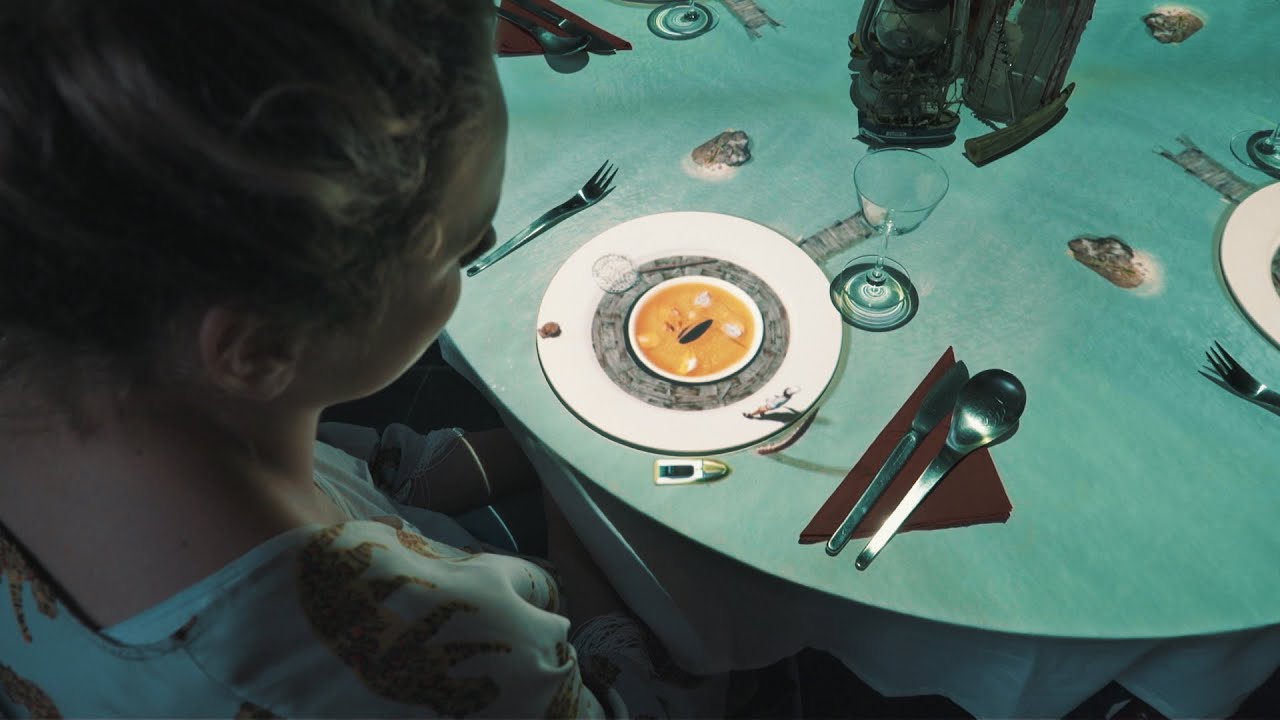
The world's smallest chef cooks a typical fish dish, 'Bouillabaisse'... Bon appétit!
Have a look at our other 'Le Petit Chef' projections:
Dessert: https://www.youtube.com/watch?v=LXyX-OvZlUg
BBQ: https://www.youtube.com/watch?v=yBJEP4lsRFY
Lobster: https://www.youtube.com/watch?v=dMoPfBFOWt8&t=19s
Ricepudding: https://www.youtube.com/watch?v=8...
solar torrent
Using Live Link Face App for iphone I can animate the metahuman blueprint. However, for the Character Mesh that resides in my default pawn class - character blueprint, the live link doesn't seem to work. Any idea how I can use Live Link to animate the face of my pawn during runtime?

You can see in the above screenshot that the Live Link Face app only impacts the blueprint

This is the blueprint for Actor class and it has options for Live Link

However, the default pawn class has the Mesh component and it is not an actor class. So I don't have the Live Link option in the details menu
Any idea?
 bright quartz
This might be a bit obvious but I cannot find it, is there a way to change the retarget pose when using the IK Rig Retargeter?
 split marlin
Hey, how would I speed up a part of a animation, not the whole animation?
For example here I want the end to be a bit faster (The going to idle part)
https://www.youtube.com/watch?v=n8POuo1LjQg

 balmy ember
Thank you!
 red ferry
I export as follows from blender, in blender the character is facing the forward perspective correctly. I set the forward and up axis to X and Z when exporting the FBX... when importing to UE, the character is turned 90 degress, how do i fix that?\

convert scene was screwing me over...
 open grail
How should I handle shooting montages for auto fire? The montages end instantly reverting back to locomotion and is very prominent when I strafe.
 jolly viper
I feel like i cant use an anim notify on an animation that is not in my animBP, am i missing something ?
hollow orchid
trail maple
nope
I fixed it
for me I had to set the unit scale in Blender to 0.01 meters, so the mesh is really smol, then scale it up * 100
 mint owl
Friends! Maybe someone can help me? I want to migrate my project from 4.24 to 4.26 in UE4. But the project doesn't open and I get an error I don't understand! What should I fix, I don't understand! Please help me, I can't cope on my own...
Assertion failed: Q.IsNormalized() [File:D:/Build/++UE4/Sync/Engine/Source/Runtime/Engine/Private/Animation/AnimCompress_PerTrackCompression.cpp] [Line: 340]
 jolly viper
I feel like i cant use an anim notify on an animation that is not in my animBP, ...
jolly viper
jolly viper
I feel like i cant use an anim notify on an animation that is not in my animBP, ...
Any thoughts ? 🙂
exotic plover
bright quartz
This might be a bit obvious but I cannot find it, is there a way to change the r...
the only way for now is using the "Edit pose" button on the top bar, and doing it by hand
wind nacelle
I have a weird issue where two animation states bounce between each other constantly, basically both of the transitions in both directions are true at the same time.
However, inside one of the states I have a sequence evaluator that runs a function "On Become Relevant". If that function actually ran, both states would not be true at the same time.
The issue is that when it bounces between the states it never runs the OnBecomeRelevant function. Any advice?
 vocal mango
 tender cipher
rocky remnant
First thing - Unreal Engine Using Different bone Specially UE Characters.
2. You...
tender cipher
rocky remnant
First thing - Unreal Engine Using Different bone Specially UE Characters.
2. You...
My character has not ue skeleton. he's a monster he has a personal skeleton
but despite of that, mixamo manages to show animations very good
it's just bad when I put them on unreal
rocky remnant
It works with Mixamo skeleton means your character is humanoid. and you need to rigg that character to UE Skeleton & Also need UESkeleton animations to work
tender cipher
I'm not understanding
Rigged: (Yes)
Rigged to Epic Skeleton: (Yes)
Says my model
so what should I do to be able to use mixamo animation and my animations ?
rocky remnant
tender cipher
so what should I do to be able to use mixamo animation and my animations ?
First Test Your Epic Skeleton Character with Default UE Animations
is it working or not?
 eternal umbra
Hey guys! Now I'm doing IK control rig. Can you provide useful information on the topic? More specifically, I make legs for the character.
exotic plover
eternal umbra
Hey guys! Now I'm doing IK control rig. Can you provide useful information on th...

Share and transfer animation between characters of any size using IK Rigs and IK Retargeting.
uesfull information? 😅
tender cipher
rocky remnant
First Test Your Epic Skeleton Character with Default UE Animations
is it working...
I am testing default ue animations on my character (not the default character) and it doesn't find them so no.. it's not compatible as it has a different skeleton
tender cipher
 exotic plover
tender cipher
exotic plover
tender cipher
that sure looks like the UE skeleton hierarchy
have you tried skeleton compatibility?
tender cipher
Where?
exotic plover
one thing you can try, maybe do it on a test project, things might break
create a new project, based on the third person template
so you get the default UE4 skeleton already
then import that character ... and at import, set the skeleton to be the UE4 skeleton
afterwards, you might need to setup the sretarget same skeleton settings
in order for your custom character to keep proportions
tender cipher
but my character has its animations
I just need some anim from mixamo
that they work perfectly with autorig
but when I import in ue4 they are bad
exotic plover
so ... you can't retarget the mixamo anims to your character?
rocky remnant
tender cipher
but when I import in ue4 they are bad
I got it.
First Your UE Skeleton Rigg has issue means it's incorrect.
because it should work with UE default animations.
So Solution is First Fix the Rigg.
tender cipher
So the guy was lying about the model being rigged to epic skeleton ? lol
tender cipher
exotic plover
so ... you can't retarget the mixamo anims to your character?
When I import them I put the skeleton of my model
and the animation kinda similar but not the same. The back doesn't move and also the crawling animation is floating instead of being on the ground
rocky remnant
tender cipher
So the guy was lying about the model being rigged to epic skeleton ? lol
Right. Because there is no auto rigging tool for Epic skeleton Rigging.
I'm rigger for Epic UE4 & 5 Skeleton. i rigged 100's of characters for different games. so there is no such tool which can support Default UE Rigg.
tender cipher
Okay. So how do I do with mixamo ? I first rig my model to ue4 skeleton and then?
I need those animations lol
exotic plover
tender cipher
Okay. So how do I do with mixamo ? I first rig my model to ue4 skeleton and then...
- import your character with its own skeleton (it's the same as the UE4 skeleton apparently, doesn't matter)
- import mixamo animations (you need at least one of them to also have a skeletal mesh with the mixamo skeleton)
- retarget the mixamo animations to your character's skeleton

In this video we take a look at how we can share animations between two Skeletal Meshes that are using different Skeleton assets. We go through the setup and retargeting process and pass an animation between two different Skeleton assets.
(00:05) - Recap
(01:14) - Creating & Animating a Rig
(07:21) - Changing the Character's Pose
tender flicker
hey, does anyone know how to copy the ik_gun, ik_hand bones when using the new IK retargetter
the IK bones seem to be offset and the rotation seems to be weird after retargetting
rocky remnant
tender cipher
Okay. So how do I do with mixamo ? I first rig my model to ue4 skeleton and then...
as long as you'r not using "ue skeleton blueprints" you don't want to care about skeletons.
 strong birch
Anyone else have root motion Issues?. I created a character and then rigged with Mixamo, exported the rig and the animation and used the Mixamo Rootbreaker plugin to add root bone (Performed this for all my animations that would move excluding "stay in place" running/walking. After all that I still seem to have my character just repeating bumping into the capsule but not moving it everytime I enable root motion, almost like a jittery effect. Anyone have ideas?
 fleet aurora
anyone find any good tutorials for animating in unreal 5?
 wet vigil
how to export cinema4d camera animation to ue5 camera
vivid roost
Looks like calling GetCurrentStateName() in C++ on an animinstance can cause a crash if it doesn't currently have a running state machine. Is there a better way to get that information?
Or even if the state machine is running it can still get an index out of range error
sand oar
In one of the example I got a montage had two animations in it. I didn't know that was possible! How do I add a second animation to a montage?
polar terrace
Is there a way to put it on the ground? Whenever I have to manipulate it within the unreal engine it appears flying, it's annoying

 strange oasis
Hi, I have 2 skeleton meshes that share the same skeleton, and I'd like to merge them to one. How can I do that?
 glossy briar
Anyone knows a nice Blender discord, I'm trying to learn sculping a bit with blender and make my own assets for UE
strong birch
fleet aurora
anyone find any good tutorials for animating in unreal 5?
Check this one out

Learn how to use Control Rig in Unreal Engine 5 (UE5) to rig and animate a character in engine with this tutorial that works as a complete introduction guide to Control Rig in Unreal Engine 5 (UE5). By the end of this Control Rig Tutorial you'll learn how to create animation sequences for any skeletal mesh using Control Rig in Unreal Engine 5 (U...
vivid roost
Hi! I'm learning about AnimRetargeting. I am using Frank's Fighting Set which appears to use a skeleton that's identical to the UE4 third person project skeleton. Is there a way to do automatic retargeting, or very quickly?
The Skeletons are Identical
young olive
glossy briar
Anyone knows a nice Blender discord, I'm trying to learn sculping a bit with ble...
Grant Abbitt has one. I do not know the address off the top, but you can check his youtube
stiff gorge
For context i already have animations ready for this but i dont know how to play them.I have copy and pasted thirdperson bp and replaced the body with the wendigo thingy and stuff but i cant find a way for it to play animations like idle and run just like the thirdperson bp can do and stuff (sorry if this doesnt make sense)
 young olive
stiff gorge
For context i already have animations ready for this but i dont know how to play...
young olive
stiff gorge
For context i already have animations ready for this but i dont know how to play...
well, you need to make an animbp for your custom mesh
stiff gorge
young olive
well, you need to make an animbp for your custom mesh
thats what i mean idk how lmao
young olive
google will show you many tutorials on the subject
@stiff gorge if you just want to see it idle, just to make sure the anims are working, in the character bp right above or below where you told it to use your custom mesh, just assign the idle anim of your custom mesh
hollow orchid
could anyone explain when to use FBIK rather than IK?
wouldn't you always want to use FBIK because it controls the entire body? or is it a lot more performance intensive or something?
young olive
Pretty sure i read that it is rather efficient for what it does (FBIK). I would imagine there are cases where you would not want to use FBIK, but until you find one, probably just use it
i probably would not use FBIK on something like a disembodied tentacle though.. in my mind, it is a humanoid thing
 stone bolt
why does my character rotate in place, shouldnt it frelook when idle like in default 3rd person template. did i accidentaly change some settings?

 stone bolt
stiff gorge
Goto your BP
stone bolt
stiff gorge
Goto your BP
but then my characters head looks always in the same direction, idk why
 stiff gorge
stone bolt
but then my characters head looks always in the same direction, idk why
stiff gorge
stone bolt
but then my characters head looks always in the same direction, idk why
check your heads yaw direction thing like i did or something
 coral jasper
is the mixamo skeleton the same for all characters available there ?
stone bolt
stiff gorge
check your heads yaw direction thing like i did or something
how do i do that?
stone bolt
stone bolt
how do i do that?
@stiff gorge any ideas?
stiff gorge
stone bolt
<@509546564948197406> any ideas?
nah
stiff gorge
How do i connect the run anim

 bronze turtle
@stiff gorge when you open your wendigoBS is he animated correctly in there? If not you might need to follow a guide on "retargeting animations" on yt
Unfortunately even a well done guide is 30 mins long... It's not something someone on here is going to be able to walk you through setting up
@polar terrace is this a view of just the static mesh? Mind showing bones on it so we can see what root to pelvis is looking like?
If its just in the preview in the upper left of that window their is a drop down menu of options and one of them is "floor height" for preview
It's located in that little drop down triangle upper left
jolly viper
Hey ! Is there a way to use an anim notify of an animation that is not part of my animBP ? I use this specific animation by blueprint with the node "Play Animation". But I need the notifies that it contains. It doesn't work, I feel like only anims from the animBP can send their notify
eternal umbra
Hi guys! I want to adjust the character's slope relative to the slope during ascent and descent. I want to do this in Control Rig Full body Ik. Are there any guides?
 fresh adder

 dark vortex
I've done some animations in blender and Unreal, but it has been awhile - what would be a good way to just tweak the idle animation, so that the breathing/chest rise was much more obvious - would that involve more work with the rig/skeleton
glossy briar
young olive
Grant Abbitt has one. I do not know the address off the top, but you can check h...
Appreciate!
magic hull
Hey everyone
So I got a character animation, this character is holding a prop(using constraints), what is the best way to get the prop inside of UE ? I tried a bunch of different exports for the prop and none of them import the animation. Should the constraint be on the root bone of the prop for it to work ?
I was thinking an alembic would be an easy cheat code for that, but that's not working either for some reason.
 livid gulch
when retargeting a specific animation MM_Land (default ue5 land animation), character flips 90 degrees. Any ideas what could be the problem?
 polar terrace
bronze turtle
<@263827835477557265> is this a view of just the static mesh? Mind showing bones...
polar terrace
bronze turtle
<@263827835477557265> is this a view of just the static mesh? Mind showing bones...
Yea, wait a minut please
 bronze turtle
So it's just the animation preview, follow the the instructions i left you
rocky remnant
polar terrace
Try this:
-Open Character Skeleton-Right click in skeleton tree window- turn on retargeting option- Then try Changing Translation Retarget to Animation or Animation Scaled or Skeleton.
exotic plover
magic hull
So I got a character animation, this character is holding a prop(using constrain...
holding a prop, as in, the prop is attached to his hand bone?
also, regarding retargeting same skeleton, when showing retargeting settings, press CTRL+Alt and it will tell you the correct steps (this in ref to @rocky remnant and @polar terrace )
magic hull
exotic plover
holding a prop, as in, the prop is attached to his hand bone?
Yeah I figured out I have to put the prop inside the skel structure under the character's hand
So its working now, but will have to do some more learning on best practice
If its better to have a null bone under the hand and then the prop under that
instead of just under hand
exotic plover
magic hull
Yeah I figured out I have to put the prop inside the skel structure under the ch...
if it's for gameplay, just add the prop as a static mesh to your character BP and attach it to the hand bone; if it's for cinematics, just add it to sequencer and add an attach track 🙂
magic hull
exotic plover
if it's for gameplay, just add the prop as a static mesh to your character BP an...
wth, attach track ? 😮 will have to look that up.
exotic plover
magic hull
wth, attach track ? 😮 will have to look that up.
yeah it even has options to keep transforms when attaching/detaching ... but tbh I find them a bit complicated
when I need to pick up and let go objects, I just use a clone of the object, always attached to the hand, and with a visibility track set to hidden ... when picking, just switch visibility on the stationary one and the hand one, and the opposite when dropping 😄
magic hull
exotic plover
yeah it even has options to keep transforms when attaching/detaching ... but tbh...
Thank you once again for great info 😄
zealous jewel
Guys is there any way to avoid multiple transitions happening in a single tick, and instead first evaluate "OnBecomeRelevant" functions of the various nodes before checking further transitions?
Suppose I have states A, B, C, and I transition if COND is true, both from A to B, and from B to C. If I'm in A and set to COND to true, it immediately skips to C, despite me setting a "COND = false" when entering B, by using "OnBecomeRelevant" output node of state B... but it seems that that function is actually called after transition rules are evaluated.
Best I can think of is to add a "Get Relevant Anim Time > 0.0" into the transition rule, but that's very hacky.
magic hull
I have an animated outer cone angle on a spot light, it goes from 1 to N, but its not animating ? when I scrub the timeline, or press play it only shows as the last entered N
exotic plover
magic hull
I have an animated outer cone angle on a spot light, it goes from 1 to N, but it...
it is weird, it doesn't seem to work, even thou it is a keyable property 🤔
there's a workaround thou 🙂
Unreal Sequencer Documentation
https://docs.unrealengine.com/5.0/en-US/unreal-engine-sequencer-movie-tool-overview/
A tutorial demonstration on an undocumented and hidden feature in Sequencer that allows you to trigger functions through modifying variables, without the need for Events or Event Ticks within Unreal Engine 5.
00:00 - Introduction...
magic hull
exotic plover
there's a workaround thou 🙂
Thanks ! Ill check that out
exotic plover
magic hull
Thanks ! Ill check that out
just to be on teh safe side, I tested it, it works 😉 https://i.gyazo.com/9dce2fda5e4ce4e21b0edc7262a57671.gif
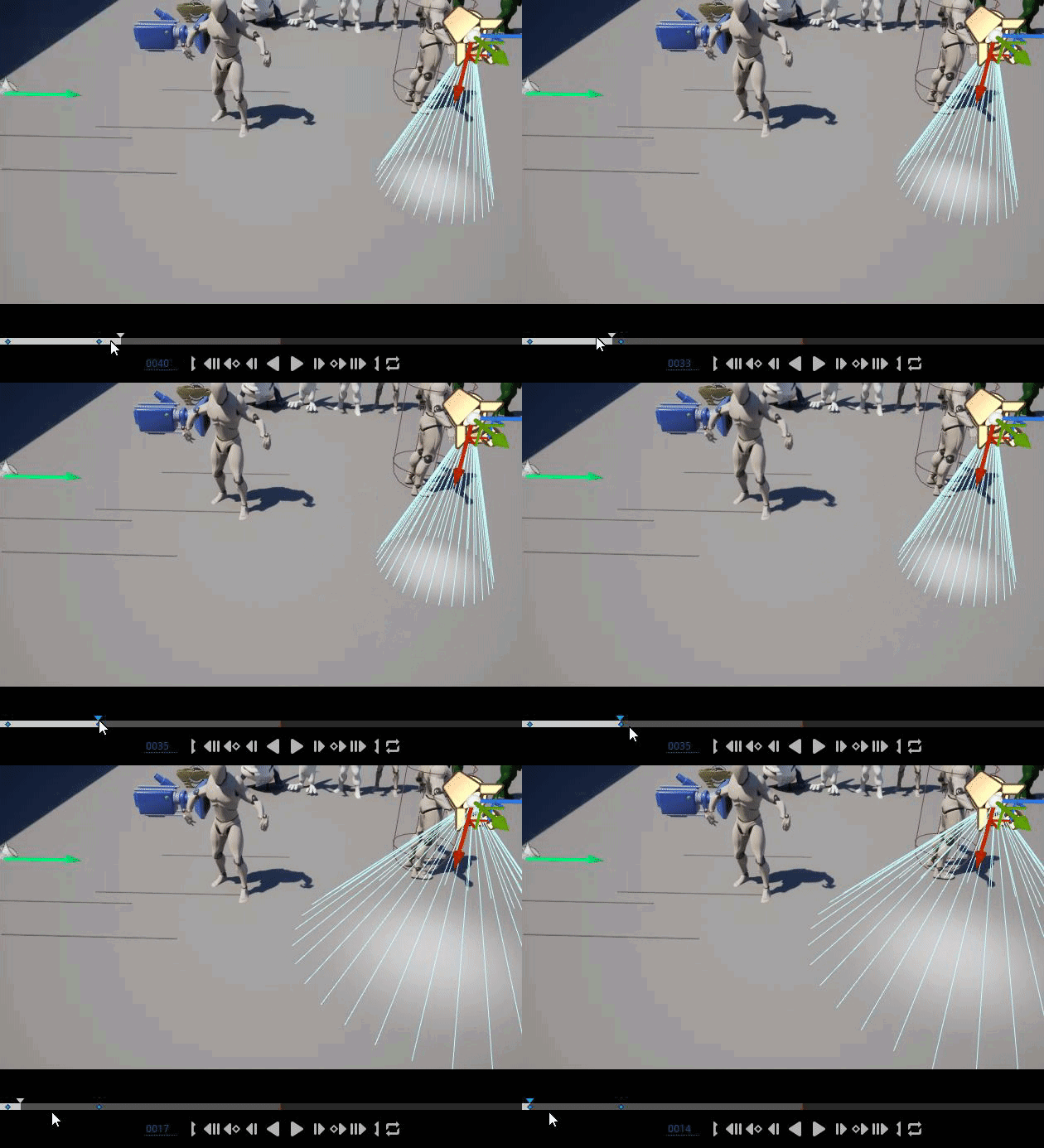 magic hull
Lets see how far I get with it haha
 honest geyser
Is it possible to replicate a value from an Animation BPs event graph? I've tried several times, but am not able to get it to replicate to the client.
 exotic plover
let me know if you need any help @magic hull
honest geyser
Client to server is right (obviously) but server does not replicate to client..
I am using these values to control an aim offset on my characters.
magic hull
exotic plover
let me know if you need any help <@245068920925585408>
I have the Variable, I have the Function, I tested with Print String and it works. Now I set the Function to Set OuterCone Angle, target being the spot light, and it doesn't work

So I'm sure I am missing something ;o
exotic plover
I can only spot two differences
on my function input, I use the exact same name
so in your case, would be ConeOuter, instaed of Outer Cone Val
magic hull
I am starting from 0 one more time to see how it goes
magic hull
Welp
It worked
I think its because i created a BP from selection
Instead of new one
exotic plover
possibly 😅
magic hull
Thanks !
magic hull
Yeah I am thinking how many things that usually aren't keyframable will be at my disposal now 😄
 honest geyser
I understand that no one has a suggestion for me on how to fix the AnimBP replication issue I was having, but I solved it, and this was the solution.

The Final Aim Offset is a value that is replicated on the character component, so I elect to use it for clients, and the AnimBP values for local, this makes the First Person aim offset, smooth without the odd delay/jitter that happens when Interpolating aimoffsets with mouse movements.
Now I am trying to figure out if I can get a Transform (Modify) Bone node into a state machine...
Being inside the an animgraph statemachine. I am unsure what to feed into it..
 stiff gorge
how do i put the UE4 mannequin onto a new mesh?
young olive
Ok, I have had it with this. Please tell me if i really need the IK bones or not.
 toxic thorn
hello, im looking at this tutorial https://youtu.be/N7WdyAeeDrw and i was wondering if there's an easy way to do an IK rig for ue4 mannequin -> ue4 mannequin?
Hey guys, in today's video I'm going to be showing you how to use the new animation retargeting system in Unreal Engine 5. This is using the IK rigs and retargeting. The example in this video is using a Mixamo character and animation, however this will work for any character, skeleton, and animation you want to use.
Mixamo To UE5: https://youtu...
im learning the ropes but creating this for every single animpack seems... tedious
also trying to understand the big picture here:
- i have an existing anim bp, with hundreds of animations, they're all on a single skeleton
- ok, now i want to add a new animset
- when i add the marketplace asset, this introduces a new skeleton asset... i would prefer not to have this, is this possible with ue5 at all?
i'd prefer to have the marketplace asset contain just the animations, no physics assets, no skeletons, just conventionetly foldered animations/montages
this was possible with ue4 (retarget skeleton, delete the skeleton, mesh and physics asset)
toxic thorn
nvm just deleting and replacing refs still works 🤦♂️
eternal umbra
Hi guys! I want to adjust the character's slope relative to the slope during ascent and descent. I want to do this in Control Rig Full body Ik. Are there any guides?
exotic plover
young olive
Ok, I have had it with this. Please tell me if i really need the IK bones or not...
what's the problem with IK bones? Anyways, I personally never ever used them 😅
young olive
exotic plover
what's the problem with IK bones? Anyways, I personally never ever used them 😅
Oh good 🙂 that is good news to me. Problem has to do with their behavior when i use an existing skeleton. For example, i have my custom character and i have gone through many nightmares to adapt it to the Unreal Mannequin skeleton :/ So, i go and import my char to UE and tell is to use the ALS skeleton (just doing tests and wanted a good handful of animations) Anyhow, it does this fine, but for some reason, the HandIK bones float 8 (game inches, not screen inches) inches or so above the wrists. so, my character is a bit shorter than the mannequin, so it seems that UE adds Virtual Bones for those ik bones. They are included on my imported character, but i guess the height difference made UE want to help fix things. Well, it all kind of worked, but the alignment and, size of, is off for those IK bones. I don't really know why.
exotic plover
I never did any serious work with ALS, so, I don't really know how relevant the IK bones are there 😬
young olive
toxic thorn
this was possible with ue4 (retarget skeleton, delete the skeleton, mesh and phy...
Why can't you do the same now? i think you can just export the anims once you have the Ik rigs an reatergeter stuff all done.
young olive
exotic plover
I never did any serious work with ALS, so, I don't really know how relevant the ...
In my limited trials, it seems to be off for any Mannequin, but i am trying a different approach right now. Fingers crossed! And thanks for the input 🙂
exotic plover
young olive
Why can't you do the same now? i think you can just export the anims once you ha...
his problem is that /Characters/UE4skeleton is not the same as /SomeANimPack/UE4skeleton ... even if they are in fact the same exact skeleton
young olive
exotic plover
his problem is that /Characters/UE4skeleton is not the same as /SomeANimPack/UE4...
Oh.. ok, that makes sense
toxic thorn
young olive
Why can't you do the same now? i think you can just export the anims once you ha...
yeah, ended up doing that
bit silly question in the end
exotic plover
young olive
In my limited trials, it seems to be off for any Mannequin, but i am trying a di...
also, for different proportions and same skeleton, make sure to properly set the retargeting same skeleton settings
toxic thorn
sucks i have to resubmit a few gigs of animations now, rip cloud storage space 😄
young olive
exotic plover
also, for different proportions and same skeleton, make sure to properly set the...
So, even when i import my Character and tell it to use Mannequin Skeleton directly, thereis still that settings thing, like Animation, Skeleton, Animation Scaled, Orient, etc?
exotic plover
yep
young olive
ARGH!! Ok, thank you. I kept trying to find that page for other reasons, but could not. On the hunt again
exotic plover
just open the skeleton, enable/show retargeting options, point to any bone and press CTRL+Alt ... it will tell you what to do 😉

 young olive
I looked at that screen/pulldown 3 times and did not see it. I think it is time for a break. Thank you! 🙂
exotic plover
😄 no prob, happens a lot 😄
young olive
@exotic plover ARGH! UGG! and other various screams! The amount of time i wasted not realizing that, that had to be set even when using the same skeleton is embarassing (better part of this evening, and points in the past). You are a sanity saver! Thank you very much! 😌
exotic plover
LOL glad it helped 🙂 👍
young olive
Very much
exotic plover
in fact, that has to be set specifically when using the same skeleton, for different proportioned characters 😉
young olive
i think that one actually gave me a few more grey hairs :/ 🙂
exotic plover
hey, it all adds to the charm, or so they say 😅
young olive
exotic plover
in fact, that has to be set _specifically_ when using the same skeleton, for dif...
That is now written in my notes. Will not miss that again!
🙂
 gentle badger
guys how to stop skeleton from animating but character keep moving ?
young olive
just to clarify, moving as in velocity, or as in like the animation is playing still?
like, still moving forward, but stop playing the walk forward animation?
gentle badger
young olive
like, still moving forward, but stop playing the walk forward animation?
yes
stopping skeleton but keeping the state
for optimizing
i want to stop away AI characters from doing unshown stuff
like animating or ticking or rendering
young olive
Ok, i do not know, but i wanted to help clarify the question for others
gentle badger
okay
solar torrent
Hi everyone
Is there any way I can animate the face of a player pawn?
I can easily animate the face of a BP actor
However, animating the face of a BP character seems to be different / difficult
Any idea?
young olive
Does the Base/Rest pose matter? Mannequin is a-pose,. my character is t-pose. i import my character and assign it to the Mannequin Skeleton, and everything works fine. Will there be a point that the fact my Mesh is actually a t-pose be a problem? will i need to calculate 'from rest' in animBP or similar?
exotic plover
young olive
Does the Base/Rest pose matter? Mannequin is a-pose,. my character is t-pose. i...
probably only if you need retargeting... but my experience with animBP is not much, so 😅
young olive
exotic plover
probably only if you need retargeting... but my experience with animBP is not mu...
Great! Thanks 🙂
young olive
If it was not for rest poses and weight painting, animation my actually be tolerable :/ I mean, enjoyable
young olive
@frail shuttle Well, it says right on your screenshot, invalid type. perhaps the documentation will show which types are valid
 idle maple
is there a way to change the base pose of the character through c++?
I was trying to access Skeletal Mesh so I can use SetRetargetbasePose() but couldn't access it
anyone know why?
exotic plover
young olive
If it was not for rest poses and weight painting, animation my actually be toler...
weight painting, as in, skinning a character? 😅
young olive
exotic plover
weight painting, as in, skinning a character? 😅
Yep. My nightmare :/
Clavicle to upper arm is just not working the way i want
exotic plover
ah yes I don't enjoy that part either. last chars I skinned I used Akeytsu ... it's actually intended for animation, but I find the skinning tools very good
young olive
Oh! I had not realized it could do that. Only spent about 30 seconds in it to make sure it was functioning. Going to give it a try right now. Thanks!
exotic plover
and yes ... armpits are the hell of skinning 😂
young olive
Indeed! :/
young olive
That is going to take me a bit of time to figure out. Even my selecting the mesh does not show the weights like it does in the tutorial (Yes, i verified i was in the correct mode) Is there a quick 'autoweight' i can do, just ot get an idea of its algorithms?
exotic plover
just a sec
 main lagoon
can anyone tell me how to fix this bug, i exported my animation from blender
 crystal imp
Say could anyone give me a hand here?
I've setup a TurnInPlace system but It's root motion based and I can't move until the animations are finished...anyone know of a way to cancel root motion animations or might know what I may be doing wrong?
I've been doing this from scratch. It's the first time I've ever tried to make an animation system from scratch and without following ALS
crystal imp
main lagoon
can anyone tell me how to fix this bug, i exported my animation from blender
I'm assuming your trying to import it directly to that characters skeleton. You could try to re-export it, seems something isn't matching up between the skeleton and the one your trying to import it for....or you could try importing it as it's own and then re-assign the other one to that skeleton?
misty dagger
Hi guys, how would you go about implementing a pick up animation that picks up something with both hands, like a crate? Attaching the crate actor to my available sockets (hand_R and hand_L) doesn't really work as the crate is not centered then. Is there some socket you can create that is always aligned with Y=0 on its parent skeleton?
I'd like to avoid having to manually adjust the transform of each crate size to be centered with every possible skeleton
main lagoon
crystal imp
I'm assuming your trying to import it directly to that characters skeleton. You ...
if i export the animation with mesh, i can import it into unreal and delete the skeleton and retarget it to the already imported skeleton. but that is simply not a workflow i wanna use. why can't i just import the animation directly?
main lagoon
crystal imp
I'm assuming your trying to import it directly to that characters skeleton. You ...
would you mind having a look at it if i stream it to you?
crystal imp
main lagoon
would you mind having a look at it if i stream it to you?
Were pushing the deadline for a game jam right now
main lagoon
ah okay, all good
crystal imp
main lagoon
if i export the animation with mesh, i can import it into unreal and delete the ...
To import an animation into Unreal it needs to know what mesh the animation is for...as far as I know there isn't any other way. Either you import the mesh and animation or import just the animation without the mesh but assign it to the skeleton of the mesh it was made for.
main lagoon
when i export my animation with mesh, but in unreal then assign it to the skeleton an not import the mesh. it just doesn nothing, the animation is standing still
 wild hollow
does anybody know where to find pistol and rifle equip/holster animations?
Mixamo doesn't have what i am looking for
red ferry
I cant remember how, but in UE4 i could edit animations, just by taking an existing animation and moving the bones around, to tilt the character forward in a walk cycle for example. is that possible in UE5?
 dapper scarab
Hello. I am working on something that will probably seem simple but I can't quite get it to work. I have an animation playing with a Sequence Player when the character crouches. The issue is that if they stop moving, the animation continues walking. Ive been trying to figure out if there is a way to pause the Sequence Player on the current or tell it to use a specific frame from the animation
 strange vortex
Quick question. Working on a project and i got to a problem with cached states in my Anim BP. Everything works if i hook it up without the cached pose, soon as i hook it up how ive seen in a few tutorials ive watched trying to solve the issue, but i get no animation at all if i hit play. Disconnect and hook up my state machine its back to normal. How do i go about using a cached state?
Am using UE5 btw
 ivory terrace
Hi, I have a boat that has buoyancy , Im trying to do a cinematic, which needs to follow a logo on the boat, but each time the boat floats differently, so cannot predefined the camera path . Is there anyway to set a target for the camera to always look at?
ivory terrace
wild hollow
does anybody know where to find pistol and rifle equip/holster animations?
Did you try actor core?
wild hollow
@ivory terrace what?
ivory terrace
wild hollow
<@726048978332024913> what?
https://actorcore.reallusion.com/motion/free this, there are free animations, but you can buy them for low prices as well , have a look and see if you can find what you looking for
 wild hollow
it doesn't have them
ivory terrace
wild hollow
it doesn't have them
https://actorcore.reallusion.com/motion?orderBy=Relevance&keyword=pistol holster&asset=b04a-hold-gun-holster-gun
It has them, but seems not free
 ashen tide
wild hollow
does anybody know where to find pistol and rifle equip/holster animations?
ashen tide
wild hollow
does anybody know where to find pistol and rifle equip/holster animations?
Check the unreal marketplace
ashen tide
ivory terrace
https://actorcore.reallusion.com/motion/free this, there are free animations, bu...
Any luck retargeting these for metahumans on UE5?
 subtle shore
Is this the right place to ask about cloth sim?
ivory terrace
ashen tide
Any luck retargeting these for metahumans on UE5?
yeah, its ready for unreal
ivory terrace
subtle shore
Is this the right place to ask about cloth sim?
Not sure, but I did clothe stuff recently, can help maybe
subtle shore
ivory terrace
Not sure, but I did clothe stuff recently, can help maybe
Hello, I am wondering why my cloth is not falling down where it is painted?


It is landing horizontally where i panted instead
I am trying to get it to fall like a rag on a clothes line

it is just floating there when I want it to hang

 heady forge
Hello! Anyone know how to fix animations breaking when exporting from blender to unreal?

 wild hollow
@ashen tide what do you think was one of the first things i did was?
@ivory terrace thanks
young olive
So let's say i have a control rig that rotates kneecap bone a percentage of lowerleg bone rotation. How do i make this control rig calculation be considered when retargeting animations?
I assume it is just a "click here" type thing, but i am about to start a lot of work that depends on the ability to do this, so i need to make sure
no responses here, so asking in general room
 onyx moss
restarted the computer and restarted the project, now my aimoffsets are not working, any idea what can cause this?
I double checked everything and everything is the same as before in the working condition... but now it is not working.
the character scaled up to 200 when I played any of the aimoffset.
copying the animations in the new project works fine.
onyx moss
heady forge
Hello! Anyone know how to fix animations breaking when exporting from blender to...
importing in blender with unit scale of 0.01 and applying the scale of object scale 100 and export as fbx, later import in unreal will work fine
onyx moss
onyx moss
restarted the computer and restarted the project, now my aimoffsets are not work...
I fixed it, regenerated the localcache and montagecache , solved the issue
 grand oracle
hey need some help with FK control rig in level sequencer, i was following the Control rig learning course and am trying to duplicate adding a additive Fk contorl rig to sequencer, soon as i make it Additive all controls go and mesh 0 to root, any idea what wrong?
grand oracle
I think it might be the solver..
 steel comet
Hey, this might be simple or not but is there away to change a skeletal mesh's skeletal mesh to a different animation so if I apply it tot a socket of a mesh it will display that animation instead of the default?
I want to change the animation for this preview skeleton. when placing it against a mesh.

you can change a skeletons preview animation but it doesn't seam to be displayed when on a socket.
 timber moth
I was told that this might be the place to ask this question, if I want a character like a shark to be able to move underwater like in depth, how do I do that, I have a model and it’s fully rigged and weight painted, but plugging it into UE5 is new to me and idk what to do, I want that body to follow the head or a bone in front of the head with some swimming animations that follow behind, almost like this
Not mine^^
 subtle lava
How do you stop unreal engine merging meshes during SKM import?
 sterile warren
Hello! I'm trying to create an IK system for the pelvis of the mannequin. I want to use it to place the pelvis on a chair when a sitting animation is playing. How would one go about this? I've tried, but I'm stuck because the pelvis is the root bone, and therefore when I translate it, everything else moves as well. Thanks!
young olive
is there any way to make Control Rig calculations/instructions/directives be considered when retargeting?
 ember saddle
hi guys. does anyone have an idea why my character keeps walking like that?
https://gfycat.com/bonyhardtofindbanteng
the problem does not occur with max walk speed (400) or min walk speed (eg 1). only when in between, e.g. 100 or 200.
also: it works completely normal in the blendspace itself

 median grove
hi. how can i solve this problem in ue5 3rd person character control rig?

 copper moat
Hello, I'm trying to do IK Retargeting in ue5 with mixamo rigged character, after retargeting bones, and changing mesh in BP_ThirdPersonCharacter it doesn't seem to work
objects moves in rigging pose
 zealous jewel
Guys does anyone have any conceptual understanding of how stride warping works? How exactly does it adjust the animation? For an animation where character is running forwards for example (in X direction), does it simply adjust the feet position with IK, scaling the foot IK along the X axis? Or does it do more stuff than that?
You could get an estimate of the animation root motion speed by getting the current root motion displacement since last frame. Dividing by target locomotion you speed you'd get some value, say 0.8. Now you'd just scale to feet by 0.8 along X axis (so back foot moves a little forward, forward foot moves a bit back).
 shut moat
evening
 turbid sky
Hello, I followed this tutorial on using the IK Retargeter, and at one point in the video, they edit the default pose of the skeleton it's targeting. For some reason, the prototype character I rigged isn't responding to editing it's pose.
Here's the video I followed: https://youtu.be/klNk4siHjDM?t=560
Here's a screen capture of what's happening, you can see that I can't seem to rotate the bone, like the normals are out of wack? Very strange. https://www.loom.com/share/f5a71a40026a48149d722e393a17d61c
The skeleton I rigged works fine on it's own, so could it be some sort of bug in the IK retargeter? Any suggestions on how I could fix it to allow me to start editing the pose?

Retarget wathever rig that you have with whatever animation in unreal engine 5 fast and easy
link to my patreon page and download sources and graphics:
https://www.patreon.com/navidansari
instagram:
https://www.instagram.com/navidrct/
timecodes:
0:00 intro
1:02 how retargetting work in unreal engine 5
3:14 create ik rig for mannequin...

 turbid sky
So I think I figured it out.... I read the documentation on the IK Retargeter
https://docs.unrealengine.com/5.0/en-US/ik-rig-animation-retargeting-in-unreal-engine/
The step that is missed by the tutorial is to set the 'Target Root' in my skeletons. Didn't need to set the source root for some reason. The tutorial doesn't do this, yet somehow manages to still edit the post. probably has to do with being slightly different versions.
Share and transfer animation between characters of any size using IK Rigs and IK Retargeting.
ivory terrace
subtle shore
Hello, I am wondering why my cloth is not falling down where it is painted?
For this, I think you need to paint the inverse, means keep the middle line rigid and paint the sides, But I think its best to paint all and use the physics asset to hang it

 jolly hatch
I am trying to put together a control RIG for to help control the limbs of my character in real time . and I need to fix the elbow with pole vectors. to prevent the arms acting unnaturally. Has anyone had any experience with pole vectors in controls rig or is it better to still run that part through a NODE or IKrig in the animBP
young olive
I don't know, but looking forward to an answer, as that is what i will need to know very soon
jolly hatch
steel comet
Hey, this might be simple or not but is there away to change a skeletal mesh's s...
I feels this pain also. but my only advice is to load the pose/ animation of the hand you and instead load the preview of the item you are trying to grab to the socket on the hand.
young olive
Do you know if there is a way to make the control rig calculations, like the pole calc, affect the output of Retarget?
young olive
Ok, thanks. i will keep looking into it
jolly hatch
While Im here trying to understand ctrl rig. anyone know how You can utilze this output, of calculate pole vector.
 young olive
I am just starting all of this myself, so no help here yet
misty dagger
Anyone use AGR Pro?
rocky remnant
copper moat
Hello, I'm trying to do IK Retargeting in ue5 with mixamo rigged character, afte...
try choosing retargetted animation. other wise you have to rigg character to UE Skeleton.
steel comet
jolly hatch
I feels this pain also. but my only advice is to load the pose/ animation of the...
We actually figured out a way around it. We figured out we could open the skeletal mesh and set it to preview and animation that had already been created. From there at the top of the skeletal mesh window you can convert to static mesh. Converting it to a static mesh allows us to open the object and ally the hand pose static mesh to the socket. For easier positioning. This works really well.
E can't attach the weapon to the hand for socket positions because the hand attaches to the object not the other way around.
young olive
Anyone use Cascadeur? I am trying to figure out why changing nothing and just exporting puts my character on its back now. :/ this is too silly to not be a simple setting to change to fix EDIT: Further info below
jolly hatch
steel comet
We actually figured out a way around it. We figured out we could open the skelet...
HEY Thanks for sharing that solution Jonathan . Thats an interesting workaround For that setup
young olive
Ok, for the Cascadeur to Blender, Unreal, and back, etc. Best to check the Cascadeur discord. It is still kinda of work arounds right now, so a bit involved, but seems doable.
steel comet
jolly hatch
HEY Thanks for sharing that solution Jonathan . Thats an interesting workaround ...
Yeah, it works quite well for vr specifically. It means animations and hand positions can be done entirely inside ue without exporting to a seprate program
 royal vine
Hi!
I have a problem:
When I import an animation from FBX format into u-asset, it gives me a warning, like "the bones are not right", while the animation itself works
BUT the mesh with this animation is reduced 100 times
At first I generally thought that there was simply no animation, but it turns out that if you bring the camera closer while watching the animation, it turns out to be such
How to fix?
I tried to add the Root bone and the End bone (and just look what unreal does)
(Before, there were also warnings about Root and End bones, but the animations worked properly, the error was not in them)

Mesh, normal size, with normal bones, no animation (1)
Animation when viewed (2)
Animation, but I found a mesh in it (3)


 jolly hatch
steel comet
Yeah, it works quite well for vr specifically. It means animations and hand posi...
jolly hatch
steel comet
Yeah, it works quite well for vr specifically. It means animations and hand posi...
I agree and more so in situations where you have to grab Immovable world actors like door handles and levers. But when the hands are attaching to pickup items Is it not a bit tricky to make sure the hand positions match to your RL hand position with zero offset, because that could break the hand presence ?
steel comet
jolly hatch
I agree and more so in situations where you have to grab Immovable world actors ...
So I'm working on a vr template at the minute and this is one of the things I've implemented. So the hands are positioned manually to feel comfortable, after that there original position and vector are stored on begin play. I then store there positions so when the skeletal mesh (hand) is detached from the motion controller it attaches to the objects socket. Then on release the grab component detaches the hand from the object and re attaches it back to the motion controller. Here is an example of it working.
I also have a short series on setting up the hands

#UnrealEngine #VR #VirtualReality
► Join the Discord: https://discord.gg/xw65fg7
► Description
I show how to use my custom GDXR Template which is currently available through my Patreon as early access.
► Patreon: https://www.patreon.com...

#UnrealEngine #VR #VirtualReality
► Join the Discord: https://discord.gg/xw65fg7
► Description
This is part 1 of a series where I show you how to add VR hands to the 4.27 and UE5 VR templates with a variety of interactions.
VR hands: https://jonathanbardwell.gumroad.com/l/VRHandsForUnrealEngine
------------------------------------------------...
willow zenith
is this the right place to discuss cloth simulation?
jolly hatch
steel comet
So I'm working on a vr template at the minute and this is one of the things I've...
Yeah I been keeping an eye on you ,as a follower. I do that with all my competition in this space 👅 😆 Im https://www.youtube.com/channel/UC0fPNyq14727ZOySjfwxsWQ

YouTube
Ex Game modder Turned Wannabe VR Game Dev
Day Job = I.T Professional
PC GAMER
Hobbies VR & Learning Unreal Engine / Game development.
Digital 3D ARTIST,
Ex -Game modder
willow zenith
How can make collision from the mesh itself (the weapon mesh). I don't like capsule collision neither a box or a shpere, they are too big
for the cloth simulation collide to
jolly hatch
willow zenith
How can make collision from the mesh itself (the weapon mesh). I don't like caps...
convex collision
willow zenith
jolly hatch
convex collision
do you have a link tutorial for that, that would be great 🙂
jolly hatch
willow zenith
do you have a link tutorial for that, that would be great 🙂
Its easy to find, You just generate a convex hull from the collision tab. Choose how accurate and dense you need it to be with hull count settings
willow zenith
jolly hatch
Its easy to find, You just generate a convex hull from the collision tab. Choos...
does it work for skeleton?
i thought only static meshes
jolly hatch
Actually I think it might do it inside the physics assett. Instead of using those shapes . I remember doing that on a ue5 vheicle setup
jolly hatch
willow zenith
oh well, it's useless for me lol
watch this bit here https://youtu.be/GcsVkmlpVTw?t=308

UPDATE 15 Sep 2021: !!! IMPORTANT !!! If your car is stuck in the air and doesn't drive, make sure you are using the special 4.26-chaos/4.27-chaos/UE5 EA versions, all available from the Epic Launcher and NOT the "regular" 4.26/4.27 versions which still uses PhysX and not Chaos Physics. Chaos Vehicles need Chaos Physics and will NOT work with th...
jolly hatch
jolly hatch
watch this bit here https://youtu.be/GcsVkmlpVTw?t=308
Bottom right . change sphere shape whatever! to convex I think
willow zenith
thanks i will try that now
jolly hatch
Quick question ! I got my pole vectors working in control rig , but I think they are stuck in world space Because when my character mesh torso strafes left/right in runtime the elbow positions change . I need to make them use the relative space. any ideas.
 coarse crater
hi everyone, i search best solution for face Animations
i found this but i don't know if it is good solution https://www.facefx.com/
help
🙏
 tall lion
@jolly hatch perhaps they need to be parented to rootbone or equal?
young olive
How can i make the calculations of Control Rig affect the output of Retarget? Is it even possible at this point?
 weak wing
1 question
would the Mr Mannequins Tools work with UE5?
 limpid marsh
Hi. Is there a way to solve this recurrent issue when combining animations in the Sequencer?
Frame 206 vs Frame 207. Frame 210 starts to correct. Frame 211 seems corrected.
Thanks in advance


 jolly hatch
tall lion
<@402361863331119116> perhaps they need to be parented to rootbone or equal?
jolly hatch
tall lion
<@402361863331119116> perhaps they need to be parented to rootbone or equal?
Thanks I will do some testing. But I'm Not sure what you meant by equal
 cunning locust
hi, has anyone any idea about retarget rigs where the feet bones never haveing a fixed position, they seem to always be flying around somewhere else.
light river
I'm trying to retarget from the free Death Animations to the ALS skeleton and root motion work, except for the vertical. Instead of falling it looks like he's laying on a table in mid-air. Any suggestions
I think I figured it out. Apparently I had pelvis as a root for my spine. I made a chain that was just root and pelvis and removed pelvis from the spine chain.
Also had to modify the retargeting for the pelvis in the skeleton as well... Odd.
copper moat
In order to make a custom character run in gameplay, do I need to do IK retargeting? or is it only for animation?
 strange marsh
IK makes it so the character's arms automatically reach out and touch walls. Feet will automatically rotate to the surface they're standing on and knees will automatically bend themselves so they look like they're in a natural location. It takes some effort to setup but makes for a much nicer looking end result.
You can still use an idle / running animation and blend the two together, but just know that without IK when your character is standing there idle on a slope they will appear to float on an invisible flat surface instead of standing like they're on a slope with one leg higher than the other.
 wispy pendant
Struggling figuring out the same thing — Have you found a way to achieve this?
stone bolt
in my 1d aim offset, how can i make it so that when transitioning from point a to point b i dont blend through all the poses in between? i want that pose a blends straight to pose b, if you get what i mean
 strange marsh
How do you use a Time Remaining ratio when Blueprint usage warnings are enabled?

 brisk slate


can anyone tell me why the bone ends on my character are doing this weird thing
they are stretching further out than the characters mesh
(mesh not shown in the screenshot)
it doesn't look like that in my modeling software though (Blender)
bronze turtle
I'm currently using a root motion jump off a pole, anyone have any info i can read or watch to help smooth out the transition from the montage back into normal falling animation... currently the animation plays and has a very abrupt mini stop in the air before switching into falling...it doesnt contenue the trajectory of the root motion as the montage ends and looks pretty bad
eternal umbra
Hi guys! I’m working on setting the character’s legs. I took the logic from Valley Of The Ancient as a basis. But there are problems with this.
Not always a plausible setting of the legs relative to the unevenness
On high ledges, the foot bends at a large angle.
The question is: What solutions can be added to make the rotation look more plausible? How to limit the bend between the foot and the shin? Where can I get the logic for the reference ?
The desired result is any high-quality game with a view from the 3rd person
brisk slate
can anyone tell me how to apply the transform on a skeleton inside of Unreal? my bone ends were messed up on import so I realigned them but they reset back to the messed up ones after I re-open
I see "Reset Selected Bones Transform" but can't find how to apply it
latent frost
@brisk slate I am not expert but try turning off leaf bones when exporting from Blender
latent frost
Hi, I have a SKeletal Mesh of a gun using the lyra skeleton, but the animations play sideways instead of along the length of the gun. Any idea what I did wrong?

I made it in Blender
 prisma quiver
does anyone have a good video they know of to setup up fingers for control rig seems like alot of the tutorials out there skip this or are so advacne they are using custom automation scripts
 strong helm
I have a character mesh in blender without a rig.
It seems like getting something mapped to original ue skeleton rig is a pain (orientation issues?)
Is it better to just go off some custom/non UE skeleton and then just retarget everything to the new skeleton? Or any suggestions / recommended?
I see there is a few paid plugins that might make it 'easier' (UEFY?)
 young olive
strong helm
I have a character mesh in blender without a rig.
It seems like getting somethi...
young olive
strong helm
I have a character mesh in blender without a rig.
It seems like getting somethi...
I just dealt with that. one sec, ket me get some info for you
@strong helm Ok, having tried just about every solution is could, i ended up finding that Game Rig Tools blender plugin, with its Unreal plugin, actually worked, and worked well. You can go to his gumroad, and he is gracious enough to let you pay $0, suggested $15 price. I do hope if utilized, you can purchase at some point. But seriously, it is the easiest way i have found and it actually works.
it is by CGDive
I literally had my custom character using the Mannequin skeleton in about 10 minutes. (something i could never get to work properly for an embarrasingly long time)
strong helm
Thanks I had been trying to get mr mannequin tool to work, but I'll take a look at that if I can't get this one to work better
young olive
check out his video, and you should be up and running pretty quickly
strong helm
and when you import into UE, you are able select the existing ue skeleton so you dont have to retarget any existing animations or ue marketplace ue rigged animations?
young olive
yes, exactly
strong helm
Thanks! That's exactly what I want. Not that retargetting isn't possible. if I can just get my model to be attached to the actual ue skeleton I feel like it'd make a lot of those things easier long term
young olive
It is currently Mannequin style. He is also releasing Manny and Quinn style soon. Most likely, the anims you have already are Mannequin style
I agree
strong helm
I have slightly Androgenous stylized character so the manny vs quinn stuff doesn't bother me too much, even if I mix interchangeably. No close up animations. All top down semi far away
but thats great to hear though
young olive
Cool deal. I think this will be exactly what you need
 bitter shard
When I exported my skeletal mesh from Blender, it added a bunch of leaf bones that I don't need. I re-exported it and unticked "Add leaf bones" in the FBX options, but when I reimport it into UE5 the leaf bones are still there in the hierarchy!? Anyone knows how to get rid of them?
jolly hatch
Hey guys. Im rotating the character mesh to face certain directions but I want to clamp the rotation to the relative Yaw of the head bone so it does not pull an exorcist eg: -70 & 70 . the head look direction is being controlled independently.
fervent osprey
morning all not sure if im posting this in the right section but, ive been looking at this vid of how to make hands move to a wall when your close by, https://www.youtube.com/watch?v=xsvvA042l98&ab_channel=RyanLaley and also this vid on how to make the flash light follow the camera https://www.youtube.com/watch?v=9QIiYP354BU&ab_channel=MattAspland. now is there some to combine the 2? so the hand/arm raises the torch as you look up and around?
In this mini-series we go through what IK is and how it can be used to complete something like foot placement. In Part 5 we go through how to use the IK system to make the character automatically place their hands out in front to brace the wall in front.
Project files for this project are available on Patreon for Gold Patrons: https://www.patre...

Hey guys, in today's video, I'm going to be showing you how to create a system in which the flashlight will lead the player's camera. This means, the flashlight will move before the camera does.
#Ue4 #UnrealEngine4 #Ue4Tutorial
00:00 - Intro
00:21 - Overview
00:57 - Tut...
young olive
bitter shard
When I exported my skeletal mesh from Blender, it added a bunch of leaf bones th...
instead of trying to re-import over, delete the one with the leaf bones, reload the project, then try to import
bitter shard
young olive
instead of trying to re-import over, delete the one with the leaf bones, reload ...
That would cause issues with dependencies as its already integrated into many other assets.
 arctic nexus
Skeleton Mesh isn't updating when I use my attack, is there something Idk I need in the animator blueprint or something

 light river
I'm trying to set up physical animations. Anyone have a list of values that work well?
tender cipher
Hello, Do you know why sometimes the model plays the moving animation and sometimes not ?
 cedar compass
I've got a problem with my rotate root bone and my yaw. basically when I mulitply my yaw by 1 it will rotate the root bone using the Z axis and when I multiply it by 0 it will be rotating in the Y axis, which should also be the axis it should be rotating around when I multiply it by 1 but it doesn't so does anyone know how I can fix this? Its really weird like my Z axis and my Y axis are both the yaw?
Here are 2 video's which will explain my problem better:
https://youtu.be/yi942mKFj9k
https://youtu.be/yplr11d3l2Y


 mortal cape
I'm having problems debugging my animations in a multiplayer game. I have a Blend Poses node that thakes an enum to switch between different animations. When I switch debug object to either client or server version of the problem character, either seems to have value "3" which is the correct enum value. The animation is wrong though, and if I unplug the variable enum input and just "hard-code" it to the correct value "3", then it looks correct; it works like it is supposed to.
Is there a way to get the actual value out of a server animation blueprint while playing as the client?

The value 3 is misleading in this case, since a value of 3 (as tested by hard-coding it) would look correct, yet it looks wrong.
 summer timber
Does anyone know why my character is rotating after each swing?
 rugged swan
Question: How do I make it where a sequence keeps everything on the last keyframe after it ends?
Feel free to ping if you have answer
 crystal walrus
Hey peeps, if I wanted to animate the most simple cube floating in the air with a simple keyframe animation within unreal instead of through c++ how would I go about it usually?
Is there something like a timeline editor such as in unity
or is it more complicated than that?
 frigid scroll
what unit is StartPosition in the animation bp? is it normalized (0-1), is it the frames of the animation or is it the time of the animation in seconds?
frigid scroll
crystal walrus
or is it more complicated than that?
you could use this https://docs.unrealengine.com/4.27/en-US/AnimatingObjects/Sequencer/Overview/ActorSequence/
Describes how you can embed Sequences within Actor Blueprints using an Actor Sequence Component.
crystal walrus
Thank you
 rotund cove
Hi ! Can we use the control rig to drive blend shapes? Do you have a tutorial for this?
 simple arch
Hey guys do u know how to fix?
Basically the character rotates to the other side at the end of the animation
 jovial sonnet
I keep getting this error when trying to import animations from blender in 5.03
Animation length 1.208 is not compatible with import frame-rate 30 fps (sub frame 0.25), animation has to be frame-border aligned.
I really don't know how to fix this
young olive
light river
I'm trying to set up physical animations. Anyone have a list of values that work...
A bit of information in here, but not a concise list https://www.youtube.com/watch?v=46NfgXlnCzM
The first 1,000 people to use this link will get a 1 month free trial of Skillshare: https://skl.sh/prismaticadev02221
Hello dear viewer! Today we have a feature-length special that covers EVERYTHING you need to know about physical animation in Unreal Engine.
Physical animation can just be some extra sauce on your cake, or it can be integral ...
young olive
jovial sonnet
I keep getting this error when trying to import animations from blender in 5.03
...
Unreal Engine Forums
Hey so i have imported an mesh and it’s rigged and everything but it wont let me import the animations for it… It works for others to import the mesh and import the animations but wont work for me. Here is the error FBXImport: Error: Animation length 4.958 is not compatible with import frame-rate 30 fps (sub frame 0.75), animation has to be fra...
 tender ermine
Hey, I made character in Blockbench and exported it as a obj, how can I rig and animate it (at best all in c4d)? I tryed to find stuff on that on yt and google but couldent find much there 😭
 winged portal
Hi! i'm thinking on using anim notify to control some states on my characters
is there any chance that by some god hand miracle, one animation that i trigger with the owner as my character
ends up not being the animation currently being played?
For example: Character --> Play animation A ---> Play animation B
Animation A state notify tries to control character while not being the one currently being played.
?
brisk slate


anyone know where the "Constraints" options have gone from the Full Body IK node?
First pic is from a tutorial I'm following in UE4, second pic is in UE5
arctic nexus
Still having issues applying a skeletonmesh to a rig, I've tried numerous ways but it never seems to work. Rigging thing skeleton with the animation didn't seem to carry over to the model, not sure why... Still only used Unreal for a few days, so any help is very appreciated.
 heavy fulcrum
Is there a way to put trackers inside UE and export it along with camera data with film to composite later in after effects? For ex. There is a laptop with blank screen and I want to put trackers on each corner with camera movements. Later I export camera data as well as those trackers to composite a screen inside AE.
 subtle ginkgo
hi all! been searching for transform modify bones for motion capture prototype i've been working on
and now i got stuck where whenever i rotate my hips and rise my leg the leg doesnt rise with same direction as the hip
here's the blueprint for now
assuming the problem is the leg doesnt have hip as root, how do i solve this??
 copper moat
Hello, I'm trying to create intro after you launch the game and I want intro logo to show up with music, but after logo animation is done playing, music should be still playing? is there a way to do it? sorry I'm very new to blueprints
 indigo minnow
jolly hatch
I was following this guide here on the ( Preferred Angles ) Topic . I have becom...
indigo minnow
jolly hatch
I was following this guide here on the ( Preferred Angles ) Topic . I have becom...
Did you figure it out?
 sacred spoke
Hello everyone,
I have some kernel files, which I need to give as an input to unreal engine program and I need the output file as an animation ( I need this photos to be combined randomly)
So it would be a great help if anyone can do this.🙏❤️
 wooden fern
Hello, I am experimenting with the IK Rig in UE5. Is it possible to copy the chains from one IK Rig to another? In my case, I would like to copy the mannequin chains to the an IK Rig for the metahumans
 summer python
hey there sorry to be a pain but just wondering if anyone knows of any rigged unreal mannequins I could use in maya or blender ( not including the mr mannequin plug-in) just to avoid rigging it myself 👀
 frigid totem
Hello, how I can cut animation in unreal 5
For example: Split jump in to 3 different animation
- Jump Start
- Jump Loop
- Jump End
winged portal
Hi! does anyone know if there's any reason for my anim notif to not trigger if it's on frame 0 but yes on Frame 1?
 north fulcrum
How do I apply a blended animation without a montage? I have a chopping animation that I need to blend and ALL the tutorials I find are using animation montages which does not work for a continuous animation. Do I need to blend it in the AnimGraph? I don't see why it would need to be added to any state machine also.
 wispy granite
is anyone able to play an MP4 as a loading screen in ue5?
please tag if you reply
 frail snow
I'm wondering people handle standardizing of skeletons/rigging for a game. I was trying to import models that were supposedly UE5 Manny compatible, but they never seemed to work out of the box. Had a lot more success auto rigging a model with Mixamo then using animations from that site and manually setting up an Animation Blueprint from scratch like in this tutorial https://www.youtube.com/watch?v=NIYcU4ljkmU

Using the Third Person Game Template, you'll learn how to swap in any character and animations for the default mannequin in this meant-to-follow-along tutorial. We cover building an Animation Blueprint, including a State Machine and a Blend Space 1D, and other settings to fine-tune your character's motion. It's fun!
frail snow
north fulcrum
How do I apply a blended animation without a montage? I have a chopping animatio...
I followed the tutorial above with some tweaks and got nice blending between idle/walk/run
Also, does anyone have some top notch youtube videos bookmarked related to Unreal animation? Not just a simple how-to but a high quality one that you watched and things really started to "click" because everything was explained well from fundamentals
misty dagger
Would doing something like this be possible with control rig ue5 or ue4
 vivid roost
Is there an easy way to copy notifies and events from one montage to another?
 warped sapphire
How can i hold the pose at the end of a montage until a new montage plays?
 pearl smelt
hey everyone Power IK says supported engine version is 4.25 and 4.26,can it be used in unreal 5 ,if so how
Does Fullbody IK is same as Power IK
latent frost
Hi, I and trying to retarget a gun to the Lyra Pistol animations, and it is broken, and I am not sure why, the magazine for example rotates in place but does not move like the original one.
Then I tried retargeting the Lyra Pistol to itself and it does the same broken stuff.


Any idea what is wrong or is the UE5 retargeting stuff broken?
bitter shard
pearl smelt
hey everyone Power IK says supported engine version is 4.25 and 4.26,can it be u...
You don't need Power IK in UE5, it ships with its own FBIK solver (which I think is based on the one from Power IK)
pearl smelt
bitter shard
You don't need Power IK in UE5, it ships with its own FBIK solver (which I think...
thanks for the info
 proud olive
Did someone try to combine n00demotes with the new UE5 locomotion?
coarse crater
How can i make face animation? For voice sounds
copper moat
Hello, I'm trying to make an intro with logo showing up and music playing, after logo is done playing I want my menu to show up, but music should still keep playing. I tried making blueprints for that, but it doesn't seem to work.

 sacred spoke
Hello everyone,
I have some kernel files, which I need to give as an input to unreal engine program and I need the output file as an animation ( I need this photos to be combined randomly)
So it would be a great help if anyone can do this.
 valid warren
Hello ! Does anybody know what MM_ stands for ?
 mighty roost
Heyy, have u managed to solve this??
frail snow
coarse crater
How can i make face animation? For voice sounds
Found some tutorials here https://www.youtube.com/results?search_query=unreal+lip+sync
 hearty sedge
is there no way to scale this up?

 urban skiff
Hello everyone, My animation I exported from Blender to Unreal Engine 5 has some movement that isn't in the original animation, the legs sorta move apart which isn't supposed to happen. Sorry if it's hard to notice in the gif I made. How would I go about fixing this? I don't know if it's Blender or Unreal issue
 split marlin
Why does it keep adding a to idle part no matter how many frames I remove? I want to get rid of it, anyone know how to do that?
 calm lodge
Anyone know if you can bind native functions to these:

void MyUpdateIdleState(FAnimUpdateContext& Context, FAnimNodeReference& NodeReference);
This was my attempt, but I didn't see it in the list of options. Seems to only allow BP functions. Not sure why that limitation would exist.
misty dagger
what does this mean
 urban skiff
misty dagger
what does this mean
urban skiff
misty dagger
what does this mean
This means there are no smoothing groups in your model, if your exporting from blender, in the export settings under Geometry you'll see a drop down section that says "Smoothing", if you choose "Face" or "Edge", and then import it into Unreal Engine the warning will not show up.
misty dagger
I'm importing from mixamo
urban skiff
Okay, if you import the model into blender, then export out while applying the smoothing you should be good, but this warning is ignorable while using place holder art
misty dagger
is this the issue
 urban skiff
No that's just the bone placements on the model, in the export settings you just set the "smoothing" to face or edge
misty dagger
which one do I put
urban skiff
I typically put edge, and I never get the warning
misty dagger

The other issue is this

every single bone appears to be separately placed when I import it on UE
urban skiff
I've never seen that before, that's really weird, I've never used mixamo either, I usually rig myself, I would just revert it back and ignore the first warning for now
Unless someone else can shine light on that issue
calm lodge
calm lodge
Anyone know if you can bind native functions to these:
For anyone wondering about this:
void MyUpdateIdleState(const FAnimUpdateContext& UpdateContext, const FAnimNodeReference& Node);```In the interesting of not wasting maybe weeks over this.
Using a blend layered per bone, is it possible or a good idea to mix a locomotion pose with weapon holding poses? Granted that quite likely they come from different animation packs + don't have the exact clips. Note i'm not saying i'm blending by bool, I want to use the locomotion pose, and add weapon holding ontop of it
My initial thinking would be yes by blending like 0.8 from spine01, but i wonder if it'd look weird/wrong
 next mountain
urban skiff
Hello everyone, My animation I exported from Blender to Unreal Engine 5 has som...
next mountain
urban skiff
Hello everyone, My animation I exported from Blender to Unreal Engine 5 has som...
Might wanna put it as an mp4, your gif doesn't animate in my phone, not sure if it's the gif or discord app.
urban skiff
next mountain
Might wanna put it as an mp4, your gif doesn't animate in my phone, not sure if ...
Hey thanks for the reply, sorry the gifs weren't working correctly, but like 5 mins ago I realized the issue was with the Mannequin skeleton, so I opted to create my own skeleton for a quickly modeled "character" lol, tried to save time with the mannequin but o well, I got things working correctly now, cheers!
 brittle raft
question: how do people work around circular dependency issues when animating a non-pawn actor in cpp
for example, you subclass AnimInstance which needs knowledge of the actor + skeletal mesh being animated, while the actor needs knowledge of the AnimInstance that you have subclassed
cedar zodiac
I am looking for some information on Importing Blender IKs into Control Rig and setting them up properly for a model. I understand you can create custom control rigs within it, but would like to use the ones I made in Blender. Anyone got a guide or a video on this? Haven't had much luck finding the using existing IKs
 glacial night
I have some animations that only work after i recompile the main Animation blueprint, does anyone know about this kind of stuff?
If I close the editor and open it again, i need to compile the blueprint once again to get the animations to play
this happens in UE5 5.01
glacial night
im using a blendmask with a weight, setup with layered blend per bone
glacial night
@stable basin thanks
 thick ridge
Hey, everyone! I have some questions regarding animation systems for NPC characters walking around a scene, whether it's during gameplay or an in-game cutscene.
In my mind, I have put such types of animation into three categories. Please correct me if my assumptions are wrong or inaccurate:
1: Long takes (in my case made in Maya) that have little to no animation system set up for them, so they basically play from start to finish. Walks could be animated manually (which I am currently stuck with), or using plugins such as Walking Bend tool to use walk cycles, which could be much more efficient and higher quality and consistency. This type of animation is almost completely rigid, and hardly leaves any room for interaction or fine tuning in engine.
2: Acting in place, walking along splines. This is a more flexible system that allows fine tuning, blending and reusing animations in engine, as well as using cycles again to shave off all that time it would take to animate that manually. Animating along a spline could also be aided with twist and lean additive animations depending on the speed and curve of the walking. With a more advanced setup, and IK system can also be used to counter foot sliding, similar to the Walking Bend tool that would be used in Maya. However, as far as interaction goes, this is still a quite rigid experience.
3: Acting either in place, or while navigating the scene independently, and reacting to the player. Now we are approaching an interactive experience. While splines may still be used for an NPC to go from one specific point to another, it can also navigate around the player, or react in other ways, depending on how deep you want to go with the interactions. The NPC could have a full set of cycles and blends, and could find its own way to a point without having to rely entirely on a pre-determined path or a baked animation.
The reason why I’m asking is because I’m currently stuck at number 1, and over the past few weeks especially, it has been driving me crazy how inefficient it is to manually animate walks, especially realistic ones that just end up as lifeless because the mocap data I have to work with is sometimes so awful that it’s almost completely unusable, so I end up doing most of it by hand. Hand animating realistic walks (not cycles) has been a truly awful experience, and nothing makes me feel more like an abject failure of an animator than that.
All that being said, here is my question: I am looking for the best way to move from type 1 to type 2. Where do I begin? Are there any plugins I should be checking out that are similar to Walking Bend (which I haven’t tried, but it would make my life much easier)? Type 3 might have to wait for now, one step at a time.
copper moat
is there way to make game intro start with music and it should keep playing in menu? after pressing play it should stop