#animation
1 messages · Page 2 of 1
 coral jasper
 sterile warren
Did you figure this out?
 limpid folio
I want to play render opacity of skeletal mesh like animation in widgets, how can I do it? https://cdn.discordapp.com/attachments/846520322642411570/1006935537115996261/prob1.png https://cdn.discordapp.com/attachments/846520322642411570/1006935537438953564/prob2.png


 open grail
Is there a good server to get a good breakdown of Lyra's anim BPs?
 bitter shard
sterile warren
Did you figure this out?
bitter shard
sterile warren
Did you figure this out?
Nope, you know what's causing it?
sterile warren
bitter shard
Nope, you know what's causing it?
It's hit and miss for me but when it does work I have it in Debug mode and the character in question as the Debug Object
 steep kite
I'm trying to setup a quick animation diagram for a state machine. Does this make any sense?


Or am I ignoring alot of basic elements that might make creating this diagram impossible
 swift edge
I think it's a Control Rig asset in Content/Characters/Mannequins/Rigs named CR_Mannequin_BasicFootIK
it would be referenced in the AnimBP
swift edge
steep kite
It's a bit hard for me to follow, but doesn't look immediately problematic. You should eventually think about splitting that up into multiple state machines, and possibly use state aliases and conduits.
that bottom one is nightmare fuel though
steep kite
It's what I'm trying to replicate bit by bit 😂
steep kite
swift edge
It's a bit hard for me to follow, but doesn't look immediately problematic. You ...
I have yet to figure out all the options I have tbh. Tutorials only get me so far when it comes to root motion in state machines. I'll be fumbling in the dark for abit. Do you have any good resources for me to use?
swift edge
I would look at the epic learning center and youtube channel. But outside of that it depends on what exactly you want to do. Though I'm not really sure I've seen a lot of root motion animations used directly in AnimBP/StateMachines.
For instance, two things like rolling and dodging are generally called via code/bp
steep kite
But rolling and dodging would also have to be it's own state right?
It's just the input and additional functionalities are called via code/BP (might sound like a dumbass pls bear with me, still new)
swift edge
No I always just play the montage from code
The animation will still need to have the layer set up properly
I'm not saying you can't, or you shouldn't do it that way. It's just what I've seen in Lyra (from epic) and ALS (community versions).
 split marlin
Does anyone else have a problem with retargeting ik bone information?
steep kite
I'm definitely up for doing it in a better way. I'll take a look at a few more resources then. Thanks for the advice!
swift edge
steep kite
I'm definitely up for doing it in a better way. I'll take a look at a few more r...
For sure. The docs on animation are decent I think. And also make sure to see if there's anything on the epic learning portal that's relevant.
steep kite
split marlin
Does anyone else have a problem with retargeting ik bone information?
https://www.youtube.com/watch?v=OAXt2eLL5eY&t=97s not sure if this video helps but it did help me alot

Follow up Video.. best retargeting between Billie and Gothgirl: https://youtu.be/-mgFoIRHgDw
HURRA Root motion isn't broken retargeting in UE5.. just not as intuitive.
Thank you to who ever on discord that gave Krucifear the picture of selecting the root chain and setting it to Globally Scaled.
I've tested it with setting the Pelvis as the r...
split marlin
steep kite
https://www.youtube.com/watch?v=OAXt2eLL5eY&t=97s not sure if this video helps b...
When I apply globally scaled to the bones it causes the ik bones to match the source instead of the target (my mesh) , would retargeting in ue4 and then migrating to ue5 help?
swift edge
split marlin
When I apply globally scaled to the bones it causes the ik bones to match the so...
Should have started with that lol
are you applying globally scaled to all bones?
split marlin
swift edge
are you applying globally scaled to all bones?
no, only to root and the ik hand bones, otherwise my character looks weird and stretched
swift edge
Have you looked at skeleton retargeting options? https://docs.unrealengine.com/4.27/en-US/AnimatingObjects/SkeletalMeshAnimation/AnimationRetargeting/#settingupretargeting

Describes how retargeted animations can be used with multiple Skeletal Meshes, allowing you to share animations.
Also, retargeting IK seems to generally not work very well. in UE5 at least.
The 'tuatec' youtube channel has a lot of detailed content about it. And some tools you can use to re-constrain the bones/ik
steep kite
Double check your source and destination and definitely double check the meshes in the IK retargeter. I wasted alot of time exporting and deleting animations because I flipped the source and destination
split marlin
swift edge
The 'tuatec' youtube channel has a lot of detailed content about it. And some to...
Thanks will take a look at that
split marlin
steep kite
Double check your source and destination and definitely double check the meshes ...
Yeah was all good and didnt work, weird
 stone bolt
how would i make animated progress bar in my widget blueprint? currently, the new percentage is set instantly the moment the event is called, how do i make it so that the percentage changeses over time from the old value to the new one?

 rain nymph
Ey guys, do linked anim layers not work with compatible skeletons?
 hollow jetty
stone bolt
how would i make animated progress bar in my widget blueprint? currently, the ne...
hollow jetty
stone bolt
how would i make animated progress bar in my widget blueprint? currently, the ne...
with a lerp
then call that a bunch of times
i would run that in a loop a few times
until I set it to the final value
bitter shard
sterile warren
It's hit and miss for me but when it does work I have it in Debug mode and the c...
Yeah same for me, works occasionally. Hopefully they'll update the documentation to address this, didn't find anything about it there
stone bolt
hollow jetty
with a lerp
i get stuck in an infinite loop. could you provide an example? this is much harder without the timeline
 stone bolt
i get stuck in an infinite loop. could you provide an example? this is much hard...
stone bolt
stone bolt
i get stuck in an infinite loop. could you provide an example? this is much hard...
alpha is the variable that defaults to 0
hollow jetty
stone bolt
i get stuck in an infinite loop. could you provide an example? this is much hard...
well
lerp will loop infinitely
you need to have some kind of counter
or an amount you want it to hit
alpha is the percentage lerp uses
so for example 50% between 0 and 10 would be 5
then 5 - 10 would be 7,5
and so on into infinity
you want it to loop so often that it looks believable
for example until your value is 0,1 off from what you want
stone bolt
hollow jetty
you need to have some kind of counter
didnt i limit the number of execution by setting a condition in the while loop? it should execute 10 times since each time it addds 0.1 to the alpha variable until it reaches value of 1
stone bolt
hollow jetty
but <= 1
that solved the infinite loop problem
hollow jetty
you probably overshot
since floats aren't perfect values
0,1 + 0,2 on a float gives u 0,300000000000004 in a lot of programming languages
stone bolt
but now the change is instantaneous like before, no transition
hollow jetty
what do you start your alpha on
stone bolt
hollow jetty
what do you start your alpha on
0
hollow jetty
try going from 1 to 0
so the other way around
then also >=
and subtract
I find that 0,5 on the alpha as a constant gives a nice effect
stone bolt
hollow jetty
try going from 1 to 0
i get the same result
stone bolt
if i try changing the alpha value by some small number like 0.00001 the game freezes for a moment and then the change happens instantly
hollow jetty
yeah it happens too fast
it does the entire loop in an instant
instead of looping do it on tick
or on a delay
a small delay of 0,01 should do the trick
stone bolt
when i insert delay it detect infinite loop
 hollow jetty
I tend to not use the while loop node
and instead have a branch
and just plug the execution back to the branch
creating a manual while loop
this usually fixes infinite loops
let me know if that gets it working, otherwise I'll mock up my own version and play around
what I usually see is people running this on tick instead of a loop
stone bolt
YEEESSS
hollow jetty
now u can play around with the alpha and other things to speed it up or slow down or have another effect
stone bolt
thanks for the help!
hollow jetty
Hey I have a problem where my legs slot is overwriting my upperbody slot

I do something like this
now I have an attack animation on upperbody
then I have a jump animation on legs
If I attack and then jump it overrides the upperbody and plays the legs animation
I am confused as to why this is
and how to fix it
If I throw the legs slot inside the locomotion cache before it gets saved it does the same thing
I've tried various arrangements
 robust pasture
any tutorials u guys recommend on animation?
 modern sapphire
Ok.
I must be missing something stupidly simple with control rigs.
I've seen videos of it happening, but none seem to actually show it, I've looked through some docs, and just watched a search up a lot of videos.
How do you put a controls location in I guess true global space or something?
Right now, I'm just trying to lock a control at 0,0,0 of the entire level.
So far it shoots the control location to some random point as far as I can tell.
or, it just locks the control location at its initial location.
 sonic lichen
why when i press S it auto keys for me.
 steady orchid
@craggy knoll hey i had no time to check the pose thingy, however i thinked about it, maybe you can try to use a combination of virtual bones + copy bone maybe and somehow do not correct the virtual bone so you can get it in the pose you want. have you tried something like that?
 craggy knoll
steady orchid
<@772256981310111795> hey i had no time to check the pose thingy, however i thin...
craggy knoll
steady orchid
<@772256981310111795> hey i had no time to check the pose thingy, however i thin...
That sounds interesting. Will try it, thanks for the suggestion!
craggy knoll
Can't get it to work. I will just create another unskinned bone that preserves the original position of the bone I wanna read within my wanted animation.
steady orchid
craggy knoll
Can't get it to work. I will just create another unskinned bone that preserves t...
easier and probably way more efficient
craggy knoll
yeah x)
 clever latch
is there anyway to solve this in the retargeter https://i.gyazo.com/7c3a75b56f272bde9defe468ad2b0b72.png ? its so far off :/

 oblique vortex
any ideas how i can setup the post process animbp to get notifiers or sampling the main instances curves
cause i want to get a custom character in lyra to run a additive animation in it
with custom bones
 exotic plover
clever latch
is there anyway to solve this in the retargeter https://i.gyazo.com/7c3a75b56f27...
exotic plover
clever latch
is there anyway to solve this in the retargeter https://i.gyazo.com/7c3a75b56f27...
do your IK rigs have IK goals?
 opaque crow
I've been hung up on this for a while so hoping someone can help 🙂
I exported my player1 character skeletal mesh from UE5 and scaled it down to 70% in blender.
I imported the new one to use for the player2 character who should be the same but smaller.
The skeletal structures are identical but none of the animations work for player2 (it just t-poses).
I don't know if it's even necessary but I tried retargeting and have a bunch of retargeted animations sitting in a folder but can't figure out what to do with them.
any ideas from anyone would be greatly appreciated cos at this point I'm just stuck in my own head
exotic plover
opaque crow
I've been hung up on this for a while so hoping someone can help 🙂
I exported ...
long shot, but maybe try this https://cdn.discordapp.com/attachments/897482352417202176/983309908780929034/unknown.png

(this solves it for a similar situation, but coming from another software)
 outer maple
clever latch
is there anyway to solve this in the retargeter https://i.gyazo.com/7c3a75b56f27...
outer maple
clever latch
is there anyway to solve this in the retargeter https://i.gyazo.com/7c3a75b56f27...
Yes. He bills this as a mixamo tutorial but it's the definitive IK Retargeter guide imo
https://www.youtube.com/watch?v=eYal6taYUfE

Learn how to make perfect animation retargeting with IK Rigs and IK Retargeter of Unreal Engine 5 (UE5). This tutorial will show you everything there is to know about these new Unreal Engine 5 (UE5) tools.
🎁 Download my custom version of Blender : https://evansbohl.gumroad.com/l/mixamotoue5
💙 If you like what I do, please consider supporting m...
opaque crow
exotic plover
long shot, but maybe try this https://cdn.discordapp.com/attachments/89748235241...
doesn't seem to change anything as far as I can tell o_O
exotic plover
😦 well it was worth a try 😅
opaque crow
absolutely :p
exotic plover
but you're doing that on the imported animation, not on the retargeted ones, right?
opaque crow
it's probably something obvious becasuse I'm clearly missing a step
exotic plover
cos by what you said, all you're retargeting is a T pose, so all the retargeted ones will just have a t pose baked
opaque crow
so I've got two characters that are identical but one has a mesh and skeleton scaled to 0.7
exotic plover
I know, I remember it from last time 😄
opaque crow
the second character just has it's own player blueprint
exotic plover
my memory sucks but not that bad 😅
exotic plover
of course, sorry 🙂
opaque crow
it helps me to 'say' it out loud
I am surprised retargeting is needed since it's only a size change
exotic plover
if I undesrtand your problem ... it isn't needed at all
opaque crow
but nevertheless I have an IKrig and IK retargeter set up for both
opaque crow
it doesn't feel needed
i just feel like i went in a very wrong direction
so hang on a second
i duplicate my playerBP
and I change the mesh for playerBP2
what's the next step?
exotic plover
again, if I understand your problem, it has nothing to do with player BPs ... you need to have your characters skeleton and meshes and animations working
so you have your character, you exported it out, scaled and repositioned th ebones ...
oblique vortex
any ideas how i can setup the post process animbp to get notifiers or sampling the main instances curves
cause i want to get a custom character in lyra to run a additive animation in it
with custom bones
exotic plover
what you need is to import th enew skeleton and on import set it to use the same skeleton as player 1
and then make sure to have th eretarget same skeleton options correctly done
opaque crow
exotic plover
what you need is to import th enew skeleton and on import set it to use **the sa...
when I import onto the same skeleton, the character ends up the same size as the original
exotic plover

Here we go through the import process for several different Skeletal Meshes and show when we can and cannot share Skeleton assets. We also show how we can share animations between two Skeletal Meshes that are sharing the same Skeleton asset. We also take a quick look at setting up Skeleton Retargeting for various sizes of Skeletal Meshes.
(00:05...
I think its this vid, already at the correct timecode
(I know, old vid, still applies 🙂 )
opaque crow
I'm watching this vid for the 10th time and it continuesa to break my brain
I think it's the heat today it's like 40'c
exotic plover
opaque crow
I think it's the heat today it's like 40'c
the important bit is at 18:21
opaque crow
heh,

 ivory sierra
how do i set an animation to not loop in UE 5?
hollow jetty
ivory sierra
how do i set an animation to not loop in UE 5?
a) Play it once.
b) In an AnimBP you can uncheck looping on the animation.
I have an issue where I play a montage on slot legs

like so
even without a slot for legs
it still interrupts my other montages
ivory sierra
hollow jetty
a) Play it once.
b) In an AnimBP you can uncheck looping on the animation.
it's a flipbook animation if that makes a difference
hollow jetty
ivory sierra
it's a flipbook animation if that makes a difference
never dealt with those, but should be the same
 mossy hornet
I'm curious, what happens if I have like a mechanical arm animated to swing about and move around if it collides with the player in a FPS game?
swift edge
outer maple
Yes. He bills this as a mixamo tutorial but it's the definitive IK Retargeter gu...
Just watched this and it is a great source of info. Do you know a source that covers retargeting IK Bones?
 zealous jewel
Guys what's the "animation rule based on sequence player in state" setting for transitions? It seems to just... transition to the linked state? What's with the long name?
clever latch
exotic plover
do your IK rigs have IK goals?
Yes they do AF01, Sorry late reply been outside.
exotic plover
clever latch
Yes they do AF01, Sorry late reply been outside.
no prob ... and did you set those IK goals as goals on your IK chains?
exotic plover
😬
well, maybe check that tut posted by @outer maple ... he says it's THE guide, so 🙂
 frank quarry
Hello, how do I make the transitions between animations faster without ruining the blend in and blend out time?
swift edge
clever latch
it seems the right arm is just.. to long for the animation 😮
the video above does talk about modifying settings when the limbs are different proportions
 umbral egret
Why does everyone I see on YouTube do all their animations in other programs, and then import them into Unreal? Is Unreal's ability to do animation just trash? I can't find anyone who uses Unreal for animating.
 uneven herald
Hey can anyone help with this issue, it only happens in VR, the arms in the desktop pawn do not get distorted. Does this have to do with the skeleton? physics asset? or the blend wights on the skeletal mesh
 tardy fiber
how can i ignore rotation for root motion, and only use location?
uneven herald
tardy fiber
how can i ignore rotation for root motion, and only use location?
use the transform, just hook up the location and leave rotation at 0,0,0
tardy fiber
uneven herald
use the transform, just hook up the location and leave rotation at 0,0,0
it happens inside character movement component as i understand, so i need to change that behavior there?
 willow coral
Hello all. I'm new to Unreal Engine. I'm following a tutorial and I get to the Animation editor and my mesh is invisible.

I can see the charicter just fine when previewing the game.

(Not sure if this is the right subchat)
 stoic flume
willow coral
Hello all. I'm new to Unreal Engine. I'm following a tutorial and I get to the A...
stoic flume
willow coral
Hello all. I'm new to Unreal Engine. I'm following a tutorial and I get to the A...
You can change the preview mesh in the top right
 mortal granite
Anyone here familiar with ALS? I'm trying to get the ALS AI to aim at the player, they will aim via the z axis (yaw) just fine, but I cant seem to find a way to get them to aim up or down, the set focus node doesn't really seem to allow that, and it looks really odd that they just face forward when you are above or below them
there seems to be an aim offset for looking up and down since the player can do so, but I cant find a way for the AI to look up or down lol
 grave drift
Hey guys, I need to be able to rotate my character during a root motion attack, and I found this topic on the subject, but enabling this did not solve it for me - any suggestions? 🙂
https://www.reddit.com/r/unrealengine/comments/m5wo4l/a_question_about_root_motion_and_rotation/
reddit
7 votes and 11 comments so far on Reddit
 prisma quiver
quick question I have a rigged character I brought over from a program called daz studio into unreal engine which has worked fine I have some motion capture animation I am trying to bring in into unreal so I can retarget it onto my rig. when I try to import it I have to select a skeleton but it fails afterwards and if I dont select a skeleton you cannot import it. the FBX files just contains the bones for the animation is there a way to import this inside of unreal engine and retarget it from there or do I need to bring it into a seprate 3d app and some how retarget it there?
 high musk
Should root motion work on a SkeletalMeshActor? I have assigned an animbp to one in my level. The animbp works on one of my characters (root motion moves the character) but it doesn't work on a SkeletalMeshActor.
opaque crow
exotic plover
the important bit is at 18:21
I finally got the skeleton stuff to work. Thank you x10000000000000000000 for all of your help
 proud pilot
Looking for some paid help to audit my rigged blender character for UE5/UE4
DM for details
willow coral
@stoic flume Thanks!
 wind trellis
guys ive imported a rig into ue5 and when i open it up it just shows me this

the rig isnt visible
 silver veldt
Can anyone help me? my mesh works perfectly in blender but when i move it to UE4, bending joints doesnt work, despite the weight map working in blender

vs how it works in blender
 exotic plover
opaque crow
I finally got the skeleton stuff to work. Thank you x10000000000000000000 for al...
exotic plover
opaque crow
I finally got the skeleton stuff to work. Thank you x10000000000000000000 for al...
np 🙂 glad I could help 🙂 so what was the solution then?
steady orchid
silver veldt
Can anyone help me? my mesh works perfectly in blender but when i move it to UE4...
whats the issue? i dont understand
silver veldt
steady orchid
whats the issue? i dont understand
the spikes jutting out of the model when i bend the fingers
steady orchid
you are bending the middle in unreal, not in blender, are you sure that weight is correct?
maybe you have some weighted verts where the spikes come out
steady orchid
wind trellis
guys ive imported a rig into ue5 and when i open it up it just shows me this
check the root bone scale, maybe is small
silver veldt
steady orchid
you are bending the middle in unreal, not in blender, are you sure that weight i...
sorry, that was just an example, heres the middle bending in blender correctly
 steady orchid
mmm not sure theb
 next mountain
Does look like a weight painting issue, or multiple vertex on the same spot that got missed during weight-painting.
How does it look if you vertically translate hand_r or SK_BasicHand_Left a bit high?
Translate/move in UE4.
silver veldt
next mountain
How does it look if you vertically translate hand_r or SK_BasicHand_Left a bit h...
this is how it looks

 next mountain
No idea sorry, probably try moving every single bone, see if any of them cause weirdness aside from that middle finger one.
If just going by instinct, it still look like a weight paint or overlapping vertex issue to me, cannot say for sure though.
silver veldt
next mountain
No idea sorry, probably try moving every single bone, see if any of them cause w...
all of them are doing it yeah

i tried merging by distance but unforunately... still doing this
next mountain
Have you re-check in blender's weight paint mode the weight paint value for each finger?
No overlapping vertex controlled by multiple bones or sort?
silver veldt
 silver veldt
next mountain
Have you re-check in blender's weight paint mode the weight paint value for each...
silver veldt
next mountain
Have you re-check in blender's weight paint mode the weight paint value for each...
im not very good at weight painting so after failing myself for awhile i paid someone else to do it
silver veldt
next mountain
Have you re-check in blender's weight paint mode the weight paint value for each...
I do see some movement in the other fingers when i stretch the other one im manipulating too far

but again, in blender it all works fine, been stuck on this for weeks
next mountain
Try selecting the mesh in blender, weight paint mode, select the middle finger you're bending from vertex group, see if the non-blue color exist only on the finger or is it somewhere else as well.
Or try to find someone who knows about rigging to at least confirm whether the weight paint is correct or not.
At least so you can confirm whether it's a UE or a blender problem.
 wooden pawn
Does anyone know what the "FootstepEffectTagModifier" AnimNotify does within Lyra?
It's in a few of the Pivot animations
such as MM_Unarmed_Walk_Bwd_Pivot.uasset
 zealous drum
Hello, Anyone can help me with this issue? When i render animation i have this colorful flickers on 1 frame.
 clever latch
omg yes i got my animations solved
thank you guys 😄
nvm, it lookt fine in re-targeter but the changes done did not come wit the retargeted animations
tardy fiber
How to properly organize multiple stances for a character with transition animations? Basically when character change stance he should always first play transition animation. I probably can make it work, but interesting in proper solution, since i think its a common problem. As i understand all that logic can be in animation blueprint
Also ideally i want that transition animations to be only for upper body, if that somehow changes solution
 manic plank
wooden pawn
Does anyone know what the "FootstepEffectTagModifier" AnimNotify does within Lyr...
manic plank
wooden pawn
Does anyone know what the "FootstepEffectTagModifier" AnimNotify does within Lyr...
It looks like the whole purpose of FootstepEffectTagModifier is to replace AN_FootPlant_Left.AN_FootPlant_Left / Right by AnimNotify_LyraContextEffects. I assume it's a temporary solution before all those obsolete notifies are removed from data.
Does anyone know what is the correct way of communicating between child mesh anim blueprint and it's attached parent anim blueprint? If it's even possible. I have a character with animated skeletal mesh and I want to attach another animated mesh to that. The character mesh calculates some variables that drive the animation, I would like to access some of them in the attached mesh anim blueprint to make sure I'm using the same values.
 covert plinth
Guys I need a suggestion, when we create a Metahuman and use that character in Maya to rigging it. What is the most important thing we need to taken care to animate or make the character more fluent to perform on ue5. Any suggestions for improvement or to think about
hollow jetty
manic plank
Does anyone know what is the correct way of communicating between child mesh ani...
just have a reference to that other mesh
example:

might not be the optimal way
but it is a way
in this case I just get a reference to my character
you could just drag from it and get mesh
On another note
I have an issue with my anim montages and blending them so there is 0 or minimal delay and the next one plays. They're cut in a way where the next one starts where the last ends. Now I am wondering if I am doing something wrong or my animator is not cutting them properly?
hollow jetty
tardy fiber
How to properly organize multiple stances for a character with transition animat...
state machines
My idea would be to have a function for transitions, play the montage, set a boolean or tag that is the condition for moving to the next state
 frail snow
I'm working with a 3d modeler on a game jam but he doesn't know Unreal. How can we get his model working with the Unreal animation system? I'm thinking he just needs to overlay it on top of an Unreal skeleton, but not sure how to do that (and I don't know 3d, myself). We're using Lyra if that matters, and we're aware of this tutorial, but not sure how to bridge the gap from his un-rigged 3d model to the next step https://www.youtube.com/watch?v=slh3emguPU0

In this video I will show you how you can quickly change the character model in the Unreal Engine 5 Lyra Starter game. It's farily easy and all you need is a character mesh that you want to swap. You can either use a ue4 mannequin rigged character mesh, such as the one I used in this video. Or you can use a UE5 mannequin rigged mesh.
FREE CHAR...
covert plinth
frail snow
I'm working with a 3d modeler on a game jam but he doesn't know Unreal. How can ...
Is this video stuck after some minutes late? Or its just me facing this issue while try to watch it
frail snow
covert plinth
Is this video stuck after some minutes late? Or its just me facing this issue wh...
I was able to watch it all the way through
I think he's using Blender
opaque crow
exotic plover
np 🙂 glad I could help 🙂 so what was the solution then?
careful and meticulous retargeting, complete with a new animBP
along with learning rigging in blender so i can be 'sure' about how it was supposed to be (i had it right the whole time)
 echo monolith
I have a question about updating/adding bones to unreal skeletons.
I have a skeleton I've been using that has blueprints/anim blueprints/ blendspaces etc set up already, if I wanted to add ik bones to the skeleton would I have to recreate everything????? I only imported deform bones from blender/rigify and it looks like if i had IK bones I could do Ik foot placement....
 runic canyon
Hey guys. Can i store in a character an editable(in every instance) array of poses/animations, and make it choose and play one of them depending on the situation(for example play the first one, the second etc.)?
hollow jetty
runic canyon
Hey guys. Can i store in a character an editable(in every instance) array of pos...
yes
DataTables, Enums, Structs, Tags and Booleans are your friends in this case
runic canyon
In which kind of variables should i store the animations though?
covert plinth
runic canyon
Hey guys. Can i store in a character an editable(in every instance) array of pos...
Are you doing it in Maya or Blender or in UE5? For those animation, skeleton anim
 buoyant geyser
 sterile warren
Help! I don't understand why my foot IK system is only working on whichever foot is lowest...
split marlin
Hello everyone, I was hoping to get some help with getting the left hand on the hilt of the sword, the weapon is attached on a socket on the right hand and the rotation and position in adjusted to the idle animation, so that one is perfect (I know the right wrist is twisted but that is fixed (Old Video), so the only issue I have now is the left hand being of the hilt when doing a actual animation, not being idle)
So I was thinking about adding a socket to the weapon, set it more to the end of the hilt, where the left hand is supposed to be, get the location of that socket and set is as variable and then in the anim blueprint get a Two bone IK (With the bone Hand_L) and set the effector location to the socket location, but I cant get it to work, my code is probably wrong or maybe I am doing it the wrong way anyway. So any help is appreciated, i really hope to fix this.
Thanks 🙂 https://www.youtube.com/watch?v=YZ5Fol2xgwA&ab_channel=FunnyCats


 sterile warren
Help! I don't understand why my foot IK system is only working on whichever foot...
sterile warren
sterile warren
Help! I don't understand why my foot IK system is only working on whichever foot...
Fixed!
 honest geyser
Could someone help me by pointing me to some information on how I would add the Ik bones to a skeleton in blender? I have a character, bipedal human, I have rigged it already but id like it to have IK bones as well, I know I can set up VB for them, but not sure if it matters or not if I do them as actual armature bones. The entire topic is black magic to me and I've been struggling to get better at rigging, and weight painting before I move on to animation stuff.
I dont mind learning at all, just not sure where to find the info I am seeking.
hollow jetty
runic canyon
In which kind of variables should i store the animations though?
as animations, you can literally store them as they are

here
an example from my game
I am not too sure on animation sequences
ahh it's anim sequence
runic canyon
hollow jetty
ahh it's anim sequence
So i need to make a montage out of them?
hollow jetty
runic canyon
So i need to make a montage out of them?
read the sentence above yours
you don't need to
anim sequence
runic canyon
hollow jetty
you don't need to
Thx!
runic canyon
hollow jetty
anim sequence
but how can i then plug it to the output pose node?it doesn't seem possible
hollow jetty
should work
hollow jetty
runic canyon
but how can i then plug it to the output pose node?it doesn't seem possible
 runic canyon
hollow jetty
should work
runic canyon
hollow jetty
should work
which one of this should i use for the variable type?
 hollow jetty
anim sequence object reference
runic canyon
hollow jetty
anim sequence object reference
probably missing some step
 hollow jetty
hollow jetty
hollow jetty
I literally showed you
that you need a sequence player
and what pin to expose in it
then you can plug it into the sequence player
voila
runic canyon
don't worry you are not rude, i'm just pretty noob to this
anyway i managed to do it thank you!one last question though, can i store them on the character or do i need to store them on the anim blueprint itself?
@hollow jetty i see that if i try to get the anim sequence through tryGetPawnOwner i get a warning "Sequence player uses potentially thread unsafe call Try Get Pawn Owner" and it does not work
hollow jetty
runic canyon
anyway i managed to do it thank you!one last question though, can i store them o...
you can store them anywhere you wish, I use DataTables which I load on construction script
hollow jetty
runic canyon
<@256843568990257152> i see that if i try to get the anim sequence through tryGe...
what this means is that your value is not static, it could change during some loading or other
meaning it's not threadsafe
You can probably google how to prevent that, I have not had to deal with it yet as I don't do it the way you do. You should probably be able to uncheck use mulit threaded animation... in class settings. THAT IS A VERY BAD IDEA BE WARNED. The performance impact will be high.
You should probably have a bunch of pre-set animations as variables. My guess is that you can achieve what you want by using blend by enum or by playing montages.
runic canyon
i'll make some research then, thank you again!
hollow jetty
Ok I am going insane, why does unreal return back to entry pose when I crop my animations. Why what how. I had it working before.
the last frame is used to return back to the 1st frame, what is this
why
 stray plank
when making a model with multiple stages is it better to break each stage into different projects or keep all in one blender project
for example stage one is building scaffolding stage two is building side panel stage 3 is windows and paint and doors.
 wind goblet
guys i have made this animation but after 15 it stops
do you know what setting do i have to change to make it infinite ?
 ashen tide
What’s the best method to convert MCO MoCap Basics and other existing UE4 animations to UE5 metahumans?
I did this in UE4 when Metahumans first came out. But when I use the official Unreal docs I end up with broken wrists and mangled fingers. Does this still work? Tips if it does? If not, is there a better retarget process?
https://docs.metahuman.unrealengine.com/en-US/retargeting-unreal-engine-4-mannequin-animations-to-a-metahuman/

Retarget animations from the Unreal Engine 4 Mannequin to a MetaHuman.
 blazing wave
Hello! I have an animation blueprint question. What is the best approach for switching to an 8 way walk/strafe blendspace from a 2D blendspace when something happens like entering combat? I assume I have to do this in the anim blueprint.
steep kite
ashen tide
What’s the best method to convert MCO MoCap Basics and other existing UE4 animat...
https://www.youtube.com/watch?v=OAXt2eLL5eY&t=97s this is the only other way I know of but it is specifically for root motion - could help you
Follow up Video.. best retargeting between Billie and Gothgirl: https://youtu.be/-mgFoIRHgDw
HURRA Root motion isn't broken retargeting in UE5.. just not as intuitive.
Thank you to who ever on discord that gave Krucifear the picture of selecting the root chain and setting it to Globally Scaled.
I've tested it with setting the Pelvis as the r...
 ashen beacon
Is there a way to get a bone transform from a specific animation asset? I want to retrieve a bone transform from a weapon holding pose animation I made.
Because I'm blending between a base walk pose to a weapon hold pose, the base walk pose bone transforms get used sadly..
flipping these kinda returns the result I want, but I'd rather blend the weapon hold pose on top of the walk pose, because of the way my bones are parented/selected from where to blend
EDIT: I was just stupid, the reason it didnt blend right was because I thought the bone I was looking for was parented to the bones I chose to blend from.. I added it and now everything works right
 marsh siren
Hey im having an issue where im retargeting and every time the feet always sink im sure im doing something obviously wrong i just dont know what it is
 lyric tendon
exotic plover
marsh siren
Hey im having an issue where im retargeting and every time the feet always sink ...
lyric tendon
exotic plover
marsh siren
Hey im having an issue where im retargeting and every time the feet always sink ...
do you have IK goals on your IK rigs?
zealous jewel
Guys what does the FKControl rig do? I don't understand why this even exists - I mean you're just adjusting the bones directly, right? Couldn't UE just give you an option to keyframe the bones of the given skeleton directly? It's not like it generates custom rig controls with IK or something, it's just for modifying the bones directly, so why does it have the fancy name of control rig?
 merry loom
zealous jewel
Guys what does the FKControl rig do? I don't understand why this even exists - I...
merry loom
zealous jewel
Guys what does the FKControl rig do? I don't understand why this even exists - I...
cuz it is implemented using the control rig system? Dont worry about it tbh.
zealous jewel
ok cool, thanks
marsh siren
exotic plover
do you have IK goals on your IK rigs?
Yes
exotic plover
marsh siren
Yes
ok, and are they defined as Ik goals on your IK chains? just to double check 😅
zealous jewel
Is there a way to increase size of the transform gizmo for a bone in preview of control rig? It's tiny.
 marsh siren
exotic plover
ok, and are they defined as Ik goals on your IK chains? just to double check 😅
marsh siren
exotic plover
ok, and are they defined as Ik goals on your IK chains? just to double check 😅
I will double check when I get up
 dusk tinsel
not sure if i can post on here, but wondering if any animators are available for freelance work? involves tweaking/editing existing anims. Feel free to send a dm, thanks 🙂
marsh siren
exotic plover
ok, and are they defined as Ik goals on your IK chains? just to double check 😅
I dont think so if youre talking about the drop down of the IK goals
 frail snow
Anyone know how to take your Blender model and get it working with Lyra?
exotic plover
marsh siren
I dont think so if youre talking about the drop down of the IK goals
I think you don't have IK goals. Right-click on each hand bone and each foot bone, and create IK goal. And then on the IK chains, on the list, add the respective IK goals to each chain
marsh siren
exotic plover
I think you don't have IK goals. Right-click on each hand bone and each foot bon...
Which asset would i do this on the source rig or the one i have to retarget to? Or both
exotic plover
both 🙂
marsh siren
Ok thank you
exotic plover
marsh siren
Ok thank you
please let me know how it goes 🙂
marsh siren
exotic plover
please let me know how it goes 🙂
Im giving it a go now would i need to do anything to the retargeter?
Once i add them
exotic plover
don't think so
marsh siren
So just add the goals and it should work?
exotic plover
add the goals and set them as goals on each IK chain
 exotic plover
yep
marsh siren
Ok so i did that to both and no change
exotic plover
on the retargeter, do you have retarget IK enabled?

 exotic plover
ok 😦 maybe the problem is elsewhere. looking at that clip now, it seems the problem might be it's doing that "float" pelvis error. Both your characters have a root, and both have pelvis (or hips) as retarget root, right?
marsh siren
exotic plover
ok 😦 maybe the problem is elsewhere. looking at that clip now, it seems the pro...
Yes they do

Learn how to import any kind of animation into unreal engine. This specifically applies to those animations which don't have a skeletal mesh and have only animation data in the FBX file.
The long bones are because of Blender adding leaf bones in the export. You can uncheck "Add Leaf Bones" option in the export dialogue box to get rid of them.
...
If its of any help this is the tutorial i followed with a provided base skeleton and animation
This is the mannequin
And this is the animation
I dont know if all that information helps in seeing where the issue is
exotic plover
marsh siren
I dont know if all that information helps in seeing where the issue is
I'll try to take a look ... what skeleton does that animation use?
marsh siren
exotic plover
I'll try to take a look ... what skeleton does that animation use?
Its currently using a skeleton from an asset
If you let my dumb self know how to send those i can also send that
exotic plover
wait wait the moving meditations_mannequin is what? the animation, using a UE4 mannequin?
marsh siren
Thats a base mannequin they give to retarget to my mannequin to
Ive never worked with animations before so im in way over my head so i just followed the given tutorial sorry if im not making a ton of sense haha
exotic plover
no, it's cool, I think I understand it all now 🙂
marsh siren
I appreciate the help
exotic plover
quick and dirty https://i.gyazo.com/e2c2329414a9b141519cc0f056295d3c.gif

there's some weird dproblems with bone rotations on teh arms
but the movement overall works
does your target character have a root bone before th epelvis/hips bone?
actually that rotation problem might even be that my base UE4 skeleton is sfcked up, this is my "tests project" 😅
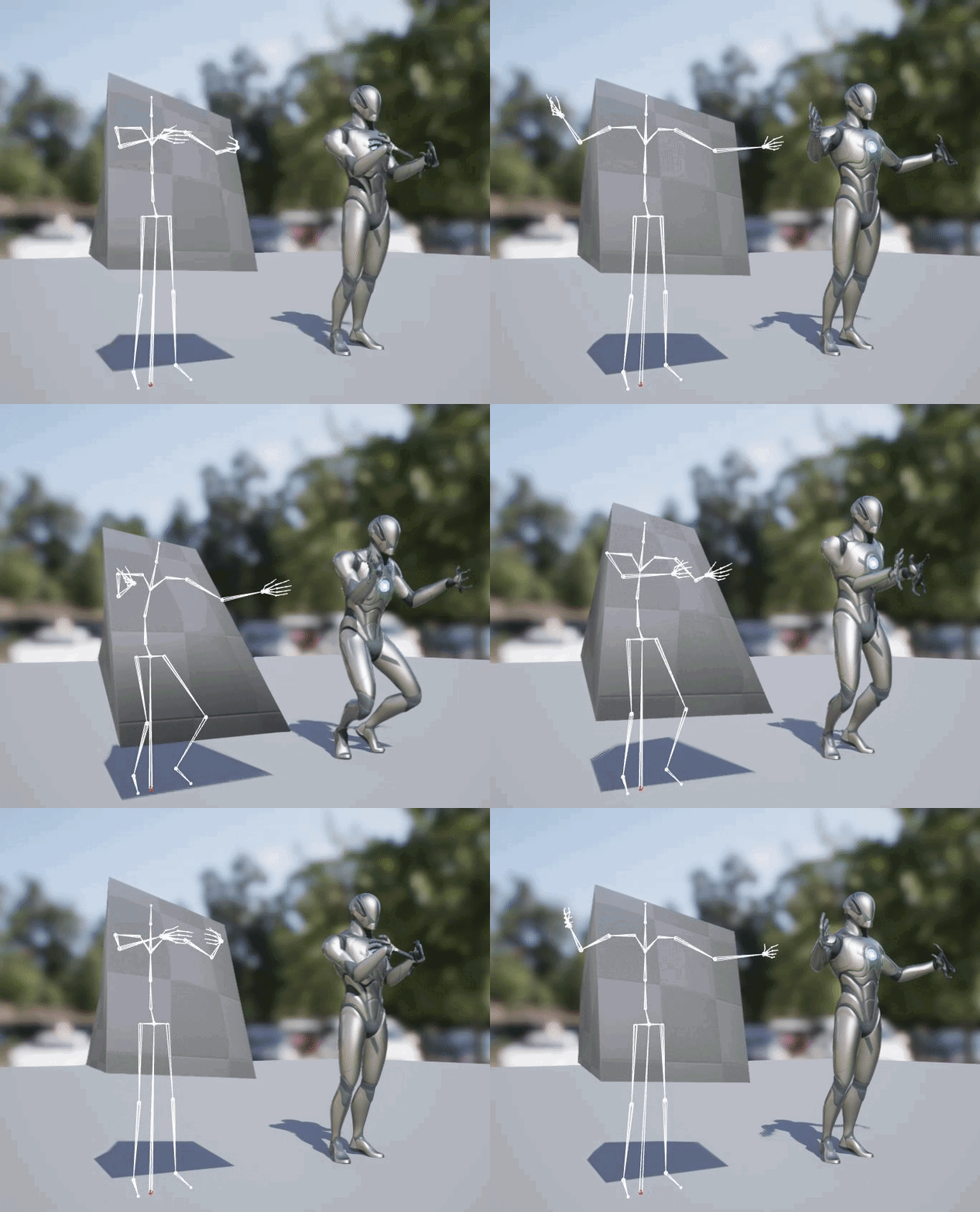
here ... fingers all fscked up, but that can probably be solved by setting chains for fingers too
@marsh siren does your target skeleton have a root bone before the hips?
marsh siren
exotic plover
<@232380644829822977> does your target skeleton have a root bone before the hips...
Give me one moment to double check
Yes it does i have the pelvis set as retarget though

Heres the ik
 exotic plover
these skeletons are pratically equal
so
do a test ... open your character, skeleton
then open Windows/Asset details

 exotic plover
yep
now go to the animations tab, and see if your character can now play th emoving mediation animation
 exotic plover
try to play the original animation__12
it will probably fail, now that I think of it, cos the root bone name is different
marsh siren
Yeah it does nothing
exotic plover
yeah, probably better to remove that from teh compatible skeletons list ... sorry for the misdirection 😐
if you want to send the character without any textures, I can try to test it
but I've seen this problem before, I just don't remember the solution
marsh siren
exotic plover
if you want to send the character without any textures, I can try to test it
Is that just the Uasset?
exotic plover
marsh siren
Is that just the Uasset?
right click it , asset actions, export
marsh siren
exotic plover
right click it , asset actions, export
I feel like a .copy is weird let me know if that works


 exotic plover
ok, nevermind, paste the .uasset instead, I'll recreate your folder structure here
exotic plover
I need the skeletal mesh too 😄
marsh siren
exotic plover
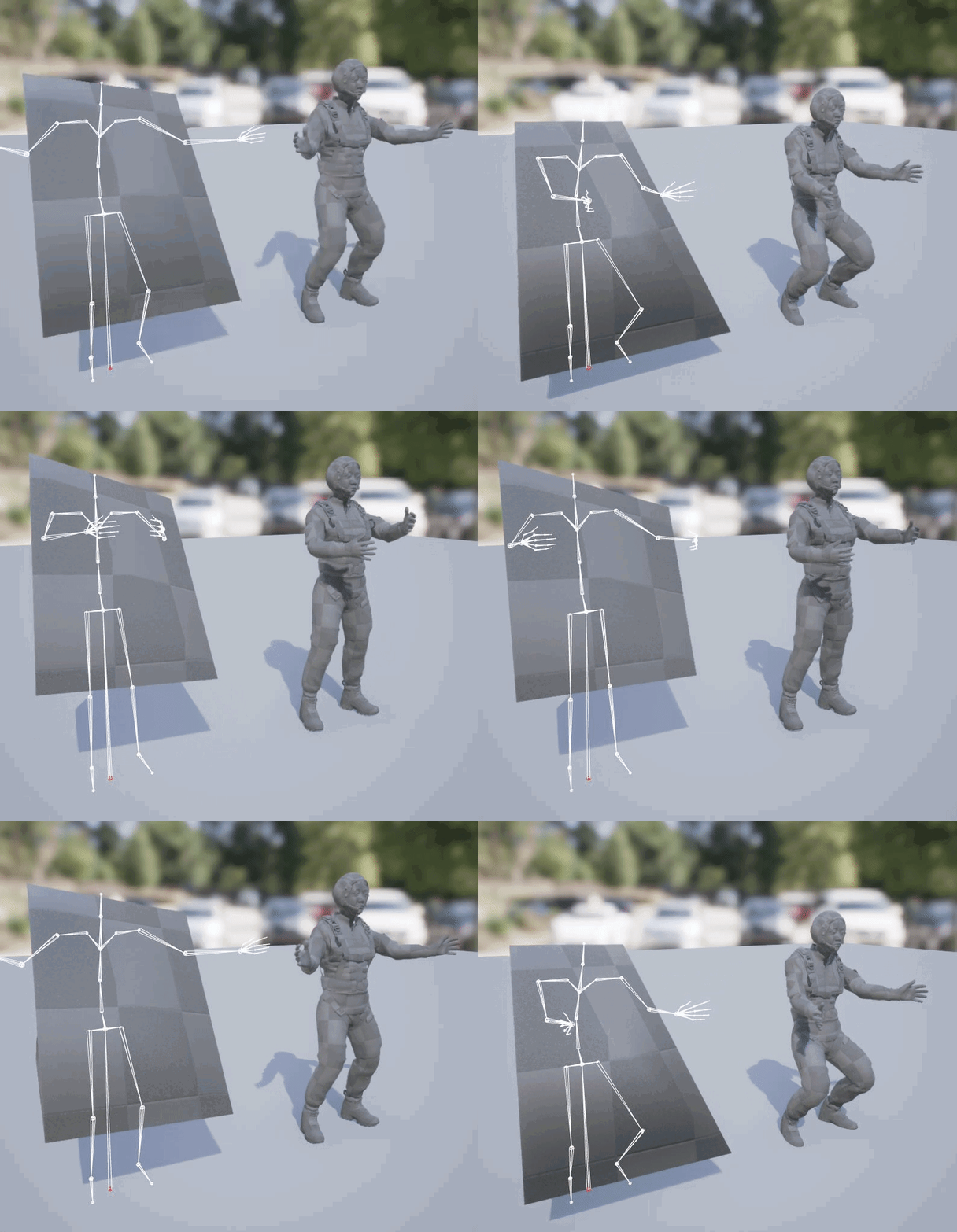 marsh siren
Thats miles better then mine still
exotic plover
well, the important thing is, it's not floating
so, in conclusion ... it works perfectly fine. There's some error somewhere along the way on your IK Rigs
marsh siren
Ok are you doing different steps then whats in the video?
exotic plover
I didn't even see the video 😅 the moment I saw this awfull cube thing, I quit 😂
marsh siren
exotic plover
I didn't even see the video 😅 the moment I saw this awfull cube thing, I quit ...
Thats totally fair haha they just left a basic cube as the mesh do you think you can give me a rough walk through of what you did? Or point me to a set of instructions to follow
tardy fiber
it seems like bled time for animation montage is not considering my play rate, is it possible to fix it?
 nova oriole
Hiya! I'm trying to animate the transform for the root bone of my skeletal mesh, but when I apply my animation asset to the skeletal mesh in the viewport it doesn't actually play. Is there any way to animate the root bone properly? Thank you! 🙂
frail snow
How do you get a Mixamo rigged 3d model working as a UE4 compatible skeleton? Our modeler used this tool (https://github.com/brkeejp/mixamo_converter) but it doesn't seem to be working, even after retargeting


GitHub
Blender addon for converting mixamo animations to Unreal 4 rootmotion - GitHub - brkeejp/mixamo_converter: Blender addon for converting mixamo animations to Unreal 4 rootmotion
I'm guessing this is part of the job description of those "pipeline" people I keep hearing about who write scripts in Python
exotic plover
frail snow
How do you get a Mixamo rigged 3d model working as a UE4 compatible skeleton? Ou...
in order for skeleton compatibility to work, bone names must be the same (afaik)
the hierarchy seems to be correct, but the names don't match at all
exotic plover
nova oriole
Hiya! I'm trying to animate the transform for the root bone of my skeletal mesh,...
it should work, if you don't have root motion enabled
(lots of guesswork here, based on your text)
nova oriole
Root motion actually causes it to not work? o-o
exotic plover
root motion, when enabled, makes all the root motion be played on the character capsule ... th eresult is, when viewing the animation by itself, root stands still
nova oriole
I just disabled it but the animation still isn't working unfortunately, I had no idea that root motion would be a part of that though so thank you for letting me know
exotic plover
A look at how root-based animation is handled within Unreal Engine 4
frail snow
exotic plover
the hierarchy seems to be correct, but the names don't match at all
Thanks we're getting closer after clicking the arrow button next to "Use Unreal engine bone names"! Still some issues to fix but I can try and troubleshoot them on my own now 🙂
 exotic plover
frail snow
Thanks we're getting closer after clicking the arrow button next to "Use Unreal ...
exotic plover
frail snow
Thanks we're getting closer after clicking the arrow button next to "Use Unreal ...
yeah seems like the calf bones are not correctly oriented?
or maybe it's a kneeling animation 😅
frail snow
exotic plover
or maybe it's a kneeling animation 😅
Maybe some issue with the retargeting because I see these errors

I have another vid that shows it's worse than the previous one makes it seem 🙂
zealous jewel
Guys is there any explanation of how IK is used in unreal? I know how IK works, but I think I remember seeing comments about using it for retargeting or something... are there any independent systems for IK ? Or is it just used as part of animation blueprints/anim graphs? Should you apply IK using control rig?
frail snow
zealous jewel
Guys is there any explanation of how IK is used in unreal? I know how IK works, ...
Maybe this will help? https://docs.unrealengine.com/4.27/en-US/AnimatingObjects/SkeletalMeshAnimation/IKSetups/
Inverse Kinematic systems allow for reactive animation, such as foot placement on non-planar terrain.
zealous jewel
frail snow
Maybe this will help? https://docs.unrealengine.com/4.27/en-US/AnimatingObjects/...
Sorry, not really. That's what I already described in the post.
exotic plover
frail snow
Maybe some issue with the retargeting because I see these errors
wait I'm confused ... weren't you using skeleton compatibility? what's up with retargeting?
@zealous jewel you use IK in the animBP, or in Control Rigs, or in IK retargeting rigs ...
frail snow
exotic plover
wait I'm confused ... weren't you using skeleton compatibility? what's up with r...
I'm following this tutorial for Lyra where you need a UE4 compatible skeletal mesh which you then retarget to UE5 for Lyra to use its anims https://youtu.be/slh3emguPU0?t=100
In this video I will show you how you can quickly change the character model in the Unreal Engine 5 Lyra Starter game. It's farily easy and all you need is a character mesh that you want to swap. You can either use a ue4 mannequin rigged character mesh, such as the one I used in this video. Or you can use a UE5 mannequin rigged mesh.
FREE CHAR...
exotic plover
frail snow
I'm following this tutorial for Lyra where you need a UE4 compatible skeletal me...
so ... you have UE4 animations that you want to run on your custom character? that it?
zealous jewel
@exotic plover So using in animBP directly without control rig isn't deprecated or anything like that then? I'll look into IK retargeting rigs, I suppose that's an advanced method for retargeting that doesn't just adjust the animation to ignore bone lengths?
exotic plover

Share and transfer animation between characters of any size using IK Rigs and IK Retargeting.
zealous jewel
awesome, thanks a ton
frail snow
exotic plover
so ... you have UE4 animations that you want to run on your custom character? th...
Sorry I mixed up the terminology. The goal is to retarget the Lyra animations to the UE4 compatible skeletal mesh. I don't know what I'm doing really, just learning as I go trying to help our 3d modeler for this game jam
Lyra uses some kind of special sauce blend anims based on UE5 stuff... I think 🙂
exotic plover
frail snow
Sorry I mixed up the terminology. The goal is to retarget the Lyra animations to...
I see ... maybe try to just straight up use skeleton compatibility
zealous jewel
@exotic plover Just one last thing - the documentation mentions IK rigs - are these used for retargeting purposes only, or are tehy something that can be used inside control rigs or something like that?
exotic plover
@zealous jewel https://docs.unrealengine.com/5.0/en-US/ik-rig-in-animation-blueprints-in-unreal-engine/

Use IK Rig in Animation Blueprints to create procedural IK adjustment of your character in gameplay.
zealous jewel
Hmm I see. Seems a bit confusing... I mean don't control rigs and ik rigs overlap a lot in their functionality?
exotic plover
@frail snow open up your custom character skeleton, and in asset details, add the UE5 skeleton as compatible skeleton ... from theen on you'll be able to play all UE5 skel anims on your custom character
not sure how well it will work thou
@zealous jewel I only ever used control rigs for sequencer animation purposes, so, I don't know enough to answer you ... but I do understand your point
zealous jewel
Alright thanks. I suppose IK rigs are primarily for making concrete IK solvers etc and allowing acccess to them, while control rigs allow for a complete rigging solution in the editor, allowing you combine multiple IK solvers.. or something like that.
exotic plover
yeah IK rigs do seem like a simplified version of control rigs ... main advantage is that you can create them very quick and easily without having to do any blueprint coding whatsoever
I often felt the same way, that it's all a bit redundant ... but as I said, I don't know enough to have a solid conclusion to it 😅
one thing I can tell you ... afaik, for the new IK retargeting system, you need to use IK rigs
 drifting pendant
does somebody know why this bake to controlrig fails for the knee and foot?
 exotic plover
drifting pendant
does somebody know why this bake to controlrig fails for the knee and foot?
exotic plover
drifting pendant
does somebody know why this bake to controlrig fails for the knee and foot?
is this the "old" control rig migrated to UE5? If so, https://forums.unrealengine.com/t/old-ue4-mannequin-control-rig-not-working-properly-in-ue5/541082

Unreal Engine Forums
Hello 🙂 The UE4 mannequin Control Rig, migrated from 4.26 to 4.27, and finally to 5, gives up strange results, only on the legs/feet, when you bake an animation to it. There are no errors, it all works, but gives up these strange results. If anyone has any idea how to fix this, it would be awesome, and I’m sure usefull to many more people. ...
drifting pendant
exotic plover
is this the "old" control rig migrated to UE5? If so, https://forums.unrealengin...
it's the one from the marketplace asset, https://www.unrealengine.com/marketplace/en-US/product/control-rig-mannequin

Unreal Engine
This sample project demonstrates an example Control Rig for Unreal Engine 4's default mannequin.
drifting pendant
exotic plover
is this the "old" control rig migrated to UE5? If so, https://forums.unrealengin...
really? you just need to change the order?
https://forums.unrealengine.com/t/old-ue4-mannequin-control-rig-not-working-properly-in-ue5/541082/2
Unreal Engine Forums
I managed to fix it eventually, by deleting the toe/ankle controls, redoing the leg/foot IK and adding a simple FK toe control. 🙂
exotic plover
I haven't tested that solution, I just nuked the foot controls and made a new one for the toe only 😅
but the thing is, that control rig, migrated to UE5, gives up strange results on the feet, whenever there's a direction change
 frail snow
Are there any books out there on 3d modeling/animation that are as good as Real-Time Rendering is for general graphics? I need a break from the computer and need to learn this stuff from the ground up
frail snow
"Digital Modeling", "Animators Survival Kit", and "Stop Staring" are what I've found out about so far. But especially wondering about skeletal animation and the CS/software implementation of it. For getting into 3d pipeline work
frail snow
This is helping me debug the animation issues with Mixamo->Lyra: setting the animation preview. To do that I had to follow these steps from the screenshots


 frail snow
exotic plover
<@847938688767098971> open up your custom character skeleton, and in asset detai...
frail snow
exotic plover
<@847938688767098971> open up your custom character skeleton, and in asset detai...
It seems the skeleton sizing is different in the animations versus the reference pose, and that's what's causing the problem

Ideally I'd just be able to resize the mesh down to the same size as manny, but not sure how to do that yet
 strong python
I'm following a tutorial to do a "Turn In Place" system for my character however I have a custom character with a custom skeleton and don't have an anim for the body rotation as I want to do that only by rotating my head and my body when needed. What should I replace the anims Rotate90_Turn with to make it work with my skeleton and without the rotate 90 anims please ?


Please ping me if any answer 🙂


 heavy hedge
 stark thunder
if I play it twice it get intterupted
stark thunder
if I play it twice it get intterupted
Check if "On Interrupted" is getting called then?
I think if montage is interrupted (i.e. Playing it twice), the second one interrupts the first one. So it doesn't call completed or blend out.
Anyone know if there's a way to stop montages in a specific slot instead of all montages? There's a "Stop Slot Animation" node but it appears to not work, or meant to do something else.
Being able to retrieve what slot the current montage is playing in would also help.
exotic plover
@frail snow take a look at this : https://youtu.be/JkcJ5bjGPsg?t=1101
Here we go through the import process for several different Skeletal Meshes and show when we can and cannot share Skeleton assets. We also show how we can share animations between two Skeletal Meshes that are sharing the same Skeleton asset. We also take a quick look at setting up Skeleton Retargeting for various sizes of Skeletal Meshes.
(00:05...
the retarget same skeleton settings is what makes it possible to have the same skeleton, but with different proportions
now, I'm not sure how this will play out with skeleton compatibility ... this is originally for when you have characters sharing the exact same skeleton, but with different proportions
 summer jewel
Imported animation from Blender. In Unreal some things just don't happen
It's a grenade launcher anim. the projectile ejection on reload just doesn't happen in unreal
any ideas?
frail snow
Projectile not exported with the fbx ?
summer jewel
So the problem appears to be scaling of projectile mesh to 0 in the animation
Or scaling of the bone rather
How do I overcome invisibility issue?

Sometimes I eject and sometimes I load. So I have Shell and Nade bones


When I eject I scale the nade bone to 0 so to see only the shell
Hope that makes sense.
Now how do I export this to unreal for it to work?
frail snow
.00000001 instead of 0?
Or instead of scaling to 0, set its transform offset to be way off screen?
summer jewel
Kind of not elegant, is that common practice?
frail snow
summer jewel
Kind of not elegant, is that common practice?
I'm more of a newbie than you are so couldn't say 🙂
Could also send an event to the code to have it hide the grenade but that's not exactly elegant either
Maybe not too bad if it's done in blueprint though
 mighty roost
Hey guys, I'm currently having an issue. Everytime I play the game it hits this breakpoint here. It looks like it's related to the rotate root bone node.

 mighty roost
Hey guys, I'm currently having an issue. Everytime I play the game it hits this ...
mighty roost
mighty roost
Hey guys, I'm currently having an issue. Everytime I play the game it hits this ...
it turns out it's not related to that
but with the LinkedLayers
there's an interface (exactly like lyra) driving two variables that were declared in CPP. Ensure was hitting cuz the interface expect floats, but blueprint floats are now (at least I think) somewhat equivalent to doubles in CPP. Changing the CPP variables to doubles fixed the issue.
 dull dock
Hey quick question,
I have 2 enemy characters, let's say a spider and a zombie, obviously they have different skeletons.
But the logic in the event graph is the same for both of them.
Is it possible to have a inherited animation blueprint with different skeleton?
 lost jackal
Does anyone know why my character rotates after playing a montage?

 robust locust
What happens if you look two different anim instances on the same master anim bp?
frail snow
exotic plover
<@847938688767098971> take a look at this : https://youtu.be/JkcJ5bjGPsg?t=1101
I had to resize my model to be smaller (same size as UE4 mannequin) before exporting it and that seems to have fixed it
exotic plover
frail snow
I had to resize my model to be smaller (same size as UE4 mannequin) before expor...
omfg seeing that doll like dude shooting is hillarious 😄
but @frail snow do take note that you can have different proportioned models using the same skeleton and animations, by using the proper retarget same skeleton settings
it's just that here there's an added factor, that is the skeleton compatibility
if you were using UE4 mannequin animations, you could perfectly have whatever proportions on your character
frail snow
Thanks I'll have to dig into the UE5 IK rig and retargeting options at some point to tune it
exotic plover
that is yet another different thing alltogether 😄
Share and transfer animation between characters of any size using IK Rigs and IK Retargeting.
your character will be a breeze to retarget, I don't think you'll have any problem at all
 untold dew
Has anyone tried to animate a metahuman character? I'm experiencing low fps in Maya, also, If I export an animation made in control rig, the FBX file is huge, like more than 50 Mb... Does anyone know why is this happening?
 eternal ridge
Does anybody know why my animation is facing the camera in the preview window, but when I create a montage for it, its facing to the right? When I have it in a montage with 2 other animations they are facing different directions so it looks really bad
untold dew
eternal ridge
Does anybody know why my animation is facing the camera in the preview window, b...
Do you have an IK moving the head pointing an specific direction?
eternal ridge
I haven't touched the IKs, when i rotate the root in the animation to face the viewport, in the montage it just resets the rotation back to the right
untold dew
Root motion is enabled for montages?
eternal ridge
Yes
untold dew
Can you post a video of what's happening?
limpid folio
Can I make camera animation on BP?
 dry breach
My begin play event inside my animation blueprint isn't triggering. Any help?
untold dew
eternal ridge
<@320558511832432641>
O.o, I have no idea why is this happening. I'm gonna try myself
eternal ridge
untold dew
O.o, I have no idea why is this happening. I'm gonna try myself
Haha good to know i have a unique issue.
 sleek belfry
how would one fix this issue? 
this only happens in the control rig, manually posing the mesh doesnt cause any issues
 sleek belfry
nvm i fixed it 
exotic plover
sleek belfry
nvm i fixed it <:Yap:766158686548262933>
what was it? 🤔
 median spire
hey, I'm using IKRig and am having some difficulty getting it to do exactly what I want. what I'd like to know is is there a way to specify the goal transform in component space instead of bone space? it is currently working great for feet offset on slopes, but I'm trying to get a foot locking system working and being able to use component space would make things much easier. thanks!
eternal ridge
Is there anyway to key inside a montage, cuz doing it in the animation seq, isn't changing it in the montage
 half wave
Can some1 pls recomend a good tutorial that teaches how to make character movements, idle animation, combat etc?
exotic plover
median spire
hey, I'm using IKRig and am having some difficulty getting it to do exactly what...
I never used IK rigs in that context, but

Use IK Rig in Animation Blueprints to create procedural IK adjustment of your character in gameplay.
median spire
exotic plover
I never used IK rigs in that context, but
YES!! this is exactly what I was looking for ty! turns out that menu is in the details of the IK Rig node in the AnimGraph, and I didn't think to look there. I was looking all around in the actual IK Rig asset. thanks again!
exotic plover
np 👍
median spire
I've got it working now, I've been messing with this for weeks!!
exotic plover
median spire
I've got it working now, I've been messing with this for weeks!!
awesome 🙂 if and when I need to do any animBP IK rig stuff, I know who to ask now 😄
median spire
exotic plover
awesome 🙂 if and when I need to do any animBP IK rig stuff, I know who to ask n...
I'd love to help out if I can!
 marble tundra
So I have weapons that have vertical grips. How can I change from holding the weapon normally to the grip holding animations
frail snow
marble tundra
So I have weapons that have vertical grips. How can I change from holding the we...
Slots? https://docs.unrealengine.com/5.0/en-US/animation-slots-in-unreal-engine/ Sorry I'm new to animation but it came to mind

Insert entry-points within your Anim Graph to play animation from using Slots.
modern sapphire
Now, maybe i'm the one overcomplicating it.
But, why does the Aim Math node seem so over complicated?
Aren't you just aiming it?
Unless i'm majorly miss-understanding the Axis inputs.
 dreamy thorn
Howdy! Does anyone know why a certain animation would fail to make a working animation montage when you right click it and create animation montage? Thanks
 silver relic
Has anyone retargeted in **Lyra **when switching out character model and got it to work? I tried using the ABP_Mannequin_Retarget but while the mesh is changed out properly the animation isn't working. It throws errors saying bones are missing. There is a tutorial I used to try and make it work, but it didn't work.
dry breach
In blender, how do you make a bone from one armature constrain to a bone on another armature?
grave drift
Hey guys, Im using Enums to select my attack animations depending on if its 1h/2h weapons which works fine - now I want to use the same enumerators to select an idle overlay animation to overlap the original idle animation. I.e if I have a two handed sword, he would lean the sword on his shoulderpad instead of just resting his hands by his hips. What would be a good way of doing this?
 bronze turtle
Is it not possible to use ik rig node on a animbp thats shared between multiple skeletons? I mean as is, without copy pose...
The different skeletons are all listed as compatible with the animation blueprint skeleton... All other aspects of the blueprint are working perfectly fine except that node
zealous jewel
Guys has anyone gone through the anim examples in the content examples sample project? I can't seem to find where the animation blueprints are... it's set to none, and I can't seem to find whether the anim blueprint is set at runtime to anything.
 dusky void
When doing chain physics on a character, what is the best approach to avoid glitching/ going out of control when the player does a sporadic movement like a dodge roll?

When rolling
 bronze turtle

In this free step by step Unreal Engine 4 and Blender tutorial video (UE4 how to) you will learn how to create a rope using physics constraints and bones. This shows also how to rig it in Blender.
Rope tutorial using Cable Component: https://youtu.be/BT0jFArPtGM
All my UE4 tutorials: https://www.youtube.com/watch?v=BT0jFArPtGM&list=PLEp7216xGGI...
Follow the physic set up part of this
It teaches you how to make ropes(in this case braids) stable
zealous jewel
jesus christ I'm dumb, the abp was set on the instance in the level...
 faint oracle
Is there a way to constrain a physics body movement so it only works on the positive of the constrained axis? I have two physics bodies I want to collide but I only need it go in the positive X and back 🤔
 autumn venture
Hi all, noob question. Is there an additional setting to make an AnimInstance BP variable replicate to clients?
I have an AnimInstance BP with a variable that I set to "Replicated". However testing it in the editor w/ debug view, I am not seeing the replication trigger my state machine on the client. Only the server.

It even has the replicated icon on the variable. But it's just not replicating...
This feels like blueprints 101 stuff, so I'm not sure what I'm missing. I've done tons of replicated variables before. Maybe some kind of setting on the parent actor to enable anim instance replication or some other weird setting like that?
oooooooook i figured it out. I disabled "Replicate Movement" which apparently low key turns off animation instance replication. Because that makes sense 😛
grave drift
Oooh, I had missed the "Add pin for element" buttons, thanks @bronze turtle 🙂
grave drift
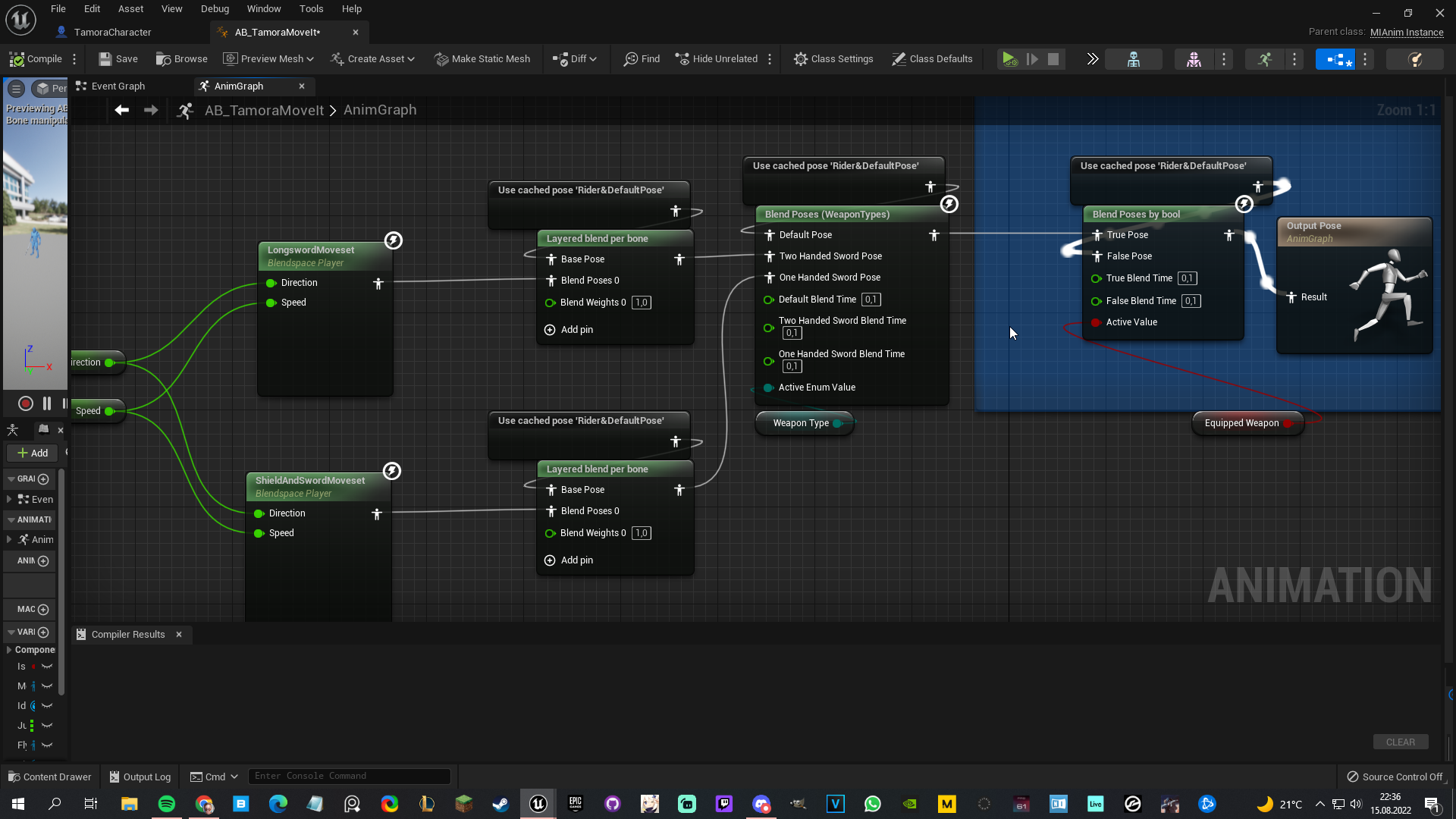
Hey guys, so I'm doing a blend by enum to decide what overlay moveset to use depending on weapons, but I wanna keep my footwork IK in all of the movesets. So, Im doing a layered blend per bone, so the movesets only affect the upper body. This works fine, BUT if I do a rootmotion animation now that would do the full body, only the lower body animates. What am I doing wrong?
https://i.imgur.com/KulXyxg.png - https://blueprintue.com/blueprint/yag2h7ci/

No description provided
bronze turtle
If you want the montages to play full body add the montage slot node after this blend...
Currently it looks like you might have the montage nodes playing before you chop the top and bottom half in your blend
I see what you mean... Makes a new slot for full body montages
@grave drift
In the montages... You can have multiple "anim slots". Back in your anim BP you add slot "whatever you called it" the same way you added default slot
Add that node after any layered blend per bone blends... Like before output...
grave drift
Oh god, yeah that worked flawlessly, thanks a lot @bronze turtle, really appreciated! 🙂
 runic lion
hi can anyone help?
cannot import two root motion how can i change or remove em
this is my blender

 regal iris
is there any way to convert the ue5 skeleton to the ue4 one? Or is the only option available just animation retargeting
 left bobcat
I'm trying to retarget UE4 Mani animations to UE5. The IK bones are not retargeting. Is there a solution?
tardy fiber
is it better to create control rig and simulate simple physical animations with controllers, rather than making rigidbody blending? especially in term of performance and unexpected results
runic canyon
Guys i'm confused. What is the best way to make feet IK?animation blueprint, IK rig or control rig?
bronze turtle
So compatible skeleton A is uneffected by curves on an animation targeting the original skeleton B which is also listed as compatible... Even if the mesh A contains the same named curves as B....is there something im missing here?
@runic canyon best would be geared towards what your game needs. The new third person templete has ik set up you can explore
exotic plover
@muted wasp just something I was thinking early when you were commenting about your physics asset coming out wrong ... it is actually normal for automatically generated physics assets to come out all janky and bloated. Here's a nice tutorial with some good insights and tricks for that part of the process (already at timecode) https://youtu.be/46NfgXlnCzM?t=980
The first 1,000 people to use this link will get a 1 month free trial of Skillshare: https://skl.sh/prismaticadev02221
Hello dear viewer! Today we have a feature-length special that covers EVERYTHING you need to know about physical animation in Unreal Engine.
Physical animation can just be some extra sauce on your cake, or it can be integral ...
 muted wasp
exotic plover
<@257283724746424320> just something I was thinking early when you were commenti...
muted wasp
exotic plover
<@257283724746424320> just something I was thinking early when you were commenti...
Thank you I'm gonna take a look at it.
 cosmic hedge
Hey all! I was wondering if anyone has any technical knowledge on how some parts of the Anim graph are executed.
My main question is to do with Blend per bone.
If there are multiple Blendspaces being evaluated and combined through Blend Per Bone nodes, are ALL of the bones in each Blendspace being calculated behind the scenes, or does it work from right to left and know to only evaluate the Blendspace anims for the blended bones only. I know that the regular Blend and Blend by Bool/Enum all have true branching and don't evaluate anything if the alpha is 0 for the other branch, but I wasn't sure about Per Bone blends.
Any pointers would be grouse! Cheers
(Also I just noticed one of my videos linked above haha - let me know if you have any questions!)
 tranquil pollen
is old ue4 mannequin skeleton and ue5 sk... bone hiearchy is same ?
 indigo palm
Does anyone know how to export a full meta human, (even if it's not fully rigged 100%) into Maya? I'm open to using either the ue4 or ue5 workflow. I want to make sure short animated clip to be shown at the beginning of my game and I'd like to use metahumans in it. I could export each skeletal mesh individually, but then that would be painful. I think I'd have to somehow replicate the shaders from ue to Maya too if I went that route.
I'm using Maya 2023 and when I try to use the standalone bridge it tells me that the export was successful but then nothing shows up in maya
median spire
I'm having this issue where functions "Get Last Update Rotation" & "Get Actor Rotation" are the same?? GetLastUpdateRotation is from the Char Movement Component and it "returns the rotation at the end of the last tick". GetActorRotation gets the current rotation. the delta between these should be the rotation difference between the last frame and the current frame. however, when I print Rotation Difference it is always zero even when I'm rotating.
any idea what's going on here? thanks 🙂
 honest geyser
In my DCC when I make a Morph target on a characters head/face, how do I keep the eyes, and mouth in line with the mesh in UE5? The only way I can think of is to apply a morph target with the same name to those objects and move them to match the "new position" If there are better suggestions, I would greatly appreciate it. I know this isn't specifically animation related, but I'm not sure where else to ask.
indigo palm
median spire
I'm having this issue where functions "Get Last Update Rotation" & "Get Actor Ro...
Maybe it has something to do with your rotation settings in the cmc or the controller? Also I believe the behavior is different depending on whether ot is an AI possessed pawn or a player possessed one
cosmic hedge
median spire
I'm having this issue where functions "Get Last Update Rotation" & "Get Actor Ro...
I would recommend just setting a variable at the end of your frame as the "previous"
median spire
indigo palm
Maybe it has something to do with your rotation settings in the cmc or the contr...
it's a player possessed pawn, how is it different?
median spire
cosmic hedge
I would recommend just setting a variable at the end of your frame as the "previ...
ty, that's what I've done for now! I was worried that this is reflective of a bigger problem though :/
honest geyser
Putting the morph on every part of the mesh in the DCC, does solve the issue and is then controlled by the single slider in UE, just a pain to do, and am a bit worried about the sheer number of morphs that will be on the mesh.
honest geyser
hmm, but now of course the skeleton doesnt follow the new positions of the mesh..
 hazy gyro
Hello
I have a problem
I'm using a custom weapon and some other animations
This results in the gun awkwardly hovering in the middle of the hands
Can I fix that with control rig? And can I add the gun mesh there as a preview?
exotic plover
tranquil pollen
is old ue4 mannequin skeleton and ue5 sk... bone hiearchy is same ?
the main hierarchy is, but UE5 skel has a more complex set of bones
but they are compatible
exotic plover
indigo palm
Does anyone know how to export a full meta human, (even if it's not fully rigged...
I don't think you're allowed to render metahumans anywhere else besides UE, as per the license ... but make sure to check that before going too much further
indigo palm
Ah, I thought it was just that you had to use the rendered material within UE
which was the plan
exotic plover
indigo palm
which was the plan
yeah, I got that from your text... but you should check the license yourself 🙂
indigo palm
Will do. I really am just playing around with it right now. No one else is going to see this project. I just want more exposure to metahumans. Thanks for the warning though 🙂
exotic plover
I mean, I totally understand you'd not be violating the "spirit", but ... licenses 😅
indigo palm
lol
exotic plover
you can animate them fully inside UE thou 😅 they have a perfectly fine control rig 🙂
hazy gyro
hazy gyro
Can I fix that with control rig? And can I add the gun mesh there as a preview?
Some help please
 foggy chasm
I have no idea why Im getting this issue and I havent had a problem with this method ubtil now but when I try to retarget my animation onto my main skeleton it just stays a T pose for some reason
exotic plover
foggy chasm
I have no idea why Im getting this issue and I havent had a problem with this me...
check if you're not in edit reference pose mode
exotic plover
hazy gyro
Some help please
you probably need to be more specific in order to get help. what skeleton do you use? do you have a control rig for it? is it for gameplay? or cinematics? etc etc
 viscid blade
Had an animator do some work in Maya and then send me the FBX file. The MetaHuman character's hair now looks like this:

How do I fix this?
viscid blade
Same thing is happening on the other characters eyebrows
indigo palm
One thing I don't understand is - I imported the meta human into UE5 and it loaded in fine, but it doesn't appear to be tied to a control rig? The third person character skeletal mesh automatically appears to be assigned one
Why wouldn't the meta human also be assigned one?
and somehow the left hand pane just disappeared and is nowhere to be found in the window or tools menus
God animation with UE is going so great so far.
I can't get it back. It's just gone forever I guess
foggy chasm
exotic plover
check if you're not in edit reference pose mode
I figured out the issue For some reason the idle animations I was re targeting didn't have/were not using a A pose for its preview mesh so the arms were not being accounted for
tranquil pollen
exotic plover
the main hierarchy is, but UE5 skel has a more complex set of bones
What do mean by Complex set of bones ? Did ue5 skeleton has additional bones ?
robust locust
Can you pass reference to an actor to a control rig?
Lets say I want certain bone to move or rotate depending on a bone position in a different mesh in the world
exotic plover
tranquil pollen
What do mean by Complex set of bones ? Did ue5 skeleton has additional bones ?
well ... the base skeleton, and the "_Simple" mannequins have a similar skeleton to UE4. The ... "main"? mannequins have a bunch of extra bones. So, the UE5 skeleton has a bunch of extra bones, sometimes enabled, sometimes disabled. That's the best explanation I can come up with 😅
 silver relic
I'm trying to use Lyra with a custom character, but when I swap in and setup the retarget for some reason it isn't working. I followed a couple tutorials with no luck. Anyone familiar with swapping characters in Lyra might be able to help me out?
 buoyant warren
With the fullbody IK i'm trying to make the forearm bone use the rotation from the hand control; but it doesn't seem to have any effect. So I've added an Effector for the Forearm Bone, then plugged the rotation from the hand control into the rotation on the transform options, then set the Position Alpha to 0....but the Forearm is totally uneffected by rotation changes on the hand control
stone bolt
how can i retarget animations from the ue4 mannequin to my mixamo character?
exotic plover
stone bolt
how can i retarget animations from the ue4 mannequin to my mixamo character?
Share and transfer animation between characters of any size using IK Rigs and IK Retargeting.
Mixamo to UE5 Tutorial.
A NEW way to retarget your Mixamo animations.
Recently the "Retargeting Manager" was removed from
Unreal Engine 5. In this video, I explore retargeting Mixamo animations
using the new IK Retargeter and IKRigs.
Get Animations here:-
https://www.mixamo.com
IKRetargeting Docs:-
https://docs.unrealengine.com/5.0/en-US/i...
(the video is the inverse of what you want, but you can learn form there and adjust)
 round stirrup
It seems like the ControlRig example project is no longer available, and I don't want to spend the large amount of time to try to create a ControlRig for the UE_man myself. Does anyone know of a way to get that example controlrig so I can animate the mannequin skeleton in UE4.27? (Exporting from Blender to UE has given me a lot of trouble)
exotic plover
round stirrup
It seems like the **ControlRig** example project is no longer available, and I d...
you mean this one? https://www.unrealengine.com/marketplace/en-US/product/control-rig-mannequin
Unreal Engine
This sample project demonstrates an example Control Rig for Unreal Engine 4's default mannequin.
round stirrup
exotic plover
you mean this one? https://www.unrealengine.com/marketplace/en-US/product/contro...
Yeah that's correct. Maybe it had been due to not having 4.26 installed and it wouldn't let me create the project. Maybe I'm an idiot. I'm migrating the assets now. Thank you
exotic plover
round stirrup
Yeah that's correct. Maybe it had been due to not having 4.26 installed and it w...
lol, all is well that ends well 😂 good luck with your animations 😉
 odd token
UE4 shared skeleton question. Can a skeleton have multiple reference poses (1 per skeletal mesh) or is it 1 for the whole skeleton?
sterile warren
Hello all! Can anyone point me to an example, tutorial or some documentation of a good stair climbing system using Unreal? I've seen Ryan's on YouTube but I'm looking for something a little more realistic than that even.
ashen beacon
heyy does anyone know what 'unit' ofs speed is used in a timeline? the speed looks consistent across different FPS like 30-60-120
what is 1 sec of timeline in frames per second
what I'm trying to achieve is to match the speed of an animation to the speed of a timeline
plss im desperate :((
 tiny pendant
Dear friends, I don't know if this is the best section to make this question, but there I go. I have a character that only has his hands in a FPS style. Well, I am at the point where I am doing the footsteps using animation notify.
It all works as intended, but...when i switch the weapon or reload it, I fire an anim montage. As you can imagine, since my "normal" animations are not running, I don't have a way to fire the sounds.
I mean, it just goes silent.
IF I put notifies in the reload or change weapon animations, it doesn't really work since won't follow the character's velocity, so If I am running, the footsteps will always sound at the same speed.
I wonder how people deal with this kind of things? Is there anything I am missing?
As always, many thanks in advance for your help
cheers
tranquil pollen
exotic plover
well ... the base skeleton, and the "_Simple" mannequins have a similar skeleton...
K
indigo palm
Using UE5, if you import a metahuman into your project and place the BP into your world, how do you show the control rig so you can start playing with it in sequencer?
nvm, I figured it out. Apparently they will only show up when you have the root ctrl selected inside of the sequencer list. Sure would be nice if they had that clearly stated as a tip or something.
tiny pendant
will a upper body montage be what I need in this case??
 magic hull
Hey all
Animating a niagara "auto activate" checkbox in the sequences doesn't seem to be working. I am wondering if anyone has run into this before ?
 dusky basalt
guys how do you make an animation interact with something like cliff edges of different height or an object
indigo palm
Is there any way to move the control rig facial GUI control without affecting the rig? I have the metahuman sitting down and it is hard because I have to keep panning back up the controls, making adjustments, and then panning back to double-check the results.
 knotty sable
Hi everyone!
I need a help, pls.
I imported a character from Mixamo, T-Pose is everything ok.
But, when I play a animation, all "submeshs" stay reoriented to a wrong pivot.
What's happening?
 indigo palm
This is so frustrating. Surely they thought of letting you adjust the control position in the world. Not every metahuman will be standing at 100% height the entire time
knotty sable
I'm not using metahuman, rsrs
But, it's frustrating yet.
next mountain
knotty sable
Hi everyone!
I need a help, pls.
I imported a character from Mixamo, T-Pose is e...
Ue4? Ue5?
That aside, that look like a failed retargeting.
Did you use assign skeleton instead of retargeting?
 lost valve
Hi all, I'm trying to figure out something with animation and state machine transitions.
Currently I have a simple state machine of **walk ** and take damage (each with the appropriate animation sequence wired up). My goal is to have this pawn walk until it takes damage, at which point it should play the full damage animation, then return to the walking animation state.
My transition from **walk ** -> take damage uses a boolean variable check. My take damage -> walk transition is using the "Get Relevant Anim time Remaining node".
However, when the pawn takes damage, it won't stop playing the take damage animation, never returning to the walk state again.
I suspect it's because the boolean is never flipped back. I can implement a flip of this damage boolean back, but was wondering if anyone approached / would approach this in a smarter way?
knotty sable
next mountain
Ue4? Ue5?
That aside, that look like a failed retargeting.
Did you use assign sk...
Yes, I did.
Ue5
next mountain
knotty sable
Yes, I did.
Mixamo models have different bone orientation from ue4/ue5 manny or metahuman, you'll need to retarget the mixamo mesh to make it work.
knotty sable
next mountain
Mixamo models have different bone orientation from ue4/ue5 manny or metahuman, y...

Breaks down the Retarget Manager options within the Skeleton Editor.
 next mountain
knotty sable
Is about this?
https://docs.unrealengine.com/5.0/en-US/retarget-manager-in-unrea...
next mountain
knotty sable
Is about this?
https://docs.unrealengine.com/5.0/en-US/retarget-manager-in-unrea...
Ue5 and ue4 have slightly differen5 retargeting system, you should check it on youtube.
For ue4, something similar to this.

Hey guys, in today's video, I'm going to be showing you how to re-target animations in unreal engine 4. Meaning you can take an animation from one character/skeleton, and use it on another one.
Unreal Engine 4 Tutorials Playlist: https://www.youtube.com/playlist?list=PLQ...
knotty sable
next mountain
Ue5 and ue4 have slightly differen5 retargeting system, you should check it on y...
Ok, I thanks your help.
It was a great help.
 timber pine
please help someone how do i do a notify button
lost valve
timber pine
please help someone how do i do a notify button
not too sure myself, but I happened to stumble upon this https://docs.unrealengine.com/4.27/en-US/AnimatingObjects/SkeletalMeshAnimation/Sequences/Notifies/
timber pine
it taught me more abt notifies but i still dont knwo the button to press to place them 😭
OK I GOT IT
so u see the squares, you gotta rightclick on the notify lane

tysm
 shell onyx
Here's a dumb question but one I've been circling on for a couple days now. Is there a "Best Practice" for managing animations between multiple characters? For context, I've got maybe a dozen humanoids, similar but not identical proportions. Should I be giving them their own skeleton asset and retargeting animations or should they all be sharing the same skeleton asset? I'm just a little unclear.
strong python
Is it possible to make an animation slower or faster directly in Unreal without having to red the animation in Blender or other softwares ? Please ping me if any answer 🙂
 ivory ibex
Not sure why but my character runs in a direction but looks it is running in place this is the default mannequin in Unreal Engine
oh wait nevermind
the blue arrow indicates where the character should be in the viewport
 dull crest
Dose anyone know how to animate via blueprint, that keeps the relative transform axis where you set them, rather than defaulting to the center?
More info here:
#blueprint message
tardy fiber
what bodies (for humanoid) should collide usually in physical asset?
i copied ue5 mannequin pretty much, but it has almost no collisions between bodies, i think its bugged, because left leg has collision but right is not, etc
faint oracle
tardy fiber
what bodies (for humanoid) should collide usually in physical asset?
As a general rule you don't want physics bodies colliding with their nearest body, every other one can help but not necessary, like you can simply make the hand body collide with the thigh and should be sufficient in most cases to prevent clipping through the body of the hand
tardy fiber
faint oracle
As a general rule you don't want physics bodies colliding with their nearest bod...
thx
tardy fiber
did anyone try to make physical animation for character that is crawling, so basically its normal humanoid, but has crawling animation? im having problems with keeping character from falling, since his hands should support his body and pelvis is only doing it for his lower body
 plucky geyser
strong python
Is it possible to make an animation slower or faster directly in Unreal without ...
plucky geyser
strong python
Is it possible to make an animation slower or faster directly in Unreal without ...
Inside any animation, you can find play rate in the left side options. Should be at the top of the list.
faint oracle
Is control rig bugged? I'm setting bone transform to a specific control, but if I move it then set it as an offset transform, it doesn't bounce back to reference pose, just stays deformed as if the bone is moved there, it didn't happen for some of the controls until now. I'm so confused
runic canyon
Hey guys, i never did animation by myself. I would need some hand poses(fingers and stuff) to use in my characters(metahuman and mixamo ones mostly). What approach would you recommend to make some hand pose in a quick and easy way and manipolate fingers?
knotty sable
next mountain
Ue5 and ue4 have slightly differen5 retargeting system, you should check it on y...
Unfortunately, itsn't works.

More weird is animation AND char (3D model) both are from Mixamo.
I don't test LOL, but doc. show that doesnt works.
 honest zenith
Hey, I just started using ue5 and want to change my skeleton to humanoid rig but its not there?
 exotic plover
Share and transfer animation between characters of any size using IK Rigs and IK Retargeting.
exotic plover
runic canyon
Hey guys, i never did animation by myself. I would need some hand poses(fingers ...
metahumans have a prebuilt control rig ... so drop one on the level, create a sequence, add your metahuman to teh sequence, and it should already show the control rig
if needed, you can then select the relevant controls (hand + fingers for instance) and create poses
 left pond
Have an issue with getting my character to work correctly with mocap free animations on the store. My character skeleton is using the UE4 Epic Skeleton looks fine in the default T-Pose but as soon as I apply any animation it jumps up. I reassigned it's skeleton so that it's using the SK_Mannequin one but can't for the life of me workout why this is happening. Anyone had this issue before or know where I might be going wrong?


 small leaf
Trying to figure out the most optimal method to get a CG scene (I have alembics, textures, etc) into unreal 5. I tried importing an alembic animation and it took like an hour, but then nothing showed up.
Any suggestions! Much appreciated
runic canyon
exotic plover
if needed, you can then select the relevant controls (hand + fingers for instanc...
Thx!
 stark wind
I’ve found the UE5 IK retargeter posing system to be a real headache. I literally cannot wait until we don’t have to do manual pose adjustments
exotic plover
stark wind
I’ve found the UE5 IK retargeter posing system to be a real headache. I literall...
god damn I got so confused right now 😂
exotic plover

 steel oar
I have a odd technical idea that is kind of a misuse of bones and rigging, and wondering if I can get some advice. I want to make what is essentially a wall-joiner that adapts to any angle of joint. So I can use it as the corner of a spline drawn room-wall-cage. I was trying ideas with just spline-meshing it, and then I had the idea to try and rig this wall joiner and bend it into whatever corner piece I need. But I don't know how to overcome the pinch (as though this wall joiner were an elbow.) Can anyone offer me some advice. I am very adaptable to nearly all disciplines, and I spent the first 7 years of my career as an artist/animator. So I can field very technical advice.
Here is a napkin sketch of me trying to work out what I want to do:

(One of the things I'm trying to do is preserve the length of the outside edge of the wall joint piece.
(The unpinched sketch is an idea of driving a center bone's angle and length based on the bend of the right bone... but I don't yet know the pathway to driving secondary bones like that in Unreal.)
(Oh, it occurs to me, I could key this in Blender from t:0-1 and lerp the animation to whatever is needed in the editor.)
exotic plover
steel oar
I have a odd technical idea that is kind of a misuse of bones and rigging, and w...
so you want to have a soft non pinched bend based on two bones? is that it?
steel oar
I'm not sure what "soft" means here.
exotic plover
I mean something that looks like a soft continuous surface, with proper curves instead of some janky pinches
in other words, proper round corners
steel oar
Actually, There is just 1 division down the center, so I guess, I'm going for a hard interior corner without pinch or overlap (I am fine limiting the range of accepted angle to accommodate this.)
exotic plover
I see ... well, if you only have interior angle, can't you just literally skin one wall to each bone, like a rigid skin?
you'll have a bit of an overlap, but maybe that's acceptable?
or, I'm just not understanding your problem fully 😅
steel oar
I kinda get what you mean, but then I end up with a gap on convex corners 😛

another napkin sketch
 steel oar
yeah, I'm trying to model a single continuous span.
I'll keep hammering on this. I'm certain I'm close to solving things.
exotic plover
will this be seen from top? or only from "inside" the rooms?
exotic plover
@steel oar something like this maybe? https://i.gyazo.com/1aaeede39bd5dbd2624d07efc1542cbf.gif
 steel oar
can I see the weighting on that?
exotic plover
sure
steel oar
heatmap weighting would suffice
exotic plover

the added thing is a bulge deformer
it's specifically from 3ds Max so I don't know the analogous on other apps
steel oar
It's ok, I can translate this stuff to Blender. But I'm unfamiliar with the use/purpose of a bulge deformer.
exotic plover
basically you get a lattice grid (as you see on the pic) that you can distort depending on teh angle
without it, you always get a nasty result on the inner corner
steel oar
does that survive the export/import into Unreal?
exotic plover

like so
that is a very good question 😄
I don't think I ever tried it
well, no time like the present, right? 😅
but ... BUT ...
even if it does not survive
steel oar
My explorations were to handle the bulge/pinch problem by adding a bone inside that joint pointing out toward the normal of the bend, then weight those verts to it, scale the 'crook' bone to push/pull those center verts.
exotic plover
you can always use blendshapes 😄
so you can then bulge in or out depending on the bones angle, using blendshapes
brb
@steel oar nope, it does not "survive" the export 😅
so, the answer is blendshapes
steel oar
Well, I think there are other options. But this discussion has really helped me think through some stuff. I appreciate it!
exotic plover
I don't think I can fully test this right now, but really, your answer, if you use a setup similar to this, is using blendshapes
what I did with the bulge deformer I could have done with blendshapes. Literally, bend the bones 90 degrees one way, create a blendshape, bend the other way, create another blendshape
export the mesh with blendshapes
and in UE, create an animBP (or maybe you can implement it straight into a regular BP) where you drive blendshapes based on the angle of two bones @steel oar
strong python
Does anyone know why when I try to create keyframes for my root it doesn't want to and when I select everything with CTRL + A the Root bone doesn't show up in the action editor in the bottom left somehow ?
I'm trying to have different walk animation one going forward and I want to create variants going North-East (Top right) and North-West (Top Left) by having just the body (so the Root bone) being rotated by 45° and -45° and the head still always facing forward.
How could I do that please ?
Please ping me if any answer 🙂
 steel oar
exotic plover
and in UE, create an animBP (or maybe you can implement it straight into a regul...
steel oar
exotic plover
and in UE, create an animBP (or maybe you can implement it straight into a regul...
Cool, got it. If I get around to this anytime soon, I'll try and remember to report back. Thanks again!
next mountain
knotty sable
More weird is animation AND char (3D model) both are from Mixamo.
Retargeting animation from ue4->mixamo and mixamo->ue4 is one of the most commonly asked question if you searched through the forums or google.
A lot of people have done it, I've done it on UE4, pretty sure some people here have done it in UE5.
It can be done.
knotty sable
next mountain
Retargeting animation from ue4->mixamo and mixamo->ue4 is one of the most common...
Hello.
I fixed.
I really appreciate your advices.
The problem wasn't retarget.
I must have to check Force Front XAxis AND click on Reimport Animation.
Before, I saw this option and try it, but I doenst Reimport Animation.

 glacial dagger
Hello, I'm trying to wrap my head around the retargeting animation system. If the binding pose isn't in the same position is there a simple way to correct the animation? Using a mixamo tpose rig and the ue4 animation starter pack. I've created an ikrig for both and used the retargeter to sync the two different rigs. The mannequin on the far right is a backwards crouching animation from the unreal animation starter pack but his arms are all wrong and I cannot keyframe a pose in the animation since it doesn't start with the binding pose.


I saw in the skeletal mesh that there was an option to create a pose asset and then i could insert a pose asset into the animation but it didnt seem to work as i thought it would. So just curious if there is a cool step to amend this. 🙂
ivory ibex
Not sure why but I have both the NPC and the player animation the exact same skeletal mesh & animation class yet the player gets the correct animation but the actual NPC doesn't not sure what the problem is.


when I play in the game not sure why
I fixed it by just duplicating the actual 3rdperson blueprint or asset and it worked not sure why
exotic plover
glacial dagger
Hello, I'm trying to wrap my head around the retargeting animation system. If th...
look for the Edit Pose button on the retargeter window 🙂
 glacial dagger
exotic plover
glacial dagger
exotic plover
Thank you very much! 🙂
 tender flicker
hey, has anyone got the new IK retargetter to copy the gun_ik,hand_ik bones to copy over properly?
everything else seems to be fine except the ik_hand_gun, ik_hand_l, ik_hand_r bones, after retargetting the rotations seems to be different
tender flicker
has anyone gotten the "Set Transform" solver to work with IK Retargetter?
tried to set it up like this so it copies the transforms


but it doesn't seem to be working
IK Retargeter trying to retarget source bone chain with IK but it has less than 3 joints
 tidal plank
The newish Unreal 4 animation montage UI, how do I make a montage loop? Or how do I make the Play Montage node loop the animation?
 thin notch
tidal plank
The newish Unreal 4 animation montage UI, how do I make a montage loop? Or how...
thin notch
tidal plank
The newish Unreal 4 animation montage UI, how do I make a montage loop? Or how...
Generally if the animation is going to be looping, you'd put it in a state machine
 astral prism
Noob question, What does it mean when a character snaps upwards before playing out the animation and where would I look to fix that? Some kind of anim pivot point?
thin notch
astral prism
Noob question, What does it mean when a character snaps upwards before playing o...
Would have to see how it's snapping but it kind of sounds like a root bone issue
 patent sable
Hi everyone !
Having a problem while importing fbx from mograph animation from cinema 4D here.
On multiple animations, after importing it into unreal, instead of starting at the begining of the animation, it starts like at the end state and then expand on that and applies the transformations on it.
I'll post a few images since I won't be surprises that I'm not explaining it really well ^^"
so this is the progression of the animation, the debris are appearing , making the tower et then getting in place to make the walls flat


the scales starts at 0.01 since a scale from 0 is not imported in ue
but once imported in unreal, the tower is already there at frame 1, and then everything scales to oblivion
If anybody has an idea of what may cause this, it would be great 🙏 Thanks !
robust locust
does control rig works with virtual bones?
 radiant matrix
Question: If i wanted to have multiple races in my game, i mean different skeleton structures and stuff but they are able todo the same things, how would i do that best?
Should i make a skeleton for each race
Or should i have a master skeleton?
Were speaking about extra arms... tails... more bones on the legs or less... different face structures
robust locust
if you are going to share the animations like walk run etc then master skeleton sounds like a better approach
radiant matrix
but if the differences are too big?
robust locust
Is there a change in heirarchy though?
radiant matrix
how would i even add new bones lol
yes
one race has 3 bones in their legs
one race has 4 arms
1 has a tail
like i cant see how i would use a master skeleton
robust locust
Then those two skeletons would likely not merge into a master
radiant matrix
what if i would make a skeleton for each?
and then lets say
50 animations per skeleton
that would work
robust locust
you sure you can't just put the extra parts as a different mesh and skeleton and keep the basic bipedal part of the mesh common?
radiant matrix
no
i fear that it would be extra complicated
like assembling a rig
and then handling the animations
i dont have that level expertise
robust locust
then you gotta retarget and use duplicated anims for each character, you'd not need to animate twice but you'll have multiple anim assets of similar types one for each skeleton which should be alright.
radiant matrix
you dont think making animations for each skeleton is wise?
robust locust
for the common stuff like walking , jumping I'd retarget it, and use either a postprocess anim BP or Anim BP linking for the parts that area not covered by base animations
radiant matrix
well
i definitly have to use a layered anim BP
to replicate the code
and then i should use animation slots
and montage slots
i never made a system like this
robust locust
yep , like use reategered anims for legs walking etc and then a layered anim BP to move the tail in response to the walking or something
radiant matrix
thanks
exotic plover
IK retargeting can work with, for instance, different legs ... you can have a humanoid leg on one rig and a ... Protoss 😅 leg on the other, and if all is well set, it should work
theoretically 😅 I haven't really tested such a case
also, in some cases, you might even be able to get away with just skeleton compatibility
robust locust
robust locust
does control rig works with virtual bones?
the answer is yes
 umbral valve
Not sure if this is the right channel to ask to, please correct me if I'm wrong.
I'm searching for a very basic animation pack for FPS arms, could anybody point me in the right direction?
I'm trying to make a very small FPS, just as an introduction, and I didn't want to bother with 3d modelling and/or animation just yet.
So far I've used the very limited UE4 FPS pack, along with its arm models, but it doesn't contain enough stuff for this small project.
I'd very much like for a free pack, if there's one, or at least a very cheap one as it's just for learning purposes. Any ideas?
exotic plover
robust locust
the answer is yes
you forgot to thank yourself for the answer 😂
exotic plover
umbral valve
Not sure if this is the right channel to ask to, please correct me if I'm wrong....
if you can run regular mannequin anims on those arms, maybe get the Animation Starter Pack, and do some adjustments if needed?

(it's free)
umbral valve
exotic plover
if you can run regular mannequin anims on those arms, maybe get the Animation St...
Thanks, didn't think of that, I'll try it
 carmine sluice
Hello. I am trying to move my pawn to the last cameraposition/view of a level sequence.
I am currently catching the last position/rotation of the lvl sequence camera and setting this to the pawn as the sequence ends. but it fees like an awful workaround...
would be easier if I could just read the level sequence keyframe value at timecode x and use this transform... is that possible?
Or is there even an easier way for that?
coral jasper
is there a way to stop this animation node from playing ?

i used another node called stop but it just freezes the characrer anims
 mossy swallow
im trying to make an actor play a montage when it comes into contact w\ something, but instead of playing the selected montage, it restarts its idle animation. It's playing a sound i put in the montage, but the animation it's playing is wrong. Anyone know what might be going on?

instead of playing the animation im seeing in this screenshot, it plays the idle animation. But the explosion noise still plays. Really confused how this is happening, been stuck on this for a while :\

 frosty sonnet
Is it possible to take 2 Sequences, Layer them by Bone and Save to File as Sequence? (ie combine Arms pose with Crouched pose)
 raw mist
given a time dilated slow motion sequence, a character's hair is running haywire. can i connect hair to custom time dilation inside the character bp, in order to compensate the simulation speed ?
 silk tide
HI, would anyone have any ideas on adding a batch of preview meshes to a bone socket ideally so I can build accurate physics bodies? This is crucial because our SKM is de-attached from the static meshes in our deprecated pipeline, and I am looking to build a dynamic approach for Chaos Vehicle System. 🙂
 hallow elm
https://i.gyazo.com/120a7b32d34cf4c24e34b84dc36dab91.mp4
Hey I have a question
How to use FABRIK for attaching left hand to weapon without depending right hand?
I want to attach left hand to right hand when cocking rifle, but it will be weird like the video
I attach the weapon to virtual bone (VB Hand L) that is modified its transform as left hand weapon socket for cocking with right hand
 umbral valve
I'm using the first person arms skeleton found in the UE4 FPS default pack, and I wanted to add to them some animations from the Animation Starter Pack.
I was originally thinking of just retargeting the animations, but I've noticed that the arms, despite being only arms, have the whole UE4 mannequin skeleton, does this mean that I can just slap any UE4 mannequin animation on it, without having to retarget? And if so, how do I do that?
 lunar viper
Hi, I'm having issue to play a montage using one of the paragon characters, I'm a programmer so my animation skills are limited. My guess is the the animation blueprint is overwriting the montage ? In my case when the AI dies nothing happens but the character is still in the idle animation

 slim void
Hey folks. Pretty weird question:
Is there any easy way to attach animations to mixamo skeleton in UE5?
I've tried every possible way like - matching the bones and retargeters, creating a new rigs and stuff like this but in the end when I tried to retarget the current animation, it won't play on my mixamo skeleton. It just will freeze the animation and that's all.
All I am trying is to use animation packs from the marketplace and make them work for my mixamo character.
I am not even talking about transfering the IK from the UE5 default BP to my custom.. Only want to fix the animations right now 😄
 lament spruce
what is the optimal way to store bone rotation constraints? i have classes of characters i would like to use a robotic arm with and would like to be able to just define a data asset containing those rotation constraints, but it seems like control rig prefers to have the data directly stored in its animbp graph
tender flicker
hey, I'm trying to import a model from maya to ue5, in maya my up axis is z, forward is x, and right is y, is there a way to import this so in ue5, my character will be facing forward y axis?
 modest solar
tender flicker
hey, I'm trying to import a model from maya to ue5, in maya my up axis is z, for...
modest solar
tender flicker
hey, I'm trying to import a model from maya to ue5, in maya my up axis is z, for...
unreal's "forward" axis is X
you want your character to face the Y direction in unreal?
like, the skeletal mesh?
tender flicker
modest solar
you want your character to face the Y direction in unreal?
yes
I'm trying to use the IK Retargetter, but the unreal one is facing the y axis, and my imported mesh is facing the x axis
modest solar
i dont suppose the import transform options help...?
tender flicker
I want to retarget from my imported mesh (which has all the animations) to the mannequin
modest solar
 modest solar
yeah np. but if it's bound to a skele i have no idea how that's gonna work and i aint about to try it on my own lmao
tender flicker
any idea's on how I can retarget? I tried to edit pose and rotate the root bone of the mannequin but it's not rotating
so I tried rotating the hip, which breaks the animation, since the mannequin is facing y, and soon as the anim plays, the hip rotates by 90 degrees to face x
modest solar
sorry i know very little about retargeting
tender flicker
thanks anyway for the suggestion, I'll try it now and see what happens
seems to work with the model itself
need to try with animations, I think the covert Xaxis thing does the same, just adds a 90 degree rotation to the root bone, so it should work with anims as well
modest solar
ok. hopefully it works!
 modest stag
I've followed several tutorials on how to add animations to a skeleton, i've tried everything, no luck
using UE 5.0.3
even the tutorials from 5.0.1 are outdated and no longer work
When i try to use the IK Retargeter it comes up blank

if anyone can point me in the updated/proper direction that would be great
 thorny niche
how much does a senior animator position pay ?
modest stag
I see a lot of questions in here, very few answers =\
indigo palm
This is the first time I'm trying to import a mesh with morph targets and for whatever reason the morph target list is empty
anyone know why? I'm using 3ds max. The mesh is linked to the root bone and the morph target mesh is as well. The morph works fine in 3ds max
modest stag
same, you can't add any either for some reason
 wicked terrace
hey gang- if I exported an animation with a rig like this, would the animation work in unreal or is a rig like this only usable in blender? https://www.youtube.com/watch?v=C4jkUtfbbbE&t=1s

Tutorial on how to make a facial rig for your toon shaded characters in Blender 2.92
You can download the Eye Rig scene on our Gumroad page here :
https://gumroad.com/lightningboystudio
You can find Pierrick Picaut's rigging tutorial series on his Gumroad page here : https://gumroad.com/a/757339251
You can watch our previous tutorial showing ...
exotic plover
modest stag
I've followed several tutorials on how to add animations to a skeleton, i've tri...
https://docs.unrealengine.com/5.0/en-US/ik-rig-animation-retargeting-in-unreal-engine/ https://youtu.be/JXBGw-6PpCE
Share and transfer animation between characters of any size using IK Rigs and IK Retargeting.
Mixamo to UE5 Tutorial.
A NEW way to retarget your Mixamo animations.
Recently the "Retargeting Manager" was removed from
Unreal Engine 5. In this video, I explore retargeting Mixamo animations
using the new IK Retargeter and IKRigs.
Get Animations here:-
https://www.mixamo.com
IKRetargeting Docs:-
https://docs.unrealengine.com/5.0/en-US/i...
@modest stag you can only use the batch retargeter once you create the IK Rigs a nd retargeter
exotic plover
that tut is for mixamo to mannequin, but it's all teh same ... do source IK rig, do target IK rig, do retargeter
tender flicker
hey, anyone run into this weird issue where when you add a virtual bone (from head/spine or whever) that targets your hand_l/hand_r, it;s just stuck in the base pose
or it might be that it's not following the hands at all, the animation I have doesn't have the ik bones animated
the animation was generated using the IK retarget, on any other animations that were actually made for the mannequin works fine, the virtual bones follow the hands, but the one I saved from the IK retarget process, the virtual bones are just stuck in one place
drifting pendant
I have a controlrig control that is able to manipulate the ik_hand_gun bone. Then I have attached an actor (skeletalMesh) to that bone and added it to a level sequence. Sadly somehow the attached actor is quite off and does not properly follow the controlrig control.
Does anybody know a solution?
Found the issue, the control was parented to the ik_hand_gun bone. This created very a weird behaviour.
 drifting pendant
slim void
Hey folks. Pretty weird question:
Is there any easy way to attach animations to...
drifting pendant
slim void
Hey folks. Pretty weird question:
Is there any easy way to attach animations to...
looks like you IK Rig is not properly setup. I am using this approach,
https://youtube.com/playlist?list=PLslFX7TZAr8_rp0_Oj5v6-8HlEvKU_JKw
This video shows how I setup the IK Rig,
https://youtu.be/mComelBMI6M

YouTube
This series shows how to retarget a mixamo character to ALS with TTToolbox. It was an experiment that I wanted to share with the community. I only show the b...
We work on the IK Rig, wich will be needed for retargeting the animations. To speed up the work, we will use TTToolbox to add the required bone chains. More automated setup will be provided in the future by TTToolbox. Defenitely keep an eye on the open source project.
Used Bone Chains
((ChainName="Spine",StartBone="Spine",EndBone="Spine2"),(Cha...
hallow elm
hallow elm
https://i.gyazo.com/120a7b32d34cf4c24e34b84dc36dab91.mp4
Hey I have a question
H...
anyone please help?
 spark leaf
anyone know the best way to fix animation bugs that come from that the player press the movement keys rapidly, like forward backwards spamming or left and right spamming? trying to use lyra starter game animations but cant find how to fix that
 rocky remnant
slim void
Hey folks. Pretty weird question:
Is there any easy way to attach animations to...
rocky remnant
slim void
Hey folks. Pretty weird question:
Is there any easy way to attach animations to...
you have to rigg mixamo character to ue skeleton
 odd stump
I want the niagara system to move exactly like the progress bar.
what yould cause this offset or drag?
at 0% and 1%(full) they are the same, but in between they seem to be different.
any help is appreciated.

 mortal violet
hey, a couple question :
- is it possible to duplicate existing skeletons in unreal to set up their sockets and collisions differently, all while keeping "inheritance" or whatever it's called of the original skeleton, all without going through 3D modelling/rigging software?
- is it possible to run an animation blueprint with a skeleton that's got no mesh attached, purely for collision detection purpose?
 coarse crater
hi, how can i blend animation 100%
upper body 100% some animation and lower body 100% some animation
not 70% or something
just 100%
i use Layer blend per bone
rocky remnant
I just exported Animation.fbx from UE5 and just reimported in same project.
then here is error...
details
- Animation file size 600+MB
- there is no issue in animation playing or anything
- Animation are UE4 to UE5 retargeted UE5 Skeleton
i also tried same thing with similar animations but they are okk... just this think happening with files larger than 50MB...
 mortal violet
did you set the import framerate somewhere?
doesn't seem like a file size issue
dunno how you'd even up with a 600mb animation anyway
 novel mauve
hi guys i need your help about attaching capsule to my character while on root motion anim
muted wasp
Yo!
I am trying to retarget some animations to another rig.
The preview shows the source rig walking around with the animations while the target rig seems to have it's root bone locked in place.
When the source rig bends down, the target rig floats in the air and lifts his legs instead.
 misty dagger
Is it possible to turn a skeletal animation into a vertex animation?
Like, just storing the baked vertices offset
 spring karma
Will this break animations only or it'll break my control rig as well? I'm renaming it inside the control rig blueprint btw 🤔

 rose sandal
Hi, I'm new to unreal and was wondering if anyone knew a good video that showed how to make a cinematic in ue5 and implement it into my game so that it goes from gameplay straight ti the cinematic straight back to gameplay?
 olive knot
hey guys anyone know how to add multiple objects and their morph targets on a shared slider widget,a shortcut maybe so I won't have to add 5 nodes for each one

 fading cradle
Hey did you find a fix for this?
robust locust
Is there anyway at all to use location of a external object/bone/mesh to be used by control rig as a position?
Say If I want to animate reload gun anim where character and gun mesh are separate, I'd want my character's left hand to go the magazine using IK
But the gun is a separate mesh, how will the location of bones in gun mesh be fed to control rig?
 terse kiln
I need help to solve this problem. Why this happens? I am using separate physical asset for each limb, but when using separate head physics instead of full body physics on the master component (in my case, head), this happens.
 wooden arch
Can someone very quickly tell me what leads to this kind of animation problem? https://streamable.com/7xd17f

the crouch walk looks fine in the blendspace, but not in-game
 viscid tulip
does the bone orientation matter when retargeting with the new UE5 retargeting tool?
spring karma
is there any way to set animation loop to ping pong? (instead of doing it on the animation itself)
terse kiln
wooden arch
Can someone very quickly tell me what leads to this kind of animation problem? h...
Check for errors and warnings in anim graphs
wooden arch
terse kiln
Check for errors and warnings in anim graphs
I don't think there's any warnings or errors on the graphs
misty dagger
misty dagger
Is it possible to turn a skeletal animation into a vertex animation?
Does anyone know?
 restive flame
https://streamable.com/6bfymx
So I'm getting this weird bug in sequencer with the control rig which makes it impossible to change keys?
Whenever I try to move them they instantly snap to the original position - anyone know what could cause this?


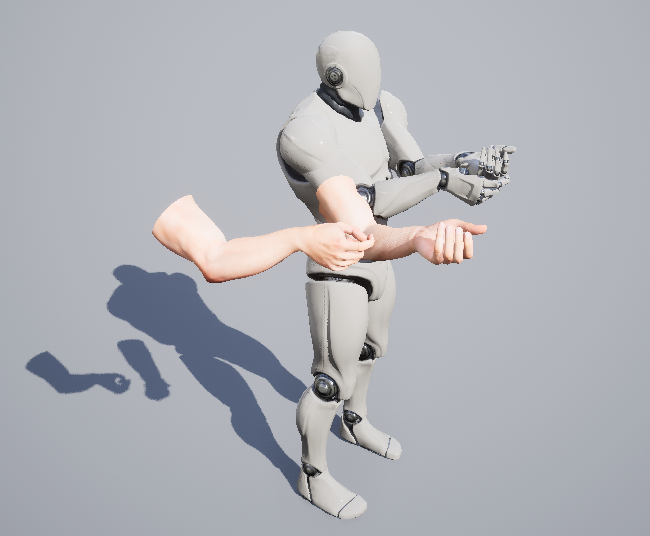

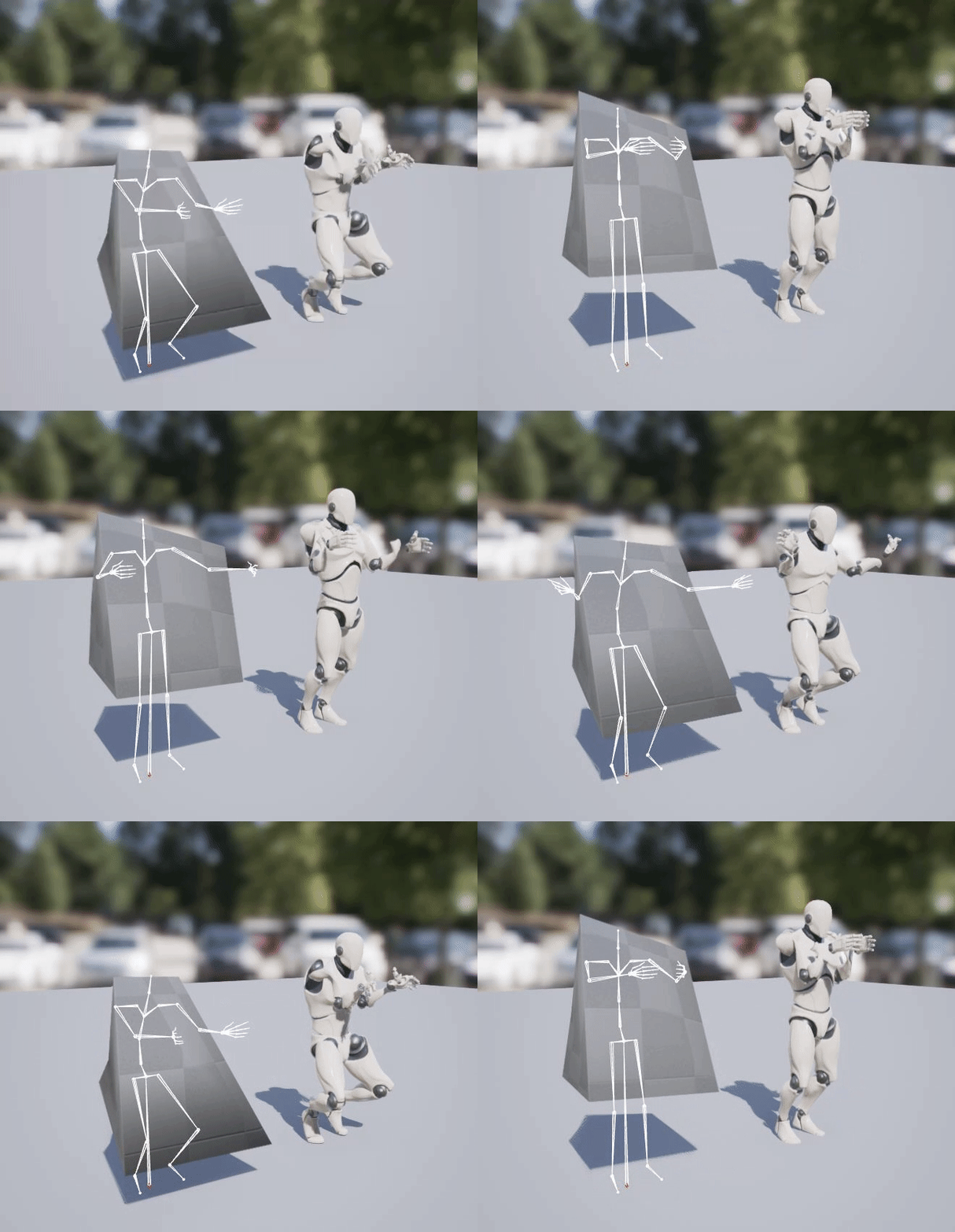
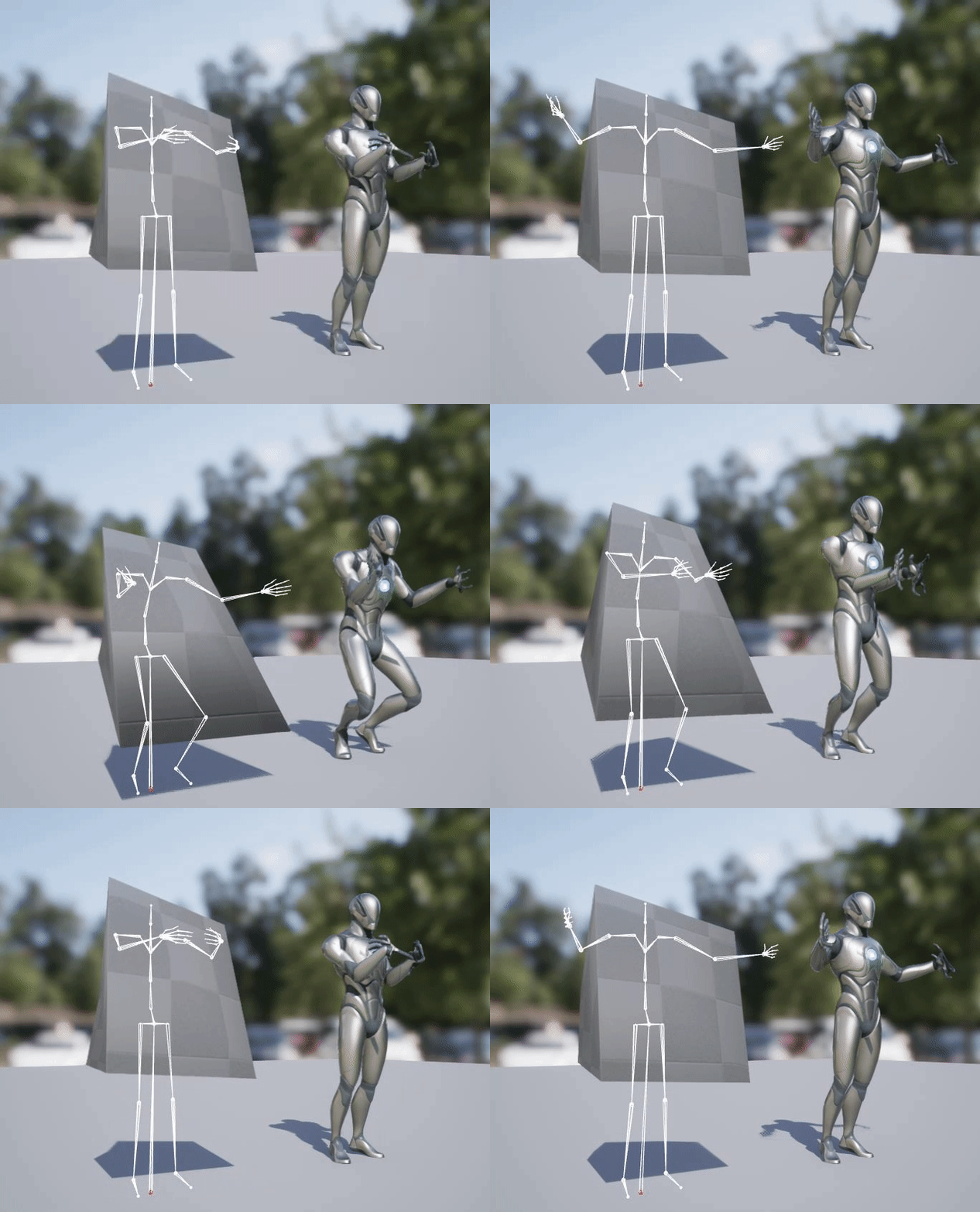
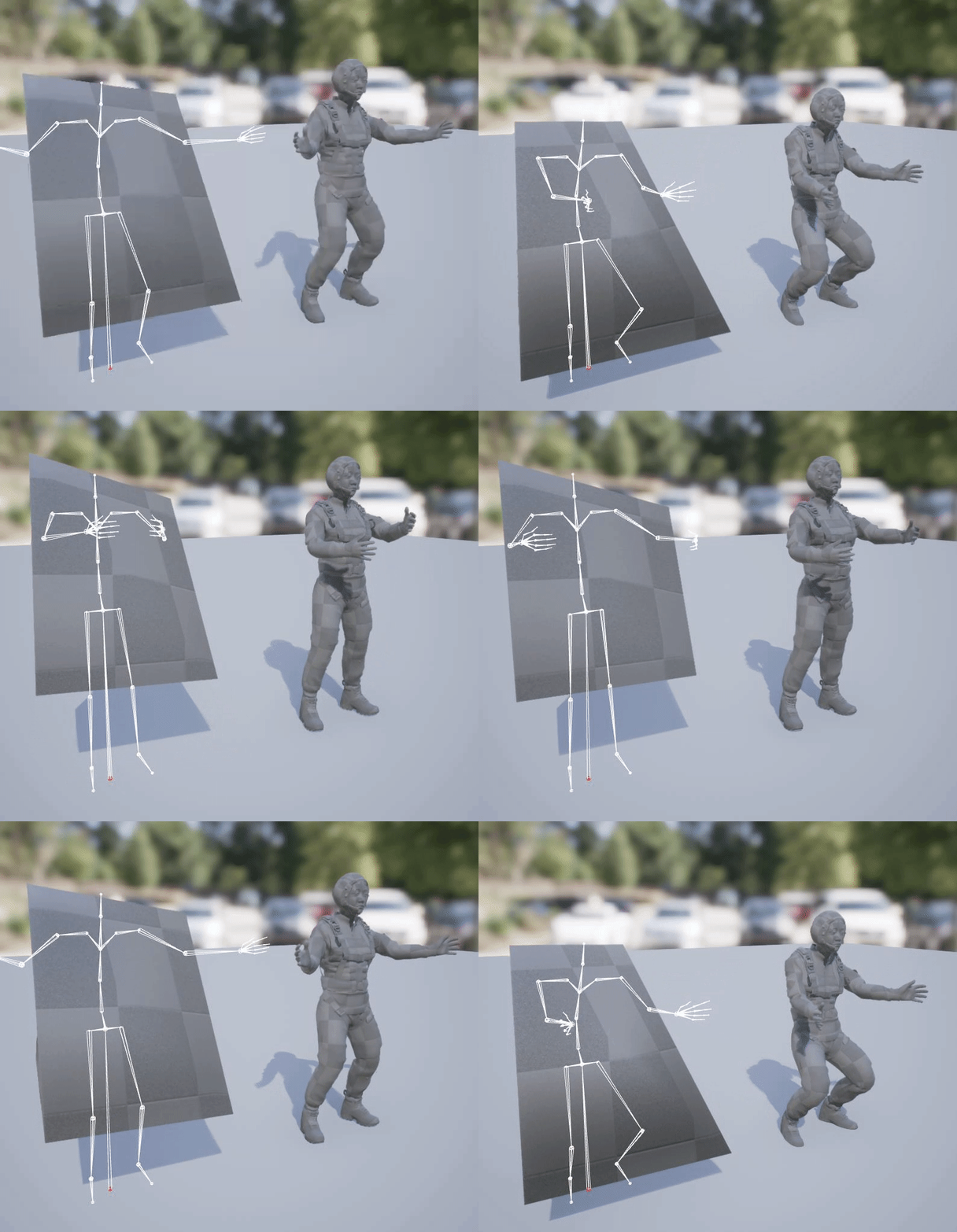

 rose sandal
Hi, I'm new to unreal and was wondering if anyone knew a good video that showed how to make a cinematic in ue5 and implement it into my game so that it goes from gameplay straight to the cinematic straight back to gameplay?
 somber briar
are these default translation retargeting options right on the metahuman skeleton, the documentation says the pelvis and others should use Animation Scaled... I don't really fully grasp what these options do

hmm I guess according to the UE5 docs these options are deprecated
 lofty granite
Anyone knows the key to scale down the rotator widget size?
 spring karma
lofty granite
Anyone knows the key to scale down the rotator widget size?
spring karma
lofty granite
Anyone knows the key to scale down the rotator widget size?
I'm not on my pc right now to take pics unfortunately, but on the configuration window where you can select "pose" or "tweens" etc there is a float for gizmo scale
the window on the left to the outliner 🤔
zealous jewel
Guys what does the toggle visibility thingy here do?
 tardy fiber
maybe im doing something wrong but why poking feature in physics asset doesnt work for me, im using ctrl + click while physics simulated but nothing is happening, my poke strength is very big number?
hallow elm
Hey someone plz help me
I use this FABRIK theory, but when I attached rifle to left hand for cocking rifle, it will be broken animation
maybe Because it makes circular reference
so How can I avoid it with still turn on IK?
https://zaggoth.wordpress.com/2019/01/26/ue4-tutorial-the-right-way-to-do-left-hand-weapon-ik/
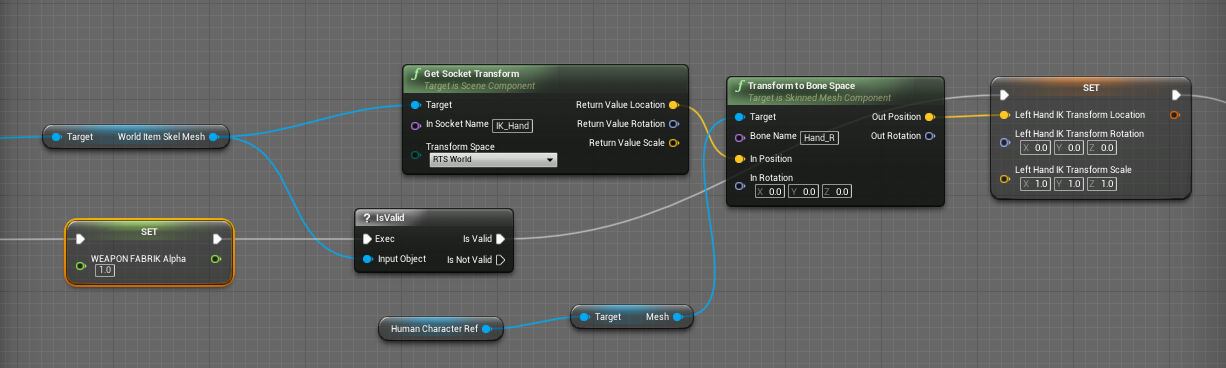
Everyone else on the internet is wrong. (Okay, not quite — though I spent a good many hours going through tutorials and not getting the results I wanted for left-hand IK. There are a LOT of t…
lofty granite
spring karma
I'm not on my pc right now to take pics unfortunately, but on the configuration ...
thanks but this is on control rig making viewport there are no gizmo option
it is very annoying for small point 😢
umbral valve
I have two different animations that have identical skeletons (but two separate skeleton files), because they come from different animation packs.
Is there a quick way to assign an animation to another skeleton without having to retarget?
muted wasp
Anyone have any idea what to do when My IKRetarget target doesn't have rootmotion?
The Rootmotion settings in the animations didn't work.
zealous jewel
Guys is there a way to print Control Rig variable values or something? I don't understand why in the Foot IK example for third person example the foot ik trace output is called "Offset" when it looks like it's the foot ik target position in global space.
bronze turtle
@muted wasp after reading your new post...it has nothing to do with rootmotion and everything to do with improperly set up ik rig and bone chains... Rebuild your rigs and ensure that your chains are targeting the correct chains
If one character bends down regardless of rootmotion the other should also do the same... Once you get them doing the same animation then you can worry about rootmotion.
muted wasp
bronze turtle
If one character bends down regardless of rootmotion the other should also do th...
they do the same animation. one of them is just floating in the air and unable to rotate while doing it.
indigo palm
I'm really struggling with the Full Body IK node in UE5. I'm trying to apply it to this dog model I purchased online and I just can't get it to work. Does anyone here have any experience with this node?
I have the controls set to the head, hind legs, shoulder blades, and feet, and when I drag the hip bone down, it just drags everything except the chest, neck, and head


or rather, the head goes down, but the chest and base of the neck do not
frail snow
Has anyone brought Unity 3d assets over to Unreal? Wondering how well the animations, materials etc translate before I buy something
And how much work it is. The assets come as prefabs
 steady basalt
i am trying to build a working animation blueprint but i struggle with the different tutorials and that whatever i try i fail to implement the attack animation succesfully


 prime heron
I'm creating a custom animation notify in BP and I need to send a message to a specific AnimInstance. The "Mesh Comp" parameter has a function called "GetLinkedAnimGraphInstancebyTag" with a parameter called "Tag". Is this the name of the AnimInstance I'm trying to call, or what exactly is this parameter?
 mortal violet
hey, if I end an animation montage that's in progress, will it call notification end in ongoing notify state on that montage?
high musk
Anyone familiar with Kawaii Physics know what Target Framerate is for? I'm noticing some of the simulations look like they are in slow motion at higher framerate. Setting Target Framerate doesn't seem to fix it.
mortal violet
dunno what kawaii physics is but I'm assuming it outputs animations for unreal, in which case the target framerate would be the framerate at which said animations would be played in unreal, typically 30
 fervent osprey
hey guys, can anyone explain this crash to me? https://www.youtube.com/watch?v=W5ZYUlkaq5s&ab_channel=Jobutsu ive followed this vid and everything appears to work right up until i click export, it appears to finish exporting but when the folder opens afterwards it insta crashes
Mixamo to MetaHumans - UE5 Tutorial.
A BRAND NEW way to retarget your Mixamo animations.
In this video, using UnrealEngine 5 (Preview 2) -
I Retarget Mixamo animations onto MetaHumans.
I also show a workaround for crashes that are happening with
UE5 preview 2, while using the IKRetargeter.
Get Animations here:-
https://www.mixamo.com
New Mi...
 hallow elm
hey, I have a question
How can I make "ik_hand_xxx" in Blender for UE4?
Just adding bone that is same transform of the ik bones under the root?
 young olive
hallow elm
hey, I have a question
How can I make "ik_hand_xxx" in Blender for UE4?
Just add...
young olive
hallow elm
hey, I have a question
How can I make "ik_hand_xxx" in Blender for UE4?
Just add...
That is how i am doing it, but i just got started on that path, so i cannot say if it actually works. But, i am pretty sure it will, hence the effort i am putting into it now.
Before i have to run a lot of experiments, does anyone know if i should include, or exclude Twisty bones from IK solver in the retargeter, "UE5"
 static sentinel
If anyone here rigs in Cinema4D - I'm trying to use the character for a bug I've created but the insect leg gives too many bones for my model, how do i reduce the amount of joints in the IK chain?
 fading drift
hey folks, any idea what the "State Alias" is and how to use so?
young olive
young olive
Before i have to run a lot of experiments, does anyone know if i should include,...
Ok, i found a tutorial. It says to make each ik bone its own single bone chain
misty dagger
Anyone can tell me the best practice on "Layered Blend Per Bone" when you have IK controls?
Because the IK controls of my characters hands are parented to the root bone they don't care if I do a LBPB on the spine bone. I can add the IK controls as a branch filter in LBPB and then it seems to work, but I still get awkward stretching because the hands don't follow any movement in the shoulder/upper body bones.
Also for some reason my skeleton doesn't have forearm bones in UE even though they're there in blender. Possibly connected with my IK setup
Should I just not import IK controls from blender?
misty dagger
misty dagger
Anyone can tell me the best practice on "Layered Blend Per Bone" when you have I...
I checked my skeleton again, it seems all bones parented to the spine bone are moved up the hierarchy. E.g. my forearm bone is now actually the upper-arm bone. No idea what caused this, adding leaf bones doesn't help
tardy fiber
misty dagger
Anyone can tell me the best practice on "Layered Blend Per Bone" when you have I...
im not an expert, but wouldnt applying IK after your blend help?
fervent osprey
hey guys, can anyone explain this crash to me? https://www.youtube.com/watch?v=W5ZYUlkaq5s&ab_channel=Jobutsu ive followed this vid and everything appears to work right up until i click export, it appears to finish exporting but when the folder opens afterwards it insta crashes

Mixamo to MetaHumans - UE5 Tutorial.
A BRAND NEW way to retarget your Mixamo animations.
In this video, using UnrealEngine 5 (Preview 2) -
I Retarget Mixamo animations onto MetaHumans.
I also show a workaround for crashes that are happening with
UE5 preview 2, while using the IKRetargeter.
Get Animations here:-
https://www.mixamo.com
New Mi...
hallow elm
young olive
That is how i am doing it, but i just got started on that path, so i cannot say ...
Well, I want to use my character model that doesn't have same skeleton hierarchy, so I have to retarget ik_hand_xx bones
but IK retargeter is too weird that I can't handle it...
young olive
hallow elm
Well, I want to use my character model that doesn't have same skeleton hierarchy...
Yeah, i have run into issues too. It is almost as though no matter what i do, the IK bones do retarget or do anything anyways. But, i will keep trying. Good luck
zealous jewel
Guys what does the MM stand for in animation sequence etc?
mighty roost
Hey guys, I'm facing some issues with retargeting. Does anyone knows how to fix the bent arms??

 mystic wyvern
Is it possible to make an animnode update function in an AnimInstance (c++) then bind it to a node in an AnimBP that inherits the instance?
exotic plover
mighty roost
Hey guys, I'm facing some issues with retargeting. Does anyone knows how to fix ...
from UE4 to UE5 mannys you don't really need retargeting, you can use skeleton compatibility 😅
 crude trout
Hi does anyone know what these crash errors mean?

 young yoke
Extremely simple and stupid question: how do I reopen a control rig animation when I close/reoopen the control rig level? Going into animation mode and clicking on the rig doesn't seem to work
exotic plover
young yoke
Extremely simple and stupid question: how do I reopen a control rig animation wh...
you mean a sequencer animation?
 lunar valve
what's the best possible way to multiple animations in layered manner in montage?
young yoke
@fluid hinge I think yes? I'm not sure what the control rig dragged into a level specifically for animations is called
...
I meant to tag @exotic plover
Sorry user D:
exotic plover
lol well, I can be an affectionate user too ... very rarelly 😅
@young yoke click here and see if there's a sequence for that level
 exotic plover
np 😉
 rain sluice
Question: In character animation blueprint, when idle animation playing, how can you blend another animation on command? (Aka when bool set to true) I want idle animation to play, then blend with closed eyes animation (close eyes while idle keeps playing)
mighty roost
exotic plover
from UE4 to UE5 mannys you don't really need retargeting, you can use skeleton c...
technically not, I tried adding to the list of compatible skeletons but the arms were still looking weird. In the end I ended up using retargeting, but I changed the extension for both arms chains and it worked.
that setting in the IK session
exotic plover
mighty roost
technically not, I tried adding to the list of compatible skeletons but the arms...
I see ... I never tested with that simple Quinn ... with UE4 and Manny, it works fine 😅
mighty roost
exotic plover
I see ... I never tested with that simple Quinn ... with UE4 and Manny, it works...
usually yes, but there's something odd with this animation pack
Changing this setting here from 1.0 to 1.2 in both RightArm and LeftArm chains is what made it look natural
