#gameplay-ai
1 messages · Page 176 of 1
 ocean wren
 celest python
Haha, well you are kinda a slate wizard, other than being an AI wizard 
ocean wren
slate is ok.. edgraph is fine 🙂
 opal crest
Composing UI's into Models, views and controllers isn't a problem, it's more that Epic's own code doesn't seem to have a very good separation between layers. But yeah, good fun in here, just taking a lot of time to sort out what parts of this are important and what parts are just what the original authors ended up doing.
ocean wren
Yeah, it does take a while to grok the overall architecture
opal crest
The basic planner was much easier to write, but that's owing to the AIPro paper being pretty good, and how much of the Editor code is new to me.
And I also haven't tackled partial plans, replanning or parallels yet, and that's where the really interesting decisions come in.
ocean wren
I'm getting my class next semester to create a node graph for PCG
not that they know it yet 🙂 arf!
 feral marsh
Ai not compiling with task orders
images:


 feral marsh
Any Idea?
 short obsidian
feral marsh
Any Idea?
short obsidian
feral marsh
Any Idea?
Have you set the blackboard in the tree? Have you given FindRandomLocation a selector? What happens in the BT when you run the game, does the function return failure?
short obsidian
Your function succeeds, but the MoveTo fails
feral marsh
Indeed, no idea why tho
short obsidian
But the value of NewLocation is invalid. Did you set it in the blackboard node of your custom function?
feral marsh
If i will plug in a print string to the value it puts out
it wil print bunch of random location it picks
will*
short obsidian
Can you select the FindRandomLocation task node and send a print screen?
feral marsh
there ya go
 short obsidian
The Vector blackboard selector in the Task BP should be marked as editable, then you can use that as an input in the details panel of the task node here
short obsidian
No worries, glad I could help
 slim temple
does anyone know if its possible to add an animation to an ai which plays when it reaches a curtain path point
 gritty basin
Hello, i am currently trying to figure out why the AI is aborting the code for looking around and running away even though the enemy's health is being set to 5.


here is the code for NPC controller to set the health of the AI. as well as the NPC code to see if it is time to run away or not

 ocean wren
What is it youre trying to do?
You're tree looks wonky to me
But in order to understand it, we need to know what the intention is
gritty basin
ocean wren
What is it youre trying to do?
this is an old version of it they just follow a specific patrol path. The player kills him and then the enemy runs away. it is working in this old version of the project and I have not done anything to the BT or NPC controller to break it so I have no clue as to why it will not work
the left has the most recent version of the code and the right is the old one
ocean wren
The sentence "the player kills him and they run away" doesn't make any sense. Kills who? who runs away?
gritty basin
i figured out why it is standing still


that was set to less than or equal to also the cast is failing on level streaming meaning that it is not properly getting the NPC pawn.

 fierce dove
short obsidian
The `Vector` blackboard selector in the Task BP should be marked as editable, th...
fierce dove
short obsidian
The `Vector` blackboard selector in the Task BP should be marked as editable, th...
Just wanted to let you know that your answer to another user earlier today just helped me solve an issue I've been working on all day. Thank you!
 desert kelp
Making an RTS, best to use that AI perception, a sphere trace in a BT service, or an overlap sphere on the unit?
ocean wren
To be honest, none of those.. for an RTS I'd create a new system with it in mind
 wary ivy
with small amounts of units you could get away with simple sphere + line trace checks
I imagine
 charred lava
What do you mean by that? It sounds to me that if a tests takes to long, further items will be discarded to be tested by that test.
For my EQS I only have one filter test and while previewing it with the EQS test actor everything is fine, but when testing it in game, the Visual Logger shows me that not all items have been tested by the filter test.
LogEQS: Warning: Query EQS_CoverPoints_SingleResult is over generation time warning. 0.010051 second (limit is 0.010000 second)
Performance does count I would say. It needs to be below 0.01 seconds.
celest python
not discarded
it saves them and evaluates them on the next tick
i.e. time slicing
so it never takes more than 0.01ms per test for a frame
charred lava
ahh okay, now I got it. But does that mean the Visual Logger shows the wrong result? So that it just shows the result after one frame and not after it finished?
celest python
Hmm, no idea about that, but if I had to have a guess I would say it does as you say. Just displays the result of ended operation without checking if its timesliced or not
charred lava
But then again, I do my own visual logging in UEnvQueryTest::RunTest and it matches the one from the VLogEQS. I'll investigate that further..
celest python
Sadly this area is one of the most cryptic areas in the engine
People rarely bother to work with it
charred lava
With EQS? Really?
celest python
Generally AI module is abandoned and forgotten 
Not EQS itself directly but the C++ implementation of it etc.
Very few people able to help
charred lava
I logged a count on how often the UEnvQueryTest::RunTest gets executed.
- AICharacter executing the EQS Query within a Behaviour tree. TestCount = 9
- EQSTestingPawn TestCount = 86
For a total of 86 items.
for (FEnvQueryInstance::ItemIterator It(this, QueryInstance); It; ++It)
inside the RunTest method only loops 9 times then for the AI 😫 🥲
I think that's the same problem
 misty wharf
Do you have other tests besides this one? And are you sure your generator is returning more than 9 items?
charred lava
misty wharf
Do you have other tests besides this one? And are you sure your generator is ret...
I have multiple tests yes, but my custom C++ test is the only filter test.
The query instance has 86 items yes
misty wharf
How did you verify it has 86 items?
charred lava
 misty wharf
Ah
And this is from when it runs in the BT and not when it runs in the testing pawn?
charred lava
yes
misty wharf
And how did you determine it only checks 9 of them?
charred lava
charred lava
the log that you can barely see in the screenshot
charred lava
charred lava
I logged a count on how often the UEnvQueryTest::RunTest gets executed.
- AIChar...
^
charred lava
Correction: "I logged a count on how often the loop runs in the UEnvQueryTest::RunTest function"
charred lava
misty wharf
So it prints that log line only 9 times? 🤔
yes
misty wharf
What is your test code actually doing within the loop?
charred lava
It's checking if the AICharacter has line of sight with the target when leaning out of cover.
misty wharf
Yeah I meant more in terms of showing the exact code just to make sure it's not doing anything funky in there that would terminate it early lol
charred lava
ahh okay
void UEnvQueryTest_EvaluateCoverPoints::RunTest(FEnvQueryInstance& QueryInstance) const
{
    ShowDebugContext.BindData(QueryInstance.Owner.Get(), QueryInstance.QueryID);
    bShowDebug = ShowDebugContext.GetValue();

    PlayerCharacter = UGameplayStatics::GetPlayerCharacter(GetWorld(), 0);

#if USE_EQS_DEBUGGER
    if (bShowDebug)
    {
        FlushPersistentDebugLines(QueryInstance.World);
    }
#endif

    TestCount = 0;

    for (FEnvQueryInstance::ItemIterator It(this, QueryInstance); It; ++It)
    {
        TestCount++;

        COVER_LOG(Display, TEXT("%s TestCount: %i"), *CUR_LINE_CLASS_FUNC, TestCount);

        TargetEnemy = Cast<ACharacter>(GetFirstActorFromQueryContext(QueryInstance, TargetEnemies));
        if (TargetEnemy || GetFirstLocationFromQueryContext(QueryInstance, TargetLocations, TargetEnemyLocation))
        {
            const FVector CoverPoint = GetItemLocation(QueryInstance, It.GetIndex());
            bool bValidCoverPoint = EvaluateCoverPoint(CoverPoint, QueryInstance);
            It.SetScore(TestPurpose, FilterType, bValidCoverPoint ? 1.0f : 0.0f, 0.5f, 1.0f);
        }
    }
}
hm 🤔
I mean unless COVER_LOG conditionally break's sometimes there's nothing there yeah
Out of curiosity have you tried just commenting the rest of this out and doing nothing but calling It.SetScore and seeing if it then would run it the expected amount of times?
charred lava
nop, I will do that.
misty wharf
Also, does the BT task running this actually finish and not get aborted?
charred lava
It does not get aborted and the AI walks to the cover point.
misty wharf
Okay, yeah now that I think of it that might not cause the test to abort anyway unless manually aborted
charred lava
misty wharf
Out of curiosity have you tried just commenting the rest of this out and doing n...
when I do that I loops through all 86 items
I just commented out the bool bValidCoverPoint = EvaluateCoverPoint(CoverPoint, QueryInstance); part and it still loops through all of them. I have a look at the function.
okay wtf. I uncommented it out and tested it again and now it runs through all?! Seems like a bug to me
edit: myB, it was not the same code..
charred lava
... for querying Mode = Single best Item the tests will stop after one item is valid.
AI BT has it set to Single Best item.
EQS Testing pawn set to All matching.
So silly x) Thanks for the help zomg!
misty wharf
Ooh that's interesting
Did you only have this particular test in your query?
I would imagine even with single best item it would have to score all of them but I guess if you only have one test set to filter then whatever comes out of it as valid counts as the best since there's no scoring
charred lava
misty wharf
Did you only have this particular test in your query?
I have this test (filter) and a distance (score) test for the EQS query
misty wharf
Hmm I wonder if it does other optimizations on it such as only filtering the ones with the highest score
because if you have scored items it seems it would have to filter at least the ones that scored the highest
charred lava
Wouldn't the EQS query do the scoring tests at last after items have been filtered?
misty wharf
Hard to say, it could be done in either order
But if it filtered first, it would have to filter all of them
iirc the query system does optimize for test cost, so if your filter test is more expensive, it may run cheaper tests first
charred lava
I mean it would make sense to not do tests that only score on items that have been filtered out for performance
misty wharf
only if the scoring test was more expensive than the filtering test :)
but I guess it can't really guarantee which order is cheaper to execute
for example if you score first you do run all N, but then only filter highest_scores(N)
but if you filter first, you filter all N, but only score passed_filter(N)
charred lava
true
 polar furnace
hey folks
how should name the task in cpp ?
i mean what is standard for this
in bp is BTTask_NameOfTask
 patent hornet
you can check the class names for engine tasks ^^
misty wharf
Yeah that's the naming pattern for BT tasks in C++ as well
charred lava
I have my Blackboard Based Condition Notify Observer set to On Value Change, so after the AI's point of Interest has been updated he should investigate the new Point Of Interest. When he finishes the task or aborts it, he should clear the point of interest value. I have a Service for clearing keys on leaving nodes.
My problem is that my service clears the updated PointOfInterest value and not the PointOfInterest value before.
Does someone got an idea on another way to accomplish that?

I have a service that listens to Noise events and updates the PointOfInterest key. I thought about Invalidating the PointOfInterest key first and wait for one tick after I update, so the Behaviour tree can update before I update the PointOfInterestKey with the new Location, but working with Delays in services / nodes seems to be unreliable, because the execution flow could leave the service / node while the delay is happening.
opal crest
charred lava
`for (FEnvQueryInstance::ItemIterator It(this, QueryInstance); It; ++It)`
insid...
I know a little bit about this, since I ran into this when writing my own custom EQS tests.
The way this iterator works is that every time it loops, EQS is checking if you have used too much time. If it has, the iterator ends and EQS remembers where you were in the ItemIterator loop.
On the next update, it will call your test function again, but this time when you get to the iterator, it'll resume where you left off.
There's some assumptions built into the system about how long any one loop of any item iterator will take, which is why you get that warning.
But it looks like you didn't run into that case 🙂 It just finished when it was happy.
polar furnace
hey folks is there anyway to rotate the sight in perception component with bone ?
or attache to bone
i found a way
set sight vision to 360 degree
and attach a overlap mesh to bone
if ai see something and be in overlap mesh
done
 wooden echo
i need help with my AI plz, my behavior tree never goes past the ROOT node

i added a breakpoint and it never reaches it
wtf am i doing wrong? or is UE5 just broken?
it worked before i added this sequence

but now its just idle on the root node

it works when i move my service into the upper selector

but it makes no fkin sense
is it the condition i have set?

or is it the service i created?


it all looks ok to me, no idea why this would cause the behavior tree to never leave the root node
i guess i just found yet another bug in UE5?
but wtf do i do now? i cant continue my work...
wooden echo
but where?
slim temple
after the selector
then connect it all again but to the sequence
that could fix it
wooden echo
but it is a sequence
 slim temple
no
on the root
where it says selector
drag off the selector and add a sequence
then connect it all to that
wooden echo
nope same result
stuck in root node
could it be that i have to use a task instead of the service?
it (mostly) runs fine when i disconnect this node

maybe i just cant run a service without having any tasks behind it
yeah seems like that was the issue, i added 1 second wait and now it works

kinda fucked up but thats how unreal works i guess
i wonder how many unreal devs gave up on this issue lol
 hearty niche
for some weird reason ai closest to the player on start moves but not the ones far from it in standalone mode.
I am trying to make openworld ai that is spawned in proximity. This works fine in viewport mode.
 mint terrace
hearty niche
for some weird reason ai closest to the player on start moves but not the ones f...
mint terrace
hearty niche
for some weird reason ai closest to the player on start moves but not the ones f...
are you using nav invokers by chance?
though that shouldnt be different in PIE (assuming this issue only occurs in standalone)
hearty niche
I checked navmesh debug parts of it got invalidated without me realizing.
hearty niche
Ok so how do i hide ai spawning in such a way that the player does not see them pop in and out in open word map?
patent hornet
you play with their materials, or your spawn a particle effect to mask it, or you play a montage of them spawning
 halcyon moon
Hello friends, please help me. I created AI, now they just move to one point, one after another, one by one. How can I make my AI move like a grid or a sphere without making a funnel? I will be glad if you help me.Below is the reference of what I want to achieve!
 hearty niche
patent hornet
you play with their materials, or your spawn a particle effect to mask it, or yo...
hearty niche
patent hornet
you play with their materials, or your spawn a particle effect to mask it, or yo...
I mean how do I make it look like they were always there. Our game is an urban city setup
 pine steeple
Blend them in with materials
blend them out with materials
like a lot of open world games
hearty niche
pine steeple
Blend them in with materials
gta did this?
pine steeple
a lot of games do, look at far cry 6
things blend in as you get near them including characters(npc)
 swift nexus
Does anybody has an Idea why my AI keeps breaking?
I uploaded an Video showing the problem.
https://www.youtube.com/watch?v=P4IWrk5PjYU
You can find all the things I did in the Description.

What did I do?:
- Added Nav Mesh (1000x1000x5)
- Added nav Mesh Invoker to AI so that it would expand and Update its Nav Area at runtime
- Added a "Move to" Node in Behaviour Tree
- Target Location is getting set with Point which is in a reachable radius (1000 units)
Extras:
- TargetLocation is only set Once while Runtime (At least it doesnt ...
celest python
swift nexus
Does anybody has an Idea why my AI keeps breaking?
I uploaded an Video showing ...
looks like your capsule collision is set to a dynamic obstacle
agents should not be an obstacle
otherwise they block their own paths
in any case always consult visual logger
swift nexus
celest python
looks like your capsule collision is set to a dynamic obstacle
Changed it but still same result. After that I looked with the AI Debug menu for some clues what could be going wrong. And this (marked Green) is the only thing that stands out by changing every single Frame (changing Values)

 devout canyon
hello everyone, it has bugged me for quite a while. When I switch levels or play from other level for some reason in my main playable (or any) map navigation mesh gets "unbuilt" then I need to move it a bit so it refreshes and starts building, this happens quite randomly but mostly when I switch levels
any idea to fix this? or have blueprint inside level to force refresh it or find reason why it gets unbuilt?
 visual silo
What should an AI do in a stealth game if it sees something (player peeks out from behind a corner for a moment), and is walking towards it, but then hears something at a different location (player throws a noisemaker or something)?
I guess the typical thing in movies is that the new stimulus would override the older, and they'd go check out the noise instead
opal crest
That depends on the game. It might be more fun to be able to control the ai by making a noise that distracts them.
You could also do something like assigning priority or weight to the different things. Maybe an ordinary noise isn’t that distracting, but if you use a power to throw it, it is.
visual silo
Yeah. I was thinking about adding some priority / fuzzy logic system for deciding which stimulus is more important but I'm not sure if that's really necessary.
Like something that would say "a sound happened over here" and then it would lose interest to the AI over time, but if the AI has already investigated other more interesting sources and that one is still interesting it would go check that too
but I think that might be getting too smart
AI only remembering one thing and being able to interrupt the investigation with another stimulus does sound like more fun for the player
 lyric flint
Hello everyone, I have created a pawn with a FloatingPawnMovement component, it works when I play it locally, but I dont get it running with my AI controller. I have created an AI controller and do a SetFocus on BeginPlay to Player 0 but it doesnt rotates to the player. It does work when I create the pawn as Character.
Is FloatingPawnMovement the wront way for a floating AI? Or do I have to set up something for make it rotate?
 old matrix
So i noticed that if you have a follower character that uses the Behavior tree AI and you make an option to possess your follower and then switch back the behavior tree shuts off and cannot be turned back on. I think this might be an errorr in the engine or an option that is not available for behavior trees.
misty wharf
You have to repossess it with the AI controller to reactivate the BT
old matrix
I have tried that and the BT just seems to not be activated
 hallow flint
Hey guys, has anyone taken a look at the new NNI plugin? https://docs.unrealengine.com/5.0/en-US/unreal-engine-5-0-release-notes/#neuralnetworkinference

Overview of new and updated features in Unreal Engine 5.0
I just accidently learned about it last night. Much of the documentation is by reading the source code, wondering if others are using it. It allows you to run ONNX models to run inference natively in unreal
hallow flint
mint terrace
inb4 we all are ML experts

For those that are interested there's some Microsoft startup sample projects and videos here
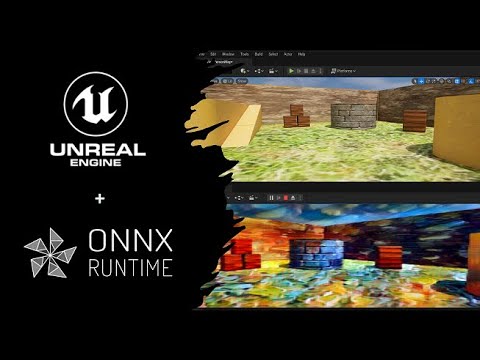
Model Zoo: https://github.com/onnx/models/tree/main/vision/style_transfer/fast_neural_style
Repo: https://github.com/microsoft/OnnxRuntime-UnrealEngine
PyTorch Example: https://github.com/pytorch/examples/tree/main/fast_neural_style#models
Check out the other Microsoft Build AI Repos: https://aka.ms/BuildAzureAI
#onnx #onnxruntime #unrealengin...
ocean wren
I really wouldn't try doing ML while running the engine on the same machine.. unless you're model is small
which is not the direction of travel these days 🙂
hallow flint
This is just doing for doing inference it seems, not for training specifically
My guess is for shipping it with games
I haven't done any testing on the cost of running with and without the models though but onnx runtime is suppose to be optimized for this as far as I understand
ocean wren
Yeah, its just the slicing on the GPU that'd concern me
 carmine hatch
Hi all, i am setting max agent step height in nav movement capabilities for a floating pawn so it can fly up instead of navigating to stairs or whatever, and changing the value doesn't appear to do anything at all.
If i change the max step height in the project settings to something very high then it works as expected, but then setting a lower step height on agents that aren't meant to fly doesn't appear to do anything either
this leads me to believe setting the agent movement capabilities on the pawn doesn't work in general. any ideas on this?
wooden echo
carmine hatch
Hi all, i am setting max agent step height in nav movement capabilities for a fl...
why is it pawn and not character?
ocean wren
dammit, trying to decide if I need to book a hotel for tomorrow or not
I hate having to make decisions when I'm trying to relax 🙂
celest python
ocean wren
dammit, trying to decide if I need to book a hotel for tomorrow or not
where are you travelling?
wooden echo
how to enable / disable an AI stimuli source?
i made this but it doesnt seem to work

strangely my AI sees me even if i remove the stimuli source
wooden echo
ok apparently the game registers sight for all pawns by default which is kinda retarded
i had to add some lines in DefaultGame.ini
[/Script/AIModule.AISense_Sight]
bAutoRegisterAllPawnsAsSources=false
however the toggle of the component still doesnt work

vroom vroom looks like this works
next problem
AI sees me with stilmuli sources removed
 ocean wren
celest python
where are you travelling?
ocean wren
celest python
where are you travelling?
Going to Bolton, about 2.5 hours away by car
celest python
ehh, if you are going to end up returning to home at night and coming back at morning i would definitely book a hotel 😄
Drive safe 
ocean wren
Yeah, but there's no good setup really.. either I get a hotel for tomorrow, overnight there and then drive back in the night, or I drive first thing tuesday and return in the night
slim temple

guys ive added a collision box
can someone help me make it so when it touches the player it plays an animation
please
wooden echo

This episode we fix a few bugs discovered since the last episode before adding the damage sensing config to our AI. So when we punch the AI, he notices us and gives chase.
Support me on Patreon and get access to videos early, join our developer community on Discord, get exclusive behind the scenes videos on my projects and much more over at htt...
also, this guy is a fkin degenerate
dont watch his tutorials if you dont want to search for bugs because stuff doesnt work and he only fixes it in next episode...
he literally makes mistakes in every video, this should be removed from youtube...
like he adds hearing and breaks the vision in the process, and i was looking for 2 hours for what i did wrong...
wooden echo
wooden echo
he literally makes mistakes in every video, this should be removed from youtube....
guess what? he again links a wrong pin in this part...
carmine hatch
wooden echo
why is it pawn and not character?
dont need anything character adds (except, possibly, working step height 😅 )
slim temple
wooden echo
dont watch his tutorials if you dont want to search for bugs because stuff doesn...
Oh my days I thought that was just me😂
That’s why I come in here cuz the things I follow most of the time do not work
wooden echo
try making a capsule instead of a box for ur shit
also, did u try just adding the touch event and playing an anim montage?
slim temple
My ai already has a capsule around it, I can use that?
wooden echo
afair characters have a capsule assigned by default
slim temple
wooden echo
also, did u try just adding the touch event and playing an anim montage?
Wdum.
 slim temple
Ye my mesh already has that
wooden echo
then why add a box? just adjust the capsule to fit ur model
slim temple
Btw when I use a box collision it breaks the ai movement
slim temple
wooden echo
then why add a box? just adjust the capsule to fit ur model
I didn’t know you could use a capsule for overlap 😂
wooden echo
why not? any shape should do
wooden echo
i learned this on my first day lol
slim temple
So the capsule shouldn’t block the movement like the box does?
Cuz like the box has to have certain collision blocking and some reason is prevents the ai from moving
wooden echo

CHARACTER ASSETS USED;
https://gamejolt.com/games/TutorialFolder/464704
FREE LEARNING ASSETS;
https://opengameart.org/
starting off the RPG series, the first thing we need to do is decide which engine we're going to use, I'll be using #unrealengine5 but #unrealengine4 will work perfectly well for everything we do (and if anyone is using #ue...
here is a shitty tutorial series that should answer alot of ur questions
wooden echo
why would u even use an old version?
slim temple
I’m using 4
wooden echo
just upgrade to ue5
wooden echo
what?
slim temple
Ye😭
 granite vault
It should not matter either way
slim temple
Idk where I heard that from
wooden echo
who told u that lol
slim temple
The internet 💀💀💀😂😂😂
granite vault
Nothing much changed in character for ue5 and ue4.
 heady sphinx
You should read the hardware specs before upgrading. ue5 is hungry
slim temple
heady sphinx
You should read the hardware specs before upgrading. ue5 is hungry
Ye I have a good specs on my pc and especially laptop lol
wooden echo
stop insulting ue5
slim temple
wooden echo
its only 100+ parts
LOL
slim temple
wooden echo
stop insulting ue5
😂😂😂
heady sphinx
slim temple
Ye I have a good specs on my pc and especially laptop lol
Upgrade 😉
slim temple
I will 😅
wooden echo
u can literally right click ur project file and upgrade it
slim temple
It won’t break any coding?
wooden echo
 slim temple
I’m following this tutorial atm for the jumpscares

#ue4 #beginner #blueprint #overlap #collision
IF YOU LIKED THIS CHECK OUT OUR BEGINNER TUTORIAL SERIES FOR MORE BASICS
https://www.youtube.com/playlist?list=PLyu-W38DvZhqByAoeva1jewB5s78zQHIy
** WANT MORE ADVANCED STUFF? CHECK OUT OUR CUSTOM C++ NODES**
https://www.youtube.com/playlist?list=PLyu-W38DvZhqOdaCkB4hGWYQzuKH2gALZ
** WANT A FULLY ...
Idk if it’s any good😂
wooden echo
overlap is covered in that ue5 tutorial too
they use it for interaction system
and probably other shit
just stop using ue4 its shite
wooden echo
 wooden echo
slim temple
Alright
wooden echo
slim temple
Alright
btw i see u already have a capsule on ur thing so u dont need that shitty box

it literally says collision cylinder lol

 haughty edge
Does anyone know what sweep while nav walking does?
In one of my tests the AI would stop moving if it's on when facing a slope
In another test the AI behaves exactly the same whether it's on or off :P
haughty edge
Actually I see it know, the AI will try to sweep and if it's blocking it will not move
I've been wondering, does the simulated proxies will always accept the server's capsule position or will it sweep itself
patent hornet
both
they will sweep to detect floor/recast themselves and they will always accept server's position
use Visual Log to debug the AI, its in developer tools and is reasonably well documented
very useful tool
haughty edge
thank you, I think I kinda know that they do both
because if the server is nav walking
the client will twitch a lot because it's still using the normal walking
patent hornet
we've had that problem, had to swap walking mode manually on clients
patent hornet
yes, RTS controls with predicted movement, we have to have it
slim temple
@wooden echo you online?
wooden echo
yes
slim temple
how can i get this to work? print strings work so the coding does work but idk how to get the animation to play
 wooden echo
well u have to set up the montage properly
slim temple
wdum
wait
i got it kind of working
but the animation is so big
LOL
how can i make the animation smaller?
 thorny slate
I heard about a way to use Reinforcement Learning to blend animations for NPCs a while back, but now I can't find anything about that idea. Does anyone have a link to anything related?
celest python
hmm
one sec
I couldn't find but zoombapup once shared something very similar related with Arc Raiders
thorny slate
I found this one: https://www.youtube.com/watch?v=Q5RAE73zCKQ
Does anyone know if Epic is working on anything like this? I'd hate to get 6 months into a project and then realize that Epic is releasing a much better solution in UE5.whatever.

In this 2020 GDC Virtual Talk, Unity's Jeffrey Shih explains how deep reinforcement and imitation learning can be used for scaling playtesting and NPC creation in games.
Join the GDC mailing list: http://www.gdconf.com/subscribe
Follow GDC on Twitter: https://twitter.com/Official_GDC
GDC talks cover a range of developmental topics including ...
ocean wren
thorny slate
I heard about a way to use Reinforcement Learning to blend animations for NPCs a...
They showed some of it in an epic dev stream a few months ago, animation warping based on some ML if I recall
ocean wren
thorny slate
I found this one: https://www.youtube.com/watch?v=Q5RAE73zCKQ
Does anyone know i...
If we've learnt anything from Epic, its that they don't give a shit about AI 🙂
Well, Mieszko and Mikko might, but the rest? fagedaboutit!
Plus, if you're going to do RL, my recommendation is to do it outside of UE and use a REST endpoint (like FastAPI endpoint being called by the FRequest/Response code in UE
The guys who did Ark Raiders used a kubernetes cluster to train their model for the robot spider thingy then brough it into UE
Again, my advice is to check out kubernetes (k3s is a good starting point) and in particular kserve
thorny slate
Awesome, thanks for all the info!
ocean wren
So you do your ML in the cloud via an API, call the API via the built in HTTP code in UE and you're rockin
unless your models are teeny tiny, then you can run them locally ok
That said, there's tons of ways to skin this particular cat.. like embedding a pytorch C++ library and running torch jit'd models using that
ocean wren
if you're after RL, part of the thing you want, is to run your training loop quickly, so loading up UE to train is a huge nono 🙂
TLDR, you can collect the code run by a model into a script, then execute that script in either the python or C++ runtimes
essentially its sort of a compiled version
normally, you'd create the model using python, then jit it, then load the jit'd version in the C++ lib
essentially the jit compiler looks at the execution code path and stores a sort of compiled version
thorny slate
I see, cool
ocean wren
A lot of places they do this for inference to speed it up
run it in C++ etc
if you're interested in this stuff, you can look for the keyword MLOps on google/youtube and you'll find endless volumes of info 🙂
thorny slate
Yeah, after the model is done, and you're using it in-game, I imagine running it in C++ would be the way to go.
ocean wren
Well, when you're using a model in production, saving a few percent performance over say ten million inferences can be quite valuable
so hosting C++ versions of optimized models is not a bad idea
thorny slate
Yeah it looks like some of these navigation models run several times a second. In the video I linked he showed one method that just produced the next frame of animation.
 tardy wolf
In Blackboard, what is the point of the Base Class under object key-type?
I can set it to a specific type of object but it doesn't seem like that forces the key type to be that specific class.
Like if I set it to base class of "pawn" I still have to cast to pawn when reading that key.
celest python
but you wont be able to set it as something isnt derived from pawn
tardy wolf
Wait really?
celest python
you'll be able to call set value as object but it'll be nullptr afaik
tardy wolf
It limits set key to that base class but doesn't change the read key?
celest python
A k2node would be nice for this tbh
tardy wolf
Okay I suppose that's better than nothing, at least I can be sure when I'm doing tasks that it will definitely be that type.
Even if the idea of casting to something I already know is that seems a bit redundant.
misty wharf
The casting is a bit of a technical limitation thing with how these work
A custom K2 node would potentially be able to get the type info from the metadata and do the cast for you, but regardless it will always require a cast on some level somewhere
tardy wolf
Fair.
tardy wolf
Okay last question for the night.
What decorator/service do I need to use to back out of an execution chain if a blackboard value changes?
I want to immediately cancel a move order if a new vector is supplied.
misty wharf
blackboard decorator can be used to watch for when the value differs from the previous one maybe
 misty wharf
yeah at least for the aborting
tardy wolf
Nope. Key Query being "not set" stops it working at all.
And "is set" doesn't seem to do anything.
At least not aborting it.
misty wharf
for vectors that doesn't make any sense
vectors are always "set", they can't be null or false which is what that's testing for
tardy wolf
Not a vector. Commands are an object that I make children of for specific types of commands.
The "move command" has a vector in it. I read that value if the command is found to be of type MoveCommand.
First part of the tasks is a cast to see if Command is of the appropriate type (so MoveCommand, AttackCommand, CastSpellCommand, etc)
If not, it fails, and since its on a selector it moves to the next task.
Probably a better way of doing this tbh, but this is how I'm doing it until I'm told of a better solution.
wait a minute
Okay yeah I messed up somewhere.
So I was clearing the current command in the command stack but not in the blackboard itself. So the pawn/controller was aware it had no command but this wasn't being reflected to the blackboard.
That's why the decorator wasn't working properly.
mint terrace
btw vector blackboard keys can indeed be unset
misty wharf
Can they? That doesn't make a lot of sense 🤔
mint terrace
and Is [Not] Set checks work fine on them
 misty wharf
How do you unset it
mint terrace
Clear Value
misty wharf
Interesting, I wonder if the bb keys actually store them as pointers then 🤔
mint terrace
¯_(ツ)_/¯
misty wharf
I just assumed it was a regular FVector value
mint terrace
i wonder if you can unset booleans
nope, just makes it false
on a side note i had fun labelling this all nice yesterday

 autumn roost
does anyone know if EQS results are sorted if your query has a score?
I just did a test, the answer is yes
hallow flint
thorny slate
I heard about a way to use Reinforcement Learning to blend animations for NPCs a...
I believed this is what you may have been referring to https://docs.unrealengine.com/5.0/en-US/using-the-machine-learning-deformer-in-unreal-engine/
Deform your skinned characters in real-time using Unreal Engine's ML Deformer.
hallow flint
ocean wren
Plus, if you're going to do RL, my recommendation is to do it outside of UE and ...
I missed this fun conversation!
What's your current training setup looking like @ocean wren ?
I'm building towards a kubernetes framework
But God damn is networking such a pain in the ass lol
I haven't checked out fastAPI. A few weeks ago I was testing out some NLP chat-bot like models because I wanted an dialogue and I'm too lazy for it
I ended up using websockets since I found a plugin for it on the unreal side of things
I had the model running inferences on python and sending info back and forth through the websockets. That setup was pretty painless for the most part
mint terrace
kubernetes* ?
I'm sure you have your reasons but the thought of throwing ML in to avoid writing dialog (due to laziness) is funny :-D
i wish Blackboard decorator could take a key for the value to check (not just the "key" to check, if that makes any sense) ie for range checks
slim temple
How would I make ai teleport to a location instead of walking?
 wispy flame
slim temple
How would I make ai teleport to a location instead of walking?
wispy flame
slim temple
How would I make ai teleport to a location instead of walking?
should be able to set up a custom task and have the logic run as event execute ai--->teleport---->finish execute
charred lava
How should I initialize an Object for a Shared Blackboard object key with the given Base Class?
Thought about creating a static function that instantiate the key with the given base class of that object key, but it's not accessible since it's private.
Do I really need to let every AI check if the key is initialized and if not, initialize it?
slim temple
wispy flame
should be able to set up a custom task and have the logic run as event execute ...
The coding ‘teleport’ exists?
Or can I make it so the speed it moves to is legit 0.01 seconds so it looks like it tp there
 misty wharf
Somehow I get the feeling that just does set actor location lol
slim temple
Oh thanks @wispy flame
Anyone know how I could make it so my ai path patrol resets when blocked by something (like my door in the office)
Like I close the door on them and they reset there process or start a new one
wooden echo
mint terrace
i wonder if you can unset booleans
were u drunk? lol
wooden echo
slim temple
Like I close the door on them and they reset there process or start a new one
just reset ur path index when moveto fails?
slim temple
I mean
When it fails
What’s the code name to reset the path index
Or do I just put ‘ai move to’ coming off ‘if failed’
hallow flint
mint terrace
I'm sure you have your reasons but the thought of throwing ML in to avoid writin...
Haha yeah it was pure programmer's laziness and I was curious to see how I could get it to work. I was inspired by videos online of people using NLP models to generate unique dialogue
tardy wolf
Can someone give me a rundown on how AI stimuli work? Was suggested that I use it for allowing a Pawn to sense only specific other pawns but I have no idea how to use it.
hallow flint
Are you trying to add sight or hearing to your AI?
Regardless, if you are using sight and would only like certain parties to be seen, you can set the affilitation/group that you'd like to detect

If you're looking for specific actions that will trigger the ai senses, you might look into this

Documents the AI Perception Component and how it is used to generate awareness for AI.
tardy wolf
Just trying to get the squad to see other squads without also seeing all the characters that are part of said squad.
I know I can Cast or use Does Implement Interface on a "See Pawn" event but it seems bad when a squad can trigger it 26 times and only one is relevant.
Plus characters can trigger their own squad's senses.
hallow flint
tardy wolf
Plus characters can trigger their own squad's senses.
The best way to reduce this is by setting the affiliations of your squads vs enemy squad, you can do that in c++
something like this maybe: https://www.youtube.com/watch?v=WoPxEbrhlTo

My Apps: https://sites.google.com/view/bradapplist/home
Tools: Unreal Engine Version 4.23.0
Assets: Third Person C++ Project
Recording: ShareX
Editing: Microsoft Photos
Background Music:
I Don't See the Branches, I See the Leaves by Chris Zabriskie is licensed under a Creative Commons Attribution license (https://creativecommons.org/licenses...
tardy wolf
Alright, I'll give the video a watch.
hallow flint
tardy wolf
Just trying to get the squad to *see* other squads without also seeing all the c...
i have quite a few questions. Is each member of a squad running their own AIController? or how does your setup look like
tardy wolf
Each member has an AI, both so they can stay in formation and so they can do combat properly when squads engage.
Outside of combat they pretty much exist just to follow the Squad's location.
tardy wolf
Always part of the same squad.
Wait, can you set other pawn/characters as components?
visual silo
Can anyone explain why AIPerception is on the AIController rather than the Character?
I know I could put it on the Character but I'm wondering why most of the tutorials seem to put it on the controller. Can't make sense of that though
celest python
Pawns might change while controllers indicates to who you are
visual silo
But arguably your perception is tied to the pawn (your ears/eyes)
celest python
Controller is the identity of the player/AI, they are the proxy/extension of them
they can posses other pawns while keeping the memory etc.
who did they saw before etc.
many AI related things will end up being constructed in AIController
also since BT/BB is AIController oriented its easier to access to AIPerception there
visual silo
celest python
they can posses other pawns while keeping the memory etc.
I guess the argument here is that AIPerception actually has some state/historical information in it too. It's not just raw sensing.
celest python
um.. I'm not sure about that, never used UE's implementation.. but even if its not have history information, it can have
visual silo
celest python
many AI related things will end up being constructed in AIController
Yeah, the "it's easier to access" argument seems like a bad way to make a tech decision but seemed the most obvious reason people would opt for it.
hallow flint
tardy wolf
Wait, can you set other pawn/characters as components?
Well that's kinda what i was gonna get at. I'm not sure if you can directly set pawn as components. But if your units are essentially operating as a single entity (squad) but their visual representation is that of several members. You could probably do some optimization there. Maybe have a single aicontroller per squad, and renders out the rest of the members as (take your pick of how you want to render) MASS or particle systems. There's a few ways to go about animating characters with light compute time to make them look real
celest python
visual silo
Yeah, the "it's easier to access" argument seems like a bad way to make a tech d...
why would you want it to be in character class?
what would be the benefit?
visual silo
Good way to tackle it, reverse the question 🙂
The character makes more sense to me because the character is physically represented in the scene, and different monsters (visually different) might have different sense ranges. That is easily paired together on the character side
Part of my issue I think is that the AIController / Character is a meaningless split for me right now because my AI shouldn't be swapping pawns. So instead all the enemy behavior and visual response stuff is just getting split across two files instead of one
and my instinct is to have the AIController be more general purpose, to run the logic, while the character itself has unique specifiers to the behavior and sensing
So I wouldn't need a new AIController for every enemy type
celest python
hmm, fair.. but possession is still a thing, AI character could get destroyed, unpossesed etc. and this can even happen with a communication of BT & AIPerception. In that case when you want to keep everything in AIController without resetting any values, having them seperated from character makes sense.. But to abstract it further, main decision of creating those components in AIController is relying on the logic "controller possess pawns and it's the proxy of the player/ai itself"
visual silo
But I'm getting the feeling that AIController per enemy type is more the "Unreal way"
celest python
visual silo
and my instinct is to have the AIController be more general purpose, to run the ...
I would feed/fetch the data from character to AIC
visual silo
Yes
celest python
Over the time I started to think if you obey how UE works its less likely to have unpredicted issues on the long run, but it depends ofc
tardy wolf
hallow flint
Well that's kinda what i was gonna get at. I'm not sure if you can directly set ...
The real issue here is that the characters are part of the squad but when they get into combat they break off into "individual" control of sorts. I don't think visual smoke-and-mirrors here would help because they do still need some functionality of their own.
I'll see about using them as components though. Might work.
hallow flint
tardy wolf
The real issue here is that the characters are part of the squad but when they g...
Right, if they actually end up breaking up then that's a different thing
 sudden citrus
Is World Partition currently supported by the navmesh either static or dynamic?
If so, what are the recommended settings?
tardy wolf
I mean. Break up when squad gets into combat. Soon as squad leaves combat, they reform.
Its sort of like Total War's units where the individual characters do have some AI to them, just most of the time its not doing anything.
sudden citrus
You don't need to break Unreal's patterns to put more logic on some sort of AI manager. Just have the manager throw simple BTs at them
I recommend watching this: https://www.youtube.com/watch?v=5ZXfDFb4dzc

This stream will cover my preferred solution to game AI decision making.
Timestamps:
00:00 - Stream Start
01:05 - Intro
03:45 - Past Experiences
12:36 - Problem Definition
20:49 - Approach Overview
31:42 - Goal Generation
40:57 - Behavior Selection
59:47 - Dynamic Behavior Modification
Your characters can reference a data asset with a lookup table of Name -> Behavior Tree, and an AI manager according to some internal logic can choose which ones to give to who, by name. Trying to rip out pieces of the gameplay framework is pointless - it's not about the class structure but what you do with them
The only thing you'll achieve is weird bugs 3 years later when half your team hates you
tardy wolf
Probably a good thing I'm not part of a team then.
sudden citrus
You can still hate yourself 😄
tardy wolf
You say that like I don't already for doing this project
sudden citrus
Work as if you were part of a team. work as if your future self has no recollection of your current self. It will help you build good habits
tardy wolf
Anyways not what I was asking for. I just want to know how I can have the squad sense only other squads and not the attached characters.
Which, unfortunately, means the squad also detects its own characters.
sudden citrus
I don't think it matters, have it sense characters and then build a knowledge layer on top of perception where you reason about squads
Think of sensing as purely physical and then "digest" world knowledge from it
When you see a person you don't see their family, etc.
tardy wolf
So what do you mean by build a knowledge layer? Querying the sensed thing to see what it is?
Because right now I have casting and does implement interfaces to see if its a squad or not. But my point was it was sensing every character in the squad too, which seemed unnecessary.
sudden citrus
Just some code that keeps knowledge in a more "processed", design-driven way. Basically your situation is: you have an interesting design idea and you're trying to bend the technical framework for it. Instead of doing that, use the technical framework as it is and build design patterns on top of it
tardy wolf
And again, its sensing its own characters.
sudden citrus
Have characters send their perceptions to the squad manager or whatever. The squad manager can then go over that list and figure out what it wants, e.g. "I see squads A, Q and X"
Characters can have "squad components" which keep info about their squad.
If your characters end up sensing too many things, that's a technical problem to be addressed separately, unless you're doing 1000 characters at a time the perception system will handle it
It's an optimisation issue, don't worry about it when designing
tardy wolf
The characters have reference to their squad and the squad has reference to all its characters.
 undone heron
What is the downside of using regular blueprint instead of behavior trees for Ai?
tardy wolf
But what's the point in having every single character sensing if they're all going to be in formation and sensing the same things anyways? Seems redundant, no?
sudden citrus
tardy wolf
But what's the point in having every single character sensing if they're all goi...
the short answer is: because it's the simplest thing for you to do technically while you're trying to figure it all out
tardy wolf
They'll still be sensing the other characters (both in their squad and the enemy's) when all that needs to be sensed is the squad itself.
sudden citrus
You can figure that out once you've made the game and don't want to change everything 🙂
tardy wolf
Should clarify, the squad is an actor itself, it acts as an anchor for the characters to form around and follow.
sudden citrus
Think in small systems which layer on top of each other, not a single overarching technical design
tardy wolf
Its not an abstract manager with no physical presence.
sudden citrus
I am an abstract manager with no physical presence
Just think about what I said, sleep on it, see if you can make it work. It can feel clever to do something weird with the engine but most of the time the simple and stupid solution works best, because it's easier to change later, and it will not cause you unexpected issues.
For example if you want squads to perceive each other then you will be limited by the squad manager's visibility queries and will have to care about their location.
A squad should be an abstract manager with no physical presence. If you want a point in space to form around, it should be literally a vector property somewhere, or a selected squad member that acts as the pointman
Most of all stop worrying about your agents perceiving too much
tardy wolf
sudden citrus
Most of all stop worrying about your agents perceiving too much
Are the event calls really that cheap?
sudden citrus
If perception starts being your bottleneck then you'll likely struggle to have that many characters anyway
Also, doing it in blueprint will add an order of magnitude to execution time
tardy wolf
True true.
sudden citrus
undone heron
What is the downside of using regular blueprint instead of behavior trees for Ai...
Once a task starts taking time you will either struggle to model it or you'll have to reinvent the wheel
 distant snow
What do people do about actions that are shared amongst players and ai?
For instance in a fighting game, you want ai to Kick, which would be a Task, I guess.
But when the player Kicks, it would be part of the character event graph.
Is it common if the Kick Task just calls logic from the controlled character's event graph?
misty wharf
That's kinda reverse of how you should do it
You create your kick logic within your character as an event or function
then you can call that from your player controller, or you can call it from a behavior tree or where ever you need to trigger it from
sudden citrus
To repeat why I logged in today:
Are there any established workflows with Navmesh + World Partitioning, at the moment I have a static navmesh in a large partitioned level and when I tick the "world is partitioned" box on it it actually breaks, and works fine with it off 😄 😄 😄
distant snow
misty wharf
then you can call that from your player controller, or you can call it from a be...
Oh yes, that's what I meant, but I worded it poorly. Or rather I threw out 2 hypotheticals at once.
But happy to learn that's the right track.
misty wharf
yep
hallow flint
sudden citrus
To repeat why I logged in today:
Are there any established workflows with Navme...
i haven't gotten to play with world partitioning yet so not sure what's happening there
visual silo
sudden citrus
I recommend watching this: https://www.youtube.com/watch?v=5ZXfDFb4dzc
Oh nice, this is the same guy that talked about combining BTs and HFSMs in that AI Arborist talk! Thanks for posting
sudden citrus
visual silo
Oh nice, this is the same guy that talked about combining BTs and HFSMs in that ...
Yeah he says he's learned a few things since then and simplified them
visual silo
Yeah I'm watching through it now. It's great to see how his thinking has evolved.
Honestly he's the only person talking about BTs that actually made sense to me 🙂
Which is why I've been trying to mimic that HFSM/BT approach
But I've already been running into a lot of the issues he's talking about here
celest python
i think.. that link can be pinned
sudden citrus
add this one too: https://www.youtube.com/watch?v=G5A0-_4dFLg

This stream will cover all the basics needed to build an agent-based game AI framework.
Timestamps:
00:00 Introduction
11:00 Agent Model
14:56 Actuation
16:38 Actuation: Action System
18:41 Actuati...
it's what he recorded first
I would really love to dispel the notion in the UE community that you should build your entire AI with one behavior tree
It's really not designed for it even in the technical sense, like blackboards of subtrees requiring to be base classes of the owning scope, meaning you can't treat it like a call stack
and your BB balloons into 50 keys
visual silo
sudden citrus
I would really love to dispel the notion in the UE community that you should bui...
Easier said than done, when there seem to be no good tutorials showing a different way. 😦
sudden citrus
Yeah, apparently every 4 years a new technical writer comes along and does the same 3 basics streams and the whole thing doesn't go anywhere.
You have to remember that the purpose of UE guides is to showcase the features of the engine, not the right way of building things
visual silo
🤣
sudden citrus
And then 50% or more of GDC talks are borderline recruitment material
They never tell you that the game director was insane and everyone hated it and they had 200 bugs in the system in the last 6 months
hallow flint

sudden citrus
Rewatch all the talks about God of War 2017, paying attention to how they let it slip between the lines how they really hated the camera too
Basically GDC talks are nice content but you have to apply some critical thinking to them, think of what they're not telling you.
hallow flint
i just took a look at one of the gdc talks like you said, "Reinventing God of War" for those that are interested and yeah the way they're describing their E3 showcase sounds like a nightmare lol
sudden citrus
My favourite is when the combat designer says "Cory [the director] puts the camera horizontally to get the most cinematic view, and everyone else who knows what they're doing tilts it down a bit for some depth perception"
hallow flint
hahaha, yeah im watching Cory talk about his 2 months of rehearsing
opal crest
GDC talks are exactly like every other industry talk then -> The one reasonably charismatic/ambitious person on a team putting a positive spin on disaster 🙂
That quote about the camera is an incredibly good detail to use in the evergreen discussions about why video games aren't more like movies.
tardy wolf
Not sure if its more relevant here or Blueprints, but is there a way to give an AI player a playerstate?
Not an AI controlling say a character but one meant to play the game like a human would?
 vast sail
hallow flint
Hey guys, has anyone taken a look at the new NNI plugin? https://docs.unrealengi...
vast sail
hallow flint
Hey guys, has anyone taken a look at the new NNI plugin? https://docs.unrealengi...
It's that crap that caused engine to become 10GBs fatter?
hallow flint
 i didn't check size. but there are quite a few third party modules in there
vast sail
Oh, sorry, it's Engine/Plugins/Experimental/PythonFoundationPackages actually.
hallow flint
i wonder if the intended use of that is for editor-scripting
i think is saw that they added tensorflow and other ML packages to that pythonfoundation thing
sudden citrus
tardy wolf
Not sure if its more relevant here or Blueprints, but is there a way to give an ...
a playerstate does not control anything
 feral imp
good afternoon
Assistance in implementation
I have a fly that moves using BT (moves to a random location)
How can I make it so that when moving it moves up and down
exclusively with the help of drawings
ocean wren
My squad setup was this.. I have a SquadActor that is a coordinating actor for a squad. It has squad members as a reference array to a set of Actors with SquadMemberComponent's on them
The squad member components coordinate between the squad and the AI for each squad member.. via a FMessageEndpoint
SquadActors run some simple AI that allocates threats to squad members, makes sure that if a squad member sees something, it propagates to the squad (think of it as squad comms)
SquadActor will also allocate roles and coordinate "commands" which are things the player tells the squad to do, usually movement or cover type stuff
So for instance if you give a squad a command to move, the squadactor will coordinate bounding and the like
ocean wren
sudden citrus
It's really not designed for it even in the technical sense, like blackboards of...
The reality is that BT's aren't architected the same. We had a panel about BT's back when Alex C was running aiGameDev confs and basically everyone had different BT architectures, some with tons of simple nodes, some with a few complex ones.. all BT's but quite different.
sudden citrus
Oh for sure, I'm talking about the UE implementation specifically.
But generally they're not very scalable design wise (it's just a massive if-else statement) unless you try very hard to instill a structure but at that point you're better off making a hard break so that the system is the structure, so to speak
I miss Alex C doing game stuff
Remember reading some contest entries for that CTF game and feeling all three of my brain cells explode
ocean wren
three? that many? 🙂
I think the main issue for the UE implementation is the lack of proper parallels
without those, things get a bit harder to create
Right, time for some kip.. ttyl all
 silver pelican
i made my first AI without a behaviour tree-
 zinc cobalt
can i ask whats the difference between EQS and influence maps?
misty wharf
Influence maps? Is that a new UE5 feature because never heard of that 🤔
zinc cobalt
Its not actually im not sure how to explain it cause i just started looking into it
hallow flint
zinc cobalt
can i ask whats the difference between EQS and influence maps?
that is a great question!
when i started learning about influence maps i also noticed that they had the same functionality 
zinc cobalt
This is the third major time ive ran into this situation where i cant tell if its the same thing with different names
misty wharf
Looking at it I don't think so
EQS is for querying info about the environment based on some set of rules
Influence map seems like a more specific solution similar to a djikstra map
hallow flint
So just looking up at some definitions, it seems that influence maps are generally tied to a more direct concept of relationship and influence between an object and the player. But EQS seems more abstract than that
You could definitely use EQS to build up an influence map, but i probably wouldn't call it an influence map itself
misty wharf
It seems you could use EQS to query your influence map moreso than create one
Eg. "give me points within radius with at least this much influence"
hallow flint
Since you have direct access to the scores given by the EQS, and you have the discretized query points, that'd essentially be an influence map though
opal crest
Yeah, an influence map is basically cached geometric data that you use to make decisions with. EQS does have influence-map like properties, it's just that you usually compute it only when you need to make a decision.
hallow flint
So we would just use EQS to create/update our influence map then right
opal crest
It'd be hard to have a tasty snail leave behind "delicious" influence values as it moves the EQS way.
Yeah, I can see that. Run an EQS when an object would change its influence, then store the results in an octree, or sparse 3d array.
hallow flint
yeah that could work, i saw a nice lecture on influence map usage in games. I wish i could remember the name to share it here, let me check
Ahhh it was videos from Dave Mark lol
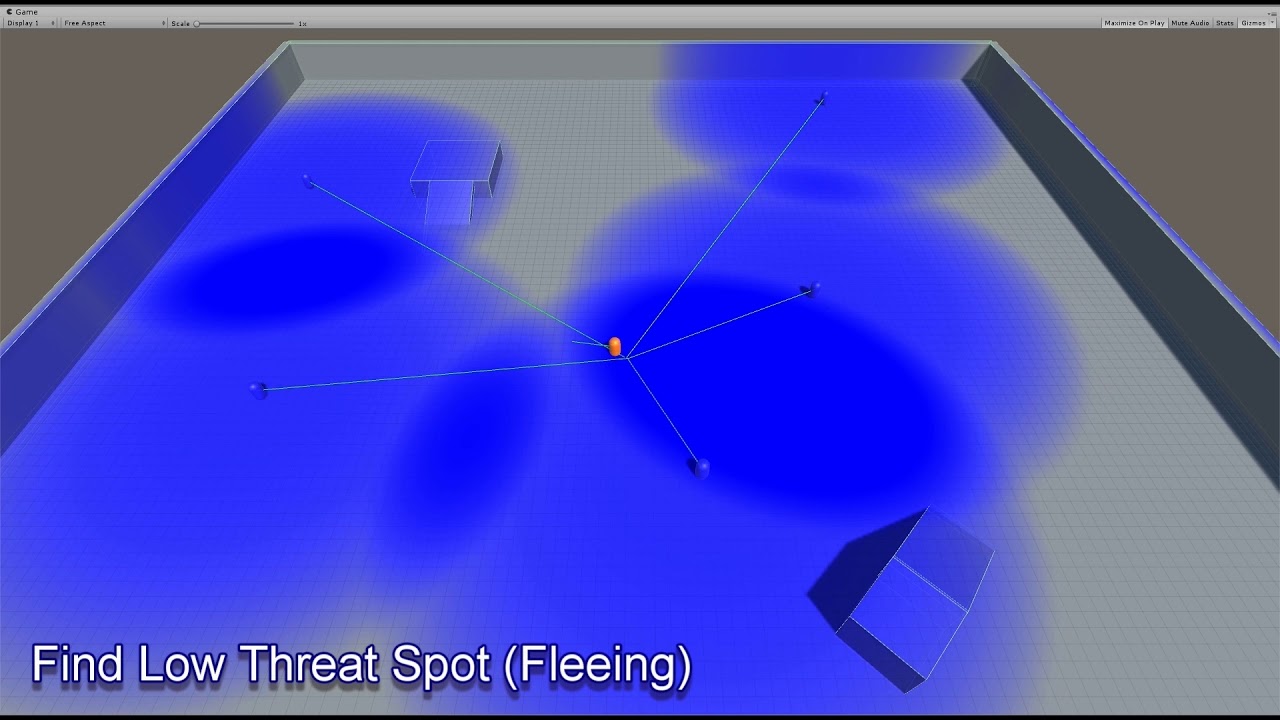
This is a combination of video examples of what my modular scalable influence map (Imap) system can provide. Please note that many of the positional behaviors here are intentionally created to demonstrate in a short time what the Imap system can do. More realistic movement and positioning behaviors can easily be accomplished.
The important thin...
opal crest
All I do in this channel is grow my never ending gamedev youtube playlist. Thank you!
hallow flint
haha
opal crest
Here's the Game AI Pro article that goes with the video: http://www.gameaipro.com/GameAIPro2/GameAIPro2_Chapter30_Modular_Tactical_Influence_Maps.pdf
zinc cobalt
Yeah ive been looking at that website thats where i got a bit confused cause they both seamed to be used for spatial reasoning i think its called
hallow flint
I actually didn't know you could get free chapters from the website, that's pretty awesome
misty wharf
All the three books are free there at least for time being
should probably wget the whole thing just in case :P
hallow flint
haha yeah im seeing that
have you guys seen that GDC talk where i think they have different speakers talk about tips and tricks for making cool AI
and one of them suggested to build an AI using assumptions that robots do
so the the tldr; here is. In the real world we have partial observability, so if you build your AI using that assumption, you can get some neat emerging behaviors
I don't remember what algorithm he used, i think it was SLAM or something
to create a local map of what the AI has seen while he explores the world
like he would start out blind, not knowing anything
zinc cobalt
It sounds familiar but i cant remeber the name im just all over thr place with studying AI
hallow flint
I found it!

In this 2015 GDC lecture, DigiPen's Steve Rabin, Insomniac Games' Jonathan Adamczewski, Lockheed Martin's Kevin Dill, Maxis' Rez Graham, and Digital Extremes' Dan Brewer share a plethora of AI development techniques that skip past the complicated programming and get right into the basic psychology that will trick players into thinking they're in...
Took me so long haha
It's around 13 minutes in
hallow flint
zinc cobalt
It sounds familiar but i cant remeber the name im just all over thr place with s...
It's fun
sudden citrus
influence maps are cool but if there's too many influences it becomes really hard for designers to shape behaviour through it
I've just found that they want simple rules
Nobody likes to have to take their idea, then translate it into numbers that a system takes as input so that it comes out on the other end how they want it
the God of War and Spiderman talks from the same year both had the same lesson: don't overcomplicate it, use no-go zones and hand-designed shapes
and think in terms of where do you absolutely not want your AI to go as opposed to trying to find the best position, it will give you more stability and be easier to understand
hallow flint
Oh definitely, the right tool for the right job. I'm thankfully in a lucky position where I'm encouraged to try out different methods so get to be a little experimental with approaches
 round sand
hey any idea why would a task in a behavior tree wouldn't change even when the blackboard key is switched?
misty wharf
do you have a decorator that aborts when the value changes?
round sand
oh I should enable the abort self thing. let me try
 haughty coral
Interesting. Could be related to research which Mikko recently mentioned on this twitter.
https://github.com/EpicGames/UnrealEngine/commit/0a72cbc6abdae41315e9f498e390a28afb9a0f0b
ocean wren
zinc cobalt
can i ask whats the difference between EQS and influence maps?
Influence maps are used to store shared information in the world, so EQS might read that information and possibly change it, but the idea of the influence map is to actually represent information in the world as a shared resource for multiple purposes
Best demo of them, is Arkane's talk about Dishonored 2 from GDC which is on Youtube
sudden citrus
I don't see much point in using EQS for influence maps. The map should have all the info you need while EQS is built to query actors and locations while gathering info about them
Anything you make in EQS for an inf map will either be non-reusable or redundant
misty wharf
Well it could be useful for situations where you want to filter or score your results based on influence
F.ex. if you wanted to select some point from a set but you want it to prefer points with higher friendly influence
Which would be easily achievable via a custom EQS test which queries the influence map
I don't think you should ever update the influence map using EQS because EQS just queries things. You certainly could use the results from an EQS query to determine what to update but that's separate from EQS itself
 molten cairn
does anyone know what kind of AI Half Life 2 uses? is it GOAP, state machines or Behavior Trees?
 brisk jasper
Anyone know if Get Random Point Navigable radius is broken in ue5? been having problems all day and after recreating my setup in ue4 it works perfect, then when ported to ue5 it just stops working.
here is my very simple setup and behavior tree


yes the character is using the correct ai controller
yes the ai controller is firing off to start the behavior tree
the behavior tree activates and gets all the way to the print string and here is what it looks like

it looks like it will be random for a few ticks and then just send the same location every tick
sorry if this is the wrong place or if I should ask on the forums but I've been at this for hours
ocean wren
molten cairn
does anyone know what kind of AI Half Life 2 uses? is it GOAP, state machines or...
Its a hierarchical finite state machine, pretty sure there's a GDC presentation out there about it
Pretty sure it was Mike Booth? or Mark Booth? something beginning with M 🙂
misty wharf
Mabe Newell 
ocean wren
I was at Valve's offices once for a job interview.. didn't meet Gabe though
granite vault
was it 3pm when you were at Valve's office?
lyric flint
Should I play animations in Behavior Tree tasks or in the AI controller?
celest python
uhh.. bttasks for sure?
why would you play animations in ai controller
for uninterruptable animations
-> run anim on bttask
-> disable logic, bind on anim finished delegate
-> when delegate fired end the task and enable bt logic again
granite vault
I could be wrong, see the answer above ^
lyric flint
All I really want to do is switch from idle to wave when spotted
I'm just trying stuff out, not really wanting to make a game
granite vault
if it is not making game, just go with whatever you are comfortable with and fastest route
lyric flint
Yeah but then if i want to make a game, like down the road, not out of this project I might add, I might copy the way I do it this time and it may be the wrong way
ocean wren
granite vault
was it 3pm when you were at Valve's office?
I was there for a couple of days, their interviews are pretty full-on 🙂
hearty niche
any tips on optimizing npc ai? I am trying to have as many pedestrains as possible for an open world game. I have already doing optimizations on the skeletal mesh tick (visibility based and update rate.)
granite vault
ocean wren
I was there for a couple of days, their interviews are pretty full-on 🙂
was trying to joke that Valve never like that number 3. My bad. I see, too many want to work there
celest python
celest python
for AC Unity
every other method follows that same method other than doing engine side optimizations
agressive mesh lodding, behavior lodding, significance manager etc
hearty niche
celest python
Check Ubisoft's GDC about this
was exactly doing that
 manic iris
Kind of the bottleneck I'm at in my learning project is that I don't know how to get passable/decent AI going. Where do I start if I just want to be able to make a few basic BTs for a variety of enemy types, à la Doom or Destiny
hearty niche
significance manager is not working properly for me sadly. I did manage to register my actors but I could not get the significance values to be updated properly. Npcs are stuck in far state and all
hearty niche
manic iris
Kind of the bottleneck I'm at in my learning project is that I don't know how to...
eqs for good positioning would be a major one
manic iris
hearty niche
eqs for good positioning would be a major one
that's probably a good idea. I have one melee guy that works okay, but as soon as I put in more than one they just run all over each other
hearty niche
manic iris
that's probably a good idea. I have one melee guy that works okay, but as soon a...
from what I have understood avoidance has limits and good positioning will be needed. You could do an eqs to check if the anybody is standing there. Move to it checking if anybody blocked it or the player moved too far away from the point so it recalculates.
opal crest
Another common technique is to have a resource associated with a melee target which is a location relative to the target the AI should attack from. An AI will claim that resource and this avoids bunching.
manic iris
I notice that it's kind of hard to find an intermediate tutorial for some of this stuff
like, I already have a BT, but I'm also not looking for Epic Games documentation on how to make a realistic stealth game
I'll look into EQS, though. thanks
celest python
manic iris
I notice that it's kind of hard to find an intermediate tutorial for some of thi...
check pinned messages
hearty niche
stealth is a nightmare
celest python
Laura/Lorash posted great one
 manic iris
this is actually the one that prompted me to say I'm not making a stealth game
 hearty niche
celest python
Laura/Lorash posted great one
hearty niche
celest python
Laura/Lorash posted great one
wait they are the same person?
celest python
hearty niche
wait they are the same person?
yeah.. like how hannah montana is miley cyrus
manic iris
it's probably a good tutorial, but I'm just not interested in making something with advanced noise detection or anything
hearty niche
its pretty basic
celest python
manic iris
it's probably a good tutorial, but I'm just not interested in making something w...
its fundamental
opal crest
manic iris
it's probably a good tutorial, but I'm just not interested in making something w...
One system at a time is a good way to go. Otherwise you get buried. Eventually you may get curious enough to try this stuff.
 sacred shale
would anyone know why my the RangedAttack isn't working? I'm running into this issue where the enemy can spot my player, I look at the behavior tree, it executes properly (1, shoot, 2, shoot, 3, shoot) but there is no projectile spawning and I have no idea why, here is the code I have for the task
EBTNodeResult::Type USBTTask_RangedAttack::ExecuteTask(UBehaviorTreeComponent& OwnerComp, uint8* NodeMemory)
{
    AAIController* MyController = OwnerComp.GetAIOwner();
    if (ensure(MyController))
    {
        if (ACharacter* MyPawn = Cast<ACharacter>(MyController->GetPawn()))
        {
            FVector MuzzleLocation = MyPawn->GetMesh()->GetSocketLocation(TEXT("Muzzle_01"));

            AActor* TargetActor = Cast<AActor>(OwnerComp.GetBlackboardComponent()->GetValueAsObject("TargetActor"));
            if (TargetActor == nullptr)
            {
                return EBTNodeResult::Failed;
            }

            FVector Direction = TargetActor->GetActorLocation() - MuzzleLocation;
            FRotator MuzzleRotation = Direction.Rotation();

            FActorSpawnParameters Params;
            Params.SpawnCollisionHandlingOverride = ESpawnActorCollisionHandlingMethod::AlwaysSpawn;

            AActor* NewProj = GetWorld()->SpawnActor<AActor>(ProjectileClass, MuzzleLocation, MuzzleRotation, Params);

            return NewProj ? EBTNodeResult::Succeeded : EBTNodeResult::Failed;
        }

        return EBTNodeResult::Failed;
    }
    return EBTNodeResult::Failed;
}```

it was working originally but I added an EQS testing pawn so i'm not sure if the query context is confusing it with another pawn

but regardless of whether I delete the testing pawn it doesn't make any difference, thought that might've been a cause
when I swap around the "Wait" and "RangedAttack" nodes it shoots once but then doesn't shoot anymore, honestly confused, it's executing properly but not shooting anything
hallow flint
So you've visually verified it hits the ranged attach node correct
Have you tried adding breakpoints to see if it's actually getting to the spawn section of your task
sacred shale
hallow flint
Have you tried adding breakpoints to see if it's actually getting to the spawn s...
yes I have, I realized it's only ever shooting when it sees the player upon spawning with the Pawn sensing component (which I can confirm at the very least that works) when it should shoot as soon as it arrives at its location and when it's within view
this was working before but I have no idea why, I haven't changed anything on the behavior tree this is making me wanna pull my hair out I hate AI but I gotta learn it 😦
I'm doing this for a course and I can testify that the behavior tree on the professor's version of the project is in fact working and is in the exact same setup I have it here I'm just so pissed off hsaufhusaihufsialhufsalihfsajlfsahulfsahyiolaefguiaeghialefghiaeflgyaeuif;egfyiaeui;fqevghia;wefhgfizd;geaf;awygfhi[eafyg
the AI sees the pawn, it rotates, and just keeps spamming the "Wait" node when it should shoot 3 times, then move to the nearest EQS point or whatever
if it can't find me, it waits 5 seconds, then moves onto the next point until it does have me within its vision cone, then shoots me
but instead what happens is it just stops when it sees me, doesn't move at all, doesn't shoot at all
for the rest of the lifetime of the program
unless it doesn't see me or it's outside the attack range
hallow flint
sacred shale
unless it doesn't see me or it's outside the attack range
So when your BT executes it's not getting to the left branch where it does the wait shoot wait shoot?
sacred shale
it's very not correct, I know I have the EQS and Behavior Tree in the correct order, rewatched the professor's videos like 5 times and I can ensure that the code I wrote is also correct and working accordingly, there's probably just one tiny thing I might've changed that is driving me bonkers lol
sacred shale
hallow flint
So when your BT executes it's not getting to the left branch where it does the w...
nope, the left branch should only ever execute if the AI character is within the attack range and it can see me
I'll try posting a gif to visualize what's happening if that'll make it easier
hallow flint
Yeah it might, I may be misreading. All your tasks are getting activated when they're supposed to but the range one isn't actually shooting projectiles
sacred shale
nope
hallow flint
Have you tried verifying through the world outliner to make sure that they are really not speaking
Okay then I'm misunderstanding
Lol
sacred shale


you can see in the second gif, the AI is not shooting me
I think the only time it's ever shooting me is when it spawns and I'm within it's vision upon spawning
sacred shale
not sure why though
sacred shale
 hallow flint
Okay and where is this key updated
sacred shale
I'm pretty sure it's only local to the scope of the BT, where would it typically be set? I looked within the QueryContext and EQS but it doesn't seem to do anything
I should know but I'm struggling, I'm pretty sure it's setting it in the actual BT itself

i think this is it?
sacred shale

I should know where it's being set but I honestly don't know
I feel so stupid lol
this was working for me before but I have no idea, been stuck for like 2 hours
hallow flint
Okay so that's where you check it, click on checkattackrange
sacred shale
hallow flint
Okay so that's where you check it, click on checkattackrange
what do you mean by this
Within Attack Range?
hallow flint
On the green rectangle, in your BT
sacred shale

my bad
this runs when WithinAttackRange is true
(i think idk)
it should
it ticks and checks to see if CheckAttackRange is true
but what determines WithinAttackRange honestly idk
it seems like a local variable explicitly defined in the BT
I know I can expose tasks to BT but idk if I can expose variables
hallow flint
Yeah but it has to be getting updated somewhere otherwise how would it ever change to true
Or false
sacred shale
gonna look back through the prof's video
hallow flint
What's the name of your eqs class
sacred shale
where would a variable like this typically be exposed

pretty sure this would be it?
I don't think I have an EQS class, I'm pretty sure I only have a query context class
hallow flint
Yeah I was referring to this one, where in your BT are you using this query
sacred shale
never mind, it's Query_FindNearbyLocation
hallow flint
I want to see blackboard variable you assign these results to
sacred shale
this should be obvious to me, idk how I'm actually this dumb lmao

I can't find anywhere where WithinAttackRange is being set
hallow flint
Okay I had to scroll up to your original images, I see where you call this
But it's still a mystery to me where, or if you are even updating withinattackrange
sacred shale
I should be, this was working before
opal crest
Can you show your code/nodes for the CheckAttackRange service (green node)?
sacred shale
opal crest
Can you show your code/nodes for the CheckAttackRange service (green node)?
this is where it's being set, my bad
void USBTService_CheckAttackRange::TickNode(UBehaviorTreeComponent& OwnerComp, uint8* NodeMemory, float DeltaSeconds)
{
    Super::TickNode(OwnerComp, NodeMemory, DeltaSeconds);

    //Check distance between AI Pawn and Target Actor

    UBlackboardComponent* BlackboardComponent = OwnerComp.GetBlackboardComponent();

    if (ensure(BlackboardComponent))
    {
        if (AActor* TargetActor = Cast<AActor>(BlackboardComponent->GetValueAsObject(TEXT("TargetActor"))))
        {
            AAIController* MyController = OwnerComp.GetAIOwner();
            if (ensure(MyController))
            {
                APawn* AIPawn = MyController->GetPawn();
                if (ensure(AIPawn))
                {
                    float DistanceTo = FVector::Distance(TargetActor->GetActorLocation(), AIPawn->GetActorLocation());

                    bool bWithinRange = DistanceTo < 2000;

                    bool bHasLOS = false;
                    if(bWithinRange)
                    {
                        bHasLOS = MyController->LineOfSightTo(TargetActor);
                    }

                    BlackboardComponent->SetValueAsBool(AttackRangeKey.SelectedKeyName, (bWithinRange && bHasLOS));
                }
            }
        }
    }
}```maybe TargetActor isn't being set properly
hallow flint
TIL there's a built in lineofsight
 hallow flint
Are they both true?
sacred shale
should be
hallow flint
Put your cursor on top of them to check
sacred shale

yup
it did set bHasLOS to true
thanks guys, helps me understand my code better at least, haven't continued this course in a month so I'm just refreshing myself
hallow flint
Okay so for the sake of making this easier to debug try just printing both within range and bhasLOS
sacred shale
will do
hallow flint
My intuition tells me that maybe bHasLos may be returning false under certain conditions bevause it queries from your player to maybe the feet of the enemy?
Or maybe your targerActor isn't who you think it should be
Oh and try printing out the distanceTo value and removing the extra AI from the level. That should help with debugging
opal crest
Agreed. If you notice in your first gif (the blackboard view in the bottom right), the withinRange bool is never updated to true. You definitely want to get a sense of what's happening when your service runs when your enemy ai is moving.
sacred shale
will do, I have a bunch of AI spawning in the level from the work I did last night but I'm pretty sure that has to do with the EQS_FindSpawnLocation I made, I only wanna ever spawn one AI but I'm struggling with that too lmao
opal crest
Yep, when in doubt: create an empty map with a player location + one AI pre-spawned to get rid of distractions.
sacred shale
sorry for this stupidity on my part, I should genuinely know shit but on top of wasting all my time and being depressed af it hasn't helped
it boggles my mind how I don't know how this shit I put together doesn't work
hell even last night
self-pity wastes time, sorry about this
ironically enough lol
hallow flint
sacred shale
it boggles my mind how I don't know how this shit I put together doesn't work
Don't worry I feel this way about stuff I build at work too 
opal crest
It's pretty normal to come back to something and go "what was I doing, man".
hallow flint
Build it one day, forget the next lmao
opal crest
I've been programming a long time, and I continuously have to relearn things.
hallow flint
Yup same here lol, I'm always like "I should know this"
opal crest
Which is why every teacher/tutorial vid in the world is going to tell you to comment things, even when it seems obvious. That's not for you today, that's for you next week.
sacred shale
oh, right, just remembered, i'm spawning the extra AI from the gamemode override, my bad lol
@opal crest @hallow flint 🤔


despite being false it's just standing there when it should be looking for other points
hallow flint
Hmm okay so now that you can see those flags, does the BT traverse in the way you're expecting?
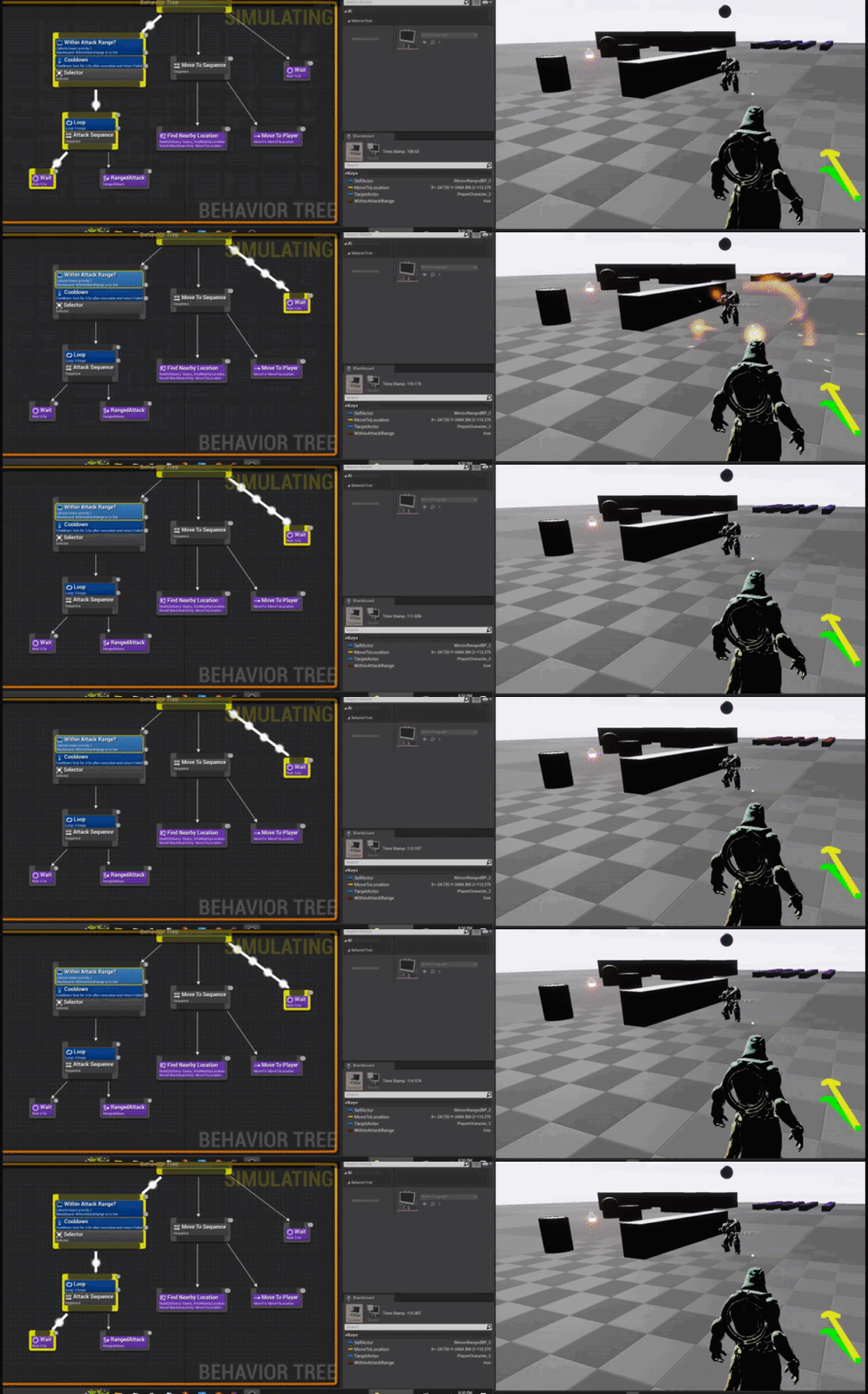 hallow flint
sacred shale
despite being false it's just standing there when it should be looking for other...
hallow flint
sacred shale
despite being false it's just standing there when it should be looking for other...
Is it constantly on the far right "wait node"?
sacred shale
at the very least I'm happy I can study just one AI behavior
sacred shale
hallow flint
Is it constantly on the far right "wait node"?
a lot of the time yeah, unless I'm outside the attack range I'm pretty sure
from what I understand, it should shoot 3 times, then move to another location
at least from what I've seen in the lecture and the example content he provided
hallow flint
Interesting, it does go into the left branch but yeah I don't see any shooting
sacred shale
but he's never shooting, despite the behavior tree suggesting otherwise
sacred shale
EBTNodeResult::Type USBTTask_RangedAttack::ExecuteTask(UBehaviorTreeComponent& OwnerComp, uint8* NodeMemory)
{
    AAIController* MyController = OwnerComp.GetAIOwner();
    if (ensure(MyController))
    {
        if (ACharacter* MyPawn = Cast<ACharacter>(MyController->GetPawn()))
        {
            FVector MuzzleLocation = MyPawn->GetMesh()->GetSocketLocation(TEXT("Muzzle_01"));

            AActor* TargetActor = Cast<AActor>(OwnerComp.GetBlackboardComponent()->GetValueAsObject("TargetActor"));
            if (TargetActor == nullptr)
            {
                return EBTNodeResult::Failed;
            }

            FVector Direction = TargetActor->GetActorLocation() - MuzzleLocation;
            FRotator MuzzleRotation = Direction.Rotation();

            FActorSpawnParameters Params;
            Params.SpawnCollisionHandlingOverride = ESpawnActorCollisionHandlingMethod::AlwaysSpawn;

            AActor* NewProj = GetWorld()->SpawnActor<AActor>(ProjectileClass, MuzzleLocation, MuzzleRotation, Params);

            return NewProj ? EBTNodeResult::Succeeded : EBTNodeResult::Failed;
        }

        return EBTNodeResult::Failed;
    }
    return EBTNodeResult::Failed;
}```this is how it's handling shooting, its executing and it should return true to actually execute the task
sacred shale
hallow flint
Could you umm
but yeah sure
hallow flint
sacred shale
this is how it's handling shooting, its executing and it should return true to a...
Can you also print that out? Make sure that this node is returning true
sacred shale
sure
bool bIsShooting = NewProj ? EBTNodeResult::Succeeded : EBTNodeResult::Failed;
            UE_LOG(LogTemp, Warning, TEXT("Shooting value is %s"), ( bIsShooting ? TEXT("true") : TEXT("false") ));

return NewProj ? EBTNodeResult::Succeeded : EBTNodeResult::Failed;```something like this should work i think

yup, shooting value is true
I don't think it would even return anything if it weren't

this is clearly not null, it's not giving me any error
i have no idea why this is a thing lmao
hallow flint
Okay so that looks fine as well
Umm
Open that projectile blueprint now
And add a print statement on event begin play
"pew pew" or something lol
Wonder if they're getting created but immediately destroyed for some reason
Or being shot from elsewhere
sacred shale
the projectile works, I can spawn it from my main character, I'm reusing it between all characters but I guess it doesn't hurt, I can always breakpoint it

weeeeird
it is getting created
maybe I need to spawn it a little bit in front of it
i guess that answers my question then lmao
I think I did tinker with the settings of the projectile
okay then, that does answer my question then lmao
thanks dude
hallow flint
👍
sacred shale
I still think I need to tinker with the AI a bit, it's behavior is still weird
it should move as soon as it shoots 3 times
hallow flint
It does seem to execute moveTo though but yeah might have to investigate further
sacred shale
thanks for the help, sorry this was a stupidly specific thing but it is getting better
wooden echo
is possible to store arrays in a blackboard?
or can they only have single value types?
misty wharf
No array support
If you need to have an array in there, you need to wrap it in a uobject
wooden echo
misty wharf
If you need to have an array in there, you need to wrap it in a uobject
thanks comrade!
round sand
what would be the reason for a node to flicker in behavior tree?
 final trail
A-lot of tutorials use either a spline actor or a location actor to make patrol routes for enemies, and then you select which spline from the world you want that enemy to reference from, but the tutorials fail to tell you how to make them just guard area not roam around it, any tips?
celest python
round sand
what would be the reason for a node to flicker in behavior tree?
check visual logger
celest python
final trail
A-lot of tutorials use either a spline actor or a location actor to make patrol ...
Dont watch tutorials, they'll always fail. Build your knowledge on top of fundamentals of how AI tools working and programming
the question you are asking depends on how did you architecture the system. Unless spline is circular, I dont think it can roam? Basically you should just reverse the order of spline points to follow whenever you reach the end point so it'll loop
or get closest spline if it's near the current area and roam in there when reached to end point
final trail
celest python
Dont watch tutorials, they'll always fail. Build your knowledge on top of fundam...
I know, but they’re useful when building up the logic behind them
celest python
they are nice for quick infos and getting some ideas, probably it's better to just ask here instead of watching them
noy saying they are completely useless but mostly not worth the time
final trail
celest python
Dont watch tutorials, they'll always fail. Build your knowledge on top of fundam...
I made it so it simply gets the spline length and runs around it
final trail
celest python
noy saying they are completely useless but mostly not worth the time
Yeah, depends in how messy the tutorial is
celest python
when you reach latest spline point just reverse the order
it'll loop around that
before starting movement store the spline points in array and build the movement data on top of that data
so you'll be able to control it
final trail
So if i want the enemy to stand guard I would make only move on the first spline?
celest python
well depends, no idea what the context is here
how you want to make it stand guard, whats the "roaming" behavior is etc.
those depends on game design mostly
final trail
If you’re willing to wait I’ll send the pictures later, to see if you can understand it better
celest python
I'm around this channel often
final trail
Ok, thank you
round sand
celest python
check visual logger
never used it 😦
round sand
@celest python thank you 🙂
final trail
@celest python im home now, the spline has a timer where it moves a static mesh around the spline, in the BT, it checks the current location of the static mesh and makes the enemy move with the static mesh, when he detects a player, he will stop and chase the player until he loses sight of him, then he'll simply return to the first action
celest python
why "timer"?
but anyway, how the static mesh follows the spline?
do you get spline points and move towards the locations?
final trail
celest python
why "timer"?
Timeline*
celest python
guard area
stand guard
also can you define what "guarding area" is?
final trail
celest python
but anyway, how the static mesh follows the spline?
i get the length of spline, lerp it then get "the location at distance along spline" laster set the static mesh
visual silo
@sudden citrus I'm 800 lines into writing a new AI system and this is all your fault 🤣
final trail
celest python
> guard area
> stand guard
also can you define what "guarding area" is?
The multiple points of the splines is what i call the guarding area
celest python
So it's something like I said earlier, when you reach the end of the spline you want your AI to turn back and follow it again but in reversed order
final trail
celest python
So it's something like I said earlier, when you reach the end of the spline you ...
i make the spline closed so it just loops constantly, but yeah, similar to what you said
celest python
use this, and whenever AI completes moving to a point store the index as variable

when it is equal to this, just reversely follow the spline points this time

you can create a GetCurrentSplineIndex() function and set an enum/bool on path end, like bReverseFollowing etc
And if its true you can provide an index properly
 mint terrace
slim temple
but my ai wont teleport
mint terrace
slim temple
but my ai wont teleport
the location is probably blocked
consider using a simple actor to be the reference location instead of hardcoding, makes it much easier to check this stuff
also you have some errors to look at
 ocean sleet
Hello,
I am working on a project and I am currently playing and learning AI.
I have two NPC pawns, both having the same path points which they were using to patrol(If they are unaware of the player). This path lies on a nav mesh.
I was trying out multiple navmeshboundsvolumes in the map to see if I can use multiple nav mesh for an NPC pawn. I confirmed that it works. So for shits and giggles I made a gap between the two nav mesh and placed one of the NPC pawn on the second nav mesh. (Remember that the patrol path lies on the first nav mesh)
When I did this, something very peculiar happened.
The second NPC started patrolling in the second nav mesh.(Not following the assigned patrol path). Can anybody help me understand this behaviour? (I can share images if required)
mint terrace
oh
mint terrace
ocean sleet
Hello,
I am working on a project and I am currently playing and learning AI.
...
did you actually make a copy of the navmesh during simulation?
ocean sleet
No. A new one
mint terrace
ie you aren't talking about making 2 navmeshboundsvolumes
ocean sleet
Sorry. No I meant making two nav mesh bound volumes
ocean sleet
Oh? Does it kinda merge it at runtime?
mint terrace
just with different areas that are added to the generation of it
yep
which does make your claim rather odd
ocean sleet
Yeah. I can show in VC
mint terrace
nah, maybe a short recording or something
ocean sleet
Hmm, let me check how to record a video xD I don't have OBS set up
This is the screenshot for now

 wooden echo
how to make the navmesh work with foliage in UE5?
i have set the custom navigable geometry to yes, it just wont work for some reason, no idea what im doing wrong
so basically my AI keeps getting stuck everywhere
wooden echo
anyone?
slim temple
mint terrace
also you have some errors to look at
Ye they are false errors
ocean wren
Soooo, CVPR this year had some really interesting stuff.. given my latest exploration of language guided art generation, the rabbit hole is VERY deep 🙂
If you're interested in the future of games, worth looking at some of this stuff.. ML based generation is in its infancy but already has huge potential for disruption of the industry
Got research projects over the summer dealing with various aspects.. ML based generative media really.. art, 3D models, video, cinematography, you name it.
 uneven sail
Hey, I'm looking at UPathFollowingComponent::FollowPathSegment on UE5.0.2 and i noticed that if acceleration based movement is disabled, RequestDirectMove is called which teleports my actor directly to the end of the path segment. Is there a way to make the movement respect the Max speed on my move component without using acceleration or do i have to write my own path following component?
 sharp junco
With Blueprints when telling an AI to move to a location is to possible to make the pathfinding avoid going to close to certain actors? So for example it will run around players or objects by a few feet instead of trying barge through them
I'm using a Behavior tree with Move To task
sharp junco
I noticed that my controlled player characters don't affect the nav mesh, even though I have "Can affect Nav" turned on....and when I drag a non-controlled character into the scene the navmesh under him is yellow (but controlled characters is green under them)
charred lava
About Blackboard Instance Synced keys. I'm currently using it to share information about the Target. LastKnownTargetLocation for example.
My problem is that I would like my AI's to be capable of targeting a different target then other AI's. LastKnownTargetLocation could hold the Location of a different Target then.
One idea would be to convert all the Target related Instanced Synced keys to objects that holds a Map<TargetActor, DataType> where I use my current TargetActor to get the correct LastKnownTargetLocation for example.
I just thought someone might have a more elegant solution to this.
Get rid of synced keys maybe and let the not synced keys be set by some sort of AITeamManager / Subsystem, where AICharacters can subscribe to, to get their keys updated from the System.
misty wharf
One way to do it would be to have a sort of "AI manager" actor (or subsystem)
Which can hold this type of shared information, or have a second blackboard for shared data
Or, you could for example have a shared target BB key, and a separate individual target BB key

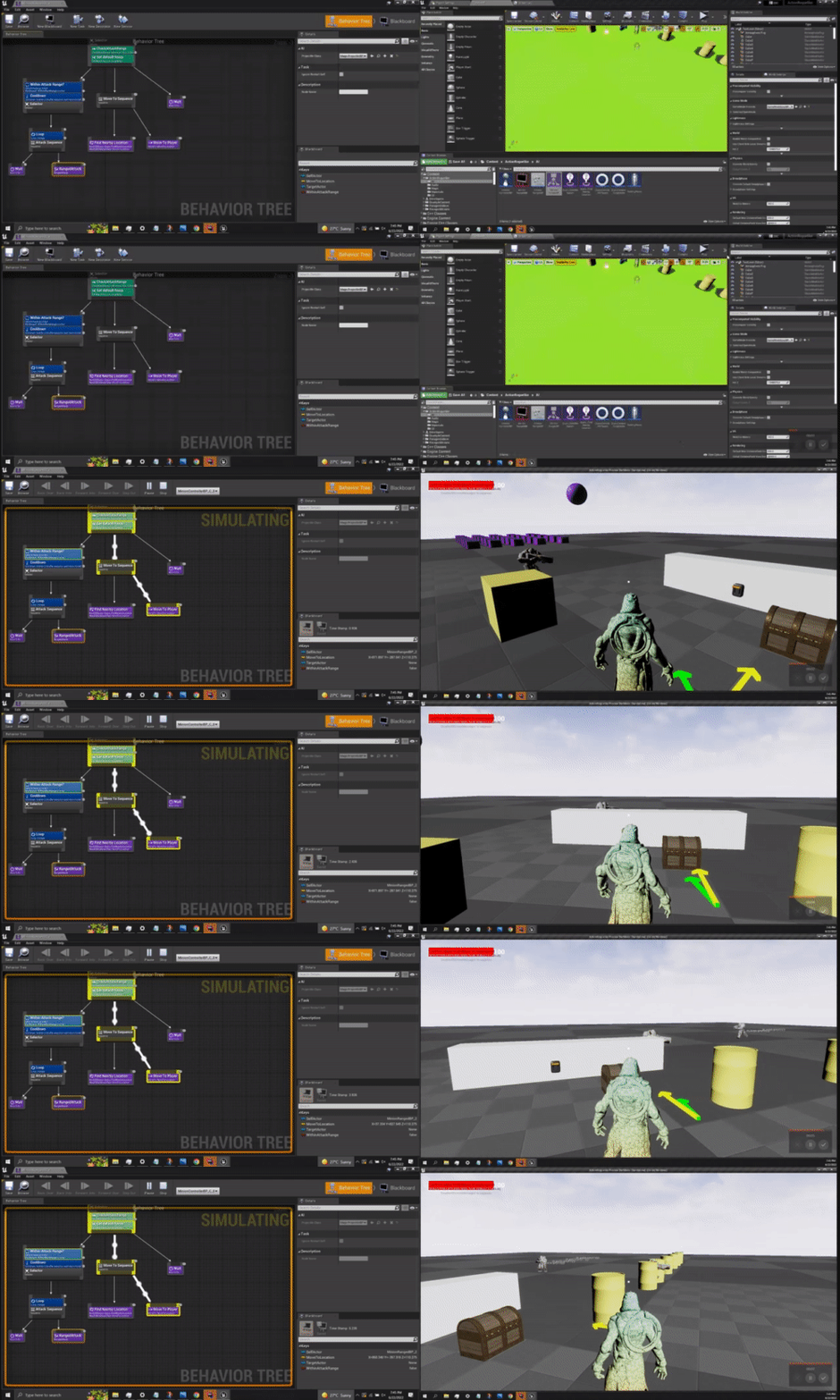
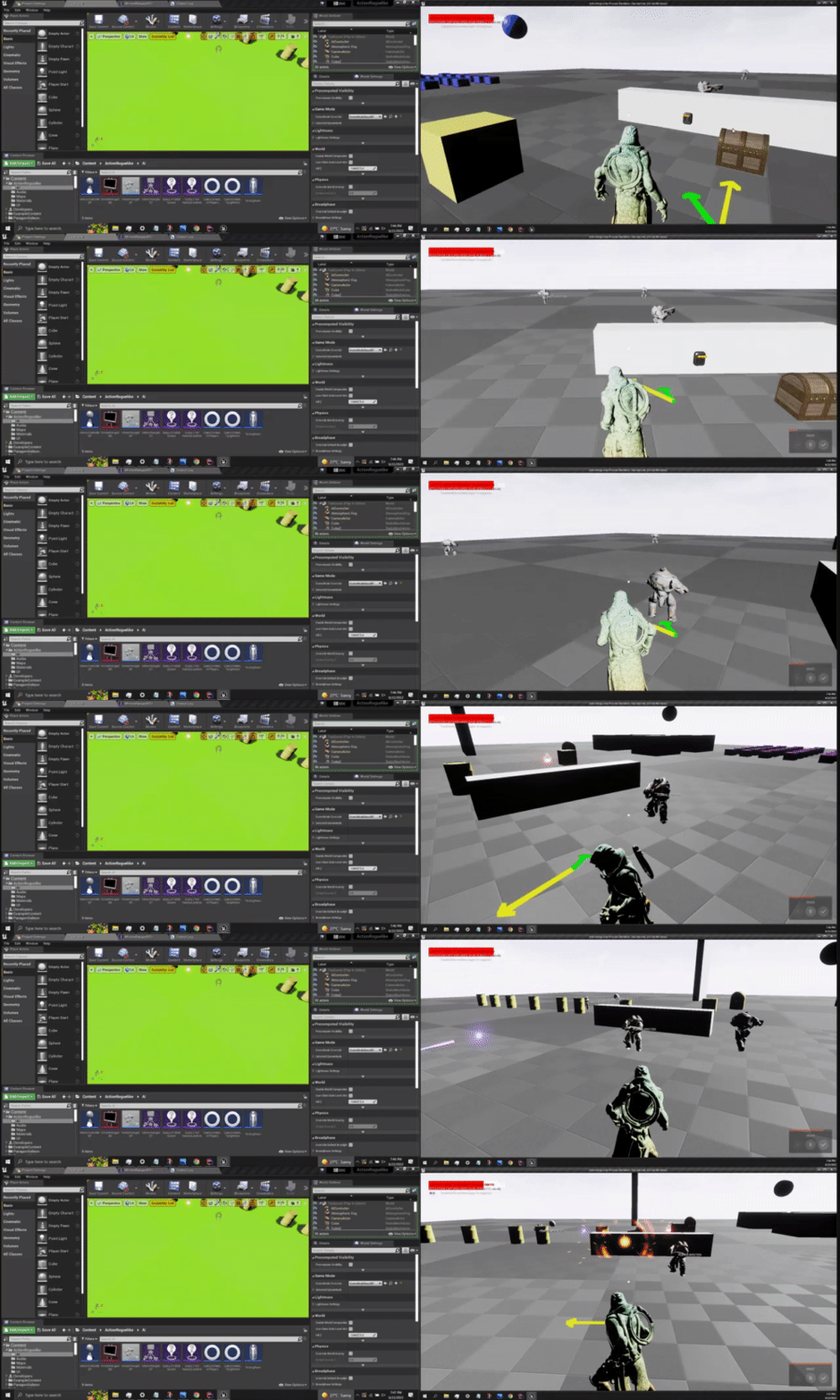
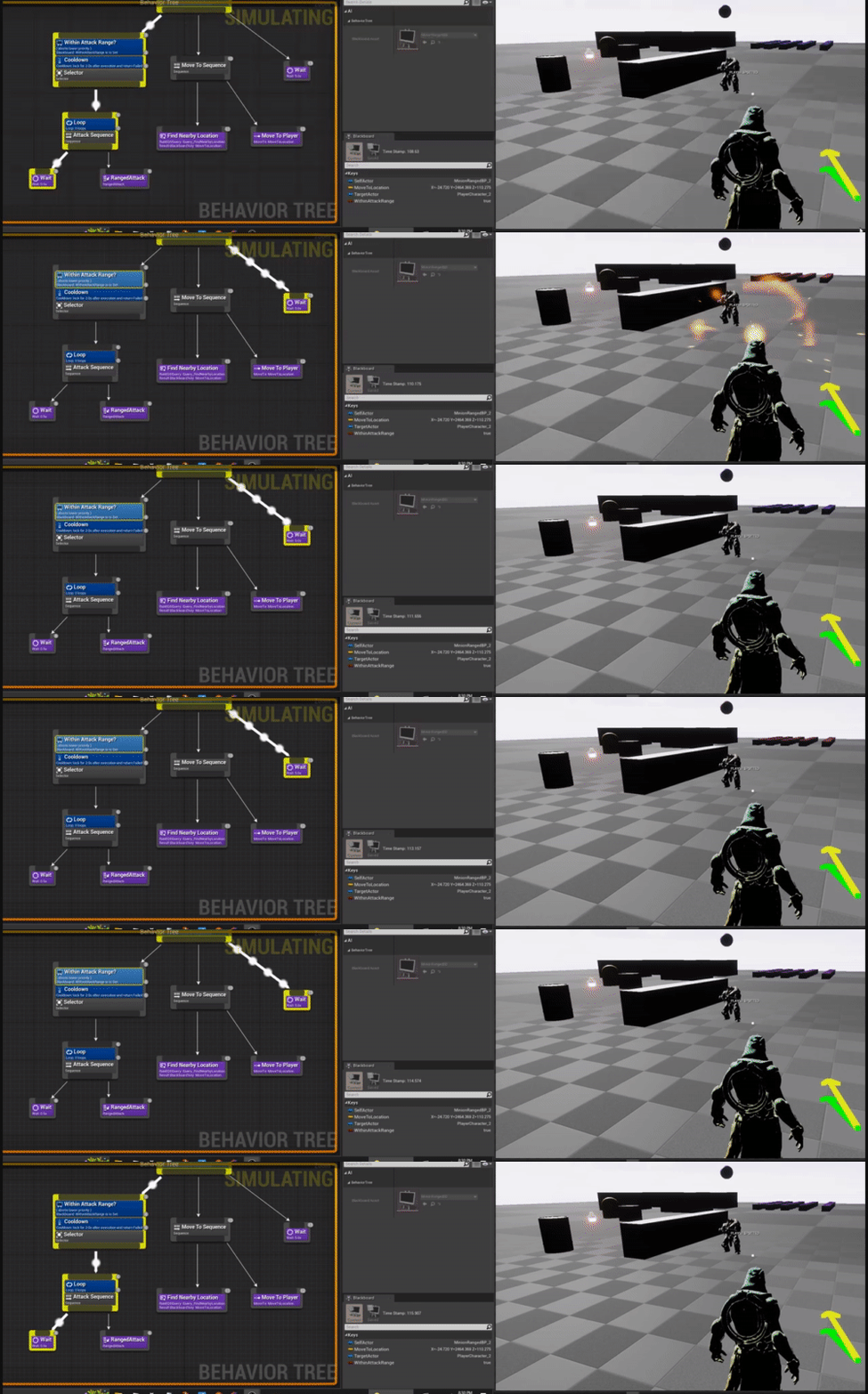 charred lava
misty wharf
Which can hold this type of shared information, or have a second blackboard for ...
charred lava
misty wharf
Which can hold this type of shared information, or have a second blackboard for ...
second blackboard? One behaviour tree can only use one blackboard. How does this work then?
misty wharf
Yeah you would need to work with it in a separate system from the BT
Tbh I'm not 100% sure if it's designed to be used in that fashion, so it might make more sense to just store that data as regular variables in the manager :)
misty wharf
visual silo
Nope but I'd guess the decorator is trying to observe a key that doesn't exist
charred lava
I would love to use multiple BBs, where I can switch one BBs that holds shared target data. It's a bummer that it doesn't support multiple BBs.
Thanks zomg
visual silo
misty wharf
Nope but I'd guess the decorator is trying to observe a key that doesn't exist
Ah. I've got a decorator that isn't actually using the blackboard but was trying to use the Abort: Self/Both on change thing.
Apparently I need to restructure that.
misty wharf
Oh, yeah I mean the abort thing is for choosing how it aborts on BB value change
visual silo
Right, I thought it would just poll the perform check thing
All good. Just need to update this to use a blackboard key instead and maybe a service
misty wharf
I guess you could try setting bObservingBB to false
At least it looks like it won't try to set any observers to it in that case
visual silo
That's code only I think
misty wharf
If you mean not in BP's, yeah it's possible
visual silo
Yep.
This actually may explain some of the other weird behavior I was seeing
These are just growing pains... need to ditch BT but I'm not ready to rewrite the selector / sequence fallback and fallthrough logic into blueprint yet
 keen spade
If I have a slime that makes a trail of damage causing slime, and I want most NPC's to avoid it (Obstacle nav modifier), But I find that it messed up the slimes own pathing. How can I make that so that the slime itself doesn't see it as an obstacle, and try to avoid it? If thats even possible.
misty wharf
One way to do it would be to create some kind of nav area modifier for it