#gameplay-ai
1 messages · Page 162 of 1
 uncut python
 spark kiln
Is there any way to make dynamic navigation update synchronous so it has to update before the thread continues?
Edit (2/3/22): I solved it. If anyone finds this and wants to know what I did, every time I expected navigation to update, I used Bind Event to OnNavigationGenerationFinished like zoombapup suggested, and paused the game right after. The bound event just unpauses the game. If you catch ALL instances where navigation starts to update, then the problem should be resolved. If you ever need to force an update, just make a bp object and move it around on an unused area of navigable space.
 ocean wren
That's a really bad idea. But you can get navigation generation finished event from the navigation system, so you could block on generation start I guess?
 sweet cosmos
I want to create an enemy that attacks the player with a gun while hiding in a object, like the enemy that appears in UBISOFT's [DIVISION], but I don't know how to do it at all. Can anyone suggest some ways?

I've currently placed shield BPs on some of the maps, but I don't know. help me
 little swan
@sweet cosmos the shield BPs you mention are covers i presume, that said you probably need eqs to filter out which cover the npc will select
sweet cosmos
I used this video as a reference to create an EQS that specifies where to hide, but it was very funny. I want to manually set a place to hide

In this series we will be creating AI for a shooter game, including behaviour such as shooting, seeking cover, flanking, and random personalities (courageous, skilled etc.).
If you want the starting project file with the animation and shooting code already prepared for you rather than use your own shooting code, head over to Patreon.com/ryanlal...
little swan
Here is a gdc video from the division

In this 2016 GDC session, Massive Entertainment's Philip Dunstan & Drew Rechner explore the design and creation of the combat NPCs that populate Tom Clancy's The Division.
Register for GDC: http://ubm.io/2gk5KTU
Join the GDC mailing list: http://www.gdconf.com/subscribe
Follow GDC on Twitter: https://twitter.com/Official_GDC
GDC talks cover...
sweet cosmos
I watched various videos, but I didn't know that. I will check it. Thank you
little swan
you can generate cover, and use eqs to filter them for the npc

Create a robust cover system in Unreal Engine 4 (UE4) that updates itself at real-time, responds to dynamic changes in the environment, uses multi-threading to parallelize computation and octrees to store data. Works with any kind of game.
sweet cosmos
little swan
you can generate cover, and use eqs to filter them for the npc
You may find out about the site in various ways. I will investigate! It was really helpful. Thank you
 dense harness
Could someone help a bro. Total noob to BB and BT, I want to set a default value on my BB (setting a Skeletal Mesh into a BB Object Key) but I'm having no luck setting anything at all as a default value

tried this, feel like it shoulda worked but didn't, and so I tested with something even simpler just setting a debug name and still nothing

it prints string as None rather than moo
If I do this


The Display Name is the name of the actor, not the mesh. Not sure if that's a valid debugging method actually since I'd guess that the Display Name of a skeletal mesh component would be what the component is called, but maybe it just gets the actor name anyway?

 faint fox
i made a door using nav link proxy, can i somehow make smart links conditional like only go there if ai has the key?
 normal river
sweet cosmos
I want to create an enemy that attacks the player with a gun while hiding in a o...
normal river
sweet cosmos
I want to create an enemy that attacks the player with a gun while hiding in a o...
Lol she looks so cute 😄
 celest python
sweet cosmos
I want to create an enemy that attacks the player with a gun while hiding in a o...
celest python
sweet cosmos
I want to create an enemy that attacks the player with a gun while hiding in a o...
I see your videos on the Twitter all the day lol
Nice game
dense harness
Getting some weird behavior with setting physics forces in a behavior tree
I am trying to migrate some functionality from my event graph to a behavior tree, my function would add forces on tick to certain bones in a skeletal mesh
When added to a behavior tree, if I have anything other than this functionality in a sequence, the physics jitter
Implying it is possibly happening every other tick. So question is when things are added to a sequence, is each node firing taking up one frame?
This even happens when i use a Simple parallel, although the jitter is slightly less strong there
 misty wharf
Not 100% sure but it's possible. You definitely shouldn't be using the BT for things that should run on tick, I don't think it's really designed for that purpose
dense harness
Ah damn really
misty wharf
I would stick the logic in tick, but you can gate it via a bool or something, which you can then toggle from a BT task - or something along those lines
dense harness
I see so have the behavior tree decide if the function should be executing but have the funciton itself in a normal event graph?
🧐
misty wharf
Yep
dense harness
Damn aight, thanks for the advice
ocean wren
evenin
celest python
Anyone knows which boolean I should enable in CMC to make rotation towards focal point work while AI following a path?
 celest python
Tried bOrientRotationToYaw , bUseControllerYaw , bUseControllerDesiredRotation with different combinations, including setting all of them to true too
Didn't work
ocean wren
I know, helpful as ever


 spark kiln
ocean wren
That's a really bad idea. But you can get navigation generation finished event f...
spark kiln
ocean wren
That's a really bad idea. But you can get navigation generation finished event f...
I completely understand why it would seem like that, though for my purposes it's the right thing to do. I didn't know about getting the navigation generation finished event, that's good to know. How do you block, though? Thanks!
ocean wren
Well, you could setup a mutex on the nav system I guess
spark kiln
Is it possible to accomplish that in Blueprints?
spark kiln
ah ok, bummer. I wonder if navigation updates while the game is in slomo 0?
If so, I could start slomo 0 and end it on the navigation generated event you mentioned, and that might achieve a similar effect
ocean wren
What is it you're trying to achieve?
spark kiln
I'm trying to record AI behavior as it uses the nav system, and I want the video to be 100% deterministic
ocean wren
Record it for what?
 stray violet
For the Perception Component, should I utilize multiple of them to make use of the OnPerceptionUpdated functionality?
Using just one, I'm running into an issue where I want AI to hear something, and perform a function once, and then "forget" about that sound happening (used to increment a threat meter)
For sight, I want a bit of age for them to remember the last position they saw the player, and if they can still see the player, increment this threat over time.
I can't use the Forget All percieved as this would break the differences in Sight/Vision.
Any suggestions?
ocean wren
Just manage your own perception history... so once you get a perception event, handle it and keep a transaction history
spark kiln
but it seems that navigation finishes updating on a different frame based on what else is happening
ocean wren
Well, yeah, it'll run in a different thread probably
spark kiln
blocking the thread is not a stupid idea only because I'm recording video
if it were live gameplay, that would be quite a dumb idea
ocean wren
You'll have to get into the source code to do this I think
Blueprints really isn't possible to make deterministic I suspect because of the VM's etc
spark kiln
Hmm, ok. That's a bummer, but it's good to know
ocean wren
Well, ok, you might be able to do it with BP, but you'd have to get into the code of BP's and I wouldn't advise it
spark kiln
Yeah, it seems like it'd be better to just find a workaround. Knowing that's the best course of action is still very useful, though, otherwise I might have spent a while trying something that I can't accomplish in Blueprints. I appreciate the help!
 fickle schooner
pls
fickle schooner
pls
celest python
fickle schooner
navigation is not rebuilding
Try deleting intermediate & binaries folders and open the level again
If it doesnt work, try rebuilding with another level. If it works on another level, issue is about the floor you are trying to rebuild the navigation
- check the Visual Logger, it might provide some info about nav generation
fickle schooner
tried with other levels, even with basic floor it doesnt rebuild dynamically

 dusk lantern
 fathom ivy
fickle schooner
tried with other levels, even with basic floor it doesnt rebuild dynamically
fathom ivy
fickle schooner
tried with other levels, even with basic floor it doesnt rebuild dynamically
are you making 3D terraria?
fickle schooner
hell yea
stray violet
How can i see which sense triggered the Perception Info Update?
The Get Sense Class for Stimulus seems to require creation of my own, as I don't see a way to cast it to AISense_Hearing or Sight or similar.

Similar for this event

This seems to work, and is making me think I'll probably need to just do this in C++
 fickle schooner
celest python
Try deleting intermediate & binaries folders and open the level again
fickle schooner
celest python
Try deleting intermediate & binaries folders and open the level again
didnt work either

this is all the visual logger
is telling me
which just means that the navigation is not generating
celest python

try removing recast navmesh actor
either start or end points of navmesh is broken somehow
no idea why
fickle schooner
fickle schooner
navigation is not rebuilding
please
 rancid wing
any good beginner ai tuts?
im currently following a tutorial, but i need to know how to control a third person character using ai
 unreal knot
pls anyone help me my monster
 frosty skiff
Ive figured out that theres no easy way to make wall walking pathfinding. does anyone know a plugin or tutorial for this? Havent been able to find any myself.
 misty gale
Isnt there some spider nav plugin?
frosty skiff
misty gale
Isnt there some spider nav plugin?
there is but its "not for sale"
looked perfect for me too D:
misty gale
Cant recall if it was part of some free stuff or not..
frosty skiff
misty gale
Cant recall if it was part of some free stuff or not..
oh youre right. there is a github for it. thank you!
 tardy talon
rancid wing
any good beginner ai tuts?
tardy talon
rancid wing
any good beginner ai tuts?
Unreal has a good one
It is very fast though so multiple rewatches will be required probably

In this presentation, Epic's Paulo Souza uses Unreal Engine's built-in AI features to build smart enemy behaviors for a game with stealth-like mechanics.
By relying on the Gameplay Framework in Unreal, we're able to quickly create convincing AI using Behavior Trees. Behavior Trees are great for creating complex AI that can be presented in a way...
You can also DM me if you want a recommendation of a udemy course that I took
 outer echo
Hello, is there a way to have the player character be temporarily controlled by ai?
misty wharf
outer echo
Hello, is there a way to have the player character be temporarily controlled by ...
You can spawn an AI Controller and then possess the player pawn with it
Or various other methods such as just writing your AI logic in such a way it can be executed by the player pawn temporarily
outer echo
misty wharf
You can spawn an AI Controller and then possess the player pawn with it
Alright, that seemed to work. How do I transfer control back to the player then?
misty wharf
possess it again with the player controller
outer echo
misty wharf
possess it again with the player controller
Great, thank you 🙂 One more thing is that when the Ai takes over, the players camera gets left behind. Is there a workaround for this as I would need the camera to keep following the player?
misty wharf
I don't remember the exact thing for it, but I think there should be a way to manually assign the camera into it
the camera manager is set up by default to automatically manage it so it goes based on possession
outer echo
There's auto manage active camera target in the player controller so maybe it's that one. If I turn that off though, the camera goes into the players stomach.
misty wharf
Yeah it might be related, but you can manually set the viewport as well to a specific camera
 dawn loom
maybe it's MaxAge
yeah that's what I tried to do but OnPerceptionUpdated isn't even firing

well my hello isn't showing up
even though I just put a breakpoint on this line and it was called
UAISense_Hearing::ReportNoiseEvent(
                this,
                GetMuzzleLocation(),
                WeaponConfig.Loudness,
                MyPawn,
                WeaponConfig.NoiseMaxRange,
TEXT("WeaponFire"));```yup I have that too in the character (in BP)

sight works so I doubt I messed up on that but idk what's wrong with hearing
what is your noise max range? it's at 0 for me I think
(default value)
I just tried with max range 3000 and loudness 100
still nothing

my breakpoint shows that the event has been registered for sure
dawn loom
dawn loom
@lyric flint
exactly same way
:')
so why no worky :cri:
could it be because my world context object isn't the character?
I made everyone detect everyone
my sight is working
I didn't have anything set to being a dominant sense
but now I did
 meager bobcat
I'm sorry if i missed this part of the conversation but have you tried OnActorPerceptionInfoUpdated?
dawn loom
yeah I make sure to do the noise while not being seen
dawn loom
meager bobcat
I'm sorry if i missed this part of the conversation but have you tried OnActorP...
I hadn't but now I did and it still doesn't trigger
meager bobcat
whack
dawn loom
qdsqsfsqdkljgqdsklfjgqdsflqdsjfgds
I didn't have detection by affiliation checked for hearing
only sight
lkhdqflkhqmlkhfsd
dawn loom
true
you know something is broken when in the official tutorial they have to give a workaround
🥴
where is the doc for C++?
the only documentation about detection by affiliation is about how to avoid it
huh
so you're telling me that if I implement that on my character
it'll JustWork™️?
so it's not just "implement this interface, done"
yeah that's actually awesome but it's not documented anywhere
how can you make teams?
so I just need to implement the interface and have a header somewhere with the uint8s ?
where do I implement the interface tho? on the character or the controllers? or both?
so how does the controller know which team it's on?
meh sounds like a hassle
in any case the only sources will be players
so 🤷🏻♂️
stray violet
I'm getting the OnTargetPerceptionUpdated event in BP, but in C++ it seems to not be firing.
 dawn loom
AddUniqueDynamic means it'll only add that particular listener once?
stray violet
Correct
Ensures you aren't subscribing to a delegate multiple times with the same listener
dawn loom
& whatever you need to setup for the perception component to know what team it's on
& relations
I would have done it just for the sake of making things in a clean way but this clearly needs at least a bulletpoint list of 3 to 4 steps to take with exact function names and what to do where
which is too much to ask from epic
I wouldn't even need something detailed tbh
ocean wren
You've got me curious to see if they fixed the issue with the team agent interface now.. damn you 🙂
My objection was that they were implementing the interface on the controller, but only AIController? rather than the ACharacter class? I think that was one of the issues.. the other way that depending on how you spawned, the ID values weren't available because they were being overwritten, but I can't remember the repro case I found
suffice to say, not a fan. Although the interface itself is ok
stray violet
After trying the OnPerceptionInfoUpdated, I'm noticing I'm not getting these firing in C++ at all. But I can bind to them in BP.
Anything I could be missing?
 ocean wren
Ordered my A6000 today
tomorrow putting together the new 5950X that its going in
Then I'll melt the GPU with video processing ML goodness!
And all will be good with the world
 ripe geode
Hello anyone know how ican initialize blackboard? F.e i have in blackboard Vector MyLastPosition and when i m running BT this vector has random big number and i want to set MyLastPosition = Vector:zero but idk how
celest python
ripe geode
Hello anyone know how ican initialize blackboard? F.e i have in blackboard Vect...
OwnerComp.GetBlackboardComponent()->SetValueAsVector(FName("KeyName"), VectorValue);
i was thinking in ue4 is something like blackboard constructor
celest python
I don't think there is something like that, at least I never heard of
ripe geode
ok so
LastIdlePosition.Z > 10000000
🤡 i do like this to check if is not initialized
 celest python
rancid wing
celest python
rancid wing
Thats deprecated variable
use the one on the middle
this one i guess
 rancid wing
oh i was looking at the wrong thing, thanx a bunch!!!
celest python
Np
dawn loom
how would you implement distance based speed for an AI?
like, if the target location is far it'd sprint, if it's close it'd walk and if it's neither it would run
I already have the anim BP setup for the different speed thresholds but I need to modify it on the CMC
celest python
Do you want to manipulate/map the MaxSpeed of movement component based on distance or have 'modes' and select them based on distance
dawn loom
that's the best way? I was going to do it with a BTD to use on MoveTo and have different MoveTo depending on distance
except I realized I can't change the speed from outside of the character itself
celest python
Do you want to have modes or are you just going to change the maxspeed variable?
What I mean by modes are states, like an enum or gameplaytag that determines how AI should react to distance to its player
If you want to change the variable, just use your character's tick function, get the target player value from blackboard
and change the speed via FMath::GetMappedRangeValueClamped()
celest python
T word?
 celest python
Are you on BP?
dawn loom
nah
celest python
celest python
and change the speed via `FMath::GetMappedRangeValueClamped()`
Then just use Tick, calling that function will only cost 0.001ms or such?
dawn loom
yeah for sure but I don't really like using tick
- I can't just get the player as it could also be a patrol target
celest python
You cant develop any game on any engine without using 'tick/update' method though 😄
celest python
dawn loom
+ I can't just get the player as it could also be a patrol target
What is patrol target? Actor or FVector?
dawn loom
well yeah but you can always run it on a BTS for instance that has lower tickrate
FVector
celest python
dawn loom
well yeah but you can always run it on a BTS for instance that has lower tickrat...
You could use service then, to save 0.001ms
rancid wing
any good tutorials to make an ai shoot a target?
dawn loom
yeah I think I'll make a BTS and have a public "SetMaxWalkSpeed" on my character base
dawn loom
celest python
You could use service then, to save `0.001ms`
it's not about saving 0.001 it's about not having to check on tick whether the character has a running BT, make sure it's following player or going to a location, then modify speed accordingly
it feels like it's not the place to do it
the only part that should be of concern to the character is the speed modification
rest should be the business of the Controller/BT
celest python
There isn't any proper place to do this in BT if you don't want to abuse BT (but abusing is totally fine though, unless you are working with a very strict team)
Services are 'pre-conditions'
Decorators are 'conditions'
Nodes are 'actions'
A service can set a boolean in character to check if we have a valid target or not, and character can update the distance and speed in it's tick
dawn loom
huh
services are pre conditions? I thought services are just something that is supposed to run while something else is running
ocean wren
Yeah, I'd do it as a character action, not a BT decision, the BT should decide to speed up, the action would do the actual speed control
ocean wren
I use a sort of pawn action thing for mine.. seperate the decision from the response
dawn loom
to have 3 speed thresholds, walk, run and sprint
and then the BT can tell the character to set which state it's on
celest python
rancid wing
any good tutorials to make an ai shoot a target?
I don't think there is a really quality one on the web, but it's pretty simple I guess. You just have to select a target, find a way to make your AI rotate towards to it, then execute shoot function in your character class
At most simple example of course
ocean wren
dawn loom
to have 3 speed thresholds, walk, run and sprint
Think about the high level description of what you want.. does it make sense or do you just want to say "go over here as fast as possible" or "go over here, but take care" etc.
celest python
dawn loom
services are pre conditions? I thought services are just something that is suppo...
Services happen before anything else on a sequencer or a node, then decorators, then the node. Services prepare and provide information about environment and your pawn
ocean wren
I kind of try and think like a director would 🙂
celest python
Then decorators execute boolean calculation, if returns false, nodes cant execute
dawn loom
ocean wren
services are daemons
yeah that's how I see it too
celest python
ocean wren
services are daemons
Today I realized Snowdrop Engine has variables inside BT and they dont have services i guess, what do you think?
 ocean wren
No reason why not.. you could implement that in UE BT's too if you wanted to and were.. insane 🙂
Hell, its easy enough to make it go right->left too if you're a sadist
celest python
😄
dawn loom
meh nvm I'm not gonna make a new CMC I'll only change the walk speed screw it
misty wharf
The blackboard system in UE BTs for variables in BTs seems kinda limiting in some cases
Since it's effectively a "bag of variables" and you can't even reorder them in any way it just becomes unwieldy I think 🤔
celest python
We just need getters like this

and pins for nodes
For my case main problem of UE's BT system is you need to handle the branches in code, not the editor
misty wharf
Branches?
celest python
Simply if() statement
For example in Alien Isolation's engine there is a Branch node very similar to this

You can plug a variable and it branches the execution flow into two
In UE it's just pure decorators
 crimson galleon
its like epic made BTs 7 years ago and haven't done anything else to them.....
 harsh storm
I actually enjoy the BTs in UE. It all makes a lot of sense to me and works quite well in most cases that I've had.
I used a little bit of the new ai stuff in ue5, seems kind of neat. To me, it looks more like for simple behaviors.
crimson galleon
they've not made the most sense, though i worked with FSMs from other engines and BTs are not quite that so it was a paradigm shift in thinking, but after awhile I start to see how to work with them. They are not bad, but there are some things I wish were clearer - lots of tooltips are.... not - being unable reordering variables kind bugs me.
its slightly better than making it all in bp and debugging either is pretty bad
when i do revisit my AI, im hoping to have a smoother time with this VisAI thing
harsh storm
It might be because most of my games deal with zombies, so UE's BT are quite serviceable in that regard 🤣
I'm interested in the HTN planner on the marketplace though. Just no real need for it just yet.
celest python
harsh storm
I actually enjoy the BTs in UE. It all makes a lot of sense to me and works quit...
"BT"s make sense but UE's usage of it doesn't
Especially if you are with C++
My latest cringe was with "set default focus" node
crimson galleon
i dont think my ai is that complex either, but a big issue for me is they need to know how/when to jump. otherwise they have just a few states to jump between. It took awhile to get each state with the right system of prioritization - nuances like whether a decorator updates on value change or result change is one of the more annoying things, along with IsSet and IsNotSet which is not truly the same as true/false. It's this kind of minutiae that i wish was better documented. even the tuts just change them or use them and dont explain it too well
harsh storm
celest python
Especially if you are with C++
idk - I use C++ mostly and still find it to be quite easy to with BTs
celest python
celest python
For my case main problem of UE's BT system is you need to handle the branches in...
My biggest two issue is blackboard and this
Rest is nice but extremely (unnecessarily) optimized and they sacrificed from user experience
harsh storm
Why are people so frustrated with the BB? Is it 'cause you can end up with a lot of variables?
celest python
You cant have arrays and initialize them in the editor
Also they could use FGameplayTag and FProperty
instead of void* and FName
misty wharf
I have a lot of different data that affects the AI behavior
I'd end up with a ton of BB variables which literally are used in one single place :P
so instead I just have a lot of custom decorators and such that look at the data I want and it's not synced to BB
celest python
misty wharf
so instead I just have a lot of custom decorators and such that look at the data...
I've been trying to find a solution for that too
misty wharf
custom decorators seem to work ok for the most part
 winged pasture
is there a ( right ) way to trigger/start eqs queries ( in specified intervalls ) while AI is already doing sth?
 misty wharf
Maybe use a service?
winged pasture
Thanks Im relearning BT's and forgot about services
dawn loom
is there a BTD that basically serves as a cooldown after the BT spent a certain amount of time in one node?
celest python
There is a cooldown decorator?
winged pasture
winged pasture
Thanks Im relearning BT's and forgot about services
Is there anything im missing to get eqs running inside a service? Running it just as eqs query inside the BT is working, printing strings inside the service works as well - but Im having trouble actually setting up the variable since im not sure if Im getting the query results correctly ( currently its forcing me to get all actors of the query result when I just want the filtered out result - and still it tells me theres nothing inside )

Couldnt find anything regarding eqs + services on google - this approach is just sth one developer made in a project im working on in my freetime - and im not sure whats happening
Shouldnt the query result just give me one output instead of an array = highest score eqs target

 fickle schooner
navigation is not rebuilding
fickle schooner
fickle schooner
navigation is not rebuilding
help its been many days no answer
 cold trout
winged pasture
cold trout
winged pasture
youre running EQS Query with run mode "AllMatching"
thus it returns an array
you want SingleBest
fickle schooner
yes
winged pasture
cold trout
thus it returns an array
its not dinamically changing into a single output if thats what you said would happen - right now my Issue is that its not setting up the blackboard/detecting it


 winged pasture
cold trout
you want SingleBest
winged pasture
cold trout
you want SingleBest
Here, when I put him into the circle, eqs service should detect the object and set it as actor to move to - when I change the blackboard by => enemy sees player => set object in blackboard. It works, so the issue is not eqs related, its: how do I set the blackboard with eqs inside a service - im not sure what im doing wrong
fickle schooner

which one
o
those
[/Script/NavigationSystem.NavigationSystemV1]
bInitialBuildingLocked=True
bGenerateNavigationOnlyAroundNavigationInvokers=True
DataGatheringMode=Lazy
ActiveTilesUpdateInterval=1.000000

[/Script/NavigationSystem.RecastNavMesh]
RuntimeGeneration=Dynamic
bForceRebuildOnLoad=True
MaxSimultaneousTileGenerationJobsCount=1
bAutoDestroyWhenNoNavigation=False
alr
4.27
WOW THANKS IT WORKS NOW
tyyyy
ur settings work
finally
🙂
celest python
fickle schooner
WOW THANKS IT WORKS NOW
🥳
cold trout
winged pasture
its not dinamically changing into a single output if thats what you said would h...
sorry i was unclear, if you use SingleBestItem, it will still return an array, but it will only have length 1. So get array element '0' and thats your SingleBestItem
i would check that youre taking the EQS result and setting it to the correct BlackboardKey (your var named Key) and that it is of type Actor
and obvs check if the eqs result is valid
the 0th element
also check that your EQS query is setup to return actors and not vectors
winged pasture
so you cant detect anything else wrong? Its basically not getting any result from the query - but the query itself is working, thats why I posted the video

but its not working inside the service
everything seems to be setup correctly outside of service
I just dont know if this might be an issue
 cold trout
if it literally works fine outside a service, but doesnt work inside one
then thats super weird
maybe check the service isnt ticking super quick or something
wrapper class you can leave alone
winged pasture
well it is, but shouldnt be a problem? ( is there a problem?) its good to test for debugging
cold trout
maybe check your Querier is valid in the service, something might have got lost there
as in, check its valid before running the query
winged pasture
nah it was valid
looks like I got it working with this node @cold trout thanks for the pointers
 winged pasture
ok nvm, this is just reutrning that its running the eqs, not the result of it :/
dawn loom
celest python
There is a cooldown decorator?
it's not a cooldown tho, it'd be more like a delayed cooldown
like, when it's first run, it can be rerun for 3 seconds then it can't for 10 seconds
celest python
You need to do your own decorator then, iirc there isnt any decorator like that
 dapper spear
Hi. Has anyone tried doing ai creatures that climb walls and ceilings? How are you handling the eqs of this as i only see eqs on the ground. I want the ai to be aware on walls, ceilings and also the ground. Thanks
celest python
EQS traces on geometry or navigation
So you need to find a way to build navigation on walls
Which is.. very difficult thing to achieve in UE without a very experienced team
dapper spear
celest python
EQS traces on geometry or navigation
ow my I may really need to hire someone who is an expert on that aspect as I am just using an AI template where I expanded its logic. hehe Thank you
ocean wren
Why does everyone want to do navigation on walls? 🙂
All the cool kids are doing navigation on splines
or networks of splines
 steady umbra
Is there a way to get the Visual Logger to play its recorded data so that one can just move around the level as the segments are being drawn?
celest python
I'm not sure if I understood correctly but I guess EQS generation does what you are looking for in visual logger
Probably when you draw something on vis logger and click to its timestamp its keep drawing it
steady umbra
Sorry if I didn't make myself clear. Basically what I would like is the equivalent of just being able to press "Play" and have the Visual Logger go through the logs in real time, so that I can move about the level and follow the segments being drawn without having to move the time cursor myself.
(I'm not familiar with EQS, this is a single-player game — just thought I'd ask here since it's where I'd expect the greatest familiarity with the Visual Logger.)
misty wharf
I've used vislog but never saw a function like that in it 🤔
It seems it should be possible to do, but you might have to customize the editor source for that
steady umbra
Ah, okay — thank you for the answers. 🙂
celest python
dapper spear
ow my I may really need to hire someone who is an expert on that aspect as I am ...
If you dont need EQS there is a way though
There was a free github repo for that type of navigation
misty wharf
depends on what you're querying I guess, but you can set up a generator to generate a vertical set of things for example
Sure
I don't remember off the top of my head but it may be possible to use the grid generator or whatever it was called to just generate vertical ones if you set its settings in such a way
you can certainly look at their code, not sure if you can really replicate them in bp's so easily
misty wharf
If it's oriented to context then possibly
steady umbra
Btw, for whoever's interested in what I was asking about earlier: https://github.com/EpicGames/UnrealEngine/pull/7408
Unfortunately it hasn't been merged into 4.27.
ocean wren
You can always roll it into the code yourself
celest python
Would it be possible to manually create a path on navigation? (not for movement)
 frosty rampart
hi anyone have an experiencse on intercept projectiles with a character jumping? like a goalkeeper i glad any suggestion
crimson galleon
frosty rampart
hi anyone have an experiencse on intercept projectiles with a character jumping?...
Uhhh #legacy-physics ?
frosty rampart
crimson galleon
Uhhh <#221799426820276226> ?
Not sure, The ai decide when jump to intercept the projectile but now take wrong decisions 🥲 i tryed with SuggestProjectileVelocity function but not look so good its aproximate but not 100% efective
crimson galleon
ohhh i see
frosty rampart
ocean wren
How physically correct is the ball physics?
unreal physics active only, i use the Predict Projectile Path By TraceChannel for trying go to near position in trayectory but with the speed of jump animation of character i don't know how calculate when need start the jump
ocean wren
Hmm, from the presentations I've seen from people who've worked on this kind of thing, there's a lot of maths you'll need. For instance you'll want to be able to warp the players foot to the contact point, the trajectory you can calculate analytically, but if you want any form of aftertouch or bending you'll have to factor that in. I suspect there's a GDC video somewhere, it feels like I've seen one, but that might have been at the live version
You don't generally just want to play an animation though, you'll want to use a control rig to IK the foot to the correct contact point (if its within range) etc.
frosty rampart
ocean wren
Hmm, from the presentations I've seen from people who've worked on this kind of ...
thanks i go to search in gdc presentations, if i'm luky, will find something
more reference of what i'm try to make
 ocean wren
Yes, I get it. But if you want to do AAA quality, you'll have to do a fair amount of work.. I think I saw a presentation on one of the PES games?
frosty rampart
ocean wren
Yes, I get it. But if you want to do AAA quality, you'll have to do a fair amoun...
I'm sorry, I'm not a native English speaker and that's why I often think that I don't explain well.😔 i'm will search this PES presentation thanks.
rancid wing
frosty rampart
more reference of what i'm try to make
are u working on ufl?
also, how do u make the ai see only the player, and not other ais?
frosty rampart
rancid wing
are u working on ufl?
No it is a project for a client it is a game for a shopping mall
rancid wing
oh ok
frosty rampart
just now i work in improvements this is the installed game https://youtu.be/qd1dxbos4ZM?t=57

La gente de Explanada Pachuca nos invitó a la gran apertura de #TuzoWorld, el nuevo centro interactivo dedicado a los #Tuzos. Tuvimos la oportunidad de conocer las instalaciones y convivir con futbolistas de las #Tuzas y #Tuzos.
winged pasture
cold trout
maybe check your Querier is valid in the service, something might have got lost...
looks like there is a prebuilt service to run eqs in bt
 cold trout
winged pasture
looks like there is a prebuilt service to run eqs in bt
cold trout
winged pasture
looks like there is a prebuilt service to run eqs in bt
yeh sure, but to be clear you can use EQS in services or tasks or anywhere in BT, just make sure not to run a eqs query every 0.001 seconds or whatever the default service tick is
winged pasture
exactly, thats why im trying to run it like this, its basically a check for ,,changed objects,,/ a specific spawned bp inside the map, and I rather not have that run every frame 😄

Is there a simple way to implement some sort of token system/group behaviour? Like right now I tell the AI to search for the repairable object, but every AI will move to it, but ideally I want only one to move it it and the other ones to check if there are other repairable objects in the area/keep patroling if none are there
been searching for two hours now on google, but I either dont know the terminology of what im looking for or answers are hidden behind walls of text I cant understand / c++ related
winged pasture
tried to prototype around a bit. Task inside BT that runs everytime a repairable Obect is detected/Blackboard Object Value is set => run trough each AI and check who is nearest to Blackboard Target Actor: If not nearest set Blackboard Value to none. No luck yet tough :/
 misty gale
winged pasture
Is there a simple way to implement some sort of token system/group behaviour? Li...
misty gale
winged pasture
Is there a simple way to implement some sort of token system/group behaviour? Li...
Sounds like something you'd want a manager for
To avoid the AI picking an object already taken by other AI
that or you must have some return value which tells it that another AI is currently set to fix it
ocean wren
You can fudge it by spawning an object at the repair point that you select that reserves the repair point (then use an EQS filter to not select points near that type of object you spawned.. so create an empty actor called "repair reserve" and spawn them when you select the return from the EQS query. You'll have to figure out how to clear them up (usually when overlapped by the thing doing the original eqs test)
or you can do it by having a reserved flag on your repair point and checking and setting it as part of your EQS/bt nodes for repairing
or if you have unique id's for your repairing agents, you can set the id value as the reserve value so you can visualize who is going to repair where
misty gale
But they all probably rely on the existing result from the eqs dont they
misty gale
<@&213101288538374145>
ocean wren
No, if you spawn an object where the selected EQS point is, you effectively exclude that area from the next eqs query that runs
So the first eqs query runs, selects a repair point, spawns an object (or sets a flag on the repair point that its in use)
the next eqs query comes along, finds the same repair point, but then the filter that checks if it is near one of the spawned objects, or if it has an "in use flag" filters that one out
the main issue is how to unset the flag or choose the remove the spawned object
The other issue is how you handle interruption, so if you interrupt traveling to the repair point for a higher priority task, then do you release the "in use" status or not?
If you don't, then you can quickly fill up your level with "in use" objects with nobody able to repair them
misty gale
ocean wren
No, if you spawn an object where the selected EQS point is, you effectively excl...
the next one being key here I think
Ah nvm.
it would work because they're all running a query..
I suggested moving it to a separate pawn and passing in the results to a manager and handle it that way
havnt really worked much with EQS so not sure if the method is viable, but it sounds reasonable atleast
 cerulean girder
@river pulsar mind sharing?
Np take your time
So the change to a constant score gave you the results for the last test?
I also have a question for any eqs wizards here... I'm looking for resources to read or watch that might help me understand the following....i want to write a custom generator that eqs around a target actor, but i want to have that eqs shoot a cone as part of its filtering...i want it to select a point in a donut or circle around my enemy but only consider those in the cone from the querier...
How can you do multiple generators in a single eqs? Draw a donut around one thing, filter out anything in that donut using a cone from another thing...
From my current understanding of eqs
.. it seems that any subsequent generators you add to a eqs quarry are only used if the ones before it failed to return a point
Much like the "selector" in bt.
If I'm incorrect please correct me
misty wharf
It has come up on a few occasions and I'm fairly sure multiple generators does absolutely nothing except if you use the composite thing
cerulean girder
Close except the cone will come off a different target
Draw the cone start point like 100 units outside the red....and face it towards the center of that circle
The center of the circle is the enemy target, the cone comes off the hero..and i want only points in the heros cone but only within the donut/circle around the enemy
Essentially 2 completely different generators working to filter a single result
misty wharf
if you use the composite generator, you can use two generators and then the same set of tests on the result from both gens
cerulean girder
misty wharf
It has come up on a few occasions and I'm fairly sure multiple generators does a...
ive not had to add a composite to get it to use the next generator...prepare a generator you know will fail, then a second you know will succeed, and debug the ai eqs...youll see it does both, but only if the first failed
Composite gens allow you to stack the generators?
Because that's pretty much what I'm trying to figure out
misty wharf
Yes
cerulean girder
Do the donut...then do the cone to pick a valid point from the donut results
misty wharf
As far as I know the composite generator allows you to do for example donut + cone, collect all their results, and then filter/score the total set of results
misty wharf
nope, trial and error is the name of the game like with everything UE AI lol
the source code might be helpful as well I guess
cerulean girder
Thats what i figured
Ok time to dive into composites and see if i can finally get the results i want...i have some janky set up currently to do this, but i want to polish it up and not use some hacky shit
 ocean wren
Isn't it the move to location or something? maybe its the point before string pulling?
celest python
Not move location but probably path segment, it comes from very behind
Trying to solve why AI doesnt sync with it's EQS move location
EQS updates send notifies BT properly but this red line delays too much to follow it
 high cedar
should I bother with trying to make behaviour tree stuff (tasks/decorators) in C++ for my mostly C++ project, or is it just fine to do stuff using blueprints as well?
ocean wren
Mix of both works ok for me
I usually prototype in BP and move to C++ if performance is poor
BP has the advantage of not needing compilation and lets face it, it seems easier to use in UE in general
misty wharf
A decorator failing/aborting counts as the node failing
A sequence will stop executing nodes if any of them fails
If you want to have a decorator just gate one node in a sequence, and allow the others to execute, you can pair it with a force success decorator
misty wharf
Yeah the BB editor is a bit so so, would be nice to be able to do that
Fairly easy to set it up in your AI Controller though
winged pasture
Hey im having some bugs in the AI when using Player Abilities on it - my current workaround is to unposses the AI Pawn when Player damages the AI - then I reposses it after a certain amount of time and run behaviour Tree. Problem is, the reference to Player is lost - so he's just standing around, and the pawn sensing also dont seem to redetect the player. Any tips on what im missing or what a better workaround could be?
This last part is also not firing off inside the AI Controller - so im wondering if im doing sth wrong in general

hmm, AI is actually stuck in waiting/the task is should perform after dashing
 misty wharf
Unpossess/repossess to pause AI logic when stunned really sounds like a massive hack so you probably should not be doing it lol
There are various ways to have it pause processing or wait for something which would probably work better
winged pasture
misty wharf
Unpossess/repossess to pause AI logic when stunned really sounds like a massive ...
currently its my only solution to a bug - when I just have the AI wait/do nothing, the move to location is buggy - if I unposses, everything works fine, any hinters/points I might do instead/im missing?
 misty wharf
Buggy how?
winged pasture
staying in place - not moving to location over time
,,new,, to AI, maybe im missing a general culprit
misty wharf
Well if you want the AI to stop moving then you may need to separately tell it to stop moving
 raven nacelle
Hello. Why some my decorators on observer self dont break the my custom tasks?
ocean wren
Might have to give us a bit more to go on there champ.. maybe sweet talk us a bit yknow? maybe loosen us up a bit with some more info kind of thing?
Not just go in for the kill..
 potent loom
Looking for some advice on how to avoid this, using a basic BT navmesh pathfinding with MoveToward
Seems like if the Z height is too high enemies just sort of give up and do nothing
Ideally they'd chase the XY position if the Z is unreachable
misty gale
If this is a realistic scenario
surely you can add a trace from the "player" downwards,
and return that as the location for the pawns to find a path to
Atleast.. that's what my first thought was
potent loom
Move directly towards appears to be good enough it seems
would like to avoid custom solutions if possible
seems good though
hmm no I guess not, that breaks off mesh links
this works for most cases

this fixes the Z issue but appears to make enemies no longer able to understand nav mesh links

even if the path query for Does Path Exist is set to regular pathfinding
seems like it has a different criteria hmm
potent loom
Am I just not understand how this should work?

Blackboard is set to chasing state
Selector did not choose move to
restructured, seems to work. I am so confused


 dawn yacht
Hey guys, what's the proper way to make FPS AI aim accurately? I'm rotating the actor and aimspace pitch towards the blue line but it is converging at the red line for some reason

 lunar cedar
posted in the c++ section so not quite sure where this question falls. im just now starting to dive into working with AI in UE4 via blackboard and behavior trees. my question is where is it right to use c++ in the case of AI with these tools? should i just make all my tasks/services and blackboard for keys in C++ and run them through the behavior tree in blueprint? would it be better to run the entire thing in c++? i know ue4 has kind of that balance between c++ and blueprint going which i fully understand however it seems to be a bit unclear in terms of their AI tools. in my case i plan on having a few hundred deer roaming around. what i noticed was at 100 deer my fps started to tank as 1-2 of my cpu cores were maxed. any suggestions/pointers to put me in the right direction?
 ocean wren
dawn yacht
Hey guys, what's the proper way to make FPS AI aim accurately? I'm rotating the ...
ocean wren
dawn yacht
Hey guys, what's the proper way to make FPS AI aim accurately? I'm rotating the ...
Probably because your aim animation isn't perfectly rotating around a pivot point and that introducing some differences. What you should really do, is turn it around and have the aim drive the anim pose. So basically you calculate the aim vector, calculate where the weapon should be, calculate where the hands should be in relation to the weapon and then IK the hands to the weapon
ocean wren
lunar cedar
posted in the c++ section so not quite sure where this question falls. im just n...
If your deer are using a character as a base, the perf is likely going in the character movement component and not the BT itself.
dawn yacht
ocean wren
Probably because your aim animation isn't perfectly rotating around a pivot poin...
I don't understand by what you mean by the aim driving anything. Also, I already calculate where the weapon should be, it's just that the forward vector of the character is not in line with the forward vector of the gun.
ocean wren
I mean that rather than rely on the animation system to compute the guns position, you compute the gun position first, then make the animation system match that
then there's no way the gun couldn't fire along the line you want, because you literally have the gun match the line
Its the same way you'd do things like magazine reloads, where the magazine drives the animation and the hand just IK's to the magazine
celest python
Hey zoombapup, I've been thinking of how can I implement the Valve's AI driven dialogue system you mentioned to me (https://youtu.be/tAbBID3N64A), but I'm stuck on how can I implement criterions. I tried to build the system on top of data tables, used gameplay tags as 'concepts', and TSubclassOf<> as 'who', but in order to add conditions I had to implement instanced UObjects which data tables doesnt allow, or had to have a gigantic struct that contains every condition. Do you have any bright idea?
dawn loom

I'm having a significant delay between when NewTargetAvailable is set and when it gets run
even tho it's running lower priority and should abort
is there any way to make it abort faster ?

This is what it keeps doing for up to 2 seconds before it picks up a new target
celest python
It looks interesting, thank you. Is there any GDC or presentation explains that?
dawn loom
I really don't get it
I just saw my AI do a whole iteration of this

when it was supposed to abort

found the issue
it was this
LockAILogic was ticked by default
 daring mirage
 flat sand
Does anyone know why ai move to refuses to move to a location? It only moves to actors
I tried floats first and then a vector variable but nothing
crimson galleon
Stil dont. But ill say that ai move to talks to a controller iirc. And the actor controller needs some kind of move logic. Im only really familiar doing it on characters through the player or ai controller.
flat sand
Yeah it has that logic since it works with actors I imagine. Seems weird it doesn't work lol
I'm going to use actors for now but i'd like to know why it refuses to use a location
Everything seems like it should work
dawn loom
I'm trying to get some kind of /\ shape on EQS scoring, anyone knows how I can do that?
(I want the middle values)
crimson galleon
flat sand
Yeah it has that logic since it works with actors I imagine. Seems weird it does...
I never said it works with actors.
flat sand
huh? no i'm saying I should have the logic working
Since move to actor works for me
so by extension you would assume move to location would work too
except it doesn't
crimson galleon
Oh, sounded like you were saying the this move to should work on actors
 night relic
Took me about 2 hours to build the navmesh, I wonder if there is something wrong.
It never took me more than 2 minutes with similar landscapes.
ocean wren
celest python
Hey zoombapup, I've been thinking of how can I implement the Valve's AI driven d...
For the valve implementation, you'd need a precondition class, a post condition class and a container class that has a map of actions which are basically collections of precondition and post conditions
So something like a UStruct with a TArray of Preconditions, a TArray of postconditions and then a TArray of the UStructs
The thing is to have some sorting on the preconditions so that when it comes to match it goes from most specific to least
I guess you'd have a visitor pattern that visits the UStructs and matches the best one
The most interesting part is how all of the preconditions were mapped to floating point interval arithmetic.. even string comparisons and the like
celest python
It feels like UE will fight with me 😄
I guess that's beyond my level
Prototyping wouldn't be too difficult , but implementing it properly with BP exposed things will be difficult
Thanks for the explanation though
ocean wren
Yeah, I'd do this in C++ for sure.. make a BP interface for it
celest python
Real problem is how designers will create query datas
I thought of data table, but there isn't a way to expose a 'criterion'
ocean wren
You could just expose the TArray of UStructs I guess. Have it as a component that registers with a dialogue manager or something
Its the kind of thing I'd write the code for as a test and then refactor once I figure out how to make the usability better to be honest
dawn yacht
ocean wren
I mean that rather than rely on the animation system to compute the guns positio...
Thanks, the AI is a child class of the player character, how would I implement that? The controller just pitches the rifle up? Then how would I rotate the arms to match that? I can't just rotate the shoulders by the same pitch because they would have different pivot points and they rotate on 3 axis instead of 1. Are there any guides that show this being done?
ocean wren
I think maybe there was an Epic livestream with the guys from fortnite doing their anim setup, I think that's got an example
But the basic idea is to IK the arms based on the position of the weapon, so you generally have attach points on the weapon, and IK the arms to that
dawn yacht
Yea I have a left hand IK but that's much easier than shoulders rotating in 3 directions to stay aligned with the gun pitching
ocean wren
As for the typical setup, you can do whatever maths you want to calculate the aim vector.. you might just have an aim angle and aim pivot and get the weapon pose from that
So make the aim pivot somewhere just in front of the shoulder
IK the right hand to the trigger
IK the left hand to the grip
dawn loom
what's the difference between pathfinding and pathfinding [batch] in EQS?

also is there any point in doing this? I don't see the results of the right generator at all
misty wharf
It might run the right if the left one fails
I think that's how it works if you have it set up like this, so it's similar to a Selector in BTs
dawn loom
oh okay perfect then
I was afraid it could run into a corner and stay stuck
I assume this is going to give it a fallback right?
misty wharf
Yeah something like that
dawn loom

I think I'll even simplify it to this
really no point in making a fallback that fancy I think 
 thorny jay
Hi everyone, I'm having some issues in 4.27 with AIController and the MoveToLocation function (in C++). What I've found is that for some reason the AI seems to "miss" or overshoot the destination and then has to turn around to get to it. The problem I have is my AI is designed to work as a very slow-turning AI which cannot move while turning, so what ends up happening is it moves to within a fraction of an inch of the desired location, then very slowly turns around, moves like a single unit, and then considers itself finished. This is what my code looks like, it's pretty simple:
MoveToLocation(CurrentMovementOrder.EndLocation, -1.0f, true, false, false, true);
I have tried several variations on the acceptance radius and setting to bStopOnOverlap to true/false but it doesn't seem to make any difference. The strange thing is this only seems to happen on the final point (EndLocation), it doesn't have any problems with moving to some interim points I set up, which all call MoveToLocation in the exact same way. I'm not using pathfinding in the above example because it's expected to be able to just move directly to the point without obstacles.
Anyone know why my AI can't just move to the location and stop without having to turn around and adjust?
Oh, and EndLocation is projected onto the navmesh, so it's not above/below the floor
thorny jay
Never mind, I figured out the problem. It was my fault, was accidentally setting an earlier move point to the end point, so it was going to the end then turning back to finish the rest of the way points. Oops!
dawn yacht
Do you guys use the OnPawnSense utility? It doesn't seem to trigger unless the entire pawn is visible. Naturally this doesn't work well if something is partially peeking from cover, wonder if there is a clean solution other than line tracing to each limb.
 median blaze
Any clue why this wont finish executing? No compiling errors.


 merry egret
so im having this weird thing happen to my ai
essentially the move to is just failing for no reason i checked the nav mesh it should be fine
it was also working perfectly before i just relaunched the project and it no work now
it doesnt work if i play the game from the main menu but it does work if i spawn in the level manually
misty wharf
dawn yacht
Do you guys use the OnPawnSense utility? It doesn't seem to trigger unless the e...
use AI Perception instead, you can configure in C++ which parts of the actor get traced
 gaunt pilot
hi. how can make this AI cone view?

 spring inlet
ai perception
gaunt pilot
spring inlet
ai perception
how put that green decal?
 sudden citrus
Has anyone implemented hierarchical navigation in recast? The way everything except the actual path search is implemented is very suspicious. FMetaNavMeshPath for example got a few updates from the Fortnite branch a few years ago, and cluster based reachability check is there and working, but hierarchical path search just runs the normal one.
It's not a difficult problem to solve even ignoring clusters and making my own hierarchy, but it's weird how it's just barely missing from the engine
sudden citrus
dawn yacht
Do you guys use the OnPawnSense utility? It doesn't seem to trigger unless the e...
Pawn sensing is deprecated for a long time in favour of the perception system I believe
 slender holly
Is there a way to prevent a pawn pushing another pawn?
I have a problem where some pawn pushes another pawn into non-nav area and get completely stuck there.
I'm using DetourCrowdAIController and no RVO.
gaunt pilot
gaunt pilot
hi. how can make this AI cone view?
ai perception sight is great for this but still i have decal problem.
sudden citrus
slender holly
Is there a way to prevent a pawn pushing another pawn?
I have a problem where ...
You can make navmesh generation more precise to avoid those areas existing at all (I imagine it's something like room corners etc), or you can use navmesh walking and use that to prevent agents from walking off the mesh
You can also disable NPC's collision against each other which is generally not a terrible idea performance wise, if they avoid each other.
slender holly
Thanks for the advice. I think I have used navmesh walking before but still got stuck in some areas.
Yeah, disabling collision will probably fix the issue, but I want the agents to visually not collide each other
sudden citrus
I've only seen that done on projects before I joined so take that with a pinch of salt, but I've not seen anyone get stuck in that game
Yeah so if detour crowd does its job, they will never physically overlap, ideally
slender holly
Interesting, I'm using DetourCrowdAIController right now, and yet they still overlap
sudden citrus
Either way something will have to give: they push away, or they get stuck, or they overlap.
Maybe there are tweaks on it you can do to make the avoidance more avoidy
slender holly
What kind of parameters should I adjust for that?
And by the way, how can I make navmesh generation more precise?
sudden citrus
I said maybe, haven't looked at that header in a while 😅 hopefully there will be something
In the navmesh properties, voxelization cell size has helped me in the past
 slender holly
Thanks a lot I will try tweaking that value
sudden citrus
When I had your problem with a normal human-shaped agent I think taking it down to 13 saved me
slender holly
I think that helped a bit, thanks.
sudden citrus
Something I've discovered yesterday re. pathing: There is something called FMetaNavMeshPath which you can fill up with vague waypoints and the vanilla path following component already has support for it - at every waypoint it will find an actual polygon path to the next one. Super cool for large scale navigation

This is a vislogger output, the yellow line is the waypoint path using a hierarchical abstraction I made, the green line is the current low level path
dawn loom
how am I supposed to make my EQS trace work when half the time it collides with the ground?
is there a way to add an offset to the start of the trace?


I changed to sphere with 1 radius now it's ignoring the wall

I'm confuzzled
nvm I found the thingy that adds Z offset

I added a 50 vertical offset but it's still ignoring walls when tracing
dawn loom
I even tried to change the trace to be on hitscan (and the wall blocks for sure hitscan shots) but it still doesn't work
 timber flax
check your trace channels?
dawn loom
I tried changing it to hitscan (then tested shooting with a weapon through the walls which does the same trace and hit the wall)
then back to visibility
doesn't change anything
the thing is, when I trace to querier tracing works perfectly but when I trace to enemy target it doesn't work
whether I trace from context or the opposite
dawn loom
well spoiler alert
it doesn't trace on points that it doesn't care about
the magic answer to my problem is that if it's not broken don't try to fix it
and it wasn't, LOS trace was only being checked on highest scoring items if they didn't have it
rancid wing
guys wut am i doing wrong?

the target actor is always null for some reason
same for my location im giving to the bt
crimson galleon
Probably an issue with the settings of the ai perception component and not the bp
rancid wing
 crimson galleon
Have you done a print string right after the event?


 wheat quarry
Hey guys!
Can anyone tell me what am I doing wrong here?

when the AI detects me and I get out of its visible range
It still follows me
But when I somehow get behind it, it stops moving to randomPointinNavigatbaleRadius
misty wharf
Haven't used pawn sensing (AI Perception is generally suggested instead), but it looks like there's no branch in your code that would handle a case where the player is no longer visible
wheat quarry
The nodes after event tick
wheat quarry
misty wharf
Haven't used pawn sensing (AI Perception is generally suggested instead), but it...
Alright, I'll try AI Perception
misty wharf
Yeah the nodes in tick might handle it somewhat, but where does In Range get set to false? I don't see anything in that logic for it at least
 rigid tulip
Does anyone know why the tree is stuck? "Observer aborts" is self and the values changed
 misty gale
<@&213101288538374145>
 ancient wedge
Anyone knows a neat way of knowing if an Actor is reachable? Can't get it to work, because if I place the 2 actors next to each other (both affecting navmesh) Does Path Exist returns false for 1 of them
misty wharf
If the other actor is not reachable, how would it be reachable using some other method?
misty wharf
well it would count as reachable if it was possible to go around them to the other side
ancient wedge
the does path exist node keeps returning false for me. I'm trying to reach this actor, but the other log is in the way?

when I move the right log, he returns true
misty wharf
You might need to try and project the point you're trying to path to into the navmesh first
celest python
I found this gem around the web, if anyone needs it: https://forums.unrealengine.com/t/behavior-tree-extension-select-behaviors-based-on-dynamic-priority-weighting/47253
misty wharf
think I saw that a while back, it's an interesting idea... it's not too hard to create custom nodes in C++ for this either if you want to do them for some other purpose :)
celest python
Yeah, never thought of writing custom composites before
celest python
celest python
I found this gem around the web, if anyone needs it: <https://forums.unrealengin...
Source code is.. weird
auto everywhere
ocean wren
auto auto int ptr <TSubClassOf> 🙂
 foggy pike
So I have this from Ryan Laley right, and I have it sort of in my own system. 0 index is sight and 1 is hearing. The problem is when I Make Noise, the pawn does the right thing, but when I get into sight range whilst he's investigating the noise, he doesn't start his chase behaviour that he's supposed to do, and I think it's because whenever OnPerceptionUpdated gets called here it's successfully sensing each sense for some reason - so it's reaching the 1 index and setting the state to Investigating again. Like the sight one succeeds as it should, but for some reason the hearing one also succeeds even though noise didn't get made again?


So I guess my question is why is hearing succeeding even though nothing made noise?
dawn loom

is there any way to not have this? I know my struct is big but I don't really have a choice 🥲
ocean wren
foggy pike
So I have this from Ryan Laley right, and I have it sort of in my own system. 0 ...
The senses have a time value associated with them. so your hearing sense will be sensed for that time period
dawn loom
ocean wren
Isn't there a checkbox to not display the contents or something?
I don't think so
misty wharf
dawn loom
is there any way to not have this? I know my struct is big but I don't really ha...
iirc there is a checkbox for turning off those details somewhere, it's not super obvious in what it's called. It might be directly on the node when you click on it, or in the node bp settings.
you get more control over what kind of description text the node shows in C++, so you might be able to make use of that
dawn loom
Yeah maybe
 brave zinc
Having some trouble with the melee attack task in this behavior tree. It starts fine with it properly registering distance and registering when the variable is set. When the task starts it never stops firing despite the condition becoming false.
edit Figured it out. Had to create an additional service to set the condition as false when the player walked outside of range.

 ashen mica
Why does AI Perception only work for one instance of the enemy character?

I'm using unreal engine 4.22
misty wharf
Your setup or logic is wrong
ashen mica
Looks like "Successfully Sensed" is true for every instance so it must be something with setting the blackboard key

Instance Synced is set to false so I don't know what else could be the problem
 foggy pike
ocean wren
The senses have a time value associated with them. so your hearing sense will be...
foggy pike
ocean wren
The senses have a time value associated with them. so your hearing sense will be...
omg you were right, thanks so much lmao
ashen mica
Actually it was the AI Perception. When I spawn outside of their view and then approach it works just fine....weird. Crisis averted!
 high cedar
what would prevent BTTRotateToFaceBBEntry from working on an AI character?
my unit isn't turning to the direction I want after reaching the last point on it's path
in never gets past the rotate step

nvm, I had to swap "Orient Rotation to Movement" and "Use Controller Desired Rotation" on my unit's character movement
high cedar
how can I cancel a BTT_moveto if the partial path returned doesn't get close enough to a target location?
can I do this with a decorator?
slender holly
Is there a way to make AI move from non nav-mesh area to nav-mesh area?
misty gale
Manually ?
slender holly
Ideally by using BT task
misty wharf
If it doesn't move using a MoveTo, then you need to manually move it
ocean wren
There's a "move directly to" that does that doesn't it?
pretty sure it doesn't check the navmesh
 pallid trout
Why does this simple set up get stuck when there are a large number of AI (works fine with small numbers)
 pallid trout
AI doesn't move, target location doesn't get updated even though the eqs query ensures there's always a result
pallid trout
ocean wren
and how many are "large numbers"?
Lets say above 30
ocean wren
No, lets be accurate, how many? because it might make a difference
pallid trout
31
pallid trout
yes ive checked that
ocean wren
Ok, so what does the visual logger tell you?
visual debugger even
actually, maybe the visual logger would be useful here too

Tool that captures state from actors and then displays it visually in game or editor.
Tool that enables analyzing realtime gameplay data at runtime.
 sour fable
is there a way for an object, actor etc not effect the ai perception?
like so it doesnt block it?
ocean wren
You mean the sight? it uses the visibility raycast channel if I remember, so make your object not block that channel? Or write your own sense, which allows the raycast to continue through walls etc.
 wheat phoenix
Im following Unreal's official ai guide, is there any reason this should be failing?

the return value for the get random point is always failing
misty wharf
Missing navmesh or there is no navmesh where you're trying to get the point
if radius is 0 it might also fail, but not sure
celest python
wheat phoenix
Im following Unreal's official ai guide, is there any reason this should be fail...
Is returned vector valid?
(not 0,0,0 or floats with veeeery high value)
wheat phoenix
celest python
Is returned vector valid?
the returned vector is the same as the original;
just doesnt change
celest python
Whats the radius
wheat phoenix
k
the patrol location is invalid
wait
no the patrol location is still just the same

this part just isnt working
K i got it working
misty wharf
what was the problem?
wheat phoenix
I was just being an idiot
misty wharf
:D
wheat phoenix
was using a pawn instead of a character lol
celest python
Anyone knows a good GDC about implementation of NPC 'barks'? (bark = characters react to something in gameplay by yelling, shouting etc)
I found Division 2's GDC, but they seem to be using a custom software called Oasis
Didn't provide helpful informations about generic implementations
misty wharf
Depends on how you want it to work
A simple system for that could just have a timer how often they can react and then appropriate sounds
celest python
I have unique situations based on some identity
Identity stands for events, levels or characters
Mostly events
I'm mostly concerned about lookup time from data table and make it easy to design on editor
 pine steeple
look into UE4 conversations
celest python
pine steeple
look into UE4 conversations
Hmm, aren't they just audio players with some basic sequence logic?
ocean wren
I seem to remember a presentation about barks.. at one of the AI Summits
They're also using similar stuff to commentary/announcer AI, so you might want to look at that
To be honest, I'd use a form of utility system for that, so maybe look at Utility options too
This is the left 4 dead thing... which might also work, but was a bit different

In this classic GDC 2012 session, programmer Elan Ruskin shows a simple, uniform mechanism made for the Left 4 Dead series for tracking thousands of facts and possibilities, allowing intelligent characters to remember history, cascade from special to general cases, and select the optimal dialog, script, behavior, or animation for every situation...
Yeah, at its core its pattern matching precondition responding with postcondition audio
celest python
just audio players with some basic sequence logic is more static 😅 You define dialogues in the editor, not building them dynamically based on concepts/events
ocean wren
The thing about the left 4 dead thing is that you can feed it in-game stuff and it has enough preconditional complexity to gate responses properly
and Utility systems are pretty good at that too
Honestly, this is all just horn clauses's with a defined response
But you know, the usability of systems like this isn't in the AI architecture, but in the tools interfaces for them
i.e. how do people specify what to say and when
I liked the valve approach because it was text files and a bit of markup
so dialogue writers could grok it 🙂
bit like they'd write a script in a film
understand 🙂
celest python
ocean wren
But you know, the usability of systems like this isn't in the AI architecture, b...
Yeah exactly
They mention they have an 'engine' to parse and convert the dialogues to native engine stuff
ocean wren
yeah, I thjink they mean a parser 🙂
celest python
I'm a sad programmer but not that sad enough to make something like that 😂
ocean wren
that parses into a native code data structure
parsers are trivial to write, use ANTLR
or roll your own for the funzies
or just make yourself an unreal engine tool
celest python
It's more of a time issue rather than writing something (though I also have no idea how to write something like that), I'm fine with having ten thousand of BP objects that define the logic of the dialogue system to save time from development cost
ocean wren
I guess this is what the blutility editor utility stuff was for
celest python
I'm trying to find best option with accepting its trade offs
ocean wren
I'd probably just throw together an editor utility
as a first pass
I did speak with some guy who was going to release a plugin version of the left 4 dead method.. did he never do it?
My slate is fine too 🙂 I'm overly slated honestly
after writing a node graph editor, I think my slate on slate is pretty clean 🙂
celest python
ocean wren
I did speak with some guy who was going to release a plugin version of the left ...
Never saw a such thing yet
celest python
Slate, graphics programming and AI programming are three things that an UE developer flex on
ocean wren
you forgot ML 🙂
celest python
Cant we count it into AI
ocean wren
although I guess that is under the AI category, my bad
ocean wren
Writing tools honestly is the thing most newer guys don't do enough of
I'd far rather write a bunch of tools and shift the effort onto designers than do the drudge work myself 🙂
But at least I care enough to make the tools usable
I noticed that Epic were hiring for their UX team.. they really need the help 🙂
celest python
Writing tools in UE is not comfortable enough for solo devs or small indie studios
ocean wren
Nice work btw
celest python
But worth the effort
ocean wren
I don't know, I mean its the documentation issue that holds people back. I don't think writing the tools themselves is much of a problem
I think the editor utility blueprint stuff was intended to help there too, sort of shifting it into blueprintable territory
I used it to make a sequencer editor example for one of my students
cos he needed to PCG some sequencer stuff but couldn't figure out how to programmatically create the sequence asset
although that did require me to write a plugin in C++ to expose some of the sequencer stuff for him.. (he could have used the python code, but wasn't into python)
celest python
Well I'd say that's a very adorable thing for a teacher, you literally wrote an editor functionality for your student
It's difficult to see similar things around here
ocean wren
I do that kind of thing if I've got time, I mean its trivial for me and might have taken him weeks of grinding through UE code 🙂
I'm going to make a steamdeck game out of some code I wrote for another student about 8 years ago 🙂
cos I need a project to create for my new steamdeck when it arrives
This is pretty goddam amazing: https://twitter.com/i/status/1219192786190323713


@citnaj Great #DeOldify result!
Here is 3D Ken Burns version of it: https://t.co/Ohc6NAYtAu
Likes
657
 Twitter
·
Twitter
·
And then this one: https://twitter.com/i/status/1219427354235363328


 late sail
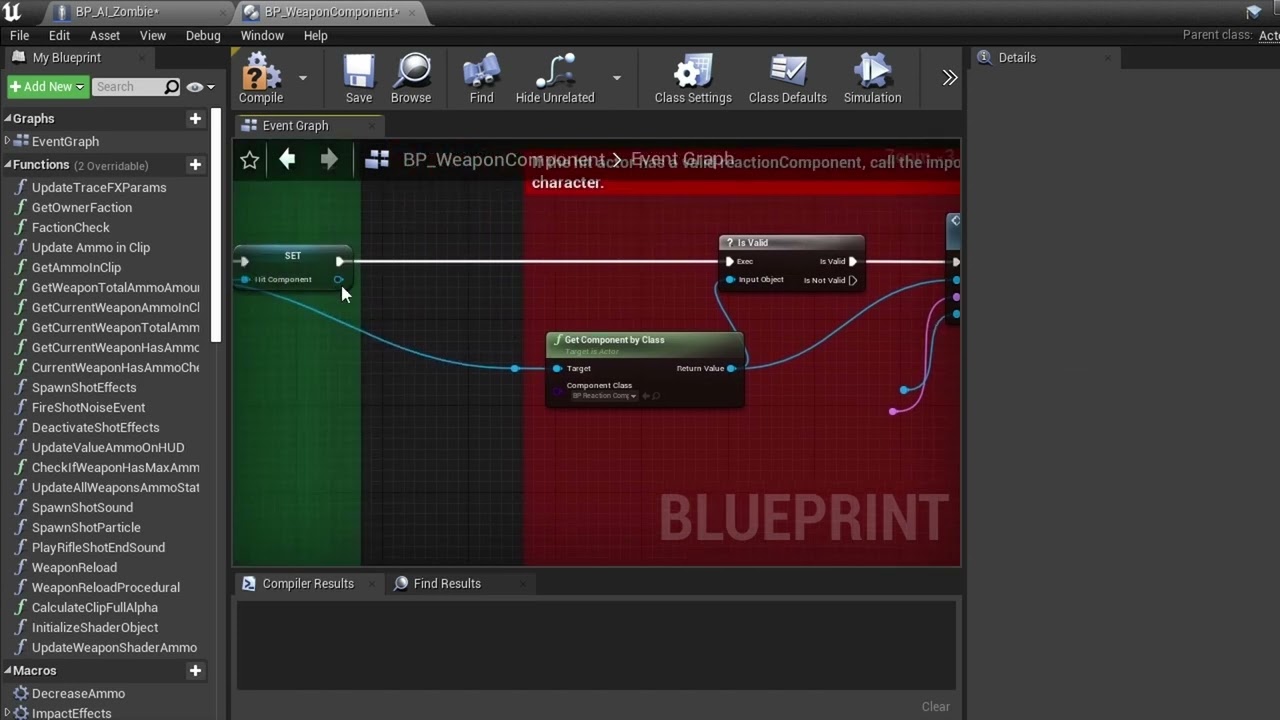
This is a continued video from the Ultimate Hit Reaction Component Zombie merge. In this video, I will show how to easily merge UHRC with Third Person Shooter Kit 2.0.. So lets do this ..and Have fun !!! Don't forget to like subscribe and tell your friends!!!
 harsh snow
Hello! Is there any easy way to reduce AISense_Sight and AISense_Hearing radiuses when player character crouches on all AI Actors on the scene?
misty wharf
in C++ you can implement ISightTargetInterface or whatever it was called, and that can report a different value for sight based on factors like whether you're crouched or not
if not in C++, then in BP's you probably could check when the actor is seen whether it's crouched, and then if it is, check distance before you decide to handle it as seen. But you would need to keep rechecking the distance since it won't report the actor again
for hearing you could probably just adjust your noise reports to report a more quiet noise, and adjust your hearing logic to accomodate
misty gale
For hearing i just reduced the loudness in the noise event during crouch
Worked like a charm
 opaque cradle
anyone know why this isn't working? trying to make an ai but it's not registering the player
at this point I just want the Boolean to switch to true when the enemy sees the player


 misty wharf
opaque cradle
anyone know why this isn't working? trying to make an ai but it's not registerin...
misty wharf
opaque cradle
anyone know why this isn't working? trying to make an ai but it's not registerin...
You probably should use ai perception instead
pawnsensing is the old system and perception is kind of a replacement for it
opaque cradle
misty wharf
You probably should use ai perception instead
alright, I'll have to look into that, thank you : )
Would this mean I need to use behavior trees?
misty gale
Not really , no
opaque cradle
misty wharf
You probably should use ai perception instead
it worked!

although is there a way to display the cone of vision in the viewport? without having to play it and press 4?
celest python
Anyone knows what 'resource' stands for in AI framework?
Claiming resource, locking resource etc
ocean wren
if its like any of the normal resource systems, its an abstract interface for locking mutually exclusive stuff. You'd use it for stuff like animations or aiming or whatever
the aim being to stop multiple behaviours trying to use the same resources at once
i.e. if you're currently doing a duck-roll you can't aim down sights
that kind of thing
or say you were vaulting over a wall you'd not be able to crouch etc..
I've used similar systems for stuff like having specific squad members allocated to specific roles for door breeching etc
celest python
Ah, alright. Thanks for explaining
ocean wren
I think there's resource locking in the GAS right?
ocean wren
No, its not simple at all, unreal is only really setup to walk on the floor.. because that's how most people walk 🙂
But given how many people ask about this.. you might have to spend a fair bit of time or money to implement wall/ceiling walking (there's plugin's you can buy that will enable it I believe, but they lots of money)
 final wharf
Hello,
I have big problem with AI controller
I am working on my first game ( formula/ racing manager),
I already have some kind of AI with blueprints, nothing extra fancy, but it works just fine. I created children of that AI (AI_controller), and each AI child posses only one vehicle.
it works fine even if I have 2 vehicles, they have really consistent lap times, i could let them race even for hours and no change…
but problem appear when I put more vehicles/ formulas in the game ( 6 in the video), but problem starts with 3 vehicles
as you can see, while I have all of them on the screen, or in the line of sight, it still works fine, problem appear, when I switched camera to other vehicles and the ones who are NOT on the screen start to behave really strange and most of them immediately crash, even on straight line…
if you can help, you can also answer there, in unreal forum:
https://forums.unrealengine.com/t/ai-controller-behave-strange-when-is-not-in-line-of-sight-outside-of-screen/497010
thanks for all asnwers

Unreal Engine Forums
Hi, I am working on my first game ( formula/ racing manager), I already have some kind of AI with blueprints, nothing extra fancy, but it works just fine. I created children of that AI, and each AI child posses only one vehicle. it works fine even if I have 2 vehicles, they have really consistent lap times, i could let them race even for hou...
 misty wharf
@final wharf That's pretty odd. AI should not be affected by where your camera is, unless your BP logic or something accidentally makes use of the player pawn for calculations instead of its own pawn
I'm assuming switching camera isn't actually possessing the car, but if it does possess it, that could in theory affect the AI since you'd have both the AI controller and player attempting to possess it
 hearty niche
how do I make an enemy stop trying to chase the player if it cannot reach it? I have seen in many games, the enemy just stares at the player when they are beyond reach
final wharf
misty wharf
<@!459419017711714314> That's pretty odd. AI should not be affected by where yo...
possesing of car is made at begining automaticaly ( see 1st screenshot)
switching camera is made in player controller blueprint and casting for AI_controller only as reference, HUD reference at the end is only for update info in HUD when camera is switched ( see 2nd screen)


 misty wharf
@final wharf hard to say then - I would start adding some debug logging into the logic which controls where the cars go to see at which point they start going into the wrong direction. After that try to start pinpointing the reason for where the invalid data comes from
ocean wren
hearty niche
how do I make an enemy stop trying to chase the player if it cannot reach it? I ...
In most games, we get around that issue by having a ranged attack that the AI can revert to if they can't reach the player for whatever reason. Or we have the AI go back to some starting point. You'd probably deal with this more as a design problem, perhaps have some flying units? It depends on the game genre though.
final wharf
misty wharf
<@!459419017711714314> hard to say then - I would start adding some debug loggin...
Thanks for helping,
but that IS my problem, my driving logic works totaly fine, but works only with 2 cars, when I add third (and more), the cars which are not visible (on screen, eg behind camera) start to behave strange, lige logic stops working and cars crashes even on straight.
ATM i have really no idea how to debug such a thing 🤷
misty wharf
hmm
well if they for example steer into the wrong direction, maybe you can add some logging into the steering code
then you can see exactly when it begins to steer wrong
this should help you start finding the point where it starts going wrong, and you can start to try and find what causes it
final wharf
Hmmm, i can try this...
Can I let you know, when I find something out? (In PM?)
misty wharf
probably better to just post it here but you can ping me in the message
final wharf
Ok, thanks
hearty niche
ocean wren
In most games, we get around that issue by having a ranged attack that the AI ca...
i mean how do i detect that so it does not fall off ledges trying to reach the player?
 mossy nexus
hearty niche
i mean how do i detect that so it does not fall off ledges trying to reach the p...
mossy nexus
hearty niche
i mean how do i detect that so it does not fall off ledges trying to reach the p...
navmesh?
final wharf
misty wharf
probably better to just post it here but you can ping me in the message
@misty wharf
Could it be, that chaos wheeled vehicle is causing it? Could be chaos vehicle affected by LOD?
misty wharf
Good question 🤔 Seems like it shouldn't, but I'm not really so familiar with how the physics stuff works, even less with Chaos physics
final wharf
misty wharf
Good question 🤔 Seems like it *shouldn't*, but I'm not really so familiar with ...
Thanks for advice (about debuging movement of each vehicle...), now I m 100% sure, it Has something to do with vehicle itself, and not AI. Rendering video atm, will post it there ASAP.
hearty niche
mossy nexus
navmesh?
yes so I do a move to actor if the player is seen but they kinda bump into each other and fall off ledges
mossy nexus
hearty niche
yes so I do a move to actor if the player is seen but they kinda bump into each ...
I'd need to see a video to tell what's happening
hearty niche
wait lemme show you the bp as well booting up my system now
final wharf
misty wharf
Good question 🤔 Seems like it *shouldn't*, but I'm not really so familiar with ...
@misty wharf so here s the video
in 1st run, i stopped it in first "wrong" tick and there is seen vehicle in the ground, in the next tick, it was able to fix itself, because it was ON SCREEN.
in 2nd run, i stopped it in 5th "wrong" tick, and vehicle was beyond fixing and flew off track.
even if you dont know how to fix this, thanks for helping me to find the exact issue
misty wharf
That's interesting... #legacy-physics might know more about Chaos stuff if that's indeed the issue here
hearty niche
mossy nexus
I'd need to see a video to tell what's happening
cant get a good recording but this is what I use to begin pathfinding
 mossy nexus
hearty niche
cant get a good recording but this is what I use to begin pathfinding
mossy nexus
hearty niche
cant get a good recording but this is what I use to begin pathfinding
I can't tell you what's wrong unless I see what's happening
hearty niche
I have RVO avoidance on so the enemies rush to the edge and keep pushing each other trying to reach me and knock some of the AI off. I want them to stand near the edge and wait for the player to get in range
wait let me try uploading again
there we go. @mossy nexus
Placeholder cubes for now 🙂
mossy nexus
hearty niche
there we go. <@!224571781862653952>
hows the navmesh looking?

 mossy nexus
are these using CMC?
hearty niche
no I am using this @mossy nexus
 mossy nexus
hearty niche
no I am using this <@!224571781862653952>
mossy nexus
hearty niche
no I am using this <@!224571781862653952>
that's on the CMC
so the CMC should have options for ledge behavior AFAIK
hearty niche
where would this be?
hearty niche
mossy nexus
that's on the CMC
ok I found can walk off ledges option in character movement but I still think there is scope for improvement. They keep fidgeting around the edges which makes it look weird
mossy nexus
hearty niche
ok I found can walk off ledges option in character movement but I still think th...
well any improvement from that needs to be manual, so good luck
mossy nexus
hearty niche
any possible suggestions on what could be done?
depends on what you want happen
hearty niche
maybe stop at the edge and stare at the player waiting to get in range?
mossy nexus
hearty niche
maybe stop at the edge and stare at the player waiting to get in range?
well then have the AI behaviors do that?
 manic iris
anyone have a good way to move an actor to a random point within a specific range of the player without using this node? the AI will run past the player pretty often and that's not what I want

 calm bobcat
@manic iris Depending on what you're looking for in terms of behavior, have you tried AI MoveTo with a random acceptance radius?
manic iris
calm bobcat
<@!306937398200369153> Depending on what you're looking for in terms of behavior...
I haven't, but that may work. I only see a fixed acceptable radius though
calm bobcat
Hook a random float in range node into the acceptable radius input?
manic iris
oh, I've been using the BT node the whole time. Didn't realize there was also a BP node for it
calm bobcat
In behavior tree, you can create your own custom move to task. Or get more complicated with EQS.
Not an expert, but I was assuming BP nodes based on the picture
 vale berry
manic iris
anyone have a good way to move an actor to a random point within a specific rang...
vale berry
manic iris
anyone have a good way to move an actor to a random point within a specific rang...
Use the node, if it's not ideal you can refine it with the filter class
manic iris
vale berry
Use the node, if it's not ideal you can refine it with the filter class
I guess I don't see what that does in this case. My problem is that the radius surrounds the player and can cause the AI to navigate behind them
calm bobcat
Cepa do you know trig? you can also build your own random point node to produce an arc from some angle left of the forward direction to some angle to the right of the forward direction at a distance (you can also randomize this) from the followed character.
 manic iris
calm bobcat
Cepa do you know trig? you can also build your own random point node to produce ...
manic iris
calm bobcat
Cepa do you know trig? you can also build your own random point node to produce ...
I was kinda looking into something like that yeah
my idea is to take the look at rotation from the player/focus target to the actor that's running the BT and then add to that rotation to create that cone shape from the target actor's point of view

and if I take that rotator and add or subtract, say, .25 it would create a cone. Then I can just check distance within that
calm bobcat
Lets us know how it works. Cool thing is, if you execute it right, you can build in strafing the player pretty easily i think
manic iris
calm bobcat
Lets us know how it works. Cool thing is, if you execute it right, you can build...
think I got it

 hearty niche
manic iris
anyone have a good way to move an actor to a random point within a specific rang...
hearty niche
manic iris
anyone have a good way to move an actor to a random point within a specific rang...
eqs could do it. take the ring one set its angle
ocean wren
Use EQS and filter out nodes that aren't within the arc of the players forward vector and score nodes that are in front of the AI higher so it moves forward towards those
 viral elm
Has anyone worked with this yet?
 celest python
Probably zoombapup 😄
viral elm
I'm looking for some sort of documentation for this. Can't find anything about it online
And neither mindmaker nor tensorflow-ue4 worked for me in UE5 (I tried recompiling the packages for ue5)
celest python
Documentation and Unreal Engine are two words that can not get together
You either read the source code or get help from someone who already did that, sadly that how it works in UE about any framework :\
ocean wren
Yeah, good luck with that 🙂
The best bet is to look at the source code right now
I'm sure they'll get to documenting it in.. say the next ice age? 🙂
Maybe just after the heat death of the sun 😉
misty wharf
Sounds about right
harsh storm
Going to be honest though - reading the source code of UE is quite easy. Definitely some pain points, but at least things are commented, even though some of the comments are completely useless.
Better than other codebases that I know of that are completely uncommented because "the code comments itself" 🙄
misty wharf
Yeah it's not too bad. Some of it is a bit confusing when it gets complicated but that's mostly it
 lyric flint
Hey i've got a bug in unreal engine, idk if it's my code or if it's something related to the engine, is this the right channel to ask help?
 atomic hill
Anyone knows, I have a navmesh and when increasing the agent radius, the navmesh at the X and Y axis are removed, creating lines. The more I increase the agent radius the bigger the line is, dividing the navmesh into four squares where the agent cannot move from one to another
 static crater
Hi, I have a custom A* Pathfinding system, and was looking for a way to use Behavior Trees with it. Anyone got a idea where to start?
misty wharf
Behavior trees have nothing to do with pathfinding
If you want to have a node which uses your pathfinding system to move actors or something like this, you can just create your own version of a MoveTo node
 surreal whale
Has anyone got advice for finding if a proposed target destination point is on the navmesh/navigable area (whilst using invokers) - I tried the IsAIValid but it seemed to say yes because it was within the navmesh bounds volume but not the actual generated navmesh. (feel free to @ me) I have managed to spawn an invoker where i want to get to but have to do it every time as the bool return seems to return true always
lyric flint
hello everyone, i've got a weird "bug" i've made my AI and tested in Sandbox level, and when i added my AI to the main level of the game, for some reason it isn't working, and yes i checked to see if the AI has the same config as the SB level, does anyone knows what it could be??
misty wharf
@surreal whale have you tried projecting the point to navmesh first, or using one of the is reachable functions?
@lyric flint it could be any number of reasons, you need to be more specific what the AI is supposed to be doing, and what it is doing instead
surreal whale
misty wharf
<@!236238542165114882> have you tried projecting the point to navmesh first, or ...
Currently it’s just a set destination that used the passed value. I do a check on the point of IsAIValid or whatever it’s called. But yeah it always returns true as it’s inside the navmesh bounds volume (I think). I’ll try is reachable, thanks
lyric flint
misty wharf
<@456226577798135808> it could be any number of reasons, you need to be more spe...
i think if found what it is, In the Prototyping level i'm using the SM_Template_Map_Floor and for some reason the AI works when i use this mesh instead of the Floor_400x400 mesh, i've checked the Meshes config, both have the same, i really don't wanna delete all the floor in the main level, is there something i could do?
misty wharf
This still does not explain what the AI is supposed to be doing
you say "AI does not work", it doesn't work in what way?
lyric flint
well, it is supposed to follow some waypoints, and if it sees the player it should chase him
like, it does not move it just stands there
idk if that helps😕
misty wharf
Have you checked that the navmesh exists? You can do this by pressing P when the main viewport is active
lyric flint
yes the navmesh exists
misty wharf
So the walkable areas of the map are all green?
lyric flint
yep
misty wharf
Are you using MoveTo in behavior trees or something else to move it?
lyric flint
Something else, i've never Made an AI before so i've followed a tutorial on YT from Ryan Laley on AI's
misty wharf
So just a regular blueprint move to node?
misty wharf
Start by checking if it's actually running, and then check what its output is if it has a success or failur output or any other values that it outputs
It sounds like the navigation is failing for some reason
lyric flint
misty wharf
It sounds like the navigation is failing for some reason
yea i tested that, and as i said before when i use like another mesh a floor the AI actually works, but when i use the "Floor_400x400" mesh it just doesn't, it's really strange
i can make a video if you wants to
misty wharf
So if you put a breakpoint on it, the breakpoint gets triggered in the level where the floor is different? And what is the output from it if you print it?
lyric flint
Yes?
i'm not sure
i'm gonna try that
the only thing i know is, it works when i use Terrain or another mesh as a floor, but when i use the "Floor_400x400 mesh" it just doesn't work
misty wharf
It really should make no difference if the navmesh is actually generated correctly for it. If the mesh was the culprit, the navmesh shouldn't be generating on it
But we'll see I guess
lyric flint
do you want me to make a video of it? it makes more sense if you actually see it
misty wharf
I guess if you want to, I'm not sure if it'll make any difference since seeing if it moves vs it doesn't move doesn't really tell me much :)
ocean wren
That Ryan Layley has a lot to goddam answer for 🙂
lyric flint
and i fixed it
misty wharf
What was the problem?
lyric flint
I have no idea, i just copied the entire level and pasted in a empty level, and now i tried to test it and the ai is working
misty wharf
🤔
That's very strange, to be honest it sounds like the navmesh was not generated correctly, but that shouldn't have been the case since you said it was green
lyric flint
i mean i really hope this is a bug, because it doesn't make any sense lol
misty wharf
Yeah could be, it might have fixed itself by deleting and regenerating the navmesh
misty wharf
:D