#gameplay-ai
1 messages · Page 139 of 1
 livid solstice
might be good to mention I am firing the simple move to from the player controller, not the character
but this method worked very well before
these are my character's pawn settings

topdowncontroller is my controller
I even tried moving this to my character blueprint but no luck

and here's the navmesh

 livid solstice
I feel like everything is passing through but something is stopping the character from moving
 bold vapor
@livid solstice If I were you, I would set a breakpoint in that blueprint in your video and verify that "Goal" is set to the location that you actually think it should be set to. Compare Goal vs the player's current location.
Also, love the art style in there 🙂
 bold vapor
@livid solstice It looks like the event is getting continually fired, perhaps even every tick. Is that the case? If so, that could be the issue. I believe a call to "Move to location" is intended to be "fire and forget"
Repeatedly making a call to that event could cause the character to constantly say "cancel our current move, we have a new move"
livid solstice
yeah, but even adding a doonce doesnt move this character
 neon storm
I've asked this question already, but I need some help. I'm currently making a 2d side scroller game for a project, and I went down a rabbit hole of ai behavior and perception, but can't seem to get simplest thing of getting an enemy to patrol a platform, and when he detects a player to move towards him. All I have right now is function for the enemy to both take damage, and attack. what do I do?
livid solstice
@bold vapor sorry for the mention, the simple move to location still doesnt work properly
even after the do once node
 thorny jay
Hi all, in C++ is there an easy way to confirm that there is any navigation data in the currently playing map? I want to prevent players from adding bots to a map if there is no nav mesh
 lyric flint
neon storm
I've asked this question already, but I need some help. I'm currently making a 2...
lyric flint
neon storm
I've asked this question already, but I need some help. I'm currently making a 2...
Keep it simple! it's 2-D, So the NPC is either facing the player or it's not facing the player. So just run your logic against distance, and disregard if the NPC is looking away from the player. No need for AI perception with all the bells and whistles, unless I'm missing something. You can even run a trace, well 2 if you want to get fancy, just to see if the player is crouched behind a box or something. The key word is: keep it simple! 🙂
lyric flint
thorny jay
Hi all, in C++ is there an easy way to confirm that there is any navigation data...
try for (TActorIterator<ANavMeshBoundsVolume> It(GetWorld()); It; ++It) maybe?
 patent hornet
@thorny jay @lyric flint you can get the NavigationSystem via World
@lyric flint for (AMyActor* Actor : TActorRange<AMyActor>(GetWorld()) same thing but much easier on the eyes
thorny jay
@patent hornet Would that be done in this way:
UNavigationSystemV1* NavSystem = FNavigationSystem::GetCurrent<UNavigationSystemV1>(WorldContextObject->GetWorld());
and then, presumably, like this:
*NavSystem->MainNavData
patent hornet
GetWorld()->GetNavigationSystem() should work iirc
thorny jay
Ok, and that will be null if there is no nav mesh present?
patent hornet
not sure
thorny jay
Hmm ok
patent hornet
you can get ANavigationData* from nav system NavSystem->GetDefaultNavDataInstance(FNavigationSystem::DontCreate);
that one should be null if the first one isn't
thorny jay
@patent hornet I found a way to make it work:
`bool AMasterGameMode::MapSupportsAI() {
UNavigationSystemV1* NavSystem = FNavigationSystem::GetCurrent<UNavigationSystemV1>(GetWorld());

return NavSystem->MainNavData != nullptr;
}`
Tested it by removing the nav mesh bounds volume -> returns false. Add the bounds volume back in and let it regenerate -> returns true
patent hornet
gg
thorny jay
Thanks 🙂
 misty wharf
You'd probably need some kind of AI manager actor that is used to track the behavior, or you could maybe try using an instance synced integer value in a blackboard that is used to track the number
basically every time an AI decides to attack a player, it would check the number and choose yes/no, and if yes, it'd increment the number. When AI's stop attacking for any reason, they'd need to decrement it
you could use other approaches like when an AI decides to attack, it can grab all the other AI's and check if their state is "attacking" or such, and you can then just count that
well, the easiest way would probably be just getting all actors of the AI class and checking how many of them are already in an attack state
it might perform a little bit worse than the others, but as long as you don't have a really large number of AI's doing it, it shouldn't really have a noticeable impact
neon storm
lyric flint
Keep it simple! it's 2-D, So the NPC is either facing the player or it's not fac...
Thank you for your answer, I'll try that today.
patent hornet
@warped fjord use Token system
AI needs to check out an AttackToken from AIManager in order to attack the player
link? not sure there are any, but i've seen it mentioned in one of Doom's AI GDC talks
it is a fairly simple system
 feral marsh
Hey fellas how are you all doing today?, quick question how can i be able to see the radius of the sight perception in the ai controller?
patent hornet
using the detourcrowdcontroller derived AIController as a base
its a deep deep dark hole though
as crowdfollowingcomponent likes to break
 stable void
I found this way to force my agent size is working reliably, by using the navigation data as pathing context

 fresh remnant
@stable void what's the 'this' context in this BP?
You grab the nav data by name, but what is the "Set Navigation Data" call to?
or how do you pass it as the pathing context? Nav Query Filter?
stable void
fresh remnant
<@!458765232911810570> what's the 'this' context in this BP?
I'm probably doing it wrong
 fresh remnant
@stable void Ok yeah that gets passed as a Nav Query Filter, that will work for sure. I use CMC so it's all automated and I just rely on the separate navmesh class since there's a lot of pathfinding calls everywhere that I don't want to change and add that.
this is the code that changes it to a nav query filter for your call:
  {
    NavigationData = (ANavigationData*)PathfindingContext;
}
...
const FPathFindingQuery Query(PathfindingContext, *NavigationData, PathStart, PathEnd, UNavigationQueryFilter::GetQueryFilter(*NavigationData, PathfindingContext, FilterClass));
```Just be sure to always pass the navdata in any other calls to the path system, either directly through a Nav Query Filter(the lower level Recast API all have a filter as a parameter) or indirectly through a context like this
stable void
You're very kind @fresh remnant but I aint touching code, last time I tried my project exploded, I can't keep up with it. I would if it was an amateur project but I need it to be stable and I'm a lame coder
fresh remnant
ah yeah, just saying even in BP, there might be Nav Query Filter type stuff sometimes, and so you know what that is
you can pass it a navdata into there too
if u ever see it
stable void
cool I'll keep it in mind, thanks @fresh remnant ! By the way, do you happen to know if there is a way to feed this directly to a move command?

 lime creek
I think my question would be more appropriate here now that I think about it
anybody have any idea why code won't go through a behaviour tree? The first blueprint is meant to fire off when a condition (in range) is false, and then, when (in range) is true, it's meant to do the second part (yes, i checked and "is not set" and "is set" is fine,) but even when the condition is true, it still goes into the first BP and the second one is never fired off
https://cdn.discordapp.com/attachments/494173557291483147/824719899317239828/unknown.png
https://cdn.discordapp.com/attachments/494173557291483147/824719941244158002/unknown.png


vid showing
stable void
lime creek
I think my question would be more appropriate here now that I think about it
an...
running a visual logger should show you better what's going on! very useful tool
lime creek
alright, thanks I'll try using that
fresh remnant
stable void
cool I'll keep it in mind, thanks <@!270800762408402945> ! By the way, do you ha...
Yeah, you have the "NavigationPath" after that function, which holds a bunch of points actually. So you need to do a lot of move to's based on where you are in that list of points. The return value, go look at the PathPoints Array from that value
Each Path point is a location that the actor has to move to, then go to the next point when done
lime creek
a thing I forgot to mention was that there's a block on the selector and I'm unsure why,
 stable void
fresh remnant
Yeah, you have the "NavigationPath" after that function, which holds a bunch of ...
stable void
fresh remnant
Yeah, you have the "NavigationPath" after that function, which holds a bunch of ...
thank you form the help, I appreciate it a lot. This abomination works so I'm happy!
 feral marsh
Hey guys does anyone now why the ai perception sight not showing?
 pseudo yew
In 4.26 do we still need to check "enable environmental query system" in the editor preferences? I cannot find it there.
stable void
does anyone know what's the performance impact of having a lot of agent sizes?
misty wharf
I'd imagine it mostly pertains to when the agent wants to navigate
stable void
misty wharf
I'd imagine it mostly pertains to when the agent wants to navigate
mmmm makes sense
create a custom task? go towards player, wait 2 seconds, stop movement
misty wharf
you can use a move to, but just use a Vector as the target, not an actor
or yeah, you can abort the task after a certain amount of time too
that might work better if the actor can move
stable void
misty wharf
or yeah, you can abort the task after a certain amount of time too
how?
sorry DSA I'm trying to help but i'm not the best haha
misty wharf
Isn't there a BT decorator which can abort after a certain amount of time
I seem to recall so at least
Time Limit
Do note that it may count as a failed task when the time limit is reached, so you may have to combine it with "always success" if you want it to continue the next task as normal
 still pelican
I dont know if this is the right cahnnel, but is it possible to include pytorch/tensorflow Models in a UE4 app ?
stable void
does anyone know if it's possible to expose the agent types to blueprint ? I was thinking something like: "get agents" (get array of all agents info)
 misty wharf
It's probably possible somehow - you might need to see how it's represented on the C++ side, once you find how, then you can just write a blueprint function library thingy to return it
 cobalt ermine
Novice at AI, one of my first attempts here, and have run into a problem I just can't figure out. There's a gap in my navmesh that I can't explain. Any tips on tracking down what is creating this gap?

 wary ivy
uh, do nav areas seriously only support convex area volumes?
this is awful 😄
has anyone done any better tools for laying out nav areas? Maybe approximating a spline path?
wary ivy
hmm, seems that recast only supports convex shapes for that
 rapid ridge
what's the Environment Query Pathing Grid NOde for?
rapid ridge
how could I make an AI go in circles around other AI that is moving, I could do it myself but my solution is not very good. A lot of steps, I feel there's an easier solution
lyric flint
feral marsh
Can someone help me with the Simple parallel node? in the behavior tree? it only launches the left node then moves on
 patent hornet
yeah, the secondary task in simple parallel only executes while the primary is running
its how simple parallel works
so you'd need something that takes a while on primary task
 sharp flower
I have created an AI using nav meshes and pawn sensing, it functions as intended, but when it moves towards the player it rubber bands. Any way to reduce or fix this?
stable void
Can someone explain to me a couple of concepts please? N1: what does query extent represent? N2: what's the difference between "AbstractNavData" and "RecastNavData" ?
 sharp flower
Why is it that it takes about 1 minute for the AI in my level to actually use their pawn sensing and navigate to the player?
 normal river
Oh cool, it turns out I can have 2 AI Perception components on an AI Controller. I can have 2 different configurations of AISense Sight for example
misty wharf
^yeah I'm using this in my project, not sure if it's ideal but it works :P
 hearty niche
Can I get some help on the ai prediction in the perecption. How can this be used?
 devout plume
Sorry for the ping, I know it's been a while but did you end up releasing it ? I'll be doing some AI soon and I remember that the whole default teamID thing was messy
lyric flint
@devout plume Joschka, you may want to look at FGenericTeamId in GenericTeamAgentInterface.h, it should work with minimal effort 🙂
 vivid lichen
Hey all, any way I can set this radius variable in another BP?
 rapid ridge
I have this selector at the top with a decorator, I'm 100% sure the decorator's variable is not set to true, but it still executes the services on the selector below.
 rapid ridge
nvm i was doing something wrong
fresh remnant
stable void
Can someone explain to me a couple of concepts please? N1: what does query exten...
Query Extent usually has to do when you're trying to find valid nav points near a point, or searching the navmesh for something. The default is the box with which to start the search, the smaller the box, the smaller a space it will search for a valid point, usually you want it big enough but not too big(for performance). You can send an override query extent on most calls, but the default one is the one used if you dont' provide your own extent. AbstractNavData is a C++ interface, RecastNavData implements it(and is a child of the class).
stable void
fresh remnant
Query Extent usually has to do when you're trying to find valid nav points near ...
So let me get this straight, an agent of let's say radius 50 will need a query extent of double it's size 100,100,100 to see it itself can fit in a perfect box for it's sizing right? are my assumptions correct? btw you are a gem for real, can I buy you a coffee or something?
 devout plume
lyric flint
<@!226448879518875648> Joschka, you may want to look at `FGenericTeamId` in `Gen...
devout plume
lyric flint
<@!226448879518875648> Joschka, you may want to look at `FGenericTeamId` in `Gen...
Yeah I messed with it a while ago but I remember that there were some issues with it, I forgot about what it was exactly since I didn't touch Unreal for a while 😄
Will probably give it another try or roll my own system using tags
 pine steeple
we use both
tags and the team system
Team system allows for easy fitting with the current AI systems
tags allow for easier tracking with all other system
one thing you could do is make a global map of tag to uint8
then in your classes that implement the team interface
can read its tags, and return the correct team uint8
devout plume
Thanks, that's helpful ! Going to experiment during the week
hearty niche
ok pardon the dumb question but how do I make an ai face the player using set focus?
pine steeple
it has to have Control Rotation enabled in the CMC not orient to movement
so either switch that before setting the focus or make your AI use that by default.
hearty niche
you mean use controller desider rotation?
pine steeple
yes
hearty niche
did this but the character is moonwalking now and focus still does not work @pine steeple
 stable void
fresh remnant
Query Extent usually has to do when you're trying to find valid nav points near ...
stable void
fresh remnant
Query Extent usually has to do when you're trying to find valid nav points near ...
and how would you send an override query ?
 celest python
Whats UDetourCrowdAIController is for? Its empty?
 median lichen
Heya. It got me half a year to make recast navmesh with different slope angle areas. And i did it. Thank you for your help ))
 opal crest
median lichen
Heya. It got me half a year to make recast navmesh with different slope angle ar...
opal crest
median lichen
Heya. It got me half a year to make recast navmesh with different slope angle ar...
Cheers! That's a big accomplishment!
wary ivy
celest python
Whats UDetourCrowdAIController is for? Its empty?
it's not empty, it overrides the path following component class
 opal rain
Hi, I am running an eqs to make my AI run away from my player, I am using the player as a context, but when the AI get close to an edge they started to get stucked with each other. Any solution for this? Thanks
 lean cliff
With EQS - the query params in the behaviour tree version are greyed out. Do I need to make my own decorator to run the EQS with custom query params or is there a way to make the query params modifiable?

For context, this is my Donut config
 hearty niche
anybody used eqs in commercial projects? I mean is it production ready?
pine steeple
ofc its production ready
its used by lots of released games including Fortnite.
ignore epics "Beta" or "Experimental" those things can be there for years.
 echo lark
did anyone had issue where sense randomly stop expiring ?
I have damage sense to expire after 1s
and for some agents it sometimes just stop working (along with other senses)
 lyric marsh
(Asking in the right channel this time!)
Hey everyone! So rn I'm wanting to code some simple AI followers. However I want NPC 1 to follow the player, and NPC 2 to follow NPC 1. I'm following this tutorial (https://youtu.be/Z3mWSpKb3Kw) and I'm wonder if the method the guy uses in here could be repeated to make NPC 2 follow NPC 1?
YouTube

In this Unreal Engine Tutorial I show how to add an enemy with an AI Controller that follows the player.
It is a very simple AI but I introduce some basic AI components: The Blackboard, a Behavior Tree and the AI Controller blueprint.
See my social profiles here
G+: https://plus.google.com/+JayAnAm
Twitter: https://twitter.com/jayanamgames
Fac...
 glossy spire
@lyric marsh Just looked at the video briefly, but you could change targets pretty easily by using an instance editable variable on the pawn rather than grabbing the player controller

replace that with the actor you want to follow
lyric marsh
Wait really?? It’s that easy??
lean cliff
lean cliff
With EQS - the query params in the behaviour tree version are greyed out. Do I n...
For anyone who comes across this issue. The UI in the BT gets updated when you reselect the Query Template (as it's run on PostEditProperty in C++)
 finite dew
Knowing how pure nodes work, wouldn't I be checking for different values when I read Random Location and when I read Return Value?

This should apply the same concept and be wrong

This one seems to be a better fit? What would be the difference?
 pine steeple
@finite dew i am sure the BP Callable one in deprecated
i use GetRandomPoint, then i store it in a local variable so i only call the pure once
finite dew
pine steeple
<@!202818029224984581> i am sure the BP Callable one in deprecated
You mean you call in C++?
pine steeple
the last node is a Blueprint Callable exposed node
the other one is Blueprint Pure
Pure nodes execute everytime its needed, like you said
finite dew
I see, but if you want to call the pure once and store the location, how do you check then that the location was valid?
pine steeple
branch it
finite dew
Or is it always valid? Then why is the bool return there?
pine steeple
if return is valid, then store it
finite dew
But by branching it am I not calling it twice?
pine steeple
no
finite dew
I count one wire from the return and one from the random location
pine steeple
right, but that node is not pure BP pure iirc
pine steeple
its a const Blueprint Callable
pine steeple
anyway i never had issues
finite dew
Any performance issues while doing the callable one though?
pine steeple
none
finite dew
They seem to do the same, I'm testing now
pine steeple
either one works
finite dew
That makes sense
finite dew
Cool, yeah I feel you I'm burned out as hell these days
pine steeple
    UFUNCTION(BlueprintPure, Category = "AI|Navigation", meta = (WorldContext = "WorldContextObject", DisplayName = "GetRandomPointInNavigableRadius", ScriptName = "GetRandomPointInNavigableRadius"))
    static bool K2_GetRandomPointInNavigableRadius(UObject* WorldContextObject, const FVector& Origin, FVector& RandomLocation, float Radius, ANavigationData* NavData = NULL, TSubclassOf<UNavigationQueryFilter> FilterClass = NULL);
see they deprecated the BP Pure one
finite dew
Using the callable one makes sense for having 2 usable outputs
in a random thing
It's not giving any deprecation warnings at the tooltip though
pine steeple
yeah i feel that is a bug
in the BP editor
cause its clearly deprecated here (as of 4.22)
finite dew
Yep
Using 4.26 now, which has proven me to be like 30% less productive than .25
so could be
finite dew
ah so it's just this one
pine steeple
supposed to use meta = (DeprecationMessage = "Blah here")
pine steeple
yeah do it 😄
finite dew
😆
pine steeple
NavigationSystem.h line 1038 😄
finite dew
ffs lmao
pine steeple
maybe different line in 4.26
you gonna do it? 😄
i am already an engine contributor
finite dew
Haha nah too much hassle I don't have time for it
finite dew
Definitely a gotcha for noobs
pine steeple
DeprecationMessage = "GetRandomPointInNavigableRadius is deprecated. Use GetRandomLocationInNavigableRadius instead"
finite dew
I would have pulled my hair a whole day a couple of years ago
Thanks for stepping up!
Gonna keep on working
have a nice rest of day
 pastel sierra
is there any clever way yet to find references of a blackboard key?
 prisma blade
Are custom blackboard object types available on BB or do i have to cast from UObject when caching them on cpp nodes?
pine steeple
you have to cast
prisma blade
is there any way to cache memory for the whole behavior tree such as references to the owning pawn, so i can avoid casting every execution
got stuff like this in executetask which feels slow

there's functions for the behavior tree which cache memory but non of them happen after the controller and NPC has been assigned to the BT
Can just use explicit cast for controller cast
but too dangerous for NPC incase i add the node to wrong bt
pine steeple
well
mark the node as Instanced in constructor
and set the stuff you need in SetOwner override
@prisma blade void UBTService_LookAtPlayer::SetOwner(AActor* ActorOwner) { Super::SetOwner(ActorOwner); AIController = Cast<AAIController>(ActorOwner); SolsticeChar = AIController->GetPawn<ASolsticeCharacterBase>(); } ```UBTService_LookAtPlayer::UBTService_LookAtPlayer(const FObjectInitializer& ObjectInitializer) : Super(ObjectInitializer)
{
GoalActor.AddObjectFilter(this, GET_MEMBER_NAME_CHECKED(UBTService_LookAtPlayer, GoalActor), AActor::StaticClass());
NodeName = TEXT("Look at Actor(Player)");
bCreateNodeInstance = true;
}``` for example
 timber mortar
is there a way to tell which ai controller is attached to a specific pawn? (instance)
misty wharf
Get Controller
prisma blade
@pine steeple dunno what i have been looking at, but never saw that function in the documentation before 🙃
thanks!
prisma blade
how did you manage to get the SetOwner() function to run after the controller has possessd the pawn
my getpawn keeps returning null
 prisma blade
Yeah but to get the pawn you go through the controller reference
ActorOwner returns a controller class
prisma blade
My issue is that the SetOwner() function is being called before the BeginPlay function for the pawn that has been spawned, resulting in the controller not being initialised yet
prisma blade
Fixed it, had the behaviour tree starting on begin play of the controller instead of onposses
 reef birch

Question Regarding EQS
i need to search only a certain height.
so if a object is a 1st floor it wont give a result
but a object on ground level does give a result
i allrdy checked item height offset,
but that doesnt seems to do anything for me, if i put a rlly low value it still detects something on 1st floor
stable void
why would my AI overstep it's go to location ?

 worthy python
Good day. Who has experience with orienteering AI groups on a large map? Level have many houses, AI can loot, raid by command, something similar to Arma3. What is the simpler and better way to explain AI, where is the building, door, floor, etc.? Except manually set the volumes.
We have idea to do this on step of procedural generation of the house, door meshes will have a door tag and so on. I'm wondering how this is implemented in large projects.
 pallid trout
stable void
why would my AI overstep it's go to location ?
pallid trout
stable void
why would my AI overstep it's go to location ?
Might be because the mesh is not at the center of the actor?
stable void
pallid trout
Might be because the mesh is not at the center of the actor?
it is
I think I'm going to try and fix it with a custom decelleration/accelleration system
 bleak valve
I have a vehicle that runs on a path. I am using target points to form path. I want to increment the path point index. However, the index gets incremented before my vehicle reaches the path point(Target Point). How do I make sure that my vehicle has first reached the location of the target point, and then increment the path index?
 meager matrix
Hi there! simple question here: Do you think it's feasible to build an Utility AI system (not using BT) only using Blueprints, without C++ ?
misty wharf
Sure. I don't see why not
Performance in C++ for something like that would potentially be better, but even with blueprints it should be entirely adequate for a lot of usecases
celest python
When/why do you guys use EQS?
meager matrix
Thanks zomg, I'll give it a try
UIntax I use it when I need to get a position, e.g. an enemy wants to hide from player
so I run EQS query to get a spot where it won't be visible for player
celest python
So its mainly used for getting data from the environment based on several things like perception and etc.
I also made a research on web but found nothing rather than hiding system from player
meager matrix
you could use it to get a proper spawn point for an item, for example
so yes, is just about querying environment
celest python
I see, thank you 👍
 snow moth
hey guys I can't figure out why some of these navmeshes are rotated from where they should be has anyone else run into this?

 acoustic condor
anyone offer any suggestions as to why this ai will not move?

 stark zealot
Uggh I'm at a loss as usual. I've been working with UE4 for years and every so often I try to learn AI but always give up in frustration. The lack of info and the "derpy-ness" of the AI always make me quit. (yes I'm trademarking "derpy-ness" 🤣 ) My AI always seem to just derp in their behavior trees. I give them nice EQS queries and they work for a while but usually wind up getting themselves stuck in a corner with no valid point to move to. Then if they chase me they always look so stupid and fake because when I round a corner they lose their mind. I've faked it where they automatically know my last location so they can "kinda" follow me around corners but as soon as the "search around" state kicks in they always look so stupid lol. I can have them check behind things using EQS but they just seem so dumb. I just don't understand why everyone likes behavior trees so much. What if I just used "event tick", a custom enum, and some custom events inside my AI, would the community run me out of town with pitch forks and torches? I feel like I could get things working in a few minutes and it work better. 🤷♂️ I'm open for thoughts or an actuall good example, guide, or tutorial. I only find the basic tutorials that are the AI equivalent to the "hello world" tutorials. I even watched an almost 3hr Epic livestream and they utterly failed at making their simple AI 🤣 . Their behavior tree locked up just like mine always does and they said, "Hmmmm I don't really know why he's getting stuck on that branch. Well, I think we should just wrap things up and go to some questions from the viewers......" hahahaha I Feel like I saw someone on the marketplace that had a state machine driven AI system to replace behavior trees. It looked like the AnimBP but it was for AI but for the life of me I cant find it.
 viral sage
Hi. I have an NPC which is meant to be ranged/casting from a range and I have a blackboard set up for finding the player location and also chasing him. The location looks like this. What's an easy way to keep the NPC at a range but not a random one in radius of the player. I want to be the closest point between the max radius range and the npc. Does that work with find closest point in line?
 meager matrix
!Fish3010 you can use EQS to get that point
misty wharf
stark zealot
Uggh I'm at a loss as usual. I've been working with UE4 for years and every so o...
Honestly use whatever you want :D If it works it works. BT's in my experience are very convenient for building sequential AI logic where it goes from Do A -> Do B -> Do C, since it makes it easy to manage stuff like if one of them fails, or having the next state not run before the previous one has finished... but if you don't need anything like that then doing it in the ai controller bp seems entirely fine
normal river
acoustic condor
anyone offer any suggestions as to why this ai will not move?
Have you tried using a goal actor instead of a location?
 pine token
hi. im making a voxel game and generate chunks. i haven't looked much into runtime navmesh building yet but does it stitch together?
pine token
hm wondering in general how realtime navmesh cooking works with procedural meshes
misty wharf
It should work
I'd just suggest testing it if you think you'll need it - just make a proc mesh and see if it generates correctly for it
pine token
i just tested it, somehow it creates navmesh data on a normal box brush, but not on my terrain

i have a navmesh invoker on my first person bp (registered it on beginplayer) and set the navmesh building to dynamic and only triggered by invokers
not really sure whats the problem

it also doesnt seem to rebuild when i move
stable void
how do I make my AIs go from point to point in a smoother way ? I could drive the movements through splines but thet just seems wrong 😦 https://www.youtube.com/watch?v=peD-7eEolRc
 acoustic condor
normal river
Have you tried using a goal actor instead of a location?
acoustic condor
normal river
Have you tried using a goal actor instead of a location?
I just tried this and something interesting occurred, after some time it executed the OnMoveFinished pin yet its not moving
maybe there is a error escape or something thats causing that
I can see the ai turns to face me, the path is calculated but its just not moving, max move speed is correct
tried plugging in the default 3rd person char get same result
going to try a new project now i guess
 weary holly
I dont know how but ai wont be moving....eventho i havent touched it for several months and it worked back then
this is my setup


and i set my ai controller in the character
is this a engine bug?
this is shown in the debug menu but the ai is physically not moving

the behavior is running but following shows idle but why
pine steeple
says Behaviour is running
it never says anything about movement
so what bug are you trying to make up?
weary holly
my ai wont move
weary holly
pine steeple
so what bug are you trying to make up?
my setup is correct and simplistic tho...i dont see something wrong on my end or do you?
the behavior tree is executing without errors
vector location was set
the only thing that doesnt work is the path following which says idle
weary holly
yes
pine steeple
is your Move to Task activating?
weary holly
visually when i look in the bt yes in debug it just says no active task
pine steeple
i can't see your BT so if you want to share it
weary holly

sure

ok the move to is failing
i dont believe it
restarting the editor fixed it
pine steeple
well
your navmesh might not have been created properly
you can verify by bringing up the console whilst game is running and typing show navigation
also look at the Visual Logger in the future
its brilliant for debugging AI issues
weary holly
thats actually a good idea thanks!
i guess its because i havent touched the project in months, i even had to recompile all shaders
pine token

any idea why it doesnt react to the geometry change?
its a procedural mesh, somehow it always keeps using the first mesh that was generated
instead of using the updated one
but to collision it reacts
also weird the RebuildNavigation works in the console but it says "console command not found" even though it actually worked
pine token
somehow when i change a variable of the actor containing the procedural mesh in the editor it suddenly updates with the new geometry
weird
like it doesnt update until the actor changed or so
timber mortar
what'sd the difference between Decorator & Service?
wary ivy

Outlines the different types of nodes available when working in the Behavior Tree Editor.
timber mortar
i'm surprised there isn't a simple (built in) way to just <abort if BB key is false>
timber mortar
misty wharf
Can't you just use the blackboard value decorator for that
that only checks if Set or is Not Set. doesnt work for bools which are set by default
misty wharf
I'm not following. false = not set
timber mortar
no, i wish. set/not set only works for Object keys and stuff (ie pointers) which may be none (ie null pointer)
misty wharf
I'm like 99% sure that I've used bools and it works as I said 🤔 Let me see if my current project uses them...
Yeah it definitely works here
 timber mortar
i suppose you can use them with 'abort on Value Change' but that is not so specific
you are doing the comparison decorator, comparing the key to a True key
which i assume is always true
misty wharf
Well, if you're executing a task with the decorator on it set to abort on value change, and it's set to "MyBoolean is Is Set" then it will execute that task
but if the value then switches to false, it would abort it
which seems like it would behave as you wanted, no?
timber mortar
yeah but like, thats a bit of a bodge. plus, you may wind up with the bool the wrong way round since it doesn't care whether it chnged to false or not, just that it changed
misty wharf
It would never start executing it if it was false to begin with though
but yeah I get what you mean, it would be nice to just have like.. a signal or something that you can just use to trigger it instead of having to toggle a boolean on/off
timber mortar
on a similar note, is there any way to initialise a blackboard key with a task and then never run the task again? like, the most efficient way?
 sick badger
I can't get this behavior tree to wait at all after my character moves to a random spot. Neither the default wait task or one I made myself work. What could I be doing wrong here?


randomlocation and moveto work fine, but then it completely skips Wait no matter what I do...
I even made my own Wait task that has a random range, it skips that too...
 slim dome
Are there any good AI tutorials for a horror monster AI (like amnesia, outlast)
I should rephrase to be more specific: A stealth horror monster AI (investigates, etc)
pallid trout
sick badger
I can't get this behavior tree to wait at all after my character moves to a rand...
You are using a selector, it returns out of the branch as soon as a task succeeds. So if the character reaches the point, Wait is not executed
pallid trout
sick badger
And you haven't return Success here, its always false.
stable void
Can someone help me out understanding the navmesh location system please? I have one size of pawns in 10, the smallest that snags and at the end gets crazy for no reason, everything is setup as the other actors and they all behave fine, could you have a look please? Have you seen anything like this before? https://www.youtube.com/watch?v=8XQqyk_U55k

Also what the hell are those? so cryptic

 broken pumice
Wondering if anyone has a good solution for getting AI Focus to be more smooth/interpolated?
Seeing a lot of popping/snapping on my AI when they switch/update their focus target.
I was playing with the idea of having them focus on an invisible simple actor that I lerp around to targets, but I would love to know how others have approached this.
timber mortar
change the rotation rate in the character BP @broken pumice
pine steeple
in C++ you can override the face target to give a smoother rot, or reduce the the turn rate Z in the CMC

the Z here controls how quick they rotate
timber mortar
any clue why the blackboard is null? it worked before, and i havent changed anything significant before it broke (just edited some tasks?)
 pine steeple
using the wrong class for the controller?
where it is not set?
also yikes

is that a static??!?
broken pumice
@timber mortar @pine steeple I'm a dummy - thanks guys.
timber mortar
pine steeple
is that a static??!?
no
timber mortar
timber mortar
any clue why the blackboard is null? it worked before, and i havent changed anyt...
turns out, it's not just that AIcontroller but the premade unreal blueprint AI controllers that must be having the same issue (i stopped using the custom AIcontroller class)
May not be, i'll come back
hearty niche
How do I check if a cover point is occupied by another npc or an npc is moving towards it. My AI ends up fighting each other for cover
pallid trout
hearty niche
How do I check if a cover point is occupied by another npc or an npc is moving t...
if you allow partial paths, they will stop if they can't reach
stable void
All seems to work but the visual logger is telling me this. Navigation is so weird
 devout plume
So I just made a custom C++ task to use a gameplay ability given a tag.
Basically I add the callback in the ExecuteTask function if TryActivateAbilitiesByTag is true and removing it in the AbortTask and in the callback function before calling FinishLatentTask.
Is that all there is to it ? Seems to work so far but wondering if there's something else I need to account for
pine steeple
looks ok
devout plume
Thanks !
pine steeple
really should PR a Gameplay Tag blackboard selector key
devout plume
Yeah having tags supported by default would help a lot
The variable number grows really quick otherwise in some cases and is less easier to manage
hearty niche
pallid trout
if you allow partial paths, they will stop if they can't reach
I mean how do I make it choose the next best cover option?
pine steeple
Store the points selected by the other AI
and query it
if that location is chosen, find another
when the ai moves from cover, remove that point
 vast relic
Has anyone here implemented influence maps?
Is it possible to mark up the navmesh with arbitrary data for stuff like threat, heat maps, etc?
sick badger
pallid trout
You are using a selector, it returns out of the branch as soon as a task succeed...
I took out the MoveTo task and added AIMoveTo inside my RandomLocation task and that worked! :D
fresh remnant
vast relic
Has anyone here implemented influence maps?
If your nav mesh doesn't change, you can annotate it by setting polyflags per polygon on the navmesh, but not many bits to play with. Alternative is to reproduce how Recast finds the tiles and polys in memory into your own data structure so you always have a parallel data set. Costs memory, but doesn't require maps or hash tables to look up, so just as fast as Recast's stuff except for the cache miss you'll get for accessing your own memory block.
stable void
pine steeple
your end point is on the navmesh
but it does, and it moves?
1: A navmesh is a simplification of underneath geometry so that pawns can travel across it easily.
2: A parh is a collection of vector 3 points on said navmesh that the pawn will follow in order from index 0 to last
Am I correct?
If I'm correct,
1: Why isn't my character following the simplified navmesh but the correct geometry?
acoustic condor
is there a key to change what controller the debug is focusing? keep getting blank debug screen even though my ai is working, just have to keep loading over and over until it loads with the right one
ah has to be in view port, my bad
stable void
acoustic condor
ah has to be in view port, my bad
I think you can select the correct ai from tthe viewport and it will update in separate window also
stable void
 wary ivy
looks like an error in the string pulling part of the algorithm 🤔
I have had some odd issues with the navmesh paths too in earlier engine versions
pine steeple
well combine your two services to just one
that is quite capable of provding the correct key (melee/ranged)
 low oak
any reason other than collision make AI overlap together, I think I have setup the collision correctly , but they still overlap with each other
low oak
I have further investigate only same AI class not collision with each other , anyone know why?
 outer dragon
Hey guys, I'm having an issue with the OnPerceptionUpdated delegate from the PerceptionComponent, it doesn't trigger at all. Ive added a Sight configuration and all, but when the AI gets in sight of another AI, it does not trigger OnPerceptionUpdated. I've used the AI debugging to check if sight was working and it was. I've tried manually registering the character in question as a sight stimuli source, but I found out it does that automatically anyway. Anyone have ideas on how to solve this?
misty wharf
@outer dragon have you changed detection by affiliation to all of the options? iirc the defaults they have in there it won't detect anything because nothing matches the affiliation
outer dragon
Yes, I have put all of the options to true
The AI that are supposed to detect eachother also have a different GenericTeamId
devout plume
Can you show your blueprint ?
outer dragon
It's all in C++, I can show you the code if you'd like
devout plume
Yeah C++ is fine too
outer dragon

I tried doing this, but it should do this automatically, don't think I have to manually do the stimulus source

 devout plume
Yeah that looks fine, weird that it doesn't work...
On mobile so can't help much right now unfortunately. Does "onTargetPerceptionUpdated" work ?
outer dragon
The message does not get printed at all when I expect the AI to be able to see eachother
I'll try putting a breakpoint and see if it gets triggered, but I shouldve been able to see the message popup
 vivid drift
If the target is not in melee range, the melee task will fail, and the sequence will stop. Put both the melee and the ranged attack tasks under a selector of their own, so that if melee fails, it will correctly try to do ranged.
@analog mural .
I'm not familiar with the force success node, but it looks like it's adding complexity. Remove it and put that task into the selector as well. Let the task fail due to the time limit and move on without trying to force success.
yeah
pine steeple
i would not have the attacks like that
ranged attack should be decided outside of that scope
the issue is
you are confusing sequence and selector
Sequence runs until a task fails, selector runs till a task suceeds
it will leave that branch
vivid drift
It fails. So it depends on the context.
e.g. if the sequence was a child of a sequence, it will fail, and cause its parent to fail. If the sequence was a child of a selector, the sequence will fail and the selector will try to move to the next child.
pine steeple

take this for example
that sequence will execute, then it gets to the selector, one of those will succeed, but the rest will fail, so i needed a selector here, then it will continue the sequence
vivid drift
As an aside, is run behavior anything but a way to nest modular trees? Is there a reason you don't put the decorators on those tasks individually rather than putting them in a selector of their own?
I would think so. Can you verify that either isinmeleerange or isinrangedattackrange are set to true?
Look at the blackboard during runtime
you can watch how the ai transitions between states too
or, of course, you could just print it
pic
I mean, put a print statement at the start of the receive execution event in the melee attack task. Might be that you're running the task but the task is failing.
Write he print logic in your custom task
Your canmeleeorrangedattack service... its setting bools to keys. Are these keys set to the correct blackboard keys? Click the eyeball to make them visible in the BT view.
that was the problem you mean?
hmm yeah. That's, imo, the worst part of the BT workflow. It feels very unintuitive and is so easy to forget. Does anyone here have a better solution than just... remembering to set the keys in the BT view? I forget so often I just try to avoid using keys wherever possible and store as much data as possible on the controller. Not sure if terrible.
slim dome
Hello! I am working on an AI and I am trying to have it run to the nearest patrol node using the system discussed here: https://forums.unrealengine.com/development-discussion/blueprint-visual-scripting/1741991-vector-arrays-and-how-to-calculate-the-closest-vector-to-an-impact-point-please-help (at the bottom)
However, my AI keeps targeting the current node he's on (obviously). How would I have the AI ignore the node he is already on? (The node system is a vector array in the world)
Unreal Engine Forums
Hi im new to UE4 and im having trouble trying to work out the code to an on component hit event. What i want is to use an array to store vector information then to fire a projectile that when hits an object it finds and spawns a new actor to the closest vector on the hit point but i just cant seem to work and ive been stuck on
 charred lava
About EQS.
When I try to find a cover spot for the AI to hide from the Player, I do a line trace on visibility with the Player as the context.
The problem with that is that the line trace doesn't take the Bounds volume / capsule collider into consideration. One half of the AI could still be showing.
How can I check if the AI's body is not visible by the player?
 tribal lagoon
Is there a difference between adding AI Perception to the controller or to the pawn?
tribal lagoon
how would you then do balance perception variables per pawn, would you have different AI controllers per AI archetype?
tribal lagoon
alright, UE4 docs still suggect perception to be on the pawns, thats what got me wondering
pine steeple
the stimuli
but the AIController expects the component
cause it has the PerceptionListenerInterface
class AIMODULE_API AAIController : public AController, public IAIPerceptionListenerInterface, public IGameplayTaskOwnerInterface, public IGenericTeamAgentInterface, public IVisualLoggerDebugSnapshotInterface
which overrides //----------------------------------------------------------------------// // IAIPerceptionListenerInterface //----------------------------------------------------------------------// virtual UAIPerceptionComponent* GetPerceptionComponent() override { return GetAIPerceptionComponent(); }
and the perception system always calls this on the controller object
tribal lagoon
Good to know, thanks.
Another perception related question would be if there is any way to control the Strength of the Sight sense, for me the strength is always 1
pine steeple
implement the interface on the actors you want to adjust for and do your own traces, etc and return your own strength
slim dome
Anyone have a good tutorial for how an ai could interact with a door (ie: break down the door by hitting it a few times). I understand using nav link proxies would be good for this, but i'm not sure about the approach I should take.
 whole yoke
Anyone got idea for a smart way to search for player? After AI is done with chasing player(reached last point where player was seen and player isn't around) I am running EQS which selects random place around and checks there if player isn't near + I have another one which checks hiding places near like wardrobes etc to see if player isn't hiding in them

It's really basci so I am wondering if anyone build more complex systems with more advanced features
tribal lagoon
I've got an EQS that uses AI perception to score targets and so on, I use the default Run EQS service in a BT, is it possible for that service to actually write its blackboard key as null when the EQS generation and scoring fails (when it previously has suceeded) because in my case I cant seem to get the blackboard key which the EQS is writing to to actually clear if the EQS fails
 dapper crest
How should I think about the succeeding of a behavior task? What if I want a task that does the aiming and then only execute the shooting task once the aiming is finished? Can I use task success for this or should my aim always return true and my shoot have a conditional that checks the current aim?

Seems like it would be awesome if this worked. But if it fails it will enter the next branch of the selector and if it succeeds it will fire.
charred lava
charred lava
About EQS.
When I try to find a cover spot for the AI to hide from the Player, I...
No one?
pine steeple
@dapper crest why not just have the task wait for the aim to finish
before firing Finish Success ?
dapper crest
Yea just figured that out
I tried it but the event I used was the "ReceiveExecute" which is only called once. Now I'm using "Received Tick AI" and it behaves as I expect.
pine steeple
but
dapper crest
Is this using it as intended? I assume it is?
pine steeple
recieve execute is fine
whatever is doing the Aim can fire an event dispatcher
when aim is finished
dapper crest
I suppose yea. At the moment it's calling an aim function that's more like an update though. It aims incrementally
pine steeple
but at some point you want to fire which your determining on tick
dapper crest
Okay, you would set some logic in motion that keeps running and then end it with an event?
It works now though. I just update my aim. The update returns whether the aim is correct and if it is I finish the task.
tribal lagoon
AI Sense Config isnt blueprint accessible, I am guessing lots of people have been wondering how to access config data in blueprints
Is that c++ change trivial?
pine steeple
@tribal lagoon not really, cause you need to update the sense manager, etc if you are changing during runtime
tribal lagoon
atm I just want to read stuff at runtime, not change it
tribal lagoon
Yeah I see a SenseConfig protected array, I am hoping casting to a specific sense type will be sucessefull
pine steeple
GetPerceptionComponent()->GetSenseConfig(UAISense::GetSenseID(UAISense_Sight::StaticClass()))->
 pine steeple
i made a AI Function Library
tribal lagoon
So it looks like i'll have to manually get what I need
pine steeple
in C++, for all this kind of stuff
bunch of statics for AI stuff i need
keep saying i will release a small plugin, but never get time
tribal lagoon
I'm trying to make the senses blueprintable cause I cant be bothered 😄
it is a custom engine so
no cost in modifying source
but yeah I am surprised at how obfuscated this all is and half thought through
been doing ue4 gameplay for bout 5 years now but never really got into AI, and the difference between AI and gameplay is huge in terms of just how accessible gameplay is in BP vs AI
tribal lagoon
tribal lagoon
I'm trying to make the senses blueprintable cause I cant be bothered 😄
hah, thank god ue4 is open source, that just straight up worked
tribal lagoon
understandable, but at the moment we are prototyping Ai so BP is faster to work with
misty wharf
almost all of my AI stuff at this point is just BP based BT tasks and such :P
Only C++ bits for AI I had I think is I modified the player pawn so that the perception system looks at the camera instead of the center of the pawn
It produces a much better and more predictable result for the player
imo
tribal lagoon
I've made the descision to split it in two parts
BT is movement related
AI controller + pawn detemines aiming and shooting
having aiming it BT is confusing and the AI Focus and focal point stuff and the way BT uses it is not ideal for my case
misty wharf
Yeah I think having a split like that makes sense
Most of my BT tasks are sort of "high level" - as in, in the BT it just says the "high level" task it tries to achieve with the task, even though internally they do more
tribal lagoon
AI focus is just wierd in general, like it skips Pitch rotation on clients, but also introduces roll by default
it seems a mess, but I'll rip it out at some later date
 nimble vessel
I'm a bit new to Behaviour tree's
Any reason the strafe sequence is not calling both Move To and the the next sequence?
But during Move the sequence and instead finishes without calling the next sequence.
(I expect the AI to be able to move and shoot at the same time)

I read up on it, if child of the sequence succeeds then the entire sequence succeed too and stops there. So when Move To succeeds the second sequence is never called. (earlier pic)
This seemed to work. Not sure if I'm doing it 100% correctly though

 torpid juniper
If a child of a sequence succeeds, it moves onto the next child. If the last child succeeds, the sequence succeeds.
If the child of a selector succeeds, the selector returns success and it stops.
 glass falcon
nimble vessel
I read up on it, if child of the sequence succeeds then the entire sequence succ...
glass falcon
nimble vessel
I read up on it, if child of the sequence succeeds then the entire sequence succ...
this is close to how i handle strafing and shooting
i can post that if it would help ?
nimble vessel
glass falcon
i can post that if it would help ?
I have it working right now. But since I'm new to BT a comparison would be nice to look at.
slim dome
Hello. In the behavior tree, it seems that whenever the "MoveTo" node is called, the AI stops and then moves to the location. I am calling "MoveTo" several times in a row, and it causes the AI to jitter its movement. Is there any way around this?
 jovial kraken
Hiho, I don't know if I'm right here. I try to give a plant a certain behavior. Which is why I thought of some kind of AI.
This plant should bloom once a day for an hour and be farmable, can something like that be regulated with an AI or does someone have an idea how to solve this?
Thanks for the help!
glossy spire
@jovial kraken If you're talking about a behavior tree, that seems like overkill for a plant. You can probably do everything you need in a normal actor blueprint
jovial kraken
ah ok
Thank you, I was thinking of a flower that only blooms at midnight
If i can handle it about the BP its perfekt ^^
devout plume
Yeah I think you should set up an event for that kind of basic behavior
 flint trail
For strafing AI all tutorial use Add Movement Input which perhaps works fine in NPC's BP, but not quite inside a BT Task
is there a better alternative without making it more complicated ?
flint trail

 north laurel
https://youtu.be/VSK9leonzmQ how do i get him to random fly in a circle or a spline? its a flying component.
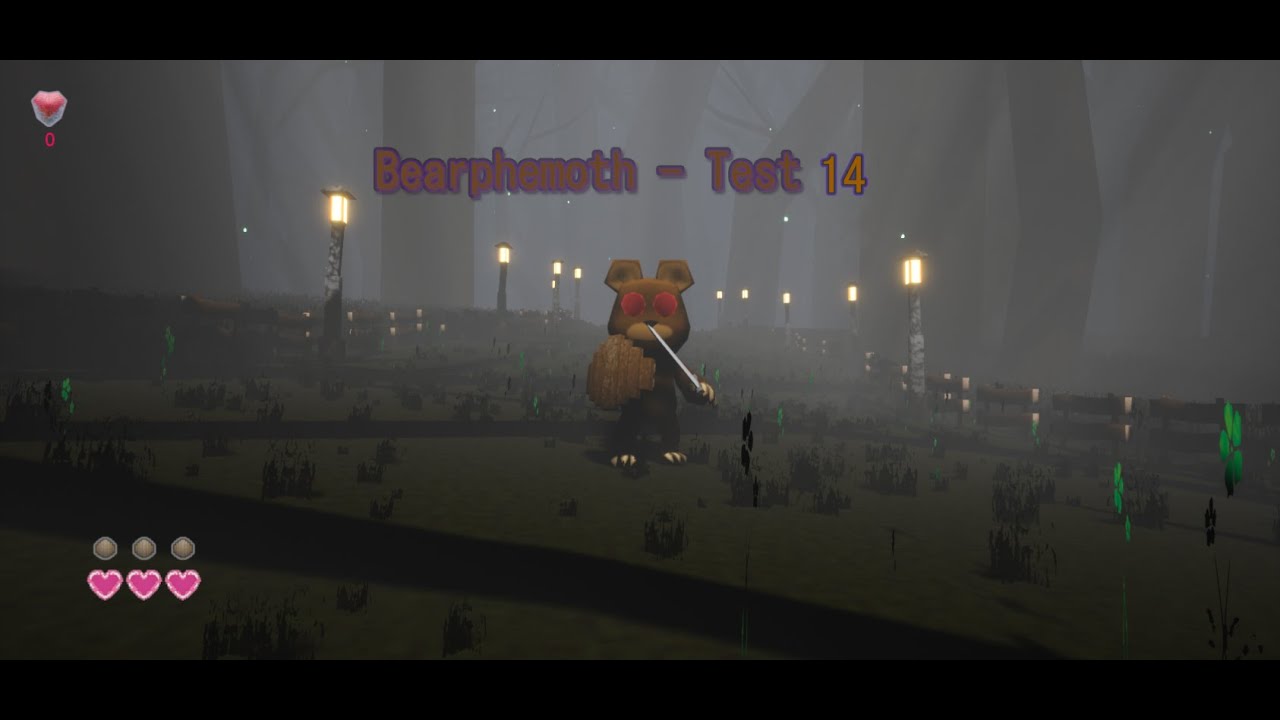
I am working hard on the first Boss mechanics animations. There are still many things to implement like sounds, hit reaction for bear when he looses a shield point.
#Devlog #Indidev
tribal lagoon
So is there an easy way to have a task receive a callback when the tree exits. Like I basically have a thing that moves to a specific location, then waits, but I want to set some variables inside the character before the wait, and then revert them after the wait which is when the sequence would complete
Now one solution would be to make a custom Wait task that applies the attributes when it starts and restores the defaults when it completes but I am wondering if there is a cleaner way to do it all within one task
glossy spire
@tribal lagoon seems like you want a sequence, but you can put it all in a separate behavior tree and RunBehavior if you dont want to copy/paste. You could also think about having a custom wait task with abort code if you are worried about something interrupting the sequence.
Also if all you're doing is waiting, you can just make a custom wait with some variable parameters or whatever
tribal lagoon
Yeah I ended up doing that.
How does a separate behaviour tree help tho
I was basically trying to contain the logic within a single asset
pine steeple
@tribal lagoon how long will you wait for?
till an event triggers?
cause a task will wait forever until you explicitly end it
tribal lagoon
Preset time
pine steeple
so make a task with a timer
set your vars, set timer
timer fires, clear vars, call Finish Execute
tribal lagoon
I ended up doing just that. Also hooked up the abort to clear the modified vars
pine steeple
yeah that is the simplest way
tribal lagoon
Yeah. I guess.
How would the abort event be fired btw
So this is in a sequence.
Some decorator above the chain might switch state and abort the sequence
I am assuming then the abort event fires
And I have to also finish abort within the same frame?
pine steeple
correct
if the task gets aborted, abort gets called, and needs to happen same frame (the Finish Abort)
tribal lagoon
What happens if it doesnt happen in the same frame
Guessing the whole BT gets frozen?
tribal lagoon
Might try it tomorrow
 wise iris
If I'm not mistaken, the BT MoveTo node sets a pawn's rotation, right? Is there a way to prevent that? Maybe I could make my own custom MoveTo without it?
pine steeple
it does not
the Path following comp does.
and even that does not directly
the CMC ultimately does it
wise iris
pine steeple
the CMC ultimately does it
DefaultPawn 🤔
Maybe I should recheck if it's not something on my side
There's no cmc in any case
pine steeple
no idea, i mean i know the task does not do it
tribal lagoon
Uncheck 'orient rotation to movement' in your character movement component
Also btw, speaking of rotation. I noticed yesterday AI focus/focal point sets the base aim rotation and not the control rotation of the pawn. That is rather annoying to work with considering non AI stuff works with control rotation.
fresh remnant
Can I make a blueprint callable function with a variable number of arguments if they are all of one type? I have like 20 things to add to this function and I dont want to have to call it 20 times in blueprint...makes it just completely unreadable. Even an array still requires so much ->Add, and adding the pins in each add, and wiring the add execution pins as well.
tribal lagoon
You can use the node 'make array' when feeding in
There is a flag that allows multiple inputs to go into the same pin but I forgot what it is
fresh remnant
ah, yeah I've seen the multiple inputs one, I will look for that
tribal lagoon
If you can look at source. Take a look at for example 'Set Visibility' in the primitive component
Iirc that one accepts multiple inputs
fresh remnant
Hmm nothing special about its definition for that one, that one is USceneComponent's
wise iris
tribal lagoon
Uncheck 'orient rotation to movement' in your character movement component
There's no cmc ;)
Floating pawn movement
I'll debug a bit more tomorrow, perhaps it's something on my end that is rotating it
Glad to hear it shouldn't be the moveto though, that's good
fresh remnant
hmm..I can hack how CommutativeAssociativeBinaryOperator works...hmm
can't find anything else that looks like it
tribal lagoon
wise iris
I'll debug a bit more tomorrow, perhaps it's something on my end that is rotatin...
Perhaps you are setting AI Focus
flint trail
For strafing AI all tutorial use Add Movement Input which perhaps works fine in NPC's BP, but not quite inside a BT Task
is there a better alternative without making it more complicated ?
 flat dome
Ok. So I think I have it down. Can anyone correct me if Im wrong?
For a standard patrol in a nav mesh, I can just use the find random point in navmesh command, just have it so the behavior tree sets the Characters walkspeed to something slow.
Use the sight or hearing stimuli to check if the player is around.
When detected, it will then switch the AI to a resdy combat stage and track the player down. As it tracks the player, it will wait, shoot at the player, then reposition
If the enemy's health is dropped below a certain percentage, it will lower their walk speed and cause the enemy to run away and keep distance instead of continuing to fight. It will stop at random points when in this state to fire at the player, until it is killed.
Then the final command will be finish abort.
Anyone see any flaws with this logic?
wise iris
Trying to salvage some functionality. The if statement always seems to fail. The NavSystemPtr is true, but the GetDefaultNavDataInstance not.
Anyone had this issue before?
    NavSystemPtr = FNavigationSystem::GetCurrent<UNavigationSystemV1>(GetWorld());

    if (NavSystemPtr != nullptr && NavSystemPtr->GetDefaultNavDataInstance() != nullptr)
Some glorious code from Kaos here, that did the trick ❤️
celest python
Searching Kaos' codes around this discord > navigating through the answerhub all the day
wise iris
Accurate 😄
 hoary peak
@wise iris I think you should be able to stop the AI controller from ticking and that will make it not rotate on movement
wise iris
Nah, Kaos was right. I was operating under the wrong assumption. In the case of a character, it's indeed the CMC and not MoveTo that does the rotation, and in my case with a defaultpawn, it was some other piece of logic on my end that was running. I resolved the issue 🙂
prisma blade
Anyone know if the Navmesh generation is performed in parallel chunks?
 stiff gale
Let's say you have a zombie attacking you but there's a wall in front of it. How would you make the zombie break the wall first then attack the player. After breaking the wall the was blocking the zombie, not all walls, then zombie attacks the player.
hearty niche
stiff gale
Let's say you have a zombie attacking you but there's a wall in front of it. How...
have an action called break wall happen when he senses a wall in front, this wall need nor affect the navmesh.
stiff gale
hearty niche
have an action called break wall happen when he senses a wall in front, this wal...
How'd you sense a wall is in front
hearty niche
stiff gale
How'd you sense a wall is in front
use the AI perception, register wall as a stimuli source. and in perception updated check if you have your object (avoid cast try using blueprint interfaces and return true via implementation on the wall).
Activate a trigger on detecting the wall and if the trigger enters it, the zombie breaks the wall. The trigger would deactivate once there is no wall visible or after destruction to play it safe.
The breakable wall will likely be a blueprint class here.
Just one way of doing it.
weary holly
i coded a cover generator for my ai now i need to filter out some locations like these. Has anyone an idea what method would work best? Maybe "simulate" a move to with a time limit if that is possible?
 hearty niche
weary holly
i coded a cover generator for my ai now i need to filter out some locations like...
hearty niche
weary holly
i coded a cover generator for my ai now i need to filter out some locations like...
I was working on a system like it this weekend. Do a sphere trace (with a max radius smaller than the lose sight distance of the AI) from the player to get the cover points in the area, check the distance on them from the player (esp if you want them to maintain a minimum distance), check if it provides cover using a line trace from the point to the player (if it hits anything, it is safe, do check for maximum distance as this will lead to false positives if the cover faces the player but has some basic obstruction). Check if the point is occupied or not. Or your npcs will try to kick each other out.
If all these conditions are met, add these to your array of candidate points. Get the point closest to the player if you want to do that or apply your own criteria.
P.S try and simplify the math as much as possible as this could be a cpu bottleneck
timber mortar
I have an AI Character that is issued a stock MoveTo Task through his Behavior Tree. When the AI reaches his destination he stops instantly. I would like the AI to decelerate smoothly to 0 speed instead. What is the best approach to accomplish this?
weary holly
hearty niche
I was working on a system like it this weekend. Do a sphere trace (with a max ra...
thanks!
hearty niche
weary holly
thanks!
🤟
timber mortar
timber mortar
I have an AI Character that is issued a stock MoveTo Task through his Behavior T...
nvm, i found it: Braking Deceleration Walking
weary holly
hearty niche
I was working on a system like it this weekend. Do a sphere trace (with a max ra...
This wouldn't prevent full covers as shown in the Screenshot tho
hearty niche
weary holly
This wouldn't prevent full covers as shown in the Screenshot tho
Well I'm still figuring mine out so yeah. Altough, if you want full covers, you could check from the leaning positions for line of sight for visibility.
This is something I found useful for basics https://www.freecodecamp.org/news/real-time-dynamic-cover-system-in-unreal-engine-4-eddb554eaefb/

freeCodeCamp.org
by David Nadaski How to build a real-time dynamic cover system in Unreal Engine 4IntroductionA cover system enables A.I. units to avoid direct fire, taking cover behind various objects on the map. Using a cover system enhances a game’s level of realism and introduces essential tactical elements to
weary holly
I just don't want the ai to hide behind walls and mistake it for being cover
@hearty niche
hearty niche
weary holly
I just don't want the ai to hide behind walls and mistake it for being cover
pre place your cover points as actors sort through them
or just do a Line of sight check at the Ai height from the cover point
weary holly
yeah that would also be a possibility
hearty niche
weary holly
yeah that would also be a possibility
give it a shot 🙂
also I think its a better idea to use some c++ here for performance and some exclusive features like detour AI
weary holly
Yeah I will transfer that later
timber mortar
is there a simple way to set the MoveTo speed (max speed)?
say if you wanted to distinguish "patrolling" from running
hearty niche
timber mortar
say if you wanted to distinguish "patrolling" from running
walk speed in character movement
set it before calling move to
timber mortar
got it
hearty niche
anytime
lime creek
Anybody know why AI does not stop logic when it dies? Like even when it's dead it keeps shooting me even when I have this

 north swallow
Is the behavior tree pretty useful?
Rather than just coding it all out? And limitations with behavior tree to consider?
misty wharf
It is quite useful yes, I don't know if it really has any glaring limitations... you just have to work within how the BT system works
 full oyster
hey does anybody know about NavMeshes in combination with Level Streaming? i can't get it to run propperly
if i have Nav Meshes in every level (room) my AI doesn't move in the streamed rooms only in the pre-loaded start room and i get this error:

If I switch the nav mesh to dynamic / runtime generation it's waaaay too slow and split up
like when the new room loads it takes about 15 seconds until the first enemies can move and if the rooms is a bit bigger more distant enemies (in different nav voxel things) won't move for an additional 5-10s adding to this awful look
in the second case (dynamic) i get this warning instead:
 flat dome
So Im wanting the AI to have a health check so that when they reach a certain percentage, they enter a panic state.
Would I want that as a task, a decorator, or within the enemies blueprint itself?
I feel like I want to have it within its own blueprint but Im not sure
full oyster
flat dome
So Im wanting the AI to have a health check so that when they reach a certain pe...
i don't think you want to limit yourself to one of them. put things where they belong. if the behaviour changes it's probably part of the behaviour tree
HP should be handled by the BP or a component within that triggers functions at certain HP levels. This can then be passed along to use in the animbp, behaviour tree, or to spawn sounds and particles
flat dome
Ok, since the health triggers the behavior
Gotcha
Now whicj would I want to use to check the health? A decorator or a service?
Im still a bit fuzzy on distinguishing the two
full oyster
that i don't know either
I'd say a decorator
but i guess either could work? I'm still very much learning how to handle this stuff too
hearty niche
full oyster
hey does anybody know about NavMeshes in combination with Level Streaming? i can...
have a separate collision sublevel and bake the navmesh there. I you want enemies to navigate even if the level is not loaded you can thrn keep it
hearty niche
flat dome
So Im wanting the AI to have a health check so that when they reach a certain pe...
treat your BP like a source for the values fed in like sensory info and other behavioral changes. Decorators have limited scope and so do services and wouod have to be spammed in each state. Better to do it in blueprint to ensure that logic is executed.
 full oyster
hearty niche
have a separate collision sublevel and bake the navmesh there. I you want enemie...
full oyster
hearty niche
have a separate collision sublevel and bake the navmesh there. I you want enemie...
thanks for your response
the issue is that my levels (rooms) spawn randomly by their connections (doors) so there isn't one fixed layout that i can pre bake
the enemies are spawned when entering the room, so there wont be anything outside
I wonder would having one giant floor do the trick? The rooms don't have elevation but walls and props that will impact navigation
full oyster
flat dome
Like I found this. Im still having trouble understanding
if you handle the HP in your BP and have it trigger something it would be good to use a decorator i guess because you don't need to check in intervals but have an event that will trigger and change your AI Behaviour. If i understand that correctly
flat dome
Hmmmmm
full oyster
flat dome
Hmmmmm
services are to be used in parallel while decorators are conditionals for branchlike structures i guess
flat dome
Okay I think you may be making it a bit more clear
Oh wait
Someone on facebook
"Decorator nodes are used to read values from the blackboard. Service nodes are mainly used to retrieve data from the pawn or controller"
Okay that makes perfect sense now
hearty niche
full oyster
if you handle the HP in your BP and have it trigger something it would be good t...
better to check at damage events instead. A lot more consistent. Just detect changes.
hearty niche
full oyster
thanks for your response
the issue is that my levels (rooms) spawn randomly by t...
navmesh can be rebaked in runtime manually as well. Since you do your level procedurally you could do this as part of your loading screen activity in the background.
You can enable navmesh generation in runtime
full oyster
i was trying to avoid having loading screens. and yes i have enabled runtime navmesh generation but it's too slow. My AI just stands around for 15 seconds when i enter a new room because it has to wait for the calculations to finish and i really want to avoid loading screens
the navmesh is the only issue. Art, enemies and assets stream in perfectly fine
the rooms are simple enough so i honestly don't get why it's taking so long. Waiting 10+ seconds for this crap will make players quit immediately
 hearty niche
full oyster
i was trying to avoid having loading screens. and yes i have enabled runtime nav...
hearty niche
full oyster
i was trying to avoid having loading screens. and yes i have enabled runtime nav...
I mean the first time your game starts from the menu. Otherwise cpp it is I guess.
full oyster
how would C++ fix that?
I see
yeah i'll try the 1 floor for all rooms thing but if it doesn't work out i might check generating the entire stage beforehand instead of going room to room
hearty niche
full oyster
I see
yeah i'll try the 1 floor for all rooms thing but if it doesn't work out ...
that is what I meant. Do not generate room to room as that would be a ton of work. You could look at how open world games or games with level composition handle navmeshes but doing those dynamically at runtime have always been tough to deal with.
Best way to do this would be to bind your level initialization to take place after the level has loaded, navmesh and all. There has to be a delegate for navmesh build complete. Do each of your things in phases or together if you want to and each time something is done have a checklist to see if all things are done.
A good way of picturing this would be how the scene is set on a stage behind the curtains. The audience does not see what happens behind.
I would recommend reducing cell size in navmesh setting for more accurate navnesh building or you migh miss some areas. Although this is accuracy at the cost of loading time.
As for loading screen I think there are a ton of tuts on how to make those already. Slate is the tricky part but the rest can be moved to blueprints via overrideable functions bound to the level load delegates.
hearty niche
full oyster
how would C++ fix that?
might be something in the cpp api not availabke in blueprints? I have come across a ton of them for cases like the level load start and end delegates.
 harsh storm
Setting up an attack (melee) for my AI. What is the common approach to having the BT hold until the attack animation is actually finished? Anim notify?
torpid juniper
Something like an attack animation should be run with a montage, not via a transition on the animation graph.
harsh storm
Doesn't change my question though.
torpid juniper
playing with a montage allows you to queue functionality when the animation ends
at least in bp. I assume the cpp version has some sort of callback you can define as well.
pine steeple
bind to animinstances montage completed/interuppted
and end the task once one of those delegates fire
harsh storm
Dope.
 atomic badge
Hey guys, I have an annoying problem I hope one of you are able to help me with.
I have placed a navmeshvolume and I set up 4 vector targets.
I made a task that would cause the AI to return to one of these targets points depending on which is the closest.
After he returns he should patrol around to all the targets around the square I made.
It works as intended if he is closest to the first target, which is also the first target in the target array within ReturnToPath.
But if I place him closer to one of the others he will run to the target with ReturnToPath, but the sequence will end because it wont skip the target before it in the behavior tree.
The Move To of that target returns invalid, anyone got an idea what Im doing wrong?
Here's the Behavior Tree

and the AI_AtTarget1_BTT

all the AI_AtTargets are the same just with different vector targets
and the AI_ReturnToPath_BTT
 torpid juniper
You should have one task.
The task should have a function that returns the nearest target. And your task should boil down to
target = find_nearest_target()
MoveTo(target)
Or 2 tasks, where one just sets the target location on the blackboard, and the next just calls move to using that target
atomic badge
torpid juniper
Or 2 tasks, where one just sets the target location on the blackboard, and the n...
Hmm that might be a solution. So first time it runs it'll have target 1, next time it'll be another target and so forth?
But Im in a learning process so Im very curious on what's wrong with the blueprint that would cause it to not skip the step
torpid juniper
atomic badge
Hmm that might be a solution. So first time it runs it'll have target 1, next ti...
No. You run it one time, and it runs a function which returns the closest target. It sets that output on the blackboard. The move to task following it uses this.
Generally you just don't want to ever write the same code twice. You don't want to write "if he is here, go there" 4 times. You want to write one function that says "given the current state, determine where he should go next".
atomic badge
torpid juniper
Generally you just don't want to ever write the same code twice. You don't want ...
Ah thanks mate, that makes sense. Best practices are hard to determine when you're starting out 🙂
 violet merlin
or instead of picking the closest target you could make an array of target points and iterate through it with a for loop incrementing the current patrol point +1 each time he reaches a patrol point!
atomic badge
violet merlin
or instead of picking the closest target you could make an array of target point...
Oh yeah that's a great idea too. I guess I could use the "For loop with break" if I have to exit the patrol cause he found an enemy to engage with? 🙂
violet merlin
in the guard patrol i did i had different guard states (idle, suspicious and alerted) so he would only execute the "MoveToNextPatrolPoint" if he was in the idle state, and then "OnEnemySeen" would trigger him into the alerted state (mine was more of a stealth game so you wouldnt need to necessarily have a suspicious state.) and then if the guard is in alerted state you could have him perform a different function ie "AttackSeenPlayer" in which he moves to the player attacks, and if the player runs away either chases him, or goes back into the idle state (which then calls the move to next patrol point again)
atomic badge
violet merlin
in the guard patrol i did i had different guard states (idle, suspicious and ale...
That sounds great. Im trying to do something similar. I have a CanSee which chases a player on sight and then he will roam randomly for while if he loses sight. After giving up he will return to patroling. Thanks for the help and the sharing
violet merlin
atomic badge
That sounds great. Im trying to do something similar. I have a CanSee which chas...
I was happy to help! im also in the learning stages but this sounded right on the money to what i had just recently done. It's nice helping somebody else out instead of just being helped for a change!
tribal lagoon
@pine steeple not aborting the same frame stalls the tree and presumably allows you to do async cleanup on whatever got aborted, just tested
Also, maybe a silly question but whats the best way to abort a sequence from inside a task. I was under the impression that calling Finish Abort would abort self
I am guessing I have to finish execution and then have a decorator on the next task that aborts the sequence by some value that was either set or not set by the task
pine steeple
a sequence will abort if any task fails
selector will go to the next one when a task fails
but to abort tree logic
you would need to do some stuf
tribal lagoon
actually yeah, I just need sequence abort
I am guessing a task fails if I Finish it with success = false?
tribal lagoon
hmm, yeah that somehow doesnt work on my end
tribal lagoon
Ah, yeah that is factually correct i terms of what is happening haha
I want to abort the sequence if that task fails
so it goes back and does other stuff on the sequence above
pine steeple
but it does not work like that
you have Sequence -> Sequence -> Task here Fails
it will fail both sequences
pine steeple
or cheat and put a force success
on the second sequence
(decorator)
but mileage might vary
so if the 2nd sequence ever fails, the first sequence will carry on
pine steeple
it is, but i use it sometimes, where logic flow would be impractical any other way
but i use it sparingly
tribal lagoon
yeah, rn the selector choosing the sequences works well, cause I score things based on priority
which actually might be the other way around
whats better
priority tasks on the left or on the right
pine steeple
like i have this for example force success
i am not bothered about the result of that task
but i want to keep sequence going
its hard to say
tribal lagoon
shame I cant share screenshots, under NDA n everything
pine steeple
I keep non priority far right
so am i, but i can share certain things within reason 😄
tribal lagoon
I am sure I could blur out things if I really need to share something haha
tribal lagoon
guess priority on the left means potentially less executions
pine steeple
right
but there are some gotchas to it
say you have something in the middle of the BT, and then you want to execute something higher priority which is at the start of the BT
tribal lagoon
like lets say combat is your priority, you wouldnt want to be looking for patrol routes during combat and also checking if you need to move randomly
pine steeple
you could end up in a bad spot
how you organise the tree is so important
i don't really think priority
i think in relationship to what can happen and how things can change
so my tree does not keep restarting when not needed
tribal lagoon
I mean I am not really betting on tree refresh that often, just important decorators being able to break away things and refresh branches
pine steeple
right
tribal lagoon
RN i have a simple parallel as the first thing
pine steeple
shiver
tribal lagoon
with the important services running on that, and a wait function as a task 😄
tribal lagoon
I still dont know what to put there, but I keep thinking I might need it
tribal lagoon
I've already decoupled shooting from BTs
soo like probably I wont need a simple parallel
tribal lagoon
I gave up when the BT wasnt refreshing enough to update rotations
tribal lagoon
I do have to sync across a network so it's easier to do shooting outside of BT and do client side smoothing of data changes
at least that was my reasoning besides the low refresh thing
pine steeple
right, i mean, my ai just activates the weapon firing
all weapon firing logic is inside the weapon actor and the weapon gameplay ability
its just aquiring target, and pulling trigger is done inside the BT
tribal lagoon
yeah, that's be silly to put inside a bT
pine steeple
i have seen people do it..
tribal lagoon
but then again I've seen projects with weapon BTs
pine steeple
like i don't even do abilities in BT
i activate them from BT sure, but that is it
bt to me is more decision making and moving to good locations, etc
tribal lagoon
right now I have a wrapper for focal points where I just tell from BT or from other places look there. And the sight sense is linked to actually choosing whether or not to pull the trigger
pine steeple
ah i do mine via cone from the weapon
if not withing firing yaw angle, it wont fire
bt task does not even attempt to fire until fully rotated
tribal lagoon
yeah I want to build something similar, which will probably be a dot product check on the Sensing tick
charred lava
The AI Perception component doesn't see AI characters for me. They can see the Player though. Affiliation is set to detect all.
Is there something I need to further Setup?
I also tried adding the AIPerceptionStimuliSource component to the AICharacter. This didn't do anything.
vast relic
Anyone here ever done influence maps?
full oyster
does anybody know why navigation is so fucking slow to generate?
why is there even an option for runtime generation if it takes 60s+ to actually fill out a small area?
fresh remnant
full oyster
does anybody know why navigation is so fucking slow to generate?
why is there e...
It is not that slow, maybe you have something that keeps invalidating it so it keeps restarting the generation until things finally settle. It's super quick otherwise, even the debugger is wrong in how fast it looks because it purposefully lags the visual display(otherwise it is too fast to notice)
fresh remnant
vast relic
Anyone here ever done influence maps?
I've done similar, I'm using hotspots for my AI instead for now
full oyster
fresh remnant
It is not that slow, maybe you have something that keeps invalidating it so it k...
how can i check that or stop it from being invalidated? I'm working with procedural rooms, just a plane and a few boxes where enemies should walk around but when making the next room visible it's taking ages to generate a single tile
fresh remnant
full oyster
how can i check that or stop it from being invalidated? I'm working with procedu...
You make sure that anything that has "CanEverAffectNavigation" or is a nav occluder does not move/stops moving
or adding new occluders or removing occluders, or removing geometry that can be walked on, anything that changes the navmesh
Anything that affects the nav mesh should not be moving, you need to make it stop affecting navmesh during move, then affect it again when it stops
full oyster
apart from the enemies and player nothing is moving
i'll go through some of them but I'm at a loss how to get this to a reasonable speed because it's taking 5 seconds per tile right now which is way too much if a room needs ~12
fresh remnant
you're generating rooms, if you are generating rooms nearby still?
it's definitely not Recast taking that long
full oyster
I'm using pre-generated levels each level is a room. In my procedural level i have pre-loaded the start room and i'm spawning one room for each door that is being made visible when exiting through their connecting doors.
fresh remnant
How big is your navmesh tile set to? If your tile is say, 2000x2000, and your room tile are 200x200, then anytime you generate a tile in that nav tile, it will invalidate the whole 2k x 2k nav tile
how fast is your procedural generation process? Is it continous?
full oyster
i didn't change the default
i could try scaling the entire rooms down
fresh remnant
1k x 1k is default and usually suffices, depending on ur world scale that you use, how big are ur rooms?
full oyster
it's not really procedural its more of a "load streaming level to door location" and it picks a random room and spawns it by the door. new rooms only load when entering the next room, old rooms are being unloaded when the door closes behind the player
i think around 4000x4000
fresh remnant
maybe show screenshot, and what makes you think it takes 5 seconds per tile to generate a navmesh? What visual cue are you using?
full oyster
I'm using the ShowFlag Navigation command in PIE

these are two rooms
left one is the start room, the right one was spawned in shortly after the start.
(the start room is pre-loaded in the persistent level, so the navigation is already calculated around the navigation invoker)
one thing i did was reducing the number of asynchronous tasks to 3 so the CPU doesn't choke so hard. This was the cause for audio lags previously
vast relic
fresh remnant
I've done similar, I'm using hotspots for my AI instead for now
What is your data structure set up like?
By hotspots do you mean a setup with sparse objects instead of a bitmap/field/grid layout?
fresh remnant
@full oyster ah, yeah that could be part of it if it doesn't want to process enough tiles at once. Looks like your room has a lot of tiles to cover. I remember turning off async and it was slower for sure, but mostly because it did the navtiles one at a time between processes.
fresh remnant
vast relic
What is your data structure set up like?
Yeah I use sparse object, bitfield is expensive to calculate, like you said previously you can do it on the navmesh but that's still really expensive
I end up having hotspot bubbles, which describe unit density and fall off radius
vast relic
How do you handle sightlines or obstacles? Or do you just ignore that
fresh remnant
I handle that in the lower level AI
but I'm an RTS so it's a little different, there's not a big need for line of sight in the bigger strategy I guess
vast relic
Ah yeah this is a roguelike with super heavy use of fog of war
fresh remnant
I have fog of war and blocking fog of war too
but units that it can't see aren't calculated into the hotspots
each player's hotspot regions are different, using only the units it can see
vast relic
Are you gonna do anything like influence maps? Like giving the AI some sort of "danger" or "effectiveness" function? Like to where you could query "is this place dangerous" or "will I be effective here?"
fresh remnant
the hotspots do that already
They tell the unit where the high density clumps of enemies are, or low densities
calculating the hotspot is kind of a rough influence map that is saved as a set of points with radius and densities
vast relic
I'm more talking about where the enemies can project their force to (range and dmg etc). I suppose that is a question of scale.
fresh remnant
ok, so taking into account their weapon range, etc?
vast relic
Weapon range, movement speed, facing direction, etc. Probably overkill for an RTS
fresh remnant
I already take account of the unit's range when doing a hotspot lookup, not the enemy's range, but I think it is easily added as more data to the hotspots, but you have to look at it as a rough version of an influence map, it won't be 100% accurate
speed is an interesting one and should calculate into it, have not figured out how to incorporate that yet
it's just doing bitfield on influence maps is so slow for as many units as I have which is why I didn't go that route
how many units do you have moving around?
vast relic
fresh remnant
how many units do you have moving around?
On the order of about 50 enemies vs 1-4 players.
The enemy team AI is vs the player so the actual compute load is pretty low.
fresh remnant
if you limit updating the influence map rate, that's very doable
vast relic
Yeah also the fact that I don't need to update influence map from the enemy faction, just the players.
Maybe a little bit locally for enemy faction but it's not as important
fresh remnant
yeah what questions did you actually have for influence maps?
vast relic
Mostly the data structure and if anyone has sorted out a fast way to do it with obstacles. If it's any help, I already have a the current and previously visible areas.
fresh remnant
is this in 3D? or 2D?
fresh remnant
do you have a fog of war that is blocked by obstacles?
vast relic
Yeah that's a very heavily used mechanic, right now I have field of view that is basically a set of 2d polygons, haven't quite sorted out how I'm going to do the permanent fog of war for the revealed areas yet.
fresh remnant
ah gotcha
I use a grid for fog of war blocked by obstacles, which is similar to what an influence map would do with obstacles
I put the obstacles in a spatial partitioning grid so I can query them easily, and in your case when you when u generate your influence maps, you query the area around the player you are drawing ur influence values for and that should be pretty optimized
vast relic
Yeah It's tricky because at this juncture I have like three different mechanisms for displaying the same sort of data, that is, a global two-dimensional scalar field.
Using 2d polygons for the vision, but then I draw those to a render Target so it can be used on the GPU, and then I'm also using rvt for weather and landscape stuff
But it's all said to the same thing, what is the value at this 2D point
fresh remnant
if u already draw them to a render target then just take that texture data
vast relic
fresh remnant
if u already draw them to a render target then just take that texture data
As far as I can tell that is slow as hell.
fresh remnant
gotcha yeah retrieving it from memory might be very slow since it's on GPU side
vast relic
In a perfect world I would have 8K render targets that I can query on the CPU for cheap, but I think that's a no-go
I think I need to head towards something akin to the navmesh. Since effectively a fully revealed map and navmesh would be the same shape. So probably a set of polygons for current team field of view, a set of polygons for the explored area, and some way to do influence or hotspot mapping on the explored area mesh.
fresh remnant
Hmm are your enemies melee?
would be interesting if you make a separate navmesh for adding in influence values as navmesh cost modifiers
then you just path find that nav mesh to find the best path which already includes angle of attack
vast relic
Some are melee, some shoot
Yeah if I could overlay everything on the navmesh then it would be perfect, I haven't really dug into it much though.
If I could basically vertex paint the navmesh for lack of a better word, that would probably work perfect
 dense dove
Hey everyone, I'm trying to create an influence map with Unreal in C++. Right now i want to connect my influence map with the NavMesh in the level. For that my Influence map create NavModifier when it's necessary. For example I have Soldier character and they send their position to the influence map so he can calculate the Influence of the soldier. The first time a Soldier send e "Message" to the influence map, I create a NavModifier and the next time the Soldier send another "Message" i change the position of the NavModifier. Here is the code (it's not beautiful I know, sorry for that ^^') :
    if (NavModifierMap.Contains(ID)) {
        NavModifierMap[ID]->SetActorLocation(_location);
    }
    else {
        FTransform navModifierLocation;
        navModifierLocation.SetLocation(_location);
        ANavModifierHome* navModifier = GetWorld()->SpawnActorDeferred<ANavModifierHome>(NavModifierClass, navModifierLocation, nullptr, nullptr, ESpawnActorCollisionHandlingMethod::AlwaysSpawn);
        navModifier->FinishSpawning(navModifierLocation);
        if (_teamID == 1)
            navModifier->SetNavArea(m_navAreaBlue);
        else
            navModifier->SetNavArea(m_navAreaBlue);

        NavModifierMap.Emplace(ID, navModifier);
This code is execute in an ASyncTask.
But here is my problem. After I create or move the NavModifier, my NavMesh is update and my FPS drop from 100 to 10... And I don't know how I can change this (if it's possible of course).
So my question are : Is there a way so my FPS don't drop using NavModifier ? If not do you have any idea how I can connect my Influence map to the NavMesh ?
pine steeple
placing navmodifiers at runtime will cause the navmesh to regenerate
you don't want to update/create nav areas
rather you need to derive from the navpath code, and increase costs etc dynamically based on your influence map
wise iris
Is there something like a PostAbort/OnAbort method when a BT aborts part of the tree?
I.e., the blackboard based condition becomes false when you want true, it is set to abort self, and that part of the tree therefore stops
At which point, I'd love to handle that exit event
misty wharf
There's an abort execute event or something like this on BT tasks which you can override
wise iris
Fabulous, cheers! 😄
 pine steeple
means they can move side to side
whilst keeping focused on its path point
instead of rotating fully to face the path point
stable void
oh ok
 dusk wigeon
Guys i have a stupid question, I'm trying to create a chicken AI and i want it to be very modular,
What im trying to achieve is having different states, when there's no information, the chicken just wanders, when the player goes near it, the chicken goes into running state (it runs away from player from this state) after that, the chicken goes into a state that looks for food,
What im failing to understand is how to implement these states? How can i interrupt the other states and immediately start the new state?
For example when the chicken runs away from the player, it will frequently check if the player is still close, if yes, the chicken keeps running away, it makes some sort of a loop, how do i stop all these loops and executions? Without turning the code into a spaghetti?
stable void
This was so unnecessarily hard, couple of weeks just to have different sized AIs go me https://youtu.be/SEmDbauYWzE
 stable void
That yes, then i store the points and modify them so that i get as close as possible, then i remove the modifiers for the navigation and then re enable them
lyric flint
I have orient rotation to movement set to true, btu my ai is wlaking sideways. How do I fix this?
pine steeple
disable strafing
flat dome
Is EQS acceptable to ship with yet?
stable void
flat dome
Is EQS acceptable to ship with yet?
Why? Is it broken ?
flat dome
They say its experimental
stable void
I guess you could make your own checks. This side of the engine is a bit in shambles compared to blueprints and graphics
stable void
No idea sorry
pine steeple
well EQS is used in Fortnite extensively
we use it in our game extensively
why would it need a capsule or skeletal mesh
it just queries the environment
 tough helm
hey, I keep fighting AI Perception Sight
It doesn't seem easy to implement something like a vision system for AI, that limits the amount of line traces
there's only a check for FAISystem::CheckIsTargetInSightCone
which doesn't seem to be overridable without modifying engine
and after we only have SightTargetInterface->CanBeSeenFrom
which doesn't give us the actor that is asking
so I cannot for example, make the target invisible for certain actors in certain cases
any experience with this?
I am thinking, that I either use const AActor* inIgnoreActor as the "Detector"
Or I modify the engine code to both include a point of "Custom detection check" in the AI sight code
And/Or add a parameter "querier" into CanBeSeenFrom
The whole reason I want this is to take out certain cases when AI doesn't see the player earlier then the line trace
(for example in AIs blind spots, outside of my complex vision shapes)
hmm might be easier to duplicate sight in my project and modify it 
lyric flint
Im tring to set a blackboard variable from inside my ai controller. The key name is the exact same and the print fires off, but the task in my tree never fires off. So i guess eh variable is never changing. What am i doing wrong?
 flat dome
pine steeple
it just queries the environment
flat dome
pine steeple
it just queries the environment
Ah. Of course . it's in the name lmao
So Im gonna try to follow Epics Documentation on this. Is there anything else I should know?
nimble vessel
When I spawn my AI the game crashes because of this line.

GetPawn is a nullprt when I spawn the AI. Where should i move this code so that it can be called after spawn is finished?
patent hornet
with default spawning BeginPlay on Controller -> BeginPlay on Pawn -> Possess
so Controller and Pawn don't know about each other on BeginPlay @nimble vessel
i prefer doing Controller/Pawn setup in override of AController::SetPawn
but you can use a OnPossess/PossessedBy as well
nimble vessel
@patent hornet Thanks a lot!
 spare sandal
Hiya! So i'm working on a game prototype for school, but i've run into an issue and i'm hoping maybe you could lend me some insight!
Basically i have a maze that an AI finds its way through, you edit the maze by changing walls and patching holes so you don't fall through the ground, letting the AI reach the destination without it dying. So naturally i'm using a NavMesh volume. The anoying part is the holes in the ground... I want to tell the pathfinding that it's basically fine to fall into this hole
so like for example here, i want the character to run to the player start, and fall in the hole if it's not patched

 gentle smelt
Hi guys, may you help me?
I use task "Run Behaviour Dynamic". It works perfectly, when it is placed in main behaviour tree. When it is placed in other behaviour tree, which I run with "Run Behaviour" or "Run Behaviour Dynamic", it doesn't work.
It is bug? Can I use "Run Behaviour Dynamic" for sub-subtree?
gentle smelt
spare sandal
Hiya! So i'm working on a game prototype for school, but i've run into an issue ...
In your case, this is what you need https://www.youtube.com/watch?v=ECys4U2fOKs
This episode we take a quick look at the Nav Link Proxy and how it is used to handle more complex navigation for AI, such as how to make AI fall off a ledge.
Support me on Patreon and get access to videos early, join our developer community on Discord, get exclusive behind the scenes videos on my projects and much more over at https://www.patre...
spare sandal
yeah i've watched that tutorial, but my case isn't really jumping from navmesh to navmesh
 lilac pasture
hello how can I make a path search along the farthest circle?
lilac pasture
How to increase the range of the Path of Bat ???
lilac pasture
Help
slim dome
my ai gets stuck (just stands still) when it needs to move to a location that it can't reach. Is there a way around this?
using MoveTo
Behavior tree
slim dome
lilac pasture
hello how can I make a path search along the farthest circle?
Give some more details, I'm not sure what you mean
lilac pasture
slim dome
Give some more details, I'm not sure what you mean
I have a problem my bot can get to the point, but halfway through it thinks that it will get there, what a bug
lilac pasture
slim dome
Give some more details, I'm not sure what you mean
Do you understand me ?
slim dome
Not entirely, are you saying it can or can't get there?
lilac pasture
slim dome
Not entirely, are you saying it can or can't get there?
the bot cannot reach the point although there is a path
slim dome
hmmm, not totally sure why that would be happening.
Im assuming by path you mean nav mesh
lilac pasture
slim dome
Im assuming by path you mean nav mesh
Yes. The question is how to increase the time or range of finding the right path for the bot
misty wharf
Anyone know why you can't parametrize things in EQS, like setting the overlap test's dimensions for what you're checking for?
Eg. I want to check for box overlaps at the points I generate using the grid generator, but the size of the box I want to check varies
a whole bunch of forum threads on EQS seem to have gone missing in the forum switch :\
misty wharf
Well, not quite sure why none of these values are ever databindable in the builtin EQS tests, but I copypasted the entire overlap test into a new class and changed it to use databinding for the bounds which seems to work... somewhat annoyingly the class is not exported in AIModule so had to resort to pasting the whole thing :P
glass falcon
spare sandal
Hiya! So i'm working on a game prototype for school, but i've run into an issue ...
you could make a fake floor
glass falcon
spare sandal
Hiya! So i'm working on a game prototype for school, but i've run into an issue ...
make a new object channel called "fake_path" with default response as ignore
now using a cube, or whatever shape set its collision preset to custom, collision enabled to query only and, object type to the one we created
now set response to all channels except pawn to ignore, set pawn to block
place said mesh over your gap and now navigation should build over the gap
if you tell the AI to walk to the center of the gap it should go there and fall before it realizes there was no floor there
pastel sierra
hey, we're building our nav meshes at runtime with nav invokers. When using multiple nav meshes, is there any known way to enable/disable certain nav meshes? I know there's a setting per world, but I would like to enable specific nav meshes only when specific agents are present, else I would like to not have that overhead.
pastel sierra
aah nvm I think I just found it: ANavSystemConfigOverride
atomic badge
lyric flint
Im tring to set a blackboard variable from inside my ai controller. The key name...
You are missing a reference to the AI controller and then a reference to self at the get blackboard node, if you are executing the code within the AI controller blueprint

 half mist
I'm trying to make the enemy follow the player, but it's not working. It's sensing the player, but it's not following the player. Anyone know how to fix this?
 lyric flint
AI cannot move without the navigation mesh volume in the level, can you confirm you have it?
half mist
I don't actually
wary ivy
did days gone devs ever give a presentation about how their zombie crowds work?
misty wharf
given how little some of these EQS things are databindable... I wonder if the original intent was to just create these in C++ and feed in the varying parameters during query creation...
might have to redo even the simplegrid generator because you can't databind the settings for the trace mode
wise iris
The hell?

Durrrr, I think a service was writing to the key erroneously, with a wrong datatype
dusk wigeon
hey guys, i wanted to use gameplay tags condition in Behavior Tree, but how do i set gameplay tags to those actors?
 cinder tusk
Hello, Is there anyone can help me on Convolutional neural network.
glass falcon
Red means no controller I believe
flat dome
wary ivy
did days gone devs ever give a presentation about how their zombie crowds work?
To my knowledge no, but there is a lengthy presentation on L4Ds
Its been a long time since Ive played Days Gone though. They could be acting different
 wraith anvil
I keep getting bazzillions of warnings about "LogNavigationDirtyArea: Warning: Skipping dirty area creation because of empty bounds (object:".....from the debugger i can see it's because it's detecting meshes with zero size bounds but this is where i am lost...in theory we don't have that, we recently do added some spline mesh components but that's it
if it were 1 or 2 maybe there was a hidden mesh somewhere but it's around the *1000's
(just putted the log into a text, it's 7600 lines of warnings)
flint trail
does it make sense to have 2 behavior trees, one for non-combat and for combat, and switch them (if possible) when appropriate, instead of having one massive behavior tree that incorporate both combat and non-combat behaviors ?
flint trail
anyone?
violet merlin
flint trail
anyone?
Be patient. I'm brand new to ue so i might not be fit to answer you. but i would personally do it all in one.


 torpid juniper
- Don't be rude to people you're asking for help
- No, that doesn't make sense. But you can add tree nodes to nest them.
glass falcon
flint trail
does it make sense to have 2 behavior trees, one for non-combat and for combat, ...
it all depends on your needs and preferences
I use one tree with a bunch of sub trees because IDC about the performance impact
plus it looks cleaner and allows you to re-use functionality
base tree, in case I want to add more stuff besides killers

sub tree
