#gameplay-ai
1 messages · Page 133 of 1
 formal zodiac
 warm dagger
Ignore in all cases related to UE means to not collide and act like a ghost.
formal zodiac
yes
i want it to not think that
there is other pawns
and it move on top of them
that what i want
they are ghosts
that exactly what i explained above
warm dagger
You're still making no sense, you seem to be saying you want them to not overlap, but also do want them to overlap, which is it?
formal zodiac
no
i just want them to ignore each other
i will send a video
explaning it
as u can see
i can pass thorgh the robots
i want the cores to do the same, but on each one each other
they move thorugh each other ( the cores pass thought the other cores as they are ghosts )
warm dagger
I'm not seeing the original problem then, the way you had it should make them pass through each other, you had no collision on them.
formal zodiac
yes
they had no collsion
but they dont pass torugh each other
look they dont pick all of them
warm dagger
The problem here has nothing to do with collision though. Back to the AI issue. When your AI grabs one of those spheres, is the sphere marked as picked up? Your robots are stealing from each other. Also, does your robot know when it no longer is holding a sphere, so it can search for the next one?
If you want them all to go pick up separate spheres, then the spheres need to be marked as unavailable when a robot has claimed it.
formal zodiac
ok
@warm dagger
i will try to do that
i made a boolean
to indicate if he is picking up a sphere or not
so that can maximums the amunt of the cores a robot can handle
 wise iris
Is anyone able to shed some light on how performance intensive behaviour trees are?
Excluding code quality/complexity. For the sake of comparison, the same set of logic put on the actor tick versus in the behaviour tree.
warm dagger
@wise iris Have never tested this myself, but I'd assume the performance is no different. Unless behavior trees are more efficient at converting to C++ than blueprints, but I'd guess it is the same.
wise iris
I was worried they would cause extra overhead 🤔
warm dagger
They generally work identical, just a different visual representation.
warm dagger
I could be completely wrong though, hehe. I hope not though, since I prefer behavior trees.
Yeah, that is how I see it, tick is tick.
 steep flame
question is there a way to procedurally generate points in an ai moveto script
like say im doing a procedural level can i use empties or something and reference their transform
 wind coyote
my ai works perfectly until the actor it was chasing destroys or gets thrown off the map, it then wanders and cannot do shit
steep flame
maybe destroy that instance and spawn another one at its location?
wind coyote
Can't do that it has to wander I replaced it by destroying the actor and now some runs I'm getting no errors perfect how I want it and sometimes it goes bad errors and not how I want it, no node changes or anything just pressing play and re playing
 torn ermine
wise iris
Excluding code quality/complexity. For the sake of comparison, the same set of l...
torn ermine
wise iris
Excluding code quality/complexity. For the sake of comparison, the same set of l...
the difference will be insignificant - the overhead of maintaining the system, in exchange for more structuring the management of the AI
wise iris
 pine steeple
which is super cheap.
pine steeple
which is super cheap.
Thanks! That puts it into perspective 😄
wise iris
torn ermine
the difference will be insignificant - the overhead of maintaining the system, i...
Gotcha, yeah, I totally agree with that
Not having the logic in a place where its well maintainable is also a cost indeed
 woeful heart
Hi, is there a command to instantly interrupt the execution of the behavior tree commands? I want to do a fatalty animation, but the enemy may have some kind of animation played at that moment or he may execute some command from the behavior tree.
 flint trail
I guess I need to switch between rotation modes for AI dynamically, based on the type of BT branch it's running - for wandering around use Orient Rotation to movement; when in combat - Use Controller Desired Rotation (so I could use Set Focus to face player).
 dire frigate
Hey all. Would someone be up for @ ing me? I am having an issue with "Move To" in the tree. It seems to hand there for a while, and then never passes to the next action in the sequence.
I'm not at my computer at the moment, but if anyone has run into this and wants to help out with a little back and forth, it would be greatly appreciated!
flint trail
task has to either succeed or fail to continue in the sequence.. Sounds like your task never gets resolved.
dire frigate
But I can't get inside of the task to change it. I even increased the acceptable range and made sure the overlap was on as well
Still hanging
flint trail
make a custom Move To task if you need more control
 last panther
Hello, can anyone with experience in unreal AI tell me if this is good course? I'm completely lost on the topic
 pine steeple
Might be I'm but without seeing the content hard to tell
last panther
any content you could recommend?
pine steeple
Not really I just taught myself did never needed to look for such content
last panther
fair enough
last panther
Yeah, I'm thinking about giving it a shot, but it may be just a waste of money, but for 10 bucks...
why not
pine steeple
It will hopefully teach you some core concepts and hopefully teach you decorators tasks and services properly with blackboard key selectors and stuff
last panther
I hope so. I tried to follow the quick start guide but things weren't working out very when I tried to apply the concepts and that got me really confused.
wind coyote
i have a enemy and a hostilem enemy goes and kills hostile, when i add multiple enemies stuff starts happening and most of the time the hostiles go invalid which invalid means they are like dead or something when they are clearly ingame
wind coyote
this is how you properly destroy right?
 ivory violet
wind coyote
this is how you properly destroy right?
ivory violet
wind coyote
this is how you properly destroy right?
I would remove from the array first, destroy last
wind coyote
problem occurs when i have more than 1 enemy
this is the thing it gets stuck on if i have more than 1 enemy the closest host is closest hostile because i have like 20 hostile it gets the closest one and checks if its dead or not then does true or false, it works until i get more than 1 enemy and it then goes false
ivory violet
It sounds too specific, not sure I can help like this :c
wind coyote
the blue guys are its things its checking if its valid im just trying to get cubes to kill other cubes like what the fuck am i stupid i need to find another way to check if there are blue squares that are alive
dire frigate
@flint trail do you have any advice to check if location reached?
flint trail
there is an enum on the MoveToLocation BP node.. Pull it out and if it's "at destination" (or something like that), Finish Execute
 dry thicket
Did someone implement avoidance system for AI? Or Steering behavior in the context of UE4?
 wary ivy
there is RVO avoidance and a more elaborate Crowd Manager already built in
did you try those?
dry thicket
yes, I did but I would like to learn if there is someone who implemented custom one
 tropic breach
For 3D AI aerial navigation would colliders around the AI work to navigate or should I keep trying to get Sparse Voxel Octree stuff working?
 lament hemlock
Can anyone recommend a tutorial, or perhaps a book on more advanced AI movement? I'm working on a action RPG style game and I'm having problems with the AI bunching up and pushing each other around. All tutorials I've found so far simply say use MoveToActor to follow the player, but that doesn't look good when multiple actors get close to the player. I've tried adding a battle or kung fu circle but its not perfect yet and they still push each other around so I was hoping there was a more advanced resource somewhere that went into this?
 patent hornet
i don't think there is
you have 2 methods of avoidance in unreal
RVO - which applies force to push them out of the way
and CrowdAvoidance which uses corritors to check if the paths are unobstructed
neither works particularly well in complex scenarios
lament hemlock
It looks like the nav mesh is great for getting close to the player, but after that I think it needs a more advanced custom solution to manually more a AI into position. I was hoping to find something like this before I spend probably way too much time trying to work it out.
patent hornet
EQS
lament hemlock
Thanks, I'll read up on that.
 ocean wren
Oligvy: I've done a custom avoidance yes. Mainly so I could handle "pushing" my squadmates out of the way, similar to if you move near another player in TF2
For anyone who wants to do custom movement, the main thing is to ditch the inter-agent collision capsules and work on simple force-based interpenetration avoidance code. Allowing some compression definitely helps when navigating tight spaces and is used all the time in AAA games.
The worst part is figuring out the animation when doing small pushing forces.. I tried a few different methods, like simply allowing a certain amount of slide, but that looked wrong. I've not implemented a simple stepping model yet, but feels like the direction to head in.
lament hemlock
Thanks for the tips. I was thinking about small movements earlier and wondered if a small root motion animation would work
ocean wren
I guess storing the steering force vector and feeding it into the anim would help, you could subtract the force vector from the movement vector to determine the "true movement distance" and animate for that.. personally I want to try a control rig procedural stepping thing once control rig is stable (which it appears to be now)
Richard: the main problem is that its very noticable if you add small animation blends just for pushing people out of the way. They solve it in Assassins Creed series in a smart way, but having the hand IK to the obstacle and run a "push out of the way" anim on it
otherwise, things look like a sort of gimpy animation... not visually pleasing
of course, depends on your games animation fidelity. Skating is actually an option (nobody notices it for TF2 players)
all you are doing really, is solving for a force vector in the avoidance calculation. So simple boids-style forces work just fine
There's a few papers that use a thing akin to a compression grid, which essentially encodes how tight a space is near the agent.. and tries to avoid it locally. Pretty easy to encode within the calculations of DetourCrowdController and gives some nice results, but its probably a bit too localised unless you give Detour too big an avoidance radius. 🙂 this is an active area of research in game AI btw.
I'd read up on how the assasins creed guys do it. They've got character stuff done the best so far imho.
lament hemlock
Thats true, Assassins creed does look very nice. I will have to do a search on their AI if they have released articles on it
ocean wren
Lots of presentations from GDC, some should be on youtube, or on the GDCVault.
Another option is to have each AI do a "step away" if the player becomes too close, but then you have the problem of cascading where you push an AI into another one that needs to step etc. I prefer to allow a little "compression" of characters closing distance to each other and add the stepping on the closest ones.
Never had the budget to really figure out the nicest way to do it all though, anim wise.
lament hemlock
Thanks, I will look up some of those talks.
last panther
Hello, I can't get the AI debugger to show anything... tried to change the shortcut but it didn't help either. Any advice?
ocean wren
select the AI you're trying to debug in the world outliner
last panther
same results, nothing changes...
ocean wren
you get anything in the output to suggest whats wrong?
does it have an editor pref you need to set? I haven't looked for a while, maybe some checkbox? its usually a checkbox that either isn't or is checked when it should/shouldn't be 🙂
ocean wren
did you enable plugins and the like? some of this used to be in experimental
been a while 😉
I assume its all documented on the website by now? 🙂
last panther
not really, didn't know I had to do that to enable ai, let me check the docs.
hmmm, I guess my character is not actually being possessed. Event On Posses should be automatically called when it is possessed, correct?
ocean wren
did you execute the BT on the controller?
ocean wren
tried sticking a breakpoint on the beginplay execution? make sure its getting run?
last panther
ok... something weird just happened... as soon as I added the breakpoint the behaviour changed... Now I can see the debug message.
ocean wren
maybe it hadn't compiled?
last panther
probably, still no ai debuger though :/
ocean wren
did you select it in the outliner
ocean wren
and you pressed the debug keypress?
last panther
yes
several times 😄
there's nothing in my blackboard or my BT, do you think that might be causing it? I'm just starting this, I added sight to the AIController and expected to see it in the debugger, but nothing shows.
ocean wren
Don't remember anything in the code that would require it.. I mean I guess the bt init could fail if that were the case?
create a BT that has one node in it and do the same with a BB and try that?
one sec, loading UE see if there's anything obvious changed since I last tried it
last panther
thanks
ocean wren
whats the AI debugger key again?
last panther
` but i also remapped it to \
ocean wren
Works ok for me
stock 4.25
maybe you managed to break it while remapping?
\ seems like it'd be used elsewhere
last panther
remapped to ', also doesn't work... I'm completely lost here 😦
did you have to do anything to our character aside from getting it possessed?
I'll update the engine, just in case
I will also try in a new project just to see what happens
Just to confirm, I have to select my character in the outliner, correct?
ocean wren
nope, I added a BT and a BB, called Run behaviour tree from the controller blueprint.. added that to the character in the scene
you have to select the character if you want to debug the AI stuff on it yes.. but it still shows the AI debugger, just doesn't print out the BT state etc.
last panther
I also enabled this.
ok, so I'm even more lost... it has to be something with my keys, right?
ocean wren
I imagine so.. let me make a quick video of what I did...
last panther
thank you so much
ocean wren
damn, too big.. will shove it on dropbox
last panther
It's ok... I think I "fixed it"... and you won't believe it
ocean wren
go on, impress me 🙂
last panther
Apparently, there's a known issue, in which if your keyboard layout is set to US international on windows, the debugger stuff won't show... even if you change the key.
So I set it back to what it was and changed my keyboard layout... and now it shows #facepalm
ocean wren
ahhh, ok. I guess having my UK key layout I'd never see that..
well, you live and learn right?
ocean wren
Well, glad you got that part sorted 🙂
last panther
I'm so angry and so happy now, thanks a lot!
ocean wren
UE4 is full of "surprises" like that 🙂
ocean wren
buffered text?
wind coyote
ocean wren
print the index value as well, so you can tell if the number of items in ALL is going down as you expect?
last panther
thanks again @ocean wren , that really was very nice and helpful 😄
ocean wren
oh also, the controller might be around still
wind coyote
ocean wren
RomCodes: no problem, even if I wasn't of great help.. sometimes you just need the support
wind coyote
is the index value how much of actors are added?
ocean wren
its the index number of the actor in the iteration of the for loop
ocean wren
are these AI controlled?
wind coyote
yep
ocean wren
is the AIController for them attached to the pawn?
wind coyote
yeh
they are not moving, i place actors beside it then destroy it to make sure if im destroying it right by dragging the red square myself and colliding it
ocean wren
thing is, you are adding things inside the area right? so you might be adding the controller AND the pawn?
just a guess of course, show us the whole BP
I've just had a few funnies in the past with controllers blocking things like raycasts
wind coyote
left to right
the remove is removing the item from the array element in for each loop besides get all actors of class
ocean wren
dont forget to clear out your all array before you add the getallactorsofclass into it
otherwise you'll be adding the same things again and again
I assume this is to update whats currently in the area?
the usual way to do this, is to add them "OnBeginOverlap" and remove them "OnEndOverlap" and remove them if you want them to die etc while inside
ocean wren
yeah
wind coyote
ocean wren
because otherwise you'll have things already in there
wind coyote
so the last enemy is 0?
ocean wren
its a zero based index yes
also, you're binding a delegate there.. I cant quite see the text clearly.. but do you unbind it anywhere?
wind coyote
no i dont know what bind or unbind is i just binded it to access the begin overlap event
will it create big of an issue?
ocean wren
what is it you're trying to do out of interest?
wind coyote
theres hostiles and enemies all wonder except enemies if the hostile is in its radius it will get the closest hostile in its radius and go to that kill it then wander or go to the other closest in radius
i got to that point except when i tried to add 2 enemies it told me that my hostiles were invalid
which i needed to check if valid because i got accessed errors
ocean wren
what were the errors?
wind coyote
well i tried accessing my hostiles location tho its dead so it gave those errors, so before i accessed the location i checked if it was valid and then it worked fine with 1 enemy then i add 2 enemies and somehow they go invalid at times
https://streamable.com/x4jdxr see how some break it works perfectly fine with 1 enemy tho not 2 < im gonna build this again and see if it works now.
 ocean wren
make sure to debug it as you go
add breakpoints and check the values in your array are what you expect etc.
wind coyote
alr ima give it another go
 eternal halo
Is there an easy way to check if an AI is on the opposite side of an actor than the player is
ex: behind cover
instead of on the same side and visible to the player
My current generator and EQS
But it doesn't take into the fact that a player could be on the same side of cover as the AI
I'm at a loss for how to check that
ocean wren
why not do a line of sight test to the player?
its pretty common to do a test to a random point on the skeleton, just to make sure, or check against the bounding box extent
eternal halo
I was doing my generator incorrectly 😄
I was tracing towards my AI and not the AI's target
 solemn jasper
Is there any way to modify the autosuccess to last seen location on runtime via blueprint?
 rapid ridge
anyone has an example of a EQS request on c++, I found one but it isn't working.
pine steeple
{
QueryRequest = FEnvQueryRequest(MyQueryTemplate, Querier);
//Create the trace offset we need and pass to the query
FEnvNamedValue TraceOffsetZ;
TraceOffsetZ.ParamType = EAIParamType::Float;
TraceOffsetZ.ParamName = FName(TEXT("Trace.ContextHeightOffset"));
TraceOffsetZ.Value = TraceZOffset;
QueryRequest.SetNamedParam(TraceOffsetZ);
}``` ```void AMyActor::EQSFinished(TSharedPtr<FEnvQueryResult> Result)
{
if (Result->IsSuccsessful())
{
}
}``` then just call `SetupQuery(Querier); QueryRequest.Execute(EEnvQueryRunMode::RandomBest25Pct, this, &AMyActor::EQSFinished);`
``` UFUNCTION(BlueprintCallable) void SetupQuery(AMyActor* Querier);
UPROPERTY(EditAnywhere) UEnvQuery* MyQueryTemplate;
UPROPERTY() FEnvQueryRequest QueryRequest;
void EQSFinished(TSharedPtr<FEnvQueryResult> Result);``` is in the header paper hazel
Hi, Still a bit new to UE AI
Could anybody direct me to a general way to monitor when navigation updates the path in any way as in faliures, updates, finished, and so on?
I have tried to google it but I seem to be using the wrong wording for it.
dry thicket
Hey guys! How should BTService be implemented in C++? I overrode TickNode but it ticks every frame without consideration of Tick Interval settings
Does anybody know?
 plush pike

The iPhone's True Depth camera and ARKit are powerful tools that enable virtual production-ready facial animation in real time thanks to Epic Games' new iOS app, Live Link Face for Unreal Engine. This talk by Epic Games' Virtual Production Program Manager Ryan Mayeda demonstrates how the app can stream high-quality expressions to characters in U...
dire frigate
Hey all. I have a slowly responding AI Behavior Tree. I built a "Move to" BTT that checks when it has reached the destination, but it isn't very immediate. It hangs for a few seconds and then succeeds. But it means that I can't distract the AI during that period and draw its attention elsewhere.
 bold crest
@dry thicket I am doing the same and it is working as expected. Are you making sure to call Super::() in your override?
plush pike
dire frigate
Hey all. I have a slowly responding AI Behavior Tree. I built a "Move to" BTT th...
change your tick rate, tick rate changes how often it updates. without more information i have no clue as to any of your settings
 fading forum
I do the first AI, everything works fine until it comes to movement, in general it does not move
 tranquil reef
Hey Guys!
What would be a good way to set up an AI with sound barks for different states? (e.g. AI heard noise so "heard noise cue" is playing).
I'm seeing myself ending up in bp spaghetti cause I can only check if certain bools are true in my behaviour tree and therefore play the sound. Is there a best practice or some advice on how to approach this?
Would I create a task in my BT for every sound the AI should bark?
 plain sand
Hi i would like to ask something about NavMesh
For some reason it does not want to generate in my current project
but when i created a new different project to test it out
it generates
all i did
was change static to dynamic
here are some screenshots
current project
test project
the current project is an endless runner prototype wherein the navmesh moves around the player once it runs
tranquil reef
@plain sand as far as I know you have to change the navmesh to dynamic in the project settings if you want to have it changing in realtime
dry thicket
@bold crest yes, I've got it working but faced another challenge. I've got nullptr in line: RefreshStimulus(StimulusStore, SourcedStimulus.Stimulus); of AI PerceptionComponent that leads to crash. It happens when I start using C++ BTServices (multiple C++ services along Behavior Tree) They don't have something special just TickNode overridden and constructor where I specify flags and a name of the service. Does someone know how to fix that?
I can fix that by delaying run of Behavior Tree but I don't want to solve this problem in this way and want to dive deeper what is going on
And how might it be related to С++ BT Services? I even tried removing all code in Services and the result is the same
 mighty light
Why does my was recently rendered always return as true? even if the ai is not in view
last panther
Hello, I'm trying to learn the Ai system... I build a simple behavior tree which basically get's the player position, then tells the ai to move directly toward. But the Ai seems to "stutter"on it's way. Any advices on that? Am I missing something?
last panther
I think there's something wrong with the navmesh... I have created a navmesh, but when the character moves the debugger shows another smaller navmesh under it...
 strong gull
hey, quick question, how do i make my ai character rotate smoothly? turning off use controller rotation yaw prevents him from rotating at all so i couldnt find anything online.. also sorry if i interrupted anything with this one
 unreal kernel
Turning off controller rotation is just one of the things you need to do
strong gull
i turned off that one, and enabled orient rotation to movement and disabled controller desired rotation
also defaulted my rotation settings and tried different combos of enabling / disabling these
@unreal kernel did i miss anything?
unreal kernel
Just checking my setup
unreal kernel
okay so on my ai character I have Use Controller Rotation yaw unchecked
and on the movement component I have Use Controller Desired Rotation checked, and Orient Rotation to Movement unchecked
And this is the part of my behavior tree that rotates smoothly (at whatever the rotation rate is)
strong gull
i checked / unchecked those things and my character became unable to rotate at all :\ also i was trying to solve it with blueprints for the simplicity of not having to learn behaviour trees too but i guess ill have to
unreal kernel
You can also look into what that actual rotate to face bb entry node does, which is already there by default
strong gull
sure, but i have no idea how to use behaviour trees at all so itll take a while until i put something together that works
i mean for movement so far i basically just had an ai move to node 😄
anyways thanks for trying to help and giving me a reason to learn behaviour trees
 narrow pier
is there any way to abort AI move to? I have an issue where I stop a characters movement (which I called AI Move to on earlier) by calling disablemovement. But later when I call set movement mode and set it back to walking, the character keeps walking towards the original destination it was going before I called disable movement, I can't find a way to cancel this movement
 cold trout
Stop Movement - 'Target is Controller' could work?
 gleaming wave
I just followed the behavior tree quick start in the unreal documentation and got most of the way through the "own your own!" section at the bottom but after changing the ai move to target from the player object to the players location so the ai will chase the players last seen location now the ai runs towards the first location it saw the player and won't chase the player. Is there a way to make sure while the ai has sight of the player it's getting the current location?
 frosty skiff
Is there a way to optimize my AI?
How is it possible that CoD zombies can have 50 AI with high quality models and animations run smoothly on most machines, including consoles, but my AI (5000 poly) will lag my game if i spawn in any more than 20?
patent hornet
use profiler
to see whats costing so much
optimize most expensive parts, repeat
until it performs
we can run 150 AI on most machines smoothly
frosty skiff
ty @patent hornet ! Ill try that
 wispy temple
Hey guys, I just found a plugin called UE4 support for ML and in the description it says that it will allow control for in-game-agents. Does anyone know what it is about? Is it similar to unity's ml agents?
 slow bobcat
Hi!
Has anybody here managed to get AI using Crowd Manager to avoid the player?
I'm following the scarce documentation available, looking into the code and I can't seem to fine why it doesn't work.
Cheers!
 misty wharf
@slow bobcat not 100% sure but you might need to register the player as a crowd agent, I don't know if it does that automatically
slow bobcat
hi! Yeah sorry, I should have been more clear: I'm registering the player on begin play as an agent and I can see it being part of the agents list. But it doesn't seem to be taking it into consideration
misty wharf
okay not sure then, might be worth checking what the ai controller with the crowd support does when it initializes, it might give you some ideas
slow bobcat
yeah... that's why I was afraid of... "read the source code entirely". Wanted to try here just in case. I honestly thing the entire thing is half-done considering some comments in code do not match the code
but thanks for the help
 kindred trellis
Hello. I don't know if it's the right place to ask but does navigation mesh work with Chaos stuff? For example, can Geometry Collection affect it?
 pallid mica
Does anyone have an idea why a child class of the Hearing Sense would not react to Noises?
I'm not changing anything in the child class, but it seems like somewhere it expects Epic class and not mine and I can't figure out where
Seems like the FAINoiseEvent has a typedef class UAISense_Hearing FSenseClass; which might be the reason ...
pine steeple
i ended up creating my own hearing class
had issues with using a child of Hearing
(wanted to send Gameplay tags through as hearing events rather than FName)
 near jetty
all of my experience with that whole system was horrid
i just reimplement the entire thing but better, takes about 5 minutes (most often i only need some basic stuff)
patent hornet
the entire thing is littered with typedefs
i find it really unpleasant to read through
 glad vault
Anyone have an idea of where to start to get an event to trigger from an ai? For example, this is what I'm trying to do: Player kills AI bot, bot falls but deletes that footprint of the map for the rest of the game. So eventually killing huge hordes of enemies will need to be strategic of where to kill them so that players aren't falling off the map.
misty wharf
It depends on how you want to structure the logic
For example, if you have a MapManager which handles the map deletion parts and such, you could give it a function which the AI bot calls when it dies
Die -> Call map manager with my type and position (or whatever data you need) -> map manager deletes part of map
 last knot
Can anyone tell me how I can set up AI that says certain things during specific quest and also during certain parts of the quest
kindred trellis
Hello. I have a question regarding Sight for AI. When I'm hiding behind a obstacle which covers most of my body, AI doesn't see me anymore. As far as I can see it makes a trace to center of my body, and when only head is visible, it doesn't see it. How can I change it? So AI can see my head t oo
kindred trellis
You mean the eye location of the bot?
pine steeple
i mean it should do, give me 2 secs let me verify the code
kindred trellis
There's eye location of the bot but that's not exactly what I mean
There's an old post better explaining what I mean
pine steeple
well you can override it
and provide your own trace
make your player implement IAISightTargetInterface and override CanBeSeenFrom
ah
the trace goes from its eyes
to the players center
which makes sense
kindred trellis
Yes
pine steeple
cause it uses GetActorLocation
kindred trellis
But it doesn't see the head
kindred trellis
Well but is there an easy way to change this logic?
pine steeple
you need to override your player
with CanBeSeenFrom
make your player implement IAISightTargetInterface and override CanBeSeenFrom, then you can change this behaviour
ie do a different trace check
maybe trace to the head instead of the body
etc
or disable the trace and just use the cone, choice is yours
not doable in Blueprint i am afraid 😦
kindred trellis
Yeah that's what I wanted to ask about
Ok thank you
It'll be some fun xD It's necessary tho
pine steeple
gimme 1 min ill do a bit more digging
kindred trellis
It's stupid if bot can't see me even if he does
pine steeple
see if there is something
kindred trellis
Ok
pine steeple
ah bummer
nope
const FVector TargetLocation = TargetActor->GetActorLocation();
target loc is the actor loc, which will be the center of the player
that sucks 😦
only way is to make a C++ base of your player
and override a small function
thing is
they could make the SightInterface Blueprintable!
im going to put in a PR for it
that is stupid
misty wharf
I wonder if it's one of those performance things 🤔 Since I think CanBeSeenFrom could get called quite a lot
pine steeple
sure it can but that is down to the project
this is a bad limitation
tracing from eyes to center of target
misty wharf
I suppose that's true, just that there's a few others that aren't in BP's apparently due to similar perf things
pine steeple
ie, no detection through windows, etc
misty wharf
And yeah, I ran into this same issue, had to implement it for my player pawn so the enemies would trace to camera origin rather than to pawn center because that makes a million times more sense for FPS views
pine steeple
then something else needs to happen, really limits BP use though, and this seems crucial to providing a proper AI experience
for use C++ guys, its not an issue
us*
kindred trellis
misty wharf
And yeah, I ran into this same issue, had to implement it for my player pawn so ...
Oh camera origin is smart idea, I will copy your solution :D
misty wharf
Here you go, if you decide to make a C++ base for it
bool APlayerCharacter::CanBeSeenFrom(const FVector& ObserverLocation, FVector& OutSeenLocation,
    int32& NumberOfLoSChecksPerformed, float& OutSightStrength, const AActor* IgnoreActor) const
{
    FHitResult HitResult;
    const bool IsHit = GetWorld()->LineTraceSingleByChannel(HitResult, ObserverLocation, Camera->GetComponentLocation()
        , ECC_Camera, FCollisionQueryParams(SCENE_QUERY_STAT(AILineOfSight), true, IgnoreActor));


    OutSeenLocation = HitResult.Location;
    NumberOfLoSChecksPerformed = 1;
    OutSightStrength = 1;

    return IsHit && HitResult.GetActor() == this;
}
Yeah I'll try. I didn't do a lot of C++ unreal
kindred trellis
Thank you a lot man
kindred trellis
One other question, concerning C++. If I override Character class to make it work, can I just easily make it a new base class of my Main player blueprint?
pine steeple
yes
 weary glade
how do i make ai get into vehicles and use them?
 steel lynx
I have an issue I'm not able to locate online so far... I want my AI to decide its task function based on % of a players resource. For instance, if my players health was draining at a fixed rate, the lower it gets, the more likely the AI is to perform task A over task B or C respectively. I have no clue how I would instruct the AI to decide based on remaining %. I feel like I could do a quick fix and just use branches checking if the players health is >= a certain amount but I'd rather it roll for the decision each time I run the task. Any ideas?
Please @ me if anyone knows what I can do
Thinking of using 'Random Bool with Weight' and connecting the value to the players health float , but that's all I got so far.
patent hornet
if there is no random involved
TMap<USomeAction*, float> AvailableActions;

const float Resources = GetPlayerResources();
USomeAction* ChosenAction = nullptr;

for (const TPair<USomeAction*, float>& Action : AvailableActions)
{
  if (Resources < Action.Value)
  {
    ChosenAction = Action.Key;
    break;
  }
}
would be simplest way @steel lynx , provided all actions are entered in order of resources, from lowest to highest
there are more fortunate and less error prone ways to structure this, but i was lazy to type
you can also apply noise to this, if you want some random
you can also go with BT_Service setting 2 blackboard keys (ActionA_Treshold, ActionB_Treshold)
put your 3 Actions inside a Selector, and Gate first 2 with decorator if (PlayerResources < ActionA_Threshold) for first, ActionB_Trehold for second
so your Selector will run into first task decorators allow it to and won't run the others
steel lynx
@patent hornet thank you for the response! I'm gonna try my best to make that work. AI mechanics are tougher than I imagined they'd be 😩
patent hornet
second appraoch is probably simpler
especially for BP
you need only 1 custom decorator, but it will need blackboard key selectors to work
if you don't know what those are, i suggest looking at some WTF is? videos on youtube (for AI in specific)
misty wharf
If it's a behavior tree where you need to choose an appropriate branch, you could probably use a custom decorator too which should be fairly straightforward
patent hornet
yeah, appraoch 2 is custom decorator, needs only 1 of them if it uses a blackboard key selectors to set what it compares to what
misty wharf
oh yeah that's what you were saying... I read it but somehow it didn't register lol
glad vault
@misty wharf Yes, your example is exactly what I'm looking for! Where would I download a MapManager? I'm super new. I looked in the epic store and couldn't find anything
ocean wren
for the guy wanting to do the "can be seen" stuff, I recommend doing line traces at random, or in a constant pattern, to skeleton joint locations. Its been a pretty common way of doing things for combat AI for a while. Tracing to different body parts means that even if one ray is blocked, eventually you're AI will "see" the non-hidden part.
misty wharf
@glad vault you make it yourself :)
wary ivy
ocean wren
for the guy wanting to do the "can be seen" stuff, I recommend doing line traces...
for that you should use ai perception and modify the sight resolve logic a bit
ocean wren
joni: yeah, that's definitely the way to do it
thats how I did mine and it worked relatively painlessly
misty wharf
Interesting idea, I guess you could randomly pick an available bone to look at in CanBeSeenFrom?
ocean wren
basically yeah
or one from specific important body parts.. you don't really need each finger 🙂
misty wharf
Yeah makes sense
ocean wren
They did it this way in the stalker series now I remember... so that cover was a bit more believable for blocking perception
kindred trellis
misty wharf
Here you go, if you decide to make a C++ base for it
```cpp
bool APlayerCharact...
I know I can solve it differently but I have a question
How does it work for you? Camera has no collision so it won't collide unless there's some other player component that will collide with this trace
misty wharf
In my case the the camera is inside the player character's collider
kindred trellis
Oh ok
I disabled collision with camera for my mesh some time ago but I guess I can enable it
misty wharf
You don't need the camera to collide with it as long as the camera is inside the character's own collider
since the linetrace would hit the character's collider anyway
kindred trellis
True. Thanks
 mild warren
Hi, quick question about behaviour trees, is there a task to leave an AI in standby, doing nothing at all?
flint trail
turn off its tick
mild warren
ok that;s an option
can I do that on the behaviour tree itself?
I guess what I am looking for is finish a previous task and put the behaviour tree on standby
near jetty
Wait
mild warren
is there are finish tree or something I can use?
same as Run Behaviour but the opposite
flint trail
if I don't need for an NPC to do anything (not to be AI for however long), I just make it stop ticking..
is there particular reason you need for it to be done inside BT ?
mild warren
oh that could work
I am not so sure if I will need it actually
but thanks for the link good to know!
I didn;t know there as a brain component!
if I stop ticking the npc that controls the bt, it will stop ticking as well?
 full jolt
When killing an AI, I want to maintain the body on the ground for awhile, but I don't want the AI to continue to compute. If I unpossess the AI pawn on death, will that AI controller stay in memory somewhere or will it get deleted/garbage collected?
or would it best to spawn a "staticmesh" actor in it's place for the dead corpse?
near jetty
@full jolt unposses + delete controller is what most people do
full jolt
@near jetty By calling "destroy actor" on the Controller or is there a different way for Controllers? Specifically, how do you "delete" a controller?
Detach from Controller Pending Destroy seems to do the trick.
 midnight scroll
Can also loop over the components array and ditch all the components that aren't the root or the simulating mesh. Or required for gameplay like an inventory component for looting or whatever.
mild warren
I am having some trouble with the node MoveTo
I am using a MoveTo location with an initial location. I am trying to make my ai go back to its original location
but it never goes
I don't understand why it doesn't do the action
full jolt
Is that branch firing in the Behavior Tree?
mild warren
yes
interesting I don't have problems if I use an actor
instead of a location
I don't know if it's because of the location I selected is not good
but I tried with different options and nothing
full jolt
Do you have a Nav Mesh?
mild warren
yes
full jolt
hrm...
mild warren
the character I am using it's not a humanoid
so maybe I am having issues with that
maybe that location is not reachable, it's working with a actor
not a biggy, but I would like to know why the location would fail
 harsh storm
When debugging AI senses, what are these two circles for? I only have the sight set up and I can see that one, but I don't know what these two are.
 simple crest
range in sight, range out of sight
harsh storm
I thought 3 was going to be the sight range.
simple crest
do you mean you thought 3 was going to be the field of view?
harsh storm
I just wasn't expecting the sight to be an entire ring around the AI.
 tulip shale
if i want a behavior tree service to run a function on my AI class, do i have to cast to my class each time or is there a way to store it somewhere useful?
patent hornet
unless you want to send an interface message
you'll need to cast
it doesn't need to do it on service tick though
you can do it on enter search AI
and stash it
look for WTF? is BT service video for what its 4 functions do
 coral spire
Hi, when I'm creating custom BT Service node with bCreateNodeInstance = false. Can I utilize tick of this node for each BT separately? eg based on current state of BB make tick time different or completely turned off. Now when I turn timer off in one BT (bNotifyTick = false), it turns tick off for all of them :(.
coral spire
I thought so
 naive flower
Im guessing here is where people has the best knowledge of navmeshes, im trying to get the navmesh to be created on the birdcage bottom, is there a way to do it without haveing to go in and adding box collisions? Like just haveing the simple collision?
 cerulean sky
@naive flower how are you supposed to make the AI walk in the cage if there's collision filling it up?
 storm zephyr
hello, i have my AI paws in a sub level that is set to visible (because it's initially loaded) when a player interacts with a main door. the problem i'm having is that when i leave and enter again, i set the visibility of the level off and on and that makes the AI will lose it's state. what is the correct approach for this situation?
naive flower
@cerulean sky cause theres no collider in the door opening
flint trail
When I get into the vision cone, I get Age: 0, Expiration Age: Max Age (whatever I put for Max Age in the AI Perception Component details panel), Strength: 1.0. When I get out of the cone, I get same printout.
In fact, strength is always 1.0, even when I enable AI debugging.
I got a few questions about this stuff.
How do I check for age when AI lost sight of player ? I'd like to get last seen stimulus location before it expires and have AI go there to look around.
Is strength parameter broken? What is it for anyway?
flint trail
Anyone?
patent hornet
that system is somewhat... unfinished
AI does know the last location it received the stimulus from
if the source goes outside the range
as you can see by turning o the gameplay debugger
how its accessed tho, i don't know off the top of my head
flint trail
I see 😦
 modern vale
pause functionality, what i find on the internet is related to pause a contoller of a playing character, not AI controlled, should i subclass the ai controller adding the pause in the event graph? what is the elegant way to handle this?
morning 🙂
patent hornet
why would AIController pause the game?
flint trail
how do I determine what stimulus, detected by AI Perception, belongs to what actor ?
 brittle patrol
After I unpossess a pawn how do i repossess it?
pine steeple
Controller->Possess(Pawn)
brittle patrol
@pine steeple Im having a little trouble....this is what I have in the cat_carBP. The Event Possess Pawn is from my thirdperson character bp
I unpossesed the pawn from my thirdperson character bp
This is in the thirdperson bp and the blue line is the hit actor from a sphere trace
kindred trellis
Hello, What would a simple solution to rotate AI in a Blueprint Task for example by 45 degrees in 1 second?
Because solutions I see use interpolation and connect to Tick. Is there any better solution?
brittle patrol
you could use the move to componet
a move componet to node
I only say that because it has a area for relative rotation and it has a over time area
kindred trellis
I'm not sure I understand. Which function of CharacterMovement I can use to achieve rotation over time?
Or I set this and when I tell my AI to rotate it will automatically rotate over time?
brittle patrol
Not sure if it would work but can try this
yeah not sure it will work in the behavior tree
kindred trellis
Okay, thank you, I'll try
brittle patrol
@kindred trellis No idea if this would work but might
try same with capsuel componet also as before
brittle patrol
amazing!
kindred trellis
But I think it must rotate Capsule because when I changed mesh it started moonwalking xD
brittle patrol
lolz
flint trail
@pine steeple do you know how to get stimulus' current age in BP ? I don't think it's working. When player gets out of the vision cone, the value doesn't seem to get updated
flint trail
So, no one used AI Perception in BP for anything else but to get bool and sensed actor?!
flint trail
nm, figured it out.. A cumbersome method :/
brittle patrol
So I figured out how to possess and un possess my cat characters ai controller. Everything works like I want it too but I keep getting errors anyway for when I un possess. Any idea why or what Im not doing right?
I've tried it with get ai controller also but still errors
cold trout
flint trail
So, no one used AI Perception in BP for anything else but to get bool and sensed...
i read tags alot
naive flower
Anyone taht can help me? Total noob to navmesh in UE4, why cant the navmesh generate on the stairs?
pine steeple
your cell size and cell height is low
step height is 0
(those don't look like default settings..)
also your min merge and max ranges are garbage
where did you get these values from?
agent radius is 1 also
naive flower
@pine steeple They are values ive changed to try and fit them to a custom map, but somewhere along the path i when wrong
naive flower
Yeah tryed to figure it out by testing, but there is no "reset default" setting so it was a bad ide, but i have the basic settings in another project
pine steeple
anyway
cell size 18, cell height 16
radius 32 for capsule
step height 35
max simplification .99
merge region size 340

settings i find that work ok
 willow hollow
Hello guys
do you know why my AI doesn't play walking animation when calling MoveTO ?
pine steeple
then your animbp is not setup properly
willow hollow
working fine on my chaaracter, the begin animation works fine but when mloving the AI doesnt play anbimation
ok I take a look
thx
pine steeple
how do you determine if its moving
in the animbp?
have you debugged your animbp on the ai character whilst its moving?
 dusky jackal
What is a good way to abort a move to task in a BT caused by the TargetActor being changed? My idea would be to make a decorator that returns true if TargetActor is changed, but I am not sure if it's the right way. I thought maybe something like this already exists in one of the many MoveTo functions.
Or in other terms, how can I update a MoveTo Task with the new TargetActor, immediately when it is set
 buoyant vector
pine steeple
let me look into my crystal ball
buoyant vector
pine steeple
let me look into my crystal ball
Good one! XD
pine steeple
Decorator is the way @Thomas
 rare nest
Im having a weird problem where this logic doesnt work with a lot of ai actors but with a few it works fine.
simple crest
default perception system is CPU time sliced and slow as balls for a lot of actors. basically, if you need 50 AI you can't use AI Perception, at least not with its defaults. I'm not sure if there's a way to tell it to allow itself to run more checks per second or something, haven't tried yet
misty wharf
interesting, good to know 🤔
flint trail
in 4.26: New: Switched AIPerceptionSystem's stimuli aging from previously using a timer to now counting elapsed time. In normal circumstances this doesn't make any difference, however, this change does help when trying to use the perception system in replays where UAIPerceptionSystem::StartPlay ends up not being called.
New: Added support for asynchronous pathfind queries with dynamic generation.
slow bobcat
Does anybody know how to accurately get the polys within a NavModifier volume?
I know this exists GetPolysInBox(box, navPolys, nullptr, nullptr) but the Bound box from a volume is always AABB, so you end up getting more polys that you should.
This overcomplicates when someone uses a Nav Modifier volume and modifies it with the brush tool.
In the image, if I use GetPolysInBox, I would get everything within the red box, which ends up in getting super big polys (notice the one on the top-left corner).
All I want are the ones in the pink area (the nav mesh volume).
I'm starting to hit a wall with this and I thought it would be better to ask before jumping into how unreal manages detour generation for the debug printing (they definitely do this there)
PD: I could always grab all those polys and check their area id and compare, but I worry I could get polys from a close-by nav modifier volume using the same nav area
slow bobcat
@simple crest
default perception system is CPU time sliced and slow as balls for a lot of actors. basically, if you need 50 AI you can't use AI Perception, at least not with its defaults. I'm not sure if there's a way to tell it to allow itself to run more checks per second or something, haven't tried yet
not without modifying the engine.
For us this was a big problem so we ended up disabling perception for every enemy that wasn't closer than X units to the player. Otherwise we would have enemies taking ages to react to stimuli
For me this is the last time I use it. From now on I will write my own system using multithread async tasks and better support for what is perceived and its age
simple crest
@slow bobcat yeah I think most people eventually write their own perception system 😄 still on my todo list. not sure how you could use multithreading, it would be impossible to make it safe. I think Snake has a plugin where he might use some multithreading but I still don't believe it's safe. or do you mean use the special built-in engine async linetrace system? I don't think the built-in sense sight even makes use of those 
slow bobcat
it would be impossible to make it safe
Async task with a lock in the "perceived actors" list that only checks line traces like CanBeSeenFrom does. It's only "reading" and physics scene supports multithread (I already use it here and there)
I don't think the built-in sense sight even makes use of those
no, the system uses time-split in the game thread based on how long does it take to process CanBeSeenFrom. That's where you need to optimize the shit out of it + process as few actors as possible with the Perception system. For us 50 actors was creating delays that we couldn't have in the game
simple crest
Eh, but then you're using a lock... Better than the current system I guess.
Think I'd just focus on leveraging the built in async linetrace system. Will be fun to try. One day lol
pine steeple
@simple crest i use perception with 120 AI
just fine
just have to do a few little tweaks
flint trail
what kind of tweaks @pine steeple ?
rapid ridge
I don't see how this result makes sense, it should fil!ter out every point that does hit the querier with a trace, in this case the EQS_TestPawn, but I don't know what this result indicates
 quiet root
I made an update to one of my maps, and the bots are standing in place now. It's like they don't see the navmesh
I've tried replacing the navmesh bounds because I thought that had fixed it before, but any simple gotchyas I might be missing?
They're getting the "Blocked" movement result
 scarlet trout
@willow hollow just wanted to say "all good and good luck" but you blocked me. Weird. Also, check you speed variable, its probably missing or misspelled or that you havent got a 2d blendspace set up
flint trail
@pine steeple so, what did you tweak to have 120 AIs with AI Perception without any issues?
simple crest
Probably just increasing the trace limits. They're const values, either edit engine source or create a custom sight class with larger values
flint trail
what's the current limit ?
simple crest
It's right near the top of the sight sense cpp
flint trail
unfortunately I am not C++ dev 😦 Is it the only cpp file for AI Perception ?
rapid ridge
pine steeple
did you flip the match bool?
the colors are off but the test works 🤷♂️ at least I can work with it
slow bobcat
 i use perception with 120 AI
just fine
Just fine as in "I still get instant reaction from any of them when I approach them"?
If that's the case, what modifications did you do to the engine (if you can lay them down of course) because, by default (confirmed by Epic) that's way above the expected limit to consider it "well functioning". Miezsko (the guy behind most of the AI system in Unreal) confirmed to me that when you pass 40 agents, you will have delays and problems, even if you don't override CanBeSeenFrom. That was our experience too.
I'm very very curious @pine steeple to know what/where did you do to overcome this and which response did you get, if you have the time of course.
 heavy plank
In 4.26 version of Engine, Epic have added ML(Machine Learning) Agent. Did anyone give it a try shot yet? I tried to find the docs for it , couldn't find it.

 carmine light
Hi everyone! I want the AI to keep checking for the player if its near while wait is still active. How can I get this working? Thanks!
 mossy plinth
use the parallel node
it will execute check for player and wait delay node parallelly
carmine light
Got it working with that. Thanks!
harsh storm
Can anyone see anything obvious on why this tree keeps evaluating the entire tree while the player is seen?
(The other issue that I'm running into is that it appears that IsInAttackRange is not doing anything)
rapid ridge
why is this EQS test generating a winner in non-navigable areas? is there a setting I'm missing?
 sturdy blade
Hello everyone! I need some help, I'm a beginner in AI and Behavior Tree. This is my first dialogue, it work, and the NPC talking have a working AI, simply walking to the player. But when I've finished to talk to him, he stop to follow me, his AI seams to not work anymore. Have you any idea to relaunch his AI after the dialogue?
And this is the BT of the NPC behavior
(the first link is the BT of the dialogue I don't know why there is no thumbnails)
 inner moss
anyone know why This error would pop up when i migrate a working baby AI into a new project? All of the references seem to hold solid but i cant fix this error
its for a blueprint actor which i use to set up an array for patrol points i can move the entity into the game field and set up the array points but then it acts like that information no longer exists
very puzzling and im too dumb to sort out whats gone awry
 astral dawn
Hey guys Im stuck on setting up a behavior tree for multiple ai. Id like each AI to patrol based on their Patrol Point but Im unsure how to Loop the Get all actors of a class. I used this tutorial incase anyone is familiar and here are some screenshots. https://www.youtube.com/watch?v=zNJEvAGiw7w&list=PLiRMPABXa77wNF4a8AwARo1PhJ0_Yob23&index=15&t=680s
Welcome to the start of a brand new series. This time we are diving into AI for games. This episode introduces the concepts being used in AI design and in particular, the behaviour tree. In this episode we add an NPC that can randomly roam around the level.
Support me on Patreon and get access to videos early, join our developer community on Di...
It works fine with one AI but with multiple they try to take each others patrol points
Heres the AI Controller
inner moss
Its hardcoded into one route probably only have 1 index that they are refering to so it just writes over the values if you have 2 in parallel
 steady canyon
if I'm making a fairly simple enemy AI (move towards the player -> shoot -> repeat), is it still recommended that I make an AI controller blueprint for it?
 random topaz
Anyone having issues with EQS in 4.25?
kindred trellis
Hey, is it possible to pass a variable to Service Interval/Deviation? I want it to be configurable but I don't see such option...
rapid ridge
if an EQS simple grid is always in the same place, would it get the same location from the EQS tests if it is still the best place to move to?
 brittle egret
Anyone has an idea why my navmesh has this weird stripe in there?
oh fuck me, it was a bounding box
quiet root
I made an update to one of my maps, and the bots are standing in place now. It's like they don't see the navmesh
I've tried replacing the navmesh bounds because I thought that had fixed it before, but any simple gotchyas I might be missing? They're getting the "Blocked" movement result
Shameless repost, but I still haven't been able to resolve this issue
wind coyote
press p show the navmesh
quiet root
yea navmesh looks fine
if I remove the bounds volume, I get the "aborted" rather than "blocked" error
wind coyote
can you get the ai moving on a flat surface with nav? show some pics
wind coyote
you got to place the ai on the forehead and add navmesh there x500 y500 z500 extended box
quiet root
lol where there's plenty of space for navigation
yea they're not moving in an empty level, I'm wondering if I broke the movement mode on the character component or something
I'll do some digging, thanks!
lol I set up a new variable for modifying move speed, but when the subclass inherited it, it didn't keep the default value of 1
navigation is probably fine, I'm just a dumdum for not checking this
wind coyote
nice job
flint trail
any chance for share your secret about 120 AIs ?
 autumn badge
Hi, is there any way to find references to a blackboard key in a behaviour tree ? Like in blueprint on a variable ?
nevermind, just answering myself : click search tab... 😳
Actually no, it search only for text, no blackboard reference, so if anybody has a hint, it's really welcome
misty wharf
try searching the text for the name of the blackboard value, that might work
autumn badge
Thank you zomg. I think you say what I meant by blackboard reference, but it doesn't work
wise iris
Has anyone been getting AI related crashes in 4.26?
LogOutputDevice: Error: === Handled ensure: ===
LogOutputDevice: Error: Ensure condition failed: bIteratingNodes == false [File:4_26_0/Engine/Source/Runtime/AIModule/Private/BehaviorTree/BehaviorTreeTypes.cpp] [Line: 220]
LogOutputDevice: Error: Resetting aux node list while iterating through them is not allowed.
LogOutputDevice: Error: Stack:
LogOutputDevice: Error: [Callstack] 0x00007ff97fba4110 UE4Editor-AIModule.dll!DispatchCheckVerify<bool,<lambda_7e15ce7a6e80cab828b3e720f54dfe78> >() [4_26_0\Engine\Source\Runtime\Core\Public\Misc\AssertionMacros.h:164]
LogOutputDevice: Error: [Callstack] 0x00007ff97fa3fddf UE4Editor-AIModule.dll!UBehaviorTreeComponent::StopTree() [4_26_0\Engine\Source\Runtime\AIModule\Private\BehaviorTree\BehaviorTreeComponent.cpp:309]
LogOutputDevice: Error: [Callstack] 0x00007ff97fa04ddc UE4Editor-AIModule.dll!UBehaviorTreeComponent::Cleanup() [4_26_0\Engine\Source\Runtime\AIModule\Private\BehaviorTree\BehaviorTreeComponent.cpp:456]
LogOutputDevice: Error: === Handled ensure: ===
LogOutputDevice: Error: Ensure condition failed: Lhs.CurrentNum == Lhs.InitialNum [File:4_26_0\Engine\Source\Runtime\Core\Public\Containers/Array.h] [Line: 216]
LogOutputDevice: Error: Array has changed during ranged-for iteration!
LogOutputDevice: Error: Stack:
LogOutputDevice: Error: [Callstack] 0x00007ff97fba4719 UE4Editor-AIModule.dll!DispatchCheckVerify<bool,<lambda_e34ea920c7fcf2c03ce4134558984333> >() [4_26_0\Engine\Source\Runtime\Core\Public\Misc\AssertionMacros.h:164]
LogOutputDevice: Error: [Callstack] 0x00007ff97fa123b5 UE4Editor-AIModule.dll!FBehaviorTreeInstance::ExecuteOnEachAuxNode() [4_26_0\Engine\Source\Runtime\AIModule\Private\BehaviorTree\BehaviorTreeTypes.cpp:263]
LogOutputDevice: Error: [Callstack] 0x00007ff97fa42d99 UE4Editor-AIModule.dll!UBehaviorTreeComponent::TickComponent() [4_26_0\Engine\Source\Runtime\AIModule\Private\BehaviorTree\BehaviorTreeComponent.cpp:1343]
LogOutputDevice: Error: [Callstack] 0x00007ff97a816fb5 UE4Editor-Engine.dll!FActorComponentTickFunction::ExecuteTickHelper<<lambda_a11669b3e3f4a9399f884e36456a23d1> >() [4_26_0\Engine\Source\Runtime\Engine\Classes\GameFramework\Actor.h:3573]
LogOutputDevice: Error: [Callstack] 0x00007ff97a848a64 UE4Editor-Engine.dll!FActorComponentTickFunction::ExecuteTick() [4_26_0\Engine\Source\Runtime\Engine\Private\Components\ActorComponent.cpp:1010]
LogOutputDevice: Error: [Callstack] 0x00007ff97b64755e UE4Editor-Engine.dll!FTickFunctionTask::DoTask() [4_26_0\Engine\Source\Runtime\Engine\Private\TickTaskManager.cpp:284]
patent hornet
that doesn't look like a crash callstack
wise iris
Sorry, it's an error in editor, but it sounded like it would be a crash in packaged
I may be entirely wrong about that, but I phrased it as such 😄
It pops up in my output log, and the game freezes for a good few seconds when it happens
patent hornet
its an ensure
you're modifying the array you are running a ranged for loop through
as you're running it
mighty light
So this guy here https://gyazo.com/7a6a54ed414e0ce8a625faafc88b94c8?token=499a75a83868cbf85ffaad91c813d881 he works in my test level but if i take him to the main level house he doesn't move at all + the print string always prints the true value of the brach https://gyazo.com/70b82646080c9caa6ced603176a99c8d


Short version: Character walks around in one level but not inside a house in another level and was recently rendered always gives the true value
patent hornet
which is unsafe, if the array resizes and moves to another memory location, your pointer to the next array element doesn't change with it
 timber dagger
mighty light
So this guy here https://gyazo.com/7a6a54ed414e0ce8a625faafc88b94c8?token=499a75...
timber dagger
mighty light
So this guy here https://gyazo.com/7a6a54ed414e0ce8a625faafc88b94c8?token=499a75...
sry but did you set the nav?
 pearl jasper
So uhhh any ideas why I can't set a boolean or any variables in a BT?
See I'm setting it to True there, but it's actually coming out False.
Where can I check first to see where I'm messing up?
mighty light
Yes i think so if we are talking about the same thing you see in this screenshot that the floor is green @timber dagger
timber dagger
mighty light
Yes i think so if we are talking about the same thing you see in this screenshot...
I see
mighty light
This character is supposed to be the last thing to add before i can release my full game which i have been working on since April
So it's a bit sad, i have tried getting this character working for many weeks now but no result
pearl jasper
I know the feeling.
wise iris
patent hornet
which is unsafe, if the array resizes and moves to another memory location, your...
I'm really scratching my head here. Whenever I do this, I make sure to reverse the array to not have this particular issue. But I can't even find any loop anywhere that is doing this.
The issue is only appearing when the following triggers in a service within the behaviour tree:
The stack trace in the error seems to point to the BT
patent hornet
not enough information
wise iris
I mean, yeah, I'm also in the dark a bit 🤔
I wish it would tell me where it screwed up
But it's just pointing to engine code, none of mine
pine steeple
your project BP only?
wise iris
BP & C++, but there's no C++ involved here
This works
I'm calling shenanigans
I mean, they both work, but this one doesn't error 🔨
pine steeple
i am confused at what your doing
how would that fix it?
what actor are you destroying?
whoah your destroying the pawn
wise iris
Beats me, but the error seems to be gone. It's beyond strange
pine steeple
via a BT service?
wise iris
Interesting, why's that? I wonder why it's dangerous?
pine steeple
cause BT is still running, you destroyed the actor which detached the controller
controller is marked pending kill, actor is marked pending kill
BT still has to do stuff
but its array gets modified, and you get then ensures
ideally you would stop the bt from running
then set lifespan
wise iris
How is it that destroying from the pawn's own tick is any better in that regard?
How come it doesn't create the same problem?
Genuinely curious, never knew it worked this way
pine steeple
why are you setting tick off anyway
only to destroy?
or am i missing something from that little snippet
wise iris
Probably redundant really
Can remove 🙂
SetLifetime seems to do the trick though Kaos
Thanks for that, I'll make a note 😄
 verbal shore
Hi everyone, I have a simple movement problem with my AI. I'm working on Flee behavior and when the AI reaches target point, it stops immediately and start running to other point. I don't want my AI to stop when it reaches to target location so where should I look into to fix this issue?
brittle egret
Hey, I'm currently building an AI for a dog, and I'm having some trouble with realistic turning. Right now, when I call "Face To" in the blackboard, it will rotate towards that point on spot. I've found the rotation rate to make that slower, but a dog wouldn't rotate on spot would he 😉
How could I build an arc, so instead of turning on spot, he would walk a little circle so he ends up in the rotation I want?
verbal shore
verbal shore
Hi everyone, I have a simple movement problem with my AI. I'm working on Flee be...
Problem is solved by changing Ground Friction value on Character Movement.
pine steeple
@brittle egret that is no simple
you basically need to move it forward whilst rotating
and that would be custom logic
simple crest
(Why wouldn't a dog rotate on the spot?) 
simple crest
I mean a centipede could turn in place just fine. It would just be very very very very slow 😄
pine steeple
heh true
flint trail
I have 180-deg. turn using root motion (montage), but somehow it doesn't work in-game. Are there specific settings for movement component on NPC and Ai Controller to allow root motion to work?
pearl jasper
Any idea how you can change "Set Peripheral Vision Angle"?
Google came up with nothing 😮
misty wharf
with C++
pearl jasper
😐
misty wharf
void UCppHelpers::SetVisionHalfAngle(UAIPerceptionComponent * perceptionComponent, float newHalfAngle)
{
    UAISenseConfig_Sight* sightConfig = Cast<UAISenseConfig_Sight>(perceptionComponent->GetSenseConfig(UAISense::GetSenseID(UAISense_Sight::StaticClass())));
    if (sightConfig != nullptr) {
        sightConfig->PeripheralVisionAngleDegrees = newHalfAngle;
        perceptionComponent->ConfigureSense(*sightConfig);
    }
}
like that
you can put this into a C++ blueprint function library and then call it from your BP's
pearl jasper
No idea where to begin with that 😅
misty wharf
I think there's some guides in the UE manual for how to get started with C++, and then you can check this https://docs.unrealengine.com/en-US/ProgrammingAndScripting/ProgrammingWithCPP/BlueprintFunctionLibraries/index.html
pearl jasper
Thanks for the help 😮
 lilac bolt
Hi everyone, why in BTDecorator.cpp has
const UBTDecorator* NodeOb = bCreateNodeInstance ? (const UBTDecorator*)GetNodeInstance(OwnerComp, NodeMemory) : this;
if I set bCreateNodeInstance = true , why not just get "this" pointer? Doesn't this node instanced?
Thanks for help~
 ruby bluff
Hello, could somebody help me with nudging in the right direction?
I want my AI to navigate the inside of a cylinder with pathfinding, how can I do that?
I already have gravity system that works adequately.
The next step, as I understand it, is now to somehow force the navigation mesh into circular shape?
Or, alternatively, since my level is largely static and a single model, is it possible to inject a custom mesh to act like a navmesh?
flint trail
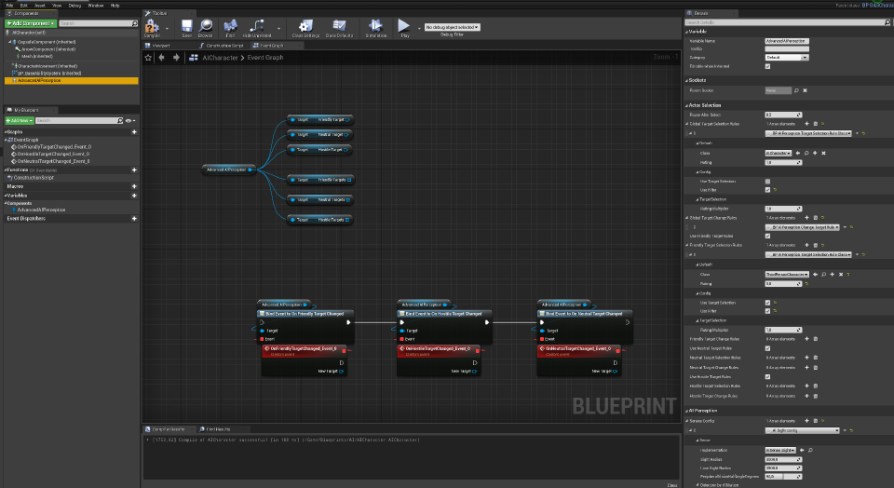
has anyone tried this https://www.unrealengine.com/marketplace/en-US/product/advanced-ai-perception ?
Unreal Engine
The AdvancedAIPerception component contains logic that allows you to select targets using filters and ratings.
slow bobcat
@brittle egret maybe this will help
We have code to "drive" an unit when it charges (basically a brute dude that will run slamming whatever it finds in its path). We didn't want it to rotate a lot, so I added some "cone logic".
Basically a cone that delimits how much the brute can turn while charging.
Black Sphere: brute
Black lines: rotation limits
Green Sphere: target
Orange line: distance BruteToTarget
Blue line: same as orange, but projected within limits
Red sphere: the end location we will chase
If the target is out of the limits, we adjust the end location within limits. Since we use an invisible actor to "chase"/moveTo, this works very well for us.
That way you avoid turns that are not natural for what you want.
I think there's a way to limit this with the character movement component etc, but for us this was much easier and quicker to calculate.
Now, about dogs turning 180 degrees. They do, but they bend their body (imagine a dog chasing its tail on the spot). You would need some short of "banking" logic where you pass the angle you are rotating and animate the body to make it look natural
slow bobcat
lilac bolt
Hi everyone, why in BTDecorator.cpp has
`const UBTDecorator* NodeOb = bCreateN...
Not really. Instanced nodes can keep track of variables and states. Non-instanced nodes execute on the spot
brittle egret
slow bobcat
<@!117003029038759937> maybe this will help
We have code to "drive" an unit whe...
Thats great stuff Bruno, thank you!
slow bobcat
you get this when you instance them
void UMyDecorator::OnInstanceCreated(UBehaviorTreeComponent& OwnerComp)
{
    Super::OnInstanceCreated(OwnerComp);
    BlackboardComp = OwnerComp.GetBlackboardComponent();
}
Which is super useful in case you want to grab black board values in your CalculateRawConditionValue
 vast sluice
Hi, When my AI is done doing a task it finds another task to do, It sets to a different task but for some reason only does the correct task for like 2 seconds then randomly goes back to the other task, Anyone know how to fix this? (Using Behavior Trees)
In the Behavior Tree, it says that its doing the correct task but in game its not doing the task the behavior tree says it is.
vast sluice
Sorry, forgot about that.
lilac bolt
@slow bobcat So bCreateNodeInstance not really create instance but just allocate memory to save variables? And will this memory auto expand?
Another question, what exactly does GetSpecialMemorySize() do?
Thank you so much Bruno, it looks like we have a long time difference.
pine steeple
@vast sluice sorry should have pinged me, but why are you using sequences to do one task?
you have a sequence going to a selector then going to sequences
let me explain
Selector: Will run till any task returns true or all return false, then exit out, Sequence will run all tasks till one fails or all succeeds.
Selector will only run one task that returns true.
Sequence will exit if any task it has fails.
vast sluice
So instead of a sequence should I do a selector?
pine steeple
well nothing above requires a sequence
so lets take your watchtv and walk for example
if state is TV, then watch tv will enter, if that task returns true, it will jump out and go to the next node in a sequence, no sequence, it will go back to root, and start again
in your example, if watch tv returns true, it will exit, then try to enter the WalkAround state, which will fail (cause TV was the state)
and your doing additional work and could lead to interesting bugs
make sense?
vast sluice
So should I do a selector instead of the sequences for TV and Walk?
 sudden turret
What have I done wrong for this to not be working?
slow bobcat
lilac bolt
<@!397712228435886091> So bCreateNodeInstance not really create instance but ju...
What I mean is:
- Decorators are not instanced and kept in memory further than their execution
- bCreateNodeInstance makes them to be instanced and kept in memory while the tree is active
That said, don't quote me on this because I looked into this 2 years ago and I might be wrong but in the ball park
pine steeple
all BP BT stuff (decorators, tasks, services) are instanced, meaning an object is created for them
this can be done in c++ with bCreateNodeInstance
otherwise the node runs on CDO (the default object), does not create another new object, but there is no state. But you do get a uint8* NodeMemory, which you can use to store a struct to hold data whilst the node is active. Take a look at the move task in c++ for how to use the NodeMemory and struct.
slow bobcat
exactly, well put. CDO vs instanced with state
lilac bolt
@slow bobcat Got it. Thank you so much.
timber dagger
sudden turret
What have I done wrong for this to not be working?
I think you need a selector before the sequence
 keen urchin
Curious, when using pawn sensing, how can I ensure that when my player is behind a wall or object with a collision box, that it wont sense my player?
pine steeple
@keen urchin don't use pawn sensing, second use perception system, third, perception system does a line trace, but you can override this to do your own custom trace.
keen urchin
does the hearing and noise stuff work alright still ? @pine steeple ?
pine steeple
yes
you need to call the events
Report Noise Evenet
Report Noise Event


these for example
keen urchin
Is using the built in noise better than setting one up yourself?
All I'd want would be to have different levels of noise created based on if the player was running or walking or sneaking really
and then of course the ai detect that
pine steeple
that is what the loudness is for
walking will be quieter loudness (like .2), sprinting would be .6, etc
then you can adjust how much you want to target by the incoming strength
then the range can adjust how far the ai can hear it
like sneaking would have a very small range
keen urchin
Alrighty cool, will take a look at it then if its worth it.
 cursive vector
im trying to make a multiplayer game that uses navigation for enemies (ai characters). but the navmesh isnt being generated (it's dynamic), until something that affects the navmesh moves into that tile. the enemies dont affect navigation, they just use it. so they end up standing in an area without a navmesh forever, until and object moves in that affect navmesh generation. how can i set it up so that the navmesh is always generated in every area thats contained in a navmesh bounds volume? (im using procedurally generated geometry (actually just a bunch of cube static meshes for now) so the geometry doesnt exist yet when the game isnt started).
i think the generation of the level (spawning of the cube) should probably trigger navmesh updates, but it doesnt seem to.
wary ivy
do the AIs have navigation invoker components?
 vestal apex
Is there any way to run a branch only once on BehaviorTree? I want my AI agent to play an animation at a specific moment and never execute that branch again.
Other than using a task node to change the value of BBKey I don't know any ways.(I have used a decorator to check for BBKey, but to unset the key the only way I can think of is having a task node and simply change the BBKey so the branch fails, but my is there any other way rather than having a task node?)
misty wharf
you could have either a decorator check a bb value, or a custom decorator which checks some value directly on the pawn in question
wary ivy
@cursive vector you need navigation invoker components on the AI pawns if you're using dynamically generated navmeshes
those are the components that hook into the navigation system and tell it to generate the navmesh around them
 opal rain
Hi guys, I am working on an AI who has to jump to my character. Currently I am playing the Jump Start animation when my character overlaps the sphere collision. My main question is what is the best way to achieve a jump on AI? Should I apply force? thanks!
 humble mica
Oh
pine steeple
🤷
when are you trying to cast?
and i like it when people say "Someone got the same issue" like its a engine bug
😄
wind coyote
lol
flint trail
I am a bit lost with EQS
I got it to generate what I need, but how do I make it set vector to BB after results are generated ?
the Details panel of EQS is clusterf#ck in 4.25.4
@pine steeple any idea by chance ?
pine steeple
It says blackboard key in that panel
flint trail
in 3 places actually
pine steeple
Set that to a vector key
No just 1
It's in the blackboard section
I can see it plain as day
flint trail
seems to be working, thanks @pine steeple
 terse panther
hey devs, i am new to AI part. I am creating a stealth AI system. I want to create a suspicious AI system where when the player is in certain range of AI the suspicious level of AI will start increasing and when its full the enemy will start Investigating that area and if the player is found between the investigation then the AI will start chasing it...but the problem is that after the suspicious level of AI is completed and it start investigating than at that point it is unable to sense the player if it sees it.
So, can anyone tell me how can i do this.
-thanks
flint trail
If you are new to AI you should probably take baby steps and start with some simple AI first. Learn UE4's systems and how it all works together, before jumping into stealth AI.
 proud sierra
Anybody know why my GetRandomReachablePointInRadius call does nothing in my ai controller blueprint?
Patrol Radius is 2000, and Owned character is non-null
it always returns false and a zero vector
proud sierra
Weird... it works if a delay a frame 🤔
 heady token
Hello
Could someone explain to me how the pathfinder works? Go into detail. Do more than say he's following a path. Mention me.
proud sierra
@heady token best to just check out the source code, start at AIController.cpp in Engine/Source/Runtime/AIModule/Private/AIController.cpp line 608 (in 4.26 at least), the MoveTo function
wind coyote
key query is set means true and not set means false right?
 grave fulcrum
AI Question:
When I have an AI Controller added to a character + possessing that character I can call a "Move to location" node, and the character will do just that. Where and how does the AI controller know how to move my character? I haven't added any move logic within that controller so how is it working?
 rich marsh
This AI rotation is going to be the last straw. The freaking AI character will never stop rotating to face me after IsDead == true. All other logic suspends, but the stupid AI just keeps right on rotating to face my char. I've called ClearFocus, set the blackboard target to itself upon death, I've done everything I can think of short of disabling all input on the movement component.
Everything is red, meaning no rotation should be occurring (I don't have any rotation logic inside of the enemy character or the AI controller)
@grave fulcrum The AIController has a MoveTo method, and the MoveTo task eventually ends up calling that I believe.
 unborn jungle
Any ideas why a dynamic navmesh isn't rebuilding around a blueprint that changes the scale of a static mesh at runtime?
The static mesh component has CanEverAffectNavigation to true but the navmesh never updates
The only time I see an update is if I drag my BP into the level while simulating the game, but after the first drag nothing updates OR if I move it around not at runtime, it updates fine then
Found the answer, had StrictlyStatic in world settings for some reason
 pastel sierra
what's the best way to profile EQS within a test build? Is it possible to get something similar to the profiling that's possible within the editor?
 desert cipher
if I change my AIs max speed in the construct, it refuses to move.
if I leave this hooked up, it refuses to move on map start, but if I unhook it then it moves. behaviour tree doesn't even kick off on begin play, do I need to do something else to get the AI to respond to this?
desert cipher
Even if I move this to begin play it refuses to move
patent hornet
why don't you just set that on CMC's defaults?
desert cipher
because it varies per map
desert cipher
When the drone is spawned the max speed is taken from the game instance.
patent hornet
where is that code?
desert cipher
in the actor that spawns the AI
patent hornet
show me
desert cipher
patent hornet
hmmm, you sure its any good?
desert cipher
I'll print it to double check, but it should be the player drone gets its max speed from the same variable and it's fine
LogBlueprintUserMessages: [BP_TAManager_3] NPC drone speed: 1200.0
yes it's getting the correct value
patent hornet
why don't you just set it on BeginPlay?
patent hornet
whats the drone movement mode?
desert cipher
fly
patent hornet
visual logger?
desert cipher
using Don's AI flight plugin
desert cipher
are you talking about the ~ key or whatever it is to bring up the AI info?
I should print it on the drone to make sure it still has 1200
it doesn't that's odd
the issue must be with the parent class
Yes, that fixed it, thansk
solemn jasper
Is there a way to change or delete the last known position from AI perception?
Autosuccess from last known location sucks because, if the enemy sees you, you escape and come back 10 min later, they still see you automatically even if the enemy is somewhere else too
But if you dont have it, you just run around the AI and they forget about you
 fierce zealot
I suggest checking the source code. There exists a Method called UAIPerceptionComponent::ForgetActor
 torpid juniper
I'm trying to get a large AI to navigate a forest. The AI gets stuck on trees and what not. It doesn't seem to do this when the AI is normal size.
Are there any considerations I should have for non-human sized character navigation?
 uncut rose
Looking to get an AI to target and attack a player, but destroy obstacles if there is not a good path. How would you set up this logic?
torpid juniper
don't make the obstacles interfere with the navmesh. make the ai stop and destroy them if they meet mid route
 final holly
I just posted in #work-in-progress about a project I have been working on which is a controller type for agents called HTN Planning. Maybe some of you are interested in checking it out.
#work-in-progress message
final holly
uncut rose
Looking to get an AI to target and attack a player, but destroy obstacles if the...
You can also try to achieve this with Navmesh Area's. You can then also specify a cost of destroying the objects which will make your agent prefer destroying objects at times when a normal path will take too long
pine steeple
make him face the player and move to a location behind him?
you have to utilize control rotation not orient to movement.
final holly
You can also use SetFocus
pine steeple
again, you have to use control rotation nor orient to movement.
not*
so there is no "also" here.
final holly
Fair point
pine steeple
so yeah, Focus + Use Control Rotation
remember to clear focus when your finished, as Focus is a priority system, and the highest priority (default) is Gameplay, so if you don't clear the focus he will always maintain that focus.
clearing the focus, will have him focus towards his pathing points
torpid juniper
I spent some time learning how to make navmeshes for specific supported agents. Now my big actor is being blocked by small pieces of foliage. Is there any way I can make the foliage not be considered for navigation by big actors, but still be considered for small actors?
 cunning lantern
Hey guys, can the navmesh account for floating objects, like objects that are not on the floor.
Like have my ai floating objects go around floating objects
torpid juniper
alternatively, is it possible to get nav modifier components on my instanced foliage?
 old sequoia
Anyone available to help a noob with some behavior tree issues?
Been hitting my head against a wall trying to figure something out
 pallid jay
@old sequoia just send the stuff here and people can help you out
I can’t guarantee since I don’t know much about ai 😔
old sequoia
Gotcha, I don't fully know what to send and not send so I was hoping someone had time to pop over into support chat and I can screen share lol
old sequoia
Same lol It's alright
I'll screnshot what I got for the BT, one sec
So the main part I'm running into issues on is that nothing is moving. I've just been following some tutorial videos to get the hang of things. The dude in the video has his enemy wandering around but mine just stands there.
I went through and print stringed everything and the enemy is perceiving my character which is switching the mode but it still won't wander around or chase me
I'
*I'm sure it's something simple but I've just been staring at it a while and rewatching the same video clip for a few hours now lol
HOLY SHIT
Nvm, I found out what happened lol
Never checked my "Success" boxes on Finish Execute
So, now it all works
naive flower
Hi everyone, anyone that can help me? Im tryiing to get the sightradious reference so i can change it during run time 🙂 But cant find the reference anywhere.
terse panther
I think you cannot the change the sight radius during run time
you have to code yourself
 crystal obsidian
I think if you can get the UAISenseconfig_sight you can then change its variables. Then you do AIPerceptionComp->ConfigureSense(*SightConfig).
Someone posted about this 9th December in the AI channel. Go check it out ☺️
flint trail
I hate BT with passion right about now 😦
flint trail
What's the difference between Condition and Value change in Decorator ?
flint trail
the orange arrow service is this:
AIPerception update in the AI Controller sets bool for whether target is sensed or not
so, with this setup as soon as player is sensed by AI, the tree fails entirely
I thought that when Selector's child fails, it goes back to selector and onto the next child. So when it goes back, I thought the service is re-evaluated. Apparently not, cuz if that was the case then service would re-run the branch check, set enum to Chase player and tree wouldn't fail.
How can I fix this, without having service to Receive Tick AI or having logic that sets enums inside AI Controller?
@pine steeple ^^ ?
@patent hornet ^^ ?
anyone?
terse panther
use can do it in AI controller...
after the player is sensed you cam set your enum
do a branch check with "stimulus source successfully sensed" if true then you can set your enum...
Can you tell me what you are trying to achieve(BT tree is not clearly visible), so that i can tell you the solution
cold trout
@flint trail i believe using Search Start AI instead of Receive Activation AI in the service would fix
decorators beneath are analyzed before activation of the service in my experience
flint trail
@cold trout thanks, I'll try that.
@terse panther I am just switching AI states using enum. I could certainly do a lot in the controller, but I just wanted to keep it a bit more modular and utilize services instead of cramming everything into controller.
I know some folks do everything in BP and ditch BTs completely. But since UE4's AI was designed with BTs in mind, I don't see why they shouldn't be used. It's too bad AI in UE4 is kind of like a blackbox.
verbal shore
Do we have any further information about what these two plugin does? (UE4 4.26)
flint trail
since it's v0.01, it doesn't do much most likely
simple crest
Abandoned half done things
pine steeple
actually it's used in fortnite
and was recently added (in 4.26)
there is a whole page on it
but i can't find it anywhere
flint trail
Fortnite uses RTX too, but what it really uses is reflections.. So real-time GI in UE4, which is the crown jewel of RTX, it half-a$$ed and probably will not go beyond current state
same can be said for these new AI features
simple crest
The ML might be new I guess, the HTN thing has been abandoned for a couple years I think
Nice to see they're at least developing something in this realm 
(Who needs AI or other actual game features when you've got N A N I T E !)
torpid juniper
I've asked this before and I'm beginning to suspect there's just no way to do this. My issue is I have large agents, and small agents. The navmeshes generated for the large actors are severely impeded by small bits of foliage. I'd like for the large actors to be able to ignore the small foliage (I can just set their collision to be overlapping instead of blocking for the large agents).
However I can't find a way to tell the foliage to only affect navmeshes for the large agents. Is there any reasonable workaround here?
If I tell the foliage not not affect navmeshes at all, I need some way of telling the small agents to not get stuck on small trees and what not.
flint trail
small foliage shouldn't even affect navmesh
there is a checkbox Affect Navigation
for every actor in UE4
Although I don't recall if you can make an actor to affect only specific navmeshes
btw, what's the difference between Condition and Value change in Decorator ? (can someone provide examples, besides what's in the docs)
flint trail
anyone ?
pine steeple
condition is if true or false changes for the decorator, value is when the value changes (for things like TargetActor changing to another Actor)
condition would be TargetActor is Valid
flint trail
so for enum changed I should use value
pine steeple
yes
flint trail
gotcha, thanks
torpid juniper
@flint trail small being, say, a 4 ft tall tree. Large enough that I wouldn't want people walking casually.
 bleak raven
how exactly aborting works? I have node that check value of certain enum and aborts in both cases. Bu I have it still running despite variable set to different value. Inside I have code with MoveToLocationOrActor, but it should be aborted too right?
flint trail
@torpid juniper but your tree has collision set up, right? while tree doesn't affect the navmesh, character will steer around it
torpid juniper
@flint trail wait really? My understanding was that if an object does not affect the navmesh, it is not considered at all for navigation.
Are you saying if I have an object, with collision, that does not affect the navmesh (meaning I look at it, and its green all the way across), that the ai will still be smart enough to walk around it?
flint trail
how does AI avoids dynamic actors that don't affect navmesh ?
flint trail
@cold trout yep, Search Start AI worked!!! Thanks a bunch!
simple crest
No AI will not magically avoid things by default, if it could do that we wouldn't need nav meshes 😄 but I'm not sure either how to set it up so your second agent ignores certain objects for recast generation :/
But. maybe some kind of crowd avoidance / rvo solution actually wouldn't be a bad idea. Not sure. Or something even more blunt using vector fields to push characters
Problem is if you have a tree tight to a wall the AI can be pushed into the corner and never get out
flint trail
how do AIs steer around one another ? I recall there is a checkbox "Dynamic obstacle" on an actor, but I am not sure if it's for AI specifically or for any actor with collision body
simple crest
By setting up Detour Crowd Avoidance and RVO features (or by rolling something custom)
 hollow gull
How can I change the default navmesh color? It's blinding green!
like this and restart the editor
torpid juniper
you don't need to restart the editor. You can just nudge the navmesh volume to redraw the navmesh with the new color.