#gameplay-ai
1 messages · Page 132 of 1
 mossy nexus
 forest brook
humm yeah i never tried that
forest brook
i always have abort self when false, but it will continue doing other tasks while true
mossy nexus
so you have the setup I was talking about and it's working?
forest brook
looks fine for me, i can have a decorator which aborts both, when having it true, it will abort lower priority jumping to itself, and when false, it will abort itself jumping to lower priority
share some screenshots maybe im not undeerstanding still
mossy nexus
if I have both decorators it never jumps
this is the least resistance path
this is the desired path, which only happens when only the aborts lower decorator is on
if I have both on it does the exact same thing as in the first image
the same thing happens for other decorators and their inverse
so I was thinking it is some sort of global quirk
(the second image never returns to the first image when only using one decorator)
maybe the behavior tree is f'd? any pointers @forest brook ?
tested it in another BT, same thing sadly
 wise summit
do you know why the BT target return null?
 plush pike
@mossy nexus Do you have the variable properly set up and listed and referenced in your black board?
mossy nexus
it's not a BB based condition
but yes I've checked the tasks etc. that everything is hooked up correctly
the tree would complain if it wasn't, regardless, but I did manually go through everything
plush pike
... you probably want to use blackboard because the behavior tree is designed primarily to work with them. But, in detail, what are the conditions it must pass in order to proceed or switch? For example, the at location condition where the actor arrives at the specified location, has target variable where it determines if the ai actor has an active target, and so on.
mossy nexus
not all things can be put into blackboard conditions
at least not to a point where they make sense
in my case I need certain things to happen when a player inputs certain things
plush pike
If it's not something able to function with blackboard, and it's not something you can create a simple tool for using c++ to run through blackboard, then you will likely encounter errors using the behavior tree, and if that is the case, and it is truly something too advanced for blueprints to handle, you should be doing it entirely in c++ and not blueprints. Although I doubt it's that advanced, I've recreated many highly advanced ai using blueprint with no issue. I think it's more likely an error in your process of doing things, can you show more detail about your process so I can trouble shoot the problem?
mossy nexus
the behavior tree's logic is the same regardless of whether it is made in cpp or blueprint
I am making most of my support tasks and decorators through cpp but putting them together in the visual BT
plush pike
No, it's really not. At the most basic level, sure, all programming is. But speaking literally, it is very different going from c++ to blueprint
mossy nexus
not even sure there is a way to make a BT in cpp only with no visual
doubt it
not really sure what you're talking about. are you saying you cannot create cpp tasks for the behavior tree?
plush pike
That's not what I'm saying, I'm saying there's a specific process you need to follow when creating c++ tasks for the blueprint behavior tree
Or they flat out won't work right
mossy nexus
... you mean by task execution?
that's verbatim 1:1 with the BP equivalent. it's just a question of performance
the logic remains the same
anyway digging through this it seems it is where you apply decorators that is at fault. removing the decorator from the task at least makes the decorator value catch on now
so I guess I can work it from here
for some reason it's having issues having decorators on task nodes themselves
plush pike
It is difficult to help you troubleshoot logic based programming if you won't specify the logic process involved. To be able to troubleshoot one needs to see the arguments, see the conditions, see the data flow, see the variables, and so on. I provided you with an answer that should have solved your problem regardless of what you're doing, the only time it won't solve your problem is if there's something fundamentally wrong with the decoration you created and are using, or if there's something not properly connected to cause the variable to switch state
Or if you use the decoration in the wrong position
mossy nexus
it sounds like you're assuming bugs don't exist. this is the first time I'm seeing that decorators on tasks nodes won't fire whereas they used to. maybe it was faulty behavior that was patched, but regardless it left me with a broken BT
anyway since I did say it would happen regardless of decorator, whether the ones I created custom or the ones supplied by epic, should give an indication that the problem isn't anything to do with the logic inside a specific decorator
plush pike
I'm not saying bugs don't exist, but most of my work is on AI in behavior trees and I have not noticed any such bugs
However I also set everything up the ideal way the developers of unreal intend it to be set up, it's typically more efficient that way, and I don't often have issues.
mossy nexus
I don't have the privilege of being able to do that for this system as it is not conventional AI I'm working with
plush pike
I don't know what you classify as conventional or unconventional, but I have even made neural network ai with little more than blackboards and behavior trees
mossy nexus
conventional as in used in the context of unreal's pawns etc.
plush pike
Then you may need to go into the engine and modify the engine itself to allow new features
mossy nexus
it hasn't come to that
I have had to create some clever extensions on the code side and be smart about how to make tasks but I doubt I'll need to go as far as to modify engine level code
or I guess the AI module
mossy nexus
I'll have to do more testing, but I guess kinda? I can have the decorators I need on the node but I still need to test and reflect changes down the tree
plush pike
The behavior tree can be a pain to use until you get used to its quirks, but once you do it's pretty effective.
There's things about it that have to be done in a specific order or they won't play nicely with the code
Once i got used to it, the only ai I have had trouble making with it is a God entity I made that would mess with the entire level while the player was playing, so it would spawn enemies, change day cycle, change water levels, alter the map, and so on, the only thing it couldn't do was directly alter the player character in any way. It could even change the entire angle of the map or flip it upside down. That was difficult to do in behavior tree, took a lot of weird workarounds
plush pike
@mossy nexus bit redundant now, but it does say here that the behavior trees rely on blackboard, so not using it might be why you are having so many problems with it
https://docs.unrealengine.com/en-US/Engine/ArtificialIntelligence/BehaviorTrees/index.html

Documents the Behavior Trees asset in Unreal Engine 4 (UE4) and how it can be used to create Artificial Intelligence (AI) for non-player characters in your projects.
 flat mantle
Is there anything ppl can point to for a basic ai with cpp code? I just want to make a basic character class that stands there and reacts to player with animations and uses physics collision to fall down. I guess thats not an AI but it would be huge.
 glass delta
Hey there. Is it possible to add blackboard keys during runtime?
 fluid harbor
does anyone know how to disable this preview?
 pine steeple
you cant
 undone hull
hi people :D
is there some way to make the ai hearing perception sounds to work like 3d sounds? i mean, if a sound is reported on a building, i don't want that people from all floors coming down to the lobby
 opal crest
It should already work that way. When you call Report Noise, the engine will work out who can hear it based on loudness and the distance to pawn with a Hearing Perception.
If you want floors to block hearing perception, that's something you might want to build in as an extra test after the hearing perception is triggered. Branch: Is the pawn that made noise on this floor? alert, otherwise ignore?
undone hull
It should already work that way. When you call Report Noise, the engine will work out who can hear it based on loudness and the distance to pawn with a Hearing Perception.
@opal crest exactly and thanks for answering! but if you report a noise behind multiple walls the NPC would still hear the sound.. because ai perception noises doesn't work natively with attenuation, occlusion or stuff alike (or at least to my understanding they doesn't), so i was thinking on a subcheck for that like the flor check you mentioned or something else
plush pike
Raytraced sounds don't exist by default yet, you'll have to do some extremely serious engine overhaul for that. Otherwise you can make a basic cheap workaround that kind of works by making use of the eqs
For ai alerts it should work perfectly fine, but the sound won't sound any different audibly, so it will still sound janky to anyone that hears it
One example of what I mean by workaround, have the hearing perception locate the origin of the sound, then send it through a process that uses sight perception with eqs to scan the area between the pawn and sound source, then cast a ray to the sound source and have the game check how many objects are in the way, you can then grab information about those objects and check if they have tags that mark them as walls or floors
@undone hull
opal crest
That's a neat way to do it (tagging objects). I was thinking you could place some cheap volumes where you want to block or contain sound. Then raycast against that channel only.
But tags would use existing geometry, which might be more natural to design.
plush pike
That method would probably work to, not sure how performance heavy it would be having all that constant processing
opal crest
One ray per sound source per tick per actor when sound is being emitted isn't too bad?
plush pike
Fair enough, I was thinking you meant a constant process volume over an area that made it basically contain all sounds in that area, my bad
undone hull
oh boy, thanks for the answer @plush pike!! yeah i was thinking of a similar approach for that, will share what happens in the future 😄
plush pike
👍
 deep shoal
I will post the image before asking the question.
I have this branch of a behavior tree and I'm not sure this solution will work. Keepsearching? is a blackboard decorator that controls this branch. It is updated by
the AIPerception through the UpdateSearching service. In the SearchingPattern sequence I also have this same blackboard decorator. The NPC should stop doing
the search when the counter reaches a maximum value or, during the searching pattern, it sees the target again. Will the Keepsearching? decorator be updated if I keep the BT like this or do I have to include another service, this time in the SearchingPattern sequence, that also recieves the information from the AIPerception?
plush pike
Looks like it should, you said it updates at the end of the timer based on whether or not the target is visible at timer timeout correct? As long as your variable updates, it should work properly, if it doesn't work then it's because something isn't updating your keep searching variable
deep shoal
Thanks for the answer Zyreick. I guess a more general version of the question would be: does a service update even if it's not attached to the current node being executed? I will try and see what happens.
plush pike
You have the tree checking for anytime that boolean updates, so regardless of what updates that boolean, the tree will fire once it's updated because it detected the update in the flow control
And it looks like it's set to abort both once it triggers so it won't get stuck in a loop unless the boolean doesn't update
I assume keepsearching is a blackboard boolean you set up
 heavy plank
Is it possible to offload AI on worker thread.
I saw this video
https://youtu.be/TcgGGT3PCKw

Check out my BRAND NEW Multiplayer Souls-Like Action RPG course: https://devaddict.teachable.com/p/souls-like-action-rpg-game-with-multiplayer
Curious how many AI you can have in your levels at one time in Unreal Engine 4? Look no further than this video! I'm gonna add AI unt...
And if spawning logic goes wrong then it can spawn ai which game can't handle
Actually if you see carefully the fps starts dropping after 100 ai spawned
plush pike
If you look carefully, the fps starts dropping after the first ai. Just like it drops after the first placed object regardless of what it is. Everything placed drops frames because nothing's computed for free. It's just how you balance your performance to achieve what you are after, bannerlord uses and renders tons of ai at once
As for offloading ai on worker thread, that's more of a question for engine coders than it is ai programmers. I would expect not many ai programmers know how to change what tasks the engine sends to where
heavy plank
@plush pike you are right about dropping of fps on first spawn of ai, but the fps significantly starts dropping after 100 spawns..
I m worried about my server. AI runs on server ,is it the ai compute or animation render which is causing dropping in the fps.
If it's ai compute then my server will sufferr, if it's dropping because of animation then my client will suffer.
 fast zinc
Hi, I am having an issue with AI. When I place an AI on map, everything works. But when I spawn AI, it does move around, unless I have some AI already placed nearby. My NavMesh is set to Dynamic and Force Rebuild On Load is True. AI has navigation invoker and it attacks when I player is in range, but does not chase the player if AI is spawned. AI Pawn settings Auto Possess AI is Placed in World or Spawned. What I have noticed is that Navigation Mesh data disappears when I remove a placed AI actor and it is no longer drawn green. I can only see Navigation Mesh data when AI is placed. Has anyone seen something similar? I was checking online searches for days and can’t find a proper solution. 🤪
 cerulean sky
Not sure if its the same thing but I've encountered a bug where navmesh doesn't work entirely and you have to delete and place a new one
fast zinc
@cerulean sky I have deleted Navmesh many times and it is always the same result.
Navmesh simply disapears on all levels, when AI is not placed. If AI is placed then it works.
 near jetty
@heavy plank there are some issues in that video
first of all, the AIs and objects are incredibly simple
second, the environment is simple, so the character movement sweeps (big cost) arent that bad
third, the AIs dont have objects attached to them. You will see huge slowdown if you attach stuff to them
and lastly
he is testing it on a strong cpu on a computer
ps4/xbox is 4x slower
switch a bit less
in my own testing, having 15 characters for my PSVR game i had to optimize and tryhard the hell out of it to reach 90 fps
heavy plank
@near jetty thanks a lot for sharing your experience , i didn't know these facts
near jetty
your slow part also isnt the AI itself
its the movement of the characters (does tons of physics checks if you use Character class) and the animation
the pathfinding and similar AI checks unreal already runs in other threads usually. And they are "punctual" things that happen maybe every 1 or 2 seconds, not once a frame
fast zinc
HA!!! Found the mistake when spawned AI did not move and placed one did. Project Settings/Navigation System/Navigation Enforcing was turned ON 🙂 Darn it.
plush pike
Pfft, petty excuses @near jetty

Mount & Blade 2: Bannerlord | Massive 2000 Men Open Field Battle | STURGIA vs ASERAI
⚔️ FOLLOW ME ON INSTAGRAM: https://www.instagram.com/marcel.artem
⚔️ SUBSCRIBE ⚔️
▶DONT CLICK THIS - https://bit.ly/2T4AoT8 (psst... it's actually a subscribe button don't be shy now)
⚔️ ...
Those ai are detailed, advanced, there's tons of them, it's happening real time with human player, with high graphics, and in game sound
Doing that in unreal? Probably a bit of a stretch, will definitely need lots of specialized coding. But not impossible by any means.
I can play that game on my laptop, pretty average specs as well. Although I can't run 2000 ai, only about 600 at once or so, and my laptop is nothing special, budget laptop around $900
Doing something like that is definitely not a solo project though, it's important to know your limitations, and in game development the biggest limitation is manpower. @heavy plank
fast zinc
@plush pike Are there any good directions on how to achieve such amazing AI in UE4? Ofc coding in C++... but what is the bottleneck in UE4 for 2k+ AI?
plush pike
I haven't pushed it near bottleneck myself so I can't say, I do agree with the earlier post that most of the performance issues come from physics rather than ai computations from what I have noticed. I've done some rather advanced ai systems with just blueprint myself, although admittedly not as advanced as in that video, but I never noticed any notable performance change going from basic ai to advanced ai. I only noticed a change in how many ai, which seems to align with it being rendering and physics performance issues rather than ai complexity issues.
I will say you want to streamline the hell out of your ai system though, my personal workflow, I get a note pad, think of everything the ai needs to do, pair up similar tasks and sort them between what required senses they need, then go over exactly what variables those will need to work properly, and then after listing all my tasks I start at the top of the list and brainstorm, thinking of things like how I want to implement it, how that implementation will work with the environment, and so on. Try to cover as much as you can before you ever even create your ai controller, bb, bt, and so on.
That will help keep you organized and focus on the goal of your task, and will go a long ways to streamlining your blueprints and behavior tree, rather than creating it step by step, adjusting random tree branches to make room for others, running into an issue and needing to go back and add a variable, and so on. Figure that out before you begin making it rather than while
heavy plank
i think in my posted video, the editor has also some contribution in FPS drop, so in standalone build it should be much better.
plush pike
Yea it usually is
fast zinc
@plush pike Cheers. For my current game I can have easily around 50 AI on with complex tasks and in combat. It works fine, I solved the large map issues with complex spawner/despawner and I can have a ton on enemies trough the level. But for my future game I might have to employ one C++ developer just to create flexible AI for hundreds of active combatants.
plush pike
Yea, for a lot of advanced ai you will need cpp
fast zinc
I already solved a lot of AI problems in C++ but for future products I will need more than 3 developers.
plush pike
The largest scale of ai I have had going in a personal project is about 150 I think, I was testing different medieval combat formations against each other
Yea, as I mentioned earlier, the biggest bottleneck will be manpower, one person can only do so much
Ai is just a ton of data entry effectively, covering lots of what if statements. The more you cover, the more advanced it gets. And it grows exponentially as it gets more advanced. Although I would probably say 5 people who know what they're doing can create a pretty damn advanced ai in 3 months
I like using the match box ai as a reference too. The man who created the first neural network ai, did it with just empty match boxes and colored beads. Not even a computer or electricity
And I believe it was built to be able to play a board game
Although obviously it required the human providing the mechanical power, through the act of picking up the match box for a given board state and choosing a bead at random to determine what move the ai took
 simple crest
The answer is very simple, (not really) for huge amounts of AI you need ECS or data oriented design. I.e. don't use unreal 
near jetty
@plush pike that game is also not unreal
and its literally hundreds of times better optimized than unreal
(for tons of characters doing stuff)
to give some metrics. having blueprint tick at all
just having the node active
costs about 1 milisecond per 300 cases
assume you have character + ai on those 2000, so its 4000 objects
if they did blueprint tick, you would get 13 miliseconds from pure blueprint overhead, before even doing anything
another metric i have is that it takes about 1 milisecond to move 200 objects. Just move, not animated
assuming combatants are 3 objects (character + weapon + shield), at 2000 combatants we are at 6000 objects
just doing "Set actor location" on them would remove 30 miliseconds
without doing anything else
plush pike
Like I said, doing it in unreal would be a stretch and require modifying engine code. But it's still able to be done. All I'm arguing is it's not impossible and definitely not a single person project, no need to rage at someone for saying something's not entirely impossible lol
near jetty
literally anything is possible if you go with the mentality of "well, just go and rewrite half the engine"
the effort required to optimize ue4 to mount and blade battle level would be so much effort that you are better literally creating a new engine from scratch
a similar case would be something like Total War, which is also practically impossible to do in unreal
unless you have multiple senior engineers for more than a year just modifying it
lets hope they do something for ue5 because right now, the entire "game layer" of ue4 is an embarrasment
plush pike
I would hardly consider it an embarrassment, it's just as optimized if not more optimised, just for different purposes
near jetty
the core architecture hasnt changed since the 90s
its only gotten slower
due to more stuff added on top of it
oop + 25 years of bloat + fully singlethread is not good at all
moving objects is specially bad. You cant do it async, only per-object, and each and every move will go through a very significant amount of code to update and do callbacks on every component, causing untold amounts of cache misses and instruction cache misses
from my testing completely replacing the moving object logic with my own, i managed to get a 20x velocity increase
20x
without even trying
for the ones that are interested on knowing how.
1: set ComponentToWorld manually in the scene component. You might need to modify engine to make it accesible
2: call "UpdateBounds()" on the component
3: call "RenderStateDirty()" on the component
simple crest
It's ok nanite is going to give us one million fps with one billion triangles what else could we possibly need?
plush pike
Hence the reason for unreal engine 5. And also the reason why I'm trying to get a large group together with the intent of teaching them how to be an effective team while building their portfolios and experience. So that by time unreal engine 5 comes out we can get some great stuff made, since all eyes will be on games from that engine when it releases, and a great time to start
near jetty
there is something ecs related cooking in ue5
but little info atm
i hope they create is as a system separated from current game framework
current game framework is just deeply flawed and its impossible to fix. no matter what you try to do
it doesnt matter how optimized your parallel pure-cpp part of the game logic is. At some point you will have to spawn objects and move objects, and then you get rekt by the huge overhead those have
 lyric flint
Hello everyone,
I need urgent help regarding my AI (BP & BT).
I'm willing to pay 20 USD for quick 1 hour call to review my code and fix a bug! please dm me
*it will take less than 1 hour 🙂
plush pike
Just post a screenshot of the issue, your more likely to get help by doing that and most won't even charge @lyric flint
 vast sluice
I'm trying to stop logic (brain component) and everytime I try, this happens. anyone know a fix?
lyric flint
Just post a screenshot of the issue, your more likely to get help by doing that and most won't even charge @lyric flint
@plush pike hey Zyerick, thanks for replying, I changed how I was making that AI work, it's not perfect but it works.
and about posting screenshots, I have done that a lot in the past on this server but never have I received a reply plus needed someone with dedicated time.
anyways, thankyou for replying 😄
plush pike
What were you trying to accomplish and how were you going about doing it is also good info
lyric flint
I was trying to atttach spawned ai (which is following the player to travel to an object first and then attach) to location of one of available socket
I was using AI Move To in BTTask running under simple selector with only one BB condition
The Spawned pawn was moving to socket location but was returning Fail after few second and failing the entire on move succeed logic (i.e. attachment), even with high acceptance radius value.
I ended using move directly toward (object) and rotate to face BB entry followed by a BTT_attach on a simple parallel instead of that BTT blueprint
@plush pike !
plush pike
Nice!
lyric flint
However now I'm facing another weird bug with service checking for distance between player and spawned AI, even though the service is running and the spawned AI is far from the player, Get Distance To is returning the distance comparison in false. I'm banging my head here with this. Any thought?
plush pike
Is it outside the range you have set on your eqs?
lyric flint
not using eqs
but yes it is outside of range i'm checking for
one sec, i'll take screenshot
plush pike
XD
If it's outside the range you're checking it'll return null since it can't find it within range
I believe
It would be like listing 123456789 telling it to check between 1-5 and telling it to find a 9 between 1-5
lyric flint
in first image get distance to > distance (spawn at 1000+) is greater than follow distance(100)
yet the float check is returning false
I've tried switching target and other actor pins as well along with < instead of <= check
the follow range key (blackboard) in turn is never executed
and the follow player until you die is executed ignoring BTS
& i've used the same method (for same logic) before with another AI a while back and it worked fine.
in 1 out of 10 case the service kicked in after the AI finished its move to the player
Am I doing something really really dumb here 😐 ?
plush pike
I see multiple issues, one sec
I want to verify before speaking
@lyric flint Alright, first I think you have the wrong comparison method, your trying to do >= but your node is <= I couldn't find it in docs but I'm pretty sure the top input is the first in the comparison and the bottom input is the second meaning your telling it to run if your distance between the two objects is less than follow distance. Unless I misread it.
Second I believe instead of append you want to use a dot function, dot functions are used to get the distance between two vector locations.
Third I might be misreading it on your blackboard flow control but it seems like it's set up to abort both trees if a certain variable equals a certain thing, depending on situation this could flat out stop it from running anything indefinitely, instead you should probably set the flow control to monitor a variable and end both trees when that variable changes state rather than when it is set to a certain thing
I'm thinking a combination of those three is causing you trouble debugging, based on what you said I think you tried debugging one problem but didn't see a change because another bug was affecting it, then put that value back and created the bug there again, then likely debugged something else but since you put the other bug back it still didn't work. At least that's what I think
I often use this docs page when setting up ai to make sure I'm using the most effective node for accomplishing something since I dont have the terminology memorized
https://docs.unrealengine.com/en-US/Engine/Rendering/Materials/ExpressionReference/Math/index.html
Expressions that perform mathematical operations on one or more inputs.
Ignore the append and dot function part, I see now your append was just a debug print tool
Other than that it should technically work, in terms of the blueprint. If it still don't then there might be something outside of the ai causing an issue
lyric flint
hmm thanks for the detail description, at first i thought it was because of some engine bug. for now I'm moving the logic to ai blueprint rather than bts
if it works I'll keep that
I need to write this from scratch after everything is done
and about distance check, i'm trying to detect if the distance between player and ai is greater than let's say 100, then don't follow player
plush pike
Oh ok, then that's as intended
I think of follow distance as setting the distance to follow the player from for example follow distance of 10 means ai goes up to player and follows at 10 away. So I misunderstood because i use that wording for different purposes than you
lyric flint
thanks @plush pike for giving this your time 😄
plush pike
Hope it was a little helpful at least 😅
 cold trout
id be interested to see what the print statement outputs
I assume Get Distance To is returning zero
which would mean its a problem with the references
and guessin you've breakpointed your way through it already, to see none of the valid checks are failing
mossy nexus
what's the best way to have a task do things over time? is it better to let the task succeed in step form and have some external iteration over that or is it better to have the task internalize the iteration?
like is there an optimization benefit to either or is one treated as best practice over the other etc.
 flint trail
I need to get the length (time; a float) of the animation (not montage, just one of the few imported anims) currently playing. Using that value I can then set wait time on my AI Character to let anim play completely, before switching to the next task. Is it something that can be done via Blueprints ?
plush pike
Yea
lyric flint
I assume Get Distance To is returning zero
@cold trout get distance to is actually returning value and not zero. e.g 1042.365 and updates as pawn moves towards the player
and guessin you've breakpointed your way through it already, to see none of the valid checks are failing
@cold trout yeap, breakpointed every single node, everyone is firing except the true branch at the end and coz of the check not returning true when player and pawn are close plus the BT is ignoring the service on init?
I need to get the length (time; a float) of the animation (not montage, just one of the few imported anims) currently playing. Using that value I can then set wait time on my AI Character to let anim play completely, before switching to the next task. Is it something that can be done via Blueprints ?
@flint trail look into anim notifs, if that is what you are asking
 vale rock
I'm having trouble generating my NavMesh... There are some parts in the level that look like this and I don't want that - I want it to connect. I've tried fiddeling with the Agent size but still no success. Any suggestions?
flint trail
@lyric flint I already use anim notify to fire off an event using interface in the character
But I am not sure how to connect anim notify with BT task to Finish Execute
lyric flint
call anim notif in either your pawn blueprint or your BT Task node. (can't say more becuase I don't how your current structure is)
BT also allows you to play animation directly as well btw, just type animation and it should come up @flint trail
flint trail
I can't call anim notify anywhere but in the event graph of anim BP
That's if I use skel mesh notifies
And I can't do that either because I don't use event graph there
lyric flint
well yea not directly, in your anim bp, link your notif to a custom event (which will be in pawn)
you can look at paragon assets
those char have examples of what I'm talking about
flint trail
So my notifies are objects with function override
What good is calling custom event in the pawn will do if Finish Execute is in BT task?
lyric flint
sorry can't say exactly how becuase I don't know your current strucure 🤷🏼♀️
you can call event dispatcher or interface event message
Event dispatchers are great to in this case scenario btw
lyric flint
i think so, dont remember
but you have functions which will act almost the same logic wise
flint trail
hmm.. even though I can add interface to BTT, it doesn't seem to fire at all
flint trail
ok, it seems that BTTs are impenetrable to event dispatchers and interfaces 😦
I know BPI is being called cuz I have it in both BTT and pawn (each runs different logic). The one is the pawn executes, the one in BTT doesn't
flint trail
@patent hornet do you happen to know how I can tie up blueprint task with BPI or event dispatcher ? I need to let idle anim play until it fires off anim notify at the end of the anim.
I had no issues using BPI to get values in and out from the BB or from/to pawn and what not
But for some reason I can't fire BPI event inside BTT 😩
flint trail
anyone? I really need to get to the bottom of this 😦
lyric flint
why does my nav mesh not show higher than 79528 z Cordinate?
flint trail
after fruitless attempts to use dispatchers and BPI, I threw in the towel and simply used casting
lyric flint
how can i make my AI have nav mesh but when i get into their area they will know
cold trout
Why no montages @flint trail ? I'm sure there's a reason, just interested
flint trail
I have montages for "special" idle anims 🙂
there is no reason to use montages for single idle anims IMO.. Or maybe I could have one montage with all idle anims in it 🤔
I might overhaul this eventually, but for now it works the way I set it up
cold trout
Well the plus of montages is they sit easily into bt tasks
With async nodes with OnCompleted
flint trail
what's "async nodes" ?
cold trout
What I mean is, a play montage node
Has exec pins leading out for on completed
And on interrupted
flint trail
oh yea, that's what I use to Finish Execute for my "special" idle anim now
btw, what's the best way to play turn in spot anim when turning AI toward the target ?
cold trout
Maybe a rotate to target node
With a service that plays montage on activate
Stops montage on deactivate
flint trail
aye, thanks.. I'll try that
 north vapor
how do i make one ai decide for multiple ai of the same character if that makes sense
cold trout
Have one ai overwrite it's team members key blackboard variables
MoveToLocation, Target actor etc.
One approach
cerulean sky
Anyone returning false every time on EQS ?
 dusk kelp
Sup, guys
Wdyt, whats the Best way of doing AI for rts, that should autoattack nearby enemies.
I mean, how they should know that enemy nearby?
I tried to use AI Sight, but sometimes I can get a bug, if characters speed is too fast
So, maybe you know a better approach of this thing 😄
 lilac bay
hey, how do i play only one music when multiple ai detect player?
i tried to create and the result is playing multiple music each ai that detect the player
cerulean sky
@lilac bay you can create a blueprint class that will communicate with these AI and check if multiple of them see the player. If so, it will play music
So for instance you can create an array or set in the actor and each time you spawn an AI you can add it to that array
And when the AI sees a player, it will send a notification to the actor/manager
dusk kelp
Is there any good guides how to make custom AI sense?
flint trail
custom how ?
dusk kelp
Well, from 0 on C++, like _Sight and others 😄
flint trail
right, but why? 🙂
pine steeple
@dusk kelp don't ask the same question in multiple channels
dusk kelp
Sorry, wont happen again
 blazing vine
@dusk kelp did you try Google? https://www.orfeasel.com/creating-custom-ai-senses/

In this post I'm going to show you how to create your own custom AI senses. For demonstration purposes I'm going to create a new AI sense named "Aquaphobia" which will be responsib
When doing NavPath request how can I specify that I want string pulled path result? I vaguely remember UE is doing this by default but looking at paths it gives me I'm not so sure..
That path jumping around most def is not string pulled..
 wary ivy
I have encountered that bug too
does the path go via the navmesh tile corner?
on my end it did, sometime it just routed it there for some reason and didn't string pull it
blazing vine
yup, looks like tile corner
wary ivy
I don't have my project at hand anymore, so it would be great if you could somehow isolate the bug and make a test map and send it to epic
or even here
or maybe post that on forums
blazing vine
I'm wondering what that blue thing is as nothing except flat floor is there
This is with Draw Default Polygon Cost checkbox ticked.
The transform gizmo on first picture is world origin dead zero.
looks like stack overflow by that huge numbers
wary ivy
yea something odd is going on there
 rapid ridge
Is a false bool match member of the Trace EQS Test going to return points that can't see the Context ?
dusk kelp
@dusk kelp did you try Google? https://www.orfeasel.com/creating-custom-ai-senses/
@blazing vine Well, thats the only thing that I found, also its a little bit outdated, so hoped that there are something more (but there are not)
In this post I'm going to show you how to create your own custom AI senses. For demonstration purposes I'm going to create a new AI sense named "Aquaphobia" which will be responsib
blazing vine
Principle is the same and you are still free to look at source code for existing senses, just copy/paste/modify as you need. What kind of sense you trying to make?
 weary glade
why do my ai just slide around in an idle pose? I have attached the correct animBP. It seemed to be fixed when I casted to Character instead of my Player CharacterBP
if i change cast to characterbp to just cast to character it worked but i couldnt do custom poses like prone
 misty wharf
If the cast to CharacterBP is failing then it means the owning pawn is not a CharacterBP
weary glade
?
misty wharf
What is the class and parent class of your character where you're using this?
weary glade
im trying to use it for my character and the ai (character class) the parent class is character?
misty wharf
Yes, so the class itself is not CharacterBP, correct?
misty wharf
You look at the name of the class :)
If it doesn't say "CharacterBP" then it's not a CharacterBP
blazing vine
Is there a way that I can use to be notified when PathFollowingComponent reaches end goal? Can't find any useful delegate to bind.
simple crest
I think the AI Controller might have a finished move delegate
 wooden linden
hi folks beginner here, I am trying to work out how to attach a nav mesh bounds volume to a dynamic actor (in this case a large pirate ship). The ship has a constant force in its BP, so it's always moving forward. The nav mesh bounds volume needs to be attached to the ship, so AI can run around the ship freely/react to players presence and so on, while the ship actor itself is moving. I doubt it but perhaps there is a simple solution to allow me to attach them? Forgive my ignorance I am no programmer 🙂 thank you
blazing vine
@simple crest For now I resorted to override this function as as there is none for C++. There is 'something' but that is reserved for blueprints.
// AAIController Interface
/** Called on completing current movement request */
virtual void OnMoveCompleted(FAIRequestID RequestID, const FPathFollowingResult& Result) override;
// AAIController Interface ~ End
Ah yeah that's what I was thinking of
simple crest
just add one then and call it yourself
 frail berry
Has anyone experimented with a custom/replacement CharacterMovementComponent in order to improve the performance of many Characters in a scene? I'd love to see any Github references or tutorials anyone has come across. Seems like CMC is one of the main perf bottlenecks to having hundreds of characters.
blazing vine
I would like to issue movement with path constructed from FVector points? I tried to provide and construct path in my AIController like this but it finishes immediately..
const FNavPathSharedPtr Path = MakeShared<struct FNavigationPath, ESPMode::ThreadSafe>(MovementPathPoints.GetValue());
MoveRequestID = PFollowComp->RequestMove(FAIMoveRequest(GoalLocation), Path);
I store 'MoveRequestID' for checking on reaching goal destination as I want custom event to happen then.. What is the proper way of constructing/supplying path manually?
 split falcon
Hello, can anyone explain me why i dont have observe blackboard value check button anymore? it just dissapeared. I had it yesterday
i'm talking about this button in behaviour tree
literally just dissapeared
i opened older project where i used it, its not there anymore 🙂
but still works somehow
 tough helm
wasn't it deprecated?
rapid ridge
how do I create a custom data provider for EQS? alternatively how do I programmatically get a custom value to GridHalfSize
rapid ridge
solved
split falcon
@tough helm deorecated ? ty for response didnt knew, i made my own with a cooldown, did they switched it somewhere else or i continue working with my own function for that ?
 vivid sandal
Hello everyone! I am having an issue with my nav mesh
As you can see on my procedural mesh the navmesh doesnt populate anything
BUT if i move it by one tiny pixel
Then it does
I am assuming that I somewhere need to call a function that would trigger the navmesh to refresh but I cannot find said function
Also if I update any parameter in the actor details, even if it has no incidence on the scene it will refresh properly
opal crest
Depending on when your procedural mesh is added to the scene, you might just need to Force Rebuild on Load in your navmesh project settings.
There's likely a C++ way to force a rebuild, but this piece is supposed to be pretty automatic.
vivid sandal
I already tried checking the force rebuild on load didnt make a difference @opal crest
As far as I understand PMC does not trigger nav rebuild by design
opal crest
Oh well., your mesh is probably added too late for that to help.
That's interesting. Adding other meshes to the scene does.
vivid sandal
All I can find online are old forum post with outdated code calling a OnNavigationBoundsUpdated that dont seem to exist anymore
opal crest
I saw something about a "RebuildNavigation" console command. But those posts were associated with old engine builds too.
opal crest
It might be that adding a trivial transform and reverting it might be the best way to trigger the build. Annoying if true.
I know that Recast works by identifying "dirty" regions and rebuilding the mesh for those areas. It might be possible to trigger that manually? I'm not sure if any of that is exposed to NavigationSystem though.
vivid sandal
Yes that's what I have been trying to do all this time lol
K so what I did is disable / enable collision for one frame
To force reload
it works
opal crest
Nice looking procgen!
vivid sandal
My pig is now just fucking off to the other side of the world successfully
Thanks 😄
opal crest
As pigs do.
vivid sandal
My favourite part of this seed
Remind me of the starting island on wind waker with the lil bridge between two montains
vivid sandal
Nah much simpler, it actually has two heightmap, and I carve out a 3D perlin noise between the two
opal crest
love it. I hadn't heard of doing it that way before, but I can see how it would produce that kind of nice result.
vivid sandal
It's really interesting to explore
Like sometime you have this kind of little grotto hidden in flanks of montains
It's not very natural looking but it's very pleasing I think
(Minus the WIP folliage look xD )
Also yes my water doesnt flow LOL
opal crest
Yeah, in turns of game environments, there's a limit to how many vertical levels the player will want to interact with, so it makes sense to model it as n-heightmaps + fill.
 vale pawn
I'm trying to make an ai, but instead of free roaming, they follow a certain path... how would I do something like that?
opal crest
Anyway: NavigationSystem->AddDirtyArea might be the direct way to do what you want. But if toggling the collider gets the result you need, I'm not sure I'd go though the trouble.
vivid sandal
I am thinking you would have a set of vector in an array and you can MoveTo from one point to the next ? @vale pawn
vivid sandal
Yes so the engine can calculate path between the points
vale pawn
thanks
flint trail
do I add AI Perception to AI Controller or to the Pawn? Epic's doc says to the Pawn, some YouTube tutorials say to the AI Controller
misty wharf
I don't think it makes any difference, iirc the C++ code checks which one it's on and makes it work either way
 hollow prism
I'm working on A.I. opponent that shoot projectiles at players. The enemies have arm cannons, so I rotate the limbs of the skeletal limbs(shoulder, forearm, cannon/hand) towards the player and I have the projectile spawn at a location parented to the mesh's arm.
The problem is that this method causes the A.I.'s aim to not update when not within L.O.S of the camera due to culling. Is there a way to get around this culling or atleast detect when this is happening to the mesh? If this isn't feasible, should I use a different method to aim and animate?
misty wharf
on target perception update seems convenient for when you need to trigger logic when perception updates
I haven't really used on perception updated, so not sure about that one. Possibly for scenarios where your logic depends on multiple perceived actors
get actors perception, get perceived actors, etc., are handy for example if you need to check what other actors are perceived and how, such as if you need to change an attack target based on some other event that a perception update
flint trail
sounds like for the most part I'd be fine using On Target Perception Update alone, for most cases
misty wharf
yeah, most of my AI logic so far has just used that
wary ivy
on target perception is useful for example when you want to keep a list of sensed actors
for example, for sight it returns false on the succesfully sensed variable if something goes out of sight
and true when something comes into sight range
flint trail
From what I gathered it doesn't work for individual senses in 4.25.3 @wary ivy 😩
wary ivy
:/
flint trail
After watching bunch of AI tutorials (the ones that use AI Perception) I am puzzled why do they only use success bool and get player's position off the player character instead of getting relevant data from the AI Perception. Any idea why ?
misty wharf
Probably no reason
 honest whale
What am I forgetting about using EQS.....My goal right now is just to exclude points that have another Pawn nearby....Trying an Overlap Sphere Test but icant seem to make wrangle it to what I want
 gleaming forum
Can someone explain to me why this is not working, My objective is to have the ai chase until it is within 1500 units then to not move but rotate to face the player while 1500 units or less away from player. Ive tried set focus(does nothing) setting rotation every conceivable way possible, but as soon as my ai finished the move its like it completely disables.
Im following a youtube guide to learn how this behavior tree works but i cannot find a solution to this anywhere on google,Plenty of people with same issue but no solutions that work.
Im dumb...........Check your blue links kids...... they are probably crossed somewhere.
blazing vine
Where can I set value that determines end goal distance value? Eg my Pawn stops given distance from real distance of pathfinding path and I want it to stop in exact place, not some distance from it.
Path is blue line, Pawn stops before reaching goal, I do not want that behavior. It is ok to set it to some miniscule value, this is obviously default and is too much for my needs.
lyric flint
AcceptableRadius
blazing vine
Where can I set this? @lyric flint
To me it looks like it is pooling capsule radius
misty wharf
the Move To task has the configuration options for it
there's some things like the max radius, whether to use the character's own collision radius or not, some other settings like that
blazing vine
I'm issuing move in AIController custom function, reusing already made path (waypoints) instead asking for new one
C++
TY will try to find it
misty wharf
Ah, yeah the one I'm referring to is iirc BTTask_MoveTo or something like that
blazing vine
ah, am I dumb.. FAIMoveRequest holds it
blazing vine
Hmm, when actor reaches goal location, it stops like hitting brick wall..
Still didn't figure it out how to force exact end goal. There is like 3 different acceptable radius variables in source code
flint trail
I got my NPC to chase after player last night, but ran into an issue.
Basically I have AI Perception in the AI Controller. On Target Perception Updated I set BB bool and location, if player is sensed. In the BT, I have 2 branches - one to wander around and one to chase after the target location. I made custom BTT to go after player, where I get location from the BB (the one AI Perception set there) and feed it into BP node Move To Location. After that is done, another BT task kicks in (wait).
So what happens is NPC wanders around, spots player, runs toward player. However, once I move around, NPC stays put and doesn't go after me.
I am sure On Target Perception Updated kick every time something changes in the AI Perception view, which means location and bool get updated.
misty wharf
For sight, the perception update fires only when something enters or exits the sight range
flint trail
I turned on Debug and I see that after wait, BT goes back to BTT to chase after player
oh
so changing location inside the sight range won't trigger update?
misty wharf
it will not
flint trail
kinda odd considering that when I turn on debug view for Perception, I see that sphere gets updated as I move around
misty wharf
I'm fairly sure as long as the LOS check succeeds the update won't get called.. You could probably check it pretty easily by using a print node. If you stand in front of the AI and move around, it shouldn't fire
If the LOS check fails, it will then update, and then again when the LOS check succeeds
misty wharf
I don't think there's an option for that... You could just assign the target actor into your BB instead of their location
then you can move to the actor instead of to the location, which should allow you to keep updating based on the actor's actual location
there's a youtube series on how to use BT's and AI perception for a patrol / guard AI, that should go into topics like chasing the player and such, might be worth checking it
vivid sandal
Hello
If this Move To fail, shouldnt it interupt the whole sequence ?
The pig is all the way up there, and the Move to distance is 20 so why is it still attempting to attack me from up there ?
OMG those stupid pigs killed me behind my back while I was typing the quesiton !!!
tough helm
hey, does AI touch sense work properly?
Cuz I can't find nowhere where it calls cpp void RegisterEvent(const FAITouchEvent& Event)
flint trail
@misty wharf oh, I watched those and questioned why they didn't use what AI Perception provides. I guess that's why they used actor and got location off the actor instead off the Perception. Now I guess I know why.
misty wharf
Ah, yep
Think of the perception update as a "now you see me, now you don't" lol
(or now you hear me, or whatever)
 verbal shore
Guys I have a quick question. We are able to add child behavior trees and it's amazing, it makes behavior trees way more well organizated. But what about blackboards? Can we use child blackboards? My AI is very complicated and there are so many behaviors and some of them has nothing to with each other. But they are all in the same blackboard. It makes blackboards too complicated in the end. It there any way around?
Please don't hesitate to mention me if you have any answer.
misty wharf
afaik there's not a thing for child blackboards, but you don't have to store everything in a BB
if you use custom BT nodes, you can just read values directly from the pawn or AI controller, or anywhere else you need
verbal shore
I'm only storing state variables, but there are so many states and branches
Thank you for the answer by the way. So I'll try not to use too much variables then. 🤔
I saw "Parent Blackboard" on blackboard settings but I'm not sure if it's what I'm looking for
misty wharf
Parent blackboard is for blackboard inheritance, but afaik it only allows you to share the same values as a parent BB does as if they were a part of your current BB
verbal shore
Thank you, I hope one day Epic Games will provide us more options to make Blackboard more organizated. Even grouping variables would be very helpful but 🤷♂️
flint trail
@misty wharf will calling this force AI Perception to update https://docs.unrealengine.com/en-US/BlueprintAPI/AI/Perception/RequestStimuliListenerUpdate/index.html ?
Request Stimuli Listener Update
misty wharf
Not sure, haven't used it
vivid sandal
@flint trail Im actually running into the exact same issue right now
I jsut created a timer on tick with a custom event
To execute the same actions as perception update would
flint trail
@vivid sandal did it work ?
vivid sandal
Yeah yeah it work for executing the update callback
If you want it to update perception you need to loop throught currently active stimulus
flint trail
gotcha
I've been wondering about something for a while. I'd like to spawn AI after everything else is spawned. One way of doing it is using streaming level where I have all AI actors. I'd stream it after everything else is done streaming and that would basically put AI into the game last.
Another way would be placing some placeholders where AI should be located and having some kind of BP spawner that will trigger after everything else way spawned, to spawn AI from class in those locations where placeholders are.
I am not really a big fan of those methods.
Is there a way to place NPC character in a conventional manner on the level and have some logic inside the character BP to delay its spawn until everything else is already spawned ?
misty wharf
I've never seen any options for that at least... A placeholder "spawn point" actor where you can choose which actor to spawn there would probably be the way to go
Or some other solution like that
Is there some particular reason you want to do something like this?
flint trail
In my Oculus Go project I had streaming levels. Somehow AI was spawning before the ground was streamed in and it would just fall into the void.
so I basically ended up with unpopulated level
misty wharf
Oh 🤔
Yeah haven't really done anything with level streaming... I'd imagine any AI's that might need to move within the streamed content would have to be spawned in context of the streamed level
blazing vine
Red zone is where my Character was standing before move. I have setup that toggles CanEverAffectNavigation and capsule is set as DynamicObstacle ticked with UNavArea_Obstacle class. Thing is, after moving to new location navmesh is not updated. I have navigation invoker component on this character as well. Do I need to call something to make it work?
flint trail
I could have swore someone highlighted me
misty wharf
if messages get deleted the notifications will remain :P can be kinda confusing
flint trail
oh, I see..
cold trout
I answered a thing but then read further and saw u figured it
Move to actor, not move to location
flint trail
alright, Request Stimuli Listener Update doesn't seem to do anything
I don't understand why Epic designed it the way they designed it.
 stable plover
i have this simple ai script based on pawn sensing component, apparently its hit or miss with calling the event, any suggestions?
then sometimes it shakes in place then fails
flint trail
@cold trout me?
I just called it on tick, just to see if it triggers On Target Perception Updated (it didn't)
I am on 4.25.3
@cold trout how did you use it?
 shadow tusk
I am looking to make animal AI that you can tame and have as a "companion" I know I can find a tutorial for creating animal AI that roam and so on. However does anyone know of any guides/tutorials that cover the taming and companion portion?
I found https://www.youtube.com/watch?v=XrDNlCMb3TY&list=PLqjIOKeeD0clnZbMSTj7vreS0lqMLWveN this tutorial for the companion portion so I just need the taming portion. However if anyone knows of a tutorial that has both please let me know.
 slow bobcat
hi! does anyone know if there's a limit on how long can a nav path be? I'm trying to calculate a path to a far point in the level and, unless I'm missing something, it looks like it gives me back the best path within a certain limit, like "this one will get you the closest within the length limits", which, in the map, is a dead end. But then I walk towards the point I'm trying to reach and, at some point (when I'm getting closer), it gives me the right path. There's like a border point. If I stay on the left, bad path. If I stay on the right, right path. Unfortunately I can't show any images of the game, but I will try to support my question with a draw.
Imagine this:
- green is the nav
- I'm trying to get a path from any place to the Blue Dot in the bottom left
- the orange line on the top-right is that "border" I mentioned
- if I stay on the left (at any location), the path I'm offered goes to the red dot, the red path (bad).
- If I stay on the right (at any location), the path is the blue one to the blue dot (good).
- Difference between "stay on the left" and "stay on the right" of the orange line are mere units.
- I checked the nav by ejecting and navigating an all is good. If I place an AI, it will just follow, so no cuts, holes or anything like that.
Distances are long. I'm not sure what's going on. Only theory is that "path length limit", but I never heard of anything similar.
Is this something I always missed until now?
Any help is much appreciated
Thanks!
wary ivy
iirc there is some sort of limit
[/Script/Engine.RecastNavMesh]
DefaultMaxSearchNodes=2048
/** specifes default limit to A* nodes used when performing navigation queries.
 *    Can be overridden by passing custom FNavigationQueryFilter */
UPROPERTY(config)
float DefaultMaxSearchNodes;
@wary ivy thanks! yeah, that seems to be the one I want to tweak.
I was also thinking if allowing partial paths will, at least, give me part of the right path.
slow bobcat
ok, never mind. Partial Paths is enabled by default
 jovial kraken
Hiho i have a little question for NavMeshBoundsVol.
In a Dungeons its normal to create Rooms and every Room have his own NMBV but outside of the dungeonsshould i create bigger NMBV´s or not?
In my opinion bigger NMBV´s will kill the performence, does it?
And a new Question: The Zone is only for normal movements (untriggered)??? If i will trigger an enemy and im running away can the enemy only follow to the End of this Zone or can i say thats the Zone but if enemy is triggered he can follow 15% abount this zone?
jovial kraken
Someone know what i mean?^^
 shy fiber
I can only give my opinion but dont take it as the best choice. You can put navmesh all over your world and change it to be dynamically updated(meaning that it will only update when needed and not the whole world). Then only generate zones only if AI are in them. Try reading a bit about navigation invokers. @jovial kraken
You should only see green zones only when there are AI nearby
jovial kraken
Oh thanks ^^
shy fiber
np, nonetheless I think you should still go with navinvokers. cant give you more info since i worked on open world long time ago
jovial kraken
Do you mean like Spwanzones or Chunks, they will only be updatet if a player is near to the chunk
shy fiber
i meant you could place just 1 nav mesh through out your level, and AI will generate path only around them (using navigation invokers)
but i think you need to change nav mesh to be dynamically updated in project settings. there should be some videos on open world navigations.
shy fiber
thats fine, learning new things is always fun 🙂
shy fiber

An original video I've put together for internal use to describe Navigation Invokers feature, dated Jun 18th 2015 but recorded months before that because, as you might notice, I refer to the feature as "Active tiles" was my own temp-name while working on the feature, pre UE4 v...
first result from youtube
jovial kraken
oh thanks
and the trigger?
And a new Question: The Zone is only for normal movements (untriggered)??? If i will trigger an enemy and im running away can the enemy only follow to the End of this Zone or can i say thats the Zone but if enemy is triggered he can follow 15% abount this zone?
shy fiber
they can only move inside the zone, but you should have navmesh bounds on all navigatable places
jovial kraken
i need otherwise i cant run with my character xD
shy fiber
watch the video, he placed nav bounds on the whole level
jovial kraken

Today we take a look at how we can make our enemy AI move within our level using Unreal Engine 4. We also go over how we can set the navigation boundaries for the enemy bots and the code used to control their movement.
Unreal Engine 4 Beginner Tutorial Series:
https://www.you...
i was looking here the problem is he only have a test world (floor and walls) so its like a dungeon room ^^
thank you i will watch the video
shy fiber
his videos are just to get views, they are very basic and using the worst possible practices (only good when you know nothing about unreal and want to see what type of nodes there are)
watch the one i've shown you, its what you need
 neat marsh
I'm making an AI Director (like Left For Dead) for a coop multiplayer game, i've been using an actor blueprint for testing but wondering if it should be managed another way. Is there a better way of doing it?
 tawny forge
Question regarding NavMesh:
Say that my world is a flat surface with NavMesh. If I have a character that has its movement mode set to Flying, and it always moves parallel to the flat surface at a fixed height, is there a way to use the NavMesh for its movement?
I see a variable called "Nav Walking Search Height Scale" but I'm not sure if increasing this value does what I think it does.
cold trout
@neat marsh you could have the director be a pawn, and have it run its own behavior tree
honest whale
@tawny forge does it actually need to fly or can it just play flying animations while still using "grounded" movement?
flint trail
So, I have the following BT: Root > Selector w/ Service A > 2 sequences (left one to patrol between nodes; right one to chase player)
each sequence has decorator with bool
Service A set targetActor BB variable to a 1st patrol node, which is taken from the AI NPC. So when chasing player sequence fails, I assume BT goes back to the selector and re-eval Service A there, then goes back to the sequence for patrolling between nodes.
Apparently Service A fires only once at the beginning and never re-evaluates afterward.
When chasing player fails, targetActor in BB is None instead of being what it is when game starts, which is first patrol node.
Am I missing something ?
flint trail
(disregard BTS_SetFallbackTarget service)
so I am wondering why wouldn't BTS_GetStartPathCorner service execute again when right Sequence fail and the tree will get back to the left Sequence
tawny forge
does it actually need to fly or can it just play flying animations while still using "grounded" movement?
@honest whale If possible I would like to keep it flying because a lot of my existing functions use GetActorLocation() instead of Mesh position or whatnot - but I'm open to suggestions.
flint trail
nm, I just added a new task, that resets targetActor (if it's set to None), before MoveTo in the left Sequence
 brittle lark
Hi guys ... Is there any way or any plugin to make an AI system with python?
pine steeple
spots his name :D
brittle lark
@brittle lark generally for gameplay scripting python is not supported but there are some third-party plugins with varying levels of quality
@lyric flint So I can't use python for that purpose, can I?
pine steeple
@lyric flint not sure what you want me to look at
i mean i have patrol AI, that will detect player, chase them, if player gets out of range or w/e, he will return to his original area, and start patrolling
brittle lark
@lyric flint
Thanks for help 🙏
pine steeple
but my system is kinda complicated
cause i inject/uninject BT's as required
there is nothing really built in
i use perception system to generate aggro via an AggroComponent
when aggro reaches threshold, monster picks that target
i mean what you want is super simple
a few blackboard keys, some blackboard key selectors, a BT Service and a couple of decorators
perception system can detect player entering the ai's vision/area
sets a BB value of target, they start chasing it, if they loose sight, the target gets nulled, you can store the last percepted location and a do a bit of exploring, else just return to your home point
well you know when your idle, so you can either run a predefined routine, or randomly choose a routine do it, when its finished, choose another to give a bit of dynamic
but honestly, that is game specific
AI system is more generic
no i know what you are asking, but finding stuff in the level and moving to it etc
is game specific
i use tasks for such sttuff
and EQS
and services
depending on what i am wanting to achieve
like i have monsters that chase player, player might enter a door, monster will break the door down, then proceed.
but how you get your data, there is no Unreal way to do it, you need to use whatever you need to get it done. I keep it simple, break things up into small reusable parts, and combine them. Like i have ai that can patrol inside a building, but never leave the building, all done via EQS
no predefined waypoints
completly dynamic
 hollow plaza
I've been trying to implement AI perception into my ai character, the issue im facing is that the component loses sight of my character when i walk in a direction away from it, despite being in view range
All i did was just walk away from the AI and it does this.
Any way i can fix this?
pine steeple
well
perception does 3 tests
Distance, Cone and LineTrace
so a half cone of 45 will be 90 degrees in front of AI, (45 each side)
then it does distances, (this is the rings you see)
then it does a line trace, to make sure you are not behind a wall for example
if any of those fails, it will not detect you
hollow plaza
There aren't any obstacles between them tho, it just stops detecting the second i walk away from it regardless of distance.
jovial kraken
Hiho i have a little question for my little Friend 😉
He´s flying over the map but the distance to the ground isnt nice. I know how i can change his position but i cant change the Capsule (hitbox) position. How i can change the Capsule Position ?
If i change the mesh position to the perfect position i have to hit the ground to fight against. So i hope i can change that ^^
simple crest
uh...... is that shield on your back a separate actor @hollow plaza
 sick stag
@simple crest that's what I was thinking
hollow plaza
yup, it is
lemme see if its responsible for blocking the trace
Yup removing it seems to have fixed it
Is there anyway i can have the trace ignore my shield?
sick stag
np
 opaque acorn
Hi, I am watching a twitch stream and I want to help him fix a problem. Can someone explain if it is possible to make a bunch of A.I run off of one mind? He is trying to make a twitch game and that would probably help a lot with optimization if it is possible.
jovial kraken
hiho i have a little question for my AI, if im changing the Speed here to 400 (normal AI speed) the enemy is running all the time, no idle animation will start at standing. My first AI have Speed 0 at this point and is idling until he is starting random walk. If im changing Speet to 0 the enemy will idle and is sliding by idleing if he is starting random walk....
What´s my mistake?
anyone have an idea? 🙂
 ivory violet
hiho i have a little question for my AI, if im changing the Speed here to 400 (normal AI speed) the enemy is running all the time, no idle animation will start at standing. My first AI have Speed 0 at this point and is idling until he is starting random walk. If im changing Speet to 0 the enemy will idle and is sliding by idleing if he is starting random walk....
What´s my mistake?
@jovial kraken So the Ai is moving around the map okay but the animations that is being played is wrong? This seems like problem with ABP if thats the case
jovial kraken
Hiho @ivory violet the problem is:
Speed Variable Default Speed 0: the AI is idleling and will Move/Slide with Idle animaton (idle Animation is always on)
Speed Variable Default Speed 400: The AI is always Running, if hes moving or not moving (Running animation is always on)
ivory violet
How are you calculating Speed variable inside Animation Blueprint? @jovial kraken
flint trail
Movement Component provides speed
jovial kraken
This is the minimum and maximum speed 0-400
Idle -> Movement
Movement -> Idle
and the movement will be captured by random walking (200speed) or Follow running (400 Speed) if the normal movement will work
flint trail
I mean, you get speed off the movement component and set your Speed var in APB to whatever value you pulled off the movement component
wary ivy
what happens if the speed is exactly 3? 😛
it goes to movement and back to idle immediately?
ivory violet
If the speed is constant its like that, I suspect that Speed is not being calculated inside ABP Event Graph and then connected into Speed input for BS inside state machine
Is something similar to this being done? @jovial kraken
The speed from character movement is constant, as in max speed, you need current speed to feed into ABP so that it can go from one pose to other, for that you take it from character Velocity like on picture above, and ignore that clamp and select, you dont need it most likely 😄
wary ivy
has anyone done a flow/vector field navigation system using navigation meshes (instead of grids like what everyone seems to do)?
flint trail
when you have blend space, you don't have to worry about speed value. It will automatically blend between stand/walk/jog/run based on speed value
speed can only be 3.0 if you make max speed 3.0 (on character's movement component)
lyric flint
@shy fiber Excuse me
shy fiber
?
lyric flint
can you code AI??
shy fiber
to some extent
lyric flint
oh well I was looking for someone who can do AI coding
shy fiber
look in #looking-for-talent
ivory violet
when you have blend space, you don't have to worry about speed value. It will automatically blend between stand/walk/jog/run based on speed value
@flint trail True, but you must insert value thats not constant, etc. thats 0 when standing, and 100 when moving, so calculating from velocity. The case above seems to me the Speed is constant. But I think this is diverting from Ai now and more into Animation stuff, or Blueprints
flint trail
that's not how it works
movement component provides the speed value
it's only constant when AI is standing still or walking/running at max speed.
NPC will automatically accelerate from 0 to max Speed based on movement component settings
so you set points in between 0 and max Speed in the blend space to switch anims
Epic has amazing tutorial series where it's all discussed in details
 cursive stag
What are best tricms you found to get alot of ai on screen while maintaining a playable frame rate? I have getting about 30-50 fps with 30 ai and would let to increase this of possible.
misty wharf
Have you profiled it? As in, is the AI actually the reason why your framerate gets lower, or is it because of some other reason?
 patent hornet
that sounds about right for 30 AI and no optimizations
patent hornet
with vanilla spawning
you don't have a controller for character or character for controller at BeginPlay
your message log is also full of accessed none reading AICharacterLink from node Move...
need to switch that to use OnPossess instead of BeginPlay
 simple bough
Is there any duration for a MakeNoise event?
I create one MakeNoise event and it is detected 5 times by an AI with sensing interval set to 0.2
I guess this means that a noise event lasts 1 sec?
 ocean wren
think there's a duration on the sense handler, vaguely remember that being the case
AI_SenseHearing should show you it
simple bough
@ocean wren I'll check it out, thanks
ocean wren
might be UAISense_Hearing
its in the perception part of the AIModule if I remember right
 fiery leaf
Any idea why GetRandomReachablePointInRadius() would be failing constantly on a new map? All my other maps it works just fine. I've got my navmesh set up properly. I'm drawing a sphere to see where it's actually looking. I'm a bit confused.
 lilac ginkgo
you don't have a controller for character or character for controller at BeginPlay
You mean this?
lilac ginkgo
Oh silly me! I made a Pawn actor instead of Character
verbal shore
Hello everyone. I have a quick question. Is there any way to reach curved/smoothed movement for AI? This picture might explain better.
I believe if I can make the movement something like this, it might seem more natural.
 verbal yoke
Bump
lyric flint
Hello guys, I don’t know how to make an AI of a wolf that chases me if I get closer, could you help me?
near jetty
@verbal shore you would need to implement the path follow logic on your own
verbal shore
@near jetty Thank you! Would I need to use cpp or is it possible to handle it with blueprints without heavy performance impacts?
near jetty
cpp
you need to implement your own path follow component or similar logic, and its not possible to do so in bp
also this sort of thing really, really sucks to do in BP
if you want to use bp it will be much worse, as you wont be able to modify the character movement component for it
and would need to use a basic Character with artificial movement on it
and wont be able to use any of the typical "Ai Move To" functions
verbal shore
I belive it wouldn't worth it, then I'll stick with current path follow system until someone make a plugin or I'll be able to hire someone
thanks for answer
near jetty
i do it myself, and the way i do it is with a custom movement component that overrides the pathfollow logic
but thats not possible on BP
i also add pathfinding to "normal" Actors
for that i have my own MoveTo type functions
and then the actor gets a AddOffset() in the tick to follow the path, or something similar
 kindred trellis
Hello. I need a little help with behaviour trees, specifically services. I have this simple fragment of tree, mostly based on tutorials:
I expect it to call UpdateCurrentTarget every 1 second while blackboard condition is met (HasLineOfSight is set)
But it's only called once when I'm getting to this branch...
Can you tell me what I'm misunderstanding about services?
 torpid juniper
Make sure you're firing it on event tick and not event receive activation
tasks and services are more like state machines that individual functions.
kindred trellis
Oh, ok. Isn't it costly?
torpid juniper
someone else can probably weigh in here better than me, but I'm going to say no, that shouldn't be especially burdensome
kindred trellis
Thank you very much
 visual parrot
Anyone have any solutions for rubber banding ai in multiplayer client?
flint trail
so, I am having a bizarre issue - AI Perception never loses sight of me, even when I hide behind the walls
flint trail
never mind, I wasn't clearing target actor after AI lost sight of the player
flint trail
would it be better to have all idle anims as montages (for AI) or is there a downside to that approach ?
 zealous thorn
never mind, I wasn't clearing target actor after AI lost sight of the player
@flint trail how can i do it ?
flint trail
@zealous thorn you just set your black board actor to None
zealous thorn
@flint trail thx 🙂
 feral stratus
Hey! Anybody know how it's possible to make an AI like this in the game? https://www.youtube.com/watch?v=Dd7-9PMCz-A

World War Z Best Scene Of The Game ZOMBIE Wall Climbing Scene
Follow Us On Twitter For More Jump Force Gameplays :-
https://twitter.com/techiearea
Follow Us On Google Plus For More Jump Force Gameplays:-
https://plus.google.com/u/0/101024875528257830519
Subscribe To Our You...
I meant, that the zombies climbing on each other
lyric flint
@feral stratus that would be pretty challenging... you could try creating a mesh that attract the zombies (not all of them) and put it under the climbing zone, after that you do what you have to
 rigid portal
Any recommendations for intermediate to advance AI learnings ?
flint trail
Unreal Engine Forums
I need to make a neutral NPC to look at player as player approaches and passes by. Also need to make enemy NPC to be able to look up/down when shooting at player.
At first I figured I have to use AimOffset for that, but then I found Look At node in AnimBP and now I am wonderi...
thanks
couldn't find any, that's why I am asking @iron steppe
I guess Look At is not a thing in 4.25 / 4.26 :/
nm, found it
still, my question stands
 formal zodiac
guys i made a patrol path using black borad and behavior tree
but it move to only the first path
and ignore the other 2
 rough cave
hey folks. I'm looking at all the possible decorators and I can't figure out which one to use to make a simple true/false check on a BB bool key. Like check "Can attack?" key and either chase or run away from player
 harsh storm
Select the Blackboard decorator and then change the flag to "is set" (true) or "is not set" (false). At least, that's how I've been doing it.
rough cave
yeah I just figured it out as you wrote this. Feels unintuitive as hell. With anything other than bool (like actors) it's just something else
thanks
rough cave
I have "Is at location" decorator set and it works okay for checking if enemy is too close to player. So he picks a location x units away from player and goes there
now if player moves away even further than that distance I want the enemy to come closer. I want him to keep that distance
I was thinking another "is at location" with higher radius and "inversed condition" checked would work
but apparently it doesn't
what's the correct way of getting this result
wait I'm dumb. Those two conditions needed an "OR" binding them. So just another tree node for the other one works fine
flint trail
what's the best way to keep AI in place, turn toward target, and while turning - play turn-in-spot anim before having AI go to the target ?
 mighty light
Why does this work outside but if the ai is inside it doesn't work? https://gyazo.com/5bee81fadbb953370d35d5527d3206de And yes i do have a nav mesh
 visual parrot
Could it be because you can’t see it? So Not rendered maybe
mighty light
I am talking about that he doesn't move at all when he is inside i can pause him but he won't move
So it's not the was recently rendered since i can pause him inside he just won't move
 wary ivy
are navmesh walking characters any better performance wise than normal walking characters? 🤔
I guess I have to profile this, just wondering if anyone has already done so 😄
 marsh cedar
In my enemy character's behavior tree I'm trying to get a sequence to at least fire. the condition for the firing of the sequence is that the enum value of a blackboard key is equal to 4. On a key press, the player line traces to the enemy and then sets the value of the enum to 4. However, the sequence does not fire. https://imgur.com/a/BCPQ1Sr
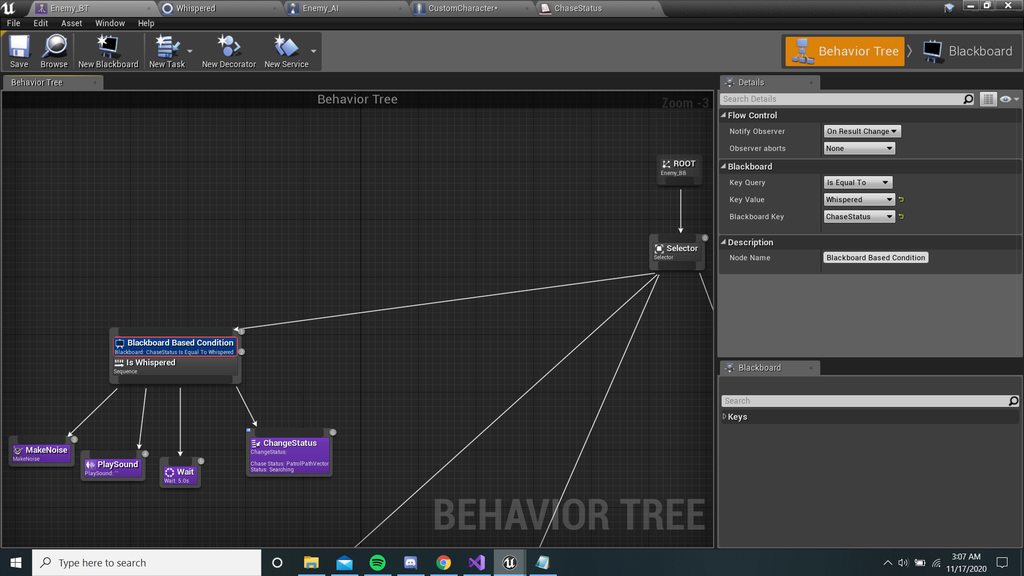
pictures for ref^
misty wharf
Is the AI in some other branch of the behavior tree when this occurs?
If you want it to abort something it's already doing, you need to set the Observer aborts value to lower priority
marsh cedar
lower priority for the sequence im trying to fire or for the sequence it defaults to?
misty wharf
lower priority means that it will cause branches that have lower priority (higher number, more to the right) to abort
the other choice, "self", makes it abort itself only - so it depends on where you place the abort
 velvet slate
any idea how to make a flying ai that can roll?
velvet slate
kk thx
 deft tartan
How many times per second is behavior tree being executed?
pine steeple
depend what you are doing?
cerulean sky
I think there is an option to control the BT
Control the interval
It might not be that though. It may be just the BT Tasks that you can control how frequent they can execute
Because as far as I know the BT executes on tick
flint trail
what's the difference between Event Tick and Event Receive Tick AI ?
patent hornet
signature
vivid sandal
Hello! Does anyone knows how navmesh invoker work
Seems like you still need a navmesh volume bound to make them work
But then that defeeat the purpose...
and also severly affects FPS
vivid sandal
OK for anyone wondering, I finally found the solutoin
Basically the issue is that if you create a massive Nav Mesh say 1Mx1M, even if the geometry is empty, it seems Unreal will pre-allocate some nav mesh til for you
That's nice but no thanks give me the 30-40 FPS you just took back to me plzzzz
So you go in the nav mesh section of your project setting and set the tile pool to a fixed size, say a thousand or 2
And you're set
flint trail
@patent hornet hm?
patent hornet
the difference is the function's signature
flint trail
I am not sure I understand what it means 😅
I guess I should have aked which of the two is better for performance
misty wharf
function signature = what parameters it takes and what it returns
the AI variants of the functions receive additional parameters, so that's what it means the signature is different
whether one of them is better than the other for perf reasons, don't know
dusk kelp
Guys, is it possible to just pause BehaviorTree? I dont want to stop it and restart it when my player interacting with AI, I need to just pause AI's BT, but cant find how :/
misty wharf
you can use Claim Task Resource with AI Logic as the parameter in an AI Controller
once you want it to continue processing, use Unclaim Task Resource
dusk kelp
Ive added 'Set Movement Mode" to your solution and now its working just as I wanted, thanks
Also, dont you know if it will hit my performance?
verbal shore
Do you think runtime Navigation Query Filters are expensive? It looks like it rebuilds each time it moves. I feel nav query filters can be very useful. I can make AI avoid from dangerous animals but I'm also worried about performance.
Is there any way to add cost to navigation without causing performance?
 median lichen
Heya all. I'm not into programming, but trying to make Recast to set slope-based areas.
I managed to make custom class based on RecastNavMesh and make UE4 use it.
But here's the situation.
RecastNavMesh has virtual CreateGeneratorInstance (new RecastNavMeshGenerator)
RecastNavMeshGenerator makes MarkWalkableTriangles calls (to Recast)
Recast contains markWalkableTriangles code which has rcMarkWalkableTrianglesCos to assign AreaID (specifically only RC_WALKABLE_AREA, which is const RC_WALKABLE_AREA = 63;)
I'd try to make a custom copy of RecastNavMeshGenerator and put it to CreateGeneratorInstance (it's virtual, so i can, right?) of my custom RecastNavMesh.
I'd put a double MarkWalkableTriangles call there (for hardly walkable areas and then for RC_WALKABLE_AREA).
But. That wouldn't work if i can't put my new hardly walkable area id into Recast.
Could anyone point me what option(s) do I have?
flint trail
So, I am watching some tutorials and seeing that some folks use Focus node to have AI facing target and others use Rinterp node to rotate character. What are the pros and cons of each method ?
misty wharf
iirc the focus insta-snaps to the focus target
with rinterp you could smoothly rotate it I guess
pine steeple
Focus does NOT insta snap
it uses the rotation rate in the CMC
so if your rotation rate is super high, they will rotate super quick
@flint trail
flint trail
@pine steeple so why use Rinterp at all? Better control and flexibility ?
flint trail
I see
pine steeple
i set the rotation rate, and use control rotation for my ai
flint trail
how to I determine that AI is rotating to play turn-in-spot anim ?
pine steeple
that would require some math in your animbp
flint trail
(and whether it rotates left or right)
pine steeple
and keeping the capsule rooted
getting the rotation delta, negative is left, positive is right
abs'ing it to find out when you have reached max rot
play TIP animation
flint trail
is there a BP node that returns rotation delta off the AI controller ?
pine steeple
i mean, you can convert it to BP
not for TIP
two distinct things
and like i said no need for RInterp

you are after something like this right?
flint trail
yep
pine steeple
i did that in 30mins before steam festival a few months back 😄
i mean its a bit more polished now than it was 😄
flint trail
either turn randomly when idling on a path node, or when tracking player
pine steeple
it doesn't matter
its done in the animation BP
its visual fakery

as you can see the capsule rotates
i keep the mesh root bone planted
then interpolate it when angle reache 88 degrees
epic did a very basic and crude TIP
in blueprint, look for Shinbi animation tutorial videos by epic
flint trail
There is GetControlRotation that returns rotator
target is controller
aye, I'll look it up
pine steeple
so
ForwardVector = ActorRotation.Vector();```you need the ActorRotation and Forward vector of the ActorRotation
    {
        const FVector ForwardInverseNormalized = ActorTransform.InverseTransformVectorNoScale(ForwardVectorYawReference).GetSafeNormal();
        ActorYawOffset = Atan2Deg(ForwardInverseNormalized.Y, ForwardInverseNormalized.X) * -1.f;
    }
    else
    {
        ActorYawOffset = 0.f;
}``` this will get the YawOffsetnote all this can be done in BP 🙂
flint trail
ah, I see.. Makes sense
flint trail
so, with GetControlRotation I get positive and negative rotations
not sure if I need all that math if I can just use GetControlRotation rotator
flint trail
ugh, somehow SetFocus doesn't work on my AI Controller :/
flint trail
I figured it out, but if I disable Orient To Movement, then AI runs sideways when near a wall with target being behind the wall
pine steeple
turn off Yaw rotation on the pawn
if the target is the focus
then he will be locked facing it
so he will walk sideways
you need to set the focus ONLY when you need it to look that way
and clear it when its pathing
 frail fog
I want to make AI for my game that is like postal 2's, but smarter and can jump and crouch, but the first thing I want to do is to rotate the NPC to face the target when it is damaged or touched.
flint trail
if I use Control Rotation - it runs straight, but looking at target (I don't even have SetFocus node yet)
flint trail
made AI turn using Rinterp. Just need to hook it up to animBP now, to play turn-in-place anim
 willow spear
Made a Ai BT to have the Ai move to player location but its has theese weird pauses when it has reached my location for like 5 seconds before it continues any ideas how i get it to go to my new location as i move
patent hornet
simplest way, have it chase an invisible actor with goal tracking
and teleport that actor around
 normal river
It's probably failing MYNO. That happened to me. I just use several target point actors as goal actors.
willow spear
@normal river how do i do that (Im still pretty new to Unreal and coding in general)
willow spear
anyone here to help ?
willow spear
he keeps runnig inside of me when i want him to stop a certain distance away using the move to "acceptable radius" even if i put that value up to 9999999 he runs inside of me
flint trail
does anyone have a good example of turn-in-place anim BP setup (with lower/upper body split) for AI ?
 cursive vector
im working in ue4 4.26 and the show navigation settings is greyed out. no idea why that would ever be deactivated. but now im not sure if i have a navmesh or not. anyone know why that would be greyed out? never seen that in other versions of ue4
okay, so the navmesh is definitely there, i just cant display it...
 cunning lantern
For the Behaviour AI tree, will it work for floating AI?
normal river
Using BPs is it possible to have a perception component NOT auto register pawns?
pine steeple
yes config file
bAutoRegisterAllPawnsAsSources=false;
NotifyType=EAISenseNotifyType::OnPerceptionChange``` etcfor all senses
in your DefaultEngine.ini
normal river
Omfg
Kaos I love you lol. Thank you sooooooo much
Would you happen to know anything about custom senses with BPs?
flint trail
is there a way to get target actor's location from AI Perception as it's being updated ? Currently (or by default) AI Perception only registers in fov/out fov event and once target actor is inside the fov, its location doesn't get updated
pine steeple
custom senses in bp is not possible
flint trail
I see 😦
misty wharf
if you need to update something for already perceived actors you'd probably need to use either a timer or do it in tick based on get perceived actors or whatever that function was
normal river
That sucks lol
pine steeple
@flint trail just store your best target as an actor
if it changes, update it
as a property
that is how i do it
then you can do tracking, etc
normal river
@pine steeple Do you know where I can get a complete list of the different ways I can alter config files for AI?
normal river
Ok thx
flint trail
@pine steeple yeah, that's what I do.. I just think it could be cleaner if AI Perception provided that data.
normal river
Changing the config file seems to have no effect
pine steeple
there is also a bool on the Listener
you put on your pawns
that has to be unchecked
make sure you also restart editor after changing the config file.
normal river
Ok finally I got it to work by writing that line in DefaultGame.ini instead of DefaultEngine.ini
Also to unregister I have to use 'unregister from sense' through a perception stimuli source component
 flint trail
my gosh, split body animation for turning AI drives me nuts, I don't understand how to set up AnimBP for it (when AI turns, turn upper body first and then have legs play play turn-in-place anim to catch up with upper body).
rapid ridge
anyone has a EQS query example in c++, the one I found isn't working
wary ivy
does anyone have any experience with RVO avoidance on characters? I'm struggling to get it look okay. The characters do avoid each other but in large masses the characters do these weird looking strafing movements that just looks off
seeing that there aren't that many parameters to tweak I'm kinda lost here. Is it just the way RVO works?
pine steeple
@flint trail i swear i said how before
you use AimOffset for the top half, counter rotate the root bone, when abs(YawDelta) >= 90, start turning the root bone towards the delta (i use a curve baked into the TIP animations). and voila 😉
flint trail
Maybe sounds easy, but royal pita to implement
 faint lantern
do you have any reference to create an ai for physics simulated pawns?
 thorny thorn
😦 my ai only wants to play with the server
 sturdy iron
tell him that clients are fine fellas
mossy nexus
distinguished gentlemen
flint trail
so, if I have this setup:
my AI navigates like this: https://www.youtube.com/watch?v=yEWlhS5AxWg

(running along the wall looking at target that is behind the wall, instead of running straight)
however, I can use SetFocus to control AI's aim
If I use this:
Then AI runs as expected, but I can't use SetFocus or do anything with the AI controller to make NPC look at something when I need it to (I have to mess with the NPC actor itself to make it turn)
not a biggie when AI is just idling at path nodes, but probably going to be an issue during combat
flint trail
or not?
 wind coyote
i have a enemy ai and a hostile ai, how do i get the locations of all the hostile ai's, because controlled pawn only targets a specific ai that was spawned first then after that ai is destroyed it continues, i tried getting it to chase the closest ai which works until the first hostile ai is thrown off the map then it just stops functioning
patent hornet
register all AI with AIManager (Custom Actor or Component)
keep arrays of AI there instead of searching for the all the time @wind coyote
 tropic breach
What is the closest thing to a 3D Navmesh in UE or is there one specifically?
tropic breach
specifically for aerial AI navigation.
patent hornet
you'll need to do some custom work, or fake it with normal recast
tropic breach
@patent hornet raycasting or recast?
patent hornet
Recast_NavMesh
 warm dagger
So how are you currently doing your AI? Blueprint only logic or are you using a behavior tree?
warm dagger
So the mannequin is supposed to chase them, but one at a time?
formal zodiac
yes
but the pawns
should not touch each other, when it move on top of other pawn
it move like it is not there
u get me?
ghost
warm dagger
Ah, the pawns are overlapping and need to collide with each other. I see. Can you show the pawn's collision settings?
formal zodiac
ok
which one? there is sphere and there is the capsule and there is the self thing
and floatingpawnmovement
which one i click and show u
its settings
and there is scene
warm dagger
Which ever one you want to use to separate them. Capsule is usually used by default.
formal zodiac
so what i choose?
warm dagger
Choose capsule and then show a screenshot of the collisions settings like this:
warm dagger
Your sphere static mesh is set to no collision.
formal zodiac
so? isnt that the correct thing?
warm dagger
Set it to pawn preset.
formal zodiac
ok
it is worse now
it move around other pawns
instead of moving on top of them
😟
warm dagger
The robot or the other pawns?
warm dagger
The robot moves around the other pawns or the pawns move around each other?
You may need custom collision channels, since your robot is categorized as a pawn too.
warm dagger
If you don't want your pawns overlapping each other, but you want the robot to overlap the pawns, then custom collision is needed.
A character is a pawn.
formal zodiac
yes
i want my pawns which is the cores ( balls/spheres )
to ignore touching
each oter
and when they want to do that, they pass over each one
like ghosts
but they dont change their moving direction
so they ignore everything and do its move
what now slashhin8r
warm dagger
I'm still confused on exactly what you are trying to accomplish. Still sounds like you will want to look into making custom collision channels.
formal zodiac
no
why it is so hard to just explain to u that, i just want my cores to ignore other cores
and move on them like they are not in the map?
like ghosts
i really see no more simpler way to explain
warm dagger
Ignore is not the correct word to use