#gameplay-ai
1 messages · Page 120 of 1
 hollow osprey
 ocean wren
so youre using world composition, but a single terrain?
hollow osprey
I'm using multiple, just talking about a single one right now
I'm not gonna use a single nav mesh on multiple terrains across multiple levels.
My options are either a single nav mesh per terrain, or multiple nav mesh per terrain.
ocean wren
what do you want the multiple navmeshes for? different sizes of enemy?
hmm, seems they fixed the map streaming for fortnite:

Fortnite has served as a development sandbox for UE4, and in this presentation from GDC 2018 we explore the effort involved with taking FNBR from 30fps to 60fps on consoles.
Learn more at http://www.UnrealEngine.com
hollow osprey
I don't (know if I) want multiple navmesh, that is exactly my question. If there is a difference between using multiple small navmesh vs 1 big.
Perhaps the smaller ones can be streamed out when it's further away and it reduced memory and increase performance.
I'm just throwing things though, I have no idea.
ocean wren
well, typically you'd only have multiple navmeshes if you had different uses for them.. like different sizes of enemy (big cave troll has different movement than puny human), so generally I'd go with multiple if I had different sizes.. but otherwise I'd err on the side of one per terrain
 desert bison
Is there a way to calculate the distance from an AI to a goal, taking in account navarea obstacles?
E.g What is the distance from self to Target, without going over nav areas set as obstacles
Still designing my AI systems, so take this as a theoretical
 stiff gale
So I'm using navigation invoker for my AI. It works in a single level but not in world composition levels. any idea why?
desert bison
Do you have a nav area bounds in your persistent level that covers the whole landscape?
stiff gale
Even the normal AI without the invoker doesn't work in world compostion
I have a nav mesh that covers the level.
I tried both with invoker and without invoker
desert bison
Is your navigation system set to dynamic?
stiff gale
the nav mesh volumn?
desert bison
In project settings under navigation system
If you can send a screenshot/snippet of that setting page it would be really helpful
stiff gale
desert bison
Okay and the other navigation page, should be either above or below this page
Not at my workstation, so I can only help from memory sorry
stiff gale
Are you talking about project settings in Navigation Mesh?
desert bison
Yes, that's weird
The settings are correct
Have you tried using an Navmesh Bounds on a single tile before scaling it to the whole composition
stiff gale
I only have one active level and using it on that.
I heard when the first level gets created, moving its location causes issues.
desert bison
Then I apologise, I don't know what the problem could be
stiff gale
I got it to work but not sure what was the reason. But I know that I shouldn't play with the nav mesh anymore. This is definitely a bug. It's all over the internet.
 lethal eagle
hey all having some issues getting a function on the behaviour tree to work
I'm attempting to get a condition to abort when the enemy comes within a certain distance of a player but it doesn't want to work
I've treid both onResultCahnge and onValueChange
 pine steeple
4.24?
anyway the issue is, you have to set it originally, then change it, i had issues with mine changing and blackboard clearly shows it changing, but the tree never aborted
lethal eagle
yep took me a while to figure it out but finally reached the same conclusion \
how can I possibly go about linking the blackboard condition and the sequence from above so it can continuously check ?
 fallow hound
is there a quick way to reset BB values back to defaults?
fallow hound
cool, thanks
lethal eagle
hey all
been struggling for a week not to get the enemy to stop and chase the player properly
If anyone thinks they can help even by a bit I'd appreciate it, thanks!
the above video shows the problem
 dusty lotus
Hello guys, I have a question about Navigation Volumes.
For what I've understood, you can control where AI and player can move by means of NavMeshBoundsVolume + NavModifierVolume, thats fine.
But if you place any object, like a box, onto the NavMeshBoundsVolume it automatically creates a "navigation hole", so why you still need NavModifierVolumes?
 magic jasper
Nav Modifier Volumes do a lot more than make an area "un-navigable"
They modify the traits of the navmesh for pathfinding, so for example you can add a modifier volume which only allows those tiles to be pathed through if the agent can "crouch" or something.
dusty lotus
@magic jasper thank you for your reply, what I'm looking at is the VR MotionControllerMap in which there's no AI
but I've seen from Blueprints that the navmesh is used to check if the player can teleport
and what I dont understand is why Boxes have also NavModifierVolumes
set to null
magic jasper
I'm not familiar with that example but generally speaking the purpose of the modifier volume is to apply traits to specific areas the navmesh, not just to block it. That's the difference.
dusty lotus
mmm so probably they are just superfluous
since the box mesh already cuts a hole in the navmesh
magic jasper
If the box didn't have any collision, it wouldn't cut a hole - instead the traits of the modifier volume would be applied to the nav mesh
dusty lotus
oh ok, that's useful to know, thank you 😉
 pallid mica
Shouldn't AIMoveTo use the AgentRadius? Is there a function similar that utilizes the AgentRadius for finding the path instead of the default extent?
pine steeple
the ai move to task?
pine steeple
cause there is two version
pallid mica
Which uses const FVector NavExtent = NavMeshOwner->GetModifiedQueryExtent(NavMeshOwner->GetDefaultQueryExtent());
pine steeple
versions*
pallid mica
And NavMeshOwner->GetDefaultQueryExtent returns something different then the AgentRadius test in the CMC
pallid mica
Yeah it's a bit annoying. AI is standing slightly off the NavMesh. CMC says it can still find the NavMesh, but the NavMesh says it can't find a path.
Yeah, but the CMC uses it as an Extent to query the navMesh
Or rather Radius*2
pine steeple
yeah, i have had a similar issue before
pallid mica
DefaultExtent is 50, 50, 250.
The one that uses the AgentRadius is 130, 130, 180.
Which results in one finding the NavMesh and the other not
Really annoying :D
pine steeple
just trying to picture the scenario
so you have one Agent that is not properly on the navmesh?
pallid mica
Yeah, it's an AI that managed to slightly walk off the NavMesh.
We are killing AIs that walk or land outside of the NavMesh (at least for now).
However this AI managed to walk off just far enough to find the NavMesh in the CMC, but fail to find a Path back to the Player.
pine steeple
oh
i handle mine via the path failed
X amount of path failures
we do a navmesh query projection
if off navmesh, kill them
pallid mica
Right, but theoretically if the CMC says it#s fine, then it should find a NavMesh. Little bit annoyed that they use a default value and not the AgentRadius.
Sounds like a bug.
pallid mica
The AgentRadius sounds like it should be used for PFC though or?
Not so easy to override, sadly.
pine steeple
yeah i might have to do some tests
imhaving this issue atm

clearly on the navmesh
and on the base, but no base to be found
pallid mica
:/
Is the AgentRadius * 2 of that smaller than the default extent?
Maybe it's the same issue but inverted
:D
pallid mica
Not sure, sorry. I'm barely even understanding my issue :<
So forcing the NavAgentRadius to the same as the default extent resolves it, but you don't really want a big AI to have a small AgentRadius.
Whyyy Epic, whyyyy.
 ripe geode
hello guys i have vehicle with 4 doors like in GTA 5 and when by Pawn going to the choosed door and it is on opposite side i want to say him go around the vehicle to this door how to do it because now he is going into the car. I shoud generate new navmesh for this or something?
like here https://youtu.be/r5LpaU-ZyKs?t=179
Grand Theft Auto V 100% Gold Medal Walkthrough \ Guide in HD
GTA V Missions Walkthrough Playlist:
http://www.youtube.com/playlist?list=PLQ3KzJPBsAHnNmaulPFn2hWw0Lw6p7_h1
This video shows how to complete all mission objectives on a single play-through, although the 100% comp...
ripe geode
ok i used that tuitorial to generate dynamic navmesh but im not ssure with 500 vehicles this will be good for CPU

Google Drive
 storm zephyr
hello, if you are outside the navmesh is there a way to get the closest valid point in the navmesh?
 sullen escarp
@storm zephyr https://docs.unrealengine.com/en-US/BlueprintAPI/AI/Navigation/ProjectPointToNavigation/index.html
ProjectPointToNavigation
storm zephyr
@sullen escarp i did that, but it didnt work, if the point was outside the navmesh it just return the point and not the closest
sullen escarp
Make your query extent value bigger
storm zephyr
i did 9999x9999x9999 and it seemed better but when he was on the navmesh the projection was way off
 odd tide
error C2504: 'FTableRowBase': base class undefined There was such an error. I don’t know why
odd tide
#include "Engine/DataTable.h" It’s strange. I didn’t need to include this before. Now it is necessary, otherwise I get an error.
 feral estuary
I have had similar issues in the past. The only thing I could find was an explanation that in the resolving of includes that it could find it even though you had specifiied it wrong in that include.
 simple crest
Almost certainly because of the "unity build" feature. Gents over in cpp can help explain it if you have trouble googling it (it's tough to find info about it because of "unity" 😂)
stiff gale
How do I increase my AI range for pathfinding ?
 olive delta
hey guys me and a buddy we have a little problem. I want the ai to navigate in a radius but only in a certain area. Big green circle is the radius. Arrow is forward vector of the black dot (black dot is the ai) The black lines are edges. Inside the black lines the ai can find random coordinates. For example, the little green dot. We have been strugguling for a long time now and help would be much appreciated : D
 wary ivy
what have you tried?
I'd just get a random unit vector in a cone from the origin and then multiply that with a random length between 0...unit navigation radius
olive delta
@wary ivy if you're talking to me, i have tried to with different things multipling with values etc
at this point i dont really remember how i have tried
wary ivy
Random Unit Vector in Cone in Degrees
that gives you a random unit vector from the origin, specify the half cone angle
then multiply that with random value between 0 to unit navigation radius
then add the result vector to the origin
use unit forward vector as the cone dir
olive delta
@wary ivy I was reading your instructions but didn't really understand the specify the half cone bit
do you mean
how big it should be
?
the cone
 feral jasper
@simple crest what were the results of your utility ai work?
simple crest
@feral jasper I'm only just wrapping up the framework of it (I keep changing my mind on things like how I want the details customizations to be set up). I'm hoping to start building an actual basic AI with it around the end of the month so we'll see
feral jasper
That's super exciting, I'll be interested to see what you've come up with!
I'm trying to educate myself more on this topic and saw some old posts by you and was just curious what progress you had made.
simple crest
I'm going through a work surge in my day job rn but probably next week I'm going to try to finish reorganizing it, I can show you some screenshots then of how I ended up setting mine up. I watched each of Dave Mark's presentations two or three times while I was planning it, it's pretty well inspired by that, has a couple of personal additions
feral jasper
Yeah I saw his videos and it was really inspiring
sullen escarp
@olive delta EQS would make the navigation easy, you'd just need to generate a donut environment query of path points with the arc direction based on AI rotation, then you can create weights to favor points however you want inside the donut.
 wide kraken
What is a good way to compare two variables from a blackboard? For example two floats, A >= B.
Been reading all documentation and searching web for 3+ hours now, but can't find single example anywhere.
The shortest I found is a custom Decorator that accesses values through Controller-->Blackboard-->GetValueAsFloat, but that feels wrong.
 manic hatch
you can make your own decorator
wide kraken
that is what I meant by a custom decorator
 rotund badger
To get the blackboard values, you'd want to have 2 Blackboard Key variables in your custom decorator.
pine steeple
they allow you to assign the values
also
you want to compare right?
use composite decorator
composite decorator is a bit limited tho
wide kraken
I think it (should) work with key selectors now, thank you!
Never used them before, so took some trial & error to understand how to use them.
pine steeple
you dont even need that branch
just connect the red line direct to return node red pin
simple crest
return (true ? true : !true); 
 gilded tree
Hey. I'm using AI in an open world setting and I have a lot of collision going on (shrubs, rocks, trees, river canyons etc) and when my AI runs away from me I need it to find a random degree with clear pathing if it runs into an object and collides. Right now it simply runs away from my actors position and if it encounters a rock it will keep trying to go through it unless I angle my character, as the AI will run in the angle the character is coming from. What's the best workaround here? The AI looks incredibly stupid atm.
I basically need some suggestions on how to work around the logic of my AI's action before it's waypoint is set, so a branch to check if it's colliding with any single object, and if it is it should rotate 90 degrees (as long as it's not towards the player) and set a new waypoint.
Possibly a trace that fires forward and if the trace is blocked it should find a different waypoint? Does that sound viable?
gilded tree
I solved the issue by adding a linetrace from one point to another (so far ahead that it looks like it's anticipation) and if that collides, rotate the actor at a negate vector from the findlookatrotation and Rinterp into the rotation. It works really well when moving on flat surface and it avoids most obstacles (except tree debris that it runs into like an U, makes it hard to find a good angle to escape from), and when it's at an angle it can spot a tree and believe it's gonna collide with it. Any better solutions to this?
Edit: I added a secondary check in case it was still being blocked, and if it was it will now rotate from its forward direction at a 50 degree angle at a time in order to find an escape route. Might make a countdown of 0.2 sec for this instead of running it per tick though.
 pseudo bison
ai sight only see character?how to make ai find target,such as pick up item or find tree?Box collision?Eqs?AI perception?
fallow hound
actors need to be registered to a sense to be seen, I think characters do it by default
cant remember how off the top of my head - I'm sure a google will show results
or you could do EQS for sure
 flat linden
Hi guys, quick question: where does "Gameplay Tag Condition" service looks for a tag? I mean, I can set an actor, but how do I assign tag to this actor?
 minor nebula
can someone tell an easy way to disable temporarily input from ai controller?
sullen escarp
@flat linden You need to add the GameplayTagAssetInterface to your actor in code.
@pseudo bison https://docs.unrealengine.com/en-US/Engine/ArtificialIntelligence/AIPerception/index.html#stimulisource
Documents the AI Perception Component and how it is used to generate awareness for AI.
 unreal jetty
Is the AI Debugging you can use in editor buggy sometimes? I sometimes need to hide the hud and then show the hud for it to display data properly. Using 4.24.1
gilded tree
How should I go about having one AI that is the alpha of a herd, and when it moves the herd somewhat follows at a random delay for each herd member?
sullen escarp
@gilded tree in Behavior Tree I would use EQS to generate points behind the alpha leader, then a MoveTo to one of the points, and a wait node with random deviation.
gilded tree
@sullen escarp Thanks so much for that idea, I will give that a run! 🙂 I'll add a deviation to that point so they don't look like zombies moving to one point, but more to the proximity of the alpha. I haven't called from one BT to another BT before, so this will be interesting haha.
 lyric flint
So im making a Behavior Tree AI and it has Path Points (i followed Ryan Laley's tutorial) last night it was working just fine but now im getting these errors. Any Fix?
so i noticed that on the FindPatchPoint Task the cast node wasnt connected now that i connected it i just get these errors over and over
sullen escarp
Got a screenshot of the script in your task? The errors are saying your PatrolPath is null
lyric flint
im doing a character following the player by utitlizing AIMoveTo and it works but it's really jittery and aweful, with the following guy sometimes rotating around and not following in a good way
sullen escarp
@lyric flint You might want to play around with the movement component settings on your character, this might be a good starting point.
lyric flint
hmm
well use controller desired rotation sadly didnt fix it
but also he sometimes moves back a bit and seems to be calculating or having issues with the pathfinding
looks like it works better now
even though i did nothing
sullen escarp
Are you using avoidance and have other AI nearby?
sullen escarp
Are you constantly calling AIMoveTo even if he's close to the Player already and Player isn't moving?
lyric flint
@sullen escarp I call it with the Player as target and when it is finished I call it again when the player moves
and it has an acceptance radius and stop on overlap
right now I wonder how one could reduce those slight jittery rotations
sullen escarp
Sounds like maybe he's churning on getting several MoveTo calls as the Player starts moving until they get enough distance?
lyric flint
It's not the case I used a print node and it gets called very sparsely
I think reducing the rotation rate in the cmc actually might help
 misty holly
@lyric flint are you using a vector or an actor on the move to?
lyric flint
@misty holly actor
misty holly
are you using bt or bp?
lyric flint
bp
lyric flint
i dont like bt
misty holly
are you using nav mesh?
lyric flint
yep
misty holly
can i see the move to code?
lyric flint
It's not finished yet though
but this is basically the follow player part
it is a mercenary npc
that can also switch to an "attack enemy" state
misty holly
well the move to code looks fine but using bp will cause a lot of bugs for ai imo
lyric flint
I mean it looks better when reducing the rotation rate but sometimes he still walks around a bit calculating
why is that?
misty holly
bc you could call things that overlap a lot easier
lyric flint
for me the most simple bt stuff didnt work when i tried it back then, probably did something wrong but i mean i also dont like how one has to access variables via the blackboard and the accessibility of other stuff in general
true, one has to make many cancel events in the state machine in blueprint
misty holly
yeah its setup is weird
lyric flint
and boolean checks at many places
it is sort of
Anyone know how i could make a AI (behavior tree AI) move to a blueprint or model
misty holly
just do this and have the enemy key"Actor" value saved
you could set the enemy value on something like the aic when you see it with perception
lyric flint
does this work if i wanted an AI to go to like a building or an item
lyric flint
should the Key type just be Object or should it be Vector
misty holly
i mostly use object bc vector can cause bugs
lyric flint
when i try making it object it doesn't appear in the blackboard key
misty holly
sorry make it an actor type under base class
and sometimes when you add a valueto the bb you will need to close the bt and bb so it can refresh the values you added
gilded tree
Any tips on how to make this work in a smarter way? https://gyazo.com/b7be862d7f176ddc2693fa8e7d7551ec
Currently tracing infront of actor. If it collides it tries to find a new rotation and a new moving point, but when it meets a flat surface where the new rotation might still be in the same collider, then it seizures. I could rotate it by 90 degrees increments, but would love a cleaner solution tbh
lyric flint
This keeps failing for some reason anyone know if im doing something wrong?
nevermind found out what it was
 obsidian bramble
My AI stops moving when packaged. I'm pretty positive it's because of the navmesh. I'm using sublevels and it seems to break the navmeshes. There must be a correct/recommended way to handle navmeshes in sublevels, can anyone offer advice?
 elder epoch
hello, got npc design question, should i create human npc first (hunger hp health etc.) and then create workers soliders etc. as child class ?
misty holly
@elder epoch you could just make a master bp and even have human as a child class
elder epoch
yeah but what about runing multiple behavior trees ?
elder epoch
how i can run at first human bt and then move to it work bt ? like i'm guard, but if i'm hungry i got eat, then i go back to guard bt
misty holly
just setup a service that checks if you need to eat if you do then set a value that cuts off the path logic used for guarding then have the eat logic in the same bt
so if its not guarding then eat if doesnt need to eat go back to guarding
elder epoch
googling what is service, thanks!
misty holly
np
elder epoch
So now im got human npc ready, he eat and walk around (for now), now should i create new behavior tree ? or copy existing one and add new behaviours ?
pine steeple
new behavious tree for what?
you can extend a behaviour tree to do additional tasks
 hexed hollow
Proper way of doing anything will be subjective always
Only thing that matters in the end is if it is working or not
Next is if it is optimized
gilded tree
What am I doing wrong here? I want the AI to run away from the player, but if it fails (i.e is blocked by a tree or a too steep slope, or a canyon etc), it should grab a location to its right and if it can travel to that point keep traveling. If it cant travel to that point, I have another point on the other side, and then as a last measure I allow the AI (a deer) to enter a state of panic and run towards its hunter, ignoring the threat just to try and get away. I don't want AI that can simply be herded towards a cliff just to bug out and be easy to kill.
Right now I've gotten mixed results after testing A LOT with this functionality; tried a variation where I kept rotating the actor depending on the actor's angle, tracing infront of it etc., but it didn't look as smooth as multiple MoveTo's. Although the MoveTo's aren't functioning too well either, but that's probably just my implementation.
https://gyazo.com/455d6597f9cbf4cf6af2e30bea657763

Essentially I'm unsure of what to do with the first MoveTo's exec pin, as if I let it run to the execution node then it looks while debugging as if the rest of the logic is skipped and the actor is stuck between two MoveTo's.
 patent hornet
ever tried to let navigation do the heavy lifting?
gilded tree
Yeah, but the AI gets stuck on trees and other objects when trying to run away from the actor. That's not a feature I want in my game. Seen it in too many games and it ruins the flow and realism.
patent hornet
if your AI is moving into a navigable point
and your trees and other object actually make the mesh around them impassable
it won't get stuck
also recommended to have the AI's nav agent radius slightly larger then its capsule radius
gilded tree
Hmm... when my AI runs away from the actor it runs in the direction of a "runaway" point; how would I combine this with navigable mesh? I guess that the reason it's getting stuck then is because Im not using the navmesh for running away, but a scene component location
patent hornet
pick a runaway point some distance away and then choose random point in navigable radius, keeping the radius lower then the distance here
sorry, random point on navmesh
near the runaway point
gilded tree
Alright, let me try and implement that real quick 🙂

@patent hornet Something like this seems to work, although I get some lag spikes down to 40 FPS when the AI is pushed towards a cliff and struggles to find a new route.
patent hornet
put nav modifiers near the cliff, tweak the numbers a little so its unlikely to path there
add some entry and increase traversal costs
it can still enter the area, but it will prefer not to
gilded tree
Oh, so I can make it a less prioritized place to travel with the use of Nav Mesh? Have never tried that before.
patent hornet
or you can limit the return from that random point in radius
gilded tree
Is something wrong with the code as far as you can see though? Getting some huge FPS drops when the AI is moving around
patent hornet
with a nav filter class
which you assemble from nav area classes assigned to nav modifiers
i didn't read the top screen, its too messy ^^
patent hornet
with that part, no visible problems
if you want to finish the task before AI gets to runaway point, that is
 patent hornet
because you currently do
gilded tree
Works fine now, thanks for the help 🙂
@sullen escarp Trying to implement your solution now. It looks like EQS Query is deprecated in 4.23: is this fixed in 4.24?
sullen escarp
@gilded tree Should still work in 4.23, you just have to go to Editor Preferences and enable it since it's listed as an experimental feature
gilded tree
Oh, alright 🙂
Hmm, still shows up as deprecated after enabling EQS and restarting the editor

Strange, it shows up as Deprecated in my 4.24 project aswell
lyric flint
this is kinda a stupid question but How do i make it so when i go near a box collision attached to the ai the ai will stop moving? (Behavior tree AI)
gilded tree
How do I generate the same values that you added to your example, @sullen escarp? Watching some EQS tuts atm. I'm unable to add anything to these inputs though; do I need to create a Query Template? https://gyazo.com/ca48290708fdb9f0bc4e97d30a3f417e

Oh yeah, the tutorial just explained that bit 🙂
sullen escarp
@gilded tree Good to hear!
BTW the Query Config is for information you want to pass into the query, say if you were making a query for AI to get in range to fire their weapon you could have a BlackBoard key for min and max range depending on the weapon they have and get appropriate query results back
gilded tree
https://gyazo.com/f95be6d6a1924ea8a277cbc044b510fb Got it working! 🙂
Thanks a lot 😄
So essentially with querying for actors I can hunt down one animal, make the others run away in fright and if they're lucky to wander across their leader and read its location they will regroup with it? That's so awesome 😮 I wasn't aware of EQS, holy whoop
olive delta
I dont really know where i should ask this but its about my ai. I dont want my player to be able to walk inside the mesh but i dont also want the player to get launched away if the mesh is set to pawn blocked
pine steeple
you need to adjust stopping distances
so your AI doesnt move so close to your player
thats the issue
nothing to do with collisions
gilded tree
@sullen escarp Hey, sorry to bother you again, but I'm encountered another issue with EQS 🙂 If I chase one of the herd away from it's leader and it can't trace the leader anymore and thus not have a location to move to; how should I go about having it move to a different location until it reunites with the leader?
sullen escarp
@gilded tree Can have a Selector node branching off, priority is left to right, so it'll try to find a point around the leader and if it doesn't find any can have a second EQS to do what you want (in this example have the AI finding a random point to wander around)
gilded tree
Oh, that's great, thanks a bunch for your time and explanations. 🙂
You also mentioned that I should have the AI leader spawn points behind it that the EQS should value and have the AI move to in order to follow the leader. I wasn't sure of how to do that so I made it work by collecting any stags nearby and saving them as the leader, although I obviously lack those points and as such I fear if I have an animal feeding etc, and the stag leaves it and it'll leave the EQS range (https://gyazo.com/80445292bea5819bb7e12b24fd84f79a).
I don't know if such points could be stored for a while after the AI left the area, but that would be great for example animals sniffing eachother out. Could that work?
@sullen escarp
gilded tree
Hmm... struggling to switch from when the AI has a leader and when it doesn't have a leader, i.e to move to the leader point or move to a random point. My current setup:
 sullen escarp
I would make a Blackboard Key actor type to set as the leader
Result Blackboard Key is the path point the EQS gives back, you're storing them in two different variables though.
Barebones of what you'd need. BlackBoard decorator will check if Leader key is set, if so then try to find a point around leader otherwise find a random wander spot.
Both cases it'll set the Destination key with the path point and then run MoveTo
for the leader EQS make a custom context to generate around (new blueprint class > environment query context)
in the custom context bp, override provide single actor which is going to tell the query what actor to generate points on, grab the leader from your blackboard. In your gameplay logic set and clear the Leader key as needed
gilded tree
Oh wow, I really appreciate that. It makes so much sense now thanks to your explanations and examples, especially having the boolean control which destination point is set etc. I'll try and wrap my head around this tomorrow, heading to bed now. Again, thanks a lot for your help, I'll let you know how it goes :)
 timid zephyr
Any good tutorials out there for an AI noob? I'm looking to have a character that simply moves as far away as possible from all player controlled characters.
lyric flint
@timid zephyr One way to do it, not necessarily the best and without using behavior tree, is to get the forward Vector from NPC to your character/s And make it move in opposite direction for whatever distance you see fit. Some pseudo-code, meaning incomplete and not tested
FVector worldLocation = npc->GetActorLocation(); FVector forwardVector = GetYourForwardVectorHere();//you can use Look At rotation, for example, forwardVector *= -fVeryFarDistanceToRunAway;//The opposite forwardVector += worldLocation; UAIBlueprintHelperLibrary::SimpleMoveToLocation(npc, forwardVector);
timid zephyr
That seems relatively straight forward. I'm trying to push my boundaries so I may look for some behavior tree stuff and use this as a fall back. I appreciate it!
 wide mirage
@olive delta Get the vector length of the wolf between the player, and then check if the AI's vector distance to the player is larger, then stop the AI from moving any closer.
sullen escarp
@timid zephyr An EQS that generates points away from an enemy, create a context to get the enemy you want to avoid and then on the EQS generator set the arc direction from the enemy to the Querier. Score the path points linearly so the futher away they are the more likely to be taken
lyric flint
So for character, does "Can ever affect navigation" on the collision settings of the capsule component actually do anything or is it overwritten by the Nav Area Class? Also what exactly does Dynamic Obstacle do?
What is weird is when I set the area class of the player to None and untick Dynamic Obstacle and Can Ever affect navigation on the capsule it still seems to add a hole to the nav mesh. When I tick Dynamic obstacle it gets rid of it.
lyric flint
Does the Detour AI Controller only work with NavArea_Obstacle?
lyric flint
Also what are the Nav Flags about? What do they correspond to
alright the following works to have the detour ai controller detour around other nav area classes:
Make a child class of the Detour AI Controller
Make a custom Navigation Query Filter
Use the filter in the controller
In the filter add a member to the areas for your area class and make sure Excluded is ticked
gilded tree
@sullen escarp Alright, I got everything set up, but I'm struggling to set the Leader for some reason. With the condition based EQS Query for the leader the herd AI aren't finding any leader and skip straight to random point navigation. I tried setting the BBKey in the Leader's AI Controller (I was supposed to make the Leader an Object key right? Couldn't find actor key like you said I should make it), but the deer are still not picking it up as a Leader.

Setting the Leader On Possessed in AI Stag: https://gyazo.com/6b45d933c9645e6f3b0a401042e320f8

EQS Query for Leader (ran from the herd AI): https://gyazo.com/3e13bfd849c25837c26ec319a1935e1c

 sullen escarp
Object key, yeah. You need to set the Leader key on the followers
gilded tree
Ohh, let me try that 🙂
Hmmm, probably not setting them correctly here
https://gyazo.com/2716ec7d8f1e7ec43c6affcf708e81c8 Object Value is the follower actor (this is in the herd AI's controller)

Oh wait, I need to cast to the Leader here, don't I...
sullen escarp
Not necessarily, you can cast on when you retrieve the object
Do you know how to use the gameplay debugger? Will help you see what's going on
Look at a deer and press apostrophe (')
can see what state they are in the behavior tree, and see their blackboard values
lyric flint
Hey guys, is there an easy way to add AI to a ship? It does not have a pathing surface due to the nature of how my ship works (It just floats around at a set height.).
I'm VERY new to blueprints. Any help would be appreciated
sullen escarp
Does the ship need to float? Could you fake it by tilting the players camera
gilded tree
@sullen escarp Hmm alright. I did set the Value as Object in the herd AI's controller to the cast to it's actor, so it's Leader is itself. Not sure if that's what I want, as I want the leader to be the Stag, not the Doe. So when I removed that the Stag is actually not influencing the Doe as the Leader is not set.
gilded tree
Alright, in the follower's AI Controller I got all actors of the leader class, get a 0 integer and outputted that into the Object Value of the Set, and that worked 🙂 Now the followers follow the leader, but once they've moved to a point they stop. An issue is that multiple followers move to the same random location around the leader.
Oh my bad, I was still casting to Actor instead of the Stag. Now they move to random query items 🙂
gilded tree
Hmm, nevermind. They're moving to a random location and not following the Leader at all. This is getting a bit complicated haha, but I bet it's gonna be so smooth once it works. Not entirely sure what to do next though; trying a lot of different variables, buttons etc and testing around. My EQSTesting Pawn is not registering any points with the FindPointAroundLeader query template
lyric flint
@sullen escarp It's a water ship. I made it work by taking the default space ship that unreal provides. And made it so it only moves through X and Z axis, so it can act as a water ship, and it works really well. I'd just like to add an AI to it so it moves around randomly.
sullen escarp
@gilded tree If you want to preview it with EQS Pawn the leader data won't exist in editor, you can fake it by casting to the EQS Pawn and if try then use any actor you want (in this case first Target Point it finds).
@lyric flint As long as your ship has a flat surface and is inside a Nav Mesh volume that's dynamic, you should be able to use EQS + Behavior Trees to have AI walk around on it. This tutorial walks through getting your AI set up https://docs.unrealengine.com/en-US/Engine/ArtificialIntelligence/EQS/EQSQuickStart/index.html
The Environment Query System Quick Start aims to get you up to speed on some of the systems and tools for working with EQS and AI.
lyric flint
Yeah I've tried but it didn't work at all, the ship is basically floating. Does it have to be positioned correctly?
Also the water does not have collision
sullen escarp
As long as the ship doesn't tilt too steep it should have nav mesh on it, of course you can also change the allowed steepness on your nav mesh.
Did you do show navigation to make sure nav mesh is on top of it?
lyric flint
Im sorry, but what is a NAV mesh? The boundary?
sullen escarp
Navigation mesh is what allows the AI to move around otherwise they'll stand still. https://docs.unrealengine.com/en-US/Resources/ContentExamples/NavMesh/index.html
Overview of the samples provided in the Navmesh Content Examples.
sullen escarp
Press (P) in your editor, or under Show tab click Navigation. Do you see green nav mesh on your boat?
sullen escarp
Is the AI placed on the front of the boat on top of that?
lyric flint
No, I want the boat itself to have AI
I assume it does not work with the normal script
sullen escarp
Oh I thought you wanted humans on the boat.
I haven't done much work with vehicles but I would set the Movement Component on your ship to Flying and then use the Move Component To node to tell your ship (via the root component) where to go
lyric flint
Alright, i'll see what i can do
lyric flint
I't doesnt have the Character movement tab since it's based from the Flying space Ship Blueprint
Thanks a lot for the help though
gilded tree
Oh wait. Hmm, not able to connect that Get Actors of Class to a Return Node since its incompatible. I just found out that the followers are actually using the random location, even though the boolean condition is there. When disconnecting the random point generation they weren't moving. So it's safe to say that the location isn't being triggered for the leader's position. @sullen escarp
 boreal moss
Good evening people. Is there a height (Z axis)? I made a simple AI that patrols in MeshBoundsVolume. I want to make it as a drone. So issue that I'm facing atm is, if my AI is higher than 300, it's not moving
I mean, a limit on Z axis
sullen escarp
@gilded tree Get Actors of Class returns an array, extend it out and type get to grab the first one since it defaults to 0 index.
boreal moss
339 is limit 😄 when Ai is at 339 it moves, when 340 is not
boreal moss
It's 3 times higher than that
lyric flint
@sullen escarp Thank you so much for steering me in the right direction!
Now I got ships that hang around the area, making my game feel just a bit more alive
gilded tree
@sullen escarp Thanks! Got the followers to register the location of the leader, but only it's first location. It doesn't update at the moment
Hmm yeah, the code is actually just picking up the spawn location of the leader actor.
gilded tree
This is how my FindPointAroundLeader's SimpleGrid's components look like: https://gyazo.com/2679a3867051f681c95c1c43a3b2407f


(tried to use the EQS_Querier for both the generator's tests, just testing around atm) - or do I need to code out the update in another context? i see that you can override the single location, but printing that out simply returns the leader's spawn location.
This is how the AI behave: they run to the leader's spawn location and keep finding random locations nearby that destination: https://gyazo.com/8a9f5a1d4608007473f175179c5ef0fd
sullen escarp
@gilded tree Is the spawner different than the AI, or are you just dropping the AI in the map?
gilded tree
Just dropping the AI in the map atm
@sullen escarp
Will be using spawning logic at a later point in development
gilded tree
What's strange is that even though they have a Leader set, they skip the blackboard condition check for that bool, and find a random location instead. So currently the two issues that point out to me is that the leaders location isn't updated for the followers, and that they skip the blackboard's condition.
 cyan sigil
Are there any tutorials for how to bootstrap an extendible AI?
lyric flint
@cyan sigil I don't know about tutorials, but there's a lot of goodies here C:\Program Files\Epic Games\UE_4.24\Engine\Source\Developer\AITestSuite\
something more specific you are looking for?perhaps give an example
cyan sigil
Well, most of the AI tutorials I've seen were about how to rig up single AI controllers and behavior tree tasks for stuff like "Move to location". I haven't seen examples of how to get more complex behavior than that, such as swapping states from Idle to Aggressive, etc.
lyric flint
@cyan sigil There was a udemy course I recall a few years back, that was handling this kind of stuff. I can't find it at the moment. But I found a newer one https://www.udemy.com/course/perceptive-ai-in-unreal-engine/ That may be helpful...
 cyan sigil
Interesting. It appears to be on sale, too.
lyric flint
@cyan sigil In its simplest form, is just a matter of implementing a simple check of group hostility between the AI character and your player character when something triggers its perception
and then you can have layers, such as suspicious when hearing is triggered, aggressive when vision is triggered, and so on
cyan sigil
Gotcha. I'll look into the udemy course. Do you know of any articles? I prefer to read than watch when doing code.
lyric flint
@cyan sigil In the past I browsed some of these tutorials https://www.orfeasel.com such as https://www.orfeasel.com/creating-ai-with-perception/ and https://www.orfeasel.com/implement-ai-hearing-using-c/ He has some other AI related articles, just poke around for a bit. I don't use blueprint logic, only C++, but I hope that his website can provide something useful
this one too https://www.tomlooman.com

Tom Looman
Unreal Engine 4 Tutorials and Game Development Blog
simple crest
be advised any tutorials that use "Pawn Sensing Component" are... well, they're obviously old, but Pawn Sensing itself is really really old/obsolete. the newer AI Perception components are better if you want a little more functionality, but even it is only 99% done and pretty much abandoned by epic for 2+ years
boreal moss
Ok people, I think I found, why my AI is not doing MoveTo if he is higher than z349. Apparently there is default Z extent for nav mesh query. Anyone knows where or how can I increase it? Will increasing these value will make any problems?
sullen escarp
@boreal moss Can try messing with the Nav Agent settings on your CharacterMovement component. If you leave them at -1 it defaults to grabbing the values from your RecastNavMesh
lyric flint
Hello everyone, maybe you guys can help me with this, when using AI preception when "On Target Perception Updated" is called i have a stimulus pin. But how can i know if the stimulus is vision or hearing? because i want different things to happen depending on what stimulus triggered this update.
Any ideas? thanks in advance! 👍
lyric flint
@lyric flint I never use blueprint logic, so I'll point to the C++ way i.e. if(sight->GetSenseID() == Stimulus.Type). Basically you iterate Through the perception senses, and check to see if the stimulus type matches the sense ID. My example refers only to sight without any iteration, But I hope you get the gist of it. I'm also not sure if there's any better way.
@lyric flint thanks i will take a look and try to see if it is possible in bp as well
lyric flint
this seems to be the only option but i still dont know if it works (still need to test)
 jaunty peak
@lyric flint if you've not seen already, I recommend Ryan Laleys tutorials on Youtube. He has an AI series which deals with that. In particular number 11 shows you how to check what sense is being used, via a switch.
lyric flint
thanks @jaunty peak 👍
jaunty peak
It should be pretty easy to convert that into your own way of doing things, his work is pretty universal
lyric flint
Anyone already used this before? I know how to use dot product but i am struggling to make this work
https://docs.unrealengine.com/en-US/Engine/ArtificialIntelligence/EQS/EQSNodeReference/EQSNodeReferenceTests/index.html
Describes how to use Tests within EQS to generate the
sullen escarp
@lyric flint You'll want to use a line to the context item, which is going to be each possible path point from the generator.
Line A is AI forward vector, Line B is vector from AI to each path point
gilded tree
Does anyone have any suggestions on what to do regarding my issue above? Unsure about how to proceed except for reading more docs & training videos haha
sullen escarp
With the behavior tree not setting the leader and check it as a bool?
gilded tree
No, the leader is being set, but it's location is not updating @sullen escarp
I made a set leader BT task aswell just to make sure the leader was set every time the followers are told to move, but no effect. Leader is set, but destination is just the location the leader has when I begin playing, and does not update when the leader moves
Or do I need to clear the leader array after calling it once to update it?
gilded tree
Hmm, adding a clear leader after the move did not solve the issue of the leader's location not updating for the followers (destination BBKey)
sullen escarp
@gilded tree Screenshot of your tree?
gilded tree
https://gyazo.com/618e181aa17abdaee0edb9d428dd4068 @sullen escarp

The condition on the first EQS (node 26) is true and it moves the followers to the destination, but the destination doesn't update as the leader moves
sullen escarp
Whats the query look like for FindPointAroundLeader?
 sullen escarp
Everything looks ok so far. What does your context for GeneratePointsAround look like?
gilded tree

I think the issue lies within the Query though, considering the location isn't updating? Or am I just plain out missing the logic to set it? I thought as per the query it will result with the Destination point, which will get picked up by the Move To node. Since we got the leader set, the destination point should be to the Leader class, but then I need to update the destination somehow
sullen escarp
Looks good too, last thing is BTT_SetLeader?
gilded tree

^ BTT_SetLeader
And here's the ClearLeader: https://gyazo.com/1f56cb8e2337f562d21736d0532be360
 sullen escarp
Does that say Deer Stag AI Con, con for Controller?
gilded tree
Yeah
sullen escarp
Got to get the deer AI actor, not it's AI controller
gilded tree
Okay, wow
Yeah that worked xD
I feel so stupid now hahahaha, holy cow
Thanks a lot hahaha, legit laughing atm: https://gyazo.com/d85445d26c8f0c87a1a3f9b0c4d6a207
gilded tree
Collecting the closest leader from the follower so if there's multiple leaders in an area the followers will stick with the one that's closest: https://gyazo.com/408f0f0790665ae0325ad983d3501485
lyric flint
@sullen escarp thanks man i was missing using the path items, thanks so much :D:D
 manic karma
Erm. I have a player character that enters a dialogue system - I want them to move to a specified point before the dialogue starts. I'm by no means an expert on player character posession, how do I do about doing this?
 wheat tree
Hey all. Got some issue. AI can't sense each other (sight) when large amount of them are spawned. What can be the problem?
Let's say I have 2 groups that are running towards each other and starts to shoot on sight
If group size is, for example, 10 units, everyting runs smoothly
But if I'm starting to increase it's count, enemy sensing starts to work incorrectry with delays, depending on group size
If group size is 100 units, they even stops seeing each other
gilded tree
Frames issue perhaps?
 frozen river
Have you increased your Max Agents value in the Project Settings?
sullen escarp
@wheat tree Enable Gameplayer Debugger (') on one of your AI and then press 4 on your NumPad to enable Perception filter, might help show what's going wrong
boreal moss
@sullen escarp Thank you that helped. but now Im running in different problem
Basically I have flying AI, that fly from one waypoint to another. Problem is, if I set high for AI and waypoints at like Z100, everything is ok, but If I set Z to something higher like 200, 300, 500 etc. It moves to waypoint and stops. It dosn't understand that It has reached waypoint
If Z is 100, it goes trough sequence how it should be, if Z is 200, it don't go farther than Move To
My aganet settings
boreal moss
Ok. So far I figure out, that problem is, that my ai or waypoint is to far from voxelization cell. If I increase Cell height from like 35 to 100 it fix problem. But then everything what is below cell is not working properly. Is there a way, to increase AI distance from cell?
sullen escarp
@boreal moss Try changing the Nav Search Height Scale to 1.0x
boreal moss
@sullen escarp still the same :/
sullen escarp
@boreal moss Got to bust out the Visual Logger then, under Window > Developer Tools. Hit Record and start playing to where you get the AI to get stuck, then let it run a second or two, hit stop and scrub through the VisLog to find where it's getting stuck to see if something stands out in the log (or visually in the editor)
pine steeple
@boreal moss looks like you want your own custom move
which just checks X+Y
and ignores Z
i wrote a custom move to task to do such a thing
boreal moss
@pine steeple apperantl I need something like these. When I looked at logs, it gets way point location, that is ar Z-500.but it try to move to Z-35 not Z-500
pine steeple
right, you need to move to location, monitor the X and Y in tick, check if player is near, if he is, end the task
boreal moss
Visually it is on point, but it dosnt register it
boreal moss
pine steeple
you Z is making that a long vector length
boreal moss
These is how it looks in log
pine steeple
honestly, you need to monitor its location yourself
boreal moss
Visually it goes to waupoint at 500z,but apperantly backend don't think like that 😂
boreal moss
Why so?
pine steeple
your stopping distance is 5
because it does a vector length
(TargetLocation - PawnLocation).Size();
which is not 5, it will be about 465
in your case
boreal moss
Is there a way to fix it trough BP?
boreal moss
OK will check it in a moment
pine steeple
its really simple
boreal moss
Next time it will be 😂
boreal moss
My drone is moving, but now my ground characters can't find target
Well, best option probably would be to seperate them 😂
But it works. @pine steeple is there a good way to move my drone depending from way point high? Like if 1 waupoint is at z500 but other is z200
pine steeple
i mean pathfinding is just determined on the same level as navmehs
its a limit of the navigation system
 analog crown
I'm getting pending kill warnings and errors about an AI Controller, why?
I'm not destroying it manually as far as I know
patent hornet
you might had spawned 2 per pawn
lyric flint
@lyric flint if you've not seen already, I recommend Ryan Laleys tutorials on Youtube. He has an AI series which deals with that. In particular number 11 shows you how to check what sense is being used, via a switch.
@jaunty peak
Hey i went on to check the video i think you referred to (https://youtu.be/g8rz7aZyDMs?t=163) but i think he makes a flawed assumption here.
He says that the index of the "Info last sensed stimuli" matches the array that you set on the AI perception component under senses config.
I don't think this is the case because if you have it set on the component as 0) vision and 1) hearing and your AI just hears the enemy the Info last sensed stimuli (i would assume) would be of size 1 with the hearing stimuli at position 0, thus not matching what he said on the tutorial.
Maybe i am misunderstanding it or making a mistake, but i think the comparison by class looked more safe.
Can i have your opinion on this?

This episode we fix a few bugs discovered since the last episode before adding the damage sensing config to our AI. So when we punch the AI, he notices us and gives chase.
Support me on Patreon and get access to videos early, join our developer community on Discord, get excl...
 iron schooner
Hi all, I am looking for some info or help on how could I do that a group of AI characters share one blackboard key.... So, when an AI character takes a player as a target, other AI Characters nearby, takes the same target to attack... at the moment I couldn't find info about it 😦
 cunning fulcrum
@iron schooner if they share the same blackboard try set Instance synced to true
not sure will work the way you want, but worth a shot
pine steeple
i wouldn't use that for it
i would have the AI who spotted the player, send an event to all other AI to update there blackboard, in a range
allows far more control and flexibility over it
boreal moss
My drone works almost perfect now. Now what I want to achieve is smooth Z transition when it fly from one point to onother
Can't figure out how to properly calculate time, so my drone would make a diagonal movement
analog crown
@boreal moss When do you want it to make a diagonal movement? What criteria must be met
boreal moss
@analog crown I'm using nav mesh to move my flying drone to way points, what can be in different hights. So I get location and move my drone to way point. Apparently move to works only on x and y, and it's not moving character at Z direction, so i need to do it manually. So Example would be drone current location is at Z100, waypoint is at Z500. it should move diagonally, so it reaches hight 500, when it reach waypoint.
So while character gets closer to way point using X and Y axis, it should go UP or DOWN to targets height.
It works, just I can't figure out how to do right calculations. In math it's easy speed/distance = time. But I can't get accurate distance. and can't figure out how correctly measure velocity. And at the end I'm a afraid its gonna be way to expensive
pine steeple
@boreal moss https://forums.unrealengine.com/unreal-engine/marketplace/113434-don-s-3d-pathfinding-for-flying-a-i-support-thread
Unreal Engine Forums
All Things Related to the Unreal Engine Marketplace. Discuss Marketplace Offerings, Request New Content, Promote Your Work.
that might be useful
its a 3d flying ai navmesh system
boreal moss
Waiting for a support for 4.24. I updated my project to it. Saw that plugin, but now need to wait to check it
 wise iris
Ah! There's an AI channel. I posted an issue in general yesterday, but didn't find anyone that knew what the problem was. Perhaps you good people might be able to help puzzle out what I did wrong :D
AI perception with the same set of characters works fine on one map, but does not work on another map. Player is not being perceived. Anyone seen that before?
pine steeple
@boreal moss it works with 4.24 i think
boreal moss
@pine steeple it shows that support only till 4.23. Will check maybe someone has made it available for 4.24
pine steeple
well, there wasn't massive difference bettwen 4.23 and 4.24
so i cant see why it wouldnt work
boreal moss
Will check it a bit later. But thank u.
 desert kelp
I cant seem to get my AI to stop when the pawn dies. I've got it setting an isDead bool in the behaviour tree, stop movement, Unpossess, destroy actor(the AI_CON), and it keeps running the behaviour tree shooting at me
desert kelp
By appearances, I seem to have it that the AI is dead. But the behaviour tree is still running in the background it seems
lyric flint
I'm doing a bit of housecleaning, porting blueprints to C++, and I got to a Blueprint decorator based on UBTDecorator_BlueprintBase which has PerformConditionCheckAI nicely implemented in blueprint
I'm trying to figure out how to use it in C++ because UBTDecorator_BlueprintBase comes with a warning Do NOT use it for creating native c++ classes!
/** Alternative AI version of ReceiveConditionCheck * @see ReceiveConditionCheck for more details * @Note that if both generic and AI event versions are implemented only the more * suitable one will be called, meaning the AI version if called for AI, generic one otherwise */ UFUNCTION(BlueprintImplementableEvent, Category = AI) bool PerformConditionCheckAI(AAIController* OwnerController, APawn* ControlledPawn);
I can't find ReceiveConditionCheck anywhere
What would be the right course of action for PerformConditionCheckAI equivalent in C++?
 wooden pulsar
Hello! Im following this tutorial series:https://www.youtube.com/watch?v=Cvciv4xDa4U&list=PL4wXBehVu_5_0LMzuHccC8i2FgpCKuec1&index=1
And ive come to the point that im finished with the AI, now my current goal is to make the AI go back to Guard or Patrol mode when the player is dead, but im struggling to find something that works, anyone got an idea?

This is the first video in a series about creating a third person cover shooter in Unreal Engine 4. It will walk through the steps of creating a shooter in a desktop environment from scratch.
Here are the links to the assets I will be using:
Cover Animset Pro - https://www.u...
 lavish flicker
Is it possible to fire a custom event that the AI logic responds to on player death?
wooden pulsar
this is using Behavior Tree
lavish flicker
My apologies, I haven't gotten that far yet 😖 I would assume, and I could be wrong here, that there is some way to reference player status
 heavy plank
Has someone got success using AI using tensorflow
iron schooner
@cunning fulcrum @pine steeple thanks so much guys for answering to my issue!! I think that the solution that UKaos described, sticks better to my plan. I will give it a try, but at the moment I can't figure out how to share the key target specified in the Blackboard.... unless I also store it in the AI blueprint.... anyway it seems a good idea 🙂
pine steeple
that is what i do
i store it in the AI Controller, and have a service that pulls it into the Blackboard
also have a higher level AI Manager
who can distribute commands to other ai/notify other ai of things
iron schooner
Ah I see, better to store it in the AI controller than in the BP, thanks help! 🙂
*thanks 4 help
 alpine path
How can I use AI and world composition? Actors can move between tiles. Do I have to respawn them on new ?
lyric flint
To follow up on the C++ decorator, is CalculateRawConditionValue the entry point, or something else I missed?
boreal moss
Good morning. Anyone is using DoN's 3D Pathfinding for Flying A.I. Plugin?
Demo project works fine, when I try to adjust my project to plugin, for some reason my AI don't stop at way point.
I'm using fly to in behavior tree. Maybe need to make custom one?
pine steeple
its a tad finick to get setup
but it should stop when it gets to the point
i would just validate your settings
boreal moss
These is what I'm getting right now
Do u know, do I necessary need to use his way point?
I try to use my own way point and I use character instead of pawn.
@pine steeple
 stark zealot
Anybody ever made a snake ai before? What do I do with the capsule component? https://i.gyazo.com/d04738d3b716410464427d23f9382b10.gif

 somber star
delete it? 😂 you could also rotate it and make it long so you still get a ball park where it actually is
stark zealot
Don't you need a capsule component so you won't fall through the floor?
 tardy robin
Maybe scale it to the head size and and some more snapped to various points along the body. Definitely an interesting problem.
simple crest
I'd make the capsule the full width of its whole movement animation tbh. kinda sucks because it's going to get really "tall" then.
sullen escarp
Make it the size of its head and the capsule to not register hits / overlaps. Use your physics asset on the skeletal mesh to make collision to use for gameplay events.
stark zealot
Do you know if these scarab enemies are separate actors? Or are they bundled into one actor? https://i.gyazo.com/c5697ac1ce40f6a33f31dd2a2f47f660.gif
 lyric flint
if a Task has Decorator and Service attached, what is the execution order? Decorator-> Service-> Task?
Or service is running on its own thread, completely separate from decorator thread?
lyric flint
hiiii
please read and reply:
u as player is a simple camara who u possesed - player pawn. Camara is in it to see down on your 1 tile world.
u have 10 buildings bought with your coins and stuff.
u have 16 monsters, some of different element and different attacks.
please tell me how can i handle those monsters ?
is it a data base or something else ?
lyric flint
okay, I did some digging, and I found that in this specific scenario with decorators and services added on a task, the decorator runs first
in BehaviorTreeGraph.cpp,
void CreateChildren(UBehaviorTree* BTAsset, UBTCompositeNode* RootNode, const UBehaviorTreeGraphNode* RootEdNode, uint16* ExecutionIndex, uint8 TreeDepth)
ExecutionIndex: this is the key
in the CreateChildren function, this is called first: CollectDecorators(BTAsset, GraphNode, DecoratorInstances, DecoratorOperations, true, RootNode, ExecutionIndex, TreeDepth, ChildIdx);
following the CollectDecorators function, we can see that ExecutionIndex is being incremented
after CollectDecorators runs, the services are being collected, with ExecutionIndex being incremented
and then the nodes are initialized in the order of ExecutionIndex
and because the decorators were collected before the services, their ExecutionIndex comes first, so they are executed first
to me Decorator->Service->Task is the correct sequence, no doubt 🙂
 solar tulip
I upgraded my engine and project from 4.21.2 to 4.24.1 and AI sight perception is no longer working. Can anyone confirm that AI sight perception is not working in 4.24.1?
lyric flint
@solar tulip This works for me in 4.24.1
` AIPerceptionComp = CreateDefaultSubobject<UAIPerceptionComponent>(TEXT("AIPerceptionComp"));
UAISenseConfig_Sight* sight = NewObject<UAISenseConfig_Sight>();
sight->SightRadius = 300.f;
sight->LoseSightRadius = 400.f;
sight->DetectionByAffiliation.bDetectEnemies = true;
sight->DetectionByAffiliation.bDetectNeutrals = true;
sight->DetectionByAffiliation.bDetectFriendlies = true;
AIPerceptionComp->ConfigureSense(*sight);
AIPerceptionComp->OnTargetPerceptionUpdated.AddDynamic(this, &AParagonAIController::OnTargetPerceptionUpdated);`
When you visually debug your AI, what's happening? Anything of note?
solar tulip
@lyric flint thank you for your response and the code of your test. when i visually debug the AI, i can enter sight perception mode (4) and see the visual cone, sight radius circle, and lose sight circle. there's nothing of note. btw, i am also using blueprints although it shouldn't matter.
lyric flint
@solar tulip
in OnTargetPerceptionUpdated(AActor* Actor, FAIStimulus Stimulus) method
if (Stimulus.IsActive()) { FString sString = GetPawn()->GetName() + ": sees player"; if (GEngine) GEngine->AddOnScreenDebugMessage(-1, 5, FColor::Red, sString); } else { FString sString = GetPawn()->GetName() + ": lost player"; if (GEngine) GEngine->AddOnScreenDebugMessage(-1, 5, FColor::Red, sString); }
?
solar tulip
cool :]
yeah, it's somehow not picking up the stimulus
but it's good to know it's working on your engine
because i can dig deeper into my own project to figure it out
but it's weird how my setup was working in 4.21.2 but not in 4.24.1
lyric flint
@solar tulip
solar tulip
ok
so
i setup a barebones level
and guess what?
AI sight works :]
haha
so, it's like something in my level blocking the sight...
hmmmm
i'll report back once i figure this out
i hope it's not too crazy
solar tulip
@lyric flint solved it :]
i recently added volumetric clouds that use these large static mesh cubes
they were creating collision responses on the "vision" channel which interfaces with the sight perception apparently
so, the cloud static mesh cube components were blocking the sight perception
thank you for your help :]
 vast relic
@stark zealot Why are you making the snake a character? THat's meant for bipedal motion. Start with pawn. You'll have to roll your own movement component.
 slow coral
Hi guys , can some one please tell me how to build navigation at runtime , in Engine version 4.23.1
When i switch levels using openLevel , My nav mesh on Other level does not work.
 slow bobcat
TD;LR: getting values from the EQS generator within an EQS Test, how?
Hi!
I'm writing an EQS Test in c++ and, from within the test itself, I need to grab couple values set up in the Generator.
In the past, I have done this (not from within a test, but to show them in editor details panel of the query owner)
UEnvQueryManager* EQS = UEnvQueryManager::GetCurrent(GetWorld());
UEnvQuery* query = EQS->FindQueryTemplate(queryInstance.QueryName);

TArray<FAIDynamicParam> eqsParams;
query->CollectQueryParams(*queryOwnerActor, eqsParams);
The thing is that, while using a EQS Testing Pawn, I'm getting an empty list.
Is there a better/other way to do this?
Or if there is a way to pass data from a generator to a Test. That would work too
slow bobcat
Ended up making the Generator push its values to the Test. Horrible solution because it binds a generator to a test but, this test doesn't make any sense without that specific generator so...
for (const FEnvQueryOptionInstance& option : QueryInstance.Options)
{
    for (UEnvQueryTest* test : option.Tests)
    {
        if (UMyTest* myTest = Cast<UMyTest>(test))
        {
                myTest->FirstParam = aValue;
            myTest->SecondParam = anotherValue;
        }
    }
}
Still very open to suggestions in case there's a better way
feral jasper
Why are the ai assets for BT individual assets vs something like a blueprint function stored in a single file?
 modern thicket
I believe it is so that they can be reused in multiple BTs and nodes
sullen escarp
@slow coral Your NavMesh might be marked Static, check your RecastNavMesh in your map
feral jasper
Well I mean a blueprint function library canbe accessed, I just wish I could store them in one library and not a bazillion files
sullen escarp
@feral jasper Make a parent class for a Decorator / Task / Service with functions, variables, etc... and then derive child classes to override stuff
 high summit
did anyone use vertex animation with NPC? I want to render thousand of NPC by using vertex animation method (because i want high fps with thousand of AI)
 open raven
Hi all. How can I cast to blackboard task from pawn?
I need to reset doonce, but can't figure out how to acces it
sullen escarp
@open raven Without much context as to what you're trying to do, you can have a Blackboard boolean that is checked to reset the DoOnce inside the task. Then have a Service that checks regularly for some info on the Pawn and change the blackboard boolean to trigger a reset on the DoOnce and then clear the boolean.
open raven
@sullen escarp Thank you!
 weary glade
i put ai perception onto a character but it's not facing the right way, the ai only notices me when im beside him
hes also facing left
not front
sullen escarp
@weary glade Is your character facing forward on the red X axis in local space? You might have to rotate your character Mesh component -90 on the Z axis
weary glade
i just duplicated my firstpersonbp and removed some stuff and it seems to work
but no he isnt facing on the x
i cant rotate him
nvm i can heres where i am now
i cant move him down though
@sullen escarp
sullen escarp
What's your base class? Character
weary glade
okay im going to restart because its a bit messed up, so im making a blueprint, what should it be>
that was actor class btw
sullen escarp
Also I believe you're using the old Sensing component, you might want to use AIPerception component since the other is being phased out
Start with Character class if your character is going to be a humanoid
sullen escarp
Yeah move your character mesh down so he fits inside the capsule.
weary glade
okay works now, cheers
stark zealot
There is no way to make a simple Pawn into an AI with movement is there? I'd have to make a new "character" with a movement component in order to make the AI move correct?
sullen escarp
You night not need to start from scratch, just reparent your Pawn actor to Character.
lyric flint
@loud zenith Follow-up from your #cpp channel question, after updating your AI sight radius, or any settings, you need to run RequestStimuliListenerUpdate() on your perception component
 echo lark
did anyone had issue when there is both sight and hearing senses present ?
When I have both, ai only registers sight
 glossy flame
short question, what blackboard does a BT use when i dont call "Use Blackboard"?
pine steeple
the one defined in the BT
 bitter breach
how does Ai Perception touch work ? , cuz I have activated it but when the player character comes behind the AI character it doesn't sense touch !
does this have something to do with collision ?
misty holly
@bitter breach did you auto register the character as a source?
bitter breach
yes sir
bitter breach
@misty holly nope, but does touch have a range ?
misty holly
tbh im not sure ive used all the other senses a lot and you can debug them using that so i dont see why touch would be any different but you could debug it with isvalid checks or prints string in the controller
to see if its even firing off
bitter breach
i checked and it doesn't fire off any sense nor draw a debug
simple crest
I've never used touch but it definitely will at least list itself in the gameplay debug view

doesn't seem to work "out of the box" though 
bitter breach
it doesn't sense any touch 😄
misty holly
if you want touch tho its easy to make its just an overlap on the mesh or capsule
 thick surge
Hi guys first of all sorry for post this into AI since is not 100% related but I'm trying to use the navmesh or something similar to get a path between two points
I want to make a win condition based on the fact that a path from platform to platform exits
any idea how to approach this ?
there's a Does path Exits in the behaviour trees but that's out of the question since I'm using 2 target actors
ohh I forgot about EQS I'm going to try that on the pathfinding test
misty holly
@thick surge just use a boolean and set the boolean to true once path exist and nav mesh is for ai it wont help you get a path between two points try using a line trace for that
sullen escarp
@thick surge Can try this, partial path being true means it wasn't able to get a complete path between two points. I would try to only call it whenever a tile is placed and after the check destroy the object reference made
glossy flame
can i somehow set default values for blackboards?
 subtle shoal
I tend to do that via the AI Controller, I'll have it get the blackboard component, and "Set value for blackboard key"
I can just inherit from the base AI controller and boom, EZ modification
 waxen olive
Quick question, What is IsExcluded check box in Navigation Query filter for? Thank you
lyric flint
Hey everyone,
I was doing some EQ and i wanted the ai to consider with a lower score the points that are behind enemies. Using the dot product i get the result of the image (exactly what i want).
The problem is that when i try this for multiple enemies it does not really work.
Ideally would go one by one and check the dot product of the enemy and filter the results but it does not really work like that
Any idea how to reach the same result of the image for multiple enemies?
Thanks in advance 👍
pine steeple
well why does it not work with multiple enemies
unless that one query gets all enemies
and works it out
then you will need a custom test
to consider the points
i normally just do a single eqs per enemy
to determine points behind
lyric flint
@pine steeple when the query gets all the enemies it does not work as expected.
It is possible to make a custom test that checks all enemies but one by one? is that what you are saying?
pine steeple
yes
you can loop through all contexts
in a custom c++ test
problem is, you want to test each element against each context
lyric flint
yeah, so i need to do a custom version of the dot product test? 🤔
I am still a bit with the EQS stuff so thanks for the tips
sullen escarp
Sounds like you could make a custom Context that gets the closest enemy to the AI, might look better in cases where the AI starts to get boxed in 360° and then ends up picking the best of the lowest scored points behind an AI he might be currently engaging with if you're scoring all enemies
pine steeple
i score targets to choose the best target, then do a eqs test
on that target
but i use a custom "aggro" system
which generates aggro based on senses, once the AI has found its best target, it does a EQS to find the position it wants to go to
once close enough, it attaches its move target to the enemy and continues tracking it
until its out of range, then switches back to EQS
this is the melee range for melee AI
for ranged ai, you don't need to bother with switching
simple crest
sounds like you haven't fully defined your problem/desired solution yet. are you trying to make an AI that gets "behind the enemy team"? what should happen if four enemies are standing in a circle facing each other?
 coarse spoke
Hello, does someone around here have experience with using the CrowdfollowingComponent together with several navigation agents? It appears as if only characters using the default nav agent could move with it and ones using other agents could not.
The only thing I could find on it, is this thread, which basically describes the same problem for others:
https://forums.unrealengine.com/development-discussion/blueprint-visual-scripting/117803-supported-agents-not-working-on-unreal-engine-4-15-0
Unreal Engine Forums
Build powerful visual scripts without code.
pine steeple
thats correct
only 1 agent type is supported
for crowd following
it's coded that way
RVO is different cause it doesn't use navmesh to avoid
which means with RVO, AI can end up off navmesh
i was looking into crowd avoidance across different agent types
but never got the time
pine steeple
yeah, i have a few diff agent types
my bigger AI use RVO, normal AI use CrowdAvoidance
kinda like a mix
storm zephyr
@sullen escarp regarding your answer, if i use FindPathToActorSync from my AI to the Player and the player is in an area outside the navmesh shouldnt it give the partial path automatically? Or do you always need to project the player position like you did?
sullen escarp
@storm zephyr Was just a preference since partial Path will get the AI to closest edge on the Nav Mesh towards the goal. I only added projection because it wasn't worth checking for a partial path if the player is too far away from a valid point for the AI to reach
storm zephyr
@sullen escarp the reason why i'm asking this is if i do that the path wont be valid if he's in an area outside the navmesh
UNavigationPath * Path = NavigationSystem->FindPathToActorSynchronously(GetWorld(), GetActorLocation(), Player);
if (Path == nullptr || !Path->IsValid())
return;
sullen escarp
@storm zephyr Then the projection to nav mesh should catch that beforehand and you can branch off that for logic when he isn't reachable?
 mellow pine
Anyone having problems with nav meshes in 4.24? I'm just updating from 4.23 and I don't appear to have nav meshes anymore (p key does nothing at path requests all fail). Also seem to be missing the recast data actor in the world outliner...
 barren crypt
Hi guys , is anyone able to point me to an eqs task that can get all the available world locations outside of a player's view? Basically I'm going to re-write my enemy spawner to be an AI that will instead of spawning groups of enemy at designated spots, to spawning enemy randomly outside.of the players view (Tp setup)
Eqs still is still a little fuzzy for me
pine steeple
single player?
multiplayer would be quite tricky, as you would have to check every player
and then filter out all the ones in view
barren crypt
Well so far just single player, it's for the story mode but my game is also mp online so eventually I will have the eqs test against everyone
Just gotta get it working first before any other fancy shit for mp
I've got a find hiding spot eqs task but it always ends up with people in view
If no one can give me an idea of how to write this task, that's ok, just thought I might save some time trying to work through it
sullen escarp
Use the Trace test and do it from the Player context
barren crypt
Ok thanks man
 quasi pecan
How should someone go about tackling AI for an open world game, like not huuuuuuge open world, but still open and big enough D_D
We don't actually put a nav mesh that's as big as the map do we? @_@
I have no idea how it is done, can I get some insight on this?
storm zephyr
@sullen escarp what do i need to use in the Extent field for the projection? because i think last time i tried to use that it gave me better values when it wasn't on the navmesh, but wrong values when it was on the navmesh.
sullen escarp
@storm zephyr Its the size of the box's reach when checking for nav mesh, if you have it at 0,0,0 then the point has to be exactly on the nav mesh.
storm zephyr
so if the point is in the navmesh and i do the project with a bigger extent it should return the same location no?
not counting the Z obviously
sullen escarp
I would expect it to, with adjusted Z to reach the nav plane, I'd have to check when I get into office.
gilded tree
Hey. Is it costly to have a high GridHalfSize for a Simple Grid Generator? I.e 2000? I want my AI to run far away from the player, so needs to generate points further away.
pine steeple
@gilded tree big grid, less points
so adjust the spacing
so there isnt 10,000 points
gilded tree
Alright, so I can have 1000 spaces between each point then. @pine steeple
Or is there another method to use EQS to make a deer flee a considerable distance from where it spotted a human?
pine steeple
200 grid size with 500 per is fine
2000*
i generate a 5k grid with 500 distance
and its fast, plus its async
ie, ran on a seperate thread
gilded tree
Alright, that's great to hear 🙂 I'll try that out
gilded tree
How would I make sure that an AI would NOT pick a point behind itself and it's query (the player)? I.e it's being hunted by a player, making sure it doesn't run 180 and into the player.
sullen escarp
@storm zephyr Tried it a couple times even with extents as big as 5k in each axis and it always maps the point straight down to the nav plane.
storm zephyr
@sullen escarp and it shows the correct point if the test location is in the navmesh or not?
if so can you send me the function call? because last time i tried that it wasnt accurate
sullen escarp
@gilded tree Dot test, Line A from the player to your Querier (the deer), and Line B from the Querier to the Item
A second dot with Line A being rotation of Querier, and Line B from Querier to Item. Set a clamp min to something tight like 0.7 and the scoring factor to 0.5
@storm zephyr Yeah, here's what I did it'll show a line from the requested location and the one the projection returns.
storm zephyr
thnks @sullen escarp ill take a look at it
olive delta
is there any way to change this value during the game
like set
peripheralvisionhalfangledegrees
Unreal Engine Forums
Tell us how to improve Unreal Engine 4!
ohh
hahaha
 timber flax
Cheers lads, i'm trying to create EQS that scans terrain for cover. Basically all i want is an EQS which checks the surroundings of each point and finds ones that have 'stuff,' in this case static meshes or actors, nearby, probably using a sphere trace. I'm wondering if there's already a built in solution to this or if i have to code my own. Thanks!
lyric flint
Is there a way to properly play a sound on ai perception sight? I've tried but it keeps overlapping until my enemy loses sight of me
timber flax
onperceptionupdated?
lyric flint
yes
but the way i do it it overlaps until he loses track of me
and if i put a do once node, he doesn't play it again after spotting me again
timber flax
use the do once
but after he loses sight of you (onperceptionupdated) reset the do once
lyric flint
How?
timber flax
timber flax
timber flax
no worries, i hope that works :)
lyric flint
@timber flax one problem
when i hide again it plays the sound
or when my enemy loses sight of me
lyric flint
I figured it out.
gilded tree
@sullen escarp That worked perfectly, thanks a lot! 🙂 That's exactly what I needed, and with my other tests the AI will now keep running even if it's cornered. Can't wait to test this in the game environment! As a last resort if it's completely stuck it'll run past the player, and that's exacty what I wanted. It picks such good points to move to that it's actually feeling natural, instead of random points. EQS blows my mind. https://gyazo.com/8ad907ae9a669455792c63d8fce54c6c
 lyric flint
I think something i am missing in EQS is the ability to score based on something that looks like gaussian equation
Because i would like super close and super far results to get a lower score
How could you guys achieve this result with the current system (i am in 4.22)
for example distance to a target, with super close and super far points with lower score, and the inbetweens with a better score
sullen escarp
@lyric flint Use Distance test with scoring equation Inverse Linear, and set a Reference Value for the ideal distance. In the screenshot I made a donut 2000 units out and the ideal distance is at 1000 with falloff on both sides

 sharp notch
Has Epic released a roadmap for EQS? I'm kicking off a project and would love to use it, but really want to avoid buying in to an experimental feature that gets cut/radically changed midway through production.
sullen escarp
@sharp notch It's been used in Fortnite and Robo Recall to name a few shipped games, plus it's been around for ~4 years. It's experimental because the frontend interface isn't up to par but the backend is stable, here's a tweet from an Epic dev https://twitter.com/MieszkoZ/status/924483508193685505

@nightfirerook We can make EQS enabled by default, but it needs to remain “experimental” due to the missing polish pass :/
 Twitter
 wet iris
nav mesh missing in packaged builds... on 4.24.2
whats the deal with that
works fine in pie
tried everything from using dynamic, static, and now even setup navigation invokers, which work fine in pie
but in the package build i hit showflag for navigation and nothing shows up
do i have to #include
any files for the navigation system to get packaged
*(fixed all of this, just had to go to project settings, under navigation delete the default agent and add it again with the default settings...)
stark zealot
Why is it that when I spawn an actor at a location he can't move/navigate? When I place the ai in the level he can move. What am I missing?
sullen escarp
@stark zealot Are you using Spawn AI From Class? https://docs.unrealengine.com/en-US/BlueprintAPI/AI/SpawnAIFromClass/index.html
Spawn AIFrom Class
That spawns the controller for them.
stark zealot
Lol Nope. Hahahaha Thanks. It works now. I'm just having one of those days.
I was just spawning actor AI_Zombie so the node looked like it said AI. Whoops. Thanks again
hollow osprey
@stark zealot Note you can also just change a property so that the controller will be spawned automatically. By default it doesn't
stark zealot
Ok thanks 🙂
 foggy moth
MoveToLocationOrActor() - the node works and the locations are almost 100% - but the pawns float into the air when they meet at the location.... i cant seem to get them to stick to the ground? Any thoughts?
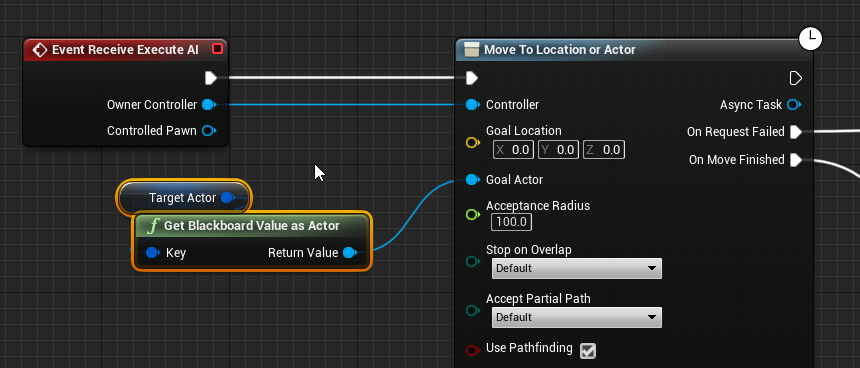
the class is APawn with a FloatingPawnMovementComponent
if its relevant: https://i.imgur.com/ZaV1mLp.png
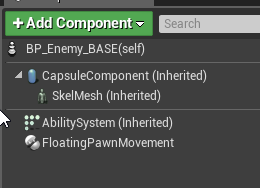 sullen escarp
Use an ACharacter class instead since they're humanoid? You can always make a Character fly later if you need
Character comes with a regular MovementComponent that lets your pawn walk, swim, fly, etc
foggy moth
i'll try that out - i'm certain its something with the movement component types
sullen escarp
Yeah FloatingPawnMovement doesn't have gravity implemented
foggy moth
@sullen escarp - yah dude thanks a million ❤️ that was ddefinitely the case
they meet @ the ground level - after switching to ACharacter
storm zephyr
@sullen escarp i've figured out that the extent was what was causing the problem i had. for some reason if the point is on the navmesh and i do the projection with an extent like yours he just gives me a point really far way from original so he doesn't seem to take the best distance into account, if i reduce the extent it works fine
i just need to find a reasonable extent value that works well on both cases
storm zephyr
i would like to know what they understand by partial path, because the move to tasks have that option and if the player is not on the navmesh the move to just aborts
the description is "If set, use incomplete path when goal can't be reached" which seems to be what i want, but it just doesnt work
i also have Project Goal Location enabled, which should do the projection, although i dont know what extent he uses
looking at the source code it seems that he doesnt project when moving to actors for some reason
and the projection uses INVALID_NAVEXTENT which is 0,0,0 and that makes it almost useless, because since it's using the navagent radius, if the capsule doesnt touch the navmesh he won't find it
or am i missing something?
 knotty dawn
@wary ivy posted this in #lounge
https://twitter.com/AIGPG/status/1222599378042597378

Game AI Pro 3 is now available for FREE at https://t.co/Ux8j4cpqdo
42 articles from dozens of professional game AI programmers, all downloadable as individual PDF files!
Retweets
127
Likes
249
 Twitter
knotty dawn
knotty dawn
<@!283940114252693504> posted this in <#221796616653373441>
https://twitter.com...
sullen escarp
Twitter
knotty dawn
knotty dawn
<@!283940114252693504> posted this in <#221796616653373441>
https://twitter.com...
sullen escarp
@storm zephyr Don't think you're looking at the right projection function, that's the one that returns a FVector. The MoveTo task calls the Bool one, where checks to see if you have a Default Nav Agent extent define in project settings
lyric flint
So the green area of a navmesh is NavArea_Default?
when you don't have any supported agents
It seems that toggling the Vehicle channel to Block is what makes an area be passable by all agents
thus it makes stuff green
and I wonder how to change this
I can't find any info on why the vehicle channel is used like this by default
Vehicle channel on
Vehicle channel off
oh yeah pawn too
only found this: https://forums.unrealengine.com/unreal-engine/feedback-for-epic/8007-proposal-make-navmesh-supported-agents-take-collision-object-type-parameter
Unreal Engine Forums
Tell us how to improve Unreal Engine 4!
so vehicle channel it is
sullen escarp
It's possible to do what that person is asking in the post, you can have a nav mesh for each nav agent and affect certain ones with a modifier for that agent. Robo Recall has examples of it
lyric flint
@sullen escarp Well yes, but I really don't want to make a supported agent for each mob that I have
all kinds of different capsule values
storm zephyr
@sullen escarp so changing that extent will change the extent used in the projection of MoveTo tasks?
sullen escarp
It should when I checked source this morning, haven't had time otherwise to try a use case.
storm zephyr
@sullen escarp it seems to work, that's a helpful piece of information 🙂
lyric flint
any ideas on how to reduce rotation jittering on pathfinding pawns?
other than setting a lower rotation rate in the cmc
 gaunt ermine
I have a question. I'm working on a space game and need to make a flying spaceship. Is there a tutorial that might be best? I have the Don plugin but that seems to be focus on set goals.
Also what is the best way to handle navigation mesh considering space is big.
sullen escarp
@timber flax Check Reference Value and enter in the distance you want for the highest point, then set scoring to inverse linear
timber flax
I'll do that, thanks :D
pine steeple
yeah its pretty bad
gilded tree
Hey guys. I'm trying to make my wolves find a position around the actor in order to surround him. I don't want wolves to grab the same location, and I also want them to prefer being behind the actor, but if they're not able to they'll have to find a point in front of him, still within the donut. Here's my current progress, but could anyone shed some light on how I could go about doing this? Starting to grasp EQS, but then there's always a new roadblock haha 🙂 https://gyazo.com/830a275b6dd3d2e71c66508c1bedf7dd
 pine steeple
you would need a couple of tests
Test each item to see if a wolf is current near or at that spot (in a radius)
discard it if so
do a dot product to only get points behind the player
sullen escarp
Can use an Overlap test using the Overlap Channel for whatever collision channel your wolves use and invert the bool match to avoid spots they're in.
That would only check where they're at currently, might still need to make a custom test in C++ to also check what Destination the other wolves are trying to go to and avoid those too.
pine steeple
yeah EQS is great for determining points
but you would need some sort of Manager to make it work properly
or a leader wolf
we did something similar, but we had a pack leader
who determined the points other dogs should be
having each wolf determine his own point and testing etc, would be super expensive
gilded tree
Oh thanks for the explanations guys. I'll try to get the points behind the player with a dot.
I also have leaders, but currently it is just acting as a location for the pack to move around. The wolves find the spots around the leader themselves. I'm not sure how I would even collect information from another blackboard to fetch the leaders Destination/location and only make the pack move to those points. 😮
Sadly I'm not versed in C++, but I'll try to work with the information you gave me and then take it from there guys, cheers :) @pine steeple @sullen escarp
storm zephyr
@sullen escarp do you know of way to detect a path passes through an actor? I'm asking this because my doors dont affect navigation and i have a trigger to make the enemy face the door and play the animation, but before that i need to know if the enemy really wants to go through that door or if he should just ignore it. right now i'm thinking of getting the target move location and the next point and do a trace between those 2 points and see if it hits a door, but seems a bit fallible. maybe using navlinks?
hollow osprey
How come navigation isn't created for the rest of the area?
just to explain the picture: the ground area is a simple plane, the 3 white are cubes, and the selected volume is the nav mesh bounding volume
 vagrant crescent
Hello, i'm trying to add Launch Character to my AI, but the "Move To" node set the velocity to zero instantly. How can i stop "Move To" in my AI BTTask?
hollow osprey
@vagrant crescent If you're talking about AI MoveTo in a custom BTTask, calling FinishExecute should stop the task
vagrant crescent
you mean i can force "Finish Execute" from my bluperint to ai controller? @hollow osprey
hollow osprey
I meant inside the ai task. Where are you launching the character from?
 olive pond
@hollow osprey navigation probably is created. Green is default weighted nav, red is considered difficult terrain or harder to reach so agent will only use it to reach destination if it cant go through green areas. Blank is considered null nav area that cannot be passed through.
hollow osprey
@olive pond it's not (created, that is). the ai follows me (so it can hit me), and once I step off the green area it won't anymore
olive pond
However I habe noticed that often the bot will not even try to go through red when it is the only option for some reason but maybe that is another bot's red and not the current one's
Okay then I might be wrong. But there is a difference between red mesh and no mesh
hollow osprey
just to clarify, there is no red mesh. the plane has a brown color, it's what you see in the picture
hollow osprey
yeah sorry about that. I thought it was clear, but I guess picture can look different on different screens
olive pond
Is your navigation static or dynamic generated?
Dynamic has a radius for how far it can calculate in realtime
Something called invokers are supposed to help it update farther as needed but I dont know how to use those
hollow osprey
I remember I set it to dynamic a long time ago, but I don't remember now where it is to verify that. Remind me?
olive pond
Project settings.
hollow osprey
I'm there
olive pond
I forget the name of the settings. There are two navigation areas in project settings i think
Depending on your ue version it is either a dropdown or a checkbox
hollow osprey
4.24.2
olive pond
Ok then probably dropdown Remember that in each level you can override the project nav settings in the recastnavigationmesh actor
hollow osprey
ha k found it now; it's set to static. Oh I remember now it was due to a bug long ago (4.21 I think). Let me try and see if that's the issue
olive pond
Ok
hollow osprey
yeahhh that fixes it. such a foolish mistake.
@olive pond Thanks!!
olive pond
Yay!
My game uses dynamic but all the AIs only need a short range to wander randomly until they find a target to chase
I have to do dynamic because all my levels are dynamic walls and floors
Mazes that move
lyric flint
Ok my character shakes when he chases me
i unchecked use yaw and decreased the Z rotation angle to 250 and set it to orient to movement it stopped the more aggressive shaking but it still shakes


nvm... I forgot a cooldown 🙂
lyric flint
How can I make my enemy flee using AI perception and behavior tree?
vagrant crescent
@hollow osprey inside my blueprint
lyric flint
How can I make my enemy flee using AI perception and behavior tree?
lyric flint
@ThatAwkwardGameDev#6439 In your BT have a sequence with a decorator that checks for CanSeePlayer, which is being set in your AAI perception component when stimulus is active. And attach a task to run away in the opposite direction from the forward vector for some random distance. Or any variation thereof 🙂
lyric flint
So my AI can do things In ai model (example go to couch and lay down or sit on the couch) sometimes when the ai is done sleeping on the couch it will get off the couch and then just stand there and do nothing, sometimes it doesn’t get stuck and it moves on to next idle state but is there a way to fix it so it doesn’t get stuck anymore?
ocean wren
Its called debugging exity.. you need to learn how to do it
 topaz flume
I wonder if anyone can guide me in a direction using Navmesh and the MoveTo functions. I have a Pawn using the floating-Movement-Component. Thats supposed to be a boat, its at point A pointing the direction of the white arrow. So if I send it to point B it moves kind of like the red line, however I more want it to be moving like the blue line. Do I have to create my own Movement Component for this since it is supposed to only move „forward“? Or is there any other method?
foggy moth
@topaz flume have you tried messing with the TurningBoost variable? If you have low numbers its supposed to make more of an effect like your looking
topaz flume
didn't really change it, We've done it different now 🙂
foggy moth
Whatd you do then?
topaz flume
We're using Find Path to Location and then move it using Tick and DeltaSeconds for now
glossy flame
how the heck does one write a decorator? i cant seem to find the return function or something similar with which i can tell it what to do
basically i want to write a ForceFail decorator, but i cant find any sources that tell me how
sullen escarp
@glossy flame There should be a handful of functions you can override from the dropdown of functions.
lyric flint
@glossy flame If you need to write the decorator in C++, I've been through a similar dilemma recently, and I learned through trial and error that the entry point for the decorator is CalculateRawConditionValue. You can inherit your custom decorator from UBTDecorator and override that method, and do your thing 🙂
If you just need a decorator in blueprints, simply do what @sullen escarp said.
lyric flint
While I'm on this topic, I want to take the opportunity and mention that one of the best learning experiences AI related (plus other systems) I recently had was converting the AI blueprints to C++ from Action RPG template from the Epic marketplace. I can recommend this as a thought exercise wholeheartedly, it was amazing how backtracking and reverse engineering were 🙂
glossy flame
Thanks guys, i somehow just didnt see the one function i actually needed to override, got it now though
lyric flint
Does anyone know if you can use pawn sensing to enable blackboard entries?
jaunty peak
pawn sensing is depreciated. AI Perception is the one to use.
lyric flint
But pawn sensing still works though
subtle shoal
Has anyone had issues with Instanced Static Meshes and NavMesh generation?
I'm generating them by populating all my instances with an editor exposed function, no construction script because that immediately throws away all the lighting.
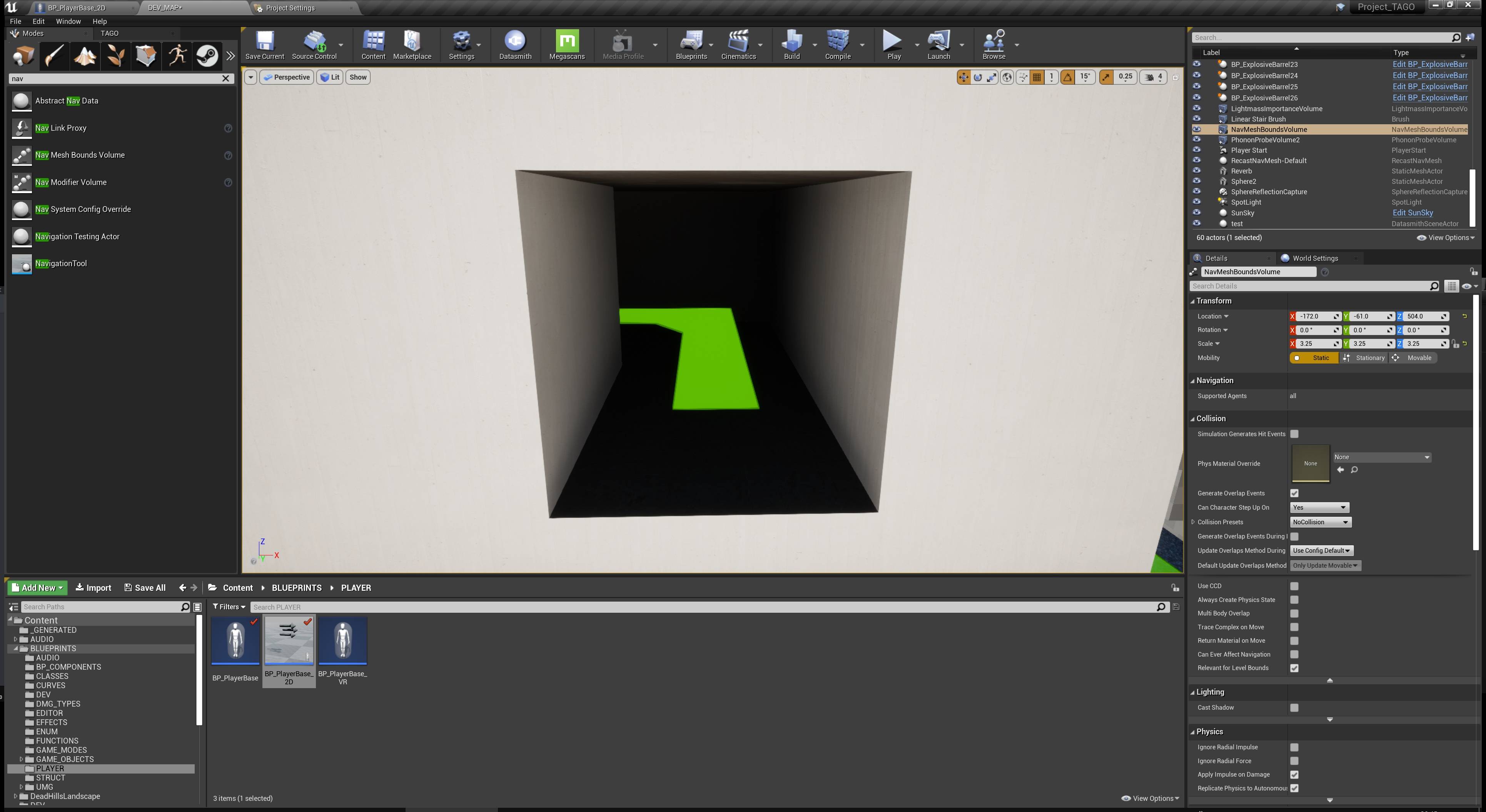

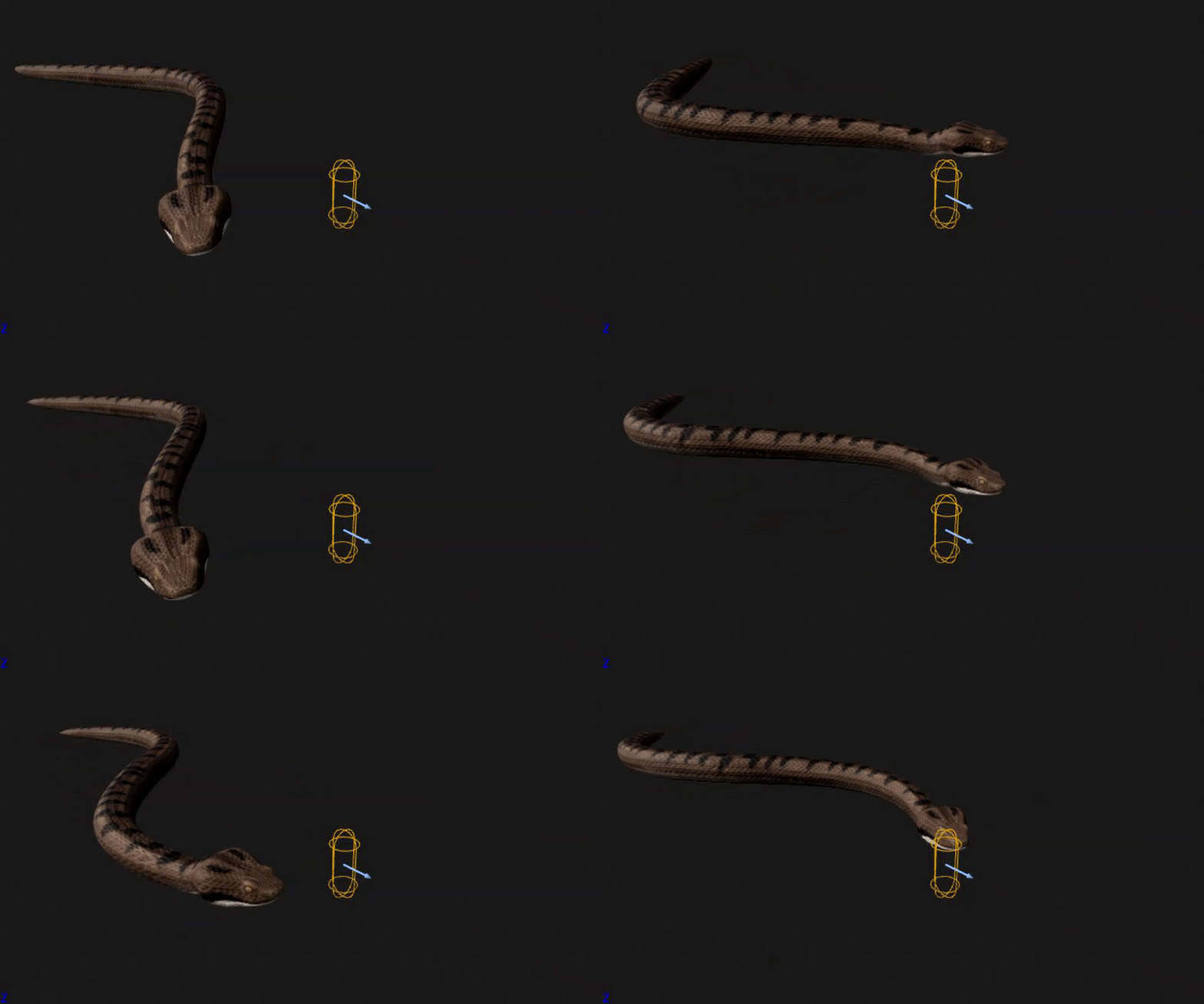
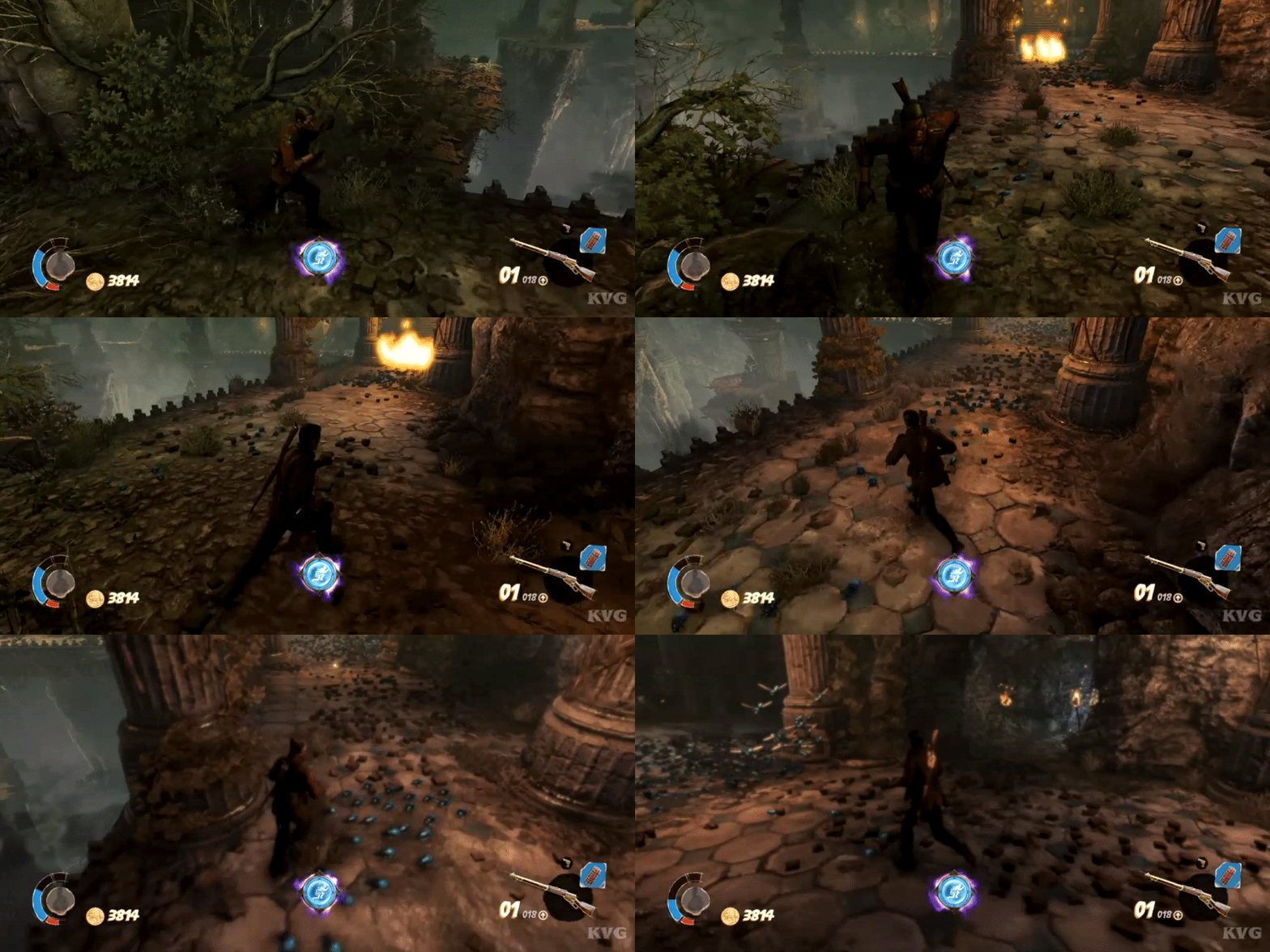



 lyric flint
@jaunty peak
 jolly compass
I can't find the settings to reduce the distance from the wall
jolly compass
Found it
gilded tree
Hey guys, what is the best solution for birds? I'm aiming to create uninteractable birds that fly in flocks, but also birds that are interactable (walking around on the ground, then flies away if spotting a player). I see theres multiple flying AI assets on the marketplace. I would prefer to make my own - the biggest issue to me is the flying navigation, I know some use traces and predefined paths, but I have such a huge world that they would need to pick their paths themselves. I don't intend for the interactable birds to have interaction with the flocks once in flight. How would I actually change the birds state from BTs? I.e ground to flying? I'll check out some free samples and see what they did specifically for the flocking
lyric flint
@gilded tree Boids! 😄
gilded tree

itch.io
A free experiment with flocking behaviour
@lyric flint Yeah :) Looks like theres actually a few samples and tuts on it. I guess my biggest question mark is the single birds that are interactable, how to change their state to flying and back again
lyric flint
interactable single bird scenario is interesting...
If there is a way to fast iterate through the flock and get the closest to the player AND make its weight as a leader so to speak, that may work. But this is just brainstorming, doesn't really answer your specific question... @gilded tree
gilded tree
Yeah, I'm aiming to make two different AI though. One with flocking and one that consists of single birds that start on the ground, fly away if spotting an enemy, then land when in safe distance. So with some services that should be doable, but the navigation & changing from walking to flying is my main issue
I dont want them to interact with the flocks mainly due to performance, as I want the flocks to be far away and low performant
lyric flint
I've seen scenarios where the same character class is being possessed by different types of AI controllers without any problems
gilded tree
Ohh, so you're saying they could join closest flock etc? Whew, bigger challenge than I initially thought. I'm going to work, I'll check this out later today :)
lyric flint
I never tested your specific scenario, but having the same character class jumping back and forth from different types of AI controllers, yes, no problem
There is an example in the action RPG template, you can enable auto combat, which basically gives the player character its own AI controller which is different than the AI controllers used for the enemy characters @gilded tree
And then you disable auto combat, so the player controller takes control of the player character once again
 rustic nova
If I have a decorator around a subtree, why would it not be calling it's perform check every tick? I have it set to abort self
 hearty sentinel
@rustic nova check your service or controller script that performs conditional. if your services condition is true that condition which you set in decorator that will automatically perform your task.
rustic nova
Does this mean that the service is responsible for ticking all the decorators below?
My tree looks like this atm
So I want to be checking the AcquireTargets service?
lyric flint
Yes, currently your service runs twice a second, definitely not every tick @rustic nova
rustic nova
I wasn't aware the service had anything to do with the decorators below :S
Evenso though, the decorator does not get called while the subtree is running
lyric flint
And after the service starts running then hands over free reign to his children in the execution index order as outlined in your tree
rustic nova
Ok I recreated the node in BP and it fires fine, is there something else I'm meant to do for C++ decorators? All I did in C++ was overriding the CalculateRawConditionValue function.
Figured it out, you need to override the TickNode function as so:
void URTSBTDecorator_IsInChaseRadius::TickNode(UBehaviorTreeComponent& OwnerComp, uint8* NodeMemory, float DeltaSeconds)
{
    if (!CalculateRawConditionValue(OwnerComp, NodeMemory))
    {
        OwnerComp.RequestExecution(this);
    }
}```And set bNotifyTick = true in the constructor
lyric flint
can anyone help me explaining in depth about AI, Ai possesion, ai parent/child / and last ai bb and bt
i am mid level in it and need some more understanding
hearty sentinel
BB @lyric flint BB FOR black board Declare variable
BT : behavior tree Declare tasks of AI to perform left to right
lyric flint
yes and i want to open a widget when i got a line of trace on the ai and change the bt from roaming to going get some resources or change to guard
i dont know how to change the bt and dont know how to let the ai go to a points that i asignt in the bt
jaunty peak
Ryans tutorials are good. He's got a couple for AI https://www.youtube.com/channel/UCsS5i15vvUbwfr_1JdRKCAA/playlists

YouTube
Learn how to make games in Unreal Engine 4 following my tutorials where I not just show you how to make cool things, but I explain how and why they work. Che...
lyric flint
o nice thanks !